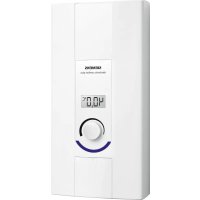
REV91 - Thermostat SIEMENS - Free user manual and instructions
Find the device manual for free REV91 SIEMENS in PDF.


Pick your language and provide your email: we'll send you a specifically translated version.
| Product Type | Electronic Room Thermostat |
| Model | Siemens REV91 |
| Dimensions | 80 x 80 x 30 mm |
| Weight | 150 g |
| Power Supply | 2 x AA batteries (1.5V) |
| Battery Life | Approximately 1 year |
| Display | LCD screen |
| Temperature Range | 5°C to 35°C |
| Accuracy | ±1°C |
| Control Type | Digital with weekly programmable schedule |
| Heating Modes | Comfort, Economy, Frost protection |
| Programming | 7-day, up to 4 time periods per day |
| Switching Voltage | 24 V AC / 230 V AC (depending on version) |
| Switching Current | Max 2 A (resistive load) |
| Mounting | Wall-mounted with screw or adhesive |
| Material | ABS plastic |
| Certification | CE, RoHS |
| Maintenance | Wipe with a dry cloth |
| Spare Parts | AA batteries |
| Repairability | Not user-serviceable; contact qualified technician |
| Safety Features | Low battery indicator, frost protection |
| Operating Temperature | 0°C to 50°C |
Frequently Asked Questions - REV91 SIEMENS
How do I install the Siemens REV91 thermostat?
Installation is straightforward: mount the backplate on the wall, connect the wires according to the manual, insert the batteries, and snap the thermostat onto the plate. Ensure power is off before wiring.
How do I set the time and date on the REV91?
Press the 'Menu' button, navigate to 'Set Clock', use the arrow keys to adjust the time and date, and confirm with 'OK'. The display will show the correct time.
How do I program the weekly schedule?
Access the programming menu, select a day or block of days, set the desired temperature for each period (Morning, Day, Evening, Night). You can define up to four periods per day.
What do the different symbols on the display mean?
Common symbols include: sun for Comfort mode, moon for Economy mode, snowflake for Frost protection, and a battery icon for low battery. Refer to the manual for a full list.
How do I change the batteries?
Gently pull the thermostat off the wall plate, open the battery compartment on the back, replace the two AA batteries (alkaline recommended), and reattach the unit. Dispose of old batteries properly.
Why is my thermostat not responding?
First, check the battery level. If the display is blank, batteries may be dead. If the display is on but unresponsive, try pressing the reset button with a paper clip. If the issue persists, consult a technician.
Can I use the REV91 with a heat pump or electric heating?
Yes, the REV91 is compatible with most heating systems including gas boilers, electric heaters, and heat pumps. Ensure the switching voltage matches your system (typically 24V or 230V).
What is the frost protection mode?
Frost protection mode maintains a minimum temperature (usually 5°C) to prevent pipes from freezing. It activates automatically when the room temperature drops too low or can be set manually.
How do I reset the thermostat to factory settings?
Press and hold the 'Menu' button for 10 seconds until the screen resets. Or remove batteries, wait 30 seconds, and reinsert. All custom settings will be lost.
Is the REV91 compatible with smart home systems?
The REV91 is not a smart thermostat and does not have Wi-Fi connectivity. It is a standalone programmable thermostat. For smart home integration, consider Siemens' connected models.
User questions about REV91 SIEMENS
0 question about this device. Answer the ones you know or ask your own.
Ask a new question about this device
No questions yet. Be the first to ask one.
Download the instructions for your Thermostat in PDF format for free! Find your manual REV91 - SIEMENS and take your electronic device back in hand. On this page are published all the documents necessary for the use of your device. REV91 by SIEMENS.