
Babyline 2.1 - Baby monitor Overmax - Free user manual and instructions
Find the device manual for free Babyline 2.1 Overmax in PDF.


| Product type | Audio baby monitor |
| Brand | Overmax |
| Model | Babyline 2.1 (OV-Babyline-2.1) |
| Channels | A and B selectable |
| Power supply | AC adapter (included) or 2 AAA batteries (not included) per unit |
| Battery type | AAA alkaline or rechargeable |
| Charging | Built-in charger for rechargeable batteries when connected to power |
| Parent unit features | Volume control, power/sound indicator light (green/red), channel selector, belt clip |
| Baby unit features | Nightlight with button, power indicator light, channel/power switch |
| Nightlight | On/off by pressing button on baby unit |
| Sound activation | Automatic squelch; activates when sound exceeds 50 dB |
| Low battery indication | Red light on parent unit when voltage below 3.3V |
| Safety distance | Keep baby unit and cord at least 1 m from baby |
| Cleaning | Wipe with dry cloth, ensure device is off |
| Operating conditions | Avoid extreme temperatures, moisture, direct sunlight |
| Range | Not specified; typical for baby monitors up to 100 m open field |
| Dimensions | Not specified (compact portable design) |
| Weight | Not specified (lightweight) |
| Certification | CE, EMC, LVD, RoHS compliant |
| Warranty | Not specified; standard EU warranty may apply |
Frequently Asked Questions - Babyline 2.1 Overmax
User questions about Babyline 2.1 Overmax
0 question about this device. Answer the ones you know or ask your own.
Ask a new question about this device
Download the instructions for your Baby monitor in PDF format for free! Find your manual Babyline 2.1 - Overmax and take your electronic device back in hand. On this page are published all the documents necessary for the use of your device. Babyline 2.1 by Overmax.
USER MANUAL Babyline 2.1 Overmax
natural_image
White and blue portable electronic device with circular vent and control buttons (no visible text or symbols)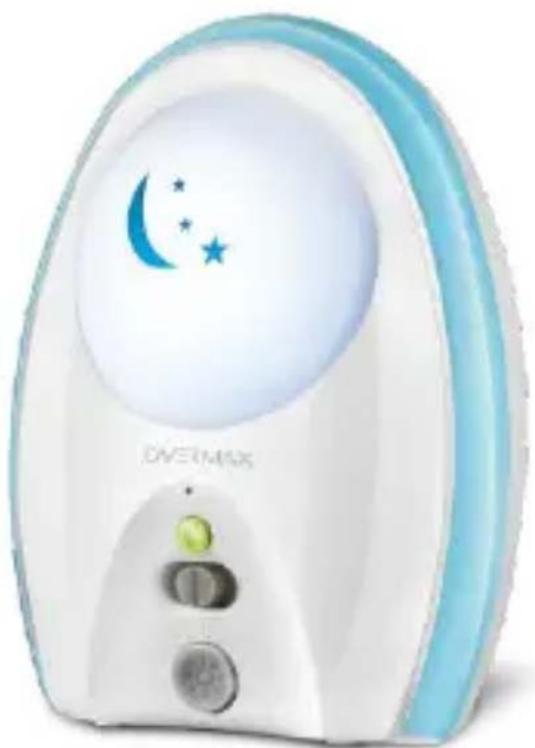
natural_image
White and blue nightlight device with crescent moon and star symbols (no text or numbers visible)USER MANUAL
EN / PL / CZ / SK / RO / HU / EE
OV-BABYLINE 2.1
This User's Guide provides you all the information you need to get the most from your product. Please read the following instructions and warnings carefully. Keep the User's Guide for future reference.
The features described in this user's guide are subject to modifications without prior notice.
Step 1: Connect power adapter to baby unit, select the channel A or B by switching the key.
Step 2: Put the parent unit at least 1 meter away from baby unit, connect power supply adapter to parent unit. Select the same channel as baby unit.
You can use AAA batteries or rechargeable batteries. The device will work as charger with rechargeable batteries connected to power supply. Batteries are not included.
WARNING:
To prevent strangulation with the power cord, always keep the baby unit and the power cord out of baby's reach, at least 1 metre away. Do not use extension cords.
Overview of parent unit
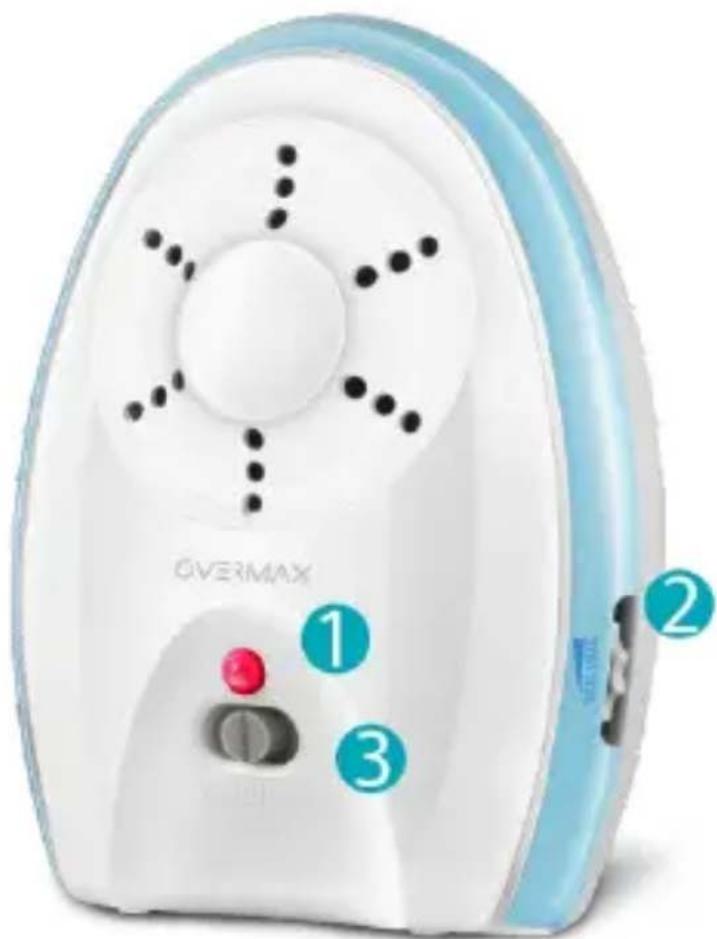
- Power / sound light
· Green light indicates powered on
- Flashing indicates sound received
- Red light indicates low battery
- Volume adjust
· Turn upwards to increase speaker volume
· Turn downwards to decrease speaker volume
-
Channel/ Power switch
-
Middle position means OFF
· A/B channel position means ON and active channel
Overview of baby unit
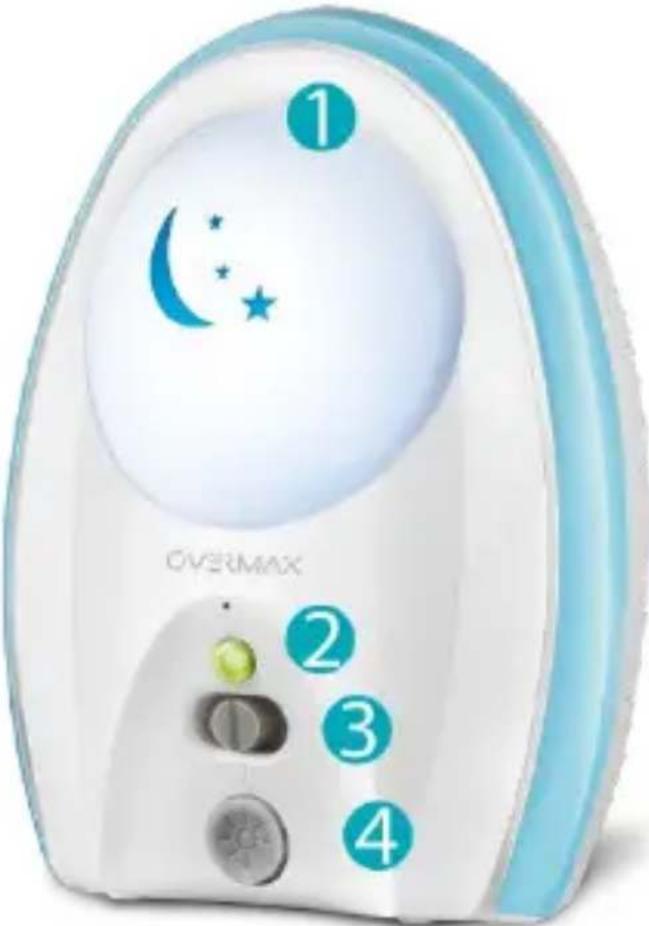
- Nightlife
· Nightlight is on by pressing night control button
- Power light
· It is green when baby unit is powered on
- Channel / power
· Middle position means OFF
· A/B channel position means ON and active channel
- Nightlight button
When power of parent unit is supplied by batteries, it turns red while battery voltage is below 3.3V.
Only if the sound exceeds 50dB, the baby unit can start operation and transmit sound. Automatic squelch function to prevent parent from interference noise.
Both Parent unit and baby unit are with charge function.
Charge indication:
Charging under ON status: the power light is red and green.
Charging under OFF status: the power light is red.
This product is intended as an support. It is not a substitute for responsible and proper adult supervision and not intended for use as a medical monitor.
Please do not use other power adapters which may not fit this product configuration.
Please do not expose the baby monitor to extreme cold, heat, wet or direct sunlight.
Make sure the baby unit and the adapter cord are always out of reach of the baby at least 1 meter to avoid a possible strangulation hazard.
Never cover the baby unit nor parent unit with anything such as towel or blanket.
While cleaning the devices make sure it is in OFF mode.
| Problem | Possible cause | Solution |
| Power indicator light not working | ○ Not switched on○ Power not getting to the unit○ Low batteries | ○ Turn on the unit○ Make sure the units are connected to the power supply○ Replace the batteries |
| Power light flashing | ○ Not connected well○ Batteries low | ○ Make sure connection is well |
| Parent unit makes loud noises | ○ Units are too close together○ Volume on parent unit may be too high | ○ Move parent unit away from baby unit○ Lower the volume |
| Weak sound or mute coming from parent unit | ○ Volume on parent○ unit is set too low or muted | ○ Increase the volume |
| No connection between units | ○ Units may be too far from each other○ Units are set to different channels | ○ Move parent unit closer to baby unit○ Set channel the same on both units |
Declaration of Conformity
We, the undersigned:
Declare the following apparatus:
| Products name: | Baby Monitor |
| Brand and Model name: | OV-Babyline-2.1 |
Hereby we confirm above product compliance with the European directive of CE:
| EMC : | 2004/108/EC |
| ROHS : | 2011/65/EU |
Below standards were tested and passed:
| EMC : | ETSI EN 301 489-1 V1.8.1 (2008-04)ETSI EN 301 489-17 V2.1.1 (2009-05) |
| LVD : | EN 60950-1:2006 + A11:2009 + A1:2010+ A12:2011 |
Release date: 21.09.2012
OVERMAX
You • unlimited
www.overmax.eu
Brand : Overmax
Model : Babyline 2.1
Category : Baby monitor