
VC-M311 - VCR SHARP - Free user manual and instructions
Find the device manual for free VC-M311 SHARP in PDF.


| Product Type | VHS Video Cassette Player/Recorder |
| Brand | Sharp |
| Model | VC-M311 |
| Video System | VHS NTSC/PAL (depending on region) |
| Dimensions (W x H x D) | Approx. 430 x 95 x 280 mm |
| Weight | Approx. 3.5 kg |
| Power Supply | 120-240 V AC, 50/60 Hz |
| Power Consumption | Approx. 20 W |
| Playback Functions | Play, Stop, Pause, Rewind, Fast Forward, Slow Motion, Still Frame |
| Recording Capability | SP, LP, EP modes (if applicable) |
| Timer Recording | Programmable up to 8 events |
| Inputs | RF Coaxial Antenna Input, Composite Video (RCA), Audio L/R (RCA) |
| Outputs | RF Coaxial, Composite Video (RCA), Audio L/R (RCA) |
| Remote Control | Infrared remote included |
| Head Cleaning | Use a dry or wet cleaning cassette as needed |
| Maintenance | Keep ventilation slots clear; wipe exterior with dry cloth |
| Safety | Do not expose to moisture; unplug during lightning storms |
| Spare Parts Availability | Belts, heads, and remote may be available from third-party suppliers |
| Repairability | Professional repair recommended for internal components |
Frequently Asked Questions - VC-M311 SHARP
User questions about VC-M311 SHARP
0 question about this device. Answer the ones you know or ask your own.
Ask a new question about this device
Download the instructions for your VCR in PDF format for free! Find your manual VC-M311 - SHARP and take your electronic device back in hand. On this page are published all the documents necessary for the use of your device. VC-M311 by SHARP.
USER MANUAL VC-M311 SHARP
Yayin Hakki (Copyright)
natural_image
Abstract black-and-white illustration of stacked blocks with 'X' marks, no text or symbols present
natural_image
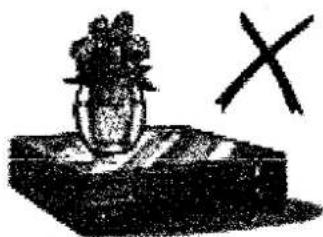
Simple line drawing of a vase with flowers on a base and a cross symbol (no text or labels)NIET...
natural_image
Simple line drawing of a device with a handle and internal components (no text or symbols)natural_image
Illustration of a hand pressing down on a cassette tape with an arrow indicating motion (no text or symbols)Wisbeveiligingslipje
natural_image
Illustration of two hands holding a coin with arrows indicating rotation or movement (no text or symbols)VOORUIT- OF ACHTERUITSPOELEN VAN EEN VIDEOBAND
OPMERKINGEN:
HERHAALDE WEERGAVE VAN EEN VIDEOBAND

natural_image
Technical line drawing of a vintage camera and its internal components (no text or symbols)mono/stereo camcorder
GB This equipment complies with the requirements of Directives 89/336/EEC and 73/23/EEC as amended by 93/68/EEC.
Brand : SHARP
Model : VC-M311
Category : VCR