
TY3101G - Kitchen scale Emos - Free user manual and instructions
Find the device manual for free TY3101G Emos in PDF.


| Product Type | Kitchen Scale |
| Brand | Emos |
| Model | TY3101G |
| Display Type | Backlit LCD |
| Display Size | 49 × 23 mm |
| Weighing Capacity | 5 kg (5000 g) |
| Resolution | 1 g |
| Weight Units | g, oz, lb, kg |
| Tare Function | Yes |
| Auto Power Off | After 2 minutes |
| Power Supply | 1×3V CR2032 battery |
| Battery Included | Yes |
| Overload Indicator | "EEEE" displayed when overloaded (>5 kg) |
| Low Battery Indicator | "LO" displayed |
| Material | Plastic (ABS) |
| Maintenance | Wipe with damp cloth; do not immerse in water |
| Safety | Place on flat, stable surface; keep away from electromagnetic fields |
| Certifications | CE Declaration of Conformity |
| Usage | For domestic food weighing only |
Frequently Asked Questions - TY3101G Emos
User questions about TY3101G Emos
0 question about this device. Answer the ones you know or ask your own.
Ask a new question about this device
Download the instructions for your Kitchen scale in PDF format for free! Find your manual TY3101G - Emos and take your electronic device back in hand. On this page are published all the documents necessary for the use of your device. TY3101G by Emos.
USER MANUAL TY3101G Emos
KITCHEN DIGITAL WEIGHING SCALE
CZ
DIGITÁLNÍ KUCHYŇSKÁ VÁHA
SK
DIGITÁLNA KUCHYNSKÁ VÁHA
PL
CYFROWA WAGA KUCHENNA
HU
DIGITÁLIS KONYHAI MÉRLEG
SI
DIGITALNA KUHINJSKA TEHTNICA
SRB|HR|BIH
DIGITALNA KUHINJSKA VAGA
DE
DIGITALE KÜCHENWAAGE
UA
GB Y3101 KITCHEN DIGITAL WEIGHING SCALE
Before using the product carefully read this User Manual
Specification
Backlit LCD display 49 × 23 mm
Weighing capacity up to 5 kg (2 g – 5,000 g)
Resolution 1 g
Unit g/oz/lb/kg
TARE function
Automatic and manual switching off
Overload/low battery indicator
Power 1×3V CR2032 battery (included)
Display
g/oz/lb/kg - Weight unit
Display warnings
„LO“ Low battery, please replace
„EEEE“ Weighing scale is overloaded; maximum load is 5 kg. Remove the load to avoid damage
O Weighing scale's surface is stable
Push buttons
ON/OFF/TARE
UNIT - g/oz/lb/kg weighing unit
Weighing
- Place the weighing scale on a flat, hard and stable surface.
- Place kitchen bowl, if used, on the scale before switching on.
- By pressing the ON push button switch on the weighing mode, wait for the O symbol to be displayed at bottom left to indicate that the weighing scale is in stable position, subsequently weighing may proceed.
- Place weighted object on the scale or into kitchen bowl. Weight of the object shall be shown on the LCD display.
- Desired weight unit g/oz/lb/kg is set by repetitively pressing the UNIT push button.
- Weighing scale may be switched off by prolonged pressing of the OFF push button or after 2 minutes it will automatically switch off.
TARE function (reweighing)
It measures gradually added weight of different amounts to the previous remaining weight.
- Place first amount on the scale and its weight shall be displayed.
- Before placing the next amount on the scale press the TARE push button and the display is reset to zero. Now the next amount may be added. This operation may be carried out repeatedly.
Replacing the battery
- Open the battery compartment's cover located underneath.
- Remove used battery.
- Insert new battery. Observe correct polarity. Use lithium battery only. Do not use rechargeable battery.
- Close the cover.
Maintenance and cleaning
- Clean with a slightly damp cloth and ensure that water does not penetrate inside the weighing scale. Do not use chemical cleaning agents/abrasive cleaning agents. Do not immerse in water!
- All plastic parts in contact with greasy substances such as spices, vinegar or seasoning must be cleaned immediately. Avoid staining by sour citrus juice!
- Always keep in horizontal position.
Safety instructions
- This weighing scale is designed only for weighing foodstuffs for domestic use
- Never tamper with the internal electrical circuits as it may cause damage and will automatically invalid the warranty
- Weighing scale must be placed on a flat, hard and stable surface (not on carpet, etc.) at a sufficient distance from the devices generating electromagnetic field to avoid interference
- Do not expose to impact, shock or drop it to the ground
- Use only in accordance with the instructions in this User Manual. In case of failure the product should be repaired only by a qualified professional
- This device is not intended for use by persons (including children) with reduced physical, sensory or mental capabilities or lack of experience and knowledge in the safe use of equipment unless they are supervised or have been instructed on the use of the appliance by a person responsible for their safety. It is essential to supervise children to ensure that they do not play with the appliance
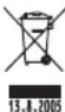
Do not dispose the product or batteries at the lifecycle's end as unsorted municipal waste; use sorted waste collection points. By proper disposal adverse effects on the human health and environment are prevented. Recycling of materials will help to conserve natural resources. For more information about recycling of this product contact the local authorities, municipal waste treatment companies or place where you purchased the product.
Declaration of Conformity has been issued for this product.
cz DIGITÁLNÍ KUCHYŇSKÁ VÁHA, TY3101


Brand : Emos
Model : TY3101G
Category : Kitchen scale