
SWS 15 RD - Alarm Clock SENCOR - Free user manual and instructions
Find the device manual for free SWS 15 RD SENCOR in PDF.


| Product Type | Alarm Clock Radio |
| Brand | Sencor |
| Model | SWS 15 RD |
| Power Supply | 1 x AA battery (not included) |
| Display Type | LCD |
| Calendar Display | Yes (month, date) |
| Time Format | 12/24 hour selectable |
| Alarm Function | Yes, with snooze (8 minutes) |
| Hourly Chime | Yes, selectable |
| Temperature Display | Indoor, selectable °C/°F |
| Temperature Range | 0°C to +50°C |
| Temperature Accuracy | ±1.5°C |
| Humidity Display | Indoor, 20% to 90% RH |
| Humidity Accuracy | ±5% RH |
| Min/Max Memory | Records min and max temperature/humidity |
| Clock Accuracy | ±1.5 seconds per day |
| Reset Function | Yes, via RESET button |
| Maintenance | Clean with a soft, dry cloth; avoid water |
| Battery Replacement | Remove compartment cover, insert 1x AA with correct polarity |
Frequently Asked Questions - SWS 15 RD SENCOR
User questions about SWS 15 RD SENCOR
0 question about this device. Answer the ones you know or ask your own.
Ask a new question about this device
Download the instructions for your Alarm Clock in PDF format for free! Find your manual SWS 15 RD - SENCOR and take your electronic device back in hand. On this page are published all the documents necessary for the use of your device. SWS 15 RD by SENCOR.
USER MANUAL SWS 15 RD SENCOR
natural_image
Line drawing of a rectangular electronic device with a flat top and side connectors (no text or symbols)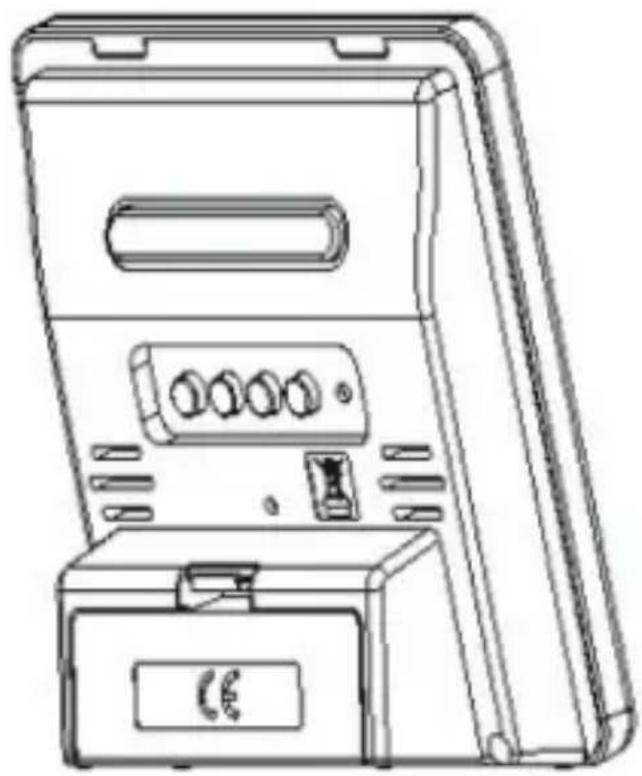
natural_image
Line drawing of a portable electrical box with buttons and ventilation slots (no text or symbols)EN - 1
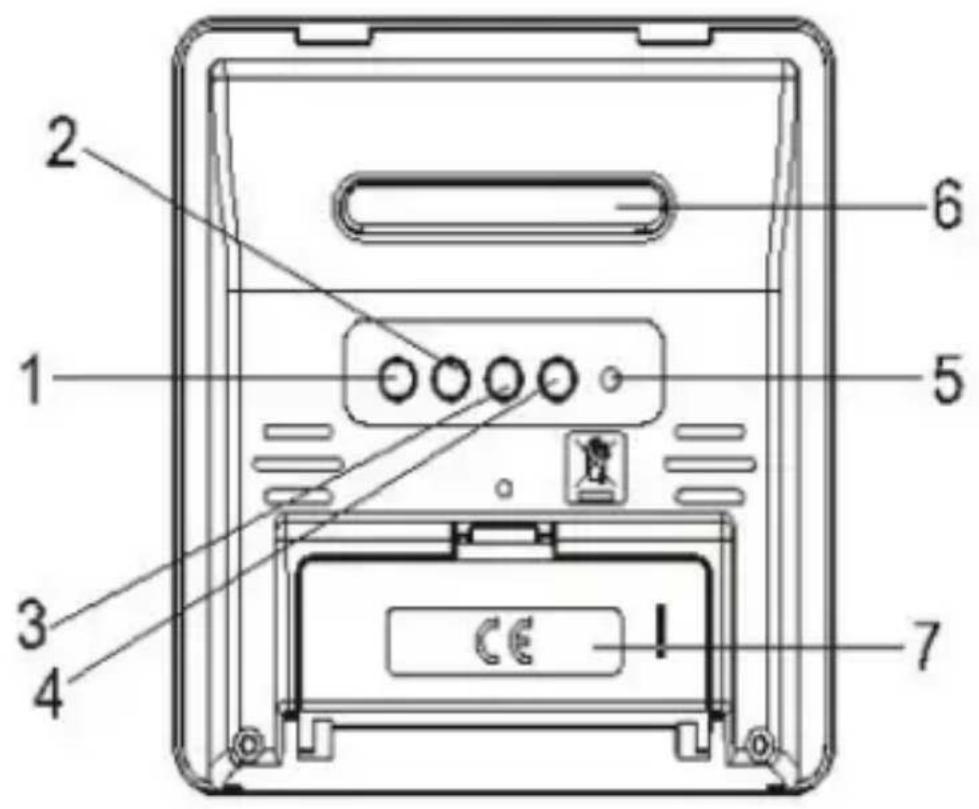
- MODE
- UP
- MEM
-
C/F
-
RESET
- SNOOZE
- COMPARTMENT COVER
EN - 2
LCD SCREEN DISPLAY
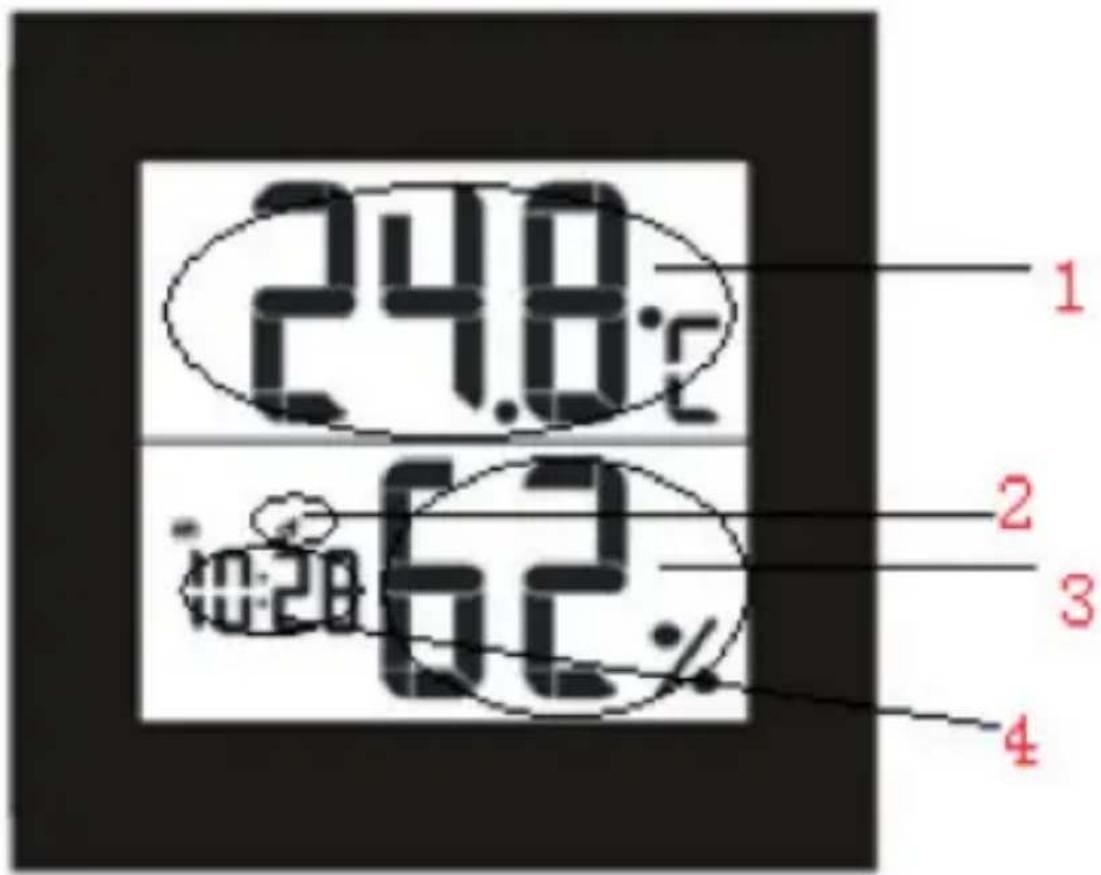
- INDOOR TEMPERATURE
- ALARM
- INDOOR HUMIDITY
- TIME
FEATURES
- Calendar display.
- 12/24 hours selectable.
- Alarm function & Snooze function.
- Hourly chime function.
- Temperature display with °C/°F selectable.
- Indoor temperature range: 0°C \~ +50°C. Accuracy +/- 1,5°C.
- Indoor humidity range: 20% \~ 90%. Accuracy +/- 5% RH.
- Records Min/Max temperature/humidity.
- Clock accuracy: +/- 1,5 sec per day.
GETTING STARTED
POWER SUPPLY
- Remove the battery compartment cover.
- Insert 1x AA battery matching the polarity (+and-).
- When the display abnormal, you can press "RESET" key to reset.
TIME SET
- In the time mode, Press and hold "MODE" key for 2 seconds to enter into time setting
- The figure to be set will be flashing.
- Press "UP" key to change the settings
- The setting order is: Minute, Hour, 12/24-hr format, Month, Date
- Press "MODE" again to confirm and exit setting.
- If do nothing to the keys above 1 minute, it will automatically exist to time mode.
ALARM & SNOOZE SET
ALARM SETTING
- Press "MODE" once to enter into alarm mode.
- Hold "MODE" key for 2 second to enter into alarm setting.
- The figure to be set will be flashing.
- Press "UP" to change the settings.
- The setting order is: Minute → Hour
- Press "MODE" twice to confirm and exit setting.
- In alarm mode, press "UP" to switch alarm and hourly chime function on/off. indicate ⚠ alarm is ON, indicate ⚡ hourly chime function is ON. The setting order is:ALARM ON → HOURLY CHIME ON → ALARM AND HOURLY CHIME ON → ALARM AND HOURLY CHIME OFF.
- If do nothing to the keys above 1 minute, it will automatically exist to time mode.
SNOOZE FUCTION
- When alarm ringing, press "SNOOZE" to silence it for 8 minutes, OR
- Press any other key to turn the alarm off and activate it again after 24 hours.
TEMPERATURE
- The indoor temperature will display within 3\~8 minutes automatically after set up.
- Press "C/F" to switch °C/°F.
- Press and release the "MEM" key repeatedly, the current indoor temperature/indoor humidity will alternate between the MIN/MAX temperature recordings and the current value.
- In MIN/MAX temperature display mode, press and hold "MEM" key to reset ALL indoor and outdoor temperature MIN/MAX records to current values at the same time.
INSTRUCTIONS AND INFORMATION REGARDING THE DISPOSAL OF USED PACKAGING MATERIALS
Dispose of packaging material at a public waste disposal site.
DISPOSAL OF USED ELECTRICAL AND ELECTRONIC APPLIANCES
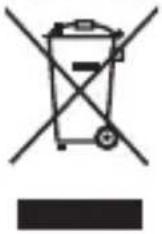
The meaning of the symbol on the product, its accessory or packaging indicates that this product shall not be treated as household waste. Please, dispose of this product at your applicable collection point for the recycling of electrical & electronic equipment waste. Alternatively in some states of the European Union or other European states you may return your products to your local retailer when buying an equivalent new product. The correct disposal of this product will help save valuable natural resources and help in preventing the potential negative impact on the environment and human health, which could be caused as a result of improper liquidation of waste. Please ask your local authorities or the nearest waste collection centre for further details. The improper disposal of this type of waste may fall subject to national regulations for fines.
For business entities in the European Union
If you wish to dispose of an electrical or electronic device, request the necessary information from your seller or supplier.
Disposal in other countries outside the European Union
If you wish to dispose of this product, request the necessary information about the correct disposal method from local government departments or from your seller.
CE
This product meets all the basic EU regulation requirements that relate to it.
Changes to the text, design and technical specifications may occur without prior notice and we reserve the right to make these changes.


- LCD SCREEN DISPLAY
- FEATURES
- GETTING STARTED
- POWER SUPPLY
- TIME SET
- ALARM & SNOOZE SET
- ALARM SETTING
- SNOOZE FUCTION
- TEMPERATURE
- INSTRUCTIONS AND INFORMATION REGARDING THE DISPOSAL OF USED PACKAGING MATERIALS
- DISPOSAL OF USED ELECTRICAL AND ELECTRONIC APPLIANCES
- For business entities in the European Union
- Disposal in other countries outside the European Union
- CE
Brand : SENCOR
Model : SWS 15 RD
Category : Alarm Clock