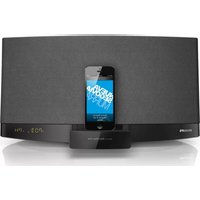
DCB2272 - Hi-Fi PHILIPS - Free user manual and instructions
Find the device manual for free DCB2272 PHILIPS in PDF.


| Product Type | Hi-Fi System |
| Brand | Philips |
| Model | DCB2272 |
| Dimensions (Approx.) | 400 x 100 x 200 mm (W x H x D) |
| Weight (Approx.) | 2 kg |
| Power Supply | AC 220-240 V, 50/60 Hz |
| Power Consumption | 20 W (typical) |
| Supported Media | CD, CD-R, CD-RW |
| Tuner Bands | FM, AM |
| Preset Stations | 20 (FM), 10 (AM) |
| Clock Function | Yes, with alarm |
| Alarm Modes | CD, radio, buzzer |
| Sound Output Power | 2 x 5 W RMS |
| Wall Mountable | Yes (screws and dowels supplied) |
| Remote Control | Included (battery type: AAA) |
| Display | LCD backlit |
| Cleaning Method | Wipe with soft dry cloth; do not use liquids |
| Safety Precautions | Keep away from moisture; use only supplied screws for wall mount |
| Spare Parts Available | Remote control (check Philips website) |
| Repair Information | Contact authorized service center; do not open unit |
Frequently Asked Questions - DCB2272 PHILIPS
User questions about DCB2272 PHILIPS
0 question about this device. Answer the ones you know or ask your own.
Ask a new question about this device
Download the instructions for your Hi-Fi in PDF format for free! Find your manual DCB2272 - PHILIPS and take your electronic device back in hand. On this page are published all the documents necessary for the use of your device. DCB2272 by PHILIPS.
USER MANUAL DCB2272 PHILIPS

Note for mounting
To secure the mounting on wall, concrete wall is required.
Use screws to mount the main unit on the wall
- Use this sheet as a template. Mark the position where you want to hang the unit on the wall (as shown above) and then drill two 6mm diameter holes.
- Secure the 2 dowels and 2 screws (both supplied) in the holes respectively. Leave a gap of 5 mm between the head of the screw and the wall.
- Hang the unit on the fastening screws.
DCB2272_05_Wall Mounting_V1.0



Brand : PHILIPS
Model : DCB2272
Category : Hi-Fi