
SKS 4000 - Kitchen scale SENCOR - Free user manual and instructions
Find the device manual for free SKS 4000 SENCOR in PDF.


| Product Type | Digital Kitchen Scale with Glass Bowl |
| Brand | Sencor |
| Model | SKS 4000 |
| Power Supply | 1 x 3V lithium battery (CR2032) |
| Maximum Weight Capacity | 5000 g (5 kg) |
| Weighing Precision | 1 g / 0.1 oz / 1 ml |
| Weight Units | g, oz, lb:oz, ml, fl'oz (volume) |
| Volume Measurement | Water and milk |
| Dimensions (with bowl) | 266 x 244 x 100 mm |
| Dimensions (without bowl) | 158 x 226 x 40 mm |
| Net Weight | 0.5 kg |
| Display Type | LCD digital display |
| Bowl Material | Glass |
| Bowl Included | Yes |
| Tare Function | Yes (for total weight >200 g) |
| Set to Zero Function | Yes (for total weight <200 g) |
| Auto Shut-Off | After 2 minutes of inactivity |
| Manual Shut-Off | Press ON/OFF button; hold for 3 seconds if weight displayed |
| Overload Indication | Warning message; max 5 kg |
| Battery Type | CR2032 |
| Cleaning | Wipe with soft damp cloth; do not use harsh chemicals |
| Safety | Keep away from heat, moisture; do not submerge; do not use rechargeable batteries |
| Troubleshooting | Remove battery for 10 seconds to reset |
| Automatic Shut-Off Time | 2 minutes |
Frequently Asked Questions - SKS 4000 SENCOR
User questions about SKS 4000 SENCOR
0 question about this device. Answer the ones you know or ask your own.
Ask a new question about this device
Download the instructions for your Kitchen scale in PDF format for free! Find your manual SKS 4000 - SENCOR and take your electronic device back in hand. On this page are published all the documents necessary for the use of your device. SKS 4000 by SENCOR.
USER MANUAL SKS 4000 SENCOR
natural_image
Digital kitchen scale with a glass bowl and digital display (no visible text or symbols on the device itself)SENCOR®
SKS 4000
Before first use, please read all instructions contained in this user manual carefully, even if you are already familiar with using similar products. Only use this product in accordance with the instructions described in the user manual. Keep the user's manual in a safe place where it can be easily retrieved for future use.
Save the original packaging, including the internal packing material, warranty card and proof of purchase receipt, at least for the duration of the warranty. If you need to ship this product, pack it in the original cardboard box to ensure maximum protection during shipping or transport (e.g., when moving or when you need to send this product for repair)
EN-1
CONTENTS
IMPORTANT SAFETY NOTICE 3
PRODUCT DESCRIPTION 4
INSTRUCTIONS FOR USE....5
CLEANING AND MAINTENANCE....10
DISPOSAL OF USED BATTERIES 10
TROUBLESHOOTING....10
TECHNICAL SPECIFICATIONS 10
INSTRUCTIONS AND INFORMATION REGARDING THE DISPOSAL OF USED PACKAGING MATERIALS .... 11
DISPOSAL OF USED ELECTRIC AND ELECTRICAL APPLIANCES....11
IMPORTANT SAFETY NOTICE
1) Carefully unpack the product, and take care not to throw away any part of the packaging material before you have found all parts of the product.
2) This appliance must not be used by persons (including children) with physical or mental impairments or by inexperienced persons, unless properly trained or schooled in the safe use of the appliance, or unless they are properly supervised by a qualified person who will be responsible for their safety.
3) Children must be supervised to ensure that they do not play with the product.
4) Under no circumstances should you repair or alter the product yourself. Entrust all repairs and adjustments to a specialised company/service. Failure to do so will void the warranty.
5) Only store and use the appliance away from flammable or volatile liquids.
6) Keep the product away from extreme temperatures, direct sunlight and excessive humidity. Do not use in an overly dusty environment.
7) Do not place the product near heaters, open fires or other sources of heat.
8) This product is designed for household use. Do not use in industrial surroundings or outdoors!
9) Do not use the product for other purposes than those intended.
10) Do not spray the product with water or any other liquid. Do not submerge the product in water or any other liquid.
11) If you will not be using the product for an extended period of time, remove the batteries. Otherwise they may leak inside the product and cause irreparable damage.
12) Do not use rechargeable batteries in this product.
13) The manufacturer takes no responsibility for damages caused by the incorrect use of this appliance and its accessories (injuries, burns, scalding, fire, food spoilage, etc.).
PRODUCT DESCRIPTION
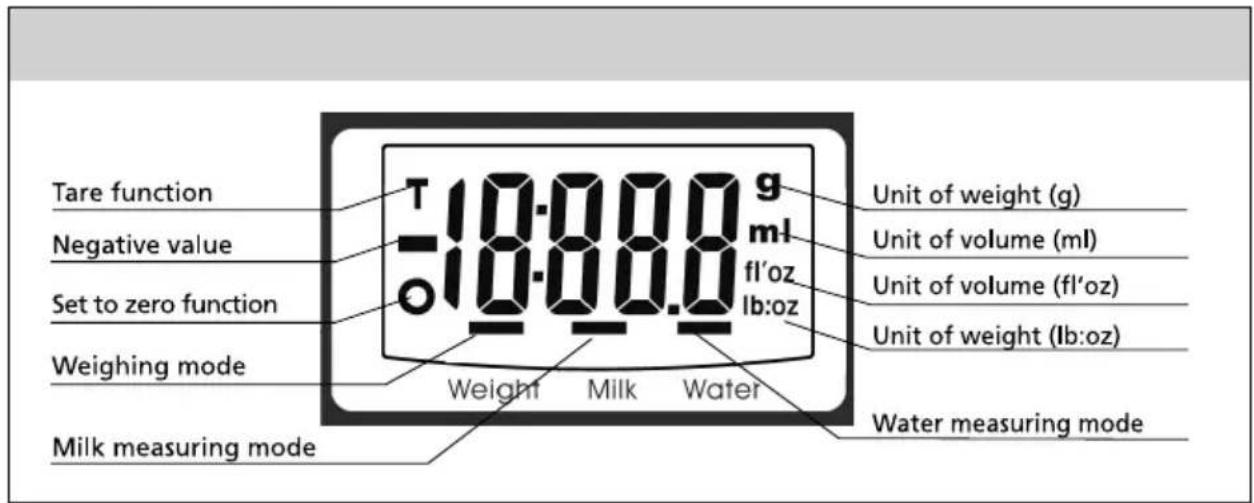
Description of LCD display
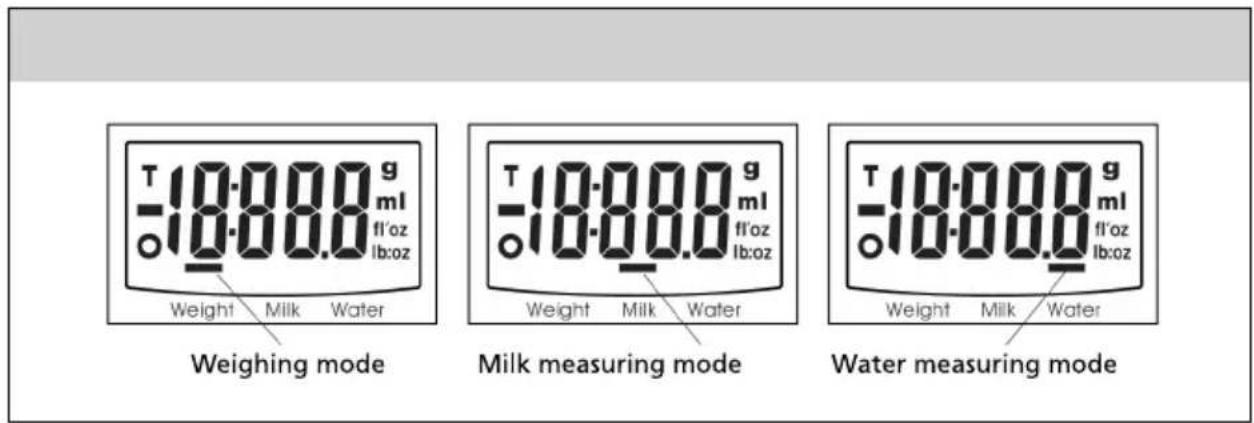
Operational modes
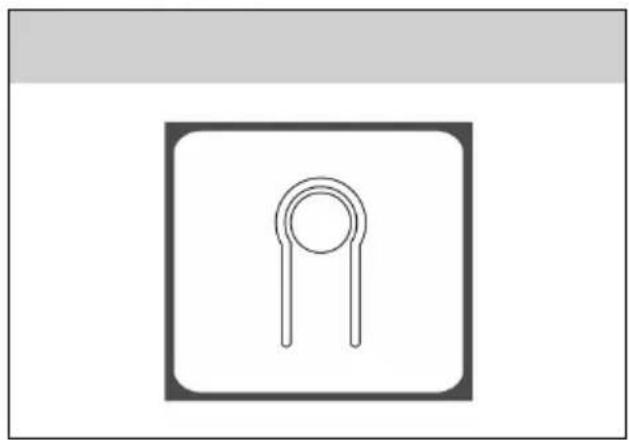
Button changing units
natural_image
Simple line drawing of a two-pin electronic component (no text or symbols)A button to switch between units is located on the underside of the scale, as shown in the picture.
INSTRUCTIONS FOR USE
Battery
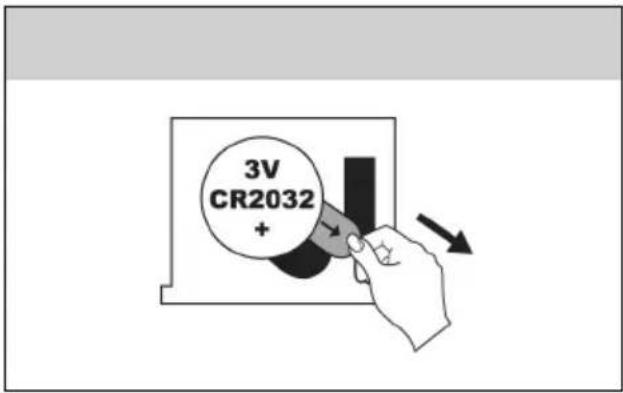
Before using, please remove the insulation tape from the battery contacts.
Switching between weight units
First select by pressing button MODE the operational mode (weight, measuring milk, measuring water), then switch between units using button 🔒.
Example of conversion of weight units:
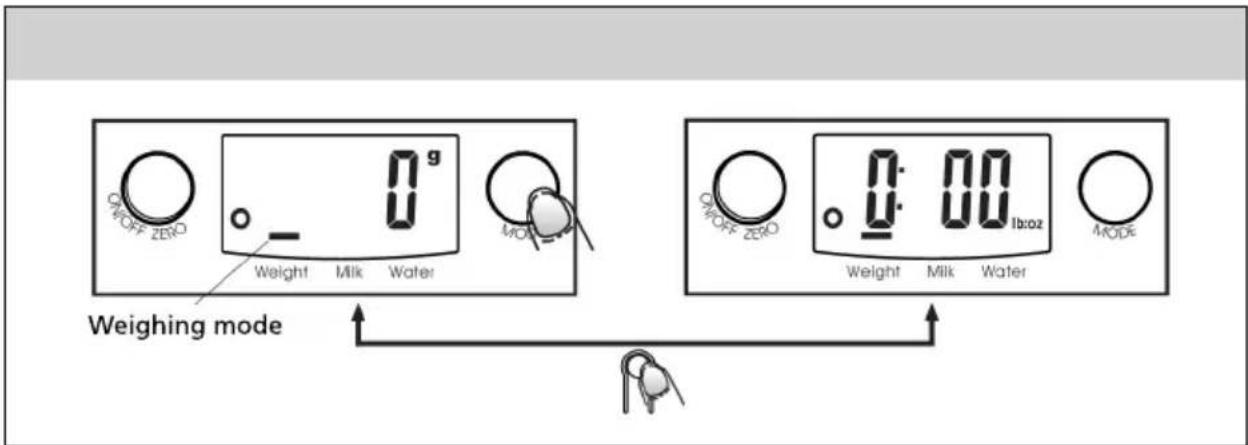
• After setting the weight units to g, the default unit of volume is ml.
• After setting the weight units to lb:oz, the default unit of volume is fl'oz.
Beginning of weighing
flowchart
graph TD
    A["OK"] --> B["Weight"]
    B --> C["Milk"]
    C --> D["Water"]
    D --> E["OK Zero"]
    E --> F["Weight"]
    F --> G["Milk"]
    G --> H["Water"]
    H --> I["OK Zero"]
    I --> J["Weight"]
    J --> K["Milk"]
    K --> L["Water"]
    L --> M["OK Zero"]
    M --> N["Weight"]
    N --> O["Milk"]
    O --> P["Water"]
    P --> Q["OK Zero"]
    Q --> R["Weight"]
    R --> S["Milk"]
    S --> T["Water"]
Weighing mode
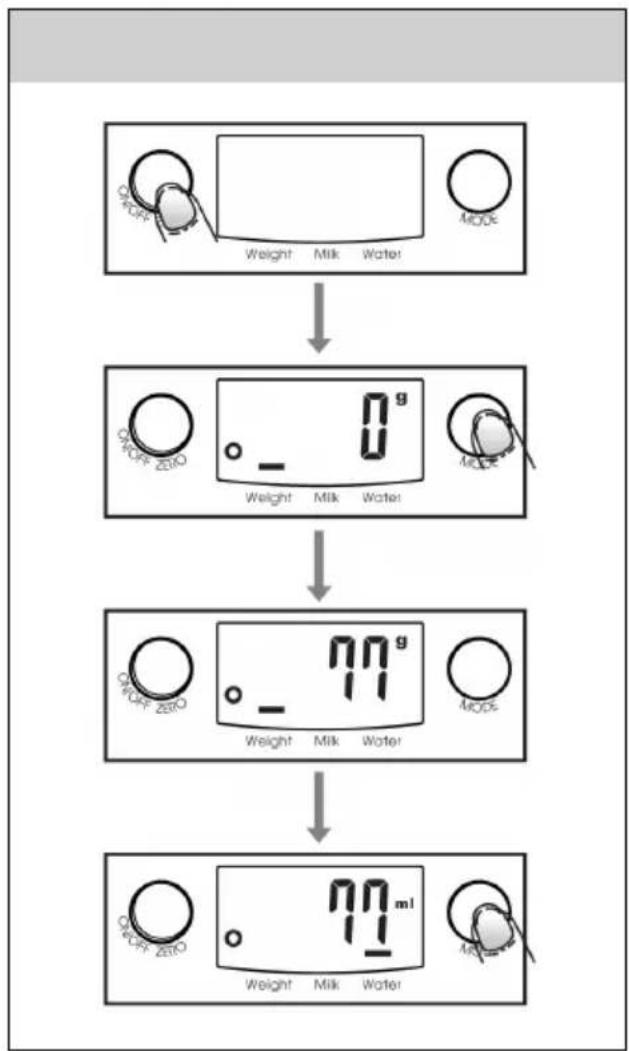
1) Place the scale on a firm and even surface.
2) Place the bowl (if you use it) on the scale before turning it on.
3) Turn the scale on by pressing the "ON/OFF" button.
4) Wait until all the details are displayed on the LCD display.
5) Place the item, which you wish to weigh. The measured weight will be displayed on the LCD display.
6) If you wish to measure water or milk, change the measuring mode by pressing the button MODE and the volume of the liquid will be displayed on the display.
flowchart
graph TD
    A["0 ml"] --> B["87 ml"]
    B --> C["587 ml"]
    C --> D["605°"]
Volume display mode
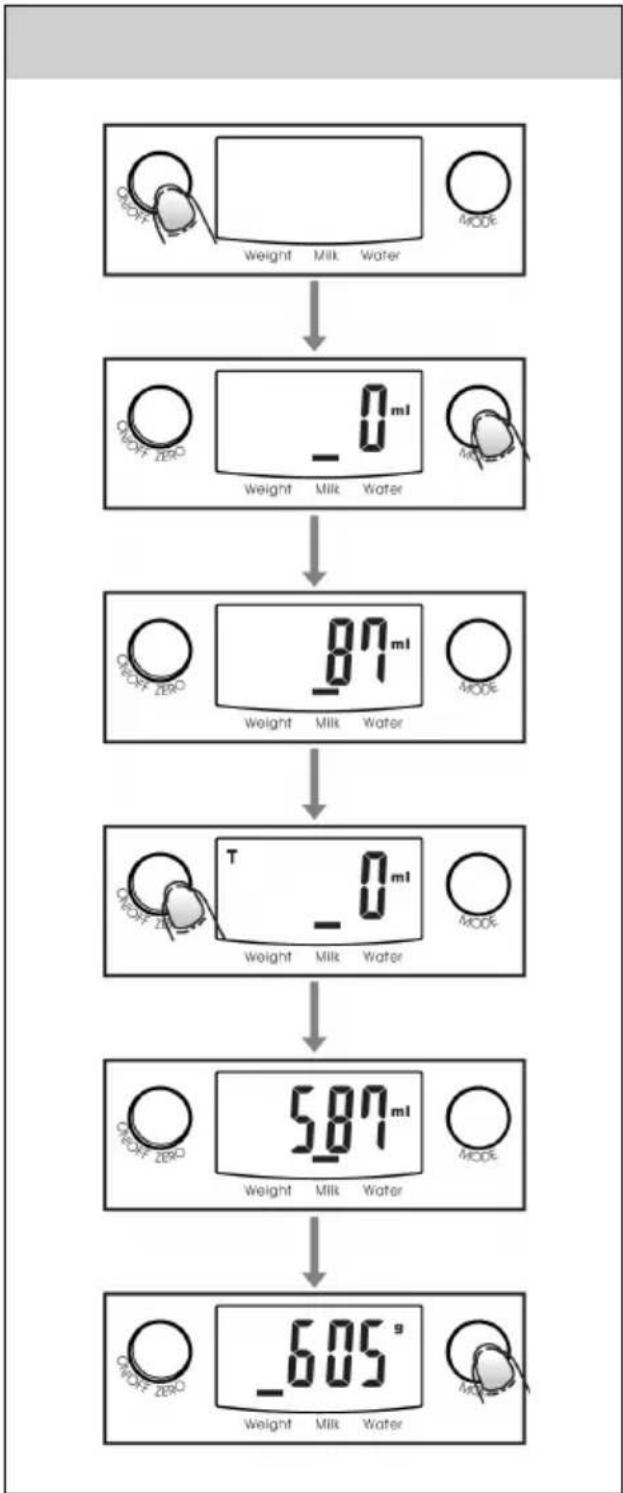
1) Place the scale on a firm and even surface.
2) Turn the scale on by pressing the "ON/OFF" button.
3) Wait until a "0" appears on the LCD display and then by pressing the button MODE select a mode for measuring "Water" or "Milk".
4) Place the container for the liquid on the scale.
5) By pressing the ZERO button the LCD display is reset to "0".
6) Pour the liquid (water or milk) into the container, the volume of the liquid will be displayed on the LCD display.
7) By pressing the MODE button select the "weight" measuring mode and the weight of the liquid will be displayed.
Tare function
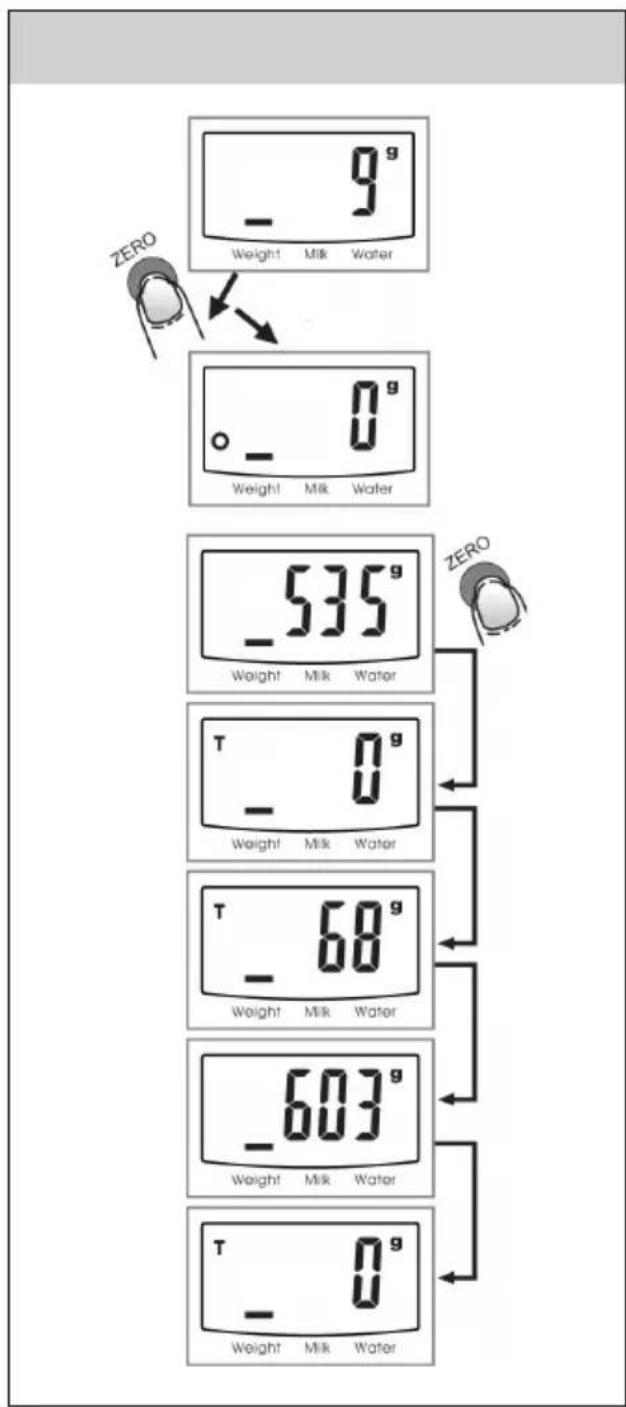
Is intended for the weighing of several items after each other without the need to remove the previous items from the scale Place the first item on the scale and measure the weight. By pressing the the button ZERO the LCD display is reset to zero "0", then place another item on the scale. You may repeat this procedure.
SET TO ZERO function
This function is activated using the ZERO button and is active if the total weight of all measured items is less than 200g.
Every time the ZERO button is pressed a "0" will be displayed on the LCD display. In the lower left corner of the LCD display a "0" icon is displayed, which indicates that the "SET TO ZERO" function is activated. The maximum capacity of the scale remains the same.
"TARE" function
This function is activated using the ZERO button and is active if the total weight of all measured items is greater than 200g.
Every time the ZERO button is pressed a "0" will be displayed on the LCD display. In the upper left corner of the LCD display a "T" icon is displayed, which indicates that the "TARE" function is activated. The maximum capacity of the scale is lowered by the total weight of all weighed items.
In both cases:
By pressing the ZERO button the total weight of all items weighed on the scale is displayed. If you wish to weigh more items, the LCD display is set to zero "0" again by pressing the ZERO button.
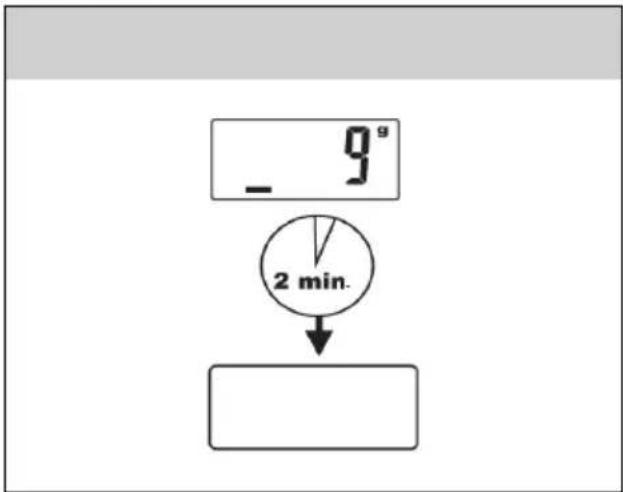
Automatic shut off
flowchart
graph TD
    A["9s"] --> B["2 min."]
    B --> C[" "]
The scale will shut off automatically if the display displays "0" or if the same weight is displayed for a time of 2 minutes.
Manual shut off
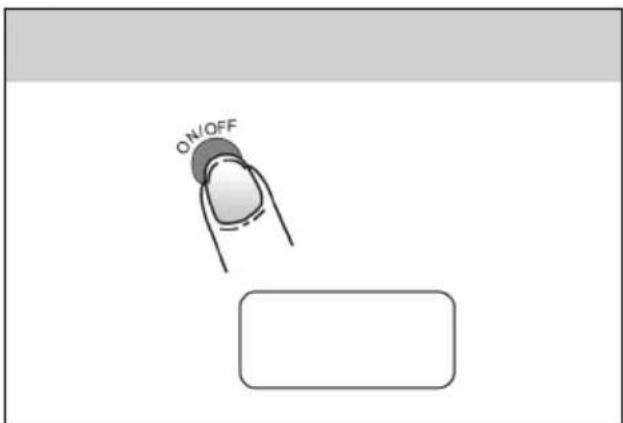
Battery life will be extended if the scale is turned off using the ON/OFF button after use.
Note: if the display displays "0" turn off the scale by pressing the ON/OFF button; if the display displays a weight, turn off the scale by holding down the ON/OFF button for a time of 3 seconds.
Warnings
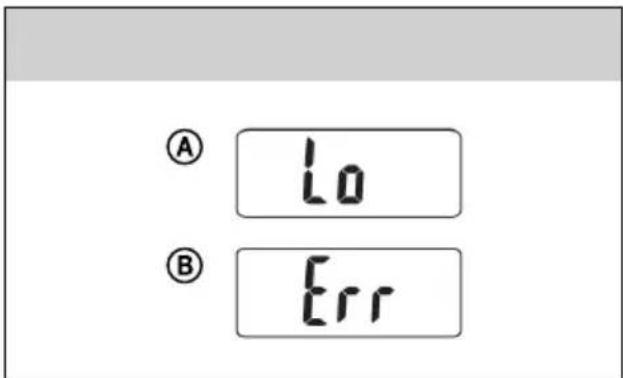
Ⓐ Replace the batteries with new ones.
⑧ The scale is overloaded. Remove the item to avoid damaging the scale. Max. weight is 5 kg.
Changing the battery
Replace the battery in this scale with one 3V lithium battery type CR2032.
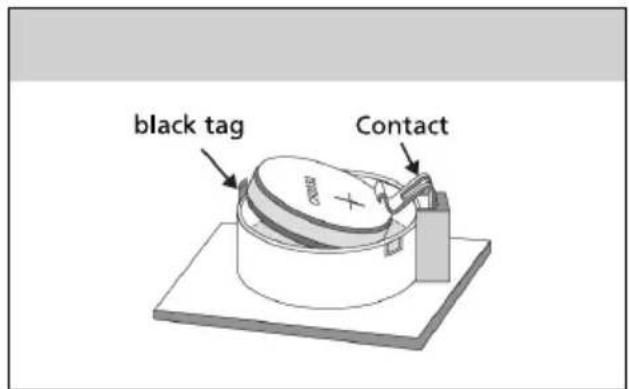
1) Open the battery compartment area on the back side of the scale
2) Straighten the small black tag and the battery will be set free. Never bend the contact.
3) Insert the new batter by inserting one of its sides under the contact and pressing down the other side. Maintain the correct polarity - the positive contact must always point in the upward direction.
CLEANING AND MAINTENANCE

Note:
Before cleaning always remove the battery from this product.
To clean the outer parts of the product, use a soft cloth dipped in lukewarm water. Do not use aggressive cleaning products and solvents as this could damage the surface of the product.
DISPOSAL OF USED BATTERIES
This product comes with one alkaline battery. Do not throw old batteries into regular household waste. Dispose of batteries at designated battery disposal points.
TROUBLESHOOTING
If the scale is displaying random values or if it is not turning off automatically, you need to restart it. In such cases, remove the battery for about 10 seconds and place it back again. The scale should start to function normally.
TECHNICAL SPECIFICATIONS
Power supply 1x 3V lithium battery (CR 2032)
Max. measurable weight 5000 g
Weighing precision 1 g/0.1 oz./1 ml
Switching of weight units....g --> oz. --> ml
Dimensions with the bowl (width × depth × height) 266 x 244 x 100 mm
Dimensions without the bowl (width x depth x height) 158 x 226 x 40 mm
Weight 0,5 kg
Changes in text and technical parameters reserved.
INSTRUCTIONS AND INFORMATION REGARDING THE DISPOSAL OF USED PACKAGING MATERIALS
Dispose of packaging material at a public waste disposal site.
DISPOSAL OF USED ELECTRICAL AND ELECTRONIC APPLIANCES
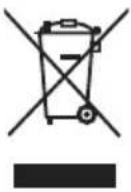
The meaning of the symbol on the product, its accessory or packaging indicates that this product shall not be treated as household waste. Please, dispose of this product at your applicable collection point for the recycling of electrical & electronic equipment waste. Alternatively in some states of the European Union or other European states you may return your products to your local retailer when buying an equivalent new product. The correct disposal of this product will help save valuable natural resources and help in preventing the potential negative impact on the environment and human health, which could be caused as a result of improper liquidation of waste. Please ask your local authorities or the nearest waste collection centre for further details. The improper disposal of this type of waste may fall subject to national regulations for fines.
For business entities in the European Union
If you wish to dispose of an electrical or electronic device, request the necessary information from your seller or supplier.
Disposal in other countries outside the European Union
If you wish to dispose of this product, request the necessary information about the correct disposal method from local government departments or from your seller.

This product meets all the basic EU regulation requirements that relate to it.
Changes to the text, design and technical specifications may occur without prior notice and we reserve the right to make these changes.


- SENCOR®
- CONTENTS
- IMPORTANT SAFETY NOTICE
- PRODUCT DESCRIPTION
- INSTRUCTIONS FOR USE
- Battery
- Switching between weight units
- Weighing mode
- Volume display mode
- Tare function
- SET TO ZERO function
- "TARE" function
- In both cases:
- Automatic shut off
- Manual shut off
- Warnings
- Changing the battery
- CLEANING AND MAINTENANCE
- Note:
- DISPOSAL OF USED BATTERIES
- TROUBLESHOOTING
- TECHNICAL SPECIFICATIONS
- INSTRUCTIONS AND INFORMATION REGARDING THE DISPOSAL OF USED PACKAGING MATERIALS
- DISPOSAL OF USED ELECTRICAL AND ELECTRONIC APPLIANCES
- For business entities in the European Union
- Disposal in other countries outside the European Union
Brand : SENCOR
Model : SKS 4000
Category : Kitchen scale