
Altima (2023) - Automobile NISSAN - Free user manual and instructions
Find the device manual for free Altima (2023) NISSAN in PDF.


| Product Type | Passenger Vehicle (Automobile) |
| Brand | Nissan |
| Model | Altima (2023) |
| Engine Options | 2.0L 4-cylinder (KR20DDET) or 2.5L 4-cylinder (PR25DD) |
| Fuel Type | Unleaded gasoline |
| Transmission | Automatic (CVT) |
| Seating Capacity | 5 |
| Safety Systems | Advanced Air Bag System (front, side, curtain), seatbelts with pretensioners, LATCH child restraint system, Vehicle Dynamic Control (VDC) |
| Audio System | FM/AM radio, USB connection port, Bluetooth streaming audio, AUX input |
| Climate Control | Heater and air conditioner |
| Key Features | Push-button ignition, electronic parking brake, Intelligent Cruise Control (ICC), ProPILOT Assist (if equipped), steering wheel audio controls |
| Instrument Panel | Meters and gauges, vehicle information display, warning/indicator lights |
| Seat Adjustment | Manual or power front seats (depending on trim), folding rear seats |
| Head Restraints/Headrests | Adjustable or non-adjustable, front and rear seats |
| Child Restraint Compatibility | LATCH system (lower anchors and top tether), seat belt installation |
| Maintenance | Regular oil changes, fluid checks, tire pressure monitoring, battery care |
| Warranty | Separate Warranty Information Booklet; California Proposition 65 warning |
| Owner's Manual | 266 pages, available in PDF; includes maintenance schedules and technical information |
| Customer Support | Nissan Consumer Affairs (1-800-NISSAN-1 for US, 1-800-387-0122 for Canada) |
| Exterior Features | LED daytime running lights, power windows, sideview cameras (if equipped), moonroof (if equipped) |
| Trunk Access | Interior trunk access via folding rear seat; emergency release lever |
Frequently Asked Questions - Altima (2023) NISSAN
User questions about Altima (2023) NISSAN
0 question about this device. Answer the ones you know or ask your own.
Ask a new question about this device
Download the instructions for your Automobile in PDF format for free! Find your manual Altima (2023) - NISSAN and take your electronic device back in hand. On this page are published all the documents necessary for the use of your device. Altima (2023) by NISSAN.
USER MANUAL Altima (2023) NISSAN
OWNER'S MANUAL and MAINTENANCE INFORMATION
For your safety, read carefully and keep in this vehicle.
CALIFORNIA PROPOSITION 65 WARNING
WARNING
Operating,servicingandmaintainingapassenger vehicleoroff-highwaymotorvehiclecanexposeyouto chemicalsincludingengineexhaust,carbonmonoxide, phthalates,andlead,whichareknowntotheStateof Californiatocausecancerandbirthdefectsorother reproductiveharm.Tominimizeexposure,avoid breathingexhaust,donotidletheengineexceptas necessary,serviceyourvehicleinawell-ventilatedarea andwearglovesorwashyourhandsfrequentlywhen servicing your vehicle. For more information go to www.P65Warnings.ca.gov/passenger-vehicle.
FOREWORD
Thismanual was prepared to help you understand the operation and maintenance of your vehicles so that you may enjoy many miles (kilometers) of driving pleasure. Pleasereadthrough this manual before operating your vehicle.
AseparateWarrantyInformationBookletexplainsdetailsaboutthewarranties coveringyourvehicle.The"Maintenance and schedules"sectionofthismanual explainsdetailsaboutmaintainingand servicingyourvehicle.Additionally,a separateCustomerCare/LemonLaw Booklet(U.S.only)willexplainhowtore-solveanyconcernsyoumayhavewith yourvehicle,andclarifyyourrightsunderyourstate'slemonlaw.
Whenyourequireanyserviceorhaveany questions,aNISSANdealerwillbegladto assistyouwiththeextensiveresources availabletothem.
Inadditiontofactory-installedoptions, yourvehiclemayalsobeequippedwith additionalaccessoriesinstalledpriortodelivery.Itisrecommendedthatyouvisita NISSANdealerfordetailsconcerningthe particularacaccessorieswithwhichyourvehicleisequipped.itisImportantthatyou familiarizeyourself withall disclosures, warnings,cautionsandinstructionscon-
cerningproperuseofsuchaccessories priortooperatingthevehicleand/oraccessory.Itisrecommendedthatyouvisita NISSANdealerfordetailsconcerningthe particularaccessorieswithwhichyourve- hicleisequipped.
READFIRST—THENDRIVESAFELY
Beforedrivingyourvehicle, pleasereadthis Owner's Manualcarefully. This will ensure familiarity with controls and maintenance requirements assisting you in the safe operation of your vehicle.
WARNING
IMPORTANT SAFETY INFORMATION REMINDERS! Followtheseimportantdrivingrulesto helpensureasafeandcomfortabletrip foryouandyourpassengers!
- NEVERdriveundertheinfluenceof alcoholordrugs.
- ALWAYSobservepostedspeedlimits andneverdrivetoofastforconditions.
- ALWAYSgiveyourfullattentionto drivingandavoidusingvehiclefeaturesortakingotheractions that coulddistractyou.
- ALWAYSuseyourseatbeltsandappropriatechildrestraintsystems. Preteenchildrenshouldbeseatedin therearseat.
- ALWAYSprovideinformationabout theproperuseofvehiclesafetyfeaturestoallooccupantsofthevehicle.
- ALWAYSreviewthisOwner'sManual forimportantsafetyinformation.
WHEN READING THE MANUAL
MODIFICATIONOFYOURVEHICLE This vehicles should not be modified. Modification could affect its performance, safety, emissions, durability and may even violate governmental regulations. In addition, damage or performance problems resulting from modifications may not be covered under NISSAN warranties.
WARNING
InstallinganaftermarketOn-BoardDiagnostic(OBD)plug-indevicethatuses the port during normal driving, for example remoteinsurance company monitoring, remote vehicle diagnostics, telematicsorenginereprogramming, may cause interference or damage to vehiclesystems.Wedonot recommend or endorse the use of any aftermarketOBDplug-indevices, unless specifically approved by NISSAN. The vehicle warranty may not cover damage caused by any aftermarket plug-indevice.
This manual includes information for all featuresandequipmentavailableonthis model.Featuresandequipmentinyourvehiclemayvarydependingonmodel,trim level,optionsselected,order,dateofproduction,region or availability. Therefore, youmayfindinformationaboutfeaturesorequipmentthatarenotincludedorinstalledonyourvehicle.
Allinformation, specificationsandillustrationsinthismanualare thoseineffectat thetimeofprinting.NISSANreservesthe right to change specifications, performance,design or component suppliers withoutnotice andwithout obligation. From time to time, NISSAN may update or revise this manual to provide Owners with the mostaccurate informationcurrently available.Pleasecarefullyreadandretain with this manual all revision updates sent toyoubyNISSANtoensure youhaveaccess to accurate and up-to-date information regarding your vehicle. Current versions of vehicle Owner's Manuals and any updatescanalsobefoundintheOwner section of the NISSAN website at https:// owners.nissanusa.com/nowners/ navigation/manualsGuide.Ifyouhave questionsconcerninganyinformationin yourOwner'sManual,contactNISSANCon- sumer Affairs. For contact information, re-
fertotheNISSANCUSTOMERCAREPRO- GRAMpageinthis Owner'sManual.
IMPORTANT INFORMATION ABOUT THIS MANUAL
Youwillseevarioussymbolsinthismanual. Theyareusedinthe followingways:
WARNING
Thisisusedtoindicatethepresenceof ahazard thatcould causedeath orseriouspersonal injury.To avoidor reduce therisk, theprocedures mustbe followedprecisely.
CAUTION
Thisisusedtoindicatethepresenceof ahazard thatcouldcauseminoror moderatepersonalinjuryordamageto yourvehicle.Toavoidorreducetherisk, the procedures must be followed carefully.
natural_image
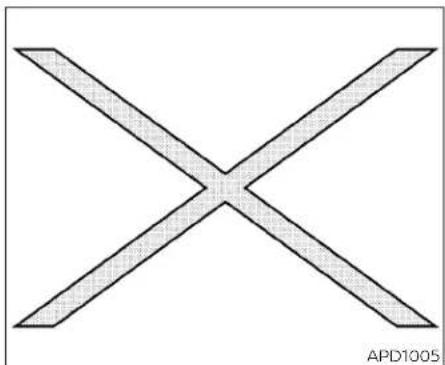
Simple geometric X shape with diagonal lines, no text or symbols presentIf youseethissymbol, it means "Donotdo this" or "Donotletthis happen."

If you see easy symbols similar to these in an illustration, it means the arrow point to the front of the vehicle.

Arrowsinanillustrationthataresimilarto theseindicatemovementoration.

Arrowsinanillustrationthataresimilarto thesecallattentiontoaniteminthe illustration.
CALIFORNIAPERCHLORATE ADVISORY
Somevehicleparts,suchaslithiumbatteries,maycontainperchloratematerial. The following advisory is provided:"Perchlorate Material-special handling may apply.For additional information, refer to www.dtsc.ca.gov/hazardous waste/perchlorate/".

SiriusXM® services require as subscription after trial period and aresold separately or asapackage. The satelliteservices available only in the 48 contiguous USA and DC. SiriusXM® satelliteservices also available in Canada; see www.siriusxm.ca.
©2021NISSANNORTHAMERICA,INC.
Allrightsreserved.NopartofthisOwner's Manualmaybereproducedorstoredina retrievalsystem,ortransmittedinany form,orbyanymeans,electronic,mechanical,photocopying, recording orotherwise, without the prior written permissionofNissanNorthAmerica,Inc.
NISSANCUSTOMERCAREPROGRAM
NISSANCARES...
Both NISSAN and your NISSAN dealer are dedicated to serving all your automotive needs. Your satisfaction with your vehicle and your NISSAN dealer are our primary concerns. Your NISSAN dealer is always available to assist you with all your automobile sales and service needs.
However, if there is something that your NISSAN dealer cannot assist you with or you would like to provide NISSANDirectly with comments questions, please contact the NISSAN Consumer Affairs Department usingourtoll-freenumber:
ForU.S.customers
1-800-NISSAN-1
(1-800-647-7261)
ForCanadiancustomers
1-800-387-0122
The Consumer Affairs Department will ask for the following information:
-Yourname,address,andtelephone number
-Vehicleidentificationnumber(attached tothetopoftheinstrumentpanelonthe driver'sside)
-Dateofpurchase
-Currentodometerreading
-YourNISSANdealer'sname
-Yourcommentsorquestions OR
YoucanwritetoNISSANwiththeinformationat:
ForU.S.customers
NissanNorthAmerica, Inc.
ConsumerAffairsDepartment
P.O.Box685003
Franklin,TN37068-5003
orviae-mailat:
nnaconsumeraffairs@nissan-usa.com
ForCanadiancustomers
NissanCanadaInc.
5290OrbitorDrive
Mississauga,OntarioL4W4Z5
orviae-mailat:
information.centre@nissancanada.com
If you prefer, visit us at:
www.nissanusa.com(forU.S.customers)
or
www.nissan.ca(forCanadiancustomers)
WeappreciateyourinterestinNISSANandthankyouforbuyingaqualityNISSANvehicle.
Tableof contents
| Illustratedtableofcontents | 0 |
| Safety-Seats,seatbeltsandsupplementalrestraintsystem | 1 |
| Instrumentsandcontrols | 2 |
| Pre-drivingchecksandadjustments | 3 |
| Monitor,climate,audio,phoneandvoicerecognitionsystems | 4 |
| Startinganddriving | 5 |
| Incaseofemergency | 6 |
| Appearanceandcare | 7 |
| Do-it-yourself | 8 |
| Maintenanceandschedules | 9 |
| Technicalandconsumerinformation | 10 |
| Index | 11 |
Ollustratedtableofcontents
Airbags,seatbeltsandchildrestraints. 0 - 2
Exteriorfront....0 - 3
Exteriorrear....0-4
Passengercompartment 0 - 5
Instrumentpanel 0 - 6
Enginecompartmentchecklocations....0 - 8
Warning/Indicatorlights....0-10
AIRBAGS,SEATBELTSANDCHILD RESTRAINTS

- Toptetherstrapanchor(P.1-23)
- Rearseatbeltswithpretensioner(s)for outboardseating(P.1-12)
3.Roof-mountedcurtainside-impact and rolloversupplementalairbag(P.1-47)
4.Frontseat-mountedside-impact supplementalairbag(P.1-47)
0-2 Illustratedtableofcontents
5.Headrestraints/headrests(P.1-8)
6.Frontseatbeltwithpretensioner(s)and shoulderheightadjuster(P.1-12,1-47)
7. Side-impact pressuresensor(driver's sideshown; passenger's sidesimilar) (P.1-47)
8.Supplementalairbags(P.1-47)
9.Frontseats(P.1-2)
10. Occupantclassificationsensor(weight sensor)(P.1-47)
11.Rearseats(P.1-2)
12.LATCH(LowerAnchorsandTethersfor Children)system(P.1-23)
13. Rearoutboardseat-mountedside impactsupplementalairbag(P.1-47)
Refertothepagenumberindicatedin parenthesesforoperatingdetails.
EXTERIORFRONT

1.Powerwindows(P.2-75)
2.Windshield(P.8-19)
3.Wiperandwasherswitch(P.2-55)
4.Enginehood(P.3-22)
5.Frontviewcamera(ifsoequipped)
(P.4-16)
Radarsensor(P.5-135or5-147)
6.Foglightswitch(ifsoequipped)(P.2-63)
Turnsignalswitch(P.2-63)
7.Headlightswitch(P.2-57)
LEDDaytimeRunningLights(DRL)
system(ifsoequipped)(P.2-62)
Replacingbulbs(P.8-25)
8.Tirepressure(P.8-29)
Flattire(P.6-3)
Tirechains(P.8-37)
9.Mirrors(P.3-29)
Sideviewcamera(ifsoequipped)
(P.4-16)
- Doorlocks(P.3-4)
NISSANIntelligentKey®(P.3-7)
Keys(P.3-2)
Refertothepagenumberindicatedin parenthesesforoperatingdetails.
EXTERIORREAR
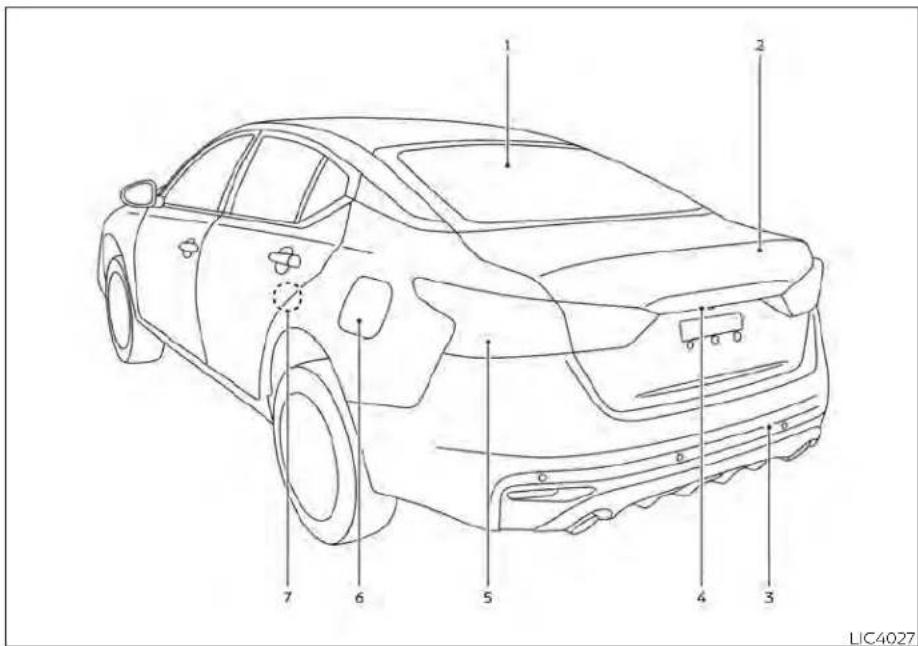
- Rearwindowandoutsidemirror(ifso equipped)defrosterswitch(P.2-56)
- Trunklid(P.3-22)
3.Sonarsensors(ifsoequipped)(P.5-179)
4.Rearviewcamera(P.4-8)
5.Replacingbulbs(P.8-25)
6.Fuel-fillercap(P.3-25) Fuelrecommendation(P.10-2) Fuel-fillerdoor(P.3-25) 7. Childsafetyreardoorlock(P.3-7) Refertothepagenumberindicatedin parenthesesforoperatingdetails.
0-4Illustratedtableofcontents
PASSENGERCOMPARTMENT

1.Powermoonroof(ifsoequipped)
(P.2-77)
2.Sunvisors(P.3-28)
3.Interiorlights(P.2-79)
4.HomeLink®UniversalTransceiver
(ifsoequipped)(P.2-81)
Rearviewmirror(P.3-29)
5.Glovebox(P.2-71)
6.Cupholders(P.2-73)
Consolebox(P.2-71)
7.Reararmrest(P.1-7)
Cupholders(P.2-73)
Refertothepagenumberindicatedin parenthesesforoperatingdetails.
INSTRUMENTPANEL
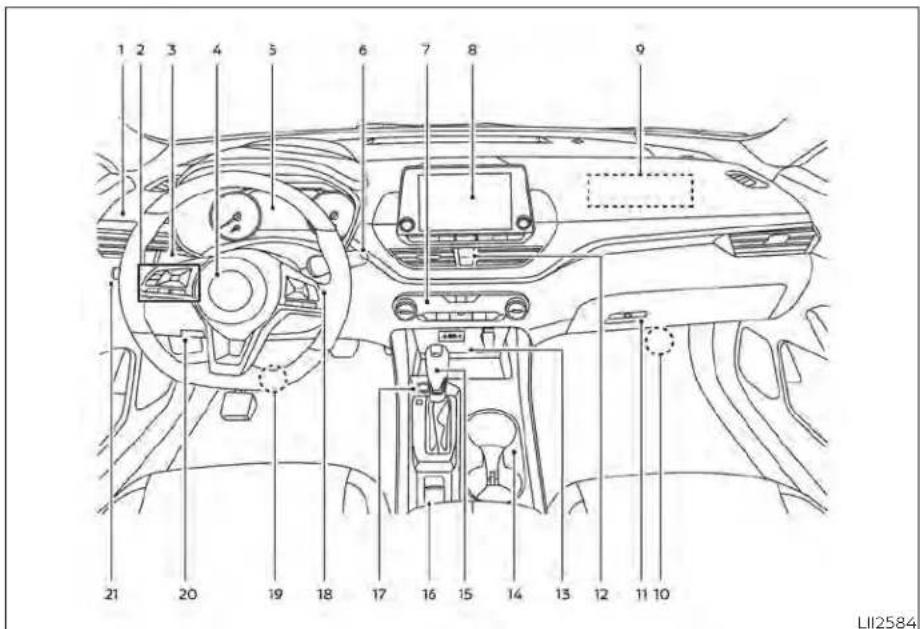
1.Vents(P.4-31)
2. Steeringwheelswitchesforaudiocontrol* Vehicleinformationdisplaycontrols (P.2-18,2-34)
3. Headlight/foglight(ifsoequipped)/turnsignalswitch(P.2-57) Paddleshifters(ifsoequipped)(P.5-18)
- Drivers supplemental airbag(P.1-47) Horn(P.2-64)
5.Metersandgauges(P.2-4) Warning and indicator lights(P.2-9) Vehicle information display(P.2-18, 2-34)
6.Wiperandwasherswitch(P.2-55)
7.Heaterandairconditioner(P.4-33,4-40) Heatedseatswitches(ifsoequipped) (P.2-64) Heatedsteeringwheelswitch (ifsoequipped)(P.2-65)
- Navigationsystem*(ifsoequipped) Audiosystem*
9.Frontpassengersupplementalairbag (P.1-47)
10.Frontpassengersupplementalknee airbag(P.1-47)
11..Glovebox(P.2-71)
12.Frontpassengerairbagstatuslight (P.1-57) Hazardwarningflasherswitch(P.6-2)
13.Poweroutlet(P.2-69) USBconnectionport(ifsoequipped) (P.2-70,4-67) Auxjack*
14.Cupholders(P.2-73)
15Shiftlever(P.5-18)
0-6Illustratedtableofcontents
16.Electronicparkingbrakeswitch
(ifsoequipped)(P.5-25)
Automaticbrakeholdswitch
(ifsoequipped)(P.5-27)
17.Push-buttonignitionswitch(P.5-13)
- Cruise control switches (if soe equipped)
(P.5-68)
IntelligentCruiseControl(ICC)switches
(ifsoequipped)(P.5-71)
Bluetooth®Hands-freePhoneSystem*
ProPILOTAssistSwitch(ifsoequipped)
(P.5-94)
- Driversupplementalkneeairbag
(P.1-47)
20.Hoodrelease(P.3-22)
Fuel-filleroorrelease(P.3-25)
Tilt/telescopicsteeringwheelcontrols
(P.3-27)
21.Tripcomputerresetswitch(P.2-4)
Instrumentbrightnesscontrol(P.2-62)
Steeringassistswitch(forvehicleswith
ProPILOTAssist)(ifsoequipped)
(P.2-66)
Trunkopener(P.3-22)
*:Foradditionalinformation,refertothe
separateNissanConnect®Owner's
Manual.
Refertothepagenumberindicatedin
parenthesesforoperatingdetails.
ENGINECOMPARTMENTCHECK LOCATIONS

2.0L4cylinder(KR20DDETengine model)
-
Enginecoolantreservoir(P.8-5)
-
Drivebeltlocation(P.8-16)
-
Engineoilfillercap(P.8-7)
4.Brakefluidreservoir(P.8-12)
5.Battery(P.8-14)
6.Fuse/Fusiblelinkbox(P.8-21)
7.Aircleaner(P.8-18)
8.Radiatorcap(P.8-5)
-
Engineoidipstick(P.8-7)
-
Windshield-washerfluidreservoir (P.8-13)
Refertothepagenumberindicatedin parenthesesforoperatingdetails.
NOTE:
Yourvehiclemaynotbeequippedwith anenginecover.
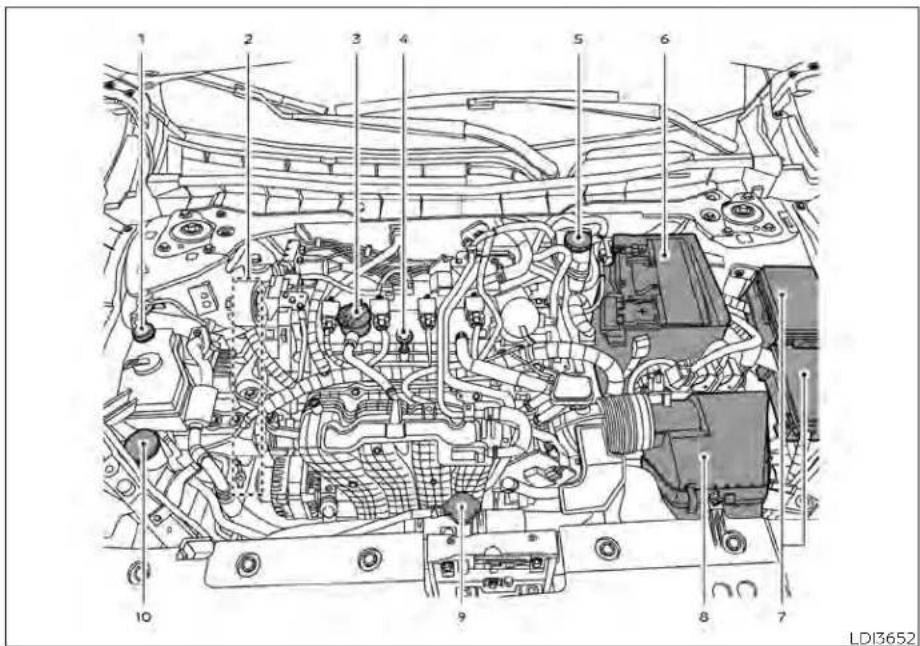
2.5L4cylinder(PR25DDenginemodel)
- Enginecoolantreservoir(P.8-5)
2.Drivebeltlocation(P.8-16)
- Engineoilfillercap(P.8-7)
4.Engineoidipstick(P.8-7)
5.Brakefluidreservoir(P.8-12)
6.Battery(P.8-14)
7.Fuse/Fusiblelinkbox(P.8-21)
8.Aircleaner(P.8-18)
9.Radiatorcap(P.8-5)
- Windshield-washerfluidreservoir (P.8-13)
Refertothepagenumberindicatedin parenthesesforoperatingdetails.
NOTE:
Yourvehiclemaynotbeequippedwith anenginecover.
WARNING/INDICATORLIGHTS
| Warning/Indicator light(red) | NamePage | |
| Brakewarning light | 2-10 | |
| Chargewarning light | 2-11 | |
| Electronicparking brakeindicator light(ifso equipped) | 2-11 | |
| Engineoilpres-surewarninglight | 2-11 |
| Warning/Indicator light(red) | NamePage | |
| Masterwarning light | 2-11 | |
| Seatbeltwarning lightandchime | 2-12 | |
| Securityindicator light | 2-12 | |
| Supplementalair bagwarninglight | 2-12 |
| Warning/Indicator light (yellow) | NamePage | |
| ABSor(ABS) | Anti-lockBraking System(ABS) warninglight | 2-12 |
| AutomaticEmergencyBraking (AEB)withPedestrianDetection systemwarning light | 2-13 | |
| ( ) or( ) | Electronicparking brakewarning light(ifso equipped) | 2-13 |
| Frontpassenger airbagstatus light | 2-13 | |
| Lowtirepressure warninglight | 2-13 | |
| MalfunctionIndicatorLight(MIL) | 2-15 | |
| Masterwarning light | 2-15 | |
| Powersteering warninglight | 2-16 |
| Warning/Indicator light (yellow) | NamePage | |
| RearAutomatic Braking(RAB) warninglight(ifso equipped) | 2-16 | |
| Slipindicatorlight2-16 | ||
| VehicleDynamic Control(VDC)OFF indicatorlight | 2-17 |
| Warning/Indicator light (other) | NamePage | |
| Automaticbrake holdindicator light(white/green)(ifso equipped) | 2-17 |
| Warning/Indicator light (other) | NamePage | |
| Frontfoglightindicatorlight(green)(ifso equipped) | 2-17 | |
| HighBeamAssist indicatorlight(green) | 2-17 | |
| Highbeamindicatorlight(blue) | 2-17 | |
| Sidelightand headlightindicatorlight(green) | 2-17 | |
| Turnsignal/hazardindicator lights(green) | 2-18 |
MEMO
0-12 Illustratedtableofcontents
1Safety-Seats,seatbeltsand supplementalrestraintsystem
Seats 1-2
Frontmanualseatadjustment
(Ifsoequipped)....1-3
Frontpowerseatadjustment
(Ifsoequipped).... 1 - 4
Foldingrearseat.... 1 - 6
Centerarmrest....1-7
Headrestraints/headrests. 1 - 8
Adjustableheadrestraint/headrest
components.... 1 - 9
Non-adjustableheadrestraint/
headrestcomponents 1-9
Remove 1-9
Install 1-10
Adjust....1-10
Seatbelts 1-12
Precautionsonseatbeltusage....1-12
Seatbeltwarninglightandchime. 1-14
Pregnant women 1-15
Injured persons 1-15
Three-pointtypeseatbeltwith
retractor 1-15
Seat belt extenders 1-20
Seat belt maintenance 1-20
Child safety 1-21
Infants 1-21
Smallchildren....1-22
Largerchildren....1-22
Childrestraints....1-23
Precautionsonchildrestraints....1-23
LATCH(LowerAnchorsandTethersfor
CHILDREN)system....1-25
Rear-facingchildrestraintinstallation
usingLATCH....1-29
Rear-facingchildrestraintinstallation
using the seat belts 1-31
Forward-facingchildrestraint
installation using LATCH....1-34
Forward-facingchildrestraint
installation using the seat belts 1-38
Boosterseats....1-43
SupplementalRestraintSystem(SRS) 1-47
PrecautionsonSRS. 1-47
Supplementalairbagwarninglabels. . . . . . 1-67
Supplemental air bag warning light 1-67
SEATS


natural_image
Diagram of car seatbelting with cross-bracing, no text or symbols presentWARNING
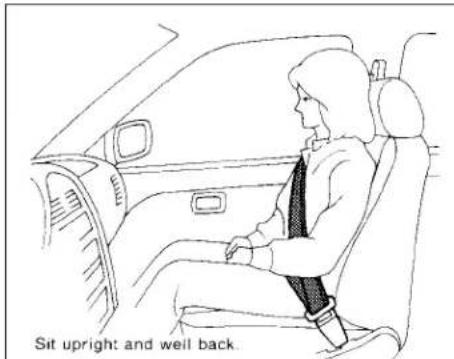
- Donotrideinamovingvehiclewhen theseatbackisreclined.Thiscanbe dangerous.Theshoulderbeltwillnot beagainstyourbody.Inanaccident, youcouldbethrownintoitandre- ceiveneckorotherseriousinjuries. Youcouldalsoslideunderthelapbelt andreceiveseriousinternalinjuries.
- Forthemosteeffectiveprotection whenthevehicleisinmotion,the seatshouldbeupright.Alwayssit wellbackanduprightintheseatwith bothfeetonthefloorandadjustthe seatproperly.Foradditionalinformation,see"Precautionsonseatbelt usage"(P.1-12).
• Afteradjustment, gentlyrockinthe seatto makesureitis securely locked.
- Donotleavechildrenunattendedin-sidethevehicle.Theycouldunknow-inglyactivateswitchesorcontrolsormakethevehiclemove.Unattendedchildrencouldbecomeinvolvedinseriousaccidents.
To help avoid risk of injury or death through unintended operation of the vehicle and/or it systems, donot leave children, people who require the assistance of others or pets unattended in your vehicle. Additionally, the temperature inside a closed vehicle on a warm day can quickly become high enough to cause significant risk of injury or death to people and pets.
- Donotadjustthedriver'sseatwhile drivingsofullattentionmaybegiven to vehicle operation. The seat may movesuddenlyandcouldcauseloss ofcontrolofthevehicle.
- Theseatbackshouldnotbereclined anymorethanneededforcomfort. Seat belts are most effective when the passenger sits well back and straightupintheseat. If theseatback isreclined, the riskofsliding under the lapbeltandbeinginjured is increased.
1-2 Safety-Seats, seat belts and supplemental restraint system
CAUTION
When adjusting theseat positions, be surenottocontactanymovingpartsto avoid possible injuries and ordamage.
FRONTMANUALSEAT ADJUSTMENT(ifsoequipped)
Yourvehicleseatscanbeadjustedmanually. For additional information about adjusting these seats, refertothesteps outlined in this section.
WARNING
Beforedrivingthevehicle,returnthe seatbacktoanuprightseatingposition aftermanuallyreleasingit.Also,make suretheseatislockedinplace.Failure todosomaycausetheseattomovein acollisionorsuddenstop.Thismayresultindamagetotheseatorpersonal injury.

natural_image
Line drawing of a car seat with directional arrows indicating left and right motion (no text or symbols)Forwardandbackward
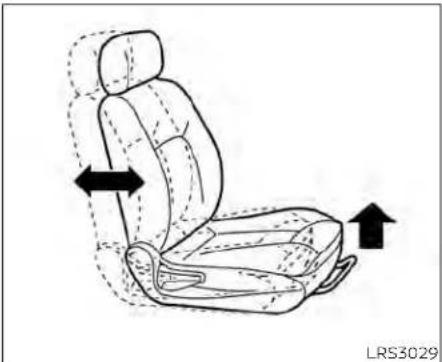
Pullthecenterofthebarupandholdit whileyouslidetheseatforwardorbackwardtothedesiredposition.Releasethe bartolocktheseatinposition.

natural_image
Line drawing of a car seat with arrows indicating motion direction (no text or symbols)Reclining
Toreclinetheseatback,pulltheleverup andleanback.Tobringtheseatbackforward,pulltheleverupandleanyourbody forward.Releasethelevertolocktheseatbackinposition.
Therecliningfeatureallowsadjustmentof theseatbackforoccupantsofdifferent sizesforaddedcomfortandtohelpobtain properseatbeltfit.Foradditionalinformation,see"Precautionsonseatbeltusage" (P.1-12).Also,theseatbackcanbereclined toallowoccupantstorestwhenthevehicle isstoppedandtheshiftleverisintheP (Park)position.
Safety-Seats, seatbeltsandsupplementalrestraintsystem1-3

natural_image
Line drawing of a car seat with directional arrows indicating movement or force (no text or symbols)LRS3170LRS2662
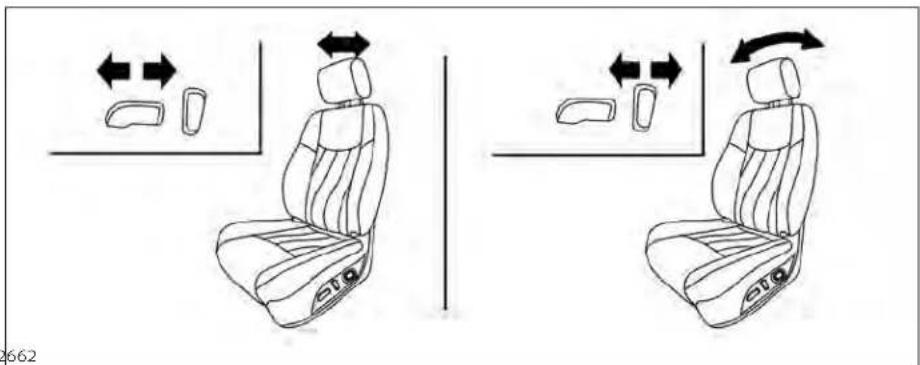
Seatlifter(driver'sseat)
Pulluporpushdowntheadadjustingleverto adjusttheseatheightuntilthedesiredpositionisachieved.
FRONTPOWERSEATADJUSTMENT (ifsoequipped)
Operatingtips
- The power seat motor has an auto-reset overload protection circuit. If the motor stops during operation, wait 30 seconds then reactivates the switch.
- Donotoperatethepowerseatswitchfor alongperiodoftimewhentheengineis off.Thiswilldischargethebattery.
Foradditionalinformation,see"Memory Seat"(P.3-31).
Forwardandbackward
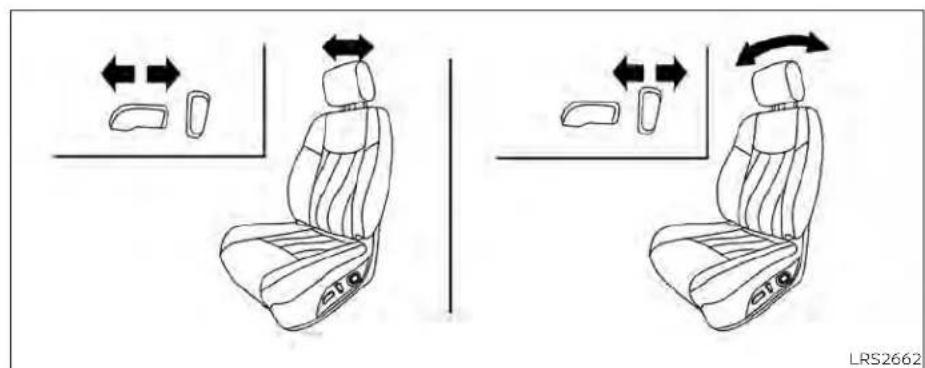
Movingtheswitchasshownwillslidethe seatforwardorbackwardtothedesired position.
Reclining
Movethereclineswitchasshownuntilthe desiredangleisobtained.
1-4 Safety-Seats, seatbeltsandsupplementalrestraintsystem
Therecliningfeatureallowsadjustmentof theseatbackforoccupantsofdifferent sizesforaddedcomfortandtohelpobtain properseatbeltfit.Foradditionalinformation,see"Precautionsonseatbeltusage" (P.1-12).Also,theseatbackcanbereclined toallowoccupantstorestwhenthevehicle isstoppedandtheshiftleverisintheP (Park)position.


Seatlifter(driver'sseat)
Movetheswitchasshowntoadjustthe angleandheightoftheseatcushion.
Lumbarsupport(ifsoequipped fordriver'sseat)
Thelumbarsupportfeatureprovidesadjustablelowerbacksupporttothedriver. Pushtheswitchasshowntoadjustthe seatlumbararea.

FOLDINGREARSEAT

Interiortrunkaccess
The trunk can be accessed from the driver side and passengers side of there are seat for loading and unloading, as shown.
-
Movethefrontpassengerseattothe mostforwardposition.
-
Opentheaccesscoverontherearpar-celsheff.
- Insertakeyoranothersuitabletool (suchasapenorascrewdriver) into the slot, then slidetherecessed lever in the direction of the arrow ①.
- Folddown the passenger's sideseat-back ②.
NOTE:
Toaccessthetrunkincaseofadead battery, useakeyoranothersuitable tool(suchasapenorscrewdriver), to sliderecessedleverinthedirectionof thearrow.

WARNING
- Neverallowanyonetorideinthe cargoareaorontherearseatwhenit isinthefold-downposition.Useof theseareasbypassengerswithout properrestraintscouldresultinseriousinjuryordeathinanaccidentor suddenstop.
1-6 Safety-Seats, seatbeltsandsupplementalrestraintsystem
•Properlysecureallcargowithropes orstrapstohelppreventitfromslidingorshifting.Donotplacecargo higherthantheseatbacks.Inasuddenstoporcollision,unsecured cargocouldcausepersonalinjury.
- When returning these seat back to the upright position, be certain they are completely secured in the elatched position. If they are not completely secured, passengers may be injured in an accident or sudden stop.
Closelysupervisechildrenwhenthey arearoundcarstopreventthem fromplayingandbecominglockedin thetrunkwheretheycouldbeseriouslyinjured.Keepthecarlocked, withthereaseatbackandtrunklid securelylatchedwhennotinuse,and preventchildren'saccesstocarkeys.

Tofolddowneithersideofthe rearseat, openthetrunkandpullontheknobonthat side Ⓐ.
natural_image
Line drawing of a car seatbelt with a black arrow indicating the seatbelt buckle (no text or symbols present)CENTERARMREST
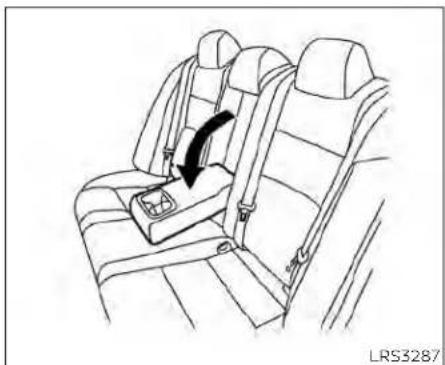
Pullthearmrestdownasshown.
HEADRESTRAINTS/HEADRESTS
WARNING
Headrestraints/headrestssupplement theothervehiclesafetysystems.They mayprovideadditionalprotection againstinjuryincertainrearendcollisions.Adjustableheadrestraints/headrestsmustbeadjustedproperly, asspecifiedinthissection.Checkthe adjustmentaftersomeoneelseuses theseat.Donotattachanythingtothe headrestraint/headreststalksorremovetheheadrestraint/headrest.Do notusetheseatiftheheadrestraint/headresthasbeenremoved.Ifthehead restraint/headrestwasremoved,reinstallandproperlyadjustthehead restraint/headrestbeforeanoccupant usetheseatingposition.Failureretofollowtheseinstructionscanreducethe effectivenesssof thehead restraints/headrests.Thismayincreasetheriskof seriousinjuryordeathinacollision.

natural_image
Top-down line drawing of a car with four directional indicators (no text or symbols)The illustration shows the seating positions equipped with head restraints/headrests.
▲Indicatetheseatingpositionis equippedwithaheadrestraint.
■Indicatetheseatingpositionisequippedwithaheadrest.
+ Indicates the seating position is not equipped with a headrest or headrest (if applicable).
- Your vehicle is equipped with a head restraint/headrestthatmay beintegrated,adjustableornon-adjustable.
- Adjustableheadrestraints/headrests havemultiplenotchesalongthestalk(s) to lock them in a desired adjustment position.
•The non-adjustable head restraints/headrestshaveasinglelockingnotchto securethemtotheseatframe.
-ProperAdjustment: -Fortheadjustabletype,alignthehead restraint/headrest so the center of yourearisapproximatelylevelwiththe centeroftheheadrestraint/headrest. -Ifyourearpositionisstillhigherthan the recommended alignment, place the headrestraint/headrest at the highestposition. - If the head restraint/head rest has been removed, ensure that it is reinstalled and locked in place before or ending in that designated seating position.

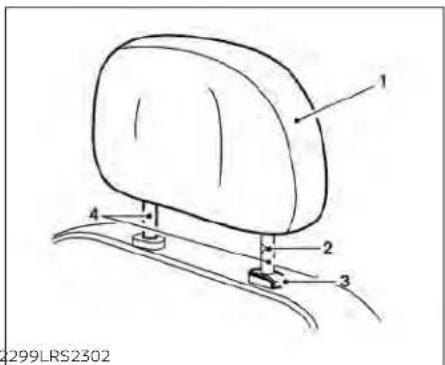
ADJUSTABLEHEADRESTRAINT/ HEADRESTCOMPONENTS
1.Removableheadrestraint/headrest
2.Multiplenotches
3.Lockknob
4.Stalks
NON-ADJUSTABLEHEAD RESTRAINT/HEADREST COMPONENTS
1.Removableheadrestraint/headrest
2.Singlenotch
3.Lockknob
4.Stalks
natural_image
Simple line drawing of a car seat with arrows indicating upward and downward motion (no text or symbols)REMOVE
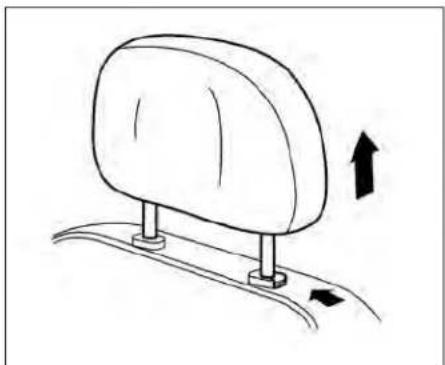
Usethefollowingproceduretoremovethe headrestraint/headrest:
- Pulltheheadrestraint/headrestupto thehighestposition.
2.Pushandholdthelockknob.
-
Removetheheadrestraint/headrest fromtheseat.
-
Storetheheadrestraint/headrestproperlyinasecureplacesoitisnotloosein thevehicle.
-
Reinstallandproperlyadjustthehead restraint/headrestbeforeanoccupant usestheseatingposition.

natural_image
Side profile illustration of a person seated in a car seat, viewed from the side (no text or symbols)INSTALL
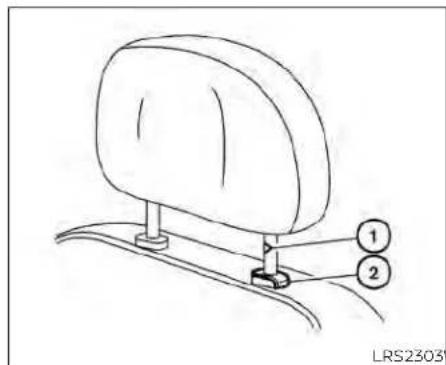
- Align the head restraint/head rest stalks with the holes in these seat. Makes sure that the head restraint/head rest is facing the correct direction. The stalk with the notch (notches) ① must be installed in the hole with the lock knob ②.
- Pushandholdthelockknobandpush theheadrestraint/headrestdown.
- Properly adjust the head restraint/headrest before an occupant use the seating position.
ADJUST
Foradjustableheadrestraint/headrest Adjusttheheadrestraint/headrestsothe centerislevelwiththecenterofyourears.If yourearpositionisstillhigherthanthe recommendedalignment,placethehead restraint/headrestatthehighestposition.
1-10 Safety-Seats,seatbeltsandsupplementalrestraintsystem
natural_image
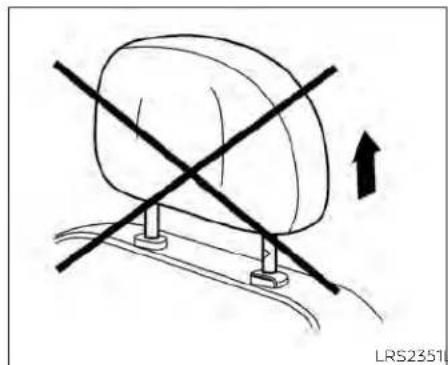
Simple line drawing of a car with a diagonal cross mark and an upward arrow, no text or symbols present.Fornon-adjustableheadrestraint/headrest
Makesuretheheadrestraint/headrestis positionedsothelockknobisengagedin thenotchbeforeridinginthatdesignated seatingposition.
natural_image
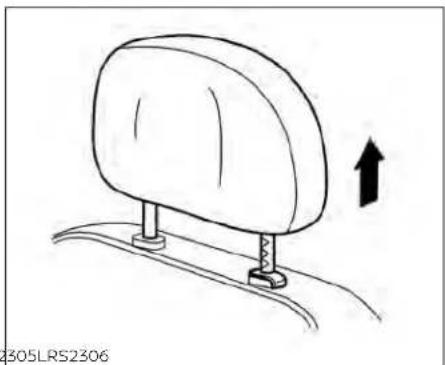
Simple line drawing of a car seat with an upward arrow indicating motion (no text or symbols)Raise
Toraisetheheadrestraint/headrest,pullit up.
Makesuretheheadrestraint/headrestis positionedsothelockknobisengagedin thenotchbeforeridinginthatdesignated seatingposition.

natural_image
Simple line drawing of a car seat with arrows indicating direction (no text or symbols)Lower
Tolower, pushandholdthelockknoband pushtheheadrestraint/headrestdown.
Makesuretheheadrestraint/headrestis positionedsothelockknobisengagedin thenotchbeforeridinginthatdesignated seatingposition.
SEATBELTS


natural_image
Line drawing of a person inside a car with a cross-shaped object on the steering wheel (no text or symbols)
natural_image
Diagram of car seatbelt and passenger seatbelt crossed in a cross-section (no text or symbols)PRECAUTIONSONSEATBELT USAGE
If you are wearing your seat belt properly adjusted and you are sitting upright and well back in your seat with both feet on the floor, your chances of being injured or killed in a collision and/or these severity of injury may begreatly reduced. NISSAN strongly encourages you and all of your passengers to buckle up every time you drive, even if your seating position includes as supplemental airbag.
Most U.S. states and Canadian provinces or territories specify that seat belts be worn at all times when vehicle is being driven.
WARNING
- Everypersonwhodrivesorridesin thisvehicleshoulduseaseatbeltat alltimes.Childrenshouldbeinthe rearseatsandinanappropriate restraint.
natural_image
Line drawing of a person sitting in a car, showing seatbelt and dashboard (no text or symbols)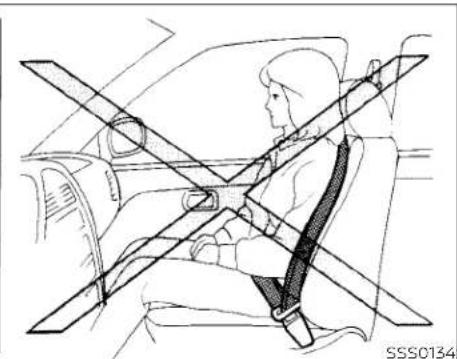
natural_image
Line drawing of a person seated in a car with a cross-shaped seatbelt (no text or symbols)
natural_image
Line drawing of a person sitting in a car with a cross-shaped seatbelt (no text or symbols)WARNING
•Theseatbeltshouldbeproperlyadjustedtoasnugfit.Failureretodoso mayreducetheeffectivenessofthe entirerestrainsystemandincrease thechanceorseverityofinjuryinan accident.Seriousinjuryordeathcan occuriftheseatbeltisnotworn properly.
WARNING
•Alwaysroutetheshoulderbeltover yourshoulderandacrossyourchest. Neverputthebeltbehindyourback, underyourarmoracrossyourneck. Thebeltshouldbeawayfromyour faceandneck,butnotfallingoffyour shoulder.
- Positionthelapbeltaslowandsnug aspossibleAROUNDTHEHIPS,NOT THEWAIST.Alapbeltworntoohigh couldincreaseetheriskofinternalin-juriesinanaccident.
- Besuretheseatbelttongueissecurelyfastenedtotheproperbuckle.
- Donotweartheseatbeltinsideout ortwisted.Doingsomayreduceits effectiveness.
- Donotallowmorethanoneperson tousethesameseatbelt.
·Nevercarrymorepeopleinthevehiclethanthereareseatbelts. - If theseatbeltwarninglightglows continuouslywhiletheignitionis turnedonwithaldoorsclosedand allseatbeltsfastened, it may indicateamalfunctioninthesystem. Havethesystemchecked. It is recommended that you visit a NISSAN dealer forthisservice.
-
Nochangesshouldbemadetothe seatbeltsystem. Forexample, donot modify theseatbelt, addmaterial, or install device sthat may changethe seatbeltroutingortension. Doing so may affect the operation of theseat beltsystem. Modifying ortampering with theseatbeltsystem may result in serious personal injury.
-
Onceseatbeltpretensioner(s)have activated,theycannotbereusedand mustbereplacedtogetherwiththe retractor.Itisrecommendedthatyou visitaNISSANdealerforthisservice.
- Allseatbeltassemblies,includingretractorsandattachinghardware, shouldbeinspectedafteranycollision.Itisrecommendedthatyouvisit aNISSAN dealerfor thisservice. NISSAN recommends that all seat beltassembliesinuseduringacollisionbereplacedunlesssthecollision was minor and the belts show no damageandcontinuetooperate properly.Seatbeltassembliesnotin useduringacollisionshouldalsobe inspected andreplacedifeither damageorimproperoperationis noted.
- All child restraints and attaching hardwareshouldbeinspectedafter any collision. Always follow the restraintmanufacturer'sinspection-instructionsandreplacementrecommendations. The child restraints should be replaced if they are damaged.

natural_image
Silhouette of a person sitting with a diagonal band crossing through the seat (no text or symbols)LRS0786
SEATBELTWARNINGLIGHTAND CHIME
The driver and front passenger seat is equipped with an enhanced seat belt reminder function. If your vehicle is equipped with an enhanced seat belt reminder function, a visual and audible alert will operate if adriver or front passenger seat belt is unbuckled at speed so approximately 9 mph (15 km/h) or more under the following conditions:
- Ifthedriverseatbeltisnotfastened.
- Thefrontpassenger'sseatbeltisnotfastenedandtheseatisoccupiedbya passenger.
- Thefrontpassenger'sseatbeltisnotfas-
tenedandobjectsorexternalforceon
thepassengerseatchangetheseatbelt
reminderclassificationtoOccupied.
Theseatbeltwarninglightwillflashunder theconditionsshownaboveuntilthenecessaryseatbeltissecurelyfastened.
Awarningchimewillsoundforapproximately90secondsoruntiloneofthefollowingconditionsismet:
•The unbuckledfrontoccupant'sseatbelt issecurelyfastened.
• Theseatbeltreminderfunctioninthe frontpassengerseatnolongerdetects thatthefrontpassengerseatisoccupied.
•Theignitionisturnedofforthevehicleis placedinP(Park).
The below situations could result in the seat belt reminder light being illuminated and the chimesounding, even with no occupant present in the passenger seat:
•Heavyobjectsplacedontheseat. - Someonepushingorpullingonthefront passengerseat.
•Anobjectplacedunderthefrontpassengerseat.
• Anobjectplacedbetweentheseatcushionandcenterconsoleorbetweenthe seatcushionandthedoor.
• Anobjectchangingontheseatorplaced intheseatbackpocket.
- Achildrestraintorotherobjectpressing againsttherearoftheseatback.
PREGNANTWOMEN
NISSANrecommendsthatpregnant womenuseseatbelts.Theseatbeltshould bewornsnugandalwayspositionthelap beltaslowaspossiblearoundthehips,not thewaist.Placetheshoulderbeltoveryour shoulderandacrossyourchest.Neverrun thelap/shoulderbeltoveryourabdominal area.Contactyourdoctorforspecific recommendations.
INJUREDPERSONS
NISSANrecommendsthatinjuredpersons useseatbelts.Checkwithyourdoctorfor specificrecommendations.
THREE-POINTTYPESEATBELT WITHRETRACTOR
WARNING
- Everypersonwhodrivesorridesin thisvehicleshoulduseaseatbeltat alltimes.Childrenshouldbeinthe rear seats and in an appropriate restraint.
- Donotrideinamovingvehiclewhen theseatbackisreclined.Thiscanbe dangerous.Theshoulderbeltwillnot beagainstyourbody.Inanaccident, youcouldbethrownintoitandreceiveneckorotherseriousinjuries. Youcouldalso slide underthelap belt andreceiveseriousinternalinjuries.
- For the most effective protection whenthevehicleisinmotion,the seat should be upright. Always sit wellbackanduprightintheseatwith bothfeetonthefloorandadjustthe seatbeltproperly.
- Donotallowchildrentoplaywiththe seatbelts.Mostseatingpositionsare equippedwithAutomaticLocking Retractor(ALR)modeseatbelts.If theseatbeltbecomeswrapped arounddachild'sneckwiththeALR modeactivated,thechildcanbese- riouslyinjuredorkillediftheseatbelt retractsandbecomestight.Thiscan occurevenifthevehicleisparked. Unbuckletheseatbelttoreleasethe child.Iftheseatbeltcannotbeun- buckledorisalreadyunbuckled,re- leasethechildbycuttingtheseat beltwithasuitabletool(suchasa knifeorscissors)toreleasetheseat belt.
natural_image
Line drawing of a car seat with directional arrows indicating left and right motion (no text or symbols)Manualfrontseatshown (ifsoequipped)
Fasteningtheseatbelts
- Adjust theseat. For additional information, see "Seats" (P.1-2).
natural_image
Diagram showing two car seat positions with footprints and directional arrows indicating movement (no text or symbols)Powerfrontseatshown(ifsoequipped)

2.Slowlypulltheseatbeltoutoftheretractorandinsertthetongueintothebuckle ① untilyouhearandfeelthelatch engage.
- Theretractorisdesignedtolock duringasuddenstoporonimpact.A slowpullingmotionpermitsthe seatbelttomoveandallowsyou somefreedomofmovementinthe seat.
- If these seat belt cannot be pulled from its fully retracted position, firmly pull the belt and release it. Thens smoothly pull the belt out of theretractor.
Safety-Seats,seatbeltsandsupplementalrestraintsystem1-17

-
Positionthelapbeltporionlowand snugonthehips ⑧ asshown.
-
Pulltheshoulderbeltportiontowardthe retractortotakeupextraslack ©. Be suretheshoulderbeltisroutedover yourshoulderandacrossyourchest.
Thefrontpassengerseatandtherear seatingpositions'three-pointseatbelts havetwomodesofoperation:
•EmergencyLockingRetractor(ELR)
•AutomaticLockingRetractor(ALR)
TheELRmodeallowstheseatbelttoextendandretracttoallowthedriverand passengerssomefreedomofmovement intheseat.TheELRlockstheseatbelt whenthevehicleslowdownrapidlyor duringcertainimpacts.
TheALRmode(childrestraintmode)locks theseatbeltforchildrestraintinstallation. WhentheALRmodeisactivated,theseat beltcannotbeextendedagainuntilthe seatbelttongueisdetachedfromthe buckleandfullyretracted.TheseatbeltreturnstotheELRmodeaftertheseatbelt fullyretracts.Foradditionalinformation, see"Childrestraints"(P.1-23).
The ALR modes should be used only for child restraint installation. During normal seat belt use by an occupant, the ALR modes should not be activated. If it is activated, it may cause uncomfortable seat belt tension. It can also change the operation of the front passenger air bag. For additional information, see "Front passenger air bag and status light" (P.1-57).
WARNING
When fastening these at belts, be certain that these at backs are completely secured in the elatched position. If they are not completely secured, passengers may be injured in an accidentor sudden stop.

To increase your confidence in these seat belts, check the operation as follows: • Graspthes shoulder belt and pull forward quickly. Theretractor should lock and restrict further belt movement.
Iftheretractordoesnotlockduringthis check,getthesystemchecked.ItisrecommendedthatyouvisitaNISSANdealerfor thisserviceortolearnmoreaboutseatbelt operation.
Unfasteningtheseatbelts
Tounfastentheseatbelt,pressthebutton onthebuckle ①.Theseatbeltautomaticallyretracts.
Checkingseatbeltoperation
Seatbeltretractorsaredesignedtolock seatbeltmovementbytwoseparate methods:
-whentheseatbeltispulledquicklyfrom theretractor
-whenthevehicleslowsdownrapidly
Shoulderbeltheightadjustment (frontseats)
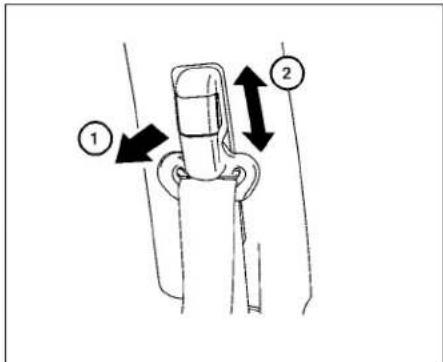
Theshoulderbeltanchorheightshouldbe adjustedtothepositionbestforyou.For additionalinformation,see"Precautionson seatbeltusage"(P.1-12).Toadjust,pullout theadjustmentbutton ① andmovethe shoulderbeltanchortothedesiredposition ② ,sothebeltpassesoverthecenter oftheshoulder.Thebeltshouldbeaway fromyourfaceandneck,butnotfallingoff yourshoulder.Releasetheadjustmentbuttontolocktheshoulderbeltanchorinto position.
WARNING
·Afteradjustment,releasetheadjust- mentbuttonandtrytomovethe shoulderbeltanchorupanddownto makesureitissecurelyfixedin position.
·Theshoulderbeltanchorheight shouldbeadjustedtotheposition bestforyou.Failuretodosomayreducetheeffectivenessoftheentire restraintsystemandincreasethe chanceorseverityofinjuryinan accident.
SEATBELTEXTENDERS
If, because of body size or driving position, it is not possible to properly fit the lap/shoulder belt and fasten it, an extender that is compatible with the installed seat belts is available for purchase. The extender adds approximately 8 in (200 mm) of length and maybe used for either the driver or front passenger seating position. It is recommended that you visit a NISSAN dealer for assistance with purchasing an extender if an extender is required.
WARNING
- OnlyNISSANseat beltextenders, madebythe samecompanywhich madetheoriginalequipmentseat belts,should beused with NISSAN seatbelts.
•Adultsandchildrenwhocanusethe standardseatbeltshouldnotusean extender. Such unnecessary use could result in serious personal injury intheeventofanaccident.
·Neveruseseatbeltextenderstoin-stallchild restraints. If the child-restraintisnotsecured properly, the childcouldbeseriouslyinjured or killedinacollisionorasuddenstop.
SEATBELTMAINTENANCE
- To clean the seat belt webbing, apply a mild soap solution or any solution recommended for cleaningupholsteryor carpet. Then wipewithaclothandallow theseatbeltstodryintheshade. Donot allow theseatbeltstoretractuntilthey arecompletely dry.
- If dirt builds up in the shoulder belt guideoftheseatbeltanchors, theseat beltsmayretractslowly.Wipetheshoulderbeltguidewithaclean,drycloth.
- Periodically check to see that the seat beltandthemetalcomponents,such asbuckles, tongues,retractors,flexible wiresandanchors,workproperly.Ifloose parts,deterioration,cutsorotherdamageonthewebbingisfound,theentire seatbeltassemblyshouldbereplaced.
CHILDSAFETY
WARNING
Donotallowchildrentoplaywiththe seatbelts.Mostseatingpositionsare equippedwithAutomaticLockingRetractor(ALR)modeseatbelts.Iftheseat beltbecomeswrappedaroundachild's neckwiththeALRmodeactivated,the childcanbeseriouslyinjuredorkilledif theseatbeltretractsandbecomes tight.Thiscanoccurevenifthevehicle isparked.Unbuckletheseatbelttore-leasethechild.Iftheseatbeltcannot beunbuckledorisalreadyunbuckled, releasethechildbycuttingtheseat beltwithasuitabletool(suchasaknife orscissors)toreleasetheseatbelt.
Childrenneedadultstohelpprotect them. Theyneedtobeproperly restrained.
In addition to the general information in this manual, child safety information is available from many others, including doctors, teachers, government traffic safety offices, and community organizations. Every child is different, sobesureto learn the best way to transport your child.
There are three basic types of children-straints systems:
•Rear-facingchildrestraints
- Forward-facingchildrestraints - Boosterseats
The proper restraint depends on the child's size. Generally, infants up to about 1 year and less than 20 lbs. (9 kg) should be placed in rear-facing child restraints. Forward-facing child restraints are available for children who outgrow rear-facing child restraints and are at least 1 year old. Booster seats are used to help position vehicle lap/shoulder beltonachild whocanno longer use a forward-facing child restraint.
WARNING
Infantsandchildrenneedspecialpro-tection.Thevehicle'sseatbeltsmay notfitthemproperly.Theshoulderbelt maycometooclosetothefaceorneck. Thelapbeltmaynotfitovertheirsmall hipbones.Inanaccident,animprop- erlyfittingseatbeltcouldcauseserious orfatalinjury.Alwaysuseappropriate childrestraints.
All U.S. states and Canadian provinces or territories require the use of approved child restraints for infants and small children. For additional information, see "Child restraints" (P.1-23).
AchildrestraintmaybesecuredinthevehiclebyusingeithertheLATCH(LowerAnchorsandTethersforChildren)systemor withthevehicleseatbelt.Foradditional information,see"Childrestraints"(P.1-23).
NISSANrecommendsthatallpre-teens andchildrenberestrainedinthear seat.Studiesshow thatchildrenare saferwhen properlyrestrained inthe rearseatthaninthefrontseat.
This is especially important because your vehicle hasa supplementalrestraintsystem(airbagsystem)forthe frontpassenger.Foradditionalinformation,see"SupplementalRestraintSys-tem(SRS)"(P.1-47).
INFANTS
Infantsuptoatleast1yearoldshouldbe placed in a rear-facing child restraint. NISSAN recommends that infants be placedinchildrestraintsthatcomplywith FederalMotorVehicleSafetyStandardsor CanadianMotorVehicleSafetyStandards. Youshouldchooseachildrestraintthatfits yourvehicleandalwaysfollowthemanu-facturer'sinstructionsforInstallationand use.
SMALLCHILDREN
Childrenthatareover1yearoldandweigh atleast20lbs.(9kg)shouldremainina rear-facingchildrestraintaslongaspossibleuptotheheightorweightlimitofthe childrestraint.Childrenwhooutgrowthe heightorweightlimitoftherear-facing childrestraintandareatleast1yearold shouldbesecuredinaforward-facingchild restraintwithaharness.Refertothemanufacturer'sinstructionsforminimummand maximumweightandheightrecommendations.NISSANrecommendsthatsmall childrenbeplacedinchildrestraintsthat complywithFederalMotorVehicleSafety StandardsorCanadianMotorVehicle SafetyStandards.Youshouldchoosea childrestraintthatfitsyourvehicleandalwaysfollowthemanufacturer'sinstructionsforinstallationanduse.
LARGERCHILDREN
Childrenshouldremaininaforward-facing childrestraintwithaharnessuntilthey reachthemaximumheightorweightlimit allowedbythechildrestraint manufacturer.
Onceachildoutgrowstheheightorweight limit of the harness-equipped forward-facingchildrestraint,NISSANrecommends thatthechildbeplacedinacommercially availableboosterseattoobtainproper seatbeltfit.Foraseatbelttofitproperly,the boosterseatshouldraisethechildsothat theshoulderbeltisproperlypositioned acrossthechestandthetop,middleportionofthe shoulder.Theshoulder belt shouldnotcrosstheneckorfaceand shouldnotfallofftheshoulder.Thelapbelt shouldliesnuglyacrossthelowerhipsor upperthighs,nottheabdomen.Abooster seatcanonlybeusedinseatingpositions thathaveathree-pointtypeatbelt.The boosterseatshouldfitthevehicleseatand havealabelcertifyingthatitcomplieswith FederalMotorVehicleSafetyStandardsor CanadianMotorVehicleSafetyStandards.
A booster seat should be used until the childcanpasstheseatbeltfittestbelow: - Arethechild'sbackandhipsagainstthe vehicleseatback? - Isthechildabletositwithoutslouching? - Dothechild'skneesbendeasilyoverthe frontedgeoftheseatwithfeetflatonthe floor?
- Canthechildsafelyweartheseatbelt(lap beltlowandsnugacrossthehipsand shoulderbeltacrossmid-chestand shoulder)?
- Isthechildabletousetheproperlyadjustedheadrestraint/headrest?
- Will the child be able to stay in position for the entire ride?
CHILDRESTRAINTS

natural_image
Line drawing of a person wearing a seatbelt inside a vehicle (no text or symbols)If you answered not to any of these questions, the child should remain in a booster seating at three-point types at belt.
NOTE:
Lawsinsomecommunitiesmayfollow differentguidelines.Checklocaland stateregulationstoconfirmyourchildis usingthecorrectrestraintsystembefore traveling.
WARNING
Neverletachildstandorkneelonany seatanddonotallowachildinthe cargoarea.Thechildcouldbeseriously injuredorkilledinasuddenstopor collision.

natural_image
Line drawing of a person seated in a car with crossed safety stripes (no text or symbols)PRECAUTIONSONCHILD RESTRAINTS
WARNING
- Failuretofollowthewarningsandinstructionsforproperuseandinstallationofchildrestraintscouldresult inseriousinjuryordeathofachildor otherpassengersinasuddenstopor collision:

natural_image
Diagram of a car seatbelt with diagonal lines indicating steering wheel (no text or symbols)-Thechildrestraintmustbeused andinstalledproperly.Alwaysfollowallofthechildrestraintmanufacturer'sinstructionsforinstallationanduse.
-Infantsandchildrenshouldnever beheldonanyone'slap. Eventhe strongestadultcannotresistthe forcesofacollision.
-Donotputaseatbeltaroundboth achildandanotherpassenger.
-NISSANrecommendsthatallchild restraintsbeinstalledintherear seat.Studieshowthatchildren
aresaferwhenproperlyre-strainedintherearseatthanin thefrontseat.Ifyoumustinstalla forward-facingchildrestraintin thefrontseat,see"Forward-facingchildrestraintinstallation usingtheseatbelts"(P.1-38).
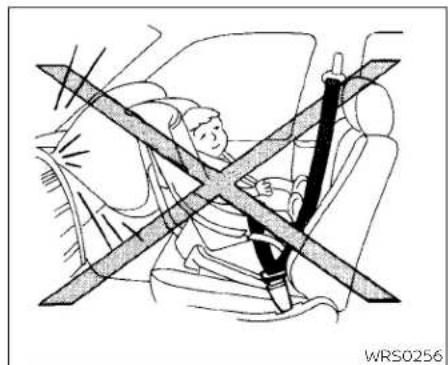
-Evenwiththe NISSANAdvanced Air Bag System, never install a rear-facingchild restraint in the front seat. An inflating air bag could seriously injure or kill a child. Arear-facingchildrestraint must onlybeusedintherearseat.
- Be sure to purchase a child restraintthatwillfitthechildand vehicle.Somechildrestraintsmay notfitproperlyinyourvehicle.
-Childrestraintanchoragesaredesignedtowithstandonly those loadsimposedbycorrectlyfitted childrestraints.Undernocircumstancesaretheytobeusedtoattach adult seat belts, or other itemsorequipmenttothevehicle.Doingsocoulddamagethechild restraintanchorages.Thechildrestraint will not be properly installed using the damaged an-
chorage, and a child could be seriously injured or killed in a collision.
- Neverusetheanchorpointsfor adultseatbelts, orotheritems.
-Achildrestraintwithatoptether strapshouldnotbeusedinthe frontpassengerseat.
-Keep seatbacksas uprightaspossible after fitting the child restraint. - Infants and children should always be placed in an appropriate child restraint while in the vehicle.
- Whenthechildrestraintisnotinuse, keepitsecuredwiththeLATCHsystemor aseatbelt. Ina suddenstopor collision, looseobjectscaninjureoccupantsordamagethevehicle.
CAUTION
Achildrestraintinaclosedvehiclecan become very hot.Checktheseating surfaceandbucklesbeforeplacinga childinthechildrestraint.
1-24 Safety-Seats, seatbeltsandsupplementalrestraintsystem
Thisvehicleisequippedwithauniversal childrestraintanchorsystem,referred to astheLATCH(LowerAnchorsandTethers for Children)system.Somechildrestraints includerigldorwebbing-mountedattach- mentsthatcanbeconnectedtothesean- chors.ForadditionalInformation,see "LATCH(LowerAnchorsandTethersfor Children)system"(P.1-25).
If you donothavea LATCH compatible child restraint, the vehicle seat belt scan be used.
Several manufacturers offer children-straints for infants and children of various sizes. Whenselecting any child restraint, keep the following points in mind:
- Chooseonlya restraintwithalabelcertifyingthatitcomplieswithFederalMotor VehicleSafetyStandard213orCanadian MotorVehicleSafetyStandard213.
- Check the child restraint in your vehicle to be sure it is compatible with the vehicle's seat and seat belts system.
- If the child restraint is compatible with your vehicle, place your child in the child restraint and check the various adjustments to be sure the child restraint is compatible with your child. Choose a child restraint that is designed for your child's height and weight. Always follow all recommended procedures.
- If the combined weight of the child and childrestraintislessthan65lbs.(29.5kg), youmayuseeithertheLATCHanchor theseatbelttoinstallthechildrestraint (notbothatthesametime).
- If the combined weight of the child and childrestraintisgreaterthan65lbs.(29.5 kg),usethevehicle'sseatbelt(notthe lower anchors) to install the child restraint.
- Be sure to follow the child restraint manufacturer's instructions for installation.
AllU.S.statesandCanadianprovincesor territoriesrequirethatinfantsandsmall childrenberestrainedinanapproved childrestraintalltimeswhilethevehicleisbeingoperated.Canadianlawrequiresthetoptether straponforward-facingchildrestraintsbesecuredtothe designatedanchorpointonthevehicle.

LATCHsystemanchorlocations LATCH(LowerAnchorsand TethersforChildren)SYSTEM
YourvehicleisequippedwithspecialanchorpointsthatareusedwithLATCHsystem compatible child restraints. This systemmayalsobereferredtoastheISOFIX orISOFIXcompatiblesystem.Withthissystem,youdonothavetouseavehicleseat belttosecurethechildrestraintunlesssthe combinedweightofthechildandchildrestraintexceeds65lbs.(29.5kg).Ifthecombinedweightofthechildandchildrestraint isgreaterthan65lbs.(29.5kg).usethevehicle'sseatbelt(nottheloweranchors)to
Safety-Seats,seatbeltsandsupplementalrestraintsystem1-25
installthechildrestraint.Besuretofollow thechildrestraintmanufacturer'sinstructionsforinstallation.
The LATCHanchorpointscanbeused to install child restraintsineitheroftherear outboard seating positionsorinthecenter rearseating position. Pleasereferto the following section of this Owner's Manual for specific information about installing a child restraintinthecenterrearseating position using the LATCHanchors.
LATCHloweranchor
WARNING
Failuretofollowthewarningsandin-structionsforproperuseandinstallationofchildrestraintscouldresultin seriousinjuryordeathofachildor otherpassengersinasuddenstopor collision:
-OnlyattachLATCHsystemcompatiblechildrestraintstotheLowerAnchorsshownintheillustration.For additionalinformation,refertothe followingsectionsofthisOwner's Manualforinstallationguidance.
-Inspecttheloweranchorsbyinsertingyourfingersintotheloweranchorarea.Feeltomakesurethere arenoobstructionsovertheanchorssuchasseatbeltwebbingor seatcushionmaterial.Thechildrestraintwillnotbesecuredproperlyif theloweranchorsareobstructed.
Childrestraint anchorages are designedtowithstandonlythoseloads imposedbycorrectlyfittedchildrestraints.Undernocircumstancesare theytobeusedto attachadult seat belts,orotheritemsorequipmentto thevehicle.Doingsocoulddamagethe childrestraintanchorages. Thechild restraintwillnotbeproperlyinstalled usingthedamagedanchorage,anda childcouldbeseriouslyinjuredorkilled inacollision.
natural_image
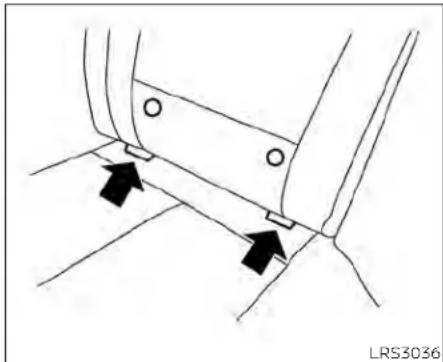
Technical line drawing of a mechanical component with two black arrows indicating direction (no text or symbols)LATCHloweranchorlocation
LATCHloweranchorlocation
The LATCH lower anchors are located as shown. Alabel is attached to the seatback to help you locate the LATCH lower anchors.

LATCHinthecenterrearseating position
TherearenoLATCHanchorsdedicatedto thecenterrearseatingposition. However, theInboardLATCHanchorsbelongingto thetwooutboardseatingpositions(indicatedbythearrows)canbeusedtogether tosecureaCRSinthecenterrearseating position.Theseanchorsareseparatedbya distance Ⓐ of16in(408mm).BeforeattemptingtosecureaCRSinthisseating position,ensurethattheCRSmanufacturer'sinstructionspermittheuseofLATCH anchorswiththespacingindicatedabove.
(Thesearesometimesreferredtoas "sharedanchors"or"borrowedanchors.") CRSwithrigidlowerattachmentscannot beinstalledinthecenterseat. Thistypeof CRSshouldonlybeinstalledintheoutboardseatingpositions.
WARNING
·NeverattachtwoCRSattachments tothesameLATCHanchor. This may overload the anchorinacollision, which could increase the risk of the occupant's serious injury or death.
- WheninstallingtheCRSinthecenter rearseatingpositionwiththein-boardLATCHanchors, be careful to ensure any occupant or CRS in the outboardseatingpositionsisproperlyrestrainedusingthevehicleseat beltandthereisnointerferencewith thecenterCRSinstallation.Iftheoutboardoccupantscannotbeproperly restrained,considerusingthevehicle seat belt to restrain the CRS in the center seating position, or moving theCRStoanotherpositioninstead.

natural_image
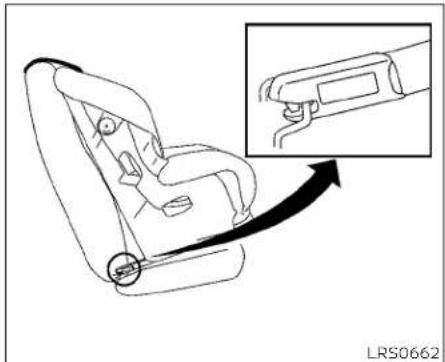
Line drawing of a car seat with a magnified inset showing hand positioning (no text or symbols)LATCHwebbing-mountedattachment InstallingchildrestraintLATCH loweranchorattachments
LATCHcompatiblechildrestraintsinclude tworigidorwebbing-mountedattach-mentsthatcanbeconnectedtotwoan-chorslocatedatcertainseatingpositions inyourvehicle.withthissystem,youdonot havetouseavehicleseatbelttosecurethe childrestraint.Checkyourchildrestraint for a label stating that it is compatible with LATCH.Thisinformationmayalsobeinthe instructionsprovidedbythechildrestraint manufacturer.
natural_image
Line drawing of a car seatbelt with an inset showing the cable being inserted (no text or symbols)LATCH rigid-mounted attachment
When installing a child restraint, carefully read and follow the instructions in this manual and those supplied with the child restraint.
natural_image
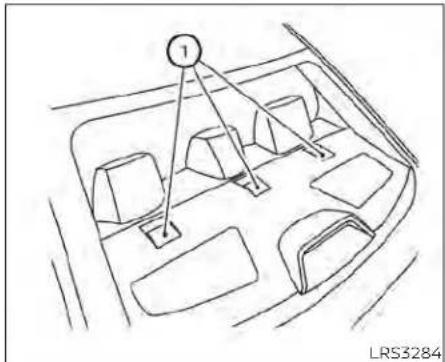
Line drawing of a vehicle interior with numbered components and directional arrows (no text or symbols)Toptetheranchorpointlocations
Thechildrestraintptoptetherstrapmustbe usedwheninstallingthechildrestraintwith theLATCHloweranchorattachmentsor seatbelts.Foradditionalinformation,see "Installingtoptetherstrap"(P.1-37).
WARNING
Childrestraintanchoragesarede-signedtowithstandonlythoseloads imposedbycorrectlyfittedchildrestraints.Undernocircumstancesare theytobeusedtoattachadultseat belts,orotheritemsorequipmentto thevehicle.Doingsocoulddamagethe childrestraintanchorages.Thechild restraintwillnotbeproperlyinstalled usingthedamagedanchorage,anda childcouldbeseriouslyinjuredorkilled inacollision.
If you have any questions when installing atop tether strap, it is recommended that you visit a NISSAN dealer for this service.
Anchorpoints ① arelocatedontherear parcelshelf.
REAR-FACINGCHILDRESTRAINT INSTALLATIONUSINGLATCH
For additional information, see all warnings and Cautions in the "Childsafety" (P.1-21) and "Childrestraints" (P.1-23) before installing a child restraint.
Donotusetheloweranchorsifthecombinedweightofthechildandthechildrestraintexceeds65lbs.(29.5kg).lifthecombinedweightofthechildandthechild restraintisgreaterthan65lbs.(29.5kg),use thevehicle'sseatbelt(nottheloweranchors)toinstallthechildrestraint.Besure tofollowthechildrestraintmanufacturer's instructionsforinstallation.
Followthesestepstoinstallarear-facing childrestraintusingtheLATCHsystem:

natural_image
Technical diagram showing mechanical components with two black arrows indicating direction of movement (no text or symbols)TypeA(ifsoequipped)—step1 1.TypeA(ifsoequipped):
Removetheplasticcoversfromthe LATCHanchorsbypullingthecovers straightback.Storethecoversinase-curearea.
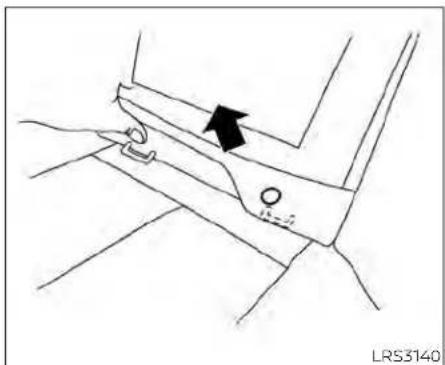
TypeB(ifsoequipped):
Lifttheflapofthematerialtoexposethe LATCHanchors.
natural_image
Technical line drawing of a mechanical component with an arrow indicating direction (no text or symbols)TypeB(ifsoequipped)—step1
- Position the child restraint on these seat. Always follow the child restraint manufacturer's instructions.

natural_image
Diagram of a car interior showing a wheel and seat, with an inset view highlighting a specific mechanical component (no text or symbols present)Rear-facingwebbing-mounted-step3 3.SecurethechildrestraintanchorattachmentstothelATCHloweranchors. ChecktomakesuretheLATCHattach-mentisproperlyattachedtothelower anchors.

Rear-facingrigid-mounted-step3

natural_image
Mechanical diagram showing a person using a belt buckle to adjust the seat (no text or symbols present)Rear-facing-step4
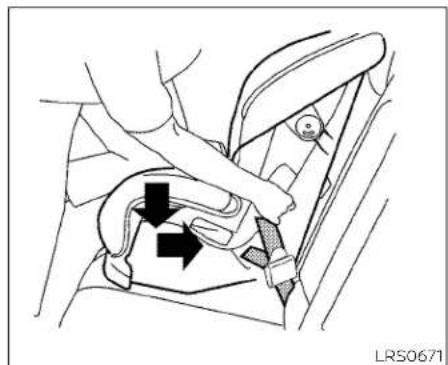
4. For child restraint that are equipped with webbing-mounted attachments, remove any additional slack from the anchor attachments. Pressdownward and rearward firmly in the center of the child restraint with your hand to compress the vehicle seat cushion and seat back while tightening the webbing of the anchor attachments.
5. Tightenthetherstrapaccording to the manufacturer's instruction store-moveanyslack.
1-30 Safety-Seats,seatbeltsandsupplementalrestraintsystem

natural_image
Line drawing of a person's seatbelt being lifted, showing the seatbelt and seatbelt (no text or symbols)Rear-facing-step6
- After attaching the child restraint, test it before you placethe childinit. Push it from sidetosidewhileholding the child restraint near the LATCH attachment path. The child restraint should not move more than 1 inch (25 mm), from sidetoside. Try to get forward and check to see if the LATCH attachment hold their restraint in place. If there-straint is not secure, tightent the LATCH attachment as necessary, or put their restraint in another seat and test it again. You may need to try different child restraint or try installing by using the
vehicleseatbelt(ifapplicable).Notall childrestraintsfitinalltypesofvehicles.
- Checktomakesurethechildrestraintis properlysecuredpriortoeachuse.Ifthe childrestraintisloose,repeatsteps2 through6.
8.TypeA(ifsoequipped):
If you remove the child restraint, reinstall the plastic LATCHanchor covers after use by pushing the covers straight onto the LATCH anchors.
TypeB(ifsoequipped):
If you remove the child restraint, securely replace the flap by pressing the material firmly against these seat.
REAR-FACINGCHILDRESTRAINT INSTALLATIONUSINGTHESEAT BELTS
WARNING
Thethree-pointseatbeltwithAutomaticLockingRetractor(ALR)mustbe usedwheninstallingachildrestraint. FailuretousetheALRmodewillresult inthechildrestraintnotbeingproperly secured. Therestraintcouldtipoveror belooseandcauseinjurytoachildina suddenstoporcollision.
For additional information, see all warnings and Cautions in the "Childsafety" (P.1-21) and "Childrestraints" (P.1-23) before installing a child restraint.
Donotusetheloweranchorsifthecombinedweightofthechildandthechildrestraintexceeds65lbs.(29.5kg).Ifthecombinedweightofthechildandthechild restraintisgreaterthan65lbs.(29.5kg),use thevehicle'sseatbelt(nottheloweranchors)toinstallthechildrestraint.Besure tofollowthechildrestraintmanufacturer's instructionsforinstallation.
Followthesestepstoinstallarear-facing childrestraintusingthevehicleseatbeltsin therearseats:
natural_image
Diagram of a car interior showing a person seated on the steering wheel with a clear diagonal line crossing through the seat (no text or symbols present)Rear-facing-step1
- Childrestraintsforinfantsmustbe usedintherear-facingdirectionand thereforemustnotbeusedinthefront seat.Positionthechildrestraintonthe seat.Alwaysfollowthechildrestraint manufacturer'sinstructions.

natural_image
Line drawing of a car seatbelt buckle being adjusted for a person (no text or symbols)Rear-facing-step2
- Routetheseatbelttonguethroughthe childrestraintandinsertitintothe buckleuntilyouhearandfeelthelatch engage.Besuretofollowthechildrestraintmanufacturer'sinstructionsfor beltrouting.
1-32 Safety-Seats, seatbeltsandsupplementalrestraintsystem

natural_image
Diagram of a car seatbelt mechanism with a belt switch and arrow indicating direction (no text or symbols)Rear-facing-step3
3. Pulitheshoulderbeltuntilthebeltisfully extended. Atthistime, theseatbeltretractorisintheALRmode(childrestraint mode). ItrevertstotheELRmodewhen theseatbeltisfullyretracted.

natural_image
Diagram of car seat and steering wheel assembly with directional arrows indicating motion (no text or symbols)Rear-facing-step4
4. Allow these seat belt to retract Pull upon the shoulder belt to remove anyslack in the belt.
natural_image
Diagram of a car seatbelt mechanism with arrows indicating movement or force (no text or symbols present)Rear-facing-step5
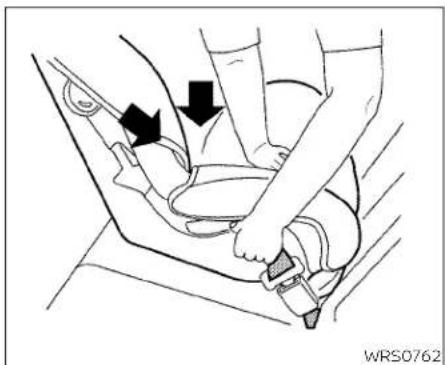
5. Remove any additional slack from the seat belt; press downward and rearward firmly in the center of the child restraint to compress the vehicle seat cushion and seat back while pulling up on the seat belt.
natural_image
Line drawing of a car seatbelt assembly with hands adjusting the seat (no text or symbols)Rear-facing-step6
-
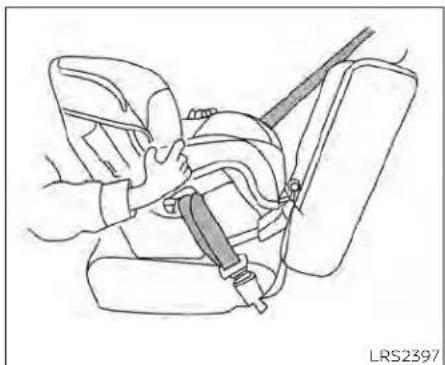
After attaching the child restraint, test it before you place the child's limit. Push it from sidetosid while holding the child restraint near these seat belt path. The child restraint should not move more than 1 inch (25 mm), from sidetoside. Try to get forward and check to see if the belthold stherestraint in place. If the restraint is not secure, tightentheses at belt as necessary, or put therestraint in another seat and test it again. You may need to try different child restraint. Not all child restraints fit in all types of vehicles.
-
Checktomakesurethatthechildre- straintisproperlysecuredpriortoeach use.Iftheseatbeltisnotlocked,repeat steps3through6.
Afterthechildrestraintisremovedandthe seat belt fully retracted, the ALR mode (childrestraintmode)iscanceled.
FORWARD-FACINGCHILD RESTRAINTINSTALLATIONUSING LATCH
For additional information, see all warnings and Cautions in "Childsafety" (P.1-21) and "Childrestraints" (P.1-23) before installing a child restraint.
Donotusetheloweranchorsifthecombinedweightofthechildandthechildrestraintexceeds65lbs.(29.5kg).lfthecombinedweightofthechildandthechild restraintisgreaterthan65lbs.(29.5kg),use thevehicle'sseatbelt(nottheloweranchors)toinstallthechildrestraint.Besure tofollowthechildrestraintmanufacturer's instructionsforinstallation.
Followthese stepstoinstalla forward-facing child restraint using the LATCH system:

natural_image
Technical diagram showing mechanical components with arrows indicating movement or force direction (no text or symbols)TypeA(ifsoequipped)-step1
1. TypeA(ifsoequipped):
Removetheplasticcoversfromthe LATCH anchors by pulling the covers straightback.Storethecoversinase-curearea.
TypeB(ifsoequipped):
Lifttheflapofthematerialtoexposethe LATCHanchors.
natural_image
Line drawing of a mechanical component with an arrow indicating direction (no text or symbols)TypeB(ifsoequipped)-step1
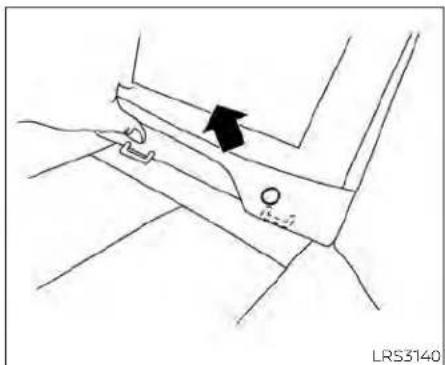
2. Position the child restraint on these seat, Always follow the child restraint manufacturer's instructions.

natural_image
Line drawing of a car seat assembly with an inset showing a close-up of the seat (no text or symbols present)Forward-facingwebbing-mounted-step3
3. Secure the child restraint anchor attachment stothe LATCH lower anchors. Checktomakesure the LATCH attachment is properly attached to the lower anchors.
If the child restraint is equipped with a toptether strap, routethetoptether strap and secure the tether strap to the tether anchor point. For additional information, see "Installing toptether strap" (P.1-37).

Forward-facingrigid-mounted-step3
Donotinstallchildrestraintsthatrequire theuseofatoptetherstrapinseating positionsthatdonothaveatoptether anchor.
4. The back of the child restraint should be secured against the vehicle seatback.
If necessary, adjust or remove the head restraint/head rest to obtain the correct child restraint fit. If the head restraint/head rest is removed, store it in secure place. Besuretore install the head restraint/head rest when the child restraint is removed. For additional information about the head restraint/head rest
Safety-Seats, seatbelts and supplemental restraintsystem 1-35
adjustment,see"Headrestraints/headrests"(P.1-8).
If these seating position does not have an adjustable head restraint/head restand its interfering with the proper child restraint, try another seating position or adifferent child restraint.
natural_image
Line drawing of a car seatbelt with two black arrows indicating clockwise motion (no text or symbols)Forward-facing-step5
-
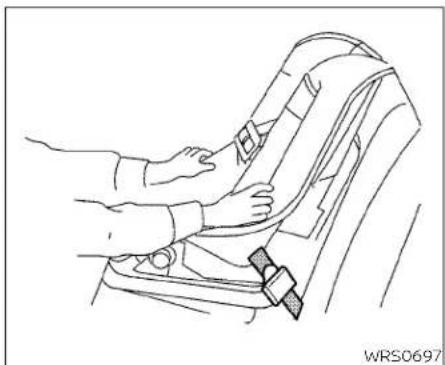
Forchildrestraintsthatareequipped withwebbing-mountedattachments, removeanyadditionalslackfromthe anchorattachments. Pressdownward andrearwardfirmlyinthecenterofthe childrestraintwithyourkneetocompressthevehicleseatcushionandseat-backwhiletighteningthewebbingof theanchorattachments.
-
Tightenthetherstrapaccording to the manufacturer's instruction store-moveanyslack.
natural_image
Line drawing of a car seatbelt being adjusted for a person's seatbelt (no text or symbols)Forward-facing-step7
- After attaching the child restraint, test it before you placethe childinit. Pushit from sidetosidewhile holding the child restraint near the LATCH attachment path. The child restraint should not move more than 1 inch (25 mm), from side to side. Try to tug it forward and check to see if the LATCH attachment holds the restraint in place. If therestraint is not secure, tighten the LATCH attachment as necessary, or put the restraint in another seat and test it again. You may need to try a different child restraint or try installing by using the vehicle seat
belt(ifapplicable).Notallchildrestraints fitinalltypesofvehicles.
- Checktomakesurethechildrestraintis properlysecuredpriortoeachuse.Ifthe childrestraintisloose,repeatsteps2 through7.
9TypeA(ifsoequipped):
If you remove the child restraint, reinstall the plastic LATCHanchor covers after use by pushing the covers straight onto the LATCH anchors.
TypeB(ifsoequipped):
If you remove the child restraint, securely replace the flap by pressing them material firmly against these seat.
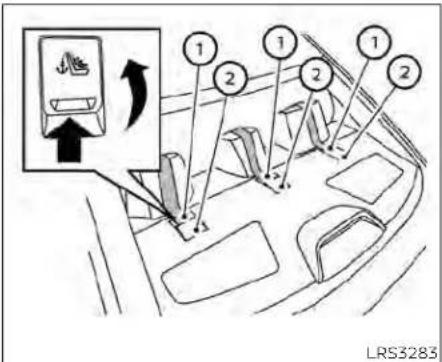
Rearseats
① Toptetherstrap
② Anchorpoint
Installingtoptetherstrap
Thechildrestrainttoptetherstrapmustbe usedwheninstallingthechildrestraintwith theLATCHloweranchorattachments.
First, secure the child restraint with the LATCH lower anchors.
Rearbenchseat
OUTBOARDSEATINGPOSITIONS
- Positionthetoptetherstrap seatback. ① overthe
- Securethetetherstraptothetetheranchorpoint ② asshown.
- Tightenthetetherstrapaccordingto themanufacturer'sinstructionstore-moveanyslack.
CENTERSEATINGPOSITION
- Positionthetoptetherstrap seatback. ① overthe
- Securethetetherstraptothetetheranchorpoint ② asshown.
- Tightenthetherstrapaccording to the manufacturer's instruction store-moveanyslack.
If you have any questions when installing atoptetherstrap, it is recommended that you visit a NISSAN dealer for this service.
WARNING
Childrestraintanchoragesaredesignedtowithstandonlythoseloads imposedbycorrectlyfittedchildrestraints.Undernocircumstancesare theytobeusedtoattachadultseat belts,orotheritemsorequipment to thevehicle.Doingsocoulddamagethe childrestraintanchorages.Thechild restraintwillnotbeproperlyinstalled usingthedamagedanchorage,anda childcouldbeseriouslyinjuredorkilled inacollision.
FORWARD-FACINGCHILD RESTRAINTINSTALLATIONUSING THESEATBELTS
WARNING
Thethree-pointseatbeltwithAutomaticLockingRetractor(ALR)mustbe usedwheninstallingachildrestraint. FailuretousetheALRmodewillresult inthechildrestraintnotbeingproperly secured. The restraint could tip over or belooseandcauseinjurytoachildina suddenstoporcollision.Also,itcan change theoperationof the frontpassengerairbag.Foradditionalinformation, see"Front passengerairbagandstatuslight"(P.1-57).
natural_image
Line drawing of a car interior showing seat, seatbelt, and window (no text or symbols)Forward-facing(frontpassengerseat)-step1
For additional information, see all warnings and Cautions in the "Childsafety" (P.1-21) and "Child restraints" (P.1-23) before installing a child restraint.
Donotusetheloweranchorsifthecombined weight of the child and the child restraint exceeds 65 lbs. (29.5 kg). If the combinedweightofthechildandthechild restraintisgreaterthan65lbs.(29.5kg),use thevehicle'sseatbelt(nottheloweranchors) to install the child restraint. Be sure tofollowthechildrestraintmanufacturer's instructionsforinstallation.
Followthesestepstoinstallaforward-facingchildrestraintusingthevehicleseat beltintherearseatsorinthefrontpassengerseat:
-
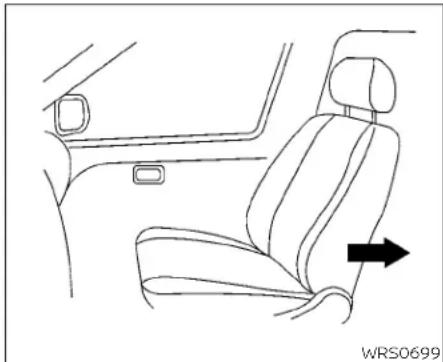
If you must install child restraint in the front seat, it should be placed in forward-facing direction only. Move these at to there are most position. Child restraints for infants must be used in there are facing direction and, therefore, must not be used in the front seat.
-
Position the child restraint on these seat. Always follow the child restraint manufacturer's instructions.
Thebackofthechildrestraintshouldbe securedagainstthevehicleseatback.
Ifnecessary, adjustorremovethehead restraint/headresttobtainthecorrect childrestraintfit.Iftheheadrestraint/headrestisremoved,storeitinasecure place.Besuretoreinstallthehead restraint/headrestwhenthechildrestraintisremoved.Foradditionallinformationaboutheadrestraint/headrest adjustment,removalandinstallation, see"Headrestraints/headrests"(P.1-8).
If theseatingpositiondoesnothavean adjustableheadrestraint/headrestand itisinterferingwiththeproperchildrestraintfit,tryanotherseatingpositionor adifferentchildrestraint.

natural_image
Diagram of a car seatbelt buckle being inserted, showing the belt being adjusted (no text or symbols present)Forward-facing-step3
- Routetheseatbelttonguethroughthe childrestraintandinsertitintothe buckleuntilyouhearandfeelthelatch engage.Besuretofollowthechildrestraintmanufacturer'sinstructionsfor beltrouting.
If the child restraint equipped with a toptether strap, routethetoptether strap and secure the tether strap to the tether anchor point (rearse at installation only). For additional information, see "Installing toptether strap" (P.1-42).
Donotinstallchildrestraintsthatrequire theuseofatoptetherstrapinseating positionsthatdonothaveatoptether anchor.

natural_image
Line drawing of a car seatbelt buckle with a belt buckle, no text or symbols presentForward-facing-step4
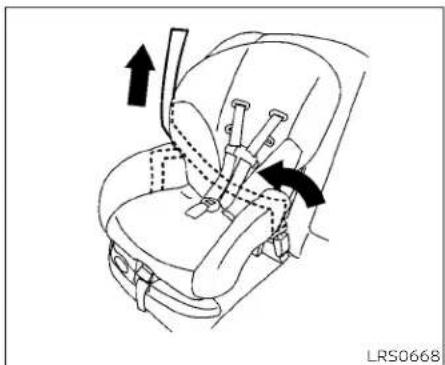
- Pull the shoulder belt until the belt is fully extended. At this time, these belt retractor is in the ALR mode (child restraint mode). It revert to ELR mode when the seat belt is fully retracted.
natural_image
Line drawing of a car seatbelt with arrows indicating movement or force (no text or symbols)Forward-facing-step5
- Allow these seat belt to retract Pull upon the shoulder belt to remove anyslack in the belt.
1-40 Safety-Seats, seatbeltsandsupplementalrestraintsystem

natural_image
Line drawing of a car seatbelt buckle with two black arrows indicating clockwise motion (no text or symbols)Forward-facing-step6
-
Remove any additional slack from the seatbelt; press downward and rearward firmly in the center of the children restraint with your kneet to compress the vehicle seat cushion and seat back while pulling up on these seat belt.
-
Tightenthetherstrapaccordingtothe manufacturer'sinstructionstoremove anyslack.

natural_image
Line drawing of a car seatbelt with hands adjusting the seat (no text or symbols)Forward-facing-step8
-
After attaching the child restraint, test it before you place the child's initial push it from sidetoside while holding the child restraint near these seat belt path. The child restraint should not move more than 1 inch (25 mm), from sidetoside. Try to tug it forward and check to see if the belthold stherestraint in place. If the restraint is not secure, tightentheses at beltas necessary, or put the restraint in another seat and test it again. You may need to try different child restraint. Not all child restraints fit in all types of vehicles.
-
Checktomakesurethechildrestraintis properlysecuredpriortoeachuse.Ifthe seatbeltisnotlocked,repeatsteps4 through8.

Forward-facing-step10
- If the child restraint is installed in the front passenger seat, placethe ignition switch in the ON position. The front passenger air bag status light should illuminate if this light is not illuminated, see "Front passenger air bag and status light" (P.1-57). Movethe child restraint to another seating position. Haveth system checked. It is recommended that you visit a NISSAN dealer forthisservice.
Afterthechildrestraintisremovedandthe seatbeltisfullyretracted,theALRmode (childrestraintmode)iscanceled.
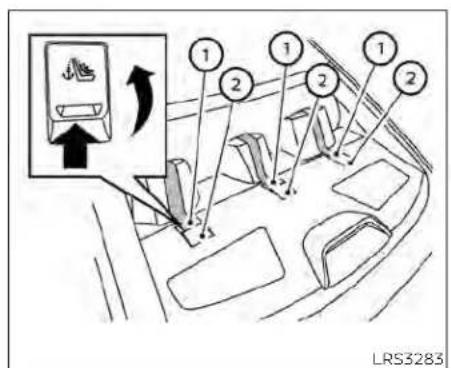
Rearseats
① Toptetherstrap
② Anchorpoint
Installingtoptetherstrap
Thechildrestrainttoptetherstrapmustbe usedwheninstallingthechildrestraintwith seatbelts.
First, secure the child restraint with these at belt.
Rearbenchseat
OUTBOARDANDCENTERSEATING POSITIONS
- Positionthetoptetherstrap seatback.
① overthe
- Securethetetherstraptothetetheranchorpoint ② asshown.
- Tightenthetherstrapaccording to the manufacturer's instruction store-moveanyslack.
If you have any questions when installing optether strap, it is recommended that you visit a NISSAN dealer for this service.
WARNING
Childrestraintanchoragesaredesignedtowithstandonlythoseloads imposedbycorrectlyfittedchildrestraints.Undernocircumstancesare theytobeusedtoattachadultseat belts, or otheritems orequipmentto thevehicle.Doingsocoulddamagethe childrestraintanchorages.Thechild restraint will not be properly installed using the damaged anchorage, and a childcouldbeseriouslyinjuredorkilled inacollision.
BOOSTERSEATS
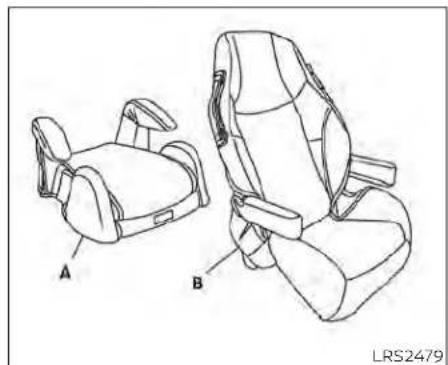
For additional information on installing a booster seat in your vehicle, follow the instructions outlined in this section.
Precautionsonboosterseats
WARNING
Ifaboosterseatandseatbeltarenot usedproperly,theriskofachildbeing injuredorkilledinasuddenstoporcollisiongreatlyincreases:
-Makesuretheshoulderportionof thebeltisawayfromthechild'sface andneckandthelapportionofthe beltdoesnotcrossthestomach.
-Makesuretheshoulderbeltisnot behindthechildorunderthechild's arm.
-Aboosterseatmustonlybeinstalled inaseatingpositionthathasalap/shoulderbelt.
natural_image
Line drawing of two car seat compartments labeled A and B, showing different seat designs (no text or symbols beyond labels)A.Lowbackboosterseat
B.Highbackboosterseat
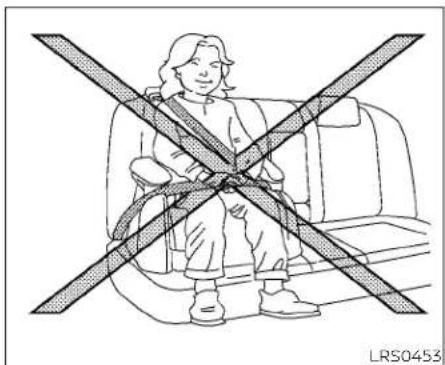
natural_image
Illustration of a person sitting in a car seat with a diagonal band crossing the seat (no text or symbols)Boosterseatsofvarioussizesareoffered byseveralmanufacturers. Whenselecting anyboosterseat, keep the following points in mind:
- Chooseonlyaboosterseatwithalabel certifyingthatitcomplieswithFederal MotorVehicleSafetyStandard213orCanadianMotorVehicleSafetyStandard213.
- Checktheboosterseatinyourvehicleto besureitiscompatiblewiththevehicle's seatandseatbeltsystem.

natural_image
Line drawing of a person seated in a car seat, wearing a seatbelt and holding a belt (no text or symbols)• Makesurethechild'sheadwillbeproperly supportedbytheboosterseatorvehicle seat.Theseatbackmustbeatorabove thecenterofthechild'sears. Forexample, ifalowbackboosterseatischosen,the vehicleseatbackmustbeatorabovethe centerofthechild'sears.Iftheseatbackis lowerthanthecenterofthechild'sears,a highbackboosterseatshouldbeused.
- Iftheboosterseatiscompatiblewith yourvehicle, placethechildinthebooster seatandcheckthevariousadjustments tobesuretheboosterseatiscompatible withthechild.Alwaysfollowallrecommendedprocedures.
AllU.S.statesandCanadianprovincesor territoriesrequirethatinfantsandsmall childrenberestrainedinanapproved childrestraintatalltimeswhilethevehicleisbeingoperated.
The instructions in this section apply to booster seat installation in there are seats or the front passenger seat.
Boosterseatinstallation
WARNING
Allboosterseatsshouldbeinstalledin therearseat.However,ifyoumustinstallaboosterseatinthefrontpassengerseat,movethepassenger'sseattotherearmostposition.
Toavoidinjurytochild, donotusethe lap/shoulderbeltintheAutomatic LockingRetractor(ALR)modewhenusingaboosterseatwiththeseatbelts.
For additional information, see allWarnings and Cautions in the "Childsafety" (P1-21), "Child restraints" (P. 1-23) and "Booster seats" (P. 1-43) before installing a child restraint.
Followthesestepstoinstallaboosterseat intherearseatorinthefrontpassenger seat:
1-44 Safety-Seats, seat belts and supplemental restraint system

natural_image
Line drawing of a car interior showing seat, dashboard, and seatbelt (no text or symbols)- If you must install a booster seat in the front seat, mov these at to there are most position.

natural_image
Line drawing of a person seated in a car seat with a belt, no text or symbols presentFrontpassengerposition

natural_image
Line drawing of a person sitting in a car seat with a seatbelt, no text or symbols presentRearcenterposition
2. Position the booster seat on these seat. Only place it a front-facing direction. Always follow the booster seat manufacturer's instructions.
Safety-Seats, seatbelts and supplemental restraintsystem 1-45
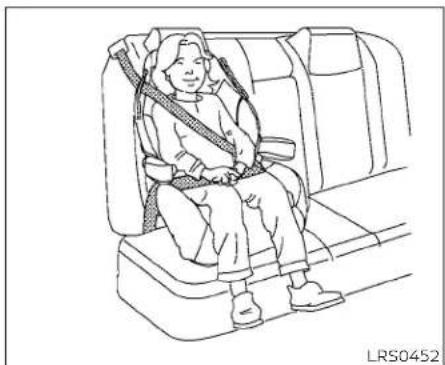
natural_image
Line drawing of a person seated in a car seat, wearing a seatbelt and holding a belt (no text or symbols)Rearoutboardposition
- The booster seat should be positioned on the vehicle seat so that it is stable.
If necessary, adjustorremovethehead restraint/headresttoobtainthecorrect highbackboosterseatfit.Ifthehead restraint/headrestisremoved,storetin asecureplace.Besuretoreinstallthe headrestraint/headrestwhenthe boosterseatisremoved.Foradditional informationaboutheadrestraint/headrestadjustment,removalandin-stallation,see"Headrestraints/headrests"(P.1-8).
If theseatingpositiondoesnothavean adjustableheadrestraint/headrestand itsinterferingwiththeproperbooster seatfit,tryanotherseatingpositionora differentboosterseat.
- Positionthelapportionoftheseatbelt lowandsnugonthechild'ships.Besure tofollowtheboosterseatmanufacturer'sinstructionsforadjustingtheseat beltrouting.
5.Pulltheshoulderbeltportionoftheseat belttowardtheretractortotakeupex-traslack.Besuretheshoulderbeltis positioned acrossthe top,middle portionof thechild'sshoulder.Be sureto followtheboosterseatmanufacturer's Instructions for adjusting the seat belt routing.
- Follow the warnings, cautions and instructions for properly fastening a seat belt shown in "Three-point type seat belt with retractor" (P.1-15).
OFF

LRS3091
- Iftheboosterseatisinstalledinthefront passengerseat, placetheignitionswitch intheONposition. Thefrontpassenger airbagstatuslight mayormaynot illuminate, dependingonthesizeofthe childandthetypeofboosterseatbeing used. For additional information, see "Front passenger air bag and status light"(P.1-57).
SUPPLEMENTALRESTRAINTSYSTEM (SRS)
PRECAUTIONSONSRS
This SRS section contains important information concerning the following systems:
- Driverandfrontpassengersupplemental front-impactairbag(NISSANAdvanced AirBagSystem)
- Frontseat-mountedside-impactsupplementalairbag
•Rearoutboardseat-mountedside-impactsupplementalairbag
•Roof-mountedcurtainside-impact and rolloversupplementalairbag
- Driverandfrontpassengersupplemental kneeairbag
- Seatbeltwithpretensioner(s)(frontand rearoutboardseats)
Supplementalfront-impactairbag system
TheNISSANAdvancedAirBagSystemcan helpcushiontheimpactforcetothehead andchestofthedriverandfrontpassenger incertainfrontalcollisions.
Frontseat-mountedside-impact supplementalairbagsystem
This system can help cushion the impact for cet the chest area of the driver and front passenger incertainside-impact collisions. Theside air bags are designed to inflate on the side where the vehicle is impacted.
Rearoutboardseat-mountedside-impactsupplementalairbagsystem
This system can help cushion the impact for cetothechest area of therearoutboard seat passengers incertainside-impact collisions. Theside air bags are designed to inflate on the sides where the vehicle is impacted.
Roof-mountedcurtainside-impact and rolloversupplementalairbagsystem
Thissystemcanhelpcushiontheimpact forcetotheheadofoccupantsinfrontand rearoutboardseatingpositionsincertain side-impactcollisions.Thecurtainairbags aredesignedtoinflateonthesidewhere thevehicleisimpacted.Inarollover,the curtainairbagsaredesignedtoinflateand remaininflatedforashorttime.
Driverandfrontpassengersupplementalkneeairbags
This system can help cushion the impact for cetothedriver's sandfront passenger's knees in certain collisions.
The SRS is designed to supplement the crash protection provided by the driver and front passenger and rearse seat belts and is not a substitute for them. Seat belts should always be correctly worn and the occupant seated as suitable distance away from the steering wheel, instrument panel and door finishers. For additional information, see "Seat belts" (P1-12).
Thesupplementalairbagsoperateonly whentheignitionswitchisplacedinthe ONposition.
Afterplacingtheignitionswitchinthe ONposition,thesupplementalairbag warninglightilluminates.Thesupplementalairbagwarninglightwillturnoff afterabout7secondsifthesystemis operational.


natural_image
Illustration of a person seated in a car with a double-headed arrow indicating the seatbelt (no text or symbols present)WARNING
•Thefrontairbagsordinarilywillnot inflateintheeventofasideimpact, rearimpact, rollover, or lowerseverityfrontal collision. Alwayswearyour seatbeltstohelpreducetheriskor severityofinjuryinvariouskindsof accidents
- Thefrontpassengerairbagandfront passengerkneeairbagwillnotinflateifthepassengerairbagstatus lightislit.Foradditionalinformation, see"Frontpassengerairbagandstatuslight"(P.1-57).
•Theseatbeltsandthefrontairbags aremosteffectivewhenyouaresittingwellbackanduprightintheseat. Thefrontairbagsinflatewithgreat force.EvenwiththeNISSANAdvancedAirBagSystem,ifyouareunrestrained,leaningforward,sitting sidewaysoroutofpositioninany way,youareatgreaterriskofinjury ordeathinacrash.Youmayalsoreceiveseriousorfatalinjuriesfrom thefrontairbagifyouareupagainst itwhenitinflates.Alwayssitback againsttheseatbackandasfaraway aspracticalfromthesteeringwheel
WRS0031
orinstrumentpanel.Alwaysproperly usetheseatbelts.
- Thedriverandfrontpassengerseat beltbucklesareequippedwithsensorsthatdetectiftheseatbeltsare fastened.TheNISSANAdvancedAir BagSystemmonitortheseverityof acollisionandseatbeltusage,then inflatestheairbagsasneeded.Failuretoproperlywearseatbeltscan increasetheriskorseverityofinjury inanaccident.
- Thefrontpassengerseatisequipped withanoccupantclassificationsensor(weightsensor)thatturnsthe frontpassengerairbagandpassengerkneeairbagOFFundersome conditions. Thissensorisonlyusedin thisseat.Failureretobe properly seatedandwearingtheseatbeltcan increasetheriskorseverityofinjury inanaccident.Foradditionalinformation,see"Frontpassengerairbag andstatuslight"(P.1-57).
- Keephandsontheoutsideofthe steeringwheel.Placingtheminside thesteeringwheelrimcouldincrease theriskthatthey areinjuredwhen thefrontairbaginflates.


natural_image
Line drawing of a person sitting in a car seatbelt, crossed by diagonal lines indicating seat alignment (no text or symbols)
natural_image
Diagram showing a person sitting on a vehicle with a diagonal line crossing the seat (no text or symbols present)ARS1133ARS1041
WARNING
- Neverletchildrenrideunrestrained orextendtheirhandsorfaceoutof thewindow.Donatattempttohold theminyourlaporarms.Someexamplesofdangerousridingpositionsareshownintheillustrations.

natural_image
Diagram of a car interior showing a person sitting on the back with a cross-shaped object between seats (no text or symbols present)
natural_image
Diagram of a car interior showing a cross-shaped seatbelt and seatbelt switch mechanism (no text or symbols)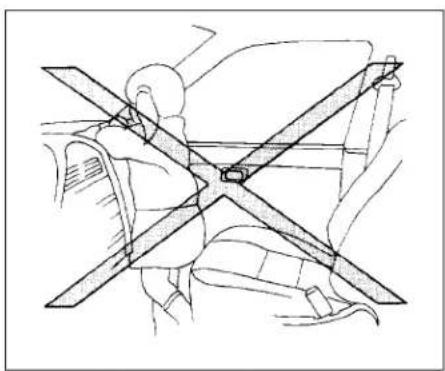
natural_image
Technical line drawing of a mechanical assembly with intersecting beams and components (no text or symbols)WARNING
- Childrenmaybeseverelyinjuredor killedwhenthefrontairbags,sideair bagsorcurtainairbagsinflateifthey arenotproperlyrestrained.Pre-teensandchildrenshouldbeproperlyrestrainedintherearseat,if possible.
1-50 Safety-Seats, seatbeltsandsupplementalrestraintsystem
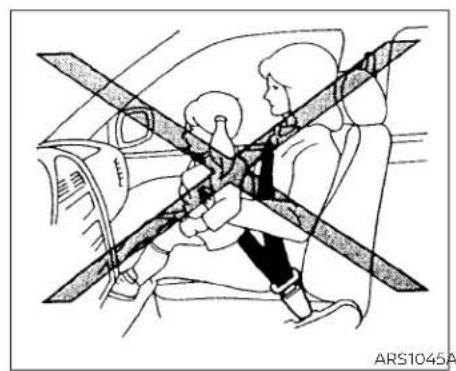
natural_image
Line drawing of a car interior showing two people seated, one using a belt switch (no text or symbols)ARS1045ARS1046
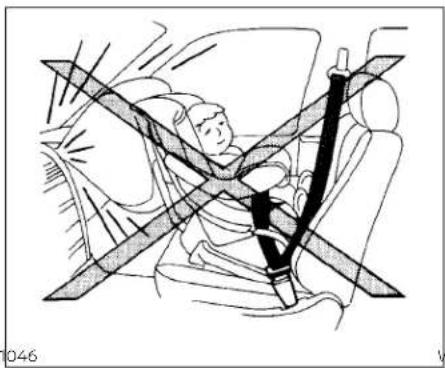
natural_image
Line drawing of a car seatbelt with a person seated, showing no text or symbolsWRS0431

WARNING
EvenwiththeNISSANAdvancedAir BagSystem,neverinstallarear-facingchildrestraintinthefrontseat. Aninflatingfrontairbagcouldseriouslyinjureorkillyourchild.Foradditionalinformation,see"Childrestraints"(P.1-23).
WARNING
Frontandrearoutboardseat-mounted side-impactsupplementalairbagsand roof-mountedcurtainside-impact and rolloversupplementalairbags:
- Thesideairbagsandcurtainairbags ordinarilywillnotinflateintheevent ofafrontalimpact,rearimpact,or lowerseveritysidecollision.Always wearyourseatbeltstohelpreduce theriskorseverityofinjuryinvarious kindsofaccidents.

natural_image
Simple line drawing of a person crossed out by a horizontal structure, no text or symbols presentWARNING
•Theseatbelts,thesideairbagsand curtainairbagsaremosteffective whenyouaresittingwellback and uprightintheseatwithbothfeeton thefloor.Thesideairbagandcurtain airbaginflatewithgreatforce.Donot allowanyonetoplacetheirhand,leg orfacenearthesideairbagonthe sideoftheseatbackofthefrontand rearseatornearthesideroofrails. Donotallowanyonesittinginthe frontseatsorrearoutboardseatsto extendtheirhandoutofthewindow orleanagainstthedoor.Someexamplesofdangerousridingpositionsareshownintheprevious illustrations.

natural_image
Diagram of a car interior showing two people seated, with a shaded cross symbol indicating steering wheel (no text or labels)WARNING
- Whensittingintherearseat, donot holdontotheseatbackofthefront seat. If thesideairbaginflates, you may be seriously injured. Beespecially careful with children, who should always be properly restrained. Some examples of dangerous riding positions are shown in the illustrations. - Donot uses eat covers on the frontor reseatbacks. They may interfere with sideairbaginflation.
1-52 Safety-Seats,seatbeltsandsupplementalrestraintsystem

natural_image
Illustration of a person sitting in a car seat with a cross-shaped band crossing the seat (no text or symbols)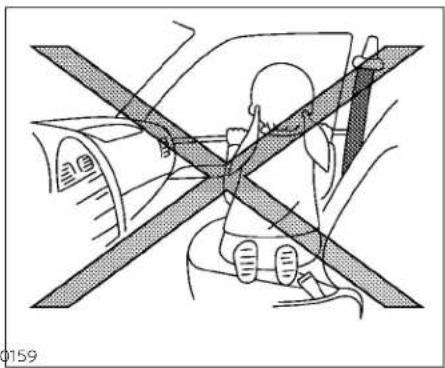
natural_image
Diagram showing a person seated in a car with a cross-shaped object on the side, no text or symbols present.Safety-Seats, seatbelts and supplemental restraintsystem 1-53

NISSANAdvancedAirBagSystem
- Toptetherstrapanchor
2.Roof-mountedcurtainside-impact and rolloversupplementalairbaginflators
3.Rearseatbelts
4.Roof-mountedcurtainside-impactand rolloversupplementalairbag
5. Frontseat-mountedside-impact supplementalairbag
6.Headrestraints/headrests
7.Frontseatbelts
8. Side-impact pressuresensor(driver's sideshown; frontpassenger's side similar)
9. Supplementalfront-impactairbags
10.Driverandfrontpassengersupplementalkneeairbags
11.Seats
12. Occupant classificationsensor(weight sensor)
13. Seatbeltwithpretensioner(s)(front seatsshown; rearoutboardseats similar)
14.Satellitesensors(passenger'sside shown;driver'ssidesimilar)
15.LATCH(LowerAnchorsandTethersfor Children)system
1-54 Safety-Seats, seat belts and supplemental restraintsystem
16.Satellitesensors(passenger'sside shown;driver'ssidesimilar)
- Rearoutboardseat-mountedside-impactsupplementalairbags
WARNING
Toensureproperoperationofthepas-senger'sNISSANAdvancedAirBagSys-tem,pleaseobservethefollowing items.
- Donotallowapassengerintherear seattopushorpullontheseatback pocket.
- Donotplaceheavyloadsheavier than9.1lbs.(4kg)ontheseatback, head restraint/headrest or in the seatbackpocket.
- Make sure that there is nothing pressingagainsttherearoftheseat-back,suchasa child restraint-installedinthe rear seat oranobject storedonthefloor.
- Make sure that there is no object placed under the frontpassenger seat.
- Make sure that there is no object placed between these seat cushion and center console or between these seat cushion and the door.
- Ifaforwardfacingchildrestraintis installedinthefrontpassengerseat, do notposition the frontpassenger seat so the child restraint contacts theinstrumentpanel.ifthechildrestraintdoescontact the instrument panel,thesystem may determinethe seat isoccupied andthe passenger airbagandfrontpassengersupplementalkneeairbagmaydeployina collision.Alsothefrontpassengerair bag status light may not illuminate. Foradditionalinformationaboutinstalling andusingchildrestraints, see"Childrestraints"(P.1-23).
- Confirm the operating condition with the front passenger air bag status light.
- If you notice that the front passenger air bag status light is not operating as described in this section, get the occupant classification system checked. It is recommended that you visit a NISSAN dealer for this service.
- Until you have confirmed with a dealer that your passenger seat occupant classificationsystemis working properly, position the occupants in therearseating positions.
- Donot positionthe frontpassenger seatsoitcontactsthe rearseat.Ifthe frontseatdoescontacttherearseat, theairbagsystemmaydeterminea sensormalfunctionhasoccurred andthefrontpassengerairbagstatus light may illuminate and the supplementalair bag warninglight mayflash.
This vehicle is equipped with the NISSAN AdvancedAirBagSystemforthedriverand front passenger seats. This system is designedtomeetcertificationrequirements under U.S.regulations. Itisalsopermitted in Canada. However, alloftheinformation, cautions and warnings in this manual stillapplyandmustbefollowed.
The drivers supplemental front-impact air bag is located in the center of the steering wheel. The frontpassenger supplemental front-impact air bag is mounted in the dashboard above the glove box. The front air bags are designed to inflate in higher severity frontal collisions, although they may inflate if the forces in another type of collision are similar to those of a higher severity frontal impact. They may not inflate uncertain frontal collisions. Vehicle damage (or lack of it) is not always an indication of proper front air bagsystemoperation.
TheNISSANAdvancedAirBagSystem monitorsinformationfromthecrashzone sensor,theAirbagControlUnit(ACU),seat beltbucklesensorsandoccupantclassificationsensor(weightsensor).Inflatoroperationisbasedontheseverityofacollisionandseatbeltusageforthedriver.For thefrontpassenger,theoccupantclassificationsensorisalsomonitored.Basedon informationfromthesensor,onlyonefront airbagmayinflateinacrash,dependingon thecrashseverityandwhetherthefront occupantsarebeltedorunbelted.Additionally,thefrontpassengerairbagand frontpassengersupplementalkneeair bagmaybeautomaticallyturnedoffunder someconditions,dependingontheweight detectedonthefrontpassengerseatand howtheseatbeltisused.Ifthefrontpassengerairbagandfrontpassenger supplementalkneeairbagareOFF,the frontpassengerairbagstatuslightwillbe illuminated.Foradditionalinformation,see "Frontpassengerairbagandstatuslight" (P.1-57). One front air bag inflating does not indicate improper performance of the system.
If you have any questions about your air bagsystem, it is recommended that you visita NISSAN dealerto obtain information about the system. If you are considering modification of your vehicle duetoa disability, you may also contact NISSAN. Contact Information is contained in the front of this Owner's Manual.
When a front air bag inflates, a fairly loud noisemaybeheard,followedbythere-leaseofsmoke. Thissmokelsnotharmful anddoesnotindicateafire.Careshould be taken to not inhale it, as it may cause irritationandchoking. Thosewithahistoryofa breathingconditionsshouldgetfreshair promptly.
Frontairbags, alongwiththeuseofseat belts, helptocushiontheimpactforceon thefaceandchestofthefrontoccupants. Theycanhelpsavelivesandreduceseriousinjuries. However, an inflatingfrontair bag may cause facial abrasions or other injuries. Front air bags do not provide restraint tothelowerbody.
EvenwithNISSANAdvancedAirBags,seat beltsshould becorrectlywornand the driverandfrontpassengerseatedupright asfaraspracticalawayfromthesteering wheolorInstrumentpanel.Thefrontair bags inflate quickly in order to help protect the front occupants. Because of this, the force of the front air bag inflating can increaseetherlskofinjuryiftheoccupantis toocloseto,orisagainst,thefrontairbag module during inflation.
Thefront airbagsdeflatequicklyaftera collision.
Thefrontair bagsoperateonly when the ignition switch is placed in the ON position.
After placing the ignition switch in the ONposition,thesupplementalairbag warninglightilluminates.The supplemental air bag warning light will turn off afterabout7secondsifthesystemis operational.
OFF

LRS3091
Frontpassengerairbagandstatus light
WARNING
Thefrontpassengerairbagandfront passengersupplementalkneeairbag aredesignedtoautomaticallyturnOFF undersomeconditions.Readthissectioncarefullytolearnhowitoperates. Properuseoftheseat,seatbelt,and childrestraintsisnecessaryformost effectiveprotection.Failureretofollowall instructionsinthismanualconcerning theuseofseats,seatbelts,andchild restraintscanincreasetheriskorse-verityofinjuryinanaccident.
Statuslight
Thefrontpassengerseatisequipped with an occupant classification sensor(weight sensor) that turnsthefrontpassengerair bag and frontpassengers supplemental knee air bag on or off depending on the weight applied to the frontpassenger seat. The status of the frontpassenger air bag and frontpassengers supplement alknee air bag (ON or OFF) is indicated by the front passenger air bag status light ____ which is located on the instrument panel.
Aftertheignitionswitchisplacedinthe "ON"position,thefrontpassengerairbag statuslightontheinstrumentpanelilluminatesforabout7secondsandthenturns offorremainsilluminateddependingon thefrontpassengerseatoccupiedstatus. Thelightoperatesasfollows:
| CONDITIONDESCRIPTION | PASSENGERAIRBAG STATUSLIGHT( ∞ 站) | FRONTPASSENGERAIRBAGANDFRONTPASSENGER SUPPLEMENTALKNEEAIRBAGSTATUS | |
| EmptyEmptyfrontpassengerseatON(illuminated) | INHIBITED | ||
| Nobody/Somebody | BagorChildorChildRestraintor SmallAdultinfrontpassengerseat | ON(illuminated) | INHIBITED |
| Adult | Adult in the front passenger seat | OFF (dark) | ACTIVATED |
Inaddition to the above, certain objects placed on the front passenger seat may also cause the light to operate as described above depending on their weight.
For additional information, see "Normaloperation" (P. 1-59) and "Troubleshooting" (P.1-60).
Frontpassengerairbag
ThefrontpassengerairbagandfrontpassengersupplementalkneeairbagisdesignedtoautomaticallyturnOFFwhenthe vehicleisoperatedundersomeconditions asdescribedbelowinaccordancewithU.S. regulations.Ifthefrontpassengerairbag andfrontpassengersupplementalknee airbagisOFF,itwillnotinflatelnacrash. ThedriverairbagandotherairbagsInyour vehiclearenotpartofthissystem.
The purpose of the regulation is to help reduce risk of injury or death from an inflating air bag to certain front passenger seat occupants, such as children, by requiring the air bag to be automatically turned OFF. Certains sensors are used to meet the requirements.
TheoccupantclassificationsensorInthis vehicleisaweightsensor.Itisdesignedto detectanoccupantandobjectsonthe seatbyweight.Forexample,ifachildisin thefrontpassengerseat,theNISSANAdvancedAirBagSystemisdesignedtoturn thefrontpassengerairbagandfrontpassengersupplementalkneeairbagOFFin accordancewiththeregulations.Also,ifa childrestraintofthetypesspecifiedinthe regulationsisontheseat,itsweightand thechild'sweightcanbedetected and causetheairbagtoturnOFF.
Frontpassengerseatadultoccupantswho areproperlyseatedandusingtheseatbelt asoutlinedinthismanualshouldnot causethefrontpassengerairbagand front passenger supplementalkneeair bagtobeautomaticallyturnedOFF. For smalladultsitmaybeturnedOFF, however iftheoccupanttakeshis/herweightoffthe seatcushion(forexample,bynotsitting upright,bysittingonanedgeoftheseat,or byotherwisebeingoutofposition), this couldcausethesensortoturntheairbags OFF.Alwaysbesuretobeseatedandwearingtheseatbeltproperlyforthemostefective protection by the seat belt and supplementalairbag.
NISSANrecommendsthatpre-teensand childrenbeproperlyrestrainedinarear seat.NISSANalsorecommendsthatappropriate child restraints and booster seatsbeproperlyinstalledinarearseat.If thisisnotpossible,theoccupantclassificationsensorIsdesignedtooperateasdescribedabovetoturnthefrontpassenger airbagandfrontpassengersupplemental kneeairbagOFFforspecifiedchildrestraintsasrequiredbytheregulations.Fallingtoproperlysecurechildrestraintsand tousetheALRmodemayallowthere- strainttotipormoveinacollisionorsud- denstop. Thiscanalsoresultinthepassen- ger air bag and front passenger supplementalkneeairbaginflatingina crashinsteadofbeingOFF.Foradditional informationaboutproperuseandinstallation,see"Childrestraints"(P.1-23).
If the front passenger seat is not occupied, the front passenger air bag and front passengers supplement a kneal air bag are designed not to inflate in a crash. However, heavy objects placed on these at could result in air bag inflation, because of the object's weight detected by the occupant classification sensor. Other conditions could also result in air bag inflation, such as if child is standing on these at or if two children are on these at, contrary to the instructions in this manual. Always besure that you and all vehicle occupants are seated and restrained properly.
Usingthefrontpassengerairbagstatus light,youcanmonitorwhenthefrontpassenger air bag and front passenger supplementalkneeairbagareautomaticallyturnedOFF.
Ifanadultoccupantisintheseatbutthe frontpassengerairbagstatuslightisilluminated(indicatingthatthefrontpassengerairbagandfrontpassengersupplementalkneeairbagareOFF),itcouldbe thatthepersonisasmalladult,orisnot sittingontheseatproperlyornotusingthe seatbeltproperly.
Ifchildrestraint must be used in the front seat, the front passenger air bag status light may not be illuminated, depending on the size of the child and the type of child restraint being used. If the air bag status light is not illuminated (indicating that the air bag might inflate an crash), it could be that the child restraint or seat belt is not being used properly. Makesure that the child restraint is installed properly, these at belt is used properly and the occupant is positioned properly. If the air bag status light is still illuminated, reposition the occupant or child restraint in a rear seat.
If the front passenger air bag status light will not illuminate event though you believe that the child restraint, these at belts and the occupant are properly positioned, it is recommended that you take your vehicle to a NISSAN dealer. ANISSAN dealer can check system status by using as special
tool. However, until you have confirmed with a dealer that your air bag is working properly, reposition the occupant or child restraint in a rearseat.
TheNISSANAdvancedAirBagSystemand frontpassengerairbagstatuslightwill takeafewsecondstoregisterachangein thefrontpassengerseatstatus.Thisisnormalsystemoperationanddoesnotindicateamalfunction.
Ifamalfunctionoccursinthefrontpassengerairbagsystem,thesupplementalair bagwarninglight ,locatedinthemeterandgaugesareaoftheinstrument panel,willbeilluminated(blinkingor steadilylit).Havethesystemchecked.Itis recommendedthatyouvisitaNISSAN dealerforthisservice.
Normaloperation
In order for the occupant classification sensorsystemtoclassifythefrontpassengerbasedonweight,pleasefollowtheprecautionsandstepsoutlinedbelow:
Precautions
- Makesurethatthere areno objects weighingover9.1lbs.(4kg)hangingon theseatorplacedintheseatbackpocket.
- Makesurethatachildrestraintorother objectisnotpressingagainsttherearof theseatback.
- Makesurethatarearpassengerisnot pushingorpullingonthebackofthefront passengerseat.
- Makesurethatthefrontpassengerseat orseatbackisnotforcedbackagainstan objectontheseatorfloorbehindit.
- Makesurethatthereisnoobjectplaced underthefrontpassengerseat.
Steps
- Adjusttheseatasoutlinedinthe"Seats" (P.1-2)sectionofthismanual.Situpright, leaningagainsttheseatback,andcenteredontheseatkushionwithyourfeet comfortablyextendedtothefloor.
- Makesuretherearenoobjectsonyour lap.
3.Fastentheseatbeltasoutlinedinthe "Seat belts" (P. 1-12) section of this manual.Frontpassengerseatbelt bucklestatusismonitoredbytheoccupantclassificationsystem, andisused asaninputtodetermineoccupancy status.So, itishly recommended that thefrontpassengerfastentheirseat belt.
4.Remaininthispositionfor30seconds allowingthesystemtoclassifythefront passengerbeforethevehicleisputinto motion.
5. Ensure proper classification by checking the front passenger air bag status light.
NOTE:
Thisvehicle'soccupantclassification sensorsystemgenerallykeepstheclass- sificationlockedduringdriving,soitis importantthatyouconfirmthatthe frontpassengerisproperlyclassified priortodriving.However,theoccupant classificationsensormayrecalculatethe weightoftheoccupantundersomecon- ditions(bothwhiledrivingandwhen stopped),sofrontpassengerseatoccup- pantsshouldcontinuetoremainseated asoutlinedabove.
Troubleshooting
If youthinkthefrontpassengerairbag statuslightisincorrect:
- If the light is ON with an adult occupying the front passenger seat:
- Occupantisasmalladult—theairbaglight isfunctioningasintended.Thefrontpassengerairbagandfrontpassengersupplementalkneeairbagaresuppressed.
However, if the occupant is not as small adult, thenthism may be due to the following condition that maybe interfering with the weightsensors:
- Occupantisnotsittingupright,leaning againsttheseatback,andcentered on the seat cushion with his/her feet comfortablyextendedtothefloor.
- Achildrestraintorotherobjectpressing againsttherearoftheseatback.
•Arearpassengerpushingorpullington thebackofthefrontpassengerseat. - Forcing the front seat or seatback againstanobjectontheseatorfloorbehindit.
- An object placed under the front passenger-seat.
- An object placed between the seat cushion and center console or between the seat cushion and the door.
If the vehicle is moving, please come to a stopwhenitissafetodoso.Checkand correctanyoftheaboveconditions.Restartthevehicleandwait1minute.
NOTE:
Asystemcheck will be performed during which the front passenger air bag status light will remain lit for about 7 seconds initially.
If the light is still ON after this, the person should be advised not to ride in the front passengerseat and the vehicles should be checked as soon as possible. It is recommended that you visit a NISSAN dealer for this service.
- If the light is OFF with a small adult, child orchidrestraintoccupyingthefront passengerseat.
This may be due to the following conditions that maybe interfering with the weightsensors:
• Small adult torch child is not sitting upright, leaning against these at back, and centered on these at cushion with his/her feet comfortably extended to the floor. -
The child restraint is not properly installed, as outlined in the "Child restraints" section of this manual.
• Anobjectweighingover9.1lbs.(4kg) hangingontheseatorplacedintheseat-backpocket. -
Achildrestraintorotherobjectpressing againsttherearoftheseatback.
•Arearpassengerpushingorpullingon thebackofthefrontpassengerseat. - Forcingthefrontseatorseatback againstanobjectontheseatorfloorbehindit.
•Anobjectplacedunderthefrontpassengerseat.
•Anobjectplacedbetweentheseatcushionandcenterconsole.
Ifthevehicleismoving,pleasecometoa stopwhenitissafetodoso.Checkand correctanyoftheaboveconditions.Restartthevehicleandwait1minute.
NOTE:
Asystemcheckwillbeperformedduring whichthefrontpassengerairbagstatus lightwillremainlitforabout7seconds initially.
IfthelightisstillOFFafterthis,thesmall adult,childorchildrestraintsshouldbere-positionedintherearseatandthevehicle shouldbecheckedassoonaspossible.Itis recommendedthatyouvisitaNISSAN dealerforthisservice.
- If the light is OFF with no front passenger and no object on the front passenger seat, the vehicle should be checked. It is recommended that you visit a NISSAN dealer as soon as possible.
Othersupplementalfront-impactair bagprecautions
WARNING
- Donotplaceanyobjectsonthe steeringwheelpadorontheinstrumentpanel.Also,donotplaceany objectsbetweenany occupant and thesteering wheelor instrument panel.Such objects may become dangerousprojectilesandcauseinjuryifthefrontairbagsinflate.
- Immediatelyafterinflation,several front air bagsystem componentswill behot.Donottouchthem;youmay severelyburnyourself.
-
Nounauthorizedchangesshouldbe madetoanycomponentsorwiring ofthesupplementalairbagsystem. Thisistopreventaccidentalinflation ofthesupplementalairbagordamage tothe supplementalair bag system.
-
Donotmakeunauthorizedchanges toyourvehicle'selectricalsystem, suspension system or front end structure. This could affect proper operation of the front airbagsystem.
- Tampering with the front air bag system may result in serious personal injury. Tampering includes changes to thesteeringwheelandtheinstrumentpanelassemblybyplacingmaterialoverthesteeringwheelpad andabove the instrumentpanel or byinstallingadditionaltrimmaterial aroundtheairbagsystem.
- Removing or modifying the front passengerseat may affect the function of the air bagsystem and result in serious personal injury.
- Modifyingortamperingwiththe frontpassengerseatmayresultin seriouspersonalinjury. Forexample, donotchangethefrontseatsby placingmaterialontheseatkushion orbyinstallingadditionaltrimmaterial,suchasseatcovers,ontheseat thatarenotspecificallydesignedto assureproperairbagoperation.Additionally,donotstowanyobjects underthefrontpassengerseatorthe seatcushionandseatback.Suchobjectsmayinterferewiththeproper operationoftheoccupantclassificationsensor(weightsensor).
Nounauthorizedchangesshouldbe madetoanycomponentsorwiring ofthesebeltsystem. This may affect the front air bagsystem. Tampering with theseatbelsystem may result in serious personal injury.
- Itisrecommendedthatyouvisita NISSAN dealer for work on and aroundthefrontairbagsystem.Itis also recommended that you visita NISSAN dealer for installation of electrical equipment. The Supplemental Restraint System (SRS) wiring harnesses* should not be modified or disconnected. Unauthorized electrical test equipment and probing devices should not be used on the air bagsystem.
- Acracked windshield should be placed immediately by a qualified repair facility. A cracked windshield could affect the function of the supplemental air bags system.
*The SRSwiringharnessconnectors are yellow and orange for easy identification.
Whensellingyourvehicle,werequestthat youinformthebuyeraboutthefrontair bagsystemandguidethebuyertothe appropriate sections in this Owner's Manual.

natural_image
Line drawing of a car interior showing seat compartments and rear seats (no text or symbols)Frontandrearoutboard seat-mountedside-impact supplementalairbagand roof-mountedcurtain side-impactandrollover supplementalairbagsystems
Thesideairbagsarelocatedintheoutside oftheseatbackofthefrontandrearoutboardseats.Thecurtainairbagsarelocatedinthesideroofrails.Alloftheinformation,cautionsandwarningsinthis manualmustbefollowed.Thesideair bagsandcurtainairbagsaredesignedto
inflateinhigherseveritysidecollisions,althoughtheymayinflateiftheforcesinan-othertypeofcollisionaresimilartothoseofahigherseverityimpact.Theyaredesignedtoinflateonthesidewherethevehiclelsimpacted.Theymaynotinflateincertainsidecollisions.
Curtainairbagsarealsodesignedtoinflate incertaintypesofrollovercollisionsornear rollovers.Asaresult,certainvehiclemovements(forexample,duringsevereoff-roading)maycausethecurtainairbagsto inflate.
Vehicledamage(orlackofit)isnotalways anindicationofpropersideairbagand curtainairbagoperation.
Whenthesideairbagsandcurtainairbags Inflate,afairlyloudnoisemaybeheard, followedbythereleaseofsmoke.This smokeisnotharmfulanddoesnotindicateafire.Careshouldbetakennotto inhaleit,asitmaycauseirritationand choking.Thosewithahistoryofabreathingconditionsshouldgetfreshhairpromptly.
Sideairbags, alongwiththeuseofseat belts, helptocushiontheimpactforceon thechestandpelvicareaofthefrontand rearoutboardoccupants. Curtainairbags helptocushiontheimpactforcetothe
headofoccupantsinthefrontandrear outboardseatingpositions.Theycanhelp savelivesandreduceseriousinjuries.However,aninflatingsideairbagandcurtainair bagmaycauseabrasionsorotherInjuries. Sideairbagsandcurtainairbagsdonot providerestrainttothelowerbody.
Theseatbeltsshouldbecorrectlyworn andthedriver,frontpassengerandrear outboardoccupantsseateduprightasfar aspracticalawayfromthesideairbag. Rearseatpassengersshouldbeseatedas farawayaspracticalfromthedoorfinishersandsideroofrails.Thesideairbagsand curtainairbagsinflatequicklyinorderto helpprotectthe occupants.Because of this,theforceofthesideairbagandcurtain airbaginflatingcanincreasetheriskof injuryiftheoccupantistoocloseto,oris against,theseairbagmodulesduringinflation.Thesideairbagwilldeflatequickly afterthecollisionisover.
Thecurtainairbagwillremaininflatedfora shorttime.
Thesideairbagsandcurtainairbags operateonlywhentheignitionswitchis placedintheONposition.
Afterplacingtheignitionswitchinthe ONposition,thesupplementalairbag warning light illuminates. Thesupplementalairbagwarninglightwillturnoff afterabout7secondsifthesystemis operational.
WARNING
- Do not place any objects near the seatbackofthefrontandrearseats. Also, do not place any objects (an umbrella, bag, etc.)betweenthefront andreardoorfinisherandthefront andrearseat.Suchobjectsmaybe-come dangerous projectiles and causeinjuryifasideairbaginflate.
- Right after inflation, several side air bagandcurtainairbagsystemcomponents will be hot. Do not touch them; you may severely burn yourself.
-
Nounauthorizedchangesshouldbe madetoanycomponentsorwiring ofthesideairbagandcurtainairbag systems. Thisistopreventdamage tooraccidentalinflationoftheside airbagandcurtainairbagordamagetothesideairbagandcurtainair bagsystems.
-
Donotmakeunauthorizedchanges toyourvehicle'selectricalsystem, suspensionsystemorsidepanel. This could affect proper operation of the sideairbag and curtain airbag systems.
•Tamperingwiththesideairbagsystemmayresultinseriouspersonal injury. Forexample, donotchange thefrontandrearseatsbyplacing materialneartheseatbacksorbyinstallingadditionaltrimmaterial, suchasseatcovers, aroundtheside airbag. - Itisrecommendedthatyouvisita NISSANdealerforworkonand aroundthesideairbagandcurtain airbag. Itisalsorecommendedthat youvisitaNISSANdealerforinstallationofelectricalequipment.TheSRS wiringharnesses*shouldnotbe modified or disconnected. Unauthorized electricaltest equipment and probing devices should not be used on thesideairbagorcurtainairbag system.
*The SRSwiringharnessconnectors are yellow and orange for easy identification.
Whensellingyourvehicle, werequest that you inform the buyer about the side air bag and curtainairbagsystemsandguidethe buyertotheappropriatesectionsinthis Owner'sManual.
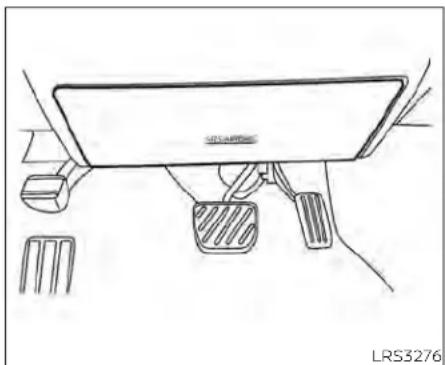
natural_image
Line drawing of a car interior showing dashboard, steering wheel, and foot pusher (no text or symbols)Driver'sside
Driver and frontpassenger supplementalknee air bag
Thekneeairbagislocatedintheknee bolster,onthedriver'sandfrontpassenger'sside. Alloftheinformation,cautions andwarningsinthismanual applyand
mustbefollowed. Thekneeairbagisdesignedtoinflateinhigherseverityfrontal collisions, although it may inflate if the forcesinanothertypeofcollisionaresimilartothoseofahigherseverityfrontalimpact.itmaynotinflateincertaincollisions.

natural_image
Line drawing of a car interior showing dashboard and steering wheel (no text or symbols)Frontpassenger'sside
Vehicledamage(orlackofit)isnotalways anindicationofproperkneeairbag operation.
whenthekneeairbaginflates,afairlyloud noisemaybeheard,followedbyreleaseof smoke.Thissmokeisnotharmfuland doesnotindicateafire.Careshouldbe takennottoinhaleit,asitmaycauseirritationandchoking.Thosewithahistoryofa breathingconditionshouldgetfreshair promptly.
Thekneeairbaghelpstocushiontheimpactforceonthekneesofthedriverand passenger.Itcanhelpreduceseriousinjuries.However,aninflatingkneeairbagmay causeabrasionsorotherInjuries.Theknee airbagprovidesrestraintthothelowerbody.
Thekneeairbaginflatesquicklyinorderto helpprotecttheoccupants.Becauseof this,theforceofthekneeairbaginflating canincreasetheriskofinjuryiftheoccupantistooocloseto,orisagainst,thisairbag moduleduringinflation.Thekneeairbag willdeflatequicklyafterthecollisionisover ORthekneeairbagwillremaininflatedfor shorttime.
Thekneeairbagoperatesonlywhenthe ignitionswitchisplacedintheON position.
Afterplacingtheignitionswitchinthe ONposition,thesupplementalairbag warninglightilluminates.Thesupplementalairbagwarninglightwillturnoff afterabout7secondsifthesystemis operational.
WARNING
- Donotplaceanyobjectsbetween the kneebolsterandthedriver'sorpassenger'sseat.Suchobjectsmaybe-come dangerous projectiles and causeinjuryifakneeairbaginflates.
- Rightafterinflation,thekneeairbag systemcomponentswillbehot.Do nottouchthem;youmayseverely burnyourself.
- Nounauthorizedchangesshouldbe madetoanycomponentsorwiring ofthekneeairbagsystem. Thisisto preventdamagetooraccidentalinflationofthekneeairbagsystem.
- Donotmakeunauthorizedchanges toyourvehicle'selectricalsystemor suspensionsystem.Thiscouldaffect properoperationofthekneeairbag system.
- Tamperingwiththekneeairbagsystemmayresultinseriouspersonal injury. Forexample, donotchange thedriverorpassengerkneebolster or install additional trim material aroundthekneeairbag.
- Itisrecommendedthatyouvisita NISSANdealerforworkonand aroundthekneeairbag.ItisalsorecommendedthatyouvisitaNISSAN dealerforinstallationofelectrical equipment.TheSRSwiringharnesses*shouldnotbemodifiedor disconnected.Unauthorizedelectricaltestequipmentandprobingdevices shouldnotbeusedontheknee airbagsystem.
\*The SRSwiringharnessorconnectors are yellowororangeforeasy identification.
When selling your vehicle, we request that you inform the buyer about the knee air bagsystem and guidethe buyer to the appropriates sections in this manual.
Seat belt with pretensioner(s) (front and rear outboard seats)
WARNING
- The pretensioner(s) cannot be re-used after activation. They must be replaced together with the retractor and buckle as a unit.
- If the vehicle becomes involved in a collision but pretensioner(s) are not activated, besureto havethe pretensionersystem checked and, if necessary, replaced. It is recommended that you visit a NISSAN dealer for this service.
- No unauthorized changes should be madetoanycomponentsorwiring of the pretensionersystem. This is to prevent damage to or accidental activation of the pretensioner(s). Tampering with the pretensionersystem may result in serious personal injury.
- Itisrecommendedthatyouvisita NISSANdealerforworkonand aroundthepretensionersystem.Itis alsorecommendedthatyouvisita NISSANdealerforinstallationofelectricalequipment.Unauthorizedelectricaltestequipmentandprobing devicesshouldnotbeusedonthe pretensionersystem.
- If you need to dispose of the pretensioner(s)orscrapthevehicle,itisrecommendedthatyouvisitaNISSAN dealer for this service. Incorrect disposalprocedures couldcausepersonalinjury.
The pretensioner system may activate with the supplemental air bagsystem in certain types of collisions. Working with the seat belt retractor, the pretensioner(s) help tighten the seat belt when the vehicle becomes involved in certainty of collisions, helping to restrain front and rear outboard seat occupants.
Thepretensioner(s)areencasedwithinthe seat belt retractor and to the seat belt anchoraffixedto thefloor ofthevehicle. Theseseatbeltsareusedthesamewayas conventionaliseatbelts.
Whenpretensioner(s)activate,smokeisreleasedandaloudnoisemaybeheard.This smokeisnotharmfulanddoesnotindicateafire.Careshouldbetakennotto inhale it, as it may cause irritation and choking. Those with a history of a breathingconditions should getfreshhair promptly.
After the pretensioner(s') activation, load limiters allow the seat belt to release webbing (if necessary) to reduce forces against the chest.
Thesupplementalairbagwarninglight isusedtoindicatemalfunctionsinthe pretensionersystem.Foradditionalinformation,see"Supplementalairbagwarning light"(P.1-67).Iftheoperationofthesupplementalairbagwarninglightindicates thereisamalfunction,havethesystem checked.itisrecommendedthatyouvisita NISSANdealerforthisservice.
Whensellingyourvehicle, werequest that you inform the buyer about the preten- sionersystem and guidethe buyertothe appropriatesections in this Owner's Manual.

natural_image
Line drawing of a car interior showing steering wheel, dashboard, and steering wheel (no text or symbols)- SRS air bag warning labels (located on thesunvisors)
SUPPLEMENTAL AIRBAG WARNING LABELS
Warning labels about the supplemental front-impact air bagsystem are placed in the vehicle as shown in the illustration.
WARNING
Donot use arear-facingchildrestraint onaseatprotected byanair bagin front of it. If the air bag deploys, it may cause seriousinjuryordeath.
natural_image
Simple black stick figure illustration of a person running with a stick (no text or symbols)SUPPLEMENTAL AIRBAG WARNING LIGHT
The supplementalairbagwarning light, displaying intheinstrumentpanel, monitors the circuits for the air bag systems,pretensioner(s)andallrelatedwiring. WhentheignitionswitchisplacedintheON position,thesupplementalairbagwarning lightilluminatesforabout7secondsand then turns off. This means the system is operational.
Ifanyofthefollowingconditionsoccur,the frontairbag,sideairbag,curtainairbag, kneeairbagandpretensionersystems needservicing:
- Thesupplementalairbagwarninglight remainsonafterapproximately7 seconds.
- Thesupplementalairbagwarninglight flashes intermittently.
- Thesupplementalairbagwarninglight doesnotcomeonatall.
Undertheseconditions,thefrontairbag, sideairbag,curtainairbag,kneeairbagor pretensionersystemsmaynotoperate properly.Theymustbecheckedandre-paired.Itsrecommendedthatyouvisita NISSANdealerforthisservice.
WARNING
If the supplemental airbag warning lightison, it could mean that the front airbag, side airbag, curtain airbag, knee airbag and or pretensioners system will not operate in an accident. To help avoid injury to your self for others, have your vehicle checked as soon as possible. It is recommended that you visit a NISSAN dealer forth this service.
Repairandreplacement procedure
Thefrontairbags,sideairbags,curtainair bags,kneearbagsandpretensioner(s)are designedtoinflateonaone-time-onlybasis.Asareminder,unlessitisdamaged,the supplementalairbagwarninglightremainsilluminatedafterinflationhasoccurred.Thesesystemsshouldberepaired and/orreplacedassoonaspossible.Itis recommendedthat youvisit aNISSAN dealerforthisservice.
whenmaintenanceworkisrequiredonthe vehicle,thefrontairbags,sideairbags,curtainairbags,kneeairbags,pretensioner(s)andrelatedpartsshouldbepointed outtothepersonperformingthemaintenance.Theignitionswitchshouldalways beplacedintheLOCKpositionwhenworkingunderthehoodorinsidethevehicle.
WARNING
- Onceafrontairbag,sideairbag,curtainairbagorkneeairbag hasinflated,theairbagmodulewillnot functionagainandmustbereplaced. Additionally, theactivated pretensioner(s)mustalsobereplaced.The airbag module and pretensioner(s) should be replaced. It is recommended that you visit a NISSAN dealerforthisservice.However,the airbag module and pretensioner(s) cannotberepaired.
- Thefrontairbag,sideairbag,curtain airbag,kneeairbagsystemsandthe pretensionersystemshouldbeinspectedifthereisanydamagetothe frontendorsideportionofthevehicle.Itisrecommendedthatyou visitaNISSANdealerforthisservice.
- If you need to dispose of the supplemental air bag or pretension systems or scrap the vehicle, it is recommended that you contact a NISSAN dealer for this service. Incorrect disposal procedures could cause personal injury.
- If there is an impact to your vehicle from any direction, your Occupant Classification Sensor (OCS) should be checked to verify it's still functioning correctly. It is recommended that you visit a NISSAN dealer forth this service. The OCS should be checked even if no airbags deploy as a result of the impact. Failure to verify proper OCS function may result in an improper airbag deployment resulting in injury or death.
Safety-Seats, seatbelts and supplemental restraintsystem 1-69
2Instrumentsandcontrols
Instrumentpanel....2-2
Metersandgauges....2-4
Speedometerandodometer....2-4
Tachometer....2-6
Enginecoolanttemperaturegauge. 2 - 6
Fuelgauge. 2 - 7
DistanceToEmpty(DTE) 2 - 8
VariableCompressionTurbo
(ifsoequipped)....2-8
Warninglights,indicatorlightsandaudible
reminders....2-9
Checkinglights. 2-10
Warning/Indicatorlights(red)....2-10
Warning/Indicatorlights(yellow)....2-12
Warning/Indicatorlights(other).... 2-17
Audiblereminders. 2-18
Vehicleinformationdisplay-5inch(13cm)
TypeA(ifsoequipped)....2-18
Howtousethevehicleinformation
display....2-19
Startup display 2-19
Resettingthedrivecomputer....2-20
Oil control system (if so equipped)....2-20
Settings....2-21
Vehicleinformationdisplaywarnings
and indicators....2-28
Vehicleinformationdisplay—7Inch(18cm)
TypeB(ifsoequipped)....2-34
Howtousethevehicleinformation
display....2-35
Startup display 2-35
Resettingthedrivecomputer....2-35
Oil control system (if so equipped)....2-36
Settings....2-37
Vehicleinformationdisplaywarnings and indicators....2-45
Securitysystems....2-52
Vehicle security system 2-52
NISSAN Vehicle Immobilizer System 2-54
Wiperandwasherswitch....2-55
Switch operation 2-55
Rearwindowandoutsidemirror
(if so equipped) defroster switch 2-56
Headlightandturnsignalswitch....2-57
Headlightcontrolswitch 2-57
LED DaytimeRunningLights(DRL)
system(ifsoequipped)....2-62
Instrumentbrightnesscontrol....2-62
Turn signal switch 2-63
Foglightswitch(ifsoequipped)....2-63
Horn 2-64
Heatedseatswitches(ifsoequipped)....2-64
Heatedsteeringwheelswitch(ifsoequipped)..2-65
SteeringAssistswitch(forvehicleswith
ProPILOTAssist)(ifsoequipped)....2-66
Emergencycall(SOS)button(ifsoequipped)...2-67
RearDoorAlert....2-67
Poweroutlet....2-69
USB/iPod®chargingport(ifsoequipped).....2-70
Extended storage switch 2-70
Storage 2-71
Front-doorpockets....2-71
Seatbackpockets(ifsoequipped).... 2-71
Glovebox 2-72
Consolebox 2-72
Overheadsunglassesstorage....2-73
Cupholders....2-73
Windows....2-75
Powerwindows....2-75
Moonroof(ifsoequipped)....2-77
Powermoonroof....2-77
Interiorlights....2-79
Maplights....2-80
Personallights. 2-80
Trunklight 2-80
HomeLink®UniversalTransceiver
(ifsoequipped)....2-81
ProgrammingHomeLink® 2-81
ProgrammingHomeLink®forCanadian
customersandgateopeners. 2-83
OperatingtheHomeLink®Universal
Transceiver....2-84
Programmingtrouble-diagnosis. 2-84
Clearingtheprogrammedinformation.....2-84
ReprogrammingasingleHomeLink®
button 2-84
If your vehicle is stolen 2-85
INSTRUMENTPANEL

1.Vents(P.4-31)
2. Steeringwheelswitchesforaudiocontrol Vehicleinformationdisplaycontrols (P.2-18,2-34)
3.Headlight/foglight(ifsoequipped)/
turnsignalswitch(P.2-57)
Paddleshifters(ifsoequipped)(P.5-18)
2-2 Instrumentsandcontrols
- Drivers supplemental airbag(P.1-47) Horn(P.2-64)
5.Metersandgauges(P.2-4) Warning and indicator lights(P.2-9) Vehicle information display(P.2-18, 2-34)
6.Wiperandwasherswitch(P.2-55)
7.Heaterandairconditioner(P.4-33,4-40) Heatedseatswitches(ifsoequipped) (P.2-64) Heatedsteeringwheelswitch (ifsoequipped)(P.2-65)
- Navigationsystem*(ifsoequipped) Audiosystem*
9.Frontpassengersupplementalairbag (P.1-47)
10.Frontpassengersupplementalknee airbag(P.1-47)
11..Glovebox(P.2-71)
12.Frontpassengerairbagstatuslight (P.1-57) Hazardwarningflasherswitch(P.6-2)
13.Poweroutlet(P.2-69) USBconnectionport(ifsoequipped) (P.2-70,4-67) Auxjack*
14.Cupholders(P.2-73)
15Shiftlever(P.5-18)
- Electronic parking brakes switch
(ifsoequipped)(P.5-25)
Automaticbrakeholdswitch
(ifsoequipped)(P.5-27)
17.Push-buttonignitionswitch(P.5-13)
- Cruise control switches (if soe equipped)
(P.5-68)
IntelligentCruiseControl(ICC)switches
(ifsoequipped)(P.5-71)
Bluetooth®Hands-freePhoneSystem*
ProPILOTAssistSwitch(ifsoequipped)
(P.5-94)
- Driversupplementalkneeairbag
(P.1-47)
20.Hoodrelease(P.3-22)
Fuel-filleroorrelease(P.3-25)
Tilt/telescopicsteeringwheelcontrols
(P.3-27)
21.Tripcomputerresetswitch(P.2-4)
Instrumentbrightnesscontrol(P.2-62)
Steeringassistswitch(forvehicleswith
ProPILOTAssist)(ifsoequipped)
(P.2-66)
Trunkopener(P.3-22)
*:Foradditionalinformation,refertothe
separateNissanConnect®Owner's
Manual.
Refertothepagenumberindicatedin parenthesesforoperatingdetails.
METERSANDGAUGES

1.Tachometer
2. Warning and indicator lights
3. Vehicleinformationdisplay
4.Speedometer
5.Fuelgauge
6. Enginecoolanttemperaturegauge
SPEEDOMETERANDODOMETER
This vehicle is equipped with as speedometer and odometer. The speedometer is located on the right side of the meter cluster. The odometer is located within the vehicle information display.

natural_image
Simple line drawing of a circular gauge or dial with needle pointing inward (no text or symbols)5inch(13cm)TypeA(ifsoequipped)
Speedometer
Thespeedometerindicatesvehiclespeed.
2-4Instrumentsandcontrols

natural_image
Simple line drawing of a gauge or dial with no text or symbols, showing concentric rings and a central pointer (no readable labels or numbers)7inch(18cm)TypeB(ifsoequipped)

5inch(13cm)TypeA(ifsoequipped) Odometer/Twintripodometer
Theodometerandthetwintripodometer ① aredisplayedinthevehicleinformation displaywhentheignitionswitchisplaced intheONposition.
Theodometerrecordsthetotaldistance thevehiclehasbeendriven.
Thetwintripodometerrecordsthedistanceofindividualtrips.

7inch(18cm)TypeB(ifsoequipped) Changingthedisplay
PushtheTRIPRESETswitch ② ontheleft sideoftheinstrumentpaneltochangethe displayasfollows:
OdometerMileage→Trip B → OdometerMileage A → Trip
Resettingthetripodometer
PushtheTRIPRESETswitch desiredtripodometer(Trip B)isdisplayed.
② untilthe A orTrip
PushingtheTRIPRESETswitch ② formore than1secondresetsthecurrentlydis-playedtripodometertozero.
Instrumentsandcontrols2-5
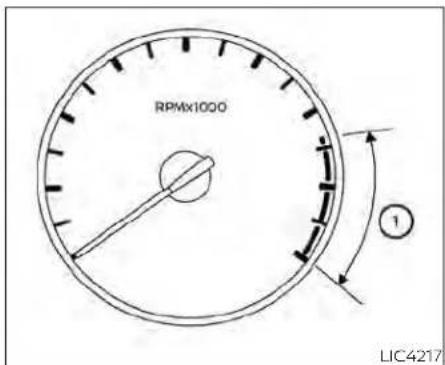
5inch(13cm)TypeA(ifsoequipped) TACHOMETER
Thetachometer indicates enginespeed in revolutions per minute (rpm).
Donotrevtheengineintotheredzone ①.

CAUTION
Whenenginespeedapproachesthe redzone, shifttoahighergearorre-duceenginespeed. Operatingtheengineintheredzonemaycauseserious enginedamage.
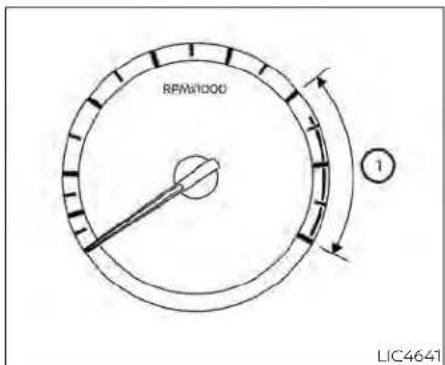
7inch(18cm)TypeB(ifsoequipped)

5inch(13cm)TypeA(ifsoequipped) ENGINECOOLANTTEMPERATURE GAUGE
The gauge indicates the engine coolant temperature. The engine coolant temperature is within the normal range ① when the gaugene needle points within the zone shown in the illustration.
The engine coolant temperature varies with the outside air temperature and driving conditions.
2-6 Instrumentsandcontrols

7inch(18cm)TypeB(ifsoequipped)
CAUTION
Ifthegaugeindicatescoolanttemperaturenearthehot(H)endofthe normalrange,reducevehiclespeedto decreasetemperature.Ifthegaugeis overthenormalrange,stopthevehicle assoonassafelypossible.Iftheengine isoverheated,continuedoperation of thevehiclemayseriouslydamagethe engine.Foradditionalinformation,see "Ifyourvehicleoverheats"(P.6-19)for immediateactionrequired.

FUELGAUGE
The gauge indicates the approximate fuel level in the than tank.
Thegaugemaymoveslightlyduringbraking,turning,acceleration,orgoingupordownhills.
Thegaugeneedlereturnsto0(Empty)aftertheignitionswitchisplacedintheOFF position.
Thelowfuelwarningmessageshowsin thevehicleinformationdisplaywhenthe amountoffuelinthetankisgettinglow.
Refillthefueltankbeforethegaugeregisters0(Empty).
The ◄ indicate that the fuel-filled door is located on the driver's side of the vehicle.
CAUTION
-Ifthevehiclerunsoutoffuel,the

MalfunctionIndicatorLight(MIL)may comeon.Refuelassoonaspossible. Afterafewdrivingtrips,the light shouldturnoff.Ifthelightremainson afterafewdrivingtrips,havethevehicleinspected.Itisrecommended thatyouvisitaNISSANdealerforth this service.
- Foradditionalinformation,see"Mal-functionIndicatorLight(MIL)"(P.2-15).
DISTANCETOEMPTY(DTE)
Displaystheestimateddistancethevehiclecanbedrivenbeforerefueling.The valueiscalculatedbasedonrecentfuel economy,theamountoffuelremaininging thefueltank,andtheactualfuel consumption.
Changesindrivingpatternsoconditions cancausetheDTEvaluetovaryAsaresult, thevaluedisplayedmaydifferfromtheactualdistancethatcanbedriven.
DTEdisplaywillchangeto"---"whenthe fuellevelinthetankisgettinglow,priorto thefuelgaugereaching0(Empty).
NOTE:
•TheDTEvalueafterrefillisestimated basedonrecentfueleconomyand amountoffueladded.
-Ifasmallamountoffuelisadded,or theignitionisonduringrefueling,the displaymaynotbeupdated.
-Conditionsthataffectthefuel economywillalsoaffecttheestimated DTEvalue(city/highwaydriving,idle time,remotestarttime,terrain,seasonalweather,addedvehicleweight, addeddeflectors,roofracks,etc.).

gauge
| Point | Value | |-------|-------| | 1 | 15 | | 2 | 30 |VARIABLECOMPRESSIONTURBO (ifsoequipped)
Yourenginelsequippedwithavariable compressionratiosystemcalled"Variable CompressionTurbo".Thissystemcanvary the engine compression ratio continuously.
According to driving conditions, the system applies optimum compression ratio automatically to achieve both high output and high fuel economy efficiency.
Thisisnotaphysicalgauge.Itisadisplay optioninthevehicleinformationdisplay thatcanbeselected.Foradditionalinformation,see"Vehicleinformationdisplay" (P.2-34).
① Compressionratiostatusdisplay
DisplaysthestatusofcompressionratiocontrolledbyVariableCompressionTurbo.Thelowestcompressionratio(8:1)andthehighest(14:1)aredisplayed as"Power"and"ECO"respectively.
② Turbochargerboostpressuregauge Displays the turbo charger boost pressure.
NOTE:
Undersomeconditions, the compression ratio may not change. This is not a malfunction of the system.
CAUTION
If the Variable Compression Turbobe- comes faulty, the Malfunction Indicator Light(MIL) may come on. For additional information, see "Malfunction Indicator Light(MIL)" (P.2-15).
WARNINGLIGHTS,INDICATORLIGHTS ANDAUDIBLEREMINDERS
| Warning/Indicatorlight(red)Warning/Indicatorlight(yellow)Warning/Indicatorlight(other) | ||||||||||||||||||||||||||||||||||||||||||||||||||||||||||||||||||||||||||||||||||||||||||||||||||||||||||||||||||||||||||||||
 | orB |  | [8808] |  |  | [DA07] | [HDXO] | [HSK2] | [342C] | [WBYX] | [GWZ3] |  |  |  | [H2BY] | [2482] |  |  | [ABHZ] |  |  | [XOXZ] | [77KO] |  | [2Y05] | [323C] | ||||||||||||||||||||||||||||||||||||||||||||||||||||||||||||||||||||||||||||||||||||||||||||||||||||
 | Cha | [2HWK] |  | [T7ZW] |  |  |  | [0067] | [HCZS] |  |  | [DOAH] | [707C] | [648K] | [470H] |  | [CK5Z] |  |  | [480Z] | [HB55] |  |  |  | [202A] |  | ||||||||||||||||||||||||||||||||||||||||||||||||||||||||||||||||||||||||||||||||||||||||||||||||||||

CHECKINGLIGHTS
withalldoorsclosed,applytheparking brake,fastentheseatbeltsandplacethe ignitionswitchintheONpositionwithout startingtheengine.Thefollowinglights(if


The following lights(ifsoequipped)come onbrieflyandthengooff:


Ifanylightfailstocomeonoroperateina wayotherthandescribed,itmayindicatea burned-outbulband/orasystemmal-function.Havethesystemchecked.Itis recommendedthatyouvisita NISSAN dealerforthisservice.
Some indicators and warnings are also displayed in the vehicle information display between the speedometer and tachometer. For additional information, see "Vehicle Information Display-5 inch (13cm) Type A" (P. 2-18) or "Vehicle information display-7 inch (18 cm) Type B" (P. 2-34).
WARNING/INDICATORLIGHTS(red)
For additional information on warnings and indicators, see "Vehicleinformation display-5 inch (13 cm) Type A" (P. 2-18) or "Vehicleinformationdisplay—7inch(18cm) TypeB"(P.2-34).


Brakewarning light
Thislightfunctionsfor boththeparking brakeandthefootbrakesystems.
Parkingbrakeindicator(ifso equipped)
When the ignition switch is placed in the ON position, the light comes on when the parkingbrakeisapplied.
Lowbrakefluidwarninglight
When the ignition switch is placed in the ON position, the lightwarnsofalowbrake fluid level. If the light comes on while the engine is running with the parking braken not applied, stop the vehicle and perform the following:
-
Check the brake fluid level. Add brake fluid as necessary. For additional information, see "Brakefluid" (P.8-12).
-
If the brake fluid level is correct, have the warning system checked. It is recommended that you visit a NISSAN dealer for this service.

WARNING
- Yourbrakesystemmaynotbeworkingproperlyifthewarning lightison. Drivingcouldbedangerous.Ifyou judgeittobesafe,drivecarefullyto thenearestservicestationforre-pairs. Otherwise,haveyourvehicle towedbecauusedrivingitcouldbe dangerous.
- Pressing the brake pedal with the engine stopped and/or a low brake fluid levelmayincrease your stoppingdistanceandbrakingwillrequiregreaterpedaleffortaswellas pedaltravel.
- If the brake fluid level is below the MINIMUMorMINmarkonthebrake fluidreservoir,donotdriveuntilthe brakesystemhasbeenchecked.Itis recommended that you visit a NISSANdealerforthisservice.

Chargewarninglight
If this light comes on while the engine is running, it may indicate the charging system is not functioning properly. Turn the engine off and check the generator belt. If the belt is loose, broken, or missing, or if the light remains on, havethesystem checked. It is recommended that you visit a NISSAN dealer forth this service.
CAUTION
- Donotgroundelectricalaccessories directlytothebatteryterminal.Doingsowillbypasssthevariablevoltagecontrolsystemandthevehicle batterymaynotchargecompletely. Foradditionalinformation,see"Variablevoltagecontrolsystem"(P.8-16).
- Donotcontinuedrivingifthegeneratorbeltisloose,brokenormissing.

or Eletronicparking brakeindicator light(ifso equipped)
This light illuminates when the electronic parking brakesystem is operating.
whentheignitionswitchisplacedintheON position,theelectronicparkingbrake warninglightilluminates.Whentheengine isstartedandtheparkingbrakeisreleased, thewarninglightturnsoff.
If the parking brake is not released, the electronic parkingbrakewarninglightremains illuminated. Ensure the electronic parkingbrakewarninglighthasturnedoff beforedriving.
If the electronic parking braking warning light illuminates or flashes while the electronic parking brakes system warning light
(①) (yellow) illuminates, it may indicate that the electronic parking brakes system is not functioning properly. Havethesystem checked. It is recommended that you visit a NISSAN dealer forth this service.
For additional information, see "Parking brake"(P5-25).

Engineoilpressure warninglight
Thislightwarnsoflowengineoilpressure.If thelightflickersorcomesonduringnor- maldriving,pullofftheroadinasafearea, stop the engine immediately and call a NISSANdealerorotherauthorizedrepair shop.
Theengineoilpressurewarninglightis notdesignedtoindicatealowoillevel. Usethedipsticktochecktheoillevel. For additional information, see "Engine oil" (P8-7).
CAUTION
Runningtheenginewiththeengineoil pressurewarninglightoncouldcause seriousdamagetotheenginealmost immediately.SuchdamageisnotcoveredbytheNISSANNewVehicleLimited Warranty.Turnofftheengineassoon asitissafetodoso.

Masterwarninglight
whentheignitionisintheONposition,the masterwarninglightilluminatesifanyof thefollowingaredisplayedonthevehicle informationdisplay.
Instrumentsandcontrols2-11
•Parkingbrakereleasewarning
•Dooropenwarning(whilemoving)
•SteeringAlerthandsondetection warning
Thewarning(s)remainonthevehicleinformationdisplayuntilactionistaken,orthe ignitionisplacedintheOFFposition.

Seatbeltwarninglightand chime
Thelightandchimeremindyoutofasten thedriverandfrontpassengerseatbelts.
For additional information, see "Seatbelts" (P.1-12).

Securityindicatorlight
Thislightblinkswhentheignitionswitchis placedintheOFF,LOCKorAUTOACC position.
Theblinkingsecurityindicatorlightindicatesthatthesecuritysystemsequipped onthevehicleareoperational.
For additional information, see "Security systems" (P.2-52).

Supplementalairbag warninglight
WhentheignitionswitchisplacedintheON orSTARTposition,thesupplementalair bag warning light illuminates for about 7 secondsandthenturnsoff.Thismeansthe systemisoperational.
Ifanyofthefollowingconditionsoccur,the front air bag, side air bag, curtain air bag, andpretensionersystems needservicing andyourvehiclemustbetakentoaNISSAN dealer:
- The supplemental air bag warning light remains on after approximately 7 seconds.
- The supplemental air bag warning light flashes intermittently.
- The supplemental air bag warning light does not come on at all.
Unless checked and repaired, the supplemental restraint system (air bag system) and/or the pretensioners may not function properly. For additional details, see "Supplemental Restraint System (SRS)" (P.1-47).

WARNING
If the supplemental airbag warning lightison, it could mean that the front airbag, side airbag, curtain air bags systems and or pretension systems will not operate in an accident. To help avoid injury to yourself for others, have your vehicle checked as soon as possible. It is recommended that you visit a NISSAN dealer forth this service.
WARNING/INDICATORLIGHTS (yellow)
For additional information on warnings and indicators, see "Vehicle information display-5 inch (13 cm) Type A" (P. 2-18) or "Vehicle information display-7 inch (18cm) TypeB" (P.2-34).
ABS

Anti-lockBraking System(ABS) warninglight
When the ignitions switch is placed in the ON position, the ABS warning light illuminates and then turn so off. This indicates the ABS is operational.
IftheABSwarninglightilluminateswhile theengineisrunningorwhiledriving,it mayindicatetheABSisnotfunctioning properly.Havethesystemchecked.Itis recommendedthatyouvisitaNISSAN dealerforthisservice.
IfanABSmalfunctionoccurs, the anti-lock functionisturnedoff. The brakesystem then operates normally but without anti-lock assistance. For additional information, see "Brakesystem" (P.5-173).

AutomaticEmergency Braking(AEB)with PedestrianDetection systemwarninglight
Thislightcomesonwhentheignition switchisplacedintheONposition.Itturns offaftertheengineisstarted.
ThislightilluminateswhentheAEBwith PedestrianDetectionsystemissettoOFF inthevehicleinformationdisplay.
IfthelightilluminateswhentheAEBwith PedestrianDetectionsystemison,jtmay indicate that the system is unavailable. For additional information, see "Automatic Emergency Braking(AEB) with Pedestrian Detection" (P.5-135) and "Intelligent Forward Collision Warning(I-FCW)" (P.5-147).


Electronic parkingbrake warninglight(if soequipped)
The electronicparking brake system warninglightfunctionsfortheelectronic parkingbrakesystem.Ifthewarninglight illuminates,Itmayindcatetheelectronic parkingbrakesystemisnotfunctioning properly.Havethesystemchecked.Itis recommendedthatyouvisitaNISSAN dealerforthisservice.
For additional information, see "Parking brake" (P.5-25).

Frontpassengerairbag statuslight
The front passenger air bag status light will be lit and the passenger front air bag will be offdependingonhowthefrontpassenger seatisbeingused.
Foradditionalinformation,see"Frontpassengerairbagandstatuslight"(P1-57).

Lowtirepressurewarning light
YourvehicleisequippedwithaTirePressureMonitoringSystem(TPMS)thatmonitorsthetirepressureofalltiresexceptthe spare.
Thelowtirepressurewarninglightwarns oflowtirepressureorindicate that the TPMS is not functioning properly.
AftertheignitionswitchisplacedintheON position,thislightilluminatesforabout1 secondandturnsoff.
Lowtirepressurewarning
Ifthevehicleisbeingdrivenwithlowtire pressure,thewarninglightwillilluminate. A "Tire Pressure Low - Add Air" warningalsoappearsinthevehicleinformationdisplay.
Whenthelowtirepressurewarninglight illuminates,youshouldstopandadjust the tirepressureofallfourtirestothe recommended COLD tire pressure shown ontheTireandLoadingInformationlabellocatedinthedriver'sdooropening. Thelowtirepressurewarninglightdoes notautomaticallyturnoffwhenthetire pressureisadjusted.Afterthetireisinflatedtotherecommendedpressure,
thevehiclemustbedrivenatspeeds above16mph(25km/h)toactivatethe TPMSandturnoffthelowtirepressure warninglight.Useatirepressuregauge tocheckthetirepressure.
The "TirePressureLow-AddAir" warning appearseachtimetheignitionswitchis placedintheONpositionaslongasthelow tirepressurewarninglightremains illuminated.
For additional information, see "Vehicleinformationdisplay—7inch(18cm)TypeB" (P.2-34), and "TirePressureMonitoringSystem(TPMS)" (P.5-5) and (P.6-3).
TPMSmalfunction
IftheTPMSisnotfunctioningproperly,the lowtirepressurewarninglightwillflashfor approximately1minutewhentheignition switchisplacedintheONposition.The lightwillremainonafter1minute.Havethe systemchecked.Itisrecommendedthat youvisitaNISSANdealerforthisservice. The"TirePressureLow—AddAir"warning doesnotappearifthelowtirepressure warning light illuminates to indicate a TPMSmalfunction.
Foradditionalinformation,see"TirePressureMonitoringSystem(TPMS)("P.5-5)and(P.6-3).
WARNING
- Radiowavescouldadverselyaffect electric medical equipment. Those whoseapacemakershouldcontact theelectricmedicalequipment manufacturerforthepossibleinfluencesbeforeuse.
- Ifthelightdoesnotilluminatewith theignitionswitchplacedintheON position,havethevehiclecheckedas soonaspossible.Itisrecommended thatyouvisitaNISSANdealerforth this service.
- Ifthelightilluminateswhiledriving, avoidsuddensteeringmaneuversor abrupt braking, reduce vehicle speed,pullofftheroadtoasafelocationandstopthevehicleassoonas possible.Drivingwithunder-inflated tiresmaypermanentlydamagethe tiresandincreasethelikelihood of tirefailure.Seriousvehicledamage couldoccurandmayleadtoanaccidentandcouldresultinseriouspersonalinjuryordeath.Checkthetire pressureforallfourtires.Adjustthe tirepressuretotherecommended COLDtirepressureshowontheTire and Loading Information label locatedinthedriver'sdooropeningto
turnthelowtirepressurewarning lightoff.Ifthelightstillilluminates whiledrivingafteradjustingthetire pressure,atiremaybeflatorthe TPMSmaybemalfunctioning.Ifyou haveaflattire,replaceitwithaspare tireassoonaspossible.Ifnotireis flatandalltiresareproperlyinflated, havethevehiclechecked.Itisrecommended that you visit a NISSAN dealerforthisservice.
- When using a wheel without the TPMSsuchasthesparetire,theTPMS will not function and the low tire pressurewarninglightwillflashfor approximately1minute.Thelightwill remainonafter1minute.Haveyour tiresreplacedand/orTPMSsystem resetassoonaspossible.Itisrecommended that you visit a NISSAN dealerfortheseservices.
- ReplacingtireswiththosenotoriginallyspecifiedbyNISSANcouldaffect the proper operation of the TPMS.
CAUTION
TheTPMSisnotasubstituteforthe regulartirepressurecheck.Besure tocheckthetirepressureregularly.
- If the vehicle is being driven at speed of less than 16 mph (25 km/h), the TPMS may not operate correctly.
- Besuretoinstallthespecifiedsizeof tirestothefourwheelscorrectly.

MalfunctionIndicatorLight (MIL)
If this indicator light comes on steady or blink while the engine is running, it may indicate a potential emission control malfunction.
TheMILmayalsocomeonsteadyifthe fuel-fillercapislooseormissing,orifthe vehiclerunsoutoffuel.Checktomakesure thefuel-fillercapisinstalledandclosed tightly,andthatthevehiclehasatleast3 gallons(11.4liters)offuelinthefueltank.
Afterafewdrivingtrips,the light shouldturnoffifnootherpotentialemissioncontrolsystemmalfunctionexists. If this indicator light comes on steady for 20 seconds and then blinks for 10 seconds when the engine is not running, it indicates that the vehicle is not ready for an emission control system inspection/maintenance test. For additional information, see "Readiness for Inspection/Maintenance (I/M) test" (P.10-24).
Operation
TheMILwillcomeoninoneoftwoways:
- MilLonsteady-Anemissioncontrolsystem malfunction has been detected. Checkthefuel-fillercapiftheLooseFuel Capwarningappearsinthevehicleinformationdisplay.Ifthefuel-fillercapisloose ormissing,tightenorinstallthecapand continuetodrivethevehicle.The lightshouldturnoffafterafewdriving trips.Ifthe lightdoesnotturnoff afterafewdrivingtrips,havethevehicle inspected.It isrecommendedthat you visitaNISSANdealerforthisservice.You donotneedtohaveyourvehicletowed tothedealer.
- MiLblinking—Anenginemisfirehasbeen detectedwhichmaydamagetheemissioncontrolsystem.Toreduceoravoid emissioncontrolsystemdamage: -donotdriveatspeedsabove45mph (72km/h).
- avoid hard acceleration or deceleration.
Continued vehicle operation without having the emission control system checked and repaired as necessary could lead to poor driveability, reduced fueleconomy, and possible damage to the emission control system.

Masterwarninglight
When the ignition is in the ON position, the master warning light illuminates if any of the following are displayed on the vehicle information display.
•Nokeywarning
- Lowwindshield-washerfluidwarning
- Dooropenwarning(whenstopped)
- Trunkopenwarning
Instrumentsandcontrols
- Loosefuelcap
•Lowtirepressurewarning
- AWDwarning
Ifthemasterwarninglightilluminatesand themessage(s)arenotvisibleonthevehicleinformationdisplay,usethebuttons locatedonthesteeringwheeltonavigate thevehicleinformationdisplayuntilthe "Warnings"screenisdisplayed.

Powersteeringwarning light
WARNING
- If the engine is not running or is turned off while driving, the power assist for the steering will not work. Steering will be hard to operate.
- Whenthepowersteeringwarning lightilluminateswiththeengine running,therewillbenopowerassistfor thesteering.Youwillstillhavecontrol ofthevehicle,butthesteeringwillbe hardertooperate.Havethepower steeringsystemchecked.Itisrecommended that you visit a NISSAN dealerforthisservice.
whentheignitionswitchisplacedintheON position,thepowersteeringwarninglight illuminates.Afterstartingtheengine,the powersteeringwarninglightturnsoff.This indicate the powersteering is operational.
If the power steering warning light illuminates while the engine is running, it may indicate the power steering is not functioning properly and may need servicing. Have the power steering checked. It is recommended that you visit a NISSAN dealer for this service.
when the power steering warning light illuminates with the engine running, there will be no power assist for the steering, but you will still have control of the vehicle. At this time, greater steering effort is required to operate the steering wheel, especially in sharp turns and at low speeds.
For additional information, see "Power steering"(P.5-172).

RearAutomaticBraking (RAB)warninglight(ifso equipped)
This light comes on when the ignition switchisplacedintheONposition.Itturns offaftertheengineisstarted.
ThislightilluminateswhentheRABsystem isturnedoff inthevehicle information display.
IfthelightilluminateswhentheRABsystemison, it may indicate that the system is unavailable. For additional information, see "RearAutomaticBraking(RAB)" (P.5-127).

Slipindicatorlight
This indicator light will blink when the Vehicle Dynamic Control (VDC) system is operating, thus alerting the driver to the fact that there is surfaceisslippery and the vehicle is nearing its traction limits.
Youmayfeelorhearthesystemworking; thisisnormal.
Thelightwillblinkforafewsecondsafter theVDCsystemstopslimitingwheelspin.
The indicator lights acomes on when you placetheignitions switch in the ON position. Thelight will turn off after approximately 2 seconds if the system is operational. If the light does not come on havethesystem checked it is recommended that you visit a NISSAN dealer for this service.

VehicleDynamicControl (VDC)OFFindicatorlight
This indicator light comes on when the VDC is turned off in the vehicle information display. This indicates the VDChas been turned off.
TurntheVDConusingthevehicleinformationdisplay,orbyrestartingtheengine.For additionalinformation,see"VehicleDynamicControl(VDC)system"(P.5-175).
TheVDClightalsocomesonwhentheignitionswitchisplacedintheONposition. Thelightwillturnoffafteraperiodoftimeif thesystemisoperational.Ifthelightstays onorcomesalongwiththe indicatorlightwhileyouaredriving,havetheVDC systemchecked.Itisrecommendedthat youvisitaNISSANdealerforthisservice.
WARNING
VDCshouldremainonunlessfreeinga vehiclefrommudorsnow.
While the VDC system is operating, you might feel as light vibration or hear the system working when starting the vehicle or accelerating, but this is normal.
WARNING/INDICATORLIGHTS (other)
For additional information on warnings and indicators, see "Vehicle information display-5inch(13cm)TypeA"(P.2-18) or "Vehicleinformationdisplay7inch(18cm)TypeB"(P.2-34).

Automaticbrakehold indicatorlight(white/green) (ifsoequipped)
The automatic brakehold indicator light (white) illuminates when the automatic brakehold system is on standby.
The automatic brakehold indicator light (green) illuminates when the automatic brakehold system is operating.
Foradditionalinformation,see"Automatic brakehold"(P.5-27).

Frontfoglightindicator light(green)(ifso equipped)
Thefrontfoglight indicatorlightilluminateswhenthefrontfoglightsareon. For additional information, see "Fog light switch"(P.2-63).

HighBeamAssistindicator light(green)
This Indicator light illuminates when the headlights come onwhiletheheadlight switchisintheAUTOpositionwiththehigh beamsselected. This indicates that the highbeamassistisoperational.
For additional information, see "Headlight and turnsignalswitch" (P.2-57).

Highbeamindicatorlight (blue)
This blue light comes on when the head-lighthigh beams are on and goes out when the low beams are selected.
The high beam indicator light also comes on when the passingsignalis activated.

Sidelightandheadlight indicatorlight(green)
Thesidelightandheadlightindicatorlight illuminateswhenthesidelightorheadlight positionis selected. For additional information, see "Headlightandturnsignalswitch" (P.2-57).
VEHICLEINFORMATIONDISPLAY-5 INCH(13cm)TYPEA(ifsoequipped)

Turnsignal/hazard indicatorlights(green)
The appropriate light flashes when the return signals switch is activated.
Bothlightsflashwhenthehazardswitchis turnedon.
AUDIBLEREMINDERS
Brakepadwearwarning
Thediscbrakepadshaveaudiblewear warnings.Whenadiscbrakepadrequires replacement,itmakesahighpitched scrapingsoundwhenthevehicleisinmotion,whetherornotthebrakepedalisdepressed.Havethebrakescheckedassoon aspossibleifthewarningsoundisheard.
Lightreminderchime
WiththeignitionswitchplacedintheOFF position,achimesoundswhenthdriver's doorisopenediftheheadlightsorparking lightsareon.
Turntheheadlightcontrolswitchchoffbefore leavingthevehicle.
NISSANIntelligentKey®door buzzer
The Intelligent Keydoor buzzers sounds if the Intelligent Key is left inside the vehicle when locking the doors. When the buzzer sounds, besure to check both the vehicle and the Intelligent Key. For additional information, see "NISSAN Intelligent Key" (P.3-2).

natural_image
Diagram of a car dashboard with steering wheel and side-mounted sensors (no text or symbols)Thevehicleinformationdisplayislocated totheleftofthespeedometer.Itdisplays suchitemsas:
•Vehiclesettings
- Indicatorsandwarnings
•Information/warningmessages
•Tirepressureinformation
-Drivecomputerinformation
•Cruisecontrolsysteminformation
-DrivingAids(ifsoequipped)
•NISSANIntelligentKey®operation Information
•Audioinformation
2-18 Instrumentsandcontrols
- Shiftposition
•Distancetoempty
• Odometer/twintripodometer
•Clockandoutsidetemperature
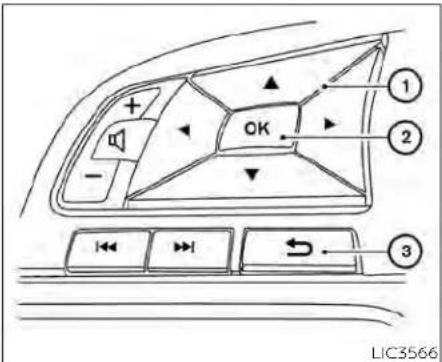
HOWTOUSETHEVEHICLE INFORMATIONDISPLAY
The vehicle information display can be changed using the
→ ,andOKbuttonslocatedonthesteeringwheel.
① ▲ ▶ ▼ ▲ -Usethesebuttons tonavigatethevehicleinformation display.
② OK-Changeorselectaniteminthe vehicleinformationdisplay.
③ → —Returnstothepreviousmenu.
TheOK, ◀ ▶ andbuttonsalso controlaudioandcontrolpanelfunctions insomeconditions.Mostscreensand menusofferinstructionpromptsofthe steeringswitchbuttonstoindicatehowto controlthevehicleinformationdisplay.The OKbuttonchangestheaudiosourceand the ▼ ▲ buttonsalsocontrolvoice recognitionmanualmode.TheOKbutton canbeusedtochangetheaudiosource whentheaudioscreenisdisplayed.The ▼ ▲ buttonscanbeusedwhencontrollingvoicerecognitionpromptsmanually.Foradditionalinformation,refertothe separateNissanConnect®Owner'sManual.
STARTUPDISPLAY
When the vehicle in placed in the ON position the vehicle information display may display the following screens (if so equipped):
- DriveComputer—Speed, TripDistance& Time, FuelEconomy
•Audio
-DrivingAids
•TirePressure - Settings
-Warnings*
*Warningswillonlydisplayifthereareany present.Foradditionalinformation,see "Vehicleinformationdisplaywarningsand indicators"(P.2-28).
To control what items display in the vehicle information display, see "Howtousethe vehicle information display" (P.2-19).
RESETTINGTHEDRIVECOMPUTER
The drive computer is divided across three screens:
•Speed
- TripDistance&Time
•FuelEconomy
-
Press the ◀ or ▶ buttons until the desired drive computer screen is displayed.
-
Press the OK button to bring up the drive computerResetmenu.
-
Use the ▲ or ▼ to select the desired option. Then press the OK button:
- "Cancel"—returnstothepreviousscreen withoutresettingthetripcomputer.
- Drive computer value — resets only the displayeddrivecomputervalue.
- "Average Speed" - resets the average speedoftheselecteddrivecomputer screen.
2-20 Instrumentsandcontrols
- "Distance&Time"-resetsthedistance andtimeoftheselecteddrivecomputerscreen.
- "Fuel Economy" - resets the fuel economy of theselecteddrivecomputerscreen.
- "All"—resetsalllinkeddrivecomputervalues. This includes distance & time, average fueleconomy and averagespeed information.
OILCONTROLSYSTEM(ifso equipped)
Theoilcontrolsystemcanbeaccessedin theMaintenanceportionofthevehicleinformationdisplaysettings.
Engine oil information informs the distance tooilchange.Neverexceedoneyearor 7,500miles(12,000km)betweenoilchange intervalsforthe2.0L4cylinder(KR20DDET enginemodel) or 10,000miles(16,000km) betweenoilchangeintervalsforthe2.5L4 cylinder(PR25DDenginemodel).
| Displaywhen ignitionison | Displaytiming | ActionRequired |
| EngineOilServiceduelnxxx kilometers | Remainingoil lifelessthan 940miles(1500 km). | Plantohave yourvehicle serviced |
| Servicedue now | Remainingoil life is 0 miles (0 km). | Haveyourvehicleserviced withintwo weeksorless than500miles (800km). |
Theoilchangeintervalcannotbeadjusted manually.
The distance tooilchangeintervaliscalculateddependingonthedrivingconditions and set automatically by the oil control system. Areminderwillbedisplayedwhenapproachingtheendoftheserviceinterval.
When the Factory Reset option is selected in the vehicle information display, the oil control system will also be reset to initial value. Please change the engine oil when Factory Reset is selected.
CAUTION
If the oil replacement indicator is displayed, changethe engine oil within two weeks or less than 500 miles (800 km).
Operatingthevehiclewithdeteriorated oilcandamagetheengine.
| MenuitemExplanation | |
| VDC | Allows the user turn the VDC system on or off. For additional information, see "Vehicle Dynamic Control (VDC) system" (P.5-175). |
DriverAssistance
Thedriverassistancemenuallowstheusertochangethesettingsfordriving, parking, and brakingaids.
Somemenuitemsshownbelowmaynotbeequippedonyourvehicle.
| MenuitemExplanation | |||
| DrivingAidsDisplaysavailabledrivingaids. | |||
| EmergencyBrakeDisplaysavailableemergencybrakeoptions. | |||
| FrontAllowstheusertoturntheemergencybrakingsystemonoroff.Foradditionalinformation,see"AutomaticEmergencyBraking(AEB)withPedestrianDetection"(P.5-135)and"IntelligentForwardCollisionWarning(I-FCW)("P.5-147). | |||
| RearAllowstheusertoturntherearemergencybrakingsystemonoroff.Foradditionalinformation,see"RearAutomaticBraking(RAB)("P.5-127). | |||
| LaneDisplaysavailablelaneoptions. | |||
| Lane(LDW) | Allows the user to turn the Lane Departure Warning (LDW) system on or off. For additional information, see "Lane DepartureWarning(LDW)("P.5-33). | ||
| BlindSpotDisplaysavailableemergencybrakeoptions. | |||
| Blind Spot (BSW) | Allows the user to turn the Blind Spot Warning (BSW) system on or off. For additional information, see "Blind Spot Warning(BSW)("P.5-46). | ||
| IndicatorBrightnessAllowsusertochangethebrightnessofthesideindicator. | |||
| Driver Attention | Allows user to turn the Intelligent Driver Alertness on or off. For additional information, see "Intelligent Driver Alertness"(P.5-162). | ||
| ParkingAids | Displaysavailableparkingaids. | ||
| Cross Traffic | Allows user to turn the Rear Cross Traffic Alert (RCTA) system on or off. For additional information, see "Rear Cross TrafficAlert(RCTA)("P.5-58). | ||
| RearSensor | Allowsusertoturntherearsonaronoroff. | ||
| Display | Allowsusertoturnthedisplayonoroff. | ||
| Volume | AllowsstheusertosettheparkingsensorvolumetoHigh/Med./Low. | ||
| Range | AllowsusertosetthedistancesensorrangetoFar/Mid./Near. | ||
| ChassisControl | Displaysavailablechassiscontroloptions. | ||
| Trace Control | Allows user to turn the Intelligent Trace Control system on or off. For additional information, see " Intelligent Trace Control(I-TC)("P.5-178). | ||
2-22 Instrumentsandcontrols
Clock
| MenuitemExplanation | |
| ClockAllowsusertoadjusttheclocksettingsandtimewithinthevehicleinformationdisplay.Adjustmentsthatcanbemadeincludemanuallysettingthetime,12H/24Hformat,DaylightSavingTime,andtimezone.Theclockcanalsobesetwithinthecenterdisplay.Foradditionalinformation,refertotheseparateNissanConnect®Owner'sManual. | |
MeterSettings
Themetersettingsmenuallowstheusertocustomizetheinformationthatappearsinthevehicleinformationdisplay.
Somemenuitemsshownbelowmaynotbeequippedonyourvehicle.
| MenuitemExplanation | ||
| MainMenuSelectionDisplaysavailablescreensth | atcanbeshowninthevehicleinformationdisplay. | |
| SpeedAllowsusertoturnthespeedom | meterscreenonoroffinthevehicleinformationdisplay. | |
| TripAllowsusertoturnthetripcomputeronoroffinthevehicleinformationdisplay. | ||
| FuelEconomyAllowsusertoturnthefueleconomyscreenonoroffinthevehicleinformationdisplay. | ||
| AudioAllowsusertoturntheaudiocontrolsscreenonoroffinthevehicleinformationdisplay. | ||
| DrivingAidsAllowsusertoturnthedrivingaidsscreenonoroffinthevehicleinformationdisplay. | ||
| TirepressuresAllowsusertoturnthetirepressurescreenonoroffinthevehicleinformationdisplay. | ||
| WelcomeEffectDisplaystheavailablewelcomeeffectsettings. | ||
| DialEffectAllowsusertoturnthedialeffectonoroff. | ||
| DisplayEffect | Allowsusertoturnthedisplayeffectonoroff. | |
| Light/Wiper | Displaystheavailablelightandwiperguidancesettings. | |
| LightGuidance | Allowsusertoturnthelightmodeguidanceonoroff. | |
| WiperGuidance | Allowsusertoturnthewipermodeguidanceonoroff. | |
VehicleSettings
The vehicle settings allow the user to change the settings for lights, wipers, locking, keys, and other vehicle settings.
Somemenuitemsshownbelowmaynotbeequippedonyourvehicle.
| MenuitemExplanation | |||
| LightingDisplaystheavailablelightingoptions. | |||
| WelcomeLightAllowsusertoturnthewelcomelightonoroff. | |||
| AutoRoomLampAllowsusertoturntheinteriorlighttimeronoroff. | |||
| LightSensitivityAllowsusertochangewhentheautolightsactivatebasedonexteriorbrightness. | |||
| LightOffDelayAllowsusertochangethelengthoftimetheexteriorlightsremainon. | |||
| TurnindicatorDisplaystheavailableturnindicatoroptions. | |||
| 3FlashPassAllowsusertoturnthe3flashpassonoroff. | |||
| LockingDisplaystheavailablelockingoptions. | |||
| I-Key Door Lock | Allows the user to turn the I-Key door lock on or off. when on, the request switch on the door is activated. | ||
| Selective Unlock | Allows user to turn selective unlock on or off. when turned on, only the driver's door is unlocked after the door unlock operation. When the door handle request switch on the driver's or front passenger's side door is pushed to be unlocked, only the corresponding door is unlocked first. All the doors can be unlocked if the doorunlockoperationisperformedagainwithin60seconds.whenthisitemisturnedoff,allthedoorswillbe unlockedafterthedoorunlockoperationisperformedonce. | ||
| AutoDoorUnlock | Displaystheautodoorunlockoptions. | ||
| Off | Doorswillhavetobemanually unlocked. | ||
| IgnitionOFF | Doorswillunlockwhentheignitionisturnedoff. | ||
| ShifttoPark | DoorswillunlockwhenthevehicleisshiftedintoPark. | ||
| Answer Back Horn | Allows user to turn answer back horn on or off. When turned on, the horn will chirp and the hazard indicators willflashtwicewhenlockingthevehiclewiththeIntelligentKey. | ||
| WipersDisplaystheavailablewiperoptions. | |||
| SpeedDependentAllowsusertoturnwiperwithspeedonoroff. | |||
| Rear Door Alert | Displays the available Rear Door Alert options. For additional information, see 'Rear Door Alert' (P. 2-67). | ||
| Horn&AlertWhenselected,thealertisdisplayedandthehornsounds. | |||
| AlertOnlyWhenselected,onlythealertisdisplayed. | |||
| OFFwhenselected,noalertorhornwillbeactive. | |||
| RemoteStartAllowsusertoturntheRemoteEngineStartonoroff.Whenturnedon,theenginecanbestartedremotely.Foradditionalinformation,see'RemoteEngineStart'(P.3-19). | |||
Maintenance
Themaintenancemenuallowstheusertosetremindersforvariousvehiclemaintenanceitems.
WARNING
The tire replacement indicator is not a substitute for regular tire checks, including tire pressure checks. For additional information, see "Changing wheels and tires" (P. 8-39). Many factors including tire inflation, alignment, driving habits and road conditions affect tire wear and when tires should be replaced. Setting the tire replacement indicator for a certain driving distance does not mean your tires will last that long. Use the tire replacement indicator as a guide only and always perform regular tire checks. Failure to perform regular tire checks, including tire pressure checks could result in tire failure. Serious vehicle damage could occur and may lead to an collision, which could result in serious personal injury or death.
| MenuitemExplanation | ||
| MaintenanceDisplaysvariousmaintenancereminderoptions. | ||
| Oil Control System | Allows user to reset the current interval. This should only be done after completing oil change maintenance. | |
| OilFilterAllowsusertosetareminderataspecificintervalorresetthecurrentone. | ||
| TireAllowsusertosetareminderataspecificintervalorresetthecurrentone. | ||
| OtherAllowsusertosetareminderataspecificintervalorresetthecurrentone. | ||
Alarm
Thealarmsmenuallowstheusertosetvariousalerts.
| MenuitemExplanation | |
| TimerAlertAllowsusertosetthetimeralertforaspecificInterval. | |
| PhoneAllowsusertoturnthephonealertonoroff. | |
| Allowsusertoturnthemallalertonoroff. | |
TirePressures
TheTPMSsettingsmenuallowstheusertochangethetirepressureunitsdisplayedinthevehicleinformationdisplay.
| MenuitemExplanation | ||
| TirePressuresDisplaysavailabletirepressuresettings. | ||
| TirePressureUnitAllowsusertoselectttheirepressureunitsthatwilldisplayinthevehicleinformationdisplay. | ||
Unit
Theunitsmenuallowstheusertochangetheunitsshowninthevehicleinformationdisplay.
Somemenultemsshownbelowmaynotbeequippedonyourvehicle.
| MenuitemExplanation | |
| MileageAllowsusertoselectdifferentmileagedisplayunits. | |
| TirePressuresAllowsusertoselectdifferentpressuredisplayunits. | |
| TemperatureAllowsusertoselectdifferenttemperaturedisplayunits. | |
Language
Thelanguagemenuallowstheusertochangethelanguagesdisplayedinthevehicleinformationdisplay.
| MenuitemExplanation | |
| LanguageDisplaysavailablelanguageoptionsforthevehicleinformationdisplay. | |
FactoryReset
The factory reset menu allows the user to restore the vehicle information display settings to factory status.
| MenuitemExplanation | |
| FactoryReset | Allows user to reset the vehicle information display settings to the original factory settings. Once selected, theusercanconfirmorcancelthereset. |
VEHICLEINFORMATIONDISPLAY WARNINGSANDINDICATORS
The following messages may appear in your vehicle information display.

Enginestartoperationfor IntelligentKeysystem(if I-Keybatterylevelislow)
This indicator appears when the battery of the Intelligent Key is slow and when the Intelligent Key system and the vehicle are not communicating normally.
If this appears, touch the ignitions switch with the Intelligent Key while depressing the brake pedal. For additional information, see "Battery replacement" (P.5-15).

KeyBatteryLow
This indicator appears when the Intelligent Key battery is running out of power.
If this indicator appears, replace the battery with anewone. For additional information, see "Battery replacement" (P.8-23).

KeyIDIncorrect
This warning appears when the ignition switch is placed from the OFF position and the Intelligent Key is not recognized by the system. You cannot start the engine with an unregistered key.
Foradditionalinformation,see“NISSANIntelligentKey®”(P.3-7).

KeySystemError:See Owner'sManual
AftertheignitionswitchisplacedintheON position, this warning appears for a period of time and then turn soff.
TheKeySystemErrormessagewarnsofa malfunctionwiththeIntelligentKeysystem.Ifthewarningappearswhiletheengineisstopped,itmaybeimpossibleto starttheengine.
If the warning appears while the engine is running, you and drive the vehicle. However, in these cases, have the system checked. It is recommended that you visit a NISSAN dealer for this service.

NoKeyDetected
This warning appears when the Intelligent Key is left outside the vehicle with the ignition switch in the ON position. Makes sure the Intelligent Key is inside the vehicle.
Foradditionalinformation,see“NISSANIntelligentKey®”(P.3-2).

Brightnessindicator
This indicator appears when the vehicle information displays screen brightness being adjusted.

Alarm—Timeforadriver break
This indicator appears when these time is reached. The time can be set up six hours. For additional information, see "Settings" (P.2-21).
ChassisControlSystemError: See Owner's Manual
This warning appears if there is an error in the Automatic Brake Hold system. Have the system checked. It is recommended that you visit a NISSAN dealer forth this service. For additional information, see "Chassis control" (P.5-178) or "Automatic brake hold" (P.5-27).
RearDoorAlertisactivated
Whenthesystemisenabled,thismessage appearswhentheRearDoorAlertsystem isactiveandcanremindthedrivertocheck thebackseat.
- Using the steering wheel switch, driver can select "Dismiss Message" to clear the display for a period of time. If no selection is made, this message automatically turns off after a period of time.
- Usingthesteeringwheelswitch,adriver canselect"DisableAlert"todisablethe hornalertfortheremainderofthecurrenttrip.
WARNING
Selecting"DismissMessage"duringa stopwithinatriptemporarilydismissesthemessageforthatstopwithoutturningthesystemoff.Alertscan beprovidedforotherstopsduringthe trip.Selecting"DisableAlert"turnsoff theRearDoorAlertsystemfortheremainderofatripandnoaudiblealert willbeprovided.
NOTE:
This system is disabled until driver enablesitusing the vehicle information display. For additional information, see "Howtousethe vehicle information display" (P.2-19).
For additional information, see "RearDoor Alert" (P.2-67).
CheckRearSeatForAllArticles
whenthesystemisenabled, thismessage appears when the vehicle comesto a complete stop, the vehicle I transitioned from the D(Drive) position to P(Park) position, and the driver exits the vehicle. This message alerts the driver, after a period of time, to check for items in there are a after the audible alert has been provided.
NOTE:
This system is disabled until driver enablesitusing the vehicle information display. For additional information, see "Howtousethe vehicle information display" (P.2-19).
Foradditionalinformation,see"RearDoor Alert"(P.2-67).

Door/TrunkOpen
This warning appears when a door or the trunk has been opened.

Drivesportmodeindicator
Asmall"S"appearstotherightoftheTransmissionShiftPositionindicatorinthevehicleinformationdisplaywhenthedrive sportmodeisengaged.
Activatethedrivesportmodebypushing theswitchontheshiftleverwhiletheshift leverisintheD(Drive)position.
For additional information, see "Driving the vehicle" (P.5-18).

EngineOilServiceduein-- -miles
This distancetooilchangewilldisplayifthe distanceto oilchangeisapproximately 1,000 miles (1,600 km) or less. Several re-minderswilldisplayuntiltheremainingdistancels0.

EngineOilServiceduenow
Thismessage will be displayed when remaining distance is 0, indicating service is now due/overdue. After service is completed, the Oil Control System should be reset from the Maintenance settings menu.

LooseFuelCap
This warning appears when the fuel-filler capis not tightened correctly after the vehicle has been refueled. For additional information, see "Fuel-fillerdoor" (P.3-25).

LowFuel
This warning appears when the fuel level in the fuel tank is getting low. Refuel as soon as is convenient, preferably before the fuel gaugereaches 0 (Empty). There will be asmall reserve off fuel in the tank when the fuel gaugeneedlereaches 0 (Empty).

LowOilPressureStop Vehicle
This warning appears if flow oil pressure is detected.
If the warning appears during normal driving, pullofftheroadinasafearea and stop
theengineimmediately.Havethesystem checked.Itisrecommendedthatyouvisita NISSANdealerorotherauthorizedrepair shopforthisservice.
Thelowoilpressurewarningisnotdesignedtoindicatealowoillevel. Use the dipsticktochecktheoillevel. For additional information, see "Engineoil" (P.8-7).

Lowoutsidetemperature indicator
This indicator appears if the outside temperature is below 37^ F ( 3^ C). The temperature can be changed to display in Fahrenheit Celsius. For additional information, see "Unit" (P.2-27).

LowWasherFluid
This warning appears when the windshield-washerfluidisatalowlevel. Addwindshield-washerfluidasnecessary. For additional information, see "Windshield-washerfluid"(P.8-13).
Powerwillturnofftosavethebattery
Thismessageappearsafteraperiodof timeiftheignitionswitchisintheONpositionandifthevehicleisinP(Park).Foradditionalinformation,see"Push-buttonignitionswitchpositions"(P.5-14).
Powerturnedofftosavethebattery
Thismessageappearsaftertheignition switchisautomaticallyturnedoff.Foradditionalinformation,see"Push-buttonignitionswitchpositions"(P.5-14).

BRAKE

Pushbrakeandstart buttontodrive
This indicator appears when the shift lever is in the P(Park) position and the vehicle has not been started. Start the engine by pushing the ignitions switch with the brake pedal depressed. You can start the engine from any position of the ignitions switch.
ThismessagealsoappearswhenthevehiclehasbeenstartedusingtheRemote EngineStartfunction(ifsoequipped).Push theignitionswitchwiththebrakepedal depressedtoplacetheignitionswitchin theONposition.Foradditionalinformation, see"RemoteEngineStart"(P.3-19).


ReminderTurnOFF Headlights
This warning appears when the headlights are left in the ON position when exiting the vehicle. Placetheheadlight switch in the OFF for AUTO position. For additional information, see "Headlight and turn signal switch" (P2-57).
2-30 Instrumentsandcontrols
ReleaseParkingBrake
This warning appears when the parking brake is set and the vehicle is driven.

ShifttoPark
This warning appears when the ignition switch is in the AUTOACC or OFF position and the shift lever is not in the P(Park) position. Also, achimesounds when the ignition switch is in the AUTOACC or OFF position.
If this warning appears, movetheshift lever to the P(Park) position and start the engine.
ShippingModeOnPushStorageFuse
This warning may appear if the extended storages switch is not pushed in. When this warning appears, push in the extended storages switch to turn off the warning. For additional information, see "Extended storages switch" (P.2-70).

TirePressureLow-AddAir
This warning appears when the low tire pressure warning light in themeter illuminates and low tire pressure is detected. The warning appear each time ignition switch is placed in the ON position as long astelow tire pressure warning lightre-
mainsilluminated.Ifthiswarningappears, stopthevehicleandadjustthetirepressuresofallfourtiarestothercommended COLDtirepressureshownontheTireand LoadingInformationlabel.Foradditional information,see"Lowtirepressurewarning light"(P.2-13)and"TirePressureMonitoring System(TPMS)("P.5-5).

TransmissionShiftPosition indicator
This indicator shows the transmission shift position.

ServiceCVT
This warning appears when there is a problem with the CVT system. If this warning appears, have the system checked, it is recommended that you visit a NISSAN dealer for this service.

CVThotPowerreduced
Thistransmissionhasahighfluidtemperatureprotectionmode.Ifthefluidtemperaturebecomestoohigh(forexample, climbingsteepgradesinhightemperatureswithheavyloads,suchaswhentowing a trailer), engine power and, under someconditions,vehiclespeedwillbedecreased automatically to reduce the chanceoftransmissiondamage.Vehicle speedcanbecontrolledwiththeacceleratorpedal,buttheengineandvehiclespeed maybeduced.

WARNING
When the high fluid temperature protection mode operation occurs, vehicle speed may be gradually reduced. The reduced speed may be lower than other traffic, which could increase the chance of a collision. Be especially careful when driving if necessary, pull to the side of the road at a safe place and allow the transmission return to normal operation; or have it repaired if necessary.
CVT(AT)MalfunctionServicenow
This warning appears when there is a problem with the CVT system. If this warning comes on, have the system checked, it is recommended that you visit a NISSAN dealer forthlsservice.
CVT(AT)Stopthevehicle
Thismessageappears30secondsbefore thevehicleisshutdownduetoanabove normaloperatingtransmissiontemperature.TheMalfunctionIndicatorLight(MIL)
and malfunction warning(red)willilluminate.Havethesystemchecked.ItisrecommendedthatyouvisitaNISSANdealerimmediatelyforthisservice.
EngineStalled:Stopsafely
Thismessageappears30secondsbefore thevehicleisshutdownduetoanabove normaloperatingexhausttemperature. TheMalfunctionIndicatorLight(MIL)and malfunctionwarning(red)willilluminate. Havethesystemchecked.ItisrecommendedthatyouvisitaNISSANdealerimmediatelyforthisservice.
EngineMalfunctionPowerreduced Servicenow
This warning appears when the engine is not operating under normal conditions. If this warning appears, has the system checked. It is recommended that you visit a NISSAN dealer for this service.
EngineMalfunctionServicenow
Thiswarningappearswhenthereisa problemwiththeengine.Ifthiswarning appears,havethesystemchecked.itisrecommendedthatyouvisitaNISSANdealer forthisservice.
EnginehotPowerreduced
Thisenginehasahighfluidtemperature protectionmode.Ifthefluidtemperature becomestoohigh(forexample,climbing steepgradesinhightemperatureswith heavyloads,suchaswhentowingatrailer), enginepowerand,undersomeconditions, vehiclespeedwillbedecreasedautomaticallytoreducethechanceofenginedamage.Vehiclespeedcanbecontrolledwith theacceleratorpedal,buttheengineand vehiclespeedmaybereduced.
WARNING
Whenthehighfluidtemperaturepro-tectionmodeoperationoccurs,vehicle speedmaybegraduallyreduced.The reduced speed may be lower than othertraffic,whichcouldincreasethe chanceof a collision.Be especially carefulwhendriving.Ifnecessary,pull tothesideoftheroadatasafeplace andallowtheenginetoreturntonormaloperation;orhaveitrepairedif necessary.

AutomaticEmergency Braking(AEB)with PedestrianDetection emergencywarning indicator
This indicator appears along, with an audible warning, when the system detects the possibility of a forward collision.
Foradditionalinformation,see"Automatic EmergencyBraking(AEB)withPedestrian Detection"(P.5-135).

BlindSpotWarning(BSW) indicator
This indicator appears when the BSW system is engaged.
Foradditionalinformation,see"BlindSpot Warning(BSW)("P.5-46).

Cruisecontrolindicator
This indicator shows the cruise control system status.
When cruise control is activated, agree circle will appear to indicate it's set. The vehicle information display will also display the speed the cruise control was set at. If you accelerate past the sets speed, the speed will blink until you either cancel cruise control or go back to the sets speed. If
cruisecontrolisonandcanceled, the speedwillbedisplayedtoshowthespeed thevehiclewillreturntoiftheresumebuttonisactivated.
ForwardDrivingAidsTemporarily DisabledFrontSensorBlockedSee Owner'sManual
Thismessageappearswhenthefrontradarsensormaybeobstructeddueto: mud,dirt,snow,ice,etc.
- inclementweather(rain,fog,snow,etc.).
Allforwarddrivingaidsaretemporarilydisableduntilthesystemdetectsthatthe frontradarsensorisnolongerobstructed.
Foradditionalinformation,see:
•AutomaticEmergencyBraking(AEB)with PedestrianDetection(P.5-135).
- IntelligentForwardCollisionWarning(I-FCW)(P.5-147).

DriverAttentionAlert Malfunction
This warning appears when the Intelligent DriverAlertness(I-DA) system is not functioning properly. For additional information, see "IntelligentDriverAlertness(I-DA)" (P.5-162).

IntelligentDriver Alertness—Takeabreak?
Thisalertappearswhenthesystemhas detectedthatthedrivermaybedisplaying fatigueoralackofattention.

LaneDepartureWarning (LDW)indicator
This indicator appears when the LDW system is engaged.
Foradditionalinformation,see"LaneDepartureWarning(LDW)("P.5-33).
MalfunctionSeeOwner'sManual
This warning appears when none of the following systems (if so equipped) is not functioning properly:
•AutomaticEmergencyBraking(AEB)with PedestrianDetection
- BlindSpotWarning(BSW)
- DriverAttentionAlert
-Intelligent Forward Collision Warning (I-FCW)
•LaneDepartureWarning(LDW)
•RearAutomaticBraking(RAB)
•RearCrossTrafficAlert(RCTA)
Ifone ormoreofthese warningappears, have the system checked. It is recommendedthatyouvisitaNISSANdealerfor thisservice.
For additional information, see "Automatic Emergency Braking (AEB) with Pedestrian Detection" (P.5-135), "BlindSpotWarning (BSW)" (P.5-46), "IntelligentDriverAlertness (I-DA)" (P.5-162), "IntelligentForwardCollisionWarning (I-FCW)" (P.5-147), "LaneDepartureWarning (LDW)" (P.5-33), "RearAutomaticBraking (RAB)" (P.5-127) and "RearCrossTrafficAlert (RCTA)" (P.5-58).
ParkingSensorError:SeeOwner's Manual
This warning appears when there is an error with the system. For additional information, see "Rear Sonar System (RSS)" (P.5-180).

RearAutomaticBraking (RAB)indicator
This indicator appears to indicate the status of the Rear Automatic Braking (RAB) system. For additional information, see "Rear Automatic Braking (RAB)" (P.5-127).
VEHICLE INFORMATION DISPLAY —7 INCH (18 cm) TYPE B (if so equipped)
UnavailableHighCabinTemperature
Thismessageappearswhenthecamera detectsaninteriortemperatureofmore than104°F(40°C).Foradditionalinformation,see"AutomaticEmergencyBraking (AEB)withPedestrianDetection"(P.5-135)or "LaneDepartureWarning(LDW)("P.5-33).
UnavailableSideRadarObstruction
ThismessageappearswhentheBlind SpotWarning(BSW)/RearCrossTrafficAlert (RCTA)systemsbecomeunavailablebecausearadarblockageisdetected. For additionalinformation,see"BlindSpot Warning(BSW)("P.5-46)or"RearCrossTrafficAlert(RCTA)("P.5-58).

Vehicle aheaddetection indicator
This indicator shows when the following systems are engaged and have detected a vehicle:
•AutomaticEmergencyBraking(AEB)with PedestrianDetection
•Intelligent Forward Collision Warning (I-FCW)
For additional information, see "Automatic Emergency Braking (AEB) with Pedestrian Detection" (P. 5-135) or "Intelligent Forward Collision Warning (I-FCW)" (P. 5-147).
natural_image
Pure mechanical component diagram without any text, numbers, or symbolsThe vehicle information display is located to the left of the speedometer. It displays such items as:
- Vehiclesettings
- Indicatorsandwarnings
•Information/warningmessages
•Tirepressureinformation
-Drivecomputerinformation
•Cruisecontrolsysteminformation
-DrivingAids(ifsoequipped)
•ProPILOT(ifsoequipped)
•NISSAN Intelligent Key® operation information
•Audioinformation
- Compassandnavigationinformation(if soequipped)
•VariableCompressionTurboinformation (ifsoequipped)
•Shiftposition
•Distancetoempty
• Odometer/twintripodometer
- Clockandoutsidetemperature

HOWTOUSETHEVEHICLE INFORMATIONDISPLAY
The vehicle information display can be changed using the ▶ ▶ ▶ ▶, and OK buttons located on the steering wheel.
① ▲ ▶ ▼ ▲ -Usethesebuttons tonavigatethevehicleinformation display.
② OK-Changeorselectaniteminthe vehicleinformationdisplay.
③ → —Returnstothepreviousmenu.
TheOK, ◀ ▶ andbuttonsalso controlaudioandcontrolpanelfunctions insomeconditions.Mostscreensand menusofferinstructionpromptsofthe steeringswitchbuttonstoindicatehowto controlthevehicleinformationdisplay. Dotsontherightsideofthevehicleinformationdisplaywillappearifthereismore thanonepageofmenuitemsorwarning messages.TheOKbuttonchangestheaudiosourceandthe ▼ ▲ buttonsalso controlvoicerecognitionmanualmode. TheOKbuttoncanbeusedtochangethe audiosourcewhentheaudioscreenisdisplayed.The ▼ ▲ buttonscanbeused whencontrollingvoicerecognition promptsmanually.Foradditionalinformation,refertotheseparateNissanConnect® Owner'sManual.
STARTUPDISPLAY
whenthevehicleinplacedintheONposition the vehicle information display may display the following screens (if so equipped):
Home
- DriveComputer—Speed, FuelEconomy, TripDistance&Time
- Convenience
•TirePressure
•VariableCompressionTurbo
•SpeedLimitSign
•CompassandNavigation
•Audio/telephone
•ProPILOT
-DrivingAlds
-Settings
-Warnings*
*Warningswillonlydisplayifthereareany present. For additional information, see "Vehicle information display warnings" (P.2-45).
To control what items display in the vehicle information display, see "How to use the vehicle information display" (P.2-35).
RESETTINGTHEDRIVECOMPUTER
The drive computer is divided across three screens:
•AverageSpeed
•AverageFuelEconomy
•TripDistance&Time
-
Press the ◀ ▶ ▼ ▲ buttons until you reach the desired drive computer mode.
-
PressandholdtheOKbuttonforapproximately1secondtoresettheinformationonthecurrentlydisplayed screen.
NOTE:
If you wishtoresetalldrivecomputer valuesatonce, pressandholdtheOK button for approximately 3 seconds until aresetmenuappears; and follow the instructions.
OILCONTROLSYSTEM(ifso equipped)
The oil control system can be accessed in the maintenance portion of the vehicle information display settings.
Engineoilinformationinformsthedistance toolchange.Neverexceedoneyearor 7,500miles(12000km)betweenoilchange intervalsforthe2.0L4cylinder(KR20DDET enginemodel)or10,000miles(16,000km) betweenoilchangeintervalsforthe2.5L4 cylinder(PR25DDenginemodel).
| Displaywhen ignitionisON | DisplaytimingActionRequired | |
| EngineOilServicedueinxxx miles | Remainingoil lifeislessthan 940miles(1500 km). | Plantohave yourvehicle serviced. |
| EngineOilServicedue | Remainingoil life is 0 miles (0 km). | Haveyourvehicleserviced withintwo weeksorless than500miles (800km). |
Theoilchangeintervalcannotbeadjusted manually.
The distancetoolchangeintervaliscalculated depending on the driving conditions and system automatically by the oil control system. A reminder will be displayed when approaching the end of the service interval.
WhentheFactoryResetoptionisselected inthevehicleInformationdisplay,theoil controlsystemwillalsoberesettoinitial value.Pleasechangetheengineollwhen FactoryResetisselected.
CAUTION
If the oil replacement indicator is displayed, changethe engine oil within two weeks or less than 500 miles (800 km).
Operatingthevehiclewithdeteriorated oilcandamagetheengine.
For additional information, see "Oil control system" (P.9-7).
SETTINGS
Thesettingmodeallowsyoutochangethe informationdisplayedinthevehicleinformationdisplay.Italsoallowsyoutochange vehiclefunctions:
•VDCSetting
- DriverAssistance
- TPMSSetting
•Clock
•VehicleSettings
• Maintenance
- CustomizeDisplay
•Unit/Language
•Key-LinkedSettings(ifsoequipped)
-FactoryReset
VDCSetting
TheVDCSettingmenuallowstheusertoenableordisabletheVehicleDynamicControl(VDC)system.
| MenuitemExplanation | |
| SystemAllowstheusertoturntheVDCsystemonoroff. | Foradditionalinformation,see"VehicleDynamicControl(VDC)system"(P.5-175). |
DriverAssistance
The driver assistance menu allow the user to change settings for driving, parking, and braking aids.
Somemenuitemsshownbelowmaynotbeequippedonyourvehicle.
| MenuitemExplanation | ||
| Steering Assist | Allows user to turn the Steering Assist of the ProPILOT Assist system on or off. For additional information, please see 'ProPILOTAssist'(P.5-94). | |
| EmergencyBrakeDisplaysavailableemergencyBrakingoptions. | ||
| FrontAllowsusertoturnthefrontemergencyBrakingsystemonoroff.Foradditionalinformation,see'AutomaticEmergencyBraking(AEB)withPedestrianDetection'(P.5-135)and'IntelligentForwardCollisionWarning(I-FCW)'(P.5-147). | ||
| RearAllowsusertoturnthereareemergencyBrakingsystemonoroff.Foradditionalinformation,see'RearAutomaticBraking(RAB)'(P.5-127). | ||
| LaneDisplaysavailablelaneoptions. | ||
| Lane Departure Warning | Allows user to turn the Lane Departure Warning (LDW) system on or off. For additional Information, see "Lane DepartureWarning(LDW)'(P.5-33). | |
| Lane Departure Prevention | Allows user to turn Intelligent Lane Intervention (I-LI) system on or off. For additional information, see "Intelligent LaneIntervention(I-LI)'(P.5-40). | |
| BlindSpotDisplaysavailableblindspotoptions. | ||
| Blind Spot Warning | Allows user to turn the Blind Spot Warning (BSW) system on or off. For additional information, see "Blind Spot Warning(BSW)'(P.5-46). | |
| SideIndicatorBrightness | Allowsusertochangethebrightnessofthesideindicator. | |
| Speed Limit Sign | Allows user to turn the Speed Limit Sign recognition on or off. For additional information, see "Traffic Sign Recognition(TSR)'(P.5-30). | |
| ParkingAids | Displaysavailableparkingaids. | |
| Auto Show Sonar | Allows user to auto display the sonar. For additional information, see "Rear Sonar System (RSS)' (P.5-179). | |
| RearAllowsusertoturntherearsonarboronoroff. | ||
| Distance | AllowsusertosetthedistancesensorrangetoLong/Medium/Short. | |
| Volume | AllowstheusertosettheparkingsensorvolumetoHigh/Medium/Low. | |
| MenuitemExplanation | |||
| Rear Cross Traffic Alert | Allows user to turn the Rear Cross Traffic Alert (RCTA) system on or off. For additional information, see 'Rear Cross TrafficAlert(RCTA)'(P.5-58). | ||
| Driver Attention Alert | Allows user to turn the Intelligent Driver Alertness on or off. For additional information, see 'Intelligent Driver Alertness(I-DA)'(P.5-162). | ||
| TimerAlertAllowsusertosetthetimeralert. | |||
| LowTemperatureAlertAllowsusertoturnthelowtemperaturealertonoroff. | |||
| ChassisControlDisplaysavailablechassiscontroloptions. | |||
| Active Trace Control | Allows user to turn the Intelligent Trace Control system on or off. For additional information, see 'Intelligent Trace Control(I-TC)'(P.5-178). | ||
TPMSSetting
TheTPMSsettingsmenuallowstheusertochangethetirepressureunitsdisplayedinthevehicleinformationdisplay.
| MenuItemExplanation | ||
| TPMSSettingDisplaysavailableTPMSsettings. | ||
| Tire Pressure Unit | Allows user to select the tire pressure units that will display in the vehicle information display. | |
Clock
| MenuitemExplanation | |
| Clock | Allows user to adjust the clock settings and time within the vehicle information display. Adjustments that can bemadeincludeautomaticallysettingthetime,12H/24Hformat,DaylightSavingTime,timezone,andmanuallysettingthetime.Theclockcanalsobesetwithinthecenterdisplay.Foradditionalinformation,refertotheseparateNissanConnect®Owner'sManual. |
VehicleSettings
The vehicle settings allow the user to change the settings for lights, wipers, locking, keys, and other vehicle settings.
Somemenuitemsshownbelowmaynotbeequippedonyourvehicle.
| MenuitemExplanation | |||
| LightingDisplaystheavailablelightingoptions. | |||
| WelcomeHeadlightAllowsusertoturnthewelcomelightonoroff. | |||
| AutoRoomLampAllowsusertoturntheautor | roomlamponoroff. | ||
| AccentLightingAllowsusertoadjusttheaccentlightingbrightness. | |||
| AutoHeadlightAllowsusertochangewhentheautoheadlightsactivatebasedontheexteriorbrightness. | |||
| LightOffDelayAllowsusertochangethelengthoftimetheexteriorlightsremainon. | |||
| TurnindicatorDisplaystheavailableturnindicatoroptions. | |||
| 3FlashesAllowsusertoturnthe3flashpassfeatureonoroff. | |||
| Continuous | Allowsusertoadjustthecontinuousfeature. | ||
| Locking | Displaystheavailablelockingoptions. | ||
| Ext Door Switch | Allows user to turn the exterior door switch on or off when turned on, the request switch on the door is activated. | ||
| Selective Unlock | Allows user to turn selective unlock on or off when turned on, only the driver's door is unlocked after the door unlockoperation.Whenthedorhandlequestswitchonthedriver'sorfrontpassenger'ssidedoorispushedtobeunlocked,onlythecorrespondingdoorisunlockedfirst.Allthedoorscanbeunlockedifthedoorunlockoperationisperformedagainwithin60secondswhenthisternisturnedoff,allthedoorswillbeunlockedafterthedoorunlockoperationisperformedonce. | ||
| AutoDoorUnlock | Displaystheautodoorunlockoptions. | ||
| ShifttoP | DoorswillunlockwhenthevehicleisshiftedintoP(Park). | ||
| ICNOFF | Doorswillunlockwhentheignitionisturnedoff. | ||
| OFF | Doorswillhavetobemanuallyunlocked. | ||
| Horn beeps on lock | Allows user to turn answer back horn on or off when turned on, the horn will chirp and the hazard indicators willflashtwicewhenlockingthevehiclewiththeIntelligentKey. | ||
| WipersDisplaystheavailablewiperoptions. | |||
| SpeedDependentAllowsusertoturnwiperwithspeedonoroff. | |||
| DrivingPositionDisplaystheavailabledrivingpositionoptions. | |||
| Exit Seat Slide | Allows the user to turn the exit seat slide on or off. When turned on, this feature will move the driver's seat backwardforaneasyexitwhentheignitionisturnedoffandthedriver'sdoorisopened.Aftergettinginto thevehicleandplacingtheignitionswitchintheONposition,thedriver'sseatwillmovetothepreviousset position.Foradditionalinformation,see"Memoryseat"(P.3-31). | ||
| Rear Door Alert | Displays the available Rear Door Alert options. For additional information, see "Rear Door Alert" (P. 2-67). | ||
| Horn&AlertWhenselected,thealertisdisplayedandhornsounds. | |||
| AlertOnlyWhenselected,onlythealertisdisplayed. | |||
| OFFWhenselected,noalertorhornwillbeactive. | |||
| Remote Engine Start | Allows user to turn the Remote Engine Start on or off. When turned on, the engine can be restarted remotely. ForadditionalInformation,see"RemoteEngineStart"(P.5-17). | ||
Maintenance
Themaintenancemenuallowstheusertosetremindersforvariousvehiclemaintenanceitems.
WARNING
The tire replacement indicator is not a substitute for regular tire checks, including tire pressure checks. For additional information, see "Changing wheels and tires" (P. 8-39). Many factors including tire inflation, alignment, driving habits and road conditions affect tire wear and when tires should be replaced. Setting the tire replacement indicator for a certain driving distance does not mean your tires will last that long. Use the tire replacement indicator as a guide only and always perform regular tire checks. Failure to perform regular tire checks, including tire pressure checks could result in tire failure. Serious vehicle damage could occur and may lead to a collision, which could result in serious personal injury or death.
| MenuitemExplanation | ||
| MaintenanceDisplaysvariousmaintenancereminderoptions. | ||
| Oil Control System | Allows user to reset the current interval. This should only be done after completing oil change maintenance. | |
| OilandFilterAllowsusertosetareminderataspecificintervalorresetthecurrentone. | ||
| TireAllowsusertosetareminderataspecificintervalorresetthecurrentone. | ||
| OtherAllowsusertosetareminderataspecificintervalorresetthecurrentone. | ||
CustomizeDisplay
Thecustomizedisplaymenuallowstheusertocustomizetheinformationthatappearsinthevehicleinformationdisplay.
Somemenuitemsshownbelowmaynotbeequippedonyourvehicle.
| MenuitemExplanation | ||
| MainMenuSelectionDisplaysavailablescreensth | atcanbeshowninthevehicleinformationdisplay. | |
| HomeAllowsusertoturnthehomescre | eenonoroffinthevehicleinformationdisplay. | |
| BlankAllowsusertoturntheblankonor | roffinthevehicleinformationdisplay. | |
| AudioAllowsusertoturntheaudiocon | trolsscreenonoroffinthevehicleinformationdisplay. | |
| NavigationAllowsusertoturnthenavigations | screenonoroffinthevehicleinformationdisplay. | |
| FuelEconomyAllowsusertoturnthefu | eleconomyscreenonoroffinthevehicleinformationdisplay. | |
| ChassisControlAllowsusertoturnthechassis | scrolnscreenonoroffinthevehicleinformationdisplay. | |
| CruiseAllowsusertoturnthecruisecon | trolscreenonoroffinthevehicleinformationdisplay. | |
| SpeedLimitSignAllowsusertoturnthespeedl | speedlmlitsignscreenonoroffinthevehicleinformationdisplay. | |
| TPMSAllowsusertoturntheTPMSscreen | onoroffinthevehicleinformationdisplay. | |
| Variable Compression Turbo | Allows user to turn the Variable Compression Turbo screen on or off in the vehicle information display. | |
| SpeedAllowsusertoturnthespeedom | heterscreenonoroffinthevehicleinformationdisplay. | |
| Drive Computer | Allows user to turn the drive computer screen on or off in the vehicle information display. | |
| AutoTurnNotification | Displaystheavailableautoturnnotificationsettings. | |
| AlertsAllowsusertoturntheautoturn | notificationalertsonoroff. | |
| CruiseScreenTransition | Allowsusertoturnthecruisescreentransitiononoroff. | |
| WelcomeEffect | Displaystheavailablewelcomeeffectsettings. | |
| Gauges | Allowsusertoturnthegaugeseffectonoroff. | |
| Animation | Allowsusertoturntheanimationeffectonoroff. | |
| Light/WiperGuidance | Displaystheavallablelightandwiperguidancesettings. | |
| Lightsmodeguidance | Allowsusertoturnthelightmodeguidanceonoroff. | |
| Wipermodeguidance | Allowsusertoturnthewipermodeguidanceonoroff. | |
Unit/Language
Theunit/language menu allow the usertochangethe unitsshowninthe vehicle information display.
| MenuitemExplanation | |
| Mileage/FuelDisplaystheavailablemileage/fueldisplay | unitsandallowsusertoselectpreferredunitfordisplay. |
| Tire Pressure | Allows user to select the tire pressure display units. Changing the tire pressure units will also change the unitsdisplayedfortheVariableCompressionTurbo(Ifsoequipped). |
| TemperatureAllowsusertoselectthetemperaturedisplay | units. |
| LanguageDisplaystheavailablelanguageoptionsand | allowsusertoselectpreferredlanguagefordisplay. |
Key-LinkedSettings(ifsoequipped)
| MenuItemExplanation | |
| Key-Linked Settings | Allows user to turn the Key-Linked Settings on or off. For additional information, see "Memory storage function"(P.3-31). |
FactoryReset
Thefactoryresetmenuallowstheusertorestorethevehicleinformationdisplaysettingstofactorystatus.
| MenuitemExplanation | |
| FactoryReset | Allows user to reset the vehicle information display settings to the original factory settings. Once selected, theusercanconfirmorcancelthereset. |
2-44 Instrumentsandcontrols
VEHICLEINFORMATIONDISPLAY WARNINGSANDINDICATORS
The following messages may appear in your vehicle information display.

Placethekeynearthestart switch
This indicator appears when the battery of the Intelligent Key is slow and when the Intelligent Keysystem and the vehicle are not communicating normally.
If this appears, touch the ignitions switch with the Intelligent Key while depressing the brake pedal. For additional information, see "Battery replacement" (P.8-23).

KeyBatteryLow
This indicator appears when the Intelligent Key battery is running out of power.
If this indicator appears, replacethe battery with anewone. For additional information, see "Battery replacement" (P.8-23).

KeyIDIncorrect
This warning appears when the ignition switch is placed from the OFF position and the Intelligent Key is not recognized by the
system.Youcannotstarttheengine with anunregisteredkey.
Foradditionalinformation,see"NISSANIntelligentKey®"(P.3-7).

KeySystemError:See Owner'sManual
AftertheignitionswitchisplacedintheON position,thiswarningappearsforaperiod oftimeandthenturnsoff.
TheKeySystemErrormessagewarnsofa malfunctionwiththeIntelligentKeysystem.Ifthewarningappearswhiletheengineisstopped,Itmaybeimpossibleto starttheengine.
If the warning appears while the engine is running, you and drive the vehicle. However, in these cases, have the system checked. It is recommended that you visit a NISSAN dealer forth this service.

NoKeyDetected
This warning appears when the Intelligent Key is left outside the vehicle with the ignition switch in the ON position. Makes sure the Intelligent Key is inside the vehicle.
Foradditionalinformation,see“NISSANIntelligentKey®”(P.3-7).
- Brightnessindicator
This indicator appears when the vehicle information displays screen brightness being adjusted.
ChassisControlSystemError: See Owner's Manual
This warning appears if there is an error in the Automatic Brake Hold system. Havethe system checked. It is recommended that you visit a NISSAN dealer for this service. For additional information, see "Chassis control" (P. 5-178) or "Automatic brake hold" (P.5-27).
RearDoorAlertisactivated
whenthesystemisenabled,thismessage appearswhentheRearDoorAlertsystem isactiveandcanremindthedrivertocheck thebackseat.
- Usingthesteeringwheelswitch,adriver canselect"DismissMessage"toclearthe displayforaperiodoftime.Ifnoselection is made, this message automatically turnsoffafteraperiodoftime.
- Using the steering wheel switch, driver can select "Disable Alert" to disable the horn alert for her main end of the current trip.
WARNING
Selecting"DismissMessage"duringa stopwithinatriptemporarilydismissesthemessageforthatstopwithoutturningthesystemoff.Alertscan beprovidedforotherstopsduringthe trip.Selecting"DisableAlert"turnsoff theRearDoorAlertsystemfortheremainderofatripandnoaudiblealert willbeprovided.
NOTE:
This system is disabled until driver enablesitusing the vehicle information display. For additional information, see "Howtousethe vehicle information display" (P.2-35).
Foradditionalinformation,see"RearDoor Alert"(P.2-67).
CheckRearSeatForAllArticles
When the system is enabled, this message appears when the vehicle comes to complete stop, the vehicle is transitioned from the Drive (rightarrow to Park) position, and the driver exits the vehicle. This message alerts the driver, after a period of time, to check for items in there are a after the audible alert has been provided.
NOTE:
This system is disabled until driver enablesitusing the vehicle information display. For additional information, see "Howtousethe vehicle information display" (P.2-35).
Foradditionalinformation,see"RearDoor Alert"(P.2-67).

Door/TrunkOpen
This warning appears when a door or the trunk has been opened.

Drivesportmodeindicator
Asmall'S'appearstotherightoftheTransmissionShiftPositionindicatorinthevehicleinformationdisplaywhenthedrive sportmodeisengaged.
Activatethedrivesportmodebypushing theswitchontheshiftleverwhiletheshift leverisintheD(Drive)position.
For additional information, see "Driving the vehicle" (P.5-18).

EngineOilServiceduein-- -miles
This distancetoolchangewilldisplayifthe distancetoolchangeisapproximately 1,000 miles (1,600 km) or less. Several re-minderswilldisplayuntiltheremainingdistance is 0.

EngineOilServiceduenow
Thismessage will bed displayed when remaining distance is 0, indicating service is now due/overdue. After service is completed, the Oil Control System should be reset from the Maintenance settings menu.
HeadlightSystemError:SeeOwner's Manual
This warning appears when there is an error with the system. For additional information, see "Headlight and turn signals switch" (P.2-57).

LooseFuelCap
This warning appears when the fuel-filler cap is not tightened correctly after the vehicle has been refueled. For additional information, see "Fuel-fillercap" (P.3-25).

LowFuel
This warning appears when the fuel level in the fuel tank is getting low. Refuel as soon as it is convenient, preferably before the fuel gaugereaches 0 (Empty). There will be asmall reserve off fuel in the tank when the fuel gaugeneedlereaches 0 (Empty).

Lowoutsidetemperature indicator
This indicator appears if the outside temperature is below 37^ F ( 3^ C). The temperature can be changed to display in Fahrenheit Celsius. For additional information, see "Unit" (P.2-27).

LowWasherFluid
This warning appears when the windshield-washer fluid is at a low level. Add windshield-washer fluid as necessary. For additional information, see "Windshield-washer fluid" (P.8-13).
Powerwillturnofftosavethebattery
Thismessageappearsafteraperiodof timeiftheignitionswitchisintheONpositionandifthevehicleisinP(Park).Foradditionalinformation,see"Push-buttonignitionswitchpositions"(P.5-14).
Powerturnedofftosavethebattery
Thismessageappearsaftertheignition switchisautomaticallyturnedoff.Foradditionalinformation,see"Push-buttonignitionswitchpositions"(P.5-14).
PressBrakePedal
Thismessagemayappearinthefollowing situations:
• Thedrivertrilestoreleasetheelectronic parkingbrakemanuallywithoutdepressingthebrakepedal.
•Thevehicleisstoppedonasteephill;and thereisa possibilityof movingbackwards, even if the electronic parking brakeisapplied.
•The vehicle moves while the automatic brakehold is activated.
For additional information, see "Electronic parkingbrake" (P.5-25).

Pushbrakeandstart switchtodrive
This indicator appears when the shift lever is in the P (Park) position and the vehicle has not been started. Start the engine by pushing the ignitions switch with the brake pedal depressed. You can start the engine from any position of the ignitions switch.
Thismessagealsoappearswhenthevehicle has been started using the Remote EngineStartfunction(ifsoequipped).Push theignitionswitchwiththebrakepedal depressedtoplace theignition switchin theONposition.Foradditionalinformation, see"RemoteEngineStart"(P.3-19).
ReleaseParkingBrake
This warning appears when the parking brake is set and the vehicle is driven.

Reminder:TurnOFF Headlights
This warning appears when the headlights are left in the ON position when exiting the vehicle. Placethe headlight switch in the OFF for AUTO position. For additional information, see "Headlight and turn signal switch" (P.2-57)

ShifttoPark
This warning appears when the ignition switch is in the AUTOAC Cor OFF position and the shift lever is not in the P (Park) position. Also, achimesounds when the ignition switch is in the AUTOAC Cor OFF position.
If this warning appears, movetheshift lever to the P(Park) position and start the engine.
Instrumentsandcontrols
ShippingModeOnPushStorageFuse
This warning may appear if the extended storages switch is not pushed in. When this warning appears, push in the extended storages switch to turn off the warning. For additional information, see "Extended storages switch" (P.2-70).

TimerAlertTimeforabreak?
Thismessageappearswhenthesetime isreached. Thisimecanbesetuptosix hours. For additional information, see "DriverAssistance"(P.2-38)

TirePressureLow-AddAir
This warning appears when the low tire pressure warning light in themeterilluminates and low tire pressure is detected. The warning appear as a chtime ignition switch is placed in the ON position as long asthe low tire pressure warning light remains illuminated. If this warning appears, stop the vehicle and adjust the tire pressures of all four times other recommended Cold tire pressures shown on the Tire and Loading Information label. For additional information, see "Low tire pressure warning light" (P.2-13) and "Tire Pressure Monitoring System (TPMS)" (P.5-5).
2-48Instrumentsandcontrols

TransmissionShiftPosition indicator
This indicator shows the transmission shift position.

AWDError:SeeOwner's Manual
This warning appears when the All-Wheel Drive (AWD) system is not functioning properly while the engine is running.

AWDHighTemp.Stop Vehicle
This warning may appear while trying to free a stuck vehicle due to increased oil temperature. The driving mode may change to 2-Wheel Drive (2WD). If this warning is displayed, stop the vehicle with the engine idling, as soon as it's safetodo so. Then if the warning turn soff, you can continued driving.

TireSizeIncorrectSee Owner'sManual
This warning may appear if there is a large difference between the diameters of the front and rear wheels. Pullofftheroadina safe area, with the engine idling. Check that all the tiresizes are these same, that the tire
pressureiscorrectandthatthetiresare notexcessivelyworn.

CVT(AT)Malfunction Servicenow
This warning appears when there is a problem with the CVT system. If this warning appears, have the system checked, it is recommended that you visit a NISSAN dealer for this service.

CVT(AT)hotPowerreduced
This transmission has a high fluid temperature protection mode. If the fluid temperature becomes too high (for example, climbing steep grades in high temperatures with heavy loads, such as when towing a trailer), engine power and, under some conditions, vehiclespeed will be decreased automatically to reduce the chance of transmission damage. Vehicle speed can be controlled with the accelerator pedal, but the engine and vehiclespeed may be reduced.
WARNING
Whenthehighfluidtemperaturepro-tectionmodeoperationoccurs,vehicle speedmaybegraduallyreduced.The reducedspeedmaybelowerthan othertraffic,whichcouldincreasethe chanceofacollision.Beespecially carefulwhendriving.Ifnecessary,pull tothesideoftheroadatasafeplace andallowthetransmissionotreturnto normaloperation;orhaveitrepiairedif necessary.
CVT(AT)Stopthevehicle
Thismessageappears30secondsbefore thevehicleisshutdownduetoanabove normaloperatingtransmissiontemperature.TheMalfunctionIndicatorLight(MIL) andmalfunctionwarning(red)willilluminate.Havethesystemchecked.ItisrecommendedthatyouvisitaNISSANdealerimmediatelyforthisservice.

AutomaticEmergency Braking(AEB)with PedestrianDetection emergencywarning indicator
This indicator appears along, with anaudible warning, when the system detects the possibility of a forward collision.
Foradditionalinformation,see"Automatic EmergencyBraking(AEB)withPedestrian Detection"(P.5-135).

BlindSpotWarning(BSW) indicator
This indicator appears when the BSW system is engaged.
Foradditionalinformation,see"BlindSpot Warning(BSW)("P.5-46).

Cruisecontrolindicator
This indicator shows the cruise control system status.
When cruise control is activated, agree in circle will appeart to indicate it's set. The vehicle information display will also display the speed the cruise control wasset at if you accelerate past the sets speed, the speed will blink until you either cancel cruise control or go back to the sets speed. If
cruisecontrolisonand canceled, the speedwillbedisplayedtoshowthespeed thevehiclewillreturntoiftheresumebuttonisactivated.
Currently not available
Thismessagemayappearwhenthe ProPI-LOTAssistsystemortheIntelligentLane Intervention(I-LI)systemisengaged.
Underthefollowingconditions,theProPI-LOTAssistorthelIntelligentLaneIntervention(I-LI)system isautomaticallycanceled:·whentheVDCsystemmisturnedoff
The above system cannot be used in some situations(VDCoperates, wheelslip and VDCsystemisoff.)

DriverAttentionAlert Malfunction
This warning appears when the Intelligent Driver Alertness (I-DA) system is not functioning properly. For additional information, see "Intelligent Driver Alertness (I-DA)" (P.5-162).

DriverAttentionAlert—Take a Break?
Thisalertappearswhenthesystemhas detectedthatthedrivermaybedisplaying fatigueoralackofattention.
ForwardDrivingAidstemporarily disabledFrontSensorblockedSee Owner'sManual
Thismessageappearswhenthefrontradarsensormaybeobstructeddueto: •mud,dirt,snow,ice,etc.
- inclementweather(rain,fog,snow,etc.).
Allforwarddrivingaidsaretemporarilydisableduntilthesystemdetectsthatthe frontradarsensorisnolongerobstructed.
Foradditionalinformation,see:
•AutomaticEmergencyBraking(AEB)with PedestrianDetection(P.5-135)
•ProPILOTAssist(P.5-94)
• IntelligentForwardCollisionWarning(I-FCW)(P.5-147)

IntelligentCruiseControl (ICC)indicators(ifso equipped)
These indicatorsshowtheIntelligent CruiseControl(ICC)systemstatus. The statusisshownbycolor.Foradditionalinformation,see"IntelligentCruiseControl(ICC)" (P.5-71).

IntelligentLane Intervention(I-LI)indicator
This indicator shows when the LIsystem is engaged.
For additional information, see "Intelligent Lane Intervention (I-LI)" (P.5-40).

LaneDepartureWarning (LDW)indicator
This indicator shows when the LDW system is engaged.
For additional information, see "LaneDepartureWarning(LDW)" (P.5-33) and "IntelligentLaneIntervention(I-LI)" (P.5-40).
Malfunction
This warning appears when none or more of the following systems (if so equipped) is not functioning properly:
•AutomaticEmergencyBraking(AEB)with PedestrianDetection
• IntelligentForwardCollisionWarning (I-FCW)
Ifoneormoreofthesewarningappears, have the system checked. It is recommended that you visit a NISSAN dealer for this service.
For additional information, see "Automatic Emergency Braking (AEB) with Pedestrian Detection" (P.5-135) or "Intelligent Forward Collision Warning (I-FCW) (P.5-147).
Malfunction: SeeOwner's Manual
This warning appears when none or more of the following systems (if so equipped) is not functioning properly:
•TrafficSignRecognition(TSR)
•RearAutomaticBraking(RAB)
Ifoneormoreofthesewarningappears, have the system checked. It is recommended that you visit a NISSAN dealer for this service.
NotAvailableParkingBrakeOn
ThismessagemayappearwhentheProPI-LOTAssistsystemisengaged.
Underthefollowingcondition,theProPILOT Assistsystemisautomaticallycanceled:
•Theelectronicparkingbrakeisapplied.
The abovesystem cannot be used when the electronic parking is activated.
For additional information, see "ProPILOT Assist(P.5-94) and Parkingbrake"(P.5-25).
NotAvailablePoorRoadConditions
This message may appear when the ProPI-LOT AssistsystemorthelIntelligentLane Intervention(I-LI) systemisengaged.
Underthe following conditions, the ProPI-LOT AssistsystemorthelIntelligentLane Intervention(I-LI) systemisautomatically canceled:
- WhentheVDCsystemisturnedoff
The abovesystem cannot be used in some situations (VDCoperates, wheelslip and VDCsystemisoff.)
NotAvailableSeatBeltNotFastened
ThismessagemayappearwhentheProPI-LOTAssistsystemisengaged.
Underthefollowingcondition,theProPILOT Assistsystemisautomaticallycanceled: •whenthedriver'sseatbeltisnotfastened
The abovesystem cannot be used when the driver's seat belt is not fastened.
NotAvailableSystemMalfunction
This warning appears when none or more of the following systems (if so equipped) is not functioning properly.
•ProPILOT
- BlindSpotWarning(BSW)
•LaneDepartureWarning(LDW)
•IntelligentLaneIntervention(I-LI)
Ifoneormoreofthesewarningsappear, havethesystemchecked.ItisrecommendedthatyouvisitaNISSANdealerfor thisservice.
For additional information, see ProPILOT Assist" (P.5-94), "BlindSpotWarning(BSW)" (P.5-46), "LaneDepartureWarning(LDW)" (P.5-33) or "Intelligent Lane Intervention(I-LI)" (P.5-40).
ParkingSensorError:SeeOwner's Manual
This warning appears when there is an error with the system. For additional information, see "Rear Sonar System (RSS)" (P.5-180).


ProPILOTAssistindicators
These indicatorsshowtheProPILOTAssist systemstatus. The status is shown by color. For additional information, see "Pro-PILOTAssist" (P.5-94).

RearAutomaticBraking (RAB)indicator
This indicator appears to indicate the status of the Rear Automatic Braking (RAB) system. For additional information, see "Rear Automatic Braking (RAB)" (P.5-127).

SpeedLimitSignindicator
ThismessagemayappearwhentheTraffic SignRecognitionsystemisengaged.
Foradditionalinformation,see"TrafficSign Recognition(TSR)("P.5-30).

SteeringAssistAlert
ThismessagemayappearwhentheSteeringAssistsystemisengaged.
Itwillbedisplayedunderthefollowing condition:
- When notholding the steering wheel when there is no steering wheel operation
Pleaseholdonthesteeringwheelimmediately. Whenthesteeringoperationisdetected, the warning turn soff and the steering assist function is automatically restored.
SECURITYSYSTEMS

SteeringAssistindicator
This indicator appears when the Steering Assistsystemisengaged.
Foradditionalinformation,see"ProPILOT Assist"(P.5-94).
Unavailable: High Cabin Temperature
Thismessageappearswhenthecamera detectsaninteriortemperatureofmore than104°F(40°C).Foradditionalinformation,see"AutomaticEmergencyBraking (AEB)withPedestrianDetection"(P.5-135), "ProPILOTAssist"(P.5-94),"IntelligentLane Intervention(I-LI)("P.5-40),"LaneDeparture Warning(LDW)("P.5-33)or"TrafficSignRecognition(TSR).(P.5-30).
Unavailable:SideRadarObstruction
ThismessageappearswhentheBlind SpotWarning(BSW)/RearCrossTrafficAlert (RCTA)systemsbecomeunavailablebe- causearadarblockagelsdetected. For additionalinformation, see"BlindSpot Warning (BSW)" (P. 5-46) or "Rear Cross TrafficAlert(RCTA)"(P. 5-58).

Vehicleaheaddetection indicator
This indicator shows when the following systems are engaged and have detected a vehicle:
• Automatic Emergency Braking (AEB) with Pedestrian Detection
•Intelligent Forward Collision Warning (I-FCW)
For additional information, see "Automatic Emergency Braking (AEB) with Pedestrian Detection" (P. 5-135) or "Intelligent Forward Collision Warning (I-FCW)" (P. 5-147).
natural_image
Line drawing of a car with concentric circular patterns and a person holding the wheel (no text or symbols)Your vehicle may have two types of security systems:
•Vehiclesecuritysystem
•NISSAN VehicleImmobilizerSystem
VEHICLESECURITY SYSTEM
The vehicle security system provides visual and audible alarm signals if someone opens the doors or trunk when the system is armed. It is not, however, a motion detection type system that activates when a vehicle is moved or when navigation occurs.
Thesystemhelpsdetervehicletheftbut cannotpreventit,norcanitpreventthe theftofinteriororexteriorvehiclecomponentsinallsituations.Alwayssecureyour vehicleevenifparkingforabriefperiod. Neverleaveyourkeysinthevehicle,and alwayslockthevehiclewhenunattended. Beawareofyoursurroundings,andparkin secure,well-litareaswheneverpossible.
Manydevicesofferingadditionalprotection,suchascomponentlocks,identificationmarkers,andtrackingsystems,are availableatautosupplystoresandspecialtyshops.ANISSANdealermayalsooffer suchequipment.Checkwithyourinsurancecompanytoseeifyoumaybeeligible fordiscountsforvarioustheftprotection features.
Howtoarmthevehiclesecurity system
-
Close all windows and the moonroof. Thesystem can bearmed even if the windows and moonroof (if so equipped) are open.
-
Removethe Intelligent Key from the vehicle.
3.Closealldoors, hoodandtrunk. Lockall doors. Thedoorscanbelocked with the Intelligent Key, door handle request switch, or power doorlock switch..
- Confirm that the comeson. The illuminated fora ing that the syst phase.
indicatorlight indicatorstays periodoftimeindicat-misinthepre-armed
The indicatorlight willblink every 3 seconds once the security system is armed. Ifduringthepre-armedphaseoneof the following occurs, the system will not arm:
• AnydoorisunlockedwiththeIntelligent Keyor doorrequestswitch.
•TheignitionswitchisplacedintheON position.
- Even when the driver and/or passengers are in the vehicle, the system will activate when all the doors, hood and trunk are locked with the ignition switch placed in the LOCK position. When placing the ignition switch in the AUTOACC or ON position, the system will be released.
Vehiclesecuritysystemactivation
The vehicle security system will give the following alarm:
•Theheadlightsblinkandthehornsounds intermittently.
- The alarm automatically turns off after a periodoftime.However,thealarmreactivatesifthevehicleistampered with again.Thealarmcanbeshutoffbypress-ingthe buttonontheIntelligentKey.
The alarm is activated by:
- openingthedoorortrunkwithoutusing IntelligentKey(evenifthedoorisunlockedbyreleasingthe doorinside lock knob switch).
Howtostopanactivatedalarm
Thealarmstopsonlybyunlockingadoor bypassingthe buttononthelIntelli- gent Key or pushing the request switch on the driver'sorpassenger'sdoor withthe Intelligent Key in range of the door handle.
TheNISSANVehicleImmobilizerSystem will not allow the engine to start without the use of a registered key.
If the engine failstostart using a registered key (forexample, when interference is caused by another registered key, an automated toll road device or automatic payment device on the key ring), restart the engine using the following procedures:
- Leavetheignitionswitchplacedinthe ONpositionforapproximately5 seconds.
- PlacetheignitionswitchintheOFFFor LOCKposition, and wait approximately 10 seconds.
3.Repeatsteps1and2. - Restart the engine while holding the device (which may have caused the interference) separate from the registered key.
If then ostart condition re-occurs, NISSAN recommends placing the registered key on a separate key ring to avoid interference from other devices.
FCCNotice:
ForUSA:
This device complies with part 15 of the FCC Rules. Operation is subject to the following two conditions: (1) This device may not cause harmful interference, and (2) this device must accept any interference received, including interference that may cause undesired operation.
NOTE:
Changesormodificationsnotexpressly approvedbythepartyresponsiblefor compliance could void the user's authoritytooperatetheequipment.
ForCanada:
This device contains licence-exempt transmitter(s)/receiver(s) that comply with Innovation, Science and Economic Development Canada's licence-exempt RSS(s). Operation is subject to the following two conditions: (1) This device may not cause interference (2) This device must accept any interference, including interference that may cause undesired operation of the device.

natural_image
Simple line drawing of a car silhouette with a key inside, no text or symbols present.Securityindicatorlight
The security indicator light blinks whenever theignitionswitchisplacedintheOFF, LOCKorAUTOACCposition.
This function indicates the NISSAN Vehicle Immobilizer System is operational.
IftheNISSAN VehicleImmobilizerSystemis malfunctioning, the light will remain on while the ignitionswitch is placed in the ON position.
WIPERANDWASHERSWITCH
Ifthelightstillremainsonand/orthe enginewillnotstart,seekserviceforthe NISSANVehicleImmobilizerSystemas soonaspossible.Pleasebringallregis- teredkeysthatyouhave.Itisrecomm- endedthatyouvisitaNISSANdealer forthisservice.

SWITCHOPERATION
WARNING
Infreezingtemperaturesthewasher solutionmayfreezeonthewindshield andobscureyourvisionwhichmay leadtoanaccident.Warmthewindshieldwiththedefrosterbeforeyou washthewindshield.
CAUTION
- Donotoperatethewashercontinuouslyformorethan30seconds.
- Donotoperatethewasherifthe windshield-washerfluidreservoiris empty.
- Donotfillthewindshield-washer fluidreservoirwithwindshield-washerfluidconcentratesatfull strength.Some methyl alcohol basedwindshield-washerfluidconcentrates may permanently stain the grille if spilled while filling the windshield-washerfluidreservoir.
- Pre-mixwindshield-washer fluid concentrates with water to the manufacturer's recommended levels before pouring the fluid into the windshield-washer fluid reservoir. Donotusethewindshield-washer fluid reservoir to mix the windshield-washer fluid concentrate and water.
NOTE:
Ifthewindshieldwiperoperationisinterruptedbysnoworice,thewipermay stopmovingtoprotectitsmotor.Ifthis occurs,turnthewiperswitchtotheOFF position and remove the snow or ice that isonandaroundthewiperarms.Inapproximately1minute,turntheswitchon againtooperatethewiper.
Thewindshieldwiperandwasheroperates whentheignitionswitchisplacedintheON position.
Pushtheleverdowntooperatethewiper atthefollowingspeed:
① Intermittent—intermittentoperation can be adjusted by turning the knob toward Ⓐ (faster) or Ⓑ (slower).
② Low-continuousslowspeedoperation
③ High—continuoushighspeed operation
Pushtheleverup ④ tohaveonesweep operation(MIST)ofthewiper.
Pullthelevertowardyou ⑤ tooperatethe washer. Thewiperwillalsooperateseveral times.
NOTE:
The WiperwithSpeedandWiperGuidancefeaturesmaybedisabled. For additional information, see "Vehicleinformationdisplay-5inch(13cm)TypeA" (P.2-18) or "Vehicleinformationdisplay-7inch(18cm)TypeB" (P.2-34).
REARWINDOWANDOUTSIDE
MIRROR(ifsoequipped)
DEFROSTERSWITCH

Todefrosttherearwindowglassandoutsidemirrors(ifsoequipped),placetheignitionswitchintheONpositionandpushthe rearwindowdefrosterswitchon.Therear windowdefrosterindicatorlightonthe switchcomeson.Pushtheswitchagainto turnthedefrosteroff.
Therearwindowdefrosterautomatically turnsoffafterapproximately15minutes.
CAUTION
Whencleaningtheinnersideoftherear window,becarefulnottoscratchor damagetherearwindowdefroster.
NOTE:
Thetopandbottomfewrowsofwireson therearwindowarenotpartoftherear windowdefrostersystem.Thesewires make up the antenna for the audio system.
HEADLIGHTANDTURNSIGNAL
SWITCH

TypeA(ifso equipped)
HEADLIGHTCONTROL SWITCH
Lighting
① Rotatetheswitchtothepos, andthefrontparking,tail,licenseplate, andinstrumentpanellightswillcome on.The willilluminateinthemeter.
② Rotatetheswitchtotheposition, andtheheadlightswillcomeonandall theotherlightsremainon.

TypeB(if soequipped)
NOTE:
TheLightGuidancefeaturemaybedisabled.Foradditionalinformation,see "Vehicleinformationdisplay-5inch(13 cm)TypeA"(P.2-18)or"Vehicleinformationdisplay-7inch(18cm)TypeB" (P.2-34).
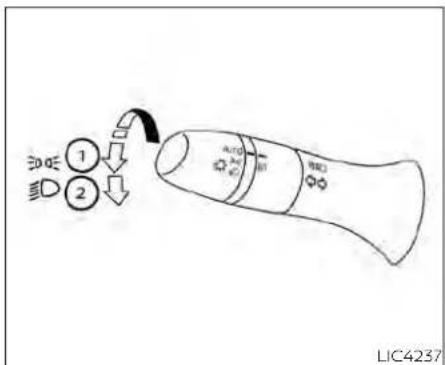
TypeC(if soequipped)
CAUTION
Usetheheadlightswiththeengineerunningtoavoiddischargingthevehicle battery.
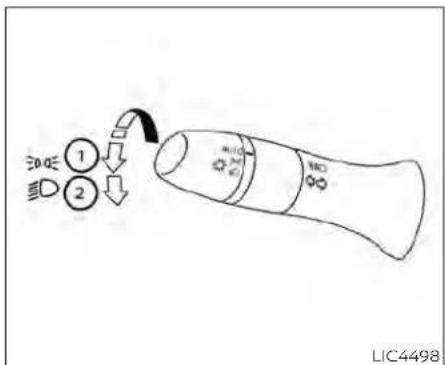
TypeD(ifsoequipped)
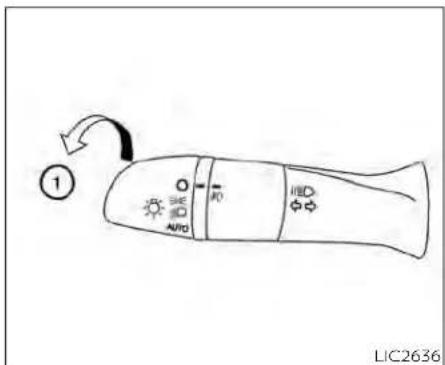
Autolightsystem
Theautolightsystemallowstheheadlights toturnonandoffautomatically.Theauto-lightsystemcan:
• Turnontheheadlights, frontparking, tail, licenseplate and instrument panellights automatically when it is dark.
•Turnoffallthelightswhenitislight.
- Keepallthelightsonforaperiodoftime afteryouplacetheignitionswitchinthe OFFpositionandalldoorsareclosed.
NOTE:
Autolightactivationsensitivityandthe timedelayforautolightshutoffcanbe adjusted.
For additional information, see "Vehicle information display-5inch(13cm)Type A"(P.2-18) or "Vehicle information display-7inch(18cm)TypeB"(P.2-34).
Toturnontheautolightsystem:
- For USA: Turn the head lights switch to the AUTO position ①.
ForCAN:Turntheheadlightswitchtothe AUTO ① orposition.
- Place the ignition switch in the ON position.
- The autolight system automatically turnstheheadlightsonandoff.
Initially, If the ignitions switch is placed in the OFF position and a door is opened and left open, the headlights remain on for a period of time. If another door is opened while the headlights are on, then the timer is reset.
Toturntheautolightsystemoff:
ForUSA:TurntheswitchtotheOFF(ifso equipped), ☐, or ☐ position.
ForCAN:Turntheswitchtothe position.

Theheadlightswillturnonautomaticallyat twilightorinrainyweather(whenthewindshieldwiperisoperatedcontinuously).
If the ignitions switch is pushed to the OFF position and one of the doors is opened and this condition is continued, the headlights remain on for 5 minutes.

Besureyoudonotputanythingontop oftheautolightsensorlocatedinthetop side ① oftheinstrumentpanel.Theautolightsensorcontrolstheautolight;ifit iscovered,theautolightsensorreactsas ifitisdarkoutandtheheadlightswill illuminate.Ifthisoccurswhileparked withtheengineoffandtheignition switchplacedintheONposition,your vehicle'sbatterycouldbecome discharged.

① Toselectthehighbeamfunction, put the headlightswitch in the ☐ positionand pushthe leverforward. The highbeamlightscomeonandthe lightilluminatesinthemeter.
② Pull the lever back to select the low beam.
③ Pulling and releasing the lever flashes theheadlighthighbeamsonandoff.
HighBeamAssist
TheHighBeamAssistsystemwilloperate whenthevehicleisdrivenatspeedsofapproximately25mph(40km/h)andabove.If anoncomingvehicleorleadingvehicleappearsinfrontofyourvehiclewhenthe headlighthighbeamison,theheadlight willbeswitchedtothelowbeam automatically.
WARNING
TheHighBeamAssistsystemisa conveniencebutilitisnotasubstitute for safedrivingoperation. Thedriver shouldremainalertatalltimes, ensuresafedrivingpracticesand switchthehighbeamsandlowbeam manuallywhennecessary.
- Thehighbeamorlowbeammaynot switchautomaticallyunderthefollowingconditions.Switchthehigh beamandlowbeammanually.
-Duringbadweather(rain,fog, snow,wind,etc.).
-Whenalightsourcesimilartoa headlighttortaillightisinthevicinityofthevehicle.
-Whentheheadlightsoftheon-
comingvehicleortheleadingve-
hicleareturnedoff,whenthecolor
ofthelightisaffectedduetofor-
eignmaterials onthe lights,or
when the light beam is out of
position.
-Whenthereisasudden,continuouschangeinbrightness.
- When driving on a road that passesoverrollinghills,oraroad thathasleveldifferences.
-Whendrivingonaroadwithmany curves.
-Whenasignormirror-like surface is reflecting intenselighttowards thefrontofthevehicle.
- When the container, etc. being towedbyaleadingvehicleisreflectingintenselight.
-Whenaheadlightonyourvehicle isdamagedordirty.
-Whenthevehicleisleaningatan angleduetoapuncturedtire,beingtowed,etc.
- Thetimingofswitchingthelow beamandhighbeammaychange underthefollowingsituations.
-The brightness of the headlights of the oncoming vehicle or leading vehicle.
-Themovementanddirectionof theoncomingvehicleandthe leadingvehicle.
-Whenonlyonelightontheon-
comingvehicleortheleadingve-
hicleisilluminated.
-When the oncoming vehicle or the leading vehicle is at two-wheeled vehicle.
- Road conditions (incline, curve, theroadsurface, etc.).
-Thenumberof passengersand theamountofluggage.

HighBeamAssistoperation
Toactivate the HighBeam Assist system, turn the headlight switch to the AUTO position ① and push the lever forward (high beam position). The HighBeam Assist indicator light thermometer will illuminate while the headlights are turned on.
If the High Beam Assist indicator light does not illuminate in the above condition, it may indicate that the system is not functioning properly. Havethesystem checked, it is recommended that you visit a NISSAN dealer for this service.
whenthevehiclespeedlowerstolessthan approximately16mph(25km/h),theheadlightusesthelowbeam.
ToturnofftheHighBeamAssistsystem, turntheheadlightswitchtothe positionorselectthelowbeampositionby placingtheleverintheN(Neutral)position.

natural_image
Line drawing of a car seatbelt with a belt switch and labeled component (no text or symbols beyond label)Ambientimagesensormaintenance
Theambientimagesensor ① fortheHigh BeamAssistsystemislocatedinfrontof theinsidemirror.Tomaintaintheproper operationofthehighbeamassistsystem andpreventasystemmalfunction,besure toobservethefollowing:
•Alwayskeepthewindshieldclean.
- Donotattachasticker(includingtransparentmaterial)orinstallanaccessoryneartheambientimagesensor.
- Donotstrikeor damage theareas aroundtheambientimagesensor.Do nottouchthesensorlensthatislocated ontheambientimagesensor.
Instrumentsandcontrols
If the ambient images sensor is damaged due to an accident, it is recommended that you visit a NISSAN dealer.
Batterysaversystem
IftheignitionswitchisplacedintheOFF positionwhiletheheadlightswitchisinthe OR position,theheadlightswill turnoffafteraperiodoftime.
CAUTION
Even though the battery saver feature automatically turn so off the headlights after a period of time, you should turn the headlights switch to the OFF position when the engine is not running to avoid discharging the vehicle battery.
LEDDAYTIMERUNNINGLIGHTS (DRL)SYSTEM(ifsoequipped)
TheLEDDRLautomaticallyilluminateat 100%intensitywhentheengineisstarted andtheparkingbrakereleased.TheLED DaytimeRunningLights(DRL)operatewith theheadlightswitchinanyposition.When youturntheheadlightswitchtothe positionforfullillumination,theLEDDRL illuminateatalowerintensity.
If the parking brake is applied before the engine is started, the LEDDRL donotilluminate. The LEDDRL illuminate when the parking brake is released. The LEDDRL will remain on until the ignition switch is placed in the OFF position.
Atdusk, theheadlights, interiorcontrols and switches will automatically illuminate if the headlights switch in the AUTO position.
WARNING
WhentheLEDDRLsystemisactive,tail lightsonyourvehiclearenoton.Itis necessary at dusk to turn on your headlights.Failureretodosocouldcause an accident injuring yourself and others.
Pressthe" + "buttontoincreasethebrightnessofinstrumentpanellights.
Pressthe"- "buttontodecreasethebrightnessofinstrumentpanellights.

TURNSIGNALSWITCH
Turnsignal
① Movetheleverupordowntosignalthe turningdirection.Whentheturniscompleted,theturnsignalcancels automatically.
Lanechangesignal
② Movetheleverupordownuntiltheturn signalbeginstoflash,butthelever doesnotlatch,tosignalalanechange. Holdtheleveruntilthelanechangeis completed.
Movetheleverupordownuntiltheturn signalbeginstoflash,buttheleverdoes notlatch,andreleasethelever.Theturn signalwillautomaticallyflashthreetimes. Choosetheappropriatemethodtosignal alanechangebasedonroadandtraffic conditions.
NOTE:
The3flashpassfeaturemaybedisabled. Foradditionalinformation,see"Vehicle informationdisplay-5inch(13cm)Type A"(P.2-18)or"Vehicleinformation display-7inch(18cm)TypeB"(P.2-34).
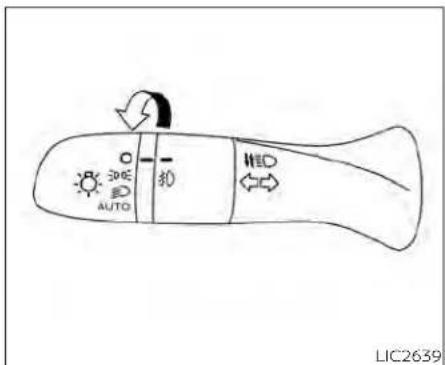
TypeA(ifsoequipped)
FOGLIGHTSWITCH(ifso equipped)
Toturnthefoglightson,turntheheadlight switchtothe position,thenturnthe foglightswitchtothe position.
Toturnthefoglightsonwiththeheadlight switchintheAUTOposition,theheadlights mustbeon,thenturnthefoglightswitchto the 0 position.
Toturnthefoglightsoff,turnthefoglight switchtotheOFFposition.

TypeB(ifsoequipped)
Theheadlightsmustbeonandthelow beamsselectedforthefoglightstooperate.Thefoglightsautomaticallyturnoff whenthehighbeamheadlightsare selected.
HORN

natural_image
Diagram of a steering wheel with a black arrow indicating clockwise direction (no text or symbols)Tosoundthehorn, pushnearthehornicon onthesteeringwheel.
WARNING
Donotdisassemblethehorn.Doingso couldaffectproperoperationofthe supplementalfrontairbagsystem. Tamperingwiththesupplemental frontairbagsystemmayresultinseriouspersonalinjury.
HEATEDSEATSWITCHES(ifso equipped)
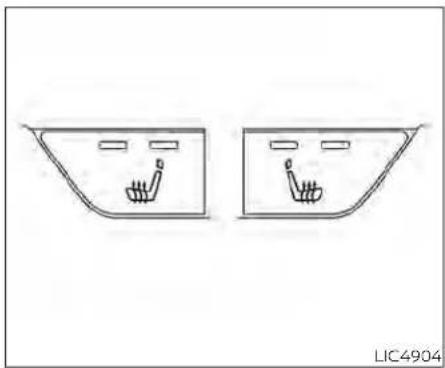
natural_image
Two identical car air intake windows with hand icons inside, no text or symbols presentWARNING
Donotuseorallowoccupantstouse theseatheaterifyourtheoccupants cannotmonitorelevatedseattemperaturesor haveaninabilityto feel paininbody parts thatcontactthe seat.Use of theseatheater bysuch peoplecouldresultinserious injury.
CAUTION
The battery could drundown if the seat theater is operated while the engine is not running.
- Donotusetheseatheaterforex-tendedperiodsorwhennooneisusingtheseat.
- Donotputanythingontheseat whichinsulatesheat,suchasablan-ket,cushion,seatcover,etc.Other-wise,theseatmaybecome overheated.
- Donotplaceanythinghardorheavy ontheseatorpierceitwithapinor similar object. This may result in damagetotheheater.
·Anyliquidspilledontheheatedseat shouldbe removed immediately with adrycloth.
- Whencleaningtheseat,neveruse gasoline, benzine, thinner, or any similarmaterials.
·Ifanymalfunctionsarefoundorthe heatedseatdoesnotoperate,turn theswitchoffandhavethesystem checked.Itisrecommendedthatyou visitaNISSANdealerforthisservice.
The front seats are warmed by built-in heaters.
- Place the ignition switch in the ON position.
- Pushtheswitchuntileithertwolights areilluminatedforhighsetting,orone lightisilluminatedforlowsetting.
The heateriscontrolled byathermostat, automatically turning the heateron and off. The indicator light will remain on as long astheswitchison.
- Whentheseatiswarmedorbeforeyou leavethevehicle,besuretopushthe switchtoturnitoff.
HEATEDSTEERINGWHEELSWITCH(if soequipped)

natural_image
Simple line drawing of a rectangular device with a circular dial and directional arrows, no text or symbols present.Pushtheheatedsteeringwheelswitchto warmthesteeringwheelaftertheignition switchisplacedintheONposition.The indicatorlightwillcomeon.
If the surfacetemperature of the steering wheelis below 68^ F ( 20^ C), the system will heat the steering wheel and cycle off and on maintain at temperature above 68^ F ( 20^ C). The indicator light will remain on as long asthesystem is on.
Pushtheswitchagaintoturntheheated steeringwheelsystemoffmanually.The indicatorlightwillgooff.
NOTE:
- Onceactivated, your heated steering wheel will automatically turn on and off to maintain temperature above 68^(20^) .
-Whenthetemperatureofthesteering wheelisabove122°F(50°C)andthe heatedsteeringwheelswitchisturned on,thesystemwillnotheathesteeringwheel.Thisdoesnotindicate a malfunction.
STEERINGASSISTSWITCH(for vehicleswithProPILOTAssist)(ifso equipped)

natural_image
Simple black-and-white diagram of a steering wheel inside a rectangular frame (no text or symbols)TheSteeringAssistswitchisusedtoenableanddisabletheSteeringAssistsystemthatisactivatedusingthesettings menuofthevehicleinformationdisplay.
The SteeringAssistsystemcontrolsthe steeringsystem,whenProPILOTAssistis engaged,tohelpkeepyourvehiclenear thecenterofthelanewhendriving.For additionalinformation,see"ProPILOTAssist"(P.5-94)and"IntelligentLaneIntervention(I-LI)("P.5-40).
EMERGENCYCALL(SOS)BUTTON(if soequipped)

TheEmergencycall(SOS)buttonisusedin combinationwithaNissanConnect®Servicesubscriptiontocallforassistancein caseofanemergency.
TheEmergencycallbuttonisundera cover.Pressthecoveronce ①.Thecover willdropdown,exposingtheEmergency callbutton.
LIC4213
Pressingthebutton ② will(withapaid subscription)reacharesponsespecialist thatwillprovideassistancebasedonthe situationdescribedbythevehicle'soccupant.Foradditionalinformation,ortoenroll yourvehicle,refertowww.NissanUSA.com/connectorcall855-426-6628.
REARDOORALERT
TheRearDoorAlertsystemfunctionsundercertainconditionstoindicatethere maybeanobjectorpassengerintherear seat(s).Checktheseat(s)beforeexitingthe vehicle.
TheRearDoorAlertsystemisinitiallydisabled. Thedrivercanenablethesystem usingthevehicleinformationdisplay. For additionalinformation,see"Vehicleinformationdisplaywarningsandindicators" (P.2-28or2-45).
Whenthesystemisenabled:
- Thesystemisactivatedwhenarecardoor isopenedandclosedwithin10minutesof thevehiclebeingdriven.Whenthedriver doorisclosedandthesystemisactivated,avisualmessageappearsinthe vehicleinformationdisplay.Foradditional information,see"RearDoorAlertIsactivated(P.2-29or2-45)
•Ifareardoorisopenedandclosedbut thevehicleisnotdrivenwithinapproximately10minutes,thesystemwillnotbe activated.Areardoormustbeopened andclosedandthecardrivenwithin10 minutesforthesystemtoactivate.
When the Rear Door Alert system is activated:
-When the driver put the vehicle in the Park position, an otification message appears in the vehicle information display with the option to "Dismiss Message" or "Disable Alert" if desired.
-Select"DisableAlert"totemporarily disableforthatstop.
•Noselectionor'DismissMessage"will keepthealertenabledforthatstop.
- If the alertisenabled when a driver exits the vehicle, amessagewillappear in the vehicle information display that states "CheckBackSeatForAllArticles."
If Horn&Alert'settingisselected: •Anaudiblehornsoundwilloccurafter ashorttimeunlessareardooris openedandclosedwithinashorttime todeactivatethealert.
- If the doors are locked before the alert is deactivated by opening a reardoor, the horn will sound.
- If the trunk is opened before are a door is opened, the horn will be delayed until after the trunk is closed.
NOTE:
If"AlertOnly"settingisselected,the messagealertwillstillbeshowninthe vehicleinformationdisplaybutthehorn willnotsound.
WARNING
- If the driver selects "Disable Alert", no audiblealertwillbeprovidedregard-lessofreardooropen/closestatus.
- Theremaybetimeswhenthereisan object orpassenger in therear seat(s)buttheaudiblealertdoesnot sound. Forexample, thismay occur if rear seat passengers enter or exit the vehicleduringatrip.
- Thesystemdoesnotdirectlydetect objectsorpassengersintherear seat(s).Instead, itcandetectwhena reardoorisopenedandclosed, indicating that theremaybesomething intherearseat(s).
NOTE:
There may be times when the horn soundsbuttherearenoobjectsorpassengersintherearseat(s).
Foradditionalinformation,see"RearDoor Alertisactivated(P.2-29or2-45)
POWEROUTLET

InstrumentPanel
The power outlet is for powering electrical accessories such as cellular telephones. It is rated at 12 volt, 120W (10A) maximum.
The power outlet is powered only when the ignition switch is in the AUTOAC Cor ON position.
CAUTION
Theoutletandplugmaybehotdur-
ingorimmediatelyafteruse.
- Only certain power outlets are designed for use with a cigarette lighter unit. Donot use any other power outlet for an accessory lighter. For additional information, it is recommended that you visit a NISSAN dealer.
- Donotusewithaccessoriesthatexceeda12volt,120W(10A)powerdraw.
- Donotusedoubleadaptersormore thanoneelectricalaccessory.
- Usepoweroutletswiththeengine runningtoavoiddischargingthevehiclebattery.
- Avoidusingpoweroutletswhenthe air conditioner, headlights, or rear windowdefrosterison.
·Beforeinsertingordisconnectinga plug, besuretheelectricalaccessory being usedisturnedOFF.
- Pushthepluginasfarasitwillgo.If goodcontactisnotmade,theplug mayoverheatortheinternaltemperaturefusemayopen.
- When not in use, besuretoclosethe cap. Donotallowwateroranyother liquid to contact the outlet.
USB/iPod®CHARGINGPORT(ifso equipped)
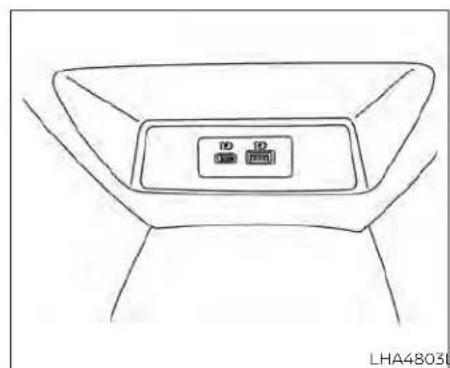
ThereisaUSB/iPod®chargingportlocated ontherearcenterconsole. Thisportwill chargecompatibledevices.
NOTE:
OnlytheUSBconnectionportlocated belowtheinstrumentpanelwillallow operationoftheUSB/iPod®devices throughtheaudiosystem.
EXTENDEDSTORAGESWITCH

natural_image
Line drawing of a vehicle interior showing dashboard, seat, and dashboard (no text or symbols)Theextendedstorageswitchisusedwhen shippingthevehicle.Itislocatedinthefuse paneltotheleftofthesteeringwheelon theinstrumentpanel.Ifanyelectrical equipmentdoesnotoperate,ensurethe extendedstorageswitchispushedfully in place,asshown.
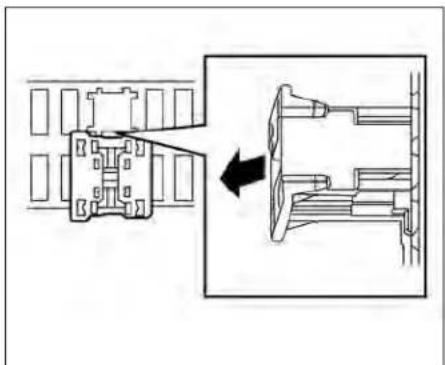
natural_image
Technical line drawing of a mechanical assembly with an arrow indicating transformation (no text or symbols present)Pulledposition
2-70Instrumentsandcontrols
STORAGE

natural_image
Technical line drawing of a mechanical assembly with an arrow indicating direction (no text or symbols)Pushedposition

natural_image
Line drawing of a car interior showing the side and front view with a black arrow indicating direction (no text or symbols)
natural_image
Line drawing of a car backrest seat with a black arrow indicating direction (no text or symbols)FRONT-DOORPOCKETSSEATBACKPOCKETS(ifso equipped)
Theseatbackpocketsmaybelocatedon thebackofthedriver'sand/orpassenger's seats.Thepocketscanbeusedtostore maps.
WARNING
Toensureproperoperationofthedriver'sand/orfrontpassenger'sNISSAN AdvancedAirBagSystem(ifso equipped),pleaseobservethefollowingitems:
- Donotallowapassengerintherear seattopushorpullontheseatback pocketorheadrestraint/headrest.
·Donotplaceheavyloadsheavier than9.1lbs.(4kg)ontheseatback, headrestraint/headrestorinthe seatbackpocket.

GLOVEBOX
Openthegloveboxbypullingthehandle. Usethemasterkeywhenlocking ① or unlocking ② theglovebox(ifgloveboxkey cylinderisequipped).
WARNING
Keepgloveboxlidclosedwhiledriving tohelppreventinjuryinanaccidentor asuddenstop.

CONSOLEBOX
Toopentheconsolebox,pressinonthe lever ① andraisethelid ②.
Toclose, pushtheliddownuntilthelock latches.

OVERHEADSUNGLASSES STORAGE
Toopenthesunglassesholder, pushand release.
Onlystoreonepairofsunglassesinthe holder.
WARNING
Keepthesunglassesholderclosed whiledrivingtoavoidobstructingthe driver'sviewandtohelppreventan accident.
CAUTION
- Donotuseforanythingotherthan sunglasses.
- Donotleavesunglassesinthesun-glassesholderwhileparkingindirect sunlight.Theheatmaydamagethe sunglasses.
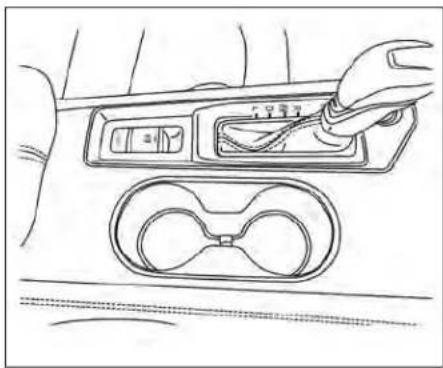
natural_image
Line drawing of a car interior showing a hand using a tool to adjust the dashboard panel with a magnified view of the dashboard (no text or symbols present)Front
CUPHOLDERS
Therearcentercupholdersarelocatedin therearfold-downarmrest.
CAUTION
- Avoid abrupt starting and braking whenthecupholderis being used to prevent spilling the drink. If the liquid is hot, it cansald you or your passenger.
- Useonlysoftcupsinthecupholder. Hardobjectscaninjureyouinan accident.

natural_image
Line drawing of a car seatbelt with a black arrow indicating clockwise motion (no text or symbols)Rear

natural_image
Line drawing of a car interior showing the door, vent, and side panel (no text or symbols)Softbottleholder(front)

natural_image
Technical line drawing of a car door frame with an arrow indicating a component (no text or symbols present)Softbottleholder(rear)
Softbottleholder
CAUTION
- Donotusebottleholderforanyother objectsthatcouldbethrownaboutin thevehicleandpossiblyinjure peopleduringsuddenbrakingoran accident.
- Donotusebottleholderforopenliquidcontainers.
2-74Instrumentsandcontrols
WINDOWS
POWERWINDOWS
WARNING
- Makesurethatallpassengershave theirhands,etc.,insidethevehicle whileitisinmotionandbeforeclosingthewindows.Usethewindow lockswitchtopreventunexpected useofthepowerwindows.
·Tohelpavoidriskofinjuryordeath throughunintendedoperationofthe vehicleand/oritssystems,including entrapmentinwindowsorinadvertentdoorlockactivation,donot leavechildren,peoplewhorequire theassistanceofothersorpetsunattendedinyourvehicle.Additionally, thetemperatureinsideaclosedvehicleonawarmdaycanquicklybecomehigenoughtocauseasignificantriskofinjuryordeathtopeople andpets.
The power windows operate when the ignition switch is placed in the ON position or for a period of time after the ignition switch is placed in the OFF position. If the driver's or passenger's door is opened during this period of time, the power to the windows is canceled.

- Window lockswitch
2.Powerdoorlockswitch
3.Frontpassengersideautomaticswitch (ifsoequipped) - Right rearpassengersideswitch
5.Left rearpassengersideswitch
6.Driver'ssideautomaticswitch
Driver'ssidepowerwindow switch
Thedriver'ssidecontrolpanelisequipped withswitchestooopenorcloseallofthe windows.
Toopenawindow, pushtheswitchtothe detent and continue to hold down until the desired window position is reached. To closeawindow, pulltheswitchtothedetentandcontinuetoholdupuntilthedesired windowpositionisreached.
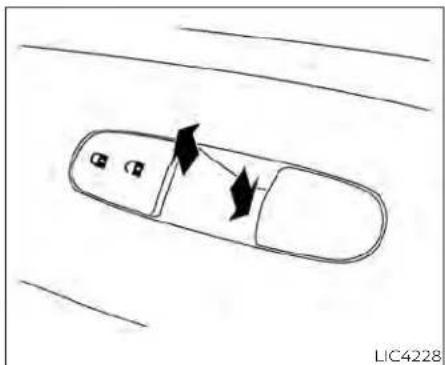
natural_image
Top-down schematic of a car with directional arrows indicating movement or flow (no text or symbols)Frontpassenger'spowerwindow switch
Thepassenger'swindowswitchoperates onlythecorrespondingpassenger'swindow.Toopentthewindowpartially,pushthe switchdownlightlyuntilthedesiredwindowpositionisreached.Toclosetthewindow,pulltheswitchupuntilthedesired windowpositionisreached.

Rearpowerwindowswitch
Therearpowerwindowswitchesopenor closeonlythecorrespondingwindows.To openthewindow,pushtheswitchandhold itdown ① Toclosethewindow,pullthe switchup ②.
Lockingpassengers'windows
whenthewindowlockswitchisdepressed, onlythedriver'ssidewindowcanbe openedorclosed.Pushitagaintocancel thewindowlockfunction.

Automaticoperation
Tofullyopenawindowequippedwithautomaticoperation,pushthewindow switchdowntothesecondetentandreleaseit;itneednotbeheld.Thewindow automaticallyopensalltheway.Tostop thewindow,lifttheswitch upwhilethe windowisopening.
Tofullycloseawindowequippedwithautomatic operation, pull the switch up to the seconddetentandreleaseit; itneednot be held. Thewindowautomaticallyclosesall the way. To stop the window, push the switchdownwhilethewindowisclosing.
2-76 Instruments and controls
MOONROOF(ifsoequipped)
Auto-reversefunction
If the control unit detect something caught in the window was it disclosing, the window will be immediately lowered.
Theauto-reversefunctioncanbeactivatedwhenthewindowisclosedbyautomaticoperationwhentheignitionswitchisplacedintheONpositionorforaperlodoftimeaftertheignitionswitchisplacedintheOFFposition.
Depending on the environment or driving conditions, the auto-reverse function may be activated if an impactor loads similar to something being caught in the window occurs.
WARNING
Therearesomesmalldistancesimmediatelybeforetheclosedposition whichcannotbedetected.Makesure thatallpassengershavetheirhands, etc.,insidethevehiclebeforeclosing thewindow.
Whenpowerwindowswitchdoes notoperate
If the power window automatic function (closing only) does not operate properly,
performthefollowingproceduretoinitializethepowerwindowsystem:
- Place the ignition switch in the ON position.
- Openthewindowmorethanhalfway by operating the power window switch.
- Pull the power window switch and hold it toclosethewindow, and then hold the switch more than 3 seconds after the window is closed.
- Releasethepowerwindowswitch.Operatethe window bythe automatic functiontoconfirmtheinitializationis complete. The power window automatically opens or closes depending on if the automatic down or up function is selected.
- Performsteps2 through 4 above for other windows.
If the power window function does not operate properly after performing the above procedure havethesystem checked and repaired. It is recommended that you visit a NISSAN dealer forth this service.

flowchart
graph TD
    A["1"] --> B["2"]
    B --> C["3"]
    C --> D["4"]
    style A fill:#f9f,stroke:#333
    style B fill:#ccf,stroke:#333
    style C fill:#cfc,stroke:#333
POWERMOONROOF
Themoonroofwillonlyoperatewhenthe ignitionswitchisplacedintheONposition.
The power moon roof is operational for a period of time, even if the ignition switch is placed in the AUTOACC or OFF position. If the driver's door or the front passenger's door is opened during this period of time, the power to them moon roof is canceled.
Slidingthemoonroof
Tofullyopenorclosethemoonroof,push theswitchtotheopen ① orclose ② positionandreleaseit;itneednotbeheld.The
roofwillautomaticallyopenorcloseallthe way.Tostoptheroof,pushtheswitchonce morewhileitisopeningorclosing.
Tiltingthemoonroof
Totiltup,firstclosethemoonroof,then pushtheswitch ③ andreleaseit,itneed notbeheld.Totiltdownthemoonroof, pushtheswitchtothetiltdownposition ②.
Resettingthemoonroofswitch
Ifthemoonroofdoesnotoperateproperly, performthefollowingprocedureinitializethemoonroofoperationsystem.
- Ifthemoonroofisopen, closeitfully by repeatedly pushingthemoonroof switchtotheclosedposition ②.
- Pushandholdtheswitchtotheclosed position ② for approximately 15 seconds.
- Releasetheswitchafterthemoonroof movesup, down, thenback to the full tilt up position.
-
Pushandholdtheswitchtotheclosed position ②.
-
Releasetheswitchafterthemoonroof completesonefullcyclefromthetiltup positiontotheclosedposition, thento theopenposition, andagaintothefully closedposition.
- Checkifthemoonroofswitchoperates normally.
Ifthemoonroofdoesnotoperateproperly after performing the procedure above, haveyourvehicleserviced.ItisrecommendedthatyouvisitaNISSANdealerfor thisservice.
Auto-reversefunction(when closingortiltingdownthe moonroof)
The auto-reverse function can be activated when the moonroof is closed or tilted down by automatic operation when the ignition switch is placed in the ON position or for a period of time after the ignition switch is placed in the OFF position.
Dependingontheenvironmentordrivingconditions,theauto-reversefunctionmaybeactivatedifanimpactor loadsimilartosomethingbeingcaughtinthemoonroofoccurs.
WARNING
Therearesomesmalldistancesimmediately before the closed position which cannot be detected. Makesure that all passengers have their hands, etc., insidethevehiclebeforeclosing themoonroof.
Whenclosing
If the control unit detects something caughtinthemoonroofasitmovestothe front,themoonroofwillimmediatelyopen backward.
Whentiltingdown
If the control unit detects something caughtinthemoonroofasittiltsdown,the moonroofwillimmediatelytiltup.
If the auto-reverse function malfunctions and repeats opening or tilting up the moonroof; keep pushing the tilt down switch within 5 seconds after it happens; the moonroof will fully close gradually. Make sure nothing is caught in the moonroof.
INTERIORLIGHTS
WARNING
·Inanaccidentyoucouldbethrown fromthevehiclethroughanopen moonroof.Alwaysuseseatbeltsand childrestraints.
- Donotallowanyonetostandupor extendanyportionoftheirbodyout ofthemoonroofopeningwhilethe vehicleisinmotionorwhilethe moonroofisclosing.
CAUTION
-Removewaterdrops,snow,iceor sandfromthemoonroofbefore opening.
- Donotplaceheavyobjectsonthe moonrooforsurroundingarea.
Sunshade
Openandclosethesunshadebyslidingit forwardorbackward.
Ifthemoonroofdoesnotclose
Haveyourmoonroofcheckedandre-paired.Itisrecommendedthatyouvisita NISSANdealerforthisservice.

LIC4906
① Theinteriorlightcanbeturnedonregardlessofdoorposition. Thelightwill gooffafteraperiodoftimeunlessthe ignitionswitchisplacedin the ONpositionwhenanydoorisopened.
② The interior lights can be set to operate whenthedoorsare opened. Toturnoff theinteriorlightswhenadoorisopen, pushtheswitch,theinteriorlightswill notilluminate,regardlessofdoorposition.
Thelightswillgooffwhentheignition switchisplacedintheONposition,or thedriver'sdoorisclosedandlocked. Thelightswillalsogooffafteraperiod oftimewhentedoorsareopen.
NOTE:
Thesteplights(ifsoequipped)illuminate when the driver and passenger doors areopenedregardlessoftheinteriorlightswitchposition.Theselights willturnoffautomaticallyafteraperiod oftimewhiledoorsareopentoprevent thebatteryfrom becomingdischarged.
CAUTION
Do not use for extended periods of time with the engine stopped. This could result in discharged battery.

MAPLIGHTS
Toturnthemaplightson, pushthe switches. Toturnthemoff, pushthe switches again.

Donotuseforextendedperiodsoftime withtheenginestopped.Thiscouldresultinadischargedbattery.

PERSONALLIGHTS
Toturntherearpersonallightson,pushthe switch.Toturnthemoff,pushtheswitch again.
TRUNKLIGHT
Thelightilluminateswhenthetrunklidis opened. Whenthetrunklidisclosed, the lightgoesoff.
Thelightwillgooffafteraperiodoftimeif thetrunklidisleftopen,unlesstheignition switchisplacedintheONposition.
For additional information, see "Exterior and interior lights" (P.8-26).
HOMELINK®UNIVERSAL TRANSCEIVER(ifsoequipped)
TheHomeLink®UniversalTransceiverprovidesaconvenientwaytoconsolidatethe functionsofuptothreeindividualhand-heldtransmittersintoonebuilt-indevice.
HomeLink®UniversalTransceiver:
- Willoperatemostradiofrequencydevicessuchasgaragedoors,gates,home andofficelighting,entrydoorlocksand securitysystems.
- lspoweredbyyourvehicle'sbattery.No separatebatteriesarerequired.Ifthevehicle'sbatteryisdischargedorisdisconnected,HomeLink®willretainall programming.
WhentheHomeLink®UniversalTransceiverisprogrammed,retaintheoriginal transmitterforfutureprogrammingprocedures(Example:newvehiclepur-chases).Uponsaleofthevehicle,the programmed HomeLink® Universal Transceiverbuttonsshouldbeerasedfor securitypurposes. Foradditional information,see "ProgrammingHomeLink®" (P. 2-81).
WARNING
- Your vehicle's engine should be turnedoffwhileprogrammingthe HomeLink®UniversalTransceiver.For additional information, see "Push-button ignition switch" (P. 5-13). Do notbreatheexhaustgases;theycontaincolorlessandodorlesscarbon monoxide. Carbonmonoxideisdangerous.It cancause unconsciousness ordeath.
- DonotusetheHomeLink®Universal Transceiver with any garage door opener that lacks safety stop and reverse features asrequired by federal safety standards.(Thesestandards became effective for opener models manufactured after April 1, 1982.) A garagedooropener which cannot detect an object in the path of a closing garagedoor and then automatically stop and reverse does not meet current federal safety standards. Using agaragedooropener without these features increases the risk of serious injury or death.
·During the programming procedure your garagedoor security gate will open and close (if the transmitter is within range). Make sure that people or objects are clear of the garage door, gate, etc., that you are programming.
PROGRAMMINGHOMELINK®
If you have any questions or are having difficulty programming your HomeLink® buttons, refertotheHomeLink® websiteat: www.homelink.comorcall1-800-355-3515.
NOTE:
PlacetheignitionswitchintheONposition(withoutstartingtheengine)when programmingHomeLink®.Itisalsorecommendedthatanewbatterybeplaced inthehand-heldtransmitterofthedevice beingprogrammed toHomeLink® for quickerprogramming andaccurate transmission of theradio frequency.

- Position the end of your hand-held transmitter 1-3 in (2-8 cm) away from the HomeLink® surface, keeping the HomeLink® indicator light ① in view.

- Using both hands, simultaneously press and hold the desired Home Link button and hand-held transmitter button. DO NOT release until the Home Link indicator light flashess lowly and then rapidly. When the indicator light flashes rapidly, both buttons may be released. (The rapid flashing indicates successful programming.)
NOTE:
Somedevicesmayrequireyoutoreplace Step2withthecyclingprocedurenoted in"ProgrammingHomeLink®forCanadiancustomersandgateopeners"inthis section.
- Pressandholdtheprogrammed HomeLink® buttonandobservetheindicatorlight.
- Iftheindicatorlight ⓘ issolid/ continuous,programmingiscomplete andyourdevicesshouldactivatewhenthe HomeLink®buttonispressedand released.
- Iftheindicatorlight ① blinksrapidlyfor2 seconds and then turns to a solid/ continuouslight, continue withSteps 4-6forarollingcodedevice. Asecond personmaymakethefollowingsteps easier. Use the other device. Do notstandonyourvehicletoperformthe nextsteps.
4.Atthereceiverlocatedonthegarage dooropenermotorinthegarage,locate the"learn"or"smart"button(thename andcolorofthebuttonmayvaryby manufacturerbutilisusuallylocated nearwherethehangingantennawireis attachedtotheunit).ifthereisdifficulty locatingthebutton,referencethegaragedooropener'smanual.
- Pressandreleasethe"learn"or"smart" button.
NOTE: Oncethebuttonispressed,youhaveapproximately30secondstoinitiatethe nextstep.
-
Return to the vehicle and firmly press and hold the trained HomeLink® button for 2 seconds and release. Repeat the "press/hold/release" sequence up to threetimester completing the training process. HomeLink® should now activate your rolling code equipped device.
-
If you have any questions or are having difficulty programming your HomeLink® buttons, referto the HomeLink® website at: www.homelink.com or call 1-800-355-3515.
PROGRAMMINGHOMELINK® FOR CANADIANCUSTOMERSANDGATE OPENERS
Canadian radio-frequency laws require transmittersignalsto"time-out"(orquit) afterseveralsecondsoftransmission—which may not be long enough for HomeLink®topickupthesignalduring training.SimilartothisCanadianlaw,some U.S.gateoperatorsaredesignedto"timeout"inthesamemanner.
If you live in Canada, you are having difficultiestraining agateoperator or garage dooropener by using the "Training" procedures, replace "ProgrammingHomeLink®" step2 with the following:
NOTE:
When programming a garage door opener, etc., unplugthedeviceduring the "cycling" processtopreventpossible damagetothegaragedooropener components.
-
For additional information, see "ProgrammingHomeLink®" step1, (P.2-81).
-
Using both hands, simultaneously press and hold the desired HomeLink® button and the hand-held transmitter button. During training, your hand-held transmit may automatically stop transmitting. Continuetopress and hold the desired HomeLink® button while you press and re-press ("cycle") your hand-held transmitter every 2 seconds until the frequency signal has been learned. The HomeLink® indicator light will flash slowly and then rapidly after several second suponsuccessful training. DO NOT release until the HomeLink® indicator light flashes slowly and then rapidly. When the indicator light flashes rapidly, both button may be released. Therapid flashing indicates successful training. Proceed with "Programming HomeLink®" step 3 to complete. If the device was unplugged during the programming procedure, remembered to plug it back in when programming is completed.
Forconvenience, the hand-held transmitter of the device may also be used at any time.
PROGRAMMINGTROUBLE-DIAGNOSIS
IftheHomeLink®doesnotquicklylearnthe hand-heldtransmitterinformation:
•Replacethehand-heldtransmitterbatterieswithnewbatteries.
- Positionthehand-heldtransmitterwith itsbatteryareafacingawayfromthe HomeLink®surface.
- PressandholdboththeHomeLink® and hand-heldtransmitterbuttonswithout interruption.
- Positionthehand-heldtransmitter 1 - 3 inches (26 - 76 mm) away from the HomeLink® surface.Holdthetransmitter in that position forupto15seconds.If HomeLink® is not programmed within that time,tryholdingthetransmitterin another position-keepingthe indicator lightinviewatalltimes.
If you have any questions or are having difficulty programming your HomeLink® buttons, refertotheHomeLink® websiteat: www.homelink.comorcall1-800-355-3515.
CLEARINGTHEPROGRAMMED INFORMATION
The following procedure clear the programmed information from both buttons. Individual buttonscannotbecleared. However, individual buttons can be reprogrammed. For additional information, see "Reprogramming asingleHomeLink® button" (P.2-84).
Toclearallprogramming:
- PressandholdthetwoouterHomeLink® buttonsuntiltheindicatorlightbeginstoflash inapproximately 10 seconds. Do notholdforlongerthan20 seconds.
- Release both buttons.
HomeLink®isnow intheprogramming modeandcanbe programmedatany time beginning with "Programming HomeLink®"-Step1.
REPROGRAMMINGASINGLE HOMELINK®BUTTON
To reprograma HomeLink®Universal Transceiverbutton,completethefollowing:
-
PressandholdthedesiredHomeLink® button.DONOTreleasethebutton.
-
The indicator light will begin to flash after 20 seconds. Without releasing the HomeLink® button, proceed with "ProgrammingHomeLink®"-Step1(P.2-81).
For questions or comments, contact HomeLink® at:www.homelink.comor1-800-355-3515(exceptMexico).
TheHomeLink®UniversalTransceiverbutton hasnow been reprogrammed. The newdevicecanbeactivatedbypressing theHomeLink®buttonthatwasjustprogrammed. This procedure will not affect any other programmed HomeLink® buttons.
IFYOURVEHICLEISSTOLEN
If your vehicle is stolen, you should change the codes of any non-rolling coded device that has been programmed into HomeLink®. Consult the Owner's Manual of each device or call them manufacturer or dealer of those devices for additional information.
When your vehicle is recovered, you will need to reprogram the HomeLink® Universal Transceiver with your new transmitter information.
FCCNotice:
ForUSA:
ThisdevicecomplieswithPart15ofthe FCCRules.Operationissubjecttothefollowingtwoconditions:(1)Thisdevice maynotcauseharmfulinterference,and (2)thisdevicemustacceptanyinterferencereceived,including interference thatmaycauseundesiredoperation.
NOTE:
Changesormodificationsnotexpressly approvedbythe partyresponsible for compliancecouldvoidtheuser'sauthoritytooperatetheequipment.
ForCanada:
This device contains licence-exempt transmitter(s)/receiver(s) that comply with Innovation, Science and Economic Development Canada's licence-exempt RSS(s). Operation is subject to the following two conditions: (1) This device may not cause interference. (2) This device must accept any interference, including interference that may cause undesired operation of the device.
MEMO
2-86 Instrumentsandcontrols
3Pre-drivingchecksandadjustments
Keys 3-2
NISSANIntelligentKey®(ifsoequipped)....3-2
NISSANVehicleImmobilizerSystem
k e y s 3-4
Doors 3-4
Lockingwithkey....3-5
Lockingwithinsidelockknob. 3 - 6
Lockingwithpowerdoorlockswitch....3-6
Automaticdoorlocks....3-6
Childsafetyreardoorlock....3-7
NISSANIntelligentKey®(ifsoequipped)....3-7
Operatingrange....3-9
Doorlocks/unlocksprecaution....3-9
NISSANIntelligentKey®operation....3-10
Howtousetheremotekeylessentry
function....3-14
Warningsignals. 3-16
Troubleshootingguide. 3-16
RemoteEngineStart 3-19
RemoteEngineStartoperatingrange ..... 3-19
Remotestartingthevehicle. 3-20
Extending engine run time 3-20
Canceling a Remote Engine Start 3-20
ConditionstheRemoteEngineStartwill
notwork....3-21
Hood 3-22
Trunk lid....3-22
Openeroperation....3-22
Interiortrunklidrelease. 3-24
Interior trunk access 3-24
Telescopicoperation 3-27
Sun visors 3-28
Vanity mirrors 3-29
Mirrors 3-29
Manualanti-glareearviewmirror
(if so equipped)....3-29
Automaticanti-glareareviewmirror
(if so equipped)....3-29
Outsidemirrors.... 3-30
Memoryseat(ifsoequipped) 3-31
Memory storage function 3-31
Memorystoragefunction(switch)....3-32
Entry/exitfunction....3-33
Systemoperation....3-33
KEYS

- IntelligentKeys(twosets)
- Mechanicalkey
- Keynumberplate(oneplate) NISSANINTELLIGENTKEY®(ifso equipped)
Yourvehiclecanonlybedrivenwiththe IntelligentKeyswhichareregisteredto yourvehicle'sIntelligentKeysystemcomponentsandNISSANVehicleImmobilizer Systemcomponents.
Neverleavethesekeysinthevehicle.
AsmanyasfourIntelligentKeyscanbe registeredandusedwithonevehicle.The newkeysmustberegisteredpriortouse withtheIntelligentKeysystemandNISSAN VehicleImmobilizerSystemofyourvehicle. ItisrecommendedthatyouvisitaNISSAN dealerforthisservice.SincetheregistrationprocessrequireserasingallmemoryIn theIntelligentKeycomponentswhenregisteringnewkeys,besuretotakeallIntelligentKeysthatyouhavetotheNISSAN dealer.
Akeynumberplateissuppliedwithyour keys.Recordthekeynumberandkeepitin asafeplace(suchasyourwallet),notinthe vehicle.Ifyouloseyourkeys,itisrecommendedthatyouvisitaNISSANdealerfor duplicatesbyusingthekeynumber. NISSANdoesnotrecordkeynumberssoit isveryimportanttokeeptrackofyourkey numberplate.
Akeynumberisonlynecessarywhenyou havelostallkeysanddonothaveoneto duplicatefrom.Ifyoustillhaveakey,itcan beduplicated without knowingthekey number.
CAUTION
ListedbelowareconditionsoroccurrenceswhichwilldamagetheIntelligentKey:
- Do not allow the Intelligent Key, which contains electrical components, to come into contact with water or salt water. This could affect the system function.
- DonotdroptheIntelligentKey.
- Do not strike the Intelligent Key sharplyagainstanotherobject.
- DonotchangeormodifytheIntelligentKey.
- WettingmaydamagethelIntelligent Key.IftheIntelligentKeygetswet, immediately wipe until it is completely dry.
- DonotplacetheIntelligentKeyforan extended periodin anareawhere temperaturesexceed140°F(60°C).
- DonotattachtheIntelligentKeywith akeyholderthatcontainsamagnet.
- Donotplaceth Intelligent Keynear equipment that produces electromagnetic field, such as a TV, audio equipment and personal computers.
3-2 Pre-driving checks and adjustments
IfanIntelligentKeyislostorstolen,NISSAN recommendserasingtheIDcodeofthat IntelligentKeyfromthevehicle.Thismay preventtheunauthorizeduseoftheIntelligentKeytooperatethevehicle.Forinformationregardingtheerasingprocedure,it IsrecommendedthatyouvisitaNISSAN dealer.

Mechanicalkey
The Intelligent Key contain sthemechanical key.
Toremovethemechanicalkey, releasethe lockknobonthebackoftheIntelligentKey.
Toinstallthemechanicalkey,firmlyinsertit intotheIntelligentKeyuntilthelockknob returnstothelockposition.
Usethemechanicalkeytolockorunlock thedoorsandglovebox(ifgloveboxkey cylinderexists).
For additional information, see "Doors" (P.3-4) and "Storage" (P.2-71).
CAUTION
AlwayscarrythemechanicalkeyinstalledintheIntelligentKeyslot.
Valethand-off(ifgloveboxkey cylinderexists)
whenyouhavetoleaveakeywithavalet, givethemthelIntelligentKeyitselfandkeep themechanicalkeywithyoutoprotect yourbelongings.
Topreventthegloveboxfrombeing openedduringvalethand-off,followthe proceduresbelow:
-
Removethemechanicalkeyfromthe IntelligentKey.
-
Lockthegloveboxwiththemechanical key.
-
HandtheIntelligentKeytothevaletand keepthemechanicalkeywithyou.
Foradditionalinformation,see"Storage" (P.2-71).
DOORS
Ifyoustillhaveakey,thekeynumberisnot necessarywhenyouneedextraNISSAN VehicleImmobilizerSystemkeys.Youre-listingkeycanbeduplicatedwithoutknow-ingthekeynumber.Asmanyasfour NISSANVehicleImmobilizerSystemkeys canbeusedwithonevehicle.Youshould bringallNISSANVehicleImmobilizerSystemkeysthatyouhavetotheNISSAN dealerforregistration. Thisisbecausethe registrationprocesswillerasethememory ofallkeycodespreviouslyregisteredinto theNISSANVehicleImmobilizerSystem.Aftertheregistrationprocess,thesecomponentswillonlyrecognizekeyscodedinto theNISSANVehicleImmobilizerSystem duringregistration.Anykeythatisnot giventothedealeratthetimeofregistrationwillnolongerbeabletostartyour vehicle.
CAUTION
Donotallowtheimmobilizersystem key, which contains an electrical transponder, to come into a contact with water or saltwater. This could affect system function.
Whenthedoorsarelockedusingoneofthe followingmethods,thedoorscannotbe openedusingtheinsideoroutsidedoor handles. Thedoorsmustbeunlockedto openthedoors.
WARNING
·Alwayshavethedoorslockedwhile driving. Alongwiththeuseofseat belts, thisprovidesgreatersafety in the event of an accident by helping to prevent persons from being thrown from the vehicle. This also helps keep children and others from unintentionally opening the doors, and will help keep out intruders. · Before opening any door, always loo for and avoid on coming traffic.
3-4 Pre-drivingchecksandadjustments
To help avoid risk of injury or death through unintended operation of the vehicle and/or it systems, including entrapment windows and/or inadvertent door lock activation, donot leave children, people who require the assistance of others and/or pets unattended in your vehicle. Additionally, the temperature inside is closed vehicle on a warm day can quickly become high enough to cause significant risk of injury or death to people and pets.

Foradditionalinformation,see"Security systems"(P.2-52).
Driver'sside
LOCKINGWITHKEY
Tolockthedoorusingthemechanicalkey, turnthekeytowardtherearofthevehicle
①. This will only lock the corresponding door and will not activate these security system. To arm these security system, pressthe
buttononthelIntelligentKey.
Tounlockthecorrespondingdoorusing themechanicalkey,turnthekeytoward thefrontofthevehicle ②. Thiswillonly
unlockthecorrespondingdoorandwillnot disarmthesecuritysystem.
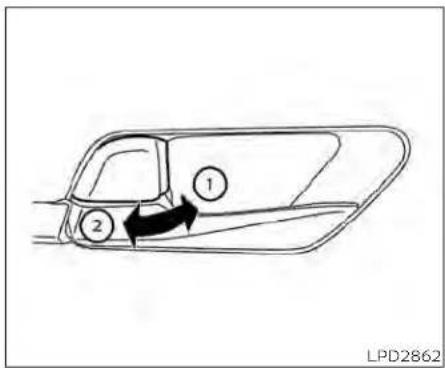
Insidelock
LOCKINGWITHINSIDELOCKKNOB
Tolockthedoorwithoutthekey,movethe insidelockknobtothelockposition ①, thenclosethedoor.
Tounlockthedoorwithoutthekey,move theinsidelockknobtotheunlockposition ②.

Doorlockswitch
LOCKINGWITHPOWERDOOR LOCKSWITCH
Tolockallthedoorswithoutakey,pushthe doorlockswitch(driver'sorfrontpassenger'sside)tothelockposition ①.when lockingthedoorthisway,becertainnotto leavethekeyinsidethevehicle.
Tounlockallthedoorswithouttakey,push thedoorlockswitch(driver'sorfrontpassenger'sside)totheunlockposition ②.
Lockoutprotection
WiththeIntelligentKeyleftinthevehicle andanydooropen,alldoorswillunlock automaticallyandachimewillsoundafter thedoorisclosed.
ThesefunctionshelptopreventtheIntelligentKeyfrombeingaccidentallylocked insidethevehicle.
AUTOMATICDOORLOCKS
•Alldoorslockautomaticallywhentheve- hiclespeedreaches15mph(24km/h)
- Alldoorsunlockautomaticallywhenthe transmissionisplacedintheP(Park)positionorwhentheignitionswitchis placedintheOFFposition,dependingon theoptionselectedinthe"VehicleSettings"menu.
NOTE:
TheAutoDoorUnlockfeaturecanbe changedusingthe"VehicleSettings" menuonthevehicleinformationdisplay. Foradditionalinformation,see"Vehicle informationdisplay-5inch(13cm)Type A(ifsoequipped)("P.2-18)or"Vehicle informationdisplay-7inch(18cm)Type B(ifsoequipped)("P.2-34).
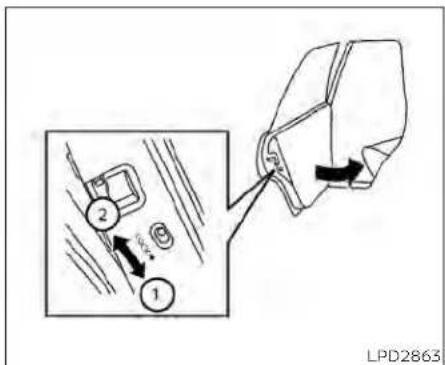
CHILDSAFETYREARDOORLOCK
Childsafetylockshelppreventtherear doorsfrombeingopenedaccidentally,especiallywhensmallchildrenareinthe vehicle.
Thechildsafetylockleversarelocatedon theedgeofthereardoors.
Whentheleverisintheunlockposition thedoorcanbeopenedfromtheoutside ortheinside.
WhentheleverisintheLOCKposition thedoorcanbeopenedonlyfromthe outside.
NISSANINTELLIGENTKEY®(ifso equipped)
WARNING
• Radiowavescouldadverselyaffect electricmedicalequipment. Those whoseapacemakershouldcontact theelectricmedicalequipment manufacturerforthepossibleinfluencesbeforeuse.
- The Intelligent Keytransmitsradio waveswhenthebuttonsarepressed. The FAAadvisestheradiowavesmay affectaircraftnavigationandcommunicationsystems.Donotoperate the Intelligent Keywhileonanairplane.Makesurethebuttonsarenot operatedunintentionally whenthe unitisstoredforaflight.
The Intelligent Key can operate all the door locks using theremote control function or pushing therequest switch the vehicle without taking the key out from a pocket or purse. The operating environment and/or conditions may affect the Intelligent Key operation.
Besuretoreadthefollowingbeforeusing theIntelligentKey.
CAUTION
- BesuretocarrytheIntelligentKey withyouwhenoperatingthevehicle. - NeverleavetheIntelligentKeyinthe vehiclewhenyouleavethevehicle.
The Intelligent Key is always communicating with the vehicle as it receives radio waves. The Intelligent Key transmits weak radiowaves. Environmental conditions may interfere with the operation of the Intelligent Key under the following operating conditions:
- whenoperatingnearalocationwhere strongradiowavesaretransmitted,such asaTVtower,powerstationandbroadcastingstation.
-Wheninpossessionofwirelessequipment,suchasacellulartelephone,transceiveroraCBradio.
-WhentheIntelligentKeyisincontactwith orcoveredbymetallicmaterials. - Whenanytypeofradiowaveremotecontrolledisusednearby.
- When the Intelligent Key is placed near an electric appliance such as a personal computer.
- When the vehicle is parked near a parking meter.
Pre-drivingchecksandadjustments
Insuchcases, correct the operating conditions before using the Intelligent Key function or use themechanical key.
Although the life of the battery varies depending on the operating conditions, the battery's life is approximately two years. If the battery is discharged, replace it with a new one.
WhentheIntelligentKeybatteryislow,an indicatorilluminatesinthevehicleinformationdisplay.Foradditionalinformation,see "Vehicleinformationdisplay-5inch(13cm) TypeA(ifsoequipped)("P.2-18)or"Vehicle Informationdisplay-7inch(18cm)TypeB(if soequipped)("P.2-34).
SincetheIntelligentKeyiscontinuouslyreceivingradiowaves,ifthekeyisleftnear equipmentwhichtransmitsstrongradio waves,suchassignalsfromaTVandpersonalcomputer,thebatteryllfemaybecomeshorter.
Foradditionalinformation,see"Batteryreplacement"(P.8-23).
AsmanyasfourIntelligentKeyscanbe registeredandusedwithonevehicle.For informationaboutthepurchaseanduseof additionalIntelligentKeys,itisrecommendedthatyouvisitaNISSANdealer.
CAUTION
ListedbelowareconditionsoroccurrenceswhichwilldamagetheIntelligentKey:
- Do not allow the Intelligent Key, which contains electrical components, to come into contact with water or saltwater. This could affect the system function.
- DonotdroptheIntelligentKey.
- Do not strike the Intelligent Key sharplyagainstanotherobject.
- DonotchangeormodifytheIntelligentKey.
- WettingmaydamagethelIntelligent Key. If the IntelligentKeygetswet, immediately wipe until it is completely dry.
- DonotplacethelIntelligentKeyforan extended period in an area where temperaturesexceed140°F(60°C).
- DonotattachtheIntelligentKeywith akeyholderthatcontainsamagnet.
- Donotplaceth Intelligent Keynear equipment that produces electromagnetic field, such as a TV, audio equipment and personal computers.
IfanIntelligentKeyislostorstolen,NISSAN recommendserasingtheIDcodeofthat IntelligentKeyfromthevehicle.Thismay preventtheunauthorizeduseoftheIntelligentKeytooperatethevehicle.Forinformationregardingtheerasingprocedure,it is recommended that you visit a NISSAN dealer.

OPERATINGRANGE
The Intelligent Key functions can only be used when the Intelligent Key is within the specified operating range from therequest switch ①.
whentheIntelligentKeybatteryisdis- chargedorstrongradiowavesarepresent neartheoperatinglocation, theIntelligent Keysystem'soperatingrangebecomes narrower,andthelIntelligentKeymaynot functionproperly.
Theoperatingrangeiswithin31.50in(80 cm)fromeachrequestswitch ①.
If the Intelligent Key ist ooclosetothedoor glass, handle or rear bumper, therequest switches may not function.
whentheIntelligentKeyiswithintheoperatingrange,itispossibleforanyone,even someonewhodoesnotcarrytheIntelligentKey,topushtherequestswitchto lock/unlockthedoors.
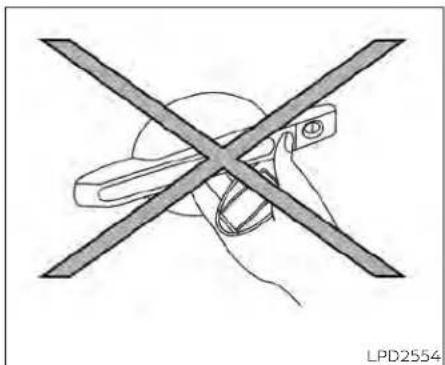
natural_image
Diagram of a hand holding a device with a crossed X-shaped line crossing through, no text or symbols presentDOORLOCKS/UNLOCKS PRECAUTION
- Donotpushthedoorhandlerequest switchwiththeIntelligentKeyheldinyour handasillustrated. Theclosedistanceto thedoorhandlewillcausethelIntelligent Keysystemtohavedifficultyrecognizing thattheIntelligentKeyisoutsidethe vehicle.
• Afterlockingwiththedoorhandlere-questswitch,verifythedoorsaresecurelylockedbytestingthem.
- TopreventtheIntelligentKeyfrombeing leftinsidethevehicle,makesureyou carrytheIntelligentKeywithyouandthen lockthedoors.
- Donotpullthedoorhandlebeforepushingthedoorhandlerequestswitch.The doorwillbeunlockedbutwillnotopen. Releasethedorhandleonceandpullit againtoopenthedoor.

natural_image
Line drawing of a car with a person standing nearby and a person holding a child, no text or symbols present.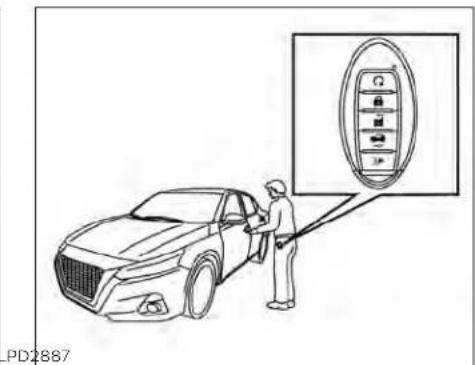
Youcanlockorunlockthedoorswithout takingthekeyoutofyourpocketorbag.
When you carry the Intelligent Key with you, you can lock or unlock all doors by pushing the door handle request switch within the range of operation.
Lockingdoors
1.MovetheshiftlevertotheP(Park)position, placetheignitionswitchintheLOCK positionandmakesureyoucarrythe IntelligentKeywithyou.
2.Closealldoors.
3.Pushanydoorhandlerequestswitch whilecarryingtheIntelligentKeywith you.
4. Alldoorsandthetrunkwilllock.
5. The hazard warning lights flashtwice and the outside chimesoundstwice.
3-10 Pre-driving checks and adjustments
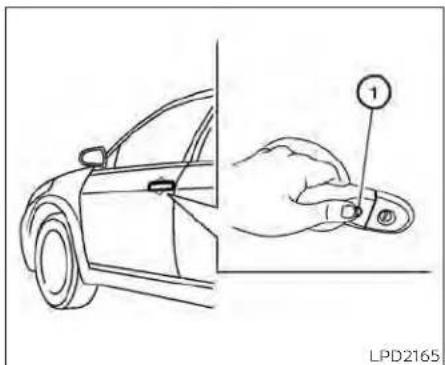
NOTE:
-Requestswitchesforalldoorsand trunkcanbedeactivatedwhentheExt. DoorSwitchorI-KeyDoorLockfeature isswitchedtoOFFusingthe"Vehicle Settings"menuonthevehicleinformation,see"Vehicleinformationdisplay-5inch(13cm)TypeA(ifso equipped)("P.2-18)or"Vehicleinformationdisplay-7inch(18cm)TypeB(if soequipped)("P.2-34).
-Doorslockwiththedoorhandlere-questswitchwhiletheignitionswitch isnotintheLOCKposition.
- Doorslockbypushingthedriver'sside doorhandlerequestswitchwhileany doorisopen. However, the corresponding doorlockswiththemechanicalkey evenifanydoorisopen.
- Doorsdonotlockwiththedoorhandle requestswitchwiththeIntelligentKey insidethevehicleandabeepsoundsto warnyou.However,whenanIntelligent Keyisinsidethevehicle,doorscanbe lockedwithanotherIntelligentKey.
WARNING
Afterlockingthe doors using the requestswitch,makesurethatthedoors havebeensecurelylockedbyoperatingthedorhandles.Failureretofollow theseinstructionsmayresultinadvertentlyunlockingthedoors,which maydecreasethesafetyandsecurity ofyourvehicle.
CAUTION
- Whenlockingthedoorsusingthere- questswitch,makesuretohavethe IntelligentKeyinyourpossession beforeoperatingtherequestswitch toprevent theIntelligentKeyfrom beingleftinthevehicle.
- The request switch is operational onlywhentheIntelligentKeyhas beendetectedbytheIntelligentKey system.
Lockoutprotection
TopreventtheIntelligentKeyfrombeing accidentallylockedinthevehicle,lockout protectionisequippedwiththeIntelligent Key.
Whenthdriver's sidedoorisopen,the doorsarelockedandthenthelIntelligent Keyisputinsidethevehicleandallthe doors are closed; the lock will automaticallyunlockandthedoorchimesounds.
NOTE:
The doors may not lock when the intelligent key is in the same hand that is operating therequest switch to lock the door. Put the intelligent key in apurse, pocket your other hand.
Pre-drivingchecksandadjustments

CAUTION
Thelockoutprotectionmaynotfunctionunderthefollowingconditions:
-WhentheIntelligentKeyisplacedon topoftheinstrumentpanel.
-WhentheIntelligentKeyisplacedon topoftherearparcelshelf.
-WhentheIntelligentKeyisplacedin-sidethegloveboxorastoragebin.
-WhentheIntelligentKeyisplacedin-sidethedoorpockets.
- WhentheIntelligentKeyisplacedon orunderthesparetirearea.
- When the Intelligent Key is placed inside or near metallic materials.
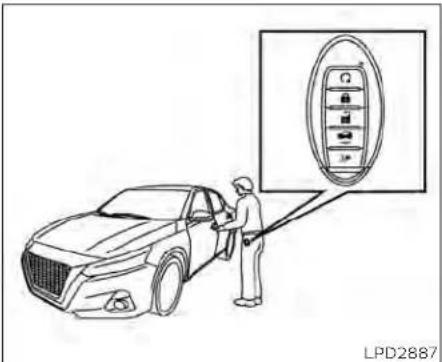
Unlockingdoors
- CarrytheIntelligentKey.
- Pushthedoorhandlerequestswitch
- The hazard warning lights flashonce and the outside chimesoundsonce.
- Pushthedoorhandlerequestswitch again within 60 secondstounlockall doorsandtrunk. The outside chime sounds again.
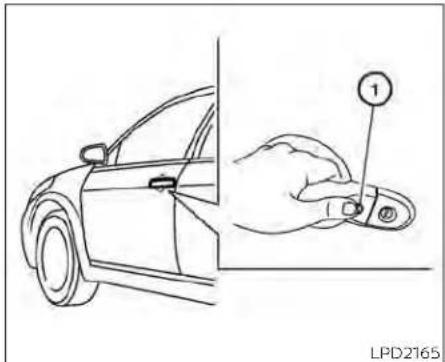
Ifadoorhandleispulledwhileunlocking thedoors,thatdoormaynotbeunlocked. Returningthedoorhandletoitsoriginal positionwillunlockthedoor.Ifthedoor doesnotunlockafterreturningthedoor handle,pushthe doorhandle request switchtounlockthedoor.
① Alldoorswillbelockedautomaticallyunlessoneofthefollowingoperationsisperformedwithinoneminuteafterpushingtherequestswitch:
- Openinganydoor.
- Pushingtheignitionswitch.
Usingtheinteriorlights
The interior lights illuminate for a period of timewhenado or is unlocked.
Thelightscanbe turned off without waiting by performing one of the following operations:
- PlacingtheignitionswitchintheON position.
- LockingthedoorswiththeIntelligentKey.
- Switchingtheinteriorlightswitchtothe OFFposition.
- SwitchingtheAutoRoomLampfeature totheOFFpositionInthe"VehicleSettings"menuonthevehicleinformation display.ForadditionalInformation,see "Vehicleinformationdisplay-5inch(13 cm)TypeA(ifsoequipped)("P.2-18)or "Vehicleinformationdisplay-7inch(18 cm)TypeB(ifsoequipped)("P.2-34).
For additional information, see "Interior lights"(P.2-79).

Openingthetrunklid
Toopenthetrunklid,performthefollowing:
- Pushthetrunkopenerswitch ☐ while carryingtheIntelligentKeywithyou.
- The trunk will unlatch. A chime will soundfourtimes.
3.Raisethetrunklidtoopenthetrunk.
Lockoutprotection
TopreventtheIntelligentKeyfrombeing accidentallylockedinthetrunk, lockout protectionisequippedwiththeIntelligent Keysystem.
whenalldoorsarelockedandthetrunklid isclosedwiththeIntelligentKeyinsidethe trunk,achimewillsoundandthetrunkwill open.

HOWTOUSETHEREMOTE KEYLESSENTRYFUNCTION
1.(remoteenginestart)button
- (lock)button
- 🔒 (unlock)button
- HOLD (trunk)button
- (panic)button
TheremotekeylessentryfunctioncanoperatealldoorlocksusingtheremotekeylessfunctionoftheIntelligentKey.Theremotekeylessfunctioncanoperateata distanceof33ft(10m)awayfromthevehicle.Theoperatingdistancedepends upontheconditionsaroundthevehicle.
Theremotekeylessentryfunctionwillnot functionunderthefollowingconditions:
- When the Intelligent Key is not within the operational range.
- Whenthedoorsorthetrunkareopenor notclosedsecurely.
-whentheIntelligentKeybatteryis discharged.
CAUTION
When locking the doors using the intelligent Key, besurenottoleavethe key in the vehicle.
Lockingdoors
-
PlacetheignitionswitchintheLOCK position.
2.Closealldoors.
3.Pressthe buttonon theIntelli- gentKey. -
The hazard indicator lights flashtwice and the horn beepsonce.
-
Alldoorswillbelocked.
WARNING
AfterlockingthedoorsusingtheIntelligentKey,besurethatthedoorshave beensecurelylockedbyoperatingthe doorhandles.Failuretofollowtheseinstructionsmayresultininadvertently unlockingthedoors,whichmaydecreasethesafetyandsecurityofyour vehicle.
Unlockingdoors
- Pressthebuttononthelntelligent Key.
- The hazard indicator lights flash once andthedriver'sdoorwillunlock.
- Press the 🔒 button again within 1 minutetounlockalldoorsandtrunk.
3-14 Pre-driving checks and adjustments
NOTE:
TheSelectiveUnlockfeaturecanbe changedusingthe"VehicleSettings" menuonthevehicleinformationdisplay. Foradditionalinformation,see"Vehicle informationdisplay-5inch(13cm)Type A(ifsoequipped)("P.2-18)or"Vehicle informationdisplay-7inch(18cm)Type B(ifsoequipped)("P.2-34).
Alldoorswillbelockedautomaticallyunlessoneofthefollowingoperationsisperformedwithin1minuteafterpressingthe button:
- Openinganydoors.
- Pushingtheignitionswitch.
Usingtheinteriorlights
The interior lights illuminate for a period of timewhenado or is unlocked.
Thelightscanbeturnedoffwithoutwaiting byperformingoneofthefollowing operations:
- PlacingtheignitionswitchintheON position.
- LockingthedoorswiththeIntelligentKey.
- Switchingtheinteriorlightswitchtothe OFFposition.
- SwitchingtheAutoRoomLampfeature totheOFFpositioninthe"VehicleSettings"menu on thevehicle information display.Foradditional information,see "Vehicle Information display - 5 Inch (13 cm) Type A (if so equipped)" (P. 2-18) or "Vehicle Information display - 7 Inch (18 cm)TypeB(ifsoequipped)*(P.2-34).
For additional information, see "Interior lights" (P.2-79).
Releasingthetrunklid
Pressthe HOLD buttonforlongerthan0.5 seconds to open the trunk lid. The trunk releasebuttonwillnotoperatewhenthe ignitionswitchisplacedintheONposition.
Usingthepanicalarm
If you are necessary your vehicle and feel threatened, you may activate the anical alarm to call attention by pressing and holding the button on the intelligent key for longer than 0.5 seconds.
Thepanicalarmandheadlightswillstayon foraperiodoftime.
Thepanicalarmstopswhen: Ithasrunforaperiodoftime,or
• Anybuttonispressedonthelntelligent Key.
- TherequestswitchonthedriverorpassengerdoorispushedandtheIntelligent Keyisinrangeofthedoorhandle.
Answerbackhornfeature
Ifdesired, theanswerback hornfeature canbedeactivated using the Intelligent Key.Whenitisdeactivated and the buttonis pressed, thehazardindicator lightsflashtwice.Whenthe buttonis pressed, neither thehazardindicatorlights northehornoperates.
NOTE:
If you can change the Answer Back Horn feature with the Intelligent Key, the vehicle information display screen will show the current mode after the ignition switch has been cycled from the OFF to the ON position. The vehicle information display screen can also be used to chan get the answer back horn mode. For additional information, see "Vehicle information display-5 inch (13 cm) Type A (if so equipped)" (P.2-18 or "Vehicle information display-7 inch (18 cm) Type B (if so equipped)" (P.2-34).
Todeactivate:
Pressandholdthe andburn tonsforatleast4seconds.Thehazard indicatorlightswillflashthreetimestoconfirmthattheanswerbackhornfeaturehas beendeactivated.
Toactivate:
Pressandholdthe andbut tonsforatleast4secondsoncemore.
Thehazardindicatorlightswillflashonce andthehornwillsoundoncetoconfirm thatthehornbeepfeaturehasbeen reactivated.
Deactivatingthehornbeepfeaturedoes notsilencethehornifthealarmis triggered.

IntelligentKeybuttonoperation light
Thelightblinksonlywhenyoupressany buttononthelIntelligentKey. Thelightilluminationonlysignifiesthatthekeyfobhas transmittedasignal.Youmaylookand/or listentoverifythatthevehiclehasperformedtheintendedoperation.
Ifthelightdoesnotblink,yourbatterymay betooweaktocommunicatetothevehicle.Ifthisoccurs,thebatterymayneedto bereplaced.ForadditionalInformationregardingthereplacementofabattery,see "Batteryreplacement"(P.8-23).
WARNINGSIGNALS
Tohelppreventthevehiclefrommoving unexpectedlybyerroneousoperationof theIntelligentKeyortohelppreventthe vehicle from being stolen, a chime or buzzersoundsfrominsideandoutsidethe vehicleandawarningisdisplayedinthe instrumentpanel.
whenachimeorbeepsoundsorawarning isdisplayed,besuretocheckthevehicle andtheIntelligentKey.
For additional information, see "Troubleshooting guide" (P.3-16) and "Vehicle information display-5inch(13cm)TypeA(ifso equipped)" (P.2-18) or "Vehicle information display - 7 inch (18 cm) Type B (if so equipped)" (P.2-34).
TROUBLESHOOTINGGUIDE
VerifythelocationofallIntelligentKeysthat areprogrammedforthevehicle.Ifanother IntelligentKeyisinrangeorinsidethevehicle,thevehiclesystemmayresponddifferentlythanexpected.
| SymptomPossibleCauseRemedy | |||
| Whenstoppingtheengine | The'ShifttoPark'warningappearsin thedisplayandtheinsidewarning chimesoundscontinuously. | TheshiftleverisnotintheP(Park)position. | MovetheshiftlevertotheP(Park)position. |
| Whenopeningthedriver'sdoortoget outofthevehicle | The'Door/TrunkOpen'warningappearsinthedisplay. | TheignitionswitchisintheACCposition. | PlacetheignitionswitchintheOFF position. |
| Whenclosingthedooraftergetting outofthevehicle | The'NoKeyDetected'warningappearsinthedisplay,theoutsidechime soundsthreetimesandtheinside warningchimesoundsforapproximately3seconds. | TheignitionswitchisintheACCorON position. | PlacetheignitionswitchintheOFF position. |
| The'ShifttoPark'warningappearsin thedisplay. | TheignitionswitchisintheACCpositionandtheshiftleverisnotintheP (Park)position. | MovetheshiftlevertotheP(Park)positionandplacetheignitionswitchin theOFFposition. | |
| TheRearDoorAlertwarningmessage appearsonthedisplay,thehorn soundsthreetimestwice,oraCheck RearSeatforallArticleswarningappearsonthedisplay. | TheRearDoorAlertisactivated. | Checkthebackseatforallarticles, presstheOkbuttontocleartheRear DoorAlertwarningmessage. | |
| Whenclosingthedoorwiththeinside lockknobturnedtoLOCK | Theoutsidechimesoundsforapproximately3secondsandallthedoors unlock. | TheIntelligentKeysinsidethevehicle.Carry theIntelligentKeywithyou. | |
| Whenpushingthedoorhandlere-questswitchorthe buttonon theIntelligentKeytolockthedoor | Theoutsidechimesoundsforapproximately2seconds. | TheIntelligentKeysinsidethevehicle.Carry theIntelligentKeywithyou. | |
| Whenpushingtheignitionswitchto starttheengine | The‘KeyBatteryLow’Indicatorappearsinthedisplay. | Thebatterychargeislow. | Replacethebatterywithanewone.Foradditionalinformation,see‘Batteryreplacement'(P.B-23). |
| The‘KeyIDIncorrect’warningappearsinthedisplay,theoutsidechimesoundsthreetimesandtheinsidewarningchimesoundsforapproximately3seconds. | TheIntelligentKeyisnotinthevehicle.CarrytheIntelligentKeywithyou. | ||
| Whenpressingtheignitionswitch | The‘KeySystemError:SeeOwner’sManual’warningappearsonthedis-play. | ItwarnsofamalfunctionwiththeIntelligentKeysystem. | ItisrecommendedthatyouvisitaNISSANdealer. |
REMOTEENGINESTART
natural_image
Simple curved arrow diagram pointing right, no text or symbols presentThebutronwillbeontheNISSAN IntelligentKey®ifthevehiclehasRemote EngineStart. Thisfeatureallowstheengine tostartfromoutsidethevehicle.
The following features maybe affected when RemoteEngineStart is used:
- Vehicleswithamanualclimatecontrol system(ifsoequipped)willdefaulttothe lastusedheatingorcoolingmode.
- Vehicleswithanautomaticclimatecontrolsystem(ifsoequipped)willdefaultto eitheraheatingorcoolingmodedependingonoutsideandcabintemperatures.ForadditionalInformation,see"RemoteEngineStartwithIntelligentClimateControl"(P.4-41).
LawsinsomelocalcommunitiesmayrestrictorprohibittheuseofRemoteEngine Start,ortheamountoftimeaparkedvehicleenginemayidle. Forexample,some lawsrequireapersonusingRemoteEngine Starttohavethevehicleinviewormay restrictidlingtimeexceptinfreezingtemperatures.Checklocalregulationsforany requirements.
Otherconditionsmayaffectthefunctionof theRemoteEngineStartfeature.Foradditionalinformation,see"ConditionstheRemoteEngineStartwillnotwork"(P.3-21).
Otherconditions can affect the performance of the Intelligent Key transmitter. For additional information, see "NISSAN Intelligent Key" (P.3-2).
REMOTEENGINESTART OPERATINGRANGE
WARNING
- To help avoid risk of injury or death throughunintendedoperationofthe vehicleand/oritssystems,including entrapmentinwindowsorinadvertent door lock activation, do not leavechildren,peoplewhorequire theassistanceofothersorpetsunattendedinyourvehicle.Additionally, thetemperatureinsideaclosedvehicleonawarmdaycanquicklybecomehighenoughtocauseasignificantriskofinjuryordeathtopeople andpets.
- DonotuseRemoteEngineStartin closedspacessuchasagarage.Do notbreatheexhaustgases;theycontaincolorlessandodorlesscarbon monoxide.Carbonmonoxideisdangerous.It cancauseunconsciousnessordeath.
CAUTION
WhentheIntelligentKeybatteryisdischargedorotherstrongradiowavesourcesarepresentneartheoperatinglocation,theIntelligentKeyoperatingrangebecomesnarrower,andtheIntelligentKeymaynotfunctionproperly.
TheRemoteEngineStartfunctioncanonly beusedwhentheIntelligentKeyiswithin thespecifiedoperatingrangefromthe vehicle.
The Remote Engine Start operating range is approximately 197ft (60m) from the vehicle.
REMOTESTARTINGTHEVEHICLE
TousetheRemoteEngineStartfeatureto starttheengineperformthefollowing:
1.AimtheIntelligentKeyatthevehicle.
2.Pressthe buttonolockalldoors.
- Within5secondspressandholdthe buttonuntiltheturnsignallights flashandthetallampsturnon.Ifthe vehicleisnotwithinviewpressandhold the buttonforatleast2seconds.
The following events will occur when the engine starts:
• The parking lightswillturnonandremain onaslongastheengineisrunning.
• Thedoorswillbelockedandtheclimate controlsystemmaycomeon.
- Theenginewillcontinuetorunfor10minutes.Repeatthestepstoextendthetime foranadditional10minutes.Foradditionalinformation,see"Extendingengine runtime"(P.3-20).
Depressandholdthebrakethenpushthe push-buttonignitionswitchtotheONpositionbeforedriving.Foradditionalinformation,see"Drivingthevehicle"(P.5-18).
EXTENDINGENGINERUNTIME
TheRemoteEngineStartfeaturecanbe extended one time by performing the stepslistedin"Remotestartingthevehicle" inthissection.Runtimewillbecalculated asfollows:
- The first 10 minutes until the Remote Engine Start function is performed.
• Thesecond10minuteswillstartimmediately when the Remote Engine Start functionisperformedagain. Forexample, iftheenginehasbeenrunningfor5minutes,and10minutesareadded,theenginewillrunforatotalof15minutes.
- Extendingengine run timewill counttowardsthetwoRemoteEngineStartlimit.
A maximumoftwoRemoteEngineStarts, orasingleRemoteEngineStartwithan extension, are allowed between ignition cycles. The ignitionswitch must be cycled to the ONposition and then back to the OFFposition before the RemoteEngine Start procedure can be used again.
CANCELINGAREMOTEENGINE START
TocancelaRemoteEngineStart, perform oneofthefollowing:
- AimtheIntelligentKeyatthevehicleand press 📄 untiltheparkinglightsturnoff.
• Turnonthehazardwarningflashers.
•CycletheignitionswitchONandthen OFF.
- The extended engine run time has expired.
•Thefirst10minutetimerhasexpired.
•Theenginehoodhasbeenopened.
• Theshiftleverismovedoutofpark.
• Thealarmsoundsduetoillegalentryinto thevehicle.
•Theignitionswitchispushedwithoutan IntelligentKeyinthevehicle.
•TheignitionswitchispushedwithanIntelligentKeyinthevehiclebutthebrake pedalisnotdepressed.
CONDITIONSTHEREMOTEENGINE STARTWILLNOTWORK
TheRemoteEngineStartwillnotoperateif anyofthefollowingconditionsarepresent:
- TheignitionswitchisplacedintheON position.
•Thehoodisnotsecurelyclosed.
•Thehazardindicatorlightsareon.
•Theengineisstillrunning.Theengine mustbecompletelystopped.Waitat least6secondsiftheenginegoesfrom runningtooff.Thisisnotapplicablewhen extendingengineruntime.
- The 🔒 buttonisnotpressedandheld foratleast2seconds.
•The 🔒 buttonisnotpressedandheld within5secondsofpressingthelock button.
•Thebrakeispressed.
• Thedoorsarenotclosedandlocked.
•Thetrunkisopen.
•TheKeySystemErrorremainssolidinthe vehicleinformationdisplay.
• Thealarmsoundsduetoillegalentryinto thevehicle.
- TwoRemoteEngineStarts, orasingle RemoteEngineStartwithanextension, havealreadybeenused.
•ThevehicleisnotinP(Park).
- Thereisadetectedregisteredkeyalready insideofthevehicle.
•TheRemoteEngineStartfeaturehas beenswitchedtotheOFFusingthe"VehicleSettings"menuonthevehicleinformationdisplay.Foradditionalinformation,see"Vehicleinformationdisplay-5 inch(13cm)TypeA(ifsoequipped)" (P.2-18)or"Vehicleinformationdisplay-7 inch(18cm)TypeB(ifsoequipped)" (P.2-34).
TheRemoteEngineStartmaydisplaya warningorindicatorinthevehicleinformationdisplay.Foradditionalinformation,see "Vehicleinformationdisplay-5inch(13cm)TypeA(ifsoequipped)("P.2-18)or"Vehicle informationdisplay-7inch(18cm)TypeB(if soequipped)("P.2-34).
HOOD
TRUNKLID

- Pullthehoodlockreleasehandle ① locatedbelowthedriver'ssideinstrument panel; thehoodspringsupslightly.
- Toopenthehood, push the lever ② underneath the front of the hood upwards with your fingertips as illustrated and raisethehood.
3.Removethesupportrodfromtheclamp ③. - Insert the support rod ④ into the slot on the passengers side of the hood.
- When closing the hood, return the support rod to its original position, lower the
hoodtoapproximately12in(30cm) abovethelatchandreleaseit. This allows proper engagement of the hood latch.
WARNING
- Makesurethehoodiscompletely closedandlatchedbeforedriving. Thevehicleshouldonlyeverbeoperatedwiththehoodsecurelyclosed. - Ifyouseesteamorsmokecoming fromtheenginecompartment,to avoidinjurydonotopenthehood.

natural_image
Diagram of a car air intake system with a car inside the intake unit (no text or symbols)- Donotdrivewiththetrunklidopen. This could allow dangerous exhaust gas estobedrawn into the vehicle. For additional information, see "Exhaust gas (carbon monoxide)" (P.5-4).
3-22 Pre-drivingchecksandadjustments
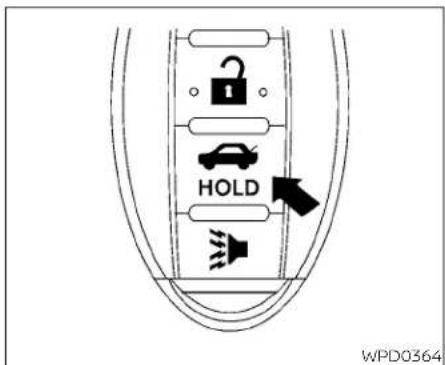
IntelligentKey
Closelysupervisechildrenwhenthey arearoundcarstopreventthem fromplayingandbecominglockedin thetrunkwheretheycouldbeseriouslyinjured.Keepthecarlocked, withthereseatbackandtrunklid securelylatchedwhennotinuse,and preventchildren'saccesstocarkeys.

Trunkopenerswitch
Toopenthetrunklidperformoneofthe followingafterunlockingalldoors:
- Pressthebuttonontheinstrument panel.
•PressthebuttonontheIntelligentKey.
- Pushthetrunkopenerswitch Ⓐ.
Toclosethetrunklid,lowerandpushthe trunkliddownsecurely.
NOTE:
Requestswitchesforalldoorsandtrunk canbedeactivatedwhentheExtDoor SwitchorI-KeyDoorLock feature is switchedtoOFFinthe"VehicleSettings" ofthevehicleinformationdisplay. For additionalinformation,see"Vehicleinformationdisplay-5inch(13cm)TypeA (ifsoequipped)("P.2-18)or"Vehicleinformationdisplay-7inch(18cm)TypeB (ifsoequipped)("P.2-34).
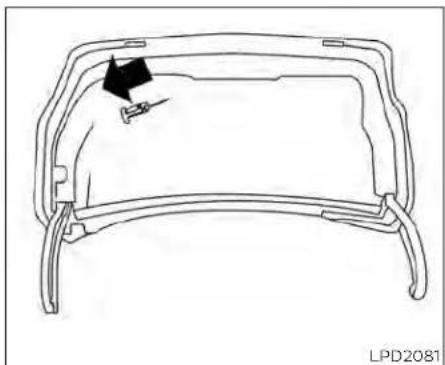
natural_image
Line drawing of a car frame with a black arrow pointing to the side panel (no text or symbols)INTERIORTRUNKLIDRELEASE
WARNING
Closelysupervisechildrenwhenthey arearoundcarstopreventthemfrom playingandbecominglockedinthe trunkwhertheycouldbeseriouslyinjured.Keepthecarlocked,withtherear seatbackandtrunklidsecurelylatched whennotinuse,andpreventchildren's accesstocarkeys.
Theinteriortrunklidreleasemechanism providesameansofescapeforchildren andadultsintheeventtheybecome lockedinsidethetrunk.
Toopenthetrunkfromtheinside,pullthe illuminatedreleasehandleuntilthelockreleasesandpushuponthetrunklid.The releasehandleismadeofamaterialthat glowsinthedarkafterabriefexposure to ambientlight.
The handle is located inside the diet trunk compartment on the interior of the trunk lid.
INTERIORTRUNKACCESS
Thetrunkcanbeaccessedfromthepassengersideoftherearseat.
- Movethefrontpassengerseattothe mostforwardposition.
- Opentheaccesscoverontherearpar-celshelf.
3.Slidethehandleinthedirectionofthe arrow.
4.Folddownthe passenger's side seatback.
For additional information, see "Folding rearseat"(P.1-6).
WARNING
- Neverallowanyonetoridein the cargoareaorontherearseatwhenit isinthefold-downposition.Useof theseareasbypassengerswithout properrestraintscouldresultinseriousinjuryordeathinanaccidentor suddenstop.
- Properlysecureallcargowithropes orstrapstohelppreventitfromslidingorshifting.Donotplacecargo higherthantheseatbacks.Inasudden stop or collision, unsecured cargocouldcausepersonalinjury.
- Whenreturningtheseatbackstothe uprightposition,becertaintheyare completelysecured in the latched position.Iftheyarenotcompletely secured,passengersmaybeinjured inanaccidentorsuddenstop.
- Closelysupervisechildrenwhenthey are around cars to prevent them fromplayingandbecominglockedin thetrunkwheretheycouldbeseriouslyinjured.Keepthecarlocked, withtherearseatbackandtrunklid securelylatchedwhennotinuse,and preventchildren'saccesstocarkeys.
FUEL-FILLERDOOR

OPENEROPERATION
Thefuel-fillerdoorreleaseislocatedbelow theinstrumentpanel.Toopenthefuel-filler door,pulltherelease.Tolock,closethefuel-fillerdoorsecurely.
FUEL-FILLERCAP
WARNING
Gasolineisextremelyflammable and highlyexplosiveundercertainconditions.Youcouldbeburnedorseriouslyinjurediffitismisusedormishandled.Alwaysstoptheengineand donotsmokeorallowopenflamesor sparksnearthevehiclewhen refueling.
- Donotattempttotopoffthefuel tankafterthefuelpumpnozzle shutsoffautomatically.Continued refuelingmay causefuel overflow, resultinginfuelsprayandpossiblya fire.
- Useonlyanoriginalequipmenttype fuel-fillercapasareplacement.Ithas abuilt-insafetyvalveneededfor properoperationofthefuelsystem andemissioncontrolsystem.Anin-correctcapcanresultinaserious malfunctionand possible injury. It could also cause the MalfunctionIndicatorLight(MIL)tocomeon.
- Neverpourfuelintothethrottlebody toattempttostartyourvehicle.
- Donotfillaportablefuelcontainerin thevehicleortrailer. Staticelectricity can cause an explosion of flammable liquid, vapororgasinanyvehicleor trailer. To reduce risk of serious injury or death when filling portable fuel containers:
-Alwaysplacethecontaineronthe groundwhenfilling.
-Donot useelectronicdevices whenfilling.
-Keepthepumpnozzleincontact with thecontainer whileyou are fillingit.
-Useonlyapprovedportablefuel containersforflammableliquid.
CAUTION
- Donotuseafuelthatcontainsmore than15%ethanolinyourvehicle. For additionalinformation,see "Fuelrecommendation"(P.10-4).
TheLooseFuelCapwarningmes-sagewillbedisplayed/warningwill appearifthefuel-fillercapisnot properlytightened.itmaytakeafew drivingtripsforthemessagetobe displayed.Failureuretotightenthefuel-fillercapproperlyaftertheLoose FuelCapwarningmessageis displayed/warningappearsmay causethe MalfunctionIndicator Light(MIL)toilluminate.
- Failuretotightenthefuel-fillercap properlymaycausethe Mal-functionIndicatorLight(MIL)toillu-minate.Ifthe lightilluminates becausethefuel-fillercapislooseor missing,tightenorinstallthecapand continuetodrivethevehicle.The light should turn off after a few drivingtrips.Ifthe lightdoesnot turnoffafterafewdrivingtrips,have thevehicleinspected.Itisrecommended that you visit a NISSAN dealerforthisservice.
For additional information, see "Mal-function Indicator Light (MIL)" (P.2-15).
- Iffuelisspilledonthevehiclebody, flushitaway withwaterto avoid paintdamage.

natural_image
Technical line drawing of a mechanical assembly with labeled component (no text or symbols beyond label)Toremovethefuel-fillercap:
- Turn the fuel-filler cap counterclockwise toremove.
- Put the fuel-filler cap on the cap holder ① whilerefueling.
Toinstallthefuel-fillercap:
- Insert the fuel-filler cap straight into the fuel-fillertube.
- Turnthefuel-fillercapclockwiseuntila singleclickisheard.

natural_image
Pure electrical circuit symbol for a lamp (no text or labels)Loose Fuel Cap warning
The Loose Fuel Cap warning message will bedisplayedinthevehicleinformationdisplaywhenthefuel-fillercapisnottightenedcorrectlyafterthe vehiclehasbeenrefueled. It may take a few driving trips for the message to be displayed. To turn off thewarning,performthefollowing:
- Remove and install the fuel-filler cap as soonaspossible.Foradditionalinformation,see"Fuel-fillercap"(P3-25)
- Tightenthefuel-fillercapuntilitclicks.
STEERINGWHEEL
3.PresstheOKbuttononthesteering wheelforabout1secondtoturnoffthe LooseFuelCapwarningaftertightening thefuel-fillercap.
WARNING
- Donotadjustthesteeringwheel whiledriving.Youcouldlosecontrol ofyourvehicleandcausean accident. - Donotadjustthesteeringwheelany closertoyouthanisnecessaryfor propersteeringoperationandcomfort.Thedriver'sairbaginflateswith greatforce.Ifyouareunrestrained, leaningforward,sittingsidewaysor outofpositioninanyway,youareat greateriskofinjuryordeathin a crash.Youmayalsoreceiveserious or fatal injuries from the air bag if you areupagainstitwhenitinflates.Alwayssitbackagainsttheseatback andasfarawayaspracticalfromthe steeringwheel.Alwaysusetheseat belts.

TILTOPERATION
Pullthelockleverdownandholdonuntil theendofthestroke ① andadjustthe steeringwheelupordown ② tothedesiredposition.
Push thelocklever up ① firmly and hold on until end of stroketolock thesteering wheelin place.
TELESCOPICOPERATION
Pullthelockleverdown ① andadjustthe steeringwheelforwardorbackward ③ to thedesiredposition.
Pre-drivingchecksandadjustments
SUNVISORS
Pushthelockleverup ① firmlyandholdon untilendofstroketolockthesteering wheelinplace.

flowchart
graph TD
    A["Step 1: Rear wing"] --> B["Step 2: Rear handle"]
    B --> C["Step 3: Rear handle"]
- Toblockglarefromthefront, swing downthemainsunvisor ①.
- Toblockglarefromtheside, remove the mainsunvisor ② fromthecenter mountandswingthevisortotheside.
- To extend the sunvisor, slide in or out as needed ③.
CAUTION
- Donotstorethesunvisorbeforere-turningtheextensiontoitsoriginal position.
- Donotpulltheextensionsunvisor forcedlydownward.
3-28 Pre-driving checks and adjustments
MIRRORS

natural_image
Simple line drawing of a door with a vent and handle, no text or symbols presentVANITYMIRRORS
Toaccessthevanitymirror,pullthesun visordownandflipopenthemirrorcover. Somevanitymirrorsareilluminated and turnonwhenthemirrorcoverisopen.
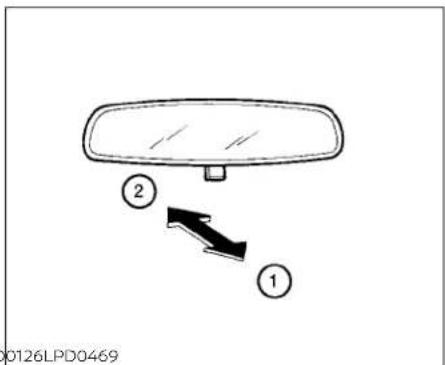
MANUALANTI-GLAREREARVIEW MIRROR(ifsoequipped)
Usethenightposition ① toreduceglare fromtheheadlightsofvehiclesbehindyou atnight.
Usethedayposition ② whendrivingin daylighthours.
WARNING
Usethenightpositiononlywhennecessary, because it reduces rearview clarity.

AUTOMATICANTI-GLARE REARVIEWMIRROR(ifsoequipped)
The insidemirror is designed so that it automatically dimsduring nighttime conditions and according to the intensity of the headlight so the vehicle following you. The automatic anti-glare feature is activated when the ignition switch is the ON position.
NOTE:
Donothanganyobjectsoverthesensors 🟢 orapplyglasscleanertothesensors.Doingsowillreducethesensitivity ofthesensors,resultinginimproper operation.
Theindicatorlight ② willilluminatewhen theautomaticanti-glarefeatureis operating.
- Toturnofftheanti-glarefeature,press theObutton.Theindicatorlightwill turnoff.
- Toturnontheanti-glarefeature,press the|button.Theindicatorlightwillturn on.
ForinformationonHomeLink®UniversalTransceiveroperation,seethe"HomeLink®UniversalTransceiver"(P.2-81).

OUTSIDEMIRRORS
Theoutsidemirrorremotecontrolonlyoperateswhentheignitionswitchisplacedin theONposition.
Movethesmall switch ① to select the right or left mirror. Adjust each mirror to the desired position using the largest switch ② Movethesmall switch ① to the center (neutral) position to prevent accidentally moving them mirror.
WARNING
- Donotadjustthemirrorswhiledriving. You could lose control of your vehicle and cause an accident.
- Objectsviewedintheoutsidemirror on the passenger side are closer than theyappear. Becarefulwhenmoving totheright.Usingonlythismirror couldcauseanaccident.Usetheinsidemirroror glanceoveryour shouldertoproperlyjudgedistances tootherobjects.
MEMORYSEAT(ifsoequipped)

natural_image
Line drawing of a car seatbelt buckle with a black arrow indicating the angle (no text or symbols)Thememoryseatsystemhasthree features:
- Memorystoragefunction(Key-link) - Memorystoragefunction(Switch) - Entry/exitfunction
Key-link, when enabled, automatically retain the driver's last seat and outside mirror (if so equipped) position forth at specific key when the ignition is turned from ON to OFF.
Eachmemoryswitchbutton(1or2)onthe driver'sdoorcanalsostoreoneadditional positionwhichisindependentofthekey-linkedposition.
Manualfoldingoutsidemirrors
Pulltheoutsidemirrortowardthedoorto foldit.
Heatedmirrors(ifsoequipped)
Someoutsidemirrorscanbeheatedto defog,defrostorde-iceforimprovedvisibility.Foradditionalinformation,see"Rear windowandoutsidemirror(ifsoequipped) defrosterswitch"(P.2-56).

MEMORYSTORAGEFUNCTION
Usethefollowingprocesstosetupkey-link:
- Unlock the vehicle with the desired Intelligent Key while the ignition is OFF.
- PlacetheignitionintheONposition.
- Within the "Settings" menu of the vehicle information display, select "Key-Linked Settings" and press the OK button on the steeringswitch.
- Whileinthemenu, presstheOKbutton onthesteeringswitchtoturnthesystemON/OFF.
Pre-drivingchecksandadjustments
Once step4 is completed, every time the ignition is switched from ON to OFF, the memory position of the driver's seat and outside mirror (if so equipped) are linked to the Intelligent Key.
Followthesameprocedureifyouwant tolinkthe2nd,3rdor4thIntelligentKey.
NOTE:
Ifnewmemorypositionsaresetpriorto turningtheignitionfromONtoOFF,the previouslylinkedmemorypositionsfor therespectivekeywillbeoverwrittenby newpositions.
Recalling Intelligent Keymemory positions
Ifthe"Key-LinkedSettings"areenabled in the vehicle information display for that particular key, every time you enter the vehicle the driver's seat and outside mirrors (if so equipped) will automatically moveto the driver's last position of the respective Intelligent Key.
NOTE:
Thekey-linked memory positions can be different from the positions stored in the memory switch(1or2).

natural_image
Line drawing of a car interior showing the side panel with buttons and ventilation slots (no text or symbols)MEMORYSTORAGEFUNCTION (switch)
Usethefollowingprocesstomanually storethetwomemorypositionsinthe switch:
-
The vehicles should be stopped while setting them memory.
-
Adjust the driver's seat and outside mirror (if so equipped) to the desired positions by manually operating each adjustment switch. For additional information, see "Front power seat adjustment" (P.1-4) and "Outsidemirrors" (P.3-30).
-
Push the SET switch and within 5 seconds, push them memory switch (1 or 2).
The indicator light for the pushed memory switch will come on and stay on for approximately 5 seconds. The chime will sound when the memory is stored.
NOTE:
Ifanewmemorypositionisstoredinthe same memory switch, the previous memorypositionwillbeoverwrittenby thenewstoredposition.
Recallingswitchmemory positions
Torecallthemannuallystoredpositions, pressthememoryswitch(1or2).Thedriver'sseatandoutsidemirror(ifsoequipped) willmovetothepositionsstoredtothose buttons.
ENTRY/EXITFUNCTION
Thisystemisdesignedsothatthedriver's seatwillautomaticallymovewhentheshift leverisintheP(Park)position.Thisallows thedrivertoeasilygetinandoutofthe driver'sseat.
Thedriver'sseatwillslidebackward:
- Whenthedriver'sdoorisopenedandthe IgnitionswitchIsintheOFFposition.
-whentheignitionswitchisturnedfrom ACCtoOFFwiththedriver'sdooropen.
The driver's seat will return to the previous position:
- When the ignitions switchisturned to ACC or ON while the shift lever is in the P(Park) position.
Theentry/exitfunctioncanbeadjustedor canceledthroughthe"VehicleSettings"in thevehicleInformationdisplaybyperformingthefollowing:
- SwitchtheExitSeatSlidefromONtoOFF.
SYSTEMOPERATION
Thememoryseatsystemwillnotworkor willstopoperatingunderthefollowing conditions:
- Whenthevehiclespeedisabove4mph(7 km/h).
- Whenanyofthememoryswitchesare pushedwhilethememoryseatis operating.
- Whentheswitchforthedriver'sseat and steeringcolumnispushedwhile the memoryseatisoperating.
- Whentheseathasalreadybeenmoved tothememorizedposition.
- Whennoseatpositionisstoredinthe memoryswitch.
- WhentheshiftleverismovedfromP (Park)toanyotherposition.
Thememoryseatsystemcanbeadjusted and canceled. It is recommended you visit a NISSAN dealer forth this service.
4Monitor,climate,audio,phone and voicerecognitionsystems
NissanConnect®Owner'sManual....4-2
Controlpanelbuttons....4-3
Howtousethetouch-screen....4-4
Howtousethe MENUbutton....4-5
※/D (brightnesscontrol)button....4-7
HowtousetheVOL(volume)knob/
PUSH ⏻ (power)button......
Selectingmenufromlaunchbar. 4 - 7
RearViewMonitor(ifsoequipped) 4 - 8
RearViewMonitorsystemoperation....4-9
Howtoreadthedisplayedlines. 4 - 9
Differencebetweenpredictedand
actualdistances. 4-10
Howtoparkwithpredictedcourse
lines. 4-11
Adjustingthescreen. 4-13
Howtoturnonandoffpredicted
courselines....4-13
RearViewMonitorsystemlimitations.....4-13
Systemmaintenance. 4-15
IntelligentAround ViewMonitor
(ifsoequipped) 4-16
IntelligentAround ViewMonitorsystem
operation.... 4-17
Differencebetweenpredicted and
Howtoparkwithpredicted course
lines 4-22
How to switch the display 4-23
Adjusting the screen 4-24
IntelligentAround ViewMonitorsystem
limitations 4-24
4-7 Systemmaintenance....4-26
MovingObjectDetection(MOD)
(if so equipped) 4-27
MODsystemoperation....4-28
Turning MOD on and off (if so equipped) .....4-30
MOD system limitations 4-30
Systemmaintenance....4-31
Vents 4-31
Heaterandairconditioner(manual)
(if so equipped) 4-33
Controls 4-34
Heater operation 4-34
Air conditioner operation 4-35
Air flow charts....4-36
Heaterandairconditioner(automatic)
(if so equipped) 4-40
Automatic operation 4-41
Manual operation 4-42
Operating tips 4-43
Servicingairconditioner....4-44
Audiosystem....4-45
Radio....4-45
FMradioreception....4-45
AMradioreception....4-45
Audiooperationprecautions. 4-46
FM/AMradio 4-49
USB(UniversalSerialBus)Connection
Port 4-54
iPod®*playeroperation....4-57
Bluetooth®streamingaudio....4-60
Steeringwheelswitchforaudiocontrol....4-63
Antenna....4-64
Siri®EyesFree(ifsoequipped)....4-64
Requirements....4-64
OperatingSiri®EyesFree. 4-65
Troubleshootingguide. 4-66
CarphoneorCBradio....4-67
Bluetooth®Hands-FreePhoneSystem.....4-67
Regulatoryinformation....4-69
Usingthesystem....4-69
Indicators. 4-71
Bluetooth® connecting procedure....4-72
Voicecommands....4-73
Phonedisplayscreen....4-75
Makingacall....4-76
Receiving/Endingacall....4-76
During a call....4-77
Textmessaging(ifsoequipped) 4-77
Bluetooth®connectionsscreen....4-81
Phone and text message settings....4-82
Volume&beeps. 4-84
iPod®/iPhone® 4-84
NISSANCONNECT® OWNER'S MANUAL

LHA5538
RefertothedigitalNissanConnect® Owner'smanualusingtheQRcodeonthis page,oryourprintedNissanConnect® Owner'smanual(ifsoequipped).This manualincludesthefollowinginformation:
•NissanConnect®Services(ifsoequipped)
• Navigationsystem(ifsoequipped)
•Audiosystem
•AppleCarPlay®(ifsoequipped)
•AndroidAuto ^TM (Ifsoequipped)
-Bluetooth®Hands-FreePhonesystem
-Viewinginformation
- Othersettings
4-2Monitor,climate,audio,phoneandvoicerecognitionsystems
•Voicerecognition
•Generalsysteminformation
CONTROLPANELBUTTONS
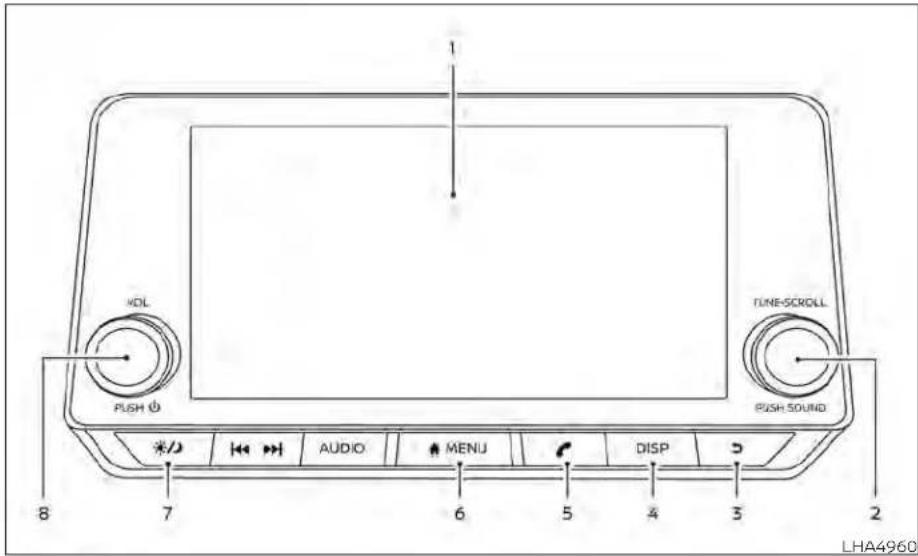
1.Displayscreen
2.TUNE-SCROLLknob/PUSHSOUND button
- BACKbutton
4.DISPbutton
-
button*
-
MENUbutton
-
⚙/∅ (brightnesscontrol)button
8.VOL(volume)knob/PUSH (power) button
*Foradditionalinformationregardingthe Bluetooth®Hands-FreePhoneSystem controlbutton,see"Bluetooth®Hands-FreePhoneSystem"(P.4-67).
whenyouusethissystem,makesurethe engineisrunning.
If you set the system with the engine not running for allong time, it will discharge the battery, and the engine will not start.
Referencesymbols:
"Example"—Wordsmarkedinquotesrefer toakeyshownonlyonthedisplay.These keyscanbeselectedbytouchingthe screen.
To help ensures a fed driving, some functions cannot be operated while driving.
Theon-screenfunctionsthatarenotavailablewhiledrivingwillbe"grayedout"or muted.
WARNING
- ALWAYSgiveyourfullattentionto driving.
- Avoidusingvehiclefeaturesthat could distract you. If distracted, you could lose control of your vehicle and cause an accident.

Touch-screenoperation
| Menultem | Result | |
| Selecting the item | Touch an item to select. To select the 'Phone' key, touch the 'Phone' key on the screen. Touch the " ▷ " key to returntothepreviousscreen. | |
| Adjusting the item | Touch the '*' key or the '*' key to adjust the settings of an item. Touch the up arrow to scroll up the page one itemataltime.Touchthedownarrowtoscolldownthepageoneiternalataltime. | |
| Inputting characters | Touch the number key. There are some options available when inputting characters. | |
| 123 | Touchtomanuallyenternumbers. | |
| OK | Completesthecharacterinput. | |
4-4 Monitor, climate, audio, phone and voice recognition systems
Touch-screenmaintenance
If you clean the displays screen, use adry, soft cloth. If additional cleaning is necessary, use a small amount of neutral detergent with as soft cloth. Neverspray the screen with water or detergent. Dampen the cloth first and then wipethescreen.
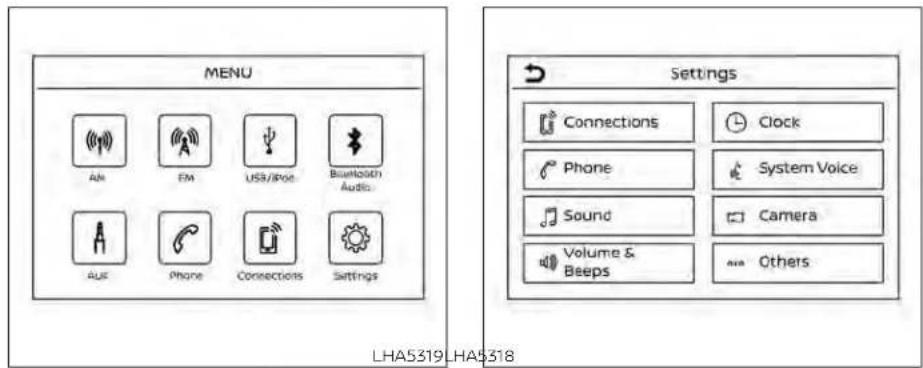
HOWTOUSETHEMEN
BUTTON
Toselectand/oradjustseveralfunctions, featuresandmodesthatareavailablefor yourvehicle:
1.Pressthe

MENUbutton.
- Touchthe"Settings"key.
3.Touchthedesireditem.
| MenuitemResult | |||
| SettingsTouchtochangethefollowingsettings. | |||
| ConnectionsTouchthiskeytoselecteitherBluetooth® | oth*phone,Bluetooth*audioorUSBaudiooptions.Foradditional information,see"USBconnectionsscreen"(P.4-55)and"Bluetooth*connectionsscreen"(P.4-81)inthis section. | ||
| PhoneForadditionalInformation,see"Bluetooth® | Hands-FreePhoneSystem"(P.4-67)inthissection. | ||
| SoundForadditionalInformation,see"Audiosystem"(P.4-45)inthissection. | |||
| Volume&BeepsForadditionalInformation,see"Volume&beeps"(P.4-84)inthissection. | |||
| ClockTouchthiskeytoadjustclocksettings. | |||
| On-screenClockTouchtotoggleONorOFFtheclockdisplayontheupperrightcornerofthedisplayscreen. | |||
| ClockFormatTouchtosettheclockto12houror24hourformats. | |||
| DaylightSavingsTimeTouchtoadjuststhedaylightsavingtimetoonoroff. | |||
| SetClockManuallyTouchtoadjusttheclockmanually;thentouchtochangebetweenAMandPM,thehourandtheminutes. | |||
| SystemVoiceForadditionalinformation,see"Settings"(P.4-75)inthissection. | |||
| Camera | Touchthiskeytochangethecamerasettings. | ||
| Others | Touch this key to select and/or adjust various functions of this system. A screen with additional options willappear. | ||
| Display | Touch this key to adjust the appearance of the display. For additional Information, see 'Adjusting the screen' (P. 4-13,4-24)inthissection. | ||
| Language | Touchthiskeytochangethelanguageonthedisplay. | ||
| OSS Licenses | Touch this key to display software licensing information. | ||
| Return All Settings to Default | Touch this key to return all settings to default and to clear the memory. | ||
☀️/☐ (brightnesscontrol)BUTTON
Tochangethedisplaybrightness,pressthe button.Pressingthebuttonagainwill changethedisplaytothedayorthenight display.
Pressandholdthe 📋 buttonformore than2secondstoturnthedisplayoff.Press andholdthebuttonagaintoturnthedisplayon.
HOWTOUSETHEVOL(volume) KNOB/PUSH ⏻ (power) BUTTON
PressthePUSH(power)buttontoturn audiofunctiononandoff.TurntheVOL (volume)knobtoadjustaudiovolume.

SELECTINGMENUFROMLAUNCH BAR
Varioussystemfunctionscanbeaccessed bytouchingtheitemsontheLaunchBar
whichisdisplayedonmostofthemain menuscreens(theLaunchBardoesnot appearonsomescreenssuchassettings screens,camerascreens,etc.)
TouchthekeysontheLaunchBartodisplaythecorrespondingmenuscreens.
The following menu items are available on the Launch Bar:
• AM
· FM
•USB/iPod
-Bluetooth
• AUX
-Settings
REARVIEWMONITOR(ifso equipped)

natural_image
Interior view of a car dashboard and infotainment device (no text or symbols visible)- Failuretofollowthewarningsandin-structionsforproperuseoftheRear-ViewMonitorsystemcouldresultin seriousinjuryordeath.
•RearViewMonitorisaconvenience featureandisnotasubstitutefor properbacking.Alwaysturnandlook outthewindowsandcheckmirrors tobesurethatitissafetomovebeforeoperatingthevehicle.Always backupslowly.
- Thesystemisdesignedasanaidto thedriverinshowinglargestationaryobjectsdirectlybehindthevehicle,tohelpavoiddamagingthe vehicle.
4-8 Monitor, climate, audio, phone and voicerecognitionsystems
- Thedistanceguidelinesandthevehiclewidthlinessshouldbeusedasa referenceonlywhenthevehicleisonalevelpavedsurface. Thedistance viewedonthemonitorisforreferenceonlyandmaybedifferentthan theactualdistancebetweenthevehicleanddisplayedobjects.
CAUTION
Donotscratchthecameralenswhen cleaningdirtorsnowfromthefrontof thecamera.
TheRearViewMonitorsystemautomaticallyshowsarearviewofthevehiclewhen theshiftleverisshiftedintotheR(Reverse) position. Theradiocanstillbeheardwhile theRearViewMonitorIsactive.
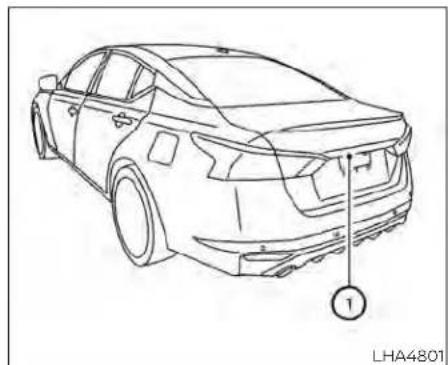
natural_image
Line drawing of a sedan car with labeled parts, no text or symbols presentTodisplaytherearview,theRearViewMonitorsystemusesacameralocatedjustabovethevehicle'slicenseplate ①.
Guidinglineswhichindicatethevehicle widthanddistancestoobjectswithrefer-encetothevehiclebodyline Ⓐ aredis-playedonthemonitor.
Distanceguidelines
Indicated distances from the vehicle body.
•Redline ①:approx.1.5ft(0.5m)
•Yellowline ②:approx.3ft(1m)
•Greenline ③:approx.7ft(2m)
Vehiclewidthguidelines ④
Indicatethevehiclewidthwhenbackingup.
Predictedcourselines ⑤
Indicatethepredictedcoursewhenbackingup.Thepredictedcourselineswillbe displayedonthemonitorwhentheshift leverisIntheR(Reverse)positionandthe steeringwheelisturned.Thepredicted courselineswillmoveddependingonhow muchthesteeringwheelisturnedandwill notbedisplayedwhilethesteeringwheelis inthestraight-aheadposition.
Thevehiclewidthguidelinesandthewidth ofthepredictedcourselinesarewiderthan theactualwidthhandcourse.
DIFFERENCEBETWEENPREDICTED ANDACTUALDISTANCES
The displayed guidelines and their locations on the ground are for approximate reference only. Object on uphill, down hill surfaces or projecting objects will be actually located at distances different from those displayed in the monitor relative to the guidelines (refertoillustrations). When indoubt, turnaround and view the objects as you are backing up, or park and exit the vehicle to view the positioning of objects behind the vehicle.

natural_image
Illustration showing a car on a slope next to a vehicle with a black rectangular block, no text or symbols present.Backinguponasteepuphill
Whenbackingupthevehicleupahill,the distanceguidelinesandthevehiclewidth guidelinesareshowncloserthantheactualdistance.Notethatanyobjectonthe hill is further than it appears on the monitor.

natural_image
Diagram showing a car on a slope with a block and a black square object above it, no text or symbols present.Backinguponasteepdownhill
Whenbackingupthevehicledownahill, thedistanceguidelinesandthevehicle widthguidelinesareshownfartherthan theactualdistance. Notethatanyobject onthehilliscloserthanitappearsonthe monitor.
4-10 Monitor, climate, audio, phone and voice recognition systems

Backingupnearaprojecting object
Thepredictedcourselines ① donottouch theobjectinthedisplay.However,thevehiclemayhittheobjectifitprojectsover theactualbackingupcourse.

Backingupbehindaprojecting object
Theposition © is shown farther than the position Ⓗ in the display. However, the position © is actually at the same distance as the position Ⓔ. The vehicle may hit the
objectwhenbackinguptotheposition iftheobjectprojectsovertheactualbackingupcourse.
HOWTOPARKWITHPREDICTED COURSELINES
A
WARNING
- If the tires are replaced with different sizes, the predicted courselines may be displayed incorrectly.
- Onasnow-coveredorslipperyroad, theremaybeadifferencebetween thepredictedcourselineandtheactualcourseline.
- If the battery is disconnected or becomes discharged, the predicted courelines may be displayed incorrectly. If this occurs, please perform the following procedures:
-Turnthesteeringwheelfromlock tolockwhiletheengineis running.
-Drivethevehicleonastraightroad formorethan5minutes.
- When the steering wheel is turned with the ignition switch in the ACC position, the predicted course lines may be displayed incorrectly.
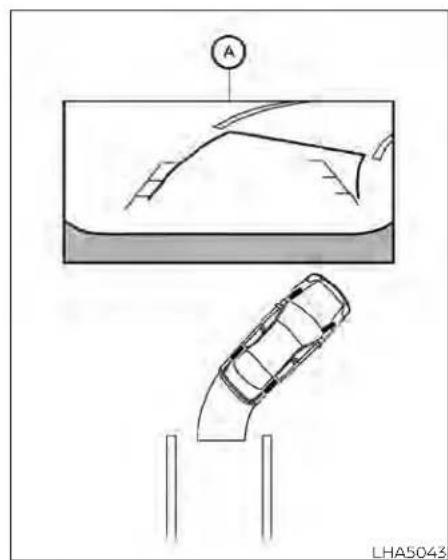
natural_image
Diagram showing a car on a curved ramp and a car above it, with no visible text or symbols.- Visually check that the parkingspace is safe before parking your vehicle.
- Therearviewofthevehicleisdisplayed onthescreen Ⓐ whentheshiftleveris movedtotheR(Reverse)position.
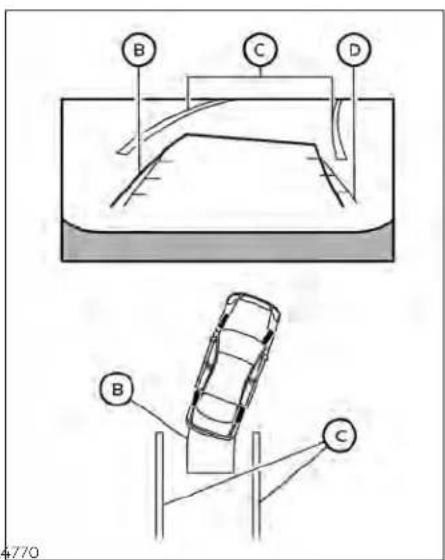
3.Slowlybackupthevehicleadjustingthe steeringwheelsothatthepredicted courselines Ⓑ entertheparkingspace Ⓞ.
4. Maneuverthesteeringwheeltomake thevehiclewidthguidelines ① parallel totheparkingspace ② whilereferring tothepredictedcourselines.
5. Whenthevehicle is sparked in the space completely, movetheshiftlevertotheP (Park) position and apply the parking brake.
4-12 Monitor, climate, audio, phone and voicerecognition systems

ADJUSTINGTHESCREEN
ForvehicleswithCAMERAbutton
1.PresstheCAMERAbutton.
2. Touchthe"DisplaySettings"key.
3. Touch the "Brightness", "Contrast", "Tint", "Color", or "BlackLevel" key.
4. Adjust the item by touching the "or" key on the touch-screen display.
ForvehicleswithDISPbutton
1.PresstheMENUbutton.
2. Touchthe"Settings"key.
3. Touch the "Camera" key
4.Touchthe"DisplaySettings"key.
5. Touch the "Brightness", "Contrast", "Tint", "Color", or "BlackLevel" key.
6. Adjust the item by touching the "or" key on the touch-screen display.
NOTE:
Donotadjustanyofthedisplaysettings oftheRearViewMonitorwhilethevehicleismoving.
HOWTOTURNONANDOFF PREDICTEDCOURSELINES
ForvehicleswithCAMERAbutton
TotoggleONandOFFthepredictedcourse lineswhileintheP(Park)position:
1.PresstheCAMERAbutton.
2. Touch the "PredictedCourseLines" key to turn the feature ON or OFF.
TotoggleONandOFFthepredictedcourse lineswhileintheR(Reverse)position,press theCAMERAbutton.
ForvehicleswithDISPbutton
TotoggleONandOFFthepredictedcourse lineswhileintheP(Park)position:
- Touchthe"Settings"key.
- Touchthe "Camera" key.
- Touch the "PredictedCourseLines" key to turn the feature ON or OFF.
REARVIEWMONITORSYSTEM LIMITATIONS
WARNING
Listedbelowarethesystemlimitations forRearViewMonitor.Failureretooper-atethevehicleinaccordancewith thesesystemlimitationscouldresultin seriousinjuryordeath.
- Thesystemcannotcompletelyeliminateblindspotsandmaynotshow everyobject.
·Underneaththebumperandthecornerareasofthebumpercannotbe viewedontheRearViewMonitorbecauseofitsmonitoringrangelimitation.Thesystemwillnotshowsmall objectsbelowthebumper,andmay notshowobjectsclosetothebumperorontheground.
- ObjectsviewedintheRearView
Monitordifferfromactualdistance
becauseawide-anglelensisused.
- ObjectsintheRearViewMonitorwill appearvisuallyoppositecompared towhenviewedintherearviewand outsidersmirrors.
- Usethedisplayedlinesasareference.Thelinesarehighlyaffectedby thenumberofoccupants,fuellevel, vehicleposition,roadconditionsand roadgrade.
- Makesurethatthetrunkissecurely closedwhenbackingup.
- Donotputanythingontherearview camera.Therearviewcameraisinstalledabovethelicenseplate.
- When washing the vehicle with high pressure water, besurenottospray it around the camera. Otherwise, water may enter the camera unit causing water condensation on the helens, a malfunction, fire or an electric shock.
- Donotstrikethecamera.Itisaprecisioninstrument. Otherwise, it may malfunctionorcausedamageresultinginafireoranelectricshock.
The following areoperatinglimitations and donotrepresentasystemmalfunction:
- When the temperature is extremely high or low, the screen may not clearly display objects.
- When strong light directly shines on the camera, objects may not be displayed clearly.
- Verticallinesmaybeseeninobjectson thescreen. Thisisduetostrongreflected lightfromthebumper.
• Thescreenmayflickerunderfluorescent light.
• ThecolorsofobjectsontheRearView Monitormaydiffersomewhatfromthe actualcolorofobjects.
- Objectsonthemonitormaynotbeclear inadarkenvironment.
•Theremaybeadelaywhenswitching betweenviews.
- Ifdirt,rainorsnowaccumulateonthe camera,theRearViewMonitormaynot displayobjectsclearly.Cleanthecamera.
- Donotusewaxonthecameralens.Wipe offanywaxwithacleanclothdampened withadilutedmildcleaningagent,then wipewithadrycloth.

natural_image
Line drawing of a sedan car with a numbered component, no text or symbols presentSYSTEMMAINTENANCE
Ifdirt,rainorsnowaccumulatesonthe camera ①,theRearViewMonitormaynot displayobjectsclearly.Cleanthecamera bywipingitwithaclothdampenedwitha dilutedmildcleaningagentandthenwipingitwithadrycloth.
CAUTION
- Donotusealcohol, benzineorthinnertocleanthecamera. This will caused discoloration.
- Donotdamagethecameraasthe monitorscreenmaybeadversely affected.
INTELLIGENTAROUNDVIEW MONITOR(ifsoequipped)
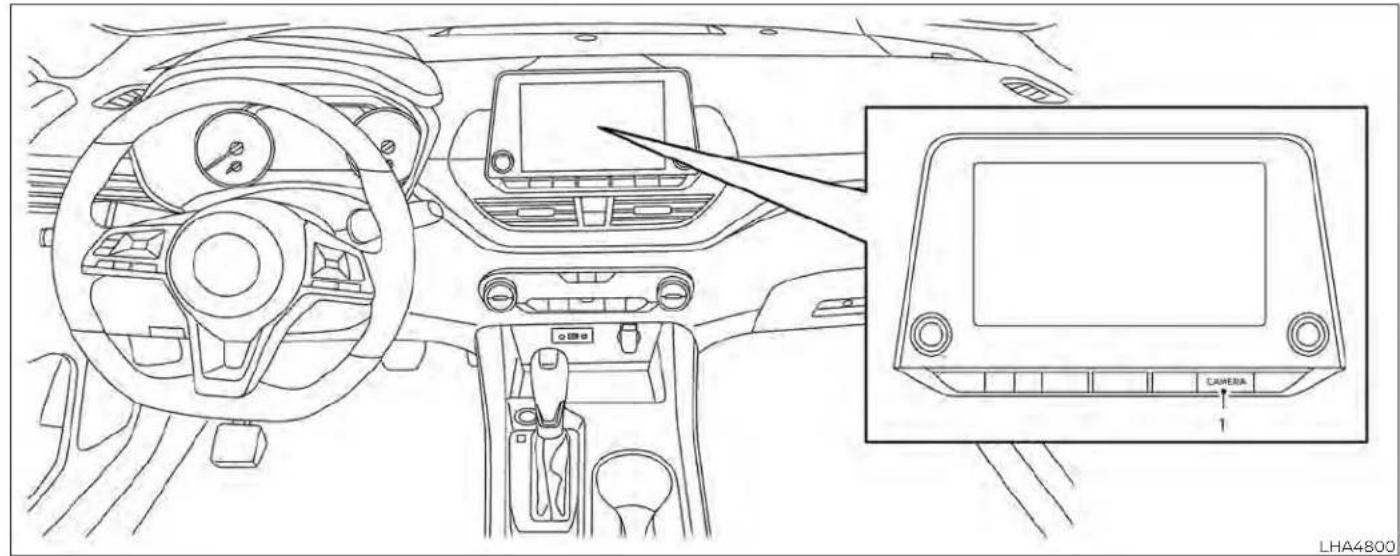
1.CAMERAbutton
4-16 Monitor, climate, audio, phone and voicerecognitionsystems
WARNING
Failuretofollowthewarningsandin- structionsfortheproperuseoftheIn- telligentAroundViewMonitorsystem couldresultinseriousinjuryordeath
The Intelligent Around View Monitor is a convenience feature and is not a substitute for proper vehicle operation because it has areas where object cannot be viewed. The four corners of the vehicle in particular, are areas where objects donot always appear in the bird's-eye, front, or rear views. Always check your surrounding stobesure that it's safetomove before operating the vehicle. Always operate the vehicles slowly.
• Thedriverisalwaysresponsiblefor safetyduringparkingandother maneuvers.
CAUTION
Donotscratchthecameralenswhen cleaningDIRtorsnowfromthefrontof thecamera.
The Intelligent Around View Monitorsystem is designed as anaid to the driver in situations such as slot parking or parallel parking.
Themonitordisplaysvariousviewsofthe positionofthevehicleinasplitscreenfor-mat.Notallviewsareavailableataltimes.
Availableviews:
- FrontView
Anapproximately150-degreeviewofthe frontofthevehicle.
•RearView
Anapproximately150-degreeviewofthe rearofthevehicle.
•Bird's-EyeView
Thesurroundingviewsofthevehicle fromabove.
- Front-SideView
The viewaroundandaheadofthefront passenger'ssidewheel.
• FullScreenRearView
The view to there are of the vehicle (which is little wider than the standard Rear View).

natural_image
Line drawing of a car with sensor points and a numbered component (no text or symbols)Todisplaythemultipleviews,theIntelligent AroundViewMonitorsystemusescameraslocatedinthefrontgrille,onthevehicle'soutsidemirrorsandonejustabove thevehicle'slicenseplate ①.
- Thedistanceguidelinesandthevehiclewidthlinessshouldbeusedasa referenceonlywhenthevehicleison apaved, levelsurface. Theapparent distanceviewedonthemonitormay bedifferentthantheactualdistance betweenthevehicleanddisplayed objects.
- Usethedisplayedlinesandthe bird's-eyeviewasareference. The linesandthebird's-eyevieware greatlyaffectedbythenumberofoccupants,cargo,fuellevel,vehicleposition,roadconditionandroad grade.
-
If the tires are replaced with different sizes, the predicted courselines and the bird's -eyeview may be displayed incorrectly.
-
Whendrivingthevehicleupahill, objectsviewedinthemonitorarefurtherthantheyappear. Whendriving thevehicledownahill, objects viewedinthemonitorarecloserthan theyappear.
- Objectsintherearviewwillappear visuallyoppositecomparedtowhen viewedinthemonitorandoutside mirrors.
- Usethemirrorsoractuallylookto properlyjudgedistancestoother objects.
- Onasnow-coveredorslipperyroad, theremaybeadifferencebetween thepredictedcourselinesand the actualcourseline.
- Thevehiclewidthandpredicted courelinesarewiderthantheactual widthandcourse.
- Thedisplayed lineswill appear slightlyofftotheright,because the rearviewcameraisnotinstalled in therearcenterofthevehicle.

Frontview
Frontandrearview
Guidinglinesthatindicatetheapproximate vehiclewidthanddistancetoobjectswith referenceto thevehicle body line Ⓐ are displayedonthemonitor.
Distanceguidelines:
Indicated distances from the vehicle body:
•Redline ①:approximately1.5ft(0.5m)
•Yellowline ②:approximately3ft(1m)
•Greenline ③:approximately7ft(2m)
• Greenline ④: approximately10ft(3m)(if soequipped)

Rearview
Vehiclewidthguidelines ⑤:
Indicatetheapproximatevehiclewidth whenbackingup.
Predictedcourselines ⑥:
Indicatethepredictedcoursewhenoperatingthevehicle.Thepredictedcourse lineswillbedisplayedonthemonitorwhen thesteeringwheelisturned.Thepredicted courselineswillmoveddependingonhow muchthesteeringwheelisturnedandwill notbedisplayedwhilethesteeringwheelis inthestraight-aheadposition.
Thefrontviewwillnotbedisplayedwhen thevehiclespeedisabove6mph(10km/h).
NOTE:
Whenthemonitordisplaysthefront viewandthesteeringwheelturnsabout 90degreesorlessfromthestraight-aheadposition,boththerightandleft predictedcourselines ⑥ aredisplayed. Whenthesteeringwheelturnsabout90 degreesormore,alineisdisplayedonly ontheoppositesideoftheturn.

Bird's-eyeview
Thebird's-eyeviewshowstheoverhead viewofthevehicle,whichhelpsconfirmthe vehiclepositionandthepredictedcourse toaparkingspace.
Thevehicleicon ① show the position of the vehicle. Not that the apparent distance between objects viewed in the bird's-eye view may differ somewhat from the actual distance to the vehicle.
Theareasthatthecameras cannot cover ② areindicatedinblack.
Aftertheignitionswitchedisplacedinthe ONposition,thenon-viewablearea is highlightedinyellowfor3secondsafterthe birds-eyewiewisdisplayed.
Inaddition, thenon-viewable corners are displayed in red and will blink for the first 3 seconds ③ to remind the driver to be cautious.
WARNING
- Objectsinthebird's-eyeviewwillappearfurtherthantheactualdistance.
- Tallobjects,suchasacurborvehicle, maybemisalignedornotdisplayed attheseamoftheviews.
- Objectsthatareabovethecamera cannotbedisplayed.
The view of the bird's-eye view may bemisaligned when the cameraposition alters.
·Alineonthegroundmaybemis-alignedandisnotseenasbeing straightattheseamoftheviews.The misalignmentwillincreaseasthe lineproceedsawayfromthevehicle.

Front-sideview Guidinglines
Guidinglinesthatindicatetheapproximate widthandthefrontendofthevehicleare displayedonthemonitor.
Thefront-of-vehicleline ① showsthefront partofthevehicle.
Theside-of-vehicleline ② showstheapproximatevehiclewidthincludingtheout-sidemirrors.
The extensions ③ of both the front ① and side ② lines are shown with agreedotted line.
DIFFERENCEBETWEENPREDICTED ANDACTUALDISTANCES
The displayed guidelines and their locations on the ground are for approximate reference only. Object on uphill, down hill surfaces or projecting objects will be actually located at distances different from those displayed in them monitor relative to the guidelines (refertoillustrations). When indoubt, turnaround and view the objects as you are backing up, or park and exit the vehicle to view the positioning of objects behind the vehicle.

natural_image
Diagram showing a car on a slope next to a vehicle and a parking block, with no visible text or symbols.Backinguponasteepuphill
whenbackingupthevehicleupahill,the distanceguidelinesandthevehiclewidth guidelinesareshowncloserthantheactualdistance.Notethatanyobjectonthe hillsifurtherthanitappearsonthe monitor.

natural_image
Diagram showing a car on a slope with an object above it, and a separate view of a vehicle under a curved surface (no text or symbols)Backinguponasteepdownhill
whenbackingupthevehicledownahill, thedistanceguidelinesandthevehicle widthguidelinesareshownfartherthan theactualdistance. Notethatanyobject onthehilliscloserthanitappearsonthe monitor.
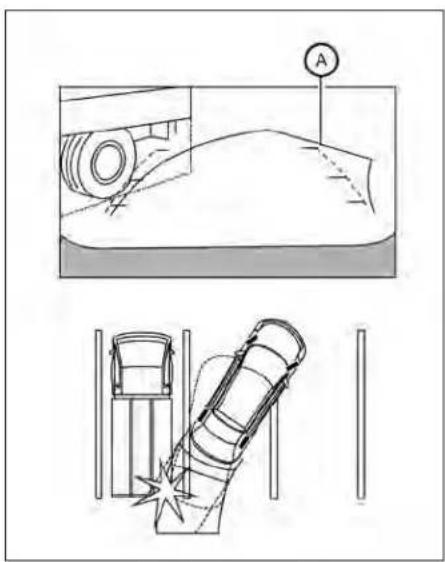
Backingupnearaprojecting object
Thepredictedcourselines ⑧ donottouch theobjectinthedisplay.However,thevehiciemayhittheobjectifitprojectsover theactualbackingupcourse.

Backingupbehindaprojecting object
Theposition © is shown farther than the position Ⓗ in the display. However, the position © Is actually at the same distance as the position Ⓔ . The vehicle may hit the
objectwhenbackinguptotheposition iftheobjectprojectsovertheactualbackingupcourse.
HOWTOPARKWITHPREDICTED COURSELINES
WARNING
- If the tires are replaced with different sizes, the predicted courselines may be displayed incorrectly.
- Onasnow-coveredorslipperyroad, theremaybeadifferencebetween thepredictedcourselineandtheactualcourseline.
- If the battery is disconnected or becomes discharged, the predicted courelines may be displayed incorrectly. If this occurs, please perform the following procedures:
-Turnthesteeringwheelfromlock tolockwhiletheengineis running.
-Drivethevehicleonastraightroad formorethan5minutes.
- When the steering wheelisturned with the ignitions switch in the ACC position, the predicted courselines may be displayed incorrectly.
A

- Visually check that the parkingspaces safe before parking your vehicle.
- Therearviewofthevehicleisdisplayed onthescreen Ⓐ whentheshiftleveris movedtotheR(Reverse)position.
4-22Monitor, climate, audio, phone and voicerecognitionsystems

3.Slowlybackupthevehicleadjustingthe steeringwheelsothatthepredicted courselines Ⓑ entertheparkingspace Ⓠ.
- Maneuverthesteeringwheeltomake the vehicle width guidelines ① parallel totheparkingspace ② whilereferring tothepredicted courselines.
- Whenthevehicleisparkedinthespace completely, movetheshiftlevertotheP (Park)positionandapplytheparking brake.
HOWTOSWITCHTHEDISPLAY
withtheignitionswitchintheONposition, presstheCAMERAbuttonormovetheshift levertotheR(Reverse)positiontooperate theIntelligentAroundViewMonitor.
The IntelligentAroundViewMonitordisplaysdifferentsplitscreenviewsdependingonthepositionoftheshiftlever.Press theCAMERAbuttontoswitchbetweenthe availableviews.
IftheshiftleverisintheR(Reverse)position, theavailableviewsare:
•Rearview/bird's-eyewiewsplitscreen
•Rearview/front-sideviewsplitscreen
• Fullscreenrearview
If the shift lever is in the P(Park) or D(Drive) position, the available views are:
•Frontview/bird's-eyeviewsplitscreen
•Frontview/front-sideviewsplitscreen
ThedisplaywillswitchfromtheIntelligent AroundViewMonitorscreenwhen:
• TheshiftleverisintheD(Drive)position and the vehiclespeed increases above approximately 6 mph (10 km/h)
- Adifferentscreenisselected.

ADJUSTINGTHESCREEN
- While on them main menuscreen, touch the "Settings" key.
- Usethearrowtotabtothenextscreen andtouchthe"Camera"key.
- Touchthe"DisplaySettings"key.
- Touch the "Brightness", "Contrast", "Tint", "Color", or "BlackLevel" key.
- Adjust the item by touching the "or" key on the touch-screen display.
NOTE:
Donotadjustanyofthedisplaysettings oftheIntelligentAroundViewMonitor whilethevehicleismoving.Makesure theparkingbrakeisfirmlyapplied.
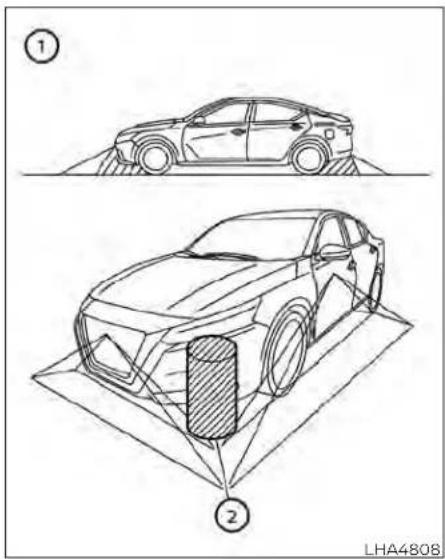
INTELLIGENTAROUNDVIEW MONITORSYSTEMLIMITATIONS
4-24Monitor,climate,audio,phoneandvoicerecognitionsystems
WARNING
Listedbelowarethesystemlimitations for IntelligentAroundViewMonitor. Failuretooperatethevehicleinaccordancewiththesesystemlimitations couldresultinseriousinjuryordeath.
- DonotusethelIntelligentAround ViewMonitorwiththeoutsidemirrorsinthestoredposition,andmake surethatthetrunkissecurelyclosed whenoperatingthevehicleusingthe IntelligentAroundViewMonitor.
The apparent distance between objects viewed on the Intelligent Around View Monitordiffers from the actual distance.
Thecamerasareinstalledonthe frontgrille,theoutsidemirrorsand abovetherearlicenseplate.Donot putanythingsuchasalicenseplate frameonthevehiclethatcoversor blockstheviewofthecameras. - When washing the vehicle with high pressure water, besurenottospray it around the cameras. Otherwise, water may enter the camera unit causing water condensation on the lens, a malfunction, fire or an electric shock.
- Donotstrikethecameras.Theyare precisioninstruments.Doingso couldcauseamalfunctionorcause damageresultinginafireoranelectricshock.
Therearesomeareaswherethesystem willnotshowobjectsandthesystemdoes notwarnofmovingobjects.Wheninthe frontorrearviewdisplay,anobjectbelow thebumperoronthegroundmaynotbe viewed ①.Wheninthebird's-eyeview,atall objectnear theseam ② ofthe camera viewingareaswillnotappearin the monitor.
The following are operating limitations and do not represent asystemmalfunction:
- There may be a delay when switching betweenviews.
- Whenthetemperatureisextremelyhigh orlow,thescreenmaynotdisplayobjects clearly.
- When strong light directly shines on the camera, objects may not be displayed clearly.
- Thescreenmayflickerunderfluorescent light.
-
Thecolorsofobjects ontheIntelligent AroundView Monitormay differsome-whatfromtheactualcolorofobjects.
-
Objects on the Intelligent Around View Monitormaynotbeclearandthecolorof theobject maydifferin adark environment.
- Theremaybedifferencesinsharpness betweeneachcameraviewofthebird's-eyeview.
- Donotusewaxonthecameralens.Wipe offanywaxwithacleancloththathas been dampened with a diluted mild cleaningagent,thenwipewithadry cloth.
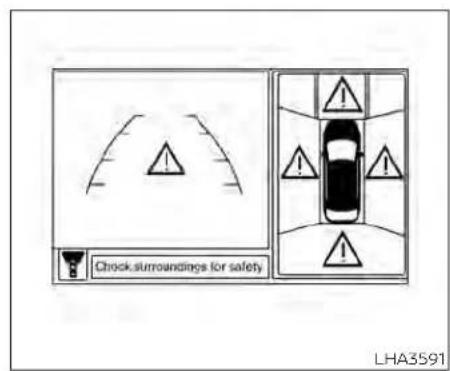
Systemtemporarilyunavailable
Whenthe"!Iconisdisplayedonthescreen, thereareabnormalconditionsintheIntelligentAroundViewMonitor.Thiswillnot hindernormaldrivingoperationbutthe systemshouldbeinspected.ItisrecommendedthatyouvisitaNISSANdealerfor thisservice.

Whenthe"[X]"iconisdisplayedonthe screen, thecameraimagemaybereceiving temporaryelectronicdisturbances from surrounding devices. This will nothindernormaldrivingoperationbutthesystemshouldbeinspectedifitoccursfrequently. It is recommended that you visit a NISSAN dealer forthisservice.

SYSTEMMAINTENANCE
CAUTION
- Donotusealcohol, benzineorthin-nertocleanthecamera. This will caused discoloration.
- Donotdamagethecamerasasthe monitorscreenmaybeadversely affected.
Ifdirt,rainorsnowaccumulatesonanyof thecameras ①,theIntelligentAround View Monitor may not display objects clearly.Cleanthecamerabywipingwitha clothdampenedwithadilutedmildcleaningagentandthenwipingwithadrycloth.
4-26Monitor,climate,audio,phoneandvoicerecognitionsystems
MOVINGOBJECTDETECTION(MOD) (ifsoequipped)
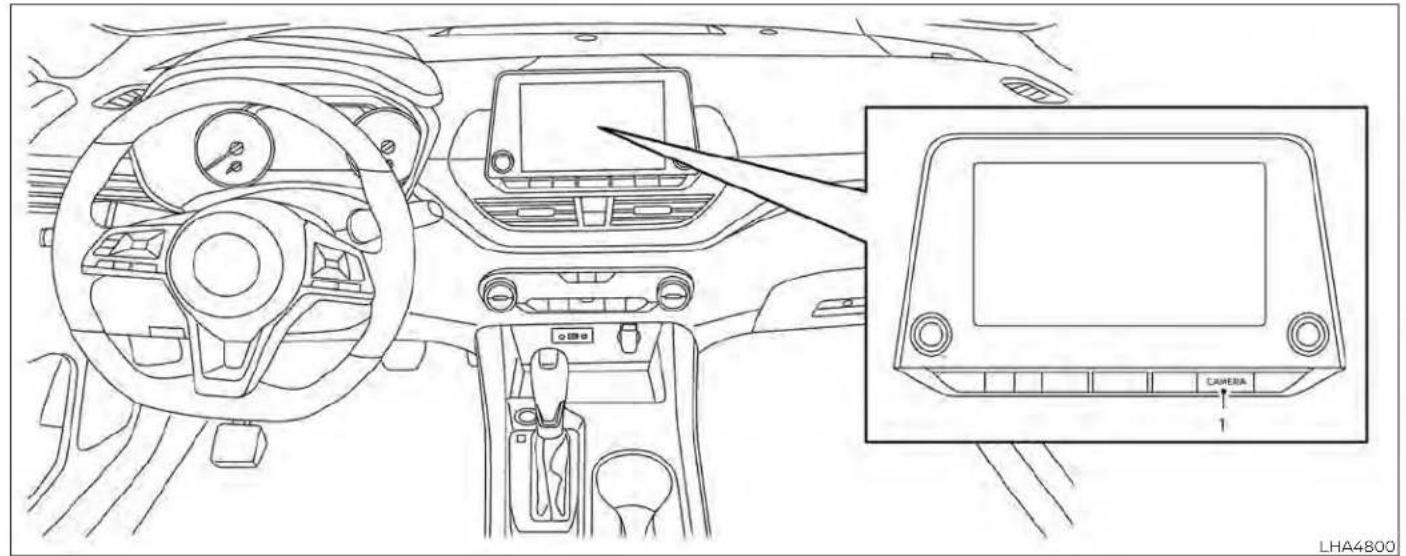
1.CAMERAbutton
Monitor, climate, audio, phone and voicerecognitionsystems 4-27
WARNING
Failuretofollowthewarningsandin- structionsforproperuseoftheMoving ObjectDetection(MOD)systemcould resultinseriousinjuryordeath
TheMODsystemisnotasubstitute forpropervehicleoperationandis notdesignedtopreventcontactwith objectssurroundingthevehicle. Whenmaneuvering,alwaysusethe outsidemirrorsandreaviewmirror andturnandcheckthesurroundings toensureitissafetomaneuver.
- Thesystemisdeactivatedatspeeds above5mph(8km/h).Itisreactivatedatlowerspeeds.
TheMODsystemisnotdesignedto detectsurroundingstationary objects.
TheMODsystemcaninformthedriverof moving objects near the vehicle when backing out of garages, maneuvering in parkinglotsandinothersuchinstances.
TheMODsystemdetectsmovingobjects byusingimageprocessingtechnologyon theimageshowninthedisplay.
MODSYSTEMOPERATION
TheMODsystemwillturnonautomatically underthefollowingconditions:
- WhentheshiftleverisintheR(Reverse) position.
- WhentheCAMERButtonispressedto activatethecameraviewonthedisplay.
- When vehiclespeed decreases below approximately 6 mph (10 km/h) and the camerascreen is displayed.

Frontandbird's-eyeviews
TheMODsystemoperatesinthefollowing conditions when the camera view is displayed:
- WhentheshiftleverisintheP(Park)orN(Neutral)positionandthevehicleis stopped,theMODsystemdetectsmoving objects in the birds-eye view. The MODsystemwillnotoperatelftheoutsidemirrorsaremovinginorout,Inthe stowedposition,orifeitherfrontdooris opened.

Rearandbird's-eyeviews
- WhentheshiftleverisintheD(Drive) positionandthevehiclespeedisbelow approximately6mph(10km/h),theMOD systemdetectsmovingobjectsinthe frontview. - WhentheshiftleverisintheR(Reverse) positionandthevehiclespeedisbelow approximately6mph(10km/h),theMOD systemdetectsmovingobjectsinthe rearview.TheMODsystemwillnotoperateifthetrunkisopen.
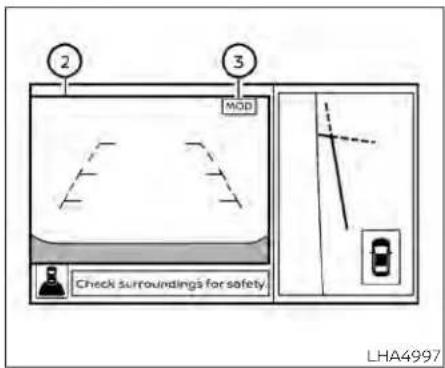
Rearandfront-sideviews
TheMODsystemdoesnotdetectmoving objectsinthefront-sideview.TheMOD iconisnotdisplayonthescreenwhenin thisview.
whentheMODsystemdetectsmovingobjectsnearthevehicle,achimewillbeheard wheninfrontorrareviewandayellow framewillbedisplayedontheviewwhere theobjectsaredetected.whiletheMOD systemcontinuestodetectmovingobjects,theyellowframecontinuestobe displayed.
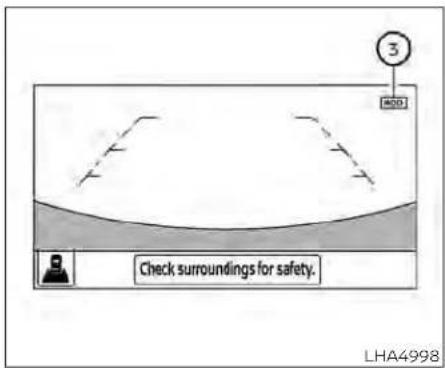
Fullscreenrearview
NOTE:
While the RCT Achime is beeping, the MOD system does not chime.
Inthebird's-eyeview;theyellowframe ① is displayedoneachcameraimage(front, rear,right,left)dependingonwheremovingobjectsaredetected.
Theyellowframe ② Isdisplayedoneach viewinthefrontviewandrearviewmodes.
AblueMODicon ③ isdisplayedintheview wheretheMODsystemisoperative.Agray MODiconisdisplayedintheviewwherethe MODsystemisnotoperative.
Monitor, climate, audio, phone and voicerecognitionsystems4-29
IftheMODsystemisturnedoff,theMOD icon ③ isnotdisplayed.
TURNINGMODONANDOFF(ifso equipped)
Some vehicles include the option to allow the MOD system to be turned on or off.
ToturntheMODsystemonoroff:
-
Touch the "Setting" key.
-
Touch the "Camera" key.
-
Touch the "MovingObjectDetection" key to switch between ON or OFF.
MODSYSTEMLIMITATIONS

WARNING
Listedbelowarethesystemlimitations forMOD.Failureretooperatethevehicle inaccordancewiththesesystemlimitationscouldresultinseriousinjuryor death.
- DonotusetheMODsystemwhen towingatraler. Thesystemmaynot functionproperly.
- Excessivenoise(forexample, audio systemvolumeoropenvehiclewindow)willinterferewiththechime sound, anditmaynotbeheard.
The MODsystemperformancewillbe limitedaccordingtoenvironmental conditionsandsurroundingobjects suchas:
-Whenthereislowcontrastbetweenbackgroundandthemovingobjects.
-Whenthereisablinkingsourceof light.
-When strong lights such as another vehicle's headlightors sunlight is present.
-Whencameraorientationisnotin itsusualposition,suchaswhena mirrorisfolded.
-Whenthereisdirt,waterdropsor snowonthecameralens.
-Whenthepositionofthemoving objects in the display is not changed.
The MOD system might detect flow-ing water droplet son the camera lens, whitesmoke from them uffler, movingshadows, etc.
The MOD system may not function properly depending on the speed, direction, distance or shape of the moving objects.
- If your vehicles sustain damage to the parts where the camera is installed, leaving it misaligned by bent, the sensing zone may be altered and the MOD system may not detect objects properly.
-Whenthetemperatureisextremely highorlow,thescreenmaynotdisplay objects clearly. This is not a malfunction.
NOTE:
TheblueMODiconwillchangetoorangeifoneofthefollowing hasoccurred:
- Whenthesystemismalfunctioning.
- When the component temperature reachesahighlevel(iconwillblink).
- WhentheRearViewcamerahasdetectedablockage(iconwillblink).
If the icon light continues to illuminate orange, havethe MOD system checked. It is recommended that you visit a NISSAN dealer for this service.
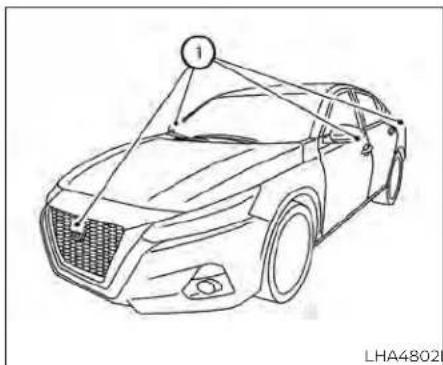
natural_image
Line drawing of a car with a numbered sensor or antenna array (no text or symbols on the car itself)Ifdirt,rainorsnowaccumulatesonanyof thecameras ①,theMODsystemmaynot operateproperly.Cleanthecamerabywipingwithaclothdampenedwithadiluted mildcleaningagentandthenwipingwitha drycloth.
SYSTEMMAINTENANCE
CAUTION
- Donotusealcohol, benzineorthinnertocleanthecamera. This will caused discoloration.
- Donotdamagethecameraasthe monitorscreenmaybeadversely affected.
VENTS

natural_image
Technical line drawing of a car air vent or airflow system (no text or symbols)Side
Adjustairflowdirectionbymovingthevent slides.
Openorclosetheventsbyusingtheslide. Movetheslidetowardthe ≈ toopenthe ventsortowardthe ☒ toclosethem.
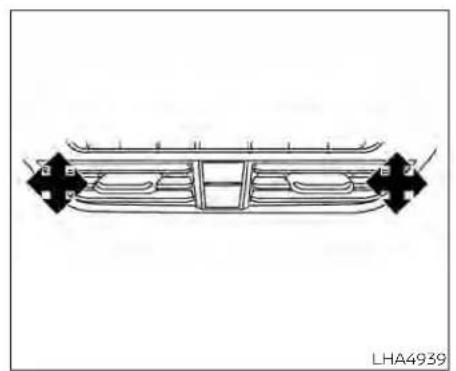
natural_image
Technical line drawing of a vehicle front panel with mounting brackets and structural ribs (no text or symbols)Center
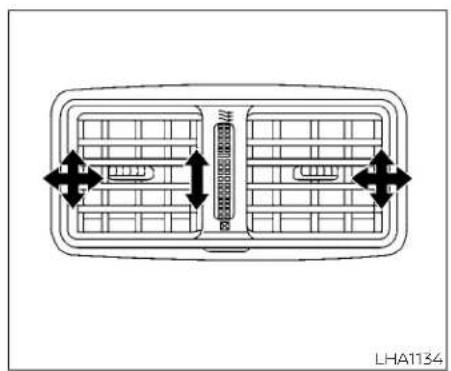
natural_image
Diagram of a vehicle air vent with grid layout and directional arrows indicating flow or movement (no text or symbols)Rear(ifsoequipped)
4-32Monitor,climate,audio,phoneandvoicerecognitionsystems
HEATERAND AIR CONDITIONER (manual)(if so equipped)

1.Fanspedcontroldial
2. Heatedseatswitches(ifso
equipped)
3. Frontdefrosterbutton
4. Rearwindowandoutsidemirror
(ifsoequipped)defrosterswitch
5. Airrecirculationbutton
6.MAXA/C/temperaturecontroldial
7.Airflowcontrolbuttons
8.A/C(airconditioner)button
WARNING
The airconditioner cooling function operates only when the engine is running.
- Donotleavechildrenoradultswho wouldnormallyrequiretheassistanceofothersaloneinyourvehicle. Petsshouldalsonotbeleftalone. Theycouldaccidentallyinjurethem-selvesorothersthroughinadvertent operationofthevehicle.Also,onhot, sunnydays,temperaturesinaclosed vehiclecould quickly become high enoughto causesevereor possibly fatalinjuriestopeopleoranimals.
- Donotusethere circulation mode for long periods as it may cause the interior airtobecomestale and the window-dowstofogup.
NOTE:
- Odors from inside and outside the vehiclecanbuildupintheairconditioner unit.Odorcanenterthepassenger compartmentthroughthevents.
- When parking, set the heater and air conditioner controls to turn off air recirculation to allow fresh air into the passenger compartment. This should help reduce odors insidethe vehicle.
CONTROLS
Fanspeedcontroldial
The farspeedcontroldialturnsthe fanonandoffandcontrolsfanspeed.
Airflowcontrolbuttons
The airflow control buttons allow you to select the airflow outlets.
Airflowsfromcenterandside vents.
—Airflowsfromcenterandside ventsandfootoutlets.
Airflowsmainlyfromfootoutlets.
—Airflowsfromdefrosteroutlets andfootoutlets.
—Airflowsmainlyfromdefroster outlets.
Temperaturecontroldial
Thetemperaturecontroldialallowsyouto adjustthetemperatureoftheoutletair.To lowerthetemperature,turnthedialtothe left.Toincreasethetemperature,turnthe dialtotheright.
TurnthedialtotheMAXA/Cpositionfor maximumcooling.Airwillflowfromcenter andsidevents.
Airrecirculationbutton
Onposition(Indicatorlighton):
Interiorairisrecirculatedinsidethevehicle.
Pressthe buttontotheonposition when:
- drivingonadustyroad.
•topreventtrafficfumesfromentering passengercompartment.
- formaximumcoolingwhenusingtheair conditioner.
Offposition(Indicatorlightoff):
Outsideairisdrawnintothepassenger compartmentanddistributedthroughthe selectedoutlet.
Usetheoffpositionfornormalheaterorair conditioneroperation.
A/C(airconditioner)button
Starttheengine,turnthefansped control dial to the desired position and pressthe A/C buttontoturnontheair conditioner.Toturnofftheairconditioner, pressthe A/C buttonagain.
Theairconditionercoolingfunctionoperatesonlywhentheengineisrunning.
Rearwindowandoutsidemirror (ifsoequipped)defrosterswitch
For additional information, see "Rearwindowandoutsidemirror(ifsoequipped) defrosterswitch"(P.2-56).
Heatedseatswitches(ifso equipped)
For additional information, see "Heated seatswitches"(P.2-64).
HEATEROPERATION
Heating
Thismodeisusedtodirectheatedairto thefootoutlets.Someairalsoflowsfrom the defrost outlets and the side vent outlets.
-
Pressthe 📄 buttontotheoffposition for normal heating.
-
Pressthe airflowcontrolbutton.
-
Turnthe ✿ fanspeedcontroldialto thedesiredposition.
-
Turnthetemperaturecontroldialtothe desired position between the middle and thehotposition.
Ventilation
Thismodedirectsoutsideairtotheside andcentervents.
1.Pressthe 📄 buttontotheoffposition.
2.Pressthe airflowcontrolbutton.
3.Turnthe ✿ fanspeedcontroldialto thedesiredposition.
- Turnthetemperaturecontroldialtothe desiredposition.
Defrostingordefogging
Thismodedirectstheairtothedefrost outletstodefrost/defogthewindows.
1.Pressthedefrost/defogbutton
- Turn the fanspeed controldial to the desired position.
3.Turnthetemperaturecontroldialtothe desiredpositionbetweenthemiddle andthehotposition.
•Toquicklyremoveiceorfogfromthewindows,turnthe ✿ fanspeedcontroldial tothehighestsettingandthetemperaturecontroltothefullHOTposition.
-whenthe positionisselected,theair conditionerautomaticallyturnsonifthe outsidetemperatureismorethan36°F (2°C).Thisdehumidifiestheirwhich helpsdefogthewindshield.The modeautomaticallyturnsoff,allowing outsideairtobedrawnintothepassengercompartmenttofurtherimprovethe defoggingperformance.The recirculationmodecannotbeactivatedinthe position.
Bi-levelheating
Thebi-levelmodedirectswarmedairto thesideandcenterventsandtothefront andrearflooroutlets.
1.Pressthe 📄 buttontotheoffposition.
2.Pressthe airflowcontrolbutton.
3.Turnthe ✿ fanspeedcontroldialto thedesiredposition.
- Turnthetemperaturecontroldialtothe desiredposition.
Heatinganddefogging
Thismodeheatstheinterioranddefogs thewindshield.
1.Pressthe airflowcontrolbutton.
2.Turnthe ✿ fanspeedcontroldialto thedesiredposition.
3.Turnthetemperaturecontroldialtothe desiredpositionbetween the middle and thehotposition.
-whenthe positionisselected,the airconditioner automatically turnsonif theoutsidetemperatureismorethan 36^(2^) .Thisdehumidifiestheairwhich helpsdefogthewindshield.The modeautomaticallyturnsoff,allowing outsideairtobedrawnintothepassengercompartmenttofurtherimprovethe defoggingperformance.
Operatingtips
Clearsnowandicefromthewiperblades andairinletinfront ofthewindshield. Thisimprovesheateroperation.
-For quick cooling when the outside temperature is high, press the button to the ON position. Besuret return the to the off position for normal cooling. MAXA/C maybe used for quick cooling.
Dehumidifiedheating
Thismodeisusedtoheatanddehumidify theair.
1.Pressthe 📄 buttontotheoffposition.
2.Pressthe airflowcontrolbutton.
3.Turnthe ✿ fanspeedcontroldialto thedesiredposition.
4.PresstheA/C(airconditioner)button. Theindicatorlightcomeson.
- Turnthetemperaturecontroldialtothe desiredposition.
Dehumidifieddefogging
Thismodeisusedtodefogthewindows anddehumidifytheair.
1.Pressthe airflowcontrolbutton. 2.Turnthe fanspeedcontroldialto thedesiredposition.
- When the air conditionerautomaticallyturnsonif theoutsidetemperatureismorethan 36°F(2°C). Thisdehumidifiestheairwhich helpsdefogthewindshield. The modeautomaticallyturnsoff,allowing outsideairtobedrawnintothepassengercompartmenttofurtherimprovethe defoggingperformance.
- Turnthetemperaturecontroldialtothe desiredposition.
Operatingtips
- Keepthewindowsclosedwhiletheair conditionerisinoperation. - Afterparkinginthesun,drivefor2or3 minuteswiththewindowsopentovent hot air from the passenger compartment.Then,closethewindows.Thisallowstheairconditionertocooltheinteriormorequickly.
•The airconditioningsystem should be operated for approximately 10 minutes at least once a month. This helps prevent damage to the system duetolack of lubrication.
- Avisiblemistmaybeseencomingfrom theventilatorsinhot,humidconditions astheairiscooledrapidly.Thisdoesnot indicateamalfunction.
- If the engine coolant temperature gauge indicates engine coolant temperature overthen normal range, turn the air condition or. For additional information, see "If your vehicle overheats" (P.6-19).
- When Remote Engine Start (if so equipped)isactivated,themanualclimatecontrolsystemwilldefaulttothe lastusedheatingorcoolingmode.
AIRFLOWCHARTS
The following chart show the button and dial positions for MAXIMUM AND QUICK heating, cooling or defrosting. The air recirculation button should always be in the off position for heating and defrosting.
4-36 Monitor, climate, audio, phone and voice recognition systems


LHA4786 LHA4787
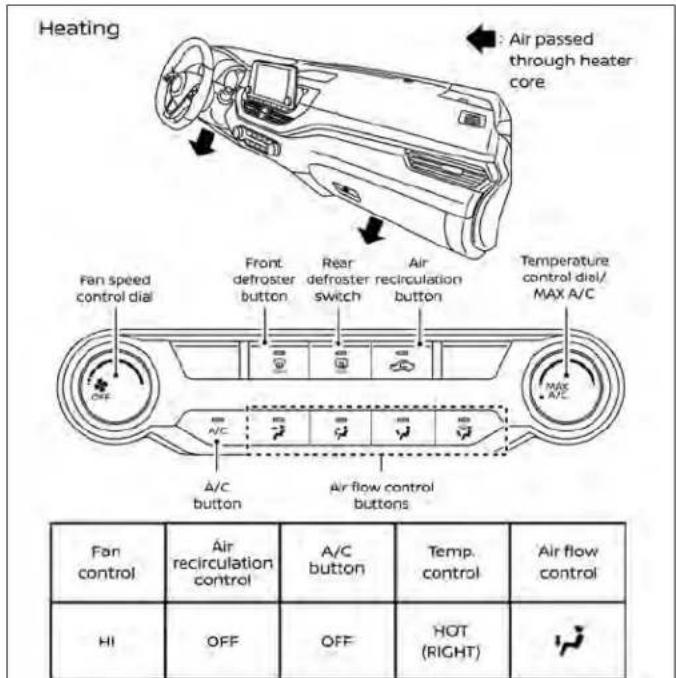

LHA4788 LHA4789
4-38Monitor,climate,audio,phoneandvoicerecognitionsystems

Monitor,climate,audio,phoneandvoicerecognitionsystems4-39
HEATERAND AIRCONDITIONER (automatic)(if soequipped)

- AUTO(automatic)climatecontrolbutton/temperaturecontroldial(drivers side)
2.Displayscreen - Heatedseatswitches
4.SYNCbutton/temperaturecontroldial (passenger'sside)
5.A/C(airconditioner)button
- Airrecirculationbutton
- Airflowcontrolbutton
- Fanspeedcontrolbuttons
- Heatedsteeringwheelswitch
- Rearwindowandoutsidemirror
defrosterswitch
- Frontdefrosterbutton
12.ON-OFFbutton
WARNING
The airconditioner cooling function operates only when the engine is running.
- Donotleavechildrenoradultswho wouldnormallyrequiretheassistanceofothersaloneinyourvehicle. Petsshouldalsonotbeleftalone. Theycouldaccidentallyinjurethemselvesorothersthroughinadvertent operationofthevehicle.Also,onhot, sunnydays,temperaturesinaclosed vehiclecouldquicklybecomehigh enoughto causesevereor possibly fatalinjuriestopeopleoranimals.
- Donotusethere circulation mode for long periods as it may cause the interior airtobecomestale and the window stofogup.
Start the engine and operate the controls to activate the air conditioner.
NOTE:
- Odorsfrominside andoutside the vehiclecanbuildupintheairconditioner unit.Odorcanenterthepassenger compartmentthroughthevents.
-Whenparking,settheheaterandair conditionercontrolstoturnoffairre-circulationtoallowfreshairintothe passengercompartment.Thisshould helpreduceodorsinsidethevehicle.
AUTOMATICOPERATION
Cooling and/or dehumidified heating(AUTO)
Thismodemaybeusedallyearroundas thesystemautomaticallyworkstokeepa constanttemperature.Airflowdistribution, airintakecontrol,andfanspeedarealso controlledautomatically.
- PresstheAUTObuttonon.
- Turn the temperature controldial to the left or right to set the desired temperature.
-Adjustthetemperaturedisplaytoabout 75^(24^) fornormaloperation. - Thetemperatureofthepassengercompartmentwillbemaintainedautomatically.Airflowdistribution,airintakecontrolandfanspeedarealsocontrolled automatically.
• Avisiblemistmaybeseencomingfrom theventsinhot, humidconditionsasthe airiscooledrapidly. Thisdoesnotindicate amalfunction.
3. You can individually set driver's sandfront passenger's sidetemperature using each temperature controldial. Tosyn- chronized driver's sandfrontpassen- ger's temperaturesettings, press the SYNCbutton.
Heating(A/COFF)
Theairconditionerdoesnotactivate.When youneedtoheatonly,usethismode.
1.PresstheAUTObutton.
2. Turnthetemperaturecontroldialtoset thedesiredtemperature.
- Thetemperatureofthepassengercompartmentwillbemaintainedautomatically.Airflowdistributionandfanspeed arealsocontrolledautomatically.
- Donotsetthetemperaturelowerthan theoutsideairtemperature. Otherwise, thesystemmaynotworkproperly.
- Notrecommendedifwindowsfogup.
Dehumidifieddefrostingor defogging
1.Pressthe frontdefrosterbuttonon.
2. Turnthetemperaturecontroldialtoset thedesiredtemperature.
•Toquicklyremoveicefromtheoutsideof thewindows,usethe ✝ fanspeedcontrol buttons to set the fan speed to maximum.
- As soon as possible after the windshield is clean, press the AUTO button to return to the automatic mode.
-Whenthe frontdefrosterbuttonis pressed,theairconditionerwillautomaticallybeturnedonatoutsidetemperaturesabove36°F(2°C).Theairrecirculate modeautomaticallyturnsoff,allowing outsideairtobedrawnintothepassengercompartmenttofurtherimprovethe defoggingperformance.
RemoteEngineStartwith IntelligentClimateControl(ifso equipped)
Vehiclesequippedwithautomaticclimate controlsandRemoteEngineStartfunction maygointoautomaticheatingorcooling
modewhenRemoteEngineStartisactivateddependingonoutsideandcabin temperatures.Duringthisperiod,theclimatecontroldisplayandbuttonswillbe Inoperableuntiltheignitionswitchis turnedon.InRemoteEngineStartdefrostingmode,therearwindowdefroster, heatedseats(ifsoequipped)andheated steeringwheel(ifsoequipped)maybeactivatedautomatically.
MANUALOPERATION
Fanspeedcontrolbuttons
Pressthefanspeedcontrolbuttons tomanuallycontrolthefanspeed. PresstheAUTObuttontoreturntoauto- maticcontrolofthefanspeed.
Temperaturecontroldial
Thetemperaturecontroldialallowsyouto adjustthetemperatureoftheoutletair. To lowerthetemperature,turnthedialtothe left.Toincreasethetemperature,turnthe dialtotheright.Temperaturecanbeadjustedonthedriver'sandpassenger'sside.
Airrecirculation
Press the airrecirculationbutton to recirculate interior air inside the vehicle. The indicatorlightonthebuttonwill comeon.
Theairrecirculationcannotbeactivated whentheair conditioner is in the front defrostingmode.
When the outside temperature exceeds 70^ F ( 21^ C), the air conditioning system may default to air recirculation mode automatically to reduce overall power consumption. To exit air recirculation mode, deselect the air recirculation button (indicator light will turn off) to enter fresh chair mode.
Automaticintakeaircontrol
IntheAUTOmode,theintakeairwillbe controlledautomatically.Tomanuallycontroltheintakeair,pressthe airrecirculationbutton.Toreturntotheautomatic controlmode,pressandholdthe air recirculationbuttonforabout2seconds. Theindicatorlightwillflashtwice,andthen the intake air will be controlled automatically.
A/C(airconditioner)button
Starttheengine, pressthe fanspeed controlbuttonstothe desiredpositionand pressthe A/C buttonoturnontheair conditioner. Toturnofftheairconditioner, pressthe A/C buttonagain.
Theairconditionercoolingfunctionoperatesonlywhentheengineisrunning.
Airflowcontrol
Pressingthe buttonmanuallycontrolsairflowandselectstheairoutlet:
- Airflowsfromcenterandside vents.
— Airflowsfromcenterandside ventsandfootoutlets.
Airflowsmainlyfromthefoot outlets.
Airflowsfromdefrosterandfoot outlets.
Synchronizeclimatesettings
PresstheSYNCbuttontosynchronizeclimatesettings.Thesyncindicatorwillturn on.
PressingSYNCwillsynchronizedriver'sand frontpassenger'sclimatesettings.
TochangeclimatesettingswhenSYNCis active(theSYNCindicatorison):
- Thedriver'ssidetemperaturecontroldial willcontrolthedriverandfrontpassenger temperatures.
- Thefanspeedcontroldialwillcontrolthe fanspeeds.
ToexitSYNC:
• Toremovethefrontpassengerfrom SYNC, turnthepassenger'ssidetemperature controldial.
- PressingSYNCmultipletimeswillreactivateSYNC.
Toturnsystemoff
PresstheON-OFFbutton.
Rearwindowandoutsidemirror defrosterswitch
For additional information, see "Rearwindowandoutsidemirror (Ifsoequipped) defrosterswitch" (P.2-56).
Heatedseatswitches
For additional information, see "Heated seatswitches" (P.2-64).
Heatedsteeringwheelswitch
For additional information, see "Heated steeringwheelswitch" (P.2-65).

natural_image
Line drawing of a car interior showing the dashboard and seat area (no text or symbols)OPERATINGTIPS
Thesunloadsensor, locatedonthetop centeroftheinstrumentpanel, helps the systemmaintainaconstanttemperature. Donotputanythingonoraroundthis sensor.
SERVICINGAIRCONDITIONER
- When the climatesystemis automatic operation and the engine coolant temperature and outside air temperature are low, the airflow outlet may default to frostern mode for a maximum of 2 minutes 30 seconds. This is not a malfunction. After the engine coolant temperature warms up, the airflow outlet will return to foot mode and operation will continue normally.
- When the outside and interior cabintem- teratures are moderate to high, the int- takes setting may default to turn off air recirculation to allow fresh hair into the passenger compartment. You may no- tice airflow from the foot mode, bi-level mode, or sided emist vent outlets for a maximum of 15 seconds. This may occur when the previous climates setting was turned off. This is not a malfunction. After the initial warm air is expelled, the intake will return to automatic control, the air flow outlet will return to previous settings, and operation will continue normally. To exit, press any climate control button.
- Keepthemoonroof(ifsoequipped) closedwhiletheairconditionerisin operation.
- If you feel that the air flow mode you have selected and the outlet the air is coming out on to match, select the front mode.
- When you can get the airflow mode, you may feel airflow from the foot outlets for just a moment. This is not a malfunction.
The air conditionersysteminyourNISSAN vehicle is charged with arefrigerant designed with the environment in mind.
This refrigerant does not harm the earth'sozonelayer.
Specialchargingequipmentandlubricant isrequiredwhenservicingyourNISSANair conditioner.Usingimproperrefrigerantsor lubricants will cause severe damage to yourairconditionersystem.Foradditional information,see"Airconditionersystemrefrigerant and oil recommendations" (P.10-8).
It is recommended that you visit a NISSAN deal to service your environmentally friendly air conditionersystem.
WARNING
The airconditionersystemcontainsrefrigerantunderhighpressure.Toavoid personalinjury,anyairconditionerserviceshouldbedoneonlybyanexperienced technician with proper equipment.
AUDIOSYSTEM
RADIO
PlacetheignitionswitchintheACCorON positionandpressthePUSH Ⓧ button toturntheradioon.Ifyoulistentotheradio withtheenginenotrunning,theignition switchshouldbeplacedintheACC position.
Radioreceptionisaffectedbystationsignalstrength, distancefromradiotransmitter, buildings, bridges, mountains and other externalinfluences. Intermittentchanges inreceptionqualitynormallyarecaused by these externalinfluences.
Usingacellularphoneinornearthevehiclemayinfluenceradioreception quality.
Radioreception
YourNISSANradiosystemisequippedwith state-of-the-artelectroniccircuitstoenhanceradioreception. Theseecircuitsare designedtoextendreceptionrange,andtoenhancethequalityofthatreception.
However, there are some general characteristics of both FM and AM radios signals that can affect radioreception quality in moving vehicle, even when the finest equipment is used. These characteristics are completely normal in agiven reception
areaanddonotindicateanymalfunction inyourNISSANradiosystem.
Receptionconditionswill constantly change because of vehicle movement. Buildings,terrain,signaldistanceandinterference from other vehiclescanwork againstidealreception.Describedbelow aresomeofthefactorsthatcanaffectyour radioreception.
Somecellularphonesorotherdevicesmay causeinterferenceorabuzzingnoiseto come from the audio system speakers. Storingthedeviceinadifferentlocation mayreduceoreliminatethenolse.
FMRADIORECEPTION
Range:FMrangelisnormallylimitedto25-30mi(40-48km),withmonaural(single channel) FM having slightly more range thanstereoFM.Externalinfluencesmay sometimes interfere withFM stationreceptioneveniftheFMstation iswithin25 mi(40km).ThestrengthoftheFMsignalis directlyrelatedto thedistancebetween thetransmitterandreceiver.FMsignalsfollowaline-of-sightpath,exhibitingmanyof thesamecharacteristicssaslight.Forexample,theywillreflectoffobjects.
Fadeanddrift: As your vehicle moves away from a station transmitter, the signals will tend to fade and or drift.
Static and flutter: During signal interference from buildings, large hills or dueto antenna position (usually in conjunction within increased distance from the station transmitter), static or flutter can be heard. This can be reduced by adjusting the treble control to reduce trebler response.
Multipathreception: Because of the reflective characteristics of FM signals, direct and reflected signals reach thereceiver at the same time. Thesignals may cancel each other, resulting in momentary flutter or loss of sound.
AMRADIORECEPTION
AMsignals, because of their low frequency, can bendaround objects and skip along the ground. In addition, the signals can be bounced off the ionosphere and bent back to earth. Because of these characteristics, AMsignals are also subject to interference asthey travel from transmittentoreceiver.
Fading: Occurswhilethevehicleispassing throughfreewayunderpasses or in areas with many tall buildings. It can also occur
forseveralsecondsuringionosphericturbulenceeveninareaswherenobstacles exist.
Static: Caused by thunderstorms, electrical power lines, electricsigns and event traffic lights.
AUDIOOPERATIONPRECAUTIONS
MP3orWMAterms
- MP3—MP3isshortforMovingPictures ExpertsGroupAudioLayer3.MP3isthe mostwell-knowncompresseddigitalaudiofileformat. This format allows for near "CDquality" sound, but a fraction of the sizeofnormalaudiofiles.MP3 conversion of an audiotrack from CD-ROM can reduce the filesize by approximately 10:1 ratio with virtually nonoperceptible loss in quality. MP3 compression removes the redundant and irrelevant part of sound signals that the humaneard doesn't hear.
•WMA—WindowsMediaAudio(wMA)*isa compressedaudioformatcreatedbyMicrosoftasanalternativetoMP3.ThewMA codeoffersgreaterfilecompression thantheMP3codec,enablingstorageof moredigitalaudiotracksinthesame amountofspacewhencomparedto MP3satthesamelevelofquality.
- Bitrate—Bitratedenotesthenumberof bitspersecondusedbyadigitalmusic file.Thesizeandqualityofacompressed digitalaudiofileisdeterminedbythebit rateusedwhenencodingthefile.
- Samplingfrequency — Samplingfrequencyisterateatwhichthesamples ofasignalareconvertedfromanalogto digital(A/Dconversion)persecond.
- Multisession—Multisessionisoneofthe methodsforwritingdatatomedia.Writingdataoncetothe media iscalleda singlesession,andwritingmorethan onceiscalledamultisession.
• ID3/wMATag—TheID3/wMAtagisthe partoftheencodedMP3orWMAfilethat contains information about thedigital musicfilesuchassongtitle,artist,encodingbitrate,tracktimeduration,etc.ID3 taginformationisdisplayontheArtist/songtitlelineonthedisplay.
*Windows® and WindowsMedia® are registered trademarks and trademarks in the United States of America and other countries of Microsoft Corporation of the USA.
USB(UniversalSerialBus) ConnectionPort
WARNING
- Donotconnect, disconnectoroperatetheUSBdevicewhiledriving.Doingsocanbeadistraction. Ifdistractedyoucouldlosecontrolofyourvehicleandcauseanaccidentorseriousinjury.
CAUTION
- DonotforcetheUSBdeviceintothe USBport.InsertingtheUSBdevice tiltedorup-side-downintotheport maydamagetheport.Makesure thattheUSBdeviceisconnectedcorrectlyintotheUSBport.
- DonotgrabtheUSBportcover(ifso equipped)whenpullingtheUSBdeviceoutoftheport.Thiscoulddamagetheportandthecover.
- DonotleavetheUSBcableinaplace whereitcanbepulled unintentionally. Pulling thecable maydamage theport.
The vehicle is not equipped with a USB device. USB devices should be purchased separately as necessary.
This system cannot be used to format USB devices. To form a USB device, use a personal computer.
Insomejurisdictions,theUSBdeviceforthe frontseatsplaysonlysoundwithoutimagesforregulatoryreasons,evenwhenthe vehicleisparked.
This system supports various USB memory devices, USB hard drives and iPod® players. Some USB devices may not be supported by this system.
- PartitionedUSBdevicesmaynotplay correctly.
- Some characters used in other languages(Chinese, Japanese, etc.) may not appear properly in the display. Using English language characters with a USB device is recommended.
GeneralnotesforUSBUse:
- Foradditionalinformation,refertoyour devicemanufacturer'sownerinformationregardingtheproperuseandcareof thedevice.
NotesforiPod®use:
iPod®isattrademarkofAppleInc.,registeredintheU.S.andothercountries.
- ImproperlypluggingintheiPod®may causeacheckmarktobedisplayedon andoff(flickering).Alwaysmakesurethat theiPod®isconnectedproperly.
• AniPod® nano(1stGeneration) may remain infast forward or re wind mode if it is connected during a seek operation. In this case, please manually reset the iPod®.
• AniPod® nano(2ndGeneration) will continuetofast-forwardorrewindifitisdisconnectedduringaseekoperation.
- Anincorrectsongtitlemayappearwhen thePlayModeischangedwhileusingan iPod®nano(2ndGeneration).
- Audiobooks may not play in the same orderastheyappearonaniPod®.
• Largevideofilescauseslowresponsesin aniPod®. Thevehiclecenterdisplaymay momentarilyblackout, but will soon recover.
- IfaniPod® automaticallyselectslarge videofilsswhileintheshufflemode,the vehiclecenter displaymay momentarily blackout,butwillsoonrecover.
iPod®\*player
- Some characters used in other languages(Chinese, Japanese, etc.) are not displayed properly on the vehicle center screen. Were recommending English or Spanish language characters within iPod®.
• LargevideopodcastfilescauseslowresponsesintheilPod®. Thevehiclecenter displaymaymomentarilyblackout, but it will soon recover.
- If the iPod® automatically selects large video podcast files while in the shuffle mode, the vehiclecenter display may momentarily black out, but it will soon recover.
- ImproperlypluggingintheiPod®may causeacheckmarktobedisplayedon andoff(flickering).Alwaysmakesurethat theiPod®isconnectedproperly.
•TheiPod®nano(2ndGeneration)willcontinuetofastforwardorrewindifitisdisconnectedduringaseekoperation.
- Anincorrectsongtitlemayappearwhen thePlayModeischangedwhileusingthe iPod®nano(2ndGeneration).
- Audiobooks may not play in the same orderastheyappearontheiPod®.
•TheiPod® nano(1stGeneration) may remain infast forward or rewind mode if it is connected during a seek operation. In this case, pleasemanually reset the iPod®.
- If you are using an iPod (3rd Generation with Dockconnector), donot use every long names for the song title, album name or artist nametoprevent the iPod from resetting itself.
- Becarefulnottodothefollowing,orthe cablecouldbedamagedandalossof functionmayoccur:
-Bendthecableexcessively(1.6in(40 mm)radiusmaximum).
-Twistthecableexcessively(morethan 180degrees).
-Pullordropthecable.
-DonotforcetheiPod® cableconnector intothedeviceport.
-Closethecenterconsolelidonthe cableorconnectors.
-Storeobjectswithsharpedgesinthe
storagewherethecableisstored.
- Spill liquids on the cable and connectors.
- DonotconnectthecabletotheiPod®if thecableand/orconnectors arewet. It maydamagetheiPod®.
- If the cable and connectors are exposed to water, allow the cable and/or connector today completely before connecting the cable to the iPod® (wait 24 hours for it today).
- If the connector is exposed to fluid so other than water, evaporatoreresidue may cause short between the connector pins. In this case, replacothecable, otherwise damaged together Pod® and also so of function may occur.
- If the cable is damaged (insulation cut, connectors cracked, contaminations such as liquids, dust, dirt, etc. in the connectors), do not use the cable. It is recommended that you visit a NISSAN deal to replace the cable with anewone.
- When not in use for extended periods of time, store the cable in a clean, dust free environment at room temperature and without direct sun exposure.
- Donotuse thecableforanyotherpurposesotherthanitsintendeduseinthe vehicle.
^* iPod ^® is a trademark of Apple Inc., registered in the U.S. and other countries.
Bluetooth®streamingaudio
- SomeBluetooth® audiodevicesmaynot berecognizedbythein-vehicleaudio system.
- Itisnecessarytosetupthewirelessconnection between a compatible Bluetooth®audiodeviceandthein-vehicleBluetooth® modulebeforeusing theBluetooth®audio.
- Operating procedure of the Bluetooth® audiowillvary depending on the devices. Makesure how to operate your audiodevice before using it with this system.
•TheBluetooth®audiomaybestopped underthefollowingconditions:
-Receiving a callon theBluetooth® Hands-FreePhoneSystem.
- Checking the connection to the hands-freephone.
- DonotplacetheBluetooth®audiodevice inanareasurroundedbymetalorfar away from the in-vehicle Bluetooth® moduletopreventtonequalitydegradationandwirelessconnectiondisruption.
- While an audio device is connected throughtheBluetooth®wirelessconnection,thebatterypowerofthedevicemay dischargequickerthanusual.
- This system supports the Bluetooth® AudioDistributionProfile(A2DP, AVRCP).
Bluetooth®
BLUETOOTH®isa trademarkowned by BluetoothSIG, Inc. and licensed to Panasonic.

FM/AMRADIO
1.Displayscreen
2. PUSHSOUNDbutton/TUNE·SCROLLknob
3.BACKbutton
4. MENUbutton
5.AUDIObutton
- / (SEEK/TRACK) buttons
7.VOL(volume)knob/PUSH (power) button
For additional information, see "Audiooperation precautions" (P.4-46) regarding all operation precautions in this section.
Monitor, climate, audio, phone and voicerecognitionsystems 4-49
Audiomainoperation
VOL(volume)knob/PUSH
(power)button
PlacetheignitionswitchintheONposition andpressthePUSH (power)button whilethesystemisofftocallupthemode (radio,AUX,Bluetooth®audio,USBoriPod®) thatwasplayingimmediatelybefore the systemwasturnedoff.
Toturnthesystemoff, press the PUSH (power) button.
TurntheVOL(volume)knobtoadjustthe volume.
This vehicle may be equipped with Speed Sensitive Volume. When this feature is active, the audio volume changes astheds driving speed changes.

MENUbutton
PresstheMENubuttontoshowthe Menuscreen.Touchthe"Settings"keyon thedisplay,thentouchthe"Sound"key.
| SoundSettings | ||
| BassAdjuststhebasstothedesiredlevel. | ||
| TrebleAdjuststhetrebletothedesiredlevel. | ||
| Balance | Adjusts the balance to the desired level. Balance adjusts the sound level between the left and right speakers. | |
| Fade | Adjusts the fade to the desired level. Fade adjusts the sound level between the front and rear speakers. | |
| Speed Sensitive Volume | Adjusts the speed sensitive volume function, which increases the volume of the audio system as thespeedofthevehicleincreases.Setto'OFF'todisablethefeature.Thehigherthesetting,ther morethevolumeincreasesinrelationtovehiclespeed. | |
Bass, treble, balance, fade and Speed Sensitive Volume can be adjusted by touching ""/ "+", "L"/ "R", or "R"/ "F" keys.
Audiobutton
Presslodisplaytheaudioscreen,when thisbuttonispressedwhiletheaudio screenisnotdisplayed,thelastaudio sourceplayedwillplay.

AM/FMradioscreen
- AMMenu/FMMenu key
Touchtodisplaytheradiomenuscreen.
2: DirectTune*(Ifsoequipped) Touchtomanuallyenterastation.
3.Audiosourceindicator Indicatesthecurrentlyselectedaudio source.
4.ReceptionInformationdisplay ReceptionInformationcurrentlyavailablesuchasfrequency,stationname, etc.isdisplayed.
5.Presetlist
Tolistentoapresetstation,touchthe correspondingstationfromthepreset list. If displayed, touch the '<' or '>' keys to scgrlthepresetlist.
AMradiooperation
PresstheMENUButtonandtouchthe 'AM'keyorpresstheAUDIObuttonand selectAMonthebottomoftheLaunchBar tobringuptheAMdisplayscreen.
If another audiosource is playing when the 'AM' key is pressed, the audiosource playing will automatically be turned off and the last radiostation played will begin playing
AMMenu
Touch:HeAMMenuKeylodisplaytheAM Menuscreenoptions:
•SCAN Toscanthestations,touchtheAM, Menu keyonheradioscreenandthen touchthe SCANkey. Thestationswillbe tunedfromlowtohighfrequenciesand stopat each broadcastingstationfor severalseconds. Touching the SCANkey againduringthe periodofseveralsecondswillstopturingandheradiowill remainunedtothatstation.
-Refresh:Touchthe:RefreshKeytoscan andupdatethestationlistdisplayedon theghtsideoftheAMMenuscreen.
(SEEK/TRACI)buttons
Pressthe orbunstotune fromlowchighorhightlowfrequencies andtostopattherextbroadcasting station.
1to6Stationmemoryoperations
Uptosixstationscanberegisterecinthe presetlist
15selecttheAMradioband.
2.Tunetothestationyouwishtostore.
- Touch and hold one of the preset numbers in the preset list.
The information such as frequency will be displayed on the preset list.
Toselectandistentothepresetstations, push ↑ onthesteeringwheelbriellyor touchaprelerredstationonthepresetlist ontheradioscreen.
FMradiooperation
Press the MENUButton and touch the TMMenu key or press the AUDIO button and select FMonthebottom of the Launch Bartobring up the FM displayscreen.
If another audiosources playing when the FMceyspressed the audiosourceplay-ing will automatically be turned off and the last radio station played will begin playing. The FMstereoindicator (STEREO) is shown on the screen end of the FMstereoreception when the stereobroadcast signals weak, the radioautomatically changes from stereotomonauralreception.
FMMenu
Touch the TM Menu key to display the FM Menuscreen options:
•SCAN-Toxcart.unesthestations,touch the FMMenu keyontneracioscreen andthentouchthe SCAN Key Thestationswillbetunedfromlowtohigh frequenciesandstopateachbroadcasting stationsforseveralseconds.Touching the SCAN Keyagainduringthisperiodof severalsecondswillsloptuningandtheradiowllremainectouhatstation.
-Refresh:Touchthe"Refresh"keytoup- datthestationlistdisplayedontherght sideoftheFMMenuscreen
-RDSInfo:Radiostation and song information can be displayed on the FM display screen.
(SEEK/TRACK)buttons
Pressthe orbunstotune fromlowtohighorightalowfrequencies andtostopathenextbroadcasting station
1to12Stationmemoryoperations
Upto12stationscanberegisteredirthe presellist
- Select the FMracioband.
2.Tunetothestationyouwishtostore.
- Touch and hold one of the preset numbers in the preset list.
The informationsuchasfrequencywill be displayedonthepresetist.
Toselectandistentothepresetstations, push ↑ onthesteeringwheelbrieflyor touchapreferredstationonthepresetlist ontheradioscreen
Auxiliary(AUX)devicesoperation Connectingauxiliarydevices
Connect an AUX device into the AUX input, jack located on the center console below the heater and air conditioner controls.
4-52 Monitor, climate, audio, phone and voice recognition systems
TheAUXinputjackacceptsanystandard analogaudionputsuchasfromaportable cassetteplayer,CDplayer,MP3playeror phone
Inserta1/8in(3.5mm)stereominiplug in theaudioinputjack,facablewithamono plugisused,theaudiooutputmaynot functionnormally.
Activationandplaying
TurrontheAUXdeviceConnectanAUX cabletotheAUXdeviceandtheAUXinput jackSelectAUXmodefromtheaudio sourcemenuscreenorbypressingthe Sourcebuttononthesteeringwheel.
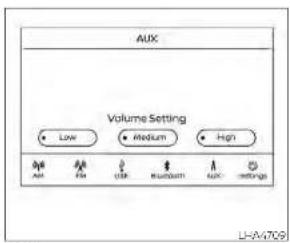
AUXscreen
•Audiosourceindicator
indicates that the Aux source is currently playing
•VolumeSetting*keys
Touchoneofthekeystoselectthesound
output gain from Low, Medium and High
•AUXfromLaunchBar
Touchtochangefromanothersource AUX
Additionalfeatures
For additional information, see USB(Universal Serial Bus) Connection Port (P 4-54) In this section regarding the USB connection port available with this system.
For additional information, sec'lPod® player operation (P.4-57) in this section regarding the iPod® player available with this system.
For additional information, see Bluetooth® streamingaudio(P.4-60)Inthissection about the Bluetooth® audiointerface available with this system.
Microsoft(WMA)Obligation of Labeling
AdditionalObligationofLabeling
This product is protected by certain intellectual property rights of Microsoft Corporation and third parties. Use the distribution of such technology outside this product is prohibited without a license from Microsoft or authorized Microsoft subsidiary and third parties.

USB(UniversalSerialBus) CONNECTIONPORT
ConnectingadevicetotheUSB ConnectionPort
WARNING
Donotconnect, disconnect, or operate the USB device while driving. Doing so can be adistraction. If distracted you could lose control of your vehicle and cause an accident or serious injury.
CAUTION
To avoid damage and lossoff function when using a USB device, not the following precautions.
- DonotforcetheUSBdeviceintothe USBport.InsertingtheUSBdevice tiltedorup-side-downintotheport maydamagetheport.Makesure thattheUSBdeviceisconnectedcorrectlyintotheUSBport.
- DonotgrabtheUSBportcover(ifso equipped)whenpullingtheUSBdeviceoutoftheport.Thiscoulddamagetheportandthecover.
- DonotleavetheUSBcableinaplace whereitcanbepulledunintentionally.Pullingthecablemaydamage theport.
For additional information, refer to your device manufacturer's owner information regarding the proper use and care of the device.
The USB port is located beneath the heater and air conditioner controls. Insert the USB device into the connection port.
whenacompatiblestoragedevicels pluggedintotheconnectionport.compat-ibleaudiofilesonthestoragedevicancbe playedthroughthevehicle'saudiosystem.

USBconnectionsscreen
Press the MENU button and touch the 'Connections' key or press the Settings key and touch the Connections key to change USB settings
•AutoChangeSource Touch ON'or"OFF tochangetheaudio sourcesettingsforUSBmemorydevices oranPod%connectedthroughaUSB cable.
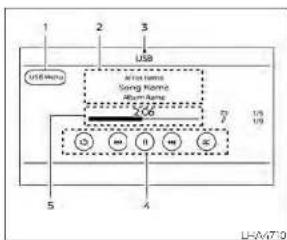
USBscreen
-
"USBMenu" key Touch: switch to the USB Menuscreen.
-
Trackinformation Trackinformationsuchasthesong name,artistnameandalbumnameare displayed.
-
AudiosourceIndicator Indicate the currently selected audio source.
4.USBoperationkeys TouchtocontrolUSB playback functions
5.Playtimeandprogressbar The playtimeofthetrackisdisplayed. The bar indicates the progress in playing atrack.
USBoperationkeys
TouchtocontrolUSB playbackfunctions
| Keys | Description |
USBmemorydeviceplayer operation
Activationandplaying
ConnectingtheUSBmemorydeviceinto theportwillstartplayingtheUSBmemory.
USBmemorydev:canalsobeplayedby touchingthe*USBkeyontheMenuscreen orbytouchingUSBonthelaunchBar
TopauseplayingtheUSBmemorydevice touchthe" "key.Toresumeplaying, touchthe" ► "key.
Skippingtracks
Toskipthetracks,presstheor buttonsonthecontrolpanelortouchthe
For Raysontnescreenrepeatedlyuntilthepreferredtrackisselected
NOTE:
Dependingonthecondition, skipping to the previous track may require pressing the button or touching the key twice. Pressing the button or touching the key once may only restart the current track from the beginning.
Fast-forwarding/rewinding
Torewindorfast-forwardtrackpress andholdthe 🎯 orbuttonsonthe controlpanelortouchandholdthe' 🎯
Changingplaymode
Repeatmode
Touchthe' "keyontheUSBscreento changetherepeatmode
The following modes are available:
All:Repeatall
1Folder:Repeatfolder/sub-folder
1Track-Repeatrack
Randommode
Touchthe' × 'keyonthescreento
changetherandcommodeasfollows:
Notextdisplayed Randomoff
All Repeatall
1Folder.RepeatFolder/sub-folder
USBmenu
TouchtheUSBMenuKeyontheUSB screentodisplaytheUSBMenuscreen
| NowPlayingkeyTouchdotisplaytheUSB screen. | |
| FolderListKey | Touchdotisplaythefolderlist. Touchantemontelstoo selectthefolder. Thesub folderortracklistwillberdis- playedse eccasub-folderor trackhomethiol. |
| AlbumArtwork | Touchtorunion/offthealbum artworkdisplaytheUSB screen. |


- CALIFORNIA PROPOSITION 65 WARNING
- WARNING
- FOREWORD
- READFIRST—THENDRIVESAFELY
- WHEN READING THE MANUAL
- CAUTION
- CALIFORNIAPERCHLORATE ADVISORY
- ©2021NISSANNORTHAMERICA,INC.
- NISSANCUSTOMERCAREPROGRAM
- NISSANCARES...
- ForU.S.customers
- ForCanadiancustomers
- Ollustratedtableofcontents
- AIRBAGS,SEATBELTSANDCHILD RESTRAINTS
- 0-2 Illustratedtableofcontents
- EXTERIORFRONT
- EXTERIORREAR
- 0-4Illustratedtableofcontents
- PASSENGERCOMPARTMENT
- INSTRUMENTPANEL
- 0-6Illustratedtableofcontents
- ENGINECOMPARTMENTCHECK LOCATIONS
- 2.0L4cylinder(KR20DDETengine model)
- NOTE:
- 2.5L4cylinder(PR25DDenginemodel)
- 1Safety-Seats,seatbeltsand supplementalrestraintsystem
- SEATS
- 1-2 Safety-Seats, seat belts and supplemental restraint system
- Forwardandbackward
- Reclining
- Seatlifter(driver'sseat)
- FRONTPOWERSEATADJUSTMENT (ifsoequipped)
- Operatingtips
- Lumbarsupport(ifsoequipped fordriver'sseat)
- HEADRESTRAINTS/HEADRESTS
- REMOVE
- INSTALL
- ADJUST
- Raise
- Lower
- SEATBELTS
- PRECAUTIONSONSEATBELT USAGE
- SEATBELTWARNINGLIGHTAND CHIME
- PREGNANTWOMEN
- INJUREDPERSONS
- THREE-POINTTYPESEATBELT WITHRETRACTOR
- Unfasteningtheseatbelts
- Checkingseatbeltoperation
- Shoulderbeltheightadjustment (frontseats)
- SEATBELTEXTENDERS
- SEATBELTMAINTENANCE
- CHILDSAFETY
- Childrenneedadultstohelpprotect them. Theyneedtobeproperly restrained.
- NISSANrecommendsthatallpre-teens andchildrenberestrainedinthear seat.Studiesshow thatchildrenare saferwhen properlyrestrained inthe rearseatthaninthefrontseat.
- INFANTS
- SMALLCHILDREN
- LARGERCHILDREN
- CHILDRESTRAINTS
- REAR-FACINGCHILDRESTRAINT INSTALLATIONUSINGLATCH
- TypeA(ifsoequipped)—step1 1.TypeA(ifsoequipped):
- TypeB(ifsoequipped):
- TypeB(ifsoequipped)—step1
- Rear-facing-step6
- 8.TypeA(ifsoequipped):
- FORWARD-FACINGCHILD RESTRAINTINSTALLATIONUSING LATCH
- TypeA(ifsoequipped):
- 9TypeA(ifsoequipped):
- Rearbenchseat
- OUTBOARDSEATINGPOSITIONS
- CENTERSEATINGPOSITION
- Forward-facing(frontpassengerseat)-step1
- OUTBOARDANDCENTERSEATING POSITIONS
- BOOSTERSEATS
- SUPPLEMENTALRESTRAINTSYSTEM (SRS)
- PRECAUTIONSONSRS
- Supplementalfront-impactairbag system
- Frontseat-mountedside-impact supplementalairbagsystem
- Rearoutboardseat-mountedside-impactsupplementalairbagsystem
- Roof-mountedcurtainside-impact and rolloversupplementalairbagsystem
- Driverandfrontpassengersupplementalkneeairbags
- Thesupplementalairbagsoperateonly whentheignitionswitchisplacedinthe ONposition.
- OFF
- Frontpassengerairbagandstatus light
- Statuslight
- Frontpassengerairbag
- Normaloperation
- Precautions
- Steps
- Troubleshooting
- Asystemcheckwillbeperformedduring whichthefrontpassengerairbagstatus lightwillremainlitforabout7seconds initially.
- Othersupplementalfront-impactair bagprecautions
- Thekneeairbagoperatesonlywhenthe ignitionswitchisplacedintheON position.
- \*The SRSwiringharnessorconnectors are yellowororangeforeasy identification.
- SUPPLEMENTAL AIRBAG WARNING LABELS
- SUPPLEMENTAL AIRBAG WARNING LIGHT
- Repairandreplacement procedure
- 2Instrumentsandcontrols
- 2-2 Instrumentsandcontrols
- METERSANDGAUGES
- SPEEDOMETERANDODOMETER
- 2-4Instrumentsandcontrols
- Resettingthetripodometer
- 2-6 Instrumentsandcontrols
- FUELGAUGE
- Refillthefueltankbeforethegaugeregisters0(Empty).
- -Ifthevehiclerunsoutoffuel,the
- DISTANCETOEMPTY(DTE)
- VARIABLECOMPRESSIONTURBO (ifsoequipped)
- WARNINGLIGHTS,INDICATORLIGHTS ANDAUDIBLEREMINDERS
- CHECKINGLIGHTS
- WARNING/INDICATORLIGHTS(red)
- Parkingbrakeindicator(ifso equipped)
- Lowbrakefluidwarninglight
- Chargewarninglight
- or Eletronicparking brakeindicator light(ifso equipped)
- Engineoilpressure warninglight
- Masterwarninglight
- Supplementalairbag warninglight
- WARNING/INDICATORLIGHTS (yellow)
- ABS
- AutomaticEmergency Braking(AEB)with PedestrianDetection systemwarninglight
- Electronic parkingbrake warninglight(if soequipped)
- Frontpassengerairbag statuslight
- Lowtirepressurewarning light
- Lowtirepressurewarning
- thevehiclemustbedrivenatspeeds above16mph(25km/h)toactivatethe TPMSandturnoffthelowtirepressure warninglight.Useatirepressuregauge tocheckthetirepressure.
- TPMSmalfunction
- Operation
- Slipindicatorlight
- VehicleDynamicControl (VDC)OFFindicatorlight
- VDCshouldremainonunlessfreeinga vehiclefrommudorsnow.
- WARNING/INDICATORLIGHTS (other)
- Automaticbrakehold indicatorlight(white/green) (ifsoequipped)
- Frontfoglightindicator light(green)(ifso equipped)
- HighBeamAssistindicator light(green)
- Highbeamindicatorlight (blue)
- Sidelightandheadlight indicatorlight(green)
- VEHICLEINFORMATIONDISPLAY-5 INCH(13cm)TYPEA(ifsoequipped)
- Turnsignal/hazard indicatorlights(green)
- AUDIBLEREMINDERS
- Brakepadwearwarning
- Lightreminderchime
- NISSANIntelligentKey®door buzzer
- 2-18 Instrumentsandcontrols
- HOWTOUSETHEVEHICLE INFORMATIONDISPLAY
- STARTUPDISPLAY
- RESETTINGTHEDRIVECOMPUTER
- OILCONTROLSYSTEM(ifso equipped)
- DriverAssistance
- 2-22 Instrumentsandcontrols
- MeterSettings
- VehicleSettings
- Maintenance
- Alarm
- TirePressures
- Unit
- Language
- FactoryReset
- VEHICLEINFORMATIONDISPLAY WARNINGSANDINDICATORS
- Enginestartoperationfor IntelligentKeysystem(if I-Keybatterylevelislow)
- KeyBatteryLow
- KeyIDIncorrect
- KeySystemError:See Owner'sManual
- NoKeyDetected
- Brightnessindicator
- Alarm—Timeforadriver break
- ChassisControlSystemError: See Owner's Manual
- RearDoorAlertisactivated
- CheckRearSeatForAllArticles
- EngineOilServiceduenow
- LooseFuelCap
- LowFuel
- LowOilPressureStop Vehicle
- Lowoutsidetemperature indicator
- LowWasherFluid
- Powerwillturnofftosavethebattery
- Powerturnedofftosavethebattery
- Pushbrakeandstart buttontodrive
- ReminderTurnOFF Headlights
- 2-30 Instrumentsandcontrols
- ReleaseParkingBrake
- ShifttoPark
- ShippingModeOnPushStorageFuse
- TirePressureLow-AddAir
- TransmissionShiftPosition indicator
- ServiceCVT
- CVThotPowerreduced
- CVT(AT)MalfunctionServicenow
- CVT(AT)Stopthevehicle
- EngineStalled:Stopsafely
- EngineMalfunctionPowerreduced Servicenow
- EngineMalfunctionServicenow
- EnginehotPowerreduced
- AutomaticEmergency Braking(AEB)with PedestrianDetection emergencywarning indicator
- BlindSpotWarning(BSW) indicator
- Cruisecontrolindicator
- ForwardDrivingAidsTemporarily DisabledFrontSensorBlockedSee Owner'sManual
- DriverAttentionAlert Malfunction
- IntelligentDriver Alertness—Takeabreak?
- LaneDepartureWarning (LDW)indicator
- MalfunctionSeeOwner'sManual
- ParkingSensorError:SeeOwner's Manual
- RearAutomaticBraking (RAB)indicator
- VEHICLE INFORMATION DISPLAY —7 INCH (18 cm) TYPE B (if so equipped)
- UnavailableHighCabinTemperature
- UnavailableSideRadarObstruction
- Vehicle aheaddetection indicator
- SETTINGS
- VDCSetting
- TPMSSetting
- CustomizeDisplay
- Unit/Language
- Key-LinkedSettings(ifsoequipped)
- 2-44 Instrumentsandcontrols
- Placethekeynearthestart switch
- - Brightnessindicator
- Door/TrunkOpen
- Drivesportmodeindicator
- EngineOilServiceduein-- -miles
- HeadlightSystemError:SeeOwner's Manual
- PressBrakePedal
- Pushbrakeandstart switchtodrive
- Reminder:TurnOFF Headlights
- TimerAlertTimeforabreak?
- 2-48Instrumentsandcontrols
- AWDError:SeeOwner's Manual
- AWDHighTemp.Stop Vehicle
- TireSizeIncorrectSee Owner'sManual
- CVT(AT)Malfunction Servicenow
- CVT(AT)hotPowerreduced
- Currently not available
- DriverAttentionAlert—Take a Break?
- IntelligentCruiseControl (ICC)indicators(ifso equipped)
- IntelligentLane Intervention(I-LI)indicator
- Malfunction
- Malfunction: SeeOwner's Manual
- NotAvailableParkingBrakeOn
- NotAvailablePoorRoadConditions
- NotAvailableSeatBeltNotFastened
- NotAvailableSystemMalfunction
- ProPILOTAssistindicators
- SpeedLimitSignindicator
- SteeringAssistAlert
- SECURITYSYSTEMS
- SteeringAssistindicator
- Unavailable: High Cabin Temperature
- Unavailable:SideRadarObstruction
- Vehicleaheaddetection indicator
- VEHICLESECURITY SYSTEM
- Howtoarmthevehiclesecurity system
- Vehiclesecuritysystemactivation
- Howtostopanactivatedalarm
- FCCNotice:
- ForUSA:
- ForCanada:
- Securityindicatorlight
- WIPERANDWASHERSWITCH
- HEADLIGHTCONTROL SWITCH
- Autolightsystem
- HighBeamAssist
- - Thetimingofswitchingthelow beamandhighbeammaychange underthefollowingsituations.
- HighBeamAssistoperation
- Ambientimagesensormaintenance
- Batterysaversystem
- LEDDAYTIMERUNNINGLIGHTS (DRL)SYSTEM(ifsoequipped)
- TURNSIGNALSWITCH
- Turnsignal
- Lanechangesignal
- TypeA(ifsoequipped)
- EMERGENCYCALL(SOS)BUTTON(if soequipped)
- REARDOORALERT
- POWEROUTLET
- GLOVEBOX
- CONSOLEBOX
- CUPHOLDERS
- WINDOWS
- POWERWINDOWS
- Lockingpassengers'windows
- 2-76 Instruments and controls
- MOONROOF(ifsoequipped)
- Auto-reversefunction
- POWERMOONROOF
- Slidingthemoonroof
- Tiltingthemoonroof
- Resettingthemoonroofswitch
- Auto-reversefunction(when closingortiltingdownthe moonroof)
- Whenclosing
- Whentiltingdown
- INTERIORLIGHTS
- Sunshade
- Ifthemoonroofdoesnotclose
- TRUNKLIGHT
- HOMELINK®UNIVERSAL TRANSCEIVER(ifsoequipped)
- PROGRAMMINGHOMELINK®
- NOTE: Oncethebuttonispressed,youhaveapproximately30secondstoinitiatethe nextstep.
- PROGRAMMINGHOMELINK® FOR CANADIANCUSTOMERSANDGATE OPENERS
- When programming a garage door opener, etc., unplugthedeviceduring the "cycling" processtopreventpossible damagetothegaragedooropener components.
- PROGRAMMINGTROUBLE-DIAGNOSIS
- CLEARINGTHEPROGRAMMED INFORMATION
- REPROGRAMMINGASINGLE HOMELINK®BUTTON
- IFYOURVEHICLEISSTOLEN
- 3Pre-drivingchecksandadjustments
- KEYS
- Neverleavethesekeysinthevehicle.
- 3-2 Pre-driving checks and adjustments
- Mechanicalkey
- AlwayscarrythemechanicalkeyinstalledintheIntelligentKeyslot.
- DOORS
- 3-4 Pre-drivingchecksandadjustments
- Driver'sside
- LOCKINGWITHKEY
- LOCKINGWITHINSIDELOCKKNOB
- LOCKINGWITHPOWERDOOR LOCKSWITCH
- Lockoutprotection
- AUTOMATICDOORLOCKS
- CHILDSAFETYREARDOORLOCK
- NISSANINTELLIGENTKEY®(ifso equipped)
- ListedbelowareconditionsoroccurrenceswhichwilldamagetheIntelligentKey:
- OPERATINGRANGE
- DOORLOCKS/UNLOCKS PRECAUTION
- Lockingdoors
- Unlockingdoors
- Usingtheinteriorlights
- Openingthetrunklid
- HOWTOUSETHEREMOTE KEYLESSENTRYFUNCTION
- When locking the doors using the intelligent Key, besurenottoleavethe key in the vehicle.
- 3-14 Pre-driving checks and adjustments
- Todeactivate:
- Toactivate:
- WARNINGSIGNALS
- TROUBLESHOOTINGGUIDE
- REMOTEENGINESTART
- REMOTEENGINESTART OPERATINGRANGE
- WhentheIntelligentKeybatteryisdischargedorotherstrongradiowavesourcesarepresentneartheoperatinglocation,theIntelligentKeyoperatingrangebecomesnarrower,andtheIntelligentKeymaynotfunctionproperly.
- REMOTESTARTINGTHEVEHICLE
- EXTENDINGENGINERUNTIME
- CANCELINGAREMOTEENGINE START
- CONDITIONSTHEREMOTEENGINE STARTWILLNOTWORK
- HOOD
- TRUNKLID
- 3-22 Pre-drivingchecksandadjustments
- INTERIORTRUNKACCESS
- FUEL-FILLERDOOR
- OPENEROPERATION
- FUEL-FILLERCAP
- Loose Fuel Cap warning
- STEERINGWHEEL
- TILTOPERATION
- TELESCOPICOPERATION
- SUNVISORS
- VANITYMIRRORS
- MANUALANTI-GLAREREARVIEW MIRROR(ifsoequipped)
- AUTOMATICANTI-GLARE REARVIEWMIRROR(ifsoequipped)
- OUTSIDEMIRRORS
- MEMORYSEAT(ifsoequipped)
- Manualfoldingoutsidemirrors
- Heatedmirrors(ifsoequipped)
- MEMORYSTORAGEFUNCTION
- ENTRY/EXITFUNCTION
- SYSTEMOPERATION
- 4Monitor,climate,audio,phone and voicerecognitionsystems
- NISSANCONNECT® OWNER'S MANUAL
- CONTROLPANELBUTTONS
- 4-4 Monitor, climate, audio, phone and voice recognition systems
- Touch-screenmaintenance
- HOWTOUSETHEMEN
- BUTTON
- ☀️/☐ (brightnesscontrol)BUTTON
- HOWTOUSETHEVOL(volume) KNOB/PUSH ⏻ (power) BUTTON
- SELECTINGMENUFROMLAUNCH BAR
- REARVIEWMONITOR(ifso equipped)
- Donotscratchthecameralenswhen cleaningdirtorsnowfromthefrontof thecamera.
- Distanceguidelines
- Vehiclewidthguidelines ④
- Predictedcourselines ⑤
- DIFFERENCEBETWEENPREDICTED ANDACTUALDISTANCES
- Backinguponasteepuphill
- Backinguponasteepdownhill
- 4-10 Monitor, climate, audio, phone and voice recognition systems
- HOWTOPARKWITHPREDICTED COURSELINES
- 4-12 Monitor, climate, audio, phone and voicerecognition systems
- ADJUSTINGTHESCREEN
- ForvehicleswithCAMERAbutton
- ForvehicleswithDISPbutton
- Donotadjustanyofthedisplaysettings oftheRearViewMonitorwhilethevehicleismoving.
- INTELLIGENTAROUNDVIEW MONITOR(ifsoequipped)
- Availableviews:
- Frontandrearview
- Distanceguidelines:
- Vehiclewidthguidelines ⑤:
- Predictedcourselines ⑥:
- Bird's-eyeview
- Front-sideview Guidinglines
- HOWTOSWITCHTHEDISPLAY
- MOVINGOBJECTDETECTION(MOD) (ifsoequipped)
- MODSYSTEMOPERATION
- While the RCT Achime is beeping, the MOD system does not chime.
- TURNINGMODONANDOFF(ifso equipped)
- MODSYSTEMLIMITATIONS
- SYSTEMMAINTENANCE
- VENTS
- CONTROLS
- Fanspeedcontroldial
- Airflowcontrolbuttons
- Temperaturecontroldial
- Airrecirculationbutton
- Onposition(Indicatorlighton):
- Offposition(Indicatorlightoff):
- A/C(airconditioner)button
- Rearwindowandoutsidemirror (ifsoequipped)defrosterswitch
- Heatedseatswitches(ifso equipped)
- HEATEROPERATION
- Heating
- Ventilation
- Defrostingordefogging
- Bi-levelheating
- Heatinganddefogging
- Dehumidifiedheating
- Dehumidifieddefogging
- AIRFLOWCHARTS
- -Whenparking,settheheaterandair conditionercontrolstoturnoffairre-circulationtoallowfreshairintothe passengercompartment.Thisshould helpreduceodorsinsidethevehicle.
- Cooling and/or dehumidified heating(AUTO)
- Heating(A/COFF)
- Dehumidifieddefrostingor defogging
- RemoteEngineStartwith IntelligentClimateControl(ifso equipped)
- MANUALOPERATION
- Fanspeedcontrolbuttons
- Airrecirculation
- Automaticintakeaircontrol
- Theairconditionercoolingfunctionoperatesonlywhentheengineisrunning.
- Airflowcontrol
- Synchronizeclimatesettings
- Toturnsystemoff
- Rearwindowandoutsidemirror defrosterswitch
- Heatedseatswitches
- Heatedsteeringwheelswitch
- SERVICINGAIRCONDITIONER
- This refrigerant does not harm the earth'sozonelayer.
- AUDIOSYSTEM
- RADIO
- Usingacellularphoneinornearthevehiclemayinfluenceradioreception quality.
- Radioreception
- FMRADIORECEPTION
- AMRADIORECEPTION
- AUDIOOPERATIONPRECAUTIONS
- MP3orWMAterms
- GeneralnotesforUSBUse:
- NotesforiPod®use:
- iPod®\*player
- Bluetooth®streamingaudio
- Bluetooth®
- FM/AMRADIO
- Audiomainoperation
- VOL(volume)knob/PUSH
- (power)button
- MENUbutton
- Audiobutton
- AM/FMradioscreen
- AMradiooperation
- AMMenu
- (SEEK/TRACI)buttons
- 1to6Stationmemoryoperations
- FMradiooperation
- FMMenu
- (SEEK/TRACK)buttons
- 1to12Stationmemoryoperations
- Activationandplaying
- AUXscreen
- Additionalfeatures
- Microsoft(WMA)Obligation of Labeling
- AdditionalObligationofLabeling
- Skippingtracks
- Fast-forwarding/rewinding
- Changingplaymode
- Repeatmode
- Randommode
- USBmenu
Brand : NISSAN
Model : Altima (2023)
Category : Automobile