
Maxima (2023) - Automobile NISSAN - Free user manual and instructions
Find the device manual for free Maxima (2023) NISSAN in PDF.


| Product Type | Automobile |
| Brand | Nissan |
| Model | Maxima (2023) |
| Model Year | 2023 |
| Engine Type | 3.5L V6 (VQ35DE) |
| Displacement | 3.5 liters |
| Fuel Type | Unleaded premium gasoline (91 AKI minimum) |
| Recommended Octane | 91 AKI or higher (premium) |
| Transmission | Continuously Variable Transmission (CVT) |
| Drivetrain | Front-wheel drive |
| Seating Capacity | 5 passengers |
| Fuel Tank Capacity | 18.0 gallons (approx.) |
| Recommended Cold Tire Pressure | See Tire and Loading Information label (typically 35 psi) |
| Engine Oil Capacity | Approximately 5.1 quarts (with filter) |
| Length | Approximately 192.8 inches |
| Width | Approximately 73.2 inches |
| Height | Approximately 56.5 inches |
| Wheelbase | Approximately 111.2 inches |
| Curb Weight | Approximately 3,600-3,700 lbs |
| Safety Systems | Airbags (front, side, curtain, knee), ABS, VDC, AEB, Lane Departure Warning, Blind Spot Warning, Rear Cross Traffic Alert |
| Airbags | Supplemental front-impact, side-impact, curtain, knee airbags |
| Child Restraint System | LATCH (Lower Anchors and Tethers for Children) in rear seats |
| Maintenance Schedule | Refer to maintenance booklet; standard schedule every 5,000 miles or 6 months |
| Manual Length | 494 pages |
Frequently Asked Questions - Maxima (2023) NISSAN
User questions about Maxima (2023) NISSAN
0 question about this device. Answer the ones you know or ask your own.
Ask a new question about this device
Download the instructions for your Automobile in PDF format for free! Find your manual Maxima (2023) - NISSAN and take your electronic device back in hand. On this page are published all the documents necessary for the use of your device. Maxima (2023) by NISSAN.
USER MANUAL Maxima (2023) NISSAN
OWNER'S MANUAL and MAINTENANCE INFORMATION
For your safety, read carefully and keep in this vehicle.
OWNER'SMANUALSUPPLEMENT
Theinformationcontainedwithinthissupplementrevisesoraddstothe "Foreword"sectioninthe2023NISSANOwner'sManual.
-NISSANSOFTWARELICENSE
Readcarefullyandkeepinthevehicle.
Printing:May2022
PublicationNo.SU23E0NALLU0

NISSANSOFTWARELICENSE
- Your vehicle includes physical parts and/or physical components of such parts on which software and/or firmware ("Software") is embedded or installed. Additionally, updates to Software may be made available by NISSAN for download and installation by owners from time to time as determined by NISSAN in its sole discretion. Such Software, and all updates thereto, including updates delivered by NISSAN to your vehicle over the air (collectively "Updates"), are licensed, and not sold, to you. A portion of the Software may contain or consist of open source software, which may be used under the terms and conditions of the specific license under which the open source software is distributed. For other Software, including Software for which there is no separate license agreement between you and the manufacturer or owner of the Software, the terms and conditions governing your right to use and the use of the installed Software, including any Updates, applications, services, and content provided for or through the Software, are set forth in the End User LicenseAgreementfoundathttps://www.nissanusa.com/owners/ownership.YouruseoftheSoftware,includinganyUpdates,constitutesconsenttotheEndUserLicenseAgreement'stermsandconditions.
- PLEASE NOTE: The End User License Agreement contains an arbitration clause. You may opt out of this arbitration clause within 30 days of the date of your vehicle purchase by sending as signed, written notice to NISSAN at the following address: Nissan North America, Inc.
ConsumerAffairsDepartment
P.O.Box685003Franklin,TN37068-5003
- Please refer to "Updating system software" in the 5. Information section or "Software Update" in the 2. Getting Started section of the NissanConnect® Owner's Manual for information about installing Over-the-Air Updates. For questions or assistance concerning installation of any over-the-air Update, you may contact NISSAN Consumer Affairs at 1-800-333-0207. You may also choose to visit a NISSANdealerforassistance-chargesmayapply.
CALIFORNIA PROPOSITION 65 WARNING
WARNING
Operating,servicingandmaintainingapassenger vehicleoroff-highwaymotorvehiclecanexposeyouto chemicalsincludingengineexhaust,carbonmonoxide, phthalates,andlead,whichareknowntotheStateof Californiatocausecancerandbirthdefectsorother reproductiveharm.Tominimizeexposure,avoid breathingexhaust,donotidletheengineexceptas necessary,serviceyourvehicleinawell-ventilatedarea andwearglovesorwashyourhandsfrequentlywhen servicing your vehicle. For more information go to www.P65Warnings.ca.gov/passenger-vehicle.
FOREWORD
This manual was prepared to help you understand the operation and maintenance of your vehicles that you may enjoy many miles (kilometers) of driving pleasure. Pleasereadthrough this manual before operating your vehicle.
AseparateWarrantyInformationBookletexplainsdetailsaboutthewarranties coveringyourvehicle.The"Maintenance and schedules"sectionofthismanual explainsdetailsaboutmaintainingand servicingyourvehicle.YouwillalsoreceiveaseparateCustomerCare/Lemon LawBooklet(U.S.only)thatwillexplain howtoresolveanyconcernsyoumay havewithyourvehicle,andclarifyyour rightsunderyourstate'slemonlaw.Additionally,youmayreceiveaseparate NissanConnect "Owner'sManualthat willexplainthevariousfeaturesand functionsyoursystemmayhave.
ANISSANdealershipknowsyourvehicle best.Whenyourequireanyserviceorhave anyquestions,theywillbegladtoassist youwiththeextensiveresourcesavailable tothem.
In addition of factory-installed options, your vehicle may also be equipped with additional accessories installed by NISSAN or by a NISSAN dealer prioritodelivery. It is
recommendedthatyouvisitaNISSAN dealerfordetailsconcerningtheparticular accessorieswithwhichyourvehicleis equipped.Itisimportantthatyoufamiliarizeyourselfwithalldisclosures,warnings, cautionsandinstructionsconcerning properuseofsuchaccessorlespriorto operatingthevehicleand/oraccessory. ItisrecommendedthatyouvisitaNISSAN dealerfordetailsconcerningtheparticular accessorieswithwhichyourvehicleis equipped.
READFIRST—THENDRIVESAFELY
Beforedrivingyourvehicle, pleasereadthis Owner's Manualcarefully. This will ensure familiarity with controls and maintenance requirements assisting you in the safe operation of your vehicle.
WARNING
IMPORTANT SAFETY INFORMATION REMINDERS!
Followtheseimportantdrivingrulesto helpensureasafeand comfortable trip foryouandyourpassengers!
- NEVERdriveundertheinfluenceof alcoholordrugs.
- ALWAYSobservepostedspeed limits and never drive too fast for conditions.
- ALWAYSgiveyourfullattentionto drivingandavoidusingvehiclefeaturesortakingotheractionsthat coulddistractyou.
- ALWAYSuseyourseatbeltsandappropriate child restraint systems. Preteenchildrenshouldbeseatedin therearseat.
- ALWAYSprovideinformationabout theproperuseofvehiclesafetyfeaturestoallooccupantsofthevehicle.
- ALWAYSreviewthisOwner'sManual forimportantsafetyinformation.
WHEN READING THE MANUAL
MODIFICATIONOFYOURVEHICLE This vehicles should not be modified. Modification could affect its performance, safety, emissions, durability and may even violate governmental regulations. In addition, damage or performance problems resulting from modifications may not be covered under NISSAN warranties.
WARNING
InstallinganaftermarketOn-BoardDiagnostic(OBD)plug-indevicethatuses the port during normal driving, for example-remoteinsurance company monitoring,remote vehicle diagnostics,telematicsorenginereprogramming, may cause interference or damage-tovehiclesystems.Wedonot recommend or endorse the use of any aftermarketOBDplug-indevices,unlessspecificallyapprovedbyNISSAN. Thevehiclewarrantymaynotcover damage caused by any aftermarket plug-indevice.
This manual includes information for all featuresandequipmentavailableonthis model. Features and equipment in your vehiclemayvarydependingonmodel,trim level,optionsselected,order,dateofproduction, region or availability. Therefore, youmayfindinformationaboutfeaturesor equipmentthatarenotincludedorinstalledonyourvehicle.
Allinformation, specificationsandillustrationsinthismanualare thoseineffectat thetimeofprinting.NISSANreservesthe right to change specifications, performance,design or component suppliers withoutnotice andwithout obligation. From time to time, NISSAN may update or revise this manual to provide Owners with the mostaccurate informationcurrently available.Pleasecarefullyreadandretain with this manual all revision updates sent toyoubyNISSANtoensureyouhaveaccess to accurate and up-to-date information regarding your vehicle. Current versions of vehicle Owner's Manuals and any updatescanalsobefoundintheOwner section of the NISSAN website at https:// owners.nissanusa.com/owners/ navigation/manualsGuide.Ifyouhave questions concerning any information inyour Owner'sManual,contactNISSAN
ConsumerAffairs.Forcontactinformation, refer tothe NISSANCUSTOMER CAREPROGRAMpageinthis Owner'sManual.
IMPORTANT INFORMATION ABOUT THIS MANUAL
Youwillseevarioussymbolsinthismanual. Theyareusedinthefollowingways:
WARNING
Thisisusedtoindicatethepresenceof ahazard thatcould causedeath orseriouspersonal injury.To avoidor reduce therisk, theprocedures mustbe followedprecisely.
CAUTION
Thisisusedtoindicatethepresenceof ahazard thatcouldcauseminoror moderatepersonalinjury ordamage to your vehicle. To avoid or reduce the risk,theproceduresmustbefollowed carefully.
natural_image
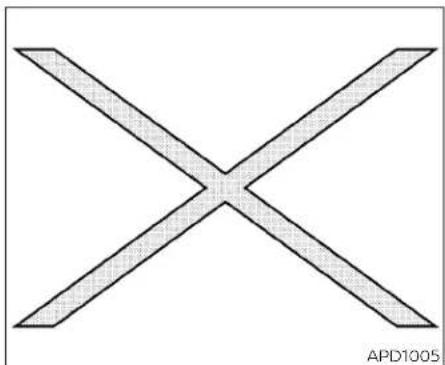
Simple geometric X shape with diagonal lines, no text or symbols presentIf youseethissymbol, it means "Donotdo this" or "Donotletthis happen."

If you see easy symbols similar to these in an illustration, it means the arrow point to the front of the vehicle.

Arrowsinanillustrationthataresimilarto theseindicatemovementoration.

Arrowsinanillustrationthataresimilarto thesecallattentiontoaniteminthe illustration.
CALIFORNIAPERCHLORATE ADVISORY
Somevehicleparts,suchaslithiumbatteries,maycontainperchloratematerial. The following advisory is provided:"PerchlorateMaterial-specialhandlingmay apply.Foradditionalinformation,refer towww.dtsc.ca.gov/hazardouswaste/perchlorate/".
©2022NISSANNORTHAMERICA,INC.
Allrightsreserved.NopartofthisOwner's Manualmaybereproducedorstoredina retrievalsystem,ortransmittedinany form,orbyanymeans,electronic,mechanical,photocopying,recordingorotherwise, without the prior written permissionofNissanNorthAmerica,Inc.
NISSANCUSTOMER CAREPROGRAM
NISSANCARES...
Both NISSAN and your NISSAN dealer are dedicated to serving all your automotive needs. Your satisfaction with your vehicle and your NISSAN dealer are our primary concerns. Your NISSAN dealer is always available to assist you with all your automobile sales and service needs.
However, if there is something that your NISSAN dealer cannot assist you with or you would like to provide NISSANDirectly with comments questions, please contact the NISSAN Consumer Affairs Department usingourtoll-freenumber:
ForU.S.customers
1-800-NISSAN-1
(1-800-647-7261)
ForCanadiancustomers
1-800-387-0122
The Consumer Affairs Department will ask for the following information:
-Yourname,address,andtelephone number
-Vehicleidentificationnumber(attached tothetopoftheinstrumentpanelonthe driver'sside)
-Dateofpurchase
-Currentodometerreading
-YourNISSANdealer'sname
-Yourcommentsorquestions OR
YoucanwritetoNISSANwiththeinformationat:
ForU.S.customers
NissanNorthAmerica, Inc.
ConsumerAffairsDepartment
P.O.Box685003
Franklin,TN37068-5003
orviae-mailat:
nnaconsumeraffairs@nissan-usa.com
ForCanadiancustomers
NissanCanadaInc.
5290OrbitorDrive
Mississauga,OntarioL4W4Z5
orviae-mailat:
information.centre@nissancanada.com
If you prefer, visit us at:
www.nissanusa.com (for U.S. customers) or
www.nissan.ca(forCanadiancustomers)
WeappreciateyourinterestinNISSANandthankyouforbuyingaqualityNISSANvehicle.
Tableof contents
| Illustratedtableofcontents | 0 |
| Safety-Seats,seatbeltsandsupplementalrestraintsystem | 1 |
| Instrumentsandcontrols | 2 |
| Pre-drivingchecksandadjustments | 3 |
| Monitor,climate,audio,phoneandvoicerecognitionsystems | 4 |
| Startinganddriving | 5 |
| Incaseofemergency | 6 |
| Appearanceandcare | 7 |
| Do-it-yourself | 8 |
| Maintenanceandschedules | 9 |
| Technicalandconsumerinformation | 10 |
| Index | 11 |
Ollustratedtableofcontents
Airbags,seatbeltsandchildrestraints. 0 - 2
Exteriorfront....0 - 3
Exteriorrear....0-4
Passengercompartment....0 - 5
InstrumentPanel 0 - 6
Enginecompartmentchecklocations....0 - 8
Warningandindicatorlights....0 - 9
AIRBAGS,SEATBELTSANDCHILD RESTRAINTS

- Toptetherstrapanchor(P.1-26)
- Rearheadrestraints/headrests(P.1-10)
- Rearoutboardseatbeltswithpretensioner(s)(P.1-11,1-61)
0-2 Illustrated table of contents
4.Roof-mountedcurtainside-impact and rolloversupplementalairbag(P.1-57)
5.Frontseat-mountedside-impact supplementalairbags(P.1-57)
6.Frontheadrestraints/headrests(P.1-10)
7.Frontseatbeltwithpretensioner(s)and shoulderheightadjuster(P.1-11,1-61)
8. Side-impact pressuresensor(driver's sideshown, frontpassenger's side similar)(P.1-41)
9.Supplementalairbags(P.1-41)
10.Seats(P.1-2)
11. Occupant classificationsensor(weight sensor)(P.1-52)
12.LATCH(LowerAnchorsandTethersfor Children)system(P.1-23)
13. Rearoutboardseat-mountedside-impactsupplementalairbags(P.1-57)
Refertothepagenumberindicatedin parenthesesforoperatingdetails.
EXTERIORFRONT

LIC4612
- Enginehood(P.3-20)
2.Wiperandwasherswitch(P.2-43)
3.Windshield(P.8-18)
4.Powerwindows(P.2-69)
- Doorlocks(P.3-4)
NISSANIntelligentKey®(P.3-6)
Keys(P.3-2)
6.Mirrors(P.3-27)
Sideviewcamera(ifsoequipped)
(P.4-11)
7.Tirepressure(P.8-27)
Flattire(P.6-3)
Tirechains(P.8-36)
8.Headlightandturnsignalswitch
(P.2-46)
LEDDaytimeRunningLights(DRL)
system(P.2-51)
Replacingbulbs(P.8-24)
9.Foglightswitch(ifsoequipped)(P.2-53)
10.Frontsonarsensors(ifsoequipped)
(P.5-119)
11.Frontviewcamera(ifsoequipped)
(P.4-11)
Refertothepagenumberindicatedin parenthesesforoperatingdetails.
EXTERIORREAR

- Rearwindowdefrosterswitch(P.2-45)
2.Interiortrunklidrelease(P.3-21) - High-mounted stoplight(P.8-24)
4.Exteriortrunklidrelease/request
button(P.3-11)
Rearviewcamera(P.4-3,4-11)
Trunklid(P.3-20)
0-4Illustratedtableofcontents
5.Rearsonarsensors(P.5-119)
6.Replacingbulbs(P.8-24)
7.Fuel-fillerdoor(P.3-22)
Fuelrecommendation(P.10-4)
8.Childsafetyreardoorlocks(P.3-6)
Refertothepagenumberindicatedin parenthesesforoperatingdetails.
PASSENGERCOMPARTMENT

1.Interiortrunkaccess(P.3-21)
2.Powermoonroof(ifsoequipped) (P.2-72)
3.Sunvisors(P.3-26)
4.Maplights(P.2-76)
- Rearviewmirror(P.3-27)
HomeLink®UniversalTransceiver(ifso equipped)(P.2-77)
6.Glovebox(P.2-66)
7.Cupholders(P.2-67)
8.Consolebox(P.2-66)
Refertothepagenumberindicatedin parenthesesforoperatingdetails.
INSTRUMENTPANEL

1.Vent(P.4-27)
2.Headlight/foglight(ifsoequipped)/turnsignalswitch(P.2-46)
3. Supplementalfront-impactairbag (P.1-41)
Horn(P.2-53)
4.Metersandgauges(P.2-3)
Warning and indicator lights(P.2-8)
Vehicleinformationdisplay(P.2-17)
5.Paddleshifters(ifsoequipped)(P.5-18)
6.Wiperandwasherswitch(P.2-43)
- Audiocontrols*
Navigationcontrols*
8.Hazardwarningflasherswitch(P.6-2)
- Navigationdisplay* Audiodisplay*
10.Frontpassengersupplementalairbag (P.1-59)
11.Glovebox(P.2-66)
12.Frontpassengersupplementalkneeair bag(P.1-59)
13.Frontpassengerairbagstatuslight (P.1-52)
14.AUXinput/USBports*
15.Heaterandairconditioningcontrols (P.4-29)
16.Shiftlever(P.5-16)
- DisplayCommander* VehicleDynamicControl(VDCOFF) switch(P.2-58) SPORTmodebutton(P.5-23)
18.Push-buttonignitionswitch(P.5-10)
-
Bluetooth ^® Hands-FreePhoneSystem ^* IntelligentCruiseControl(ICC)switches (P.5-56)
-
Driversupplementalkneeairbag (P.1-59)
21.Tiltandtelescopicsteering(P.3-24)
- Audiocontrolswitches*
Vehicleinformationdisplaycontrol switches(P.2-17)
23.Hoodrelease(P.3-20)
24.Fusebox(P.8-20)
25.Heatedsteeringwheelswitch(ifso equipped)(P.2-57)
DynamicDriverAssistanceswitch(ifso equipped)(P.2-58)
Trunkreleaseswitch(P.3-20)
Rearpowersunshadeswitch(ifso equipped)(P.2-74)
- Instrument brightness control (P.2-46)
Twintripodometerresetswitch(P.2-4)
*:RefertotheseparateNissanConnect® Owner'sManual.
Refertothepagenumberindicatedin parenthesesforoperatingdetails.
ENGINE COMPARTMENT CHECK LOCATIONS

3.5L6cylinder(VQ35DEengine model)
- Enginecoolantreservoir(P.8-4)
2.Drivebeltlocation(P.8-16)
- Engineoilfillercap(P.8-6)
4.Brakefluidreservoir(P.8-12)
5.Aircleaner(P.8-17)
6.Fusebox(P.8-20)
7.Fusebox/Fusiblelinks(P.8-20)
8.Fusiblelinks(P.8-20)
9.Battery(P.8-14)
10.Engineoldipstick(P.8-6)
11.Radiatorcap(P.8-4)
12.Powersteeringfluidreservoir(P.8-11)
13.Windshield-washerfluidreservoir
(P.8-12)
Refertothepagenumberindicatedin parenthesesforoperatingdetails.
NOTE:
Yourvehiclemaynotbeequippedwith anenginecover.
WARNINGANDINDICATORLIGHTS
| Warning/Indicator light(red) | NamePage | |
 | Brakewarning light | 2-9 |
 | ||
 | Chargewarning light | 2-10 |
 | Engineoilpres-surewarninglight | 2-10 |
 | Masterwarning light | 2-10 |
 | Seatbeltwarning lightandchime | 2-10 |
| Warning/Indicator light(red) | NamePage | |
 | Securityindicator light | 2-11 |
 | Supplementalair bagwarninglight | 2-11 |
| Warning/Indicator light (yellow) | NamePage | |
| ABSor(ABS) | Anti-lockBraking System(ABS) warninglight | 2-11 |
| Warning/Indicator light (yellow) | NamePage | |
 | AutomaticEmergencyBraking (AEB)withPedestrianDetection systemwarning light | 2-12 |
 | Frontpassenger airbagstatus light | 2-12 |
 | Lowtirepressure warninglight | 2-12 |
 | MalfunctionIndicatorLight(MIL) | 2-13 |
 | Masterwarning light | 2-14 |
Illustratedtableofcontents0-9
| Warning/Indicator light (yellow) | NamePage | |
| Powersteering warninglight | 2-15 | |
| RearAutomatic Braking(RAB)systemwarninglight | 2-15 | |
| SlipIndicatorlight2-15 | ||
| VehicleDynamic Control(VDC)OFF indicatorlight | 2-15 |
| Warning/Indicator light (other) | NamePage | |
| Frontfoglight indicatorlight (green)(ifso equipped) | 2-16 | |
| HighBeamAssist indicatorlight (green) | 2-16 | |
| Highbeamindicatorlight(blue) | 2-16 | |
| Sidelightand headlightindicatorlight(green) | 2-16 | |
| Turnsignal/hazardindicator lights(green) | 2-16 |
1Safety-Seats,seatbeltsand supplementalrestraintsystem
Seats 1-2
Frontpowerseatadjustment. 1 - 3
Foldingrearseat.... 1 - 5
Centerarmrest 1 - 6
Headrestraints/headrests. 1 - 7
Adjustableheadrestraint/headrest
components....1-8
Non-adjustableheadrestraint/
headrestcomponents....1 - 8
Remove....1-8
Install....1 - 9
Adjust.... 1 - 9
Seatbelts....1-11
Precautionsonseatbeltusage. 1-11
Seatbeltwarninglightandchime....1-14
Pregnantwomen....1-14
Injuredpersons....1-14
Three-pointtypeseatbeltwith
retractor 1-15
Seat belt extenders 1-18
Seatbeltmaintenance....1-18
Childsafety....1-19
Infants....1-19
Small children 1-20
Largerchildren....1-20
Childrestraints. 1-21
Precautionsonchildrestraints....1-21
LATCH(LowerAnchorsandTethersfor
CHILDREN)system....1-23
Rear-facingchildrestraintinstallation
usingLATCH....1-26
Rear-facingchildrestraintinstallation
using the seat belts 1-28
Forward-facingchildrestraint
installationusingLATCH....1-31
Forward-facingchildrestraint
installationusingtheseatbelts. 1-34
Boosterseats....1-38
SupplementalRestraintSystem(SRS)....1-41
PrecautionsonSRS....1-41
Supplemental air bag warning labels ..... 1-62
Supplemental air bag warning light 1-62
SEATS

natural_image
Diagram showing car seatbelt and cross-section of a vehicle (no text or symbols)WARNING
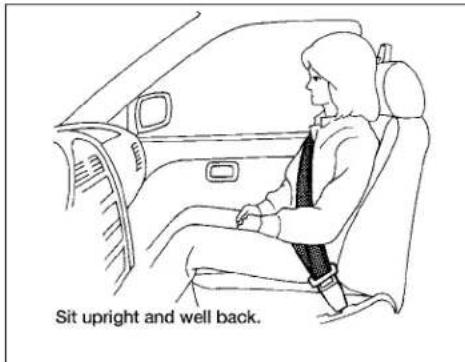
- Donotrideinamovingvehiclewhen theseatbackisreclined.Thiscanbe dangerous.Theshoulderbeltwillnot beagainstyourbody.Inanaccident, youcouldbethrownintoitandre- ceiveneckorotherseriousinjuries. Youcouldalsoslideunderthelapbelt andreceiveseriousinternalinjuries.
·Forthemosteeffectiveprotection whenthevehicleisinmotion,the seatshouldbeupright.Alwayssit wellbackanduprightintheseatwith bothfeetonthefloorandadjustthe seatproperly.Foradditionalinformation,see"Precautionsonseatbelt usage"(P.1-11).
• Afteradjustment, gentlyrockin the seattomakesureitissecurelylocked.
- Donotleavechildrenunattendedin-sidethevehicle.Theycouldunknow-inglyactivateswitchesorcontrolsormakethevehiclemove.Unattendedchildrencouldbecomeinvolvedinseriousaccidents.
To help avoid risk of injury or death through unintended operation of the vehicle and/or it systems, donot leave children, people who require the assistance of others or pets unattended in your vehicle. Additionally, the temperature inside a closed vehicle on a warm day can quickly become high enough to cause significant risk of injury or death to people and pets.
- Donotadjust thedriver'sseatwhile drivingsofullattentionmaybegiven to vehicle operation. Theseat may movesuddenlyandcouldcauseloss ofcontrolofthevehicle.
- Theseatbackshouldnotbereclined anymore thanneededforcomfort. Seatbeltsaremosteffectivewhenthe passengersitswellback andstraight upintheseat.Iftheseatbackisreclined,theriskofslidingunderthelap beltandbeinginjuredisincreased.
1-2 Safety-Seats, seat belts and supplemental restraint system
CAUTION
When adjusting theseat positions, be surenottocontactanymovingpartsto avoid possible injuries and ordamage.
FRONTPOWERSEATADJUSTMENT
Operatingtips
- The power seat motor has an auto-reset overload protection circuit. If the motor stops during operation, wait 30 seconds then reactivates the switch.
- Donotoperatethepowerseatswitchfor alongperiodoftimewhentheengineis off. This will discharge the battery.
For additional information, see "Memory Seat" (P.3-30).


Forwardandbackward
Movingtheswitchasshownwillslidethe seatforwardorbackwardtothedesired position.
Reclining
Movethereclineswitchasshownuntilthe desiredangleisobtained.
Therecliningfeatureallowsadjustmentof theseatbackforoccupantsofdifferent sizesforaddedcomfortandtohelpobtain properseatbeltfit.Foradditionalinformation,see"Precautlonsonseatbeltusage" (P.1-11).Also,theseatbackcanbereclinedto allowoccupantstorestwhenthevehicleis parked.

Driver'sseat
Seatlifterandtilt(ifsoequipped)
Movethefrontpartoftheswitchasshown toadjusttheangleoftheseatcushion (driver'sseatonly).Movethebackpartof theswitchasshowntoadjusttheheightof theseat.

Passenger'sseat(ifsoequipped)

Lumbarsupport(driver'sseat)
Thelumbarsupportfeatureprovidesadjustablelowerbacksupporttothedriver. Pushtheswitchasshowntoadjustthe seatbacklumbararea.
1-4 Safety-Seats, seatbeltsandsupplementalrestraintsystem

natural_image
Diagram showing a mechanical component being cut with an arrow indicating rotation (no text or symbols)Thighextension(ifsoequipped fordriver'sseat)
Pullupandoutwhileholdingtheleverto extendthefrontportionoftheseatcushlontothedesiredposition.
FOLDINGREARSEAT
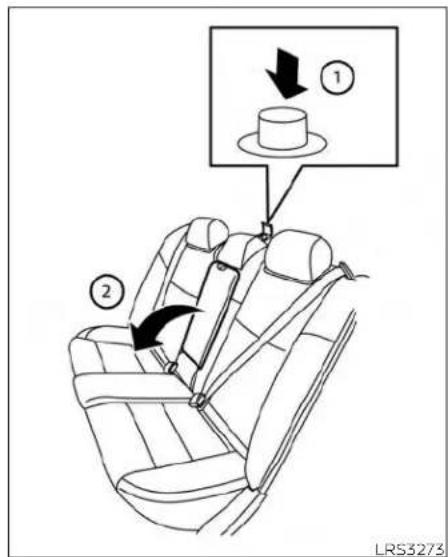
Interiortrunkaccess
Thetrunkcanbeaccessedfromthepassengersideoftherearseatforloadingand unloading,asshown.
1.Movethefrontpassengerseattothe mostforwardposition.
2. Opentheaccesscoverontherearparcelshelf.
3.Pushdownonthebutton parcelshelf. ① ontherear
4. Folddown the passenger's sideseat-back ②.
WARNING
- Neverallowanyonetorideinthe cargoareaorontherearseatwhenit isinthefold-downposition.Useof theseareasbypassengerswithout properrestraintscouldresultinserious injuryordeathinanaccidentor suddenstop.
•Properlysecureallcargowithropes orstrapstohelppreventitfromslidingorshifting.Donotplacecargo higherthantheseatbacks.Inasuddenstoporcollision,unsecured cargocouldcausepersonalinjury.
- When returning these back to the upright position, be certain they are completely secured in the latched position. If they are not completely secured, passengers may be injured in an accident or sudden stop.
·Closelysupervisechildrenwhenthey arearoundcarstopreventthem fromplayingandbecominglockedin thetrunkwheretheycouldbeseriouslyinjured.Keepthecarlocked, withtherearseatbackandtrunklid securelylatchedwhennotinuse,and preventchildren'saccesstocarkeys.

natural_image
Technical line drawing of a car body panel with labeled component (no text or symbols beyond label)Tofolddowneithersideoftherearseat, openthetrunkandpullonthestrap ①. Foradditional information,see "Interior trunkaccess"(P.3-21).

natural_image
Line drawing of a car seatbelt with a belt buckle, no text or symbols presentCENTERARMREST
Tousethecenterarmrestontherearseat, pullonthetabinthecenteroftheseatand folditdownasshown.
HEADRESTRAINTS/HEADRESTS
WARNING
Headrestraints/headrestssupplement theothervehiclesafetysystems.They mayprovideadditionalprotection againstinjuryincertainrearendcollisions.Adjustableheadrestraints/headrestsmustbeadjustedproperly, asspecifiedinthissection.Checkthe adjustmentaftersomeoneelseuses theseat.Donotattachanythingtothe headrestraint/headreststalksorremovetheheadrestraint/headrest.Do notusetheseatiftheheadrestraint/headresthasbeenremoved.Ifthehead restraint/headrestwasremoved,reinstallandproperlyadjustthehead restraint/headrestbeforeanoccupant usetheseatingposition.Failureretofollowtheseinstructionscanreducethe effectivenesssof thehead restraints/headrests.Thismayincreasetheriskof seriousinjuryordeathinacollision.

natural_image
Top-down line drawing of a car with four directional indicators (no text or symbols)The illustrations show these seating positions equipped with head restraints/headrests.
▲Indicatetheseatingpositionis equippedwithaheadrestraint.
■Indicatetheseatingpositionis equippedwithaheadrest.
+ Indicates the seating position is not equipped with a head restraint or head rest (if applicable).
- Your vehicle is equipped with a head restraint/headrest that may be integrated, adjustable or non-adjustable.
- Adjustableheadrestraints/headrests havemultiplenotchesalongthestalk(s) to lock them in a desired adjustment position.
•The non-adjustable head restraints/headrestshaveasinglelockingnotchto securethemtotheseatframe.
•ProperAdjustment:
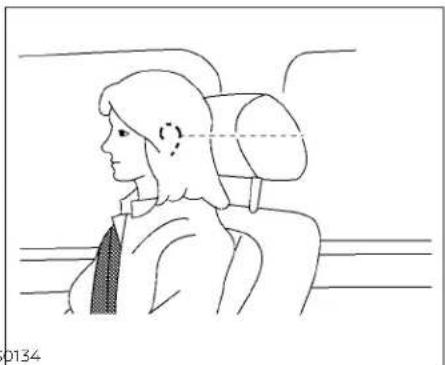
-Fortheadjustabletype,alignthehead restraint/headrest so the center of yourearisapproximatelylevelwiththe centeroftheheadrestraint/headrest.
-If you rear position is still higher than the recommended alignment, place the head restraint/head rest at the highest position.
- If the head restraint/head rest has been removed, ensure that it is reinstalled and locked in place beforeering in that designated seating position.

ADJUSTABLEHEADRESTRAINT/ HEADRESTCOMPONENTS
1.Removableheadrestraint/headrest
2.Multiplenotches
3.Lockknob
4.Stalks

NON-ADJUSTABLEHEAD RESTRAINT/HEADREST COMPONENTS
1.Removableheadrestraint/headrest
2.Singlenotch
3.Lockknob
4.Stalks
natural_image
Line drawing of a car seat with arrows indicating upward motion (no text or symbols)REMOVE
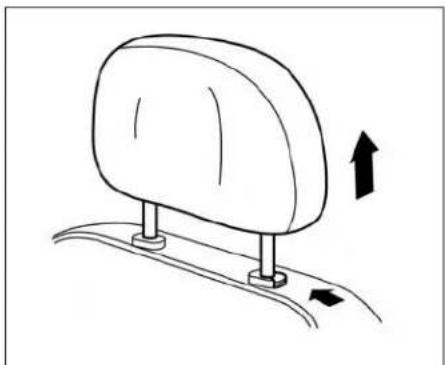
Usethefollowingproceduretoremovethe headrestraint/headrest:
- Pulltheheadrestraint/headrestupto thehighestposition.
2.Pushandholdthelockknob.
-
Removetheheadrestraint/headrest fromtheseat.
-
Storetheheadrestraint/headrestproperlyinasecureplacesoitisnotloosein thevehicle.
1-8 Safety-Seats, seatbeltsandsupplementalrestraintsystem
- Reinstallandproperlyadjustthehead restraint/headrestbeforeanoccupant usestheseatingposition.

natural_image
Side profile illustration of a person seated in a car seat, viewed from the side (no text or symbols)INSTALL
- Align the head restraint/head rest stalks with the holes in these seat. Makes sure that the head restraint/head rest is facing the correct direction. The stalk with the notch (notches) ① must be installed in the hole with the lock knob ②.
- Pushandholdthelockknobandpush theheadrestraint/headrestdown.
- Properly adjust the head restraint / headrest before an occupant use the seating position.
ADJUST
Foradjustableheadrestraint/headrest Adjusttheheadrestraint/headrestsothe centerislevelwiththecenterofyourears.If yourearpositionisstillhigherthanthe recommendedalignment,placethehead restraint/headrestatthehighestposition.

natural_image
Diagram showing a car wheel with a diagonal line crossing it, indicating no change or direction (no text or symbols present)Fornon-adjustableheadrestraint/headrest
Makesuretheheadrestraint/headrestis positionedsothelockknobisengagedin thenotchbeforerldinglthatdesignated seatingposition.
natural_image
Simple line drawing of a car seat with an upward arrow indicating motion (no text or symbols)Raise
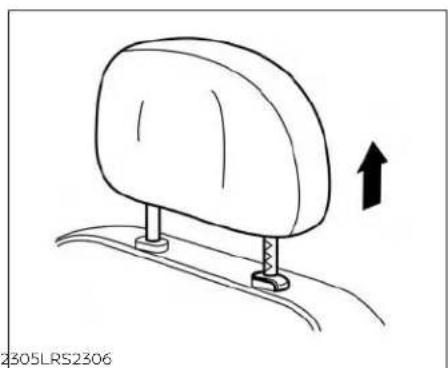
Toraisetheheadrestraint/headrest,pullit up.
Makesuretheheadrestraint/headrestis positionedsothelockknobisengagedin thenotchbeforeridinginthatdesignated seatingposition.

natural_image
Line drawing of a car seat with arrows indicating direction (no text or symbols)Lower
Tolower, pushandholdthelockknoband pushtheheadrestraint/headrestdown.
Makesuretheheadrestraint/headrestis positionedsothelockknobisengagedin thenotchbeforeridinginthatdesignated seatingposition.
1-10 Safety-Seats,seatbeltsandsupplementalrestraintsystem
SEATBELTS


natural_image
Line drawing of a person seated in a car with a cross-shaped object overlaid, no text or symbols presentPRECAUTIONSONSEATBELT USAGE
If you are wearing your seat belt properly adjusted and you are sitting upright and well back in your seat with both feet on the floor, your chances of being injured or killed in a collision and/or these severity of injury may begreatly reduced. NISSAN strongly encourages you and all of your passengers to buckle up every time you drive, even if your seating position includes as supplemental airbag.
Most U.S. states and Canadian provinces orterritories specify that seat belts be worn at all times when vehicle is being driven.

WARNING
- Everypersonwhodrivesorridesin thisvehicleshoulduseaseatbeltat alltimes.Childrenshouldbeinthe rearseatsandinanappropriate restraint.
WARNING
• Theseatbeltshouldbeproperlyadjustedtoasnugfit.Failureretodoso mayreducetheeffectivenessofthe entirerestrainsystemandincrease thechanceorseverityofinjuryinan accident.Seriousinjuryordeathcan occuriftheseatbeltisnotworn properly.
1-12 Safety-Seats, seatbeltsandsupplementalrestraintsystem

natural_image
Line drawing of a person sitting in a car seatbelt with X-shaped straps (no text or symbols)WARNING
·Alwaysroutetheshoulderbeltover yourshoulderandacrossyourchest. Neverputthebeltbehindyourback, underyourarmoracrossyourneck. Thebeltshouldbeawayfromyour faceandneck,butnotfallingoffyour shoulder.
- Positionthelapbeltaslowandsnug aspossibleAROUNDTHEHIPS,NOT THEWAIST.Alapbeltworntoohigh couldincreaseetheriskofinternalinjuriesinanaccident.
- Besuretheseatbelttongueissecurelyfastenedtotheproperbuckle.
- Donotweartheseatbeltinsideout ortwisted.Doingsomayreduceits effectiveness.
- Donotallowmorethanoneperson tousethesameseatbelt.
- Nevercarrymorepeopleinthevehiclethanthereareseatbelts.
- If theseatbeltwarninglightglows continuouslywhiletheignitionis placedintheONpositionwithall doorsclosedandallseatbeltsfastened,itmayindicateamalfunction inthesystem.Havethesystem checked. It is recommended that you visitaNISSANdealerforthisservice.
- Nochangesshouldbemadetothe seatbeltsystem.Forexample,donot modifytheseatbelt,addmaterial,or installdevicesthatmaychangethe seatbeltroutingortension.Doingso mayaffecttheoperationoftheseat beltsystem.Modifyingortampering withtheseatbeltsystemmayresult inseriouspersonalinjury.
- Onceseatbeltpretensioner(s)have activated,theycannotbereusedand mustbereplacedtogetherwiththe retractor. It is recommended that you visitaNISSANdealerforthisservice.
- Allseatbeltassemblies,includingretractors and attaching hardware, should be inspected after any collision. It is recommended that you visit a NISSANdealerforthisservice.NISSANrecommendsthatallseatbeltassembliesinuse duringacollisionbe replacedunlessthecollisionwasminor and the belts show no damage and continuetooperateproperly.Seatbelt assembliesnotinuseduringacollisionshouldalsobeinspectedandreplacedifeitherdamageorimproper operationisnoted.
- Allchildrestraintsandattachinghardware should be inspected after any collision. Always follow the restraint manufacturer's inspection instructionsandreplacementrecommendations. Thechildrestraints should bereplacediftheyaredamaged.

natural_image
Silhouette of a person sitting with a bandage symbol (no text or numbers)LRS0786
SEATBELTWARNINGLIGHTAND CHIME
Thelightandchimeremindyoutofasten thedriver,frontpassengerandrearpassengerseatbelts.Avisualaudiblealertwill operateinthefollowingconditions: Ifthedriverseatbeltisnotfastened.
- Thefrontpassenger'sseatbeltisnotfastenedandtheseatisoccupiedbyapassengerfor7secondsaftertheignition switchisplacedintheONposition.
- Thefrontpassenger'sseatbeltisnotfastenedandobjectsorexternalforceon thepassengerseatchangetheseatbelt reminderclassificationto"occupied". - Anyrearpassengerseatbeltisoperated fromfastenedtounfastened.
Foradditionalinformation,see:
- "Seatbeltwarninglightandchime"(P.2-10).
"Rearseatbeltwarning"(P.2-28).
The below situations could result in the seat belt warning function operating, even with no occupant present in the passenger seat:
•Heavyobjectsplacedontheseat.
- Someonepushingorpullingonthefront passengerseat.
•Anobjectplacedunderthefrontpassengerseat.
• Anobjectplacedbetweentheseatcushionandcenterconsoleorbetweenthe seatcushionandthedoor.
• Anobjectchangingontheseatorplaced intheseatbackpocket.
- Achildrestraintorotherobjectpressing againsttherearoftheseatback.
Therearseatbeltremindermayoperate if therearseatbeltsareusedwithout occupants.
PREGNANTWOMEN
NISSANrecommendsthatpregnant womenuseseatbelts.Theseatbeltshould bewornsnugandalwayspositionthelap beltaslowaspossiblearoundthehips,not thewaist.Placetheshoulderbeltoveryour shoulderandacrossyourchest.Neverrun thelap/shoulderbeltoveryourabdominal area. Contact your doctor for specific recommendations.
INJUREDPERSONS
NISSANrecommendsthatinjuredpersons useseatbelts.Checkwithyourdoctorfor specificrecommendations.
THREE-POINTTYPESEATBELT WITHRETRACTOR
WARNING
- Everypersonwhodrivesorridesin thisvehicleshoulduseaseatbeltatall times.Childrenshouldbeintherear seatsandinanappropriaterestraint.
- Donotrideinamovingvehiclewhen theseatbackisreclined.Thiscanbe dangerous.Theshoulderbeltwillnot beagainstyourbody.Inanaccident, youcouldbethrownintoitandre- ceiveneckorotherseriousinjuries. Youcouldalsoslideunderthelapbelt andreceiveseriousinternalinjuries.
- Forthemosteeffectiveprotection whenthevehicleisinmotion, the seatshouldbeupright. Alwayssit wellbackanduprightintheseatwith bothfeetonthefloorandadjustthe seatbeltproperly.
- Donotallowchildrentoplaywiththe seatbelts.Mostseatingpositionsare equippedwithAutomaticLockingRetractor (ALR) mode seat belts. If the seatbeltbecomeswrappedarounda child'sneckwiththeALRmodeactivated,thechildcan be seriouslyinjuredorkillediftheseatbeltretracts and becomes tight. This can occur evenifthevehicleisparked.Unbuckle theseatbelttoreleasethechild.Ifthe seatbeltcannotbeunbuckledorisal-readyunbuckled,releasethechildby cutting the seat belt with a suitable tool(suchasaknifeorscissors)tore-leasetheseatbelt.
Fasteningtheseatbelts
- Adjusttheseat. For additional information, see "Seats" (P.1-2).
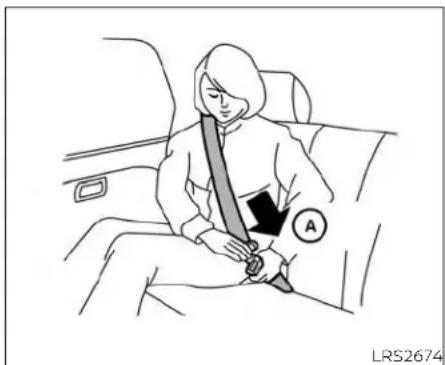
2.Slowlypulltheseatbeltoutoftheretractorandinsertthetongueintothebuckle ① untilyouhearandfeelthelatchengage.
- Theretractorisdesignedtolockduring asuddenstoporonimpact.Aslow pullingmotionpermitstheseatbeltto move,andallowsyousomefreedomof movementintheseat.
- If theseatbelt cannot be pulled from its fully retracted position, firmly pull the belt and release it. Thensmoothly pull the belt out of theretractor.

-
Positionthelapbeltporionlowand snugonthehips ⑧ asshown.
-
Pulltheshoulderbeltportiontowardthe retractortotakeupextraslack ©. Be suretheshoulderbeltisroutedover yourshoulderandacrossyourchest.
Thefrontpassengerseatandtherear seatingpositionsthree-pointseatbelts havetwomodesofoperation:
•EmergencyLockingRetractor(ELR)
•AutomaticLockingRetractor(ALR)
TheELRmodeallowstheseatbelttoextendandretracttoallowthedriverand passengerssomefreedomofmovement intheseat.TheELRlockstheseatbelt whenthevehicleslowdownrapidlyor duringcertainimpacts.
TheALRmode(childrestraintmode)locks theseatbeltforchildrestraintinstallation. WhentheALRmodeisactivated,theseat beltcannotbeextendedagainuntilthe seatbelttongueisdetachedfromthe buckleandfullyretracted.TheseatbeltreturnstotheELRmodeaftertheseatbelt fullyretracts.Foradditionalinformation, see"Childrestraints"(P1-21).
The ALR modes should be used only for child restraint installation. During normal seat belt use by an occupant, the ALR modes should not be activated. If it is activated, it may cause uncomfortable seat belt tension. It can also change the operation of the front passenger air bag. For additional information, see "Frontpassenger air bag and status light" (P. 1-52).
WARNING
When fastening these at belts, be certain that these at backs are completely secured in the elatched position. If they are not completely secured, passengers may be injured in an accidentor sudden stop.

To increase your confidence in these seat belts, check the operation as follows: • Graspthes shoulder belt and pull forward quickly. Theretractor should lock and restrict further belt movement.
Iftheretractordoesnotlockduringthis check,getthesystemchecked.ItisrecommendedthatyouvisitaNISSANdealerfor thisserviceortolearnmoreaboutseatbelt operation.
Unfasteningtheseatbelts
Tounfastentheseatbelt,pressthebutton onthebuckle ①.Theseatbeltautomaticallyretracts.
Checkingseatbeltoperation
Seatbeltretractorsaredesignedtolock seatbeltmovementbytwoseparate methods:
-whentheseatbeltispulledquicklyfrom theretractor
-Whenthevehicleslowsdownrapidly

Shoulderbeltheightadjustment (frontseats)
Theshoulderbeltanchorheightshouldbe adjustedtothepositionbestforyou.For additionalinformation,see"Precautionson seatbeltusage"(P.1-11).Toadjust,pullout theadjustmentbutton ① andmovethe shoulderbeltanchortothedesiredposition ② ,sothebeltpassesoverthecenter oftheshoulder.Thebeltshouldbeaway fromyourfaceandneck,butnotfallingoff yourshoulder.Releasetheadjustmentbuttontontolocktheshoulderbeltanchorinto position.
WARNING
·Afteradjustment,releasetheadjust- mentbuttonandtrytomovethe shoulderbeltanchorupanddown tomakesureitissecurelyfixedin position.
·Theshoulderbeltanchorheight shouldbeadjustedtotheposition bestforyou.Failuretodosomayreducetheeffectivenessoftheentire restraintsystemandincreasethe chanceorseverityofinjuryinan accident.
SEATBELTEXTENDERS
If, because of body size or driving position, it isnot possible to properly fit the lap/shoulder belt and fastenit, an extender that is compatible with the installed seat belts is available for purchase. The extender adds approximately 8 in (200 mm) of length hand may be used for either the driver or front passenger seating position. It is recommended that you visit a NISSAN dealer for assistance with purchasing an extender if an extender is required.
WARNING
- Only NISSAN seat belt extenders, madebythesamecompanywhich madetheoriginalequipmentseat belts,shouldbeusedwithNISSAN seatbelts.
•Adultsandchildrenwhocanusethe standardseatbeltshouldnotusean extender. Such unnecessary use could result in serious personal injury intheeventofanaccident.
·Neveruseseatbeltextenderstoin-stallchildrestraints.Ifthechildre-straintisnotsecuredproperly,the childcouldbeseriouslyinjuredor killedinacollisionorasuddenstop.
SEATBELTMAINTENANCE
- Tocleantheseatbeltwebbing, apply a mildsoap solution or anysolution recommended for cleaning up holstery or carpet. Then wipewith cloth and allow theseat belt stody in the shade. Donot allow theseat belt storetract until they are completely dry.
- If dirt builds up in the shoulder belt guide of these seat belt anchors, these seat belts may retract slowly. Wipethe shoulder belt guidewith a clean, dry cloth.
Periodicallychecktoseethat theseat beltandthemetalcomponents, such asbuckles,tongues,retractors,flexible wiresandanchors,workproperly.Ifloose parts,deterioration,cutsorotherdamageonthewebbingisfound,theentire seatbeltassemblyshouldbereplaced.
CHILDSAFETY
WARNING
Donotallowchildrentoplaywiththe seatbelts.Mostseatingpositionsare equippedwithAutomaticLockingRetractor(ALR)modeseatbelts.Iftheseat beltbecomeswrappedarounddachild's neckwiththeALRmodeactivated,the childcanbeseriouslyinjuredorkilledif theseatbeltretractsandbecomes tight.Thiscanoccurevenifthevehicle isparked.Unbuckletheseatbelttoreleasethechild.Iftheseatbeltcannot beunbuckledorisalreadyunbuckled, releasethechildbycuttingtheseat beltwithasuitabletool(suchasaknife orscissors)toreleasetheseatbelt.
Childrenneedadultstohelpprotectthem. Theyneedtobeproperlyrestrained.
In addition to the general information in this manual, child safety information is available from many other sources, including doctors, teachers, government traffic safety offices, and community organizations. Every child is different, sobesureto learn the best way to transport your child.
There are three basic types of children-straints systems:
•Rear-facingchildrestraints
- Forward-facingchildrestraints - Boosterseats
The proper restraint depends on the child's size. Generally, infants up to about 1 year and less than 20 lbs. (9 kg) should be placed in rear-facing child restraints. Forward-facing child restraints are available for children who out grow rear-facing child restraints and are at least 1 year old. Booster seats are used to help position vehicle lap/shoulder beltonach child who can no longer use a forward-facing child restraint.
WARNING
Infantsandchildrenneedspecialpro-tection.Thevehicle'sseatbeltsmay notfitthemproperly.Theshoulderbelt maycometooclosetothefaceorneck. Thelapbeltmaynotfitovertheirsmall hipbones.Inanaccident,animprop- erlyfittingseatbeltcouldcauseserious orfatalinjury.Alwaysuseappropriate childrestraints.
All U.S. states and Canadian provinces or territories require the use of approved child restraints for infants and small children. For additional information, see "Childrestrants" (P.1-21).
NISSANrecommendsthatallpre-teens andchildrenberestrainedintherear seat.Studieshowthat childrenare saferwhenproperlyrestrainedinthe rearseatthaninthefrontseat.
This is especially important because your vehicle has asupplemental restraintsystem(airbagsystem)forthe frontpassenger.Foradditionalinformation,see"SupplementalRestraintSystem(SRS)"(P.1-41).
INFANTS
Infantsuptoatleast1yearoldshouldbe placed in a rear-facing child restraint. NISSAN recommends that infants be placedinchildrestraintsthatcomplywith FederalMotorVehicleSafetyStandardsor CanadianMotorVehicleSafetyStandards. Youshouldchooseachildrestraintthatfits yourvehicleandalwaysfollowthemanu-facturer'sinstructionsforInstallationand use.
SMALLCHILDREN
Childrenthatareover1yearoldandweigh atleast20lbs.(9kg)shouldremainina rear-facingchildrestraintaslongaspossibleuptotheheightorweightlimitofthe childrestraint.Childrenwhooutgrowthe heightorweightlimitoftherear-facing childrestraintandareatleast1yearold shouldbesecuredinaforward-facingchild restraintwithaharness.Refertothemanufacturer'sinstructionsforminimummand maximumweightandheightrecommendations.NISSANrecommendsthatsmall childrenbeplacedinchildrestraintsthat complywithFederalMotorVehicleSafety StandardsorCanadianMotorVehicle SafetyStandards.Youshouldchoosea childrestraintthatfitsyourvehicleandalwaysfollowthemanufacturer'sinstructionsforinstallationanduse.
LARGERCHILDREN
Childrenshouldremaininaforward-facing childrestraintwithaharnessuntiltheyreach themaximumheightorweightlimitallowed bythechildrestraintmanufacturer.
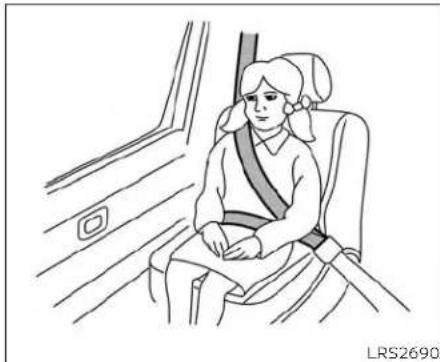
Onceachildoutgrowstheheightorweight limitoftheharness-equippedforward-facingchildrestraint,NISSANrecommends thatthechildbeplacedinacommercially availableboosterseattoobtainproper seatbeltfit.Foraseatbelttofitproperly,the boosterseatshouldraisethechildsothat theshoulderbeltisproperlypositioned acrossthechestandthetop,middleportionoftheshoulder.Theshoulderbelt shouldnotcrosstheneckorface and shouldnotfallofftheshoulder.Thelapbelt shouldliesnuglyacrossthelowerhipsor upperthighs,nottheabdomen.
Aboosterseatcanonlybeusedinseating positionsthathaveathree-pointtypeseat belt.Theboosterseatshouldfitthevehicle seatandhavealabelcertifyingthatitcomplieswithFederalMotorVehicleSafety StandardsorCanadianMotorVehicle SafetyStandards. Once the childhas grownsotheshoulderbeltisnolongeron ornearthefaceandneckandthelapbelt canbepositioned properlyacrossthe lowerhipsorupperthighs,usetheseatbelt withouttheboosterseat.
A booster seat should be used until the childcanpasstheseatbeltfittestbelow:
•Arethechild'sbackandhipsagainstthe vehicleseatback?
- Isthechildabletositwithoutslouching?
- Dothechild'skneesbendeasilyoverthe frontedgeoftheseatwithfeetflatonthe floor?
- Canthechildsafelyweartheseatbelt(lap beltlowandsnugacrossthehipsand shoulderbeltacrossmid-chestand shoulder)?
- Isthechildabletousetheproperlyadjustedheadrestraint/headrest?
- Will the child be able to stay in position for the entire ride?
CHILDRESTRAINTS
natural_image
Line drawing of a person sitting in a seat inside a vehicle, wearing a seatbelt (no text or symbols)If you answered not to any of these questions, the child should remain in a booster seating at three-point types at belt.
NOTE:
Lawsinsomecommunitiesmayfollow differentguidelines.Checklocaland stateregulationstoconfirmyourchildis usingthecorrectrestraintsystembefore traveling.
WARNING
Neverletachildstandorkneelonany seatanddonotallowachildinthe cargoarea.Thechildcouldbeseriously injuredorkilledinasuddenstopor collision.

natural_image
Line drawing of a person seated in a car with two crossed arms, holding a steering wheel (no text or symbols)PRECAUTIONSONCHILD RESTRAINTS
WARNING
- Failuretofollowthewarningsandinstructionsforproperuseandinstallationofchildrestraintscouldresult inseriousinjuryordeathofachildor otherpassengersinasuddenstopor collision:

natural_image
Diagram of a car interior showing a person seated on the steering wheel, with no text or symbols present.-Thechildrestraintmustbeused andinstalledproperly.Alwaysfollowallofthechildrestraintmanufacturer'sinstructionsforinstallationanduse.
-Infantsandchildrenshouldnever beheldonanyone'slap. Eventhe strongestadultcannotresistthe forcesofacollision.
-Donotputaseatbeltaroundboth achildandanotherpassenger.
-NISSANrecommendsthatallchild restraintsbeinstalledintherear seat.Studiesshowthatchildren aresaferwhenproperlyrestrainedintherearseatthanin thefrontseat.Ifyoumustinstalla forward-facingchildrestraintin thefrontseat,see"Forward-facingchildrestraintinstallation usingtheseatbelts"(P.1-34).
-EvenwiththeNISSANAdvanced Air Bag System, never install a rear-facing childrestraint in the front seat. An inflating air bag could seriously injure or kill a child. Arear-facingchildrestraintmust onlybeusedintherearseat.
-Besure topurchase achildre-
straintthatwillfitthechildand
vehicle.Somechildrestraintsmay
notfitproperlyinyourvehicle.
-Childrestraintanchoragesaredesignedtowithstandonly those loadsimposedbycorrectlyfitted childrestraints.Undernocircumstancesaretheytobeusedtoattach adult seat belts, or other itemsorequipmenttothevehicle.Doingsocoulddamagethechild
restraint anchorages. The child restraintwillnotbeproperlyinstalled using the damaged anchorage, andachildcouldbeseriously injured or killed in a collision.
-Neverusetheanchorpointsfor adultseatbelts,orotheritems.
-Achildrestraintwithatoptether strapshouldnotbeusedinthe frontpassengerseat.
- Keepseatbacksasuprightaspossibleafterfittingthechildrestraint.
- Infants and children should always be placed in an appropriate child restraint while in the vehicle.
- When the child restraint is not in use, keep it secured with the LATCH system or a seat belt. In a sudden stop or collision, loose object scan injure occupants or sordamagethe vehicle.
CAUTION
Achildrestraintinaclosedvehiclecan become veryhot. Checktheseating surfaceandbucklesbeforeplacinga childinthechildrestraint.
1-22 Safety-Seats, seatbeltsandsupplementalrestraintsystem
Thisvehicleisequippedwithauniversal childrestraintanchorsystem,referred to astheLATCH(LowerAnchorsandTethers for CHILDren)system.Somechildrestraints includerigidorwebbing-mountedattach- mentsthatcanbeconnectedtothesean- chors.ForadditionalInformation,see "LATCH(LowerAnchorsandTethersfor CHILDren)system"(P.1-23)
If you donothavea LATCH compatible child restraint, the vehicle seat belt scan be used.
Several manufacturers offer children-straints for infants and children of various sizes. Whenselecting any child restraint, keep the following points in mind:
- Chooseonlya restraintwithalabelcertifyingthatitcomplieswithFederalMotor VehicleSafetyStandard213orCanadian MotorVehicleSafetyStandard213.
- Checkthechildrestraintinyourvehicleto besureitiscompatiblewiththevehicle's seatandseatbeltsystem.
- If the child restraint is compatible with your vehicle, place your child in the child restraint and check the various adjustment stobesure the child restraint is compatible with your child. Choose a child restraint that is designed for your child's height and weight. Always follow all recommended procedures.
- If the combined weight of the child and childrestraintislessthan65lbs.(29.5kg), youmayuseeithertheLATCHanchor theseatbelttoinstallthechildrestraint (notbothatthesametime).
- If the combined weight of the child and child restraint is greater than 65 lbs. (29.5kg), usethe vehicle's seat belt (not the lower anchors) to install the child restraint.
- Besuretofollowthechildrestraintmanufacturer'sinstructionsforinstallation.
AllU.S. states and Canadian provinces or territories require that infants and small children berestrained in an approved child restraint at all times while the vehicle is being operated. Canadian law requires the top tether strapon forward-facing child restraints besecured to the designated anchor point on the vehicle.

LATCHsystemloweranchorlocations LATCH(LowerAnchorsand TethersforChildren)SYSTEM
YourvehicleisequippedwithspecialanchorpointsthatareusedwithLATCHsystem compatible child restraints. This system may also be referred to the ISOFIX or ISOFIX compatiblesystem. With this system, you donothavetouse vehicle seat belt to secure the child restraint unless the combined weight of the child and child restraint exceeds 65 lbs. (29.5 kg). If the combined weight of the child restraint is greater than 65 lbs. (29.5 kg) use the vehicle's seat belt (not the lower anchors) to
Safety-Seats, seatbelts and supplemental restraintsystem1-23
installthechildrestraint.Besuretofollow thechildrestraintmanufacturer'sinstructionsforinstallation.
The LATCHanchorpointscanbeused to install child restraintsineitheroftherear outboard seating positionsorinthecenter rearseating position. Pleasereferto the following section of this Owner's Manual for specific information about installing a child restraintinthecenterrearseating position using the LATCHanchors.
LATCHloweranchor
WARNING
Failuretofollowthewarningsandin-structionsforproperuseandinstallationofchildrestraintscouldresultin seriousinjuryordeathofachildor otherpassengersinasuddenstopor collision:
-AttachLATCHsystemcompatible childrestraintsonlyatthelocations shownintheillustration.
- Donotsecureachildrestraintinthe centerrearseatingpositionusingthe LATCHloweranchors.Thechildrestraintwillnotbesecuredproperly.
-Inspecttheloweranchorsbyinsertingyourfingersintotheloweranchorarea.Feeltomakesurethere are no obstructions over the anchorsuchasseatbeltwebbingor seatcushionmaterial.Thechildrestraintwillnotbesecuredproperlyif theloweranchorsareobstructed.
Childrestraint anchorages are designedtowithstandonlythoseloads imposedbycorrectlyfittedchildrestraints.Undernocircumstancesare theytobeusedtoattachadultseat belts,orotheritemsorequipmentto thevehicle.Doingsocoulddamagethe childrestraintanchorages.Thechild restraintwillnotbeproperlyinstalled usingthedamagedanchorage,anda childcouldbeseriouslyinjuredorkilled inacollision.

natural_image
Technical line drawing of a mechanical component with two arrows indicating direction (no text or symbols)LATCHloweranchorlocation
LATCHloweranchorlocation
The LATCH lower anchors are located as shown. Alabel is attached to the seatback to help you locate the LATCH lower anchors.
(Thesearesometimesreferredtoas "sharedanchors"or"borrowedanchors.")
CRSwithrigidlowerattachmentscannot beinstalledinthecenterseat. Thistypeof CRSshouldonlybeinstalledintheoutboardseatingpositions.
WARNING
NeverattachtwoCRSattachmentsto thesameLATCHanchor. Thismayoverloadtheanchorinacollision, which could increaseetheriskoftheoccupant'sseriousinjuryordeath.
WheninstallingtheCRSinthecenter rearseatingpositionwiththeinboard LATCHanchors,becarefultoensureany occupantorCRSintheoutboardseatingpositionsproperlyrestrainedusingthevehicleseatbeltandthereisno interferencewiththecenterCRSinstallation.Iftheoutboardoccupantscan-notbeproperlyrestrained,considerusingthevehicleseatbeltorestrainthe CRSinthecenterseatingposition,or movingtheCRStoanotherposition instead.
LRS0661
LATCHwebbing-mountedattachment InstallingchildrestraintLATCH loweranchorattachments
LATCHcompatiblechildrestraintsinclude two rigid or webbing-mounted attachmentsthatcanbeconnectedtotwoanchorslocatedatcertainseatingpositions inyourvehicle.Withthissystem,youdonot havetouseavehicleseatbelttosecurethe childrestraint.Checkyourchildrestraintfor alabelstatingthatitiscompatiblewith LATCH.Thisinformationmayalsobeinthe instructionsprovidedbythechildrestraint manufacturer.
LATCHinthecenterrearseating position
TherearenoLATCHanchorsdedicatedto thecenterrearseatingposition. However, theinboardLATCHanchorsbelongingto thetwooutboardseatingpositions(indicatedbythearrows)canbeusedtogether tosecureaCRSinthecenterrearseating position. These anchors are separated by a distance Ⓐ of16in(408mm). Before attempting to secureaCRS in this seating position, ensure that the CRS manufacturer's instructions permit the use of LATCH anchors with the spacing indicated above.

natural_image
Line drawing of a car seatbelt with an inset showing the cable being inserted (no text or symbols)LATCHrigid-mountedattachment
When installing a child restraint, carefully read and follow the instructions in this manual and those supplied with the child restraint.

Toptetheranchorpointlocations
WARNING
Childrestraintanchoragesaredesignedtowithstandonlythoseloads imposedbycorrectlyfittedchildrestraints.Undernocircumstancesare theytobeusedtoattachadultseat belts,orotheritemsorequipmentto thevehicle.Doingsocoulddamagethe childrestraintanchorages.Thechild restraintwillnotbeproperlyinstalled usingthedamagedanchorage,anda childcouldbeseriouslyinjuredorkilled inacollision.
Thechildrestraintptoptetherstrapmustbe usedwheninstallingthechildrestraintwith theLATCHloweranchorattachmentsor seatbelts.Foradditionalinformation,see "Installingtoptetherstrap"(P.1-34).
If you have any questions when installing atoptetherstrapchild restraint, it is recommended that you visit a NISSAN dealer forth this service.
Anchorpoints ① arelocatedontherear parcelshelf.
REAR-FACINGCHILDRESTRAINT INSTALLATIONUSINGLATCH
For additional information, see all warnings and Cautions in the "Childsafety" (P.1-19) and "Childrestraints" (P.1-21) sections before installing a child restraint.
Donotusetheloweranchorsifthecombinedweightofthechildandthechildrestraintexceeds65lbs.(29.5kg).Ifthecombinedweightofthechildandthechildrestraintisgreaterthan65lbs.(29.5kg),use thevehicle'sseatbelt(nottheloweranchors)toinstallthechildrestraint.Besure tofollowthechildrestraintmanufacturer's instructionsforinstallation.
Followthesestepstoinstallarear-facing childrestraintusingtheLATCHsystem:

natural_image
Technical diagram showing mechanical components with arrows indicating motion or force direction (no text or symbols)Rear-facing-step1
- Removetheplasticcoversfromthe LATCHanchorsbypullingthecovers straightback.Storethecoversinase-curearea.
- Position the child restraint on these seat, Always follow the child restraint manufacturer's instructions.

natural_image
Diagram of a car interior showing a hand valve and a close-up view of the valve (no text or symbols present)Rear-facingwebbing-mounted-step3
- Secure the child restraint anchor attachment stothe LATCH lower anchors. Checktomakesure the LATCH attachment is properly attached to the lower anchors.

natural_image
Diagram showing car seatbelt fastening mechanism with magnified inset (no text or symbols)Rear-facingrigid-mounted-step3

natural_image
Medical illustration showing a person's seatbelt being adjusted for a car seatbelt, with arrows indicating the mechanism (no text or symbols present)Rear-facing-step4
- For child restraint that are equipped with webbing-mounted attachments, remove any additional slack from the anchor attachments. Pressdownward and rearward firmly in the center of the child restraint with your handtocompress the vehicle seat cushion and seat-back while tightening the webbing of the anchor attachments.

natural_image
Line drawing of a person using a seatbelt to adjust the seat (no text or symbols)Rear-facing-step5
- After attaching the child restraint, test it before you placethe childinit. Pushit from sidetosidewhileholding the child restraint near the LATCH attachment path. The child restraint should not movemorethan1inch(25mm), from sidetoside. Try to get forward and check to see if the LATCH attachment holds there restraint in place. If there-straint is not secure, tighten the LATCH attachment as necessary, or put there-straint in another seat and test it again.
Youmayneedtotryadifferentchild restraintortryinstallingbyusingthevehicleseatbelt(ifapplicable).Notallchild restraintsfitinalltypesofvehicles.
-
Checktomakesurethechildrestraintis properlysecuredpriortoeachuse.Ifthe childrestraintisloose,repeatsteps1 through5.
-
If you remove the child restraint, reinstall the plastic LATCHanchor covers after use by pushing the covers straight onto the LATCH anchors.
REAR-FACINGCHILDRESTRAINT INSTALLATIONUSINGTHESEAT BELTS
WARNING
Thethree-pointseatbeltwithAutomaticLockingRetractor(ALR)mustbe usedwheninstallingachildrestraint. FailuretousetheALRmodewillresult inthechildrestraintnotbeingproperly secured. Therestraintcouldtipoveror belooseandcauseinjurytoachildina suddenstoporcollision.
For additional information, see all warnings and Cautions in the "Childsafety" (P.1-19) and "Childrestraints" (P.1-21) sections before installing a child restraint.
Donotusetheloweranchorsifthecombinedweightofthechildandthechildrestraintexceeds65lbs.(29.5kg).Ifthecombinedweightofthechildandthechild restraintisgreaterthan65lbs.(29.5kg),use thevehicle'sseatbelt(nottheloweranchors)toinstallthechildrestraint.Besure tofollowthechildrestraintmanufacturer's instructionsforinstallation.
Followthesestepstoinstallarear-facing childrestraintusingthevehicleseatbeltsin therearseats:
natural_image
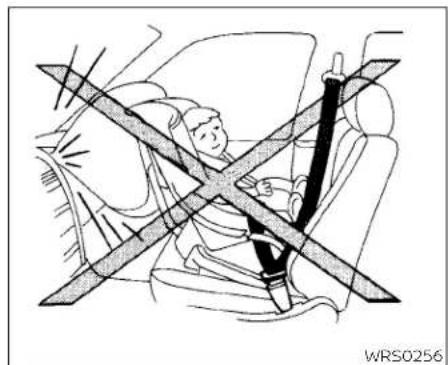
Diagram of a car showing a person seated inside a seatbelt with a cross symbol indicating no change or restriction (no text or labels present)Rear-facing-step1 1. Childrestraintsforinfantsmustbe usedintherear-facingdirectionand thereforemustnotbeusedinthefront seat.Positionthechildrestraintonthe seat.Alwaysfollowthechildrestraint manufacturer'sinstructions.
natural_image
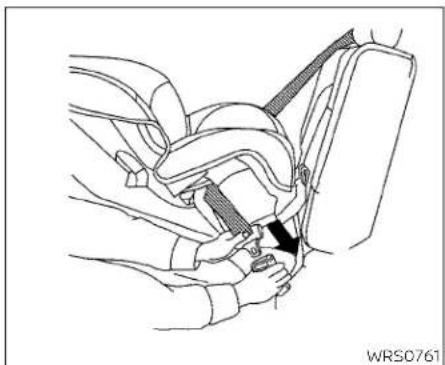
Line drawing of a car seatbelt buckle being adjusted for a person (no text or symbols present)Rear-facing-step2 2.Routetheseatbelttonguethroughthe childrestraintandinsertitintothe buckleuntilyouhearandfeelthelatch engage.Besuretofollowthechildrestraintmanufacturer'sinstructionsfor beltrouting.
natural_image
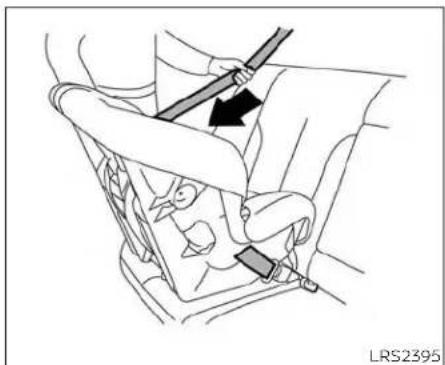
Diagram of a car seatbelt mechanism with a hand holding a lever and a black arrow indicating direction (no text or symbols)Rear-facing-step3
3. Pulitheshoulderbeltuntilthebeltisfully extended, Atthistime, theseatbeltretractorisintheALRmode(childrestraint mode). ItrevertstotheELRmodewhen theseatbeltisfullyretracted.
natural_image
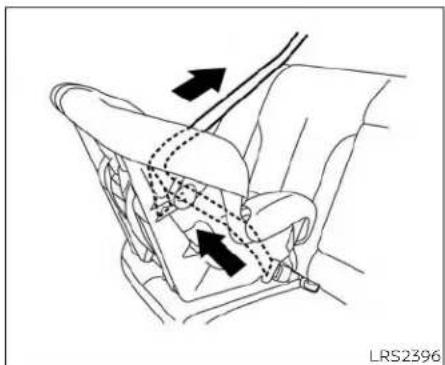
Diagram of car seat and steering wheel assembly with directional arrows indicating motion (no text or symbols)Rear-facing-step4
4. Allow these seat belt to retract Pull upon the shoulder belt to remove anyslack in the belt.

natural_image
Line drawing of a car seatbelt mechanism with arrows indicating movement (no text or symbols)Rear-facing-step5
5. Remove any additional slack from the seat belt; press downward and rearward firmly in the center of the child restraint to compress the vehicle seat cushion and seat back while pulling up on the seat belt.
1-30 Safety-Seats,seatbeltsandsupplementalrestraintsystem

natural_image
Line drawing of a car seatbelt assembly with hands adjusting the seat (no text or symbols)Rear-facing-step6
-
After attaching the child restraint, test it before you placethe childinit. Pushit fromsidetosidewhileholding the child restraint near these seat belt path. The childrestraints should not move more than 1 inch (25 mm), fromsidetoside. Try to tugit forward and check to see if the belthold stherestraint in place. If the restraint is not secure, tightent heseat belt as necessary, or puttherestraint in another seat and test it again. You may need to try a different child restraint. Not all child restraints fit in all types of vehicles.
-
Checktomakesurethatthechildre- straintisproperlysecuredpriortoeach use.Iftheseatbeltisnotlocked,repeat steps3through6.
Afterthechildrestraintisremovedandthe seatbeltfullyretracted,theALRmode (childrestraintmode)iscanceled.
FORWARD-FACINGCHILD RESTRAINTINSTALLATIONUSING LATCH
For additional information, see all warnings and Cautions in the "Childsafety" (P.1-19) and "Childrestraints" (P.1-21) sections before installing a child restraint.
Donotusetheloweranchorsifthecombinedweightofthechildandthechildrestraintexceeds65lbs.(29.5kg).Ifthecombinedweightofthechildandthechild restraintisgreaterthan65lbs.(29.5kg),use the vehicle's seat belt (not the lower anchors)toinstallthechildrestraint.Besure tofollowthechildrestraintmanufacturer's instructionsforinstallation.
Followthesesteps to installaforward-facing childrestraintusingtheLATCHsystem:

natural_image
Technical diagram showing mechanical components with arrows indicating movement or force direction (no text or symbols)Forward-facing-step1
-
Remove the plastic covers from the LATCHanchorsbypullingthecovers straightback.Storethecoversinase-curearea.
-
Position the child restraint on these seat. Always follow the child restraint manufacturer's instructions.

natural_image
Line drawing of a car seat assembly with an inset showing the insertion of a cable (no text or symbols present)Forward-facingwebbing-mounted-step3
- Secure the child restraint anchor attachment stothe LATCH lower anchors. Checktomakesure the LATCH attachment is properly attached to the lower anchors.
If the child restraint equipped with a toptether strap, routethetoptether strap and secure the tether strap to the tether anchor point. For additional information, see "Installing toptether strap" (P.1-34)

natural_image
Line drawing of a car seat assembly with an inset showing a close-up of the seat (no text or symbols present)Forward-facingrigid-mounted-step3 Donotinstallchildrestraintsthatrequire theuseofatoptetherstrapinseating positionsthatdonothaveatoptether anchor.
- The back of the child restraint should be secured against the vehicle seatback. If necessary, adjust or remove the head restraint/head rest to obtain the correct child restraint fit. If the head restraint/head rest is removed, store it in secure place. Besuretore install the head restraint/head rest when the child restraint is removed. For additional information, see "Head restraints/headrests" (P.1-7)
If theseatingpositiondoesnothavean adjustableheadrestraint/headrestand it is interfering with the proper child restraint fit, try another seating position or adifferent child restraint.
1-32 Safety-Seats, seatbeltsandsupplementalrestraintsystem

natural_image
Line drawing of a car seatbelt with two directional arrows indicating movement (no text or symbols)Forward-facing-step5
-
For child restraint that are equipped with webbing-mounted attachments, remove any additional slack from the anchor attachments. Pressdownward and rearward firmly in the center of the child restraint with your kneetocompress the vehicle seat cushion and seat-back while tightening the webbing of the anchor attachments.
-
Tightenthetherstrapaccording to the manufacturer's instruction store-moveanyslack.

natural_image
Line drawing of a car seatbelt buckle being adjusted for a person (no text or symbols)Forward-facing-step7
-
After attaching the child restraint, test it before you placethe child dinit. Push it from sidetosidewhileholding the child restraint near the LATCH attachment path. The child restraint should not move more than 1 inch (25 mm), from sideto side. Try to tug it forward and check to see if the LATCH attachment holds the restraint in place. If therestraint is not secure, tightenthe LATCH attachment as necessary, or put therestraintinan- other seat and testit again. You may need to try a different child restraint. Not all child restraints fit in all types of vehicles.
-
Checktomakesurethechildrestraintis properlysecuredpriortoeachuse.Ifthe childrestraintisloose,repeatsteps1 through7.
-
If you remove the child restraint, reinstall the plastic LATCHanchor covers after use by pushing the covers straight onto the LATCH anchors.

Rearseats
① Toptetherstrap
② Anchorpoint
Installingtoptetherstrap
Thechildrestrainttoptetherstrapmustbe usedwheninstallingthechildrestraintwith theLATCHloweranchorattachments.
First, secure the child restraint with the LATCH lower anchors.
Rearbenchseat
- Removetheheadrestraint/headrest (outboardrearseatsonly) and storeitin asecureplace. Besuretore install the headrestraint/headrest when the child restraint is removed. For additional information, see "Headrestraints/headrests" (P.1-7)
- Positionthetoptetherstrap shown.
- Securethetetherstraptothetetheranchorpoint ② asshown.
- Tightenthetetherstrapaccording to themanufacturer's instructionsto removeanyslack.
If you have any questions when installing atoptetherstrap, it is recommended that you visit a NISSAN dealer for details.
WARNING
Child restraint anchorages are designedtowithstandonlythoseloads imposedbycorrectlyfittedchildrestraints.Under nocircumstancesare theyto beusedto attachadultseat belts,orotheritemsorequipmentto
thevehicle.Doingsocoulddamagethe childrestraint anchorages. Thechild restraintwillnotbeproperlyinstalled usingthedamagedanchorage,anda childcouldbeseriouslyinjuredorkilled inacollision.
FORWARD-FACINGCHILD RESTRAINTINSTALLATIONUSING THESEATBELTS
WARNING
Thethree-point seatbeltwithAutomaticLockingRetractor(ALR)mustbe usedwheninstallingachildrestraint. FailuretousetheALRmodewillresult inthechildrestraintnotbeingproperly secured. Therestraintcouldtipoveror belooseandcauseinjurytoachildina suddenstoporcollision. Also, itcan changetheoperationofthefrontpassengerairbag.Foradditionalinformation,see"Frontpassengerairbagandstatuslight"(P.1-52)

natural_image
Line drawing of a car interior showing seat, dashboard, and seatbelt (no text or symbols)Forward-facing(frontpassengerseat)-step1
For additional information, see all warnings and Cautions in the "Childsafety" (P.1-19) and "Childrestraints" (P.1-21) sections before installing a child restraint.
Donotusetheloweranchorsifthecombinedweightofthechildandthechildrestraintexceeds65lbs.(29.5kg).lifthecombinedweightofthechildandthechild restraintisgreaterthan65lbs.(29.5kg)use thevehicle'sseatbelt(nottheloweranchors)toinstallthechildrestraint Besure tofollowthechildrestraintmanufacturer's instructionsforinstallation.
Followthesestepstoinstallaforward-facingchildrestraintusingthevehicleseat beltintherearseatsorinthefrontpassengerseat:
-
If you must install child restraint in the front seat, it should be placed a forward-facing direction only. Movethe seat to there are most position. Child restraints for infants must be used in the rear-facing direction and therefore must not be used in the front seat.
-
Position the child restraint on these seat. Always follow the child restraint manufacturer's instructions.
Thebackofthechildrestraintshouldbe securedagainstthevehicleseatback. Ifnecessary,adjustorremovethehead restraint/headresttoobtainthecorrect childrestraintif.lftheheadrestraint/headrestisremoved,storeitinasecure place.Besuretoreinstallthehead restraint/headrestwhenthechildre- straintisremoved.Foradditionalinformation,see"Headrestraints/headrests" (P.1-7).
If theseatingpositiondoesnothavean adjustableheadrestraint/headrestand it isinterferingwiththeproperchildrestraintfit,tryanotherseatingpositionor adifferentchildrestraint.

natural_image
Mechanical diagram showing a belt buckle securing a car seat (no text or symbols present)Forward-facing-step3
- Routetheseatbeltonguethroughthe childrestraintandinsertitintothebuckle untilyouhearandfeelthelatchengage. Besuretofollowthechildrestraintmanufacturer'sinstructionsforbeltrouting. Ifthechildrestraintisequippedwitha top tether strap, route the top tether strapandsecurethetetherstraptothe tetheranchorpoint(rearseatinstallationonly).Foradditionalinformation,see "Installingtoptetherstrap"(P.1-38) Donotinstallchildrestraintsthatrequire theuseofatoptetherstrapinseating positionsthatdonothaveatoptether anchor.
natural_image
Line drawing of a car seatbelt buckle with a belt buckle, showing no text or symbolsForward-facing-step4
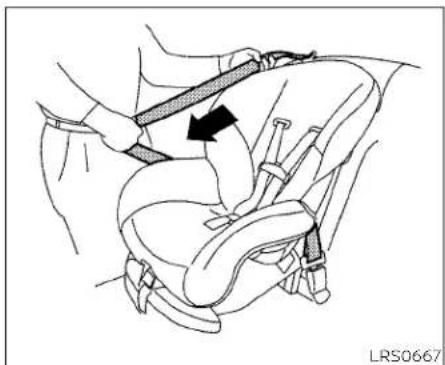
4. Pull the shoulder belt until the belt is fully extended. At this time, these belt retractor is in the ALR mode (child restraint mode). It is vertically retracted.

natural_image
Line drawing of a car seatbelt with two arrows indicating clockwise motion (no text or symbols)Forward-facing-step5
5. Allow these seat belt to retract Pull upon the shoulder belt to remove anyslack in the belt.

natural_image
Line drawing of a car seatbelt with directional arrows indicating movement (no text or symbols)Forward-facing-step6
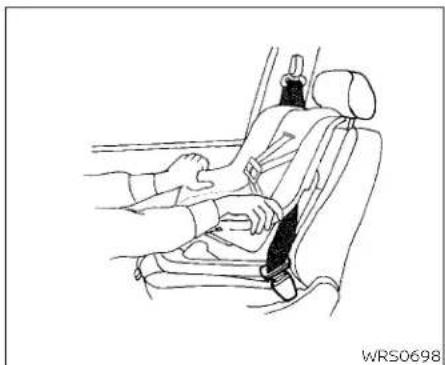
6. Remove any additional slack from the seat belt; press downward and forward firmly in the center of the children restraint with your kneet to compress the vehicle seat cushion and seat back while pulling up on these seat belt.
7. Tightenthetherstrapaccordingtothe manufacturer'sinstructionstoremove anyslack.
1-36 Safety-Seats,seatbeltsandsupplementalrestraintsystem
natural_image
Line drawing of a car seatbelt with hands adjusting the seat (no text or symbols)Forward-facing-step8
- Afterattachingthechildrestraint,testit beforeyouplacethechildinit.Pushit fromsidetosidewhileholdingthechild restraintneartheseatbeltpath.The childrestraintsshouldnotmovemore than1inch(25mm),fromsidetoside.Try tougitforwardandchecktoseeifthe beltholdstherestraintinplace.Ifthe restraintisnotsecure,tightentheseat beltasnecessary,orputtherestraintin anotherseatandtestitagain.Youmay needtotryadifferentchildrestraint. Notallchildrestraintsfitinaltypesof vehicles.
9.Checktomakesurethechildrestraintis properlysecuredpriortoeachuse.ifthe seatbeltisnotlocked,repeatsteps2 through8.

Forward-facing-step10
- If the child restraint is installed in the front passenger seat, placethe ignition switch in the ON position. The front passenger air bag status light should illuminate. If this light is not illuminated, see "Front passenger air bag and status light" (P.1-52). Movethe child restraint to another seating position. Havethesystem checked. It is recommended that you visit a NISSAN dealer forth this service.
Afterthechildrestraintisremovedandthe seatbeltisfullyretracted,theALRmode (childrestraintmode)iscanceled.
Safety-Seats, seatbelts and supplemental restraintsystem 1-37
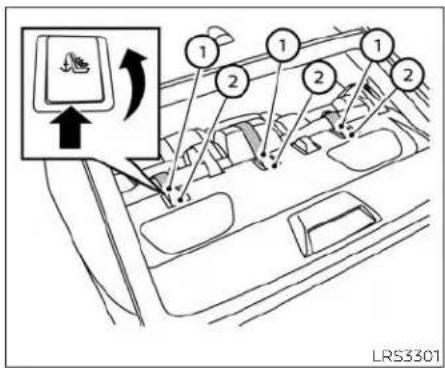
Rearseats
① Toptetherstrap
② Anchorpoint
Installingtoptetherstrap
Thechildrestrainttoptetherstrapmustbe usedwheninstallingthechildrestraintwith seatbelts.
First, secure the child restraint with these at belt.
Rearbenchseat
- Removetheheadrestraint/headrest (outboardrearseatsonly) and storeitin asecureplace. Besuretore install the headrestraint/headrest when the child restraint is removed. For additional information, see "Headrestraints/headrests" (P.1-7)
- Positionthetoptetherstrap shown.
- Securethetetherstraptothetetheranchorpoint ② asshown.
- Tightenthetherstrapaccording to the manufacturer's instruction store-moveanyslack.
If you have any questions when installing atoptetherstrap, it is recommended that you visit a NISSAN dealer for details.
WARNING
Childrestraintanchoragesaredesignedtowithstandonlythoseloads imposedbycorrectlyfittedchildrestraints.Undernocircumstancesare theytobeusedtoattachadultseat belts,orotheritemsorequipmentto thevehicle.Doingsocoulddamagethe
childrestraintanchorages. The child restraint will not be properly installed using the damaged anchorage, and a child could be seriously injured or killed in acollision.
BOOSTERSEATS
For additional information on installing a booster seat in your vehicle, follow the instructions outlined in this section.
Precautionsonboosterseats
WARNING
Ifaboosterseatandseatbeltarenot used properly, the risk of a child being injuredorkilledinasuddenstoporcol- lisiongreatlyincreases:
-Makesuretheshoulderportionof thebeltisawayfromthechild'sface and neckandthelapportion ofthe beltdoesnotcrossthestomach.
-Makesuretheshoulderbeltisnot behindthechildorunderthe child's arm.
-Aboosterseatmustonlybeinstalled in aseating positionthat hasalap/shoulderbelt.

natural_image
Line drawing of two car seat compartments labeled A and B, showing different seat designs (no text or symbols beyond labels)A.Lowbackboosterseat
B.Highbackboosterseat
Boosterseatsofvarioussizesareoffered byseveralmanufacturers.Whenselecting anyboosterseat,keepthefollowingpoints inmind:
- Chooseonlyaboosterseatwithalabel certifyingthatitcomplieswithFederal MotorVehicleSafetyStandard213orCanadianMotorVehicleSafetyStandard213.
- Checktheboosterseatinyourvehicletobesureitiscompatiblewiththevehicle'sseatandseatbeltsystem.

natural_image
Illustration of a person sitting in a car seat with a cross-shaped band indicating no change or restriction (no text or symbols present)• Makesurethechild'sheadwillbeproperly supportedbytheboosterseatorvehicle seat. Theseatbackmustbeatorabove thecenterofthechild'sears. Forexample, ifalowbackboosterseatischosen, the vehicleseatbackmustbeatorabovethe centerofthechild'sears. Iftheseatbackis lowerthanthecenterofthechild'sears, a highbackboosterseatshouldbeused.
- Iftheboosterseatiscompatiblewith yourvehicle, placethechildinthebooster seatandcheckthevariousadjustments tobesuretheboosterseatiscompatible withthechild.Alwaysfollowallrecommendedprocedures.

natural_image
Line drawing of a person seated in a car seat, wearing a seatbelt and holding a belt (no text or symbols)AllU.S.statesandCanadianprovincesor territoriesrequirethatinfantsandsmall childrenberestrainedinanapproved childrestraintatalltimeswhilethevehicleisbeingoperated.
The instructions in this section apply to booster seat installation in there are seats or the front passenger seat.
Boosterseatinstallation

Toavoidinjurytochild, donotusethe lap/shoulderbeltintheAutomatic LockingRetractor(ALR)modewhenusingaboosterseatwiththeseatbelts.
For additional information, see all warnings and Cautions in the "Childsafety" (P.1-19) and "Childrestraints" (P.1-21) sections before installing a child restraint.
Followthesestepstoinstallaboosterseat intherearseatsorinthefrontpassenger seat:

natural_image
Line drawing of a car interior showing seat, seatbelt, and window (no text or symbols)
natural_image
Line drawing of a person seated in a car seat using a seatbelt device (no text or symbols)-
If you must install a booster seat in the front seat, movethese at to there are most position.
-
Positiontheboosterseatontheseat. Onlyplaceitinafront-facingdirection. Alwaysfollowtheboosterseatmanufacturer'sinstructions.
Frontpassengerposition
- The booster seat should be positioned on the vehicle seat so that it is stable.
Ifnecessary, adjustorremovethehead restraint/headresttoobtainthecorrect boosterseatfit.Iftheheadrestraint/headrestisremoved,storeitinasecure place.Besuretoreinstallthehead restraint/headrestwhentheboosterseat isremoved.Foradditionalinformation, see"Headrestraints/headrests"(P.1-7)
If theseating position does not have an adjustable head restraint/head restand its interfering with the proper booster seat fit, try another seating position or a different booster seat.
- Positionthelapportionoftheseatbelt lowandsnugonthechild'ships. Besure tofollowtheboosterseatmanufacturer'sinstructionsforadjustingtheseat beltrouting.
- Pulltheshoulderbeltportionoftheseat belttowardtheretractortotakeupex-traslack.Besuretheshoulderbeltis positionedacrossthetop,middleportionofthechild'sshoulder.Besureto followtheboosterseatmanufacturer's instructionsforadjustingtheseatbelt routing.
- Followthewarnings, cautions and instructions for properly fastening a seat belt shown in "Three-point type seat belt with retractor" (P.1-15).
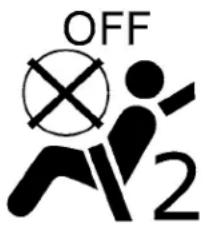
WRS0475
- If the booster seatis installed in the front passenger seat, placetheignitions switch in the ON position. The front passenger air bag status light mayormay not illuminate, depending on the sizeof the child and the type of booster seat being used. For additional information, see "Front passenger air bag and status light" (P.1-52).
SUPPLEMENTALRESTRAINTSYSTEM (SRS)
PRECAUTIONSONSRS
This SRSsection contains important information concerning the following systems:
- Driverandfrontpassengersupplemental front-impactairbag(NISSANAdvanced AirBagSystem)
- Frontseat-mountedside-impactsupplementalairbag
- Rear outboard seat-mounted side-impactsupplementalairbag
- Roof-mountedcurtainside-impactand rolloversupplementalairbag
- Driverandfrontpassengersupplemental kneeairbag
- Seatbeltwithpretensioner(s)(frontand rearoutboardseats)
Supplemental front-impact air bag system
TheNISSANAdvancedAirBagSystemcan helpcushiontheimpactforcetothehead andchestofthedriverandfrontpassenger incertainfrontalcollisions.
Frontseat-mountedside-impactsup- plementalairbagsystem
This system can help cushion the impact for cet the chest area of the driver and front passenger incertainside-impact collisions. Theside air bags are designed to inflate on the side where the vehicle is impacted.
Rearoutboardseat-mountedside-impactsupplementalairbagsystem
This system can help cushion the impact for cetothechest area of therear outboard seat passengers in certain side-impact collisions. Theside air bags are designed to inflate on the sides where the vehicle is impacted.
Roof-mountedcurtainside-impact and rolloversupplementalairbagsystem
This system can help cushion the impact for ceto the head of occupants in front and rear out board seating positions in certain side-impact collisions. The curtain air bags are designed to inflate on the sides where the vehicle is impacted. In a rollover, the curtain air bags are designed to inflate and remain inflated for a short time.
Driverandfrontpassengersupplementalkneeairbags
This system can help cushion the impact for cetothedriver's sandfront passenger's knees in certain collisions.
The SRSIsdesignedtosupplement the crashprotectionprovidedbythedriverand frontpassengerandrearoutboardseat beltsandisnotasubstituteforthem.Seat beltsshouldalwaysbecorrectlywornand theoccupantseatedasuitabledistance awayfromthesteeringwheel,instrument panelanddoorfinishers.Foradditionalinformation,see"Seatbelts"(P.1-11).
Thesupplementalairbagsoperateonly whentheignitionswitchisplacedinthe ONposition.
Afterplacingtheignitionswitchinthe ONposition,thesupplementalairbag warninglightilluminates.Thesupplementalairbagwarninglightwillturnoff afterabout7secondsifthesystemis operational.


natural_image
Illustration of a person seated in a car wearing a seatbelt, with no visible text or symbols.WARNING
•Thefrontairbagsordinarilywillnot inflateintheeventofasideimpact, rearimpact, rollover, or lowerseverityfrontal collision. Alwayswearyour seatbeltstohelpreducetheriskor severityofinjuryinvariouskindsof accidents
- Thefrontpassengerairbagandfront passengersupplementalkneeair bagwillnotinflateifthepassenger airbagstatuslightislit.Foradditionalinformation,see"Frontpassengerairbagandstatuslight" (P.1-52).
• Theseatbeltsandthefrontairbags aremosteffectivewhenyouaresittingwellbackanduprightintheseat. Thefrontairbagsinflatewithgreat force.EvenwiththeNISSANAdvancedAirBagSystem,ifyouareunrestrained,leaningforward,sittingsidewaysoroutofpositioninany way,youareatgreaterriskofinjury ordeathinacrash.Youmayalsoreceiveseriousorfatalinjuriesfrom thefrontairbagifyouareupagainst itwhenitinflates.Alwayssitback againsttheseatbackandasfaraway aspracticalfromthesteeringwheel orinstrumentpanel.Alwaysproperly usetheseatbelts.
- Thedriverandfrontpassengerseat beltbucklesareequippedwithsensorstatdetectiftheseatbeltsare fastened.The NISSANAdvancedAir BagSystemmonitortheseverityof acollisionandseatbeltusage,then inflatestheairbagsasneeded.Failuretoproperlywearseatbeltscan increasetheriskorseverityofinjury inanaccident.
- Thefrontpassengerseatisequipped withanoccupantclassificationsensor(weightsensor)thatturnsthe frontpassengerairbagandfront passengersupplementalkneeair bagOFFundersomeconditions.This sensorisonlyusedinthisseat.Failuretobeproperlyseatedandwearingtheseatbeltcanincreasetherisk orseverityofinjuryinanaccident. Foradditionalinformation,see "Frontpassengerairbagandstatus light"(P.1-52).
- Keephandsontheoutsideofthe steeringwheel.Placingtheminside thesteeringwheelrimcouldincrease theriskthattheyareinjuredwhen thefrontairbaginflates.


natural_image
Diagram of a person seated in a car seatbelt, showing no text or symbolsARS1133
1-44 Safety-Seats, seatbeltsandsupplementalrestraintsystem

natural_image
Diagram of a person sitting in a car with a double-headed arrow indicating crossed directions (no text or symbols)WARNING
·Neverletchildrenrideunrestrained oextendtheirhandsorfaceoutof thewindow.Donotattempttohold theminyourlaporarms.Someexamplesofdangerousridingpositionsareshownintheillustrations.
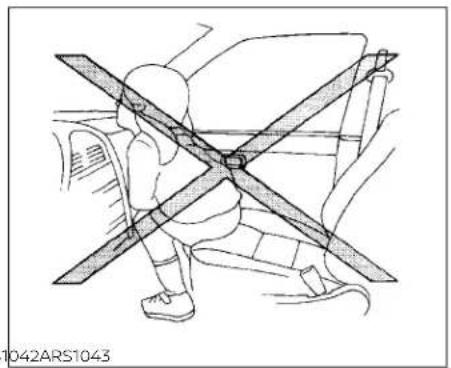
natural_image
Line drawing of a person wearing a seatbelt with crossed arms, no text or symbols presentWARNING
- Childrenmaybeseverelyinjuredor killedwhenthefrontairbags,side airbagsorcurtainairbagsinflateif theyarenotproperlyrestrained.Pre-teensandchildrenshouldbeproperlyrestrainedintherearseat,if possible.
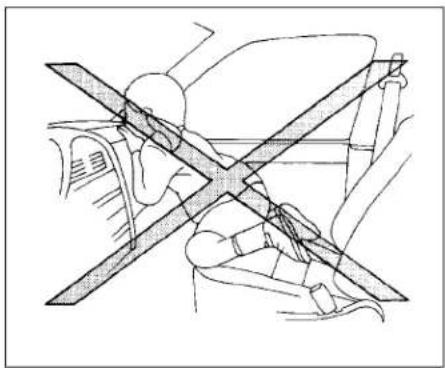
natural_image
Diagram showing a cross-shaped object with diagonal lines intersecting it, surrounded by car seats and dashboard (no text or symbols)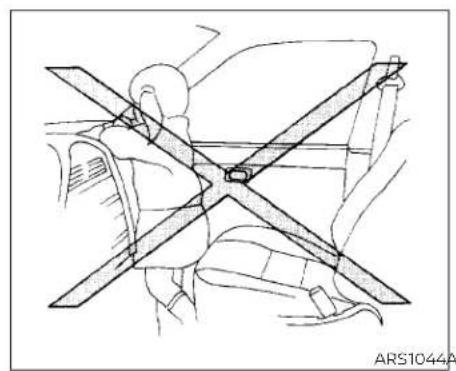
natural_image
Technical line drawing of a car seatbelt assembly (no text or symbols)
natural_image
Line drawing of a car interior showing two people seated with cross-shaped objects, no text or symbols present
natural_image
Diagram of a car seatbelt with a person seated, showing no text or symbolsWARNING
EvenwiththeNISSANAdvancedAir BagSystem,neverinstallarear-facingchildrestraintinthefrontseat. Aninflatingfrontairbagcouldseriouslyinjureorkillyourchild.Foradditionalinformation,see"Childrestraints"(P.1-21).
1-46 Safety-Seats,seatbeltsandsupplementalrestraintsystem

natural_image
Diagram showing a person sitting in a car with a diagonal line crossing through the window, no text or symbols present.
WARNING
Frontandrearoutboardseat-mounted side-impactsupplementalairbagsand roof-mountedcurtainside-impactand rolloversupplementalairbags:
· Thesideairbagsandcurtainairbags ordinarilywillnotinflateintheevent ofafrontalimpact,rearimpact,or lowerseveritysidecollision.Always wearyourseatbeltstohelpreduce theriskorseverityofinjuryinvarious kindsofaccidents.
WARNING
•Theseatbelts,thesideairbagsand curtainairbagsaremosteffective whenyouaresittingwellback and uprightintheseatwithbothfeeton thefloor.Thesideairbagandcurtain airbaginflatewithgreatforce.Donot allowanyonetoplacetheirhand,leg orfacenearthesideairbagonthe sideoftheseatbackofthefrontand rearseatornearthesideroofrails. Donotallowanyonesittinginthe frontseatsorrearoutboardseatsto extendtheirhandoutofthewindow orleanagainstthedoor.Someexamplesofdangerousridingpositionsareshownintheprevious illustrations.
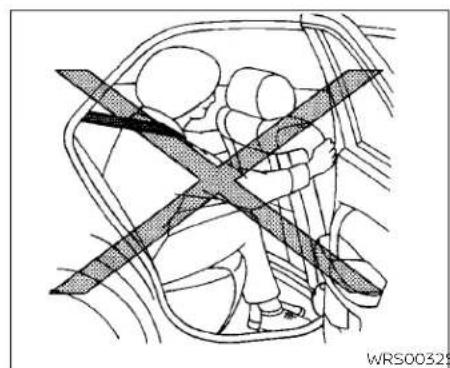
natural_image
Diagram of a car interior showing two people seated inside a vehicle, with a shaded cross symbol indicating a safety or hazard (no text or labels present)
natural_image
Line drawing of a person sitting in a car seat with a cross-shaped band crossing the seat (no text or symbols)
natural_image
Diagram showing a person seated in a car with a cross-shaped barrier, no text or symbols presentWARNING
- Whensittingintherearseat, donot holdontotheseatbackofthefront seat. Ifthesideairbaginflates, you may beseriously injured. Beespecially careful with children, who should always be properly restrained. Some examples of dangerous riding positions are shown in the illustrations. - Donot uses eat covers on the frontor reseatbacks. They may interfere with side airbaginflation.
1-48 Safety-Seats,seatbeltsandsupplementalrestraintsystem

NISSANAdvancedAirBagSystem (frontseats)
1. Roof-mounted curtainside-impact and rolloversupplementalairbaginflators
2.Roof-mountedcurtainside-impact and rolloversupplementalairbags
3. Frontseat-mountedside-impactsupplementalairbagmodules
4.AirbagControlUnit(ACU)
5. Side-impactpressuresensor(driver'sside shown;frontpassenger'ssidesimilar)
6. Supplementalfront-Impactairbag modules
7.Crashzonesensor
8.Driverandfrontpassengersupplementalkneeairbags
9. Occupantclassificationsystemcontrol unit
10. Occupantclassificationsensor(weight sensor)
11. Seatbeltbuckleswitchesfordriver's andfrontpassenger'sside
12. Seatbeltwithpretensioner(s)(frontseats shown; rearoutboardseatssimilar)
13.Sidesatellitesensors(passenger'sside shown;driver'ssidesimilar)
14. Rearoutboardseat-mountedside-impactsupplementalairbags
WARNING
Toensureproperoperationofthepas-senger'sNISSANAdvancedAirBagSys-tem,pleaseobservethefollowing items.
- Donotallowapassengerintherear benchseatstopushorpullonthe seatbackpocket.
- Donotplaceheavyloadsheavierthan 9.1lbs.(4kg)ontheseatback,head restraintorintheseatbackpocket.
- Makesurethatthereisnothingpress-ingagainsttherearoftheseatback, suchasachildrestraintinstalledinthe rearseatoranobjectstoredonthe floor.
- Makesurethatthereisnoobject placedunderthefrontpassengerseat.
-
Make sure that there is no object placed between these seat cushion and center console or between the seat cushion and the door.
-
If a forward-facing child restraint is installedinthefrontpassengerseat, do not position the front passenger seatsothecildrestraintcontacts theinstrumentpanel.Ifthechildrestraint does contact the instrument panel,thesystemmaydeterminethe seat is occupied and the passenger airbagand frontpassenger supplementalkneeairbagmaydeployina collision.Alsothefrontpassengerair bag status light may not illuminate. Foradditionalinformation,see"Child restraints"(P.1-21).
- Confirmtheoperatingconditionwith thefrontpassengerairbagstatus light.
- If you notice that the front passenger air bag status light is not operating as described in this section, get the occupant classification system checked. It is recommended that you visit a NISSAN dealer forth this service.
- Until you have confirmed with a dealer that your passenger seat occupantclassificationsystemisworking properly, position the occupants intherearseating positions.
- Do not position the front passenger seatsoitcontactstherearseat.Ifthe frontseatdoescontacttherearseat, theairbagsystemmaydeterminea sensormalfunctionhasoccurred andthefrontpassengerairbagstatus lightmay illuminate andthe supplementalairbagwarninglight mayflash.
This vehicle is equipped with the NISSAN Advanced Air Bag System for the driver and front passenger seats. This system is designed to meet certification requirements under U.S. regulations. It is also permitted in Canada. However, although the information, cautions and warnings in this manual still apply and must be followed.
The drivers supplemental front-impact air bag is located in the center of the steering wheel. The front passenger supplemental front-impact air bag is mounted in the dashboard abovethe glove box. The front air bags are designed to inflate in higher severity frontal collisions, although they may inflate if the forces in another type of collisionaresimilartothoseofahigher severity frontal impact. They may not inflate in certain frontal collisions. Vehicle
damage(orlackofit)isnotalwaysanindicationofproperfrontairbagsystem operation.
TheNISSANAdvancedAirBagSystem monitorsinformationfromthecrashzone sensor,theAirbagControlUnit(ACU),seat beltbucklesensorsandoccupationclassificationsensor(weightsensor).Inflatoroperationisbasedontheseverityofacollisionandseatbeltusageforthedriver.For thefrontpassenger,theoccupantclassificationsensorisalsomonitored.Basedon informationfromthesensor,onlyonefront airbagmayinflateinacrash,depending on thecrashseverityandwhetherthefront occupantsarebeltedorunbelted.Additionally,thefrontpassengerairbagand frontpassengersupplementalkneeair bagmaybeautomaticallyturnedoffunder someconditions,dependingontheweight detectedonthefrontpassengerseatand howtheseatbeltisused.Ifthefrontpassengerairbagandfrontpassenger supplementalkneeairbagareOFF,the frontpassengerairbagstatuslightwillbe illuminated.Foradditionalinformation,see "Frontpassengerairbagandstatuslight" (P1-52).Onefrontairbaginflatingdoesnot indicate improper performance of the system.
If you have any questions about your air bagsystem, it is recommended that you visit a NISSAN dealer to obtain information about the system. If you are considering modification of your vehicle duetoadisability, you may also contact NISSAN. Contact information is contained in the front of this Owner's Manual.
When a frontair bag inflates, a fairly loud noisem maybe heard, followed by there- lease of smoke. This smokes notharmful and does not indicate a fire. Ca should be takentonotinhaleit, as it may cause irritation and choking. Those with a history of a breathing conditions should get fresh hair promptly.
Frontairbags, alongwiththeuseofseat belts, helptocushiontheimpactforceon thefaceandchestofthefrontoccupants. Theycanhelpsavelivesandreduceseriousinjuries. However, an inflatingfrontair bag may cause facial abrasions or other injuries. Frontairbagsdonotprovidere-straint tothelowerbody.
EvenwithNISSANAdvancedAirBags,seat belts should be correctly worn and the driverandfrontpassengerseatedupright asfaraspracticalawayfromthesteering wheelorinstrumentpanel.Thefrontair
bagsinflatequicklyinordertohelpprotect thefrontoccupants.Becauseofthis,the forceofthefrontairbaginflatingcanin- creasetheriskofinjuryiftheoccupantis toocloseto,orlsagainst,thefrontairbag moduleduringinflation.
Thefrontairbagsdeflatequicklyaftera collision.
Thefrontairbagsoperateonlywhenthe ignitionswitchisintheONposition.
Afterplacingtheignitionswitchinthe ONposition,thesupplementalairbag warninglight illuminates.The supplementalairbagwarninglightwillturnoff afterabout7secondsifthesystemis operational.

WRS0475
Frontpassengerairbagandstatus light
WARNING
Thefrontpassengerairbagandfront passengersupplementalkneeairbag aredesignedtoautomaticallyturnOFF undersomeconditions.Readthissectioncarefullytolearnhowitoperates. Properuseoftheseat,seatbelt,and childrestraintsisnecessaryformost effectiveprotection.Failureretofollowall instructionsinthismanualconcerning theuseofseats,seatbelts,andchild restraintscanincreasetheriskorse-verityofinjuryinanaccident.
Statuslight
Thefrontpassengerseatisequipped with anoccupantclassificationsensor(weight sensor)thatturnsthefrontpassengerair bagandfrontpassengersupplemental kneeairbagonoroffdependingonthe weightappliedtothefrontpassengerseat. Thestatusofthefrontpassengerairbag andfrontpassengersupplementalknee airbag(ONorOFF)isindicatedbythefront passengerairbagstatuslight which islocatedontheinstrumentpanel.
Aftertheignitionswitchisplacedinthe "ON"position,thefrontpassengerairbag statuslightontheinstrumentpanelilluminatesforabout7secondsandthenturns offorremainsilluminateddependingon thefrontpassengerseatoccupiedstatus. Thelightoperatesasfollows:
| CONDITIONDESCRIPTION | PASSENGERAIRBAG STATUSLIGHT( ) | FRONTPASSENGERAIRBAGANDFRONTPASSENGER SUPPLEMENTALKNEEAIRBAGSTATUS | |
| EmptyEmptyfrontpassengerseat | ON(illuminated) | INHIBITED | |
| Nobody/Somebody | BagorChildorChildRestraintor SmallAdultinfrontpassengerseat | ON(illuminated) | INHIBITED |
| Adult | Adult in the front passenger seat | OFF (dark) | ACTIVATED |
Inadditiontotheabove,certainobjects placedonthefrontpassengerseatmayalso causethelighttooperateasdescribed abovedependingontheirweight.
For additional information, see "Normaloperation" (P.1-54) and "Troubleshooting" (P.1-55).
Frontpassengerairbag
ThefrontpassengerairbagandfrontpassengersupplementalkneeairbagaredesignedtoautomaticallyturnOFFwhenthe vehicleisoperatedundersomeconditions asdescribedbelowinaccordancewithU.S. regulations.ifthefrontpassengerairbag andfrontpassengersupplementalknee airbagareOFF,itwillnotinflateinacrash. Thedriverairbagandotherairbagsinyour vehiclearenotpartofthissystem.
The purpose of the regulation is to help reduce risk of injury or death from an inflating air bag to certain front passenger seat occupants, such as children, by requiring the air bag to be automatically turned OFF. Certainsensors are used to meet the requirements.
Theoccupantclassificationsensorinthis vehicleisaweightsensor.Itisdesignedto detectanoccupantandobjectsonthe seatbyweight.Forexample,ifachildisin thefrontpassengerseat,theNISSANAd-
vancedAirBagSystemisdesignedtoturn thefrontpassengerairbagandfrontpas- sengersupplementalkneeairbagOFFin accordancewiththeregulations.Also,ifa childrestraintofthetypesspecifiedinthe regulationsisontheseat,itsweightand thechild'sweightcanbedetectedand causetheairbagtoturnOFF.
Frontpassengerseatadultoccupantswho areproperlyseatedandusingtheseatbelt as outlined in this manual should not causethefrontpassengerairbagand frontpassengersupplementalknee air bagtobeautomaticallyturnedOFF. For smalladultsitmaybeturnedOFF, however iftheoccupanttakeshis/herweightoffthe seatcushion(forexample,bynotsitting upright,bysittingonanedgeoftheseat,or byotherwisebeingoutofposition),this couldcausethesensortoturnthefront passengerairbagandfrontpassenger supplementalkneeairbagOFF.Alwaysbe suretobeseatedandwearingtheseatbelt properlyforthemosteffectiveprotection bytheseatbeltandsupplementalairbag.
NISSANrecommendsthatpre-teensand childrenbeproperlyrestrainedinarear seat.NISSANalsorecommendsthatappropriate child restraints and booster seatsbeproperlyinstalledinarearseat.If
thisisnotpossible, theoccupantclassifica- tionsensorisdesignedtooperateasde- scribedabovetoturnthefrontpassenger airbagandfrontpassengersupplemental kneearlbagOFFforspecifiedchildre- straintsasrequiredbytheregulations. Fail- ing to properly secure child restraints andtousetheALRmodemayallowthe restrainttotipormoveinacollisionor suddenstop. Thiscanalsoresultinthe passengerairbagandfrontpassenger supplementalkneeairbaginflatingina crashinsteadofbeingOFF.Foradditional information,see"Childrestraints"(P.1-21).
If the front passenger seat is not occupied, the front passenger air bag and front passengers supplement alkneair bag are designed not to inflate in a crash. However, heavy objects placed on these at could result in air bag inflation, because of the object's weight detected by the occupant classification sensor. Other conditions could also result in air bag inflation, such as if child is standing on these at or lift two children are on these at, contrary to the instructions in this manual. Always besure that you and all vehicle occupants are seated and restrained properly.
Usingthefrontpassengerairbagstatus light,youcanmonitorwhenthefrontpassengerairbagandfrontpassenger supplementalkneeairbagareautomaticallyturnedOFF.
Ifanadultoccupantisintheseatbutthe frontpassengerairbagstatuslightisilluminated(indicatingthatthefrontpassengerairbagandfrontpassengersupplementalkneeairbagareOFF),itcouldbe thatthepersonisasmalladult,orlsnot sittingontheseatproperlyornotusingthe seatbeltproperly.
Ifchildrestraint must be used in the front seat, the front passenger air bag status light may not be illuminated, depending on the sizeof the child and the type of child restraint being used. If the air bag status light is not illuminated (indicating that the front passenger air bag and front passengers supplement a knee air bag might inflate an acrash), it could be that the child restraint or seat belt is not being used properly. Makes sure that the child restraint is installed properly, these at belt is used properly and the occupant is positioned properly. If the air bag status light is still not illuminated, reposition the occupant or child restraint in are a seat.
If the front passenger air bag status light will not illuminate event though you believe that the child restraint, these at belts and the occupant are properly positioned, it is recommended that you take your vehicle to a NISSAN dealer. ANISSAN dealer can check system status by using as special tool. However, until you have confirmed with a dealer that your air bag is working properly, reposition the occupant or child restraint in a separate seat.
TheNISSANAdvancedAirBagSystemand frontpassengerairbagstatuslightwill takeafewsecondstoregisterachangein thefrontpassengerseatstatus.Thisisnormalsystemoperationanddoesnotindicateamalfunction.
Ifamalfunctionoccursinthefrontpassengerairbagsystem,thesupplementalair bagwarninglight ,locatedinthemeter and gauges area of the instrument panel, will beilluminated (blinkingor steadilylit).Havethesystemchecked.Itis recommendedthatyouvisitaNISSAN dealerforthisservice.
Normaloperation
Inorderforthe occupantclassification sensorsystemtoclassifythefrontpassengerbasedonweight,pleasefollowtheprecautionsandstepsoutlinedbelow:
Precautions
• Makesurethattherearenoobjects weighingover9.1lbs.(4kg)hangingon theseatorplacedintheseatbackpocket.
- Makesurethatachildrestraintorother objectisnotpressingagainsttherearof theseatback.
- Makesurethatarearpassengerisnot pushingorpullingonthebackofthefront passengerseat.
- Makesurethatthefrontpassengerseat orseatbackisnotforcedbackagainstan objectontheseatorfloorbehindit.
- Makesurethatthereisnoobjectplaced underthefrontpassengerseat.
Steps
-
Adjust theseatas outlined in the "Seats" (P.1-2) section of this manual. Sit upright, leaning against theseatback, and centered on theseat cushion with your feet comfortably extended to the floor.
-
Makesuretherearenoobjectsonyour lap.
-
Fastentheseatbeltasoutlinedinthe "Seatbelts"(P.1-11)sectionofthismanual. Frontpassengerseatbeltbucklestatus is monitored by the occupant classification system, and used as an input to determine occupancy status. So it highly recommended that the frontpassenger fastentheir seatbelt.
- Remain in this position for 30 seconds allowing the system to classify the front passenger before the vehicle is put into motion.
- Ensure proper classification by checking the front passenger air bag status light.
NOTE:
Thisvehicle'soccupantclassification sensorsystemgenerallykeepstheclass- sificationlockedduringdriving,soitis importantthatyouconfirmthatthe frontpassengerisproperlyclassified priortodriving.However,theoccupant classificationsensormayrecalculatethe weightoftheoccupantundersomecon- ditions(bothwhiledrivingandwhen stopped),sofrontpassengerseatoccup- antsshouldcontinuetoremainseated asoutlinedabove.
Troubleshooting
If youthinkthefrontpassengerairbag statuslightisincorrect:
- If the light is ON with an adult occupying the front passenger seat:
- Occupantisasmalladult—theairbaglight isfunctioningasintended.Thefrontpassengerairbagandfrontpassengersupplementalkneeairbagaresuppressed.
However, if the occupant is not a small adult, thenthism maybe do the following condition that maybe interfering with the weightsensors:
- Occupant is not sitting upright, leaning against the seatback, and centered on the seat cushion with his/her feet comfortably extended to the floor.
- Achild restraintorotherobject pressing againsttherearoftheseatback.
- Arearpassengerpushingorpullingon thebackofthefrontpassengerseat.
- Forcing the front seat or seatback againstanobjectontheseatorfloorbehindit.
•Anobjectplacedunderthefrontpassengerseat.
• Anobjectplacedbetweentheseatcushionandcenterconsoleorbetweenthe seatcushionandthedoor.
If the vehicle is moving, please come to a stopwhenitissafetodoso.Checkand correct any of the above conditions. Restartthevehicleandwait1minute.
NOTE:
Asystemcheckwillbeperformedduring whichthefrontpassengerairbagstatus light will remain lit for about 7 seconds initially.
If the light is still ON after this, the person should be advised not to ride in the front passengerseat and the vehicle should be checked as soon as possible. It is recommended that you visit a NISSAN dealer for this service.
2. If the light is OFF with a small adult, child or child restraint occupying the front passenger seat.
This may be due to the following conditions that may be interfering with the weightsensors:
- Small adultor childisnotsittingupright, leaningagainst theseatback,and centered on the seat cushion with his/her feetcomfortablyextendedtothefloor.
•Thechildrestraintisnotproperly-installed,asoutlinedinthe"Childrestraints" sectionofthismanual.
•Anobjectweighingover9.1lbs.(4kg) hangingontheseatorplacedintheseat-backpocket.
- Achildrestraintorotherobjectpressing againsttherearoftheseatback.
•Arearpassengerpushingorpullingon thebackofthefrontpassengerseat.
- Forcingthefrontseatorseatback againstanobjectontheseatorfloorbehindit.
•Anobjectplacedunderthefrontpassengerseat.
• Anobjectplacedbetweentheseatcushionandcenterconsole.
Ifthevehicleismoving,pleasecometoa stopwhenitissafetodoso.Checkand correctanyoftheaboveconditions.Restartthevehicleandwait1minute.
NOTE:
Asystemcheckwillbeperformedduring whichthefrontpassengerairbagstatus lightwillremainlitforabout7seconds initially.
IfthelightisstillOFFafterthis,thesmall adult,childorchildrestraintsshouldbere-positionedintherearseatandthevehicle shouldbecheckedassoonaspossible.Itis recommended that you visit a NISSAN dealerforthisservice.
- If the light is OFF with no front passenger and no object on the front passenger seat, the vehicle should be checked. It is recommended that you visit a NISSAN dealer as soon as possible.
Othersupplementalfront-impactair bagprecautions
WARNING
- Do not place any objects on the steeringwheelpadorontheinstrumentpanel.Also,donotplaceany objectsbetweenanyoccupantand the steering wheel or instrument panel. Such objects may become dangerousprojectilesandcauseinjuryifthefrontairbagsinflate.
-
Immediatelyafterinflation,several frontairbagsystemcomponentswill behot.Donottouchthem;youmay severelyburnyourself.
-
Nounauthorizedchangesshouldbe madetoanycomponentsorwiringof thesupplementalairbagsystem. This istopreventaccidentalinflationofthe supplementalairbagordamageto thesupplementalairbagsystem.
- Donotmakeunauthorizedchanges toyourvehicle'selectricalsystem, suspension system or front end structure. This could affect proper operation of the front airbagsystem.
- Tamperingwiththefrontairbagsystemmayresultinseriouspersonal injury.Tamperingincludeschanges tothesteeringwheeltheinstrumentpanelassemblybyplacingmaterialoverthesteeringwheelpad andabovetheinstrumentpanelor byinstallingadditionaltrimmaterial aroundtheairbagsystem.
- Removing or modifying the front passengerseat may affect the function of the airbagsystem and result in serious personal injury.
- Modifyingortamperingwiththe frontpassengerseatmayresultin seriouspersonalinjury. Forexample, donotchangethefrontseatsby placingmaterialontheseatcushion orbyinstallingadditionaltrimmaterial,suchasseatcovers,ontheseat thatarenotspecificallydesigned toassureproperairbagoperation. Additionally,donotstowanyobjects underthefrontpassengerseatorthe seatcushionandseatback.Suchobjectsmayinterferewiththeproper operationoftheoccupantclassificationsensor(weightsensor). - Nounauthorizedchangesshouldbe madetoanycomponentsorwiring oftheseatbeltsystem.Thismayaffectthefrontairbagsystem.Tamperingwiththeseatbeltsystemmay resultinseriouspersonalinjury.
- Itisrecommendedthatyouvisita NISSAN dealer for work on and aroundthefrontairbagsystem.Itis alsorecommendedthatyouvisita NISSANdealerforinstallationofelectricalequipment.TheSupplemental RestraintSystem(SRS) wiring harnesses*shouldnotbe modifiedor disconnected.Unauthorizedelectricaltestequipmentandprobingdevicesshouldnotbeusedontheair bagsystem.
- Acrackedwindshieldshouldbere-placedimmediatelybyaqualifiedre-pairfacility.Acrackedwindshield could affect the function of the supplemental air bagsystem.
*The SRSwiringharnessconnectorsare yellowandorangeforeasyidentification.
Whensellingyourvehicle,werequestthat youinformthebuyeraboutthefrontair bagsystemandguidethebuyertothe appropriate sections in this Owner's Manual.
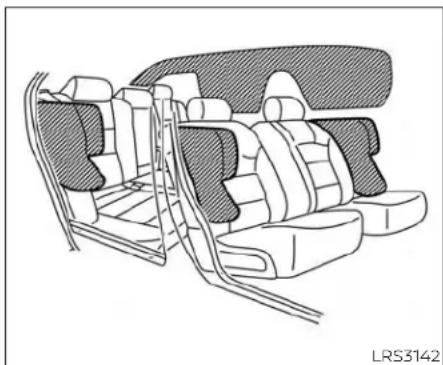
natural_image
Line drawing of a car interior showing seat compartments and rear seats (no text or symbols)Frontandrearoutboard seat-mountedside-impact supplementalairbagand roof-mountedcurtain side-impactandrollover supplementalairbagsystems
Thesideairbagsarelocatedintheoutside oftheseatbackofthefrontandrearoutboardseats.Thecurtainairbagsarelocatedinthesideroofrails.Alloftheinformation,cautionsandwarnings in this manualmustbefollowed.Thesideair bagsandcurtainairbagsaredesignedto
inflateinhigherseveritysidecollisions,althoughtheymayinflateiftheforcesinan-othertypeofcollisionaresimilartothoseofahigherseverityimpact.Theyaredesignedtoinflateonthesidewherethevehiclelsimpacted.Theymaynotinflateincertainsidecollisions.
Curtainairbagsarealsodesignedtoinflate incertaintypesofrollovercollisionsornear rollovers.Asaresult,certainvehiclemovements(forexample,duringsevereoff-roading)maycausethecurtainairbagsto inflate.
Vehicledamage(orlackofit)isnotalways anindicationofpropersideairbagand curtainairbagoperation.
Whenthesideairbagsandcurtainairbags Inflate,afairlyloudnoisemaybeheard, followedbythereleaseofsmoke.This smokeisnotharmfulanddoesnotindicateafire.Careshouldbetakennotto inhaleit,asitmaycauseirritationand choking.Thosewithahistoryofabreathingconditionsshouldgetfreshhairpromptly.
Sideairbags, alongwiththeuseofseat belts, helptocushiontheimpactforceon thechestandpelvicareaofthefrontand rearoutboardoccupants. Curtainairbags helptocushiontheimpactforcetothe headofoccupantsinthefrontandrear outboardseatingpositions.Theycanhelp savelivesandreduceseriousinjuries.However,aninflatingsideairbagandcurtailnair bagmaycauseabrasorsorotherinjuries. Sideairbagsandcurtailnairbagsdonot providerestrainttothelowerbody.
Theseatbeltsshouldbecorrectlyworn andthedriver,frontpassengerandrear outboardoccupantsseateduprightasfar aspracticalawayfromthesideairbag. Rearseatpassengersshouldbeseatedas farawayaspracticalfromthedoorfinishersandsideroofrails.Thesideairbagsand curtainairbagsinflatequicklyinorderto helpprotectthe occupants.Because of this,theforceofthesideairbagandcurtain airbaginflatingcanincreasetheriskof injuryiftheoccupantistooocloseto,oris against,theseairbagmodulesduringinflation.Thesideairbagwilldeflatequickly afterthecollisionisover.
Thecurtainairbagwillremaininflatedfora shorttime.
Thesideairbagsandcurtainairbags operateonlywhentheignitionswitchis placedintheONposition.
Afterplacingtheignitionswitchinthe ONposition,thesupplementalairbag warning light illuminates. Thesupplementalairbagwarninglightwillturnoff afterabout7secondsifthesystemis operational.
WARNING
- Donot placeanyobjectsnearthe seatbackofthefrontandrearseats. Also, do not place any objects (an umbrella, bag, etc.)betweenthefront andreardoorfinisherandthefront andrearseat.Suchobjectsmaybe-come dangerous projectiles and causeinjuryifasideairbaginflate.
- Rightafterinflation,severalsideair bagandcurtainairbagsystemcomponentswillbehot.Donottouch them;youmayseverelyburnyourself.
-
Nounauthorizedchangesshouldbe madetoanycomponentsorwiring ofthesideairbagandcurtainairbag systems. Thisistopreventdamage tooraccidentalinflationoftheside airbagandcurtainairbagordamaggetothesideairbagandcurtainair bagsystems.
-
Donotmakeunauthorizedchanges toyourvehicle'selectricalsystem, suspensionsystemorsidepanel. This could affect proper operation of the sideairbag and curtain airbag systems.
•Tamperingwiththesideairbagsystemmayresultinseriouspersonal injury. Forexample, donotchange thefrontandrearseatsbyplacing materialneartheseatbacksorbyinstallingadditionaltrimmaterial, suchasseatcovers, aroundtheside airbag. - Itisrecommendedthatyouvisita NISSANdealerforwork onand aroundthesideairbagandcurtain airbag. Itisalsorecommendedthat youvisitaNISSANdealerforinstallationofelectricalequipment.TheSRS wiringharnesses*shouldnotbe modified or disconnected. Unauthorized electricaltestequipment and probingdevicesshouldnotbeused onthesideairbagorcurtainairbag system.
* The SRSwiringharnessconnectorsare yellowandorangeforeasyidentification.
whensellingyourvehicle, werequest that you inform the buyer about the side air bag and curtainairbagsystemsandguidethe buyertotheappropriatesectionsinthis Owner'sManual.

natural_image
Line drawing of a car interior showing a SRS AIRBAG device with lever and foot (no text or symbols)Driver'sside
Driverandfrontpassenger supplementalkneeairbag
Thekneeairbagislocatedintheknee bolster, on the driver's and passenger's side. Alloftheinformation, cautionsand warningsinthismanualapplyandmust befollowed. Thekneeairbagisdesigned to inflate in higher severity frontal collisions, although it may inflate if the forcesinan- other type of collision are similar to those of a higher severity frontal impact. It may not inflate incertain collisions.
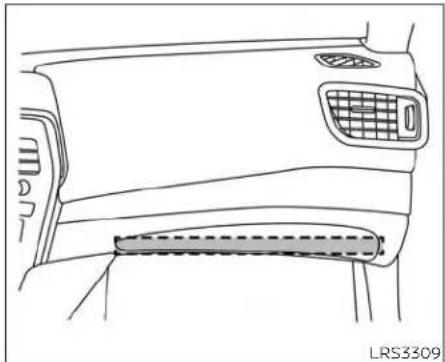
natural_image
Line drawing of a car's front and side panels showing grille, grille grating, and dashboard (no text or symbols)Passenger'sside
Vehicledamage(orlackofit)isnotalways anindicationofproperkneeairbag operation.
whenthekneeairbaginflates,afairlyloud noisemaybeheard,followedbyreleaseof smoke.Thissmokeisnotharmfuland doesnotindicateafire.Careshouldbe takennottoinhaleit,asitmaycauseirritationandchoking.Thosewithahistoryofa breathingconditionshouldgetfreshair promptly.
Thekneeairbaghelpstocushiontheimpactforceonthekneesofthedriverand passenger.Itcanhelpreduceseriousinjuries.However,aninflatingkneeairbagmay causeabrasionsorotherInjuries.Theknee airbagprovidesrestraintthothelowerbody.
Thekneeairbaginflatesquicklyinorderto helpprotecttheoccupants.Becauseof this,theforceofthekneeairbaginflating canincreasetheriskofinjuryiftheoccupantistooocloseto,orisagainst,thisairbag moduleduringinflation.Thekneeairbag willdeflatequicklyafterthecollisionisover ORthekneeairbagwillremaininflatedfor shorttime.
Thekneeairbagoperatesonlywhen the ignition switch is placed in the ON position.
After placing the ignition switch in the ONposition, the supplementalair bag warninglightilluminates. Thesupplementalairbagwarninglightwillturnoff after about 7 seconds if the system is operational.
WARNING
- Donotplaceanyobjectsbetweenthe kneebolsterandthedriver'sorpassenger'sseat.Suchobjectsmaybe-come dangerous projectiles and causeinjuryifakneeairbaginflates.
- Rightafterinflation, thekneeairbag systemcomponents will be hot. Do nottouchthem; youmayseverely burnyourself.
- Nounauthorizedchangesshouldbe madetoanycomponentsorwiring ofthekneeairbagsystem. Thisisto preventdamagetooraccidentalinflationofthekneeairbagsystem.
- Donotmakeunauthorizedchanges toyourvehicle'selectricalsystemor suspensionsystem.Thiscouldaffect properoperationofthekneeairbag system.
- Tamperingwiththekneeairbagsystem may result in serious personal injury. For example, do not change thedriverorpassengerkneebolster or install additional trim material aroundthekneeairbag.
- Itisrecommendedthatyouvisita NISSANdealerforworkonand aroundthekneeairbag.ItisalsorecommendedthatyouvisitaNISSAN dealerforinstallationofelectrical equipment.TheSRSwiringharnesses*shouldnotbemodifiedor disconnected.Unauthorizedelectricaltestequipmentandprobingdevices shouldnotbeusedontheknee airbagsystem.
*The SRSwiringharnessorconnectorsare yellowororangeforeasyidentification.
whensellingyourvehicle,werequestthat youinformthebuyeraboutthekneeair bagsystemandguidethebuyertothe appropriatesectionsinthismanual.
Seatbeltwithpretensioner(s) (frontandrearoutboardseats)
WARNING
- The pretensioner(s) cannot be re-used after activation. They must be replaced together with the retractor and buckle as a unit.
- If the vehicle becomes involved a collision but pretensioner(s) are not activated, besure to have the pretensionersystem checked and, if necessary, replaced. It is recommended that you visit a NISSAN dealer for this service.
- Nounauthorizedchangesshouldbe madetoanycomponentsorwiring ofthepretensionersystem. Thisisto preventdamagetooraccidentalactivationofthepretensioner(s).Tamperingwiththepretensionersystem mayresultinseriouspersonalinjury.
- Itisrecommendedthatyouvisita NISSANdealerforworkonand aroundthepretensionersystem.Itis alsorecommendedthatyouvisita NISSANdealerforinstallationofelectricalequipment.Unauthorizedelectricaltestequipmentandprobing devicesshouldnotbeusedonthe pretensionersystem.
- If you need to dispose of the pretensioner(s) or scrap the vehicle, it is recommended that you visit a NISSAN dealer for this service. Incorrect disposal procedures could cause personal injury.
The pretensioner system may activate with the supplemental air bagsystem in certain types of collisions. Working with the seat belt retractor, the pretensioner(s) help tightent these seat belt when the vehicle becomes involved in certainty of collisions, helping to restrain front and rear outboard seat occupants.
Thepretensioner(s)areencasedwithinthe seatbeltretractorandtotheseatbeltanchor affixed to the floor of the vehicle. Theseseatbeltsareusedthesamewayas conventionaliseatbelts.
Whenpretensioner(s)activate,smokeisreleasedandaloudnoisemaybeheard.This smokeisnotharmfulanddoesnotindicateafire.Careshouldbetakennotto inhale it, as it may cause irritation and choking.Thosewithahistoryofabreathingconditions shouldgetfreshhairpromptly.
After the pretensioner(s') activation, load limiters allow these seat belt to release webbing (if necessary) to reduce forces against the chest.
Thesupplementalairbagwarninglight isusedtoindicatemalfunctionsinthe pretensionersystem.Foradditionalinformation,see"Supplementalairbagwarning
light"(P.1-62).Iftheoperationofthesupplementalairbagwarninglightindicates thereisamalfunction,havethesystem checked.Itsrecommendedthatyouvisita NISSANdealerforthisservice.
Whensellingyourvehicle, werequest that you inform the buyer about the pretensionersystem and guidethe buyerto the appropriatesections in this Owner's Manual.
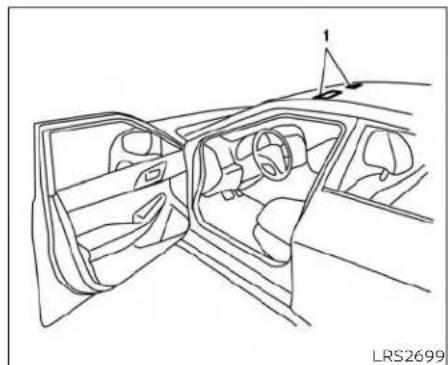
natural_image
Line drawing of a car interior showing the dashboard, steering wheel, and dashboard frame (no text or symbols)- SRSAirBagWarningLabels(located on thesunvisors)
SUPPLEMENTAL AIRBAG WARNING LABELS
Warning labels about the supplemental front-impact air bagsystem are placed in the vehicle as shown in the illustration.
WARNING
Donotusearear-facingchildrestraint onaseat protected byanair bagin frontofit.Iftheairbagdeploys,itmay causeseriousinjuryordeath.

natural_image
Simple black stick figure in motion, no text or symbols presentSUPPLEMENTAL AIRBAG WARNING LIGHT
Thesupplementalairbagwarninglight, displaying ⚡ in the instrumentpanel, monitors the circuits for the air bag systems,pretensioner(s)andallrelatedwiring. WhentheignitionswitchisplacedintheON position,thesupplementalairbagwarning light illuminates for about 7 seconds and then turns off. This means the system is operational.
Ifanyofthefollowingconditionsoccur,the frontairbag,sideairbag,curtainairbag, kneeairbagandpretensionersystems needservicing:
- Thesupplementalairbagwarninglightremainsonafterapproximately7seconds.
- Thesupplementalairbagwarninglight flashesintermittently.
- Thesupplementalairbagwarninglight doesnotcomeonatall.
Undertheseconditions,thefrontairbags, sideairbags,curtainairbags,kneeairbags orpretensionersystemsmaynotoperate properly.Theymustbecheckedandre-paired.Itisrecommendedthatyouvisita NISSANdealerforthisservice.
WARNING
If the supplemental airbag warning lightison, it could mean that the front airbags, side airbags, curtain airbags, knee airbags and or pretension systems will not operate in an accident. To help avoid injury to yourself for others, have your vehicle checked as soon as possible. It is recommended that you visit a NISSAN dealer forth this service.
Repairandreplacement procedure
Thefrontairbags,sideairbags,curtainair bags,kneeairbagsandpretensioner(s)are designedtoinflateonaone-time-only basis.Asareminder,unlessitsdamaged, thesupplementalairbagwarninglight remainsilluminatedafterinflation has occurred.Thesesystemsshouldbere-pairedand/orreplacedassoonaspossible. It is recommended that you visit a NISSANdealerforthisservice.
When maintenance work is required on the vehicle, the front air bags, side air bags, curtain air bags, knee air bags, pretensioner(s) and related part should be pointed out to the person performing them maintenance. The ignition switch should always be placed in the LOCK position when working under the hood or inside the vehicle.
WARNING
- Onceafrontairbag,sideairbag,curtainairbagorkneeairbaghasin-flated,theairbagmodulewillnot functionagainandmustbereplaced. Additionally,the activated pretensioner(s)mustalsobereplaced.The airbag module and pretensioner(s) should be replaced. It is recommendedthat youvisit aNISSAN dealerforthisservice.However,the airbag module and pretensioner(s) cannotberepaired.
- Thefrontairbag,sideairbag,curtain airbag,kneeairbagsystemsandthe pretensionersystemshouldbeinspectedifthereisanydamagetothe frontendorsideportionofthevehicle.Itisrecommendedthatyou visitaNISSANdealerforthisservice.
- If you need to dispose of the supplemental air bag or pretension systems or scrap the vehicle, it is recommended that you contact a NISSAN dealer for this service. Incorrect disposal procedures could cause personal injury.
- If there is an impact to your vehicle from any direction, your Occupant Classification Sensor (OCS) should be checked to verify it's still functioning correctly. It is recommended that you visit a NISSAN dealer forth this service. The OCS should be checked even if no airbags deploy as a result of the impact. Failure to verify proper OCS function may result in an improper airbag deployment resulting in injury or death.
1-64 Safety-Seats, seatbeltsandsupplementalrestraintsystem
MEMO
Safety-Seats, seatbelts and supplemental restraintsystem 1-65
2Instrumentsandcontrols
InstrumentPanel 2 - 2
Metersandgauges....2-3
Speedometerandodometer....2-4
Tachometer....2-5
Enginecoolanttemperaturegauge. 2 - 5
Fuelgauge. 2-6
DistanceToEmpty(DTE) 2 - 6
EcoDriveReport(ifsoequipped)....2-7
Warninglights,indicatorlightsandaudible
reminders....2-8
Checkinglights. 2 - 9
Warning/Indicatorlights(red)....2-9
Warning/Indicatorlights(yellow)....2-11
Warning/Indicatorlights(other)....2-16
Audiblereminders....2-16
Vehicleinformationdisplay.... 2-17
Howtousethevehicleinformation
display 2-18
Startup display 2-18
Drivecomputer....2-19
Settings. 2-19
Vehicleinformationdisplaywarnings
and indicators. 2-26
ControlPanelandvehicleinformationdisplay
Interaction 2-33
Audio....2-33
Receivingacall. 2-34
TextMessaging(ifsoequipped)....2-35
NavigationView....2-37
NavigationSwipetoMeter(ifso equipped) 2-40
Securitysystems....2-40
Vehicle security system 2-40
NISSAN Vehicle Immobilizer System .....2-42
Wiperandwasherswitch....2-43
Switch operation 2-43
Rain-sensingautowipersystem (ifsoequipped)....2-44
Rearwindowandoutsidemirrordefroster
switch....2-45
Headlight and turn signal switch 2-46
Headlight control switch 2-46
LEDDaytimeRunningLights(DRL)
system....2-51
Instrumentbrightnesscontrol 2-52
Turnsignalswitch....2-52
Fog light switch (if so equipped) 2-53
Horn....2-53
Climate-controlledseatswitches
(if so equipped)....2-54
Heated seat switches (if so equipped) .....2-55
Heated rear seat switches (if so equipped) .....2-56
Heatedsteeringwheelswitch(ifsoequipped) . .2-57
Dynamicdriverassistanceswitch(ifso equipped)....2-58
VehicleDynamicControl(VDC)OFFswitch....2-58
EmergencyCall(SOS)button....2-59 Emergencysupport....2-59
USB/iPod®chargingports(ifsoequipped).....2-61
RearDoorAlert....2-61
Poweroutlet 2-62
Extended storage switch 2-63
Storage 2-64
Front-doorpockets....2-64
Seatbackpockets....2-64
Storagetrays....2-65
Glovebox 2-66
Consolebox....2-66
Overheadsunglassesstorage....2-66
Cupholders. 2-67
Windows....2-69
Powerwindows....2-69
DualPanelMoonroof(ifsoequipped)....2-72
Powermoonroof....2-72
Rearpowersunshade(ifsoequipped)....2-74
Interiorlights. 2-75
Consolelight....2-76
Maplights....2-76
Personallights....2-76
Trunklight 2-76
HomeLink®UniversalTransceiver(ifso
equipped)....2-77
ProgrammingHomeLink® 2-77
ProgrammingHomeLink®forCanadian
customersandgateopeners....2-79
OperatingtheHomeLink®Universal
Transceiver....2-80
Programmingtrouble-shooting....2-80
Clearingtheprogrammedinformation.....2-80
ReprogrammingasingleHomeLink®
button 2-81
If your vehicle is stolen 2-81
INSTRUMENTPANEL
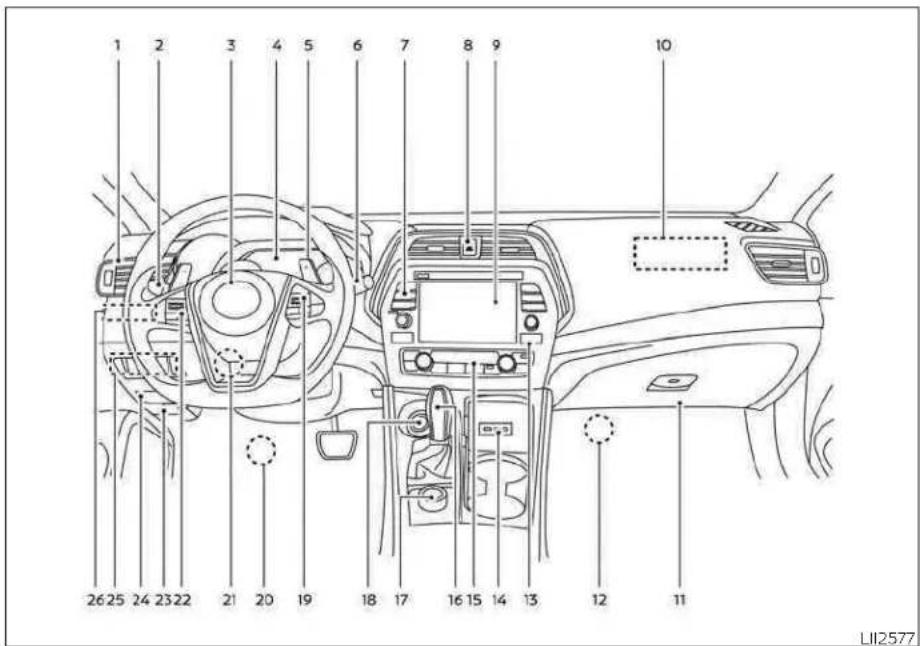
1.Vent(P.4-27)
2.Headlight/foglight(ifsoequipped)/turnsignalswitch(P.2-46)
3. Supplementalfront-impactairbag (P.1-41)
Horn(P.2-53)
2-2 Instrumentsandcontrols
4.Metersandgauges(P.2-3)
Warningandindicatorlights(P.2-8)
Vehicleinformationdisplay(P.2-17)
5.Paddleshifters(ifsoequipped)(P.5-18)
6.Wiperandwasherswitch(P.2-43)
- Audiocontrols*
Navigationcontrols*
8.Hazardwarningflasherswitch(P.6-2)
- Navigationdisplay*
Audiodisplay*
10.Frontpassengersupplementalairbag (P.1-59)
11.Glovebox(P.2-66)
12.Frontpassengersupplementalkneeair bag(P.1-59)
13.Frontpassengerairbagstatuslight (P.1-52)
14.AUXinput/USBports*
15.Heaterandairconditioningcontrols (P.4-29)
16.Shiftlever(P.5-16)
- DisplayCommander* VehicleDynamicControl(VDCOFF) switch(P.2-58) SPORTmodebutton(P.5-23)
18.Push-buttonignitionswitch(P.5-10)
-
Bluetooth ^10 Hands-FreePhoneSystem ^x IntelligentCruiseControl(ICC)switches (P.5-56)
-
Driversupplementalkneeairbag (P.1-59)
METERSANDGAUGES
21.Tiltandtelescopicsteering(P.3-24)
- Audiocontrolswitches*
Vehicleinformationdisplaycontrol
switches(P.2-17)
23.Hoodrelease(P.3-20)
24.Fusebox(P.8-20)
25.Heatedsteeringwheelswitch(ifso equipped)(P.2-57)
DynamicDriverAssistanceswitch(ifso
equipped)(P.2-58)
Trunkreleaseswitch(P.3-20)
Rearpowersunshadeswitch(ifso
equipped)(P.2-74)
26.Instrumentbrightnesscontrol(P.2-46)
Twintripodometerresetswitch(P.2-4)
*:RefertotheseparateNissanConnect®
Owner's Manual.
Refertothepagenumberindicatedin parenthesesforoperatingdetails.

1.Tachometer
-
Warning and indicator lights
-
Vehicleinformationdisplay
Odometer
Twintripodometer
4.Speedometer
5.Fuelgauge
6.Enginecoolanttemperaturegauge
SPEEDOMETERANDODOMETER
This vehicleisequipped with aspeedometer and odometer. Thespeedometer is located on therights side of the meter cluster. The odometer is located within the vehicle information display.

natural_image
Simple line drawing of a gauge or dial with needle pointing to the center (no text or symbols)Speedometer
Thespeedometer indicates vehiclespeed.

Odometer/Twintripodometer
Theodometerandthetwintripodometer ① aredisplayedinthevehicleinformation displaywhentheignitionswitchisplaced intheONposition.
Theodometerrecordsthetotaldistance thevehiclehasbeendriven.
Thetwintripodometerrecordsthedistanceofindividualtrips.
2-4 Instrumentsandcontrols
Changingthedisplay
PushtheTRIPRESETswitch ② ontheleft sideoftheinstrumentpaneltochangethe displayasfollows:
Trip → Trip→OBometerMile-age→Trip
Resettingthetripodometer
PushingtheTRIPRESETswitch ② formore than1secondresetsthecurrentlydis-playedtripodometertozero.
Averagefueleconomyanddistanceto emptyinformationarealsoavailable.For additionalinformation,see"Vehicleinformationdisplay"(P.2-17).
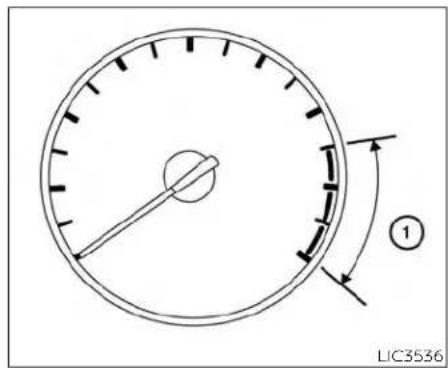
TACHOMETER
ThetachometerIndicatesenginespeedin revolutionsperminute(rpm).Donotrev theengineintotheredzone ①.
CAUTION
Whenenginespeedapproachesthe redzone,reduceenginespeed.Operatingtheengineintheredzonemay causeseriousenginedamage.

The gauge indicates the engine coolant temperature. The engine coolant temperature within the normal range ① when the gaugene needle points within the zone shown in the illustration.
The engine coolanttemperature varies with the outside air temperature and driving conditions.
CAUTION
Ifthegaugeindicatescoolanttemperaturenearthehot(H)endofthe normalrange,reducevehiclespeedto decreasetemperature.Ifthegaugeis overthenormalrange,stopthevehicle assoonassafelypossible.Iftheengine isoverheated,continuedoperation of thevehiclemayseriouslydamagethe engine.Foradditionalinformation,see "Ifyourvehicleoverheats"(P.6-11)for immediateactionrequired.

FUELGAUGE
The gauge indicates the approximate fuel level in the tank.
Thegaugemaymoveslightlyduringbraking,turning,acceleration,orgoingupordownhills.
Thegaugeneedlereturnsto0(Empty)aftertheignitionswitchisplacedintheOFF position.
Thelowfuelwarningmessageshowsin thevehicleinformationdisplaywhenthe amountoffuelinthetankisgettinglow.
Refillthefueltankbeforethegaugeregisters0(Empty).
The ◄ indicate that the fuel-filled door is located on the driver's side of the vehicle.
CAUTION
-Ifthevehiclerunsoutoffuel,the

MalfunctionIndicatorLight(MIL)may comeon.Refuelassoonaspossible. Afterafewdrivingtrips,the light shouldturnoff.Ifthelightremainson afterafewdrivingtrips,havethevehicleinspected.Itisrecommended thatyouvisitaNISSANdealerforth this service.
- Foradditionalinformation,see"Mal-functionIndicatorLight(MIL)"(P.2-13).
DISTANCETOEMPTY(DTE)
Displaystheestimateddistancethevehicle canbedrivenbeforerefueling. Thevalueis calculatedbasedonrecentfueleconomy, theamountoffuelremaininginthefueltank, andtheactualfuelconsumption.
Changesindrivingpatternsorconditions cancausetheDTEvaluetovary.Asaresult, thevaluedisplayedmaydifferfromtheactualdistancethatcanbedriven.
DTEdisplaywillchangeto"----"whenthe fuellevelinthetankisgettinglow,priorto thefuelgaugereaching0(Empty).
NOTE:
- The DTE value after refill is estimated based on recent fueleconomy and amount off fuel added.
-Ifasmallamountoffuelisadded,or theignitionisonduringrefueling,the displaymaynotbeupdated.
-Conditionsthataffectthefuel economywillalsoaffecttheestimated DTEvalue(city/highwaydriving,idle time,remotestarttime,terrain,seasonalweather,addedvehicleweight, addeddeflectors,roofracks,etc.).

bar
| Category | Value | |---|---| | Current | 15.5 | | Best | 16.0 | | Top Label | 1 | | Top Label | 2 | | Top Label | 3 | LSD4103ECODRIVEREPORT(ifso equipped)
When the ignitions switch this in the OFF position, ECO management display appears.
① Previous5times(History)
② Currentfueleconomy
③ Bestfueleconomy
TheresultofECOevaluationisdisplayed 30secondsaftertheignitionswitchis placedintheONpositionandthevehicleis drivenatleast500meters(1/3miles).
① Theaveragefueleconomyforthepreviousfivetimeswillbedisplayed.
② Theaveragefueleconomysincethe lastresetwillbedisplayed.
③ Thebestfueleconomyofthepasthistorywillbedisplayed.
The ECO driver report can be set to be ON or OFF.
WARNINGLIGHTS,INDICATORLIGHTS ANDAUDIBLEREMINDERS
| Warning/Indicatorlight(red)Warning/Indicatorlight(yellow)Warning/Indicatorlight(other) | |||
 orB orB InnglightorAnti-lockBrakingSystem InnglightorAnti-lockBrakingSystem | ABS |  warninglight warninglight |  Frontfoglindicatorlight(green)(ifsoequipped) Frontfoglindicatorlight(green)(ifsoequipped) |
 ChargewarninglightAutomaticEmergencyBr ChargewarninglightAutomaticEmergencyBr |  | withPedestrianDetectionsystemwarninglight | HighBeamAssistIndicatorlight(green) |
 EngineollpressurewarninglightFrontpasseng EngineollpressurewarninglightFrontpasseng |  | statuslightHighbeamindicatorlight(blue) | Side light and headlight indicator light(green) |
 Master warning light Master warning light |  | Low tire pressure warning light | |
 Seat belt warning light and chime Seat belt warning light and chime |  | Malfunction Indicator Light (MIL) | Turn signal/hazard Indicator lights (green) |
 SecurityIndicatorlightMasterwarninglight SecurityIndicatorlightMasterwarninglight |  | ||
 SupplementalairbagwarninglightPowersteer SupplementalairbagwarninglightPowersteer |  | Innglight | |
 | RearAutomaticBraking(RAB)systemWarninglight | ||
 | Slipindicatorlight | ||
 | VehicleDynamicControl(VDC)OFFIndicatorlight | ||
CHECKINGLIGHTS
Withalldoorsclosed,applytheparking brake,fastentheseatbeltsandplacethe ignitionswitchintheONpositionwithout startingtheengine.Thefollowinglights (ifsoequipped)willcomeon:


The following lights(ifsoequipped)will comeonbrieflyandthengooff:


Ifanylightdoesnotcomeonoroperatein awayotherthandescribed,itmayindicate aburned-outbulband/orasystemmal-function.Havethesystemchecked.Itis recommendedthatyouvisitaNISSAN dealerforthisservice.
Some indicators and warnings are also displayed on the vehicle information display between the speedometer and tachometer. For additional information, see "Vehicle information display" (P.2-17).
WARNING/INDICATORLIGHTS(red)
For additional information, see "Vehicle information display" (P.2-17).


Brakewarning light
Thislightfunctionsfor boththeparking brakeandthefootbrakesystems.
Parkingbrakeindicator
When the ignition switch is placed in the ON position, this light comes on when the parking brake is applied.
Lowbrakefluidwarninglight
When the ignition switch is placed in the ON position, the light warn so falow brake fluid level. If the light comes on while the engine is running with the parking braken not applied, stop the vehicle and perform the following:
-
Check the brake fluid level. Add brake fluid as necessary. For additional information, see "Brakefluid" (P.8-12).
-
If the brake fluid level is correct, have the warning system checked. It is recommended that you visit a NISSAN dealer for this service.

WARNING
- Yourbrakesystemmaynotbeworkingproperlyifthewarninglightison. Drivingcouldbedangerous.Ifyou judgeittobesafe,drivecarefullyto thenearestservicestationforre-pairs. Otherwise,haveyour vehicle towedbecauusedrivingitcouldbe dangerous.
- Pressing the brake pedal with the enginestoppedand/ora lowbrake fluid levelmayincrease your stoppingdistanceand brakingwillrequiregreaterpedaleffortaswellas pedaltravel.
- If the brake fluid level is below the MINIMUMorMINmarkonthebrake fluidreservoir, donotdriveuntilthe brakesystemhasbeenchecked.Itis recommended that you visit a NISSANdealerforthisservice.

Chargewarninglight
If this light comes on while the engine is running, it may indicate the charging system is not functioning properly. Turn the engine off and check the generator belt. If the belt is loose, broken, or missing, or if the light remains on, havethesystem checked. It is recommended that you visit a NISSAN dealer forth this service.
CAUTION
Donotcontinuedrivingifthegenerator beltisloose,brokenormissing.

Engineoilpressure warninglight
Thislightwarnsoflowengineoilpressure. Ifthelightflickersorcomesonduringnormaldriving,pullofftheroadinasafearea, stoptheengineimmediatelyandcalla NISSANdealerorotherauthorizedrepair shop.
Theengineoilpressurewarninglightis notdesignedtoindicatealowoillevel. Usethedipsticktochecktheoillevel. For additionalinformation,see"Engineoil"(P.8-6).
CAUTION
Runningtheenginewiththeengineoil pressurewarninglightoncouldcause seriousdamagetotheenginealmost immediately.SuchdamageisnotcoveredbytheNISSANNewVehicleLimited Warranty.Turnofftheengineassoon asitissafetodoso.

Masterwarninglight
Themasterwarninglightilluminates wheneverthereisanactivewarningthat canbereviewedinthe"warningsreview" contentpageinthemeter,orifthereisa red-levelwarningbeingdisplayed(which cannotbedismissed).Themasterwarning lightwillilluminateredifared-levelwarning isbeingdisplayed,oryellowotherwise.
- DoorOpen(withvehiclemoving)
•ParkingBrakeON
- LEDHeadlightFailure(ifnootherred warningsareactive)
- ShiftintoParkwarning
For additional information, see "Vehicle information display" (P.2-17).

Seatbeltwarninglightand chime
•Thelightandchimeremindyoutofasten theseatbelts.
• Theseatbeltwarninglightwillilluminate whentheignitionswitchispushedtothe ONpositionifthedriver'sseatbeltisnot fastened,orifthefrontpassengerseat beltisnotfastenedwhenoccupied.
• Theseatbeltwarninglightwillalsoilluminateifarearpassengerseatbeltis changedfromfastenedtounfastened.
- If the driver's seat belt is not fastened when the ignition switch is pushed to the ON position, the chimewill sound shortly.
•If thevehicleisdriven above9mph (15km/h)intheconditionsthatilluminate theseatbeltwarninglight,thelampwill begintoblinkandthechimewillsound foroveroneminute,oruntiltheseatbelt isfastenedagain.
NOTE:
- Thewarninglightand/orchimemay activateifanobjectisplacedintheun-occupiedfrontpassengerseat. In this case, pleaseremovetheobjectfrom thefrontpassengerseat.
- Thewarninglightand/orchimemay activateifanyseatbeltisunfastened beforethevehiclecomestoacomplete stop.Pleaseremainfasteneduntilthe vehiclehascometoacompletestop.

Securityindicatorlight
Thislightblinkswhentheignitionswitchis placedintheOFF,LOCKorACCposition.
Theblinkingsecurityindicatorlightindicate that these security system equipped on the vehicle are operational.
For additional information, see "Security systems" (P.2-40).

Supplementalairbag warninglight
WhentheignitionswitchisplacedintheON position, the supplementalairbagwarning lightilluminatesforabout7secondsand thenturnsoff.Thismeansthesystemis operational.
Ifanyofthefollowingconditionsoccur,the frontairbag,sideairbag,curtainairbag, andpretensionerseatbeltsystemsneed servicing:
- Thesupplementalairbagwarninglightremainsonafterapproximately7seconds.
- Thesupplementalairbagwarninglight flashesintermittently.
- Thesupplementalairbagwarninglight doesnotcomeonatall.
It is recommended that you visit a NISSAN dealer for the these services.
Unless checked and repaired, the supplemental restraintsystem (airbagsystem) and/or the pretensioner(s) may not function properly. For additional information, see "Supplemental Restraint System (SRS)" (P.1-41).
WARNING
If the supplemental airbag warning lightison, it could mean that the front airbag, side airbag, curtain airbag and/or pretension systems will not operate in an accident. To help avoid injury to yourself for others, have your vehicle checked as soon as possible. It is recommended that you visit a NISSAN dealer forth this service.
WARNING/INDICATORLIGHTS (yellow)
For additional information, see "Vehicle information display" (P.2-17).
ABS or (ABS)
Anti-lockBraking System(ABS) warninglight
When the ignitions switch is placed in the ON position, the ABS warning light illuminates and then turn so off. This indicates the ABS is operational.
IftheABSwarninglightilluminateswhile theengineisrunningorwhilledriving, it may indicate the ABS is not functioning properly. Havethesystemchecked. It is recommended that you visit a NISSAN dealer forth this service.
IfanABSmalfunctionoccurs, the anti-lock functionisturnedoff. The brakesystem then operates normally but without anti-lock assistance. For additional information, see "Brakesystem" (P.5-113).

AutomaticEmergency Braking(AEB)with PedestrianDetection systemwarninglight
Thislightcomesonwhentheignition switchisplacedintheONposition.Itturns offaftertheengineisstarted.
ThislightIlluminateswhentheAEBwith PedestrianDetectionsystemissettoOFF Inthevehicleinformationdisplay.
IfthelightilluminateswhentheAEBwith PedestrianDetectionsystemison, itmay Indicatethathesystemisunavailable. Foradditionalinformation, see "Automatic EmergencyBraking(AEB) with Pedestrian Detection" (P.5-85) and "IntelligentForward CollisionWarning(I-FCW)" (P.5-96).

Frontpassengerairbag statuslight
Thefrontpassengerairbagstatuslightwill belitandthepassengerfrontairbagwillbe offdependingonhowthefrontpassenger seatisbeingused.
Foradditionalinformation,see"Frontpassengerairbagandstatuslight"(P.1-52).

Lowtirepressurewarning light
YourvehicleisequippedwithaTirePressureMonitoringSystem(TPMS)thatmonitorsthetirepressureofalltiresexceptthe spare.
Thelowtirepressurewarninglightwarns oflowtirepressureorindicate that the TPMS is not functioning properly.
AftertheignitionswitchisplacedintheON position, this light illuminates for about 1 second and turn soff.
Lowtirepressurewarning
If the vehicle is being driven with low tire pressure, the warning light will illuminate. A "Tire Pressure Low-Add Air" warning also appears in the vehicle information display.
Whenthelowtirepressurewarninglight illuminates,youshouldstopandadjust the tirepressureofallfourtirestothe recommendedCOLDtirepressureshown ontheTireandLoadingInformationlabellocatedinthedriver'sdooropening. Thelowtirepressurewarninglightdoes notautomaticallyturnoffwhenthetire pressureisadjusted.Afterthetireisinflatedtotherecommendedpressure,
the vehicle must be driven at speeds above16mph(25km/h)toactivatethe TPMSandturnoffthelowtirepressure warninglight.Useatrepressuregauge tocheckthetirepressure.
The TirePressureLow-AddAir warning appearseachtimetheignitionswitchis placedintheONpositionaslongasthe lowtire pressurewarninglightremains illuminated.
For additional information, see "Vehicle information display" (P.2-17) and "Tire Pressure Monitoring System (TPMS)" (P.5-5).
TPMSmalfunction
If the TPMS is not functioning properly, the low tire pressure warning light will flash for approximately 1 minute when the ignition switch is placed in the ON position. The light will remain after 1 minute. Have the system checked. It is recommended that you visit a NISSAN dealer for this service. The "Tire Pressure Low—Add Air" warning does not appear if the low tire pressure warning light illuminates to indicate a TPMS malfunction.
For additional information, see "TirePressureMonitoringSystem(TPMS)" (P.5-5) and "Tirepressure" (P.8-27).
WARNING
• Radiowavescouldadverselyaffect electricmedicalequipment. Those whoseapacemakershouldcontact theelectricmedicalequipment manufacturerforthepossibleinfluencesbeforeuse.
- Ifthelightdoesnotilluminatewith theignitionswitchplacedintheON position,havethevehiclecheckedas soonaspossible.Itisrecommended thatyouvisitaNISSANdealerforth this service.
- If the light illuminates while driving, avoids sudden steering maneuvers or abrupt braking, reduce vehicle speed, pullofftheroad to as a felocation and stop the vehicle as soon as possible. Driving with under-inflated tires may permanently damage the tires and increase the likelihood of tire failure. Serious vehicled damage could occur and may lead to an accident and could result in serious personal injury or death. Check the tire pressure for all four tires. Adjust the tire pressure to the recommended COLD tire pressures show on the Tire
andLoadingInformationlabellocatedinthedriver'sdooropeningto turn thelow tirepressure warning lightoff.Ifthelightstillilluminates whiledrivingafteradjustingthetire pressure, a tire may be flat or the TPMSmaybemalfunctioning.Ifyou haveaflattire,replaceitwithaspare tireassoonaspossible.Ifnotireis flatandalltiresareproperlyinflated, havethevehiclechecked.Itisrecommended that you visit a NISSAN dealerforthisservice.
- When using a wheel without the TPMS such as the spare tire, the TPMS will not function and the low tire pressure warning light will flash for approximately 1 minute. Thelight will remain on after 1 minute. Have your tires replaced and/or TPMS system reset as soon as possible. It is recommended that you visit a NISSAN dealer fortheses services.
- ReplacingtireswiththosenotoriginallyspecifiedbyNISSANcouldaffect theproperoperationoftheTPMS.
CAUTION
TheTPMSisnotasubstituteforthe regulartirepressurecheck.Besure tocheckthetirepressureregularly.
- If the vehicle is being driven at speeds of less than 16 mph (25 km/h), the TPMS may not operate correctly.
- Besuretoinstallthespecifiedsizeof tirestothefourwheelscorrectly.

MalfunctionIndicatorLight (MIL)
If this indicator light comes on steady or blinks while the engine is running, it may indicate a potential emission control malfunction.
TheMILmayalsocomeonsteadyifthe fuel-fillercapislooseormissing,orifthe vehicle runs out of fuel. Check to make sure the fuel-filler cap is installed and closed tightly,andthat thevehiclehas atleast 3gallons(11.4liters)offuelinthefueltank.
After a few driving trips, the light shouldturnoffifnootherpotentialemissioncontrolsystemmalfunctionexists.
If this indicator light comes on steady for 20 seconds and then blinks for 10 seconds when the engine is not running, it indicates that the vehicle is not ready for an emission control system inspection/maintenance test. For additional information, see "Readiness for Inspection/Maintenance (I/M) test" (P.10-22).
Operation
TheMILwillcomeoninoneoftwoways:
•MilLonsteady—Anemissioncontrolsystemmalfunctionhasbeendetected. Checkthefuel-fillercapiftheLooseFuel Capwarningappearsinthevehicleinformationdisplay.Ifthefuel-fillercapisloose ormissing,tightenorinstallthecapand continuetodrivethevehicle.The lightshouldturnoffafterafewdriving trips.Ifthe lightdoesnotturnoff afterafewdrivingtrips,havethevehicle inspected.Itisrecommendedthatyou visitaNISSANdealerforthisservice.You donotneedtohaveyourvehicletowed tothedealer.
- MILblinking—Anenginemisfirehasbeen detectedwhichmaydamagetheemissioncontrolsystem.Toreduceoravoid emissioncontrolsystemdamage: -donotdriveatspeedsabove45mph (72km/h).
- avoidhardaccelerationordeceleration. - avoidsteepuphillgrades.
-ifpossible, reduce the amount of cargo being hauledortowed.
TheMILmaystopblinkingandcomeon steady.Havethevehicleinspected.ItisrecommendedthatyouvisitaNISSANdealer forthisservice.Youdonotneedtohave yourvehicletowedtothedealer.
CAUTION
Continued vehicle operation without having the emission control system checked and repaired as necessary could lead to poor driveability, reduced fueleconomy, and possible damage to the emission control system.

Masterwarninglight
The master warning light illuminates whenever there is an active warning that can be viewed in the "warnings review" content page in the meter, or if there is a red-level warning being displayed (which cannot be dismissed). Themaster warning light will illuminated if a red-lived warning is being displayed, or yellow otherwise.
- PushEngineStartLockWarning
•NoKeyDetected
- IncorrectKey
- Door/TrunkOpen(vehiclestationary)
- TrunkOpen(vehiclemoving)
•LowWasherFluid
- I-KeySystemFault
•LowTirePressure
-CVTWarning
- SonarParkingSensorError
- ChassisControlwarning(ifsoequipped)
- LooseFuelCapwarning
- LEDHeadlightFailurewarning(whenno otherredwarningsareon)
- TrafficSignRecognitionsystemfault(ifso equipped)
- DriverAttentionAlertsystemfault(ifso equipped)
For additional information, see "Vehicle information display" (P.2-17).

Powersteeringwarning light
WARNING
- If the engine is not running, the power is turned off while driving, the power assist for the steering will not work. Steering will be hard to operate.
- When the power steering warning light illuminates with the engineer running, there will be a power assist for the steering. You will still have control of the vehicle, but the steering will be hard to operate. Have the power steering system checked. It is recommended that you visit a NISSAN dealer forth this service.
When the ignition switch is placed in the ON position, the power steering warning light illuminates. After starting the engine, the power steering warning light turn soff. This indicates the power steering is operational.
If the power steering warning light illuminateswhile theengineisrunning, itmay indicate the power steering is not functioning properly and may need servicing. Have the power steering checked. It is recommended that you visit a NISSAN dealer for this service.
whenthepowersteeringwarninglightilluminateswiththeengineerunning,therewill benopowerassistforthesteering,butyou willstill havecontrolofthevehicle.At this time,greatersteeringeffort isrequiredto operatetheeeringwheel,especiallyIn sharpturnsandatlowspeeds.
Foradditionalinformation,see"Power steering"(P.5-112).

RearAutomaticBraking (RAB)systemwarninglight
This light comes on when the ignition switchisplacedintheONposition.Itturns offaftertheengineisstarted.
ThislightilluminateswhentheRABsystem isturnedoff inthevehicle information display.
If the light illuminates when the RAB systemison, it may indicate that the system is unavailable. For additional information, see "RearAutomaticBraking(RAB)" (P.5-80).

Slipindicatorlight
This indicator light will blink when the Vehicle Dynamic Control (VDC) system is operating, thus alerting the driver to the fact
thattheroadsurfaceisslipperyandthe vehicleisnearingitstractionlimits.
Youmayfeelorhearthesystemworking; thisisnormal.
Thelightwillblinkforafewsecondsafter theVDCsystemstopslimitingwheelspin.
The indicatorlight alsocomeson when you place the ignition switch in the ONposition. Thelightwillturnoffafterapproximately2secondsifthesystemis operational.
Ifthelightremainsoncontinuously, it may indicate a failure of the VDC system. If the light does not come on or remain on continuously, havethesystem checked. It is recommended that you visit a NISSAN dealer for this service.

VehicleDynamicControl (VDC)OFFindicatorlight
This indicator light comes on when the VDCOFFswitchispushedtooff. This indicates the VDCsystemhasbeenturnedoff.
PushtheVDCOFFswitchagainorrestart the engine and the system will operate normally. For additional information, see "VehicleDynamic Control (VDC) system" (P5-115).
TheVDCOFFindicatorlightalsocomeson whenyouplacetheignitionswitchinthe ONposition. Thelightwillturnoffafter about2secondsifthesystemisoperational.Ifthe 🚗 Indicatorlightcomeson andremainsonwhileyouaredriving, it mayIndicateafailureoftheVDCsystem. HavetheVDCsystemchecked.ItisrecommendedthatyouvisitaNISSANdealerfor thisservice.
While the VDC system is operating, you might feel as light vibration or hear the system working when starting the vehicle or accelerating, but this is normal.
WARNING/INDICATORLIGHTS (other)
For additional information, see "Vehicle information display" (P.2-17).

Frontfoglightindicator light(green)(ifsoequipped)
Thefrontfoglightindicatorlightilluminateswhenthefrontfoglightsareon. Foradditionalinformation,see"Foglight switch"(P.2-53).

HighBeamAssistindicator light(green)
This indicator light illuminates when the headlights come on while the headlight switch is in the AUTO position with the high beams selected. This indicates that the high beam assist is operational.
For additional information, see "Headlight and turnsignal switch" (P.2-46).

Highbeamindicatorlight (blue)
Thisbluelightcomesonwhenthehead-lighthighbeamsareonandgoesoutwhenthelowbeamsareselected.

Sidelightandheadlight indicatorlight(green)
Thesidelightandheadlightindicatorlight illuminateswhenthesidelightorheadlightsareon(notincludingtheDaytime RunningLightssystemorsignaturelights). IftheheadlightswitchisintheAUTOposition,thesidelightandheadlightindicator lightwillilluminatewhentheheadlights turnon.Foradditionalinformation,see "Headlightandturnsignalswitch"(P.2-46).

Turnsignal/hazard indicatorlights(green)
The appropriate light flashes when the return signals switch is activated.
Bothlightsflashwhenthehazardswitchis turnedon.
AUDIBLEREMINDERS
Brakepadwearwarning
Thediscbrakepadshaveaudiblewear warnings. Whenadiscbrakepadrequires replacement, it makes a high pitched scrapingsound when the vehicle is in motion, whether or not the brake pedalis depressed. Havethe brakes checked as soon as possible if the warnings sound is heard. It is recommended that you visit a NISSAN dealer forth this service.
Lightreminderchime
With the ignition switch placed in the OFF position, achimesoundswhenthedriver's doorisopenediftheheadlightsorparking lightsareon.
Turn the headlight control switch off or to AUTObeforeleavingthevehicle.
VEHICLEINFORMATIONDISPLAY
The Intelligent Keydoorchimesoundsif anyoneofthefollowingimproperoperationsisfound.
•TheIntelligentKeysleftInsidethevehicle whenlockingthedoors.
•TheIntelligentKeyistakenoutsidethe vehiclewhenoperatingthevehicle.
Whenthechimesounds,besuretocheck boththevehicleandtheIntelligentKey System.Foradditionalinformation,see "NISSANIntelligentKey®"(P.3-2).
natural_image
Pure mechanical component diagram without any text, numbers, or symbolsThe vehicle information display is located to the left of the speedometer. It displays such items as:
Home
•Audiolnformation
•NavigationInformation(ifsoequipped)
-DriveComputerInformation
•FuelEconomyInformation
-DrivingAidsInformation
•SpeedLimitSign(ifsoequipped)
•TirePressureInformation
•SportInformation(Oilpressure,TransmissionGearOilTemperature,Digital Speedometer,Horsepower)
- Indicators and Warnings
•VehicleandMeterDisplaySettings
• CruiseControlStatus
• Odometer/twintripodometer
•GearPosition Indicator(P,R,N,D)
•Distance To EmptyandFuelIndicator
•Time
- OutsideAir Temperature
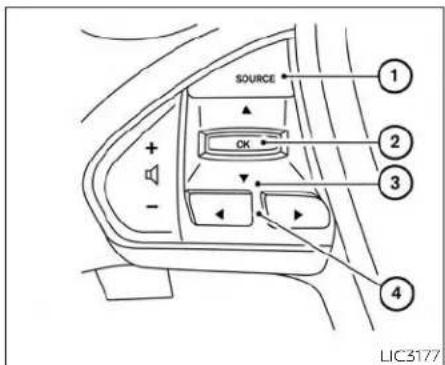
HOWTOUSETHEVEHICLE INFORMATIONDISPLAY
The vehicle information display can be changed using the ◀ and buttons located on the steering wheel.
① SOURCE-PressingSOURCEwiththe ignitionswitchintheONpositionwill displayalistofavallableaudiosources inthevehicleinformationdisplay.The audiosourcescanthenbeselected withthe ▼ ▲ ,andOKbuttonson thesteeringswitchfordirectaccess.
② OK-Changeorselectaniteminthe vehicleinformationdisplay.
③ —Scrollupordownthevehicle informationmenuitems.ifthevehicle informationdisplayisnotshowinga menuwiththe ▲ buttons, pressing ▼ orwillhangeto theprevious/nextaudiopreset.
- -gobackorforwardthrough thevehicleinformationmenuitemsortochangefromonedisplayscreento thenext.ifnotwithinamenu,pressing leftorrightwillalsoactivateapop-up iconbarto guidein thescreen selections.
TheOK, ◀ ▶ and ◆ buttonsalso controlaudioandcontrolpanelfunctions insome conditions.Most screensand menusofferinstruction promptsofthe steeringswitchbuttonstoindicatehowto controlthevehicleinformationdisplay.An orangecursorisshowntoindicatewhere youareintheavailablemenuitems.Ascroll barwithupanddownarrowswillappearif thereismorethan one pageof menu items.Foradditionalinformation,referto theseparateNissanConnect®Owner's Manual.
STARTUPDISPLAY
WhenthevehicleinplacedintheONorACC positionthescreensthatdisplayinthevehicleinformationdisplayinclude:
Home
•Audio
•Navigation(ifsoequipped)
-DriveComputer
•Fueleconomy
-DrivingAids
•SpeedLimitSign(ifsoequipped)
•TirePressures
- ChassisControl(ifsoequipped)
-SPORT
-WarningReview
-Settings
The warningsreviewtitlescreenwillshow howmanyactivewarningsexist,or"No itemstoreview"intheeventthatnowarningsareactive.ForadditionalInformation onwarningsandindicators,see"Vehicle informationdisplay"(P.2-17).
To control what items display in the vehicle information display, see "Customized display" (P.2-21).
2-18 Instrumentsandcontrols

DRIVECOMPUTER
TheDriveComputerdisplaysdrivingandaveragetripinformation,andcanbeaccessedfromthestartupdisplayonthevehicleinformationdisplay.SelecttheDriveComputericon,andpresstheOKbutton.Toresetthedrivingandaveragetripinformation,usethe ▲ orbutonto selectwhichitemtoreset,orselectResetAll.SelectYES,andpresstheOKbuttonto resetinformationhistory.
SETTINGS
Thesettingmodeallowsyoutochangethe informationdisplayedinthevehicleinformationdisplayaswellasthemodelfor severalvehiclefunctions:
- DriverAssistance
- CustomizeDisplay
- VehicleSettings
• Maintenance
- Clock
-TPMSSettings
-Unit/Language
•Key-LinkedSettings(ifsoequipped)
-FactoryReset
DriverAssistance
The driver assistance menu allow the user to change the various driving aids and assistance options.
Somemenuitemsshownbelowmaynotbeequippedonyourvehicle.
| MenuItemExplanation | ||
| LaneDisplaystheavailablelaneoptions. | ||
| LaneDepartureWarning | Allows user to turn the Lane Departure Warning (LDW) system on or off. For additional information, see "Lane Departure Warning(LDW)'(P.5-26). | |
| Lane Departure Prevention | Allows user to turn Intelligent Lane Intervention (I-LI) system on or off when the engine is running. System will reset to off after every ignition cycle. For additional information, see 'Intelligent Lane Intervention(I-LI)(P.5-31). | |
| Blind Spot | Allows user to turn the blind spot feature on or off. For additional information, see "Blind Spot Warning (BSW)' (P.5-37) and 'RearCross Traffic Alert(RCTA)'(P.5-47). | |
| SpeedLimitSign | Allows user to turn the Speed Limit Sign feature on or off. For additional information, see "Traffic Sign Recognition (TSR)' (P.5-23). | |
| Parking Aids | Displays the available parking aids. For additional information, see "Front and rear sonar system" (P.5-119). | |
| SensorAllowsusertoturnthesensoron,off,orfrontonly. | ||
| DisplayAllowsusertoturnthedisplayonoroff. | ||
| VolumeAllowsusertoadjustthevolumetoLow/Med./High. | ||
| RangeAllowsusertoadjusttherangetoNear/Mid/Far. | ||
| EmergencyBrakeDisplaystheavailableemergencybrakingoptions. | ||
| Front | Allows user to turn the front emergency braking system on or off. For additional information, see 'Automatic Emergency Braking(AEB)withPedestrianDetection'(P.5-85)and'IntelligentForwardCollisionWarning(I-FCW)'(P.5-96). | |
| Rear | Allows user to turn the rear emergency braking system on or off. For additional information, see 'Rear Automatic Braking(RAB)'(P.5-80). | |
| DriverAttentionAlert | Allows user to turn the driver attention feature on or off. For additional information, see "Intelligent Driver Alertness (I-DA)' (P.5-107). | |
| TimerAlert | Allowsusertosetorresetanalertataspecifictiminterval. | |
| Low Temperature Alert | Allows user to turn the low temperature alert on or off. | |
| CruiseControlAlerts | AllowsusertoturntheCruiseControlAlertsonoroff. | |
| ChassisControl | Displays the available chassis control options. For addition information, see 'Integrated Dynamics-control Module' (P.5-118). | |
| ActiveTraceControl | AllowsusertoturntheIntelligentTraceControl(I-TC)onoroff. | |
| ActiveEngineBrake | AllowsusertoturntheIntelligentEngineBrake(I-EB)onoroff. | |
CustomizeDisplay
Thecustomizedisplaymenuallowstheusertocustomizetheinformationthatappearsinthevehicleinformationdisplay.
Somemenuitemsshownbelowmaynotbeequippedonyourvehicle.
| MenuitemExplanation | ||
| MainMenuSelectionDisplaysavailablescreen | sthatcanbeshowninthevehicleinformationdisplay. | |
| HomeAllowsusertoturnthehome | screenonoroffinthevehicleinformationdisplay. | |
| AudioAllowsusertoturntheaudio | screenonoroffinthevehicleinformationdisplay. | |
| NavigationAllowsusertoturnthen | navigationscreenonoroffinthevehicleinformationdisplay. | |
| DriveComputerAllowsusertoturn | thedrivecomputerscreenonoroffinthevehicleinformationdisplay. | |
| FuelEconomyAllowsusertoturnth | efueleconomyscreenonoroffinthevehicleinformationdisplay. | |
| DrivingAidsAllowsusertoturnthed | drivingaidsscreenonoroffinthevehicleinformationdisplay. | |
| SpeedLimitSignAllowsusertoturnth | thespeedlimitsignscreenonoroffinthevehicleinformationdisplay. | |
| TirePressuresAllowsusertoturnth | hetirepressurescreenonoroffinthevehicleinformationdisplay. | |
| ChassisControlAllowsusertoturn | thechassiscontrolscreenonoroffinthevehicleinformationdisplay. | |
| SPORTAllowsusertoturntheSPORT | screenonoroffinthevehicleinformationdisplay. | |
| CarlconColorDisplaysavailablecolorsoftheve | vehicleshowninthevehicleinformationdisplay. | |
| ECOInfoSettings | DisplaystheavailableECOInfosettings. | |
| ECO Drive Report | Allows user to turn the ECO Drive Report screen on or off in the vehicle information display. | |
| ViewHistory | AllowsusertoviewtheECODriveReporthistory. | |
| NavigationSettings | Displaystheavailablenavigationsettings. | |
| AlertsAllowsusertosetavailablene | navigationalerts. | |
| View Mode | Allows user to change the navigation view mode to "City" or "Arrow." | |
| WelcomeEffect | Displaysthevariouswelcorneeffectsettings. | |
| Gauges | Allowsusertoturnthegaugeseffectonoroff. | |
| Animation | Allowsusertoturntheanimationeffectonoroff. | |
VehicleSettings
The vehicle settings allow the user to change the settings for lights, wipers, locking, keys, and other vehicle settings.
Somemenuitemsshownbelowmaynotbeequippedonyourvehicle.
| MenuitemExplanation | |||
| Rear Door Alert | Displays the available Rear Door Alert options. For additional information, see "Rear Door Alert" (P. 2-61). | ||
| OFFWhenselected,noalertorhornwillbeactive. | |||
| Horn&AlertWhenselected,thealertisdisplayedandthehornsounds. | |||
| AlertOnlywhenselected,onlythealertisdisplayed. | |||
| LightingDisplaysthevariouslightingsettings. | |||
| AutoRoomLampAllowsusertoturntheautdroomlamponoroff. | |||
| AccentLightingAllowsuserloadjustthebrightnessoftheaccentlights. | |||
| LightSensitivityAllowsusertochangewhenthelightsilluminatebasedonthebrightnessoutsidethevehicle. | |||
| LightOffDelayAllowsusertochangethedurationoftime,from0to180seconds,thattheautomaticheadlightsstayonafterthevehicleisshutoff. | |||
| TurnIndicator | Displaysthevariousturnindicatorsettings. | ||
| 3 Flash Pass | Allows user to turn the 3 flash pass on or off. For additional information, see "Headlight and turn signal switch" (P.2-46). | ||
| Locking | Displaysthevariouslockingsettings. | ||
| Ext.DoorSwitch | Allowsusertoturntheexteriordoorswitchonoroff,whenturnedon,therequestswitchonthedoorisactivated. | ||
| Selective Unlock | Allows user to turn the selective unlock feature on or off. When turned on, only the driver's door is unlocked after the door unlock operation. When the door handle request switch on the driver's or front passenger's side door is pushed to be unlocked, only the corresponding door is unlocked first. All the doors can be unlocked if the door unlock operation is performed again within 1 minute. When this item is turned off, all the doorswillbeunlockedafterthedoorunlockoperationisperformedonce. | ||
| Answer Back Horn | Allows user to turn answer back horn on or off. When turned on, the horn will chirp and the hazard indicators willflashtwicewhenlockingthevehiclewiththeIntelligentKey. | ||
| AutoDoorUnlockDisplaysavailableoptions | fortheautodoorunlock. | ||
| OFFDoorswillhavetobemanual | yunlocked. | ||
| IgnitionOFFDoorswillunlockwh | entheignitionisplacedintheOFFposition. | ||
| ShiftintoParkDoorswillunlockwh | enthevehicleisshiftedintoPark. | ||
| WipersDisplaysthevariouswiperssettings.Foradditionalinformation,see"Wiperandwasherswitch"(P.2-43). | |||
| SpeedDependentAllowsusertoturnthespeedependentfeatureonoroff. | |||
| RainSensorAllowsusertoturntherainsensorfeatureonoroff. | |||
| DrivingPositionDisplaysthevariousdrivingpositionsettings. | |||
| Exit Seat Slide | Allows user to turn the exit seat slide on or off. For additional information, see "Memory seat" (P. 3-30). | ||
| Exit Steering Up | Allows user to turn the exit steering up on or off. For additional information, see "Memory seat" (P. 3-30). | ||
| Remote Engine Start | Allows user to turn the Remote Engine Start feature on or off. When turned on, the engine can be restarted remotely. For additional information, see "Remote Engine Start" (P. 3-17). | ||
Maintenance
Themaintenancemenuallowstheusertosetremindersforvariousvehiclemaintenanceitems.
WARNING
The tire replacement indicator is not a substitute for regular tire checks, including tire pressure checks. For additional information, see "Changing wheels and tires" (P. 8-36). Many factors including tire inflation, alignment, driving habits and road conditions affect tire wear and when tires should be replaced. Setting the tire replacement indicator for a certain driving distance does not mean your tires will last that long. Use the tire replacement indicator as a guide only and always perform regular tire checks. Failure to perform regular tire checks, including tire pressure checks could result in tire failure. Serious vehicle damage could occur and may lead to a collision, which could result in serious personal injury or death.
| MenuitemExplanation | ||
| MaintenanceDisplaysvariousmaintenancereminderoptions. | ||
| OilandFilterAllowsusertosetareminderataspecificintervalorresetthecurrentone. | ||
| TireAllowsusertosetareminderataspecificintervalorresetthecurrentone. | ||
| OtherAllowsusertosetareminderataspecificintervalorresetthecurrentone. | ||
Clock
| MenuitemExplanation | |
| Clockwhenselected,thefollowingmessageappears: | Gotothesettingsmenuonthecenterdisplaytosetclock'.Foradditionalinformation,refertotheseparateNissanConnect®Owner'sManual. |
2-24 Instrumentsandcontrols
TPMSSettings
TheTPMSsettingsmenuallowstheusertochangetirepressureunitsdisplayedinthevehicleinformationdisplay.
| MenuitemExplanation | ||
| TPMSSettingsDisplaysavailableTPMSSettings. | ||
| TirePressureUnitAllowsusertoselecttthetirepressureunitsthatwilldisplayinthevehicleinformationdisplay. | ||
Unit/Language
TheUnit/Languagemenuallowstheusertochangetheunitsshowninthevehicleinformationdisplay.
| MenuitemExplanation | |
| Mileage/FuelDisplaystheavailablemileage/fueldisplay | unitsandallowsusertoselectpreferredunitfordisplay. |
| TirePressureUnitAllowsusertoselectthetirepressure | displayunits. |
| TemperatureAllowsusertoselectthetemperature | displayunits. |
| LanguageDisplaystheavailablelanguageoptionsand | allowsusertoselectpreferredlanguagefordisplay. |
Key-LinkedSettings(ifsoequipped)
| MenuItemExplanation | |
| SystemAllowsusertoturntheKey-LinkedSettingsonoroff.ForadditionalInformation,see"Memoryseat"(P.3-30). | |
FactoryReset
Thefactoryresetmenuallowstheusertorestorethevehicleinformationdisplaysettingstofactorystatus.
| MenuItemExplanation | |
| FactoryReset | Allows user to reset the vehicle information display settings to the original factory settings. Once selected, theusercanconfirmorcancelthereset. |
VEHICLEINFORMATIONDISPLAY WARNINGSANDINDICATORS
The following messages may appear in your vehicle information display.

Enginestartoperationfor IntelligentKeysystem (ifl-Keybatterylevelislow)
This indicator appears when the battery of the Intelligent Key is slow and when the Intelligent Key system and the vehicle are not communicating normally.
If this appears, touch the ignition switch with the Intelligent Key while depressing the brake pedal. For additional information, see "NISSAN Intelligent Key® battery discharge" (P.5-13).

KeyBatteryLow
This indicator appears when the Intelligent Key battery is running out of power.
If this indicator appears, replacethe battery with anewone. For additional information, see "Battery replacement" (P.8-22).

KeyIDIncorrect
This warning appears when the ignition switch is placed from the OFF position and the Intelligent Key is not recognized by the system. You cannot start the engine with an unregistered key.
Foradditionalinformation,see"NISSANIntelligentKey®"(P.3-2).

KeySystemFaultSee Owner'sManual
AftertheignitionswitchisplacedintheON position,thiswarningappearsforaperiod oftimeandthenturnsoff.
TheKeySystemFaultmessagewarnsofa malfunctionwiththeIntelligentKeysystem.Ifthewarningappearswhiletheengineisstopped,Itmaybeimpossibleto starttheengine.
If the warning appears while the engine is running, you and drive the vehicle. However, in these cases, have the system checked it is recommended that you visit a NISSAN dealer forth this service.

NoKeyDetected
This warning appears when the intelligent Key is left outsidethe vehicle with the ignition switch in the ON position. Makes sure the intelligent Key is inside the vehicle.
Foradditionalinformation,see"NISSANIntelligentKey®"(P.3-2).

Alarm-Timeforabreak?
This indicator appears when the driver enable the Timer Alert function within the DrivingAidssettings and these selected set time is expired. The times based on ignitionontime and can be set up to six hours.

Brightnessindicator
This indicator shows the brightness adjustment of the instrument panel. For additional information, see "Instrument brightness control" (P.2-52).
RearDoorAlertisactivated
whenthesystemisenabled,thismessage appearswhentheRearDoorAlertsystem isactiveandcanremindthedrivertocheck therearseat.
- Using the steering wheel switch, driver can select "Dismiss Message" to clear the display for a period of time. If no selection is made, this message automatically turn so after a period of time.
- Usingthesteeringwheelswitch,adriver canselect"DisableAlert"todisablethe selectedalertfortheremainderofthe currenttrip.
WARNING
Selecting"DismissMessage"duringa stopwithinatriptemporarilydismissesthemessageforthatstopwithoutturningthesystemoff.Alertscan beprovidedforotherstopsduringthe trip.Selecting"DisableAlert"turnsoff theRearDoorAlertsystemforthere-mainderofatripandnoaudiblealert willbeprovided.
NOTE:
This system is disabled until driver enablesitusing the vehicle information display. For additional information, see "Howtousethe vehicle information display" (P.2-18).
For additional information, see "RearDoor Alert" (P.2-61).
CheckRearSeatForAllArticles
When the system is enabled, this message appears when the vehicle comes to a complete stop, the vehicle is transitioned from the D(Drive) position to P(Park) position, and the driver exits the vehicle. This message alerts the driver, after a period of time, to check for items in there are a data after the audible alert has been provided.
NOTE:
This system is disabled until driver enablesitusing the vehicle information display. For additional information, see "Howtousethe vehicle information display" (P.2-18).
For additional information, see "RearDoor Alert" (P.2-61).

Door/TrunkOpen
This warning appears when a door or the trunk has been opened.
HeadlightSystemError:SeeOwner's Manual
This warning appears when there is an error with the system. For additional information, see "Headlight and turn signals switch" (P.2-46).

LooseFuelCap
This warning appears when the fuel-filler capis not tightened correctly after the vehicle has been refueled. For additional information, see "Fuel-fillercap" (P.3-22).

LowFuel
This warning appears when the fuel level in the fuel tank is getting low. Refuel as soon as it is convenient, preferably before the fuel gauge reaches 0 (Empty). There will be asmall reserve off fuel in the tank when the fuel gaugeneedlereaches 0 (Empty).

LowOutsideTemperature
This warning appears if the outside temperature is below 37^ F ( 3^ C). The temperature can be changed to display in Celsius or Fahrenheit. For additional information, see "Settings" (P.2-19).

LowWasherFluid
This warning appears when the windshield-washer fluid is at low level. Add windshield-washer fluid as necessary. For additional information, see "Windshield-washer fluid" (P.8-12).

OilandFilter
This indicator appears when the customer set distance comes for changing the engine oil and filter. You can set or reset the distance for checking or replacing these items. Forscheduled maintenance items and intervals, see "Maintenance and schedules" (P.9-2).

Other
This indicator appears when the customer set distance is reached for checking or replacing maintenance items other than the engine oil, oil filter and tires. Other maintenance items can include such things as air filter or rerotation. The distance for checking or replacing the item scan beset or reset.

OutsideTemperature Display
Theoutsidetemperaturedisplayappears in the center region of the vehicle information display.
Powerturnedofftosavethebattery
Thismessageappearsaftertheignition switchisautomaticallyturnedoff.Foradditionalinformation,see"Push-buttonignitionswitchpositions"(P.5-12).
Powerwillturnofftosavethebattery
ThismessageappearsinthevehicleinformationdisplayafteraperiodoftimeiftheignitionswitchlsintheACCortheONpositionandifthevehicleisinP(Park).For additionalinformation, see"Push-buttonignitionswitchpositions"(P.5-12).


Pushbrakeandstart switchtodrive
This indicator appears when the shift lever is in the P(Park) position.
This indicator also appears when the vehicle has been started using the Remote EngineStart function.
This indicator means that the engine will start by pushing the ignition switch with the brake pedal depressed. You can start the engine from any position of the ignition switch.
REAR Rearseatbeltwarning
This warning includes display of the seat beltsforrearpositionsonly.Rearseatbelts thatareunfastenedwillappeared.
Ifanyrearseatbeltsareunfastenedwhen theignitionswitchisplacedintheONposition,thiswarningwilldisplayforabout oneminute,oruntildmissmed.
whenarearseatbeltischangedfromfas- tenedtounfastened, this warningwilldisplay foraboutoneminute,oruntildmissmed.
If the vehicle is driven above 9 mph (15 km/h) during or after the status change, this warning will display and the chimewill sound for overoneminute. During this time, the warning and chime cannot be dismissed unless there are seat belt fastened again.
NOTE:
Opening and closing a rear door while stopped will reset this warning, similar to pushing the ignitions switch to ON again.
ReleaseParkingBrake
This warning appears when the parking brakeisset and the vehicle is driven.

Reminder: TurnOFF Headlights
This warning appears when the headlights are left in the ON position when exiting the vehicle. Placetheheadlight switch in the OFF (ifsoequipped) or AUTO position. For additional information, see "Headlight and turn signals switch" (P.2-46).


Rotatethesteeringand pushthestartswitch
Thiswarningappearswhenthesteering lockcannotbeunlockedorismalfunctioning.Thiswarningmayappearifthesteeringwheelisnotalignedwiththelocking mechanism.Ifthiswarningappears,lightly turnthesteeringwheelrightandleftto realignthesteeringwheelpositionwiththe lockingmechanism,andthenpushthe ignitionswitchtoON.Thiswarningwillremainonuntilthesteeringlockisrealigned withthelockingmechanismandtheignitionswitchhasbeenpressedtoON,oruntil 15secondshaselapsed.Ifthewarningcontinuestoappearevenaftereralignment, havethesystemchecked.ItisrecommendedthatyouvisitaNISSANdealerfor thisservice.
The Master warning light will remain illuminated until the Electrical steering lock release warning is cleared.

ShifttoPark
This warning appears when the ignition switchisintheACCorOFFpositionandthe shiftleverisnotintheP(Park)position.Also, achimesoundswhentheignitionswitchis intheACCorOFFposition.
If this warning appears, movetheshift lever to the P(Park) position and start the engine.
ShippingModeOnPushStorageFuse
This warning may appear if the extended storageswitch is not pushed in. When this warning appears, push in the extended storageswitch to turn off the warning. For additional information, see "Extended storageswitch" (P.2-63).

SPORT
This indicator appears when sport mode isactivated. Thesport modescreenwill remainonforabout6secondsunlessthe driverdismissesthenotificationearlyusing thevehicleinformationdisplayswitches. For additional information, see "Sport mode"(P.5-23).

Tire
This indicator appears when the customer set distance is reached for replacing tires. You can set or reset the distance for replacing tires.
WARNING
Thetirereplacementindicatorisnota substituteforregulartirechecks,includingtirepressurechecks.Foradditional information, see "Changing wheelsandtires"(P. 8-36). Manyfactors includingtireinflation,alignment,drivinghabitsandroadconditionsaffect tirewearandwhentiressshouldbereplaced.Settingthetirereplacementindicatorforacertain drivingdistance doesnotmeanyourtireswilllastthat long. Usethetirereplacementindicator as a guide only and always perform regulartirechecks.Failure toperform regulartirechecks,includingtirepressurechecks couldresult in tirefailure. Seriousvehicledamagecouldoccur andmayleadtoacollision,whichcould result in serious personal injury or death.

TirePressureLow-AddAir
This warning appears when the low tire pressure warning light in themeter illuminates and low tire pressure is detected. The warning appear each time the ignition switch is placed in the ON position as long asthe low tire pressure warning light remains illuminated. If this warning appears, stop the vehicle and adjust the tire pressures of all four times other recommended COLD tire pressures shown on the Tire and Loading Information label. For additional information, see "Low tire pressure warning light" (P.2-12) and "Tire Pressure Monitoring System (TPMS)" (P.5-5).

TransmissionShiftPosition indicator
This indicator shows the transmission shift position.

CVTError:SeeOwner's Manual
ThiswarningappearswhenthereisaproblemwiththeCVTsystem.Ifthiswarningappears,havethesystemchecked.ItisrecommendedthatyouvlsitaNISSANdealerfor thisservice.

AutomaticEmergency Braking(AEB)with PedestrianDetection emergencywarning indicator
This indicator appears along, with anaudible warning, when the system detects the possibility of a forward collision.
Foradditionalinformation,see"Automatic EmergencyBraking(AEB)withPedestrian Detection"(P.5-85).

BlindSpotWarning(BSW) and RearCross Traffic Alert (RCTA) indicator
This indicator appears when the BSW and RCTAsystems are engaged.
Foradditionalinformation,see"BlindSpot Warning(BSW)("P.5-37)and"RearCross TrafficAlert(RCTA)("P.5-47).
ChassisControlSystemError:See Owner'sManual
ThiswarningappearsiftheIntegrated Dynamics-controlModuledetectsanerror intheIntelligentTraceControl, Intelligent EngineBrake,ortheActiveRideControl systems.Havethesystemchecked. It is recommendedthat youvisita NISSAN
dealerforthisservice.Foradditionalinformation,see"IntegratedDynamics-control Module"(P.5-118).

Cruisecontrolindicator
This indicator shows the cruise control system status.
whencruise controlisactivated,a green circlewillappearto indicateit isset.The vehicleinformationdisplaywillalsodisplay thespeedthecruisecontrolwassetat.If you accelerate past the set speed, the speed will blink until you either cancel cruisecontrolorgobacktothesetspeed.If cruisecontrol is onand canceled,the speedwillbedisplayedtoshowthespeed thevehiclewillreturntoiftheresumebuttonisactivated.
CruiseON
Thismessageappearsifthe cruise control switchon thesteeringwheel is pressedandCruiseControlAlertsareenabledinthevehicleinformationdisplay.
For additional information, see "Cruise control" (P.5-76).
CruiseTargetSpeedSET
ThismessagewillappeariftheCruiseControlsystemisonwhentheSETswitchis pushedandtheCruiseControlAlertsare enabled.
For additional information, see "Cruise control" (P.5-76).
TargetSpeedSETwithIntelligent DistanceControl
Thismessage will appear if the Intelligent CruiseControl system is on when the SET switch is pushed and the Cruise Control Alerts are enabled.
For additional information, see "Cruisecontrol" (P.5-76).
CurrentlyUnavailable
ThismessageappearswhentheVehicle DynamicControl(VDC)systemisturnedoff, orwhentheIntelligentCruiseControl(ICC) systemisunavailable.TheIntelligentLane Intervention(I-LI)systemwillbeturnedoff automatically.ForadditionalInformation, see"VehicleDynamicControl(VDC)" (P.5-115)and"IntelligentLaneIntervention (I-LI)"(P.5-31).

DriverAttentionAlert- TakeaBreak?
Thisalertappearswhenthesystemhas detectedthatthedrivermaybedisplaying fatigueoralackofattention.

DriverAttentionAlert Malfunction
This warning appears when the Intelligent Driver Alertness (I-DA) system is not functioning properly. For additional information, see "IntelligentDriverAlertness (I-DA)" (P.5-107).
ForwardDrivingAidstemporarily disabledFrontSensorblockedSee Owner'sManual
Thismessageappearswhenthefrontradarsensormaybeobstructeddueto:
- mud,dirt,snow,ice,etc.
- inclementweather(rain,fog,snow,etc.)
Allforwarddrivingaidsaretemporarilydisabled until the system detects that the frontradarsensorisnolongerobstructed.
For additional information, seethe following(ifsoequipped):
• AutomaticEmergencyBraking(AEB)with PedestrianDetection(P.5-85)
• IntelligentCruiseControl(ICC)(P.5-56)
• Intelligent Forward Collision Warning (I-FCW)(P.5-96)

IntelligentCruiseControl (ICC)indicator
This indicator shows the Intelligent Cruise Control (ICC) system status. The status is shown by the color. For additional information, see "Intelligent Cruise Control (ICC)" (P5-56).
IntelligentCruiseON
Thismessageappearsifthe Intelligent Cruise Control (ICC) switch on the steeringwheelispressedandCruiseControlAlertsareenabledinthevehicleinformationdisplay.
For additional information, see "Intelligent CruiseControl(ICC)" (P.5-56).

LaneDepartureWarning (LDW)indicator
This indicator appears when the LD Wand Intelligent Lane Intervention (I-LI) systems are engaged.
This indicator will display orange if there is a LDW, or I-Isystemmalfunction.
This indicator will display whitewhen the LDwsystemisinastandbystate, and will display greenwhentel-L1systemisina standbystate.
Foradditionalinformation,see"LaneDepartureWarning(LDW)system"(P.5-26),"IntelligentLaneIntervention(I-LI)("P.5-31).
ParkingSensorError:SeeOwner's Manual
This warning appears when there is an error with the system. For additional information, see "Front and rear son a system" (P.5-119).

ParkingSensor
This indicator appears when the sensors activated. Pressing the or button while the sonar screen is displayed will dismiss this message until then next time the sensors are activated. The Parking Sensor system will remain on, unless it is disabled in the vehicle information display. For additional information, see "Front and rear sonarsystem" (P.5-119).

RearAutomaticBraking (RAB)systemwarning indicator
This indicator appears to indicate the status of the Rear Automatic Braking (RAB) system. For additional information, see "Rear Automatic Braking (RAB)" (P.5-80).
LIMIT
SpeedLimitSignindicator
ThismessagemayappearwhentheTraffic SignRecognitionsystemisengaged.
Foradditionalinformation,see"TrafficSign Recognition(TSR)("P.5-23).
Unavailable: High Cabin Temperature
Thismessageappearswhenthecamera detectsanInterlortemperatureofmore than104°F(40°C).Foradditionalinformation,see"IntelligentLaneIntervention(I-LI)" (P.5-31),"LaneDepartureWarning(LDW)" (P.5-26)or"TrafficSignRecognition(TSR)" (P.5-23).
Unavailable:RoadisSlippery
ThismessageappearswhentheIntelligent CruiseControl(ICC)ortheIntelligentLane Intervention (I-LI)system becomesun-availablebecausetheroadisslippery. For additionalinformation,see"IntelligentLane Intervention(I-LI)"(P.5-31).
UnavailableSideRadarObstruction
Thismessage appears when the Blind SpotWarning(BSW)/RearCrossTrafficAlert (RCTA)systemsbecomeunavailablebecausearadarblockageisdetected. For additional information, see "Blind Spot Warning(BSW)"(P.5-37)or"RearCrossTrafficAlert(RCTA)"(P.5-47).

Vehicleaheadetection indicator
This Indicator appears when the Automatic Emergency Braking (AEB) with Pedestrian Detection System is engaged and has detected a vehicle.
For additional information, see "Automatic Emergency Braking (AEB) with Pedestrian Detection" (P.5-85).
CONTROLPANELANDVEHICLE INFORMATIONDISPLAYINTERACTION
Someoftheinformationandoperations availableonthecontrolpanelcanalsobe viewedandoperatedonthevehicleinformationdisplay.Thevehicleinformation displayoperationscanbeconductedwith theswitchesonthesteeringwheel.
AUDIO
Useorandselectonthe

vehicleinformationdisplaymainmenu.
The vehicle information display shows the status for the audiosource currently in use.
Someexamplesofwhatwillbedisplayed:
-Source
•Artist
•Song
•Album
PushingtheSOURCEbuttonwilldisplaya listofavailablesourcestoselectwiththe steeringswitchcontrolsiftheignition switchisintheONposition,orcycle throughtheavailableaudiosourcesIn accessorymode.
RECEIVINGACALL
UsingtheBluetooth®Hands-FreePhone System,areceivedphonecallcanbeoperatedonthevehicleinformationdisplayas wellasonthetouch-screendisplay.
- When there is an incoming call, the caller information and the operation keys are displayed on the vehicle information display.
2.Use ▼ ort highlight the preferred item and press the OK button to select the item.
| AvailablekeysAction | |
| [Answer]Answersthereceivedphonecall. | |
| [Decline]Declinesthereceivedphonecall. | |
| [HoldCall]Holdstheinitialcallwhenasecondcallisreceived. | |
INFO:
Acellularphonedevicemustbeconnectedandselectedamongotherconnected Bluetooth®devicesbeforehands-freeoperation. Thepairedphonemustbeableto supporttheBluetooth®requestsfordisplay. For additional information, refertotheseparateNissanConnect®Owner'sManual.
TEXTMESSAGING(ifsoequipped)
UsingtheBluetooth®Hands-FreePhone System,areceivedtextmessagecanbe operatedonthevehicleinformationdisplayaswellasonthetouch-screendisplay.
Toread/ignoreanincomingtext
-
When anewtextmessage is received, a pop-up window and operation keys will appear with the sender's name or phone number on the vehicle information display.
-
Use ▼ ort highlight the preferred item and push OK to select the item.
| AvailablekeysAction | |
| [Read] | Vieworhearthereceivedmessage. |
| [Ignore] | Ignorethereceivedmessage. |
Toreplyto/exitfromatext
- When an new text message is received and [Read] is selected, operation keys are displayed on the vehicle information display.
2.Use ▼ ort highlight the preferred item and press the OK button to select the item.
| AvailablekeysAction | |
| [Reply]Availablepre-determinedmessageswillbedisplayedonthevehicleinformationdisplayifthesteeringswitchcontrolsareused.Furtheroperations,suchasvoicerecognitionreplyoperation,isavailablewhenusingthetouch-screendisplay. | |
| [Exit]Endstextmessageoperationandthevehicleinformationdisplaywillshowthepreviousscreen. | |
INFO
Acellularphonedevicemustbeconnectedandselectedfromamongotherconnected Bluetooth®devicesbeforehands-freeoperation.Thepairedphonemustbeableto supporttheBluetooth®requestsfordisplay.Foradditionalinformation,refertotheseparateNissanConnect®Owner'sManual.
2-36 Instrumentsandcontrols
NAVIGATIONSYSTEM
Turn-by-turnrouteguidancecanbedis-playedonthevehicleinformationdisplay.
Toviewturn-by-turnrouteguidanceonthe vehicleinformationdisplay,use or
▶ andscrolltoonthevehicleinformationdisplaymenu.
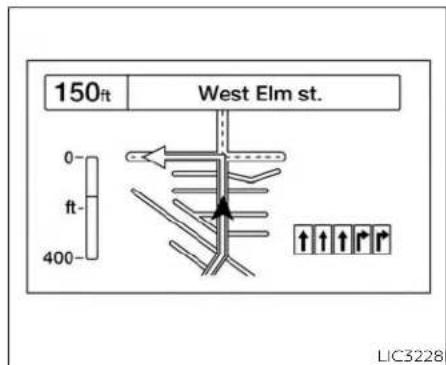
IC3163

Cityview
Cityviewshowsrepresentationofintersectionswithroadcurvatureandsurroundings.
Laneguidancewillappearinthelowerright cornerifthedataisavailableforthatstreet. Thenextturnandthedistancetothenext turnaredisplayedonththevehicleinformationdisplay.Acountdownbarisshownin thearrow.Thebargetssmallerasyouget closertothenextturn.
Arrowview
Laneguidancewillappearinthelowerright corner,ifthedataisavailableforthatstreet.
Aturndirectionarrowwithaniconindicatingyourcurrentroutelocationisdisplayed. Acountdownbarwillbeshownontheleft sideofthevehicleinformationdisplay.The bargetssmallerasyougetclosertothe nextturn.


Compassview
Compassviewisdisplayedwhennorouteis set, and shows current weather conditions and speed limit information (if available).
Farscreenview
Farscreenviewshowsdestinationinformation,weatherandspeedlimitinformation(ifavallableforthestreet).
2-38Instrumentsandcontrols
Navigationsettings
Thenavigationrelateddisplaysettingscan bechanged.
-
Select using or nd press the OK button.A menu will display.
-
Using ▼ or,select[Customize Display]andthenselect[Navigation Settings].
3.Selectthepreferreditemusing ▼ or
| AvailableitemsAction | ||
| [Alerts]whenenabled,navigationturnalertswillinterruptthedisplayifnavigationis | notbeingshown. | |
| [ViewMode]AllowstheusertoselectbetweenCityandArrowviewforturnguidance. | ||
| [ArrowView]whenthismodeisselected,theupcomingturnwillberepresentedasanarrowasthevehicleapproachesaguidepoint. | ||
| [CityView]whenthismodeisselected,theupdomingturnwillberepresentedonamapoftheintersectionasthevehicleapproachesaguidepoint. | ||
4.PresstheOKbuttontoturnonoroffthe [Alerts]settingortotoggletheview modebetween[Arrow]or[City].

Theiconwillnotmoveacrossthescreenif thevehicleismovingoverspeedsof4mph (7km/h),yettheinformationwillstilltransfertothevehicleinformationdisplay.
Theturn-by-turnrouteguidancecannot betransferredtothevehicleinformation displayifthenavigationscreenisalready shownorifawarningispresent.
Foradditionalinformation,refertothe separateNissanConnect®Owner'sManual.
NAVIGATIONSWIPETOMETER (ifsoequipped)
Turn-by-turnrouteguidancecanalsobe viewedinthevehicleinformationdisplayby usingNavigationSwipetoMeter. This can be done by programmingaroute, touching the turn-by-turnrouteiconon the center display, and swipingtowardsthegeneral direction of the vehicle information display.
The turn-by-turn route icon will move across the center display and transfer the route information to the vehicle information display when the vehicle is not moving.
SECURITYSYSTEMS

natural_image
Line drawing of a car with concentric circular patterns and a person holding a device (no text or symbols)Your vehicle hastwotypes of security systems:
•Vehiclesecuritysystem
•NISSANVehicleImmobilizerSystem
VEHICLESECURITYSYSTEM
The vehicle security system provides visual and audible alarms signals if someone opens the doors, trunk, or hood when the system is armed. It is not, however, amotion detection types system that activates when vehicle is moved or when vibration occurs.
Thesystemhelpsdetervehicletheftbut cannotpreventit,norcanitpreventthe theftofinteriororexteriorvehiclecomponentsinallsituations.Alwayssecureyour vehicleevenIfparkingforabriefperiod. NeverleaveyourIntelligentKeyinthevehicle,andalwayslockthevehiclewhenunattended.Beawareofyoursurroundings, andparkinsecure,well-litareaswhenever possible.
Manydevicesofferingadditionalprotection,suchascomponentlocks,identificationmarkers,andtrackingsystems,are availableatautosupplystoresandspecialtyshops.ANISSANdealermayalsooffer suchequipment.Checkwithyourinsurancecompanytoseeifyoumaybeeligible fordiscountsforvarioustheftprotection features.
Howtoarmthevehiclesecurity system
-
Closeallwindows.(Thesystemcanbe armedevenifthewindowsareopen.)
-
Removethe Intelligent Key from the vehicle.
-
Closealldoors, hoodandtrunk. Lockall doors. Thedoorscanbelockedwiththe IntelligentKeyordoorhandlerequest switch.
-
Confirm that the security indicator lightstayson for about 30 seconds. The vehicle security system is now pre-armed. The vehicle security system will automatically shift into the armed phase. The security light begins to flash once every three seconds. If during the pre-armed phase one of the following occurs, the system will not arm:
• AnydoorIsunlockedwiththeIntelligent Keyordoorrequestswitch.
- IgnitionswitchisplacedinACCorON position.
- Even when the driver and/or passengers are in the vehicle, the system will activate with all the doors, hood and trunk lid locked with the ignition switch placed in the LOCK position. When placing the ignition switch in the ACC or ON position, the system will be released.
Vehiclesecuritysystemactivation
The vehicle security system will give the following alarm:
• Theheadlightsblinkandthehornsounds intermittentlybutsynchronously.
•Thealarmautomaticallyturnsoffaftera periodoftime. However, thealarmreactivatesifthevehicleistamperedwith again.
Thealarmisactivatedby:
- openinganydoororhoodwithoutusing theIntelligentKey(evenifthedoorisunlockedbyreleasingthe doorinside lock knob).
Howtostopanactivatedalarm
Thealarmstopsonlybypassingthe buttononthelntelligentKey,orpushingthe request switch on the driver's or passenger'sdoorwiththeIntelligentKeyinrange ofthedoorhandle.
TheNISSANVehicleImmobilizerSystem will not allow the engine to start without the use of a registered key.
If the engine failstostart using a registered key (forexample, when interference is caused by another registered key, an automated toll road device or automatic payment device on the key ring), restart the engine using the following procedures:
1.LeavetheignitionswitchintheONpositionforapproximately5seconds.
2. PlacetheignitionswitchintheOFFFor LOCKpositionandwaitapproximately 10 seconds.
3.Repeatsteps1and2.
4. Restart the engine while holding the device (which may have caused the interference) separate from the registered key.
If then ostart condition re occurs, NISSAN recommends placing the registered key on a separate key ring to avoid interference from other devices.
Neverleavethesekeysinthevehicle.
FCCNotice:
ForUSA:
This device complies with Part 15 of the FCC Rules. Operation is subject to the following two conditions: (1) This device may not cause harmful interference, and (2) this device must accept any interference received, including interference that may cause undesired operation.
NOTE:
Changesormodificationsnotexpressly approvedbythepartyresponsiblefor compliancecouldvoidtheuser'sauthoritytooperatetheequipment.
ForCanada:
This device contains licence-exempt transmitter(s)/receiver(s) that comply with Innovation, Science and Economic Development Canada's licence-exempt RSS(s). Operation is subject to the following two conditions: (1) This device may not cause interference. (2) This device must accept any interference, including interference that may cause undesired operation of the device.
natural_image
Simple line drawing of a car silhouette with a key inside, no text or symbols present.Securityindicatorlight
TheseurityIndicatorlightblinkswhenever theignitionswitchisplacedintheOFF/LOCK/ACCposition.
Thisfunctionindicate the NISSAN Vehicle Immobilizer System is operational.
IftheNISSANVehicleImmobilizerSystemis malfunctioning, the light will remain on while the ignitionswitch is placed in the ON position.
WIPERANDWASHERSWITCH
Ifthelightstillremainsonand/orthe enginewillnotstart,seekserviceforthe NISSANVehicleImmobilizerSystemser- viceassoonaspossible.Pleasebringall registeredkeysthatyouhave.Itisre- ommendedthatyouvisitaNISSAN dealerforthisservice.
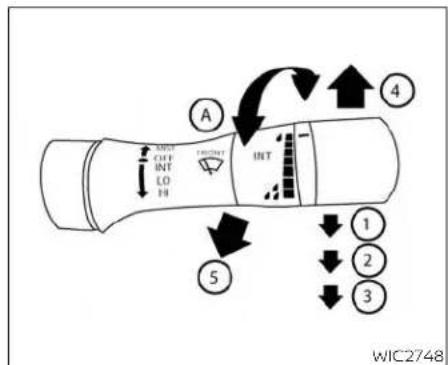
flowchart
graph TD
    A["Left Light"] --> B["Directional Control"]
    B --> C["Directional Traffic Light"]
    C --> D["Directional Traffic Light"]
    D --> E["Directional Traffic Light"]
    E --> F["Directional Traffic Light"]
    F --> G["Directional Traffic Light"]
    G --> H["Directional Traffic Light"]
    H --> I["Directional Traffic Light"]
    I --> J["Directional Traffic Light"]
    J --> K["Directional Traffic Light"]
    K --> L["Directional Traffic Light"]
    L --> M["Directional Traffic Light"]
    M --> N["Directional Traffic Light"]
    N --> O["Directional Traffic Light"]
    O --> P["Directional Traffic Light"]
    P --> Q["Directional Traffic Light"]
    Q --> R["Directional Traffic Light"]
    R --> S["Directional Traffic Light"]
    S --> T["Directional Traffic Light"]
    T --> U["Directional Traffic Light"]
    U --> V["Directional Traffic Light"]
    V --> W["Directional Traffic Light"]
    W --> X["Directional Traffic Light"]
    X --> Y["Directional Traffic Light"]
    Y --> Z["Directional Traffic Light"]
TypeA(ifsoequipped) SWITCHOPERATION
Thewindshieldwiperandwasheroperates whentheignitionswitchisplacedintheON position.
Pushtheleverdowntooperatethewiper atthefollowingspeed:
① Intermittent(INT)or(AUTO)—intermittentoperationcanbeadjustedbyturningtheknob Ⓐ Also,theintermittent operationspeedvarlesinaccordance withthevehiclespeed(ifsoequipped). (Forexample,whenthevehiclespeedis high,theintermittentoperationspeed
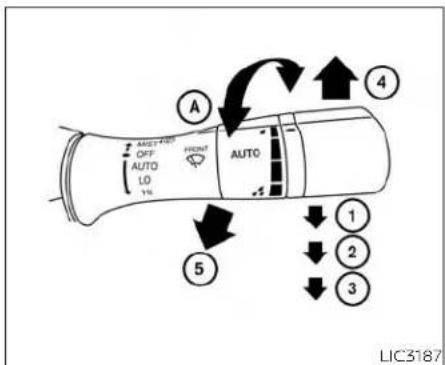
flowchart
graph TD
    A["Left Side"] --> B{Air Condition}
    B -->|A| C["Front/Right"]
    B -->|B| D["Side/Left"]
    B -->|C| E["Bottom/Right"]
    C --> F["Top/Left"]
    D --> G["Bottom/Right"]
    E --> H["Bottom/Left"]
    style A fill:#f9f,stroke:#333
    style B fill:#ccf,stroke:#333
    style C fill:#cfc,stroke:#333
    style D fill:#fcc,stroke:#333
    style E fill:#cff,stroke:#333
    style F fill:#ffc,stroke:#333
    style G fill:#cfc,stroke:#333
    style H fill:#fcc,stroke:#333
TypeB(ifsoequipped)
willbefaster.)Further,therain-sensing autowipersystem(ifsoequipped)will adjustthespeedoftheintermittent operation.Foradditionalinformation, see"Rain-sensingautowipersystem" (P2-44).
② Low (LO) — continuous low speed operation
③ High(HI)— continuoushighspeed operation
Pushtheleverup ④ tohaveonesweep operation(MIST)ofthewiper.
Pullthelevertowardyou ⑤ tooperatethe washer. Thewiperwillalsooperateseveral times.
NOTE:
Thespeed-dependentintermittent(ifso equipped)functionmaybedisabled. For additionalinformation,see"Vehicleinformationdisplay"(P.2-17).
WARNING
Infreezingtemperaturesthewasher solutionmayfreezeonthewindshield and obscureyourvisionwhichmay leadtoanaccident.Warmthewindshieldwiththedefrosterbeforeyou washthewindshield.
CAUTION
- Donotoperatethewashercontinuouslyformorethan30seconds. - Donotoperatethewasher ifthe windshield-washerfluidreservoiris empty.
- Do not fill the windshield-washer fluid reservoir with windshield-washerfluidconcentratesatfull strength. Some methyl alcohol basedwindshield-washerfluidconcentrates may permanently stain the grille if spilled while filling the windshield-washerfluidreservoir.
- Pre-mix windshield-washer fluid concentrates with water to the manufacturer's recommended levels before pouring the fluid into the windshield-washer fluid reservoir. Donotusethewindshield-washer fluid reservoir to mix the windshield-washer fluid concentrate and water.
NOTE:
Ifthewindshieldwiperoperationisinterruptedbysnoworice,thewipermay stopmovingtoprotectitsmotor.Ifthis occurs,turnthewiperswitchtotheOFF position and remove the snow or ice that isonandaroundthewiperarms.Inapproximately1minute,turntheswitchon againtooperatethewiper.

LIC3233
RAIN-SENSINGAUTOWIPER SYSTEM(ifsoequipped)
Therain-sensingautowipersystemcan automaticallyturnonthewipersandadjustthewiperspeeddependingonthe rainfallbyusingtherainsensorlocatedon theupperpartofthewindshield.
Tosettherain-sensingautowipersystem, pushtheleverdowntotheAUTOposition ①. Thewiperwillsweeponcewhilethe ignitionswitchisintheONposition.
Therainsensorsensitivitylevelcanbeadjusted by turning the knob toward the front ② (High)ortowardtherear ③ (Low).
-High-Highsensitiveoperation
-Low-Lowsensitiveoperation
Toturntherain-sensingautowlpersystem off, pushupthelevertotheOFFposition, or pulldownthelevertotheLOorHIposition.
For additional information on disabling the rain-sensing feature, see "Vehicle information display" (P.2-17).
CAUTION
- Donottouchtherainsensor and around it when the wiperswitch is in the AUTO position and the ignition switch is in the ON position. The wipers may operate unexpectedly and cause an injury or may damage a wiper.
·Therain-sensingautowipersareintendedforuseduringrain.Ifthe switchisleftintheAUTOposition,the wipersmayoperateunexpectedly whendirt,fingerprints,oilfilmorinsectsarestuckonoraroundthesensor.Thewipersmayalsooperate whenexhaustgasormoistureaffect therainsensor.
- Whenthewindshieldglassiscoated withwaterrepellent,thespeedofthe rain-sensingauto wipers may be highereven though theamount of therainfallissmall.
- Be sure to turn off the rain-sensing auto wiper system when you use a carwash.
- Therain-sensingautowipersmay not operate if rain does not hit the rainsensorevenifitisraining.
- UsingGenuineNISSANwiperblades is recommended for proper operation of therain-sensing autowipersystem. For additional information, see "Wind-shieldwiperblades" (P.8-18).
REARWINDOWANDOUTSIDE MIRRORDEFROSTERSWITCH

natural_image
Line drawing of a curved electronic component with a small internal feature and label 'LIC2325' (no text or symbols on the diagram itself)Todefrosttherearwindowglassandoutsidemirror,starttheengineandpushthe rearwindowdefrosterswitchon.Therear windowdefrosterindicatorlightonthe switchcomeson.Pushtheswitchagainto turnthedefrosteroff.
The rear window defroster automatically turnsoffafterapproximately15minutes.
CAUTION
Whencleaningtheinnersideoftherear window,becarefulnottoscratchor damagetherearwindowdefroster.
HEADLIGHTANDTURNSIGNAL SWITCH
NOTE:
Thetopandbottomfewrowsofwireson therearwindowarenotpartoftherear windowdefrostersystem. These wires makeup the antenna for the audio system.

TypeA(ifsoequipped)
HEADLIGHTCONTROLSWITCH
Lighting
① Rotatetheswitchtotheposition, andthefrontparking,tail,licenseplate, andinstrumentpanellightswillcome on.
② Rotatetheswitchtotheposition, andtheheadlightswillcomeonandall theotherlightsremainon.
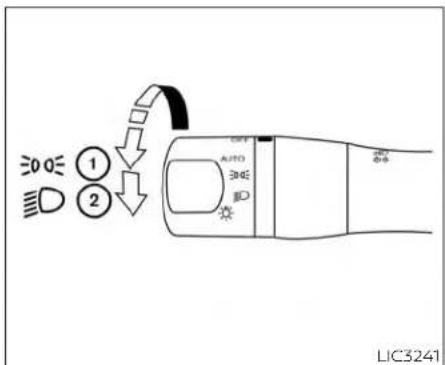
TypeB(ifsoequipped)
CAUTION
Usetheheadlightswiththeengineerunningtoavoiddischargingthevehicle battery.
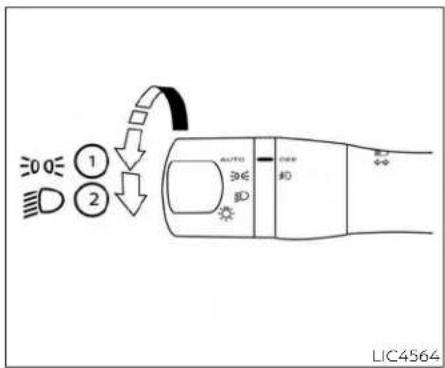
TypeC(ifsoequipped)

TypeD(ifsoequipped)

TypeA(ifsoequipped)
Autolightsystem
Theautolightsystemallowstheheadlights tobesetsotheyturnonandoffautomatically.Theautolightsystemcan:
• Turnontheheadlights, frontparking, tail, licenseplate and instrument panellights automatically when it is dark.
•Turnoffallthelightswhenitislight.
- Keepallthelightsonforaperiodoftime afteryouplacetheignitionswitchinthe OFFpositionandalldoorsareclosed.

TypeB(ifsoequipped)
NOTE:
Autolightactivationsensitivityandthe timedelayforautolightshutoffcanbe adjusted.Foradditionalinformation,see "Vehicleinformationdisplay"(P.2-17).
Toturnontheautolightsystem:
- ForTypeA: Turntheheadlightswitch to the AUTOposition ①.
ForTypeB:Turntheheadlightswitchto theAUTOor EDGE position ①.
- PlacetheignitionswitchintheON position.
- The autolightsystem automatically turnstheheadlightsonandoff.
Initially, If the ignitions switch is placed in the OFF position and a door is opened and left open, the headlights remain on for a period of time. If another door is opened while the headlights are on, then the timer is reset.
Toturntheautolightsystemoff:
ForTypeA: Turntheheadlightswitch to theOFF, EDGE, or position.
ForTypeB:Turntheheadlightswitchto the ID position.
Theheadlightswillturnonautomaticallyat twilightorinrainyweather(whenthewindshieldwiperisoperatedcontinuously).
If theignitionswitchisplacedintheOFF positionandoneofthedoorsisopened andthisconditioniscontinued,theheadlightswillremainonfor5minutes.

natural_image
Line drawing of a car interior frame with a black arrow pointing to the side panel (no text or symbols)Be sure you do not put anything on top oftheautolightsensorlocatedinthetop side of the instrument panel. The autolightsensorcontrolstheautolight;ifitis covered, theautolightsensorreactsas ifitisdarkoutandtheheadlightswill illuminate. If this occurs while parked withtheengineoffandthekeyintheON position,yourvehicle'sbatterycouldbe-comedischarged.
2-48 Instrumentsandcontrols

Headlightbeamselect
① Toselectthehighbeamfunction,rotate theheadlightsstalkto ☐ positionand thenpushtheleverforward.Thehigh beamlightscomeonandthe ☐ light illuminates.
② Pulltheleverbacktoselectthelow beam.
③ Pullingandreleasingtheleverflashes theheadlighthighbeamsonandoff.
HighBeamAssist
TheHighBeamAssistsystemwilloperate whenthevehicleisdrivenatspeedsof approximately25mph(40km/h)and above.Ifanoncomingvehicleorleading vehicleappearsinfrontofyourvehicle whentheheadlighthighbeamison,the headlightwillbeswitchedtothelowbeam automatically.
WARNING
The HighBeam Assistsystemisa convenience butitis not as substitute for safedriving operation. The driver should remain alert at all times, ensure safe driving practices and switch the high beams and low beam manually when necessary.
- Thehighbeamorlowbeammaynot switchautomaticallyunderthefollowingconditions.Switchthehigh beamandlowbeammanually.
-Duringbadweather(rain,fog, snow,wind,etc.).
-Whenalightsourcesimilartoa headlighttortaillightisinthevicinityofthevehicle.
-Whentheheadlightsoftheon-
comingvehicleortheleadingve-
hicleareturnedoff,whenthecolor
ofthelightisaffectedduetofor-
eignmaterialson thelights,or
when the light beam is out of
position.
-Whenthereisasudden,continuouschangeinbrightness.
- When driving on a road that passesoverrollinghills,oraroad thathasleveldifferences.
-Whendrivingonaroadwithmany curves.
-When asignormirror-like surface is reflecting intenselighttowards the front of the vehicle.
- When the container, etc. being towedbyaleadingvehicleisreflectingintenselight.
-Whenaheadlightonyourvehicle isdamagedordirty.
-Whenthevehicleisleaningatan angleduetoapuncturedtire,beingtowed,etc.
- Thetimingofswitchingthelow beamandhighbeammaychange underthefollowingsituations.
-Thebrightnessoftheheadlights oftheoncomingvehicleorleading vehicle.
-Themovementanddirectionof theoncomingvehicleandthe leadingvehicle.
-Whenonlyonelightontheon-
comingvehicleortheleadingve-
hicleisilluminated.
-whentheoncomingvehicleorthe leadingvehicleisatwo-wheeled vehicle.
-Roadconditions(incline,curve,theroadsurface,etc.).
-Thenumberofpassengersand theamountofluggage.

HighBeamAssistoperation
ToactivatetheHighBeamAssistsystem, turntheheadlightswitchtotheAUTOposition ① and push the lever forward ② (highbeamposition).The □A-HighBeam Assistindicatorlightinthemeterwillilluminatewhiletheheadlightsareturnedon.
If the High Beam Assist indicator light does not illuminate in the above condition, it may indicate that the system is not functioning properly. Havethesystem checked, it is recommended that you visit a NISSAN dealer for this service.
whenthevehiclespeedlowerstolessthan approximately16mph(25km/h),thehead-lightusesthelowbeam.
ToturnofftheHighBeamAssistsystem, turntheheadlightswitchtothe positionorselectthelow beampositionby placingtheleverintheneutralposition.

natural_image
Line drawing of a car seatbelt mechanism with labeled component (no text or symbols beyond label)Ambientimagesensormaintenance
Theambientimagesensor ① fortheHigh BeamAssistsystemislocatedinfrontof theinsidemirror.Tomaintaintheproper operationofthehighbeamassistsystem andpreventasystemmalfunction,besure toobservethefollowing:
•Alwayskeepthewindshieldclean.
- Donotattachasticker(includingtransparentmaterial)orinstallanaccessoryneartheambientimagesensor.
- Donotstrikeordamagetheareas aroundtheambientimagesensor.Do nottouchthesensorlensthatislocated ontheambientimagesensor.
If the ambient images sensor is damaged duetoan accident, it is recommended that you visit a NISSAN dealer.
Batterysaversystem
Thebatterysaversystemautomatically turnsoffthefollowinglightsafteraperiod oftimewhentheignitionswitchisplacedin theOFFpositionandthedoorsareclosed: •Headlights,whentheheadlightswitchis inthe 3D4E or position •Interiorlights,whenleftintheONposition
CAUTION
Even though the battery saver feature automatically turn so fthe head lights after a period of time, you should turn the head lights switch to the OFF position when the engine is not running to avoid discharging the vehicle battery.
LEDDAYTIMERUNNINGLIGHTS (DRL)SYSTEM
TheLEDDRLautomaticallyilluminateat 100%intensitywhentheengineisstarted andtheparkingbrakereleased.TheLED DaytimeRunningLights(DRL)operatewith theheadlightswitchinanyposition.When youturntheheadlightswitchtothe positionforfullillumination,theLEDDRL illuminateatalowerintensity.
If the parking brake is applied before the engine is started, the LEDDRL donotilluminate. The LEDDRL illuminate when the parking brake is released. The LEDDRL will remain on until the ignition switch is placed in the OFF position.
Atdusk, theheadlights, interiorcontrols and switches will automatically illuminate if the headlight switch is in the AUTO position.
WARNING
WhentheLEDDRLsystemisactive,tail lightsonyourvehiclearenonton.Itis necessaryatdusktoturnonyourheadlights.Failureuretodosocouldcausean accidentinjuringyourselfandothers.
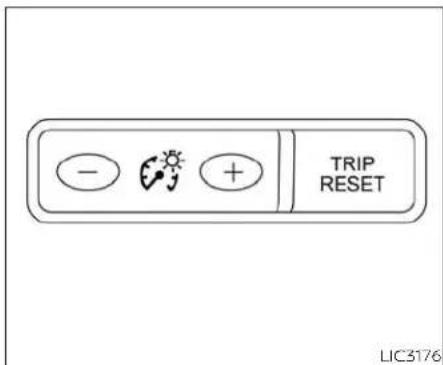

Pressthe"+"buttontoincreasethebrightnessofinstrumentpanellights.
Pressthe"- "buttontodecreasethebrightnessofinstrumentpanellights.
TURNSIGNALSWITCH
Turnsignal
① Movetheleverupordownuntil latchestosignaltheturningdirection. Whentethurniscompleted, theturn signalcancelsautomatically.
Lanechangesignal
② Movetheleverupordownuntiltheturn signalbeginstoflash,butthelever doesnotlatch,tosignalalanechange. Holdtheleveruntilthelanechangeis completed.
- Movetheleverupordownuntilthe turnsignalbeginstoflash,buttheleverdoesnotlatch,andreleasethelever.Theturnsignalwillautomatically flashthreetimes.
Choosetheappropriatemethodtosignal alanechangebasedonroadandtraffic conditions.
NOTE:
The3flashpassfeaturecanbedisabled. Foradditionalinformation,see"Vehicle informationdisplay"(P.2-17).

Theheadlightsmustbeonandthelow beamsselectedforthefoglightsto operate.Thefoglightsautomaticallyturn offwhenthehighbeamheadlightsare selected.
FOGLIGHTSWITCH(ifsoequipped)
Toturnthefoglghtson,turntheheadlight switchtothe position,thenturnthe foglightswitchtothe position.
Toturnthefoglightsonwiththeheadlight switchintheAUTOposition,theheadlights mustbeon,thenturnthefoglightswitchto the 扣 position.
Toturnthefoglightsoff,turnthefoglight switchtotheOFFposition.
HORN

natural_image
Diagram of a car steering wheel with a black arrow indicating clockwise motion (no text or symbols)Tosoundthehorn, pushnearthecenter padofthesteeringwheel.
WARNING
Donotdisassemblethehorn.Doingso could affect proper operation of the supplemental frontairbagsystem. Tampering with the supplemental frontairbagsystem may result in serious personal injury.
CLIMATE-CONTROLLEDSEAT SWITCHES(ifsoequipped)

Theclimate-controlledseatwarmsupor coolsdownthefrontseatbyabuilt-in heaterorventilatesairintotheseat.The climatecontrolswitchislocatedonthe centerconsole.
Theclimate-controlledseatcanbeoperatedasfollows:
1.Starttheengine.
2.Turnthecontrolknob Ⓐ totheheatside ① orthecoolside ② .Theindicatorlight ③ onthecontrolknobwillilluminate.
- Adjust the desired amount of air using the control knob. The climate-controlled seat blower remains on lowspeed for approximately 60 seconds after turning the switch on or selecting the desired temperature.
- Whenthevehicle'sinterioriswarmedor cooled, or before you leave the vehicle, besuretoturnthe control knob to the OFF(center) position. The indicator light ☐ on the control knob goes off with the switch in the OFF(center) position.
Tochecktheairfilterfortheclimate-controlledseat,itisrecommendedthat youvisitaNISSANdealer.
WARNING
Donotuseorallowoccupantstouse theclimate-controlledseatsif youor theoccupants cannotmonitor seat temperaturesorhaveaninabilityto feelpaininthosebodypartsincontact with the seat. Use of the climate-controlledseatsbysuchpeoplecould resultinseriousinjury.
CAUTION
- The battery could rundown if the climate-controlled seat is operated while the engine is not running.
- Donotusetheclimate-controlled seatfor extendedperiodsor whenno oneisusingtheseat.
- Donotputanythingontheseatwhich insulates heat, such as a blanket, cushion,seatcover,etc.Otherwise,the seatmaybecomeoverheated.
- Donotplaceanythinghardorheavy ontheseatorpierceitwithapinor similarobjects.Thismayresultin damage to the climate-controlled seat.
- Anyliquidspilledontheseatshould beremovedimmediatelywithadry cloth.
- The climate-controlled seat has an airfilter.Donotoperatetheclimate-controlledseatwithoutanairfilter. Thismayresultindamagetothe system.
HEATEDSEATSWITCHES(ifso equipped)
- Whencleaningtheseat,neveruse gasoline,benzine,thinner,oranysimilarmaterials.
·Ifanymalfunctionsarefoundorthe climate-controlledseatdoesnotoperate,turntheswitchoffandhave thesystemchecked. ItisrecommendedthatyouvisitaNISSAN dealerforthisservice.


LIC3037
Thefrontseatsarewarmedbybuilt-in heaters.
1.Starttheengine.
2. Push the LO or HI position of the switch, as desired. The indicator light in the switch willilluminate.
Theheateriscontrolledbyathermostat, automaticallyturningtheheateronand off.Theindicatorlightwillremainonas longastheswitchison.
- Whentheseatiswarmedorbeforeyou leave the vehicle, be sure to turn the switchoff.
WARNING
Donotuseorallowoccupantstouse theseatheaterifyouortheoccupants cannotmonitorelevatedseattemperatures orhave aninability tofeel paininbodypartsthatcontactthe seat. Use of the seat heater by such peoplecouldresultinserious injury.
CAUTION
- The battery could run down if the seatheaterisoperatedwhiletheengineisnotrunning.
- Do not use the seat heater for extended periods or when no one is using theseat.
- Donotputanythingontheseatwhich insulatesheat,suchasablanket, cushion,seatcover,etc.Otherwise,the seatmaybecomeoverheated.
- Donotplaceanythinghardorheavy ontheseatorpierceitwithapinor similarobject.Thismayresultin damagetotheheater.
• Anyliquidspilledontheheatedseat shouldberemovedimmediatelywith adrycloth.
HEATEDREARSEATSWITCHES(ifso equipped)
- Whencleaningtheseat,neveruse gasoline,benzine,thinner,orany similarmaterials.
·Ifanymalfunctionsarefoundorthe heatedseatdoesnotoperate,turn theswitchoffandhavethesystem checked.Itisrecommendedthatyou visitaNISSANdealerforthisservice.


LIC3037
WARNING
Donotuseorallowoccupantstouse theseatheaterifyourtheoccupants cannotmonitorelevatedseattemperaturesorhaveaninabilitytofeel paininbodypartsthatcontactthe seat.Useoftheseatheaterbysuch peoplecouldresultinserious injury.
CAUTION
The battery could rundown if the seatheater is operated while the engine is not running.
- Donotusetheseatheaterforex-tendedperiodsorwhennooneis usingtheseat.
- Donotputanythingontheseatwhich insulatesheat,suchas ablanket, cushion,seatcover,etc.Otherwise,the seatmaybecomeoverheated.
- Donotplaceanythinghardorheavy ontheseatorpierceitwithapinor similarobject. This may result in damagetotheheater.
- Anyliquidspilledontheheatedseat shouldberemovedimmediatelywith adrycloth.
- Whencleaningtheseat,neveruse gasoline,benzine,thinner,orany similarmaterials.
- Ifanymalfunctionsarefoundorthe heatedseatdoesnotoperate,turn theswitchoffandhavethesystem checked.Itisrecommendedyouvisit aNISSANdealerforthisservice.
HEATEDSTEERINGWHEELSWITCH (ifsoequipped)
Therearseatsarewarmedbybuilt-inheaters. Theswitchesarelocatedontherearof thefrontcenterconsoleandcanbeoperatedindependentlyofeachother.
1.Starttheengine.
- Push the LO or HI position of the switch, as desired. The indicator light in the switch willilluminate.
Theheateriscontrolledbyathermostat, automaticallyturningtheheateronand off.Theindicatorlightwillremainonas longastheswitchison.
- Whentheseatiswarmedorbeforeyou leavethevehicle, besuretoturnthe switchoff.
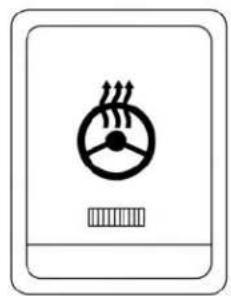
natural_image
Simple line drawing of a device with a circular dial and heat exchanger symbol (no text or labels)LIC2221
Pushtheheatedsteeringwheelswitchto warmthesteeringwheelaftertheignition switchisplacedintheONposition.The indicatorlightwillcomeon.
If the surfacetemperature of the steering wheel is below 68^ F ( 20^ C), the system will heat the steering wheel and cycle off and on maintain at temperature above 68^ F ( 20^ C). The indicator light will remain on as long asthesisystem is on.
Pushtheswitchagaintoturntheheated steeringwheelsystemoffmanually.The indicatorlightwillgooff.
NOTE:
- Onceactivated, your heated steering wheel will automatically turn on and offtomaintain at temperature above 68^(20^) .
- Whenthetemperatureofthesteering wheelisabove122°F(50°C)andthe heatedsteeringwheelswitchisturned on,thesystemwillnotheathesteeringwheel.Thisdoesnotindicatea malfunction.
DYNAMICDRIVERASSISTANCE SWITCH(ifsoequipped)
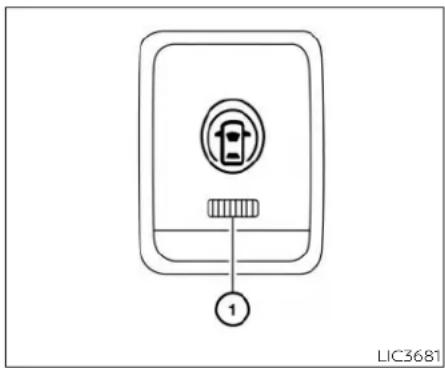
Thedynamicdriverassistanceswitchis usedtotemporarilyactivatetheIntelligent LaneIntervention(I-LI)systemthatisenabledusingthesettingsmenuofthevehicleinformationdisplay.
Thel-Llsystemcanbeturnedonwiththe dynamicdriverassistanceswitchafter startingtheengine.
Thedynamic driver assistance switch illuminates for a few seconds when the ignition switch is placed in the ON position.
whenthedynamicdriverassistance switchisturnedoff.theindicator ① onthe switchisoff.Theindicatorwillalsobeeoffif thel-Llsystemisdeactivatedusingthevehicleinformationdisplay.
TheL-Isystemwarnsthedriverwithan indicatorandachime,andhelpsassistthe drivertoretumthevehicletothecenterof thetravelinglanebyapplyingthebrakesto theleftortrightwheelsindividually(fora shortperiodoftime).Foradditionalinformation,see"IntelligentLaneIntervention (I-LI)"(P.5-31)and"Vehicleinformationdisplay"(P.2-17).
VEHICLEDYNAMICCONTROL(VDC) OFFSWITCH

The vehicles should be driven with the VDC system on most driving conditions.
Ifthevehicleisstuckinmudorsnow,the VDCsystemreducestheengineoutputto reducewheelspin.Theenginespeedwill bereducedeveniftheacceleratorisdepressedtothefloor.Iffmaximumengine powerisneededtofreeeastuckvehicle, turntheVDCsystemoff.
ToturnofftheVDCsystem,pushtheVDC OFFswitch.The indicatorlightwill comeon.
EMERGENCYCALL(SOS)BUTTON
PushtheVDCOFFswitchagainorrestart theenginetoturnonthesystem.Foradditionalinformation,see"VehicleDynamic Control(VDC)system"(P.5-115).
When the VDCOFF switch is used to turn off the VDC system, the Intelligent Trace Control, Active Ride Control, Automatic Emergency Braking (AEB) with Pedestrian Detection and Rear Automatic Braking (RAB) systems are also turned off. For additional information, see "Integrated Dynamics control Module" (P.5-118), "Automatic Emergency Braking (AEB) with Pedestrian Detection" (P.5-85) and "Rear Automatic Braking (RAB)" (P.5-80).
EMERGENCYSUPPORT
NissanConnect®Servicesprovidevarious servicestosupportdealingwithemergenciesofthesubscribedvehicleandthe driver.
Forexample, Incaseofanillnessorserious injury, you can seek support by pressing the in-vehicle Emergency Call (SOS) button and connecting to the Nissan Connect® Services Response Center. The Nissan Connect® Services Response Center can specify the location of the vehicle via GPS, and the information will be sent to the police or other agencies as needed.
ForinformationaboutotherNissanConnect® Services emergency support related services,contact the NissanConnect® CustomerSupportLineat1-855-426-6628or refertotheNissanConnect®Servicesweb-sitewww.nissanusa.com/connect(forU.S.) orwww.nissan.ca/nissanconnect(English)/www.nissan.ca/nissanconnect/fr(French)(for Canada).
WARNING
- PlesenotethattheAutomaticCollisionNotificationserviceandEmergencyCallfunctioncannotbeusedin thefollowingconditions:
- Emergencyfunctionsandservices willnotbeavailablewithoutapaid subscription to NissanConnect® Services.
- TheNissanConnect®Servicesnetworksystemisdisabled.
- The vehicle moves outside the service area where the TCU (TelematicsControl Unit) is connectedtothesystem.
- Thevehicleisoutsidethearea wherethecellularnetworkservice isreceivable.
- The vehicle is initial location with poor signal receptions such as tunnels, underground parking garages, behind buildings or inmountainous areas.
- Thelineisbusy.
- TheTCU(TelematicsControlUnit) or othersystemsofyourvehicle arenotworkingproperly.
-Itmaynotbepossibletomakean emergencycalldependingonthe severityofacollisionand/or emergency.
·Parkthevehicleinasafelocationand settheparkingbrakebeforeoperatingtheEmergencyCall(SOS)button.
- Onlyusethisserviceincaseofan emergency. Theremaybepenalty forinappropriateuseoftheservice.
• Radiowavescouldadverselyaffect electricmedicalequipment.Individualswhouseapacemakershould contactthedevicemanufacturerregardinganypossibleeffectsbefore usingthesystem.
TheTCU(TelematicsControlUnit)antennaisinstalledinsidetheupper centralpartoftheinstrumentpanel. An occupant should not get any closertotheantennathanspecified bythepacemakermanufacturer.The radiowavesfromtheTCUantenna mayadverselyaffecttheoperation of the pacemaker while using the NissanConnect®Services.

LIC3357
Makinganemergencycall
TheEmergencyCall(SOS)buttonIslocated nearthemaplight.
- PresstheEmergencyCall(SOS)button tomakeanemergencycall.
- Whenthelineisconnected, speaktothe ResponseSpecialist.
If you want to cancel the emergency call, press and hold the Emergency Call (SOS) button for a few seconds.
NOTE:
- AftertheEmergencyCall(SOS)button ispressed, it may take sometime until the system initiates connection, depending on the technical environment and whether the TCU (TelematicsControlUnit) is being used by the other services.
- AnindicatorlightontheEmergency call(SOS)buttonshowsthereadiness oftheemergencysupportsystem.If theindicatorlightisnotilluminated, pressingtheEmergencyCall(SOS)buttondoesnotconnectyourvehicleto theResponseSpecialist.Theindicator light blinks while connected to the NissanConnect® Services Response Center.
- Evenwhentheindicatorlightisilluminated,connectiontotheNissanConnect® Services Response Center may not be possible.Ifthisoccursinanemergency situation,contacttheauthoritiesbyother means.
- Toavoid disconnectingtheline, keep the engine running during an emergency call, if it is safe to do so.
USB/iPod®CHARGINGPORTS(ifso equipped)
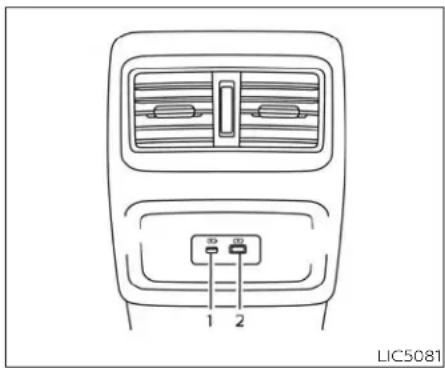
Rearseatarea
1.Type-CUSB
2.Type-AUSB
ThereareUSB/iPod®chargingportslocatedintherearseatareaonthebackof thecenterconsole.Theseportswillcharge compatibledevices.
NOTE:
-OnlytheUSBconnectionport(s)locatedbelowtheinstrumentpanelwillallowoperationofUSB/iPod®devicesthroughtheaudiosystem.
-Forbestresults,itisrecommendedto usethemanufacturercables,which aresoldseparately.AUSBType-Ato USBType-Cadapter(orviceversa)can alsobepurchasedseparately;however,resultsmayvary.
REARDOORALERT
TheRearDoorAlertsystemfunctionsundercertainconditionstoindicatethere maybeanobjectorpassengerintherear seat(s).Checktheseat(s)beforeexitingthe vehicle.
TheRearDoorAlertsystemisinitiallydisabled. Thedrivercanenablethesystem usingthevehicleinformationdisplay. For additionalinformation, see"Vehicleinformationdisplaywarningsandindicators" (P.2-26).
whenthesystemisenabled:
- Thesystemisactivatedwhenareardoor isopenedandclosedwithin10minutesof thevehiclebeingdriven.Whenthedriver doorisclosedandthesystemis activated,avisualmessageappearsinthe vehicleinformationdisplay.Foradditional Information,see"RearDoorAlertisactivated"(P.2-26).
- Ifareardoorisopenedandclosedbut thevehicleisnotdrivenwithinapproximately10minutes,thesystemwillnotbe activated.Areardormustbeopened andclosedandthecadrivenwithin10 minutesforthesystemtoactivate.
POWEROUTLET
When the Rear Door Alert system is activated:
-When the driver put the vehicle in the Park position, an otification message appears in the vehicle information display with the option to "Dismiss Message" or "Disable Alert" if desired.
-Select"DisableAlert"totemporarily disableforthatstop.
- Noselectionor"DismissMessage"will keepthealertenabledforthatstop.
- If the alertisenabled when a driver exits the vehicle, amessagewillappear in the vehicle information display that states "CheckRearSeatforAllArticles."
If Horn&Alert'settingisselected: •Anaudiblehornsoundwilloccurafter ashorttimeunlessareardooris openedandclosedwithinashorttime todeactivatethealert.
- If the doors are locked before the alert is deactivated by opening a reardoor, the horn will sound.
- If the trunk is opened before are a door is opened, the horn will be delayed until after the trunk is closed.
NOTE:
If"AlertOnly"settingisselected,the messagealertwillstillbeshowninthe vehicleinformationdisplaybutthehorn willnotsound.
WARNING
- Ifthedriverselects"DisableAlert", no audiblealertwillbeprovidedregardlessofreardooropen/closestatus.
- Theremaybetimeswhenthereisan object orpassenger in therear seat(s)buttheaudiblealertdoesnot sound. Forexample, thismayoccurif rearseatpassengersenterorexitthe vehicleduringatrip.
- Thesystemdoesnotdirectlydetect objectsorpassengersintherear seat(s).Instead, itcandetectwhena reardoorisopenedandclosed, indicating that theremaybesomething intherearseat(s).
NOTE:
There may be times when the horn soundsbuttherearenoobjectsorpassengersintherearseat(s).
Foradditionalinformation,see"RearDoor Alertisactivated"(P.2-26)

natural_image
Diagram of a car seatbelt with an inset showing a device component (no text or symbols present)ConsoleBox
The power outlet is for powering electrical accessories such as cellular telephones. It is rated at 12 volt, 120W (10A) maximum.
The power outlet is powered only when the ignition switch is in the ACC or ON position.
CAUTION
Theoutletandplugmaybehotduringorimmediatelyafteruse.
EXTENDEDSTORAGESWITCH
- Only certain power outlets are designed for use with a cigarette lighter unit. Donot use any other power outlet for an accessory lighter. It is recommended that you visit a NISSAN dealer for additional information.
- Donotusewithaccessoriesthatexceeda12volt,120W(10A)powerdraw.
- Donotusedoubleadaptersormore thanoneelectricalaccessory.
- Usepoweroutletswiththeengine runningtoavoiddischargingthe vehiclebattery.
- Avoidusingpoweroutletswhenthe airconditioner,headlights,orrear windowdefrosterison.
Beforeinsertingordisconnectinga plug,besuretheelectricalaccessory beingusedisturnedoff. - Pushthepluginasfarasitwillgo. If good contact is not made, the plug mayoverheatortheinternaltemperaturefusemayopen.
- When not in use, besuretoclosethe cap. Donotallowwateroranyother liquidtocontacttheoutlet.

natural_image
Diagram of a car seatbelt with a directional arrow indicating movement, no text or symbols presentTheextendedstorageswitchisusedwhen thevehicleisintransitfromthefactory.Itis locatedinthefusepaneltotheleftofthe steeringwheelontheinstrumentpanel.If anyelectricalequipmentdoesnotoperate, ensurethe extended storageswitch is pushedfullyinplace,asshown.

natural_image
Technical diagram showing a mechanical component before and after assembly, with no visible text or symbols.Pulledposition
STORAGE
natural_image
Technical line drawing of a mechanical assembly with an arrow indicating direction (no text or symbols)Pushedposition

natural_image
Line drawing of a car interior showing the dashboard and side panel (no text or symbols)LIC3181LIC0016

natural_image
Line drawing of a car backrest seat and rear seat (no text or symbols)FRONT-DOORPOCKETSSEATBACKPOCKETS
Theseatbackpocketsarelocatedonthe backofthedriver'sandpassenger'sseats. Thepocketscanbeusedtostoremaps.
2-64Instrumentsandcontrols

WARNING
Toensureproperoperationofthedriver'sand/orfrontpassenger'sNISSANAdvancedAirBagSystem(ifsoequipped), pleaseobservethefollowingitems:
- Donotallowapassengerintherear seattopushorpullontheseatback pocketorheadrestraint/headrest.
·Donotplaceheavyloadsheavier than9.1lbs.(4kg)ontheseatback, headrestraint/headrestorinthe seatbackpocket.

natural_image
Line drawing of a car air conditioner unit with buttons and display panels (no text or symbols)LIC3186
Frontconsole
STORAGETRAYS

WARNING
Donotplacesharpobjectsinthetrays tohelppreventinjuryinanaccidentor suddenstop.

natural_image
Line drawing of a car seatbelt with two compartments and a central hub (no text or symbols)Reararmrest

natural_image
Line drawing of a car interior showing dashboard and vent slots (no text or symbols)GLOVEBOX
Openthegloveboxbypullingthehandle. Usethemasterkeywhenlockingorunlockingtheglovebox.
WARNING
Keepgloveboxlidclosedwhiledriving tohelppreventinjuryinanaccidentor asuddenstop.

CONSOLEBOX
Toopentheconsolebox, pressuponthe lever ① andraisethelid ②.
Toclose, pushtheliddownuntilthelock latches.

natural_image
Line drawing of a car interior panel with an upward arrow indicator (no text or symbols)OVERHEADSUNGLASSES STORAGE
Toopenthesunglassesholder, pushand release.
Onlystoreonepairofsunglassesinthe holder.
WARNING
Keepthesunglassesholderclosed whiledrivingtoavoidobstructingthe driver'sviewandtohelppreventan accident.

CAUTION
- Donotuseforanythingotherthan sunglasses.
- Donotleavesunglassesinthesun-glassesholderwhileparkingindirect sunlight.Theheatmaydamagethe sunglasses.
natural_image
Line drawing of a car air intake cabinet with compartments and control knobs (no text or labels)LIC3182
Frontcupholders
CUPHOLDERS

CAUTION
- Avoid abrupt starting and braking when the cupholder is being used to prevent spilling the drink. If the liquid is hot, it cans caldy our passenger. Spilled liquid can also do amagethese at climates system.
- Useonlysoftcupsinthecupholder. Hardobjectscaninjureyouinan accident.

natural_image
Line drawing of a car seatbelt with two circular components (no text or symbols)Rearcupholders
CAUTION
- Donotusethebottleholderforany otherobjectsthatcouldbethrown aboutinthevehicleandpossiblyin-jurepeopleduringsuddenbrakingor anaccident.
- Donotusethebottleholderforopen liquidcontainers.

natural_image
Line drawing of a car interior showing the dashboard and side panel with a black arrow pointing to the control panel (no text or symbols present)Bottleholder—front

natural_image
Line drawing of a car interior showing the nose and mouth with a black arrow pointing to a specific area (no text or symbols present)Bottleholder—rear
WINDOWS
POWERWINDOWS
WARNING
- Makesurethatallpassengershave theirhands,etc.,insidethevehicle whileitisinmotionandbeforeclosingthewindows.Usethewindow lockswitchtopreventunexpected useofthepowerwindows.
To help avoid risk of injury or death through unintended operation of the vehicle and/or it systems, including entrapment in windows or in advertisement door lock activation, donot leave children, people who require the assistance of others or pets unattended in your vehicle. Additionally, the temperature inside a closed vehicle on awarm day can quickly become high enough to cause a significant risk of injury or death to people and pets.
The power windows operate when the ignitionswitchisplacedintheONposition orforaperiodoftimeaftertheignition switchisplacedintheOFFposition.Ifthe driver'sorpassenger'sdoorisopenedduringthisperiodoftime,thepowertothe windowsiscanceled.

- Windowlockswitch
- Leftrearpassengerside
6.Driversideautomaticswitch
Driver'ssidepowerwindowswitch
Thedriver'ssidecontrolpanelisequipped withswitchestoopenorcloseallofthe windows.
Toopenawindow, pushtheswitchand continuetoholditdownuntilthedesired windowpositionisreached. Tocloseawindow, pulltheswitchandcontinuetohold itupuntilthedesired windowpositionis reached.

natural_image
Top-down schematic of a vehicle showing directional arrows and control panel (no text or symbols)
Frontpassenger'spowerwindow switch
Thepassenger'swindowswitchoperates onlythecorrespondingpassenger'swindow.Toopenthewindowpartially,push theswitchdownlightlyuntilthedesired windowpositionisreached.Toclosethe windowpartially,pulltheswitchupuntilthe desiredwindowpositionisreached.
Rearpowerwindowswitch
Therearpowerwindowswitchesopenor closeonlythecorrespondingwindows.To openthewindow,pushtheswitchtothe firstdetentandcontinuetoholditdown untilthedesiredwindowpositionis reached ①.Toclosethewindow,pullthe swichttothefirstdetandcontinueto holdupuntilthedesiredwindowpositionis reached ②.
Lockingpassengers'windows
Whenthewindowlockswitchisdepressed, onlythedriver'ssidewindowcanbe openedorclosed.Pushitagaintocancel thewindowlockfunction.
2-70 Instrumentsandcontrols

Automaticoperation
Tofullyopenawindowequippedwithautomaticoperation,pushthewindow switchdowntotheseconddetentand releaseit;itneednotbeheld.Thewindow automaticallyopensalltheway.Tostop thewindow,liftheswitchupwhilethewindowisopening.
Tofullycloseawindowequippedwithautomaticoperation,pulltheswitchuptothe seconddetentandreleaseit;itneednotbe held.Tostopthewindow,pushtheswitch downwhilethewindowisclosing.
Auto-reversefunction(ifso equipped)
If the control unit detect something caught in an automatic operation window as it is closing, the window will be immediately lowered.
Theauto-reversefunctionmaybeactivatedwhenthewindowisclosedbyautomaticoperationwhentheignitionswitchisplacedintheONpositionorforaperiodoftimeaftertheignitionswitchisplacedintheOFFposition.
Depending on the environment or driving conditions, the auto-reverse function may be activated if an impactor loads similar to something being caught in the window occurs.
WARNING
Therearesomesmalldistancesimmediatelybeforethe closed position whichcannotbedetected.Makesure thatallpassengershavetheir hands, etc.,insidethevehiclebeforeclosing thewindow.
Ifthewindowsdonotclose automatically
If the power window automatic function (closing only) does not operate properly, perform the following procedure to initial-izethe power windowsystem.
- Place the ignition switch in the ON position.
2.Closethedoor. - Openthewindowmorethanhalfway by operating the power window switch.
- Pull the power window switch and hold it to close the window, and then hold the switch form more than 3 seconds after the window is closed completely.
- Releasethe power window switch. Operatethewindowbyautomaticfunction to confirm the initialization is complete.
- Performsteps2 through 5 above for other windows.
If the power window automatic function does not operate properly after performing the above procedure, have your vehicle checked. It is recommended that you visit a NISSAN dealer forth this service.
DUALPANELMOONROOF(ifso equipped)
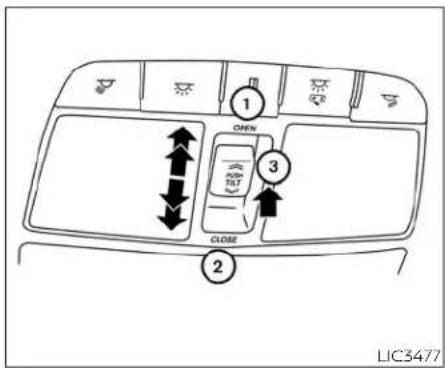
POWERMOONROOF
Themoonroofwillonlyoperatewhenthe ignitionswitchisintheONposition.The powermoonroofisoperationalforaperiod oftime,eveniftheignitionswitchisplaced intheACCorOFFposition.Ifthedriver's doororthefrontpassenger'sdooris openedduringthisperiodoftime,the powertothemoonroofiscanceled.
Slidingthemoonroof
Toslidethemoonroof:
•Tofullyopenthemoonroof,pushthe switch ① towardtheopenpositionuntil itreachesthesecondetent.Iftheswitch ① ispushedtothefirstdetent,onlythe sunshadowillopen.
- Tofulyclosethemoonroof, push the switch ② toward the close position until it reaches these second detent. If the switch ② is pushed to the first detent, the moonroof will close but the sun shadow will remain open.
- Tostophemoonroof, pushtheswitch oncemorewhileitisopeningorclosing. Themoonroof will stopatthedesired position.
Tiltingthemoonroof
Totiltthemoonroof:
- Totiltthemoonroofup, pushandrelease thetiltswitch ③. Whenthemoonroofis open, it will automatically close and then tiltup.
- Totillthemoonroofdown, pushandre-leasethetiltswitch ③ orpushtheswitch ② toward the close position until reachesthe first detent.
• Totiltthemoonroofdownandclosethe sunshadeatthesametime, pushthe switch ② totheclosepositionuntil reachestheseconddetent.
Auto-reversefunction(when closingortiltingdownthe moonroof)
Theauto-reversefunctioncanbeactivatedwhenthemoonroofisclosedor tilteddownbyautomaticoperationwhen theignitionswitchisplacedintheONpositionorforaperiodoftimeaftertheignitionswitchisplacedintheOFFposition.
Dependingontheenvironmentordrivingconditions,theauto-reversefunctionmaybeactivatedifanimpactor loadsimilartosomethingbeingcaughtinthemoonroofoccurs.
WARNING
Therearesomesmalldistancesimmediately before the closed position which cannot bedetected. Makesure that all passengers havetheirhands, etc., insidethevehicle before closing themoonroof.
Whenclosing
If the control unit detect something caught in themoonroof as it moves the front, themoonroof will immediately open backward.
Whentiltingdown
If the control unit detect something caught in themoonroof as it tilts down, the moonroof will immediately tilt up.
If the auto-reverse function malfunctions and repeats opening tilting up the moon-roof, keep pushing the tilt down switch within 5 seconds after it happens; the moon roof will fully close gradually. Makes sure nothing is caught in the moon roof.
WARNING
·Inanaccidentyoucouldbethrown fromthevehiclethroughanopen moonroof.Alwaysuseseatbeltsand childrestraints.
- Donotallowanyonetostandupor extendanyportionoftheirbodyout ofthemoonroofopeningwhilethe vehicleisinmotionorwhilethe moonroofisclosing.
CAUTION
-Removewaterdrops,snow,iceor sandfromthemoonroofbefore opening.
- Do not place heavy objects on the moonrooforsurroundingarea.

LIC2644
Sunshade
Toopenthesunshade:
- Tofullyopenthesunshade, push the switch ① towardtheopenpositionuntil itreachesthefirstdetent.
• To fully open the sunshade and the moonrooftogether, pushtheswitch ① towardtheopenpositionuntiltreaches theseconddetent.
REARPOWERSUNSHADE(ifso equipped)
Toclosethesunshade:
- Tofullyclosethesunshade, push the switch ② toward the close position until it reaches these second detent.
- Pushingtheswitch ② tothefirstdetent willclosethemoonroofonly.
Ifthemoonroofdoesnotclose
Haveyourmoonroofcheckedandre-paired.Itisrecommendedthatyouvisita NISSANdealerforthisservice.

Therearsunshadeoperateswhenthe ignitionswitchisintheACCorONposition.
Therearsunshadeswitchislocatedonthe lowerinstrumentpanel.
- Toraisethesunshade, pushtheupper sideoftheswitch ①.
- Tolowerthesunshade, pushthelower sideoftheswitch ②.
•Theswitchneednotbehelddown.

natural_image
Diagram of a car interior showing a vehicle's seat and dashboard with an arrow indicating direction (no text or symbols)CAUTION
- Donotplaceobjects(suchasnews-papers,handkerchiefs,etc.)onthe screeninletport.Doingsomayentangletheseobjectsinthescreen whenitisextendingorretracting, causingimproperoperationordamagetothescreen.
- Donotpushthesunshadearmwith yourhands,etc.,asthismaydeform it.Improperoperationordamageto thescreenmayresult.
INTERIORLIGHTS
- Donothanganyobjectonthearm railasthismayresultinimproperoperationordamagethescreen.
- Donotforcefullypullthescreen.Doingsomayelongatethescreen.Improperoperationordamagetothe screenmayresult.
To avoid personal injury, keep your hands, fingers and head away from the sunshade arm, arm railand screen inlet port. - Donotallowchildrenneartherearsun-shadesystem.Theycouldbeinjured.
- Donotpullorpushtherearsun-shade. This could cause improper operationordamageit.
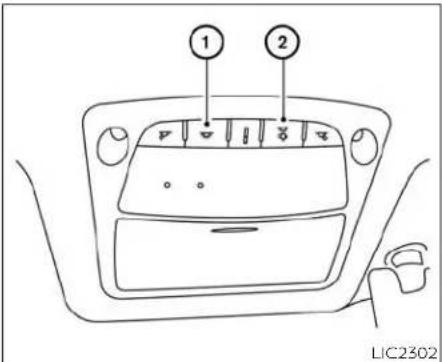
① Theinteriorlightscanbeturnedonregardlessofdoorposition. Thelightswill gooffafteraperiodoftimeunlessthe ignitionswitchisplacedintheONpositionwhenanydoorisopened.
② Theinteriorlightscanbesettooperate whentedoorsareopened.Toturnoff theinteriorlightswhenaisdooropen, pushtheswitch;theinteriorlights willnotilluminate,regardlessofdoor position.
The lights will go off when the ignition switchisplacedintheONposition,orthe driver's door is closed and locked. The lightswillalsogooffafteraperiodoftime whenthedoorsareopen.
NOTE:
Thesteplightsilluminatewhenthe driverandpassengerdoorsareopened regardlessoftheinteriorlightswitchposition. These lights will turn off automatically after a period of time while doorsareopentopreventthebattery frombecomingdischarged.
CAUTION
Donotuseforextendedperiodsoftime withtheenginestopped.Thiscouldresultinadischargedbattery.
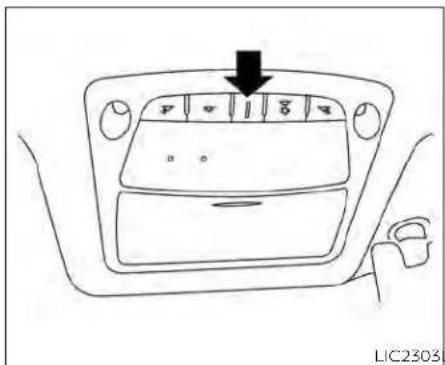
CONSOLELIGHT
Theconsolelightwillturnonwheneverthe parkinglightsorheadlightsareilluminated.
Theconsolelightbrightnesscanbeadjustedwiththeilluminationbrightness controlinthevehicleinformationdisplay.
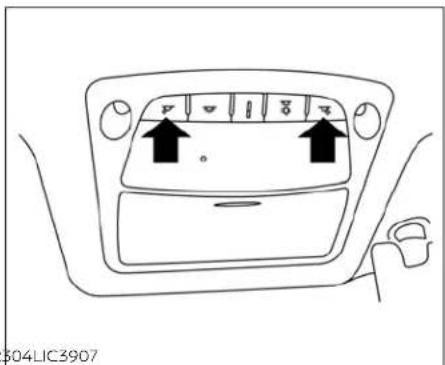
MAPLIGHTS
Toturnthemaplightson, pushtheswitches. Toturnthemoff, pushtheswitchesagain.
CAUTION
Donotuseforextendedperiodsoftime withtheenginestopped.Thiscouldresultinadischargedbattery.
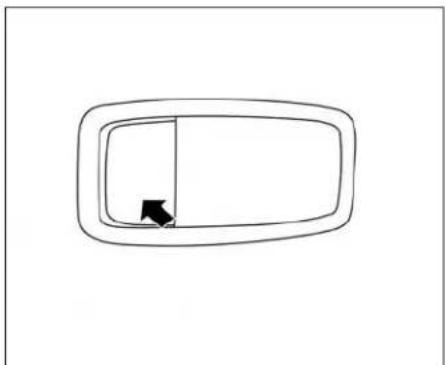
natural_image
Simple line drawing of a rectangular frame with a vertical slot and an arrow pointing to the left side (no text or symbols)PERSONALLIGHTS
Toturntherearpersonallightson,pushthe switch.Toturnthemoff,pushtheswitch again.
TRUNKLIGHT
Thelightilluminateswhentetrunklidis opened. Whentetrunklidisclosed, the lightgoesoff. For additional information, see "Exteriorandinteriorlights" (P.8-25).
HOMELINK®UNIVERSAL TRANSCEIVER(ifso equipped)
TheHomeLink®UniversalTransceiverprovidesaconvenientwaytoconsolidatethe functionsofuptothreeindividualhand-heldtransmittersintoonebuilt-indevice.
HomeLink®UniversalTransceiver:
- WilloperatemostRadioFrequency(RF) devicesuchasgaragedoors,gates, homeandofficelighting,entrydoorlocks andsecuritysystems.
- lspoweredbyyourvehicle'sbattery.No separatebatteriesarerequired.Ifthe vehicle'sbatteryisdischargedorisdisconnected,HomeLink®willretainall programming.
WhentheHomeLink®UniversalTransceiverisprogrammed,retaintheoriginal transmitter for future programming procedures(Example:newvehiclepurchases).Upon saleof the vehicle,the programmed HomeLink® Universal Transceiverbuttonsshouldbeerasedfor securitypurposes.Foradditionalinformation,see"ProgrammingHomeLink®" (P.2-77).
WARNING
- Donotusethe HomeLink® Universal Transceiverwith anygaragedoor openerthatlackssafetystopandreversefeaturesasrequiredbyfederal safety standards.(These standards becameeffectiveforopener models manufacturedafterApril1,1982.)A garage dooropener whichcannot detectanobjectinthepathofaclosinggaragedoor andthenautomaticallystopandreversedoesnotmeet currentfederalsafetystandards.Usinga garagedoor opener without thesefeaturesincreasestheriskof seriousinjuryordeath.
- During the programming procedure your garagedoor security gate will open and close (if the transmitter is within range). Makesure that people or objects are clear of the garagedoor, gate, etc., that you are programming.
- Your vehicle's engine should be turned offwhileprogramming the HomeLink®UniversalTransceiver.Do notbreatheexhaustgases;theycontaincolorlessandodorlesscarbon monoxide.Carbonmonoxideisdangerous. Itcancauseunconsciousnessordeath.
PROGRAMMINGHOMELINK®
The following steps show generic instructions on how to program a HomeLink® button. If you have any questions or are having difficulty programming your HomeLink® buttons, referto the HomeLink® website at: www.homelink.com/nissanor call 1-800-355-3515.
NOTE:
It is also recommended that a new batterybeplacedinthehand-heldtransmitter of the device being programmed to HomeLink® for quicker programming and accurate transmission of theradio-frequency.
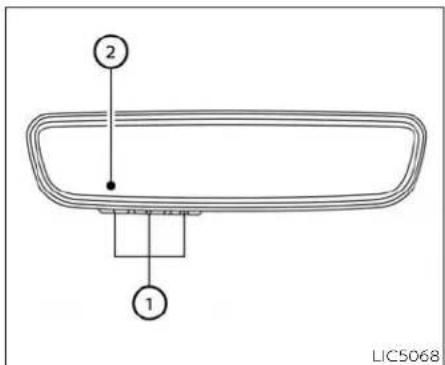
① HomeLink®buttons(1-3)
② Indicatorlight(appearsaboveeach HomeLink®button)

- PressandreleasetheHomeLink®button thatyouwouldliketoprogram.The HomeLink®indicatorlightwillflashinorangeslowly(ifnot,see"Clearingtheprogrammedinformation"(P.2-80).
- Position the hand-held transmitter (garagedoor opener remote) 1-3 inches (2-8cm) away from the Home Link® button that you would like to program.
NOTE:
Somehand-heldtransmitter(garage dooropenerremote)mayactuallytrain betteradistanceof6-12inches(15-20cm).Keepthisinmindifyouhave difficultywiththeprogrammingprocess.
- While the Home Link® indicator light is flashing in orange, press and hold the hand-held transmitter button. Continue pressing the hand-held transmitter button until the Home Link® indicator light changes from or an getogreen. You may now release the hand-held transmitter button.
NOTE:
Somedevicestobeprogrammedmay requireyoutoreplacethestep3withthe cyclingprocedurenotedin"ProgrammingHomeLink®forCanadiancustomersandgateopeners"(P.2-79).
4. Waituntilyourgaragedoorhasstopped moving beforecompletingthe next steps.
5.PresstheHomeLink®buttonandobservetheindicatorlight.
- Iftheindicatorlightremainsconstant green,yourdevicesshouldoperate whentheHomeLink®buttonispressed. Atthispoint,Ifyourdeviceoperates, programmingiscomplete.
- Iftheindicatorlightrapidlyflashesingreen,firmlypress,holdfortwosec-ondsandreleasetheHomeLink®buttonuptothreetimestocompletetheprogrammingprocess.Donotpress theHomeLink®buttonrapidly.Atthis pointifyourdeviceoperates,programmingiscomplete.Ifthedevicedoesnot operate,continuewiththenextstepof theprogramminginstructions.
6.Atthegaragedooropenermotor(securitygatemotor,etc.),locatethe"Learn"or"Set"button.Thiscanusuallybefound wherethehangingantennawireisattachedtothemotor-headunit(seethe device'smanualtoidentifythisbutton.). Thenameandcolorofthebuttonmay varybymanufacturer.
NOTE:
Aladderand/orsecondpersonmaysimplifythefollowingsteps.Donotstandon yourvehicletoperformthenextsteps.
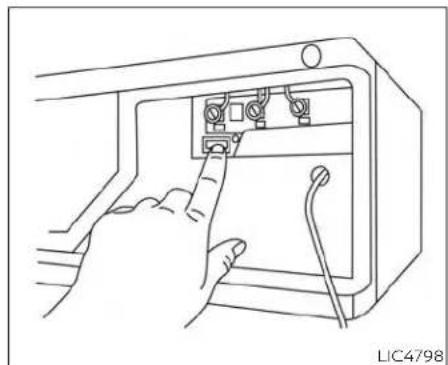
natural_image
Line drawing of hands inserting cables into a device (no text or symbols)Example
7.Firmlypressandreleasethe"Learn"or "Set" button until the indicator illuminates. Oncethebuttonispressed, you have approximately 30 secondstoiniti-atethenextstep.
-
Return to the vehicle and firmly press, hold for two seconds sand releaset the HomeLink® button up to three times. Donot press the HomeLink® button rapidly. At this point programming is complete and your devices should operate when the HomeLink® button is pressed and released.
-
If you have any questions or are having difficulty programming your HomeLink® buttons, referto the HomeLink® website at: www.homelink.com/nissan or call 1-800-355-3515.
PROGRAMMINGHOMELINK® FOR CANADIANCUSTOMERSANDGATE OPENERS
Canadianradio-frequencylaws require transmittersignalsto"time-out"(orquit) afterseveralsecndsoftransmission—whichmaynotbelongenoughfor HomeLink®topickupthesignalduring training.SimilartothisCanadianlaw,some U.S.gateoperatorsaredesignedto"time-out"inthesamemanner.
If you live in Canada, you are having difficult to training a gate operator or garage door opener by using the "Programming HomeLink" procedures, replace "Programming HomeLink" step 3 with the following:
NOTE:
When programming a garage door opener, etc., unplug the device during the "cycling" processtopreventpossible damagetothedevicecomponents.
Step3:WhiletheHomeLink®indicatorlight isflashinginorange,pressandrelease ("cycling")thehand-heldtransmitterbuttonevery2seconds.Continuetopress andreleasethehand-heldtransmitter buttonuntiltheHomeLink®indicatorlight changesfromorangetogreen.Whenthe indicatorlightilluminatesingreen,the hand-heldtransmitterbuttonmaybe released.
Proceedwith "ProgrammingHomeLink®" step4tocomplete.
Remembertoplugthedevicebackinwhen programmingiscompleted.
TheHomeLink®UniversalTransceiver,after it is programmed, can be used to activate the programmed device. To operate, firmly press theappropriateprogrammed HomeLink®button.Theindicatorlight will illuminate greenwith threeparenthesis (《 》) onthemirrorwhilethesignalisbeing transmitted.
PROGRAMMING TROUBLE-SHOOTING
IftheHomeLink®doesnotquicklylearnthe hand-heldtransmitterinformation:
- Replace the hand-held transmitter batteries with new batteries.
- Position the hand-held transmitter with itsbatteryareafacingawayfromthe HomeLink®button.
- Pressandholdboth theHomeLink®button and hand-held transmitter button in eachstepwithoutinterruption.
- Position the hand-held transmitter 1 to 3 in (2to8cm)away from theHomeLink® button.Holdthetransmitterinthatpositionforup to15 seconds.IfHomeLink®is notprogrammedwithinthattime,try holdingthetransmitterinanotherposition – for example, 6 to 12 in (15 to 20 cm) away, keeping the HomeLink® button in viewataltimes.
If you have any questions or are having difficulty programming your HomeLink® buttons, referto the HomeLink® web site at: www.homelink.com/nissan or call 1-800-355-3515.
CLEARING THEPROGRAMMED INFORMATION
The following procedure clear the programmed information from three buttons. Individual buttons cannot be cleared. However, individual button scan bere programmed. For additional information, see "Reprogramming a single HomeLink® button" (P.2-81).
Toclear allprogramming
- PressandholdthetwoouterHomeLink® buttons until the indicator light begins to flash in green, in approximately 10 seconds. Do not hold for longer than 20 seconds.
2.Releasebothbuttons.
HomeLink®isnowintheprogramming modeand canbeprogrammedatanytime beginningwith "ProgrammingHomeLink®" - Step1.
REPROGRAMMINGASINGLE HOMELINK®BUTTON
ToreprogramaHomeLink®button,com- pletethefollowing:
- PressandholdthedesiredHomeLink® button.DONOTreleasethebutton.
- The indicator light will illuminate green, and after 20 seconds it will begin to flash in orange.
- Release the HomeLink® button and proceed with "ProgrammingHomeLink®" — Step3.
Forquestionsorcomments,contact HomeLink®at:www.homelink.com/nissan or1-800-355-3515.
TheHomeLink®buttonhasnowbeenreprogrammed. ThenewdevicecanbeactivatedbypassingtheHomeLink®button thatwasjustprogrammed. Thisprocedure willnotaffectanyotherprogrammed HomeLink®buttons.
Ifanewdeviceisnotprogrammedtothe HomeLink®button, it will revert to the previously stored programming.
IFYOURVEHICLEISSTOLEN
If your vehicle is stolen, you should change the codes of any non-rolling coded device that has been programmed into HomeLink®. Consult the Owner's Manual of each device or call the manufacturer or dealer of those devices for additional information.
When your vehicle is recovered, you will need to reprogram the HomeLink® Universal Transceiver with your new transmitter information.
FCCNotice:
ForUSA:
This device complies with Part 15 of the FCC Rules. Operation is subject to the following two conditions: (1) This device may not cause harmful interference, and (2) this device must accept any interference received, including interference that may cause undesired operation.
NOTE:
Changesormodificationsnotexpressly approved by the party responsible for compliancecouldvoidtheuser'sauthoritytooperatetheequipment.
ForCanada:
Thisdevicecontains licence-exempt transmitter(s)/receiver(s) that comply withInnovation,ScienceandEconomic Development Canada's licence-exempt RSS(s). Operation is subject to the followingtwo conditions: (1) Thisdevice maynotcauseinterference.(2)Thisdevice must accept any interference, includinginterferencethatmaycauseundesiredoperationofthedevice.
MEMO
2-82 Instrumentsandcontrols
3Pre-drivingchecksandadjustments
Keys 3-2
NISSANIntelligentKey ^® 3 - 2
NISSANVehicleImmobilizerSystemkeys.....3-3
Doors....3-4
Lockingwithkey....3-4
Lockingwithinsidelockknob. 3 - 5
Lockingwithpowerdoorlockswitch....3-5
Automaticdoorlocks....3-5
Childsafetyreardoorlock....3-6
NISSANIntelligentKey®System....3-6
Operatingrange....3-7
Doorlocks/unlocksprecaution. 3 - 8
NISSANIntelligentKey®Operation 3-8
Howtousetheremotekeylessentry
function....3-12
Warningsignals. 3-15
Troubleshootingguide 3-15
RemoteEngineStart 3-17
RemoteEngineStartoperatingrange ..... 3-17
Remotestartingthevehicle....3-18
Extending engine run time 3-18
CancelingaRemoteEngineStart....3-18
ConditionstheRemoteEngineStartwill
notwork 3-19
Hood 3-20
Trunk lid 3-20
Openeroperation 3-21
Interiortrunklidrelease....3-21
Interiortrunkaccess 3-21
Openingthefuel-fillerdoor....3-22
Fuel-filler cap 3-22
Steering wheel 3-24
Manual operation (if so equipped) 3-24
Automatic operation (if so equipped) ..... 3-25
Sunvisors 3-26
Vanity mirrors 3-26
Mirrors 3-27
Automatic anti-glare rearview mirror ..... 3-27
Outside mirrors 3-28
Memory seat (if so equipped)....3-30
Memory storage function (key-link) 3-30
Memorystoragefunction(switch) 3-31
Entry/exit function (if so equipped) 3-32
System operation 3-32
KEYS

- IntelligentKeys(twosets)
- Mechanicalkeys
- Keynumberplate(oneplate)
NISSANINTELLIGENTKEY®
YourvehiclecanonlybedrivenwiththeIntelligentKeyswhichareregisteredtoyourvehicle'sIntelligentKeySystemcomponents.
Neverleavethesekeysinthevehicle.
AsmanyasfourIntelligentKeyscanbe registeredandusedwithonevehicle.The newkeysmustberegisteredbyaNISSAN dealerpriortousewiththeIntelligentKey
Systemofyourvehicle.SincetheregistrationprocessrequireserasingallmemoryintheIntelligentKeycomponentswhenregisteringnewkeys,besuretotakeallIntelligentKeysthatyouhavetotheNISSAN dealer.
Akeynumberplateissuppliedwithyour keys.Recordthekeynumberandkeepitin asafeplace(suchasyourwallet),notinthe vehicle.Ifyouloseyourkeys,itisrecommendedthatyouvisitaNISSANdealerfor duplicatesbyusingthekeynumber.NISSANdoesnotrecordkeynumberssoit isveryimportanttokeeptrackofyourkey numberplate.
Akeynumberisonlynecessarywhenyou havelostallkeysanddonothaveoneto duplicatefrom.Ifyoustillhaveakey,itcanbe duplicatedwithoutknowingthekeynumber.
CAUTION
ListedbelowareconditionsoroccurrenceswhichwilldamagetheIntelligentKey:
- DonotallowtheIntelligentKey, whichcontainselectricalcomponents,tocomeintocontactwithwaterorsaltwater.Thiscouldaffectthe systemfunction.
- DonotdroptheIntelligentKey.
- DonotstrikethIntelligentKey sharplyagainstanotherobject.
- DonotchangeormodifytheIntelligentKey.
WettingmaydamagetheIntelligent Key.IftheIntelligentKeygetswet, immediately wipe until it is completely dry. - Do not place the Intelligent Key for an extended period in an areawhere temperaturesexceed140°F(60°C).
- DonotattachtheIntelligentKeywith akeyholderthatcontainsamagnet.
- DonotplacetheIntelligentKeynear equipment that produces a magnetic field, suchasaTV, audioequipment and personalcomputers.
IfanIntelligentKeyislostorstolen,NISSAN recommendserasingtheIDcodeofthat IntelligentKeyfromthevehicle.Thismay preventtheunauthorizeduseoftheIntelligentKeytooperatethevehicle.Forinformationregardingtheerasingprocedure.it isrecommendedthatyouvisitaNISSAN dealer.
3-2 Pre-driving checks and adjustments

Mechanicalkey
The Intelligent Key contain sthemechanical key.
Toremovethemechanicalkey,releasethe lockknobonthebackoftheIntelligentKey.
Toinstallthemechanicalkey,firmlyinsertit intotheIntelligentKeyuntilthelockknob returnstothelockposition.
Usethemechanicalkeytolockorunlock thedriver'sdoorandglovebox.
CAUTION
AlwayscarrythemechanicalkeyinstalledintheIntelligentKeyslot.
For additional information, see "Doors" (P.3-4) and "Storage" (P.2-64).
Valethand-off
Whenyouhavetoleaveakeywithavalet, givethermtheIntelligentKeyitselfandkeep themechanicalkeywithyoutoprotect yourbelongings.
Topreventthegloveboxfrombeing openedduringvalethand-off,followthe proceduresbelow.
-
Removethemechanicalkeyfromthe IntelligentKey.
-
Lockthegloveboxwiththemechanical key.
-
Hand the Intelligent Key to the valet and keep themechanical key with you.
For additional information, see "Storage" (P.2-64).
If you still have a key, the key number is not necessary when you need extra NISSAN Vehicle Immobilizer System keys. You're existing key can be duplicated without knowing the key number. As many as four NISSAN Vehicle Immobilizer System keys can be used with one vehicle. You should bring all NISSAN Vehicle Immobilizer System key that you have to the NISSAN dealer for registration. This is because there registration process will erase them memory of all key codes previously registered into the NISSAN Vehicle Immobilizer System. After there registration process, these components will only recognize keys coded into the NISSAN Vehicle Immobilizer System during registration. Any virtual key accessories (if so equipped) will also have to be registered. Any key that is not given to the dealer at the time of registration will no longer be able to start your vehicle.
CAUTION
Donotallowtheimmobilizersystemkey, which contains an electrical transponder, to come into contact with water or saltwater. This could affect system function.
Pre-drivingchecksandadjustments
DOORS
When the doors are locked using one of the following methods, the doors cannot be opened using the inside or outsided door handles. The doors must be unlocked to open the doors.
WARNING
·Alwayshavethedoorslockedwhile driving. Alongwiththeuseofseat belts, thisprovidesgreatersafety in the event of an accident by helping to prevent persons from being thrown from the vehicle. This also helps keep children and others from unintentionally opening the doors, and will help keep out intruders.
·Beforeopeninganydoor,alwayslook forandavoidoncomingtraffic.
To help avoid risk of injury or death through unintended operation of the vehicle and/or its systems, including entrapment in windows or in a latent door lock activation, do not leave children, people who require the assistance of others or pets unattended in your vehicle. Additionally, the temperature inside a closed vehicle on a warm day can quickly become high enough to cause significant risk of injury or death to people and pets.

Driver'sside
LOCKING WITH KEY
Tolockthedoorusingthemechanicalkey, turnthekeytowardthefrontofthevehicle
①. This will only lock the corresponding door and will not activate the security system. To arm these security system, pressthe
buttononthelIntelligentKey.
Tounlockthecorrespondingdoorusing themechanicalkey,turnthekeytoward therearof thevehicle ②. This will only un- lockthecorrespondingdoorandwillnot disarmthesecuritysystem.
For additional information, see "Security systems" (P.2-40).

Insidelock
LOCKINGWITHINSIDELOCKKNOB
Tolockthedoorwithoutthekey,movethe insidelockknobtothelockposition ①, thenclosethedoor.
Tounlockthedoorwithoutthekey,move theinsidelockknobtotheunlockposition ②.
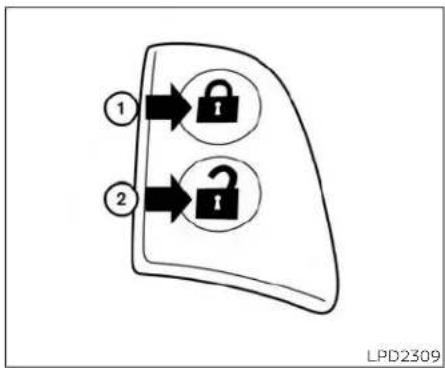
flowchart
graph TD
    A["1"] --> B["Lock Icon"]
    C["2"] --> D["Lock Icon"]
    style A fill:#f9f,stroke:#333
    style C fill:#f9f,stroke:#333
    style B fill:#ccf,stroke:#333
    style D fill:#ccf,stroke:#333
LOCKINGWITHPOWERDOOR LOCKSWITCH
Tolockalithedoorswithouttakey,pushthe doorlockswitch(driver'sorfrontpassenger'sside)tothelockposition ①. When lockingthedoorthisway,becertainnotto leavethekeyinsidethevehicle.
Tounlockallthedoorswithouttakey,push thedoorlockswitch(driver'sorfrontpassenger'sside)totheunlockposition ②.
Lockoutprotection
Whenthepowerdoorlockswitch(driver's orfrontpassenger'sside)ismovedtothe lockpositionwiththeIntelligentKeyleftin thevehicleandanydooropen,alldoorswill unlockautomaticallyandachimewill soundafterthedoorisclosed.
AUTOMATICDOORLOCKS
- Alldoorslockautomaticallywhentheve- hiclespeedreaches15mph(24km/h).
- Alldoorsunlockautomaticallywhenthe transmissionisplacedintheP(Park)positionorwhentheignitionswitchis placedintheOFFposition,dependingon theoptionselectedinthe"VehicleSettings"menu.
NOTE:
TheAutoDoorUnlockfunctioncanbe changedusing"VehicleSettings"ofthe vehicleinformationdisplay.Foradditionalinformation,see"Vehicleinformationdisplay"(P.2-17).
NISSANINTELLIGENTKEY®SYSTEM

CHILDSAFETYREARDOORLOCK
Childsafetylockshelppreventtherear doorsfrombeingopenedaccidentally, especiallywhensmallchildrenareinthe vehicle.
Thechildsafetylockleversarelocatedon theedgeofthereardoors.
Whentheleverisintheunlockposition thedoorcanbeopenedfromtheoutside ortheinside.
WhentheleverisintheLOCKposition thedoorcanbeopenedonlyfromthe outside.
WARNING
• Radiowavescouldadverselyaffect electricmedicalequipment. Those whoseapacemakershouldcontact theelectricmedicalequipment manufacturerfor the possibleinfluencesbeforeuse.
- The Intelligent Key transmits radio waveswhenthebuttonsarepressed. TheFAAadvisestheradiowavesmay affectaircraftnavigationandcommunicationsystems.Donotoperate theIntelligentKeywhileonanairplane.Makesurethebuttonsarenot operated unintentionally whenthe unitisstoredforaflight.
·NeverleavetheIntelligentKeyinthe vehiclewhenyouleavethevehicle.
The Intelligent Keysystemcan operate all the door locks using theremote control function or pushing therequest switch on the vehicle without taking the key out from a pocket or purse. The operating environment and/or conditions may affect the intelligent Keysystem operation.
Besuretoreadthefollowingbeforeusing theIntelligentKeysystem.
CAUTION
BesuretocarrytheIntelligentKeywith youwhenoperatingthevehicle.
The Intelligent Key is capable of receiving and transmitting radiowaves. The Intelligent Keysystemtransmits weak radio waves from various distances. Environmental conditions may interfere with the operation of the Intelligent Keysystem under the following operating conditions:
- When operating near a location where strongradiowavesaretransmitted, such asaTVtower,powerstationandbroadcastingstation.
- When in possession of wireless equipment, such as acellular telephone, transceiver, ora CBradio.
- WhentheIntelligentKeyisincontactwith orcoveredbymetallicmaterials.
- Whenanytypeofradlowaveremotecontrolledisusednearby.
- WhentheIntelligentKeyisplacednearan electricappliance suchasa personal computer.
- Whenthevehicle is parked near a parking meter.
Insuchcases, correct the operating conditions before using the Intelligent Key function or use themechanical key.
Although the life of the battery varies depending on the operating conditions, the battery's life is approximately two years. If the battery is discharged, replace it with a new one.
WhentheIntelligentKeybatteryislow,a yellowindicatorilluminateswiththemes- sage"KeyBatteryLow"inthevehicleinformationdisplay.Foradditionalinformation, see"Vehicleinformationdisplaywarnings and indicators"(P.2-26).
SincethelIntelligentKeyiscapableofreceivingradiowaves,ifthekeyisleftnear equipmentwhichtransmitsstrongradio waves,suchassignalsfromaTVandpersonalcomputer,thebatterylifemaybecomeshorter.
Foradditionalinformation,see"Batteryreplacement"(P.8-22).
AsmanyasfourIntelligentKeyscanbe registeredandusedwithonevehicle.For informationaboutthepurchaseanduseof additionalIntelligentKeys,itisrecommendedthatyouvisitaNISSANdealer.

OPERATINGRANGE
The Intelligent Key functions can only be used when the Intelligent Key is within the specified operating range from therequest switch ①.
NOTE:
Ifalldoorsarealready unlocked, opening the trunk does NOT require an intelligent Keytobein range of the trunk request switch or rear of the vehicle.
When the Intelligent Key battery is dischargedorstrongradiowavesarepresent neartheoperatinglocation,theIntelligent Keyoperatingrangebecomesnarrower, andtheIntelligentKeymaynotfunction properly.
Theoperatingrangeiswithin31.50in (80cm)fromeachrequestswitch ①
If the Intelligent Keyistooclosetothedoor glass, handleorrearbumper, therequest switches may not function.
WhenthelIntelligentKeyiswithintheoperatingrange,itispossibleforanyone,even someonewhodoesnotcarrythelIntelligentKey,topushtherequestswitchto lock/unlockthedoorswithinrange.

natural_image
Diagram of a hand holding a device crossed out by a diagonal line, no text or symbols present- TopreventtheIntelligentKeyfrombeing leftinsidethevehicle,makesureyou carrytheIntelligentKeywithyouandthen lockthedoors. - Donotpullthedoorhandlebeforepushingthedoorhandlerequestswitch.The doorwillbeunlockedbutwillnotopen. Releasethedorhandleonceandpullit againtoopenthedor.
DOORLOCKS/UNLOCKS PRECAUTION
- Donotpushthedoorhandlerequest switchwiththeIntelligentKeyheldinyour handasillustrated.Theclosedistanceto thedoorhandlewillcausethelIntelligent Keysystemtohavedifficultyrecognizing thattheIntelligentKeyisoutsidethe vehicle.
- Afterlockingwiththedoorhandlerequest switch,verifythedoorsaresecurelylocked bytestingthem.
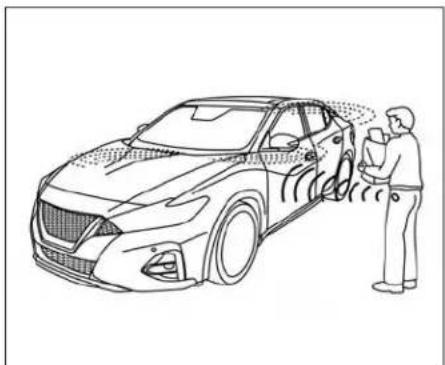
natural_image
Line drawing of a person standing beside a car with visible sound waves, no text or symbols presentYoucanlockorunlockthedoorswithout takingtheIntelligentKeyoutofyourpocket orbag.
whenyoucarrytheIntelligentKeywithyou, youcanlockorunlockalldoorsbypushing thedoorhandlerequestswitchwithinthe rangeofoperation.
3-8 Pre-drivingchecksandadjustments

Lockingdoors
1.MovetheshiftlevertotheP(Park)position, placetheignitionswitchintheLOCK positionandmakesureyoucarrythe IntelligentKeywithyou.
2. Closedriver'sdoor.
3. Pushanydoorhandlerequestswitch whilecarryingtheIntelligentKeywithyou.
4. Alldoorsandtrunkwilllock.
5. The hazard indicator lights flashtwice, a chimesoundstwice, and the front and taillights may turn for 10 seconds.

NOTE:
-Requestswitchesforalldoorscanbe deactivatedwhentheExt.DoorSwitch featureisswitchedtoOFFusingthe "VehicleSettings"menuonthevehicle informationdisplay.Foradditionalinformation,see"Vehicleinformation display"(P.2-17).
-Doorslockwiththedoorhandlere-
questswitch ① whiletheignition
switchisnotintheLOCKposition.
-Doorsdonotlockbypushingthedoor
handlerequestswitchwhilethedriver'sdoorisopen.However,thedriver
doorlockswiththemechanicalkey
evenifanydoorisopen.
- Doorsdonotlockwiththedoorhandle requestswitchwiththeIntelligentKey insidethevehicleandabeepsoundsto warnyou.However,whenanIntelligent Keyisinsidethevehicle,doorscanbe lockedwithanotherIntelligentKey.
CAUTION
- Afterlockingthedoorsusingthere- quest switch, make sure that the doorshavebeensecurelylockedby operatingthedoorhandles.
- Whenlockingthedoorsusingthere- questswitch,makesuretohavethe Intelligent Key in your possession beforeoperatingtherequestswitch topreventtheIntelligentKeyfrom beingleftinthevehicle.
- The request switch is operational only when the Intelligent Key has been detected by the Intelligent Key system.
Lockoutprotection
TopreventtheIntelligentKeyfrombeing accidentallylockedinthevehicle,lockout protectionisequippedwiththeIntelligent Keysystem.
Whenanydoorisopen,thedoorsare locked,andthentheIntelligentKeyisput insidethevehicleandallthedoorsare closed,awarningchimewillsoundandthe doorswillautomaticallyunlock.
NOTE:
The doors may not lock when the intelligent key is in the same hand that is operating there are the switch to lock the door. Put the intelligent key in apurse, pocket your other hand.
CAUTION
Thelockoutprotectionmaynotfunctionunderthefollowingconditions:
- WhentheIntelligentKeyisplacedon topoftheinstrumentpanel.
-WhentheIntelligentKeyisplacedin-sidethegloveboxorastoragebin.
-WhentheIntelligentKeyisplacedin-sidethedoorpockets.
-WhentheIntelligentKeyisplacedinsideornearmetallicmaterials.

Unlockingdoors
- CarrytheIntelligentKey.
- Pushthedriver'sdoorhandlerequest switch ①.
- Thedriver'sdoorwillunlockandthehazardindicatorlightsflashonce,theoutsidechimesoundsonceandthefrontandtaillightsmayturnonfor30seconds.
- Pushthedoorhandlerequestswitch againwithinoneminute, the outside chimesoundsonceandtheremaining doorsandtrunkunlock.

NOTE:
- If the "Selective Unlock" feature is switchedtoOFFusingthe"VehicleSettings"menu,alldoorswillunlockuponthefirstrequestswitch ① press.
- Requests switches for all doors can be deactivated when the Ext. Door Switch feature is switched to OFF using the "Vehicle Settings" menu on the vehicle information display. For additional information, see "Vehicle information display" (P.2-17).
Ifadoorhandleispulledwhileunlocking thedoors,thatdoormaynotbeunlocked. Returningthedoorhandletoitsoriginal positionwillunlockthedoor.Ifthedoor doesnotunlockafterreturningthedoor handle,pusnthedorhandlerequest switchtounlockthedoor.
Alldoorswillbelockedautomaticallyunlessoneofthefollowingoperationsisperformedwithinoneminuteafterpushingtherequestswitch.
- Openinganydoor.
- Pushingtheignitionswitch.
Usingtheinteriorlights
Theinteriorlightsilluminateforaperiodof timewhenadoorisunlockedandtheinteriorlightsswitchisnotintheOFFposition.
Thelightscanbe turned off without wait- ing by performing one of the following operations:
- PlacingtheignitionswitchintheON position.
- LockingthedoorswiththeIntelligentKey.
- Switchingtheinteriorlightsswitchtothe OFFposition.Foradditionalinformation, see"Interiorlights"(P.2-75).
- SwitchingtheAutoRoomLampfeature totheOFFpositioninthe"VehicleSettings"menuonthevehicleinformation display. For additional information, see "VehicleInformationdisplay"(P.2-17).
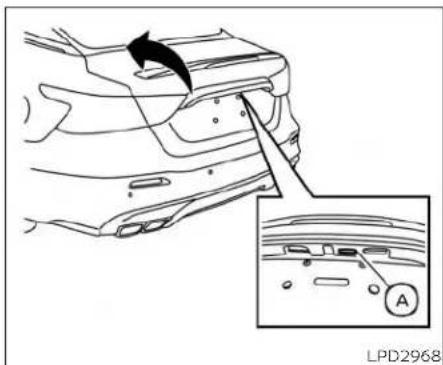
Openingthetrunklid
- Pushthetrunk opener requestswitch Ⓐ formorethan1secondwhilecarrying theIntelligentKeywithyou.
- Thetrunkwillunlatch.Achimewill soundfourtimes.
- Raisethetrunklidtoopenthetrunk.
Lockoutprotection
TopreventtheIntelligentKeyfrombeing accidentallylockedinthetrunk,lockout protectionisequippedwiththeIntelligent Keysystem.
whenalldoorsarelockedandthetrunklid isclosedwiththeIntelligentKeyinsidethe trunk,achimewillsoundandthetrunkwill open.

LPD3603
- 🔒 (remoteenginestart)button
- (lock)button
- 🔒 (unlock)button
- HOLD (trunk)button
- (panic)button
HOWTOUSETHEREMOTE KEYLESSENTRYFUNCTION
Theremotekeylessentryfunctioncan operatealldoorlocksusingtheremote keylessfunctionoftheIntelligentKey.The
remotekeylessfunctioncanoperateata distanceof33ft(10m)awayfromthe vehicle.Theoperatingdistancedepends upontheconditionsaroundthevehicle.
Theremotekeylessentryfunctionwillnot functionunderthefollowingconditions:
-whentheIntelligentKeyisnotwithinthe operationalrange.
-whentheIntelligentKeybatteryisdischarged.
CAUTION
When locking the doors using the intelligent Key, besurenottoleavethe key in the vehicle.
Lockingdoors
- PlacetheignitionswitchintheLOCK position.
2.Closealldoors.
3.Pressthe buttonontheIntelli- gentKey. - The hazard indicator lights flashtwice and the horn beepsonce.
- Alldoorsandthetrunkwillbelocked.
WARNING
AfterlockingthedoorsusingtheIntelligentKey,besurethatthedoorshave beensecurelylockedbyoperatingthe doorhandles.Failuretofollowtheseinstructionsmayresultinadvertently unlockingthedoors,whichmaydecreasethesafetyandsecurityofyour vehicle.
Unlockingdoors
- Pressthebuttononthelntelligent Key.
- The hazard indicator lights flashonce and the driver's door will unlock.
3.Pressthe buttonagainwithin1 minutetounlockalldoorsandtrunk.
NOTE:
TheSelectiveUnlockfeaturecanbe changed using the "VehicleSettings" menu on the vehicle information display. For additional information, see "Vehicle information display" (P.2-17).
Alldoorswillbelockedautomaticallyunlessofthefollowingoperationsisperformedwithin1minuteafterpressingthe button:
- Openinganydoors.
- Pushingtheignitionswitch.
Usingtheinteriorlights
The interior lights illuminate for a period of time when a door is unlocked and the interior light switch is not in the OFF position.
Thelightscanbeturnedoffwithoutwaiting by performing one of the following operations:
- Placing the ignitionswitch in the ON position.
- Locking the doors with the Intelligent Key.
- Switchingtheinteriorlights switchtothe OFFposition.Foradditionalinformation, see"Interiorlights"(P. 2-75).
- SwitchingtheAutoRoomLampfeature totheOFFpositioninthe"VehicleSettings"menuonthevehicleinformation display.Foradditionalinformation,see "Vehicleinformationdisplay"(P. 2-17).
Openingwindows
The Intelligent Key allows outosimultaneously open windowsequipped with automatic operation.
• Toopen the windows, press the button on the Intelligent Key longer than 3 seconds after all doors are unlocked.
Thedoorwindows cannot be closed by using the Intelligent Key.
Releasingthetrunklid
Pressthe buttonforlongerthan1 secondtoopenthetrunklid. Thetrunk releasebuttonwillnotoperatewhenthe ignition switch is placed in the ON position.
Usingthepanicalarm
If you are near your vehicle and feel threatened, you may activate the political alarm to call attention by pressing and holding the button on the intelligent key for longer than 0.5 seconds.
Thepanicalarmandheadlightswill stayon for aperiodoftime.
Thepanicalarmstopswhen:
•Ithasrunforaperiodoftime,or
• AnybuttonispressedontheIntelligent Key.
- TherequestswitchonthedriverorpassengerdoorispushedandtheIntelligent Keyisinrangeofthedoorhandle.
Answerbackhornfeature
Ifdesired, theanswerbackhornfeature can bedeactivated using the Intelligent Key. When it is deactivated and the button is pressed, the hazard indicator lights flashtwice. When the button is pressed, neither the hazard indicator lights nor the horn operates.
NOTE:
If you changetheAnswerBackHorn feature with the Intelligent Key, the vehicle information displays screen will show the current mode after the ignition switch has been cycled from the OFF to the ON position. The vehicle information displays screen can also be used to chan gethe answer backhorn mode. For additional information, see "Vehicles settings" (P.2-22).
Todeactivate:
Pressandholdthe andbuttonsforatleast2seconds.Thehazard indicatorlightswillflashthreetimestoconfirmthattheanswerbackhornfeaturehas beendeactivated.
Toactivate:
Pressandholdthe andbuttonsforatleast2secondsoncemore. Thehazardindicatorlightswillflashonce andthehornwillsoundoncetoconfirm that the horn beep feature has been reactivated.
Deactivating the horn beep feature does not silence the horn if the alarm is triggered.

flowchart
graph TD
    A["Lock"] --> B["Lock"]
    B --> C["Lock"]
    C --> D["Return Arrow"]
    style A fill:#f9f,stroke:#333
    style B fill:#ccf,stroke:#333
    style C fill:#cfc,stroke:#333
    style D fill:#fcc,stroke:#333
LPD2836
IntelligentKeybuttonoperation light
Thelightblinksonlywhenyoupressany buttononthelIntelligentKey. Thelightilluminationonlysignifiesthatthekeyfobhas transmittedasignal.Youmaylookand/or listentoverifythatthevehiclehasperformedtheintendedoperation.
Ifthelightdoesnotblink,yourbatterymay betooweaktocommunicatetothevehicle.Ifthisoccurs,thebatterymayneedto bereplaced.Foradditionalinformationregardingthereplacementofabattery,see "Batteryreplacement"(P.8-22).
WARNINGSIGNALS
Tohelppreventthevehiclefrommoving unexpectedlybyerroneousoperationof theIntelligentKeyortohelppreventthe vehiclefrombeingstolen,achimeor buzzersoundsfrominsideandoutsidethe vehicleandawarningisdisplayedinthe instrumentpanel.
Whenachimeorbeepsoundsorawarning isdisplayed,besuretocheckthevehicle andtheIntelligentKey.
For additional information, see "Troubleshootingguide" (P.3-15) and "Vehicle information display" (P.2-17).
TROUBLESHOOTINGGUIDE
VerifythelocationofallIntelligentKeysthat areprogrammedforthevehicle.ifanother IntelligentKeyisinrangeorinsidethe vehicle,thevehiclesystemmayrespond differentlythanexpected.
| Symptom | PossibleCause | Remedy | |
| Whenpushingtheignitionswitchto stoptheengine | TheShifttoParkwarningappearson thevehicleinformationdisplayandthe insidewarningchimesoundscontinuously. | TheshiftleverisnotintheP(Park) position. | MovetheshiftlevertotheP(Park) position. |
| Whenopeningthedriver'sdoortoget outofthevehicle | TheDoor/TrunkOpenwarningappears onthedisplayandtheinsidewarning chimesoundscontinuously. | TheignitionswitchisintheACCposition. | PlacetheignitionswitchintheON positionorclosethedriver'sdoor. |
| Whenclosingthedooraftergetting outofthevehicle | TheNoKeyDetectedwarningappears onthevehicleinformationdisplay,the outsidechimesoundsthreetimesand theinsidewarningchimesoundsfor approximatelythreeseconds. | TheIntelligentKeyisnotdetected insideofthevehicle. | PlacetheignitionswitchintheOFF position. |
| TheRearDoorAlertwarningmessage appearsonthedisplay,thehorn soundsthreetimestwice,oraCheck BackSeatForArticleswarningappears onthedisplay. | TheRearDoorAlertisactivated | Checkthebackseatforallarticles, presstheOKbuttontocleartheRear DoorAlertwarningmessage. | |
| TheShifttoParkwarningappearson thevehicleinformationdisplayandthe insideandoutsidechimessoundcontinuously. | TheignitionswitchisintheACCorOFF positionandtheshiftleverisnotinthe P(Park)position. | MovetheshiftlevertotheP(Park) position. | |
| SymptomPossibleCauseRemedy | |||
| Whenclosingthedoorwiththeinside lockknobturnedtoLOCK | Theoutsidechimesoundsforapproximatelythreesecondsandallthedoors unlock. | TheIntelligentKeyisinsidethevehicle.CarrytheIntelligentKeywithyou. | |
| Whenpushingthedoorhandle requestswitchtolockthedoor | Theoutsidechimesoundsforapproximatelythreeseconds. | TheIntelligentKeyisinsidethevehicle.CarrytheIntelligentKeywithyou. | |
| Whenpushingtheignitionswitchto starttheengine | TheKeyBatteryLowindicatorappears onthedisplay. | Thebatterychargeislow. | Replacethebatterywithanewone.Foradditionalinformation,see“Battery replacement”(P.8-22). |
| TheKeyIDincorrectwarningappears onthevehicleinformationdisplay. | TheIntelligentKeyisnotdetected insideofthevehicle. | CarrytheregisteredIntelligentKey withyou. | |
| Whenclosingthetrunklid | Theoutsidechimesoundsforapproximately10secondsandthetrunklid opens. | TheIntelligentKeyisinsidethetrunk.CarrytheIntelligentKeywithyou. | |
REMOTE ENGINE START

natural_image
Simple curved arrow diagram pointing right, no text or symbols presentThebutronwillbeontheNISSAN IntelligentKey®ifthevehiclehasRemote EngineStart. Thisfeatureallowstheengine tostartfromoutsidethevehicle.
Vehicleswithanautomaticclimatecontrol systemmaydefaulttoeitheratheatingor coolingmodedependingonoutsideand cabintemperatures.Foradditionalinformation,see"RemoteEngineStartwithinIntelligentClimateControl"(P.4-30).
LawsinsomelocalcommunitiesmayrestrictorprohibittheuseofRemoteEngine Start,ortheamountoftimeaparkedvehicleengine mayidle. Forexample,some lawsrequirreapersonusingRemoteEngine
Starttohavethevehicleinviewormay restrictidlingtimeexceptinfreezingtemperatures.Checklocalregulationsforany requirements.
Otherconditionsmayaffectthefunctionof theRemoteEngineStartfeature.Foradditionalinformation,see"ConditionstheRemoteEngineStartwillnotwork"(P.3-19).
OtherconditionscanaffecttheperformanceoftheIntelligentKeytransmitter. Foradditionalinformation,see"NISSANIntelligentKey®"(P.3-2).
REMOTEENGINESTART OPERATINGRANGE
WARNING
To help avoid risk of injury or death through unintended operation of the vehicle and/or its systems, including entrapment in windows or in adverse door lock activation, do not leave children, people who require the assistance of others or pets unattended in your vehicle. Additionally, the temperature inside is closed vehicle on a warm day can quickly become high enough to cause significant risk of injury or death to people and pets.
- DonotuseRemoteEngineStarting closed spaces such as a garage. Donotbreatheexhaustgases;they containcolorlessandodorlesscarbonmonoxide.Carbonmonoxideis dangerous. It can cause unconsciousnessordeath.
CAUTION
WhentheIntelligentKeybatteryisdischarged orotherstrongradiowavesourcesarepresentneartheoperating location,theIntelligentKeyoperating rangebecomesnarrower,andtheIntelligentKeymaynotfunctionproperly.
TheRemoteEngineStartfunctioncanonly beusedwhentheIntelligentKeyiswithin thespecifiedoperatingrange fromthe vehicle.
TheRemoteEngineStartoperating range is approximately 197 ft (60 m) from the vehicle.
REMOTESTARTINGTHEVEHICLE
TousetheRemoteEngineStartfeature performthefollowing:
1.AimtheIntelligentKeyatthevehicle.
2.Pressthe

buttontolockalldoors.
- within5secondspressandholdthe buttonuntiltheturnsignallights flashandthetaillampsturnon.ifthe vehicleisnotwithinviewpressandhold the buttonforatleast2seconds.
The following events will occur when the engine starts:
• The parking lightswillturnonandremain onaslongastheengineisrunning.
• Thedoorswillbelockedandtheclimate controlsystemmaycomeon.
- Theenginewillcontinuetorunfor10minutes.Repeatthestepstoextendthetime foranadditional10minutes.Foradditionalinformation,see"Extendingengine runtime"(P.3-18).
Pressandholdthebrakepedalwhile switchingtheignitiontotheONposition beforedriving.Foradditionalinformation, see"Drivingthevehicle"(P.5-16).
EXTENDINGENGINERUNTIME
TheRemoteEngineStartfeaturecanbe extendedonetimebyperformingthe stepslistedin"Remotestartingthevehicle" inthissection.Runtime willbecalculated asfollows:
- The first 10 minutes until the time will start when the Remote Engine Start function is performed.
• Thesecond10minuteswillstartimmediatelywhentheRemoteEngineStart functionisperformedagain. For example, iftheenginehasbeenrunningfor5minutes, and 10 minutes are added, the enginewillrunforatotalof15minutes.
- Extendingengine runtimewillbringyou tothetwoRemoteEngineStartllimit.
A maximumoftwoRemoteEngineStarts, orasingleRemoteEngineStartwithan extension, areallowed between ignition cycles. Theignitionswitchmustbecycled totheONpositionandthenbacktothe OFFpositionbeforetheRemoteEngine Startprocedurecanbeusedagain.
CANCELINGAREMOTEENGINE START
TocancelaRemoteEngineStart, perform oneofthefollowing:
- AimtheIntelligentKeyatthevehicleand press 🔒 untiltheparkinglightsturnoff.
• Turnonthehazardwarningflashers.
•Cycletheignitionswitchonandthenoff.
- The extended engine run time has expired.
•Thefirst10minutetimerhasexpired.
- Openingtheenginehood.
- ShiftingthevehicleoutofP(Park).
• Thealarmsoundsduetoillegalentryinto thevehicle.
- Pushingtheignitionswitchwithoutthe IntelligentKeyinthevehicle.
- Notpressing thebrake pedalwhilepressingtheignitionswitchwiththeIntelligent Keyinthevehicle.
CONDITIONSTHEREMOTEENGINE STARTWILLNOTWORK
TheRemoteEngineStartwillnotoperateIf anyofthefollowingconditionsarepresent:
•TheignitionswitchisplacedintheON position.
•Thehoodisnotsecurelyclosed.
•Thehazardindicatorlightsareon.
•Theengineisstillrunning.Theengine mustbecompletelystopped.Waitat least6secondsiftheenginegoesfrom runningtooff.Thisisnotapplicablewhen extendingengineeruntime.
•The 🔒 buttonisnotpressedandheld foratleast2seconds.
- The 🔒 buttonisnotpressedandheld within5secondsofpressingthelock button.
•Thebrakeispressed.
• Thedoorsarenotclosedandlocked.
•Thetrunkisopen.
•TheKeySystemFaultwarningmessage appearsinthevehicleinformation display.
• The alarmsoundsduetoillegalentry into the vehicle.
- TwoRemoteEngineStarts, orasingle RemoteEngineStartwithanextension, havealreadybeenused.
•ThevehicleisnotinP(Park).
- There is a detected registered key already insideofthevehicle.
•TheRemoteEngineStartfeaturehas beenswitchedtotheOFFpositionusing the"Vehicle Settings"menu onthevehicle informationdisplay.Foradditionalinformation,see"Vehicleinformationdisplay"(P.2-17).
TheRemoteEngineStartmaydisplaya warningorindicatorinthevehicle informationdisplay.Foradditionalinformation,see "VehicleInformationdisplay"(P.2-17).
HOOD
TRUNKLID

① Pullthehoodlockreleasehandlelocatedbelowthedriversideinstrument panel.Thehoodwillspringupslightly.
② Pushtheleveratthefrontofthehood tothesideasillustratedwithyourfingertipsandraisethehood.
When closing the hood, lower its slowly and makes sure it locks into place.
WARNING
•Makesurethehoodiscompletely closedandlatchedbeforedriving. Failuretodosocouldcausethehood toflyopenandresultinanaccident.
- If you este steamorsmoke coming from the engine compartment, to avoid injury donotopenthehood.
WARNING
- Donotdrivewiththetrunklidopen. This could allow dangerous exhaust gas estobedrawn into the vehicle. For additional information, see "Exhaust gas (carbonmonoxide)" (P.5-4).
Closelysupervisechildrenwhenthey arearound carsto prevent them fromplayingandbecominglockedin thetrunkwheretheycouldbeseriouslyinjured.Keepthecarlocked, withtherearseatbackandtrunklid securely latched whennotin use,and preventchildren's accesstocarkeys.
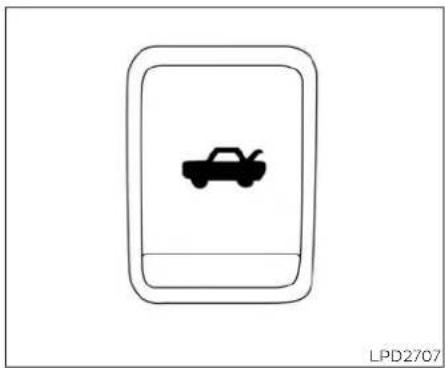
natural_image
Simple line drawing of a car inside a rounded rectangle, no text or symbols present
natural_image
Simple icon of a car inside a rounded rectangle (no text or symbols)LPD2707
Instrumentpanel
OPENEROPERATION
Toopenthetrunklid, pushtheopener switch.
Toclosethetrunklid,lowerandpushthe trunkliddownsecurely.
NOTE:
YoucanopenthetrunklidwiththeIntelligentKey.Foradditionalinformation, see"NISSANIntelligentKey®"(P.3-2).
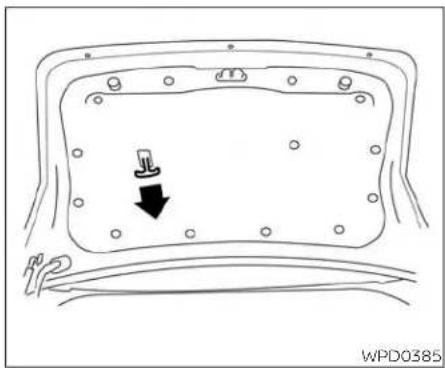
natural_image
Diagram of a vehicle rear panel with a black arrow pointing to the side panel (no text or symbols present)INTERIORTRUNKLIDRELEASE
WARNING
Closelysupervisechildrenwhenthey arearoundcarstopreventthemfrom playingandbecominglockedinthe trunkwheretheycouldbeseriouslyinjured.Keepthecarlocked,withtherear seatbackandtrunklidsecurelylatched whennotinuse,andpreventchildren's accesstocarkeys.
Theinteriortrunklidreleasemechanism providesameansofescapeforchildren andadultsintheeventtheybecome lockedinsidethetrunk.
Toopenthetrunkfromtheinside,pullthe illuminatedreleasehandleuntilthelockreleasesandpushuponthetrunklid.The releasehandleismadeofamaterialthat glowsinthedarkafterabriefexposure to ambientlight.
The handle is located inside the diet trunk compartment on the interior of the trunk lid.
INTERIORTRUNKACCESS
The trunk can be accessed from the passengers side of there are seat.
- Movethefrontpassengerseattothe mostforwardposition.
- Open the access cover on therear parcel shelf.
3.Pushdownonthebuttonontherear parcelshelf. - Folddownthepassenger'ssideseatback.
Foradditionalinformation,see"Seats"(P.1-2).
FUEL-FILLERDOOR
WARNING
·Neverallowanyonetorideinthe cargoareaorontherearseatwhenit isinthefold-downposition.Useof theseareasbypassengerswithout properrestraintscouldresultinserious injuryordeathinanaccidentor suddenstop.
•Properlysecureallcargowithropes orstrapstohelppreventitfromslidingorshifting.Donotplacecargo higherthantheseatbacks.Inasuddenstoporcollision,unsecured cargocouldcausepersonalinjury.
- When returning these seat back to the upright position, be certain they are completely secured in the elatched position. If they are not completely secured, passengers maybe injured in an accidentors sudden stop.
- Closelysupervisechildrenwhenthey arearoundcarstopreventthem from playing and becoming locked in thetrunkwheretheycouldbeseriously injured.Keep the carlocked, withthereseatbackandtrunklid securely latched when not in use, and prevent children's access to car keys.

natural_image
Simple hand-drawn oval shape with a black arrow pointing inward (no text or symbols)WPD0454
OPENINGTHEFUEL-FILLERDOOR
Toopenthefuel-fillerdoor, pushtheright sideofthefuel-fillerdoortorelease.
FUEL-FILLERCAP
WARNING
- Gasolineisextremelyflammable and highlyexplosiveundercertainconditions. Youcouldbeburned orseriously injuredifitismisusedormishandled. Always stop the engine and do not smokeorallowopenflamesorsparks nearthevehiclewhenrefueling.
- Donotattempttotopoffthefueltank afterthefuelpumpnozzleshutsoff automatically. Continued refueling maycausefueloverflow,resultingin fuelsprayandpossiblyafire.
- Useonlyanoriginalequipmenttype fuel-filler cap as a replacement. It has abuilt-insafetyvalveneededfor properoperationofthefuelsystem andemissioncontrolsystem.Anin-correct cap can result in a serious malfunctionandpossible injury.It couldalsocausethe MalfunctionIndicatorLight(MIL)tocomeon.
- Never pour fuel into the throttle body to attempt to start your vehicle.
- Donotfillaportablefuelcontainerin thevehicleortrailer.Staticelectricity can cause anexplosionofflammable liquid,vapororgasinanyvehicleor trailer.Toreducetheriskofserious injuryordeathwhenfillingportable fuelcontainers:
-Alwaysplacethecontaineronthe groundwhenfilling.
- Donotuseelectronicdeviceswhen filling.
-Keepthepumpnozzleincontact withthecontainerwhileyouare fillingit.
-Useonlyapprovedportablefuel containersforflammableliquid.
CAUTION
- Donotuseafuelcontainingmore than15%ethanolinyourvehicle. For additionalinformation,see "Fuelrecommendation"(P.10-4).
The Loose Fuel Cap warning will appear if the fuel-fillercapis not properly tightened. It may take a few driving trips for them message to be displayed. Failure to tighten the fuel-fillercap properly after the Loose Fuel Cap warning appears may cause the Malfunction Indicator Light (MIL) to illuminate.
- Failuretotightenthefuel-fillercap properlymaycausethe Mal-functionIndicatorLight(MIL)toillu-minate.Ifthe lightilluminates becausethefuel-fillercapislooseor missing,tightenorinstallthecapand continueto drivethevehicle.The lightshouldturnoffafterafew drivingtrips.Ifthe lightdoesnot turnoffafterafewdrivingtrips,have the vehicleinspected. Itis recommendedthatyouvisitaNISSAN dealerforthisservice.
- Foradditionalinformation,see "Mal-functionIndicatorLight(MIL)"(P.2-13).
- Iffuelisspilledonthevehiclebody, flushitawaywithwaterto avoid paintdamage.

Toremovethefuel-fillercap:
- Turnthefuel-fillercapcounterclockwise toremove.
- Putthefuel-fillercaponthecapholder ① whilerefueling.
Toinstallthefuel-fillercap:
- Insert the fuel-fillercap straight into the fuel-fillertube.
- Turnthefuel-fillercapclockwiseuntila singleclickisheard.
STEERINGWHEEL

natural_image
Pure electrical circuit symbol for a plug (no text or labels)LooseFuelCapwarning
The Loose Fuel Cap warning appears in the vehicle information display when the fuel-fillercapis not lightened correctly after the vehicle has been refueled. It may take a few driving trips forthemessagetobedisplayed. Toturnoff the warning, perform the following:
- Remove and install the fuel-fillercapas soon as possible. For additional information, see "Fuel-fillercap" (P.3-22).
- Tightenthefuel-fillercapuntilitasing clickisheard.
WARNING
- Donotadjustthesteeringwheelwhile driving.Youcouldlosecontrolofyour vehicleandcauseanaccident.
- Donotadjustthesteeringwheelany closertoyouthanisnecessaryfor propersteeringoperationandcomfort. Thedriver'sairbaginflateswith greatforce. If you are unrestrained, leaningforward, sittingsidewaysor outofpositioninanyway, you areat greaterriskofinjuryordeathina crash. You may also receive serious or fatal injuries from the airbag if you are up again sit when it inflates. Always sit back against these at back and as far away as practical from the steering wheel. Always usetheseat belts.

Pullthelocklever ① upfirmlytolockthe steeringwheelinplace.
3-24 Pre-drivingchecksandadjustments

Toadjustthesteeringwheelmovethe switch ① inthefollowingdirections:
-Adjustthesteeringwheelupordownin direction ② tothedesiredtiltposition.
-Adjustthesteeringwheelforwardor backwardindirection ③ tothedesired telescopicposition.
CAUTION
Forvehicleswithmemoryseat:Failure toresetthetiltandtelescopingfunctionsofthesteeringwheel,afterthe vehicle'sbatteryhasbeendischarged, maypreventthesteeringwheelpositionfrombeingadjusted.
Forvehicleswithmemoryseat:Boththetilt andtelescopicsteeringoperationmustbe resetafterthevehicle'sbatteryhasbeen dischargedinordertopreventthetiltand telescopicoperationfromlockinginone position. Whenthebatteryhasbeenre-chargedorreplaced,performthefollowing:
•Fortiltoperation:Adjusttheswitch ① so thesteeringwheelmovestothehighest position ② thatcanbereached.
• Fortelescopicoperation: Adjust the switch ① sothesteeringwheelmovesto themostforwardandbackwardposition ③ thatcanbereached.
Performingthese operationsresetsthe rangeofthesteeringwheel'stiltandtele-scopicfunction.
Entry/Exitfunction(ifso equipped)
Thememoryseatsystemwillmakethe steering wheel move up automatically whenthedriver'sdoorisopenedandthe ignitionswitchisintheLOCKposition.This letsthedrivergetintoandoutoftheseat moreeasily.The steering wheel moves backintopositionwhenthedriver'sdooris closedandtheignitionswitchispushed.
For additional information, see "Memory seat" (P.3-30).
SUNVISORS

flowchart
graph TD
    A["Opening Seat Area"] --> B["Cut Outer Body"]
    B --> C["Cut Inner Body"]
    C --> D["Cut Outer Body"]
    D --> E["End of Rear Seat Area"]
① Toblockglarefromthefront, swing downthesunvisor.
② Toblockgiarefromtheside, remove thesunvisorfromthecentermount andswingthevisortotheside.
③ Sliidetheextensionsunvisorinorout asneeded.
CAUTION
- Donotstorethesunvisorbeforere-turningtheextensiontoitsoriginal position.
- Donotpulltheextensionsunvisor forciblydownward.

natural_image
Line drawing of a car rearview with a rectangular vent and directional arrow (no text or symbols)VANITYMIRRORS
Toaccessthevanitymirror,pullthesun visordownandflipopenthemirrorcover. Thevanitymirrorwillilluminatewhenthe mirrorcoverisopen.
3-26 Pre-driving checks and adjustments
MIRRORS
AUTOMATICANTI-GLARE REARVIEWMIRROR
Theinsidemirrorlsdesignedsothatitautomaticallydimsduringnighttimeconditionsandaccordingtotheintensityoftheheadlightsofthevehiclefollowingyou.Theautomaticanti-glarefeatureisactivatedwhentheignitionswitchisintheONposition.
NOTE:
Donothanganyobjectsoverthesensors ① orapplyglasscleanertothesensors.Doingsowillreducethesensitivity ofthesensors,resultinginimproper operation.
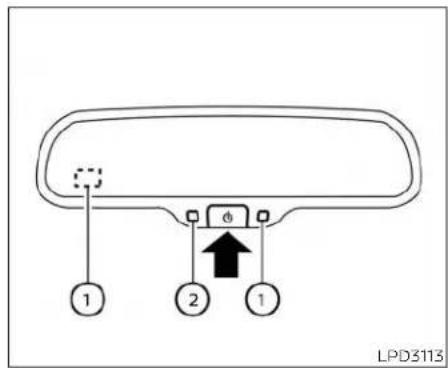
TypeA(ifsoequipped)
The indicator light ② will illuminate when the automatic anti-glaresensor feature is operating.
WiththeignitionswitchintheONposition, pressthe buttonasdescribed:
- Toturnofftheanti-glarefeature,press the 🔒 button. The indicatorlightwill turnoff.
- Toturnontheanti-glarefeature, press the ⏻ buttonagain. TheIndicatorlight willturnon.
NOTE:
Donothanganyobjectsoverthesensors 🟡 orapplyglasscleanertothesensors.Doingsowillreducethesensitivity ofthesensors,resultinginimproper operation.

TypeB(ifsoequipped)
TheInsidemirrorisdesignedsothatitautomaticallydimsdurlingnighttimeconditionsandaccordingtotheintensityoftheheadlightsofthevehiclefollowingyou.Theautomaticanti-glarefeatureisactivatedwhentheignitionswitchisintheONposition.
NOTE:
Donothanganyobjectsoverthesensors ① orapplyglasscleanertothesensors.Doingsowillreducethesensitivity ofthesensors,resultinginimproper operation.
ForadditionalinformationonHomeLink® UniversalTransceiveroperation,see "HomeLink®UniversalTransceiver"(P.2-77).
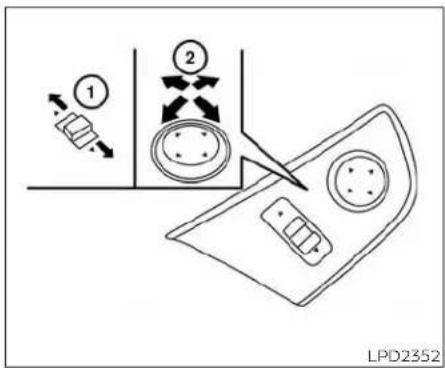
OUTSIDEMIRRORS
Theoutsidemirrorremotecontrolwillo- erateonlywhentheignitionswitchisinthe ACCorONposition.
Movethesmallswitch ① toselecttheright orleftmirror.Adjusteachmirrortothede-siredpositionusingthelargeswitch ② Movethesmallswitch ① tothecenter (neutral)positionto preventaccidentally movingthemirror.
WARNING
- Objectsviewedintheoutsidemirror onthepassengersidearecloserthan theyappear.Becarefulwhenmoving totheright.Usingonlythismirror couldcauseanaccident.Usethe insidemirrororglanceoveryour shouldertoproperlyjudgedistances tootherobjects.
- Donotadjustthemirrorswhiledriving.Youcouldlosecontrolofyourvehicleandcauseanaccident.

natural_image
Diagram of a car interior corner with a dashed box and arrow indicating rotation (no text or symbols)Foldableoutsidemirrors
Pulltheoutsidemirrortowardthedoorto foldit.
Automaticanti-glareoutside mirror(Driver'ssideonly)(ifso equipped)
Theoutsidemirrorwillautomaticallydim duringnighttimeconditionstoreducethe glarefromtheheadlightsoftrailingvehicles.Theautomaticanti-glarefeature operatesonlywhentheignitionswitchis placedintheONposition.
Theautomaticanti-glarefeaturewillbeon whenstartingthevehicle.Theindicator lightontheautomaticanti-glarerearview mirrorwillilluminatewhentheautomatic anti-glarefeatureisoperating.
Foradditionalinformation,see"Automatic anti-glareareaviewmirror"(P.3-27).
Heatedmirrors
The electric control type outside mirrors can be heated to defrost, defog, or de-ice for improved visibility. Push the rear window defrosters switch to activate the heating function. Push the switch againtode-activate, or the heating function will automatically turn off after approximately 15 minutes.
Reversetilt-downfeature(ifso equipped)
Thereversetlit-downfeaturewillturnboth outsidemirrorsurfacesdownwardtopro- videbetterrearvisibilityclosetothevehicle whenthemirrorcontrolswitchisineither theLorRposition.
The mirrors automatically return to their original position when you shift out of R (Reverse).
MEMORYSEAT(ifsoequipped)
Theoutsidemirrorsurfaceswillreturnto theiroriginalpositionwhenoneofthefollowinghasoccurred:
- Theshiftleverismovedtoanyposition otherthanR(Reverse).
•Theoutsidemirrorcontrolswitchissetto theneutralorcenterposition.
•TheignitionswitchisplacedintheOFF position.
NOTE:
Iftheoutsidemirrorcontrolswitchisin thecenter(neutral)position,mirrorsurfacewillNOTturndownwardwhenthe shiftleverismovedtoR(Reverse).
For additional information regarding this feature, see "Memoryseat" (P.3-30).
Thememoryseatsystemhasthreefeatures:
•Memorystoragefunction(Key-link)
•Memorystoragefunction(Switch)
-Entry/exitfunction
Key-link, when enabled, automatically retained driver's last seat, automatic steering wheel, and outside mirror positions for that specific key when the ignition is positioned from ON to OFF.
Eachmemoryswitchbutton(1or2)onthe driver'sdoorcanalsostoreoneadditional positionwhichisindependentofthekey-linkedposition.
MEMORYSTORAGEFUNCTION (key-link)
Usethefollowingprocesstosetupkey-link:
- Unlock the vehicle with the desired Intelligent Key while the ignition is OFF.
- PlacetheignitionintheONposition.
- Within the "Settings" menu of the vehicle information display, select "Key-Linked Settings" and press the OK button on the steering switch.
- Whileinthemenu, presstheOKbutton onthesteeringswitchtoturnthesystemON/OFF.
Once step4 is completed, every time the ignition is switched from ON to OFF, the memory position so the driver's seat, automatic steering wheel and the outside mirrors are linked to the Intelligent Key.
Followthesameprocedureifyouwant tolinkthe2nd,3rdor4thIntelligentKey.
NOTE:
Ifnewmemorypositionsaresetpriorto turningtheignitionfromONtoOFF,the previouslylinkedmemorypositionsfor therespectivekeywillbeoverwrittenby newpositions.
Recalling Intelligent Key memory positions
If the Key-Linked Settings are enabled in the vehicle information display for that particular key, every time you enter the vehicle the driver's seat, automatic steering wheel, and outside mirror will automatically move the driver's last position of the respective Intelligent Key.
NOTE:
Thekey-linkedmemorypositionscanbe differentfromthepositionsstoredinthe memoryswitch(1or2).

MEMORYSTORAGEFUNCTION (switch)
Twopositionsforthedriver'sseat,steering columnandoutsidemirrorscanbestored Inthememoryseatsystem.Followthese procedurestousethememorysystem.
-
PlacetheignitionintheONorACCposition(thevehicleshouldbestoppedwhile settingthememory).
-
Adjustthedriver'sseat, steeringcolumn and outsidemirrorstothedesiredpositionsbymanuallyoperatingeachadjustingswitch.Foradditionalinformation,see"Seats"(P.1-2),"Steeringwheel"(P.3-24)and"Outsidemirrors"(P.3-28).
- Push the SET switch and within 5 seconds, push them memory switch (1 or 2).
- The indicator light for the pushed memory switch will come on and stay on for approximately 5 seconds.
- Thechimewillsoundifthememoryhas beenstored.
NOTE:
Ifanewmemorypositionisstoredinthe samememoryswitch,theprevious memorypositionwillbeoverwrittenby thenewstoredposition.
Confirmingmemorystorage
PushtheSETswitch.
- Ifamemorypositionhasnotbeenstored intheswitch(1or2)theindicatorlightfor therespectiveswitchwillcomeonfor approximately0.5seconds.
- Ifamemorypositionhasbeenstoredin theswitch(1or2)thentheindicatorlight fortherespectiveswitchwillstayonfor approximately5seconds.
LinkinganIntelligentKeytothe meterdisplay(ifsoequipped)
Each IntelligentKey, uptoa maximum of four, can be linked to the meter display.
- Whenthesystemisenabled,therecognizedIntelligentKeyisdisplayedatstart up,aswellaswithin"Key-LinkedSettings".
- When the system is active, the meter setting items are memorized for each Intelligent Key that has been enabled in the system.
- Thememoryseatsystemismemorized automaticallywhentheignitionswitch isturnedfromONtoOFFbytheIntelligentKeywithnoneedtosetseparate buttonsforrecallingandmemorizing positions.
-
IftwoIntelligentKeysareinthevehicle, thesystemwillrecognizetheIntelligent Keythatwasusedmostrecently,such astounlock/lockthedoor.
-
If there is a desire to change to another Intelligent Key while in the vehicle, the user must place the ignition switch in the OFF position and initiate communication from the desired Intelligent Key.
-
Ignition from ON position to the OFF
-
UnlockdoorwiththedesiredIntelligent Key
-
ThedesiredIntelligentKeynumber shouldappearonthemeterdisplay.
ENTRY/EXITFUNCTION(ifso equipped)
This system is designed so that the driver's seat and steering column will automatically move when the shift lever is in the P (Park) position. This allows the driver to easily get in and out of the driver's seat.
Thedriver'sseatwillslidebackwardand thesteeringwheelwillmoveup:
- Whenthedriver'sdoorisopenedandthe ignitionswitchisintheOFFposition.
-Whentheignitionswitchisturnedfrom ACCtoOFFwiththedriver'sdooropen.
The driver's seat and steering wheel will return to the previous position:
- When the ignitions switchisturned to ACC or ON while the shift lever is in the P(Park) position.
Theentry/exitfunctioncanbeadjustedor canceledthroughthe"VehicleSettings"in the vehicle information display by performingthefollowing:
- SwitchtheExitSeatSlidefromONtoOFF.
- SwitchtheExitSteeringUpfromONto OFF.
SYSTEMOPERATION
Thememoryseatsystemwillnotworkor will stop operating under the following conditions:
- whenthevehiclespeedisabove4mph (7km/h).
- Whenanyofthememoryswitchesare pushedwhilethememoryseatsystemis operating.
- When the switch forth driver's seat and steering column is pushed while the memory seatsystemisoperating.
- Whentheseathasalreadybeenmoved tothememorizedposition.
- Whennoseatpositionisstoredinthe memoryswitch.
- WhentheshiftleverismovedfromP (Park)toanyotherposition.
Thememoryseatsystemcanbeadjusted and canceled. It is recommended you visit a NISSAN dealer for this service.
4Monitor,climate,audio,phone and voicerecognitionsystems
NissanConnect®Owner'sManual....4-2
RearViewMonitor(ifsoequipped)....4-3
RearViewMonitorsystemoperation....4-4
Howtoreadthedisplayedlines. 4 - 5
Differencebetweenpredictedand
actualdistances. 4 - 5
Howtoparkwithpredictedcourse
lines. 4-7
Adjustingthescreen. 4 - 8
Howtoturnonandoffpredicted
courselines. 4-8
RearViewMonitorsystemlimitations. . . . . . . 4 - 9
Systemmaintenance. 4-10
IntelligentAroundView®Monitor(ifso
equipped) 4-11
IntelligentAroundView®Monitor
systemoperation....4-12
Differencebetweenpredictedand
actualdistances. 4-16
Howtoparkwithpredictedcourselines.....4-18
Howtoswitchthedisplay....4-19
Adjustingthescreen....4-19
IntelligentAroundView®Monitor
systemlimitations....4-20
Systemmaintenance....4-22
MovingObjectDetection(MOD)(ifso
equipped) 4-23
MOD system operation 4-24
Turning MOD on and off 4-26
MOD system limitations 4-26
Systemmaintenance....4-27
Vents. 4-27
Heater and Air Conditioner (automatic)....4-29
Automatic operation 4-30
Manualoperation....4-31
Operating tips 4-32
Servicing air conditioner 4-33
Antenna 4-33
Roof Mounted Antenna 4-33
Car phone or CB radio....4-34
iPod®/iPhone® 4-34
NISSANCONNECT® OWNER'S MANUAL

LHA5682
RefertothedigitalNissanConnect®Owner's manualusingtheQRcodeonthispage, oryourprintedNissanConnect®Owner's manual.Thismanualincludesthefollowing information:
•NissanConnect®Services
• Navigationsystem
•Audiosystem
-AppleCarPlay®
-AndroidAuto™
-Bluetooth®Hands-FreePhonesystem
-Viewinginformation
4-2Monitor, climate, audio, phone and voicerecognitionsystems
- Othersettings
•Voicerecognition
•Generalsysteminformation
REARVIEWMONITOR(ifso equipped)

natural_image
Line drawing of a car interior showing dashboard, steering wheel, and control panel (no text or symbols)1.CAMERAbutton
Monitor,climate,audio,phoneandvoicerecognitionsystems4-3
WARNING
- FailuretofollowthewarningsandinstructionsforproperuseoftheRearViewMonitorsystemcouldresultin seriousinjuryordeath.
RearViewMonitorisaconvenience featureandisnotasubstitutefor properbacking.Alwaysturnandlook outthewindowsandcheckmirrors tobesurethatitissafetomovebeforeoperatingthevehicle.Always backupslowly. - Thesystemisdesignedasanaidto thedriverinshowinglargestationaryobjectsdirectlybehindthevehicle,tohelpavoiddamagingthe vehicle.
- Thedistanceguidelineandthevehiclewidthlineshouldbeusedasa referenceonlywhenthevehicleisonalevelpavedsurface.Thedistanceviewedonthemonitorisforreferenceonlyandmaybedifferentthan theactualdistancebetweenthevehicleanddisplayedobjects.
CAUTION
Donotscratchthecameralenswhen cleaningDIRtorsnowfromthefrontof thecamera.
TheRearViewMonitorsystemautomaticallyshowsarearviewofthevehiclewhen theshiftleverisshiftedintotheR(Reverse) position.whileinR(Reverse),pressingthe CAMERAbuttonwillcyclethroughguidelineoptions.Theradiocanstillbeheard whiletheRearViewMonitorisactive.

natural_image
Line drawing of a car rear view with labeled component (1), no text or symbols presentTodisplaytherearview,theRearViewMonitorsystemusesacameralocatedjustabovethevehicle'slicenseplate ①.
4-4 Monitor, climate, audio, phone and voice recognition systems

HOWTOREADTHEDISPLAYED LINES
Guidinglineswhichindicatethevehicle widthanddistancestoobjectswithreferencetothevehiclebodyline Ⓐ aredisplayonthemonitor.
Distanceguidelines
Indicated distances from the vehicle body.
•Redline ①:approx.1.5ft(0.5m)
•Yellowline ②:approx.3ft(1m)
•Greenline ③:approx.7ft(2m)
Vehiclewidthguidelines ④
Indicatethevehiclewidthwhenbackingup.
Predictedcourselines ⑤
Indicatethepredictedcoursewhenbackingup.Thepredictedcourselineswillbe displayedonthemonitorwhentheshift leverisintheR(Reverse)positionandthe steeringwheelisturned.Thepredicted courselineswillmoveddependingonhow muchthesteeringwheelisturnedandwill notbedisplayedwhilethesteeringwheels inthestraight-aheadposition.
Thevehiclewidthguidelinesandthewidth ofthepredictedcourselinesarewiderthan theactualwidthandcourse.
DIFFERENCEBETWEENPREDICTED ANDACTUALDISTANCES
The displayed guidelines and their locations on the ground are for approximate reference only. Object on uphill, down a hill surfaces or projecting objects will be actually located at distances different from those displayed in the monitor relative to the guidelines (referto illustrations). When indoubt, turnaround and view the objects as you are backing up, or park and exit the vehicle to view the positioning of objects behind the vehicle.

natural_image
Diagram showing a car on a slope with a parking lot and a vehicle in the background (no text or symbols)Backinguponasteepuphill
whenbackingupthevehicleupahill,the distanceguidelinesandthevehiclewidth guidelinesareshowncloserthantheactual distance.Notethatanyobjectonthehillis furtherthanitappearsonthemonitor.

natural_image
Diagram showing a car on a slope with a block sliding down and a vehicle approaching it (no text or symbols)Backinguponasteepdownhill
whenbackingupthevehicledownahill, thedistanceguidelinesandthevehicle widthguidelinesareshownfartherthan theactualdistance. Notethatanyobject onthehilliscloserthanitappearsonthe monitor.

Backingupnearaprojecting object
Thepredictedcourselines ⑧ donottouch theobjectinthedisplay.However,thevehiclemayhittheobjectifitprojectsover theactualbackingupcourse.

Backingupbehindaprojecting object
Theposition © is shown farther than the position Ⓗ in the display. However, the position © is actually at the same distance astheposition Ⓔ. The vehicle may hit the
4-6Monitor,climate,audio,phoneandvoicerecognitionsystems
objectwhenbackinguptotheposition iftheobjectprojectsovertheactualbackingupcourse.
HOWTOPARKWITHPREDICTED COURSELINES

WARNING
- If the tires are replaced with different sizes, the predicted courselines may be displayed incorrectly.
- Onasnow-coveredorslipperyroad, theremaybeadifferencebetween thepredictedcourselineandtheactualcourseline.
- If the battery is disconnected or becomes discharged, the predicted courselines may be displayed incorrectly. If this occurs, please perform the following procedures:
- Turnthesteeringwheelfromlock tolockwhiletheengineisrunning.
-Drivethevehicleonastraightroad formorethan5minutes.
- When the steering wheel is turned with the ignition switch in the ACC position, the predicted course lines may be displayed incorrectly.
A

natural_image
Diagram showing a car on a ramp and its rear view, with a circular symbol labeled 'A' pointing upward (no text or labels present)- Visually check that the parkingspace is safe before parking your vehicle.
- Therearviewofthevehicleisdisplayed onthescreen Ⓐ whentheshiftleveris movedtotheR(Reverse)position.
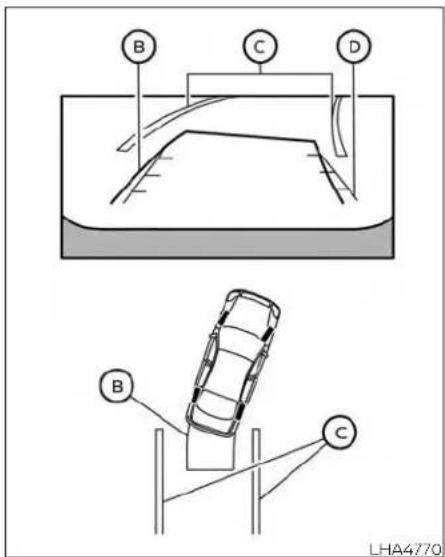
3.Slowlybackupthevehicleadjustingthe steeringwheelso thatthepredicted courselines Ⓑ entertheparkingspace Ⓞ.
- Maneuverthesteeringwheeltomake thevehiclewidthguidelines ① parallel totheparkingspace ② whilereferring tothepredictedcourselines.
- Whenthevehicle is parked in the space completely, movetheshiftlevertotheP (Park) position and apply the parking brake.
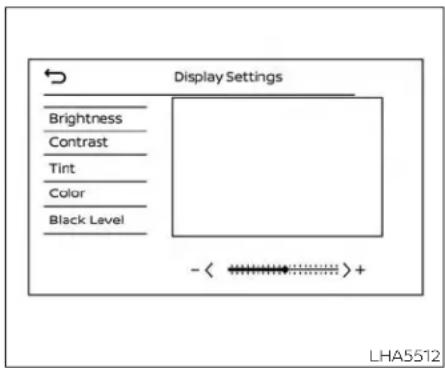
ADJUSTINGTHESCREEN
1.PresstheMENUbutton.
2. Touchthe"Settings"key.
3. Arrowovertonextpage.
4. Touch the "Camera" key.
5. Touch "Displaysettings" key.
6. Touch the "Brightness," "Contrast," "Tint," "Color," or "BlackLevel" key.
7. Adjust the item by touching the "or" key on the touch-screen display.
NOTE:
Donotadjustanyofthedisplaysettings oftheRearViewMonitorwhilethevehicleismoving.Makesuretheparking brakeisfirmlyapplied.
HOWTOTURNONANDOFF PREDICTEDCOURSELINES
Totoggleonandoffthepredictedcourse lineswhileintheP(Park)orD(Drive) positions:
- PresstheCAMERAbutton.
- Touch the "PredictedCourseLines" key to turn the feature on or off.
Totoggleonandoffthepredictedcourse lineswhileintheR(Reverse)position,press theCAMERAbutton.
4-8 Monitor, climate, audio, phone and voicerecognition systems
REARVIEWMONITORSYSTEM LIMITATIONS
WARNING
Listedbelowarethesystemlimitations forRearViewMonitor.Failureretooper-atethevehicleinaccordancewith thesesystemlimitationscouldresultin seriousinjuryordeath.
- Thesystemcannotcompletelyeliminateblindspotsandmaynotshow everyobject.
·Underneaththebumperandthecornerareasofthebumpercannotbe viewedontheRearViewMonitorbecauseofitsmonitoringrangelimitation.Thesystemwillnotshowsmall objectsbelowthebumper,andmay notshowobjectsclosetothebumperorontheground. - ObjectsviewedintheRearView Monitordifferfromactualdistance becauseawide-anglelensisused.
-
ObjectsintheRearViewMonitorwill appearvisuallyoppositecompared towhenviewedintherearviewand outsidersmirrors.
-
Usethedisplayedlinesasareference.Thelinesarehighlyaffectedby thenumberofoccupants,fuellevel, vehicleposition,roadconditionsand roadgrade.
• Makesurethatthetrunkissecurely closedwhenbackingup. - Donotputanythingontherearview camera.Therearviewcameraisinstalledabovethelicenseplate.
- When washing the vehicle with high pressure water, besurenottospray it around the camera. Otherwise, water may enter the camera unit causing water condensation on the lens, a malfunction, fire or an electric shock.
- Donotstrikethecamera.Itisaprecisioninstrument. Otherwise, it may malfunctionorcausedamageresultinginafireoranelectricshock.
The following are operating limitations and do not represent asystemmalfunction:
- when the temperature is extremely high or low, the screen may not clearly display objects.
- When strong light directly shines on the camera, objects may not be displayed clearly.
- Verticallinesmaybeseeninobjectson thescreen. Thisisduetostrongreflected lightfromthebumper.
• Thescreenmayflickerunderfluorescent light. - ThecolorsofobjectsontheRearView Monitormaydiffersomewhatfromthe actualcolorofobjects.
- Objectsonthemonitormaynotbeclear inadarkenvironment.
- Theremaybeadelaywhenswitching betweenviews.
- Ifdirt,rainorsnowaccumulateonthe camera,theRearViewMonitormaynot displayobjectsclearly.Cleanthecamera.
- Donotusewaxonthecameralens.Wipe offanywaxwithacleanclothdampened withadilutedmildcleaningagent,then wipewithadrycloth.
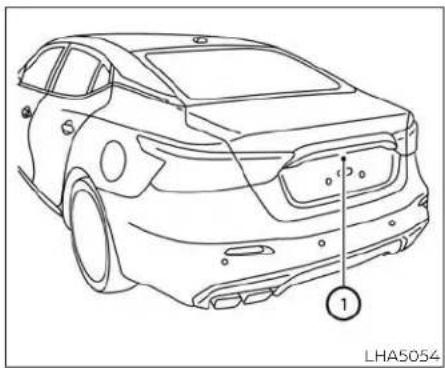
natural_image
Line drawing of a car front view with labeled component (1), no text or symbols presentIfdirt,rainorsnowaccumulatesonthe camera ①,theRearViewMonitormaynot displayobjectsclearly.Cleanthecamera bywipingitwithaclothdampenedwith adilutedmildcleaningagentandthen wipingitwithadrycloth.
SYSTEMMAINTENANCE
CAUTION
- Donotusealcohol, benzineorthinnertocleanthecamera. This will caused discoloration.
- Donotdamagethecameraasthe monitorscreenmaybeadversely affected.
4-10 Monitor, climate, audio, phone and voicerecognitionsystems
INTELLIGENTAROUNDVIEW® MONITOR(ifsoequipped)

natural_image
Line drawing of a car interior showing dashboard, steering wheel, and control panel (no text or symbols)1.CAMERAbutton
Monitor, climate, audio, phone and voicerecognitionsystems4-11
WARNING
- Failuretofollowthewarningsandinstructionsfortheproperuseofthe IntelligentAroundView®Monitor systemcouldresultinseriousinjury ordeath.
The Intelligent Around View Monitor is a convenience feature and is not a substitute for proper vehicle operation because it has areas where objectscannot be viewed. The four corners of the vehicle in particular, are areas where objects donot always appear in the bird's-eye, front, or rear views. Always check your surrounding stobesure that it is safetomove before operating the vehicle. Always operatethe vehicles slowly.
·The driverisalways responsible for safety during parking and other maneuvers.
CAUTION
Donotscratchthecameralenswhen cleaningDIRtorsnowfromthefrontof thecamera.
The IntelligentAroundView® Monitorsystemisdesignedasanaidtothedriverin situationssuchasslotparkingorparallel parking.
Themonitordisplaysvariousviewsofthe positionofthevehicleinasplitscreenformat.Notallviewsareavailableataltimes.
Availableviews:
- FrontView
Anapproximately150-degreeviewofthe frontofthevehicle.
•RearView
Anapproximately150-degreeviewofthe rearofthevehicle.
•Bird's-EyeView
Thesurroundingviewsofthevehicle fromabove.
- Front-SideView
The viewaroundandaheadofthefront passenger'ssidewheel.
•Rear-WideView
Anapproximately180-degreeviewofthe rearofthevehicle.

natural_image
Line drawing of a car with a numbered component and a sensor or antenna (no text or symbols)Todisplaythemultipleviews,theIntelligent AroundView®Monitorsystemusescameraslocatedinthefrontgrille,onthevehicle'soutsidemirrorsandonejustabove thevehicle'slicenseplate ①.
- Usethedisplayedlinesandthebird's-eyeviewasareference.Thelinesand thebird's-eyeviewaregreatlyaffectedbythenumberofoccupants, cargo,fuellevel,vehicleposition,road conditionandroadgrade.
- If the tires are replaced with different sizes, the predicted courselines and the bird's - eyeview may be displayed incorrectly.
- Whendrivingthevehicleupahill, objects viewed in the monitor are further than they appear. Whendriving the vehicle down a hill, objects viewed in the monitor are closer than they appear.
- Objects in the rear view will appear visuallyoppositecomparedtowhen viewedinthemonitorandoutside mirrors.
- Usethemirrorsoractuallylookto properlyjudgedistancestoother objects.
- Onasnow-coveredorslipperyroad, there maybe adifference between thepredictedcourselinesandthe actualcourseline.
The vehicle widthandpredicted courelinesarewiderthantheactual widthandcourse.
- The displayed lines will appear slightlyoffto theright,because the rearviewcameraisnotinstalled in therearcenterofthevehicle.

Frontview

flowchart
graph TD
    1["1"] --> 3["3"]
    2["2"] --> 3["3"]
    3["3"] --> 5["5"]
    5["5"] --> 6["6"]
    6["6"] -.-> 5["5"]
    5["5"] -.-> 6["6"]
    4["A"] --> 5["5"]
    style 4 fill:#f9f,stroke:#333
    style 5 fill:#ccf,stroke:#333
    style 6 fill:#cfc,stroke:#333
Rearview
Frontandrearview
Guidinglinesthatindicatetheapproximate vehiclewidthanddistancetoobjectswith referencetothevehiclebodyline Ⓐ are displayedonthemonitor.
Distanceguidelines:
Indicated distances from the vehicle body:
•Redline ①:approximately1.5ft(0.5m)
- Yellowline ②:approximately3ft(1m)
•Greenline ③:approximately7ft(2m)
• Greenline ④: approximately10ft(3m) (ifsoequipped)
Vehiclewidthguidelines ⑤:
Indicatetheapproximatevehiclewidth whenbackingup.
Predictedcourselines ⑥:
Indicatethepredictedcoursewhenoperatingthevehicle.Thepredictedcourse lineswillbedisplayedonthemonitorwhen thesteeringwheelisturned.Thepredicted courselineswillmoveddependingonhow muchthesteeringwheelisturnedandwill notbedisplayedwhilethesteeringwheelis inthestraight-aheadposition.
Thefrontviewwillnotbedisplayedwhen thevehiclespeedisabove5mph(8km/h).
NOTE:
Whenthemonitordisplaysthefront viewandthesteeringwheelturnsabout 90degreesorlessfromthestraight-aheadposition,boththerightandleft predictedcourselines ⑥ aredisplayed. Whenthesteeringwheelturnsabout90 degreesormore,alineisdisplayedonly ontheoppositesideoftheturn.
4-14Monitor,climate,audio,phoneandvoicerecognitionsystems

Bird's-eyeview
Thebird's-eyeviewshowstheoverhead viewofthevehicle,whichhelpsconfirmthe vehiclepositionandthepredictedcourse toaparkingspace.
Thevehicleicon ① show the position of the vehicle. Not that the apparent distance between objects viewed in the bird's-eye view may differ somewhat from the actual distance to the vehicle.
Theareasthatthecamerascannotcover ② areindicatedinblack.
Aftertheignitionswitchedisplacedinthe ONposition,thenon-viewablearea ② is highlightedinyellowfor3secondsafterthe birds-eyewiewisdisplayed.
Inaddition, thenon-viewable corners are displayed in red and will blink for the first 3 seconds ③ to remind the driver to be cautious.
WARNING
- Objectsinthebird's-eyeviewwillappearfurtherthantheactualdistance.
- Talobjects,suchasacurborvehicle, maybemisalignedornotdisplayed attheseamoftheviews.
- Objectsthatareabovethecamera cannotbedisplayed.
The viewofthebird's-eyeviewmay bemisalignedwhenthecamerapositionalters.
• Alineonthegroundmaybemis-alignedandisnotseenasbeing straightattheseamoftheviews. The misalignmentwillincreaseasthe lineproceedsawayfromthevehicle.

Front-sideview Guidinglines
Guidinglinesthatindicatetheapproximate widthandthefrontendofthevehicleare displayedonthemonitor.
Thefront-of-vehicleline ① showsthefront partofthevehicle.
Theside-of-vehicleline ② showstheapproximatevehiclewidthincludingtheout-sidemirrors.
Theextensions ③ of both the front ① and side ② lines areshown with agreendotted line.

flowchart
graph TD
    A["1"] --> B["2"]
    B --> C["3"]
    C --> D["4"]
    D --> E["End"]
    style A fill:#f9f,stroke:#333
    style B fill:#f9f,stroke:#333
    style C fill:#f9f,stroke:#333
    style D fill:#f9f,stroke:#333
    style E fill:#f9f,stroke:#333
Rear-wideview
Rear-wideview
Therear-wideviewshowsawiderareaon theentirescreenandallowsthechecking oftheblindcornersonrightandleftsides. Therear-wideviewdisplaysanapproximately180-degreearea.Thepredicted courelinesarenotdisplayedwhenusing therear-wideview.
Distanceguidelines
Indicates distances from the vehicle body: • Redline ①: approximately 1.5ft (0.5m) • Yellowline ②: approximately 3ft (1m) • Greenline ③: approximately 7ft (2m)
Vehiclewidthguidelines ④
Indicatethevehiclewidthwhenbacking up.
DIFFERENCEBETWEENPREDICTED ANDACTUALDISTANCES
Thedisplayedguidelinesandtheirlocationsonthegroundareforapproximate referenceonly.Objectsonuphillordownhill surfacesorprojectingobjectswillbeactuallylocatedatdistancesdifferentfrom thosedisplayedinthemonitorrelativeto theguidelines(refertoillustrations).When indoubt,turnaroundandviewtheobjects asyouarebackingup,orparkandexitthe vehicletoviewthepositioningofobjects behindthevehicle.

natural_image
Diagram showing a car on a slope with a parking lot and a vehicle in the background (no text or symbols)Backinguponasteepuphill
whenbackingupthevehicleupahill,the distanceguidelinesandthevehiclewidth guidelinesareshowncloserthantheactual distance.Notethatanyobjectonthehillis furtherthanitappearsonthemonitor.
4-16 Monitor, climate, audio, phone and voicerecognitionsystems

natural_image
Diagram showing a car on a slope with an obstacle and a vehicle in the background (no text or symbols)Backinguponasteepdownhill
whenbackingupthevehicledownahill, thedistanceguidelinesandthevehicle widthguidelinesareshownfartherthan theactualdistance. Notethatanyobject onthehilliscloserthanitappearsonthe monitor.

Backingupnearaprojecting object
Thepredictedcourselines ⑧ donottouch theobjectinthedisplay.However,thevehiclemayhittheobjectifitprojectsover theactualbackingupcourse.
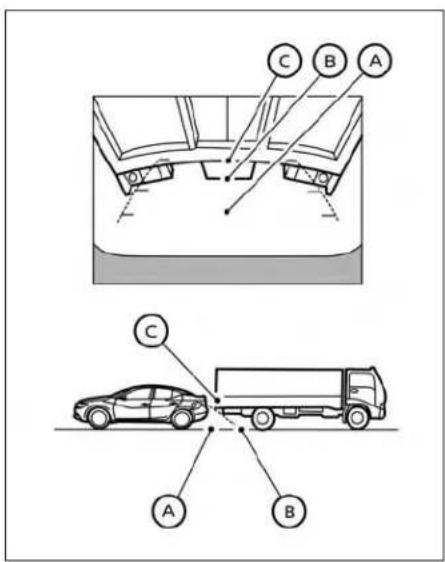
Backingupbehindaprojecting object
Theposition © is shown farther than the position Ⓗ in the display. However, the position © is actually at the same distance astheposition Ⓔ. The vehicle may hit the
objectwhenbackinguptotheposition iftheobjectprojectsovertheactualbackingupcourse.
HOWTOPARKWITHPREDICTED COURSELINES

WARNING
- If the tires are replaced with different sizes, the predicted courselines may be displayed incorrectly.
- Onasnow-coveredorslipperyroad, theremaybeadifferencebetween thepredictedcourselineandtheactualcourseline.
- If the battery is disconnected or becomes discharged, the predicted courselines may be displayed incorrectly. If this occurs, please perform the following procedures:
- Turnthesteeringwheelfromlock tolockwhiletheengineisrunning.
-Drivethevehicleonastraightroad formorethan5minutes.
- When the steering wheel is turned with the ignition switch in the ACC position, the predicted course lines may be displayed incorrectly.
A

natural_image
Diagram showing a car on a ramp and its rear view, with a circular symbol labeled 'A' pointing upward (no text or labels present)- Visually check that the parkingspace is safe before parking your vehicle.
- Therearviewofthevehicleisdisplayed onthescreen Ⓐ whentheshiftleveris movedtotheR(Reverse)position.

3.Slowlybackupthevehicleadjustingthe steeringwheelso thatthepredicted courselines Ⓑ entertheparkingspace Ⓠ.
4-18 Monitor, climate, audio, phone and voicerecognitionsystems
- Maneuverthesteeringwheeltomake the vehicle width guidelines ① parallel totheparkingspace ② while referring to the predicted courselines.
- Whenthevehicle is parked in the space completely, movetheshiftlevertotheP (Park) position and apply the parking brake.
HOWTOSWITCHTHEDISPLAY
WiththeignitionswitchintheONposition, presstheCAMERAbuttonormovetheshift levertotheR(Reverse)positiontooperate theIntelligentAroundView®Monitor.
The IntelligentAroundView®Monitordisplaysdifferentsplitscreenviewsdependingonthepositionoftheshiftlever.Press theCAMERAbuttontoswitchbetweenthe availableviews.
IftheshiftleverisintheR(Reverse)position, theavailableviewsare:
•Rearview/bird's-eyeviewsplitscreen
•Rearview/front-sideviewsplitscreen
•Rear-wideview
IftheshiftleverisintheP(Park)orD(Drive) position,theavailableviewsare:
•Frontview/bird's-eyeviewsplitscreen
•Frontview/front-sideviewsplitscreen
ThedisplaywillswitchfromtheIntelligent AroundView®Monitorscreenwhen:
• TheshiftleverisintheD(Drive)position and the vehiclespeed increases above approximately 5 mph (8 km/h)
- Adifferentscreenisselected.

LHA5696
ADJUSTINGTHESCREEN
1.PresstheMENUbutton.
2. Touchthe"Settings"key.
3. Arrowovertonextpage.
4. Touch the "Camera" key.
5. Touch "Displaysettings" key.
6. Touch the "Brightness," Contrast, "Tint," Color, or "BlackLevel" key.
7. Adjust the item by touching the "or" key on the touch-screen display.
NOTE:
Donotadjustanyofthedisplaysettings oftheIntelligentAroundView®Monitor whilethevehicleismoving.Makesure theparkingbrakeisfirmlyapplied.

INTELLIGENTAROUNDVIEW® MONITORSYSTEMLIMITATIONS
WARNING
Listedbelowarethesystemlimitations for IntelligentAroundView® Monitor. Failuretooperatethevehicleinaccordancewiththesesystemlimitations couldresultinseriousinjuryordeath.
- DonotusetheIntelligentAround View®Monitorwiththeoutsidemirrorsinthestoredposition,andmake surethatthetrunkissecurelyclosed whenoperatingthevehicleusingthe IntelligentAroundView®Monitor.
- TheapparentdistancebetweenobjectsviewedontheIntelligentAroundView®Monitordiffersfromtheactualdistance.
·Thecamerasareinstalledonthe frontgrille,theoutsidemirrorsand abovetherearlicenseplate.Donot putanythingonthevehiclethatcoversthecameras.
- When washing the vehicle with high pressure water, besurenottospray it around the cameras. Otherwise, water may enter the camera unit causing water condensation on the lens, malfunction, fire or an electric shock.
- Donotstrikethecameras.Theyare precisioninstruments.Doingso couldcauseamalfunctionorcause damageresultinginafireoranelectricshock.
Therearesomeareaswherethesystem willnotshowobjectsandthesystemdoes notwarnofmovingobjects.Wheninthe frontorrearviewdisplay,anobjectbelow thebumperoronthegroundmaynotbe viewed ①. Wheninthebird's-eyeview,a tallobjectneartheseam ② ofthecamera viewingareaswillnotappearinthe monitor.
The following are operating limitations and do not represent asystemmalfunction:
- Theremaybeadelaywhenswitching betweenviews.
- When the temperature is extremely high or low, the screen may not display objects clearly.
-Whenstronglightdirectlyshinesonthe camera,objectsmaynotbedisplayed clearly.
- Thescreenmayflickerunderfluorescent light.
•ThecolorsofobjectsontheIntelligent AroundView®Monitormaydiffersome-whatfromtheactualcolorofobjects.
- ObjectsontheIntelligentAroundView®
Monitormaynotbeclearandthecolor oftheobjectmaydifferinadark environment.
- Theremaybe differences in sharpness between each camera view of the bird's eyeview.
- Donotusewaxonthecameralens.Wipe offanywaxwithacleancloththathas been dampened with a diluted mild cleaning agent, then wipe with a dry cloth.

LHA3591
Systemtemporarilyunavailable
Whenthe"!Iconisdisplayedonthescreen, thereareabnormalconditionsinthelIntelligentAroundView®Monitor.Thiswillnot hindernormaldrivingoperationbutthe systemshouldbeinspected.ItisrecommendedthatyouvisitaNISSANdealerfor thisservice.

whenthe[X]iconisdisplayedonthe screen, thecameraimagemaybereceiving temporaryelectronicdisturbances from surrounding devices. This will nothindernormaldrivingoperationbutthesystemshouldbeinspectedifitoccursfrequently. It is recommended that you visit a NISSAN dealer forth this service.
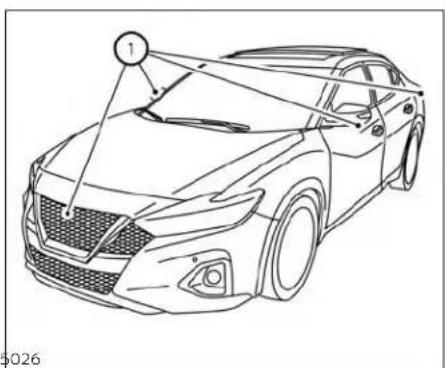
natural_image
Line drawing of a car with a numbered component and connecting lines, no text or symbols presentSYSTEMMAINTENANCE
CAUTION
- Donotusealcohol, benzineorthinnertocleanthecamera. This will caused discoloration.
- Donotdamagethecamerasasthe monitorscreenmaybeadversely affected.
Ifdirt,rainorsnowaccumulatesonanyof thecameras ① ,theIntelligentAround View®Monitormaynotdisplayobjects clearly.Cleanthecamerabywipingwitha clothdampenedwithadilutedmildcleaningagentandthenwipingwithadrycloth.
4-22Monitor, climate, audio, phone and voicerecognition systems
MOVINGOBJECTDETECTION(MOD) (ifsoequipped)

natural_image
Line drawing of a car interior showing dashboard, steering wheel, and control panel (no text or symbols)1.CAMERAbutton
Monitor, climate, audio, phone and voicerecognitionsystems 4-23
WARNING
·FailuretofollowthewarningsandinstructionsforproperuseoftheMovingObjectDetectionsystemcould resultinseriousinjuryordeath.
TheMODsystemisnotasubstitute forpropervehicleoperationandis notdesignedtopreventcontactwith objectssurroundingthevehicle. Whenmaneuvering,alwaysusethe outsidemirrorsandrearviewmirror andturnandcheckthesurroundings toensureitissafetomaneuver.
- Thesystemisdeactivatedatspeeds above5mph(8km/h).Itisreactivatedatlowerspeeds.
- TheMODsystemisnotdesignedtodetectsurroundingstationaryobjects.
TheMODsystemcaninformthedriverof movingobjectsnearthevehiclewhen backingoutofgarages,maneuveringin parkinglotsandinothersuchinstances.
TheMODsystemdetectsmovingobjects byusingimageprocessingtechnologyon theimageshowninthedisplay.
MODSYSTEMOPERATION
TheMODsystemwillturnonautomatically underthefollowingconditions:
- WhentheshiftleverisintheR(Reverse) position.
- When vehiclespeeddecreases below approximately 5mph(8km/h) and the camerascreenisdisplayed.
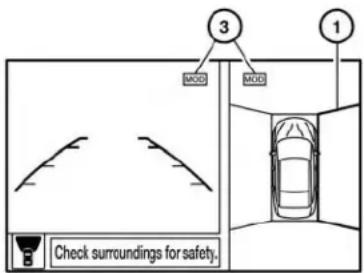
LHA4190
Frontandbird's-eyeviews
TheMODsystemoperatesinthefollowing conditionswhenthecameraviewisdis-played:
- WhentheshiftleverisintheP(Park)orN (Neutral)positionandthevehicleis stopped,theMODsystemdetectsmovingobjects inthe bird's-eyeview.The MODsystemwillnotoperatelftheoutsidemirrorsaremovinginorout,inthe stowedposition,orifeitherfrontdooris opened.

Rearandbird's-eyeviews
- WhentheshiftleverisintheD(Drive)positionandthevehiclespeedisbelowapproximately5mph(8km/h),theMODsystem detectsmovingobjectsinthefrontview.
- WhentheshiftleverisintheR(Reverse) positionandthevehiclespeedisbelow approximately5mph(8km/h),theMOD systemdetectsmovingobjectsintherear view.TheMODsystemwillnotoperate if thetrunkisopen.
TheMODsystemdoesnotdetectmoving objectsinthefront-sideview.TheMOD iconisnotdisplayonthescreenwhenin thisview.

Rearandfront-sideviews
WhentheMODsystemdetectsmovingobjectsnearthevehicle,achimewillbeheard andayellowframewillbedisplayedonthe viewwheretheobjectsaredetected.While theMODsystemcontinuestodetectmovingobjects,theyellowframecontinuesto bedisplayed.
NOTE:
While the RCT Achime (if so equipped) is beeping, the MOD system does not chime

Rear-wideview
Inthebird's-eyeview;theyellowframe ① is displayedoneachcameraimage(front, rear,right,left)dependingonwheremovingobjectsaredetected.
Theyellowframe ② isdisplayedoneach viewinthefrontviewandrearviewmodes.
AblueMODicon ③ isdisplayedintheview wheretheMODsystemisoperative.Agray MODiconisdisplayedintheviewwherethe MODsystemisnotoperative.
If the MOD systemisturnedoff, the MOD icon ③ is not displayed.
TURNINGMODONANDOFF
ToturntheMODsystemonoroff,pressand holdtheCAMERAbuttonformorethan 2secondsthenreleaseandpressagainto changesccreens.whenthescreenchanges theMODsystemwillbeturnedonoroff.
MODSYSTEMLIMITATIONS
WARNING
Listedbelowarethesystemlimitations forMOD.Failureretooperatethevehicle inaccordancewiththesesystemlimitationscouldresultinseriousinjuryor death.
- DonotusetheMODsystemwhen towingatrailer.Thesystemmaynot functionproperly.
- Excessivenoise(forexample, audio systemvolumeoropenvehiclewindow)willinterferewiththechime sound, anditmaynotbeheard.
TheMODsystemperformancewillbelimitedaccordingtoenvironmentalconditionsandsurroundingobjectssuchas:
-Whenthereislowcontrastbetweenbackgroundandthemovingobjects.
-Whenthereisablinkingsourceof light.
-When strong lights such as another vehicle's headlightors sunlight is present.
-Whencameraorientationisnotin itsusualposition,suchaswhena mirrorisfolded.
-Whenthereisdirt,waterdropsor snowonthecameralens.
-Whenthepositionofthemoving objects in the display is not changed.
The MOD system might detect flow-ing water droplets on the camera lens, whitesmoke from them uffler, movingshadows, etc.
TheMODsystemmaynotfunction properlydependingonthespeed, direction,distanceorshapeofthe movingobjects.
- If your vehicles sustain damage to the parts where the camera is installed, leaving it misaligned by bent, the sensing zone may be altered and the MOD system may not detect objects properly.
- Whenthetemperatureisextremely highorlow,thescreenmaynotdisplayobjectsclearly.This isnot a malfunction.
NOTE:
TheblueMODiconwillchangetoorange ifoneofthefollowinghasoccurred:
- Whenthesystemismalfunctioning.
- When the component temperature reachesahighlevel(iconwillblink).
-When the rearviewcamerahasdetectedablockage(iconwillblink).
If the icon light continues to illuminate orange, have the MOD system checked. It is recommended that you visit a NISSAN dealer forth this service.

natural_image
Line drawing of a car with labeled components, no text or symbols presentLHA5026LHA3577
Ifdirt,rainorsnowaccumulatesonanyof thecameras ①,theMODsystemmaynot operateproperly.Cleanthecamerabywipingwithaclothdampenedwithadiluted mildcleaningagentandthenwipingwitha drycloth.
SYSTEMMAINTENANCE
CAUTION
- Donotusealcohol, benzineorthinnertocleanthecamera. This will caused discoloration.
- Donotdamagethecameraasthe monitorscreenmaybeadversely affected.
VENTS
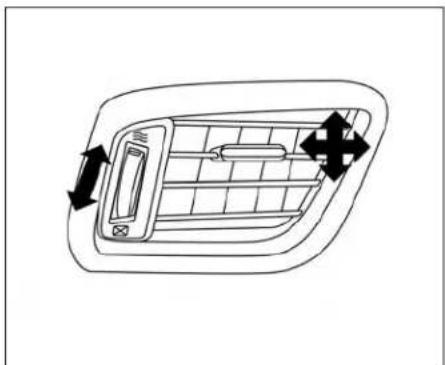
natural_image
Diagram of a car air vent with directional arrows indicating airflow or movement (no text or symbols)Side
Adjustairflowdirectionbymovingthevent slides.
Openorclosetheventsbyusingthedial. Movethedialtowardthe ≡ toopenthe ventsortowardthe ✗ toclosethem.

natural_image
Top-down line drawing of a car's front grille and side door (no text or symbols)Center
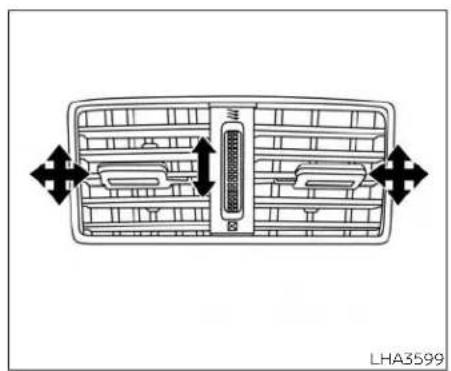
natural_image
Diagram of a car air vent system with directional arrows indicating airflow or movement (no text labels)Rear(centerconsole)
4-28Monitor,climate,audio,phoneandvoicerecognitionsystems
HEATER AND AIR CONDITIONER (automatic)

1.Frontdefrosterbutton
2. Temperature control dial(driver's side)/AUTO button
3.Displayscreen
4. Temperature control dial (passenger's side)/DUAL button
5. Freshairintakebutton
- Airrecirculationbutton
7.A/C(airconditioner)button
8.MODE(manualairflowcontrol)button - Fanspeedcontrolbuttons
10.ON-OFFbutton - Rearwindowandoutsidemirror defrosterswitch
WARNING
The airconditioner cooling function operates only when the engine is running.
- Donotleavechildrenoradultswho wouldnormallyrequiretheassistanceofothersaloneinyourvehicle. Petsshouldalsonotbeleftalone. They couldaccidentally injurethem-selvesorothersthroughinadvertent operationof the vehicle.Also, onhot, sunny days, temperatures in a closed vehiclecouldquicklybecomehigh enoughto causesevereor possibly fatalinjuriestopeopleoranimals.
- Do not use the recirculation mode for long periods as it may cause the interior air to become stale and the windows to fog up.
NOTE:
- Odors from inside and outside the vehicle can build up in the air conditioner unit. Odorcanenterthepassenger compartment through the vents.
- When parking, set the heater and air conditioner controls to turn off air recirculation to allow fresh air into the passenger compartment. This should help reduce odors insidethe vehicle.
AUTOMATICOPERATION
Cooling and/or dehumidified heating(AUTO)
Thismodemaybeusedallyearroundas thesystemautomaticallyworkstokeepa constanttemperature.Airflowdistribution andfanspeedarealsocontrolledautomatically.
-
PresstheAUTObutton.
-
Turnthetemperaturecontroldialtothe leftorrighttosetthedesiredtemperature.
- Thetemperatureofthepassengercompartmentwillbemaintainedautomatically.Airflowdistributionandfanspeed arealsocontrolledautomatically.
- Avisiblemistmaybeseencomingfrom theventsinhot,humidconditionsasthe airiscooledrapidly.Thisdoesnotindicate amalfunction.
- You can individually set driver's sandfront passenger's sidetemperature using each temperature control dial. When the DUAL button is pressed or passenger's sidetemperature daily is turned, the DUAL indicator will come on. Turnoff the passenger's sidetemperature control, pressthe DUAL button.
Heating(A/COFF)
Theairconditionerdoesnotactivate.When youneedtoheatonly,usethismode.
- PresstheAUTObutton.
- Turnthetemperaturecontroldialtoset thedesiredtemperature.
•Thetemperatureofthepassengercompartmentwillbemaintainedautomatically.Airflowdistributionandfanspeed arealsocontrolledautomatically. - Donotsetthetemperature lower than the outsideair temperature. Otherwise, thesystemmaynotworkproperly.
- Notrecommendedifwindowsfogup.
Dehumidifieddefrostingor defogging
1.Pressthe 🎨frontdefrosterbuttonon.
2. Turnthetemperaturecontroldialtoset themaximumtemperaturetoaldindefrostingordefogging.
- To quickly remove ice from the outside ofthewindows, usethe ____ fanspeed control buttons to set the fan speed to maximum.
- As soon as possible after the windshield is clean, press the AUTO button to return to the automatic mode.
- whenthe frontdefrosterbuttonis pressed, theairconditionerwillautomatically be turned onatoutside temperaturesabove36°F(2°C).Theairrecirculate modeautomaticallyturnsoff, allowing outsideairtobedrawnintothepassengercompartmenttofurtherimprovethe defoggingperformance. Whentheairrecirculatemodeautomaticallyturnsoff, theairfreshmodewillautomaticallyturn on.
RemoteEngineStartwith IntelligentClimateControl(ifso equipped)
Vehiclesequipped with automaticclimate controlsandRemoteEngineStartfunction may go into automatic heating or cooling modewhenRemoteEngineStartisactivateddependingonoutsideandcabintemperatures.Duringthisperiod,theclimate controldisplayandbuttonswillbeinoperableuntiltheignitionswitchisplacedinthe ONposition.InRemoteEngineStartdefrost-ingmode,therearwindowdefroster,heated
seats(ifsoequipped)andheatedsteering wheel(ifsoequipped)maybeactivated automatically.
MANUALOPERATION
Fanspeedcontrol
Pressthefanspeedcontrolbuttons tomanuallycontrolthefanspeed.
PresstheAUTObuttontoreturntoautomaticcontrolofthefanspeed.
Temperaturecontroldial
Thetemperaturecontroldialallowsyouto adjustthetemperatureoftheoutletair.To lowerthetemperature,turnthedialtothe left.To increasesthetemperature,turnthe dialtotheright.Temperaturecanbeadjustedonthedriver'sandpassenger'sside.
Airrecirculation
Presstheairirculationbuttononto recirculateinterlorairinsidethevehicle. The indicatorlightonthebuttonwill comeon.
Theairrecirculationcannotbeactivated whentheairconditionerisinthe front defrostingmode.
When the outsidetemperature exceeds 70^ F(21°C), the air conditioningsystem may default to air recirculation mode automatically to reduce overall power consumption. To exit air recirculation mode, select the fresh hair intake button (the air recirculation indicator will turn off, the fresh air indicator will turn on) to enter fresh hair mode.
Freshairintake
Pressthe 📋 freshairintakebuttonto draw outside air into the passenger compartment.
A/C(airconditioner)button
Starttheengine, press the fanspeed controlbuttonstothedesiredpositionand pressthe A/C buttontoturnontheair conditioner. Toturnofftheairconditioner, pressthe A/C buttonagain.
Theairconditionercoolingfunctionoperatesonlywhentheengineisrunning.
Airflowcontrol
PressingtheMODEbuttonmanuallycontrolsairflowandselectstheairoutlet:
Airflowsmainlyfromcenterand sidevents.
Airflowsmainlyfromcenterand sideventsandfootoutlets.
Airflowsmainlyfromfootoutlets andpartlyfromdefroster.
Airflowsmainlyfromdefroster andfootoutlets.
Toturnsystemoff
PresstheON-OFFbutton.
Rearwindowandoutsidemirror defrosterswitch
Foradditionalinformation,see"Rearwindowandoutsidemirrordefrosterswitch" (P.2-45).

natural_image
Interior view of a car dashboard and steering wheel (no text or symbols visible)OPERATINGTIPS
Thesunloadsensor, locatedonthetop centeroftheinstrumentpanel, helps the systemmaintainaconstanttemperature. Donotputanythingonoraroundthis sensor.
- When the climates system is automatic operation and the engine coolant temperature and outside air temperature are low, the airflow outlet may default to defrostermode for a maximum of 2 minutes 30 seconds. This is not a malfunction. After the engine coolant temperature warmsup, the airflow outlet will return to foot mode and operation will continue normally.
-whentheoutsideandinteriorcabintem- teraturesaremoderatetohigh,thein- takesettingmaydefaulttoturnoffair recirculationtoallowfreshairintothe passengercompartment.Youmayno- ticeairflowfromthefootmode,bi-level modeorsidedemistventoutletsfora maximumof15seconds.Thismayoccur whenthepreviousclimatesettingwas turnedoff.Thisisnotamalfunction.After theinitialwarmairisexpelled,theintake willreturntoautomaticcontrol,theair flowoutletwillreturntoprevioussettings, andoperationwillcontinuenormally.To exit,pressanyclimatecontrolbutton.
- Keepthemoonroof(ifsoequipped)closed whiletheairconditionerisinoperation.
- If you feel that the airflow mode you have selected and the outlet the air is coming out onotmatch, select the mode.
- when you can get the airflow mode, you may feel airflow from the foot outlets for just a moment. This is not a malfunction.
4-32Monitor,climate,audio,phoneandvoicerecognitionsystems
SERVICINGAIRCONDITIONER
ANTENNA
TheairconditionersysteminyourNISSAN vehicleischargedwitharefrigerantdesignedwiththeenvironmentinmind.
Thisrefrigerantdoesnotharmtheearth's ozonelayer.
Specialchargingequipmentandlubricant isrequiredwhenservicingyourNISSANair conditioner.Usingimproperrefrigerantsor lubricantswillcauseseveredamageto yourairconditionersystem.Foradditional information,see"Airconditionersystem refrigerantandoilrecommendations" (P.10-8).
It is recommended that you visit a NISSAN deal to the service your environmentally friendly air conditionersystem.
WARNING
The airconditionersystem contains refrigerant under high pressure. To avoid personal injury, any air conditioner service should be done only by an experienced technician with proper equipment.
ROOFMOUNTED ANTENNA
Theantennaislocatedontherearpart of thevehicleroofandanantennapatternis printedinsidetherearwindow.
CAUTION
- Abuild-upoficeontheantennacan affectradioperformance.Remove theicetorestoreradioreception.
- When removing snow from the roof, do not apply strong force to the antenna.Thatmaycausebrokenantennaandroofpaneldent.
- When using a high pressure car wash, keep the high pressure nozzle away from the antenna. The seal may be deformedordamaged.
- Theradioperformancemaybeaffectedifcargocarriedontheroofblockstheradiosignal.Ifpossible,do notputcargoneartheantenna.
- Donotplacemetalizedfilmnearthe rearwindowglassorattachany metalpartstoit. Thismaycausepoor receptionornoise.
- When cleaning the inside of the rear window, be careful not to scratch or damagetherearwindowantenna. Lightly wipealongthe antennawitha dampenedsoftcloth.
CARPHONEORCBRADIO
iPod®/iPhone®
WheninstallingaCB,hamradioorcar phoneinyourvehicle,besuretoobserve thefollowingprecautions;otherwise,the newequipmentmayadverselyaffectthe enginecontrolsystemandotherelectronic parts.

WARNING
- Acellularphoneshouldnotbeused foranypurposewhiledrivingsofull attentionmaybegiventovehicle operation.Somejurisdictionsprohibittheuseofcellularphoneswhile driving.
- If you must make a call while your vehicle is in motion, the hands free cellular phone operational mode (if so equipped) is highly recommended. Exercise extremecution at all times of full attention maybe giventovehicleoperation.
- If you are unable to devote full attention to vehicle operation while talking on the phone, pullofftheroad to a safe location and stop your vehicle.

CAUTION
- Keeptheantennaasfarawayaspossiblefromthe electroniccontrol modules.
- Keeptheantennawiremorethan8in (20cm)awayfromtheelectronic controlsystemharnesses.Donot routetheantennawirenexttoany harness.
-Adjusttheantennastanding-wave ratio as recommended by the manufacturer. - Connect the ground wire from the CB radio chassistothebody.
-Foradditionalinformation,itisrecommendedthatyouvisitaNISSAN dealer.
"MadeforiPod", "Made foriPhone" and "MadeforiPad" meant that an electronic accessory has been designed to connect specifically to iPod, iPhoneoriPad, respectively, and has been certified by the development of Apple performance standards. Apple is not responsible for the operation of this device or its compliance with safety and regulatory standards. Pleasenotethat the use of this accessory with iPod, iPhoneoriPad may affect wireless performance.
iPad,iPhone,iPodclassic,iPodnano,iPod shuffleand iPodtoucharetrademarksof AppleInc.,registeredintheU.S.andother countries.Lightningis atrademarkof AppleInc.
5Startinganddriving
Precautionswhenstartinganddriving....5-4
Exhaustgas(carbonmonoxide)....5-4
Three-waycatalyst. 5-4
TirePressureMonitoringSystem
(TPMS) 5-5
Avoidingcollisionandrollover....5-8
Off-road recovery
Rapidairpressureloss....5-9
Drinkingalcohol/drugsanddriving. 5-10
Push-buttonignitionswitch....5-10
Operatingrange....5-11
Push-buttonignitionswitchpositions.....5-12
Emergencyengineshutoff....5-13
NISSAN Intelligent Key® battery
discharge 5-13
NISSANVehicleImmobilizerSystem....5-14
Beforestartingtheengine....5-14
Startingtheengine. 5-14
RemoteEngineStart....5-15
Drivingthevehicle. 5-16
Continuously Variable Transmission (CVT) ..... 5-16
Parkingbrake. 5-22
DriveModeSelector....5-22
Normalmode. 5-23
Sportmode....5-23
TrafficSignRecognition(TSR) 5-23
System operation 5-24
TurningtheTrafficSignRecognition
(TSR) system on and off 5-25
System temporarily unavailable 5-25
System malfunction....5-25
5 - 9System maintenance ....5-25
Lane Departure Warning (LDW) 5-26
LDWsystemoperation....5-27
How to enable/disable the LDW system .....5-28
LDW system limitations 5-29
System temporarily unavailable 5-30
System malfunction....5-30
System maintenance 5-30
IntelligentLaneIntervention(I-LI)(ifso
equipped)....5-31
I-LI system operation....5-32
How to enable/disable the I-LI system ..... 5-33
I-LI system limitations 5-34
System temporarily unavailable 5-35
System malfunction....5-36
System maintenance 5-36
BlindSpotWarning(BSW)....5-37
BSW system operation 5-38
How to enable/disable the BSW system .....5-39
BSWsystemlimitations. 5-40
BSWdrivingsituations. 5-41
Systemtemporarilyunavailable. 5-45
Systemmaintenance....5-46
RearCrossTrafficAlert(RCTA)
RCTAsystemoperation....5-48
Howtoenable/disabletheRCTAsystem.....5-50
RCTAsystemlimitations. 5-51
System temporarily unavailable 5-53
Systemmaintenance....5-54
IntelligentCruiseControl(ICC)....5-56
How to select the cruise control mode .....5-58
Vehicle-to-vehicledistancecontrol mode 5-58
Vehicle-to-vehicledistancecontrol
mode operation....5-59
Vehicle-to-vehicledistancecontrol modeswitches 5-61
Vehicle-to-vehicledistancecontrol
modelimitations....5-68
Systemtemporarilyunavailable. 5-72
Systemmaintenance. 5 - 7 4
Conventional(fixedspeed)cruise control mode 5-76
Rear Automatic Braking (RAB) 5-80
RABsystemoperation....5-81
Turning the RAB system on/off 5-82
RAB system limitations 5-83
Systemmalfunction....5-84
Systemmaintenance....5-85
AutomaticEmergencyBraking(AEB)with
PedestrianDetection....5-85
AEBwithPedestrianDetectionsystem
operation 5-86
TurningtheAEBwithPedestrian
Detection system on/off 5-88
AEBwithPedestrianDetectionsystem
limitations 5-89
System temporarily unavailable 5-92
Systemmalfunction....5-94
Systemmaintenance....5-94
IntelligentForwardCollisionWarning(I-FCW).. .5-96
I-FCWsystemoperation....5-98
Turning the I-FCW system on/off 5-99
I-FCW system limitations 5-100
System temporarily unavailable 5-104
System malfunction 5-105
System maintenance 5-106
IntelligentDriverAlertness(I-DA)....5-107
IntelligentDriverAlertnesssystem
operation....5-107
Howtoenable/disabletheIntelligent
DriverAlertness(I-DA)system. 5-108
IntelligentDriverAlertness(I-DA)
systemlimitations. 5-109
Break-inschedule....5-109
Fuelefficientdrivingtips. 5-110
Increasingfueleconomy 5-111
Parking/parkingonhills. 5-111
Powersteering. 5-112
Brakesystem 5-113
Brakeprecautions. 5-113
Anti-lockBrakingSystem(ABS)....5-114
BrakeAssist 5-115
VehicleDynamicControl(VDC)system. . . . . . . 5-115
Brakeforcedistribution. 5-117
IntegratedDynamics-controlModule. 5-118
IntelligentTraceControl(I-TC)....5-118
IntelligentEngineBrake(I-EB)....5-118
ActiveRideControl(ARC) 5-119
Frontandrearsonarsystem(ifsoequipped)....5-119
Systemoperation....5-120
Drainingofcoolantwater....5-124
Tireequipment....5-124
Specialwinterequipment 5-124
Drivingonsnoworice....5-125
Activenoisecancellation/Activesound
control(ifsoequipped)....5-125
Activenoisecancellation....5-125
Activesoundcontrol....5-126
PRECAUTIONSWHENSTARTINGAND DRIVING
WARNING
- Donotleavechildrenoradultswho wouldnormallyrequiretheassistanceofothersaloneinyourvehicle. Petsshouldalsonotbeleftalone. Theycouldaccidentallyinjurethem-selvesorothersthroughinadvertent operationofthevehicle.Also,onhot, sunnydays,temperaturesinaclosed vehiclecouldquicklybecomehigh enoughtocausesevereorpossibly fatalinjuriestopeopleoranimals.
·Closelysupervisechildrenwhenthey arearoundcarstopreventthem fromplayingandbecominglockedin thetrunkwheretheycouldbeseriouslyinjured.Keepthecarlocked, withtherearseatbackandtrunklid securelylatchedwhennotinuse,and preventchildren'saccesstocarkeys.
EXHAUSTGAS(carbonmonoxide)
WARNING
- Donotbreatheexhaustgases;they containcolorlessandodorlesscarbonmonoxide.Carbonmonoxide isdangerous.Itcancauseunconsciousnessordeath.
- If you suspect that exhaust fumes are entering the vehicle, drivewith all windows fully open, and have the vehicle inspected immediately.
- Do not run the engine in closed spacesuchasagarage.
- Donotparkthevehiclewiththeen-ginerunningforanyextendedlength oftime.
- Keeptherearventwindows,liftgates,doorsandtrunklids(ifsoequipped)closedwhiledriving,otherwiseex-haustgasescouldbedrawnintothe passengercompartment.Ifyoumust drivewithoneoftheseopen,follow theseprecautions:
1.Openallthewindows.
2.Setthe airrecirculationbuttontooffandthefancontroldial tohightocirculatetheair. - Ifelectricalwiringorothercableconnections must pass to a trailer throughthesealonthetrunklidor thebody,followthemanufacturer's recommendationtopreventcarbon monoxideentryintothevehicle.
•Theexhaustsystemandbodyshould beinspectedbyaqualifiedmechanic whenever:
a. The vehicle is raised for service.
b. Yoususpectthatexhaustfumes areenteringintothepassenger compartment.
c.Younoticeachangeinthesound oftheexhaustsystem.
d. You have had an accident involving damage to the exhaust system, under body, or rear of the vehicle.
THREE-WAY CATALYST
Thethree-waycatalystisanemissioncontroldeviceinstalledintheexhaustsystem. Exhaustgasesinthethree-waycatalyst areburnedathlighttemperaturestohelp reducepollutants.
WARNING
- Theexhaustgasandtheexhaustsystemareveryhot.Keeppeople,animals orflammablematerialsawayfromthe exhaustsystemcomponents.
- Donotstoporparkthevehicleover flammablematerialssuchasdry grass,wastepaperorrags.Theymay igniteandcauseafire.
CAUTION
- Donotuseleadedgasoline.Deposits fromleadedgasolinewillseriously reducethethree-waycatalyst'sabilitytohelpreduceexhaustpollutants.
- Keepyourenginetunedup.Malfunctionsintheignition,fuelinjection,or electricalsystemscancauseoverrich fuelflowintothethree-waycatalyst, causingittooverheat.Donotkeep drivingiftheenginemisfires,orif noticeablelossofperformanceor otherunusualoperatingconditions aredetected.Havethevehicleinspectedpromptly.Itisrecommended that you visit a NISSAN dealerforthisservice.
- Avoiddrivingwithanextremelylow fuellevel.Runningoutof fuel could causetheenginetomisfire,damagingthethree-waycatalyst.
- Donotracetheenginewhile warmingitup.
- Donotpushortowyourvehicletostarttheengine.
TIREPRESSUREMONITORING SYSTEM(TPMS)
Eachtire, including the spare (if provided), should be checked monthly when cold and inflated to the inflation pressurerecommended by the vehicle manufacturer on the vehicle placard tire inflation pressure label. (If your vehicle hastires of different sizethanthesize indicated on the vehicle placard tire inflation pressure label, you should determine the proper tire inflation pressure forthosetires.)
Asanaddedsafetyfeature,yourvehicle has been equipped with a Tire Pressure Monitoring System (TPMS) that illuminates alow tire pressure telltale when none or more of your tires is significantly under- inflated. Accordingly, when the low tire pressure telltale illuminates, you should stop and checkally your tires as soon as possible, and in flat the them to the proper pressure. Driving on a significantly under- inflated tire cause esthetire to overheat and can lead to it failure. Under-Inflation also reduces fuel efficiency and tiredread life, and may affect the vehicle's handling and stopping ability.
PleasenotethattheTPMSisnotasubstitute for proper tire maintenance, and it is the driver's responsibility to maintain correcttirepressure, even if under-inflation has not reached the level to trigger illumination of the TPMSlowtirepressure telltale.
Yourvehiclehasalsobenequippedwitha TPMS malfunction indicator to indicate whenthesystemlsnotoperatingproperly. TheTPMSmalfunctionindicatoriscombinedwiththelowtirepressuretelltale. Whenthesystemdetectsamalfunction, thetelltalewillflashforapproximatelyone minuteandthenremaincontinuouslyilluminated. Thissequencewillcontinueupon subsequentvehiclestart-upsaslongas themalfunctionexists. Whenthemalfunctionindicatorisilluminated,thesystem maynotbeabletodetectorsignallowtire pressure as intended. TPMS malfunctions mayoccurforvarietyofreasons,includingtheinstallationofreplacementoralternatetiresorwheelsonthevehiclethat prevent the TPMS from functioning properly. AlwayschecktheTPMSmalfunction telltaleafterreplacingoneormoretiresor wheelsonyourvehicleto ensurethatthe replacementoralternatetiresandwheels allowtheTPMStocontinuetofunction properly.
Additional information:
- When using a wheel without the TPMS such asthesparetire, the TPMS does not monitor the tire pressure of the spare tire.
•TheTPMSwillactivateonlywhenthevehicleisdrivenatspeedsabove16mph (25km/h).Also,thissystemmaynotdetectasuddendropintirepressure(for example,aflattirewhiledriving). - Thelowtirepressurewarninglightdoes notautomaticallyturnoffwhenthetire pressureisadjusted. After all four tires are inflated to therecommended pressure, the vehicle must bed driven at speeds above 16 mph (25 km/h) to activate the TPMS and turnoff the lowtire pressure warning light. Use atire pressure gauge to check the tire pressure.
•The "TirePressureLow-AddAir" warning appears in the vehicle information display when the low tire pressure warning light is illuminated and low tire pressure is detected. The "TirePressureLow-Add Air" warning turn so off when the low tire pressure warning light turn so off. - The "TirePressureLow-AddAir" warning does not appear if the low tire pressure warning light to illuminate to indicate a TPMS malfunction.
•The"TirePressureLow-AddAir"warning appearseachtimetheignitionswitchis placedintheONpositionaslongasthe lowtirepressurewarninglightremains illuminated.
- Tirepressurerisesandfallsdependingon theheatcausedbythevehicle'soperationandtheoutsidetemperature.Donot reducethetirepressureafterdrivingbecausethetirepressurerisesafterdriving. Lowoutsidetemperaturecanlowerthe temperatureoftheairinsidethetire whichcancausealowertireinflation pressure.Thismaycausethelowtire pressurewarninglighttoilluminate.Ifthe warninglightilluminates,checkthetire pressureforallfourtires.
•TheTireandLoadingInformationlabelis locatedinthedriver'sdooropening.
For additional information, see "Lowtire pressure warning light" (P.2-12) and "Tire Pressure Monitoring System (TPMS)" (P.6-3).
WARNING
- Radiowavescouldadverselyaffect electricmedicalequipment. Those whoseapacemakershouldcontact the electric medical equipment manufacturerforthepossibleinfluencesbeforeuse.
- Ifthelowtirepressurewarninglight illuminateswhiledriving,avoidsuddensteeringmaneuversorabrupt braking,reducevehiclespeed,pull offtheroadtoasafelocationand stopthevehicleassoonaspossible. Drivingwithunder-inflatedtiresmay permanentlydamagethetiresand increasethelikelihoodoftirefailure. Seriousvehicledamagecouldoccur andmayleadtoanaccidentand couldresultinseriouspersonalinjury ordeath.Checkthetirepressurefor allfourtires.Adjustthetirepressure totherecommendedCOLDtirepressureshownontheTireandLoading Informationlabeltoturnthelowtire pressurewarninglightoff.Ifyouhave aflattire,replaceitwithasparetire assoonaspossible.Foradditional information,see"Flattire"(P.6-3).
- When using a wheel without the TPMS such asthesparetire, when a spare tire is mounted or a wheel is replaced, tire pressure will not be indicated, the TPMS will not function and the low tire pressure warning light will flash for approximately 1 minute. The light will remain on after 1 minute. Have your tires replaced and/or TPMS system reset as soon as possible. It is recommended that you visit a NISSAN dealer forth this service. - Replacing tires with those not originally specified by NISSAN could affect the proper operation of the TPMS. - Donot inject any tire liquidora aerosol tire sealant into the tires, asthismay cause a malfunction of the tire pressures sensors.
CAUTION
Do not place metalized film or any metalparts(antenna,etc.)onthewindows.Thismaycausepoorreception ofthesignalsfromthetirepressure sensors,andtheTPMSwillnotfunction properly.
Somedevicesandtransmittersmaytemporarilyinterferewiththeoperationofthe TPMS and cause the low tire pressure warninglighttoilluminate.
Someexamplesare:
•Facilitiesorelectricdevicesusingsimilar radiofrequenciesarenearthevehicle.
• Ifatransmittersettosimilarfrequencies isbeingedinornearthevehicle.
• Ifacomputer(orsimilarequipment)ora DC/ACconverterisbeingusedinornear thevehicle.
Thelowtirepressurewarninglightmay illuminateinthefollowingcases:
- If the vehicle is equipped with a wheeland tire without TPMS
- If the TPMShasbeenreplacedandtheID hasnotbeenregistered
- If the wheel is not originally specified by NISSAN
FCCNotice:
ForUSA:
This device complies with Part 15 of the FCC Rules. Operation is subject to the following two conditions: (1) This device may not cause harmful interference, and
(2) this device must accept any interference received, including interference that may cause undesired operation.
NOTE:
Changesormodificationsnotexpressly approvedbythepartyresponsiblefor compliancecouldvoidtheuser'sauthoritytooperatetheequipment.
ForCanada:
This device contains licence-exempt transmitter(s)/receiver(s)that comply withInnovation,ScienceandEconomic DevelopmentCanada'slicence-exempt RSS(s).Operationissubjecttothefollowing two conditions: (1) This device maynotcauseinterference.(2)Thisdevicemustacceptanyinterference,includinginterferencethatmaycauseundesiredoperationofthedevice.
TPMSwithEasy-FillTireAlert
Whenadding air to an under-inflated tire, the TPMS with Easy-Fill Tire Alert provides visual and audiblesignals outside the vehicle to help you in flat the tire rest of the recommended COLD tire pressure.
Vehicleset-up
- Parkthevehicleinasafeandlevelplace.
- Apply the parking brake and placethe shift lever in the P(Park) position.
- PlacetheignitionswitchintheONposition.Donotstarttheengine.
Operation
1.Addairtothetire.
2. After a few seconds, the hazard indicators will start flashing.
3. Whenthes designated pressure is reached, the horn beepsonce and the hazard indicator stop flashing.
4. Perform the abovestepsforeach tire.
• If the tire is over-inflated more than approximately 4 psi (30 kPa), the horn beeps and then hazard indicators flash threetimes. Tocorrect the pressure, push the core of the valvestemon the tire briefly release pressure. When the pressurereachestheds designated pressure, the horn beepsonce.
- If the hazard indicator does not flash within approximately 15 seconds after starting to inflate the tire, it indicates that the Easy Fill Tire Alert is not operating.
• TheTPMSwillnotactivatetheEasy-Fill
TireAlertunderthefollowingconditions: -Ifthereisinterferencefromanexternaldeviceortransmitter.
-Theairpressurefromtheinflation deviceisnotsufficienttoinflatethe tire.
-ThereisamalfunctionintheTPMS.
-Thereisamalfunctioninthehornor hazardindicators.
-Theidentificationcodeofthetire pressuresensorisnotregisteredto thesystem.
-The battery of the tire pressuresensorislow.
- If the Easy-Fill Tire Alert does not operate dueto TPMS interference, move the vehicle about 3ft (1m) backward or forward and try again.
If the Easy-Fill Tire Alert is not working, use a tire pressure gauge.
AVOIDINGCOLLISIONAND ROLLOVER
WARNING
Failuretooperatethisvehicleinasafe and prudentmannermayresultinloss ofcontroloranaccident.
Bealertanddrivedefensivelyataltimes. Obeyalltrafficregulations.Avoidexcessive speed,highspeedcornering,orsudden steeringmaneuvers, because thesedriving practicescould causeyoutolosecontrol of yourvehicle.
Aswithanyvehicle,lossofcontrolcould resultinacollisionwithothervehiclesor object Sorcausethevehicletorollover, particularlyifthelossofcontrolcauses thevehicletoslidesideways.
Beattentiveataltimes,andavoiddriving whentired.Neverdrivewhenundertheinfluenceofalcoholodrugs(includingprescriptionorover-the-counterdrugswhich maycausedrowsiness).Alwayswearyour seatbeltasoutlinedinthe"Safety-Seats, seatbeltsandsupplementalrestraintsystem"sectionofthismanual,andalsoinstructyourpassengerstodoso.
Seatbeltshelpreducetheriskofinjuryin collisionsandrollovers.
Inarollovercrash, an unbelted person is significantly more likely to diethana person wearing a seat belt.
5-8 Startinganddriving
OFF-ROADRECOVERY
While driving, therightside or left side wheels may unintentionally leave a her road surface. If this occurs, maintain control of the vehicle by following the procedure below. Pleasenotethat this procedure is only ageneral guide. The vehicle must be driven as appropriate based on the conditions of the vehicle, road and traffic.
1.Remaincalmanddonotoverreact.
2. Donotapplythebrakes.
3. Maintain a firm grip on theesteering wheel with both hands and try to hold a straight course.
4. When appropriate, slowly releasethe accelerator pedaltogradually slow the vehicle.
5. If there is nothing in the way, steer the vehicle to follow the road while vehicle speed is reduced. Donot attempt to drivethe vehicle back on other roads surface until vehicles speed is reduced.
6. When it's safetodoso, gradually turn the steering wheel until both tires return to theroad surface. When all tires are on theroad surface, steer the vehicle to stay in the appropriate driving lane.
- If you decide that it is not safet return the vehicle to other roads surface based on vehicle, road traffic conditions, gradually slow the vehicle to as top in as a safe place off the road.
RAPIDAIRPRESSURELOSS
Rapidairpressurelossora"blow-out"can occurifthetireispuncturedorisdamaged duetohittingacurborpothole.Rapidair pressurelosscanalsobecauusedbydriving onunder-inflatedtires.
Rapidairpressurelosscanaffectthehandlingandstabilityofthevehicle,especiallyathighwayspeeds.
Helppreventrapidairpressurelossby maintainingthecorrectairpressure and visually inspecting the tires for wear and damage. For additional information, see "Wheelsandtires" (P.8-27). If atirer rapidly loses air pressure or blows-out while driving, maintain in control of the vehicle by following the procedure below. Pleasenote that this procedure is only a general guide. The vehicle must be driven as appropriate based on the condition of the vehicle, road and traffic.
WARNING
If thereisasuddenlossoftireairpressure,thevehiclewillgenerallymoveor pullinthedirectionoftheflattire.In thissituation,losingcontrolofthevehiclemaycauseacollisionandresultin personalinjury.
Tohelpavoidlossofcontrol:
- Donotrapidlyapplythebrakes.
- Donotrapidlyreleasetheaccelerator pedal.
- Donotrapidlyturnthesteeringwheel.
1.Remaincalmanddonotoverreact.
- Maintain a firm grip on the steering wheel with both hands and try to hold a straight course.
- When appropriate, slowly releasethe acceleratorpedaltogradually slow the vehicle.
- Graduallysteerthevehicletoasafelocationofftheroadandawayfromtraffic ifpossible.
PUSH-BUTTONIGNITIONSWITCH
- Lightly apply the brake pedalt gradually stop the vehicle.
- Turnonthehazardwarningflashersand contactaroadsideemergencyservice tochangethetire.Foradditionalinformation,see"Changingaflattire"(P.6-4).
DRINKINGALCOHOL/DRUGSAND DRIVING
WARNING
Neverdriveundertheinfluenceofalcoholodrugs.Alcoholinthebloodstreamreducescoordination,delays reactiontimeandimpairsjudgement. Drivingafterdrinkingalcoholincreases thelikelihoodofbeinginvolvedinan accidentinjuringyourselfandothers. Additionally,ifyouareinjuredinanaccident,alcoholcanincreasetheseverityoftheinjury.
NISSANiscommittedtosafedriving. However, you must choose nottodrive under the influence of alcohol. Every year thousand sof people are injured or killed in alcohol-related collisions. Although the callaws vary on what is considered to be legally intoxicated, the fact that a alcohol affects all peopled differently and most people underestimate the effect of alcohol.
Remember,drinkinganddrivingdon'tmix! Thatistruefordrugs(over-the-counter, prescription)andillegaldrugs,too.Don't driveifyourabilitytooperateyourvehicleis impairedbyalcohol,drugs,orsomeother physicalcondition.
WARNING
Donotoperatethepush-buttonignitionswitchwhiledrivingthevehicleexceptinanemergency.(Theenginewill stopwhentheignitionswitchispushed threeconsecutivetimesinlessthan 1.5secondsortheignitionswitchis pushedandheldformorethan2seconds.)Iftheenginestopswhilethevehicleisbeingdriven,thiscouldleadtoa crashandseriousinjury.

LSD2014LSD2089
When the ignitions switch is pushed without depressing the brake pedal, the ignition switch willilluminate.
IftheignitionswitchIsintheLOCKorOFF position,pushtheignitionswitchcenter:
•OncetochangetoACC.
•TwotimestochangetoON.
• ThreetlmestochangetoOFF.
TheshiftlevercanbemovedfromtheP (Park)positioniftheignitionswitchisin theONpositionandthebrakepedalis depressed.
If the battery of the vehicle is discharged, the push-buttonignitions switch cannot be moved from the LOCK position.
Some indicators and warnings for operation are displayed on the vehicle information display. For additional information, see "Vehicle information display" (P.2-17).

natural_image
Top-down line drawing of a car showing the roof and side panel, with no text or symbols present.OPERATINGRANGE
The Intelligent Key functions can only be used when the Intelligent Key is within the specified operating range.
WhentheIntelligentKeybatteryisalmost dischargedorstrongradiowavesarepresentneartheoperatinglocation,theIntelligentKeysystem'soperatingrangebecomesnarrowerandmaynotfunction properly.
If the Intelligent Key is within the operating range, it is possible for anyone, even some one who does not carry the Intelligent Key, top us the ignition switch to start the engine.
Theoperatingrangeoftheenginestart functionisinsideofthevehicle ①.
- Theluggageareaisnotincludedinthe operatingrange,buttheIntelligentKey mayfunction.
- if the Intelligent Key is placed on the instrument panel, inside the glovebox, storage bin or door pocket, the Intelligent Key may not function.
- If the Intelligent Key is placed near the door or window outside the vehicle, the Intelligent Key may function.
PUSH-BUTTONIGNITIONSWITCH POSITIONS
LOCK(Normalparkingposition)
Theignitionswitchcanonlybelockedin thisposition.
Theignitionswitchwillbeunlockedwhenit ispushedtotheACCpositionwhilecarryingtheIntelligentKey.
Theignitionswitchwilllockwhenanydoor isopenedorclosedwiththeignition switchedoff.
ACC(Accessories)
Thispositionactivateselectricalaccessories,suchastheradio,whentheengineis notrunning.
ACChasabatterysaverfeaturethatwill placetheignitionswitchintheOFFposition afteraperiodoftimeunderthefollowing conditions:
•Alldoorsareclosed.
• TheshiftleverisinP(Park).
•Thehazardlampsareoff.
- Theturnsignalsareoff.
Thebatterysaverfeaturewillbecanceledif anyofthefollowingoccur:
•Anydoorisopened.
• TheshiftleverismovedoutofP(Park).
•Theignitionswitchchangesposition.
•Thehazardlampsareturnedon.
ON(Normaloperatingposition)
This position turns on the ignition system and electrical accessories.
ONhasabatterysaverfeaturethatwill placetheignitionswitchintheOFFposition,ifthevehicleisnotrunning,aftersome timeunderthefollowingconditions:
•Alldoorsareclosed.
• TheshiftleverisinP(Park).
•Thehazardlampsareoff.
• Theturnsignalsareoff.
Thebatterysaverfeaturewillbecanceledif anyofthefollowingoccur:
•Anydoorisopened.
- TheshiftleverismovedoutoftheP(Park) position.
•Theignitionswitchchangesposition.
•Thehazardlampsareturnedon.
• Theturnsignalsareturnedon.
CAUTION
DonotleavethevehiclewiththeignitionswitchintheACCorONposition whentheengineisnotrunningforan extendedperiod.Thiscandischarge thebattery.
OFF
TheignitionswitchisintheOFFposition whentheengineisturnedoffusingthe ignitionswitch.Theignitionswitchheart beatfunction(pulsedillumination)mayactivateforaperiodoftimewhenanydooris unlockedandwhenthedoropened/closedstatuschangesintheOFFandACC positions.
EMERGENCYENGINESHUTOFF
Toshutofftheengineinanemergency situationwhiledriving,performthefollowingprocedure:
• Rapidlypushtheignitionswitchthree consecutivesinlessthan1.5seconds,or
- Pushandholdtheignitionswitchfor morethan2seconds.

natural_image
Illustration of a hand holding a circular device with a scroll wheel, alongside a close-up of the device's handle (no text or symbols)NISSANINTELLIGENTKEY® BATTERYDISCHARGE
If the battery of the NISSAN Intelligent Key is discharged, orenvironmental conditions interferewith the Intelligent Key operation, start the engine according to the following procedure:
-
PlacetheshiftleverintheP(Park) position.
2.Firmlyapplythefootbrake. -
TouchtheignitionswitchwiththeIntelligentKeyasillustrated.(Achimewill sound.)
(Afterstep3isperformed,whentheignitionswitchispushedwithoutdepressingthebrakepedal,theignition switchpositionwillchangetoON.) - Push the ignitions switch while depressed the brake pedal within 10 seconds after the chimes sounds. The engine will start.
NOTE:
- Whentheignitionswitchispushed to theONpositionortheengineisstarted bytheaboveprocedure,theIntelligent Key battery dischargeindicator appearsinthevehicleinformationdisplayevenwhentheIntelligentKeyis insidethevehicle.Thisisnotamal-function.ToturnofftheIntelligentKey batterydischargeindicator,touchthe ignitionswitchwiththeIntelligentKey again.
- If the Intelligent Key battery discharge indicator appears, replacethe battery as soon as possible. For additional information, see "Battery replacement" (P.8-22).
BEFORE STARTING THE ENGINE
STARTING THE ENGINE
TheNISSANVehicleImmobilizerSystem will not allow the engine to start without the use of the registered key.
Iftheenginefailstostartusingaregistered key(forexample,wheninterferences causedbyanotherregisteredkey,anautomatedtollroaddeviceorautomaticpaymentdeviceonthekeyring),restartthe engineusingthefollowingprocedure:
1.LeavetheignitionswitchintheONpositionforapproximately5seconds.
2. PlacetheignitionswitchintheOFFFor LOCKposition, and wait approximately 10 seconds.
3.Repeatsteps1and2.
4. Restart the engine while holding the device (which may have caused the interference) separate from the registered key.
If thenostartconditionre-occurs,NISSAN recommendsplacingthe registeredkey on aseparatekeyringtoavoidinterference fromotherdevices.
- Makesuretheareaaroundthevehicleis clear.
- Checkfluidlevelssuchasengineoil,coolant,brakefluid,andwindowwasherfluid asfrequentlyas possible, or atleast wheneverourefuel.
- Check that all windows and lights are clean.
- Visuallyinspecttiresfortheirappearance andcondition. Alsochecktiresforproper inflation.
- Lockalldoors.
- Positionseatandadjustheadrestraints/headrests.
-Adjustinsideandoutsidemirrors. - Fastenseatbeltsandaskallpassengers todolikewise.
-
Checktheoperationofwarninglights whentheignitionswitchispushedtothe ONposition.Foradditionalinformation, see"Warninglights,indicatorlightsand audiblereminders"(P.2-8).
-
Apply the parking brake.
- MovetheshiftlevertoP(Park) or N(Neutral). P(Park) is recommended.
Thestarterisdesignednottooperate iftheshiftleverisinanyofthedriving positions.
- Push the ignitions switch to the ON position. Depressthe brake pedaland push the ignitions switch to start the engine.
Tostarttheengineimmediately,push andreleasetheignitionswitchwhiledepressingthebrakepedalwiththeignitionswitchinanyposition.
- If the engine is very hard to start in extremely cold weather or when re-starting, depress the accelerator pedal little (approximately 1/3 to the floor) and while holding, crank the engine. Releasethe accelerator pedal when the engine starts.
- Iftheengineisveryhardtostartbe- causeitisflooded,depresstheacceleratorpedalallthewaytothefloor andholdit.Pushheignitionswitch totheONpositiontostartcranking theengine.After5or6seconds, stopcrankingbypushingtheignition
switchtotheLOCKposition. After crankingtheengine, releasetheacceleratorpedal. Cranktheenginewith yourfootofftheacceleratorpedal by depressing thebrakepedalandpushing theignitionswitchtostarttheengine. If theenginestarts, but fail to run, repeat theabove procedure.

CAUTION
Donotoperatethestarterformore than15secondsatatime.Iftheengine doesnotstart,pushtheignitionswitch totheOFFpositionandwait10seconds beforecrankingagain,otherwisethe startercouldbedamaged.
4.Warm-up:
Allowtheenginetoidleforatleast30 secondsafterstarting.Donotracethe enginewhilewarmingitup.Driveata moderatespeedforashortdistance first,especiallyincoldweather.Incold weather,keeptheengineerunningfor a minimumof2to3minutesbeforeshuttingitoff.Startingandstoppingtheengineoverashortperiodoftimemay makethevehiclemoredifficulttostart.
- Tostoptheengine, movetheshiftlever totheP(Park)position and push the ignitionswitch totheOFF position.
NOTE:
Careshouldbetakentoavoidsituationsthatcanleadtopotentialbattery dischargeandpotentialno-startconditionssuchas:
-
Installationorextendeduseofelec- tronicaccessoriesthatconsumebat- terypowerwhentheengineisnot running(phonechargers,GPS,DVD players,etc.).
-
The vehicle is not driven regularly and/or only drivenshort distances.
Inthesecases, the battery may need to be charged to maintain battery health.
REMOTE ENGINESTART
VehiclesstartedwiththeRemoteEngine Startrequiretheignitionswitchto be placed in the ON position before the shift levercanbemovedfromtheP(Park)position.ToplacetheignitionswitchintheON position,followthesesteps:
- Make sure that the Intelligent Key is on you.
2.Applythebrake.
- PushtheignitionswitchoncetotheON position.
Foradditionalinformation,see"NISSANIntelligentKey®"(P.3-2).
DRIVINGTHEVEHICLE

CONTINUOUSLYVARIABLE TRANSMISSION(CVT)
WARNING
- Donotdepresstheacceleratorpedal whileshiftingfromP(Park)orN(Neutral)toR(Reverse),D(Drive),orM(Manualshiftmode).Alwaysdepress thebrakepedaluntilshiftingiscompleted.Failureretodosocouldcause youtolosecontrolandaveanaccident.Itcanalsodamagethevehicle.
•Coldengineidlespeedishigh, souse cautionwhenshiftingintoaforward orreversegearbeforetheenginehas warmedup.
- Donotdownshiftabruptlyonslip-peryroads. This may cause all loss of control.
- NevershifttoeithertheP(Park)orR (Reverse)positionwhilethevehicleis movingforwardandP(Park)orD (Drive)positionwhilethevehicleis reversing. This could cause an accidentordamagethetransmission.
CAUTION
- Exceptinanemergency, donotshift totheN(Neutral)positionwhiledriving. Coastingwiththetransmission intheN(Neutral)positionmaycause seriousdamagetothetransmission.
-To avoid possible damage to your vehicle, when stopping the vehicle on an uphill grade, donothold the vehicle by depressing the accelerator pedal. The footbrakes should be used forthispurpose.
TheCVTinyourvehicleiselectronically controlledtoproducemaximumpower andsmoothoperation.
Therecommendedoperatingprocedures forthistransmissionareshownonthefollowingpages.Followtheseproceduresfor maximumvehicleperformanceanddrivingenjoyment.
NOTE:
EnginepowermaybeautomaticallyreducedtoprotecttheCVTiftheengine speedincreasesquicklywhendrivingon slipperyroadsorwhilebeingtestedon somedynamometers.
Startingthevehicle
- After starting the engine, fully depress the footbrakepedal before removing the shiftleveroutoftheP(Park)position.
- Keep the foot brake pedal depressed and movetheshift lever into driving gear.
- Releasetheparkingbrakeandthefoot brakepedal, thengraduallystartthevehicleinmotion.
- Stop the vehicle completely be foreshifting the shift levertothe P (Park) position.
5-16 Startinganddriving
TheContinuouslyVariableTransmission isdesignedsothefootbrakepedal MUSTbedexpressedbeforeshiftingfrom P(Park)toanydrivepositionwhilethe ignitionswitchisintheONposition.
TheshiftlevercannotbemovedoutofP (Park)andintoanyoftheothergearpositionsiftheignitionswitchispushedto theLOCKposition.
WARNING
- Donotdepresstheacceleratorpedal whileshiftingfromP(Park)orN(Neutral)toR(Reverse),D(Drive),orM(Manualshiftmode).Alwaysdepress thebrakepedaluntilshiftingiscompleted.Failurertodosocouldcause youtolosecontrolandhaveanaccident.Itcanalsodamagethevehicle.
- Coldengineidlespeedishigh, souse cautionwhenshiftingintoaforward orreversegearbeforetheenginehas warmedup.
- Donotdownshiftabruptlyonslip-peryroads. This may cause all loss of control.
- NevershifttoeithertheP(Park)orR (Reverse)positionwhilethevehicleis movingforwardandP(Park)orD (Drive)positionwhilethevehicleis reversing. This could cause an accidentordamagethetransmission.
CAUTION
- Exceptinanemergency, donotshift totheN(Neutral)positionwhiledriving. Coastingwiththetransmission intheN(Neutral)positionmaycause seriousdamagetothetransmission.
-To avoid possible damage to your vehicle, when stopping the vehicle an uphill grade, donohold the vehicle by depressing the accelerator pedal. The footbrakes should be used forthispurpose.

Shifting
Tomovetheshiftlever:

Pressthebuttonwhiledepressingthebrakepedal

Pressthebuttontoshift

Shiftwithoutpressingthebutton
Afterstartingtheengine,fullydepressthe brakepedalandmovetheshiftleverfromP (Park)toanyofthedesiredshiftpositions.
WARNING
Apply the parking brake if the hiftle- verisin an any position while the engine is not running. Failure to todos could cause the vehicle to move unexpected or roll away and result in serious personal injury or property damage.
P(Park)
CAUTION
Topreventtransmissiondamage, use theP(Park)positiononlywhenthevehicleiscompletelystopped.
UsetheP(Park)shiftleverpositionwhen thevehicleisparkedorwhenstartingthe engine.Makesurethevehicleiscompletely stopped.
Thebrakepedalshouldbedepressedto movetheshiftleverfromN(Neutral)or anydrivepositiontoP(Park).
Applytheparkingbrake.whenparkingona hill,applytheparkingbrakefirst,thenmove theshiftleverintotheP(Park)position.
R(Reverse)
CAUTION
Topreventtransmissiondamage,use theR(Reverse)positiononlywhenthe vehicleiscompletelystopped.
UsetheR(Reverse)positiontobackup. Makesurethevehicleiscompletely stoppedbeforeselectingtheR(Reverse) position.Thebrakepedalmustbede-pressedtomovetheshiftleverfromP (Park),N(Neutral)oranydrivepositionto R(Reverse).
N(Neutral)
Neitherforwardnorreversegearis engaged. The engine can best started in this position. You may shift to N (Neutral) and restart a stalled engine while the vehicle is moving.
D(Drive)
Use this position for all normal forward driving.
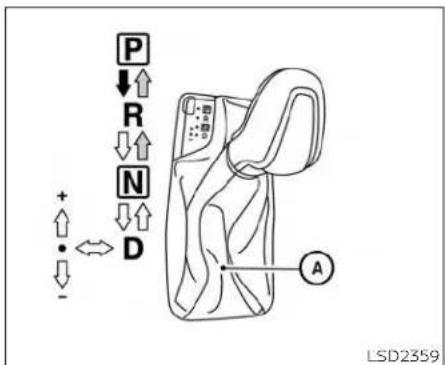
Manualshiftgate
Manualshiftmode
Thetransmissionentersthemanualshift modebymovingtheshiftlevertotheleft sideinthe*D'range.Youcanselectthe manualshiftrangeeitherbymovingthe shiftleverupordown,orbypullingthe right-sideorleft-sidepaddleshifter(ifso equipped). To cancel the manual shift mode,returntheshiftlevertotherlightD (Drive)position.Thetransmissionreturns toautomaticdrivingmode.
WhentheshiftleverisshiftedfromD(Drive) tothemanualshiftgate Ⓐ withthevehicle stoppedorwhilledriving,thetransmission
5-18 Startinganddriving
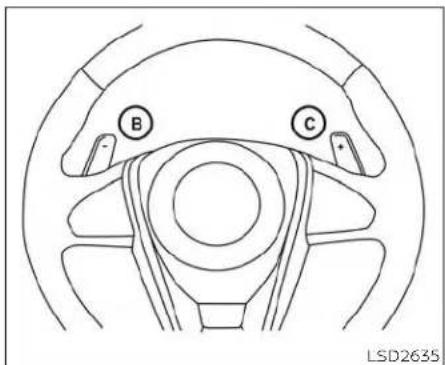
Paddleshifters(ifsoequipped)
entersthemanualshiftmode.Shiftranges canbeselectedmanually.Shiftrangescan alsobeselectedusingthepaddleshifters (ifsoequipped)onthesteeringwheel and ©Whenyoupullthepaddleshifter whileintheD(Drive)position,thetransmissionwillshifttotheupperorlowerrange temporarily.Ifthepaddleshiftersarenot usedforabout5-10seconds,thetransmissionwillautomaticallyreturntotheD(Drive)position.IfyouwanttoreturntotheD(Drive)positionmanually,pullandhold eitherpaddleshifterforabout1.5seconds. Inthemanualshiftmode, theshiftrangeis displayedonthepositionindicatorinthe meter. Whenshiftingtheshiftlevertothe manualshiftgate, thepositionindicator displays1(1st)upto7(7th)dependingon vehiclespeed.
Shiftrangesupordownonebyoneas follows:
$$ 1 \Leftrightarrow 2 \Leftrightarrow 3 \Leftrightarrow 4 \Leftrightarrow 5 \Leftrightarrow 6 \Leftrightarrow 7 $$
M7(7th)
Use this position for all normal forward driving at highways speeds.
M6(6th)andM5(5th)
Use this position when driving up long slopes or forengine braking when driving down long slopes.
M4(4th), M3(3rd) and M2(2nd)
Useforhillclimbingorenginebrakingon downhillgrades.
M1(1st)
Use this position when climbing steep hills slowly or driving slowly through deep snow, sandormud, or maximum engine braking on steep downhill grades.
- Remembernottodriveathighspeedsfor extendedperiodsoftimeinlowerthan the6thrange. Thisreducesfueleconomy.
Whenshiftingup
Movetheshiftlevertothe+(up)side.(Shifts tohigherrange.)
Whenshiftingdown
Movetheshiftlevertothe-(down)side. (Shiftstolowerrange.)
- Movingtheshiftleverrapidlytothesame side twice will shift the ranges in succession.
- Thetransmissionwillautomaticallydownshiftthegears.(Forexample,ifyouselect the3rdrange,thetransmissionwillshift downbetweenthe3rdand1stgears.)
Whencancelingthemanualshiftmode
ReturntheshiftlevertotheD(Drive)positiontoreturnthetransmissiontothenormaldrivingmode.
- Inthemanualshiftmode, the transmission may not shift to these selected gear. This helps maintain driving performance and reduce the chance of vehicle damage or loss of control.
- Whenthissituationoccurs, the Continuously Variable Transmission(CVT) position indicator will blink and the chimewillsound.
-Inthemanualshiftmode, the transmission may shift up automatically to a higher range than selected if the enginespeedistoo high. When the vehicles speed decreases, the transmission automatically shifts down and shift to 1st gear before the vehicle comestoastop.
- CVToperationislimitedtoautomatic drivemodewhenCVTfluidtemperature isextremelylowevenifmanualshift modeisselected. Thisisnotamalfunction.WhenCVTfluidwarmsup,manual modecanbeselected.
- whentheCVTfluidtemperatureishigh, theshiftrangemayupshiftinlowerrpm thanusual. Thisisnotamalfunction.

natural_image
Line drawing of a device with a tool and a screen, showing an arrow pointing to the screen (no text or symbols present)Shiftlockrelease
If the battery charge is slow words discharged, the shift lever may not be removed from the P(Park) position even with the brake pedal depressed and the shift lever button pressed.
It will be necessary to jump start or have your battery charged. For additional information, see "Jump starting" (P. 6-9). It is recommended that you visit a NISSAN dealer or a professional towingservice.
To move the shift lever, complete the following procedure:
-
PushtheignitionswitchtotheLOCK position.
-
Apply the parking brake.
-
Using a protective cloth on the top of a small (1/8 inch or 3 mm) flat-head screwdriver, removetheshiftlock release cover.
• If available, aplastic trim tool can also be used.
- Insert the car key into the shift lock release slot and press straight down. Asmall screw driver or small trim tool may also be used.
- Foradditionalinformation,see“NISSAN IntelligentKey®”(P. 3-2).
5.MovetheshiftlevertotheN(Neutral) positionwhileholdingdowntheshift lockrelease.
- PushtheignitionswitchtotheONpositiontounlock thesteering wheel. Now thevehiclemay bemovedtothedesired location.
IftheshiftlevercannotbemovedoutofP (Park), havethetransmissioncheckedas soonaspossible.Itisrecommendedthat youvisitaNISSANdealerforthisservice.

CAUTION
Makesuretotakeextracareduringthe removaloftheshiftlockcapasthis partiseasilydamaged.

WARNING
If the shift lever cannot be removed from the Park position while the engine is running and the brake pedal is depressed, the stoplights may not work. Malfunctioning stoplights could cause an accident injurying yourself and others.
Acceleratordownshift -inD(Drive)positionandmanual shiftmode
Forpassingorhillclimbing, depress the acceleratorpedaltothefloor. This shifts the transmissiondownintolowerrange, depending on the vehiclespeed.
Highfluidtemperatureprotection mode
Thistransmissionhasahighfluidtemperatureprotectionmode.Ifthefluidtemperaturebecomestoohhigh(forexample, whenclimbingsteepgradesinhightemperatureswithheavyloads,suchaswhen towingatraler),enginepowerand,under someconditions,vehiclespeedwillbe decreasedautomaticallytoreducethe chanceoftransmissiondamage.Vehicle speedcanbecontrolledwiththeacceleratorpedal,buttheengineandvehiclespeed maybellimited.
Fail-safe
If the vehicle is driven under extreme conditions, such as excessive wheel spinning and subsequent hard braking, the fail-safesystem may be activated. The Malfunction Indicator Light (MIL) may come onto indicate the fail-safe mode is activated. For additional information, see "Malfunction Indicator Light (MIL)" (P.2-13). This will obscure even if all electrical circuits are functioning properly. In this case, place the ignition switch in the OFF position and wait for 10 sec
onds.Thenplacetheignitionswitch backintheONposition.Thevehicle shouldreturnto itsnormal operating condition.Ifitdoesnotreturntoitsnormaloperatingcondition,havethetransmissioncheckedandrepaired,ifnecessary.Itisrecommendedthatyouvisita NISSANdealerforthisservice.

WARNING
Whenthehighfluidtemperatureprotectionmodeorfail-safeoperationoccurs, vehiclespeedmaybegradually reduced. Thereducedspeedmaybe lowerthanothertraffic, whichcouldincreasethechanceofacollision.Beespeciallycarefulwhendriving.Ifnecessary, pull to the side of the road at a safe placeandallowthetransmissionoreturntonormaloperation,orhaveitrepairedifnecessary.
PARKINGBRAKE
DRIVEMODESELECTOR
WARNING
- Besuretheparkingbrakeisfullyreleasedbeforedriving.Failurertodoso cancausebrakefailureandleadto anaccident.
- Donotreleasetheparkingbrake fromoutsidethevehicle.
- Donotusetheshiftleverinplace of theparkingbrake.Whenparking, besuretheparkingbrakeisfully engaged.
To help avoid risk of injury or death through unintended operation of the vehicle and/or it systems, donot leave children, people who require the assistance of others or pets unattended in your vehicle. Additionally, the temperature inside a closed vehicle on awarm day can quickly become high enough to cause significant risk of injury or death to people and pets.

Toengage: Firmlydepresstheparking brake.
Torelease:
- Firmly apply the footbrake.
2.MovetheshiftlevertotheP(Park) position. - Firmly depress the parking brake pedal and it will release.
- Before driving, be sure the brake warninglightgoesout.

DriveModeSelectorswitch
TwodrivingmodescanbeselectedbyusingtheDriveModeSelectorswitch:NOR-MALandSPORT.
NOTE:
- WhentheDriveModeSelectorswitchselectsamode, themodemaynotswitch quickly. This is not a malfunction.
-NORMALmodeis thedefaultdrive mode.
TRAFFICSIGNRECOGNITION(TSR)
NORMALMODE
NORMALmodeisrecommendedfornormaldrivingandisthedefaultdrivemode. IfSPORTmodeisselected,thenNORMAL modeiscanceled.PresstheSPORTmode buttonagaintoreturntoNORMALmode. TheSPORTmodeindicatorinthevehicle informationdisplay,andtheindicatorlight ontheDriveModeSelectorswitchwillturn off.
SPORTMODE
TheSPORTmodeadjuststheengine, transmission,andsteeringtoenhance performance.PresstheSPORTmodebuttontoselectthisdrivingmode.TheSPORT modeindicatorwillappearinthevehicle informationdisplay,andtheindicatorlight ontheDriveModeSelectorswitchwillturn on.
NOTE:
IntheSPORTmode,fueleconomymay bereduced.

natural_image
Line drawing of a sedan car with labeled point A and license plate (no text or symbols on the car itself)The TSRsystemprovidesthedriverwith informationaboutthemostrecentlydetectedspeedlimit.Thesystemcaptures theroadsigninformationwiththemulti-sensingfrontcameraunit ① locatedon thewindshieldinfrontoftheinsiderear-viewmirroranddisplaystedetected signsinthevehicleinformationdisplay. For vehiclesequippedwithanavigationsystem,thespeedlimitdisplaydisbasedona combinationofnavigationsystemdata andlivecamerarecognition.TSRinformationisalwaysdisplayedatthetopofthe vehicleinformationdisplayifthesystemis enabledintheDriverAssistancesettings.
WARNING
The TSR system is only intended to be a support device to help provide the driver within information. It is not a replacement for the driver's attention to traffic conditions or responsibility to drives safely. It cannot prevent accidents due to carelessness. It is the driver's responsibility to stay alert and drives safely at all times.

SYSTEMOPERATION
The TrafficSignRecognition(TSR) system display the following types of road signs:

Ⓐ Speedsigndetected(inCanada)
⑧ Speedsigndetected(InUSA)
© Speedsigndetected(nospeedlimit detected)
(D) "Donotpass"signdetected
CAUTION
The TSR system is intended as anaid to careful driving. It is the driver's responsibility to stay alert, drives safely, and observe all road regulation that currently apply, including looking out for roads signs.
- TheTSRsystemmaynotfunctionproperlyunderthefollowingconditions:
-Whentheroadsignisnotclearly visible,forexample,duetodamageorweatherconditions.
-Whenrain,snowordirtadheresto thewindshieldinfrontofthe multi-sensingcameraunit.
- Whentheheadlightsarenotbright, forexample, duetodirtonthelens oriftheaimingis not adjusted properly.
-Whenstronglightentersthecameraunit.(Forexample,thelightdirectlyshinesonthefrontofthe vehicleatsunriseorsunset.)
-Whenasuddenchangeinbrightnessoccurs.(Forexample,when thevehicleentersorexitsatunnel orunderabridge.)
- If there are deviations in relation to the navigation, forexample due to changes in the road routing.
-Whenovertakingbusesortrucks withspeedstickers.
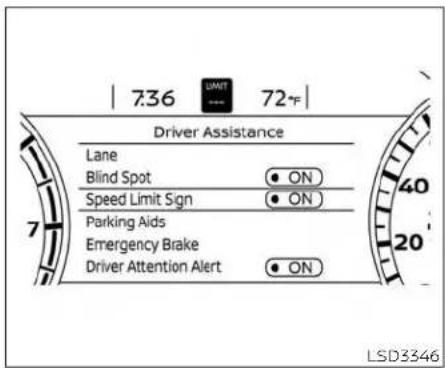
TURNINGTHETRAFFICSIGN RECOGNITION(TSR)SYSTEMON ANDOFF
Perform the following step to enable or disable the TSR system.
1.Pressthe ◀ buttonuntil"Settings"displaysinthevehicleinformationdisplay andthenpresstheOKbutton.Usethe ◀ buttontoselect"DriverAssistance." ThenpresstheOKbutton.
- Select*SpeedLimitSign* and pressthe OKbutton to turn the systemonoroff.
- EnablingtheSpeedLimitSignscreenfrom theMainMenuselectionwillalsoturnon theTrafficSignRecognitionsystem.
SYSTEMTEMPORARILY UNAVAILABLE
If the vehicle is parked directly sunlight under high temperature conditions (over approximately 104°F (40°C)) and then started, the TSR system may be activated automatically. The "Unavailable: High Cabin Temperature warning message will appear in the vehicle information display."
Actiontotake:
When the interior temperature is reduced, the TSR system will resume operating automatically.
SYSTEMMALFUNCTION
If the TSR system malfunctions, it will be turned off automatically and the system "Malfunction" warning message will appear in the vehicle information display.
Actiontotake:
IftheTSR"Malfunction"messageappears, pullofftheroadatasafelocationandstop thevehicle.Turntheengineoffandrestart theengine.IftheTSR"Malfunction"messagecontinuestoappear,havethesystem checked.Itisrecommendedthatyouvisita NISSANdealerforthisservice.
SYSTEMMAINTENANCE
The TSR system uses the same multisensingfrontcameraunitthatisused by the LaneDepartureWarning(LDW)system, locatedinfrontoftheinteriorrearviewmirror. For additional information, see "System maintenance"(P.5-30).
LANEDEPARTUREWARNING(LDW)

natural_image
Line drawing of a sedan car with a circular component labeled 'A' pointing to the side (no text or symbols on the car itself)WARNING
Failuretofollowthewarningsandin-structionsforproperuseoftheLDW systemcouldresultinseriousinjuryor death.
- This system is only awarning device to inform the driver of potential unintended lane departure. It will not steer the vehicle or prevent loss of control. It is the driver's responsibility to stay alert, drives safely, keep the vehicle in the traveling lane, and be in control of the vehicle at all times.
The LDwsystemwilloperatewhenthevehicleisdrivenatspeedsofapproximately 37mph(60km/h)andabove,andonly whenthelanemarkingsareclearlyvisible ontheroad.
TheLDwsystemmonitorsthelanemarkersonthetravelinglaneusingthecamera unit ① locatedabovetheinsidemirror.
The LDwsystemwarnsthedriverthatthe vehicleisbeginningtoleavethedriving lanewithanindicatorandasteeringwheel vibration.Foradditionalinformation,see "LDwsystemoperation"(P.5-27).

LDWSYSTEMOPERATION
① LaneDepartureWarning(LDW)indicator
TheLDWsystemprovidesalanedeparture warningfunctionwhenthevehicleis drivenatspeedsofapproximately37mph (60km/h)andaboveandthelanemarkingsareclear. WhentheLDWsystemisenabled,theLDWindicator(white)willappear inthevehicleinformationdisplay. Whenthe vehicleapproacheseithertheleftforthe rightsideofthetravellinglane,thesteering wheelwillvibrateandtheLDWindicatorwill blink(yellow)inthevehicleinformationdisplaytoalertthedriver.
Thewarningfunctionwillstopwhenthe vehiclereturnsinsideofthelanemarkers.
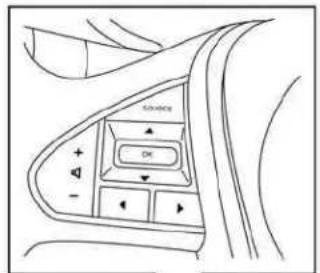


natural_image
Top-down line drawing of a car dashboard with steering wheel and head-mounted gauges (no text or symbols)LSD3347
HOWTOENABLE/DISABLETHE LDWSYSTEM
Perform the following step to enable or disable the LDWsystem.
Usingthe"Settings"inthevehicleinformationdisplay:
-
Pressthe ◆ buttonsuntil"Settings" displaysinthevehicleinformationdisplayandthenpresstheOKbutton. Use the ◆ buttontoselect"DriverAssistance." ThenpresstheOKbutton.
-
Select "Lane" and press the OK button.
-
Select "LaneDepartureWarning" and presstheOKbuttontoturnthesystem onoroff.
Usingthe"DrivingAids"screeninthe vehicleinformationdisplay:
- Use the button on the steering wheel to scroll to the Driving Aid screen.
2.PresstheOKbuttontoaccesstheDriver Assistancemenu.
- Select "LaneWarning" and press the OK button.
4.Pressthe ◆ buttonstoreturntothe DrivingAidsscreen.
- Whenenabling/disablingthesystem, thesystemsettingwillberetainedeven iftheengineisrestarted.
5-28 Startinganddriving
LDWSYSTEMLIMITATIONS
WARNING
Listedbelowarethesystemlimitations fortheLDWsystem.Failureretofollow thewarningsandinstructionsfor properuseoftheLDWsystemcouldresultinseriousinjuryordeath.
- Thesystemwillnotoperateat speedsbelowapproximately37mph (60km/h)orifitcannotdetectlane markers.
- DonotusetheLDWsystemunderthe followingconditionsasitmaynot functionproperly:
-Duringbadweather(rain,fog, snow,etc.).
-Whendrivingonslipperyroads, suchasoniceorsnow.
-Whendrivingonwindingorun-evenroads.
-Whenthereisalaneclosuredueto roadrepairs.
- When driving in a makeshift or temporarylane.
-Whendrivingonroadswherethe lanewidthhistoonarrow.
-Whendrivingwithout normaltire conditions(forexample,tirewear, lowtirepressure,installationof sparetire,tirechains, nonstandardwheels).
-Whenthevehicleisequippedwith non-originalbrakepartsorsuspensionparts.
- When you are towing a trailer or other vehicle.
- The system may not function properlyunderthefollowingconditions:
-Onroadswheretherearemultiple parallellanemarkers;lanemarkerstatarefadedornot painted clearly;yellowpaintedlanemarkers;non-standardlanemarkers;orlanemarkerscoveredwithwater,dirt,snow,etc.
-Onroadswherethediscontinued lanemarkersarestilldetectable.
-Onroadswheretherearesharp curves.
-Onroadswheretherearesharply contrastingobjects,suchasshadows,snow,water,wheelnuts, seams or lines remaining after road repairs. (The LDW system could detect these items as lane markers.)
-Onroadswherethetravelinglane mergesorseparates.
-Whenthevehicle'stravelingdirection does not align with the lane marker.
-Whentravelingclosetothevehicleinfrontofyou,whichobstructs the lane camera unit detectionrange.
-Whenrain,snow,dirtoranobject adherestothewindshieldinfront ofthelanecameraunit.
- Whentheheadlightsarenotbright duetodirtonthelensoriftheaimingisnotadjustedproperly.
-When strong light entersthe lane camera unit. (For example, the light directly shines on the front of the vehicle at sunrise or sunset.)
-Whenasuddenchangeinbrightnessoccurs.(Forexample,when thevehicleentersorexitsatunnel orunderabridge.)
SYSTEMTEMPORARILY UNAVAILABLE
Ifthevehicleisparkedindirectsunlight underhightemperatureconditions(over approximately104°F[40°C])andthen started,theLDWsystemmaybedeactivatedautomaticallyandthefollowing messagewillappearInthevehicleInformationdisplay:"Unavailable:HighCabin Temperature."InthisinstancetheLDWindicator(white)willblink.
When the interior temperature is reduced, the LDW system will resume operating automatically.
TheLDwsystemisnotdesignedtowarn underthefollowingconditions:
-Whenyouoperatethelanechangesignal andchangetravelinglanesinthedirectionofthesignal.(TheLDWsystemwill becomeoperableagainapproximately 2secondsafterthelanechangesignalis turnedoff.)
-whenthevehiclespeedlowerstoless thanapproximately37mph(60km/h).
Aftertheaboveconditionshavefinished andthenecessaryoperatingconditions aresatisfied,theLDWfunctionswillresume.
SYSTEMMALFUNCTION
IftheLDwsystemmalfunctions, it will cancel automatically. The LDWindicator(orange) will illuminate in the display. If the LDWindicator(orange) illuminates in the display, pullofftheroadtoasafelocation and stop the vehicle. Turn the engine/motor off and restart the engine/motor. If the LDWindicator(orange) continues to illuminate, have the LDwsystem checked. It is recommended that you visit a NISSAN dealer forth this service.

natural_image
Technical line drawing of a mechanical component with labeled parts (no text or symbols beyond label)SYSTEMMAINTENANCE
Thelanecameraunit ① fortheLDWsystemislocatedabovetheinsidemirror.
Tokeep the proper operation of the LDW system and prevent a system malfunction, besure to observ the following:
•Alwayskeepthewindshieldclean.
- Donotattachasticker(includingtransparentmaterial)orinstallanaccessorynearthecameraunit.
INTELLIGENT LANE INTERVENTION (I-LI) (ifso equipped)
- Donotplacereflectivematerials,suchas whitepaperoramirror,ontheinstrumentpanel.Thereflectionofsunlight mayadverselyaffectthecameraunit's capabilityofdetectingthelanemarkers.
- Donotstrikeordamagetheareas aroundthecameraunit.Donottouchthe cameralensorremovethescrewlocated onthecameraunit.Ifthecameraunits damagedduetoanaccident,ItisrecommendedthatyouvisitaNISSANdealer.

natural_image
Line drawing of a sedan car with labeled point A and model number LSD3425 (no text or symbols on the car itself)WARNING
Failure to follow the warnings and instructions for proper use of the LIsystem could result in serious injury or death.
- The I-LI system will not steer the vehicleorpreventlossofcontrol.Itis thedriver'sresponsibilitytostay alert,drive safely,keepthe vehiclein thetravelinglane,andbeincontrolof thevehicleatalltimes.
- The I-LI system is primarily intended for useonwell-developedfreeways orhighways.Itmaynotdetectthe lane markers in certain road, weather,ordrivingconditions.
The I-LI system can be turned on with the dynamic driver assistance switch on the lower left panel, every time the engine is started.
Thel-LIsystemwilloperatewhenthevehicleisdrivenatspeedsofapproximately 37mph(60km/h)andabove,andonly whenthelane markingsareclearly visible ontheroad.
The I-LI system warns the driver when the vehiclehasleftthecenterofthetraveling lanewithanindicatorandasteeringwheel vibration. The system helps assist the drivertoreturnthevehicle tothecenterof thetravelinglanebyapplyingthebrakesto theleftorrightwheelsindividually(fora shortperiodof time).
Thel-LIsystemmonitorsthelanemarkers onthetravelinglaneusingthecameraunit A locatedabovetheinsidemirror.
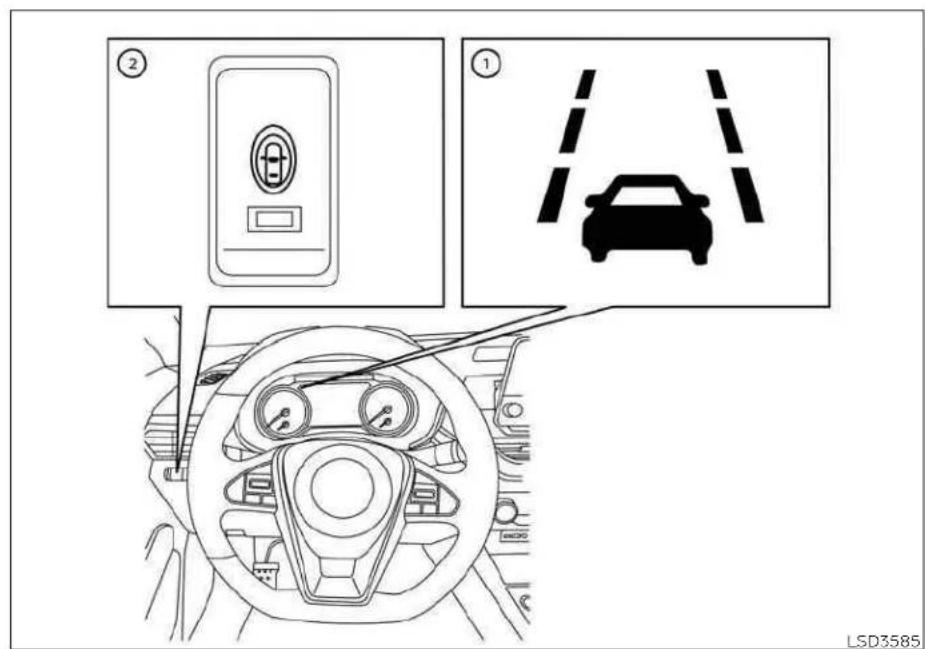
I-LISYSTEMOPERATION
① LaneDepartureWarning(LDW)indicator(orange/green)
② Dynamicdriverassistanceswitch
5-32Startinganddriving
Thel-Llsystemoperatesaboveapproximately37mph(60km/h).Whenthevehicle approacheseithertheleftotherightside ofthetravelinglane,thesteeringwheelwill vibrateandtheLDWindicator(orange)on theinstrumentpanelwillblinktoalertthe driver.Then,thel-Llsystemwillautomaticallyapplythebrakesforashortperiodof timetohelpassistthedrivertoreturnthe vehicletothecenterofthetravelinglane.
Toturnonthel-LIsystem, pushthedynamic driver assistances witch after starting the engine/motor. The LD Wind indicator (green) on the instrument panel will illuminate. Push the dynamic driver assistance switch againtoturnoff the LIsystem. The LD Wind indicator (green) will turn off.
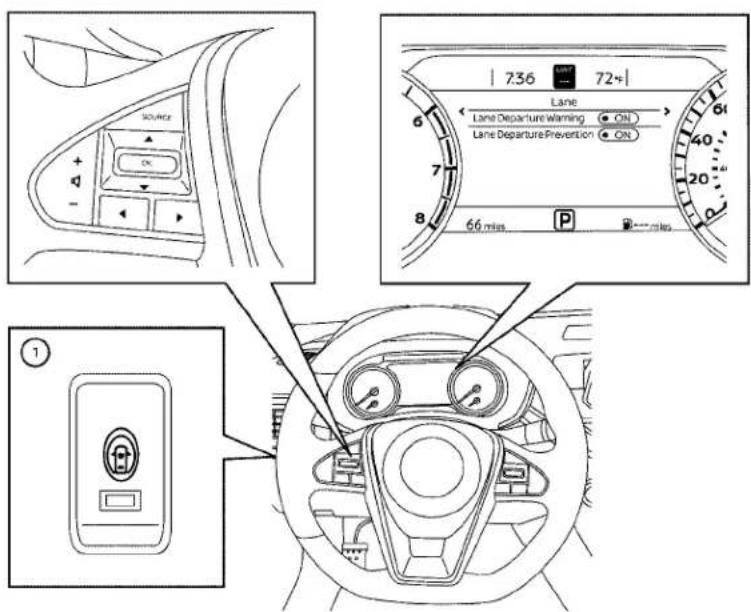
HOWTOENABLE/DISABLETHEI-LI SYSTEM
LSD3403
Thel-Lisystemcanbeturnedonoroff usingthedynamicdriverassistanceswitch ontheinstrumentpanelor"Settings"inthe vehicleinformationdisplay.
whenthesystemisoff, the indicator light on the dynamic driver assistance switch ① turnsoff and the LD windicator (green) turnsoff.
Usingdynamicdriverassistanceswitch:
Toturnonthel-Llsystem, pushthedynamic driver assistance switch on the instrument panel after starting the engine.
TheLDWindicator(green)onthevehicle informationdisplaywillappear.
Pushthedynamicdriverassistanceswitch againstoturnoffthel-Llsystem.
TheLDWindicator(green)onthevehicle informationdisplaywillturnoff.
Thel-LIsystemwillbeautomaticallyturned offwhentheengineisturnedoff.
Using"Settings"inthevehicleinformationdisplay:
-
After starting the engine press the buttons until Settings displays in the vehicle information display and then press the OK button. Use the button to select "Driver Assistance." Then press the OK button.
-
Select "Lane" and press the OK button.
-
Select "LaneDeparturePrevention" and presstheOKbuttontoturnthesystem onoroff.
Using "DrivingAids" screeninthevehicle informationdisplay:
- Use the button on the steering wheel to scroll to the Driving Aid screen.
- PresstheOKbuttonontoaccesstheDrivingAidsmenu.
- Select "Lane" and press the OK button until "Lane Prevent" is displayed.
4.Pressthe ◆ buttonstoreturntothe DrivingAidsscreen.
Toturnonthethel-LIsystempushthe DynamicDriverAssistanceswitchon theinstrumentpanelafterstartingthe engine.
I-LISYSTEMLIMITATIONS
WARNING
Listedbelowarethesystemlimitations forthel-LIsystem.Failureretofollowthe warningsandinstructionsforproper useofthel-LIsystemcouldresultin seriousinjuryordeath.
- The!Llsystemmayactivateifyou changelaneswithoutfirstactivating yourturnsignalor,forexample,ifa constructionzonedirectstrafficto crossanexistinglanemarker.Ifthis occurs you mayneedto applycorrectivesteeringtocompleteyourlane change.
- Becausethel-Llmaynotactivateundertheroad,weather,andlane markerconditionsdescribedinthis section, it may not activate every timeyourvehiclebeginstoleaveits laneandyouwillneedtoapplycorrectivesteering.
- Whenthel-Llsystemisoperating, avoidexcessiveorsuddensteering maneuvers. Otherwise, you could losecontrolofthevehicle.
- Thel-Llsystemwillnotoperateat speedsbelowapproximately37mph (60km/h)orifitcannotdetectlane markers.
- Donotusethel-Lisystemunderthe followingconditionsasitmaynot functionproperly:
-Duringbadweather(rain,fog, snow,etc.).
-Whendrivingonslipperyroads, suchasoniceorsnow.
-Whendrivingonwindingorun-evenroads.
-Whenthere isalaneclosure dueto roadrepairs.
-Whendrivinginamakeshiftor temporarylane.
-Whendrivingonroadswherethe lanewidthhistoonarrow.
- Whendrivingwithoutnormaltire conditions(forexample,tirewear, lowtirepressure, installation of spare tire,tirechains,non-standard wheels).
-Whenthevehicleisequippedwith nonoriginalbrakepartsorsuspensionparts.
-Whenyouaretowingatraileror othervehicle.
-Onroadswheretherearemultiple parallellanemarkers;lanemarkerstatarefadedornotpainted clearly;yellowpaintedlanemarkers;non-standardlanemarkers;orlanemarkerscoveredwithwater,dirt,snow,etc.
-Onroadswherediscontinuedlane markersarestilldetectable.
-Onroadswheretherearesharp curves.
-Onroadswheretherearesharply contrastingobjects,suchasshadows,snow,water,wheeleruts, seamsorlinesremainingafter roadrepairs.(TheI-LIsystem could detecttheseitemsaslane markers.)
-Onroadswherethetravelinglane mergesorseparates.
-Whenthevehicle'stravelingdirectiondoesnotalignwiththelane marker.
-Whentravelingclosetothevehicleinfrontofyou,whichobstructsthelanecameraunitdetectionrange.
-Whenrain,snowordirtadheresto thewindshieldinfrontofthelane cameraunit.
- Whentheheadlightsarenotbright duetodirtonthelensoriftheaimingisnotadjustedproperly.
-When strong light enter the sthe lane camera unit. (For example, the light directly shines on the front of the vehicle's sunrise or sunset.)
-Whenasuddenchangeinbrightnessoccurs.(Forexample,when thevehicleentersorexitsatunnel orunderabridge.)
While the Hel-L system is operating, you may hear asound of brake operation. This is normal and indicate that the Hel-L system is operating properly.
SYSTEMTEMPORARILY UNAVAILABLE
ConditionA:
Thewarning and assist function of the Li system are not designed to work under the following conditions:
- When you operate the helane changes signal and changethetraveling lanes in the direction of the signal. (Thel-Lisystem will be deactivated for approximately 2 seconds after the helane changes signal is turned off.)
-whenthevehiclespeedlowerstoless thanapproximately37mph(60km/h).
Aftertheaboveconditionshavefinished andthenecessaryoperatingconditions aresatisfied,thewarningandassist functionswillresume.
ConditionB:
Theassistfunctionofthel-Llsystemisnot designedtoworkunderthefollowingconditions(warningisstillfunctional):
- Whenthebrakepedalisdepressed.
- When the steering wheel is turned as far as necessary for the vehicle to change lanes.
- whenthevehicleisacceleratedduring I-LIsystemoperation.
- When the Intelligent Cruise Control (ICC) approach warning occurs.
- When the hazard warning flashers are operated.
•Whendrivingonacurveathighspeed
Aftertheaboveconditionshavefinished andthenecessaryoperatingconditions aresatisfied,thel-Llsystemapplicationof thebrakeswillresume.
ConditionC:
If the following messages appear in the vehicle information display, the L-Isystem will be turned off automatically.
"UnavailableRoadisSlippery": WhentheVDCsystem(exceptTraction ControlSystem[TCS]function)orABS operates. "CurrentlyUnavailable": WhentheVDCsystemisturnedoff.
Actiontotake:
When the above conditions nolonger exist, turnoffthel-LIsystem.Pushthedynamic driver assistance switchagaintoturnthe I-LIsystembackon.
Temporarydisabledstatusathigh temperature:
Ifthevehicleisparkedindirectsunlight underhightemperatureconditions(over approximately104°F[40°C])andthenthe I-Llsystemisturnedon,thel-Llsystem maybedeactivatedautomaticallyandthe followingmessagewillappearonthevehicleinformationdisplay."Unavailable:High CabinTemperature."Whenthe interior temperatureisreduced,thesystemwillresumeoperatingautomatically.
SYSTEMMALFUNCTION
Ifthel-Lisystemmalfunctions, it will cancel automatically. The LD Wind indicator (orange) will illuminate in the display. If the LD Wind indicator (orange) illuminates in the display, pullofftheroadtoasafelocation and stop the vehicle. Turn the engine/motor off and restart the engine/motor. If the LD Wind indicator (orange) continues to illuminate, have the L is system checked. It is recommended that you visit a NISSAN dealer for this service.

natural_image
Technical line drawing of a mechanical component with labeled parts (no text or symbols beyond label)SYSTEMMAINTENANCE
Thelanecameraunit ① forthel-Llsystem is located above the inside mirror. To keep the proper operation of the Hel-Llsystem and preventasystem malfunction, besureto observethe following:
- Alwayskeepthewindshieldclean. - Donotattachasticker(includingtransparentmaterial)orinstallanaccessorynearthecameraunit.
BLINDSPOTWARNING(BSW)
- Donotplacereflectivematerials,suchas whitepaperoramirror,ontheinstrumentpanel.Thereflectionofsunlight mayadverselyaffectthecameraunit's capabilityofdetectingthelanemarkers.
- Donotstrikeordamagetheareas aroundthecameraunit.Donottouchthe cameralensorremovethescrewlocated onthecameraunit.Ifthecameraunits damagedduetoanaccident,ItisrecommendedthatyouvisitaNISSANdealer.
WARNING
Failuretofollowthewarningsandin-structionsforproperuseoftheBSW systemcouldresultinseriousinjuryor death.
TheBSWsystemisnotareplacement forproperdrivingproceduresandis notdesignedtopreventcontactwith vehiclesorobjects.Whenchanging lanes,alwaysusethesideandrear mirrorsandturnandlookinthedirectionyourvehiclewillmovetoensureitissafetochangelanes.Never relysolelyontheBSWsystem.
TheBSwsystemhelpsalertthedriverof other vehicles in adjacent lanes when changinglanes.
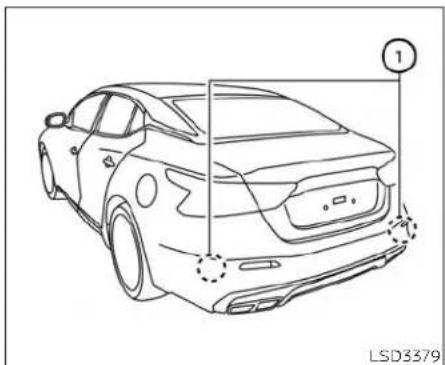
natural_image
Line drawing of a car rear view with no text or symbols, showing front and side views (no readable text or symbols)TheBSWsystemusesradarsensors installedneartherearbumpertodetect othervehiclesinanadjacentlane.
①

natural_image
Top-down diagram of a parking lot with two cars and surrounding parking areas (no text or symbols)Detectionzone
Theradarsensorscandetectvehicleson eithersideofyourvehiclewithinthedetectionzoneshownasillustrated. This detectionzonestartsfromtheoutsidemirror ofyourvehicleandextendsapproximately 10ft(3.0m)behindtherearbumper,and approximately10ft(3.0m)sideways.
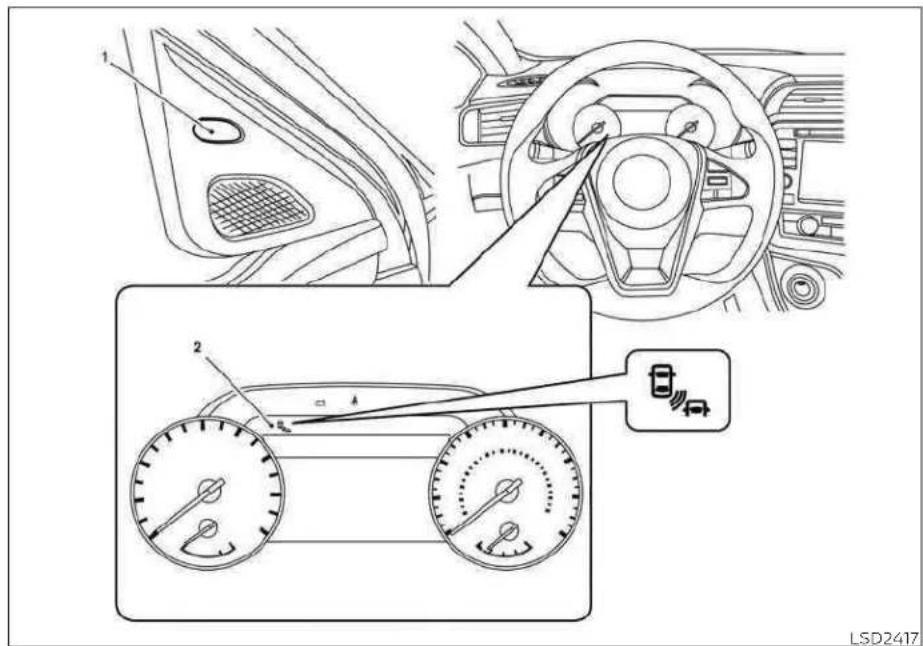
1.SideBSW/RCTAIndicatorLight
2.BSW/RCTAIndicator
BSWSYSTEMOPERATION
TheBSWsystemoperatesaboveapproximately20mph(32km/h).
5-38 Startinganddriving
Iftheradarsensorsdetectavehicleinthe detectionzone,thesideBSW/RCTAindicatorlight(1)illuminates.Iftheturnsignalis thenactivated,thesystemchimes(twice) andthesideBSW/RCTAindicatorlight flashes.ThesideBSW/RCTAindicatorlight continuestoflashuntilthedetectedvehicleleavesthedetectionzone.
ThesideBSW/RCTAindicatorlightilluminatesforafewsecondswhentheignition switchisplacedintheONposition.
ThebrightnessofthesideBSW/RCTAindicatorlightisadjustedautomaticallydependingonthebrightnessoftheambient light.
Ifvehiclecomesintothedetectionzone afterthedriveractivatestetheturnsignal, thenonlythesideBSW/RCTAindicatorlight flashesandnochimesounds.Foradditionalinformation,see"BSWdrivingsituations"(P.5-41).
TheBSWsystemautomaticallyturnson everytimetheengineisstarted,aslongas itsactivatedusingthesettingsmenuon thevehicleinformationdisplay.

HOWTOENABLE/DISABLETHE
BSWSYSTEM
Perform the following step to enable or disable the BSwsystem.
Usingthe"Settings"inthevehicleinformationdisplay:
-
Pressthe button until "Settings" displays in the vehicle information display and then pressthe OK button. Use the button to select "Driver Assistance." Then pressthe OK button.
-
Select "BlindSpot" and press the OK button.
Usingthe"DrivingAids"screeninthevehicleinformationdisplay:
- Use the button on the steering wheel to scroll to the Driving Aid screen.
2.PresstheOKbuttontoaccesstheDrivingAidsmenu. - Select "BlindSpot" and presstheOK to changetheDrivingAidssetting.
NOTE:
-Whenenabling/disablingthesystem, thesystemwillretaincurrentsettings eveniftheengineisrestarted.
-TheRCTAsystemisintegratedintothe BSWsystem.Thereisnotaseparate selectioninthevehicleinformation displayfortheRCTAsystem.Whenthe BSWisdisabled,theRCTAsystemis alsodisabled.
- WhentheBSWsystemisturnedon,the BSW/RCTAindicator(white)inthevehicleinformationdisplayilluminates.
BSWSYSTEMLIMITATIONS
WARNING
Listedbelowarethesystemlimitations fortheBSWsystem.Failureretooperate thevehicleinaccordancewiththese systemlimitationscouldresultinseriousinjuryordeath.
- The BSW system cannot detect all vehiclesunderallconditions.
- Theradarsensorsmaynotbeableto detectandactivateBSWwhencer-tainobjectsarepresentsuchas:
-Pedestrian, bicycles, animals.
-Vehicle such as motorcycles, low height vehicles, or high ground clearance vehicles.
-Oncomingvehicles.
-Vehiclesremaininginthedetectionzonewhenyouaccelerate fromastop.
- A vehicle merging into an adjacent laneataspeedapproximately the sameasyourvehicle.
- A vehicle approaching rapidly from behind.
-Avehiclewhichyourvehicleover-takesrapidly.
-Avehiclethatpassesthroughthe detectionzonequickly.
-Whenovertakingseveralvehicles inarow, thevehiclesafterthefirst vehiclemaynotbedetectedif theyaretravelingclosetogether. - Theradarsensors'detectionzoneis designedbasedonastandardlane width.Whendrivinginawiderlane, theradarsensorsmaynotdetectvehiclesinanadjacentlane.Whendrivinginanarrowlane,theradarsensorsmaydetectvehiclesdrivingtwo lanesaway.
- The radar sensors are designed to ignoremoststationaryobjects; however, objects such as guardrails, walls, foliageandparkedvehicles mayoccasionallybedetected. This is anormaloperationcondition.
- The following conditions may reduce the ability of the radar to detect other vehicles:
-Severeweather
-Roadspray
-Ice/frost/snow/dirtbuild-upon thevehicle
- Donotattachstickers(including transparentmaterial),installaccessoriesorapplyadditionalpaintneartheradarsensors.Theseconditions mayreducetheabilityoftheradarto detectothervehicles.
·Excessivenoise(forexample, audio systemvolume, openvehiclewindow) will interferewith the chime sound, and it may not be heard.
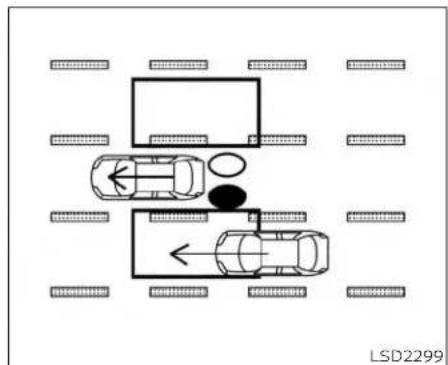
natural_image
Top-down diagram of a parking lot with two cars and directional arrows, surrounded by parking areas (no text or symbols)Illustration1-Approachingfrombehind BSWDRIVINGSITUATIONS
Indicatoron

Indicatoroff

Indicatorflashing

Another vehicle approaching from behind
Illustration1: TheslideBSW/RCTAIndicator lightilluminateslfavehicleentersthedetectionzonefrombehindinanadjacent lane.
NOTE:
•Theradarsensorsmaynotdetectvehicleswhichareapproachingrapidly frombehind.

natural_image
Top-down diagram of a vehicle layout with two cars and surrounding road markings (no text or symbols)Illustration2-Approachingfrom behind
Illustration2: If the driver activates the turn signal when another vehicle is in the detection zone, thenthesystem chimes (twice) and the side BSW/RCTA indicator lightflashes.
NOTE:
•Theradarsensorsmaynotdetectvehicleswhichareapproachingrapidly frombehind.
- If the driver activates the turns signal before vehicle enter the detection zone, the side BSW/RCTA indicator light will flash but nochimewill sound when the other vehicle is detected.

natural_image
Top-down diagram of a vehicle layout with cars and parking areas, no text or symbols presentIllustration 3 - O ver takinganother vehicle
Overtakinganothervehicle
Illustration3: ThesideBSW/RCTAIndicatorlightilluminatesifyouovertakevehicleandthatvehiclestaysinthedetection zoneforapproximately2seconds.

natural_image
Top-down diagram of a vehicle layout with cars and surrounding road markings (no text or symbols)Illustration 4 - Overtaking another vehicle
Illustration4:ifthedriveractivatesthe turnsignalwhileanothervehicleisinthe detectionzone,thenthesystemchimes (twice)andthesideBSW/RCTAindicator lightflashes.
NOTE:
- Whenovertakingseveralvehiclesina row,thevehiclesafterthefirstvehicle maynotbedetectediftheyaretravelingclosetogether.
- Theradarsensorsmaynotdetect slowermovingvehiclesiftheyare passedquickly.
- If the driver activates the turn signal before vehicle enter the detection zone, the side BSW/RCTA indicator light will flash but nochimewill sound when the other vehicle is detected.

natural_image
Top-down diagram of a vehicle layout with multiple lanes and a central oval object, no text or symbols present.Illustration 5-Enteringfromtheside Enteringfromtheside
Illustration5: Theside BSW/RCTA indicator lightilluminatesifvehiclecentersthede-tectionzonefromeitherside.
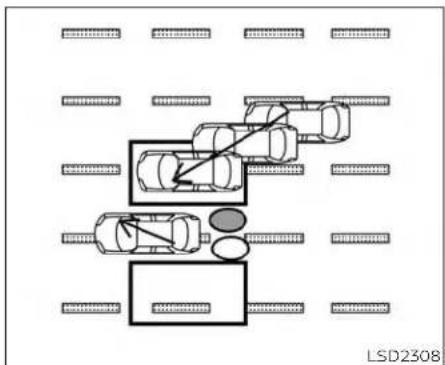
flowchart
graph TD
    A["Left Lane"] --> B["Central Lane"]
    B --> C["Right Lane"]
    C --> D["Left Lane"]
    style A fill:#f9f,stroke:#333
    style B fill:#ccf,stroke:#333
    style C fill:#cfc,stroke:#333
    style D fill:#fcc,stroke:#333
    classDef lane fill:#f9f,stroke:#333;
    classDef parking fill:#ccf,stroke:#333;
    class A,C,D lane;
Illustration6-Enteringfromtheside Illustration6: Ifthedriveractivatesthe turnsignalwhileanothervehicleisinthe detectionzone, thenthesystemchimes (twice) and thesideBSW/RCTA indicator lightflashes.
NOTE:
- If the driver activates the turn signal before vehicle enter the detection zone, the side BSW/RCTA indicator light will flash but nochimewill sound when the other vehicle is detected.
- Theradarsensorsmaynotdetectvehiclewhichistravelingataboutthe samespeedasyourvehiclewhenitentersthedetectionzone.

SYSTEMTEMPORARILY UNAVAILABLE
LSD4834
Whenradarblockageisdetected,the systemwillbedeactivatedautomatically. The"SideRadarObstruction"warningmessagewillappearandtheBSW/RCTAindicator(white)willblink A Inthevehicleinformationdisplay.
Thesystemisnotavailableuntiltheconditionsnolongerexist.
Theradarsensorsmaybeblockedbytemporaryambientconditionssuchassplashingwater,mistorfog.Theblockedconditionmayalsobecausedbyobjectssuchasice,frostordirtobstructingtheradar sensors.
NOTE:
If the BSWsystemstopsworking, the RCTAsystemwillalsostopworking.
Actiontotake:
whentheaboveconditionsnolongerexist, thesystemwillresumeautomatically.
Malfunction
IftheBSWsystemmalfunctions, it will turn off automatically. The BSW/RCTA indicator (orange) will appear in the vehicle information display.
NOTE:
If the BSWsystemstopsworking, the RCTAsystemwillalsostopworking.
Actiontotake:
Stopthevehicleinasafelocation, placethe vehicleintheP(Park)position,turmtheengineoffandrestarttheengine.Ifthemes-sagecontinuestoappear,havethesystem checked.itisrecommendedthatyouvisita NISSANdealerforthisservice.
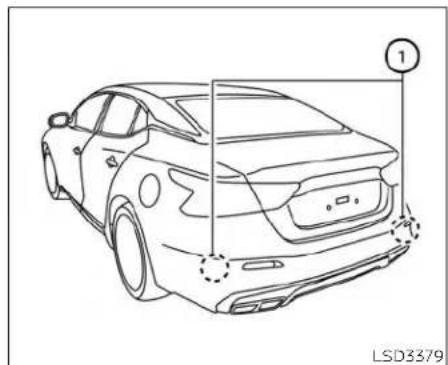
natural_image
Line drawing of a car front view with no text or symbolsSYSTEMMAINTENANCE
Thetworadarsensors ① fortheBSwand RCTAsystemsarelocatedneartherear bumper.Alwayskeeptheareanearthera-darsensorsclean.
Theradarsensorsmaybeblockedbytemporaryambientconditionssuchassplashingwater,mistorfog.
Theblockedconditionmayalsobecauused byobjectssuchasice,frostordirtob-structingtheradarsensors.
Checkforandremoveobjectssobstructing theareaaroundtheradarsensors.
Donotattachstickers(includingtransparentmaterial),installaccessoriesorapply additionalpaintneartheradarsensors.
Donotstrikeordamagetheareaaround theradarsensors. It is recommended that you visit a NISSAN dealer if the area around theradarsensors is damaged due to a collision.
Radiofrequencystatement
ForUSA
FCCID:OAYSRR2BorOAYSRR3B
This device complies with Part15 of the FCC Rules.
Operationissubjecttothefollowingtwo conditions:
-
This device may not cause harmful interference, and
-
This device must accept any interference received, including interference that may cause undesired operation.
REARCROSSTRAFFICALERT(RCTA)
FCCWarning
Changesormodificationsnotexpressly approvedbythepartyresponsiblefor compliancecouldvoidtheuser'sauthority tooperatetheequipment.
ForCanada
Applicablelaw:Canada310
This device contains licence-exempt transmitter(s)/receiver(s) that comply with Innovation, Science and Economic Development Canada's licence-exempt RSS(s). Operation is subject to the following two conditions:
-
This device may not cause interference.
-
This device must accept any interference, including interference that may cause undesired operation of the device.
Radiofrequencyradiationexposure information:
This equipment complies with radiation exposure limits set forth for an uncontrolled environment. This equipment should be installed and operated with minimum distance of 20cmbetween the radiator and your body.
Droitapplicable:Canada310
Failuretofollowthewarningsandin-structionsforproperuseoftheRCTA systemcouldresultinseriousinjuryor death.
- TheRCTAsystemisnotareplacementforproperdrivingprocedures andisnotdesignedtopreventcontact with vehicles or objects. When backingoutof aparking space,alwaysusetheside andreamirrors andturnandlookinthedirection yourvehicle willmove. Never rely solelyontheRCTAsystem.
The RCTA system will assist you when backingoutfromaparkingspace.When thevehicleisinreverse,thesystemisdesignedtodetectothervehiclesapproachingfromtherightorleftofthevehicle.Ifthe systemdetectscrosstraffic,itwillalertyou.

RCTASYSTEMOPERATION
1.SideBSW/RCTAIndicatorLight
2.BSW/RCTAIndicator
5-48 Startinganddriving
TheRCTAsystemcanhelpalertthedriver ofanapproachingvehiclewhenthedriver isbackingoutofaparkingspace.
whentheshiftpositionisinR(Reverse)and thevehiclespeedislessthanapproximately5mph(8km/h),theRCTAsystemis operational.
Iftheradardetectsanapproachingvehicle fromeitherside,thesystemchimes(once) andthesideBSW/RCTAindicatorlight flashesonthesidethevehicleisapproachingfrom.


natural_image
Line drawing of a car front view with no text or symbolsLSD2216LSD3379
TheRCTAsystemusesradarsensors installedonbothsidesneartherearbum-pertodetectanapproachingvehicle.
Theradarsensors ① candetectanapproachingvehiclefromuptoapproximately66ft.(20m)away.

LSD3350
HOWTOENABLE/DISABLETHE RCTASYSTEM
Perform the following step to enable or disable the RCTAsystem.
Usingthe"Settings"inthevehicleinformationdisplay:
-
Pressthe ◆ buttonsuntil"Settings" displaysinthevehicleinformationdisplayandthenpresstheOKbutton. Use the ◆ buttontoselect"DriverAssistance." ThenpresstheOKbutton.
-
Select "BlindSpot" and press the OK button.
When the RCTAsystemisturned on, the BSW/RCTAIndicator(white) Inthe vehicle information display illuminates.
Usingthe"DrivingAids"screeninthevehicleinformationdisplay:
- Usethe ◀ buttonsonthesteering wheeltoscrolltotheDrivingAidsscreen.
2.PresstheOKbuttontoaccesstheDrivingAidsmenu.
- Select "BlindSpot" and press the OK button to change the driving aids setting.
NOTE:
- The RCTAsystemisintegrated into the BSWsystem.There is not as separate selection in the vehicle information display for the RCTAsystem.When the BSW is disabled, the RCTAsystem is also disabled.
-Whenenabling/disablingthesystem, thesystemsettingwillberetained eveniftheengineisrestarted.

flowchart
graph TD
    A["Car Accident"] --> B["Directional Collision"]
    B --> C["Car Accident"]
    C --> D["Directional Collision"]
    D --> E["Car Accident"]
    E --> F["Directional Collision"]
    F --> G["Car Accident"]
    G --> H["Directional Collision"]
    H --> I["Car Accident"]
    I --> J["Directional Collision"]
    J --> K["Car Accident"]
    K --> L["Directional Collision"]
    L --> M["Car Accident"]
    M --> N["Directional Collision"]
    N --> O["Car Accident"]
    O --> P["Directional Collision"]
    P --> Q["Car Accident"]
    Q --> R["Directional Collision"]
    R --> S["Car Accident"]
    S --> T["Directional Collision"]
    T --> U["Car Accident"]
    U --> V["Directional Collision"]
    V --> W["Car Accident"]
    W --> X["Directional Collision"]
    X --> Y["Car Accident"]
    Y --> Z["Directional Collision"]
RCTASYSTEMLIMITATIONS
WARNING
Listedbelowarethesystemlimitations fortheRCTAsystem.Failuretooperate thevehicleinaccordancewiththese systemlimitationscouldresultinseriousinjuryordeath.
Startinganddriving5-51
·Alwayschecksurroundingsandturn tocheckwhatisbehindyoubefore backingup.Theradarsensorsdetect approaching(moving)vehicles.The radarsensorscannotdetectevery objectsuchas:
- Pedestrians, bicycles, motorcycles, animals or child-operated toy vehicles
- Avehiclethatispassingatspeeds greaterthanapproximately19mph (30km/h)
-Avehiclethatispassingatspeeds lowerthanapproximately5mph (8km/h)
·Theradarsensorsmaynotdetect approachingvehiclesincertainsituations:
-Illustration Ⓐ:Whenavehicle parkednexttoyouobstructsthe beamoftheradarsensor.
-Illustration Ⓑ:Whenthevehicle isparkedinanangledparking space.
-Illustration Ⓞ:Whenthevehicleis parkedoninclinedground.
-Illustration ①: When an approaching vehicle turns into your vehicle's parking lotaisle.
-Illustration Ⓔ: When the angle formed by your vehicle and approaching vehicle is small.
·The following conditions may reduce the ability of the radar to detect other vehicles:
-Severeweather
-Roadspray
-Ice/frost/snow/dirtbuild-upon thevehicle
- Donotattachstickers(including transparentmaterial),installaccessoriesorapplyadditionalpaintneartheradarsensors.Theseconditions mayreducetheabilityoftheradarto detectothervehicles.
- Excessivenoise(e.g., audiosystem volume, openvehiclewindow) will interferewith the chimesound, and it may not be heard.

flowchart
graph TD
    A["Top Parking Area"] --> B["Leftmost Ramp"]
    B --> C["Rightmost Ramp"]
    C --> D["Leftmost Parking Area"]
    D --> E["Rightmost Parking Area"]
    E --> F["Leftmost Parking Area"]
    style A fill:#f9f,stroke:#333
    style F fill:#f9f,stroke:#333
Illustration1
NOTE:
Inthecaseofseveralvehiclesapproachinginarow(Illustration1)orintheoppositedirection(Illustration2),achimemay notbesoundedbytheRCTAsystemafterthefirstvehiclepassesthesensors.

natural_image
Diagram showing a multi-lane road with cars and directional arrows indicating movement or flow (no text or symbols)Illustration2

SYSTEMTEMPORARILY
UNAVAILABLE
Whenradarblockageisdetected, the systemwillbedeactivatedautomatically.
Startinganddriving5-53
The "SideRadarObstruction" warning message will appear and the BSW/RCTA indicator (white) will blink A in the vehicle information display.
Thesystemsarenotavailableuntilthe conditionsnolongerexist.
Theradarsensorsmaybeblockedbytemporaryambientconditionssuchassplashingwater,mistorfog.
The blocked condition may also be caused by conditions such as ice, snow, frostordirt obstructing the adarsensors.
NOTE:
If the BSWsystemstopsworking, the RCTAsystemwillalsostopworking.
Actiontotake
When the above conditions no longer exist, the system will resume automatically.
Malfunction
whentheRCTAsystemmalfunctions, it will turnoffautomatically. The BSW/RCTAindicator(orange) will appear in the vehicle information display.
NOTE:
If the BSWsystemstopsworking, the RCTAsystemwillalsostopworking.
Actiontotake
Stopthevehicleinasafelocation, placethe vehicleintheP(Park)position, turntheengineoffandrestarttheengine.ifthemes-sagecontinuestoappear, havethesystem checked. It is recommended that you visit a NISSAN dealer forth this service.
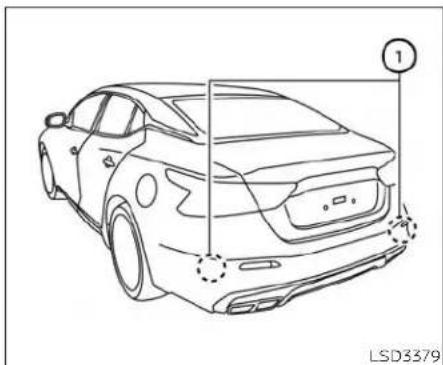
natural_image
Line drawing of a car front view with no text or symbols, showing structural details (no readable text or symbols)SYSTEMMAINTENANCE
Thetworadarsensors ① fortheBSwand RCTAsystemsarelocatedneartherear bumper. Alwayskeeptheareanearthera-darsensorsclean.
Theradarsensorsmaybeblockedbytemporaryambientconditionssuchassplashingwater,mistorfog.
Theblockedconditionmayalsobecauused byobjectssuchasice,frostordirtob-structingtheradarsensors.
Checkforandremoveobjectssobstructing theareaaroundtheradarsensors.
5-54Startinganddriving
Donotattachstickers(includingtransparentmaterial),installaccessoriesorapply additionalpaintneartheradarsensors.
Donotstrikeordamagetheareaaround theradarsensors.Itisrecommendedthat youvisitaNISSANdealeriftheareaaround theradarsensorsisdamagedduetoa collision.
Radiofrequencystatement
ForUSA
FCCID:OAYSRR2BorOAYSRR3B
This device complies with Part15 of the FCC Rules.
Operationissubjecttothefollowingtwo conditions:
-
This device may not cause harmful interference, and
-
This device must accept any interference received, including interference that may cause undesired operation.
FCCWarning
Changesormodificationsnotexpresslyapprovedbythepartyresponsibleforcompliancecouldvoidtheuser'sauthoritytooperatetheequipment.
ForCanada
Applicablelaw:Canada310
This device contains licence-exempt transmitter(s)/receiver(s) that comply with Innovation, Science and Economic Development Canada's licence-exempt RSS(s). Operation subject to the following two conditions:
-
This device may not cause interference.
-
This device must accept any interference, including interference that may cause undesired operation of the device.
Radiofrequencyradiationexposure information:
This equipment complies with radiation exposure limits set forth for uncontrolled environment. This equipment should be installed and operated with minimum distance of 20cmbetween the radiator and your body.
Droitapplicable:Canada310
Failuretofollowthewarningsandin-structionsforproperuseoftheICCsystemcouldresultinseriousinjuryor death.
- TheCCsystemisonlyanaidtoassist thedriverandisnotacollision warningoravoidancedevice.Itisthe driver'sresponsibilitytostayalert, drivesafely,andbeincontrolofthe vehicleataalltimes.
·Alwaysobservepostspeedlimits anddonotsetthespeedoverthem.
·AlwaysdrivecarefullyandattentivelywhenusingtheICCsystem. ReadandunderstandtheOwner's Manualthoroughlybeforeusingthe ICCsystem.Toavoidseriousinjuryor death,donotrelyonthesystemto preventaccidentsor tocontrolthe vehicle'sspeedinemergencysituations.DonotusethelCCsystemexceptinappropriateroadandtraffic conditions.
- Intheconventional(fixedspeed) cruisecontrolmode,awarning chimewillnotsoundtowarnyouif youaretooclosetothevehicle ahead.Payspecialattentiontothe distancebetweenyourvehicleand thevehicleaheadofyouoracollision couldoccur.
ThelCCsystemmaintainsaselecteddistancefromthevehicleinfrontofyouwithinthespeedrangeof0to90mph(0to144km/h)uptothesetspeed.Thesetspeedcanbeselectedbythedriverbetween20to90mph(32to144km/h).
The vehicle travels atsetspeed when the road ahead is clear.
The ICCsystemcanbesettooneoftwo cruisecontrolmodes:
- Vehicle-to-vehicle distance control mode: Formaintainingaselecteddistancebetweenyourvehicleandthevehicleinfrontofyouuptothepresetspeed
- Conventional(fixedspeed)cruisecontrolmode:Forcruisingatapresetspeed
Push the ICC switch Ⓐ to choose the cruisecontrolmodebetweenthevehicle-to-vehicledistancecontrolmodeandthe conventional(fixedspeed)cruisecontrol.
Onceacontrolmodeisactivated, it cannot be changed to the other cruise control mode. Tochangethemode, pushtheICC switch Ⓐ oncetoturnthesystemoff. Then pushtheICC switch Ⓐ againtoturnthe system back on and select the desired cruisecontrolmode.
AlwaysconfirmthesettinginthelCCsystemdisplay.
Forthevehicle-to-vehicledistancecontrol mode, see "Vehicle-to-vehicle distance controlmode"(P.5-58).
Fortheconventional(fixedspeed)cruise controlmode,see"Conventional(fixed speed)cruisecontrolmode"(P.5-76).


natural_image
Line drawing of a sedan car with a numbered component pointing to the side (no text or symbols on the car itself)HOWTOSELECTTHECRUISE CONTROLMODE
Selectingthevehicle-to-vehicledistance controlmode: Tochoosethevehicle-to-vehicledistancecontrolmode ①,quickly pushandreleasetheICCswitch ②.
Selectingtheconventional(fixedspeed)cruisecontrolmode:Tochoosetheconventional(fixedspeed)cruisecontrolmode ②,pushandholdthelCCswitch A for longerthanapproximately3seconds.For additionalinformation,see"Conventional (fixedspeed)cruisecontrolmode"(P.5-76).
VEHICLE-TO-VEHICLEDISTANCE CONTROLMODE
Inthevehicle-to-vehicledistancecontrol mode, the CCsystemautomatically maintains a selected distance from the vehicle traveling in front of you according to that vehicle's speed (uptothesetspeed), or at the setspeed when therea ahead is clear.
TheCCsystemisintendedtoenhancethe operationofthevehiclewhenfollowinga vehicletravelinginthesamelaneand direction.
5-58 Startinganddriving
Iftheradarsensor ① detectsaslower movingvehicleahead,thesystemwillreducethevehiclespeedsothatyourvehicle followsthevehicleinfrontattheselected distance.
Thesystemautomaticallycontrolsthe throttleandappliesthebrakes(uptoapproximately40%ofvehiclebrakingpower) if necessary.
Thedetectionrangeofthesensorisapproximately650ft(200m)ahead.

The vehicle-to-vehicledistancecontrol models designed to maintain a selected distance from the vehicle in front of you
andcanreducethespeedtomatcha slowervehicleahead.Thesystemwillde-celeratethevehicleasnecessaryandifthe vehicleaheadcomestoastop,thevehicle deceleratestoastandstill.However,thelCC systemcanonlyapplyupto40%ofthe vehicle'stotalbrakingpower.
This system should only be used when traffic conditions allow vehicles speed store—main fairly constant or when vehicle speeds change gradually. If a vehicle moves into the traveling lane ahead or if a vehicle traveling ahead rapidly decelerates, the distance between vehicles may become closer because the CC system cannot decelerate the vehicle quickly enough. If this occurs, the CC system will sound a warning chime and blink the system display to notify the driver to take necessary action.
The system will cancel and a warning chimewillsoundifthespeedisbelowapproximately15mph(24km/h)andavehicle isnotdetectedahead. Thesystemwillalso disengagewhenthe vehiclegoesabove themaximumsetspeed.
Foradditionalinformation,see"Approach warning"(P.5-67).
The following items are controlled in the vehicle-to-vehicledistancecontrol mode:
- When there are no vehicles traveling ahead, the vehicle-to-vehicle distance controlmodemaintainsthespeedsetby the driver.Thesetspeedrange isbetweenapproximately20and90mph(32 and144km/h).
-Whenthereisavehicletravelingahead, the vehicle-to-vehicle distance control modeadjuststhespeedtomaintainthe distance,selectedbythedriver,fromthe vehicleahead.Ifthevehicleaheadcomes to a stop, the vehicle decelerates to a standstillwithinthelimitationsofthesystem.Thesystemwillcancelonceitjudges astandstillwithawarningchime.
- When the vehicle traveling ahead has moved out from its lane of travel, the vehicle-to-vehicled distance control mode accelerates and maintains vehicles speed up to the sets speed.
TheICCsystemdoesnotcontrolvehicle speed or warn you when you approach stationaryandslowmovingvehicles.You mustpayattentiontovehicleoperation to maintain properdistance from vehicles aheadwhenapproachingtollgatesortrafficcongestion.

natural_image
Diagram showing a car driving on a road with an arrow indicating direction, no text or symbols presentwhendrivingonthefreewayatasespeed andapproachingaslowertravelingvehicle ahead,theICCsystemwilladjustthespeed tomaintainthedistance,selectedbythe driver,fromthevehicleahead.Ifthevehicle aheadchangeslanesorexitsthefreeway, theICCsystemwillaccelerateandmaintainthe speedup tothe setspeed.Pay attentiontothedrivingoperationtomaintaincontrolofthevehicleasitaccelerates tothesetspeed.
The vehicle may not maintain the speed on winding or hilly roads. If this occurs, you will have to control the vehicles speed.
Normallywhencontrollingthedistanceto vehicleahead,thissystemautomatically acceleratesordeceleratesyourvehicleac- cordingtothespeedofthevehicleahead. Depresstheacceleratorortoproperlyaccel- erateyourvehiclewhenaccelerationisre- quiredforalanechange.Depressthebrake pedalwhendecelerationisrequiredto maintainasafedistancetothevehicle aheadduetoitssuddenbrakingorifa vehiclecutsin.Alwaysstayalertwhenus- ingtheICCsystem.
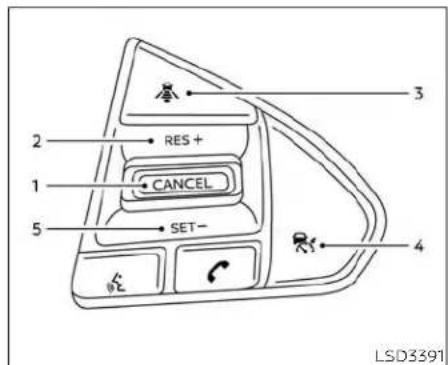
VEHICLE-TO-VEHICLEDISTANCE CONTROLMODESWITCHES
ThesystemisoperatedbythelCCswitch andfourcontrolswitches,allmountedon thesteeringwheel.
1.CANCELswitch:
Deactivatesthesystemwithouterasing thesetspeed.
2.RES+switch:
Resumessetspeedorincreasespeed incrementally.
3.DISTANCE switch:
Changesthevehicle'sfollowingdistance:
-Long
•Middle
-Short
4.ICCswitch:
Masterswitchtoactivate/deactivate thesystem.
5.SET-switch:
Setsdesiredcruisespeedorreduces speedincrementally.
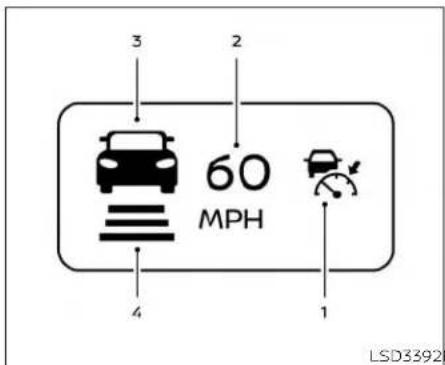
Vehicle-to-vehicledistancecontrol modedisplayandindicators
Thedisplayislocatedbetweenthespeedometerandtachometer.
- This indicator indicates the CC system status depending on acolor:
- ICCsystemONindicator(gray):IndicatesthattheICCswitchison.
- ICCsystemSETindicator(green):Indicatesthatthecruisingspeedisset.
- ICCsystemwarning(yellow):IndicatesthatthereisamalfunctionInthe ICCsystem.
2.Setvehiclespeedindicator:
Indicatesthesetvehiclespeed.
ForCanadianmodels,thespeedisdisplayedInkm/h.
- Vehicleaheaddetectionindicator:
Indicateswhetheridetectsavehiclein frontofyou.
4.SetdistanceIndicator:
Displaysthesetecteddistancebetween vehiclessetwiththedistanceswitch.

Operatingvehicle-to-vehicle distancecontrolmode
Toturnonthecruisecontrol,quicklypush andreleasetelCCswitch A.ThelCCsystemONindicator(gray),setdistanceindicatorandsetvehiclespeedindicator comeoninastandbystateforsetting.If theCruiseControlAlertsareenabledinthe DriverAssistancemenu,thenthe"Cruise ON:PressSETtoengagespeedanddistancecontrol"messagewillappearinthe vehicleinformationdisplay.
5-62 Startinganddriving
Thismessagewilldisappearafterabout 6seconds,orcanbeddismissedbypushing theOKbuttonandthen ◆ buttons. Cruisecontrolstatuswillcontinuetodisplayintheupperrightcornerofthevehicie informationdisplaywhilethesystemison.
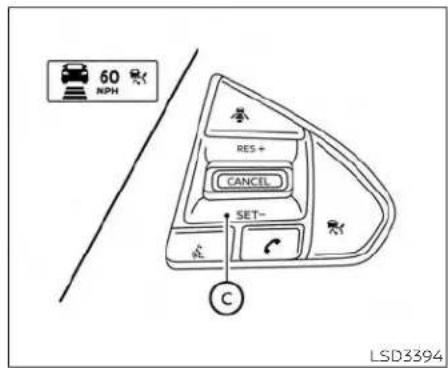
Tosetcruisingspeed,accelerateyourvehicletothedesiredspeed,pushtheSET-switch © andreleaseit.TheICCsystem setindicator(green),vehicleaheaddetectionindicator,setdistanceindicatorand setvehiclespeedindicator © willcomeon. Takeyourfootofftheacceleratorpedal. Yourvehiclewillmaintainthesetspeed.
IftheCruiseControlAlertsareenabled in theDriverAssistancemenu,thenthe"TargetSpeedSETwithIntelligentDistance Control'messagewllappearInthevehicle informationdisplaywhentheSET-switchis
pushed.Thismessagewilldisappearafter about6seconds,orcanbedmissedby pushingtheOKbutton.Cruisecontrolstatuswillcontinuetodisplayintheupper rightcornerofthevehicleinformationdisplaywhilethesystemison.

When the SET-switch is pushed under the following conditions, the system cannot be set and the CC indicators will blink for approximately 2 seconds:
- Whentravelingbelow20mph(32km/h) andavehicleaheadisnotdetected
- WhentheshiftleverisnotintheD(Drive) orManualmode
- Whentheparkingbrakeisapplied
- whenthebrakesareoperatedbythe driver
When the SET-switch is pushed under the following conditions, the system cannot be set.
Awarningchimewillsoundandamessage willpopup:
-WhentheVDCsystemisoff(Tousethe ICCsystem,turnontheVDCsystem.Push theICCswitchtoturnoffthelCCsystem andresettheICCswitchbypushingthe ICCswitchagain.)
For additional information about the VDC system, see "VehicleDynamicControl(VDC)system" (P.5-115).
-WhenVDCisoperating
- Whenawheelisslipping(TousethelCC system, makesurethewheelsarenolongerslipping.)

① Systemsetdisplaywithvehicleahead
② Systemsetdisplaywithoutvehicle ahead
The driversetsthedesiredvehiclespeed basedontheroadconditions.TheICCsystemmaintainsthesetvehiclespeed,similartostandardcruisecontrol,aslongasno vehiclesdetectedinthelaneahead.The ICCsystemdisplaysthesetspeed.
Vehicledetectedahead
Whenavehicleisdetectedinthelane ahead, the ICC system deceleratesthe vehicle by controlling the throttled applying the brake stomatch the speed of a slower vehicle ahead. The system then control the vehicles speed based on the speed of the vehicle ahead to maintain the driver selected distance.
NOTE:
- Thestoplightsofthevehiclecomeon whenbrakingisperformedbytheICC system.
-Whenthebrakeoperates,anoisemay beheard. This is not a malfunction.
When a vehicle ahead is detected, the vehicle ahead detection indicator comes on. The CC system will also display the set speed and selected distance.
Vehicleaheadnotdetected
Whenavehicleisnolongerdetected ahead, the CC system gradually accelerates your vehicle to resumethepreviously set vehiclespeed. The CC system then maintainsthesetspeed.
When a vehicle is no longer detected, the vehicle ahead detection indicator turns off. If a vehicle ahead appears during acceleration to the vehicle speed or any time the ICC system in operation, the system control sthe distance to that vehicle.
When a vehicle is no longer detected under approximately 15 mph (24 km/h), the system will be canceled.
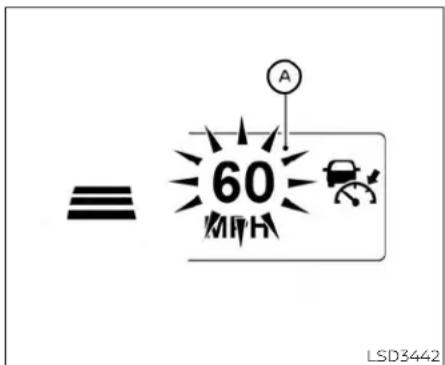
When passing another vehicle, the set speed indicator Ⓐ will flash when the vehicles speed exceed these speed. The vehicledetect indicator will turn off when the area ahead of the vehicle is open. When the pedalis released, the vehicle will return to the previously sets speed.
Even though your vehicles speedisset in the ICC system, you can depress the accelerator pedal when it is necessary to accelerate your vehicler rapidly.
Howtochangethesetvehicle speed
Tocancelthepresetspeed, useoneofthe followingmethods:
- PushtheCANCELswitch.Thesetvehicle speedindicatorwillgoout.
• Tapthebrakepedal. Thesetvehicle speedindicatorwillgoout. - If the Cruise Control Alerts are enabled in the Driver Assistance menu, the 'Cruise ON: Press SET to engages speed control' message will reappear in the vehicle information display to let you know the cruise control system is still on if you set the targets speed again.
•TurntheCRUISE switchoff.TheICC indicatorswillgoout,andtheCruiseControlAlertmessageswillnotappear.
Toresetatafastercruisingspeed,use oneofthefollowingmethods:
- Depresstheacceleratorpedal. When the vehicleattainsthedesiredspeed, push andreleasetheSET-switch.
-
PushandholdtheRES+switch.Theset vehiclespeedwillincreasebyapproximately5mph(5km/hforCanada).
-
Push, then quickly release the RES+ switch. Each time you do this, the set speed will increase by approximately 1 mph (1km/h for Canada).
Toresetataslowercruisingspeed,use oneofthefollowingmethods: - Lightlytapthebrakepedal. Whentheve- hicleattainsthedesiredspeed, push the SET-switchandreleaseit.
- PushandholdtheSET-switch.Theset vehiclespeedwilldecreasebyapproximately5mph(5km/hforCanada).
- Push, then quickly releasetheSET-switch. Each time you do this, the set speed will decrease by approximately 1 mph (1 km/h for Canada).
Toresumethepresetspeed, pushand release the RES+ switch. The vehicle will resumethelastsetcruisingspeedwhen the vehiclespeedisover20mph(32km/h).

Howtochangethesetdistance tothevehicleahead
Thedistancetothevehicleaheadcanbe selected at any time depending on the trafficconditions.
Eachtimethedistance switch is pushed, thesetdistancewillchangeto long,middle,shortandbacktolongagain, inthatsequence.
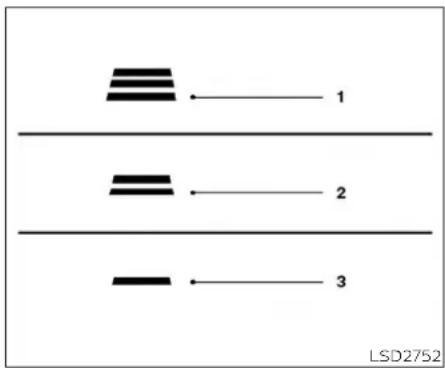
Distance Approximatedistance at 60mph(100km/h)[ft(m)]
1.Long200(60)
2.Middle150(45)
3.Short90(30)
- Thedistancetothevehicleaheadwill changeaccordingtothevehiclespeed. Thehigherthevehiclespeed,thelonger thedistance.
- Thedistancesettingwillremainatthe currentsettingeveniftheengineis restarted.
Approachwarning
If your vehicle comes closer to the vehicle ahead, a du etorapid deceleration of that vehicle or if another vehicle cuts in, the system warns the driver with the chime and ICC system display. Decelerate by depressing the brake pedal to maintain as safe vehicle distance if:
•Thechimesounds.
- The vehicle ahead detection indicator blinks.
Thewarning chimemay notsound in somecaseswhenthereisashortdistance betweenvehicles.Someexamplesare:
- When the vehicles are traveling at the same speed and the distance between vehicle is not changing.
- When the vehicle ahead is traveling faster and the distance between vehicles is increasing.
- Whenavehiclecutsinnearyourvehicle.
Thewarningchimewillnotsoundwhen:
•The vehicle approaches other vehicles that are parked or moving slowly.
•Theaccelerator pedalisdepressed, over-ridingthesystem.
NOTE:
Theapproachwarningchimemaysound andthesystem displaymayblinkwhen theICCsensordetectsobjectsontheside of the vehicle or on the side of the road. ThismaycausethelICCsystemtodecelerateoracceleratethevehicle.TheICCsen-sormaydetecttheseobjectswhenthe vehicleisdrivenonwindingroads, narrow roads,hillyroads,orwhenenteringorex-itingacurve.Inthesecasesyouwillhave to manually control the proper distance aheadofyourvehicle.
Also,theradarsensorsensitivitycanbe affected by vehicle operation (steering maneuver or driving position in the lane) or trafficvehiclecondition(forexample,ifa vehicle isbeingdriven withsomedamage).
Automaticcancellation
A chimesoundsunderthefollowing conditionsandthecontrolisautomatically canceled:
- When the vehicle ahead is not detected and your vehicle is traveling below the speed of 15 mph (24 km/h)
- Whenthesystemjudgesthevehicleisat astandstill
- WhentheshiftleverisnotintheD(Drive) position,Manualmode.
- Whentheparkingbrakesystemisapplied
-WhentheVDCsystemisturnedoff
- WhenVDCoperates
-Whendistancemeasurementbecomes impairedduetoadhesionofdirtorobstructiontothesensor
-Whenawheelslips
-whentheradarsignalistemporarily interrupted
VEHICLE-TO-VEHICLEDISTANCE CONTROLMODELIMITATIONS
WARNING
Listedbelowarethesystemlimitations forthelCCsystem.Failureretooperate thevehicleinaccordancewiththese systemlimitationscouldresultinseriousinjuryordeath.
The ICC system is primarily intended for use on straight, dry, open roads with light traffic. It is not advisable to use the ICC system in city traffic congestion areas.
The ICC system will not adapt automatically toroad conditions. This system should be used evenly flowing traffic. Donotus the system on road with sharp curves, oronic roads, in heavy rain or infog.
- Asthereisaperformancelimittothe distancecontrolfunction,neverrely solelyonthelCCsystem.Thisssystem doesnotcorrectcareless,inattentive orabsentmindeddriving,orovercomepoorvisibilityinrain,fog,or other bad weather. Decelerate the vehiclespeedbydepressingthe brakepedal,dependingon thedistancetothevehicle aheadandthe surroundingcircumstancesinorder tomaintainasafedistancebetween vehicles.
- ifthevehicleaheadcomestoastop, thevehicledeceleratestoastandstill withinthelimitationsofthesystem. Thesystemwillcancelonceitjudges thatthevehiclehascometoastandstillandsoundawarningchime.To preventthevehiclefrommoving,the drivermustdepressthebrakepedal.
•Alwayspay attentiontothe operation of the vehicle and be ready to manuallycontroltheproperfollowingdistance.TheICCsystemmaynot beabletomaintintheselecteddistancebetweenvehicles(following distance) or selectedvehiclespeed undersomecircumstances.
- Thesystemmaynotdetectthevehicleinfrontofyouincertainroador weather conditions. To avoid accidents, neverusethelCCsystemunderthefollowingconditions:
-Onroadswherethetrafficisheavy ortherearesharpcurves
-Onslipperyroadsurfacessuchas oniceorsnow,etc.
- Duringbadweather(rain,fog,snow, etc.)
-Whenrain,snowordirtadhereto thebumperaroundthedistance sensor
- Onsteepdownhillroads(thevehiclemaygobeyondthesetvehicle speedandfrequentbrakingmay resultinoverheatingthebrakes)
-Onrepeateduphillanddownhill roads
- Whentrafficconditionsmakeitdifficulttokeepapproperdistancebetweenvehiclesbecauseoffrequent accelerationordeceleration
- Interferencebyotherradarsources
- DonotusethelCCsystemifyouare towingatraler.Thesystemmaynot detectavehicleahead.
- Insomeroadortrafficconditions, a vehicleorobjectcanunexpectedly comeintothesensordetectionzone and causeautomaticbraking. Alwaysstayalertandavoidusingthe ICCsystemwherenotrecommended inthiswarningsection.
Theradarsensorwillnotdetectthefollowingobjects:
•Stationaryandslowmovingvehicles
•Pedestriansorobjectsintheroadway
• Oncoming vehicles in the same amelane
- Motorcyclestravelingoffsetinthetravel lane
Thesensorgenerallydetectsthesignals returnedfromthevehicleahead.Therefore, ifthesensorcannotdetectthereflection fromthevehicleahead,theICCsystem maynotmaintaintheselecteddistance.
The following aresome conditions in which the sensor cannot properly detect vehicle ahead and the system may not operate properly:
- Whensnoworroadsprayfromtraveling vehiclesreducesthesensor'sdetection.
- When your vehicle is istowing at a trailer, etc.
- Whenexcessivelyheavybaggageis loadedintherearseatorcargoareaof yourvehicle.
TheICCsystemisdesignedtoautomaticallycheckthesensor'soperationwithin the limitationsofthesystem.
whenthesensoriscoveredwithdirtoris obstructed,thesystemwillautomatically becanceled.Ifthesensoriscoveredwith ice,attransparentortranslucentvinylbag, etc.,theICcsystemmaynotdetectthem. Intheseinstances,thevehicle-to-vehicle distancecontrolmodemaynotcanceland maynotbeabietomaintaintheselected followingdistancefromthevehicleahead. Besuretocheckand cleanthesensor regularly.
The detection zone of the radarsensor is limited. A vehicle ahead must be in the detection zone for the vehicle-to-vehicle distance detection modetomaintain these selected distance from the vehicle ahead.
Avehicleaheadmaymoveoutsideofthe detectionzoneduetoitspositionwithin thesamelaneoftravel.Motorcyclesmay notbedetectedinthesamelaneaheadif theyaretravelingoffsetfromthecenterline ofthelane.Avehiclethatisenteringthe laneaheadmaynotbedetecteduntilthe vehicle has completely moved into the lane.
If this occurs, the CC system may warn you by blinking the system indicator and sounding the chime. The driver may havetomanually control the proper distance away from vehicle traveling ahead.

flowchart
graph TD
    A["Top Left: Car"] --> B["Top Right: Car"]
    B --> C["Bottom Left: Car"]
    style A fill:#f9f,stroke:#333
    style B fill:#bbf,stroke:#333
    style C fill:#dfd,stroke:#333
5-70 Startinganddriving

natural_image
Diagram showing multiple cars on curved road with two black triangular obstacles, no text or symbols presentWhendrivingonsomeroads,suchaswinding,hilly,curved,narrowroads,orroads whichareunderconstruction,theradar sensormaydetectvehiclesinadifferent lane,ormaytemporarilylynotdetectvehicletravelingahead.Thismaycausethe radarsystemtodecelerateoraccelerate thevehicle.
The detection of vehicles may also be affected by vehicle operation (steering maneuver traveling position in the lane, etc.) or vehicle condition.
If this occurs, the CC system may warn you by blinking the system indicator and sounding the chime unexpectedly. You will have to manually control the proper distance away from the vehicle traveling ahead.
Startinganddriving5-71

SYSTEMTEMPORARILY UNAVAILABLE
LSD2373
The following are conditions in which the ICC system may be temporarily unavailable. In these instances, the ICC system
maynotcancelandmaynotbeableto maintaintheselectedfollowingdistance fromthevehicleahead.
ConditionA
Underthefollowingconditions,theICCsystemisautomaticallycanceled.Achimewill soundandthesystemwillnotbeabletobe set:
- WhentheVDCsystemisturnedoff
-WhentheVDCoperates - When a vehicle ahead is not detected and your vehicle is traveling below the speed of 15 mph (24 km/h)
- Whenthesystemjudgesthevehicleisat astandstill
- WhentheshiftleverisnotintheD(Drive) orManualmode.
-Whentheparkingbrakeisapplied
-Whenawheelslips
-whentheradarsignalistemporarily interrupted
Actiontotake
whentheconditionslistedaboveareno longerpresent,turnthesystemoffusing theICSwitch.TurntheICCsystembackon tousethesystem.
ConditionB
Whenthereisinclementweather(rain,fog, snow,etc.)blockingthefrontradarsensor, theICCsystemwillautomaticallybecanceled,thechimewillsoundandthe"ForwardDrivingAidstemporarilydisabled FrontSensorblockedSeeOwner'sManual" warningmessagewillappearinthevehicle informationdisplay.
Actiontotake
Whentheconditionslistedaboveareno longerpresent, thewarningmessagewill nolongerbeavailableinthevehicleinformationdisplayandthesystemwilloperate normally.ifthe"ForwardDrivingAidstemporarilydisabledFrontSensorblockedSee Owner'sManual"warningmessagecontinuestobedisplayed,havethesystem checked.Itisrecommendedthatyouvisita NISSANdealerforthisservice.
ConditionC
Whentheradarsensorareaofthefront bumperiscoveredwithmud,dirt,snow,ice, etc.,orisobstructed,thelCCsystemwill automaticallybecanceled.
Thechimewillsoundandthe"ForwardDrivingAidstemporarilydisabledFrontSensor blockedSeeOwner'sManual"warningmessagewillappearinthevehicleinformation display.
Actiontotake
If the warning message appears, stop the vehicle in as a safe place, placetheshift lever in the P(Park) position, and turn the engine off: when ther adarsignalist temporarily interrupted, clean the sensor area of the front bumper and restart the engine. If the "Forward Driving Aid stemporarily disabled Front Sensor blocked See Owner's Manual" warning message continues to be displayed, havethesystem checked. It is recommended that you visit a NISSAN dealer forthisservice.
ConditionD
When driving on roads with limited road structures (forexample, longbridges, deserts, snowfields, driving next to long walls), the system may illuminate the system warning light and display the 'Forward Driving Aldstemporarily disabled Front Sensor blocked See Owner's Manual' message.
Actiontotake
When the aboved driving conditions no longer exist, turn the system back on.
ConditionE
When the CC system is not operating properly, achimesoundsandthe CC system warninglight( orange)willcomeon.
Forward Driving Aids temporarily disabled Front Sensor blocked See Owner's Manual
LSD3963
Actiontotake
If the warning light comes on, park the vehicle in as a safe place. Turn the engine off, restart the engine, resum driving and set the CC system again.
Ifitisnotpossibletosetthesystemor theindicatorstayson, itmayindicate thatthesystemismalfunctioning. Althoughthevehicleisstilldrivableunder normalconditions, havethevehicle checked. It is recommended that you visitaNISSANdealerforthisservice.
NOTE:
If the CC system is temporarily unavailable, the conventional cruise control modemaystillbeused. For additional information, see "Conventional (fixed speed) cruise control mode" (P.5-76).

natural_image
Line drawing of a sedan car with a numbered component and license plate (no text or symbols on the car itself)SYSTEMMAINTENANCE
The sensor for the ICC system ① is located onthefrontofthevehicle.
TokeeptheICC systemoperatingproperly, besuretoobservethefollowing:
•Alwayskeepthesensorareaofthefront bumper/emblemclean.
- Donotstrikeordamagetheareas aroundthesensor.
- Donotattachasticker(includingtransparentmaterial)orinstallanaccessorynearthesensor.Thiscouldcausefailureormalfunction.
- Donotattachmetallicobjectsnearthe sensorarea(brushguard,etc.).Thiscould causefailureormalfunction.
- Donotalter, remove, or paint the front bumper. Before customizing or restoring the front bumper, it is recommended that you visit a NISSAN dealer.
Radiofrequencystatement
ForUSA
FCCIDOAYARS4B
ThisdevicecomplieswithPart15oftheFCC Rules.Operationissubjecttothefollowing twoconditions:
-
This device may not cause harmful interference, and
-
This device must accept any interference received, including interference that may cause undesired operation.
FCCWarning
Changesormodificationsnotexpressly approvedbythepartyresponsiblefor compliancecouldvoidtheuser'sauthority tooperatetheequipment.
ForCanada
Model:ARS4-B
IC:4135A-ARS4B
FCCID:OAYARS4B
This device complies with Part 15 of the FCC Rules and with Industry Canadicalence-exempt RSS standard(s). Operation is subject to the following two conditions:
-
This device may not cause harmful interference, and
-
This device must accept any interference received, including interference that may cause undesired operation.
Radio Frequency Radiation Exposure Information:
This equipment complies with FCC radiationexposurelimitssetforthforanuncontrolledenvironment.
This equipment should be installed and operated with minimum distance of 30cm between the radiator and your body.
Thetransmittermustnotbeco-locatedor operatinginconjunctionwithanyotherantennaortransmitter.
Changesormodificationsnotexpressly approvedbythepartyresponsiblefor compliancecouldvoidtheuser'sauthority tooperatetheequipment.
CONVENTIONAL(fixedspeed) CRUISECONTROLMODE
Thismodeallowsdrivingataspeedbetween25to90mph(40to144km/h)withoutkeepingyourfootontheaccelerator pedal.

WARNING
-Intheconventional(fixedspeed) cruisecontrolmode,awarning chimedoesnotsoundtowarnyouif youaretooclosetothevehicle ahead,asneitherthepresenceofthe vehicleaheadnorthevehicle-to-vehicledistanceisdetected.
- Payspecialattentiontothedistance betweenyourvehicleandthevehicle aheadofyouoracollisioncouldoccur.
·AlwaysconfirmthesettingintheICC systemdisplay. - Donotusetheconventional(fixed speed)cruisecontrolmodewhendrivingunderthefollowingconditions:
- Whenitisnotpossibletokeepthe vehicleatasetspeed
- Inheavytrafficorintrafficthat variesinspeed
-Onwindingorhillyroads
-Onslipperyroads(rain,snow,ice, etc.)
Inverywindyareas
- Doingsocouldcausealossofvehicle controlandresultinanaccident.

Conventional(fixedspeed)cruise controlswitches
- CANCELswitch: Deactivatesthesystemwithouterasing thesetspeed
- RES+switch: Resumessetspeedorincreasespeed incrementally
- ICCswitch: Masterswitchtoactivatethesystem
- SET-switch: Setsdesiredcruise speedor reduces speedincrementally
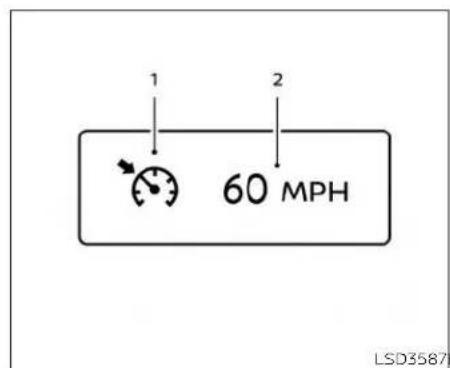
•Cruisecontrolwarning(yellow):Indicates thatthereisamalfunctionintheICC system
2.Setvehiclespeedindicator: Thisindicatorindicatesthesetvehicle speed. For Canadian models, the speed is displayed in km/h.
Conventional(fixedspeed)cruise controlmodedisplayand indicators
Thedisplayislocatedinthevehicleinformationdisplay.
- Cruise indicator: This indicator indicates the condition of the ICC system depending on acolor.
•CruisecontrolONindicator(gray):IndicatesthatthelCCswitchison
•CruisecontrolSETindicator(green):Indicatesthatthecruisingspeedisset

Operatingconventional(fixed speed)cruisecontrolmode
Toturnontheconventional(fixedspeed) cruisecontrolmode,pushandholdtheICC switch Ⓐ forlongerthanabout3seconds.
Whenpushing|CCswitchon,theconventional(fixedspeed)cruisecontrolmode displayandIndicators ⑧ aredisplayedin thevehicleinformationdisplay.Afteryou hold|CCswitchonforlongerthanabout 3seconds,the|CCsystemddisplayturnsoff. ThecruiseIndicatorappears.Youcannow setyourdesiredcruisingspeed.Pushing
theCCswitchagainwillturnthesystem completelyoff. Whentheignitionswitchis placedintheOFFposition, thesystemis alsoautomaticallyturnedoff.
TousetheICCsystemagain,quicklypush andreleasetheICCswitch(vehicle-tove- hicledistancecontrolmode)orpushand holdit(conventionalcruisecontrolmode) againtoturniton.
CAUTION
To avoid accidentally engaging cruise control, makes sure to turn the ICC switch off when not using the ICC system.

Tosetcruisingspeed,accelerateyourvehicletothedesiredspeed,pushtheSET-switchandreleaseit.(Thecolorofthe cruiseindicatorchangestogreenandset vehiclespeedindicatorcomeson.)Take yourfootofftheacceleratorpedal.Your vehiclewillmaintainthesetspeed.
- Topassanothervehicle, depress the accelerator pedal. When you releasethe pedal, the vehicle will return to the previously sets speed.
•The vehicle may not maintain the speed when going up down steephills. If this happens, manually maintain vehicles speed.
Tocancelthepresetspeed,useanyofthe followingmethods:
-
Push the CANCEL switch. The vehicle speed indicator will turn off.
-
Tapthebrakepedal. The vehiclespeed indicator will turn off.
3.TurnthelCCswitchoff.Boththecruise indicatorandvehiclespeedindicatorwill turnoff.
Toresetatafastercruisingspeed,useone ofthefollowingthreemethods:
-
Depresstheacceleratorpedal. When the vehicle attainsthedesiredspeed, push and releasetheSET-switch.
-
PushandholdtheRES+switch. When the vehicle attainsthedesiredspeed, releasetheswitch.
3.Push,thenquicklyreleasetheRES+ switch.Eachtimeyoudothis,theset speed will increase by about 1 mph (1.6km/h).
Toresetataslowercruisingspeed,useone ofthefollowingthreemethods:
-
Lightlytapthebrakepedal. When the vehicle attainsthedesiredspeed, push theSET-switchandreleaseit.
-
PushandholdtheSET-switch.Release the switch when the vehicles slows down to the desired speed.
3.Push, then quickly releasethe SET-switch. Each time you do this, the set speed will decrease by about 1 mph (1.6 km/h).
Toresumethepresetspeed, pushandre-leasetheRES+switch. The vehicle will re-sumethelastsetcruisingspeed when the vehiclespeed is over 25 mph (40 km/h).

Systemtemporarilyunavailable
REARAUTOMATICBRAKING(RAB)
Achimesoundsunderthefollowingconditionsandthecontrolisautomaticallycanceled:
-whenthevehicleslowsdownmorethan 8mph(13km/h)belowthesetspeed
- WhentheshiftleverisnotintheD(Drive) ormanualshiftmode
-whentheparkingbrakeisapplied
- When the VDC operates (including the traction control system)
-Whenawheelslips
Whenthesystemisnotoperatingproperly, thechimesoundsandthecolorofthe cruiseindicatorwillchangetoorange.
Actiontotake
Ifthecolorofthecruise indicator changes to orange, stop the vehicle in as safe place and placetheshift lever in the P (Park) position. Turn the engine off, restart the engine, resu medriving, and then perform the setting again.
Ifitisnotpossibletosetortheindicator stayson, it may indicate that the system is malfunctioning. Although the vehicle is still drivable under normal conditions, havethe vehicle checked. It is recommended that you visit a NISSAN dealer for this service.
WARNING
Failuretofollowthewarningsandin-structionsforproperuseoftheRAB systemcouldresultinseriousinjuryor death.
TheRABsystemisasupplemental aidtothedriver.Itisnotareplacementforproperdrivingprocedures. Alwaysusethesideandrearmirrors andturnandlookinthedirectionyou willmovebeforeandwhilebacking up.NeverrelysolelyontheRABsystem.Itisthedriver'sresponsibility to stayalert,drivesafely,andbeincontrolofthevehicleataltimes.
- ThereisalimitationtotheRABsystemcapability.TheRABsystemisnot effectiveinallsituations.
- Inclementweatherorultrasonic sourcessuch asan automatic car wash, a truck's compressed-air brakesorapneumaticdrillmayaffectthefunctionofthesystem;this mayincludereducedperformanceor afalseactivation.
TheRABsystemcanassistthedriverwhen thevehicleisbackingupandapproaching objectsdirectlybehindthevehicle.

TheRABsystemdetectsobstaclesbehind thevehicleusingtheparkingsensors locatedontherearbumper.
NOTE:
Youcantemporarilycancelthesonar functioninthevehicle,buttheRABsystemwillcontinuetooperate.Foradditionalinformation,see"FrontandRear SonarSystem"(P.5-119).

RABSYSTEMOPERATION
① RABsystemwarninglightandRABsystemwarningindicator
② Steering-wheel-mounted controls (leftside)
③ Centerdisplay(ifsoequipped)
whentheshiftleverisintheR(Reverse) positionandthevehiclespeedislessthan approximately9mph(15km/h),theRAB systemoperates.
Ifariskofacollisionwithanobstacleis detectedwhenyourvehicleisbackingup, theRABsystemwarningindicatorwillflash inthevehicleinformationdisplay,ared framewillappearinthecenterdisplay(for vehicleswiththeIntelligentAroundView® Monitorsystem),andthesystemwillchime threetimes.Thesystemwillthenautomaticallyapplythebrakes.Aftertheautomaticbrakeapplication,thedrivermust depresssthebrakepedaltomaintainbrake pressure.
NOTE:
•Thebrakelightsofthevehiclecomeon whenbrakingisperformedbytheRAB system.
-Whenthebrakesoperate,anoisemay beheard.Thisisnotamalfunction.
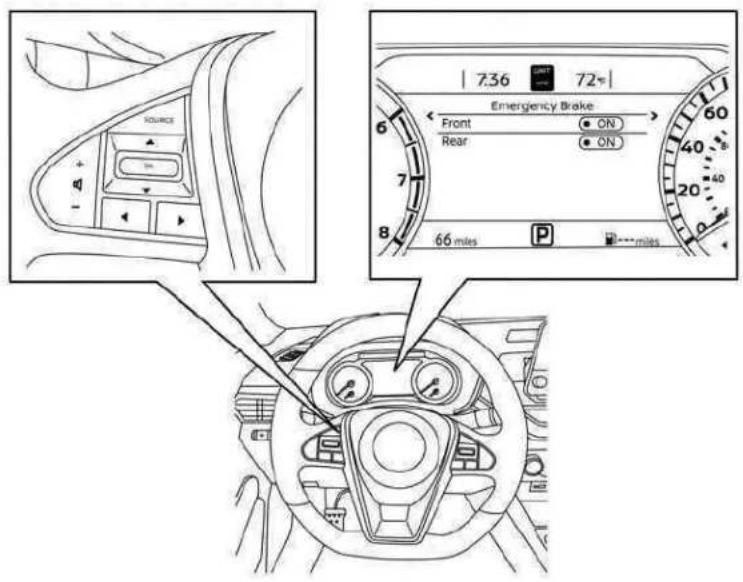
LSD3352
Perform the following step to turn the RAB systemonoroff.
1.Pressthe ◆ buttonuntil"Settings"displaysinthevehicleinformationdisplay andthenpresstheOKbutton.Usethe ◆ buttontoselect"DriverAssistance." ThenpresstheOKbutton.
-
Select "EmergencyBrake" and press the OKbutton.
-
Select "Rear" and pressthe OK button to turn the systemonoroff.
When the RAB system is disturbed off, the RAB system warning light illuminates.
NOTE:
TheRABsystemwillbeautomatically turnedonwhentheengineisrestarted.
5-82 Startinganddriving
RABSYSTEMLIMITATIONS
WARNING
Listedbelowarethesystemlimitations fortheRABsystem.Failuretofollowthe warningsandinstructionsforproper useoftheRABsystemcouldresultin seriousinjuryordeath.
- When the vehicle approaches an obstacle while the accelerator or brake pedal is depressed, the function may not operate orthestart of operation may be delayed. The RAB system may not operate or may not perform sufficiently duetovehicle conditions, driving conditions, the traffic environment, the weather, road surface conditions, etc. Donot wait for the system to operate. Operatethe brake pedal by yourself as soon as necessary.
- IfitisnecessarytooverrideRABoperation,stronglypresstheacceleratorpedal.
·Alwayscheckyoursurroundingsand turntocheckwhatisbehindyoubeforeandwhilebackingup.TheRAB system detects stationary objects behindthevehicle.TheRAB system doesnotdetectthefollowingobjects:
-Movingobjects
-Lowobjects
-Narrowobjects
-Wedge-shapedobjects
-Objectsclosetothebumper(less thanapproximately1ft[30cm])
-Objectsthatsuddenlyappear
-Thinobjectssuchasrope,wire, chain,etc.
•TheRABsystemmaynotoperatefor thefollowingobstacles:
- Obstacles located high off the ground
-Obstaclesinapositionoffsetfrom yourvehicle
-Obstacles, such as spongymaterials or snow, that have soft outer surfaces and can easily absorb a soundwave
TheRAB systemmay notoperate in the following conditions:
-Thereisrain,snow,ice,dirt,etc., attachedtothesonarsensors.
- A loud sound is heard in the area aroundthevehicle.
- The surface of the obstacle is diagonal to therearofthevehicle.
TheRABsystemmayunintentionally operateinthefollowingconditions:
-Thereisovergrowngrassinthe areaaroundthevehicle.
-Thereisastructure(e.g.,awall,toll gateequipment,anarrowtunnel, aparkinglotgate)nearthesideof thevehicle.
- There are bumps, protrusions, or manhole covers on theroad surface.
- The vehicle drives through a drapedflagoracurtain.
-Thereisanaccumulationofsnow oricebehindthevehicle.
-Anultrasonicwavesource,suchas anothervehicle'ssonar,isnear thevehicle.
·Oncetheautomaticbrakecontrol operates, it does not operate again if the vehicle approachesthesame obstacle.
The automatic brake control can only operate for a short period of time. Therefore, the driver must depress the brake pedal.
- Inthefollowingsituations,theRAB systemmaynotoperateproperlyor maynotfunctionsufficiently:
-The vehicle is driven in bad weather (rain, fog, snow, etc.).
-Thevehicleisdrivenonasteep hill.
-Thevehicle'spostureischanged (e.g.,whendrivingoverabump).
-Thevehicleisdrivenonaslippery road.
-Thevehicleisturnedsharplyby turningthesteeringwheelfully.
-Snowchainsareused.
-WheelsortiresotherthanNISSAN recommendedareused.
-Thebrakesarecoldatlowambienttemperaturesorimmediately afterdrivinghasstarted.
-Thebrakingforcebecomespoor duetowetbrakesafterdriving throughapuddleorwashingthe vehicle.
- Turn the RAB system off in the following condition stop prevent the occurrence of an unexpected accident resulting from sudden system operation:
-Thevehicleistowed.
-Thevehicleiscarriedonaflatbed truck.
-Thevehicleisonthechassis dynamometer.
-Thevehicledrivesonanuneven roadsurface.
- The vehicle is towing an object (ifsoequipped).
- Suspensionpartsotherthanthose designatedasGenuine NISSAN partsare used. (Ifthevehicleheight orthevehiclebodyinclinationis changed,thesystemmaynotdetectanobstaclecorrectly.)
- If the vehicle is using an accessory like abikerack, or cargocarrier that blocksthesensors.
- Excessivenoise(e.g., audiosystem volume, an open vehicle window) will interfere with the chime sound, and it may not be heard.
SYSTEMMALFUNCTION
IftheRABsystemmalfunctions, it will be turned off automatically, and the RAB system warning light will illuminate in the vehicle information display.
Actiontotake:
Ifthewarninglightilluminates, parkthevehicleinasafelocation, turntheengineoff, and restarttheengine. Ifthewarninglight continuestoilluminate, havetheRABsystemchecked. It is recommended that you visitaNISSANdealerforthisservice.
NOTE:
If the RAB system cannot be operated temporarily, the RAB system warning lightblinks.

SYSTEMMAINTENANCE
Observethefollowingitemstoensure properoperationofthesystem:
•Alwayskeeptheparkingsensors clean.
- Iftheparkingsensorsaredirty,wipethem offwithasoftclothwhilebeingcarefulto notdamagethem.
- Donotsubjecttheareaaroundtheparkingsensors ① tostrongimpact.Also,do notremoveordisassembletheparking sensors.Iftheparkingsensorsandperipheralareasaredeformedinanaccident,etc.,havethesensorschecked.Itis recommendedthatyouvisitaNISSAN dealerforthisservice.
- Donotinstallanystickers(including transparentstickers)oraccessories on theparkingsensors ① andtheirsurroundingareas.Thismaycauseamal-functionorimproperoperation.
AUTOMATICEMERGENCYBRAKING (AEB)WITHPEDESTRIANDETECTION
WARNING
Failuretofollowthewarningsandin- structionsforproperuseoftheAEB with Pedestrian Detection system couldresultinseriousinjuryordeath.
- The AEB with Pedestrian Detection system is a supplemental aid to the driver. It is not a replacement for the driver's attention to traffic conditions or responsibility to drives safely. It cannot prevent accidents due to carelessness or dangerous driving techniques.
- TheAEBwithPedestrianDetection systemdoesnotfunctioninalldriving, traffic,weatherandroadconditions.
The AEB with Pedestrian Detection system can assist the driver when there is a risk of a forward collision with the vehicle ahead in the traveling lane or with a pedestrian ahead in the traveling lane.

The AEBwithPedestrianDetectionsystem usesaradarsensorlocatedonthefrontof thevehicle Ⓗ tomeasurethedistanceto thevehicleaaheadinthesamelane. For pedestrians,theAEBwithPedestrianDetectionsystemusesacamerainstalledbehindthewindshield Ⓐ inadditiontothe radarsensor.
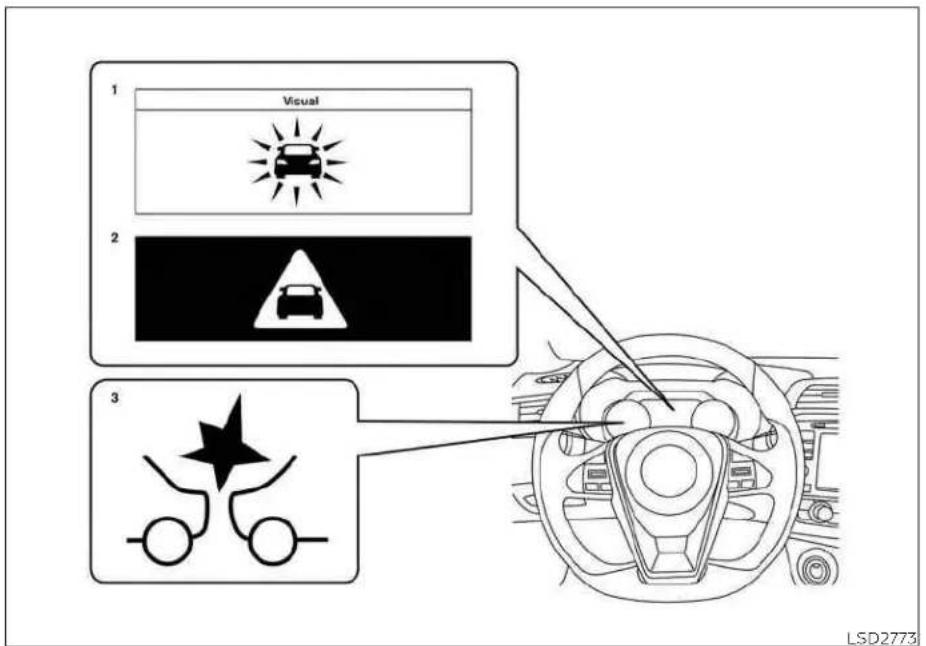
AEBWITHPEDESTRIAN
DETECTIONSYSTEMOPERATION
1. Vehicleaheadetectionindicator
2. AEBwithPedestrianDetectionemergency warningindicator
5-86 Startinganddriving
3.AEBwithPedestrianDetectionsystem warninglight
The AEB system operates at speeds above approximately 3 mph (5 km/h). For the pe-destriandetection function, the system operates at speeds between 6 - 3.7 m p h (10 - 60 km/h).
Ifariskofaforwardcollisionisdetected, theAEBwithPedestrianDetectionsystem willfirstlyprovidethewarningtothedriver byflashingtheveheciaheaddetectionindicator(yellow)inthevehicleinformation displayandprovidinganaudiblealert.Ifthe driverappliesthebrakesquicklyandforcefullyafterthewarning,andtheAEBwith PedestrianDetectionsystemdetectsthat thereisstillthepossibilityofaforward collision,thesystemwillautomaticallyincreasethebrakingforce.
Ifthedriverdoesnottakeaction,theAEB withPedestrianDetectionsystemissues thesecondvisual(flaishing)(redandwhite) andaudiblewarning.Ifthedriverreleases theacceleratorpedal,thenthesystem appliespartialbraking.Iftheriskofacollisionbecomesimminent,theAEBwithPedestrianDetectionsystemappliesharder brakingautomatically.
While the AEB with Pedestrian Detection system is operating, you may hear the sound of brake operation. This is normal and indicate that the AEB with Pedestrian Detection system is operating properly.
NOTE:
The vehicle's brakelights come on when any braking is performed by the AEB with Pedestrian Detection system.
Depending on vehicles speed and distance to the vehicle or pedestrian ahead, as well as driving and roadway conditions, the system may help the driver avoid a forward collision or may help mitigate the consequences of collisions should be unavoidable. If the driver is handling the steering wheel, accelerating or braking, the AEB with Pedestrian Detection system will function later or will not function.
The automatic braking will cease under the following conditions:
- Whenthesteeringwheelisturnedto avoidacollision.
- When the accelerator pedal is depressed.
- Whenthereisnolongeravehicleora pedestriandetectedahead.
If the AEB with Pedestrian Detection System has stopped the vehicle, the vehicle will remain at a stand still for approximately 2 seconds before the brakes are released.

LSD3352
TURNINGTHEAEBWITH PEDESTRIANDETECTIONSYSTEM ON/OFF
Perform the following step to enable or disable the AEB with Pedestrian Detection system.
-
Pressthe button until "Settings" displays in the vehicle information display and then pressthe OK button. Usethe button to select "Driver Assistance." Then pressthe OK button.
-
Select "EmergencyBrake" and press the OKbutton.
-
Select "Front" and press the OK button to turn the system on or off.
When the AEB with Pedestrian Detection system is turned off, the AEB with Pedestrian Detection system warning light illuminates.
NOTE:
The AEB with Pedestrian Detection System will be automatically turned on when the engine is restarted.
- TheI-FCWsystemisintegratedintothe AEBwithPedestrianDetectionsystem. Thereisnotaseparateselectioninthe vehicleinformationdisplayforthe I-FCWsystem.WhentheAEBsystemis turnedoff,thel-FCWsystemisalso turnedoff.
AEBWITHPEDESTRIAN DETECTIONSYSTEMLIMITATIONS
WARNING
Listedbelowarethesystemlimitations fortheAEBwithPedestrianDetection system.Failureretooperatethevehiclein accordancewiththesesystemlimitationscouldresultinseriousinjuryor death.
The AEB with Pedestrian Detection system cannot detect all vehicles or pedestrians under all conditions.
The AEB with Pedestrian Detection system does not detect the following:
-Pedestriansthataresmall(forex-ample,children),inasittingposition,operatingtoys/skateboards,onscootersorinwheelchairs,or notinanuprightstandingor walkingposition.
-Animalsofanysize.
- Obstacles (for example, cargo or debris) on the roadway or roadside.
-Oncomingorcrossingvehicles.
-Vehicleswherethetiresarediffi-cult to see or the shape of the rearofthe vehicleisunclearor obstructed.
-Parkedvehicles.
The AEB with Pedestrian Detection system has some performance limitations.
-Ifastationaryvehicleisinthevehicle'spath,thesystemwillnot functionwhenthevehicleapproaches the stationary vehicle at speeds over approximately 50mph(80km/h).
- Pedestriandetectionwillnotfunctionwhenthevehicleisdrivenat speedsoverapproximately37mph (60km/h)orbelowapproximately 6mph(10km/h).
-Forpedestrians,theAEBwithPedestrianDetectionsystemwillnotissue thefirstwarning.
The AEB with Pedestrian Detection system may not function properly or detect a vehicle or pedestrians ahead in the following conditions:
- Inpoorvisibilityconditions(such as rain, snow, fog, dust storms, sand storms, smoke, and road sprayfromothervehicles).
-
Ifdirt,ice,snow,fogorothermaterial is covering the radar sensor areaorcameraareaofwindshield.
-
Ifstronglight(forexample,sun-light or high beams) enters the frontcameraorasuddenchange inbrightnessoccurs(forexample, entering atunnel ordriving in lightning).
In darkordimlylitconditions, such as at night or in tunnels, includingcaseswhereyourvehicle'sheadlightsareoffordim,or thetaillightsofthevehicleahead areoff. - Whenthedirectionofthecamera ismisaligned.
- Whendrivingonasteepdownhill slope, onroadswithsharpcurves, and/orbumpyordirtroads.
- Ifthereisinterferencebyotherradarsources.
- When your vehicle's position or movementischangedquicklyor significantly(forexample,lane change,turningvehicle,abrupt steering,sudden accelerationor deceleration).
-When your vehicle or the vehicle or pedestrian ahead moves quickly or significantly such that the system cannot detect and react in time (forexample, pedestrian moving quickly toward the vehicle at closer range, vehicle cutting in, changing lanes, making a turn, steering abruptly, sudden acceleration or deceleration).
-Whenthevehicleorpedestrianis offsetfromthevehicle'sforward path.
-Ifthespeeddifferencebetween thetwovehiclesissmall.
- Thepedestrian'sprofileispartially obscuredorunidentifiable;forexample,duetotransportingluggage, pushing a stroller, wearing bulkyorveryloose-fittingclothing oraccessories,orbeinginaunique posture(suchasraisinghands).
-Thereispoorcontrastofaperson tothebackground,suchashaving clothingcolororpatternwhichis similartothebackground.
-Forapproximately15secondsafterstartingtheengine.
-Ifthevehicleaheadhasaunique orunusualshape,extremelylow orhighclearanceheights,orun-usualcargoloadingorisnarrow (forexample,amotorcycle).
-Whenthevehicleorpedestrianis locatednearatrafficsign,areflectivearea(forexample,wateron road),orisinashadow.
- When multiple pedestrians are grouped together.
-Whentheviewofthepedestrianis obscured by a vehicle or other object.
- Thesystemperformancemaybe-degradedinthefollowingconditions:
-Thevehicleisdrivenonaslippery road.
-Thevehicleisdrivenonaslope.
- Excessively heavy baggage is loadedintherearseatorthecargo areaofyourvehicle.
- Thesystemisdesignedtoautomaticallycheckthesensor's(radarand camera)functionality,withincertain limitations.Thesystemmaynotdetectsomeformsofobstructionofthe sensor area such as ice, snow or stickers,forexample.Inthesecases, thesystemmaynotbeabletowarn thedriverproperly.Besurethatyou check,cleanandclearsensorareas regularly.
- Insomeroadandtrafficconditions, the AEB with Pedestrian Detection systemmayunexpectedlyapplypartialbraking.Whenaccelerationis necessary, depress the accelerator pedaltooverridethesystem.
- TheAEBwithPedestrianDetection systemmayoperatewhenapattern, object,shadoworlightsaredetected thataresimilartotheoutlineofvehiclesorpedestrians,oriftheyare thesamesizeandpositionasave-hicleormotorcycle'staillights.
-
The system may keep operating when the vehicle ahead is turning rightorleft.
-
Thesystemmayoperatewhenyour vehicleisapproachingandpassinga vehicleahead.
- Dependingontheroadshape (curvedroad,entranceandexitofthe curve,windingroad,laneregulation, underconstruction,etc.),thesystem mayoperatetemporarilyfortheon-comingvehicleinfrontofyour vehicle.

natural_image
Diagram showing a car on a curved road with a vehicle approaching it, no text or symbols present
natural_image
Diagram showing a car under a spotlight with two distant objects, no text or symbols presentLSD4248
WARNING
Listedbelowarethesystemlimitations fortheAEBwithPedestrianDetection system.Failuretooperatethevehiclein accordancewiththesesystemlimitationscouldresultinseriousinjuryor death.
The AEB with Pedestrian Detection system may react to:
- objects on the roadside (traffic sign, guardrail, pedestrian, motor-cycle, vehicle, etc.)
-
pedestrianswhendrivingonthe narrowalleys,etc.
-
pedestrianswhotemporarilyprotrude into or approaching the drivinglanetoavoidtheobstacles ontheroadshoulder
- objects aboveroad(low bridge, trafficsign,etc.)
- objectsontheroadsurface(rail-roadtrack,grate,steelplate,etc.)
- objectsin theparking garage (beam, pillar, etc.)
- pedestrians or motorcycles approachingthetravellinglane
- vehicles, pedestrians, motorcycles or objects in adjacent lanes or close to the vehicle
-oncomingpedestrians
-objectsontheroad(suchastrees)
- Brakingdistancesincreaseonslip-perysurfaces.
Excessivenoisewillinterferewiththe warningchimesound,andthechime maynotbeheard.
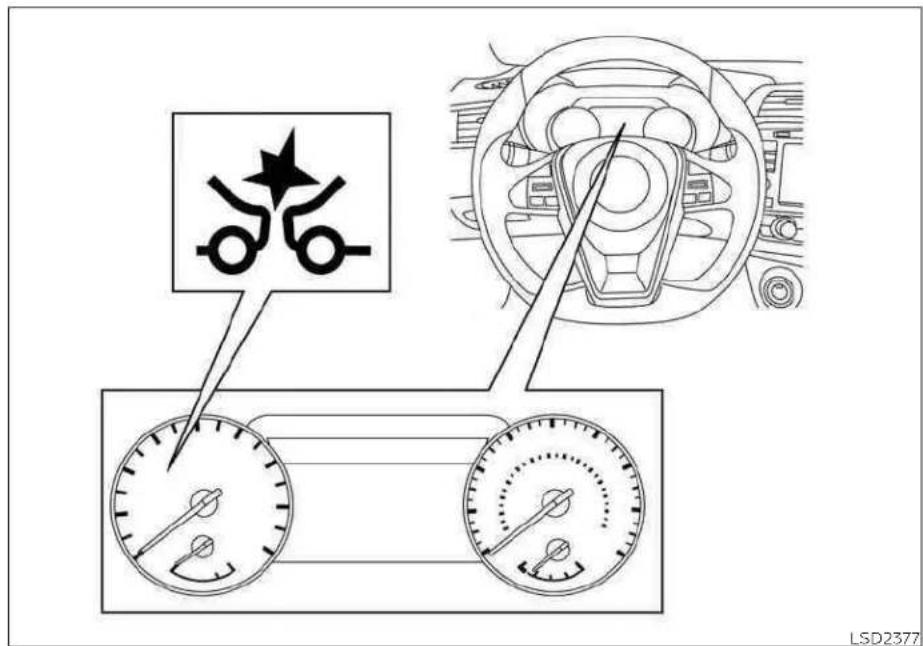
SYSTEMTEMPORARILY UNAVAILABLE
5-92 Startinganddriving
ConditionA:
In the following conditions, the AEB with Pedestrian Detection system warning light illuminates and the system will be turned off automatically:
- Theradarsensorpicksupinterference fromanotherradarsource.
• Thecameraareaofthewindshieldis mistedorfrozen.
•Stronglightisshiningfromthefront.
• Thecabintemperatureisoverapproximately104°F(40°C)indirectsunlight.
• The camera area of the windshield glass is continuously covered with dirt, etc.
Actiontotake
When the above conditions no longer exist, the AEB with Pedestrian Detection system will resume automatically.
NOTE:
Whentheinsideofthewindshieldonthe cameraareaismistedorfrozen,itwill takeaperiodoftimetoremoveitafter theA/Cturnson.Ifdirtappearsonthis area,itisrecommendedthatyouvisita NISSANdealer.
ConditionB:
Whenthereisinclementweather(rain,fog, snow,etc.)blockingthefrontradarsensor, theAEBwithPedestrianDetectionsystem willautomaticallybecanceled,thechime willsoundandthe"ForwardDrivingAids temporarilydisabledFrontSensorblocked SeeOwner'sManual"warningmessagewill appearinthevehicleinformationdisplay.
Actiontotake:
Whentheconditionslistedaboveareno longerpresent, thewarningmessagewill nolongerbeavailableinthevehicleinformationdisplay.Ifthe"ForwardDrivingAids temporarilydisabledFrontSensorblocked SeeOwner'sManual"warningmessage continuestobisplayed,havethesystem checked.Itsrecommendedthatyouvisita NISSANdealerforthisservice.
ConditionC:
whentheradarsensorofthefrontbumper iscoveredwithmud,dirt,snow,ice,etc.,oris obstructed,theAEBwithPedestrianDetectionsystemwillautomaticallybecanceled. Thechimewillsoundandthe"Forward DrivingAidstemporarilydisabledFront Sensor blocked See Owner's Manual" warningmessagewillappearinthevehicle informationdisplay.
Actiontotake:
If the warning message appears, stop the vehicle in as a safe place, placetheshift lever in the P (Park) position and turn the engine off when ther adars signal estemporarily interrupted, clean the sensor area of the front bumper and restart the engine. If the "Forward Driving Aid stemporarily disabled Front Sensor blocked See Owner's Manual" warning message continuestobed is displayed, havethesystem checked. It is recommended that you visit a NISSAN dealer for this service.
ConditionD:
whendrivingonroadswithlimitedroad structuresorbuildings(forexample,long bridges,deserts,snowfields,drivingnextto longwalls),thesystemmayilluminatethe systemwarninglightanddisplaythe"ForwardDriving Aidstemporarilydisabled FrontSensorblockedSeeOwner'sManual" message.
Actiontotake:
When the aboved driving conditions nolongerexist, turn the system back on.
NOTE:
If the AEB with Pedestrian Detection system stops working, the FCW system will also stop working.
Startinganddriving
Forward Driving Aids temporarily disabled Front Sensor blocked See Owner's Manual
LSD3963LSD3354
SYSTEMMALFUNCTION
IftheAEBwithPedestrianDetectionsystemmalfunctions, it will be turnedoff automatically, achimewillsound, and the AEB with Pedestrian Detection system warning light (orange) will illuminate in the vehicle information display.
Actiontotake
If the warning light (orange) comes on, stop the vehicle in as a felocation, turn the engine off and restart the engine. If the warning light continues to illuminate, have the AEB with Pedestrian Detection system checked. It is recommended that you visit a NISSAN dealer forth this service.
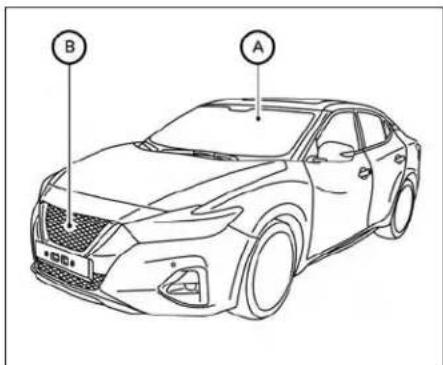
SYSTEMMAINTENANCE
Theradarsensorislocatedonthefrontof thevehicle Ⓑ. Thecameraislocatedon theuppersideofthewindshield Ⓐ.
TokeeptheAEBwithPedestrianDetection systemoperatingproperly,besuretoobservethefollowing:
•Alwayskeepthesensorareasofthefront bumperandwindshieldclean.
- Donotstrikeordamagetheareasaround thesensors(e.g.,bumper,windshield).
5-94Startinganddriving
- Donotcoverorattachstickers,orinstall anyaccessorynearthesensors.This couldblocksensorsignalsand/orcause failureormalfunction.
- Donotattachmetallicobjectsnearthe radarsensor(brushguard,etc.).This could cause failure or malfunction.
- Donotplacereflectivematerials, such as whitepaperoramirror, ontheinstrumentpanel. Thereflectionofsunlight mayadverselyaffectthecameraunit's detectioncapability.
- Donotalter, remove or paint the front bumper. Before customizing or restoring the front bumper, it is recommended that you visit a NISSAN dealer.
Radiofrequencystatement
ForUSA
FCCIDOAYARS4B
ThisdevicecomplieswithPart15ofthe FCCRules.Operationissubjecttothefollowingtwoconditions:
- This device may not cause harmful interference, and
- This device must accept any interference received, including interference that may cause undesired operation.
FCCWarning
Changesormodificationsnotexpressly approvedbythepartyresponsiblefor compliancecouldvoidtheuser'sauthoritytooperatetheequipment.
This equipment has been tested and found to comply with the limits for a Class Adigital device, pursuant to Part 15 of the FCC Rules. These limits are designed to provide reasonable protection against harmful interference when the equipment is operated in a commercial environment. This equipment generates, uses, and can radiate radio frequency energy and, if not installed and used in accordance with the instruction manual, may cause harmful interference or radio communications. Operation of this equipment in a residential area is likely to cause harmful interference in which case the user will berequired to correct the interference at this own expense. Radio frequency radiation exposure information:
This equipment complies with FCC radiation exposure limits set forth for an uncontrolled environment.
This equipment should be installed and operated with minimum distance of 20 cmbetweentheradiator and your body.
Thetransmittermustnotbeco-located oroperatinginconjunctionwithany otherantennaortransmitter.
ForCanada
Model:ARS4-B
IC:4135A-ARS4B
FCCID:OAYARS4B
This device complies with Industry Canadalicence-exemptRSSstandard(s). Operationissubjecttothefollowingtwo conditions:
- This device may not cause interference, and
- This device must accept any interference received, including interference that may cause undesired operation of the device.
INTELLIGENTFORWARDCOLLISION WARNING(I-FCW)
Radiofrequencyradiationexposure information:
ThisequipmentcomplieswithFCCandIC radiationexposurelimitssetforthforan uncontrolledenvironment.
This equipment should be installed and operated with minimum distance of 30 cmbetweentheradiator and your body.
Thistransmittermustnotbeco-located oroperatinginconjunctionwithany otherantennaortransmitter.
Changesormodificationsnotexpressly approved by the party responsible for compliance could avoid the user's authority to operate the equipment.
WARNING
Failuretofollowthewarningsandin-structionsforproperuseoftheI-FCW systemcouldresultinseriousinjuryor death.
- Thel-FCWsystemcanhelpwarnthe driverbeforea collisionoccursbut willnotavoidacollision.Itisthedriver'sresponsibilitytostayalert,drive safelyandbeincontrolofthevehicle atalltimes.
Thel-FCwsystemcanhelpalertthedriver whenthereisasuddenbrakingofasecond vehicletraveling in frontofthevehicle aheadinthesamelane.
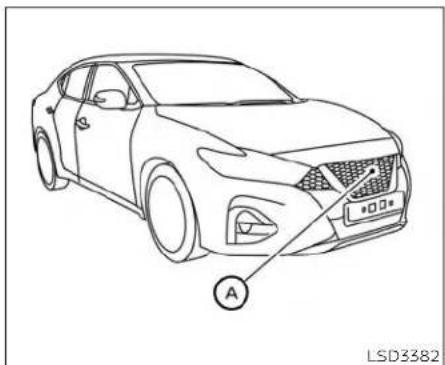
natural_image
Line drawing of a sedan with a labeled point A pointing to the side (no text or symbols on the car itself)Thel-FCwsystemusesaradarsensor locatedonthefrontofthevehicletomea-surethedistancetothevehicleaheadin thesamelane.

- Vehicleaheaddetectionindicator
2.AEBwithPedestrianDetectionsystem warninglight
Startinganddriving5-97

LSD2263
natural_image
Top-down diagram of a vehicle with two cars and a central sensor or antenna, no text or symbols presentIllustrationA
I-FCWSYSTEMLIMITATIONS
WARNING
Listedbelowarethesystemlimitations forthel-FCWsystem.Failureretooperate thevehicleinaccordancewiththese systemlimitationscouldresultinseriousinjuryordeath.
- TheI-FCWsystemcannotdetectall vehiclesunderallconditions.
- Theradarsensordoesnotdetectthe followingobjects:
-Pedestrians, animalsorobstacles intheroadway
-Oncomingvehicles
-Crossingvehicles
·(IllustrationA)Thel-FCWsystem does not function when a vehicle ahead is an arrow vehicle, such as a motorcycle.
- Theradarsensormaynotdetectave-hicleaheadinthefollowingconditions:
-Snoworheavyrain
-Dirt,ice,snoworothermaterial coveringtheradarsensor.
-Interferencebyotherradar sources.
-Snoworroadsprayfromtraveling vehicles.
-Drivinginatunnel
-(IllustrationB)Whenthevehicle aheadisbeingtowed.
- (Illustration C) When the distance to the vehicle ahead is too close, the beam of the radar sensor is obstructed.
- (Illustration D) When driving on a steepdownhillslopeorroadswith sharpcurves.
- Thesystemisdesignedtoautomaticallycheckthesensor'sfunctionality, withincertainlimitations.Thesystemmaynotdetectsomeformsof obstruction of the sensor area such asice, snow, stickers, etc.Inthese cases,thesystemmaynotbeableto warnthedriverproperly.Besurethat youcheck,cleanandclearthesensor arearegularly.
- Excessivenoisewillinterferewiththe warningchimesound,andthechime maynotbeheard.
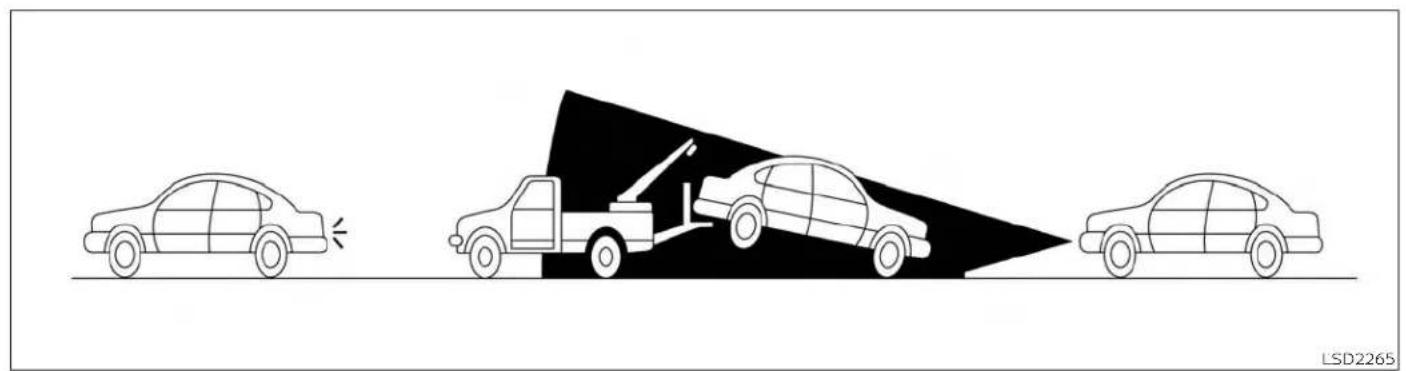
natural_image
Diagram showing three cars with a collision between them, no text or symbols presentIllustrationB
Startinganddriving5-101

IllustrationC
5-102Startinganddriving

natural_image
Top-down diagram of a car on a curved road with three cars ahead, one highlighted in black (no text or symbols)IllustrationD
Startinganddriving5-103

LSD2377
SYSTEMTEMPORARILY UNAVAILABLE
ConditionA
Whentheradarsensorpicksupinterferencefromanotherradarsource,makingit impossibletodetectavehicleahead,the I-FCwsystemisautomaticallyturnedoff.
The AEB with Pedestrian Detection System warning light will illuminate.
Actiontotake
When the above conditions no longer exist, the FCw system will resume automatically.
ConditionB
Whenthereisinclementweather(rain,fog, snow,etc.)blockingthefrontradarsensor, theAEBwithPedestrianDetectionsystem willautomaticallybecanceled,thechime willsoundandthe"ForwardDrivingAids temporarilydisabledFrontSensorblocked SeeOwner'sManual"warningmessagewill appearinthevehicleinformationdisplay.
Actiontotake:
whentheconditionslistedaboveareno longerpresent,thewarningmessagewill nolongerbeavailableinthevehicleinformationdisplay.ifthe"ForwardDrivingAids temporarilydisabledFrontSensorblocked
SeeOwner'sManual'warningmessage continuestobedisplayed,havethesystem checked.Itisrecommendedthatyouvisita NISSANdealerforthisservice.
ConditionC
Whentheradarsensorofthefrontbumper iscoveredwithmud,dirt,snow,ice,etc.,oris obstructed,theAEBwithPedestrianDetectionsystemwillautomaticallybecanceled. Thechimewillsoundandthe"Forward DrivingAidstemporarilydisabledFront SensorblockedSeeOwner'sManual" warningmessagewillappearinthevehicle Informationdisplay.
Actiontotake:
Ifthewarningmessageappears,stopthe vehicleinasafeplace,placetheshiftlever intheP(Park)position,andturntheengine off.Whentheradarsignalstemporarily interrupted,cleanthesensorareaofthe frontbumperandrestarttheengine.Ifthe "ForwardDrivingAidstemporarilydisabled FrontSensorblockedSeeOwner'sManual" warningmessagecontinuestobedisplayed,havethesystemchecked.ItisrecommendedthatyouvisitaNISSANdealer forthisservice.
ConditionD
Whendrivingonroadswithlimitedroad structuresorbuildings(forexample,long bridges,deserts,snowfields,drivingnextto longwalls),thesystemmayilluminatethe systemwarninglightanddisplaythe"ForwardDriving Aidstemporarilydisabled FrontSensorblockedSeeOwner'sManual" message.
Actiontotake:
When the aboved driving conditions no longer exist, turn the system back on.
NOTE:
If the AEB with Pedestrian Detection System stops working, the FCW system will also stop working.
Forward Driving Aids temporarily disabled Front Sensor blocked See Owner's Manual
LSD3963
SYSTEMMALFUNCTION
Ifthel—FCwsystemmalfunctions, it will be turned off automatically, achimewill sound, the AEB with Pedestrian Detection warning light (orange) will illuminate.
Actiontotake
If the warning light (orange) comes on, stop the vehicle in as a felocation, turn the engine off and restart the engine. If the warning light continues to illuminate, have the FCw system checked. It is recommended that you visit a NISSAN dealer for this service.
Startinganddriving5-105
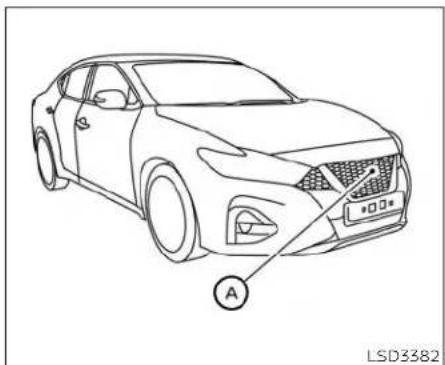
natural_image
Line drawing of a sedan car with labeled point A and license plate, no text or symbols presentSYSTEMMAINTENANCE
Thesensor Ⓐ islocatedonthefrontofthe vehicle.
Tokeepthesystemoperatingproperly,be suretoobservethefollowing:
•Alwayskeepthesensorareaofthefront bumperclean.
- Donotstrikeordamagetheareasaround thesensor.
- Donotcoverorattachstickersimilar objectsonthefrontbumpernearthe sensorarea.Thiscouldcausefailureor malfunction.
- Donotattachmetallicobjectsnearthe sensorarea(brushguard,etc.).Thiscould causefailureormalfunction.
- Donotalter, remove or paint the front bumper. Before customizing or restoring the front bumper, it is recommended that you visit a NISSAN dealer.
FCCNotice
ForUSA
ThisdevicecomplieswithPart15oftheFCC rules.Operationissubjecttothefollowing twoconditions:
- This device may not cause harmful interference, and
- This device must accept any interference received, including interference that may cause undesired operation.
FCCWarning
Changesormodificationsnotexpressly approvedbythepartyresponsiblefor compliancecouldvoidtheuser'sauthority tooperatetheequipment.
ForCanada
This device complies with Industry Canada licence-exempt RSS standard(s). Operation is subject to the following two conditions:
- This device may not cause interference,
- This device must accept any interference received, including interference that may cause undesired operation of the device.
INTELLIGENTDRIVERALERTNESS (I-DA)
WARNING
Failuretofollowthewarningsandin-structionsforproperuseofthel-DA systemcouldresultinseriousinjuryor death.
·TheI-DAsystemisonlyawarningto informthedriverofapotentiallack ofdriverattentionordrowsiness.It willnotsteerthevehicleorprevent lossofcontrol.
- Thel-DAsystemdoesnotdetectand provideanalertofthedriver'slackof attentionorfatigueineverysituation.
- Itisthedriver'sresponsibilityto:
-Stayalert.
-Drivesafely.
-Keepthevehicleinthetraveling lane.
-Beincontrolofthevehicleatall times.
-Avoiddrivingwhentired.
-Avoiddistractions(texting,etc.).
Thel-DAsystemhelpsalertthedriverifthe systemdetectsalackofattentionordrivingfatigue.
Thesystemmonitorsdrivingstyleand steeringbehavioroveraperiodoftime, anditdetectschangesfromthenormal pattern.Ifthesystemdetectsthatdriver attentionisdecreasingoveraperiodoftime,thesystemusesaudibleandvisual warningstosuggestthatthedrivertakea break.

If the system detects driver fatigue or that driver attention is decreasing, themes- sage "Takeabreak?" appears in the vehicle information display and achimesounds when the vehicle is driven at speeds above 37mph (60km/h).
Thesystemcontinuouslymonitorsdriver attentionandcanprovidemultiplewarningspertrip.
Thesystemresetsandstartsreassessing drivingstyleandsteeringbehaviorwhen the ignition switch is cycled from ON to OFF andbackon.
Startinganddriving
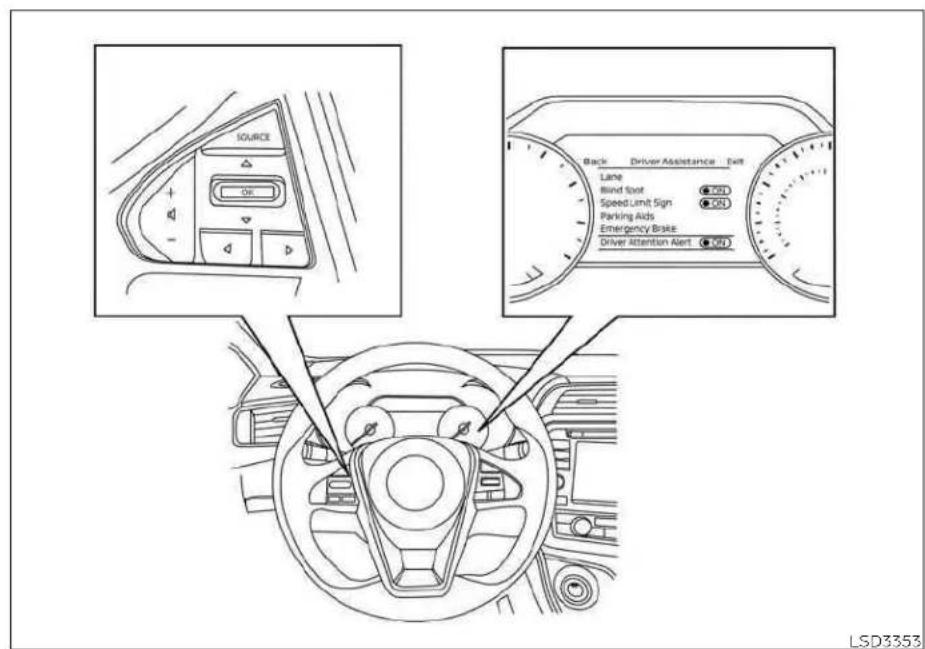
HOWTOENABLE/DISABLETHE INTELLIGENTDRIVERALERTNESS (I-DA)SYSTEM
5-108Startinganddriving
Perform the following step to enable or disable the DAsystem.
1.Pressthe buttonuntil"Settings"displaysinthevehicleinformationdisplay andpresstheOKbutton.Usethe buttontoselect"DriverAssistance".Then presstheOKbutton.
- Select "DriverAttentionAlert" and press the OK button.
NOTE:
Thesettingwillberetainedevenifthe engineisrestarted.
INTELLIGENTDRIVERALERTNESS (I-DA) SYSTEMLIMITATIONS
WARNING
Listedbelowarethesystemlimitations forthel-DAsystem.Failureretooperate thevehicleinaccordancewiththese systemlimitationscouldresultinserious-injuryordeath.
- Thel-DAsystemmaynotoperate properlyandmaynotprovidean alertinthefollowingconditions: -Poorroadconditionssuchasan unevenroadsurfaceorpotholes.
-Strongsidewind. - If you have adopted as porty driving style with higher cornerings speeds or higherrates of acceleration.
- Frequentlanechangesorchanges tovehiclespeed.
·Thei-DAsystemwillnotprovidean alertinthefollowingconditions:
-Vehiclespeedslowerthan37mph (60km/h).
-Shortlapsesofattention. - Instantaneousdistractionssuch asdroppinganobject.
Warning

Driver Attention Alert Malfunction
LIC3125
Systemmalfunction
If the Intelligent Driver Alertness system malfunctions, the system warning message will appear in the vehicle information display, the chimes sounds and the function will best stopped automatically.
Actiontotake
Stopthevehicleinasafelocation, placethe vehicleintheP(Park)position, turntheengineoff and restart the engine. If the system warning message continues to appear, have the system checked. It is recommended that you visit a NISSAN dealer for this service.
BREAK-INSCHEDULE
CAUTION
During the first 1,200 miles (2,000 km), follow the recommendation to obtain maximum engine performance and ensure the futurer reliability and economy of your new vehicle. Failure to follow these recommendations may result in shortened engine life and reduced engine performance.
- Avoiddrivingforlongperiodsatconstant speed,eitherfastorslow,anddonotrun theengineover4,000rpm.
- Donotaccelerateatfullthrottleinany gear.
- Avoidquickstarts.
- Avoidhardbrakingasmuchaspossible.
FUELEFFICIENTDRIVINGTIPS
Followtheseeasy-to-useFuelEfficient DrivingTipstohelpyouachievethemost fueleconomyfromyourvehicle.
1. Use Smooth Accelerator and Brake Pedal Application
- Avoidrapidstartsandstops.
•Usesmooth, gentleaccelerator and brake application whenever possible. - Maintainconstantspeedwhilecommutingandcoastwheneverpossible.
2. MaintainConstantSpeed
- Lookaheadtotryandanticipateand minimizestops.
- Synchronizingyourspeedwithtraffic lightsallowsyoutoreduceyournumberofstops.
- Maintainingasteadyspeedcanminimizedlightstopsandimprovefuel efficiency.
3. Use Air Conditioning (A/C) at Higher Vehicle Speeds
•Below40mph(64km/h),itismore efficienttoopenwindowstocoolthe vehicleduetoreducedengineload.
•Above40mph(64km/h),itismore efficienttouseA/Ctocoolthevehicle duetoincreasedaerodynamicdrag.
• Recirculating the cool air in the cabin when the A/Cison reduces cooling load.
4. DriveatEconomicalSpeedsand Distances
- Observing the speed limit and not exceeding 60 mph (97 km/h) (where legally allowed) can improve fuel efficiency, but reduced aerodynamic drag.
- Maintaining as safe following distance behind other vehicles reduces unnecessary braking.
- Safelymonitoringtraffictoanticipate changesinspeedpermitsreduced brakingandsmoothacceleration changes.
- Selectagearrangesuitabletoroad conditions.
5. Use Cruise Control
• Usingcruise controlduringhighway drivinghelpsmaintainasteadyspeed.
•Cruise controlis particularly effective in providing fuelsavingswhendriving onflatterrains.
6. PlanfortheShortestRoute
- Utilizeamapornavigationsystemto determinethebestroutetosavetime.
Avoididling
- Shuttingoffyourenginewhensafefor stopsexceeding30-60secondssaves fuelandreducesemissions.
8.BuyanAutomatedPassforTollRoads
- Automatedpassespermitdriversto usespeciallanestomaintaincruising speedthroughthetollandavoidstoppingandstarting.
9WinterWarmUp
- Limitidlingtimetominimizeimpactto fueleconomy.
- Vehiclestypicallyneednomorethan 30secondsofidlingatstart-upto effectivelycirculatetheengineoilbeforedriving.
-Yourvehiclewillreachitsidealoperating temperaturemore quickly while drivingversusidling.
10. KeepingyourVehicleCool
- Parkyourvehicleinacoveredparking areaorintheshadowwheneverpossible.
- whenenteringahotvehicle,opening the windowswillhelptoreducethe insidetemperaturefaster,resultingin reduced demandonyourA/Csystem.
INCREASING FUEL ECONOMY
- Keepyourenginetunedup.
• Followtherecommended scheduled maintenance. - Keepthetiresinflatedtothecorrectpressure.Lowtirepressureincreasestire wearandlowersfueleconomy.
- Keepthewheelsincorrectalignment. Improperalignmentincreasestirewear andlowersfueleconomy.
- Usetherecommendedviscosityengine oil. For additional information, see "Recommended fluids/lubricantsandcapacities" (P.10-2).
PARKING/PARKING ON HILLS
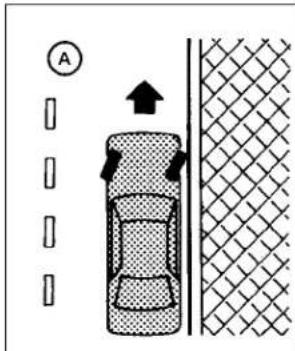


WARNING
- Donotstoporparkthevehicleover flammablematerialssuchasdry grass,wastepaperorrags.Theymay igniteandcauseafire.
- Safeparkingproceduresrequirethat boththeparkingbrakebesetandthe transmissionplacedintoP(Park). Failuretodosocouldcausethevehicletomoveunexpectedlyorroll awayandresultinanaccident.Make suretheshiftleverhasbeenpushed asfarforwardasitcangoandcannot bemovedwithoutdepressingthe footbrakepedal.
- Neverleavetheengineerunningwhile thevehicleisunattended.
- Donotleavechildrenunattendedin-sidethevehicle.Theycouldunknow-inglyactivateswitchesorcontrolsormakethevehiclemove.Unattendedchildrencouldbecomeinvolvedinseriousaccidents.
To help avoid risk of injury or death through unintended operation of the vehicle and/or it systems, donot leave children, people who require the assistance of others or pets unattended in your vehicle. Additionally, the temperature inside a closed vehicle on a warm day can quickly become high enough to cause significant risk of injury or death to people and pets.
-
Firmly apply the parking brake.
2.MovetheshiftlevertotheP(Park) position. -
To help prevent the vehicle from rolling into traffic when parked on an incline, it is good to practice the turn the wheels as illustrated.
·HEADEDDOWNHILLWITHCURB
A:
Turnthewheelsintothecurband movethevehicleforwarduntilthe curbsidewheelgentlytouchesthe curb.
·HEADEDUPHILLWITHCURB
B:
Turnthewheelsawayfromthecurb andmovethevehiclebackuntilthe curbsidewheelgentlytouchesthe curb.
-HEADEDUPHILLORDOWNHILL,NO CURB ©:
Turnthewheelstowardthesideofthe roadsothevehicle will moveaway fromthecenteroftheroadifitmoves.
- Place the ignition switch in the LOCK position.
POWERSTEERING

WARNING
- If the engine is not running, it turned off while driving, the power assist for the steering will not work. Steering will be hard to operate.
- Whenthepowersteeringwarning lightilluminateswiththeengineerunning,therewillbenopowerassistfor thesteering.Youwillstillhavecontrol ofthevehiclebutthesteeringwillbe harder to operate.Have thepower steeringsystemchecked. Itisrecommended that you visit a NISSAN dealerforthisservice.
The power steering system is designed to provide power assist while driving to operate the steering wheel with light force.
Whenthesteering wheelsoperatedrepeatedlyorcontinuouslywhileparkingor drivingataverylowspeed,thepowerassistforthesteeringwheelwillbereduced. Thisistopreventoverheatingofthepower steeringsystemandprotectitfromgetting damaged.whilethepowerassistreduced, steering wheeloperationwillbecomeheavy.Ifthesteeringwheeloperationisstillperformed,thepowersteering maystopandthepowersteeringwarning
BRAKESYSTEM
lightwillilluminate.Inasafelocation,stop theengineandpushtheignitionswitchto theOFFposition.Thetemperatureofthe powersteeringsystemwillgodownaftera periodoftimeandthepowerassistlevel willreturntonormalafterstartingtheengine.Thepowersteeringwarninglightwill gooff.Avoidrepeatingsuchsteeringwheel operationsthatcouldcausethepower steeringsystemtooverheat.
Youmayhearanoisefromthefrontofthe vehiclewhenthesteeringwheelisoperated.Thisisanormaloperationalnoise andisnotamalfunction.
If the power steering warning light illuminates while the engine is running, it may indicate the power steering system is not functioning properly and may need servicing. Have the power steering system checked. It is recommended that you visit a NISSAN dealer forth this service.
when the power steering warning light illuminates with the engineer running, there will be no power assist for the steering but you will still have control of the vehicle. At this time, greater steering effort is required to operate the steering wheel, especially in sharp turns and at lows speeds.
Thebrakesystemhastwoseparatehydrauliccircuits.Ifonecircuitmalfunctions, youwillstillhavebrakingattwowheels.
BRAKEPRECAUTIONS
Vacuumassistedbrakes
Thebrakeboosteraidsbrakingbyusing enginevacuum.Iftheenginestops,you canstopthevehiclebydepressingthe brakepedal.However,greaterfootpressureonthebrakepedalwillberequiredto stopthevehicleandstoppingdistancewill belonger.
Usingthebrakes
Avoidrestingyourfootonthebrakepedal whiledriving.Thiswilloverheatthebrakes, wearoutthebrakepadsfaster,andreduce gasmileage.
To help reduce brakewear and to prevent the brakes from overheating, reduce speed and downshift to a lower gear before going downslope or long grade. Overheated brakes may reduce braking performance and could result in loss of vehicle control.
WARNING
-While driving on aslippery surface, be careful when braking, accelerating orderownshifting. Abrupt braking or accelerating could cause the wheels to skid and result in an accident.
- If the engine is not running or is turned off while driving, the power assist for the brakes will not work. Braking will be harder.
Wetbrakes
When the vehicle is washed or driven throughwater,thebrakesmaygetwet.As aresult,yourbrakingdistancewillbelong- gerandthevehiclemaypulltooneside duringbraking.
Todrythebrakes, drivethevehicleatasafe speed while lightly pressing the brake pedaltoheatupthebrakes. Do this until the brakes returntonormal. Avoid driving the vehicle at high speeds until the brakes function correctly.
Parkingbrakebreak-in
Breakintheparkingbrakeshoeswhenever thestoppingeffectoftheparkingbrakeis weakenedorwhenevertheparkingbrake shoesand/ordrums/rotorsarereplaced, inordertoassurethebestbraking performance.
This procedure is described in the vehicle servicemanual. It is recommended that you visit a NISSAN dealer for this service.
ANTI-LOCKBRAKINGSYSTEM(ABS)
WARNING
TheABSisasophisticateddevice,but itcannotpreventaccidentsresulting fromcarelessordangerousdriving techniques.Itcanhelpmaintainvehiclecontrolduringbrakingonslipperysurfaces.Rememberthatstoppingdistancesonslipperysurfaces willbelongerthanonnormalsurfacesevenwithABS.Stoppingdistancesmayalsobelongeronrough, gravelorsnowcoveredroads,orif youareusingtirechains.Always maintainasafedistancefromthevehicleinfrontofyou.Ultimately,the driverisresponsibleforsafety.
•Tiretypeandconditionmayalsoaffectbrakingeffectiveness.
- When replacing tires, install the specified size of tires on all four wheels.
- Wheninstallingasparetire, make surethatitisthepropersize and typeasspecifiedontheTireand LoadingInformationlabel.Foradditionalinformation,see"Tireand LoadingInformationlabel"(P.8-30).
- For additional information, see "Wheelsandtires"(P.8-27).
TheABScontrolsthebrakessothewheels donotlockduringhardbrakingorwhen brakingonslippery surfaces. Thesystem detectstherotationspeedateachwheel andvariesthebrakefluidpressuretopre-venteachwheelfromlockingandsliding. Bypreventingeachwheelfromlocking, the systemhelpsthedrivermaintainsteering control and helps to minimize swerving andspinningonslippery surfaces.
Usingthesystem
Depressthebrakepedalandholditdown. Depressthebrakepedalwithfirmsteady pressure, butdonotpumpthebrakes. The Anti-lockBrakingSystemwill operateto preventthewheelsfromlockingup.Steer thevehicletoavoidobstacles.
WARNING
Donotpumpthebrakepedal.Doing so may result in increased stopping distances.
Self-testfeature
The Anti-lock Braking System (ABS) includes electronic sensors, electric pumps, hydraulic solenoids and a computer. The computer has been built-indiagnostic feature that test the system each time you start the engine and mov the vehicle at all speed in forward or reverse. When these self-test occurs, you may hear a "clunk" noise and/or feel apulsion in the brake pedal. This is normal and does not indicate a malfunction. If the computer senses a malfunction, it switches the ABS off and illuminate the ABS warning light on the instrument panel. The brakes system then operates normally but without anti-lock assistance.
If the ABS warning light illuminates during the self-testor while driving, have the vehicle checked. It is recommended that you visit a NISSAN dealer forth this service.
VEHICLEDYNAMICCONTROL(VDC) SYSTEM
Normaloperation
The Anti-lock Braking System (ABS) operates at speeds above 3 - 6 m p h (5 - 10 km/h). Thespeed varies according to road conditions.
WhentheABSsensesthatoneormore wheelsareclosetolockingup,theactuator rapidlyappliesandreleaseshydraulicpressure.Thisactionissimilartopumpingthe brakesveryquickly.Youmayfeelapulsationinthebrakepedalandhearanoise fromunderthehoodorfeelavibration fromtheactuatorwhenitisoperating.This isnormalandindicatesthattheABSisoperatingproperly.However,thepulsation mayindicatethatroadconditionsarehazardousandextracarelsrequiredwhile driving.
BRAKEASSIST
Whentheforceappliedtothebrakepedal exceedsacertainlevel,theBrakeAssistis activatedgeneratinggreaterbrakingforce thanaconventionalbrakeboostereven withlightpedalforce.
WARNING
The Brake Assist is only an aid to assist braking operation and is not a collision warning or avoidanced device. It is the driver's responsibility to stay alert, drives safely and be in control of the vehicle at all times.
TheVDCsystemusesvarioussensorsto monitordriverinputsandvehiclemotion. Undercertaindrivingconditions,theVDC system helps to perform the following functions:
- Controlsbrakepressuretoreducewheel slipononeslippingdrivewheelsopower is transferred to a non-slipping drive wheelonthesameaxle.
- Controlsbrakepressureandengineoutputoreducedrivewheelsilpbasedon vehiclespeed(tractioncontrolfunction).
- Controls brake pressure at Individual wheelsandengineoutputtohelpthe drivermaintaincontrolofthevehiclein thefollowingconditions:
-Understeer(vehicletendstonotfollow the steered path despite increased steeringinput)
-Oversteer(vehicletendstospindueto certainroadordrivingconditions)
The VDC system can help the driverto maintain in control of the vehicle, but it cannot prevent loss of vehicle control in all drivings situations.
WhentheVDCsystemoperates,the indicatorlightintheinstrumentpanel flashestonotethefollowing:
•Theroadmaybelipperyorthesystem maydeterminesomeactionisrequired tohelpkeepthevehicleonthesteered path.
- Youmayfeelapulsationinthebrake pedalandhearanoiseorvibrationfrom underthehood. Thisisnormalandindicate that the VDC system is working properly.
- Adjustyourspeedanddrivingtotheroad conditions.
For additional information, see "SlipIndicatorlight"(P.2-15) and "VehicleDynamicControl(VDC)OFFIndicatorlight"(P.2-15).
Ifamalfunctionoccursinthesystem,the indicatorlightcomesonintheinstrumentpanel.TheVDCsystemautomatically turnsoffwhentheindicatorlightison.
The VDCOFFswitchisusedtoturnoffthe VDCsystem.The 📁,RAB,andAEBwith PedestrianDetectionindicatorlightsilluminatetoindicatetheVDC,RAB,andAEBwith PedestrianDetectionsystemsareoff.

whentheVDCOFFswitchisusedtoturnoff thesystem,theVDCsystemstilloperates topreventonedrivewheelfromslippingby transferringpowertoanon-slippingdrive wheel.The indicatorlightflashesifthis occurs.AllotherVDCfunctionsareoffand the indicatorlightwillnotflash.
TheVDCsystemisautomaticallyresetto ONwhentheignitionswitchisplacedinthe OFFpositionthenbacktotheONposition.
Thecomputerhasabuilt-indiagnosticfeaturethatteststhesystemeachtimeyoustarttheengineandmovethevehicleforwardorinreverseataslowspeed.Whentheself-testoccurs,youmayhearacclunknoiseand/orfeelapulsationinthebrakepedal.Thisisnormalandisnotanindicationofamalfunction.
WARNING
The VDC system is designed to help the driver maintain stability but does not prevent accidents due to abrupt steering operation at high speeds or by careless or dangerous driving techniques. Reduce vehicles speed and beespecially careful when driving and cornering on slippery surfaces and always drive carefully.
- Donotmodifythevehicle'ssuspension. If suspension parts such as shockabsorbers,struts,springs,stabilizerbars,bushingsandwheelsare notNISSANrecommendedfor your vehicle or areextremely deteriorated,theVDCsystemmaynotoperate properly. This could adversely affectvehiclehandlingperformance, and the indicator light may flash.
- Ifbrakerelatedpartssuchasbrake pads, rotors andcalipersare not NISSANrecommendedor areextremelydeteriorated,theVDCsystem maynotoperateproperly and the indicator light may illuminate.
- Ifenginecontrolrelatedpartsare notNISSANrecommendedorare extremelydeteriorated,the indicatorlightmayilluminate.
-Whendrivingon extremelyinclined surfacesuchashigherbankedcorners,theVDCsystemmaynotoperateproperlyandthe indicator lightmayflash.Donotdriveonthese typesofroads.
- When driving an unstablesurface such as turntable, ferry, elevator ramp, the indicator light may flash. This is not a malfunction. Restart the engine after driving onto a stable surface.
- if wheels sortires other than the NISSAN recommended ones are used, the VDC system may not operate properly and the indicator lightmayflash.
TheVDCsystemisnotasubstitute forwintertiresortirechainsona snowcoveredroad.
BRAKEFORCEDISTRIBUTION
Duringbrakingwhiledrivingthroughtturns, thesystemoptimizeddistributionof forcetoeachofthefourwheelsdepending ontheradiusoftheturn.
WARNING
TheVDCsystemisdesignedtohelp thedrivermaintainstabilitybutdoes notpreventaccidentsduetoabrupt steeringoperationathighspeedsor bycarelessordangerousdriving techniques.Reducevehiclespeed andbeespeciallycarefulwhendrivingandcorneringonslipperysurfacesandalwaysdrivecarefully.
- Donotmodifythevehicle'ssuspension. If suspensionpartssuchas shockabsorbers,struts,springs,stabilizerbars,bushingsandwheelsare notNISSANrecommendedforyour vehicleorareextremelydeteriorated,theVDCsystemmaynotoperateproperly.Thiscouldadverselyaffect vehiclehandling performance, and the indicator light may flash.
- Ifbrakerelatedpartssuchasbrake pads, rotors andcalipersare not NISSANrecommendedorareextremelydeteriorated,theVDC systemmaynotoperateproperlyand the indicator light may illuminate.
- If engine control related parts are notNISSANrecommendedorare extremelydeteriorated,the indicatorlightmayilluminate.
- Whendrivingonextremelyinclined surfacesuchashigherbankedcorners,theVDCsystemmaynotoperateproperlyandthe indicator lightmayflash.Donotdriveonthese typesofroads.
- Whendrivingonanunstablesurface suchasaturntable,ferry,elevatoror ramp,the indicatorlightmay flash.Thisisnotamalfunction.Restarttheengineafterdrivingontoa stablesurface.
- If wheels sortires other than the NISSAN recommended ones are used, the VDC system may not operate properly and the indicator light may flash.
TheVDCsystemisnotasubstitute forwintertiresortirechainsona snowcoveredroad.
INTEGRATEDDYNAMICS-CONTROL MODULE
The Integrated Dynamics-control Module is an electric control module that includes the following functions:
- IntelligentTraceControl
•IntelligentEngineBrake
•ActiveRideControl
INTELLIGENTTRACECONTROL (I-TC)
This systems senses driving based on the driver's steering and acceleration/braking patterns, and controls brake pressure at individual wheelsto aid tracing at corners and helps smooth vehicular response.
Thel-TCcanbesettoON(enabled)orOFF (disabled)throughthevehicleinformation display"Settings"page.Foradditionalinformation,see"Vehicleinformationdisplay" (P.2-17).
When the VDCOFF switch is used to turn off the VDC system, the - TC is also turned off.
IftheChassisControlSystemError warningmessageappearsinthevehicle informationdisplay, it may indicate that the I-TC is not functioning properly. Havethe system checked as soon as possible. It is recommended that you visit a NISSAN dealer forth this service.
WARNING
TheI-TCmaynotbeeffectivedepending on the driving condition. Always drivecarefullyandattentively.
Whenthel-TCisoperating,youmayfeel a pulsationinthebrakepedalandheara noise.Thisisnormalandindicatesthatthe I-TCisoperatingproperly.
Evenifthel-TCissettoOFF, some functions will remain onto assist the driver (for example, avoidance scenes).
INTELLIGENTENGINEBRAKE(I-EB)
Thel-EBfunctionaddssubtledeceleration by controlling the Continuously Variable Transmission(CVT)gearatio,depending onthecorneringconditioncalculatedfrom thedriver'ssteeringinputandpluralsensors.Thisbenefitsforeasiertraceability andlessworkloadofadjustingspeedwith brakingatcorners.
Thel-EB also enhancesbrakingfeelby addingsubtledecelerationwiththeCVT gear ratiocontrolaccordingtothedriver's brakepedaloperation.
Thel-EBcanbesettoON(enabled)orOFF (disabled)throughthevehicleinformation display"Settings"page.Foradditionalinformation,see"Vehicleinformationdisplay" (P.2-17).
IftheChassisControlSystemError warningmessageappearsinthevehicle informationdisplay.itmayIndicatethatthe I-EBIsnot functioningproperly.Havethe systemcheckedassoonaspossible.Itis recommendedthatyouvisitaNISSAN dealerforthisservice.
WARNING
Thel-EBmaynotbeeffectivedependingondrivingconditions.Alwaysdrive carefullyandattentively.
whenthel-EBisoperating,theneedleofthe tachometerwillriseupandyoumayhearan engine noise. This is normal and indicates thatthel-EBisoperatingproperly.
FRONTANDREARSONARSYSTEM (ifsoequipped)
ACTIVERIDECONTROL(ARC)
This systems senses upper body motion (based on wheels speed information) and controls engine torque and four wheel brake pressure. This willenhanceride comfort effort to restraint uncomfortable upper body movement when passing over undulated roads surfaces. This system comes into effect above 25 mph (40 km/h).
When the VDCOFF switch is used to turn off the VDC system, the ARC is also turned off.
IftheChassisControlSystemError warningmessageappearsinthevehicle informationdisplay,itmayindicatethatthe ARCisnotfunctioningproperly.Havethe systemcheckedassoonaspossible.Itis recommendedthatyouvisitaNISSAN dealerforthisservice.
whentheARCisoperating,youmayhear noiseandsenseslightdeceleration.This is normalandindicatesthattheARCisoperatingproperly.
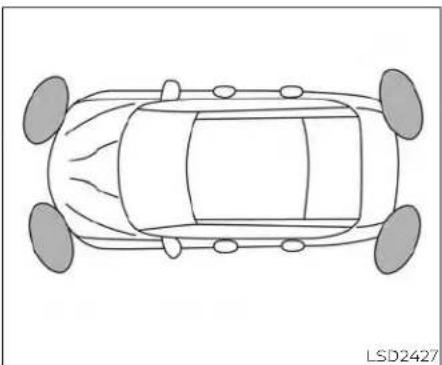
natural_image
Top-down line drawing of a car with four wheels and roof, no text or symbols presentThesonar(parkingsensor)systemsounds atonetoinformthedriverofobstacles nearthebumper.
Whenthe"DISPLAY"keyIsON,thesonar viewwillautomaticallyappearinthemeter.
WARNING
- Thesonar(parkingsensor)systemis aconveniencebutitisnotasubstituteforproperparking.
- Thedriverisalwaysresponsiblefor safetyduringparkingandothermaneuvers.Always look around and checkthatitissafetodosobefore parking.
- Readandunderstandthelimitations of the sonar (parkingsensor) system as contained in this section. The color of the corner nator indicator and the distance guidelines in the front/rear view indicated different distances to the object.
- Inclementweather or ultrasonic sources such as an automatic car wash, a truck's compressed-air brakes ora pneumaticdrillmay affect the function of the system; this may include reduced performance or false activation.
- Thisfunctionisdesignedasanaidto thedriverindetectinglargestationaryobjectstohelpavoiddamaging thevehicle.
- Thesystemisnotdesignedtopreventcontactwithsmallormoving objects. Always moveslowly. The systemwillnotdetectsmalobjects belowthebumper, and may not detectobjectsclosetothebumper or ontheground.
- Thesystemmaynotdetectthefollowingobjects:fluffyobjectssuchassnow,cloth,cotton,glass,wool,etc., andthinobjectssuchasrope,wireand chain,etc.,orwedge-shapedobjects.
- Thesonarsensorsmaycausemal-functionwhenahorn,etc.soundsor thereisanultrasonicsource(suchas parkingsensorsofothervehicles) aroundthevehiclebecausethesonar sensorsdetectthedistancebetween thevehicleandtheobstaclebydetectingthesoundwavereflectedfromthe surfaceofanobstacle.
If your vehicles sustain damage to the bumper fascia, leaving it misaligned for bent, the sensing zone may be altered causing in accurate measurement of obstacles or false alarms.
CAUTION
·Excessivenoise(suchasaudiosystemvolumeoranopenvehiclewindow)willinterferewiththetoneanditmaynotbeheard.
- Keepthesonarsensors(located on thebumperfascia)freefromsnow, iceandlargeaccumulationsofdirt. Donotcleanthesensorswithsharp objects.Ifthesensorsarecovered, theaccuracyofthesonarfunction willbediminished.
SYSTEMOPERATION
ThesysteminformswithavisualandaudiblealertoffrontobstacleswhentheshiftleverisintheD(Drive)positionandbothfrontandreobstacleswhentheshiftleverisintheR(Reverse)position.
SonarOperationTable
| FRSensor | RRSensor | |||
| Range | Sound | Display | Sound | Display |
| P | x | † | x | † |
| R | o | o | o | o |
| N | x | † | x | † |
| D | o | o | ||
| o-Display/Beepwhendetect | ||||
| †-Displayoncameraview | ||||
| x-NoDisplayandBeep | ||||
Thesystemisdeactivatedatspeedsabove 6mph(10km/h).Itisreactivatedatlower speeds.
whilethevehicleismovingtheaudiblealert willstopafter3secondswhenanobstacle isdetectedbyonlythecornersensorand distancedoesnotchange.Theaudible alert will also stop when the obstacle movesawayfromthevehicle.Atanytime theleftsidebuttonofthesteeringwheel(
buttons)isavailabletocanceltheaudiblealert.
whentheobjectisdetected,theindicator (green)appearsandblinksandthetone soundsintermittently.Whenthevehicle movesclosertotheobject,thecolorofthe indicatorturnsyellowandtherateofthe blinkingincreases.Whenthevehicleisvery closetotheobject,theindicatorstops blinkingandturnsred,andthetone soundscontinuously.

Whenthecornerofthevehiclemoves closertoanobject,thecornersonarindi- cator Ⓐ appears.
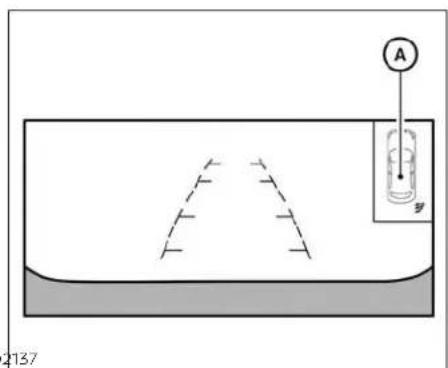
Thesystemindicators Ⓐ willappearwhen thevehiclemovesclosertoanobject.

LSD2820
HOWTOENABLE/DISABLETHE FRONTANDREARSONARSYSTEM
Thesystemisautomaticallyactivated whentheignitionisintheONpositionand theshiftleverisintheR(Reverse)position.
Perform the following step to enable or disable the lesion system:
-
Pressthe ◆ buttonuntil"Settings"appearsinthevehicleinformationdisplay andthenpressOK. Use the ◆ button toselect"DriverAssistance." Thenpress theOKbutton.
-
Select "ParkingAids" and press the OK button.
-
Select "Sensor" and press the OK button, then select "ON", "OFF" or "Front Only" (if so equipped) and press the OK button.
- Select"Display"todisplaytheparking sensorinthevehicleinformationdisplaywhenthesonarsystemactivates.
- Select"Volume"tochangethevolume to"High","Medium",or"Low".
- Select"Range"tochangethesonar distanceto"Near","Mid",or"Far".
5-122Startinganddriving
SONARLIMITATIONS
WARNING
Listedbelowarethesystemlimitations forthesonarsystem.Failureretooperate thevehicleinaccordancewiththese systemlimitationscouldresultinseriousinjuryordeath.
- Thesystemisdeactivatedatspeeds above6mph(10km/h).Itisreactivatedatlowerspeeds.
- Inclementweatherorultrasonic sourcessuchasanautomaticcar wash,atruck'scompressed-air brakesorapneumaticdrillmayaffectthefunctionofthesystem;this mayincludereducedperformanceor afalseactivation.
- The system is not designed to prevent contact with small or moving objects. Always move slowly. The system will not detect small objects below the bumper or on the ground.
- Thesystemmaynotdetectthefollowingobjects:fluffyobjectssuchas snow,cloth,cotton,glass-wool,etc.; thin objects such asrope,wireand chain,etc.;orwedge-shapedobjects.
- Thesystemmaynotdetectobjects atspeedsabove3mph(5km/h)and maynotdetectcertainangular or movingobjects.
- Do not attach stickers (including transparent material), install accessories, or apply anything blocking the sensors. These conditions may reduce the ability of the system.
SYSTEMTEMPORARILY UNAVAILABLE
Whensonarblockageisdetected,thesystemwillbedeactivatedautomatically.
Thesystemisnotavailableuntiltheconditionsnolongerexist.
Thesonarsensorsmaybeblockedbytemporaryambientconditionssuchassplashingwater,mistorfog.Theblockedconditionmayalsobecausedbyobjectssuchas ice, frost or dirt obstructing the sonar sensors.
Actiontotake:
whentheaboveconditionsnolongerexist, thesystemwillresumeautomatically.

SYSTEMMAINTENANCE
Thesonarsensors Ⓐ and Ⓑ arelocated on the front and rear bumpers. Always keep the areanearthesonarsensors clean.
Thesonarsensorsmaybeblockedbytemporaryambientconditionssuchassplashingwater,mistorfog.
COLDWEATHERDRIVING
Theblockedconditionmayalsobecauused byobjectssuchasice,frostordirtob-structingthesonarsensors.
Checkforandremoveobjectssobstructing theareaaroundthesonarsensors.
Donotattachstickers(includingtransparentmaterial),installaccessoriesorapply additionalpaintnearthesonarsensors.
Donotstrikeordamagetheareaaround thesonarsensors.Itisrecommendedthat youvisitaNISSANdealeriftheareaaround thesonarsensorsisdamagedduetoa collision.
FREEINGAFROZENDOORLOCK
Topreventadoorlockfromfreezing,apply de-icerthroughthekeyhole.Ifthelock becomesfrozen,heatthekeybeforeinsertingitintothekeyholeorusetheremotekeylessentryfunctionontheIntelligentKey.
ANTIFREEZE
In the winter when it is anticipated that the temperature will drop below 32^ F ( 0^ C), check the antifreeze to assure proper winter protection. For additional information, see "Enginecoolingsystem" (P.8-4).
BATTERY
If the battery is not fully charged during extremely cold weather conditions, the battery fluid may freeze and damage the battery. To maintain maximum efficiency, the battery should be checked regularly. For additional information, see "Battery" (P.8-14).
DRAININGOFCOOLANTWATER
If the vehicle is left to be left outside without antifreeze, drain the cooling system, including the engine block. Refill before operating the vehicle. For additional information, see "Changing engine coolant" (P.8-5).
TIREEQUIPMENT
- SUMMERtireshaveatreaddesignedto providesuperiorperformanceondry pavement. However, the performance of the setires will be substantially reduced in snowy and icy conditions. If you operate your vehicle on snowy or icy roads, NISSAN recommend the use of MUD & SNOW or ALL SEASON TIRE Son all four wheels. It is recommended that you visit a NISSAN dealer for the tire type, size, speed rating and availability information.
- For additional traction on icy roads, studdedtiresmaybeused. However, some U.S. states and Canadian provinces prohibit their use. Check local, state and province all laws before installing studded tires.
Skidandtractioncapabilitiesofstudded snow tires on wet or dry surfaces may be poorerthanthatofnon-studdedsnow tires.
SPECIALWINTEREQUIPMENT
It is recommended that the following items becarried in the vehicle during winter:
- Ascraperandstiff-bristledbrushtore-moveiceandsnowfromthewindows andwiperblades.
- Asturdy, flatboardtobeplaced under the jacktogiveitfirmsupport.
- Ashoveltodigthevehicleoutof snowdrifts.
- Extrawasherfluidtorefillthewindshield-washerfluidreservoir.
DRIVINGONSNOWORICE

WARNING
Wetice(32°F,0°Candfreezingrain), very cold snow or ice can beslick and very hard to drive on. The vehicle will havemuchlesstraction or "grip" under these conditions. Try to avoid driving on wet ice until the road is saltedorsanded.
- Whateverthecondition,drivewith caution.Accelerateandslowdown withcare.Ifacceleratingordown-shiftingtoofast,thedrivewheelswill loseevenmoretraction.
- Allowmorestoppingdistanceunder theseconditions.Brakingshouldbe startedsoonerthanondrypavement.
-
Allowgreaterfollowingdistanceson slipperyroads.
-
Watchforslipperyspots(glareice). These may appear on otherwise clear road in shaded areas. If a patch of one is seen ahead, brake before reaching it. Try not to break while on the time, and avoid any sudden steering maneuvers.
- Donotusethecruise control on slip-pery roads.
•Snowcantrapdangerousexhaust gasesundryourvehicle.Keepsnow clearoftheexhaustpipeandfrom aroundyourvehicle.
ACTIVENOISECANCELLATION/ACTIVESOUNDCONTROL(ifso equipped)

Frontandrearmicrophones ACTIVENOISECANCELLATION
This system uses the microphones located inside the vehicle to detect engine booming noises. The system then automatically generates noise canceling soundthroughs speakers and wooferto reduce engine booming noise.
NOTE:
Tooperatetheactivenoisecancellationsystemproperly:
-Donotcoverthespeakersorwoofer.
- Donotcoverthemicrophones.
- Donotchangeormodifyspeakersincludingthewooferandanyaudiorelatedcomponentssuchastheamplifier.
- Donotmakeanymodificationincludingsounddeadeningormodifications aroundthemicrophones, speakers, or woofer.
ACTIVESOUNDCONTROL
Activesoundcontrolenhancesexistingenginesoundsaccordingtotheengine speedanddrivingmodesthroughthe speakersandwoofer.
5-126Startinganddriving
6Incaseofemergency
Hazardwarningflasherswitch....6-2
Emergencyengineshutoff....6-2
Flattire....6-3
TirePressureMonitoringSystem
(TPMS) 6-3
Changingaflattire....6-4
Jumpstarting....6-9
Pushstarting....6-11
If your vehicle overheats. 6-11
Towingyourvehicle....6-12
TowingrecommendedbyNISSAN....6-12
Vehiclerecovery(freeingastuck
vehicle)....6-14
HAZARDWARNINGFLASHERSWITCHEMERGENCYENGINESHUTOFF
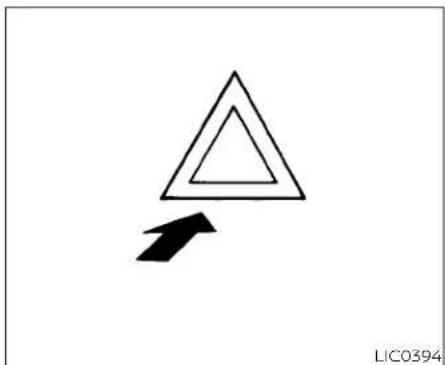
natural_image
Simple geometric diagram showing a triangle with an arrow pointing downward (no text or symbols)Pushtheswitchontowarnotherdrivers whenyoumuststoporparkunderemergencyconditions.Allturnsignallightsflash.
WARNING
- Ifstoppingforanemergency,besure tomovethevehiclewellofftheroad.
- Donotusethehazardwarningflasherswhilemovingonthehighwayunlessunusualcircumstancesforceyoutodrivesoslowlythatyourvehiclemightbecomeahazardtoothertraffic.
·Turnsignalsdonotworkwhenthe hazardwarningflasherlightsareon.
Theflasherswilloperatewiththeignition switchplacedinanyposition.
Somejurisdictionsmayprohibittheuse of thehazardwarningflasherswitch whiledriving.
Toshutofftheengineinanemergency situationwhiledriving,performthefollowingprocedure:
-Rapidlypushthepush-buttonignition switchthreeconsecutivetimesinless than1.5seconds,or
-Pushandholdthepush-buttonignition switchformorethan2seconds.
FLATTIRE
TIREPRESSUREMONITORING SYSTEM(TPMS)
ThisvehicleisequippedwithTPMS.Itmonitorstirepressureofalltiresexceptthe spare. Whentelowtirepressurewarning lightislitandthe"TirePressureLow-Add Air" warningappearsinthevehicleinformationdisplay,oneormoreofyourtiresis significantlyunder-inflated.Ifthevehicleis beingdrivenwithlowtirepressure,the TPMSwillactivateandwarnyouofitbythe lowtirepressurewarninglight.Thissystem willactivateonlywhenthevehicleisdriven atspeedsabove16mph(25km/h).Foradditionalinformation,see"Warninglights, indicatorlightsandaudiblereminders" (P.2-8) and "TirePressureMonitoringSystem(TPMS)" (P.5-5).
WARNING
• Radiowavescouldadverselyaffect electric medicalequipment. Those whoseapacemakershouldcontact the electric medical equipment manufacturerforthepossibleinfluencesbeforeuse.
- Ifthelowtirepressurewarninglight illuminateswhiledriving,avoidsuddensteeringmaneuversorabrupt braking, reducevehiclespeed,pull offthe roadtoa safelocationand stopthevehicleassoonaspossible. Drivingwithunder-inflatedtiresmay permanentlydamage thetiresand increasethelikelihoodoftirefailure. Seriousvehicledamagecouldoccur andmayleadtoanaccidentand couldresultinserious personalinjury.Check the tirepressureforall fourtires.Adjustthetirepressure to therecommendedCOLDtirepressureshownontheTireandLoading Informationlabeltoturnthelowtire pressurewarning lightOFF.Ifthe lightstillilluminateswhiledrivingafteradjustingthetirepressure,atire maybeflatortheTPMSmaybemal-functioning.Ifyouhaveaflattire,replaceitwithasparetireassoonas possible.Ifnotireisflatandalltires are properlyinflated, havethevehicle checked. It is recommended thatyouvisitaNISSANdealerforthis service.
- When using a wheel without the TPMS such asthesparetire, the TPMS will not function and the low tire pressure warning light will flash for approximately 1 minute. Thelight will remain on after 1 minute. Have your tires replaced and/or TPMS system reset as soon as possible. It is recommended that you visit a NISSAN dealer fortheses services.
- Replacingtireswith thoseotoriginallyspecifiedbyNISSANcouldaffect theproperoperationoftheTPMS.
- Donotinjectanytireliquidoraerosol tiresealantintothetires,asthismay causeamalfunctionofthetirepressuresensors.
- Ifthelightstillcomesonwhiledriving after adjusting the tire pressure, a tiremaybeflatortheTPMSmaybe malfunctioning.Ifyouhaveaflattire, replaceitwithasparetireassoonas possible.Ifnotireisflatandalltires are properly inflated, it is recommended that you visit a NISSAN dealerforthisservice.
CHANGINGAFLATTIRE
If you have a flattire, follow the instructions below:
Stoppingthevehicle
- Safelymovethevehicleofftheroadand awayfromtraffic.
- Turnonthehazardwarningflashers.
- Parkonalevel surface and apply the parking brake. MovetheshiftlevertoP (Park).
4.Turnofftheengine. - Raisethehoodtowarnothertraffic and tosignalprofessionalroadassistance personnelthatyouneedassistance.
6.Haveallpassengersgetoutoftheve- hicleandstandinasafeplace,away fromtrafficandclearofthevehicle.
WARNING
- MakesuretheparkingbrakeissecurelyappliedandtheContinuously VariableTransmission(CVT)isshifted intoP(Park).
- Neverchangetireswhenthevehicle isonaslope,iceorslipperyareas. Thisishazardous.
·Neverchangetiresifoncomingtrafficisclosetoyourvehicle.Waitfor professionalroadassistance.

natural_image
Technical illustration of four mechanical components labeled A, B, and a central component (no text or symbols beyond labels)A.Blocks
B.Flattire
Blockingwheels
Placesuitableblocksatboththefrontand backofthewheeldiagonallyoppositethe flattiretopreventthevehiclefrommoving whenitisjackedup.
WARNING
Besuretoblockthewheelasthevehiclemaymoveandresultinpersonal injury.
6-4 Incaseofemergency
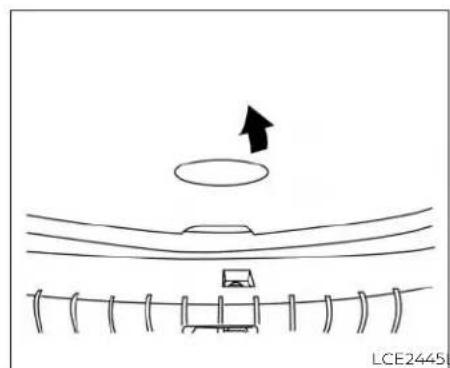
natural_image
Simple line drawing of a mechanical setup with a circular component and a horizontal bar, no text or symbols present.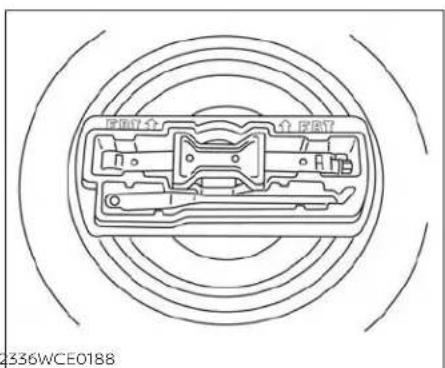
natural_image
Technical line drawing of a mechanical component with concentric circles and internal components (no text or symbols)
natural_image
Technical line drawing of a mechanical component with concentric circles and an inset showing a circular component (no text or symbols)Gettingthesparetireandtools
Openthetrunk.Liftthefloorcarpetingand sparetirecover.
Removethetoolboxfromthesparetire.Turntheclampcounterclockwiseandremoveittoaccessthesparetire.

Jackingupvehicleandremoving thedamagedtire
WARNING
- Nevergetunderthevehiclewhileitis supportedonlybythejack.Ifitisnecessarytoworkunderthevehicle, supportitwithsafetystands.
- Useonlythejackprovidedwithyour vehicletoliftthevehicle.Donotuse thejackprovidedwithyourvehicle onothervehicles.Thejackisdesignedforliftingonlyyourvehicle duringatirechange.
- Usethecorrectjack-uppoints.Never useanyotherpartofthevehiclefor jacksupport.
- Neverjackupthevehiclemorethan necessary.
·Neveruseblocksonorunderthe jack. - Donotstartorruntheenginewhile vehicleisonthejack.Itmaycause thevehicletomove.Thisisespecially true for vehicles with limited slip differentials.
- Donotallow passengerstostayin thevehiclewhileitisonthejack.
- Neverruntheenginewithawheel(s) offtheground.Itmaycausethevehicletomove.
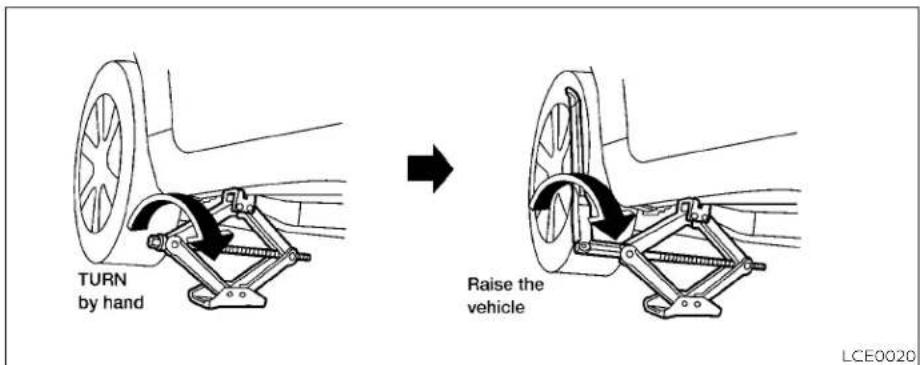
Always referto the illustrations for the correct placement and jack-up points for your specific vehicle model and jack type.
Carefullyreadthecautionlabelattached tothejackbodyandthefollowinginstructions.
-
Looseneachwheelnutoneortwoturns byturningcounterclockwisewiththe wheelnutwrench. Donotremovethe wheelnutsuntilthetireisoffthe ground.
-
Placethejackdirectlyunderthejack-up pointasillustratedsothetopofthejack contactsthevehicleatthejack-uppoint. Alignthejackheadbeenthettwo notchesinthefrontortherearass shown. Alsofitthegrooveofthejack headbetweenthenotchesasshown.
Thejackshouldbeusedonfirmand levelground.
3.Toliftthevehicle,securelyholdthejack leverandrodwithbothhands.Carefully raisethevehicleuntilthetireclearsthe ground.Removethewheelnutsand thenremovethetire.

natural_image
Technical line drawing of a pulley and wheel assembly (no text or symbols)Installingthesparetire
Thesparetireisdesignedforemergency use.Foradditionalinformation,see "Wheelsandtires"(P.8-27).
- Cleananymudordirtfromthesurface betweenthewheelandhub.
- Carefully put the spare tire on and tightenthewheelnutsfingertight.
-
With the wheel nut wrench, tighten wheelnutsalternately and evenly in the sequence illustrated (A, B, C, D, E) until they are tight.
-
Lowerthevehicleslowlyuntilthetire touchestheground. Then, with the wheelnutwrench, tightenthewheel nutssecurelyinthesequenceillustrated (A, B, C, D, E). Lowerthevehicle completely.
WARNING
·Incorrectwheelnutsorimproperly tightenedwheelnutscancausethe wheeltobecomelooseorcomeoff. This could cause an accident.
- Donotuseoilorgreaseonthewheel studsornuts. This could cause the nutstobecomeloose.
- Retightenthewheelnutswhenthe vehiclehasbeendrivenfor600miles (1,000km)(alsoincasesofaflattire, etc.).
Assoonaspossible,tightenthewheel nutstothespecifiedtorquewithatorque wrench.
Wheelnuttighteningtorque: 83ft-lb(113N·m)
The wheelnuts must be kept tightened to specification at all times. It is recommended that wheel nuts be tightened to specifications at each lubrication interval. Adjust tire pressure to the cold pressure.
COLDpressure:Aftervehiclehasbeen parkedfor3hoursormoreordrivenless than1mile(1.6km).
COLDtirepressuresareshownonthe TireandLoadingInformationlabelaffixedtothedriver'sdooropening.
-
Securelystoretheflattireandjacking equipmentinthevehicle.
-
Placethesparetirecoverandthetrunk floorcarpetingoverthedamagedtire.
7.Closethetrunk.
NOTE:
Youmayneedtoremovethewheelcap inordertosecurethedamagedtireusingthesparetireclamp.
WARNING
·Alwaysmakesurethatthesparetire andjackingequipmentareproperly secured after use. Such items can be-comedangerousprojectilesinanaccidentorsuddenstop.
- Thesparetireisdesignedforemergencyuse.Foradditionalinformation, seespecificinstructionunderthe heading"Wheelsandtires"(P.8-27).
JUMPSTARTING
Tostartyourenginewithaboosterbattery, theinstructionsandprecautionsbelow mustbefollowed.
WARNING
- Ifdoneincorrectly,jumpstartingcan leadtoabatteryexplosion,resulting insevereinjuryordeath.itcouldalso damageyourvehicle.
- Explosivehydrogengasisalways presentinthevicinityofthebattery. Keepallsparksandflamesaway fromthebattery.
- Donotallowbatteryfluidtocome intocontactwitheyes,skin,clothing orpaintedsurfaces.Batteryfluidisa corrosivesulfuricacidsolutionwhich cancausesevereburns.ifthefluid shouldcomeintocontactwithanything,immediatelyflushthecontactedareawithwater.
- Keepbatteryoutofthereachof children.
Theboosterbatterymustberatedat 12volts.Useofanimproperlyrated batterycandamageyourvehicle.
·Wheneverworkingonornea battery,alwayswearsuitableeye protectors(forexample,gogglesor industrialsafetyspectacles)and remove rings, metal bands, or any otherjewelry.Donotleanoverthe batterywhenjumpstarting.
- Do not attempt to jump start a frozen battery. It could explode and cause serious injury.
- Your vehicle has an automatic engine cooling fan. It could come on at any time. Keep handsand otherobjects awayfromit.

WARNING
Alwaysfollowtheinstructionsbelow. Failuretodosocouldresultindamage tothechargingsystemandcausepersonalinjury.
- If the booster battery is in another vehicle, position the two vehicle to bring their batteries are each other.
Donotallowthetwovehiclestotouch.
-
Apply the parking brake. Movetheshift leverto P (Park). Switch off all unnecessary electrical systems (lights, heater, air conditioner, etc.).
-
PlacetheignitionswitchintheLOCK position.
-
Connect the jumpercables in these-quence illustrated (A, B, C, D).
CAUTION
·Alwaysconnectpositive(+)topositive(+)andnegative(-)tobody ground(forexample,strutmounting bolt,engineliftbracket,etc.)—notto thebattery.
- Makesurethejumpercablesdonot touchmoving parts inthe engine compartment and that thecable clamps do not contact any other metal.
5.Starttheengineoftheboostervehicle andletitrunforafewminutes.
- Keep the engines speed of the booster vehicle a 2,000 rpmand start the engine of the vehicle being jump started.
CAUTION
Donotkeepthestartermotorengaged formorethan10seconds.Iftheengine doesnotstartrightaway, placetheignitionswitchintheOFFpositionand wait3to4secondsbeforetryingagain.
- After starting the engine, carefully disconnect then negative cable and then the positive cable.
PUSHSTARTING
CAUTION
- ContinuouslyVariableTransmission (CVT)modelscannotbepush-started ortow-started.Attemptingtodoso maycausetransmissiondamage.
- Donotpushstartthisvehicle.The three-waycatalystmaybedamaged.
IFYOURVEHICLEOVERHEATS
If your vehicle is overheating (indicated by an extremely high temperature gauge reading) or if you feel alack of engine power, detect abnormal noise, etc., take the following steps.
WARNING
- Donotcontinuetodriveifyourvehicleoverheats.Doingsocouldcauseenginedamageoravehiclefire.
- To avoid the danger of being scalded, never removether radiator or coolant reservoir cap while the engine is still hot. When the radiator or coolant reserves or cap is removed, pressurized hot water will spurt out possibly causing serious injury.
-
Donotopenthehoodifsteamis comingout.
-
Movethevehiclesafelyofftheroad,applytheparkingbrakeandmovetheshift levertoP(Park).
Donotstoptheengine.
- Turnofftheairconditioner.Openallthe windows, movetheheaterorairconditionertemperaturecontroltomaximum hotandfancontroltohighspeed.
3.Getoutofthevehicle.Lookandlistenfor steamorcoolantescapingfromthe radiatorbeforeopeningthehood.(If steamor coolant isescaping,turnoff theengine.) Donot openthe hoodfurther until no steam or coolant can be seen.
- Opentheenginehood.
WARNING
Ifsteam or wateris comingfromthe engine,stand clear to preventgetting burned.
- Visually check drive belts for damage or looseness. Also check if the cooling fan is running. Theradiator hoses and radiator should not leak water. If coolant is leaking, the water pump belt is missing or loose, orthecooling fandoes not run, stop the engine.
WARNING
Becarefulnottoallowyourhands,hair, jewelry or clothing to come into contact with,orgetcaughtin,enginebelts or the engine cooling fan. The engine cooling fan can start at any time.
TOWINGYOURVEHICLE
- After the engine cools down, check the coolant level in the engine coolant reservoir tank with the engine running. Add coolant to the engine coolant reservoir tank if necessary. Have your vehicle repaired. It is recommended that you visit a NISSAN dealer forth this service.
Whentowingyourvehicle, all State (ProvincialinCanada) and local regulations for towing must be followed. Incorrect towing equipment could damage your vehicle. Towing instructions are available from a NISSAN dealer. Localservice operators are generally familiar with the applicable laws and procedures for towing. To assure propertowing and to prevent accidental damage to your vehicle, NISSAN recommend shaving as service operator to your vehicle. It is advisable to have the service operator carefully read the following precautions:
WARNING
- Neverrideinavehiclethatisbeing towed.
- Nevergetunderyourvehicleafterit hasbeenliftedbyatowtruck.
CAUTION
- When towing, make sure that the transmission, axles, steeringsystem and powertrainare in working condition. If any of these conditions apply, dollies or a flat bed tow truck must be used.
- Alwaysattachsafetychainsbefore towing.
Forinformationabouttowingyourvehicle behindarecreationalvehicle(RV),see"Flattowing"(P.10-19).
TOWINGRECOMMENDED BY NISSAN
NISSANrecommendstowingyourvehicle baseduponthetypeofdrivetrain. For additionalinformation,refertothediagramsin thissectionontoensurethatyourvehicleis properlytowed.

natural_image
Three line drawings of a pickup truck with different car models, shown from different angles (no text or symbols)
LCE2369
Two-WheelDrivemodelswith ContinuouslyVariable Transmission(CVT)
NISSANrecommendsthatyourvehiclebe towedwiththedriving(front)wheelsoffthe groundorplacethevehicleonaflatbed truckasillustrated.
CAUTION
- NevertowCVTmodelswiththefront wheelsonthegroundorfourwheels ontheground(forwardorbackward),asthismaycauseseriousand expensivedamagetothetransmission.Ifitisnecessarytotowthevehiclewiththerearwheelsraisedalwaysusetowingdolliesunderthe frontwheels.
- WhentowingCVTmodelswiththe rearwheelsonthegroundorontow-ingdollies:
-Placetheignitionswitchinthe OFFposition, and secure the steeringwheel in a straight-ahead position with aropeorsimilar device. Never secure the steering wheel by placing the ignition switchintheLOCKposition. This may damage the steering lock mechanism (for models with a steeringlockmechanism).
VEHICLERECOVERY(freeinga stuckvehicle)
WARNING
Toavoidvehicledamage,seriouspersonalinjuryordeathwhenrecoveringa stuckvehicle:
- Contactaprofessionaltowingservicetorecoverthevehicleifyyouhave anyquestionsregardingtherecoveryprocedure.
·Towchainsorcablesmustbeat-tachedonlytomainstructuralmembersofthevehicle.
- Donotusethevehicletie-downsto toworfreeeastuckvehicle.
- Onlyusedevicessspecificallydesignedforvehiclerecoveryandfollowthemanufacturer'sinstructions.
·Alwayspulltherecoverydevice straightoutfromthefrontofthevehicle.Neverpullatanangle.
- Routerecoverydevicessotheydo nottouchanypartofthevehicleexcepttheattachmentpoint.
If your vehicle is stuckins and snow, mud, etc., use atow strap or other device designed specifically for vehiclerecovery. Always follow the manufacturer's instructions for the recovery device.
Rockingastuckvehicle
WARNING
- Standclearofastuckvehicle.
- Donotspinyourtiresathighspeed. This could cause them to explode and result in serious injury. Part of your vehicle could also overheat and bedamaged.
If your vehicle is stuckins and snow, mud, etc., use the following procedure:
- Turnoff the Vehicle Dynamic Control (VDC) system.
-
Makesuretheareainfrontandbehind thevehicleisclearofobstructions.
3.Turnthesteeringwheelrightandleftto clearanareaaroundthefronttires. -
Slowly rock the vehicle forward and backward.
-
ShiftbackandforthbetweenR(Reverse)andD(Drive).
- Apply the accelerator as little as possible to maintain therocking motion.
-Releasetheacceleratorpedalbefore shiftingbetweenR(Reverse)andD (Drive). -
Donotspinthetiresabove35mph(55 km/h).
-
If the vehicle cannot be freed after a few tries, contact a professional towingservicetoremovethe vehicle.
7Appearanceandcare
Cleaningexterior....7-2
Washing....7-2
Waxing....7-3
Removingspots....7-3
Underbody....7-3
Glass. 7 - 3
Aluminumalloywheels....7-4
Chromeparts....7-4
Tiredressings....7-4
Cleaninginterior....7-5
Airfresheners 7-7
Powermoonroof(ifsoequipped).... 7 - 7
Floormats(ifsoequipped).... 7 - 7
Seatbelts 7-9
Corrosionprotection. 7 - 9
Mostcommonfactorscontributingto
vehiclecorrosion 7 - 9
Environmentalfactorsinfluencethe
rateofcorrosion 7-9
Protectyourvehiclefromcorrosion 7-9
CLEANINGEXTERIOR
Inordertomaintaintheappearanceof yourvehicle,itisimportanttotakeproper careofit.
Toprotectthepaintsurfaces, wash your vehicle as soon as you can:
• Afterarainfalltopreventpossibledam-agefromacidrain.
•Afterdrivingoncoastalroads.
- When contaminant such as a soot, bird droppings, trees and metal particles or bugs get on the paints surface.
- Whendustormudbuildsuponthe surface.
Whenever possible, store or park your vehicle inside a garage or in a covered area.
Whenitisnecessarytoparkoutside,parkin ashadyareaorprotectthevehiclewitha bodycover.
Becarefulnottoscratchthepaintsurfacewhenputtingonorremovingthe bodycover.
WASHING
Washdirtoffwithawetspongeandplenty ofwater.Cleanthevehiclethoroughlyusingamildsoap,aspecialvehiclesoapor generalpurposedishwashingliquidmixed withclean,lukewarm(neverhot)water.
CAUTION
- Donotconcentratewaterspraydirectlyonthe sonar sensors(if so equipped)onthebumperasthiswill resultindamagetothesensors.Do notusepressurewasherscapableof sprayingwaterover1,200psi(8,274 kPa) to wash your vehicle. Use of high-pressurewashersover1,200psi (8,274kPa)canresultindamagetoor removalofpaintorgraphics.Avoid usingahigh-pressurewashercloser than12inches(30cm)tothevehicle. Alwaysuseawide-anglenozzleonly, keepthenozzlemovinganddonot concentratethewatersprayonany onearea.
- Donotusecarwashesthatuseacid inthedetergent. Some car washes, especially brushless ones, uses some acid for cleaning. The acid may react with some plastic vehicle components, causing them to crack. This could affect their appearance, and also could cause them not to function properly. Always check with your car was to confirm that a acid is not used.
- Donotwashthevehiclewithstrong householdsoap,strongchemicaldetergents,gasolineorsolvents.
- Donotwashthevehicleindirectsunlightorwhilethevehiclebodyishot, asthesurfacemaybecomewaterspotted.
- Avoidusingtight-nappedorrough cloths,suchaswashingmitts.Care must be taken when removing caked-ondirtorotherforeignsub-stancesothepaintsurfaceisnot scratchedordamaged.
Rinsethevehiclethoroughlywithplentyof cleanwater.
Insideedges, seamsand folds onthe doors,hatchesandhoodareparticularly vulnerabletotheeffectsofroadsalt. Therefore,theseareas mustbecleanedregularly. Takecarethatthedrainholesinthelower edgeofthedoorareopen.Spraywater underthebodyandinthewheelwellsto loosenthedirtandwashawayroadsalt.
Adampchamoiscanbeusedtodrythe vehicletoavoidwaterspots.
7-2 Appearanceandcare
WAXING
Regularwaxingprotectsthepaintsurface and helps retain new vehicle appearance. Polishing is recommended to remove built-up wax residue and to avoid weathered appearance before applying wax.
ANISSANdealercanassistyouinchoosing theproperproduct.
- Waxyourvehicleonlyafterathorough washing.Followtheinstructionssupplied withthewax.
- Donotuseawaxcontaininganyabrasives,cuttingcompoundsorcleaners thatmaydamagethevehiclefinish.
Machine compounding or aggressive polishing on a basecoat/clearcoat paint finish may dull the finish or leaves whirl marks.
REMOVINGSPOTS
Removetarandoilspots,industrialdust, insects,andtreesapasquicklyaspossible fromthesurfaceofthepainttoavoidlastingdamageorstaining.Specialcleaning productsareavailableataNISSANdealer oranyautomotiveaccessorystore.Itis recommendedthatyouvisitaNISSAN dealerfortheseproducts.
UNDERBODY
Inareaswhereroadsaltisusedinwinter,it isnecessarytocleantheunderbodyregularlyinordertopreventdirtandsaltfrom buildingupandcausingtheaccelerationof corrosionontheunderbodyandsuspension.Beforethewinterperiodandagainin thespring.theundersealmustbechecked and,ifnecessary,re-treated.
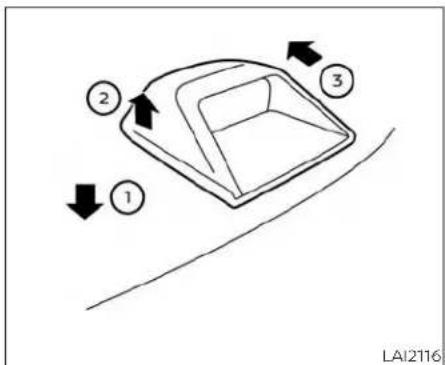
flowchart
graph TD
    A["1"] --> B["2"]
    B --> C["3"]
    C --> D["4"]
    style A fill:#f9f,stroke:#333
    style B fill:#ccf,stroke:#333
    style C fill:#cfc,stroke:#333
    style D fill:#fcc,stroke:#333
GLASS
Whencleaningtherearwindow,Itmaybe easiertocleanifthehigh-mountedstop light(ifsoequipped)isremovedfirst.
Becarefulwhenremovingthehigh-mountedstoplight(ifsoequipped)to reducetheriskofdamagingthehigh-mountedstoplightwires.
Toremovethehigh-mountedstoplight (ifsoequipped):
- Pushdownwardontheplasticshelf aroundthestoplight ①, lift upwards on thestoplight,releasingitfromtheshelf ②.
Appearanceandcare7-3
- Onceitisreleasedfromtheshelf, gently pullthestoplighttowardstherearseat-back ③.
The high-mounted stoplight (if so equipped) must be properly reinstalled before driving your vehicle.
Useglasscleanertoremovesmokeand dustfilmfromtheglasssurfaces.Itisnormalforglasstobecomecoatedwithafilm afterthevehicleisparkedinthehotsun. Glasscleanerandasoftclothwilleasily removethisfilm.
Toreinstallthehigh-mountedstoplight (ifsoequipped), reversesteps ③, then ②.
CAUTION
Whencleaningtheinsideofthewindows,donotusesharp-edgedtools, abrasivecleanersor chlorine-based disinfectantcleaners.Theycoulddamagethelectricalconductors,radioantennaelementsorrearwindowdefoggerelements.
ALUMINUMALLOYWHEELS
Washtewheelsregularlywithasponge dampenedinamildsoapsolution,especiallyduringwintermonthsinareaswhere road salt is used. If not removed, road salt candiscolorthewheels.
CAUTION
Followthedirectionsbelowtoavoid stainingordiscoloringthewheels:
- Donotuseacleanerthatusesstrong acidoralkalicontentstocleanthe wheels.
- Donotapplywheelcleanerstothe wheelswhentheyarehot. Thewheel temperatureshouldbethesameas ambienttemperature.
- Rinsethewheeltocompletelyremovethecleanerwithin15minutes afterthecleanerisapplied.
CHROMEPARTS
Cleanallchromepartsregularlywitha non-abrasivechromepolishtomaintain thefinish.
TIRE DRESSINGS
NISSANdoesnotrecommendtheuseof tire dressings. Tire manufacturers apply a coatingtothetirestohelpreducediscoloration of the rubber. If a tire dressing is appliedtothetires, it may react with the coating and formacompound. This compound may come off the tire while driving and stain the vehicle paint.
If you choose to use a tire dressing, take the following precautions:
- Use a water-based tire dressing. The coating on the tire dissolves more easily than with an oil-based tired dressing.
- Apply a lightcoat oftiredressingto help preventitfromenteringthetiretread/ grooves(whereitwouldbedifficultto remove).
- Wipe off excess tire dressing using a dry towel. Make sure the tire dressing is completely removed from the tire tread/grooves.
- Allowthetiredressingtodryasrecommended by the tire dressing manufacturer.
CLEANINGINTERIOR
Occasionallyremoveloosedustfromthe interiortrim,plasticpartsandseatsusinga vacuumcleanerorsoftbristledbrush.Wipe thevinylandleather(ifsoequipped)surfaceswithaclean,softclothdampenedin mildsoapsolution,thenwipecleanwitha dry,softcloth.
Regularcareandcleaningisrequiredin ordertomaintaintheappearanceofthe leather(ifsoequipped).
Before using any fabric protector, read the manufacturer's recommendations. Some fabric protectors contain chemical that may stain or bleach these at material.
Useaclothdampenedonlywithwaterto cleanthemeterandgaugelens.
WARNING
Donotusewateroracidiccleaners(hot steamcleaners)ontheseat.Thiscan damagetheseatoroccupantclassificationsensor.Thiscanalsoaffectthe operationoftheairbagsystemandresultinseriouspersonalinjury.
CAUTION
- Neverusebenzine, thinnerorany similararmaterial.
-
Smalldirtparticlescanbeabrasive anddamagingtoleathersurfaces andshouldberemovedpromptly.Do notusesaddlesoap,carwaxes,polishes,oils,cleaningfluids,solvents, detergents or ammonia-based cleaners as they may damage the leather'snaturalfinish.
-
Never usefabricprotectors unless recommendedbythemanufacturer.
- Donotuseglassorplasticcleaneron meterorgaugelenscovers.Itmay damagethelenscover.
- Never use chloride solutions for cleaningaluminumdecoratives(ifso equipped),damagemayoccur.
ForAlcantara®(ifsoequipped)
| waterSolubleStainsStainsNotSolubleStains | |||||
| StainCleaning | MethodStainCleaningMethod | IndWaterResistantStains | |||
| IndRepeatasNecessary | Don'tKnowWhatCausedtheStain? | Stain? | |||
| Fruitjuice,jamjelly,syrup,ketchup,chocolate,icecreamandmustard | Useawhitetoweldampedinlukewarmwater,rinsebydabbingwithadampedwitetowelincleanwater. | Makeup(Lipstick,foundation,mascara,eyeshadow),perfume,shoepolish,greaseoroil(ingeneral),grassstain | Rubwithethylalcohol(remembernottorubtoohard),wipewithwaterandrinsebydabbingwithcleanwater. | Repeattreatmentsasoftenasnecessary.Evenstainsthatarenotsolubleinwaterwilloftenrequiretobetreatedwithwaterafterwards. | Treatwithlukewarmwaterfirst,thenrinsebydabbingwithcleanwater.Ifthestainbeginstodissolveinthewater,repeatthetreatmentasoftenasnecessary.Allowtodryandifnecessary,treatwithethylalcohol |
| Blood,eggs,excrementurine | Wipewithwateratroomtemperature,rinsewithcleanwater.Avoidtheuseofwarmwaterbecauseitwillmakethesesub-stancescoagulate. | Chewinggum | Putaplasticbagfulloficeontopofthegum,whenthegumhasbecomehardremovethepieces,thentreatwithethylalcohol. | ||
| Vinegar,tomatosauce,coffeeorhairgel | Pre-treatwithlemonjuice,thenwipewithlukewarmwater,rinsebydabbingwithcleanwater. | ||||
AIRFRESHENERS
Mostairfreshenersuseasolventthat could affectthevehicleinterior.Ifyou useanairfreshener,takethefollowing precautions:
•Hanging-typeairfreshenerscancause permanentdiscolorationwhentheycontactvehicleinteriorsurfaces,Placetheair freshenerinalocationthatallowsitto hangfreeandnotcontactaninterior surface.
•Liquid-typeairfreshenerstypicallyclipon thevents. Theseproductscancauseimmediatedamageanddiscoloration whenspilledoninteriorsurfaces.
Carefullyreadandfollowthemanufacturer'sinstructionsbeforeusingtheair fresheners.
POWERMOONROOF(ifsoequipped)
Thesunshadeismadefromatricot material.
CAUTION
To help prevent damaging the moon-roofwhilecleaning:
- Donotrubthematerialwithacloth. Doingsocandamagethesurfaceof thematerialorcauseastainto spread.
- Neverusebenzine,thinnerorany similarchemicaltocleanthesun-shade.Thismay discolorthemoon-roofanddamagethesurface.
- Cleanwaterbasedstainsbypatting thesurfacewithacleansoftcloth dampenedinwarmwater.Pressa clean dry cloth onto the surface to removeas much dampness aspossibleandthenletairdry.
- Clean oil based stains by patting the surface with a clean soft cloth dampened in warm water. Press a clean dry cloth onto the surfacetoremove as much dampness as possible and then letair dry.

natural_image
Line drawing of a car seat assembly with two seats and a highlighted seat (no text or symbols)FLOORMATS(ifsoequipped)
WARNING
To avoid potential pedal interference that may result in a collision, injury or death:
- NEVERplace afloormatontopof anotherfloormatinthe driverfront positionorinstallthemupsidedown orbackwards.
- UseonlyGenuineNISSANfloormats, orequivalentfloormats, thatare specifically designed for use in your vehiclemodelandmodelyear.
Appearanceandcare7-7
·Properlypositionthematsinthe floorwellusingthefloormatpositioninghook.Foradditionalinformation,see"Floormatinstallation" (P.7-8).
- Makesurethefloormatdoesnotinterferewithpedaloperation.
- Periodically check the floormatsto makesure they are properly installed.
·Aftercleaningthevehicleinterior, checkthefloormatstomakesure theyareproperlyinstalled.
TheuseofGenuineNISSANfloormatscan extendthelifeofyourvehiclecarpetand makeiteasiertocleantheinterior.Mats shouldbemaintainedwithregularcleaningandreplacediftheybecomeexcessivelyworn.
Floor mat installation
Your vehicle is equipped with floormatpositioning hook(s). The number and shape of the floormatpositioning hooks foreach seating position varies depending on the vehicle.
WheninstallingGenuineNISSAN floormats, follow the installation instructions provided with thematandthefollowing:
- With the ignition switch in the OFF position, the shift lever in P(Park) position and with the parking brake fully applied, position the floor mat in the floor well so that the floor mat grommetholes are aligned with the hook(s).
- Secure the grommet holes into the hook(s)andensurethatthefloormatis properlypositioned.
- Make sure the floor mat does not interfere with pedal operation. With the ignition switch still in the OFF position, the shiftlever in the P (Park) position and with the parking brake applied, fully apply and release all pedals. The floor mat must not interfere with pedal operation or prevent the pedal from returning to its normal position.
It is recommended that you visit a NISSAN dealer for details about installing the floor matsinyourvehicle.
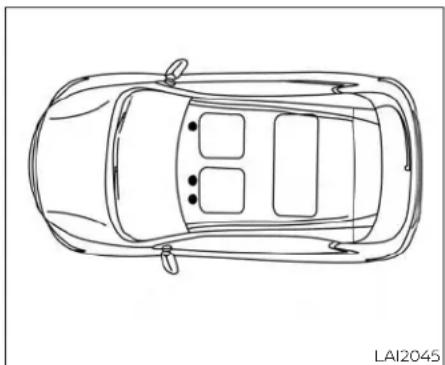
natural_image
Top-down line drawing of a car showing front and rear views (no text or symbols)Positioninghooks
The illustrations show the location of the floormat positioning hooks.
CORROSIONPROTECTION
SEATBELTS
Theseatbeltscanbecleanedbywiping themwithaspongedampenedinamild soapsolution.Allowthebeltstodrycompletelyintheshadebeforeusingthem.For additionalinformation,see"Seatbeltmaintenance"(P.1-18).
WARNING
Donotallowwetseatbeltstorollupin theretractor.NEVERusebleach,dyeor chemicalsolventstocleantheseat belts,sincethesematerialsmayseverelyweakentheseatbeltwebbing.
MOSTCOMMONFACTORS CONTRIBUTING TO VEHICLE CORROSION
Mostvehiclecorrosioniscausedby:
•The accumulation of moisture-retaining dirt and debris in body panel sections, cavities, and other areas.
- Damagetopaintandotherprotective coatingscausedbygravelandstone chipsorminortrafficcollisions.
ENVIRONMENTALFACTORS INFLUENCETHERATE OF CORROSION
Moisture
Accumulation of sand, dirt and water on the vehicle body underside can accelerate corrosion. Wet floor coverings will not dry completely inside the vehicle and should be removed for drying to avoid floor panel corrosion.
Relativehumidity
Corrosionwillbeacceleratedinareas of highrelativehumidity,especiallythose areaswherethetemperaturesstayabove freezingandwhereatmosphericpollution existsandroadsaltisused.
Temperature
Hightemperaturesacceleratetherate of corrosion to those parts which are not well ventilated.
Airpollution
Industrial pollution, the presence of salt in the air incoastalareas, or heavy roadsalt use accelerates the corrosion process. Road salt also accelerates the disintegration of paintsurfaces.
PROTECT YOUR VEHICLE FROM CORROSION
- Washandwaxyourvehicleoftentokeep thevehicleclean.
•Alwayscheckforminordamagetothe paintandrepairitassoonaspossible.
- Keepdrainholesatthebottomofthe doorsopentoavoidwateraccumulation.
- Checktheunderbodyforaccumulation of sand, dirt or salt. If present, wash with water as soon as possible.
CAUTION
- NEVERremovedirt, sandorotherdebrisfrom the passenger compartment by washing it out with a hose. Removedirt with a vacuum cleaner orbroom.
·Neverallowwaterorotherliquidsto comeincontactwithelectroniccomponentsinsidethevehicleasthis maydamagethem.
Chemicalsusedforroadsurfacede-icing areextremelycorrosive. Theyaccelerate corrosionanddeteriorationofunderbody componentssuchastheexhaustsystem, fuelandbrakellines,brakecables,floorpan andfenders.
Inwinter, the underbody must be cleaned periodically.
For additional protection against trust and corrosion, which may be required in some areas, it is recommended that you consult a NISSAN dealer.
7-10 Appearanceandcare
8Do-it-yourself
Maintenance precautions 8 - 2
Enginecompartmentchecklocations. 8 - 3
Enginecoolingsystem. 8 - 4
Checkingenginecoolantlevel. 8 - 5
Changingenginecoolant. 8 - 5
Engineoll 8-6
Checkingengineoillevel....8-6
Changingengineoilandollfilter 8 - 7
ContinuouslyVariableTransmission(CVT)
fluid 8-11
PowerSteeringFluid(PSF)....8-11
Brakefluid. 8-12
Windshield-washerfluid. 8-12
Windshield-washerfluidreservoir....8-12
Battery 8-14
Jumpstarting....8-15
Drivebelt 8-16
Sparkplugs 8-16
Replacingsparkplugs....8-16
Aircleaner 8-17
In-cabinmicrofilter....8-17
Windshieldwiperblades....8-18
Cleaning....8-18
Replacing....8-18
Brakes 8-19
Fuses 8-20
Engine compartment 8-20
Passengercompartment 8-21
Battery replacement 8-22
NISSAN Intelligent Key ^® 8-22
Lights 8-24
Headlights 8-24
Frontpark/turnsignal/sidemarker
light 8-24
Fog lights (if so equipped) 8-24
Exterior and interior lights 8-25
Wheelsandtires....8-27
Tirepressure....8-27
Tirelabeling 8-32
Types of tires 8-35
Tire chains 8-36
Changing wheels and tires 8-36
MAINTENANCEPRECAUTIONS
When performing any inspection or maintenance work, your vehicle, always stake care to prevent serious accident in injury to yourself, damage to the vehicle. The following are general precautions which should be closely observed.
WARNING
·Parkthevehicleonalevelsurface, applytheparkingbrakesecurely and blockthewheelstoppreventthevehiclefrommoving.MovetheshiftlevertoP(Park).
- Besuretheignitionswitchisinthe OFForLOCKpositionwhenperforminganypartsreplacementorrepairs.
- If you must work with the engineer running, keep your hands, clothing, hair and tools away from moving fans, belts and any other moving parts.
- Itisadvisabletosecureorremove anylooseclothingandremoveany jewelry,suchasrings,watches,etc. beforeworkingonyourvehicle.
·Alwaysweareyeprotectionwhen-everyouworkonyourvehicle.
-Yourvehicleisequippedwithanautomaticenginecoolingfan.itmay comeonatanytimewithout warning,eveniftheignitionswitchis intheOFFpositionandtheengineis notrunning.Toavoidinjury,always disconnectthenegative battery cablebeforeworkingnearthefan.
- If you must run the engine in an enclosedspacesuchasagarage,be surethereisproperventilationfor exhaustgasestoescape.
·Nevergetunderthevehiclewhileitis supportedonlybyajack.Ifitisnecessary to work under the vehicle, supportitwithsafetystands.
- Keepsmokingmaterials,flameand sparks away from the fuel tank and battery.
- Ongasoline enginemodels, the fuel filter or fuelliness should be serviced. It is recommended that you visit a NISSAN dealer for this service because the fuellines are under high pressure even when the engine is off.
CAUTION
- Donotworkunderthehoodwhile theengineishot.Turntheengineoff andwaituntilcoolsdown.
- Avoidcontactwithusedengineoil and coolant. Improperly disposed engine oil, engine coolant and/or other vehicle fluids can damage the environment. Alwaysconform tolo-calregulationsfordisposalofvehicle fluid.
- Never leave the engine or the transmission relatedcomponentharness connectordisconnectedwhiletheignitionswitchisintheONposition.
- Neverconnectordisconnectthebattery or any transistorized componentwhiletheignitionswitchisin theONposition.
This "Do-it-yourself" section gives instructions regarding only those items which are relatively easy for an owner to perform.
AGenuineNISSANservicemanualisalso available. For additional information, see "Owner's Manual/ServiceManual orderinformation" (P.10-23).
ENGINECOMPARTMENTCHECK LOCATIONS
Youshouldbeawarethatincompleteor improperservicingmayresultinoperating difficultiesorexcessiveemissions,and couldaffectwarrantycoverage.Ifindoubt aboutanyservicing,itisrecommended thatyouhaveitdonebyaNISSANdealer.

3.5L6cylinder(VQ35DEengine model)
- Enginecoolantreservoir
2.Drivebeltlocation
-
Engineoilfillercap
-
Brakefluidreservoir
5.Aircleaner
6.Fusebox
7.Fusebox/Fusiblelinks
Do-it-yourself8-3
Yourvehiclemaynotbeequipped withanenginecover.
The enginecoolingsystem is filled at the factory with apre-diluted mixture of 50% GenuineNISSANLongLifeAntifreeze/ Coolant(blue) and 50% watertoprovide year-round antifreeze and coolant protection. The antifreeze solution contains rustand corrosion inhibitors. Additional enginecoolingsystem additives are not necessary.
WARNING
- Never remove the radiator or coolant reservoir capwhenthe engineishot. Wait until the engine and radiator cooldown.Serious burns could be causedbyhighpressurefluidescaping from the radiator. For additional information, see "If your vehicle overheats"(P. 6-11).
- The radiator is equipped with a pressure type radiator cap. To prevent enginedamage, use only a Genuine NISSANradiatorcap.
CAUTION
- Never use any cooling system additives such as radiatorsealer. Additives may clog the cooling system and cause damage to the engine, transmission and/or cooling system. - When adding or replacing coolant, be suretouseonlyGenuineNISSAN Long Life Antifreeze/Coolant (blue) or equivalent. GenuineNISSAN Long LifeAntifreeze/Coolant (blue) is prediluted to provide antifreeze protection to -34° F(-37°C). If additional freeze protection is needed due to weather where you operate your vehicle, add Genuine NISSAN LongLife Antifreeze/Coolant (blue) concentrate following the directions on the container. If an equivalent coolant other than GenuineNISSANLongLife Antifreeze/Coolant (blue) is used, follow the coolant manufacturer's instruction to maintain minimum antifreeze protection to -34° F (-37°C). The use of their types of coolant solutions other than GenuineNISSAN Long Life Antifreeze/Coolant (blue) or equivalent may damage the engine cooling system.
T helifeexpectancyofthefactory-fill coolantis105,000miles(168,000km) or7years.Mixinganyothertype of coolantotherthanGenuineNISSAN LongLifeAntifreeze/Coolant(blue)(or equivalentcoolant),includingGenuine NISSANLongLifeAntifreeze/Coolant (green),ortheuseofnon-distilledwatermayreducethelifeexpectancy of thefactory-fillcoolant.Foradditional information,seethe"Maintenance and schedules"sectionofthismanual.

natural_image
Mechanical component diagram showing fluid flow path with labeled parts A and B (no text or symbols beyond labels)Check the coolant level in the reservoir when the engine is cold, if the coolant levels below the MIN level, add coolant to the MAX level. If there is reservoir empty, check the coolant level in the radiator when the engine is cold. If there is insufficient coolant in the radiator, fill the radiator with coolant up to the filler opening and also add to the reservoir up to the MAX level.
ThisvehiclecontainsGenuineNISSANLong LifeAntifreeze/Coolant(blue).Thelifeepectancyofthefactory-fillcoolantis 105,000miles(168,000km)or7years.Mixing anyothertypeofcoolantortheuseof non-distilledwaterwillreducethelifeepectancyofthefactory-fillcoolant.Foradditionalinformation,seethe"Maintenance andschedules"sectionofthismanual.
If thecoolingsystemfrequentlyrequires coolant, it is recommended that you visit aNISSANdealerforthisservice.
For additional information on the location of the engine coolant reservoir, see "Engine compartment check locations" (P.8-3).
CHANGINGENGINECOOLANT
ANISSANdealercanchangetheengine coolant. The service procedure can be foundintheNISSANServiceManual.
Improperservicingcanresultinreduced heater performance and engine overheating.
ENGINEOIL
WARNING
• To avoid the danger of being scalded, never changethe coolant when the engine is shot.
·Neverremovetheradiatorcapwhen theengineishot.Seriousburnscould becausedbyhighpressurefluidescapingfromtheradiator.
- Avoiddirectskincontactwithused coolant.Ifskincontactismade, washthoroughlywithsoaporhand cleanerassoonaspossible.
- Keepcoolantoutofthereachofchildrenandpets.
Enginecoolantmustbedisposedofproperly.Checkyourlocalregulations.

natural_image
Technical line drawing of a mechanical assembly with no visible text or symbolsCHECKINGENGINEOILLEVEL
- Parkthevehicleonalevelsurface and applytheparkingbrake.
2.Starttheengineandletitidleuntil reachesoperatingtemperature. - Turnofftheengine. Waitmorethan10 minutesfortheoiltodrainbackinto theoilpan.
- Removethedipstick and wipeitclean. Reinsertitalltheway.

-
Removethedipstickagainandcheck theoillevel.ItshouldbebetweentheH (High)andL(Low)marks Ⓐ. Thisisthe normaloperatingoillevelrange.Iftheoil levelisbelowtheL(Low)mark Ⓐ, removetheoilfillercapandpourrecommendedoilthroughtheopening Donot overfill Ⓐ.
-
Recheckoillevelwiththedipstick. Itisnormaltoaddsomeoilbetweenoil maintenanceintervalsorduringthe break-inperiod,dependingontheseverityofoperatingconditions.
CAUTION
Oillevelshouldbecheckedregularly. Operatingtheenginewithaninsufficientamountofoilcandamagetheengine,andsuchdamageisnotcovered bywarranty.
CHANGINGENGINEOILANDOIL FILTER
For additional information on engine oil and oil filter change, referto the instructions outlined in this section.
Vehicleset-up
- Parkthevehicleonalevelsurface and applytheparkingbrake.
- Runtheengine until it reaches operating temperature.
3.Turntheengineoffandwaitfor15 minutes. - Raise and support the vehicle using a suitable floor jack and safety jack stands.
- Placethesafetyjackstandsunderthe vehiclejack-uppoints. - Asuitableadaptersshouldbeattachedto thejackstandsaddle.
CAUTION
Makesurethecorrectliftingandsupportpointsareusedtoavoidvehicle damage.
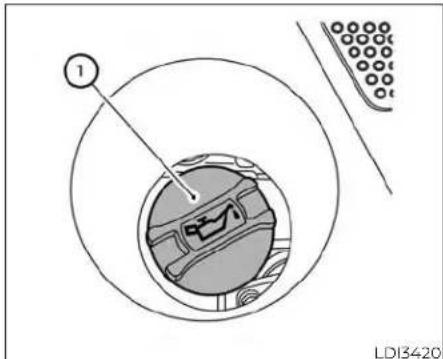
Oilfillercap

② Oildrainplug

natural_image
Technical line drawing of a vehicle engine assembly with hoses and components (no text or symbols)③ Oilfilter

natural_image
Technical line drawing of an engine assembly with no visible text or symbols④ Underengineprotector
8-8 Do-it-yourself
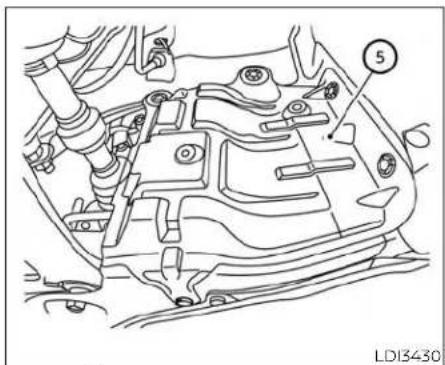
⑤ Rightengineprotector
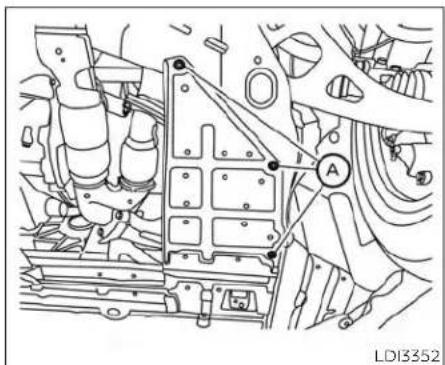
natural_image
Technical line drawing of an engine assembly with labeled component A (no text or symbols beyond label)Under-engineprotector
Removalofengineprotectors
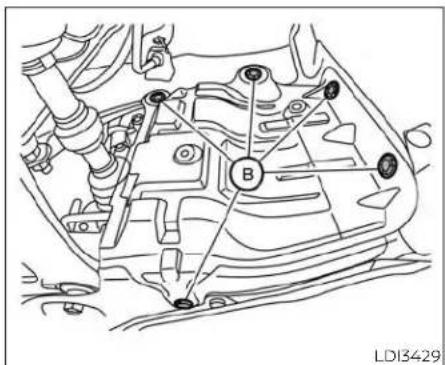
Rightengineprotector
-
Removeclips protector. Ⓐ andunderengine
-
Removeclips protector. ® andrightengine
Engineoilandfilter
- Placealargedrainpanunderthedrain plugandoilfilter.
2.Removetheoilfillercap. - Removethedrainplugwithawrenchby turningitcounterclockwiseandcompletelydraintheoil.
CAUTION
Becarefulnottoburnyourself,asthe engineoilishot.
WARNING
·Prolongedandrepeatedcontact withusedengineoilmaycauseskin cancer.
- Trytoavoiddirectskincontactwith usedoil.ifskincontactismade,wash thoroughlywithsoaporhand cleanerassoonaspossible.
- Keepusedengineoiloutofreachof children.
- Loosentheoilfilterwithanoilfilter wrenchbyturningitcounterclockwise. Removetheoilfilterbyturningitbyhand.
5.Wipetheengineoilfiltermountingsurfacewithacleanrag.
CAUTION
Besuretoremoveanyoldgasketmaterialremainingonthesealingsurface of the engine. Failure to do so could leadtoanoilleakandengine damage.
• Thedipstickmustbeinsertedin placetopreventoilspillagefromthe dipstickholewhenfillingtheengine withoil.
- Coat the gasket on the new filter with cleanengineoil.
- Screw in the oil filter clockwise until a slight resistance felt, thentighten additionally more than 2/3 turn.
Oilfiltertighteningtorque: 11to15ft-lb(14.7to20.6N·m)
- Cleanandre-installthedrainplugwitha newwasher. Securelytightenthedrain plugwithawrench. Donotuseexcessiveforce.
Drainplugtighteningtorque: 22to29ft-lb(29.4to39.2N·m)
- Refill the engine with there recommended oil through the oil filler opening, and install the oil filler cap securely.
For additional information about drain and refill capacity, see "Recommended fluids/lubricants and capacities" (P. 10-2). The drain and refill capacity depends on the oil temperature and drain time. Use these specifications for reference only. Always use the dipstick to determine the proper amount of oil in the engine.
10.Starttheengineandcheckforleakage aroundthedrainplugandtheoilfilter. Correctasrequired.Turntheengineoff andwaitmorethan15minutes.Check theoil levelwiththedipstick.Addengineoilifnecessary.
Aftertheoperation
- Reinstallengineprotectorsinreverseorderofremoval.
- Lowerthevehiclecarefullytotheground.
- Reset oil and oil filter maintenance reminder. For additional information, see "Vehicleinformationdisplay" (P.2-17).
- Disposeofwasteoilandfilterproperly.
- Checkyourlocalregulations.
8-10 Do-it-yourself
CONTINUOUSLYVARIABLE TRANSMISSION(CVT)FLUID
CAUTION
·NISSANrecommendsusingGenuine NISSANCVTFluidNS-3(orequivalent)ONLYinNISSANCVTs.Donotmix withotherfluids.
- DonotuseAutomaticTransmission Fluid(ATF)ormanualtransmission fluidinaNISSANCVT,asitmaydamagetheCVT.Damagecausedbythe useoffluidsotherthanasrecommendedisnotcoveredunder NISSAN'sNewVehicleLimitedWarrantyoutlinedinyourWarrantyInformationBooklet.
- Usingfluidsthatarenotequivalent toGenuineNISSANCVTFluidNS-3 mayalsodamagetheCVT.Damage causedbytheuseoffluidsotherthan asrecommendedisnotcoveredunderNISSAN'sNew VehicleLimited WarrantyoutlinedinyourWarranty InformationBooklet.
WhencheckingorreplacementofCVTfluid isrequired,itisrecommendedthatyouvisit aNISSANdealerforthisservice.
Ifthefluidisbelow the MIN ⑧ line, add Genuine NISSAN E-PSF or equivalent. Removethecapandfillthroughtheopening.
WARNING
Powersteeringfluidispoisonousand should bestoredcarefullyinmarked containersoutofthereachofchildren.
CAUTION
·DONOTOVERFILL.
- Useofapowersteeringfluidother thanGenuineNISSANE-PSForequivalentwillpreventthepowersteering systemfromoperatingproperly.
BRAKEFLUID
WINDSHIELD-WASHERFLUID

For additional information on brake fluid specification, see "Recommended fluids/lubricants and capacities" (P.10-2).
WARNING
- Useonlynewfluidfromasealedcontainer.Old,inferiororcontaminated fluidmaydamagethebrakesystem. Theuseofimproperfluidscandamagethebrakesystemandaffectthe vehicle'sstoppingability.
- Cleanthefillercapbeforeremoving.
- Brakefluidispoisonousandshould bestoredcarefullyinmarkedcontainersoutofreachofchildren.
CAUTION
Donotspillthefluidonanypaintedsurfaces. This will damage the paint. If fluid is spilled, immediately wash the surface with water.
Checkthefluidlevelinthereservoir.Ifthe brakefluidisbelowtheMINline ^® ,the brakewarninglightwillilluminate.Add brakefluiduptotheMAXline ^® .Foradditionalinformationonrecommendedtype of brake fluid, see "Recommended fluids/lubricantsandcapacities"(P.10-2).
If the brake fluid must be added frequently, the brakes system should be thoroughly checked. It is recommended that you visit a NISSAN dealer for this service.

natural_image
Mechanical component diagram showing a lever mechanism with no visible text or symbolsWINDSHIELD-WASHERFLUID RESERVOIR
Fillthewindshield-washerfluidreservoir periodically.Addwindshield-washer fluid whenthe"LowWasherFluid"warningmessage shows on the vehicle information display.
Tofillthewindshield-washerfluidreservoir, liftthecapoffthereservoirandpourthe windshield-washerfluidintothe reservoir opening.
Addawashersolventtothewasherfor bettercleaning.Inthewinterseason,adda windshield-washerantifreeze.Followthe manufacturer'sinstructionsforthemix-tureratio.
Refillthereservoirmorefrequentlywhen drivingconditionsrequireanincreased amountofwindshield-washerfluid.
RecommendedfluidisGenuineNISSAN WindshieldWasherConcentrateCleaner& Antifreezeorequivalent.
- Pre-mixwasherfluidconcentrates withwatertothemanufacturer's recommendedlevelsbeforepouring thefluidintothewindshield-washer fluid reservoir. Do not use the windshield-washerfluidreservoir to mixthewasherfluidconcentrate and water.
CAUTION
- Donotsubstituteengineantifreeze coolantforwindshield-washerfluid. Thismayresultindamagetothe paint.
- Donotfillthewindshield-washer fluidreservoirwithwasherfluidconcentratesatfullstrength.Some methylalcoholbasedwasherfluid concentratesmaypermanentlystain thegrilleifspilledwhilefillingthe windshield-washerfluidreservoir.
BATTERY
| CautionsymbolsforbatteryWARNING | △ | ||
| 1 |  | Nosmoking,Noexposedflames,No Sparks | Donotexposethebatterytoelectricalsparks,flamesorsmoking.Hydrogengasgeneratedbythe batteryisexplosive.Explosivegasescancauseblindnessorinjury. |
| 2 |  | Shieldeyes | Handlethebatterycautiously.Alwaysweareyeprotectionglassestoprotectagainstexplosionor batteryacid. |
| 3 |  | KeepawayfromchildrenNeverallowchildrentohandlethebattery.Keepthebatteryoutofthereachofchildren. | |
| 4 |  | Batteryacid | Donotallowbatteryfluidtocontactyourskin,eyes,fabrics,orpaintedsurfaces.Sulfuricacidcan causeblindnessorsevereburns.Afterhandlingthebatteryorbatterycap,donottouchorrub youreyes.Thoroughlywashyourhands.Iftheacidcontactsyoureyes,skinorclothing,immediatelyflushwithwaterforatleast15minutesandseekmedicalattention.Batteryfluidisacid.Ifthe batteryfluidgetsintoyoureyesorontoyourskin,itcouldcauselossofyoureyesightorburns. |
| 5 | [HBW3] | Note operating instructions | Before handling the battery, read this instruction carefully to ensure correct and safe handling. |
| 6 |  | Explosivegas | Hydrogengasgeneratedbybatteryfluidisexplosive.Explosivegasescancauseblindnessor injury. |
- If the battery is labeled "donotopen" it is maintenance free and battery fluid should not be checked. It is recommended that you visit a NISSAN dealer or qualified specialist workshop to confirm the battery's performance.
- Keepthebatterysurfacecleananddry. Cleanthebatterywithasolutionofbakingsodaandwater.
- Make certaintytheterminalconnections arecleanandsecurelytightened.
- If the vehicle is not to be used for 30 days or longer, disconnect then negative (-) battery terminal cable to prevent discharge.
NOTE:
Careshouldbetakentoavoidsituations thatcanleadtopotentialbatterydischargeandpotentialno-startconditions suchas:
- Installation or extended use of electronicaccessoriesthatconsumebatterypowerwhentheengineisnot running(Phonechargers,GPS,DVD players,etc.)
- Vehicle is not driven regularly and/or only drivenshort distances.
Inthesecases, the battery may need to be charged to maintain battery health.
WARNING
- Donotexposethebatterytoflames, anelectricalsparkoracigarette.Hydrogengasgeneratedbythebattery is explosive. Explosive gases can causeblindnessorinjury.Donotallowbatteryfluidtocontactyourskin, eyes,fabricsorpaintedsurfaces.Sulfuricacidcancauseblindnessorinjury.Aftertouchingabatteryorbatterycap, donot touchorrub your eyes.Thoroughlywashyourhands.If theacidcontactsyoureyes,skinor clothing,immediatelyflushwithwaterforatleast15minutesandseek medicalattention.
- Whenworkingonornearabattery, alwayswearsuitableeyeprotection andremovealljewelry.
- Batteryposts,terminalsandrelated accessoriescontainleadandlead compounds. Wash hands after handling.
- Keepbatteryoutofthereachof children.
- Donottipthebattery.

natural_image
Line drawing of an electronic component with battery housing and mounting feet (no text or symbols)NOTE:
Donottrytoopenthetopofthebattery.
This battery is not equipped with removable events.
JUMPSTARTING
Ifjumpstartingisnecessary,see"Jump starting"(P6-9).Iftheenginedoesnotstart byjumpstarting,thebatterymayhaveto bereplaced.Itlsrecommendedthatyou visitaNISSANdealerforthisservice.
DRIVEBELT
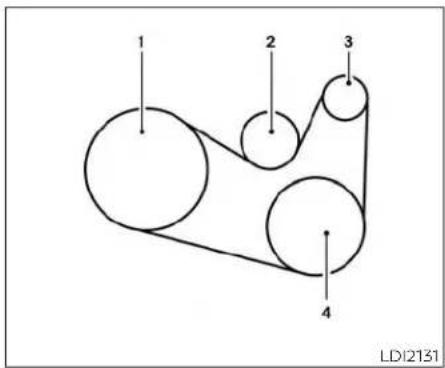
1.Crankshaftpulley
2.Drivebeltautomatictensionerpulley
3.Generatorpulley
4.Airconditionercompressorpulley
WARNING
Besuretheignitionswitchisplaced in theOFFForLOCKpositionbeforeservicingdrivebelt.Theenginecouldrotate unexpectedly.
- Visually inspect the belt for sign of unusual wear, cuts, fraying or looseness. If the belt is in poor condition or loose, have it replaced or adjusted. It is recommended that you visit a NISSAN dealer forthisservice.
2.Havethebeltcheckedregularlyforconditionandtensioninaccordancewith themaintenanceschedulefoundinthe "Maintenanceandschedules"sectionof thismanual.
SPARKPLUGS

REPLACINGSPARKPLUGS
Iridium-tippedsparkplugs
Itisnotnecessarytoreplaceiridium-tipped A sparkplugsasfrequentlyasconventionaltypesparkplugsbecausethey lastmuchlonger.Followthemaintenance logshowninthe"Maintenanceandschedules"sectionofthismanual.Donotservice iridium-tippedsparkplugsbycleaningor regapping.
·Alwaysreplacesparkplugswithrecommendedorequivalentones.
AIRCLEANER
WARNING
Besuretheengineandignitionswitch areoffandthattheparkingbrakeis engagedsecurely.
CAUTION
Besuretousethecorrectsockettore-movethesparkplugs.Anincorrect socketcandamagethesparkplugs.
Ifreplacementisrequired,itisrecommendedthatyouvisitaNISSANdealerfor thisservice.

natural_image
Technical line drawing of an engine component with a black arrow indicating a specific part (no text or symbols present)Theaircleanerfiltershouldnotbecleaned and reused.Replaceitaccordingtothe maintenancelogshowninthe"Maintenanceandschedules"sectionofthis manual.whenreplacingthefilter,wipethe insideoftheaircleanerfilterhousingand theoverwithadampcloth.
Toremovetheaircleanerfilter:
- Unlatchtheclips Ⓐ andmovetheair cleanercoverupward.
- Removetheaircleanerfilter.
• Wipetheinsideoftheaircleanerfilter housingandcoverwithadampcloth.
WARNING
- Operatingtheenginewiththeair cleanerremovedcancauseyouor otherstobeburned.Theaircleaner notonlycleanstheair,itstopsthe flame if the engine backfires. If it isn't there,andthe enginebackfires,you couldbeburned.Donotdrivewith theair cleanerremoved, andbe carefulwhenworkingontheenginewith theaircleanerremoved.
- Never pour fuel into the throttle body or attempt to start the engine with theaircleanerremoved.Doingso couldresultinserious injury.
IN-CABINMICROFILTER
Thein-cabinmicrofilterrestrictstheentry of airborne dust and pollen particles and reduces some objectionable outside odors. Thefilterislocatedbehindtheglove box. For additional information, seethe "Maintenanceandschedules" section of this manual.
Ifreplacementisrequired,itisrecommendedthatyouvisitaNISSANdealerfor thisservice.
WINDSHIELDWIPERBLADES
CLEANING
If your windshield is not clear after using the windshield-washer or if a wiper blade chatters when running, wax or other material may be on the blade or windshield.
Cleantheoutsideofthewindshieldwitha washersolutionoramilddetergent.Your windshielddiscleanifbeadsdonotform whenrinsingwithclearwater.
Cleaneachbladebywipingitwithacloth soakedinawashersolutionoramildde-tergent. Thenrinsethebladeswithclear water. If your windshield is still not clear aftercleaningtheblades and using the wiper, replace the blades.
CAUTION
Wornwindshieldwiperbladescandam- agethewindshieldandimpairdriver vision.

LDI2757
REPLACING
Replacethewiperbladesiftheyareworn.
Toreplacethewindshieldwiperblades, follow the procedure below:
- Lift the wiper arm away from the windshield.
2.Pushthereleasetab
3.Movethe wiperblade ④ downand remove. - Insertthenewwiperbladeontothe wiperarmuntilclicksintoplace.
5.Pushwiperontowindshield.
CAUTION
- Afterwiperbladereplacement,returnthewiperarmtoitsoriginalposition;otherwiseitmaybedamaged whenthehood is opened.
- Makesurethewiperbladescontact theglass; otherwisethearms maybe damaged from windpressure.
BRAKES

Ifyouwaxthesurfaceofthehood,becarefulnottoletwaxgetintothewashernozzle D.Thismaycausecloggingorimproper windshield-washeroperation.Ifwaxgets intothenozzle,removeitwithaneedleor smallpin Q.
Ifthebrakesdonotoperateproperly,have thebrakeschecked.Itisrecommended thatyouvisitaNISSANdealerforth this service.
Self-adjustingbrakes
Your vehicle is equipped with self-adjusting brakes.
Thefrontandreardisc-typebrakeself-adjusteverytimethebrakepedalisapplied.
WARNING
Haveyourbrakesystemcheckedifthe brakepedalheightdoesnotreturnto normal.itisrecommendedthatyou visitaNISSANdealerforthisservice.
Brakepadwearindicators
Thediscbrakepadsonyourvehiclehave audiblewearindicators.Whenabrakepad requiresreplacement,ahighpitched scrapingorscreechingsoundwillbeheard whenthevehicleisinmotion.Thenoisewill beheardwhetherornotthebrakepedalis depressed. Havethebrakescheckedas soonas possibleif thewear indicator soundisheard.
Undersomedrivingorclimateconditions, occasionalbrakesqueak,squealorother noisemay beheard.Occasionalbrake noise during light to moderate stops is normal and does not affect the function or performanceofthebrakesystem.
Proper brakeinspectionintervalsshould befollowed.Foradditionalinformationregardingbrakeinspections,seetotheappropriatemaintenancescheduleinformation inthe"Maintenanceandschedules" sectionofthismanual.
FUSES

natural_image
Technical line drawing of a mechanical component with mounting holes and internal channels (no text or symbols)LDI2385LDI2636

natural_image
Technical line drawing of a mechanical assembly with no visible text or symbolsIfanyelectrical equipment does not operate, check for an open fuse.
Fusesareusedinthepassengerandenginecompartment.Sparefusesareprovidedandcanbefoundinthepassengercompartmentfusebox.
When installing afuse makes sure the fuse is installed in the fuse box securely.
ENGINECOMPARTMENT
WARNING
Neveruseafuseofahigherorlower amperageratingthanthatspecified on thefuseboxcover. This could damage the electrical system more electronic control units or cause a fire.
Ifanyelectricalequipmentdoesnotcome on,checkforanopenfuse.
-
BesuretheignitionswitchandtheheadlightswitchareintheOFFposition.
-
Opentheenginehood.
-
Removethefuseboxcoverbypushing thetabandliftingthecoverup.
-
Removethefusewiththefusepuller. Thefusepullerislocatedinthecenter ofthefuseblockinthepassenger compartment.
8-20Do-it-yourself

-
If the fuse is open new fuse Ⓑ.
Ⓐ,replaceitwitha -
Ifanewfusealsoopens, havetheelectricalsystemcheckedandrepaired. It is recommended that you visit a NISSAN dealer for this service.
Fusiblelinks
If the electricalequipment does not operate and fuses are good condition, check the fusible links. If any of these fusible links are melted, replace with only Genuine NISSAN parts.
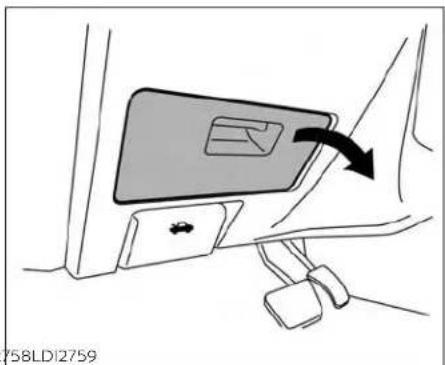
PASSENGERCOMPARTMENT
WARNING
Neveruseafuseofahigherorlower amperageratingthanthatspecified on thefuseboxcover. This could damage the electrical system more electronic control units or cause a fire.
Ifanyelectricalequipmentdoesnotoperate,checkforanopenfuse.
- BesuretheignitionswitchandtheheadlightswitchareintheOFFposition.
2.Pullthefuseboxcovertoremove.

3.Removethefusewiththefusepuller
A
BATTERYREPLACEMENT

- If the fuse is open , replace it with an equivalent good fuse .
5.Pushthefuseboxcovertoinstall.
6. Ifanewfusealsoopens, havetheelectricalsystemcheckedandrepaired. It is recommended that you visit a NISSAN dealer forth this service.
CAUTION
Becarefulnottoallowchildrenoswallowthebatteryorremovedparts.

flowchart
graph TD
    A["Start"] --> B["Medical Tool Insert"]
    B --> C{Check Point}
    C -->|A| D["Endoscopic Implant"]
    C -->|B| E["Medical Procedure"]
NISSANINTELLIGENTKEY®
8-22 Do-it-yourself
ReplacethebatteryintheIntelligentKeyas follows:
-
Removethemechanicalkeyfromthe IntelligentKey.
-
Insertasmallflatheadscrewdriver intotheslit ⑧ ofthecornerandtwistit toseparatetheupperpartfromthe lowerpart.Placeaclothoverthescrew-drivertoprotectthecasing.

- Replacethebattery with anewone.
Recommended battery: CR2032 or equivalent.
- Donottouchtheinternalcircuitand electricterminalsasdoingsocould causeamalfunction.
- Holdthebatterybytheedges.Holding thebatteryacrossthecontactpoints willseriouslydepletethestorage capacity.
• Makesurethatthe+sidefacesthe bottomofthelowerpart.
-
Closethelidsecurelyasillustratedwith Ⓒ and Ⓓ.
-
Operatethebuttonstocheckthe operation.
It is recommended that you visit a NISSAN dealer if you need assistance for replacement.
LIGHTS
FCCNotice:
ForUSA:
ThisdevicecomplieswithPart15ofthe FCCRules.Operationissubjecttothefollowingtwoconditions:(1)Thisdevicemaynotcauseharmfulinterference,and(2)thisdevicemustacceptanyinterferencereceived,includinginterferencethatmaycauseundesiredoperation.
Note:
Changesormodificationsnotexpressly approvedbythepartyresponsiblefor compliancecouldvoidtheuser'sauthoritytooperatetheequipment.
ForCanada:
Thisdevicecontainslicence-exempt transmitter(s)/receiver(s)thatcomply withInnovation,ScienceandEconomic DevelopmentCanada'slicence-exempt RSS(s).Operationissubjecttothefollowingtwoconditions:(1)Thisdevice maynotcauseinterference.(2)Thisdevicemustacceptanyinterference,includinginterferencethatmaycauseundesiredoperationofthedevice.
HEADLIGHTS
For additional information on headlight bulbreplacement, refertothe instructions outlined in this section.
ReplacingtheLEDheadlightbulb
IfLEDheadlightbulbreplacementisrequired, it is recommended that you visit a NISSAN dealer forthisservice.
FRONTPARK/TURNSIGNAL/SIDE MARKERLIGHT
Ifpark,turnsignalorsidemarkerlightbulb replacementisrequired,itisrecommendedthatyouvisitaNISSANdealerfor thisservice.
FOGLIGHTS(ifsoequipped)
For additional information on foglight bulb replacement, referto the instructions outlined in this section.
ReplacingtheLEDfoglightbulb
IfLEDfoglightbulbreplacementisrequired,itis recommendedthat youvisita NISSANdealerforthisservice.
EXTERIORANDINTERIORLIGHTS
| ItemWattage(w)BulbNo. | ||
| Headlightassembly* | ||
| High— | ||
| Low— | ||
| Daytimerunning/Park— | ||
| Turn— | ||
| Sidemarker— | ||
| Frontfoglight(ifsoequipped)*— | ||
| Doormirrorturnsignallight*— | ||
| Maplight*— | ||
| Courtesylight* | — | |
| Gloveboxlight* | 1.4 | — |
| Vanitymirrorlight | 1.8 | — |
| Footwelllight | 3.4 | 158 |
| Steplight3.8 | 194 | |
| Personallight* | — | |
| Trunklight | 3.4 | 158 |
| High-mountedstoplight* | ||
| Inside(ifsoequipped) | — | |
| Spoiler(ifsoequipped) | — | |
| Rearcombinationlight* | ||
| Stop | — | |
| Turnsignal | — | |
| Tail | — | — |
| Sidemarker— | ||
| Backup(reversing)assembly* | ||
| Backup | 16 | W16W |
| Tail | — | — |
| Licenseplatelight* | 5 | W5W |
* It is recommended that you visit a NI55AN dealer for assistance.
Always check with the Parts Department at a NISSAN dealer for the latest parts information.

1.Maplight
2.Personallight
3. Steplight
4.Doormirrorturnsignallight
5.Headlightassembly
6.Foglight(ifsoequipped)
7. High-mounted stoplight (ifso equipped)
8. Licenseplatelight
9.Backup(reversing)assembly
10.Rearcombinationlight

Replacementprocedures
AllotherlightsareeithertypeA,B,CorD. Whenreplacingabulb,firstremovethe lens,lampand/orcover.
Indicatesbulbremoval
↑ Indicatesbulbinstallation
8-26 Do-it-yourself

Steplight
Useacloth ① toprotectthehousing.

natural_image
Diagram of a device with directional arrows indicating motion or force (no text or symbols)Trunklight
WHEELSANDTIRES
If you have a flattire, see "Flattire" (P.6-3).
TIREPRESSURE
TirePressureMonitoringSystem (TPMS)
WARNING
Radiowavescouldadverselyaffect electricmedicalequipment. Those whoseapacemakershouldcontactthelectricmedicalequipmentmanufacturerforthepossibleinfluencesbeforeuse.
ThisvehicleisequippedwiththeTire PressureMonitoringSystem(TPMS). Itmonitorstirepressureofalltires exceptthespare. Whenthelowtire pressurewarninglightislitandthe "TirePressureLow-AddAir" warning appearsinthevehicleinformation display,oneormoreofyourtiresissignificantlyunder-inflated.lfequipped,
thesystemalsodisplayspressureofall tires(exceptthesparetire)onthedisplayscreenbysendingasignalfroma sensorthatisinstalledineachwheel.
TheTPMSwillactivateonlywhenthe vehicleisdrivenatspeedsabove16 mph(25km/h).Also,thissystem maynotdetectasuddendropintire pressure(forexampleaflattirewhile driving).
For additional information, see "Low tirepressure warning light" (P.2-12), "TirePressureMonitoring System (TPMS)" (P.5-5) and "Flattire" (P.6-3).
Tireinflationpressure
Checkthetirepressures(including thespare)oftenandalwayspriorto longdistancetrips.Therecommendedtirepressurespecifications areshownontheF.M.V.S.S./C.M.V.S.S. certificationlabelortheTireand LoadingInformationlabelunderthe "ColdTirePressure"heading.The TireandLoadingInformationlabelis affixedtothedriversidecenterpillar. Tirepressuresshouldbechecked regularlybecause:
- Mosttiresnaturally loseairover time.
•Tirescanloseair suddenlywhen drivenoverpotholesorother objectsorifthevehiclestrikesacurb whileparking.
The tire pressures should be checkedwhenthetiresarecold. The tiresareconsidered COLD afterthe vehiclehasbeenparkedfor3or more hours, or driven less than 1 mile (1.6km)atmoderatespeeds.
TheTPMSwithEasy-FillTireAlertprovides visualand audiblesignals outside the vehicle for inflating the tires totherecommendedCOLDtirepressure.Foradditionalinformation,see "TPMSwithEasy-FillTireAlert"(P.5-7). If the tires are used at speeds above 100 mph (162 km/h) where it is legal to do so (on a race track for example), the cold tire inflation pressure must be increased. For additional information, see "Checking tire pressure" (P.8-31).
Setthetire pressuretothe normal coldtireinflationpressurewhenthe vehiclespeedorloadisreduced.
Incorrect tire pressure, including underinflation, may adversely affect tire life and vehicle handling.
WARNING
- Improperlyinflatedtirescanfail suddenlyandcauseanaccident.
-
TheGrossVehicleWeightRating (GVWR)islocatedonthe F.M.V.S.S./C.M.V.S.S.certification label.ThevehicleweightcapacityisindicatedontheTireand LoadingInformationlabel(ifso equipped).Donotloadyourvehiclebeyondthiscapacity.Overloadingyourvehiclemayresult inreducedtirelife,unsafeoperatingconditionsduetoprematuretirefailure,orunfavorable handlingcharacteristics and couldalsoleadtoaserious accident.Loading beyond the specified capacitymay also result in failure of other vehicle components.
-
Beforetakingalongtrip,or wheneveryouheavilyloadyour vehicle, use atire pressuregauge toensurethatthetirepressures areatthespecifiedlevel.
- Increase the cold tire inflation pressureasindicatedin"Checkingtirepressure"inthissection when usingthe tiresspecified by NISSAN above 100 mph (162km/h)whereitislegaltodo so(onaracetrackforexample). Failuretoincreasethecoldtire inflationpressuremayresultin tirefailure,lossof controland possibleinjury.Aftersuchuse, readjusttirepressure.
- For additional information regardingtires, refer to "Important Tire Safety Information" (US) or "Tire Safety Information"(Canada)intheWarranty InformationBooklet.

TireandLoadingInformation label
① Seatingcapacity:Themaximum numberofoccupantsthatcan beseatedinthevehicle.
② Tiresize-foradditionalinformation,see "Tirelabeling"(P.8-32).
③ Coldtirepressure:Inflatethetires tothispressurewhenthetires arecold.Tiresareconsidered COLDafterthevehiclehasbeen
parkedfor3ormorehours,or drivenlessthan1mile(1.6km)at moderatespeeds.Therecommendedcoldtireinflationisset bythemanufacturertoprovide thebestbalanceoftirewear, vehiclehandling,drivability,tire noise,etc.,uptothevehicle's GVWR.
④ Original tiresize: Thesize of the tires originally installed on the vehicle at the factory.
⑤ Sparetiresize.
⑥ Vehicleloadlimit:foradditional information,see"Vehicleloading information"(P.10-15).

natural_image
Technical line drawing of a mechanical assembly with a central component and concentric rings (no text or symbols)Checkingtirepressure
-
Removethevalvestemcapfrom thetire.
-
Pressthepressuregaugesquarely ontothevalvestem.Donotpress toohardorforcethevalvestem sideways,orairwillescape.Ifthe histingsoundofairescapingfrom thetireisheardwhilecheckingthe pressure,repositionthegaugeto eliminatethisleakage.
3.Removethegauge.
- Read the tire pressure on the gaugestemand compare to the specifications shown on the Tire and Loading Information label.
5.Addairtothetireasneeded.Iftoo muchairisadded,pressthecore ofthevalvestembrieflywiththe tipofthegaugestemtorelease pressure.Recheckthepressure andaddorreleaseairasneeded.
6.Installthevalvestemcap.
- Check the pressure of all other tires, including the spare.
| SizeColdTireInflationPressure | ||
| kPaPSI | ||
| Frontand RearOriginalTire:245/45R18245/40R19 | 23033 | |
| SpareTire:(Temporary)T145/80D17 | 420 | 60 |

Example
TIRELABELING
Federallawrequirestiremanufacturerstoplacestandardizedinformationonthesidewallofalltires. Thisinformationidentifiesanddescribesthefundamentalcharacteristicsofthetireandalsoprovidesthe TireldentificationNumber(TIN)for safetystandardcertification.TheTIN canbeusedtoidentifythetirein caseofarecall.

other
P215/65R15 95H | Segment | Value | |---|---| | P | 1 | | 215 | 2 | | 65 | 3 | | R | 4 | | 15 | 5 | | 95 | 6 | | H | 7 | WDI0395Example
① Tiresize(example:P215/65R1595H)
1.P:The "P"indicatesthetireisdesignedforpassengervehicles(not alltireshavethisinformation).
-
Three-digit number(215): This number gives the width in millimeters of the entire height of the vertical edges and is a wall edge.
-
Two-digit number(65): This number, known as the aspect ratio, givesthetire's ratio of height to width.
-
R:The"R"standsforradial.
-
Two-digitnumber(15):Thisnumberisthe wheelorrim diameterin inches.
-
Two-orthree-digitnumber(95): This number is the store index. It is a measurement of how much weight each time can support.
7.H:Tirespeedrating.Youshould notdrivethevehiclefasterthan thetirespeedrating.
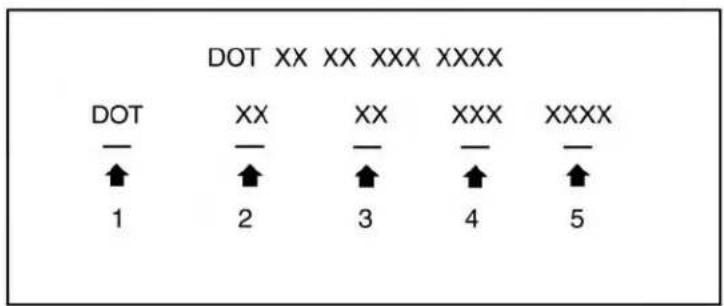
LDI2786
Example (Type A) (if so equipped)
② TIN(TireIdentificationNumber) foranewtire(example:DOTXXXX XXXXXXX)
- DOT: Abbreviation for the "Department Of Transportation". The symbol can be placed above, below or to the left or right of the Tire Identification Number.
-
Two-digitcode: Manufacturer's identificationmark.
-
Two-digitcode: Tire size.
- Three-digitcode: Tiretypecode (Optional).
- Fournumbers represent the week and year the tire was built. Forexample, thenumbers 3103 mean the 31st week of 2003. If these numbers are missing then look on the others' side wall of the tire.

② TIN(TireIdentificationNumber) foranewtire(example:DOTXXX XXXXXXXXX)
1. DOT: Abbreviation for the "Department Of Transportation". The symbol can be placed above, below to the left of the Tire Identification Number.
2. Three-digitcode: Manufacturer's identificationmark.
3.Six-digitcode:Descriptivecode usedtoidentifysignificantcharacteristicsofthetire.
4. Fournumbers represent the week and yearthetire was built. Forexample, thenumbers 3103 mean the 31st week of 2003.
③ Tire ply composition and material
Thenumberoflayersorpliesof rubber-coatedfabricinthetire.Tire
manufacturersalsomustindicate thematerialsinthetire,whichin-clude steel, nylon, polyester and others.
④ Maximumpermissibleinflation pressure
This number is the greatest amount of air pressure that should be put in the tire. Do not exceed the maximum permissible inflation pressure.
⑤ Maximumloadrating
Thisnumberindicatethemaximum load inkilograms andpounds that canbecarriedbythetire.whenereplacing the tires on the vehicle, always useatirethathasthesameloadratingasthefactoryinstalledtire.
⑥ Termof"tubeless"or"tubetype"
Indicateswhetherthetirerequires
aninnertube("tubetype")ornot
("tubeless").
⑦ Theword"radial"
Theword"radial"isshownifthetire hasradialstructure.
⑧ Manufacturerorbrandname
Manufacturerorbrandnameis shown.
OtherTire-relatedTerminology
Inadditiontothemanytermsthat aredefinedthroughoutthissection, IntendedOutboardSidewallis(1)the sidewallthatcontainsawhitewall, bearswhiteletteringorbears manufacturer,brand,and/ormodel namemoldingthatishigheror deeperthanthesamemoldingon theothersidewallofthetire,or(2) theoutwardfacingsidewallofan asymmetrical tire that has a particularsidethatmustalwaysfaceoutwardwhenmountedonavehicle.
TYPESOFTIRES
WARNING
- Whenchangingorreplacingtires, be sure all four tires are of the same type (i.e., Summer, All SeasonorSnow) and construction. A NISSAN dealer maybe able to help you within information about tire type, size, speed rating and availability.
- Replacementtiresmayhavealower speedratingthan the factory equippedtires,andmaynotmatch the potentialmaximum vehicle speed.Neverexceedthemaximum speedratingofthetire.
- Replacing tires with those not originally specified by NISSAN could affect the proper operation of the low tire pressure warnings system.
•Alwaysusetiresofthesametype, size,brand,constructionandtread patternonallfourwheels.Failureto dosomayresultinacircumference difference betweenireson thefront andrearaxleswhichcancausethe VehicleDynamicControl(VDC)systemtomalfunctionresultinginpersonalinjury or death,excessivetire wear and may damage the transmissionanddifferential gears.
- For additional information regarding tires, referto "Important Tire Safety Information" (US) or "Tire Safety Information" (Canada) in the Warranty Information Booklet.
Allseasontires
NISSANspecifiesAllSeasontiresonsome modelstoprovide goodperformanceall year, includingsnowyandicyroadconditions. AllSeasontiresareidentifiedbyALL SEASON and/or M&S on the tire sidewall. Snowtireshavebettersnowtractionthan All Season tires and may be more appropriateinsomeareas.
Summertires
NISSANspecifiessummertiresonsome modelstoprovidesuperiorperformance ondryroads.Summertireperformanceis substantiallyreducedinsnowandice. Summertiresdonothavethetiretraction rating"M&S"onthetiresidewall.
If you planto operate your vehicle in snowy or icy conditions, NISSAN recommends the use of SNOW tires or ALL SEASON tires on all four wheels.
Snowtires
Ifsnowtiresareneeded,itisnecessaryto selecttiresequivalentinsizeandloadratingtotheoriginalequipmenttires.Ifyoudo not,itcanadverselyaffectthesafetyand handlingofyourvehicle.
Generally, snowtireshavelowerspeedratingsthanfactoryequippedtiresandmay notmatchthepotentialmaximumvehicle speed. Neverexceedthemaximumspeed ratingofthetire.
If you install snowtires, they must be the same size, brand, construction and tread pattern on all four wheels.
For additional traction on icy roads, studded tires maybe used. However, some U.S. states and Canadian provinces prohibit their use. Check local, state and provincial laws before installing studded tires. Skid and traction capabilities of studded snow tires on wetordry surfaces may be poorer than that of non-studded snow tires.
TIRECHAINS
CAUTION
Donotusetirechains/cablesonthis vehicle.Doingsowillcausedamageto thevehicle.

flowchart
graph TD
    A["Stage 1"] --> B["Stage 2"]
    B --> C["Stage 3"]
    C --> D["Stage 4"]
    D --> A
    style A fill:#f9f,stroke:#333
    style B fill:#f9f,stroke:#333
    style C fill:#f9f,stroke:#333
    style D fill:#f9f,stroke:#333
WDI0258
CHANGINGWHEELSANDTIRES
Tirerotation
NISSAN recommends rotating the tire every 7,500 miles (12,000 km).
For additional information on tire replacing procedures, see "Flattire" (P.6-3).
Assoon as possible, tightenthe wheelnutstothespecifiedtorque withatorquewrench.
Wheelnuttighteningtorque: 83ft-lb(113N·m)
The wheelnuts must be kept tightened to specifications at all times. It is recommended that wheel nuts be tightened to specification at each tirerotation interval.
WARNING
• Afterrotatingthetires, check and adjust the tire pressure.
- Retightenthewheelnutswhen the vehicle has been driven for 600 miles (1,000 km) (also in cases of a flattire, etc.).
- Donotincludethesparetirein thetirerotation.
- For additional information regarding tires, referto "Important Tire Safety Information" (US) or "Tire Safety Information" (Canada) in the Warranty Information Booklet.

WDI0259
Tirewearanddamage
1.Wearindicator
2.Locationmark
WARNING
·Tiresshouldbeperiodicallyin-spectedforwear,cracking, bulgingorobjectscaughtin the tread. If excessive wear, cracks,bulging ordeepcuts arefound,thetire(s)shouldbe replaced.
Theoriginaltireshavebuilt-in tread wear indicators. When thewearindicatorsarevisible, thetire(s)shouldbereplaced.
- Tires degrade with age and use. Have tires, including the spare, over 6 years old checked by a qualified technician because some tired damagemay not be obvious. Replace the tires as necessary to prevent tire failure and possible personal injury.
- Improperserviceofthespare tiremayresultinseriouspersonalinjury.Ifitisnecessaryto repairthesparetire,itisrecommendedthatyouvisita NISSANdealerforthisservice.
For additional information regarding tires, refer to "Important Tire Safety Information" (US) or "Tire Safety Information" (Canada) in the Warranty Information Booklet.
Replacingwheelsandtires
Whenreplacingatire,usethesamesize, treaddesign,speedratingandloadcarryingcapacityasoriginallyequipped.Recommendedtypesandsizesareshownin "wheelsandtires"(P.10-10).
WARNING
Theuseoftiresotherthanoserecommendedorthemixeduseoftires ofdifferent brands, construction (bias,bias-beltedorradial),ortread patternscan adversely affect the ride,braking,handling,VehicleDynamicControl(VDC)system,ground clearance, body-to-tire clearance, tire chain clearance, speedometer calibration,headlightaimandbumper height. Some of these effects may leadtoaccidentsandcouldresultinseriouspersonalinjury.
- If your vehicle was originally equipped with fourtire that were the namesize and you are only replacing two of the fourtires, install the new tires on the rear axle. Placing new tires on the front axle may cause loss of vehicle control in some driving conditions and cause an accident and personal injury.
- ifthewheelsarechangedforany reason,alwaysreplacewithwheels whichhavethesameoff-setdimension. Woles of a different off-set couldcauseprematuretirewear,degradevehiclehandlingcharacteristics, affectthe VDC systemand/orinterferencewiththebrakediscs.Such interferencecanleadtodecreased braking efficiency and/or earlybrake pad/shoewear.Foradditionalinformationonwheel-offsetdimensions, seeto"Wheelsandtires"(P.10-10).
- When usingawheelwithout the TPMS such as the spare tire, the TPMS will not function and the low tire pressurewarninglightwillflashfor approximately 1 minute. The light will remainonafter1minute.Haveyour tiresreplacedand/orTPMSsystem reset assoonaspossible.Itisrecommended that you visit a NISSAN dealerforthisservice.
- ReplacingtireswiththosenotoriginallyspecifiedbyNISSANcouldaffect theproperoperationoftheTPMS.
TheTPMSsensormaybedamagedif itisnothandledcorrectly.Becareful whenhandlingtheTPMSsensor.
When replacing the TPMS sensor, the ID registration may be required. It is recommended that you visit a NISSAN dealer for ID registration.
- Donotuseavalvestemcapthatis notspecifiedbyNISSAN.Thevalve stemcapmaybecomestuck.
- Besurethatthevalvestemcapsare correctlyfitted. Otherwisethevalve maybecloggedupwithdirtandcause amalfunctionorlossofpressure.
- Donotinstalladamagedordeformedwheelortireevenifithas beenrepaired.Suchwheelsortires couldhavestructuraldamageand couldfailwithoutwarning.
- The use of retread tires is not recommended.
For additional information regarding tires, refer to "Important Tire Safety Information" (US) or "Tire Safety Information" (Canada) in the Warranty Information Booklet.
Wheelbalance
Unbalanced wheels may affect vehicle handling and tire life. Even with regular use, wheels can get out of balance. Therefore, they should be balanced as required.
Wheelbalanceservicesshouldbeperformedwiththewheelsoffthevehicle. Spinbalancingthewheelsonthevehicle couldleadtomechanicaldamage.
- For additional information regarding tires, refer to "Important Tire Safety Information" (US) or "Tire Safety Information" (Canada) in the Warranty Information Booklet.
Careofwheels
- Washtewheelswhenwashingthevehicletomaintaintheirappearance.
- Cleantheinnersideofthewheelswhen thewheelischangedortheundersideof thevehicleiswashed.
- Donotuse abrasive cleaners when washingthewheels.
- Inspectwheelrimsregularlyfordentsor corrosion.Suchdamagemaycauseloss of pressureorpoorsealatthetirebead.
- NISSAN recommends waxing theroad wheelstoprotect against roads saltin areas where it is used during winter.
Sparetire(TEMPORARYUSEONLY sparetire)
When using a wheel without the TPMS such asthesparetire, the TPMS will not function.
Observethefollowingprecautionsifthe TEMPORARYUSEONLYsparetiremustbe used. Otherwise, your vehicle could be damagedor involved in an accident:
WARNING
- Thesparetireshouldbeusedfor emergencyuseonly.Itshouldbereplacedwiththestandardtireatthe firstopportunity toavoidpossible tireordifferentialdamage.
- DrivecarefullywhiletheTEMPORARY USEONLYsparetireisinstalled.Avoid sharpturnsandabruptbrakingwhile driving.
Periodicallychecksparetireinflation pressure. Alwayskeepthepressure of the TEMPORARY USE ONLY spare tireat 60 psi (420 kPa, 4.2 bar). -
With the TEMPORARY USE ONLY spare tire installed on the drivethe vehicle at speeds faster than 50 mph (80 km/h).
-
When driving on roads covered with snoworice, the TEMPORARY USE ONLY spare tires should be used on the rear wheels and the original tire used on the front wheels (drivewheels).
·TiretreadoftheTEMPORARYUSE ONLYsparetirewillwearatafaster ratethanthestandardtire.Replace thesparetireassoonasthetread wearindicatorsappear. - Donotusethesparetireonother vehicles.
- Donotusemorethanonesparetire atthesametime.
- DonottowatralerwhentheTEMPO-RARYUSEONLYsparetireisinstalled.
CAUTION
- DonotusetirechainsonaTEMPO-RARYUSEONLYsparetire.Tirechains willnotfitproperlyandmaycause damagetothevehicle.
- Because the TEMPORARY USE ONLY spare tire is smaller than the original tire, ground clearance is reduced. To avoid damage to the vehicle, donot drive over obstacles. Also, donot driv the vehicle through an automatic car wash since it may get caught.
9Maintenanceandschedules
Maintenancerequirements....9 - 2
Generalmaintenance....9 - 2
Scheduledmaintenance....9-2
Wheretogoforservice....9-2
Generalmaintenance....9 - 2
Explanationofgeneralmaintenance
items....9-2
Explanationofscheduledmaintenanceitems...9-5
Emissioncontrolsystemmaintenance: ..... 9 - 6
Chassisandbodymaintenance: 9 - 6
Maintenanceschedules....9-7
Additional maintenance items for severe operating conditions. 9 - 7
3.5L6cylinder(VQ35DEengine model)....9-8
MAINTENANCEREQUIREMENTS
Someday-to-day and regular maintenance is essential to maintain your vehicle, as well as its emissions and engine performance.
Itistheowner's responsibility to make sure that the scheduled maintenance, as well as general maintenance, is performed.
Asthevehicleowner,youaretheonlyone whocanensurethatyourvehiclereceives propermaintenance.Youareavitallinkin themaintenancechain.
GENERALMAINTENANCE
Generalmaintenanceincludesthoseitems whichshouldbecheckedduringnormal day-to-dayoperation.Theyareessential forpropervehicleoperation.Itlsyourresponsibilitytoperformtheseprocedures regularlyasprescribed.
Performinggeneralmaintenancechecks requiresminimalmechanicalskillandonly afewgeneralautomotivetools.
These checks or inspections can be done by yourself, a qualified technician, if you prefer, a NISSAN dealer.
Themaintenanceitemslistedinthissectionarerequiredtobeservicedatregular intervals.Howeverunderseveredriving conditions,additionalormorefrequent maintenancewillberequired.
WHERETOGOFORSERVICE
Ifmaintenanceserviceisrequiredoryour vehicleappearstomalfunction,havethe systemscheckedandserviced.ItisrecommendedthatyouvisitaNISSANdealerfor thisservice.
NISSANtechniciansarewell-trainedspecialistsandarekeptup-to-datewiththe latestserviceinformationthroughtechnicalbulletins,servicetipsandtrainingprograms.Theyarefullyqualifiedtoworkon NISSANvehiclesbeforeworkbegins.
If your vehicle is involved in a collision, it is recommended that you ask your NISSAN dealer where the nearest NISSANC certified Collision Center is located, orgoto http://collision.nissanusa.com.
YoucanbeconfidentthataNISSANdealer'sservicedepartmentcanperformthe serviceneededtomeetthemaintenance requirementsonyourvehicle.
GENERALMAINTENANCE
During thenormalday-to-day operation of the vehicle, general maintenances should be performed regularly as prescribed in this section. If you detect any unusual sounds, vibrations or smells, be sure to check for the cause or have it checked promptly. In addition, it is recommended that you visit a NISSAN dealer if you think that repairs are required.
When performing any checks or maintenance work, see "Maintenance precautions" (P.8-2).
EXPLANATIONOFGENERAL MAINTENANCEITEMS
WARNING
Failuretofollowtheprocedureslisted withinthissectionmayresultinpersonalinjury.
Additionalinformationonthefollowing items with “*” is found in the "Do-it-yourself"sectionofthismanual.
Outsidethevehicle
Themaintenanceitemslistedhereshould beperformedfromtimetotime,unless otherwise specified.
Doorsandenginehood: Checkthatthe doorsandenginehoodoperateproperly. Alsoensurethatalllatcheslocksecurely.Lubricatehinges,latches,latchpins,rollersand linksifnecessary.Makesurethatthesecondarylatchkeepsthehoodfromopening whentheprimarylatchisreleased.
Whendrivinginareasusingroadsaltor othercorrosivematerials, checklubricationfrequently.
Check that the gas stays or struts properly and securely hold the hood, trunk, or rear hatch fully open if the hood, trunk, or rear hatch is no held open, hav the gas stays or struts replaced.
Lights*:Cleantheheadlightsonaregular basis.Makesurethattheheadlights,stop lights,taillights,turnsignallights,andother lightsarealloperatingproperlyandin-stalledsecurely.Alsocheckheadlightaim.
Roadwheelnuts(lugnuts)*:whencheckingthetires,makesurenowheelnutsare missing,andcheckforanyloosewheel nuts.Tightenifnecessary.
Tirerotation*: Rotatetiresatthespecified intervalshowninthemaintenance schedule.
Tires*:Checkthepressurewithagauge oftenandalwayspriortolongdistance trips.Ifnecessary,adjustthepressureinall tires,includingthespare,tothepressure specified.Checkcarefullyfordamage,cuts orexcessivewear.
TirePressureMonitoringSystem(TPMS) tirepressuresensor:Itisrecommended thatyoureplacetheTPMStirepressure sensorassemblywhenthetiresarere-placedduetowearorage.
Wheel alignment and balance: If the vehicle should pull to either side while driving on a straight level road, or if you detect one venorab normal tire wear, there may be needed for wheel alignment. If the steering wheel or seat vibrates at normal highways speeds, wheel balancing may be needed.
For additional information regarding tires, refer to "Important Tire Safety Information" (US) or "Tire Safety Information" (Canada) in the Warranty Information Booklet.
Windshield: Clean the windshield on a regularbasis.Checkthewindshieldatleast everysixmonthsforcracksorotherdamage.Haveadamagedwindshieldrepaired byaqualifiedrepairfacility. It is recommended that you have damaged wind-shield repaired by a NISSAN dealer, or a NISSANCertified Collision Center. To locate a collision center in your area, refer to http://collision.nissanusa.com.
Windshield wiper blades*: Check for cracksorweariftheydonotwipeproperly.
Insidethevehicle
Themaintenanceitemslistedhereshould becheckedonaregularbasis,suchas whenperformingscheduledmaintenance, cleaningthevehicle,etc.
Accelerator pedal: Check the pedal for smoothoperationandmakesurethepedal does not catch or require uneven effort. Keepthefloormatawayfromthepedal.
Brakepedal:Checkthepedalforsmooth operation. If the brake pedal suddenly goesdownfurtherthannormal,thepedal feelsspongyorthevehicleseemstotake longertostop,haveyourvehiclechecked
immediately.Itisrecommendedthatyou visitaNISSANdealerforthisservice.Keep thefloormatawayfromthepedal.
Brakes: Check that the brakes donot pull the vehicle to onesidewhen applied.
ContinuouslyVariableTransmission(CVT) P(Park)positionmechanism: Onafairly steephillcheckthatthevehicleisheldsecurelywiththeshiftleverintheP(Park) positionwithoutapplyinganybrakes.
Parkingbrake: Checktheparkingbrakeoperationregularly. The vehicles should be securely held on a fairly steep hill with only the parkingbrake applied. If the parking brake needs adjustment, it is recommended that you visit a NISSAN dealer forth this service.
Seats: Checkseatpositioncontrolssuch asseatadjusters,seatbackrecliner,etc.,to ensuretheyoperatesmoothlyandall latcheslocksecurelyineveryposition. Checkthattheheadrestraints/headrests moveupanddownsmoothlyandthelocks (Ifsoequipped)holdsecurelyInalllatched positions.
Seatbelts: Check that all part of these seat beltsystem (forexample, buckles, anchors, adjusters and retractors) operate properly and smoothly, and are installed securely.
Checkthebeltwebbingforcuts,fraying, wearordamage.
Steeringwheel: Checkforchangesinthe steeringsystem, such as excessive free play, hardsteeringorstrangenoises.
Warninglightsandchimes: Makesureall warninglightsandchimesareoperating properly.
Windshielddefroster: Check that the air comes out of the defroster outlets properly and insufficient quantity when operating the heater or air conditioner.
Windshield wiper and washer*: Check thatthewipersandwasheroperateproperlyandthatthewipersdonotstreak.
Underthehoodandvehicle
Themaintenanceitemslistedhereshould becheckedperiodically(forexample,each timeyouchecktheengineoilorrefuel).
Battery* (for maintenancefree batteries): This vehicle is equipped with a sealed maintenancefree battery. It is recommended that you visit a NISSAN dealer for service.
NOTE:
Careshouldbetakentoavoidsituations thatcanleadtopotentialbatterydischargeandpotentialno-startconditions suchas:
-
Installationorextendeduseofelectronicaccessoriesthatconsumebatterypower whenthe engineis not running (Phone chargers,GPS,DVD players,etc.).
-
Vehicleisnotdrivenregularly and/or only drivenshortdistances. Inthesecases, the battery may need to be charged to maintain battery health.
Brakefluidlevel*: Makesurethatthebrake fluidlevelisbetweentheMAXandMINlines onthereservoir.
Enginecoolantlevel*:Checkthecoolant levelwhentheengineiscold.
Enginedrivebelts*: Makesurethedrive beltsarenotfrayed, worn, crackedorolly.
Engine oil level*: Check the level after parking the vehicle on a level spot and turningofftheengine.waitmorethan15 minutesfortheoiltodrainbackintotheoil pan.
EXPLANATIONOFSCHEDULED MAINTENANCEITEMS
Enginevalveclearance*:Inspectonlyif valvenoiseincreases.
Exhaustsystem: Makesurethereareno loosesupports, cracksorholes. If the soundoftheexhaustseemsunusualor thereisasmellofexhaustfumes, immediately havetheexhaustsysteminspected. It is recommended that you visitaNISSAN dealerforthisservice. For additional information, see "Exhaustgas(carbonmonoxide)" (P.5-4).
Fluidleaks: Check under the vehicle for fuel, oil, water or other fluid leaks after the vehicle has been parked for while water dripping from the air condition after use is normal. If you should notice an leak source if fuel fumes are evident, check for the cause and have it corrected immediately.
Powersteeringfluidlevel\*andlines:
Checkthelevelwhenthefluidiscold,with theengineoff.Checkthelinesforproper attachment,leaks,cracks,etc.
Radiatorandhoses: Checkthefrontofthe radiatorandcleanoffanydirt, insects, leaves, etc., that may have accumulated. Makesurethehoseshavenocracks, deformation, rotorlooseconnections.
Underbody: The underbody is frequently exposed to corrosives substances such as those used on icy roads to control dust. It is very important to remove the substances, otherwise must form the floorpan, frame, fuel lines and around the exhaust system. At the end of winter, the underbody should be thoroughly flushed with plain water, being careful to clean those areas where mud and dirt may accumulate. For additional information, see "Cleaning exterior" (P.7-2).
Windshield-washer fluid*: Check that thereisadequatefluidinthereservoir.
The following descriptions are provided to give you a better understanding of the scheduled maintenance item that should be regularly checked or replaced. The maintenance schedule indicates at which mileage/time interval seach it tem requires service.
In addition to scheduled maintenance, your vehiclerequiresthatsomeItemsbe checked during normal day-to-day operation. For additional information, see "General maintenance" (P.9-2).
Itemsmarkedwith""arerecommended byNISSANforreliablevehicleoperation. Youarenotrequiredtoperformmaintenanceonthesitemsinordertomaintain the warranties which come with your NISSAN.Othermaintenanceitemsandintervalsarerequired.
When applicable, additional information can be found in the "Do-it-yourself" section of this manual.
NOTE:
NISSANdoesnotadvocatetheuseof non-OEMapprovedaftermarketflushingsystemsandstronglyadvises againstperformingtheseservicesona NISSANproduct.Manyoftheaftermarketflushingsystemsusenon-OEMapprovedchemicalsorsolvents,theuseof whichhasnotbeenvalidatedbyNISSAN.
Forrecommendedfuel,lubricants,fluids, grease,andrefrigerant,see"Recommendedfluids/lubricantsandcapacities"(P.10-2).
EMISSIONCONTROLSYSTEM MAINTENANCE:
Enginedrivebelts*:Checkenginedrive beltsforwear,frayingorcrackingandfor propertension. Replaceany damaged drivebelts.
Engineairfilter:Replaceatspecifiedintervals.Whendrivingforprolongedperiodsin dustyconditions,check/replacethefilter morefrequently.
Enginecoolant*:Replacecoolantatthe specifiedinterval.Whenaddingorreplacingcoolant,besuretouseonlyGenuine
NISSANLongLifeAntifreeze/Coolant(blue)orequivalentwiththepropermixture.(For additionalinformationonthepropermixtureforyourarea,see"Enginecoolingsystem"(P.8-5.)
NOTE: Mixinganyothertypeofcoolantor theuseofnon-distilledwatermayreduce therecommendedserviceintervalofthe coolant.
Engineoilandoilfilter:Replaceengineoil andoilfilteratthespecifiedintervals. For recommended oil grade and viscosity, see"Recommendedfluids/lubricantsand capacities"(P.10-2).
Fueltankvaporventsystem*:Check vaporlinesforleaksorlooseness.Tighten connectionsorreplacepartsasnecessary.
Fuellines/connection*:Check thefuel hoses,pipingandconnectionsforleaks, looseness,ordeterioration.Tightenconnectionsorreplacepartsasnecessary.
Sparkplugs: Replaceatspecifiedintervals. Installnewplugsofthesametypeasoriginallyequipped.
CHASSISANDBODYMAINTENANCE:
Brakelinesandcables: Visually inspect for proper installation. Check for chafing, cracks, deterioration, and signsofleaking. Replace any deteriorated or damaged parts immediately.
Brakepadsandrotors: Checkforwear, deterioration and fluidleaks. Replace any deteriorated or damaged parts immediately.
Exhaustsystem: Visually inspect the ex-haustpipes, muffler and hangers for leaks, cracks, deterioration, and damage. Tighten connections or replace parts as necessary.
In-cabinmicrofilter: Replaceatspecified intervals. When driving for prolonged periods, industry conditions, replace the filter more frequently.
Steeringgearandlinkage,axleandsuspensionparts,driveshaftboots:Check fordamage,looseness,andleakageofoil orgrease.Underseveredrivingconditions, inspectmorefrequently.
Tirerotation: Rotatetiresatthespecified intervalshowninthemaintenanceschedule.Whenrotatingtires,checkfordamage andunevenwear.Replaceifnecessary.
MAINTENANCE SCHEDULES
Transmissionfluid/oil: Visually inspect for signsofleakageatspecifiedintervals.
Ifusingacar-topcarrier,ordrivingon roughormuddyroads,replacetheCVT fluidevery60,000miles(96,000km)orrequestthedealertoinspectthefluiddeteriorationdatausingaCONSULT.Ifthedeteriorationdataismorethan210000,replace theCVTfluid.
Tohelpensuresmooth,safeandeconomicaldriving,NISSANprovidestwomainanceschedulesthatmaybeused, dependingupontheconditionsinwhich youusuallydrive.Theseschedulescontain both distance and time intervals, up to 120,000miles(192,000km)/96months.For mostpeople,the odometerreadingwill indicate when service is needed. However, ifyoudriveverylittle,yourvehicleshouldbe serviced at the regular time intervals shownintheschedule.
After120,000miles(192,000km)/96 months, continue maintenance at the samemileage/timeintervals.
ADDITIONAL MAINTENANCE ITEMS FORSEVEREOPERATING CONDITIONS
Additional maintenance items for severe operating conditions should be performed on vehicles that are driven under especially demanding conditions. Additional maintenance items should be performed if you primarily operate your vehicle under the following conditions:
- Repeated short trips of less than 5 miles (8km).
- Repeatedshorttripsoflessthan10miles (16 km) withoutside temperaturesremainingbelowfreezing.
- Operatinginhotweatherinstop-and-go "rushhour"traffic.
- Extensiveidlingand/orlowspeeddriving for longdistances,suchaspolice,taxior door-to-doordeliveryuse.
- Drivingindustyconditions.
- Driving on rough, muddy or salt spread roads.
• Usingacar-topcarrier.
If your vehicle is mainly operated under the severe conditions, follow these severe use maintenance intervals shown in them main- tenances schedule.
3.5L6CYLINDER(VQ35DEengine model)
The following show sthemaintenance schedule.
Choosethemaintenancescheduleneeded basedonyourvehicledrivingconditions.
After120,000miles(192,000km)/96 months,continuemaintenanceatthe samemileage/timeinterval.
5,000miles/(8,000km)/6months
Performatnumberofmiles,kilometersor months,whichevercomesfirst.
Standardmaintenance:
NotApplicable.Proceedtonextinterval
Severeusemaintenance:
Inspections:
-Brakepads&rotors
•Exhaustsystem
•Frontdriveshaftboots
•Steeringgear&linkage
•Axle&suspensionparts
•Horn,lights,signals,wipers,rearhatch/ hoodliftsupports
• Allfluidsinspected(engine,wiper,brake,powersteering,coolant)
•Hoseinspections
•Engineairfilter
- Suspensioncomponents(shocks, sub-frame, tierods)
•Batteryterminalsandcables,batterytest
•Tirepressure,treadwearanddepth
Essential:
-Replaceengineoil&filter
7,500miles/(12,000km)/6months
Performatnumberofmiles,kilometersor months,whichevercomesfirst.
Standardmaintenance:
Inspections:
•Horn,lights,signals,wipers,rearhatch/ hoodliftsupports
• Allfluidsinspected(engine,wiper,brake,powersteering,coolant)
•Hoseinspections
-Engineairfilter
- Suspensioncomponents(shocks, sub-frame, tierods)
•Batteryterminalsandcables,batterytest
•Tirepressure,treadwearanddepth
Essential:
-Replaceengineoil&filter
•Tirerotation
Severeusemaintenance:
NotApplicable.Proceedtonextinterval
10,000miles/(16,000km)/12months
Performatnumberofmiles,kilometersor months,whichevercomesfirst.
Standardmaintenance:
NotApplicable.Proceedtonextinterval
Severeusemaintenance:
Inspections:
-Brakepads&rotors
-Exhaustsystem
- Frontdriveshaftboots
•Steeringgear&linkage
•Axle&suspensionparts
•Horn,lights,signals,wipers,rearhatch/hoodliftsupports
- Allfluidsinspected(engine,wiper,brake,powersteering,coolant)
•Hoseinspections
•Engineairfilter
- Suspensioncomponents(shocks, sub-frame, tierods)
•Batteryterminalsandcables,batterytest
•Tirepressure,treadwearanddepth
Essential:
-Replaceengineoil&filter
-Replacebrakefluid
15,000miles/(24,000km)/12months
Performatnumberofmiles,kilometersor months,whichevercomesfirst.
Standardmaintenance:
Inspections:
•Brakelinesandcables
•Brakepadsandrotors
•CVTtransmissionfluid
•Frontdriveshaftboots
•Horn,lights,signals,wipers,rearhatch/ hoodliftsupports
• Allfluidsinspected(engine,wiper,brake,powersteering,coolant)
•Hoseinspections
•Engineairfilter
- Suspensioncomponents(shocks, sub-frame, tierods)
•Batteryterminalsandcables,batterytest
• Tirepressure, treadwear and depth
Essential:
-Replaceengineoil&filter
-Replace-in-cabinmicrofilter
•Tirerotation
Severeusemaintenance:
NotApplicable.Proceedtonextinterval
15,000miles/(24,000km)/18months
Performatnumberofmiles,kilometersor months,whichevercomesfirst.
Standardmaintenance:
NotApplicable.Proceedtonextinterval
Severeusemaintenance:
Inspections:
-Brakepads&rotors
•Exhaustsystem
•Frontdriveshaftboots
•Steeringgear&linkage
•Axle&suspensionparts
•Horn,lights,signals,wipers,rearhatch/hoodliftsupports
- Allfluidsinspected(engine, wlper, brake, powersteering, coolant)
•Hoseinspections
•Engineairfilter
- Suspensioncomponents(shocks, sub-frame, tierods)
•Batteryterminalsandcables,batterytest
•Tirepressure,treadwearanddepth
Essential:
-Replaceengineoil&filter
20,000miles/(32,000km)/24months
Performatnumberofmiles,kilometersor months,whichevercomesfirst.
Standardmaintenance:
NotApplicable.Proceedtonextinterval
Severeusemaintenance:
Inspections:
-Brakepads&rotors
-Exhaustsystem
•Frontdriveshaftboots
•Steeringgear&linkage
•Axle&suspensionparts
•Horn, lights, signals, wipers, rearhatch/ hoodliftsupports
- Allfluidsinspected(engine, wlper, brake, powersteering, coolant)
•Hoseinspections
•Engineairfilter
- Suspensioncomponents(shocks, sub-frame, tierods)
•Batteryterminalsandcables,batterytest
•Tirepressure,treadwearanddepth
Essential:
-Replaceengineoil&filter
-Replacebrakefluid
22,500miles/(36,000km)/18months
Performatnumberofmiles,kilometersor months,whichevercomesfirst.
Standardmaintenance:
Inspections:
•Intelligentkeybattery
•Horn,lights,signals,wipers,rearhatch/hoodliftsupports
- Allfluidsinspected(engine,wiper,brake,powersteering,coolant)
•Hoseinspections
•Engineairfilter
- Suspensioncomponents(shocks, sub-frame, tierods)
•Batteryterminalsandcables,batterytest
•Tirepressure,treadwearanddepth
Essential:
-Replaceengineoil&filter
•Tirerotation
Severeusemaintenance:
NotApplicable.Proceedtonextinterval
25,000miles/(40,000km)/30months
Performatnumberofmiles,kilometersor months,whichevercomesfirst.
Standardmaintenance:
NotApplicable.Proceedtonextinterval
Severeusemaintenance:
Inspections:
-Brakepads&rotors
•Exhaustsystem
•Frontdriveshaftboots
•Steeringgear&linkage
•Axle&suspensionparts
•Horn, lights, signals, wipers, rearhatch/ hoodliftsupports
- Allfluidsinspected(engine, wlper, brake, powersteering, coolant)
•Hoseinspections
•Engineairfilter
- Suspensioncomponents(shocks, sub-frame, tierods)
•Batteryterminalsandcables,batterytest
•Tirepressure,treadwearanddepth
Essential:
-Replaceengineoil&filter
30,000miles/(48,000km)/24months
Performatnumberofmiles,kilometersor months,whichevercomesfirst.
Standardmaintenance:
Inspections:
- Brakelinesandcables
-Brakepadsandrotors
•CVTtransmissionfluid
•Fueltankvaporventsystem*
•Fuellines/connections*
•Exhaustsystem
- Frontdriveshaftboots
•Steeringgearandlinkage
•Axleandsuspensionparts
•Horn,lights,signals,wipers,rearhatch/ hoodliftsupports
- Allfluidsinspected(engine,wiper,brake,powersteering,coolant)
•Hoseinspections
•Engineairfilter
- Suspensioncomponents(shocks, sub-frame, tierods)
•Batteryterminalsandcables,batterytest
•Tirepressure,treadwearanddepth
Essential:
-Replaceengineoil&filter
-ReplaceEngineairfilter(1)
-Replace-in-cabinmicrofilter
-Replacebrakefluid
•Tirerotation
Severeusemaintenance:
NotApplicable.Proceedtonextinterval (1)IfoperatingmainlyIndustryconditions, morefrequentmaintenancemaybe required.
*Maintenanceitemsandintervalswith"*" arerecommendedbyNISSANforreliable vehicleoperation.Theownerneednotperformsuchmaintenanceinordertomain-tainthemissionwarrantyormanufac-turer recall liability. Other maintenance itemsandintervalsarerequired.
30,000miles/(48,000km)/36months
Performatnumberofmiles,kilometersor months,whichevercomesfirst.
Standardmaintenance:
NotApplicable.Proceedtonextinterval
Severeusemaintenance:
Inspections:
-Brakepads&rotors
•Exhaustsystem
•Frontdriveshaftboots
•Steeringgear&linkage
•Axle&suspensionparts
•Horn,lights,signals,wipers,rearhatch/ hoodliftsupports
- Allfluidsinspected(engine, wlper, brake, powersteering, coolant)
•Hoseinspections
•Engineairfilter
- Suspensioncomponents(shocks, sub-frame, tierods)
•Batteryterminalsandcables,batterytest
•Tirepressure,treadwearanddepth
Essential:
-Replaceengineoil&filter
-Replacebrakefluid
35,000miles/(56,000km)/42months
Performatnumberofmiles,kilometersor months,whichevercomesfirst.
Standardmaintenance:
NotApplicable.Proceedtonextinterval
Severeusemaintenance:
Inspections:
-Brakepads&rotors
•Exhaustsystem
•Frontdriveshaftboots
•Steeringgear&linkage
•Axle&suspensionparts
•Horn,lights,signals,wipers,rearhatch/hoodliftsupports
- Allfluidsinspected(engine, wlper, brake, powersteering, coolant)
•Hoseinspections
•Engineairfilter
- Suspensioncomponents(shocks, sub-frame, tierods)
•Batteryterminalsandcables,batterytest
•Tirepressure,treadwearanddepth
Essential:
-Replaceengineoil&filter
37,500miles/(60,000km)/30months
Performatnumberofmiles,kilometersor months,whichevercomesfirst.
Standardmaintenance:
Inspections:
•Horn,lights,signals,wipers,rearhatch/ hoodliftsupports
• Allfluidsinspected(engine,wiper,brake,powersteering,coolant)
•Hoseinspections
•Engineairfilter
- Suspensioncomponents(shocks, sub-frame, tierods)
•Batteryterminalsandcables,batterytest
•Tirepressure,treadwearanddepth
Essential:
-Replaceengineoil&filter
•Tirerotation
Severeusemaintenance:
NotApplicable.Proceedtonextinterval
40,000miles/(64,000km)/48months
Performatnumberofmiles,kilometersor months,whichevercomesfirst.
Standardmaintenance:
NotApplicable.Proceedtonextinterval
Severeusemaintenance:
Inspections:
-Brakepads&rotors
•Exhaustsystem
•Frontdriveshaftboots
•Steeringgear&linkage
•Axle&suspensionparts
•Horn,lights,signals,wipers,rearhatch/ hoodliftsupports
- Allfluidsinspected(engine, wlper, brake, powersteering, coolant)
•Hoseinspections
•Engineairfilter
- Suspensioncomponents(shocks, sub-frame, tierods)
•Batteryterminalsandcables,batterytest
•Tirepressure,treadwearanddepth
Essential:
-Replaceengineoil&filter
-Replacebrakefluid
45,000miles/(72,000km)/36months
Performatnumberofmiles,kilometersor months,whichevercomesfirst.
Standardmaintenance:
Inspections:
-Brakelinesandcables
-Brakepadsandrotors
•CVTtransmissionfluid
- Frontdriveshaftboots
•Horn,lights,signals,wipers,rearhatch/ hoodliftsupports
- Allfluidsinspected(engine,wiper,brake,powersteering,coolant)
•Hoseinspections
•Engineairfilter
- Suspensioncomponents(shocks, sub-frame, tierods)
•Batteryterminalsandcables,batterytest
•Tirepressure,treadwearanddepth
Essential:
•ReplaceIntelligentKeybattery
•Replace-in-cabinmicrofilter
-Replaceengineoil&filter
•Tirerotation
Severeusemaintenance:
NotApplicable.Proceedtonextinterval
45,000miles/(72,000km)/54months
Performatnumberofmiles,kilometersor months,whichevercomesfirst.
Standardmaintenance:
NotApplicable.Proceedtonextinterval
Severeusemaintenance:
Inspections:
-Brakepads&rotors
•Exhaustsystem
•Frontdriveshaftboots
•Steeringgear&linkage
•Axle&suspensionparts
•Horn,lights,signals,wipers,rearhatch/ hoodliftsupports
- Allfluidsinspected(engine, wlper, brake, powersteering, coolant)
•Hoseinspections
•Engineairfilter
- Suspensioncomponents(shocks, sub-frame, tierods)
•Batteryterminalsandcables,batterytest
•Tirepressure,treadwearanddepth
Essential:
-Replaceengineoil&filter
50,000miles/(80,000km)/60months
Performatnumberofmiles,kilometersor months,whichevercomesfirst.
Standardmaintenance:
NotApplicable.Proceedtonextinterval
Severeusemaintenance:
Inspections:
-Brakepads&rotors
•Exhaustsystem
•Frontdriveshaftboots
•Steeringgear&linkage
•Axle&suspensionparts
•Horn,lights,signals,wipers,rearhatch/ hoodliftsupports
- Allfluidsinspected(engine, wlper, brake, powersteering, coolant)
•Hoseinspections
•Engineairfilter
- Suspensioncomponents(shocks, sub-frame, tierods)
•Batteryterminalsandcables,batterytest
•Tirepressure,treadwearanddepth
Essential:
-Replaceengineoil&filter
-Replacebrakefluid
52,500miles/(84,000km)/42months
Performatnumberofmiles,kilometersor months,whichevercomesfirst.
Standardmaintenance:
Inspections:
•Horn,lights,signals,wipers,rearhatch/ hoodliftsupports
• Allfluidsinspected(engine, wiper, brake, powersteering, coolant)
•Hoseinspections
•Engineairfilter
- Suspensioncomponents(shocks, sub-frame, tierods)
•Batteryterminalsandcables,batterytest
•Tirepressure,treadwearanddepth
Essential:
-Replaceengineoil&filter
•Tirerotation
Severeusemaintenance:
NotApplicable.Proceedtonextinterval
55,000miles/(88,000km)/66months
Performatnumberofmiles,kilometersor months,whichevercomesfirst.
Standardmaintenance:
NotApplicable.Proceedtonextinterval
Severeusemaintenance:
Inspections:
-Brakepads&rotors
•Exhaustsystem
•Frontdriveshaftboots
•Steeringgear&linkage
•Axle&suspensionparts
•Horn, lights, signals, wipers, rearhatch/ hoodliftsupports
- Allfluidsinspected(engine, wlper, brake, powersteering, coolant)
•Hoseinspections
•Engineairfilter
- Suspensioncomponents(shocks, sub-frame, tierods)
•Batteryterminalsandcables,batterytest
•Tirepressure,treadwearanddepth
Essential:
-Replaceengineoil&filter
60,000miles/(96,000km)/48months
Performatnumberofmiles,kilometersor months,whichevercomesfirst.
Standardmaintenance:
Inspections:
- Brakelinesandcables
-Brakepadsandrotors
•CVTtransmissionfluid
•Enginedrivebelts*
•Fueltankvaporventsystem*
•Fuellines/connections*
-Exhaustsystem
•Frontdriveshaftboots
•Steeringgearandlinkage
•Axleandsuspensionparts
•Horn,lights,signals,wipers,rearhatch/ hoodliftsupports
- Allfluidsinspected(engine,wiper,brake,powersteering,coolant)
•Hoseinspections
- Suspensioncomponents(shocks, sub-frame, tierods)
•Batteryterminalsandcables,batterytest
•Tirepressure,treadwearanddepth
Essential:
-Replaceengineairfilter(1)
-Replacebrakefluid
-Replaceengineoil&filter
-Replace-in-cabinmicrofilter
•Tirerotation
Severeusemaintenance:
NotApplicable.Proceedtonextinterval (1)IfoperatingmainlyIndustryconditions, morefrequentmaintenancemaybe required.
*Maintenanceitemsandintervalswith"*" arerecommendedbyNISSANforreliable vehicleoperation.Theownerneednotperformsuchmaintenanceinordertomain-tainthemissionwarrantyormanufac-turer recall liability. Other maintenance itemsandintervalsarerequired.
60,000miles/(96,000km)/72months
Performatnumberofmiles,kilometersor months,whichevercomesfirst.
Standardmaintenance:
NotApplicable.Proceedtonextinterval
Severeusemaintenance:
Inspections:
-Brakepads&rotors
•Exhaustsystem
•Frontdriveshaftboots
•Steeringgear&linkage
•Axle&suspensionparts
•Horn,lights,signals,wipers,rearhatch/ hoodliftsupports
- Allfluidsinspected(engine, wlper, brake, powersteering, coolant)
•Hoseinspections
•Engineairfilter
- Suspensioncomponents(shocks, sub-frame, tierods)
•Batteryterminalsandcables,batterytest
•Tirepressure,treadwearanddepth
Essential:
-Replaceengineoil&filter
-Replacebrakefluid
-ReplaceCVTtransmissionfluid
65,000miles/(104,000km)/78months
Performatnumberofmiles,kilometersor months,whichevercomesfirst.
Standardmaintenance:
NotApplicable.Proceedtonextinterval
Severeusemaintenance:
Inspections:
-Brakepads&rotors
•Exhaustsystem
•Frontdriveshaftboots
•Steeringgear&linkage
•Axle&suspensionparts
•Horn,lights,signals,wipers,rearhatch/hoodliftsupports
- Allfluidsinspected(engine, wlper, brake, powersteering, coolant)
•Hoseinspections
•Engineairfilter
- Suspensioncomponents(shocks, sub-frame, tierods)
•Batteryterminalsandcables,batterytest
•Tirepressure,treadwearanddepth
Essential:
-Replaceengineoil&filter
67,500miles/(108,000km)/54months
Performatnumberofmiles,kilometersor months,whichevercomesfirst.
Standardmaintenance:
Inspections:
•Horn,lights,signals,wipers,rearhatch/ hoodliftsupports
• Allfluidsinspected(engine,wiper,brake,powersteering,coolant)
•Hoseinspections
•Engineairfilter
- Suspensioncomponents(shocks, sub-frame, tierods)
•Batteryterminalsandcables,batterytest
•Tirepressure,treadwearanddepth
Essential:
-Replaceengineoil&filter
•ReplaceIntelligentKeybattery
•Tirerotation
Severeusemaintenance:
NotApplicable.Proceedtonextinterval
70,000miles/(112,000km)/84months
Performatnumberofmiles,kilometersor months,whichevercomesfirst.
Standardmaintenance:
NotApplicable.Proceedtonextinterval
Severeusemaintenance:
Inspections:
-Brakepads&rotors
•Exhaustsystem
•Frontdriveshaftboots
•Steeringgear&linkage
•Axle&suspensionparts
•Horn,lights,signals,wipers,rearhatch/ hoodliftsupports
- Allfluidsinspected(engine, wlper, brake, powersteering, coolant)
•Hoseinspections
•Engineairfilter
- Suspensioncomponents(shocks, sub-frame, tierods)
•Batteryterminalsandcables,batterytest
•Tirepressure,treadwearanddepth
Essential:
-Replaceengineoil&filter
-Replacebrakefluid
75,000miles/(120,000km)/60months
Performatnumberofmiles,kilometersor months,whichevercomesfirst.
Standardmaintenance:
Inspections:
-Brakelinesandcables
-Brakepadsandrotors
•CVTtransmissionfluid
•Enginedrivebelts
•Frontdriveshaftboots
•Horn,lights,signals,wipers,rearhatch/ hoodliftsupports
- Allfluidsinspected(engine,wiper,brake,powersteering,coolant)
•Hoseinspections
-Engineairfilter
- Suspensioncomponents(shocks, sub-frame, tierods)
•Batteryterminalsandcables,batterytest
•Tirepressure,treadwearanddepth
Essential:
-Replaceengineoil&filter
-Replace-in-cabinmicrofilter
•Tirerotation
Severeusemaintenance:
NotApplicable.Proceedtonextinterval
*MaintenanceItemsandintervalswith"*" arerecommendedbyNISSANforreliable vehicleoperation.Theownerneednotperformsuchmaintenanceinordertomain-taintheemissionwarrantyormanufac-turerrecallliability.Othermaintenance itemsandintervalsarerequired.
75,000miles/(120,000km)/90months
Performatnumberofmiles,kilometersor months,whichevercomesfirst.
Standardmaintenance:
NotApplicable.Proceedtonextinterval
Severeusemaintenance:
Inspections:
-Brakepads&rotors
•Exhaustsystem
•Frontdriveshaftboots
•Steeringgear&linkage
•Axle&suspensionparts
•Horn,lights,signals,wipers,rearhatch/ hoodliftsupports
- Allfluidsinspected(engine,wiper,brake,powersteering,coolant)
•Hoseinspections
•Engineairfilter
- Suspensioncomponents(shocks, sub-frame, tierods)
•Batteryterminalsandcables,batterytest
•Tirepressure,treadwearanddepth
Essential:
•Replaceengineoil&filter
80,000miles/(128,000km)/96months
Performatnumberofmiles,kilometersor months,whichevercomesfirst.
Standardmaintenance:
NotApplicable.Proceedtonextinterval
Severeusemaintenance:
Inspections:
-Brakepads&rotors
•Exhaustsystem
•Frontdriveshaftboots
•Steeringgear&linkage
•Axle&suspensionparts
•Horn,lights,signals,wipers,rearhatch/ hoodliftsupports
- Allfluidsinspected(engine, wlper, brake, powersteering, coolant)
•Hoseinspections
•Engineairfilter
- Suspensioncomponents(shocks, sub-frame, tierods)
•Batteryterminalsandcables,batterytest
•Tirepressure,treadwearanddepth
Essential:
-Replaceengineoil&filter
-Replacebrakefluid
82,500 miles/(132,000 km)/66 months
Performatnumberofmiles,kilometersor months,whichevercomesfirst.
Standardmaintenance:
Inspections:
•Horn,lights,signals,wipers,rearhatch/ hoodliftsupports
• Allfluidsinspected(engine, wiper, brake, powersteering, coolant)
•Hoseinspections
•Engineairfilter
- Suspensioncomponents(shocks, sub-frame, tierods)
•Batteryterminalsandcables,batterytest
•Tirepressure,treadwearanddepth
Essential:
-Replaceengineoil&filter
•Tirerotation
Severeusemaintenance:
NotApplicable.Proceedtonextinterval
85,000miles/(136,000km)/102months
Performatnumberofmiles,kilometersor months,whichevercomesfirst.
Standardmaintenance:
NotApplicable.Proceedtonextinterval
Severeusemaintenance:
Inspections:
-Brakepads&rotors
•Exhaustsystem
•Frontdriveshaftboots
•Steeringgear&linkage
•Axle&suspensionparts
•Horn, lights, signals, wipers, rearhatch/ hoodliftsupports
- Allfluidsinspected(engine, wlper, brake, powersteering, coolant)
•Hoseinspections
•Engineairfilter
- Suspensioncomponents(shocks, sub-frame, tierods)
•Batteryterminalsandcables,batterytest
•Tirepressure,treadwearanddepth
Essential:
-Replaceengineoil&filter
90,000miles/(144,000km)/72months
Performatnumberofmiles,kilometersor months,whichevercomesfirst.
Standardmaintenance:
Inspections:
•Brakelinesandcables
-Brakepadsandrotors
•CVTtransmissionfluid
•Enginedrivebelts*
•Fueltankvaporventsystem*
•Fuellines/connections*
-Exhaustsystem
•Frontdriveshaftboots
•Steeringgearandlinkage
•Axleandsuspensionparts
•Horn,lights,signals,wipers,rearhatch/ hoodliftsupports
• Allfluidsinspected(engine,wiper,brake,powersteering,coolant)
•Hoseinspections
•Engineairfilter
- Suspensioncomponents(shocks, sub-frame, tierods)
•Batteryterminalsandcables,batterytest
• Tirepressure, treadwear and depth
Essential:
-Replaceengineairfilter(1)
-Replacebrakefluid
-Replaceengineoil&filter
-Replace-in-cabinmicrofilter
•ReplaceIntelligentKeybattery
•Tirerotation
Severeusemaintenance:
NotApplicable.Proceedtonextinterval
(1) If operating mainly industry conditions, more frequent maintenance may be required.
*Maintenanceitemsandintervalswith"*" arerecommendedbyNISSANforreliable vehicleoperation.Theownerneednotperformsuchmaintenanceinordertomain-taintheemissionwarrantyormanufac-turer recall liability. Other maintenance itemsandintervalsarerequired.
90,000miles/(144,000km)/108months
Performatnumberofmiles,kilometersor months,whichevercomesfirst.
Standardmaintenance:
NotApplicable.Proceedtonextinterval
Severeusemaintenance:
Inspections:
-Brakepads&rotors
•Exhaustsystem
•Frontdriveshaftboots
•Steeringgear&linkage
•Axle&suspensionparts
•Horn,lights,signals,wipers,rearhatch/ hoodliftsupports
- Allfluidsinspected(engine, wlper, brake, powersteering, coolant)
•Hoseinspections
•Engineairfilter
- Suspensioncomponents(shocks, sub-frame, tierods)
•Batteryterminalsandcables,batterytest
•Tirepressure,treadwearanddepth
Essential:
-Replaceengineoil&filter
-Replacebrakefluid
95,000miles/(152,000km)/114months
Performatnumberofmiles,kilometersor months,whichevercomesfirst.
Standardmaintenance:
NotApplicable.Proceedtonextinterval
Severeusemaintenance:
Inspections:
-Brakepads&rotors
•Exhaustsystem
•Frontdriveshaftboots
•Steeringgear&linkage
•Axle&suspensionparts
•Horn,lights,signals,wipers,rearhatch/ hoodliftsupports
- Allfluidsinspected(engine, wlper, brake, powersteering, coolant)
•Hoseinspections
•Engineairfilter
- Suspensioncomponents(shocks, sub-frame, tierods)
•Batteryterminalsandcables,batterytest
•Tirepressure,treadwearanddepth
Essential:
-Replaceengineoil&filter
97,500miles/(156,000km)/78months
Performatnumberofmiles,kilometersor months,whichevercomesfirst.
Standardmaintenance:
Inspections:
•Horn,lights,signals,wipers,rearhatch/ hoodliftsupports
• Allfluidsinspected(engine,wiper,brake,powersteering,coolant)
•Hoseinspections
•Engineairfilter
- Suspensioncomponents(shocks, sub-frame, tierods)
•Batteryterminalsandcables,batterytest
•Tirepressure,treadwearanddepth
Essential:
-Replaceengineoil&filter
•Tirerotation
Severeusemaintenance:
NotApplicable.Proceedtonextinterval
100,000miles/(160,000km)/120months
Performatnumberofmiles,kilometersor months,whichevercomesfirst.
Standardmaintenance:
NotApplicable.Proceedtonextinterval
Severeusemaintenance:
Inspections:
-Brakepads&rotors
•Exhaustsystem
•Frontdriveshaftboots
•Steeringgear&linkage
•Axle&suspensionparts
•Horn,lights,signals,wipers,rearhatch/ hoodliftsupports
- Allfluidsinspected(engine,wiiper,brake, powersteering,coolant)
•Hoseinspections
•Engineairfilter
- Suspensioncomponents(shocks, sub-frame, tierods)
•Batteryterminalsandcables,batterytest
•Tirepressure,treadwearanddepth
Essential:
-Replaceengineoil&filter
-Replacebrakefluid
105,000miles/(168,000km)/84months
Performatnumberofmiles,kilometersor months,whichevercomesfirst.
Standardmaintenance:
Inspections:
-Brakelinesandcables
-Brakepadsandrotors
•CVTtransmissionfluid
•Enginedrivebelts®
•Frontdriveshaftboots
•Horn,lights,signals,wipers,rearhatch/hoodliftsupports
- Allfluidsinspected(engine,wiper,brake,powersteering,coolant)
•Hoseinspections
•Engineairfilter
- Suspensioncomponents(shocks, sub-frame, tierods)
•Batteryterminalsandcables,batterytest
•Tirepressure,treadwearanddepth
Essential:
-Replaceengineoil&filter
-Replace-in-cabinmicrofilter
•Replacesparkplugs(1)(2)
-Replaceenginecoolant*(3)
•Tirerotation
Severeusemaintenance:
NotApplicable.Proceedtonextinterval
(1)Replacesparkplugwhenthepluggap exceeds0.053in(1.35mm)evenifwithin specifiedreplacementmileage.
(2) Performed based on the number of miles only.
(3)Firstreplacementintervalis105,000 miles(168,000km)or84months. Afterfirst replacement,replaceevery75,000miles (120,000km)or60months.
NOTE:
EngineCoolantservice:Useonly GenuineNISSANLongLifeAntifreeze/ Coolant(blue)orequivalentwithproper mixtureratioof50%antifreezeand50% demineralizedordistilledwater.Mixing anyothertypeofcoolantortheuseof non-distilledwatermayreducethelife expectancyofthefactoryfillcoolant.
* Maintenance items and intervals with "arerecommendedbyNISSANforreliable vehicle operation. The owner need not performsuch maintenanceordertomaintaintheemissionwarrantyormanufac-turer recall liability. Other maintenance itemsandintervalsarerequired.
105,000miles/(168,000km)/126months
Performatnumberofmiles,kilometersor months,whichevercomesfirst.
Standardmaintenance:
NotApplicable.Proceedtonextinterval
Severeusemaintenance:
Inspections:
-Brakepads&rotors
•Exhaustsystem
•Frontdriveshaftboots
•Steeringgear&linkage
•Axle&suspensionparts
•Horn,lights,signals,wipers,rearhatch/ hoodliftsupports
- Allfluidsinspected(engine, wlper, brake, powersteering, coolant)
•Hoseinspections
•Engineairfilter
- Suspensioncomponents(shocks, sub-frame, tierods)
•Batteryterminalsandcables,batterytest
•Tirepressure,treadwearanddepth
Essential:
-Replaceengineoil&filter
110,000miles/(176,000km)/132months
Performatnumberofmiles,kilometersor months,whichevercomesfirst.
Standardmaintenance:
NotApplicable.Proceedtonextinterval
Severeusemaintenance:
Inspections:
-Brakepads&rotors
•Exhaustsystem
•Frontdriveshaftboots
•Steeringgear&linkage
•Axle&suspensionparts
•Horn,lights,signals,wipers,rearhatch/ hoodliftsupports
- Allfluidsinspected(engine, wlper, brake, powersteering, coolant)
•Hoseinspections
•Engineairfilter
- Suspensioncomponents(shocks, sub-frame, tierods)
•Batteryterminalsandcables,batterytest
•Tirepressure,treadwearanddepth
Essential:
-Replaceengineoil&filter
-Replacebrakefluid
112,500 miles/(180,000 km)/90 months
Performatnumberofmiles,kilometersor months,whichevercomesfirst.
Standardmaintenance:
Inspections:
•Horn,lights,signals,wipers,rearhatch/ hoodliftsupports
- Allfluidsinspected(engine,wiper,brake,powersteering,coolant)
•Hoseinspections
•Engineairfilter
- Suspensioncomponents(shocks, sub-frame, tierods)
•Batteryterminalsandcables,batterytest
•Tirepressure,treadwearanddepth
Essential:
-Replaceengineoil&filter
•ReplaceIntelligentKeybattery
•Tirerotation
Severeusemaintenance:
NotApplicable.Proceedtonextinterval
115,000miles/(184,000km)/138months
Performatnumberofmiles,kilometersor months,whichevercomesfirst.
Standardmaintenance:
NotApplicable.Proceedtonextinterval
Severeusemaintenance:
Inspections:
-Brakepads&rotors
•Exhaustsystem
•Frontdriveshaftboots
•Steeringgear&linkage
•Axle&suspensionparts
•Horn,lights,signals,wipers,rearhatch/ hoodliftsupports
- Allfluidsinspected(engine,wiiper,brake, powersteering,coolant)
•Hoseinspections
•Engineairfilter
- Suspensioncomponents(shocks, sub-frame, tierods)
•Batteryterminalsandcables,batterytest
•Tirepressure,treadwearanddepth
Essential:
-Replaceengineoil&filter
120,000miles/(192,000km)/96months
Performatnumberofmiles,kilometersor months,whichevercomesfirst.
Standardmaintenance:
Inspections:
-Brakelinesandcables
-Brakepadsandrotors
•CVTtransmissionfluid
•Enginedrivebelts*
•Fueltankvaporventsystem*
•Fuellines/connections*
•Exhaustsystem
•Frontdriveshaftboots
•Steeringgearandlinkage
•Axleandsuspensionparts
•Horn,lights,signals,wipers,rearhatch/hoodliftsupports
- Allfluidsinspected(engine,wiper,brake,powersteering,coolant)
•Hoseinspections
- Suspensioncomponents(shocks, sub-frame, tierods)
•Batteryterminalsandcables,batterytest
•Tirepressure,treadwearanddepth
Essential:
•Replaceengineairfilter(1)
-Replacebrakefluid
-Replaceengineoil&filter
-Replace-in-cabinmicrofilter
•Tirerotation
Severeusemaintenance:
NotApplicable.Proceedtonextinterval (1)Ifoperatingmainlyindustryconditions, morefrequentmaintenancemaybe required.
*MaintenanceItemsandIntervalswith** arerecommendedbyNISSANforreliable vehicleoperation.Theownerneednotperformsuchmaintenanceinordertomain-taintheemissionwarrantyormanufac-turerrecallliability.Othermaintenance itemsandintervalsarerequired.
MEMO
9-28 Maintenanceandschedules
10Technicalandconsumerinformation
Recommendedfluids/lubricantsand
capacities....10-2
Fuelrecommendation....10-4
Engineoilandoilfilter
recommendations....10-7
Airconditionersystemrefrigerantand
oilrecommendations....10-8
Specifications....10-9
Engine....10-9
wheelsandtires....10-10
Dimensionsandweights....10-10
Whentravelingorregisteringinanother
country....10-11
Vehicleidentification....10-11
VehicleIdentificationNumber(VIN)
plate....10-11
Measurement of weights 10-18
Towingatraler 10-19
Flat towing 10-19
Uniformtirequalitygrading....10-19
Emissioncontrolsystemwarranty....10-20
Reporting safety defects 10-21
Readiness for Inspection/Maintenance(I/M)
test 10-22
EventDataRecorders(EDR)....10-22
Owner's Manual/ServiceManualorder
information....10-23
RECOMMENDED FLUIDS/ LUBRICANTS AND CAPACITIES
The following are approximate capacities. The actual refill capacities may be slightly different. When refilling, follow the procedure described in the "Do-it-yourself" section to determinethe proper refill capacity.
| FluidType | Capacity(approximate) | RecommendedFluids/Lubricants | |||
| Metric Measure | US Measure | Imperial Measure | |||
| Fuel68L18gal15gal·Foradditionalinformation,see'Fuel recommendation'(P.10-4). | |||||
| Engineoil*1Drainandrefill*1:Foradditionalinformation,see"Engineoil"(P.8-6). | Withoilfilter change | 4.8L5-1/8qt4-1/4qt | ·Genuine'NISSANMotorOil0W-20SP'(orequivalent)isrecommended.·Iftheabovemotoroil(orengineoil)isnotavailable,asynthetic 0W-20GF-6SPmotoroil(orengineoil)maybeused.Damage causedbytheuseofmotoroil(orengineoil)otherthanasrecommendedisnotcoveredunderNISSAN'sNewVehicleLimited Warranty.Foradditionalinformation,see'Engineoilandoilfilter recommendation'(P.10-7). | ||
| Withoutoil filterchange | 4.5L4-3/4qt4qt | ||||
| Enginecoolant withreservoir | 9.2L | 2-3/8gal | 2gal | ·Pre-dilutedGenuineNISSANLongLifeAntifreeze/Coolant(blue) orequivalent | |
| Continuously Variable Transmission (CVT) fluid | — | — | — | ·GenuineNISSANCVTFluidNS-3·NISSANrecommendssusingGenuineNISSANCVTFluidNS-3(orequivalent)ONLYinNISSANCVTs.Donotmixwithotherfluids.UsingfluidsthatarenotequivalenttoGenuineNISSANCVT FluidNS-3maydamagetheCVT.Damagecausedbytheuseof fluidsotherthanasrecommendedisnotcoveredunderNISSAN'sNewVehicleLimitedwarrantyoutlinedinyourWarrantyInformationBooklet. | |
| PowerSteeringFluid(PSF) | — | — | — | ·GenuineNISSANE-PSForequivalent.·UseofapowersteeringfluidotherthanGenuineNISSANE-PSF maypreventthepowersteeringsystemfromoperating properly. | |
| Brakefluid0.49L1/2qt3/8qt | •GenuineNISSANSuperHeavyDutyBrakeFluid*2orequivalent DOT3'2:AvailableinmainlandU.S.AthroughaNISSANdealer. | ||||
| Multi-purposegrease----NLGI No.2(LithiumSoapbase) | |||||
| Airconditioningsystemrefrigerant---- | •HFO-1234yf(R-1234yf)•Foradditionalinformation,see'Airconditionersystemrefriger-antandoilrecommendations'(P.10-8). | ||||
| Airconditioningsystemoil---- | •GenuineNISSANA/CSystemOilType:ND-OIL12(PAC)orequivalent•Foradditionalinformation,see'Airconditionersystemrefriger-antandoilrecommendations'(P.10-8). | ||||
| Windshield-washerfluid4.2L1-1/8gal7/8gal | •GenuineNISSANWindshieldWasherConcentrateCleaner&Antifreezefluidorequivalent | ||||
FUELRECOMMENDATION
NISSANrecommendstheuseofunleaded premiumgasolinewithanoctaneratingof atleast91AKI(Anti-KnockIndex-number (Researchoctanenumber96).Ifunleaded premiumgasolineisnotavailable,youmay useunleadedregulargasolinewithanoctaneratingofatleast87AKInumber(Researchoctanenumber91),butyoumay noticeadecreaseinperformance.
CAUTION
- Usingafuelotherthanthatspecified couldadverselyaffecttheemission controlsystem,andmayalsoaffect thewarrantycoverage.
- Undernocircumstanceshoulda leadedgasolinebeused,becausethis willdamagethethree-waycatalyst.
- Donotuseafuelcontainingmore than15%ethanolinyourvehicle.Your vehicleisnotdesignedtorunona fuelcontainingmorethan15%ethanol.Usingafuelcontainingmore than15%ethanolinavehiclenotspecificallydesignedforafuelcontainingmorethan15%ethanolcanadverselyaffect theemissioncontrol devicesandsystemsofthevehicle. Damagecausedbysuchfuelisnot coveredbytheNISSANNewVehicle LimitedWarranty.
- Donotusefuelthatcontainstheoctanebooster methylcyclopentadienylmanganesetricarbonyl(MMT). UsingfuelcontainingMMTmayadverselyaffectvehicle performance and vehicle emissions. Not all fuel dispensersarelabeledtoindicate MMTcontent,soyoumayhave to consult your gasoline retailer for moredetails.NotethatFederaland Californialaws prohibit theuseof MMTinreformulatedgasoline.
·U.S. government regulations require ethanol dispensing pumps to be identified by a small, square, orange and black label with the common abbreviation or the appropriate percentage for that region.
Gasolinespecifications
NISSAN recommends using gasolinethat meet the world-Wide Fuel Charter (WWFC) specifications where it is available. Many of the automobile manufacturers developed this specification to improve emission control system and vehicle performance. Ask your service station manager if the gasoline meets the WWFC specifications.
Reformulated gasoline
Somefuelsuppliersarenowproducingreformulatedgasollnes.Thesegasollnesare speciallydesignedtoreducevehicleemissions.NISSANsupports effortstowards cleanerairandsuggeststhatyouusereformulatedgasolinewhenavailable.
Gasolinecontainingoxygenates
Somefuelsuppliersellgasolinecontainingoxygenatessuchasethanol,Methyl Tert-butylEther(MTBE)andmethanolwith orwithoutadvertisingtheirpresence. NISSANdoesnotrecommendtheuseof fuelsofwhichtheoxygenatecontentand thefuelcompatibilityforyourNISSANcannotbereadilydetermined.Ifindoubt,ask yourservicestationmanager.
If you use oxygenate-blend gasoline, pleasetak the following precautions as the usage of such fuel may cause vehicle performance problems and/or fuel system damage.
- Thefuelshouldbeunleadedandhave anoctaneratingnolowerthanthat recommendedforunleadedgasoline.
- Ifanoxygenate-blendotherthan methanolblendisused, it should contain nomorethan 15% oxygenate.
- If a methanol blend is used, it should contain no more than 5% methanol (methylalcohol, woodalcohol). It should also contains suitable amount of appropriate cosolvents and corrosion inhibitors. If not properly formulated with appropriate cosolvents and
corrosion inhibitors, such methanol blendsmaycausefuelsystemdamage and/orvehicleperformanceproblems. Atthistime,sufficientdataisnotavailabletoensurethatallmethanolblendsaresuitableforuseinNISSANvehicles.
Ifanydriveabilityproblemssuchasengine stallinganddifficulthot-startingareexperiencedafterusingoxygenate-blendfuels, immediatelychangetoanon-oxygenate fuelorafuelwithalowblendofMTBE.
Takecarenottospillgasolineduringrefueling.Gasolinecontainingoxygenates cancausepaintdamage.
E-15fuel
E-15fuelisamixtureofapproximately 15% fuelethanoland 85% unleadedgasoline. E-15canonlybeusedinvehiclesdesigned torunonE-15fuel.U.S.governmentregulationsrequirefuelethanoldispensing pumpstobeidentifiedwithsmall,square, orangeandblacklabelwiththecommon abbreviationortheappropriatepercent-ageforthatregion.
E-85fuel
E-85fuelisamixtureofapproximately 85% fuelethanoland 15% unleadedgasoline. E-85canonlybeusedinaFlexibleFuel Vehicle (FFV). Do not use E-85 in your vehicle.U.S.government regulations require fuelethanoldispensingpumpstobeidentifiedbyasmall,square,orangeandblack labelwiththecommonabbreviationorthe appropriatepercentageforthatregion.
FuelcontainingMMT
MMT,ormethylcyclopentadienylmanganesetricarbonyl,isanoctaneboostingadditive.NISSANdoesnotrecommendthe useoffuelcontainingMMT.Suchfuelmay adversely affect vehicle performance, includingthe emissionscontrolsystem. Notethatwhilesomefuelpumpslabel MMTcontent,notalldo,soyoumayhaveto consult your gasoline retailer for more details.
Aftermarketfueladditives
NISSANdoesnotrecommendthe use of any aftermarketfueladditives(forexample,fuel injectorcleaner,octanebooster,intakevalve depositremovers,etc.)whicharesoldcommercially.Manyofthese additivesintended
Technical and consumer information 10-5
forgum, varnishordepositremovalmay containactivesolventsorsimilaringredients that can beharmfultothefuelsystem and engine.
Octaneratingtips
Usingunleadedgasolinewithanoctane ratinglowerthanrecommendedcan causepersistent,heavy"sparkknock." ("Sparkknock"isametallicrapping noise.)Ifsevere,thiscanleadtoengine damage.Ifyoudetectapersistentheavy sparkknockevenwhenusinggasoline ofthestatedoctanerating,orifyouhear steadysparkknockwhileholdinga steadyspeedonlevelroads,itisrecommendedthatyouhaveaNISSANdealer correctthecondition.Failureretocorrect theconditionismisuseofthevehicle,for whichNISSANisnotresponsible.
Incorrectignitiontimingmayresultin sparkknock,after-runand/oroverheating, whichmaycauseexcessivefuelconsumptionorenginedamage.Ifanyoftheabove symptomsareencountered,haveyourvehiclechecked.Itisrecommendedthatyou visitaNISSANdealerforservicing.
However, now and then you may notice light sparkknock for a short time while accelerating or driving up hills. This is not a cause for concern, because you get the greatest fuel benefit when there is light sparkknock for a short time under heavy engine load.
API certification mark

API service symbol

LTI2587
ENGINEOILANDOILFILTER RECOMMENDATIONS
Selectingthecorrectoil
Itisessentialtochoosethecorrectgrade, qualityandviscosityengineoiltoensure satisfactoryenginelifeandperformance. Foradditionalinformation,see"Recommendedfluids/lubricantsandcapacities" (P.10-2).NISSANrecommendstheuseofan energyconservingoilinordertoimprove fueleconomy.
Selectonlyengineoilsthatmeetthe AmericanPetroleumInstitute(API)certificationorInternationalLubricantStandardizationandApprovalCommittee(ILSAC) certificationandSAEviscositystandard. TheseoilshavetheAPlcertificationmark onthefrontofthecontainer.Oilsswhichdo nothavethespecifiedqualitylabelshould notbeusedastheycouldcauseengine damage.
Oiladditives
NISSANdoesnotrecommendtheuseofoil additives. Theuseofanoiladditiveisnot necessarywhentheproperoiltypeisused andmaintenanceintervalsarefollowed.
Oilwhichmaycontainforeignmatteror hasbeenpreviouslyusedshouldnotbe used.
Oilviscosity
Theengineoilviscosityorthickness changes with temperature. Because of this, it is important to select the engine oil viscosity based on the temperatures at which the vehicle will be operated before then extoil change. Choosing an oil viscosity other than that recommended could cause serious engine damage.
Selectingthecorrectoilfilter
YournewNISSANvehicleisequippedwith a high-quality GenuineNISSANOilfilter.When replacing,usea GenuineNISSANOilfilteror itsequivalentforthereasondescrilbedin "Changeintervals."
Changeintervals
Theoilandoilfilterchangeintervalsfor yourenginearebasedontheuseofthe specifiedqualityoilsandfilters.Usingengineoilandfiltersthatarenotofthespecifiedquality,orexceedingrecommendedoil andfilterchangeintervalscouldreduce enginelife.Damagetotheenginecaused byimpropermaintenanceoruseofincorrectoilandfilterqualityand/orviscosityis notcoveredbytheNISSANNewVehicle LimitedWarranty.
Yourenginewasfilledwithahigh-quality engineoilwhenitwasbuilt.Youdonothave tochangetheoilbeforethefirstrecommendedchangeinterval.Oilandfilter changelintervalsdependuponhowyou useyourvehicle.
Operationunderthefollowingconditions mayrequiremorefrequentoilandfilter changes:
•repeatedshortdistancedrivingatcold outsidetemperatures
- drivingindustryconditions
-extensiveidling
- stopandgocommuting
For additional information, see "Maintenance and schedules" (P.9-2).
AIRCONDITIONERSYSTEM REFRIGERANTANDOIL RECOMMENDATIONS
The air conditioner system in your NISSAN vehicle must be charged with the refrigerant HFO-1234yf (R-1234yf) and Genuine NISSANA/CSystem OilType: ND-OIL12(PAG) or the exact equivalents.
CAUTION
Theuseofanyotherrefrigerantoroil maycauseseveredamagetotheair conditioningsystemandmayrequire thereplacementofallairconditioner systemcomponents.
TherefrigerantHFO-1234yf (R-1234yf)in yourNISSANvehicledoesnotharmthe earth'sozonelayer.Althoughhthisrefrigerant does not affect the earth's atmosphere,certainingovernmentregulationsrequirethe recoveryand recyclingof any refrigerant during automotive air conditionersystemservice.Airconditionersystemshouldonlybeservicedbytrainedand certifiedtechnicianstoensureproperand safeoperation(SAEJ2845).ANISSANdealer hasthe trained techniciansandequipmentneededtorecoverandrecycleyour
air conditioner system refrigerant. Only newandSAEJ2842certifiedevaporator(s) shallbeusedasreplacementparts.
A damaged or leaking air conditioning evaporatorshallneverbe repaired or replacedwithoneremovedfromausedor salvagedvehicle.Toreplacea damaged orleakingevaporator,useonlynewandSAE J2842 certified evaporator(s). It is recommendedthatyouvisitaNISSANdealerwhen servicingyourairconditionersystem.
SPECIFICATIONS
ENGINE
| Model3.5L6cylinder(VQ35DEengineinmodel) | ||
| TypeGasoline,4-cycle,DOHC | ||
| Cylinderarrangement6-cylinder,V-block,Slantedat60° | ||
| BorexStrokeMetricmeasure95.5mmx81.4mm | ||
| USmeasure3.760inx3.205in | 5 | |
| DisplacementMetricmeasure3,498cm | ||
| USmeasure213.45cuin | ||
| Firingorder1-2-3-4-5-6 | ||
| Idlespeed | ||
| CVTinN(Neutral)position | ||
| Ignitiontiming(degreeB.T.D.C.atidlespeed) | Noadjustmentsnecessary. | |
| CO % at i d le | ||
| SparkplugFXE22HR11 | ||
| Sparkpluggap(Nominal) | Metricmeasure1.1mm | |
| USmeasure0.043in | ||
| Camshaftoperation | Timingchain | |
ThissparkignitionsystemcomplieswiththeCanadianstandardICES-002.
WHEELSANDTIRES
| Wheels | OffsetMetricMeasure | OffsetUSMeasure | Size |
| Aluminum50mm1.97in18x8.0J | |||
| Aluminum50mm1.97in19x8.0J | |||
| Aluminum50mm1.97in19x8.5J | |||
| TiresSize | |||
| 245/45R18 | |||
| 245/40R19 | |||
| SparetireWheelsizeTiresize | |||
| Temporary spare—steel | 17x4TT145/80D17 | ||
DIMENSIONSANDWEIGHTS
| Metric Measure | US Measure | |
| Overalllength4,897mm192.8in | ||
| Overallwidth1,860mm73.2in | ||
| Overallheight1,436mm | 56.5in | |
| FrontTrack | 1,585mm | 62.4in |
| RearTrack | 1,585mm | 62.4in |
| Wheelbase | 2,775mm | 109.3in |
| Grossvehicleweightrating | Refertothe "F.M.V.S.S./C.M.V.S.S.certifi-cationlabel"on thecenterpillar | |
| Grossaxleweightrating | ||
| Front | betweenthe driver'sside | |
| Rear | frontandrear doors. | |
WHENTRAVELINGORREGISTERING INANOTHERCOUNTRY
WhenplanningtodriveyourNISSANvehicleinanothercountry,youshouldfirst findoutifthefuelavailableissuitablefor yourvehicle'sengine.
Using fuel with an octanerating that istoo low may cause engaged damage. All gasoline vehicles must be operated with un- leaded gasoline. Therefore, avoid taking your vehicle to areas where appropriate fuel is not available.
Whentransferringtheregistrationof yourvehicletoanothercountry,state, provinceordistrict,itmaybenecessary tomodifythevehicletomeetlocalaws andregulations.
Thelawsandregulationsformotorvehicle emissioncontrolandsafetystandards vary according to the country, state, province or district; therefore, vehicles specifications may differ.
Whenanyvehicleistobetakenintoanothercountry,state,provinceordistrict andregistered,itsmodifications,transportationandregistrationaretheresponsibilityoftheuser.NISSANisnotresponsibleforanyinconveniencethat mayresult.
VEHICLEIDENTIFICATION

natural_image
Diagram of a car interior showing a highlighted rectangular component with an arrow pointing to it, no text or symbols present.VEHICLEIDENTIFICATIONNUMBER (VIN)PLATE
TheVehicleIdentificationNumber(VIN) plateisattachedasshown. This number is the Identification for your vehicle and is used in the vehicleregistration.

natural_image
Line drawing of a car's side arm and seat assembly (no text or symbols)VEHICLEIDENTIFICATIONNUMBER (chassisnumber)
The vehicle identification number is located as shown.
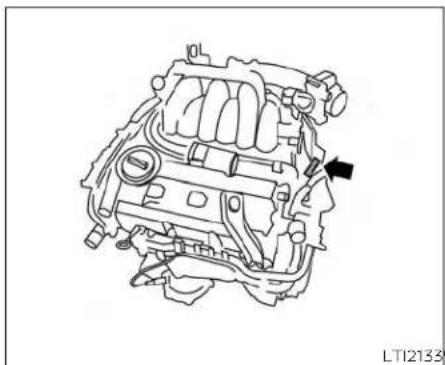
natural_image
Technical line drawing of an internal combustion engine component (no text or labels)ENGINESERIALNUMBER
Thenumberisstampedontheengineas shown.

natural_image
Line drawing of a car's seat and dashboard with a directional arrow indicating motion (no text or symbols)F.M.V.S.S./C.M.V.S.S.CERTIFICATION LABEL
The Federal/Canadian Motor Vehicle Safety Standard (F.M.V.S.S./C.M.V.S.S.) certification labels affixed as shown. This label contains valuable vehicle information, such as: (GVWR), (GAWR), month and year of manufacture, (VIN), etc. Review it carefully.

natural_image
Simple line drawing of a curved surface with a black upward arrow and a white square inside (no text or symbols)EMISSIONCONTROL INFORMATIONLABEL
The emission control information label is attached to the underside of the hood as shown.
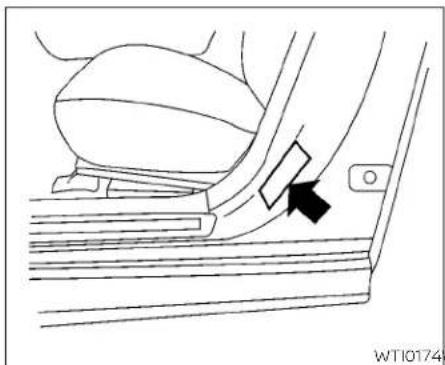
natural_image
Line drawing of a car seatbelt mechanism with a black arrow indicating the angle (no text or symbols present)TIREANDLOADINGINFORMATION LABEL
ThecoldtirepressureisshownontheTire andLoadingInformationlabel.Thelabelis locatedasshown.

natural_image
Simple line drawing of a curved object with an upward arrow, no text or symbols presentAIRCONDITIONERSPECIFICATION LABEL
Theairconditionerspecificationlabelisaf-fixedtotheundersideofthehoodas shown.
INSTALLINGFRONTLICENSEPLATE
| SymbolNameReferenceGraphic | ||
| CautionISO70000434 |  | |
| AirConditioningSystem (MAC) | ISO2575D01 | [968] |
| MACSystemLubricantType (PAG-POE) |  | |
| RequiresRegisteredTechnicianto ServiceMACSystem |  | |
| FlammableRefrigerant |  |

Tomountthefrontlicenseplate,attachthe licenseplatebrackettothebumperfascia atthelocationmarks(smalldimples)using thetwoprovidedscrews Ⓐ.
AirConditionerSpecificationLabelSymbols
VEHICLELOADINGINFORMATION
WARNING
-Itisextremelydangerousto rideinacargoareainsidevehicle.Inacollision,peopleridingintheseareasaremore likelytobeseriouslyinjuredor killed.
- Donotallowpeopleoridein anyareaofyourvehiclethatis notequippedwithseatsand seatbelts.
- Besureeveryoneinyourvehicleisinaseatandusinga seatbeltproperly.
TERMS
It is important to familiarize yourself with the following terms before loading your vehicle:
- CurbWeight(actualweightofyour vehicle)-vehicleweightincluding: standardandoptionalequipment,
fluids, emergencytools, and spare tireassembly. This weight does not include passengers and cargo.
•GVW(GrossVehicleWeight)-curb weightplusthecombinedweight ofpassengersandcargo.
•GVWR(GrossVehicleWeightRating)-maximumtotalcombined weightof theunloaded vehicle, passengers,cargo,hitch,trailer tongueloadandanyotheroptionalequipment.Thisinformation is located on the F.M.V.S.S./C.M.V.S.S.certificationlabel.
- GAWR(GrossAxleWeightRating)-maximumweight(load)limitspecifiedforthefrontorrearaxle.This information is located on the F.M.V.S.S./C.M.V.S.S. certification label.
• GCWR (Gross Combined Weight Rating) - The maximum total weight rating of the vehicle, passengers, cargo, and trailer.
- VehicleCapacityWeight,Loadlimit, Totalloadcapacity-maximumtotal weight limit specified of the load (passengersandcargo)forthevehicle. Thisisthemaximumcombinedweightofoccupantsand cargothatcanbeloadedintothe vehicle. If the vehicle is used to tow a trailer, the trail is Tongue weight must be included as part of the cargoload. This information is located on the Tire and Loading Information label.
- Cargo capacity - permissibleweight of cargo, the subtracted weight of occupants from the load limit.
VEHICLELOADCAPACITY
Beforedrivingloadedvehicle, confirmthatyoudonotexceedthe GrossVehicleWeightRating(GVWR) or the Gross Axle Weight Rating (GAWR)foryourvehicle.Boththe
GVWRandGAWRarelocatedonthe F.M.V.S.S./C.M.V.S.S.certificationlabel. Foradditionalinformation,see"Measurementofweights"(P.10-18).
Donotexceedtheloadlimitofyour vehicleshownas"Thecombined weightofoccupantsandcargo"on the Tire and Loading Information label. Donotexceedthenumber of occupantsshownas"SeatingCapacity"on the Tire and Loading Information label.
Toget "the combined weight of occupants and cargo", add the weight of allooccupants, then add the total cargoweight. Examples are shown in the following illustration.


LTI2335
Steps For Determining Correct Load Limit
- Locatethestatement "The combined weight of occupants and cargoshould never exceed XXXkg or XXXlbs." on your vehicle's placard.
- Determinethecombinedweight ofthedriverandpassengersthat willberidinginyourvehicle.
- Subtract the combined weight of the driver and passengers from XXXkgorXXXlbs.
-
Theresultingfigureequalsthe availableamountofcargo and luggageeloadcapacity. Forex-ample, if the "XXX" amountequals 1400lbs.and therewillbefive150 lb.passengersinyourvehicle,the amountofavailablecargo and luggageeloadcapacityis650lbs. (1400-750(5X150)=650lbs.)
-
Determinethecombinedweight of luggage and cargobeing loaded on the vehicle. That weight may not safely exceed the available cargo and luggage load capacity calculated in step 4.
- If your vehicle will betowing a trailer, load from your trailer will be transferred to your vehicle. Consult this manual to determine how this reduces the available cargo and luggage load capacity of your vehicle.
Towingatrailerwithvehiclethatis not intended for towing may result in anaccident involvinginjuryordeath.
WARNING
Donot towa trailerwith yourvehicle. Towingatrailermayresultinanaccidentinvolvinginjuryordeath.
Beforedrivingloadedvehicle, confirmthatyoudonotexceedthe GrossVehicleWeight Rating(GVWR) or the Gross Axle Weight Rating (GAWR)foryourvehicle.Foradditional information, see "Measurementofweights"(P.10-18).
Alsochecktiresforproperinflation pressures. For additional information, see "TireandLoadingInformationlabel"(P.10-13).
LOADINGTIPS
- The GVW must not exceed GVWR or GAWR as specified on the F.M.V.S.S./C.M.V.S.S.certificationlabel.
- Donotloadthefrontandrearaxle to the GAWR. Doing so will exceed theGVWR.
WARNING
•Properlysecureallcargowith ropesorstrapstohelpprevent itfromslidingorshifting.Do notplacecargohigherthanthe seatbacks.Inasuddenstopor collision,unsecuredcargo couldcausepersonalinjury.
- Donotloadyourvehicleany heavierthantheGVWRorthe maximumfrontandrear GAWRs.Ifyoudo,partsofyour vehiclecanbreak,tiredamage couldoccur,oritcanchange thewayyourvehiclehandles. Thiscouldresultinlossofcon- trolandcausepersonalinjury.
Overloadingnotonlycan shortenthelifeofyourvehicle andthetire,butcanalsocause unsafevehiclehandlingand longerbrakingdistances.This maycausea premature tire failurewhichcouldresultina seriousaccidentandpersonal injury.Failuresc causedbyover- loadingarenotcoveredbythe vehicle'swarranty.
MEASUREMENTOFWEIGHTS
Secure loose items to prevent weightshifts that could affect the balance of your vehicle. Whenthe vehicle is loaded, drive to a scale and weighthefrontandtherearwheels separately todetermine axle loads. Individual axle loadsshould not exceed either of the Gross Axle Weight Ratings (GAWR). Thetotaloftheaxle loadsshould not exceed the Gross Vehicle Weight Rating (GVWR). These ratings are given on the vehicle certification label. If weightratings are exceeded, move or remove itemsto bring all weights below theratings.
TOWINGATRAILER
Donottowatrailerwithyourvehicle.
FLATTOWING
Towingyourvehiclewithallfourwheelson thegroundissometimescalledflattowing. Thismethodissometimesusedwhen towingavehiclebehindarecreationalvehicle,suchasamotorhome.

CAUTION
- Failuretofollowtheseguidelinescan resultinseveretransmissiondamage.
·Whenever flattowing your vehicle, alwaystowforward, never backward. - Nevertowyourfrontwheeldrivevehiclewiththefronttiresontheground. Doingsomaycauseseriousandexpensivedamagetothepowertrain.
·DONOTtowanycontinuouslyvariabletransmissionvehiclewithall fourwheelsontheground(flattowing).DoingsoWILLDAMAGEinternal transmissionpartsduetolack of transmissionlubrication. - Foremergencytowingproceduressee "TowingrecommendedbyNISSAN" (P.6-12).
ContinuouslyVariable Transmission
Totowavehicleequippedwithacontinuouslyvariabletransmission,anappropriate vehicle dolly MUST be placed under the towedvehicle'sdrivewheels.Alwaysfollow thedollymanufacturer'srecommendationswhenusingtheirproduct.
UNIFORMTIREQUALITYGRADING
DOT(DepartmentofTransportation)QualityGrades: Allpassengercar tiresmust conformtofederalsafetyrequirementsin additiontothesegrades.
Qualitygradescanbefoundwhereapplicableon thetiresidewall betweenread shoulderandmaximum sectionwidth. Forexample:
Treadwear200TractionAATemperatureA
Treadwear
Thetreadweargradesacomparativeratingbasedonthewearrateofthetirewhen testedundercontrolledconditionsona specifiedgovernmenttestcourse. Forexample, atiregraded150wouldwearone andone-half(1 1/2)timesaswell onthe governmentcourseasatiregraded100. Therelativeperformanceoftiresdepends upontheactualconditions oftheiruse, however, and may depart significantly from thenormduetovariations indriving habits, servicepracticesand differences in road characteristics and climate.
TractionAA,A,BandC
Thetractiongrades, from highest to lowest, are AA, A, B, and C. Those grades represent the tire's sability to stop on wet pavement as measured under controlled conditions specified government tests surfaces of asphalt and concrete. Atire marked C may have poor traction performance.
WARNING
Thetractiongradeassignedtothistire is based on straight-ahead braking traction tests, and does not include acceleration, cornering, hydroplaning, or peak traction characteristics.
TemperatureA,BandC
ThetemperaturegradesareA(thehighest),B,andC,representingthetire'sresistancetothegenerationofheat,anditsabilitytodissipateheatwhentestedunder controlledconditionsonaspecifiedindoor laboratorytestwheel.Sustainedhightemperaturecancausethematerialofthetire todegenerateandreducetirelife,andexcessivetemperaturecanleadtosudden tirefailure.ThegradeCcorrespondstoa
levelofperformancewhichallpassenger cartiresmustmeetundertheFederalMotorSafetyStandardNo.109.GradesBandA representhigherlevelsofperformanceon thelaboratorytestwheelthanthemInl-mumrequiredbylaw.
WARNING
Thetemperaturegradeforthistireis establishedforatirethatisproperly inflatedandnotoverloaded.Excessive speed,under-inflation,orexcessive loading,eitherseparatelyorincombination,cancauseheatbuild-upand possibletirefailure.
EMISSIONCONTROLSYSTEM WARRANTY
YourNISSANvehicleiscoveredbythefollowingemissionwarranties:
ForUSA
-
EmissionDefectsWarranty
-
Emissions Performance Warranty
Detailsofthiswarrantymaybefoundwith othervehiclewarrantiesinyourWarrantyIn- formationBookletwhichcomeswithyour NISSANvehicle.IfyoudidnotreceiveaWarr- rantyInformationBooklet,oritislost,you mayobtainareplacementbywritingto:
•NissanNorthAmerica,Inc. ConsumerAffairsDepartment P.O.Box685003 Franklin,TN37068-5003
ForCanada
EmissionControlSystemWarranty
Detallsofthiswarrantymaybefoundwith othervehiclewarrantiesinyourWarrantyIn- formationBookletwhichcomeswithyour NISSANvehicle.Ifyoudidnotreceiveawar- rantyInformationBooklet,oritislost,you mayobtainareplacementbywritingto:
•NissanCanadaInc.
5290OrbitorDrive
Mississauga,Ontario,L4W4Z5
REPORTINGSAFETYDEFECTS
ForUSA
If you believe that your vehicle has a defect which could cause acrashor could cause injury or death, you should immediately inform the National Highway Traffic Safety Administration (NHTSA) in addition to notifying NISSAN.
IfNHTSAreceivessimilarcomplaints, itmayopenaninvestigation,andifit findsthatasafetydefectexistsina groupofvehicles,itmayorderare-callandremedycampaign.However, NHTSAcannotbecomeinvolvedin individualproblemsbetweenyou, yourdealer,orNISSAN.
TocontactNHTSA,youmaycallthe VehicleSafetyHotlinetoll-freeat 1-888-327-4236(TTY:1-800-424-9153);gotohttp://www.safercar.gov; orwriteto:Administrator,NHTSA, 400SeventhStreet,SW.,Washington, D.C.20590.Youcanalsoobtainother information about motor vehicle safetyfromhttp://www.safercar.gov.
YoumaynotifyNISSANbycontacting our Consumer Affairs Department,toll-free,at1-800-NISSAN-1.
ForCanada
If you believe that your vehicle has a defect which could cause acrashor could cause injury or death, you should immediately inform Transport Canada addition to notifying NISSAN.
If Transport Canada receives complaints, it may open an investigation, and if it finds that a safety defect exists in a group of vehicles, it may request that NISSAN conduct a recall campaign. However, Transport Canadac cannot become involved in individual problems between you, your dealer, or NISSAN. YoumaycontactTransportCanada's Defect Investigations and Recalls Divisiontollfreeat1-800-333-0510.
You may also report safety defects online at: http://www.tc.gc.ca/eng/motorvehiclesafety/menu.htm(Englishspeakers)orhttp://www.tc.gc.ca/fra/securiteautomobile/menu.htm(Frenchspeakers)
OrcontactTransportCanadaby mailat:
Transport Canada Motor Vehicle SafetyInvestigationsLaboratory 80NoelStreetGatineau,QCJ8Z0A1
Additional information concerning motorvehiclesafetymaybeobtained fromTransportCanada'sRoadSafety InformationCentreat1-800-333-0371 oronline atwww.tc.gc.ca/roadsafety (English speakers) or www.tc.gc.ca/securiteroutiere(Frenchspeakers).
READINESSFORINSPECTION/MAINTENANCE(I/M)TEST
TonotifyNISSANofanysafetyconcernspleasecontactourConsumerInformationCentretollfreeat1-800-387-0122.
Duetolegalrequirementsinsomestates and Canadian Provinces, your vehicle may berequired to be in what is called the "ready condition" for an inspection/Maintenance (I/M) test of the emission control system.
The vehicle is set to the ready condition when it is driven through certain driving patterns. Usually, there are a condition can be obtained by ordinary usage of the vehicle.
Ifapowertrainsystemcomponentisre-pairedorthebatteryisdisconnected,the vehiclermayberesettoa"notready"condition.Beforetakingthel/Mtest,checkthe vehicle's inspection/maintenancetest readiness condition. Place the ignition switchintheONpositionwithoutstarting theengine.Ifthe MalfunctionIndicator Light(MIL)comesonsteadyfor20seconds and thenblinksfor10seconds,thel/Mtest conditionis"notready".IftheMILdoesnot blinkafter20seconds,thel/Mtestconditionis"ready".Itisrecommendedthatyou visitaNISSANdealertosetthe"readycondition"ortopreparethevehiclefortesting.
EVENTDATARECORDERS(EDR)
ThisvehicleisequippedwithanEventData Recorder(EDR).Themainpurposeofan EDRistorecord,incertaincrashornear crash-likesituations,suchasanairbag deployment or hitting a road obstacle, data thatwillassistinunderstandinghowave-hicle'ssystemsperformed.TheEDRisdesignedtorecorddatarelatedtovehicledynamicsand safety systemsfor ashort periodoftime,typically30secondsorless. TheEDRinthisvehicleisdesignedtore-cordsuchdataas:
- Howvarious systems in your vehicle were operating;
- whetherornotthedriverandpassenger safetybeltswerebuckled/fastened;
- Howfar(ifatall)thedriverwasdepressingtheacceleratorand/orbrakepedal; and,
•Howfastthevehiclewastraveling.
•Soundsarenotrecorded.
OWNER'SMANUAL/SERVICE MANUALORDERINFORMATION
Thesedatacanhelpprovideabetterunderstandingofthecircumstancesinwhich crashesandinjuriesoccur.NOTE:EDRdata arerecordedbyyourvehicleonlyifanon-trivialcrashsituationoccurs;nodataare recordedbytheEDRundernormaldriving conditionsandnopersonaldata(e.g., name,gender,age,andcrashlocation)are recorded.However,otherparties,suchas lawenforcement,couldcombinetheEDR datawiththetypeofpersonallyidentifying dataroutinelyacquiredduringacrash investigation.
ToreaddatarecordedbyanEDR, special equipment is required, and accesstothe vehicleortheEDR is needed. In addition to the vehicle manufacturer and NISSAN dealer, other parties, such as lawenforcement, that havethespecialequipment, can read the information if they have access to the vehicleortheEDR.
EDRdatawillonlybeaccessedwiththe consentofthevehicleownerorlesseeor asotherwiserequiredorpermittedbylaw.
GenuineNISSANServiceManualsforth this modelyearandpriorcanbepurchased. AGenuineNISSANServiceManualisthe bestsourceofserviceandrepairinformation for your vehicle. This manual is the sameoneusedbythefactory-trained techniciansworkingatNISSANdealerships. Genuine NISSAN Owner's Manuals canalsobepurchased.
ForUSA
For current pricing and availability of GenuineNISSANServiceManuals, contact:
www.nissan-techinfo.com
For current pricing and availability of GenuineNISSANOwner'sManuals,contact:
1-800-247-5321
ForCanada
TopurchaseacopyofaGenuineNISSAN ServiceManualorOwner'sManual,forthis modelyearandprior,pleasevisitthenear-estNISSANdealer.Forthephonenumber and location of a NISSAN dealer in your area,calltheNISSANInformationCenterat 1-800-387-0122andabilingualNISSANrepresentativewillassistyou.
MEMO
10-24 Technical and consumer information
11Index
| A | Armrests | 1-8 Brakewear indicators | 2-1 |
| Autolightswitch | Parkingakeoperation | 5-22 | |
| Activenoisecancellation | Automaticanti-glareinsidemirror | 3-27 Self-adjusting brakes | |
| Activesoundenhancement | Automaticdoorlocks | 3-5 Brakes | 8-19 |
| ActiveRideControl(ARC) | AutomaticEmergencyBraking(AEB) | Break-inschedule | 5-109 |
| Airbag(Seesupplementalrestraint system) | WithPedestrianDetection | 5-85 Brightnesscontrol | 2-52 |
| Airbagsystem | AutomaticEmergencyBraking(AEB).2-12 | Instrumentpanel | 2-52 |
| Front(SeesupplementalfrontImpact airbagsystem) | Automatic | Bulbcheck/instrumentpanel | 2-9 |
| Airbagwarninglight,supplemental...1-62 | Automaticpowerwindows | Bulbreplacement | 8-25 |
| Airbagwarninglight | 1-62 | Bulbreplacement | 8-25 |
| Aircleanerhousingfilter | Batteryreplacement | 8-22 C.M.V.S.S.certificationlabel | 10-12 |
| Aircleaner | Keyfob | 8 Capacitiesandrecommended | |
| Airconditioner | NISSANIntelligentKey® | 8-22 fuel/lubricants | 10 |
| Airconditioneroperation | Battery | 5 CarphoneorCBradio | 4-34 |
| Airconditionerspecificationlabel...10-13 | Chargewarninglight | 2-10 Cargo(Seevehicleloading information) | 10-1 |
| Airconditionersystemrefrigerant and oilrecommendations | Beforestartingtheengine | 5-14 Checktin&pressure | 2-30 |
| Airconditionersystemrefrigerant recommendations | Belt (Seedrivebelt) | 5-37 Child restraints | 1-19 |
| Heaterandairconditioner(automatic) (Ifsoequipped) | BlindSpotWarning(BSW) | 1-38 LATCH(LowerAnchorsandTethers for Children) System | 1- |
| Heaterandairconditionercontrols.4-30 | Boosterseats | 5-115 8Precautionsonchild | |
| Servicingairconditioner | BrakeAssist | 5-113 restraints | 1-28,1-34,1-38 |
| Alarmsystem(Seevehiclesecurity system) | Brake | 5-114 Toptetherstrapanchorpoint locations | 1-26 |
| Anchorpointlocations | Anti-lockBrakingSystem(ABS) | 5-114 | 3-6 |
| Antenna | Brakefluid | 5-113 Cleanjng-g-esteriorandinte Climate controlseatswitch | |
| Anti-lockBrakingSystem(ABS) | Brakelight (Seestoplight) | 5-113 Coldweatherdriving | 5-124 |
| Antifreeze | Brakesystem | 5-113 | Coldweatherdriving |
| Consolebox. | 2 - 6 6 | Doorlocks. | 3 - 4 | Enginecoolanttemperaturegauge. | 2-5 |
| Consolelight. | 2 - 7 6 | Drivebelt. | 8 Enginecoolingsystem. | 8 - 4 | |
| ContinuouslyVariableTransmission(CVT). | DriveModeSelector. | 5 - 2 2 | Engineoilandoilfilterrecommendation. | 10 - 2 , 10 - 7 | |
| 5 - 1 6 | DriveSportModeSelector. | 5 - 2 2 | |||
| ContinuouslyVariableTransmission(CVT)fluid. | 8 - 1 1 | Driving the vehicle. | Engineoilpressurewarninglight. | 2 - 1 0 | |
| Driving. | 5 - 1 2 4 | Engineoilviscosity. | 10 - 7 | ||
| DrivingwithContinuouslyVariableTransmission(CVT). | 5 - 1 6 | Coldweatherdriving. | Engineoil. | 8 - 6 | |
| DrivingwithContinuouslyVariable | Engineserialnumber. | 10 - 1 2 | |||
| Transmissionshiftselectorlockrelease. | Transmission(CVT). | 5 - 1 6 | Enginespecifications. | 10 - 9 | |
| 5 - | Precautionswhenstartingand | Startingtheengine. | 5-14 | ||
| Controlpanelandvehicleinformationdisplayinteraction. | driving. | Event Data recorders. | 10-22 | ||
| Dynamic Driver Assistance switch. | 2 - 5 8 | Exhaustgas(Carbonmonoxide). | 5-4 | ||
| Controls. | 4 - 3 0 | Explanationofmaintenanceitems. | 9 - 2 | ||
| Heaterandairconditionercontrols..4-30Coolant. | 10 - 2 | E | Explanationofscheduledmaintenanceitems. | 9-5 | |
| Capacitiesandrecommendedfuel/lubricants. | EcoDriveReport. | 2 - 7 | Extendedstorageswitch. | 2 - 6 3 | |
| Economy-fuel. | 5 - 111 | Eyeglasscase. | 2 - 6 | ||
| Changingenginecoolant. | 8 - 5 | Emergencycall(SOS)button. | 2 - 59 | ||
| Checkingenginecoolantlevel. | 8 - 5 | Emergencyengineshutoff. | 5 - 13 | ||
| Enginecoolanttemperaturegauge..2-5Corrosionprotection. | Emission control system warranty. | 10-20 | F.M.V.S.S. certification label. | 10-12 | |
| Cupholders. | Enginecoolanttemperaturegauge. | 2 - 5 | Flashers(Seehazardwarningflasherswitch) | 6 - 2 | |
| Engine. | 5 - 1 4 | 6 - 3 | |||
| Beforestartingtheengine. | 5 - 1 4 | Flattire. | 7 - 8 | ||
| Capacitiesandrecommendedfuel/lubricants. | Floormatpositioningaid. | 8 - 1 2 | |||
| DaytimeRunningLightSystem. | 2 - 51 | Changingenginecoolant. | 8 - 5 | F.I.u.i.d0 - 2. | |
| Defrosterswitch. | Changingengineoilfilter. | 8 - 7 | Brakefluid. | 8 - 1 | |
| Rearwindowandoutsidermirrordefrosterswitch. | Changingengineoil. | 8 - 7 | Capacitiesandrecommendedfuel/lubricants. | ||
| Dimensionsandweights. | 10 - 1 0 | Checkingenginecoolantlevel. | 8 - 5 | ContinuouslyVariableTransmission(CVT)fluid. | 8 - 1 1 |
| Dimmerswitchforinstrumentpanel ..2-52Display. | Checkingengineoillevel. | 8 - 6 | Enginecoolant. | 8 - 4 | |
| 2 -1 | Enginecompartmentcheck | 8Engineoil. | 8 - 6 | ||
| Informationdisplay. | locations. |
| Powersteeringfluid. | Gauge .8 - 1 .1. | 2 - 5 |
| Windshield-washerfluid. | Enginecoolanttemperaturegauge..2-5 | |
| Fog lightswitch | Fuelgate | 2 - 6 |
| Foldingrearseat | Odrometer | 2 - 4 |
| Frontairbagsystem(Seesupplemental restraintsystem). | Speedometer. | 2 - 4 |
| Tachometer. | 2 - 5 | |
| Frontandrearsonarsystem. | Tripodometer. | 2 - 4 |
| Frontpowerseatadjustment. | General maintenance. | 9 - 2 |
| Frontseats | C1H2oveboxlock | |
| Front-doorpocket. | Glovebox | 2-8 |
| Fuelefficientdrivingtips | 5 -110 | |
| Fuelgauge. | 2 - 6 | |
| Fuel-fillerdoor. | 3 - 2 2 | |
| Fuel. | 10 - 2 | |
| Capacitiesandrecommended fuel/lubricants | Hazard warning flasher switch. | 6-2 |
| Hea pdestraints | ||
| Fueleconomy. | Headlightandturnsignalswitch. | 2 - 4 6 |
| Fuelgauge. | 2 - 6 | |
| Fueloctanerating | ||
| Fuelrecommendation. | 10 - 2 , 10 | |
| Fuel-fillercap. | 3 - 2 2 | |
| Fuel-fillerlid | 3 - 2 2 | |
| Loosefuelcapwarning. | 2 - 2 7 | |
| Fuses. | 8 - 2 0 | |
| Fusiblelinks | ||
| G | ||
| Garage dooropener,HomeLink®UniversalTransceiver | 2 - 7 7 HomeLink® Universal Transceiver | 2-77 |
| Gas cap. | 3 - 2 2d. | 3 - 2 0 |
| Horn | 2 - 5 |
IntelligentLaneIntervention. 5 - 3 1
IntelligentTraceControl(I-TC). 5 -118
Interiorlight
Interiorortrunklidrelease
ISOFIXchildrestraints. 1-23
J
Jumpstarting
K
Keyfobbatteryreplacement....8-22
Key 3-2
Keylessentry
With IntelligentKeysystem
(See IntelligentKeysystem)....3-12
Keys 3 -
NISSANIntelligentKey®. . . . . . . . 3 - 2 , 3 - 6
NISSANVehicleImmobilizerSystem
k e y s....3 -
L
Labels. 10 - 13
Air conditioner specification label...10-13
C.M.V.S.S.certificationlabel. 10-12
Emissioncontrolinformationlabel. . .10-12
Engineserialnumber. 10 - 12
F.M.V.S.S.certificationlabel....10-12
TireandLoadingInformationlabel.. .10-13
Vehicleidentificationnumber(VIN) Lock 3-6
plate 10 - 1Childsafetyreardoorlock 3 - 6
Warning labels(forSRS)....1-62 Doorlocks....3-4
.LaneDepartureWarning(LDW)....5-26
LATCH(LowerAnchorsandTethersfor
CHILDREN) System
Licenseplate. 10-14Loosefuelcapwarning. 2-27
Installingthelicenseplate....10-14 Low fuel warning light
Light....1-62 Lowtirepressurewarninglight....2-12
A9f8agwarninglight
Brakelight(Seestoplight)light...8.-2.5....2-27
Bulbcheck/instrumentpanel. . . . . . . 2 - 9 Luggage(Seevehicleloading
Bulbreplacement. 8 - 25 information) 10
Chargewarninglight. 2 - 1 0
Consolelight. 2 - 7 6
Exterior and Interior lights....8-25 ^M
Foglightswitch 2-53
Foglights....Maintenancerequirements....9-2
Headlightandturnsignalswitch 2-46 Maintenanceschedules. 9-7
Headlightcontrol switch Maintenance 2-46 9-2
Headlights 8 General maintenance....9-2
Interior light In-side vehicle
Lightbulbs 8 Maintenance precautions. . . . . . . . . . . . . . 8 - 2
Lowtirepressurewarninglight 2-12 Outside the vehicle
Lowwindshield-washerfluidwarning Seatbeltmaintenance. . . . . . . . . . . . . . . . . . . . . . . . . . . . . . . . . . . . . . . . . . . . . .
Light 2-2 Underthehoodandvehicle....9-4
Personallights 2-76Malfunctionindicatorlight
Securityindicatorlight 2-11 Maplights 2-7
Spotlights(Seemaplight) Memoryseat2-76 3-30
Trunklight 2 Metersandgauges. 2-3
Warning/Indicatorlightsandaudible Instrumentbrightnesscontrol. . . . . 2 - 5 2
reminders 2-8 Mirrordefroster 2
Lights....8-24
Maplights 2-76
| Mirror. . . . . . . . . . . . . . . . . . . . . . . . . . . . . . . . . . . . . . . . . . . . . . . . . . . . . . . . . . . . . . . . . . . . . . . . . . . . . . . . . . . . . . . . . . . . . . . . . . . . . | 3 - 2Engineoil. . . . . . . . . . . . . . . . . . . . . . . . . . . . . . . . . . . . . . . . . . . . . . . . . . . . . . . . . . . . . . . . . . . . . . . . . . . . . . . . . . . . . . . . . . . . . . . . . . . | 8 - 6 | Precautionsonchild |
| Automaticanti-glareinside | Outsidemirrorcontrol. . . . . . . . . . . . . . . . . . . . . . . . . . . . . . . . . . . . . . . . . . . . . . . . . . . . . . . . . . . . . . . . . . . . . . . . . . . . . . . . . . . . . . . . . . . . . . . . . . . | 1-28,1-34,1-38 | |
| mirror. . . . . . . . . . . . . . . . . . . . . . . . . . . . . . . . . . . . . . . . . . . . . . . . . . . . . . . . . . . . . . . . . . . . . . . . . . . . . . . . . . . . . . . . . . . . . . . . . . . | |||
| Heatedmirrors. . . . . . . . . . . . . . . . . . . . . . . . . . . . . . . . . . . . . . . . . . . . . . . . . . . . . . . . . . . . . . . . . . . . . . . . . . . . . . . . . . . . . . . . . . . . . . . . . . . M irrors. . . . . . . . . . . . . . . . . . . . . . . . . . . . . . . . . . . . . . . . . . . . . . Moonroof. . . . . . . . . . . . . . . . . . . . . . . MovingObjectDetection(MOD). 4 - 2 3 | Overheadunglassesholder. . . . . . . . . . . . . . . . . . . . . . . . . . . . . . . . . . . . . . . . . . . . . . . . . . . . .Owner'smanualorderform. 10 - 2 3Owner'smanual/servicemanualorder | 2 - 6 6 System. Precautionswhenstartinganddriving. 5 - 4 Pushstarting. 6 - 1 1 10 - 2 3 | |
| P Parkingbrake. . . . . . . . . . . . . . . . . . . . . . . . . . . . . . . . . . . . . . . . . . . . . . . . . . . . . . . . . . . . . . . . . . . . . . . . Personallights. 2 - 7 6 Poweroutlet. RearGrossTraffic Alert (RCTA) 5 - 47 Powersteeringfluid. RearDoorAlert1 2 - 2 6 Powersteering. RearPowerwindows. 2 - 7 4 Power. 3 Rearpowerwindows. 2 Octanerating(Seefueloctanerating)...10-6 Odometer. 2 - 4 Oil. 10 - 2 Capacitiesandrecommended fuel/lubricants Changingengineoilfilter. 8 - 7 Changingengineoil. 8 - 7 Checkingengineoillevel. 8 - 6 Engineoilandoilfilter recommendation. 10 - 2,10 - 7 Engineoilviscosity 10 - 7 | 3 - 5 Powerdoorlocks. 3 - 5 Poweroutlet. Rearerearwindows. Rearwandoutsidemirror Powersteeringfluid. defr.8-tdrswitch. Rear5-112wMonitor. 10 - 2 Rearpowerwindows. Rec2o-r7ders. By-ntData. 10 - 2 Maintenanceprecautions. 8 - 2 Refrigerantrecommendation. 10 - 2 Precautionsonbooster Registeringvehicleinanother seats. 1-28,1-34,1-38 country. 10 - 11 |
RemoteEngineStart....3-17 Reportingsafetydefects(USonly).....10 - 21
s
Safety .... 3 - 6 Childsafetyreardoorlock.... 1-21,1-28, Child seat belts.... 10-21
Seatadjustment....1-3 Frontpowerseatadjustment....1-3
Seatbeltextenders. 1-18
Seatbeltwarninglight....
Seatbelt..... Childsafety..... Infantsandsmallchildren....1-19,1-20 Injured person....
Largerchildren....
Precautions on seat belt usage .....1-11
Pregnantwomen. 1-14
Seatbeltextenders....1-18
Seatbeltmaintenance .....1-18
Seatbelts..... Shoulderbeltheightadjustment....1-17
Three-pointtypewithretra
Seat 3-3 Memoryseat 3-30,3-3
Seatbackpockets. 2 - 6 4
Seats 1-2 Adjustment 1-2
Armrests....g Frontseats....
Heated seats....2-5 P,02w B 6steering fluid....Rearseat....1-5 Power steering system....
Securityindicatorlight. 2-11 Stoplight 8-25
Securitysystem(NISSANVehicle St or a g e t r a y....2-65 ImmobilizerSystem),enginestart....2-42 St or a g e....2-64
Securitysystems. 2-40 Sunvisors. 3-26
3 - Vehicle security system. . . . . . . . . . . . . . . . . . . . . . . . . . . . . . . . . . . . . . . . . . . . . . . . . . . . . . . 2 - 4 0 Sunglasses case. . . . . . . . . . . . . . . . . . . . . . . . . . . . . . 2 - 6 6 Self - a d j u s t i n g b r a k e s. . . . . . . . . . . . . . . . . . . . . . . . . . S u n g l a s s e s h o l d e r. 2 - 6 6 Service manual order form. 1 0 - 2 3 Sunroof. 2 - 7 2
Servicingair conditioner. 4 - 3 3 Supplemental air bag warning light. . . 1-62 Shifting. Supplementalfrontimpact airbag ContinuouslyVariableTransmission system. . . 1-49
(CVT). 5 - 1.7 Supplementalrestraintsystem Shoulderbeltheightadjustment. . . . . .1-17 (Supplementalairbagsystem) . . . . . .1-41
Sparkplugreplacement 8 - 16 Supplementalrestraintsystem. 1-62 Sparkplugs. 8 - 16 Information and warning labels. 1-62 Specifications. 10 - 9 Precautionsonsupplemental restraint Speedometer. 2 - 4 system. 1-41
Spotlights (Seemaplight) . . . Switch 2 - 7.6 . . . . . . . . . . . . . . . . . . . . . . . . . . . . . . . . . . . . . . . . . . . . . . . . . . . . . . . . . . . . . . . . . . . . 2 - 4.7 SRSwarninglabel ..... 1-62 Autolightswitch ..... 2 Stabilitycontrol ..... 5 - 115 Automaticpowerwindowswitch Standardmaintenance ..... 9 - 8 Foglightswitch ..... 2 - Startingtheengine ..... 5 - 1.4 Hazardwarningflasherswitch ..... 6 - 2
Starting 5 Headlightandturnsignalswitch. 2-46 Beforestartingtheengine. 5-14 Headlightcontrolswitch. Curt-pointing 6 -Instrumentbrightnesscontrol. 2-52 Precautionswhenstartingand Power door lock switch. 3-5
3 driving....5 - Rearwindow and outsidemirror Pushstarting....6 - 11 defrosterswitch....2 Startingtheengine....5 - 14 Turnsignalswitch....2 - 5 2
Steeringwheel....3-24 s16eering....2-57 17Heatedsteeringwheel....2-57
T
Tachometer. 2 - 5
Temperaturegauge. 2 - 5
Enginecoolanttemperaturegauge...2-5
Theft(NISSANVehicleImmobilizer
System),enginestart. 2 - 4 2
Three-waycatalyst.....
TirePressureMonitoringSystem(TPMS) ... 5 - 5
Tirepressure. 2 - 1 2
Lowtirepressurewarninglight. . . . . 2 - 1 2
Tire 6
Flattire....6-3,6-4
Sparetire. 6 - 5, 8 - 39
TireandLoadingInformationlabel...10-13
Tirechains. 8 - 3 6
Tirepressure
Tirerotation....
Typesoftires. 8 - 3 5
Uniformtirequalitygrading. . . . . . . 1 0 - 1 9
Wheel/tiresize. 10 - 10
Wheelsandtires. 8 - 2 7
Towing a trailer....
Towing your vehicle
To wing 6
2-wheeldrivemodels. 6 - 1 3
Flattowing
Trailertowing
TrafficSignRecognition(TSR)....5-23
Transceiver. 2 - 7
HomeLink®Universal
Transceiver. . . . . . . 2 - 7 7 , 2 - 7 9 , 2
Transmission. 8-1 Vehicle recovery 6
ContinuouslyVariableTransmission
(CVT)fluid
DrivingwithContinuouslyVariable
Transmission(CVT)....
Travel(Seeregisteringavehiclein
anothercountry) 10 - 11
Tripodometer 2 - 4
Trunkaccessthroughtherearseat....1-5
Trunklidlockopenerlever....3 - 2 1
Trunklight
Turnsignalswitch. 2 - 5 2
7.6
U
Uniformtirequalitygrading. 10 - 19
USB/ iPodChargingPorts 2 - 6 1
.. 8 - 3 6
v
Vanitymirror....
.Veholedimensionsandweights. . . . . 1 0 - 1 0
Vehicle DynamicControl(VDC)OFF
switch 2
VehicleDynamicControl(VDC)system ...5-115
VehicleIdentificationnumber(VIN)
(Chassisnumber)....10-11
Vehicleidentificationnumber(VIN)
plate 10
Vehicleidentification 10-1
8/vehicleingmobilizersystem 2-42
Vehicleinformationdisplay
Vehicleloadinginformation. 10 - 15
W
Warning lights....2-
Warning/indicatorlightsandaudible
reminders 2 - 8
Audiblereminders. 2 - 8
Indicatorlights....
Warninglights....2-
arning....1-62
Airbagwarninglight .....1-62,
Batterychargewarninglight. . . . . . . 2-10
Brakewarninglight ....
Engineoilpressurewarninglight. . . . 2 - 1 0
Hazardwarningflasherswitch. . . . . . 6 - 2
LoosefDelcapwarning. 2 - 2 7
Lowfuelwarninglight.....2-10,
Lowtirepressurewarninglight
Lowwindshield-washerfluid
warninglight....2-;
Seatbeltwarninglight....1-14
Supplementalairbagwarning
l i g h t . . . . . . . . . . . . . . . . . . . . . . . . . . . . . . . . . . . . . . . . . . . . . . . . . . 1-62,2-11
Vehiclesecuritysystem 2 - 4 0
Warninglabels(forSRS)....1-62
Warning/indicatorlightsandaudible
reminders: 2 - 17 2 - 8
Weights(Seedimensionsand
weights) 10-10
Wheel/tiresize. 10 - 10
Wheelsandtires. 8 - 27
Whentravelingorregisteringin
anothercountry....10-11
Windows 2-69
Lockingpassengers'windows.....2-70
Powerrearwindows....2-70
Powerwindows....2-69
Rearpowerwindows....2-70
Windshieldwiperblades. 8 - 1 8
Windshield-washerfluid. 8 - 1 2
Wiperandwasherswitch. 2 - 4 3
Wiper 8-18
Wiperblades. 8 - 1 8
MEMO
MEMO
MEMO
MEMO
MEMO
MEMO
MEMO
GASSTATIONINFORMATION
FUELRECOMMENDATION:
NISSANrecommendstheuseofunleaded premiumgasolinewithanoctaneratingof atleast91AKI(Anti-KnockIndex)number (Researchoctanenumber96).Ifunleaded premiumgasolineisnotavailable,yourmay useunleadedregulargasolinewithanoctaneratingofatleast87AKInumber(Researchoctanenumber91),butyoumay noticeadecreaseinperformance.
CAUTION
- Usingafuelotherthanthatspecified couldadverselyaffecttheemission controlsystem,andmayalsoaffect thewarrantycoverage.
- Undernocircumstances should leaded gasolinebeused, because this will damagethethree-way catalyst.
- Donotuseafuelcontainingmore than15%ethanolinyourvehicle.Your vehicleisnotdesignedtorunona fuelcontainingmorethan15%ethanol.Usingafuelcontainingmore than15% ethanol ina vehiclenot specificallydesignedforafuelcontainingmorethan15%ethanolcan adverselyaffecttheemissioncontrol devicesandsystemsofthevehicle.
Damagecausedbysuchfuelisnot coveredbytheNISSANNewVehicle LimitedWarranty.
- Donotusefuelthatcontainstheoctaneboostermethylcyclopentadienylmanganesetricarbonyl(MMT). UsingfuelcontainingMMTmayadversely affect vehicleperformance and vehicle emissions. Not all fuel dispensersarelabeledtoindicate MMT content, so you may have to consult your gasoline retailer for moredetails.NotethatFederaland California laws prohibit the use of MMTinreformulatedgasoline.
- U.S. government regulations require ethanol dispensing pumps to be identified by a small, square, orange and black label with the common abbreviation or the appropriate percentage for that region.
For additional information, see "Recommended fluids/lubricants and capacities" (P10-2).
ENGINEOILRECOMMENDATION:
For additional information, see "Recommended fluids/lubricants and capacities" (P10-2).
COLDTIREPRESSURE:
RefertotheTireandLoadingInformation label.
Thelabelistypicallylocatedonthedriver sidecenterpillaroronthedriver'sdoor. Foradditionalinformation,see"Wheelsand tires"(P.8-27).
RECOMMENDEDNEWVEHICLE BREAK-INPROCEDURE:
During the first 1,200 miles (2,000 km) of vehicle use, follow the break-in procedure recommendations for the future reliability and economy of your new vehicle. For additional information, see "Break-inschedule" (P5-109). Failure to follow the schedules may result in vehicled damage or shortened engine life.

To view the digital NissanConnect manual, go to www.nissanquickguide.com/#/guide/2023/maxima/browse or snap this QR code with an appropriate QR code reader.
Printing: June 2022
Publication No.:OM23EA 0A36U0
Printed in the U.S.A.
A36-D


- OWNER'SMANUALSUPPLEMENT
- NISSANSOFTWARELICENSE
- CALIFORNIA PROPOSITION 65 WARNING
- WARNING
- FOREWORD
- READFIRST—THENDRIVESAFELY
- IMPORTANT SAFETY INFORMATION REMINDERS!
- WHEN READING THE MANUAL
- CAUTION
- CALIFORNIAPERCHLORATE ADVISORY
- ©2022NISSANNORTHAMERICA,INC.
- NISSANCUSTOMER CAREPROGRAM
- NISSANCARES...
- ForU.S.customers
- ForCanadiancustomers
- Ollustratedtableofcontents
- AIRBAGS,SEATBELTSANDCHILD RESTRAINTS
- 0-2 Illustrated table of contents
- Refertothepagenumberindicatedin parenthesesforoperatingdetails.
- EXTERIORFRONT
- EXTERIORREAR
- 0-4Illustratedtableofcontents
- PASSENGERCOMPARTMENT
- INSTRUMENTPANEL
- ENGINE COMPARTMENT CHECK LOCATIONS
- 3.5L6cylinder(VQ35DEengine model)
- NOTE:
- WARNINGANDINDICATORLIGHTS
- 1Safety-Seats,seatbeltsand supplementalrestraintsystem
- SEATS
- 1-2 Safety-Seats, seat belts and supplemental restraint system
- Operatingtips
- Forwardandbackward
- Reclining
- HEADRESTRAINTS/HEADRESTS
- REMOVE
- INSTALL
- ADJUST
- Raise
- Lower
- SEATBELTS
- PRECAUTIONSONSEATBELT USAGE
- SEATBELTWARNINGLIGHTAND CHIME
- PREGNANTWOMEN
- INJUREDPERSONS
- THREE-POINTTYPESEATBELT WITHRETRACTOR
- Fasteningtheseatbelts
- Unfasteningtheseatbelts
- Checkingseatbeltoperation
- Shoulderbeltheightadjustment (frontseats)
- SEATBELTEXTENDERS
- SEATBELTMAINTENANCE
- CHILDSAFETY
- Childrenneedadultstohelpprotectthem. Theyneedtobeproperlyrestrained.
- INFANTS
- SMALLCHILDREN
- LARGERCHILDREN
- CHILDRESTRAINTS
- LATCHinthecenterrearseating position
- If you have any questions when installing atoptetherstrapchild restraint, it is recommended that you visit a NISSAN dealer forth this service.
- REAR-FACINGCHILDRESTRAINT INSTALLATIONUSINGLATCH
- FORWARD-FACINGCHILD RESTRAINTINSTALLATIONUSING LATCH
- Rearbenchseat
- Forward-facing(frontpassengerseat)-step1
- Forward-facing-step3
- BOOSTERSEATS
- Frontpassengerposition
- SUPPLEMENTALRESTRAINTSYSTEM (SRS)
- PRECAUTIONSONSRS
- Supplemental front-impact air bag system
- Frontseat-mountedside-impactsup- plementalairbagsystem
- Rearoutboardseat-mountedside-impactsupplementalairbagsystem
- Roof-mountedcurtainside-impact and rolloversupplementalairbagsystem
- Driverandfrontpassengersupplementalkneeairbags
- Thesupplementalairbagsoperateonly whentheignitionswitchisplacedinthe ONposition.
- Statuslight
- Frontpassengerairbag
- Normaloperation
- Precautions
- Steps
- Troubleshooting
- Asystemcheckwillbeperformedduring whichthefrontpassengerairbagstatus light will remain lit for about 7 seconds initially.
- Othersupplementalfront-impactair bagprecautions
- Repairandreplacement procedure
- 2Instrumentsandcontrols
- 2-2 Instrumentsandcontrols
- METERSANDGAUGES
- SPEEDOMETERANDODOMETER
- 2-4 Instrumentsandcontrols
- Changingthedisplay
- Resettingthetripodometer
- TACHOMETER
- FUELGAUGE
- Refillthefueltankbeforethegaugeregisters0(Empty).
- -Ifthevehiclerunsoutoffuel,the
- DISTANCETOEMPTY(DTE)
- WARNINGLIGHTS,INDICATORLIGHTS ANDAUDIBLEREMINDERS
- CHECKINGLIGHTS
- WARNING/INDICATORLIGHTS(red)
- Parkingbrakeindicator
- Lowbrakefluidwarninglight
- Chargewarninglight
- Donotcontinuedrivingifthegenerator beltisloose,brokenormissing.
- Engineoilpressure warninglight
- Masterwarninglight
- - Thewarninglightand/orchimemay activateifanyseatbeltisunfastened beforethevehiclecomestoacomplete stop.Pleaseremainfasteneduntilthe vehiclehascometoacompletestop.
- Securityindicatorlight
- Supplementalairbag warninglight
- WARNING/INDICATORLIGHTS (yellow)
- ABS or (ABS)
- Lowtirepressurewarning
- TPMSmalfunction
- Operation
- RearAutomaticBraking (RAB)systemwarninglight
- Slipindicatorlight
- VehicleDynamicControl (VDC)OFFindicatorlight
- WARNING/INDICATORLIGHTS (other)
- Frontfoglightindicator light(green)(ifsoequipped)
- HighBeamAssistindicator light(green)
- Highbeamindicatorlight (blue)
- Sidelightandheadlight indicatorlight(green)
- Turnsignal/hazard indicatorlights(green)
- AUDIBLEREMINDERS
- Brakepadwearwarning
- Lightreminderchime
- VEHICLEINFORMATIONDISPLAY
- HOWTOUSETHEVEHICLE INFORMATIONDISPLAY
- STARTUPDISPLAY
- 2-18 Instrumentsandcontrols
- DRIVECOMPUTER
- SETTINGS
- DriverAssistance
- CustomizeDisplay
- VehicleSettings
- Maintenance
- 2-24 Instrumentsandcontrols
- TPMSSettings
- Unit/Language
- Key-LinkedSettings(ifsoequipped)
- FactoryReset
- VEHICLEINFORMATIONDISPLAY WARNINGSANDINDICATORS
- Enginestartoperationfor IntelligentKeysystem (ifl-Keybatterylevelislow)
- KeyBatteryLow
- KeyIDIncorrect
- KeySystemFaultSee Owner'sManual
- NoKeyDetected
- Alarm-Timeforabreak?
- Brightnessindicator
- RearDoorAlertisactivated
- CheckRearSeatForAllArticles
- Door/TrunkOpen
- HeadlightSystemError:SeeOwner's Manual
- LooseFuelCap
- LowFuel
- LowOutsideTemperature
- LowWasherFluid
- OilandFilter
- Other
- OutsideTemperature Display
- Powerturnedofftosavethebattery
- Powerwillturnofftosavethebattery
- Pushbrakeandstart switchtodrive
- REAR Rearseatbeltwarning
- ReleaseParkingBrake
- Reminder: TurnOFF Headlights
- Rotatethesteeringand pushthestartswitch
- ShifttoPark
- ShippingModeOnPushStorageFuse
- SPORT
- Tire
- TirePressureLow-AddAir
- TransmissionShiftPosition indicator
- CVTError:SeeOwner's Manual
- AutomaticEmergency Braking(AEB)with PedestrianDetection emergencywarning indicator
- BlindSpotWarning(BSW) and RearCross Traffic Alert (RCTA) indicator
- ChassisControlSystemError:See Owner'sManual
- Cruisecontrolindicator
- CruiseON
- CruiseTargetSpeedSET
- TargetSpeedSETwithIntelligent DistanceControl
- CurrentlyUnavailable
- DriverAttentionAlert- TakeaBreak?
- DriverAttentionAlert Malfunction
- ForwardDrivingAidstemporarily disabledFrontSensorblockedSee Owner'sManual
- IntelligentCruiseControl (ICC)indicator
- IntelligentCruiseON
- LaneDepartureWarning (LDW)indicator
- ParkingSensorError:SeeOwner's Manual
- ParkingSensor
- RearAutomaticBraking (RAB)systemwarning indicator
- LIMIT
- SpeedLimitSignindicator
- Unavailable: High Cabin Temperature
- Unavailable:RoadisSlippery
- UnavailableSideRadarObstruction
- Vehicleaheadetection indicator
- CONTROLPANELANDVEHICLE INFORMATIONDISPLAYINTERACTION
- AUDIO
- RECEIVINGACALL
- INFO:
- TEXTMESSAGING(ifsoequipped)
- Toread/ignoreanincomingtext
- Toreplyto/exitfromatext
- INFO
- NAVIGATIONSYSTEM
- Cityview
- Arrowview
- Compassview
- Farscreenview
- 2-38Instrumentsandcontrols
- Navigationsettings
- NAVIGATIONSWIPETOMETER (ifsoequipped)
- VEHICLESECURITYSYSTEM
- FCCNotice:
- ForUSA:
- ForCanada:
- WIPERANDWASHERSWITCH
- RAIN-SENSINGAUTOWIPER SYSTEM(ifsoequipped)
- HEADLIGHTANDTURNSIGNAL SWITCH
- Autolightsystem
- 2-48 Instrumentsandcontrols
- Headlightbeamselect
- HighBeamAssist
- HighBeamAssistoperation
- Ambientimagesensormaintenance
- Batterysaversystem
- LEDDAYTIMERUNNINGLIGHTS (DRL)SYSTEM
- TURNSIGNALSWITCH
- Turnsignal
- Lanechangesignal
- FOGLIGHTSWITCH(ifsoequipped)
- HORN
- CLIMATE-CONTROLLEDSEAT SWITCHES(ifsoequipped)
- HEATEDSEATSWITCHES(ifso equipped)
- HEATEDREARSEATSWITCHES(ifso equipped)
- HEATEDSTEERINGWHEELSWITCH (ifsoequipped)
- DYNAMICDRIVERASSISTANCE SWITCH(ifsoequipped)
- VEHICLEDYNAMICCONTROL(VDC) OFFSWITCH
- EMERGENCYCALL(SOS)BUTTON
- EMERGENCYSUPPORT
- Makinganemergencycall
- USB/iPod®CHARGINGPORTS(ifso equipped)
- REARDOORALERT
- POWEROUTLET
- EXTENDEDSTORAGESWITCH
- WINDOWS
- POWERWINDOWS
- Automaticoperation
- Auto-reversefunction(ifso equipped)
- Ifthewindowsdonotclose automatically
- DUALPANELMOONROOF(ifso equipped)
- POWERMOONROOF
- Slidingthemoonroof
- Tiltingthemoonroof
- Auto-reversefunction(when closingortiltingdownthe moonroof)
- Dependingontheenvironmentordrivingconditions,theauto-reversefunctionmaybeactivatedifanimpactor loadsimilartosomethingbeingcaughtinthemoonroofoccurs.
- Whenclosing
- Whentiltingdown
- Sunshade
- REARPOWERSUNSHADE(ifso equipped)
- INTERIORLIGHTS
- TRUNKLIGHT
- HOMELINK®UNIVERSAL TRANSCEIVER(ifso equipped)
- PROGRAMMINGHOMELINK®
- PROGRAMMINGHOMELINK® FOR CANADIANCUSTOMERSANDGATE OPENERS
- PROGRAMMING TROUBLE-SHOOTING
- CLEARING THEPROGRAMMED INFORMATION
- Toclear allprogramming
- REPROGRAMMINGASINGLE HOMELINK®BUTTON
- IFYOURVEHICLEISSTOLEN
- 3Pre-drivingchecksandadjustments
- KEYS
- NISSANINTELLIGENTKEY®
- Neverleavethesekeysinthevehicle.
- 3-2 Pre-driving checks and adjustments
- Mechanicalkey
- AlwayscarrythemechanicalkeyinstalledintheIntelligentKeyslot.
- Valethand-off
- DOORS
- LOCKINGWITHINSIDELOCKKNOB
- LOCKINGWITHPOWERDOOR LOCKSWITCH
- Lockoutprotection
- AUTOMATICDOORLOCKS
- NISSANINTELLIGENTKEY®SYSTEM
- CHILDSAFETYREARDOORLOCK
- BesuretocarrytheIntelligentKeywith youwhenoperatingthevehicle.
- OPERATINGRANGE
- Ifalldoorsarealready unlocked, opening the trunk does NOT require an intelligent Keytobein range of the trunk request switch or rear of the vehicle.
- DOORLOCKS/UNLOCKS PRECAUTION
- 3-8 Pre-drivingchecksandadjustments
- Lockingdoors
- Unlockingdoors
- Usingtheinteriorlights
- Openingthetrunklid
- HOWTOUSETHEREMOTE KEYLESSENTRYFUNCTION
- When locking the doors using the intelligent Key, besurenottoleavethe key in the vehicle.
- Openingwindows
- Thedoorwindows cannot be closed by using the Intelligent Key.
- Releasingthetrunklid
- Usingthepanicalarm
- Answerbackhornfeature
- Todeactivate:
- Toactivate:
- WARNINGSIGNALS
- TROUBLESHOOTINGGUIDE
- REMOTE ENGINE START
- REMOTESTARTINGTHEVEHICLE
- EXTENDINGENGINERUNTIME
- CANCELINGAREMOTEENGINE START
- CONDITIONSTHEREMOTEENGINE STARTWILLNOTWORK
- HOOD
- TRUNKLID
- OPENEROPERATION
- INTERIORTRUNKACCESS
- FUEL-FILLERDOOR
- OPENINGTHEFUEL-FILLERDOOR
- FUEL-FILLERCAP
- STEERINGWHEEL
- LooseFuelCapwarning
- 3-24 Pre-drivingchecksandadjustments
- Forvehicleswithmemoryseat:Failure toresetthetiltandtelescopingfunctionsofthesteeringwheel,afterthe vehicle'sbatteryhasbeendischarged, maypreventthesteeringwheelpositionfrombeingadjusted.
- Entry/Exitfunction(ifso equipped)
- SUNVISORS
- VANITYMIRRORS
- 3-26 Pre-driving checks and adjustments
- MIRRORS
- AUTOMATICANTI-GLARE REARVIEWMIRROR
- TypeB(ifsoequipped)
- OUTSIDEMIRRORS
- Heatedmirrors
- Reversetilt-downfeature(ifso equipped)
- MEMORYSEAT(ifsoequipped)
- Iftheoutsidemirrorcontrolswitchisin thecenter(neutral)position,mirrorsurfacewillNOTturndownwardwhenthe shiftleverismovedtoR(Reverse).
- MEMORYSTORAGEFUNCTION (key-link)
- Followthesameprocedureifyouwant tolinkthe2nd,3rdor4thIntelligentKey.
- Ifnewmemorypositionsaresetpriorto turningtheignitionfromONtoOFF,the previouslylinkedmemorypositionsfor therespectivekeywillbeoverwrittenby newpositions.
- Recalling Intelligent Key memory positions
- MEMORYSTORAGEFUNCTION (switch)
- Confirmingmemorystorage
- LinkinganIntelligentKeytothe meterdisplay(ifsoequipped)
- SYSTEMOPERATION
- 4Monitor,climate,audio,phone and voicerecognitionsystems
- NISSANCONNECT® OWNER'S MANUAL
- REARVIEWMONITOR(ifso equipped)
- Distanceguidelines
- Vehiclewidthguidelines ④
- Predictedcourselines ⑤
- DIFFERENCEBETWEENPREDICTED ANDACTUALDISTANCES
- 4-6Monitor,climate,audio,phoneandvoicerecognitionsystems
- HOWTOPARKWITHPREDICTED COURSELINES
- ADJUSTINGTHESCREEN
- REARVIEWMONITORSYSTEM LIMITATIONS
- SYSTEMMAINTENANCE
- INTELLIGENTAROUNDVIEW® MONITOR(ifsoequipped)
- Availableviews:
- Frontandrearview
- Distanceguidelines:
- Vehiclewidthguidelines ⑤:
- Predictedcourselines ⑥:
- Bird's-eyeview
- Front-sideview Guidinglines
- Rear-wideview
- Backinguponasteepuphill
- HOWTOSWITCHTHEDISPLAY
- - Donotstrikethecameras.Theyare precisioninstruments.Doingso couldcauseamalfunctionorcause damageresultinginafireoranelectricshock.
- Systemtemporarilyunavailable
- MOVINGOBJECTDETECTION(MOD) (ifsoequipped)
- MODSYSTEMOPERATION
- Frontandbird's-eyeviews
- Rearandbird's-eyeviews
- Rearandfront-sideviews
- TURNINGMODONANDOFF
- MODSYSTEMLIMITATIONS
- VENTS
- HEATER AND AIR CONDITIONER (automatic)
- Cooling and/or dehumidified heating(AUTO)
- Heating(A/COFF)
- Dehumidifieddefrostingor defogging
- RemoteEngineStartwith IntelligentClimateControl(ifso equipped)
- MANUALOPERATION
- Fanspeedcontrol
- Temperaturecontroldial
- Airrecirculation
- Freshairintake
- A/C(airconditioner)button
- Airflowcontrol
- Toturnsystemoff
- Rearwindowandoutsidemirror defrosterswitch
- SERVICINGAIRCONDITIONER
- ANTENNA
- Thisrefrigerantdoesnotharmtheearth's ozonelayer.
- ROOFMOUNTED ANTENNA
- CARPHONEORCBRADIO
- iPod®/iPhone®
- 5Startinganddriving
- PRECAUTIONSWHENSTARTINGAND DRIVING
- THREE-WAY CATALYST
- - Donotpushortowyourvehicletostarttheengine.
- TIREPRESSUREMONITORING SYSTEM(TPMS)
- Additional information:
- TPMSwithEasy-FillTireAlert
- Vehicleset-up
- AVOIDINGCOLLISIONAND ROLLOVER
- Aswithanyvehicle,lossofcontrolcould resultinacollisionwithothervehiclesor object Sorcausethevehicletorollover, particularlyifthelossofcontrolcauses thevehicletoslidesideways.
- 5-8 Startinganddriving
- OFF-ROADRECOVERY
- RAPIDAIRPRESSURELOSS
- PUSH-BUTTONIGNITIONSWITCH
- If the battery of the vehicle is discharged, the push-buttonignitions switch cannot be moved from the LOCK position.
- PUSH-BUTTONIGNITIONSWITCH POSITIONS
- LOCK(Normalparkingposition)
- ACC(Accessories)
- ON(Normaloperatingposition)
- OFF
- EMERGENCYENGINESHUTOFF
- NISSANINTELLIGENTKEY® BATTERYDISCHARGE
- BEFORE STARTING THE ENGINE
- STARTING THE ENGINE
- Thestarterisdesignednottooperate iftheshiftleverisinanyofthedriving positions.
- 4.Warm-up:
- REMOTE ENGINESTART
- DRIVINGTHEVEHICLE
- Startingthevehicle
- 5-16 Startinganddriving
- Shifting
- N(Neutral)
- D(Drive)
- Paddleshifters(ifsoequipped)
- M7(7th)
- M6(6th)andM5(5th)
- M4(4th), M3(3rd) and M2(2nd)
- M1(1st)
- Whenshiftingup
- Whenshiftingdown
- Whencancelingthemanualshiftmode
- Shiftlockrelease
- PARKINGBRAKE
- DRIVEMODESELECTOR
- Torelease:
- TRAFFICSIGNRECOGNITION(TSR)
- NORMALMODE
- SPORTMODE
- TURNINGTHETRAFFICSIGN RECOGNITION(TSR)SYSTEMON ANDOFF
- SYSTEMTEMPORARILY UNAVAILABLE
- Actiontotake:
- SYSTEMMALFUNCTION
- LANEDEPARTUREWARNING(LDW)
- Usingthe"Settings"inthevehicleinformationdisplay:
- Usingthe"DrivingAids"screeninthe vehicleinformationdisplay:
- LDWSYSTEMLIMITATIONS
- -Whenasuddenchangeinbrightnessoccurs.(Forexample,when thevehicleentersorexitsatunnel orunderabridge.)
- INTELLIGENT LANE INTERVENTION (I-LI) (ifso equipped)
- 5-32Startinganddriving
- Usingdynamicdriverassistanceswitch:
- Using"Settings"inthevehicleinformationdisplay:
- Using "DrivingAids" screeninthevehicle informationdisplay:
- ConditionA:
- ConditionB:
- ConditionC:
- Temporarydisabledstatusathigh temperature:
- BLINDSPOTWARNING(BSW)
- 5-38 Startinganddriving
- Usingthe"DrivingAids"screeninthevehicleinformationdisplay:
- If the BSWsystemstopsworking, the RCTAsystemwillalsostopworking.
- Malfunction
- Radiofrequencystatement
- ForUSA
- REARCROSSTRAFFICALERT(RCTA)
- FCCWarning
- ForCanada
- Actiontotake
- 5-54Startinganddriving
- Droitapplicable:Canada310
- HOWTOSELECTTHECRUISE CONTROLMODE
- VEHICLE-TO-VEHICLEDISTANCE CONTROLMODE
- 5-58 Startinganddriving
- VEHICLE-TO-VEHICLEDISTANCE CONTROLMODESWITCHES
- 1.CANCELswitch:
- 2.RES+switch:
- 3.DISTANCE switch:
- 4.ICCswitch:
- 5.SET-switch:
- Vehicledetectedahead
- Vehicleaheadnotdetected
- Howtochangethesetvehicle speed
- Howtochangethesetdistance tothevehicleahead
- Approachwarning
- Automaticcancellation
- VEHICLE-TO-VEHICLEDISTANCE CONTROLMODELIMITATIONS
- ConditionA
- ConditionB
- ConditionC
- ConditionD
- ConditionE
- CONVENTIONAL(fixedspeed) CRUISECONTROLMODE
- Conventional(fixedspeed)cruise controlswitches
- REARAUTOMATICBRAKING(RAB)
- RABSYSTEMOPERATION
- RABSYSTEMLIMITATIONS
- AUTOMATICEMERGENCYBRAKING (AEB)WITHPEDESTRIANDETECTION
- 5-86 Startinganddriving
- The vehicle's brakelights come on when any braking is performed by the AEB with Pedestrian Detection system.
- AEBWITHPEDESTRIAN DETECTIONSYSTEMLIMITATIONS
- ConditionD:
- 5-94Startinganddriving
- FCCIDOAYARS4B
- FCCID:OAYARS4B
- INTELLIGENTFORWARDCOLLISION WARNING(I-FCW)
- FCCNotice
- INTELLIGENTDRIVERALERTNESS (I-DA)
- Driver Attention Alert Malfunction
- BREAK-INSCHEDULE
- FUELEFFICIENTDRIVINGTIPS
- Use Smooth Accelerator and Brake Pedal Application
- MaintainConstantSpeed
- Use Air Conditioning (A/C) at Higher Vehicle Speeds
- DriveatEconomicalSpeedsand Distances
- Use Cruise Control
- PlanfortheShortestRoute
- Avoididling
- 8.BuyanAutomatedPassforTollRoads
- 9WinterWarmUp
- KeepingyourVehicleCool
- INCREASING FUEL ECONOMY
- PARKING/PARKING ON HILLS
- ·HEADEDDOWNHILLWITHCURB
- ·HEADEDUPHILLWITHCURB
- -HEADEDUPHILLORDOWNHILL,NO CURB ©:
- POWERSTEERING
- BRAKESYSTEM
- BRAKEPRECAUTIONS
- Vacuumassistedbrakes
- Usingthebrakes
- Wetbrakes
- Parkingbrakebreak-in
- •Tiretypeandconditionmayalsoaffectbrakingeffectiveness.
- Usingthesystem
- Self-testfeature
- VEHICLEDYNAMICCONTROL(VDC) SYSTEM
- BRAKEASSIST
- BRAKEFORCEDISTRIBUTION
- INTEGRATEDDYNAMICS-CONTROL MODULE
- INTELLIGENTTRACECONTROL (I-TC)
- TheI-TCmaynotbeeffectivedepending on the driving condition. Always drivecarefullyandattentively.
- INTELLIGENTENGINEBRAKE(I-EB)
- Thel-EBmaynotbeeffectivedependingondrivingconditions.Alwaysdrive carefullyandattentively.
- FRONTANDREARSONARSYSTEM (ifsoequipped)
- ACTIVERIDECONTROL(ARC)
- SONARLIMITATIONS
- COLDWEATHERDRIVING
- FREEINGAFROZENDOORLOCK
- ANTIFREEZE
- BATTERY
- DRAININGOFCOOLANTWATER
- TIREEQUIPMENT
- SPECIALWINTEREQUIPMENT
- DRIVINGONSNOWORICE
- ACTIVESOUNDCONTROL
- 6Incaseofemergency
- HAZARDWARNINGFLASHERSWITCHEMERGENCYENGINESHUTOFF
- FLATTIRE
- CHANGINGAFLATTIRE
- Stoppingthevehicle
- 6-4 Incaseofemergency
- Carefullyreadthecautionlabelattached tothejackbodyandthefollowinginstructions.
- Thejackshouldbeusedonfirmand levelground.
- Installingthesparetire
- Thesparetireisdesignedforemergency use.Foradditionalinformation,see "Wheelsandtires"(P.8-27).
- JUMPSTARTING
- PUSHSTARTING
- IFYOURVEHICLEOVERHEATS
- Donotstoptheengine.
- TOWINGYOURVEHICLE
- TOWINGRECOMMENDED BY NISSAN
- VEHICLERECOVERY(freeinga stuckvehicle)
- Rockingastuckvehicle
- 7Appearanceandcare
- CLEANINGEXTERIOR
- Becarefulnottoscratchthepaintsurfacewhenputtingonorremovingthe bodycover.
- WASHING
- 7-2 Appearanceandcare
- WAXING
- REMOVINGSPOTS
- UNDERBODY
- GLASS
- ALUMINUMALLOYWHEELS
- Followthedirectionsbelowtoavoid stainingordiscoloringthewheels:
- CHROMEPARTS
- TIRE DRESSINGS
- CLEANINGINTERIOR
- AIRFRESHENERS
- POWERMOONROOF(ifsoequipped)
- Floor mat installation
- CORROSIONPROTECTION
- MOSTCOMMONFACTORS CONTRIBUTING TO VEHICLE CORROSION
- ENVIRONMENTALFACTORS INFLUENCETHERATE OF CORROSION
- Moisture
- Relativehumidity
- Temperature
- Airpollution
- PROTECT YOUR VEHICLE FROM CORROSION
- Inwinter, the underbody must be cleaned periodically.
- 8Do-it-yourself
- MAINTENANCEPRECAUTIONS
- ENGINECOMPARTMENTCHECK LOCATIONS
- If thecoolingsystemfrequentlyrequires coolant, it is recommended that you visit aNISSANdealerforthisservice.
- CHANGINGENGINECOOLANT
- ENGINEOIL
- CHECKINGENGINEOILLEVEL
- Engineoilandfilter
- Aftertheoperation
- 8-10 Do-it-yourself
- CONTINUOUSLYVARIABLE TRANSMISSION(CVT)FLUID
- ·DONOTOVERFILL.
- BRAKEFLUID
- WINDSHIELD-WASHERFLUID
- WINDSHIELD-WASHERFLUID RESERVOIR
- DRIVEBELT
- SPARKPLUGS
- REPLACINGSPARKPLUGS
- AIRCLEANER
- IN-CABINMICROFILTER
- WINDSHIELDWIPERBLADES
- CLEANING
- REPLACING
- BRAKES
- Self-adjustingbrakes
- Brakepadwearindicators
- FUSES
- ENGINECOMPARTMENT
- 8-20Do-it-yourself
- Fusiblelinks
- BATTERYREPLACEMENT
- 8-22 Do-it-yourself
- LIGHTS
- HEADLIGHTS
- ReplacingtheLEDheadlightbulb
- FRONTPARK/TURNSIGNAL/SIDE MARKERLIGHT
- FOGLIGHTS(ifsoequipped)
- ReplacingtheLEDfoglightbulb
- 8-26 Do-it-yourself
- WHEELSANDTIRES
- TIRELABELING
- Example
- Example (Type A) (if so equipped)
- OtherTire-relatedTerminology
- TYPESOFTIRES
- Allseasontires
- Summertires
- Snowtires
- TIRECHAINS
- CHANGINGWHEELSANDTIRES
- Wheelbalance
- Wheelbalanceservicesshouldbeperformedwiththewheelsoffthevehicle. Spinbalancingthewheelsonthevehicle couldleadtomechanicaldamage.
- Careofwheels
- Sparetire(TEMPORARYUSEONLY sparetire)
- 9Maintenanceandschedules
- MAINTENANCEREQUIREMENTS
- GENERALMAINTENANCE
- WHERETOGOFORSERVICE
- Outsidethevehicle
- Insidethevehicle
- EXPLANATIONOFSCHEDULED MAINTENANCEITEMS
- Powersteeringfluidlevel\*andlines:
- CHASSISANDBODYMAINTENANCE:
- MAINTENANCE SCHEDULES
- After120,000miles(192,000km)/96 months,continuemaintenanceatthe samemileage/timeinterval.
- 5,000miles/(8,000km)/6months
- Standardmaintenance:
- Severeusemaintenance:
- 7,500miles/(12,000km)/6months
- 10,000miles/(16,000km)/12months
- 15,000miles/(24,000km)/12months
- 15,000miles/(24,000km)/18months
- 20,000miles/(32,000km)/24months
- 22,500miles/(36,000km)/18months
- 25,000miles/(40,000km)/30months
- 30,000miles/(48,000km)/24months
- 30,000miles/(48,000km)/36months
- 35,000miles/(56,000km)/42months
- 37,500miles/(60,000km)/30months
- 40,000miles/(64,000km)/48months
- 45,000miles/(72,000km)/36months
- 45,000miles/(72,000km)/54months
- 50,000miles/(80,000km)/60months
- 52,500miles/(84,000km)/42months
- 55,000miles/(88,000km)/66months
- 60,000miles/(96,000km)/48months
- 60,000miles/(96,000km)/72months
- 65,000miles/(104,000km)/78months
- 67,500miles/(108,000km)/54months
- 70,000miles/(112,000km)/84months
- 75,000miles/(120,000km)/60months
- 75,000miles/(120,000km)/90months
- 80,000miles/(128,000km)/96months
- 82,500 miles/(132,000 km)/66 months
- 85,000miles/(136,000km)/102months
- 90,000miles/(144,000km)/72months
- 90,000miles/(144,000km)/108months
- 95,000miles/(152,000km)/114months
- 97,500miles/(156,000km)/78months
- 100,000miles/(160,000km)/120months
- 105,000miles/(168,000km)/84months
- 105,000miles/(168,000km)/126months
- 110,000miles/(176,000km)/132months
- 112,500 miles/(180,000 km)/90 months
- 115,000miles/(184,000km)/138months
- 120,000miles/(192,000km)/96months
- 10Technicalandconsumerinformation
- RECOMMENDED FLUIDS/ LUBRICANTS AND CAPACITIES
- FUELRECOMMENDATION
- Gasolinespecifications
- Reformulated gasoline
- Gasolinecontainingoxygenates
- Takecarenottospillgasolineduringrefueling.Gasolinecontainingoxygenates cancausepaintdamage.
- E-15fuel
- E-85fuel
- FuelcontainingMMT
- Aftermarketfueladditives
- Octaneratingtips
- ENGINEOILANDOILFILTER RECOMMENDATIONS
- Selectingthecorrectoil
- Oiladditives
- Oilviscosity
- Selectingthecorrectoilfilter
- Changeintervals
- AIRCONDITIONERSYSTEM REFRIGERANTANDOIL RECOMMENDATIONS
- SPECIFICATIONS
- WHENTRAVELINGORREGISTERING INANOTHERCOUNTRY
- VEHICLEIDENTIFICATION
- INSTALLINGFRONTLICENSEPLATE
- VEHICLELOADINGINFORMATION
- TERMS
- VEHICLELOADCAPACITY
- LOADINGTIPS
- MEASUREMENTOFWEIGHTS
- TOWINGATRAILER
- Donottowatrailerwithyourvehicle.
- FLATTOWING
- ContinuouslyVariable Transmission
- UNIFORMTIREQUALITYGRADING
- Treadwear200TractionAATemperatureA
- EMISSIONCONTROLSYSTEM WARRANTY
- REPORTINGSAFETYDEFECTS
- READINESSFORINSPECTION/MAINTENANCE(I/M)TEST
- EVENTDATARECORDERS(EDR)
- OWNER'SMANUAL/SERVICE MANUALORDERINFORMATION
- 11Index
- J
- K
- L
- s
- T
- U
- v
- W
- GASSTATIONINFORMATION
- FUELRECOMMENDATION:
- ENGINEOILRECOMMENDATION:
- COLDTIREPRESSURE:
- RECOMMENDEDNEWVEHICLE BREAK-INPROCEDURE:
Brand : NISSAN
Model : Maxima (2023)
Category : Automobile