
Set - Uncategorized IHOME - Free user manual and instructions
Find the device manual for free Set IHOME in PDF.


| Product Type | iOS App for controlling iHome app-enhanced devices |
| Compatible Devices | iPhone, iPad, iPod touch (iOS 4.0 or later) |
| Main Functions | Set clock, alarms, audio presets (treble, bass, 3D effect), display brightness, time sync, firmware updates |
| Connection | Dock with app-enhanced iHome device or via Bluetooth (if supported) |
| App Size | Approximately 5-10 MB (estimated) |
| Language | English |
| Price | Free download from App Store |
| Firmware Update | Supports updating firmware of compatible iHome devices via the app |
| Alarm Types | Device alarms (hardware-based) and app alarms (software-based) |
| Power Requirement | Powered by iOS device battery (no external power needed for app itself) |
| Maintenance | Update app via App Store; reset device if needed by force closing and reopening |
| Safety | Do not undock iOS device during firmware update; ensure device is connected properly for alarms |
| Spare Parts/Repairability | App is software; no physical parts. For hardware, contact iHome support |
| General Information | iHome Set is part of iHome app suite; also includes iHome Sleep and iHome Radio |
Frequently Asked Questions - Set IHOME
User questions about Set IHOME
0 question about this device. Answer the ones you know or ask your own.
Ask a new question about this device
Download the instructions for your Uncategorized in PDF format for free! Find your manual Set - IHOME and take your electronic device back in hand. On this page are published all the documents necessary for the use of your device. Set by IHOME.
USER MANUAL Set IHOME
App-enhanced Start Guide
www.ihomeaudio.com/apps/
Welcome to iHome Apps
This guide contains all the information you need to get from setup to a great night of sleep.
Contents
iHome Sleep
5 Overview
7 Home Screen
8 App Alarms
10 Bedtime & Wakeup Settings
11 Sleep Stats
13 Overnight News
14 Linked Accounts
15 Reminders
17 Settings
18 Problems?
iHome Radio
20 Overview
22 TuneIn Channel Indexing
23 Syncing with iHome Sleep
24 Sleep and Wake to iHome Radio
25 Problems?
iHome Set
28 Overview
30 iHome Device Alarms
31 iHome Device Settings
33 Firmware Updates
34 Problems?
Troubleshooting
36 Common Problems
39 Learn More
iHome Sleep
Use independently as iOS alarm app or with iHome solutions for charging & audio performance
We cannot ensure compatibility if you use with iHome systems that are not app-enhanced or with other speaker docks.
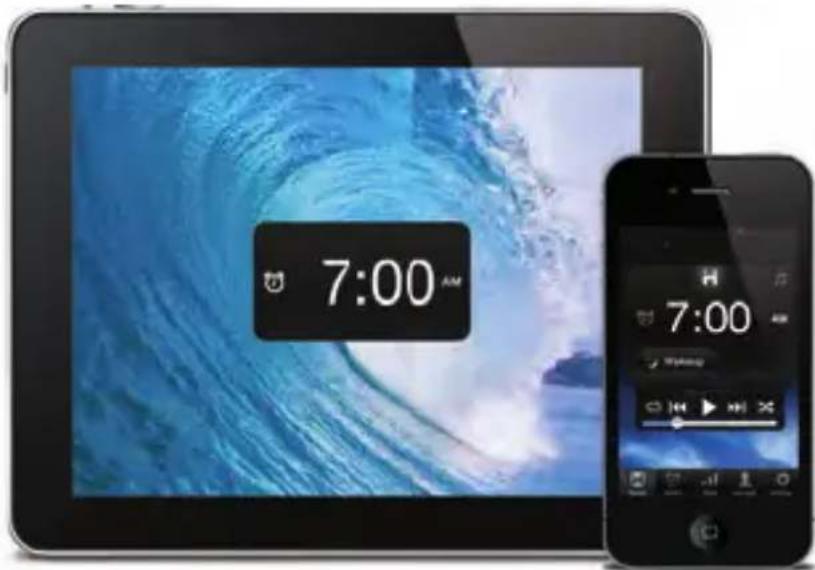
iHome Sleep
iHome Sleep is a FREE music alarm clock app for iPad, iPhone, and iPod touch. Featuring a full screen clock with reminders, iPod controls, photo backgrounds, personalized bedtime and wakeup settings, and much more.

Music alarm clock
Choose hi-fi tones or music playlists from your entire iPod library
Monday
15
SMTWTFS
Weekday alarm
Program alarms to repeat for any day of the week combo: never, everyday, weekday, weekend & custom

Reminders
Never forget those little things, available right when you wake up
iOS Optimized
Graphics and interface is designed for iPad and retina display screen resolutions.
Sure Alarm
Alarm works even when screen is locked

Sleep stats
Track sleep habits including average bedtime, hours of sleep, snooze, and more

Gentle Wake
Never be shocked from your loud alarm, with Gentle Wake your alarm increases in volume over time

Overnight News
Wakeup to a recap of your friend and follower messages posted while you were sleeping

Wake-to Radio
Purchase iHome Radio and sync your favorite internet radio stations to wake up to in the morning.
Set up, download, and launch
- Download and install iHome Sleep from the App Store
- Launch iHome Sleep music alarm clock app
NOTE: iHome Sleep is only available for the iPad, iPhone, and iPod touch.

natural_image
App icon featuring a stylized white human figure on a purple gradient background with starry blue background (no text or symbols)iHome Sleep
FREE download

Available on the iPhone
App Store
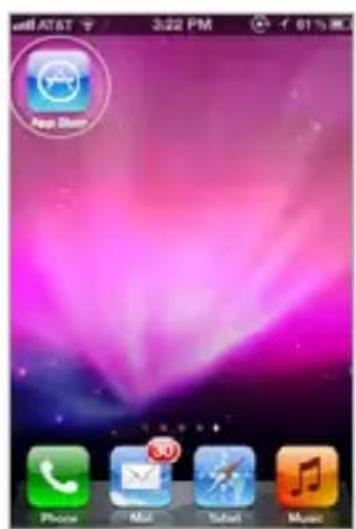
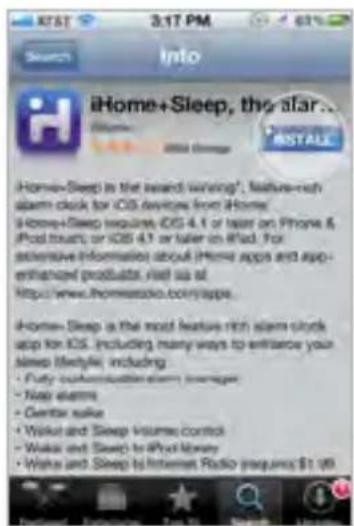
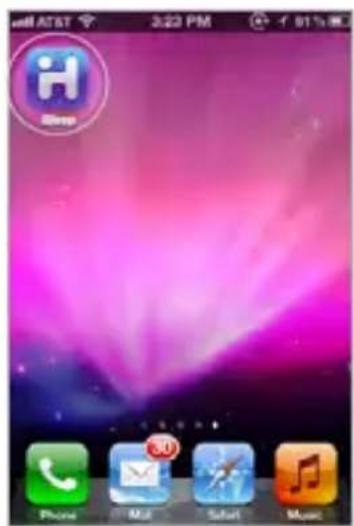
Visit the App Store Download Launch & Enjoy!
Home Screen
Launching iHome Sleep will bring you to the clock home screen from which you can control and access all other settings
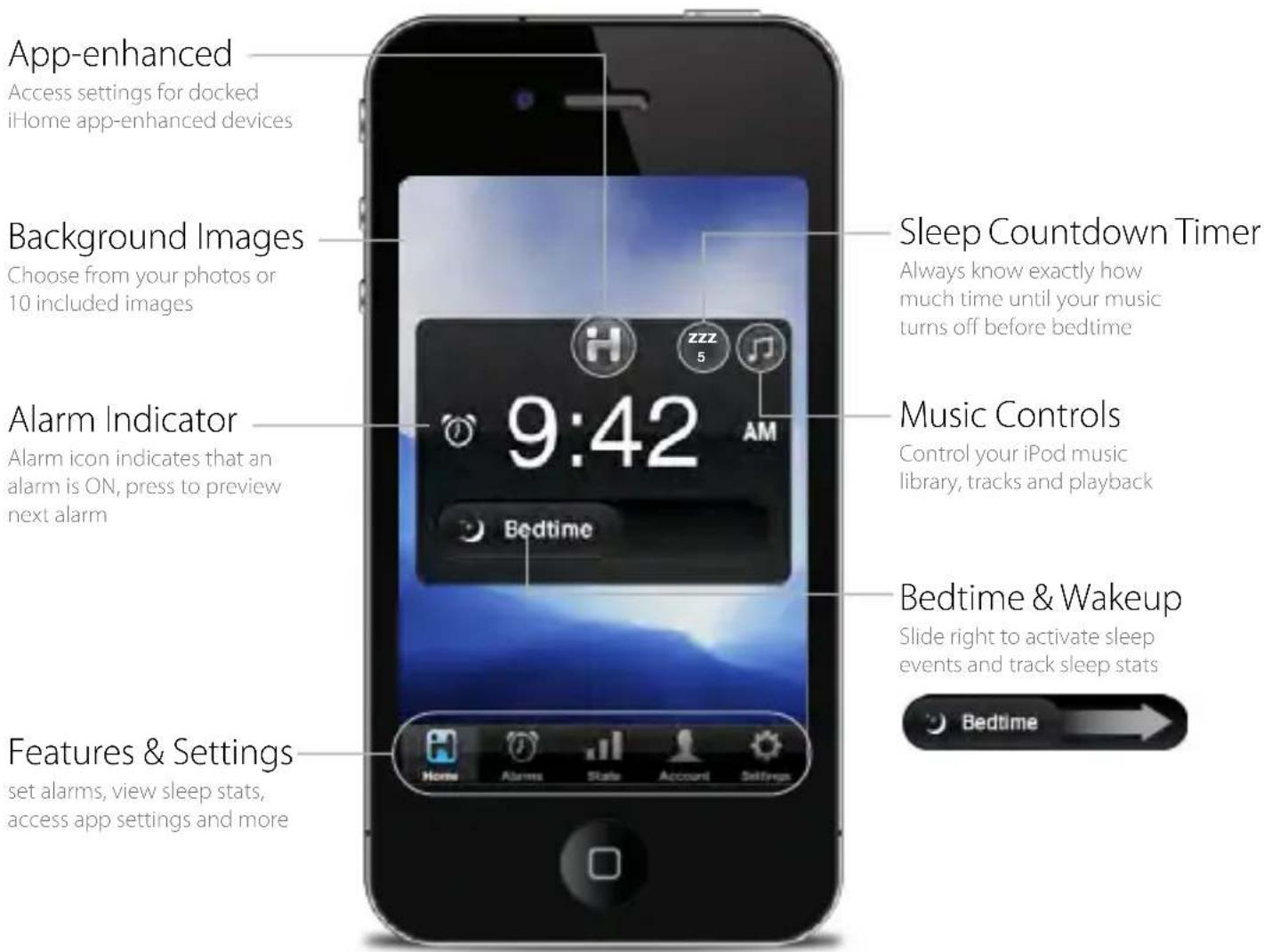
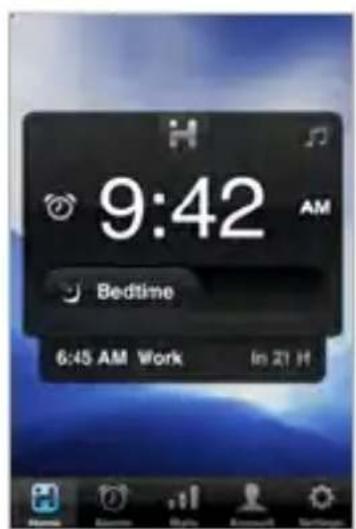
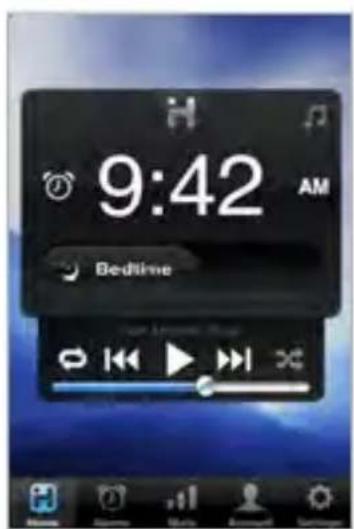
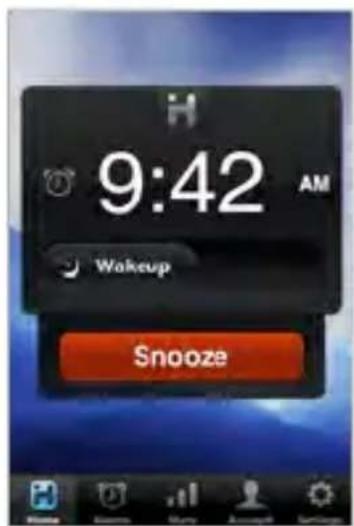
Alarm Display Mode Music Controls Sounding Alarm
App Alarms
iHome Sleep has app alarms that work independently of app-enhanced hardware device alarms, offering more interactive settings and features for you to enjoy
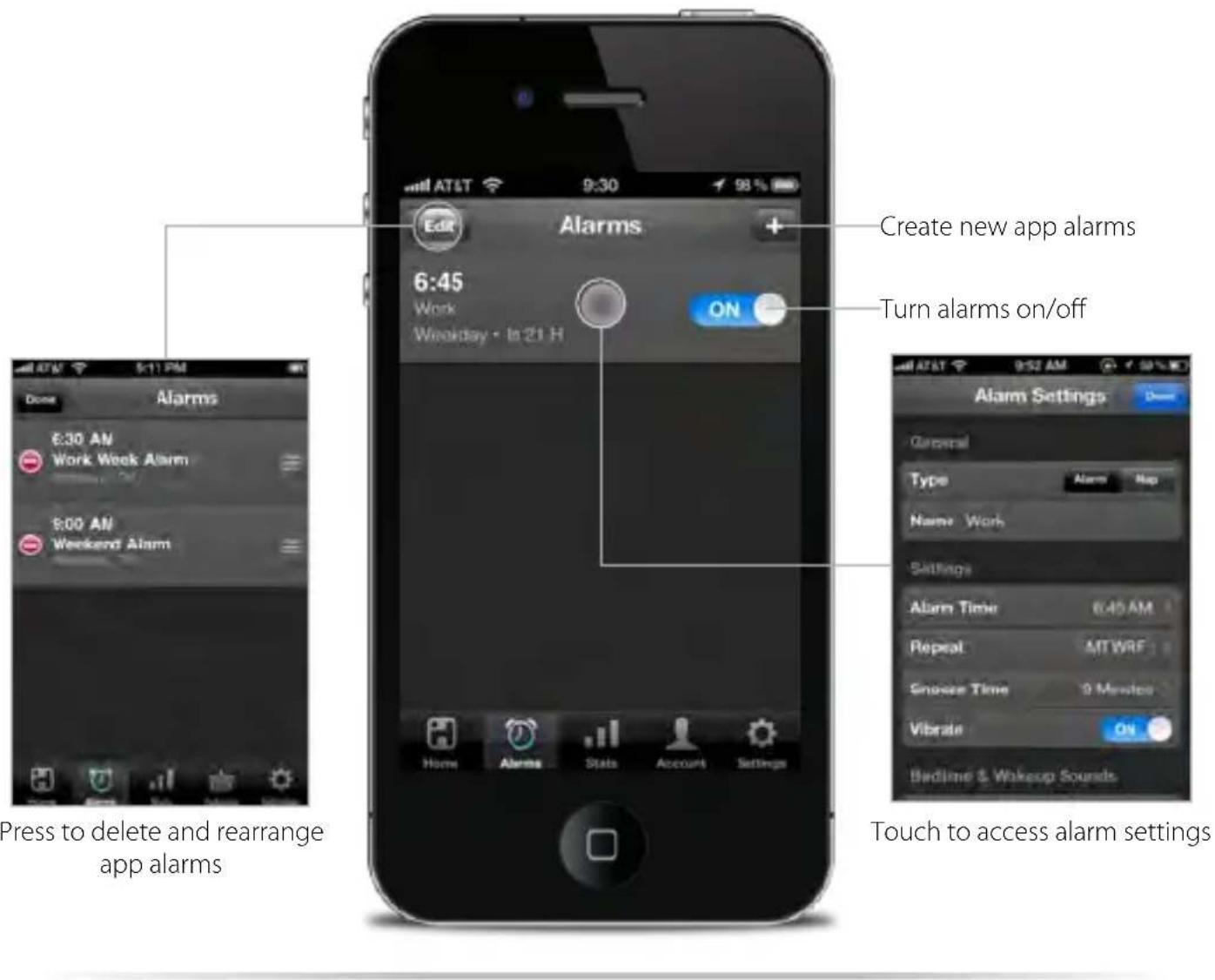
NOTE: App alarms may not sound if you do not leave iHome Sleep in the foreground. While we do support multi-tasking, background alarms is a beta feature of iOS4.0 (or later) and your alarm will not always sound depending on if your iOS device is used with a charger or used with an iPod speaker system. We recommend using app-enhanced device alarms as backups when using our app with our app-enhanced devices.
Alarm Settings
Full customization allows to choose sleep-to and wake-up sounds, bedtime and wakeup reminders, and more
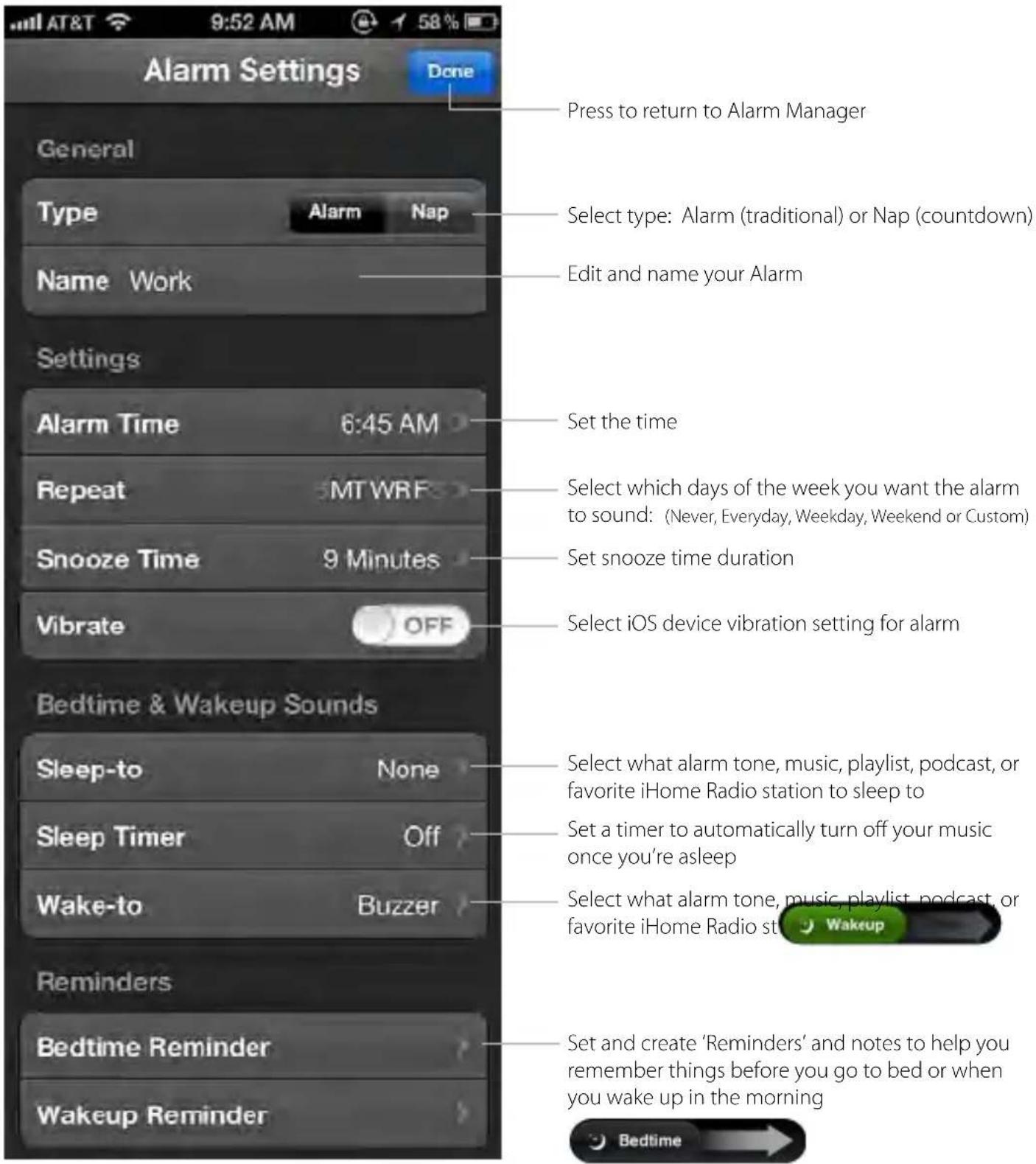
Note: Initiated by bedtime and wakeup event sliders
Bedtime & Wakeup Events
Trigger pre-configured alarm and sleep profiles to easily manage your daily sleep cycle
Bedtime Wake

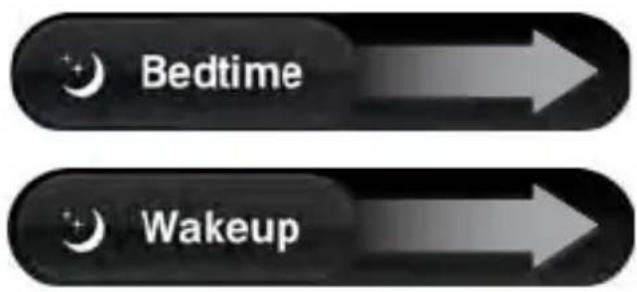
Slide 'Bedtime' when you're ready to go to sleep...
- Sleep Stats - starts a log of the time you went to bed and starts calculating sleep duration
- Triggers any bedtime music profiles and playlists you have set to fall asleep to
- Triggers Bedtime events
- 'Reminder' messages
- Bedtime screen dimmer
**Note: Using the Bedtime slider ensures correct alarm function when app is not in running in the foreground.
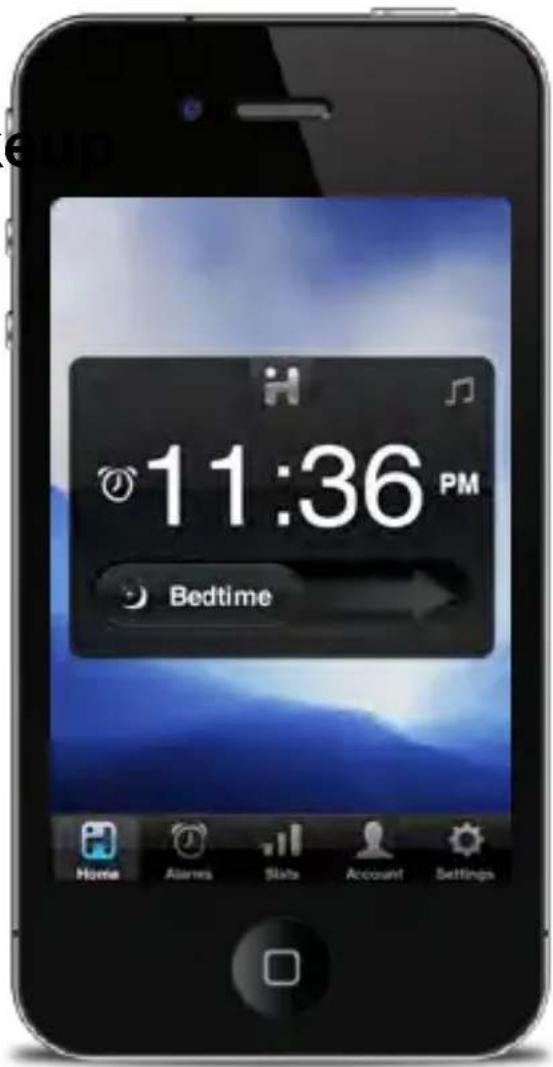

Slide 'Wakeup' when you're ready to start the day...
- Turns off a sounding alarm and resets it for the next specified time
- Sleep Stats - completes a log of the time you woke up and calculates sleep duration
- TriggersWakeup eventsv
- 'Reminder' messages
- Overnight News
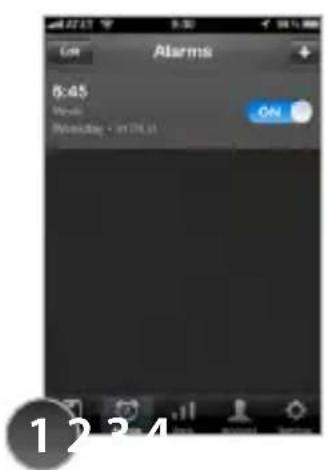
Create an alarm with your bedtime & wakeup settings and turn it ON
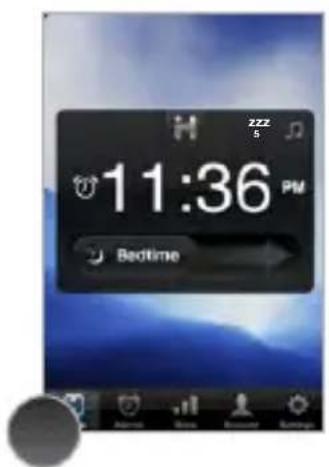
Slide 'Bedtime' when you are ready to go to sleep
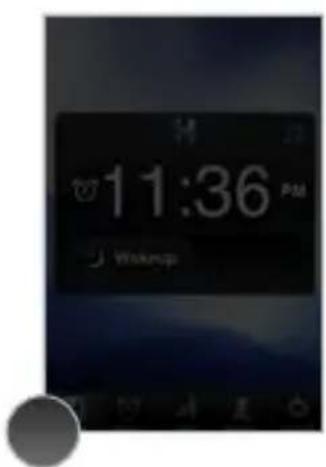
Bedtime dimmer settings will be activated to your preferred brightness while sleeping (control within 'Settings')
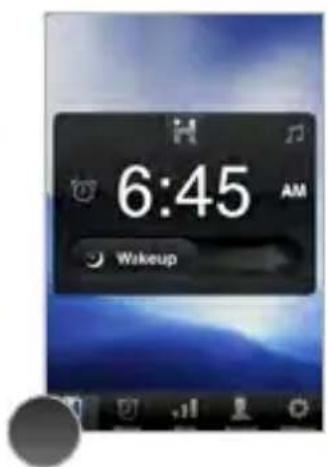
Slide 'Wakeup' when your alarm is sounding and you are ready to start your day
Sleep Stats
You spend a third of your life sleeping...iHome Sleep lets you record and monitor your sleep habits over time, learning interesting information about yourself
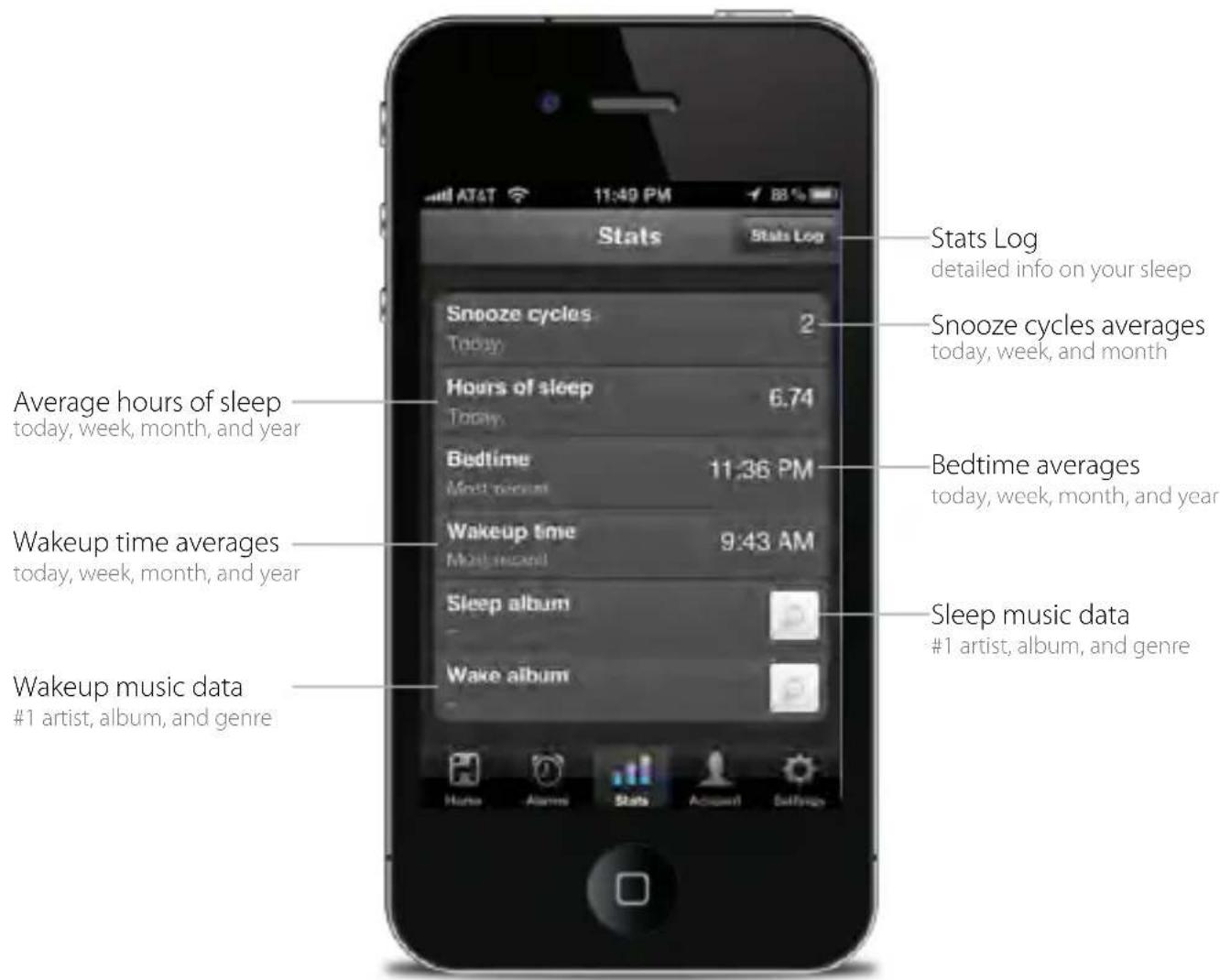
Use those sliders!
Slide right to switch between bedtime and wakeup event modes. The duration between these events is used to calculate your sleep stats.
Stats Log
You can delete individual events and erroneous data sets for more accurate stats
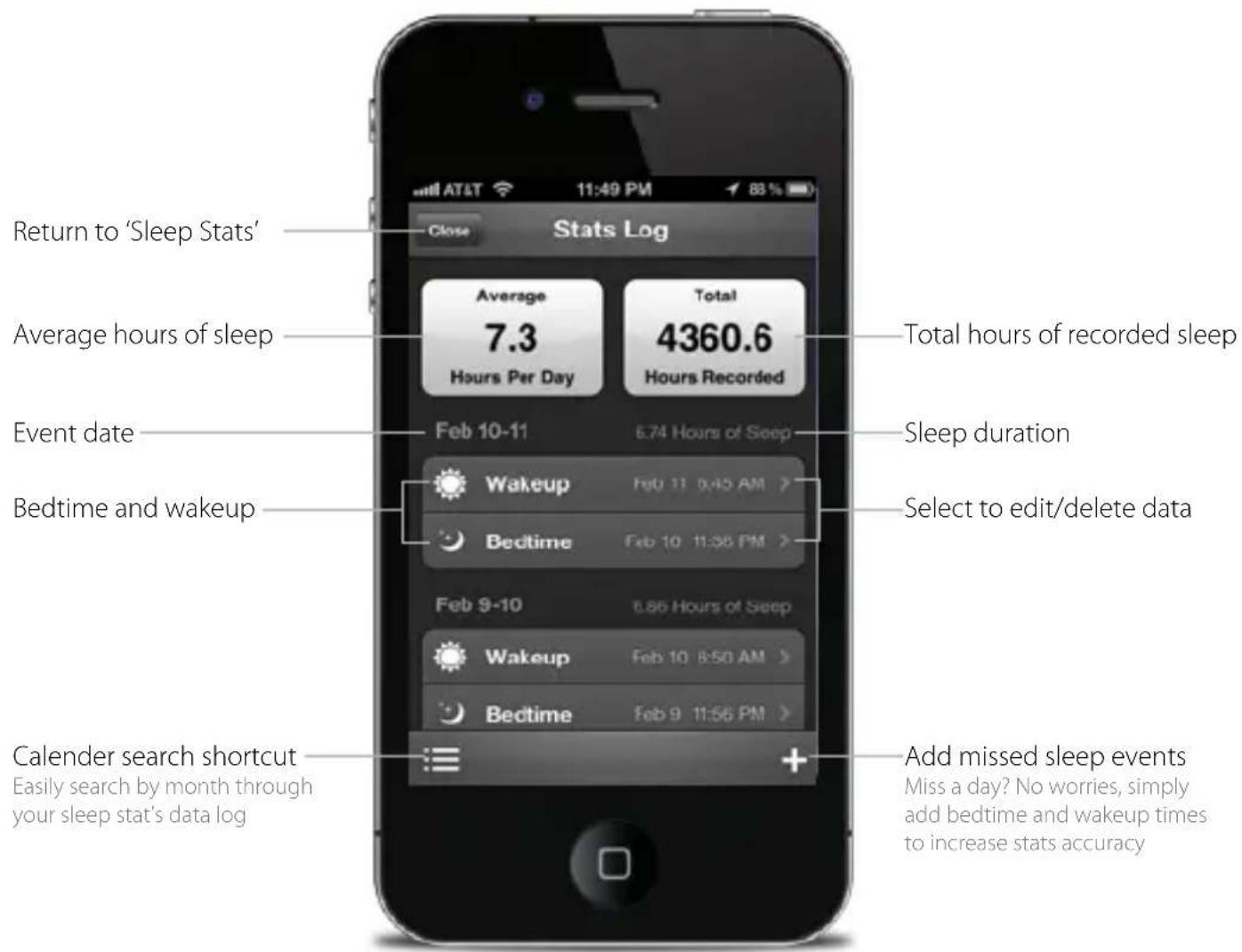
NOTE: Sleep stats was designed as a simple and fun way to learn more about your own sleep habits. We will continue to improve and refine how we calculate this data and hope you enjoy the ability to edit and delete individual sleep events to increase the accuracy and usefulness of the sleep stats feature.
Overnight News
Wakeup to Facebook & Twitter status and news updates of what you missed while you were sleeping
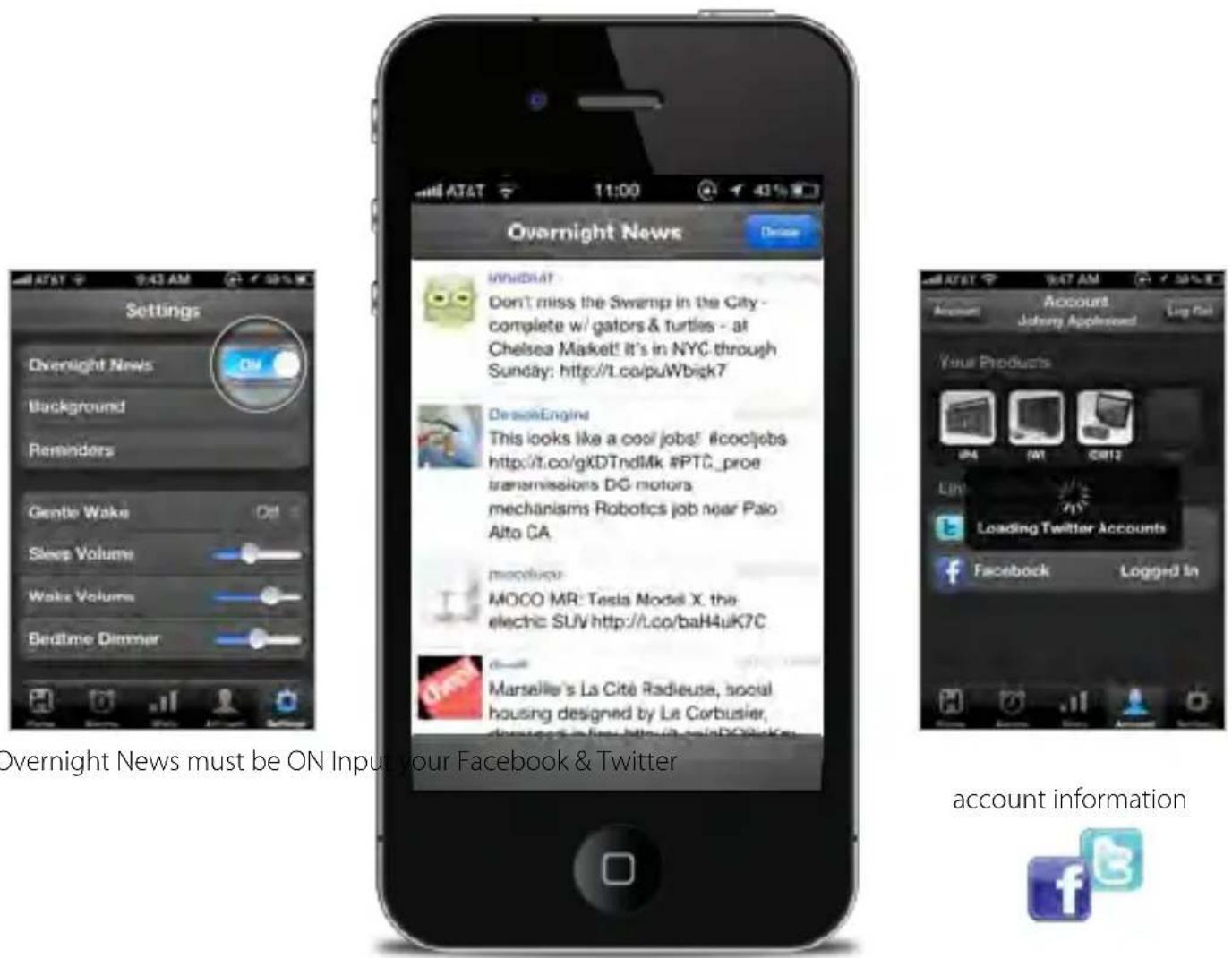
Activating Overnight News
Overnight News only supports news feeds from your Facebook & Twitter friends/followers. In order for this feature to work you must have a valid Facebook or Twitter account and you must input your login information under 'Accounts' in app settings.
Want to wake up to news content?
Many popular blogs today, and news websites also have Twitter accounts which reflect top stories, breaking news, and replicate the traditional function of RSS feeds. So all you have to do is sign up for Twitter, and follow some news-based Twitter accounts!
Some of our favorites are:
@engadget, @cnn, @nytimes, @yahoonews, @bbcnews, @reuters, @tuaw
Linked Accounts
Keep up to date on product-related updates like firmware, access support and registration, and disable in-app advertisements.
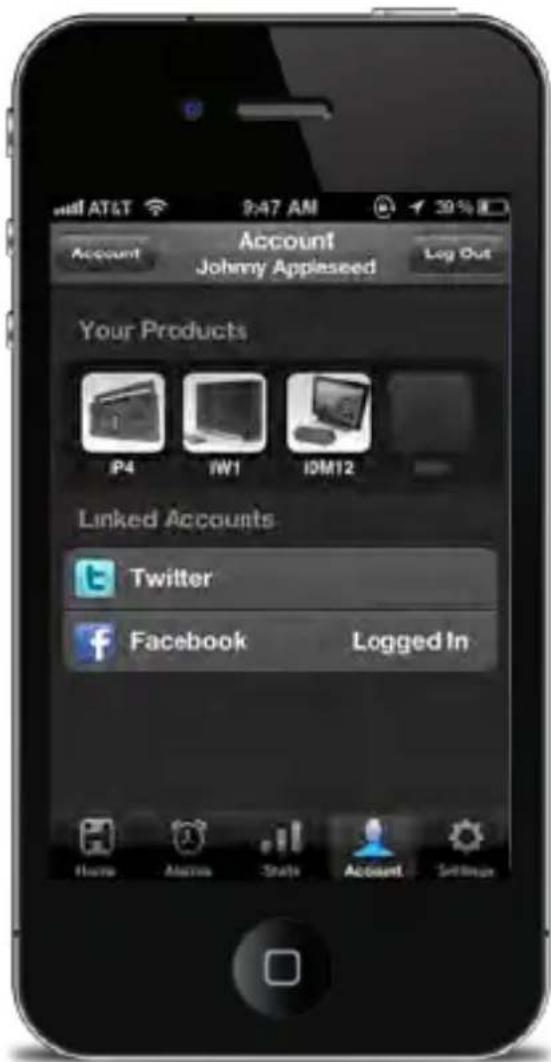
Keep your iHome dock as up-to-date as your iOS device.
We are always improving our products, even after purchase. By keeping up-to-date with the latest firmware, you ensure your iHome dock will be compatible and on the leading edge with new iOS releases and updates.
Reminders
When life gets hectic, it's helpful to have a way to help you remember the little things before you head out the door in the morning or before you call it a night
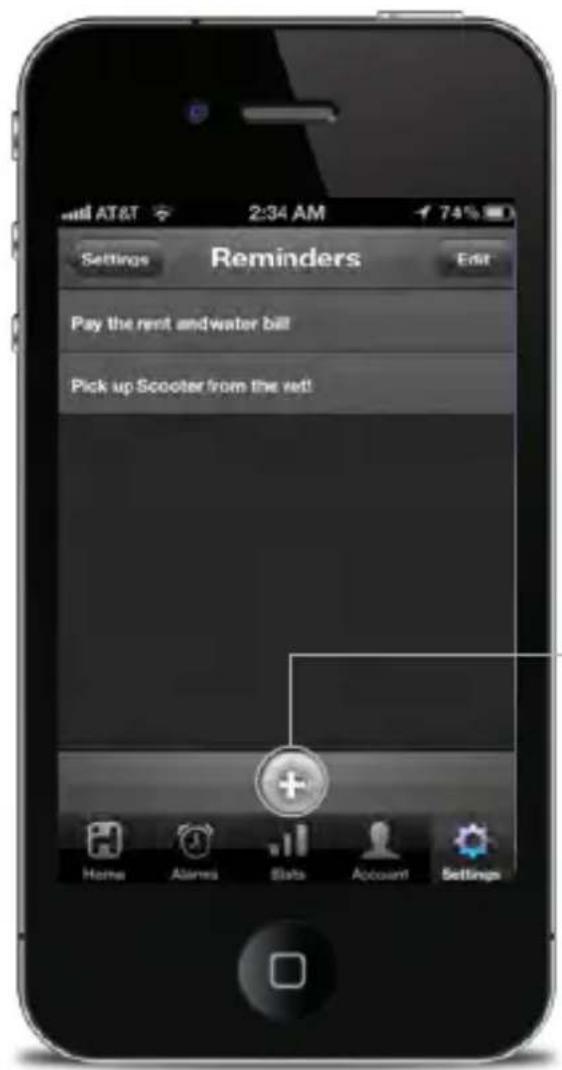
Add a new reminder
Select to show the reminder when the alarm sounds
12
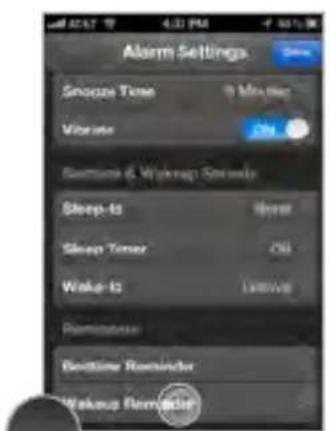
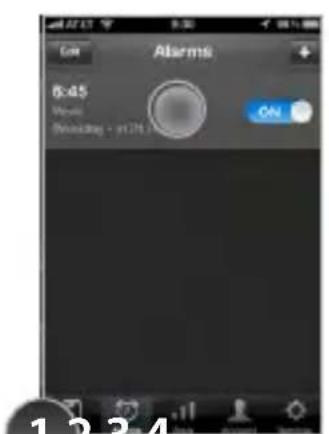
Create and turn on an alarm Select a reminder within the alarm select 'Bedtime Reminder' or 'Wakeup Reminder'
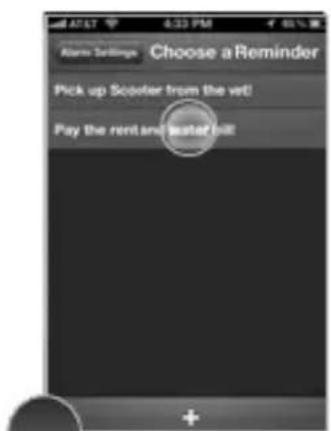
to create a new reminder
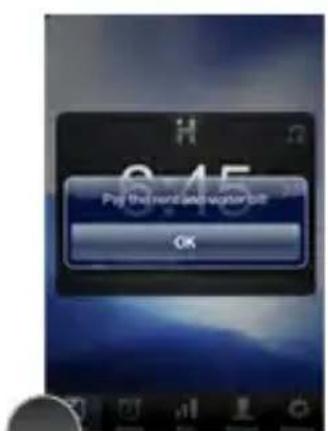
Reminder pop-up is initiated by wakeup or bedtime slider and will show your message so you don't forget
App interface button shortcuts
In the morning or at night you can also use device buttons to access and control device functions
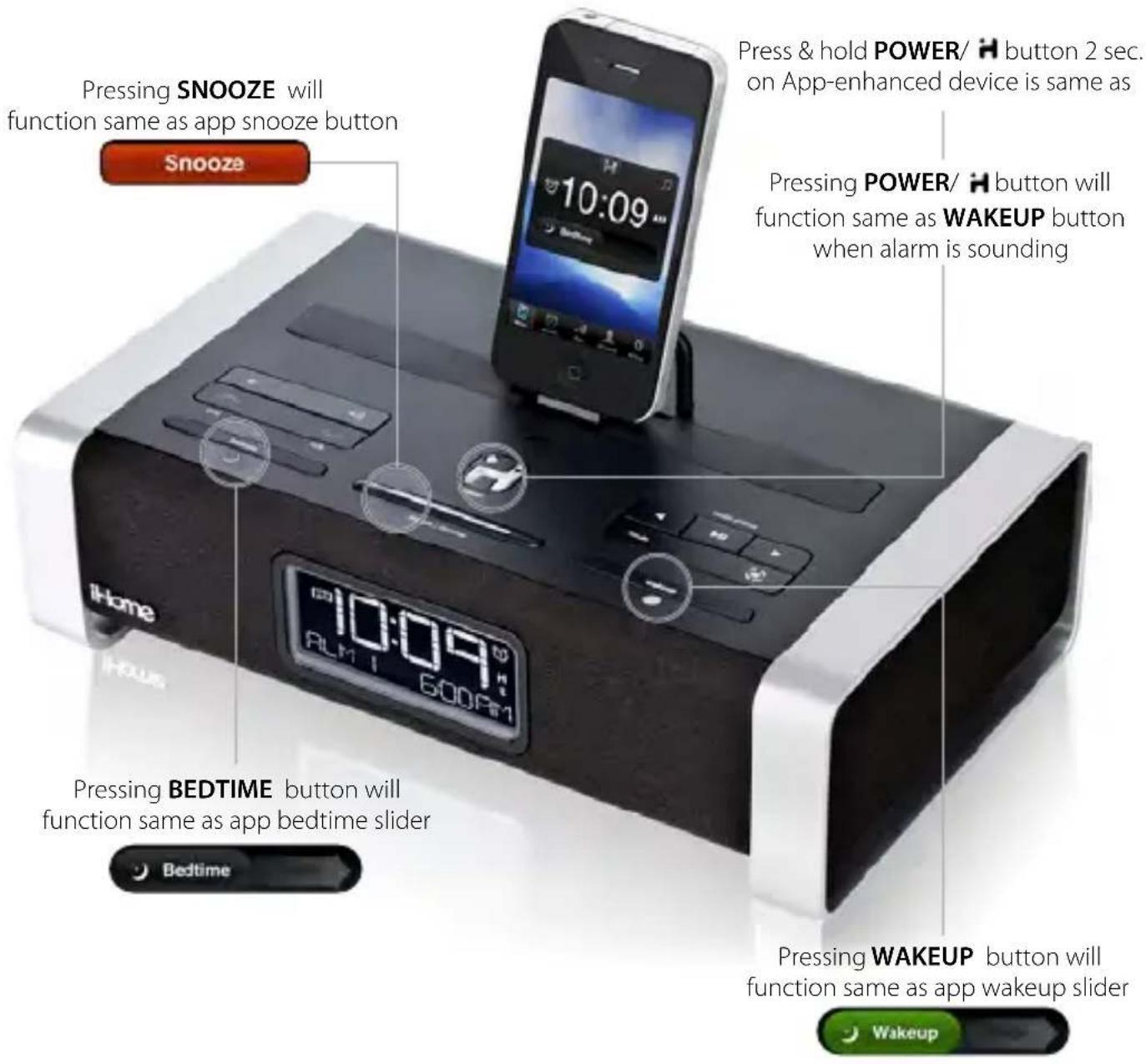
NOTE: iHome Sleep must be running and iOS device docked or connected via bluetooth with the app-enhanced device
App Settings
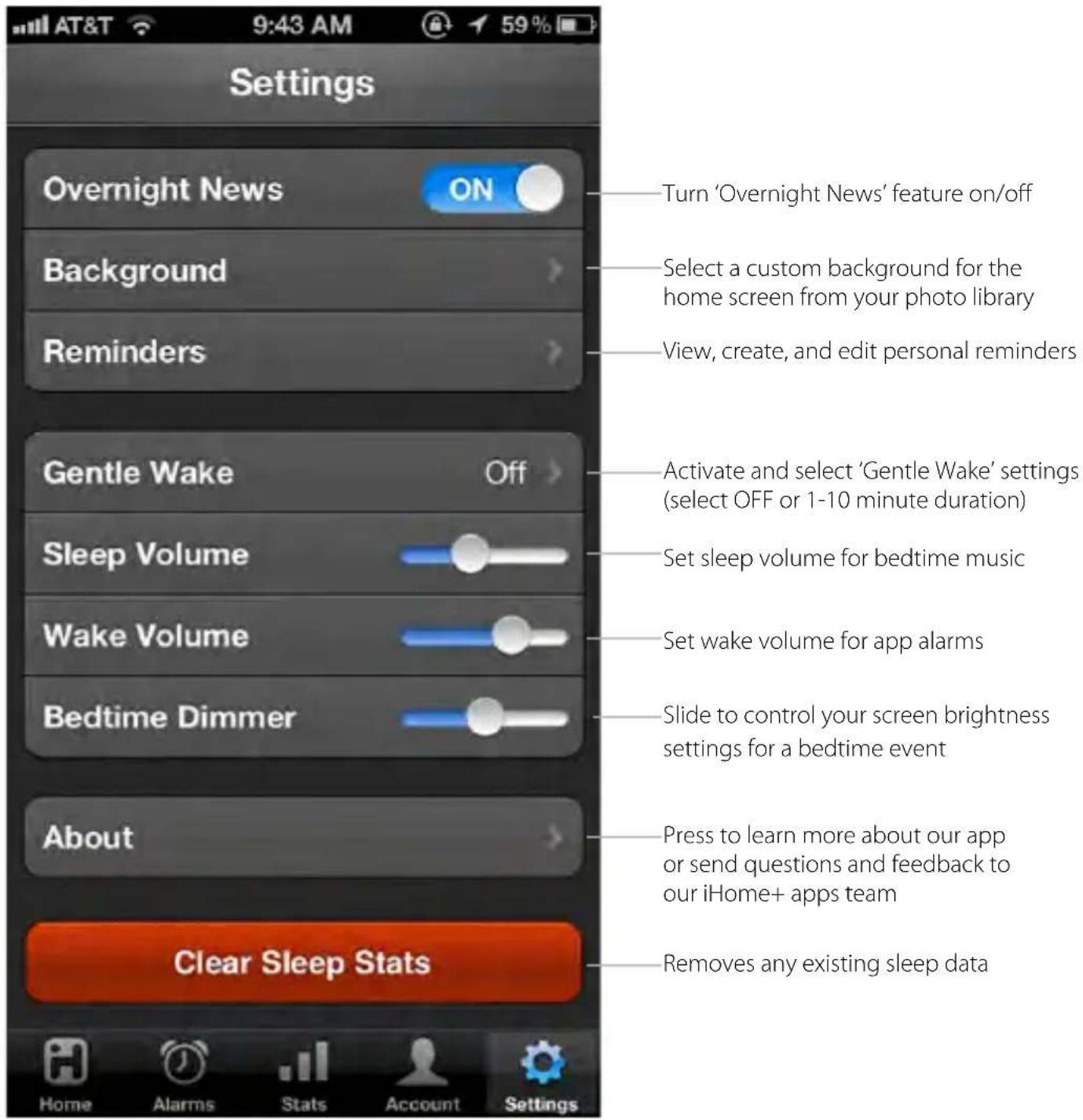
iHome Radio
Use independently as an internet radio app with your iOS device or with iHome Speaker Docks for charging & audio performance
A Wi-Fi network is recommended to ensure the best station reception available
www.ihomeaudio.com/apps/ihome_radio/
![Home Favorites Recent Music Sports 1 pm Hourly Stretch KEXP-FM Positive Vibratoria (KEXP) 24 seconds watching Listening by: 300 MHz (1.50 Hz) F Preferences Select viewing to the Home! Live! gamma FM Growth Sound... gamma FM History Comps ... 90.3 KEXP-FM [index] 89.3 CREE LAUSE COMPS... 92.9 M200-FB/2Coom... Go/Gadio Monopress Film... 1 Power Wild Hip Hop Off.](/content/2026/05/826294/images/5a445bf8448a69230aa10e3c3f282b0991465495ba84c3de3acd6ab3a79e9a47.jpg)
iHome Radio
Internet radio music app for iPhone and iPod touch. Purchase and download today to enjoy thousands of radio stations no matter where you live.
Thousand of Internet Radio Stations
Connects you to tens of thousands of internet music, talk, sports and news stations from around the world
Add Radio to Any Speaker
Add endless radio music to any iHome speaker solution. Simply launch iHome Radio and let the party begin.
Sync with iHome Sleep
Wake to your favorite music, talk, sports, and news iHome Radio stations
iOS 4.0 Optimized
Multi-tasking background audio support allows you to listen to your app while surfing the web, playing games, and

Tuneln
Using Tuneln® for channel indexing, iHome Radio can sync with a user's presets stored on Tuneln.com.
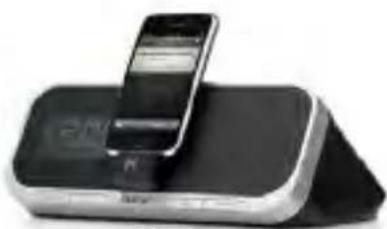
natural_image
Exterior view of a black and silver electronic device with a smartphone on top (no visible text or symbols)iHome App-enhanced
Listen to radio on-the-go as well as on any iHome app-enhanced product.
Set up, download, and launch
- Download and install iHome Radio from the App Store
- Launch iHome Radio internet radio app
NOTE: iHome Radio is designed for iPhone and iPod Touch with iOS 4.0 or above

natural_image
Icon of a stylized human figure in a suit, no text or symbols presentiHome Radio
pay to download

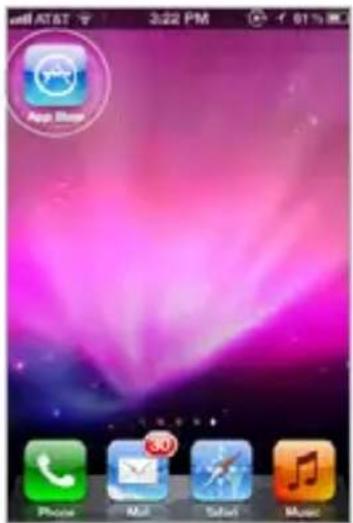
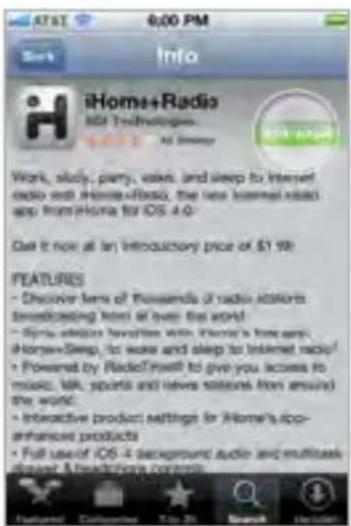
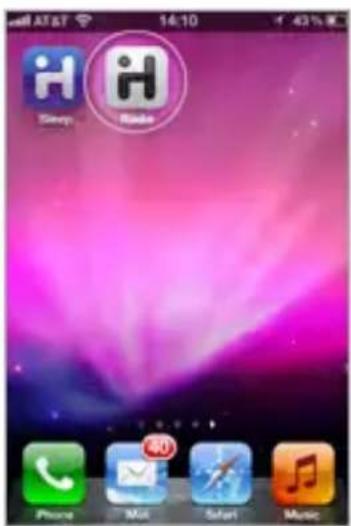
Visit the App Store Download Launch & Enjoy!
Tuneln channel indexing
iHome Radio uses TuneIn for channel indexing and allows you to sync with user presets stored on TuneIn.com
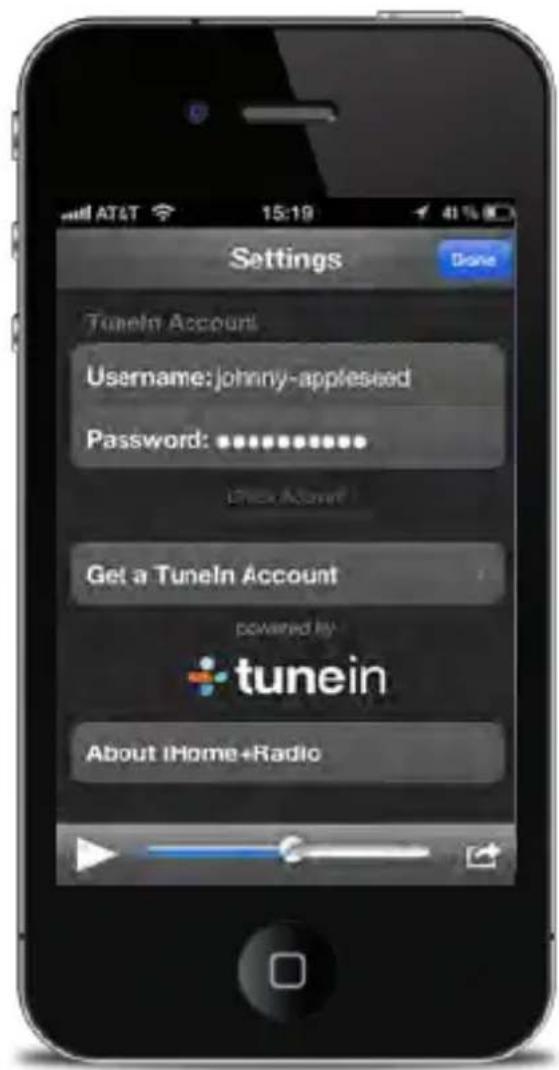
NOTE: iHome Radio currently supports Tuneln-listed stations in the MP3, AAC, and QT formats only. Stations with formats other than MP3, AAC, and QT will NOT sync as favorites with Tuneln.com.
Syncing with iHome Sleep
Syncing is easy and allows you to sleep and wake to your favorite iHome Radio internet stations!
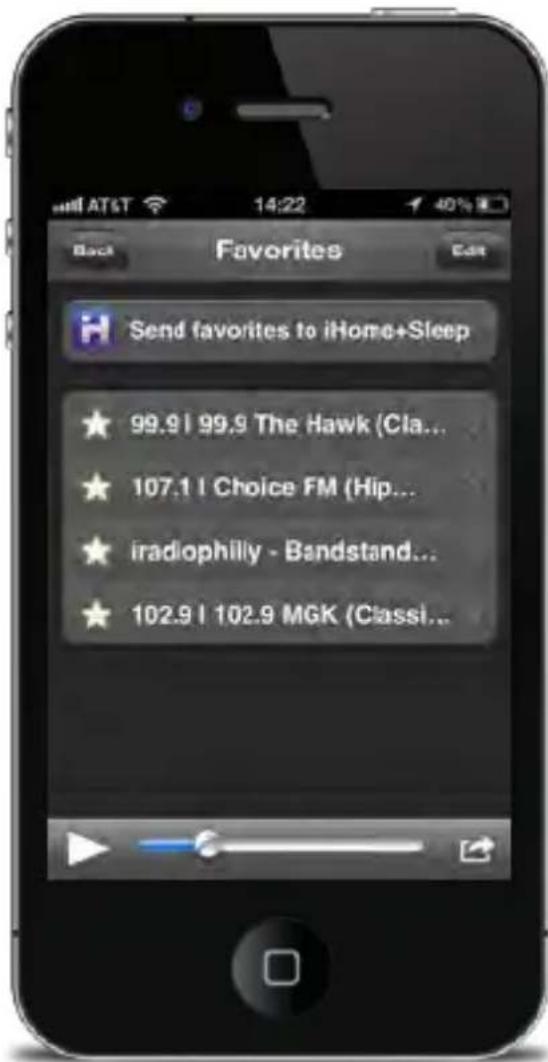
NOTE: You can only sync stations already saved in 'Favorites' prior to synchronization. If you add favorite stations after you sync, they will not be selectable from iHome Sleep until you sync again.
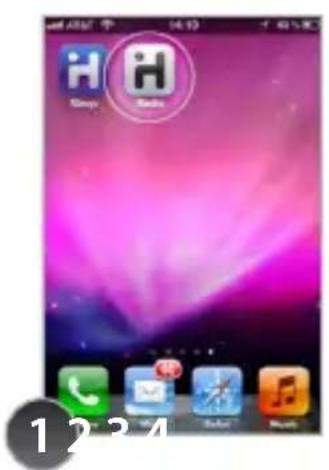
You must have both iHome Radio and iHome Sleep
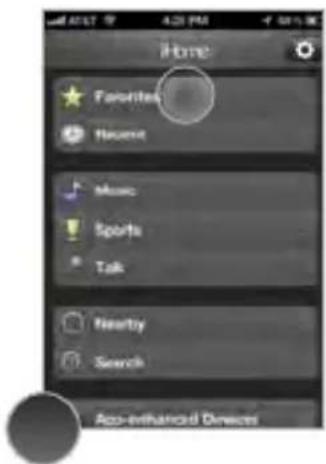
Launch iHome Radio and access 'Favorites'
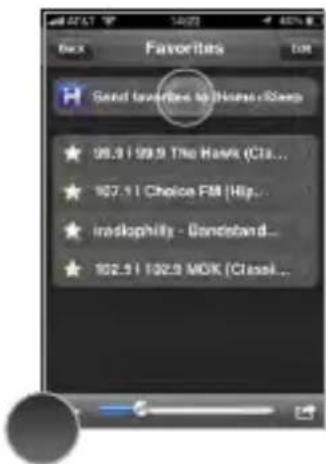
Select 'Send favorites to iHome Sleep'
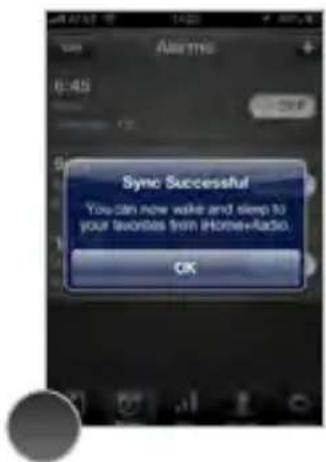
iHome Sleep will be launched and a pop-up message will confirm that your favorites were successfully synced
Sleep and wake to iHome Radio
Once your favorite internet radio stations are synced, all you have to do is select 'Radio' for your bedtime or wakeup sounds with iHome Sleep app alarms
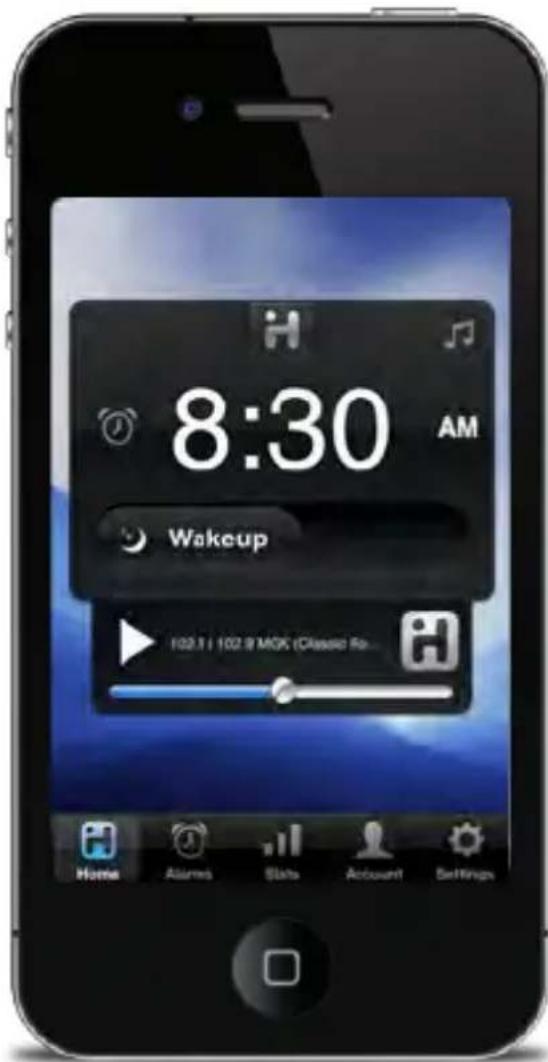
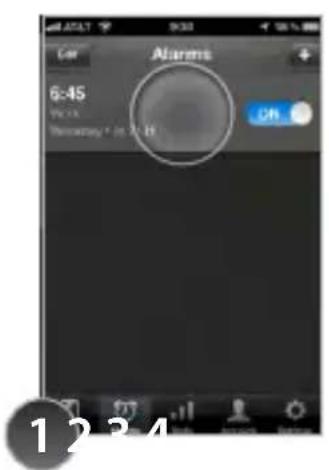
Launch iHome Sleep and edit an active alarm
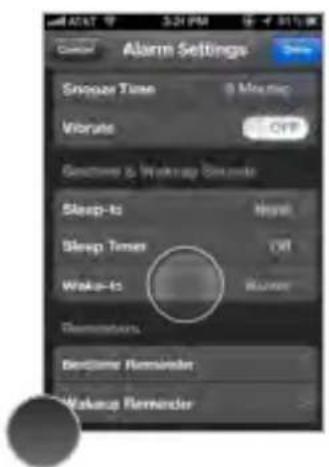
to alter the
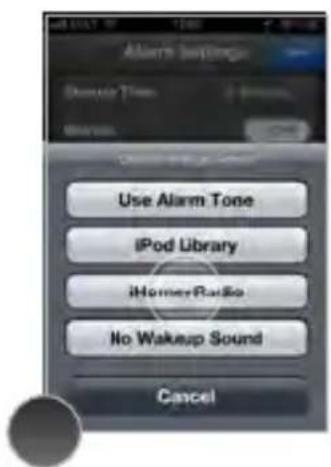
Select 'Radio' as sourceSelect SleepSelect Make your list of synced stations to sleep or wake to
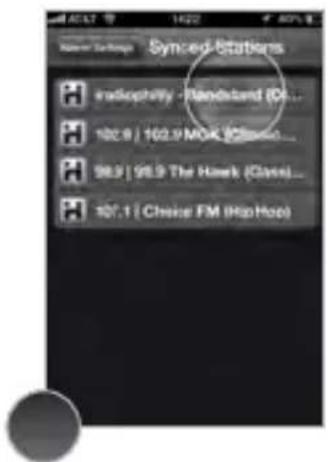
Problems?
If you are experiencing problems with iHome Radio, try these quick steps:
- Close and restart app. For iPod touch, iPhone, or iPad running 4.1 or later, this means closing the app by double pressing the iOS device's home button to bring into view all the apps that are active, scroll to app, press & hold app icon and select "-" to close.
- Update app on the App Store. Visit the App Store to see if there is an update available for your app. Update if needed.
- Upgrade the software on your iPad/iPhone/iPod to the latest version by connecting it to a computer with iTunes installed and checking through iTunes that your unit has the most recent software. Update if needed.
- Reset your iPad/iPhone or iPod. The process can differ depending on your model. Please see the user manual or the Apple web site for details. Typically, holding the sleep button and the home button on a newer iPad, iPhone or iPod will reset it.
- If all else fails, delete and re-download the app. Sometimes an application has problems while installing or updating and it is necessary to delete the app and try it again. Please note, your iTunes account will not be billed again for an app your have already purchased.
If these steps do not solve your issue, keep reading on the next page.
Problems continued...
Still having an issue?
- Multi-tasking audio - iHome Radio requires iOS 4.1 or later in order to support multi-tasking background audio support that allows you to listen to internet radio while surfing the web or using other apps.
- iPad - iHome Sleep is primarily designed for use on the iPhone and iPod touch. While you can download to an iPad running iOS4.2 or later, the interface is not optimized for iPad screen resolution.
- Poor Station Reception - We recommend using a Wi-Fi network and selecting stations with the greatest signal strength available when using iHome Radio. Station reception is affected by the strength of your iPhone's data connection, the Wi-Fi network connection, the bandwidth of the selected internet radio station, and issues with Tuneln's indexing. Visit ww.Tuneln.com for issues with available stations.
- Doesn’t support my local AM/FM broadcast radio station - iHome Radio currently supports TuneIn-listed internet radio stations in the MP3, AAC, and QT formats only. Visit www.TuneIn.com for station listings. In the US, many popular local radio stations owned by Clear Channel are only available via the free iHeartRadio app.
If these steps do not solve your issue: skip to: Troubleshooting visit us at: www.ihomeaudio.com/support
iHome Set
Dock with any app-enhanced iHome speaker system and enjoy full control from the convenience of your iOS device
www.ihomeaudio.com/apps/
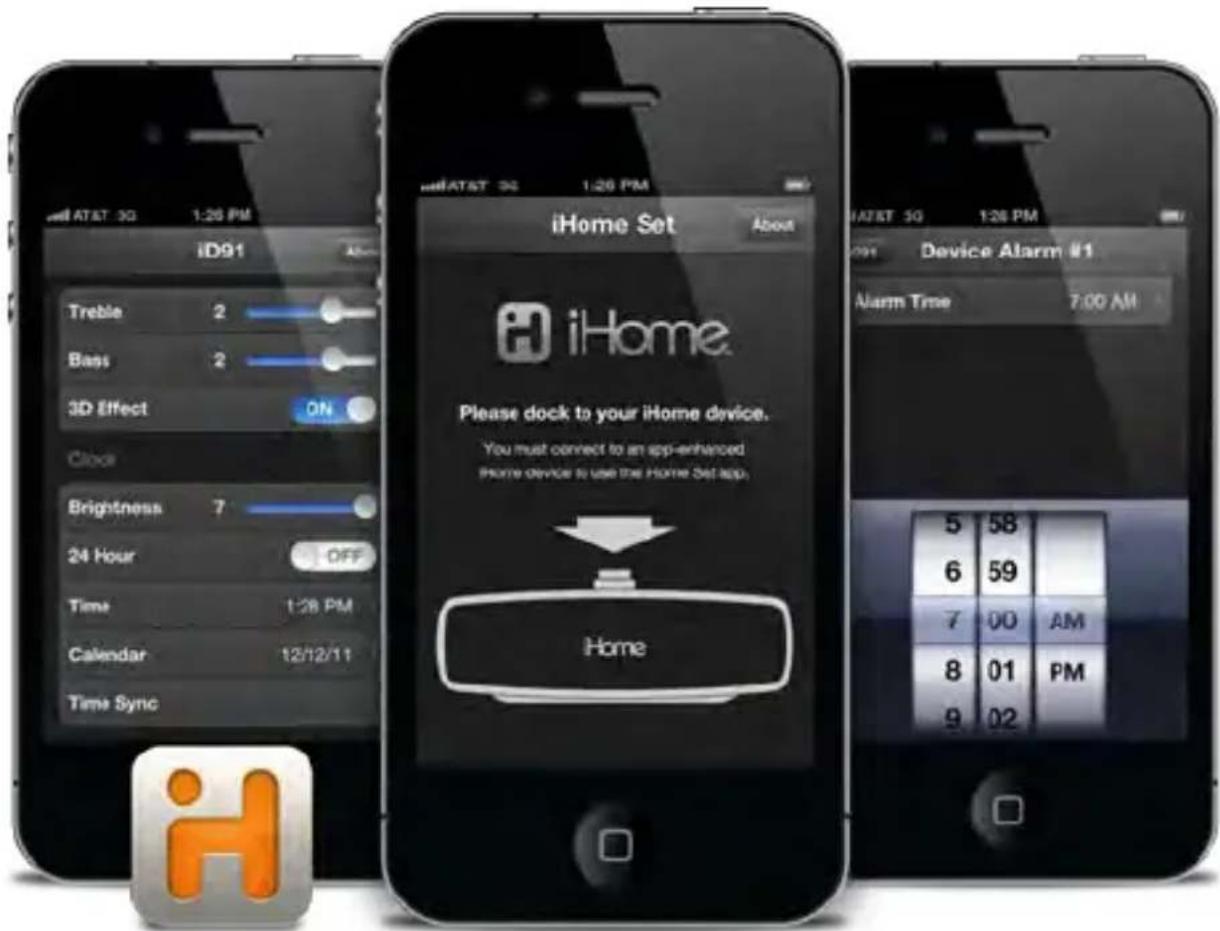
iHome Set
Enhanced integration with your iHome docking system.
Updatable firmware for your unit.
Free download from the App Store.
natural_image
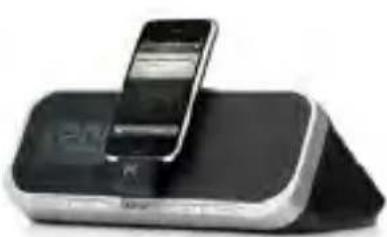
Black and white photo of an electronic device with a smartphone on top (no visible text or symbols)iHome App-enhanced
Easily change any setting on your iHome, either docked or via Bluetooth (if available)

natural_image
Abstract blue geometric logo with white stylized 'X' and arrow-like shape on a blue base (no text or symbols)Wireless Control
Harness your iHome's wireless Bluetooth connection to control all settings from a distance

natural_image
Orange circular icon with white circular arrows forming a cycle (no text or symbols)Firmware Updates
Make sure your iHome is always up-to-date by installing the latest firmware.
Set up, download, and launch
- Download and install iHome Set from the App Store
- Launch iHome Set app
NOTE: iHome Set is designed for iPhone and iPod Touch with iOS 4.0 or above

natural_image
Orange stylized icon resembling a human figure or logo, no text or symbols present.iHome Set
FREE download

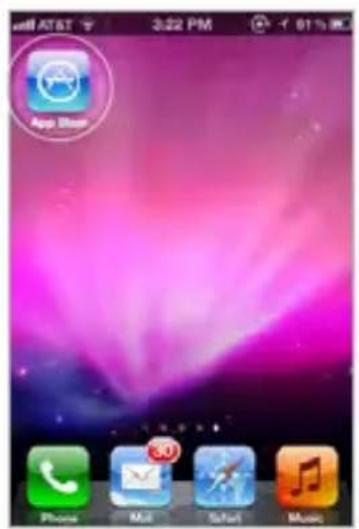
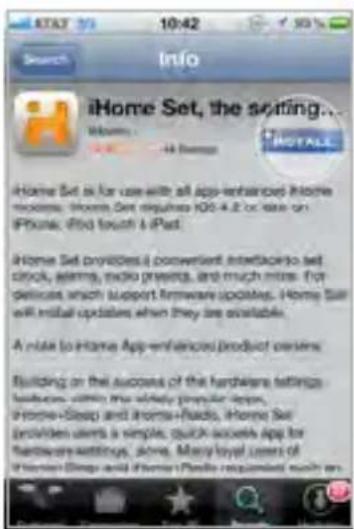
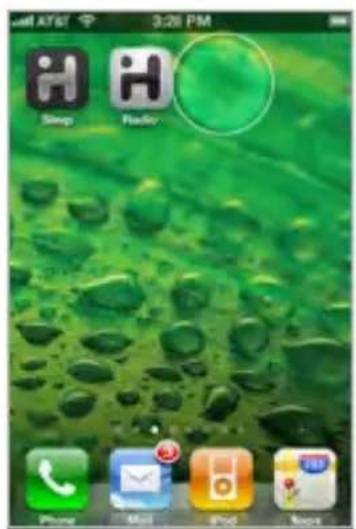
Visit the App Store Download Launch & Enjoy!
App-enhanced Device Alarms
Docking your iPad, iPhone or iPod touch to an App-enhanced alarm clock when iHome Set is running will bring into view the all available editable settings.
Device Alarm Settings
Press to view and change device alarm settings. iHome device alarms are not subject to iOS app alarm system and connections errors, acting as backup alarms that will sound no matter what to make sure you are up in the morning
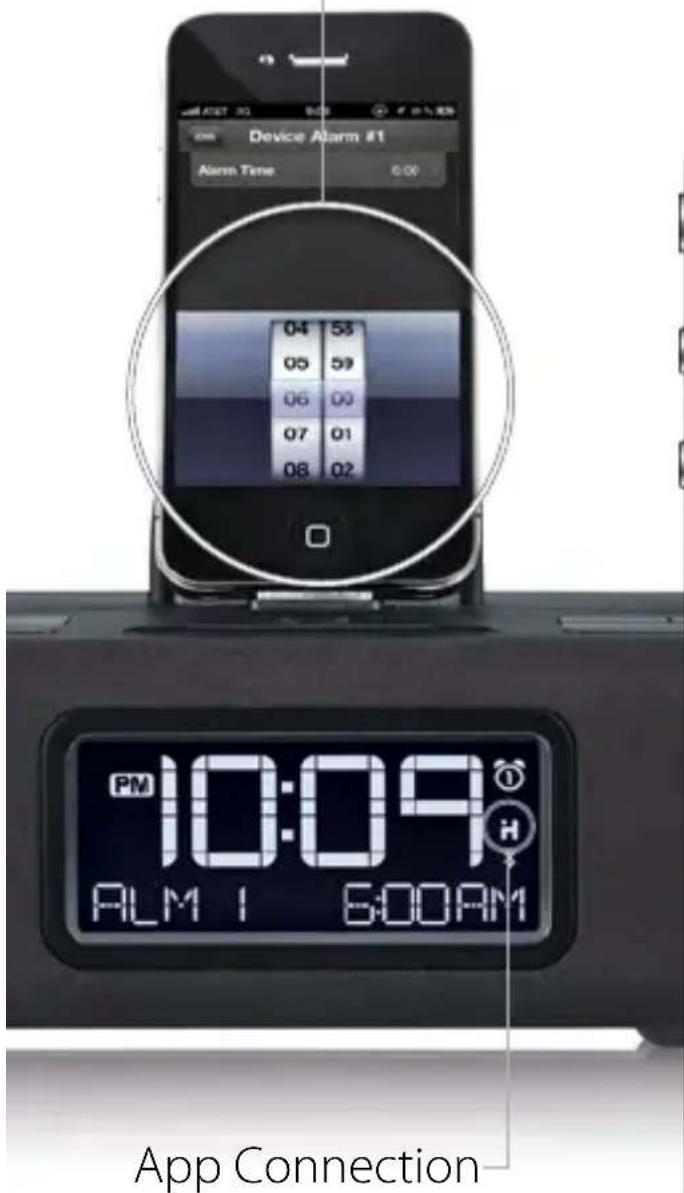
You can only access App-enhanced device alarms and hardware settings when this icon is displayed.
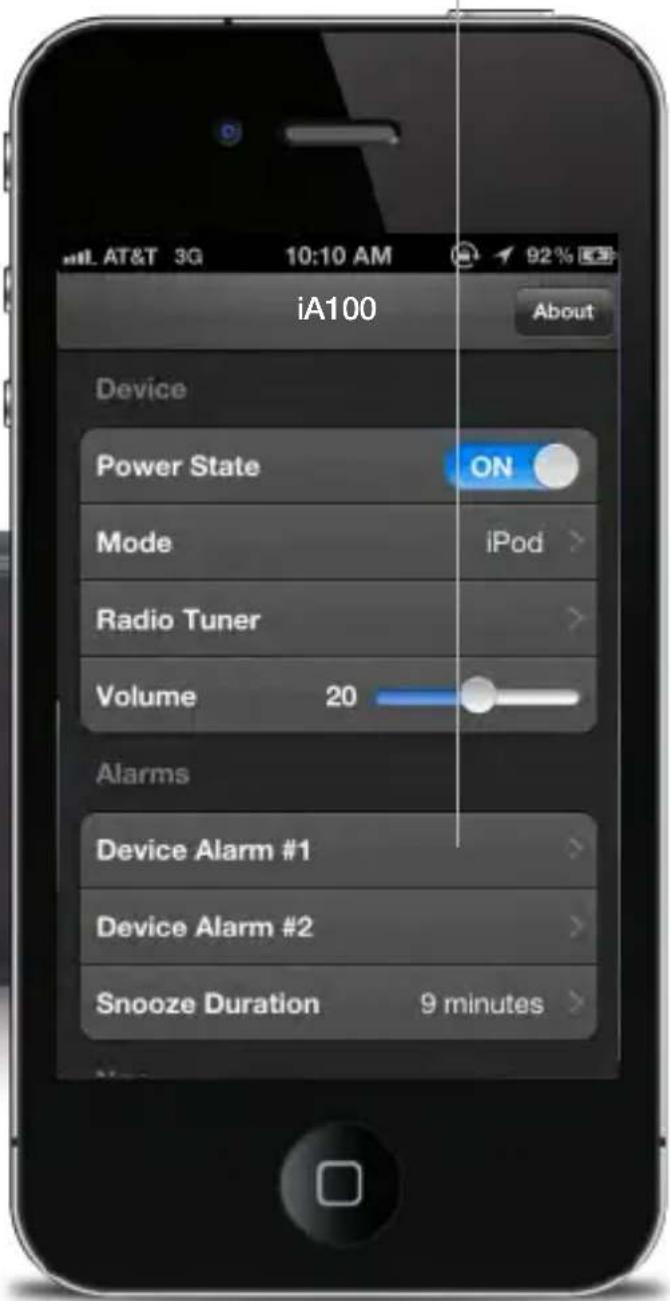
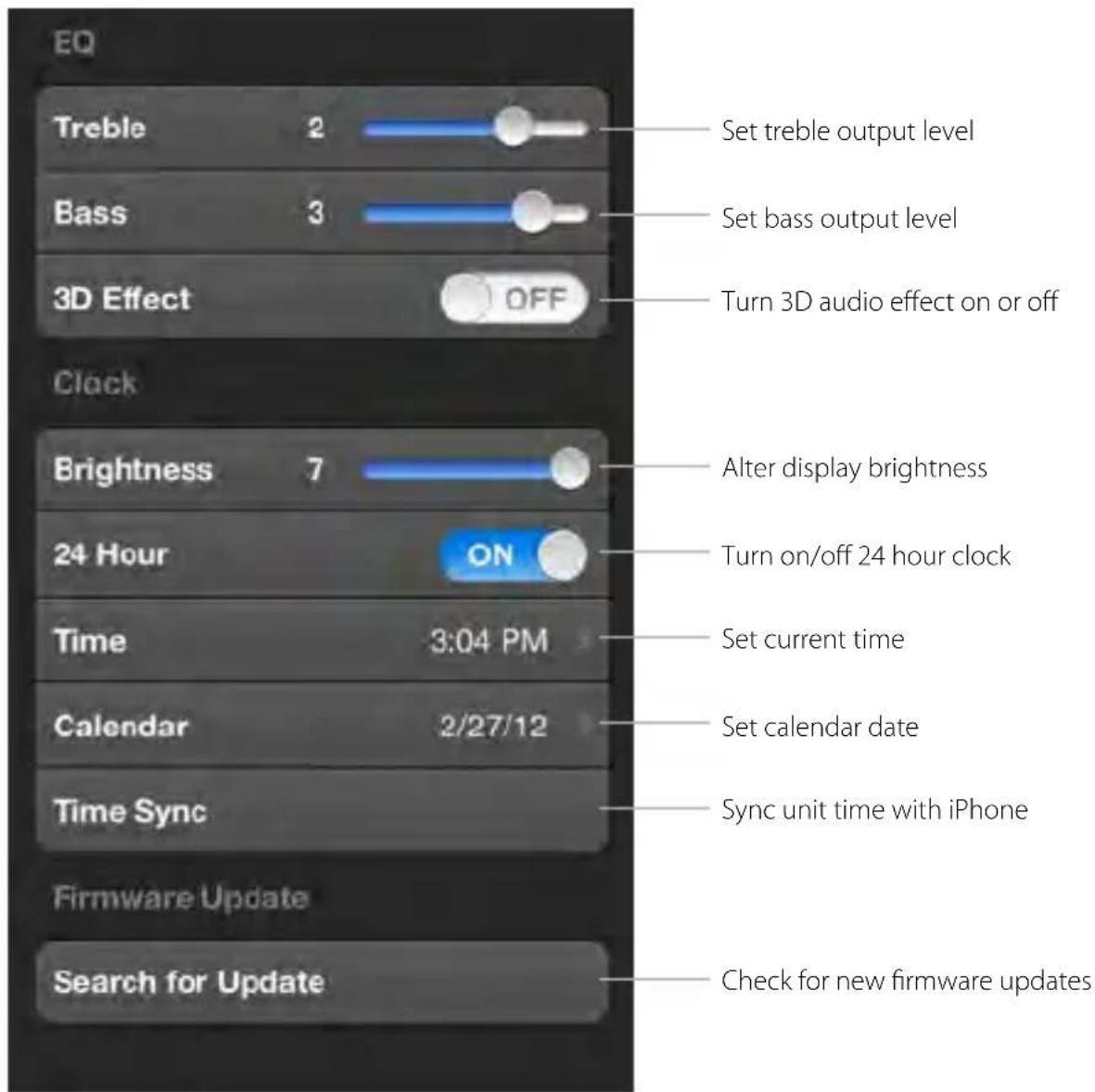
App-enhanced Device Settings
When connected to your iHome with iHome Set, you are free to change almost any setting, right from your iOS device.
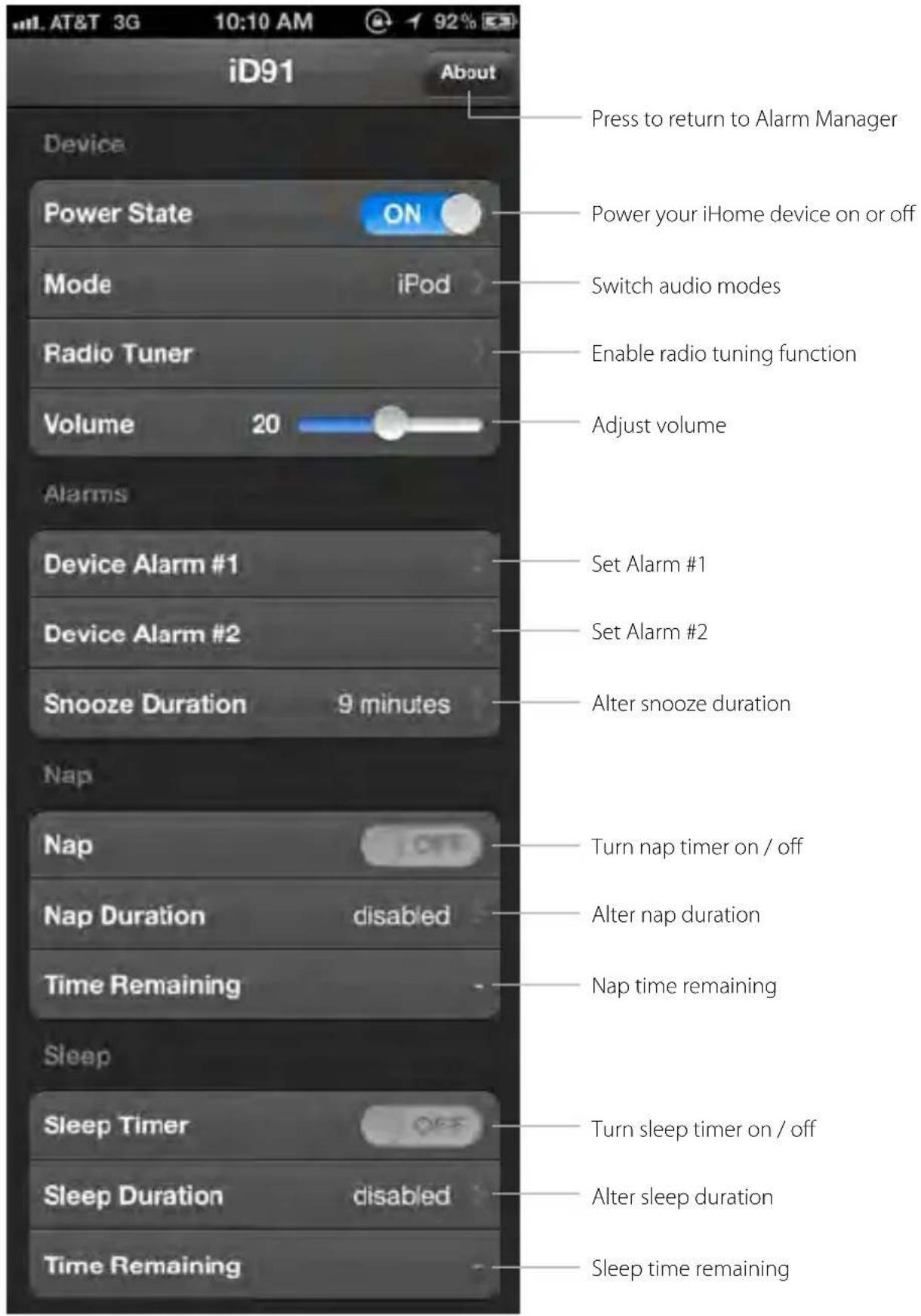
App-enhanced Device Settings (continued)
When connected to your iHome with iHome Set, you are free to change almost any setting, right from your iOS device.
Firmware Updates
Many iHome app-enhanced products let you update the unit's firmware using iHome Sleep to ensure your product is functioning as intended
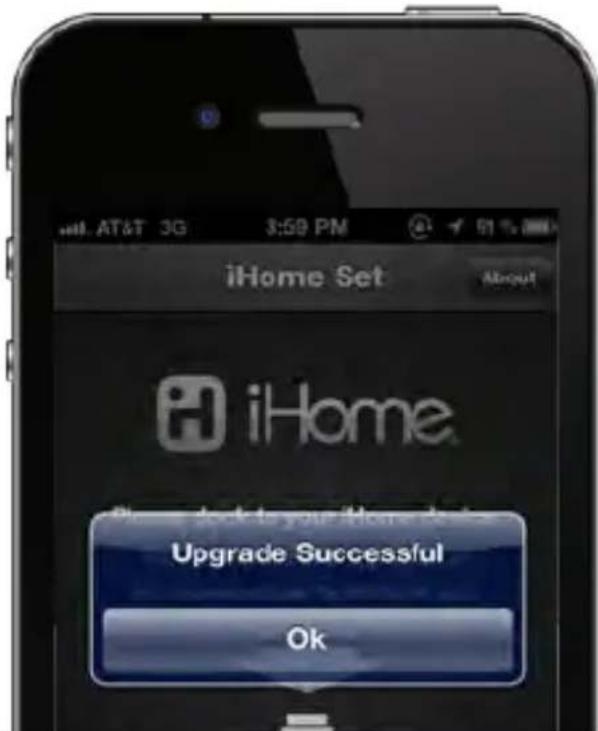
The app-enhanced device will beep twice when firmware is done being updated. If firmware update is unsuccessful, repeat steps 1, 3 and 4 (below).
NOTE: iOS device must be docked to update your device's firmware. iA5 and other iHome systems that are not app-enhanced are not firmware upgradeable. If you have the latest firmware, app will show that your firmware is up to date.
WARNING: Do not undock your iOS device while installing your firmware update. Doing so may require you to unplug the AC adaptor and remove battery backup to restore to default firmware programming.
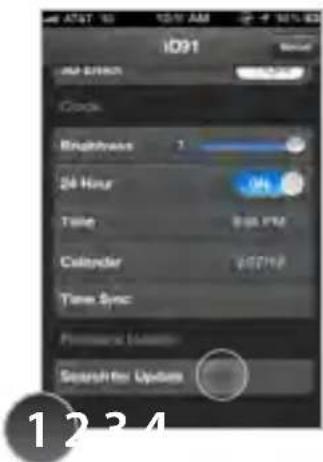
Select 'Search for Update' once docked on an iHome product
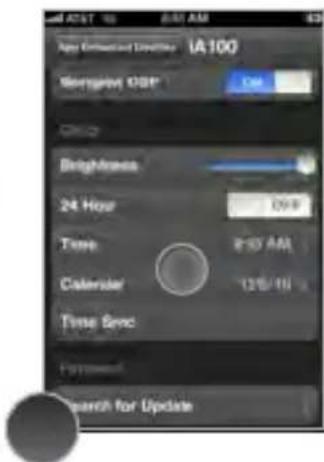
If your firmware is up to date, there is no further action needed.
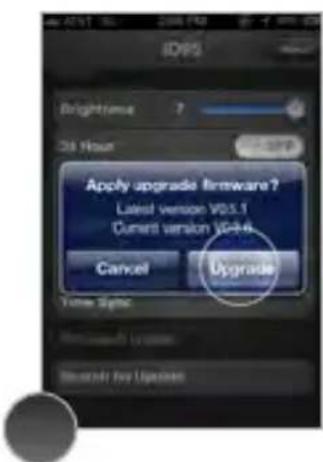
If a firmware update is available, select 'Upgrade'
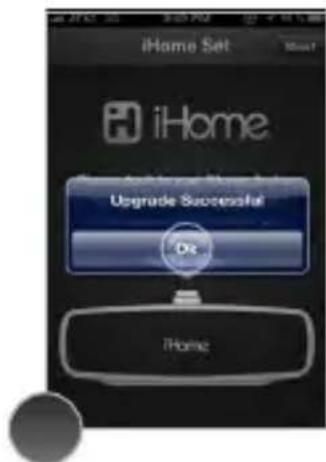
Do not remove your device during the update. A popup will appear when complete.
Troubleshooting
© SDI Technologies Inc. All rights reserved. iHome and the iHome Sleep logo are trademarks of SDI Technologies Inc., registered in the U.S. and other countries.
www.ihomeaudio.com/
Troubleshooting
1. My app is crashing:
Crashes can happen for reasons in and out of our control.
Sometimes they just happen, and you can reload the app, and never see it again.
If your app is crashing, there are three methods for fixing the problem.
A) Update the Firmware of your iOS device.
B) Update app on the App Store.
C) Delete & re-download the app.
Sometimes there is an error with a file download, during installation, or when updating an app. When this happens the only way to fix it is by deleting and re-downloading the app. You will lose all the data programmed and stored in the app if deleted.
2. Overnight News doesn't work:
Overnight News only supports news feeds from your Facebook & Twitter friends/followers. In order for this feature to work you must have a valid Facebook or Twitter account and you must input your login information under 'Accounts' in app settings. We use Facebook Connect and Twitter client servers and do not store or share user passwords or account information.
3. My alarm did not sound at the specified time:
A. iOS4.0 Multi-tasking limitation for Background Alarms - App alarms may not sound if you do not leave iHome Sleep in the foreground. While we do support iOS 4.0 multi-tasking, background alarms is a beta feature and your alarm will not always sound depending on if your iOS device is used with a charger or used with an iPod speaker system. When iHome Sleep is used in the background the alarm is limited to a single minute of push notification alerts. To ensure the most reliable alarms we recommend using app-enhanced device alarms or keep iHome Sleep in the foreground.
Please note: In iOS5, locking the screen will also puse iHome Sleep to the background. If you slide 'Bedtime' before locking the screen your alarm sound will still function.
B. Silent Alarm or Volume - Make sure that the alarm is not set to Silent or that the volume of the iOS device is not set at 0
C. Improper Setup - iPhone is not docked properly or iHome App-enhanced system's AC adaptor is not plugged into a working outlet or into the power jack on back of unit.
D. non iHome App-enhanced Speaker Docks - If you dock your iPod or iPhone into a speaker dock overnight that is not an App-enhanced iHome sstem, the speaker dock must be powered ON all night to hear your alarms in the morning. Because of Apple requirements for devices that both charge and play audio, the iPod/iPhone/iPad's built-in speaker is deactivated and will cause your alarm not to sound if you do...
...not leave the power ON. This is another reason why we suggest customer's use iHome App-enhanced Speaker Systems to make sure you don't have to remember to leave the power on before going to bed.
4. iHome+apps iOS device support:
The iHome Sleep App only works with iPad, iPhone and iPod touch running iOS 4.1 or later. It will not work with iPhone 1G, iTouch 1G, nano, shuffle, or the iPod classic.
Learn More
For more questions or to learn more visit us online at www.ihomeaudio.com
Problems?
If you are experiencing problems with your iHome device, try these quick steps:
- Upgrade the software on your iPad, iPhone or iPod to the latest version by connecting it to a computer with iTunes installed and checking through iTunes that your unit has the most recent software. Update if needed.
- Reset your iPad/iPhone/iPod. The process can differ depending on your model. Please see the user manual or the Apple web site for details. Typically, holding the sleep button and the home button on a newer iPad, iPhone or iPod will reset it.
- Upgrade the firmware on your iHome unit to the latest version by connecting it to a iPad, iPhone or iPod touch with our iHome Set app installed, select Search for Update under 'Firmware Update' and check that your unit has the most recent software. Update if needed. Only iHome app-enhanced models support firmware updates.
- Reset your iHome unit. Remove backup batteries and unplug the unit from the power source. Leave the unit for about 15 minutes to ensure that all electronic charges have dissipated from the unit. Replace batteries and reconnect to power source. For units with a reset port or button, press the reset button or insert a paper clip or similar into the reset port then release/remove.
If these steps do not solve your issue, keep reading or: visit us at: www.ihomeaudio.com/support
call a customer service representative at 1-800-288-2792
Problems?
If you are experiencing problems with iHome Sleep, try these quick steps:
- Close and restart app. For iPod touch, iPhone, or iPad running 4.1 or later, this means closing the app by double pressing the iOS device's home button to bring into view all the apps that are active, scroll to app, press & hold app icon and select “-” to close.
- Update app on the App Store. Visit the App Store to see if there is an update available for your app. Update if needed.
- Upgrade the software on your iPad/iPhone/iPod to the latest version by connecting it to a computer with iTunes installed and checking through iTunes that your unit has the most recent software. Update if needed.
- Reset your iPad/iPhone or iPod. The process can differ depending on your model. Please see the user manual or the Apple web site for details. Typically, holding the sleep button and the home button on a newer iPad, iPhone or iPod will reset it.
- If all else fails, delete and re-download the app. Sometimes an application has problems while installing or updating and it is necessary to delete the app and try it again. Please note that sleep stats and alarm settings will be lost when deleted.
If these steps do not solve your issue:
skip to: Troubleshooting
visit us at: www.ihomeaudio.com/support

- App-enhanced Start Guide
- Welcome to iHome Apps
- Contents
- iHome Sleep
- iHome Radio
- iHome Set
- Troubleshooting
- Music alarm clock
- Weekday alarm
- Reminders
- iOS Optimized
- Sure Alarm
- Sleep stats
- Gentle Wake
- Overnight News
- Wake-to Radio
- Set up, download, and launch
- App Store
- Home Screen
- App Alarms
- Alarm Settings
- Bedtime & Wakeup Events
- Bedtime Wake
- Use those sliders!
- Stats Log
- You can delete individual events and erroneous data sets for more accurate stats
- Activating Overnight News
- Want to wake up to news content?
- Linked Accounts
- App interface button shortcuts
- App Settings
- Thousand of Internet Radio Stations
- Add Radio to Any Speaker
- Sync with iHome Sleep
- iOS 4.0 Optimized
- Tuneln
- iHome App-enhanced
- Tuneln channel indexing
- Syncing with iHome Sleep
- Sleep and wake to iHome Radio
- Problems?
- Problems continued...
- App-enhanced Device Alarms
- Device Alarm Settings
- App-enhanced Device Settings
- App-enhanced Device Settings (continued)
- Firmware Updates
- My app is crashing:
- Overnight News doesn't work:
- My alarm did not sound at the specified time:
- iHome+apps iOS device support:
- Learn More
Brand : IHOME
Model : Set
Category : Uncategorized