
Altima (2022) - Automobile NISSAN - Free user manual and instructions
Find the device manual for free Altima (2022) NISSAN in PDF.


| Product Type | Midsize Sedan |
| Brand | Nissan |
| Model | Altima (2022) |
| Engine | 2.5L 4-cylinder (188 hp) or 2.0L VC-Turbo (248 hp) |
| Transmission | Continuously Variable Transmission (CVT) |
| Drivetrain | Front-Wheel Drive or All-Wheel Drive |
| Fuel Type | Gasoline (Regular unleaded recommended) |
| Fuel Economy (City/Highway/Combined) | 28/39/32 MPG (FWD) / 26/36/30 MPG (AWD) |
| Seating Capacity | 5 passengers |
| Cargo Volume (Trunk) | 15.4 cubic feet |
| Overall Length | 192.9 inches |
| Overall Width (without mirrors) | 72.5 inches |
| Overall Height | 56.5 inches |
| Wheelbase | 111.2 inches |
| Curb Weight (approx.) | 3,200 - 3,500 lbs |
| Safety Features | Nissan Safety Shield 360 (forward collision warning, automatic emergency braking, blind spot warning, etc.) |
| Infotainment | 8-inch touchscreen, Apple CarPlay, Android Auto, Bluetooth, USB ports |
| Maintenance Interval (Oil Change) | Every 5,000 to 7,500 miles |
| Tire Pressure (Recommended) | 33-35 psi (check driver door label) |
| Warranty | 3 years/36,000 miles basic, 5 years/60,000 miles powertrain |
Frequently Asked Questions - Altima (2022) NISSAN
User questions about Altima (2022) NISSAN
0 question about this device. Answer the ones you know or ask your own.
Ask a new question about this device
Download the instructions for your Automobile in PDF format for free! Find your manual Altima (2022) - NISSAN and take your electronic device back in hand. On this page are published all the documents necessary for the use of your device. Altima (2022) by NISSAN.
USER MANUAL Altima (2022) NISSAN
OWNER'S MANUAL and MAINTENANCE INFORMATION
For your safety, read carefully and keep in this vehicle.
CALIFORNIA PROPOSITION 65 WARNING
WARNING
Operating,servicingandmaintainingapassenger vehicleoroff-highwaymotorvehiclecanexposeyouto chemicalsincludingengineexhaust,carbonmonoxide, phthalates,andlead,whichareknowntotheStateof Californiatocausecancerandbirthdefectsorother reproductiveharm.Tominimizeexposure,avoid breathingexhaust,donotidletheengineexceptas necessary,serviceyourvehicleinawell-ventilatedarea andwearglovesorwashyourhandsfrequentlywhen servicing your vehicle. For more information go to www.P65Warnings.ca.gov/passenger-vehicle.
FOREWORD
Thismanual was prepared to help you understand the operation and maintenance of your vehicles that you may enjoy many miles (kilometers) of driving pleasure. Pleasereadthrough this manual before operating your vehicle.
AseparateWarrantyInformationBookletexplainsdetailsaboutthewarranties coveringyourvehicle.The"Maintenance and schedules"sectionofthismanual explainsdetailsaboutmaintaining and servicingyourvehicle.Additionally,a separateCustomerCare/LemonLaw Booklet(U.S.only)willexplainhowtore-solveanyconcernsyoumayhavewith yourvehicle,andclarifyyourrightsunderyourstate'slemonlaw.
When you require any service or have any questions, a NISSAN dealer will beglad to assist you with the extensive resources available to them.
Inadditiontofactory-installedoptions, yourvehiclemayalsobeequippedwith additionalaccessoriesinstalledpriortodelivery.Itisrecommendedthatyouvisita NISSANdealerfordetailsconcerningthe particularacaccessorieswithwhichyourvehicleisequipped.itisImportantthatyou familiarizeyourself withall disclosures, warnings,cautionsandinstructionscon-
cerningproperuseofsuchaccessories priortooperatingthevehicleand/oraccessory.Itisrecommendedthatyouvisita NISSANdealerfordetailsconcerningthe particularaccessorieswithwhichyourve- hicleisequipped.
READFIRST—THENDRIVESAFELY
Beforedrivingyourvehicle, pleasereadthis Owner's Manualcarefully. This will ensure familiarity with controls and maintenance requirements assisting you in the safe operation of your vehicle.
WARNING
IMPORTANT SAFETY INFORMATION REMINDERS! Followtheseimportantdrivingrulesto helpensureasafeandcomfortabletrip foryouandyourpassengers!
- NEVERdriveundertheinfluenceof alcoholordrugs.
- ALWAYSobservepostedspeedlimits andneverdrivetoofastforconditions.
- ALWAYSgiveyourfullattentionto drivingandavoidusingvehiclefeaturesortakingotheractions that coulddistractyou.
- ALWAYSuseyourseatbeltsandappropriatechildrestraintsystems. Preteenchildrenshouldbeseatedin therearseat.
- ALWAYSprovideinformationabout theproperuseofvehiclesafetyfeaturestoallooccupantsofthevehicle.
- ALWAYSreviewthisOwner'sManual forimportantsafetyinformation.
WHEN READING THE MANUAL
MODIFICATIONOFYOURVEHICLE This vehicles should not be modified. Modification could affect its performance, safety, emissions, durability and may even violate governmental regulations. In addition, damage or performance problems resulting from modifications may not be covered under NISSAN warranties.
WARNING
InstallinganaftermarketOn-BoardDiagnostic(OBD)plug-indevicethatuses the port during normal driving, for example remoteinsurance company monitoring, remote vehicle diagnostics, telematicsorenginereprogramming, may cause interference or damage to vehiclesystems. Wedonot recommend or endorse the use of any aftermarketOBDplug-indevices, unless specifically approved by NISSAN. The vehicle warranty may not cover damage caused by any aftermarket plug-indevice.
This manual includes information for all featuresandequipmentavailableonthis model.Featuresandequipmentinyourvehiclemayvarydependingonmodel,trim level,optionsselected,order,dateofproduction,region or availability. Therefore, youmayfindinformationaboutfeaturesorequipmentthatarenotincludedorinstalledonyourvehicle.
Allinformation, specificationsandillustrationsinthismanualare thoseineffectat thetimeofprinting.NISSANreservesthe right to change specifications, performance,design or component suppliers withoutnotice andwithout obligation. From time to time, NISSAN may update or revise this manual to provide Owners with the mostaccurate informationcurrently available.Pleaseacarefullyreadandretain with this manual all revision updates sent toyoubyNISSANtoensure youhaveaccess to accurate and up-to-date information regarding your vehicle. Current versions of vehicle Owner's Manuals and any updatescanalsobefoundintheOwner section of the NISSAN website at https:// owners.nissanusa.com/nowners/ navigation/manualsGuide.Ifyouhave questionsconcerninganyinformationin yourOwner'sManual,contactNISSANCon- sumer Affairs. For contact information, re-
fertotheNISSANCUSTOMERCAREPRO- GRAMpageinthis Owner'sManual.
IMPORTANT INFORMATION ABOUT THIS MANUAL
Youwillseevarioussymbolsinthismanual. Theyareusedinthe followingways:
WARNING
Thisisusedtoindicatethepresenceof ahazard thatcould causedeath orseriouspersonal injury.To avoidor reduce therisk, theprocedures mustbe followedprecisely.
CAUTION
Thisisusedtoindicatethepresenceof ahazard thatcouldcauseminoror moderatepersonalinjuryordamageto yourvehicle.Toavoidorreducetherisk, the procedures must be followed carefully.

natural_image
Simple geometric X shape with diagonal lines, no text or symbols presentIf youseethissymbol, it means "Donotdo this" or "Donotletthis happen."

If you see easy symbols similar to these in an illustration, it means the arrow point to the front of the vehicle.

Arrowsinanillustrationthataresimilarto theseindicatemovementoration.

Arrowsinanillustrationthataresimilarto thesecallattentiontoaniteminthe illustration.
CALIFORNIAPERCHLORATE ADVISORY
Somevehicleparts,suchaslithiumbatteries,maycontainperchloratematerial. The following advisory is provided:"Perchlorate Material-special handling may apply.For additional information, refer to www.dtsc.ca.gov/hazardous waste/perchlorate/".

SiriusXM® services require as subscription after trial period and aresold separately or asapackage. The satelliteservices available only in the 48 contiguous USA and DC. SiriusXM® satelliteservices also available in Canada; see www.siriusxm.ca.
©2021NISSANNORTHAMERICA,INC.
Allrightsreserved.NopartofthisOwner's Manualmaybereproducedorstoredina retrievalsystem,ortransmittedinany form,orbyanymeans,electronic,mechanical,photocopying, recording orotherwise, without the prior written permissionofNissanNorthAmerica,Inc.
NISSANCUSTOMERCAREPROGRAM
NISSANCARES...
Both NISSAN and your NISSAN dealer are dedicated to serving all your automotive needs. Your satisfaction with your vehicle and your NISSAN dealer are our primary concerns. Your NISSAN dealer is always available to assist you with all your automobile sales and service needs.
However, if there is something that your NISSAN dealer cannot assist you with or you would like to provide NISSANDirectly with comments questions, please contact the NISSAN Consumer Affairs Department usingourtoll-freenumber:
ForU.S.customers
1-800-NISSAN-1
(1-800-647-7261)
ForCanadiancustomers
1-800-387-0122
The Consumer Affairs Department will ask for the following information:
-Yourname,address,andtelephone number
-Vehicleidentificationnumber(attached tothetopoftheinstrumentpanelonthe driver'sside)
-Dateofpurchase
-Currentodometerreading
-YourNISSANdealer'sname
-Yourcommentsorquestions OR
YoucanwritetoNISSANwiththeinformationat:
ForU.S.customers
NissanNorthAmerica, Inc.
ConsumerAffairsDepartment
P.O.Box685003
Franklin,TN37068-5003
orviae-mailat:
nnaconsumeraffairs@nissan-usa.com
ForCanadiancustomers
NissanCanadaInc.
5290OrbitorDrive
Mississauga,OntarioL4W4Z5
orviae-mailat:
information.centre@nissancanada.com
If you prefer, visit us at:
www.nissanusa.com(forU.S.customers)
or
www.nissan.ca(forCanadiancustomers)
WeappreciateyourinterestinNISSANandthankyouforbuyingaqualityNISSANvehicle.
Tableof contents
| Illustratedtableofcontents | 0 |
| Safety-Seats,seatbeltsandsupplementalrestraintsystem | 1 |
| Instrumentsandcontrols | 2 |
| Pre-drivingchecksandadjustments | 3 |
| Monitor,climate,audio,phoneandvoicerecognitionsystems | 4 |
| Startinganddriving | 5 |
| Incaseofemergency | 6 |
| Appearanceandcare | 7 |
| Do-it-yourself | 8 |
| Maintenanceandschedules | 9 |
| Technicalandconsumerinformation | 10 |
| Index | 11 |
Ollustratedtableofcontents
Airbags,seatbeltsandchildrestraints. 0 - 2
Exteriorfront....0 - 3
Exteriorrear....0-4
Passengercompartment 0 - 5
Instrumentpanel 0 - 6
Enginecompartmentchecklocations....0 - 8
Warning/Indicatorlights....0-10
AIRBAGS,SEATBELTSANDCHILD RESTRAINTS
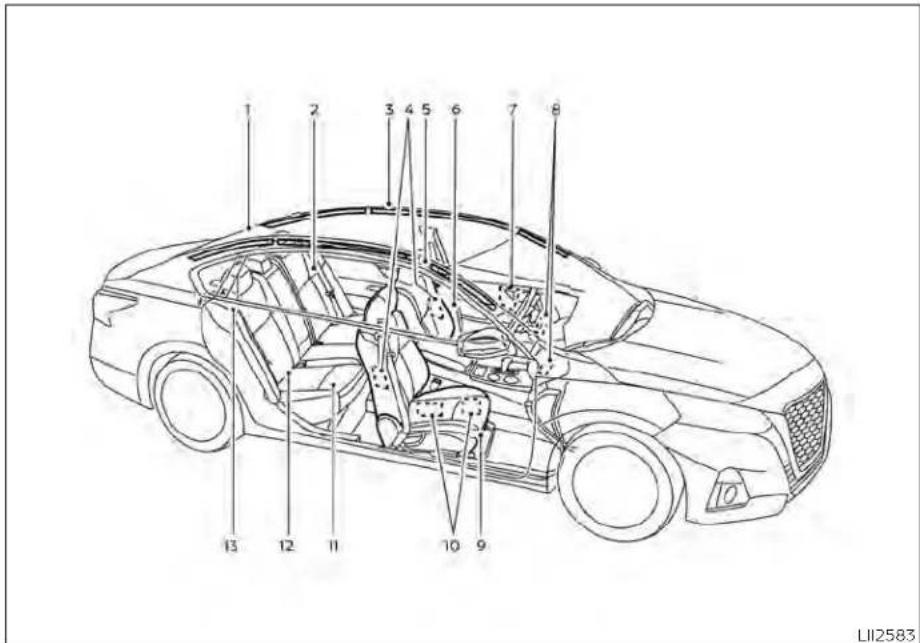
- Toptetherstrapanchor(P.1-23)
- Rearseatbeltswithpretensioner(s)for outboardseating(P.1-12)
3.Roof-mountedcurtainside-impact and rolloversupplementalairbag(P.1-47)
4.Frontseat-mountedside-impact supplementalairbag(P.1-47)
0-2 Illustratedtableofcontents
5.Headrestraints/headrests(P.1-8)
6.Frontseatbeltwithpretensioner(s)and shoulderheightadjuster(P.1-12,1-47)
7. Side-impact pressuresensor(driver's sideshown; passenger's sidesimilar) (P.1-47)
8.Supplementalairbags(P.1-47)
9.Frontseats(P.1-2)
10. Occupantclassificationsensor(weight sensor)(P.1-47)
11.Rearseats(P.1-2)
12.LATCH(LowerAnchorsandTethersfor Children)system(P.1-23)
13. Rearoutboardseat-mountedside impactsupplementalairbag(P.1-47)
Refertothepagenumberindicatedin parenthesesforoperatingdetails.
EXTERIORFRONT

1.Powerwindows(P.2-75)
2.Windshield(P.8-19)
3.Wiperandwasherswitch(P.2-55)
4.Enginehood(P.3-22)
5.Frontviewcamera(ifsoequipped)
(P.4-16)
Radarsensor(P.5-135or5-147)
6.Foglightswitch(ifsoequipped)(P.2-63)
Turnsignalswitch(P.2-63)
7.Headlightswitch(P.2-57)
LEDDaytimeRunningLights(DRL)
system(ifsoequipped)(P.2-62)
Replacingbulbs(P.8-25)
8.Tirepressure(P.8-29)
Flattire(P.6-3)
Tirechains(P.8-37)
9.Mirrors(P.3-29)
Sideviewcamera(ifsoequipped)
(P.4-16)
- Doorlocks(P.3-4)
NISSANIntelligentKey®(P.3-7)
Keys(P.3-2)
Refertothepagenumberindicatedin parenthesesforoperatingdetails.
EXTERIORREAR

- Rearwindowandoutsidemirror(ifso equipped)defrosterswitch(P.2-56)
- Trunklid(P.3-22)
3.Sonarsensors(ifsoequipped)(P.5-179)
4.Rearviewcamera(P.4-8)
5.Replacingbulbs(P.8-25)
6.Fuel-fillercap(P.3-25) Fuelrecommendation(P.10-2) Fuel-filleroor(P.3-25) 7. Childsafetyreardoorlock(P.3-7) Refertothepagenumberindicated in parentheses for operating details.
0-4Illustratedtableofcontents
PASSENGERCOMPARTMENT

1.Powermoonroof(ifsoequipped)
(P.2-77)
2.Sunvisors(P.3-28)
3.Interiorlights(P.2-79)
4.HomeLink®UniversalTransceiver
(ifsoequipped)(P.2-81)
Rearviewmirror(P.3-29)
5.Glovebox(P.2-71)
6.Cupholders(P.2-73)
Consolebox(P.2-71)
7.Reararmrest(P.1-7)
Cupholders(P.2-73)
Refertothepagenumberindicatedin parenthesesforoperatingdetails.
INSTRUMENTPANEL

1.Vents(P.4-31)
2. Steeringwheelswitchesforaudiocontrol* Vehicleinformationdisplaycontrols (P.2-18,2-34)
3. Headlight/foglight(ifsoequipped)/turnsignalswitch(P.2-57) Paddleshifters(ifsoequipped)(P.5-18)
- Drivers supplemental airbag(P.1-47) Horn(P.2-64)
5.Metersandgauges(P.2-4) Warning and indicator lights(P.2-9) Vehicle information display(P.2-18, 2-34)
6.Wiperandwasherswitch(P.2-55)
7.Heaterandairconditioner(P.4-33,4-40) Heatedseatswitches(ifsoequipped) (P.2-64) Heatedsteeringwheelswitch (ifsoequipped)(P.2-65)
- Navigationsystem*(ifsoequipped) Audiosystem*
9.Frontpassengersupplementalairbag (P.1-47)
10.Frontpassengersupplementalknee airbag(P.1-47)
11..Glovebox(P.2-71) 12.Frontpassengerairbagstatuslight (P.1-57) Hazardwarningflasherswitch(P.6-2)
13.Poweroutlet(P.2-69) USBconnectionport(ifsoequipped) (P.2-70,4-67) Auxjack*
14.Cupholders(P.2-73)
15Shiftlever(P.5-18)
- Electronic parking brakes switch
(ifsoequipped)(P.5-25)
Automaticbrakeholdswitch
(ifsoequipped)(P.5-27)
17.Push-buttonignitionswitch(P.5-13)
- Cruise control switches (if soe equipped)
(P.5-68)
IntelligentCruiseControl(ICC)switches
(ifsoequipped)(P.5-71)
Bluetooth®Hands-freePhoneSystem*
ProPILOTAssistSwitch(ifsoequipped)
(P.5-94)
- Driversupplementalkneeairbag
(P.1-47)
20.Hoodrelease(P.3-22)
Fuel-filleroorrelease(P.3-25)
Tilt/telescopicsteeringwheelcontrols
(P.3-27)
21.Tripcomputerresetswitch(P.2-4)
Instrumentbrightnesscontrol(P.2-62)
Steeringassistswitch(forvehicleswith
ProPILOTAssist)(ifsoequipped)
(P.2-66)
Trunkopener(P.3-22)
*:Foradditionalinformation,refertothe
separateNissanConnect®Owner's
Manual.
Refertothepagenumberindicatedin
parenthesesforoperatingdetails.
ENGINECOMPARTMENTCHECK LOCATIONS

2.0L4cylinder(KR20DDETengine model)
- Enginecoolantreservoir(P.8-5)
2.Drivebeltlocation(P.8-16)
- Engineoilfillercap(P.8-7)
4.Brakefluidreservoir(P.8-12)
5.Battery(P.8-14)
6.Fuse/Fusiblelinkbox(P.8-21)
7.Aircleaner(P.8-18)
8.Radiatorcap(P.8-5)
-
Engineoidipstick(P.8-7)
-
Windshield-washerfluidreservoir (P.8-13)
Refertothepagenumberindicatedin parenthesesforoperatingdetails.
NOTE:
Yourvehiclemaynotbeequippedwith anenginecover.
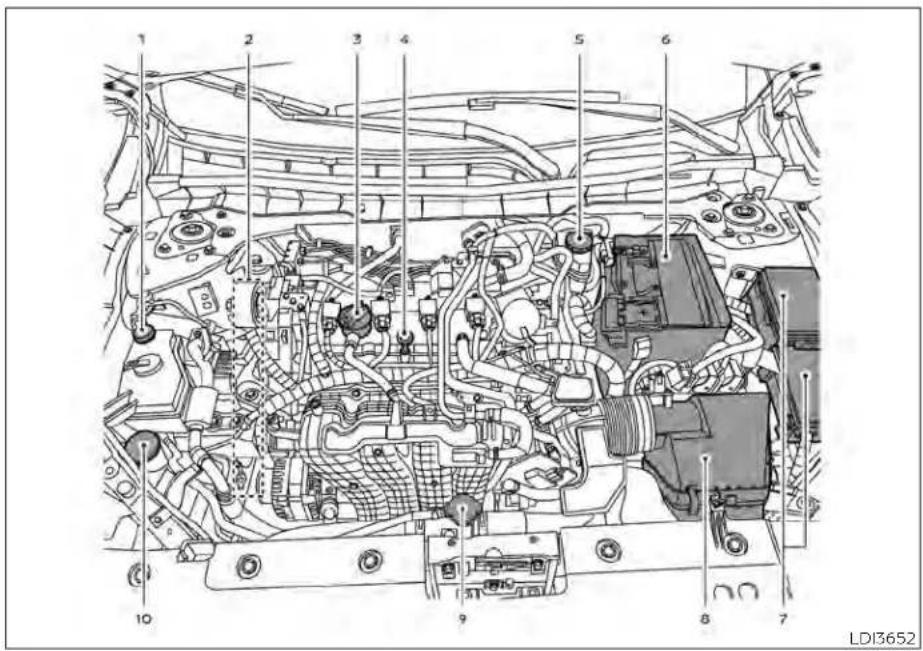
2.5L4cylinder(PR25DDenginemodel)
- Enginecoolantreservoir(P.8-5)
2.Drivebeltlocation(P.8-16)
- Engineoilfillercap(P.8-7)
4.Engineoidipstick(P.8-7)
5.Brakefluidreservoir(P.8-12)
6.Battery(P.8-14)
7.Fuse/Fusiblelinkbox(P.8-21)
8.Aircleaner(P.8-18)
9.Radiatorcap(P.8-5)
- Windshield-washerfluidreservoir (P.8-13)
Refertothepagenumberindicatedin parenthesesforoperatingdetails.
NOTE:
Yourvehiclemaynotbeequippedwith anenginecover.
WARNING/INDICATORLIGHTS
| Warning/Indicator light(red) | NamePage | |
| Brakewarning light | 2-10 | |
| Chargewarning light | 2-11 | |
| Electronicparking brakeindicator light(ifso equipped) | 2-11 | |
| Engineoilpres-surewarninglight | 2-11 |
| Warning/Indicator light(red) | NamePage | |
| Masterwarning light | 2-11 | |
| Seatbeltwarning lightandchime | 2-12 | |
| Securityindicator light | 2-12 | |
| Supplementalair bagwarninglight | 2-12 |
| Warning/Indicator light(yellow) | NamePage | |
| ABSor(ABS) | Anti-lockBraking System(ABS) warninglight | 2-12 |
| AutomaticEmergencyBraking (AEB)withPedestrianDetection systemwarning light | 2-13 | |
| ( ) or( ) | Electronicparking brakewarning light(ifso equipped) | 2-13 |
| Frontpassenger airbagstatus light | 2-13 | |
| Lowtirepressure warninglight | 2-13 | |
| MalfunctionIndicatorLight(MIL) | 2-15 | |
| Masterwarning light | 2-15 | |
| Powersteering warninglight | 2-16 |
| Warning/Indicator light (yellow) | NamePage | |
| RearAutomatic Braking(RAB) warninglight(ifso equipped) | 2-16 | |
| Slipindicatorlight2-15 | ||
| VehicleDynamic Control(VDC)OFF indicatorlight | 2-17 | |
| Warning/Indicator light (other) | NamePage | |
| Automaticbrake holdindicator light(white/green)(ifso equipped) | 2-17 |
| Warning/Indicator light (other) | NamePage | |
| Frontfoglightindicatorlight(green)(ifso equipped) | 2-17 | |
| HighBeamAssist indicatorlight(green) | 2-17 | |
| Highbeamindicatorlight(blue) | 2-17 | |
| Sidelightand headlightindicatorlight(green) | 2-17 | |
| Turnsignal/hazardindicator lights(green) | 2-18 |
MEMO
0-12 Illustratedtableofcontents
1Safety-Seats,seatbeltsand supplementalrestraintsystem
Seats 1-2
Frontmanualseatadjustment
(Ifsoequipped)....1-3
Frontpowerseatadjustment
(ifsoequipped)....1-4
Foldingrearseat.... 1 - 6
Centerarmrest....1-7
Headrestraints/headrests 1 - 8
Adjustableheadrestraint/headrest
components. 1-9
Non-adjustableheadrestraint/
headrestcomponents 1-9
Remove 1-9
Install 1-10
Adjust 1-10
Seatbelts....1-12
Precautionsonseatbeltusage....1-12
Seatbeltwarninglightandchime....1-14
Pregnant women 1-15
Injured persons 1-15
Three-pointtypeseatbeltwith
retractor 1-15
Seat belt extenders 1-20
Seat belt maintenance 1-20
Child safety 1-21
Infants 1-21
Smallchildren....1-22
Largerchildren....1-22
Childrestraints....1-23
Precautionsonchildrestraints....1-23
LATCH(LowerAnchorsandTethersfor
CHILDREN)system....1-25
Rear-facingchildrestraintinstallation
usingLATCH....1-29
Rear-facingchildrestraintinstallation
using the seat belts 1-31
Forward-facingchildrestraint
installation using LATCH....1-34
Forward-facingchildrestraint
installation using the seat belts 1-38
Boosterseats....1-43
SupplementalRestraintSystem(SRS) 1-47
PrecautionsonSRS. 1-47
Supplementalairbagwarninglabels.....1-67
Supplemental air bag warning light 1-67
SEATS


natural_image
Diagram showing car seatbelt and cross-section of a vehicle (no text or symbols)WARNING
- Donotrideinamovingvehiclewhen theseatbackisreclined.Thiscanbe dangerous.Theshoulderbeltwillnot beagainstyourbody.Inanaccident, youcouldbethrownintoitandre- ceiveneckorotherseriousinjuries. Youcouldalsoslideunderthelapbelt andreceiveseriousinternalinjuries.
- Forthemosteeffectiveprotection whenthevehicleisinmotion,the seatshouldbeupright.Alwayssit wellbackanduprightintheseatwith bothfeetonthefloorandadjustthe seatproperly.Foradditionalinformation,see"Precautionsonseatbelt usage"(P.1-12).
•Afteradjustment, gentlyrockinthe seatto makesureitis securely locked.
- Donotleavechildrenunattendedin-sidethevehicle.Theycouldunknow-inglyactivateswitchesorcontrolsormakethevehiclemove.Unattendedchildrencouldbecomeinvolvedinseriousaccidents.
To help avoid risk of injury or death through unintended operation of the vehicle and/or it systems, donot leave children, people who require the assistance of others or pets unattended in your vehicle. Additionally, the temperature inside a closed vehicle on a warm day can quickly become high enough to cause significant risk of injury or death to people and pets.
- Donotadjustthedriver'sseatwhile drivingsofullattentionmaybegiven to vehicle operation. The seat may movesuddenlyandcouldcauseloss ofcontrolofthevehicle.
- Theseatbackshouldnotbereclined anymorethanneededforcomfort. Seat belts are most effective when the passenger sits well back and straightupintheseat. If theseatback isreclined, the riskofsliding under the lapbeltandbeinginjured is increased.
1-2 Safety-Seats, seat belts and supplemental restraint system
CAUTION
When adjusting theseat positions, be surenottocontactanymovingpartsto avoid possible injuries and ordamage.
FRONTMANUALSEAT ADJUSTMENT(ifsoequipped)
Yourvehicleseatscanbeadjustedmanually.Foradditionalinformationaboutad-Justingtheseats,refertothestepsoutlined inthissection.
WARNING
Beforedrivingthevehicle,returnthe seatbacktoanuprightseatingposition aftermanuallyreleasingit.Also,make suretheseatislockedinplace.Failure todosomaycausetheseattomovein acollisionorsuddenstop.Thismayresultindamagetotheseatorpersonal injury.

natural_image
Line drawing of a car seat with directional arrows indicating left and right motion (no text or symbols)Forwardandbackward
Pullthecenterofthebarupandholdit whileyouslidetheseatforwardorbackwardtothedesiredposition.Releasethe bartolocktheseatinposition.

natural_image
Line drawing of a car seatbelt with directional arrows indicating movement (no text or symbols)Reclining
Toreclinetheseatback,pulltheleverup andleanback.Tobringtheseatbackforward,pulltheleverupandleanyourbody forward.Releasethelevertolocktheseatbackinposition.
Therecliningfeatureallowsadjustmentof theseatbackforoccupantsofdifferent sizesforaddedcomfortandtohelpobtain properseatbeltfit.Foradditionalinformation,see"Precautionsonseatbeltusage" (P.1-12).Also,theseatbackcanbereclined toallowoccupantstorestwhenthevehicle isstoppedandtheshiftleverisintheP (Park)position.
Safety-Seats, seatbeltsandsupplementalrestraintsystem1-3
natural_image
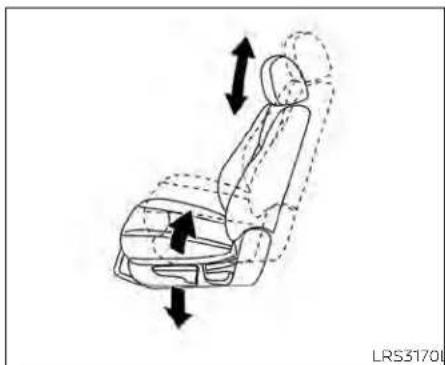
Line drawing of a car seat with directional arrows indicating movement or force (no text or symbols)Seatlifter(driver'sseat)
Pulluporpushdowntheadadjustingleverto adjusttheseatheightuntilthedesiredpositionisachieved.

FRONTPOWERSEATADJUSTMENT (ifsoequipped)
Operatingtips
- The power seat motor has an auto-reset overload protection circuit. If the motor stops during operation, wait 30 seconds then reactivates the switch.
- Donotoperatethepowerseatswitchfor alongperiodoftimewhentheengineis off.Thiswilldischargethebattery.
Foradditionalinformation,see"Memory Seat"(P.3-31).
Forwardandbackward
Movingtheswitchasshownwillslidethe seatforwardorbackwardtothedesired position.
Reclining
Movethereclineswitchasshownuntilthe desiredangleisobtained.
1-4 Safety-Seats, seatbeltsandsupplementalrestraintsystem
Therecliningfeatureallowsadjustmentof theseatbackforoccupantsofdifferent sizesforaddedcomfortandtohelpobtain properseatbeltfit.Foradditionalinformation,see"Precautionsonseatbeltusage" (P.1-12).Also,theseatbackcanbereclined toallowoccupantstorestwhenthevehicle isstoppedandtheshiftleverisintheP (Park)position.
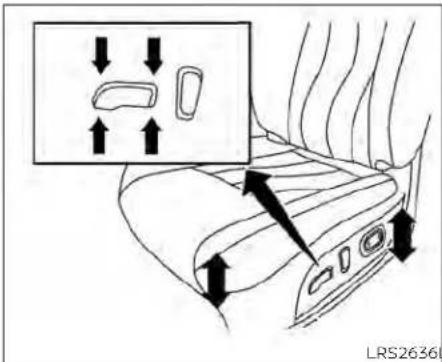
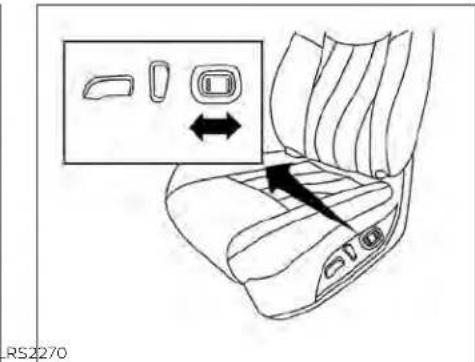
Seatlifter(driver'sseat)
Movetheswitchasshowntoadjustthe angleandheightoftheseatcushion.
Lumbarsupport(ifsoequipped fordriver'sseat)
Thelumbarsupportfeatureprovidesadjustablelowerbacksupporttothedriver. Pushtheswitchasshowntoadjustthe seatlumbararea.

FOLDINGREARSEAT

Interiortrunkaccess
The trunk can be accessed from the driver side and passengers side of there are seat for loading and unloading, as shown.
-
Movethefrontpassengerseattothe mostforwardposition.
-
Opentheaccesscoverontherearpar-celsheff.
- Insertakeyoranothersuitabletool (suchasapenorascrewdriver) into the slot, then slidetherecessed lever in the direction of the arrow ①.
- Folddown the passenger's sideseat-back ②.
NOTE:
Toaccessthetrunkincaseofadead battery, useakeyoranothersuitable tool(suchasapenorscrewdriver), to sliderecessedleverinthedirectionof thearrow.
WARNING
- Neverallowanyonetorideinthe cargoareaorontherearseatwhenit isinthefold-downposition.Useof theseareasbypassengerswithout properrestraintscouldresultinseriousinjuryordeathinanaccidentor suddenstop.
1-6 Safety-Seats, seatbeltsandsupplementalrestraintsystem
•Properlysecureallcargowithropes orstrapstohelppreventitfromslidingorshifting.Donotplacecargo higherthantheseatbacks.Inasuddenstoporcollision,unsecured cargocouldcausepersonalinjury.
- When returning these seat back to the upright position, be certain they are completely secured in the elatched position. If they are not completely secured, passengers may be injured in an accident or sudden stop.
Closelysupervisechildrenwhenthey arearoundcarstopreventthem fromplayingandbecominglockedin thetrunkwheretheycouldbeseriouslyinjured.Keepthecarlocked, withthereaseatbackandtrunklid securelylatchedwhennotinuse,and preventchildren'saccesstocarkeys.
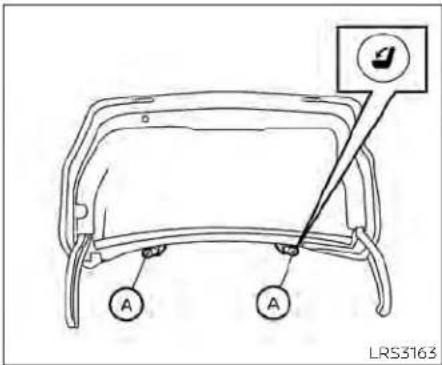
Tofolddowneithersideofthe rearseat, openthetrunkandpullontheknobonthat side Ⓐ.

natural_image
Line drawing of a car seatbelt with a black arrow indicating the seatbelt buckle (no text or symbols present)CENTERARMREST
Pullthearmrestdownasshown.
HEADRESTRAINTS/HEADRESTS
WARNING
Headrestraints/headrestssupplement theothervehiclesafetysystems.They mayprovideadditionalprotection againstinjuryincertainrearendcollisions.Adjustableheadrestraints/headrestsmustbeadjustedproperly, asspecifiedinthissection.Checkthe adjustmentaftersomeoneelseuses theseat.Donotattachanythingtothe headrestraint/headreststalksorremovetheheadrestraint/headrest.Do notusetheseatiftheheadrestraint/headresthasbeenremoved.Ifthehead restraint/headrestwasremoved,reinstallandproperlyadjustthehead restraint/headrestbeforeanoccupant usetheseatingposition.Failureretofollowtheseinstructionscanreducethe effectivenesssof thehead restraints/headrests.Thismayincreasetheriskof seriousinjuryordeathinacollision.

natural_image
Top-down line drawing of a car with four directional indicators on the dashboard (no text or symbols)The illustration shows the seating positions equipped with head restraints/headrests.
▲Indicatetheseatingpositionis equippedwithaheadrestraint.
■Indicatetheseatingpositionisequippedwithaheadrest.
+ Indicates the seating position is not equipped with a headrest or headrest (if applicable).
- Your vehicle is equipped with a head restraint/headrestthatmay beintegrated,adjustableornon-adjustable.
- Adjustableheadrestraints/headrests havemultiplenotchesalongthestalk(s) to lock them in a desired adjustment position.
•The non-adjustable head restraints/headrestshaveasinglelockingnotchto securethemtotheseatframe.
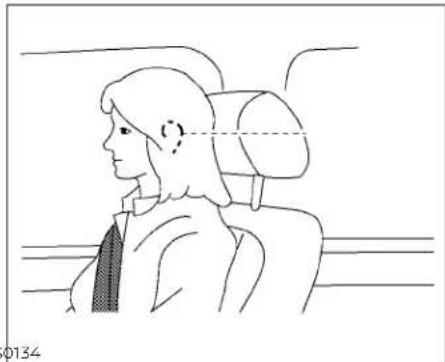
-ProperAdjustment: -Fortheadjustabletype,alignthehead restraint/headrest so the center of yourearisapproximatelylevelwiththe centeroftheheadrestraint/headrest. -Ifyourearpositionisstillhigherthan the recommended alignment, place the headrestraint/headrest at the highestposition. - If the head restraint/head rest has been removed, ensure that it is reinstalled and locked in place before or ending in that designated seating position.

ADJUSTABLEHEADRESTRAINT/ HEADRESTCOMPONENTS
1.Removableheadrestraint/headrest
2.Multiplenotches
3.Lockknob
4.Stalks

NON-ADJUSTABLEHEAD RESTRAINT/HEADREST COMPONENTS
- Removableheadrestraint/headrest
2.Singlenotch
3.Lockknob
4.Stalks

natural_image
Simple line drawing of a car's seat with arrows indicating upward and downward motion (no text or symbols)REMOVE
Use the following procedure to remove the head restraint/headrest:
- Pulltheheadrestraint/headrestupto thehighestposition.
2.Pushandholdthelockknob.
-
Removetheheadrestraint/headrest fromtheseat.
-
Storetheheadrestraint/headrestproperlyinasecureplacesoitisnotloosein thevehicle.
-
Reinstallandproperlyadjustthehead restraint/headrestbeforeanoccupant usestheseatingposition.

natural_image
Side profile illustration of a person seated in a car seat, viewed from the side (no text or symbols)INSTALL
- Align the head restraint/head rest stalks with the holes in these seat. Makes sure that the head restraint/head rest is facing the correct direction. The stalk with the notch (notches) ① must be installed in the hole with the lock knob ②.
- Pushandholdthelockknobandpush theheadrestraint/headrestdown.
- Properly adjust the head restraint/headrest before an occupant use the seating position.
ADJUST
Foradjustableheadrestraint/headrest Adjusttheheadrestraint/headrestsothe centerislevelwiththecenterofyourears.If yourearpositionisstillhigherthanthe recommendedalignment,placethehead restraint/headrestatthehighestposition.
1-10 Safety-Seats,seatbeltsandsupplementalrestraintsystem

natural_image
Simple line drawing of a car with a diagonal cross mark and an upward arrow, no text or symbols present.Fornon-adjustableheadrestraint/headrest
Makesuretheheadrestraint/headrestis positionedsothelockknobisengagedin thenotchbeforeridinginthatdesignated seatingposition.

natural_image
Simple line drawing of a car seat with an upward arrow indicating motion (no text or symbols)Raise
Toraisetheheadrestraint/headrest,pullit up.
Makesuretheheadrestraint/headrestis positionedsothelockknobisengagedin thenotchbeforeridinginthatdesignated seatingposition.
natural_image
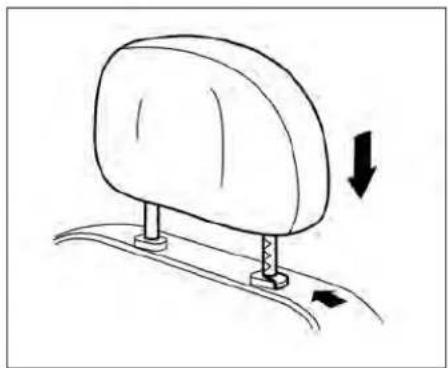
Simple line drawing of a car seat with arrows indicating direction (no text or symbols)Lower
Tolower, pushandholdthelockknoband pushtheheadrestraint/headrestdown.
Makesuretheheadrestraint/headrestis positionedsothelockknobisengagedin thenotchbeforeridinginthatdesignated seatingposition.
SEATBELTS

natural_image
Line drawing of a person seated in a car with a steering wheel and diagonal stripes (no text or symbols)
natural_image
Diagram of car seatbelt and passenger seatbelt crossed in a cross-section (no text or symbols)PRECAUTIONSONSEATBELT USAGE
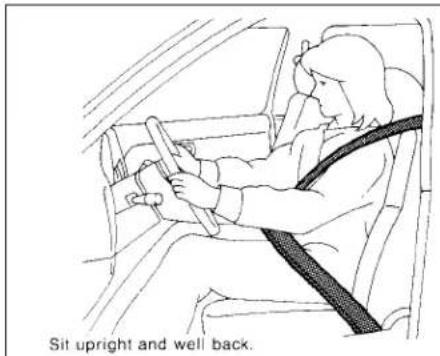
If you are wearing your seat belt properly adjusted and you are sitting upright and well back in your seat with both feet on the floor, your chances of being injured or killed in a collision and/or these severity of injury may begreatly reduced. NISSAN strongly encourages you and all of your passengers to buckle up every time you drive, even if your seating position includes as supplemental airbag.
Most U.S. states and Canadian provinces orterritories specify that seat belts be worn at all times when vehicle is being driven.
WARNING
- Everypersonwhodrivesorridesin thisvehicleshoulduseaseatbeltat alltimes.Childrenshouldbeinthe rearseatsandinanappropriate restraint.

natural_image
Line drawing of a person sitting in a car, showing seatbelt and dashboard (no text or symbols)
natural_image
Line drawing of a person seated in a car with a seatbelt and diagonal band crossing (no text or symbols)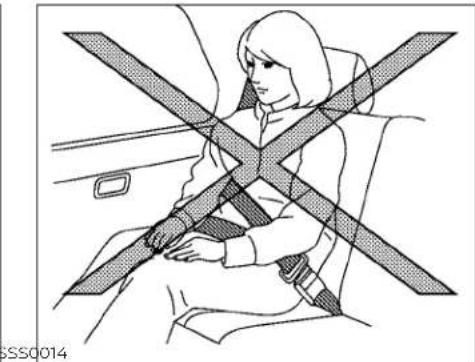
natural_image
Line drawing of a person sitting in a car seat with a cross-shaped bandage (no text or symbols)WARNING
•Theseatbeltshouldbeproperlyadjustedtoasnugfit.Failureretodoso mayreducetheeffectivenessofthe entirerestrainsystemandincrease thechanceorseverityofinjuryinan accident.Seriousinjuryordeathcan occuriftheseatbeltisnotworn properly.
WARNING
•Alwaysroutetheshoulderbeltover yourshoulderandacrossyourchest. Neverputthebeltbehindyourback, underyourarmoracrossyourneck. Thebeltshouldbeawayfromyour faceandneck,butnotfallingoffyour shoulder.
- Positionthelapbeltaslowandsnug aspossibleAROUNDTHEHIPS,NOT THEWAIST.Alapbeltworntoohigh couldincreaseetheriskofinternalin-juriesinanaccident.
- Besuretheseatbelttongueissecurelyfastenedtotheproperbuckle.
- Donotweartheseatbeltinsideout ortwisted.Doingsomayreduceits effectiveness.
- Donotallowmorethanoneperson tousethesameseatbelt.
·Nevercarrymorepeopleinthevehiclethanthereareseatbelts. - If theseatbeltwarninglightglows continuouslywhiletheignitionis turnedonwithaldoorsclosedand allseatbeltsfastened, itmayindicateamalfunctioninthesystem. Havethesystemchecked.ItisrecommendedthatyouvisitaNISSAN dealerforthisservice.
-
Nochangesshouldbemadetothe seatbeltsystem. Forexample, donot modify theseatbelt, addmaterial, or install device sthat may changethe seatbeltroutingortension. Doing so may affect the operation of theseat beltsystem. Modifying ortampering with theseatbeltsystem may result in serious personal injury.
-
Onceseatbeltpretensioner(s)have activated,theycannotbereusedand mustbereplacedtogetherwiththe retractor.Itisrecommendedthatyou visitaNISSANdealerforthisservice.
- Allseatbeltassemblies,includingretractorsandattachinghardware, shouldbeinspectedafteranycollision.Itisrecommendedthatyouvisit aNISSAN dealerfor thisservice. NISSAN recommends that all seat beltassembliesinuseduringacollisionbereplacedunlesssthecollision was minor and the belts show no damageandcontinuetooperate properly.Seatbeltassembliesnotin useduringacollisionshouldalsobe inspected andreplacedifeither damageorimproperoperationis noted.
- All child restraints and attaching hardwareshouldbeinspectedafter any collision. Always follow the restraintmanufacturer'sinspectioninstructionsandreplacementrecommendations. The child restraints should be replaced if they are damaged.

natural_image
Silhouette of a person sitting cross-legged with a diagonal band crossing through the seat (no text or symbols)LRS0786
SEATBELTWARNINGLIGHTAND CHIME
The driver and front passenger seat is equipped with an enhanced seat belt reminder function. If your vehicle is equipped with an enhanced seat belt reminder function, a visual and audible alert will operate if adriver or front passenger seat belt is unbuckled at speed so approximately 9 mph (15 km/h) or more under the following conditions:
- Ifthedriverseatbeltisnotfastened.
• The front passenger's seat belt is not fastened and these is occupied by a passenger.
- Thefrontpassenger'sseatbeltisnotfas-
tenedandobjectsorexternalforceon
thepassengerseatchangetheseatbelt
reminderclassificationtoOccupied.
Theseatbeltwarninglightwillflashunder theconditionsshownaboveuntilthenecessaryseatbeltissecurelyfastened.
Awarningchimewillsoundforapproximately90secondsoruntiloneofthefollowingconditionsismet:
•The unbuckledfrontoccupant'sseatbelt issecurelyfastened.
• Theseatbeltreminderfunctioninthe frontpassengerseatnolongerdetects thatthefrontpassengerseatisoccupied.
•Theignitionisturnedofforthevehicleis placedinP(Park).
The below situations could result in the seat belt reminder light being illuminated and the chimesounding, even with no occupant present in the passenger seat:
•Heavyobjectsplacedontheseat.
- Someonepushingorpullingonthefront passengerseat.
•Anobjectplacedunderthefrontpassengerseat.
• Anobjectplacedbetweentheseatcushionandcenterconsoleorbetweenthe seatcushionandthedoor.
• Anobjectchangingontheseatorplaced intheseatbackpocket.
- Achildrestraintorotherobjectpressing againsttherearoftheseatback.
PREGNANTWOMEN
NISSANrecommendsthatpregnant womenuseseatbelts.Theseatbeltshould bewornsnugandalwayspositionthelap beltaslowaspossiblearoundthehips,not thewaist.Placetheshoulderbeltoveryour shoulderandacrossyourchest.Neverrun thelap/shoulderbeltoveryourabdominal area.Contactyourdoctorforspecific recommendations.
INJUREDPERSONS
NISSANrecommendsthatinjuredpersons useseatbelts.Checkwithyourdoctorfor specificrecommendations.
THREE-POINTTYPESEATBELT WITHRETRACTOR
WARNING
- Everypersonwhodrivesorridesin thisvehicleshoulduseaseatbeltat alltimes.Childrenshouldbeinthe rear seats and in an appropriate restraint.
- Donotrideinamovingvehiclewhen theseatbackisreclined.Thiscanbe dangerous.Theshoulderbeltwillnot beagainstyourbody.Inanaccident, youcouldbethrownintoitandreceiveneckorotherseriousiousinjuries. Youcouldalso slide underthelap belt andreceiveseriousinternalinjuries.
- For the most effective protection whenthevehicleisinmotion, the seat should be upright. Always sit wellbackanduprightintheseatwith bothfeetonthefloorandadjustthe seatbeltproperly.
- Donotallowchildrentoplaywiththe seatbelts.Mostseatingpositionsare equippedwithAutomaticLocking Retractor(ALR)modeseatbelts.If theseatbeltbecomeswrapped arounddachild'sneckwiththeALR modeactivated,thechildcanbeseriouslyinjuredorkillediftheseatbelt retractsandbecomestight.Thiscan occurevenifthevehicleisparked. Unbuckletheseatbelttoreleasethe child.Iftheseatbeltcannotbeun-buckledorisalreadyunbuckled,re-leasethechildbycuttingtheseat beltwithasuitabletool(suchasa knifeorscissors)toreleasetheseat belt.

natural_image
Line drawing of a car seat with directional arrows indicating left and right motion (no text or symbols)Manualfrontseatshown (ifsoequipped)
Fasteningtheseatbelts
- Adjust theseat. For additional information, see "Seats" (P.1-2).

Powerfrontseatshown(ifsoequipped)

2.Slowlypulltheseatbeltoutoftheretractorandinsertthetongueintothebuckle ① untilyouhearandfeelthelatch engage.
- Theretractorisdesignedtolock duringasuddenstoporonimpact.A slowpullingmotionpermitsthe seatbelttomoveandallowsyou somefreedomofmovementinthe seat.
- If these seat belt cannot be pulled from its fully retracted position, firmly pull the belt and release it. Thens smoothly pull the belt out of theretractor.
Safety-Seats,seatbeltsandsupplementalrestraintsystem1-17

-
Positionthelapbeltporionlowand snugonthehips ⑧ asshown.
-
Pulltheshoulderbeltportiontowardthe retractortotakeupextraslack ©. Be suretheshoulderbeltisroutedover yourshoulderandacrossyourchest.
Thefrontpassengerseatandtherear seatingpositions'three-pointseatbelts havetwomodesofoperation:
•EmergencyLockingRetractor(ELR)
•AutomaticLockingRetractor(ALR)
TheELRmodeallowstheseatbelttoextendandretracttoallowthedriverand passengerssomefreedomofmovement intheseat.TheELRlockstheseatbelt whenthevehicleslowdownrapidlyor duringcertainimpacts.
TheALRmode(childrestraintmode)locks theseatbeltforchildrestraintinstallation. WhentheALRmodeisactivated,theseat beltcannotbeextendedagainuntilthe seatbelttongueisdetachedfromthe buckleandfullyretracted.TheseatbeltreturnstotheELRmodeaftertheseatbelt fullyretracts.Foradditionalinformation, see"Childrestraints"(P.1-23).
The ALR modes should be used only for child restraint installation. During normal seat belt use by an occupant, the ALR modes should not be activated. If it is activated, it may cause uncomfortable seat belt tension. It can also change the operation of the front passenger air bag. For additional information, see "Front passenger air bag and status light" (P.1-57).
WARNING
When fastening these at belts, be certain that these at backs are completely secured in the elatched position. If they are not completely secured, passengers may be injured in an accidentor sudden stop.
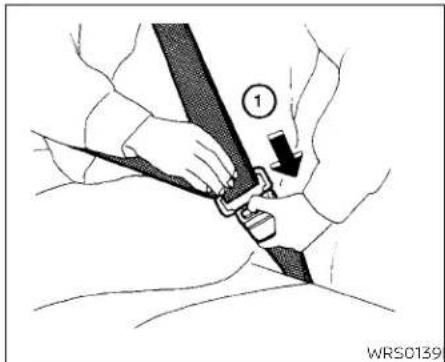
To increase your confidence in these seat belts, check the operation as follows: • Graspthes shoulder belt and pull forward quickly. Theretractor should lock and restrict further belt movement.
Iftheretractordoesnotlockduringthis check,getthesystemchecked.ItisrecommendedthatyouvisitaNISSANdealerfor thisserviceortolearnmoreaboutseatbelt operation.
Unfasteningtheseatbelts
Tounfastentheseatbelt,pressthebutton onthebuckle ①.Theseatbeltautomaticallyretracts.
Checkingseatbeltoperation
Seatbeltretractorsaredesignedtolock seatbeltmovementbytwoseparate methods:
-whentheseatbeltispulledquicklyfrom theretractor
-Whenthevehicleslowsdownrapidly

Shoulderbeltheightadjustment (frontseats)
Theshoulderbeltanchorheightshouldbe adjustedtothepositionbestforyou.For additionalinformation,see"Precautionson seatbeltusage"(P.1-12).Toadjust,pullout theadjustmentbutton ① andmovethe shoulderbeltanchortothedesiredposition ② ,sothebeltpassesoverthecenter oftheshoulder.Thebeltshouldbeaway fromyourfaceandneck,butnotfallingoff yourshoulder.Releasetheadjustmentbuttontontolocktheshoulderbeltanchorinto position.
WARNING
·Afteradjustment,releasetheadjust- mentbuttonandtrytomovethe shoulderbeltanchorupanddownto makesureitissecurelyfixedin position.
·Theshoulderbeltanchorheight shouldbeadjustedtotheposition bestforyou.Failuretodosomayreducetheeffectivenessoftheentire restraintsystemandincreasethe chanceorseverityofinjuryinan accident.
SEATBELTEXTENDERS
If, because of body size or driving position, it is not possible to properly fit the lap/shoulder belt and fasten it, an extender that is compatible with the installed seat belts is available for purchase. The extender adds approximately 8 in (200 mm) of length and maybe used for either the driver or front passenger seating position. It is recommended that you visit a NISSAN dealer for assistance with purchasing an extender if an extender is required.
WARNING
- OnlyNISSANseat beltextenders, madebythe samecompanywhich madetheoriginalequipmentseat belts,should beused with NISSAN seatbelts.
•Adultsandchildrenwhocanusethe standardseatbeltshouldnotusean extender. Such unnecessary use could result in serious personal injury intheeventofanaccident.
·Neveruseseatbeltextenderstoin-stallchild restraints. If the child-restraintisnotsecured properly, the childcouldbeseriouslyinjured or killedinacollisionorasuddenstop.
SEATBELTMAINTENANCE
- To clean the seat belt webbing, apply a mild soap solution or any solution recommended for cleaningupholsteryor carpet. Then wipewithaclothandallow theseatbeltstodryintheshade. Donot allow theseatbeltstoretractuntilthey arecompletely dry.
- If dirt builds up in the shoulder belt guideoftheseatbeltanchors, theseat beltsmayretractslowly.Wipetheshoulderbeltguidewithaclean,drycloth.
- Periodically check to see that the seat beltandthemetalcomponents,such asbuckles, tongues,retractors,flexible wiresandanchors,workproperly.Ifloose parts,deterioration,cutsorotherdamageonthewebbingisfound,theentire seatbeltassemblyshouldbereplaced.
CHILDSAFETY
WARNING
Donotallowchildrentoplaywiththe seatbelts.Mostseatingpositionsare equippedwithAutomaticLockingRetractor(ALR)modeseatbelts.Iftheseat beltbecomeswrappedaroundachild's neckwiththeALRmodeactivated,the childcanbeseriouslyinjuredorkilledif theseatbeltretractsandbecomes tight.Thiscanoccurevenifthevehicle isparked.Unbuckletheseatbelttore-leasethechild.Iftheseatbeltcannot beunbuckledorisalreadyunbuckled, releasethechildbycuttingtheseat beltwithasuitabletool(suchasaknife orscissors)toreleasetheseatbelt.
Childrenneedadultstohelpprotect them. Theyneedtobeproperly restrained.
In addition to the general information in this manual, child safety information is available from many others, including doctors, teachers, government traffic safety offices, and community organizations. Every child is different, sobesureto learn the best way to transport your child.
There are three basic types of children-straints systems:
•Rear-facingchildrestraints
- Forward-facingchildrestraints - Boosterseats
The proper restraint depends on the child's size. Generally, infants up to about 1 year and less than 20 lbs. (9 kg) should be placed in rear-facing child restraints. Forward-facing child restraints are available for children who outgrow rear-facing child restraints and are at least 1 year old. Booster seats are used to help position vehicle lap/shoulder beltonachild whocanno longer use a forward-facing child restraint.
WARNING
Infantsandchildrenneedspecialpro-tection.Thevehicle'sseatbeltsmay notfitthemproperly.Theshoulderbelt maycometooclosetothefaceorneck. Thelapbeltmaynotfitovertheirsmall hipbones.Inanaccident,animprop- erlyfittingseatbeltcouldcauseserious orfatalinjury.Alwaysuseappropriate childrestraints.
All U.S. states and Canadian provinces or territories require the use of approved child restraints for infants and small children. For additional information, see "Child restraints" (P.1-23).
AchildrestraintmaybesecuredinthevehiclebyusingeithertheLATCH(LowerAnchorsandTethersforChildren)systemor withthevehicleseatbelt.Foradditional information,see"Childrestraints"(P.1-23).
NISSANrecommendsthatallpre-teens andchildrenberestrainedintherear seat.Studiesshow thatchildrenare saferwhen properlyrestrained inthe rearseatthaninthefrontseat.
This is especially important because your vehicle has a supplemental restraintsystem (airbagsystem) for the frontpassenger. For additional information, see "Supplemental Restraint System (SRS)" (P.1-47).
INFANTS
Infantsuptoatleast1yearoldshouldbe placed in a rear-facing child restraint. NISSAN recommends that infants be placedinchildrestraintsthatcomplywith FederalMotorVehicleSafetyStandardsor CanadianMotorVehicleSafetyStandards. Youshouldchooseachildrestraintthatfits yourvehicleandalwaysfollowthemanu-facturer'sinstructionsforInstallationand use.
SMALLCHILDREN
Childrenthatareover1yearoldandweigh atleast20lbs.(9kg)shouldremainina rear-facingchildrestraintaslongaspossibleuptotheheightorweightlimitofthe childrestraint.Childrenwhooutgrowthe heightorweightlimitoftherear-facing childrestraintandareatleast1yearold shouldbesecuredinaforward-facingchild restraintwithaharness.Refertothemanufacturer'sinstructionsforminimummand maximumweightandheightrecommendations.NISSANrecommendsthatsmall childrenbeplacedinchildrestraintsthat complywithFederalMotorVehicleSafety StandardsorCanadianMotorVehicle SafetyStandards.Youshouldchoosea childrestraintthatfitsyourvehicleandalwaysfollowthemanufacturer'sinstructionsforinstallationanduse.
LARGERCHILDREN
Childrenshouldremaininaforward-facing childrestraintwithaharnessuntilthey reachthemaximumheightorweightlimit allowedbythechildrestraint manufacturer.
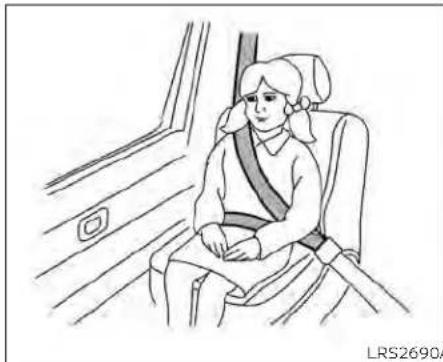
Onceachildoutgrowstheheightorweight limit of the harness-equipped forward-facingchildrestraint,NISSANrecommends thatthechildbeplacedinacommercially availableboosterseattoobtainproper seatbeltfit.Foraseatbelttofitproperly,the boosterseatshouldraisethechildsothat theshoulderbeltisproperlypositioned acrossthechestandthetop,middleportionofthe shoulder.Theshoulder belt shouldnotcrosstheneckorfaceand shouldnotfallofftheshoulder.Thelapbelt shouldliesnuglyacrossthelowerhipsor upperthighs,nottheabdomen.Abooster seatcanonlybeusedinseatingpositions thathaveathree-pointtypeatbelt.The boosterseatshouldfittthevehicleseatand havealabelcertifyingthatitcomplieswith FederalMotorVehicleSafetyStandardsor CanadianMotorVehicleSafetyStandards.
A booster seat should be used until the childcanpasstheseatbeltfittestbelow: - Arethechild'sbackandhipsagainstthe vehicleseatback? - Isthechildabletositwithoutslouching? - Dothechild'skneesbendeasilyoverthe frontedgeoftheseatwithfeetflatonthe floor?
- Canthechildsafelyweartheseatbelt(lap beltlowandsnugacrossthehipsand shoulderbeltacrossmid-chestand shoulder)?
- Isthechildabletousetheproperlyadjustedheadrestraint/headrest?
- Will the child be able to stay in position for the entire ride?
CHILDRESTRAINTS
natural_image
Line drawing of a child wearing a seatbelt sitting in a car seat, viewed from inside a vehicle (no text or symbols)If you answered not to any of these questions, the child should remain in a booster seating at three-point types at belt.
NOTE:
Lawsinsomecommunitiesmayfollow differentguidelines.Checklocaland stateregulationstoconfirmyourchildis usingthecorrectrestraintsystembefore traveling.
WARNING
Neverletachildstandorkneelonany seatanddonotallowachildinthe cargoarea.Thechildcouldbeseriously injuredorkilledinasuddenstopor collision.

natural_image
Line drawing of a car interior showing two people seated, one using a double-headed bar to lift the other (no text or symbols)PRECAUTIONSONCHILD RESTRAINTS
WARNING
- Failuretofollowthewarningsandinstructionsforproperuseandinstallationofchildrestraintscouldresult inseriousinjuryordeathofachildor otherpassengersinasuddenstopor collision:

natural_image
Diagram of a car seatbelt with diagonal lines indicating crossed safety stripes (no text or symbols)-Thechildrestraintmustbeused andinstalledproperly.Alwaysfollowallofthechildrestraintmanufacturer'sinstructionsforinstallationanduse.
-Infantsandchildrenshouldnever beheldonanyone'slap. Eventhe strongestadultcannotresistthe forcesofacollision.
-Donotputaseatbeltaroundboth achildandanotherpassenger.
-NISSANrecommendsthatallchild restraintsbeinstalledintherear seat.Studieshowthatchildren
aresaferwhenproperlyre-strainedintherearseatthanin thefrontseat.Ifyoumustinstalla forward-facingchildrestraintin thefrontseat,see"Forward-facingchildrestraintinstallation usingtheseatbelts"(P.1-38).
-Evenwiththe NISSANAdvanced Air Bag System, never install a rear-facingchild restraint in the front seat. An inflating air bag could seriously injure or kill a child. Arear-facingchildrestraint must onlybeusedintherearseat.
- Be sure to purchase a child restraintthatwillfitthechildand vehicle.Somechildrestraintsmay notfitproperlyinyourvehicle.
-Childrestraintanchoragesaredesignedtowithstandonly those loadsimposedbycorrectlyfitted childrestraints.Undernocircumstancesaretheytobeusedtoattach adult seat belts, or other itemsorequipmenttothevehicle.Doingsocoulddamagethechild restraintanchorages.Thechildrestraint will not be properly installed using the damaged an-
chorage, and a child could be seriously injured or killed in a collision.
- Neverusetheanchorpointsfor adultseatbelts, orotheritems.
-Achildrestraintwithatoptether strapshouldnotbeusedinthe frontpassengerseat.
-Keep seatbacksas uprightaspossible after fitting the child restraint. - Infants and children should always be placed in an appropriate child restraint while in the vehicle.
- Whenthechildrestraintisnotinuse, keepitsecuredwiththeLATCHsystemor aseatbelt. Ina suddenstopor collision, looseobjectscaninjureoccupantsordamagethevehicle.
CAUTION
Achildrestraintinaclosedvehiclecan become very hot.Checktheseating surfaceandbucklesbeforeplacinga childinthechildrestraint.
1-24 Safety-Seats, seatbeltsandsupplementalrestraintsystem
Thisvehicleisequippedwithauniversal childrestraintanchorsystem,referred to astheLATCH(LowerAnchorsandTethers for Children)system.Somechildrestraints includerigldorwebbing-mountedattach- mentsthatcanbeconnectedtothesean- chors.ForadditionalInformation,see "LATCH(LowerAnchorsandTethersfor Children)system"(P.1-25).
If you donothavea LATCH compatible child restraint, the vehicle seat belt scan be used.
Several manufacturers offer children-straints for infants and children of various sizes. Whenselecting any child restraint, keep the following points in mind:
- Chooseonlya restraintwithalabelcertifyingthatitcomplieswithFederalMotor VehicleSafetyStandard213orCanadian MotorVehicleSafetyStandard213.
- Check the child restraint in your vehicle to besure it is compatible with the vehicle's seat and seat belts system.
- If the child restraint is compatible with your vehicle, place your child in the child restraint and check the various adjustments to be sure the child restraint is compatible with your child. Choose a child restraint that is designed for your child's height and weight. Always follow all recommended procedures.
- If the combined weight of the child and childrestraintislessthan65lbs.(29.5kg), youmayuseeithertheLATCHanchoros theseatbelttoinstallthechildrestraint (notbothatthesarnetime).
- If the combined weight of the child and childrestraintisgreaterthan65lbs.(29.5 kg),usethevehicle'sseatbelt(notthe lower anchors) to install the child restraint.
- Be sure to follow the child restraint manufacturer's instructions for installation.
AllU.S.statesandCanadianprovincesor territoriesrequirethatinfantsandsmall childrenberestrainedinanapproved childrestraintalltimeswhilethevehicleisbeingoperated.Canadianlawrequiresthetoptether straponforward-facingchildrestraintsbesecuredtothe designatedanchorpointonthevehicle.

LATCHsystemanchorlocations LATCH(LowerAnchorsand TethersforChildren)SYSTEM
YourvehicleisequippedwithspecialanchorpointsthatareusedwithLATCHsystem compatible child restraints. This systemmayalsobereferredtoastheISOFIX orISOFIXcompatiblesystem.Withthissystem,youdonothavetouseavehicleseat belttosecurethechildrestraintunlesssthe combinedweightofthechildandchildrestraintexceeds65lbs.(29.5kg).Ifthecombinedweightofthechildandchildrestraint isgreaterthan65lbs.(29.5kg).usethevehicle'sseatbelt(nottheloweranchors)to
Safety-Seats,seatbeltsandsupplementalrestraintsystem1-25
installthechildrestraint.Besuretofollow thechildrestraintmanufacturer'sinstructionsforinstallation.
The LATCHanchorpointscanbeused to install child restraintsineitheroftherear outboard seating positionsorinthecenter rearseating position. Pleasereferto the following section of this Owner's Manual for specific information about installing a child restraintinthecenterrearseating position using the LATCHanchors.
LATCHloweranchor
WARNING
Failuretofollowthewarningsandin-structionsforproperuseandinstallationofchildrestraintscouldresultin seriousinjuryordeathofachildor otherpassengersinasuddenstopor collision:
-OnlyattachLATCHsystemcompatiblechildrestraintstotheLowerAnchorsshownintheillustration.For additionalinformation,refertothe followingsectionsofthisOwner's Manualforinstallationguidance.
-Inspecttheloweranchorsbyinsertingyourfingersintotheloweranchorarea.Feeltomakesurethere arenoobstructionsovertheanchorssuchasseatbeltwebbingor seatcushionmaterial.Thechildrestraintwillnotbesecuredproperlyif theloweranchorsareobstructed.
Childrestraint anchorages are designedtowithstandonlythoseloads imposedbycorrectlyfittedchildrestraints.Undernocircumstancesare theytobeusedto attachadult seat belts,orotheritemsorequipmentto thevehicle.Doingsocoulddamagethe childrestraintanchorages. Thechild restraintwillnotbeproperlyinstalled usingthedamagedanchorage,anda childcouldbeseriouslyinjuredorkilled inacollision.

natural_image
Technical line drawing of a mechanical component with two arrows indicating direction (no text or symbols)LATCHloweranchorlocation
LATCHloweranchorlocation
The LATCH lower anchors are located as shown. Alabel is attached to the seatback to help you locate the LATCH lower anchors.

LATCHinthecenterrearseating position
TherearenoLATCHanchorsdedicatedto thecenterrearseatingposition. However, theInboardLATCHanchorsbelongingto thetwooutboardseatingpositions(indicatedbythearrows)canbeusedtogether tosecureaCRSinthecenterrearseating position.Theseanchorsareseparatedbya distance Ⓐ of16in(408mm).BeforeattemptingtosecureaCRSinthisseating position,ensurethattheCRSmanufacturer'sinstructionspermittheuseofLATCH anchorswiththespacingindicatedabove.
(Thesearesometimesreferredtoas "sharedanchors"or"borrowedanchors.") CRSwithrigidlowerattachmentscannot beinstalledinthecenterseat. Thistypeof CRSshouldonlybeinstalledintheoutboardseatingpositions.
WARNING
·NeverattachtwoCRSattachments tothesameLATCHanchor. This may overload the anchorinacollision, which could increase the risk of the occupant's serious injury or death.
- WheninstallingtheCRSinthecenter rearseatingpositionwiththein-boardLATCHanchors, be careful to ensure any occupant or CRS in the outboardseatingpositionsisproperlyrestrainedusingthevehicleseat beltandthereisnointerferencewith thecenterCRSinstallation.Iftheoutboardoccupantscannotbeproperly restrained,considerusingthevehicle seat belt to restrain the CRS in the center seating position, or moving theCRStoanotherpositioninstead.
natural_image
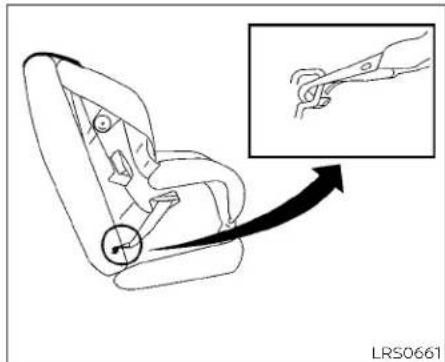
Line drawing of a car seat with a magnified inset showing a hand holding a tool (no text or symbols)LATCHwebbing-mountedattachment InstallingchildrestraintLATCH loweranchorattachments
LATCHcompatiblechildrestraintsinclude tworigidorwebbing-mountedattach-mentsthatcanbeconnectedtotwoan-chorslocatedatcertainseatingpositions inyourvehicle.withthissystem,youdonot havetouseavehicleseatbelttosecurethe childrestraint.Checkyourchildrestraint for a label stating that it is compatible with LATCH.Thisinformationmayalsobeinthe instructionsprovidedbythechildrestraint manufacturer.

natural_image
Line drawing of a car seatbelt with an inset showing the insertion of a clip (no text or symbols present)LATCH rigid-mounted attachment
When installing a child restraint, carefully read and follow the instructions in this manual and those supplied with the child restraint.

natural_image
Line drawing of a vehicle interior with numbered components and directional arrows (no text or symbols)Toptetheranchorpointlocations
Thechildrestraintptoptetherstrapmustbe usedwheninstallingthechildrestraintwith theLATCHloweranchorattachmentsor seatbelts.Foradditionalinformation,see "Installingtoptetherstrap"(P.1-37).
WARNING
Childrestraintanchoragesarede-signedtowithstandonlythoseloads imposedbycorrectlyfittedchildrestraints.Undernocircumstancesare theytobeusedtoattachadultseat belts,orotheritemsorequipmentto thevehicle.Doingsocoulddamagethe childrestraintanchorages.Thechild restraintwillnotbeproperlyinstalled usingthedamagedanchorage,anda childcouldbeseriouslyinjuredorkilled inacollision.
If you have any questions when installing atop tether strap, it is recommended that you visit a NISSAN dealer for this service.
Anchorpoints ① arelocatedontherear parcelshelf.
REAR-FACINGCHILDRESTRAINT INSTALLATIONUSINGLATCH
For additional information, see all warnings and Cautions in the "Childsafety" (P.1-21) and "Childrestraints" (P.1-23) before installing a child restraint.
Donotusetheloweranchorsifthecombinedweightofthechildandthechildrestraintexceeds65lbs.(29.5kg).lifthecombinedweightofthechildandthechild restraintisgreaterthan65lbs.(29.5kg),use thevehicle'sseatbelt(nottheloweranchors)toinstallthechildrestraint.Besure tofollowthechildrestraintmanufacturer's instructionsforinstallation.
Followthesestepstoinstallarear-facing childrestraintusingtheLATCHsystem:

natural_image
Technical diagram showing mechanical components with arrows indicating motion or force direction (no text or symbols)TypeA(ifsoequipped)—step1 1.TypeA(ifsoequipped):
Removetheplasticcoversfromthe LATCHanchorsbypullingthecovers straightback.Storethecoversinase-curearea.
TypeB(ifsoequipped):
Lifttheflapofthematerialtoexposethe LATCHanchors.
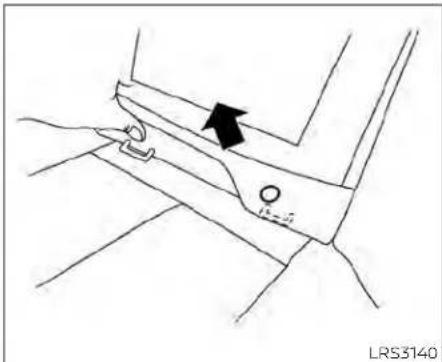
TypeB(ifsoequipped)—step1
- Position the child restraint on these seat. Always follow the child restraint manufacturer's instructions.
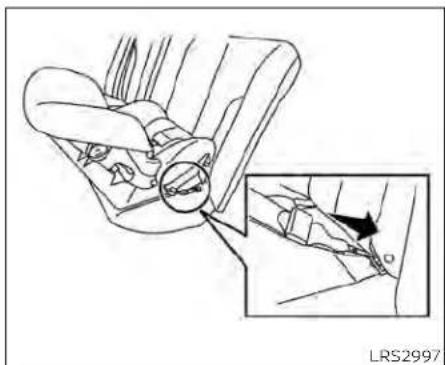
natural_image
Diagram of a car interior showing a hand valve and a close-up view of the wheel (no text or symbols present)Rear-facingwebbing-mounted-step3 3.SecurethechildrestraintanchorattachmentstothelATCHloweranchors. ChecktomakesuretheLATCHattach-mentisproperlyattachedtothelower anchors.
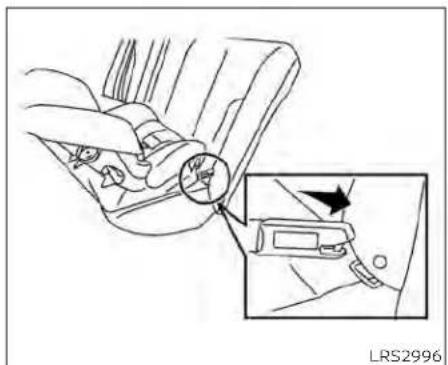
natural_image
Diagram of car gear shift lever with inset showing hand positioning (no text or symbols)Rear-facingrigid-mounted-step3

natural_image
Car seatbelt diagram showing hand positioning and two black arrows indicating movement or force (no text or symbols)Rear-facing-step4
4. For child restraint that are equipped with webbing-mounted attachments, remove any additional slack from the anchor attachments. Pressdownward and rearward firmly in the center of the child restraint with your hand to compress the vehicle seat cushion and seat-back while tightening the webbing of the anchor attachments.
5. Tightenthetherstrapaccording to the manufacturer's instruction store-moveanyslack.
1-30 Safety-Seats,seatbeltsandsupplementalrestraintsystem
natural_image
Line drawing of a car seatbelt with hands adjusting the seat (no text or symbols)Rear-facing-step6
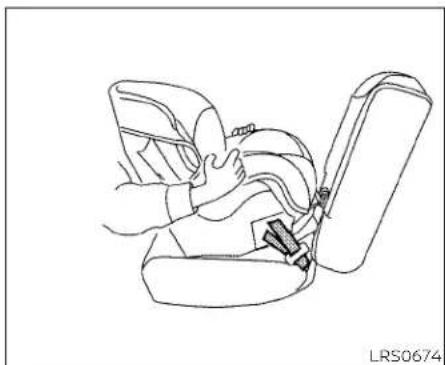
- After attaching the child restraint, test it before you placethe childinit. Push it from sidetosidewhileholding the child restraint near the LATCH attachment path. The child restraint should not move more than 1 inch (25 mm), from sidetoside. Try to get forward and check to see if the LATCH attachment hold therestraint in place. If there-straint is not secure, tighten the LATCH attachment as necessary, or put there-straint in another seat and test it again. You may need to try different child restraint or try installing by using the
vehicleseatbelt(ifapplicable).Notall childrestraintsfitinaltypesofvehicles.
- Checktomakesurethechildrestraintis properlysecuredpriortoeachuse.Ifthe childrestraintisloose,repeatsteps2 through6.
8.TypeA(ifsoequipped):
If you remove the child restraint, reinstall the plastic LATCHanchor covers after use by pushing the covers straight onto the LATCH anchors.
TypeB(ifsoequipped):
If you remove the child restraint, securely replace the flap by pressing the material firmly against these at.
REAR-FACINGCHILDRESTRAINT INSTALLATIONUSINGTHESEAT BELTS
WARNING
Thethree-pointseatbeltwithAutomaticLockingRetractor(ALR)mustbe usedwheninstallingachildrestraint. FailuretousetheALRmodewillresult inthechildrestraintnotbeingproperly secured. Therestraintcouldtipoveror belooseandcauseinjurytoachildina suddenstoporcollision.
For additional information, see all warnings and Cautions in the "Childsafety" (P.1-21) and "Childrestraints" (P.1-23) before installing a child restraint.
Donotusetheloweranchorsifthecombinedweightofthechildandthechildrestraintexceeds65lbs.(29.5kg).Ifthecombinedweightofthechildandthechild restraintisgreaterthan65lbs.(29.5kg),use thevehicle'sseatbelt(nottheloweranchors)toinstallthechildrestraint.Besure tofollowthechildrestraintmanufacturer's instructionsforinstallation.
Followthesestepstoinstallarear-facing childrestraintusingthevehicleseatbeltsin therearseats:
natural_image
Diagram of a car showing a person seated inside the seat with a cross-shaped barrier, no text or symbols present.Rear-facing-step1
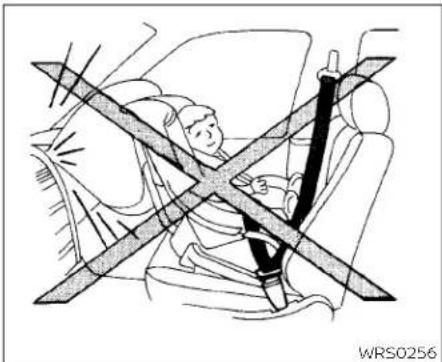
- Childrestraintsforinfantsmustbe usedintherear-facingdirectionand thereforemustnotbeusedinthefront seat.Positionthechildrestraintonthe seat.Alwaysfollowthechildrestraint manufacturer'sinstructions.

natural_image
Line drawing of a car seatbelt buckle assembly with a black arrow indicating the buckle (no text or symbols present)Rear-facing-step2
- Routetheseatbelttonguethroughthe childrestraintandinsertitintothe buckleuntilyouhearandfeelthelatch engage.Besuretofollowthechildrestraintmanufacturer'sinstructionsfor beltrouting.
1-32 Safety-Seats, seatbeltsandsupplementalrestraintsystem

natural_image
Diagram of a car seatbelt mechanism with a black arrow indicating direction (no text or symbols present)Rear-facing-step3
3. Pulitheshoulderbeltuntilthebeltisfully extended. Atthistime, theseatbeltretractorisintheALRmode(childrestraint mode). ItrevertstotheELRmodewhen theseatbeltisfullyretracted.
natural_image
Diagram of car seat and seat assembly with arrows indicating movement (no text or symbols)Rear-facing-step4
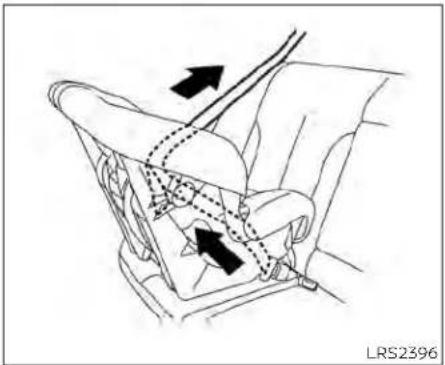
4. Allow these seat belt to retract Pull upon the shoulder belt to remove anyslack in the belt.
natural_image
Diagram of a car seatbelt mechanism with arrows indicating movement or force (no text or symbols present)Rear-facing-step5
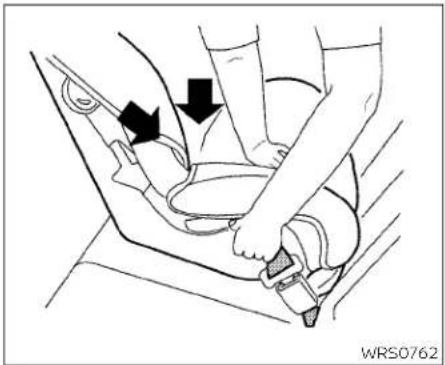
5. Remove any additional slack from the seat belt; press downward and rearward firmly in the center of the child restraint to compress the vehicle seat cushion and seat back while pulling up on the seat belt.

natural_image
Line drawing of a car seatbelt assembly with hands adjusting the seat (no text or symbols)Rear-facing-step6
-
After attaching the child restraint, test it before you placethe childinit. Pushit fromsidetosidewhileholding the child restraint near these seat belt path. The childrestraint should not move more than 1 inch (25 mm), fromsidetoside. Try to tugit forward and check to see if the belthold stherestraint in place. If the restraint is not secure, tightent heseat belt as necessary, or puttherestraint in another seat and test it again. You may need to try a different child restraint. Not all childrestraints fit in all types of vehicles.
-
Checktomakesurethatthechildre- straintisproperlysecuredpriortoeach use.Iftheseatbeltisnotlocked,repeat steps3through6.
Afterthechildrestraintisremovedandthe seat belt fully retracted, the ALR mode (childrestraintmode)iscanceled.
FORWARD-FACINGCHILD RESTRAINTINSTALLATIONUSING LATCH
For additional information, see all warnings and Cautions in "Childsafety" (P.1-21) and "Childrestraints" (P.1-23) before installing a child restraint.
Donotusetheloweranchorsifthecombinedweightofthechildandthechildrestraintexceeds65lbs.(29.5kg).lfthecombinedweightofthechildandthechild restraintisgreaterthan65lbs.(29.5kg),use thevehicle'sseatbelt(nottheloweranchors)toinstallthechildrestraint.Besure tofollowthechildrestraintmanufacturer's instructionsforinstallation.
Followthese stepstoinstalla forward-facing child restraint using the LATCH system:
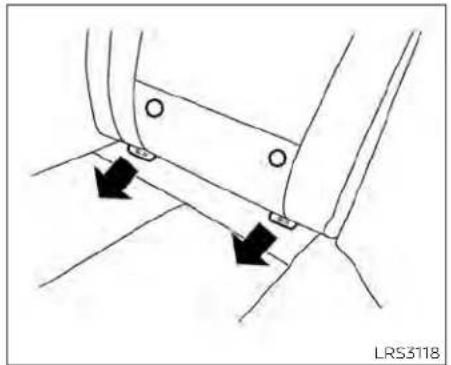
natural_image
Technical diagram showing two black arrows pointing to a mechanical component with circular holes, no text or symbols present.TypeA(ifsoequipped)-step1
1.TypeA(ifsoequipped):
Removetheplasticcoversfromthe LATCH anchors by pulling the covers straightback.Storethecoversinase-curearea.
TypeB(ifsoequipped):
Lifttheflapofthematerialtoexposethe LATCHanchors.
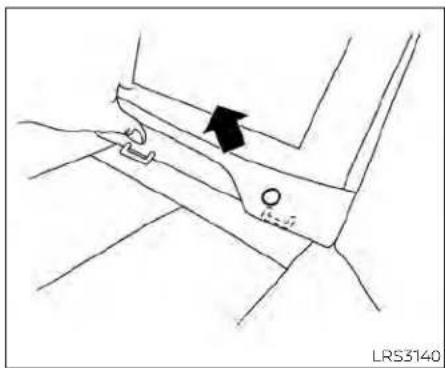
natural_image
Line drawing of a mechanical component with an arrow indicating direction (no text or symbols)TypeB(ifsoequipped)-step1
2. Position the child restraint on these seat, Always follow the child restraint manufacturer's instructions.

natural_image
Line drawing of a car seat assembly with an inset showing a close-up of the seat (no text or symbols present)Forward-facingwebbing-mounted-step3
3. Secure the child restraint anchor attachment stothe LATCH lower anchors. Checktomakesure the LATCH attachment is properly attached to the lower anchors.
If the child restraint is equipped with a toptether strap, routethetoptether strap and secure the tether strap to the tether anchor point. For additional information, see "Installing toptether strap" (P.1-37).
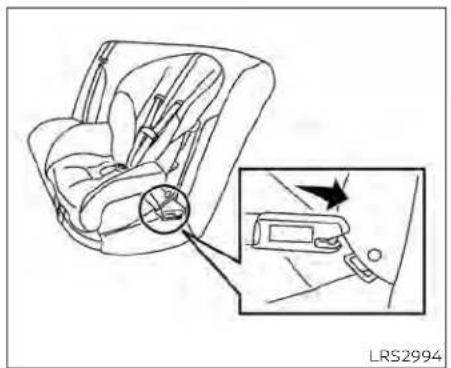
Forward-facingrigid-mounted-step3
Donotinstallchildrestraintsthatrequire theuseofatoptetherstrapinseating positionsthatdonothaveatoptether anchor.
4. The back of the child restraint should be secured against the vehicle seatback.
If necessary, adjust or remove the head restraint/head rest to obtain the correct child restraint fit. If the head restraint/head rest is removed, store it in secure place. Besuretore install the head restraint/head rest when the child restraint is removed. For additional information about the head restraint/head rest
Safety-Seats, seatbelts and supplemental restraintsystem 1-35
adjustment,see"Headrestraints/headrests"(P.1-8).
If these seating position does not have an adjustable head restraint/head restand its interfering with the proper child restraint, try another seating position or adifferent child restraint.

natural_image
Line drawing of a car seatbelt with directional arrows indicating movement (no text or symbols)Forward-facing-step5
-
Forchildrestraintsthatareequipped withwebbing-mountedattachments, removeanyadditionalslackfromthe anchorattachments. Pressdownward andrearwardfirmlyinthecenterofthe childrestraintwithyourkneetocompressthevehicleseatcushionandseat-backwhiletighteningthewebbingof theanchorattachments.
-
Tightenthetherstrapaccording to the manufacturer's instruction store-moveanyslack.

natural_image
Line drawing of a car seatbelt being adjusted for a person's seatbelt (no text or symbols present)Forward-facing-step7
- After attaching the child restraint, test it before you placethe childinit. Pushit from sidetosidewhile holding the child restraint near the LATCH attachment path. The child restraint should not move more than 1 inch (25 mm), from side to side. Try to tug it forward and check to see if the LATCH attachment holds the restraint in place. If therestraint is not secure, tighten the LATCH attachment as necessary, or put the restraint in another seat and test it again. You may need to try a different child restraint or try installing by using the vehicle seat
belt(ifapplicable).Notallchildrestraints fitinalltypesofvehicles.
- Checktomakesurethechildrestraintis properlysecuredpriortoeachuse.Ifthe childrestraintisloose,repeatsteps2 through7.
9TypeA(ifsoequipped):
If you remove the child restraint, reinstall the plastic LATCHanchor covers after use by pushing the covers straight onto the LATCH anchors.
TypeB(ifsoequipped):
If you remove the child restraint, securely replace the flap by pressing them material firmly against these seat.

Rearseats
① Toptetherstrap
② Anchorpoint
Installingtoptetherstrap
Thechildrestrainttoptetherstrapmustbe usedwheninstallingthechildrestraintwith theLATCHloweranchorattachments.
First, secure the child restraint with the LATCH lower anchors.
Rearbenchseat
OUTBOARDSEATINGPOSITIONS
- Positionthetoptetherstrap seatback. ① overthe
- Securethetetherstraptothetetheranchorpoint ② asshown.
- Tightenthetetherstrapaccordingto themanufacturer'sinstructionstore-moveanyslack.
CENTERSEATINGPOSITION
- Positionthetoptetherstrap seatback. ① overthe
- Securethetetherstraptothetetheranchorpoint ② asshown.
- Tightenthetherstrapaccording to the manufacturer's instruction store-moveanyslack.
If you have any questions when installing atoptether strap, it is recommended that you visit a NISSAN dealer for this service.
WARNING
Childrestraintanchoragesaredesignedtowithstandonlythoseloads imposedbycorrectlyfittedchildrestraints.Undernocircumstancesare theytobeusedtoattachadultseat belts,orotheritemsorequipment to thevehicle.Doingsocoulddamagethe childrestraintanchorages.Thechild restraintwillnotbeproperlyinstalled usingthedamagedanchorage,anda childcouldbeseriouslyinjuredorkilled inacollision.
FORWARD-FACINGCHILD RESTRAINTINSTALLATIONUSING THESEATBELTS
WARNING
Thethree-pointseatbeltwithAutomaticLockingRetractor(ALR)mustbe usedwheninstallingachildrestraint. FailuretousetheALRmodewillresult inthechildrestraintnotbeingproperly secured. The restraint could tip over or belooseandcauseinjurytoachildina suddenstoporcollision.Also,itcan change theoperationof the frontpassengerairbag.Foradditionalinformation, see"Front passengerairbagandstatuslight"(P.1-57).
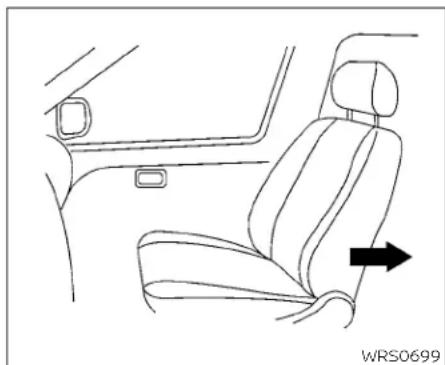
natural_image
Line drawing of a car interior showing seat, dashboard, and seatbelt (no text or symbols)Forward-facing(frontpassengerseat)-step1
For additional information, see all warnings and Cautions in the "Childsafety" (P.1-21) and "Child restraints" (P.1-23) before installing a child restraint.
Donotusetheloweranchorsifthecombined weight of the child and the child restraint exceeds 65 lbs. (29.5 kg). If the combinedweightofthechildandthechild restraintisgreaterthan65lbs.(29.5kg),use thevehicle'sseatbelt(nottheloweranchors) to install the child restraint. Be sure tofollowthechildrestraintmanufacturer's instructionsforinstallation.
Followthesestepstoinstallaforward-facingchildrestraintusingthevehicleseat beltintherearseatsorinthefrontpassengerseat:
-
If you must install child restraint in the front seat, it should be placed in forward-facing direction only. Move these at to there are most position. Child restraints for infants must be used in there are facing direction and, therefore, must not be used in the front seat.
-
Position the child restraint on these seat. Always follow the child restraint manufacturer's instructions.
Thebackofthechildrestraintshouldbe securedagainstthevehicleseatback.
If necessary, adjust or remove the head restraint/head rest to obtain the correct child restraint fit. If the head restraint / head rest is removed, store it in a secure place. Besuretore install the head restraint/head rest when the child restraint is removed. For additional information about the head restraint / head rest adjustment, removal and installation, see "Head restraints / head rests" (P.1-8).
If theseatingpositiondoesnothavean adjustableheadrestraint/headrestand itisinterferingwiththeproperchildrestraintfit,tryanotherseatingpositionor adifferentchildrestraint.
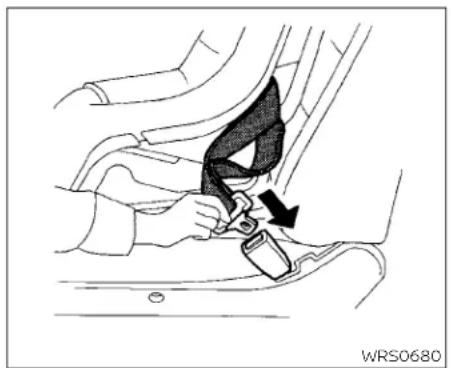
natural_image
Car seatbelt buckle diagram showing a black bandage and arrow indicating the buckle (no text or symbols present)Forward-facing-step3
- Routetheseatbelttonguethroughthe childrestraintandinsertitintothe buckleuntilyouhearandfeelthelatch engage.Besuretofollowthechildrestraintmanufacturer'sinstructionsfor beltrouting.
If the child restraint equipped with a toptether strap, routethetoptether strap and secure the tether strap to the tether anchor point (rearse at installation only). For additional information, see "Installing toptether strap" (P.1-42).
Donotinstallchildrestraintsthatrequire theuseofatoptetherstrapinseating positionsthatdonothaveatoptether anchor.
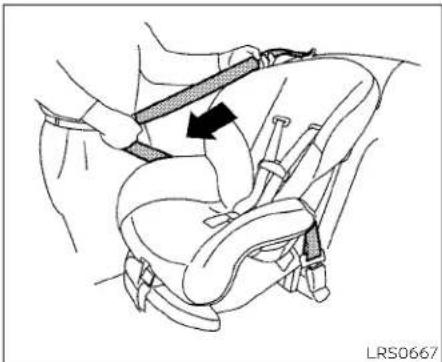
natural_image
Line drawing of a car seatbelt buckle with a belt buckle, no text or symbols presentForward-facing-step4
- Pull the shoulder belt until the belt is fully extended. At this time, these belt retractor is in the ALR mode (child restraint mode). It revert to ELR mode when the seat belt is fully retracted.
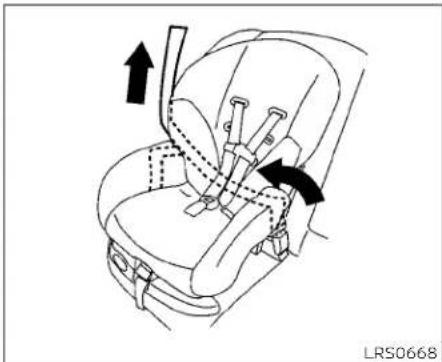
natural_image
Line drawing of a car seatbelt with arrows indicating movement or force (no text or symbols)Forward-facing-step5
- Allow these seat belt to retract Pull upon the shoulder belt to remove anyslack in the belt.
1-40 Safety-Seats, seatbeltsandsupplementalrestraintsystem

natural_image
Line drawing of a car seatbelt with two directional arrows indicating movement (no text or symbols)Forward-facing-step6
-
Remove any additional slack from the seatbelt; press downward and rearward firmly in the center of the children restraint with your kneet to compress the vehicle seat cushion and seat back while pulling up on these seat belt.
-
Tightenthetherstrapaccordingtothe manufacturer'sinstructionstoremove anyslack.
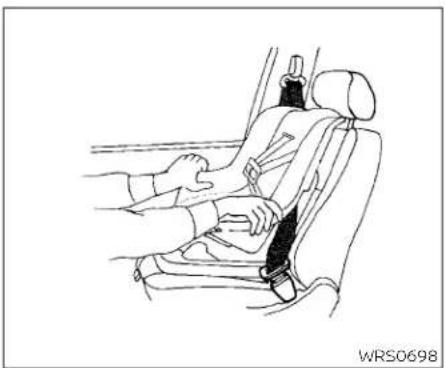
natural_image
Line drawing of a car seatbelt with hands adjusting the seat (no text or symbols)Forward-facing-step8
-
After attaching the child restraint, test it before you placethe child init. Pushit fromsidetosidewhileholding the child restraint near theseat belt path. The child restraint should not move more than 1 inch (25 mm), fromsidetoside. Try to tug it forward and check to see if the belthold stherestraint in place. If the restraint is not secure, tightent heseat belt as necessary, or put therestraint in another seat and test it again. You may need to try a different child restraint. Not all child restraints fit in all types of vehicles.
-
Checktomakesurethechildrestraintis properlysecuredpriortoeachuse.Ifthe seatbeltisnotlocked,repeatsteps4 through8.

Forward-facing-step10
- If the child restraint is installed in the front passenger seat, placethe ignition switch in the ON position. The front passenger air bag status light should illuminate if this light is not illuminated, see "Front passenger air bag and status light" (P.1-57). Movethe child restraint to another seating position. Haveth system checked. It is recommended that you visit a NISSAN dealer forthisservice.
Afterthechildrestraintisremovedandthe seatbeltisfullyretracted,theALRmode (childrestraintmode)iscanceled.

Rearseats
① Toptetherstrap
② Anchorpoint
Installingtoptetherstrap
Thechildrestrainttoptetherstrapmustbe usedwheninstallingthechildrestraintwith seatbelts.
First, secure the child restraint with these at belt.
Rearbenchseat
OUTBOARDANDCENTERSEATING POSITIONS
- Positionthetoptetherstrap seatback.
① overthe
- Securethetetherstraptothetetheranchorpoint ② asshown.
- Tightenthetherstrapaccording to the manufacturer's instruction store-moveanyslack.
If you have any questions when installing optether strap, it is recommended that you visit a NISSAN dealer for this service.
WARNING
Childrestraintanchoragesaredesignedtowithstandonlythoseloads imposedbycorrectlyfittedchildrestraints.Undernocircumstancesare theytobeusedtoattachadultseat belts, or otheritems orequipmentto thevehicle.Doingsocoulddamagethe childrestraintanchorages.Thechild restraint will not be properly installed using the damaged anchorage, and a childcouldbeseriouslyinjuredorkilled inacollision.
BOOSTERSEATS
For additional information on installing a booster seat in your vehicle, follow the instructions outlined in this section.
Precautionsonboosterseats
WARNING
Ifaboosterseatandseatbeltarenot usedproperly,theriskofachildbeing injuredorkilledinasuddenstoporcollisiongreatlyincreases:
-Makesuretheshoulderportionof thebeltisawayfromthechild'sface andneckandthelapportionofthe beltdoesnotcrossthestomach.
-Makesuretheshoulderbeltisnot behindthechildorunderthechild's arm.
-Aboosterseatmustonlybeinstalled inaseatingpositionthathasalap/shoulderbelt.

natural_image
Line drawing of two car seat compartments labeled A and B, showing different seat designs (no text or symbols beyond labels)A.Lowbackboosterseat
B.Highbackboosterseat

natural_image
Illustration of a person sitting in a car with a cross-shaped barrier symbol (no text or symbols present)Boosterseatsofvarioussizesareoffered byseveralmanufacturers.Whenselecting anyboosterseat,keepthefollowingpoints inmind:
- Chooseonlyaboosterseatwithalabel certifyingthatitcomplieswithFederal MotorVehicleSafetyStandard213orCanadianMotorVehicleSafetyStandard213.
- Checktheboosterseatinyourvehicle to besureitiscompatiblewiththevehicle's seatandseatbeltsystem.

natural_image
Line drawing of a person seated in a car seat using a seatbelt (no text or symbols)• Makesurethechild'sheadwillbeproperly supportedbytheboosterseatorvehicle seat.Theseatbackmustbeatorabove thecenterofthechild'sears. Forexample, ifalowbackboosterseatischosen,the vehicleseatbackmustbeatorabovethe centerofthechild'sears.Iftheseatbackis lowerthanthecenterofthechild'sears,a highbackboosterseatshouldbeused.
- Iftheboosterseatiscompatiblewith yourvehicle, placethechildinthebooster seatandcheckthevariousadjustments tobesuretheboosterseatiscompatible withthechild.Alwaysfollowallrecommendedprocedures.
AllU.S. states and Canadian provinces or territories require that infants and small children berestrained in an approved child restraint at all times while the vehicle is being operated.
The instructions in this section apply to booster seat installation in there are seats or the front passenger seat.
Boosterseatinstallation
WARNING
Allboosterseatsshouldbeinstalledin therearseat.However,ifyoumustinstallaboosterseatinthefrontpassengerseat,movethepassenger'sseattotherearmostposition.
Toavoidinjurytochild, donotusethe lap/shoulderbeltintheAutomatic LockingRetractor(ALR)modewhenusingaboosterseatwiththeseatbelts.
For additional information, see allWarnings and Cautions in the "Childsafety" (P1-21), "Child restraints" (P. 1-23) and "Booster seats" (P. 1-43) before installing a child restraint.
Followthesestepstoinstallaboosterseat intherearseatorinthefrontpassenger seat:
1-44 Safety-Seats, seat belts and supplemental restraint system

natural_image
Line drawing of a car interior showing seat, dashboard, and side panel (no text or symbols)- If you must install a booster seat in the front seat, mov these at to there are most position.
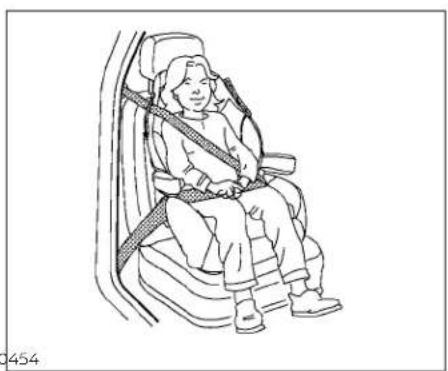
natural_image
Line drawing of a person seated in a car seatbelt, no text or symbols presentFrontpassengerposition

natural_image
Line drawing of a person sitting in a car seat with a seatbelt, no text or symbols presentRearcenterposition
2. Position the booster seat on these seat. Only place it a front-facing direction. Always follow the booster seat manufacturer's instructions.
Safety-Seats, seatbelts and supplemental restraintsystem 1-45
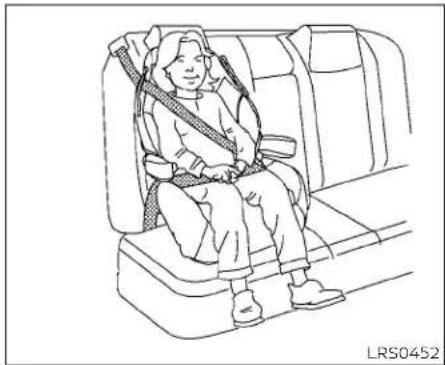
natural_image
Line drawing of a person seated in a car seat, wearing a seatbelt and holding a belt (no text or symbols)Rearoutboardposition
- The booster seat should be positioned on the vehicle seat so that it is stable.
If necessary, adjustorremovethehead restraint/headresttoobtainthecorrect highbackboosterseatfit.Ifthehead restraint/headrestisremoved,storetin asecureplace.Besuretoreinstallthe headrestraint/headrestwhenthe boosterseatisremoved.Foradditional informationaboutheadrestraint/headrestadjustment,removalandin-stallation,see"Headrestraints/headrests"(P.1-8).
If theseatingpositiondoesnothavean adjustableheadrestraint/headrestand itsinterferingwiththeproperbooster seatfit,tryanotherseatingpositionora differentboosterseat.
-
Positionthelapportionoftheseatbelt lowandsnugonthechild'ships.Besure tofollowtheboosterseatmanufacturer'sinstructionsforadjustingtheseat beltrouting.
-
Pulltheshoulderbelt portion of these seat belt toward theretractor to take up ex-traslack. Besuretheshoulder belt is positioned across the top, middle portion of the child's shoulder. Be sureto follow the booster seat manufacturer's instructions for adjusting the seat belt routing.
-
Follow the warnings, cautions and instructions for properly fastening a seat belt shown in "Three-point type seat belt with retractor" (P.1-15).
OFF

LRS3091
- Iftheboosterseatisinstalledinthefront passengerseat, placetheignitionswitch intheONposition.Thefrontpassenger airbagstatuslight mayormaynot illuminate,dependingonthesizeofthe childandthetypeofboosterseatbeing used. For additional information, see "Front passenger air bag and status light"(P.1-57).
SUPPLEMENTALRESTRAINTSYSTEM (SRS)
PRECAUTIONSONSRS
This SRS section contains important information concerning the following systems:
- Driverandfrontpassengersupplemental front-impactairbag(NISSANAdvanced AirBagSystem)
- Frontseat-mountedside-impactsupplementalairbag
•Rearoutboardseat-mountedside-impactsupplementalairbag
•Roof-mountedcurtainside-impact and rolloversupplementalairbag
- Driverandfrontpassengersupplemental kneeairbag
- Seatbeltwithpretensioner(s)(frontand rearoutboardseats)
Supplementalfront-impactairbag system
TheNISSANAdvancedAirBagSystemcan helpcushiontheimpactforcetothehead andchestofthedriverandfrontpassenger incertainfrontalcollisions.
Frontseat-mountedside-impact supplementalairbagsystem
This system can help cushion the impact for cet the chest area of the driver and front passenger incertainside-impact collisions. Theside air bags are designed to inflate on the side where the vehicle is impacted.
Rearoutboardseat-mountedside-impactsupplementalairbagsystem
This system can help cushion the impact for cetothechest area of therearoutboard seat passengers incertainside-impact collisions. Theside air bags are designed to inflate on the sides where the vehicle is impacted.
Roof-mountedcurtainside-impact and rolloversupplementalairbagsystem
Thissystemcanhelpcushiontheimpact forcetotheheadofoccupantsinfrontand rearoutboardseatingpositionsincertain side-impactcollisions.Thecurtainairbags aredesignedtoinflateonthesidewhere thevehicleisimpacted.Inarollover,the curtainairbagsaredesignedtoinflateand remaininflatedforashorttime.
Driverandfrontpassengersupplementalkneeairbags
This system can help cushion the impact for cetothedriver's sandfront passenger's knees in certain collisions.
The SRS is designed to supplement the crash protection provided by the driver and front passenger and rearse seat belts and is not a substitute for them. Seat belts should always be correctly worn and the occupant seated as suitable distance away from the steering wheel, instrument panel and door finishers. For additional information, see "Seat belts" (P1-12).
Thesupplementalairbagsoperateonly whentheignitionswitchisplacedinthe ONposition.
Afterplacingtheignitionswitchinthe ONposition,thesupplementalairbag warninglightilluminates.Thesupplementalairbagwarninglightwillturnoff afterabout7secondsifthesystemis operational.


natural_image
Illustration of a person seated in a car with a double-headed arrow indicating seatbelt, no text or symbols presentWARNING
•Thefrontairbagsordinarilywillnot inflateintheeventofasideimpact, rearimpact, rollover, or lowerseverityfrontal collision. Alwayswearyour seatbeltstohelpreducetheriskor severityofinjuryinvariouskindsof accidents
- Thefrontpassengerairbagandfront passengerkneeairbagwillnotinflateifthepassengerairbagstatus lightislit.Foradditionalinformation, see"Frontpassengerairbagandstatuslight"(P.1-57).
•Theseatbeltsandthefrontairbags aremosteffectivewhenyouaresittingwellbackanduprightintheseat. Thefrontairbagsinflatewithgreat force.EvenwiththeNISSANAdvancedAirBagSystem,ifyouareunrestrained,leaningforward,sitting sidewaysoroutofpositioninany way,youareatgreaterriskofinjury ordeathinacrash.Youmayalsoreceiveseriousorfatalinjuriesfrom thefrontairbagifyouareupagainst itwhenitinflates.Alwayssitback againsttheseatbackandasfaraway aspracticalfromthesteeringwheel
orinstrumentpanel.Alwaysproperly usetheseatbelts.
- Thedriverandfrontpassengerseat beltbucklesareequippedwithsensorsthatdetectiftheseatbeltsare fastened.TheNISSANAdvancedAir BagSystemmonitortheseverityof acollisionandseatbeltusage,then inflatestheairbagsasneeded.Failuretoproperlywearseatbeltscan increasetheriskorseverityofinjury inanaccident.
- Thefrontpassengerseatisequipped withanoccupantclassificationsensor(weightsensor)thatturnsthe frontpassengerairbagandpassengerkneeairbagOFFundersome conditions. This sensorisonlyused in this seat. Failuretobe properly seated and wearing these belt can increase the risk severity of injury in an accident. For additional information, see "Frontpassengerairbag and statuslight" (P.1-57).
- Keephandsontheoutsideofthe steeringwheel.Placingtheminside thesteeringwheelrimcouldincrease theriskthatthey areinjuredwhen thefrontairbaginflates.
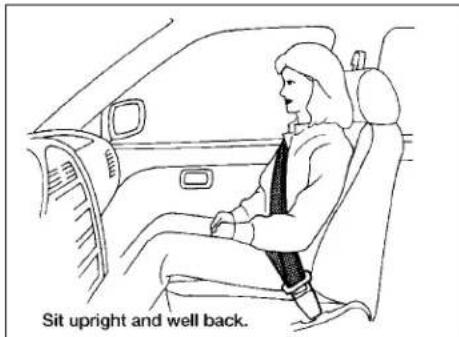

natural_image
Line drawing of a person sitting in a car seatbelt, crossed by diagonal lines indicating seat alignment (no text or symbols)
natural_image
Diagram of a person using a vehicle to stop or stand, with no visible text or symbolsARS1133ARS1041
WARNING
- Neverletchildrenrideunrestrained orextendtheirhandsorfaceoutof thewindow.Donatattempttohold theminyourlaporarms.Someexamplesofdangerousridingpositionsareshownintheillustrations.

natural_image
Line drawing of a person sitting on a vehicle with a cross-shaped object between them (no text or symbols)
natural_image
Diagram of a car interior showing steering wheel and dashboard (no text or symbols)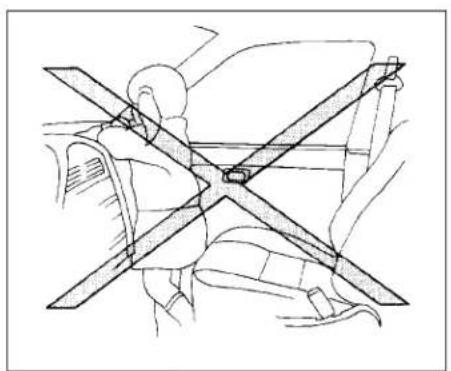
natural_image
Technical line drawing of a car seatbelt with diagonal braces (no text or symbols)WARNING
Childrenmaybeseverelyinjuredor killedwhenthefrontairbags,sideair bagsorcurtainairbagsinflateifthey arenotproperlyrestrained.Pre-teensandchildrenshouldbeproperlyrestrainedintherearseat,if possible.
1-50 Safety-Seats, seatbeltsandsupplementalrestraintsystem
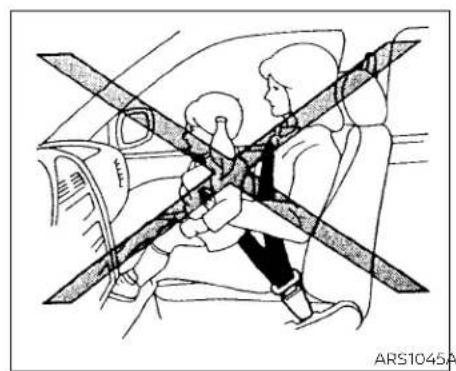
natural_image
Diagram of a car interior showing two people seated, one standing and one seated with a belt, crossed by overhead safety strips (no text or symbols)ARS1045ARS1046

natural_image
Line drawing of a car seatbelt with diagonal bands indicating safety (no text or symbols)WRS0431
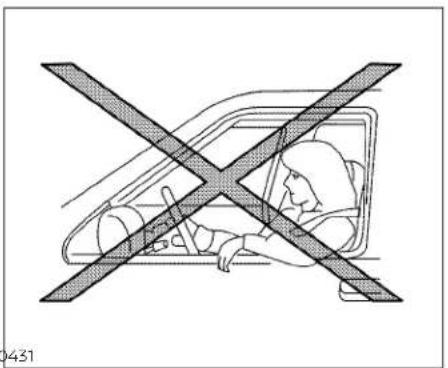
natural_image
Diagram of a person inside a car with a diagonal X mark crossing the window, no text or symbols presentWARNING
EvenwiththeNISSANAdvancedAir BagSystem,neverinstallarear-facingchildrestraintinthefrontseat. Aninflatingfrontairbagcouldseriouslyinjureorkillyourchild.Foradditionalinformation,see"Childrestraints"(P.1-23).
WARNING
Frontandrearoutboardseat-mounted side-impactsupplementalairbags and roof-mountedcurtainside-impact and rolloversupplementalairbags:
- Thesideairbagsandcurtainairbags ordinarilywillnotinflateintheevent ofafrontalimpact,rearimpact,or lowerseveritysidecollision.Always wearyourseatbeltstohelpreduce theriskorseverityofinjuryinvarious kindsofaccidents.

WARNING
•Theseatbelts,thesideairbagsand curtainairbagsaremosteffective whenyouaresittingwellback and uprightintheseatwithbothfeeton thefloor.Thesideairbagandcurtain airbaginflatewithgreatforce.Donot allowanyonetoplacetheirhand,leg orfacenearthesideairbagonthe sideoftheseatbackofthefrontand rearseatornearthesideroofrails. Donotallowanyonesittinginthe frontseatsorrearoutboardseatsto extendtheirhandoutofthewindow orleanagainstthedoor.Someexamplesofdangerousridingpositionsareshownintheprevious illustrations.

natural_image
Diagram of a car interior showing two people seated, with a diagonal line crossing the seat area (no text or symbols)WARNING
- Whensittingintherearseat, donot holdontotheseatbackofthefront seat. If thesideairbaginflates, you may be seriously injured. Beespecially careful with children, who should always be properly restrained. Some examples of dangerous riding positions are shown in the illustrations. - Donot uses eat covers on the frontor reseatbacks. They may interfere with sideairbaginflation.
1-52 Safety-Seats, seatbeltsandsupplementalrestraintsystem

natural_image
Illustration of a person seated in a car seat with a cross-shaped bandpass, no text or symbols present
natural_image
Diagram showing a person seated in a car with a cross-shaped barrier, no text or symbols presentSafety-Seats, seatbelts and supplemental restraintsystem 1-53
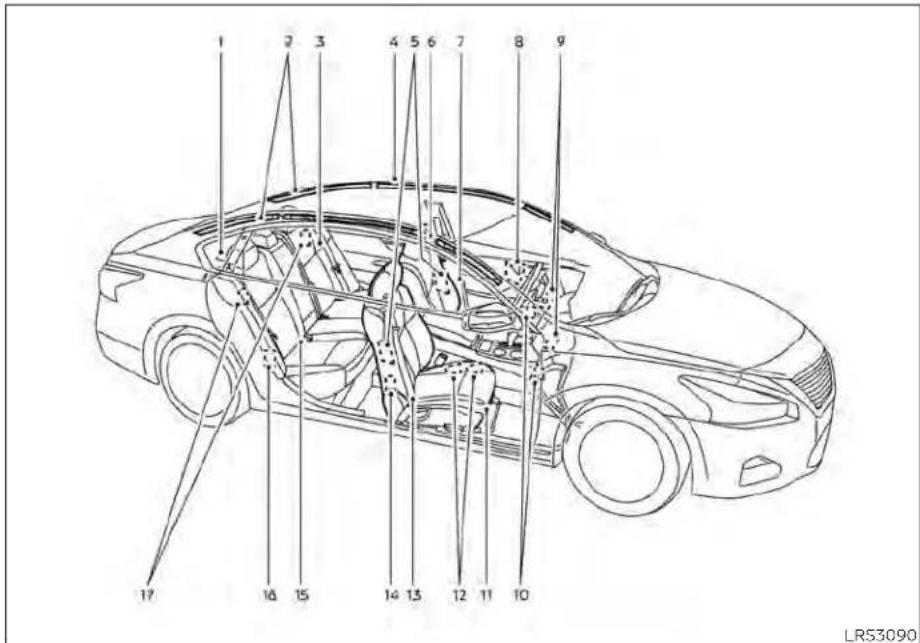
NISSANAdvancedAirBagSystem
- Toptetherstrapanchor
2.Roof-mountedcurtainside-impact and rolloversupplementalairbaginflators
3.Rearseatbelts
4.Roof-mountedcurtainside-impactand rolloversupplementalairbag
5. Frontseat-mountedside-impact supplementalairbag
6.Headrestraints/headrests
7.Frontseatbelts
8. Side-impact pressuresensor(driver's sideshown; frontpassenger's side similar)
9. Supplementalfront-impactairbags
10.Driverandfrontpassengersupplementalkneeairbags
11.Seats
12. Occupant classificationsensor(weight sensor)
13. Seatbeltwithpretensioner(s)(front seatsshown; rearoutboardseats similar)
14.Satellitesensors(passenger'sside shown;driver'ssidesimilar)
15.LATCH(LowerAnchorsandTethersfor Children)system
1-54 Safety-Seats, seat belts and supplemental restraintsystem
16.Satellitesensors(passenger'sside shown;driver'ssidesimilar)
- Rearoutboardseat-mountedside-impactsupplementalairbags
WARNING
Toensureproperoperationofthepas-senger'sNISSANAdvancedAirBagSys-tem,pleaseobservethefollowing items.
- Donotallowapassengerintherear seattopushorpullontheseatback pocket.
- Donotplaceheavyloadsheavier than9.1lbs.(4kg)ontheseatback, head restraint/headrest or in the seatbackpocket.
- Make sure that there is nothing pressingagainsttherearoftheseat-back,suchasa child restraint-installedinthe rear seat oranobject storedonthefloor.
- Make sure that there is no object placed under the frontpassenger seat.
- Make sure that there is no object placed between these seat cushion and center console or between these seat cushion and the door.
- Ifaforwardfacingchildrestraintis installedinthefrontpassengerseat, do notposition the frontpassenger seat so the child restraint contacts theinstrumentpanel.ifthechildrestraintdoescontact the instrument panel,thesystem may determinethe seat isoccupied andthe passenger airbagandfrontpassengersupplementalkneeairbagmaydeployina collision.Alsothefrontpassengerair bag status light may not illuminate. Foradditionalinformationaboutinstalling andusingchildrestraints, see"Childrestraints"(P.1-23).
- Confirmtheoperatingcondition with the front passenger air bag status light.
- If you notice that the frontpassenger air bag status light is not operating as described in this section, get the occupant classification system checked. It is recommended that you visit a NISSAN dealer for this service.
- Until you have confirmed with a dealer that your passenger seat occupant classificationsystemis working properly, position the occupants in therearseating positions.
- Donot positionthe frontpassenger seatsoitcontactsthe rearseat.Ifthe frontseatdoescontacttherearseat, theairbagsystemmaydeterminea sensormalfunctionhasoccurred andthefrontpassengerairbagstatus light may illuminate and the supplementalair bag warninglight mayflash.
This vehicle is equipped with the NISSAN AdvancedAirBagSystemforthedriverand front passenger seats. This system is designedtomeetcertificationrequirements under U.S.regulations. Itisalsopermitted in Canada. However, alloftheinformation, cautions and warnings in this manual stillapplyandmustbefollowed.
The drivers supplemental front-impact air bag is located in the center of the steering wheel. The frontpassenger supplemental front-impact air bag is mounted in the dashboard above the glove box. The front air bags are designed to inflate in higher severity frontal collisions, although they may inflate if the forces in another type of collision are similar to those of a higher severity frontal impact. They may not inflate in certain frontal collisions. Vehicle damage (or lack of it) is not always an indication of proper front air bag system operation.
TheNISSANAdvancedAirBagSystem monitorsinformationfromthecrashzone sensor,theAirbagControlUnit(ACU),seat beltbucklesensorsandoccupantclassificationsensor(weightsensor).Inflatoroperationisbasedontheseverityofacollisionandseatbeltusageforthedriver.For thefrontpassenger,theoccupantclassificationsensorisalsomonitored.Basedon informationfromthesensor,onlyonefront airbagmayinflateinacrash,dependingon thecrashseverityandwhetherthefront occupantsarebeltedorunbelted.Additionally,thefrontpassengerairbagand frontpassengersupplementalkneeair bagmaybeautomaticallyturnedoffunder someconditions,dependingontheweight detectedonthefrontpassengerseatand howtheseatbeltisused.Ifthefrontpassengerairbagandfrontpassenger supplementalkneeairbagareOFF,the frontpassengerairbagstatuslightwillbe illuminated.Foradditionalinformation,see "Frontpassengerairbagandstatuslight" (P.1-57). One front air bag inflating does not indicate improper performance of the system.
If you have any questions about your air bagsystem, it is recommended that you visita NISSAN dealerto obtain information about the system. If you are considering modification of your vehicle duetoa disability, you may also contact NISSAN. Contact information is contained in the front of this Owner's Manual.
When a front air bag inflates, a fairly loud noisemaybeheard,followedbythere-leaseofsmoke. Thissmokeisnotharmful anddoesnotindicateafire.Careshould be taken to not inhale it, as it may cause irritationandchoking. Thosewithahistoryofa breathingconditionsshouldgetfreshair promptly.
Frontairbags, alongwiththeuseofseat belts, helptocushiontheimpactforceon thefaceandchestofthefrontoccupants. Theycanhelpsavelivesandreduceseriousinjuries. However, an inflatingfrontair bag may cause facial abrasions or other injuries. Front air bags do not provide restraint tothelowerbody.
EvenwithNISSANAdvancedAirBags,seat beltsshould becorrectlywornand the driverandfrontpassengerseatedupright asfaraspracticalawayfromthesteering wheolorInstrumentpanel.Thefrontair bags inflate quickly in order to help protect the front occupants. Because of this, the force of the front air bag inflating can increaseetherlskofinjuryiftheoccupantis toocloseto,orisagainst,thefrontairbag module during inflation.
Thefront airbagsdeflatequicklyaftera collision.
Thefrontair bagsoperateonly when the ignition switch is placed in the ON position.
After placing the ignition switch in the ONposition,thesupplementalairbag warninglightilluminates.The supplemental air bag warning light will turn off afterabout7secondsifthesystemis operational.
OFF

LRS3091
Frontpassengerairbagandstatus light
WARNING
Thefrontpassengerairbagandfront passengersupplementalkneeairbag aredesignedtoautomaticallyturnOFF undersomeconditions.Readthissectioncarefullytolearnhowitoperates. Properuseoftheseat,seatbelt,and childrestraintsisnecessaryformost effectiveprotection.Failureretofollowall instructionsinthismanualconcerning theuseofseats,seatbelts,andchild restraintscanincreasetheriskorse-verityofinjuryinanaccident.
Statuslight
Thefrontpassengerseatisequipped with anoccupantclassificationsensor(weight sensor) that turnsthefrontpassengerair bag and frontpassengers supplemental knee air bag on or off depending on the weight applied to the frontpassenger seat. The status of the frontpassenger air bag and frontpassengers supplement alknee air bag (ON or OFF) is indicated by the front passenger air bag status light which is located on the instrument panel.
Aftertheignitionswitchisplacedinthe "ON"position,thefrontpassengerairbag statuslightontheinstrumentpanelilluminatesforabout7secondsandthenturns offorremainsilluminateddependingon thefrontpassengerseatoccupiedstatus. Thelightoperatesasfollows:
| CONDITIONDESCRIPTION | PASSENGERAIRBAG STATUSLIGHT( or 祛) | FRONTPASSENGERAIRBAGANDFRONTPASSENGER SUPPLEMENTALKNEEAIRBAGSTATUS | |
| EmptyEmptyfrontpassengerseatON(illuminated) | INHIBITED | ||
| Nobody/Somebody | BagorChildorChildRestraintor SmallAdultinfrontpassengerseat | ON(illuminated) | INHIBITED |
| Adult | Adult in the front passenger seat | OFF (dark) | ACTIVATED |
Inaddition to the above, certain objects placed on the front passenger seat may also cause the light to operate as described above depending on their weight.
For additional information, see "Normaloperation" (P. 1-59) and "Troubleshooting" (P.1-60).
Frontpassengerairbag
ThefrontpassengerairbagandfrontpassengersupplementalkneeairbagisdesignedtoautomaticallyturnOFFwhenthe vehicleisoperatedundersomeconditions asdescribedbelowinaccordancewithU.S. regulations.Ifthefrontpassengerairbag andfrontpassengersupplementalknee airbagisOFF,itwillnotinflatelnacrash. ThedriverairbagandotherairbagsInyour vehiclearenotpartofthissystem.
The purpose of the regulation is to help reduce risk of injury or death from an inflating air bag to certain front passenger seat occupants, such as children, by requiring the air bag to be automatically turned OFF. Certains sensors are used to meet the requirements.
TheoccupantclassificationsensorInthis vehicleisaweightsensor.Itisdesignedto detectanoccupantandobjectsonthe seatbyweight.Forexample,ifachildisin thefrontpassengerseat,theNISSANAdvancedAirBagSystemisdesignedtoturn thefrontpassengerairbagandfrontpassengersupplementalkneeairbagOFFin accordancewiththeregulations.Also,ifa childrestraintofthetypesspecifiedinthe regulationsisontheseat,itsweightand thechild'sweightcanbedetected and causetheairbagtoturnOFF.
Frontpassengerseatadultoccupantswho areproperlyseatedandusingtheseatbelt asoutlinedinthismanualshouldnot causethefrontpassengerairbagand front passenger supplementalkneeair bagtobeautomaticallyturnedOFF. For smalladultsitmaybeturnedOFF, however iftheoccupanttakeshis/herweightoffthe seatcushion(forexample,bynotsitting upright,bysittingonanedgeoftheseat,or byotherwisebeingoutofposition), this couldcausethesensortoturntheairbags OFF.Alwaysbesuretobeseatedandwearingtheseatbeltproperlyforthemostefective protection by the seat belt and supplementalairbag.
NISSANrecommendsthatpre-teensand childrenbeproperlyrestrainedinarear seat.NISSANalsorecommendsthatappropriate child restraints and booster seatsbeproperlyinstalledinarearseat.If thisisnotpossible,theoccupantclassificationsensorIsdesignedtooperateasdescribedabovetoturnthefrontpassenger airbagandfrontpassengersupplemental kneeairbagOFFforspecifiedchildrestraintsasrequiredbytheregulations.Fallingtoproperlysecurechildrestraintsand tousetheALRmodemayallowthere- strainttotipormoveinacollisionorsud- denstop. Thiscanalsoresultinthepassen- ger air bag and front passenger supplementalkneeairbaginflatingina crashinsteadofbeingOFF.Foradditional informationaboutproperuseandinstallation,see"Childrestraints"(P.1-23).
If the front passenger seat is not occupied, the front passenger air bag and front passengers supplement a kneal air bag are designed not to inflate in a crash. However, heavy objects placed on these at could result in air bag inflation, because of the object's weight detected by the occupant classification sensor. Other conditions could also result in air bag inflation, such as if child is standing on these at or if two children are on these at, contrary to the instructions in this manual. Always besure that you and all vehicle occupants are seated and restrained properly.
Usingthefrontpassengerairbagstatus light,youcanmonitorwhenthefrontpassenger air bag and front passenger supplementalkneeairbagareautomaticallyturnedOFF.
Ifanadultoccupantisintheseatbutthe frontpassengerairbagstatuslightisilluminated(indicatingthatthefrontpassengerairbagandfrontpassengersupplementalkneeairbagareOFF),itcouldbe thatthepersonisasmalladult,orisnot sittingontheseatproperlyornotusingthe seatbeltproperly.
Ifchildrestraint must be used in the front seat, the front passenger air bag status light may not be illuminated, depending on the size of the child and the type of child restraint being used. If the air bag status light is not illuminated (indicating that the air bag might inflate an crash), it could be that the child restraint or seat belt is not being used properly. Makesure that the child restraint is installed properly, these at belt is used properly and the occupant is positioned properly. If the air bag status light is still illuminated, reposition the occupant or child restraint in a rear seat.
If the front passenger air bag status light will not illuminate event though you believe that the child restraint, these at belts and the occupant are properly positioned, it is recommended that you take your vehicle to a NISSAN dealer. ANISSAN dealer can check system status by using as special
tool. However, until you have confirmed with a dealer that your air bag is working properly, reposition the occupant or child restraint in a rearseat.
TheNISSANAdvancedAirBagSystemand frontpassengerairbagstatuslightwill takeafewsecondstoregisterachangein thefrontpassengerseatstatus.Thisisnormalsystemoperationanddoesnotindicateamalfunction.
Ifamalfunctionoccursinthefrontpassengerairbagsystem,thesupplementalair bagwarninglight ,locatedinthemeterandgaugesareaoftheinstrument panel,willbeilluminated(blinkingor steadilyllit).Havethesystemchecked.Itis recommendedthatyouvisitaNISSAN dealerforthisservice.
Normaloperation
In order for the occupant classification sensorsystemtoclassifythefrontpassengerbasedonweight,pleasefollowtheprecautionsandstepsoutlinedbelow:
Precautions
- Makesurethatthere areno objects weighingover9.1lbs.(4kg)hangingon theseatorplacedintheseatbackpocket.
- Makesurethatachildrestraintorother objectisnotpressingagainsttherearof theseatback.
- Makesurethatarearpassengerisnot pushingorpullingonthebackofthefront passengerseat.
- Makesurethatthefrontpassengerseat orseatbackisnotforcedbackagainstan objectontheseatorfloorbehindit.
- Makesurethatthereisnoobjectplaced underthefrontpassengerseat.
Steps
- Adjusttheseatasoutlinedinthe"Seats" (P1-2)sectionofthismanual.Situpright, leaningagainsttheseatback,andcenteredontheseatcushionwithyourfeet comfortablyextendedtothefloor.
- Makesuretherearenoobjectsonyour lap.
3.Fastentheseatbeltasoutlinedinthe "Seat belts" (P. 1-12) section of this manual.Frontpassengerseatbelt bucklestatusismonitoredbytheoccupantclassificationsystem, andisused asaninputtodetermineoccupancy status.So, itishly recommended that thefrontpassengerfastentheirseat belt.
4.Remaininthispositionfor30seconds allowingthesystemtoclassifythefront passengerbeforethevehicleisputinto motion.
5. Ensure proper classification by checking the front passenger air bag status light.
NOTE:
Thisvehicle'soccupantclassification sensorsystemgenerallykeepstheclass- sificationlockedduringdriving,soitis importantthatyouconfirmthatthe frontpassengerisproperlyclassified priortodriving.However,theoccupant classificationsensormayrecalculatethe weightoftheoccupantundersomecon- ditions(bothwhiledrivingandwhen stopped),sofrontpassengerseatoccup- antsshouldcontinuetoremainseated asoutlinedabove.
Troubleshooting
If youthinkthefrontpassengerairbag statuslightisincorrect:
- If the light is ON with an adult occupying the front passenger seat:
- Occupantisasmalladult—theairbaglight isfunctioningasintended.Thefrontpassengerairbagandfrontpassengersupplementalkneeairbagaresuppressed.
However, if the occupant is not as small adult, thenthism may be due to the following condition that maybe interfering with the weightsensors:
- Occupantisnotsittingupright,leaning againsttheseatback,andcentered on the seat cushion with his/her feet comfortablyextendedtothefloor.
- Achildrestraintorotherobjectpressing againsttherearoftheseatback.
•Arearpassengerpushingorpullington thebackofthefrontpassengerseat. - Forcing the front seat or seatback againstanobjectontheseatorfloorbehindit.
- An object placed under the front passenger-seat.
- An object placed between the seat cushion and center console or between the seat cushion and the door.
If the vehicle is moving, please come to a stopwhenitissafetodoso.Checkand correctanyoftheaboveconditions.Restartthevehicleandwait1minute.
NOTE:
Asystemcheck will be performed during which the front passenger air bag status light will remain lit for about 7 seconds initially.
If the light is still ON after this, the person should be advised not to ride in the front passengerseat and the vehicles should be checked as soon as possible. It is recommended that you visit a NISSAN dealer for this service.
- If the light is OFF with a small adult, child orchidrestraintoccupyingthefront passengerseat.
This may be due to the following conditions that maybe interfering with the weightsensors:
• Small adult torchildis not sitting upright, leaning against theseatback, and centered on theseat cushion with his/her feet comfortably extended to the floor. -
The child restraint is not properly installed, as outlined in the "Child restraints" section of this manual.
• Anobjectweighingover9.1lbs.(4kg) hangingontheseatorplacedintheseat-backpocket. -
Achildrestraintorotherobjectpressing againsttherearoftheseatback.
•Arearpassengerpushingorpullingon thebackofthefrontpassengerseat. - Forcingthefrontseatorseatback againstanobjectontheseatorfloorbehindit.
•Anobjectplacedunderthefrontpassengerseat.
• Anobjectplacedbetweentheseatcushionandcenterconsole.
Ifthevehicleismoving,pleasecometoa stopwhenitissafetodoso.Checkand correctanyoftheaboveconditions.Restartthevehicleandwait1minute.
NOTE:
Asystemcheckwillbeperformedduring whichthefrontpassengerairbagstatus lightwillremainlitforabout7seconds initially.
IfthelightisstillOFFafterthis,thesmall adult,childorchildrestraintsshouldbere-positionedintherearseatandthevehicle shouldbecheckedassoonaspossible.Itis recommendedthatyouvisitaNISSAN dealerforthisservice.
- If the light is OFF with no front passenger and no object on the front passenger seat, the vehicle should be checked. It is recommended that you visit a NISSAN dealer as soon as possible.
Othersupplementalfront-impactair bagprecautions
WARNING
- Donotplaceanyobjectsonthe steeringwheelpadorontheinstrumentpanel.Also,donotplaceany objectsbetweenany occupant and thesteering wheelor instrument panel.Such objects may become dangerousprojectilesandcauseinjuryifthefrontairbagsinflate.
- Immediatelyafterinflation,several front air bagsystem componentswill behot.Donottouchthem;youmay severelyburnyourself.
-
Nounauthorizedchangesshouldbe madetoanycomponentsorwiring ofthesupplementalairbagsystem. Thisistopreventaccidentalinflation ofthesupplementalairbagordamage tothe supplementalair bag system.
-
Donotmakeunauthorizedchanges toyourvehicle'selectricalsystem, suspension system or front end structure. This could affect proper operation of thefront airbagsystem.
- Tampering with the front air bag system may result in serious personal injury. Tampering includes changes to thesteeringwheelandtheinstrumentpanelassemblybyplacingmaterialoverthesteeringwheelpad andabove the instrumentpanel or byinstallingadditionaltrimmaterial aroundtheairbagsystem.
- Removing or modifying the front passengerseat may affect the function of the airbagsystem and result in serious personal injury.
- Modifyingortamperingwiththe frontpassengerseatmayresultin seriouspersonalinjury. Forexample, donotchangethefrontseatsby placingmaterialontheseatkushion orbyinstallingadditionaltrimmaterial,suchasseatcovers,ontheseat thatarenotspecificallydesignedto assureproperairbagoperation.Additionally,donotstowanyobjects underthefrontpassengerseatorthe seatcushionandseatback.Suchobjectsmayinterferewiththeproper operationoftheoccupantclassificationsensor(weightsensor).
Nounauthorizedchangesshouldbe madetoanycomponentsorwiring ofthesebeltsystem. This may affect the front air bagsystem. Tampering with theseatbelsystem may result in serious personal injury.
- Itisrecommendedthatyouvisita NISSAN dealer for work on and aroundthefrontairbagsystem.Itis also recommended that you visita NISSAN dealer for installation of electricalequipment. The Supplemental RestraintSystem(SRS)wiringharnesses*should not be modified or disconnected. Unauthorized electrical test equipment and probing devices should not be used on the air bagsystem.
·Acrackedwindshieldshouldbere-placedimmediatelybyaqualifiedrepair facility. A cracked windshield could affect the function of the supplemental air bagsystem.
*The SRSwiringharnessconnectors are yellow and orange for easy identification.
Whensellingyourvehicle, werequest that you inform the buyer about the front air bag system and guidethe buyerto the appropriate sections in this Owner's Manual.
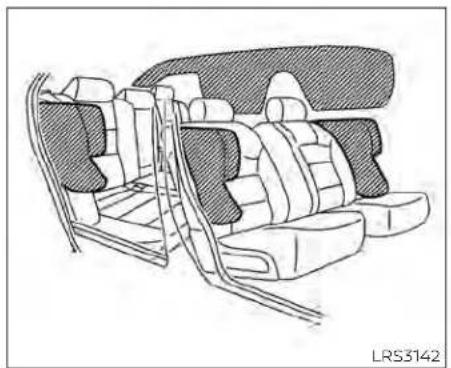
natural_image
Line drawing of a car interior showing seat compartments and rear seats (no text or symbols)Frontandrearoutboard seat-mountedside-impact supplementalairbagand roof-mountedcurtain side-impactandrollover supplementalairbagsystems
Thesideairbagsarelocatedintheoutside oftheseatbackofthefrontandrearout- boardseats.Thecurtainairbagsarelocatedinthesideroofrails.Alloftheinformation,cautionsandwarningsinthis manualmustbefollowed.Thesideair bagsandcurtainairbagsaredesignedto
inflateinhigherseveritysidecollisions,althoughtheymayinflateiftheforcesinan-othertypeofcollisionaresimilartothoseofahigherseverityimpact.Theyaredesignedtoinflateonthesidewherethevehiclelsimpacted.Theymaynotinflateincertainsidecollisions.
Curtainairbagsarealsodesignedtoinflate incertaintypesofrollovercollisionsornear rollovers.Asaresult,certainvehiclemovements(forexample,duringsevereoff-roading)maycausethecurtainairbagsto inflate.
Vehicledamage(orlackofit)isnotalways anindicationofpropersideairbagand curtainairbagoperation.
Whenthesideairbagsandcurtainairbags Inflate,afairlyloudnoisemaybeheard, followedbythereleaseofsmoke.This smokeisnotharmfulanddoesnotindicateafire.Careshouldbetakennotto inhaleit,asitmaycauseirritationand choking.Thosewithahistoryofabreathingconditionsshouldgetfreshhairpromptly.
Sideairbags, alongwiththeuseofseat belts, helptocushiontheimpactforceon thechestandpelvicareaofthefrontand rearoutboardoccupants. Curtainairbags helptocushiontheimpactforcetothe
headofoccupantsinthefrontandrear outboardseatingpositions.Theycanhelp savelivesandreduceseriousinjuries.However,aninflatingsideairbagandcurtainair bagmaycauseabrasionsorotherInjuries. Sideairbagsandcurtainairbagsdonot providerestrainttothelowerbody.
Theseatbeltsshouldbecorrectlyworn andthedriver,frontpassengerandrear outboardoccupantsseateduprightasfar aspracticalawayfromthesideairbag. Rearseatpassengersshouldbeseatedas farawayaspracticalfromthedoorfinishersandsideroofrails.Thesideairbagsand curtainairbagsinflatequicklyinorderto helpprotectthe occupants.Because of this,theforceofthesideairbagandcurtain airbaginflatingcanincreasetheriskof injuryiftheoccupantistoocloseto,oris against,theseairbagmodulesduringinflation.Thesideairbagwilldeflatequickly afterthecollisionisover.
Thecurtainairbagwillremaininflatedfora shorttime.
Thesideairbagsandcurtainairbags operateonlywhentheignitionswitchis placedintheONposition.
Afterplacingtheignitionswitchinthe ONposition,thesupplementalairbag warning light illuminates. Thesupplementalairbagwarninglightwillturnoff afterabout7secondsifthesystemis operational.
WARNING
- Do not place any objects near the seatbackofthefrontandrearseats. Also, do not place any objects (an umbrella, bag, etc.)betweenthefront andreardoorfinisherandthefront andrearseat.Suchobjectsmaybe-come dangerous projectiles and causeinjuryifasideairbaginflate.
- Right after inflation, several side air bagandcurtainairbagsystemcomponents will be hot. Do not touch them; you may severely burn yourself.
-
Nounauthorizedchangesshouldbe madetoanycomponentsorwiring ofthesideairbagandcurtainairbag systems. Thisistopreventdamage tooraccidentalinflationoftheside airbagandcurtainairbagordamagetothesideairbagandcurtainair bagsystems.
-
Donotmakeunauthorizedchanges toyourvehicle'selectricalsystem, suspensionsystemorsidepanel. This could affect proper operation of the sideairbag and curtain airbag systems.
•Tamperingwiththesideairbagsystemmayresultinseriouspersonal injury. Forexample, donotchange thefrontandrearseatsbyplacing materialneartheseatbacksorbyinstallingadditionaltrimmaterial, suchasseatcovers, aroundtheside airbag. - Itisrecommendedthatyouvisita NISSANdealerforworkonand aroundthesideairbagandcurtain airbag. Itisalsorecommendedthat youvisitaNISSANdealerforinstallationofelectricalequipment.TheSRS wiringharnesses*shouldnotbe modified or disconnected. Unauthorized electricaltest equipment and probing devices should not be used on thesideairbagorcurtainairbag system.
*The SRSwiringharnessconnectors are yellow and orange for easy identification.
Whensellingyourvehicle, werequest that you inform the buyer about the side air bag and curtainairbagsystemsandguidethe buyertotheappropriatesectionsinthis Owner'sManual.
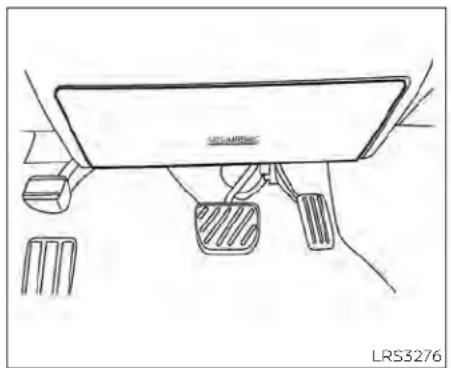
natural_image
Line drawing of a car interior showing dashboard, steering wheel, and foot push buttons (no text or symbols)Driver'sside
Driver and frontpassenger supplementalknee air bag
Thekneeairbagislocatedintheknee bolster,onthedriver'sandfrontpassenger'sside. Alloftheinformation,cautions andwarningsinthismanual applyand
mustbefollowed. Thekneeairbagisdesignedtoinflateinhigherseverityfrontal collisions, although it may inflate if the forcesinanothertypeofcollisionaresimilartothoseofahigherseverityfrontalimpact.itmaynotinflateincertaincollisions.

natural_image
Line drawing of a car interior showing dashboard and steering wheel (no text or symbols)Frontpassenger'sside
Vehicledamage(orlackofit)isnotalways anindicationofproperkneeairbag operation.
whenthekneeairbaginflates,afairlyloud noisemaybeheard,followedbyreleaseof smoke.Thissmokeisnotharmfuland doesnotindicateafire.Careshouldbe takennottoinhaleit,asitmaycauseirritationandchoking.Thosewithahistoryofa breathingconditionshouldgetfreshair promptly.
Thekneeairbaghelpstocushiontheimpactforceonthekneesofthedriverand passenger.Itcanhelpreduceseriousinjuries.However,aninflatingkneeairbagmay causeabrasionsorotherInjuries.Theknee airbagprovidesrestraintthothelowerbody.
Thekneeairbaginflatesquicklyinorderto helpprotecttheoccupants.Becauseof this,theforceofthekneeairbaginflating canincreasetheriskofinjuryiftheoccupantistooocloseto,orisagainst,thisairbag moduleduringinflation.Thekneeairbag willdeflatequicklyafterthecollisionisover ORthekneeairbagwillremaininflatedfor shorttime.
Thekneeairbagoperatesonlywhenthe ignitionswitchisplacedintheON position.
Afterplacingtheignitionswitchinthe ONposition,thesupplementalairbag warninglightilluminates.Thesupplementalairbagwarninglightwillturnoff afterabout7secondsifthesystemis operational.
WARNING
- Donotplaceanyobjectsbetween the kneebolsterandthedriver'sorpassenger'sseat.Suchobjectsmaybe-come dangerous projectiles and causeinjuryifakneeairbaginflates.
- Rightafterinflation,thekneeairbag systemcomponentswillbehot.Do nottouchthem;youmayseverely burnyourself.
- Nounauthorizedchangesshouldbe madetoanycomponentsorwiring ofthekneeairbagsystem. Thisisto preventdamagetooraccidentalinflationofthekneeairbagsystem.
- Donotmakeunauthorizedchanges toyourvehicle'selectricalsystemor suspensionsystem. This could affect properoperationofthekneeairbag system.
- Tamperingwiththekneeairbagsystemmayresultinseriouspersonal injury. Forexample, donotchange thedriverorpassengerkneebolster or install additional trim material aroundthekneeairbag.
- Itisrecommendedthatyouvisita NISSANdealerforworkonand aroundthekneeairbag.ItisalsorecommendedthatyouvisitaNISSAN dealerforinstallationofelectrical equipment.TheSRSwiringharnesses*shouldnotbemodifiedor disconnected.Unauthorizedelectricaltestequipmentandprobingdevices shouldnotbeusedontheknee airbagsystem.
\*The SRSwiringharnessorconnectors are yellowororangeforeasy identification.
When selling your vehicle, we request that you inform the buyer about the knee air bagsystem and guidethe buyer to the appropriates sections in this manual.
Seat belt with pretensioner(s) (front and rear outboard seats)
WARNING
- The pretensioner(s) cannot be re-used after activation. They must be replaced together with the retractor and buckle as a unit.
- If the vehicle becomes involved in a collision but pretensioner(s) are not activated, besureto havethe pretensionersystem checked and, if necessary, replaced. It is recommended that you visit a NISSAN dealer for this service.
- No unauthorized changes should be madetoanycomponentsorwiring of the pretensionersystem. This is to prevent damage to or accidental activation of the pretensioner(s). Tampering with the pretensionersystem may result in serious personal injury.
- Itisrecommendedthatyouvisita NISSANdealerforworkonand aroundthepretensionersystem.Itis alsorecommendedthatyouvisita NISSANdealerforinstallationofelectricalequipment.Unauthorizedelectricaltestequipmentandprobing devicesshouldnotbeusedonthe pretensionersystem.
- If you need to dispose of the pretensioner(s)orscrapthevehicle,itisrecommendedthatyouvisitaNISSAN dealer for this service. Incorrect disposalprocedures couldcausepersonalinjury.
The pretensioner system may activate with the supplemental air bagsystem in certain types of collisions. Working with the seat belt retractor, the pretensioner(s) help tighten the seat belt when the vehicle becomes involved in certainty of collisions, helping to restrain front and rear outboard seat occupants.
Thepretensioner(s)areencasedwithinthe seat belt retractor and to the seat belt anchoraffixedto thefloor ofthevehicle. Theseseatbeltsareusedthesamewayas conventionaliseatbelts.
Whenpretensioner(s)activate,smokeisreleasedandaloudnoisemaybeheard.This smokeisnotharmfulanddoesnotindicateafire.Careshouldbetakennotto inhale it, as it may cause irritation and choking. Those with a history of a breathingconditions should getfreshhair promptly.
After the pretensioner(s') activation, load limiters allow the seat belt to release webbing (if necessary) to reduce forces against the chest.
Thesupplementalairbagwarninglight isusedtoindicatemalfunctionsinthe pretensionersystem.Foradditionalinformation,see"Supplementalairbagwarning light"(P.1-67).Iftheoperationofthesupplementalairbagwarninglightindicates thereisamalfunction,havethesystem checked.itisrecommendedthatyouvisita NISSANdealerforthisservice.
Whensellingyourvehicle, werequest that you inform the buyer about the preten- sionersystem and guidethe buyertothe appropriatesections in this Owner's Manual.

natural_image
Line drawing of a car interior showing steering wheel, dashboard, and steering wheel (no text or symbols)- SRS air bag warning labels (located on the sunvisors)
SUPPLEMENTAL AIRBAG WARNING LABELS
Warning labels about the supplemental front-impact air bagsystem are placed in the vehicle as shown in the illustration.
WARNING
Donot use arear-facingchildrestraint onaseatprotected byanair bagin front of it. If the air bag deploys, it may cause seriousinjuryordeath.

natural_image
Silhouette of two figures in motion, one climbing and the other holding a tool, with no text or symbols present.SUPPLEMENTAL AIRBAG WARNING LIGHT
The supplementalairbagwarning light, displaying intheinstrumentpanel, monitors the circuits for the air bag systems,pretensioner(s)andallrelatedwiring. WhentheignitionswitchisplacedintheON position,thesupplementalairbagwarning lightilluminatesforabout7secondsand then turns off. This means the system is operational.
Ifanyofthefollowingconditionsoccur,the frontairbag,sideairbag,curtainairbag, kneeairbagandpretensionersystems needservicing:
- Thesupplementalairbagwarninglight remainsonafterapproximately7 seconds.
- Thesupplementalairbagwarninglight flashes intermittently.
- Thesupplementalairbagwarninglight doesnotcomeonatall.
Undertheseconditions,thefrontairbag, sideairbag,curtainairbag,kneeairbagor pretensionersystemsmaynotoperate properly.Theymustbecheckedandre-paired.Itsrecommendedthatyouvisita NISSANdealerforthisservice.
WARNING
If the supplemental airbag warning lightison, it could mean that the front airbag, side airbag, curtain airbag, knee airbag and or pretensioners system will not operate in an accident. To help avoid injury to your self for others, have your vehicle checked as soon as possible. It is recommended that you visit a NISSAN dealer forth this service.
Repairandreplacement procedure
Thefrontairbags,sideairbags,curtainair bags,kneeairbagsandpretensioner(s)are designedtoinflateonaone-time-onlybasis.Asareminder,unlessitisdamaged,the supplementalairbagwarninglightremainsilluminatedafterinflationhasoccurred.Thesesystemsshouldberepaired and/orreplacedassoonaspossible.Itis recommendedthat youvisit aNISSAN dealerforthisservice.
whenmaintenanceworkisrequiredonthe vehicle,thefrontairbags,sideairbags,curtainairbags,kneeairbags,pretensioner(s)andrelatedpartsshouldbepointed outtothepersonperformingthemaintenance.Theignitionswitchshouldalways beplacedintheLOCKpositionwhenworkingunderthehoodorinsidethevehicle.
WARNING
- Onceafrontairbag,sideairbag,curtainairbagorkneeairbag hasinflated,theairbagmodulewillnot functionagainandmustbereplaced. Additionally, theactivated pretensioner(s)mustalsobereplaced.The airbag module and pretensioner(s) should be replaced. It is recommended that you visit a NISSAN dealerforthisservice.However,the airbag module and pretensioner(s) cannotberepaired.
- Thefrontairbag,sideairbag,curtain airbag,kneeairbagsystemsandthe pretensionersystemshouldbeinspectedifthereisanydamagetothe frontendorsideportionofthevehicle.Itisrecommendedthatyou visitaNISSANdealerforthisservice.
- If you need to dispose of the supplemental air bag or pretension systems or scrap the vehicle, it is recommended that you contact a NISSAN dealer for this service. Incorrect disposal procedures could cause personal injury.
- If there is an impact to your vehicle from any direction, your Occupant Classification Sensor (OCS) should be checked to verify it's still functioning correctly. It is recommended that you visit a NISSAN dealer forth this service. The OCS should be checked even if no airbags deploy as a result of the impact. Failure to verify proper OCS function may result in an improper airbag deployment resulting in injury or death.
Safety-Seats, seatbelts and supplemental restraintsystem 1-69
2Instrumentsandcontrols
Instrumentpanel....2-2
Metersandgauges....2-4
Speedometerandodometer....2-4
Tachometer....2-6
Enginecoolanttemperaturegauge. 2 - 6
Fuelgauge. 2-7
DistanceToEmpty(DTE) 2 - 8
VariableCompressionTurbo
(ifsoequipped)....2-8
Warninglights,indicatorlightsandaudible
reminders....2-9
Checkinglights. 2-10
Warning/Indicatorlights(red)....2-10
Warning/Indicatorlights(yellow)....2-12
Warning/Indicatorlights(other).... 2-17
Audiblereminders. 2-18
Vehicleinformationdisplay-5inch(13cm)
TypeA(ifsoequipped)....2-18
Howtousethevehicleinformation
display....2-19
Startup display 2-19
Resettingthedrivecomputer....2-20
Oil control system (if so equipped)....2-20
Settings....2-21
Vehicleinformationdisplaywarnings
and indicators....2-28
Vehicleinformationdisplay—7Inch(18cm)
TypeB(ifsoequipped)....2-34
Howtousethevehicleinformation
display....2-35
Startup display 2-35
Resettingthedrivecomputer....2-35
Oil control system (if so equipped)....2-36
Settings....2-37
Vehicleinformationdisplaywarnings and indicators....2-45
Securitysystems....2-52
Vehicle security system 2-52
NISSAN Vehicle Immobilizer System 2-54
Wiperandwasherswitch....2-55
Switch operation 2-55
Rearwindowandoutsidemirror
(if so equipped) defroster switch 2-56
Headlightandturnsignalswitch....2-57
Headlightcontrolswitch 2-57
LED DaytimeRunningLights(DRL)
system(ifsoequipped)....2-62
Instrumentbrightnesscontrol....2-62
Turn signal switch 2-63
Foglightswitch(ifsoequipped)....2-63
Horn 2-64
Heatedseatswitches(ifsoequipped)....2-64
Heatedsteeringwheelswitch(ifsoequipped)..2-65
SteeringAssistswitch(forvehicleswith
ProPILOTAssist)(ifsoequipped)....2-66
Emergencycall(SOS)button(ifsoequipped)...2-67
RearDoorAlert....2-67
Poweroutlet. 2-69
USB/iPod®chargingport(ifsoequipped).....2-70
Extended storage switch 2-70
Storage 2-71
Front-doorpockets....2-71
Seatbackpockets(ifsoequipped).... 2-71
Glovebox 2-72
Consolebox 2-72
Overheadsunglassesstorage....2-73
Cupholders 2-73
Windows....2-75
Powerwindows....2-75
Moonroof(ifsoequipped)....2-77
Powermoonroof....2-77
Interiorlights....2-79
Maplights....2-80
Personallights....2-80
Trunklight 2-80
HomeLink®UniversalTransceiver
(Ifsoequipped)....2-81
ProgrammingHomeLink® 2-81
ProgrammingHomeLink®forCanadian
customersandgateopeners....2-83
OperatingtheHomeLink®Universal
Transceiver....2-84
Programmingtrouble-diagnosis. 2-84
Clearingtheprogrammedinformation.....2-84
ReprogrammingasingleHomeLink®
button 2-84
If your vehicle is stolen 2-85
INSTRUMENTPANEL
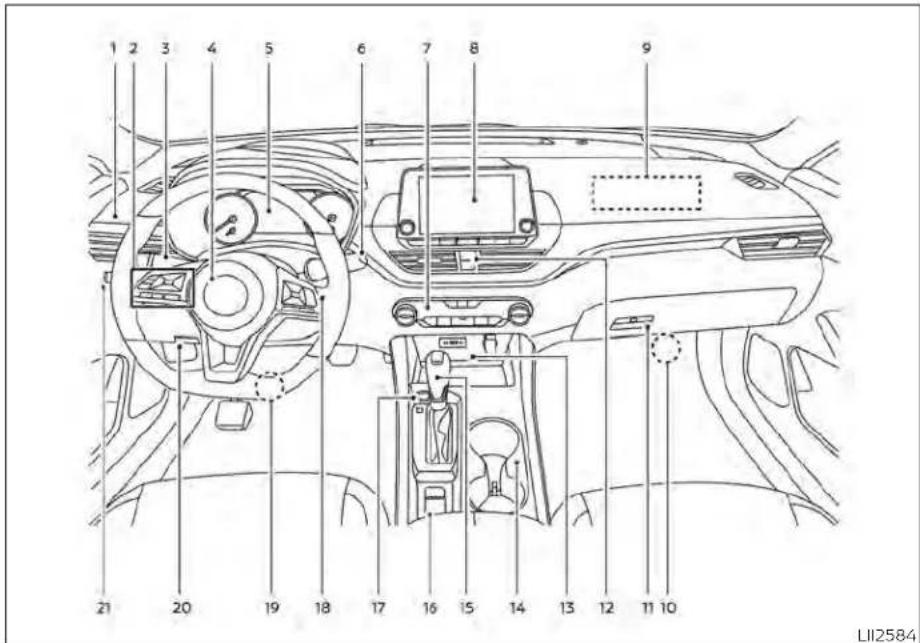
1.Vents(P.4-31)
2. Steeringwheelswitchesforaudiocontrol Vehicleinformationdisplaycontrols (P.2-18,2-34)
3.Headlight/foglight(ifsoequipped)/
turnsignalswitch(P.2-57)
Paddleshifters(ifsoequipped)(P.5-18)
2-2 Instrumentsandcontrols
- Drivers supplemental airbag(P.1-47) Horn(P.2-64)
5.Metersandgauges(P.2-4) Warning and indicator lights(P.2-9) Vehicle information display(P.2-18, 2-34)
6.Wiperandwasherswitch(P.2-55)
7.Heaterandairconditioner(P.4-33,4-40) Heatedseatswitches(ifsoequipped) (P.2-64) Heatedsteeringwheelswitch (ifsoequipped)(P.2-65)
- Navigationsystem*(ifsoequipped) Audiosystem*
9.Frontpassengersupplementalairbag (P.1-47)
10.Frontpassengersupplementalknee airbag(P.1-47)
11..Glovebox(P.2-71)
12.Frontpassengerairbagstatuslight (P.1-57) Hazardwarningflasherswitch(P.6-2)
13.Poweroutlet(P.2-69) USBconnectionport(ifsoequipped) (P.2-70,4-67) Auxjack*
14.Cupholders(P.2-73)
15Shiftlever(P.5-18)
- Electronic parking brakes switch
(ifsoequipped)(P.5-25)
Automaticbrakeholdswitch
(ifsoequipped)(P.5-27)
17.Push-buttonignitionswitch(P.5-13)
- Cruise control switches (if soe equipped)
(P.5-68)
IntelligentCruiseControl(ICC)switches
(ifsoequipped)(P.5-71)
Bluetooth®Hands-freePhoneSystem*
ProPILOTAssistSwitch(ifsoequipped)
(P.5-94)
- Driversupplementalkneeairbag
(P.1-47)
20.Hoodrelease(P.3-22)
Fuel-filleroorrelease(P.3-25)
Tilt/telescopicsteeringwheelcontrols
(P.3-27)
21.Tripcomputerresetswitch(P.2-4)
Instrumentbrightnesscontrol(P.2-62)
Steeringassistswitch(forvehicleswith
ProPILOTAssist)(ifsoequipped)
(P.2-66)
Trunkopener(P.3-22)
*:Foradditionalinformation,refertothe
separateNissanConnect®Owner's
Manual.
Refertothepagenumberindicatedin parenthesesforoperatingdetails.
METERSANDGAUGES
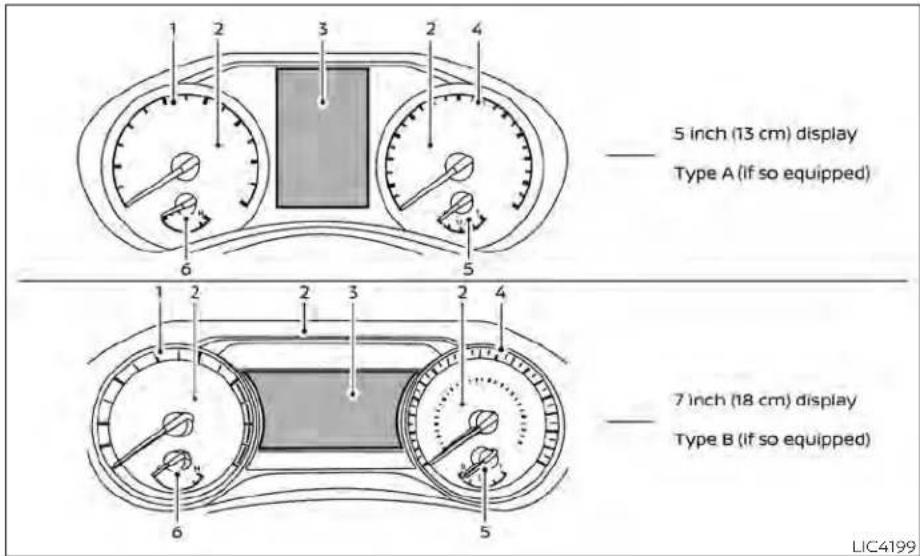
1.Tachometer
2. Warning and indicator lights
3. Vehicleinformationdisplay
4.Speedometer
5.Fuelgauge
6. Enginecoolanttemperaturegauge
SPEEDOMETERANDODOMETER
This vehicle is equipped with as speedometer and odometer. The speedometer is located on the right side of the meter cluster. The odometer is located within the vehicle information display.

natural_image
Simple line drawing of a circular gauge or dial with needle pointing to the center (no text or symbols)5inch(13cm)TypeA(ifsoequipped)
Speedometer
Thespeedometerindicatesvehiclespeed.
2-4Instrumentsandcontrols

natural_image
Simple line drawing of a circular gauge or dial with a needle pointing to the center (no text or symbols)7inch(18cm)TypeB(ifsoequipped)

5inch(13cm)TypeA(ifsoequipped) Odometer/Twintripodometer
Theodometerandthetwintripodometer ① aredisplayedinthevehicleinformation displaywhentheignitionswitchisplaced intheONposition.
Theodometerrecordsthetotaldistance thevehiclehasbeendriven.
Thetwintripodometerrecordsthedistanceofindividualtrips.
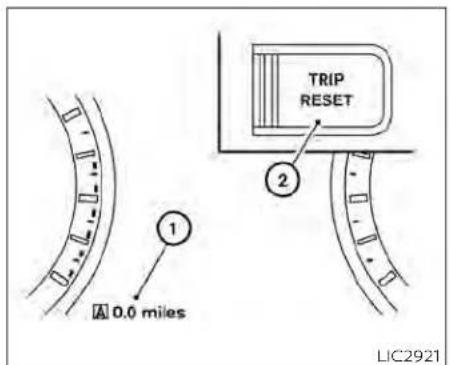
7inch(18cm)TypeB(ifsoequipped) Changingthedisplay
PushtheTRIPRESETswitch ② ontheleft sideoftheinstrumentpaneltochangethe displayasfollows:
OdometerMileage→Trip B → OdometerMileage A → Trip
Resettingthetripodometer
PushtheTRIPRESETswitch desiredtripodometer(Trip B)isdisplayed.
② untilthe A orTrip
PushingtheTRIPRESETswitch ② formore than1secondresetsthecurrentlydis-playedtripodometertotozero.
Instrumentsandcontrols2-5

5inch(13cm)TypeA(ifsoequipped) TACHOMETER
Thetachometer indicates enginespeed in revolutions per minute (rpm).
Donotrevtheengineintotheredzone ①.

CAUTION
Whenenginespeedapproachesthe redzone, shifttoahighergearorre-duceenginespeed. Operatingtheengineintheredzonemaycauseserious enginedamage.
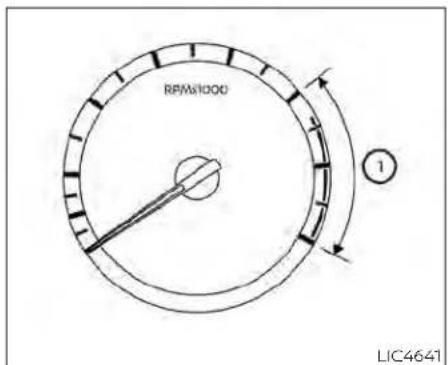
7inch(18cm)TypeB(ifsoequipped)

5inch(13cm)TypeA(ifsoequipped) ENGINECOOLANTTEMPERATURE GAUGE
The gauge indicates the engine coolant temperature. The engine coolant temperature is within the normal range ① when the gaugene needle points within the zone shown in the illustration.
The engine coolant temperature varies with the outside air temperature and driving conditions.
2-6 Instrumentsandcontrols

7inch(18cm)TypeB(ifsoequipped)

Ifthegaugeindicatescoolanttemperaturenearthehot(H)endofthe normalrange,reducevehiclespeedto decreasetemperature.Ifthegaugeis overthenormalrange,stopthevehicle assoonassafelypossible.Iftheengine isoverheated,continuedoperation of thevehiclemayseriouslydamagethe engine.Foradditionalinformation,see "Ifyourvehicleoverheats"(P.6-19)for immediateactionrequired.
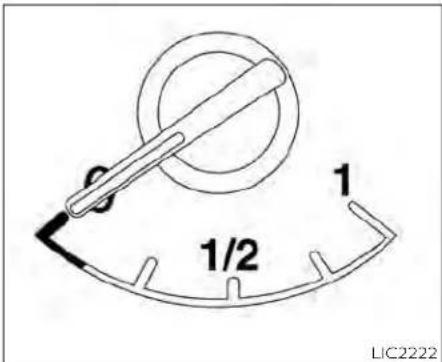
FUELGAUGE
The gauge indicates the approximate fuel level in the tank.
Thegaugemaymoveslightlyduringbraking,turning,acceleration,orgoingupordownhills.
Thegaugeneedlereturnsto0(Empty)aftertheignitionswitchisplacedintheOFF position.
Thelowfuelwarningmessageshowsin thevehicleinformationdisplaywhenthe amountoffuelinthetankisgettinglow.
Refillthefueltankbeforethegaugeregisters0(Empty).
The ◄ indicate that the fuel-filled door is located on the driver's side of the vehicle.
CAUTION
-Ifthevehiclerunsoutoffuel,the

MalfunctionIndicatorLight(MIL)may comeon.Refuelassoonaspossible. Afterafewdrivingtrips,the light shouldturnoff.Ifthelightremainson afterafewdrivingtrips,havethevehicleinspected.Itisrecommended thatyouvisitaNISSANdealerforth this service.
- Foradditionalinformation,see"Mal-functionIndicatorLight(MIL)"(P.2-15).
DISTANCETOEMPTY(DTE)
Displaystheestimateddistancethevehiclecanbedrivenbeforerefueling.The valueiscalculatedbasedonrecentfuel economy,theamountoffuelremaininging thefueltank,andtheactualfuel consumption.
Changesindrivingpatternsoconditions cancausetheDTEvaluetovaryAsaresult, thevaluedisplayedmaydifferfromtheactualdistancethatcanbedriven.
DTEdisplaywillchangeto"---"whenthe fuellevelinthetankisgettinglow,priorto thefuelgaugereaching0(Empty).
NOTE:
- The DTEvalue after refill is estimated based on recent fueleconomy and amount off fuel added.
-Ifasmallamountoffuelisadded,or theignitionisonduringrefueling,the displaymaynotbeupdated.
-Conditionsthataffectthefuel economywillalsoaffecttheestimated DTEvalue(city/highwaydriving,idle time,remotestarttime,terrain,seasonalweather,addedvehicleweight, addeddeflectors,roofracks,etc.).

gauge
| Metric | Value | |--------|-------| | Power | 30 psi | | ECO Compression ratio | 15 psi | | Boost | 15 psi | LIC4236VARIABLECOMPRESSIONTURBO (ifsoequipped)
Yourenginelsequippedwithavariable compressionratiosystemcalled"Variable CompressionTurbo".Thissystemcanvary the engine compression ratio continuously.
According to driving conditions, the system applies optimum compression ratio automatically to achieve both high output and high fuel economy efficiency.
Thisisnotaphysicalgauge.Itisadisplay optioninthevehicleinformationdisplay thatcanbeselected.Foradditionalinformation,see"Vehicleinformationdisplay" (P.2-34).
① Compressionratiostatusdisplay
DisplaysthestatusofcompressionratiocontrolledbyVariableCompressionTurbo.Thelowestcompressionratio(8:1)andthehighest(14:1)aredisplayed as"Power"and"ECO"respectively.
② Turbochargerboostpressuregauge Displays the turbo charger boost pressure.
NOTE:
Undersomeconditions, the compression ratio may not change. This is not a malfunction of the system.
CAUTION
If the Variable Compression Turbobe- comes faulty, the Malfunction Indicator Light(MIL) may come on. For additional information, see "Malfunction Indicator Light(MIL)" (P.2-15).
WARNINGLIGHTS,INDICATORLIGHTS ANDAUDIBLEREMINDERS
| Warning/Indicatorlight(red)Warning/Indicatorlight(yellow)Warning/Indicatorlight(other) | ||||||||||||||||||||||||||||||||||||||||||||||||||||||||||||||||||||||||||||||||||||||||||||||||||||||||||||||||||||||||||||||
 | orb |  |  | [642T] |  | c(XADX) | a(65H5) | s(ZWYX) | [1H537] | s(320Y) |  | (ZW4S) |  | [6CT0] |  | [28K0] | [24ST] | [8BYH] |  | [6XHO] |  |  | [1TWH3] | [2XWH7] |  |  | ||||||||||||||||||||||||||||||||||||||||||||||||||||||||||||||||||||||||||||||||||||||||||||||||||||
 | Cha | [Y036] |  | | [1DZHD] |  | e(WDBW) | s(9ZAA) | k(A4Z7) | t(YZY) |  | [5807] | [KATZ] | [0KHT] |  |  | [04A0] | [6073] | [064D] | [055Y] |  | [1XSW4] | [8TDO] |  | [70Z6] |  | ||||||||||||||||||||||||||||||||||||||||||||||||||||||||||||||||||||||||||||||||||||||||||||||||||||

CHECKINGLIGHTS
withalldoorsclosed,applytheparking brake,fastentheseatbeltsandplacethe ignitionswitchintheONpositionwithout startingtheengine.Thefollowinglights(if


The following lights(ifsoequipped)come onbrieflyandthengooff:


Ifanylightfailstocomeonoroperateina wayotherthandescribed,itmayindicatea burned-outbulband/orasystemmal-function.Havethesystemchecked.Itis recommendedthatyouvisita NISSAN dealerforthisservice.
Some indicators and warnings are also displayed in the vehicle information display between the speedometer and tachometer. For additional information, see "Vehicle Information Display-5Inch(13cm) Type A" (P. 2-18) or "Vehicle information display-7 inch (18 cm) Type B" (P. 2-34).
WARNING/INDICATORLIGHTS(red)
For additional information on warnings and indicators, see "Vehicleinformation display-5 inch (13 cm) Type A" (P. 2-18) or "Vehicleinformationdisplay—7inch(18cm) TypeB"(P.2-34).


Brakewarning light
Thislightfunctionsfor boththeparking brakeandthefootbrakesystems.
Parkingbrakeindicator(ifso equipped)
When the ignition switch is placed in the ON position, the light comes on when the parkingbrakeisapplied.
Lowbrakefluidwarninglight
When the ignition switch is placed in the ON position, the lightwarnsofalowbrake fluid level. If the light comes on while the engine is running with the parking braken not applied, stop the vehicle and perform the following:
-
Check the brake fluid level. Add brake fluid as necessary. For additional information, see "Brakefluid" (P.8-12).
-
If the brake fluid level is correct, have the warning system checked. It is recommended that you visit a NISSAN dealer for this service.
WARNING
- Yourbrakesystemmaynotbeworkingproperlyifthewarning lightison. Drivingcouldbedangerous.Ifyou judgeittobesafe,drivecarefullyto thenearestservicestationforre-pairs. Otherwise,haveyourvehicle towedbecauusedrivingitcouldbe dangerous.
- Pressing the brake pedal with the engine stopped and/or a low brake fluid levelmayincrease your stoppingdistanceandbrakingwillrequiregreaterpedaleffortaswellas pedaltravel.
- If the brake fluid level is below the MINIMUMorMINmarkonthebrake fluidreservoir, donotdriveuntilthe brakesystemhasbeenchecked.Itis recommended that you visit a NISSANdealerforthisservice.

Chargewarninglight
If this light comes on while the engine is running, it may indicate the charging system is not functioning properly. Turn the engine off and check the generator belt. If the belt is loose, broken, or missing, or if the light remains on, havethesystem checked. It is recommended that you visit a NISSAN dealer forth this service.

CAUTION
- Donotgroundelectricalaccessories directlytothebatteryterminal.Doingsowillbypasssthevariablevoltagecontrolsystemandthevehicle batterymaynotchargecompletely. Foradditionalinformation,see"Variablevoltagecontrolsystem"(P.8-16).
- Donotcontinuedrivingifthegeneratorbeltisloose,brokenormissing.

or Eletronicparking brakeindicator light(ifso equipped)
This light illuminates when the electronic parking brakesystem is operating.
whentheignitionswitchisplacedintheON position, the electronic parking brake warninglightilluminates. Whentheengine isstarted and the parking brake is released, the warninglightturnsoff.
If the parking brake is not released, the electronic parkingbrakewarninglightremains illuminated. Ensure the electronic parkingbrakewarninglighthasturnedoff beforedriving.
If the electronic parking braking warning light illuminates or flashes while the electronic parking brakes system warning light
(1) (yellow) illuminates, it may indicate that the electronic parking brakes system is not functioning properly. Havethesystem checked. It is recommended that you visit a NISSAN dealer forth this service.
For additional information, see "Parking brake"(P5-25).

Engineoilpressure warninglight
Thislightwarnsoflowengineoilpressure.If thelightflickersorcomesonduringnor- maldriving,pullofftheroadinasafearea, stop the engine immediately and call a NISSANdealerorotherauthorizedrepair shop.
Theengineoilpressurewarninglightis notdesignedtoindicatealowoillevel. Usethedipsticktochecktheoillevel. For additional information, see "Engine oil" (P8-7).

CAUTION
Runningtheenginewiththeengineoil pressurewarninglightoncouldcause seriousdamagetotheenginealmost immediately.SuchdamageisnotcoveredbytheNISSANNewVehicleLimited Warranty.Turnofftheengineassoon asitissafetodoso.

Masterwarninglight
whentheignitionisintheONposition,the masterwarninglightilluminatesifanyof thefollowingaredisplayedonthevehicle informationdisplay.
Instrumentsandcontrols2-11
•Parkingbrakereleasewarning
•Dooropenwarning(whilemoving)
•SteeringAlerthandsondetection warning
Thewarning(s)remainonthevehicleinformationdisplayuntilactionistaken,orthe ignitionisplacedintheOFFposition.

Seatbeltwarninglightand chime
Thelightandchimeremindyoutofasten thedriverandfrontpassengerseatbelts.
For additional information, see "Seatbelts" (P.1-12).

Securityindicatorlight
Thislightblinkswhentheignitionswitchis placedintheOFF,LOCKorAUTOACC position.
Theblinkingsecurityindicatorlightindicatesthatthesecuritysystemsequipped onthevehicleareoperational.
For additional information, see "Security systems" (P.2-52).

Supplementalairbag warninglight
WhentheignitionswitchisplacedintheON orSTARTposition,thesupplementalair bag warning light illuminates for about 7 secondsandthenturnsoff.Thismeansthe systemisoperational.
Ifanyofthefollowingconditionsoccur,the front air bag, side air bag, curtain air bag, andpretensionersystems needservicing andyourvehiclemustbetakentoaNISSAN dealer:
- The supplemental air bag warning light remains on after approximately 7 seconds.
- The supplemental air bag warning light flashes intermittently.
- The supplemental air bag warning light does not come on at all.
Unless checked and repaired, the supplemental restraint system (air bag system) and/or the pretensioners may not function properly. For additional details, see "Supplemental Restraint System (SRS)" (P.1-47).

WARNING
If the supplemental airbag warning lightison, it could mean that the front airbag, side airbag, curtain air bags systems and or pretension systems will not operate in an accident. To help avoid injury to yourself for others, have your vehicle checked as soon as possible. It is recommended that you visit a NISSAN dealer forth this service.
WARNING/INDICATORLIGHTS (yellow)
For additional information on warnings and indicators, see "Vehicle information display-5 inch (13 cm) Type A" (P. 2-18) or "Vehicle information display-7 inch (18cm) TypeB" (P.2-34).
ABS


Anti-lockBraking System(ABS) warninglight
When the ignitions switch is placed in the ON position, the ABS warning light illuminates and then turn so off. This indicates the ABS is operational.
IftheABSwarninglightilluminateswhile theengineisrunningorwhiledriving,it mayindicatetheABSisnotfunctioning properly.Havethesystemchecked.Itis recommendedthatyouvisitaNISSAN dealerforthisservice.
IfanABSmalfunctionoccurs, the anti-lock functionisturnedoff. The brakesystem then operates normally but without anti-lock assistance. For additional information, see "Brakesystem" (P.5-173).

AutomaticEmergency Braking(AEB)with PedestrianDetection systemwarninglight
Thislightcomesonwhentheignition switchisplacedintheONposition.Itturns offaftertheengineisstarted.
ThislightilluminateswhentheAEBwith PedestrianDetectionsystemissettoOFF inthevehicleinformationdisplay.
IfthelightilluminateswhentheAEBwith PedestrianDetectionsystemison,jtmay indicate that the system is unavailable. For additional information, see "Automatic Emergency Braking(AEB) with Pedestrian Detection" (P.5-135) and "Intelligent Forward Collision Warning(I-FCW)" (P.5-147).


Electronic parkingbrake warninglight(if soequipped)
The electronicparking brake system warninglightfunctionsfortheelectronic parkingbrakesystem.Ifthewarninglight illuminates,Itmayindcatetheelectronic parkingbrakesystemisnotfunctioning properly.Havethesystemchecked.Itis recommendedthatyouvisitaNISSAN dealerforthisservice.
For additional information, see "Parking brake" (P.5-25).

Frontpassengerairbag statuslight
The front passenger air bag status light will be lit and the passenger front air bag will be offdependingonhowthefrontpassenger seatisbeingused.
Foradditionalinformation,see"Frontpassengerairbagandstatuslight"(P1-57).

Lowtirepressurewarning light
YourvehicleisequippedwithaTirePressureMonitoringSystem(TPMS)thatmonitorsthetirepressureofalltiresexceptthe spare.
Thelowtirepressurewarninglightwarns oflowtirepressureorindicate that the TPMS is not functioning properly.
AftertheignitionswitchisplacedintheON position,thislightilluminatesforabout1 secondandturnsoff.
Lowtirepressurewarning
Ifthevehicleisbeingdrivenwithlowtire pressure,thewarninglightwillilluminate. A "Tire Pressure Low - Add Air" warningalsoappearsinthevehicleinformationdisplay.
Whenthelowtirepressurewarninglight illuminates,youshouldstopandadjust the tirepressureofallfourtirestothe recommended COLD tire pressure shown ontheTireandLoadingInformationlabellocatedinthedriver'sdooropening. Thelowtirepressurewarninglightdoes notautomaticallyturnoffwhenthetire pressureisadjusted.Afterthetireisinflatedtotherecommendedpressure,
thevehiclemustbedrivenatspeeds above16mph(25km/h)toactivatethe TPMSandturnoffthelowtirepressure warninglight.Useatirepressuregauge tocheckthetirepressure.
The "TirePressureLow-AddAir" warning appearseachtimetheignitionswitchis placedintheONpositionaslongasthelow tirepressurewarninglightremains illuminated.
For additional information, see "Vehicle information display—7inch(18cm)TypeB" (P.2-34), and "TirePressureMonitoringSystem(TPMS)" (P.5-5) and (P.6-3).
TPMSmalfunction
IftheTPMSisnotfunctioningproperly,the lowtirepressurewarninglightwillflashfor approximately1minutewhentheignition switchisplacedintheONposition.The lightwillremainonafter1minute.Havethe systemchecked.Itisrecommendedthat youvisitaNISSANdealerforthisservice. The"TirePressureLow—AddAir"warning doesnotappearifthelowtirepressure warning light illuminates to indicate a TPMSmalfunction.
Foradditionalinformation,see"TirePressureMonitoringSystem(TPMS)("P.5-5)and(P.6-3).
WARNING
- Radiowavescouldadverselyaffect electric medical equipment. Those whoseapacemakershouldcontact thelectricmedicalequipment manufacturerforthepossibleinfluencesbeforeuse.
- Ifthelightdoesnotilluminatewith theignitionswitchplacedintheON position,havethevehiclecheckedas soonaspossible.Itisrecommended thatyouvisitaNISSANdealerforth this service.
- Ifthelightilluminateswhiledriving, avoidsuddensteeringmaneuversor abrupt braking, reduce vehicle speed,pullofftheroadtoasafelocationandstopthevehicleassoonas possible.Drivingwithunder-inflated tiresmaypermanentlydamagethe tiresandincreasethelikelihood of tirefailure.Seriousvehicledamage couldoccurandmayleadtoanaccidentandcouldresultinseriouspersonalinjuryordeath.Checkthetire pressureforallfourtires.Adjustthe tirepressuretotherecommended COLDtirepressureshowontheTire and Loading Information label locatedinthedriver'sdooropeningto
turnthelowtirepressurewarning lightoff.Ifthelightstillilluminates whiledrivingafteradjustingthetire pressure,atiremaybeflatorthe TPMSmaybemalfunctioning.Ifyou haveaflattire,replaceitwithaspare tireassoonaspossible.Ifnotireis flatandalltiresareproperlyinflated, havethevehiclechecked.Itisrecommended that you visit a NISSAN dealerforthisservice.
- When using a wheel without the TPMSsuchasthesparetire,theTPMS will not function and the low tire pressurewarninglightwillflashfor approximately1minute.Thelightwill remainonafter1minute.Haveyour tiresreplacedand/orTPMSsystem resetassoonaspossible.Itisrecommended that you visit a NISSAN dealerfortheseservices.
- ReplacingtireswiththosenotoriginallyspecifiedbyNISSANcouldaffect the proper operation of the TPMS.
CAUTION
TheTPMSisnotasubstituteforthe regulartirepressurecheck.Besure tocheckthetirepressureregularly.
- If the vehicle is being driven at speed of less than 16 mph (25 km/h), the TPMS may not operate correctly.
- Besuretoinstallthespecifiedsizeof tirestothefourwheelscorrectly.

MalfunctionIndicatorLight (MIL)
If this indicator light comes on steady or blink while the engine is running, it may indicate a potential emission control malfunction.
TheMILmayalsocomeonsteadyifthe fuel-fillercapislooseormissing,orifthe vehiclerunsoutoffuel.Checktomakesure thefuel-fillercapisinstalledandclosed tightly,andthatthevehiclehasatleast3 gallons(11.4liters)offuelinthefueltank.
Afterafewdrivingtrips, the shouldturnoffifnootherpotentialemissioncontrolsystemmalfunctionexists. If this indicator light comes on steady for 20 seconds and then blinks for 10 seconds when the engine is not running, it indicates that the vehicle is not ready for an emission control system inspection/maintenance test. For additional information, see "Readiness for Inspection/Maintenance (I/M) test" (P.10-24).
Operation
TheMILwillcomeoninoneoftwoways:
- MilLonsteady-Anemissioncontrolsystem malfunction has been detected. Checkthefuel-fillercapiftheLooseFuel Capwarningappearsinthevehicleinformationdisplay.Ifthefuel-fillercapisloose ormissing,tightenorinstallthecapand continuetodrivethevehicle.The lightshouldturnoffafterafewdriving trips.Ifthe lightdoesnotturnoff afterafewdrivingtrips,havethevehicle inspected.It isrecommendedthat you visitaNISSANdealerforthisservice.You donotneedtohaveyourvehicletowed tothedealer.
- MiLblinking—Anenginemisfirehasbeen detectedwhichmaydamagetheemissioncontrolsystem.Toreduceoravoid emissioncontrolsystemdamage: -donotdriveatspeedsabove45mph (72km/h).
- avoid hard acceleration or deceleration.
Continued vehicle operation without having the emission control system checked and repaired as necessary could lead to poor driveability, reduced fueleconomy, and possible damage to the emission control system.

Masterwarninglight
When the ignition is in the ON position, the master warning light illuminates if any of the following are displayed on the vehicle information display.
•Nokeywarning
- Lowwindshield-washerfluidwarning
- Dooropenwarning(whenstopped)
- Trunkopenwarning
Instrumentsandcontrols
- Loosefuelcap
•Lowtirepressurewarning
- AWDwarning
Ifthemasterwarninglightilluminatesand themessage(s)arenotvisibleonthevehicleinformationdisplay,usethebuttons locatedonthesteeringwheeltonavigate thevehicleinformationdisplayuntilthe "Warnings"screenisdisplayed.

Powersteeringwarning light
WARNING
- If the engine is not running or is turned off while driving, the power assist for the steering will not work. Steering will be hard to operate.
- Whenthepowersteeringwarning lightilluminateswiththeengine running,therewillbenopowerassistfor thesteering.Youwillstillhavecontrol ofthevehicle,butthesteeringwillbe hardertooperate.Havethepower steeringsystemchecked.Itisrecommended that you visit a NISSAN dealerforthisservice.
whentheignitionswitchisplacedintheON position,thepowersteeringwarninglight illuminates.Afterstartingtheengine,the powersteeringwarninglightturnsoff.This indicate the powersteering is operational.
If the power steering warning light illuminates while the engine is running, it may indicate the power steering is not functioning properly and may need servicing. Have the power steering checked. It is recommended that you visit a NISSAN dealer for this service.
when the power steering warning light illuminates with the engine running, there will be no power assist for the steering, but you will still have control of the vehicle. At this time, greater steering effort is required to operate the steering wheel, especially in sharp turns and at lows speeds.
For additional information, see "Power steering"(P.5-172).

RearAutomaticBraking (RAB)warninglight(ifso equipped)
This light comes on when the ignition switchisplacedintheONposition.Itturns offaftertheengineisstarted.
ThislightilluminateswhentheRABsystem isturnedoff inthevehicle information display.
IfthelightilluminateswhentheRABsystemison, it may indicate that the system is unavailable. For additional information, see "RearAutomaticBraking(RAB)" (P.5-127).

Slipindicatorlight
This indicator light will blink when the Vehicle Dynamic Control (VDC) system is operating, thus alerting the driver to the fact that there is surfaceisslippery and the vehicle is nearing its traction limits.
Youmayfeelorhearthesystemworking; thisisnormal.
Thelightwillblinkforafewsecondsafter theVDCsystemstopslimitingwheelspin.
The indicator lights acomes on when you placetheignitions switch in the ON position. Thelight will turn off after approximately 2 seconds if the system is operational. If the light does not come on havethesystem checked it is recommended that you visit a NISSAN dealer for this service.

VehicleDynamicControl (VDC)OFFindicatorlight
This indicator light comes on when the VDC is turned off in the vehicle information display. This indicates the VDChas been turned off.
TurntheVDConusingthevehicleinformationdisplay,orbyrestartingtheengine.For additionalinformation,see"VehicleDynamicControl(VDC)system"(P.5-175).
TheVDClightalsocomesonwhentheignitionswitchisplacedintheONposition. Thelightwillturnoffafteraperiodoftimeif thesystemisoperational.Ifthelightstays onorcomesalongwiththe indicatorlightwhileyouaredriving,havetheVDC systemchecked.Itisrecommendedthat youvisitaNISSANdealerforthisservice.
WARNING
VDCshouldremainonunlessfreeinga vehiclefrommudorsnow.
While the VDC system is operating, you might feel as light vibration or hear the system working when starting the vehicle or accelerating, but this is normal.
WARNING/INDICATORLIGHTS (other)
For additional information on warnings and indicators, see "Vehicle information display-5inch(13cm)TypeA"(P.2-18) or "Vehicleinformationdisplay7inch(18cm)TypeB"(P.2-34).

Automaticbrakehold indicatorlight(white/green) (ifsoequipped)
The automatic brakehold indicator light (white) illuminates when the automatic brakehold system is on standby.
The automatic brakehold indicator light (green) illuminates when the automatic brakehold system is operating.
Foradditionalinformation,see"Automatic brakehold"(P.5-27).

Frontfoglightindicator light(green)(ifso equipped)
Thefrontfoglight indicatorlightilluminateswhenthefrontfoglightsareon. For additional information, see "Fog light switch"(P.2-63).

HighBeamAssistindicator light(green)
This Indicator light illuminates when the headlights come onwhiletheheadlight switchisintheAUTOpositionwiththehigh beamsselected. This indicates that the highbeamassistisoperational.
For additional information, see "Headlight and turnsignalswitch" (P.2-57).

Highbeamindicatorlight (blue)
This blue light comes on when the head-lighthigh beams are on and goes out when the low beams are selected.
The high beam indicator light also comes on when the passingsignalis activated.

Sidelightandheadlight indicatorlight(green)
Thesidelightandheadlightindicatorlight illuminateswhenthesidelightorheadlight positionis selected. For additional information, see "Headlightandturnsignalswitch" (P.2-57).

Turnsignal/hazard indicatorlights(green)
The appropriate light flashes when the return signals switch is activated.
Bothlightsflashwhenthehazardswitchis turnedon.
AUDIBLEREMINDERS
Brakepadwearwarning
Thediscbrakepadshaveaudiblewear warnings.Whenadiscbrakepadrequires replacement,itmakesahighpitched scrapingsoundwhenthevehicleisinmotion,whetherornotthebrakepedalisdepressed.Havethebrakescheckedassoon aspossibleifthewarningsoundisheard.
Lightreminderchime
WiththeignitionswitchplacedintheOFF position,achimesoundswhenthdriver's doorisopenediftheheadlightsorparking lightsareon.
Turntheheadlightcontrolswitchchoffbefore leavingthevehicle.
NISSANIntelligentKey®door buzzer
The Intelligent Keydoor buzzers sounds if the Intelligent Key is left inside the vehicle when locking the doors. When the buzzer sounds, besure to check both the vehicle and the Intelligent Key. For additional information, see "NISSAN Intelligent Key" (P.3-2).
VEHICLEINFORMATIONDISPLAY-5
INCH(13cm)TYPEA(ifsoequipped)

natural_image
Diagram of a car dashboard with steering wheel and dashboard, showing no text or symbolsThevehicleinformationdisplayislocated totheleftofthespeedometer.Itdisplays suchitemsas:
•Vehiclesettings
- Indicatorsandwarnings
•Information/warningmessages
•Tirepressureinformation
-Drivecomputerinformation
•Cruisecontrolsysteminformation
-DrivingAids(ifsoequipped)
•NISSANIntelligentKey®operation Information
•Audioinformation
2-18 Instrumentsandcontrols
- Shiftposition
•Distancetoempty
• Odometer/twintripodometer
•Clockandoutsidetemperature

HOWTOUSETHEVEHICLE INFORMATIONDISPLAY
The vehicle information display can be changed using the
, and OK buttons located on the steering wheel.
① ◀ ▶ ▼ ▲ -Usethesebuttons tonavigatethevehicleinformation display.
② OK-Changeorselectaniteminthe vehicleinformationdisplay.
③ → —Returnstothepreviousmenu.
TheOK, ◀ ▶ andbuttonsalso controlaudioandcontrolpanelfunctions insomeconditions.Mostscreensand menusofferinstructionpromptsofthe steeringswitchbuttonstoindicatehowto controlthevehicleinformationdisplay.The OKbuttonchangestheaudiosourceand the ▼ ▲ buttonsalsocontrolvoice recognitionmanualmode.TheOKbutton canbeusedtochangetheaudiosource whentheaudioscreenisdisplayed.The ▼ ▲ buttonscanbeusedwhencontrollingvoicerecognitionpromptsmanually.Foradditionalinformation,refertothe separateNissanConnect®Owner'sManual.
STARTUPDISPLAY
When the vehicle in placed in the ON position the vehicle information display may display the following screens (if so equipped):
- DriveComputer—Speed, TripDistance& Time, FuelEconomy
•Audio
-DrivingAids
•TirePressure
-Settings
-Warnings*
*Warningswillonlydisplayifthereareany present.Foradditionalinformation,see "Vehicleinformationdisplaywarningsand indicators"(P.2-28).
To control what items display in the vehicle information display, see "Howtousethe vehicle information display" (P.2-19).
RESETTINGTHEDRIVECOMPUTER
The drive computer is divided across three screens:
•Speed
- TripDistance&Time
•FuelEconomy
-
Press the ◀ or ▶ buttons until the desired drive computer screen is displayed.
-
Press the OK button to bring up the drive computerResetmenu.
-
Use the ▲ or ▼ to select the desired option. Then press the OK button:
- "Cancel"—returnstothepreviousscreen withoutresettingthetripcomputer.
- Drive computer value — resets only the displayeddrivecomputervalue.
- "Average Speed" - resets the average speedoftheselecteddrivecomputer screen.
2-20 Instrumentsandcontrols
- "Distance&Time"-resetsthedistance andtimeoftheselecteddrivecomputerscreen.
- "Fuel Economy" - resets the fuel economy of theselecteddrivecomputerscreen.
- "All"—resetsalllinkeddrivecomputervalues. This includes distance & time, average fueleconomy and averagespeed information.
OILCONTROLSYSTEM(ifso equipped)
Theoilcontrolsystemcanbeaccessedin theMaintenanceportionofthevehicleinformationdisplaysettings.
Engine oil information informs the distance tooilchange.Neverexceedoneyearor 7,500miles(12,000km)betweenoilchange intervalsforthe2.0L4cylinder(KR20DDET enginemodel) or 10,000miles(16,000km) betweenoilchangeintervalsforthe2.5L4 cylinder(PR25DDenginemodel).
| Displaywhen ignitionison | Displaytiming | ActionRequired |
| EngineOilServiceduelnxxx kilometers | Remainingoil lifeislessthan 940miles(1500 km). | Plantohaveyourvehicle serviced. |
| Servicedue now | Remainingoil life is 0 miles (0 km). | Haveyourvehicleserviced withintwo weeksorless than500miles (800km). |
Theoilchangeintervalcannotbeadjusted manually.
The distance tooilchangeintervaliscalculateddependingonthedrivingconditions and set automatically by the oil control system. Areminderwillbedisplayedwhenapproachingtheendoftheserviceinterval.
When the Factory Reset option is selected in the vehicle information display, the oil control system will also be reset to initial value. Please change the engine oil when Factory Reset is selected.
CAUTION
If the oil replacement indicator is displayed, changethe engine oil within two weeks or less than 500 miles (800 km).
Operatingthevehiclewithdeteriorated oilcandamagetheengine.
| MenuitemExplanation | |
| VDC | Allows the user turn the VDC system on or off. For additional information, see "Vehicle Dynamic Control (VDC) system" (P.5-175). |
DriverAssistance
Thedriverassistancemenuallowstheusertochangethesettingsfordriving, parking, and brakingaids.
Somemenuitemsshownbelowmaynotbeequippedonyourvehicle.
| MenuitemExplanation | |||
| DrivingAidsDisplaysavailabledrivingaids. | |||
| EmergencyBrakeDisplaysavailableemergencybrakeoptions. | |||
| FrontAllowstheusertoturntheemergencybrakingsystemonoroff Foradditionalinformation,see"AutomaticEmergencyBraking(AEB)withPedestrianDetection"(P.5-135)and"IntelligentForwardCollisionWarning(I-FCW)("P.5-147). | |||
| RearAllowstheusertoturntherearemergencybrakingsystemonoroff.Foradditionalinformation,see"RearAutomaticBraking(RAB)("P.5-127). | |||
| LaneDisplaysavailablelaneoptions. | |||
| Lane (LDW) | Allows the user to turn the Lane Departure Warning (LDW) system on or off. For additional information, see "Lane DepartureWarning(LDW)("P.5-33). | ||
| BlindSpotDisplaysavailableemergencybrakeoptions. | |||
| Blind Spot (BSW) | Allows the user to turn the Blind Spot Warning (BSW) system on or off. For additional information, see "Blind Spot Warning(BSW)("P.5-46). | ||
| IndicatorBrightnessAllowsusertochangethebrightnessofthesideindicator. | |||
| Driver Attention | Allows user to turn the Intelligent Driver Alertness on or off. For additional information, see "Intelligent Driver Alertness"(P.5-162). | ||
| ParkingAids | Displaysavailableparkingaids. | ||
| Cross Traffic | Allows user to turn the Rear Cross Traffic Alert (RCTA) system on or off. For additional information, see "Rear Cross TrafficAlert(RCTA)("P.5-58). | ||
| RearSensor | Allowsusertoturntherearsonaronoroff. | ||
| Display | Allowsusertoturnthedisplayonoroff. | ||
| Volume | AllowstheusertosettheparkingsensorvolumetoHigh/Med./Low. | ||
| Range | AllowsusertosetthedistancesensorrangetoFar/Mid./Near. | ||
| ChassisControl | Displaysavailablechassiscontroloptions. | ||
| Trace Control | Allows user to turn the Intelligent Trace Control system on or off. For additional information, see "Intelligent Trace Control(I-TC)("P.5-178). | ||
2-22 Instrumentsandcontrols
Clock
| MenuitemExplanation | |
| ClockAllowsusertoadjusttheclocksettingsandtime | withinthevehicleinformationdisplay.Adjustmentsthatcanbemadeincludemanuallysettingthe time,12H/24Hformat,DaylightSavingTime,andtimezone.Theclockcanalsobesetwithinthecenterdisplay.Foradditionalinformation,refertotheseparateNissanConnect®Owner'sManual. |
MeterSettings
Themetersettingsmenuallowstheusertocustomizetheinformationthatappearsinthevehicleinformationdisplay.
Somemenuitemsshownbelowmaynotbeequippedonyourvehicle.
| MenuitemExplanation | ||
| MainMenuSelectionDisplaysavailablescreensththatcanbeshowninthevehicleinformationdisplay. | ||
| SpeedAllowsusertoturnthespeedometerscreenonoroffinthevehicleinformationdisplay. | ||
| TripAllowsusertoturnthetripcomputeronoroffinthevehicleinformationdisplay. | ||
| FuelEconomyAllowsusertoturnthefueleconomyscreenonoroffinthevehicleinformationdisplay. | ||
| AudioAllowsusertoturntheaudiocontrolsscreenonoroffinthevehicleinformationdisplay. | ||
| DrivingAidsAllowsusertoturnthedrivingaidsscreenonoroffinthevehicleinformationdisplay. | ||
| TirepressuresAllowsusertoturnthetirepressurescreenonoroffinthevehicleinformationdisplay. | ||
| WelcomeEffectDisplaystheavailablewelcomeeffectsettings. | ||
| DialEffectAllowsusertoturnthedialeffectonoroff. | ||
| DisplayEffect | Allowsusertoturnthedisplayeffectonoroff. | |
| Light/Wiper | Displaystheavailablelightandwiperguidancesettings. | |
| LightGuidance | Allowsusertoturnthelightmodeguidanceonoroff. | |
| WiperGuidance | Allowsusertoturnthewlpermodeguidanceonoroff. | |
VehicleSettings
The vehicle settings allow the user to change the settings for lights, wipers, locking, keys, and other vehicle settings.
Somemenuitemsshownbelowmaynotbeequippedonyourvehicle.
| MenuitemExplanation | |||
| LightingDisplaystheavailablelightingoptions. | |||
| WelcomeLightAllowsusertoturnthewelcomelightonoroff. | |||
| AutoRoomLampAllowsusertoturntheinteriorlighttimeronoroff. | |||
| LightSensitivityAllowsusertochangewhentheautolightsactivatebasedonexteriorbrightness. | |||
| LightOffDelayAllowsusertochangethelengthoftimetheexteriorlightsremainon. | |||
| TurnindicatorDisplaystheavailableturnindicatoroptions. | |||
| 3FlashPassAllowsusertoturnthe3flashpassonoroff. | |||
| LockingDisplaystheavailablelockingoptions. | |||
| I-Key Door Lock | Allows the user to turn the I-Key door lock on or off when on, the request switch on the door is activated. | ||
| Selective Unlock | Allows user to turn selective unlock on or off when turned on, only the driver's door is unlocked after the door unlock operation. When the door handle request switch on the driver's or front passenger's side door is pushed to be unlocked, only the corresponding door is unlocked first. All the doors can be unlocked if the doorunlockoperationisperformedagainwithin60seconds.Whenthisitemisturnedoff,allthedoorswillbe unlockedafterthedoorunlockoperationisperformedonce. | ||
| AutoDoorUnlock | Displaystheautodoorunlockoptions. | ||
| Off | Doorswillhavetobemanuallyunlocked. | ||
| IgnitionOFF | Doorswillunlockwhentheignitionisturnedoff. | ||
| ShifttoPark | DoorswillunlockwhenthevehicleisshiftedintoPark. | ||
| Answer Back Horn | Allows user to turn answer back horn on or off. When turned on, the horn will chirp and the hazard indicators willflashtwicewhenlockingthevehiclewiththeIntelligentKey. | ||
| WipersDisplaystheavailablewiperoptions. | |||
| SpeedDependentAllowsusertoturnwiperwithspeedonoroff. | |||
| Rear Door Alert | Displays the available Rear Door Alert options. For additional information, see 'Rear Door Alert' (P. 2-67). | ||
| Horn&AlertWhenselected,thealertisdisplayedandthehornsounds. | |||
| AlertOnlyWhenselected,onlythealertisdisplayed. | |||
| OFFwhenselected,noalertorhornwillbeactive. | |||
| RemoteStartAllowsusertoturntheRemoteEngineSta | rtonoroff,whenturnedon,theenginecanbestartedremotely.Foradditionalinformation,see'RemoteEngineStart'(P.3-19). | ||
Maintenance
Themaintenancemenuallowstheusertosetremindersforvariousvehiclemaintenanceitems.
WARNING
The tire replacement indicator is not a substitute for regular tire checks, including tire pressure checks. For additional information, see "Changing wheels and tires" (P. 8-39). Many factors including tire inflation, alignment, driving habits and road conditions affect tire wear and when tires should be replaced. Setting the tire replacement indicator for a certain driving distance does not mean your tires will last that long. Use the tire replacement indicator as a guide only and always perform regular tire checks. Failure to perform regular tire checks, including tire pressure checks could result in tire failure. Serious vehicle damage could occur and may lead to an collision, which could result in serious personal injury or death.
| MenuitemExplanation | ||
| MaintenanceDisplaysvariousmaintenancereminderoptions. | ||
| Oil Control System | Allows user to reset the current interval. This should only be done after completing oil change maintenance. | |
| OilFilterAllowsusertosetareminderataspecificintervalorresetthecurrentone. | ||
| TireAllowsusertosetareminderataspecificintervalorresetthecurrentone. | ||
| OtherAllowsusertosetareminderataspecificintervalorresetthecurrentone. | ||
Alarm
Thealarmsmenuallowstheusertosetvariousalerts.
| MenuitemExplanation | |
| TimerAlertAllowsusertosetthetimeralertforaspecificInterval. | |
| PhoneAllowsusertoturnthephonealertonoroff. | |
| Allowsusertoturnthemallalertonoroff. | |
TirePressures
TheTPMSsettingsmenuallowstheusertochangetirepressureunitsdisplayedinthevehicleinformationdisplay.
| MenuitemExplanation | ||
| TirePressuresDisplaysavailabletirepressuresettings. | ||
| TirePressureUnitAllowsusertoselectttheirepressureunitsthatwilldisplayinthevehicleinformationdisplay. | ||
Unit
Theunitsmenuallowstheusertochangetheunitsshowninthevehicleinformationdisplay.
Somemenuitemsshownbelowmaynotbeequippedonyourvehicle.
| MenuitemExplanation | |
| MileageAllowsusertoselectdifferentmileagedisplayunits. | |
| TirePressuresAllowsusertoselectdifferentpressuredisplayunits. | |
| TemperatureAllowsusertoselectdifferenttemperaturedisplayunits. | |
Language
Thelanguagemenuallowstheusertochangethelanguagesdisplayedinthevehicleinformationdisplay.
| MenuitemExplanation | |
| LanguageDisplaysavailablelanguageoptionsforthevehicleinformationdisplay. | |
FactoryReset
The factory reset menu allows the user to restore the vehicle information display settings to factory status.
| MenuitemExplanation | |
| FactoryReset | Allows user to reset the vehicle information display settings to the original factory settings. Once selected, theusercanconfirmorcancelthereset. |
VEHICLEINFORMATIONDISPLAY WARNINGSANDINDICATORS
The following messages may appear in your vehicle information display.

Enginestartoperationfor IntelligentKeysystem(if I-Keybatterylevelislow)
This indicator appears when the battery of the Intelligent Key is slow and when the Intelligent Key system and the vehicle are not communicating normally.
If this appears, touch the ignitions switch with the Intelligent Key while depressing the brake pedal. For additional information, see "Battery replacement" (P.5-15).

KeyBatteryLow
This indicator appears when the intelligent key battery is running out of power.
If this indicator appears, replacethe battery with anewone. For additional information, see "Battery replacement" (P.8-23).

KeyIDIncorrect
This warning appears when the ignition switch is placed from the OFF position and the Intelligent Key is not recognized by the system. You cannot start the engine with an unregistered key.
Foradditionalinformation,see“NISSANIntelligentKey®”(P.3-7).

KeySystemError:See Owner'sManual
AftertheignitionswitchisplacedintheON position, this warning appears for a period of time and then turn soff.
TheKeySystemErrormessagewarnsofa malfunctionwiththeIntelligentKeysystem.Ifthewarningappearswhiletheengineisstopped,itmaybeimpossibleto starttheengine.
If the warning appears while the engine is running, you and drive the vehicle. However, in these cases, have the system checked. It is recommended that you visit a NISSAN dealer for this service.
NoKeyDetected
This warning appears when the Intelligent Key is left outsidethe vehicle with the ignition switch in the ON position. Makes sure the Intelligent Key is inside the vehicle.
Foradditionalinformation,see"NISSANIntelligentKey®"(P.3-2).

Brightnessindicator
This indicator appears when the vehicle information displays screen brightness being adjusted.

Alarm—Timeforadriver break
This indicator appears when these time is reached. The time can be set up six hours. For additional information, see "Settings" (P.2-21).
ChassisControlSystemError: See Owner's Manual
This warning appears if there is an error in the Automatic Brake Hold system. Havethe system checked. It is recommended that you visit a NISSAN dealer forth this service. For additional information, see "Chassis control" (P.5-178) or "Automatic brake hold" (P.5-27).
RearDoorAlertisactivated
Whenthesystemisenabled,thismessage appearswhentheRearDoorAlertsystem isactiveandcanremindthedrivertocheck thebackseat.
- Using the steering wheel switch, driver can select "Dismiss Message" to clear the display for a period of time. If no selection is made, this message automatically turns off after a period of time.
- Usingthesteeringwheelswitch,adriver canselect"DisableAlert"todisablethe hornalertfortheremainderofthecurrenttrip.
WARNING
Selecting"DismissMessage"duringa stopwithinatriptemporarilydismissesthemessageforthatstopwithoutturningthesystemoff.Alertscan beprovidedforotherstopsduringthe trip.Selecting"DisableAlert"turnsoff theRearDoorAlertsystemfortheremainderofatripandnoaudiblealert willbeprovided.
NOTE:
This system is disabled until driver enablesitusing the vehicle information display. For additional information, see "Howtousethe vehicle information display" (P.2-19).
For additional information, see "RearDoor Alert" (P.2-67).
CheckRearSeatForAllArticles
whenthesystemisenabled, thismessage appears when the vehicle comesto a complete stop, the vehicle I transitioned from the D(Drive) position to P(Park) position, and the driver exit the vehicle. This message alerts the driver, after a period of time, to check for items in there are a after the audible alert has been provided.
NOTE:
This system is disabled until driver enablesitusing the vehicle information display. For additional information, see "Howtousethe vehicle information display" (P.2-19).
For additional information, see "RearDoor Alert" (P.2-67).

Door/TrunkOpen
This warning appears when a door or the trunk has been opened.

Drivesportmodeindicator
Asmall"S"appearstotherightoftheTransmissionShiftPositionindicatorinthevehicleinformationdisplaywhenthedrive sportmodeisengaged.
Activatethedrivesportmodebypushing theswitchontheshiftleverwhiletheshift leverisintheD(Drive)position.
For additional information, see "Driving the vehicle" (P.5-18).

EngineOilServiceduein---miles
This distancetooilchangewilldisplayifthe distanceto oilchangeisapproximately 1,000 miles (1,600 km) or less. Several re-minderswilldisplayuntiltheremainingdistancels0.

EngineOilServiceduenow
Thismessage will be displayed when remaining distance is 0, indicating service is now due/overdue. After service is completed, the Oil Control System should be reset from the Maintenance settings menu.

LooseFuelCap
This warning appears when the fuel-filler capis not tightened correctly after the vehicle has been refueled. For additional information, see "Fuel-fillerdoor" (P.3-25).

LowFuel
This warning appears when the fuel level in the fuel tank is getting low. Refuel as soon as is convenient, preferably before the fuel gaugereaches 0 (Empty). There will be asmall reserve off fuel in the tank when the fuel gaugeneedlereaches 0 (Empty).

LowOilPressureStop Vehicle
This warning appears if flow oil pressure is detected.
If the warning appears during normal driving, pullofftheroadinasafearea and stop
theengineimmediately.Havethesystem checked.Itisrecommendedthatyouvisita NISSANdealerorotherauthorizedrepair shopforthisservice.
Thelowoilpressurewarningisnotdesignedtoindicatealowoillevel. Use the dipsticktochecktheoillevel. For additional information, see "Engineoil" (P.8-7).

Lowoutsidetemperature indicator
This indicator appears if the outside temperature is below 37^ F ( 3^ C). The temperature can be changed to display in Fahrenheit Celsius. For additional information, see "Unit" (P.2-27).

LowWasherFluid
This warning appears when the windshield-washerfluidisatalowlevel. Addwindshield-washerfluidasnecessary. For additional information, see "Windshield-washerfluid"(P.8-13).
Powerwillturnofftosavethebattery
Thismessageappearsafteraperiodof timeiftheignitionswitchisintheONpositionandifthevehicleisinP(Park).Foradditionalinformation,see"Push-buttonignitionswitchpositions"(P.5-14).
Powerturnedofftosavethebattery
Thismessageappearsaftertheignition switchisautomaticallyturnedoff.Foradditionalinformation,see"Push-buttonignitionswitchpositions"(P.5-14).

BRANE

Pushbrakeandstart buttontodrive
This indicator appears when the shift lever is in the P(Park) position and the vehicle has not been started. Start the engine by pushing the ignitions switch with the brake pedal depressed. You can start the engine from any position of the ignitions switch.
ThismessagealsoappearswhenthevehiclehasbeenstartedusingtheRemote EngineStartfunction(ifsoequipped).Push theignitionswitchwiththebrakepedal depressedtoplacetheignitionswitchin theONposition.Foradditionalinformation, see"RemoteEngineStart"(P.3-19).


ReminderTurnOFF Headlights
This warning appears when the headlights are left in the ON position when exiting the vehicle. Placetheheadlight switch in the OFF for AUTO position. For additional information, see "Headlight and turn signal switch" (P2-57).
2-30Instrumentsandcontrols
ReleaseParkingBrake
This warning appears when the parking brake is set and the vehicle is driven.

ShifttoPark
This warning appears when the ignition switch is in the AUTOACC or OFF position and the shift lever is not in the P(Park) position. Also, achimesounds when the ignition switch is in the AUTOACC or OFF position.
If this warning appears, movetheshift lever to the P(Park) position and start the engine.
ShippingModeOnPushStorageFuse
This warning may appear if the extended storageswitch is not pushed in. When this warning appears, push in the extended storageswitch to turn off the warning. For additional information, see "Extended storageswitch" (P.2-70).

TirePressureLow-AddAir
This warning appears when the low tire pressure warning light in themeter illuminates and low tire pressure is detected. The warning appear each time ignition switch is placed in the ON position as long astelow tire pressure warning lightre-
mainsilluminated.Ifthiswarningappears, stopthevehicleandadjustthetirepressuresofallfourtiarestothercommended COLDtirepressureshownontheTireand LoadingInformationlabel.Foradditional information,see"Lowtirepressurewarning light"(P.2-13)and"TirePressureMonitoring System(TPMS)("P.5-5).

TransmissionShiftPosition indicator
This indicator shows the transmission shift position.

ServiceCVT
This warning appears when there is a problem with the CVT system. If this warning appears, have the system checked, it is recommended that you visit a NISSAN dealer for this service.

CVThotPowerreduced
Thistransmissionhasahighfluidtemperatureprotectionmode.Ifthefluidtemperaturebecomestoohigh(forexample, climbingsteepgradesinhightemperatureswithheavyloads,suchaswhentowing a trailer), engine power and, under someconditions,vehiclespeedwillbedecreased automatically to reduce the chanceoftransmissiondamage.Vehicle speedcanbecontrolledwiththeacceleratorpedal,buttheengineandvehiclespeed maybeduced.
WARNING
When the high fluid temperature protection mode operation occurs, vehicle speed may be gradually reduced. The reduced speed may be lower than other traffic, which could increase the chance of a collision. Be especially careful when driving if necessary, pull to the side of the road at a safe place and allow the transmission return to normal operation; or have it repaired if necessary.
CVT(AT)MalfunctionServicenow
This warning appears when there is a problem with the CVT system. If this warning comes on, have the system checked, it is recommended that you visit a NISSAN dealer forthlsservice.
CVT(AT)Stopthevehicle
Thismessageappears30secondsbefore thevehicleisshutdownduetoanabove normaloperatingtransmissiontemperature.TheMalfunctionIndicatorLight(MIL)
and malfunction warning(red)willilluminate.Havethesystemchecked.ItisrecommendedthatyouvisitaNISSANdealerimmediatelyforthisservice.
EngineStalled:Stopsafely
Thismessageappears30secondsbefore thevehicleisshutdownduetoanabove normaloperatingexhausttemperature. TheMalfunctionIndicatorLight(MIL)and malfunctionwarning(red)willilluminate. Havethesystemchecked.ItisrecommendedthatyouvisitaNISSANdealerimmediatelyforthisservice.
EngineMalfunctionPowerreduced Servicenow
This warning appears when the engine is not operating under normal conditions. If this warning appears, has the system checked. It is recommended that you visit a NISSAN dealer for this service.
EngineMalfunctionServicenow
This warning appears when there is a problem with the engine. If this warning appears, havethesystem checked. It is recommended that you visit a NISSAN dealer for this service.
EnginehotPowerreduced
Thisenginehasahighfluidtemperature protectionmode.Ifthefluidtemperature becomestoohigh(forexample,climbing steepgradesinhightemperatureswith heavyloads,suchaswhentowingatrailer), enginepowerand,undersomeconditions, vehiclespeedwillbedecreasedautomaticallytoreducethechanceofenginedamage.Vehiclespeedcanbecontrolledwith theacceleratorpedal,buttheengineand vehiclespeedmaybereduced.
WARNING
Whenthehighfluidtemperatureprotectionmodeoperationoccurs,vehicle speedmaybegraduallyreduced.The reduced speed may be lower than othertraffic,whichcouldincreasethe chanceof a collision.Be especially carefulwhendriving.Ifnecessary,pull tothesideoftheroadatasafeplace andallowtheenginetoreturntonormaloperation;orhaveitrepiairedif necessary.

AutomaticEmergency Braking(AEB)with PedestrianDetection emergencywarning indicator
This indicator appears along, with an audible warning, when the system detects the possibility of a forward collision.
Foradditionalinformation,see"Automatic EmergencyBraking(AEB)withPedestrian Detection"(P.5-135).

BlindSpotWarning(BSW) indicator
This indicator appears when the BSW system is engaged.
Foradditionalinformation,see"BlindSpot Warning(BSW)("P.5-46).

Cruisecontrolindicator
This indicator shows the cruise control system status.
When cruise control is activated, agree circle will appear to indicate it's set. The vehicle information display will also display the speed the cruise control was set at. If you accelerate past the sets speed, the speed will blink until you either cancel cruise control or go back to the sets speed. If
cruisecontrolisonandcanceled, the speedwillbedisplayedtoshowthespeed thevehiclewillreturntoiftheresumebuttonisactivated.
ForwardDrivingAidsTemporarily DisabledFrontSensorBlockedSee Owner'sManual
Thismessageappearswhenthefrontradarsensormaybeobstructeddueto: mud,dirt,snow,ice,etc.
- inclementweather(rain,fog,snow,etc.).
Allforwarddrivingaidsaretemporarilydisableduntilthesystemdetectsthatthe frontradarsensorisnolongerobstructed.
Foradditionalinformation,see:
•AutomaticEmergencyBraking(AEB)with PedestrianDetection(P.5-135).
- IntelligentForwardCollisionWarning(I-FCW)(P.5-147).

DriverAttentionAlert Malfunction
This warning appears when the Intelligent DriverAlertness(I-DA) system is not functioning properly. For additional information, see "IntelligentDriverAlertness(I-DA)" (P.5-162).

IntelligentDriver Alertness—Takeabreak?
Thisalertappearswhenthesystemhas detectedthatthedrivermaybedisplaying fatigueoralackofattention.

LaneDepartureWarning (LDW)indicator
This indicator appears when the LDW system is engaged.
Foradditionalinformation,see"LaneDepartureWarning(LDW)("P.5-33).
MalfunctionSeeOwner'sManual
This warning appears when none of the following systems (if so equipped) is not functioning properly:
•AutomaticEmergencyBraking(AEB)with PedestrianDetection
- BlindSpotWarning(BSW)
- DriverAttentionAlert
-Intelligent Forward Collision Warning (I-FCW)
•LaneDepartureWarning(LDW)
•RearAutomaticBraking(RAB)
•RearCrossTrafficAlert(RCTA)
Ifone ormoreofthese warningappears, have the system checked. It is recommendedthatyouvisitaNISSANdealerfor thisservice.
For additional information, see "Automatic Emergency Braking (AEB) with Pedestrian Detection" (P.5-135), "BlindSpotWarning (BSW)" (P.5-46), "IntelligentDriverAlertness (I-DA)" (P.5-162), "IntelligentForwardCollisionWarning (I-FCW)" (P.5-147), "LaneDepartureWarning (LDW)" (P.5-33), "RearAutomaticBraking (RAB)" (P.5-127) and "RearCrossTrafficAlert (RCTA)" (P.5-58).
ParkingSensorError:SeeOwner's Manual
This warning appears when there is an error with the system. For additional information, see "Rear Sonar System (RSS)" (P.5-180).

RearAutomaticBraking (RAB)indicator
This indicator appears to indicate the status of the Rear Automatic Braking (RAB) system. For additional information, see "Rear Automatic Braking (RAB)" (P.5-127).
VEHICLE INFORMATION DISPLAY —7 INCH (18 cm) TYPE B (if so equipped)
UnavailableHighCabinTemperature
Thismessageappearswhenthecamera detectsaninteriortemperatureofmore than104°F(40°C).Foradditionalinformation,see"AutomaticEmergencyBraking (AEB)withPedestrianDetection"(P.5-135)or "LaneDepartureWarning(LDW)("P.5-33).
UnavailableSideRadarObstruction
ThismessageappearswhentheBlind SpotWarning(BSW)/RearCrossTrafficAlert (RCTA)systemsbecomeunavailablebecausearadarblockageisdetected. For additionalinformation,see"BlindSpot Warning(BSW)("P.5-46)or"RearCrossTrafficAlert(RCTA)("P.5-58).

Vehicle aheaddetection indicator
This indicator shows when the following systems are engaged and have detected a vehicle:
- AutomaticEmergencyBraking(AEB)with PedestrianDetection - Intelligent Forward Collision Warning (I-FCW)
For additional Information, see "Automatic Emergency Braking (AEB) with Pedestrian Detection" (P. 5-135) or "Intelligent Forward Collision Warning (I-FCW)" (P. 5-147).

natural_image
Pure mechanical component diagram without any text, numbers, or symbolsThe vehicle information display is located to the left of the speedometer. It displays such items as:
- Vehiclesettings - Indicatorsandwarnings - Information/warningmessages - Tirepressureinformation - Drivecomputerinformation - Cruisecontrolsysteminformation - DrivingAids(ifsoequipped) - ProPILOT(ifsoequipped) - NISSAN Intelligent Key® of information
•Audioinformation
- Compassandnavigationinformation(if soequipped)
•VariableCompressionTurboinformation (ifsoequipped)
•Shiftposition
•Distancetoempty
• Odometer/twintripodometer
- Clockandoutsidetemperature

HOWTOUSETHEVEHICLE INFORMATIONDISPLAY
The vehicle information display can be changed using the
→ ,andOKbuttonslocatedonthesteeringwheel.
① ▶ ▶ ▶ ▲ -Usethesebuttons tonavigatethevehicleinformation display.
② OK-Changeorselectaniteminthe vehicleinformationdisplay.
③ → —Returnstothepreviousmenu.
TheOK, ◀ ▶ andbuttonsalso controlaudioandcontrolpanelfunctions insomeconditions.Mostscreensand menusofferinstructionpromptsofthe steeringswitchbuttonstoindicatehowto controlthevehicleinformationdisplay. Dotsontherightsideofthevehicleinformationdisplaywillappearifthereismore thanonepageofmenuItemsorwarning messages.TheOKbuttonchangestheaudiosourceandthe ▼ ▲ buttonsalso controlvoicerecognitionmanualmode. TheOKbuttoncanbeusedtochangethe audiosourcewhentheaudioscreenisdisplayed.The ▼ ▲ buttonscanbeused whencontrollingvoicerecognition promptsmanually.Foradditionalinformation,refertotheseparateNissanConnect® Owner'sManual.
STARTUPDISPLAY
whenthevehicleinplacedintheONposition the vehicle information display may display the following screens (if so equipped):
Home
- DriveComputer—Speed, FuelEconomy, TripDistance&Time
- Convenience
•TirePressure
•VariableCompressionTurbo
•SpeedLimitSign
•CompassandNavigation
•Audio/telephone
•ProPILOT
-DrivingAlds
-Settings
-Warnings*
*Warningswillonlydisplayifthereareany present. For additional information, see "Vehicle information display warnings" (P.2-45).
To control what items display in the vehicle information display, see "How to use the vehicle information display" (P.2-35).
RESETTINGTHEDRIVECOMPUTER
The drive computer is divided across three screens:
•AverageSpeed
•AverageFuelEconomy
•TripDistance&Time
-
Press the ◀ ▶ ▼ ▲ buttons until you reach the desired drive computer mode.
-
PressandholdtheOKbuttonforapproximately1secondtoresettheinformationonthecurrentlydisplayed screen.
NOTE:
If you wishtoresetalldrivecomputer valuesatonce, pressandholdtheOK button for approximately 3 seconds until aresetmenuappears; and follow the instructions.
OILCONTROLSYSTEM(ifso equipped)
The oil control system can be accessed in the maintenance portion of the vehicle information display settings.
Engineoilinformationinformsthedistance toolchange.Neverexceedoneyearor 7,500miles(12000km)betweenoilchange intervalsforthe2.0L4cylinder(KR20DDET enginemodel)or10,000miles(16,000km) betweenoilchangeintervalsforthe2.5L4 cylinder(PR25DDenginemodel).
| Displaywhen ignitionisON | DisplaytimingActionRequired | |
| EngineOilServiceduelnxxx miles | Remainingoil lifeislessthan 940miles(1500 km). | Plantohave yourvehicle serviced. |
| EngineOilServicedue | Remainingoil life is 0 miles (0 km). | Haveyourvehicleserviced withintwo weeksorless than500miles (800km). |
Theoilchangeintervalcannotbeadjusted manually.
The distancetoolchangeintervaliscalculated depending on the driving conditions and system automatically by the oil control system. A reminder will be displayed when approaching the end of the service interval.
WhentheFactoryResetoptionisselected inthevehicleInformationdisplay,theoil controlsystemwillalsoberesettoinitial value.Pleasechangetheengineollwhen FactoryResetisselected.
CAUTION
If the oil replacement indicator is displayed, changethe engine oil within two weeks or less than 500 miles (800 km).
Operatingthevehiclewithdeteriorated oilcandamagetheengine.
-
Pushthe ◀ and ▶ buttonslocated onthesteeringwheel until "Settings" displays in the vehicle information display. Use the ▼ ▲ button to select "Maintenance". Then, press the OK button.
-
Select the "OilControlSystem" and press the OK button.
4.PresstheOKbuttonaccordingtothe resetinstructionsdisplayedatthebottomofthe"OilControlSystem"maintenancescreen.
For additional information, see "Oil control system" (P.9-7).
SETTINGS
Thesettingmodeallowsyoutochangethe informationdisplayedinthevehicleinformationdisplay.Italsoallowsyoutochange vehiclefunctions:
•VDCSetting
- DriverAssistance
- TPMSSetting
•Clock
•VehicleSettings
• Maintenance
- CustomizeDisplay
•Unit/Language
•Key-LinkedSettings(ifsoequipped)
-FactoryReset
VDCSetting
TheVDCSettingmenuallowstheusertoenableordisabletheVehicleDynamicControl(VDC)system.
| MenuitemExplanation | |
| SystemAllowstheusertoturntheVDCsystemonoroff. | Foradditionalinformation,see"VehicleDynamicControl(VDC)system"(P.5-175). |
DriverAssistance
The driver assistance menu allow the user to change settings for driving, parking, and braking aids.
Somemenuitemsshownbelowmaynotbeequippedonyourvehicle.
| MenuitemExplanation | ||
| Steering Assist | Allows user to turn the Steering Assist of the ProPILOT Assist system on or off. For additional information, please see 'ProPILOTAssist'(P.5-94). | |
| EmergencyBrakeDisplaysavailableemergencybrakingoptions. | ||
| FrontAllowsusertoturnthefrontemergencybrakingsystemonoroff.Foradditionalinformation,see 'Automatic EmergencyBraking(AEB)withPedestrianDetection'(P.5-135)and"IntelligentForwardCollisionWarning(I-FCW)' (P.5-147). | ||
| RearAllowsusertoturnthereareemergencybrakingsystemonoroff.Foradditionalinformation,see 'RearAutomatic Braking(RAB)'(P.5-127). | ||
| LaneDisplaysavailablelaneoptions. | ||
| Lane Departure Warning | Allows user to turn the Lane Departure Warning (LDW) system on or off. For additional information, see "Lane DepartureWarning(LDW)'(P.5-33). | |
| Lane Departure Prevention | Allows user to turn Intelligent Lane Intervention (I-LI) system on or off. For additional information, see "Intelligent LaneIntervention(I-LI)'(P.5-40). | |
| BlindSpotDisplaysavailableblindspotoptions. | ||
| Blind Spot Warning | Allows user to turn the Blind Spot Warning (BSW) system on or off. For additional information, see "Blind Spot Warning(BSW)'(P.5-46). | |
| SideIndicatorBrightness | Allowsusertochangethebrightnessofthesideindicator. | |
| Speed Limit Sign | Allows user to turn the Speed Limit Sign recognition on or off. For additional information, see "Traffic Sign Recognition(TSR)'(P.5-30). | |
| ParkingAids | Displaysavailableparkingaids. | |
| Auto Show Sonar | Allows user to auto display the sonar. For additional information, see 'Rear Sonar System (RSS)' (P.5-179). | |
| RearAllowsusertoturntherearsonaronoroff. | ||
| Distance | AllowsusertosetthedistancesensorrangetoLong/Medium/Short. | |
| Volume | AllowstheusertosettheparkingsensorvolumetoHigh/Medium/Low. | |
| MenuitemExplanation | |||
| Rear Cross Traffic Alert | Allows user to turn the Rear Cross Traffic Alert (RCTA) system on or off. For additional information, see "Rear Cross TrafficAlert(RCTA)'(P.5-58). | ||
| Driver Attention Alert | Allows user to turn the Intelligent Driver Alertness on or off. For additional information, see "Intelligent Driver Alertness(I-DA)'(P.5-162). | ||
| TimerAlertAllowsusertosetthetimeralert. | |||
| LowTemperatureAlertAllowsusertoturnthelowtemperaturealertonoroff. | |||
| ChassisControlDisplaysavailablechassiscontroloptions. | |||
| Active Trace Control | Allows user to turn the Intelligent Trace Control system on or off. For additional information, see "Intelligent Trace Control(I-TC)'(P.5-178). | ||
TPMSSetting
TheTPMSsettingsmenuallowstheusertochangetirepressureunitsdisplayedinthevehicleinformationdisplay.
| MenuItemExplanation | ||
| TPMSSettingDisplaysavailableTPMSsettings. | ||
| Tire Pressure Unit | Allows user to select the tire pressure units that will display in the vehicle information display. | |
Clock
| MenuItemExplanation | |
| Clock | Allows user to adjust the clock settings and time within the vehicle information display. Adjustments that can bemadeincludeautomaticallysettingthetime,12H/24Hformat,DaylightSavingTime,timezone,andmanuallysettingthetime.Theclockcanalsobesetwithinthecenterdisplay.ForadditionalInformation,refertotheseparateNissanConnect®Owner'sManual. |
VehicleSettings
The vehicle settings allow the user to change the settings for lights, wipers, locking, keys, and other vehicle settings.
Somemenuitemsshownbelowmaynotbeequippedonyourvehicle.
| MenuitemExplanation | |||
| LightingDisplaystheavailablelightingoptions. | |||
| WelcomeHeadlightAllowsusertoturnthewelcomelightonoroff. | |||
| AutoRoomLampAllowsusertoturntheautodroomlampponoroff. | |||
| AccentLightingAllowsusertoadjusttheaccentlightingbrightness. | |||
| AutoHeadlightAllowsusertochangewhentheautoheadlightsactivatebasedontheexteriorbrightness. | |||
| LightOffDelayAllowsusertochangethelengthoftimetheexteriorlightsremainon. | |||
| TurnindicatorDisplaystheavailableturnindicatoroptions. | |||
| 3FlashesAllowsusertoturnthe3flashpassfeatureonoroff. | |||
| Continuous | Allowsusertoadjustthecontinuousfeature. | ||
| Locking | Displaystheavailablelockingoptions. | ||
| Ext Door Switch | Allows user to turn the exterior door switch on or off. When turned on, the request switch on the door is activated. | ||
| Selective Unlock | Allows user to turn selective unlock on or off. When turned on, only the driver's door is unlocked after the door unlockoperation.Whenthedoorhandlerequestswitchonthedriver'sorfrontpassenger'ssidedooris pushedtobeunlocked,onlythecorrespondingdoorisunlockedfirst.Allthedoorscanbeunlockedifthe doorunlockoperationisperformedagainwithin60seconds.whenthisitemisturnedoff,allthedoorswillbe unlockedafterthedoorunlockoperationisperformedonce. | ||
| AutoDoorUnlock | Displaystheautodoorunlockoptions. | ||
| ShifttoP | DoorswillunlockwhenthevehicleisshiftedintoP(Park). | ||
| IGNOFF | Doorswillunlockwhentheignitionisturnedoff. | ||
| OFF | Doorswillhavetobermanuallyunlocked. | ||
| Horn beeps on lock | Allows user to turn answer back horn on or off. When turned on, the horn will chirp and the hazard indicators willflashtwicewhenlockingthevehiclewiththeIntelligentKey. | ||
| WipersDisplaystheavailablewiperoptions. | |||
| SpeedDependentAllowsusertoturnwiperwithspeedonoroff. | |||
| DrivingPositionDisplaystheavailabledrivingpositionoptions. | |||
| Exit Seat Slide | Allows the user to turn the exit seat slide on or off. When turned on, this feature will move the driver's seat backwardforaneasyexitwhentheignitionisturnedoffandthedriver'sdoorisopened.Aftergettinginto thevehicleandplacingtheignitionswitchintheONposition,thedriver'sseatwillmovetothepreviousset position.Foradditionalinformation,see"Memoryseat"(P.3-31) | ||
| Rear Door Alert | Displays the available Rear Door Alert options. For additional information, see "Rear Door Alert" (P. 2-67) | ||
| Horn&AlertWhenselected,thealertisdisplayedandhornsounds. | |||
| AlertOnlyWhenselected,onlythealertisdisplayed. | |||
| OFFwhenselected,noalertorhornwillbeactive. | |||
| Remote Engine Start | Allows user to turn the Remote Engine Start on or off. When turned on, the engine can be restarted remotely. Foradditionalinformation,see"RemoteEngineStart"(P.5-17) | ||
Maintenance
Themaintenancemenuallowstheusertosetremindersforvariousvehiclemaintenanceitems.
WARNING
The tire replacement indicator is not a substitute for regular tire checks, including tire pressure checks. For additional information, see "Changing wheels and tires" (P. 8-39). Many factors including tire inflation, alignment, driving habits and road conditions affect tire wear and when tires should be replaced. Setting the tire replacement indicator for a certain driving distance does not mean your tires will last that long. Use the tire replacement indicator as a guide only and always perform regular tire checks. Failure to perform regular tire checks, including tire pressure checks could result in tire failure. Serious vehicle damage could occur and may lead to a collision, which could result in serious personal injury or death.
| MenuitemExplanation | ||
| MaintenanceDisplaysvariousmaintenancereminderoptions. | ||
| Oil Control System | Allows user to reset the current interval. This should only be done after completing oil change maintenance. | |
| OilandFilterAllowsusertosetareminderataspecificintervalorresetthecurrentone. | ||
| TireAllowsusertosetareminderataspecificintervalorresetthecurrentone. | ||
| OtherAllowsusertosetareminderataspecificintervalorresetthecurrentone. | ||
CustomizeDisplay
Thecustomizedisplaymenuallowstheusertocustomizetheinformationthatappearsinthevehicleinformationdisplay.
Somemenuitemsshownbelowmaynotbeequippedonyourvehicle.
| MenuItemExplanation | ||
| MainMenuSelectionDisplaysavailablescreensth thatcanbeshowninthevehicleinformationdisplay. | ||
| HomeAllowsusertoturnthehomescreenonoroffinthevehicleinformationdisplay. | ||
| BlankAllowsusertoturntheblankonoroffinthevehicleinformationdisplay. | ||
| AudioAllowsusertoturntheaudiocontrolsscreenonoroffinthevehicleinformationdisplay. | ||
| NavigationAllowsusertoturnthenavigationscreenonoroffinthevehicleinformationdisplay. | ||
| FuelEconomyAllowsusertoturnthefueleconomyscreenonoroffinthevehicleinformationdisplay. | ||
| ChassisControlAllowsusertoturnthechassiscontrolscreenonoroffinthevehicleinformationdisplay. | ||
| CruiseAllowsusertoturnthecruisecontrolscreenonoroffinthevehicleinformationdisplay. | ||
| SpeedLimitSignAllowsusertoturnthespeedllimitsignscreenonoroffinthevehicleinformationdisplay. | ||
| TPMSAllowsusertoturntheTPMSscreenonoroffinthevehicleinformationdisplay. | ||
| Variable Compression Turbo | Allows user to turn the Variable Compression Turbo screen on or off in the vehicle information display. | |
| SpeedAllowsusertoturnthespeedometerscreenonoroffinthevehicleinformationdisplay. | ||
| Drive Computer | Allows user to turn the drive computer screen on or off in the vehicle information display. | |
| AutoTurnNotification | Displaystheavailableautoturnnotificationsettings. | |
| AlertsAllowsusertoturntheautoturnnotificationationalertsonoroff. | ||
| CruiseScreenTransition | Allowsusertoturnthecruisescreentransitiononoroff. | |
| WelcomeEffect | Displaystheavailablewelcomeeffectsettings. | |
| Gauges | Allowsusertoturnthegaugeseffectonoroff. | |
| Animation | Allowsusertoturntheanimationeffectonoroff. | |
| Light/WiperGuidance | Displaystheavailablelightandwiperguidancesettings. | |
| Lightsmodeguidance | Allowsusertoturnthelightmodeguidanceonoroff. | |
| Wipermodeguidance | Allowsusertoturnthewipermodeguidanceonoroff. | |
Unit/Language
Theunit/language menu allow the usertochangethe unitsshowninthe vehicle information display.
| MenuItemExplanation | |
| Mileage/FuelDisplaystheavailablemileage/fueldisplay | unitsandallowsusertoselectpreferredunitfordisplay. |
| Tire Pressure | Allows user to select the tire pressure display units. Changing the tire pressure units will also change the unitsdisplayedfortheVariableCompressionTurbo(Ifsoequipped). |
| TemperatureAllowsusertoselectthetemperaturedisplay | units. |
| LanguageDisplaystheavailablelanguageoptionsand | allowsusertoselectpreferredlanguagefordisplay. |
Key-LinkedSettings(ifsoequipped)
| MenuItemExplanation | |
| Key-Linked Settings | Allows user to turn the Key-Linked Settings on or off. For additional information, see "Memory storage function"(P.3-31). |
FactoryReset
Thefactoryresetmenuallowstheusertorestorethevehicleinformationdisplaysettingstofactorystatus.
| MenuitemExplanation | |
| FactoryReset | Allows user to reset the vehicle information display settings to the original factory settings. Once selected, theusercanconfirmorcancelthereset. |
2-44 Instrumentsandcontrols
VEHICLEINFORMATIONDISPLAY WARNINGSANDINDICATORS
The following messages may appear in your vehicle information display.

Placethekeynearthestart switch
This indicator appears when the battery of the Intelligent Key is slow and when the Intelligent Keysystem and the vehicle are not communicating normally.
If this appears, touch the ignitions switch with the Intelligent Key while depressing the brake pedal. For additional information, see "Battery replacement" (P.8-23).

KeyBatteryLow
This indicator appears when the Intelligent Key battery is running out of power.
If this indicator appears, replacethe battery with anewone. For additional information, see "Battery replacement" (P.8-23).

KeyIDIncorrect
This warning appears when the ignition switch is placed from the OFF position and the Intelligent Key is not recognized by the
system.Youcannotstarttheengine with anunregisteredkey.
Foradditionalinformation,see"NISSANIntelligentKey®"(P.3-7).

KeySystemError:See Owner'sManual
AftertheignitionswitchisplacedintheON position,thiswarningappearsforaperiod oftimeandthenturnsoff.
TheKeySystemErrormessagewarnsofa malfunctionwiththeIntelligentKeysystem.Ifthewarningappearswhiletheengineisstopped,Itmaybeimpossibleto starttheengine.
If the warning appears while the engine is running, you and drive the vehicle. However, in these cases, have the system checked. It is recommended that you visit a NISSAN dealer forth this service.

NoKeyDetected
This warning appears when the Intelligent Key is left outside the vehicle with the ignition switch in the ON position. Makes sure the Intelligent Key is inside the vehicle.
Foradditionalinformation,see“NISSANIntelligentKey®”(P.3-7).
- Brightnessindicator
This indicator appears when the vehicle information displays screen brightness being adjusted.
ChassisControlSystemError: See Owner's Manual
This warning appears if there is an error in the Automatic Brake Hold system. Havethe system checked. It is recommended that you visit a NISSAN dealer for this service. For additional information, see "Chassis control" (P. 5-178) or "Automatic brake hold" (P.5-27).
RearDoorAlertisactivated
whenthesystemisenabled,thismessage appearswhentheRearDoorAlertsystem isactiveandcanremindthedrivertocheck thebackseat.
- Usingthesteeringwheelswitch,adriver canselect"DismissMessage"toclearthe displayforaperiodoftime.Ifnoselection is made, this message automatically turnsoffafteraperiodoftime.
- Using the steering wheel switch, driver can select "Disable Alert" to disable the horn alert for her main end of the current trip.
WARNING
Selecting"DismissMessage"duringa stopwithinatriptemporarilydismissesthemessageforthatstopwithoutturningthesystemoff.Alertscan beprovidedforotherstopsduringthe trip.Selecting"DisableAlert"turnsoff theRearDoorAlertsystemfortheremainderofatripandnoaudiblealert willbeprovided.
NOTE:
This system is disabled until driver enablesitusing the vehicle information display. For additional information, see "Howtousethe vehicle information display" (P.2-35).
Foradditionalinformation,see"RearDoor Alert"(P.2-67).
CheckRearSeatForAllArticles
When the system is enabled, this message appears when the vehicle comes to complete stop, the vehicle is transitioned from the Drive position to Park position, and the driver exits the vehicle. This message alerts the driver, after a period of time, to check for items in there are a after the audible alert has been provided.
NOTE:
This system is disabled until driver enablesitusing the vehicle information display. For additional information, see "Howtousethe vehicle information display" (P.2-35).
Foradditionalinformation,see"RearDoor Alert"(P.2-67).

Door/TrunkOpen
This warning appears when a door or the trunk has been opened.

Drivesportmodeindicator
Asmall'S'appearstotherightoftheTransmissionShiftPositionindicatorinthevehicleinformationdisplaywhenthedrive sportmodeisengaged.
Activatethedrivesportmodebypushing theswitchontheshiftleverwhiletheshift leverisintheD(Drive)position.
For additional information, see "Driving the vehicle" (P.5-18).

EngineOilServiceduein---miles
This distancetoolchangewilldisplayifthe distancetoolchangeisapproximately 1,000 miles (1,600 km) or less. Several re-minderswilldisplayuntiltheremainingdistance is 0.

EngineOilServiceduenow
Thismessage will bed displayed when remaining distance is 0, indicating service is now due/overdue. After service is completed, the Oil Control System should be reset from the Maintenance settings menu.
HeadlightSystemError:SeeOwner's Manual
This warning appears when there is an error with the system. For additional information, see "Headlight and turn signals switch" (P.2-57).

LooseFuelCap
This warning appears when the fuel-filler cap is not tightened correctly after the vehicle has been refueled. For additional information, see "Fuel-fillercap" (P.3-25).

LowFuel
This warning appears when the fuel level in the fuel tank is getting low. Refuel as soon as it is convenient, preferably before the fuel gaugereaches 0 (Empty). There will be asmall reserve off fuel in the tank when the fuel gaugeneedlereaches 0 (Empty).

Lowoutsidetemperature indicator
This indicator appears if the outside temperature is below 37^ F ( 3^ C). The temperature can be changed to display in Fahrenheit Celsius. For additional information, see "Unit" (P.2-27).

LowWasherFluid
This warning appears when the windshield-washer fluid is at a low level. Add windshield-washer fluid as necessary. For additional information, see "Windshield-washer fluid" (P.8-13).
Powerwillturnofftosavethebattery
Thismessageappearsafteraperiodof timeiftheignitionswitchisintheONpositionandifthevehicleisinP(Park).Foradditionalinformation,see"Push-buttonignitionswitchpositions"(P.5-14).
Powerturnedofftosavethebattery
Thismessageappearsaftertheignition switchisautomaticallyturnedoff.Foradditionalinformation,see"Push-buttonignitionswitchpositions"(P.5-14).
PressBrakePedal
Thismessagemayappearinthefollowing situations:
• Thedrivertrilestoreleasetheelectronic parkingbrakemanuallywithoutdepressingthebrakepedal.
•Thevehicleisstoppedonasteephill;and thereisa possibilityof movingbackwards, even if the electronic parking brakeisapplied.
•The vehicle moves while the automatic brakehold is activated.
For additional information, see "Electronic parkingbrake" (P.5-25).

Pushbrakeandstart switchtodrive
This indicator appears when the shift lever is in the P (Park) position and the vehicle has not been started. Start the engine by pushing the ignitions switch with the brake pedal depressed. You can start the engine from any position of the ignitions switch.
Thismessagealsoappearswhenthevehicle has been started using the Remote EngineStartfunction(ifsoequipped).Push theignitionswitchwiththebrakepedal depressedtoplace theignition switchin theONposition.Foradditionalinformation, see"RemoteEngineStart"(P.3-19).
ReleaseParkingBrake
This warning appears when the parking brake is set and the vehicle is driven.

Reminder:TurnOFF Headlights
This warning appears when the headlights are left in the ON position when exiting the vehicle. Placethe headlight switch in the OFF for AUTO position. For additional information, see "Headlight and turn signal switch" (P.2-57)

ShifttoPark
This warning appears when the ignition switch is in the AUTOAC Cor OFF position and the shift lever is not in the P (Park) position. Also, achimesounds when the ignition switch is in the AUTOAC Cor OFF position.
If this warning appears, movetheshift lever to the P(Park) position and start the engine.
Instrumentsandcontrols
ShippingModeOnPushStorageFuse
This warning may appear if the extended storages switch is not pushed in. When this warning appears, push in the extended storages switch to turn off the warning. For additional information, see "Extended storages switch" (P.2-70).

TimerAlertTimeforabreak?
Thismessageappearswhenthesetime isreached. Thisimecanbesetuptosix hours. For additional information, see "DriverAssistance"(P.2-38)

TirePressureLow-AddAir
This warning appears when the low tire pressure warning light in themeterilluminates and low tire pressure is detected. The warning appear each time ignition switch is placed in the position as long asthe low tire pressure warning light remains illuminated. If this warning appears, stop the vehicle and adjust the tire pressures of all four times other recommended Cold tire pressures shown on the Tire and Loading Information label. For additional information, see "Low tire pressure warning light" (P.2-13) and "Tire Pressure Monitoring System (TPMS)" (P.5-5).
2-48Instrumentsandcontrols

TransmissionShiftPosition indicator
This indicator shows the transmission shift position.

AWDError:SeeOwner's Manual
This warning appears when the All-Wheel Drive (AWD) system is not functioning properly while the engine is running.

AWDHighTemp.Stop Vehicle
This warning may appear while trying to free a stuck vehicle due to increased oil temperature. The driving mode may change to 2-Wheel Drive (2WD). If this warning is displayed, stop the vehicle with the engine idling, as soon as it's safetodo so. Then if the warning turn off, you can continued driving.

TireSizeIncorrectSee Owner'sManual
This warning may appear if there is a large difference between the diameters of the front and rear wheels. Pullofftheroadina safe area, with the engine idling. Check that all the tiresizes are these same, that the tire
pressureiscorrectandthatthetiresare notexcessivelyworn.

CVT(AT)Malfunction Servicenow
This warning appears when there is a problem with the CVT system. If this warning appears, have the system checked, it is recommended that you visit a NISSAN dealer for this service.

CVT(AT)hotPowerreduced
This transmission has a high fluid temperature protection mode. If the fluid temperature becomes too high (for example, climbing steep grades in high temperatures with heavy loads, such as when towing a trailer), engine power and, under some conditions, vehiclespeed will be decreased automatically to reduce the chance of transmission damage. Vehicle speed can be controlled with the accelerator pedal, but the engine and vehiclespeed may be reduced.
WARNING
Whenthehighfluidtemperaturepro-tectionmodeoperationoccurs,vehicle speedmaybegraduallyreduced.The reducedspeedmaybelowerthan othertraffic,whichcouldincreasethe chanceofacollision.Beespecially carefulwhendriving.Ifnecessary,pull tothesideoftheroadatasafeplace andallowthetransmissionotreturnto normaloperation;orhaveitrepiairedif necessary.
CVT(AT)Stopthevehicle
Thismessageappears30secondsbefore thevehicleisshutdownduetoanabove normaloperatingtransmissiontemperature.TheMalfunctionIndicatorLight(MIL) andmalfunctionwarning(red)willilluminate.Havethesystemchecked.ItisrecommendedthatyouvisitaNISSANdealerimmediatelyforthisservice.

AutomaticEmergency Braking(AEB)with PedestrianDetection emergencywarning indicator
This indicator appears along, with anaudible warning, when the system detects the possibility of a forward collision.
Foradditionalinformation,see"Automatic EmergencyBraking(AEB)withPedestrian Detection"(P.5-135).

BlindSpotWarning(BSW) indicator
This indicator appears when the BSW system is engaged.
Foradditionalinformation,see"BlindSpot Warning(BSW)("P.5-46).

Cruisecontrolindicator
This indicator shows the cruise control system status.
When cruise control is activated, agree in circle will appeart to indicate it's set. The vehicle information display will also display the speed the cruise control wasset at if you accelerate past the sets speed, the speed will blink until you either cancel cruise control or go back to the sets speed. If
cruisecontrolisonand canceled, the speedwillbedisplayedtoshowthespeed thevehiclewillreturntoiftheresumebuttonisactivated.
Currently not available
Thismessagemayappearwhenthe ProPI-LOTAssistsystemortheIntelligentLane Intervention(I-LI)systemisengaged.
Underthefollowingconditions,theProPI-LOTAssistorthelIntelligentLaneIntervention(I-LI)system isautomaticallycanceled:·whentheVDCsystemmisturnedoff
The above system cannot be used in some situations(VDCoperates, wheelslip and VDCsystemisoff.)

DriverAttentionAlert Malfunction
This warning appears when the Intelligent Driver Alertness (I-DA) system is not functioning properly. For additional information, see "Intelligent Driver Alertness (I-DA)" (P.5-162).

DriverAttentionAlert—Take a Break?
Thisalertappearswhenthesystemhas detectedthatthedrivermaybedisplaying fatigueoralackofattention.
ForwardDrivingAidstemporarily disabledFrontSensorblockedSee Owner'sManual
Thismessageappearswhenthefrontradarsensormaybeobstructeddueto: •mud,dirt,snow,ice,etc.
- inclementweather(rain,fog,snow,etc.).
Allforwarddrivingaidsaretemporarilydisableduntilthesystemdetectsthatthe frontradarsensorisnolongerobstructed.
Foradditionalinformation,see:
•AutomaticEmergencyBraking(AEB)with PedestrianDetection(P.5-135)
•ProPILOTAssist(P.5-94)
• IntelligentForwardCollisionWarning(I-FCW)(P.5-147)

IntelligentCruiseControl (ICC)indicators(ifso equipped)
These indicatorsshowtheIntelligent CruiseControl(ICC)systemstatus. The statusisshownbycolor.Foradditionalinformation,see"IntelligentCruiseControl(ICC)" (P.5-71).

IntelligentLane Intervention(I-LI)indicator
This indicator shows when the LIsystem is engaged.
For additional information, see "Intelligent Lane Intervention (I-LI)" (P.5-40).

LaneDepartureWarning (LDW)indicator
This indicator shows when the LDW system is engaged.
For additional information, see "LaneDepartureWarning(LDW)" (P.5-33) and "Intelligent Lane Intervention(I-LI)" (P.5-40).
Malfunction
This warning appears when none or more of the following systems (if so equipped) is not functioning properly:
•AutomaticEmergencyBraking(AEB)with PedestrianDetection
• IntelligentForwardCollisionWarning (I-FCW)
Ifoneormoreofthesewarningappears, have the system checked. It is recommended that you visit a NISSAN dealer for this service.
For additional information, see "Automatic Emergency Braking (AEB) with Pedestrian Detection" (P.5-135) or "Intelligent Forward Collision Warning (I-FCW) (P.5-147).
Malfunction: SeeOwner's Manual
This warning appears when none or more of the following systems (if so equipped) is not functioning properly:
• TrafficSignRecognition(TSR)
•RearAutomaticBraking(RAB)
Ifoneormoreofthesewarningappears, have the system checked. It is recommended that you visit a NISSAN dealer for this service.
NotAvailableParkingBrakeOn
ThismessagemayappearwhentheProPI-LOTAssistsystemisengaged.
Underthefollowingcondition,theProPILOT Assistsystemisautomaticallycanceled:
•Theelectronicparkingbrakeisapplied.
The abovesystem cannot be used when the electronic parking is activated.
For additional information, see "ProPILOT Assist(P.5-94) and Parkingbrake"(P.5-25).
NotAvailablePoorRoadConditions
This message may appear when the ProPI-LOT AssistsystemorthelIntelligentLane Intervention(I-LI) systemisengaged.
Underthe following conditions, the ProPI-LOT AssistsystemorthelIntelligentLane Intervention(I-LI) systemisautomatically canceled:
- WhentheVDCsystemisturnedoff
The abovesystem cannot be used in some situations (VDCoperates, wheelslip and VDCsystemisoff.)
NotAvailableSeatBeltNotFastened
ThismessagemayappearwhentheProPI-LOTAssistsystemisengaged.
Underthefollowingcondition,theProPILOT Assistsystemisautomaticallycanceled: •whenthedriver'sseatbeltisnotfastened
The abovesystem cannot be used when the driver's seat belt is not fastened.
NotAvailableSystemMalfunction
This warning appears when none or more of the following systems (if so equipped) is not functioning properly.
•ProPILOT
-BlindSpotWarning(BSW)
•LaneDepartureWarning(LDW)
•IntelligentLaneIntervention(I-LI)
Ifoneormoreofthesewarningsappear, havethesystemchecked.ItisrecommendedthatyouvisitaNISSANdealerfor thisservice.
For additional information, see ProPILOT Assist" (P.5-94), "BlindSpotWarning(BSW)" (P.5-46), "LaneDepartureWarning(LDW)" (P.5-33) or "Intelligent Lane Intervention(I-LI)" (P.5-40).
ParkingSensorError:SeeOwner's Manual
This warning appears when there is an error with the system. For additional information, see "Rear Sonar System (RSS)" (P.5-180).


ProPILOTAssistindicators
These indicatorsshowtheProPILOTAssist systemstatus. The status is shown by color. For additional information, see "Pro-PILOTAssist" (P.5-94).

RearAutomaticBraking (RAB)indicator
This indicator appears to indicate the status of the Rear Automatic Braking (RAB) system. For additional information, see "Rear Automatic Braking (RAB)" (P.5-127).

SpeedLimitSignindicator
ThismessagemayappearwhentheTraffic SignRecognitionsystemisengaged.
Foradditionalinformation,see"TrafficSign Recognition(TSR)("P.5-30).

SteeringAssistAlert
ThismessagemayappearwhentheSteeringAssistsystemisengaged.
Itwillbedisplayedunderthefollowing condition:
- When notholding the steering wheel when there is no steering wheel operation
Pleaseholdonthesteeringwheelimmediately. Whenthesteeringoperationisdetected, the warning turn soff and the steering assist function is automatically restored.
SECURITYSYSTEMS

SteeringAssistindicator
This indicator appears when the Steering Assistsystemisengaged.
For additional information, see "ProPILOT Assist" (P.5-94).
Unavailable: High Cabin Temperature
Thismessageappearswhenthecamera detectsaninteriortemperatureofmore than104°F(40°C).Foradditionalinformation,see"AutomaticEmergencyBraking (AEB)withPedestrianDetection"(P.5-135), "ProPILOTAssist"(P.5-94),"IntelligentLane Intervention(I-LI)("P.5-40),"LaneDeparture Warning(LDW)("P.5-33)or"TrafficSignRecognition(TSR).(P.5-30).
Unavailable:SideRadarObstruction
ThismessageappearswhentheBlind SpotWarning(BSW)/RearCrossTrafficAlert (RCTA)systemsbecomeunavailablebe- causearadarblockagelsdetected. For additionalinformation, see"BlindSpot Warning (BSW)" (P. 5-46) or "Rear Cross TrafficAlert(RCTA)"(P. 5-58).

Vehicleaheaddetection indicator
This indicator shows when the following systems are engaged and have detected a vehicle:
• Automatic Emergency Braking (AEB) with Pedestrian Detection
•Intelligent Forward Collision Warning (I-FCW)
For additional information, see "Automatic Emergency Braking (AEB) with Pedestrian Detection" (P. 5-135) or "Intelligent Forward Collision Warning (I-FCW)" (P. 5-147).

natural_image
Line drawing of a car with concentric circular patterns and a stylized figure inside (no text or symbols)Your vehicle may have two types of security systems:
•Vehiclesecuritysystem
•NISSAN VehicleImmobilizerSystem
VEHICLESECURITY SYSTEM
The vehicle security system provides visual and audible alarm signals if someone opens the doors or trunk when the system is armed. It is not, however, a motion detection type system that activates when a vehicle is moved or when avibration occurs.
Thesystemhelpsdetervehicletheftbut cannotpreventit,norcanitpreventthe theftofinteriororexteriorvehiclecomponentsinallsituations.Alwayssecureyour vehicleevenifparkingforabriefperiod. Neverleaveyourkeysinthevehicle,and alwayslockthevehiclewhenunattended. Beawareofyoursurroundings,andparkin secure,well-litareaswheneverpossible.
Manydevicesofferingadditionalprotection,suchascomponentlocks,identificationmarkers,andtrackingsystems,are availableatautosupplystoresandspecialtyshops.ANISSANdealermayalsooffer suchequipment.Checkwithyourinsurancecompanytoseeifyoumaybeeligible fordiscountsforvarioustheftprotection features.
Howtoarmthevehiclesecurity system
-
Close all windows and the moonroof. Thesystem can bearmed even if the windows and moonroof (if so equipped) are open.
-
Removethe Intelligent Key from the vehicle.
3.Closealldoors, hoodandtrunk. Lockall doors. Thedoorscanbelocked with the Intelligent Key, door handle request switch, or power doorlock switch..
- Confirm that the comeson. The illuminated fora ing that the syst phase.
indicatorlight indicatorstays periodoftimeindicat-misinthepre-armed
The indicatorlight willblink every 3 seconds once the security system is armed. Ifduringthepre-armedphaseoneof the following occurs, the system will not arm:
• AnydoorisunlockedwiththeIntelligent Keyor doorrequestswitch.
•TheignitionswitchisplacedintheON position.
- Even when the driver and/or passengers are in the vehicle, the system will activate when all the doors, hood and trunk are locked with the ignition switch placed in the LOCK position. When placing the ignition switch in the AUTOACC or ON position, the system will be released.
Vehiclesecuritysystemactivation
The vehicle security system will give the following alarm:
•Theheadlightsblinkandthehornsounds intermittently.
- The alarm automatically turns off after a periodoftime.However,thealarmreactivatesifthevehicleistampered with again.Thealarmcanbeshutoffbypress-ingthe buttonontheIntelligentKey.
The alarm is activated by:
- openingthedoorortrunkwithoutusing IntelligentKey(evenifthedoorisunlockedbyreleasingthe doorinside lock knob switch).
Howtostopanactivatedalarm
Thealarmstopsonlybyunlockingadoor bypassingthe buttononthelIntelli- gent Key or pushing the request switch on the driver'sorpassenger'sdoor withthe Intelligent Key in range of the door handle.
TheNISSANVehicleImmobilizerSystem will not allow the engine to start without the use of a registered key.
If the engine failstostart using a registered key (forexample, when interference is caused by another registered key, an automated toll road device or automatic payment device on the key ring), restart the engine using the following procedures:
- Leavetheignitionswitchplacedinthe ONpositionforapproximately5 seconds.
- PlacetheignitionswitchintheOFFFor LOCKposition, and wait approximately 10 seconds.
3.Repeatsteps1and2. - Restart the engine while holding the device (which may have caused the interference) separate from the registered key.
If thenostartconditionre-occurs, NISSAN recommends placing the registered key on aseparatekeyringtoavoidinterference fromotherdevices.
FCCNotice:
ForUSA:
This device complies with part 15 of the FCC Rules. Operation is subject to the following two conditions: (1) This device may not cause harmful interference, and (2) this device must accept any interference received, including interference that may cause undesired operation.
NOTE:
Changesormodificationsnotexpressly approvedbythepartyresponsiblefor compliance could void the user's authoritytooperatetheequipment.
ForCanada:
This device contains licence-exempt transmitter(s)/receiver(s) that comply with Innovation, Science and Economic Development Canada's licence-exempt RSS(s). Operation is subject to the following two conditions: (1) This device may not cause interference (2) This device must accept any interference, including interference that may cause undesired operation of the device.

natural_image
Silhouette of a car with a key inside, no text or symbols presentSecurityindicatorlight
The security indicator light blinks whenever theignitionswitchisplacedintheOFF, LOCKorAUTOACCposition.
This function indicates the NISSAN Vehicle Immobilizer System is operational.
IftheNISSAN VehicleImmobilizerSystemis malfunctioning, the light will remain on while the ignitionswitch is placed in the ON position.
WIPERANDWASHERSWITCH
Ifthelightstillremainsonand/orthe enginewillnotstart,seekserviceforthe NISSANVehicleImmobilizerSystemas soonaspossible.Pleasebringallregis- teredkeysthatyouhave.Itisrecomm- mendedthatyouvisitaNISSANdealer forthisservice.

SWITCHOPERATION
WARNING
Infreezingtemperaturesthewasher solutionmayfreezeonthewindshield andobscureyourvisionwhichmay leadtoanaccident.Warmthewindshieldwiththedefrosterbeforeyou washthewindshield.
CAUTION
- Donotoperatethewashercontinuouslyformorethan30seconds.
- Donotoperatethewasherifthe windshield-washerfluidreservoiris empty.
- Donotfillthewindshield-washer fluidreservoirwithwindshield-washerfluidconcentratesatfull strength.Some methyl alcohol basedwindshield-washerfluidconcentrates may permanently stain the grille if spilled while filling the windshield-washerfluidreservoir.
- Pre-mixwindshield-washer fluid concentrates with water to the manufacturer's recommended levels before pouring the fluid into the windshield-washer fluid reservoir. Donotusethewindshield-washer fluid reservoir to mix the windshield-washer fluid concentrate and water.
NOTE:
Ifthewindshieldwiperoperationisinterruptedbysnoworice,thewipermay stopmovingtoprotectitsmotor.Ifthis occurs,turnthewiperswitchtotheOFF position and remove the snow or ice that isonandaroundthewiperarms.Inapproximately1minute,turntheswitchon againtooperatethewiper.
Thewindshieldwiperandwasheroperates whentheignitionswitchisplacedintheON position.
Pushtheleverdowntooperatethewiper atthefollowingspeed:
① Intermittent—intermittentoperation can be adjusted by turning the knob toward Ⓐ (faster) or Ⓑ (slower).
② Low-continuousslowspeedoperation
③ High—continuoushighspeed operation
Pushtheleverup ④ tohaveonesweep operation(MIST)ofthewiper.
Pullthelevertowardyou ⑤ tooperatethe washer. Thewiperwillalsooperateseveral times.
NOTE:
The WiperwithSpeedandWiperGuidancefeaturesmaybedisabled. For additional information, see "Vehicleinformationdisplay-5inch(13cm)TypeA" (P.2-18) or "Vehicleinformationdisplay-7inch(18cm)TypeB" (P.2-34).
REARWINDOWANDOUTSIDE
MIRROR(ifsoequipped)
DEFROSTERSWITCH
Todefrosttherearwindowglassandoutsidemirrors(ifsoequipped),placetheignitionswitchintheONpositionandpushthe rearwindowdefrosterswitchon.Therear windowdefrosterindicatorlightonthe switchcomeson.Pushtheswitchagainto turnthedefrosteroff.
Therearwindowdefrosterautomatically turnsoffafterapproximately15minutes.
CAUTION
Whencleaningtheinnersideoftherear window,becarefulnottoscratchor damagetherearwindowdefroster.
NOTE:
Thetopandbottomfewrowsofwireson therearwindowarenotpartoftherear windowdefrostersystem.Thesewires make up the antenna for the audio system.
HEADLIGHTANDTURNSIGNAL SWITCH

TypeA(ifso equipped)
HEADLIGHTCONTROL SWITCH
Lighting
① Rotatetheswitchtotheposition, andthefrontparking,tail,licenseplate, andinstrumentpanellightswillcome on.The willilluminateinthermeter.
② Rotatetheswitchtotheposition, andtheheadlightswillcomeonandall theotherlightsremainon.

TypeB(if soequipped)
NOTE:
TheLightGuidancefeaturemaybedisabled.Foradditionalinformation,see "Vehicleinformationdisplay-5inch(13 cm)TypeA"(P.2-18)or"Vehicleinformationdisplay-7inch(18cm)TypeB" (P.2-34).

TypeC(if soequipped)
CAUTION
Usetheheadlightswiththeengineerunningtoavoiddischargingthevehicle battery.
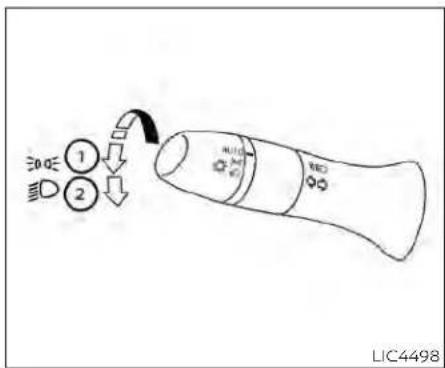
TypeD(ifsoequipped)

Autolightsystem
Theautolightsystemallowstheheadlights toturnonandoffautomatically.Theauto-lightsystemcan:
• Turnontheheadlights, frontparking, tail, licenseplate and instrument panellights automatically when it is dark.
•Turnoffallthelightswhenitislight.
- Keepallthelightsonforaperiodoftime afteryouplacetheignitionswitchinthe OFFpositionandalldoorsareclosed.
NOTE:
Autolightactivationsensitivityandthe timedelayforautolightshutoffcanbe adjusted.
For additional information, see "Vehicle information display-5inch(13cm)Type A"(P.2-18) or "Vehicle information display-7inch(18cm)TypeB"(P.2-34).
Toturnontheautolightsystem:
- For USA: Turn the head lights switch to the AUTO position ①.
ForCAN:Turntheheadlightswitchtothe AUTO ① or position.
- Place the ignition switch in the ON position.
- The autolight system automatically turnstheheadlightsonandoff.
Initially, If the ignitions switch is placed in the OFF position and a door is opened and left open, the headlights remain on for a period of time. If another door is opened while the headlights are on, then the timer is reset.
Toturntheautolightsystemoff:
ForUSA:TurntheswitchtotheOFF(ifso equipped), 3DGE, or ID position.
ForCAN:Turntheswitchtothe position.

Theheadlightswillturnonautomaticallyat twilightorinrainyweather(whenthewindshieldwiperisoperatedcontinuously).
If the ignitions switch is pushed to the OFF position and one of the doors is opened and this condition is continued, the headlights remain on for 5 minutes.
Besureyoudonotputanythingontop oftheautolightsensorlocatedinthetop side ① oftheinstrumentpanel.Theautolightsensorcontrolstheautolight;ifit iscovered,theautolightsensorreactsas ifitisdarkoutandtheheadlightswill illuminate.Ifthisoccurswhileparked withtheengineoffandtheignition switchplacedintheONposition,your vehicle'sbatterycouldbecome discharged.
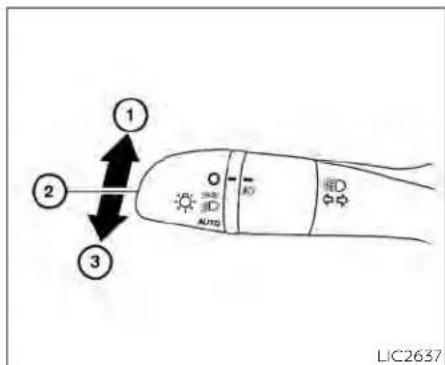
Headlightbeamselect
① Toselectthehighbeamfunction, put the headlightswitch in the ☐ positionand pushthe leverforward. The highbeamlightscomeonandthe ☐ lightilluminatesinthemeter.
② Pull the lever back to select the low beam.
③ Pulling and releasing the lever flashes theheadlighthighbeamsonandoff.
HighBeamAssist
TheHighBeamAssistsystemwilloperate whenthevehicleisdrivenatspeedsofapproximately25mph(40km/h)andabove.If anoncomingvehicleorleadingvehicleappearsinfrontofyourvehiclewhenthe headlighthighbeamison,theheadlight willbeswitchedtothelowbeam automatically.
WARNING
TheHighBeamAssistsystemisa conveniencebutilitisnotasubstitute for safedrivingoperation. Thedriver shouldremainalertatalltimes, ensuresafedrivingpracticesand switchthehighbeamsandlowbeam manuallywhennecessary.
- Thehighbeamorlowbeammaynot switchautomaticallyunderthefollowingconditions.Switchthehigh beamandlowbeammanually.
-Duringbadweather(rain,fog, snow,wind,etc.).
-Whenalightsourcesimilartoa headlighttortaillightisinthevicinityofthevehicle.
-Whentheheadlightsoftheon-
comingvehicleortheleadingve-
hicleareturnedoff,whenthecolor
ofthelightisaffectedduetofor-
eignmaterials onthe lights,or
when the light beam is out of
position.
-Whenthereisasudden,continuouschangeinbrightness.
- When driving on a road that passesoverrollinghills,oraroad thathasleveldifferences.
-Whendrivingonaroadwithmany curves.
-Whenasignormirror-like surface is reflecting intenselighttowards thefrontofthevehicle.
- When the container, etc. being towedbyaleadingvehicleisreflectingintenselight.
-Whenaheadlightonyourvehicle isdamagedordirty.
-Whenthevehicleisleaningatan angleduetoapuncturedtire,beingtowed,etc.
- Thetimingofswitchingthelow beamandhighbeammaychange underthefollowingsituations.
-The brightness of the headlights of the oncoming vehicle or leading vehicle.
-Themovementanddirectionof theoncomingvehicleandthe leadingvehicle.
-Whenonlyonelightontheon-
comingvehicleortheleadingve-
hicleisilluminated.
-Whentheoncomingvehicleorthe leadingvehicleisatwo-wheeled vehicle.
- Road conditions (incline, curve, theroadsurface, etc.).
-Thenumberof passengersand theamountofluggage.

HighBeamAssistoperation
ToactivatetheHighBeamAssistsystem, turntheheadlightswitchtotheAUTOposition ① andpushtheleverforward (highbeamposition).TheHighBeam Assistindicatorlightinthemeterwillilluminatewhiletheheadlightsareturnedon.
If the High Beam Assist indicator light does not illuminate in the above condition, it may indicate that the system is not functioning properly. Havethesystem checked, it is recommended that you visit a NISSAN dealer for this service.
whenthevehiclespeedlowerstolessthan approximately16mph(25km/h),theheadlightusesthelowbeam.
ToturnofftheHighBeamAssistsystem, turntheheadlightswitchtothe positionorselectthelowbeampositionby placingtheleverintheN(Neutral)position.

natural_image
Line drawing of a car seatbelt with a numbered component (no text or symbols)Ambientimagesensormaintenance
Theambientimagesensor ① fortheHigh BeamAssistsystemislocatedinfrontof theinsidemirror.Tomaintaintheproper operationofthehighbeamassistsystem andpreventasystemmalfunction,besure toobservethefollowing:
•Alwayskeepthewindshieldclean.
- Donotattachasticker(includingtransparentmaterial)orinstallanaccessoryneartheambientimagesensor.
- Donotstrikeor damage theareas aroundtheambientimagesensor.Do nottouchthesensorlensthatislocated ontheambientimagesensor.
Instrumentsandcontrols
If the ambient images sensor is damaged due to an accident, it is recommended that you visit a NISSAN dealer.
Batterysaversystem
IftheignitionswitchisplacedintheOFF positionwhiletheheadlightswitchisinthe ORposition,theheadlightswill turnoffafteraperiodoftime.
CAUTION
Even though the battery saver feature automatically turn so off the headlights after a period of time, you should turn the headlights switch to the OFF position when the engine is not running to avoid discharging the vehicle battery.
LEDDAYTIMERUNNINGLIGHTS (DRL)SYSTEM(ifsoequipped)
TheLEDDRLautomaticallyilluminateat 100%intensitywhentheengineisstarted andtheparkingbrakereleased.TheLED DaytimeRunningLights(DRL)operatewith theheadlightswitchinanyposition.When youturntheheadlightswitchtothe positionforfullillumination,theLEDDRL illuminateatalowerintensity.
If the parking brake is applied before the engine is started, the LEDDRL donotilluminate. The LEDDRL illuminate when the parking brake is released. The LEDDRL will remain on until the ignition switch is placed in the OFF position.
Atdusk, theheadlights, interior controls and switches will automatically illuminate if the headlights switch this in the AUTO position.
WARNING
When the LEDDRL system is active, tail light on your vehicle are not on. It is necessary at dusk to turn on your headlights. Failure to dosocould cause an accident injuring yourself and others.
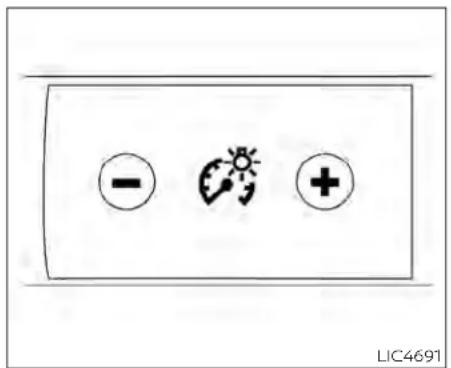
Pressthe" + "buttontoincreasethebrightnessofinstrumentpanellights.
Pressthe"- "buttontodecreasethebrightnessofinstrumentpanellights.

TURNSIGNALSWITCH
Turnsignal
① Movetheleverupordowntosignalthe turningdirection.Whentheturniscompleted,theturnsignalcancels automatically.
Lanechangesignal
② Movetheleverupordownuntiltheturn signalbeginstoflash,butthelever doesnotlatch,tosignalalanechange. Holdtheleveruntilthelanechangeis completed.
Movetheleverupordownuntiltheturn signalbeginstoflash,buttheleverdoes notlatch,andreleasethelever.Theturn signalwillautomaticallyflashthreetimes. Choosetheappropriatemethodtosignal alanechangebasedonroadandtraffic conditions.
NOTE:
The3flashpassfeaturemaybedisabled. Foradditionalinformation,see"Vehicle informationdisplay-5inch(13cm)Type A"(P.2-18)or"Vehicleinformation display-7inch(18cm)TypeB"(P.2-34).
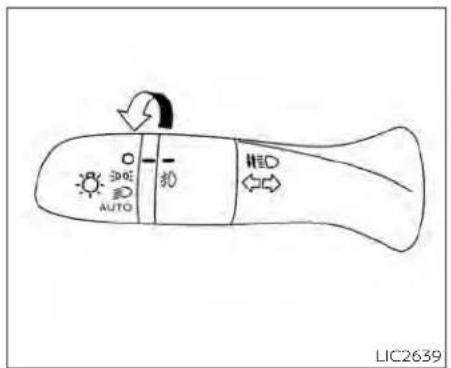
TypeA(ifsoequipped)
FOGLIGHTSWITCH(ifso equipped)
Toturnthefoglightson,turntheheadlight switchtothe position,thenturnthe foglightswitchtothe position.
Toturnthefoglightsonwiththeheadlight switchintheAUTOposition,theheadlights mustbeon,thenturnthefoglightswitchto the 0 position.
Toturnthefoglightsoff,turnthefoglight switchtotheOFFposition.

TypeB(ifsoequipped)
Theheadlightsmustbeonandthelow beamsselectedforthefoglightstooperate.Thefoglightsautomaticallyturnoff whenthehighbeamheadlightsare selected.
HORN

natural_image
Diagram of a steering wheel with a black arrow indicating clockwise direction (no text or symbols)Tosoundthehorn, pushnearthehornicon onthesteeringwheel.
WARNING
Donotdisassemblethehorn.Doingso couldaffectproperoperationofthe supplementalfrontairbagsystem. Tamperingwiththesupplemental frontairbagsystemmayresultinseriouspersonalinjury.
HEATEDSEATSWITCHES(ifso equipped)

natural_image
Two identical diagrams showing a car interior with hand gestures and dashboard, no text or symbols present.WARNING
Donotuseorallowoccupantstouse theseatheaterifyourtheoccupants cannotmonitorelevatedseattemperaturesor haveaninabilityto feel paininbody parts thatcontactthe seat.Use of theseatheater bysuch peoplecouldresultinserious injury.
CAUTION
The battery could drundown if the seat theater is operated while the engine is not running.
- Donotusetheseatheaterforex-tendedperiodsorwhennooneisusingtheseat.
- Donotputanythingontheseat whichinsulatesheat,suchasablan-ket,cushion,seatcover,etc.Other-wise,theseatmaybecome overheated.
- Donotplaceanythinghardorheavy ontheseatorpierceitwithapinor similar object. This may result in damagetotheheater.
·Anyliquidspilledontheheatedseat shouldbe removed immediately with adrycloth.
- Whencleaningtheseat,neveruse gasoline, benzine, thinner, or any similarmaterials.
·Ifanymalfunctionsarefoundorthe heatedseatdoesnotoperate,turn theswitchoffandhavethesystem checked.Itisrecommendedthatyou visitaNISSANdealerforthisservice.
The front seats are warmed by built-in heaters.
- Place the ignition switch in the ON position.
- Pushtheswitchuntileithertwolights areilluminatedforhighsetting,orone lightisilluminatedforlowsetting.
The heateriscontrolled byathermostat, automatically turning the heateron and off. The indicator light will remain on as long astheswitchison.
- Whentheseatiswarmedorbeforeyou leavethevehicle,besuretopushthe switchtoturnitoff.
HEATEDSTEERINGWHEELSWITCH(if soequipped)

natural_image
Simple line drawing of a car air vent with airflow arrows (no text or symbols)Pushtheheatedsteeringwheelswitchto warmthesteeringwheelaftertheignition switchisplacedintheONposition.The indicatorlightwillcomeon.
If the surfacetemperature of the steering wheelis below 68^ F ( 20^ C), the system will heat the steering wheel and cycle off and on maintain at temperature above 68^ F ( 20^ C). The indicator light will remain on as long asthesystem is on.
Pushtheswitchagaintoturntheheated steeringwheelsystemoffmanually.The indicatorlightwillgooff.
NOTE:
- Onceactivated, your heated steering wheel will automatically turn on and off to maintain temperature above 68^(20^) .
-Whenthetemperatureofthesteering wheelisabove122°F(50°C)andthe heatedsteeringwheelswitchisturned on,thesystemwillnotheathesteeringwheel.Thisdoesnotindicate a malfunction.
STEERINGASSISTSWITCH(for vehicleswithProPILOTAssist)(ifso equipped)

natural_image
Simple black-and-white diagram of a steering wheel inside a rectangular frame (no text or symbols)TheSteeringAssistswitchisusedtoenableanddisabletheSteeringAssistsystemthatisactivatedusingthesettings menuofthevehicleinformationdisplay.
The SteeringAssistsystemcontrolsthe steeringsystem,whenProPILOTAssistis engaged,tohelpkeepyourvehiclenear thecenterofthelanewhendriving.For additionalinformation,see"ProPILOTAssist"(P.5-94)and"IntelligentLaneIntervention(I-LI)("P.5-40).
EMERGENCYCALL(SOS)BUTTON(if soequipped)

TheEmergencycall(SOS)buttonisusedin combinationwithaNissanConnect®Servicessubscriptiontocallforassistancein caseofanemergency.
TheEmergencycallbuttonisundera cover.Pressthecoveronce ①.Thecover willdropdown,exposingtheEmergency callbutton.
Pressingthebutton ② will(withapaid subscription)reacharesponsespecialist thatwillprovideassistancebasedonthe situationdescribedbythevehicle'soccupant.Foradditionalinformation,ortoenroll yourvehicle,refertowww.NissanUSA.com/connectorcall855-426-6628.
REARDOORALERT
TheRearDoorAlertsystemfunctionsundercertainconditionstoindicatethere maybeanobjectorpassengerintherear seat(s).Checktheseat(s)beforeexitingthe vehicle.
TheRearDoorAlertsystemisinitiallydisabled. Thedrivercanenablethesystem usingthevehicleinformationdisplay. For additionalinformation,see"Vehicleinformationdisplaywarningsandindicators" (P.2-28or2-45).
Whenthesystemisenabled:
- Thesystemisactivatedwhenarecardoor isopenedandclosedwithin10minutesof thevehiclebeingdriven.Whenthedriver doorisclosedandthesystemisactivated,avisualmessageappearsinthe vehicleinformationdisplay.Foradditional Information,see"RearDoorAlertisactivated(P.2-29or2-45)
- Ifareardoorisopenedandclosedbut thevehicleisnotdrivenwithinapproximately10minutes,thesystemwillnotbe activated.Areardoormustbeopened andclosedandthecardrivenwithin10 minutesforthesystemtoactivate.
When the Rear Door Alert system is activated:
-When the driver put the vehicle in the Park position, an otification message appears in the vehicle information display with the option to "Dismiss Message" or "Disable Alert" if desired.
-Select"DisableAlert"totemporarily disableforthatstop.
•Noselectionor'DismissMessage"will keepthealertenabledforthatstop.
- If the alertisenabled when a driver exits the vehicle, amessagewillappear in the vehicle information display that states "CheckBackSeatForAllArticles."
If Horn&Alert'settingisselected: •Anaudiblehornsoundwilloccurafter ashorttimeunlessareardooris openedandclosedwithinashorttime todeactivatethealert.
- If the doors are locked before the alert is deactivated by opening a reardoor, the horn will sound.
- If the trunk is opened before are a door is opened, the horn will be delayed until after the trunk is closed.
NOTE:
If"AlertOnly"settingisselected,the messagealertwillstillbeshowninthe vehicleinformationdisplaybutthehorn willnotsound.
WARNING
- If the driver selects "Disable Alert", no audiblealertwillbeprovidedregard-lessofreardooropen/closestatus.
- Theremaybetimeswhenthereisan object orpassenger in therear seat(s)buttheaudiblealertdoesnot sound. Forexample, thismay occur if rear seat passengers enter or exit the vehicleduringatrip.
- Thesystemdoesnotdirectlydetect objectorsorpassengersintherear seat(s).Instead, itcandetectwhen a reardoorisopenedandclosed, indicating that theremaybesomething intherearseat(s).
NOTE:
There may be times when the horn soundsbuttherearenoobjectsorpassengersintherearseat(s).
Foradditionalinformation,see"RearDoor Alertisactivated(P.2-29or2-45)
POWEROUTLET

InstrumentPanel
The power outlet is for powering electrical accessories such as cellular telephones. It is rated at 12 volt, 120W (10A) maximum.
The power outlet is powered only when the ignition switch is in the AUTOAC Cor ON position.
CAUTION
Theoutletandplugmaybehotdur-
ingorimmediatelyafteruse.
- Only certain power outlets are designed for use with a cigarette lighter unit. Donot use any other power outlet for an accessory lighter. For additional information, it is recommended that you visit a NISSAN dealer.
- Donotusewithaccessoriesthatexceeda12volt,120W(10A)powerdraw.
- Donotusedoubleadaptersormore thanoneelectricalaccessory.
- Usepoweroutletswiththeengine runningtoavoiddischargingthevehiclebattery.
- Avoidusingpoweroutletswhenthe air conditioner, headlights, or rear windowdefrosterison.
·Beforeinsertingordisconnectinga plug, besuretheelectricalaccessory being usedisturnedOFF.
- Pushthepluginasfarasitwillgo.If goodcontactisnotmade,theplug mayoverheatortheinternaltemperaturefusemayopen.
- When not in use, besuretoclosethe cap. Donotallowwateroranyother liquid to contact the outlet.
USB/iPod®CHARGINGPORT(ifso equipped)

natural_image
Line drawing of a car front view showing the dashboard and seat area with two labeled buttons (no text or symbols beyond basic labels)ThereisaUSB/iPod®chargingportlocated ontherearcenterconsole. Thisportwill chargecompatibledevices.
NOTE:
OnlytheUSBconnectionportlocated belowtheinstrumentpanelwillallow operationoftheUSB/iPod®devices throughtheaudiosystem.
EXTENDEDSTORAGESWITCH

natural_image
Line drawing of a vehicle's rearview seat and dashboard (no text or symbols)Theextendedstorageswitchisusedwhen shippingthevehicle.Itislocatedinthefuse paneltotheleftofthesteeringwheelon theinstrumentpanel.Ifanyelectrical equipmentdoesnotoperate,ensurethe extendedstorageswitchispushedfully in place,asshown.

natural_image
Diagram showing a mechanical component before and after assembly, with no visible text or symbolsPulledposition
2-70 Instrumentsandcontrols
STORAGE

natural_image
Technical line drawing of a mechanical assembly with an arrow indicating direction (no text or symbols)Pushedposition

natural_image
Line drawing of a car interior showing the side panel and vent, with no text or symbols present.
natural_image
Line drawing of a car rear seat with a black arrow indicating direction (no text or symbols)FRONT-DOORPOCKETSSEATBACKPOCKETS(ifso equipped)
Theseatbackpocketsmaybelocatedon thebackofthedriver'sand/orpassenger's seats.Thepocketscanbeusedtostore maps.
WARNING
Toensureproperoperationofthedriver'sand/orfrontpassenger'sNISSAN AdvancedAirBagSystem(ifso equipped),pleaseobservethefollowingitems:
- Donotallowapassengerintherear seattopushorpullontheseatback pocketorheadrestraint/headrest.
·Donotplaceheavyloadsheavier than9.1lbs.(4kg)ontheseatback, headrestraint/headrestorinthe seatbackpocket.

GLOVEBOX
Openthegloveboxbypullingthehandle. Usethemasterkeywhenlocking ① or unlocking ② theglovebox(ifgloveboxkey cylinderisequipped).
WARNING
Keepgloveboxlidclosedwhiledriving tohelppreventinjuryinanaccidentor asuddenstop.

CONSOLEBOX
Toopentheconsolebox,pressinonthe lever ① andraisethelid ②.
Toclose, pushtheliddownuntilthelock latches.

OVERHEADSUNGLASSES STORAGE
Toopenthesunglassesholder, pushand release.
Onlystoreonepairofsunglassesinthe holder.
WARNING
Keepthesunglassesholderclosed whiledrivingtoavoidobstructingthe driver'sviewandtohelppreventan accident.
CAUTION
- Donotuseforanythingotherthan sunglasses.
- Donotleavesunglassesinthesun-glassesholderwhileparkingindirect sunlight.Theheatmaydamagethe sunglasses.

natural_image
Line drawing of a car interior showing hand using wrench to adjust controls with a magnified inset (no text or symbols)Front
CUPHOLDERS
Therearcentercupholdersarelocatedin therearfold-downarmrest.
CAUTION
- Avoid abrupt starting and braking when the cupholder is being used to prevent spilling the drink. If the liquid is hot, it cans cald you or your passenger.
- Useonlysoftcupsinthecupholder. Hardobjectscaninjureyouinan accident.

natural_image
Line drawing of a car seatbelt with a black arrow indicating clockwise motion (no text or symbols)Rear

natural_image
Line drawing of a car door frame with an arrow indicating direction (no text or symbols)Softbottleholder(front)

natural_image
Technical line drawing of a car door frame with an arrow indicating a component (no text or symbols present)Softbottleholder(rear)
Softbottleholder
CAUTION
- Donotusebottleholderforanyother objectsthatcouldbethrownaboutin thevehicleandpossiblyinjure peopleduringsuddenbrakingoran accident.
- Donotusebottleholderforopenliquidcontainers.
2-74Instrumentsandcontrols
WINDOWS
POWERWINDOWS
WARNING
- Makesurethatallpassengershave theirhands,etc.,insidethevehicle whileitisinmotionandbeforeclosingthewindows.Usethewindow lockswitchtopreventunexpected useofthepowerwindows.
·Tohelpavoidriskofinjuryordeath throughunintendedoperationofthe vehicleand/oritssystems,including entrapmentinwindowsorinadvertentdoorlockactivation,donot leavechildren,peoplewhorequire theassistanceofothersorpetsunattendedinyourvehicle.Additionally, thetemperatureinsideaclosedvehicleonawarmdaycanquicklybecomehigenoughtocauseasignificantriskofinjuryordeathtopeople andpets.
The power windows operate when the ignition switch is placed in the ON position or for a period of time after the ignition switch is placed in the OFF position. If the driver's or passenger's door is opened during this period of time, the power to the windows is canceled.
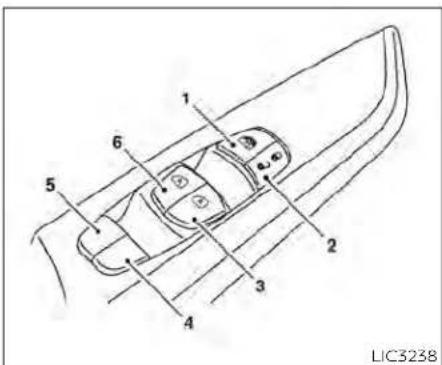
- Window lockswitch
2.Powerdoorlockswitch
3.Frontpassengersideautomaticswitch (ifsoequipped) - Right rearpassengersideswitch
5.Left rearpassengersideswitch
6.Driver'ssideautomaticswitch
Driver'ssidepowerwindow switch
Thedriver'ssidecontrolpanelisequipped withswitchestooopenorcloseallofthe windows.
Toopenawindow, pushtheswitchtothe detent and continue to hold down until the desired window position is reached. To closeawindow, pulltheswitchtothedetentandcontinuetoholdupuntilthedesired windowpositionisreached.

natural_image
Top-down line drawing of a car with directional arrows indicating movement or flow (no text or symbols)Frontpassenger'spowerwindow switch
Thepassenger'swindowswitchoperates onlythecorrespondingpassenger'swindow.Toopentthewindowpartially,pushthe switchdownlightlyuntilthedesiredwindowpositionisreached.Toclosetthewindow,pulltheswitchupuntilthedesired windowpositionisreached.

Rearpowerwindowswitch
Therearpowerwindowswitchesopenor closeonlythecorrespondingwindows.To openthewindow,pushtheswitchandhold itdown ① Toclosethewindow,pullthe switchup ②.
Lockingpassengers'windows
whenthewindowlockswitchisdepressed, onlythedriver'ssidewindowcanbe openedorclosed.Pushitagaintocancel thewindowlockfunction.

Automaticoperation
Tofullyopenawindowequippedwithautomaticoperation,pushthewindow switchdowntothesecondetentandreleaseit;itneednotbeheld.Thewindow automaticallyopensalltheway.Tostop thewindow,lifttheswitch upwhilethe windowisopening.
Tofullycloseawindowequippedwithautomatic operation, pull the switch up to the seconddetentandreleaseit; itneednot be held. Thewindowautomaticallyclosesall the way. To stop the window, push the switchdownwhilethewindowisclosing.
2-76 Instruments and controls
MOONROOF(ifsoequipped)
Auto-reversefunction
If the control unit detect something caught in the window was it disclosing, the window will be immediately lowered.
Theauto-reversefunctioncanbeactivatedwhenthewindowisclosedbyautomaticoperationwhentheignitionswitchisplacedintheONpositionorforaperlodoftimeaftertheignitionswitchisplacedintheOFFposition.
Depending on the environment or driving conditions, the auto-reverse function may be activated if an impactor loads similar to something being caught in the window occurs.
WARNING
Therearesomesmalldistancesimmediatelybeforetheclosedposition whichcannotbedetected.Makesure thatallpassengershavetheirhands, etc.,insidethevehiclebeforeclosing thewindow.
Whenpowerwindowswitchdoes notoperate
If the power window automatic function (closing only) does not operate properly,
performthefollowingproceduretoinitializethepowerwindowsystem:
- Place the ignition switch in the ON position.
- Openthewindowmorethanhalfway by operating the power window switch.
- Pull the power window switch and hold it toclosethewindow, and then hold the switch more than 3 seconds after the window is closed.
- Releasethepowerwindowswitch.Operatethe window bythe automatic functiontoconfirmtheinitializationis complete. The power window automatically opens or closes depending on if the automatic down or up function is selected.
- Performsteps2 through 4 above for other windows.
If the power window function does not operate properly after performing the above procedure havethesystem checked and repaired. It is recommended that you visit a NISSAN dealer forth this service.
flowchart
graph TD
    A["1"] --> B["2"]
    B --> C["3"]
    C --> D["4"]
    style A fill:#f9f,stroke:#333
    style B fill:#ccf,stroke:#333
    style C fill:#cfc,stroke:#333
POWERMOONROOF
Themoonroofwillonlyoperatewhenthe ignitionswitchisplacedintheONposition. Thepowermoonroofisoperationalfora periodoftime,eveniftheignitionswitchis placedintheAUTOACCorOFFposition.If thedriver'sdoororthefrontpassenger's doorisopenedduringthisperiodoftime, thepowertothemoonroofiscanceled.
Slidingthemoonroof
Tofullyopenorclosethemoonroof,push theswitchtotheopen ① orclose ② positionandreleaseit;itneednotbeheld.The
Instrumentsandcontrols2-77
roofwillautomaticallyopenorcloseallthe way.Tostoptheroof,pushtheswitchonce morewhileitisopeningorclosing.
Tiltingthemoonroof
Totiltup,firstclosethemoonroof,then pushtheswitch ③ andreleaseit,itneed notbeheld.Totiltdownthemoonroof, pushtheswitchtothetiltdownposition ②.
Resettingthemoonroofswitch
Ifthemoonroofdoesnotoperateproperly, performthefollowingprocedureinitializethemoonroofoperationsystem.
- Ifthemoonroofisopen, closeitfully by repeatedly pushingthemoonroof switchtotheclosedposition ②.
2.Pushandholdtheswitchtotheclosed position ② forapproximately15 seconds. - Releasetheswitchafterthemoonroof movesup, down, thenback to the full tilt up position.
-
Pushandholdtheswitchtotheclosed position ②.
-
Releasetheswitchafterthemoonroof completesonefullcyclefromthetiltup positiontotheclosedposition, thento theopenposition, andagaintothefully closedposition.
- Checkifthemoonroofswitchoperates normally.
Ifthemoonroofdoesnotoperateproperly after performing the procedure above, haveyourvehicleserviced.ItisrecommendedthatyouvisitaNISSANdealerfor thisservice.
Auto-reversefunction(when closingortiltingdownthe moonroof)
The auto-reverse function can be activated when the moonroof is closed or tilted down by automatic operation when the ignition switch is placed in the ON position or for a period of time after the ignition switch is placed in the OFF position.
Dependingontheenvironmentordrivingconditions,theauto-reversefunctionmaybeactivatedifanimpactor loadsimilartosomethingbeingcaughtinthemoonroofoccurs.
WARNING
Therearesomesmalldistancesimmediately before the closed position which cannot be detected. Makesure that all passengers have their hands, etc., insidethevehiclebeforeclosing themoonroof.
Whenclosing
If the control unit detects something caughtinthemoonroofasitmovestothe front,themoonroofwillimmediatelyopen backward.
Whentiltingdown
If the control unit detects something caughtinthemoonroofasittiltsdown,the moonroofwillimmediatelytiltup.
If the auto-reverse function malfunctions and repeats opening or tilting up the moonroof; keep pushing the tilt down switch within 5 seconds after it happens; the moonroof will fully close gradually. Make sure nothing is caught in the moonroof.
INTERIORLIGHTS
WARNING
·Inanaccidentyoucouldbethrown fromthevehiclethroughanopen moonroof.Alwaysuseseatbeltsand childrestraints.
- Donotallowanyonetostandupor extendanyportionoftheirbodyout ofthemoonroofopeningwhilethe vehicleisinmotionorwhilethe moonroofisclosing.
CAUTION
-Removewaterdrops,snow,iceor sandfromthemoonroofbefore opening.
- Donotplaceheavyobjectsonthe moonrooforsurroundingarea.
Sunshade
Openandclosethesunshadebyslidingit forwardorbackward.
Ifthemoonroofdoesnotclose
Haveyourmoonroofcheckedandre-paired.Itisrecommendedthatyouvisita NISSANdealerforthisservice.

LIC4906
① Theinteriorlightcanbeturnedonregardlessofdoorposition. Thelightwill gooffafteraperiodoftimeunlesssthe ignitionswitchisplacedin the ONpositionwhenanydoorisopened.
② The interior lights can be set to operate whenthedoorsare opened. Toturnoff theinteriorlightswhenadoorisopen, pushtheswitch,theinteriorlightswill notilluminate,regardlessofdoorposition.
Thelightswillgooffwhentheignition switchisplacedintheONposition,or thedriver'sdoorisclosedandlocked. Thelightswillalsogooffafteraperiod oftimewhentedoorsareopen.
NOTE:
Thesteplights(ifsoequipped)illuminate when the driver and passenger doors areopenedregardlessoftheinteriorlightswitchposition.Theselights willturnoffautomaticallyafteraperiod oftimewhiledoorsareopentoprevent thebatteryfrom becomingdischarged.
CAUTION
Do not use for extended periods of time with the engine stopped. This could result in discharged battery.
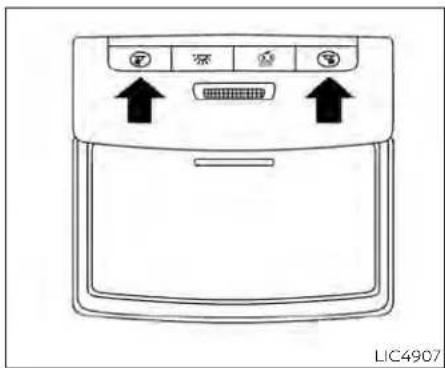
MAPLIGHTS
Toturnthemaplightson, pushthe switches. Toturnthemoff, pushthe switches again.

Donotuseforextendedperiodsoftime withtheenginestopped.Thiscouldresultinadischargedbattery.

PERSONALLIGHTS
Toturntherearpersonallightson,pushthe switch.Toturnthemoff,pushtheswitch again.
TRUNKLIGHT
Thelightilluminateswhenthetrunklidis opened. Whenthetrunklidisclosed, the lightgoesoff.
Thelightwillgooffafteraperiodoftimeif thetrunklidisleftopen,unlesstheignition switchisplacedintheONposition.
For additional information, see "Exterior and interior lights" (P.8-26).
HOMELINK®UNIVERSAL TRANSCEIVER(ifsoequipped)
TheHomeLink®UniversalTransceiverprovidesaconvenientwaytoconsolidatethe functionsofuptothreeindividualhand-heldtransmittersintoonebuilt-indevice.
HomeLink®UniversalTransceiver:
- Willoperatemostradiofrequencydevicessuchasgaragedoors,gates,home andofficelighting,entrydoorlocksand securitysystems.
- lspoweredbyyourvehicle'sbattery.No separatebatteriesarerequired.Ifthevehicle'sbatteryisdischargedorisdisconnected,HomeLink®willretainall programming.
WhentheHomeLink®UniversalTransceiverisprogrammed,retaintheoriginal transmitterforfutureprogrammingprocedures(Example:newvehiclepur-chases).Uponsaleofthevehicle,the programmed HomeLink® Universal Transceiverbuttonsshouldbeerasedfor securitypurposes. Foradditional information,see "ProgrammingHomeLink®" (P. 2-81).
WARNING
- Your vehicle's engine should be turnedoffwhileprogrammingthe HomeLink®UniversalTransceiver.For additional information, see "Push-button ignition switch" (P. 5-13). Do notbreatheexhaustgases;theycontaincolorlessandodorlesscarbon monoxide. Carbonmonoxideisdangerous.It cancause unconsciousness ordeath.
- DonotusetheHomeLink®Universal Transceiver with any garage door opener that lacks safety stop and reverse features asrequired by federal safety standards.(Thesestandards became effective for opener models manufactured after April 1, 1982.) A garagedooropener which cannot detect an object in the path of a closing garagedoor and then automatically stop and reverse does not meet current federal safety standards. Using agaragedooropener without these features increases the risk of serious injury or death.
·During the programming procedure your garagedoor security gate will open and close (if the transmitter is within range). Make sure that people or objects are clear of the garage door, gate, etc., that you are programming.
PROGRAMMINGHOMELINK®
If you have any questions or are having difficulty programming your HomeLink® buttons, refertotheHomeLink® websiteat: www.homelink.comorcall1-800-355-3515.
NOTE:
PlacetheignitionswitchintheONposition(withoutstartingtheengine)when programmingHomeLink®.Itisalsorecommendedthatanewbatterybeplaced inthehand-heldtransmitterofthedevice beingprogrammed toHomeLink® for quickerprogramming andaccurate transmission of theradio frequency.

- Position the end of your hand-held transmitter 1-3 in (2-8 cm) away from the HomeLink® surface, keeping the HomeLink® indicator light ① in view.
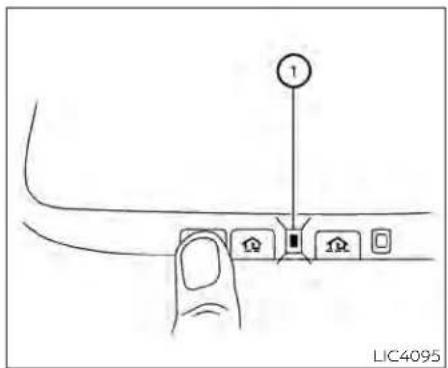
- Using both hands, simultaneously press and hold the desired Home Link button and hand-held transmitter button. DO NOT release until the Home Link indicator light flashess lowly and then rapidly. When the indicator light flashes rapidly, both buttons may be released. (The rapid flashing indicates successful programming.)
NOTE:
Somedevicesmayrequireyoutoreplace Step2withthecyclingprocedurenoted in"ProgrammingHomeLink®forCanadiancustomersandgateopeners"inthis section.
- Pressandholdtheprogrammed HomeLink® buttonandobservetheindicatorlight.
- Iftheindicatorlight ⓘ issolid/ continuous,programmingiscomplete andyourdevicesshouldactivatewhenthe HomeLink®buttonispressedand released.
- Iftheindicatorlight ① blinksrapidlyfor2 seconds and then turns to a solid/ continuouslight, continue withSteps 4-6forarollingcodedevice. Asecond personmaymakethefollowingsteps easier. Use the other device. Do notstandonyourvehicletoperformthe nextsteps.
4.Atthereceiverlocatedonthegarage dooropenermotorinthegarage,locate the"learn"or"smart"button(thename andcolorofthebuttonmayvaryby manufacturerbutilisusuallylocated nearwherethehangingantennawireis attachedtotheunit).ifthereisdifficulty locatingthebutton,referencethegaragedooropener'smanual.
- Pressandreleasethe"learn"or"smart" button.
NOTE: Oncethebuttonispressed,youhaveapproximately30secondstoinitiatethe nextstep.
-
Return to the vehicle and firmly press and hold the trained HomeLink® button for 2 seconds and release. Repeat the "press/hold/release" sequence up to threetimester completing the training process. HomeLink® should now activate your rolling code equipped device.
-
If you have any questions or are having difficulty programming your HomeLink® buttons, referto the HomeLink® website at: www.homelink.com or call 1-800-355-3515.
PROGRAMMINGHOMELINK® FOR CANADIANCUSTOMERSANDGATE OPENERS
Canadian radio-frequency laws require transmittersignalsto"time-out"(orquit) afterseveralsecondsoftransmission—which may not be long enough for HomeLink®topickupthesignalduring training.SimilartothisCanadianlaw,some U.S.gateoperatorsaredesignedto"timeout"inthesamemanner.
If you live in Canada, you are having difficultiestraining agateoperator or garage dooropener by using the "Training" procedures, replace "ProgrammingHomeLink®" step2 with the following:
NOTE:
When programming a garage door opener,etc.,unplugthedeviceduring the "cycling" processtopreventpossible damagetothegaragedooropener components.
-
For additional information, see "ProgrammingHomeLink®" step1, (P.2-81).
-
Using both hands, simultaneously press and hold the desired HomeLink® button and the hand-held transmitter button. During training, your hand-held transmit may automatically stop transmitting. Continuetopress and hold the desired HomeLink® button while you press and re-press ("cycle") your hand-held transmitter every 2 seconds until the frequency signal has been learned. The HomeLink® indicator light will flash slowly and then rapidly after several second suponsuccessful training. DO NOT release until the HomeLink® indicator light flashes slowly and then rapidly. When the indicator light flashes rapidly, both button may be released. Therapid flashing indicates successful training. Proceed with "Programming HomeLink® step 3 to complete. If the device was unplugged during the programming procedure, remembered to plug it back in when programming is completed.
Forconvenience, the hand-held transmitter of the device may also be used at any time.
PROGRAMMINGTROUBLE-DIAGNOSIS
If the HomeLink® does not quickly learn the hand-held transmitter information:
•Replacethehand-heldtransmitterbatterieswithnewbatteries.
- Positionthehand-heldtransmitterwith itsbatteryareafacingawayfromthe HomeLink®surface.
- PressandholdboththeHomeLink® and hand-heldtransmitterbuttonswithout interruption.
- Positionthehand-heldtransmitter 1 - 3 inches (26 - 76 mm) away from the HomeLink® surface.Holdthetransmitter in that position forupto15seconds.If HomeLink® is not programmed within that time,tryholdingthetransmitterin another position-keepingthe indicator lightinviewatalltimes.
If you have any questions or are having difficulty programming your HomeLink® buttons, refertotheHomeLink® websiteat: www.homelink.comorcall1-800-355-3515.
CLEARINGTHEPROGRAMMED INFORMATION
The following procedure clear the programmed information from both buttons. Individual buttonscannotbecleared. However, individual buttons can be reprogrammed. For additional information, see "Reprogramming asingleHomeLink®button" (P.2-84).
Toclearallprogramming:
- PressandholdthetwoouterHomeLink® buttonsuntiltheindicatorlightbeginstoflash inapproximately 10 seconds. Do notholdforlongerthan20 seconds.
- Release both buttons.
HomeLink®isnow intheprogramming modeandcanbe programmedatany time beginning with "Programming HomeLink®"-Step1.
REPROGRAMMINGASINGLE HOMELINK®BUTTON
To reprograma HomeLink®Universal Transceiverbutton,completethefollowing:
-
PressandholdthedesiredHomeLink® button.DONOTreleasethebutton.
-
The indicator light will begin to flash after 20 seconds. Without releasing the HomeLink® button, proceed with "ProgrammingHomeLink®"-Step1(P.2-81).
For questions or comments, contact HomeLink® at:www.homelink.comor1-800-355-3515(exceptMexico).
TheHomeLink®UniversalTransceiverbutton hasnow been reprogrammed. The newdevicecanbeactivatedbypressing theHomeLink®buttonthatwasjustprogrammed. This procedure will not affect any other programmed HomeLink® buttons.
IFYOURVEHICLEISSTOLEN
If your vehicle is stolen, you should change the codes of any non-rolling coded device that has been programmed into HomeLink®. Consult the Owner's Manual of each device or call them manufacturer or dealer of those devices for additional information.
When your vehicle is recovered, you will need to reprogram the HomeLink® Universal Transceiver with your new transmitter information.
FCCNotice:
ForUSA:
ThisdevicecomplieswithPart15ofthe FCCRules.Operationissubjecttothefollowingtwoconditions:(1)Thisdevice maynotcauseharmfulinterference,and (2)thisdevicemustacceptanyinterferencereceived,including interference thatmaycauseundesiredoperation.
NOTE:
Changesormodificationsnotexpressly approvedbythe partyresponsible for compliancecouldvoidtheuser'sauthoritytooperatetheequipment.
ForCanada:
This device contains licence-exempt transmitter(s)/receiver(s) that comply with Innovation, Science and Economic Development Canada's licence-exempt RSS(s). Operation is subject to the following two conditions: (1) This device may not cause interference. (2) This device must accept any interference, including interference that may cause undesired operation of the device.
MEMO
2-86 Instrumentsandcontrols
3Pre-drivingchecksandadjustments
Keys 3-2
NISSANIntelligentKey®(ifsoequipped)....3-2
NISSANVehicleImmobilizerSystem
keys 3-4
Doors 3-4
Lockingwithkey....3-5
Lockingwithinsidelockknob....3-6
Lockingwithpowerdoorlockswitch....3-6
Automaticdoorlocks. 3-6
Childsafetyreardoorlock 3-7
NISSANIntelligentKey®(ifsoequipped)....3-7
Operatingrange....3-9
Doorlocks/unlocksprecaution....3-9
NISSANIntelligentKey®operation....3-10
Howtousetheremotekeylessentry
function....3-14
Warningsignals. 3-16
Troubleshootingguide....3-16
RemoteEngineStart 3-19
RemoteEngineStartoperatingrange ..... 3-19
Remotestartingthevehicle. 3-20
Extending engine run time 3-20
Canceling a Remote Engine Start 3-20
ConditionstheRemoteEngineStartwill
notwork....3-21
Hood 3-22
Trunk lid 3-22
Openeroperation....3-22
Interiortrunklidrelease....3-24
Interior trunk access 3-24
Telescopicoperation 3-27
Sun visors 3-28
Vanity mirrors 3-29
Mirrors 3-29
Manualanti-glareearviewmirror
(if so equipped)....3-29
Automaticanti-glareareviewmirror
(if so equipped) 3-29
Outsidemirrors.... 3-30
Memoryseat(ifsoequipped) 3-31
Memory storage function 3-31
Memorystoragefunction(switch)....3-32
Entry/exitfunction....3-33
Systemoperation....3-33
KEYS

- IntelligentKeys(twosets)
- Mechanicalkey
- Keynumberplate(oneplate) NISSANINTELLIGENTKEY®(ifso equipped)
Yourvehiclecanonlybedrivenwiththe IntelligentKeyswhichareregisteredto yourvehicle'sIntelligentKeysystemcomponentsandNISSANVehicleImmobilizer Systemcomponents.
Neverleavethesekeysinthevehicle.
AsmanyasfourIntelligentKeyscanbe registeredandusedwithonevehicle.The newkeysmustberegisteredpriortouse withtheIntelligentKeysystemandNISSAN VehicleImmobilizerSystemofyourvehicle. ItisrecommendedthatyouvisitaNISSAN dealerforthisservice.SincetheregistrationprocessrequireserasingallmemoryIn theIntelligentKeycomponentswhenregisteringnewkeys,besuretotakeallIntelligentKeysthatyouhavetotheNISSAN dealer.
Akeynumberplateissuppliedwithyour keys.Recordthekeynumberandkeepitin asafeplace(suchasyourwallet),notinthe vehicle.Ifyouloseyourkeys,itisrecommendedthatyouvisitaNISSANdealerfor duplicatesbyusingthekeynumber. NISSANdoesnotrecordkeynumberssoit isveryimportanttokeeptrackofyourkey numberplate.
Akeynumberisonlynecessarywhenyou havelostallkeysanddonothaveoneto duplicatefrom.Ifyoustillhaveakey,itcan beduplicated without knowingthekey number.
CAUTION
ListedbelowareconditionsoroccurrenceswhichwilldamagetheIntelligentKey:
- Do not allow the Intelligent Key, which contains electrical components, to come into contact with water or salt water. This could affect the system function.
- DonotdroptheIntelligentKey.
- Do not strike the Intelligent Key sharplyagainstanotherobject.
- DonotchangeormodifytheIntelligentKey.
- WettingmaydamagethelIntelligent Key.IftheIntelligentKeygetswet, immediately wipe until it is completely dry.
- DonotplacetheIntelligentKeyforan extended periodin anareawhere temperaturesexceed140°F(60°C).
- DonotattachtheIntelligentKeywith akeyholderthatcontainsamagnet.
- Donotplaceth Intelligent Keynear equipment that produces electromagnetic field, such as a TV, audio equipment and personal computers.
3-2 Pre-driving checks and adjustments
IfanIntelligentKeyislostorstolen,NISSAN recommendserasingtheIDcodeofthat IntelligentKeyfromthevehicle.Thismay preventtheunauthorizeduseoftheIntelligentKeytooperatethevehicle.Forinformationregardingtheerasingprocedure,it IsrecommendedthatyouvisitaNISSAN dealer.

Mechanicalkey
The Intelligent Key contain sthemechanical key.
Toremovethemechanicalkey, releasethe lockknobonthebackoftheIntelligentKey.
Toinstallthemechanicalkey,firmlyinsertit intotheIntelligentKeyuntilthelockknob returnstothelockposition.
Usethemechanicalkeytolockorunlock thedoorsandglovebox(ifgloveboxkey cylinderexists).
For additional information, see "Doors" (P.3-4) and "Storage" (P.2-71).
CAUTION
AlwayscarrythemechanicalkeyinstalledintheIntelligentKeyslot.
Valethand-off(ifgloveboxkey cylinderexists)
whenyouhavetoleaveakeywithavalet, givethemthelIntelligentKeyitselfandkeep themechanicalkeywithyoutoprotect yourbelongings.
Topreventthegloveboxfrombeing openedduringvalethand-off,followthe proceduresbelow:
-
Removethemechanicalkeyfromthe IntelligentKey.
-
Lockthegloveboxwiththemechanical key.
3.HandtheIntelligentKeytothevaletand keepthemechanicalkeywithyou.
Foradditionalinformation,see"Storage" (P.2-71).
DOORS
Ifyoustillhaveakey,thekeynumberisnot necessarywhenyouneedextraNISSAN VehicleImmobilizerSystemkeys.Youre listingkeycanbeduplicatedwithoutknow-ingthekeynumber.Asmanyasfour NISSANVehicleImmobilizerSystemkeys canbeusedwithonevehicle.Youshould bringallNISSANVehicleImmobilizerSystem keysthatyouhavetotheNISSAN dealerforregistration. Thisisbecausethe registrationprocesswillerasethememory ofallkeycodespreviouslyregisteredinto theNISSANVehicleImmobilizerSystem. After theregistrationprocess,thesecomponentswillonlyrecognizekeyscodedinto theNISSANVehicleImmobilizerSystem duringregistration.Anykeythatisnot giventothedealeratthetimeofregistrationwillnolongerbeabletostartyour vehicle.
CAUTION
Donotallowtheimmobilizersystem key, which contains an electrical transponder, to come into a contact with water or saltwater. This could affect system function.
Whenthedoorsarelockedusingoneofthe followingmethods,thedoorscannotbe openedusingtheinsideoroutsidedoor handles. Thedoorsmustbeunlockedto openthedoors.
WARNING
·Alwayshavethedoorslockedwhile driving. Alongwiththeuseofseat belts, thisprovidesgreatersafety in the event of an accident by helping to prevent persons from being thrown from the vehicle. This also helps keep children and others from unintentionally opening the doors, and will help keep out intruders. · Before opening any door, always loo for and avoid on coming traffic.
3-4 Pre-drivingchecksandadjustments
To help avoid risk of injury or death through unintended operation of the vehicle and/or it systems, including entrapment windows and/or inadvertent door lock activation, donot leave children, people who require the assistance of others and/or pets unattended in your vehicle. Additionally, the temperature inside is closed vehicle on a warm day can quickly become high enough to cause significant risk of injury or death to people and pets.
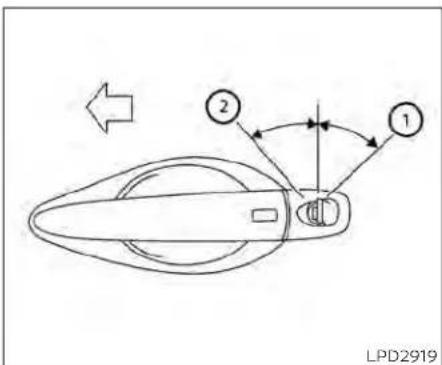
Foradditionalinformation,see"Security systems"(P.2-52).
Driver'sside
LOCKINGWITHKEY
Tolockthedoorusingthemechanicalkey, turnthekeytowardtherearofthevehicle
①. This will only lock the corresponding door and will not activate these security system. To arm these security system, pressthe
buttonontheIntelligentKey.
Tounlockthecorrespondingdoorusing themechanicalkey,turnthekeytoward thefrontofthevehicle ②. Thiswillonly
unlockthecorrespondingdoorandwillnot disarmthesecuritysystem.

Insidelock
LOCKINGWITHINSIDELOCKKNOB
Tolockthedoorwithoutthekey,movethe insidelockknobtothelockposition ①, thenclosethedoor.
Tounlockthedoorwithoutthekey,move theinsidelockknobtotheunlockposition ②.

flowchart
graph TD
    A["Step 1"] --> B["Lock Icon"]
    C["Step 2"] --> D["Unlock Icon"]
Doorlockswitch
LOCKINGWITHPOWERDOOR LOCKSWITCH
Tolockallthedoorswithoutakey,pushthe doorlockswitch(driver'sorfrontpassenger'sside)tothelockposition ①.when lockingthedoorthisway,becertainnotto leavethekeyinsidethevehicle.
Tounlockallthedoorswithouttakey,push thedoorlockswitch(driver'sorfrontpassenger'sside)totheunlockposition ②.
Lockoutprotection
WiththeIntelligentKeyleftinthevehicle andanydooropen,alldoorswillunlock automaticallyandachimewillsoundafter thedoorisclosed.
ThesefunctionshelptopreventtheIntelligentKeyfrombeingaccidentallylocked insidethevehicle.
AUTOMATICDOORLOCKS
•Alldoorslockautomaticallywhentheve- hiclespeedreaches15mph(24km/h)
- Alldoorsunlockautomaticallywhenthe transmissionisplacedintheP(Park)positionorwhentheignitionswitchis placedintheOFFposition,dependingon theoptionselectedinthe"VehicleSettings"menu.
NOTE:
TheAutoDoorUnlockfeaturecanbe changedusingthe"VehicleSettings" menuonthevehicleinformationdisplay. Foradditionalinformation,see"Vehicle informationdisplay-5inch(13cm)Type A(ifsoequipped)("P.2-18)or"Vehicle informationdisplay-7inch(18cm)Type B(ifsoequipped)("P.2-34).

CHILDSAFETYREARDOORLOCK
Childsafetylockshelppreventtherear doorsfrombeingopenedaccidentally,especiallywhensmallchildrenareinthe vehicle.
Thechildsafetylockleversarelocatedon theedgeofthereardoors.
Whentheleverisintheunlockposition thedoorcanbeopenedfromtheoutside ortheinside.
WhentheleverisintheLOCKposition thedoorcanbeopenedonlyfromthe outside.
NISSANINTELLIGENTKEY®(ifso equipped)
WARNING
•Radiowavescouldadverselyaffect electricmedicalequipment. Those whoseapacemakershouldcontact theelectricmedicalequipment manufacturerforthepossibleinfluencesbeforeuse.
The Intelligent Key transmits radio waves when the buttons are pressed. The FAA advises the radiowaves may affect aircraft navigation and communications systems. Donot operate the Intelligent Key while on an air-plane. Makes sure the buttons are not operated unintentionally when the unit is stored for a flight.
The Intelligent Key can operate all the door locks using theremote control function or pushing therequest switch the vehicle without taking the key out from a pocket or purse. The operating environment and/or conditions may affect the Intelligent Key operation.
Besuretoreadthefollowingbeforeusing theIntelligentKey.
CAUTION
- BesuretocarrytheIntelligentKey withyouwhenoperatingthevehicle. - NeverleavetheIntelligentKeyinthe vehiclewhenyouleavethevehicle.
The Intelligent Key is always communicating with the vehicle as it receives radio waves. The Intelligent Key transmits weak radiowaves. Environmental conditions may interfere with the operation of the Intelligent Key under the following operating conditions:
- whenoperatingnearalocationwhere strongradiowavesaretransmitted,such asaTVtower,powerstationandbroadcastingstation.
-Wheninpossessionofwirelessequipment,suchasacellulartelephone,transceiveroraCBradio.
-WhentheIntelligentKeyisincontactwith orcoveredbymetallicmaterials. - Whenanytypeofradiowaveremotecontrolledisusednearby.
- When the Intelligent Key is placed near an electric appliance such as a personal computer.
- When the vehicle is parked near a parking meter.
Pre-drivingchecksandadjustments
Insuchcases, correct the operating conditions before using the Intelligent Key function or use themechanical key.
Although the life of the battery varies depending on the operating conditions, the battery's life is approximately two years. If the battery is discharged, replace it with a new one.
WhentheIntelligentKeybatteryislow,an indicatorilluminatesinthevehicleinformationdisplay.Foradditionalinformation,see "Vehicleinformationdisplay-5inch(13cm) TypeA(ifsoequipped)("P.2-18)or"Vehicle Informationdisplay-7inch(18cm)TypeB(if soequipped)("P.2-34).
SincetheIntelligentKeyiscontinuouslyreceivingradiowaves,ifthekeyisleftnear equipmentwhichtransmitsstrongradio waves,suchassignalsfromaTVandpersonalcomputer,thebatteryllfemaybecomeshorter.
Foradditionalinformation,see"Batteryreplacement"(P.8-23).
AsmanyasfourIntelligentKeyscanbe registeredandusedwithonevehicle.For informationaboutthepurchaseanduseof additionalIntelligentKeys,itisrecommendedthatyouvisitaNISSANdealer.
CAUTION
ListedbelowareconditionsoroccurrenceswhichwilldamagetheIntelligentKey:
- Do not allow the Intelligent Key, which contains electrical components, to come into contact with water or saltwater. This could affect the system function.
- DonotdroptheIntelligentKey.
- Do not strike the Intelligent Key sharplyagainstanotherobject.
- DonotchangeormodifytheIntelligentKey.
- WettingmaydamagethelIntelligent Key. If the IntelligentKeygetswet, immediately wipe until it is completely dry.
- DonotplacethelIntelligentKeyforan extended period in an area where temperaturesexceed140°F(60°C).
- DonotattachtheIntelligentKeywith akeyholderthatcontainsamagnet.
- Donotplaceth Intelligent Keynear equipment that produces electromagnetic field, such as a TV, audio equipment and personal computers.
IfanIntelligentKeyislostorstolen,NISSAN recommendserasingtheIDcodeofthat IntelligentKeyfromthevehicle.Thismay preventtheunauthorizeduseoftheIntelligentKeytooperatethevehicle.Forinformationregardingtheerasingprocedure,it is recommended that you visit a NISSAN dealer.

OPERATINGRANGE
The Intelligent Key functions can only be used when the Intelligent Key is within the specified operating range from therequest switch ①.
whentheIntelligentKeybatteryisdis- chargedorstrongradiowavesarepresent neartheoperatinglocation, theIntelligent Keysystem'soperatingrangebecomes narrower,andthelIntelligentKeymaynot functionproperly.
Theoperatingrangeiswithin31.50in(80 cm)fromeachrequestswitch ①.
If the Intelligent Key ist ooclosetothedoor glass, handle or rear bumper, therequest switches may not function.
whentheIntelligentKeyiswithintheoperatingrange,itispossibleforanyone,even someonewhodoesnotcarrytheIntelligentKey,topushtherequestswitchto lock/unlockthedoors.

natural_image
Hand holding a device with a crossed X-shaped line crossing through it, no text or symbols presentDOORLOCKS/UNLOCKS PRECAUTION
- Donotpushthedoorhandlerequest switchwiththeIntelligentKeyheldinyour handasillustrated. Theclosedistanceto thedoorhandlewillcausethelIntelligent Keysystemtohavedifficultyrecognizing thattheIntelligentKeyisoutsidethe vehicle.
• Afterlockingwiththedoorhandlere-questswitch,verifythedoorsaresecurelylockedbytestingthem.
- TopreventtheIntelligentKeyfrombeing leftinsidethevehicle,makesureyou carrytheIntelligentKeywithyouandthen lockthedoors.
- Donotpullthedoorhandlebeforepushingthedoorhandlerequestswitch.The doorwillbeunlockedbutwillnotopen. Releasethedorhandleonceandpullit againtoopenthedoor.

natural_image
Line drawing of a car with a person standing beside it, showing sound waves near the window (no text or symbols)
Youcanlockorunlockthedoorswithout takingthekeyoutofyourpocketorbag.
When you carry the Intelligent Key with you, you can lock or unlock all doors by pushing the door handle request switch within the range of operation.
Lockingdoors
1.MovetheshiftlevertotheP(Park)position, placetheignitionswitchintheLOCK positionandmakesureyoucarrythe IntelligentKeywithyou.
2.Closealldoors.
3.Pushanydoorhandlerequestswitch whilecarryingtheIntelligentKeywith you.
4. Alldoorsandthetrunkwilllock.
5. The hazard warning lights flashtwice and the outside chimesoundstwice.
3-10 Pre-driving checks and adjustments

NOTE:
-Requestswitchesforalldoorsand trunkcanbedeactivatedwhentheExt. DoorSwitchorI-KeyDoorLockfeature isswitchedtoOFFusingthe"Vehicle Settings"menuonthevehicleinformation,see"Vehicleinformationdisplay-5inch(13cm)TypeA(ifso equipped)("P.2-18)or"Vehicleinformationdisplay-7inch(18cm)TypeB(if soequipped)("P.2-34).
-Doorslockwiththedoorhandlere-questswitchwhiletheignitionswitch isnotintheLOCKposition.
- Doorslockbypushingthedriver'sside doorhandlerequestswitchwhileany doorisopen. However, the corresponding doorlockswiththemechanicalkey evenifanydoorisopen.
- Doorsdonotlockwiththedoorhandle requestswitchwiththeIntelligentKey insidethevehicleandabeepsoundsto warnyou.However,whenanIntelligent Keyisinsidethevehicle,doorscanbe lockedwithanotherIntelligentKey.
WARNING
Afterlockingthe doors using the requestswitch,makesurethatthedoors havebeensecurelylockedbyoperatingthedorhandles.Failureretofollow theseinstructionsmayresultininadvertentlyunlockingthedoors,which maydecreasethesafetyandsecurity ofyourvehicle.
CAUTION
- Whenlockingthedoorsusingthere- questswitch,makesuretohavethe IntelligentKeyinyourpossession beforeoperatingtherequestswitch toprevent theIntelligentKeyfrom beingleftinthevehicle.
- The request switch is operational onlywhentheIntelligentKeyhas beendetectedbytheIntelligentKey system.
Lockoutprotection
TopreventtheIntelligentKeyfrombeing accidentallylockedinthevehicle,lockout protectionisequippedwiththeIntelligent Key.
Whenthdriver's sidedoorisopen,the doorsarelockedandthenthelIntelligent Keyisputinsidethevehicleandallthe doors are closed; the lock will automaticallyunlockandthedoorchimesounds.
NOTE:
The doors may not lock when the intelligent key is in the same hand that is operating therequest switch to lock the door. Put the intelligent key in apurse, pocket your other hand.
Pre-drivingchecksandadjustments

CAUTION
Thelockoutprotectionmaynotfunctionunderthefollowingconditions:
-WhentheIntelligentKeyisplacedon topoftheinstrumentpanel.
-WhentheIntelligentKeyisplacedon topoftherearparcelshelf.
-WhentheIntelligentKeyisplacedin-sidethegloveboxorastoragebin.
-WhentheIntelligentKeyisplacedin-sidethedoorpockets.
- WhentheIntelligentKeyisplacedon orunderthesparetirearea.
- When the Intelligent Key is placed inside or near metallic materials.

Unlockingdoors
- CarrytheIntelligentKey.
- Pushthedoorhandlerequestswitch
- The hazard warning lights flash once and the outside chimes sounds once.
- Pushthedoorhandlerequestswitch again within 60 secondstounlockall doorsandtrunk. The outside chime sounds again.
①
①

lfadoorhandleispulledwhileunlocking thedoors,thatdoormaynotbeunlocked. Returningthedoorhandletoitsoriginal positionwillunlockthedoor.Ifthedoor doesnotunlockafterreturningthedoor handle,pushthe doorhandle request switchtounlockthedoor.
Alldoorswillbelockedautomaticallyunlessoneofthefollowingoperationsisperformedwithinoneminuteafterpushingtherequestswitch:
- Openinganydoor.
- Pushingtheignitionswitch.
Usingtheinteriorlights
The interior lights illuminate for a period of timewhenado or is unlocked.
Thelightscanbe turned off without waiting by performing one of the following operations:
- PlacingtheignitionswitchintheON position.
- LockingthedoorswiththeIntelligentKey.
- Switchingtheinteriorlightswitchtothe OFFposition.
- SwitchingtheAutoRoomLampfeature totheOFFpositionInthe"VehicleSettings"menuonthevehicleinformation display.ForadditionalInformation,see "Vehicleinformationdisplay-5inch(13 cm)TypeA(ifsoequipped)("P.2-18)or "Vehicleinformationdisplay-7inch(18 cm)TypeB(ifsoequipped)("P.2-34).
For additional information, see "Interior lights"(P.2-79).

Openingthetrunklid
Toopenthetrunklid,performthefollowing:
- Pushthetrunkopenerswitch ④ while carryingtheIntelligentKeywithyou.
- The trunk will unlatch. A chime will soundfourtimes.
3.Raisethetrunklidtoopenthetrunk.
Lockoutprotection
TopreventtheIntelligentKeyfrombeing accidentallylockedinthetrunk, lockout protectionisequippedwiththeIntelligent Keysystem.
whenalldoorsarelockedandthetrunklid isclosedwiththeIntelligentKeyinsidethe trunk,achimewillsoundandthetrunkwill open.

HOWTOUSETHEREMOTE KEYLESSENTRYFUNCTION
1.(remoteenginestart)button
- (lock)button
- 🔒 (unlock)button
- HOLD (trunk)button
- (panic)button
TheremotekeylessentryfunctioncanoperatealldoorlocksusingtheremotekeylessfunctionoftheIntelligentKey.Theremotekeylessfunctioncanoperateata distanceof33ft(10m)awayfromthevehicle.Theoperatingdistancedepends upontheconditionsaroundthevehicle.
Theremotekeylessentryfunctionwillnot functionunderthefollowingconditions:
- When the Intelligent Key is not within the operational range.
- Whenthedoorsorthetrunkareopenor notclosedsecurely.
-whentheIntelligentKeybatteryis discharged.
CAUTION
When locking the doors using the intelligent Key, besurenottoleavethe key in the vehicle.
Lockingdoors
-
PlacetheignitionswitchintheLOCK position.
2.Closealldoors.
3.Pressthe gentKey. buttonon theIntelli- -
The hazard indicator lights flashtwice and the horn beepsonce.
-
Alldoorswillbelocked.
WARNING
AfterlockingthedoorsusingtheIntelligentKey,besurethatthedoorshave beensecurelylockedbyoperatingthe doorhandles.Failuretofollowtheseinstructionsmayresultininadvertently unlockingthedoors,whichmaydecreasethesafetyandsecurityofyour vehicle.
Unlockingdoors
- Pressthebuttononthelntelligent Key.
- The hazard indicator lights flash once andthedriver'sdoorwillunlock.
- Press the 🔒 button again within 1 minutetounlockalldoorsandtrunk.
3-14 Pre-driving checks and adjustments
NOTE:
TheSelectiveUnlockfeaturecanbe changedusingthe"VehicleSettings" menuonthevehicleinformationdisplay. Foradditionalinformation,see"Vehicle informationdisplay-5inch(13cm)Type A(ifsoequipped)("P.2-18)or"Vehicle informationdisplay-7inch(18cm)Type B(ifsoequipped)("P.2-34).
Alldoorswillbelockedautomaticallyunlessoneofthefollowingoperationsisperformedwithin1minuteafterpressingthe button:
- Openinganydoors.
- Pushingtheignitionswitch.
Usingtheinteriorlights
The interior lights illuminate for a period of timewhenado or is unlocked.
Thelightscanbeturnedoffwithoutwaiting byperformingoneofthefollowing operations:
- PlacingtheignitionswitchintheON position.
- LockingthedoorswiththeIntelligentKey.
- Switchingtheinteriorlightswitchtothe OFFposition.
- SwitchingtheAutoRoomLampfeature totheOFFpositioninthe"VehicleSettings"menu on thevehicle information display.Foradditional information,see "Vehicle Information display - 5 Inch (13 cm) Type A (if so equipped)" (P. 2-18) or "Vehicle Information display - 7 Inch (18 cm)TypeB(ifsoequipped)*(P.2-34).
For additional information, see "Interior lights" (P.2-79).
Releasingthetrunklid
Pressthe HOLD buttonforlongerthan0.5 seconds to open the trunk lid. The trunk releasebuttonwillnotoperatewhenthe ignitionswitchisplacedintheONposition.
Usingthepanicalarm
If you are necessary your vehicle and feel threatened, you may activate the anical alarm to call attention by pressing and holding the button on the intelligent key for longer than 0.5 seconds.
Thepanicalarmandheadlightswillstayon foraperiodoftime.
Thepanicalarmstopswhen: Ithasrunforaperiodoftime,or
• Anybuttonispressedonthelntelligent Key.
- TherequestswitchonthedriverorpassengerdoorispushedandtheIntelligent Keyisinrangeofthedoorhandle.
Answerbackhornfeature
Ifdesired, theanswerback hornfeature canbedeactivated using the Intelligent Key.Whenitisdeactivated and the buttonis pressed, thehazardindicator lightsflashtwice.Whenthe buttonis pressed, neither thehazardindicatorlights northehornoperates.
NOTE:
If you can change the Answer Back Horn feature with the Intelligent Key, the vehicle information display screen will show the current mode after the ignition switch has been cycled from the OFF to the ON position. The vehicle information display screen can also be used to chan get the answer back horn mode. For additional information, see "Vehicle information display-5 inch (13 cm) Type A (if so equipped)" (P.2-18 or "Vehicle information display-7 inch (18 cm) Type B (if so equipped)" (P.2-34).
Todeactivate:
Pressandholdthe andbuttonsforatleast4seconds.Thehazard indicatorlightswillflashthreetimestoconfirmthattheanswerbackhornfeaturehas beendeactivated.
Toactivate:
Pressandholdthe 🔒 andbuttonsforatleast4secondsoncemore.
Thehazardindicatorlightswillflashonce andthehornwillsoundoncetoconfirm thatthehornbeepfeaturehasbeen reactivated.
Deactivatingthehornbeepfeaturedoes notsilencethehornifthealarmis triggered.

IntelligentKeybuttonoperation light
Thelightblinksonlywhenyoupressany buttononthelIntelligentKey. Thelightilluminationonlysignifiesthatthekeyfobhas transmittedasignal.Youmaylookand/or listentoverifythatthevehiclehasperformedtheintendedoperation.
Ifthelightdoesnotblink,yourbatterymay betooweaktocommunicatetothevehicle.Ifthisoccurs,thebatterymayneedto bereplaced.ForadditionalInformationregardingthereplacementofabattery,see "Batteryreplacement"(P.8-23).
WARNINGSIGNALS
Tohelppreventthevehiclefrommoving unexpectedlybyerroneousoperationof theIntelligentKeyortohelppreventthe vehicle from being stolen, a chime or buzzersoundsfrominsideandoutsidethe vehicleandawarningisdisplayedinthe instrumentpanel.
whenachimeorbeepsoundsorawarning isdisplayed,besuretocheckthevehicle andtheIntelligentKey.
For additional information, see "Troubleshooting guide" (P.3-16) and "Vehicle information display-5inch(13cm)TypeA(ifso equipped)" (P.2-18) or "Vehicle information display - 7 inch (18 cm) Type B (if so equipped)" (P.2-34).
TROUBLESHOOTINGGUIDE
VerifythelocationofallIntelligentKeysthat areprogrammedforthevehicle.Ifanother IntelligentKeyisinrangeorinsidethevehicle,thevehiclesystemmayresponddifferentlythanexpected.
| SymptomPossibleCauseRemedy | |||
| Whenstoppingtheengine | The"ShifttoPark"warningappearsin thedisplayandtheinsidewarning chimesoundscontinuously. | TheshiftleverisnotintheP(Park)position. | MovetheshiftlevertotheP(Park)position. |
| Whenopeningthedriver'sdoortoget outofthevehicle | The"Door/TrunkOpen"warningappearsinthedisplay. | TheignitionswitchisintheACCposition. | PlacetheignitionswitchintheOFF position. |
| Whenclosingthedooraftergetting outofthevehicle | The"NoKeyDetected"warningappearsinthedisplay,theoutsidechime soundsthreetimesandtheinside warningchimesoundsforapproximately3seconds. | TheignitionswitchisintheACCorON position. | PlacetheignitionswitchintheOFF position. |
| The"ShifttoPark"warningappearsin thedisplay. | TheignitionswitchisintheACCpositionandtheshiftleverisnotintheP (Park)position. | MovetheshiftlevertotheP(Park)positionandplacetheignitionswitchin theOFFposition. | |
| TheRearDoorAlertwarningmessage appearsonthedisplay;thehorn soundsthreetimestwice,oraCheck RearSeatforAllArticleswarningappearsonthedisplay. | TheRearDoorAlertisactivated. | Checkthebackseatforallarticles, presstheOKbuttontocleartheRear DoorAlertwarningmessage. | |
| Whenclosingthedoorwiththeinside lockknobturnedtoLOCK | Theoutsidechimesoundsforapproximately3secondsandallthedoors unlock | TheIntelligentKeyisinsidethevehicle.Carry theIntelligentKeywithyou. | |
| Whenpushingthedoorhandlere-questswitchorthe buttonon theIntelligentKeytolockthedoor | Theoutsidechimesoundsforapproximately2seconds. | TheIntelligentKeyisinsidethevehicle.Carry theIntelligentKeywithyou. | |
Pre-drivingchecksandadjustments3-17
| SymptomPossibleCauseRemedy | |||
| Whenpushingtheignitionswitchto starttheengine | The'KeyBatteryLow'Indicatorappearsinthedisplay. | Thebatterychargeislow. | Replacethebatterywithanewone.Foradditionalinformation,see'Battery replacement'(P.8-23). |
| The'KeyIDincorrect'warningappearsinthedisplay,theoutsidechime soundsthreetimesandtheinside warningchimesoundsforapproximately3seconds. | TheIntelligentKeyisnotinthevehicle.CarrytheIntelligentKeywithyou. | ||
| Whenpressingtheignitionswitch | The'KeySystemError:SeeOwner's Manual'warningappearsonthedisplay. | ItwarnsofamalfunctionwiththeIntelligentKeysystem. | Itisrecommendedthatyouvisita NISSANdealer. |
REMOTEENGINESTART

natural_image
Simple curved arrow diagram pointing right, no text or symbols presentThebutonwillbeontheNISSAN IntelligentKey®ifthevehiclehasRemote EngineStart. Thisfeatureallowstheengine tostartfromoutsidethevehicle.
The following features maybe affected when RemoteEngineStart is used:
- Vehicleswithamanualclimatecontrol system(ifsoequipped)willdefaulttothe lastusedheatingorcoolingmode.
- Vehicleswithanautomaticclimatecontrolsystem(ifsoequipped)willdefaultto eitheraheatingorcoolingmodedependingonoutsideandcabintemperatures.ForadditionalInformation,see"RemoteEngineStartwithIntelligentClimateControl"(P.4-41).
LawsinsomelocalcommunitiesmayrestrictorprohibittheuseofRemoteEngine Start,ortheamountoftimeaparkedvehicleenginemayidle. Forexample,some lawsrequireapersonusingRemoteEngine Starttohavethevehicleinviewormay restrictidlingtimeexceptinfreezingtemperatures.Checklocalregulationsforany requirements.
Otherconditionsmayaffectthefunctionof theRemoteEngineStartfeature.Foradditionalinformation,see"ConditionstheRemoteEngineStartwillnotwork"(P.3-21).
Otherconditions can affect the performance of the Intelligent Key transmitter. For additional information, see "NISSAN Intelligent Key" (P.3-2).
REMOTEENGINESTART OPERATINGRANGE
WARNING
- To help avoid risk of injury or death throughunintendedoperationofthe vehicleand/oritssystems,including entrapmentinwindowsorinadvertent door lock activation, do not leavechildren,peoplewhorequire theassistanceofothersorpetsunattendedinyourvehicle.Additionally, thetemperatureinsideaclosedvehicleonawarmdaycanquicklybecomehighenoughtocauseasignificantriskofinjuryordeathtopeople andpets.
- DonotuseRemoteEngineStartin closedspacessuchasagarage.Do notbreatheexhaustgases;theycontaincolorlessandodorlesscarbon monoxide.Carbonmonoxideisdangerous.It cancauseunconsciousnessordeath.
CAUTION
WhentheIntelligentKeybatteryisdischargedorotherstrongradiowavesourcesarepresentneartheoperatinglocation,theIntelligentKeyoperatingrangebecomesnarrower,andtheIntelligentKeymaynotfunctionproperly.
TheRemoteEngineStartfunctioncanonly beusedwhentheIntelligentKeyiswithin thespecifiedoperatingrangefromthe vehicle.
The Remote Engine Start operating range is approximately 197ft (60m) from the vehicle.
REMOTESTARTINGTHEVEHICLE
TousetheRemoteEngineStartfeatureto starttheengineperformthefollowing:
1.AimtheIntelligentKeyatthevehicle.
2.Pressthe buttonolockalldoors.
- Within5secondspressandholdthe buttonuntiltheturnsignallights flashandthetaillampsturnon.Ifthe vehicleisnotwithinviewpressandhold the buttonforatleast2seconds.
The following events will occur when the engine starts:
• The parking lightswillturnonandremain onaslongastheengineisrunning.
• Thedoorswillbelockedandtheclimate controlsystemmaycomeon.
- Theenginewillcontinuetorunfor10minutes.Repeatthestepstoextendthetime foranadditional10minutes.Foradditionalinformation,see"Extendingengine runtime"(P.3-20).
Depressandholdthebrakethenpushthe push-buttonignitionswitchtotheONpositionbeforedriving.Foradditionalinformation,see"Drivingthevehicle"(P.5-18).
EXTENDINGENGINERUNTIME
TheRemoteEngineStartfeaturecanbe extended one time by performing the stepslistedin"Remotestartingthevehicle" inthissection.Runtimewillbecalculated asfollows:
- The first 10 minutes until the Remote Engine Start function is performed.
• Thesecond10minuteswillstartimmediately when the Remote Engine Start functionisperformedagain. Forexample, iftheenginehasbeenrunningfor5minutes,and10minutesareadded,theenginewillrunforatotalof15minutes.
- Extendingengine run timewill counttowardsthetwoRemoteEngineStartlimit.
A maximumoftwoRemoteEngineStarts, orasingleRemoteEngineStartwithan extension, are allowed between ignition cycles. The ignitionswitch must be cycled to the ONposition and then back to the OFFposition before the RemoteEngine Start procedure can be used again.
CANCELINGAREMOTEENGINE START
TocancelaRemoteEngineStart, perform oneofthefollowing:
- AimtheIntelligentKeyatthevehicleand press 🔒 untiltheparkinglightsturnoff.
• Turnonthehazardwarningflashers.
•CycletheignitionswitchONandthen OFF.
- The extended engine run time has expired.
•Thefirst10minutetimerhasexpired.
•Theenginehoodhasbeenopened.
• Theshiftleverismovedoutofpark.
• Thealarmsoundsduetoillegalentryinto thevehicle.
•Theignitionswitchispushedwithoutan IntelligentKeyinthevehicle.
•TheignitionswitchispushedwithanIntelligentKeyinthevehiclebutthebrake pedalisnotdepressed.
CONDITIONSTHEREMOTEENGINE STARTWILLNOTWORK
TheRemoteEngineStartwillnotoperateif anyofthefollowingconditionsarepresent:
•TheignitionswitchisplacedintheON position.
•Thehoodisnotsecurelyclosed.
•Thehazardindicatorlightsareon.
•Theengineisstillrunning.Theengine mustbecompletelystopped.Waitat least6secondsiftheenginegoesfrom runningtooff.Thisisnotapplicablewhen extendingengineruntime.
- The buttonisnotpressedandheld foratleast2seconds.
•The Q buttonisnotpressedandheld within5secondsofpressingthelock button.
•Thebrakeispressed.
• Thedoorsarenotclosedandlocked.
•Thetrunkisopen.
•TheKeySystemErrorremainssolidinthe vehicleinformationdisplay.
• Thealarmsoundsduetoillegalentryinto thevehicle.
- TwoRemoteEngineStarts, orasingle RemoteEngineStartwithanextension, havealreadybeenused.
•ThevehicleisnotinP(Park).
- Thereisadetectedregisteredkeyalready insideofthevehicle.
•TheRemoteEngineStartfeaturehas beenswitchedtotheOFFusingthe"VehicleSettings"menuonthevehicleinformationdisplay.Foradditionalinformation,see"Vehicleinformationdisplay-5 inch(13cm)TypeA(ifsoequipped)" (P.2-18)or"Vehicleinformationdisplay-7 inch(18cm)TypeB(ifsoequipped)" (P.2-34).
TheRemoteEngineStartmaydisplaya warningorindicatorinthevehicleinformationdisplay.Foradditionalinformation,see "Vehicleinformationdisplay-5inch(13cm)TypeA(ifsoequipped)("P.2-18)or"Vehicle informationdisplay-7inch(18cm)TypeB(if soequipped)("P.2-34).
HOOD
TRUNKLID

- Pullthehoodlockreleasehandle ① locatedbelowthedriver'ssideinstrument panel; thehoodspringsupslightly.
- Toopenthehood, push the lever ② underneath the front of the hood upwards with your fingertips as illustrated and raisethehood.
3.Removethesupportrodfromtheclamp ③. - Insert the support rod ④ into the slot on the passengers side of the hood.
- When closing the hood, return the support rod to its original position, lower the
hoodtoapproximately12in(30cm) abovethelatchandreleaseit. This allows proper engagement of the hood latch.
WARNING
- Makesurethehoodiscompletely closedandlatchedbeforedriving. Thevehicleshouldonlyeverbeoperatedwiththehoodsecurelyclosed. - Ifyouseesteamorsmokecoming fromtheenginecompartment,to avoidinjurydonotopenthehood.
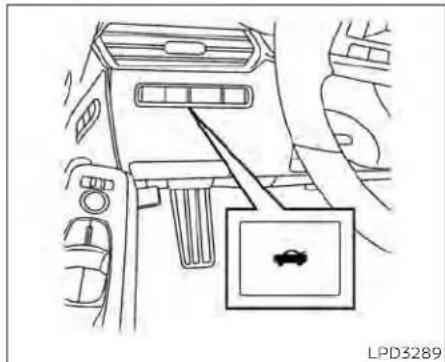
natural_image
Diagram of a car interior showing airflow control panel and vehicle head (no text or symbols)- Donotdrivewiththetrunklidopen. This could allow dangerous exhaust gas estobedrawn into the vehicle. For additional information, see "Exhaust gas (carbon monoxide)" (P.5-4).
3-22 Pre-drivingchecksandadjustments

IntelligentKey
Closelysupervisechildrenwhenthey arearoundcarstopreventthem fromplayingandbecominglockedin thetrunkwheretheycouldbeseriouslyinjured.Keepthecarlocked, withthereseatbackandtrunklid securelylatchedwhennotinuse,and preventchildren'saccesstocarkeys.
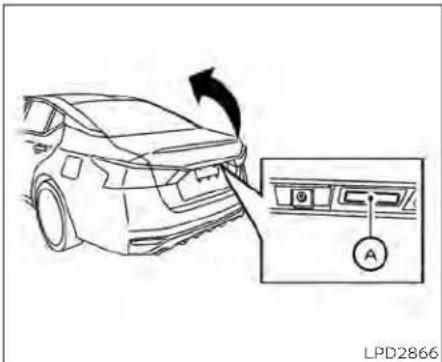
Trunkopenerswitch
Toopenthetrunklidperformoneofthe followingafterunlockingalldoors:
- Pressthebuttonontheinstrument panel.
•PressthebuttonontheIntelligentKey.
- Pushthetrunkopenerswitch Ⓐ.
Toclosethetrunklid,lowerandpushthe trunkliddownsecurely.
NOTE:
Requestswitchesforalldoorsandtrunk canbedeactivatedwhentheExtDoor SwitchorI-KeyDoorLock feature is switchedtoOFFinthe"VehicleSettings" ofthevehicleinformationdisplay. For additionalinformation,see"Vehicleinformationdisplay-5inch(13cm)TypeA (ifsoequipped)("P.2-18)or"Vehicleinformationdisplay-7inch(18cm)TypeB (ifsoequipped)("P.2-34).

natural_image
Line drawing of a car frame with a black arrow pointing to the side panel (no text or symbols)INTERIORTRUNKLIDRELEASE
WARNING
Closelysupervisechildrenwhenthey arearoundcarstopreventthemfrom playingandbecominglockedinthe trunkwheretheycouldbeseriouslyinjured.Keepthecarlocked,withtherear seatbackandtrunklidsecurelylatched whennotinuse,andpreventchildren's accesstocarkeys.
Theinteriortrunklidreleasemechanism providesameansofescapeforchildren andadultsintheeventtheybecome lockedinsidethetrunk.
Toopenthetrunkfromtheinside,pullthe illuminatedreleasehandleuntilthelockreleasesandpushuponthetrunklid.The releasehandleismadeofamaterialthat glowsinthedarkafterabriefexposure to ambientlight.
The handle is located inside the diet trunk compartment on the interior of the trunk lid.
INTERIORTRUNKACCESS
Thetrunkcanbeaccessedfromthepassengersideoftherearseat.
- Movethefrontpassengerseattothe mostforwardposition.
- Opentheaccesscoverontherearpar-celshelf.
3.Slidethehandleinthedirectionofthe arrow.
4.Folddownthe passenger's side seatback.
For additional information, see "Folding rearseat"(P.1-6).
WARNING
- Neverallowanyonetoridein the cargoareaorontherearseatwhenit isinthefold-downposition.Useof theseareasbypassengerswithout properrestraintscouldresultinseriousinjuryordeathinanaccidentor suddenstop.
- Properlysecureallcargowithropes orstrapstohelppreventitfromslidingorshifting.Donotplacecargo higherthantheseatbacks.Inasudden stop or collision, unsecured cargocouldcausepersonalinjury.
- Whenreturningtheseatbackstothe uprightposition,becertaintheyare completelysecured in the latched position.Iftheyarenotcompletely secured,passengersmaybeinjured inanaccidentorsuddenstop.
- Closelysupervisechildrenwhenthey are around cars to prevent them fromplayingandbecominglockedin thetrunkwheretheycouldbeseriouslyinjured.Keepthecarlocked, withtherearseatbackandtrunklid securelylatchedwhennotinuse,and preventchildren'saccesstocarkeys.
FUEL-FILLERDOOR

OPENEROPERATION
Thefuel-fillerdoorreleaseislocatedbelow theinstrumentpanel.Toopenthefuel-filler door,pulltherelease.Tolock,closethefuel-fillerdoorsecurely.
FUEL-FILLERCAP
WARNING
Gasolineisextremelyflammable and highlyexplosiveundercertainconditions.Youcouldbeburnedorseriouslyinjuredifitismisusedormishandled.Alwaysstoptheengineand donotsmokeorallowopenflamesor sparksnearthevehiclewhen refueling.
- Donotattempttotopoffthefuel tankafterthefuelpumpnozzle shutsoffautomatically.Continued refuelingmay causefuel overflow, resultinginfuelsprayandpossiblya fire.
-Useonlyanoriginalequipmenttype fuel-fillercapasareplacement.Ithas abuilt-insafetyvalveneededfor properoperationofthefuelsystem andemissioncontrolsystem.Anin-correctcapcanresultinaserious malfunctionand possible injury. It could also cause the MalfunctionIndicatorLight(MIL)tocomeon.
- Neverpourfuelintothethrottlebody toattempttostartyourvehicle.
- Donotfillaportablefuelcontainerin thevehicleortrailer. Staticelectricity can cause an explosion off flammable liquid, vapororgasinanyvehicleor trailer. To reduce risk of serious injury or death when filling portable fuel containers:
-Alwaysplacethecontaineronthe groundwhenfilling.
-Donot useelectronicdevices whenfilling.
-Keepthepumpnozzleincontact with thecontainer whileyou are fillingit.
-Useonlyapprovedportablefuel containersforflammableliquid.
CAUTION
- Donotuseafuelthatcontainsmore than15%ethanolinyourvehicle. For additionalinformation,see "Fuelrecommendation"(P.10-4).
TheLooseFuelCapwarningmes-sagewillbedisplayed/warningwill appearifthefuel-fillercapisnot properlytightened.itmaytakeafew drivingtripsforthemessagetobe displayed.Failureuretotightenthefuel-fillercapproperlyaftertheLoose FuelCapwarningmessageis displayed/warningappearsmay causethe MalfunctionIndicator Light(MIL)toilluminate.
- Failuretotightenthefuel-fillercap properlymaycausethe Mal-functionIndicatorLight(MIL)toillu-minate.Ifthe lightilluminates becausethefuel-fillercapislooseor missing,tightenorinstallthecapand continuetodrivethevehicle.The light should turn off after a few drivingtrips.Ifthe lightdoesnot turnoffafterafewdrivingtrips,have thevehicleinspected.Itisrecommended that you visit a NISSAN dealerforthisservice.
For additional information, see "Mal-function Indicator Light (MIL)" (P.2-15).
- Iffuelisspilledonthevehiclebody, flushitaway withwaterto avoid paintdamage.
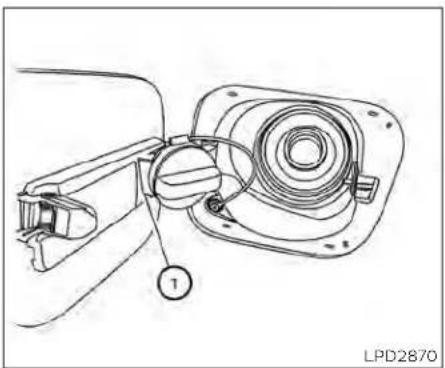
natural_image
Technical line drawing of a mechanical assembly with labeled component (no text or symbols beyond label)Toremovethefuel-fillercap:
- Turn the fuel-filler cap counterclockwise toremove.
- Put the fuel-filler cap on the cap holder ① whilerefueling.
Toinstallthefuel-fillercap:
- Insert the fuel-filler cap straight into the fuel-fillertube.
- Turnthefuel-fillercapclockwiseuntila singleclickisheard.
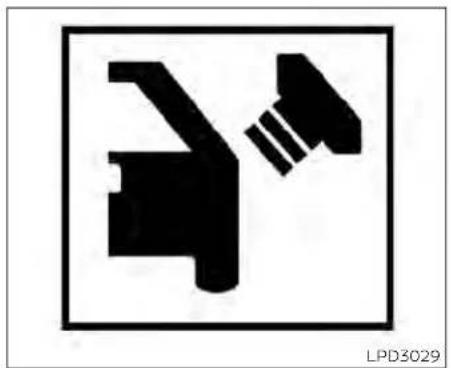
natural_image
Pure electrical circuit symbol for a lamp, no text or labels presentLoose Fuel Cap warning
The Loose Fuel Cap warning message will bedisplayed in the vehicle information display when the fuel-fillercapis not tightened correctly after the vehicle has been refueled. It may take a few driving trips for the message to be displayed. To turn off the warning, perform the following:
- Remove and install the fuel-filler cap as soonaspossible.Foradditionalinformation,see"Fuel-fillercap"(P3-25)
- Tightenthefuel-fillercapuntilitclicks.
STEERINGWHEEL
3.PresstheOKbuttononthesteering wheelforabout1secondtoturnoffthe LooseFuelCapwarningaftertightening thefuel-fillercap.
WARNING
- Donotadjustthesteeringwheel whiledriving.Youcouldlosecontrol ofyourvehicleandcausean accident.
- Donotadjustthesteeringwheelany closertoyouthanisnecessaryfor propersteeringoperationandcomfort. Thedriver'sairbaginflateswith greatforce. If you are unrestrained, leaningforward, sittingsidewaysor outofpositioninanyway, you areat greaterriskofinjuryordeathin a crash. You may also receive serious or fatal injuries from the air bag if you are up against when it inflates. Always sit back against these at back and as far away as practical from the steering wheel. Always usetheseat belts.
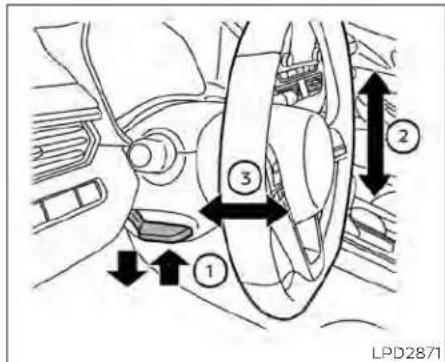
TILTOPERATION
Pullthelockleverdownandholdonuntil theendofthestroke ① andadjustthe steeringwheelupordown ② tothedesiredposition.
Push thelocklever up ① firmly and hold on until end of stroketolock thesteering wheelin place.
TELESCOPICOPERATION
Pullthelockleverdown ① andadjustthe steeringwheelforwardorbackward ③ to thedesiredposition.
Pre-drivingchecksandadjustments
SUNVISORS
Pushthelockleverup ① firmlyandholdon untilendofstroketolockthesteering wheelinplace.

flowchart
graph TD
    A["1: Open Body"] --> B["2: Adjustment"]
    B --> C["3: Close Body"]
- Toblockglarefromthefront, swing downthemainsunvisor ①.
- Toblockglarefromtheside, remove the mainsunvisor ② fromthecenter mountandswingthevisortotheside.
- To extend the sunvisor, slide in or out as needed ③.
CAUTION
- Donotstorethesunvisorbeforere-turningtheextensiontoitsoriginal position.
- Donotpulltheextensionsunvisor forcedlydownward.
3-28 Pre-driving checks and adjustments
MIRRORS

natural_image
Simple line drawing of a door with a scroll inside, showing no text or symbolsVANITYMIRRORS
Toaccessthevanitymirror,pullthesun visordownandflipopenthemirrorcover. Somevanitymirrorsareilluminated and turnonwhenthemirrorcoverisopen.
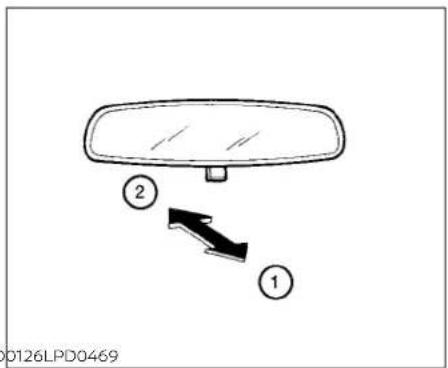
MANUALANTI-GLAREREARVIEW MIRROR(ifsoequipped)
Usethenightposition ① toreduceglare fromtheheadlightsofvehiclesbehindyou atnight.
Usethedayposition ② whendrivingin daylighthours.
WARNING
Usethenightpositiononlywhennecessary, because it reduces rearview clarity.
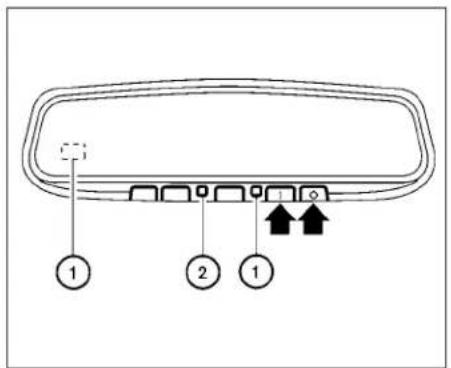
AUTOMATICANTI-GLARE REARVIEWMIRROR(ifsoequipped)
The insidemirror is designed so that it automatically dimsduring nighttime conditions and according to the Intensity of the headlight so the vehicle following you. The automatic anti-glare feature is activated when the ignition switch is the ON position.
NOTE:
Donothanganyobjectsoverthesensors 🟢 orapplyglasscleanertothesensors.Doingsowillreducethesensitivity ofthesensors,resultinginimproper operation.
Theindicatorlight ② willilluminatewhen theautomaticanti-glarefeatureis operating.
- Toturnofftheanti-glarefeature,press theObutton.Theindicatorlightwill turnoff.
- Toturnontheanti-glarefeature,press the|button.Theindicatorlightwillturn on.
ForinformationonHomeLink®UniversalTransceiveroperation,seethe"HomeLink®UniversalTransceiver"(P.2-81).
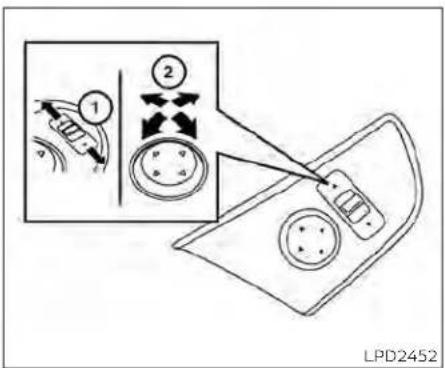
OUTSIDEMIRRORS
Theoutsidemirrorremotecontrolonlyoperateswhentheignitionswitchisplacedin theONposition.
Movethesmall switch ① to select the right or left mirror. Adjust each mirror to the desired position using the largest switch ② Movethesmall switch ① to the center (neutral) position to prevent accidentally moving them mirror.
WARNING
- Donotadjustthemirrorswhiledriving. You could losecontrolofyourvehicleandcauseanaccident.
- Objectsviewedintheoutsidemirror on the passenger side are closer than theyappear. Becarefulwhenmoving totheright.Usingonlythismirror couldcauseanaccident.Usetheinsidemirroror glanceoveryour shouldertoproperlyjudgedistances tootherobjects.
MEMORYSEAT(ifsoequipped)

natural_image
Line drawing of a car seatbelt mechanism with arrow indicating clockwise motion (no text or symbols)Thememoryseatsystemhasthree features:
- Memorystoragefunction(Key-link) - Memorystoragefunction(Switch) - Entry/exitfunction
Key-link, when enabled, automatically retain the driver's last seat and outside mirror (if so equipped) position forth at specific key when the ignition is turned from ON to OFF.
Eachmemoryswitchbutton(1or2)onthe driver'sdoorcanalsostoreoneadditional positionwhichisindependentofthekey-linkedposition.
Manualfoldingoutsidemirrors
Pulltheoutsidemirrortowardthedoorto foldit.
Heatedmirrors(ifsoequipped)
Someoutsidemirrorscanbeheatedto defog,defrostorde-iceforimprovedvisibility.Foradditionalinformation,see"Rear windowandoutsidemirror(ifsoequipped) defrosterswitch"(P.2-56).

MEMORYSTORAGEFUNCTION
Usethefollowingprocesstosetupkey-link:
- Unlock the vehicle with the desired Intelligent Key while the ignition is OFF.
- Placetheignition in the ON position.
- Within the "Settings" menu of the vehicle information display, select "Key-Linked Settings" and press the OK button on the steeringswitch.
- Whileinthemenu, presstheOKbutton onthesteeringswitchtoturnthesystemON/OFF.
Pre-drivingchecksandadjustments
Once step4 is completed, every time the ignition is switched from ON to OFF, the memory position of the driver's seat and outside mirror (if so equipped) are linked to the Intelligent Key.
Followthesameprocedureifyouwant tolinkthe2nd,3rdor4thIntelligentKey.
NOTE:
Ifnewmemorypositionsaresetpriorto turningtheignitionfromONtoOFF,the previouslylinkedmemorypositionsfor therespectivekeywillbeoverwrittenby newpositions.
Recalling Intelligent Keymemory positions
Ifthe"Key-LinkedSettings"areenabled in the vehicle information display for that particular key, every time you enter the vehicle the driver's seat and outside mirrors (if so equipped) will automatically moveto the driver's last position of the respective Intelligent Key.
NOTE:
Thekey-linked memory positions can be different from the positions stored in the memory switch(1or2).
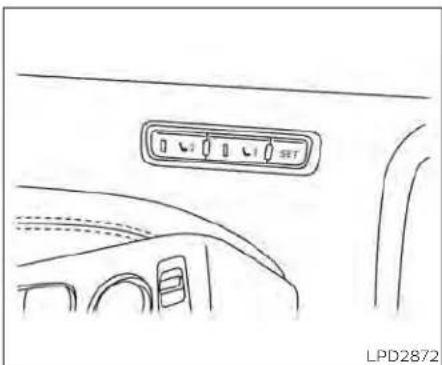
natural_image
Line drawing of a car interior showing the rear air vent and side-mounted buttons (no text or symbols)MEMORYSTORAGEFUNCTION (switch)
Usethefollowingprocesstomanually storethetwomemorypositionsinthe switch:
-
The vehicles should be stopped while setting them memory.
-
Adjust the driver's seat and outside mirror (if so equipped) to the desired positions by manually operating each adjustment switch. For additional information, see "Front power seat adjustment" (P.1-4) and "Outsidemirrors" (P.3-30).
-
Push the SET switch and within 5 seconds, push them memory switch (1 or 2).
The indicator light for the pushed memory switch will come on and stay on for approximately 5 seconds. The chime will sound when the memory is stored.
NOTE:
Ifanewmemorypositionisstoredinthe same memory switch, the previous memorypositionwillbeoverwrittenby thenewstoredposition.
Recallingswitchmemory positions
Torecallthemannuallystoredpositions, pressthememoryswitch(1or2).Thedriver'sseatandoutsidemirror(ifsoequipped) willmovetothepositionsstoredtothose buttons.
ENTRY/EXITFUNCTION
Thisystemisdesignedsothatthedriver's seatwillautomaticallymovewhentheshift leverisintheP(Park)position.Thisallows thedrivertoeasilygetinandoutofthe driver'sseat.
Thedriver'sseatwillslidebackward:
- Whenthedriver'sdoorisopenedandthe IgnitionswitchIsintheOFFposition.
-whentheignitionswitchisturnedfrom ACCtoOFFwiththedriver'sdooropen.
The driver's seat will return to the previous position:
- When the ignitions switchisturned to ACC or ON while the shift lever is in the P(Park) position.
Theentry/exitfunctioncanbeadjustedor canceledthroughthe"VehicleSettings"in thevehicleInformationdisplaybyperformingthefollowing:
- SwitchtheExitSeatSlidefromONtoOFF.
SYSTEMOPERATION
Thememoryseatsystemwillnotworkor willstopoperatingunderthefollowing conditions:
- Whenthevehiclespeedisabove4mph(7 km/h).
- Whenanyofthememoryswitchesare pushedwhilethememoryseatis operating.
- Whentheswitchforthedriver'sseat and steeringcolumnispushedwhile the memoryseatisoperating.
- Whentheseathasalreadybeenmoved tothememorizedposition.
- Whennoseatpositionisstoredinthe memoryswitch.
- WhentheshiftleverismovedfromP (Park)toanyotherposition.
Thememoryseatsystemcanbeadjusted and canceled. It is recommended you visit a NISSAN dealer forth this service.
4Monitor,climate,audio,phone and voicerecognitionsystems
NissanConnect®Owner'sManual....4-2
Controlpanelbuttons....4-3
Howtousethetouch-screen....4-4
Howtousethe MENUbutton....4-5
☀/☐ (brightnesscontrol)button. 4 - 7
HowtousetheVOL(volume)knob/
PUSH ⏻ (power)button....
Selectingmenufromlaunchbar. 4 - 7
RearViewMonitor(ifsoequipped) 4 - 8
RearViewMonitorsystemoperation....4-9
Howtoreadthedisplayedlines....4-9
Differencebetweenpredictedand
actualdistances....4-10
Howtoparkwithpredictedcourse
lines....4-11
Adjustingthescreen....4-13
Howtoturnonandoffpredicted
courselines....4-13
RearViewMonitorsystemlimitations.....4-13
Systemmaintenance....4-15
IntelligentAround ViewMonitor
(ifsoequipped) 4-16
IntelligentAround ViewMonitorsystem
operation.... 4-17
Differencebetweenpredicted and
Howtoparkwithpredicted course
lines 4-22
How to switch the display 4-23
Adjusting the screen 4-24
IntelligentAround ViewMonitorsystem
limitations 4-24
4-7 Systemmaintenance....4-26
MovingObjectDetection(MOD)
(if so equipped) 4-27
MODsystemoperation....4-28
Turning MOD on and off (if so equipped) .....4-30
MOD system limitations 4-30
Systemmaintenance....4-31
Vents 4-31
Heaterandairconditioner(manual)
(if so equipped) 4-33
Controls 4-34
Heater operation 4-34
Air conditioner operation....4-35
Air flow charts....4-36
Heaterandairconditioner(automatic)
(if so equipped) 4-40
Automatic operation 4-41
Manual operation 4-42
Operating tips 4-43
Servicingairconditioner....4-44
Audiosystem....4-45
Radio....4-45
FMradioreception....4-45
AMradioreception 4-45
Audiooperationprecautions....4-46
FM/AMradio 4-49
USB(UniversalSerialBus)Connection
Port 4-54
iPod®*playeroperation....4-57
Bluetooth®streamingaudio....4-60
Steeringwheelswitchforaudiocontrol....4-63
Antenna 4-64
Siri®EyesFree(ifsoequipped)....4-64
Requirements. 4-64
OperatingSiri®EyesFree....4-65
Troubleshootingguide....4-66
CarphoneorCBradio....4-67
Bluetooth®Hands-FreePhoneSystem.....4-67
Regulatoryinformation....4-69
Usingthesystem....4-69
Indicators 4-71
Bluetooth® connecting procedure....4-72
Voicecommands....4-73
Phonedisplayscreen 4-75
Makingacall....4-76
Receiving/Endingacall....4-76
During a call 4-77
Textmessaging(ifsoequipped) 4-77
Bluetooth®connectionsscreen....4-81
Phone and text message settings....4-82
Volume&beeps....4-84
iPod®/iPhone® 4-84
NISSANCONNECT® OWNER'S MANUAL

LHA5538
RefertothedigitalNissanConnect® Owner'smanualusingtheQRcodeonthis page,oryourprintedNissanConnect® Owner'smanual(ifsoequipped).This manualincludesthefollowinginformation:
•NissanConnect®Services(ifsoequipped)
• Navigationsystem(ifsoequipped)
•Audiosystem
•AppleCarPlay®(ifsoequipped)
•AndroidAuto ^TM (Ifsoequipped)
-Bluetooth®Hands-FreePhonesystem
-Viewinginformation
- Othersettings
4-2Monitor,climate,audio,phoneandvoicerecognitionsystems
•Voicerecognition
•Generalsysteminformation
CONTROLPANELBUTTONS
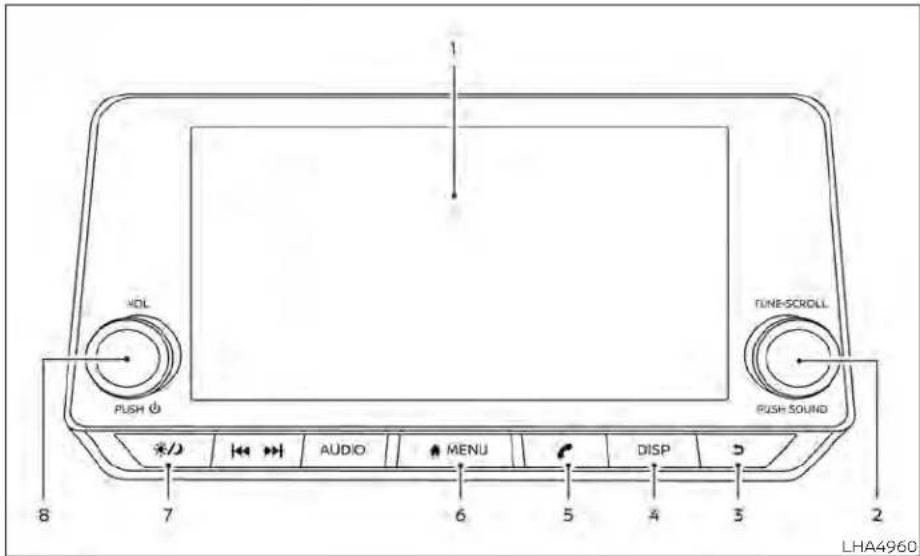
1.Displayscreen
2.TUNE-SCROLLknob/PUSHSOUND button
- BACKbutton
4.DISPbutton
-
button*
-
MENUbutton
-
⚙/∅ (brightnesscontrol)button
8.VOL(volume)knob/PUSH (power) button
*Foradditionalinformationregardingthe Bluetooth®Hands-FreePhoneSystem controlbutton,see"Bluetooth®Hands-FreePhoneSystem"(P.4-67).
whenyouusethissystem,makesurethe engineisrunning.
If you set the system with the engine not running for allong time, it will discharge the battery, and the engine will not start.
Referencesymbols:
"Example"—Wordsmarkedinquotesrefer toakeyshownonlyonthedisplay.These keyscanbeselectedbytouchingthe screen.
To help ensures a fed driving, some functions cannot be operated while driving.
Theon-screenfunctionsthatarenotavailablewhiledrivingwillbe"grayedout"or muted.
WARNING
- ALWAYSgiveyourfullattentionto driving.
- Avoidusingvehiclefeaturesthat could distract you. If distracted, you could lose control of your vehicle and cause an accident.
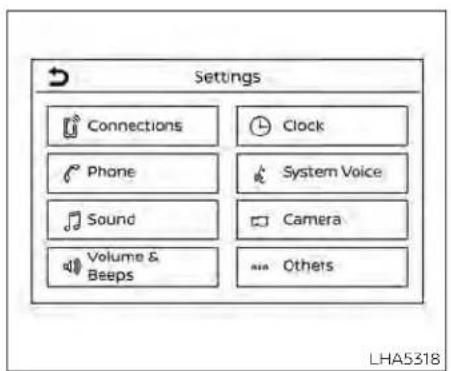
Touch-screenoperation
| MenuItem | Result | |
| Selecting the item | Touch an item to select. To select the 'Phone' key, touch the 'Phone' key on the screen. Touch the * ▶ * key to returntothepreviousscreen. | |
| Adjusting the item | Touch the '*' key or the '*' key to adjust the settings of an item. Touch the up arrow to scroll up the page one ilematatime. Touchthedownarrowtoscrolldownthepageoneitematatime. | |
| Inputting characters | Touch the number key. There are some options available when inputting characters | |
| 123 | Touchtomanuallyenternumbers. | |
| OK | Completesthecharacterinput. | |
4-4 Monitor, climate, audio, phone and voice recognition systems
Touch-screenmaintenance
If you clean the displays screen, use adry, soft cloth. If additional cleaning is necessary, use a small amount of neutral detergent with as soft cloth. Neverspray the screen with water or detergent. Dampen the cloth first and then wipethescreen.

HOWTOUSETHEMEN
BUTTON
Toselectand/oradjustseveralfunctions, featuresandmodesthatareavailablefor yourvehicle:
1.Pressthe

MENUbutton.
- Touchthe"Settings"key.
3.Touchthedesireditem.
| MenuitemResult | |||
| SettingsTouchtochangethefollowingsettings. | |||
| ConnectionsTouchthiskeytoselecteitherBluetooth® | oth*phone,Bluetooth*audioorUSBaudiooptions.Foradditional information,see"USBconnectionsscreen"(P.4-55)and"Bluetooth*connectionsscreen"(P.4-81)inthis section. | ||
| PhoneForadditionalinformation,see"Bluetooth® | Hands-FreePhoneSystem"(P.4-67)inthissection. | ||
| SoundForadditionalinformation,see"Audiosystem" | (P.4-45)inthissection. | ||
| Volume&BeepsForadditionalinformation,see"Volume&beeps"(P.4-84)inthissection. | |||
| ClockTouchthiskeytoadjustclocksettings. | |||
| On-screenClockTouchtotoggleONorOFFtheclockdisplayontheupperrightcornerofthedisplayscreen. | |||
| ClockFormatTouchtosettheclockto12houror24hourformats. | |||
| DaylightSavingsTimeTouchtoadjuststhedaylightsavingtimetoonoroff. | |||
| SetClockManuallyTouchtoadjusttheclockmanually;thentouchtochangebetweenAMandPM,thehourandtheminutes. | |||
| SystemVoiceForadditionalinformation,see"Settings"(P.4-75)inthissection. | |||
| Camera | Touchthiskeytochangethecamerasettings. | ||
| Others | Touch this key to select and/or adjust various functions of this system. A screen with additional options willappear. | ||
| Display | Touch this key to adjust the appearance of the display. For additional information, see 'Adjusting the screen' (P. 4-13,4-24)inthissection. | ||
| Language | Touchthiskeytochangethelanguageonthedisplay. | ||
| OSS Licenses | Touch this key to display software licensing information. | ||
| Return All Settings to Default | Touch this key to return all settings to default and to clear the memory. | ||
☀/☐ (brightnesscontrol)BUTTON
Tochangethedisplaybrightness,pressthe button.Pressingthebuttonagainwill changethedisplaytothedayorthenight display.
Pressandholdthe 📋 buttonformore than2secondstoturnthedisplayoff.Press andholdthebuttonagaintoturnthedisplayon.
HOWTOUSETHEVOL(volume) KNOB/PUSH ① (power) BUTTON
PressthePUSH(power)buttontoturn audiofunctiononandoff.TurntheVOL (volume)knobtoadjustaudiovolume.

SELECTINGMENUFROMLAUNCH BAR
Varioussystemfunctionscanbeaccessed bytouchingtheitemsontheLaunchBar
① whichisdisplayedonmostofthemain menuscreens(theLaunchBardoesnot appearonsomescreenssuchassettings screens,camerascreens,etc.)
TouchthekeysontheLaunchBartodisplaythecorrespondingmenuscreens.
The following menu items are available on the Launch Bar:
• AM
· FM
•USB/iPod
-Bluetooth
• AUX
-Settings
REARVIEWMONITOR(ifso equipped)
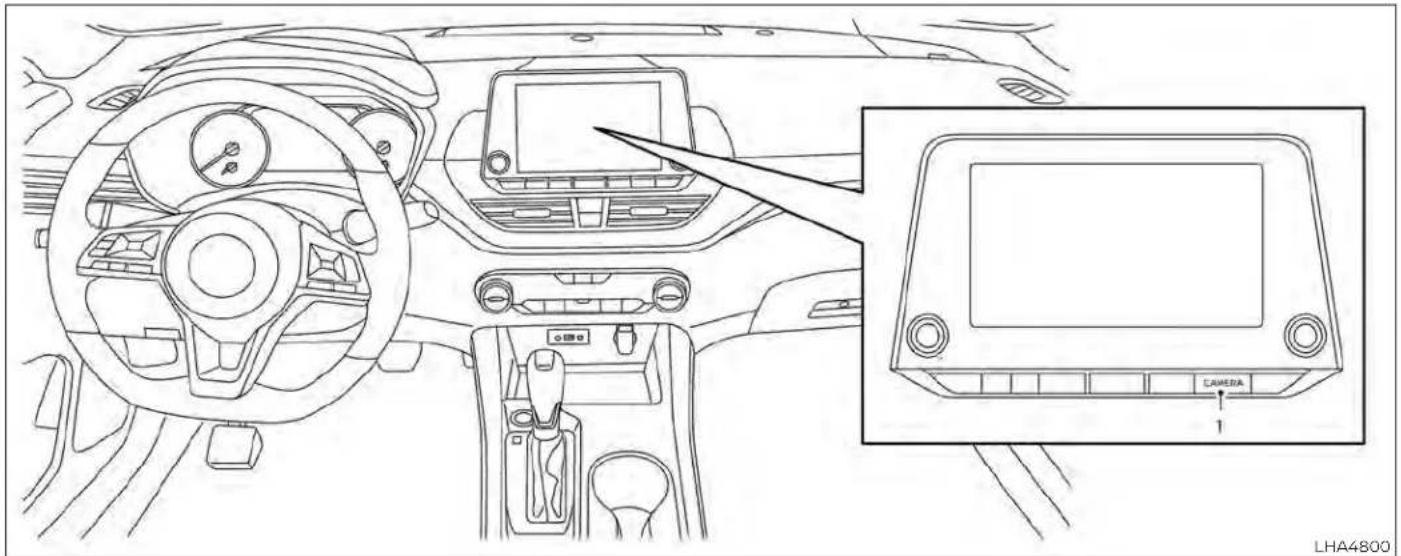
natural_image
Interior view of a car dashboard and infotainment device (no text or symbols visible)- FailuretofollowthewarningsandinstructionsforproperuseoftheRearViewMonitorsystemcouldresultin seriousinjuryordeath.
•RearViewMonitorisaconvenience featureandisnotasubstitutefor properbacking.Alwaysturnandlook outthewindowsandcheckmirrors tobesurethatitissafetomovebeforeoperatingthevehicle.Always backupslowly.
- Thesystemisdesignedasanaidto thedriverinshowinglargestationaryobjectsdirectlybehindthevehicle,tohelpavoiddamagingthe vehicle.
4-8 Monitor, climate, audio, phone and voicerecognitionsystems
- Thedistanceguidelinesandthevehiclewidthlinessshouldbeusedasa referenceonlywhenthevehicleisonalevelpavedsurface. Thedistance viewedonthemonitorisforreferenceonlyandmaybedifferentthan theactualdistancebetweenthevehicleanddisplayedobjects.
CAUTION
Donotscratchthecameralenswhen cleaningDIRtorsnowfromthefrontof thecamera.
TheRearViewMonitorsystemautomaticallyshowsarearviewofthevehiclewhen theshiftleverisshiftedintotheR(Reverse) position. Theradiocanstillbeheardwhile theRearViewMonitorIsactive.
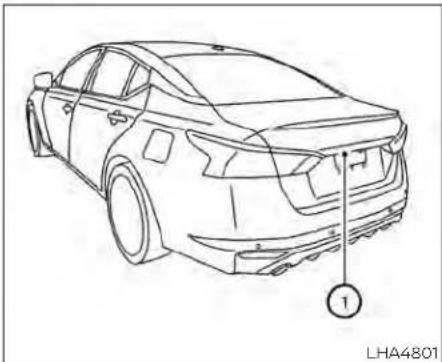
natural_image
Line drawing of a sedan car showing rear wheel and side panel, with no text or symbols present.Todisplaytherearview,theRearViewMonitorsystemusesacameralocatedjustabovethevehicle'slicenseplate ①.
Indicated distances from the vehicle body.
•Redline ①:approx.1.5ft(0.5m)
•Yellowline ②:approx.3ft(1m)
•Greenline ③:approx.7ft(2m)
Vehiclewidthguidelines ④
Indicatethevehiclewidthwhenbackingup.
Predictedcourselines ⑤
Indicatethepredictedcoursewhenbackingup.Thepredictedcourselineswillbe displayedonthemonitorwhentheshift leverisIntheR(Reverse)positionandthe steeringwheelisturned.Thepredicted courselineswillmoveddependingonhow muchthesteeringwheelisturnedandwill notbedisplayedwhilethesteeringwheelis inthestraight-aheadposition.
Thevehiclewidthguidelinesandthewidth ofthepredictedcourselinesarewiderthan theactualwidthhandcourse.
DIFFERENCEBETWEENPREDICTED ANDACTUALDISTANCES
The displayed guidelines and their locations on the ground are for approximate reference only. Object on uphill, down hill surfaces or projecting objects will be actually located at distances different from those displayed in the monitor relative to the guidelines (refertoillustrations). When indoubt, turnaround and view the objects as you are backing up, or park and exit the vehicle to view the positioning of objects behind the vehicle.
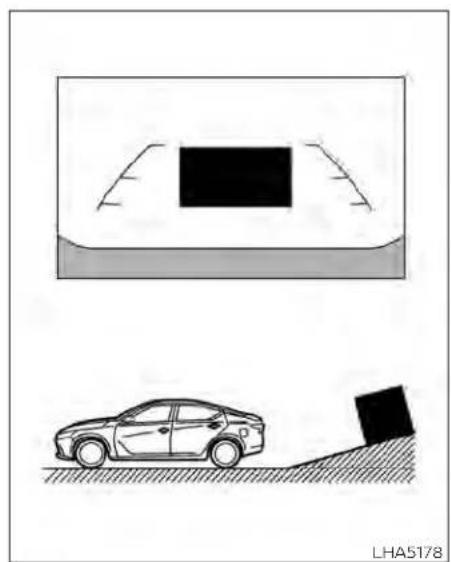
natural_image
Diagram showing a car on a slope with a black block and a vehicle in the background (no text or symbols)Backinguponasteepuphill
Whenbackingupthevehicleupahill,the distanceguidelinesandthevehiclewidth guidelinesareshowncloserthantheactualdistance.Notethatanyobjectonthe hill is further than it appears on the monitor.
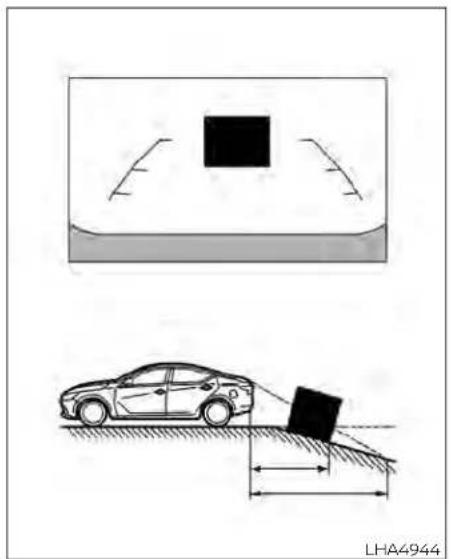
natural_image
Diagram showing a car on a slope with a block and a black square object, no text or symbols present.Backinguponasteepdownhill
Whenbackingupthevehicledownahill, thedistanceguidelinesandthevehicle widthguidelinesareshownfartherthan theactualdistance. Notethatanyobject onthehilliscloserthanitappearsonthe monitor.
4-10 Monitor, climate, audio, phone and voice recognition systems
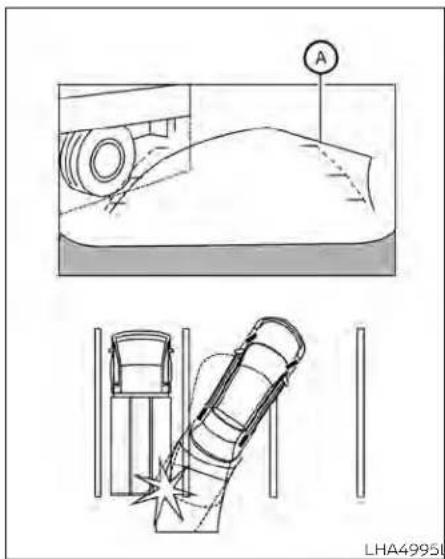
Backingupnearaprojecting object
Thepredictedcourselines ① donottouch theobjectinthedisplay.However,thevehiclemayhittheobjectifitprojectsover theactualbackingupcourse.
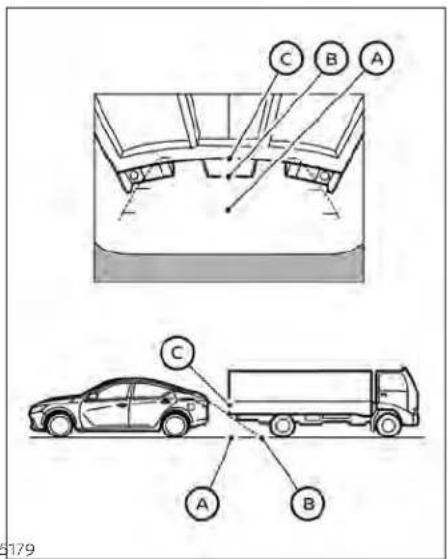
Backingupbehindaprojecting object
Theposition © is shown farther than the position Ⓑ in the display. However, the position © is actually at the same distance as the position Ⓐ. The vehicle may hit the
objectwhenbackinguptotheposition iftheobjectprojectsovertheactualbackingupcourse.
HOWTOPARKWITHPREDICTED COURSELINES
WARNING
- If the tires are replaced with different sizes, the predicted courselines may be displayed incorrectly.
- Onasnow-coveredorslipperyroad, theremaybeadifferencebetween thepredictedcourselineandtheactualcourseline.
- If the battery is disconnected or becomes discharged, the predicted courelines may be displayed incorrectly. If this occurs, please perform the following procedures:
-Turnthesteeringwheelfromlock tolockwhiletheengineis running.
-Drivethevehicleonastraightroad formorethan5minutes.
- When the steering wheel is turned with the ignition switch in the ACC position, the predicted course lines may be displayed incorrectly.
A
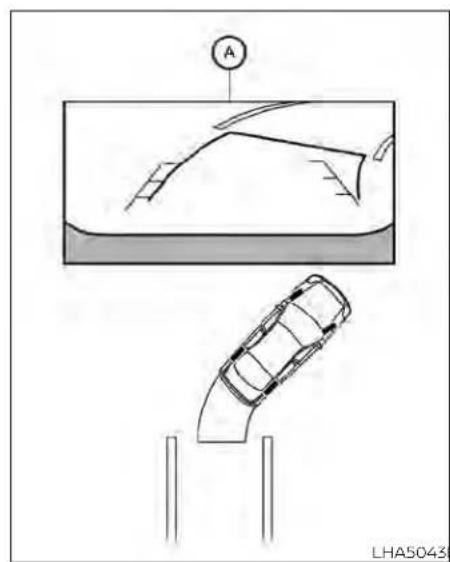
natural_image
Diagram showing a car on a curved ramp and its side view, with no visible text or symbols.- Visually check that the parkingspace is safe before parking your vehicle.
- Therearviewofthevehicleisdisplayed onthescreen Ⓐ whentheshiftleveris movedtotheR(Reverse)position.

3.Slowlybackupthevehicleadjustingthe steeringwheelsothatthepredicted courselines Ⓑ entertheparkingspace Ⓞ.
4. Maneuverthesteeringwheeltomake thevehiclewidthguidelines ① parallel totheparkingspace ② whilereferring tothepredictedcourselines.
5. Whenthevehicle is sparked in the space completely, movetheshiftlevertotheP (Park) position and apply the parking brake.
4-12 Monitor, climate, audio, phone and voicerecognition systems
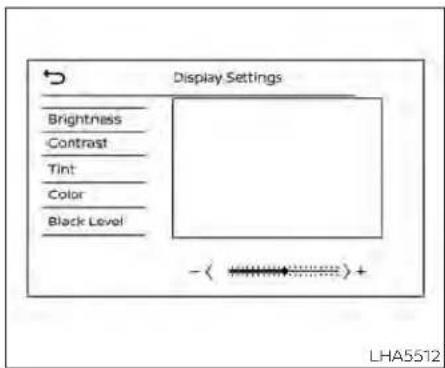
ADJUSTINGTHESCREEN
ForvehicleswithCAMERAbutton
1.PresstheCAMERAbutton.
2. Touchthe"DisplaySettings"key.
3. Touch the "Brightness", "Contrast", "Tint", "Color", or "BlackLevel" key.
4. Adjust the item by touching the "or" key on the touch screen display.
ForvehicleswithDISPbutton
1.PresstheMENUbutton.
2. Touchthe"Settings"key.
3. Touch the "Camera" key
4.Touchthe"DisplaySettings"key.
5. Touch the "Brightness", "Contrast", "Tint", "Color", or "BlackLevel" key.
6. Adjust the item by touching the "or" key on the touch-screen display.
NOTE:
Donotadjustanyofthedisplaysettings oftheRearViewMonitorwhilethevehicleismoving.
HOWTOTURNONANDOFF PREDICTEDCOURSELINES
ForvehicleswithCAMERAbutton
TotoggleONandOFFthepredictedcourse lineswhileintheP(Park)position:
1.PresstheCAMERAbutton.
2. Touch the "PredictedCourseLines" key to turn the feature ON or OFF.
TotoggleONandOFFthepredictedcourse lineswhileintheR(Reverse)position,press theCAMERAbutton.
ForvehicleswithDISPbutton
TotoggleONandOFFthepredictedcourse lineswhileintheP(Park)position:
- Touchthe"Settings"key.
- Touchthe"Camera"key.
- Touch the "PredictedCourseLines" key to turn the feature ON or OFF.
REARVIEWMONITORSYSTEM LIMITATIONS
WARNING
Listedbelowarethesystemlimitations forRearViewMonitor.Failureretooper-atethevehicleinaccordancewith thesesystemlimitationscouldresultin seriousinjuryordeath.
- Thesystemcannotcompletelyeliminateblindspotsandmaynotshow everyobject.
·Underneaththebumperandthecornerareasofthebumpercannotbe viewedontheRearViewMonitorbecauseofitsmonitoringrangelimitation.Thesystemwillnotshowsmall objectsbelowthebumper,andmay notshowobjectsclosetothebumperorontheground.
- ObjectsviewedintheRearView
Monitordifferfromactualdistance
becauseawide-anglelensisused.
- ObjectsintheRearViewMonitorwill appearvisuallyoppositecompared towhenviewedintherearviewand outsidersmirrors.
- Usethedisplayedlinesasareference.Thelinesarehighlyaffectedby thenumberofoccupants,fuellevel, vehicleposition,roadconditionsand roadgrade.
-Makesurethatthetrunkissecurely closedwhenbackingup.
- Donotputanythingontherearview camera.Therearviewcameraisinstalledabovethelicenseplate.
- When washing the vehicle with high pressure water, besurenottospray it around the camera. Otherwise, water may enter the camera unit causing water condensation on the helens, a malfunction, fire or an electric shock.
- Donotstrikethecamera.Itisaprecisioninstrument. Otherwise, it may malfunctionor caused damageresultinginafireoranelectricshock.
The following areoperatinglimitations and donotrepresentasystemmalfunction:
- When the temperature is extremely high or low, the screen may not clearly display objects.
- When strong light directly shines on the camera, objects may not be displayed clearly.
- Verticallinesmaybeseeninobjectson thescreen. Thisisduetostrongreflected lightfromthebumper.
• Thescreenmayflickerunderfluorescent light.
• ThecolorsofobjectsontheRearView Monitormaydiffersomewhatfromthe actualcolorofobjects.
- Objectsonthemonitormaynotbeclear inadarkenvironment.
•Theremaybeadelaywhenswitching betweenviews.
- Ifdirt,rainorsnowaccumulateonthe camera,theRearViewMonitormaynot displayobjectsclearly.Cleanthecamera.
- Donotusewaxonthecameralens.Wipe offanywaxwithacleanclothdampened withadilutedmildcleaningagent,then wipewithadrycloth.
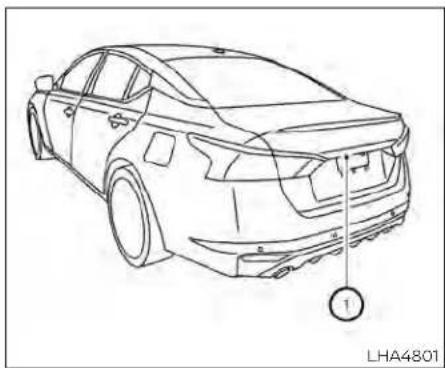
natural_image
Line drawing of a sedan car showing rear wheel and side panel, with no text or symbols present.SYSTEMMAINTENANCE
Ifdirt,rainorsnowaccumulatesonthe camera ①,theRearViewMonitormaynot displayobjectsclearly.Cleanthecamera bywipingitwithaclothdampenedwitha dilutedmildcleaningagentandthenwipingitwithadrycloth.
CAUTION
- Donotusealcohol, benzineorthinnertocleanthecamera. This will caused discoloration.
- Donotdamagethecameraasthe monitorscreenmaybeadversely affected.
INTELLIGENTAROUNDVIEW MONITOR(ifsoequipped)
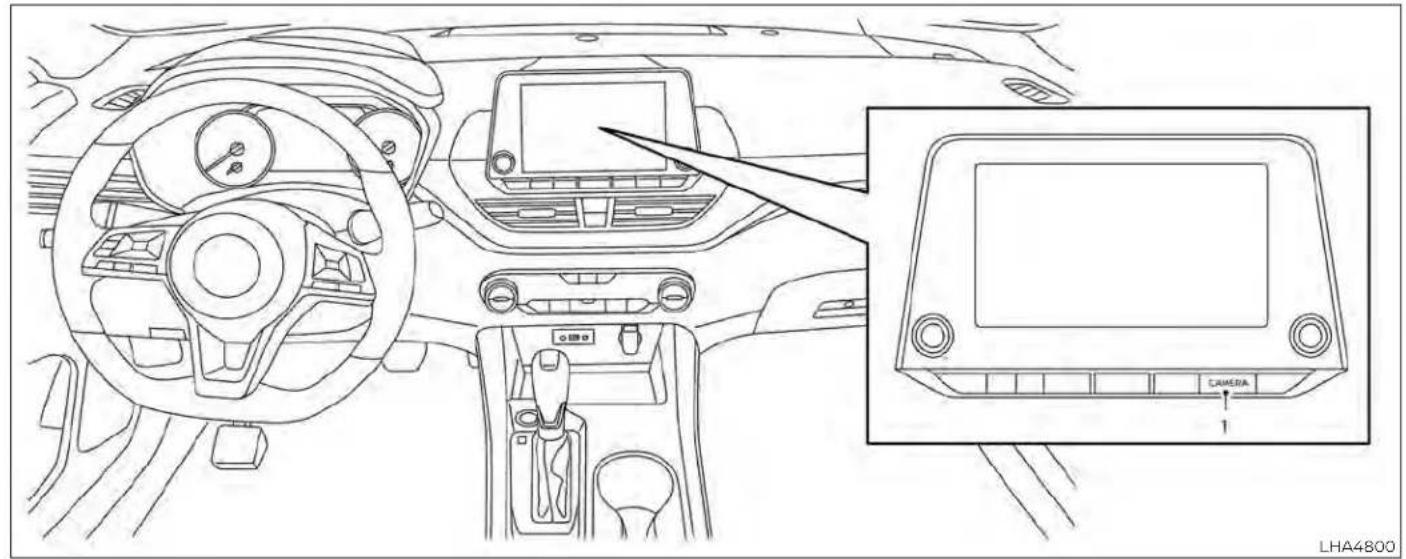
natural_image
Line drawing of a car interior showing dashboard, steering wheel, and camera display (no text or symbols)1.CAMERAbutton
4-16 Monitor, climate, audio, phone and voicerecognitionsystems
WARNING
Failuretofollowthewarningsandin-structionsfortheproperuseofthein-telligentAroundViewMonitorsystem couldresultinseriousinjuryordeath
The Intelligent Around View Monitor is a convenience feature and is not a substitute for proper vehicle operation because it has areas where object cannot be viewed. The four corners of the vehicle in particular, are areas where objects donot always appear in the bird's-eye, front, or rear views. Always check your surrounding stobesure that it's safetomove before operating the vehicle. Always operate the vehicles slowly.
• Thedriverisalwaysresponsiblefor safetyduringparkingandother maneuvers.
CAUTION
Donotscratchthecameralenswhen cleaningDIRtorsnowfromthefrontof thecamera.
The Intelligent Around View Monitorsystem is designed as anaid to the driver in situations such as slot parking or parallel parking.
Themonitordisplaysvariousviewsofthe positionofthevehicleinasplitscreenfor-mat.Notallviewsareavailableataltimes.
Availableviews:
- FrontView
Anapproximately150-degreeviewofthe frontofthevehicle.
•RearView
Anapproximately150-degreeviewofthe rearofthevehicle.
•Bird's-EyeView
Thesurroundingviewsofthevehicle fromabove.
- Front-SideView
The viewaroundandaheadofthefront passenger'ssidewheel.
• FullScreenRearView
The view to there are of the vehicle (which is little wider than the standard Rear View).

Todisplaythemultipleviews,theIntelligent AroundViewMonitorsystemusescameraslocatedinthefrontgrille,onthevehicle'soutsidemirrorsandonejustabove thevehicle'slicenseplate ①.
- Thedistanceguidelinesandthevehiclewidthlinessshouldbeusedasa referenceonlywhenthevehicleison apaved, levelsurface. Theapparent distanceviewedonthemonitormay bedifferentthantheactualdistance betweenthevehicleanddisplayed objects.
- Usethedisplayedlinesandthe bird's-eyeviewasareference. The linesandthebird's-eyeviewware greatlyaffectedbythenumberofoccupants,cargo,fuellevel,vehicleposition,roadconditionandroad grade.
-
If the tires are replaced with different sizes, the predicted courselines and the bird's -eyeview may be displayed incorrectly.
-
Whendrivingthevehicleupahill, objectsviewedinthemonitorarefurtherthantheyappear. Whendriving thevehicledownahill, objects viewedinthemonitorarecloserthan theyappear.
- Objectsintherearviewwillappear visuallyoppositecomparedtowhen viewedinthemonitorandoutside mirrors.
- Usethemirrorsoractuallylookto properlyjudgedistancetoother objects.
- Onasnow-coveredorslipperyroad, theremaybeadifferencebetween thepredictedcourselinesand the actualcourseline.
- Thevehiclewidthandpredicted courelinesarewiderthantheactual widthandcourse.
- Thedisplayed lineswill appear slightlyofftotheright,because the rearviewcameraisnotinstalled in therearcenterofthevehicle.

Frontview
Frontandrearview
Guidinglinesthatindicatetheapproximate vehiclewidthanddistancetoobjectswith reference to the vehicle body line Ⓐ are displayedonthemonitor.
Distanceguidelines:
Indicated distances from the vehicle body:
•Redline ①:approximately1.5ft(0.5m)
•Yellowline ②:approximately3ft(1m)
•Greenline ③:approximately7ft(2m)
• Greenline ④: approximately10ft(3m)(if soequipped)
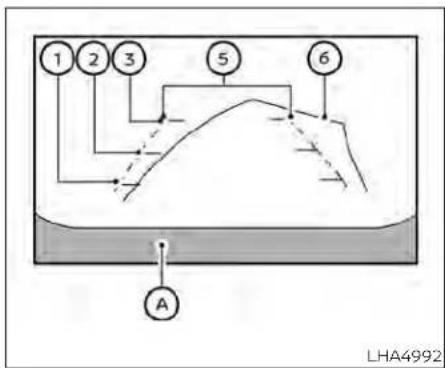
Rearview
Vehiclewidthguidelines ⑤:
Indicatetheapproximatevehiclewidth whenbackingup.
Predictedcourselines ⑥:
Indicatethepredictedcoursewhenoperatingthevehicle.Thepredictedcourse lineswillbedisplayedonthemonitorwhen thesteeringwheelisturned.Thepredicted courselineswillmoveddependingonhow muchthesteeringwheelisturnedandwill notbedisplayedwhilethesteeringwheelis inthestraight-aheadposition.
Thefrontviewwillnotbedisplayedwhen thevehiclespeedisabove6mph(10km/h).
NOTE:
Whenthemonitordisplaysthefront viewandthesteeringwheelturnsabout 90degreesorlessfromthestraight-aheadposition,boththerightandleft predictedcourselines ⑥ aredisplayed. Whenthesteeringwheelturnsabout90 degreesormore,alineisdisplayedonly ontheoppositesideoftheturn.

Bird's-eyeview
Thebird's-eyeviewshowstheoverhead viewofthevehicle,whichhelpsconfirmthe vehiclepositionandthepredictedcourse toaparkingspace.
Thevehicleicon ① show the position of the vehicle. Not that the apparent distance between objects viewed in the bird's-eye view may differ somewhat from the actual distance to the vehicle.
Theareasthatthecameras cannot cover ② areindicatedinblack.
Aftertheignitionswitchedisplacedinthe ONposition,thenon-viewablearea is highlightedinyellowfor3secondsafterthe birds-eyewiewisdisplayed.
Inaddition, thenon-viewable corners are displayed in red and will blink for the first 3 seconds ③ to remind the driver to be cautious.
WARNING
- Objectsinthebird's-eyeviewwillappearfurtherthantheactualdistance.
- Tallobjects,suchasacurborvehicle, maybemisalignedornotdisplayed attheseamoftheviews.
- Objectsthatareabovethecamera cannotbedisplayed.
The viewofthebird's-eyeviewmay bemisalignedwhenthecamerapositionalters.
·Alineonthegroundmaybemis-alignedandisnotseenasbeing straightattheseamoftheviews.The misalignmentwillincreaseasthe lineproceedsawayfromthevehicle.

Front-sideview Guidinglines
Guidinglinesthatindicatetheapproximate widthandthefrontendofthevehicleare displayedonthemonitor.
Thefront-of-vehicleline ① showsthefront partofthevehicle.
Theside-of-vehicleline ② showstheapproximatevehiclewidthincludingtheout-sidemirrors.
Theextensions ③ of both the front ① and side ② lines areshown with agreendotted line.
DIFFERENCEBETWEENPREDICTED ANDACTUALDISTANCES
The displayed guidelines and their locations on the ground are for approximate reference only. Object on uphill, down hill surfaces or projecting objects will be actually located at distances different from those displayed in them monitor relative to the guidelines (refertoillustrations). When indoubt, turnaround and view the objects as you are backing up, or park and exit the vehicle to view the positioning of objects behind the vehicle.
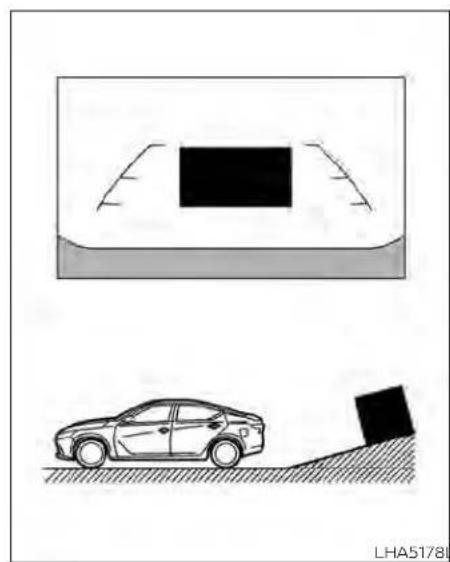
natural_image
Diagram showing a car on a slope next to a parking lot and a vehicle, with no visible text or symbols.Backinguponasteepuphill
whenbackingupthevehicleupahill,the distanceguidelinesandthevehiclewidth guidelinesareshowncloserthantheactualdistance.Notethatanyobjectonthe hillsifurtherthanitappearsonthe monitor.
HA4944LHA4995

natural_image
Diagram showing a car on a slope with an object near its surface, and another vehicle on a track with a block, both without any text or symbols.Backinguponasteepdownhill
whenbackingupthevehicledownahill, thedistanceguidelinesandthevehicle widthguidelinesareshownfartherthan theactualdistance. Notethatanyobject onthehilliscloserthanitappearsonthe monitor.
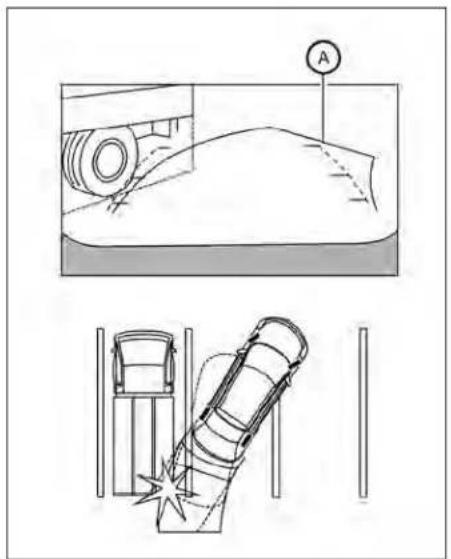
natural_image
Technical diagram showing a mechanical component and a welding or cutting tool setup (no text or symbols)Backingupnearaprojecting object
Thepredictedcourselines ⑧ donottouch theobjectinthedisplay.However,thevehiciemayhittheobjectifitprojectsover theactualbackingupcourse.

Backingupbehindaprojecting object
Theposition © is shown farther than the position Ⓗ in the display. However, the position © Is actually at the same distance as the position Ⓔ . The vehicle may hit the
objectwhenbackinguptotheposition iftheobjectprojectsovertheactualbackingupcourse.
HOWTOPARKWITHPREDICTED COURSELINES
WARNING
- If the tires are replaced with different sizes, the predicted courselines may be displayed incorrectly.
- Onasnow-coveredorslipperyroad, theremaybeadifferencebetween thepredictedcourselineandtheactualcourseline.
- If the battery is disconnected or becomes discharged, the predicted courselines may be displayed incorrectly. If this occurs, please perform the following procedures:
-Turnthesteeringwheelfromlock tolockwhiletheengineis running.
-Drivethevehicleonastraightroad formorethan5minutes.
- When the steering wheel is turned with the ignition switch in the ACC position, the predicted courselines may be displayed incorrectly.
A
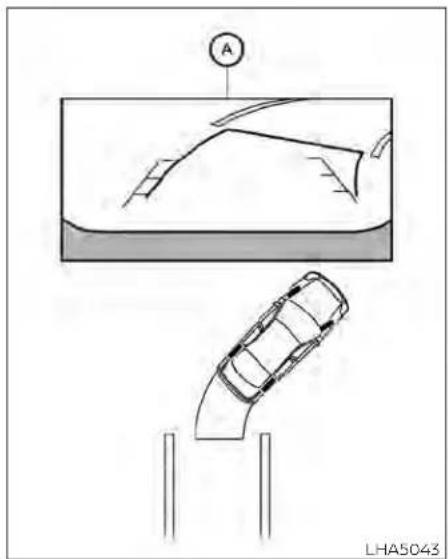
natural_image
Diagram showing a car on a ramp and its rear view, with a circular symbol labeled 'A' pointing to the top panel (no text or labels present)- Visually check that the parkingspaces safe before parking your vehicle.
- Therearviewofthevehicleisdisplayed onthescreen Ⓐ whentheshiftleveris movedtotheR(Reverse)position.
4-22Monitor,climate,audio,phoneandvoicerecognitionsystems
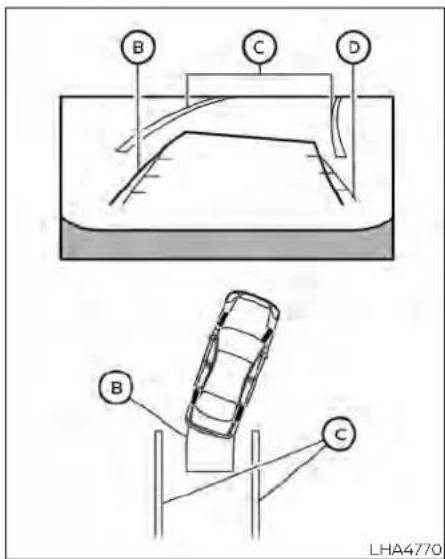
3.Slowlybackupthevehicleadjustingthe steeringwheelsothatthepredicted courselines Ⓑ entertheparkingspace Ⓠ.
- Maneuverthesteeringwheeltomake the vehicle width guidelines ① parallel totheparkingspace ② while referring tothepredicted courselines.
- Whenthevehicleisparkedinthespace completely, movetheshiftlevertotheP (Park)positionandapplytheparking brake.
HOWTOSWITCHTHEDISPLAY
withtheignitionswitchintheONposition, presstheCAMERAbuttonormovetheshift levertotheR(Reverse)positiontooperate theIntelligentAroundViewMonitor.
The IntelligentAroundViewMonitordisplaysdifferentsplitscreenviewsdependingonthepositionoftheshiftlever.Press theCAMERAbuttontoswitchbetweenthe availableviews.
IftheshiftleverisintheR(Reverse)position, theavailableviewsare:
•Rearview/bird's-eyewiewsplitscreen
•Rearview/front-sideviewsplitscreen
• Fullscreenrearview
If the shift lever is in the P(Park) or D(Drive) position, the available views are:
•Frontview/bird's-eyeviewsplitscreen
•Frontview/front-sideviewsplitscreen
ThedisplaywillswitchfromtheIntelligent AroundViewMonitorscreenwhen:
• TheshiftleverisintheD(Drive)position and the vehiclespeed increases above approximately 6 mph (10 km/h)
•Adifferentscreenisselected.
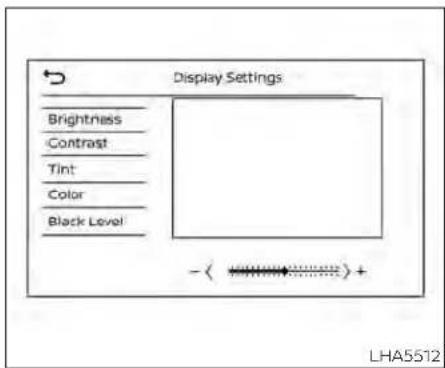
ADJUSTINGTHESCREEN
- While on them main menuscreen, touch the "Settings" key.
- Usethearrowtotabtothenextscreen andtouchthe"Camera"key.
- Touchthe"DisplaySettings"key.
- Touch the "Brightness", "Contrast", "Tint", "Color", or "BlackLevel" key.
- Adjust the item by touching the "or" key on the touch-screen display.
NOTE:
Donotadjustanyofthedisplaysettings oftheIntelligentAroundViewMonitor whilethevehicleismoving.Makesure theparkingbrakeisfirmlyapplied.

INTELLIGENTAROUNDVIEW MONITORSYSTEMLIMITATIONS
4-24Monitor,climate,audio,phoneandvoicerecognitionsystems
WARNING
Listedbelowarethesystemlimitations for IntelligentAroundViewMonitor. Failuretooperatethevehicleinaccordancewiththesesystemlimitations couldresultinseriousinjuryordeath.
- DonotusethelIntelligentAround ViewMonitorwiththeoutsidemirrorsinthestoredposition,andmake surethatthetrunkissecurelyclosed whenoperatingthevehicleusingthe IntelligentAroundViewMonitor.
The apparent distance between objects viewed on the Intelligent Around View Monitordiffers from the actual distance.
Thecamerasareinstalledonthe frontgrille,theoutsidemirrorsand abovetherearlicenseplate.Donot putanythingsuchasalicenseplate frameonthevehiclethatcoversor blockstheviewofthecameras. - When washing the vehicle with high pressure water, besurenottospray it around the cameras. Otherwise, water may enter the camera unit causing water condensation on the lens, a malfunction, fire or an electric shock.
- Donotstrikethecameras.Theyare precisioninstruments.Doingso couldcauseamalfunctionorcause damageresultinginafireoranelectricshock.
Therearesomeareaswherethesystem willnotshowobjectsandthesystemdoes notwarnofmovingobjects.Wheninthe frontorrearviewdisplay,anobjectbelow thebumperoronthegroundmaynotbe viewed ①.Wheninthebird's-eyeview,atall objectnear theseam ② ofthe camera viewingareaswillnotappearin the monitor.
The following are operating limitations and do not represent asystemmalfunction:
- There may be a delay when switching betweenviews.
- Whenthetemperatureisextremelyhigh orlow,thescreenmaynotdisplayobjects clearly.
- When strong light directly shines on the camera, objects may not be displayed clearly.
- Thescreenmayflickerunderfluorescent light.
-
Thecolorsofobjects ontheIntelligent AroundView Monitormay differsome-whatfromtheactualcolorofobjects.
-
Objects on the Intelligent Around View Monitormaynotbeclearandthecolorof theobject maydifferin adark environment.
- Theremaybedifferencesinsharpness betweeneachcameraviewofthebird's-eyeview.
- Donotusewaxonthecameralens.Wipe offanywaxwithacleancloththathas been dampened with a diluted mild cleaningagent,thenwipewithadry cloth.

Systemtemporarilyunavailable
Whenthe"!Iconisdisplayedonthescreen, thereareabnormalconditionsintheIntelligentAroundViewMonitor.Thiswillnot hindernormaldrivingoperationbutthe systemshouldbeinspected.ItisrecommendedthatyouvisitaNISSANdealerfor thisservice.

Whenthe"[X]"iconisdisplayedonthe screen, thecameraimagemaybereceiving temporaryelectronicdisturbances from surroundingdevices. This will nothindernormaldrivingoperationbutthesystemshouldbeinspectedifitoccursfrequently. It is recommended that you visit a NISSAN dealer forthisservice.

SYSTEMMAINTENANCE
CAUTION
- Donotusealcohol, benzineorthin-nertocleanthecamera. This will caused discoloration.
- Donotdamagethecamerasasthe monitorscreenmaybeadversely affected.
Ifdirt,rainorsnowaccumulatesonanyof thecameras ①,theIntelligentAround View Monitor may not display objects clearly.Cleanthecamerabywipingwitha clothdampenedwithadilutedmildclean-ingagentandthenwipingwithadrycloth.
4-26Monitor,climate,audio,phoneandvoicerecognitionsystems
MOVINGOBJECTDETECTION(MOD) (ifsoequipped)
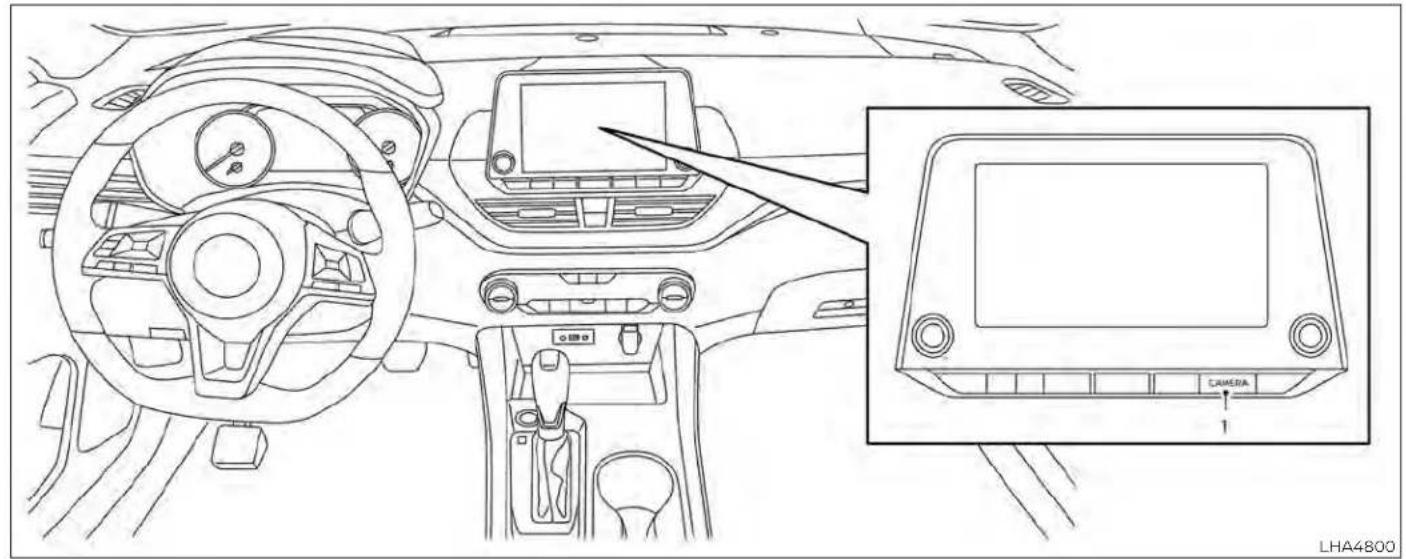
natural_image
Line drawing of a car interior showing dashboard, steering wheel, and camera panel (no text or symbols)1.CAMERAbutton
Monitor, climate, audio, phone and voicerecognitionsystems 4-27
WARNING
Failuretofollowthewarningsandin- structionsforproperuseoftheMoving ObjectDetection(MOD)systemcould resultinseriousinjuryordeath
TheMODsystemisnotasubstitute forpropervehicleoperationandis notdesignedtopreventcontactwith objectssurroundingthevehicle. Whenmaneuvering,alwaysusethe outsidemirrorsandreaviewmirror andturnandcheckthesurroundings toensureitissafetomaneuver.
- Thesystemisdeactivatedatspeeds above5mph(8km/h).Itisreactivatedatlowerspeeds.
TheMODsystemisnotdesignedto detectsurroundingstationary objects.
TheMODsystemcaninformthedriverof moving objects near the vehicle when backing out of garages, maneuvering in parkinglotsandinothersuchinstances.
TheMODsystemdetectsmovingobjects byusingimageprocessingtechnologyon theimageshowninthedisplay.
MODSYSTEMOPERATION
TheMODsystemwillturnonautomatically underthefollowingconditions:
- WhentheshiftleverisintheR(Reverse) position.
- WhentheCAMERButtonispressedto activatethecameraviewonthedisplay.
- When vehiclespeed decreases below approximately 6 mph (10 km/h) and the camerascreen is displayed.

Frontandbird's-eyeviews
TheMODsystemoperatesinthefollowing conditions when the camera view is displayed:
- WhentheshiftleverisintheP(Park)orN (Neutral)positionandthevehicleis stopped,theMODsystemdetectsmoving objects in the birds-eye view. The MODsystemwillnotoperatelftheoutsidemirrorsaremovinginorout,Inthe stowedposition,orifeitherfrontdooris opened.

Rearandbird's-eyeviews
- WhentheshiftleverisintheD(Drive) positionandthevehiclespeedisbelow approximately6mph(10km/h),theMOD systemdetectsmovingobjectsinthe frontview. - WhentheshiftleverisintheR(Reverse) positionandthevehiclespeedisbelow approximately6mph(10km/h),theMOD systemdetectsmovingobjectsinthe rearview.TheMODsystemwillnotoperateifthetrunkisopen.

Rearandfront-sideviews
TheMODsystemdoesnotdetectmoving objectsinthefront-sideview.TheMOD iconisnotdisplayonthescreenwhenin thisview.
whentheMODsystemdetectsmovingobjectsnearthevehicle,achimewillbeheard wheninfrontorrearviewandayellow frameworkillbedisplayedontheviewwhere theobjectsaredetected.whiletheMOD systemcontinuestodetectmovingobjects,theyellowframecontinuestobe displayed.

Fullscreenrearview
NOTE:
While the RCT Achime is beeping, the MOD system does not chime.
Inthebird's-eyeview;theyellowframe ① is displayedoneachcameraimage(front, rear,right,left)dependingonwheremovingobjectsaredetected.
Theyellowframe ② Isdisplayedoneach viewinthefrontviewandrearviewmodes.
AblueMODicon ③ isdisplayedintheview wheretheMODsystemisoperative.Agray MODiconisdisplayedintheviewwherethe MODsystemisnotoperative.
Monitor, climate, audio, phone and voicerecognitionsystems4-29
IftheMODsystemisturnedoff,theMOD icon ③ isnotdisplayed.
TURNINGMODONANDOFF(ifso equipped)
Some vehicles include the option to allow the MOD system to be turned on or off.
ToturntheMODsystemonoroff:
-
Touch the "Setting" key.
-
Touch the "Camera" key.
-
Touch the "MovingObjectDetection" key to switch between ON or OFF.
MODSYSTEMLIMITATIONS

WARNING
Listedbelowarethesystemlimitations forMOD.Failureretooperatethevehicle inaccordancewiththesesystemlimitationscouldresultinseriousinjuryor death.
- DonotusetheMODsystemwhen towingatraler. Thesystemmaynot functionproperly.
- Excessivenoise(forexample, audio systemvolumeoropenvehiclewindow)willinterferewiththechime sound, anditmaynotbeheard.
The MODsystemperformancewillbe limitedaccordingtoenvironmental conditionsandsurroundingobjects suchas:
-Whenthereislowcontrastbetweenbackgroundandthemovingobjects.
-Whenthereisablinkingsourceof light.
-When strong lights such as another vehicle's headlightors sunlight is present.
-Whencameraorientationisnotin itsusualposition,suchaswhena mirrorisfolded.
-Whenthereisdirt,waterdropsor snowonthecameralens.
-Whenthepositionofthemoving objects in the display is not changed.
The MOD system might detect flow-ing water droplet son the camera lens, whitesmoke from them uffler, movingshadows, etc.
The MOD system may not function properly depending on the speed, direction, distance or shape of the moving objects.
- If your vehicles sustain damage to the parts where the camera is installed, leaving it misaligned by bent, the sensing zone may be altered and the MOD system may not detect objects properly.
-Whenthetemperatureisextremely highorlow,thescreenmaynotdisplay objects clearly. This is not a malfunction.
NOTE:
TheblueMODiconwillchangetoorangeifoneofthefollowing hasoccurred:
- Whenthesystemismalfunctioning.
- When the component temperature reachesahighlevel(iconwillblink).
- WhentheRearViewcamerahasdetectedablockage(iconwillblink).
If the icon light continues to illuminate orange, havethe MOD system checked. It is recommended that you visit a NISSAN dealer for this service.
4-30 Monitor, climate, audio, phone and voice recognition systems

natural_image
Line drawing of a car with a numbered component and connecting lines, no text or symbols presentSYSTEMMAINTENANCE
Ifdirt,rainorsnowaccumulatesonanyof thecameras ①,theMODsystemmaynot operateproperly.Cleanthecamerabywipingwithaclothdampenedwithadiluted mildcleaningagentandthenwipingwitha drycloth.
CAUTION
- Donotusealcohol, benzineorthinnertocleanthecamera. This will caused discoloration. - Donotdamagethecameraasthe monitorscreenmaybeadversely affected.
VENTS

natural_image
Line drawing of a car air vent with a black cross symbol indicating airflow direction (no text or labels)Side
Adjustairflowdirectionbymovingthevent slides.
Openorclosetheventsbyusingtheslide. Movetheslidetowardthe ≡ toopenthe ventsortowardthe ✕ toclosethem.
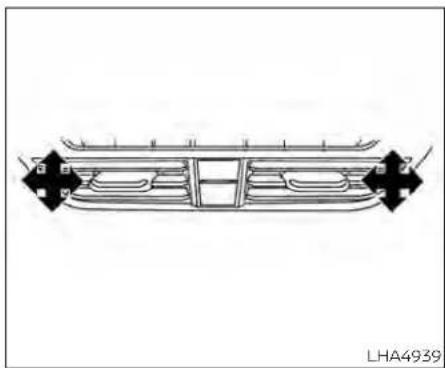
natural_image
Technical line drawing of a vehicle chassis frame with mounting brackets and structural ribs (no text or symbols)Center

natural_image
Diagram of a vehicle air vent with grid layout and directional arrows indicating flow or movement (no text or symbols)Rear(ifsoequipped)
4-32Monitor,climate,audio,phoneandvoicerecognitionsystems
HEATERAND AIR CONDITIONER (manual)(if so equipped)
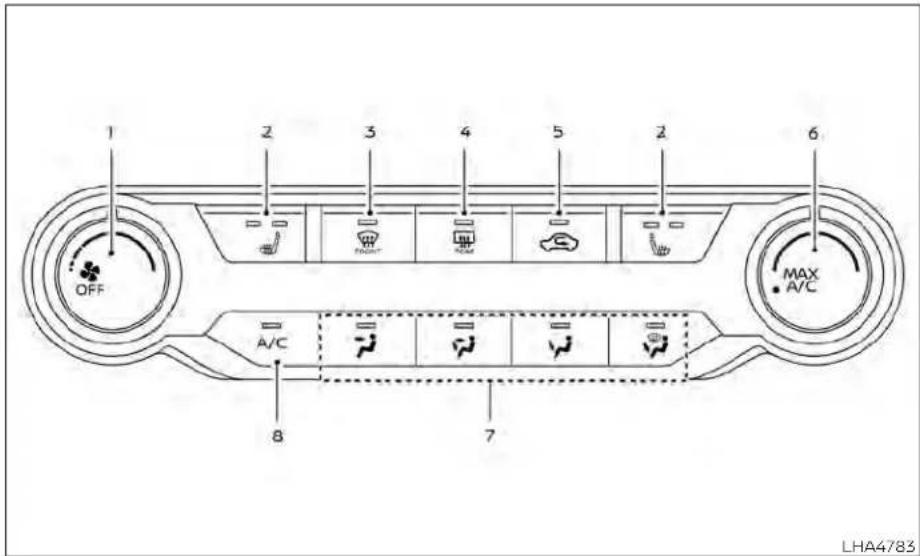
1.Fanspeedcontroldial
2. Heatedseatswitches(ifso
equipped)
3. Frontdefrosterbutton
4. Rearwindowandoutsidemirror
(ifsoequipped)defrosterswitch
5. Airrecirculationbutton
6.MAXA/C/temperaturecontroldial
7.Airflowcontrolbuttons
8.A/C(airconditioner)button
WARNING
The airconditioner cooling function operates only when the engine is running.
- Donotleavechildrenoradultswho wouldnormallyrequiretheassistanceofothersaloneinyourvehicle. Petsshouldalsonotbeleftalone. Theycouldaccidentallyinjurethem-selvesorothersthroughinadvertent operationofthevehicle.Also,onhot, sunnydays,temperaturesinaclosed vehiclecould quickly become high enoughto causesevereor possibly fatalinjuriestopeopleoranimals.
- Donotusethere circulation mode for long periods as it may cause the interior airtobecomestale and the window stofogup.
NOTE:
- Odors from inside and outside the vehiclecanbuildupintheairconditioner unit.Odorcanenterthepassenger compartmentthroughthevents.
- When parking, set the heater and air conditioner controls to turn off air recirculation to allow fresh air into the passenger compartment. This should help reduce odors insidethe vehicle.
CONTROLS
Fanspeedcontroldial
Thefarspeedcontroldialturnsthe fanonandoffandcontrolsfanspeed.
Airflowcontrolbuttons
The airflow control buttons allow you to select the airflow outlets.
Airflowsfromcenterandside vents.
—Airflowsfromcenterandside ventsandfootoutlets.
Airflowsmainlyfromfootoutlets.
—Airflowsfromdefrosteroutlets andfootoutlets.
—Airflowsmainlyfromdefroster outlets.
Temperaturecontroldial
Thetemperaturecontroldialallowsyouto adjustthetemperatureoftheoutletair.To lowerthetemperature,turnthedialtothe left.Toincreasethetemperature,turnthe dialtotheright.
TurnthedialtotheMAXA/Cpositionfor maximumcooling.Airwillflowfromcenter andsidevents.
Airrecirculationbutton
Onposition(Indicatorlighton):
Interiorairisrecirculatedinsidethevehicle.
Pressthe buttontotheonposition when:
- drivingonadustyroad.
•topreventtrafficfumesfromentering passengercompartment.
- formaximumcoolingwhenusingtheair conditioner.
Offposition(Indicatorlightoff):
Outsideairisdrawnintothepassenger compartmentanddistributedthroughthe selectedoutlet.
Usetheoffpositionfornormalheaterorair conditioneroperation.
A/C(airconditioner)button
Starttheengine,turnthefansped control dial to the desired position and pressthe A/C buttontoturnontheair conditioner.Toturnofftheairconditioner, pressthe A/C buttonagain.
Theairconditionercoolingfunctionoperatesonlywhentheengineisrunning.
Rearwindowandoutsidemirror (ifsoequipped)defrosterswitch
For additional information, see "Rearwindowandoutsidemirror(ifsoequipped) defrosterswitch"(P.2-56).
Heatedseatswitches(ifso equipped)
For additional information, see "Heated seatswitches"(P.2-64).
HEATEROPERATION
Heating
Thismodeisusedtodirectheatedairto thefootoutlets.Someairalsoflowsfrom the defrost outlets and the side vent outlets.
-
Pressthe 📄 buttontotheoffposition fornormalheating.
-
Pressthe airflowcontrolbutton.
-
Turnthe ✿ fanspeedcontroldialto thedesiredposition.
-
Turnthetemperaturecontroldialtothe desired position between the middle and thehotposition.
Ventilation
Thismodedirectsoutsideairtotheside andcentervents.
1.Pressthe 📄 buttontotheoffposition.
2.Pressthe airflowcontrolbutton.
3.Turnthe ✿ fanspeedcontroldialto thedesiredposition.
- Turnthetemperaturecontroldialtothe desiredposition.
Defrostingordefogging
Thismodedirectstheairtothedefrost outletstodefrost/defogthewindows.
1.Pressthedefrost/defogbutton
- Turn the fanspeed controldial to the desired position.
3.Turnthetemperaturecontroldialtothe desiredpositionbetweenthemiddle andthehotposition.
•Toquicklyremoveiceorfogfromthewindows,turnthe ✿ fanspeedcontroldial tothehighestsettingandthetemperaturecontroltothefullHOTposition.
-whenthe positionisselected,theair conditionerautomaticallyturnsonifthe outsidetemperatureismorethan36°F (2°C).Thisdehumidifiestheirwhich helpsdefogthewindshield.The modeautomaticallyturnsoff,allowing outsideairtobdrawnintothepassengercompartmenttofurtherimprovethe defoggingperformance.The recirculationmodecannotbeactivatedinthe position.
Bi-levelheating
Thebi-levelmodedirectswarmedairto thesideandcenterventsandtothefront andrearflooroutlets.
1.Pressthe 📄 buttontotheoffposition.
2.Pressthe airflowcontrolbutton.
3.Turnthe ✿ fanspeedcontroldialto thedesiredposition.
- Turnthetemperaturecontroldialtothe desiredposition.
Heatinganddefogging
Thismodeheatstheinterioranddefogs thewindshield.
1.Pressthe airflowcontrolbutton.
2.Turnthe fanspeedcontroldialto thedesiredposition.
3.Turnthetemperaturecontroldialtothe desiredpositionbetween the middle and thehotposition.
-whenthe positionisselected,the airconditioner automatically turnsonif theoutsidetemperatureismorethan 36^(2^) .Thisdehumidifiestheairwhich helpsdefogthewindshield.The modeautomaticallyturnsoff,allowing outsideairtobedrawnintothepassengercompartmenttofurtherimprovethe defoggingperformance.
Operatingtips
Clearsnowandicefromthewiperblades andairinletinfront ofthewindshield. Thisimprovesheateroperation.
-For quick cooling when the outside temperature is high, press the button to the ON position. Besuret return the to the off position for normal cooling. MAXA/C maybe used for quick cooling.
Dehumidifiedheating
Thismodeisusedtoheatanddehumidify theair.
1.Pressthe 📄 buttontotheoffposition.
2.Pressthe airflowcontrolbutton.
3.Turnthe ✿ fanspeedcontroldialto thedesiredposition.
4.PresstheA/C(airconditioner)button. Theindicatorlightcomeson.
- Turnthetemperaturecontroldialtothe desiredposition.
Dehumidifieddefogging
Thismodeisusedtodefogthewindows anddehumidifytheair.
1.Pressthe airflowcontrolbutton. 2.Turnthe fanspeedcontroldialto thedesiredposition.
- When the air conditionerautomaticallyturnsonif theoutsidetemperatureismorethan 36^(2^) . Thisdehumidifiestheairwhich helpsdefogthewindshield. The modeautomaticallyturnsoff,allowing outsideairtobedrawnintothepassengercompartmenttofurtherimprovethe defoggingperformance.
- Turnthetemperaturecontroldialtothe desiredposition.
Operatingtips
- Keepthewindowsclosedwhiletheair conditionerisinoperation. - Afterparkinginthesun,drivefor2or3 minuteswiththewindowsopentovent hot air from the passenger compartment.Then,closethewindows.Thisallowstheairconditionertocooltheinteriormorequickly.
•The airconditioningsystem should be operated for approximately 10 minutes at least once a month. This helps prevent damage to the system duetolack of lubrication.
- Avisiblemistmaybeseencomingfrom theventilatorsinhot,humidconditions astheairiscooledrapidly.Thisdoesnot indicateamalfunction.
- If the engine coolant temperature gauge indicates engine coolant temperature overthen normal range, turn the air condition or. For additional information, see "If your vehicle overheats" (P.6-19).
- When Remote Engine Start (if so equipped)isactivated,themanualclimatecontrolsystemwilldefaulttothe lastusedheatingorcoolingmode.
AIRFLOWCHARTS
The following chart show the button and dial positions for MAXIMUM AND QUICK heating, cooling or defrosting. The air recirculation button should always be in the off position for heating and defrosting.
4-36 Monitor, climate, audio, phone and voice recognition systems


LHA4786 LHA4787
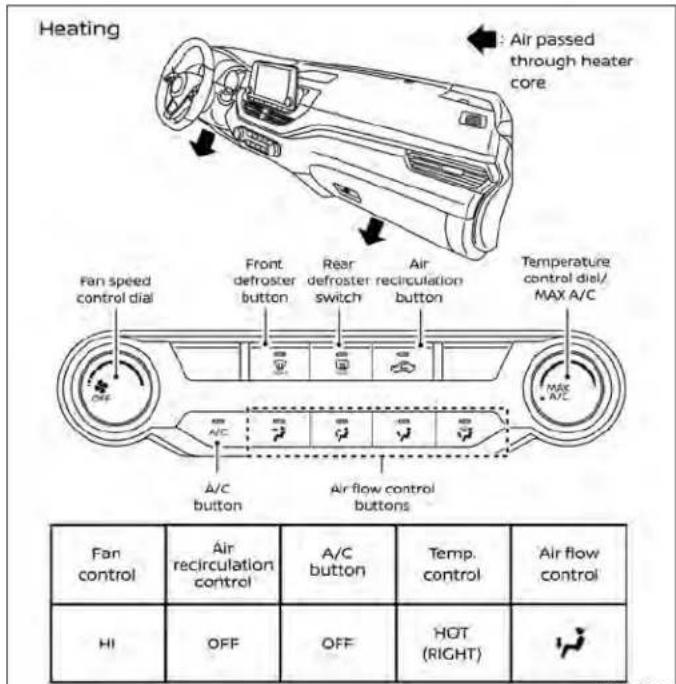
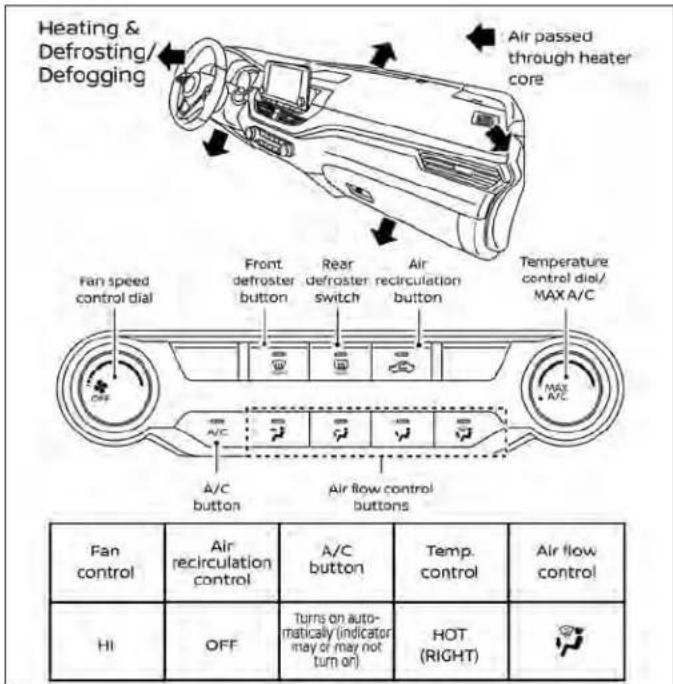
LHA4788LHA4789
4-38Monitor,climate,audio,phoneandvoicerecognitionsystems

Monitor,climate,audio,phoneandvoicerecognitionsystems4-39
HEATERAND AIRCONDITIONER (automatic)(if soequipped)

- AUTO(automatic)climatecontrolbutton/temperaturecontroldial(drivers side)
2.Displayscreen - Heatedseatswitches
4.SYNCbutton/temperaturecontroldial (passenger'sside)
5.A/C(airconditioner)button
- Airrecirculationbutton
- Airflowcontrolbutton
- Fanspeedcontrolbuttons
- Heatedsteeringwheelswitch
- Rearwindowandoutsidemirror
defrosterswitch
- Frontdefrosterbutton
12.ON-OFFbutton
WARNING
The airconditioner cooling function operates only when the engine is running.
- Donotleavechildrenoradultswho wouldnormallyrequiretheassistanceofothersaloneinyourvehicle. Petsshouldalsonotbeleftalone. Theycouldaccidentallyinjurethemselvesorothersthroughinadvertent operationofthevehicle.Also,onhot, sunnydays,temperaturesinaclosed vehiclecouldquicklybecomehigh enoughto causesevereor possibly fatalinjuriestopeopleoranimals.
- Donotusethere circulation mode for long periods as it may cause the interior airtobecomestale and the window stofogup.
Start the engine and operate the controls to activate the air conditioner.
NOTE:
- Odorsfrominside andoutside the vehiclecanbuildupintheairconditioner unit.Odorcanenterthepassenger compartmentthroughthevents.
-Whenparking,settheheaterandair conditionercontrolstoturnoffairre-circulationtoallowfreshairintothe passengercompartment.Thisshould helpreduceodorsinsidethevehicle.
AUTOMATICOPERATION
Cooling and/or dehumidified heating(AUTO)
Thismodemaybeusedallyearroundas thesystemautomaticallyworkstokeepa constanttemperature.Airflowdistribution, airintakecontrol,andfanspeedarealso controlledautomatically.
- PresstheAUTObuttonon.
- Turnthetemperaturecontroldialtothe leftorrighttosetthedesired temperature.
-Adjustthetemperaturedisplaytoabout 75^(24^) fornormaloperation. - Thetemperatureofthepassengercompartmentwillbemaintainedautomatically.Airflowdistribution,airintakecontrolandfanspeedarealsocontrolled automatically.
• Avisiblemistmaybeseencomingfrom theventsinhot, humidconditionsasthe airiscooledrapidly. Thisdoesnotindicate amalfunction.
3. You can individually set driver's sandfront passenger's sidetemperature using each temperature controldial. Tosyn- chronized driver's sandfrontpassen- ger's temperaturesettings, press the SYNCbutton.
Heating(A/COFF)
Theairconditionerdoesnotactivate.When youneedtoheatonly,usethismode.
1.PresstheAUTObutton.
2. Turnthetemperaturecontroldialtoset thedesiredtemperature.
- Thetemperatureofthepassengercompartmentwillbemaintainedautomatically.Airflowdistributionandfanspeed arealsocontrolledautomatically.
- Donotsetthetemperaturelowerthan theoutsideairtemperature. Otherwise, thesystemmaynotworkproperly.
- Notrecommendedifwindowsfogup.
Dehumidifieddefrostingor defogging
1.Pressthe frontdefrosterbuttonon.
2. Turnthetemperaturecontroldialtoset thedesiredtemperature.
•Toquicklyremoveicefromtheoutsideof thewindows,usethe ♣ fanspeedcontrol buttons to set the fan speed to maximum.
- As soon as possible after the windshield is clean, press the AUTO button to return to the automatic mode.
- When the frontdefrosterbutton is pressed, the air conditioner will automatically be turned on at outsidetemperatures above 36°F (2°C). The air recirculate mode automatically turn off, allowing outside air bedrawn into the passenger compartment to further improve the defogging performance.
RemoteEngineStartwith IntelligentClimateControl(ifso equipped)
Vehiclesequippedwithautomaticclimate controlsandRemoteEngineStartfunction maygointoautomaticheatingorcooling
modewhenRemoteEngineStartisactivateddependingonoutsideandcabin temperatures.Duringthisperiod,theclimatecontroldisplayandbuttonswillbe Inoperableuntiltheignitionswitchis turnedon.InRemoteEngineStartdefrostingmode,therearWindowdefroster, heatedseats(ifsoequipped)andheated steeringwheel(ifsoequipped)maybeactivatedautomatically.
MANUALOPERATION
Fanspeedcontrolbuttons
Pressthefanspeedcontrolbuttons tomanuallycontrolthefanspeed. PresstheAUTObuttontoreturntoauto- maticcontrolofthefanspeed.
Temperaturecontroldial
Thetemperaturecontroldialallowsyouto adjustthetemperatureoftheoutletair. To lowerthetemperature,turnthedialtothe left.Toincreasethetemperature,turnthe dialtotheright.Temperaturecanbeadjustedonthedriver'sandpassenger'sside.
Airrecirculation
Pressthe airrecirculationbuttonto recirculate interior air inside the vehicle. The indicatorlightonthebuttonwill comeon.
Theairrecirculationcannotbeactivated whentheair conditioner is in the front defrostingmode.
When the outsidetemperature exceeds 70^ F ( 21^ C), the air conditioning system may default to air recirculation mode automatically to reduce overall power consumption. To exit air recirculation mode, deselect the air recirculation button (indicator light will turn off) to enter fresh chair mode.
Automaticintakeaircontrol
IntheAUTOmode,theintakeairwillbe controlledautomatically.Tomanuallycontroltheintakeair,pressthe airrecirculationbutton.Toreturntotheautomatic controlmode,pressandholdthe air recirculationbuttonforabout2seconds. Theindicatorlightwillflashtwice,andthen the intake air will be controlled automatically.
A/C(airconditioner)button
Starttheengine, press the fanspeed controlbuttonstothe desiredposition and pressthe A/C buttontoturnontheair conditioner. Toturnofftheairconditioner, pressthe A/C buttonagain.
Theairconditionercoolingfunctionoperatesonlywhentheengineisrunning.
Airflowcontrol
Pressingthe buttonmanuallycontrolsairflowandselectstheairoutlet:
- Airflowsfromcenterandside vents.
— Airflowsfromcenterandside ventsandfootoutlets.
Airflowsmainlyfromthefoot outlets.
Airflowsfromdefrosterandfoot outlets.
Synchronizeclimatesettings
PresstheSYNCbuttontosynchronizeclimatesettings.Thesyncindicatorwillturn on.
PressingSYNCwillsynchronizedriver'sand frontpassenger'sclimatesettings.
TochangeclimatesettingswhenSYNCis active(theSYNCindicatorison):
- Thedriver'ssidetemperaturecontroldial willcontrolthedriverandfrontpassenger temperatures.
- Thefanspeedcontroldialwillcontrolthe fanspeeds.
ToexitSYNC:
• Toremovethefrontpassengerfrom SYNC, turnthepassenger'ssidetemperature controldial.
- PressingSYNCmultipletimeswillreactivateSYNC.
Toturnsystemoff
PresstheON-OFFbutton.
Rearwindowandoutsidemirror defrosterswitch
For additional information, see "Rearwindowandoutsidemirror (Ifsoequipped) defrosterswitch" (P.2-56).
Heatedseatswitches
For additional information, see "Heated seatswitches" (P.2-64).
Heatedsteeringwheelswitch
For additional information, see "Heated steeringwheelswitch" (P.2-65).
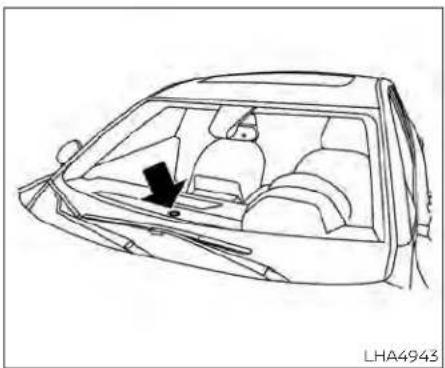
natural_image
Line drawing of a car interior showing the dashboard and seatbelt (no text or symbols)OPERATINGTIPS
Thesunloadsensor, locatedonthetop centeroftheinstrumentpanel, helps the systemmaintainaconstanttemperature. Donotputanythingonoraroundthis sensor.
SERVICINGAIRCONDITIONER
- When the climatesystemis automatic operation and the engine coolant temperature and outside air temperature are low, the airflow outlet may default to frosternode for a maximum of 2 minutes 30 seconds. This is not a malfunction. After the engine coolant temperature warms up, the airflow outlet will return to foot mode and operation will continue normally.
- When the outside and interior cabintem- teratures are moderate to high, the in- takes setting may default to turn off air recirculation to allow fresh hair into the passenger compartment. You may no- tice airflow from the foot mode, bi-level mode, or sided emist vent outlets for a maximum of 15 seconds. This may occur when the previous climates setting was turned off. This is not a malfunction. After the initial warmair is expelled, the intake will return to automatic control, the air flow outlet will return to previous settings, and operation will continue normally. To exit, press any climate control button.
- Keepthemoonroof(ifsoequipped) closedwhiletheairconditionerisin operation.
- If you feel that the airflow mode you have selected and the outlet the air is coming out on to match, select the mode.
- When you can get the airflow mode, you may feel airflow from the foot outlets for just a moment. This is not a malfunction.
The air conditionersysteminyourNISSAN vehicle is charged with arefrigerant designed with the environment in mind.
This refrigerant does not harm the earth'sozonelayer.
Specialchargingequipmentandlubricant isrequiredwhenservicingyourNISSANair conditioner.Usingimproperrefrigerantsor lubricants will cause severe damage to yourairconditionersystem.Foradditional information,see"Airconditionersystemrefrigerant and oil recommendations" (P.10-8).
It is recommended that you visit a NISSAN deal to service your environmentally friendly air conditionersystem.
WARNING
The airconditionersystemcontainsrefrigerantunderhighpressure.Toavoid personalinjury,anyairconditionerserviceshouldbedoneonlybyanexperienced technician with proper equipment.
AUDIOSYSTEM
RADIO
PlacetheignitionswitchintheACCorON positionandpressthePUSH Ⓧ button toturntheradioon.Ifyoulistentotheradio withtheenginenotrunning,theignition switchshouldbeplacedintheACC position.
Radioreceptionisaffectedbystationsignalstrength, distancefromradiotransmitter, buildings, bridges, mountains and other externalinfluences. Intermittentchanges inreceptionqualitynormallyarecaused by these externalinfluences.
Usingacellularphoneinornearthevehiclemayinfluenceradioreception quality.
Radioreception
YourNISSANradiosystemisequippedwith state-of-the-artelectroniccircuitstoenhanceradioreception. Theseecircuitsare designedtoextendreceptionrange,andtoenhancethequalityofthatreception.
However, there are some general characteristics of both FM and AM radios signals that can affect radioreception quality in moving vehicle, even when the finest equipment is used. These characteristics are completely normal in agiven reception
areaanddonotindicateanymalfunction inyourNISSANradiosystem.
Receptionconditionswill constantly change because of vehicle movement. Buildings,terrain,signaldistanceandinterference from other vehiclescanwork againstidealreception.Describedbelow aresomeofthefactorthatcanaffectyour radioreception.
Somecellularphonesorotherdevicesmay causeinterferenceorabuzzingnoiseto come from the audio system speakers. Storingthedeviceinadifferentlocation mayreduceoreliminatethenolse.
FMRADIORECEPTION
Range:FMrangelisnormallylimitedto25-30mi(40-48km),withmonaural(single channel) FM having slightly more range thanstereoFM.Externalinfluencesmay sometimes interfere withFM stationreceptioneveniftheFMstation iswithin25 mi(40km).ThestrengthoftheFMsignalis directlyrelatedto thedistancebetween thetransmitterandreceiver.FMsignalsfollowaline-of-sightpath,exhibitingmanyof thesamecharacteristicssaslight.Forexample,theywillreflectoffobjects.
Fadeanddrift: As your vehicle moves away from a station transmitter, the signals will tend to fade and or drift.
Static and flutter: During signal interference from buildings, large hills or dueto antenna position (usually in conjunction within increased distance from the station transmitter), static or flutter can be heard. This can be reduced by adjusting the treble control to reduce trebler response.
Multipathreception: Because of the reflective characteristics of FM signals, direct and reflected signals reach thereceiver at the same time. Thesignals may cancel each other, resulting in momentary flutter or loss of sound.
AMRADIORECEPTION
AMsignals, because of their low frequency, can bendaround objects and skip along the ground. In addition, the signals can be bounced off the ionosphere and bent back to earth. Because of these characteristics, AMsignals are also subject to interference asthey travel from transmittentoreceiver.
Fading: Occurswhilethevehicleispassing throughfreewayunderpasses or in areas with many tall buildings. It can also occur
forseveralsecondsuringionosphericturbulenceeveninareaswherenobstacles exist.
Static: Caused by thunderstorms, electrical power lines, electricsigns and event traffic lights.
AUDIOOPERATIONPRECAUTIONS
MP3orWMAterms
- MP3—MP3isshortforMovingPictures ExpertsGroupAudioLayer3.MP3isthe mostwell-knowncompresseddigitalaudiofileformat. This format allows for near "CDquality" sound, but a fraction of the sizeofnormalaudiofiles.MP3 conversion of an audiotrack from CD-ROM can reduce the filesize by approximately 10:1 ratio with virtually nonoperceptible loss in quality. MP3 compression removes the redundant and irrelevant part of sound signals that the humaneard doesn't hear.
•WMA—WindowsMediaAudio(wMA)*isa compressedaudioformatcreatedbyMicrosoftasanalternativetoMP3.ThewMA codeoffersgreaterfilecompression thantheMP3codec,enablingstorageof moredigitalaudiotracksinthesame amountofspacewhencomparedto MP3satthesamelevelofquality.
- Bitrate—Bitratedenotesthenumberof bitspersecondusedbyadigitalmusic file.Thesizeandqualityofacompressed digitalaudiofileisdeterminedbythebit rateusedwhenencodingthefile.
- Samplingfrequency – Samplingfrequencyistherateatwhichthesamples ofasignalareconvertedfromanalogto digital(A/Dconversion)persecond.
- Multisession—Multisessionisoneofthe methodsforwritingdatatomedia.Writingdataoncetothe media iscalleda singlesession,andwritingmorethan onceiscalledamultisession.
• ID3/wMATag—TheID3/wMAtagisthe partoftheencodedMP3orWMAfilethat contains information about thedigital musicfilesuchassongtitle,artist,encodingbitrate,tracktimeduration,etc.ID3 taginformationisdisplayontheArtist/songtitlelineonthedisplay.
*Windows®andWindowsMedia®areregisteredtrademarksandtrademarksintheUnitedStatesofAmericaandothercountriesofMicrosoftCorporationoftheUSA.
USB(UniversalSerialBus) ConnectionPort
WARNING
- Donotconnect, disconnectoroperatetheUSB device while driving. Doingsocan bead distraction. If distracted you could lose control of your vehicle and cause an accident or serious injury.
CAUTION
- DonotforcetheUSBdeviceintothe USBport.InsertingtheUSBdevice tiltedorup-side-downintotheport maydamagetheport.Makesure thattheUSBdeviceisconnectedcorrectlyintotheUSBport.
- DonotgrabtheUSBportcover(ifso equipped)whenpullingtheUSBdeviceoutoftheport.Thiscoulddamagetheportandthecover.
- DonotleavetheUSBcableinaplace whereitcanbepulled unintentionally. Pulling thecable maydamage theport.
The vehicle is not equipped with a USB device. USB devices should be purchased separately as necessary.
This system cannot be used to format USB devices. To form a USB device, use a personal computer.
Insomejurisdictions,theUSBdeviceforthe frontseatsplaysonlysoundwithoutimagesforregulatoryreasons,evenwhenthe vehicleisparked.
This system supports various USB memory devices, USB hard drives and iPod® players. Some USB devices may not be supported by this system.
- PartitionedUSBdevicesmaynotplay correctly.
- Some characters used in other languages(Chinese, Japanese, etc.) may not appear properly in the display. Using English language characters with a USB device is recommended.
GeneralnotesforUSBUse:
- Foradditionalinformation,refertoyour devicemanufacturer'sownerinformationregardingtheproperuseandcareof thedevice.
NotesforiPod®use:
iPod®isattrademarkofAppleInc.,registeredintheU.S.andothercountries.
- ImproperlypluggingintheiPod®may causeacheckmarktobedisplayedon andoff(flickering).Alwaysmakesurethat theiPod®isconnectedproperly.
• AniPod® nano(1stGeneration) may remain infast forward or re wind mode if it is connected during a seek operation. In this case, please manually reset the iPod®.
• AniPod® nano(2ndGeneration) will continuetofast-forwardorrewindifitisdisconnectedduringaseekoperation.
•Anincorrectsongtitlemayappearwhen thePlayModeischangedwhileusingan iPod®nano(2ndGeneration).
- Audiobooks may not play in the same orderastheyappearonaniPod®.
• Largevideofilescauseslowresponsesin aniPod®. Thevehiclecenterdisplaymay momentarilyblackout, but will soon recover.
- IfaniPod® automaticallyselectslarge videofilsswhileintheshufflemode,the vehiclecenter displaymay momentarily blackout,butwillsoonrecover.
iPod®\*player
- Some characters used in other languages(Chinese, Japanese, etc.) are not displayed properly on the vehicle center screen. Were recommending English or Spanish language characters within iPod®.
• LargevideopodcastfilescauseslowresponsesintheilPod®. Thevehiclecenter displaymaymomentarilyblackout, but it will soon recover.
- If the iPod® automatically selects large video podcast files while in the shuffle mode, the vehiclecenter display may momentarily black out, but it will soon recover.
- ImproperlypluggingintheiPod®may causeacheckmarktobedisplayedon andoff(flickering).Alwaysmakesurethat theiPod®isconnectedproperly.
•TheiPod®nano(2ndGeneration)willcontinuetofastforwardorrewindifitisdisconnectedduringaseekoperation.
- Anincorrectsongtitlemayappearwhen thePlayModeischangedwhileusingthe iPod®nano(2ndGeneration).
- Audiobooks may not play in the same orderastheyappearontheiPod®.
•TheiPod® nano(1stGeneration) may remain infast forward or rewind mode if it is connected during a seek operation. In this case, pleasemanually reset the iPod®.
- If you are using an iPod (3rd Generation with Dockconnector), donot use every long names for the song title, album name or artist nametoprevent the iPod from resetting itself.
- Becarefulnottodothefollowing,orthe cablecouldbedamagedandalossof functionmayoccur:
-Bendthecableexcessively(1.6in(40 mm)radiusmaximum).
-Twistthecableexcessively(morethan 180degrees).
-Pullordropthecable.
-DonotforcetheiPod® cableconnector intothedeviceport.
-Closethecenterconsolelidonthe cableorconnectors.
-Storeobjectswithsharpedgesinthe
storagewherethecableisstored.
- Spill liquids on the cable and connectors.
- DonotconnectthecabletotheiPod®if thecableand/orconnectors arewet. It maydamagetheiPod®.
- If the cable and connectors are exposed to water, allow the cable and/or connector today completely before connecting the cable to the iPod® (wait 24 hours for it today).
- If the connector is exposed to fluid so other than water, evaporatoreresidue may cause short between the connector pins. In this case, replacothecable, otherwise damaged together Pod® and also so of function may occur.
- If the cable is damaged (insulation cut, connectors cracked, contaminations such as liquids, dust, dirt, etc. in the connectors), do not use the cable. It is recommended that you visit a NISSAN deal to replace the cable with anewone.
- When not in use for extended periods of time, store the cable in a clean, dust free environment at room temperature and without direct sun exposure.
- Donotuse thecableforanyotherpurposesotherthanitsintendeduseinthe vehicle.
^* iPod ^® is a trademark of Apple Inc., registered in the U.S. and other countries.
Bluetooth®streamingaudio
- SomeBluetooth® audiodevicesmaynot berecognizedbythein-vehicleaudio system.
- Itisnecessarytosetupthewirelessconnection between a compatible Bluetooth®audiodeviceandthein-vehicleBluetooth® modulebeforeusing theBluetooth®audio.
- Operating procedure of the Bluetooth® audiowillvary depending on the devices. Makes sure how to operate your audiodevice before using it with this system.
•TheBluetooth®audiomaybestopped underthefollowingconditions:
-Receiving a callon theBluetooth® Hands-FreePhoneSystem.
- Checking the connection to the hands-freephone.
- DonotplacetheBluetooth®audiodevice inanareasurroundedbymetalorfar away from the in-vehicle Bluetooth® moduletopreventtonequalitydegradationandwirelessconnectiondisruption.
- While an audio device is connected throughtheBluetooth®wirelessconnection,thebatterypowerofthedevicemay dischargequickerthanusual.
- This systems supports the Bluetooth® AudioDistributionProfile(A2DP, AVRCP).
Bluetooth®
BLUETOOTH®isa trademarkowned by BluetoothSIG, Inc. and licensed to Panasonic.

FM/AMRADIO
1.Displayscreen
2. PUSHSOUNDbutton/TUNE·SCROLLknob
3.BASKbutton
4. MENUbutton
5.AUDIObutton
- / (SEEK/TRACK) buttons
7.VOL(volume)knob/PUSH (power) button
For additional information, see "Audiooperation precautions" (P.4-46) regarding all operation precautions in this section.
Monitor, climate, audio, phone and voicerecognitionsystems4-49
Audiomainoperation
VOL(volume)knob/PUSH
(power)button
PlacetheignitionswitchintheONposition andpressthePUSH (power)button whilethesystemisofftocallupthemode (radio,AUX,Bluetooth®audio,USBoriPod®) thatwasplayingimmediatelybefore the systemwasturnedoff.
Toturnthesystemoff, press the PUSH (power) button.
TurntheVOL(volume)knobtoadjustthe volume.
This vehicle may be equipped with Speed Sensitive Volume. When this feature is active, the audio volume changes astheds driving speed changes.

MENUbutton
PresstheMENubuttontoshowthe Menuscreen.Touchthe"Settings"keyon thedisplay,thentouchthe"Sound"key.
| SoundSettings | ||
| BassAdjuststhebasstothedesiredlevel. | ||
| TrebleAdjuststhetrebletothedesiredlevel. | ||
| Balance | Adjusts the balance to the desired level. Balance adjusts the sound level between the left and right speakers. | |
| Fade | Adjusts the fade to the desired level. Fade adjusts the sound level between the front and rear speakers. | |
| Speed Sensitive Volume | Adjusts the speed sensitive volume function, which increases the volume of the audio system as thespeedofthevehicleincreases.Setto'OFF'todisablethefeature.Thehigherthesetting,ther morethevolumeincreasesinrelationtovehiclespeed. | |
Bass,treble,balance,fadeandSpeedSensitiveVolumecanbeadjustedbytouching"-"/+","L"/"R",or"R"/"F"keys.
Audiobutton
Presstodisplaytheaudioscreen.When thisbuttonispressedwhiletheaudio screenisnotdisplayed,thelastaudio sourceplayedwillplay.
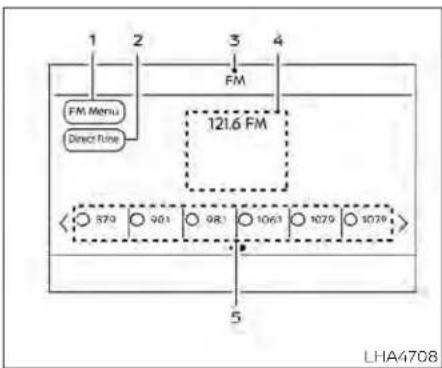
AM/FMradioscreen
1."AMMenu"/"FMMenu"key Touchtodisplaytheradiomenuscreen.
2."DirectTune"(ifsoequipped) Touchtomanuallyenterastation.
3. Audiosourceindicator
Indicate the currently selected audio source.
4. Reception information display
Reception information currently available such as frequency, station name, etc. is displayed.
5.Presetlist
Tolistentoapresetstation,touchthe correspondingstationfromthepreset list. If displayed, touch the "<" or "> " keys toscrollthepresetlist.
AMradiooperation
PresstheMENUButtonandtouchthe "AM"keyorpresstheAUDIObuttonand selectAMonthebottomoftheLaunchBar tobringuptheAMdisplayscreen.
Ifanotheraudiosourceisplayingwhenthe "AM"keyispressed,theaudiosourceplay-ingwillautomaticallybeturnedoffandthe lastradiostationplayedwillbeginplaying.
AMMenu
Touchthe"AMMenu"keytodisplaytheAM Menuscreenoptions:
•SCAN:Toscanthestations,touchthe"AM Menu"keyontheradioscreenandthen touchthe"SCAN"key.Thestationswillbe tunedfromlowtohighfrequenciesand stopat eachbroadcastingstationfor severalseconds.Touchingthe"SCAN"key againduringthisperiodofseveralsecondswillstoptuningandtheradiowill remaintunedtothatstation.
- Refresh: Touch the "Refresh" keytoscan and updatethestation list displayed on therightside of the AM Menuscreen.
(SEEK/TRACK)buttons
Pressthe orbubnstotune fromlowtohighorhightolowfrequencies andtostopatthenextbroadcasting station.
1to6Stationmemoryoperations
Uptosixstationscanberegisteredinthe presetlist.
-
SelecttheAMradioband.
-
Tunetothestationyouwishtostore.
-
Touchandholdoneofthepresetnumbersinthepresetlist.
Theinformationsuchasfrequencywillbe displayedonthepresetlist.
Toselectandlistentothepresetstations, push ♦ onthesteeringwheelbrieflyor touchapreferredstationonthepresetlist ontheradioscreen.
FMradiooperation
PresstheMFNUbuttonandtouchthe "FMMenu"keyorpresstheAUDIObutton andselectFMonthebottomoftheLaunch BartobringuptheFMdisplayscreen.
Ifanotheraudiosourceisplayingwhenthe "FM"keyispressed,theaudiosourceplayingwillautomaticallybeturnedoffandthe lastradiostationplayedwillbeginplaying.
TheFMstereoindicator(STEREO)isshown onthescreenduringFMstereoreception. Whenthestereobroadcastsignalisweak, theradioautomaticallychangesfromstereotomonauralreception.
FMMenu
Touchthe"FM"MenukeytodisplaytheFM Menuscreenoptions:
•SCAN:Toscantunethestations,touch the"FMMenu"keyontheradioscreen andthentouchthe"SCAN"key.Thestationswillbetunedfromlowtohighfrequenciesandstopateachbroadcasting stationsforseveralseconds.Touching the"SCAN"keyagainduringthisperiodof severalsecondswillstoptuningandthe radiowillremaintunedtothatstation.
- Refresh: Touch the "Refresh" keytop-up datethestation list displayed on theright side of the FM Menuscreen.
•RDSInfo:RadiostationandsonginformationcanbedisplayedontheFMdisplay screen.
(SEEK/TRACK)buttons
Pressthe orbuttonstotune fromlowtohighorhightolowfrequencies andtostopatthenextbroadcasting station.
1to12Stationmemoryoperations
Upto12stationscanberegisteredinthe presetlist.
- SelecttheFMradioband.
2.Tunetothestationyouwishtostore.
- Touchandholdoneofthepresetnumbersinthepresetlist.
Theinformationsuchasfrequencywillbe displayedonthepresetlist.
Toselectandlistentothepresetstations, push ♦ onthesteeringwheelbrieflyor touchapreferredstationonthepresetlist ontheradioscreen.
Auxiliary(AUX)devicesoperation
Connectingauxiliarydevices
ConnectanAUXdeviceintotheAUXinput jacklocatedonthecenterconsolebelow theheaterandairconditionercontrols.
4-52 Monitor, climate, audio, phone and voice recognition systems
The AUXinputjackacceptsanystandard analogaudioinputsuchasfromaportable cassetteplayer,CDplayer,MP3playeror phone.
Inserta1/8in(3.5mm)stereomini plugin theaudioinputjack.Ifacablewithamono plugisused,theaudiooutputmaynot functionnormally.
Activationandplaying
TurnontheAUXdeviceConnectanAUX cabletotheAUXdeviceandtheAUXinput jack.SelectAUXmodefromtheaudio sourcemenuscreenorbypressingthe Sourcebuttononthesteeringwheel.

AUXscreen
• Audiosourceindicator Indicate that the AUX source is currently playing.
• "VolumeSetting" keys Touchoneofthekeystoselectthesound outputgainfromLow,MediumandHigh.
•AUXfromLaunchBar Touchtochangefromanothersource AUX.
Additionalfeatures
For additional information, see "USB(Universal Serial Bus) Connection Port" (P.4-54) in this section regarding the USB connection port available with this system.
Foradditionalinformation,see"iPod® playeroperation"(P.4-57)inthissectionregardingtheiPod®playeravailablewiththis system.
For additional information, see "Bluetooth® streamingaudio"(P.4-60) in this section about the Bluetooth® audiointerface available with this system.
Microsoft(WMA)Obligationof Labeling
AdditionalObligationofLabeling
ThisproductisprotectedbycertainintellectualpropertyrightsofMicrosoft Corporationandthirdparties.Useordistributionofsuchtechnologyoutsideofthisproductisprohibitedwithoutalicense fromMicrosoftoranauthorizedMicrosoft subsidiaryandthirdparties.
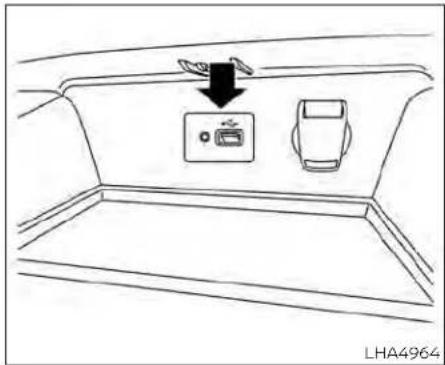
USB(UniversalSerialBus) CONNECTIONPORT
ConnectingadevicetotheUSB ConnectionPort

WARNING
Donotconnect, disconnect, or operate the USB device while driving. Doing so can bead distraction. If distracted you could lose control of your vehicle and cause an accident or serious injury.

CAUTION
- To avoid damage and lossoff function when using a USB device, not the following precautions.
- DonotforcetheUSBdeviceintothe USBport.InsertingtheUSBdevice tiltedorup-side-downintotheport maydamagetheport.Makesure thattheUSBdeviceisconnectedcor- rectlyintotheUSBport.
- DonotgrabtheUSBportcover(ifso equipped)whenpullingtheUSBdeviceoutoftheport.Thiscoulddamagetheportandthecover.
- DonotleavetheUSBcableinaplace whereitcanbepulledunintentionally.Pullingthecablemaydamage theport.
Foradditionalinformation,refertoyourdevicemanufacturer'sownerinformationregardingtheproperuseandcareofthe device.
TheUSBportislocatedbeneaththeheater andairconditionercontrols.InserttheUSB deviceintotheconnectionport.
When incompatible storage device is plugged into the connection port, compatible audio files on the storage device can be played through the vehicle's audiosystem.

USBconnectionsscreen
PresstheMENUbuttonandtouchthe "Connections"keyorpressthe"Settings" keyandtouchthe"Connections"keyto changeUSBsettings.
•AutoChangeSource Touch"ON"or"OFF"tochangetheaudio sourcesettingsforUSBmemorydevices oraniPod®connectedthroughaUSB cable.

USBscreen
1."USBMenu"key TouchtoswitchtotheUSBMenuscreen.
2. Trackinformation
Trackinformationsuchasthesong name,artistnameandalbumnameare displayed.
3. Audiosourceindicator
Indicate the currently selected audio source.
4. USBoperationkeys
TouchtocontrolUSB playback functions
5.Playtimeandprogressbar Theplaytimeofthetrackisdisplayed. Thebarindicatestheprogressinplaying atrack.
USBoperationkeys
TouchtocontrolUSB playbackfunctions.
| Keys | Description |
| Each time * √* key Is touched,therepeatmode changes. | |
| Touchtoreturntothebegin- ningofthecurrenttrack. Touchagaintoselectthe previoustrack.Touchand holdtorewindthecurrent track. | |
| Touchtoplaythetrack. | |
| Touchtopausethetrack. | |
| Touchtoselectthenext track.Touchandholdto fast-forwardthetrack. | |
| Each time * ✕* key Is touched,therandommode changes. |
USBmemorydeviceplayer operation
Activationandplaying
ConnectingtheUSBmemorydeviceinto theportwillstartplayingtheUSBmemory.
USBmemorydevicecanalsobeplayedby touchingthe"USB"keyontheMenuscreen orbytouchingUSBontheLaunchBar.
TopauseplayingtheUSBmemorydevice touchthe" || "key.Toresumeplaying, touchthe" ▶ "key.
Skippingtracks
Toskipthetracks,presstheor buttonsonthecontrolpanelortouchthe" or " bysonthescreenrepeatedlyuntilthepreferredtrackisselected.
NOTE:
Dependingonthecondition, skipping to the previous track may require pressing the buttonortouching the key twice. Pressing the buttonortouching the key once may only restart the current track from the beginning.
Fast-forwarding/rewinding
Torewindorfast-forwardthetrack,press andholdthe orbuttonsonthe controlpanelortouchandholdthe" or " keysonthescreen.
Changingplaymode Repeatmode
Touchthe" 🔒 "keyontheUSBscreento changetherepeatmode. Thefollowingmodesareavailable:
All:Repeatall
1Folder:Repeatfolder/sub-folder 1Track:Repeattrack
Randommode
Touchthe" "keyonthescreento changetherandommodeasfollows:
Notextdisplayed:Randomoff
All:Repeatall
1Folder:Repeatfolder/sub-folder
USBmenu
Touchthe"USBMenu"keyontheUSB screentodisplaytheUSBMenuscreen.
| 'NowPlaying'tkeyTouchtodisplaytheUSB screen. | |
| 'FolderList'tkey | Touchtodisplaythefolderlist.Touchanitemonthelistto selectthefolder.Thesubfolderortracklistwillbedis-played.Selectasub-folderor trackfromthelist. |
| 'AlbumArtwork' | Touchtorunon/offthealbum artworkdisplayontheUSB screen. |

Donotconnect, disconnect, or operate the USB device while driving. Doing so can bead distraction. If distracted you could lose control of your vehicle and cause an accident or serious injury.
CAUTION
- DonotforcetheUSBdeviceintothe USBport.InsertingtheUSBdevice tiltedorup-side-downintotheport maydamagetheport.Makesure thattheUSBdeviceisconnectedcorrectlyintotheUSBport.
- DonotgrabtheUSBportcover(ifso equipped)whenpullingtheUSBdeviceoutoftheport.Thiscoulddamagetheportandthecover.
- DonotleavetheUSBcableinaplace whereitcanbepulledunintentionally.Pullingthecablemaydamage theport.
For additional information, refer to your device manufacturer's owner information regarding the proper use and care of the device.
ToconnectaniPod®tothevehiclesothat theiPod®canbecontrolledwiththeaudio systemcontrolsanddisplayscreen,use theUSBconnectionportlocatedbeneath theheaterandairconditionercontrols. ConnecttheiPod®-specificendofthe cabletotheiPod®andtheUSBendofthe cabletotheUSBconnectionportonthe vehicle.IfyouriPod®supportschargingvia aUSBconnection,its batterywillbe
chargedwhileconnectedtothevehicle withtheignitionswitchintheONposition. Whileconnectedtothevehicle,theiPod® canonlybeoperatedbythevehicleaudio controls.
TodisconnecttheiPod®fromthevehicle, removetheUSBendofthecablefromthe USBconnectionportonthevehicle, then removethecablefromtheiPod®.
* iPod®isattrademarkofAppleInc.,registeredintheU.S.andothercountries.
Compatibility
The following models are compatible:
- iPod®Classic5thgeneration(firmware version1.3.0orlater)
-iPod®Classic6thgeneration(firmware version2.0.1orlater) - iPod®Classic7thgeneration(firmware version2.0.4orlater)
- iPod®Touch2ndgeneration(firmware version4.2.1orlater)*
- iPod®Touch 3rdgeneration(firmware version5.1orlater)
-
iPod®Touch4th generation(firmware version5.1orlater)
-iPod®nano-1stgeneration(firmware version1.3.1orlater) -
iPod®nano-2ndgeneration(firmware version1.1.3orlater)
- iPod®nano-3rdgeneration(firmware version1.1.3orlater)
- iPod®nano-4thgeneration(firmware version1.0.4orlater)
- iPod®nano-5thgeneration(firmware version1.0.2orlater)
- iPod® nano-6thgeneration(firmware version1.1orlater)
- iPhone®3G(firmwareversion4.2.1orlater)
- iPhone®3GS(firmwareversion5.1orlater)
- iPhone®4(firmwareversion5.1orlater)
- iPhone®4S(firmwareversion5.1orlater)
*SomefeaturesofthisiPod®maynotbe fullyfunctional.
MakesurethatyouriPod®firmwareisupdatedtotheversionindicatedabove.

iPodscreen
1."IPodMenu"key TouchtoswitchtotheiPodMenuscreen.
2. Trackinformation
Trackinformationsuchasthesong
name,artistnameandalbumnameare
displayed.
3. AudiosourceIndicator
Indicate the currently selected audio source.
4. Albumartwork
An image of the album artwork is displayed when available if these settings is turned on.
5.iPod®operationkeys
Touch to control iPod® playback functions
6.Playtimeandprogressbar
The playtime of the track is displayed. The bar indicates the progress in playing a track.
iPod®operationkeys
TouchtocontrolPod® playbackfunctions.
| Keys | Description |
| Each time ' ☑' key is touched,therepeatmode changes. | |
| Touchtoreturntothebegin- ningofthecurrenttrack. Touchagaintoselectthe previoustrack. Touchand holdtorewindthecurrent track. | |
| Touchtoplaythetrack | |
| Touchtopausethetrack | |
| Touchtoselectthenext track. Touchandholdto fast-forwardthetrack. | |
| Each time ' ✕' key is touched,therandommode changes. |
iPod®memorydeviceplayer operation
Activationandplaying
ConnectingtheiPod®tothevehicleviaUSB cablewillactivatetheiPod®mode.
TheiPod®canalsobeplayedbytouching the"iPod"keyontheMenuscreenorby touchingiPodontheLaunchBar.
Skippingtracks
Toskipthetracks, presstheor buttonsonthecontrolpanelortouchthe"
◀ “or” kdysonthescreenrepeatedlyuntilthepreferredtrackisselected.
NOTE:
Dependingonthecondition, skipping to the previous track may require pressing the buttonortouching the key twice. Pressing the buttonortouching the key once may only restart the current track from the beginning.
Fast-forwarding/rewinding
Torewindorfast-forwardthetrack,press andholdthe orbuttonsonthe controlpanelortouchandholdthe" or "keysonthescreen,
Changingplaymode Repeatmode
Touchthe" "keyonthelPod®screen tochangetherepeatmode. The following modes are available.
Notextdisplayed:Repeatoff
All:Repeatall
One:Repeatattrack
Randommode
Touchthe" "keyonthescreento changetherandommodeasfollows.
" × "isnothighlighted:Randomoff
" highlighted:Randomon
iPod®Menu
Touchthe"iPodMenu"keyontheiPod® screentodisplaytheiPod® Menuscreen.
| "NowPlaying"key | TouchtodisplaytheUSB screen. |
| "FolderList"key(if soequipped) | Touchtodisplaythefolderlist.Touchanitemonthelistto selectthefolder.Thesubfolderortracklistwillbedis-played Selectasub-folderor trackfromthelist. |
| "AlbumArtwork" key | Touchtorunon/offthealbum artworkdisplayontheUSB screen. |
| "Playlists"key | Touchtodisplaythelistac-cordingtotheselecteditem. |
| "Artists"key | |
| "Albums"key | |
| "Songs"key | |
| "Podcasts"key | |
| "Genres"key | |
| "Composers"key | |
| "Audiobooks"key | |
| "iTunesRadio" key |
BLUETOOTH®STREAMINGAUDIO
If you have incompatible Bluetooth® audio device that is capable of playing audio files, the device can be connected to the vehicle's audiosystem so that the audio files on the device play through the vehicle's speakers. For additional information, see "FM/AMradio" (P.4-49).
NOTE:
For additional information, referto the cellular phone owner's manual.

Connectingprocedure
NOTE:
Theconnectingproceduremustbeperformedwhenthevehicleisstationary.If thevehiclestartsmovingduringtheprocedure,theprocedurewillbecanceled.
ToconnectaphonetotheBluetooth® Hands-FreePhoneSystem:
ManualConnectingProcedure
1.Pressthe trolpanel. MENUbuttononthecon-
2. Touch the "Connections" key on the screen.
3. In the Bluetooth tab, touch the "AddNew" keytoconnectaphone.
4. When incompatible phone is found a message with a PIN appear on the screen.
5. VerifythePINiscorrectandacceptthe connection.
| MenuItem | Result | |
| Bluetooth | Allows user to switch Bluetooth® on and off. Bluetooth® must be turned on in order to connect a device. | |
| ON | Turns Bluetooth® functionality on. To turn off, touch the 'ON' key again. The indicator light will go off. | |
| Favorite (Connection first) | Allows user to toggle 'Phone' and 'Audio' favorite settings on and off. | |
| PIN | AllowsusertocustomizethePINtoafourdigitnumber. | |
AutomaticConnectingProcedure
Ifnophoneisconnectedtothesystem, pressandholdthe buttononthe steeringwheelforlessthan1.5seconds. Aftertheprompt, speak "AddPhone", the systemwillannounce "transferringtothe addphonesettingsmenu". Thesystemwill startthepairingprocedure.Whenacompatiblephoneisfound, amessagewitha PINappearsonthescreen. Operatethe Bluetooth®phonetocompletetheconnectionprocess.Foradditionalinformation, see "Bluetooth®connectionsscreen" (P.4-81).

Bluetooth®screen
1."BTMenu"key
DependingontheBluetooth®version supportedbytheconnecteddevice, eitherthe"BTMenu"keyor"Connections" keyisdisplayed.
2. Trackinformation
Trackinformationsuch asthe song name,artistnameandalbumnameare displayed.
3.Audiosourceindicator
Indicate the currently selected audio source.
4. Bluetooth®audiooperationkeys
TouchtocontrolBluetooth®audioplay-backfunctions
5.Playtimeandprogressbar
Theplaytimeofthetrackisdisplayed.
The bar indicates the progress in playing atrack.
Bluetooth®operationkeys
Touch to control Bluetooth® playback functions.
| Keys | Description |
| Each time* ➕* key Is touched,therepeatmode changes. | |
| Touchtoreturntothebegin- ningofthecurrenttrack. Touchagaintoselectthe previoustrack.Touchand holdtorewindthecurrent track. | |
| Touchtoplaythetrack. | |
| Touchtopausethetrack. | |
| Touchtoselectthenext track.Touchandholdto fast-forwardthetrack. | |
| Each time* ➕* key Is touched,therandommode changes. |
Bluetooth®audiooperation
Theabilitytopause,changetracks,fast forward,rewind,randomizeandrepeat musicmaybedifferentbetweendevices. Someorallofthesefunctionsmaynotbe supportedoneachdevice.
NOTE:
DependingontheBluetooth®audiodevicethatisconnected,itmaynotbepos-sibletoperformaudiooperationsora delaymayoccurbeforemusicisplayed back.
Activationandplaying
ABluetooth®audiodevicecanbeplayedby touchingthe*Bluetooth*keyontheMenu screenorbytouchingBluetoothonth the LaunchBar.
TopauseplayingtheBluetooth®audio, touchthe" II "key.Touchthe" k e▼ toresumeplaying.
Changingfolders
Tochangefolders,touchthe"BTMenu"key.
Fast-forwarding/rewinding
Tofast-forwardorrewindthetrack,press andholdthe ◀◀ or ▶▶ buttonsonthe controlpanelortouchthe" ◀◀ "or " ▶▶ " keysonthescreen.
Changingplaymode Repeatmode
Touchthe" "keyonthescreento changetherepeatmode.
Randommode
Touchthe" ✗ "keyonthescreento changetherandommode.
NOTE:
Availablerepeat/randommodeschange dependingontheconnecteddevice.
BTMenu
Touchthe"BTMenu"keyontheBluetooth® audioscreentodisplaytheBluetooth® audiomenuscreen.
The following items are available.
| "NowPlaying"keyTouch | to display the Bluetooth*audioscreen. |
| "CurrentList"key(ifso equipped)* | Allstoftrackinthecur- rentlyselectedfolderis displayed. |
| "Connections"key | Touchtodisplaythecon- nectionsscreen. |
| "Folder List" key* | Touch to display the folderlist.Touchanitem onthelisttoselectthe folder. |
*:displayedonlywhenavailable.
NOTE:
Dependingontheconnecteddevice,the "BTMenu"keymaynotbedisplayed.
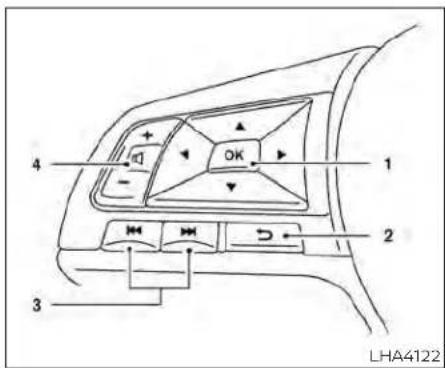
STEERINGWHEELSWITCHFOR AUDIOCONTROL
-
Men control switch/OK button
-
(back)switch
-
(SEEK/TRACK)buttons
-
Volumecontrol switch
Volumecontrolswitch
Pushthevolumecontrolswitchupordown toincreaseordecreasethevolume.
Menucontrol switch/OKbutton
Inthevehicleinformationdisplay, navigate to "Audio".UsetheOkbuttontochangethe modeinthefollowingsequence:
AM → FM → USB/iPod®* → Bluetooth® Audio* → AUX* → AM.
*These modes are only available when compatible mediastorage is inserted into the device or connected to the system.
SEEK/TRACKbuttons
Formostaudiosources,pushingthetuningswitchesformorethan1.5seconds providesadifferentfunctionthanpushing forlessthan1.5seconds.
AMandFM:
- Pressthe or buttons for less than 1.5 second stoincrease or decrease the preset station.
- Pressthe or buttons form more than 1.5 second to seek up on to then next station.
iPod®:
- Pressthe orbuttonsforless than1.5secondstoincreaseordecrease thetracknumber.
USB:
- Pressthe or buttons for less than 1.5 second stoincrease or decrease the track number.
- Press the or buttons form more than 1.5 second store reverse or fast forward the currents song.
Bluetooth®Audio:
- Pressthe orbuttonsforless than1.5secondstoskipaheadorbackto thenextsong.
- Press the orbuctionsformore than1.5secondstoreverseorfastforwardthecurrentsong.
→ (back)switch
Pushthe → (back)switchtoreturntothe previous screen or cancel the current selection.
ANTENNA
SIRI®EYESFREE(ifsoequipped)
Theantennapatternisprintedinsidethe rearwindow.
CAUTION
- Donotplacemetalizedfilmnearthe rearwindowglassorattachany metalpartstoit. Thismaycausepoor receptionornoise - Whencleaningtheinsideoftherear window,becarefulnottoscratchor damagetherearwindowantenna. Lightlywipealongtheantennawitha dampenedsoftcloth.
AppleSiri®EyesFreepersonalassistant canbeaccessedfromthevehicle.SiriEyes FreecanbeaccessedinSiriEyesFree modetoreduceuserdistraction.Inthis mode,SiriEyesFreeisavailableforinteractionbyvoicecontrol.Afterconnectinga compatible Apple device by using Bluetooth®,SiriEyesFreecanbeactivated fromthe buttonon thesteering wheel.
Siri®isatrademarkofAppleInc., registered intheU.S.andothercountries.
•SomeSiriEyesFreefunctions,suchas displayingpicturesoropeningapps,may notbeavailablewhiledriving.
- Forgettingbestresults,alwaysupdate yourdevicetothelatestsoftwareversion.
- Keeptheinteriorofthevehicleasquietas possible.Closethewindowstoeliminate thesurroundingnoises(trafficnoises,vibrationsounds,etc.),whichmayprevent thesystemfromrecognizingthevoice commandscorrectly.
- ForfunctionsthatcanbeusedinSiriEyes Free, pleaserefertotheApplewebsite.
REQUIREMENTS
Siri®isonlyavailableontheiPhone®4Sor later.DevicesreleasedbeforeiPhone®4S arenotsupportedbytheSiri®EyesFree system.Visitwww.apple.com/ios/siri for detailsaboutdevicecompatibility.
Sirimustbeenabledonthephone.Please checkphonesettings.
If the device has a lock screen, Sir must be accessible from the lock screen. Please check phones settings.
Forbestresults, alwaysupdateyourdevice tothelatestsoftwareversion.
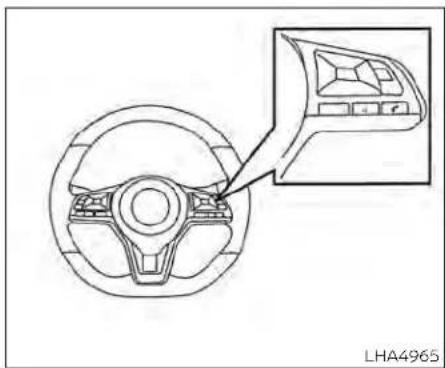
natural_image
Technical line drawing of a steering wheel with an inset showing the dashboard (no text or symbols)- Pressbuttonformorethan1.5 seconds.
- Speakyourcommandandthenlistento theSiri®EyesFreereply.
AfterstartingSiriEyesFree, press the button again within 5 second of the end of the SiriEyesFree announcement to extend the session.
Example1-Playingmusic
- Press √2 buttonformorethan1.5 seconds.
2.Say"Play(artistname, songname, etc.)." - Your vehicle will automatically changeto Bluetooth® AudiooriPod® mode* when themusicstartsplaying.Modeselection Isdeterminedbythephone.
*IftheiPhone®isalsoconnectedwiththe USBcable.
If the audiotrack does not start playing automatically after Siri Eyes Free ends, try changing the track or audiosourcetore-sume playback.
NOTE:
Forbestresults, usethenativemusic app. Performance of music control function while using Podcasts, Audiobook or other 3rd partymusic apps may vary and is controlled by the iPhone ^® .
Example 2 - R e p l yingtotextmessages
- If a compatible iPhone® is connected and "Show Notifications" of the iPhone® settings is enabled, the vehicle will display an notification for new incoming text messages.
- After reading the message, press or pressandholdthe buttonoreply usingSiriEyesFree.
- After abeepsounds, say "Textmessage" orasimilarcommandtoreplyusingSiri EyesFree.
TROUBLESHOOTINGGUIDE
| SymptomCauseandCountermeasure | |
| CannotaccessSiriEyes Free from switch on steeringwheel | CheckifaBluetooth®connectionisestablishedbetweentheiPhone®andthesystem. |
| CheckifSiriisenabledonthedevice.Onyourphone,gotoSirisetting. | |
| CheckthatSiricanbeaccessedfromthedevicelockscreen.Thiscanbesetinthesettingsmenuofyourphone. | |
| AudioSourcedoesnot changeautomaticallyto iPod*orBluetooth*Au-diomode | For best results, use the native Music app. Performance of music control function while using Podcasts, Audiobook or other 3rd party musicappsmayvary. |
| For best results, play media already stored on your device. Streaming music or playback from cloud storage may degrade performance. | |
| Switch the source manually by pressing the AUX or MEDIA button on the vehicle audio system or the SOURCE select switch on the steeringwheel. | |
| Play,pause,nexttrack, previoustrackorplay timerdoesnotwork | For best results, use the native Music app. Performance of music control function while using Podcasts, Audiobook or other 3rd party musicappsmayvaryandiscontrolledbythedevice. |
| Cannothearanymusic/ audiobeingplayedback fromaconnected iPhone® | CheckthattheaudiosourceissettoBluetooth®AudiooriPod®modeAUSBconnectionisrequiredforiPod®mode. |
| Cannotreceivextmes-sagenotificationsonthe vehicleaudiosystem | Check if "Send Notifications" is enabled on your phone. On the phone, go to Bluetooth® settings. Find the device name, like "My Car". PresstheINFObutton.Turnon"ShowNotifications". |
| Cannotreplyotextmes-sagenotificationsbySiri EyesFree | AfterreceivinganIncomingtextmessage,followon-screenguidance.Pressthe buttonformorethan15secondsonthesteeringwheelforSiriEyesFreeAfterSiriEyesFreestarts,say"TextMessage". |
4-66Monitor,climate,audio,phoneandvoicerecognitionsystems
CARPHONEORCBRADIO
WheninstallingaCB,hamradioorcar phoneinyourvehicle,besuretoobserve thefollowingprecautions;otherwise,the newequipmentmayadverselyaffectthe enginecontrolsystemandotherelectronic parts.

WARNING
·Acellularphoneshouldnotbeused foranypurposewhiledrivingsofull attentionmaybegiventovehicleoperation.Somejurisdictionsprohibit theuseofcellularphoneswhile driving.
- If you must make a call while your vehicle is in motion, the hands free cellular phone operational mode is highly recommended. Exercise extremecution at all times so full attention may begin to vehicle operation.
·If you are unable to devote full attention to vehicle operation while talking on the phone, pulloff theroad to as a location and stop your vehicle.
BLUETOOTH® HANDS-FREEPHONE SYSTEM

CAUTION
- Keeptheantennaasfarawayaspossiblefromtheelectroniccontrol modules.
- Keeptheantennawiremorethan8in (20cm)awayfromtheelectronic control systemharnesses. Do not routetheantennawirenexttoany harness.
- Adjusttheantennastanding-wave ratio as recommended by the manufacturer.
- ConnectthegroundwirefromtheCB radiochassistothebody.
-Foradditionalinformation,itisrecommendedthatyouvisitaNISSAN dealerforservicing.

WARNING
- Useaphoneafterstoppingyourvehicleinasafelocation.Ifyou haveto useaphonewhiledriving,exercise extremec cautionatalltimessofull attentionmay begiventovehicle operation.
- If you are unable to devote full attention to vehicle operation while talking on the phone, pull off the road to as a felocation and stop your vehicle.

CAUTION
Toavoiddischargingthevehiclebattery,useaphone afterstartingthe engine.

YourNISSANisequippedwiththe Bluetooth®Hands-FreePhoneSystem.If youhaveacomppatibleBluetooth®enabled cellularphone,youcansetupthewireless connectionbetweenyourcellularphone andthein-vehiclephonemodule.With Bluetooth®wirelesstechnology,youcan
makeorreceiveahands-freetelephone callwithyourcellularphoneinthevehicle. Onceyourcellularphoneisconnectedto their-vehiclephonemodule, noother phoneconnectingprocedureisrequired. Yourphonesautomaticallyconnected withthein-vehiclephonemodulewhen
theignitionswitchisplacedintheACCor ONpositionwiththepreviouslyconnected cellularphoneturnedonandcarriedinthe vehicle.
NOTE:
Somedevicesrequiretheusertoaccept connectionstoootherBluetooth®devices.Ifyourphonedoesnotconnectautomaticallytothesystem,consultthe phone'sowner's manualfor detailson device operation.
You can connect up to six different Bluetooth® cellular phones to the in-vehicle phone module. However, you can talk on only one cellular phone at time.
BeforeusingtheBluetooth®Hands-Free Phone System, refer to the following notes.
- Setupthewirelessconnectionbetween acompatiblecellularphoneandthein-vehiclephone modulebeforeusingthe hands-free phonesystem.
- Some Bluetooth® enabled cellular phonesmaynotberecognizedorwork properly. Please visit www.nissanusa.com/bluetooth or www.nissan.ca/bluetoothforarecommended phone list and connecting instructions.
- You will not be a be a letouse ahands-free phone under the following conditions:
-Yourvehicleisoutsideofthecellular servicearea.
-Yourvehicleisinanareawhereitis difficulttoreceiveacellularsignal;such asinatunnel,inanundergroundparkinggarage,nearatallbuildingorina mountainousarea.
-Yourcellularphoneislockedtoprevent itfrombeingdialed.
- Whentheradiowaveconditionisnot idealorambientsoundistooloud, it may be difficult to hear the other person's voiced during acall.
- Donotplacethecellularphoneinanarea surroundedbymetalorfarawayfrom their-vehiclephonemoduletoprevent tonequalitydegradationandwireless connectiondisruption.
-whileacellularphoneisconnected throughtheBluetooth®wirelessconnection,thebatterypowerofthecellular phonemaydischargequickerthanusual. TheBluetooth®Hands-FreePhoneSystemcannotchargecellularphones.
• Somecellularphonesorotherdevices may cause interference or abuzzing noisetocome from the audiosystem speakers. Storing the device in different location may reduce or eliminate the noise.
- Foradditionalinformation,refertothe cellularphoneowner'smanualregarding the telephonecharges,cellularphone antennaandbody,etc.
REGULATORY INFORMATION
FCCRegulatoryinformation
-CAUTION: Tomaintain compliance with FCC's RF exposure guidelines, use only the supplied antenna. Unauthorized antenna, modification, or attachments could damage the transmitter and may violate FCC regulations.
-Operationissubjecttothefollowingtwo conditions:
1) This device may not cause interference and
2) this device must accept any interference, including interference that may cause undesired operation of the device.
ICRegulatoryinformation
-Operationissubjecttothefollowingtwo conditions: (1) this device may not cause interference,and(2)thisdevicemustacceptany interference,including interferencethatmaycauseundesiredoperationofthedevice.
-ThisClassBdigitalapparatusmeetsall requirements of the Canadian Interference-Causing Equipment Regulations.
Bluetooth® BLUETOOTH® is a trademark owned by Bluetooth SIG, Inc. and licensed to Panasonic.
USING THESYSTEM
Thesystemallowshands-freeoperationof theBluetooth®Hands-FreePhoneSystem.
If the vehicle is in motion, some commands may not be available so full attention may begiventovehicleoperation.
Initialization
WhentheignitionswitchisplacedintheON position,NISSANVoiceRecognitionisinitialized,whichtakesafewseconds.Ifthe buttonispressedbeforetheinitialization completes,thesystemwillannounce Thereisnophoneconnected"andwillnot reacttovoicecommands.
Operatingtips
Togetthebestperformanceoutofthe NISSANVoiceRecognitionSystem,observe thefollowing:
- Keeptheinteriorofthevehicleasquietas possible.Keepallventspointedaway fromthemicrophoneandclosethewindowstoeliminatesurroundingnoises (trafficnoises,vibrationsounds,etc.), whichmaypreventthesystemfromrecognizingvoicecommandscorrectly.
- Waituntilthetonesoundsbeforespeakingacommand. Otherwise, the command will not bereceived properly.
-Startspeakingacommandwithin5secondsafterthetonesounds.
- Speakinanaturalvoicewithoutputsausing betweenwords.
- Forcallingcontactsbyname,please say both the first and last name of the contactforbetterrecognition.
Givingvoicecommands
TooperateNISSAN VoiceRecognition, pressthe buttonlocatedonthesteering wheel for less than 1.5 seconds. After thetonesounds,speakacommand.
The command given is picked up by the microphone, and voice feedback is given when the command is accepted.
- Ifacommandisnotrecognized,thesystemannounces, "Please sayorselecta commandfromthedisplayed list."Make surethecommandissaidexactlyas promptedbythesystemandrepeatthe commandinaclearvoice.
- If you want to go back to the previous command,youcansay"Goback"or"Correction"anytimethesystemiswaitingfor aresponse.
- Youcan cancelacommand when the systemiswaitingforaresponsebysaying,"Cancel"or"Quit."Thesystemannounces"Exit"andendstheVoiceRecognitionsession.Youcanalsopressand holdthe buttononthesteering wheelfor1.5secondsatanytimetoend theVoiceRecognitionsession.Whenever theVoiceRecognitionsessionis canceled,adoublebeepisplayedtoindicate youhaveexitedthesystem.
- If you want to adjust the volume of the voice feedback, push the (+ or -) volume control switches on the steering wheel while being provided with feedback. You can also set her radio volume control knob.
VoicePromptInterrupt
In most cases you can interrupt the voice feedback to speak the next command by pressing the button on the steering wheel. After interrupting the system, wait for abeepbeforespeakingyourcommand.
OneShotCall(ifsoequipped)
To use the system faster, you may speak thesecondlevelcommandswiththemain menucommandonthemainmenu. For example, pressthe buttonandafter thetonesay, "CallRedial".

| IndicatorDescription | |
| Indicatesthereareun-readreceivedmes-sages. | |
| $ 1 | IndicatestheBluetooth®devicethatiscurrentlyconnected. |
| IndicatesthestrengthofthesignaltheBluetooth®deviceisreceiving. | |
| IndicatestheamountofremainingBluetooth®devicebattery. | |
INDICATORS
Whenacellularphonesisconnected throughtheBluetooth®wirelessconnection,Indicators ① forthephoneandtext messagingaredisplayedonthetopofthe screen.
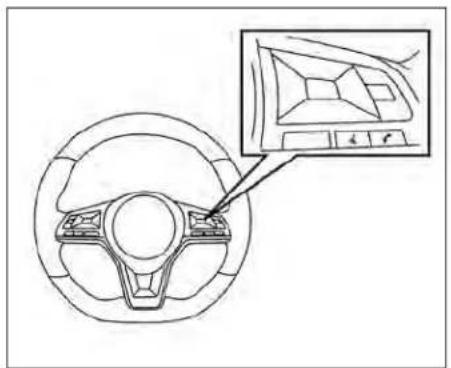
natural_image
Diagram of a car steering wheel with a close-up inset showing the dashboard and steering wheel (no text or symbols present)CONTROLBUTTONS
The control buttons for the Bluetooth® Hands-Free Phone System are located on the steering wheel.
吃
VOICECOMMANDBUTTON Pressandholdthe button formorethan1.5secondstiniti- atetheVoiceRecognitionsession. ToexittheVoiceRecognitionses- sionpressandholdthe for morethan1.5seconds.Foraddi- tionalinformation,see"Voice promptinterrupt"(P.4-70).
Youcanusethebutton to interrupt the system feedback and give a command at once.
IfaniPhone®isconnected,Siri® canbeaccessedbypressingthe buttonforlessthan1.5seconds.Foradditionalinformation, see"Sir®EyesFree"(P.4-64).

PHONEBUTTON Toansweranincomingcallorto endacallpressthe button.
Torejectacallpressandholdthe button.

BLUETOOTH® CONNECTING PROCEDURE
NOTE:
Theconnectingproceduremustbeperformedwhenthevehicleisstationary.If thevehiclestartsmovingduringtheprocedure,theprocedurewillbecanceled.
ToconnectaphonetotheBluetooth® Hands-FreePhoneSystem:
Bluetooth®ConnectingProcedure
- Selectthe"Settings"keyontheLaunch Bar.
- Touchthe"Connections"key.
- Touch the Bluetooth tab and touch the "AddNew" key.
4.Followtheinstructionsonthescreen. IfaPINappearsonthescreen,operatethe Bluetooth®devicetoenter/confirmthe PIN.
| MenuItemResult | ||
| BluetoothAllowsusertoswitchBluetooth*onandoffBluetooth*mustbeturnedoninordertoconnectadevice. | ||
| ONTurnsBluetooth*functionalityon.Toturnoff,touchthe"ON'tkeyagain.Theindicatorlightwillgooff. | ||
| Favorite(Connectionfirst)Allowsusertotoggle"Phone"and"Audio"favoritesettingsonandoff. | ||
| PIN | AllowsusertocustomizethePINtoafourdigitalnumber. | |
4-72 Monitor, climate, audio, phone and voice recognition systems
NOTE:
Somecellularphonesmayrequireyouto acceptcertainpermissionsinorderto enablefeaturesonyourBluetooth®system.DuringtheBluetooth®pairingprocess,pleasecheckyourcellularphone's displayforapop-upwiththerequestto grantphonebookaccess. Grantingphonebookaccesspermission willallowyourcontactstobedown-loadedtothevehicle'sBluetooth®system.Apop-upmaydisplayonyourcellularphonestatingthattheBluetooth® systemwouldliketoaccessyourcontactsandcallhistory.Pleaseselect"Allow"orYes"tograntthispermission.
AutomaticConnectingProcedure
Ifnophoneisconnectedtothesystem, pressandholdthe buttononthe steeringwheelforlessthan1.5seconds. Aftertheprompt, speak "AddPhone", the systemwillannounce "transferringtothe addphonesettingsmenu". Thesystemwill startthepairingprocedure.Whenacompatiblephoneisfound,amessagewitha PINappearsonthescreen.Operatethe Bluetooth®phonetocompletetheconnectionprocess.Foradditionalinformation,see"Bluetooth®connectionsscreen" (P.4-81).
VOICECOMMANDS
Voicecommandscanbeusedtooperate theBluetooth®Hands-FreePhoneSystem. Pressandholdthe buttonforless than1.5secondstobringupthephone commandmenu.Thecommandsavailableare:
- Call
•Dial
-RecentCalls
-Read/SendText(ifsoequipped)
•Sirl®(ifsoequipped)
•VoiceAssistant(ifsoequipped)
•Phonebook
-QuickDial
•Redial
-SelectPhone
- AddPhone
- Call
- Call
- Call
- Call
- Call
- Settings
"Call"
Speakthiscommandtomakeacalltoa contactthatiststoredinthephonebook. Say "Call" followed by a phonebook name to initiateacall.Ifthesystemdoesnotrecognizethenameitwilldisplayalistofsimilar names.Aftertheprompt,speakortouch anitemnumberfromthedisplayedlistto placethecall.
"Dial"
Speakthiscommandtomakeacallwitha spokenphonenumber.Aftertheprompt, say "Dial" followed by a 7 to 10 digit phone number.Thesystemwillrepeatthenumberback.Say"Dial"toinitiatethecallor "Correction"tore-enterthephonenumber.
"RecentCalls"
The following commands are available under "RecentCalls":
- IncomingCalls
Speakthiscommandtolistthelast20 incomingcallstothevehicle.Ifthecallis fromanentryinthephonebook,the namewillbedisplayed. Otherwise,the phonenumberoftheincomingcallwill bedisplayed. Whenprompted,speakortouchtheitem numberonthescreentoplacethecall. Touchthe"Next"keytomovethroughthe listofincomingcalls.
-OutgoingCalls
Speakthiscommandtolistthelast20 outgoingcallsfromthevehicle.Ifthecall wastoanentryinthephonebook,the namewillbedisplayed.Otherwise,the phonenumberoftheoutgoingcallwillbe displayed.
When prompted, speakortouchtheitem numberonthescreentoplacethecall. Touchthe"Next"keytomovethroughthe listofoutgoingcalls.
-MissedCalls
Speakthiscommandtolistthelast20 missedcallstothevehicle.ifthecallis fromanentryinthephonebook,the namewillbedisplayed. Otherwise,the phonenumberofthemissedcallwillbe displayed. Whenprompted,speakortouchtheitem numberonthescreentoplacethecall. Touchthe"Next"keytomovethroughthe listofmissedcalls.
"ReadText/SendText"(ifso equipped)
Speakthiscommandtoaccesstextmessagingfunctions.
For additional information, see "Textmessaging"(P.4-77).
"Phonebookthroughvoice command"
Speak"Phonebook"toviewalistofquick steps to access entries stored in the phonebook.Commandsareorganizedby thephonenumbertypeseseledinthecellulardevice.Foradditionalinformation,refertothecellularphone'sowner'smanual.
The following commands are available:
•
•
•
•
-
For additional information manually selecting phonebookentries, see "Making a call" (P.4-76).
"Quickdial"
SpeakthiscommandtoaccesstheQuick dialmenu.Aftertheprompt,speakorse- lectanitemnumberonthedisplayedlistto placethecall.Foradditionalinformation, see"Makingacall"(P.4-76).
"Redial"
Speakthiscommandtocallthelastnum-
berdialed.Aftertheprompt,say"Redial"to
dialthenumberofthelastoutgoingcall.
Thesystemwilldisplay"Redialing
"SelectPhone"
SpeakthiscommandtoaccesstheConnectionsmenu.Foradditionalinformation, see"Bluetooth®connectionsscreen" (P.4-81).
"AddPhone"
SpeakthiscommandtoaccesstheConnectionsmenu.Foradditionalinformation, see"Bluetooth®connectionsscreen" (P.4-81).
"Settings"
SpeakthiscommandtoaccesstheSystemVoicesettingsmenu.Thesystemwill exitVoiceRecognitionmode.Touchoneof thefollowingoptionsonthescreento changethesettings.
- BeepOnlyforOpeningPrompt Bytouchingthe"ON"key,theindicator lightwillilluminate,thesystemvoicewill turnoffandonlyatonewillsoundwhen theBluetooth®Hands-FreePhoneSys- temisactivated.Toturnthesystemvoice backon,touchthe"ON"keyagain,the indicatorlightwillturnoff.
•BestMatchList
When the system doesn't recognize a phonebook name or dial number, it will provide ideal of similar soundsounding results. Toturn this off, touch the "ON" key, the indicator light will turn off. Toturn on, touch the "ON" key again, the indicator light will turn on.
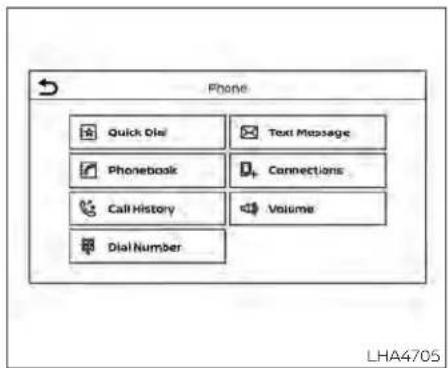
PHONEDISPLAYSCREEN
The Phonescreencanbedisplayed by pressing the buttononthecontrol panel.
The following options are displayed:
- QuickDial DisplaystheQuickDialscreen.ForadditionalInformation,see"Quickdial"(P.4-74)
-Phonebook DisplaysthePhonebookscreen.Foradditionallinformation,see"Makingacall" (P.4-76).
•CallHistory
DisplaystheCallHistoryscreen.Foradditionalinformation,see"Makingacall"(P.4-76).
•DialNumber
DisplaystheDialNumberscreen.Foradditionalinformation,see"Makingacall"(P.4-76).
- TextMessage
Displaysthereceivedmessagescreen. Foradditionalinformation,see"Textmessaging"(P.4-77).
- Connections
Display the Connection screen. For additional information, see "Bluetooth® connection screen" (P.4-81).
•Volume
Displaysthevolumeadjustmentscreen. Foradditionalinformation,see"Volume&beeps"(P.4-84).
MAKINGACALL
1.PressthebuttonontheLaunchBar.
The "Phone" screen will appear on the display.
2.Selectoneoftheoptionstomakeacall.
Phonebook
Toaccessthephonebook:
-
Press the button on the steering wheelortouchthe "keyon the launchbar.
-
Touch the "Phonebook" key.
3.Choosethedesiredentryfromthedisplayedlist.
CallHistory
-
Selectaphonebooknameorphone numberfromtherecentincoming,out-going,ormissedcallstabs.
-
Touchaphonebooknameorphone numberlistedtoinitiatethecall.
DialNumber
-
Enter the phonenumbermanually using the keypaddisplayedonthescreen.
-
Touch the "OK" key on the screentoiniti- atethecall.
Foradditionaloptionstomakeacall,see "Voicecommands"(P.4-73).
RECEIVING/ENDINGACALL
When acallis received by the phone connected to the vehicle's Bluetooth® Hands-Free Phone System, the call information is displayed on the control panel display.
Toaccepttheincomingcall, either:
- Pressthe buttononthesteering wheel,or
- Touchthe" Answer"keyonthe screen.
Toendorrejectanincomingcall, either:
-Pressandholdthe steeringwheel,or buttononthe
- Touchthe" screen. Decline"keyonthe
If the user is not able to answer the call rightaway, touchthe"HoldCall"keydisplayed on the screen. A message will be playedforthecaller:"I'mnotabletotakea callrightnow."Theusermaythenaccept thecallwhenavailableorrejectthecall.
DURINGACALL
Whileacallisactivethefollowingoptions willappearonthecontrolpaneldisplay:
•Mute
Touchthiskeytomuteorunmutethe system.
•DialNumber
Touchthiskeytodialdigitsduringthe phonecall.
•SwitchtoHandset
Touchthe"UseHandset"keyonthe screentotransferthecalltothehandset (cellularphone).Totransferthecallback fromthehandsettotheBluetooth® Hands-FreePhoneSystem,pressthe
buttononthecontrolpanelthen selectthe"TransferHands-free"keyon thescreen.
NOTE:
Somejurisdictionsprohibittheuseof cellulartelephoneswhiledriving.
- SwitchCall
Thisoptionwillonlybeavailablewhena secondcallisactive.
If supported by the phone, the
Bluetooth®Hands-FreePhoneSystem allows for call waiting functionality. If a calls received while another call is already, a message will be displayed on the screen. Press the button on the steering wheel touch the Answer key on screent to accept their coming call. Touch the "Decline" key on the screent to reject these second call.
Whileacallisactive,pressthe button onthesteeringwheeltoaccessadditional options. Speak one of the following commands:
- "SendDigits"
Speak this command followed by the digit to enter digits during the phone call.
- "Switchcall"
Speakthiscommandtoholdthesecond callandswitchbacktotheoriginalcall.
TEXTMESSAGING(ifsoequipped)
WARNING
- Lawsinsomejurisdictionsmayrestrict the use of "Text-to-Speech". Checklocalregulationsbeforeusing thisfeature.
- Lawsinsomejurisdictionsmayrestricttheuseofsomeoftheapplications andfeatures,such as social networkingandtexting.Checklocal regulationsforanyrequirements.
- Usethetextmessagingfeatureafter stoppingyourvehicleinasafelocation.ifyouhavetousethefeature whiledriving,exerciseextreme cautionatalltimessofullattention maybegiventovehicleoperation.
- If you are unable to devote full attentiontovehicleoperationwhileusing thetextmessagingfeature, pull off theroadtoasafelocationandstop yourvehicle.
NOTE:
Thisfeatureisautomaticallydisabledif theconnecteddevicedoesnotsupport theMessageAccessProfile(MAP).For additional information, refer to the phone'sowner'smanualfordetailsand instructions.
NOTE:
Manyphonesmayrequirespecialpermissiontoenabletextmessaging.Check thephone'sscreenduringBluetooth® pairing.Forsomephones,youmayneed to enable'Notifications'inthephone's Bluetooth® menufortextmessagesto appearontheheadunit.Foradditional information,refertoyourphone'sowner'smanual.Textmessageintegration requiresthatthephonesupportMAP (MessageAccessProfile)forbothreceivingandsendingtextmessages.Some phonesmaynotsupportalltextmessagingfeatures.Pleasereferto www.nissanusa.com/bluetoothor www.nissan.ca/bluetoothforcompatibilityinformation,aswellasyourdevice'sowner'smanual.
The system allows for the sending and receivingoftextmessagesthrough the vehicleinterface.
The availability of the text message function may vary depending on the cellular phone.
When thecellularphoneconnected tothe vehiclereceivesatext message,anotificationwillappearonthecontrolpaneldisplay.Tocheckthe message,touch the "Read" key. Touch the "Ignore" key to save themessage to be checkedlater.
Accesstextmessagingthroughthevehicles Bluetooth®Hands-FreePhoneor throughthe vehicles control panel.
TextmessagingusingBluetooth® Hands-FreePhoneSystem(ifso equipped)
Sending a text message (if so equipped)
-
Press and hold the button on the steering wheel for less than 1.5 seconds.
-
Say "Send Text" after the tone.
-
Thesystemwillprovidealistofavailable commandsinordertodeterminethe recipientofthetextmessage.Choose fromthe following:
•Phonebook
-Quick Dial
- IncomingCalls
-Outgoing Calls
•Missed Calls
•Dial
4.Oncea recipientischosen,the system promptsforwhichmessagetosend. Nine predefinedmessages are available.Tochooseoneofthepredefined messages,speakoneofthefollowing after the tone:
- "Driving,can't text"
- "Call me"
• "On my way"
- "Running late"
"Okay"
- "Yes"
"No"
- "Whereareyou?"
- "When?"
Readingareceivedtext message
-
Press and hold the button on the steering wheel for less than 1.5 seconds.
-
Say "Read Text" after the tone.
The display will show a list of 20 messages with the sender and delivery time. Touch the Next key on the screen to view wall messages. To view text message press the button on the steering wheel and speak the number item list on the screen. The following options will be available:
-Play Speakthiscommandtohavethesystem saythemessage.
-Reply Speakthiscommandtosendatextmessageresponsetothesenderofthetext message.
-Call
Speakthiscommandtocallthesender.
- Previous
Speakthiscommandtomovetotheprevioustextmessage(ifavailable).
- Next
Speakthiscommandtomovetothenext textmessage(ifavailable).
Siri®EyesFree(ifsoequipped)
IfaconnectedphoneisequippedwithSiri®, itcanalsobeusedtocreatecustommessagesthataresentthroughthephone.For additionalinformation,see"Siri®EyesFree" (P.4-64).
NOTE:
Textmessagesareonlydisplayedifthe vehiclespeedislessthan5mph(8 km/h).
NOTE:
ForAppleiPhones®, textmessagescan onlybesentthroughSiri.
Textmessagingusingthecontrol panel
Displayreceivedmessagelist
- Press the panel. button on the control
- Touch the "TextMessage" key on the screen
- Touchanitemonthelisttoreadorreply tothemessage.
Upto100messagescanbestoredinthe messagelist.
Receivedmessagescreen
Touchingthe"Read"keyontheincoming messagenotificationscreenorselectinga messagefromthemessagelistwillshow thedetailsofthereceivedmessageonthe display.
Availableactions:
- Prev. Touch this key to read the previous message.
- Next
Touchthiskeytoreadthenextmessage.
-Play/Stop Touchthe"Play"keytohavethehands-freephonesystemreadoutthereceived message. Touch the "Stop" key to stop reading. - Call
If the sender of the message is registered in the phone book, touch the "Call" key to make all to the sender.
-Reply A reply message can be selected from thepredefinedlist.
Sendingatextmessage(ifsoequipped)
This function may not be supported depending on the cellular phone.
- Press the panel. button on the control
- Touch the "TextMessage" key on the screen.
- Touch the "CreateMessage" key on the screen.
The following items are available:
| AvailableitemAction | ||
| ToEnterNumberbyKeypadEnterthephonenumberoftherecipientusingthekeypad.Touchthe"OK"keytoconfirm. | ||
| SelectTextTouchtodisplayalistofpredefinedtextmessages. | ||
| SendTouchtosendthermessage. | ||
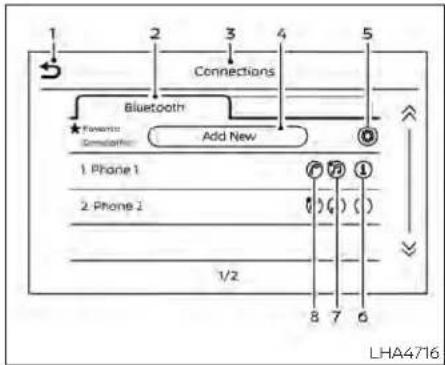
BLUETOOTH®CONNECTIONS SCREEN
1.^(back)key
2.Bluetoothtab
3.Connectionsscreen
4.*AddNew*key
- *(settings)key
- " (info)key
- " (Bluetooth®Audioconnection)key
- " (Bluetooth®Hands-FreePhone
Systemconnection)key
AccesstheConnectionsscreentochange settingsandviewBluetooth®Information.
ToaccesstheConnectionsscreenpress the MENUbuttononthecontrolpanel.
Touchthe"Connections"keyonthescreen thenselecttheBluetoothtab.
Thepairedphonewillbeaddedtothelist ontheBluetooth®connectionsscreen.
Touchingthenameofanotherdeviceon thelistwillswitchtheconnecteddevice.
“(back)key
Touchthe"keylogobacktothe previoussscreen.
ConnectingBluetooth®
For additional information nonconnecting a cellular phone or device to the Bluetooth® Hands-Free Phone System, see "Bluetooth® connecting procedure" (P4-72).
NOTE:
Somecellularphonesorotherdevices may cause interference or a buzzing noiseto comefromtheaudiosystem speakers.Storingthedeviceinadifferentlocationmayreduceoreliminatethe noise.
Bluetoothtab
ThistabwilldisplayuptosixBluetooth® devices. If six devices are already connected,oneofthedevicesmustbedeleted beforeanotherdevicecanbeconnected.
"AddNew"key
Touchthekeyonthescreentoconnecta newBluetooth® device. For additional information, see "Bluetooth® connecting procedure" (P4-72).
“(Bluetooth®settings)key
Touch the "key onthe screento displayalistofoptions.
- Bluetooth
Touch this key to turn the Bluetooth® connectiononoroff
- Favorite(Connectionfirst)
Touchthiskeytochangewhichdevice willbeconnectedfirstwhenmultipledevicesareconnectedtothevehicle.
Turnthe" "keyonorofftomakethe deviceafavoriteconnection.
Turnthe" "keyonorofftomakethe deviceafavoriteconnection.
-Pin
TouchthiskeytocustomizethePINcode. Inputafourdigitnumberthentouchthe 'OK'key.ThenewPINwillbeset.

Touchthe™keyonthescreento displaytheinformationofthecellular phoneortodeletethedevice.
Touchthe"Delete"keytoremoveapaired devicethenselect"Yes"whenamessage appears.
“(Bluetooth®Hands-Free PhoneSystemconnection)key
Alistofconnecteddeviceswillbedisplayed onthescreen.Touchthe" "keynextto thenametoconnectadevicetothe Hands-FreePhoneSystem.Ifthephonels listedasafavorite,astarwillappearonthe icon.Touchthekeyagaintodisconnectthe device.Thedevice will notbe removed fromthelist.Foradditionalinformationon removingadevice,see" (info:key" (P.4-82).
“(Bluetooth®Audio connection)key
Alistofconnecteddeviceswillbedisplayed onthescreen.Touchthe" "keynextto the name to connect a device to Bluetooth®Audio.Ifthedeviceislistedasa favorite, a star will appear on the icon. Touchthekeyagaintodisconnectthedevice.Thedevicewillnotberemovedfrom the list. For additional information on removingadevice,see" (info:key" (P4-82).

PHONEANDTEXTMESSAGE SETTINGS
Bluetooth®Hands-FreePhoneSystemsettingscanbechangedaccordingtotheuser'spreference.Toaccessthe"Phone"settingsmenupressthe MENUbuttonon thecontrolpanel.Touchthe"Settings"key thenselectthe"Phone"key.
The following options are available:
| MenuItemResult | ||
| QuickDialEditEntriesintheQuickDialcanbeedited.Foradditionalinformation,see"Quickdial"(P.4-74). | ||
| PhonebookDownloadEntirePhone-book | Allthephonenumbersthatarestoredinaphonebookinthecellularphonethatisconnectedtothevehiclearedownloadedatonce.Foradditionalinformation,refertothecellularphone'sowner'smanual. | |
| TextMessageTextMessageTurnsthetextmessagingfunctionon/off. | ||
| Notifications | Driver Only | When this item is turned on, incoming call notification is displayed only on the handset. |
| VehicleRingtone | Turnsthevehicleringtoneon/off. | |
| AutomaticHold | whenthisitemturnson,anincomingcallwillbeputonholdautomatically. | |
iPod®/IPHONE®
VOLUME&BEEPS
Thereareseveralmethodstocustomize thevolumesettings.
Volume&Beeps
TheVolume&Beepsscreencanbefound bypressingthe MENUbuttononthe controlpanel,touchingthe"Settings"key onthescreenandselecting"Volume& Beeps".Toadjustthevolumeofthefollow- ingoptions,touchthe"-"and"+"keysonthe screen.
Theavailablesettingsare:
• Ringtone Adjustthevolumeleveloftheringtoneof incomingcalls.
-OutgoingCall Adjustthevolumeleveloftheoutgoing calls.
•VoicePromptVol. Adjustthevolumelevelofthesystem voice.
- Text-to-speechVol. Adjustthevolumeofthereplayvoicefor textmessaging.
-ButtonBeeps Turnson/offthebuttonbeepsoundsand alarmforprohibitedoperations.
VolumeSettings
The Volumesettingsscreencanbefound bypassingthe buttononthecontrol panelthentouchingthe"Volume"keyon thescreen.Toadjustthevolumeofthe followingoptions,touchthe"-and"+"keys onthescreen.
Theavailablesettingsare:
• Ringtone Adjustthevolumeleveloftheringtoneof Incomingcalls.
-OutgoingCall Adjustthevolumeleveloftheoutgoing calls.
"MadeforiPod","MadeforiPhone"and "MadeforiPad"meanthatanelectronic accessoryhasbeendesignedtoconnect specificallytoiPod,iPhoneoriPad,respectively,andhasbeencertifiedbythedevelopertomeetAppleperformancestandards.Appleisnotresponsibleforthe operationofthisdeviceoritscompliance withsafetyandregulatorystandards. Plesenotethattheuseofthisaccessory withiPod,iPhoneoriPadmayaffectwirelessperformance.
iPad,iPhone,iPodclassic,iPodnano,iPod shuffleandipodtoucharetrademarksof AppleInc.,registeredintheU.S.andother countries. Lightning is a trademark of AppleInc.
MEMO
Monitor, climate, audio, phone and voicerecognitionsystems4-85
5Startinganddriving
Precautionswhenstartinganddriving. . . . . . . . 5 - 4
Exhaustgas(carbonmonoxide)....5-4
Three-waycatalyst. 5-4
TirePressureMonitoringSystem (T P M S) 5 - 5
Avoidingcollisionandrollover....5-9
Off-roadrecovery ....
Rapidairpressureloss....5-9
Drinkingalcohol/drugsanddriving. 5-10
Drivingsafetyprecautions....5-10
Push-buttonignitionswitch....5-13
Operatingrange. 5-14
Push-buttonignitionswitchpositions.....5-14
Emergency engine shut off....5-15
NISSANIntelligentKey®battery
discharge 5-15
NISSAN VehicleImmobilizerSystem....5-16
Beforestartingtheengine 5-16
Startingtheengine. 5-16
RemoteEngineStart 5-17
Drivingthevehicle. 5-18
Continuously VariableTransmission
(CVT) 5-18
Parking brake 5-25
Manual parking brake (pedal type)....5-25
Electronic parking brake (switch type) ..... 5-25
Automatic brake hold (if so equipped) 5-27
Howtoactivate/deactivatethe
automatic brake hold function 5-28
Howtousetheautomaticbrakehold
function 5-29
TrafficSignRecognition(TSR)(ifsoequipped) ...5-30
5 - 9Systemoperation....5-31
TurningtheTrafficSignRecognition
(TSR) system on and off 5-32
System temporarily unavailable 5-32
Systemmalfunction....5-32
Systemmaintenance....5-33
Lane Departure Warning (LDW) 5-33
LDW system operation 5-34
How to enable/disable the LDW system .....5-36
LDW system limitations 5-38
System temporarily unavailable 5-39
System malfunction....5-39
System maintenance 5-39
Intelligent LaneIntervention(I-LI)
(if so equipped)....5-40
I-Llsystemoperation....5-41
How to enable/disable the I-LI system .....5-42
I-LI system limitations 5-43
System temporarily unavailable 5-44
System malfunction....5-45
Systemmaintenance....5-45
BlindSpotWarning(BSW)(ifsoequipped).....5-46
BSWsystemoperation....5-48
Howtoenable/disabletheBSWsystem....5-49
BSWsystemlimitations....5-51
BSWdrivingsituations....5-52
Systemtemporarilyunavailable. 5-55
Systemmaintenance....5-57
RearCrossTrafficAlert(RCTA)(ifsoequipped)..5-58
RCTAsystemoperation....5-58
Howtoenable/disabletheRCTA
system....5-61
RCTAsystemlimitations. 5-63
Systemtemporarilyunavailable....5-65
Systemmaintenance....5-67
Cruisecontrol(ifsoequipped)....5-68
Precautionsoncruisecontrol....5-68
Cruise control operations....5-69
IntelligentCruiseControl(ICC)(ifsoequipped)..5-71
Howtoselectthecruise control mode.....5-73
Vehicle-to-vehicledistancecontrol
mode. 5-73
Vehicle-to-vehicledistancecontrol
modeoperation....5-74
Vehicle-to-vehicledistancecontrol
mode switches 5-76
Vehicle-to-vehicledistancecontrol
modelimitations. 5-82
Systemtemporarilyunavailable....5-86
Systemmaintenance....5-88
Conventional(fixedspeed)cruise
controlmode 5-90
ProPILOTAssist(ifsoequipped) 5-94
ProPILOTAssistsystemoperation....5-96
Turningtheconventional(fixedspeed)
cruise control mode on 5-99
OperatingProPILOTAssist. 5-100
Howtoenable/disabletheSteering
Assist. 5-105
IntelligentCruiseControl(ICC)(for
vehicleswithProPILOTAssist)....5-106
SteeringAssist 5-117
Conventional(fixedspeed)cruise
controlmode 5-123
RearAutomaticBraking(RAB)
(ifsoequipped) 5-127
RAB systemoperation....5-128
TurningtheRABsystemon/off....5-130
RABsystemlimitations....5-132
Systemmalfunction....5-134
Systemmaintenance....5-134
AutomaticEmergencyBraking(AEB)with
PedestrianDetection....5-135
AEBwithPedestrianDetectionsystem
operation....5-136
TurningtheAEBwithPedestrian
DetectionsystemON/OFF....5-138
AEBwithPedestrianDetectionsystem
limitations. 5-140
Systemtemporarilyunavailable. 5-143
Systemmalfunction....5-145
Systemmaintenance....5-146
IntelligentForwardCollisionWarning(I-FCW)..5-147
I-FCWsystemoperation....5-150
Turningthel-FCWsystemon/off....5-151
I-FCWsystemlimitations. 5-153
Systemtemporarilyunavailable. 5-158
Systemmalfunction....5-160
Systemmaintenance....5-161
IntelligentDriverAlertness(I-DA)....5-162
IntelligentDriverAlertnesssystem
operation....5-162
Howtoenable/disabletheIntelligent
DriverAlertness(I-DA)system. 5-164
IntelligentDriverAlertness(I-DA)
systemlimitations. 5-165
Break-inschedule....5-167
Fuelefficientdrivingtips. 5-167
Increasingfueleconomy....5-168
All-WheelDrive(AWD)(Ifsoequipped)....5-168
Parking/parkingonhills. 5-171
Powersteering....5-172
Brakesystem....5-173
Brakeprecautions....5-173
Anti-lockBrakingSystem(ABS)....5-173
BrakeAssist 5-175
VehicleDynamicControl(VDC)system.....5-175
Brakeforcedistribution....5-177
ChassisControl(ifsoequipped).... 5-178
Intelligent TraceControl(I-TC)....5-178
ActiveRideControl(ARC) 5-178
Hillstartassistsystem....5-178
RearSonarSystem(RSS)(ifsoequipped).....5-179
Systemoperation....5-180
Howtoenable/disablethesonar
system....5-182
Sonarlimitations....5-184
Systemtemporarilyunavailable. 5-184
Systemmaintenance....5-184
Coldweatherdriving....5-185
Freeingafrozendoorlock....5-185
Antifreeze. 5-185
Battery 5-185
Drainingofcoolantwater....5-185
Tireequipment....5-185
Specialwinterequipment 5-186
Drivingonsnoworice....5-186
Engineblockheater(ifsoequipped)....5-186
Activenoisecancellation/Activesound
enhancement(ifsoequipped)....5-187
Activenoisecancellation....5-187
Activesoundenhancement. 5-187
PRECAUTIONSWHENSTARTINGAND DRIVING
WARNING
- Donotleavechildrenoradultswho wouldnormallyrequiretheassistanceofothersaloneinyourvehicle. Petsshouldalsonotbeleftalone. Theycouldaccidentallyinjurethem-selvesorothersthroughinadvertent operationofthevehicle.Also,onhot, sunnydays,temperaturesinaclosed vehiclecouldquicklybecomehigh enoughtocausesevereorpossibly fatalinjuriestopeopleoranimals.
·Closelysupervisechildrenwhenthey arearoundcarstopreventthem fromplayingandbecominglockedin thetrunkwheretheycouldbeseriouslyinjured.Keepthecarlocked, withtherearseatbackandtrunklid securelylatchedwhennotinuse,and preventchildren'saccesstocarkeys.
EXHAUSTGAS(carbonmonoxide)
WARNING
- Donotbreatheexhaustgases;they containcolorlessandodorlesscarbonmonoxide.Carbonmonoxideis dangerous.It can causeunconsciousnessordeath.
- Ifyoususpectthatexhaustfumes areenteringthevehicle,drivewithall windowsfullyopen,andhavethevehicleinspectedimmediately. - Do not run the engine in closed spacesuchasagarage. - Donotparkthevehiclewiththe engineerunningforanyextendedlength oftime.
- Keeptherearventwindows,lift-gates,doors and trunklids(ifso equipped)closedwhiledriving,otherwise exhaust gases could be drawnintothepassengercompartment.Ifyoumustdrivewithoneof these open, follow these precautions:
- Openallthewindows.
- Setthe 📞 airrecirculationbutton to off and the fan control dial tonightocirculatetheair.
·lfelectricalwiringorothercableconnectionsmust pasatoatrailer throughthesealonthetrunklidor thebody,followthemanufacturer's recommendationtopreventcarbon monoxideentryintothevehicle.
•Theexhaustsystemandbodyshould beinspectedbyaqualifiedmechanic whenever:
a. Thevehicleisraisedforservice.
b. Yoususpectthatexhaustfumes areenteringintothepassenger compartment.
c. You notice a change in the sound oftheexhaustsystem.
d. You have had an accident involving damagetotheexhaustsystem, underbody, or rear of the vehicle.
THREE-WAY CATALYST
Thethree-waycatalystisanemissioncontroldeviceinstalledintheexhaustsystem. Exhaustgasesinthethree-waycatalyst areburnedathightemperaturestohelp reducepollutants.
WARNING
- The exhaust gas and the exhaust system are very hot. Keep people, animals or flammable materials away from the exhaust system components.
- Donotstoporparkthevehicleover flammablematerialssuchasdry grass,wastepaperorrags.Theymay igniteandcauseafire.
CAUTION
- Donotuseleadedgasoline.Deposits fromleadedgasolinewillseriously reducethethree-waycatalyst'sabilitytohelpreduceexhaustpollutants.
- Keepyourenginetunedup.Malfunctionsintheignition,fuelinjection,or electricalsystemscancauseoverrich fuelflowintothethree-waycatalyst, causingittooverheat.Donotkeep drivingiftheenginemisfires,orifnoticeablelossofperformanceorother unusualoperatingconditionsaredetected.Havethevehicleinspected promptly.Itisrecommendedthat youvisitaNISSANdealerforth this service.
- Avoiddrivingwithanextremelylow fuellevel.Runningoutof fuel could causetheenginetomisfire,damagingthethree-waycatalyst.
- Donotracetheengine whilewarm-ingitup.
- Donotpushortowyourvehicletostarttheengine.
TIREPRESSUREMONITORING SYSTEM(TPMS)
Eachtire, including the spare (if provided), should be checked monthly when cold and inflated to the inflation pressurerecommended by the vehicle manufacturer on the vehicle placard tire inflation pressure label. (If your vehicle hastires of different sizethanthesize indicated on the vehicle placard tire inflation pressure label, you should determine the proper tire inflation pressure forthosetires.)
Asanaddedsafetyfeature,yourvehicle has been equipped with a Tire Pressure Monitoring System (TPMS) that illuminates alowtirepressure telltale when none or more of your tires is significantly underinflated. Accordingly, when the low tire pressure telltale illuminates, you should stop and check your tires as soon as possible, and in flat the them to the proper pressure. Driving on a significantly underinflated tire cause esthetire to overheat and can lead to it failure. Under-inflation also reduces fuel efficiency and tiredread life, and may affect the vehicle's handling and stopping ability.
PleasenotethattheTPMSisnotasubstitute for proper tire maintenance, and it is thedriver's responsibility to maintain correct tire pressure, even if under-inflation has not reached the level to trigger illumination of the TPMSlow tire pressure test.
Yourvehiclehasalsobenequippedwitha TPMS malfunction indicator to indicate whenthesystemlsnotoperatingproperly. TheTPMSmalfunctionindicatoriscombinedwiththelowtirepressuretelltale. Whenthesystemdetectsamalfunction, thetelltalewillflashforapproximatelyone minuteandthenremaincontinuouslyilluminated. Thissequencewillcontinueupon subsequentvehiclestart-upsaslongas themalfunctionexists. Whenthemalfunctionindicatorisilluminated,thesystem maynotbeabletodetectorsignallowtire pressure as intended. TPMS malfunctions mayoccurforvarietyofreasons,includingtheinstallationofreplacementoralternatetiresorwheelsonthevehiclethat prevent the TPMS from functioning properly. AlwayschecktheTPMSmalfunction telltaleafterreplacingoneormoretiresor wheelsonyourvehicleto ensurethatthe replacementoralternatetiresandwheels allowtheTPMStocontinuetofunction properly.
Additional information:
- When using a wheel without the TPMS such asthesparetire, the TPMS does not monitor the tire pressure of the spare tire.
•TheTPMSwillactivateonlywhenthevehicleisdrivenatspeedsabove16mph(25 km/h).Also, thisystemmaynotdetecta suddendropintirepressure(forexample, aflattirewhiledriving). - Thelowtirepressurewarninglightdoes notautomaticallyturnoffwhenthetire pressureisadjustedonallfourtires. After allfourtiresareinflatedtotherecommendedpressure,thevehiclemustbe drivenatspeedsabove16mph(25km/h) toactivatetheTPMSandturnoffthelow tirepressurewarninglight.Useatire pressuregaugetocheckthetire pressure.
•The"TirePressureLow-AddAir"warning appearsinthevehicleinformationdisplaywhentelowtirepressurewarning lightisilluminatedandlowtirepressureis detected.The"TirePressureLow-Add Air"warningturnsoffwhentelowtire pressurewarninglightturnsoff.
•The"TirePressureLow-AddAir"warning appearseachtimetheignitionswitchis placedintheONpositionaslongasthe lowtirepressurewarninglightremains illuminated.
- The "TirePressureLow-AddAir" warning does not appear if the low tire pressure warning light illuminate to indicate a TPMSmalfunction.
- Tirepressurerisesandfallsdependingon theheatcausedbythevehicle'soperationandtheoutsidetemperature.Donot reducethetirepressureafterdrivingbecausethetirepressurerisesafterdriving. Lowoutsidetemperaturecanlowerthe temperatureoftheairinsidethetire whichcancausealowertireinflation pressure.Thismaycausethelowtire pressurewarninglighttoilluminate.Ifthe warninglightilluminates,checkthetire pressureforallfourtires.
•TheTireandLoadingInformationlabelis locatedinthedriver'sdooropening.
- Youcanalsocheckthetirepressureofall tires(exceptthespare)onthevehicleinformationdisplayscreen.Theorderof thetirepressurefiguresdisplayedonthe screencorrespondswiththeactualorder ofthetireposition.
For additional information, see "Lowtire pressure warning light" (P.2-13), "TirePressureMonitoringSystem(TPMS)" (P.6-3) and "Tirepressure" (P.8-29).
WARNING
- Radiowavescouldadverselyaffect electricmedicalequipment.Those whoseapacemakershouldcontact the electric medical equipment manufacturerforthepossibleinfluencesbeforeuse.
- Ifthelowtirepressurewarninglight illuminateswhiledriving,avoidsuddensteeringmaneuversorabrupt braking,reducevehiclespeed,pull offtheroadtoasafelocationand stopthevehicleassoonaspossible. Drivingwithunderinflatedtiresmay permanentlydamagethetiresand increasethelikelihoodoftirefailure. Seriousvehicledamagecouldoccur andmayleadtoanaccidentand couldresultinseriouspersonalinjury.Checkthetirepressureforall fourtires.Adjustthetirepressure to therecommendedCOLDtirepressureshownontheTireandLoading Informationlabeltoturnthelowtire pressurewarninglightoff.Ifyouhave aflattire,replaceitwithasparetire assoonaspossible.(Foradditional information,see"Flattire"(P.6-3)for changingaflattire.)
- When using a wheel without the TPMS such asthesparetire, when a spare tire is mounted or a wheel is replaced, tire pressure will not be indicated, the TPMS will not function and the low tire pressure warning light will flash for approximately 1 minute. The light will remain on after 1 minute. It is recommended that you visit a NISSAN dealer for tire replacement and/or system resetting. - Replacing tires with those not originally specified by NISSAN could affect the proper operation of the TPMS. - Donot inject any tire liquidora aerosol tire sealant into the tires, asthismay cause an malfunction of the tire pressures sensors.
CAUTION
Do not place metalized film or any metalparts(antenna,etc.)onthewindows.Thismaycausepoorreceptionof thesignalsfromthetirepressuresensors,andtheTPMSwillnotfunction properly.
Somedevicesandtransmittersmaytemporarilyinterferewiththeoperationofthe TPMS and cause the low tire pressure warninglighttoilluminate.
Someexamplesare:
•Facilitiesorelectricdevicesusingsimilar radiofrequenciesarenearthevehicle.
• Ifatransmittersettosimilarfrequencies isbeingusedinornearthevehicle.
- Ifacomputer(orsimilarequipment)ora DC/ACconverterisbeingusedinornear thevehicle.
Thelowtirepressurewarninglightmay illuminateinthefollowingcases:
- If the vehicle is equipped with a wheeland tire without TPMS.
- If the TPMShasbeenreplacedandtheID hasnotbeenregistered.
- If the wheel is not originally specified by NISSAN.
FCCNotice:
ForUSA:
ThisdevicecomplieswithPart15ofthe FCCRules.Operationissubjecttothefollowingtwoconditions:(1)Thisdevice maynotcauseharmfulinterference,and (2)thisdevicemustacceptanyinterferencereceived,includinginterference thatmaycauseundesiredoperation.
NOTE:
Changesormodificationsnotexpresslyapprovedbythepartyresponsibleforcompliancecouldvoidtheuser'sauthoritytooperatethequipment.
ForCanada:
This device contains licence-exempt transmitter(s)/receiver(s) that comply with Innovation, Science and Economic Development Canada's licence-exempt RSS(s). Operation is subject to the following two conditions: (1) This device may not cause interference. (2) This device must accept any interference, including interference that may cause undesired operation of the device.
TPMSwithEasy-FillTireAlert
When adding air to an under-inflated tire, the TPMS with Easy-Fill Tire Alert provides visual and audible signals outside the vehicletohelpyouinflatethetirestotherecommendedCOLDtirepressure.
Vehicleset-up
-
Parkthevehicleinasafeandleplace.
-
Apply the parking brake and placethe shift lever in the P(Park) position.
-
PlacetheignitionswitchintheONposition.Donotstarttheengine.
Operation
1.Addairtothetire.
-
After a few seconds, the hazard indicators will start flashing.
-
When the designated pressure is reached, the horn beeps once and the hazardindicatorsstopflashing.
-
Perform the abovesteps foreachtire. • If the tire is over-inflated more than approximately 4 psi (30 kPa), the horn beeps and the hazard indicators flash threetimes. Tocorrect the pressure, push the core of the valvestemon the tire briefly to release pressure. When
the pressurereachesthe designated pressure, the hornbeepsonce.
- If the hazard indicator does not flash within approximately 15 seconds after starting to inflate the tire, it indicates that the Easy-Fill Tire Alert is not operating.
•TheTPMSwillnotactivatetheEasy-Fill Tire Alert under the following conditions:
-Ifthereisinterferencefromanexternaldeviceortransmitter.
-Theairpressurefromtheinflation deviceisnotsufficienttoinflatethe tire.
-ThereisamalfunctionintheTPMS.
-Thereisamalfunctioninthehornor hazardindicators.
-Theidentificationcodeofthetire pressuresensorisnotregisteredto thesystem.
-The battery of the tire pressuresensorislow.
- If the Easy-Fill Tire Alert does not operate dueto TPMS interference, move the vehicle about 3ft(1 m) backward or forward and try again.
If the Easy-Fill Tire Alert is not working, use a tire pressure gauge.
AVOIDINGCOLLISIONAND ROLLOVER
WARNING
Failuretooperatethisvehicleinasafe andprudentmannermayresultinloss ofcontroloranaccident.
Bealertanddrivedefensivelyatalltimes. Obeyalltrafficregulations.Avoidexcessive speed,highspeedcornering,orsudden steeringmaneuvers,becausethesedriving practicescouldcauseyoutolosecontrolof yourvehicle.
Aswithanyvehicle,lossofcontrolcould resultinacollisionwithothervehiclesor object Sorcausethevehicletorollover, particularlyifthelossofcontrolcauses thevehicletoslidesideways.
Beattentiveataltimes, and avoid driving whentired. Never drivewhen under the influence of alcohol or drugs (including prescription or over-the-counter drugs which may causedrowsiness). Always weary your seatbeltas outlined in the "Safety-Seats, seatbelts and supplemental restraint system" section of this manual, and also instruct your passenger stodoso.
Seatbeltshelpreducetheriskofinjuryin collisionsandrollovers.
Inarollovercrash, an unbelted person is significantly more likely to diethana person wearing a seat belt.
OFF-ROADRECOVERY
While driving, therightside or left side wheels may unintentionally leave a heroad surface. If this occurs, maintain control of the vehicle by following the procedure below. Pleases not that this procedure is only ageneral guide. The vehicle must be driven as appropriate based on the conditions of the vehicle, road and traffic.
1.Remaincalmanddonotoverreact.
2.Donotapplythebrakes.
3. Maintain a firm griponthesteering wheel with both hands and try to hold a straight course.
4. When appropriate, slowly releasethe accelerator pedal to gradually slow the vehicle.
5. If there is nothing in the way, steer the vehicle to follow the road while vehicle speed is reduced. Donot attempt to drivethe vehicle back onto other roads surface until vehicles speed is reduced.
- When it's safetodoso, gradually turn the steering wheel until both tires return to the roads surface. When all tires are on the roads surface, steer the vehicle to stay in the appropriate driving lane.
- If you decide that it is not safet to return the vehicle to other roads surface based on vehicle, road traffic conditions, gradually slow the vehicle to as top in as safe place off the road.
RAPIDAIRPRESSURELOSS
Rapidairpressurelossora"blow-out"can occurifthetireispuncturedorisdamaged duetohittingacurborpothole.Rapidair pressurelosscanalsobecauusedbydriving onunder-inflatedtires.
Rapidairpressurelosscanaffectthehandlingandstabilityofthevehicle,especiallyathighwayspeeds.
Helppreventrapidairpressurelossby maintainingthecorrectairpressure and visually inspecting the tires for wear and damage. For additional information, see "wheelsandtires" (P.8-29). If atirerapidly loses air pressure or blows-out while driving, maintain control of the vehicle by following the procedure below. Plesenote that this procedure is only general guide.
The vehicle must bedriven as appropriate based on the condition so the vehicle, road and traffic.
WARNING
The following actions can increase the chance of losing control of the vehicle if there is sudden loss of air pressure. Losing control of the vehicle may cause a collision and result in personal injury.
The vehicle generally moves or pulls in the direction of the flattire.
- Donotrapidlyapplythebrakes.
- Donotrapidlyreleasetheaccelerator pedal.
- Donotrapidlyturnthesteering wheel.
1.Remaincalmanddonotoverreact.
2. Maintain a firm grip on theesteering wheel with both hands and try to hold a straight course.
3. When appropriate, slowly releasethe accelerator pedal to gradually slow the vehicle.
- Graduallysteerthevehicletoasafelocationofftheroadandawayfromtraffic ifpossible.
- Lightly apply the brake pedal gradually stop the vehicle.
- Turnonthehazardwarningflashersand contactaroadsideemergencyservice tochangethetire. For additional information, see "Changingaflattire" (P.6-4).
DRINKINGALCOHOL/DRUGSAND DRIVING
WARNING
Neverdriveundertheinfluenceofalcoholdrugs.Alcoholintheblood-streamreducescoordination,delays reactiontimeandimpairsjudgement. Drivingafterdrinkingalcoholincreases the likelihood of being involved in an accidentinjuring yourself and others. Additionally,ifyouareinjuredinanaccident,alcoholcanincreasetheseverityoftheinjury.
NISSANiscommittedtosafedriving. However, you must choose nottodrive under the influence of alcohol. Every year thousand people are injured or killed in alcohol-related collisions. Although the callaws vary on what is considered to be legally intoxicated, the fact is that alcohol affects all people differently and most people underestimate the effects of alcohol.
Remember, drinking and driving don't mix! That is true for drugs (over-the-counter, prescription) and illegal drugs, too. Don't drive if your ability to operate your vehicle is impaired by alcohol, drugs, or some other physical condition.
DRIVINGSAFETYPRECAUTIONS
YourNISSANisdesignedforbothnormal andoff-roaduse.However,avoiddrivingIn deepwaterormudasyourNISSANis mainly designed for leisure use, unlike a conventionaloff-roadvehicle.
Remember that 2-Wheel Drive (2WD) models are less capable than All-Wheel Drive (AWD) models for rough road driving and extrication when stuck in deep snow or mud, orthelike.
Pleaseobservethefollowingprecautions:
WARNING
- Spinningthefrontwheelsonslippery surfacesmaycausetheAWD warningmessagetodisplayandthe AWDsystemtoautomaticallyswitch fromtheAWDtothe2WDmode.This couldreducethetraction.Beespeciallycarefulwhentowingatrailer (AWDmodels).
- Drivecarefullywhenofftheroadand avoiddangerousareas.Everyperson whodrivesorridesinthisvehicle shouldbeseatedwiththeirseatbelt fastened.Thiswillkeepyouandyour passengersinpositionwhendriving overroughterrain.
-
Donotdriveacrosssteepslopes.In- steaddriveeitherstraightupor straightdowntheslopes.Off-road vehiclescantipoversidewaysmuch moreeasilythantheycanforwardor backward.
·Manyhillsaretoosteepforanyvehicle.Ifyoudriveupthem,youmay stall.Ifyoudrivedownthem,youmay notbeabletocontrolyourspeed.If youdriveacrossthem,youmayroll over. -
Donotshiftgearswhiledrivingon downhillgradesasthiscouldcause lossofcontrolofthevehicle.
- Stayalertwhendrivingtothetopofahill.Atthetoptherecouldbeadrop-offorotherhazardthatcouldcauseanaccident.
- ifyourenginestallsoryoucannot makeittothetopofasteephill, neverattempttoturnaround.Your vehiclecouldtiporrollover.Always back straight down in R (Reverse) gearandapplybrakestocontrolyour speed.
- Heavy braking going down a hill could cause your brake to overheat and fade, resulting in loss of control and an accident. Apply brakes slightly and use alow gear to control your speed.
- Unsecured cargo can be thrown aroundwhendrivingoverroughterrain.Properlysecureallcargosoit willnotbethrownforwardandcause injurytoyouoryourpassengers.
-
Exceedingtheroofrackcapacity can raisethecenterofgravityexcessively and affectthehandlingandstability ofthevehicle.
-
Secureheavyloadsinthecargoarea asfarforwardandaslowaspossible. Donotequipthevehiclewithtires largerthanspecifiedinthismanual. Thiscouldcauseyourvehicletoroll over.
- Donotgriptheinsideorspokesof thesteeringwheelwhendrivingoff-road.Thesteeringwheelcouldmove suddenlyandinjureyourhands.Instead drive with your fingers and thumbsontheoutsideoftherim.
- Before operating the vehicle, ensure thatthedriverandallpassengers havetheirseatbeltsfastened.
·Alwaysdrivewiththefloormatsin placeasthefloormaybecomehot. - Loweryourspeedwhenencounter-ingstrongcrosswinds.Withahigher centerofgravity,yourNISSANismore affectedbystrongsidewinds.Slower speedsensurebettervehiclecontrol.
- Donotdrivebeyondtheperformancecapabilityofthetires,even withAWDengaged.
·ForAWDequippedvehicles, donot attempttoraisetwowheelsoffthe groundandshiftthetransmissionto anydriveorreversepositionwiththe engineerunning.Doingsomayresult indrivetraindamageorunexpected vehiclemovementwhichcouldresult inseriousvehicledamageorpersonalinjury.
- DonotattempttotestanAWD equippedvehicleona2-wheeldynamometer(suchasthedynamometersusedbysomestatesforemissionstesting)orsimilarequipment eveniftheothertwowheelsare raisedofftheground.Makesureyou informtestfacilitypersonnelthat yourvehicleisequippedwithAWD beforeitisplacedonadynamometer.Usingthewrongtestequipment mayresultindrivetraindamageor unexpected vehicle movement whichcouldresultinseriousvehicle damageorpersonalinjury.
- Whenawheelisoffthegrounddueto anunlevelsurface, donotspin the wheelexcessively.
- Accelerating quickly, sharpsteering maneuvers or sudden braking may causelossofcontrol.
- Ifatallpossible, avoid sharp turning maneuvers, particularly at high speeds. Your NISSAN vehicle has a higher center of gravity than a passenger car. The vehicle is not designed for cornering at the same speed as passengers cars.
- Failuretooperatethisvehiclecorrectlycouldresultin lossofcontrol and/orarolloveraccident.
·Alwaysusetiresofthesametype, size,brand,construction(bias,bias-belted,or radial),and treadpattern onallfourwheels.Installtirechains onthefrontwheelswhendrivingon slipperyroadsanddrivecarefully.
- Besuretocheckthebrakesimmediatelyafterdrivingin mud orwater. For additional information, see "Brakeprecautions"(P.5-173).
·Avoidparkingyourvehicleonsteep hills.Ifyougetoutofthevehicleand itrollsforward,backwardorsideways,youcouldbeinjured.
- Whenever you drive off-road through sand, mud or water as deep as the wheelhub, more frequent maintenance may be required. For additional information, see "Maintenance under severe operating conditions" (P.9–7).
PUSH-BUTTONIGNITIONSWITCH
WARNING
Donotoperatethepush-buttonignitionswitchwhiledrivingthevehicleexceptinanemergency.(Theenginewill stopwhentheignitionswitchispushed threeconsecutivetimesinquicksuccessionortheignitionswitchispushed andheldformorethan2seconds.)If theenginestopswhilethevehicleis beingdriven,thiscouldleadtoacrash andseriousinjury.

LSD2645
When the ignitions switch is pushed without depressing the brake pedal, the ignition switch willilluminate.
Pushthelignitionswitchcenter:
•OncetochangetoON.
- TwotimestochangetoOFF.
TheignitionswitchwillautomaticallyreturntotheLOCKpositionwhenanydooris eitheropenedorclosedwiththeswitchin theOFFposition.
Theignitionlockisdesignedsothatthe ignitionswitchcannotbeplacedintheOFF positionuntiltheshiftleverismovedtothe P(Park)position.
When the ignition switch cannot be placed in the OFF position, proceeds as follows:
-
MovetheshiftlevertotheP(Park) position.
-
Pushtheignitionswitch. The ignition switch position will changetotheON position.
-
Push the Ignitions switch again into the OFF position.
TheshiftlevercanbemovedfromtheP (Park)positioniftheignitionswitchisin theONposition and thebrake pedalis depressed.
If the battery of the vehicle is discharged, the ignition switch cannot be moved from the LOCK position.
Some indicators and warnings for operation are displayed on the vehicle information display. For additional information, see "Vehicle information display-5inch(13cm) TypeA(ifsoequipped)" (P.2-18) or "Vehicle Information display-7inch(18cm) TypeB(ifsoequipped)" (P.2-34).

natural_image
Top-down line drawing of a car with a numbered annotation pointing to the side (no text or symbols on the car itself)OPERATINGRANGE
The Intelligent Key functions can only be used when the Intelligent Key is within the specified operating range.
WhentheIntelligentKeybatteryisalmost dischargedorstrongradlowavesarepresentneartheoperatinglocation,theIntelligentKeysystem'soperatingrangebecomesnarrowerandmaynotfunction properly.
If the Intelligent Key is within the operating range, it is possible for anyone, even some
onewhodoesnotcarrytheIntelligentKey, topushtheignitionswitchtostartthe engine.
Theoperatingrangeoftheenginestart functionisinsideofthevehicle ①.
- The luggage area is not included in the operating range, but the Intelligent Key may function.
- If the Intelligent Key is placed on the instrument panel or inside the glovebox, storage bin or door pocket, the Intelligent Key may not function.
- If the Intelligent Key is placed near the door or window outside the vehicle, the Intelligent Key may function.
PUSH-BUTTONIGNITIONSWITCH POSITIONS
LOCK(Normalparkingposition)
Theignitionswitchcanonlybelockedin thisposition.
Theignitionswitchwillbeunlockedwhenit ispushedtotheONpositionwhilecarrying theIntelligentKey.
Theignitionswitchwilllockwhenanydoor isopenedorclosedwiththeignition switchedoff.
ON(Normaloperatingposition)
Thispositionturnsontheignitionsystem andelectricalaccessories.
ONhasabatterysaverfeaturethatwill placetheignitionswitchintheOFFposition,ifthevehicleisnotrunning,aftersome timeunderthefollowingconditions:
•Alldoorsareclosed.
• TheshiftleverisinP(Park).
Thebatterysaverfeaturewillbecanceledif anyofthefollowingoccur:
- Anydoorisopened.
- TheshiftleverismovedoutoftheP(Park) position.
•Theignitionswitchchangesposition.
CAUTION
DonotleavethevehiclewiththeignitionswitchintheONpositionwhenthe engineisnotrunningforanextended period.Thiscandischargethebattery.
OFF
TheignitionswitchisintheOFFposition whentheengineisturnedoffusingthe ignitionswitch.Nolightswillilluminateon theignitionswitch.
AUTOACC:
WiththevehicleintheP(Park)position,the IntelligentKeywithyouandtheignition switchplacedfromtheONpositiontothe OFFposition,theradiocanstillbeusedfor aperiodoftime,oruntilthedriver'sdooris opened.
Afteraperiodoftime, functionssuchas radio, navigation, and Bluetooth®Hands-FreePhoneSystemmayberestartedby pressingthePOWERbutton/VOLUMEcontrolknoborthekeyfobunlockbutton. For additionalinformation, refertotheseparateNissanConnect®Owner'sManual.
EMERGENCYENGINESHUTOFF
Toshutofftheengineinanemergency situationwhiledriving,performthefollowingprocedure:
•Rapidlypushtheignitionswitchthree consecutivetimesinlessthan1.5seconds,or
- Pushandholdtheignitionswitchfor morethan2seconds.
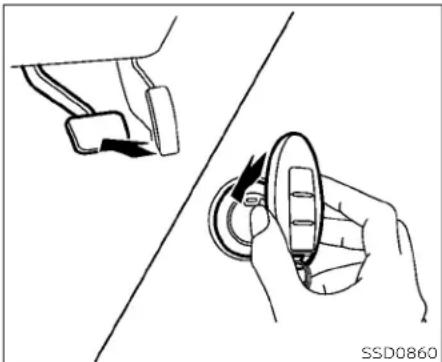
natural_image
Line drawing showing a hand holding a circular object with an arrow, alongside a separate view of a device component (no text or symbols)NISSANINTELLIGENTKEY® BATTERYDISCHARGE
If the battery of the NISSAN Intelligent Key is discharged on environmental conditions interfered with the Intelligent Key operation, start the engine according to the following procedure:
- PlacetheshiftleverintheP(Park) position.
2.Firmlyapplythefootbrake. - TouchtheignitionswitchwiththeIntelligentKeyasillustrated.(Achimewill sound.)
Afterstep3isperformed,whentheignitionswitchispushedwithoutdepressingthebrakepedal,theignitionswitch positionwillchangetotheONposition.
- Pushtheignitionswitchwhiledepressingthebrakepedalwithin10seconds afterthechimesounds.Theenginewill start.
NOTE:
- Whentheignitionswitchispushed to theONpositionortheengineisstarted bytheaboveprocedure,theIntelligent Keybatterydischargeindicatorappearsinthevehicleinformationdisplayevenwhen the IntelligentKey is insidethevehicle.Thisisnotamal-function.ToturnofftheIntelligentKey batterydischargeindicator,touchthe ignitionswitchwiththeIntelligentKey again.
- If the Intelligent Key battery discharge indicator appears, replacethe battery as soon as possible. For additional information, see "Battery replacement" (P.8-23).
BEFORESTARTINGTHEENGINE
STARTINGTHEENGINE
TheNISSANVehicleImmobilizerSystem will not allow the engine to start without the use of the registered key.
Iftheenginefailstostartusingaregistered key(forexample,wheninterferenceis causedbyanotherregisteredkey,anautomatedtollroaddeviceorautomaticpaymentdeviceonthekeyring),restartthe engineusingthefollowingprocedure:
-
LeavetheignitionswitchintheONpositionforapproximately5seconds.
-
PlacetheignitionswitchintheOFFFor LOCKposition, and wait approximately 10 seconds.
3.Repeatsteps1and2.
- Restart the engine while holding the device (which may have caused the interference) separate from the registered key.
If then ostart condition re-occurs, NISSAN recommends placing the registered key on a separate key ring to avoid interference from other devices.
- Makesuretheareaaroundthevehicleis clear.
- Checkfluidlevelssuchasengineoil,coolant,brakefluid,andwindshield-washer fluidasfrequentlyaspossible,oratleast wheneverourefuel.
- Check that all windows and lights are clean.
- Visuallyinspecttiresfortheirappearance andcondition. Alsochecktiresforproper inflation.
- Lockalldoors.
- Positionseatandadjustheadrests/head restraints.
-Adjustinsideandoutsidemirrors.
- Fastenseatbeltsandaskallpassengers todolikewise.
- Checktheoperationofwarninglights whentheignitionswitchispushedtothe ONposition.Foradditionalinformation, see"Warninglights,indicatorlightsand audiblereminders"(P.2–9).
-
Apply the parking brake.
-
MovetheshiftlevertoP(Park)orN(Neutral).P(Park)isrecommended.
Thestarterisdesignednottooperate iftheshiftleverisinanyofthedriving positions.
- Push the ignitions switch to the ON position. Depressthe brake pedaland push the ignitions switch to start the engine.
Tostarttheengineimmediately,push andreleasetheignitionswitchwhiledepressingthebrakepedalwiththeignitionswitchinanyposition.
- If the engine is very hard to start in extremely cold weather or when re-starting, depress the accelerator pedal little (approximately 1/3 to the floor) and while holding, crank the engine. Releasethe accelerator pedal when the engine starts.
- Iftheengineisveryhardtostartbe- causeitisflooded,depresstheacceleratorpedalallthewaytothefloor andholdit.Pushtheignitionswitchto theONpositiontostartcrankingthe engine. After 5 or 6 seconds, stop cranking by pushing the ignition switch to the LOCK position. After
crankingtheengine, releasetheacceleratorpedal. Cranktheenginewith yourfootofftheacceleratorpedal by depressingthebrakepedalandpushingthelgnitionswitchtostarttheengine. If theenginestarts, but fail to run, repeat theabove procedure.

CAUTION
Donotoperatethestarterformore than15secondsatatime.Iftheengine doesnotstart,pushtheignitionswitch totheOFFpositionandwait10seconds beforecrankingagain,otherwisethe startercouldbedamaged.
4.Warm-up:
Allowtheenginetoidleforatleast30 secondsafterstarting.Donotracethe enginewhilewarmingitup.Driveata moderatespeedforashortdistance first,especiallyincoldweather.Incold weather,keeptheenginerunningfora minimumof2to3minutesbeforeshuttingitoff.Startingandstoppingtheengineoverashortperiodoftimemay makethevehiclemoredifficulttostart.
- Tostoptheengine, movetheshiftlever totheP(Park)position and push the ignitionswitch totheOFF position.
NOTE:
Careshouldbetakentoavoidsituationsthatcanleadtopotentialbattery dischargeandpotentialno-startconditionssuchas:
-
Installationorextendeduseofelectronicaccessoriesthatconsumebaterypowerwhentheengineisnot running(phonechargers,GPS,DVD players,etc.).
-
The vehicle is not driven regularly and/or only drivenshort distances.
Inthesecases, the battery may need to be charged to maintain battery health.
REMOTEENGINESTART
VehiclesstartedwiththeRemoteEngine Start require the ignition switch to be placed in theONpositionbeforetheshift levercanbemovedfromtheP(Park)position.ToplacetheignitionswitchintheON position,followthesesteps:
- Make sure that the Intelligent Key is on you.
2.Applythebrake.
- Push the ignitions switch on ceto the ON position.
Foradditionalinformation,see“NISSANIntelligentKey®”(P.3-7).
DRIVINGTHEVEHICLE
CONTINUOUSLYVARIABLE TRANSMISSION(CVT)
WARNING
- Donotdepresstheacceleratorpedal whileshiftingfromP(Park)orN(Neutral)toR(Reverse),D(Drive),L(Low)or manualshiftmode(ifsoequipped). Alwaysdepressthebrakepedaluntil shiftingiscompleted.Failureretodoso couldcauseyoutolosecontroland haveanaccident.
• Coldengineidlespeedishigh, souse cautionwhenshiftingintoaforward orreversegearbeforetheenginehas warmedup. - Donotdownshiftabruptlyonslip-peryroads. This may cause all loss of control.
- NevershifttoeithertheP(Park)orR (Reverse)positionwhilethevehicleis movingforwardandP(Park)orD (Drive)positionwhilethevehicleis reversing.Thiscouldcauseanaccidentordamagethetransmission.
CAUTION
- Exceptinanemergency, donotshift totheN(Neutral)positionwhiledriving. Coastingwiththetransmission intheN(Neutral)positionmaycause seriousdamagetothetransmission.
•Toavoidpossibledamagetoyourvehicle,whenstoppingthevehicleon anuphillgrade,donotholdthevehiclebydepressingtheaccelerator pedal.Thefootbrakeshouldbeused forthispurpose.
TheCVTinyourvehicleiselectronically controlledtoproducemaximumpower andsmoothoperation.
Followtheseproceduresformaximumvehicleperformanceanddrivingenjoyment.
NOTE:
EnginepowermaybeautomaticallyreducedtoprotecttheCVTiftheengine speedincreasesquicklywhendrivingon slipperyroadsorwhilebeingtestedon somedynamometers.

Startingthevehicle
-
After starting the engine, fully depress the footbrakepedal before removing the shiftleveroutoftheP(Park)position. The Continuously Variable Transmission is designed so the footbrakepedal MUST bed depressed before shifting from P(Park) to any drive position while the ignition switch is in the ON position. The shift lever cannot be moved out of P(Park) and into any of the other gear positions if the ignition switch is placed in the LOCK position.
-
Ascreenisdisplayedforaperiodoftime that indicate the status of the driving aid functions (if so equipped).
-AEBwithPedestrianDetection,LDW, andBSWareenabledwhenthespecifieddrivingaldisshaded.
-I-Llisenabledwhenthedrivingaidis solid.
-Usethe ①◀ or ②▶ buttono navigatethesettingsscreen.ForadditionalInformation,see"Howtouse thevehicleinformationdisplay" (P.2-19)or(P.2-35)
-
Keep the foot brake pedal depressed and movetheshiftlevertoadriving position.
-
Releasethefootbrake, thengradually start the vehicle in motion.
-
Stop the vehicle completely before moving the shift to the Park position.
WARNING
- Donotdepresstheacceleratorpedal whileshiftingfromP(Park)orN(Neutral)toR(Reverse),D(Drive),L(Low)or manualshiftmode(ifsoequipped). Alwaysdepressthebrakepedaluntil shiftingiscompleted.Failureretodoso couldcauseyoutolosecontroland haveanaccident.
•Coldengineidlespeedishigh, souse cautionwhenshiftingintoaforward orreversegearbeforetheenginehas warmedup.
- Donotdownshiftabruptlyonslip-peryroads. This may cause all loss of control.
- NevershifttoeithertheP(Park)orR (Reverse)positionwhilethevehicleis movingforwardandP(Park)orD (Drive)positionwhilethevehicleis reversing. This could cause an accidentordamagethetransmission.
CAUTION
- Exceptinanemergency, donotshift totheN(Neutral)positionwhiledriving. Coastingwiththetransmission intheN(Neutral)positionmaycause seriousdamagetothetransmission.
• To avoid possible damage to your vehicle, when stopping the vehicle an uphill grade, donothold the vehicle by depressing the accelerator pedal. The footbrakes should be used for this purpose.

Shifting
Tomovetheshiftlever:

Pressthebutton Ⓐ whiledepressingthebrakepedal

Pressthebutton Ⓐ toshift

Shiftwithoutpressingthebutton Ⓐ
Afterstartingtheengine,fullydepressthe brakepedalandmovetheshiftleverfromP (Park)toanyofthedesiredshiftpositions.

WARNING
Apply the parking brake if the shift leverisin any position while the engine is not running. Failure to do so could cause the vehicle to move unexpected or roll away and result in serious personal injury or property damage.
P(Park)

CAUTION
Topreventtransmissiondamage, use theP(Park)orR(Reverse)positiononly whenthevehicleiscompletely stopped.
UsetheP(Park)shiftleverpositionwhen thevehicleisparkedorwhenstartingthe engine.Makesurethevehicleiscompletely stopped.ThebrakepedalshouldbedepressedtomovetheshiftleverfromN (Neutral)oranydrivepositiontoP(Park). Applytheparkingbrake.Whenparkingona hill,applytheparkingbrakefirst,thenmove theshiftleverintotheP(Park)position.
R(Reverse)

CAUTION
Topreventtransmissiondamage, use theP(Park)orR(Reverse)positiononly whenthevehicleiscompletely stopped.
UsetheR(Reverse)positiontobackup. Makesurethevehicle iscompletely stoppedbeforeselectingtheR(Reverse) position.Thebrakepedalmust bede-pressedtomovetheshiftleverfromP (Park),N(Neutral)oranydrivepositionto R(Reverse).
N(Neutral)
Neither forward nor reverse gear is engaged. The engine can be started in this position. You may shift to N (Neutral) and restart a stalled engine while the vehicle is moving.
D(Drive)
Use this position for all normal forward driving.
5-20 Startinganddriving
L(LoW)
Usethispositionforenginebrakingon steepdownhillgradients/climbingsteep slopesandwheneverapproachingsharp bends.DonotusetheL(Low)positionin anyothercircumstances.

Manualshiftmode(ifso equipped)
WhentheshiftleverisintheD(Drive)positionandthedrivesportmodeswitchis pushed,thetransmissionisreadyforthe manualshiftmode.Shiftrangescanbe selectedmanuallybypullingtheright-side orleft-sidepaddleshifter.
Whenshiftingup,pulltherightsidepaddle shifter(+) B. Thetransmissionshiftstothe higherrange.
whenshiftingdown,pulltheleftside paddleshifter(-) Ⓐ.Thetransmission shiftstothelowerrange.
When canceling the manual shiftmode, pushthedrivesportmodeswitch. The transmission returnstothenormaldriving mode. When you pull the paddle shifter whileintheD(Drive)positionwiththedrive sportmodeswitchpushed,thetransmissionwillshifttotheupperorlowerrange temporarily. The transmissionwill automatically return to the drive sport mode afterashortperiodoftime.ifyouwantto returnto thedrivesportmode manually, pullandholdthepaddleshifterforabout 1.5seconds.
Inthemanualshiftmode, theshiftrangeis displayed on the position indicator in the meter.
Shiftrangesupordownonebyoneas follows:
$$ 1 \Leftrightarrow 2 \Leftrightarrow 3 \Leftrightarrow 4 \Leftrightarrow 5 \Leftrightarrow 6 \Leftrightarrow 7 \Leftrightarrow 8 $$
M8(8th)andM7(7th)
Usethis position for all normal forward driving at highways speeds.
M6(6th)andM5(5th)
Use this position when driving up long slopesorforenginebrakingwhendriving downlongslopes.
M4(4th), M3(3rd) and M2(2nd)
Useforhillclimbingorenginebrakingon downhillgrades.
M1(1st)
Use this position when climbing steep hills slowly or drivings slowly through deep snow, sandormud, or maximum engine braking on steep downhill grades.
- Remembernottodriveathighspeedsfor extendedperiodsoftlmeinlowerthan the8thrange.Thisreducesfueleconomy.
Whenshiftingup
Usethe+(up)sidepaddleshifter.(Shiftsto higherrange.)
Whenshiftingdown
Usethe-(down)sidepaddleshifter.(Shifts tolowerrange.)
Whencancelingthemanualshiftmode
Tocancelmanualshiftmode, push the drivesportmodeswitchontheshiftlever or press and hold either paddleshifter.
-Inthemanualshiftmode, the transmission may not shift to these selected gear. This helps maintain driving performance and reduce the chance of vehicle damage or loss of control.
Inthemanualshiftmode, the transmission may shift up automatically to a higher range than selected if the engines speed too high. When the vehicles speed decreases, the transmission automatically shifts down and shift to 1st gear before the vehicle comestoastop.
- Continuously Variable Transmission (CVT) operation is limited to automatic drivemode when CVT fluid temperature is extremely low even if manual shift mode is selected. This is not a malfunction. When CVT fluid warmsup, manual mode can be selected.
- When theCVTfluidtemperature ishigh, theshiftrangemayupshiftinlowerrpm thanusual. Thisisnotamalfunction.

natural_image
Technical line drawing of a mechanical device with a screwdriver and a square component (no text or symbols)Shift lockrelease
If the battery charge is low or discharged, the shift lever may not be removed from the P(Park) position even with the brake pedal depressed and the shift lever button pressed.
Itwillbenecessarytojumpstartorhave yourbatterycharged.Foradditional information,see"Jumpstarting"(P.6-17).ContactaNISSANdealeroraprofessionaltowingservice.
Tomovetheshiftlever,completethefollowingprocedure:
1. PushtheignitionswitchtotheLOCK position.
2. Apply the parking brake.
3. Using a protective cloth on the tip of a mmscrew driver, removetheshiftlock release cover.
- Ifavailable, aplastictrimtoolcan also beused.
- Insert the small screw driver in the shift lock releases slot and pushdown.
5.MovetheshiftlevertotheN(Neutral) positionwhileholdingdowntheshift lockrelease.
IftheshiftlevercannotbemovedoutofP (Park),havethetransmissioncheckedas soonaspossible.Itisrecommendedthat youvisitaNISSANdealerforthisservice.
WARNING
If the shift lever cannot be removed from the Park position while the engine is running and the brake pedal is depressed, the stop lights may not work. Malfunctioning stop lights could cause an accident in injuring yourself and others.

Drivesportmode
Drivesportmodeswitch
When the drive sport mode switch is pushedwiththeshiftleverintheD(Drive) position,thedrivesportmodeindicator in theinstrumentpanelilluminates.Foraddi tionalinformation,see"Drivesportmode indicator"(P.2-29)or(P.2-46)
Usethedrivesportmodewhenyouneed improvedenginebraking.
Toturnoffthedrivesportmode,pushthe drivesportmodeswitchagain.Thedrive sportmodeindicatorwillturnoff.
Eachtimetheengineisstarted,orwhen theshiftleverisshiftedtoanyposition otherthanD(Drive),thedrivesportmode willautomaticallyturnoff.
Acceleratordownshift —inD(Drive)position—
Forpassingorhillclimbing, depress the acceleratorpedaltothefloor. This shifts the transmissiondownintoalower gear, depending on the vehiclespeed.
Highfluidtemperatureprotection mode
Thistransmissionhasahighfluidtemperatureprotectionmode.Ifthefluidtemperaturebecomestoohigh(forexample, whenclimbingsteepgradesinhightemperatureswithheavyloads,suchaswhen towingatraler),enginepowerand,under someconditions,vehiclespeedwillbedecreasedautomaticallytoreducethe chanceoftransmissiondamage.Vehicle speedcanbecontrolledwiththeacceleratorpedal,buttheengineandvehiclespeed maybelimited.
Fail-safe
Ifthevehicleisdrivenunderextreme conditions,such as excessive wheel spinningandsubsequenthardbraking, thefail-safesystemmaybeactivated. The Malfunction Indicator Light (MIL) maycomeontoindicatethefail-safe modeisactivated.Foradditionalinformation,see"MalfunctionIndicatorLight (MIL)"(P.2-15).Thiswilloccurevenifall electricalcircuitsarefunctioningproperly. In this case, place the ignition switch intheOFFpositionandwaitfor10seconds.Thenpushtheswitchbacktothe ONposition.Thevehicleshouldreturnto itsnormaloperatingcondition.Ifitdoes notreturn toits normaloperatingcondition,havethetransmissionchecked.Itis recommendedthatyouvisitaNISSAN dealerforthisservice.
WARNING
Whenthehighfluidtemperatureprotectionmodeorfail-safeoperationoccurs, vehiclespeedmaybegradually reduced. Thereducedspeedmaybe lowerthanothertraffic, which could increase the chance of collision. Beespecially careful when driving. If necessary, pull to the side of the road at a safe place and allow the transmission to turn tonormal operation, or have it repaired if necessary.
PARKINGBRAKE
WARNING
- Besuretheparkingbrakeisfullyreleasedbeforedriving.Failurertodosocancausebrakefailureandleadtoanaccident.
- Donotreleasetheparkingbrake fromoutsidethevehicle.
- Donotusetheshiftleverinplaceof theparkingbrake.Whenparking,be suretheparkingbrakeisfully engaged.
To help avoid risk of injury or death through unintended operation of the vehicle and/or it systems, donot leave children, people who require the assistance of others or pets unattended in your vehicle. Additionally, the temperature inside a closed vehicle on a warm day can quickly become high enough to cause significant risk of injury or death to people and pets.

natural_image
Two simple line drawings of electrical connectors with wires, one pointing upward and the other with a curved base (no text or symbols)MANUALPARKINGBRAKE(pedal type)
Toengage: Firmlydepresstheparking brake.
Torelease:
- Firmly apply the footbrake.
- Move the shiftlevertotheP (Park) position.
- Firmly depress the parking brake pedal and it will release.
- Before driving, besure the brake warning light goes out.
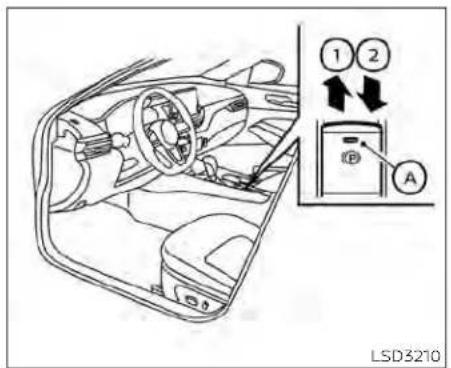
ELECTRONICPARKINGBRAKE (switchtype)
Theelectronicparking brakecan beappliedorreleasedautomaticallyorbyoperatingtheparkingbrakeswitch.
Automaticoperation
The electronic parking braking will apply automatically if the ignition switch is placed in the OFF position when the brake force is maintained by the automatic brake hold function.
The electronic parking brake is automatically released as soon as the vehicle starts and the accelerator pedal is depressed with the driver's seat belt fastened.
WARNING
Beforeleavingthevehicle,movethe shiftlevertotheP(Park)positionand checkthattheelectronicparkingbrake warninglightisilluminatedtoconfirm thattheelectronicparkingbrakeisap- plied.Theelectronicparkingbrake warninglightwillremainonforape- riodoftimeafterthedriver'sdooris locked.
CAUTION
When parking in an area where the outside temperature is below 32^ F ( 0^ C), the parking brake, if applied, may freeze in place and may be difficult to release.
Forsafeparking, it is recommended that you placetheshift lever in the P (Park) position and securely block the wheels.
NOTE:
- Tokeeptheelectronicparkingbrake releasedaftertheengineisturnedoff, placetheignitionswitchintheOFFposition,depressthebrake pedaland pushdowntheparkingbrakeswitch beforeopeningthedriver'sdoor.
-Ifamalfunctionoccursintheelec- tronicparkingbrakesystem(forex- ample,duetobatterydischarge),itis recommendedthatyouvisitaNISSAN dealer.
- IftheshiftleverismovedtotheP(Park) positionwhenthebrakeforceismaintainedbytheautomaticbrakehold function,theelectronicparkingbrake willapplyautomatically.
- If the driver's seat belt is unfastened when the brake force is maintained by the automatic brake hold function, the electronic parking brake will apply automatically.
- If the ignition switch is placed in the OFF position when the brake force is maintained by the automatic brake hold function, the electronic parking braking will apply automatically.
Manualoperation
The electronic parking brakewill not be automatically applied if the engine is stopped without using the ignition switch (forexample, by enginestalling). Insuchacase, you haveto apply the parking brake manually.
Toapply: Pulltheswitchup ①. The indicator light Ⓐ willilluminate.
Torelease:Withtheignitionswitchinthe ONposition,depressthebrakepedaland pushtheswitchdown ②. Theindicator light Ⓐ willturnoff.
Beforedriving, check that the electronic parking brake indicator light (P or PARK) goes out. For additional information, see "Warning lights, indicator lights and audible reminders" (P2-9).
NOTE:
-Abuzzerwillsoundifthevehicleis drivenwithoutreleasingtheparking brake.Foradditionalinformation,see "Warninglights,indicatorlights and audiblereminders"(P.2-9).
AUTOMATICBRAKEHOLD(ifso equipped)
-While the electronic parking brake is applied or released, an operating soundis heard from the lowerside of therearse at. This is normal and does not indicate a malfunction.
-When the electronic parking brake is frequently applied and released a short period of time, the parking brake may not operate in order to prevent the parking brakes system from overheating. If this occurs, operate the electronic parking brakes switch again after waiting approximately 1 minute.
-If the electronic parking braking must be applied while driving in an emergency, pullup and hold the parking brake switch. When you are a set the parking brakes switch, the parking braking will be released.
-Whilepullinguptheelectronicparking brakeswitchduringdriving,theparkingbrakeisappliedandachime sounds.Theelectronicparkingbrake indicatorlightinthemeterandinthe parkingbrakeswitchilluminates.This doesnotindicateamalfunction.The electronicparkingbrakeindicatorlight inthemeterandintheparkingbrake switch turns off when the parking brakeisreleased.
-Whenpullingtheelectronicparking brake switch up with the ignition switchintheOFFForAUTOACCposition, theparkingbrakeswitchindicator lightwillcontinuetoilluminatefora shortperiodoftime.
The automaticbrakeholdfunctionmaintainsthebrakingforcewithoutthedriver havingtodepressthebrakepedalwhen thevehicleisstoppedatatrafficlightor intersection.Assoonas thedriver depressestheacceleratorpedalagain,the automaticbrakeholdfunctionisdeactivatedandthebrakingforceisreleased.The operatingstatusoftheautomaticbrake holdcanbedisplayedonthevehicleinformationdisplay.
WARNING
- Theautomaticbrakeholdfunctionis notdesignedtoholdthevehicleona steephillorslipperyroad.Neveruse theautomaticbrakeholdwhenthe vehicleisstoppedonasteephillor slipperyroad.Failureretodosomay causethevehicletomove.
- Whentheautomaticbrake holdfunctionisactivatedbutfailstomaintain thevehicleatastandstill, depressthe brakepedaltostopthevehicle.Ifthe vehicleunexpectedlymovesdueto outsideconditions,thechimemay soundand automaticbrake hold warningmayilluminateinthevehicle informationdisplay.
Startinganddriving5-27
- Besuretodeactivatetheautomatic brakeholdfunctionwhenusingacar washortowingyourvehicle.
- Makesuretoplacetheshiftleverin theP(Park)positionandapplythe parkingbrakewhenparkingyourvehicle,enteringorexitingthevehicle, orloadingluggage.Failuretodoso couldcausethevehicletomoveor rollawayunexpectedlyandresultin seriouspersonalinjuryorproperty damage.
- Ifanyofthefollowingconditionsoccur,theautomaticbrakeholdfunctionmaynotfunction.Havethesystemcheckedpromptly.Itis recommendedthatyouvisita NISSANdealerforthisservice.Failure tooperatethevehicleinaccordance withtheseconditionscouldcause thevehicletomoveorrollawayun-expectedlyandresultinseriouspersonalinjuryorpropertydamage.
-Awarningmessageappearsinthe vehicleinformationdisplay.
-Theindicatorlightontheautomaticbrakeholdswitchdoesnot illuminatewhentheswitchis pushed.
The automatic brakehold function will not be activated if the slip indicator light, electronic parking brake warning light to master warning light illuminate and the chassis control system fault message appears in the vehicle information display.
·Tomaintainthebrakingforcetokeep the vehicle to a standstill, a noise maybeheard. This is not a malfunction.
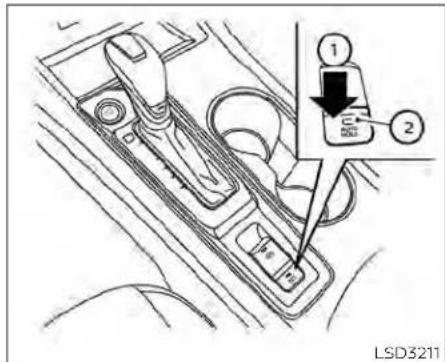
HOWTOACTIVATE/DEACTIVATE THEAUTOMATICBRAKEHOLD FUNCTION
For additional information onactivating and deactivating the automatic brakehold function, refertothe instructions outlined in this section.
Howtoactivatetheautomatic brakeholdfunction
- With the ignition switch in the ON position, push the automatic brake hold switch ①. The indicator light on the automatic brake hold switch illuminates.
- When the automatic brake hold function goes into standby, the automatic brake hold indicator light (white) illuminates.
Tousetheautomaticbrakeholdfunction, thefollowingconditionsneedtobemet:
• Thedriver'sseatbeltisfastened.
•Theelectronicparkingbrakeisreleased. - TheshiftleverisnotintheP(Park) position.
•Thevehicleisnotparkedonasteephill.
NOTE:
The automatic brakehold function reset to OFF every time the ignition switch is switched from the OFF position to the ON position.
Howtodeactivatetheautomatic brakeholdfunction
while the automatic brakehold function is activated, push the automatic brakehold switch to turn off the automatic brake hold indicator light and deactivates the automatic brakehold function. Todeactivate the automatic brake hold function while the brake force has been maintained by the automatic brakehold function, depress the brake pedal and push the automatic brakehold switch.
WARNING
Make sure to firmly depress and hold the brake pedal when turning off the automaticbrakeholdfunctionwhile thebrakeforceisapplied. Whenthe automaticbrakeholdfunctionis deactivated, thebrakeforcewillbereleased. This could cause the vehicle to move or rollawayunexpectedly. Failuretoprevent the vehicle from rolling may result in serious personal injury or property damage.
For additional information on using the automaticbrakehold function, refertothe instructions outlined in this section.
Tomaintainbrakingforce automatically
With the automatic brake hold function activated and the automatic brake hold indicator light (white) illuminated on the meter, depress the braking pedal to stop the vehicle. The brake force is automatically maintained without your foot depressed on the brake pedal while the brake holds maintained, the automatic brake hold indicator light (green) illuminates on the meter.
Tostartthevehiclefroma standstill
WiththeshiftlevernotintheP(Park)orN (Neutral)position,depresstheaccelerator pedalwhilethebrakeforceismaintained. Thebrakeforcewillautomaticallybere- leasedtorestartthevehicle.
The automatic brakehold indicator light (white) illuminates and the automatic brakehold returns to standby.
Parking
WhentheshiftleverisintheP(Park)positionwiththebrakeforcemaintainedbytheautomaticbrakeholdfunction,theparkingbrakewillautomaticallybeappliedandthebrakeforceoftheautomaticbrakeholdwillbereleased.Theautomaticbrakeholdindicatorlightturnsoff. Whentheparkingbrakesappliedwiththebrakeforcemaintainedbytheautomaticbrakeholdfunction,thebrakeforceoftheautomaticbrakeholdwillbereleased.Theautomaticbrakeholdindicatorlightturnsoff.
NOTE:
- Underthefollowingconditions,the parkingbrakewillautomaticallybeap- pliedandthebrakeforceoftheauto- maticbrakeholdwillbereleased:
-Thebrakingforceisappliedbythe automaticbrakeholdfunctionfor3 minutesorlonger.
-Thedriver'sseatbeltisunfastened.
-Theignitionswitchisplacedinthe OFFposition.
-Ifamalfunctionoccursintheautomaticbrakeholdfunction.
-Whenthevehiclestops,butthebrake forceisnotautomaticallyapplied,de-pressthebrakepedalfirmlyuntilthe automaticbrakeholdindicatorlight (green)illuminates.
TRAFFICSIGNRECOGNITION(TSR)(if soequipped)

natural_image
Line drawing of a sedan car with a numbered component (1) on top, no text or symbols presentThe TSRsystemprovidesthedriverwith informationaboutthermostrecentlydetectedspeedlimit.Thesystemcaptures theroadsigninformationwiththemulti-sensingfrontcameraunit ① locatedon thewindshieldinfrontoftheinsiderear-viewmirroranddisplaythedetected signsinthevehicleinformationdisplay. For vehiclesequippedwithanavigationsystem,thespeedlimitdisplayedisbasedona combinationof navigation systemdata andlivecamerarecognition.TSRinformationisalwaysdisplayedatthetopofthe
vehicleinformationdisplay, and optionally inthemaincentralareaofthedisplay screen.
WARNING
The TSR system is only intended to be a support device to help provided the driver within information. It is not a replacement for the driver's attention to traffic conditions or responsibility to drives safely. It cannot prevent accidents due to carelessness. It is the driver's responsibility to stay alert and drives safely at all times.

SYSTEMOPERATION
The TrafficSignRecognition(TSR) system display the following types of road signs:
CAUTION
The TSR system is intended as anaid to careful driving. It is the driver's responsibility to stay alert, drives safely, and observe all road regulation that currently apply, including looking out for road signs.
The TSRsystemmaynotfunction properlyunderthe following conditions:

LSD3940
-Whentheroadsignisnotclearly visible,forexample,duetodamageorweatherconditions.
-Whenrain,snowordirtadheresto thewindshield infrontof the multi-sensingcameraunit.
- When the headlights are not bright,forexample,duetodirton thelensoriftheaimingisnotadjustedproperly.
-Whenstronglightentersthecameraunit.(Forexample,thelightdirectly shines on the front of the vehicleatsunriseorsunset.)
-Whenasuddenchangeinbrightnessoccurs.(Forexample,when thevehicleentersorexitsatunnel orunderabridge.)
- If there are deviations in relation to the navigation, forexample due to changes in the road routing.
-Whenovertakingbusesortrucks withspeedstickers.

TURNINGTHETRAFFICSIGN RECOGNITION(TSR)SYSTEMON ANDOFF
Perform the following step to enable or disable the TSR system.
- Pressthe button until "Settings" displays in the vehicle information display. Use the button to select "Driver Assistance." Then press the OK button.
- Select "SpeedLimitSign" and press the OKbutton to turn the system on or off.
SYSTEMTEMPORARILY UNAVAILABLE
If the vehicle is parked indirectly sunlight under high temperature conditions (over approximately 104°F [40°C]) and then started, the TSR system may be deactivated automatically. The "Unavailable: High Cabin Temperature" warning message will appear in the vehicle information display.
Actiontotake:
When the interiortemperature is reduced, the TSR system will resume operating automatically.
SYSTEMMALFUNCTION
If the TSR system malfunctions, it will be turned off automatically and the system "Malfunction" warning message will appear in the vehicle information display.
Actiontotake:
IftheTSR"Malfunction"messageappears, pullofftheroadatasafelocationandstop thevehicle.Turntheengineoffandrestart theengine.IftheTSR"Malfunction"messagecontinuestoappear,havethesystem checked.Itisrecommendedthatyou visit a NISSANdealerforthisservice.
LANEDEPARTUREWARNING(LDW)
SYSTEMMAINTENANCE
The TSR system use sthesamemulti-sensing front camera unit that is used by the Lane Departure Warning (LDW) system, located in front of the interior rear view mirror. For additional information, see "System maintenance" (P.5-39).

natural_image
Line drawing of a sedan car with a circular sensor labeled 'A' on the roof, no text or symbols on the car itselfWARNING
Failuretofollowthewarningsandin-structionsforproperuseoftheLDW systemcouldresultinseriousinjuryor death.
- This system is only awarning device to inform the driver of a potential unintended lane departure. It will not steer the vehicle or prevent loss of control. It is the driver's responsibility to stay alert, drives safely, keep the vehicle in the traveling lane, and be in control of the vehicle at all times.
The LDwsystemwilloperatewhenthevehicleisdrivenatspeedsofapproximately 37 mph (60 km/h) and above, and only whenthelanemarkingsareclearlyvisible ontheroad.
TheLDWsystemmonitorsthelanemarkersonthetravelinglaneusingthecamera unit ① locatedabovetheinsidemirror.
The LDWsystemwarnsthedriverthatthe vehicleis beginningtoleave thedriving lanewithanindicatorandasteeringwheel vibration. For additionalinformation,see "LDWsystemoperation"(P.5-34).
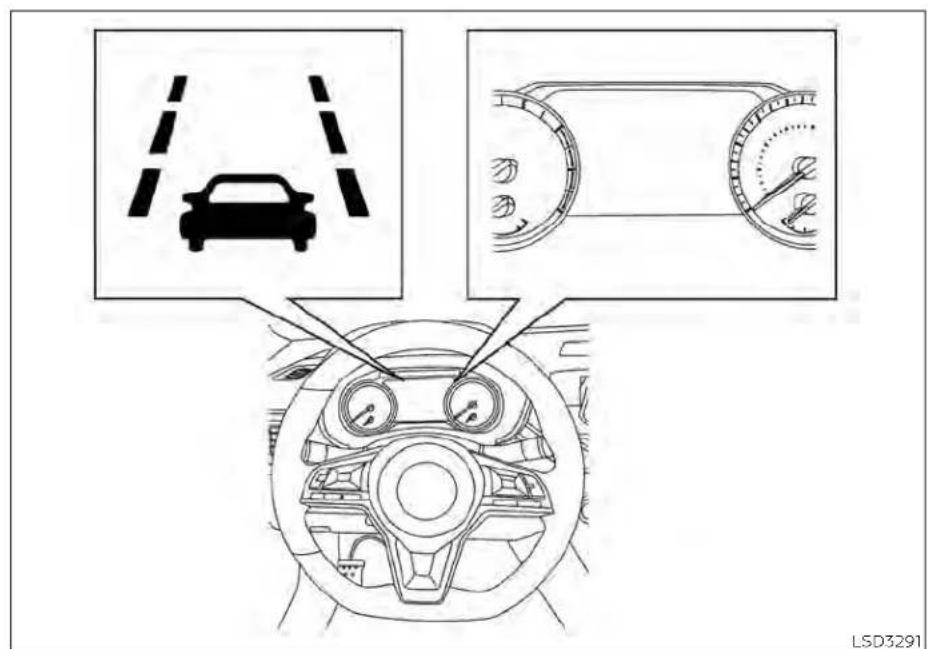
Forvehicleswiththe7inch(18cm)display
LDWSYSTEMOPERATION
5-34Startinganddriving

Forvehicleswiththe5inch(13cm)display
TheLDwsystemprovidesalanedeparture warningfunctionwhenthevehicleisdriven atspeedsofapproximately37mph(60 km/h)andaboveandthelanemarkings areclear.whenthevehicleapproacheselthertheleftortherightsideofthetraveling lane,thesteeringwheelwillvibrateandthe LDWindicatorontheinstrumentpanelwill blinktoalertthedriver.
Thewarningfunctionwillstopwhenthe vehiclereturnsinsideofthelanemarkers.

Forvehicleswiththe7inch(18cm)display
HOWTOENABLE/DISABLETHE LDWSYSTEM
5-36 Startinganddriving
Perform the following step to enable or disable the LDW system.
Forvehicleswiththe7inch(18cm) display.
-
Pressthe button until "Settings" displays in the vehicle information display. Use the button to select "Driver Assistance." Then pressthe OK button.
-
Select "Lane" and press the OK button.
-
Select "LaneDepartureWarning" and presstheOKbuttontoturnthesystem onoroff.
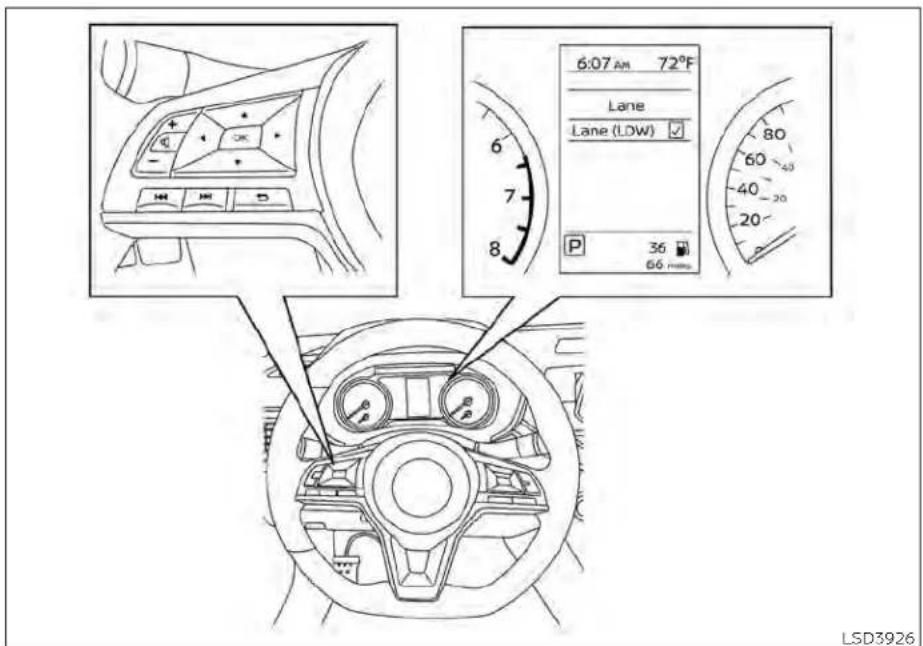
Forvehicleswiththe5inch(13cm)display
Forvehicleswiththe5inch(13cm) display.
- Pressthe button until "Settings" displays in the vehicle information display. Use the button to select "Driver Assistance." Then press the OK button.
- Select "DrivingAids" and press the OK button.
3.Select"Lane"andpresstheOKbutton. - Select "Lane(LDW)" and press the OK button to turn the system on or off.
LDWSYSTEMLIMITATIONS
WARNING
Listedbelowarethesystemlimitations fortheLDWsystem.Failureretofollow thewarningsandinstructionsfor properuseoftheLDWsystemcouldresultinseriousinjuryordeath.
- Thesystemwillnotoperateat speedsbelowapproximately37mph (60km/h)orifitcannotdetectlane markers.
- DonotusetheLDWsystemunderthe followingconditionsasitmaynot functionproperly:
-Duringbadweather(rain,fog, snow,etc.).
-Whendrivingonslipperyroads, suchasoniceorsnow.
-Whendrivingonwindingorun-evenroads.
-Whenthereisalaneclosuredueto roadrepairs.
- When driving in a makeshift or temporarylane.
-Whendrivingonroadswherethe lanewidthhistoonarrow.
-Whendrivingwithout normaltire conditions(forexample,tirewear, lowtirepressure,installationof sparetire,tirechains, nonstandardwheels).
-Whenthevehicleisequippedwith non-originalbrakepartsorsuspensionparts.
- When you are towing a trailer or other vehicle.
- The system may not function properlyunderthefollowingconditions:
-Onroadswheretherearemultiple parallellanemarkers;lanemarkerstatarefadedornot painted clearly;yellowpaintedlanemarkers;non-standardlanemarkers;orlanemarkerscoveredwithwater,dirt,snow,etc.
-Onroadswherethediscontinued lanemarkersarestilldetectable.
-Onroadswheretherearesharp curves.
- Onroadswheretherearesharply contrasting objects, such as shadows,snow,water,wheelruts,seams orlines remainingafterroad repairs.(TheLDWsystemcoulddetect theseitemsaslanemarkers.)
-Onroadswherethetravelinglane mergesorseparates.
-Whenthevehicle'stravelingdirection does not align with the lane marker.
-Whentravelingclosetothevehicleinfrontofyou,whichobstructs the lane camera unit detectionrange.
-Whenrain,snow,dirtoranobject adherestothewindshieldinfront ofthelanecameraunit.
-When the headlights are not bright due to dir to the counselor if the aiming is not adjusted properly.
-Whenstronglightentersthelane camera unit. (For example, the lightdirectlyshinesonthefrontof thevehicleatsunriseorsunset.)
-Whenasuddenchangeinbrightness occurs. (For example, when thevehicleentersorexitsatunnel orunderabridge.)
SYSTEMTEMPORARILY UNAVAILABLE
If the vehicle is parked indirect sunlight under hight temperature conditions (over approximately 104°F [40°C]) and then started, the LDW system may be deactivated automatically and the following message will appear in the vehicle information display: "Unavailable: High Cabin Temperature" or "Not available High cabin temperature".
When the interior temperature is reduced, the LDW system will resume operating automatically.
TheLDWsystemisnotdesignedtowarn underthefollowingconditions:
- whenyouoperatethelanechangesignal andchangetravelinglanesinthedirectionofthesignal.(TheLDwsystemwill becomeoperableagainapproximately2 secondsafterthelanechangesignalis turnedoff.)
-whenthevehiclespeedlowerstoless thanapproximately37mph(60km/h).
Aftertheaboveconditionshavefinished andthenecessaryoperatingconditions are satisfied, the LDW functions will resume.
SYSTEMMALFUNCTION
If the LDwsystemmalfunctions, it will cancel automatically and "Not Available System Malfunction" or "System fault" will appear in the vehicle information display. If "Not Available System Malfunction" or "System fault" appears in the vehicle information display, pullofftheroadtoasafelocationandstopthevehicle. Placetheshift lever in the P (Park) position and the ignition switch in the OFF position and restart the engine/motor. If Not Available System Malfunction" or "Systemfault" continues to appear in the vehicle information display, havethesystemchecked. It is recommended that you visit a NISSAN dealer for this service.

natural_image
Line drawing of a car seatbelt with a numbered component (no text or symbols)SYSTEMMAINTENANCE
The lane cameraunit ① for the LDWsystem is located above the inside mirror. To keep the proper operation of the LDW system and prevent a system malfunction, be sure to observ the following:
•Alwayskeep thewindshieldclean.
- Do not attach a sticker (including transparentmaterial)orinstallanaccessory near thecamera unit.
INTELLIGENT LANE INTERVENTION (I-LI) (ifso equipped)
- Donotplacereflectivematerials,suchas whitepaperoramirror,ontheinstrumentpanel.Thereflectionofsunlight mayadverselyaffectthecameraunit's capabilityofdetectingthelanemarkers.
- Donotstrikeordamagetheareas aroundthecameraunit.Donottouchthe cameralensorremovethescrewlocated onthecameraunit.Ifthecameraunits damagedduetoanaccident,ItisrecommendedthatyouvisitaNISSANdealer.
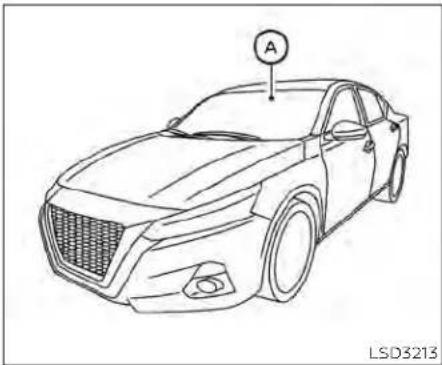
natural_image
Line drawing of a sedan car with a circular sensor labeled 'A' on the roof, no text or symbols on the car itselfWARNING
Failuretofollowthewarningsandin-structionsforproperuseofthel-LIsystemcouldresultinseriousinjuryor death.
- The I-LI system will not steer the vehicleorpreventlossofcontrol.Itis thedriver'sresponsibilitytostay alert,drive safely,keepthe vehiclein thetravelinglane,andbeincontrol of thevehicleatalltimes.
- The I-LI system is primarily intended for useonwell-developedfreeways orhighways. It may not detect the lane markers in certain road, weather, ordriving conditions.
Thel-LIsystemmustbeturnedonwiththe ProPILOTAssistswitch(forvehicleswith ProPILOTAssist)on thesteering wheel, everytimetheignitionisplacedintheON position.
Thel-LIsystemwilloperatewhenthevehicleisdrivenatspeedsofapproximately 37mph(60km/h)andabove,andonly whenthe lanemarkingsareclearly visible ontheroad.
The I-LI system warns the driver when the vehiclehasleftthecenterofthetraveling lanewithanindicatorandasteeringwheel vibration. The system helps assist the drivertoreturnthevehicle tothecenterof thetravelinglanebyapplyingthebrakesto theleftorrightwheelsindividually(fora shortperiodof time).
Thel-Llsystemmonitorsthelanemarkers onthetravelinglaneusingthecameraunit A locatedabovetheinsidemirror.

I-LISYSTEMOPERATION
① LaneDepartureWarning(LDW) indicator
② IntelligentLaneIntervention(I-LI)indicator(ifsoequipped)
③ ProPILOTAssistswitch(forvehicles withProPILOTAssist)
Thel-Llsystemoperatesaboveapproximately37mph(60km/h).Whenthevehicle approacheseithertheleftortherightside ofthetravelinglane,thesteeringwheelwill vibrateandtheLDWindicator(orange)on theinstrumentpanelwillblinktoalertthe driver.Then,theLlsystemwillautomaticallyapplythebrakesforashortperiodof timetohelpassistthedrivertoreturnthe vehicletothecenterofthetravelinglane.
Toturnonthel-Llsystem, pushtheProPILOTAssistswitch (for vehicles with ProPILOTAssist) on the steering wheel after starting the engine/motor. The L-Indicator on the instrument panel will illuminate. Push the Pro PILOT Assist switch againto turn off the L-Isystem. The L-Indicator will turn off.
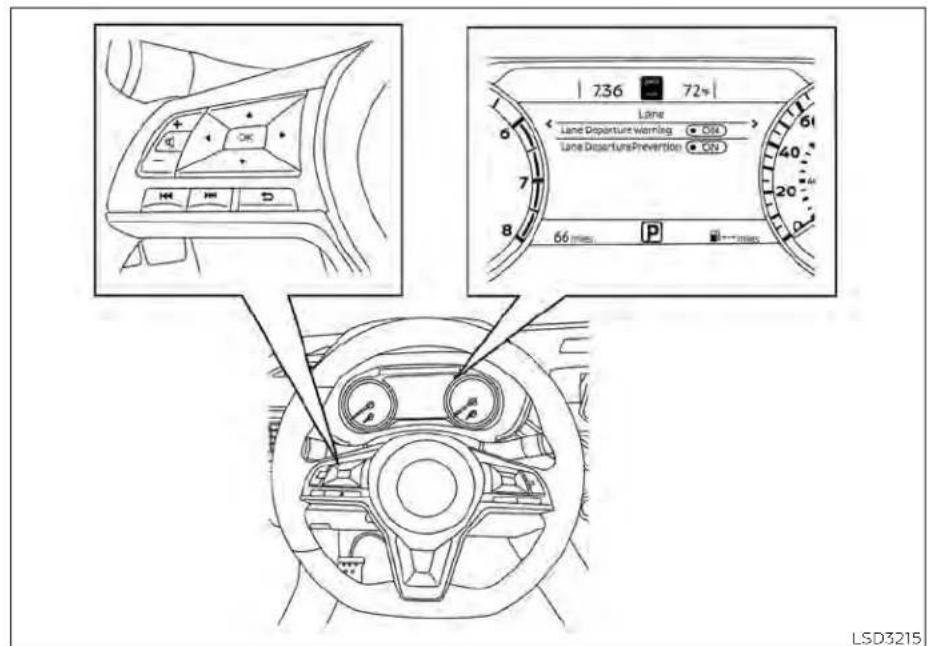
HOWTOENABLE/DISABLETHEI-LI SYSTEM
Perform the following step to enable or disable the L-Isystem.
-
Pressthe button until "Settings" displays in the vehicle information display. Use the button to select "Driver Assistance." Then press the OK button.
-
Select "Lane" and press the OK button.
-
Select "LaneDeparturePrevention" and presstheOKbutton.
-
PushtheProPILOTAssistswitchtoturn thesystemonoroff.
NOTE:
WhenLaneDeparturePreventionis-enabledinthesettingsmenu,turningthe ProPILOTAssistsystem(ifsoequipped) onwillactivatethel-Lisystematthe sametime.IfLaneDeparturePrevention isnotenabledinthesettingsmenu,I-LI willautomaticallyactivatewhenthePro-PILOTAssistsystemis"SET."Foradditionalinformation,see"IntelligentLane Intervention(I-LI)("P.5-40).
5-42 Startinganddriving
I-LISYSTEMLIMITATIONS
WARNING
Listedbelowarethesystemlimitations forthel-LIsystem.Failuretofollowthe warningsandinstructionsforproper useofthel-LIsystemcouldresultin seriousinjuryordeath.
- Thel-Lisystemmayactivateifyou changelaneswithoutfirstactivating yourturnsignalor,forexample,ifa constructionzonedirectstrafficto crossanexistinglanemarker.Ifthis occursyoumayneedtoapplycorrectivesteeringtocompleteyourlane change.
·Becausethel-LImaynotactivateundertheroad,weather,andlane markerconditionsdescribedinthis section,itmaynotactivateevery timeyourvehiclebeginstoleaveits laneandyouwillneedtoapplycorrectivesteering. - Whentel-LI systemisoperating, avoidexcessiveorsuddensteering maneuvers. Otherwise, you could losecontrolofthevehicle.
·Thel-Llsystemwillnotoperateat speedsbelowapproximately37mph (60km/h)orifitcannotdetectlane markers.
- Donotusethel-Lisystemunderthe followingconditionsas itmaynot functionproperly:
-Duringbadweather(rain,fog, snow,etc.).
- When driving on slippery roads, suchasoniceorsnow.
-Whendrivingonwindingorun-evenroads.
-Whenthereisalaneclosuredueto roadrepairs.
- When driving in a makeshift or temporarylane.
-Whendrivingonroadswherethe lanewidthhistoonarrow.
-Whendrivingwithoutnormaltire conditions(forexample,tirewear, lowtirepressure,installationof spare tire, tire chains, non-standardwheels).
-Whenthevehicleisequippedwith nonoriginal brake partsor suspensionparts.
-Whenyouaretowingatraileror othervehicle.
-Onroadswheretherearemultiple parallellanemarkers;lanemarkersthatarefadedornotpainted clearly;yellowpaintedlanemarkers;non-standardlanemarkers;orlanemarkerscoveredwithwater,dirt,snow,etc.
-Onroadswherediscontinuedlane markersarestilldetectable.
-Onroadswheretherearesharp curves.
-Onroadswheretherearesharply contrastingobjects,suchasshadows,snow,water,wheel ruts,seamsor linesremainingafter roadrepairs.(Thel-LI system could detect these items as lane markers.)
-Onroadswherethetravelinglane mergesorseparates.
-Whenthevehicle'stravelingdirection does not align with the lane marker.
- When traveling close to the vehicle frontofyou, which obstructsthelanecamera unit detectionrange.
-Whenrain,snowordirtadheresto thewindshieldinfrontofthelane cameraunit.
-Whentheheadlightsarenot brightduetodirtonthelensorif theaimingisnotadjusted properly.
-Whenstronglightentersthelane cameraunit.(Forexample,the lightdirectlyshinesonthefrontof thevehicleatsunriseorsunset.)
-Whenasuddenchangeinbrightnessoccurs.(Forexample,when thevehicleentersorexitsatunnel orunderabridge.)
While the-l systemisoperating, you may hear asoundofbrakeoperation. This is normal and indicate that the-l systemis operating properly.
SYSTEMTEMPORARILY UNAVAILABLE
ConditionA:
The warning and assist function of the Li system are not designed to work under the following conditions:
- When you operate the lane changes signal and can get the traveling lanes in the direction of the signal. (The-l system will be deactivated for approximately 2 seconds after the lane changes signal is turned off.)
- When the vehicles speed lower to less than approximately 37 mph (60 km/h).
Aftertheaboveconditionshavefinished andthe necessaryoperatingconditions aresatisfied,thewarningandassistfunctionswillresume.
ConditionB:
Theassistfunctionofthel-Llsystemisnot designedtoworkunderthefollowingconditions(warningisstillfunctional):
- Whenthebrakepedalisdepressed.
- whenthesteeringwheelisturnedasfar asnecessaryforthevehicletochange lanes.
- When the vehicle is accelerated during I-L system operation.
- When the Intelligent Cruise Control (ICC) approach warning occurs.
- Whenthehazardwarningflashersare operated.
•Whendrivingonacurveathighspeed
Aftertheaboveconditionshavefinished andthe necessaryoperatingconditions aresatisfied;theI-Llsystemapplicationof thebrakeswillresume.
ConditionC:
If the following messages appear in the vehicleinformationdisplay, the-Llsystem will be turnedoff automatically.
- "NotAvailablePoorRoadConditions": WhentheVDCsystem(exceptTraction Control System [TCS] function) or ABS operates.
- "Currently not available": When the VDC system is disturbed off.
Actiontotake:
whentheaboveconditionsnolongerexist, turnoffthel-Llsystem.PushtheProPILOT Assist switch (for vehicles with ProPILOT Assist)onthesteeringwheelagaintoturn thel-Llsystembackon.
Temporarydisabledstatusathigh temperature:
If the vehicle is parked indirect sunlight under high temperature conditions (over approximately 104°F [40°C]) and then the I-L systemisturned on, the I- L system may be deactivated automatically and the following message will appear on the vehicle information display: "Unavailable: High Cabin Temperature." When the interior temperature is reduced, the system will resume operating automatically.
SYSTEMMALFUNCTION
Ifthel-Lisystemmalfunctions, it will cancel automatically. The LD Wind indicator (orange) will illuminate in the display. If the LD Wind indicator (orange) illuminates in the display, pullofftheroadtoasafelocation and stop the vehicle. Turn the engine/motor off and restart the engine/motor. If the LD Wind indicator (orange) continues to illuminate, have the L is system checked. It is recommended that you visit a NISSAN dealer for this service.

natural_image
Line drawing of a car seatbelt with a numbered component (no text or symbols)SYSTEMMAINTENANCE
Thelanecameraunit ① forthel-Lisystem islocatedabovetheinsidemirror.Tokeep theproperoperationofthel-Lisystemand preventasystemmalfunction,besureto observethefollowing:
•Alwayskeepthewindshieldclean.
- Donotattachasticker(includingtransparentmaterial)orinstallanaccessorynearthecameraunit.
- Donotplacereflectivematerials, such as whitepaperoramirror, ontheinstrument panel. The reflection of sunlight may adversely affect the camera unit's capability of detecting the lanemarkers.
- Donotstrike or damagetheareas aroundthecameraunit.Donottouchthe cameralensorremovethescrewlocated onthecameraunit.Ifthecameraunits damagedduetoanaccident,ItisrecommendedthatyouvisitaNISSANdealer.
BLINDSPOTWARNING(BSW)(ifso equipped)
WARNING
Failuretofollowthewarningsandin-structionsforproperuseoftheBSW systemcouldresultinseriousinjuryor death.
TheBSWsystemisnotareplacement forproperdrivingproceduresandis notdesignedtopreventcontactwith vehiclesorobjects.Whenchanging lanes,alwaysusethesideandrear mirrorsandturnandlookinthedirectionyourvehiclewillmovetoensureitissafetochangelanes.Never relysolelyontheBSWsystem.
TheBSWsystemhelpsalertthedriverof othervehiclesinadjacentlaneswhen changinglanes.

natural_image
Line drawing of a car front view with labeled parts (number 1 and number 2), no text or symbols present.TheBSWsystemusesradarsensors installedneartherearbumpertodetect othervehiclesinanadjacentlane.
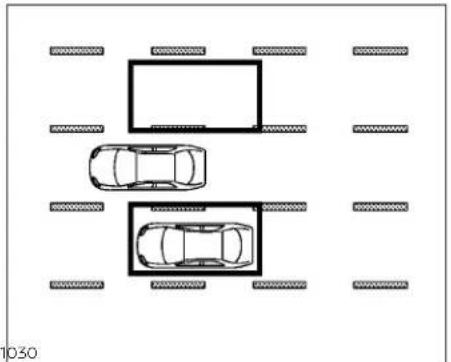
natural_image
Top-down layout diagram of two cars and a rectangular parking space with surrounding road markings (no text or symbols)①
Detectionzone
Theradarsensorscandetectvehicleson eithersideofyourvehiclewithinthedetectionzoneshownasillustrated. This detectionzonestartsfromtheoutsidemirrorof yourvehicleandextendsapproximately10 ft(3.0m)behindtherearbumper,andap- proximately10ft(3.0m)sideways.

Forvehicleswiththe7inch(18cm)display
Startinganddriving5-47
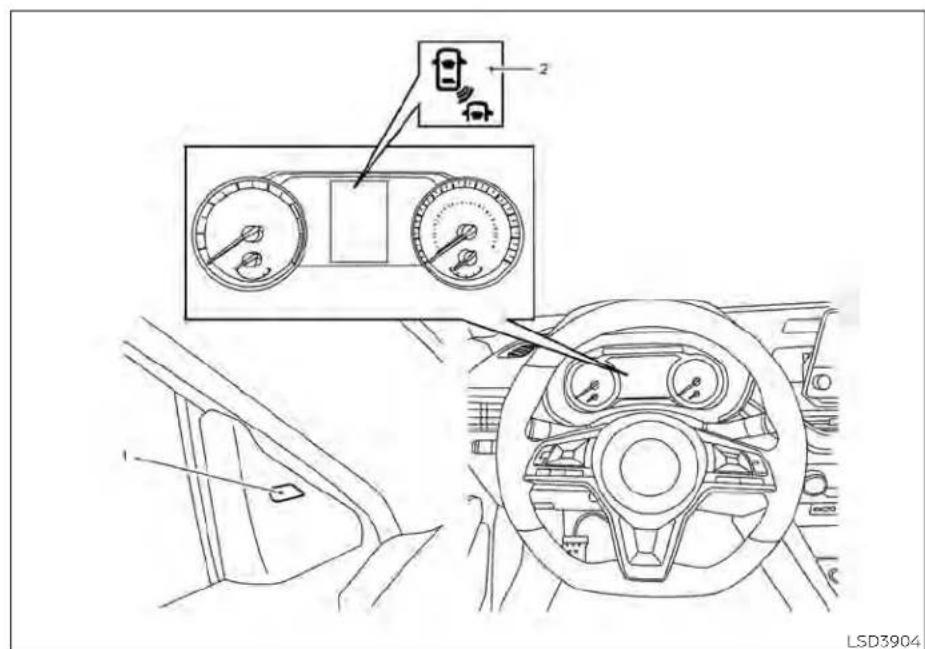
Forvehicleswiththe5inch(13cm)display
1.SideBSW/RCTAIndicatorLight
2.BSWindicator
BSWSYSTEMOPERATION
TheBSWsystemoperatesaboveapproximately20mph(32km/h).
Iftheradarsensorsdetectvehicleinthe detectionzone,thesideBSW/RCTAindicatorlight(1)illuminates.Iftheturnsignals thenactivated,thesystemchimes(twice),thesideBSW/RCTAindicatorlightflashes andtheBSWindicatorilluminates(yellow) inthevehicleinformationdisplay.Theside BSW/RCTAindicatorlightcontinuesto flashuntilthedetectedvehicleleavesthe detectionzone.
ThesideBSW/RCTAindicatorlightilluminatesforafewsecondswhentheignition switchisplacedintheONposition.
Ifvehiclecomesintothedetectionzone afterthedriveractivatestheturnsignal, thenonlythesideBSW/RCTAindicatorlight flashesandnochimesounds.Foradditionalinformation,see"BSWdrivingsituations"(P.5-52).
TheBSWsystemautomaticallyturnson everytimetheengineisstarted,aslongas itisactivatedusingthesettingsmenuon thevehicleinformationdisplay.
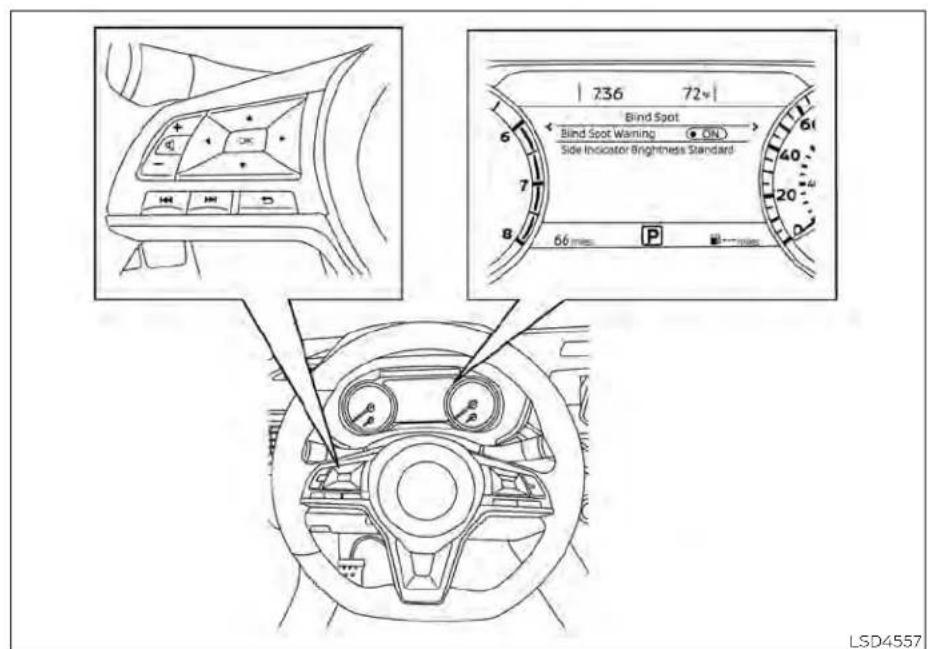
Forvehicleswiththe7inch(18cm)display
HOWTOENABLE/DISABLETHE BSWSYSTEM
Perform the following step to enable or disable the BSwsystem.
Forvehicleswiththe7inch(18cm) display.
1.Pressthe ◆ buttonuntil"Settings"displaysinthevehicleinformationdisplay. Usethe ◆ buttontoselect"DriverAssistance."ThenpresstheOKbutton.
-
Select "BlindSpot" and press the OK button.
-
Select "BlindSpotWarning" and press the OK button to turn the system on or off.

Forvehicleswiththe5inch(13cm)display
Forvehicleswiththe5inch(13cm) display.
- Pressthe button until "Settings" displays in the vehicle information display. Use the button to select "Driver Assistance." Then press the OK button.
- Select "DrivingAids" and press the OK button.
- Select "BlindSpot" and press the OK button.
- Select "BlindSpot(BSW)" and pressthe OKbutton to turn the systemonoroff.
NOTE:
Whenenabling/disablingthesystem, thesystemwillretaincurrentsettings eveniftheengineisrestarted.
5-50 Startinganddriving
BSWSYSTEMLIMITATIONS
WARNING
Listedbelowarethesystemlimitations fortheBSWsystem.Failureretooperate thevehicleinaccordancewiththese systemlimitationscouldresultinseriousinjuryordeath.
TheBSWsystemcannotdetectallvehiclesunderallconditions.
- Theradarsensorsmaynotbeableto detectandactivateBSWwhencertainobjectsarepresentsuchas: -Pedestrian,bicycles,animals.
-Vehicle such as motorcycles, low height vehicles, or high ground clearance vehicles.
-Oncomingvehicles.
-Vehiclesremaininginthedetectionzonewhenyouaccelerate fromastop.
-Avehiclemergingintoanadjacent laneataspeedapproximatelythe sameasyourvehicle.
-Avehicleapproachingrapidly frombehind.
-Avehiclewhichyourvehicleover-takesrapidly.
-Avehiclethatpassesthroughthe detectionzonequickly.
-Whenovertakingseveralvehicles inarow,thevehiclesafterthefirst vehiclemaynotbedetectedif theyaretravelingclosetogether.
- Theradarsensors'detectionzoneis designedbasedonastandardlane width.Whendrivinginawiderlane, theradarsensormaynotdetectvehiclesinanadjacentlane.Whendrivinginanarrowlane,theradarsensorsmaydetectvehiclesdrivingtwo lanesaway.
- Theradarsensorsaredesignedtoignoremoststationaryobjects;however,objects such asguardrails, walls,foliageandparkedvehicles mayoccasionallybedetected.This is anormaloperationcondition.
·The following conditions may reduce the ability of other radar to detect other vehicles:
-Severeweather
-Roadspray
-Ice/frost/snow/dirt build-up on thevehicle
- Do not attach stickers (including transparentmaterial), install accessoriesorapplyadditionalpaintnear theradarsensors. Theseconditions mayreducetheabilityoftheradarto detectothervehicles.
- Excessivenoise(forexample, audio systemvolume, openvehiclewindow) will interfere with the chime sound, and it may not be heard.

Illustration1-Approachingfrombehind BSWDRIVINGSITUATIONS
Indicatoron

Indicatoroff

Indicatorflashing

Another vehicle approaching from behind
Illustration1: ThesideBSW/RCTAindicator lightilluminatesifavehicleentersthedetectionzonefrombehindinanadjacent lane.
NOTE:
- Theradarsensorsmaynotdetectvehicleswhichareapproachingrapidly frombehind.
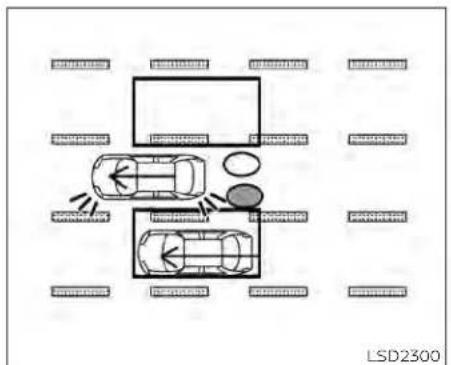
Illustration 2 - Approaching from behind Illustration2: If the driver activates the turnsign when another vehicle is in the detection zone, then the system chimes (twice) and the side BSW/RCTA indicator lightflashes.
NOTE:
•Theradarsensorsmaynotdetectvehicleswhichareapproachingrapidly frombehind.
- If the driver activates the turn signal before vehicle enter the detection zone, the side BSW/RCTA indicator light will flash but no chimewill sound when the other vehicle is detected.
5-52 Startinganddriving

Illustration 3 - Overtaking another vehicle
Overtakinganothervehicle
Illustration3: ThesideBSW/RCTAIndicatorlightilluminatesifyouovertakevehicleandthatvehiclestaysinthedetection zoneforapproximately2seconds.
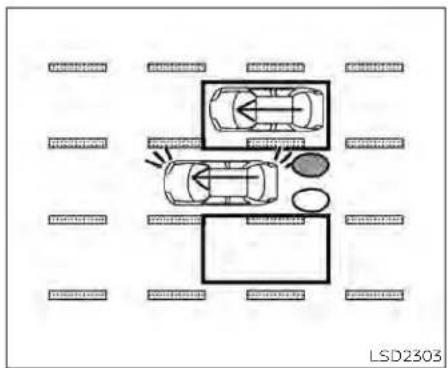
Illustration 4 - Overtaking another vehicle
Illustration4: If the driver activates the turn signal while another vehicle is in the detection zone, then the system chimes (twice) and the side BSW/RCTA indicator lightflashes.
NOTE:
-whenovertakingseveralvehiclesina row,thevehiclesafterthefirstvehicle maynotbedetectediftheyaretravelingclosetogether.
- Theradarsensorsmaynotdetect slowermovingvehiclesiftheyare passedquickly.
- If the driver activates the turns signal before a vehicle enter the detection zone, the side BSW/RCTA indicator light will flash but nochimewill sound when the other vehicle is detected.

Illustration5-Enteringfromtheside Enteringfromtheside
Illustration5: ThesideBSW/RCTAindicator lightilluminateslfvehicleleentersthede-tectionzonefromeitherside.

flowchart
graph TD
    A["Top Floor"] --> B["Left Side"]
    B --> C["Right Side"]
    C --> D["Central Area"]
    D --> E["Left Side"]
    E --> F["Right Side"]
    F --> G["Bottom Area"]
    G --> H["Left Side"]
    H --> I["Right Side"]
    I --> J["Central Area"]
    J --> K["Left Side"]
    K --> L["Right Side"]
    L --> M["Bottom Area"]
    M --> N["Left Side"]
    N --> O["Right Side"]
    O --> P["Central Area"]
    P --> Q["Left Side"]
    Q --> R["Right Side"]
    R --> S["Bottom Area"]
    S --> T["Left Side"]
    T --> U["Right Side"]
    U --> V["Central Area"]
    V --> W["Left Side"]
    W --> X["Right Side"]
    X --> Y["Bottom Area"]
    Y --> Z["Left Side"]
    Z --> AA["Right Side"]
    AA --> AB["Central Area"]
Illustration6-Enteringfromtheside Illustration6: Ifthedriveractivatesthe turnsignalwhileanothervehicleisinthe detectionzone, thenthesystemchimes (twice) and thesideBSW/RCTA indicator lightflashes.
NOTE:
- If the driver activates the turns signal before vehicle enter the detection zone, the side BSW/RCTA indicator light will flash but nochimewill sound when the other vehicle is detected.
- Theradarsensorsmaynotdetectvehiclewhichistravelingataboutthe samespeedasyourvehiclewhenitentersthedetectionzone.
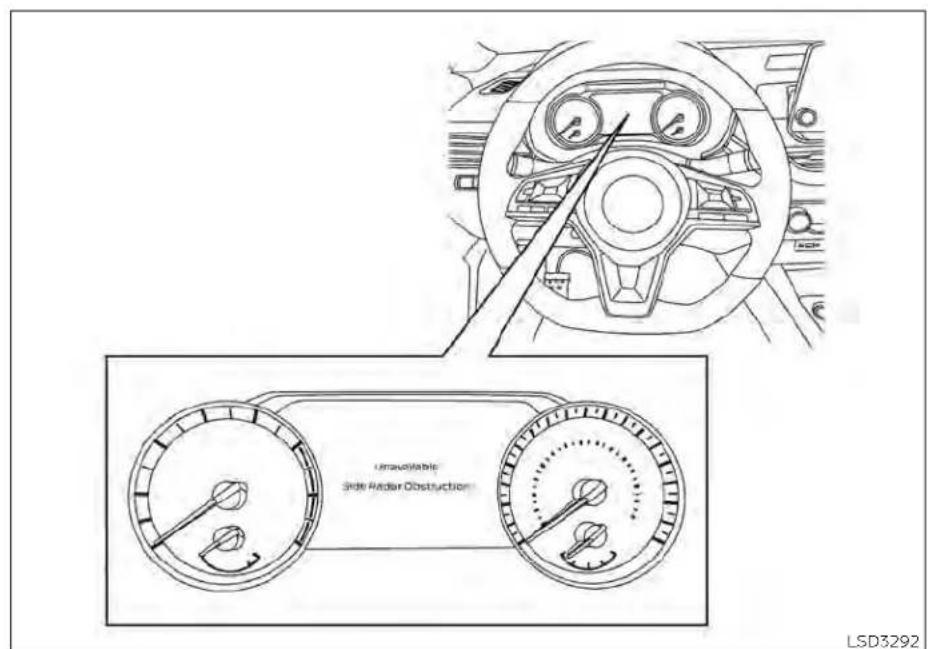
Forvehicleswiththe7inch(18cm)display
SYSTEMTEMPORARILY UNAVAILABLE
Whenradarblockageisdetected,thesystemwillbedeactivatedautomatically.The "Unavailable:SideRadarObstruction" warningmessagewillappearinthevehicle informationdisplay.
Thesystemisnotavailableuntiltheconditionsnolongerexist.
Theradarsensorsmaybeblockedbytemporaryambientconditionssuchassplashingwater,mistorfog.Theblockedconditionmayalsobecausedbyobjectssuchasice,frostordirtobstructingtheradar sensors.
NOTE:
If the BSWsystemstopsworking, the RCTAsystemwillalsostopworking.
Actiontotake:
When the above conditions no longer exist, the system will resume automatically.
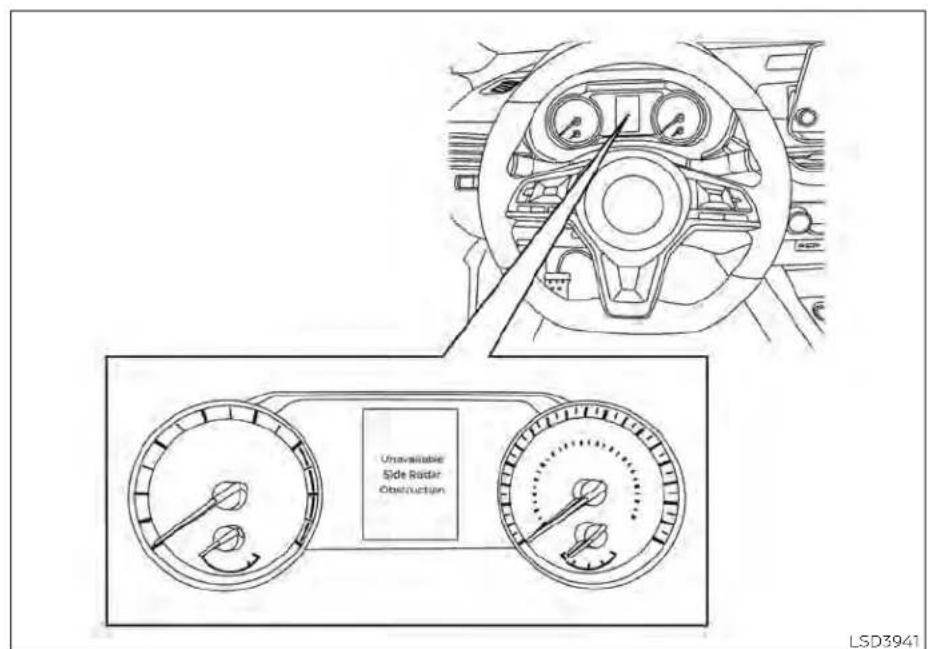
Forvehicleswiththe5inch(13cm)display
Malfunction
IftheBSWsystemmalfunctions, it will turn off automatically. Thesystemmalfunction warning message with the BSW indicator (orange) will appear in the vehicle information display.
NOTE:
If the BSWsystemstopsworking, the RCTAsystemwillalsostopworking.
Actiontotake:
Stopthevehicleinasafelocation, placethe vehicleintheP(Park)position,turntheengineoffandrestarttheengine.Ifthemes-sagecontinuestoappear,havethesystem checked.Itisrecommendedthatyouvisita NISSANdealerforthisservice.
5-56 Startinganddriving
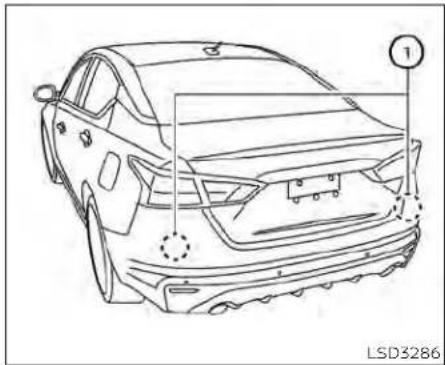
SYSTEMMAINTENANCE
Thetworadarsensors ① fortheBSwand RCTAsystemsarelocatedneartherear bumper. Alwayskeeptheareanearthera-darsensorsclean.
Theradarsensorsmaybeblockedbytemporaryambientconditionssuchassplashingwater,mistorfog.
Theblockedconditionmayalsobecauused byobjectssuchasice,frostordirtob-structingtheradarsensors.
Checkforandremoveobjectssobstructing theareaaroundtheradarsensors.
Donotattachstickers(includingtransparentmaterial),installaccessoriesorapply additionalpaintneartheradarsensors.
Donotstrikeordamagetheareaaround theradarsensors. It is recommended that you visit a NISSAN dealer if the area around theradarsensors is damaged due to a collision.
Radiofrequencystatement
NOTICE:
ThisdevicecomplieswithPart15oftheFCC Rules.
Operationissubjecttothefollowingtwo conditions:
thisdevicemaynotcauseharmfullinterference,and
thisdevicemustacceptanyinterference received,includinginterferencethatmay causeundesiredoperation.
Changesormodificationsmadetothis equipmentnotexpresslyapprovedby (manufacturername)mayvoidtheFCC authorizationtooperatethisequipment.
NOTE:
This equipment has been tested and found to comply with the limits fora Class Bdigital device, pursuant to Part 15 of the FCC Rules. These limits are designed to provide reasonable protection against harmful interference in a residential installation. This equipment generates, uses and can radiater radio frequency energy and, if not installed and used in accordance with the instructions, may cause harmful interference or radiocommunication. However, there is no guarantee that interference will not occur in particular installation. If this equipment does cause harmful interference to radio or television reception, which can be determined by turning the equipment off and, the user is encouraged to try to correct the interference by one or more of the following measures:
Reorientorrelocatethereceivingantenna. Increase the separation between the equipmentandreceiver.
Connecttheequipmentintoanoutleton acircuitdifferentfromthattowhichthe receiverisconnected.
Consult the dealer or an experienced radio/TVtechnicianforhelp.
REARCROSSTRAFFICALERT(RCTA) (ifsoequipped)
WARNING
Failuretofollowthewarningsandin- structionsforproperuseoftheRCTA couldresultinseriousinjuryordeath.
TheRCTAsystemisnotareplacementforproperdrivingprocedures andisnotdesignedtopreventcontactwithvehiclesorobjects.When backingoutofaparkingspace,alwaysusethesideandrearmirrors andturnandlookinthedirection yourvehiclewillmove.Neverrely solelyontheRCTAsystem.
TheRCTAsystemwillassistyouwhen backingoutfromaparkingspace.When thevehicleisinreverse,thesystemisdesignedtodetectothervehiclesapproachingfromtherightorleftofthevehicle.Ifthe systemdetectscrosstraffic,itwillalertyou.
natural_image
Line drawing of a car interior showing steering wheel, dashboard, and side profile (no text or symbols)LSD3259
Forvehicleswiththe7inch(18cm)display
RCTASYSTEMOPERATION
natural_image
Line drawing of a car interior showing steering wheel and dashboard (no text or symbols)Forvehicleswiththe5inch(13cm)display
1.SideBSW/RCTAIndicatorLight
TheRCTAsystemcanhelpalertthedriver ofanapproachingvehiclewhenthedriver isbackingoutofaparkingspace.
WhentheshiftpositionisinR(Reverse)and thevehiclespeedislessthanapproximately5mph(8km/h),theRCTAsystemis operational.
Iftheradardetectsanapproachingvehicle fromeitherside,thesystemchimes(once) andthesideBSW/RCTAindicatorlight flashesonthesidethevehicleisapproachingfrom.
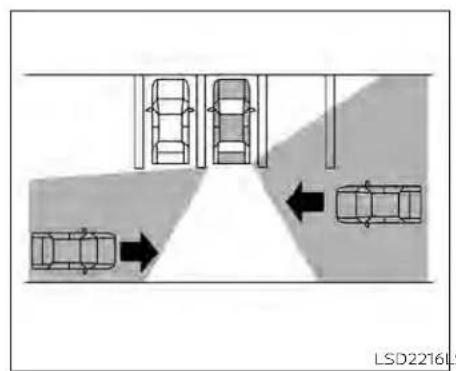

LSD2216LSD3286
TheRCTAsystemusesradarsensors installedonbothsidesneartherearbum-pertodetectanapproachingvehicle.
Theradarsensors ① candetectanapproachingvehiclefromuptoapproximately66ft.(20m)away.
5-60 Startinganddriving

Forvehicleswiththe7inch(18cm)display
HOWTOENABLE/DISABLETHE RCTASYSTEM
Perform the following step to enable or disable the RCTAsystem.
Forvehicleswith7inch(18cm)display.
-
Pressthe ◆ buttonuntil"Settings"displaysinthevehicleinformationdisplay. Use the ◆ buttontoselect"DriverAssistance."ThenpresstheOKbutton.
-
Select "RearCrossTrafficAlert" and press the OK button to turn the system on or off.

Forvehicleswiththe5inch(13cm)display
Forvehicleswith5inch(13cm)display.
-
Pressthe ◆ buttonuntil"Settings"displaysinthevehicleinformationdisplay. Use the ◆ buttontoselect"DriverAssistance."ThenpresstheOKbutton.
-
Select "ParkingAids" and press the OK button.
-
Select "CrossTraffic" and press the OK button to turn the system on or off.
NOTE:
Whenenabling/disablingthesystem, thesystemsettingwillberetainedeven iftheengineisrestarted.
5-62 Startinganddriving

RCTASYSTEMLIMITATIONS
WARNING
Listedbelowarethesystemlimitations fortheRCTAsystem.Failuretooperate thevehicleinaccordancewiththese systemlimitationscouldresultinseriousinjuryordeath.
·Alwayschecksurroundingsandturn tocheckwhatisbehindyoubefore backingup.Theradarsensorsdetect approaching(moving)vehicles.The radarsensorscannotdetectevery objectsuchas:
-Pedestrians, bicycles, motor-cycles, animals or child-operated toy vehicles
-Avehiclethatispassingatspeeds greaterthanapproximately19 mph(30km/h)
-Avehiclethatispassingatspeeds lowerthanapproximately5mph (8km/h)
·Theradarsensorsmaynotdetect approachingvehiclesincertainsituations:
- Illustration Ⓐ:Whenavehicle parkednexttoyouobstructsthe beamoftheradarsensor.
-Illustration Ⓑ:Whenthevehicleis parked in an angled parking space.
- Illustration Ⓞ: Whenthevehicleis parkedoninclinedground.
- Illustration Ⓞ: When an approaching vehicle turns into your vehicle's parking lotaisle.
-Illustration Ⓔ:Whentheangle formedbyyourvehicleandapproachingvehicleissmall.
·The following conditions may reduce the ability of the radar to detect other vehicles:
-Severeweather
-Roadspray
- Ice/frost/snow/dirtbuild-upon thevehicle
- Donotattachstickers(including transparentmaterial),installaccessoriesorapplyadditionalpaintneartheradarsensors.Theseconditions mayreducetheabilityoftheradarto detectothervehicles.
- Excessivenoise(e.g., audiosystem volume, openvehiclewindow) will interferewiththechimesound, and it may not be heard.

flowchart
graph TD
    A["Top: Parking Lane"] --> B["Left: Parking Lane"]
    B --> C["Right: Laneing Path"]
    C --> D["Bottom: Laneing Path"]
    D --> E["Left: Parking Lane"]
    style A fill:#f9f,stroke:#333
    style E fill:#bbf,stroke:#333
Illustration1

natural_image
Top-down diagram of a parking lot with cars and directional arrows indicating lanes (no text or symbols)Illustration2
NOTE:
Inthecaseofseveralvehiclesapproachinginarow(Illustration1)orintheoppositedirection(Illustration2),achimemay notbesoundedbytheRCTAsystemafterthefirstvehiclepassesthesensors.
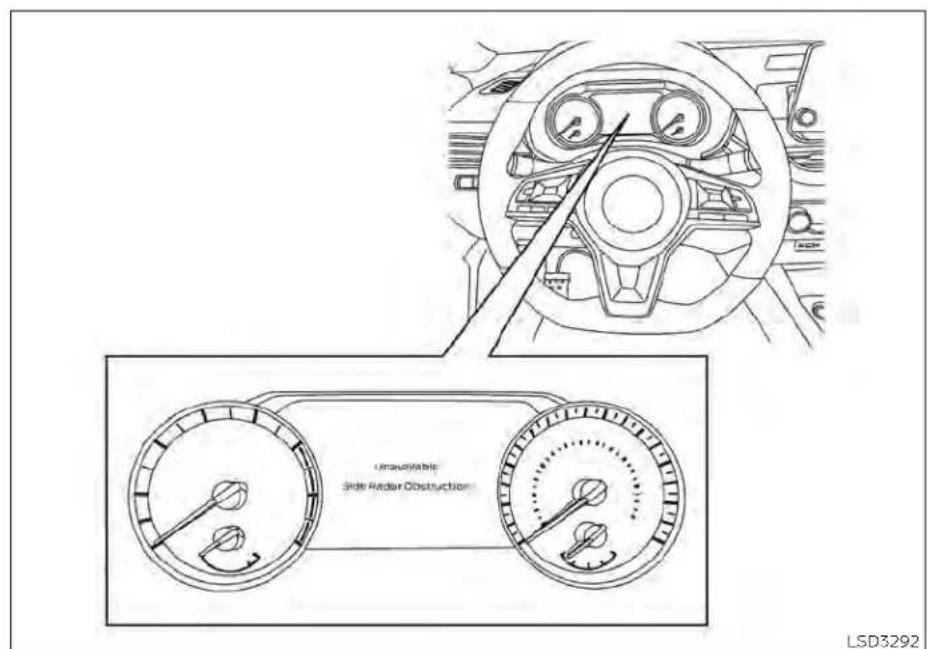
Forvehicleswiththe7inch(18cm)display
SYSTEMTEMPORARILY UNAVAILABLE
Whenradarblockageisdetected,thesystemwillbedeactivatedautomatically.The "Unavailable:SideRadarObstruction" warningmessagewillappearinthevehicle informationdisplay.
Thesystemsarenotavailableuntilthe conditionsnolongerexist.
Theradarsensorsmaybeblockedbytemporaryambientconditionssuchassplashingwater,mistorfog.
The blocked condition may also be caused by condition such as snow, frostordirt obstructing the adarsensors.
NOTE:
If the BSWsystemstopsworking, the RCTAsystemwillalsostopworking.
Actiontotake
When the above conditions no longer exist, the system will resume automatically.

Forvehicleswiththe5inch(13cm)display
Malfunction
WhentheRCTAsystemmalfunctions, it will turnoff automatically. Thesystemmal-functionwarningmessage with the BSW indicator (orange) will appear in the vehicle information display.
NOTE:
If the BSWsystemstopsworking, the RCTAsystemwillalsostopworking.
Actiontotake
Stopthevehicleinasafelocation, placethe vehicleintheP(Park)position,turmtheengineoffandrestarttheengine.Ifthemes-sagecontinuestoappear,havethesystem checked.Itisrecommendedthatyouvisita NISSANdealerforthisservice.

SYSTEMMAINTENANCE
Thetworadarsensors ① fortheBSwand RCTAsystemsarelocatedneartherear bumper. Alwayskeeptheareanearthera-darsensorsclean.
Theradarsensorsmaybeblockedbytemporaryambientconditionssuchassplashingwater,mistorfog.
Theblockedconditionmayalsobecauused byobjectssuchasice,frostordirtob-structingtheradarsensors.
Checkforandremoveobjectssobstructing theareaaroundtheradarsensors.
Donotattachstickers(includingtransparentmaterial),installaccessoriesorapply additionalpaintneartheradarsensors.
Donotstrikeordamagetheareaaround theradarsensors. It is recommended that you visit a NISSAN dealer if the area around theradarsensors is damaged due to a collision.
Radiofrequencystatement
NOTICE:
ThisdevicecomplieswithPart15oftheFCC Rules.
Operationissubjecttothefollowingtwo conditions:
thisdevicemaynotcauseharmfullinterference,and
thisdevicemustacceptanyinterference received,includinginterferencethatmay causeundesiredoperation.
Changesormodificationsmadetothis equipmentnotexpresslyapprovedby (manufacturername)mayvoidtheFCC authorizationtooperatethisequipment.
NOTE:
This equipment has been tested and found to comply with the limits for a Class B digital device, pursuant to Part 15 of the FCC Rules. These limits are designed to provide reasonable protection against harmful interference in a residential installation. This equipment generates, uses and can radiate radio frequency energy and, if not installed and used in accordance with the instructions, may cause harmful interference to radiocommunications. However, there is no guarantee that interference will not occur in particular installation. If this equipment does cause harmful interference or radioortelevision reception, which can be determined by turning the equipment off and on, the user is encouraged to try to correct the interference by one or more of the following measures:
Reorient or relocate the receiving antenna.
Increasetheseparationbetween the equipmentandreceiver.
CRUISECONTROL(ifsoequipped)
Connecttheequipmentintoanoutleton acircuitdifferentfromthattowhichthe receiverisconnected.
Consultthedealeroranexperienced radio/TVtechnicianforhelp.

PRECAUTIONSONCRUISE CONTROL
① RES+switch
② CANCELswitch
③ SET-switch
④ Cruisecontrolswitch
- Ifthecruise control system malfunc- tions, it cancels automatically. The
indicatorintheinstrumentpanel thenblinkstowarnthedriver.
- ifthe indicatorblinks,turnthe cruisecontrolswitchchoffandhavethe systemchecked.Itisrecommended thatyouvisitaNISSANdealerforth this service.
- The indicator may blink when the cruise control switch is turned on while pushing the RES+, SET-, or CAN-CEL switch. Top properly set the cruise control system, use the following procedures.
WARNING
Donotusethecruise control when driving under the following conditions:
- Whenitisnotpossibletokeepthe vehicleatetspeed.
• Inheavytrafficorintrafficthatvaries inspeed.
·Onwindingorhillyroads.
- Onslipperyroads(rain,snow,ice, etc.).
-Inverywindyareas.
Doingsocouldcausealossofvehicle controlandresultinanaccident.
CRUISECONTROLOPERATIONS
| CruiseControlIndicatorColorDescription | ||
| NoneSystemoff | ||
| WhiteStandby | ||
| GreenSet | ||
| Green(Blinking)Systemfault | ||
Thecruisecontrolallowsdrivingataspeed between25-89mph(40-144km/h)with-outkeepingyourfootontheaccelerator pedal.
Toturnonthecruisecontrol, push the cruise control switch on. The indicator in the instrument panel willilluminate.
Tosetcruisingspeed, acceleratethevehicletothedesiredspeed, pushtheSET-switchandreleaseit. Takeyourfootoffthe acceleratorpedal. Your vehicle maintains thesetspeed.
- To pass another vehicle, depress the accelerator pedal. When you release the pedal, the vehicle returns to the previouslysetspeed.
- The vehicle may not maintain the set speedwhengoingupordownsteephills. If this happens, drivewithout the cruise control.
Tocancelthepresetspeed, useoneofthe followingthreemethods:
- PushtheCANCELswitch.
- Tapthebrakepedal.
- Pushthecruise control switchoff. The indicator in the instrument panel goes out.
Thecruisecontrolisautomatically canceled:
- YoudepressthebrakepedalwhilepushingtheRES+orSET-switch.Thepreset speedisdeletedfrommemory.
•The vehicleslowsdownmorethan8mph (13km/h)belowthesetspeed.
- YoumovetheshiftlevertoN(Neutral).
Toresetatafastercruisingspeed, use oneofthefollowingthreemethods:
- Depresstheacceleratorpedal. When the vehicle attainsthedesiredspeed, push and releasetheSET-switch.
- PushandholdtheRES+switch.Whenthe vehicleattainsthespeedyoudesire,releasetheswitch.
- PushandreleasetheRES+switch.Each timeyoudothis,thesetspeedincreases byabout1mph(1.6km/h).
Toresetataslowercruisingspeed, use oneofthefollowingthreemethods:
• Lightlytapthebrakepedal. Whenthevehicleattainsthedesiredspeed, push the SET-switchandreleaseit.
- PushandholdtheSET-switch.Release theswitchwhenthevehicleslowstothe desiredspeed.
- PushandreleasetheSET-switch.Each timeyoudothis,thesetspeeddecreases byabout1mph(1.6km/h).
Toresumethepresetspeed, pushand releasetheRES+switch. Thevehiclere-turnstothelastsetcruisingspeedwhen thevehiclespeedisover25mph(40km/h).
Toturnoffthecruisecontrol, useoneof the following three methods:
- PushtheCANCELswitch.
•Tapthebrakepedal
- Pushthecruise control switchoff. The indicator in the instrument panel goes out.
INTELLIGENTCRUISECONTROL(ICC) (ifsoequipped)

Ⓐ ICCswitch
WARNING
Failuretofollowthewarningsandin-structionsforproperuseoftheICCsystemcouldresultinseriousinjuryor death.
- TheCCsystemisonlyanaidtoassist thedriverandisnotacollision warningoravoidancedevice.Itisthe driver'sresponsibilitytostayalert, drivesafely,andbeincontrolofthe vehicleataalltimes.
·Alwaysobservepostspeedlimits anddonotsetthespeedoverthem.
·AlwaysdrivecarefullyandattentivelywhenusingtheICCsystem. ReadandunderstandtheOwner's Manualthoroughlybeforeusingthe ICCsystem.Toavoidseriousinjuryor death,donotrelyonthesystemto preventaccidentsor tocontrolthe vehicle'sspeedinemergencysituations.DonotusethelCCsystemexceptinappropriateroadandtraffic conditions.
- Intheconventional(fixedspeed) cruisecontrolmode,awarning chimewillnotsoundtowarnyouif youaretooclosetothevehicle ahead.Payspecialattentiontothe distancebetweenyourvehicleand thevehicleaheadofyouoracollision couldoccur.
ThelCCsystemmaintainsaselecteddistancefromthevehicleinfrontofyouwithinthespeedrangeof0to90mph(0to144km/h)uptothesetspeed.Thesetspeedcanbeselectedbythedriverbetween0to90mph(30to144km/h).
The vehicle travels at a taset speed when the road ahead is clear.
The ICCsystemcanbesettooneoftwo cruisecontrolmodes:
- Vehicle-to-vehicledistancecontrol mode: Formaintainingaselecteddistancebetweenyourvehicleandthevehicle in front of you up to the preset speed
- Conventional(fixedspeed)cruise controlmode:Forcruisingatapresetspeed
Push the ICC switch Ⓐ to choose the cruisecontrolmodebetweenthevehicle-to-vehicledistancecontrolmodeandthe conventional(fixedspeed) cruisecontrol mode.
Onceacontrolmodeisactivated, it cannot be changed to the other cruise control mode. Tochangethemode, pushthelCC switch ① once to turn the system off. Then pushthelCC switch ② againtoturn the system back on and select the desired cruise control mode.
AlwaysconfirmthesettinginthelCCsystemdisplay.
Forthevehicle-to-vehicledistancecontrol mode, see "Vehicle-to-vehicle distance controlmode"(P.5-73).
Fortheconventional(fixedspeed)cruise controlmode,see"Conventional(fixed speed)cruisecontrolmode"(P.5-90).
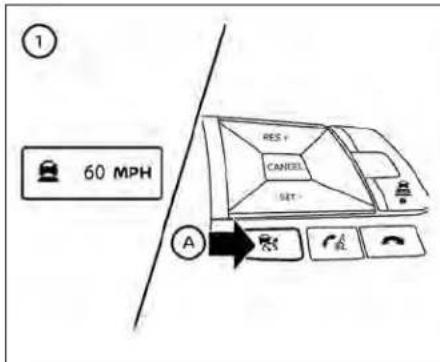

HOWTOSELECTTHECRUISE CONTROLMODE
Selectingthevehicle-to-vehicledistancecontrolmode:Tochoosethe vehicle-to-vehicledistancecontrolmode ① ,quicklypushandreleasetheICSwitch ② .
Selectingtheconventional(fixedspeed) cruisecontrolmode:Tochoosetheconventional(fixedspeed)cruisecontrolmode ②,pushandholdtheICSwitch A for longerthanapproximately1.5seconds.For additionalinformation,see"Conventional (fixedspeed)cruisecontrolmode"(P.5-90).

natural_image
Line drawing of a sedan car with labeled parts (no text or symbols on the car itself)VEHICLE-TO-VEHICLEDISTANCE CONTROLMODE
Inthevehicle-to-vehicledistancecontrol mode, the CCsystemautomatically maintains a selected distance from the vehicle traveling in front of you according to that vehicle's speed (uptothesetspeed), or at the setspeed when therea ahead is clear.
TheCCsystemisintendedtoenhancethe operationofthevehiclewhenfollowinga vehicletravelinginthesamelaneand direction.
Iftheradarsensor ① detectsaslower movingvehicleahead,thesystemwillreducethevehiclespeedsothatyourvehicle followsthevehicleinfrontattheselected distance.
Thesystemautomaticallycontrolsthe throttleandappliesthebrakes(uptoapproximately40%ofvehiclebrakingpower) if necessary.
Thedetectionrangeofthesensorisapproximately650ft(200m)ahead.

Thevehicle-to-vehicledistancecontrol modesdesignedtomaintainaselected distancefromthevehicleinfrontofyou andcanreducethespeedtomatcha slowervehicleahead.Thesisystemwilldeceleratethevehicleasnecessaryandifthe vehicleaheadcomestoastop,thevehicle deceleratestoastandstill.However,thelCC systemcanonlyapplyupto40%ofthe vehicle'stotalbrakingpower.
Thissystemshouldonlybeusedwhentrafficconditionsallowvehiclespeedstore-mainfairlyconstantorwhenvehicle speedschangegradually.Ifavehicle movesintothetravelinglaneaheadorifa vehicletravelingaheadrapidlydecelerates, thedistancebetweenvehiclesmaybe-cocloserbecausethelCCsystemcan-notdeceleratethevehiclequicklyenough. Ifthisoccurs,theICcsystemwillsounda warningchimeandblinkthesystemdisplaytonotifythedrivertotakenecessary action.
The system will cancel and a warning chimewillsoundlthespeedisbelowapproximately15mph(24km/h)andavehicleIsnotdetectedahead.Thesystemwillalsodisengagewhenthevehiclegoesabovethemaximumsetspeed.
For additional information, see "Approach warning" (P.5-81).
The following items are controlled in the vehicle-to-vehicledistancecontrol mode:
- Whentherearenovehiclestravelingahead, the vehicle-to-vehicle distance control modemaintainsthespeedsetbythedriver. Thesetspeedrangeisbetweenapproximately0to90mph(30to144km/h).
- whenthereisavehicletravelingahead, the vehicle-to-vehicle distance control modeadjuststhespeedtomaintainthe distance,selectedbythedriver,fromthe vehicleahead.Ifthevehicleaheadcomes to a stop, the vehicle decelerates to a standstillwithinthelimitationsofthesystem.Thesystemwillcancelonceitjudges astandstillwithawarningchime.
- When the vehicle travelling ahead has moved outfromits laneoftravel, the vehicle-to-vehicledistancecontrolmode acceleratesandmaintainsvehiclespeed uptothesetspeed.
TheICCsystemdoesnotcontrolvehicle speed or warn you when you approach stationaryandslowmovingvehicles.You mustpayattentiontovehicleoperationto maintain properdistance from vehicles aheadwhenapproachingtollgatesortrafficcongestion.
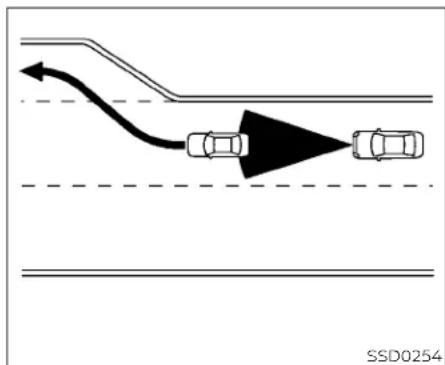
Whendrivingonthefreewayatasespeed andapproachingaslowertravelingvehicle ahead,theICCsystemwilladjustthespeed tomaintainthedistance,selectedbythe driver,fromthevehicleahead.Ifthevehicle aheadchangeslanesorexitsthefreeway, theICCsystemwillaccelerateandmaintainthespeeduptothesetspeed.Pay attentiontothedrivingoperationtomaintaincontrolofthevehicleasitaccelerates tothesetspeed.
The vehicle may not maintain the speed on winding or hilly roads. If this occurs, you will have to control the vehicles speed.
Normallywhencontrollingthedistanceto vehicleahead,thissystemautomatically acceleratesordeceleratesyourvehicleac- cordingtothespeedofthevehicleahead. Depresstheacceleratorortoproperlyaccel- erateyourvehiclewhenaccelerationisre- quiredforalanechange.Depressthebrake pedalwhendecelerationisrequiredto maintainasafedistancetothevehicle aheadduetoitssuddenbrakingorifa vehiclecutsin.Alwaysstayalertwhenus- ingtheICCsystem.

VEHICLE-TO-VEHICLEDISTANCE CONTROLMODESWITCHES
ThesystemisoperatedbythelCCswitch andfourcontrolswitches,allmountedon thesteeringwheel.
1.CANCELswitch:
Deactivatesthesystemwithouterasing thesetspeed.
2.RES+switch:
Resumessetspeedorincreasespeed incrementally.
3.DISTANCE switch:
Changesthevehicle'sfollowing distance:
-Long
•Middle
-Short
4.ICCswitch:
Masterswitchtoactivatethesystem.
5.SET-switch:
Setsdesiredcruisespeedorreduces speedincrementally.
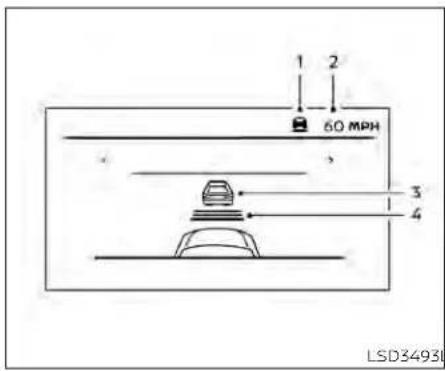
Vehicle-to-vehicledistance controlmodedisplayand indicators
Thedisplayislocatedbetweenthespeedometerandtachometer.
- This indicator indicates the CC system status depending on acolor:
- ICCsystemONindicator(gray):IndicatesthattheICCswitchison.
- ICCsystemSETindicator(green):Indicatesthatthecruisingspeedisset.
- ICCsystemwarning(yellow):Indi-catesthatthereisamalfunctioninthe ICCsystem.
2.Setvehiclespeedindicator: Indicatesthesetvehiclespeed. ForCanadianmodels,thespeedisdis-playedinkm/h.
3. Vehicleaheaddetection indicator: Indicateswhetheritdetectsavehiclein frontofyou.
4.Setdistanceindicator:
SD3865 Displaysthesetecteddistancebetween vehiclessetwiththedistanceswitch.

Operatingvehicle-to-vehicle distancecontrolmode
Toturnonthecruisecontrol, quickly push andreleasethelCCswitch ⒶThelCCsystemONindicator(gray), setdistanceindicatorandsetvehiclespeedindicator comeoninastandbystateforsetting.

Tosetcruisingspeed,accelerateyourvehicletothedesirespeed,pushtheSET-switch © andreleaseit.TheICCsystem setindicator(green),vehicleaheaddetectionindicator,setdistanceindicatorand setvehiclespeedindicator ® willcomeon. Takeyourfootofftheacceleratorpedal. Yourvehiclewillmaintainthesetspeed.

whentheSET-switchispushedunderthe followingconditions,thesystemcannotbe setandtheICCindicatorswillblinkforapproximately2seconds:
- whentravelingbelow20mph(30km/h) andavehicleaheadisnotdetected
- WhentheshiftleverisnotintheD(Drive) orManualmode
-whentheparkingbrakeisapplied - whenthebrakesareoperatedbythe driver
When the SET-switch is pushed under the following conditions, the system cannot be set.
Awarningchimewillsoundandamessage willpopup:
- WhentheVDCsystemisoff(Tousethe ICCsystem,turnontheVDCsystem.Push theICCswitchtoturnoffthelCCsystem andresetthelCCswitchbypushingthe ICCswitchagain.)
For additional information about the VDC system, see "VehicleDynamicControl(VDC)" (P.5-175).
-WhenVDCisoperating
- whenawheelisslipping(TousethelCC system,makesurethe wheelsareno longerslipping.)

① Systemsetdisplaywithvehicleahead
② Systemsetdisplaywithoutvehicle ahead
The driversetsthedesiredvehiclespeed basedontheroadconditions. The ICCsystemmaintainsthesetvehiclespeed, simi-lartostandardcruisecontrol, aslongasno vehicleisdetectedinthelaneahead. The ICCsystemdisplaysthesetspeed.
Vehicledetectedahead
When a vehicle is detected in the lane ahead, the ICC system decelerates the vehicle by controlling the throttle and applying the brake stomatch the speed of a slower vehicle ahead. The system then controls the vehicles speed based on the speed of the vehicle ahead to maintain the driver selected distance.
NOTE:
- Thestoplightsofthevehiclecomeon whenbrakingisperformedbytheICC system.
-Whenthebrakeoperates,anoisemay beheard.Thisisnotamalfunction.
When a vehicle ahead is detected, the vehicle ahead detection indicator comes on. The ICC system will also display the set speed and selected distance.
Vehicleaheadnotdetected
When a vehicle is no longer detected ahead, the ICC system gradually accelerates your vehicle to resumethepreviously set vehicles speed. The ICC system then maintains the sets speed.
When a vehicle is no longer detected, the vehicle ahead detection indicator turns off.
Ifvehicleaheadappearsduringacceleration to the set vehicle speed or any time the ICCsystemisinoperation, thesystemcontrolsthedistancetothatvehicle.
When a vehicle is no longer detected under approximately 15 mph (25 km/h), the system will be canceled.
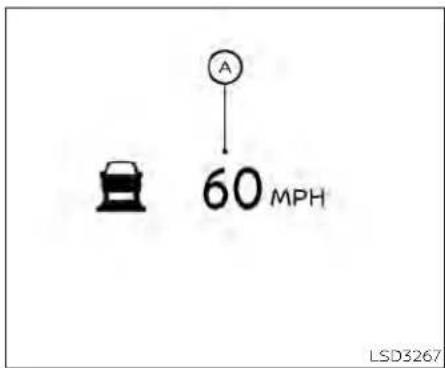
When passing another vehicle, the set speed indicator Ⓐ will flash when the vehicle speed exceeds the sets speed. The vehicle detect indicator will turn off when the area ahead of the vehicle is open. When the pedal is released, the vehicle will return to the previously sets speed.
Even though your vehicles speedisset in the ICC system, you can depress the accelerator pedal when it is necessary to accelerate your vehicler rapidly.
Howtochangethesetvehicle speed
Tocancelthepresetspeed, useoneofthe followingmethods:
- PushtheCANCELswitch.Thesetvehicle speedIndicatorwillgoout.
• Tapthebrakepedal. Thesetvehicle speedindicatorwillgoout. - TurnthelCCswitchoff. TheICIndicators will goout.
Toresetatafastercruisingspeed,use oneofthefollowingmethods:
- Depresstheacceleratorpedal. When the vehicle attainsthedesiredspeed, push and releasetheSET-switch.
- PushandholdtheRES+switch. Theset vehiclespeedwillincreasebyapproximately5mph(5km/h).
- Push,thenquicklyreleasetheRES+ switch.Eachtimeyoudothis,theset speedwillincreasebyapproximately1 mph(1km/h).
Toresetataslowercruisingspeed,use oneofthefollowingmethods:
• Lightlytapthebrakepedal. Whentheve- hicleattainsthedesiredspeed, push the SET-switchandreleaseit.
- PushandholdtheSET-switch.Theset vehiclespeedwilldecreasebyapproximately5mph(5km/h).
- Push, then quickly releasethe SET-switch. Each time you do this, the set speed will decrease by approximately 1 mph (1km/h).
Toresumethepresetspeed, pushand releasetheRES+switch. The vehicle will resumethelastsetcruisingspeed when the vehiclespeed is over 20 mph (30 km/h).
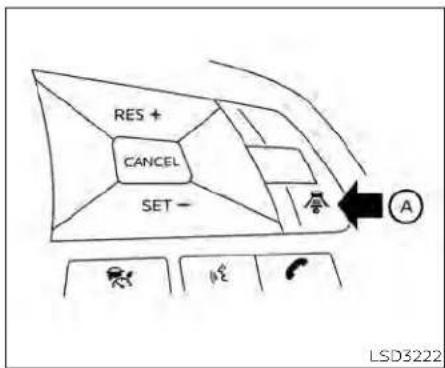
flowchart
graph TD
    A["RES +"] --> B["CANCEL"]
    B --> C["SET -"]
    C --> D["Icon 1"]
    C --> E["Icon 2"]
    C --> F["Icon 3"]
    G["Arrow"] --> H["A"]
    I["LSD3222"]
Howtochangethesetdistance tothevehicleahead
Thedistancetothevehicleaheadcanbe selectedatanytimedependingonthetrafficconditions.
Eachtimethedistanceswitch (A) is pushed,thesetdistancewillchangeto long,middle,shortandbacktolongagain, inthatsequence.

DistanceApproximatedistanceat 60mph(100km/h) [ft(m)]
1.Long200(60)
2.Middle150(45)
3.Short90(30)
- Thedistancetothevehicleaheadwill changeaccordingtothevehiclespeed. Thehigherthevehiclespeed,thelonger thedistance.
- Thedistancesettingwillremainthecurrent setting even if the engine is restarted.
Approachwarning
If your vehicle comes closest to the vehicle ahead, duorapid deceleration of that vehicle or if another vehicle cuts in, the system warnsted river with the chime and ICC system display. Decelerate by depressing the brake padaltomaintain as safe vehicle distance if:
•Thechimesounds.
• The vehicle ahead detection indicator blinks.
The warning chime may not sound in some cases when there is a short distance between vehicles. Some examples are:
-whenthevehiclesaretravelingatthe samespeedandthedistancebetween vehiclesisnotchanging.
- whenthevehicleaheadistravelingfaster and the distance between vehicles is increasing.
- When a vehicle cuts in nearly your vehicle.
Thewarningchimewillnotsoundwhen:
•Thevehicleapproachesothervehicles thatareparkedormovingslowly.
•Theacceleratorpedalisdepressed,overridingthesystem.
NOTE:
Theapproachwarningchimemaysound andthesystemdisplaymayblinkwhen the ICCsensordetectsobjectsonthe sideofthevehicleoronthesideofthe road. This may cause the ICC system to decelerate or accelerates the vehicle. The ICCsensormay detect these objects when the vehicle is driven on winding roads, narrowroads, hillyroads, or when enteringorexiting acurve. In these cases you will have to control the proper distance ahead of your vehicle.
Also, the sensors sensitivity can be affected by vehicle operation (steering maneuver or driving position in the lane) or traffic or vehicle condition (fore example, if a vehicle is being driven with somed damage).
Automaticcancellation
Achimesoundsunderthefollowingconditionsandthecontrolisautomaticallycanceled:
- When the vehicle ahead is not detected and your vehicle is traveling below the speed of 15 mph (25 km/h)
-whenthesystemjudgesthevehicleisat astandstill
5-82 Startinganddriving
- WhentheshiftleverisnotintheD(Drive) position,ManualmodeorL(Low)range.
- Whentheparkingbrakesystemisapplied
- WhentheVDCsystemisturnedoff
- WhenVDCoperates
- Whendistancemeasurementbecomes impairedduetoadhesionofdirtorobstructiontothesensor
-Whenawheelslips - whentheradarsignalistemporarily interrupted
VEHICLE-TO-VEHICLEDISTANCE CONTROLMODELIMITATIONS
WARNING
Listedbelowarethesystemlimitations forthelCCsystem.Failureretooperate thevehicleinaccordancewiththese systemlimitationscouldresultinseriousinjuryordeath.
- TheICCsystemisprimarilyintended foruseonstraight,dry,openroads withlighttraffic.Itisnotadvisableto usethelCCsystemincitytrafficor congestedareas.
- TheICCsystemwillnotadaptautomaticallytoroadconditions.This systemshouldbeusedinevenly flowingtraffic.Donotusethesystem onroadswithsharpcurves,oronic roads,inheavyrainorinfog.
- Asthereisaperformancelimittothe distancecontrolfunction,neverrely solelyonthelCCsystem.Thisssystem doesnotcorrectcareless,inattentive orabsentmindeddriving,orovercomepoorvisibilityinrain,fog,or other bad weather. Decelerate the vehicle speed by depressing the brakepedal,dependingonthedistancetothevehicleaheadandthe surroundingcircumstancesinorder tomaintainasafedistancebetween vehicles.
- Ifthevehicleaheadcomestoastop, thevehicledeceleratestoastandstill withinthelimitationsofthesystem. Thesystemwillcancelonceitjudges thatthevehiclehascometoastandstillandsoundawarningchime.To preventthevehiclefrommoving,the drivermustdepressthebrakepedal.
·Alwayspayattentiontotheoperationofthevehicleandbereadyto manuallycontroltheproperfollowingdistance.TheICCsystemmaynot beabletomaintaintheselecteddistancebetweenvehicles(following distance)orselectedvehiclespeed undersomecircumstances.
- Thesystemmaynotdetectthevehicleinfrontofyouincertainroador weatherconditions.Toavoidaccidents,neverusethelCCsystemunderthefollowingconditions:
-Onroadswherethetrafficisheavy ortherearesharpcurves
-Onslipperyroadsurfacessuchas oniceorsnow,etc.
- During bad weather (rain, fog, snow, etc.)
- When rain, snow or dirt adhere to the bumperaroundthedistance sensor
-Onsteepdownhillroads(thevehiclemaygobeyondthesetvehiclespeedandfrequent braking may result inoverheating the brakes)
-Onrepeateduphill anddownhill roads
-Whentrafficconditionsmakeit difficulttokeepapoperdistance betweenvehiclesbecauseoffrequent acceleration or deceleration
- Interference by other radar sources
- Do not use the ICC system if you are towingatraler. Thesystemmaynot detect Vehicleahead.
- Insomeroadortrafficconditions, a vehicle or object can unexpectedly come into the sensor detection zone and cause automatic braking. Always stay alert and avoid using the ICC system when not recommended in this warning section.
Theradarsensorwillnotdetectthefollowingobjects:
• Stationaryandslowmovingvehicles
• Pedestriansorobjectsintheroadway
• Oncomingvehiclesinthesamelane
- Motorcyclestravelingoffsetinthetravellane
Thesensorgenerallydetectsthesignals returned from the vehicle ahead. Therefore, if these sensor cannot detect thereflection from the vehicle ahead, the ICC system may not maintain these selected distance.
The following aresome conditions in which the sensor cannot properly detect vehicle ahead and the system may not operate properly:
- When snow or road spray from traveling vehicles reduce the sensor's detection.
- Whenyourvehicleistowing atrailer,etc.
- When excessively heavy baggage is loaded in therearseator cargo area of your vehicle.
TheICCsystemisdesignedtoautomaticallycheckthesensor'soperationwithin thelimitationsofthesystem.
When the sensor is covered with dirtoris obstructed, the system will automatically be canceled. If the sensor is covered with ice, a transparent or translucent vinyl bag, etc., the CC system may not detect them. In these instances, the vehicle-to-vehicle distance control modemay not cancel and may not be able to maintain the selected following distance from the vehicle ahead. Besure to check and clean the sensor regularly.
The detectionzoneoftheradarsensoris limited. A vehicleahead must be in the detectionzone for the vehicle-to-vehicledistanced detectionmodetomaintain these-lected distance from the vehicle ahead.
Avehicleaheadmaymoveoutsideofthe detectionzoneduetoitspositionwithin thesamelaneoftravel.Motorcyclesmay notbedetectedinthesamelaneaheadif theyaretravelingoffsetfromthecenterline ofthelane.Avehiclethatisenteringthe laneaheadmaynotbedetecteduntilthe vehiclehascompletelymovedintothe lane.
If this occurs, the CC system may warn you by blinking the system indicator and sounding the chime. The driver may have to control the proper distance away from vehicle traveling ahead.

flowchart
graph TD
    A["Top Left Lane"] --> B["Left Car"]
    B --> C["Right Car"]
    C --> D["Bottom Right Lane"]
    style A fill:#f9f,stroke:#333
    style D fill:#f9f,stroke:#333
    note1["SSD0252"] --> A
    note2["SSD0252"] --> D

natural_image
Diagram showing multiple cars on curved road with two black triangular obstacles, no text or symbols presentWhendrivingonsomeroads,suchaswinding,hilly,curved,narrowroads,orroads whichareunderconstruction,theradar sensormaydetectvehiclesinadifferent lane,ormaytemporarilylynotdetectvehicletravelingahead.Thismaycausethe radarsystemtodecelerateoraccelerate thevehicle.
The detection of vehicles may also be affected by vehicle operation (steering maneuver traveling position in the lane, etc.) or vehicle condition.
If this occurs, the CC system may warn you by blinking the system indicator and sounding the chime unexpectedly. You will have to manually control the proper distance away from the vehicle traveling ahead.

SYSTEMTEMPORARILY UNAVAILABLE
The following are conditions in which the ICC system may be temporarily unavailable. In these instances, the ICC system may not cancel and may not be able to maintain these selected following distance from the vehicle ahead.
ConditionA
Underthefollowingconditions,theICCsystemisautomaticallycanceled.Achimewill soundandthesystemwillnotbeabletobe set:
- WhentheVDCsystemisturnedoff
- WhentheVDCoperates
- When vehicle ahead is not detected and your vehicle is traveling below the speed of 15 mph (25 km/h)
- Whenthesystemjudgesthevehicleisat astandstill
- WhentheshiftleverisnotintheD(Drive), ManualmodeorL(Low)range.
- Whentheparkingbrakeisapplied
-Whenawheelslips
-whentheradarsignalistemporarily interrupted
Actiontotake
When the conditions listed above are no longer present, turn the system off using the CC switch. Turn the CC system back on toset the system.
ConditionB
When there is inclement weather (rain, fog, snow, etc.) blocking the frontradarsensor, the CC system will automatically be canceled, the chimewillsound and the "Forward Driving Aid temporarily disabled Front Sensor blocked See Owner's Manual" warning message will appear in the vehicle information display.
Actiontotake
Whentheconditionslistedaboveareno longerpresent, the warning message will no longer be available in the vehicle information display and the system will operate normally. If the "Forward Driving Aid temporarily disabled Front Sensor blocked See Owner's Manual warning message continues to be displayed, havethesystem checked. It is recommended that you visit a NISSAN dealer forth this service.
ConditionC
Whentheradarsensorareaofthefront bumperiscoveredwithmud,dirt,snow,ice, etc.,orisobstructed,theICCsystemwill automaticallybecanceled.
Thechlmewillsoundandthe"Forward DrivingAidstemporarilydisabledFront SensorblockedSeeOwner'sManual" warningmessagewillappearinthevehicle informationdisplay.
Actiontotake
Ifthewarningmessageappears,stopthe vehicleinasafeplace,placetheshiftlever intheP(Park)position,andturntheengine off. When the radar signal is temporarily interrupted,cleanthesensorareaofthe frontbumperandrestarttheengine.Ifthe "ForwardDrivingAidstemporarilydisabled FrontSensorblockedSeeOwner'sManual" warning message continues to be displayed,havethesystemchecked.ItisrecommendedthatyouvisitaNISSANdealer forthisservice.
ConditionD
When driving on road with limited road structures (forexample, long bridges, deserts, snowfields, driving next to long walls), the system may illuminate the ICC system warning (yellow) and display the "Forward Driving Aid temporarily disabled Front Sensor blocked See Owner's Manual" message.
Actiontotake
When the aboved driving conditions no longer exist, turn the system back on.
ConditionE
When the ICC system is not operating properly, achimesoundsandtheICCsystemwarninglight(orange)willcomeon.
Forward Driving Aids temporarily disabled Front Sensor blocked See Owner's Manual
LSD4448
Actiontotake
If the warning light comes on, park the vehicle in as a safe place. Turn the engine off, restart the engine, resum driving and set the CC system again.
Ifitisnotpossibletosetthesystemor theindicatorstayson, itmayindicate thatthesystemismalfunctioning. Althoughthevehicleisstilldrivableunder normalconditions,havethevehicle checked.Itsrecommendedthatyou visitaNISSANdealerforthisservice.
NOTE:
If the CC system is temporarily unavailable, the conventional cruise control modemaystillbeused. For additional information, see "Conventional (fixed speed) cruise control mode" (P.5-90).
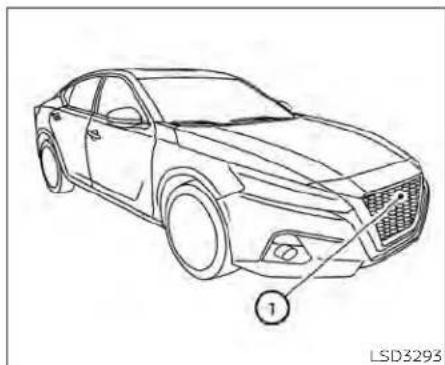
natural_image
Line drawing of a sedan car with labeled parts (no text or symbols on the car itself)SYSTEMMAINTENANCE
The sensor for the ICC system ① is located onthefrontofthevehicle.
TokeeptheICC systemoperatingproperly, besuretoobservethefollowing:
•Alwayskeepthesensorareaofthefront bumper/emblemclean.
- Donotstrikeordamagetheareas aroundthesensor.
- Donot attachasticker(includingtransparent material)orinstallanaccessory nearthesensor.Thiscouldcausefailure ormalfunction.
- Donotattachmetallicobjectsnearthe sensorarea(brushguard,etc.).Thiscould causefailureormalfunction.
- Donotalter, remove, or paint the front bumper. Before customizing or restoring the front bumper, it is recommended that you visit a NISSAN dealer.
Radiofrequencystatement
ForUSA
FCCIDOAYARS4B
ThisdevicecomplieswithPart15oftheFCC Rules.Operationissubjecttothefollowing twoconditions:
-
This device may not cause harmful interference, and
-
This device must accept any interference received, including interference that may cause undesired operation.
FCCWarning
Changesormodificationsnotexpressly approved by the party responsible for compliancecouldvoidtheuser'sauthority tooperatetheequipment.
ForCanada
Model:ARS4-B
IC:4135A-ARS4B
FCCID:OAYARS4B
This device complies with Part 15 of the FCC Rules and with Industry Canada licence-exempt RSS standard(s). Operation is subject to the following two conditions:
-
This device may not cause interference, and
-
This device must accept any interference received, including interference that may cause undesired operation of the device.
Radio frequency radiation exposure information:
This equipment complies with FCCandIC radiation exposure limits set forth for an uncontrolled environment.
This equipment should be installed and operated with minimum distance of 30cm between the radiator and your body.
Thistransmittermustnotbeco-locatedor operatinginconjunctionwithanyotherantennaortransmitter.
Changesormodificationsnotexpressly approved by the party responsible for compliancecouldvoidtheuser'sauthority tooperatetheequipment.
CONVENTIONAL(fixedspeed) CRUISECONTROLMODE
Thismodeallowsdrivingataspeedabove 25mph(40km/h)withoutkeepingyour footontheacceleratorpedal.
WARNING
- Intheconventional(fixedspeed) cruisecontrolmode,awarning chimedoesnotsoundtowarnyouif youaretooclosetothevehicle ahead,asneitherthepresenceofthe vehicleaheadnorthevehicle-to-vehicledistanceisdetected.
·Payspecialattentiontothedistance betweenyourvehicleandthevehicle aheadofyouoracollisioncould occur.
·AlwaysconfirmthesettinginthelCC systemdisplay. - Donotusetheconventional(fixed speed)cruisecontrolmodewhen drivingunderthefollowingconditions:
-Whenitisnotpossibletokeepthe vehicleatasetspeed
-Inheavytrafficorintrafficthat variesinspeed
-Onwindingorhillyroads
-Onslipperyroads(rain,snow,ice, etc.)
Inverywindyareas
- Doingsocouldcausealossofvehicle controlandresultinanaccident.
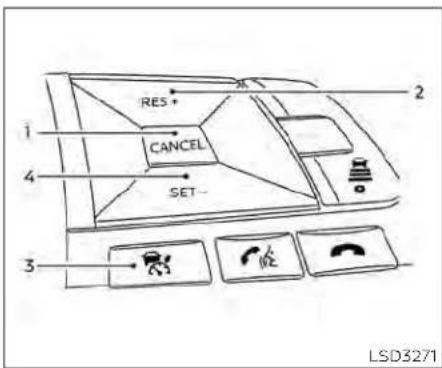
Conventional(fixedspeed)cruise controlswitches
1.CANCELswitch: Deactivatesthesystemwithouterasing thesetspeed
2.RES+switch:
Resumessetspeedorincreasesspeed incrementally
3.ICCswitch: Masterswitchtoactivatethesystem
4.SET-switch: Setsdesiredcruisespeedorreduces speedincrementally
Conventional(fixedspeed)cruise controlmodedisplayand indicators
Thedisplayislocatedinthevehicleinformationdisplay.
- Cruiseindicator:
This indicator indicates the precondition of the CC system depending on a color.
•CruisecontrolONindicator(gray):IndicatesthatthelCCswitchison
•CruisecontrolSETindicator(green):Indicatesthatthecruisingspeedisset
•Cruisecontrolwarning(yellow):Indicatesthatthereisamalfunctioninthe ICCsystem
2.Setvehiclespeedindicator:
This indicator indicates the vehicle speed. For Canadian models, the speed is displayed in km/h.

Operatingconventional(fixed speed)cruisecontrolmode
Toturnontheconventional(fixedspeed) cruisecontrolmode,pushandholdtheICC switch Ⓐ forlongerthanabout1.5 seconds.
Whenpushing|CCswitchon,theconventional(fixedspeed)cruisecontrolmode displayandindicators ① aredisplayedin thevehicleinformationdisplay.Afteryou hold|CCswitchonforlongerthanabout1.5 seconds,the|CCsystemdisplayturnsoff. Thecruiseindicatorappears.Youcannow setyourdesiredcruising speed. Pushing
theCCswitchagainwillturnthesystem completelyoff. Whentheignitionswitchis placedintheOFFposition, thesystemis alsoautomaticallyturnedoff.
TousetheICCsystemagain,quicklypush andreleasetheICCswitch(vehicle-tove- hicledistancecontrolmode)orpushand holdit(conventionalcruisecontrolmode) againtoturniton.
CAUTION
To avoid accidentally engaging cruise control, makes sure to turn the ICC switch off when not using the ICC system.

Tosetcruisingspeed,accelerateyourvehicletothedesiredspeed,pushtheSET-switchchandreleaseit.(Thecolorofthe cruiseindicatorchangestogreenandset vehiclespeedindicatorcomeson.)Take yourfootofftheacceleratorpedal.Your vehiclewillmaintainthesetspeed.
- Topassanothervehicle, depress the accelerator pedal. When you are a set of the vehicle will return to the previously sets speed.
•The vehicle may not maintain the speed when going up down steephills. If this happens, manually maintain vehicles speed.
Tocancelthepresetspeed,useanyofthe followingmethods:
-
Push the CANCEL switch. The vehicle speed indicator will turn off.
-
Tapthebrakepedal. The vehiclespeed Indicator will turn off.
3.TurnthelCCswitchoff.Boththecruise indicatorandvehiclespeedIndicatorwill turnoff.
Toresetatafastercruisingspeed,useone ofthefollowingthreemethods:
- Depresstheacceleratorpedal. When the vehicle attainsthedesiredspeed, push and releasetheSET-switch.
2.PushandholdtheRES+switch.When thevehicleattainsthedesiredspeed, releasetheswitch.
3.Push,thenquicklyreleasetheRES+ switch.Eachtimeyoudothis,theset speedwillincreasebyabout1mph(1 km/h).
Toresetataslowercruisingspeed,useone ofthefollowingthreemethods:
-
Lightlytapthebrakepedal. When the vehicle attainsthedesiredspeed, push theSET-switchandreleaseit.
-
PushandholdtheSET-switch.Release the switch when the vehicles slows down to the desired speed.
3.Push,thenquicklyreleasetheSET-switch.Eachtimeyoudothis,thesetspeedwilldecreasebyabout1km/h(1mph).
Toresumethepresetspeed, pushandre-leasetheRES+switch. The vehicle will re-sumethelastsetcruisingspeed when the vehiclespeed is over 25 mph (40 km/h).
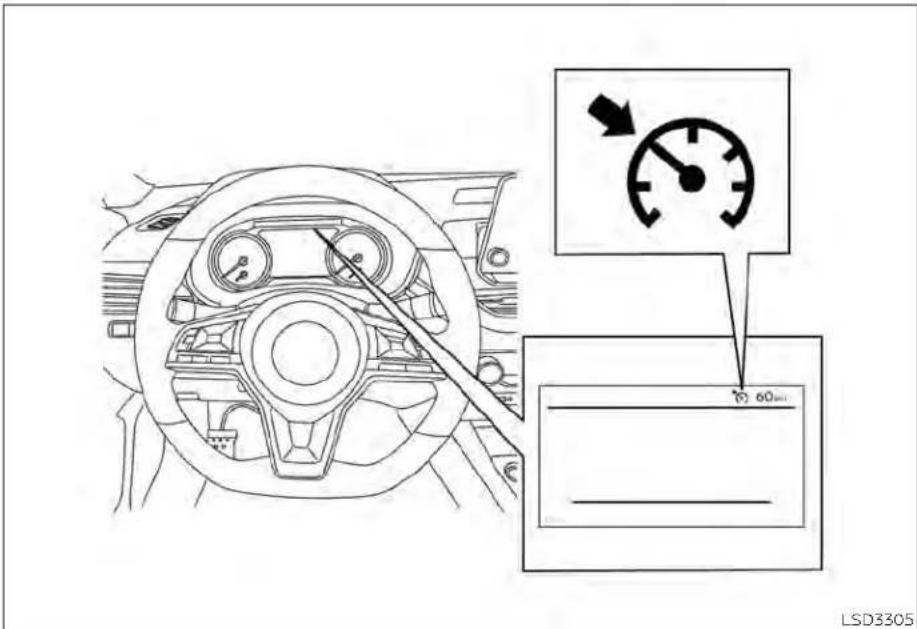
Systemtemporarilyunavailable
Achimesoundsunderthefollowingconditionsandthecontrolisautomaticallycanceled:
- When the vehicles slows down more than 8 mph (13 km/h) below these speed
- WhentheshiftleverlsnotintheD(Drive) ormanualshiftmode
PROPILOTASSIST(ifsoequipped)
- Whentheparkingbrakeisapplied
- whentheVDCoperates(including the tractioncontrolsystem)
-Whenawheelslips
Whenthesystemisnotoperatingproperly, thechimesoundsandthecolorofthe cruiseindicatorwillchangetoorange.
Actiontotake
Ifthecolorofthecruise indicator changes toorange,stopthevehicleinasafeplace and placetheshiftleverintheP(Park)position.Turntheengineoff,restarttheengine,resumedriving,andthenperformthe settingagain.
Ifitisnotpossibletosetortheindicator stayson, it may indicate that the system is malfunctioning. Although the vehicle is still drivable under normal conditions, have the vehicle checked. It is recommended that you visit a NISSAN dealer for this service.
WARNING
Failuretofollowthewarningsandin- structionsforproperuseoftheProPI- LOTAssistsystemcouldresultinseri- ousinjuryordeath.
- ProPILOTAssistisnotaself-driving system.Withinthelimitsofitscapabilities, asdescribedinthismanual, it helpsthedriverwithcertaindriving activities.
TheProPILOTAssistsystemisnota replacementforproperdrivingproceduresandisnotdesignedtocorrectcareless,inattentiveorabsent-mindeddriving.ProPILOTAssistwill notalwayssteerthevehicletokepitinthelane.TheProPILOTAssistssystemisnotdesignedtopreventlossof control.Itisthedriver'sresponsibility tostayalert,drivesafely,keepthe vehicleinthetravelinglane,andbein controlofthevehicletalltimes.
- TherearelimitationstotheProPILOT Assistsystemcapability.TheProPILOTAssistsystemdoesnotfunction in all driving, traffic, weather, and roadconditions.Itisthedriver'sresponsibilitytostayalert,drivesafely, keepthevehicleinthetravelinglane, andbeincontrolofthevehicleatall times.
TheProPILOTAssistsystemisonlyan aidtoassistthedriverandisnota collision warning or avoidance device.
- The ProPILOT Assist system is for highwayuseonlyandisnotintended forcitydriving.Failureretoapplythe brakesorsteerthevehiclewhennecessary may result in a serious accident.
·Alwaysobservepostedspeedlimits anddonotsetthespeedoverthem.
- Nevertakeyourhandsoffthesteeringwheelwhendriving.Alwayskeep yourhandsonthesteeringwheel anddriveyourvehiclesafely.
- Never unfasten your safety belt when using ProPILOT Assist. Doing so automatically cancel the ProPILOT Assistsystem.
TheProPILOTAssistsystemdoesnot reacttostationaryandslowmoving vehicles.
·AlwaysdrivecarefullyandattentivelywhenusingtheProPILOTAssist system.Readandunderstandthe Owner'sManualthoroughlybefore usingtheProPILOTAssistsystem.To avoidseriousinjuryordeath,donot relyonthesystemtopreventaccidentsortocontrolthevehicle's speedinemergencysituations.Do notusetheProPILOTAssistsystem exceptinappropriateroadandtraffic conditions.
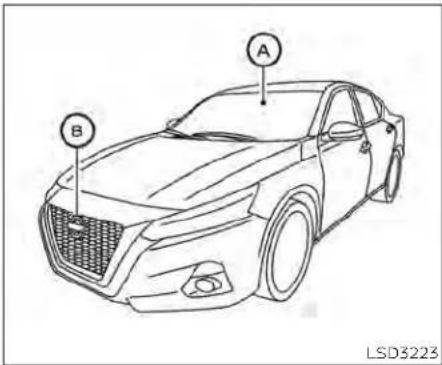
TheProPILOTAssistsystemisintendedto enhancetheoperationofthevehiclewhen followingavehicletravelinginthesame laneanddirection.
TheProPILOTAssistsystemusesamulti-sensingfrontcamera installedbehind thewindshieldandaradarsensorlocated onthefrontofthevehicle tomeasure thedistancetothevehicleaheadinthe samelaneandtomonitorthelanemarkers.Ifthevehicledetectaslowermoving vehicleahead,thesystemwillreducethe vehiclespeedsothatyourvehiclefollows thevehicleinfrontatthe selected distance. Thesystemwillalsohelpkeepthevehicle
centeredinthetravelinglanewhenclear lanemarkingsaredetected.

PROPILOTASSISTSYSTEM OPERATION
LSD3224
① Steering-wheel-mountedcontrol(left)
② Vehicleinformationdisplay
③ Steering-wheel-mountedcontrol(right)
④ ProPILOTAssistswitch
TheProPILOTAssistsystemhasthefollowingtwofunctions:
1. IntelligentCruiseControl(ICC)
TheICCsystemcanbesettooneoftwo cruisecontrolmodes:
- Conventional(fixedspeed)cruisecontrolmode:Forcruisingatapresetspeed
NOTE:
SteeringAssistisnotavailableinthe conventional(fixedspeed)cruisecontrol mode.
- Vehicle-to-vehicledistancecontrol
mode:TheICCsystemmaintainsase-lecteddistancefromthevehicleinfront ofyouwithinthespeedrangeof0to90 mph(0to144km/h)uptothesetspeed. Thesetspeedcanbeselectedby the driverbetween20to90mph(32to144 km/h).Whenthevehicleaheadslowstoa stop,yourvehiclegraduallydecelerates to a standstill. When the vehicle is stopped,theICCsystemmaintainsbrak-ingforcetokeepyourvehiclestopped.
NOTE: When your vehicle is stopped for less than 3 seconds and the vehicle ahead begin to move, your vehicle will start moving again automatically.
-When your vehicle is at a stand still form more than 3 seconds and the vehicle ahead begin to accelerate, push the RES + switch or lightly depress the accelerator pedal. The ICC system starts to follow the vehicle ahead.
-Whennovehiclelsdetectedahead withinthedriverselectedddistance, thevehicletravelsatthespeedset bythedriver. Thespeedmustbe above20mph(32km/h)tousethis function.
NOTE: EveniftheAutomaticEmergencyBraking(AEB)withPedestrianDetectionsettingisturnedoffbythedriverusingthe "Settings"menuinthevehicleinformationdisplay,AEBwithPedestrianDetectionwillbeautomaticallyturnedon whenICcisused.
2. SteeringAssist
TheSteeringAssistfunctioncontrolsthe steeringsystemtohelpkeepyourvehiclewithinthetravelinglane.
When there is no vehicle ahead, Steering Assist is not available at speeds under 37 mph (60km/h).

ProPILOTAssistswitches

natural_image
Line drawing of a car dashboard with a control panel and indicator lights (no text or symbols)⑤ SET-switch:
Setsdesiredcruisespeedorreduces speedincrementally
⑥ SteeringAssistswitch:
TurnstheSteeringAssistfunctiononoroff

① DISTANCEswitch:
-Long
-Middle
-Short
② RES+switch:
Resumessetspeedorincreasespeed incrementally
③ CANCELswitch:
DeactivatetheProPILOTAssistsystem
④ ProPILOTAssistswitch:
TurnstheProPILOTAssistsystemonoroff
TheProPILOTAssistsystem displayandindicators
① Lanemarkerindicator
Indicateswhetherthesystemdetectslane markers
• Nolanemarkersdisplayed: Steering Assististurnedoff
• Lanemarkerindicator(gray):Nolane markersdetected
•Lanemarkerindicator(green):Lane markersdetected
• Lanemarkerindicator(yellow):Lane departureisdetected
5-98 Startinganddriving
② Setdistanceindicator
Displaystheselecteddistance
③ Vehicleaheaddetectionindicator
Indicateswhetherthesystemdetectsa vehicleinfrontofyou
④ SteeringAssistindicator
IndicatesthestatusoftheSteeringAssist functionbythecoloroftheindicator
•SteeringAssistIndicator(gray):SteeringAssiststandby
•SteeringAssistindicator(green): SteeringAssistactive
•SteeringAssistindicator(orange): SteeringAssistmalfunction
⑤ ProPILOTAssistactivation
DisplaysoncetheProPILOTAssistsystem isactivated
⑥ ProPILOTAssiststatusindicator
IndicatesthestatusoftheProPILOTAssist systembythecoloroftheindicator
-ProPILOTAssiststatusindicator (white):ProPILOTAssistisonbutin standby.
-ProPILOTAssiststatusIndicator (blue):ProPILOTAssistactive
⑦ SteeringAssiststatusindicator/warning
DisplaysthestatusoftheSteeringAssistby thecoloroftheindicator/warning
• NoSteeringAssiststatusindicator displayed:SteeringAssististurnedoff
•SteeringAssistindicator(gray):SteeringAssiststandby
•SteeringAssistindicator(green): SteeringAssistactive
•Steering Assist indicator (yellow): SteeringAssistmalfunction
⑧ Setvehiclespeedindicator
Indicatesthesetvehiclespeed
⑨ Speedcontrolstatus indicator/warning
Displaysthestatusofspeedcontrolbythe colorandshapeoftheindicator/warning
-Speed control status indicator/ warning(gray):ICCstandby
-Speed control status indicator/ warning (solid green 📄): ICC (distancecontrolmode)isactive(vehicle detected ahead). Your vehicle matchesthe speed ofthe vehicle ahead.
-Speed control status indicator/ warning (greenoutline ): ICC (maintainspeedcontrolmode)isactive(novehicledetectedahead).Your vehiclemaintainsthedriver-selected setspeed.
-Speed control status indicator/ warning(orange): IndicatesanICC malfunction
TURNINGTHECONVENTIONAL (fixedspeed)CRUISECONTROL MODEON
NOTE:
ProPILOTAssistprovidesnoapproach warnings, automaticbraking, orsteering assistin the conventional(fixed speed) cruisecontrolmode.
To choose the conventional (fixed speed) cruisecontrolmode, pushandholdthe ProPILOTAssistswitchforlongerthanapproximately1.5seconds. For additional information, see "Conventional(fixedspeed) cruisecontrolmode"(P.5-123).
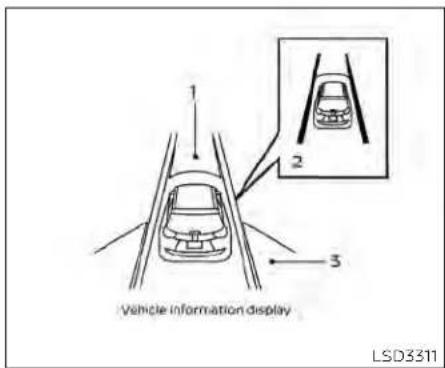
-
Automatic Emergency Braking (AEB) with Pedestrian Detection
-
LaneDepartureWarning(LDW) when shaded and Intelligent Lane Intervention(I-LI)whensolid
-
BlindSpotWarning(BSW) OPERATINGPROPILOTASSIST
-
Push the Pro PILOT Assist switch Ⓐ. This turns on the Pro PILOT Assist system.

- Ascreenisdisplayedforaperiodoftime that indicatesthestatusofthedriving aidfunctions.
-AEBwithPedestrianDetection,LDW,and BSWareenabledwhenthespecified drivingaidisshaded.
-I-Llisenabledwhenthedrivingaidis solid.

-Tochangethestatusofthedrivingaids, usethe ① ◀ or ② ▶ buttonto navigatethesettingsscreen.Foradditionalinformation,see"Howtousethe vehicleinformationdisplay"(P.2-35).
- The status of the Pro PILOT Assists system is displayed in the vehicle information display ⑧.
4.Accelerateordecelerateyourvehicleto thedesiredspeed.
- Push the SET-switch © The Pro PILOT Assistsystem begin to automatically maintain the sets speed. The Pro PILOT Assist activation indicator and Pro PILOT Assist status indicator (blue). When vehicle ahead is traveling at speed of 20 mph (32 km/h) or below and the SET switch is pushed, the set speed of your vehicles is 20 mph (32 km/h).

NOTE:
WhenLaneDeparturePreventionisenabledinthesettingsmenu,turningthe ProPILOTAssistsystem(ifsoequipped)onwillactivatethel-Lisystematthe sametime.IfLaneDeparturePreventionisnotenabledinthesettingsmenu,I-LI willautomaticallyactivatewhenthePro-PILOTAssistsystemis"SET."Foradditionalinformation,see"IntelligentLane Intervention(I-LI)("P.5-40).

WhentheSET-switchispushedunderthe followingconditions,theProPILOTAssist systemcannotbesetandthesetvehicle speedindicator ① blinksforapproximately2seconds:
- Whentravelingbelow20mph(32km/h) andthevehicleaheadisnotdetected
- WhentheshiftleverisnotintheD(Drive) positionornmanualshiftmode
-Whentheparkingbrakeisapplied
-whenthebrakesareoperatedbythe driver
- whentheVDCsystemisoff.Foradditional information,see"VehicleDynamicControl(VDC)system"(P.5-175). - whentheVDCsystem(includingthetractioncontrolsystem)isoperating - whenawheelisslipping - whenanydoorisopen - whenthedriver'sseatbeltisnotfastened

Howtochangethesetvehicle speed
Thesetvehiclespeedcanbeadjusted.
Tochangetoafastercruisingspeed:
- PushandholdtheRES+switch.Theset vehiclespeedincreasesbyapproximately5mph(5km/h). - Push,thenquicklyrelease,theRES+ switch.Eachtimeyoudothis,theset speedincreasesbyapproximately1mph (1km/h).
Tochangetoaslowercruisingspeed:
- PushandholdtheSET-switch. Theset vehiclespeeddecreasesbyapproximately5mph(5km/h). - Push, then quickly release, the SET-switch. Each time you do this, the set speed decreases by approximately 1mph (1km/h).
Howtomomentarilyaccelerateor decelerate
- Depresstheacceleratorpedalwhenaccelerationisrequired.Releasethe acceleratorpedaltosumethepreviouslyset vehiclespeed.
- Depressthebrakepedalwhendeceleration is required. Control by the ProPILOT Assistsystemiscanceled.PushtheRES+ swltctoresume thepreviously setvehiclespeed.
WARNING
Whentheacceleratorpedalisdepressedandyouareapproachingthe vehicleahead,theICCsystemwillneithercontrolthebrakenorwarnthe driverwiththechimeanddisplay.The drivermustmanuallycontrolthevehiclespeedtomaintainasafedistance tothevehicleahead.Failurertodoso couldresultinseverepersonalinjuryor death.
NOTE:
When you accelerate by depressing the accelerator pedal or decelerate bypassing the SET-switch and the vehicle travels faster than the speed set by the driver, the sets speed vehicle indicator will blink.

Howtochangethesetdistance tothevehicleahead
Thedistancetothevehicleaheadcanbe selectedatanytime.
EachtimetheDISTANCEswitch pushed,thesetdistancewillchangeto long,middle,shortandbacktolongagain Inthatsequence.

LSD2806
DistanceApproximatedistanceat 60mph(100km/h)[ft(m)]
1.Long200(60)
2.Middle150(45)
3.Short90(30)
- Thedistancetothevehicleahead changesautomaticallyaccordingtothe vehiclespeed.Thehigherthevehicle speed,thelongerthedistance.
- Thedistancesettingwillremainatthe current setting even if the engine is restarted.

HOWTOENABLE/DISABLETHE STEERINGASSIST
LSD3231
① Steering-wheel-mountedcontrol(left)
② Vehicleinformationdisplay
③ SteeringAssistswitch
Usethefollowingmethodstoenableor disabletheSteeringAssist.
SteeringAssistswitch:
ToturntheSteeringAssistonoroff, push theSteeringAssistswitch ③ ontheinstrumentpanel.
NOTE:
-WhentheSteeringAssistswitchis usedtoturnthesystemonoroff,the systemremembersthesettingevenif theignitswitchiscycled.Theswitch mustbepushedagaintochangethe settingtoonoroff.
- The SteeringAssistswitchchangesthe statusofthe"SteeringAssist"selection madeinthe"Settings"screeninthe vehicleinformationdisplay.
Settinginthevehicleinformationdisplay:
-
Pressthe ◆ buttononthesteering wheel ① until "Settings" displays in the vehicle information display ②.
-
Use the button ① to select "Driver Assistance." Then press the OK button ①.
-
Usethebutton ① toselect"SteeringAssist" and then press the OK button ① toturnthesystemonoroff.
NOTE:
-WhentheCruisescreenisdisplayedon thevehicleinformationdisplay,press theOKbuttononthesteeringwheelto callupthe"DrivingAids"setting display.
-Whenenabling/disablingthesystem throughthevehicleinformationdisplayorwhenpushingtheSteeringAssistswitch,thesystemretainsthecurrentsettingseveniftheengineis restarted.
HowtocanceltheProPILOTAssist system
TocanceltheProPILOTAssistsystem, use oneofthefollowingmethods:
- PushtheCANCELswitch.
• Tap thebrakepedal(exceptat a standstill).
- PushtheProPILOTAssistswitchtoturn the system off. The ProPILOT Assist status indicatorwillgoout.
When the Pro PILOT Assistsystem is canceled while the vehicle is stopped, the electronic parking brake is automatically activated.
WARNING
Topreventthevehiclefrommovingor rollingunexpectedly,whichcouldresultinseriouspersonalinjuryorpropertydamage,beforeexitingthevehicle makesuretopushtheProPILOTAssist switchtoturnthesystemoff,placethe shiftleverintheP(Park)position,and turntheengineoff.
INTELLIGENTCRUISECONTROL (ICC)(forvehicleswithProPILOT Assist)
WARNING
Failuretofollowthewarningsandin-structions for proper use of the ICC sys-temcouldresultinseriousinjuryor death.
- The ICC system is only an aid to assist the driver and is not a collision warning or avoidance device. It is recommended for highway use only and its not intended for city driving. It is the driver's responsibility to stay alert, drive safely, and be in control of the vehicle at all times.
- TherearelimitationstothelCCsystemcapability.TheICCsystemdoes notfunctioninalldriving,traffic, weather, and road conditions. It is the driver'sresponsibilitytostayalert, drivesafely,keepthevehicle inthe traveling lane, and be in control of the vehicleatalltimes.
- Alwaysobservepostedspeedlimits anddonotsetthespeedoverthem.
- The ICC system does not react to stationary and slow moving vehicles.
•AlwaysdrivecarefullyandattentivelywhenusingtheICCsystem. ReadandunderstandtheOwner's Manualthoroughlybeforeusingthe ICCsystem.Toavoidseriousinjuryor death,donotrelyonthesystemto preventaccidentsortocontrolthe vehicle'sspeedinemergencysituations.DonotusethelCCsystemexceptinappropriateroadandtraffic conditions.
ICCsystemoperation
ThelCCsystemlsdesignedtomaintaina selecteddistancefromthevehicleinfront ofyouandcanreducethespeedtomatch aslowervehicleahead.Thesystemdeceleratesthevehiclesnecessaryandifthe vehicleaheadcomestoastop,thevehicle deceleratestoastandstill.However,thelCC systemcanonlyapplyupto40%ofthe vehicle'stotalbrakingpower.Thissystem shouldonly beused whentrafficconditionsallowvehiclespeedstoremainfairly constantorwhenvehiclespeedschange gradually.Ifavehiclemovesintothetravellingianeaheadorifavehicletravelling aheadrapidlydecelerates,thedistancebetweenvehicles maybecomecloserbecausethelCCsystemcannotdecelerate thevehiclequicklyenough.Ifthisoccurs, theICCsystemsoundsawarningchime andblinksthesystemdisplaytonotifythe drivertotakenecessaryaction.
The ICC system cancels and a warning chimesoundsifthespeed is belowapproximately15mph(24km/h)andavehicle isnotdetectedahead.
TheICCsystemoperatesasfollows:
- When there are no vehicles traveling ahead, the ICC system maintains the speedset by the driver. Thesetspeed range is between approximately 20 and 90 mph (32 and 144 km/h).
- Whenthereisavehicletravelingahead, theICCsystem adjuststhe speedto maintain the distance, selected by the driver, fromthevehicleahead. Ifthevehicleaheadcomestoastop, thevehicle deceleratestoastandstill. Onceyourvehiclestops, theICCsystemkeepsthevehiclestopped.
-
When your vehicle is stopped for less than 3 seconds and the vehicle ahead begins to move, your vehicle will start moving again automatically.
-
When your vehicle is at a standstill for more than 3 seconds and the vehicle ahead begins to accelerate, push the RES+switchor lightly depress the accelerator pedal. The ICC system starts to follow the vehicle ahead.
- Whenthevehicletravelingaheadmoves toadifferenttravellinglane, theICCsystem accelerates and maintains vehicle speeduptothesetspeed.
The CC system does not control vehicle speed or warn you when you approach stationary and slow moving vehicles. You must pay attention to vehicle operation to maintain proper distance from vehicles ahead when approaching toll gates or traffic congestion.

natural_image
Diagram showing a car driving on a road with an arrow indicating direction, no text or symbols presentNormallywhencontrollingthedistanceto avehicleahead,thesystemautomatically acceleratesordeceleratesyourvehicleac- ordingtothespeedofthevehicleahead.
Depresstheacceleratorortoproperlyaccelerateyourvehiclewhenaccelerationisrequiredforalanechange.Depressthebrake pedalwhendecelerationisrequiredto maintainasafedistancetothevehicle aheadduetosuddenbrakingorifavehicle cutsin.Alwaysstayalertwhenusingthe ICCsystem.
whendrivingonthefreewayatasetspeed andapproachingaslowertravelingvehicle ahead, theICCsystemadjuststhespeedto maintainthedistance,selectedbythe driver,fromthevehicleahead.Ifthevehicle aheadchangeslanesorexitsthefreeway, theICCsystemacceleratesandmaintains thespeeduptothesetspeed.Payattentiontothedrivingoperationtomaintain controlofthevehicleasitacceleratesto thesetspeed.
The vehicle may not maintain the speed on winding or hilly roads. If this occurs, you will have to manually control the vehicles speed.
5-108Startinganddriving

Systemsetdisplaywithnovehicle detectedahead
Novehicledetectedahead
The driversetsthedesiredvehiclespeed basedontheroadconditions. The ICCsystemmaintainsthesetvehiclespeed, simi-lartostandardcruisecontrol, aslongasno vehicleisdetectedinthelaneahead. The ICCsystemdisplaysthesetspeed.
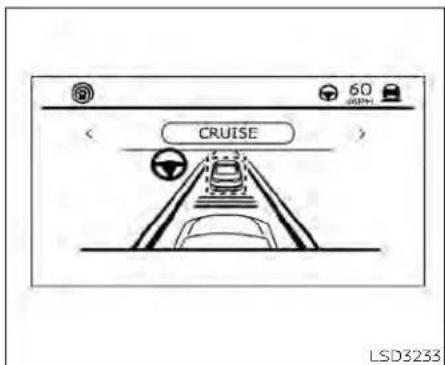
Systemsetdisplaywithvehicleahead Vehicledetectedahead
Whenavehicleisdetectedinthelane ahead, the CC system deceleratesthe vehicle by controlling the throttled applying the brake stomatch the speed of a slower vehicle ahead. The CC system then control the vehicles speed based on the speed of the vehicle ahead to maintain the driver selected distance.
NOTE:
- Thestoplightsofthevehiclecomeon whenbrakingisperformedbytheICC system.
- Whenthebrakeisappliedbythesystem,anoisemaybeheard.Thisisnota malfunction.
WhentelCCsystemdetectsavehicle ahead,thevehicleaheaddetectionindicatorandthespeedcontrolstatusindicator(distancecontrolmode)illuminates(solid green 📁).
Vehicleaheadstops
whenthevehicleaheaddeceleratesto stop,yourvehicledeceleratestoastandstill.Onceyourvehiclestops,theICCsystemautomaticallyappliesthebrakesto keepthevehiclestopped.Whenyourvehicleisatastandstill,the"(RES+) ^+ Pressto start"messageisdisplayedonthevehicle informationdisplay.
NOTE:
When your vehicle stops for less than 3 seconds, your vehicle will automatically follow the vehicle as it accelerates from a stop.
Vehicleaheadaccelerates
When your vehicle is stopped and the vehicle ahead begin to accelerate, push the RES + switch or lightly depress the accelerator pedal. The CC system starts to follow the vehicle ahead.
Vehicleaheadnotdetected
When a vehicle is no longer detected ahead, the ICC system gradually accelerates your vehicle to resumethepreviously set vehicles speed. The ICC system then maintains the speed.
When a vehicle is no longer detected, the vehicle ahead detection indicator turns off and speed control status indicator (maintain speed control mode) illuminates (green outline).
TheICCsystemgraduallyacceleratesto thesetspeed,butyoucandepressthe accelerator pedal to quickly accelerate. Whenavehicleisnolongerdetectedand yourvehicleistravelingunderapproximately15mph(24km/h),theICCsystem automaticallycancels.
LSD3234
When passing another vehicle, the set speed indicator A flashes when the vehicles speed exceed the sets speed. The vehicle ahead detection indicator turns off when the area ahead of the vehicle is open. Whenthe pedalis released, the vehiclere turnstothepreviouslysetspeed. Even though your vehicles speed is set in the ICC system, you can depress the accelerator pedal when it is necessary to accelerate your vehicler rapidly.
Cut-indetection
Ifvehiclemovesintoyourtravellinglane nearyourvehicle, theCCsystemmayinformthedriverbyflashingthevehicle aheaddetectionindicator.
Approachwarning
If your vehicle comes closest to the vehicle ahead, du etorapid deceleration of that vehicle or if another vehicle cuts in, the system warnsted river with the chime and ICC system display. Decelerate by depressing the brake pedal to maintain a safe vehicle distance if:
•Thechimesounds.
•Thevehicleaheaddetectionindicator andsetdistanceindicatorblink.
- You judge it necessary to maintain a safe distance.
Thewarningchimemaynotsoundin somecaseswhenthereisashortdistance betweenvehicles.Someexamplesare:
- When the vehicles are traveling at the same speed and the distance between vehicles is not changing.
- When the vehicle ahead is a head of a traveling faster and the distance between vehicles is increasing.
- When a vehicle cuts in nearly your vehicle.
The warningchimewillnotsoundwhen:
-Yourvehicleapproachesothervehicles thatareparkedormovingslowly.
• The accelerator pedal is depressed, over-riding the system.
NOTE:
Theapproachwarningchimemaysound andthesystemdisplaymayflashwhen theradarsensordetectsobjectsonthe sideofthevehicleoronthesideofthe road.ThismaycausetheICCsystemto decelerateoracceleratethevehicle.The radarsensormaydetecttheseobjects whenthevehicleisdrivenonwinding, narrow,orhillyroadsorwhenthevehicle isenteringorexitingacurve.Inthese cases,youwillhavetomanuallycontrol the proper distance ahead of your vehicle.
Also, the sensors sensitivity can be affected by vehicle operation (steering maneuver or driving position in the lane) or traffic or vehicle conditions (forexample, if a vehicle is being driven with somedamage).
Accelerationwhenpassing
whenthelCCsystemisengagedabove43 mphandfollowingaslowervehicle(below ICCsetspeed),andtheturnsignalisactivatedtotheleft,theICCSystemwillautomaticallystarttoacceleratethevehicleto helpinitiatepassingontheleftandwill begintoreducethedistancetovehicledirectlyahead.Onlytheleftsideturnsignal operatesthisfeature.Asthedriversteers thevehicleandmovesintothepassing lane,ifnovehicleisdetectedaheadtheICC systemwillcontinuetoacceleratetothe ICCsystemsetspeed.Ifanothervehicleis detectedahead,thenthevehiclewillaccelerateuptothefollowingspeedofthatvehicle.Ifthevehicleisnotsteeredintothe leftlanetopass,theaccelerationwillstop afterashorttimeandregainthesetfollowingdistance.Accelerationcanbestopped atanypointbydepressingthebrakepedal ortheCANCELswitchonthesteering wheel.
WARNING
Inordertoreducetheriskofacollision thatmayresultinseriousinjuryor death,pleasebeawareofthefollowing:
- Thisfunctionisonlyactivatedwith theleftturnsignalandwillbrieflyacceleratethevehicleevenifalane changeisnotinitiated.Thiscanincludenon-passingsituationssuchas leftsideexits.
- Ensure that when passing another vehicle, the adjacent lane is clear before initiating the pass. Sudden changes in traffic may occur while passing - always manually steer or brakes needed - never solely rely on the system.
ICCsystemlimitations
WARNING
Listedbelowarethesystemlimitations fortheICCsystem.Failureretooperate thevehicleinaccordancewiththese systemlimitationscouldresultinseriousinjuryordeath:
- The CC system is primarily intended for use on straight, dry, open roads with light traffic. It is not advisable to use the CC system in city traffic congestion areas.
- The CC system will not adapt automatically to road conditions. This system should be used evenly flowing traffic. Donotus the system on road with sharp curves or onicy roads, in heavy rain or infog.
- Asthereisaperformancelimittothe distancecontrolfunction,neverrely solelyonthelCCsystem.Thissystem doesnotcorrectcareless,inattentive orabsentmindeddrivingorovercomepoorvisibilityinrain,fog,or otherbadweather.Deceleratethe vehiclespeedbydepressingthe brakepedal,dependingonthedistancetothevehicleaheadandthe surroundingcircumstancesinorder tomaintainasafedistancebetween vehicles.
- When the ICC system automatically brings the cartoastop, your vehicle can automatically accelerate if the vehicle is stopped for less than approximately 3 seconds. B prepared to stop your vehicle if necessary.
·Alwayspayattentiontotheoperationofthevehicleandbereadyto manuallycontroltheproperfollowingdistance.TheICCsystemmaynot beabletomaintaintheselecteddistancebetweenvehicles(following distance)orselectedvehiclespeed undersomecircumstances.
- Thesystemmaynotdetectthevehicleinfrontofyouincertainroador weatherconditions.Toavoidaccidents,neverusethelCCsystemunderthefollowingconditions:
-Onroadswithheavy,high-speed trafficorsharpcurves
-Onslipperyroadsurfacesuchas oniceorsnow,etc.
- During bad weather (rain, fog, snow, etc.)
- When rain, snow or dirt adhere to the bumperaroundthedistance sensor
-Onsteepdownhillroads(thevehiclemaygobeyondthesetvehiclespeedandfrequentbraking may result in overheating the brakes)
-Onrepeateduphill anddownhill roads
- Whentrafficconditionsmakeitdifficulttokeepapoperdistancebetweenvehiclesbecauseoffrequent accelerationordeceleration
- Interferencebyotherradarsources.
- Do not use the ICC system if you are towingatraler. Thesystemmaynot detect Vehicleahead.
-Insomeroadortrafficconditions,a vehicle or object can unexpectedly comeintothesensordetectionzone andcauseautomaticbraking.Alwaysstayalertandavoidusingthe ICCsystemwherenotrecommended inthiswarningsection.
TheICCsystemwillnotdetectthefollowing objects:
• Stationaryorslowmovingvehicles
• Pedestriansorobjectsintheroadway
• Oncomingvehiclesinthesamelane
- Motorcyclestravelingoffsetinthetravellane
The following aresomeconditions in which the radar sensor cannot properly detect a vehicle ahead and the system may not operate properly:
- Whenthesensor detectionisreduced (conditionssuchasrain,snow,fog,dust storms,sandstorms,androadsprayfrom othervehicles)
- Drivingonasteepdownhillslopeorroads withsharpcurves
- Drivingonabumpyroadsurface,suchas anunevendirtroad
- Ifdirt,ice,snoworothermaterialiscoveringtheradarsensor area
- A complicated-shaped vehicle such as a carcarrier-trailerorflatbedtruck/traileris nearthevehicleahead.
• Interferencebyotherradarsources - When your vehicle is stowing a trailer, etc.
- When excessively heavy baggage is loaded in therearseator cargo area of your vehicle.
TheICCsystemisdesignedtoautomatically check the radar sensor's operation withinthelimitationsofthesystem.
The detection zone of the radarsensoris limited. A vehicle head must be in the detection zone for the ICC system to maintain these selected distance from the vehicle ahead. A vehicle head may move outside of the detection zonedueto its position within the same lane of travel. Motorcycles may not be detected in the same lane ahead if they are traveling off set from the center line of the lane. A vehicle that is entering the lane a head may not be detected until the vehicle has completely moved into the lane.
If this occurs, the CC system may warn you by blinking the system indicator and sounding the chime. The driver may have to manually control the proper distance away from the vehicle traveling ahead.
TheICCsystem(withProPILOTAssist)uses amulti-sensingfrontcamera.Thefollowingaresomeconditionsinwhichthecameramaynotproperlydetectvehicleand detectionofvehicleaheadmaybedelayed:
- Poorvisibility(conditionssuchasrain, snow,fog,duststorms,sandstorms,and roadsprayfromothervehicles)
• The camera area of the windshield is fogged up or covered with dirt, water drops, ice, snow, etc.
•Stronglight(forexample,sunlightorhigh beamsfromoncomingvehicles)enters thefrontcamera
•Asuddenchangeinbrightnessoccurs (forexample,whenthevehicleentersorexitsatunnelorshadedareaorlightningflashes)

flowchart
graph TD
    A["Top Left Road"] --> B["Left Car"]
    B --> C["Right Car"]
    C --> D["Bottom Right Road"]
    style A fill:#f9f,stroke:#333
    style B fill:#ccf,stroke:#333
    style C fill:#cfc,stroke:#333
    style D fill:#fcc,stroke:#333
    note right of A: Arrow indicates direction from left to right; bottom right arrow indicates collision or collision point.

natural_image
Diagram showing multiple cars on curved road with two black triangular obstacles, no text or symbols presentWhen driving on someroads, such as winding, hilly, curved, narrowroads, or roads which are under construction, theradar sensor may detect vehicles in different lane, or may temporarily not detect vehicle traveling ahead. This may cause the radarsystemtodecelerate or accelerate the vehicle.
Thedetectionofvehiclesmayalsobeaffectedbyvehicleoperation(steeringmaneuverortravelingpositioninthelane,etc.) orvehiclecondition.
If this occurs, the CC system may warn you by blinking the system indicator and sounding the chime unexpectedly. You will have to manually control the proper distance away from the vehicle travelling ahead.
SystemTemporarilyUnavailable
The following are conditions in which the ICC system may be temporarily unavailable. In these instances, the CC system may not cancel and may not be able to maintain these selected following distance from the vehicle ahead.
ConditionA
Underthefollowingconditions,theICCsystemisautomaticallycanceled.Achimewill soundandthesystemwillnotbeabletobe set:
•Anydoorisopen.
• Thedriver'sseatbeltisnotfastened.
•Thevehicleaheadisnotdetectedand yourvehicleistravelingbelowthespeed of15mph(24km/h).
-YourvehiclehasbeenstoppedbytheICC systemforapproximately3minutesor longer.
- TheshiftleverisnotintheD(Drive)positionormanualshiftmode.
•Theelectronicparkingbrakeisapplied.
•TheVDCsystemisturnedoff.
•The AEB with Pedestrian Detection applies harder braking.
•VDC(includingthetractioncontrolsystem)operates.
- Awheelslips.
- Whentheradar signal istemporarily interrupted.
Actiontotake:
When the conditions listed above are no longer present, turn the system off using the Pro PILOT Assist switch. Turn the Pro PILOT Assist system back to us the system.
NOTE:
WhenthelCCsystemiscanceledunderthefollowingconditionsata standstill,theelectronicparkingbrake isautomaticallyactivated:
-Anydoorisopen.
- Thedriver'sseatbeltisnotfastened.
-Yourvehiclehasbeenstoppedbythe ICCsystemforapproximately3minutesorlonger.
- TheshiftleverisnotintheD(Drive) positionornmanualshiftmode.
•TheVDCsystemisturnedoff.
-When distance measurement becomesimpairedduetoadhesionof dirt orobstructiontothesensor.
-Whentheradarsignalistemporarily interrupted.
ConditionB
Whenthereisinclementweather(rain,fog, snow,etc.)blockingthefrontradarsensor, theICCsystemwillautomaticallybecanceled,thechimewillsoundandthe"Forward Driving Aids temporarily disabled FrontSensorblockedSeeOwner'sManual" warningmessagewillappearinthevehicle informationdisplay.
Actiontotake:
Whentheconditionslistedaboveareno longerpresent, thewarningmessage will no longerbeavailableinthevehicleinformationdisplayandthesystemwilloperate normally. If the ForwardDrivingAidstemporarilydisabledFrontSensorblocked See Owner'sManual warningmessage continues to be displayed, have the system checked. It is recommended that you visit a NISSANdealerforthisservice.
ConditionC
whentheradarsensorofthefrontbumper iscoveredwithdirtorisobstructed,theICC systemwillautomaticallybecanceled.
Thechime will sound and the "Forward Driving Aids temporarily disabled Front Sensor blocked See Owner's Manual" warning message will appear in the vehicle information display.
Actiontotake:
If the warning message appears, stop the vehicle in as a safe place, placetheshift lever in the Park (Park) position, and turn the engine off when the radarsignal is temporarily interrupted, clean the sensor area of the front bumper and restart the engine. If the "Forward Driving Aid temporarily disabled Front Sensor blocked See Owner's Manual" warning message continues to be displayed, havethesystem checked. It is recommended that you visit a NISSAN dealer for this service.
ConditionD
Whendrivingonroadswithlimitedroad structuresorbuildings(forexample,long bridges,deserts,snowfields,drivingnextto longwalls),thesystemmayilluminatethe systemwarninglightanddisplaythe"Forward Driving Aids temporarily disabled FrontSensorblockedSeeOwner'sManual" warningmessage.
Actiontotake:
When the aboved driving conditions nolonger exist, turn the system back on.
Forward Driving Aids temporarily disabled Front Sensor blocked See Owner's Manual
LSD4448
ICCsystemmalfunction
If the CC system malfunctions, it will be turned off automatically, achimewill sound, and the speed control status warning (orange) will illuminate.
Actiontotake:
If the warning light comes on, stop the vehicle in as a safe place. Turn the engine off, restart the engine and set the CC system again. If it is not possible to set the CC system or the indicator stay on, it maybe amalfunction. Although then normal driving can be continued, the CC system should
beinspected. It is recommended that you visitaNISSAN dealer forth this service.
NOTE:
If the ICCsystemistemporarily unavailable, the conventional cruise control modemaystillbeused. For additional information, please see "Conventional (fixed speed) cruise control mode" (P.5-123).
ICCsensormaintenance
Theradarsensorislocatedonthefrontof thevehicle.
TokeeptheICCsystemoperatingproperly, besuretoobservethefollowing:
•Alwayskeepthesensorareaofthefront bumper/emblemclean.
- Donot strikeordamagetheareas aroundthesensor.
- Donotattachasticker(includingtransparentmaterial)orinstallanaccessorynearthesensor.Thiscouldcausefailureormalfunction.
- Donotattachmetallicobjectsnearthe sensorarea(brushguard,etc.).Thiscould causefailureormalfunction.
- Donotalter, remove, or paint the front bumper.
Beforecustomizingorrestoringthefront bumper,itisrecommendedthatyouvisita NISSANdealer.
Thecamerasensorislocatedabovethe insidemirror.
Tokeep the proper operation of the systems and prevent a system malfunction, besure to observ the following:
•Alwayskeepthewindshieldclean.
- Donotattachasticker(includingtransparentmaterial)orinstallanaccessorynearthecameraunit.
- Donotplacereflectivematerials,suchas whitepaperoramirror,ontheinstrumentpanel.Thereflectionofsunlight mayadverselyaffectthecameraunit's capabilityofdetectingthelanemarkers.
- Donot strikeordamagetheareas aroundthecameraunit.Donottouchthe cameralensorremovethescrewlocated onthecameraunit.
If the camera unit is damaged due to an accident, it is recommended that you visit a NISSAN dealer.
STEERINGASSIST
WARNING
Failure to follow the warnings and instructions for proper use of the Steering Assist could result in serious injury or death.
The Steering Assist is not a replacement for proper driving procedures and is not designed to correct care, less, inattentive or absent-minded driving. The Steering Assist will not always steer the vehicle to keep it in the lane. It is not designed to prevent loss of control. It is the driver's responsibility to stay alert, drives safely, keep the vehicle in the traveling lane, and be in control of the vehicle at all times.
- Asthereisaperformancelimittothe SteeringAssist'scapability,never relysolelyonthesystem.TheSteeringAssistdoesnotfunctioninall driving,traffic,weather,android conditions.Alwaysdrivesafely,pay attentiontotheoperationofthevehicle,andmanuallycontrolyourvehicleappropriately.
The Steering Assist is intended for use on well-developed freeways or highways with gentle (moderate) curves. To avoid risk of an accident, donotusethissystemon local or non-highway roads.
The Steering Assistonlysteersthe vehicletomaintinitspositioninthe centerofalane. The vehicle will not steertoavoid objects in theroadin front of the vehicle to avoid vehicle moving into your lane.
-Itisthedriver's responsibility to stay alert, drives safely, keep the vehicle in the traveling lane, and be in control of the vehicle at all times. Nevertake your hand soff the steering wheel when driving. Always keep your hands on the steering wheel and drive your vehicles safely.
·Alwaysdrive carefully and attentively when using the Steering Assist. Read and understand the Owner's Manualthoroughly before using the Steering Assist. To avoid serious injury or death, donotrely on the system to prevent accidents to control the vehicle's speed in emergency situations. Donot us the Steering Assist except in appropriate road and traffic conditions.
SteeringAssistoperation
TheSteeringAssistcontrolsthesteering systemtohelpkeepyourvehiclenearthe centerofthelanewhendriving.TheSteeringAssistiscombinedwiththeIntelligent CruiseControl(ICC)system.Foradditional information,see"IntelligentCruiseControl (ICC)(forvehicleswithProPILOTAssist)" (P5-106).
TheSteeringAssistcanbeactivatedwhen thefollowingconditionsaremet:
• TheICCsystemisactivated.
• Lanemarkersonbothsidesareclearly detected.
- Avehicleaheadisdetected(whenthe vehicleisdrivenatspeedsunder37mph [60km/h]).
• Thedrivergripsthesteeringwheel.
•The vehicle is driven at the center of the lane.
• Theturnsignalsarenotoperated.
- Thewindshieldwiperisnotoperated in the high(HI)speedoperation(theSteeringAssistfunctionisdisabledafterthe wiperoperatesforapproximately10 seconds).
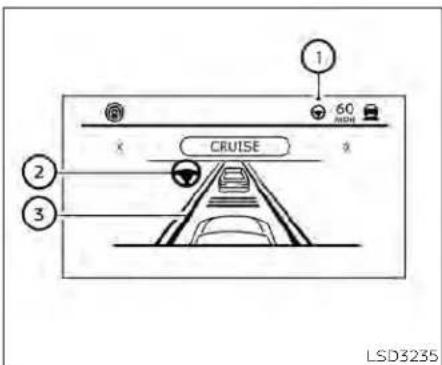
SteeringAssistdisplayand indicators
① SteeringAssiststatusindicator/warning
DisplaysthestatusoftheSteeringAssistby thecoloroftheindicator/warning
•SteeringAssistindicator(gray);Steering Assiststandby
•SteeringAssistindicator(green):Steering Assistactive
•SteeringAssistindicator(yellow):Steering Assistmalfunction
② SteeringAssistindicator
IndicatesthestatusoftheSteeringAssist bythecoloroftheindicator
•SteeringAssistindicator(gray):Steering Assiststandby
•SteeringAssistIndicator(green):Steering Assistactive
③ Lanemarkerindicator
Indicateswhetherthesystemdetectsthe lanemarker
• Lanemarkerindicator(gray): Lanemarkersnotdetected
•Lanemarkerindicator(green):Lane markersdetected
• Lanemarkerindicator(yellow):Lanedepartureisdetected
WhentheSteeringAssistisinoperation, theSteeringAssiststatusindicator ①,the SteeringAssistindicator ②,andthelane markerindicator ③ onthevehicleinformationdisplayturngreen.Achimesounds whentheSteeringAssistinitiallyactivates.
When the Steering Assist deactivates, the Steering Assist status indicator ①, the Steering Assist Indicator ②, and the lane marker indicator ③ on the vehicle information display turn gray and each time sound twice.
IntelligentLaneIntervention(I-LI)
When acurveorstrongcrosswindex exceeds the capabilities of the Steering Assist and your vehicle approaches either the left for the rights side of the traveling lane, the LI indicator (orange) on the instrument panel, flashesto alert the driver. Then, the Li system automatically applies the brakes for a short period to the motohelp assist the drivert return the vehicle to the center of the traveling lane. This action is in addition to any Steering Assist actions.

Handsondetection
When the Steering Assist is activated, it monitor the driver's steering wheel operation.
Startinganddriving5-119
If the steering wheel is not operated or the drivertakeshis/her hand soff the steering wheelfor a period of time, the warning appears in the vehicle information display.
Ifthedriverdoesnotoperatethesteering wheelafterthewarninghasbeendisplayed,anaudiblealertsoundsandthe warningflashesinthevehicleinformation display,followedbyaquickbrakeapplicationorequestthedrivertotakecontrolof thevehicleagain.
Ifthedriverstilldoesnotrespond,thePro-PILOTAssistturnsonthehazardflasher andslowsthevehicletoacompletestop.
The driver cancancel the deceleration at any time by steering, braking, accelerating, or operating the Pro PILOT Assist switch.
WARNING
SteeringAssistisnotasystemfor hands-freedriving.Alwayskeepyour handsonthesteeringwheelanddrive yourvehiclesafely.Failureretodoso couldcauseacollisionresultinginseriouspersonalinjuryordeath.
NOTE:
If the driver lightly touches (instead of firmly grips) the steering wheel, the steering torquesensorm may not detect the driver's hand(s) on the wheel and a sequence of warnings may occur. When the driver holds and operates the steering wheel again, the warning turnoff.
SteeringAssistlimitations
WARNING
- Inthefollowingsituations, the camera may not detect lane markers correctly or may detect lanemarkers incorrectly and the Steering Assist may not operate properly:
- When driving on roads where thereare multiple parallel-lane markers, lanemarker that are faded or not painted clearly, non-standardan emarkers, or lane markers covered with water, dirt, snow, etc.
- Whendrivingonroadswithdiscontinuedlanemarkers
-
Whendrivingonroads withawideningornarrowinglanewidth
-
When driving on roads where there are multiple lanes or unclear lane markers due to road construction
- When driving on roads where therearesharplycontrastingobjects,suchasshadows,snow,water,wheelruts,seams,orlinesremainingafterroadrepairs(the Steering Assistcoulddetectthese itemsaslanemarkers)
- Whendriving onroadswherethe traveling lane merges or separates
- DonotusetheSteeringAssistunder thefollowing conditionsbecause the systemmaynotproperlydetectlane markers. Doingsocouldcausealoss ofvehiclecontrolandresultinanaccident.
- During bad weather (rain, fog, snow,dust,etc.)
- Whenrain,snow,sand,etc.,is thrownupbythewheelsofother vehicles
- When dirt, oil, ice, snow, water, or another object adheres to the cameraunit
-Whenthelensofthecameraunit isfoggy
-When strong light (forexample, sunlight or high beams from on-coming vehicles) shines on the camera
-Whentheheadlightsarenot brightduetodirtonthelensor theheadlightsareoffintunnelsor darkness
-Whenasuddenchangeinbrightnessoccurs(forexample,when thevehicleentersorexitsatunnel orisunderabridge)
-Whendrivingonroadswherethe travelinglanemergesorseparatesorwheretherearetemporarylanemarkersbecauseofroad construction
-Whenthereisalaneclosuredueto roadrepairs
-Whendrivingonabumpyroad surface,suchasanunevendirt road
-Whendrivingonsharpcurvesor windingroads
-Whendrivingonrepeateduphill anddownhillroads
- DonotusetheSteeringAssistunder thefollowingconditionsbecausethe systemwillnotoperateproperly:
-Whendrivingwithatirethatisnot withinnormaltireconditions(for example,tirewear,abnormaltire pressure,installationofaspare tire,tirechains, nonstandard wheels)
-Whenthevehicleisequippedwith non-originalbrakeorsuspension parts
-Whenanobjectsuchasasticker orcargoobstructsthecamera
-whenexcessivelyheavybaggage isloadedintherearseatorlug-gageareaofyourvehicle
-Whenthevehicleloadcapacityis exceeded
-Whentowingatrailerorother vehicle - Excessivenoisewillinterferewiththe warningchimesound,andthebeep maynotbeheard.
- FortheProPILOTAssistsystemtooperateproperly, thewindshieldin frontofthecameramustbeclean. Replacewornwiperblades. Thecorrectszewiperblades must be used to help make sure the windshield is kept clean. Only use Genuine NISSAN wiper blades, or equivalent wiper blades, that arespecifically designed for use on your vehicle model and model year. It is recommended that you visit a NISSAN dealer for the correct parts for your vehicle.
SteeringAssisttemporary standby
Automaticstandby due to driving operation:
When the driver activates the turn signal, the Steering Assistist temporarily placed in a standby mode. (The Steering Assistest starts automatically when the operating conditions are met again.)
Automaticstandby:
In the following cases, a warning message is displayed along with the chime, and the Steering Assistis placed in temporary standby mode. (The Steering Assistestarts automatically when the operating conditions are met again.)
- Whenlanemarkersonbothsidesareno longerdetected
- When a vehicle ahead is no longer detected under approximately 37 mph (60 km/h)
SteeringAssistcancel
Underthefollowingconditions,theSteeringAssistcancels,andtheSteeringAssist statusindicatorandtheSteeringAssist indicatorturnoff:
-When unusuallanemarkers appear in the traveling lane or whentheane marker cannot be correctly detected for sometime due to certain conditions (for example, as now run, therefection of flight on rainy day, the presence of several unclear lanemarkers)
- Whenthewindshieldwiperoperates in the high (HI) speed operation (the Steering Assist is disabled when the wiper operates form more than approximately 10 seconds)
Actiontotake:
TurnthelCCsystemoffusingtheCANCEL switch. Whentheconditionslistedabove arenolongerpresent, turnthelCCsystem onagain.
SteeringAssistmalfunction
whenthesystemmalfunctions, itturnsoff automatically. The Steering Assist status warning illuminates (orange). Achimemay sounddependingonthesituation.
Actiontotake:
Stopthevehicleinasafelocation, placethe vehicleintheP(Park)position,turntheengineoff,restarttheengine,resumedriving, andsettheIntelligentCruiseControlsystemagain.Ifthewarning(orange)continuestoilluminate,theSteeringAssistismal-functioning.Althoughthevehicleisstill drivableundernormalconditions,havethe systemchecked.Itisrecommendedthat youvisitaNISSANdealerforthisservice.
SteeringAssistmaintenance
Thecamerasensorislocatedabovethe insidemirror.
Tokeep the proper operation of the system and prevent a system malfunction, besure to observ the following:
•Alwayskeepthewindshieldclean.
- Donotattachasticker(includingtransparentmaterial)orinstallanaccessorynearthecameraunit.
- Donotplacereflectivematerials, such as whitepaperoramirror, ontheinstrumentpanel. Thereflectionofsunlight mayadverselyaffectthecameraunit's capabilityofdetectingthelanemarkers
- Do notstrikeor damagethe areas aroundthecameraunit.Donottouchthe cameralensorremovethescrewlocated onthecameraunit.
If the camera unit is damaged, due to an accident, it is recommended that you visit a NISSAN dealer.
Radiofrequencystatement
ForUSA
FCCIDOAYARS4B
ThisdevicecomplieswithPart15oftheFCC Rules.Operationissubjecttothefollowing twoconditions:
-
This device may not cause harmful interference, and
-
This device must accept any interference received, including interference that may cause undesired operation.
FCCWarning
Changesormodificationsnotexpressly approvedbythepartyresponsiblefor compliancecouldvoidtheuser'sauthority tooperatetheequipment.
ForCanada
Model:ARS4-B
IC:4135A-ARS4B
FCCID:OAYARS4B
This device complies with Part 15 of the FCC Rules and with Industry Canada licence-exempt RSS standard(s). Operation is subject to the following two conditions:
-
This device may not cause interference, and
-
This device must accept any interference received, including interference that may cause undesired operation of the device.
Radio frequency radiation exposure information:
This equipment complies with FCCandIC radiation exposure limits set forth for an uncontrolled environment.
This equipment should be installed and operated with minimum distance of 30cm between theradiator and your body.
Thistransmittermustnotbeco-locatedor operating in conjunction with any other antennaortransmitter.
Changesormodificationsnotexpressly approvedbythepartyresponsiblefor compliancecouldvoidtheuser'sauthority tooperatetheequipment.
CONVENTIONAL(fixedspeed) CRUISECONTROLMODE
NOTE:
ProPILOTAssist provides no approach warnings, automaticbraking, orsteering assist in the conventional (fixed speed) cruisecontrolmode.
This mode allows driving at a speed between 25 to 90 mph (40 to 144 km/h) without keeping your foot on the accelerator pedal.
WARNING
- Intheconventional(fixedspeed) cruisecontrolmode,awarning chimedoesnotsoundtowarnyouif youaretooclosetothevehicle ahead,asneitherthepresenceofthe vehicleaheadnorthevehicle-to-vehicledistanceisdetected.
- Payspecialattentiontothedistance betweenyourvehicleandthevehicle aheadofyouoracollisioncould occur.
·AlwaysconfirmthesettinginthelCC systemdisplay.
- Donotusetheconventional(fixed speed)cruisecontrolmodewhen drivingunderthefollowingconditions:
-Whenitisnotpossibletokeepthe vehicleatasetspeed
-Inheavytrafficorintrafficthat variesinspeed
-Onwindingorhillyroads
-Onslipperyroads(rain,snow, ice, etc.)
-Inverywindyareas
- Doingsocouldcausealossofvehicle controlandresultinanaccident.
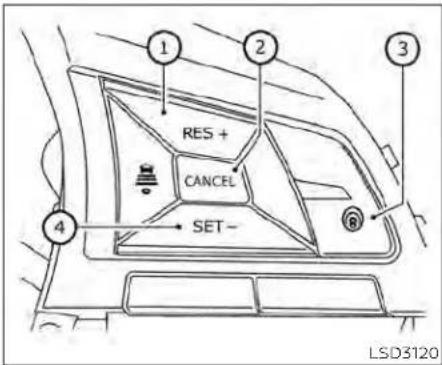
Conventional(fixed speed)cruise control switches
① RES+switch: Resumessetspeedorincreasespeed incrementally
② CANCELswitch:
Deactivates the system without eras-
ingthesetspeed
③ ProPILOTAssistswitch: TurnstheProPILOTAssistsystemonor off
④ SET-switch: Sets desired cruise speed or reduces speed incrementally

•CruisecontrolONindicator(gray):IndicatesthattheProPILOTAssistswitchis on
•CruisecontrolSETindicator(green):Indicatesthatthecruisingspeedisset
•Cruisecontrolwarning(yellow):Indicates thatthereisamalfunctioninthelCC system
Conventional(fixedspeed)cruise controlmodedisplayand indicators
Thedisplayislocatedinthevehicleinformationdisplay.
- Set vehiclespeed indicator: This indicator indicates the vehicle speed. For Canadian models, the speed is displayed in km/h.
- Cruise indicator: This indicator indicates the condition of the CC system depending on acolor.

Operatingconventional(fixed speed)cruisecontrolmode
Toturnontheconventional(fixedspeed) cruisecontrolmode,pushandholdthe ProPILOTAssistswitch Ⓐ forlongerthan about1.5seconds.
WhenpushingtheProPILOTAssistswitch on,theconventional(fixedspeed)cruise controlmodedisplayandindicators ④ are displayedinthevehicleinformationdisplay. AfteryouholdtheProPILOTAssist switchonforlongerthanabout1.5seconds, theICCsystemdisplayturnsoff.The cruiseindicatorappears.Youcannowset
Startinganddriving5-125
yourdesiredcruisingspeed.Pushingthe ProPILOTAssistswitchagainwillturnthe systemcompletelyoff. Whentheignition switchisplacedintheOFFposition,the systemisalsoautomaticallyturnedoff.
TousetheICCsystemagain,quicklypush andreleasetheProPILOTAssistswitch (vehicle-to-vehicledistancecontrolmode) orpushandholdit(conventionalcruise controlmode)againtoturniton.
CAUTION
To avoid accidentally engaging cruise control, makes sure to turn the Pro PILOT Assist switch off when not using the ICC system.

Tosetcruisingspeed,accelerateyourvehicletothedesiredspeed,pushtheSET-switchandreleaseit.(Thecolorofthe cruiseindicatorchangestogreenandset vehiclespeedindicatorcomeson.)Take yourfootofftheacceleratorpedal.Your vehiclewillmaintainthesetspeed.
- Topassanothervehicle, depress the accelerator pedal. When you releasethe pedal, the vehicle will return to the previously sets speed.
•The vehicle may not maintain the speed when going up down steephills. If this happens, manually maintain vehicles speed.
Tocancelthepresetspeed,useanyofthe followingmethods:
-
Push the CANCEL switch. The vehicle speed indicator will turn off.
-
Tapthebrakepedal. The vehiclespeed indicator will turn off.
3.TurntheProPILOTAssistswitchoff.Both thecruiseindicatorandvehiclespeed indicatorwillturnoff.
Toresetatafastercruisingspeed,useone ofthefollowingthreemethods:
- Depresstheacceleratorpedal. When the vehicle attainsthedesiredspeed, push and releasetheSET-switch.
2.PushandholdtheRES+switch.When thevehicleattainsthedesiredspeed, releasetheswitch.
3.Push,thenquicklyreleasetheRES+ switch.Eachtimeyoudothis,theset speedwillincreasebyabout1mph(1.6 km/h).
REARAUTOMATICBRAKING(RAB)(if soequipped)
Toresetataslowercruisingspeed,useone ofthefollowingthreemethods:
- Lightlytapthebrakepedal. When the vehicle attainsthedesiredspeed, push theSET-switchandreleaseit.
- PushandholdtheSET-switch.Release the switch when the vehicles slows down to the desired speed.
3.Push,thenquicklyreleasetheSET-switch.Eachtlmeyoudothis,thesetspeedwilldecreasebyabout1mph(1.6km/h).
Toresumethepresetspeed, pushandreleasetheRES+switch. The vehicle will resumethelastsetcruisingspeed when the vehiclespeed is over 25 mph (40 km/h).
WARNING
Failuretofollowthewarningsandin-structionsforproperuseoftheRAB systemcouldresultinseriousinjuryor death.
TheRABsystemisasupplemental aidtothedriver.Itisnotareplacementforproperdrivingprocedures. Alwaysusethesideandrearmirrors andturnandlookinthedirectionyou willmovebeforeandwhilebacking up.NeverrelysolelyontheRABsystem.Itisthedriver'sresponsibilityto stayalert,drivesafely,andbeincontrolofthevehicleatalltimes.
·ThereisalimitationtotheRABsystemcapability.TheRABsystemisnot effectiveinallsituations.
- Inclement weather or ultrasonic sourcessuchas anautomatic car wash, a truck's compressed-air brakesorapneumaticdrillmayaffectthefunctionofthesystem;this mayincludereducedperformanceorafalseactivation.
TheRABsystemcanassistthedriverwhen thevehicleisbackingupandapproaching objectsdirectlybehindthevehicle.

natural_image
Line drawing of a sedan car side profile with no text or symbolsTheRABsystemdetectsobstaclesbehind thevehicleusingtheparkingsensors locatedontherearbumper.
NOTE:
Youcantemporarilycancelthesonar functioninthevehicle,buttheRABsystemwillcontinuetooperate.Foradditionalinformation,pleasesee"RearSonarSystem(RSS)("P.5-179).

① RABsystemwarninglightandRABsystemwarningindicator
② Steering-wheel-mounted controls(left side)
③ Centerdisplay
WhentheshiftleverisintheR(Reverse) positionandthevehiclespeedislessthan approximately9mph(15km/h),theRAB systemoperates.
Ifariskofacollisionwithanobstacleis detectedwhenyourvehicleisbackingup, theRABsystemwarningindicatorwillflash InthevehicleInformationdisplay,ared framewillappearinthecenterdisplay(for vehicleswiththeIntelligentAroundView Monitorsystem),andthesystemwillchime threetimes.Thesystemwillthenautomaticallyapplythebrakes.Aftertheautomaticbrakeapplication,thedrivermust depressthebrakepedaltomaintainbrake pressure.
Forvehicleswiththe7inch(18cm)display
RABSYSTEMOPERATION
5-128Startinganddriving
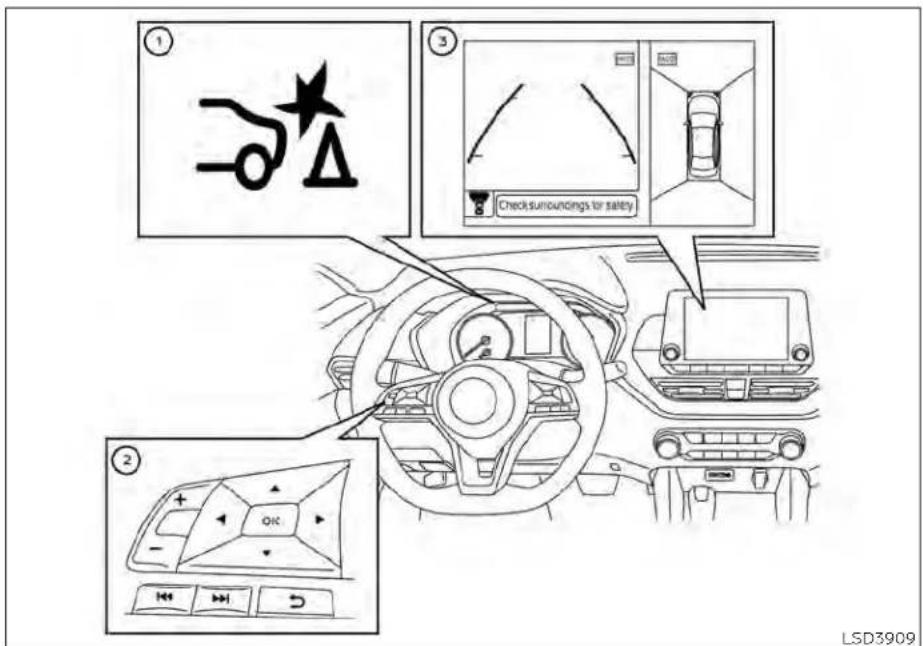
Forvehicleswiththe5inch(13cm)display
NOTE:
•Thebrakelightsofthevehiclecomeon whenbrakingisperformedbytheRAB system.
-Whenthebrakesoperate,anoisemay beheard.Thisisnotamalfunction.
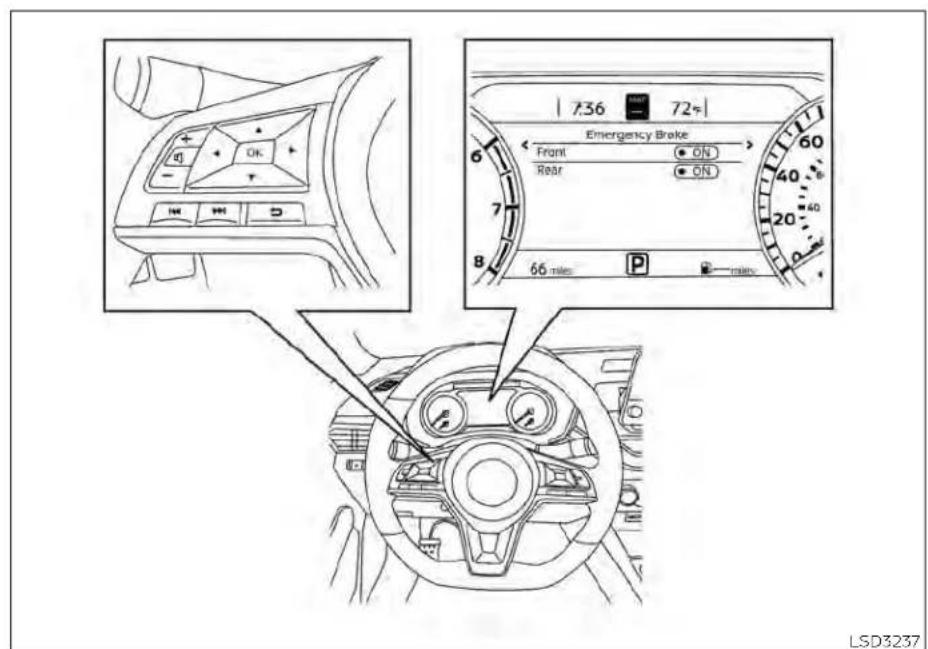
Forvehicleswiththe7inch(18cm)display
TURNINGTHERABSYSTEM
ON/OFF
5-130Startinganddriving
Perform the following step to turn the RAB system ON or OFF.
Forvehicleswiththe7inch(18cm) display.
- Pressthe button until "Settings" displays in the vehicle information display. Use the button to select "Driver Assistance." Then pressthe OK button.
- Select "Emergency Brake" and press the OKbutton.
- Select "Rear" and press the OK button to turn the systemonoroff.

LSD3929
Forvehicleswiththe5inch(13cm)display
Forvehicleswiththe5inch(13cm) display.
-
Pressthe button until "Settings" displays in the vehicle information display. Use the button to select "Driver Assistance." Then press the OK button.
-
Select "DrivingAids" and press the OK button.
-
Select "Emergency Brake" and press the OK button.
-
Select "Rear" and press the OK button to turn the system on or off.
whentheRABsystemisturnedoff,theRAB systemwarninglightilluminates.
NOTE:
TheRABsystemwillbeautomatically turnedonwhentheengineisrestarted.
RABSYSTEMLIMITATIONS
WARNING
Listedbelowarethesystemlimitations fortheRABsystem.Failuretofollowthe warningsandinstructionsforproper useoftheRABsystemcouldresultin seriousinjuryordeath.
- When the vehicle approaches an obstacle while the accelerator or brake pedal is depressed, the function may not operate orthestart of operation may be delayed. The RAB system may not operate or may not perform sufficiently duetovehicle conditions, driving conditions, the traffic environment, the weather, road surface conditions, etc. Donot wait for the system to operate. Operatethe brake pedal by yourself as soon as necessary.
- IfitisnecessarytooverrideRABoperation,stronglypresstheacceleratorpedal.
·Alwayscheckyoursurroundingsand turntocheckwhatisbehindyoubeforeandwhilebackingup.TheRAB system detects stationary objects behindthevehicle.TheRABsystem doesnotdetectthefollowingobjects:
-Movingobjects
-Lowobjects
-Narrowobjects
-Wedge-shapedobjects
-Objectsclosetothebumper(less thanapproximately1ft[30cm])
-Objectsthatsuddenlyappear
- Thinobjectssuchasrope, wire, chain, etc.
•TheRABsystemmaynotoperatefor thefollowingobstacles:
- Obstacles located high off the ground
-Obstaclesinapositionoffsetfrom yourvehicle
-Obstacles, such as spongymaterialsorsnow, that havesoftouter surfaces and can easily absorb a soundwave
TheRAB systemmay notoperate in the following conditions:
-Thereisrain,snow,ice,dirt,etc., attachedtothesonarsensors.
- A loud sound is heard in the area aroundthevehicle.
- The surface of the obstacle is diagonal to therearofthevehicle.
TheRABsystemmayunintentionally operateinthefollowingconditions:
-Thereisovergrowngrassinthe areaaroundthevehicle.
-Thereisastructure(e.g.,awall,toll gateequipment,anarrowtunnel, aparkinglotgate)nearthesideof thevehicle.
-There are bumps, protrusions, or manhole covers on the road surface.
- The vehicle drives through a drapedflagoracurtain.
-Thereisanaccumulationofsnow oricebehindthevehicle.
-Anultrasonicwavesource,suchas anothervehicle'ssonar,isnear thevehicle.
·Oncetheautomaticbrakecontrol operates, it does not operate again if the vehicle approachesthesame obstacle.
The automatic brake control can only operate for a short period of time. Therefore, the driver must depress the brake pedal.
- Inthefollowingsituations,theRAB systemmaynotoperateproperlyor maynotfunctionsufficiently:
-The vehicle is driven in bad weather (rain, fog, snow, etc.).
-Thevehicleisdrivenonasteep hill.
-Thevehicle'spostureischanged (e.g.,whendrivingoverabump).
-Thevehicleisdrivenonaslippery road.
-Thevehicleisturnedsharplyby turningthesteeringwheelfully.
-Snowchainsareused.
-WheelsortiresotherthanNISSAN recommendedareused.
- The brakes are cold at low ambient temperaturesorimmediately afterdrivinghasstarted.
-Thebrakingforcebecomespoor duetowetbrakesafterdriving througha puddleor washingthe vehicle.
·TurntheRABsystemoffinthefollowingconditionsto preventtheoccurrenceofanunexpectedaccidentresulting from sudden system operation:
-Thevehicleistowed.
-Thevehicleiscarriedonaflatbed truck.
-Thevehicleisonthechassis dynamometer.
-Thevehicledrivesonanuneven roadsurface.
-Thevehicleistowinganobject(if soequipped).
- Suspension parts other than those designated as Genuine NISSANpartsareused.(If thevehicleheightorthevehiclebodyinclinationischanged,thesystem may not detect an obstacle correctly.)
-Ifthevehicleisusinganaccessory likeabikerack,orcargocarrier thatblocksthesensors.
- Excessivenoise(e.g., audiosystem volume, an open vehicle window) will interfere with the chimesound, and it may not be heard.
SYSTEMMALFUNCTION
IftheRABsystemmalfunctions, it will be turnedoff automatically, the RAB system warning light will illuminate, and the Mal-function warning message will appear in the vehicle information display.
Actiontotake
Ifthewarninglightilluminates, parkthevehicleinasafelocation, turntheengineoff, and restarttheengine. Ifthewarninglight continuestoilluminate, havetheRABsystemchecked. It is recommended that you visitaNISSANdealerforthisservice.
NOTE:
If the RAB system cannot be operated temporarily, the RAB system warning lightblinks.

natural_image
Line drawing of a sedan car showing rear side and side views, with no text or symbols present.SYSTEMMAINTENANCE
ObservethefollowingItemstoensure properoperationofthesystem:
•Alwayskeeptheparkingsensors clean.
- Iftheparkingsensorsaredirty,wipethem offwithasoftclothwhilebeingcarefulto notdamagethem.
- Donotsubjecttheareaaroundtheparkingsensors ☐ tostrongimpact.Also,do notremoveordisassembletheparking sensors.Iftheparkingsensorsandperipheralareasaredeformedinanaccident,etc.,havethesensorschecked.Itis recommendedthatyouvisitaNISSAN dealerforthisservice.
- Donotinstallany stickers(including transparentstickers)or accessories on theparkingsensors ① andtheirsurroundingareas.Thismaycauseamal-functionorimproperoperation.
AUTOMATICEMERGENCYBRAKING (AEB)WITHPEDESTRIANDETECTION
WARNING
FailuretofollowthewarningsandinstructionsforproperuseoftheAEB withPedestrianDetectionsystem couldresultinseriousinjuryordeath.
The AEB with Pedestrian Detection system is as supplemental laid to the driver. It is not a replacement for the driver's attention to traffic conditions or responsibility to drives safely. It cannot prevent accidents due to carelessness or dangerous driving techniques.
The AEB with Pedestrian Detection system does not function in all driving, traffic, weather and road conditions.
The AEB with Pedestrian Detection system can assist the driver when there is a risk of a forward collision with the vehicle ahead in the traveling lane or with a pedestrian ahead in the traveling lane.
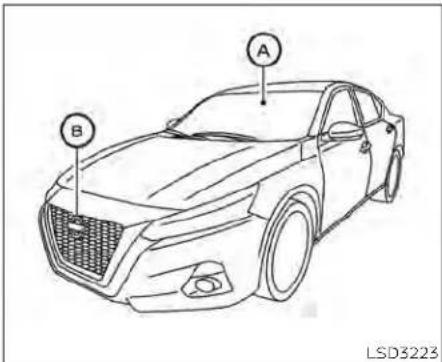
The AEBwithPedestrianDetectionsystem usesaradarsensorlocatedonthefrontof thevehicle Ⓗ tomeasurethedistanceto thevehicleahead in thesamelane. For pedestrians,the AEBwith PedestrianDetectionsystemusesacamerainstalledbehindthewindshield Ⓔ inadditionto the radarsensor.
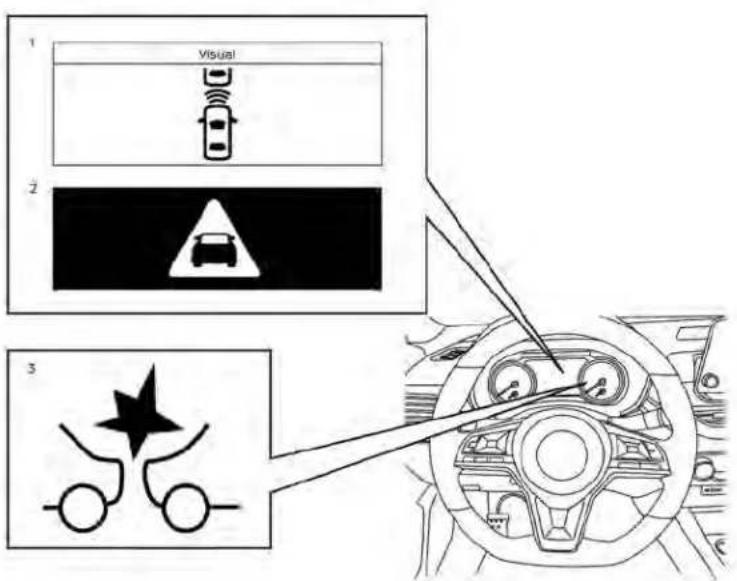
LSD3281
Forvehicleswiththe7inch(18cm)display
AEBWITHPEDESTRIAN
DETECTIONSYSTEMOPERATION
- Vehicleaheaddetectionindicator
2.AEBwithPedestrianDetectionemergencywarningindicator
3.AEBwithPedestrianDetectionsystem warninglight
The AEB system operates at speeds above approximately 3 mph (5 km/h). For the pe-destriandetection function, the system operates at speeds between 6 - 37 m p h (10 - 60 km/h).
Ifariskofaforwardcollisionisdetected, theAEBwithPedestrianDetectionsystem willfirstlyprovidethewarningtothedriver byflashingthevehicleaheaddetectionindicator(yellow)inthevehicleinformation displayandprovidinganaudiblealert.Ifthe driverappliesthebrakesquicklyandforcefullyafterthewarning,andtheAEBwith PedestrianDetectionsystemdetectsthat thereisstillthepossibilityofaforwardcollision,thesystemwillautomaticallyincreasethebrakingforce.
Ifthedriverdoesnottakeaction,theAEB withPedestrianDetectionsystemissues thesecondvisual(flashing)(redandwhite) andaudiblewarning.Ifthedriverreleases theacceleratororpedal,thenthesystemappliespartialbraking.Iftheriskofacollision becomesimminent,theAEBwithPedestrian Detection system applies harder brakingautomatically.
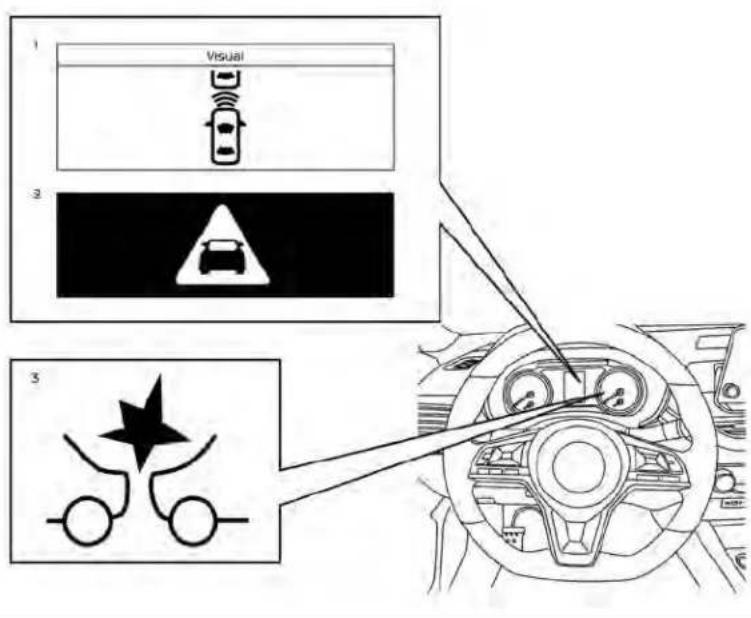
Forvehicleswiththe5inch(13cm)display
While the AEB with Pedestrian Detection system is operating, you may hear the sound of brake operation. This is normal and indicate that the AEB with Pedestrian Detection system is operating properly.
NOTE:
The vehicle's brakelights come on when any braking is performed by the AEB with Pedestrian Detection system.
Depending on vehicles speed and distance to the vehicle or pedestrian ahead, as well as driving and roadway conditions, the system may help the driver avoid a forward collision or may help mitigate the consequences if collisions should be unavoidable. If the driver is handling the steering wheel, accelerating or braking, the AEB with Pedestrian Detection system will function later or will not function.
The automatic braking will cease under the following conditions:
- When the steering wheel is turned to avoid a collision.
-When the accelerator pedalis depressed.
- Whenthereisnolongeravehicleora pedestriandetectedahead.
IftheAEBwithPedestrianDetectionsystemhasstoppedthevehicle,thevehicle willremainatastandstillforapproximately 2secondsbeforethebrakesarereleased.
Startinganddriving5-137
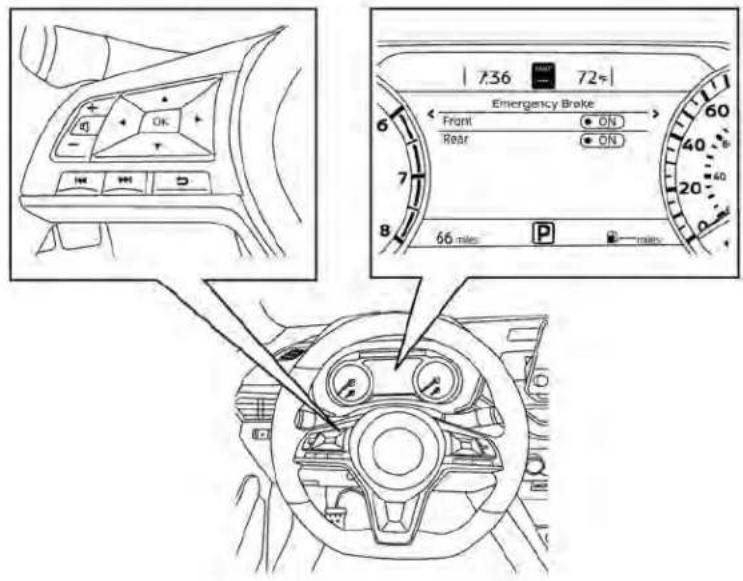
LSD3237
Forvehicleswiththe7inch(18cm)display
TURNINGTHEAEBWITH
PEDESTRIANDETECTIONSYSTEM
ON/OFF
5-138Startinganddriving
Perform the following step to enable or disable the AEB with Pedestrian Detection system.
Forvehicleswiththe7inch(18cm) display.
-
Pressthe ◆ buttonuntil"Settings"displaysinthevehicleinformationdisplay. Usethe ◆ buttontoselect"DriverAssistance."ThenpresstheOKbutton.
-
Select "Emergency Brake" and press the OKbutton.
-
Select "Front" and press the OK button to turn the system on or off.
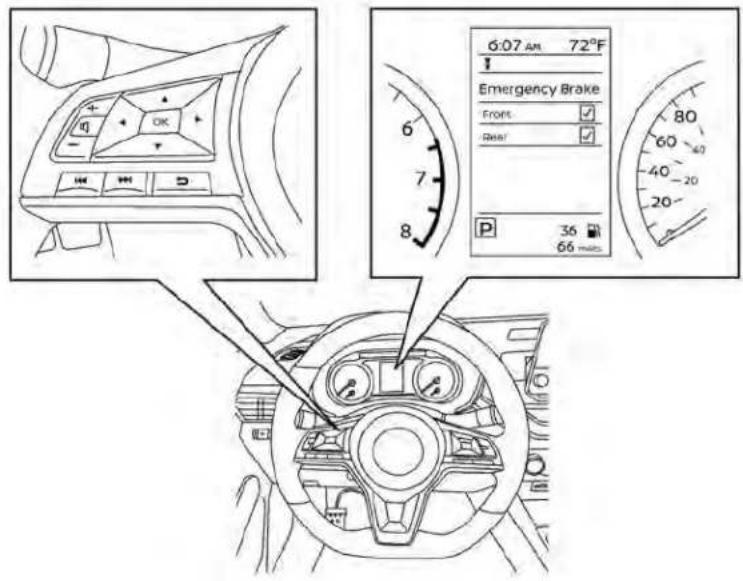
LSD3929
Forvehicleswiththe5inch(13cm)display
Forvehicleswiththe5inch(13cm) display.
-
Pressthe button until "Settings" displays in the vehicle information display. Use the button to select "Driver Assistance." Then pressthe OK button.
-
Select "DrivingAids" and press the OK button.
-
Select "Emergency Brake" and press the OK button.
-
Select "Front" and press the OK button to turn the systemonoroff.
When the AEB with Pedestrian Detection system is turned off, the AEB with Pedestrian Detection system warning light illuminates.
NOTE:
The AEB with Pedestrian Detection system will be automatically turned on when the engine is restarted.
- TheI-FCWsystemisintegratedintothe AEBwithPedestrianDetectionsystem. Thereisnotaseparateselectioninthe vehicleinformationdisplayforthe I-FCWsystem.WhentheAEBsystemis turnedoff,thel-FCWsystemisalso turnedoff.
AEBWITHPEDESTRIAN DETECTIONSYSTEMLIMITATIONS
WARNING
Listedbelowarethesystemlimitations fortheAEBwithPedestrianDetection system.Failureretooperatethevehiclein accordancewiththesesystemlimitationscouldresultinseriousinjuryor death.
The AEB with Pedestrian Detection system cannot detect all vehicles or pedestrians under all conditions.
The AEB with Pedestrian Detection system does not detect the following:
-Pedestriansthataresmall(forex-ample,children),inasittingposition,operatingtoys/skateboards,onscootersorinwheelchairs,or notinanuprightstandingor walkingposition.
-Animalsofanysize.
- Obstacles (for example, cargo or debris) on the roadway or roadside.
-Oncomingorcrossingvehicles.
- Vehicleswherethetiresaredifficult toseeortheshapeoftherearofthe vehicleisunclearorobstructed.
-Parkedvehicles.
The AEB with Pedestrian Detection system has some performance limitations.
-Ifastationaryvehicleisinthevehicle'spath,thesystemwillnot functionwhenthevehicleapproachestestationaryvehicleat speedsoverapproximately50 mph(80km/h).
- Pedestrian detection will not function when the vehicle is drivenat speeds overapproximately37mph(60km/h)orbelow approximately6mph(10km/h).
-Forpedestrians,theAEBwithPedestrianDetectionsystemwillnotissue thefirstwarning.
The AEB with Pedestrian Detection system may not function properly or detect a vehicle or pedestrians ahead in the following conditions:
- Inpoorvisibilityconditions(such as rain, snow, fog, dust storms, sand storms, smoke, and road sprayfromothervehicles).
-
Ifdirt,ice,snow,fogorothermaterialiscoveringtheradarsensor area or camera area of windshield.
-
Ifastronglight(forexample,sun-light or high beams) enters the frontcameraorasuddenchange inbrightnessoccurs(forexample, entering atunnel ordriving in lightning).
- In darkordimlylitconditions, suchasatnightorintunnels,including cases where your vehicle'sheadlightsareoffordim,or thetaillightsofthevehicleahead areoff.
- Whenthedirectionofthecamera ismisaligned.
- Whendrivingonasteepdownhill slope, onroadswithsharpcurves, and/orbumpyordirtroads.
- Ifthereisinterferencebyotherradarsources.
- When your vehicle's position or movementischangedquicklyor significantly(forexample,lane change,turningvehicle, abrupt steering,sudden accelerationor deceleration).
-When your vehicle or the vehicle or pedestrian ahead moves quickly or significantly such that the system cannot detect and react time (forexample, pedestrian moving quickly toward the vehicle at closer range, vehicle cutting in, changing lanes, making a turn, steering abruptly, sudden acceleration or deceleration).
-Whenthevehicleorpedestrianis offsetfromthevehicle'sforward path.
-Ifthespeeddifferencebetween thetwovehiclesissmall.
- Thepedestrian'sprofileispartiallyobscuredorunidentifiable; forexample,duetotransporting luggage,pushingastroller,wearing bulky or very loose-fitting clothingoraccessories,orbeing inauniqueposture(suchasraisinghands).
-Thereispoorcontrastofaperson tothebackground,suchashaving clothingcolororpatternwhichis similartothebackground.
-Forapproximately15secondsafterstartingtheengine.
-Ifthevehicleaheadhasaunique orunusualshape,extremelylow orhigh clearance heights, orun-usualcargo loadingorisnarrow (forexample,amotorcycle).
-Whenthevehicleorpedestrianis locatednearatrafficsign,areflectivearea(forexample,wateron road),orisinashadow.
- When multiple pedestrians are grouped together.
-Whentheviewofthepedestrianis obscured by a vehicle or other object.
- While towing a trailer or other vehicle.
- Thesystemperformancemaybe-degradedinthefollowingconditions:
-Thevehicleisdrivenonaslippery road.
-Thevehicleisdrivenonaslope.
- Excessively heavy baggage is loaded in therear seat or the cargoareaofyourvehicle.
- Thesystemisdesignedtoautomaticallycheckthesensor's(radarand camera)functionality,withinertain limitations.Thesystemmaynotdetectsomeformsofobstructionofthe sensor area such as ice, snow or
stickers,forexample.Inthesecases, thesystemmaynotbeabletowarn thedriverproperly.Besurethatyou check, cleanand clearsensorareas regularly.
- In some road and traffic conditions, the AEB with PedestrianDetection systemmayunexpectedlyapply partialbraking.Whenacceleration is necessary, depress the accelerator pedaltooverridethesystem.
- TheAEBwithPedestrianDetection systemmayoperatewhenapattern, object,shadoworlightsaredetected thataresimilartotheoutline of vehiclesorpedestrians,oriftheyare the same size and position as a vehicleormotorcycle'staillights.
- The system may keep operating when the vehicle ahead is turning rightorleft.
- Thesystemmayoperatewhenyour vehicleisapproachingandpassinga vehicleahead.
- Dependingontheroadshape(curved road, entranceandexitofthecurve, windingroad,laneregulation,under construction, etc.), thesystem may operatetemporarilyfortheoncoming vehicleinfrontofyourvehicle.

natural_image
Diagram showing a car on a curved road with a traffic cone and a car below (no text or symbols)
natural_image
Diagram showing a car emitting a spray from a vertical barrier, with no text or symbols present.LSD4248

WARNING
Listedbelowarethesystemlimitations fortheAEBwithPedestrianDetection system.Failuretooperatethevehiclein accordancewiththesesystemlimitationscouldresultinseriousinjuryor death.
The AEB with Pedestrian Detection system may react to:
-objectsontheroadside(traffic sign, guardrail, pedestrian, motor-cycle, vehicle, etc.)
-pedestrianswhendrivingonthe narrowalleys,etc.
-pedestrianswhotemporarilypro- trudeintoorapproachingthe drivinglanetoavoidtheobstacles ontheroadshoulder
-objectsaboveroad(lowbridge, trafficsign,etc.)
-objectsontheroadsurface(rail-roadtrack,grate,steelplate,etc.)
-objects inthee parkinggarage (beam,pillar,etc.)
-pedestriansormotorcyclesapproachingthetravellinglane
-vehicles, pedestrians, motor- cyclesorobjectsinadjacentlanes orclosetothevehicle
-oncomingpedestrians -objectsontheroad(suchastrees)
- Brakingdistancesincreaseonslip-perysurfaces.
·Excessivenoisewillinterferewiththe warningchimesound,andthechime maynotbeheard.
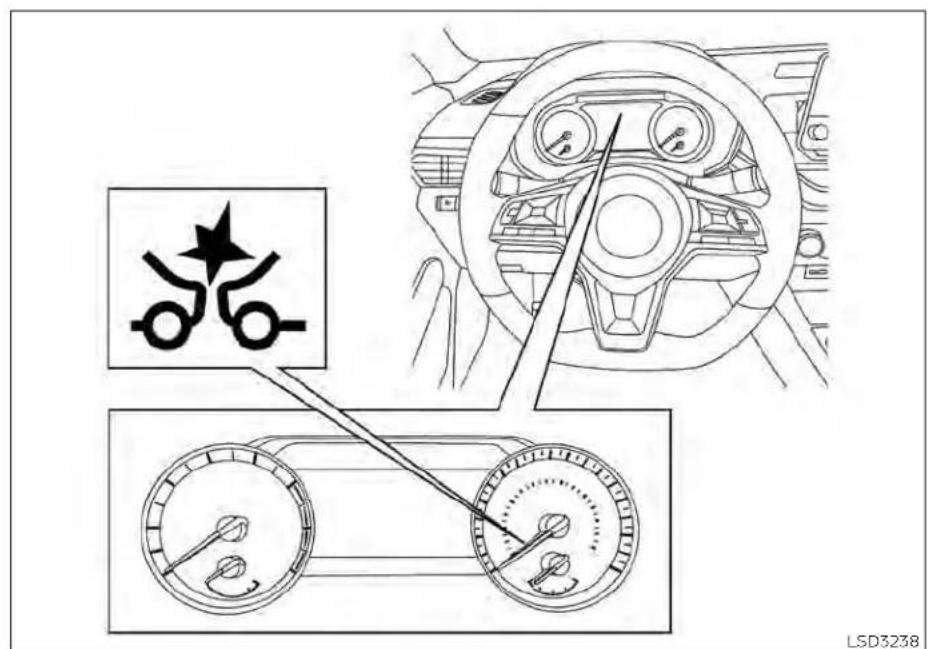
Forvehicleswiththe7inch(18cm)display
SYSTEMTEMPORARILY UNAVAILABLE
LSD3238
ConditionA:
In the following conditions, the AEB with Pedestrian Detection system warning light blinks and the system will be turned off automatically:
• Theradarsensorpicksupinterference fromanotherradarsource.
• Thecameraareaofthewindshieldis mistedorfrozen.
•Stronglightisshiningfromthefront.
- Thecabintemperatureisoverapproximately 104^(40^) indirectsunlight.
• The camera area of the windshield glass is continuously covered with dirt, etc.
Actiontotake
When the above conditions no longer exist, the AEB with Pedestrian Detection system will resume automatically.
NOTE:
Whentheinsideofthewindshieldonthe cameraareaismistedorfrozen,itwill takeaperiodoftimetoremoveitafter theA/Cturnson.Ifdirtappearsonthis area,itisrecommendedthatyouvisita NISSANdealer.
Startinganddriving5-143

Forvehicleswiththe5inch(13cm)display
ConditionB:
When there is inclement weather (rain, fog, snow, etc.) blocking the frontradarsensor, the AEB with Pedestrian Detection system will be canceled, the chimewill sound and the Forward Driving Aid stemporarily disabled Front Sensor blocked See Owner's Manual warning message will appear in the vehicle information display.
Actiontotake:
Whentheconditionslistedaboveareno longerpresent, thewarningmessage will no longerbeavailableinthevehicleinformationdisplay.Ifthe"ForwardDrivingAids temporarilydisabledFrontSensorblocked SeeOwner'sManual"warningmessage continuestobedisplayed,havethesystem checked.Itisrecommendedthatyouvisita NISSANdealerforthisservice.
ConditionC:
whentheradarsensorofthefrontbumper iscoveredwithdirtorisobstructed,the AEBwithPedestrianDetectionsystemwill automaticallybecanceled.Thechimewill soundandthe"ForwardDrivingAidstem- porarilydisabledFrontSensorblockedSee Owner'sManual"warningmessagewillappe- arinthevehicleInformationdisplay.
Actiontotake:
Ifthewarningmessageappears,stopthevehicleinasafeplace,placetheshiftleverinthe P(Park)position,andturntheengineoff.When theradarsignalistemporarilyinterrupted, cleanthesensorareaofthefrontbumperand restarttheengine.Ifthe"ForwardDrivingAids temporarilydisabledFrontSensorblocked SeeOwner'sManual"warningmessagecontinuestobedisplayed,havethesystem checked.Itisrecommendedthatyouvisita NISSANdealerforthisservice.
ConditionD
When driving on road with limited road structures or buildings (forexample, long bridges, deserts, snowfields, driving next to long walls), the system may illuminate the system warning light and display the "Forward Driving Aids Temporarily Disabled Front Sensor Blocked See Owner's Manual" message.
Actiontotake:
When the aboved driving conditions no longer exist, turn the system back on.
NOTE:
If the AEB with Pedestrian Detection system stops working, the I-FCW system will also stop working.
Forward Driving Aids temporarily disabled Front Sensor blocked See Owner's Manual
LSD4448
SYSTEMMALFUNCTION
If the AEB with Pedestrian Detection System malfunctions, it will be turned off automatically, achimewill sound, the AEB with Pedestrian Detection System warning light (orange) will illuminate and the warning message [Malfunction] will appear in the vehicle information display.
Actiontotake
If the warning light (orange) comes on, stop the vehicle in as a felocation, turn the engine off and restart the engine. If the warning light continues to illuminate, have the AEB with Pedestrian Detection system checked. It is recommended that you visit a NISSAN dealer forth this service.

SYSTEMMAINTENANCE
Theradarsensorislocatedonthefrontof thevehicle Ⓑ. Thecameraislocatedon theuppersideofthewindshield Ⓐ.
TokeeptheAEBwithPedestrianDetection systemoperatingproperly,besuretoobservethefollowing:
- Alwayskeepthesensorareasofthefront bumperandwindshieldclean.
- Donotstrikeordamagetheareas aroundthesensors(e.g., bumper, windshield).
- Donotcoverorattachstickers, or install any accessory near the sensors. This could block sensors signals and/or cause failure of normal function.
- Donotattachmetallicobjectsnearthe radarsensor(brushguard,etc.).This could cause failure or malfunction.
- Donotplacereflectivematerials, such as white paper or a mirror, on the instrumentpanel. Thereflectionof sunlight may adversely affect the camera unit's detectioncapability.
- Do not alter, remove or paint the front bumper. Before customizing or restoring the front bumper, it is recommended that you visit a NISSAN dealer.
Radiofrequencystatement
ForUSA
FCCIDOAYARS4B
ThisdevicecomplieswithPart15oftheFCC Rules.Operationissubjecttothefollowing twoconditions:
- This device may not cause harmful interference, and
- This device must accept any interference received, including interference that may cause undesired operation.
FCCWarning
Changes or modifications not expressly approved by the party responsible for compliance could void the user's authority to operate the equipment.
ForCanada
Model:ARS4-B
IC:4135A-ARS4B
FCCID:OAYARS4B
This device complies with Part 15 of the FCC Rules and with Industry Canada licence-exempt RSS standard(s). Operation is subject to the following two conditions:
- This device may not cause interference, and
- This device must accept any interference received, including interference that may cause undesired operation of the device.
Radiofrequencyradiationexposure information:
This equipment complies with FCC and I C radiation exposure limits set forth for an uncontrolled environment.
This equipment should be installed and operated with minimum distance of 30cm between theradiator and your body.
Thistransmltermustnotbeco-locatedor operatinginconjunctionwithanyotherantennaortransmitter.
Changesormodificationsnotexpressly approvedbythepartyresponsiblefor compliancecouldvoidtheuser'sauthority tooperatetheequipment.
WARNING
Failuretofollowthewarningsandin-structionsforproperuseoftheI-FCW systemcouldresultinseriousinjuryor death.
- Thel-FCWsystemcanhelpwarnthe driverbeforeacollisionoccursbut willnotavoidacollision.itisthedriver'sresponsibilitytostayalert,drive safelyandbeincontrolofthevehicle atalltimes.
Thel-FCwsystemcanhelpalertthedriver whenthereisasuddenbrakingofasecond vehicle traveling in front of the vehicle aheadinthesamelane.

natural_image
Line drawing of a sedan car with labeled parts (no text or symbols on the car itself)Thel-FCWsystemusesaradarsensor locatedonthefrontofthevehicletomea-surethedistancetothevehicleaheadin thesamelane.
①

Forvehicleswiththe7inch(18cm)display
5-148Startinganddriving
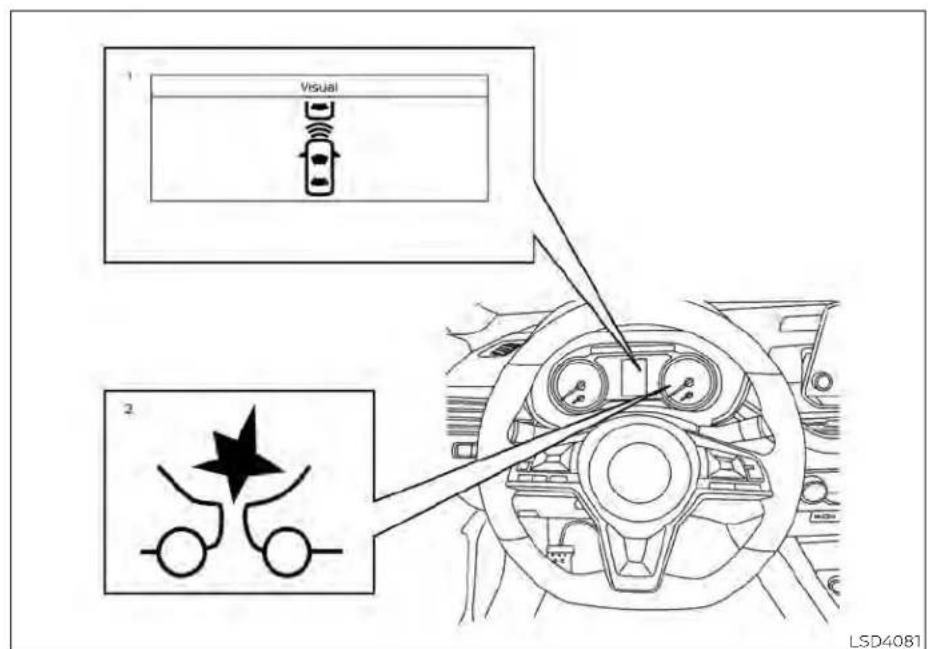
Forvehicleswiththe5inch(13cm)display
- Vehicleaheaddetectionindicator
2.AEBwithPedestrianDetectionsystem warninglight

Forvehicleswiththe7inch(18cm)display
Forvehicleswiththe7inch(18cm) display.
-
Pressthe button until "Settings" displays in the vehicle information display. Use the button to select "Driver Assistance." Then pressthe OK button.
-
Select 'Emergency Brake' and press the OKbutton.
-
Select "Front" and press the OK button to turn the system on or off.
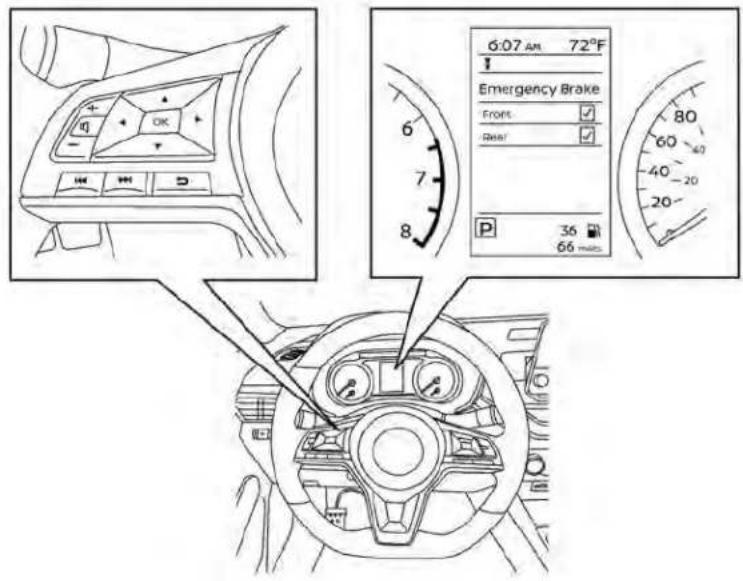
LSD3929
Forvehicleswiththe5inch(13cm)display
Forvehicleswiththe5inch(13cm) display.
-
Pressthe button until "Settings" displays in the vehicle information display. Use the button to select "Driver Assistance." Then pressthe OK button.
-
Select "DrivingAids" and press the OK button.
-
Select "Emergency Brake" and press the OK button.
-
Select "Front" and press the OK button to turn the systemonoroff.
Whenthel-FCwsystemisturnedoff,the AEBwithPedestrianDetectionsystem warninglightilluminates.
NOTE:
- TheI-FCWsystemwillbeautomatically turnedonwhentheengineis restarted.
- The I-FCWsystemisintegratedintothe AEBwithPedestrianDetectionsystem. Thereisnotaseparateselectioninthe vehicleinformationdisplayforthe I-FCWsystem.WhentheAEBwithPedestrianDetectionisturnedoff,the I-FCWsystemisalsoturnedoff.

natural_image
Top-down diagram of a vehicle with two cars and a central object, no text or symbols presentIllustrationA
I-FCWSYSTEMLIMITATIONS
Startinganddriving5-153

natural_image
Diagram showing three cars with a triangular object and a collision, no text or symbols presentIllustrationB

WARNING
Listedbelowarethesystemlimitations forthel-FCWsystem.Failureretooperate thevehicleinaccordancewiththese systemlimitationscouldresultinseriousinjuryordeath.
- TheI-FCWsystemcannotdetectall vehiclesunderallconditions.
- Theradarsensordoesnotdetectthe followingobjects:
-Pedestrians, animalsorobstacles intheroadway
-Oncomingvehicles
-Crossingvehicles
·(IllustrationA)Thel-FCWsystem does not function when a vehicle ahead is an arrow vehicle, such as a motorcycle.
·Theradarsensormaynotdetecta vehicleaheadinthefollowing conditions:
-Snoworheavyrain
-Dirt,ice,snoworothermaterial coveringtheradarsensor.
-Interferencebyotherradar sources.
-Snoworroadsprayfromtraveling vehicles.
-Drivinginatunnel
- (Illustration B) When the vehicle aheadisbeingtowed.
-(IllustrationC)Whenthedistance tothevehicleaheadistoo close, thebeamoftheradarsensoris obstructed.
-(IllustrationD)Whendrivingona steepdownhillslopeorroadswith sharpcurves.
- Thesystemisdesignedtoautomaticallycheckthesensor'sfunctionality, withincertainlimitations.Thesystemmaynotdetectsomeformsof obstructionofthesensorareasuch asice,snow,stickers,etc.Inthese cases,thesystemmaynotbeableto warnthedriverproperly.Besurethat youcheck,cleanandclearthesensor arearegularly.
·Excessivenoisewillinterferewiththe warningchimesound,andthechime maynotbeheard.

IllustrationC
5-156Startinganddriving

natural_image
Top-down diagram of a car driving on curved surfaces with a black triangular obstacle (no text or symbols)IllustrationD
Startinganddriving5-157

Forvehicleswiththe7inch(18cm)display
SYSTEMTEMPORARILY UNAVAILABLE
5-158Startinganddriving
ConditionA
Whentheradarsensorpicksupinterferencefromanotherradarsource,makingit impossibletodetectavehicleahead,the I-FCwsystemisautomaticallyturnedoff.
The AEB with Pedestrian Detection System warning light (orange) will illuminate.
Actiontotake
When the above conditions no longer exist, the FCwsystem will resume automatically.
ConditionB
Whenthereisinclementweather(rain,fog, snow,etc.)blockingthefrontradarsensor, thel-FCwsystemwillautomaticallybe canceled,thechimewillsoundandthe "ForwardDrivingAidstemporarilydisabled FrontSensorblockedSeeOwner'sManual" warningmessagewillappearinthevehicle informationdisplay.

Forvehicleswiththe5inch(13cm)display
Actiontotake:
Whentheconditionslistedaboveareno longerpresent, thewarningmessagewill nolongerbeavailableinthevehicleinformationdisplay.Ifthe"ForwardDrivingAids temporarilydisabledFrontSensorblocked SeeOwner'sManual"warningmessage continuestobisplayed,havethesystem checked.Itlsrecommendedthatyouvisita NISSANdealerforthisservice.
ConditionC
whentheradarsensorofthefrontbumper iscoveredwithdirtorisobstructed,the I-FCwsystemwillautomaticallybecanceled.Thechimewillsoundandthe"ForwardDrivingAidstemporarilydisabled FrontSensorblockedSeeOwner'sManual" warningmessagewillappearinthevehicle informationdisplay.
Actiontotake:
Ifthewarningmessageappears,stopthevehicleinasafeplace,placetheshiftleverinthe P(Park)position,andturntheengineoff.when theradarsignalistemporarilyinterrupted, cleanthesensorareaofthefrontbumper andrestarttheengine.Ifthe"ForwardDriving AidstemporarilydisabledFrontSensor blockedSeeOwner'sManual"warningmessagecontinuestobdisplayed,havethesystemchecked.Itisrecommendedthatyou visitaNISSANdealerforthisservice.
ConditionD
When driving on road with limited road structures or buildings (forexample, long bridges, deserts, snowfields, driving next to long walls), the system may illuminate the system warning light and display the "Forward Driving Aids temporarily disabled Front Sensor blocked See Owner's Manual" warning message.
Actiontotake:
When the aboved driving conditions no longer exist, turn the system back on.
NOTE:
If the AEB with Pedestrian Detection System stops working, the FCW system will also stop working.
5-160 Startinganddriving
Forward Driving Aids temporarily disabled Front Sensor blocked See Owner's Manual
LSD4448
SYSTEMMALFUNCTION
Ifthel-FCwsystemmalfunctions, it will be turned off automatically, a chime will sound, the AEB with Pedestrian Detection system warning light (orange) will illuminate and the warning message [Malfunction] will appear in the vehicle information display.
Actiontotake
If the warning light (orange) comes on, stop the vehicle in as a felocation, turn the engine off and restart the engine. If the warning light continues to illuminate, have the FCwsystem checked. It is recommended that you visit a NISSAN dealer for this service.
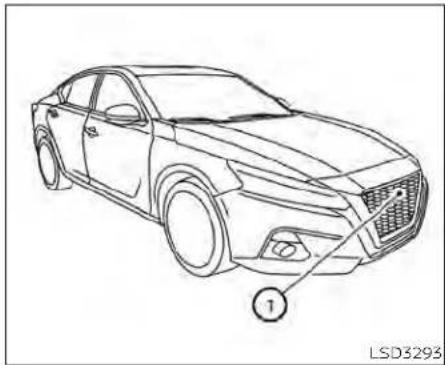
natural_image
Line drawing of a sedan car with labeled parts (no text or symbols on the car itself)SYSTEMMAINTENANCE
Thesensor ① Islocatedonthefrontofthe vehicle.
Tokeepthesystemoperatingproperly,be suretoobservethefollowing:
•Alwayskeepthesensorareaofthefront bumperclean.
- Donotstrikeordamagetheareas aroundthesensor.
- Donotcoverorattachstickersorsimilar objectsonthefrontbumpernearthe sensorarea.Thiscouldcausefailureor malfunction.
- Donotattachmetallicobjectsnearthe sensorarea(brushguard,etc.).Thiscould causefailureormalfunction.
- Donotalter, remove or paint the front bumper. Before customizing or restoring the front bumper, it is recommended that you visit a NISSAN dealer.
FCCNotice
ForUSA
ThisdevicecomplieswithPart15ofthe FCCRules.Operationissubjecttothefollowingtwoconditions:
- This device may not cause harmful interference, and
- This device must accept any interference received, including interference that may cause undesired operation.
FCCWarning
Changesormodificationsnotexpressly approvedbythepartyresponsiblefor compliancecouldvoidtheuser'sauthoritytooperatetheequipment.
ForCanada
This device complies with Industry Canadalicence-exempt RSS standard(s). Operation is subject to the following two conditions:
- This devicemaynotcause interference,
- This device must accept any interference, including interference that may cause undesired operation of the device.
INTELLIGENTDRIVERALERTNESS (I-DA)
WARNING
Failuretofollowthewarningsandin-structionsforproperuseofthel-DA systemcouldresultinseriousinjuryor death.
·Thei-DAsystemisonlyawarningto informthedriverofapotentiallack ofdriverattentionordrowsiness.It willnotsteerthevehicleorprevent lossofcontrol.
- Thel-DAsystemdoesnotdetectand provideanalertofthedriver'slackof attentionorfatigueinevery situation.
- Itisthedriver'sresponsibilityto:
-stayalert,
-drivesafely,
-keepthevehicleinthetraveling lane,
-beincontrolofthevehicleatall times,
-avoiddrivingwhentired,
-avoid distractions(texting,etc.).
Thel-DAsystemhelpsalertthedriverifthe systemdetectsalackofattentionordrivingfatigue.
Thesystemmonitorsdrivingstyleand steeringbehavioroveraperiodoftime, anditdetectschangesfromthenormal pattern.Ifthesystemdetectsthatdriver attentionisdecreasingoveraperiodoftime,thesystemusesaudibleandvisual warningstosuggestthatthedrivertakea break.
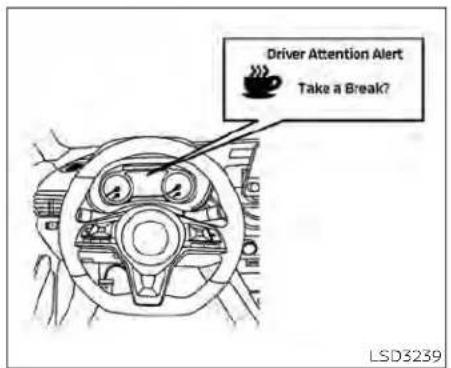
Forvehicleswiththe7inch(18cm) display
If the system detects driver fatigue or that driver attention is decreasing, themesage "Takeabreak?" appears in the vehicle information display and achimesounds when the vehicle is driven at speeds above 37 mph (60 km/h).
Thesystemcontinuouslymonitorsdriver attentionandcanprovidemultiplewarningspertrip.
Thesystemresetsandstartsreassessing drivingstyleandsteeringbehaviorwhen theignitionswitchiscycledfromtheONto theOFFpositionandbacktotheON position.

Forvehicleswiththe7inch(18cm)display
HOWTOENABLE/DISABLETHE
INTELLIGENTDRIVERALERTNESS
(I-DA)SYSTEM
5-164Startinganddriving
Perform the following step to enable or disable the DAsystem.
-
Press the button until "Settings" displays in the vehicle information display. Use the button to select "Driver Assistance." Then press the OK button.
-
Select "DriverAttentionAlert" or "Driver Attention" and press the OK button to turn the systemonoroff.
NOTE:
Thesettingwillberetainedevenifthe engineisrestarted.
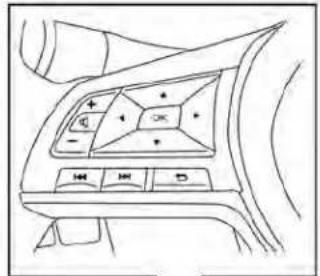


natural_image
Top-down line drawing of a car dashboard and steering wheel (no text or symbols)LSD3930
Forvehicleswiththe5inch(13cm)display
INTELLIGENTDRIVERALERTNESS (I-DA) SYSTEMLIMITATIONS
WARNING
Listedbelowarethesystemlimitations forthel-DAsystem.Failuretooperate thevehicleinaccordancewiththese systemlimitationscouldresultinseriousinjuryordeath.
·Thei-DAsystemmaynotoperate properlyandmaynotprovidean alertinthefollowingconditions:
-Poorroadconditionssuchasan unevenroadsurfaceorpotholes.
-Strongsidewind.
- If you have adopted asportydriving style with higher cornering speeds or higher rates of acceleration.
-Frequentlanechangesor changestovehiclespeed.
·TheI-DAsystemwillnotprovidean alertinthefollowingconditions:
-Vehiclespeedslowerthan37mph (60km/h).
-Shortlapsesofattention.
- Instantaneousdistractionssuch asdroppinganobject.
Startinganddriving5-165

Forvehicleswiththe7inch(18cm) display
Systemmalfunction

Forvehicleswiththe5inch(13cm) display
If the Intelligent Driver Alertness system malfunctions, the system warning message will appear in the vehicle information display and the function will best stopped automatically.
Actiontotake
Stopthevehicleinasafelocation, placethe vehicleinP(Park)position, turntheengine offandrestarttheengine.Ifthesystem warningmessagecontinuestoappear, havethesystemchecked.itisrecommendedthatyouvisitaNISSANdealerfor thisservice.
5-166Startinganddriving
BREAK-INSCHEDULE
CAUTION
During the first 1,200 miles (2,000 km), follow the recommendation to obtain maximum engine performance and ensure the future reliability and economy of your new vehicle. Failure to follow the recommendations may result in shortened engine life and reduced engine performance.
- Avoiddrivingforlongperiodsatconstant speed,eitherfastorslow,anddonotrun theengineover4,000rpm.
- Donotaccelerateatfullthrottlelnany gear.
- Avoidquickstarts.
- Avoidhardbrakingasmuchaspossible.
FUELEFFICIENTDRIVINGTIPS
Followtheseeasy-to-useFuelEfficient DrivingTipstohelpyouachievethemost fueleconomyfromyourvehicle.
1. Use Smooth Accelerator and Brake Pedal Application
- Avoidrapidstartsandstops.
•Usesmooth, gentleaccelerator and brake application whenever possible. - Maintainconstantspeedwhilecommutingandcoastwheneverpossible.
2. MaintainConstantSpeed
- Lookaheadtotryandanticipateand minimizestops.
- Synchronizingyourspeedwithtraffic lightsallowsyoutoreduceyournumberofstops.
- Maintainingasteadyspeedcanminimizedlightstopsandimprovefuel efficiency.
3. Use Air Conditioning (A/C) at Higher Vehicle Speeds
- Below 40 mph (64 km/h), it is more efficient to open windowstocool the vehicleduetoreducedengine load.
•Above40 mph(64km/h),itis more efficienttouseA/Ctocoolthevehicle duetoincreasedaerodynamicdrag.
• Recirculating the cool air in the cabin when the A/Cison reduces cooling load.
4. Drive at Economical Speeds and Distances
- Observing the speed limit and not exceeding 60 mph (97 km/h) (where legally allowed) can improve fuel efficiency due to reduced aerodynamic drag.
- Maintaining asafefollowingdistance behindothervehicles reducesunnecessary braking.
• Safelymonitoringtrafficioanticipate changes in speed permits reduced braking and smooth acceleration changes. - Selectagearrangesuitabletoroad conditions.
5. UseCruiseControl
• Using cruise controlduring highway drivinghelpsmaintainasteadyspeed.
•Cruise controlis particularly effective in providing fuelsavingswhendriving onflatterrains.
6. PlanfortheShortestRoute
- Utilizeamapornavigationsystemto determinethebestroutetosavetime.
INCREASINGFUELECONOMY
ALL-WHEELDRIVE(AWD)(ifso equipped)
Avoidldling
- Shuttingoffyourenginewhensafefor stopsexceeding30-60secondssaves fuelandreducesemissions.
8. BuyanAutomatedPassforTollRoads
• Automatedpassespermitdriversto usespeciallanestomaintaincruising speedthroughthetollandavoidstoppingandstarting.
9WinterWarmUp
- Limitidlingtimetominimizeimpactto fueleconomy.
- Vehiclestypicallyneednomorethan 30secondsofidlingatstart-uptoeffectivelycirculatetheengineoilbefore driving.
-Your vehicle will reach its ideal operating temperature more quickly while driving versus sidling.
10. Keeping your Vehicle Cool
•Parkyourvehicleinacoveredparking areaorintheshadewhenever possible.
-Whenenteringahotvehicle,opening the windows will help to reduce the insidetemperaturefaster,resultingin reduceddemandonyourA/Csystem.
5-168 Startinganddriving
- Keepyourenginetunedup.
- Follow the recommended scheduled maintenance.
- Keepthetiresinflatedtothecorrectpressure.Lowtire pressure increases tire wearandlowersfueleconomy.
- Keepthewheelsincorrectalignment.Im-properalignmentincreasestirewearand lowersfueleconomy.
- Usetherecommendedviscosityengine oil. For additional information, see "Engine oil and oil filter recommendations" (P.10-7).
AWD AWD Error See Owner's Manual
IfanymalfunctionoccursintheAWDsystemwhiletheengineisrunning, messages aredisplayedinthemeter.
IftheAWDerrorwarningmessageisdis- played,theremaybeamalfunctioninthe AWDsystem.Reducevehiclespeedand haveyourvehiclechecked.Itsrecomm- mendedthatyouvisitaNISSANdealeras soonaspossible.
TheAWDhighttemperaturemessagemay bedisplayedwhiletryingtofreeastuck vehicleduetoincreasedoiltemperature. Thedrivingmodemaychangeto2-wheel drive.Ifthismessageisdisplayed,stopthe vehiclewiththeengineidling,assoonasit issafetodoso.Thenifthemessageturns off,youcancontinuedriving.

Thetiresizemessagemaybedisplayedif thereisalargedifferencebetweenthediametersoffrontandrearwheels.Pulloff theroadinasafearea,withtheengine idling.Checkthataalltiresizesarethesame, thatthetirepressureiscorrectandthat thetiresarenotexcessivelyworn.
Ifanywarningmessagescontinuetobe displayed, have your vehicle checked. It is recommended that you visit a NISSAN dealer as soon as possible.
WARNING
- Donotdrivebeyondtheperformancecapabilityofthetires.Acceleratingquickly,sharpsteeringmaneuversorsuddenbrakingmaycause lossofcontrol,evenwithAWD engaged.
- For AWDequipped vehicles, donot attempttoraisetwowheelsoffthe groundandshiftthetransmissionto anydriveorreversepositionwiththe engineerunning.Doingsomayresult indrivetraindamageorunexpected vehiclemovementwhichcouldresult inseriouspersonalinjuryorvehicle damage.
- DonotattempttotestanAWD equippedvehicleona2-wheeldynamometer(suchasthedynamometersusedbysomestatesforemissionstesting)orsimilarequipment eveniftheothertwowheelsare raisedofftheground.Makesurethat youinformthetestfacilitypersonnel thatyourvehicleisequippedwith AWDbeforeitisplacedonadynamometer.Usingthewrongtest equipmentmayresultindrivetrain damageorunexpectedvehicle movementwhichcouldresultinseriouspersonalinjuryorvehicle damage.
CAUTION
- Donotoperatetheengineonafree rollerwhenanyofthewheelsare raised.
- If you use the free roller, rotate four wheels with the same speed without raising any wheels.
·IfanAWDwarningmessageisdis-playedwhiledrivingtheremaybeamalfunctionintheAWDsystem.Reducethevehiclespeedimmediately and have your vehicle checked. It is recommended that you visit a NISSANdealer assoon as possible.
- The powertrain may be damaged if you continued driving when the AWD temperature or tiresize incorrect messages are displayed
- IftheAWDhighttemperaturemessageis displayedwhile you are driving, pull off the road in a safe area, andidletheengine. Thedriving modewillchange to2WDtoprevent theAWD systemfrommalfunctioning. Ifthewarningmessageturnsoff, youcandrive again.
- If the tiresize incorrectmessage is displayed while you are driving, pull off the road in a safe area with the engine idling. Check that all tiresizes are these same, that the tire pressure is correct and that the tires are not excessively worn.
- Ifawarningmessagecontinuestobe displayed after the above operations, have your vehicle checked as soon as possible. It is recommended that you visit a NISSAN dealer for this service.
PARKING/PARKINGONHILLS

WARNING
- Donotstoporparkthevehicleover flammablematerialssuchasdry grass,wastepaperorrags.Theymay igniteandcauseafire.
- Safeparkingproceduresrequirethat boththeparkingbrakebesetandthe transmissionplacedintoP(Park). Failuretodosocouldcausethevehicletomoveunexpectedlyorroll awayandresultinanaccident.Make suretheshiftleverhasbeenpushed asfarforwardasitcangoandcannot bemovedwithoutdepressingthe footbrakepedal.
- Neverleavetheengineerunningwhile thevehicleisunattended.
- Donotleavechildrenunattendedinsidethevehicle. They could unknowingly activates switchesorcontrols or makethevehiclemove. Unattended childrencouldbecome involved in serious accidents.
To help avoid risk of injury or death through unintended operation of the vehicle and/or it systems, donot leave children, people who require the assistance of others or pets unattended in your vehicle. Additionally, the temperature inside a closed vehicle on a warm day can quickly become high enough to cause significant risk of injury or death to people and pets.
1.Firmlyapplytheparkingbrake.
2.MovetheshiftlevertotheP(Park) position.
3. To help prevent the vehicle from rolling into traffic when parked on an incline, it is good to practice the turn the wheels as illustrated.
·HEADEDDOWNHILLWITHCURB

Turnthewheelsintothecurbandmove thevehicleforwarduntil thecurbside wheelgentlytouchesthecurb.
POWERSTEERING
·HEADEDUPHILLWITHCURB Ⓑ:
Turnthewheelsawayfromthecurb andmovethevehiclebackuntilthe curbsidewheelgentlytouchesthe curb.
·HEADEDUPHILLORDOWNHILL,NO CURB ©:
Turnthewheelstowardthesideofthe roadsothevehiclewillmoveaway fromthecenteroftheroadifitmoves.
- PlacetheignitionswitchintheLOCK position.
WARNING
- If the engine is not running or turned off while driving, the power assist for the steering will not work. Steering will be hard to operate.
- Whenthepowersteeringwarning lightilluminateswiththeengineerunning,therewillbenopowerassistfor thesteering.Youwillstillhavecontrol ofthevehicle,butthesteeringwillbe muchhardertooperate.Havethe powersteeringsystemchecked.Itis recommended that you visit a NISSANdealerforthisservice.
The power steering system is designed to provide power assistance while driving to operate the steering wheel with light force.
Whenthesteeringwheelisoperatedrepeatedlyorcontinuouslywhileparkingor drivingataverylowspeed,thepowerassistforthesteeringwheelwillberduced. Thisistopreventoverheatingofthepower steeringsystemandprotectitfromgetting damaged.whilethepowerassistisreduced,steeringwheeloperationwillbecomeheavy.lfthesteeringwheeloperationisstillperformed,thepowersteering maystopandthepowersteeringwarning lightwillilluminate.Inasafelocation,stop
theengineandplacetheignitionswitchin theOFFposition. Thetemperatureofthe powersteeringsystemwillgodownaftera periodoftimeandthepowerassistlevel willreturntonormalafterstartingtheengine. Thepowersteeringwarninglightwill gooff. Avoidrepeatingsuchsteeringwheel operationsthatcouldcausethepower steeringsystemtooverheat.
Youmayhearanoisefromthefrontofthe vehiclewhenthesteeringwheelisoperated.Thisisanormaloperationalnoise andisnotamalfunction.
If the power steering warning light illuminates while the engine is running, it may indicate the power steering system is not functioning properly and may need servicing. Have the power steering system checked it is recommended that you visit a NISSAN dealer forth this service.
When the power steering warning light illuminates with the engine running, the power assist for the steering will cease operation but you will still have control of the vehicle. At this time, greater steering efforts are required to operate the steering wheel, especially in sharp turns and latlowspeeds.
BRAKESYSTEM
Thebrakesystemhastwoseparatehydrauliccircuits.Ifonecircuitmalfunctions, youwillstillhavebrakingattwowheels.
BRAKEPRECAUTIONS
Vacuumassistedbrakes
Thebrakeboosteraidsbrakingbyusing enginevacuum.Iftheenginestops,you canstopthevehiclebydepressingthe brakepedal.However,greaterfootpressureonthebrakepedalwillberequiredto stopthevehicleandstoppingdistancewill belonger.
Usingthebrakes
Avoidrestingyourfootonthebrakepedal whiledriving.Thiswilloverheatthebrakes, wearoutthebrakepadsfaster,andreduce gasmileage.
To help reduce brakewear and to prevent the brakes from overheating, reduces speed and down shift to a lower gear before going downslope or long grade. Overheated brakes may reduce braking performance and could result in loss of vehicle control.
WARNING
-While driving on aslippery surface, be careful when braking, accelerating order downshifting. Abrupt braking or accelerating could cause the wheels to skid and result in an accident.
- If the engine is not running or is turnedoffwhiledriving,thepower assistforthebrakeswillnotwork. Brakingwillbeharder.
Wetbrakes
When the vehicle is washed or driven throughwater,thebrakesmaygetwet.As aresult,yourbrakingdistancewillbelong- gerandthevehiclemaypulltooneside duringbraking.
Todrythebrakes, drivethevehicleatasafe speed while lightly pressing the brake pedaltoheatupthebrakes. Do this until the brakes returntonormal. Avoid driving the vehicle at high speeds until the brakes function correctly.
Parkingbrakebreak-in
Breakintheparkingbrakeshoeswhenever thestoppingeffectoftheparkingbrakeis weakenedorwhenevertheparkingbrake shoesand/ordrums/rotorsarereplaced, in order to assure the best braking performance.
This procedure is described in the vehicle servicemanual. It is recommended that you visit a NISSAN dealer forth this service.
ANTI-LOCKBRAKINGSYSTEM(ABS)
WARNING
TheABSisasophisticateddevice, but it cannot prevent accidents resulting from careless or dangerous driving techniques. It can help maintain vehicle control during braking on slippery surfaces. Remember that stopping distances on slippery surfaces will be longer than on normal surfaces even with ABS. Stopping distances may also be longer on rough, gravelors now covered roads, or if you are using tire chains. Always maintain as safe distance from the vehicle in front of you. Ultimately, the driver is responsible for safety.
·Tiretypeandconditionmayalsoaffectbrakingeffectiveness.
-Whenreplacingtires,installthe specifiedsizeoftiresonallfour wheels.
-Wheninstallingasparetire,make surethatitisthepropersizeand typeasspecifiedontheTireand LoadingInformationlabel.Foradditionalinformation,see"Tireand LoadingInformationlabel" (P.10-14).
-Foradditionalinformation,see "Wheelsandtires"(P.8-29).
TheABScontrolsthebrakessothewheels donotlockduringhardbrakingorwhen brakingonslippery surfaces. Thesystem detectstherotationspeedateachwheel andvariesthebrakefluidpressuretopreventeachwelfromlockingandsliding. Bypreventingeachwelfromlocking, the systemhelpsthedrivermaintainsteering controlandhelpstominimizeswerving andspinningonslippery surfaces.
Usingthesystem
Depressthebrakepedalandholditdown. Depressthebrakepedalwithfirmsteady pressure, but donotpumpthebrakes. The Anti-lockBrakingSystemwilloperateto preventthewheelsfromlockingup. Steer the vehicletoavoidobstacles.
WARNING
Donotpumpthebrakepedal.Doingso mayresultinincreasedstopping distances.
Self-testfeature
The Anti-lock Braking System (ABS) Includeselectronicsensors,electricpumps, hydraulicsolenoidsandacomputer. The computerhasabuilt-indiagnosticfeature thatteststhesystemeachtimeyoustart theengineandmovethevehicleatalow speedinforwardorreverse.Whentheself-testoccurs,youmayheara"clunk"noise and/orfeelapulsationinthebrakepedal. Thisisnormalanddoesnotindicateamal-function. If the computer senses a malfunction,jtswitchestheABSoffandilluminates the ABS warning light on the
instrumentpanel.Thebrakesystemthen operatesnormallybutwithoutanti-lock assistance.
IftheABWarninglightilluminatesduring theself-testorwhiledriving,havethevehiclechecked.Itisrecommendedthatyou visitaNISSANdealerforthisservice.
Normaloperation
The Anti-lock Braking System (ABS) operates at speeds above 3 - 6 mph (5 - 10 km/h). Thespeed varies according to road conditions.
When the ABS senses that one or more wheelsareclosetolockingup, the actuator rapidly applies and releases hydraulic pressure. This action is similar to pumping the brakes very quickly. You may feel up a pulsation in the brake pedaland hearanoise from under the hood or feel a vibration from the actuator when it is operating. This is normal and indicate that the ABS is operating properly. However, the pulsation may indicate that road conditions are hazardous and extracare is required while driving.
BRAKEASSIST
When the force applied to the brake pedal exceeds certain level, the Brake Assist is activated generating greater braking force than a conventional brake boost even with light pedal force.
WARNING
The Brake Assist is only an aid to assist braking operation and is not a collision warning or avoidance device. It is the driver's responsibility to stay alert, drives safely and be in control of the vehicle at all times.
VEHICLEDYNAMICCONTROL(VDC) SYSTEM
TheVDCsystemusesvariousssensorsto monitordriverinputsandvehiclemotion. Undercertaindrivingconditions,theVDC systemhelpstoperformthefollowing functions:
- Controlsbrakepressuretoreducewheel slipononeslippingdrivewheelsopower istransferredtoanon-slippingdrive wheelonthesameaxle.
- Controlsbrakepressureandengineoutputoreducedrivewheelslipbasedon vehiclespeed(tractioncontrolfunction).
- Controlsbrakepressureatindividual wheelsandengineoutputtohelpthe drivermaintaincontrolofthevehiclein thefollowingconditions:
-Understeer(vehicletendstonotfollow thesteeredpathdespiteincreased steeringinput)
-Oversteer(vehicletendstospindueto certainroadordrivingconditions)
TheVDCsystemcanhelpthedriverto maintaincontrolofthevehicle,butitcannotpreventlossofvehiclecontrolinalldrivingsituations.
WhentheVDCsystemoperates,the indicatorlightintheinstrumentpanel flashestonotethefollowing:
•Theroadmaybelipperyorthesystem maydeterminesomeactionisrequired tohelpkeepthevehicleonthesteered path.
- Youmayfeelapulsationinthebrake pedalandhearanoiseorvibrationfrom underthehood. Thisisnormalandindicate that the VDC system is working properly.
- Adjustyourspeedanddrivingtotheroad conditions.
For additional information, see "Slipindicatorlight"(P.2-16) and "VehicleDynamicControl(VDC)OFFIndicatorlight"(P.2-17).
Ifamalfunctionoccursinthesystem,the indicatorlightcomesonintheinstrumentpanel.TheVDCsystemautomatically turnsoffwhentheindicatorlightison.
The vehicle information display is used to turn off the VDC system. When the VDC system is turned off, the indicator light and if so equipped, the RAB system warning light, AEB system warning light and AEB with Pedestrian Detection system warning light illuminate to indicate the VDC, AEB, AEB with Pedestrian Detection, and RAB systems are off.
WhentheVDCsystemisturnedoffinthe vehicleinformationdisplay,theVDCsystemstilloperatestopreventonedrive wheelfromslippingbytransferringpower toanon-slippingdrivewheel.The indicatorlightflashesifthisoccurs.All otherVDCfunctionsareoffandthe indicatorlightwillnotflash.
TheVDCsystemisautomaticallyresetto ONwhentheignitionswitchisplacedinthe OFFpositionthenbacktotheONposition.
Thecomputerhasabuilt-indiagnosticfeaturethatteststhesystemeachtimeyou starttheengineandmovethevehicleforwardorinreverseataslowspeed.When theself-testoccurs,youmayhearacclunk noiseand/orfeelapulsationinthebrake pedal.Thisisnormalandisnotanindicationofamalfunction.
WARNING
The VDC system is designed to help the driver maintain stability but does not prevent accidents dueto abrupt steering operation at high speeds or by care less dangerous driving techniques. Reduce vehicles speed and bees specially careful when driving and cornering on slippery surfaces and always drive carefully.
- Donotmodifythevehicle'ssuspension. If suspension parts such as shockabsorbers, struts, springs, stabilizer bars, bushings and wheels are not NISSAN recommended for your vehicle or are extremely deteriorated, the VDC system may not operate properly. This could adversely affect vehicle handling performance, and the indicator light may flash or the indicator light may illuminate.
- Ifbrakerelatedpartssuchasbrake pads, rotorsand calipers are not NISSANrecommendedorareextremely deteriorated, the VDCsystemmaynotoperate properly and both the and indicator lightsmayilluminate.
- Ifenginecontrolrelatedparts arenot NISSANrecommendedareextremelydeteriorated,boththe andthe indicatorlightsmay illuminate.
- When driving on extremely inclined surfaces such as higher banked corners, the VDC system may not operate properly and the indicator light may flash or the indicator light may illuminate. Donot drive on the types of roads.
-Whendrivingonanunstablesurface suchasaturntable,ferry,elevator ramp,the indicatorlightmay flashorthe indicatorlightmay illuminate.Thisisnotamalfunction. Restarttheengine afterdriving onto astablesurface. - If wheels or tires other than the NISSAN recommended ones are used, the VDCsystemmaynotoperateproperly and the lightmayflashorthe indicator lightmayilluminate.
TheVDCsystemisnotasubstitute forwintertiresortirechainsona snowcoveredroad.
BRAKEFORCEDISTRIBUTION
Duringbrakingwhiledrivingthroughtturns, thesystemoptimizeddistributionof forceoeachofthefrontandrearwheels dependingontheradiusoftheturn.

WARNING
TheVDCsystemisdesignedtohelp thedrivermaintainstabilitybutdoes notpreventaccidentsduetoabrupt steeringoperationathighspeedsor bycarelessordangerousdriving techniques.Reducevehiclespeed andbeespeciallycarefulwhendrivingandcorneringonslipperysurfacesandalwaysdrivecarefully.
- Donotmodifythevehicle'ssuspension.Ifsuspensionpartssuchas shockabsorbers,struts,springs,stabilizerbars,bushingsandwheelsare notNISSANrecommendedforyour vehicleorareextremelydeteriorated,theVDCsystemmaynotoperateproperly.Thiscouldadverselyaffectvehiclehandlingperformance, andthe indicatorlightmayflash orthe indicatorlightmay illuminate.
- Ifbrakerelatedpartssuchasbrake pads, rotorsandcalipersarenot NISSANrecommendedorareextremelydeteriorated, the VDC system may not operate properly and both the and indicator light may illuminate.
-Ifenginecontrolrelatedpartsarenot NISSANrecommendedorareextremelydeteriorated,both the and the indicator light may illuminate. - When driving on extremely inclined surfacesuchashigherbankedcorners,theVDCsystemmaynotoperate properlyand the indicator lightmayflashorthe indicator lightmayilluminate.Donotdriveon thesetypesofroads.
- When driving an unstablesurface such as turntable, ferry, elevator ramp, the indicator light may flash the indicator light may illuminate. This is not a malfunction. Restart the engine after driving onto astablesurface.
- Ifwheelsortiresotherthanthe
NISSAN recommended ones are used, the VDCsystemmaynotoperate properly and the lightmayflashorthe lightmayilluminate. indicator indicator
- The VDC system is not a substitute forwintertiresortirechainsona snowcoveredroad.
CHASSISCONTROL(ifsoequipped)
Thechassiscontrolisanelectriccontrol module that includes the following functions:
•IntelligentTraceControl
•ActiveRideControl
INTELLIGENTTRACECONTROL (I-TC)
This systems senses driving based on the driver's steering and acceleration/braking patterns, and controls brake pressure at individual wheelsto aid tracing at corners and helps smooth vehicular response.
Thel-TCcanbesettoon(enabled)oroff (disabled)throughthevehicleinformation display"Settings"page.Foradditionalinformation,see"Vehicleinformationdisplay—5inch(13cm)TypeA(ifsoequipped)"(P.2-18)or"Vehicleinformationdisplay—7 inch(18cm)TypeB(ifsoequipped)("P.2-34).
When the VDC system is mostly turned off, the -TC is also turned off.
WARNING
TheI-TCmaynotbeeffectivedependingonthedrivingcondition.Always drivecarefullyandattentively.
whenthel-TCisoperating,youmayfeel a pulsationinthebrakepedalandheara noise.Thisisnormalandindicatesthatthe I-TCisoperatingproperly.
Evenifthel-TCisturnedoff, some functions will remain onto assist the driver (forex-ample, avoidancescenes).
ACTIVERIDECONTROL(ARC)
This systems senses upper body motion (based on wheels speed information) and controls engine torque and four wheel brake pressure. This willenhancer/decomfort effort to restrain uncomfortable up-per body movement when passing over undulated road surfaces. This system comes into effect above 25 mph (40 km/h).
When the VDC system isisturnedoff, the ARC is also turnedoff.
When the ARC is operating, you may hear noise and senses light deceleration. This is normal and indicates that the ARC is operating properly.
Thehillstartassistsystemwilloperateau- tomaticallyunderthefollowingconditions:
- Thetransmissionisshiftedtoaforward orreversegear.
•Thevehicleisstoppedcompletelyona hillbyapplyingthebrake. Themaximum holdingtimeis2seconds. After2secondsthevehiclewillbegintorollback and thehillstartassistsystemwillstopoperatingcompletely.
Thehillstartassistsystemwillnotoperate whentheshiftleverisplacedintheN(Neutral)orP(Park)positionoronaflatandlevel road.
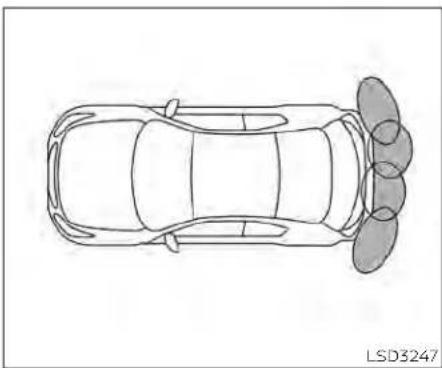
natural_image
Top-down line drawing of a car with four wheels and three side seats, labeled LSD3247 (no text or symbols on the diagram itself)TheRSSsoundsatonetoinformthedriver ofobstaclesnearthebumper.
When the "DISPLAY" key is on, the sonar view will automatically appear in the touch-screendisplay. An additional view of the sonar status will appear in the vehicle information display for reference.
WARNING
TheRSSisaconveniencebutitisnot asubstituteforproperparking.
- Thedriverisalwaysresponsiblefor safetyduringparkingandothermaneuvers.Alwayslook aroundand checkthatitissafetodosobefore parking.
- Readandunderstandthelimitations oftheRSSascontainedinthissection.Thecolorsofthecornersonar indicator and the distance guide linesintherearviewindicateddifferentdistancestotheobject.
- Inclement weather or ultrasonic sourcessuchasanautomaticcar wash, a truck's compressed-air brakesorapneumaticdrillmayaffectthefunctionofthesystem;this mayincludereducedperformanceor afalseactivation.
- Thisfunctionisdesignedasanaidto thedriverindetectinglargestationaryobjectstohelpavoiddamaging thevehicle.
- Thesystemisnotdesignedtopreventcontactwithsmallormoving objects.Alwaysmoveslowly.The systemwillnotdetectsmalobjects belowthebumper,andmaynotdetectobjectsclosetothebumperor ontheground.
- Thesystemmaynotdetectthefollowingobjects:fluffyobjectssuchas snow,cloth,cotton,glass,wool,etc.; thinobjectssuchasrope,wireand chain,etc.;orwedge-shapedobjects.
- Therearsonarsensorsmaydetecta soundwavereflectedfromthesurfaceofanobstaclewhenahorn,etc. soundsorthereisanultrasonic source(suchasparkingsensorsof other vehicles) around the vehicle becausetherearsonarsensorsdetectthedistancebetweenthevehicle and the obstacle by detecting the soundwavereflectedfromthesurfaceofanobstacle.
If your vehicle sustains damage to the bumper fascia, leaving it misaligned or bent, the sensing zone may be altered causing inaccurate measurement of obstacles or false alarms.
CAUTION
·Excessivenoise(suchasaudiosystemvolumeoranopenvehiclewindow)willinterferewiththetoneanditmaynotbeheard.
- Keepthesonarsensors(located on thebumperfascia)freefromsnow, iceandlargeaccumulationsofdirt. Donotcleanthesensorswithsharp objects.Ifthesensorsarecovered, theaccuracyofthesonarfunction willbediminished.
SYSTEMOPERATION
Thesysteminformswithavisualandaudiblealertofrearobstacleswhentheshift leverisintheR(Reverse)position.
SonarOperationTable
| RRSensor | ||
| Range | Sound | Display |
| R | o | o |
| o-Display/Beepwhendetect | ||
| †-Displayoncameraview | ||
| x-NoDisplayandBeep | ||
Thesystemisdeactivatedatspeedsabove 6mph(10km/h).Itisreactivatedatlower speeds.
Theintermittenttonewillstopafter3secondswhenanobstacleisdetectedbyonly thecornersensorandthedistancedoes notchange. Thetonewillstopwhenthe obstaclegetsawayfromthevehicle.
When the object is detected, the indicator (green) appears and blinks and the tone sounds intermittently. When the vehicle moves closest to the object, the color of the indicator turns yellow and therate of the blinking increases. When the vehicle is very close to the object, the indicator stops blinking and turns red, and the tone sounds continuously.


Whenthecornerofthevehiclemoves
closetoanobject,thecornersonarindi-
cator A appears. Whenthecenterofthe
vehiclemovesclosetoanobject,thecen-
tersonarindicator B appears.
Thesystemindicators Ⓐ willappearwhen thevehiclemovesclosertoanobject.

Forvehicleswiththe7inch(18cm)display
HOWTOENABLE/DISABLETHE SONARSYSTEM
5-182Startinganddriving
Thesystemisautomaticallyactivated whentheignitionisintheONpositionand theshiftleverisintheR(Reverse)position.
Perform the following step to enable or disable the lesion system:
Forvehicleswith7inch(18cm)display.
- Pressthe buttonuntil"Settings"displaysinthevehicleinformationdisplay.
Usethe buttontoselect"DriverAssistance." ThenpresstheOKbutton. - Select "ParkingAids" and press the OK button.
- Select "Rear" and press the OK button to turn the system on or off.
-Select"AutoShowSonar"todisplaythe parkingsensorinthevehicleinformation displaywhenthesonarsystem activates.
-Select"Distance"tochangethesonar systemdistanceto"Long","Medium"or "Short".
-Select"Volume"tochangethesonarsystemvolumeto"High","Medium"or"Low".

Forvehicleswiththe5inch(13cm)display
Forvehicleswith5inch(13cm)display.
- Pressthe ◆ buttonuntil"Settings"displaysinthevehicleinformationdisplay. Use the ◆ buttontoselect"DriverAssistance."ThenpresstheOKbutton.
- Select "ParkingAids" and press the OK button.
- Select "RearSensor" and presstheOK button to turn the systemonoroff.
-Select"Display"todisplaytheparking sensorinthevehicleinformationdisplay whenthesonarsystemactivates.
-Select"Volume"tochangethesonarsystemvolumeto"High","Medium"or"Low".
-Select"Range"tochangethesonarsystemdistanceto"Far,"Mid."or"Near."
SONARLIMITATIONS
WARNING
Listedbelowarethesystemlimitations forthesonarsystem.Failureretooperate thevehicleinaccordancewiththese systemlimitationscouldresultinseriousinjuryordeath.
- Thesystemisdeactivatedatspeeds above6mph(10km/h).Itisreactivatedatlowerspeeds.
- Inclementweatherorultrasonic sourcessuchasanautomaticcar wash,atruck'scompressed-air brakesorapneumaticdrillmayaffectthefunctionofthesystem;this mayincludereducedperformanceor afalseactivation.
- The system is not designed to prevent contact with small or moving objects. Always move slowly. The system will not detect small objects below the bumper or on the ground.
- Thesystemmaynotdetectthefollowingobjects:fluffyobjectssuchas snow,cloth,cotton,glass-wool,etc.; thin objects such asrope,wireand chain,etc.;orwedge-shapedobjects.
- Thesystemmaynotdetectobjects atspeedsabove3mph(5km/h)and maynotdetectcertainangular or movingobjects.
- Do not attach stickers (including transparent material), install accessories, or apply anything blocking the sensors. These conditions may reduce the ability of the system.
SYSTEMTEMPORARILY UNAVAILABLE
Whensonarblockageisdetected,thesystemwillbedeactivatedautomatically.
Thesystemisnotavailableuntiltheconditionsnolongerexist.
Thesonarsensorsmaybeblockedbytemporaryambientconditionssuchassplashingwater,mistorfog.Theblockedconditionmayalsobecausedbyobjectssuchas ice, frost or dirt obstructing the sonar sensors.
Actiontotake:
whentheaboveconditionsnolongerexist, thesystemwillresumeautomatically.

natural_image
Line drawing of a sedan rear view with no visible text or symbolsSYSTEMMAINTENANCE
Thesonarsensors ① arelocated on the rear bumper. Always keep the area near the sonarsensors clean.
Thesonarsensorsmaybeblockedbytemporaryambientconditionssuchassplashingwater,mistorfog.
Theblockedconditionmayalsobecauused byobjectssuchasice, frost ordirtob-structingthesonarsensors.
Checkforandremoveobjectssobstructing theareaaroundthesonarsensors.
COLDWEATHERDRIVING
Donotattachstickers(includingtransparentmaterial),installaccessoriesorapply additionalpaintnearthesonarsensors.
Donotstrikeordamagetheareaaround thesonarsensors.Itisrecommendedthat youvisitaNISSANdealeriftheareaaround thesonarsensorsisdamagedduetoa collision.
FREEINGAFROZENDOORLOCK
Topreventadoorlockfromfreezing,apply de-icerthroughthekeyhole.Ifthelock becomesfrozen,heatthekeybeforeinsertingitintothekeyholeorusetheremotekeylessentryfunctionontheIntelligentKey.
ANTIFREEZE
In the winter when it is anticipated that the temperature will drop below 32^(0^) , check the antifreeze to assure proper winter protection. For additional information, see "Enginecoolingsystem" (P.8-5).
BATTERY
If the battery is not fully charged during extremely cold weather conditions, the battery fluid may freeze and damage the battery. To maintain maximum efficiency, the battery should be checked regularly. For additional information, see "Battery" (P.8-14).
DRAININGOFCOOLANTWATER
If the vehicle is to be left outsidely without antifreeze, drain the cooling system, including the engine block. Refill before operating the vehicle. For additional information, see "Changing engine coolant" (P.8-6).
TIREEQUIPMENT
- SUMMERtireshaveatreaddesignedto provide superiorperformance ondry pavement.However,theperformanceof thesetireswillbesubstantiallyreduced insnowyandicyconditions.Ifyouoperateyourvehicleonsnowyoricyroads, NISSANrecommendstheuseofMUD& SNOWorALLSEASONTIRESonallfour wheels.Itisrecommendedthatyouvisit aNISSANdealerforthetiretype,size, speed rating and availability information.
- For additional traction on icy roads, studded tires may be used. However, some U.S. states and Canadian provinces prohibit their use. Check local, state and provincial laws before installing studded tires.
Skidandtractioncapabilitiesofstudded snowtiresonwetor drysurfacesmaybe poorerthanthatofnon-studdedsnow tires.
- Tirechainsmaybeused.Foradditional information,see"Tirechains"(P.8-37).
SPECIALWINTEREQUIPMENT
It is recommended that the following items be carried in the vehicle during winter:
- Ascraperandstiff-bristledbrushtore-moveiceandsnowfromthewindows andwiperblades.
•Asturdy, flatboardtobeplaced under the jacktogiveitfirmsupport. - Ashoveltodigthevehicleoutof snowdrifts.
- Extrawasherfluidtorefillthewindshield-washerfluidreservoir.
DRIVINGONSNOWORICE
WARNING
- Wetice(32°F,0°Candfreezingrain), very cold snoworice can beslick and very hard to drive on. The vehicle will havemuchlesstraction or "grip" under these conditions. Try to avoid driving on wetice until theroad is saltedorsanded.
-
Whateverthecondition,drivewith caution.Accelerateandslowdown withcare.Ifacceleratingordown-shiftingtoofast,thedrivewheelswill loseevenmoretraction.
-
Allowmorestoppingdistanceunder theseconditions.Brakingshouldbe startedsoonerthan on dry pavement.
- Allowgreaterfollowingdistanceson slipperyroads.
- Watchforslipperyspots(glareice). These may appear on an otherwise clearroadinshadedareas.Ifapatch oficeisseenahead,brakebefore reachingit.Trynottobrakewhileon theice,andavoidanysuddensteeringmaneuvers.
- Donotusethecruise control on slip-peryroads.
- Snowcantrapdangerousexhaust gasesundryourvehicle. Keepsnow clearoftheexhaustpipeandfrom aroundyourvehicle.
ENGINEBLOCKHEATER(ifso equipped)
Engineblockheatersareusedtoassist withcoldtemperaturestarting.
Theengineblockheatershouldbeused whentheoutsidetemperatureis20°F(-7°C) orlower.
WARNING
- Donotuseyouengineblockheater withanungroundedelectricalsystemora2-prongedadapter.Youcan be seriously injured by an electrical shock if you use an ungrounded connection.
- Disconnectandproperlystorethe engineblockheatercordbefore startingtheengine. Damagetothe cord could result in an electrical shockandcancauseseriousinjury.
- Useaheavy-duty3-wire,3-pronged extensioncordratedforatleast10A. Plug the extension cord into a Ground Fault Interrupt(GFI)protected, grounded 110-VAC outlet. Failure tousetheproperextension cordoragroundedoutletcanresult inafireorelectricalshockandcause seriouspersonalinjury.
Tousetheengineblockheater:
1.Turntheengineoff.
2. Openthehood and unwrap the engine blockheatercord.
3.Plugtheengineblockheatercordintoa grounded3-wire,3-prongedextension cord.
4.PlugtheextensioncordintoaGround FaultInterrupt(GFI)protected,grounded 110-voltAC(VAC)outlet.
5.Theengineblockheatermustbe pluggedinforatleast2-4hours,dependingonoutsidetemperatures,to properlywarmtheenginecoolant.Use anappropriatetimertoturntheengine blockheateron.
6. Before starting the engine, unplug and properly store the cord to keep it away from moving parts.
ACTIVENOISECANCELLATION/ACTIVESOUNDENHANCEMENT(ifso equipped)

FrontMicrophone ACTIVENOISECANCELLATION
Thissystemusesmicrophones ① located insidethevehicletodetectengineboomingnoise.Thesystemthenautomatically generatesanoise cancelingsound through the speakers and woofer (if so equipped)toreduceenginebooming noise.
NOTE: Tooperatetheactivenoisecancellationsystemproperly:
- Donotcoverthespeakersorwoofer(if soequipped).

RearMicrophones -Donotcoverthemicrophones.
- Donotchangeormodifyspeakersincludingthewoofer(if soequipped) and any audiorelated components such as theamplifier.
- Donotmakeanymodificationincludingsounddeadeningormodifications aroundthemicrophonesorspeakers.
ACTIVESOUNDENHANCEMENT
Activesoundenhancementenhancesexistingenginesoundsaccordingtotheengine speed and driving modes through the speakersandwoofer(ifsoequipped).
Startinganddriving
MEMO
5-188 Startinganddriving
6Incaseofemergency
Hazardwarningflasherswitch....6-2
Emergencyengineshutoff....6-2
Flattire....6-3
TirePressureMonitoringSystem
(TPMS) 6-3
Changingaflattire
(formodelswithsparetire)....6-4
Repairingflattire(formodelswith
emergencytirepuncturerepairkit)....6-11
Jumpstarting....6-17
Pushstarting....6-19
If your vehicle overheats. 6-19
Towingyourvehicle. 6-20
TowingrecommendedbyNISSAN....6-20
Vehiclerecovery
(freeingastuckvehicle)....6-22
HAZARDWARNINGFLASHERSWITCHEMERGENCYENGINESHUTOFF

natural_image
Simple geometric diagram showing a triangle with an arrow pointing downward (no text or symbols)Pushtheswitchontowarnotherdrivers whenyoumuststoporparkunderemergencyconditions.Allturnsignallightsflash.
WARNING
- Ifstoppingforanemergency,besure tomovethevehiclewellofftheroad.
- Donotusethehazardwarningflasherswhilemovingonthehighwayunlessunusualcircumstancesforceyoutodrivesoslowlythatyourvehiclemightbecomeahazardtoothertraffic.
-Turnsignalsdonotworkwhenthe hazardwarningflasherlightsareon.
Theflasherswilloperatewiththeignition switchplacedinanyposition.
Somejurisdictionsmayprohibittheuse of thehazardwarningflasherswitch whiledriving.
Toshutofftheengineinanemergency situationwhiledriving,performthefollowingprocedure:
-Rapidlypushthepush-buttonignition switchthreeconsecutivetimesinless than1.5seconds,or
-Pushandholdthepush-buttonignition switchformorethan2seconds.
FLATTIRE
TIREPRESSUREMONITORING SYSTEM(TPMS)
ThisvehicleisequippedwiththeTirePressureMonitoringsystem(TPMS).Itmonitors tirepressureofalltiresexceptthespare. Whenthelowtirepressurewarninglightis lit,andthe"TirePressureLow-AddAir" warningappearsinthevehicleinformation display,oneormoreofyourtiresissignificantlyunder-inflated.lfequipped,thesystemalsodisplayspressureofalltires(exceptthesparetire)onthedisplayscreenby sendingasignalfromasensorthatisinstalledineachwheel.Ifthevehiclelsbeing drivenwithlowtirepressure,theTPMSwill activateandwarnyouofitbythelowtire pressurewarninglight.Thissystemwillactivateonlywhenthevehicleisdrivenat speedsabove16mph(25km/h).Foradditionalinformation,see"Warninglights,indicatorlightsandaudiblereminders"(P.2-9) and"TirePressureMonitoringSystem (TPMS)("P.5-5).
WARNING
•Radiowavescouldadverselyaffect electricmedicalequipment.Those whoseapacemakershouldcontact the electric medical equipment manufacturerforthepossibleinfluencesbeforeuse.
- Ifthelowtirepressurewarninglight illuminateswhiledriving,avoidsudden steering maneuveror abrupt braking,reduce vehicle speed, pull offtheroadtoasafelocationand stopthevehicleassoonaspossible. Drivingwithunder-inflatedtiresmay permanentlydamagethetiresand increasethelikelihoodoftirefailure. Seriousvehicledamagecouldoccur and may lead to an accident and couldresultinseriouspersonalinjury.Checkthetirepressureforall fourtires.Adjustthetirepressureto the recommended COLD tire pressureshownontheTireandLoading Informationlabeltoturnthelowtire pressurewarninglightOFF. Ifthe lightstillilluminateswhiledrivingafteradjustingthetirepressure,atire maybeflatortheTPMSmaybemal-functioning.Ifyouhaveaflattire,replaceitwithasparetireassoonas
possible.Ifnotireisflatandalltires areproperlyinflated, have the vehiclechecked.It isrecommended thatyouvisitaNISSANdealerforth this service.
- When using a wheel without the TPMSsuchasthesparetire,theTPMS willnotfunctionandthelowtire pressurewarninglightwillflashfor approximately one minute. Have yourtiresreplacedand/orTPMSsystemresetassoonaspossible.Itis recommended that you visit a NISSANdealerfortheseservices.
- ReplacingtireswiththosenotoriginallyspecifiedbyNISSANcouldaffect the proper operation of the TPMS.
The Genuine NISSAN Emergency Tire Repair Sealantorequivalent can be used for temporarily repairing atire. Donotinjectanyothertire liquidor aerosoltire sealant into the tires, as this may cause a malfunction of tire pressuresensors.
CHANGINGAFLATTIRE(for modelswithsparetire)
If you have a flattire, follow the instructions below:
NOTE:
Formodelswiththeemergencytire puncturerepairkit,asparetire,jack androdarenotequippedasstandard.
Stoppingthevehicle
- Safelymovethevehicleofftheroadand awayfromtraffic.
- Turnonthehazardwarningflashers.
- Parkonalevel surface and apply the parking brake. MovetheshiftlevertoP (Park).
- Turnofftheengine.
- Raisethehoodtowarnothertraffic and tosignalprofessionalroadassistance personnelthatyouneedassistance.
6.Haveallpassengersgetoutoftheve- hicleandstandinasafeplace,away fromtrafficandclearofthevehicle.
6-4 Incaseofemergency
WARNING
•MakesuretheparkingbrakeissecurelyappliedandtheContinuously VariableTransmission(CVT)is shiftedintoP(Park).
- Neverchangetireswhenthevehicle isonaslope,iceorslipperyareas. Thisishazardous.
·Neverchangetiresifoncomingtrafficisclosetoyourvehicle.Waitfor professionalroadassistance.

natural_image
Technical illustration of mechanical components with labeled parts A and B, no text or symbols presentA.Blocks
B.Flattire
Blockingwheels
Placesuitableblocksatboththefrontand backofthewheeldiagonallyoppositethe flattiretopreventthevehiclefrommoving whenitisjackedup.
WARNING
Besuretoblockthewheelasthevehiclemaymoveandresultinpersonal injury.

Gettingthesparetireandtools
Openthetrunk.Lifttheluggagefloor.Removethewheelnutwrench ① andthe jack ② fromthestoragecover ③.Then removethetoolstoragecover ④ toaccessthesparetire.

natural_image
Technical line drawing of a car interior showing dashboard and vent slots (no text or symbols)Turntheclamptoremovethesparetire. Removethesparetire.
ForAWDvehicles-theTEMPORARYUSE ONLYsparetiremustbeinstalledtothe rearwheelsonly.lfafronttireispunctured, installtheoriginalreartireontothefront wheel,theninstalltheTEMPORARYUSE ONLYsparetireontherear.

Removingwheelcover(ifso equipped)
CAUTION
Donotuseyourhandstopryoffwheel capsorwheelcovers.Doingsocould resultinpersonalinjury.
Toremovethewheelcover, usethejackrod ① asillustrated.
Applycloth ② betweenthewheelandjack rodto prevent damagingthe wheeland wheelcover.
Usecautionnottoscratchthewheelcover orwheelsurface.

Jack-uppoint
Jackingupvehicleandremoving thedamagedtire(2WDmodels)
WARNING
·Nevergetunderthevehiclewhileitis supportedonlybythejack.Ifitisnecessarytoworkunderthevehicle, supportitwithsafetystands.
- Useonlythejackprovidedwithyour vehicletoliftthevehicle.Donotuse thejackprovidedwithyourvehicle onothervehicles.Thejackisdesignedforliftingonlyyourvehicle duringatirechange.
- Usethecorrectjack-uppoints.Never useanyotherpartofthevehiclefor jacksupport.
·Neverjackupthevehiclemorethan necessary.
·Neveruseblocksonorunderthe jack. - Donotstartorruntheenginewhile vehicleisonthejack.Itmaycause thevehicletomove.Thisisespecially trueforvehicleswithlimitedslip differentials.
- Donotallowpassengers tostayin thevehiclewhileitisonthejack.
- Neverruntheenginewithawheel(s) offtheground.Itmaycausethevehicletomove.

Always referto the illustration for the correct placement and jack-up points for your specific vehicle model and jack type.
Carefullyreadthecautionlabelattached tothejackbodyandthefollowinginstructions.
-
Looseneachwheelnutoneortwoturns byturningcounterclockwisewiththe wheelnutwrench. Donotremovethe wheelnutsuntilthetireisoffthe ground.
-
Placethejackdirectlyunderthejack-up pointasillustratedsothetopofthejack contactsthevehicleatthejack-uppoint. Alignthejackheadbetweenthetwo notchesinthefrontortherearass shown. Alsofitthegrooveofthejack headbetweenthenotchesasshown.
NOTE:
Donotplacejackonthenotchesbetweenthefrontmostandrearmost jackingpoints.
Thejackshouldbeusedonfirmand levelground.
3.Toliftthevehicle,securelyholdthejack leverandrodwithbothhands.Carefully raisethevehicleuntilthetireclearsthe ground.Removethewheelnuts,and thenremovethetire.
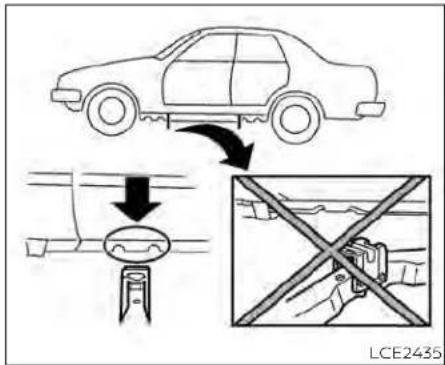
Jack-uppoint
Jackingupvehicleandreplacing thedamagedtire(AWDmodels)

WARNING
ForAWDvehicles-theTEMPORARYUSE ONLYsparetiremustbeinstalledtothe rearwheelsonly.Ifafronttireispunctured,installtheoriginalreartireonto thefrontwheel,theninstalltheTEMPO-RARYUSEONLYsparetireontherear. FailuretodosocouldcauseoverheatingtotheAWDsystem

WARNING
·Nevergetunderthevehiclewhileitis supportedonlybythejack.Ifitisnecessarytoworkunderthevehicle, supportitwithsafetystands.
- Useonlythejackprovidedwithyour vehicletoliftthevehicle.Donotuse thejackprovidedwithyourvehicle onothervehicles.Thejackisdesignedforliftingonlyyourvehicle duringatirechange.
- Usethecorrectjack-uppoints.Never useanyotherpartofthevehiclefor jacksupport.
- Neverjackupthevehiclemorethan necessary.
- Neveruseblockson or underthe jack.
- Donotstartorruntheenginewhile vehicleisonthejack.Itmaycause thevehicletomove.Thisisespecially true for vehicles with limited slip differentials.
- Donotallowpassengers tostayin thevehiclewhileitisonthejack.
- Neverruntheenginewithawheel(s) offtheground.Itmaycausethevehicletomove.

Always referto the illustration for the correct placement and jack-up points for your specific vehicle model and jack type.
Carefullyreadthecautionlabelattached tothejackbodyandthefollowing instructions.
IfaflattireoccursonthefrontaxleofAWD vehicle,thesparetiremustbeappliedto therearaxleofthevehicle.
-
Looseneachwheelnutoneortwoturns byturningcounterclockwisewiththe wheelnutwrench.Donotremovethe wheelnutsuntilthetireisoffthe ground.
-
Placethejackdirectlyunderthejack-up pointasillustratedsothetopofthejack contactsthevehicleatthejack-uppoint. Alignthejackheadbetweenthetwo notchesinthefrontortherearass shown. Alsofitthegrooveofthejack headbetweenthenotchesasshown.
NOTE:
Donotplacejackonthenotchesbetweenthefrontmostandrearmost jackingpoints.
Thejackshouldbeusedonfirmand levelground.
-
Jackuptherearaxleofthevehicle.Tolift thevehicle,securelyholdthejacklever androdwithbothhands.Carefullyraise the vehicle until the tire clears the ground.Removethewheelnuts,and thenremovethetireandsetaside.
-
Apply the spare tire to there are a least one vehicle, replace the wheel nuts and tighten.
-
Lowerthejack and furthertightent the wheel nuts to the recommended torque, see "Installingthesparetire" (P.6-10).
-
Jackupthefrontaxleofthevehicle and removethedamagedwheel.
-
Apply the wheel that was removed from therearaxle to the front axle of the vehicle, replace the wheel nuts and tighten.
-
Lower the jack and furthertightent the wheel nuts to the recommended torque, see "Installingthesparetire" (P6-10).

WCE0056
Installingthesparetire
WARNING
ForAWDvehicles-theTEMPORARYUSE ONLYsparetiremustbeinstalledtothe rearwheelsonly.ifafronttireispunctured,installtheoriginalreartireonto thefrontwheel,theninstalltheTEMPORARYUSEONLYsparetireontherear. FailuretodosocouldcauseoverheatingtotheAWDsystem
Thesparetireisdesignedforemergency use. For additional information, see "Wheelsandtires" (P.8-29).
- Cleananymudordirtfromthesurface betweenthewheelandhub.
- Carefully put the spare tire on and tight the wheel nuts fingertight.
- With the wheel nut wrench, tighten wheel nuts alternately and evenly in the sequence illustrated (A, B, C, D, E) until they are tight.
- Lowerthe vehicles slowly until the tire touchsthe ground. Then, with the wheel nutwrench, tightent the wheel nuts securely in these sequences illustrated (A, B, G, D, E). Lowerthe vehicle completely.
WARNING
- Incorrect wheelnutsor improperly tightenedwheelnutscancausethe wheeltobecomelooseorcomeoff. This could cause an accident.
- Donotuseoilorgreaseonthewheel studs or nuts. This could cause the nutstobecomeloose.
- Retightenthe wheelnuts when the vehicle has been driven for 600 miles (1,000 km) (also incases of a flattire, etc.).
As soon as possible, tighten the wheel nutstothespecifiedtorquewitha torquewrench.
Wheelnuttighteningtorque: 83ft-lb(113N·m)
The wheelnuts must be kept tightened to specification at all times. It is recommended that wheel nuts be tightened to specifications at each lubrication interval.
Adjust tire pressure to the COLD pressure.
COLDpressure:Aftervehicle has been parkedfor3hoursormoreordrivenless than1mile(1.6km).
COLDtirepressuresareshownonthe TireLoadandInformationlabelaffixed tothedriversidecenterpillar.
AfteradjustingtirepressuretotheCOLD tirepressure,thedisplay(ifsoequipped) of the tire pressure information may showhigherpressurethantheCOLDtire pressureafterthevehicle hasbeen drivenmorethan1mile(1.6km).This is because the tire pressure increases as thetiretemperaturerises.This does not indicateasystemmalfunction.
- Securelystoretheflattireinthetirewell andjackingequipmentinthevehicle.
NOTE: Removethecenterwheelcapbefore storingtheflattire.
- Placethesparetirecoverandthetrunk floorcarpetingoverthedamagedtire.
7.Closethetrunk.
WARNING
·Alwaysmakesurethatthesparetire andjackingequipmentareproperly securedafteruse.Suchitemscanbecomedangerousprojectilesinanaccidentorsuddenstop.
·Thesparetireisdesignedforemergencyuse.Foradditionalinformation,see"Wheelsandtires"(P.8-29).
REPAIRINGFLATTIRE(formodels withemergencytirepuncture repairkit)
WARNING
- AfterusingGenuineNISSANEmergencyTireSealanttorepairaminor tirepuncture, donotdrivethevehicle atspeedsfasterthan50mph(80 km/h).
- ImmediatelyafterusingtheGenuine NISSANEmergencyTireSealantto repairaminortirepuncture,itisrecommendedthatyouvisitaNISSAN dealer.TheGenuineNISSANEmergency TireSealant cannot permanentlysealapuncturedtire.Continuingoperationofthevehiclewithouta permanent tire repair can lead to a crash.
- If you used the Genuine NISSAN EmergencyTireSealanttorepaira minor tire puncture, it is recommended that you visit a NISSAN dealertoreplacetheTPMSsensorin additiontorepairingorreplacingthe tire.
- NISSAN recommends using only Genuine NISSAN Emergency Tire Sealantprovidedwithyourvehicle. Othertiresealantsmaydamagethe valvestemsealwhichcancausethe tiretoloseairpressure.
This vehicle does not have asparetire. The emergency tire puncture repair kit (GenuineNISSANEmergencyTireSealant) is supplied with the vehicle instead of a spare tire. It can be used to temporarily repair in or in order to prevent equipment.
If possible, havethe vehicle towed to a facility that can repair or replace the flattire. Using the emergency tire puncture repair kit may cause amalfunction of the tire pressures sensor and causethelow tire pressure warning light to illuminate.
CAUTION
• To avoid the emergency tire puncture kit being damaged during storage or use:
-Onlyusetheemergencytirepunc- turerepairkitonyourvehicle.Do notuseitonothervehicles.
-Onlyusethekittoinflatethetires ofyourvehicleandtocheckthe vehicle'stirepressure.
-Onlyplugthecompressorintoa 12-voltDCcarpowerpoint.
-Keepthekitfreeofwateranddirt.
-Donotdisassembleormodifythe kit.
-Donotdrophekitorallowhard impactstothekit.
- Donotusetheemergencytirepunc- turerepairkitunderthefollowing conditions.Itisrecommendedthat youvisitaNISSANdealerorprofes- sionalroadassistance.
-whenthesealanthaspassedits expirationdate(shownonthela-belattachedtothebottle)
-whenthecutorthepunctureis approximately0.25in(6mm)or longer
-whenthetiresidewallisdamaged
-whenthevehiclehasbeendriven withextremelylowtirepressure
-whenthetirehascomeoffthein-sideortheoutsideofthewheel
-whenthetirewheelisdamaged
-whentwoormoretiresareflat
If you have a flattire, follow the instructions below.
Stoppingthevehicle
-
Safelymovethevehicleofftheroadand awayfromtraffic.
-
Turnonthehazardwarningflashers.
-
Parkonalevel surface and apply the parking brake.
4.MovetheshiftlevertotheP(Park) position.
-
Turnofftheengine.
-
Raisethehoodtowarnothertraffic and tosignalprofessionalroadassistance personnelthatyouneedassistance.
-
Have all passengers get out of the vehicle and stand in as safe place, away from traffic and clear of the vehicle.
WARNING
- Makesuretheparkingbrakeissecurelyapplied and thevehicle is placedintotheP(Park)position.
- Neverrepairtireswhenthevehicleis onaslope,iceorslipperyareas.This ishazardous.
- Neverrepairtiresifoncomingtraffic isclosetoyourvehicle.Waitforprofessionalroadassistance.
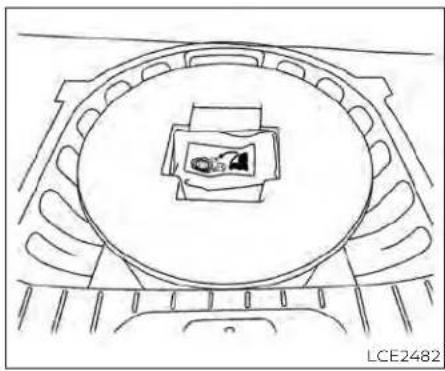
natural_image
Top-down schematic of a vehicle or vehicle interior with a circular frame and a small rectangular component, no text or symbols present.Gettingemergencytirepuncture repairkit
Takeouttheemergencytirepuncturere-pairkitlocatedinthecargoarea.Therepair kitconsistsofthefollowingitems:
① Tiresealantbottle
② Aircompressor*
③ Speedrestrictionsticker
*Thecompressorshapemaydifferdependingonthemodels.
NOTE:
Formodelswiththeemergencytire puncturerepairkit,asparetire,jack androdarenotequippedasstandard.
Beforeusingemergencytire puncturerepairkit
- Ifanyforeignobject(forexample,ascrew ornail)isembeddedinthetire,donot removeit.
- Checktheexpirationdateofthesealant (shownonthelabelattachedtothe bottle). Neveruseasealantwhoseexpirationdatehaspassed.
Repairingtire
WARNING
Observethefollowingprecautions whenusingthetirerepaircompound.
- Swallowing the compound is dangerous. Immediately drink as much water as possible and seek prompt medical assistance.
- Rinsewellwithlotsofwaterifthe compoundcomesintocontactwith skinoreyes.Ifirritationpersists,seek promptmedicalattention.
- Keeptherepaircompoundoutofthe reachofchildren.
The emergency repair compound may cause a malfunction of the tire pressures sensors and cause the below tire pressure warning light to illuminate. Havethetire pressure sensor replaced as soon as possible.

- Takeoutthespeedrestrictionsticker from the air compressor, then put it in a location where the driver can see it while driving.
CAUTION
Donotputthespeedrestrictionlabelon thesteeringwheelpad,thespeedometerorthewarninglightlocations.

- Takethehose ① and the power plug ② out of the air compressor. Removethe cap of the bottle holder from the air compressor.

natural_image
Illustration of a hand operating a mechanical device with wires and a cylindrical component (no text or symbols visible)- Removethecapfromthetiresealant bottle. Leavethebottlesealintact. Screwthebottleclockwiseintothe bottleholdertopiercethesealofthe bottle.
- Removethecapfromthetirevalveon theflattire.
6-14 Incaseofemergency

- Removetheprotectivecap Ⓐ of the hoseandscrewthehosesecurelyonto the tirevalve Makesurethatthepres- surereleasevalve Ⓑ issecurelytight- ened Makesurethattheaircompressor switchisintheOFF(O)position,and theninsertthepowerplugintothe poweroutletinthevehicle.
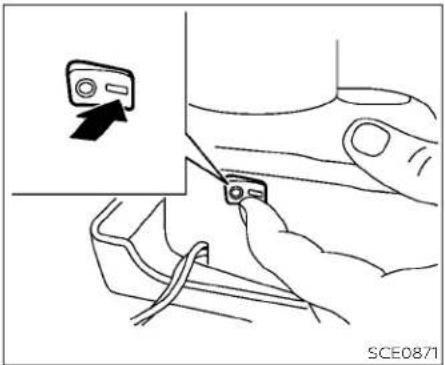
natural_image
Illustration of a hand holding a device with a close-up of its screen and cable, no text or symbols present.- Pushthepowerswitch to the ACC position. Thenturnthecompressorswitch to the ON (-)position and inflatethetire uptothe pressure that is specified on the Tire and Loading Information label affixed to the driver's sidecenter pillar if possible, ortotheminimum of 26 psi (180 kPa). Turn the air compressor off briefly in order to check the trepressure with the pressure gauge.
If the tire is inflated to higher than the specified pressure, lower the tire pressure by releasing air with the pressure release valve.
NOTE:
The compressortirepressuregauge may show apressurereading of 87 psi (600 kPa) for about 30 seconds while in- flating the tire. The pressure gauge is indicating the pressure inside these equal can. When these alanths have been injected into the tire the pressure gauge will drop and indicate actual tire pressure.
WARNING
To avoid serious personal injury while using the emergency tire puncture-pairkit:
- Securely tighten the compressor hosetothetirevalve.Failureretodoso cancausethesealanttosprayinto theairandgetintoyoureyesoron theskin.
- Do not stand directly beside the damaged tire while it is being inflated because of other risk of therupture. If there are anycracks or bumps, turn the compressor off immediately.
Ifthetirepressuredoesnotincreaseto26 psi(180kPa)within10minutes, thetire maybeseriouslydamagedandthetire cannotberepairedwiththistirerepair kit. Itisrecommendedthatyouvisita NISSANdealer.
- Whenthetirepressureisatthespecified amount, turn the air compressor off. If the trecannot be inflated to these specified amount, the air compressor can be turned off at the minimum of 26 psi (180 kPa). Removethe power plug from the power outlet and quickly remove the hose from the tire valve. Attach the protective cap and valve cap. Properly stow the emergency tire puncture pair kit in the cargo area.
CAUTION
To avoid serious personal injury when stowing the emergency tire puncture repair kit:
- Keepthesealantbottlescrewed into thecompressor. Failuretodosocan causethesealanttosprayintotheair andgetintoyoureyesorontheskin.
-
Immediately drivethe vehicle for 10 minutes or 2 miles (3 km) at as speed below 50 mph (80 km/h).
-
Afterdriving, makesurethattheair compressorswitchisintheOFFposition, thenscrewthosesecurelyonto the tire valve. Check the tire pressure with the pressure gauge. Temporary repairs completed if the tire pressure does not drop.
Makesurethepressureisadjustedto thepressurethatisspecifiedontheTire andLoadingInformationlabelbefore driving.
- If the tire pressure drops, repeat the stepsfrom5to9.Ifthepressuredrops againorunder19psi(130kPa),thetire cannotberepairedwiththistirere-pairkit.Ifthetirecannotberepaired, the driver should not drive on it any further.Thecarshouldbetowedtothe nearestdealership.
Thesealantbottleandhosecannotbe reusedtorepairanotherpuncturedtire. Itisrecommendedthatyouvisita NISSAN dealer to purchase replacements.
Afterrepairingtire
It is recommended that you visit a NISSAN dealer for a repair/replacement as soon as possible.
WARNING
- After using Genuine NISSAN EmergencyTireSealanttorepairaminor tirepuncture, donotdrivethevehicle at speeds faster than 50 mph (80 km/h).
- Immediately after using Genuine NISSAN Emergency TireSealant to repairaminortirepuncture,itisrecommendedthatyouvisitaNISSAN dealer. TheGenuineNISSAN EmergencyTireSealantcannotpermanentlysealapuncturedtire.Continuingoperationofthevehiclewithouta permanenttirerepaircanleadtoa crash.
- Donotinjectanytireliquidoraerosol tiresealantintothetires,asthismay causeamalfunctionofthetirepressuresensors.
JUMPSTARTING
- If you used the Genuine NISSAN Emergency Tire Sealantorepaira minortirepuncture, it is recommended that you visit a NISSAN dealertoreplace the TPMS sensor in addition to repairing or replacing the tire.
·NISSANrecommendsusingonly GenuineNISSANEmergencyTire Sealantprovidedwithyourvehicle. Othertiresealantsmaydamagethe valvestemsealwhichcancausethe tiretoloseairpressure.
Tostartyourenginewithaboosterbattery, theinstructionsandprecautionsbelow mustbefollowed.
WARNING
- Ifdoneincorrectly,jumpstartingcan leadtoabatteryexplosion,resulting insevereinjuryordeath.Itcouldalso damageyourvehicle.
- Explosivehydrogengasisalways presentinthevicinityofthebattery. Keepallsparksandflamesaway fromthebattery.
- Donotallowbatteryfluidtocome intocontactwitheyes,skin,clothing orpaintedsurfaces.Batteryfluidisa corrosivesulfuricacidsolutionwhich cancausesevere burns. If thefluid should come into contact with anything,immediatelyflushthecontactedareawithwater.
- Keepbatteryoutofthereachof children.
Theboosterbatterymustberated at 12 volts. Use of an improperly rated batterycandamageyourvehicle.
- Whenever working on near a battery, always wear suitable eyeprotectors (for example, goggles or industrial safety spectacles) and removerings, metal bands, or any other jewelry. Donotlean over the battery when jump starting.
- Donotattempttojumpstartafrozen battery. It could explode and cause serious injury.
- Your vehicle has an automatic engine cooling fan. It could come on at any time. Keep hands and other objects awayfromit.

WARNING
Alwaysfollowtheinstructionsbelow. Failuretodosocouldresultindamage tothechargingsystemandcausepersonalinjury.
- If the booster battery is in another vehicle, position the two vehicle to bring their batteries are each other.
Donotallowthetwovehiclestotouch.
-
Apply the parking brake. Movetheshift leverto P (Park). Switch off all unnecessary electrical systems (lights, heater, air conditioner, etc.).
-
PlacetheignitionswitchintheLOCK position.
-
Connect the jumpercables in these-quence illustrated (A, B, C, D).
CAUTION
·Alwaysconnectpositive(+)topositive(+)andnegative(-)tobody ground(forexample,strutmounting bolt,engineliftbracket,etc.)—notto thebattery.
- Makesurethejumpercablesdonot touchmovingpartsintheengine compartment and that thecable clamps do not contact any other metal.
5.Starttheengineoftheboostervehicle andletitrunforafewminutes.
- Keep the engines speed of the booster vehicle about 2,000 rpmand start the engine of the vehicle being jump started.
CAUTION
Donotkeepsteartermotorengaged formorethan10seconds.Iftheengine doesnotstartrightaway, placetheignitionswitchintheOFFpositionand wait3to4secondsbeforetryingagain.
- After starting the engine, carefully disconnect then negative cable and then the positive cable.
PUSHSTARTING

CAUTION
- Donotpushstartthisvehicle. The three-waycatalystmaybe damaged.
- ContinuouslyVariableTransmission (CVT)modelscannotbepush-startedortow-started.Attempting todosomaycausetransmission damage.
IF YOURVEHICLEOVERHEATS
If your vehicle is overheating (indicated by an extremely high temperature gauge reading), or if you feel a lack of engine power, detect abnormal noise, etc. take the following steps.

WARNING
- Donotcontinuetodriveifyourvehicleoverheats. Doingso couldcause enginedamage ora vehiclefire.
•Toavoidthedangerofbeingscalded, neverremovethe radiatororcoolant reservoir cap while the engine is still hot. When the radiator or coolant reservoircapisremoved, pressurized hot water will spurt out, possibly causingserious injury. -
Donotopenthehoodifsteamis comingout.
-
Move the vehicle safely off the road, apply the parking brake and movetheshift lever to P (Park).
Donot stopthe engine.
- Turn off the air conditioner. Open all the windows, movethe heateror airconditioner temperature control to maximum hot and fan control to high speed.
3.Getoutofthevehicle.Lookandlistenfor steam or coolant escaping from the radiatorbeforeopeningthehood.(if steamorcoolantisescaping,turnoff theengine.)Donot openthe hood furtheruntilnosteamorcoolantcanbe seen.
4.Open the enginehood.

WARNING
Ifsteamorwateriscomingfromthe engine,standcleartoprevent getting burned.
5. Visually check drive belts for damage or looseness. Also check if the cooling fan is running. Theradiator hoses and radiators should not leak water. If coolant is leaking, the water pump belt is missing or loose, or the cooling fandoes not run, stop the engine.

WARNING
Becarefulnottoallowyourhands,hair, jewelryorclothingtocomeintocontact with, or get caught in, engine belts ortheenginecooling fan. Theengine coolingfancan start atany time.
TOWINGYOURVEHICLE
- After the engine cools down, check the coolant level in the engine coolant reservoir tank with the engineer running. Add coolant to the engine coolant reservoir tank if necessary. It is recommended that you visit a NISSAN dealer for this service.
Whentowingyourvehicle, all State (ProvincialinCanada) and local regulations for towing must be followed. Incorrect towing equipment could damage your vehicle. Towing instructions are available from a NISSAN dealer. Localservice operators are generally familiar with the applicable laws and procedures for towing. To assure propertowing and to prevent accidental damage to your vehicle, NISSAN recommend shaving as service operator to your vehicle. It is advisable to have the service operator carefully read the following precautions:
WARNING
- Neverrideinavehiclethatisbeing towed.
- Nevergetunderyourvehicleafterit hasbeenliftedbyatowtruck.
CAUTION
- When towing, make sure that the transmission, axles, steeringsystem and powertrain are in working condition. If any of these conditions apply, dolliesor a flatbedtowtruck must be used.
- Alwaysattachsafetychainsbefore towing.
For additional information about towing your vehicle behind a Recreational Vehicle (RV), see "Flattowing" (P.10-20).
TOWINGRECOMMENDED BY NISSAN
NISSANrecommendstowingyourvehicle based upon the type of drivetrain. For additionalinformation,refertothediagramsin thissectiontoensurethatyourvehicleis properlytowed.
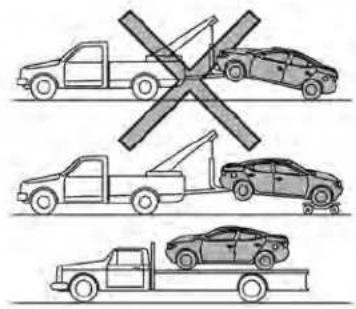

LCE2433
All-WheelDrive(AWD)modelswith ContinuouslyVariable Transmission(CVT)
NISSANrecommendsthattowingdollies beusedwhentowingyourvehicleorplace thevehicleonaflatbedtruckasillustrated.

CAUTION
NevertowAll-WheelDrive(AWD)model-sequippedwithaContinuouslyVariableTransmission(CVT)withanyofthewheelsonthegroundasthismaycauseseriousandexpensivedamagetothetransfercaseandtransmission.
Incaseofemergency6-21
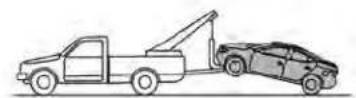


LCE2369
Two-WheelDrivemodelswith ContinuouslyVariable Transmission(CVT)
NISSANrecommendsthatyourvehiclebe towedwiththedriving(front)wheelsoffthe groundorplacethevehicleonaflatbed truckasillustrated.
CAUTION
- NevertowContinuouslyVariable Transmission(CVT)modelswiththe frontwheelsonthegroundorfour wheelsontheground(forwardor backward),asthismaycauseserious andexpensivedamagetothetransmission.Ifitisnecessarytotowthe vehiclewiththerearwheelsraised alwaysusetowingdolliesunderthe frontwheels.
- Whentowing Continuously Variable Transmission(CVT) models with the rearwheels on the ground orontowing dollies:
-Placetheignitionswitchinthe OFFposition, and secure the steeringwheelina straight-ahead position with aropeorsimilar device. Never secure the steering wheel by placing the ignition switch in the LOCK position. This may damage the steering lock mechanism (for models with a steeringlock mechanism).
VEHICLERECOVERY(freeinga stuckvehicle)
WARNING
Toavoidvehicledamage,seriouspersonalinjuryordeathwhenrecoveringa stuckvehicle:
- Contact a professional towing servicetorecoverthevehicleifyouhave anyquestionsregardingtherecoveryprocedure.
-Towchainsor cablesmustbeat-tachedonlytomainstructuralmembersofthevehicle.
- Donotusethevehicletie-downsto toworfreeeastuckvehicle.
- Onlyusedevicessspecificallydesignedforvehiclerecoveryandfollowthemanufacturer'sinstructions.
·Alwayspulltherecoverydevice straightoutfromthefrontofthevehicle.Neverpullatanangle. - Routerecoverydevicessotheydo nottouchanypartofthevehicleexcepttheattachmentpoint.
If your vehicle is stuckins and snow, mud, etc., use atowstrap or other device designed specifically for vehiclerecovery. Always follow the manufacturer's instructions for the recovery device.
Rockingastuckvehicle
WARNING
- Standclearofastuckvehicle.
- Donotspinyourtiresathighspeed. This could cause them to explode and result in serious injury. Part of your vehicle could also overheat and bedamaged.
If your vehicle is stuckins and snow, mud, etc., use the following procedure:
- TurnofftheVehicleDynamicControl (VDC)system.
- Makesuretheareainfrontandbehind thevehicleisclearofobstructions.
3.Turnthesteeringwheelrightandleftto clearanareaaroundthefronttires. - Slowly rock the vehicle forward and backward.
- ShiftbackandforthbetweenR(Reverse)andD(Drive).
- Apply the accelerator as little as possible to maintain therocking motion.
-Releasetheacceleratorpedalbefore shiftingbetweenR(Reverse)andD (Drive).
- Do not spin the tires above 35 mph (55 km/h).
- If the vehicle cannot be freed after a few tries, contact professional towingservicetoremovethe vehicle.
MEMO
6-24 Incaseofemergency
7Appearanceandcare
Cleaningexterior....7-2
Washing....7-2
Waxing....7-3
Removingspots....7-3
Underbody 7-3
Glass. 7 - 3
Aluminumalloywheels(ifsoequipped)....7-4
Chromeparts....7-4
Tiredressings....7-4
Cleaninginterior....7-5
Airfresheners 7-5
Powermoonroof(ifsoequipped)....7 - 6
Floormats(ifsoequipped)....7-6
Seatbelts 7-7
Corrosionprotection. 7 - 8
Mostcommonfactorscontributingto
vehiclecorrosion....7-8
Environmentalfactorsinfluencethe
rateofcorrosion 7-8
Protectyourvehiclefromcorrosion 7 - 8
CLEANINGEXTERIOR
Inordertomaintaintheappearanceof yourvehicle,itisimportanttotakeproper careofit.
Toprotectthepaintsurfaces, wash your vehicle as soon as you can:
• Afterarainfalltopreventpossibledam-agefromacidrain.
•Afterdrivingoncoastalroads.
- When contaminant such as a soot, bird droppings, trees and metal particles or bugs get on the paints surface.
- Whendustormudbuildsuponthe surface.
Whenever possible, store or park your vehicle inside a garage or in a covered area.
Whenitisnecessarytoparkoutside,parkin ashadyareaorprotectthevehiclewitha bodycover.
Becarefulnottoscratchthepaintsurfacewhenputtingonorremovingthe bodycover.
WASHING
Washdirtoffwithawetspongeandplenty ofwater.Cleanthevehiclethoroughlyusingamilldsoap,aspecialvehiclesoapor generalpurposedishwashingliquidmixed withclean,lukewarm(neverhot)water.
CAUTION
- Donotconcentratewaterspraydirectlyonthe sonar sensors(if so equipped)onthebumperasthiswill resultindamagetothesensors.Do notusepressurewasherscapableof sprayingwaterover1,200psi(8,274 kPa) to wash your vehicle. Use of high-pressurewashersover1,200psi (8,274kPa)canresultindamagetoor removalofpaintorgraphics.Avoid usingahigh-pressurewashercloser than12inches(30cm)tothevehicle. Alwaysuseawide-anglenozzleonly, keepthenozzlemovinganddonot concentratethewatersprayonany onearea.
- Donotusecarwashesthatuseacid inthedetergent. Some car washes, especially brushless ones, uses some acid for cleaning. The acid may react with some plastic vehicle components, causing them to crack. This could affect their appearance, and also could cause them not to function properly. Always check with your car was to confirm that a acid is not used.
- Donotwashthevehiclewithstrong householdsoap,strongchemicaldetergents,gasolineorsolvents.
- Donotwashthevehicleindirectsun-lightorwhilethevehiclebodyishot, as the surface may become water-spotted.
- Avoidusingtight-nappedorrough cloths,suchaswashingmitts.Care must be taken when removing caked-ondirtorotherforeignsub-stancesothepaintsurfaceisnot scratchedordamaged.
Rinsethevehiclethoroughlywithplentyof cleanwater.
Insideedges, seamsand folds onthe doors,hatchesandhoodareparticularly vulnerabletotheeffectsofroadsalt.Therefore,theseareasmustbecleanedregularly. Takecarethatthedrainholesinthelower edgeofthedoorareopen.Spraywater underthebodyandinthewheelwellsto loosenthedirtandwashawayroadsalt.
Adampchamoiscanbeusedtodrythe vehicletoavoidwaterspots.
7-2 Appearanceandcare
WAXING
Regularwaxingprotectsthepaintsurface and helps retain new vehicle appearance. Polishing is recommended to remove built-up wax residue and to avoid weather-ered appearance before applying wax. It is recommended that you visit a NISSAN dealer to assist you in choosing the proper product.
• Waxyourvehicleonlyafterathorough washing. Follow the instruction supplied with the wax.
- Donotuseawaxcontaininganyabrasives,cuttingcompoundsorcleaners thatmaydamagethevehiclefinish.
Machine compounding or aggressive polishing on a basecoat/clearcoat paint finish may dull the finish or leaves whirl marks.
REMOVINGSPOTS
Removetarandoilspots,industrialdust, insects,andtreesapasquicklyaspossible fromthesurfaceofthepainttoavoidlastingdamageorstaining.Specialcleaning productsareavailableataNISSANdealer oranyautomotiveaccessorystore.Itls recommendedthatyouvisitaNISSAN dealerfortheseproducts.
UNDERBODY
Inareaswhereroadsaltisusedinwinter,it isnecessarytocleantheunderbodyregularlyinordertopreventdirtandsaltfrom buildingupandcausingtheaccelerationof corrosionontheunderbodyandsuspension.Beforethewinterperiodandagainin thespring,theundersealmustbechecked and,ifnecessary,re-treated.
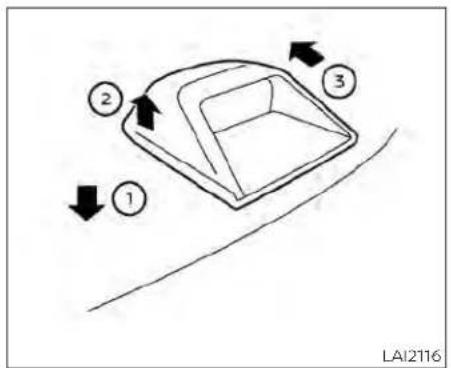
flowchart
graph TD
    A["①"] --> B["②"]
    B --> C["③"]
    C --> D["②"]
    style A fill:#f9f,stroke:#333
    style B fill:#ccf,stroke:#333
    style C fill:#cfc,stroke:#333
    style D fill:#fcc,stroke:#333
GLASS
Whencleaningtherearwindow,Itmaybe easiertocleanifthehigh-mountedstop lightsremovedfirst.
Be careful when removing the high-mounted stoplighttoreducetheriskof damagingthe high-mounted stoplight wires.
Toremovethehigh-mountedstoplight:
-
Pushdownwardontheplasticshelf aroundthestoplight Ⓡ, lift upwards on thestoplight,releasingitfromtheshelf Ⓡ.
-
Onceitisreleasedfromtheshelf, gently pullthestoplighttowardstherearseat-back ③.
The high-mounted stoplight must be properly reinstalled before driving your vehicle.
Useglasscleanertoremovesmokeand dustfilmfromtheglasssurfaces.Itisnormalforglasstobecomecoatedwithafilm afterthevehicleisparkedinthehotsun. Glasscleanerandasoftclothwilleasily removethisfilm.
Toreinstallthehigh-mountedstoplight, reversesteps ③, then ②.
CAUTION
Whencleaningtheinsideofthewindows,donotusesharp-edgedtools, abrasivecleanersorchlorine-based disinfectantcleaners.Theycoulddamagethelectricalconductors,radioantennaelementsorrearwindowdefoggerelements.
ALUMINUMALLOYWHEELS(ifso equipped)
Washthewheelsregularlywithasponge dampenedinamildsoapsolution,especiallyduringwintermonthsinareaswhere roadsaltisused.Ifnotremoved,roadsalt candiscolorthewheels.
CAUTION
Followthedirectionsbelowtoavoid stainingordiscoloringthewheels:
- Donotuseacleanerthatusesstrong acidoralkalicontentstocleanthe wheels.
- Donotapplywheelcleanerstothe wheelswhentheyarehot. Thewheel temperatureshouldbethesameas ambienttemperature.
- Rinsethewheeltocompletelyremovethecleanerwithin15minutes afterthecleanerisapplied.
CHROMEPARTS
Cleanallchromepartsregularlywitha non-abrasivechromepolishtomaintain thefinish.
TIREDRESSINGS
NISSANdoesnotrecommendtheuseof tiredressings.Tiremanufacturersapplya coatingtothetirestohelpreducediscolorationoftherubber.Ifatiredressingisappliedtothetires,itmayreactwiththecoatingandformacompound. Thiscompound maycomeoffthetirewhiledrivingand stainthevehiclepaint.
If you choose to use a tire dressing, take the following precautions:
- Use a water-based tire dressing. The coatingonthetiredissolvesmoreeasily thanwithanoil-basedtiredressing.
- Applyalightcoatoftiredressingtohelp preventitfromenteringthetiretread/grooves(whereitwouldbedifficultto remove).
•Wipeoffexcesstiredressingusingadry towel.Makesurethetiredressingiscompletely removed from the tire tread/grooves. - Allowthetiredressingtodryasrecommended by the tire dressing manufacturer.
CLEANINGINTERIOR
Occasionallyremoveloosedustfromthe interiortrim,plasticpartsandseatsusinga vacuumcleanerorsoftbristledbrush.Wipe thevinylandleather(ifsoequipped)surfaceswithaclean,softclothdampenedin mildsoapsolution,thenwipecleanwitha dry,softcloth.
Regularcareandcleaningisrequiredin ordertomaintaintheappearanceofthe leather(ifsoequipped).
Before using any fabric protector, read the manufacturer's recommendations. Some fabric protectors contain chemical that may stain or bleach these at material.
Useaclothdampenedonlywithwaterto cleanthemeterandgaugelens.
WARNING
Donotusewateroracidiccleaners(hot steamcleaners)ontheseat.Thiscan damagetheseatoroccupantclassificationsensor.Thiscanalsoaffectthe operationoftheairbagsystemandresultinseriouspersonalinjury.
CAUTION
- Neverusebenzine,thinnerorany similarmaterial.
-Smalldirtparticlescanbeabrasive anddamagingtoleathersurfaces andshouldberemovedpromptly.Do notusesaddlesoap,carwaxes,polishes,oils,cleaningfluids,solvents, detergentsorammonia-based cleaners as they may damage the leather'snaturalfinish.
·Never usefabricprotectors unless recommendedbythemanufacturer. - Donotuseglassorplasticcleaneron meterorgauge lenscovers.Itmay damagethelenscover.
- Never use chloride solutions for cleaningaluminumdecoratives(ifso equipped),damagemayoccur.
AIRFRESHENERS
Mostair freshenersuse asolvent that could affect the vehicle interior. If you use an air freshener, take the following precautions:
- Hanging-type air fresheners can cause permanentdiscolorationwhentheycontactvehicleinteriorsurfaces.Piacetheair freshenerin alocationthatallowsit to hang free and not contact an interior surface.
- Liquid-typeairfreshenerstypicallyclipon thevents. These product scan cause immediate damage and discoloration when spilled on interiorsurfaces.
Carefullyreadandfollowthemanufacturer's instructions before using the air fresheners.
POWERMOONROOF(ifso equipped)
Thesunshadelsmadefromatricot material.

CAUTION
Tohelppreventdamagingthemoon-roofwhilecleaning:
- Donotrubthematerialwithacloth. Doingsocandamagethesurface of thematerialorcauseastainto spread.
·Neverusebenzine,thinnerorany similarchemicaltocleanthesun-shade. This may discolorthemoon-roofanddamagethesurface.
Cleanwaterbasedstainsbypatting thesurfacewithacleansoftcloth dampenedinwarmwater.Pressa cleandryclothontothesurface to removeasmuchdampnessaspossibleandthenletairdry.
- Cleanoilbasedstainsbypattingthe surfacewithacleansoftclothdampenedinwarmwater.Pressacleandry clothontothesurfacetoremoveas muchdampnessaspossible and thenletairdry.

natural_image
Line drawing of two car seats with a magnified inset showing a circular object (no text or symbols)LAI2094
FLOORMATS(ifsoequipped)

WARNING
To avoid potential pedal interference that may result in acollision, injury or death:
- NEVERplaceafloormatontopof anotherfloormatinthedriverfront positionorinstallthemupsidedown orbackwards.
-
UseonlyGenuineNISSANfloormats, or equivalent floor mats, that are specificallydesignedforuseinyour vehiclemodelandmodelyear.
-
Properly position the mats in the floorwellusingthefloormatpositioningaid.Foradditionalinformation,see"Floormatinstallation"(P.7-6).
• Makesurethefloormatdoesnotinterferewithpedaloperation. - Periodically check the floormatsto make sure they are properly installed.
- After cleaning the vehicle interior, checkthefloormatstomakesure theyareproperlyinstalled.
TheuseofGenuineNISSANfloormatscan extendthelifeofyourvehiclecarpetand makeiteasiertocleantheinterior.Mats shouldbemaintainedwithregularclean-ingandreplacediftheybecomeexcessivelyworn.
Floormatinstallation
Yourvehicleisequippedwithfloormatpositioningaids.Thenumberandshapeof thefloormatpositionigaidforeachseat-ingpositionvariesdependingonthe vehicle.
WheninstallingGenuineNISSANfloormats, followtheinstallationinstructionsprovided withthematandthefollowing:
- With the ignition in the OFF position, the shift lever in Park's position and with the parking brake fully applied, position the floor mat in the floor well so that the floor mat grommetholes are aligned with the positioning aids.
- Secure the grommetholes into the depositionaids and ensure that the floor matis properly positioned.
- Makesurethefloormatdoesnotinterferewithpedaloperation. With the ignitionstillintheOFFposition, the shifttleverintheP(Park)position and with the parkingbrakeapplied, fully apply and release allpedals. The floormat must not interfere with pedaloperation or prevent the pedal from returning to its normal position.
It is recommended that you visit a NISSAN dealer for details about installing the floor mats in your vehicle.

natural_image
Top-down line drawing of a car showing front and rear sections (no text or symbols)Positioningaids
The illustrations show the location of the floormatpositioningaids.
SEATBELTS
Theseatbeltscanbecleanedbywiping themwithaspongedampenedinamild soapsolution.Allowthebeltstodrycom- pletelyintheshadebeforeusingthem.For additionalinformation,see"Seatbeltmain- tenance"(P.1-20).
WARNING
Donotallowwetseatbeltstorollupin theretractor.NEVERusebleach,dyeor chemicalsolventstocleantheseat belts,sincethesematerialsmayseverelyweakenteseatbeltwebbing.
CORROSIONPROTECTION
MOSTCOMMONFACTORS CONTRIBUTING TO VEHICLE CORROSION
Mostvehiclecorrosioniscausedby:
•The accumulation of moisture-retaining dirt and debris in body panel sections, cavities, and other areas.
- Damagetopaintandotherprotective coatingscausedbygravelandstone chipsorminortrafficcollisions.
ENVIRONMENTALFACTORS INFLUENCETHERATEOF CORROSION
Moisture
Accumulation of sand, dirt and water on the vehicle body underside can accelerate corrosion. Wet floor coverings will not dry completely inside the vehicle and should be removed for drying to avoid floor panel corrosion.
Relativehumidity
Corrosionwillbeacceleratedinareasof highrelativehumidity,especiallythose areaswherethetemperaturesstayabove freezingandwhereatmosphericpollution existsandroadsaltisused.
Temperature
Hightemperaturesacceleratetherate of corrosion to those parts which are not well ventilated.
Airpollution
Industrial pollution, the presence of salt in the air in coastal areas, or heavy roads salt use accelerates the corrosion process. Roads salt also accelerates the integration of paints surfaces.
PROTECT YOUR VEHICLE FROM CORROSION
- Washandwaxyourvehicleoftentokeep thevehicleclean.
•Alwayscheckforminordamagetothe paintandrepairitassoonaspossible. - Keepdrainholesatthebottomofthe doorsopen to avoidwateraccumulation.
- Checktheunderbodyforaccumulation of sand, dirtorsalt. If present, wash with waterassoonaspossible.
CAUTION
- NEVER remove dirt, sand or other debris from the passenger compartment by washing it out with a hose. Removed dirt with a vacuum cleaner orbroom.
- Neverallowwaterorotherliquidsto come in contact with electronic components insidethe vehicleas this maydamagethem.
Chemicalsusedforroadsurfacede-icing areextremelycorrosive. Theyaccelerate corrosionanddeteriorationofunderbody componentssuchastheexhaustsystem, fuelandbrakellines, brake cables,floorpan andfenders.
In winter, the underbody must be cleaned periodically.
For additional protection against trust and corrosion, which may be required in some areas, it is recommended that you visit a NISSAN dealer.
8Do-it-yourself
Maintenance precautions 8 - 2
Enginecompartmentchecklocations. 8-3
Enginecoolingsystem 8 - 5
Checkingenginecoolantlevel. 8 - 6
Changingenginecoolant. 8 - 6
Engineoll 8-7
Checkingengineoillevel....8-7
Changingengineoilandollfilter 8 - 8
ContinuouslyVariableTransmission(CVT)
fluid 8-12
Brakefluid....8-12
Windshield-washerfluid 8-13
Windshield-washerfluidreservoir....8-13
Battery 8-14
Jumpstarting 8-15
Variablevoltagecontrolsystem. 8-16
Drivebelt 8-16
Sparkplugs 8-17
Replacingsparkplugs. 8-17
Aircleaner 8-18
In-cabinmicrofilter 8-18
Windshieldwiperblades....8-19
Cleaning 8-19
Replacing....8-19
Brakes 8-20
Fuses....8-21
Enginecompartment 8-21
Passenger compartment 8-22
Battery replacement 8-23
NISSAN Intelligent Key ^ 8-24
Lights 8-25
Headlights 8-25
Fog lights (if so equipped) 8-26
Exterior and interior lights 8-26
Wheels and tires 8-29
Tire pressure 8-29
Tire labeling 8-33
Typesoftires 8-36
Tire chains 8-37
Changing wheels and tires 8-39
MAINTENANCEPRECAUTIONS
When performing any inspection or maintenance work your vehicle, always stake care to prevent serious accident in injury to yourself damage to the vehicle. The following are general precautions which should be closely observed.

WARNING
- Parkthevehicleonalevelsurface, applytheparkingbrakesecurely and blockthewheelstoppreventthevehiclefrommoving.MovetheshiftlevertoP(Park).
- Besuretheignitionswitchisinthe OFForLOCKpositionwhenperforminganypartsreplacementorrepairs.
- If you must work with the engineer running, keep your hands, clothing, hair and tools away from moving fans, belts and any other moving parts.
- Itisadvisabletosecureorremove anylooseclothingandremoveany jewelry,suchasrings,watches,etc. beforeworkingonyourvehicle.
·Alwaysweareyeprotectionwhen-everyouworkonyourvehicle.
-Yourvehicleisequippedwithanautomaticenginecoolingfan.itmay comeonatanytimewithout warning,eveniftheignitionswitchis intheOFFpositionandtheengineis notrunning.Toavoidinjury,always disconnectthenegative battery cablebeforeworkingnearthefan.
- If you must run the engine in an enclosedspacesuchasagarage, be surethereisproperventilation for exhaustgasestoescape.
- Nevergetunderthevehiclewhileitis supportedonly byajack.Ifitisnecessary to work under the vehicle, supportitwithsafetystands.
- Keepsmokingmaterials,flameand sparks away from the fuel tank and battery.
- Ongasoline enginemodels, the fuel filter or fuelliness should be serviced. It is recommended that you visit a NISSAN dealer for this service because the fuellines are under high pressure even when the engine is off.

CAUTION
- Donotworkunderthehoodwhile theengineishot.Turntheengineoff andwaituntilcoolsdown.
- Avoidcontactwithusedengineoil and coolant. Improperly disposed engine oil, engine coolant and/or other vehicle fluids can damage the environment.Alwaysconform tolocalregulationsfordisposalofvehicle fluid.
- Never leave the engine or the transmission relatedcomponentharness connectordisconnectedwhiletheignitionswitchisintheONposition.
- Neverconnectordisconnectthebattery or any transistorized componentwhiletheignitionswitchisin theONposition.
This"Do-it-yourself"section gives instructions regarding only those items which are relatively easy for an owner to perform.
AGenuineNISSANservicemanualisalso available.Foradditional information,see "Owner'sManual/ServiceManual orderinformation"(P.10-26).
Youshouldbeawarethatincompleteor improperservicingmayresultinoperating difficulties or excessive emissions, and couldaffectwarrantycoverage.Iffindoubt about anyservicing,it is recommended thatyouhaveitdonebyaNISSANdealer.
ENGINECOMPARTMENTCHECK LOCATIONS
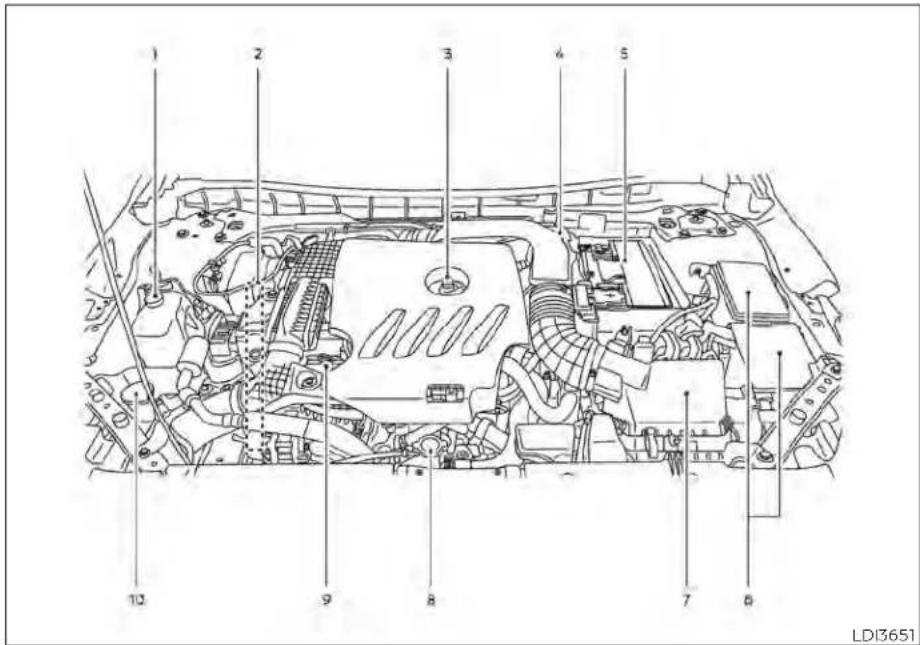
2.0L4cylinder(KR20DDETengine model)
- Enginecoolantreservoir
2.Drivebeltlocation
3.Engineoilfillercap
4.Brakefluidreservoir
5.Battery
6.Fuse/Fusiblelinkbox
7.Aircleaner
8.Radiatorcap - Engineoidipstick
10.Windshield-washerfluidreservoir
NOTE:
Yourvehiclemaynotbeequippedwith anenginecover.

2.5L4cylinder(PR25DDenginemodel)
- Enginecoolantreservoir
2.Drivebeltlocation - Engineoilfillercap
4.Engineoldipstick
5.Brakefluidreservoir
6.Battery
7.Fuse/Fusiblelinkbox
8.Aircleaner
9.Radiatorcap
10.Windshield-washerfluidreservoir
NOTE:
Yourvehiclemaynotbeequippedwith anenginecover.
ENGINECOOLINGSYSTEM
Theenginecoolingsystemisfilledatthe factorywithapre-dilutedmixtureof50% GenuineNISSANLongLifeAntifreeze/ Coolant(blue)and50%watertoprovide year-roundantifreezeandcoolantprotec-tion.Theantifreezesolutioncontainsrust andcorrosioninhibitors.Additionalengine coolingsystemadditivesarenot necessary.
WARNING
- Neverremovetheradiatororcoolant reservoircapwhentheengineishot. Waituntiltheengineandradiator cooldown.Seriousburnscouldbe causedbyhighpressurefluidescapingfromtheradiator.Foradditional informationonprecautions,see"If yourvehicleoverheats"(P.6-19).
- Theradiatorisequippedwithapres-sure type radiator cap. To prevent en-gine damage, use only a Genuine NISSANradiatorcap.
CAUTION
·Neveruseanycoolingsystemaddi- tivessuchasradiatorsealer.Addi- tivesmayclogthecoolingsystem andcausedamageto theengine, transmission and/orcoolingsystem.
- Whenadding orreplacingcoolant, be sure to use only Genuine NISSAN LongLifeAntifreeze/Coolant(blue) orequivalent.GenuineNISSANLong LifeAntifreeze/Coolant(blue)ispredilutedtoprovideantifreezeprotectionto-34°F(-37°C).Ifadditional freezeprotectionisneededdueto weatherwhereyouoperateyourvehicle,addGenuineNISSANLongLife Antifreeze/Coolant (blue) concentratefollowingthedirectionsonthe container.Ifanequivalentcoolant otherthanGenuineNISSANLongLife Antifreeze/Coolant(blue) isused, followthecoolantmanufacturer'sinstructionstomaintainminimumantifreezeprotectionto-34°F(-37°C). TheuseofothertypesofcoolantsolutionsotherthanGenuineNISSAN LongLifeAntifreeze/Coolant(blue) orequivalentmaydamagetheenginecoolingsystem.
- The life expectancy of the factory-fill coolant is 105,000 miles (168,000 km) or 7 years. Mixing anyothertype of coolantotherthan Genuine NISSAN LongLifeAntifreeze/Coolant(blue) (or equivalent coolant), including Genuine NISSAN Long Life Antifreeze/Coolant (green), or the useofnon-distilledwatermayreducethelifeexpectancy of the factory-fill coolant. For additional information, see the "Maintenance and schedules" sectionofthismanual.

natural_image
Technical line drawing of a vehicle engine compartment with labeled parts (A and B), no readable text or symbols beyond labelsThisvehiclecontainsGenuineNISSANLong LifeAntifreeze/Coolant(blue).Thelifeexpectancyofthefactory-fillcoolantis 105,000miles(168,000km)or7years.Mixing anyothertypeofcoolantortheuseof non-distilledwaterwillreducethelifeexpectancyofthefactory-fillcoolant.Foradditionalinformation,seethe"Maintenance and schedules"sectionofthismanual.
For additional information on the location of the engine coolant reservoir, see "Engine compartment check locations" (P.8-3).
If the coolingsystem frequently requires coolant, have it checked. It is recommended that you visit a NISSAN dealer forthisservice.
CHANGINGENGINECOOLANT
ANISSANdealercanchangetheengine coolant. The service procedure can be foundintheNISSANServiceManual.
Improperservicingcanresultinreduced heater performance and engine overheating.
WARNING
• To avoid the danger of being scalded, never changethe coolant when the engine is shot.
·Neverremovetheradiatorcapwhen theengineishot.Seriousburnscould becausedbyhighpressurefluidescapingfromtheradiator.
- Avoiddirectskincontactwithused coolant.Ifskincontactismade,wash thoroughly with soap or hand cleanerassoonaspossible.
- Keepcoolantoutofthereachofchildrenandpets.
Enginecoolantmustbedisposedofproperly.Checkyourlocalregulations.
ENGINEOIL

natural_image
Technical line drawing of a vehicle engine compartment with a black arrow indicating a component (no text or symbols present)2.0L4cylinder(KR20DDETengine model)
CHECKINGENGINEOILLEVEL
- Parkthevehicleonalevelsurface and applytheparkingbrake.
2.Starttheengineandletitidleuntilt reachesoperatingtemperature. - Turnofftheengine. Waitmorethan10 minutesfortheoiltodrainbackinto theoilpan.
4.Removethedipstickandwipeitclean. Reinsertitalltheway.

natural_image
Technical line drawing of an automotive engine bay with no visible text or symbols2.5L4cylinder(PR25DDenginemodel)

-
Removethedipstickagainandcheck theoillevel.ItshouldbebetweentheH (High)andL(Low)marks Ⓐ. Thisisthe normaloperatingoillevelrange.Iftheoil levelisbelowtheL(Low)mark Ⓐ, removetheoilfillercapandpourrecommendedoilthroughtheopening Donot filloillevelaboveH(High)mark Ⓐ.
-
Recheckoillevelwiththedipstick.
Itisnormaltoaddsomeoilbetweenoil maintenanceintervalsorduringthe break-inperiod,dependingontheseverityofoperatingconditions.
CAUTION
·Oillevelshouldbecheckedregularly. Operatingtheenginewithaninsufficientamountofoilcandamagethe engine, and such damage is not covered by warranty.
- It is normal to add some oil between oil maintenance intervals during the break-in period, depending on these severity of operating conditions.
CHANGINGENGINEOILANDOIL FILTER
For additional information on engine oil and oil filter change, referto the instructions outlined in this section.
Vehicleset-up
- Parkthevehicleonalevelsurface and applytheparkingbrake.
- Run the engine until it reaches operating temperature.
- Turntheengineoffandwaitfor15 minutes.
-
Raise and support the vehicle using a suitable floor jack and safety jack stands.
-
Place the safety jack stands under the vehiclejack-uppoints.
- Asuitableadaptersshouldbeattachedto thejackstandsaddle.
CAUTION
Makesurethecorrectliftingandsupport pointsareusedtoavoidvehicle damage.

Oilfillercap
8-8 Do-it-yourself

② Oildrainplug(2.0L4cylinder (KR20DDETengine model))

natural_image
Technical line drawing of a mechanical component with no visible text or symbols② Oildrainplug(2.5L4cylinder (PR25DDenginemodel))

natural_image
Technical diagram of a mechanical assembly with labeled parts (no readable text or symbols)③ Oilfilter(2.0L4cylinder (KR20DDETengine model))

natural_image
Mechanical assembly diagram showing a cylinder mounted on a vehicle intake manifold with numbered parts (no text or symbols)③ Oilfilter(2.5L4cylinder(PR25DD enginemodel))

natural_image
Technical line drawing of a vehicle chassis frame with no visible text or symbols④ Undercover

Removalofundercover
- Remove fasteners Ⓐ and undercover.
Engineoilandfilter
- Placealargedrainpanunderthedrain plugandoilfilter.
2.Removetheoilfillercap.
- Removethedrainplugwithawrenchby turningitcounterclockwiseandcom- pletelydraintheoil.
CAUTION
Becarefulnottoburnyourself,asthe engineoilishot.
WARNING
·Prolongedandrepeatedcontact withusedengineoilmaycauseskin cancer.
- Trytoavoiddirectskincontactwith usedoil.Ifskincontactismade,wash thoroughlywithsoaporhand cleanerassoonaspossible.
- Keepusedengineoiloutofreachof children.
-
Loosentheoilfilterwithanoilfilter wrenchbyturningitcounterclockwise. Removetheoilfilterbyturningitby hand.
-
Wipetheengineoilfiltermountingsurface with acleanrag.
CAUTION
Besuretoremoveanyoldgasketmaterialremainingonthesealingsurface of the engine. Failure to do so could leadtoanoilleakandenginedamage.
- The dipstick must be inserted in placetopreventoilspillagefromthe dipstickholewhenfillingtheengine withoil.
-
Coatthe gasketonthenew filterwith cleanengineoil.
-
Screw in the oil filter clockwise until a slight resistance is felt, thentighten additionally more than 2/3 turn.
Oilfiltertighteningtorque: 11to15ft-lb(14.7to20.6N·m)
- Cleanandre-installthedrainplugwitha newwasher.Securelytightenthedrain plugwithawrench.Donotuseexcessiveforce.
Drainplugtighteningtorque: 22to29ft-lb(29.4to39.2N·m)
- Refilltheenginewiththerecommended oilthroughtheoilfilleropening,andinstalltheoilfillercapsecurely.
For additional information about drain and refill capacity, see "Recommended fluids/lubricants and capacities" (P. 10-2). The drain and refill capacity depends on the oil temperature and duration. Use these specifications for reference only. Always
usethedipstickto determinetheproper amountofoil intheengine.
- Start the engine and check for leakage around the drain plug and the oil filter. Correct as required. Turn the engine off and wait more than 15 minutes. Check the oil level with the oil stick. Add engine oil if necessary.
Aftertheoperation
-
Reinstallundercoverinreverseorderof removal.
-
Lowerthevehiclecarefullytothe ground.
-
Reset the oil control system (if so equipped) andolland filtermaintenance reminder. For additional information, see "Vehicleinformationdisplay-5 inch (13 cm) Type A" (P. 2-18) or "Vehicle informationdisplay-7inch(18cm)TypeB" (P.2-34)
- Disposeofwasteoil andfilterproperly. - Checkyourlocalregulations.
CONTINUOUSLYVARIABLE TRANSMISSION(CVT)FLUID
CAUTION
·NISSANrecommendsusingGenuine NISSANCVTFluidNS-3(orequivalent)ONLYinNISSANCVTs.Donotmix withotherfluids.
- DonotuseAutomaticTransmission Fluid(ATF)ormanualtransmission fluidinaNISSANCVT,asitmaydamagetheCVT.Damagecausedbythe useoffluidsotherthanasrecommendedisnotcoveredunder NISSAN'sNewVehicleLimitedWarrantyoutlinedinyourWarrantyInformationBooklet.
- Usingfluidsthatarenotequivalent toGenuineNISSANCVTFluidNS-3 mayalsodamagetheCVT.Damage causedbytheuseoffluidsotherthan asrecommendedisnotcoveredunderNISSAN'sNew VehicleLimited WarrantyoutlinedinyourWarranty InformationBooklet.
WhencheckingorreplacementofCVTfluid isrequired,itisrecommendedthatyouvisit aNISSANdealerforthisservice.
BRAKEFLUID

LDI3270
For additional information on brake fluid specification, see "Recommended fluids/lubricants and capacities" (P.10-2).
WARNING
- Useonlynewfluidfromasealedcontainer.Old,inferiororcontaminated fluidmaydamagethebrakesystem. Theuseofimproperfluidscandamagethebrakesystemandaffectthe vehicle'sstoppingability.
•Cleanthefillercapbeforeremoving.
- Brakefluidispoisonousandshould bestoredcarefullyinmarkedcontainersoutofreachofchildren.
CAUTION
Donotspillthefluidonanypaintedsurfaces. Thiswilldamagethepaint. If fluid isspilled, immediately washthesurface with water.
Checkthefluidlevelinthereservoir.Ifthe brakefluidisbelowtheMiNline ^® ,the brakewarninglight willilluminate.Add brakefluiduptotheMAXline ^® .Foradditionalinformationonrecommendedtype ofbrakefluid,see "Recommendedfluids/lubricantsandcapacities"(P.10-2).
If the brake fluid must be added frequently, the brakes system should be thoroughly checked. It is recommended that you visit a NISSAN dealer for this service.
WINDSHIELD-WASHERFLUID

natural_image
Technical line drawing of a mechanical assembly with no visible text or symbolsWINDSHIELD-WASHERFLUID RESERVOIR
Fillthewindshield-washerfluidreservoir periodically.Addwindshield-washerfluid whenthe"LowWasherFluid"warningappearsinthevehicleinformationdisplay.
Tocheckthefluidlevelwiththediptube, useyourfingertoplugthecenterhole (A) of thecap/tubeassembly, thenremoveit fromthereservoir. If thereisnofluidinthe diptube, addfluid.
Tofillthewindshield-washerfluidreservoir, liftthecapoffthereservoirandpourthe windshield-washerfluidintothereservoir opening.
Addawashersolventtothewasherfor bettercleaning.Inthewinterseason,adda windshieldwasherantifreeze.Followthe manufacturer'sinstructionsforthemix-tureratio.
Refillthereservoirmorefrequentlywhen drivingconditionsrequireanincreased amountofwindshield-washerfluid.
RecommendedfluidisGenuineNISSAN windshieldwasherConcentrateCleaner& Antifreezeorequivalent.
WARNING
Antifreezeispoisonousandshouldbe storedcarefullyinmarkedcontainers outofthereachofchildren.
CAUTION
- Donotsubstituteengineantifreeze coolantforwindshield-washerfluid. Thismayresultindamagetothe paint.
Do not fill the windshield-washer fluidreservoirwithwasherfluidconcentrates at full strength. Some methylalcoholbasedwasherfluid concentratesmaypermanentlystain thegrilleifspilledwhilefillingthe windshield-washerfluidreservoir.
- Pre-mixwasherfluidconcentrates withwatertothemanufacturer's recommendedlevelsbeforepouring thefluidintothewindshield-washer fluid reservoir. Do not use the windshield-washerfluid reservoir to mixthewasherfluidconcentrate and water.
BATTERY
| CautionsymbolsforbatteryWARNING | ⚠️ | ||
| 1 |  | Nosmoking,Noexposedflames,No Sparks | Donotexposethebatterytoelectricalsparks,flamesorsmoking.Hydrogengasgeneratedbythe batteryisexplosive.Explosivegasescancauseblindnessorinjury. |
| 2 | [BY26] | Shieldeyes | Handlethebatterycautiously.Alwaysweareyeprotectionglassestoprotectagainstexplosionor batteryacid. |
| 3 |  | KeepawayfromchildrenNeverallowchildrentohandlethebattery.Keepthebatteryoutofthereachofchildren. | |
| 4 |  | Batteryacid | Donotallowbatteryfluidtocontactyourskin,eyes,fabrics,orpaintedsurfaces.Sulfuricacidcan causeblindnessorsevereburns.Aftertouchingabatteryorbatterycap,donottouchorrubyour eyes.Thoroughlywashyourhands.Iftheacidcontactsyoureyes,skinorclothing.Immediately flushwithwaterforatleast15minutesandseekmedicalattention.Batteryfluidisacid.Ifthebat-teryfluidgetsintoyoureyesorontoyourskin,itcouldcauselossofyoureyesightorburns. |
| 5 |  | Note operating instructions | Before handling the battery, read this instruction carefully to ensure correct and safe handling. |
| 6 |  | ExplosivegasHydrogengasgeneratedbybatteryfluidisexplosive.Explosivegasescancauseblindnessorinjury. | |
- If the battery is labeled "donotopen" it is maintenance free and battery fluid should not be checked. It is recommended that you visit a NISSAN dealer or qualified specialist workshop to confirm the battery's performance.
- Keepthebatterysurfacecleananddry. Cleanthebatterywithasolutionofbakingsodaandwater.
- Make certain the terminal connections are clean and securely tightened.
- If the vehicle is not to be used for 30 days or longer, disconnect then negative (-) battery terminal cable to prevent discharge.
NOTE:
Careshouldbetakentoavoidsituations thatcanleadtopotentialbatterydischargeandpotentialno-startconditions suchas:
- Installationorextendeduseofelec-tronicaccessoriesthatconsumebati-tery powerwhenthe engineisnot running (Phone chargers, GPS, DVD players,etc.)
- Vehicleisnotdrivenregularly and/or only drivenshort distances. In these cases, the battery may need to be charged to maintain battery health.
WARNING
- Donotexposethebatterytoflames, anelectricalsparkoracigarette.Hydrogengasgeneratedbythebattery is explosive. Explosive gases can causeblindnessorinjury.Donotallowbatteryfluidtocontactyourskin, eyes,fabricsorpaintedsurfaces.Sulfuricacidcancauseblindnessorinjury.Aftertouchingabatteryorbatterycap,donottouchorrubyoureyes.Thoroughlywashyourhands.If theacidcontactsyoureyes,skinor clothing,immediatelyflushwithwaterforatleast15minutesandseek medicalattention.
- Whenworkingonornearabattery, alwayswearsuitableeyeprotection andremovealljewelry.
- Batteryposts,terminalsandrelated accessories contain lead and lead compounds. Wash hands after handling.
- Keep battery out of the reach of children.
- Donottipthebattery.

natural_image
Isometric line drawing of a battery housing with mounting feet and internal components (no text or symbols)NOTE:
Donottrytoopenthetopofthebattery.
This battery is not equipped with removable eventcaps.
JUMPSTARTING
Ifjumpstartingisnecessary,see"Jump starting"(P.6-17).Iftheengineedsnot start by jump starting, the battery may havetobereplaced.Itsrecommended thatyou visita NISSANdealer forth this service.
VARIABLEVOLTAGECONTROL SYSTEM

natural_image
Technical line drawing of a vehicle battery pack assembly (no text or symbols)CAUTION
- Donotgroundaccessoriesdirectlyto thebatteryterminal.Doingsowill bypasssthevariablevoltagecontrol systemandthevehiclebatterymay notchargecompletely.
- Use electrical accessories with the engineer running to avoid discharging the vehicle battery.
Yourvehicleisequippedwithavariable voltagecontrolsystem.Thissystemmeasurestheamountofelectricaldischarge fromthebatteryandcontrolsvoltagegeneratedbythegenerator.
Thecurrentsensorislocatednearthebatteryalongthenegativebatterycable.Ifyou addelectricalaccessoriestoyourvehicle, besuretogroundthemtoasuitablebody groundsuchastheframeorengineblock area.
DRIVEBELT

WD10638
- Automatic tensioner pulley
2.Generatorpulley
3.Waterpumppulley
4.Airconditionercompressorpulley
5.Crankshaftpulley
WARNING
BesuretheignitionswitchisintheOFF orLOCKpositionbeforeservicingdrive belt. The engine could rotate unexpectedly.
SPARKPLUGS
- Visually inspect the belt for sign of unusual wear, cuts, or fraying if the belt is in poor condition, have it replaced. It is recommended that you visit a NISSAN dealer forth this service.
- Havethebelt checked regularly for condition.

REPLACINGSPARKPLUGS
Iridium-tippedsparkplugs
Itisnotnecessarytoreplaceiridium-tipped sparkplugsasfrequentlyasconventionaltypesparkplugsbecausethey lastmuchlonger.Followthemaintenance logshowninthe"Maintenanceandschedules"sectionofthismanual.Donotservice iridium-tippedsparkplugsbycleaningor regapping.
·Alwaysreplacesparkplugswithrecommendedorequivalentones.
WARNING
Besuretheengineandignitionswitch areoffandthattheparkingbrakeis engagedsecurely.
CAUTION
Besuretousethecorrectsockettore-movethesparkplugs.Anincorrect socketcandamagethesparkplugs.
Ifreplacementisrequired,itisrecommendedthatyouvisitaNISSANdealerfor thisservice.
AIRCLEANER

natural_image
Technical line drawing of a car engine compartment with two black arrows pointing to specific parts (no text or symbols present)NOTE:
Theaircleanerfiltershouldnotbe cleanedandreused.
Replacetheaircleanerfilteraccordingto themaintenancelogshowninthe"Maintenanceandschedules"sectionofthis manual.
Toremovetheaircleanerfilter:
- Unlatchtheclipsandmovetheair cleanercoverupward.
- Removetheaircleanerfilter.
• Wipetheinsideoftheaircleanerfilter housingandthecoverwithadampcloth.
Theviscouspapertypefilterelement(ifso equipped)shouldnotbecleanedandreused.Thedrypapertypefilterelement(ifso equipped)maybecleanedandreused.Replacetheairfilteraccordingtothemaintenancelogshowninthe"Maintenanceand schedules"sectionofthismanual..
NOTE:
Afterinstallinganewaircleanerfilter, makesuretheaircleanercoverisseated inthehousingandlatchtheclips.
WARNING
- Operatingtheenginewiththeair cleanerremovedcancauseyouor others to be burned. The air cleaner notonlycleanstheair,itstopsthe flameiftheenginebackfires.Ifitisn't there,andtheenginebackfires,you couldbeburned.Donotdrivewith theaircleanerremoved,andbecarefulwhenworkingontheenginewith theaircleanerremoved. - Neverpourfuelintothethrottlebody orattempttostarttheenginewith the air cleaner removed. Doing so couldresultinseriousinjury.
IN-CABIN MICROFILTER
The in-cabin microfilter restricts the entry of airbornedustandpollenparticles and reduces some objectionable outside odors. The filter is located behind the glove box. For additional information, see the "Maintenanceandschedules" section of this manual for change intervals.
If replacement is required, it is recommended that you visit a NISSAN dealer for this service.
WINDSHIELDWIPERBLADES
CLEANING
If your windshield is not clear after using the windshield-washer or if a wiper blade chatters when running, wax or other material may be on the blade or windshield.
Cleantheoutsideofthewindshieldwitha washerfluidoramilddetergent.Yourwind-shieldiscleanifbeadsdonotformwhen rinsingwithclearwater.
Cleaneachbladebywipingitwithacloth soakedinawasherfluidoramilddetergent.Thenrinsethebladeswithclearwater.Ifyourwindshieldisstillnotclearafter cleaningthebladesandusingthewiper, installnewwindshieldwiperblades.
CAUTION
Wornwindshieldwiperbladescan damagethewindshieldandimpair drivervision.

LDI2757
REPLACING
Replacethewiperbladesiftheyareworn.
Toreplacethewindshieldwiperblades, follow the procedure below:
- Liftthewiperarm awayfromthe windshield.
2.Pushthereleasetab
3.Move the wiper blade Ⓐ down and remove. - Insertthenewwiperbladeontothe wiperarmuntilclicksintoplace.
5.Pushwiperontowindshield.
CAUTION
- After wiper blade replacement, returnthewiperarmtoitsoriginalposition;otherwiseitmaybedamaged whenthehoodisopened.
-Makesurethewiperbladescontact theglass;otherwisethearmsmaybe damagedfromwindpressure.
BRAKES
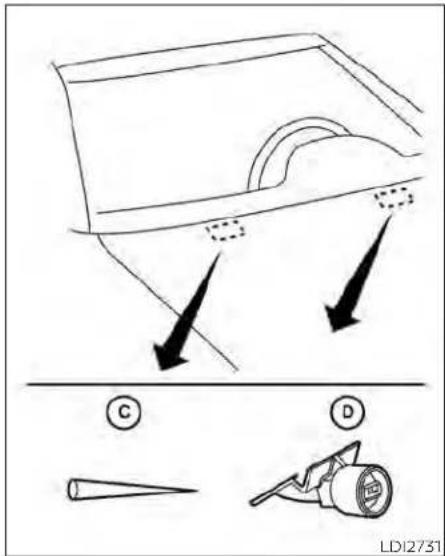
Ifyouwaxthesurfaceofthehood,becarefulnottoletwaxgetintothewashernozzle D.Thismaycausecloggingorimproper windshield-washeroperation.Ifwaxgets intothenozzle,removeitwithaneedleor smallpin G.
Ifthebrakesdonotoperateproperly,have thebrakeschecked.Itisrecommended thatyouvisitaNISSANdealerforth this service.
Self-adjustingbrakes
Your vehicle is equipped with self-adjusting brakes.
Thefrontandreardisc-typebrakeself-adjusteverytimethebrakepedalis applied.
WARNING
Haveyourbrakesystemcheckedifthe brakepedalheightdoesnotreturnto normal.Itisrecommendedthatyou visitaNISSANdealerforthisservice.
Brakepadwearindicators
Thediscbrakepadsonyourvehiclehave audiblewearindicators.Whenabrakepad requiresreplacement,ahighpitched scrapingorscreechingsoundwillbeheard whenthevehicleisinmotion.Thenoisewill beheardwhetherornotthebrakepedalis depressed.Havethebrakescheckedas soonas possibleif thewear indicator soundisheard.
Undersomedrivingorclimateconditions, occasionalbrakesqueak,squealorother noisemay beheard.Occasionalbrake noise during light to moderate stops is normalanddoesnotaffectthefunctionor performanceofthebrakesystem.
Proper brake inspection intervals should be followed. For additional information regarding brake inspections, seethe appropriate maintenances schedule information in the "Maintenance and schedules" section of this manual.
FUSES

natural_image
Line drawing of a mechanical component with no visible text or symbolsLDI2997LDI3274

natural_image
Technical line drawing of a mechanical assembly with two blocks mounted on a vehicle (no text or symbols visible)Ifanyelectricalequipmentdoesnotoperate,checkforanopenfuse.
Fusesareusedinthepassengerandenginecompartment.Sparefusesareprovidedandcanbefoundinthepassenger compartmentfusebox.
When installing afuse makes sure the fuse is installed in the fuse box securely.
ENGINECOMPARTMENT
WARNING
Neveruseafuseofahigherorlower amperageratingthanthatspecified on thefuseboxcover. This could damage the electrical system more electronic control units or cause a fire.
Ifanyelectricalequipmentdoesnotcome on,checkforanopenfuse.
-
BesuretheignitionswitchandtheheadlightswitchareOFF.
-
Opentheenginehood.
-
Removethefuseboxcoverbypushing thetabandliftingthecoverup.
-
Removethefusewiththefusepuller. Thefusepullerislocatedinthecenterof thefuseblockinthepassenger compartment.
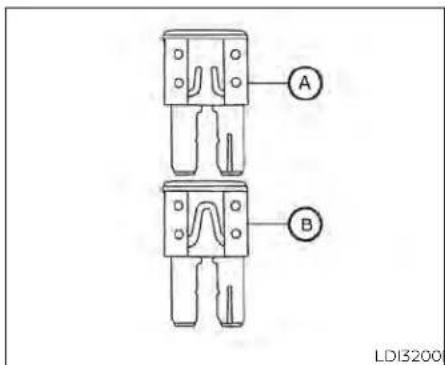
- If the fuse is open new fuse Ⓑ.
Ⓐ,replaceitwitha - Ifanewfusealsoopens, havetheelectricalsystemcheckedandrepaired. It is recommended that you visit a NISSAN dealer for this service.
Fusiblelinks
If the electricalequipment does not operate and fuses are good condition, check the fusible links. If any of these fusible links are melted, replace with only Genuine NISSAN parts.
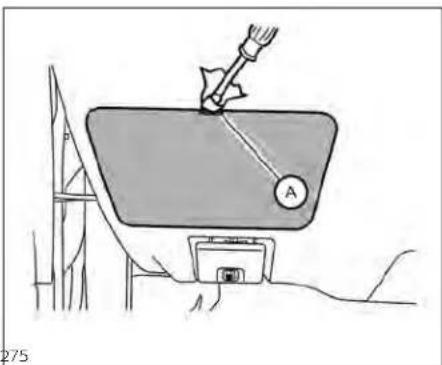
natural_image
Diagram of a mechanical device with a lever and labeled component A, no readable text or symbols presentPASSENGERCOMPARTMENT
WARNING
Neveruseafuseofhigherorloweramperageratingthanthatspecifiedon thefuseboxcover.Thiscoulddamage theelectricalsystemorelectroniccontrolunitsorcauseafire.
Ifanyelectricalequipmentdoesnotoperate,checkforanopenfuse.
-
BesuretheignitionswitchandtheheadlightswitchareintheOFFposition.
-
Removethefuseboxcover Ⓐ with a suitable tool. Use acloth to avoid damaging the trim.
8-22 Do-it-yourself
BATTERYREPLACEMENT

3.Removethefusewiththefusepuller

4.Ifthefuseisopen ⑥,replaceitwithan equivalentgoodfuse ⑭.
5.Pushthefuseboxcovertoinstall.
- Ifanewfusealsoopens, havetheelectricalsystemcheckedandrepaired.It is recommended that you visit a NISSAN dealer forth this service.
CAUTION
Becarefulnottoallowchildrentoswallowthebatteryorremovedparts.
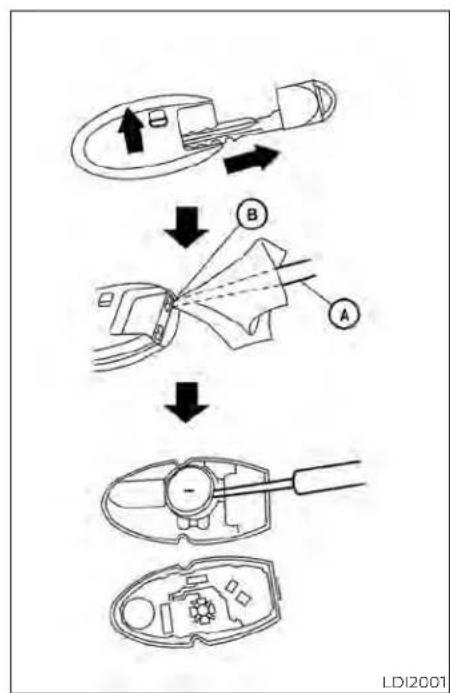
flowchart
graph TD
    A["Sensor Input"] --> B{Component}
    B --> C["Component A"]
    B --> D{Component B}
    D --> E["Final Assembly"]
    style A fill:#f9f,stroke:#333
    style B fill:#ccf,stroke:#333
    style C fill:#cfc,stroke:#333
    style D fill:#fcc,stroke:#333
    style E fill:#cff,stroke:#333
NISSANINTELLIGENTKEY®
ReplacethebatteryintheIntelligentKeyas follows:
- Removethemechanicalkeyfromthe IntelligentKey.
- Insertasmallscrewdriver Ⓐ intotheslit Ⓑ ofthecornerandtwistittoseparate theupperpartfromthelowerpart.Usea clothtoprotectthecasing.
- Replacethebattery with anewone.
Recommended battery: CR2032 or equivalent.
- Donottouchtheinternalcircuitand electricterminalsasdoingsocould causeamalfunction.
- Holdthebatterybytheedges.Holding thebatteryacrossthecontactpoints willseriouslydepletethestorage capacity.
•Makesurethatthe+sidefacesthe bottomofthelowerpart.
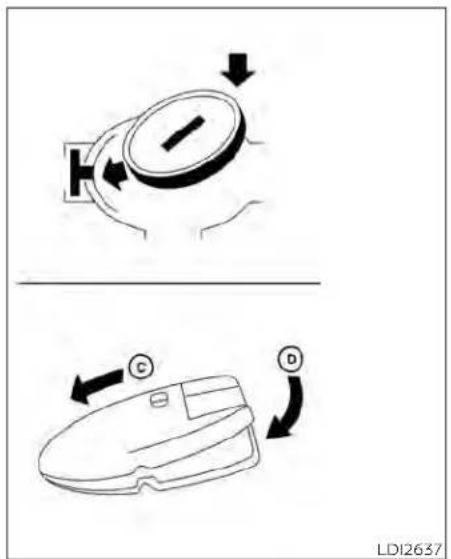
- Closethelid securely as illustrated with ⓒ and Ⓟ.
- Operatethebuttonstocheckthe operation.
8-24Do-it-yourself
LIGHTS
It is recommended that you visit a NISSAN dealer forth this service if you need assistance for replacement.
FCCNotice:
ForUSA:
ThisdevicecomplieswithPart15ofthe FCCRules.Operationissubjecttothefollowingtwoconditions:(1)Thisdevice maynotcauseharmfulinterference,and (2)thisdevicemustacceptanyinterferencereceived,includinginterference thatmaycauseundesiredoperation.
NOTE:
Changesormodificationsnotexpressly approvedbythepartyresponsiblefor compliancecouldvoidtheuser'sauthoritytooperatetheequipment.
ForCanada:
Thisdevicecontainslicence-exempt transmitter(s)/receiver(s)thatcomply withInnovation,ScienceandEconomic DevelopmentCanada'slicence-exempt RSS(s).Operationissubjecttothefollowingtwoconditions:(1)Thisdevice maynotcauseinterference.(2)Thisdevicemustacceptanyinterference,includinginterferencethatmaycauseundesiredoperationofthedevice.
HEADLIGHTS
For additional information on headlight bulbreplacement, refertothe instructions outlined in this section.
Replacingthehalogenheadlight bulb(ifsoequipped)
Theheadlightisasemi-sealedbeamtype whichusesa replaceableheadlight(halogen)bulb. Theycanbereplacedfrominside theengine compartment without removingtheheadlightassembly.
Ifheadlightbulbreplacementisrequired, it is recommended that you visit a NISSAN dealer forth this service.
CAUTION
-Aimingisnotnecessaryafterreplacingthebulb.Whenaimingadjustmentsnecessary,itisrecommended that you visit a NISSAN dealerforthisservice.
- Donotleavetheheadlightassembly open without a bulb installed for a longperiodof time. Dust,moisture, smoke,etc.enteringtheheadlight bodymayaffectbulb performance. Removethebulbfromtheheadlight assemblyjust beforeareplacement bulbisinstalled.
- Only touch the base when handling the bulb. Nevertouchtheglassenvelope. Touchingtheglasscouldsignificantlyaffectbulblifeand/or headlightperformance.
·Highpressurehalogengasissealed insidethe halogenbulb. The bulb may break if the glassenvelope is scratched or the bulb is dropped.
- Usethesame numberandwattage asshowninthechart.
Fog may temporarily form inside the lens of the exterior lights in therain or in a car wash. A temperature difference between the inside and the outside of the lens cause the fog. This is not a malfunction. If large drop sof water collect insidethelens, it is recommended that you visit a NISSAN dealer for this service.
ReplacingtheLEDheadlightbulb (ifsoequipped)
IfLEDheadlightbulbreplacementisrequired,itisrecommendedthatyouvisitaNISSANdealerforthisservice.
FOGLIGHTS(ifsoequipped)
For additional information on foglight bulb replacement, referto the instructions outlined in this section.
ReplacingtheLEDfoglightbulb
IfLEDfoglightbulbreplacementisrequired,itisrecommendedthatyouvisita NISSANdealerforthisservice.
EXTERIORANDINTERIORLIGHTS
| ItemWattage(w)BulbNo.* | ||
| Headlightassembly(TypeA)(ifsoequipped*) | ||
| Low(Halogen)55H11 | ||
| High(Halogen)60HB3 | ||
| Sidemarker5W5W | ||
| Headlightassembly(TypeB)(ifsoequipped)* | ||
| Low/High | — | — |
| Park/Daytimerunning | — | — |
| Sidemarker | — | — |
| Foglight(ifsoequipped)* | — | — |
| Turn signal/park (if so equipped) light ^2 | 28/8 | 7444NA |
| Doormirrorturnsignallight(ifsoequipped) ^4 | — | — |
| Steplight(ifsoequipped) | 3.8194 | |
| Maplight* | 8 | — |
| Vanitymirrorlight* | 18 | — |
| Courtesylight(ifsoequipped)* | — | — |
| Personallight ^3 | 8 | — |
| Trunklight | 3.4158 | |
| High-mountedstoplight* | — | — |
| Rearcombinationlight* | ||
| Stop/Tail | 21/5 | W21/5W |
| Turn | 21 | W21W |
| Sidemarker5W5W | ||
| Backup(reversing)assembly ^4 | ||
| Backup | 16 | 921 |
| Tail | 5W5W | |
| Licenseplatelight* | — | — |
* It is recommended that you visit a NISSAN dealer for replacement.
Always check with the Parts Department at a NISSAN dealer for the latest parts information.
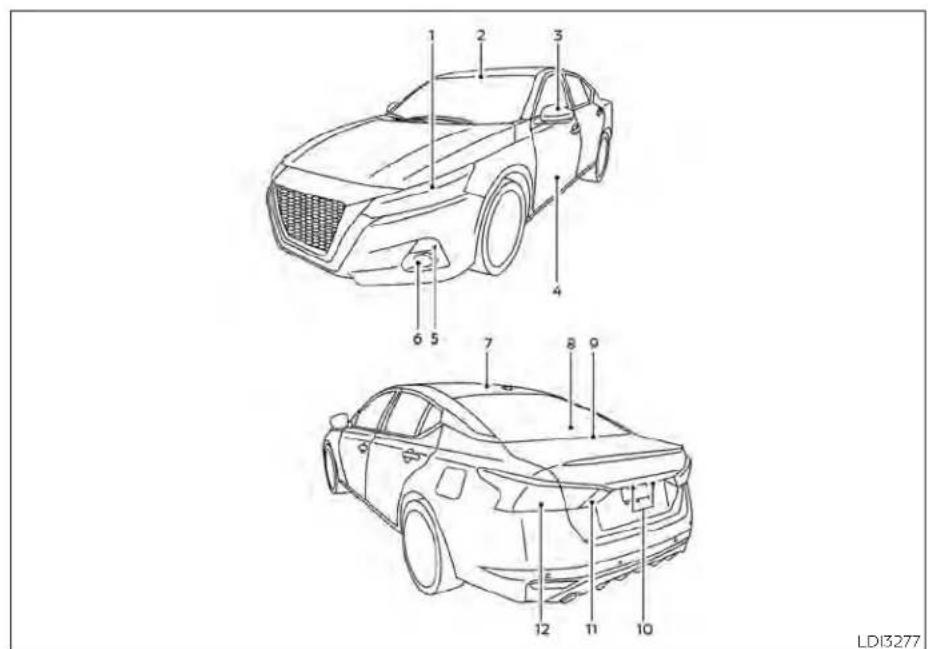
1.Headlightassembly
2.Maplight
3.Doormirrorturnsignallight(ifso equipped)
4. Steplight(ifsoequipped)
5.Turnsignal/park(ifsoequipped)light
6.Foglight(ifsoequipped)
7.Personallight
8. High-mountstoplight
9.Trunklight
10. Licenseplatelight
11.Backup(reversing)assembly
12.Rearcombinationlight
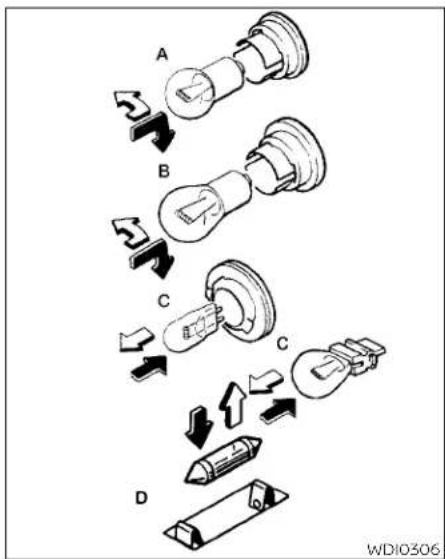
Replacementprocedures
AllotherlightsareeithertypeA,B,CorD. Whenreplacingabulb,firstremovethe lens,lightand/orcover.
↑ Indicatesbulbremoval
↑ Indicatesbulbinstallation
8-28 Do-it-yourself

Steplight(ifsoequipped)
Useacloth ① toprotectthehousing.
Rearcombinationlight
Bulbreplacementrequirestheremovalof therearcombinationlightassembly.Ifreplacementisrequired,itisrecommended thatyouvisitaNISSANdealerforthis service.
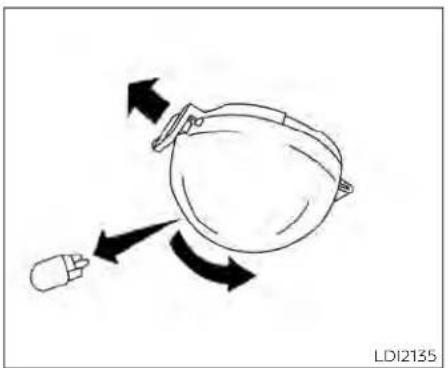
natural_image
Diagram of a mechanical device with directional arrows indicating motion (no text or symbols)Trunklight
WHEELSANDTIRES
If you have a flattire, see "Flattire" (P.6-3).
TIREPRESSURE
TirePressureMonitoringSystem (TPMS)
WARNING
Radiowavescouldadverselyaffectelectricmedicalequipment. Thosewhouseapacemaker shouldcontacttheelectricmedicalequipmentmanufacturerfor thepossibleinfluencesbefore use.
This vehicle is equipped with the Tire Pressure Monitoring System (TPMS). It monitor tire pressure of all tires except the spare. When the low tire pressure warning light is lit and the "Tire Pressure Low-Add Air" warning appears in the vehicle information display, one more of your tires is significantly under inflated.
The TPMS will activate only when the vehicle is driven at speeds above 16 mph (25 km/h). Also, this system may not detect as sudden drop in tire pressure (fore example a flattire while driving).
For additional information, see "Low tirepressurewarninglight" (P.2-13), "TirePressureMonitoringSystem (TPMS)" (P.5-5), and "Flattire" (P.6-3).
Tireinflationpressure
Checkthetirepressures(including thespare)oftenandalwayspriorto long distancetrips.The recommendedtirepressurespecifications areshownontheF.M.V.S.S./C.M.V.S.S. certification label or the Tire and LoadingInformationlabelunderthe "Cold Tire Pressure" heading. The TireandLoadingInformationlabelis affixedtothedriversidecenterpillar. Tirepressures should be checked regularlybecause:
- Mosttiresnaturallyloseairover time.
•Tirescanloseairsuddenlywhen drivenoverpotholesorotherobjectsrifthevehiclestrikesacurb whileparking.
The tire pressures should be checkedwhenthetiresarecold.The tiresareconsideredCOLDafterthe vehicle has been parked for 3 or more hours, or driven less than 1 mile (1.6km)atmoderatespeeds.
The TPMS with Easy-Fill Tire Alert provides visual andaudiblesignals outside the vehicle for inflating the tirestherecommended COLDtire pressure. For additional information, see "TPMS with Easy-Fill Tire Alert" (P.5-8).
If the tires are used at speeds above 100 mph (162 km/h) where it is legal to do so (on a racetrack forex-ample), the cold tire inflation pressure must be increased. For additional information, see "Checking tire pressure" (P.8-32).
Setthetirepressuretothenormal coldtireinflationpressurewhenthe vehiclespeedorloadisreduced.
Incorrect tire pressure, including underinflation, may adversely affect tire life and vehicle handling.
WARNING
- Improperlyinflatedtirescan failsuddenlyandcausean accident.
The Gross Vehicle Weight Rating (GVWR) is located on the F.M.V.S.S./C.M.V.S.S. certification label. The vehicle weight capacity is indicated on the Tire and Loading Information label. Donot load your vehicle beyond this capacity. Overloading your vehicle may result in reduced tire life, unsafe operating conditions duetopremature tire failure, or unfavorable handling characteristics and could also lead to a serious accident. Loading beyond the specified capacity may also result in failure of other vehicle components.
- Beforetakingalongtrip,or whenever you heavily load yourvehicle,useatirepressure gaugetoensurethatthetire pressuresareatthespecified level.
- Increase the coldtireinflation pressure as indicated in "Checking tire pressure" (P. 8-32) when using the tires specified by NISSAN above 100 mph (162km/h) where it is legal to do so (on a racetrack for example). Failure to increase the coldtireinflation pressure may result in tire failure, loss of control and possible injury. After such use, read just tire pressure.
For additional information regarding tires, refer to "Important Tire Safety Information" (US) or "TireSafety Information"(Canada)intheWarranty InformationBooklet.

TireandLoadingInformation label
① Seatingcapacity:Themaximum numberofoccupantsthatcan beseatedinthevehicle.
② Tiresize-see "Tirelabeling" (P.8-33).
③ Coldtirepressure:Inflatethetires tothispressurewhenthetires arecold.Tiresareconsidered COLDafterthevehiclehasbeen
parkedfor3ormorehours,or drivenlessthan1mile(1.6km)at moderatespeeds.Therecommendedcold tireinflation is set by themanufacturer toprovide thebestbalanceoftirewear,vehiclehandling,driveability,tire noise,etc.,uptothevehicle's GVWR.
④ Original tiresize: The sizeofthe tiresoriginally installed on the vehicle at the factory.
⑤ Sparetiresize.
⑥ Vehicleloadlimit:see"Vehicle loadinginformation" (P.10-16).

natural_image
Technical line drawing of a mechanical assembly with a central component and surrounding components (no text or symbols)Checkingtirepressure
-
Removethevalvestemcapfrom thetire.
-
Pressthepressuregauge squarelyontothevalvestem.Do notpresstoohardorforcethe valvestemsideways,orairwillescape.Ifthehissingsoundofair escapingfromthetireisheard whilecheckingthepressure,repositionthegaugetoeliminate thisleakage.
8-32 Do-it-yourself
3.Removethegauge.
- Read the tire pressure on the gaugestemand compare to the specifications shown on the Tire and Loading Information label.
5.Addairtothetireasneeded.Iftoo muchairisadded,pressthecore ofthevalvestembrieflywiththe tipof thegauge stemto release pressure.Recheckthepressure andaddorreleaseairasneeded.
6.Installthevalvestemcap.
- Check the pressure of all other tires, including the spare.
| Size | ColdTire Inflation Pressure | |
| Frontand Rear Original Tire | 215/60R16 | 220kPa, 32PSI |
| 215/55R17 | 230kPa, 33PSI | |
| 235/40R19 | 230kPa, 33PSI | |
| SpareTire | T135/90D16 | 420kPa, 60PSI |
| T135/70D16 | 420kPa, 60PSI |

Example
TIRELABELING
Federallawrequirestiremanufacturerstoplacestandardizedinformationonthesidewallofalltires. Thisinformationidentifiesanddescribesthefundamentalcharacteristicsofthetireandalsoprovidesthe TireldentificationNumber(TIN)for safetystandardcertification.TheTIN canbeusedtoidentifythetirein caseofarecall.

other
P215/65R15 95H | Category | Value | |---|---| | P | 1 | | 215 | 2 | | 65 | 3 | | R | 4 | | 15 | 5 | | 95 | 6 | | H | 7 | WDI0395Example
① Tiresize(example:P215/65R1595H)
1.P:The "P"indicatesthetireisdesignedforpassengervehicles(not alltireshavethisinformation).
-
Three-digit number(215): This number gives the width in millimeters of the entire height of the vertical edges and is a wall edge.
-
Two-digit number(65): This number, known as the aspect ratio, giving the 'sratio of height to width'.
-
R:The"R"standsforradial.
-
Two-digitnumber(15):Thisnumberisthe wheelorrim diameterin inches.
-
Two-orthree-digitnumber(95): This number is the store index. It is a measurement of how much weight each time can support.
7.H:Tirespeedrating.Youshould notdrivethevehiclefasterthan thetirespeedrating.

- DOT: Abbreviation for the "Department Of Transportation". The symbol can be placed above, below to the left or right of the Tire Identification Number.
-
Two-digit code: Manufacturer's identificationmark.
-
Two-digitcode: Tire size.
- Three-digitcode: Tiretypecode (Optional).
- Four numbers represent the week and year the tire was built. Forexample, then numbers 3103 mean the 31st week of 2003. If these numbers are missing then look on the others' sidewall of the tire.

② TIN(TireIdentificationNumber) foranewtire(example:DOTXXX XXXXXXXXX)
1. DOT: Abbreviation for the "Department Of Transportation". The symbol can be placed above, below to the left or right of the Tire Identification Number.
2. Three-digitcode: Manufacturer's identificationmark.
3.Six-digitcode:Descriptivecode usedtoidentifysignificantcharacteristicsofthetire.
4. Fournumbers represent the week and yearthetire was built. Forexample, thenumbers 3103 mean the 31st week of 2003.
③ Tire ply composition and material Thenumberoflayersorplies of rubber-coatedfabricinthetire. Tire manufacturers alsomustindicate thematerialsinthetire, which include steel, nylon, polyester and others.
④ Maximumpermissibleinflation pressure
This number is the greatest amount of air pressure that should be put in the tire. Do not exceed the maximum permissible inflation pressure.
⑤ Maximumloadrating
This number indicates the maximum load inkilogramsandpounds that can be carried by the tire. When replacing the tires on the vehicle, always use atirethathasthesame load rating asthefactory installed tire.
⑥ Termof"tubeless"or"tubetype" indicateswhetherthetirerequires aninnertube("tubetype")ornot ("tubeless").
⑦ Theword"radial"
Theword"radial"isshownifthetire hasradialstructure.
⑧ Manufacturerorbrandname Manufacturerorbrandnameis shown.
OtherTire-relatedTerminology
Inadditiontothemanytermsthat aredefinedthroughoutthissection, IntendedOutboardSidewallis(1)the sidewallthatcontainsawhitewall, bearswhiteletteringorbears manufacturer,brand,and/ormodel namemoldingthatishigheror deeper than the same molding on the other sidewall of the tire, or (2) the outward facing sidewall of an asymmetrical tire that has a particularsidethatmustalwaysfaceoutwardwhenmountedonavehicle.
TYPESOFTIRES
WARNING
- When changing or replacing tires, be sure all four tires are of the same type (i.e., Summer, All Season or Snow) and construction. A NISSAN dealer maybe to help you within information about tire type, size, speed rating and availability.
- Replacementtiresmayhavealower speed rating than the factory equippedtires,andmaynotmatch the potential maximumvehicle speed.Neverexceedthemaximum speedratingof thetire.
- Replacing tires with those not originally specified by NISSAN could affect the proper operation of the low tire pressure warnings system.
- Always use tires of the same type, size, brand, construction and tread patternonallfourwheels. Failureto dosomayresultinacircumference difference between tires on the front and rearaxles which can cause the Vehicle Dynamic Control (VDC) system malfunction resulting in personal injury or death, excessive tire wear and may damage the transmission and differential gears.
- For additional information regarding tires, referto "Important Tire Safety Information" (US) or "Tire Safety Information" (Canada) in the Warranty Information Booklet.
All-WheelDrive(AWD)models
WARNING
For AWD vehicles - the TEMPORARY USE ONLY spare tire must be installed to the rearwheelsonly. If a front tire is punctured, install the original reartire onto the front wheel, then install the TEMPORARY USE ONLY spare tire on therear. Failure todos could cause overheating to the AWD system
CAUTION
- ONLYusesparetiressspecifiedforthe AWDmodel.
Ifexcessivetirewearisfound,itisrecommendedthatallfourtiresbereplacedwithtiresofthesamesize,brand,constructionandtreadpattern.Thetirepressureandwheelalignmentshouldalsobecheckedandcorrectedasnecessary. ItsrecommendedthatyouvisitaNISSANdealerforthisservice.
Allseasontires
NISSANspecifiesAllSeasontiresonsome modelstoprovidegoodperformanceall year, includingsnowyandicyroadconditions.AllSeasontiresareidentifiedbyALL SEASONand/orM&Sonthetiresidewall. Snowtreshavebettersnowtractionthan AllSeasontiresandmaybemoreappropriateinsomeareas.
Summertires
NISSANspeciflessummertiresonsome modelstoprovidesuperlorperformance ondryroads.Summertireperformanceis substantiallyreducedinsnowandice. Summertiresdonothavethetiretraction rating"M&S"onthetiresidewall.
If you planto operate your vehicle einsnowy oricy conditions, NISSAN recommend the use of SNOW tires or ALL SEASON tires on all four wheels.
Snowtires
Ifsnowtiresareneeded,itisnecessaryto selecttiresequivalentinsizeandloadratingtotheoriginalequipmenttires.Ifyoudo not,itcanadverselyaffectthesafety and handlingofyourvehicle.
Generally, snowtireshavelowerspeedratingsthanfactoryequippedtiresandmay notmatchthepotentialmaximumvehicle speed. Neverexceedthemaximumspeed ratingofthetire.
If you install snowtires, they must be the same size, brand, construction and tread pattern on all four wheels.
For additional traction on icy roads, studded tires maybe used. However, some U.S. states and Canadian provinces prohibit their use. Check local, state and provincial laws before installing studded tires. Skid and traction capabilities of studded snow tires on wet or dry surfaces may be poorer than that of non-studded snow tires.
TIRECHAINS
CAUTION
Only certain SAE class "S" tirechains can be used on this vehicle. Using the wrong Class "S" chains on this vehicle will cause damage to the vehicle. If you plan to use tirechains/cables, you should use a trechain that meets the minimum clearances for your vehicle.
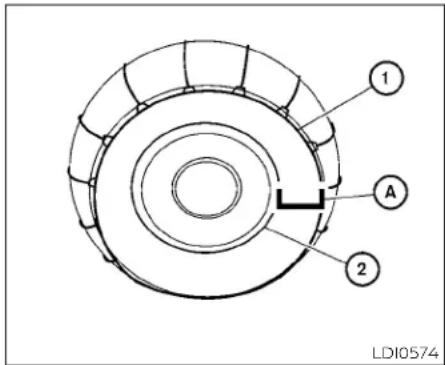
Useoftirechainsmaybeprohibitedaccordingtolocation.Checkthelocallaws beforeinstallingtirechains.Wheninstalling tirechains,makesuretheyaretheproper sizeforthetiresonyourvehicleandare installedaccordingtothechainmanufacturer'ssuggestions.Useatirechainthatis designedtoprovidethespecifiedspace ④ betweentheinstalledtirechain ① and wherethetiremeetstherim ② asshown onthechart.
NOTE:
Tirechainsarenotpermittedforuse with19inwheels.
| WheelsizeMinimum | mspacere- |
| quired | |
| 16in.7in(17mm) | |
| 17in.2in(4mm) |
Atirechainthatprovidesthespecified amountofspacewillprovidethenecessaryclearancebetweenhetireandthe closestvehiclesuspensionorbodycomponent.Theminimumclearancesaredeterminedusingthefactory-equippedtires. Othertypesmaydamageyourvehicle.Use chaintensionerswhenrecommendedby thetirechainmanufacturertoensurea tightfit.Looseendlinksofthetirechain mustbesecuredorremovedtoprevent thepossibilityofwhippingactiondamage tothefendersorunderbody.Ifpossible, avoidfullyloadingyourvehiclewhenusing tirechains.Inaddition,driveatareduced speed. Otherwise, your vehicle may be damaged and/or vehicle handling and performancemaybeadverselyaffected.
Tirechainsmustbeinstalledonlyonthe frontwheelsandnotontherearwheels.
NeverinstalltirechainsonaTEMPORARY USEONLYsparetire.
Donotusetirechainsondryroads.Driving withtirechainsinsuchconditionscan causedamagetothevariousmechanisms ofthevehicleduetosomeoverstress.
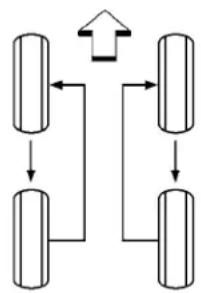
flowchart
graph TD
    A["Step 1"] --> B["Step 2"]
    B --> C["Step 3"]
    C --> D["Step 4"]
    D --> A
    style A fill:#f9f,stroke:#333
    style B fill:#f9f,stroke:#333
    style C fill:#f9f,stroke:#333
    style D fill:#f9f,stroke:#333
WDI0258
CHANGINGWHEELSANDTIRES
Tirerotation
NISSAN recommends rotating the tires every 5,000 miles (8,000 km) for vehicle equipped with the 2.5 L4 cylinder (PR25 DD engine model) and 7,500 miles (12,000 km) for vehicles equipped with the 2.0 L4 cylinder (KR20 DDET engine model).
For additional information on tirere-placing procedures, "Flattire" (P.6-3).
Assoonaspossible,tightenthe wheelnutstothespecifiedtorque withatorquewrench.
Wheelnuttighteningtorque: 83ft-lb(113N·m)
The wheelnuts must be kept tightened to specifications at all times. It is recommended that wheel nuts be tightened to specification at each tirerotation interval.
WARNING
•Afterrotatingthetires, check and adjust the tire pressure.
- Retightenthewheelnutswhen thevehiclehasbeendrivenfor 600miles(1,000km)(alsoin casesofaflattire,etc.).
- Donotincludethesparetirein thetirerotation.
- For additional information regarding tires, referto "Important Tire Safety Information" (US) or "Tire Safety Information" (Canada) in the Warranty Information Booklet.

Tirewearanddamage
1.Wearindicator
2.Locationmark
WARNING
•Tiressshouldbeperiodicallyin-spectedforwear, cracking, bulgingorobjectscaughtin thetread.Ifexcessivewear, cracks,bulgingordeepcuts arefound,thetire(s)shouldbe replaced.
Theoriginaltireshavebuilt-in treadwearindicators.When thewearindicatorsarevisible, thetire(s)shouldbereplaced.
·Tiresdegradewithage and use. Havetires, including the spare, over 6 years old checked by a qualified technician because some tire damage may not be obvious. Replacethe tires as necessary to prevent tire failure and possible personal injury.
- Improper service of the spare tiremay resultin serious personal injury. If it is necessary to repair the spare tire, it is recommended that you visit a NISSAN dealer for this service.
- For additional information regarding tires, refer to "ImportantTireSafetyInformation" (US)or "TireSafetyInformation"(Canada)intheWarranty InformationBooklet.
Replacingwheelsandtires
Whenreplacingatire,usethesamesize, tread design,speedratingandloadcarrying capacity as originally equipped. For additionalinformation, see"Wheelsandtires" (P. 10-10).
WARNING
Theuseoftiresotherthanthoserecommendedorthemixeduseoftires ofdifferentbrands,construction (bias,bias-beltedorradial),ortread patternscanadverselyaffectthe ride,braking,handling,VehicleDynamicControl(VDC)system,ground clearance,body-to-tireclearance, tirechainclearance,speedometer calibration,headlightaimandbumperheight.Someoftheseeffects mayleadtoaccidentsandcouldresultinseriouspersonalinjury.
- If your vehicle was originally equipped with four tires that were the same size and you are only replacing two of the four tires, install the new tires on the rear axle. Placing new tires on the frontaxle may cause loss of vehicle control in some driving conditions and cause an accident and personal injury.
- ifthewheelsarechangedforany reason,alwaysreplace withwheels whichhave thesame off-setdimension.Wheels ofadifferentoff-set couldcauseprematuretirewear,degrade vehicle handlingcharacteristics, affectthe VDCsystem and/orinterferencewiththebrakediscs.Such interferencecanleadtodecreased braking efficiency and/orearly brake padwear.Foradditionalinformation onwheeloff-setdimensions,see "Wheelsandtires"(P.10-10).
- When using a wheel without the TPMS, such as the spare tire, the TPMS will not function and the low tire pressure warning light will flash for approximately 1 minute. The light will remain on after 1 minute. Have your tires replaced and/or TPMS system reset as soon as possible. It is recommended that you visit a NISSAN dealer forth this service.
- Replacing tires withthosenotoriginallyspecifiedby NISSANcouldaffect the proper operation of the TPMS.
TheTPMSsensormaybedamagedif itisnothandledcorrectly.Becareful whenhandlingtheTPMSsensor.
- WhenreplacingtheTPMSsensor,the IDregistration mayberequired.Itis recommended that you visit a NISSANdealerforIDregistration.
- Donotuseavalvestemcapthatis notspecifiedbyNISSAN.Thevalve stemcapmaybecomestuck.
- Be sure that the valve stem caps are correctlyfitted. Otherwisethevalve maybecloggedupwithdirtand cause a malfunction or loss of pressure.
- Donot installadamaged orde- formedwheelortireevenifithas been repaired. Such wheels or tires couldhavestructuraldamageand couldfailwithoutwarning.
- The use of retread tires is not recommended.
- For additional information regarding tires, refer to "Important Tire Safety Information" (US) or "Tire Safety Information" (Canada) in the Warranty InformationBooklet.
Wheelbalance
Unbalanced wheels may affect vehicle handling and tire life. Even with regular use, wheels can get out of balance. Therefore, they should be balanced as required.
Wheelbalanceservicesshouldbeperformedwiththewheelsoffthevehicle. Spinbalancingthewheelsonthevehicle couldleadtomechanicaldamage.
- Foradditionalinformationregarding tires,referto"ImportantTireSafetyInformation"(US)or"TireSafetyInformation"(Canada)intheWarrantyInformationBooklet.
Careofwheels
- Washtewheelswhenwashingthevehicletomaintaintheirappearance.
- Cleantheinnersideofthewheelswhen thewheelischangedortheundersideof thevehicleiswashed.
- Donotuseabrasivecleanerswhen washingthewheels.
- Inspectwheelrimsregularlyfordentsor corrosion.Suchdamagemaycauseloss of pressureorpoorsealatthetirebead.
•NISSANrecommendswaxingtheroad wheelstoprotectagainstroadsaltinareaswhereitisusedduringwinter.
Sparetire(TEMPORARYUSEONLY sparetire)(ifsoequipped)
When using a wheel without the TPMS such asthesparetire, the TPMS will not function.
Observethefollowingprecautionsifthe TEMPORARYUSEONLYsparetiremustbe used. Otherwise, your vehicle could be damagedorinvolvedinanaccident:
WARNING
- For AWD vehicles - the TEMPORARY USEONLYsparetiremustbeinstalled totherearwheelsonly.Ifafronttire ispunctured,installtheoriginalrear tireontothefrontwheel,theninstall theTEMPORARYUSEONLYsparetire ontherear.Failureretodosocould cause overheating to the AWD system
- Thesparetireshould beused for emergencyuseonly.Itshouldbereplacedwiththestandardtire atthe firstopportunityto avoidpossible tireordifferentialdamage.
-
DrivecarefullywhiletheTEMPORARY USEONLYsparetireisinstalled.Avoid sharpturnsandabruptbrakingwhile driving.
-
Periodicallychecksparetireinflation pressure. Always keep the pressure of the TEMPORARY USE ONLY spare tireat420kPa,4.2bar(60psi).
With the TEMPORARY USE ONLY spare tire installed on the drivethe vehicle at speeds faster than 50 mph (80 km/h). - Whendrivingonroadscoveredwith snow or ice, the TEMPORARY USE ONLYsparetireshouldbeusedonthe rearwheelsandtheoriginaltireused onthefrontwheels(drivewheels).
·Tiretreadof the TEMPORARYUSE ONLYsparetirewillwearatafaster ratethanthestandardtire.Replace the spare tire as soon as the tread wearindicatorsappear. - Donotusethe sparetireonother vehicles.
- Donotusemorethanonesparetire atthesametime.
- DonottowatralerwhentheTEMPO-RARYUSEONLYsparetireisinstalled.
CAUTION
- DonotusetirechainsonaTEMPO-RARYUSEONLYsparetire.Tirechains willnotfitproperlyandmaycause damagetothevehicle.
- Because the TEMPORARY USE ONLY spare tire is smaller than the original tire, ground clearance is reduced. To avoid damage to the vehicle, donot drive over obstacles. Also, donot drivethe vehicle through an automatic car wash since it may get caught.
Emergency tire puncture repair kit (if so equipped)
The emergency tire puncture repair kit (Emergency Tire Sealant) is supplied with the vehicle instead of a spare tire. It can be used to temporarily repair minor tire punctures.
If possible, have the vehicle towed to a facility that can repair or replace the flat tire. Using the emergency tire puncture repair kit may cause a malfunction of the tire pressure sensor and cause the low tire pressure warning light to illuminate.
For additional information, see "Flat tire" (P. 6-3).
NOTE: Formodelswiththeemergencytire puncturerepairkit,asparetire,jack androdarenotequippedas standard.
MEMO
8-44Do-it-yourself
9Maintenanceandschedules
Maintenancerequirements....9 - 2
Generalmaintenance....9 - 2
Scheduledmaintenance....9-2
Wheretogoforservice....9-2
Generalmaintenance....9-2
Explanationofgeneralmaintenance
items....9-2
Explanationofscheduledmaintenanceitems...9-5
Emissioncontrolsystemmaintenance: ..... 9 - 6
Chassisandbodymaintenance: 9 - 6
Maintenanceschedules....9-7
Additionalmaintenanceitemsfor
severeoperatingconditions....9-7
Oilcontrolsystem(ifsoequipped)....9-7
2.5L4cylinder(PR25DDenginemodel)....9-9
2.0L4cylinder(KR20DDETengine
model)....9-28
MAINTENANCEREQUIREMENTS
Someday-to-day and regular maintenance is essential to maintain your vehicle, as well as its emissions and engine performance.
Itistheowner's responsibility to make sure that the scheduled maintenance, as well as general maintenance, is performed.
Asthevehicleowner,youaretheonlyone whocanensurethatyourvehiclereceives propermaintenance.Youareavitallinkin themaintenancechain.
GENERALMAINTENANCE
Generalmaintenanceincludesthoseitems whichshouldbecheckedduringnormal day-to-dayoperation.Theyareessential forpropervehicleoperation.Itlsyourresponsibilitytoperformtheseprocedures regularlyasprescribed.
Performinggeneralmaintenancechecks requiresminimalmechanicalskillandonly afewgeneralautomotivetools.
These checks or inspections can be done by yourself, a qualified technician, if you prefer, a NISSAN dealer.
Themaintenanceitemslistedinthissectionarerequiredtobeservicedatregular intervals.Howeverunderseveredriving conditions,additionalormorefrequent maintenancewillberequired.
WHERETOGOFORSERVICE
Ifmaintenanceserviceisrequiredoryour vehicleappearstomalfunction,havethe systemscheckedandserviced.ItisrecommendedthatyouvisitaNISSANdealerfor thisservice.
NISSANtechniciansarewell-trainedspecialistsandarekeptup-to-datewiththe latestserviceinformationthroughtechnicalbulletins,servicetipsandtrainingprograms.Theyarefullyqualifiedtoworkon NISSANvehiclesbeforeworkbegins.
If your vehicle is involved in a collision, it is recommended that you ask your NISSAN dealer where the nearest NISSANC certified Collision Center is located, orgoto http://collision.nissanusa.com.
YoucanbeconfidentthataNISSANdealer'sservicedepartmentcanperformthe serviceneededtomeetthemaintenance requirementsonyourvehicle.
GENERALMAINTENANCE
During thenormalday-to-day operation of the vehicle, general maintenances should be performed regularly as prescribed in this section. If you detect any unusual sounds, vibrations or smells, be sure to check for the cause or have it checked promptly. In addition, it is recommended that you visit a NISSAN dealer if you think that repairs are required.
When performing any checks or maintenance work, closely observ the "Maintenance precautions" in the "Do-it-yourself" section of this manual.
EXPLANATIONOFGENERAL MAINTENANCEITEMS
WARNING
Failuretofollowtheprocedureslisted withinthissectionmayresultinpersonalinjury.
Additionalinformationonthefollowing items with “*” is found in the “Do-it-yourself”sectionofthismanual.
Outsidethevehicle
Themaintenanceitemslistedhereshould beperformedfromtimetotime,unless otherwise specified.
Doorsandenginehood: Checkthatthe doorsandenginehoodoperateproperly. Alsoensurethatalllatcheslocksecurely.Lubricatehinges,latches,latchpins,rollersand linksifnecessary.Makesurethatthesecondarylatchkeepsthehoodfromopening whentheprimarylatchisreleased.
Whendrivinginareasusingroadsaltor othercorrosivematerials, checklubricationfrequently.
Check that the gas strays or struts properly and securely hold the hood, trunk, or rear hatch in the fully open position. If the hood, trunk, or rear hatch is notheld open, have the gas stays or struts replaced.
Lights*:Cleantheheadlightsonaregular basis.Makesurethattheheadlights,stop lights,taillights,turnsignallights,andother lightsarealloperatingproperlyandin-stalledsecurely.Alsocheckheadlightaim.
Roadwheelnuts(lugnuts)*:whencheckingthetires,makesurenowheelnutsare missing,andcheckforanyloosewheel nuts.Tightenifnecessary.
Tirerotation*: Rotatetiresatthespecified intervalshowninthemaintenance schedule.
Tires*:Checkthepressurewithagauge oftenandalwayspriortolongdistance trips.Ifnecessary,adjustthepressureinall tires,includingthespare,tothepressure specified.Checkcarefullyfordamage,cuts orexcessivewear.
TirePressureMonitoringSystem(TPMS) tirepressuresensor:Itisrecommended thatyoureplacetheTPMStirepressure sensorassemblywhenthetiresarere-placedduetowearorage.
Wheelalignmentandbalance:iftheve- hicleshouldpulltoeithersidewhiledriving onastraightandlevelroad,orifyoudetect unevenorabnormaltirewear,theremay beaneedforwheelalignment.Ifthestee- ingwheelorseatvibratesatnormalhigh- way speeds, wheel balancing may be needed.
For additional information regarding tires, refer to "Important Tire Safety Information" (US) or "Tire Safety Information" (Canada) in the Warranty Information Booklet.
Windshield: Clean the windshield on a regularbasis.Checkthewindshieldatleast everysixmonthsforcracksorotherdam-
age.Haveadamagedwindshieldrepaired byaqualifiedrepairfacility.itisrecommendedthatyouhaveadamagedwindshieldrepairedbyaNISSANdealer,ora NISSANCertifiedCollisionCenter.Tolocate a collision center in your area, refer to http://collision.nissanusa.com.
Windshield wiper blades*: Check for cracksorweariftheydonotwipeproperly.
Insidethevehicle
Themaintenanceitemslistedhereshould becheckedonaregularbasis,suchas whenperformingscheduledmaintenance, cleaningthevehicle,etc.
Accelerator pedal: Check the pedal for smooth operation and make sure the pedaldoesnotcatchorrequireuneven effort.Keepthefloormatawayfromthe pedal.
Brakepedal: Checkthepedalforsmooth operation. If the brakepedalsuddenly goes down further than normal, the pedal feels spongy or the vehicle seem stotakelonger to stop, have your vehicle checked immediately. It is recommended that you visit a NISSAN dealer forth this service. Keep the floormataway from the pedal.
Brakes: Check that the brakes donot pull the vehicle to onesidewhen applied.
ContinuouslyVariableTransmission (CVT)P(Park)positionmechanism:Ona fairlysteephillcheckthatthevehicleisheld securelywiththeshiftleverintheP(Park) positionwithoutapplyinganybrakes.
Parkingbrake:Checktheparkingbrake operationregularly.Thevehicleshouldbe securelyheldonafairlysteephillwithonly theparkingbrakeapplied.Iftheparking brakeneedsadjustment,itisrecommendedthatyouvisitaNISSANdealerfor thisservice.
Seats: Checkseatpositioncontrolssuch asseatadjusters,seatbackrecliner,etc.,to ensuretheyoperatesmoothlyandall latcheslocksecurelyineveryposition. Checkthattheheadrestraints/headrests moveupanddownsmoothly and thelocks (ifsoequipped)holdsecurelyinallatched positions.
Seatbelts: Check that all part of these seat beltsystem (forexample, buckles, anchors, adjusters and retractors) operate properly and smoothly, and are installed securely. Check the belt webbing for cuts, fraying, wearordamage.
Steeringwheel: Checkforchangesinthe steering system, such as excessive free play, hardsteeringorstrangenoises.
Warninglightsandchimes: Makesureall warninglightsandchimesareoperating properly.
Windshielddefroster: Check that the air comes out of the defroster outlets properly and insufficient quantity when operating the heater or air conditioner.
Windshield wiper and washer*: Check thatthewipersandwasheroperateproperlyandthatthewipersdonotstreak.
Underthehoodandvehicle
Themaintenanceitemslistedhereshould becheckedperiodically(forexample,each timeyouchecktheengineoilorrefuel).
Battery*: This vehicle is equipped with a sealed maintenance free battery. It is recommended that you visit a NISSAN dealer for service.
NOTE:
Careshouldbetakentoavoidsituations thatcanleadtopotentialbatterydischarge and potential no-start conditions suchas:
-
Installationorextendeduseofelec- tronicaccessoriesthatconsumebat- tery power when the engine is not running (Phone chargers, GPS, DVD players,etc.).
-
Vehicleisnotdrivenregularly and/or only drivenshortdistances. Inthesecases, the battery may need to be charged to maintain battery health.
Brake fluid level*: Make sure that the brake fluid levels between the MAX and MIN lines on the reservoir.
Enginecoolantlevel*:Checkthecoolant levelwhentheengineiscold.
Enginedrivebelts*: Makesurethedrive beltsarenotfrayed, worn, crackedorolly.
Engine oil level*: Check the level after parking the vehicle on a level spot and turningofftheengine.waitmorethan15 minutesfortheoiltodrainbackintotheoil pan.
EXPLANATIONOFSCHEDULED MAINTENANCEITEMS
Exhaustsystem: Makesurethereareno loosesupports, cracksorholes. If the soundoftheexhaustseemsunusualor thereisasmellofexhaustfumes, immediately havetheexhaustsysteminspected. It is recommended that you visita NISSAN dealerforthisservice. For additional information, see "Exhaustgas(carbonmonoxide)" (P.5-4).
Fluidleaks: Checkunderthevehiclefor fuel, oil, water or other fluidleaks after the vehicle has been parked for awhile. Water dripping from the air condition after use is normal. If you should notice anyleaks or if fulfumes are evident, check for the cause and have it corrected immediately.
Radiatorandhoses: Checkthefrontofthe radiatorandcleanoffanydirt, insects, leaves, etc., that may have accumulated. Makesurethehoseshavenocracks, deformation, rotorlooseconnections.
Underbody:Theunderbodyisfrequently exposedtocorrosivesubstancessuchas thoseusedonicyroadsortocontroldust.it isveryimportanttoremovethesesubstances,otherwiserustmayformonthe floorpan,frame,fuellinesandaroundthe exhaustsystem.Attheendofwinter,the underbodyshouldbethoroughlyflushed withplainwater,beingcarefultoclean
thoseareaswheremudanddirtmayaccumulate.Foradditionalinformation,seethe "Cleaningexterior"(P.7-2).
Windshield-washer fluid*: Check that thereisadequatefluidinthereservoir.
The following descriptions are provided to give you a better understanding of the scheduled maintenance item that should be regularly checked or replaced. The maintenances schedule indicates at which mileage/time interval seachitem requires service.
Inaddition to scheduled maintenance, your vehiclerequiresthatsomeitemsbe checkedduringnormalday-to-dayoperation.Foradditionalinformation,see"Generalmaintenance"(P.9-2).
Itemsmarkedwith""arerecommended by NISSAN for reliable vehicle operation. You are not required to perform maintenance these items in order to maintain the warranties which come with your NISSAN. Other maintenance items and intervals are required.
When applicable, additional information can be found in the "Do-it-yourself" section of this manual.
NOTE:
NISSANdoesnotadvocatetheuseof non-OEMapprovedaftermarketflushingsystemsandstronglyadvises againstperformingtheservicesona NISSANproduct.Manyoftheaftermarketflushingsystemsusenon-OEMapprovedchemicalsorsolvents,theuseof whichhasnotbeenvalidatedbyNISSAN.
Forrecommendedfuel,lubricants,fluids, grease,andrefrigerant,see"Recommendedfluids/lubricantsandcapacities"(P.10-2).
Drive belts*: Check engine drive belts for wear, fraying or cracking and for proper tension. Replace any damaged drive belts.
Engineairfilter:Replaceatspecifiedintervals. When driving for prolonged periods in dusty conditions, check/replacement filter more frequently.
Enginecoolant*:Replacecoolantatthe specifiedinterval. Whenaddingor replacingcoolant, besuretouseonlyGenuine NISSANLongLifeAntifreeze/Coolant(blue)orequivalentwith thepropermixture.(For additional information on the proper mixtureforyourarea,see"Enginecoolingsystem"(P.8-5).
NOTE: Mixinganyother typeofcoolant ortheuseofnon-distilledwatermayreducethe recommendedserviceinterval ofthecoolant.
Engineoilandoilfilter:Replaceengineoil and oil filter at the specified intervals. For recommended oilgrade and viscosity see "Recommended fluids/lubricants and capacities"(P.10-2).
Enginevalveclearance*:Inspectonlyif valve noise increases. Adjust valve clearance if necessary.
Fuel tank vapor vent system*: Check vaporlinesforleaks orlooseness. Tighten connectionsorreplacepartsasnecessary.
Fuelfilter: Periodic maintenance is not required. (in-tank type filter)
Fuellines/connections*:Checkthefuel hoses, piping and connections for leaks, looseness, ordeterioration. Tightenconnections or replace parts as necessary.
Sparkplugs: ReplaceatspecifiedIntervals. Install new plugs of the type as originally equipped.
CHASSIS AND BODY MAINTENANCE:
Brakelinesandcables: VisuallyInspect for proper installation. Check for chafing, cracks, deterioration, and signs of leaking. Replace any deteriorated or damaged parts immediately.
Brake pads and rotors: Check for wear, deterioration and fluid leaks. Replace any deteriorated or damaged parts immediately.
Exhaustsystem: Visuallyinspecttheex-haustpipes,mufflerandhangersforleaks, cracks,deterioration,anddamage.Tighten connectionsorreplacepartsasnecessary.
Propellershaft(s): Checkfor damage, looseness, and greaseleakage.(AWD)
In-cabinmicrofilter:Replaceatspecified intervals.When drivingforprolonged periodsindustyconditions, replace thefilter morefrequently.
Steeringgearandlinkage,axleandsuspensionparts,driveshaft boots:Check for damage,looseness, andleakageofoil orgrease.Underseveredrivingconditions, inspectmorefrequently.
MAINTENANCESCHEDULES
Tirerotation: Rotatetiresatthespecified intervalshowninthemaintenanceschedule. Whenrotatingtires, checkfordamage and unevenwear. Replace if necessary.
Transmissionfluid/oil,differentialoil, andtransfercaseoil:Visuallyinspectfor signsofleakageatspecifiedintervals.
Replaceatspecifiedintervals.
Tohelpensuresmooth,safeandeconomicaldriving,NISSANprovidestwomaintenanceschedulesthatmaybeused,dependingupontheconditionsinwhichyou usuallydrive.Theseschedulescontain bothdistanceandtimeintervals,upto 120,000miles(192,000km)/144months.For mostpeople,theodometerreadingwillindicatewhenservicesneeded.However,if youdriveverylittle,yourvehicleshouldbe servicedattheregulartimeintervals shownintheschedule.
After 120,000 miles (192,000 km) / 144 months, continuemaintenance at the samemileage/time intervals.
ADDITIONALMAINTENANCEITEMS FORSEVEREOPERATING CONDITIONS
Additional maintenance items for severe operating conditions should be performed on vehicles that are driven under especially demanding conditions. Additional maintenance items should be performed if you primarily operate your vehicle under the following conditions:
• Repeatedshorttripsoflessthan5miles (8km).
• Repeated shorttripsoflessthan10miles (16km) withoutsidetemperaturesremainingbelowfreezing.
- Operatinginhotweatherinstop-and-go "rushhour"traffic.
- Extensiveidlingand/orlowspeeddriving forlongdistances,suchaspolice,taxior door-to-doordeliveryuse.
- Drivingindustyconditions.
- Driving on rough, muddy or salt spread roads.
• Usingacar-topcarrier.
If your vehicle is mainly operated under the severe conditions, follow these severe use maintenance intervals shown in them main- tenances schedule.
OILCONTROLSYSTEM(ifso equipped)
Yourvehicleisequippedwithoilcontrol system.Itcalculatesengineoilandfilter change intervals based on driving conditions.Drivinginthefollowingsevereconditions will shorten the engine oil and filter changeinterval.
HowdrivingconditionsaffectOCSdis-playtiming
2.5L4cylinder(PR25DDenginemodel):
| ConditionsDrivingScene | Displaytiming | |
| Light | •Freewaydriving•Citydriving(flat/moderatehills)•Notowingorheavyloads•Noextendedengineidling | Normal |
| Extreme | •Repeatedshorttripsoflessthan5miles(8km).•Repeatedshorttripsoflessthan10miles(16km)withoutsidetemperaturesremainingbelowfreezing.•Operatinginhotweatherinstop-and-go‘rushhour’traffic.•Extensiveidlingand/orlowspeeddrivingforlongdistances,suchaspolice,taxiordoor-to-doordeliveryuse.•Usingacar-topcarrier.•Drivingwithfrequentuseofbrakingorinmountainousareas.•Sustainedhighspeeddriving. | Early |

CAUTION
- If the oil replacement indicator is displayed, changethe engine oil within two weeks or less than 500 miles (800km).
- Operating your vehicle with deteriorated oil candamagethe engine.
- If your oil replacement indicator re-sets prematurely or becomes in operative, please change the oil within six months or 5,000 miles (8,000 km) from our last oil change.
9-8 Maintenanceandschedules
2.0L4cylinder(KR20DDETengine model):
| ConditionsDrivingSceneDisplaytiming | ||
| Light | •Freewaydriving•Citydriving(flat/moderatehills)•Notowingorheavyloads•Noextendedengineidling | Normal |
| Extreme | •Repeatedshorttripsoflessthan5miles(8km).•Repeatedshorttripsoflessthan10miles(16km)withoutsidetemperaturesremainingbelowfreezing.•Operatinginhotweatherinstop-and-go‘rushhour’traffic.•Extensiveidlingand/orlowspeeddrivingforlongdistances,suchaspolice,taxiordoor-to-doordeliveryuse.•Usingacar-topcarrier.•Drivingwithfrequentuseofbrakingorinmountainousareas.•Sustainedhighspeeddriving. | Early |

CAUTION
- If the oil replacement indicator is displayed, changethe engine oil within two weeks or less than 500 miles (800km).
- Operating your vehicle with deteriorated oil candamagethe engine.
- If your oil replacement indicator re-sets prematurely or becomes in operative, please change the oil within six months or 3,750 miles (6,000 km) from your last oil change.
2.5L4CYLINDER(PR25DDengine model)
The following show sthemaintenance schedule.
Choosethemaintenanceschedule neededbasedonyourvehicledriving conditions.
After 120,000 miles (192,000 km) / 144 months, continuemaintenance at the samemileage/time interval.
5,000miles/(8,000km)/6months
Performatnumberofmiles,kilometersor months,whichevercomesfirst.
Standardmaintenance:
Inspections:
•Horn,lights,signals,wipers,rearhatch/ hoodliftsupports
• Allfluidsinspected(engine,wiper,brake,powersteering,coolant)
•Engine drive belts and hose inspections
•Engineairfilter
•Propellershaft(AWDmodels)
- Suspensioncomponents(shocks, sub-frame, tierods)
• Differentialandfluid(AWDmodels)
•Batteryterminalsandcables,batterytest
•Tirepressure,treadwearanddepth
Essentials:
•Tirerotation
Severeusemaintenance:
Inspections:
-Brakepads&rotors
•Exhaustsystem
-Propellershaft(AWDmodels)
•Steeringgear&linkage
•Axle&suspensionparts
- Driveshaftboots
10,000miles/(16,000km)/12months
Performatnumberofmiles,kilometersor months,whichevercomesfirst.
Standardmaintenance:
Inspections:
- Brakelines&cables
-Brakepads&rotors
•CVTtransmissionfluid
•Propellershaft(AWDmodels)
• Differential gearoil(AWDmodels)
•Transfercaseoil(AWDmodels)
- Driveshaftboots
•Horn,lights,signals,wipers,rearhatch/ hoodliftsupports
• Allfluidsinspected(engine,wiper,brake,powersteering,coolant)
- Engine drive belts and hose inspections - Engine air filter
- Suspensioncomponents(shocks, sub-frame, tierods)
• Differentialandfluid(AWDmodels)
•Batteryterminalsandcables,batterytest
• Tirepressure, treadwear and depth
-Intelligentkeybattery
Essentials:
-Replaceengineoil&filter(1)
•Replace-in-cabinmicrofilter
•Tirerotation
Severeusemaintenance:
Inspections:
-Brakepads&rotors
•Exhaustsystem
•Propellershaft(AWDmodels)
•Steeringgear&linkage
•Axle&suspensionparts
- Driveshaftboots
Essentials:
-Replacebrakefluid
(1) If the oil replacement indicator is displayed, can get the engine oil and filter within two weeks or less than 500 miles (800 km).
15,000miles/(24,000km)/18months
Performatnumberofmiles,kilometersor months,whichevercomesfirst.
Standardmaintenance:
Inspection:
•Intelligentkeybattery
•Horn,lights,signals,wipers,rearhatch/hoodliftsupports
- Allfluidsinspected(engine,wiper,brake,powersteering,coolant)
•Engine drive belts and hose inspections
•Engineairfilter
•Propellershaft(AWDmodels)
- Suspensioncomponents(shocks, sub-frame, tierods)
• Differentialandfluid(AWDmodels)
•Batteryterminalsandcables,batterytest
•Tirepressure,treadwearanddepth
Essentials:
•Tirerotation
Severeusemaintenance:
Inspections:
-Brakepads&rotors
•Exhaustsystem
-Propellershaft(AWDmodels)
-Steeringgear&linkage
•Axle&suspensionparts
- Driveshaftboots
20,000miles/(32,000km)/24months
Performatnumberofmiles,kilometersor months,whichevercomesfirst.
Standardmaintenance:
Inspections:
-Brakelines&cables
-Brakepads&rotors
•CVTtransmissionfluid
•Fueltankvaporventsystem
•Fuellines/connections
•Exhaustsystem
-Propellershaft(AWDmodels)
•Steeringgearandlinkage
•Axle&suspensionparts
• Differential gearoil(AWDmodels)
•Transfercaseoil(AWDmodels)
- Driveshaftboots
•Horn,lights,signals,wipers,rearhatch/ hoodliftsupports
• Allfluidsinspected(engine,wiper,brake,powersteering,coolant)
•Engine drive belts and hose inspections
•Engineairfilter
•Suspensioncomponents(shocks, sub-frame, tierods)
• Differentialandfluid(AWDmodels)
•Batteryterminalsandcables,batterytest
•Tirepressure,treadwearanddepth
Essentials:
-Replacebrakefluid
-Replaceengineoil&filter(1)
-Replace-in-cabinmicrofilter
•Replaceintelligentkeybattery
•Tirerotation
Severeusemaintenance:
Inspections:
-Brakepads&rotors
•Exhaustsystem
•Propellershaft(AWDmodels)
-Steeringgear&linkage
•Axle&suspensionparts
- Driveshaftboots
Essentials:
-Replacebrakefluid
•Replacedifferentialgearoil(AWDmodels)
•Replacetransfercaseoil(AwDmodels)
(1) If the oil replacement indicator is displayed, can get the engine oil and filter within two weeks or less than 500 miles (800 km).
25,000miles/(40,000km)/30months
Performatnumberofmiles,kilometersor months,whichevercomesfirst.
Standardmaintenance:
Inspections:
•Horn,lights,signals,wipers,rearhatch/ hoodliftsupports
• Allfluidsinspected(engine,wiper,brake,powersteering,coolant)
•Enginedrivebeltsandhoseinspections
•Engineairfilter
•Propellershaft(AWDmodels)
- Suspensioncomponents(shocks, sub-frame, tierods)
• Differentialandfluid(AWDmodels)
•Batteryterminalsandcables,batterytest
•Tirepressure,treadwearanddepth
Essentials:
•Tirerotation
Severeusemaintenance:
Inspections:
-Brakepads&rotors
•Exhaustsystem
•Propellershaft(AWDmodels)
-Steeringgear&linkage
•Axle&suspensionparts
- Driveshaftboots
30,000miles/(48,000km)/36months
Performatnumberofmiles,kilometersor months,whichevercomesfirst.
Standardmaintenance:
Inspections:
- Brakelines&cables
-Brakepads&rotors
•CVTtransmissionfluid
•Propellershaft(AWDmodels)
• Differential gearoil(AWDmodels)
•Transfercaseoil(AWDmodels)
-Driveshaftboots
•Horn,lights,signals,wipers,rearhatch/ hoodliftsupports
• Allfluidsinspected(engine,wiper,brake,powersteering,coolant)
•Engine drive belts and hose inspections
•Engineairfilter
- Suspensioncomponents(shocks, sub-frame, tierods)
• Differentialandfluid(AWDmodels)
•Batteryterminalsandcables,batterytest
•Tirepressure,treadwearanddepth
Essentials:
-Replaceengineairfilter(1)
-Replaceengineoil&filter(2)
-Replace-in-cabinmicrofilter
-Replaceintelligentkeybattery
•Tirerotation
Severeusemaintenance:
Inspections:
-Brakepads&rotors
•Exhaustsystem
•Propellershaft(AWDmodels)
-Steeringgear&linkage
-Axle&suspensionparts
- Driveshaftboots
Essentials:
-Replacebrakefluid
(1) If operating mainly industry conditions, more frequent maintenance may be required.
(2) If the oil replacement indicator is displayed, can get the engine oil and filter within two weeks or less than 500 miles (800 km).
35,000miles/(56,000km)/42months
Performatnumberofmiles,kilometersor months,whichevercomesfirst.
Standardmaintenance:
Inspections:
•Horn,lights,signals,wipers,rearhatch/ hoodliftsupports
- Allfluidsinspected(engine,wiper,brake,powersteering,coolant)
•Enginedrivebeltsandhoseinspections
•Engineairfilter
•Propellershaft(AWDmodels)
- Suspensioncomponents(shocks, sub-frame, tierods)
• Differentialandfluid(AWDmodels)
•Batteryterminalsandcables,batterytest
•Tirepressure,treadwearanddepth
Essentials:
•Tirerotation
Severeusemaintenance:
Inspections:
-Brakepads&rotors
•Exhaustsystem
-Propellershaft(AWDmodels)
-Steeringgear&linkage
•Axle&suspensionparts
- Driveshaftboots
40,000miles/(64,000km)/48months
Performatnumberofmiles,kilometersor months,whichevercomesfirst.
Standardmaintenance:
Inspections:
- Brakelines&cables
-Brakepads&rotors
•CVTtransmissionfluid
•Enginedrivebelts
•Fueltankvaporventsystem
•Fuellines/connections
-Exhaustsystem
•Propellershaft(AWDmodels)
-Steeringgearandlinkage
•Axle&suspensionpart
• Differential gearoil(AWDmodels)
•Transfercaseoil(AWDmodels)
-Driveshaftboots
•Horn,lights,signals,wipers,rearhatch/ hoodliftsupports
- Allfluidsinspected(engine, wlper, brake, powersteering, coolant)
•HoselInspection
•Engineairfilter
- Suspensioncomponents(shocks, sub-frame, tierods)
• Differentialandfluid(AWDmodels)
•Batteryterminalsandcables,batterytest
•Tirepressure,treadwearanddepth
Essentials:
-Replacebrakefluid
-Replaceengineoil&filter(1)
-Replace-in-cabinmicrofilter
-Replaceintelligentkeybattery
•Tirerotation
Severeusemaintenance:
Inspections:
-Brakepads&rotors
•Exhaustsystem
•Propellershaft(AWDmodels)
•Steeringgear&linkage
•Axle&suspensionparts
- Driveshaftboots
Essentials:
-Replacebrakefluid
- Replacedifferentialgearoil(AWDmodels)
•Replacetransfercaseoil(AWDmodels)
(1) If the oil replacement indicator is displayed, can get the engine oil and filter within two weeks or less than 500 miles (800 km).
45,000miles/(72,000km)/54months
Performatnumberofmiles,kilometersor months,whichevercomesfirst.
Standardmaintenance:
Inspections:
•Horn,lights,signals,wipers,rearhatch/ hoodliftsupports
• Allfluidsinspected(engine,wiper,brake,powersteering,coolant)
•Enginedrivebeltsandhoseinspections
•Engineairfilter
•Propellershaft(AWDmodels)
- Suspensioncomponents(shocks, sub-frame, tierods)
• Differentialandfluid(AWDmodels)
•Batteryterminalsandcables,batterytest
•Tirepressure,treadwearanddepth
Essentials:
•Tirerotation
Severeusemaintenance:
Inspections:
-Brakepads&rotors
•Exhaustsystem
•Propellershaft(AWDmodels)
-Steeringgear&linkage
•Axle&suspensionparts
- Driveshaftboots
50,000miles/(80,000km)/60months
Performatnumberofmiles,kilometersor months,whichevercomesfirst.
Standardmaintenance:
Inspections:
- Brakelines&cables
-Brakepads&rotors
•CVTtransmissionfluid
•Engine drive belts
•Propellershaft(AWDmodels)
• Differential gearoll(AWDmodels)
•Transfercaseoil(AWDmodels)
- Driveshaftboots
•Horn,lights,signals,wipers,rearhatch/hoodliftsupports
• Allfluidsinspected(engine,wiper,brake,powersteering,coolant)
•Hoseinspections
•Engineairfilter
- Suspensioncomponents(shocks, sub-frame, tierods)
• Differentialandfluid(AWDmodels)
•Batteryterminalsandcables,batterytest
•Tirepressure,treadwearanddepth
Essentials:
-Replaceengineoil&filter(1)
-Replace-in-cabinmicrofilter
-Replaceintelligentkeybattery
•Tirerotation
Severeusemaintenance:
Inspections:
-Brakepads&rotors
•Exhaustsystem
•Propellershaft(AWDmodels)
•Steeringgear&linkage
•Axle&suspensionparts
-Driveshaftboots
Essentials:
-Replacebrakefluid
(1) If the oil replacement indicator is displayed, changethe engine oil and filter within two weeks or less than 500 miles (800 km).
55,000miles/(88,000km)/66months
Performatnumberofmiles,kilometersor months,whichevercomesfirst.
Standardmaintenance:
Inspections:
•Horn,lights,signals,wipers,rearhatch/ hoodliftsupports
- Allfluidsinspected(engine,wiper,brake,powersteering,coolant)
•Engine drive belts and hose inspections
•Engineairfilter
•Propellershaft(AWDmodels)
- Suspensioncomponents(shocks, sub-frame, tierods)
• Differentialandfluid(AWDmodels)
•Batteryterminalsandcables,batterytest
•Tirepressure,treadwearanddepth
Essentials:
•Tirerotation
Severeusemaintenance:
Inspections:
-Brakepads&rotors
•Exhaustsystem
-Propellershaft(AWDmodels)
•Steeringgear&linkage
•Axle&suspensionparts
- Driveshaftboots
60,000miles/(96,000km)/72months
Performatnumberofmiles,kilometersor months,whichevercomesfirst.
Standardmaintenance:
Inspections:
- Brakelines&cables
-Brakepads&rotors
•CVTtransmissionfluid
•Enginedrivebelts
•Fueltankvaporventsystem
•Fuellines/connections
-Exhaustsystem
•Propellershaft(AWDmodels)
-Steeringgearandlinkage
•Axle&suspensionpart
• Differential gearoil(AWDmodels)
•Transfercaseoil(AWDmodels)
-Driveshaftboots
•Horn,lights,signals,wipers,rearhatch/ hoodliftsupports
- Allfluidsinspected(engine, wlper, brake, powersteering, coolant)
•Hoseinspection
•Engineairfilter
- Suspensioncomponents(shocks, sub-frame, tierods)
• Differentialandfluid(AWDmodels)
•Batteryterminalsandcables,batterytest
•Tirepressure,treadwearanddepth
Essentials:
-Replaceengineairfilter(1)
-Replacebrakefluid
-Replaceengineoil&filter(2)
-Replace-in-cabinmicrofilter
•Replace Intelligent key battery
•Tirerotation
Severeusemaintenance:
Inspections:
-Brakepads&rotors
•Exhaustsystem
•Propellershaft(AWDmodels)
•Axle&suspensionparts
- Driveshaftboots
Essentials:
-Replacebrakefluid
•Replacedifferentialgearoil(AWDmodels)
•Replacetransfercaseoil(AWDmodels)
-ReplaceCVTtransmissionfluid
(1) If operating mainly industry conditions, more frequent maintenance may be required.
(2) If the oil replacement indicator is displayed, can get the engine oil and filter within two weeks or less than 500 miles (800 km).
65,000miles/(104,000km)/78months
Performatnumberofmiles,kilometersor months,whichevercomesfirst.
Standardmaintenance:
Inspections:
•Horn,lights,signals,wipers,rearhatch/ hoodliftsupports
• Allfluidsinspected(engine,wiper,brake,powersteering,coolant)
•Enginedrivebeltsandhoseinspections
•Engineairfilter
•Propellershaft(AWDmodels)
- Suspensioncomponents(shocks, sub-frame, tierods)
• Differentialandfluid(AWDmodels)
•Batteryterminalsandcables,batterytest
•Tirepressure,treadwearanddepth
Essentials:
•Tirerotation
Severeusemaintenance:
Inspections:
-Brakepads&rotors
•Exhaustsystem
- Propellershaft(AWDmodels)
-Steeringgear&linkage
•Axle&suspensionparts
- Driveshaftboots
70,000miles/(112,000km)/84months
Performatnumberofmiles,kilometersor months,whichevercomesfirst.
Standardmaintenance:
Inspections:
- Brakelines&cables
-Brakepads&rotors
•CVTtransmissionfluid
•Enginedrivebelts
•Propellershaft(AWDmodels)
• Differential gearoll(AWDmodels)
•Transfercaseoil(AWDmodels)
- Driveshaftboots
•Horn,lights,signals,wipers,rearhatch/hoodliftsupports
- Allfluidsinspected(engine,wiper,brake,powersteering,coolant)
•Hoseinspections
•Engineairfilter
- Suspensioncomponents(shocks, sub-frame, tierods)
• Differentialandfluid(AWDmodels)
•Batteryterminalsandcables,batterytest
•Tirepressure,treadwearanddepth
Essentials:
-Replaceengineoil&filter(1)
-Replace-in-cabinmicrofilter
-Replaceintelligentkeybattery
•Tirerotation
Severeusemaintenance:
Inspections:
-Brakepads&rotors
•Exhaustsystem
•Propellershaft(AWDmodels)
•Steeringgear&linkage
•Axle&suspensionparts
-Driveshaftboots
Essentials:
-Replacebrakefluid
(1) If the oil replacement indicator is displayed, changethe engine oil and filter within two weeks or less than 500 miles (800 km).
75,000miles/(120,000km)/90months
Performatnumberofmiles,kilometersor months,whichevercomesfirst.
Standardmaintenance:
Inspections:
•Horn,lights,signals,wipers,rearhatch/ hoodliftsupports
- Allfluidsinspected(engine,wiper,brake,powersteering,coolant)
•Engine drive belts and hose inspections
•Engineairfilter
•Propellershaft(AWDmodels)
- Suspensioncomponents(shocks, sub-frame, tierods)
• Differentialandfluid(AWDmodels)
•Batteryterminalsandcables,batterytest
•Tirepressure,treadwearanddepth
Essentials:
•Tirerotation
Severeusemaintenance:
Inspections:
-Brakepads&rotors
•Exhaustsystem
-Propellershaft(AWDmodels)
•Steeringgear&linkage
•Axle&suspensionparts
- Driveshaftboots
80,000miles/(128,000km)/96months
Performatnumberofmiles,kilometersor months,whichevercomesfirst.
Standardmaintenance:
Inspections:
- Brakelines&cables
-Brakepads&rotors
•CVTtransmissionfluid
•Enginedrivebelts
•Fueltankvaporventsystem
•Fuellines/connections
-Exhaustsystem
•Propellershaft(AWDmodels)
-Steeringgearandlinkage
•Axle&suspensionpart
• Differential gearoil(AWDmodels)
•Transfercaseoil(AWDmodels)
-Driveshaftboots
•Horn,lights,signals,wipers,rearhatch/ hoodliftsupports
- Allfluidsinspected(engine, wlper, brake, powersteering, coolant)
•Hoseinspections
•Engineairfilter
- Suspensioncomponents(shocks, sub-frame, tierods)
• Differentialandfluid(AWDmodels)
•Batteryterminalsandcables,batterytest
•Tirepressure,treadwearanddepth
Essentials:
-Replaceengineoil&filter(1)
-Replace-in-cabinmicrofilter
-Replaceintelligentkeybattery
-Replacebrakefluid
•Tirerotation
Severeusemaintenance:
Inspections:
-Brakepads&rotors
•Exhaustsystem
•Propellershaft(AWDmodels)
•Steeringgear&linkage
•Axle&suspensionparts
- Driveshaftboots
Essentials:
-Replacebrakefluid
•Replacedifferentialgearoil(AWDmodels)
•Replacetransfercaseoil(AWDmodels)
(1) If the oil replacement indicator is displayed, changethe engine oil and filter within two weeks or less than 500 miles (800 km).
85,000miles/(136,000km)/102months
Performatnumberofmiles,kilometersor months,whichevercomesfirst.
Standardmaintenance:
Inspections:
•Horn,lights,signals,wipers,rearhatch/ hoodliftsupports
• Allfluidsinspected(engine,wiper,brake,powersteering,coolant)
•Enginedrivebeltsandhoseinspections
•Engineairfilter
•Propellershaft(AWDmodels)
- Suspensioncomponents(shocks, sub-frame, tierods)
• Differentialandfluid(AWDmodels)
•Batteryterminalsandcables,batterytest
•Tirepressure,treadwearanddepth
Essentials:
•Tirerotation
Severeusemaintenance:
Inspections:
-Brakepads&rotors
•Exhaustsystem
- Propellershaft(AWDmodels)
-Steeringgear&linkage
•Axle&suspensionparts
- Driveshaftboots
90,000miles/(144,000km)/108months
Performatnumberofmiles,kilometersor months,whichevercomesfirst.
Standardmaintenance:
Inspections:
- Brakelines&cables
-Brakepads&rotors
•CVTtransmissionfluid
•Enginedrivebelts
•Propellershaft(AWDmodels)
• Differential gearoll(AWDmodels)
•Transfercaseoil(AWDmodels)
- Driveshaftboots
•Horn,lights,signals,wipers,rearhatch/hoodliftsupports
• Allfluidsinspected(engine,wiper,brake,powersteering,coolant)
•Hoseinspections
•Engineairfilter
- Suspensioncomponents(shocks,sub-frame,tieRods)
• Differentialandfluid(AWDmodels)
•Batteryterminalsandcables,batterytest
•Tirepressure,treadwearanddepth
Essentials:
-Replaceengineairfilter(1)
-Replaceengineoil&filter(2)
-Replace-in-cabinmicrofilter
-Replaceintelligentkeybattery
•Tirerotation
Severeusemaintenance:
Inspections:
-Brakepads&rotors
•Exhaustsystem
•Propellershaft(AWDmodels)
-Steeringgear&linkage
-Axle&suspensionparts
- Driveshaftboots
Essentials:
-Replacebrakefluid
(1) If operating mainly industry conditions, more frequent maintenance may be required.
(2) If the oil replacement indicator is displayed, can get the engine oil and filter within two weeks or less than 500 miles (800 km).
95,000miles/(152,000km)/114months
Performatnumberofmiles,kilometersor months,whichevercomesfirst.
Standardmaintenance:
Inspections:
•Horn,lights,signals,wipers,rearhatch/ hoodliftsupports
- Allfluidsinspected(engine,wiper,brake,powersteering,coolant)
•Enginedrivebeltsandhoseinspections
•Engineairfilter
•Propellershaft(AWDmodels)
- Suspensioncomponents(shocks, sub-frame, tierods)
• Differentialandfluid(AWDmodels)
•Batteryterminalsandcables,batterytest
•Tirepressure,treadwearanddepth
Essentials:
•Tirerotation
Severeusemaintenance:
Inspections:
-Brakepads&rotors
•Exhaustsystem
-Propellershaft(AWDmodels)
-Steeringgear&linkage
•Axle&suspensionparts
- Driveshaftboots
100,000miles/(160,000km)/120months
Performatnumberofmiles,kilometersor months,whichevercomesfirst.
Standardmaintenance:
Inspections:
- Brakelines&cables
-Brakepads&rotors
•CVTtransmissionfluid
•Enginedrivebelts
•Fueltankvaporventsystem
•Fuellines/connections
-Exhaustsystem
•Propellershaft(AWDmodels)
-Steeringgearandlinkage
•Axle&suspensionpart
• Differential gearoil(AWDmodels)
•Transfercaseoil(AWDmodels)
-Driveshaftboots
•Horn,lights,signals,wipers,rearhatch/ hoodliftsupports
- Allfluidsinspected(engine, wlper, brake, powersteering, coolant)
•Hoseinspections
•Engineairfilter
- Suspensioncomponents(shocks, sub-frame, tierods)
• Differentialandfluid(AWDmodels)
•Batteryterminalsandcables,batterytest
•Tirepressure,treadwearanddepth
Essentials:
-Replacebrakefluid
-Replaceengineoil&filter(1)
-Replace-in-cabinmicrofilter
-Replaceintelligentkeybattery
•Tirerotation
Severeusemaintenance:
Inspections:
-Brakepads&rotors
•Exhaustsystem
•Propellershaft(AWDmodels)
•Steeringgear&linkage
•Axle&suspensionparts
- Driveshaftboots
Essentials:
-Replacebrakefluid
- Replacedifferentialgearoil(AWDmodels)
•Replacetransfercaseoil(AWDmodels)
(1) If the oil replacement indicator is displayed, changethe engine oil and filter within two weeks or less than 500 miles (800km).
105,000miles/(168,000km)/126months
Performatnumberofmiles,kilometersor months,whichevercomesfirst.
Standardmaintenance:
Inspections:
•Horn,lights,signals,wipers,rearhatch/ hoodliftsupports
- Allfluidsinspected(engine,wiper,brake,powersteering,coolant)
•Enginedrivebeltsandhoseinspections
•Engineairfilter
•Propellershaft(AWDmodels)
- Suspensioncomponents(shocks, sub-frame, tierods)
• Differentialandfluid(AWDmodels)
•Batteryterminalsandcables,batterytest
•Tirepressure,treadwearanddepth
Essentials:
•Tirerotation
•Replacesparkplugs(1)(2)
-Enginecoolant*(3)
Severeusemaintenance:
Inspections:
-Brakepads&rotors
•Exhaustsystem
•Propellershaft(AWDmodels)
-Steeringgear&linkage
•Axle&suspensionparts
- Driveshaftboots
(1) Performed based on the number of miles only
(2)Replacesparkplugwhenthepluggap exceeds0.053in(1.35mm)evenifwithin specifiedperiodicreplacementmileage.
(3) First replacement interval is 105,000 miles (168,000km) or 84 months. After first replacement, replace every 75,000 miles (120,000km) or 60 months.
*MaintenanceItemsandintervalswith " * " arecommendedbyNISSANforreliable vehicleoperation.Theownerneednotperformsuchmaintenanceinordertomain-taintheemissionwarrantyormanufac-turer recall liability. Other maintenance itemsandintervalsarerequired.
110,000miles/(176,000km)/132months
Performatnumberofmiles,kilometersor months,whichevercomesfirst.
Standardmaintenance:
Inspections:
- Brakelines&cables
-Brakepads&rotors
•CVTtransmissionfluid
•Enginedrivebelts
•Propellershaft(AWDmodels)
• Differential gearoll(AWDmodels)
•Transfercaseoil(AWDmodels)
- Driveshaftboots
•Horn,lights,signals,wipers,rearhatch/hoodliftsupports
• Allfluidsinspected(engine,wiper,brake,powersteering,coolant)
•Hoseinspections
•Engineairfilter
- Suspensioncomponents(shocks, sub-frame, tierods)
• Differentialandfluid(AWDmodels)
•Batteryterminalsandcables,batterytest
•Tirepressure,treadwearanddepth
Essentials:
-Replaceengineoil&filter(1)
-Replace-in-cabinmicrofilter
-Replaceintelligentkeybattery
•Tirerotation
Severeusemaintenance:
Inspections:
-Brakepads&rotors
•Exhaustsystem
•Propellershaft(AWDmodels)
•Steeringgear&linkage
•Axle&suspensionparts
-Driveshaftboots
Essentials:
-Replacebrakefluid
(1) If the oil replacement indicator is displayed, changethe engine oil and filter within two weeks or less than 500 miles (800 km).
115,000miles/(184,000km)/138months
Performatnumberofmiles,kilometersor months,whichevercomesfirst.
Standardmaintenance:
Inspections:
•Horn,lights,signals,wipers,rearhatch/ hoodliftsupports
- Allfluidsinspected(engine,wiper,brake,powersteering,coolant)
•Engine drive belts and hose inspections
•Engineairfilter
•Propellershaft(AWDmodels)
- Suspensioncomponents(shocks, sub-frame, tierods)
• Differentialandfluid(AWDmodels)
•Batteryterminalsandcables,batterytest
•Tirepressure,treadwearanddepth
Essentials:
•Tirerotation
Severeusemaintenance:
Inspections:
-Brakepads&rotors
•Exhaustsystem
-Propellershaft(AWDmodels)
•Steeringgear&linkage
•Axle&suspensionparts
- Driveshaftboots
120,000miles/(192,000km)/144months
Performatnumberofmiles,kilometersor months,whichevercomesfirst.
Standardmaintenance:
Inspections:
- Brakelines&cables
-Brakepads&rotors
•CVTtransmissionfluid
•Enginedrivebelts
•Fueltankvaporventsystem
•Fuellines/connections
-Exhaustsystem
•Propellershaft(AWDmodels)
•Steeringgearandlinkage
•Axle&suspensionpart
• Differential gearoil(AWDmodels)
•Transfercaseoil(AWDmodels)
-Driveshaftboots
•Horn,lights,signals,wipers,rearhatch/ hoodliftsupports
- Allfluidsinspected(engine, wlper, brake, powersteering, coolant)
•Hoseinspections
•Engineairfilter
- Suspensioncomponents(shocks, sub-frame, tierods)
• Differentialandfluid(AWDmodels)
•Batteryterminalsandcables,batterytest
•Tirepressure,treadwearanddepth
Essentials:
-Replaceengineairfilter(1)
-Replacebrakefluid
-Replaceengineoil&filter(2)
-Replace-in-cabinmicrofilter
-Replaceintelligentkeybattery
•Tirerotation
Severeusemaintenance:
Inspections:
-Brakepads&rotors
•Exhaustsystem
•Propellershaft(AWDmodels)
•Steeringgear&linkage
•Axle&suspensionparts
- Driveshaftboots
Essentials:
•Replacebrakefluid
•Replacedifferentialgearoil(AWDmodels)
•Replacetransfercaseoil(AWDmodels)
-ReplaceCVTtransmissionfluid
(1) If operating mainly industry conditions, more frequent maintenance may be required.
(2) If the oil replacement indicator is displayed, can get the engine oil and filter within two weeks or less than 500 miles (800 km).
2.0L4CYLINDER(KR20DDET enginemodel)
The following show sthemaintenance schedule.
Choosethemaintenanceschedule neededbasedonyourvehicledriving conditions.
After 90,000 miles (144,000 km) / 144 months, continuemaintenance at the samemileage/time interval.
NOTE:
Forinformationregardingcoolantor sparkplugreplacement,see"Additional information"(P.9-40).
3,750miles/(6,000km)/6months
Performatnumberofmiles,kilometersor months,whichevercomesfirst.
Standardmaintenance:
- Notapplicable.Proceedtothenext interval.
Severeusemaintenance:
Inspections:
-Brakepads&rotors
•Exhaustsystem
- Driveshaftboots
•Steeringgearandlinkage
•Axle&suspensionparts
•Horn,lights,signals,wipers,rearhatch/ hoodliftsupports
• Allfluidsinspected(engine,wiper,brake,powersteering,coolant)
•Engine drive belt and hose inspections
•Engineairfilter
- Suspensioncomponents(shocks, sub-frame, tierods)
- Battery terminals and cables, battery test
• Tirepressure, treadwearanddepth
7,500miles/(12,000km)/12months
Performatnumberofmiles,kilometersor months,whichevercomes first.
Standardmaintenance:
Inspections:
- Brakelines&cables
-Brakepads&rotors
•CVT transmissionfluid
-Drive shaftboots
•Horn,lights,signals,wipers,rearhatch/ hoodliftsupports
- Allfluidsinspected(engine,wiper,brake,powersteering,coolant)
•Engine drivebeltsandhoseinspections
•Engine airfilter
- Suspensioncomponents(shocks, sub-frame, tierods)
- Battery terminals and cables, battery test
•Tirepressure, treadwearanddepth
•Intelligent keybattery
Essentials:
-Replaceengineoil&filter(1)
-Replace-in-cabinmicrofilter
•Tirerotation
Severeusemaintenance:
Inspections:
-Brakepads&rotors
•Exhaustsystem
-Driveshaftboots
•Steeringgear&linkage
•Axle&suspensionparts
Essentials:
-Replacebrakefluid
(1) If the oil replacement indicator is displayed, can get the engine oil and filter within two weeks or less than 500 miles (800 km).
11,250miles/(18,000km)/18months
Performatnumberofmiles,kilometersor months,whichevercomesfirst.
Standardmaintenance:
Inspections:
•Intelligentkeybattery
•Horn,lights,signals,wipers,rearhatch/ hoodliftsupports
- Allfluidsinspected(engine,wiper,brake,powersteering,coolant)
•Enginedrivebeltsandhoseinspections
•Engineairfilter
- Suspensioncomponents(shocks, sub-frame, tierods)
•Batteryterminalsandcables,batterytest
•Tirepressure,treadwearanddepth
Severeusemaintenance:
Inspections:
-Brakepads&rotors
•Exhaustsystem
- Driveshaftboots
•Steeringgear&linkage
•Axle&suspensionparts
15,000miles/(24,000km)/24months
Performatnumberofmiles,kilometersor months,whichevercomesfirst.
Standardmaintenance:
Inspections:
•Brakelines&cables
-Brakepads&rotors
•CVTtransmissionfluid
•Fueltankvaporventsystem
•Fuellines/connections
•Exhaustsystem
•Steeringgearandlinkage
•Axle&suspensionparts
- Driveshaftboots
•Horn,lights,signals,wipers,rearhatch/ hoodliftsupports
- Allfluidsinspected(engine,wiper,brake,powersteering,coolant)
•Engine drive belts and hose inspections
•Engineairfilter
- Suspensioncomponents(shocks, sub-frame, tierods)
•Batteryterminalsandcables,batterytest
•Tirepressure,treadwearanddepth
Essentials:
-Replaceengineoil&filter(1)
-Replace-in-cabinmicrofilter
-Replaceintelligentkeybattery
•Tirerotation
-Replacebrakefluid
Severeusemaintenance:
Inspections:
-Brakepads&rotors
•Exhaustsystem
-Driveshaftboots
-Steeringgear&linkage
-Axle&suspensionparts
Essentials:
-Replacebrakefluid
(1) If the oil replacement indicator is displayed, changethe engine oil and filter within two weeks or less than 500 miles (800 km).
18,750miles/(30,000km)/30months
Performatnumberofmiles,kilometersor months,whichevercomesfirst.
Standardmaintenance:
Notapplicable.Proceedtonextinterval.
Severeusemaintenance:
Inspections:
-Brakepads&rotors
•Exhaustsystem
- Driveshaftboots
•Steeringgear&linkage
•Axle&suspensionparts
•Horn,lights,signals,wipers,rearhatch/ hoodliftsupports
- Allfluidsinspected(engine,wiper,brake,powersteering,coolant)
•Enginedrivebeltandhoseinspections
•Engineairfilter
- Suspensioncomponents(shocks, sub-frame, tierods)
•Batteryterminalsandcables,batterytest
•Tirepressure,treadwearanddepth
22,500miles/(36,000km)/36months
Performatnumberofmiles,kilometersor months,whichevercomesfirst.
Standardmaintenance:
Inspections:
•Brakelines&cables
-Brakepads&rotors
•CVTtransmissionfluid
- Driveshaftboots
•Horn,lights,signals,wipers,rearhatch/ hoodliftsupports
- Allfluidsinspected(engine,wiper,brake,powersteering,coolant)
•Engine drive belts and hose inspections
•Engineairfilter
- Suspensioncomponents(shocks, sub-frame, tierods)
•Batteryterminalsandcables,batterytest
•Tirepressure,treadwearanddepth
Essentials:
•Engineoil&filter(1)
•Tirerotation
-Replacein-cabinmicrofilter
-Replaceintelligentkeybattery
Severeusemaintenance:
Inspections:
-Brakepads&rotors
•Exhaustsystem
-Driveshaftboots
•Steeringgear&linkage
•Axle&suspensionparts
Essentials:
-Replacebrakefluid
(1) If the oil replacement indicator is displayed, can get the engine oil and filter within two weeks or less than 500 miles (800 km).
26,250miles/(42,000km)/42months
Performatnumberofmiles,kilometersor months,whichevercomesfirst.
Standardmaintenance:
Notapplicable.Proceedtonextinterval.
Severeusemaintenance:
Inspections:
•Brakepads&rotors
•Exhaustsystem
- Driveshaftboots
•Steeringgear&linkage
•Axle&suspensionparts
•Horn,lights,signals,wipers,rearhatch/ hoodliftsupports
- Allfluidsinspected(engine, wlper, brake, powersteering, coolant)
•Enginedrivebeltandhoseinspections
•Engineairfilter
- Suspensioncomponents(shocks, sub-frame, tierods)
•Batteryterminalsandcables,batterytest
•Tirepressure,treadwearanddepth
30,000miles/(48,000km)/48months
Performatnumberofmiles,kilometersor months,whichevercomesfirst.
Standardmaintenance:
Inspections:
-Brakelines&cables
-Brakepads&rotors
•CVTtransmissionfluid
•Enginedrivebelts
•Fueltankvaporventsystem
•Fuellines/connections
•Exhaustsystem
•Steeringgearandlinkage
•Axle&suspensionparts
- Driveshaftboots
•Horn,lights,signals,wipers,rearhatch/ hoodliftsupports
• Allfluidsinspected(engine,wiper,brake,powersteering,coolant)
•Hoseinspection
•Engineairfilter
- Suspensioncomponents(shocks, sub-frame, tierods)
•Batteryterminalsandcables,batterytest
•Tirepressure,treadwearanddepth
Essentials:
-Replaceengineoil&filter(1)
-Replaceengineairfilter(2)
-Replace-in-cabinmicrofilter
-Replaceintelligentkeybattery
-Replacebrakefluid
•Tirerotation
Severeusemaintenance:
Inspections:
-Brakepads&rotors
•Exhaustsystem
- Driveshaftboots
-Steeringgear&linkage
•Axle&suspensionparts
Essentials:
-Replacebrakefluid
(1) If the oil replacement indicator is displayed, can get the engine oil and filter within two weeks or less than 500 miles (800 km).
(2) If operating mainly industry conditions, more frequent maintenance may be required..
33,750miles/(54,000km)/54months
Performatnumberofmiles,kilometersor months,whichevercomesfirst.
Standardmaintenance:
Inspections:
•Horn,lights,signals,wipers,rearhatch/ hoodliftsupports
• Allfluidsinspected(engine,wiper,brake,powersteering,coolant)
•Enginedrivebeltsandhoseinspections
•Engineairfilter
- Suspensioncomponents(shocks, sub-frame, tierods)
•Batteryterminalsandcables,batterytest
•Tirepressure,treadwearanddepth
Severeusemaintenance:
Inspections:
-Brakepads&rotors
•Exhaustsystem
- Driveshaftboots
•Steeringgear&linkage
•Axle&suspensionparts
37,500miles/(60,000km)/60months
Performatnumberofmiles,kilometersor months,whichevercomesfirst.
Standardmaintenance:
Inspections:
- Brakelines&cables
-Brakepads&rotors
•CVTtransmissionfluid
•Enginedrivebelts
- Driveshaftboots
•Horn,lights,signals,wipers,rearhatch/ hoodliftsupports
- Allfluidsinspected(engine,wiper,brake,powersteering,coolant)
•Hoseinspections
•Engineairfilter
- Suspensioncomponents(shocks, sub-frame, tierods)
•Batteryterminalsandcables,batterytest
•Tirepressure,treadwearanddepth
Essentials:
-Replaceengineoil&filter(1)
-Replace-in-cabinmicrofilter
-Replaceintelligentkeybattery
•Tirerotation
Severeusemaintenance:
Inspections:
-Brakepads&rotors
•Exhaustsystem
-Driveshaftboots
•Steeringgear&linkage
•Axle&suspensionparts
Essentials:
-Replacebrakefluid
(1) If the oil replacement indicator is displayed, can get the engine oil and filter within two weeks or less than 500 miles (800 km).
41,250miles/(66,000km)/66months
Performatnumberofmiles,kilometersor months,whichevercomesfirst.
Standardmaintenance:
Notapplicable.Proceedtonextinterval.
Severeusemaintenance:
Inspections:
•Brakepads&rotors
•Exhaustsystem
•Driveshaftboots
•Steeringgear&linkage
•Axle&suspensionparts
•Horn,lights,signals,wipers,rearhatch/ hoodliftsupports
- Allfluidsinspected(engine, wlper, brake, powersteering, coolant)
•Enginedrivebeltandhoseinspections
•Engineairfilter
- Suspensioncomponents(shocks, sub-frame, tierods)
•Batteryterminalsandcables,batterytest
•Tirepressure,treadwearanddepth
45,000miles/(72,000km)/72months
Performatnumberofmiles,kilometersor months,whichevercomesfirst.
Standardmaintenance:
Inspections:
•Brakelines&cables
-Brakepads&rotors
•CVTtransmissionfluid
•Enginedrivebelts
•Fueltankvaporventsystem
•Fuellines/connections
•Exhaustsystem
•Steeringgearandlinkage
•Axle&suspensionparts
- Driveshaftboots
•Horn,lights,signals,wipers,rearhatch/ hoodliftsupports
- Allfluidsinspected(engine,wiper,brake,powersteering,coolant)
•Hoseinspections
•Engineairfilter
- Suspensioncomponents(shocks, sub-frame, tierods)
•Batteryterminalsandcables,batterytest
•Tirepressure,treadwearanddepth
Essentials:
-Replaceengineoil&filter(1)
•Tirerotation
-Replace-in-cabinmicrofilter
-Replacebrakefluid
-Replaceintelligentkeybattery
Severeusemaintenance:
Inspections:
-Brakepads&rotors
•Exhaustsystem
-Driveshaftboots
-Steeringgear&linkage
-Axle&suspensionparts
Essentials:
-Replacebrakefluid
(1) If the oil replacement indicator is displayed, changethe engine oil and filter within two weeks or less than 500 miles (800 km).
48,750miles/(78,000km)/78months
Performatnumberofmiles,kilometersor months,whichevercomesfirst.
Standardmaintenance:
Notapplicable.Proceedtonextinterval.
Severeusemaintenance:
Inspections:
-Brakepads&rotors
•Exhaustsystem
- Driveshaftboots
•Steeringgear&linkage
•Axle&suspensionparts
•Horn,lights,signals,wipers,rearhatch/ hoodliftsupports
- Allfluidsinspected(engine,wiper,brake,powersteering,coolant)
•Enginedrivebeltandhoseinspections
•Engineairfilter
- Suspensioncomponents(shocks, sub-frame, tierods)
•Batteryterminalsandcables,batterytest
•Tirepressure,treadwearanddepth
52,500miles/(84,000km)/84months
Performatnumberofmiles,kilometersor months,whichevercomesfirst.
Standardmaintenance:
Inspections:
•Brakelines&cables
-Brakepads&rotors
•CVTtransmissionfluid
•Enginedrivebelts
- Driveshaftboots
•Horn,lights,signals,wipers,rearhatch/ hoodliftsupports
- Allfluidsinspected(engine,wiper,brake,powersteering,coolant)
•Hoseinspections
•Engineairfilter
- Suspensioncomponents(shocks, sub-frame, tierods)
•Batteryterminalsandcables,batterytest
•Tirepressure,treadwearanddepth
Essentials:
-Replaceengineoil&filter(1)
-Replace-in-cabinmicrofilter
-Replaceintelligentkeybattery
•Tirerotation
Severeusemaintenance:
Inspections:
-Brakepads&rotors
•Exhaustsystem
-Driveshaftboots
•Steeringgear&linkage
•Axle&suspensionparts
Essentials:
-Replacebrakefluid
(1) If the oil replacement indicator is displayed, can get the engine oil and filter within two weeks or less than 500 miles (800 km).
56,250miles/(90,000km)/90months
Performatnumberofmiles,kilometersor months,whichevercomesfirst.
Standardmaintenance:
Inspections:
•Horn,lights,signals,wipers,rearhatch/ hoodliftsupports
- Allfluidsinspected(engine,wiper,brake,powersteering,coolant)
•Engine drive belts and hose inspections
•Engineairfilter
- Suspensioncomponents(shocks, sub-frame, tierods)
•Batteryterminalsandcables,batterytest
•Tirepressure,treadwearanddepth
Severeusemaintenance:
Inspections:
-Brakepads&rotors
•Exhaustsystem
- Driveshaftboots
•Steeringgear&linkage
•Axle&suspensionparts
60,000miles/(96,000km)/96months
Performatnumberofmiles,kilometersor months,whichevercomesfirst.
Standardmaintenance:
Inspections:
•Brakelines&cables
-Brakepads&rotors
•CVTtransmissionfluid
•Enginedrivebelts
•Fueltankvaporventsystem
•Fuellines/connections
•Exhaustsystem
•Steeringgearandlinkage
•Axle&suspensionparts
- Driveshaftboots
•Horn,lights,signals,wipers,rearhatch/ hoodliftsupports
- Allfluidsinspected(engine,wiper,brake,powersteering,coolant)
•Hoseinspection
•Engineairfilter
- Suspensioncomponents(shocks, sub-frame, tierods)
•Batteryterminalsandcables,batterytest
•Tirepressure,treadwearanddepth
Essentials:
-Replaceengineoil&filter(1)
-Replaceengineairfilter(2)
-Replace-in-cabinmicrofilter
-Replaceintelligentkeybattery
-Replacebrakefluid
•Tirerotation
Severeusemaintenance:
Inspections:
-Brakepads&rotors
•Exhaustsystem
- Driveshaftboots
-Steeringgear&linkage
•Axle&suspensionparts
Essentials:
-Replacebrakefluid
-ReplaceCVTtransmissionfluid
(1) If the oil replacement indicator is displayed, changethe engine oil and filter within two weeks or less than 500 miles (800 km).
(2) If operating mainly industry conditions, more frequent maintenance may be required..
63,750miles/(102,000km)/102months
Performatnumberofmiles,kilometersor months,whichevercomesfirst.
Standardmaintenance:
- Notapplicable.Proceedtothenext interval.
Severeusemaintenance:
Inspections:
-Brakepads&rotors
•Exhaustsystem
- Driveshaftboots
•Steeringgearandlinkage
•Axle&suspensionparts
•Horn,lights,signals,wipers,rearhatch/ hoodliftsupports
- Allfluidsinspected(engine,wiper,brake,powersteering,coolant)
•Enginedrivebeltandhoseinspections
•Engineairfilter
•Suspensioncomponents(shocks, sub-frame, tierods)
•Batteryterminalsandcables,batterytest
•Tirepressure,treadwearanddepth
67,500miles/(108,000km)/108months
Performatnumberofmiles,kilometersor months,whichevercomesfirst.
Standardmaintenance:
Inspections:
- Brakelines&cables
-Brakepads&rotors
•CVTtransmissionfluid
•Enginedrivebelts
- Driveshaftboots
•Horn,lights,signals,wipers,rearhatch/ hoodliftsupports
- Allfluidsinspected(engine,wiper,brake,powersteering,coolant)
•Hoseinspections
•Engineairfilter
- Suspensioncomponents(shocks, sub-frame, tierods)
•Batteryterminalsandcables,batterytest
•Tirepressure,treadwearanddepth
Essentials:
-Replaceengineoil&filter(1)
•Tirerotation
-Replace-in-cabinmicrofilter
-Replaceintelligentkeybattery
Severeusemaintenance:
Inspections:
-Brakepads&rotors
•Exhaustsystem
-Driveshaftboots
•Steeringgear&linkage
•Axle&suspensionparts
Essentials:
-Replacebrakefluid
(1) If the oil replacement indicator is displayed, can get the engine oil and filter within two weeks or less than 500 miles (800 km).
71,250 miles/(114,000 km)/114 months
Performatnumberofmiles,kilometersor months,whichevercomesfirst.
Standardmaintenance:
- Notapplicable.Proceedtothenext interval.
Severeusemaintenance:
Inspections:
-Brakepads&rotors
•Exhaustsystem
- Driveshaftboots
•Steeringgearandlinkage
•Axle&suspensionparts
•Horn,lights,signals,wipers,rearhatch/ hoodliftsupports
- Allfluidsinspected(engine,wiper,brake,powersteering,coolant)
•Enginedrivebeltandhoseinspections
•Engineairfilter
- Suspensioncomponents(shocks, sub-frame, tierods)
•Batteryterminalsandcables,batterytest
•Tirepressure,treadwearanddepth
75,000miles/(120,000km)/120months
Performatnumberofmiles,kilometersor months,whichevercomesfirst.
Standardmaintenance:
Inspections:
•Brakelines&cables
-Brakepads&rotors
•CVTtransmissionfluid
•Enginedrivebelts
•Fueltankvaporventsystem
•Fuellines/connections
•Exhaustsystem
•Steeringgearandlinkage
•Axle&suspensionparts
- Driveshaftboots
•Horn,lights,signals,wipers,rearhatch/ hoodliftsupports
- Allfluidsinspected(engine,wiper,brake,powersteering,coolant)
•Hoseinspections
•Engineairfilter
- Suspensioncomponents(shocks, sub-frame, tierods)
•Batteryterminalsandcables,batterytest
•Tirepressure,treadwearanddepth
Essentials:
-Replaceengineoil&filter(1)
-Replace-in-cabinmicrofilter
-Replaceintelligentkeybattery
•Tirerotation
-Replacebrakefluid
Severeusemaintenance:
Inspections:
-Brakepads&rotors
•Exhaustsystem
-Driveshaftboots
-Steeringgear&linkage
-Axle&suspensionparts
Essentials:
-Replacebrakefluid
(1) If the oil replacement indicator is displayed, changethe engine oil and filter within two weeks or less than 500 miles (800 km).
78,750miles/(126,000km)/126months
Performatnumberofmiles,kilometersor months,whichevercomesfirst.
Standardmaintenance:
Inspections:
•Horn,lights,signals,wipers,rearhatch/ hoodliftsupports
- Allfluidsinspected(engine,wiper,brake,powersteering,coolant)
•Engine drive belts and hose inspections
•Engineairfilter
- Suspensioncomponents(shocks, sub-frame, tierods)
•Batteryterminalsandcables,batterytest
•Tirepressure,treadwearanddepth
Severeusemaintenance:
Inspections:
-Brakepads&rotors
•Exhaustsystem
- Driveshaftboots
•Steeringgear&linkage
•Axle&suspensionparts
82,500 miles/(132,000 km)/132 months
Performatnumberofmiles,kilometersor months,whichevercomesfirst.
Standardmaintenance:
Inspections:
•Brakelines&cables
-Brakepads&rotors
•CVTtransmissionfluid
•Enginedrivebelts
- Driveshaftboots
•Horn,lights,signals,wipers,rearhatch/ hoodliftsupports
- Allfluidsinspected(engine,wiper,brake,powersteering,coolant)
•Hoseinspections
•Engineairfilter
- Suspensioncomponents(shocks, sub-frame, tierods)
•Batteryterminalsandcables,batterytest
•Tirepressure,treadwearanddepth
Essentials:
-Replaceengineoil&filter(1)
•Replacein-cabinmicrofilter
-Replaceintelligentkeybattery
•Tirerotation
Severeusemaintenance:
Inspections:
-Brakepads&rotors
•Exhaustsystem
-Driveshaftboots
•Steeringgear&linkage
•Axle&suspensionparts
Essentials:
-Replacebrakefluid
(1) If the oil replacement indicator is displayed, can get the engine oil and filter within two weeks or less than 500 miles (800 km).
86,250miles/(138,000km)/138months
Performatnumberofmiles,kilometersor months,whichevercomesfirst.
Standardmaintenance:
Notapplicable.Proceedtonextinterval.
Severeusemaintenance:
Inspections:
•Brakepads&rotors
•Exhaustsystem
- Driveshaftboots
•Steeringgear&linkage
•Axle&suspensionparts
•Horn,lights,signals,wipers,rearhatch/ hoodliftsupports
- Allfluidsinspected(engine, wlper, brake, powersteering, coolant)
•Enginedrivebeltandhoseinspections
•Engineairfilter
- Suspensioncomponents(shocks, sub-frame, tierods)
•Batteryterminalsandcables,batterytest
•Tirepressure,treadwearanddepth
90,000miles/(144,000km)/144months
Performatnumberofmiles,kilometersor months,whichevercomesfirst.
Standardmaintenance:
Inspections:
-Brakelines&cables
-Brakepads&rotors
•CVTtransmissionfluid
•Enginedrivebelts
•Fueltankvaporventsystem
•Fuellines/connections
•Steeringgearandlinkage
•Axle&suspensionparts
-Driveshaftboots
•Exhaustsystem
•Horn,lights,signals,wipers,rearhatch/ hoodliftsupports
- Allfluidsinspected(engine,wiper,brake,powersteering,coolant)
•Hoseinspections
•Engineairfilter
- Suspensioncomponents(shocks, sub-frame, tierods)
•Batteryterminalsandcables,batterytest
•Tirepressure,treadwearanddepth
Essentials:
-Replaceengineoil&filter(1)
-Replaceengineairfilter(2)
-Replacebrakefluid
-Replace-in-cabinmicrofilter
-Replaceintelligentkeybattery
•Tirerotation
Severeusemaintenance:
Inspections:
-Brakepads&rotors
•Exhaustsystem
- Driveshaftboots
-Steeringgear&linkage
•Axle&suspensionparts
Essentials:
-Replacebrakefluid
(1) If the oil replacement indicator is displayed, can get the engine oil and filter within two weeks or less than 500 miles (800 km).
(2) If operating mainly industry conditions, more frequent maintenance may be required.
Additionalinformation
NOTEFORENGINECOOLANT\*:
(1)Firstreplacementintervalis105,000 miles(168,000km)or84months. After firstreplacement,replacevery75,000 miles(120,000km)or60months.
*Maintenanceitemsandintervalswith **arerecommendedbyNISSANfor reliablevehicleoperation.Theowner neednotperformsuchmaintenanceln ordertomaintaintheemissionwarranty ormanufacturerrecallliability.Other maintenanceitemsandintervalsare required.
NOTEFORSPARKPLUGS:
(1)Replace every 105,000 miles (168,000 km)
(2)Replacesparkplugwhentheplug gapexceeds0.049in(1.25mm)evenif withinspecifiedperiodicreplacement mileage.
10Technicalandconsumerinformation
Recommendedfluids/lubricantsand
capacities....10-2
Fuelrecommendation....10-4
Engineoilandoilfilter
recommendations....10-7
Airconditionersystemrefrigerantand
oilrecommendations....10-8
Specifications....10-9
Engine....10-9
wheelsandtires....10-10
Dimensionsandweights....10-11
Whentravelingorregisteringinanother
country....10-12
Vehicleidentification....10-12
VehicleIdentificationNumber(VIN)
plate....10-12
Vehicleidentificationnumber
(chassisnumber)....10-12
Engineserialnumber.... 10-13
F.M.V.S.S./C.M.V.S.S. certification label ..... 10-13
Emissioncontrolinformationlabel.....10-14
TireandLoadingInformationlabel.....10-14
Airconditionerspecificationlabel 10-14
Installingfrontlicenseplate....10-15
Vehicleloadinginformation....10-16
Terms....10-16
Vehicleloadcapacity.... 10-17
Loadingtips....10-19
Measurement of weights 10-20
Towing a trailer....10-20
Flat towing 10-20
Uniformtirequalitygrading....10-21
Emission control system warranty 10-22
Reporting safety defects 10-22
Readiness for Inspection/Maintenance(I/M)
test 10-24
Event Data Recorders (EDR) 10-24
Additionaldatarecording(onvehicles
equippedwithoptionalProPILOT
Assist)....10-25
Owner'sManual/ServiceManualorder
information 10-26
RECOMMENDED FLUIDS/ LUBRICANTS AND CAPACITIES
The following are approximate capacities. The actual refill capacities may be slightly different. When refilling, follow the procedure described in the "Do-it-yourself" section to determinethe proper refill capacity.
| Fluidtype | Capacity(approximate) | RecommendedFluids/Lubricants | ||||
| Metric Measure | US Measure | Imperial Measure | ||||
| Fuel | FWD:61.3L1 | 61/4gal131/2ga | ·Foradditionalinformation,see'Fuelrecommendation'(P.10-4). | |||
| AWD:60.6L1 | 6gal133/8gal | |||||
| Engineoil*1Drainandrefill*1:Foradditional information,see 'Engineoil'(P.8-7) | 2.5L4cylinder(PR25DDenginemodel) | Withoilfilter change | 5.1L5-3/8 | qt4-1/2qt | ·Genuine"NISSANMotorOil0W-20SP'(orequivalent)isrecommended.·Iftheabovemotoroil(orengineoil)isnotavailable,asynthetic 0W-20GF-6SPmotoroil(orengineoil)maybeused.Damage causedbytheuseofmotoroil(orengineoil)otherthanasrecommendedisnotcoveredunderNISSAN'sNewVehicleLimited Warranty.Foradditionalinformation,see'Engineoilandollfilter recommendations'(P.10-7). | |
| Withoutoilfil-terchange | 4.8L | 5-1/8qt | 4-1/4qt | |||
| 2.0L4cylinder(KR20DDET engine model) | Withoilfilter change | 4.7L | 5qt | 4-1/8qt | ·Genuine"NISSANMotorOilEster5W-30SP'(orequivalent)is recommended.·Iftheabovemotoroil(orengineoil)isnotavailable,asynthetic SAE5W-30GF-6SPmotoroil(orengineoil)maybeused.Damagecausedbytheuseofmotoroil(orengineoil)otherthenas recommendedisnotcoveredunderNISSAN'sNewVehicleLimited warranty.Foradditionalinformation,see'Engineoilandoil filterrecommendations'(P.10-7). | |
| Withoutoilfil-terchange | 4.6L | 4-7/8qt | 4qt | |||
| Enginecoolant withreservoir | 2.5L4cylinder(PR25DDenginemodel) | 8.3L | 2-1/4gal | 1-7/8gal | ·Pre-dilutedGenuineNISSANLongLifeAntifreeze/Coolant(blue)orequivalent | |
| 2.0L4cylinder(KR20DDETenginemodel) | 8.2L | 2-1/8gal | 1-3/4gal | |||
| ContinuouslyVariableTransmission(CVT)fluid---- | •GenuineNISSANCVTFluidNS-3•NISSANrecommendusingGenuineNISSANCVTFluidNS-3(or equivalent)ONLYinNISSANCVTsDonotmixwithotherfluids. UsingfluidsthatarenotequivalenttoGenuineNISSANCVTFluid NS-3maydamagetheCVT.Damagecausedbytheuseoffluids otherthanasrecommendedlsnotcoveredunderNISSAN'sNew VehicleLimitedWarrantyoutlinedinyourWarrantyInformation Booklet. | |||||
| Differentialgearoil---- | •GenuineNISSANDifferentialOllHypoidSuperGL-580W-90or equivalentconventional(non-synthetic)oil. | |||||
| Transferoil---- | ||||||
| Brakefluid | Refilltotheproperlevelaccordingtothe instructions,see"Brakefluid"(P.8-12). | •GenuineNISSANSuperHeavyDutyBrakeFluid*orequivalent DOT3*AvailableinmainlandU.S.AthroughaNISSANdealer | ||||
| Multi-purposegrease----NLGINo.2(LithiumSoapbase) | ||||||
| Airconditioningsystemrefrigerant---- | •HF0-1234yf(R-1234yf)•Foradditionalinformation,see"Airconditionersystemrefriger-antandollrecommendations"(P.10-8). | |||||
| Airconditioningsystemoil---- | •GenuineNISSANA/CSystemOllTypePAG(VC100YFoil)orequivalent•Foradditionalinformation,see"Airconditionersystemrefriger-antandollrecommendations"(P.10-8). | |||||
| Windshield-washer fluid | 3.8 L | 1 gal | 7/8 gal | •GenuineNISSANWindshieldWasherConcentrateCleaner&Antifreezefluidorequivalent. | ||
FUELRECOMMENDATION
Useunleadedregulargasolinewithanoctaneratingofatleast87AKI(Anti-Knock Index)number(Researchoctanenumber 91).

CAUTION
- OnlyvehicleswiththeE-85fillerdoor labelcanoperateonE-85.Fuelsystemorotherdamagecanoccurif E-85isusedinvehiclesthatarenot designedtorunonE-85.
-
Usingafuelotherthanthatspecified couldadverselyaffecttheemission controlsystem,andmayalsoaffect thewarrantycoverage.
·Undernocircumstanceshoulda leadedgasolinebeused, because thiswilldamagethethree-way catalyst. -
Donotuseafuelcontainingmore than15%ethanolinyourvehicle. Your vehicleisnotdesignedtorunona fuelcontainingmorethan15%ethanol.Usingafuel containing more than15%ethanolinavehiclenotspecificallydesignedforafuelcontainingmorethan15%ethanolcanadverselyaffecttheemissioncontrol devicesandsystemsofthevehicle. Damagecausedbysuchfuelisnot coveredbytheNISSANNewVehicle LimitedWarranty.
- Donotusefuelthatcontainstheoctanebooster methylcyclopentadienylmanganesetricarbonyl(MMT). UsingfuelcontainingMMTmayadversely affect vehicle performance and vehicle emissions. Not all fuel dispensers are labeled to indicate MMTcontent, so you may have to consult your gasoline retailer for more details. Not that Federal and California laws prohibit the use of MMTin reformulated gasoline.
·U.S. government regulations require ethanol dispensing pumps to be identified by a small, square, orange and black label with the common abbreviation or the appropriate percentage for that region.
Gasolinespecifications
NISSAN recommends using gasolinethat meet the world-Wide Fuel Charter (WWFC) specifications where it is available. Many of the automobile manufacturers developed this specification to improve emission control system and vehicle performance. Ask your service station manager if the gasoline meet the WWFC specifications.
Reformulated gasoline
Somefuelsuppliersarenowproducingreformulatedgasollnes.Thesegasollnesare speciallydesignedtoreducevehicleemissions.NISSANsupportseffortstowards cleanerairandsuggeststhatyouusereformulatedgasolinewhenavailable.
Gasolinecontainingoxygenates
Somefuelsuppliersellgasolinecontainingoxygenatessuchasethanol,Methyl Tert-butylEther(MTBE)andmethanolwith orwithoutadvertisingtheirpresence. NISSANdoesnotrecommendtheuseof fuelsofwhichthetoxygenatecontentand thefuelcompatibilityforyourNISSANcannotbereadilydetermined.Ifindoubt,ask yourservicestationmanager.
If you use oxygenate-blend gasoline, pleasetak the following precautions as the usage of such fuel may cause vehicle performance problems and/or fuel system damage.
- Thefuelshouldbeunleadedandhave anoctaneratingnolowerthanthat recommendedforunleadedgasoline.
- Ifanoxygenate-blendotherthan methanolblendisused, it should contain nomorethan 15% oxygenate.
- If a methanol blend is used, it should contain no more than 5% methanol (methylalcohol, woodalcohol). It should also contains suitable amount of appropriate cosolvents and corrosion inhibitors. If not properly formulated with appropriate cosolvents and corrosion inhibitors, such methanol blends may cause fuel system damage and/or vehicle performance problems. Atthistime, sufficient data is not available to ensure that all methanol blends are suitable for use in NISSAN vehicles.
Ifanydriveabilityproblemssuchasengine stallinganddifficulthot-startingareexperiencedafterusingoxygenate-blendfuels, immediatelychangetoanon-oxygenate fuelorafuelwithalowblendofMTBE.
Takecarenottospillgasolineduringrefueling.Gasolinecontainingoxygenates cancausepaintdamage.
E-15fuel
E-15fuelsamixtureofapproximately 15% fuelethanoland 85% unleaded gasoline. E-15canonlybeusedinvehiclesdesigned torunonE-15fuel.U.S.governmentregulationsrequirefuelethanoldispensing pumpstobeidentifiedwithsmall,square, orangeandblacklabelwiththecommon abbreviationortheappropriatepercent-ageforthatregion.
E-85fuel
E-85fuelisamixtureofapproximately 85% fuelethanoland 15% unleadedgasoline. E-85canonlybeusedinaFlexibleFuel Vehicle (FFV). Do not use E-85 in your vehicle.U.S.government regulations require fuelethanoldispensingpumpstobeidentifiedbyasmall,square,orangeandblack labelwiththecommonabbreviationorthe appropriatepercentageforthatregion.
FuelcontainingMMT
MMT,ormethylcyclopentadienylmanganesetricarbonyl,isanoctaneboostingadditive.NISSANdoesnotrecommendthe useoffuelcontainingMMT.Suchfuelmay adverselyaffectvehicleperformance,includingtheemissionscontrolsystem.Note thatwhilesomefuelpumpslabelMMT content,notalldo,soyoumayhaveto consultyourgasolineretailerformore details.
Aftermarketfueladditives
NISSANdoesnotrecommendtheuseof anyaftermarketfueladditives(forex-ample,fuelinjectorcleaner,octane booster, Intakevalve deposit removers, etc.)whicharesoldcommercially.Manyof these additives intended for gum, varnish ordepositremovalmaycontainactivesol-ventsorsimilaringredientsthatcanbe harmfultothefuelsystemandengine.
Octaneratingtips
Usingunleadedgasolinewithanoctane ratinglowerthan recommendedcan causepersistent,heavy"sparkknock." ("Sparkknock" isa metalliccrapping noise.)If severe,thiscanlead toengine damage.Ifyoudetectapersistenttheavy sparkknock evenwhenusing gasoline ofthestatedoctanerating,orifyouhear steadyspark knockwhile holdinga steadyspeedonlevelroads,itisrecommended that you have a NISSAN dealer correct the condition. Failure to correct theconditionismisuseofthevehicle,for whichNISSANisnotresponsible.
Incorrectignition timingmayresultin sparkknock,after-runand/oroverheating, whichmaycauseexcessivefuelconsumptionorenginedamage.Ifanyoftheabove symptomsareencountered,haveyourvehiclechecked.Itisrecommendedthatyou visitaNISSANdealerforservicing.
However, now and then you may notice light spark knock for ashort timewhile accelerating or driving up hills. This is not a cause for concern, because you get the greatest fuel benefit when there is light spark knock for ashort time under heavy engine load.
API certification mark

API service symbol
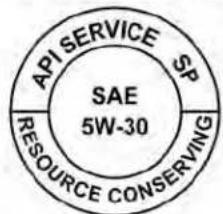
API service symbol

LTI2591
ENGINEOILANDOILFILTER RECOMMENDATIONS
Selectingthecorrectoil
Itisessentialtochoosethecorrectgrade, qualityandviscosityengineoiltoensure satisfactoryenginelifeandperformance. Foradditionalinformation,see"Recommendedfluids/lubricantsandcapacities" (P.10-2).NISSANrecommendstheuseofan energyconservingoilinordertoimprove fueleconomy.
Selectonlyengineoilsthatmeetthe AmericanPetroleumInstitute(API)certificationorInternationalLubricantStandardizationandApprovalCommittee(ILSAC) certificationandSAEviscositystandard. TheseoilshavetheAPlcertificationmark onthefrontofthecontainer.Oilsswhichdo nothavethespecifiedqualitylabelshould notbeusedastheycouldcauseengine damage.
Oiladditives
NISSANdoesnotrecommendtheuseofoil additives. Theuseofanoiladditiveisnot necessarywhentheproperoiltypeisused andmaintenanceintervalsarefollowed.
Oilwhichmaycontainforeignmatteror hasbeenpreviouslyusedshouldnotbe used.
Oilviscosity
Theengineoilviscosityorthickness changes with temperature. Because of this, it is important to select the engine oil viscosity based on the temperatures at which the vehicle will be operated before then extoil change. Choosing an oil viscosity other than that recommended could cause serious engine damage.
Selectingthecorrectoilfilter
YournewNISSANvehicleisequippedwith a high-quality GenuineNISSANOilfilter.When replacing,usea GenuineNISSANOilfilteror itsequivalentforthereasondescribedin "Changeintervals."
Changeintervals
Theoilandoilfilterchangeintervalsfor yourenginearebasedontheuseofthe specifiedqualityoilsandfilters.Usingengineoilandfiltersthatarenotofthespecifiedquality,orexceedingrecommendedoil andfilterchangeintervalscouldreduce enginelife.Damagetotheenginecaused byimpropermaintenanceoruseofincorrectoilandfilterqualityand/orviscosityis notcoveredbytheNISSANNewVehicle LimitedWarranty.
Yourenginewasfilledwithahigh-quality engineoilwhenitwasbuilt.Youdonothave tochangetheoilbeforethefirstrecommendedchangeinterval.Oilandfilter changelintervalsdependuponhowyou useyourvehicle.
Operationunderthefollowingconditions mayrequiremorefrequentoilandfilter changes:
•repeatedshortdistancedrivingatcold outsidetemperatures
- drivingindustryconditions
-extensiveidling
- stopandgocommuting
For additional information, seethe "Maintenance and schedules" (P.9-2).
AIRCONDITIONERSYSTEM REFRIGERANTANDOIL RECOMMENDATIONS
The air conditionersysteminyour NISSAN vehicle must be charged with the refrigerant HFO-1234yf (R-1234yf) and NISSAN A/C system oil Type PAG (VC100YFoil) or the exact equivalents.
CAUTION
The useofanyotherrefrigerantoroil will cause severedamageto the air conditioningsystemand will require thereplacementofallairconditioner systemcomponents.
The refrigerant HFO-1234yf (R-1234yf) in yourNISSANvehicledoesnotharmthe earth'sozonelayer.Althoughhthisrefrigerant does not affect the earth's atmosphere,certainingovernmentregulationsrequirethe recoveryand recyclingof any refrigerant during automotive air conditionersystemservice.Airconditionersystemshouldonlybeservicedbytrainedand certifiedtechnicianstoensureproperand safeoperation(SAEJ2845).ANISSANdealer has the trained technicians and equipmentneededtorecoverandrecycleyour air conditioner system refrigerant. Only
newandSAEJ2842certifiedevaporator(s) shallbeusedasreplacementparts.
A damaged or leaking air conditioning evaporatorshallneverberepairedorreplacedwithoneremovedfromausedor salvagedvehicle.Toreplaceadamagedor leakingevaporator,useonlynewandSAE J2842certifiedevaporator(s).Itisrecommended that you visit a NISSAN dealer when servicing your air conditioner system.
SPECIFICATIONS
ENGINE
| Model2.5L4cylinder(PR25DDengine model)2.0L4cylinder(KR20DDETengine model) | |||
| TypeGasoline,4-cycle,DOHCGasoline,4-cycle,DOHC | |||
| Cylinderarrangement4-cylinder,inline4-cylinder,inline | |||
| BorexStrokein(mm)3.504x3.937(89.0x100.0) | |||
| whencompressionratio=8in(mm)3.307x3.547(84.0x90.1) | |||
| whencompressionratio=14in(mm)3.307x3.500(84.0x88.9) | |||
| Displacement | cuin(cm 3) | 151.85(2,488) | |
| whencompressionratio=8 | cuin(cm 3) | 121.86(1,997) | |
| whencompressionratio=14 | cuin(cm 3) | 120.22(1,970) | |
| Firingorder | 1-3-4-2 | 1-3-4-2 | |
| Idlespeed | |||
| CVTinN(Neutral)position | |||
| Ignition timing (degree B.T.D.C. at idle speed) | No adjustment is necessary. | ||
| CO % at Idle | |||
| Sparkplug | DXE22H11C | DILKAR7N9HG | |
| Spark plug gap (Nominal) | in (mm) | 0.043 (11) | 0.035 (0.9) |
| Camshaft operation | Timing chain | Timing chain | |
ThissparkignitionsystemcomplieswiththeCanadianstandardICES-002.
WHEELSANDTIRES
WheeltypeSizeOffsetin(mm)
| Steel16x7.0J1.77(45) |
| Aluminum17x7.5J1.97(50) |
| Aluminum19x8.0J2.17(55) |
| T-type(Steelspare)16x4T1.18(30) |
Tiresize
| 2.5Smodel215/60R16 | |
| 2.5S/SVandSLmodels215/55R17 | |
| 2.5and2.0SR/Platinummodels | 235/40R19 |
Sparetire
| Temporary | T135/70D16 |
| Temporary | T135/90D16 |
| Notequipped | withemergencytirepuncture repairkit |
DIMENSIONSANDWEIGHTS
| Unit:in(mm) | |
| Overalllengthwithoutlicenseplate | 192.9(4,900) |
| bracket | |
| Overallwidthwithoutmirrors72.9(1,852) | |
| OverallheightatBaseCurbWeighttoRoofMetal | |
| 2.5L | |
| withfrontwheeldrive | |
| U.S.A.Smodel56.7(1,440) | |
| U.S.A.SVandSLmodel56.8(1,444) | |
| U.S.A.SRmodel56.9(1,444) | |
| withAll-wheeldrive | |
| CanadaSmodel57.2(1,452) | |
| U.S.A./CanadaSVandSLmodels57.3(1,456) | |
| U.S.A./CanadaPlatinummodel57.4(1,458) | |
| U.S.A.SRmodel | 57.4(1,458) |
| Canada SRmodel | 57.4(1,459) |
| Unit:in(mm) | ||
| 2.0L | ||
| U.S.A.SRmodel56.8(1,443) | ||
| FrontandReartrack | ||
| 16inchwheel | 63.6(1,615) | |
| 17inchwheel | 63.2(1,605) | |
| 19inchwheel | 62.8(1,595) | |
| Wheelbase | 111.2(2,825) | |
| Grossvehicleweight rating | Ibs.(kg) | Refertothe"F.M.V.S.S./C.M.V.S.S.certificationlabel"onthecenterpillarbetween thedriver'ssidefrontand reardoors. |
| Grossaxleweightrating | ||
| Front | Ibs.(kg) | |
| Rearlbs.(kg) | ||
WHENTRAVELINGORREGISTERING INANOTHERCOUNTRY
WhenplanningtodriveyourNISSANvehicleinanothercountry,youshouldfirst findoutifthefuelavailableissuitablefor yourvehicle'sengine.
Using fuel with an octanerating that istoo low may cause engaged damage. All gasoline vehicles must be operated with un- leaded gasoline. Therefore, avoid taking your vehicle to areas where appropriate fuel is not available.
Whentransferringtheregistrationof yourvehicletoanothercountry,state, provinceordistrict,itmaybenecessary tomodifythevehicletomeetlocalaws andregulations.
Thelawsandregulationsformotorvehicle emissioncontrolandsafetystandards vary according to the country, state, province or district; therefore, vehicles specifications may differ.
Whenanyvehicleistobetakenintoanothercountry,state,provinceordistrict andregistered,itsmodifications,transportationandregistrationaretheresponsibilityoftheuser.NISSANisnotresponsibleforanyinconveniencethat mayresult.
VEHICLEIDENTIFICATION

natural_image
Diagram of a car interior showing a vehicle's seatbelt with an arrow pointing to the seatbelt (no text or symbols present)VEHICLEIDENTIFICATIONNUMBER (VIN)PLATE
TheVehicleIdentificationNumber(VIN) plateisattachedasshown. Thisnumber is theidentificationforyourvehicleandis usedinthevehicleregistration.

natural_image
Interior view of a car showing the seat, side seats, and dashboard (no text or symbols visible)VEHICLEIDENTIFICATIONNUMBER (chassisnumber)
The vehicle identification number is located as shown.

natural_image
Technical line drawing of a mechanical assembly with no visible text or symbols2.5L4cylinder(PR25DDenginemodel) ENGINESERIALNUMBER

natural_image
Technical line drawing of an internal combustion engine assembly (no text or labels)2.0L4cylinder(KR20DDETengine model)
Thenumberisstampedontheengineas shown.

natural_image
Line drawing of a car seatbelt with a directional arrow and label 'WTI0172' (no text or symbols on the diagram itself)F.M.V.S.S./C.M.V.S.S.CERTIFICATION LABEL
The Federal/Canadian Motor Vehicle Safety Standard (F.M.V.S.S./C.M.V.S.S.) certification label is affixed as shown. This label contains valuable vehicle information, such as: (GVWR), (GAWR), month and year of manufacture, (VIN), etc. Review it carefully.

natural_image
Simple line drawing of a curved object with an arrow pointing to a square (no text or symbols)EMISSIONCONTROL INFORMATIONLABEL
Theemissioncontrolinformationlabelis attachedtotheundersideofthehoodas shown.
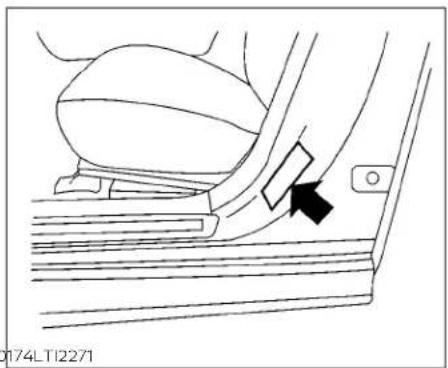
natural_image
Line drawing of a car seatbelt mechanism with a black arrow pointing to the side panel (no text or symbols present)TIREANDLOADINGINFORMATION LABEL
ThecoldtirepressureisshownontheTire andLoadingInformationlabel. Thelabelis locatedasshown.
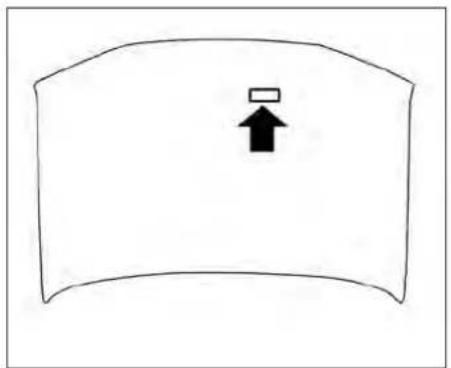
natural_image
Simple line drawing of a curved object with an upward arrow symbol (no text or labels)AIRCONDITIONERSPECIFICATION LABEL
Theairconditionerspecificationlabelisaffixedtotheundersideofthehoodas shown.
INSTALLINGFRONTLICENSEPLATE
| SymbolNameReferenceGraphic | ||
| CautionISO70000434 |  | |
| AirConditioningSystem (MAC) | ISO2575D01 | [TCXW] |
| MACSystemLubricantType (PAG-POE) |  | |
| RequiresRegisteredTechniciano ServiceMACSystem | [OTTO] | |
| FlammableRefrigerant |  |
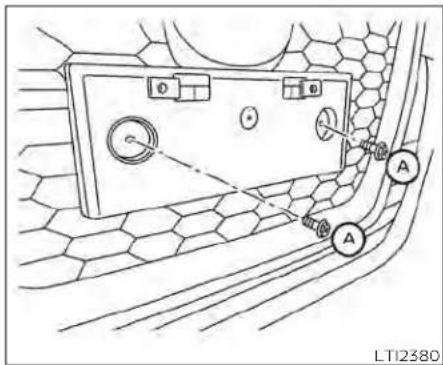
Tomountthefrontlicenseplate,attachthe licenseplatebrackettothebumperfascia atthelocationmarks(smalldimples)using thetwoprovidedscrews Ⓐ.
AirConditionerSpecificationLabelSymbols
VEHICLELOADINGINFORMATION
WARNING
-Itisextremelydangerousto rideinacargoareainsidevehicle.Inacollision,peopleridingintheseareasaremore likelytobeseriouslyinjuredor killed.
- Donotallowpeopleoridein anyareaofyourvehiclethatis notequippedwithseatsand seatbelts.
- Besureeveryoneinyourvehicleisinaseatandusinga seatbeltproperly.
TERMS
It is important to familiarize yourself with the following terms before loading your vehicle:
- CurbWeight(actualweightofyour vehicle)-vehicleweightincluding: standardandoptionalequipment, fluids,emergencytools,andspare tireassembly.Thisweightdoes notincludepassengersandcargo.
•GVW(GrossVehicleWeight)-curb weightplusthecombinedweight ofpassengersandcargo.
•GVWR(GrossVehicleWeightRating)-maximumtotalcombined weightof theunloaded vehicle, passengers,cargo,hitch,trailer tongueloadandanyotheroptionalequipment.Thisinformation is located on the F.M.V.S.S./C.M.V.S.S.certificationlabel. - GAWR(GrossAxleWeightRating)-maximum weight (load) limit specifiedforthefrontorrearaxle. Thisinformationislocatedonthe F.M.V.S.S./C.M.V.S.S. certification label.
•GCWR (Gross Combined Weight Rating) - The maximum total weightratingofthevehicle,passengers,cargo,andtrailer.
- VehicleCapacityWeight,Loadlimit, Totalloadcapacity-maximumtotal weight limit specified of the load (passengersandcargo)forthevehicle. Thisisthemaximumcombinedweightofoccupantsand cargothatcanbeloadedintothe vehicle. If the vehicle is used to tow a trailer, the trail is tongue weight must be included as part of the cargoload. This information is located on the Tire and Loading Information label.
- Cargo capacity - permissible weightofcargo, the subtracted weightofoccupants from the load limit.
VEHICLELOADCAPACITY
Beforedrivingloadedvehicle, confirmthatyoudonotexceedthe GrossVehicleWeightRating(GVWR) ortheGrossAxleWeightRating (GAWR)foryourvehicle.Boththe GVWRandGAWRarelocatedonthe F.M.V.S.S./C.M.V.S.S.certificationlabel. Foradditionalinformation,see"Measurementofweights"(P.10-20).
Donotexceedtheloadlimitofyour vehicleshownas"Thecombined weightofoccupantsandcargo"on the Tire and Loading Information label. Donotexceedthenumber of occupant shown as "Seating Capacity" on the Tire and Loading Information label.
Toget "the combined weight of occupants and cargo", add the weight of allocupants, then add the total cargo weight. Examples are shown in the following illustration.
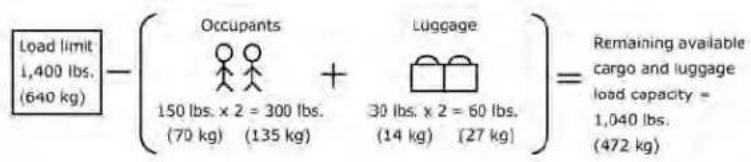
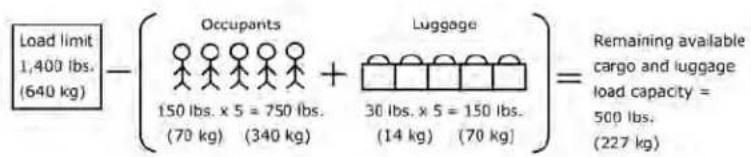
LTI2335
- Locatethatement "The combined weight of occupants and cargoshould never exceed XXXkg or XXXlbs." on your vehicle's placard.
- Determinethecombinedweight ofthedriverandpassengersthat willberidinginyourvehicle.
- Subtract the combined weight of the driver and passengers from XXXkgorXXXlbs.
- Theresultingfigureequalsthe availableamountofcargo and luggageeloadcapacity. Forex-ample, if the "XXX" amountequals 1400lbs.and therewillbefive150 lbs.passengersinyourvehicle, theamountofavailablecargo andluggageloadcapacityis650 lbs.(1400-750(5X150)=650lbs.)
Example
StepsForDeterminingCorrect LoadLimit
- Determinethecombinedweight of luggage and cargobeing loaded on the vehicle. That weight may not safely exceed the available cargo and luggage load capacity calculated in step 4.
- If your vehicle will betowing a trailer, load from your trailer will be transferred to your vehicle. Consult this manual to determine how this reduces the available cargo and luggage load capacity of your vehicle.
Towingatralerwithavehiclethatis notintendedfortowingmayresultin anaccidentinvolvinginjuryordeath.

WARNING
Donottowatrailerwithyourvehicle. Towingatrailermayresultinanaccidentinvolvinginjuryordeath.
Beforedrivingloadedvehicle, confirmthatyoudonotexceedthe GrossVehicleWeightRating(GVWR) or the GrossAxleWeight Rating (GAWR)foryourvehicle.Foradditional information, see "Measurementofweights"(P.10-20).
Alsochecktiresforproperinflation pressures. For additional information, see "TireandLoadingInformationlabel" (P.8-31).
LOADINGTIPS
•TheGVWmustnotexceedGVWRor GAWRasspecifiedontheF.M.V.S.S./C.M.V.S.S.certificationlabel.
- Donotloadthefrontandrearaxle totheGAWR.Doingsowillexceed theGVWR.
WARNING
- Properlysecureallcargowith ropesorstrapstohelpprevent it from sliding or shifting. Do notplacecargohigherthanthe seatbacks.Inasuddenstopor collision, unsecured cargo couldcausepersonalinjury.
- Do not load your vehicle any heavierthanthe GVWRorthe maximum front and rear GAWRs.Ifyoudo,partsofyour vehiclecanbreak,tiredamage could occur, or it can change theway your vehiclehandles. Thiscouldresultinlossofcontrolandcausepersonalinjury.
Overloadingnotonlycan shortenthelifefyourvehicle andthetire,butcanalsocause unsafevehiclehandlingand longerbrakingdistances.This maycauseaprematuretire failurewhichcouldresultina seriousaccidentandpersonal injury.Failurescusedbyover- loadingarenotcoveredbythe vehicle'swarranty.
MEASUREMENTOFWEIGHTS Securelooseitemstoprevent weightshiftsthatcouldaffectthe balance of your vehicle. When the vehicleisloaded,drivetoascaleand weighthefrontandtherearwheels separatelytodetermineaxleloads. IndividualaxleloadsshouldnotexceedeitheroftheGrossAxleWeight Ratings(GAWR).Thetotaloftheaxle loadsshouldnotexceedtheGross VehicleWeightRating(GVWR).These ratingsaregivenonthevehiclecertificationlabel.Ifweightratingsare exceeded,moveorremoveitemsto bringallweightsbelowtheratings.
TOWINGATRAILER
Donottowatrailerwithyourvehicle.
FLATTOWING
Towingyourvehiclewithallfourwheelson the ground is sometimes called flat towing. This method is sometimes used when towingavehiclebehindarecreationalvehicle,suchasamotorhome.
CAUTION
- Failure to follow these guidelines can result in severe transmission damage.
- Whenever flattowing your vehicle, always tow forward, never backward.
- Nevertowyourfrontwheeldrivevehiclewith the fronttires onthe ground.Doingsomaycauseserious andexpensivedamagetothe powertrain.
·DONOTtowanycontinuouslyvariable transmission vehicle with all fourwheelsontheground(flattowing).DoingsoWILLDAMAGEinternal transmission parts due to lack of transmission lubrication. - For emergency towing procedures see "Towing recommended by NISSAN"(P.6-20).
UNIFORMTIREQUALITYGRADING
ContinuouslyVariable Transmission(CVT)
TotowavehicleequippedwithaCVT,an appropriatevehicledollyMUSTbeplaced underthetowedvehicle'sdrivewheels.Alwaysfollowthedollymanufacturer'srecommendationswhenusingtheirproduct.
DOT(DepartmentofTransportation)QualityGrades: Allpassengercartiresmust conformtofederalsafetyrequirementsin additiontothesegrades.
Qualitygradescanbefoundwhereapplicableonthetiresidewallbetweentread shoulderandmaximumsectionwidth. For example:
Treadwear200TractionAATemperature A
Treadwear
Thetreadweargradeisacomparativeratingbasedonthewearrateofthetirewhen testedundercontrolledconditionsona specifiedgovernmenttestcourse. Forexample, atiregraded150wouldwearone andone-half(11/2)timesaswellonthe governmentcourseasatiregraded100. Therelativeperformanceoftiresdepends upontheactualconditionsoftheiruse, however, and may departsignificantly from thenormduetovariationsindrivinghabits, servicepracticesanddifferencesinroad characteristicsandclimate.
TractionAA,A,BandC
Thetractiongrades, from highest to lowest, are AA, A, B, and C. Those grades represent the tire's ability to stop on wet pavement. mentasmeasuredundercontrolled conditionsonspecifiedgovernmenttest surfacesofasphaltandconcrete.Atire markedCmayhavepoortraction performance.
WARNING
Thetractiongradeassignedtothistire is based on straight-ahead braking tractiontests, and does not include acceleration, cornering, hydroplaning, or peaktraction characteristics.
TemperatureA,BandC
ThetemperaturegradesareA(thehighest),B,andC,representingthetire'sreslantcetothegenerationofheat,anditsabilitytodissipateheatwhentestedunder controlledconditionsaspecifiedindoor laboratorytestwheel.Sustainedhightemperaturecancausethematerialofthetire todegenerateandreducetirelife,andexcessivetemperaturecanleadtosudden tirefailure.ThegradeCcorrespondstoa levelofperformancewhichallpassenger cartiresmustmeetundertheFederalMotorSafetyStandardNo.109.GradesBandA representhigherlevelsofperformanceon thelaboratorytest wheelthanthe minimumrequiredbylaw.
WARNING
Thetemperaturegradeforthistireis establishedforatirethatisproperly inflatedandnotoverloaded.Excessive speed,under-inflation,orexcessive loading,eitherseparatelyorincombination,cancauseheatbuild-upand possibletirefailure.
EMISSIONCONTROLSYSTEM WARRANTY
YourNISSANvehicleiscoveredbythefollowingemissionwarranties:
ForUSA
-
EmissionDefectsWarranty
-
Emissions Performance Warranty
Detailsofthiswarrantymaybefoundwith othervehiclewarrantiesinyourWarranty InformationBookletwhichcomeswith yourNISSANvehicle.Ifyoudidnotreceivea WarrantyInformationBooklet,oritislost, youmayobtainareplacementbywriting to:
•NissanNorthAmerica,Inc. ConsumerAffairsDepartment P.O.Box685003 Franklin,TN37068-5003
ForCanada
EmissionControlSystemWarranty
Detailsofthiswarrantymaybefoundwith othervehiclewarrantiesinyourWarranty InformationBookletwhichcomeswith yourNISSANvehicle.Ifyoudidnotreceivea WarrantyInformationBooklet,oritislost, youmayobtainareplacementbywriting to:
•NissanCanadaInc.
5290OrbitorDrive
Mississauga,Ontario,L4W4Z5
REPORTINGSAFETYDEFECTS
ForUSA
If you believe that your vehicle has a defect which could cause acrashor could cause injury or death, you should immediately inform the National Highway Traffic Safety Administration (NHTSA) in addition to notifying NISSAN.
IfNHTSAreceivessimilarcomplaints, itmayopenaninvestigation,andifit findsthatasafetydefectexistsina groupofvehicles,itmayorderare-callandremedycampaign.However, NHTSAcannotbecomeinvolved in individualproblemsbetween you, yourdealer,orNISSAN.
Tocontact NHTSA, you may call the Vehicle Safety Hotline toll-free at 1-888-327-4236 (TTY:1-800-424-9153); go to http://www.safercar.gov; or writeto:Administrator,NHTSA,400 Seventh Street, SW., Washington, D.C.
20590.Youcanalsoobtainotherinformationaboutmotorvehiclesafety fromhttp://www.safercar.gov.
YoumaynotifyNISSANbycontactingourConsumerAffairsDepartment,toll-free,at1-800-NISSAN-1.
ForCanada
If you believe that your vehicle has a defect which could cause acrashor could cause injury or death, you should immediately inform Transport Canada addition to notifying NISSAN.
If Transport Canadareceives complaints, it may open an investigation, and if it find that as safety defect exists in a group of vehicles, it may request that NISSAN conduct are call campaign. However, Transport Canadac cannot become involved in individual problems between you, your dealer, or NISSAN.
Youmaycontact TransportCanada's DefectInvestigationsandRecallsDivisiontollfreeat1-800-333-0510.You mayalsoreportsafetydefectsonline at: http://www.tc.gc.ca/eng/motorvehiclesafety/menu.htm(English speakers) or http://www.tc.gc.ca/fra/securiteautomobile/menu.htm (Frenchspeakers)
OrcontactTransportCanadaby mailat:
Transport Canada Motor Vehicle SafetyInvestigationsLaboratory 80NoelStreetGatineau,QCJ8Z0A1
Additional information concerning motor vehicles safety maybe obtained from Transport Canada's Road Safety Information Centre at 1-800-333-0371 or online at www.tc.gc.ca/roadsafety (English speakers) or www.tc.gc.ca/securiteroutiere(Frenchspeakers).
TonotifyNISSANofanysafetyconcernspleasecontactourConsumer Information Centre toll free at 1-800-387-0122.
READINESSFORINSPECTION/MAINTENANCE(I/M)TEST
WARNING
AvehicleequippedwithAll-Wheel Drive(AWD)shouldneverbetestedusingatwowheeldynamometer(suchas the dynamometersusedbysome statesforemissionstesting),orsimilar equipment.Makesureyouinformthe testfacilitypersonnelthatyourvehicle isequippedwithAWDbeforeitisplaced onadynamometer.Usingthewrong testequipmentmayresultdrivetrain damageorunexpectedvehiclemovementwhichcouldresultinseriousvehicledamageorpersonalinjury.
Duetolegalrequirementsinsomestates and Canadian Provinces, your vehicle may berequired to be in what is called the "ready condition" for an inspection/ Maintenance (I/M) test of the emission control system.
The vehicle is set to the ready condition when it is driven through certain driving patterns. Usually, there are a condition can be obtained by ordinary usage of the vehicle.
Ifapowertrain systemcomponent isre-pairedorthebatteryisdisconnected,the vehiclemayberesettoa"notready"condition.Beforetakingthel/Mtest,checkthe vehicle's inspection/maintenance test readiness condition. Place the ignition switchintheONpositionwithoutstarting theengine.IftheMalfunctionIndicator Light(MIL)comesonsteadyfor20seconds and thenblinksfor10seconds,thel/Mtest conditionis"notready".IftheMILdoesnot blinkafter20seconds,thel/Mtestconditionis"ready".Itisrecommendedthatyou visitaNISSANdealertosetthe"readycondition"ortopreparethevehiclefortesting.
EVENTDATARECORDERS(EDR)
ThisvehicleisequippedwithanEventData Recorder(EDR). Themainpurposeofan EDRistorecord, incertaincrashornear crash-like situations, such as an air bag deploymentorhittingaroadobstacle, data that will assistinunderstandinghowave- hicle'ssystemsperformed. TheEDRisdesignedtorecorddatarelatedtovehicledy- namicsand safetysystemsfora short periodoftime, typically30secondsorless. TheEDRinthisvehicleisdesignedtore- cordsuchdataas:
- Howvarious systems in your vehicle were operating;
- Whetherornotthedriverandpassenger safetybeltswerebuckled/fastened;
- Howfar(ifatall)thedriverwasdepressingtheacceleratorand/orbrakepedal; and,
• Howfastthevehiclewastraveling. - Soundsarenotrecorded.
Thesedatacanhelpprovideabetterunderstandingofthecircumstancesinwhich crashesandinjuriesoccur.NOTE:EDRdata arerecordedbyyourvehicleonlyifanon-trivialcrashsituationoccurs;nodataare recordedbytheEDRundernormaldriving conditionsandnopersonaldata(e.g., name,gender,age,andcrashlocation)are recorded. However,otherparties,suchas lawenforcement,couldcombinetheEDR datawiththetypeofpersonallyidentifying dataroutinelyacquiredduringacrash investigation.
ToreaddatarecordedbyanEDR, special equipmentisrequired,andaccesstothe vehicleortheEDRisneeded. Inadditionto thevehiclemanufacturerandNISSAN dealer,otherparties,suchaslawenforce-ment,thathavethespecialequipment,can readtheinformationiftheyhaveaccessto thevehicleortheEDR.
EDRdatawillonlybeaccessedwiththe consentofthevehicleownerorlesseeor asotherwiserequiredorpermittedbylaw.
ADDITIONALDATARECORDING(on vehiclesequippedwithoptional ProPILOTAssist)
If your vehicle is equipped with the optional ProPILOT Assist, it will also be equipped with a supplemental vehicle data recording function.
Thedatarecordingfunctionisdesignedto recordsuchdataas:
- Driveroperationalstatusofaccelerator, brakes,steering,etc.
• Detectionstatusofavehicleaheadand lanemarkers
- Vehicle information including distanceto vehicle ahead and lateral position
• Information on the operation of the Pro-PILOT Assist and other crash avoidance features
•ProPILOT Assist malfunctiondiagnosis information
- Externalimagesfrommulti-sensingfront camera(AvailableonlywhenSRSairbag orAEBwithPedestrianDetectionsystem isactivated)
ProPILOTAssistdoesnotrecordconversations, soundsorimagesoftheinsideofthe vehicle.
Toreadthisvehicledata,specialequip-mentisrequiredandaccesstothehvehicle ortherecordingunitisneeded.Thisvehicle datawillonlybeaccessedwiththeconsent ofthehvehicleownerorlesseeorasother-wiserequiredorpermittedbylaw.
If downloaded, NISSAN may usethedata recorded for the purpose of improving NISSAN's vehicles safety performance.
NISSAN will not disclose/provide the recorded datatoathirdparty except:
- With the consent of the vehicle owner or with the consent of the lessee
• In response to an official request from law enforcement, acourt order, governmental agency, or other legally enforceable requests
- For use as part of NISSAN's defense of litigation
•Forresearchpurposesafterthedatais modifiedsuchthatitisnolongertiedtoa specificvehicleorvehicleowner
If you have any questions regarding the data NISSAN may collect about you, please visit our Privacy Policy: https://www.nissanusa.com.
OWNER'SMANUAL/SERVICE MANUAL ORDERINFORMATION
GenuineNISSANServiceManualsforth this modelyearandpriorcanbepurchased.A GenuineNISSANServiceManualisthebest sourceofserviceandrepairinformationfor yourvehicle.Thismanualisthesameone usedbythefactory-trainedtechnicians workingatNISSANdealerships.Genuine NISSANOwner'sManualscanalsobe purchased.
ForUSA
Forcurrentpricingandavailabilityof GenuineNISSANServiceManuals, contact:
www.nissan-techinfo.com
Forcurrentpricingandavailabilityof GenuineNISSANOwner'sManuals, contact:
1-800-247-5321
ForCanada
TopurchaseacopyofaGenuineNISSAN ServiceManualorOwner'sManual,forthis modelyearandprior,pleasecontactyour nearest NISSAN dealer. For the phone numberandlocationofaNISSANdealerinyour area,calltheNISSANInformationCenterat 1-800-387-0122andabilingualNISSANrepresentativewill assistyou.
11Index
| A | Antifreeze. 5 - 185Armrests. 1 - 7 | B |
| Activenoisecancellation | Audiosystem. 4-45 | Battery. 5 - 185,8-14 |
| Activesoundenhancement . . . . . . . . . . . . . . . . . . . . . . . . . . . . . . . . . . . . . . . . . . . . . . . . . . . . . . . . . . . . . . . . . . . . . . . . . . . . . . . . . . . . . . . . . . . . . . . . . . . . | AMradiooperation. 4-51 | Chargewarninglight. 2 - 1 1 |
| ActiveRideControl(ARC) . . . . . . . . . . . . . . . . . . . . . . . . . . . . . . . . . . . . . . . . . . . . . . . . . . . . . . . . . . . . . . . . . . . . . . . . . . . . . . . . . . . . . . . . . . . . . . . . . . . AMradioreception. 4-45 | AM/FMradio. 4-49,4-51 | Batteryreplacement. 8 - 2 3 |
| Airbag(Seesupplementalrestraint system). . . . . . . . . . . . . . . . . . . . . . . . . . . . . . . . . . . . . . . . . . . . . . . . . . . . . . . . . . . . . . . . . . . . . . . . . . . . . . . . . . . . . . . . . . . . . . . . . . . . A auxiliary(AUX)devicesoperation ...4-52 | Auxiliary(AUX)devicesoperation ...4-52 | Keyfob. 8 - 2 3 |
| Airbagsystem | Bluetooth®audio. 4-60 | NISSANIntelligentKey®. 8 - 2 4 |
| Front(SeesupplementalfrontImpactair bagsystem) . . . . . . . . . . . . . . . . . . . . . . . . . . . . . . . . . . . . . . . . . . . . . . . . . . . . . . . . . . . . . . . . . . . . . . . . . . . . . . . . . . . . . . . . . . . . . . . . . . FMradiooperation. 4-52 | FMradiooperation. 4-52 | Beforestartingtheengine. 5 - 1 6 |
| Airbagwarninglight. 1-67,2-12 | FMradioreception. 4-45 | Belt(Seedrivebelt). 8 - 1 6 |
| Airbagwarninglight, supplemental. 1-67,2-12 | iPod®Player. 4-57 | BlindSpotWarning(BSW). 5-46 |
| Aircleanerhousingfilter. 8 - 1 8 | iPod®playeroperation. 4-57 | Bluetooth®audio. 4-60 |
| Airconditioner | Radio. 4-45 | Bluetooth®hands-freephonesystem. 4-67 |
| Airconditioneroperation. 4-35,4-41 | USB(UniversalSerialBus)Connection Port. 4-54 | Bluetooth®connections. 4-81 |
| Airconditionerspecificationlabel ..10-14 | USBConnections. 4-55 | Connectingprocedure. 4 - 7 2 |
| Airconditionersystemrefrigerant recommendations. 10-8 | USBInterface. 4-54 | Phoneindicators. 4 - 7 1 |
| Airconditionersystemrefrigerantandoil recommendations. 10-8 | Autolightswitch. 2-58 | Textmessaging. 4 - 7 7 |
| Heaterandairconditioner controls. 4-33,4-41 | Automatic | Voicecommands. 4 - 7 3 |
| Servicingairconditioner. 4-44 | Automaticpowerwindowswitch ...2-76 | Boosterseats. 1-43 |
| Airflowcharts. 4-36 | Automaticanti-glareinsidemirror ...3-29 | Brake |
| Alarmsystem(Seevehiclesecurity system). 2-52 | Automaticbrakehold. 5 - 2 7 | Anti-lockBrakingSystem(ABS) ...5-173 |
| All-WheelDrive. 5 - 1 6 8 | Automaticdoorlocks. 3-6 | Brakefluid. 8 - 1 2 |
| Anchorpointlocations. 1 - 2 8 | Brakelight(Seestoplight). 8 - 2 6 | |
| Antenna. 4-64 | Brakesystem. 5 - 1 7 3 | |
| Anti-lockBrakingSystem(ABS). 5 - 1 7 3 | Brakewarninglight. 2 - 1 0 | |
| AutomaticEmergencyBraking(AEB)with PedestrianDetection. 5 - 1 3 5 | BrakewearIndicators. 2 - 1 8 , 8 - 2 0 | |
| AWD. 5 - 1 6 8 | Self-adjustingbrakes. 8 - 2 0 | |
| BrakeAssist. 5 - 1 7 5 | ||
| Brakefluid. 8 - 1 7 | ||
| Brakesystem. 5 - 1 7 5 | ||
| Brakes. 8 - 2 0 | ||
| Break-inschedule. 5 - 1 6 7 |
| BrightnesscontrolInstrumentpanel . . . . . . . . . . . . . . . . . . . . . . . . . . . . . . . . . . . . . . . . . . . . . . . . . . . . . . . . . . . . . . . . . . . . . . . . . . . . . . . . . . . . . . . . . . . . . . . . . . . . 2-62 Transmission(CVT) . . . . . . . . . . . . . . . . . . . . . . . . . . . . . . . . . . . . . . . . . . . . . . . . . . . . . . . . . . . . . . . . . . . . . . . . . . . . . . . . . . . . . . . . . . . . . . . . . . . Precautionswhenstartingand Brightness/contrastbutton . . . . . . . . . . . . . . . . . . . . . . . . . . . . . . . . . . . . . . . . . . . . . . . . . . . . . . . . . . . . . . . . . . . . . . . . . . . . . . . . . . . . . . . . . . . . . . . . . . . Bulpcheck/instrumentpanel . . . . . . . . . . . . . . . . . . . . . . . . . . . . . . . . . . . . . . . . . . . . . . . . . . . . . . . . . Bulbreplacement . . . . . . . . . . . . . . . . . . . . . . . . . . . . . . . . . . . . . . . . . . . . . . . . . . . . . . . . . . . . C |
| DrivingwithContinuouslyVariable Instrumentpanel . . . . . . . . . . . . . . . . . . . . . . . . . . . . . . . . . . . . . . . . . . . . . . . . . . . . . . . . . . . . . . . . . . . . . . . . . . . . . . . . . . . . . . . . . . . . . . . . . . C.M.V.S.S.certificationlabel . . . . . . . . . . . . . . . . . . . . . . . . . . Capacitiesandrecommended fuel/lubricants . . . . . . . . . . . . . . CarphoneorCBradio . . . . . . . . Cargo (Seevehicleloadinginformation) . . . . Chassiscontrol . . . . Checktirepressure 2-31,2-48 Childrestraints 1 - 2 1 , 1 - 2 2 , 1 - 2 3 , 1 - 2 5 LATCH(LowerAnchorsandTethersfor Children)System 1 - 2 5 Precautionsonchild restraints 1-31,1-38,1-43 Toptetherstrapanchorpoint locations 1 - 2 8 Childsafetyreardoorlock 3 - 7 Cleaningexteriorandinterior 7 - 2 , 7 Clockset/adjustment 4-5 Coldweatherdriving 5 - 1 8 Consolebox 2 - 7 ContinuouslyVariableTransmission (CVT) 5 - 1 8 ContinuousVariableTransmission(CVT) fluid 8 - 1 2 Coldweatherdriving 5 - 1 8 Driving controls(seecontrolpanel Doorlocks 3-4 Drivebelt 8 - 1 6 Driving Audiocontrols(steeringwheel) 4-63 Heaterandairconditioner controls. 4-33,4-41 Coolant Capacitiesandrecommended fuel/lubricants 10-2 Changingenginecoolant 8-6 Checkingenginecoolantlevel 2 - 7 3 , 2 - 7 4 Corrosionprotection 7 - 8 Cruisecontrol 5-68 Cupholders 2 - 7 3 , 2 - 7 4 D DaytimeRunningLightSystem 2-62 Defrosterswitch switch 2-56 Dimensionsandweights 10-11 Dimmerswitchforinstrumentpanel ...2-62 Displaycontrols(seecontrolpanel Buttons) 4-3 Doorlocks 3-4 Drivebelt 8 - 1 6 Driving 5 - 1 8 Coldweatherdriving 5 - 1 8 Enginespecifications 10-9 |
| Startingtheengine | 5 - 1 | Fuel | H | |
| EngineBlockHeater | 5 - 1 | 8 | 6 Capacitiesandrecommended | |
| Enginecoolanttemperaturegauge | 2-6 | fuel/lubricants | 10-2 | |
| EventDatarecorders | 10-24,10-25 | Fueleconomy | 5 - 1 | |
| Exhaustgas(Carbonmonoxide) | 5-4 | Fuelgauge | 2 - 7 | |
| Explanationofmaintenanceitems | 9 - 2 | Fueloctanerating | 10-6 | |
| Explanationofscheduledmaintenanceitems | 9-5 | Fuelrecommendation | 10-4 | |
| Fuel-fillerdoorandcap | 3 - 2 | |||
| Extendedstorageswitch | 2 - 7 | 0 | Fuel-fillerdoorlockopenerlever | 3-25 |
| Eyeglasscase | 2 - 7 | 3 | Loosefuelcapwarning | 2-30,2-46 |
| Fuelefficientdrivingtips | 5 - 1 | |||
| Fuelgauge | 2 - 7 | |||
| Fuel-fillerdoor | 3 - 2 | |||
| Fuses | 8 - 2 | |||
| Fusiblelinks | 8 - 2 | |||
| F | ||||
| F.M.V.S.S.certificationlabel | 10-13 | |||
| Flashers(Seehazardwarningflasherswitch) | 6 - 2 | |||
| Flattire | 6-3,6-4 | G | ||
| Floormatpositioningaid | 7 - 6 | |||
| Fluid | Garagedooropener,HomeLink®UniversalTransceiver | 2-81,2-83,2-84 | ||
| Brakefluid | 8 - 1 | Gascap | 3 - 2 | |
| Capacitiesandrecommended fuel/lubricants | 10-2 | Gauge | ||
| ContinuouslyVariableTransmission(CVT) fluid | 8 - 1 | 2 | Enginecoolanttemperaturegauge | 2-6 |
| Enginecoolant | 8-5 | Fuelgauge | 2 - 7 | |
| Engineoil | 8 - 7 | Speedometer | 2-4 | |
| Windshield-washerfluid | 8 - 1 | 3 | Tachometer | 2-6 |
| Foglightswitch | 2-63 | Tripodometer | 2-5 | |
| Frontairbagsystem(Seesupplementalrestraintsystem) | 1-54 | Generalmaintenance | 9 - 2 | |
| Frontpowerseatadjustment | 1-4 | Glovebox | 2 - 7 | |
| Frontseats | 1 - 2 | Gloveboxlock | 2 - 7 | |
| Front-doorpocket | 2 - 7 | 1 |
| Instrumentpanel | .0-6,2-2 | Keylessentry | |
| Instrumentpaneldimmerswitch | .2-62 | WithIntelligentKeysystem | |
| IntelligentAroundViewMonitor | 4 - 1 6 | (SeeIntelligentKeysystem) | 3 - 1 4 |
| IntelligentCruiseControl(ICC) | 5 - 7 | Keys | |
| IntelligentCruiseControl(ICC) (forvehicleswithProPILOTAssist) | ...5-106 | NISSANIntelligentKey® | 3 - 2 |
| NISSANVehicleImmobilizerSystem | |||
| IntelligentDriverAlertness(I-DA) | 5 - 1 6 | 2 keys | .3-4 |
| IntelligentForwardCollisionWarning (I-FCW) | 5 - 1 4 | 7 | |
| IntelligentKeysystem | L | ||
| Keyoperatingrange | .3-9 | Label | |
| Keyoperation | 3 - 1 6 | ||
| Mechanicalkey | .3-3 | TireandLoadingInformationlabel | ..10-14 |
| Remotekeylessentryoperation | ...3-14 | Labels | |
| Troubleshootingguide | 3 - 1 6 | Airconditionerspecificationlabel | ..10-14 |
| Warningsignals | 3 - 1 6 | C.M.V.S.S.certificationlabel | ..10-13 |
| IntelligentLaneIntervention(I-LI) | .5-40 | EmissioncontrolInformationlabel | ..10-14 |
| IntelligentTraceControl(I-TC) | 5 - 1 7 | 8 | Engineerialnumber |
| Interiorlight | 2 - 7 9 | F.M.V.S.S.certificationlabel | ..10-13 |
| Interiortrunklidrelease | 3 - 2 4 | TireandLoadingInformationlabel | ..10-14 |
| iPod®Player | .4-57 | Vehicleidentificationnumber(VIN) | |
| ISOFIXchildrestraints | 1 - 2 5 | plate | ..10-12 |
| Warninglabels(forSRS) | ..1-67 | ||
| LaneDepartureWarning(LDW) | ..5-33 | ||
| J | LATCH(LowerAnchorsandTethersfor Children)System | 1 - 2 5 | |
| Jumpstarting | 6 - 1 7 , 8 | Laun5hbarmenu | 4 - 7 |
| Licenseplate | |||
| Installingthelicenseplate | ..10-15 | ||
| K | Light | ||
| Key | 3 - 2 | Airbagwarninglight | .1-67,2-12 |
| Keyfobbatteryreplacement | 8 - 2 3 | Brakelight(Seestoplight) | 8 - 2 6 |
| Bulbcheck/instrumentpanel | 2 - 1 0 | ||
| Bulbreplacement | 8 - 2 6 |
| Chargewarninglight | 2 - 1 |
| ExteriorandInteriorlights | 8 - 2 |
| Foglightswitch | 2-63 |
| Foglights | 8 - 2 |
| Headlightandturnsignalswitch | 2-57 |
| Headlightcontrolswitch | 2-57 |
| Headlights | 8 - 2 |
| Interlorlight | 2 - 7 |
| Lightbulbs | 8 - 2 |
| Lowtirepressurewarninglight | 2 - 1 |
| Lowwindshield-washerfluidwarninglight | 2-30,2-47 |
| Personallights | 2-80 |
| Securityindicatorlight | 2 - 1 |
| Spotlights(Seemaplight) | 2-80 |
| Trunklight | 2-80 |
| Lights | 8 - 2 |
| Maplights | 2-80 |
| lock | |
| Childsafetyreardoorlock | 3 - 7 |
| Doorlocks | 3-4 |
| Fuel-filleroorlockopenerlever | 3-25 |
| Gloveboxlock | 2 - 7 |
| Powerdoorlocks | 3-6 |
| Trunklidlockopenerlever | 3 - 2 |
| posefuelcapwarning | 2-30,2-46 |
| owfuelwarninglight | 2-11,2-15,2-30,2-47 |
| owtirepressurewarninglight | 2 - 1 |
| wwwindshield-washerfluidwarninglight | 2-30,2-47 |
| vgage(Seevehicleloadingformation) | 10-16 |
M
Maintenance
Generalmaintenance 9 - 2
Insidethevehicle 9-3
Maintenance precautions 8 - 2
Outsidethevehicle 9-3
Seatbeltmaintenance 1 - 2
Underthehoodandvehicle .....9-4
Maintenancerequirements 9 - 2
Maintenanceschedules 9 - 7
Malfunctionindicatorlight 2 - 1
Manualfrontseatadjustment .....1-3
Maplights 2-80
Memoryseat . . . . . . . . . . . 3-31,3-32,3-33
Menubutton 4-5
Metersandgauges 2-4
Instrumentbrightnesscontrol .....2-62
Mirror
Automaticanti-glareinsidemirror ...3-29
Outsidemirrors 3-30
Rearview 3 - 2
Vanitymirror 3 - 2
Mirrors
Moonroof 2 - 7 7 ,
MovingObjectDetection(MOD) 4 - 2
N
NISSANIntelligentKey ^® 3 -
NISSANIntelligentKey®batterydischarge
indicator. 5 - 1
NISSANVehicleImmobilizer
System. 2-54,5-16
NissanConnect®Owner'sManual ..... 4 - 2
。
Octanerating(Seefueloctanerating) ..10-6
Oil
Capacitiesandrecommended
fuel/lubricants 10-2
Changingengineoil 8-8
Changingengineoilfilter 8-8
Checkingengineoillevel 8 - 7
Engineoil 8 - 7
Engineoilandoilfilter
recommendation .....10-7
Engineoilviscosity .....10-7
Oilcontrolsystem 2 - 2 0
Outsidemirrors 3-30
Overheadsunglassesholder 2 - 7
Overheat
9 Ifyourvehicleoverheats 6 - 1
8 Owner'smanualorderform .....10-26
Owner'smanual/servicemanualorder
Information 10-26
7
P
Parking
Parking/parkingonhills
rkingbrake . . . . . . . 2 - 1 1 , 2 - 1 3
Personallights 2-80
Phone,Bluetooth®hands-freesystem ..4-67
Power
Powerdoorlocks 3-6
Poweroutlet 2-69
Powerrearwindows.....2-76
Powersteeringsystem 5 - 1 7 2
Powerwindows 2 - 7 5
Rearpowerwindows 2 - 7 6
Poweroutlet 2-69
Powersteering 5 - 1 7 2
Precautions
Maintenance precautions 8 - 2
Precautionsonbooster
seats....1-31,1-38,1-43
Precautionsonchild
restraints . . . . . . . . . . . . 1-31,1-38,1-43
Precautionsonseatbeltusage ..... 1 - 1 2
Precautionsonsupplementalrestraint
.system 1-47
2-36Precautionswhenstartingand
driving. .5-4,5-10
oPILOTAssist 5-94
Pushstarting 6 - 1 9
R
Radio
CarphoneorCBradio 4-67
FM/AMradio 4-49
Readinessforinspectionmaintenance(I/M)
test 10-24
RearAutomaticBraking(RAB) 5 - 1 2 7
RearCrossTrafficAlert(RCTA) .....5-58
RearDoorAlert ..... 2 - 2 9 , 2-45,2-46,2-67
| Rearpowerwindows | 2 - 7 6 | Injuredperson | 1 - 1 | Sparkplugreplacement | 8 - 1 7 |
| Rearseat | 1-6 | Largerchildren | 1 - 2 | Sparkplugs | 8 - 1 7 |
| RearSonarSystem(RSS) | 5 - 1 7 9 | Precautionsonseatbeltusage | 1 - 1 | Specifications | 10-9 |
| Rearwindowandoutsidemirrordefroster | Pregnantwomen | 1 - 1 | Speedometer | 2-4 | |
| switch | 2-56 | Seatbeltextenders | 1 - 2 | Spotlights(Seemaplight) | 2-80 |
| Rearviewmirror | 3 - 2 9 | Seatbeltmaintenance | 1 - 2 | GRSwarninglabel | 1-67 |
| RearViewMonitor | 4-8 | Seatbelts | 1 - 1 2 | Stabilitycontrol | 5 - 1 7 5 |
| RecommendedFluids | 10-2 | Shoulderbeltheightadjustment | 1-19 | Standardmaintenance | 9 - 1 0 , 9 - 2 8 |
| Recorders | Three-pointtypewithretractor | 1 - 1 | Starting | ||
| EventData | 10-24,10-25 | Seatbeltextenders | 1 - 2 | Beforestartingtheengine | 5 - 1 6 |
| Refrigerantrecommendation | 10-8 | Seatbeltwarninglight | 1 - 1 4 , 2 | Jumpstarting | 6 - 1 7 , 8 - 1 5 |
| Registeringavehicleinanother | Seatbackpockets | 2 - 7 1 | Precautionswhenstartingand driving | 5-4,5-10 | |
| country | 10-12 | Seats | |||
| RemoteEngineStart | 3 - 1 9 , 5 | Adjustment | 1 - 2 | Pushstarting | 6 - 1 9 |
| Repairingflattire | 6 - 1 1 | Armrests | 1 - 7 | Startingtheengine | 5 - 1 6 |
| Repairingtire | 6 - 1 3 | Frontseats | 1 - 2 | Startingtheengine | 5 - 1 6 |
| Reportingsafetydefects(USonly) | 10-22 | Manualfrontseatadjustment | 1-3 | Steering | |
| Rearseat | 1-6 | Heatedsteeringwheel | 2-65 | ||
| SecurityIndicatorlight | 2 - 1 | Powersteeringsystem | 5 - 1 7 2 | ||
| Securitysystem(NISSANVehicleImmobilizer System),enginestart | 2-54,5-16 | SteeringAssistswitch (forvehicleswithProPILOTAssist) | 2-66 | ||
| Safety | Securitysystems | Steeringwheel | 3 - 2 7 | ||
| Childsafetyreardoorlock | 3 - 7 | Vehiclesecuritysystem | 2-52 | Stoplight | 8 - 2 6 |
| Childseatbelts | 1 - 2 3 , 1-31,1-38,1-43 | Self-adjustingbrakes | 8 - 2 | Storage | 2 - 7 1 |
| Reportingsafetydefects(USonly) | 10-22 | Servicemanualorderform | 10-26 | Sunvisors | 3 - 2 8 |
| Seat | Servicingairconditioner | 4-44 | Sunglassescase | 2 - 7 3 | |
| Memoryseat | 3-31,3-32,3-33 | Shiftleverlockrelease | 5 - 2 | Sunglassesholder | 2 - 7 3 |
| Seatadjustment | Shifting | Sunroof. | 2 - 7 7 , 7 - 6 | ||
| Frontmanualseatadjustment | 1-3 | ContinuouslyVariableTransmission (CVT) | 5 - 2 | Supplementalairbagwarning | |
| Frontpowerseatadjustment | 1-4 | 1-67,2-12 | |||
| Rearseatadjustment | 1-6 | Shoulderbelthightadjustment | 1 - 1 | SupplementalfrontImpactairbag system. | 1-54 |
| Seatbelt | SiriaEyes-Free | 4-64 | |||
| Childsafety | 1 - 2 | Sonar | Supplementalrestraintsystem | ||
| Infantsandsmallchildren | 1 - 2 1 , 1 | Rearsystem | 5 - 1 7 | 9 Informationandwarninglabels | 1-67 |
| Precautionsupplementalrestraint system | .1-47 |
| Supplementalrestraintsystem(Supplementalairbagsystem) | .1-47 |
| Switch | |
| Autolightswitch | .2-58 |
| Automaticpowerwindowswitch | ...2-76 |
| Foglightswitch | .2-63 |
| Hazardwarningflasherswitch | .6 |
| Headlightandturnsignalswitch | ...2-57 |
| Headlightcontrolswitch | .2-57 |
| Instrumentbrightnesscontrol | .2-62 |
| Powerdoorlockswitch | .3-6 |
| Rearwindowandoutsidemirrordefroster switch | .2-56 |
| Turnsignalswitch | .2-63 |
T
Tachometer 2-6
Temperaturegauge Enginecoolanttemperaturegauge ...2-6 Theft(NISSANVehicleImmobilizerSystem), enginestart .....2-54,5-16
Three-waycatalyst . . . . . . . . . . . . . . . . . . . . . . . . 5-4
Tilt Telescopicsteering 3 -
Tire Flattire . . . . . . . . . . . . . . . . . . . . . . . . . . . . . . . . . . . . . . . . . . . . . . . . . . . . . . . . . Sparetire . . . . . . . . . . . . . . . . . . . . . . . . . . . . . . . . . . . . . . . . . . . TireandLoadingInformationlabel ..10-14 Tirechains. 8-37
Tirepressure 8 -
| Tirerotation | 8-39 |
| Typesoftires | 8-36 |
| Uniformtirequalitygrading | 10-21 |
| Wheel/tiresize | 10-10 |
| Wheelsandtires | 8 - 2 |
| Tirepressure | |
| Lowtirepressurewarninglight | 2 - 1 |
| TirePressureMonitoringSystem | |
| 2(TPMS) | 5-5,6-3 |
| Towing | |
| 2-wheeldrivemodels | 6 - 2 |
| All-wheeldrivemodels | 6 - 2 |
| Flattowing | 10-20 |
| Trailertowing | 10-20 |
| Towingatrailer | 10-20 |
| Towingyourvehicle | 6 - 2 |
| TrafficSignRecognition(TSR) | 5-30 |
| Transceiver | |
| HomeLink®Universal | |
| Transceiver | 2-81,2-83,2-84 |
| Transmission | |
| ContinuouslyVariableTransmission(CVT) | |
| fluid | 8 - 1 |
| DrivingwithContinuouslyVariable | |
| Transmission(CVT) | 5 - 1 |
| Transmissionshiftleverlockrelease | .5-22 |
| Travel(Seeregisteringvehicleinanother country) | 10-12 |
| Tripodometer | 2-5 |
| Trunkaccessthroughtherear seat | 1-6,3-24 |
| Trunklid | 3 - 2 |
| Trunklidlockopenerlever | 3 - 2 |
| Trunklight | 2-80 |
Turnsignalswitch . . . . . . . . . . . . . . . . . . . . 2-63
U
9 Uniformtirequalitygrading .....10-21 USBInterface .....4-54 USB/iPod®ChargingPorts .....2 - 7 0
v
Vanitymirror . . . . . . . . . . . . . . . . . . . . . . . . . . . . . . . . . . . . . . . . . . . . . . . . . . 3 - 2 9 Variablevoltagecontrolsystem . . . . . . . . . . . . . . . . . . . . . . . . . . . . . . 8 - 1 6 Vehicledimensionsandweights . . . . . . . . . . . . . 10-11 VehicleDynamicControl(VDC) System. : 5 - 1 7 5
Vehicleidentification....10-12 Vehicleidentificationnumber(VIN) (Chassisnumber)....10-12 Vehicleidentificationnumber(VIN)
plate....10-12 Vehicleimmobilizersystem....2-54,5-16 Vehicleinformationdisplay....2-18,2-3 Vehicleloadinginformation....10-16
Vehiclerecovery . . . . . . . . . . . . . . . . . . . . . . . . . . . . . . . . . . . . . . . . . . . . 6 - 2 2 , 6 - 2 3 Vehiclesecuritysystem . . . . . . . . . . . . . . . . . . . . . . . . . . . . . . . . . . 2-52 VehiclesecuritySystem (NISSANVehicleImmobilizerSystem), enginestart . . . . . . . . . . . . . . . . . . . 2-54,5-16 Ventilators . . . . . . . . . . . . . . . . 4-31 Visors. 3 - 2 8 VoicePromptInterrupt. 4 - 7 0
w
Windshieldwiperblades 8 - 1 9
Windshield-washerfluid 8 - 1 3
Wiper
Wiperblades 8 - 1 9
Warning
Airbagwarninglight 1-67,2-12
Batterychargewarninglight 2 - 1
Brakewarninglight 2 - 1 0
Engineoilpressurewarninglight ....2-11
Hazardwarningflasherswitch ..... 6 - 2
Loosefuelcapwarning .....2-30,2-46
Lowfuelwarning
light. . . . . . . . . . 2 - 1 1 , 2 - 1 5 , 2-30,2-47
Lowtirepressurewarninglight ..... 2 - 1 3
Lowwindshield-washerfluidwarning
light . . . . . . . . . . . . . . . . . . . . . . . . . . . . . . 2-30,2-47
Seatbeltwarninglight 1 - 1 4 , 2 - 1 2
Supplementalairbagwarning
light. 1-67,2-12
Vehiclesecuritysystem 2-52
Warninglabels(forSRS) .....1-67
Warninglights,indicatorlightsandaudible
reminders . . . . . . . . . . . . . . . . . . . . . . . . . . . . . . . . . . . . . . . . . . . . . 2-9
Weights
(Seedimensionsandweights) .....10-11
Wheel/tiresize 10-10
Wheelsandtires 8 - 2 9
Whentravelingorregisteringinanother
country. . . . . . . . . . . . . . . . . . . . . . . . . . . . . . . . . . . . . . . . . . . . . . 10-12
Windows 2 - 7 5
Lockingpassengers'windows ..... 2 - 7 6
Powerrearwindows.....2-76
Powerwindows 2 - 7 5
Rearpowerwindows 2 - 7 6
MEMO
MEMO
MEMO
MEMO
MEMO
MEMO
GASSTATIONINFORMATION
FUELRECOMMENDATION:
Useunleadedregulargasolinewithanoctaneratingofatleast87AKI(Anti-Knock Index)number(Researchoctanenumber 91).

CAUTION
- OnlyvehicleswiththeE-85fillerdoor labelcanoperateonE-85.Fuelsystemorotherdamagecanoccurif E-85isusedinvehiclesthatarenot designedtorunonE-85.
-
Usingafuelotherthanthatspecified couldadverselyaffecttheemission controlsystem,andmayalsoaffect thewarrantycoverage.
·Undernocircumstanceshoulda leadedgasolinebeused, because thiswilldamagethethree-way catalyst. -
Donotuseafuelcontainingmore than15%ethanolinyourvehicle.Your vehicleisnotdesignedtorunona fuelcontainingmorethan15%ethanol.Usingafuelcontainingmore than15%ethanolinavehiclenotspecificallydesignedforafuelcontainingmorethan15%ethanolcanadverselyaffecttheemissioncontrol devicesandsystemsofthevehicle. Damagecausedbysuchfuelisnot coveredbytheNISSANNewVehicle LimitedWarranty.
- Donotusefuelthatcontainstheoctaneboostermethylcyclopentadienylmanganesetricarbonyl(MMT). UsingfuelcontainingMMTmayadversely affectvehicle performance and vehicle emissions. Not all fuel dispensers are labeled to indicate MMTcontent, so you may have to consult your gasoline retailer for more details. Not that Federal and Californial laws prohibit the use of MMTin reformulated gasoline.
·U.S. government regulations require ethanol dispensing pumps to be identified by a small, square, orange and black label with the common abbreviation or the appropriate percentage for that region.
For additional information, see "Recommended fluids/lubricants and capacities" (P10-2).
ENGINEOILRECOMMENDATION:
For additional information, see "Recommended fluids/lubricants and capacities" (P.10-2).
COLDTIREPRESSURE:
For additional information, see Tire and Loading Information label" (P.8-31).
Thelabelistypicallylocatedonthedriver sidecenterpillaroronthedriver'sdoor. For additional information, see "Wheelsand tires" (P. 8-29).
RECOMMENDEDNEWVEHICLE BREAK-INPROCEDURE:
During the first 1,200 miles (2,000 km) of vehicle use, follow the break-in procedure recommendations for the future reliability and economy of your new vehicle. For additional information, see "Break-inschedule" (P.5-167). Failure to follow the schedules may result in vehicled damage or shortened engine life.

To view the digital NissanConnect manual, go to
www.nissanquickguide.com/altima/2022/browse
or snap this QR code with an appropriate QR code reader.
Printing : August 2021
Publication No.: OM22EA 0L34U0
Printed in the U.S.A.
L34-D


- CALIFORNIA PROPOSITION 65 WARNING
- WARNING
- FOREWORD
- READFIRST—THENDRIVESAFELY
- WHEN READING THE MANUAL
- CAUTION
- CALIFORNIAPERCHLORATE ADVISORY
- ©2021NISSANNORTHAMERICA,INC.
- NISSANCUSTOMERCAREPROGRAM
- NISSANCARES...
- ForU.S.customers
- ForCanadiancustomers
- Ollustratedtableofcontents
- AIRBAGS,SEATBELTSANDCHILD RESTRAINTS
- 0-2 Illustratedtableofcontents
- EXTERIORFRONT
- EXTERIORREAR
- 0-4Illustratedtableofcontents
- PASSENGERCOMPARTMENT
- INSTRUMENTPANEL
- ENGINECOMPARTMENTCHECK LOCATIONS
- 2.0L4cylinder(KR20DDETengine model)
- NOTE:
- 2.5L4cylinder(PR25DDenginemodel)
- 1Safety-Seats,seatbeltsand supplementalrestraintsystem
- SEATS
- 1-2 Safety-Seats, seat belts and supplemental restraint system
- Forwardandbackward
- Reclining
- Operatingtips
- Seatlifter(driver'sseat)
- Lumbarsupport(ifsoequipped fordriver'sseat)
- HEADRESTRAINTS/HEADRESTS
- REMOVE
- INSTALL
- ADJUST
- Raise
- Lower
- SEATBELTS
- PRECAUTIONSONSEATBELT USAGE
- SEATBELTWARNINGLIGHTAND CHIME
- PREGNANTWOMEN
- INJUREDPERSONS
- THREE-POINTTYPESEATBELT WITHRETRACTOR
- Unfasteningtheseatbelts
- Checkingseatbeltoperation
- Shoulderbeltheightadjustment (frontseats)
- SEATBELTEXTENDERS
- SEATBELTMAINTENANCE
- CHILDSAFETY
- Childrenneedadultstohelpprotect them. Theyneedtobeproperly restrained.
- INFANTS
- SMALLCHILDREN
- LARGERCHILDREN
- CHILDRESTRAINTS
- REAR-FACINGCHILDRESTRAINT INSTALLATIONUSINGLATCH
- TypeA(ifsoequipped)—step1 1.TypeA(ifsoequipped):
- TypeB(ifsoequipped):
- TypeB(ifsoequipped)—step1
- 8.TypeA(ifsoequipped):
- FORWARD-FACINGCHILD RESTRAINTINSTALLATIONUSING LATCH
- 1.TypeA(ifsoequipped):
- 9TypeA(ifsoequipped):
- Rearbenchseat
- OUTBOARDSEATINGPOSITIONS
- CENTERSEATINGPOSITION
- OUTBOARDANDCENTERSEATING POSITIONS
- BOOSTERSEATS
- SUPPLEMENTALRESTRAINTSYSTEM (SRS)
- PRECAUTIONSONSRS
- Supplementalfront-impactairbag system
- Frontseat-mountedside-impact supplementalairbagsystem
- Rearoutboardseat-mountedside-impactsupplementalairbagsystem
- Roof-mountedcurtainside-impact and rolloversupplementalairbagsystem
- Driverandfrontpassengersupplementalkneeairbags
- Thesupplementalairbagsoperateonly whentheignitionswitchisplacedinthe ONposition.
- OFF
- Frontpassengerairbagandstatus light
- Statuslight
- Frontpassengerairbag
- Normaloperation
- Precautions
- Steps
- Troubleshooting
- Asystemcheckwillbeperformedduring whichthefrontpassengerairbagstatus lightwillremainlitforabout7seconds initially.
- Othersupplementalfront-impactair bagprecautions
- Thekneeairbagoperatesonlywhenthe ignitionswitchisplacedintheON position.
- \*The SRSwiringharnessorconnectors are yellowororangeforeasy identification.
- SUPPLEMENTAL AIRBAG WARNING LABELS
- SUPPLEMENTAL AIRBAG WARNING LIGHT
- Repairandreplacement procedure
- 2Instrumentsandcontrols
- 2-2 Instrumentsandcontrols
- METERSANDGAUGES
- SPEEDOMETERANDODOMETER
- 2-4Instrumentsandcontrols
- Resettingthetripodometer
- 2-6 Instrumentsandcontrols
- FUELGAUGE
- Refillthefueltankbeforethegaugeregisters0(Empty).
- -Ifthevehiclerunsoutoffuel,the
- DISTANCETOEMPTY(DTE)
- VARIABLECOMPRESSIONTURBO (ifsoequipped)
- WARNINGLIGHTS,INDICATORLIGHTS ANDAUDIBLEREMINDERS
- CHECKINGLIGHTS
- WARNING/INDICATORLIGHTS(red)
- Parkingbrakeindicator(ifso equipped)
- Lowbrakefluidwarninglight
- Chargewarninglight
- or Eletronicparking brakeindicator light(ifso equipped)
- Engineoilpressure warninglight
- Masterwarninglight
- Supplementalairbag warninglight
- WARNING/INDICATORLIGHTS (yellow)
- ABS
- AutomaticEmergency Braking(AEB)with PedestrianDetection systemwarninglight
- Electronic parkingbrake warninglight(if soequipped)
- Frontpassengerairbag statuslight
- Lowtirepressurewarning light
- Lowtirepressurewarning
- thevehiclemustbedrivenatspeeds above16mph(25km/h)toactivatethe TPMSandturnoffthelowtirepressure warninglight.Useatirepressuregauge tocheckthetirepressure.
- TPMSmalfunction
- Operation
- Slipindicatorlight
- VehicleDynamicControl (VDC)OFFindicatorlight
- VDCshouldremainonunlessfreeinga vehiclefrommudorsnow.
- WARNING/INDICATORLIGHTS (other)
- Automaticbrakehold indicatorlight(white/green) (ifsoequipped)
- Frontfoglightindicator light(green)(ifso equipped)
- HighBeamAssistindicator light(green)
- Highbeamindicatorlight (blue)
- Sidelightandheadlight indicatorlight(green)
- Turnsignal/hazard indicatorlights(green)
- AUDIBLEREMINDERS
- Brakepadwearwarning
- Lightreminderchime
- NISSANIntelligentKey®door buzzer
- 2-18 Instrumentsandcontrols
- HOWTOUSETHEVEHICLE INFORMATIONDISPLAY
- STARTUPDISPLAY
- RESETTINGTHEDRIVECOMPUTER
- OILCONTROLSYSTEM(ifso equipped)
- DriverAssistance
- 2-22 Instrumentsandcontrols
- MeterSettings
- VehicleSettings
- Maintenance
- Alarm
- TirePressures
- Unit
- Language
- FactoryReset
- VEHICLEINFORMATIONDISPLAY WARNINGSANDINDICATORS
- Enginestartoperationfor IntelligentKeysystem(if I-Keybatterylevelislow)
- KeyBatteryLow
- KeyIDIncorrect
- KeySystemError:See Owner'sManual
- NoKeyDetected
- Brightnessindicator
- Alarm—Timeforadriver break
- ChassisControlSystemError: See Owner's Manual
- RearDoorAlertisactivated
- CheckRearSeatForAllArticles
- EngineOilServiceduenow
- LooseFuelCap
- LowFuel
- LowOilPressureStop Vehicle
- Lowoutsidetemperature indicator
- LowWasherFluid
- Powerwillturnofftosavethebattery
- Powerturnedofftosavethebattery
- Pushbrakeandstart buttontodrive
- ReminderTurnOFF Headlights
- 2-30Instrumentsandcontrols
- ReleaseParkingBrake
- ShifttoPark
- ShippingModeOnPushStorageFuse
- TirePressureLow-AddAir
- TransmissionShiftPosition indicator
- ServiceCVT
- CVThotPowerreduced
- CVT(AT)MalfunctionServicenow
- CVT(AT)Stopthevehicle
- EngineStalled:Stopsafely
- EngineMalfunctionPowerreduced Servicenow
- EngineMalfunctionServicenow
- EnginehotPowerreduced
- AutomaticEmergency Braking(AEB)with PedestrianDetection emergencywarning indicator
- BlindSpotWarning(BSW) indicator
- Cruisecontrolindicator
- ForwardDrivingAidsTemporarily DisabledFrontSensorBlockedSee Owner'sManual
- DriverAttentionAlert Malfunction
- IntelligentDriver Alertness—Takeabreak?
- LaneDepartureWarning (LDW)indicator
- MalfunctionSeeOwner'sManual
- ParkingSensorError:SeeOwner's Manual
- RearAutomaticBraking (RAB)indicator
- VEHICLE INFORMATION DISPLAY —7 INCH (18 cm) TYPE B (if so equipped)
- UnavailableHighCabinTemperature
- UnavailableSideRadarObstruction
- Vehicle aheaddetection indicator
- SETTINGS
- VDCSetting
- TPMSSetting
- CustomizeDisplay
- Unit/Language
- Key-LinkedSettings(ifsoequipped)
- 2-44 Instrumentsandcontrols
- Placethekeynearthestart switch
- - Brightnessindicator
- Door/TrunkOpen
- Drivesportmodeindicator
- EngineOilServiceduein---miles
- HeadlightSystemError:SeeOwner's Manual
- PressBrakePedal
- Pushbrakeandstart switchtodrive
- Reminder:TurnOFF Headlights
- TimerAlertTimeforabreak?
- 2-48Instrumentsandcontrols
- AWDError:SeeOwner's Manual
- AWDHighTemp.Stop Vehicle
- TireSizeIncorrectSee Owner'sManual
- CVT(AT)Malfunction Servicenow
- CVT(AT)hotPowerreduced
- Currently not available
- DriverAttentionAlert—Take a Break?
- IntelligentCruiseControl (ICC)indicators(ifso equipped)
- IntelligentLane Intervention(I-LI)indicator
- Malfunction
- Malfunction: SeeOwner's Manual
- NotAvailableParkingBrakeOn
- NotAvailablePoorRoadConditions
- NotAvailableSeatBeltNotFastened
- NotAvailableSystemMalfunction
- ProPILOTAssistindicators
- SpeedLimitSignindicator
- SteeringAssistAlert
- SECURITYSYSTEMS
- SteeringAssistindicator
- Unavailable: High Cabin Temperature
- Unavailable:SideRadarObstruction
- Vehicleaheaddetection indicator
- VEHICLESECURITY SYSTEM
- Howtoarmthevehiclesecurity system
- Vehiclesecuritysystemactivation
- Howtostopanactivatedalarm
- FCCNotice:
- ForUSA:
- ForCanada:
- Securityindicatorlight
- WIPERANDWASHERSWITCH
- SWITCHOPERATION
- HEADLIGHTANDTURNSIGNAL SWITCH
- HEADLIGHTCONTROL SWITCH
- Autolightsystem
- Headlightbeamselect
- HighBeamAssist
- - Thetimingofswitchingthelow beamandhighbeammaychange underthefollowingsituations.
- HighBeamAssistoperation
- Ambientimagesensormaintenance
- Batterysaversystem
- LEDDAYTIMERUNNINGLIGHTS (DRL)SYSTEM(ifsoequipped)
- Turnsignal
- Lanechangesignal
- EMERGENCYCALL(SOS)BUTTON(if soequipped)
- REARDOORALERT
- POWEROUTLET
- CUPHOLDERS
- WINDOWS
- POWERWINDOWS
- Lockingpassengers'windows
- 2-76 Instruments and controls
- MOONROOF(ifsoequipped)
- Auto-reversefunction
- POWERMOONROOF
- Slidingthemoonroof
- Tiltingthemoonroof
- Resettingthemoonroofswitch
- Auto-reversefunction(when closingortiltingdownthe moonroof)
- Whenclosing
- Whentiltingdown
- INTERIORLIGHTS
- Sunshade
- Ifthemoonroofdoesnotclose
- TRUNKLIGHT
- HOMELINK®UNIVERSAL TRANSCEIVER(ifsoequipped)
- PROGRAMMINGHOMELINK®
- NOTE: Oncethebuttonispressed,youhaveapproximately30secondstoinitiatethe nextstep.
- PROGRAMMINGHOMELINK® FOR CANADIANCUSTOMERSANDGATE OPENERS
- When programming a garage door opener,etc.,unplugthedeviceduring the "cycling" processtopreventpossible damagetothegaragedooropener components.
- PROGRAMMINGTROUBLE-DIAGNOSIS
- CLEARINGTHEPROGRAMMED INFORMATION
- REPROGRAMMINGASINGLE HOMELINK®BUTTON
- IFYOURVEHICLEISSTOLEN
- 3Pre-drivingchecksandadjustments
- KEYS
- Neverleavethesekeysinthevehicle.
- 3-2 Pre-driving checks and adjustments
- Mechanicalkey
- AlwayscarrythemechanicalkeyinstalledintheIntelligentKeyslot.
- DOORS
- 3-4 Pre-drivingchecksandadjustments
- Driver'sside
- LOCKINGWITHKEY
- LOCKINGWITHINSIDELOCKKNOB
- LOCKINGWITHPOWERDOOR LOCKSWITCH
- Lockoutprotection
- AUTOMATICDOORLOCKS
- CHILDSAFETYREARDOORLOCK
- NISSANINTELLIGENTKEY®(ifso equipped)
- ListedbelowareconditionsoroccurrenceswhichwilldamagetheIntelligentKey:
- OPERATINGRANGE
- DOORLOCKS/UNLOCKS PRECAUTION
- Lockingdoors
- Unlockingdoors
- Usingtheinteriorlights
- Openingthetrunklid
- HOWTOUSETHEREMOTE KEYLESSENTRYFUNCTION
- When locking the doors using the intelligent Key, besurenottoleavethe key in the vehicle.
- AfterlockingthedoorsusingtheIntelligentKey,besurethatthedoorshave beensecurelylockedbyoperatingthe doorhandles.Failuretofollowtheseinstructionsmayresultininadvertently unlockingthedoors,whichmaydecreasethesafetyandsecurityofyour vehicle.
- 3-14 Pre-driving checks and adjustments
- Todeactivate:
- Toactivate:
- WARNINGSIGNALS
- TROUBLESHOOTINGGUIDE
- REMOTEENGINESTART
- REMOTEENGINESTART OPERATINGRANGE
- WhentheIntelligentKeybatteryisdischargedorotherstrongradiowavesourcesarepresentneartheoperatinglocation,theIntelligentKeyoperatingrangebecomesnarrower,andtheIntelligentKeymaynotfunctionproperly.
- REMOTESTARTINGTHEVEHICLE
- EXTENDINGENGINERUNTIME
- CANCELINGAREMOTEENGINE START
- CONDITIONSTHEREMOTEENGINE STARTWILLNOTWORK
- HOOD
- TRUNKLID
- 3-22 Pre-drivingchecksandadjustments
- INTERIORTRUNKACCESS
- FUEL-FILLERDOOR
- OPENEROPERATION
- FUEL-FILLERCAP
- Loose Fuel Cap warning
- STEERINGWHEEL
- TILTOPERATION
- TELESCOPICOPERATION
- SUNVISORS
- VANITYMIRRORS
- MANUALANTI-GLAREREARVIEW MIRROR(ifsoequipped)
- AUTOMATICANTI-GLARE REARVIEWMIRROR(ifsoequipped)
- OUTSIDEMIRRORS
- MEMORYSEAT(ifsoequipped)
- Manualfoldingoutsidemirrors
- Heatedmirrors(ifsoequipped)
- MEMORYSTORAGEFUNCTION
- ENTRY/EXITFUNCTION
- SYSTEMOPERATION
- 4Monitor,climate,audio,phone and voicerecognitionsystems
- NISSANCONNECT® OWNER'S MANUAL
- CONTROLPANELBUTTONS
- 4-4 Monitor, climate, audio, phone and voice recognition systems
- Touch-screenmaintenance
- HOWTOUSETHEMEN
- BUTTON
- ☀/☐ (brightnesscontrol)BUTTON
- HOWTOUSETHEVOL(volume) KNOB/PUSH ① (power) BUTTON
- SELECTINGMENUFROMLAUNCH BAR
- REARVIEWMONITOR(ifso equipped)
- Donotscratchthecameralenswhen cleaningDIRtorsnowfromthefrontof thecamera.
- Vehiclewidthguidelines ④
- Predictedcourselines ⑤
- DIFFERENCEBETWEENPREDICTED ANDACTUALDISTANCES
- Backinguponasteepuphill
- Backinguponasteepdownhill
- 4-10 Monitor, climate, audio, phone and voice recognition systems
- HOWTOPARKWITHPREDICTED COURSELINES
- 4-12 Monitor, climate, audio, phone and voicerecognition systems
- ADJUSTINGTHESCREEN
- ForvehicleswithCAMERAbutton
- ForvehicleswithDISPbutton
- Donotadjustanyofthedisplaysettings oftheRearViewMonitorwhilethevehicleismoving.
- INTELLIGENTAROUNDVIEW MONITOR(ifsoequipped)
- Availableviews:
- Frontandrearview
- Distanceguidelines:
- Vehiclewidthguidelines ⑤:
- Predictedcourselines ⑥:
- Bird's-eyeview
- Front-sideview Guidinglines
- HOWTOSWITCHTHEDISPLAY
- MOVINGOBJECTDETECTION(MOD) (ifsoequipped)
- MODSYSTEMOPERATION
- While the RCT Achime is beeping, the MOD system does not chime.
- HEATERAND AIR CONDITIONER (manual)(if so equipped)
- CONTROLS
- Fanspeedcontroldial
- Airflowcontrolbuttons
- Temperaturecontroldial
- Airrecirculationbutton
- Onposition(Indicatorlighton):
- Offposition(Indicatorlightoff):
- A/C(airconditioner)button
- Rearwindowandoutsidemirror (ifsoequipped)defrosterswitch
- Heatedseatswitches(ifso equipped)
- HEATEROPERATION
- Heating
- Ventilation
- Defrostingordefogging
- Bi-levelheating
- Heatinganddefogging
- Dehumidifiedheating
- Dehumidifieddefogging
- AIRFLOWCHARTS
- -Whenparking,settheheaterandair conditionercontrolstoturnoffairre-circulationtoallowfreshairintothe passengercompartment.Thisshould helpreduceodorsinsidethevehicle.
- Cooling and/or dehumidified heating(AUTO)
- Heating(A/COFF)
- Dehumidifieddefrostingor defogging
- RemoteEngineStartwith IntelligentClimateControl(ifso equipped)
- MANUALOPERATION
- Fanspeedcontrolbuttons
- Airrecirculation
- Automaticintakeaircontrol
- Theairconditionercoolingfunctionoperatesonlywhentheengineisrunning.
- Airflowcontrol
- Synchronizeclimatesettings
- Toturnsystemoff
- Rearwindowandoutsidemirror defrosterswitch
- Heatedseatswitches
- Heatedsteeringwheelswitch
- SERVICINGAIRCONDITIONER
- This refrigerant does not harm the earth'sozonelayer.
- AUDIOSYSTEM
- RADIO
- Usingacellularphoneinornearthevehiclemayinfluenceradioreception quality.
- Radioreception
- FMRADIORECEPTION
- AMRADIORECEPTION
- AUDIOOPERATIONPRECAUTIONS
- MP3orWMAterms
- GeneralnotesforUSBUse:
- NotesforiPod®use:
- iPod®\*player
- Bluetooth®streamingaudio
- Bluetooth®
- FM/AMRADIO
- Audiomainoperation
- VOL(volume)knob/PUSH
- (power)button
- MENUbutton
- Audiobutton
- AM/FMradioscreen
- AMradiooperation
- AMMenu
- (SEEK/TRACK)buttons
- 1to6Stationmemoryoperations
- FMradiooperation
- FMMenu
- 1to12Stationmemoryoperations
- Auxiliary(AUX)devicesoperation
- Connectingauxiliarydevices
- 4-52 Monitor, climate, audio, phone and voice recognition systems
- Activationandplaying
- AUXscreen
- Additionalfeatures
- Microsoft(WMA)Obligationof Labeling
- AdditionalObligationofLabeling
- Skippingtracks
- Fast-forwarding/rewinding
- Changingplaymode Repeatmode
- Randommode
- USBmenu
- Compatibility
- iPodscreen
- iPod®operationkeys
- iPod®Menu
- ManualConnectingProcedure
- AutomaticConnectingProcedure
- Bluetooth®screen
- 1."BTMenu"key
- Trackinformation
- 3.Audiosourceindicator
- Bluetooth®audiooperationkeys
- 5.Playtimeandprogressbar
- Bluetooth®operationkeys
- Bluetooth®audiooperation
- Changingfolders
- BTMenu
- STEERINGWHEELSWITCHFOR AUDIOCONTROL
- Volumecontrolswitch
- Menucontrol switch/OKbutton
- SEEK/TRACKbuttons
- AMandFM:
- iPod®:
- USB:
- Bluetooth®Audio:
- → (back)switch
- ANTENNA
- SIRI®EYESFREE(ifsoequipped)
- REQUIREMENTS
- CARPHONEORCBRADIO
- BLUETOOTH® HANDS-FREEPHONE SYSTEM
- REGULATORY INFORMATION
- USING THESYSTEM
- Initialization
- Givingvoicecommands
- VoicePromptInterrupt
- OneShotCall(ifsoequipped)
- INDICATORS
- CONTROLBUTTONS
- Bluetooth®ConnectingProcedure
- 4-72 Monitor, climate, audio, phone and voice recognition systems
- VOICECOMMANDS
- "Call"
- "Dial"
- "RecentCalls"
- - IncomingCalls
- -OutgoingCalls
- -MissedCalls
- "ReadText/SendText"(ifso equipped)
- "Phonebookthroughvoice command"
- The following commands are available:
- "Quickdial"
- "Redial"
- "SelectPhone"
- "AddPhone"
- "Settings"
- •BestMatchList
- PHONEDISPLAYSCREEN
- MAKINGACALL
- RECEIVING/ENDINGACALL
- DURINGACALL
- Somejurisdictionsprohibittheuseof cellulartelephoneswhiledriving.
- TEXTMESSAGING(ifsoequipped)
- Sending a text message (if so equipped)
- Readingareceivedtext message
- Textmessagesareonlydisplayedifthe vehiclespeedislessthan5mph(8 km/h).
- ForAppleiPhones®, textmessagescan onlybesentthroughSiri.
- Textmessagingusingthecontrol panel
- Displayreceivedmessagelist
- Receivedmessagescreen
- Availableactions:
- Sendingatextmessage(ifsoequipped)
- ConnectingBluetooth®
- Bluetoothtab
- "AddNew"key
- -Pin
- “(Bluetooth®Audio connection)key
- PHONEANDTEXTMESSAGE SETTINGS
- iPod®/IPHONE®
- VOLUME&BEEPS
- VolumeSettings
- 5Startinganddriving
- PRECAUTIONSWHENSTARTINGAND DRIVING
- THREE-WAY CATALYST
- - Donotpushortowyourvehicletostarttheengine.
- TIREPRESSUREMONITORING SYSTEM(TPMS)
- Additional information:
- TPMSwithEasy-FillTireAlert
- Vehicleset-up
- AVOIDINGCOLLISIONAND ROLLOVER
- Failuretooperatethisvehicleinasafe andprudentmannermayresultinloss ofcontroloranaccident.
- Aswithanyvehicle,lossofcontrolcould resultinacollisionwithothervehiclesor object Sorcausethevehicletorollover, particularlyifthelossofcontrolcauses thevehicletoslidesideways.
- Inarollovercrash, an unbelted person is significantly more likely to diethana person wearing a seat belt.
- OFF-ROADRECOVERY
- RAPIDAIRPRESSURELOSS
- DRIVINGSAFETYPRECAUTIONS
- PUSH-BUTTONIGNITIONSWITCH
- PUSH-BUTTONIGNITIONSWITCH POSITIONS
- LOCK(Normalparkingposition)
- ON(Normaloperatingposition)
- DonotleavethevehiclewiththeignitionswitchintheONpositionwhenthe engineisnotrunningforanextended period.Thiscandischargethebattery.
- AUTOACC:
- EMERGENCYENGINESHUTOFF
- NISSANINTELLIGENTKEY® BATTERYDISCHARGE
- BEFORESTARTINGTHEENGINE
- STARTINGTHEENGINE
- Thestarterisdesignednottooperate iftheshiftleverisinanyofthedriving positions.
- 4.Warm-up:
- DRIVINGTHEVEHICLE
- CONTINUOUSLYVARIABLE TRANSMISSION(CVT)
- Startingthevehicle
- Shifting
- P(Park)
- R(Reverse)
- N(Neutral)
- D(Drive)
- 5-20 Startinganddriving
- L(LoW)
- Manualshiftmode(ifso equipped)
- M8(8th)andM7(7th)
- M6(6th)andM5(5th)
- M4(4th), M3(3rd) and M2(2nd)
- M1(1st)
- Whenshiftingup
- Whenshiftingdown
- Whencancelingthemanualshiftmode
- Shift lockrelease
- Acceleratordownshift —inD(Drive)position—
- Highfluidtemperatureprotection mode
- Fail-safe
- PARKINGBRAKE
- Torelease:
- Automaticoperation
- AUTOMATICBRAKEHOLD(ifso equipped)
- Howtoactivatetheautomatic brakeholdfunction
- Howtodeactivatetheautomatic brakeholdfunction
- Tomaintainbrakingforce automatically
- Tostartthevehiclefroma standstill
- Parking
- TURNINGTHETRAFFICSIGN RECOGNITION(TSR)SYSTEMON ANDOFF
- SYSTEMTEMPORARILY UNAVAILABLE
- Actiontotake:
- SYSTEMMALFUNCTION
- LANEDEPARTUREWARNING(LDW)
- SYSTEMMAINTENANCE
- Forvehicleswiththe7inch(18cm) display.
- Forvehicleswiththe5inch(13cm) display.
- LDWSYSTEMLIMITATIONS
- INTELLIGENT LANE INTERVENTION (I-LI) (ifso equipped)
- I-LISYSTEMLIMITATIONS
- ConditionA:
- ConditionB:
- ConditionC:
- Temporarydisabledstatusathigh temperature:
- BLINDSPOTWARNING(BSW)(ifso equipped)
- Detectionzone
- BSWSYSTEMOPERATION
- BSWSYSTEMLIMITATIONS
- Another vehicle approaching from behind
- 5-52 Startinganddriving
- If the BSWsystemstopsworking, the RCTAsystemwillalsostopworking.
- Radiofrequencystatement
- NOTICE:
- REARCROSSTRAFFICALERT(RCTA) (ifsoequipped)
- Forvehicleswith7inch(18cm)display.
- Forvehicleswith5inch(13cm)display.
- Actiontotake
- CRUISECONTROL(ifsoequipped)
- PRECAUTIONSONCRUISE CONTROL
- VEHICLE-TO-VEHICLEDISTANCE CONTROLMODESWITCHES
- 1.CANCELswitch:
- 2.RES+switch:
- 3.DISTANCE switch:
- 4.ICCswitch:
- 5.SET-switch:
- Vehicledetectedahead
- Vehicleaheadnotdetected
- Approachwarning
- Automaticcancellation
- 5-82 Startinganddriving
- VEHICLE-TO-VEHICLEDISTANCE CONTROLMODELIMITATIONS
- ConditionA
- ConditionB
- ConditionC
- ConditionD
- ConditionE
- CONVENTIONAL(fixedspeed) CRUISECONTROLMODE
- Conventional(fixedspeed)cruise controlswitches
- Systemtemporarilyunavailable
- PROPILOTASSIST(ifsoequipped)
- IntelligentCruiseControl(ICC)
- - Vehicle-to-vehicledistancecontrol
- NOTE: When your vehicle is stopped for less than 3 seconds and the vehicle ahead begin to move, your vehicle will start moving again automatically.
- SteeringAssist
- ⑤ SET-switch:
- ⑥ SteeringAssistswitch:
- ① DISTANCEswitch:
- ② RES+switch:
- ③ CANCELswitch:
- ④ ProPILOTAssistswitch:
- TheProPILOTAssistsystem displayandindicators
- ① Lanemarkerindicator
- 5-98 Startinganddriving
- Howtochangethesetvehicle speed
- Howtomomentarilyaccelerateor decelerate
- DistanceApproximatedistanceat 60mph(100km/h)[ft(m)]
- SteeringAssistswitch:
- Settinginthevehicleinformationdisplay:
- ICCsystemoperation
- 5-108Startinganddriving
- Novehicledetectedahead
- Systemsetdisplaywithvehicleahead Vehicledetectedahead
- - Whenthebrakeisappliedbythesystem,anoisemaybeheard.Thisisnota malfunction.
- Vehicleaheadstops
- Vehicleaheadaccelerates
- Cut-indetection
- Accelerationwhenpassing
- Forward Driving Aids temporarily disabled Front Sensor blocked See Owner's Manual
- ICCsystemmalfunction
- ICCsensormaintenance
- STEERINGASSIST
- SteeringAssistoperation
- ① SteeringAssiststatusindicator/warning
- ② SteeringAssistindicator
- ③ Lanemarkerindicator
- IntelligentLaneIntervention(I-LI)
- Automaticstandby:
- SteeringAssistcancel
- SteeringAssistmalfunction
- SteeringAssistmaintenance
- REARAUTOMATICBRAKING(RAB)(if soequipped)
- RABSYSTEMLIMITATIONS
- AUTOMATICEMERGENCYBRAKING (AEB)WITHPEDESTRIANDETECTION
- Forvehicleswiththe7inch(18cm)display
- The vehicle's brakelights come on when any braking is performed by the AEB with Pedestrian Detection system.
- AEBWITHPEDESTRIAN DETECTIONSYSTEMLIMITATIONS
- IllustrationB
- FCCNotice
- ForUSA
- FCCWarning
- ForCanada
- INTELLIGENTDRIVERALERTNESS (I-DA)
- INTELLIGENTDRIVERALERTNESS (I-DA) SYSTEMLIMITATIONS
- BREAK-INSCHEDULE
- FUELEFFICIENTDRIVINGTIPS
- Use Smooth Accelerator and Brake Pedal Application
- MaintainConstantSpeed
- Use Air Conditioning (A/C) at Higher Vehicle Speeds
- Drive at Economical Speeds and Distances
- UseCruiseControl
- PlanfortheShortestRoute
- INCREASINGFUELECONOMY
- ALL-WHEELDRIVE(AWD)(ifso equipped)
- Avoidldling
- BuyanAutomatedPassforTollRoads
- 9WinterWarmUp
- Keeping your Vehicle Cool
- 5-168 Startinganddriving
- PARKING/PARKINGONHILLS
- POWERSTEERING
- ·HEADEDUPHILLWITHCURB Ⓑ:
- ·HEADEDUPHILLORDOWNHILL,NO CURB ©:
- BRAKESYSTEM
- BRAKEPRECAUTIONS
- Vacuumassistedbrakes
- Usingthebrakes
- Wetbrakes
- Parkingbrakebreak-in
- Usingthesystem
- Donotpumpthebrakepedal.Doingso mayresultinincreasedstopping distances.
- Self-testfeature
- BRAKEASSIST
- VEHICLEDYNAMICCONTROL(VDC) SYSTEM
- BRAKEFORCEDISTRIBUTION
- - Ifwheelsortiresotherthanthe
- CHASSISCONTROL(ifsoequipped)
- INTELLIGENTTRACECONTROL (I-TC)
- ACTIVERIDECONTROL(ARC)
- SONARLIMITATIONS
- COLDWEATHERDRIVING
- FREEINGAFROZENDOORLOCK
- ANTIFREEZE
- BATTERY
- DRAININGOFCOOLANTWATER
- TIREEQUIPMENT
- SPECIALWINTEREQUIPMENT
- DRIVINGONSNOWORICE
- ENGINEBLOCKHEATER(ifso equipped)
- FrontMicrophone ACTIVENOISECANCELLATION
- NOTE: Tooperatetheactivenoisecancellationsystemproperly:
- RearMicrophones -Donotcoverthemicrophones.
- ACTIVESOUNDENHANCEMENT
- 6Incaseofemergency
- HAZARDWARNINGFLASHERSWITCHEMERGENCYENGINESHUTOFF
- FLATTIRE
- CHANGINGAFLATTIRE(for modelswithsparetire)
- Stoppingthevehicle
- 6-4 Incaseofemergency
- Donotuseyourhandstopryoffwheel capsorwheelcovers.Doingsocould resultinpersonalinjury.
- Carefullyreadthecautionlabelattached tothejackbodyandthefollowinginstructions.
- Carefullyreadthecautionlabelattached tothejackbodyandthefollowing instructions.
- NOTE: Removethecenterwheelcapbefore storingtheflattire.
- Repairingtire
- 6-14 Incaseofemergency
- To avoid serious personal injury while using the emergency tire puncture-pairkit:
- Afterrepairingtire
- JUMPSTARTING
- PUSHSTARTING
- IF YOURVEHICLEOVERHEATS
- Donot stopthe engine.
- TOWINGYOURVEHICLE
- TOWINGRECOMMENDED BY NISSAN
- Two-WheelDrivemodelswith ContinuouslyVariable Transmission(CVT)
- 7Appearanceandcare
- CLEANINGEXTERIOR
- Becarefulnottoscratchthepaintsurfacewhenputtingonorremovingthe bodycover.
- WASHING
- 7-2 Appearanceandcare
- WAXING
- REMOVINGSPOTS
- UNDERBODY
- GLASS
- ALUMINUMALLOYWHEELS(ifso equipped)
- Followthedirectionsbelowtoavoid stainingordiscoloringthewheels:
- CHROMEPARTS
- TIREDRESSINGS
- CLEANINGINTERIOR
- AIRFRESHENERS
- POWERMOONROOF(ifso equipped)
- FLOORMATS(ifsoequipped)
- Floormatinstallation
- Positioningaids
- CORROSIONPROTECTION
- MOSTCOMMONFACTORS CONTRIBUTING TO VEHICLE CORROSION
- ENVIRONMENTALFACTORS INFLUENCETHERATEOF CORROSION
- Moisture
- Relativehumidity
- Temperature
- Airpollution
- PROTECT YOUR VEHICLE FROM CORROSION
- In winter, the underbody must be cleaned periodically.
- 8Do-it-yourself
- MAINTENANCEPRECAUTIONS
- ENGINECOOLINGSYSTEM
- CHANGINGENGINECOOLANT
- ENGINEOIL
- CHANGINGENGINEOILANDOIL FILTER
- 8-8 Do-it-yourself
- Engineoilandfilter
- Oilfiltertighteningtorque: 11to15ft-lb(14.7to20.6N·m)
- Drainplugtighteningtorque: 22to29ft-lb(29.4to39.2N·m)
- Aftertheoperation
- CONTINUOUSLYVARIABLE TRANSMISSION(CVT)FLUID
- BRAKEFLUID
- WINDSHIELD-WASHERFLUID
- VARIABLEVOLTAGECONTROL SYSTEM
- DRIVEBELT
- SPARKPLUGS
- REPLACINGSPARKPLUGS
- AIRCLEANER
- Theaircleanerfiltershouldnotbe cleanedandreused.
- IN-CABIN MICROFILTER
- WINDSHIELDWIPERBLADES
- CLEANING
- REPLACING
- BRAKES
- Self-adjustingbrakes
- Haveyourbrakesystemcheckedifthe brakepedalheightdoesnotreturnto normal.Itisrecommendedthatyou visitaNISSANdealerforthisservice.
- Brakepadwearindicators
- FUSES
- ENGINECOMPARTMENT
- Fusiblelinks
- 8-22 Do-it-yourself
- BATTERYREPLACEMENT
- 8-24Do-it-yourself
- LIGHTS
- HEADLIGHTS
- Replacingthehalogenheadlight bulb(ifsoequipped)
- 8-28 Do-it-yourself
- Rearcombinationlight
- WHEELSANDTIRES
- If you have a flattire, see "Flattire" (P.6-3).
- Radiowavescouldadverselyaffectelectricmedicalequipment. Thosewhouseapacemaker shouldcontacttheelectricmedicalequipmentmanufacturerfor thepossibleinfluencesbefore use.
- Tireinflationpressure
- TIRELABELING
- Example
- OtherTire-relatedTerminology
- - ONLYusesparetiressspecifiedforthe AWDmodel.
- Allseasontires
- Summertires
- Snowtires
- TIRECHAINS
- Tirechainsmustbeinstalledonlyonthe frontwheelsandnotontherearwheels.
- CHANGINGWHEELSANDTIRES
- Wheelbalance
- Wheelbalanceservicesshouldbeperformedwiththewheelsoffthevehicle. Spinbalancingthewheelsonthevehicle couldleadtomechanicaldamage.
- Careofwheels
- Sparetire(TEMPORARYUSEONLY sparetire)(ifsoequipped)
- 9Maintenanceandschedules
- MAINTENANCEREQUIREMENTS
- GENERALMAINTENANCE
- WHERETOGOFORSERVICE
- EXPLANATIONOFGENERAL MAINTENANCEITEMS
- Outsidethevehicle
- Insidethevehicle
- EXPLANATIONOFSCHEDULED MAINTENANCEITEMS
- MAINTENANCESCHEDULES
- 2.5L4CYLINDER(PR25DDengine model)
- 5,000miles/(8,000km)/6months
- Standardmaintenance:
- Severeusemaintenance:
- 10,000miles/(16,000km)/12months
- 15,000miles/(24,000km)/18months
- 20,000miles/(32,000km)/24months
- 25,000miles/(40,000km)/30months
- 30,000miles/(48,000km)/36months
- 35,000miles/(56,000km)/42months
- 40,000miles/(64,000km)/48months
- 45,000miles/(72,000km)/54months
- 50,000miles/(80,000km)/60months
- 55,000miles/(88,000km)/66months
- 60,000miles/(96,000km)/72months
- 65,000miles/(104,000km)/78months
- 70,000miles/(112,000km)/84months
- 75,000miles/(120,000km)/90months
- 80,000miles/(128,000km)/96months
- 85,000miles/(136,000km)/102months
- 90,000miles/(144,000km)/108months
- 95,000miles/(152,000km)/114months
- 100,000miles/(160,000km)/120months
- 105,000miles/(168,000km)/126months
- 110,000miles/(176,000km)/132months
- 115,000miles/(184,000km)/138months
- 120,000miles/(192,000km)/144months
- 2.0L4CYLINDER(KR20DDET enginemodel)
- 3,750miles/(6,000km)/6months
- 7,500miles/(12,000km)/12months
- 11,250miles/(18,000km)/18months
- 15,000miles/(24,000km)/24months
- 18,750miles/(30,000km)/30months
- 22,500miles/(36,000km)/36months
- 26,250miles/(42,000km)/42months
- 30,000miles/(48,000km)/48months
- 33,750miles/(54,000km)/54months
- 37,500miles/(60,000km)/60months
- 41,250miles/(66,000km)/66months
- 45,000miles/(72,000km)/72months
- 48,750miles/(78,000km)/78months
- 52,500miles/(84,000km)/84months
- 56,250miles/(90,000km)/90months
- 60,000miles/(96,000km)/96months
- 63,750miles/(102,000km)/102months
- 67,500miles/(108,000km)/108months
- 71,250 miles/(114,000 km)/114 months
- 75,000miles/(120,000km)/120months
- 78,750miles/(126,000km)/126months
- 82,500 miles/(132,000 km)/132 months
- 86,250miles/(138,000km)/138months
- 90,000miles/(144,000km)/144months
- Additionalinformation
- NOTEFORENGINECOOLANT\*:
- NOTEFORSPARKPLUGS:
- 10Technicalandconsumerinformation
- RECOMMENDED FLUIDS/ LUBRICANTS AND CAPACITIES
- FUELRECOMMENDATION
- Gasolinespecifications
- Reformulated gasoline
- Gasolinecontainingoxygenates
- E-15fuel
- E-85fuel
- FuelcontainingMMT
- Aftermarketfueladditives
- Octaneratingtips
- ENGINEOILANDOILFILTER RECOMMENDATIONS
- Selectingthecorrectoil
- Oiladditives
- Oilviscosity
- Selectingthecorrectoilfilter
- Changeintervals
- AIRCONDITIONERSYSTEM REFRIGERANTANDOIL RECOMMENDATIONS
- SPECIFICATIONS
- WHENTRAVELINGORREGISTERING INANOTHERCOUNTRY
- VEHICLEIDENTIFICATION
- INSTALLINGFRONTLICENSEPLATE
- VEHICLELOADINGINFORMATION
- TERMS
- VEHICLELOADCAPACITY
- LOADINGTIPS
- TOWINGATRAILER
- Donottowatrailerwithyourvehicle.
- FLATTOWING
- UNIFORMTIREQUALITYGRADING
- Treadwear200TractionAATemperature A
- Thetractiongradeassignedtothistire is based on straight-ahead braking tractiontests, and does not include acceleration, cornering, hydroplaning, or peaktraction characteristics.
- EMISSIONCONTROLSYSTEM WARRANTY
- REPORTINGSAFETYDEFECTS
- READINESSFORINSPECTION/MAINTENANCE(I/M)TEST
- EVENTDATARECORDERS(EDR)
- ADDITIONALDATARECORDING(on vehiclesequippedwithoptional ProPILOTAssist)
- OWNER'SMANUAL/SERVICE MANUAL ORDERINFORMATION
- 11Index
- M
- N
- 。
- P
- R
- T
- U
- v
- w
- GASSTATIONINFORMATION
- FUELRECOMMENDATION:
- ENGINEOILRECOMMENDATION:
- COLDTIREPRESSURE:
- RECOMMENDEDNEWVEHICLE BREAK-INPROCEDURE:
Brand : NISSAN
Model : Altima (2022)
Category : Automobile