
PSA410 - Mp3 player PHILIPS - Free user manual and instructions
Find the device manual for free PSA410 PHILIPS in PDF.
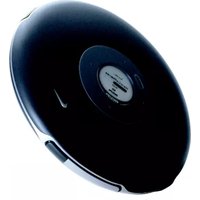


| Product Type | Portable MP3/CD/FM Digital Audio Player |
| Model | PSA410 |
| Brand | Philips |
| Dimensions | 148 (W) x 148 (D) x 24.5 mm |
| Weight | 240 g (without battery); 280 g (with battery) |
| Power Supply | Rechargeable battery HF18/07/68 or AC/DC adapter AY4103 (4.5V, 300 mA) |
| Battery Playtime | Audio CD: 20 hr; MP3/WMA: 30 hr; FM Tuner: 30 hr |
| Display | White Backlight LCD |
| Audio Playback Formats | MP3 (8-320 kbps), WMA (32-192 kbps), Audio CD, CD-R, CD-RW, MP3-CD |
| Sound Enhancement | Dynamic Bass Boost (DBB) - Low and Hi settings |
| Frequency Response | 20 - 20,000 Hz |
| Output Power (RMS) | 2 x 1 mW (16 Ω) |
| Signal-to-Noise Ratio | >80 dB |
| FM Tuner | FM stereo, 87.5 - 108 MHz, 30 presets |
| Skip Protection (ESP) | 960s WMA, 480s MP3, 180s Audio CD |
| Connectivity | 4.5V DC jack, 3.5mm headphones, waistband remote control |
| Accessories Included | AY4103 AC/DC adapter, AY3365 batteries, AY4213 carrier, AY4487 CDROM, SBC HJ030/77 headphones, AY4002 waistband remote control |
| Special Features | Strobe light, electronic skip protection, power saving mode, hold switch |
| Safety | Do not disassemble; avoid excessive heat, moisture, and magnetic fields |
| Environmental Compliance | RoHS, WEEE, CE |
Frequently Asked Questions - PSA410 PHILIPS
User questions about PSA410 PHILIPS
0 question about this device. Answer the ones you know or ask your own.
Ask a new question about this device
Download the instructions for your Mp3 player in PDF format for free! Find your manual PSA410 - PHILIPS and take your electronic device back in hand. On this page are published all the documents necessary for the use of your device. PSA410 by PHILIPS.
USER MANUAL PSA410 PHILIPS
mp3cd/FM digital audio player
type number: PSA410

INNOVATION FOR ATHLETES
PHILIPS

Name of Parts
① LCD display Dynamically displays menu, options and track information 2 ▷ Press and hold to power on; press briefly to play / pause ③ - / + Volume control, press - to decrease; press + to increase ④ fm switches radio on / off. ⑤ mode Selects playback options; press and hold mode for 3 seconds 6 Skips and searches backward tracks; (FM) tunes to stations 7 MP3 / WMA-CD only: selects the previous album / skip backward ⑧ □ Stops music ⑨ Headphones jack Connects headphones or waistband remote control ⑩ Open Opens the CD lid 11 MP3 / WMA-CD only: selects the next album / skip forward 12 Skips and searches forward tracks; (FM) tunes to stations ⑬ 4.5V DC jack Charging socket ⑭ dbb Switches the bass enhancement on and off 15 Switches strobe light on and off ⑯ hold.off Locks / unlocks all buttons on the set
Power supply
You can use the following batteries with this CD-player:
PHILIPS rechargeable batteries, HF18/07/68
Inserting rechargeable batteries
① Press and lift to open the CD lid.
② Open the battery compartment (inside the CD player).
Insert batteries with correct polarity. Remove batteries if the player is not going to be used for a long time.
Batteries contain chemical substances, so they should be disposed of properly.


Charging
① Insert the rechargeable battery. ② Connect the power adapter to the 4.5V DC jack of the player and then to the wall outlet. Recharging stops after battery is full or when you start playback. ③ When the battery is fully recharged, BATT FULL appears in the display. The approximate power level of your batteries is shown on the display.

TIP
It is normal for the batteries to become warm during recharging. If the batteries become too warm, recharging will be interrupted for approximately 30 minutes. To ensure proper recharging on board, take care that contacts are clean. Recharging already charged or half-charged batteries will shorten their lifetime. We therefore recommend that you let the rechargeable battery run till it is completely empty before you recharge it. To avoid a short circuit, do not let the battery touch any metal object. If the battery becomes empty soon after recharging, then either its contacts are dirty or it has reached the end of its lifetime.
AC/DC Adapter
Use only the AY4I03 adapter (4.5 V/ 300 mA direct current, positive pole to the center pin). Any other product may damage the player.
① Make sure the local voltage corresponds to the AC/DC adapter's voltage. ② Connect the AC/DC adapter to the charging socket of the player and to the wall outlet.

TIP
Always disconnect the adapter when you are not using it.
Battery playtime
Average playing time of 2 rechargeable batteries under normal conditions:
| Audio CD | MP3/ WMA | FM Tuner | |
| Power Saving mode | 20 hr | 30 hr | 30 hr |
Playing a CD
With this set you can play
all pre-recorded audio CDs (CDDA) all finalized audio CDRs and CDRWs WMA/MP3-CDs (CD-ROMs with WMA/MP3 files)
① Press and lift to open the CD lid. ② Insert a disc, printed side up, by pressing gently on the disc's center so that it fits onto the hub. Close the lid by pressing it down. ③ Press and hold ▶ briefly to start playback. ④ Press ▶ briefly to interrupt playback. →The time where playback was interrupted blinks. To resume playback press ▶ briefly again. ⑤ Press □ to stop playback. ⑥ Press and hold □ 2-3 seconds to switch off the CD player. ⑦ To remove the disc, hold it by its edge and press the hub gently while lifting the disc.


TIP
After pressing ▷ it may take some time until the first MP3/WMA track is played. By default, playback begins from the exact point when last switched off. If a CD-Recordable (CD-R) or a CD-Rewritable (CD-RW) is not recorded properly, Unfinalized CD is displayed, indicating that the CD has not been finalized. In that case, use FINALIZE on your CD recorder to complete the recording. When playing a CD, please note that it can take 3-5 seconds after pressing >□ for sound reproduction to start. Playback will stop if you open the CD lid. While the CD is paused, the elapsed play time flashes in the display.
Selecting a track and searching
Selecting and searching on all discs
Selecting a track during playback
Briefly press ◀ or ▶ once or several times to skip to the beginning of the current, previous or subsequent track.
→ Playback continues with the selected track.
Searching for a passage during playback
① Keep ◀ or ▶ pressed to find a particular passage in backward or forward direction.
→ Searching starts and playback continues at a low volume. For CD audio tracks the search speeds up after 2 seconds.
② Release the button at the desired passage.
→ Normal playback continues.
Selecting on WMA/MP3-CDs
Selecting an album during playback
Briefly press ◀ or > to skip to the first track of the current, previous or subsequent album.
→ The first track of the selected album is played.
Selecting a track during playback
① Keep ◀ or ▷ pressed to skip quickly to previous or subsequent MP3 tracks.
② Release the button at the desired track. → Playback continues with the selected track.

TIP
To skip from track to track at low speed, use << or >>.
Volume, Beep, dbb
Volume adjustment
Adjust the volume by pressing VOLUME + / - (up or down).
Bass adjustment
① Press dbb once for dbb low, once again for dbb hi.
② Press dbb again to switch off the bass enhancement options. (no icon shown)
Acoustic feedback
Acoustic feedback is a beep signal that is heard when buttons on the set or remote control are pressed. Also, when the set or remote control is in pause mode or the battery power is low, it beeps at intervals.
① Keep dbb pressed for 2 seconds to switch the beep either on or off.
→ Beep on is displayed: Beep is switched on.
→ Beep off is displayed: Beep is switched off.
Selecting different play options - mode
① Press mode repeatedly during playback or stop to select either:
album Shuffle album once (MP3/WMA only)
all Shuffle all tracks of a disc once (MP3/WMA/ CDDA)
album ↻ Repeat Album (MP3/WMA)
all ↔ Repeat all tracks (MP3/WMA/CDDA)
② Playback starts in the selected mode after 2 seconds.
③ To return to normal playback, press mode repeatedly until the play option icons
e.g. album and all disappear.
esp / Power saving mode
With a conventional portable CD-player you might have experienced that the music stopped e.g. when you were jogging. The electronic skip protection (esp) prevents loss of sound caused by light vibrations and shocks. Continuous playback is ensured. However esp does not prevent playback interruptions during vigorous running. It also does not protect the unit against any damage caused by dropping!
To give you optimum playback and help save battery energy, the powersave mode is selected automatically.
①→ No esp indication:
When player operating on AC adapter power. esp option deactivated. Optimum sound quality available.
② ESP: in battery operation when ESP mode is automatically activated.
When the player is free from vibration, power saving is activated.
③ OOPS:
Maximum ESP time exceeded. Playback skips but will resume optimum playback when the player is free from vibration.
960 sec Magic ESP
Average playing times when ESP skip protection activated:
| 960s WMA (64kbps, equivalent of up to 3 tracks) | |
| 480s | MP3 (128kbps, equivalent of up to 3 tracks) |
| 180s | Audio CD |
Strobe Light
Strobe light is an illumination technology setting that allows the backlit LCD display to gradually radiate bursts of light, enhancing visibility of the runner in low light conditions.
FM Tuner
Switching radio on/off
① Press FM once or more to switch the radio on/off.
→ Display shows briefly Radio on or Radio off respectively.
Press FM or □ to switch the radio off.
Tuning to radio stations automatically
① Press and hold ◀ or ▶ for at least 2 seconds.
→ Display shows briefly Searching. The radio tunes to a station with sufficient strength and radio play starts. The FM frequency is displayed.
② Repeat searching until you find the desired radio station.
Tuning to radio stations manually
① Keep ◀ or ▷ pressed.
② Release ◀ or ▶, then briefly press ◀ or ▷ again when you are close to the desired frequency.
③ Briefly press ◀ or ▶ repeatedly until you reach the desired frequency.
→ Radio play starts. The FM frequency is displayed.
To switch from radio play to CD play, press ▷. Press fm or □ to switch the radio off.

TIP
To improve reception: The headphone wire is used as an FM antenna. If necessary, move it for optimum reception. Tuner operation is not affected if you open the CD lid to change a disc. Some settings and functions are not available in the radio mode.
FM Tuner
Storing radio stations
You can store up to 30 radio stations. Select a preset number 1-30.
① Tune to a desired radio station and press mode briefly.
② Press mode while the preset number is blinking to store your preset.
→ PRESET, the FM frequency and the preset number of the stored station are displayed
③ Store all desired stations this way.

TIP
Already stored stations can be recognized by a preset number.
Tuning to a stored radio station
① Press ◀ or ▶ repeatedly if necessary to select the preset number of the desired radio station.
→ Radio play starts. The FM frequency and the preset number (PI-30) of the stored station are displayed.
HOLD
You can lock the buttons of the set by switching the slider to hold. With hold activated, you can avoid accidental activation of other functions.
① Switch the slider to hold to activate hold.
→ All buttons are locked. HOLD is shown when you press any button on the set. If the set is locked and switched off, HOLD will be shown only when pressed ▶].
② To deactivate hold, switch the slider to off.
Wearing your player


TIP
Use waistband and sportpack to wear player on your waist.

TIP
The controls of your waistband remote control work just like those on your player during music playback.
Troubleshooting
If a fault occurs, first check the points listed. For further help and other troubleshooting tips, please also check out the FAQ for your player at www.nike-philips.com.
If you are unable to find a solution from these hints, consult your dealer or service center.
WARNING:
Under no circumstances should you try to repair the set yourself, as this will invalidate the warranty.
The CD player has no power, or playback does not start.
Check that your batteries are not dead or empty, that they are inserted correctly, and that the contact pins are clean.
Your adapter connection may be loose. Connect it securely.
The indication 'Please insert CD' is displayed.
Check that the CD is clean and correctly inserted (label-side upward).
If your lens has steamed up, wait a few minutes for this to clear.
The indication 'Unfinalized CD / No audiofile' is displayed.
CD-RW (CD-R) was not recorded properly. Use FINALIZE on your CD-recorder.
The indication HOLD is on and/or there is no reaction to controls
If hold is activated, then deactivate it.
Electrostatic discharge. Disconnect power or remove batteries for a few seconds.
The CD skips tracks
The CD is damaged or dirty. Replace or clean the CD.
No sound or bad sound quality.
Pause might be active. Press ▷III.
Loose, wrong or dirty connections. Check and clean connections.
Volume might not be appropriately adjusted. Adjust the volume.
Strong magnetic fields. Check player's position and connections. Also keep away from active mobile phones.
Safety and Maintenance
Caution!
Use of controls or adjustments or performance of procedures other than herein may result in hazardous radiation exposure or other unsafe operation.
Take care when using headphones
Hearing safety:
Listen at a moderate volume. Using headphones at high volume can impair your hearing.
Traffic safety:
Do not use headphones while driving or cycling as you may cause an accident.
Take care when using strobe light
Do not look directly into the strobe light for prolonged period as this may cause damage to your eyes.
General maintenance
To avoid damage or malfunction:
Do not expose to excessive heat caused by heating equipment or direct sunlight. Do not drop your player or allow objects to fall on your player. Do not allow your player to be submersed in water. Do not expose earphone socket or battery compartment to water as water entering the set may cause major damage. Do not use any cleaning agents containing alcohol, ammonia, benzene, or abrasives as these may harm the set. Active mobile phones in the vicinity may cause interference.
Using the power adapter / charger
Use only the power adapter that came with your player. Adapters for other electronic devices may look similar, but they may damage your player. The only way to shut off power completely to your power adapter/charger is to disconnect it from the power source. Always leave space around your power adapter. Do not use this equipment in a location where airflow around the power adapter is confined, such as a bookcase. When connecting or disconnecting your power adapter, always hold the power adapter by its sides. Keep fingers away from the metal part of the plug. The power adapter for your player is a high-voltage component and should not be opened for any reason, even when your player is off.
Environmental information
We have reduced the packaging to its minimum and made it easy to separate into materials: cardboard, PS, PE, PET.
Your set consists of material which can be recycled if disassembled by a specialized company. Please observe the local regulations to dispose of packaging, exhausted batteries and old equipment.
Modifications
Modifications not authorized by the manufacturer may void user authority to operate this device.
This product complies with the radio interference requirements of the European Community.
Technical Data
General
Dimension 148 (W) x 148 (D) x 24.5 mm
Weight 240g (without battery); 280g (with battery)
Power supply
Rechargeable battery HFI8/07/68
Multi-voltage AC power adapter
Battery playtime
20 (CD) - 30 (FM) hours using built-in rechargeable battery
*Battery life may vary according to use.
Display White Backlight LCD
Indications artist name, Battery status, CD functions, DBB, EPS, frequency, pre-set station, time, track, volume
| Sound | Bass enhancement | Dynamic Bass Boost |
| D/A converter | 1-bit | |
| Frequency Response | 20 - 20 000 Hz | |
| Output power (RMS) | 2 x 1 mW (16 Ω) | |
| Signal to noise ratio | >80 | |
| Volume control | 30 steps digital |
Audio playback MP3 (8 - 320 kbps); WMA (32 - 192 kbps)
Disc playback CD, CD-R, CDRW, MP3-CD
ID3-tag support: track title and artist name
| Tuner | Frequency range | 87.5 - 108 MHz |
| Station presets | 30 | |
| Tuner bands | FM stereo |
Connectivity: 4.5V DC, headphones (3.5mm line-out), remote control
Accessories (availability subject to region)
AY4103 AC/DC adapter
AY3365 Batteries
AY4213 Carrier
AY4487 CD-ROM
SBC HJ030/77 Headphones
AY4002 Waistband remote control
The model and serial numbers are located inside the CD door.
Copyright information
All other brand and product names are trademarks of their respective companies or organizations.
Unauthorized duplication of any recordings downloaded from the internet or made from audio CDs is a violation of copyright laws and international treaties.
Philips, Nike, Inc. reserves the right to make design and specification changes for product improvement without prior notice.
All rights reserved.
Meet Philips & Nike on the Internet
http://www.nike-philips.com


SWOOSH

PHILIPS
Type number - PSA410
© 2004 Philips, Nike, Inc. All rights reserved.
www.nike-philips.com
- NAME OF PARTS
- POWER SUPPLY
- INSERTING RECHARGEABLE BATTERIES
- CHARGING
- TIP
- AC/DC ADAPTER
- BATTERY PLAYTIME
- PLAYING A CD
- SELECTING A TRACK AND SEARCHING
- SELECTING AND SEARCHING ON ALL DISCS
- SELECTING A TRACK DURING PLAYBACK
- SEARCHING FOR A PASSAGE DURING PLAYBACK
- SELECTING ON WMA/MP3-CDS
- SELECTING AN ALBUM DURING PLAYBACK
- VOLUME, BEEP, DBB
- VOLUME ADJUSTMENT
- BASS ADJUSTMENT
- ACOUSTIC FEEDBACK
- SELECTING DIFFERENT PLAY OPTIONS - MODE
- ESP / POWER SAVING MODE
- SEC MAGIC ESP
- STROBE LIGHT
- FM TUNER
- SWITCHING RADIO ON/OFF
- TUNING TO RADIO STATIONS AUTOMATICALLY
- TUNING TO RADIO STATIONS MANUALLY
- STORING RADIO STATIONS
- TUNING TO A STORED RADIO STATION
- HOLD
- WEARING YOUR PLAYER
- TROUBLESHOOTING
- WARNING
- SAFETY AND MAINTENANCE
- CAUTION
- TAKE CARE WHEN USING HEADPHONES
- HEARING SAFETY
- TRAFFIC SAFETY
- TAKE CARE WHEN USING STROBE LIGHT
- GENERAL MAINTENANCE
- TO AVOID DAMAGE OR MALFUNCTION
- USING THE POWER ADAPTER / CHARGER
- ENVIRONMENTAL INFORMATION
- MODIFICATIONS
- TECHNICAL DATA
- GENERAL
- COPYRIGHT INFORMATION
- PHILIPS
Brand : PHILIPS
Model : PSA410
Category : Mp3 player