
SyncMaster 2443BWT - Screen SAMSUNG - Free user manual and instructions
Find the device manual for free SyncMaster 2443BWT SAMSUNG in PDF.


User questions about SyncMaster 2443BWT SAMSUNG
0 question about this device. Answer the ones you know or ask your own.
Ask a new question about this device
Download the instructions for your Screen in PDF format for free! Find your manual SyncMaster 2443BWT - SAMSUNG and take your electronic device back in hand. On this page are published all the documents necessary for the use of your device. SyncMaster 2443BWT by SAMSUNG.
USER MANUAL SyncMaster 2443BWT SAMSUNG
These safety instructions must be followed to ensure your safety and prevent property damage.
Make sure to read the instructions carefully and use the product in the correct manner.

Warning / Caution

Otherwise, it may result in death or personal injury.
Otherwise, it may result in personal injury or property damage.

Notational Conventions

Prohibited

Important to read and understand at all times

Do not disassemble

Disconnect the plug from the outlet

Do not touch

Ground to prevent an electric shock
Power

When not used for extended period of time, set your computer to DPM.
If using screen saver, set it to active screen mode.
The images here are for reference only, and are not applicable in all cases (or countries).
Shortcut to Anti-Afterimage Instructions

Do not use a damaged power cord or plug or a damaged or loose power outlet.
- Otherwise, this may result in electric shock or fire.

Do not touch the power plug with wet hands when removing or plugging the plug into the outlet.
- Otherwise, this may result in electric shock.
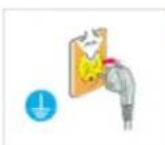
Make sure to connect the power cord to a grounded power outlet.
- Otherwise, it may result in electric shock or personal injury.
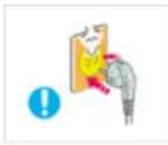
▶ Ensure that the power plug is plugged into the power outlet firmly and correctly.
- Otherwise, this may result in fire.
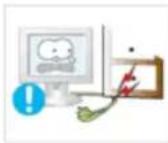
Do not forcefully bend or pull the power plug and do not place any heavy material on it.
- Otherwise, this may result in fire.
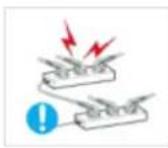
Do not connect multiple appliances to the same power outlet.
- Otherwise, this may cause fire due to overheating.
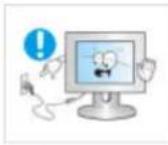
Do not disconnect the power cord while using the monitor.
- Otherwise, this may result in damage to the product due to electric shock.
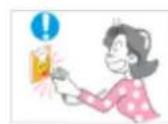
To disconnect the apparatus from the mains, the plug must be pulled out from the mains socket, therefore the mains plug shall be readily operable.
• This may cause electric shock or fire.
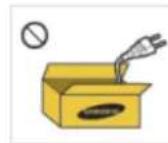
Use only the power cord provided by our company. Do not use the provided power cord of another product.
- Otherwise, this may result in fire or electric shock.
Installation

Be sure to contact an authorized Service Center when installing your monitor in a location with heavy dust, high or low temperatures, high humidity, and exposed to chemical substances and where it operates for 24 hours such as at airports, train stations etc.
Failure to do so may cause serious damage to your monitor.

Do not drop the monitor when moving it.
- This may cause damage to the product or the person carrying it.
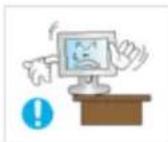
When installing the product in a cabinet or rack, make sure that the front end of the bottom of the product does not project out.
- Otherwise, it may fall or cause personal injury.
- Use a cabinet or rack of a size appropriate to the product.
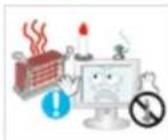
DO NOT PLACE CANDLES, MOSQUITO REPELLANT, CIGARETTES AND ANY HEATING APPLIANCES NEAR THE PRODUCT.
• Otherwise, this may cause fire.
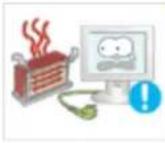
Keep heating appliances as far away from the power cord or the product as possible.
- Otherwise, this may result in electric shock or fire.
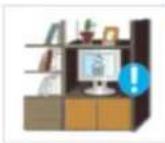
Do not install it in a badly ventilated location such as a bookcase or closet.
- Otherwise, this may result in fire due to an increase in the internal temperature.
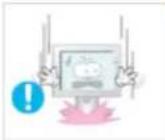
Put down the monitor carefully.
- Failing to do so may damage the monitor.
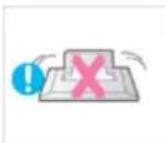
Do not place the front of the product on the floor.
- Otherwise, this may result in damage to the screen display.
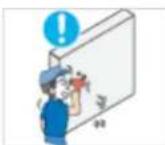
Ensure that an authorized installation company installs the wall mount.
- Otherwise, it may fall and cause personal injury.
- Make sure to install the specified wall mount.
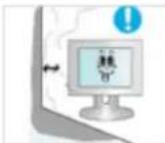
Install your product in a well ventilated location. Ensure that there is a clearance of more than 10 cm from the wall.
- Otherwise, it may result in fire due to an increase in the internal temperature.

Ensure that the packaging vinyl is kept away from children.
- Otherwise, it may result in serious harm (suffocation) if children play with it.

If the height of your monitor is adjustable, do not place any object or part of your body on the stand when lowering it.
• This may cause damage to the product or the person carrying it.
Clean

When cleaning the monitor case or the surface of the TFT-LCD screen, wipe with a slightly moistened, soft fabric.

Do not spray cleaner directly onto the surface of the product.
- Otherwise, this may result in the discoloration and distortion of the structure and the screen surface may peel off.

Clean the product using a soft cloth with a monitor cleaner only. If you must use a cleaner other than the monitor cleaner, dilute it with water at a ratio of 1:10.

When cleaning the power plug pins or dusting the power outlet, clean it with a dry cloth.
- Otherwise, it may result in fire.
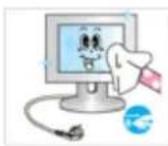
When cleaning the product, make sure to disconnect the power cord.
- Otherwise, it may result in electric shock or fire.

When cleaning the product, disconnect the power cord and clean it softly with a dry cloth.
- (Do not use chemicals such as wax, benzene, alcohol, thinner, mosquito repellant, lubricant, or cleaner.) These may change the appearance of the product surface and peel off the indication labels on the product.

Since the product housing is easily scratched, make sure to use the specified cloth only.
- Use the specified cloth adding only a little water. As the product may be scratched if there is any foreign material on the cloth, make sure to shake it thoroughly before using it.

When cleaning the product, do not spray water directly onto the main body of the product.
- Ensure that water does not enter the product and that it is not wet.
- Otherwise, this may result in electric shock, fire or a malfunction.
Others

The product is a high voltage product. Ensure that users do not disassemble, repair or modify the product themselves.
- Otherwise, this may result in electric shock or fire. If the product needs to be repaired, contact a Service Center.
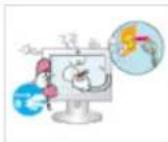
If there is a strange smell or a strange sound or smoke is coming from the product, disconnect the power plug immediately and contact a Service Center.
- Otherwise, this may result in electric shock or fire.
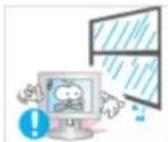
Do not place this product in a location exposed to moisture, dust, smoke, water, or in a car.
- Otherwise, this may result in electric shock or fire.
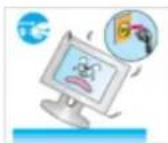
When you drop the product or the case is broken, turn the power off and disconnect the power cord. Contact a Service Center.
- Otherwise, this may result in electric shock or fire.
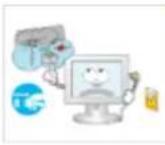
If thunder or lightening is occurring, do not touch the power cord or antenna cable.
- Otherwise, this may result in electric shock or fire.
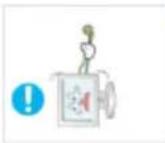
Do not try to move the monitor by pulling only the wire or the signal cable.
- Otherwise, it may fall and result in electric shock, damage to the product or fire due to damage to the cable.
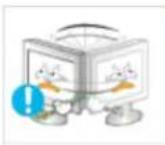
Do not lift or move the product back and forwards or right and left while only holding the power cord or signal cables.
- Otherwise, it may fall and result in electric shock, damage to the product or fire due to damage to the cable.

Make sure that the ventilating opening is not blocked by a table or curtain.
- Otherwise, it may result in fire due to an increase in the internal temperature.

Do not place any containers containing water, vases, flowerpots, medicines as well as any metal on the product.
- If water or a foreign material enters the product, disconnect the power cord and contact a Service Center.
• This may result in a product malfunction, electric shock, or fire.
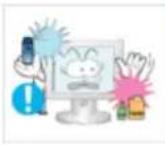
Do not use or keep combustible spray or flammable material near the product.
- Otherwise, this may result in an explosion or fire.

Do not insert any metal, such as chopsticks, coins, pins and steel, or flammable objects, such as matches or paper, inside the product (through the ventilating openings, input and output terminals, etc).
- If water or foreign material enters the product, disconnect the power cord and contact a Service Center.
- Otherwise, this may result in electric shock or fire.
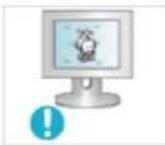
When using a fixed screen for a long time, an afterimage or stain may occur.
- If you are not using your product for a long period of time, put it into sleep mode or use a moving screen saver.
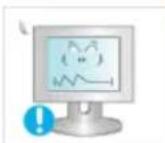
Set a resolution and frequency appropriate to the product.
- Otherwise, your eyesight may be damaged.
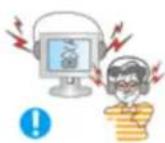
Keep the volume at a comfortable level when using the headphones.
• Excessively loud volume level may damage hearing.
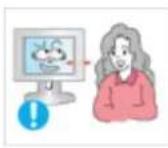
If you continually move closer to the product screen, your eyesight may be failing.
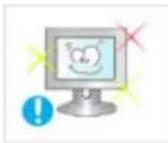
To ease eye strain, take at least a five-minute break after every hour of using the monitor.
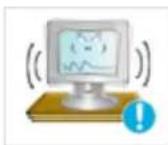
Do not install it in an unstable location such as an unstable rack or uneven surface or a location exposed to vibrations.
- Otherwise, it may fall and cause personal injury and/or damage the product.
- If you use the product in a location exposed to vibrations, it may damage the product and result in fire.

When moving the product, turn the power off and disconnect the power plug, antenna cable, and all the cables connected to the product.
- Otherwise, it may result in electric shock or fire.

▶ Ensure that children do not hang onto the product or climb up onto the product.
• The product may fall and cause personal injury or death.

If you do not use the product for a long period of time, disconnect the power cord from the power outlet.
- Otherwise, this may result in overheating or fire due to dust, and may result in fire due to electric shock or leakage.

Do not place any heavy items or toys or confectionery, such as cookies etc. that may attract the attention of children and to the product.
- Your children may hang onto the product causing it to fall and this may result in personal injury or death.

Do not turn the product upside down or move it while holding only the stand.
- Otherwise, it may fall and result in personal injury and/or damage to the product.
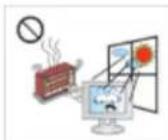
Do not place the product in a location exposed to direct sunlight or near any heat such as a fire or heater.
- This may reduce the lifetime of the product, and may result in fire.

Do not drop any objects onto the product or cause any impact to the product.
- Otherwise, this may result in electric shock or fire.
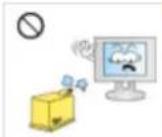
Do not use a humidifier or kitchen table near the product.
- Otherwise, this may result in electric shock or fire.
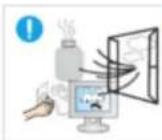
When there is a gas leak, do not touch the product or the power plug but ventilate immediately.
- If a spark occurs, it may cause an explosion or fire.

If the product has been turned on for a long time, the display panel becomes hot. Do not touch it.
- Keep the small accessories in a location out of the reach of children.
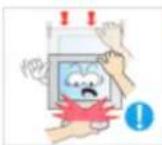
Be careful when adjusting the angle of the product or the height of the stand.
- This may result in personal injury as your hand or fingers may become caught.
- Also, if you tilt the product too far, it may fall and cause personal injury.

Do not install the product in a location low enough for children to reach.
- Otherwise, it may fall and result in personal injury.
- Since the front part of the product is heavy, install the product on a level and stable surface.

Do not put any heavy objects on the product.
• This may result in personal injury and/or damage to the product.
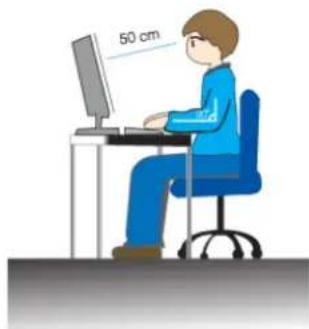
natural_image
Illustration of a person sitting at a desk using a computer, with a 50 cm measurement annotation on the wall (no other text or symbols)Good Postures When Using the Monitor
When using the product, use it in the correct position.
- Keep your back straight while looking at the product.
- The distance between your eyes and the screen should be between 45 to 50~cm . Look at the screen from a slightly higher location than the height of the screen.
- When using the product, use it in the correct position.
- Adjust the angle so that light is not reflected on the screen.
- Place your arms perpendicular to your sides and allow your arms to be level with the back of the hand.
- Keep your elbow at 90 degrees.
- Keep your knees at greater than 90 degrees, and keep your heels firmly on the floor. Keep your arms lower than your heart.
Introduction
Package Contents

Note
Please make sure the following items are included with your monitor.
If any items are missing, contact your dealer.
Contact a local dealer to buy optional items.
Unpacking
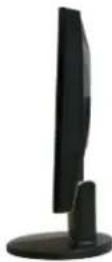
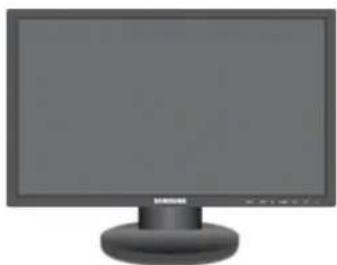
Type 1
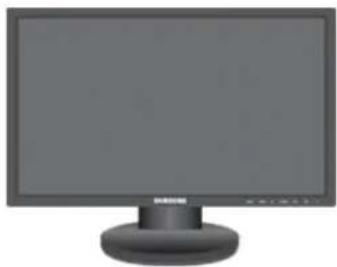
natural_image
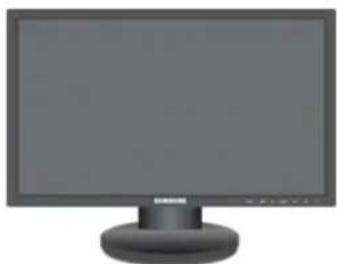
Front view of a desktop computer monitor with a blank screen and a circular base (no visible text or symbols)Monitor & Simple stand

Note
- MagicRotation program can not be provided as Simple Stand does not support Pivot function.
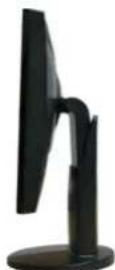
Type 2
natural_image
Front view of a black desktop computer monitor with a circular base (no visible text or symbols)Monitor & HAS stand
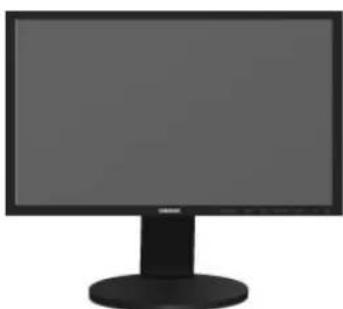
Type 3
natural_image
Computer monitor with blank screen and black tower (no text or symbols visible)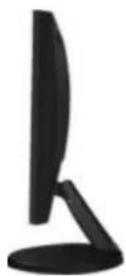
Monitor & Dual Hinge Stand
Type 4
natural_image
Front view of a desktop computer monitor with a blank screen and a circular base (no visible text or symbols)Monitor & HAS stand
natural_image
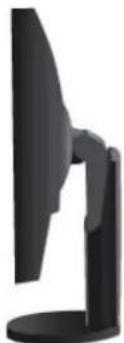
Black computer monitor with a stand, no visible text or symbols on the device body23 inches or larger
Manuals

Quick Setup Guide Warranty Card

User's Guide
(Not available in all loca-
tions)
Cables
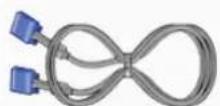

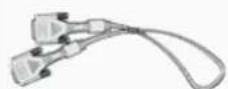
D-Sub Cable Power Cord DVI Cable (option)
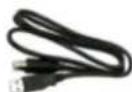
USB Cable
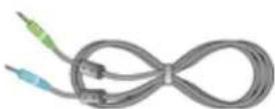
Audio Cable
(Applicable to the stand mod- (Supplied for the models that els that have USB ports only.) have speakers only.)
Others
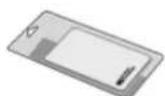

Cleaning Cloth(Option) Cable holding ring

Note
Cleaning Cloth is only provided for highly polished black products as a product feature.
Your Monitor
Initial Settings
text_image
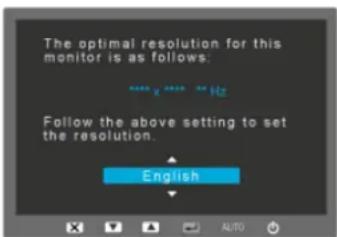
The optimal resolution for this monitor is as follows: **** x **** ** Hz Follow the above setting to set the resolution. EnglishSelect the language using the up or down key.
The displayed content will disappear after 40 seconds.
Turn the Power button off and on. It will be displayed again.
It can be displayed up to three (1) times. Make sure to adjust the resolution of your PC before reaching the maximum count.

Note
The resolution displayed on the screen is the optimal resolution for this product.
Adjust your PC resolution so that it is the same as the optimal resolution for this product.
Front
text_image
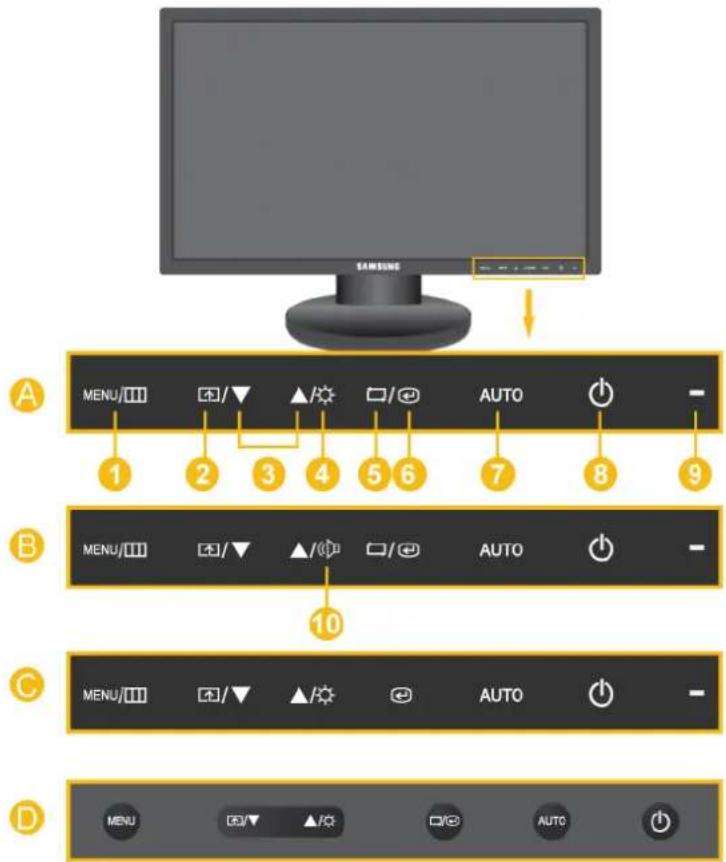
A MENU/□□ □/▼ ▲/★ □/◎ AUTO ○ - 1 2 3 4 5 6 7 8 9 B MENU/□□ □/▼ ▲/◎ □/◎ AUTO ○ - 10 C MENU/□□ □/▼ ▲/★ ●️ AUTO ○ - D MENU ○/▼ ▲/◎ □/◎ AUTO ○
Note

Touch them lightly with your fingers to use them.

MENU button [MENU]
Opens the on-screen menu and exits from the menu. Also use to exit the OSD menu or return to the previous menu.

Customized Key[]
You can customize key assignment for the Custom button according to your preferences.

Note
You can configure the customized key for a required function via Setup > Customized Key.

Adjust buttons [▼]
These buttons allow you to adjust items in the menu.

Brightness button [Q]
When OSD is not on the screen, push the button to adjust brightness.
5 button
Push the '→', then selects the video signal while the OSD is off. (When the '→' button is pressed to change the input mode, a message appears in the upper left of the screen displaying the current mode -- analog or digital input signal.)
Note
- If you select the digital mode, you must connect your monitor to the graphic card's DVI port using the DVI cable.
- This function is not available for products with an Analog interface only.
6 Enter button [∅]
Activates a highlighted menu item.
7 AUTO button
Use this button for auto adjustment.
(Available in Analog mode only)
8 Power button [ ]
Use this button for turning the product on and off.
9 Power Indicator
This light is lit when operating normally, and blinks once when your adjustments are saved.
Note
See PowerSaver described in the manual for further information regarding power saving functions. For energy conservation, turn your monitor OFF when it is not needed or when leaving it unattended for long periods.
10 Volume button[J]
When OSD is not on the screen, push the button to adjust volume.
Note
Applicable to the models that have speakers only.
11 Headphone sound output terminal[7]
![SAMSUNG SyncMaster 2443BWT - Headphone sound output terminal[7] - 1](/content/2026/05/818669/images/83730390faf42f5bdf3832fdd9b32441bdb476574ad083a90ab77226cc03ff4c.jpg)
Note
Applicable to the models that have speakers only.
12 Speaker
You can hear sound by connecting the soundcard of your PC to the monitor.
Note
Applicable to the models that have speakers only.
Rear

Note
The configuration at the back of the monitor may vary from product to product.
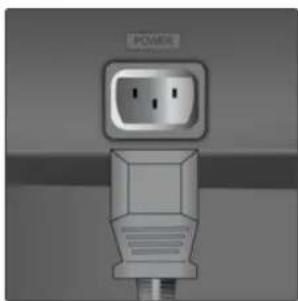
POWER port
natural_image
Exterior view of a power outlet plug (no text or symbols visible)POWER port
Connect the power cord for your monitor to the POWER port on the back of the product.
DVI IN
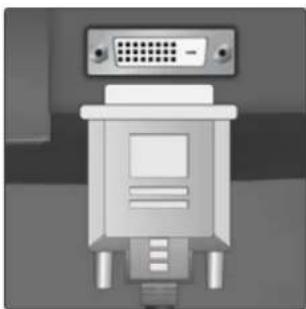
natural_image
Close-up of a white electronic device with a grid-patterned top and three metallic pins (no visible text or symbols)DVI IN
Connect the DVI Cable to the DVI IN port on the back of your monitor.

Note
Applicable to the digital (DVI)-dedicated models only.
RGB IN
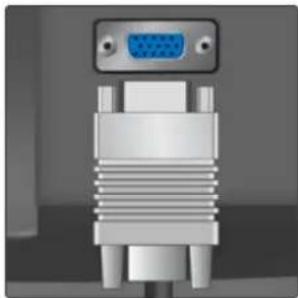
natural_image
Close-up of a metallic VGA connector with a blue port, no visible text or symbolsRGB IN
Connect the D-sub cable to the 15-pin, RGB IN port on the back of your monitor.

USB connection termi- Option)
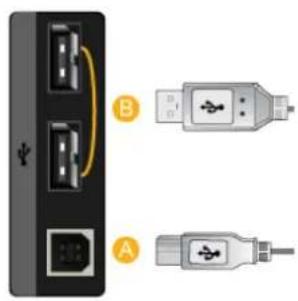
text_image
Diagram showing two USB connectors labeled A and B connected to a port, with arrows indicating connection direction.A UP(USB upstream port)
Connect the UP port of the monitor and the USB port of the computer with the USB cable.
B DOWN(USB downstream port)
Connect the DOWN port of the USB monitor and a USB device with the USB cable.
Note
Applicable to the models that have USB ports only.
AUDIO IN port
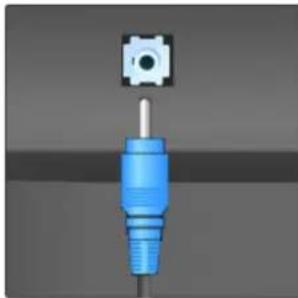
natural_image
3D rendering of a blue plastic connector with a small circular component above it (no text or symbols visible)AUDIO IN port
Connect the audio cable for your monitor to the audio port on the back of your computer.
Note
Applicable to the models that have speakers only.
Kensington Lock
natural_image
Close-up of a small electronic component with a small symbol, possibly a button or icon, against a plain background (no text or symbols visible)Kensington Lock
The Kensington lock is a device used to physically fix the system when using it in a public place. (The locking device has to be purchased separately.) For using a locking device, contact where you purchase it.
Note
The location of the Kensington Lock may be different depending on its model.
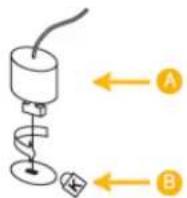
Using the Anti-Theft Kensington Lock
-
Insert the locking device into the Kensington slot on the Monitor and turn it in the locking direction.
-
Connect the Kensington Lock cable.
-
Fix the Kensington Lock to a desk or a heavy stationary object.

Note
See Connecting Cables for further information regarding cable connections.
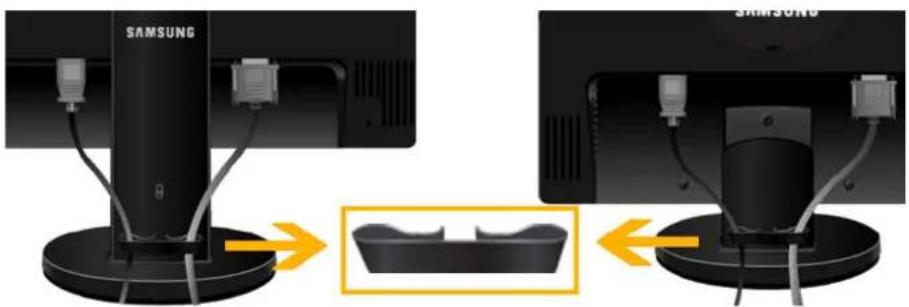
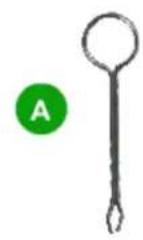
- Fix the cables using the holding ring, as shown in the figure.
Connections
Connecting Cables
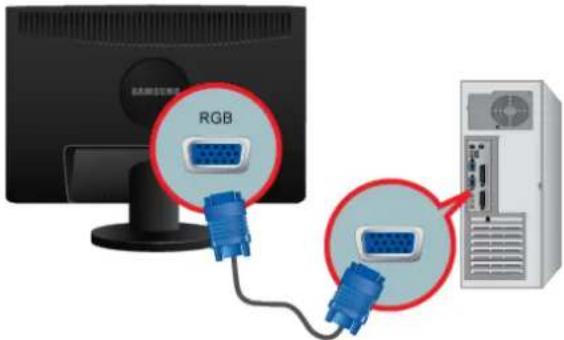
Use a connection appropriate for your computer.
text_image
RGB
Using the D-sub (Analog) connector on the video card.
- Connect the signal cable to the 15-pin, D-sub port on the back of your monitor.
text_image
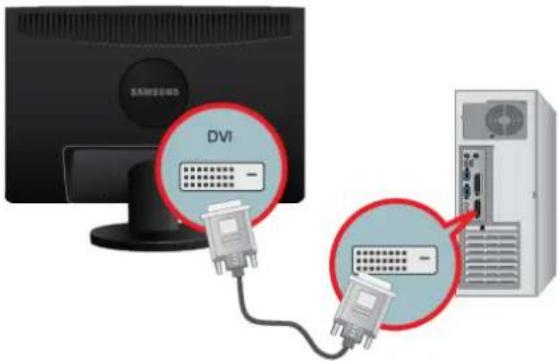
DVI -
Using the DVI (Digital) connector on the video card.
- Connect the DVI Cable to the DVI IN Port on the back of your Monitor.
text_image
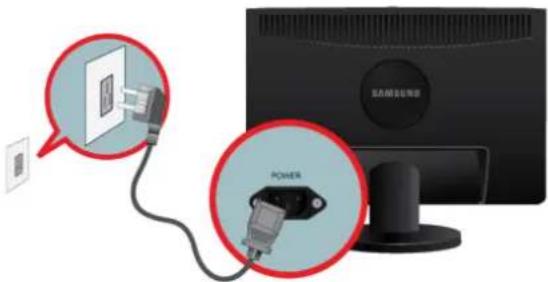
Active Connection Wizard POWER
Connect the power cord for your monitor to the power port on the back of the monitor.
Plug the power cord for the monitor into a nearby outlet.

Note
- If the monitor and the computer are connected, you can turn them on and use them.
- The DVI IN terminal is supplied for the digital (DVI)-dedicated models only.
Connecting USB

Note
Applicable to the stand models that have USB ports only.

Note
You can use a USB device such as a mouse, keyboard, Memory Stick, or external hard disk drive by connecting them to the DOWN port of the monitor without connecting them to the PC.

USB port of the monitor supports High-Speed Certified USB 2.0.
High speed Full speed Low speed
Data Rate 480 Mbps 12 Mbps 1.5 Mbps
Power Consumption 2.5 W
2.5 W
2.5 W
(Max., each port)
(Max., each port)
(Max., each port)
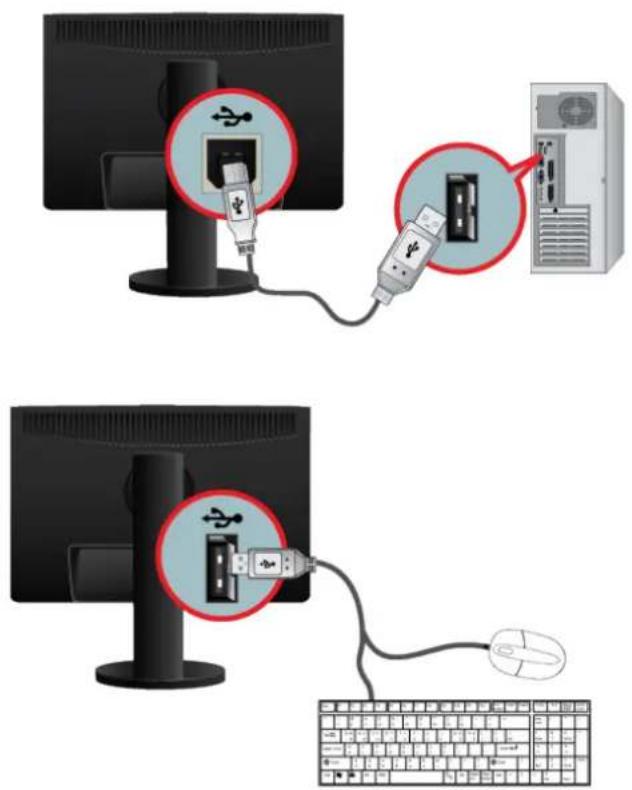
text_image
Diagram showing two setups for USB connection: one with USB plug and cable, the other with USB plug and cable connected to a computer keyboard.- Connect the ✦ UP port of the monitor and the USB port of the computer with the USB cable.
Note
To use DOWN port, you have to connect the UP (Upstream Cable) to the PC.
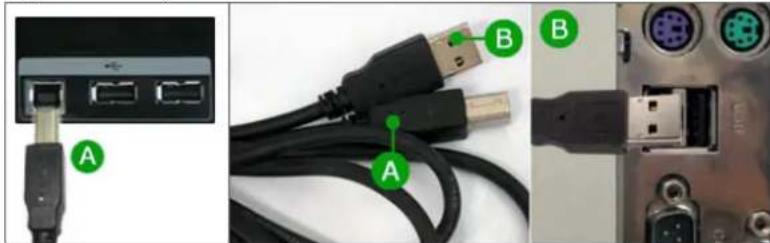
Make sure to use the USB cable supplied with this monitor to connect the monitor's UP port and your computer's USB port.
natural_image
Close-up of three electronic devices: a USB port, connected cables with labeled connectors (A and B), and an external circuit board (no readable text or symbols)-
Connect the DOWN port of the USB monitor and a USB device with the USB cable.
-
The use procedures are as the same as those for using an external device connecting to the PC.
- You can connect and use a keyboard and mouse.
- You can play a file from a media device.
(Examples of media devices: MP3, digital camera, etc.)
- You can run, move, copy or delete the files on the storage device.
(Examples of storage devices: external memory, memory card, memory reader, HDD-type MP3 player, etc.)
- You can use other USB devices that can be connected to a computer.
Note
When connecting a device to the DOWN port of the monitor, connect the device using a cable appropriate to the device.
(For the purchase of the cable and external devices, ask the service center of the corresponding product.)
The company is not liable for problems or damages to an external device caused by using an unauthorized cable for the connection.
Some products do not follow the USB standard, and it may cause a malfunction of the device.
If the device malfunctions even if it is connected to the computer, contact the service center of the device/computer.
Using the Stand
Monitor Assembly
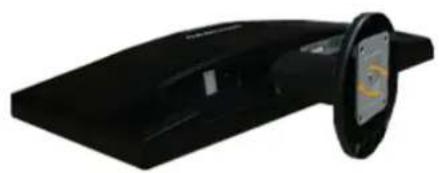
natural_image
Black electronic device with a circular lens and a small screen showing a yellow logo (no visible text or symbols)Simple Stand
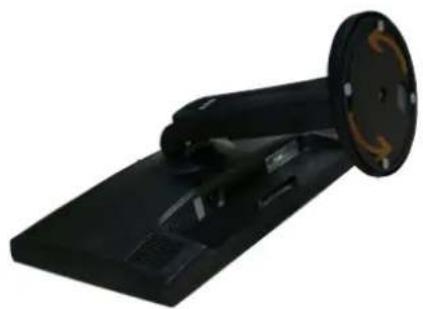
natural_image
Black handheld electronic device with a circular head and rectangular base (no visible text or symbols)HAS Stand
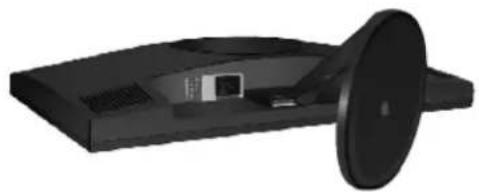
natural_image
3D rendering of a black electronic device with a circular lid and internal components (no visible text or symbols)Dual Hinge Stand
HAS Stand
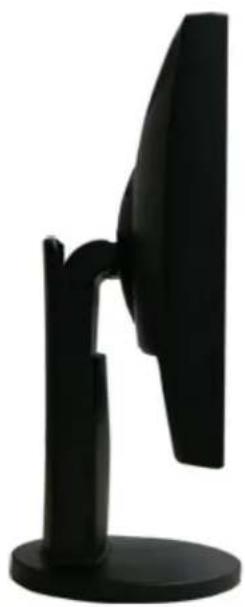
natural_image
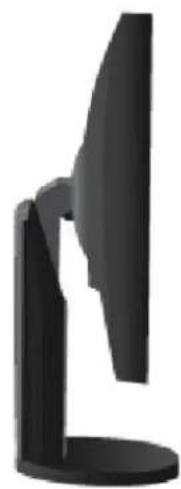
Black office monitor stand with a curved screen and stand (no visible text or symbols)A. Stand Stopper
HAS Stand (23 inches or larger)
natural_image
Black office monitor stand with a curved screen and stand (no visible text or symbols)A. Stand Stopper


Dual Hinge Stand
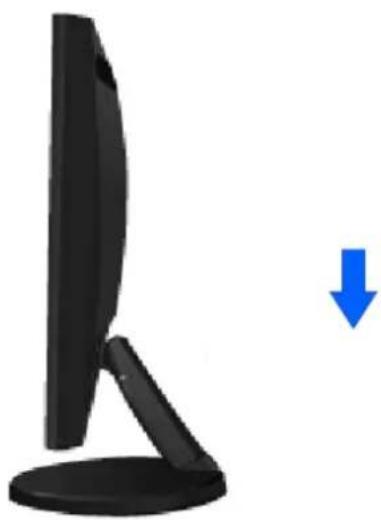
natural_image
Black monitor with a blue downward arrow indicating compression or reduction (no text or symbols)A. Stand Stopper
Attaching a Base
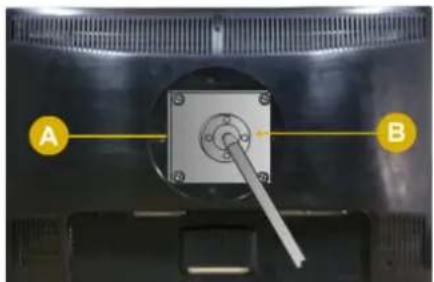
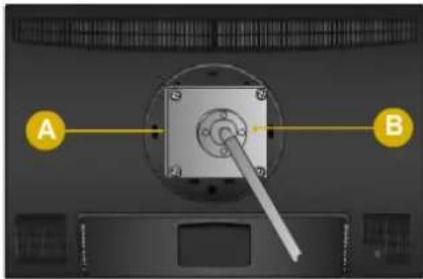
This monitor accepts a 100 mm x 100 mm VESA-compliant mounting interface pad.

Note
The VESA dimensions given above are an example. The VESA dimensions may differ depending on the product.

natural_image
Close-up of a mechanical component with labeled points A and B, showing a central square and lever mechanism (no text or symbols beyond labels)Simple Stand
natural_image
Close-up of a mechanical component with labeled points A and B, showing a central square and a lever mechanism (no text or symbols beyond labels)HAS Stand
text_image
A BDual Hinge Stand
A. Monitor
B. Mounting interface pad (Sold separately)
-
Turn off your monitor and unplug its power cord.
-
Lay the LCD monitor face-down on a flat surface with a cushion beneath it to protect the screen.
-
Remove two screws and then remove the stand from the LCD monitor.
-
Align the mounting interface pad with the holes in the rear cover mounting pad and secure it with four screws that came with the arm-type base, wall mount hanger or other base.

- Do not use screws longer than the standard dimension, as they may damage the inside of the Monitor.
- For wall mounts that do not comply with VESA standard screw specifications, the length of the screws may differ depending on their specifications.
- Do not use screws that do not comply with the VESA standard screw specifications.
Do not fasten the screws too tightly, as this may damage the product or cause the product to fall, leading to personal injury.
Samsung is not liable for these kinds of accidents.
- Samsung is not liable for product damage or personal injury when a non-VESA or non-specified wall mount is used or the consumer fails to follow the product installation instructions.

• To mount the monitor on a wall, you should purchase the wall mounting kit that allows you to mount the monitor at least 10 cm away from the wall surface.
- Contact the nearest Samsung Service Center for more information. Samsung Electronics will not be responsible for damages caused by using a base other than those specified.
- Please use Wall Mount according to the International standards.
Using the Software
Monitor Driver

Note
When prompted by the operating system for the monitor driver, insert the CD-ROM included with this monitor. Driver installation is slightly different from one operating system to another. Follow the directions appropriate for the operating system you have.
Prepare a blank disk and download the driver program file at the Internet web site shown here.
Internet web site :
http://www.samsung.com/ (Worldwide)
Installing the Monitor Driver (Automatic)
- Insert CD into the CD-ROM drive.
- Click "Windows".
- Choose your monitor model in the model list, then click the "OK" button.
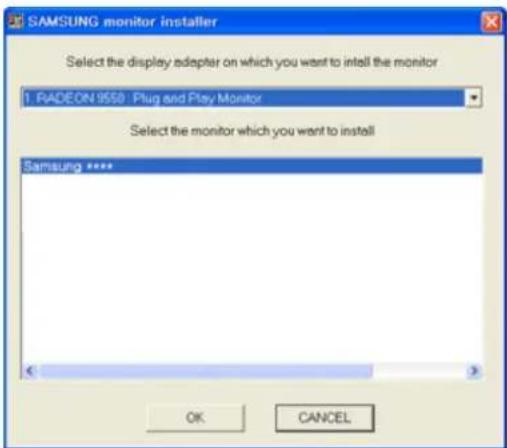
text_image
SAMSUNG monitor installer Select the display adapter on which you want to install the monitor 1. RADEON 9550 Plug and Play Monitor Select the monitor which you want to install Samsung **** OK CANCEL- If you can see following message window, then click the "Continue Anyway" button. Then click "OK" button (Microsoft® Windows® XP/2000 Operating System).
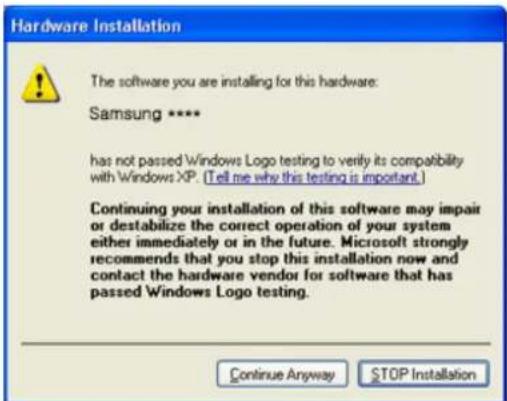
text_image
Hardware Installation The software you are installing for this hardware: Samsung **** has not passed Windows Logo testing to verify its compatibility with Windows XP. (Tell me why this testing is important.) Continuing your installation of this software may impair or destabilize the correct operation of your system either immediately or in the future. Microsoft strongly recommends that you stop this installation now and contact the hardware vendor for software that has passed Windows Logo testing. Continue Anyway STOP InstallationNote
This monitor driver is under certifying MS logo, and this installation doesn't damage your system.
The certified driver will be posted on Samsung Monitor homepage.
http://www.samsung.com/
Installing the Monitor Driver (Manual)
Microsoft® Windows Vista™, Operating System
-
Insert your Manual CD into your CD-ROM drive.
-
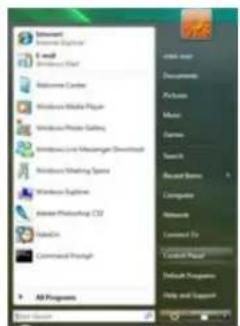
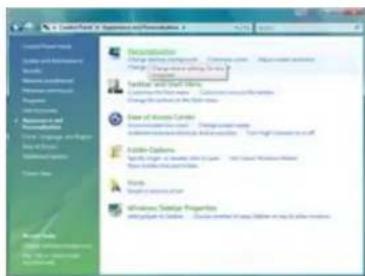
Click (Start) and "Control Panel". Then, double-click on "Appearance and Personalization".
text_image
Microsoft Start Menu E-mail Microsoft Excel Welcome Cardnet Windows Mobile Player Windows Phone Setting Windows Link Mastercard Download Windows Monitoring Sports Windows System Internet Photoshop CS2 Adobe Command Prompt All Programs Open Start Documents Photo Music Spreads Search Recent Notes Language Network Loaded To Default Page1 Default Programs Help and Support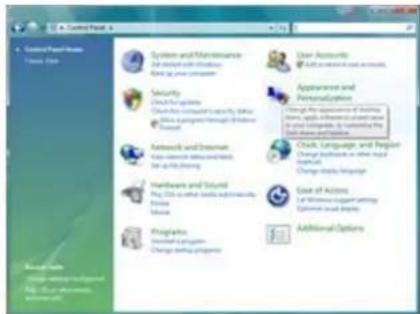
text_image
Control Panel 6 System and Maintenance Set up all Windows and log your accounts Security Check the system Check the management capacity To help Use a program through Windows To help Network and Internet Use a resource for desktops to play the session Hardware and Cloud You are all basic adminisics Home Software Properties Use any programming Change working programs User Accounts Add user accounts and accounts Appearance and Personalization Change the applications of https://www.103.com/ to help to manage the applications in the main functions. Change the services to account Click, Language, and People Change database or other manual applicates. Change the services to account Use of Actions Use of Windows to install settings Optimal audio icons Additional Options- Click "Personalization" and then "Display Settings".
text_image
C:\Users\Forest\Experience\Formulation\1 Recommendation Data & Settings Data & Settings Data & Settings Data & Settings Data & Settings Data & Settings Data & Settings Data & Settings Data & Settings Data & Settings Data & Settings Data & Settings Data & Settings Data & Settings Data & Settings Data & Settings Data & Settings Data & Settings Data & Settings Data & Settings Data & Settings Data & Settings Data & Settings Data & Settings Data & Settings Data & Patterns Data & Patterns Data & Patterns Data & Patterns Data & Patterns Data & Patterns Data & Patterns Data & Patterns Data & Patterns Data & Patterns Data & Patterns Data & Patterns Data & Patterns Data & Patterns Data & Patterns Data & Patterns Data & Patterns Data & Patterns Data & Patterns Data & Patterns Data & Patterns Data & Patterns Data & Patterns Data & Patterns Data & Patterns Data & Policies Data & Patterns Data & Patterns Data & Patterns Data & Patterns Data & Patterns Data & Patterns Data & Patterns Data & Patterns Data & Patterns Data & Patterns Data & Patterns Data & Patterns Data & Patterns Data & Patterns Data & Patterns Data & Patterns Data & Patterns Data & Patterns Data & Patterns Data & Patterns Data & Patterns Data & Patterns Data & Patterns Data & Patterns Data & Perspectives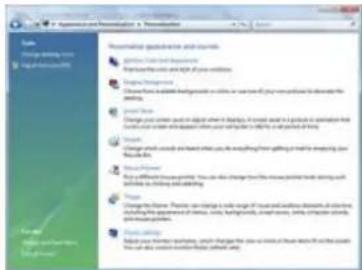
text_image
Recommendation Guidebook - New Relocation English Language English Language English Language English Language English Language English Language English Language English Language English Language English Language English Language English Language English Language English Language English Language English Language English Language English Language English Language English Language English Language English Language English Language English Language English Language English Language English Language English Language English Language English Language English Language English Language English Language English Language 英文 Language English Language English Language English Language English Language English Language English Language English Language English Language English Language English Language English Language English Language English Language English Language English Language English Language English Language English Language English Language English Language English Language English Language English Language English Language English Language English Language English Language English Language English Language English Language English Language English Language English Languages- Click "Advanced Settings...".
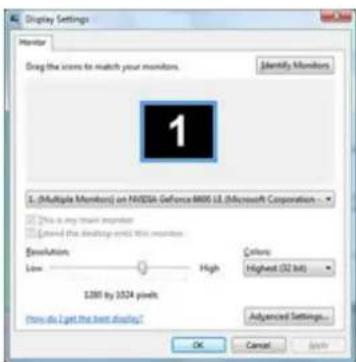
text_image
Display Settings Monitor Drag the screen to match your monitors. Identify Monitors 1 ( Multiple Monitors) an NVIDIA GeForce MX5.1E (Microsoft Corporation ) This is any train monitor Layered the desktop unit this monitor Resolution Low High Colors: Highest (32 bit) 1200 by 1024 pixels How do I get the next display? Advanced Settings... OK Cancel Apply- Click "Properties" in the "Monitor" tab. If the "Properties" button is deactivated, it means the configuration for your monitor is completed. The monitor can be used as is.
If the message "Windows needs..." is displayed, as shown in the figure below, click "Continue".
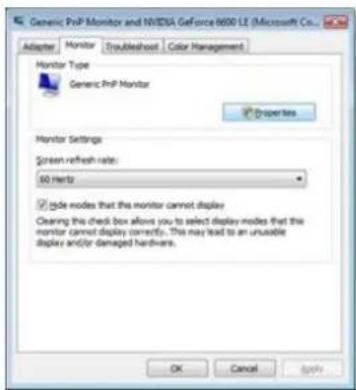
text_image
Generic PrP Monitor and NVIDIA GeForce 8600 LE (Microsoft Co... Adapter Monitor Troubleshoot Color Management Monitor Type Generic PrP Monitor Properties Monitor Settings Screen refresh rate: 50 MHz ✓ side nodes that the monitor cannot display Clearing this check box allows you to select display modes that the monitor cannot display correctly. This may lead to an unusable display and/or damaged hardware. OK Cancel Apply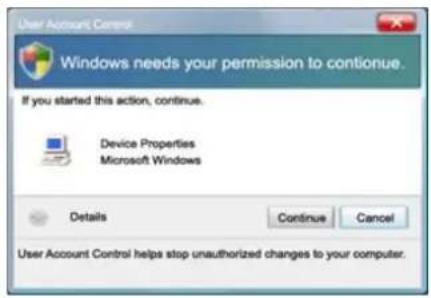
text_image
User Account Control Windows needs your permission to continue. If you started this action, continue. Device Properties Microsoft Windows Details Continue Cancel User Account Control helps stop unauthorized changes to your computer.Note
This monitor driver is under certifying MS logo, and this installation doesn't damage your system.
The certified driver will be posted on Samsung Monitor homepage.
- Click "Update Driver..." in the "Driver" tab.

text_image
Generic Prp Monitor Properties General Driver Details Generic Prp Monitor Device type: Monitors Manufacturer: (Standard monitor types) Location: an NVIDIA GeForce 9600 LE (Microsoft Corp) Device status This device is working property. OK Cancel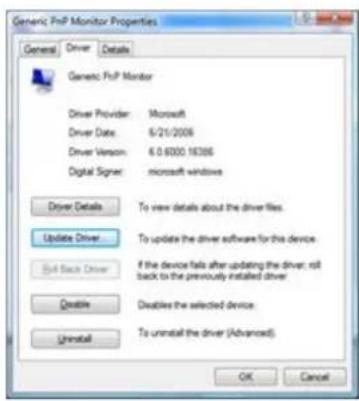
text_image
Generic FnP Monitor Properties General Driver Details Generic FnP Monitor Driver Provider: Microsoft Driver Date: 6/21/2008 Driver Version: 6.0.6000 16396 Digital Signor: microsoft windows Driver Details To view details about the driver files. Update Driver To update the driver software for this device. Set Back Driver If the device fails after updating the driver, roll back to the previously installed driver. Delete Disables the selected device. Uninstall To uninstall the driver (Advanced). OK Cancel- Check the "Browse my computer for driver software" checkbox and click "Let me pick from a list of device drivers on my computer".
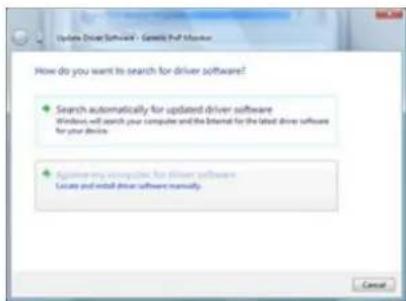
text_image
Update Driver Software - Gamble PDF Manager How do you want to search for driver software? • Search automatically for updated driver software Windows will search your computer and the internal for the latest driver software for your device. • Again my computer for driver software Locate and install driver software manually. Cancel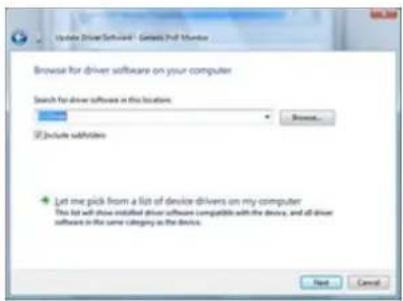
text_image
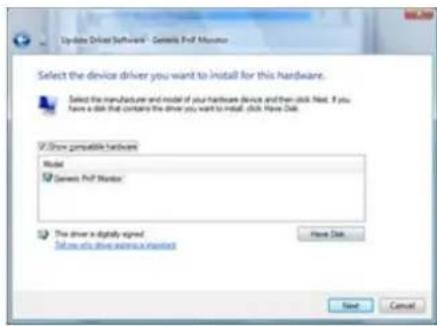
Update Driver Software - Getaway PDF Monitor Browse for driver software on your computer Search for drive software in this location: Browse... ✓ Include subsets Let me pick from a list of device drivers on my computer. This list will also install driver software compatible with the device, and all driver software in the same category is the device. Next Cancel- Click "Have Disk..." and select the folder (for example, D:\Drive) where the driver setup file is located, and click "OK".
text_image
Update Driver Software - Getting PhF Monitor Select the device driver you want to install for this hardware. Select the manufacturer and model of your hardware device and then click Next. If you have a disk that contains the driver you want to install. Click Now Disk. ✓ Drive compatible hardware Model Genes PhF Monitor The driver is digitally signed. Set us to drive access to monitors Have Disk Next Cancel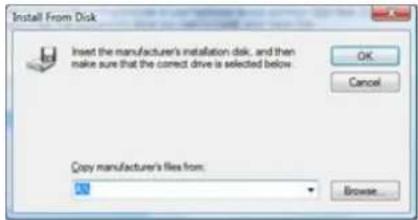
text_image
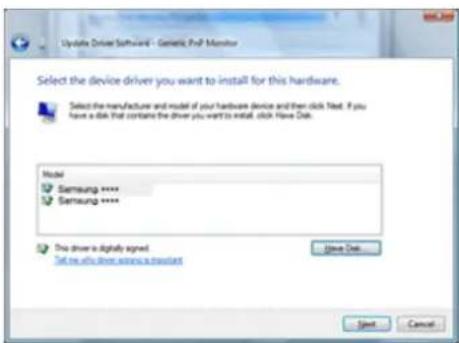
Install From Disk Insert the manufacturer's installation disk, and then make sure that the correct drive is selected below. OK Cancel Copy manufacturer's files from: Browse...- Select the model that matches your monitor from the list of monitor models on the screen, and click "Next".
text_image
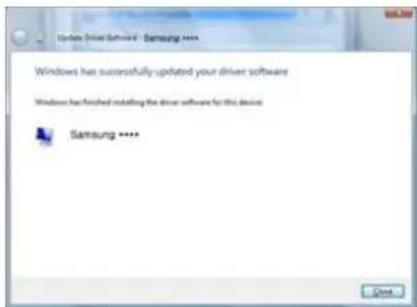
Update Driver Software - Genetic PDF Monitor Select the device driver you want to install for this hardware. Select the manufacturer and model of your hardware device and then click Next. If you have a disk that contains the driver you want to install, click Next Disk. Model Samsung **** Samsung **** This driver is clearly signed. Set me all drive some a result Save Disk... Start Cancel- Click "Close" → "Close" → "OK" → "OK" on the following screens displayed in sequence.
text_image
Update Driver Software - Samsung **** Windows has successfully updated your driver software Windows has finished installing the driver software for this device Samsung **** Close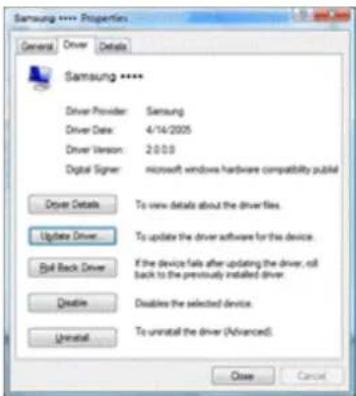
text_image
Samsung **** Properties General Driver Details Samsung ***** Driver Provider: Samsung Driver Date: 4/14/2005 Driver Version: 2:0:00 Digital Signor: microsoft windows hardware compatibility publicl Driver Details To view details about the driver files. Update Driver To update the driver software for this device. Roll Back Driver If the device fails after updating the driver, roll back to the previously installed driver. Delete Disables the selected device. Uninstall To uninstall the driver (Advanced). Close Cancel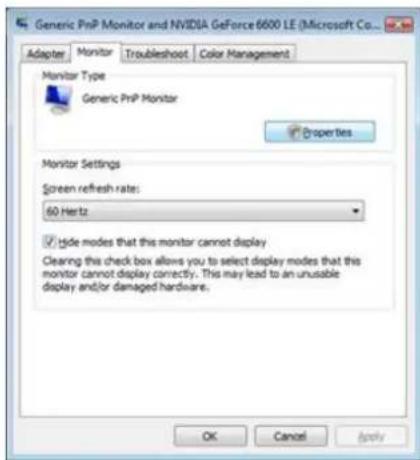
text_image
Generic PrNP Monitor and NVIDIA GeForce 6600 LE (Microsoft Co... Adapter Monitor TroubleshootColour Management Monitor Type Generic PrNP Monitor Properties Monitor Settings Screen refresh rate: 60 Hertz ✓ tide modes that this monitor cannot display Clearing this check box allows you to select display modes that this monitor cannot display correctly. This may lead to an unusable display and/or damaged hardware. OK Cancel Apply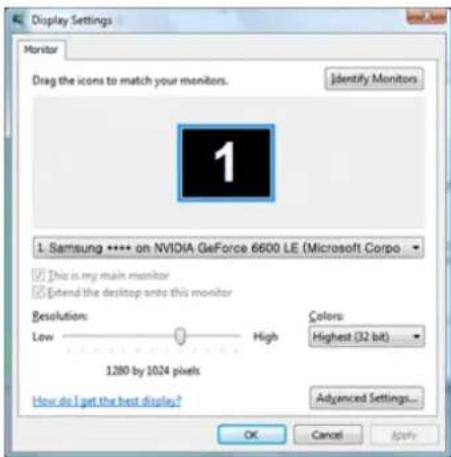
text_image
Display Settings Monitor Drag the icons to match your monitors. Identify Monitors 1 Samsung **** on NVIDIA GeForce 6600 LE (Microsoft Corpo This is my main monitor Extend the desktop onto this monitor Resolution: Low High Colors: Highest (32 bit) 1280 by 1024 pixels How do I get the best display? Advanced Settings... OK Cancel ApplyMicrosoft ^® Windows ^® XP Operating System
- Insert CD into the CD-ROM drive.
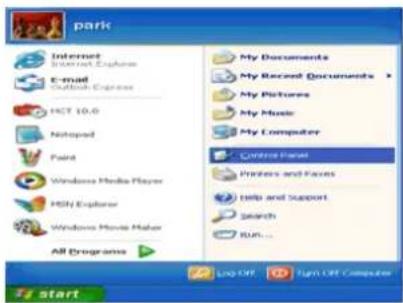
- Click "Start" → "Control Panel" then click the "Appearance and Themes" icon.
text_image
park Internet Internet Explorer E-mail Outlook Express HCT 10.0 Netscape Paint Windows Media Player HSN Explorer Windows Movie Maker All Programs My Documents My Recent Documents My Pictures My Music My Computer Centro Panel Printers and Axes Help and Support Search Run... Live Off Up Off Computer start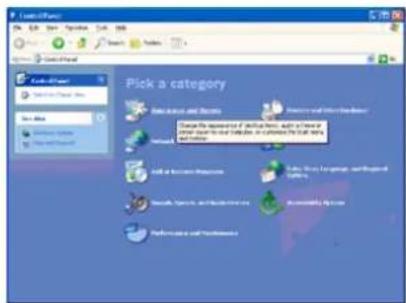
text_image
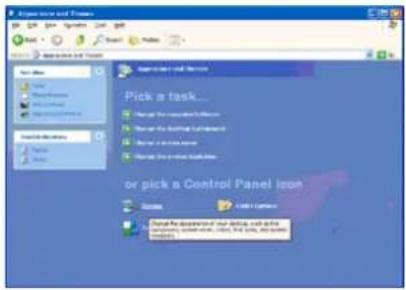
Pick a category Select all categories Select all categories to include this item. Select all categories to include this item. Select all categories to include this item. Select all categories to include this item. Select all categories to include this item. Select all categories to include this item. Select all categories to include this item. Select all categories to include this item. Select all categories to include this item. Select all categories to include this item. Select all categories to include this item. Select all categories to include this item. Select all categories to include this item. Select all categories Select all categories to include this item. Select all categories to include this item. Select all categories to include this item. Select all categories to include this item. Select all categories to include this item. Select all categories to include this item. Select all categories to include this item. Select all categories to include this item. Select all categories to include this item. Select all categories to include this item. Select all categories to include this item. Select all categories to include this item.- Click "Display" icon and choose the "Settings" tab then click "Advanced...".
text_image
Pick a task... or pick a Control Panel icon Take the following: or click the task to action stop the task to select the task.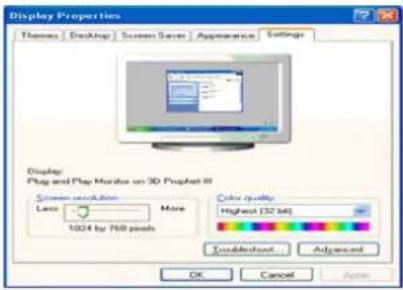
text_image
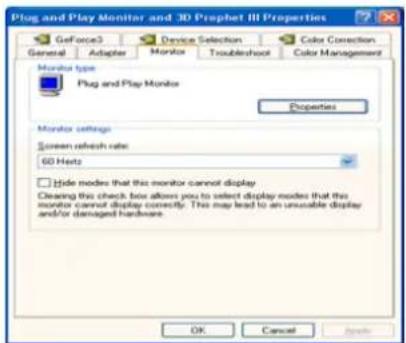
Display Properties Themes | Desktop | Screen Save | Appearance | Settings Display Play and Play Monitor on 3D Prophet 8 Screen selection Less More 1024 by 769 pixels Color quality Highest (32 bits) Advanced OK Cancel Apply- Click the "Properties" button on the "Monitor" tab and select "Driver" tab.
text_image
Plug and Play Monitor and 3D Prophet III Properties GeForce3 Device Selection Color Correction General Adapter Monitor Troubleshoot Color Management Monitor type Plug and Play Monitors Properties Monitor settings Screen refresh rate: 60 Nets Hide modes that this monitor cannot display Cleaning this check box allows you to select display modes that this monitor cannot display correctly. This may lead to an unusable display and/or damaged hardware. OK Cancel Apply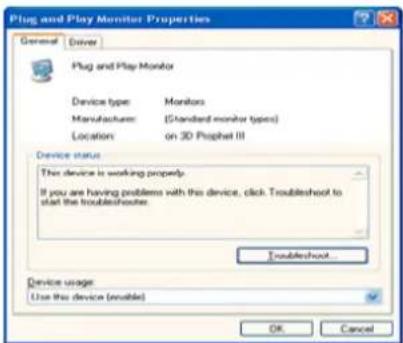
text_image
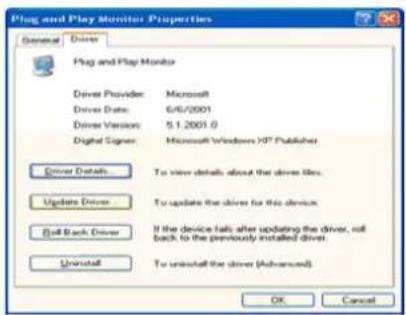
Plug and Play Monitor Properties General Driver Plug and Play Monitor Device type Monitors Manufacturer:(Standard monitor types) Location:on 3D Prophet III Device status This device is working properly. If you are having problems with this device, click Troubleshoot to start the troubleshoots. Troubleshoot... Device usage Use this device (empty) OK Cancel- Click "Update Driver..." and select "Install from a list or..." then click "Next" button.
text_image
Plug and Play Monitor Properties General Driver Plug and Play Monitor Driver Provider: Microsoft Driver Date: 6/6/2001 Driver Version: 5.1.2001.0 Digital Signor: Microsoft Windows XP Publisher Driver Details To view details about the drive files. Update Driver To update the drive for this device. Pull Back Driver If the device falls after updating the driver, roll back to the previously installed drive. Uninstall To uninstall the drive (Advanced) OK Cancel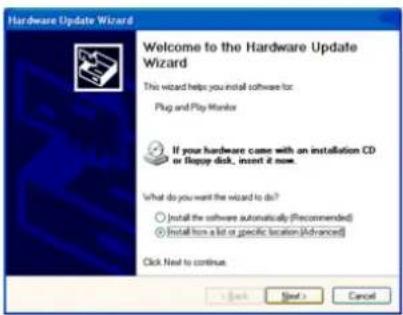
text_image
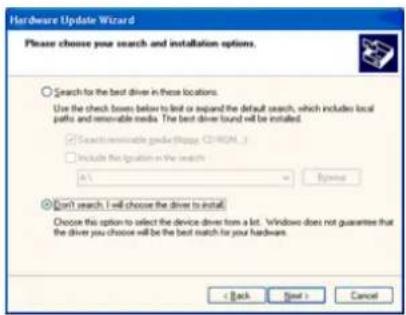
Hardware Update Wizard Welcome to the Hardware Update Wizard This wizard helps you install software for: Plug and Play Monitor If your hardware came with an installation CD or floppy disk, indent it now. What do you want the wizard to do? ○ Install the software automatically (Recommended) ● Install from a list or specific location (Advanced) Click Next to continue. OK Next > Cancel- Select "Don't search, I will..." then click "Next" and then click "Have disk".
text_image
Hardware Update Wizard Please choose your search and installation options. Search for the best driver in these locations. Use the check boxes below to list or expand the default search, which includes local paths and removable icons. The best driver found will be installed. ✓ Search remarkable grade (https://8001-3) ✓ Include the question in the search A: Browse Don't search. I will choose the driver to install. Choose this option to select the device driver from a lot. Windows does not guarantee that the driver you choose will be the best match for your hardware. < Back Next > Cancel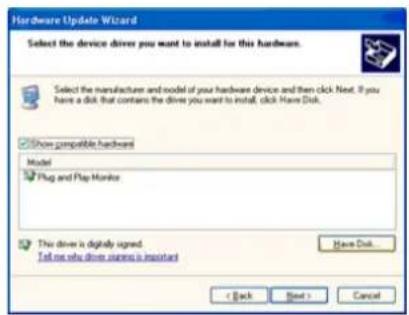
text_image
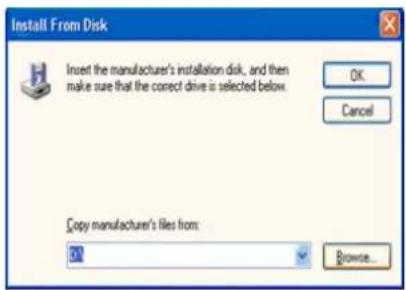
Hardware Update Wizard Select the device driver you want to install for this hardware. Select the manufacture and model of your hardware device and then click Next. If you have a disk that contains the drive you want to install, click Have Disk. Show compatible hardware Model Plug and Play Monitor This driver is digitally signed. Tell me why drive engine is important < Back Next > Cancel- Click the "Browse" button then choose A:(D:\Driver) and choose your monitor model in the model list and click the "Next" button.
text_image
Install From Disk Insert the manufacturer's installation disk, and then make sure that the correct drive is selected below. OK Cancel Copy manufacturer's files from: D1 Browse...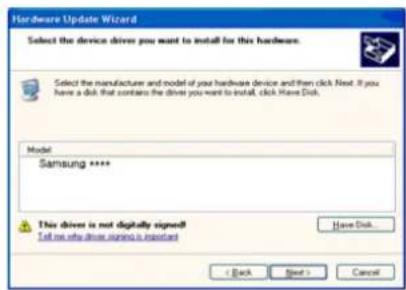
text_image
Hardware Update Wizard Select the device drivers you want to install for this hardware. Select the manufacturer and model of your hardware device and then click Next. If you have a disk that contains the driver you want to install, click Have Disk. Model: Samsung **** This driver is not digitally signed! Tell me who drive signing is important Have Disk. < Back Next > Cancel- If you can see following message window, then click the "Continue Anyway" button. Then click "OK" button.
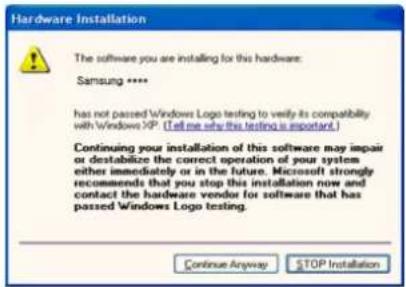
text_image
Hardware Installation The software you are installing for this hardware: Samsung **** has not passed Windows Logo testing to verify its compatibility with Windows XP. (Tell me why this testing is important.) Continuing your installation of this software may impair or destabilize the correct operation of your system either immediately or in the future. Microsoft strongly recommends that you stop this installation now and contact the hardware vendor for software that has passed Windows Logo testing. Continue Anyway STOP InstallationNote
This monitor driver is under certifying MS logo, and this installation doesn't damage your system.
The certified driver will be posted on Samsung Monitor homepage.
http://www.samsung.com/
- Click the "Close" button then click "OK" button continually.
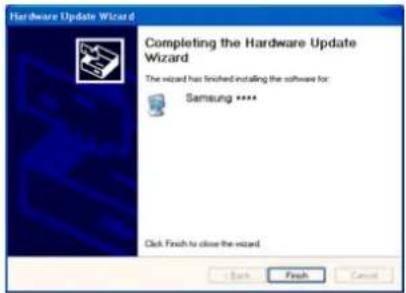
text_image
Hardware Update Wizard Completing the Hardware Update Wizard The wizard has finished installing the software for: Samsung **** Click Fresh to close the wizard.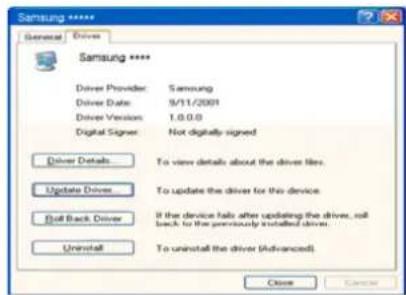
text_image
Samsung ***** General | Drivers Samsung ***** Driver Provider: Samsung Driver Date: 9/11/2001 Driver Version: 1.0.0.0 Digital Signer: Not digitally signed Driver Details... To view details about the driver likes. Update Driver... To update the driver for this device. Roll Back Driver If the device fails after updating the driver, will back to the previously installed driver. Uninstall To uninstall the driver (Advanced) Close Save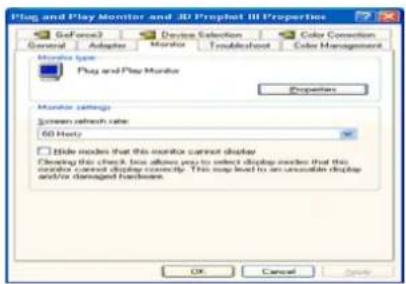
text_image
Play and Play Monitor and 3D Prophet III Properties General Adaptive Monitor Trouble/Show Color Connection Monitor type Play and Play Monitor Properties Monitor settings Screen refresh rate 60 Hz Title modes that this monitor cannot display Clearing this check box allows you to select display mode that this monitor cannot display currently. This may lead to an automatic display and/or damaged hardware. OK Cancel- Monitor driver installation is completed.
Microsoft® Windows® 2000 Operating System
When you can see "Digital Signature Not Found" on your monitor, follow these steps.
- Choose "OK" button on the "Insert disk" window.
- Click the "Browse" button on the "File Needed" window.
- Choose A:(D:\Driver) then click the "Open" button and then click "OK" button.
How to install
- Click "Start", "Setting", "Control Panel".
- Double click the "Display" icon.
- Select the "Settings" tab and click "Advanced Properties" button.
- Choose "Monitor".
Case1: If the "Properties" button is inactive, it means your monitor is properly configured. Please stop installation
Case2 : If the "Properties" button is active, click the "Properties" button then follow next steps continually.
-
Click "Driver" and then click on "Update Driver..." then click on the "Next" button.
-
Choose "Display a list of the known drivers for this device so that I can choose a specific driver" then click "Next" and then click "Have disk".
-
Click the "Browse" button then choose A:(D:\Driver).
-
Click the "Open" button, then click "OK" button.
-
Choose your monitor model and click the "Next" button then click "Next" button.
-
Click the "Finish" button then the "Close" button.
If you can see the "Digital Signature Not Found" window then click the "Yes" button. And click the "Finish" button then the "Close" button.
Microsoft ^® Windows ^® Millennium Operating System
- Click "Start", "Setting", "Control Panel".
- Double click the "Display" icon.
-
Select the "Settings" tab and click "Advanced Properties" button.
-
Select the "Monitor" tab.
- Click the "Change" button in the "Monitor Type" area.
- Choose "Specify the location of the driver".
- Choose "Display a list of all the driver in a specific location..." then click "Next" button.
- Click the "Have Disk" button.
- Specify A: D: then click "OK" button.
- Select "Show all devices" and choose the monitor that corresponds to the one you connected to your computer and click "OK".
- Continue choosing "Close" button and "OK" button until you close the Display Properties dialogue box.
Microsoft ^® Windows ^® NT Operating System
- Click "Start", "Settings", "Control Panel", and then double-click "Display" icon.
- In Display Registration Information window, click Settings Tab and then click "All Display Modes".
- Select a mode that you wish to use (Resolution, Number of colors and Vertical frequency) and then click "OK".
- Click "Apply" button if you see the screen working normally after clicking "Test". If the screen is not normal, change to a different mode (lower mode of resolution, colors or frequency).

Note
If there is no Mode at All Display Modes, select the level of resolution and vertical frequency by referring to the Preset Timing Modes in the user guide.
Linux Operating System
To execute X-Window, you need to make the X86Config file, which is a type of system setting file.
- Press "Enter" at the first and the second screen after executing the X86Config file.
- The third screen is for setting your mouse.
- Set a mouse for your computer.
- The next screen is for selecting a keyboard.
- Set a Keyboard for your computer.
- The next screen is for setting your monitor.
- First of all, set a horizontal frequency for your monitor. (You can enter the frequency directly.)
- Set a vertical frequency for your monitor. (You can enter the frequency directly.)
- Enter the model name of your monitor. This information will not affect the actual execution of X-Window.
- You have finished setting up your monitor. Execute X-Window after setting other requested hardware.
Natural Color
Natural Color Software Program
One of the recent problems in using a computer is that the color of the images printed out by a printer or other images scanned by a scanner or a digital camera are not the same as those shown on the monitor. The Natural Color S/W is the very solution for this problem. It is a color administration system developed by Samsung Electronics in association with Korea Electronics & Telecommunications Research Institute (ETRI). This system is available only for Samsung monitors and makes the color of the images on the monitor the same as the printed or scanned images. For more information, refer to Help (F1) in the software program.
The Natural Color is provided online. You can download it from the website below and install;
http://www.samsung.com/us/consumer/learningresources/monitor/naturalcolorexpert/pop_download.html
MagicTune™

text_image
MagicTune™Installation
- Insert the installation CD into the CD-ROM drive.
- Click the MagicTune ^TM installation file.

If the popup window to install the software for the main screen is not displayed, proceed with the installation using the MagicTune executable file on the CD.
- Select installation Language, Click "Next".
- When the Installation Shield Wizard window appears, click "Next".
- Select "I agree to the terms of the license agreement" to accept the terms of use.
- Choose a folder to install the MagicTune™ program.
- Click "Install".
- The "Installation Status" window appears.
- Click "Finish".
- When the installation is complete, the MagicTune™ executable icon appears on your desktop. Double-click the icon to start the program.
Installation Problems
The installation of MagicTune ^TM can be affected by such factors as the video card, motherboard and the network environment.
System Requirements
os
- Windows 2000
• Windows XP Home Edition
• Windows XP Professional - Windows Vista™
It is recommended using MagicTune ^TM in Windows ^® 2000 or later.
Hardware
• 32 MB Memory above
- 60 MB Hard disk space above
For more information, visit the MagicTune ^TM website.
Uninstall
The MagicTune™ program can be removed only by using the "Add or Remove Programs" option of the Windows® Control Panel.
Perform the following steps remove MagicTune ^TM .
- Go to [Task Tray] → [Start] → [Settings] and select [Control Panel] in the menu. If the program runs on Windows® XP, go to [Control Panel] in the [Start] menu.
- Click the "Add or Remove Programs" icon in Control Panel.
- In the "Add or Remove Programs" screen, scroll down to find "MagicTune™." Click on it to highlight it.
- Click the "Change/Remove" button to remove the program.
- Click "Yes" to begin the uninstall process.
- Wait until the "Uninstall Complete" dialog box appears.

Note
Visit the MagicTune ^™ website for technical support for MagicTune ^™ , FAQs (questions and answers) and software upgrades.
The MagicTune™ program is an additional program for monitor products. Some computing systems that install either an older or the latest video driver are not compatible with MagicTune™. Please visit the MagicTune™ Website for technical support for MagicTune™.
Specifications subject to change without notice. MagicTune™ is a trademark of SAMSUNG ELECTRONICS CO., Inc. Windows™ is a registered trademark of Microsoft Corp. Other trademarks are property of their respective holders.
MagicRotation

MagicRotation

Note
The software may not be supported depending on the model.
Installation
- Insert the installation CD into the CD-ROM drive.
- Click the MagicRotation installation file.

If the popup window to install the software for the main screen is not displayed, proceed with the installation using the MagicTune executable file on the CD.
- Select installation Language, Click "Next".
- When the Installation Shield Wizard window appears, click "Next".
- Select "I agree to the terms of the license agreement" to accept the terms of use.
- Choose a folder to install the MagicRotation program.
- Click "Install".
- The "Setup Status" window appears.
- Click "Finish".
Have to reboot the system in order for the MagicRotation to work properly.
- When the installation is complete, the MagicRotation executable icon appears on your desktop.

MagicRotation
Installation Problems
The installation of MagicRotation can be affected by such factors as the video card, motherboard and the network environment.
Limitation
- The "Display Driver" should be properly loaded for the MagicRotation to work properly.
The installed "Display Driver" should be the latest driver supplied by the vendor.
-
If some applications like Windows Media Player, Real Player, etc. are not displaying movie files properly in 90, 180 and 270 orientations then do the following :
-
Close the application.
- Select the Orientation (90, 180, 270) you want to view the application.
- Relaunch the application.
In most cases this should fix the problem.
- User Applications using OpenGL and DirectDraw (3D drawing) will not function as per the orientation mode selected (90, 180, 270).
e.g. 3D games
-
DOS based applications in Full Screen Mode will not function as per the orientation mode selected (90, 180, 270).
-
Dual is not supported in Windows ^® , 98, ME, NT 4.0.
-
MagicRotation does not provide support for 24 bits per pixel (Bit depth/Color Quality).
-
If you are changing your Graphic Card it is recommended that you uninstall the MagicRotation Software before doing so.
System Requirements
os
- Windows 98 SE
- Windows ME
- Windows NT 4.0
- Windows 2000
• Windows XP Home Edition - Windows XP Professional
- Windows Vista™
Hardware
• 128 MB Memory above (recommended)
• 25 MB Hard disk space above
Service Packs
- It is recommended that your System has the latest Service Pack installed.
- For Windows ^ , NT 4.0, it is recommended to install Internet Explorer 5.0 and above with Active Desktop component.
For more information, visit the MagicRotation website.
Windows ^® , is registered trademark of Microsoft Corporation, Inc.
Uninstall
The MagicRotation program can be removed only by using the "Add or Remove Programs" option of the Windows® Control Panel.
Perform the following steps remove MagicRotation.
- Go to [Task Tray] → [Start] → [Settings] and select [Control Panel] in the menu. If the program runs on Windows® XP, go to [Control Panel] in the [Start] menu.
- Click the "Add or Remove Programs" icon in Control Panel.
- In the "Add or Remove Programs" screen, scroll down to find "MagicRotation." Click on it to highlight it.
- Click the "Change/Remove" button to remove the program.
- Click "Yes" to begin the uninstall process.
- Wait until the "Uninstall Complete" dialog box appears.
- After uninstall restart the system to complete the uninstallation.

Note
Visit the MagicRotation website for technical support for MagicRotation, FAQs (questions and answers) and software upgrades.
Windows ^® , is registered trademark of Microsoft Corporation, Inc
The specifications are subject to change without notice.
MagicRotation is a trademark of SAMSUNG ELECTRONICS CO., LTD.
All other product trademarks mentioned in this document may be registered
tradmarks of their respective companies.
MultiScreen

MultiScreen

Note
The software may not be supported depending on the model.
Installation
-
Insert the installation CD into the CD-ROM drive.
-
Click the MultiScreen installation file.
Note
If the popup window to install the software for the main screen is not displayed, proceed with the installation using the MultiScreen executable file on the CD.
- When the Installation Shield Wizard window appears, click "Next".
- Select "I agree to the terms of the license agreement" to accept the terms of use.
- Choose a folder to install the MultiScreen, program.
- Click "Install".
- The "Installation Status" window appears.
- Click "Finish".
- When the installation is complete, the Multiscreen executable icon appears on your desktop. Double-click the icon to start the program.
Multiscreen execution icon may not appear depending on specification of computer system or monitor. If that happens, press F5 Key.
Installation Problems
The installation of MultiScreen can be affected by such factors as the video card, motherboard and the network environment.
System Requirements
OS
- Windows 2000
- Windows XP Home Edition
- Windows XP Professional
- Windows Vista™
It is recommended using MultiScreen in Windows ^® 2000 or later.
Hardware
• 32 MB Memory above
- 60 MB Hard disk space above
Uninstall
The Multiscreen program can be removed only by using the "Add or Remove Programs" option of the Windows® Control Panel.
Perform the following steps remove Multiscreen.
Select "Setting/Control Panel" on the "Start" menu and then double-click "Add/Delete a program".
Select Multiscreen from the list and then click the "Add/Delete" button.
Adjusting the Monitor
Direct Functions
AUTO
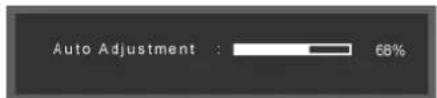
When the 'AUTO' button is pressed, the auto adjustment screen appears as shown in the animated screen on the center.
Auto adjustment allows the monitor to self-adjust to the incoming Analog signal. The values of Fine, Coarse and Position are adjusted automatically.
(Available in Analog mode only, so "AUTO" icon of OSD is gray in Digital mode.)
text_image
Auto Adjustment : 68%If auto adjustment does not work properly, press 'AUTO' button again to adjust picture with more accuracy.
If you change resolution in the control panel, auto function will be executed automatically.
OSD Lock & Unlock
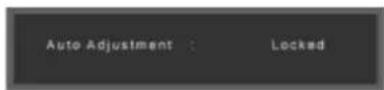
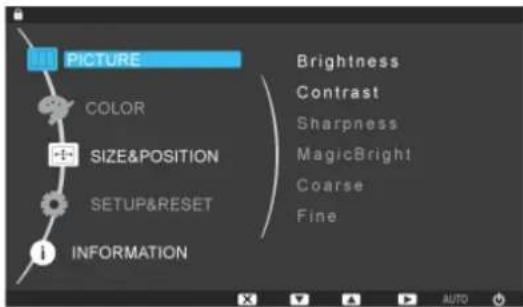
This is the function that locks the OSD in order to keep the current states of settings or prevent others from adjusting the current settings.
Lock : Hold down the MENU button for more than five (5) seconds to activate the OSD adjustment lock function.
Unlock : Hold down the MENU button for more than five (5) seconds to deactivate the OSD adjustment lock function.
When pressing the AUTO button after locking the OSD
When pressing the MENU button after locking the OSD
text_image
PICTURE COLOR SIZE&POSITION SETUP&RESET INFORMATION Brightness Contrast Sharpness MagicBright Coarse Fine 1
Though the OSD adjustment lock function is activated, you can still adjust the brightness and contrast, and adjust Customized Key () using the Direct button.
Customized key
You can customize key assignment for the Custom button according to your preferences.
To view the operating screen displayed when pressing the [ ] button after configuring the customized key for a function, click the name of each function.
(MagicBright - MagicColor - Color Effect - Image Size)
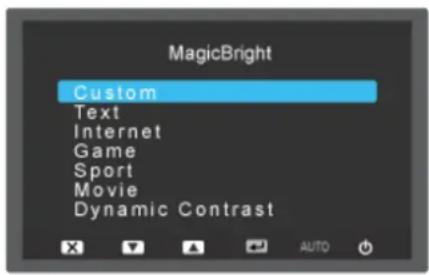
text_image
MagicBright Custom Text Internet Game Sport Movie Dynamic Contrast
Note
You can configure the customized key for a required function via Setup > Customized Key.
ImageSize □ Supplied for the wide models only such as 16:9 or 16:10.
Brightness
When OSD is not on the screen, push the Brightness ( ) button to adjust brightness.
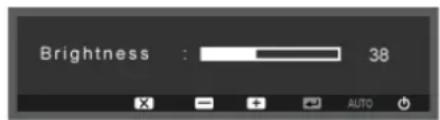
text_image
Brightness : 38 AUTO
Note
Not supplied for the models with speakers.
SOURCE
Selects the video signal while the OSD is off.
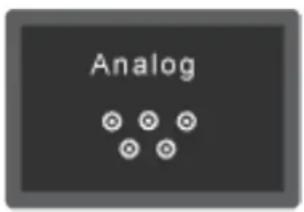
text_image
Analog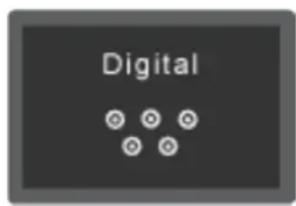
text_image
Digital
Note
Not applicable to analogue (D-SUB)-or-digital (DVI)-dedicated models.
OSD Function
Top Menus Sub Menus

PICTURE Brightness
Fine
Contrast Sharpness Magic-
Bright
Coarse

COLOR Magic- Color
Color Ef-Gamma fect

SIZE POSITION
& H-Position
V-Position Image Size Menu H-Position
Menu V-Position

SET- UP&RE- SET
Reset Menu Trans- parency
Language Off Timer On/Off
Off Timer Setting
Auto
PC/AV Mode Display
Customized
Source
Time
Key

INFOR- MATION

Picture
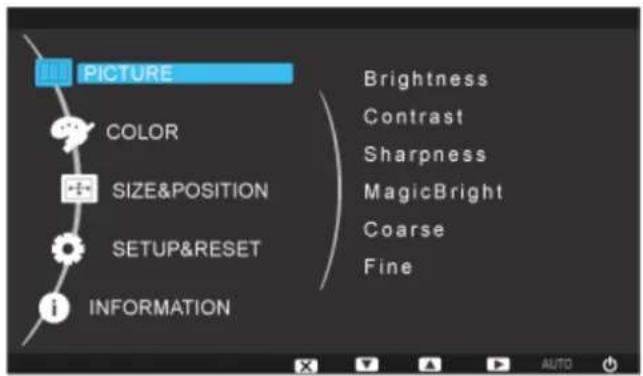
text_image
PICTURE COLOR SIZE&POSITION SETUP&RESET INFORMATION Brightness Contrast Sharpness MagicBright Coarse Fine| Menu Description | |
| Brightness | (Not available in MagicBright mode of Dynamic Contrast.)You can use the on-screen menus to change the brightness according to personal preference.The larger the number, the brighter the screen. The smaller the number, the darker the screen. |
| Contrast | (Not available in MagicBright mode of Dynamic Contrast.)You can use the on-screen menus to change the contrast according to personal preference.The larger the number, the brighter the screen. The smaller the number, the darker the screen.( Not available in MagicColor mode of Full and Intelligent.) |
| Sharpness Changes | the clearance of image.The larger the number, the clearer the screen. The smaller the number, the less clear the screen.( Not available in MagicColor mode of Full and Intelligent.) |
| MagicBright | Push the Button to circle through available preconfigured modes.MagicBright is a new feature providing optimum viewing environment depending on the contents of the image you are watching. Currently seven different modes are available: Custom, Text, Internet, Game, Sport, Movie and Dynamic Contrast. Each mode has its own pre-configured brightness value. You can easily select one of seven settings by simply pressing Customized Key control button.• CustomAlthough the values are carefully chosen by our engineers, the pre-configured values may not be comfortable to your eyes depending on your taste.If this is the case, adjust the brightness and contrast by using the OSD menu.TextFor documentations or works involving heavy text.InternetFor working with a mixture of images such as texts and graphics.GameFor watching motion pictures such as a game.SportFor watching motion pictures such as a sport.MovieFor watching motion pictures such as a DVD or Video CD.Dynamic ContrastDynamic Contrastis to automatically detect distribution of inputted visual signal and adjust to create optimum contrast. |
| Coarse Removes noise | noise such as vertical stripes.The larger the number, the more the screen increases vertically. The smaller the number, the more the screen decreases vertically.Coarseadjustment may move the screen image area. You may relocate it to the center using the horizontal control menu.(Available in Analog mode only) |
| Fine Removes noise | such as horizontal stripes.If the noise persists even after Fine tuning, repeat it after adjusting the frequency (clock speed).(Available in Analog mode only) |

Color
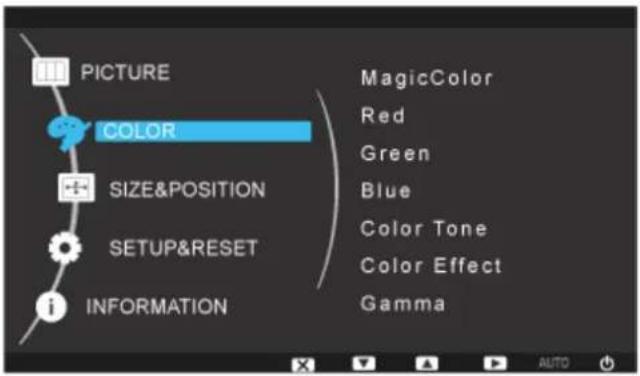
text_image
PICTURE COLOR SIZE&POSITION SETUP&RESET INFORMATION MagicColor Red Green Blue Color Tone Color Effect Gamma| Menu Description | |
| MagicColor Magic | Color is a new technology that Samsung has exclusively developed to improve digital image and to display natural color more clearly without disturbing image quality.Off - Returns to the original mode.Demo - The screen before applying MagicColor appears on the right and the screen after applying MagicColor appears on the left.Full - Displays not only vivid natural color but also more realistic natural skin color with clearness.Intelligent - Displays vivid natural color with clearness. |
| Red Adjusts individual Red color balance.The larger the number, the closer it is to red.( Not available in MagicColor mode of Full and Intelligent.) | |
| Green Adjusts individual Green color balance.The larger the number, the closer it is to green.( Not available in MagicColor mode of Full and Intelligent.) | |
| Blue Adjusts individual Blue color balance.The larger the number, the closer it is to blue.( Not available in MagicColor mode of Full and Intelligent.) | |
| Color Tone The tone of the color can be changed and one of four modes can be selected.( Not available in MagicColor mode of Full and Intelligent.)Cool - Makes whites bluish.Normal - Keeps whites white.Warm - Makes whites reddish.Custom - Select this mode when you want to adjust the image according to your preferences. | |
| Color Effect You can change the overall mood by changing the screen colors.( Not available in MagicColor mode of Full and Intelligent.)Off - This applies an achromatic color to the screen to adjust the screen effects.Grayscale - The default colors of black and white are displayed.Green - This applies the green color effect to a black and white screen.Aqua - This applies the aqua color effect to a black and white screen.Sepia - This applies the Sepia color effect to a black and white screen. | |
| Gamma Gamma correction changes the luminance of the colors with intermediate luminance.Mode 1 : Sets the screen to the default brightness.Mode 2 : Sets the screen to bright.Mode 3 : Sets the screen to dim. | |

SIZE & POSITION
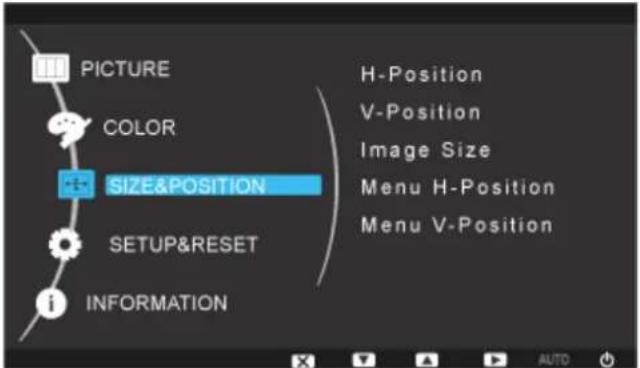
text_image
PICTURE COLOR SIZE&POSITION SETUP&RESET INFORMATION H-Position V-Position Image Size Menu H-Position Menu V-Position| Menu Description | |
| H-Position Changes the horizontal position of the monitor's entire display. | |
| V-Position Changes the vertical position of the monitor's entire display. | |
| (Available inAnalogmode only)NoteWhen TV signal is input in AV mode,select “ScreenFit“ to adjust vertical position in 0-6 levels. | |
| Image Size | NoteSupplied for the wide models only such as 16:9 or 16:10.You can change the size of the screen displayed on your monitor.PC signalsAuto- The screen is displayed in accordance with the screen aspect ratio of the input signals.Wide- A full screen is displayed regardless of the screen aspect ratio of the input signals.NoteSignals not available in the standard mode table are not supported.If the wide screen which is the optimal resolution for the monitor is set on your PC, this function is not performed.AV signals4:3- Sets the picture to 4:3 normal mode.16:9- Sets the picture to 16:9 wide mode.Screen Fit- Use the function to see the full image without any cutoff when DVI (480p/576p/720p/1080i/1080p) signals are input.NoteIt can only be selected if an external input is connected to the DVI terminal and the 'PC/AV Mode' is set to 'AV'.4:3- Sets the picture to 4:3 normal mode.Wide- Sets the picture to 16:10 wide mode.Screen Fit- Use the function to see the full image without any cutoff when DVI (480p/576p/720p/1080i/1080p) signals are input.NoteIt can only be selected if an external input is connected to the DVI terminal and the 'PC/AV Mode' is set to 'AV'.When the panel is of 16:10,the screen size options include “4:3”,”wide“,”Screen fit“. |
| Menu H-Position | You can change the horizontal position where the OSD menu appears on your monitor.The larger the number, the more the OSD menu moves to the right. The smaller the number, the more it moves to the left. |
| Menu V-Position | You can change the vertical position where the OSD menu appears on your monitor.The larger the number, the more the OSD menu moves upwards. The smaller the number, the more it moves downwards. |

SETUP&RESET
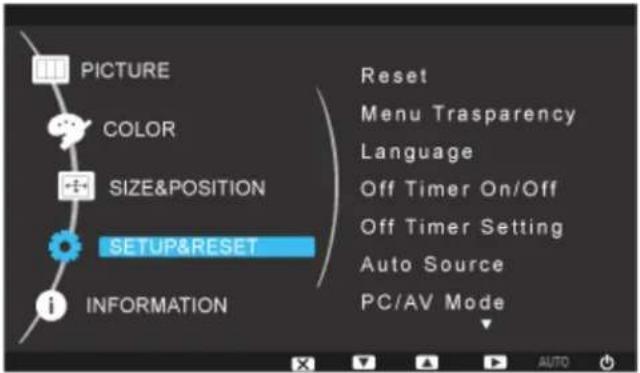
text_image
PICTURE COLOR SIZE&POSITION SETUP&RESET INFORMATION Reset Menu Trasparency Language Off Timer On/Off Off Timer Setting Auto Source PC/AV Mode| Menu Description | |
| Reset Reverts the product settings to factory defaults. | |
| Menu Transparency | Change the transparency of the background of the OSD. |
| • Off: The menus are displayed in the normal way (non-transparently). | |
| • On: The menus are displayed transparently. | |
| Language You can select the language used to display the menus. | |
| Off Timer On/Off | You can enable or disable the Off Time function. |
| • Off | |
| • On | |
| Off Timer Setting | The monitors will turn off automatically at the specified time. |
| Auto Source | Select Auto Source for the monitor to automatically select the signal source.• Auto• ManualNoteNot applicable to analogue (D-SUB)-or-digital (DVI)-dedicated models. |
| PC/AV Mode This | function allows the screen to be displayed at the optimal quality in accordance with the size of the screen when a 480P, 576P, 720P, 1080i, or 1080P video signal is input in DVI mode.Set to Off when connected to a PC, Set to On when connected to an AV device.If not set to On, the screen may not be displayed normally.(Unavailable in Analog mode)NoteSupplied for the wide models only such as 16:9 or 16:10. |
| Display Time The | menu will be automatically turned off if no adjustments are made for a certain time period.You can set the amount of time the menu will wait before it is turned off.• 5 sec• 10 sec• 20 sec• 200 sec |
| Customized Key | You can specify a function which will be activated when the Custom-ized Key (Unpressed. |

INFORMATION
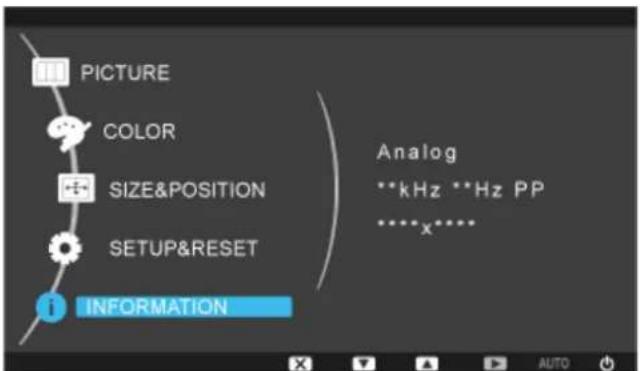
text_image
PICTURE COLOR SIZE&POSITION SETUP&RESET INFORMATION Analog **kHz **Hz PP ****x**** AUTO| Menu Description | |
| INFORMATION | Shows a video source, display mode on the OSD screen.NoteFor models with an Analog interface only, “Analog/Digital” is not shown in the “Information”. |
Troubleshooting
Self-Test Feature Check

Note
Your monitor provides a self test feature that allows you to check whether your monitor is functioning properly.
Self-Test Feature Check
- Turn off both your computer and the monitor.
- Unplug the video cable from the back of the computer.
- Turn on the monitor.
If the monitor is functioning properly, you will see a box in the illustration below.
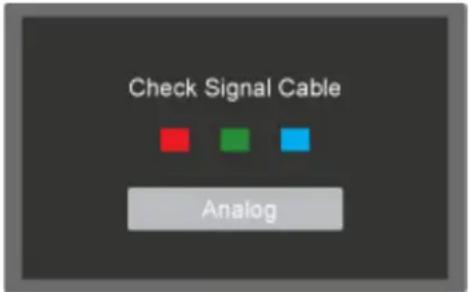
text_image
Check Signal Cable Analog
Note
For models with an Analog interface only, “Analog/Digital” is not shown in the Warning Message OSD.
This box appears during normal operation if the video cable becomes disconnected or damaged.
- Turn off your monitor and reconnect the video cable; then turn on both your computer and the monitor.
If your monitor screen remains blank after using the previous procedure, check your video controller and computer system; your monitor is functioning properly.
Warning Messages
If there is something wrong with the input signal, a message appears on the screen or the screen goes blank although the power indicator LED is still on. The message may indicate that the monitor is out of scan range or that you need to check the signal cable.
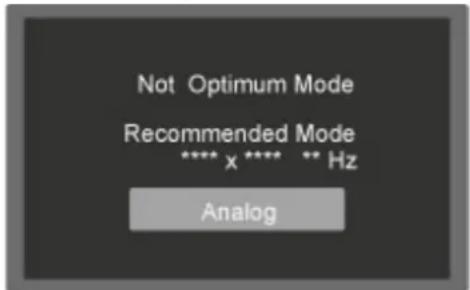
text_image
Not Optimum Mode Recommended Mode **** x **** ** Hz Analog
Note
For models with an Analog interface only, “Analog/Digital” is not shown in the Warning Message OSD.
Environment
The location and the position of the monitor may influence the quality and other features of the monitor.
If there are any sub woofer speakers near the monitor, unplug and relocate the woofer to another room.
Remove all electronic devices such as radios, fans, clocks and telephones that are within 3 feet (one meter) of the monitor.
Useful Tips
A monitor recreates visual signals received from the computer. Therefore, if there is a problem with the computer or the video card, this can cause the monitor to become blank, have poor coloring, become noisy, and video mode not supported, etc. In this case, first check the source of the problem, and then contact the Service Center or your dealer.
Judging the monitor's working condition
If there is no image on the screen or a "Not Optimum Mode", "Recommended Mode **** x **** 60 Hz" message comes up, disconnect the cable from the computer while the monitor is still powered on.
If there is a message coming up on the screen or if the screen goes white, this means the monitor is in working condition.
In this case, check the computer for trouble.
Check List

Note
Before calling for assistance, check the information in this section to see if you can remedy any problems yourself. If you do need assistance, please call the phone number on the Information section or contact your dealer.
No images on the screen. I cannot turn on the monitor.
Q: Is the power cord connected properly?
A: Check the power cord connection and supply.
Q: Can you see "Check Signal Cable" on the screen?
A: (Connected using the D-sub cable)
Check the signal cable connection.
(Connected using the DVI cable)
If you still see an error message on the screen when the monitor is connected properly, check to see if the monitor status is set to analog.
If you still see an (error) message on the screen when the monitor is connected properly, check to see if the monitor status is set to analog. Press '←/ *button to have the monitor double-check the input signal source.
Q: If the power is on, reboot the computer to see the initial screen (the login screen), which can be seen.
A: If the initial screen (the login screen) appears, boot the computer in the applicable mode (the safe mode for Windows ME/XP/2000) and then change the frequency of the video card.
(Refer to the Preset Timing Modes)
If the initial screen (the login screen) does not appear, contact the Service Center or your dealer.
Q: Can you see "Not Optimum Mode", "Recommended Mode **** x **** 60 Hz" on the screen?
A: You can see this message when the signal from the video card exceeds the maximum resolution and frequency that the monitor can handle properly.
A: Adjust the maximum resolution and frequency that the monitor can handle properly.
A: If the display exceeds SXGA or 75 Hz, a "Not Optimum Mode", "Recommended Mode **** x **** 60 Hz" message is displayed. If the display exceeds 85 Hz, the display will work properly but the "Not Optimum Mode", "Recommended Mode **** x **** 60 Hz" message appears for one minute and then disappears.
Please change to the recommended mode during this one-minute period.
(The message is displayed again if the system is rebooted.)
Q: There is no image on the screen. Is the power indicator on the monitor blinking at 1 second intervals?
A: The monitor is in PowerSaver mode.
A: Press a key on the keyboard to activate the monitor and restore the image on the screen.
A: If there is still no image, press the '☐/☐' button. Then press any key on the keyboard again to activate the monitor and restore the image on the screen.
Q: Connected using the DVI cable?
A: You may get a blank screen if you boot the system before you connect the DVI cable, or disconnect and then reconnect the DVI cable while the system is running as certain types of graphic cards do not send out video signals. Connect the DVI cable and then reboot the system.
I cannot see the On Screen Display.
Q: Have you locked the On Screen Display (OSD) Menu to prevent changes?
A: Unlock the OSD by pressing the [MENU/ ] button for at least 5 seconds.
The screen shows strange colors or just black and white.
Q: Is the screen displaying only one color as if looking at the screen through a cellophane paper?
A: Check the signal cable connection.
A: Make sure the video card is fully inserted in its slot.
Q: Have the screen colors become strange after running a program or due to a crash between applications?
A: Reboot the computer.
Q: Has the video card been set properly?
A: Set the video card by referring to the video card manual.
The screen suddenly has become unbalanced.
Q: Have you changed the video card or the driver?
A: Adjust screen image position and size using the OSD.
Q: Have you adjusted the resolution or frequency to the monitor?
A: Adjust the resolution and frequency at the video card.
(Refer to the Preset Timing Modes)
Q: The screen can be unbalanced due to the cycle of the video card signals. Readjust Position by referring to the OSD.
The screen is out of focus or OSD cannot be adjusted.
Q: Have you adjusted the resolution or frequency on the monitor?
A: Adjust the resolution and frequency of the video card.
(Refer to the Preset Timing Modes)
LED is blinking but no images on the screen.
Q: Is the frequency properly adjusted when checking the Display Timing on the menu?
A: Adjust the frequency properly by referring to the video card manual and the Preset Timing Modes.
(The maximum frequency per resolution may differ from product to product.)
There are only 16 colors shown on the screen. The screen colors have changed after changing
Q: Have the Windows colors been set properly?
A: Windows XP :
Set the resolution at the Control Panel → Appearance and Themes → Display → Settings.
A: Windows ME/2000 :
Set the resolution at the Control Panel Display Settings.
Q: Has the video card been set properly?
A: Set the video card by referring to the video card manual.
There is a message that reads "Unrecognized monitor, Plug & Play (VESA DDC) monitor found"
Q: Have you installed the monitor driver?
A: Install the monitor driver according to the Driver Installation Instructions.
Q: See the video card manual to see if the Plug & Play (VESA DDC) function can be supported.
A: Install the monitor driver according to the Driver Installation Instructions.
Problems related to Audio.
Q: No sound.
A: Ensure that the audio cable is firmly connected to both the audio-in port on your monitor and the audio-out port on your sound card.
(Refer to Connecting Cables).
Check the volume level.
Q: Sound level is too low.
A: Check the volume level.
If the volume is still too low after turning the control to its maximum, check the volume control on the computer sound card or software program.
Check when MagicTune ^TM does not function properly.
Q: MagicTune™ feature is found only on PC (VGA) with Window OS that supports Plug and Play.
A: To check whether your PC is available for MagicTune™ feature, follow the steps below (When Windows is XP);
Control Panel → Performance and Maintenance → System → Hardware → Device Manager → Monitors → After deleting Plug and Play monitor, find 'Plug and Play monitor' by searching new Hardware.
A: MagicTune™ is an additional software for the monitor. Some graphic cards may not support your monitor. When you have a problem with the graphic card, visit our website to check the compatible graphic card list provided.
http://www.samsung.com/monitor/magictune
MagicTune™ doesn't work properly.
Q: Have you changed your PC or video graphic card?
A: Download the latest program. The program can be downloaded http://www.samsung.com/monitor/magictune
Q: Did you install the program?
A: Reboot the computer after installing the program for the first time. If a copy of the program is already installed, remove it, reboot the computer, and then install the program again. You need to reboot the computer for it to operate normally after installing or removing the program.

Note
Visit the MagicTune™ website and download the installation software for MagicTune™ MAC.
Check the following items if there is trouble with the monitor.
Check if the power cord and the video cables are properly connected to the computer.
Check if the computer beeps more than 3 times when booting.
(If it does, request an a service for the main board of the computer.)
If you installed a new video card or if you assembled the PC, check if the installed the adapter(video) driver and the monitor driver.
Check if the scanning ratio of the video screen is set to between 56 Hz \~ 75 Hz.
(Do not exceed 75 Hz when using the maximum resolution.)
If you have problems in installing the adapter (video) driver, boot the computer in Safe Mode, remove the Display Adapter in the "Control Panel → System → Device Administrator" and then reboot the computer to reinstall the adapter (video) driver.

Note
If problems repeatedly occur, contact an authorized service center.
Q & A
Q: How can I change the frequency?
A: The frequency can be changed by reconfiguring the video card.
A: Note that video card support can vary, depending on the version of the driver used. (Refer to the computer or the video card manual for details.)
Q: How can I adjusts the resolution?
A: Windows XP:
Set the resolution in the Control Panel → Appearance and Themes → Display → Settings.
A: Windows ME/2000:
Set the resolution in the Control Panel → Display → Settings.
* Contact the video card manufacturer for details.
Q: How can I set the Power Saving function?
A: Windows XP:
Set the resolution in the Control Panel → Appearance and Themes → Display → Screen Saver.
Set the function in the BIOS-SETUP of the computer. (Refer to the Windows / Computer Manual).
A: Windows ME/2000:
Set the resolution at the Control Panel → Display → Screen Saver.
Set the function in the BIOS-SETUP of the computer. (Refer to the Windows / Computer Manual).
Q: How can I clean the outer case/LCD Panel?
A: Disconnect the power cord and then clean the monitor with a soft cloth, using either a cleaning solution or plain water.
Do not leave any detergent or scratches on the case. Do not let any water enter the monitor.

Note
Before calling for assistance, check the information in this section to see if you can remedy any problems yourself. If you do need assistance, please call the phone number on the Information section or contact your dealer.
Specifications
General
General
Model Name SyncMaster 743A
LCD Panel
Size 17 inch (43 cm)
Display area 337.920 mm (H) x 270.336 mm (V)
Pixel Pitch 0.264 mm (H) x 0.264 mm (V)
Synchronization
Horizontal 30 \~ 81 kHz
Vertical 56 \~ 75 Hz
Display Color
16.7M
Resolution
Optimum resolution 1280 x 1024@60 Hz
Maximum resolution 1280 x 1024@75 Hz
Input Signal, Terminated
RGB Analog
0.7 Vp-p ± 5 %
Separate H/V sync, Composite, SOG
TTL level (V high ≥ 2.0 V, V low ≤ 0.8 V)
Maximum Pixel Clock
135 MHz (Analog)
Power Supply
AC 100 - 240 V\~ (+/- 10 %), 50/60 Hz ± 3 Hz
Signal Cable
15pin - to - 15pin D-sub cable, Detachable
Dimensions (W x H x D) / Weight (Simple Stand)
368.0 x 307.4 x 68.4 mm (14.5 x 12.1 x 2.7 inch)(Without Stand)
368.0 x 386.2 x 185.0 mm (14.5 x 15.2 x 7.3 inch)(With Stand) / 3.6 kg (7.9 lbs)
Dimensions (W x H x D) / Weight (HAS Stand)
368.0 x 307.4 x 65.5 mm (14.5 x 12.1 x 2.6 inch)(Without Stand)
368.0 x 367.2 x 190.0 mm (14.5 x 14.5 x 7.5 inch)(With Stand) / 4.75 kg (10.5 lbs)
VESA Mounting Interface
75 mm x 75 mm (For use with Specialty(Arm) Mounting hardware.)
Environmental considerations
| Operating | Temperature : 50^ 104^ ( 10^ 40^ ) |
| Humidity : 10% 80% , non-condensing | |
| Storage | Temperature : -4^ 113^ ( -20^ 45^ ) |
| Humidity : 5% 95% , non-condensing |
Plug and Play Capability
This monitor can be installed on any Plug & Play compatible system. The interaction of the monitor and the computer systems will provide the best operating conditions and monitor settings. In most cases, the monitor installation will proceed automatically, unless the user wishes to select alternate settings.
Dot Acceptable
TFT-LCD panels manufactured by using advanced semiconductor technology with precision of 1ppm (one millionth) above are used for this product. But the pixels of RED, GREEN, BLUE and WHITE color appear to be bright sometimes or some black pixels may be seen. This is not from bad quality and you can use it without any problems.

Note
Design and specifications are subject to change without prior notice.

Class B Equipment (Information Communication equipment for residential use)
This product complies with the Electromagnetic Compatibility Directives for residential use and can be used in all areas including common residential areas. (Class B equipment emits less electromagnetic waves than Class A equipment.)
PowerSaver
This monitor has a built-in power management system called PowerSaver. This system saves energy by switching your monitor to low-power mode when it has not been used for a certain amount of time. The monitor automatically returns to normal operation when you press a key on the keyboard. For energy conservation, turn your monitor OFF when it is not needed, or when leaving it unattended for long periods. The PowerSaver system operates with a VESA DPM compliant video card installed in your computer. Use the software utility installed on your computer to set up this feature.
State Normal Operation Power saving mode
Power off (Power button) EPA/ENERGY 2000
Power Indicator On Blinking Off
Power Consumption 20 watts Less than 1 watts Less than 1 watts

This monitor is EPA ENERGY STAR ^® compliant and ENERGY 2000 compliant when used with a computer equipped with VESA DPM functionality.
As an ENERGY STAR ^® Partner, SAMSUNG has determined that this product meets the ENERGY STAR ^® guidelines for energy efficiency.
Preset Timing Modes
If the signal transferred from the computer is the same as the following Preset Timing Modes, the screen will be adjusted automatically. However, if the signal differs, the screen may go blank while the power LED is on. Refer to the video card manual and adjusts the screen as follows.
| Display Mode | Horizontal Frequency (kHz) | Vertical Frequency (Hz) | Pixel Clock (MHz) | Sync Polarity (H/V) | ||
| IBM, 640 x 350 | 31.469 | 70.086 | 25.175 | +/- | ||
| IBM, 640 x 480 | 31.469 | 59.940 | 25.175 | -/- | ||
| IBM, 720 x 400 | 31.469 | 70.087 | 28.322 | -/+ | ||
| MAC, 640 x 480 | 35.000 | 66.667 | 30.240 | -/- | ||
| MAC, 832 x 624 | 49.726 | 74.551 | 57.284 | -/- | ||
| MAC, 1152 x 870 | 68.681 | 75.062 | 100.000 | -/- | ||
| VESA, 640 x 480 | 37.861 | 72.809 | 31.500 | -/- | ||
| VESA, 640 x 480 | 37.500 | 75.000 | 31.500 | -/- | ||
| VESA, 800 x 600 | 35.156 | 56.250 | 36.000 | +/+ | ||
| VESA, 800 x 600 | 37.879 | 60.317 | 40.000 | +/+ | ||
| VESA, 800 x 600 | 48.077 | 72.188 | 50.000 | +/+ | ||
| VESA, 800 x 600 | 46.875 | 75.000 | 49.500 | +/+ | ||
| VESA, 1024 x 768 | 48.363 | 60.004 | 65.000 | -/- | ||
| VESA, 1024 x 768 | 56.476 | 70.069 | 75.000 | -/- | ||
| VESA, 1024 x 768 | 60.023 | 75.029 | 78.750 | +/+ | ||
| VESA, 1152 x 864 | 67.500 | 75.000 | 108.000 | +/+ | ||
| VESA, 1280 X 960 | 60.000 | 60.000 | 108.000 | +/+ | ||
| VESA, 1280 X 1024 | 63.981 | 60.020 | 108.000 | +/+ | ||
| VESA, 1280 X 1024 | 79.976 | 75.025 | 135.000 | +/+ | ||
| VESA, 1280 x 800 | 49.702 | 59.810 | 83.500 | -/+ | ||
Horizontal Frequency

natural_image
Cartoon illustration of a book with a rising graph and question marks above it, set against a blue upward arrow background (no text or symbols)The time to scan one line connecting the right edge to the left edge of the screen horizontally is called the Horizontal Cycle and the inverse number of the Horizontal Cycle is called the Horizontal Frequency. Unit: kHz
Vertical Frequency
Like a fluorescent lamp, the screen has to repeat the same image many times per second to display an image to the user. The frequency of this repetition is called the Vertical Frequency or Refresh Rate. Unit: Hz
General
General
Model Name SyncMaster 743APLUS
LCD Panel
Size 17 inch (43 cm)
Display area 337.920 mm (H) x 270.336 mm (V)
Pixel Pitch 0.264 mm (H) x 0.264 mm (V)
Synchronization
Horizontal 30 \~ 81 kHz
Vertical 56 \~ 75 Hz
Display Color
16.7M
Resolution
Optimum resolution 1280 x 1024@60 Hz
Maximum resolution 1280 x 1024@75 Hz
Input Signal, Terminated
RGB Analog
0.7 Vp-p ± 5 %
Separate H/V sync, Composite, SOG
TTL level (V high ≥ 2.0 V, V low ≤ 0.8 V)
Maximum Pixel Clock
135 MHz (Analog)
Power Supply
AC 100 - 240 V\~ (+/- 10 %), 50/60 Hz ± 3 Hz
Signal Cable
15pin - to - 15pin D-sub cable, Detachable
Dimensions (W x H x D) / Weight (Simple Stand)
368.0 x 307.4 x 68.4 mm (14.5 x 12.1 x 2.7 inch)(Without Stand)
368.0 x 386.2 x 185.0 mm (14.5 x 15.2 x 7.3 inch)(With Stand) / 3.6 kg (7.9 lbs)
Dimensions (W x H x D) / Weight (HAS Stand)
368.0 x 307.4 x 65.5 mm (14.5 x 12.1 x 2.6 inch)(Without Stand)
368.0 x 367.2 x 190.0 mm (14.5 x 14.5 x 7.5 inch)(With Stand) / 4.75 kg (10.5 lbs)
VESA Mounting Interface
75 mm x 75 mm (For use with Specialty(Arm) Mounting hardware.)
Environmental considerations
| Operating | Temperature : 50^ 104^ ( 10^ 40^ ) |
| Humidity : 10% 80% , non-condensing | |
| Storage | Temperature : -4^ 113^ ( -20^ 45^ ) |
| Humidity : 5% 95% , non-condensing |
Plug and Play Capability
This monitor can be installed on any Plug & Play compatible system. The interaction of the monitor and the computer systems will provide the best operating conditions and monitor settings. In most cases, the monitor installation will proceed automatically, unless the user wishes to select alternate settings.
Dot Acceptable
TFT-LCD panels manufactured by using advanced semiconductor technology with precision of 1ppm (one millionth) above are used for this product. But the pixels of RED, GREEN, BLUE and WHITE color appear to be bright sometimes or some black pixels may be seen. This is not from bad quality and you can use it without any problems.

Design and specifications are subject to change without prior notice.

Class B Equipment (Information Communication equipment for residential use)
This product complies with the Electromagnetic Compatibility Directives for residential use and can be used in all areas including common residential areas. (Class B equipment emits less electromagnetic waves than Class A equipment.)
PowerSaver
This monitor has a built-in power management system called PowerSaver. This system saves energy by switching your monitor to low-power mode when it has not been used for a certain amount of time. The monitor automatically returns to normal operation when you press a key on the keyboard. For energy conservation, turn your monitor OFF when it is not needed, or when leaving it unattended for long periods. The PowerSaver system operates with a VESA DPM compliant video card installed in your computer. Use the software utility installed on your computer to set up this feature.
State Normal Operation Power saving mode
Power off (Power button) EPA/ENERGY 2000
Power Indicator On Blinking Off
Power Consumption 20 watts Less than 1 watts Less than 1 watts

This monitor is EPA ENERGY STAR ^® compliant and ENERGY 2000 compliant when used with a computer equipped with VESA DPM functionality.
As an ENERGY STAR ^® Partner, SAMSUNG has determined that this product meets the ENERGY STAR ^® guidelines for energy efficiency.
Preset Timing Modes
If the signal transferred from the computer is the same as the following Preset Timing Modes, the screen will be adjusted automatically. However, if the signal differs, the screen may go blank while the power LED is on. Refer to the video card manual and adjusts the screen as follows.
| Display Mode | Horizontal Frequency (kHz) | Vertical Frequency (Hz) | Pixel Clock (MHz) | Sync Polarity (H/V) | ||
| IBM, 640 x 350 | 31.469 | 70.086 | 25.175 | +/- | ||
| IBM, 640 x 480 | 31.469 | 59.940 | 25.175 | -/- | ||
| IBM, 720 x 400 | 31.469 | 70.087 | 28.322 | -/+ | ||
| MAC, 640 x 480 | 35.000 | 66.667 | 30.240 | -/- | ||
| MAC, 832 x 624 | 49.726 | 74.551 | 57.284 | -/- | ||
| MAC, 1152 x 870 | 68.681 | 75.062 | 100.000 | -/- | ||
| VESA, 640 x 480 | 37.861 | 72.809 | 31.500 | -/- | ||
| VESA, 640 x 480 | 37.500 | 75.000 | 31.500 | -/- | ||
| VESA, 800 x 600 | 35.156 | 56.250 | 36.000 | +/+ | ||
| VESA, 800 x 600 | 37.879 | 60.317 | 40.000 | +/+ | ||
| VESA, 800 x 600 | 48.077 | 72.188 | 50.000 | +/+ | ||
| VESA, 800 x 600 | 46.875 | 75.000 | 49.500 | +/+ | ||
| VESA, 1024 x 768 | 48.363 | 60.004 | 65.000 | -/- | ||
| VESA, 1024 x 768 | 56.476 | 70.069 | 75.000 | -/- | ||
| VESA, 1024 x 768 | 60.023 | 75.029 | 78.750 | +/+ | ||
| VESA, 1152 x 864 | 67.500 | 75.000 | 108.000 | +/+ | ||
| VESA, 1280 X 960 | 60.000 | 60.000 | 108.000 | +/+ | ||
| VESA, 1280 X 1024 | 63.981 | 60.020 | 108.000 | +/+ | ||
| VESA, 1280 X 1024 | 79.976 | 75.025 | 135.000 | +/+ | ||
| VESA, 1280 x 800 | 49.702 | 59.810 | 83.500 | -/+ | ||
Horizontal Frequency
The time to scan one line connecting the right edge to the left edge of the screen horizontally is called the Horizontal Cycle and the inverse number of the Horizontal Cycle is called the Horizontal Frequency. Unit: kHz
Vertical Frequency
Like a fluorescent lamp, the screen has to repeat the same image many times per second to display an image to the user. The frequency of this repetition is called the Vertical Frequency or Refresh Rate. Unit: Hz

natural_image
Cartoon illustration of a person reading a book with question marks above, set against a blue upward arrow background (no text or symbols)General
General
Model Name SyncMaster 743A X
LCD Panel
Size 17 inch (43 cm)
Display area 337.920 mm (H) x 270.336 mm (V)
Pixel Pitch 0.264 mm (H) x 0.264 mm (V)
Synchronization
Horizontal 30 \~ 81 kHz
Vertical 56 \~ 75 Hz
Display Color
16.7M
Resolution
Optimum resolution 1280 x 1024@60 Hz
Maximum resolution 1280 x 1024@75 Hz
Input Signal, Terminated
RGB Analog
0.7 Vp-p ± 5 %
Separate H/V sync, Composite, SOG
TTL level (V high ≥ 2.0 V, V low ≤ 0.8 V)
Maximum Pixel Clock
135 MHz (Analog)
Power Supply
AC 100 - 240 V\~ (+/- 10 %), 50/60 Hz ± 3 Hz
Signal Cable
15pin - to - 15pin D-sub cable, Detachable
Dimensions (W x H x D) / Weight (Simple Stand)
368.0 x 307.4 x 68.4 mm (14.5 x 12.1 x 2.7 inch)(Without Stand)
368.0 x 386.2 x 185.0 mm (14.5 x 15.2 x 7.3 inch)(With Stand) / 3.6 kg (7.9 lbs)
Dimensions (W x H x D) / Weight (HAS Stand)
368.0 x 307.4 x 65.5 mm (14.5 x 12.1 x 2.6 inch)(Without Stand)
368.0 x 367.2 x 190.0 mm (14.5 x 14.5 x 7.5 inch)(With Stand) / 4.75 kg (10.5 lbs)
VESA Mounting Interface
75 mm x 75 mm (For use with Specialty(Arm) Mounting hardware.)
Environmental considerations
| Operating | Temperature : 50^ 104^ ( 10^ 40^ ) |
| Humidity : 10% 80% , non-condensing | |
| Storage | Temperature : -4^ 113^ ( -20^ 45^ ) |
| Humidity : 5% 95% , non-condensing |
Plug and Play Capability
This monitor can be installed on any Plug & Play compatible system. The interaction of the monitor and the computer systems will provide the best operating conditions and monitor settings. In most cases, the monitor installation will proceed automatically, unless the user wishes to select alternate settings.
Dot Acceptable
TFT-LCD panels manufactured by using advanced semiconductor technology with precision of 1ppm (one millionth) above are used for this product. But the pixels of RED, GREEN, BLUE and WHITE color appear to be bright sometimes or some black pixels may be seen. This is not from bad quality and you can use it without any problems.

Design and specifications are subject to change without prior notice.

Class B Equipment (Information Communication equipment for residential use)
This product complies with the Electromagnetic Compatibility Directives for residential use and can be used in all areas including common residential areas. (Class B equipment emits less electromagnetic waves than Class A equipment.)
PowerSaver
This monitor has a built-in power management system called PowerSaver. This system saves energy by switching your monitor to low-power mode when it has not been used for a certain amount of time. The monitor automatically returns to normal operation when you press a key on the keyboard. For energy conservation, turn your monitor OFF when it is not needed, or when leaving it unattended for long periods. The PowerSaver system operates with a VESA DPM compliant video card installed in your computer. Use the software utility installed on your computer to set up this feature.
State Normal Operation Power saving mode
Power off (Power button) EPA/ENERGY 2000
Power Indicator On Blinking Off
Power Consumption 20 watts Less than 1 watts Less than 1 watts

This monitor is EPA ENERGY STAR ^® compliant and ENERGY 2000 compliant when used with a computer equipped with VESA DPM functionality.
As an ENERGY STAR ^® Partner, SAMSUNG has determined that this product meets the ENERGY STAR ^® guidelines for energy efficiency.
Preset Timing Modes
If the signal transferred from the computer is the same as the following Preset Timing Modes, the screen will be adjusted automatically. However, if the signal differs, the screen may go blank while the power LED is on. Refer to the video card manual and adjusts the screen as follows.
| Display Mode | Horizontal Frequency (kHz) | Vertical Frequency (Hz) | Pixel Clock (MHz) | Sync Polarity (H/V) | ||
| IBM, 640 x 350 | 31.469 | 70.086 | 25.175 | +/- | ||
| IBM, 640 x 480 | 31.469 | 59.940 | 25.175 | -/- | ||
| IBM, 720 x 400 | 31.469 | 70.087 | 28.322 | -/+ | ||
| MAC, 640 x 480 | 35.000 | 66.667 | 30.240 | -/- | ||
| MAC, 832 x 624 | 49.726 | 74.551 | 57.284 | -/- | ||
| MAC, 1152 x 870 | 68.681 | 75.062 | 100.000 | -/- | ||
| VESA, 640 x 480 | 37.861 | 72.809 | 31.500 | -/- | ||
| VESA, 640 x 480 | 37.500 | 75.000 | 31.500 | -/- | ||
| VESA, 800 x 600 | 35.156 | 56.250 | 36.000 | +/+ | ||
| VESA, 800 x 600 | 37.879 | 60.317 | 40.000 | +/+ | ||
| VESA, 800 x 600 | 48.077 | 72.188 | 50.000 | +/+ | ||
| VESA, 800 x 600 | 46.875 | 75.000 | 49.500 | +/+ | ||
| VESA, 1024 x 768 | 48.363 | 60.004 | 65.000 | -/- | ||
| VESA, 1024 x 768 | 56.476 | 70.069 | 75.000 | -/- | ||
| VESA, 1024 x 768 | 60.023 | 75.029 | 78.750 | +/+ | ||
| VESA, 1152 x 864 | 67.500 | 75.000 | 108.000 | +/+ | ||
| VESA, 1280 X 960 | 60.000 | 60.000 | 108.000 | +/+ | ||
| VESA, 1280 X 1024 | 63.981 | 60.020 | 108.000 | +/+ | ||
| VESA, 1280 X 1024 | 79.976 | 75.025 | 135.000 | +/+ | ||
| VESA, 1280 x 800 | 49.702 | 59.810 | 83.500 | -/+ | ||
Horizontal Frequency
The time to scan one line connecting the right edge to the left edge of the screen horizontally is called the Horizontal Cycle and the inverse number of the Horizontal Cycle is called the Horizontal Frequency. Unit: kHz
Vertical Frequency
Like a fluorescent lamp, the screen has to repeat the same image many times per second to display an image to the user. The frequency of this repetition is called the Vertical Frequency or Refresh Rate. Unit: Hz

natural_image
Cartoon illustration of a person reading a book with question marks above, set against a blue upward arrow background (no text or symbols)General
General
Model Name SyncMaster 743A XPLUS
LCD Panel
Size 17 inch (43 cm)
Display area 337.920 mm (H) x 270.336 mm (V)
Pixel Pitch 0.264 mm (H) x 0.264 mm (V)
Synchronization
Horizontal 30 \~ 81 kHz
Vertical 56 \~ 75 Hz
Display Color
16.7M
Resolution
Optimum resolution 1280 x 1024@60 Hz
Maximum resolution 1280 x 1024@75 Hz
Input Signal, Terminated
RGB Analog
0.7 Vp-p ± 5 %
Separate H/V sync, Composite, SOG
TTL level (V high ≥ 2.0 V, V low ≤ 0.8 V)
Maximum Pixel Clock
135 MHz (Analog)
Power Supply
AC 100 - 240 V\~ (+/- 10 %), 50/60 Hz ± 3 Hz
Signal Cable
15pin - to - 15pin D-sub cable, Detachable
Dimensions (W x H x D) / Weight (Simple Stand)
368.0 x 307.4 x 68.4 mm (14.5 x 12.1 x 2.7 inch)(Without Stand)
368.0 x 386.2 x 185.0 mm (14.5 x 15.2 x 7.3 inch)(With Stand) / 3.6 kg (7.9 lbs)
Dimensions (W x H x D) / Weight (HAS Stand)
368.0 x 307.4 x 65.5 mm (14.5 x 12.1 x 2.6 inch)(Without Stand)
368.0 x 367.2 x 190.0 mm (14.5 x 14.5 x 7.5 inch)(With Stand) / 4.75 kg (10.5 lbs)
VESA Mounting Interface
75 mm x 75 mm (For use with Specialty(Arm) Mounting hardware.)
Environmental considerations
| Operating | Temperature : 50^ 104^ ( 10^ 40^ ) |
| Humidity : 10% 80% , non-condensing | |
| Storage | Temperature : -4^ 113^ ( -20^ 45^ ) |
| Humidity : 5% 95% , non-condensing |
Plug and Play Capability
This monitor can be installed on any Plug & Play compatible system. The interaction of the monitor and the computer systems will provide the best operating conditions and monitor settings. In most cases, the monitor installation will proceed automatically, unless the user wishes to select alternate settings.
Dot Acceptable
TFT-LCD panels manufactured by using advanced semiconductor technology with precision of 1ppm (one millionth) above are used for this product. But the pixels of RED, GREEN, BLUE and WHITE color appear to be bright sometimes or some black pixels may be seen. This is not from bad quality and you can use it without any problems.

Design and specifications are subject to change without prior notice.

Class B Equipment (Information Communication equipment for residential use)
This product complies with the Electromagnetic Compatibility Directives for residential use and can be used in all areas including common residential areas. (Class B equipment emits less electromagnetic waves than Class A equipment.)
PowerSaver
This monitor has a built-in power management system called PowerSaver. This system saves energy by switching your monitor to low-power mode when it has not been used for a certain amount of time. The monitor automatically returns to normal operation when you press a key on the keyboard. For energy conservation, turn your monitor OFF when it is not needed, or when leaving it unattended for long periods. The PowerSaver system operates with a VESA DPM compliant video card installed in your computer. Use the software utility installed on your computer to set up this feature.
State Normal Operation Power saving mode
Power off (Power button) EPA/ENERGY 2000
Power Indicator On Blinking Off
Power Consumption 20 watts Less than 1 watts Less than 1 watts

This monitor is EPA ENERGY STAR ^® compliant and ENERGY 2000 compliant when used with a computer equipped with VESA DPM functionality.
As an ENERGY STAR ^® Partner, SAMSUNG has determined that this product meets the ENERGY STAR ^® guidelines for energy efficiency.
Preset Timing Modes
If the signal transferred from the computer is the same as the following Preset Timing Modes, the screen will be adjusted automatically. However, if the signal differs, the screen may go blank while the power LED is on. Refer to the video card manual and adjusts the screen as follows.
| Display Mode | Horizontal Frequency (kHz) | Vertical Frequency (Hz) | Pixel Clock (MHz) | Sync Polarity (H/V) | ||
| IBM, 640 x 350 | 31.469 | 70.086 | 25.175 | +/- | ||
| IBM, 640 x 480 | 31.469 | 59.940 | 25.175 | -/- | ||
| IBM, 720 x 400 | 31.469 | 70.087 | 28.322 | -/+ | ||
| MAC, 640 x 480 | 35.000 | 66.667 | 30.240 | -/- | ||
| MAC, 832 x 624 | 49.726 | 74.551 | 57.284 | -/- | ||
| MAC, 1152 x 870 | 68.681 | 75.062 | 100.000 | -/- | ||
| VESA, 640 x 480 | 37.861 | 72.809 | 31.500 | -/- | ||
| VESA, 640 x 480 | 37.500 | 75.000 | 31.500 | -/- | ||
| VESA, 800 x 600 | 35.156 | 56.250 | 36.000 | +/+ | ||
| VESA, 800 x 600 | 37.879 | 60.317 | 40.000 | +/+ | ||
| VESA, 800 x 600 | 48.077 | 72.188 | 50.000 | +/+ | ||
| VESA, 800 x 600 | 46.875 | 75.000 | 49.500 | +/+ | ||
| VESA, 1024 x 768 | 48.363 | 60.004 | 65.000 | -/- | ||
| VESA, 1024 x 768 | 56.476 | 70.069 | 75.000 | -/- | ||
| VESA, 1024 x 768 | 60.023 | 75.029 | 78.750 | +/+ | ||
| VESA, 1152 x 864 | 67.500 | 75.000 | 108.000 | +/+ | ||
| VESA, 1280 X 960 | 60.000 | 60.000 | 108.000 | +/+ | ||
| VESA, 1280 X 1024 | 63.981 | 60.020 | 108.000 | +/+ | ||
| VESA, 1280 X 1024 | 79.976 | 75.025 | 135.000 | +/+ | ||
| VESA, 1280 x 800 | 49.702 | 59.810 | 83.500 | -/+ | ||
Horizontal Frequency
The time to scan one line connecting the right edge to the left edge of the screen horizontally is called the Horizontal Cycle and the inverse number of the Horizontal Cycle is called the Horizontal Frequency. Unit: kHz
Vertical Frequency
Like a fluorescent lamp, the screen has to repeat the same image many times per second to display an image to the user. The frequency of this repetition is called the Vertical Frequency or Refresh Rate. Unit: Hz

natural_image
Cartoon illustration of a person reading a book with question marks above, set against a blue upward arrow background (no text or symbols)Specifications
General
General
Model Name SyncMaster 743B
LCD Panel
Size 17 inch (43 cm)
Display area 337.920 mm (H) x 270.336 mm (V)
Pixel Pitch 0.264 mm (H) x 0.264 mm (V)
Synchronization
Horizontal 30 \~ 81 kHz
Vertical 56 \~ 75 Hz
Display Color
16.7M
Resolution
Optimum resolution 1280 x 1024@60 Hz
Maximum resolution 1280 x 1024@75 Hz
Input Signal, Terminated
RGB Analog, DVI(Digital Visual Interface) Compliant Digital RGB
0.7 Vp-p ± 5 %
Separate H/V sync, Composite, SOG
TTL level (V high ≥ 2.0 V, V low ≤ 0.8 V)
Maximum Pixel Clock
DVI-D to DVI-D connector, Detachable
Dimensions (W x H x D) / Weight (Simple Stand)
368.0 x 307.4 x 68.4 mm / 14.5 x 12.1 x 6.86 inch (Without Stand)
368.0 x 386.2 x 185.0 mm / 14.5 x 15.5 x 18.54 inch (With Stand), 3.6 kg / 7.9 lbs
Dimensions (W x H x D) / Weight (HAS Stand)
368.0 x 307.4 x 65.5 mm / 14.5 x 12.1 x 6.60 inch (Without Stand)
368.0 x 367.2 x 190.0 mm / 14.5 x 14.5 x 19.05 inch (With Stand), 4.664 kg / 10.3 lbs
VESA Mounting Interface
75 mm x 75 mm (For use with Specialty(Arm) Mounting hardware.)
Environmental considerations
| Operating | Temperature : 50°F ~ 104°F (10°C ~ 40°C) |
| Humidity : 10 % ~ 80 %, non-condensing | |
| Storage | Temperature : -4°F ~ 113°F (-20°C ~ 45°C) |
| Humidity : 5 % ~ 95 %, non-condensing |
Plug and Play Capability
This monitor can be installed on any Plug & Play compatible system. The interaction of the monitor and the computer systems will provide the best operating conditions and monitor settings. In most cases, the monitor installation will proceed automatically, unless the user wishes to select alternate settings.
Dot Acceptable
TFT-LCD panels manufactured by using advanced semiconductor technology with precision of 1ppm (one millionth) above are used for this product. But the pixels of RED, GREEN, BLUE and WHITE color appear to be bright sometimes or some black pixels may be seen. This is not from bad quality and you can use it without any problems.

Design and specifications are subject to change without prior notice.

Class B Equipment (Information Communication equipment for residential use)
This product complies with the Electromagnetic Compatibility Directives for residential use and can be used in all areas including common residential areas. (Class B equipment emits less electromagnetic waves than Class A equipment.)
PowerSaver
This monitor has a built-in power management system called PowerSaver. This system saves energy by switching your monitor to low-power mode when it has not been used for a certain amount of time. The monitor automatically returns to normal operation when you press a key on the keyboard. For energy conservation, turn your monitor OFF when it is not needed, or when leaving it unattended for long periods. The PowerSaver system operates with a VESA DPM compliant video card installed in your computer. Use the software utility installed on your computer to set up this feature.
State Normal Operation Power saving mode
Power off (Power button)
EPA/ENERGY 2000
Power Indicator Blue Blue blinking Off
Power Consumption 30 watts Less than 1 watts Less than 1 watts

This monitor is EPA ENERGY STAR ^® compliant and ENERGY2000 compliant when used with a computer equipped with VESA DPM functionality.
As an ENERGY STAR ^® Partner, SAMSUNG has determined that this product meets the ENERGY STAR ^® guidelines for energy efficiency.
Preset Timing Modes
If the signal transferred from the computer is the same as the following Preset Timing Modes, the screen will be adjusted automatically. However, if the signal differs, the screen may go blank while the power LED is on. Refer to the video card manual and adjusts the screen as follows.
| Display Mode | Horizontal Frequency (kHz) | Vertical Frequency (Hz) | Pixel Clock (MHz) | Sync Polarity (H/V) | ||
| IBM, 640 x 350 | 31.469 | 70.086 | 25.175 | +/- | ||
| IBM, 640 x 480 | 31.469 | 59.940 | 25.175 | -/- | ||
| IBM, 720 x 400 | 31.469 | 70.087 | 28.322 | -/+ | ||
| MAC, 640 x 480 | 35.000 | 66.667 | 30.240 | -/- | ||
| MAC, 832 x 624 | 49.726 | 74.551 | 57.284 | -/- | ||
| MAC, 1152 x 870 | 68.681 | 75.062 | 100.000 | -/- | ||
| VESA, 640 x 480 | 37.861 | 72.809 | 31.500 | -/- | ||
| VESA, 640 x 480 | 37.500 | 75.000 | 31.500 | -/- | ||
| VESA, 800 x 600 | 35.156 | 56.250 | 36.000 | +/+ | ||
| VESA, 800 x 600 | 37.879 | 60.317 | 40.000 | +/+ | ||
| VESA, 800 x 600 | 48.077 | 72.188 | 50.000 | +/+ | ||
| VESA, 800 x 600 | 46.875 | 75.000 | 49.500 | +/+ | ||
| VESA, 1024 x 768 | 48.363 | 60.004 | 65.000 | -/- | ||
| VESA, 1024 x 768 | 56.476 | 70.069 | 75.000 | -/- | ||
| VESA, 1024 x 768 | 60.023 | 75.029 | 78.750 | +/+ | ||
| VESA, 1152 x 864 | 67.500 | 75.000 | 108.000 | +/+ | ||
| VESA, 1280 X 960 | 60.000 | 60.000 | 108.000 | +/+ | ||
| /ESA, 1280 X 1024 | 63.981 | 60.020 | 108.000 | +/+ | ||
| /ESA, 1280 X 1024 | 79.976 | 75.025 | 135.000 | +/+ | ||
| VESA, 1280 x 800 | 49.702 | 59.810 | 83.500 | -/+ | ||
Horizontal Frequency

natural_image
Cartoon illustration of an open book with a line graph inside, surrounded by question marks (no text or symbols)The time to scan one line connecting the right edge to the left edge of the screen horizontally is called the Horizontal Cycle and the inverse number of the Horizontal Cycle is called the Horizontal Frequency. Unit: kHz
Vertical Frequency
Like a fluorescent lamp, the screen has to repeat the same image many times per second to display an image to the user. The frequency of this repetition is called the Vertical Frequency or Refresh Rate. Unit: Hz
Specifications
General
General
Model Name SyncMaster 743B PLUS
LCD Panel
Size 17 inch (43 cm)
Display area 337.920 mm (H) x 270.336 mm (V)
Pixel Pitch 0.264 mm (H) x 0.264 mm (V)
Synchronization
Horizontal 30 \~ 81 kHz
Vertical 56 \~ 75 Hz
Display Color
16.7M
Resolution
Optimum resolution 1280 x 1024@60 Hz
Maximum resolution 1280 x 1024@75 Hz
Input Signal, Terminated
RGB Analog, DVI(Digital Visual Interface) Compliant Digital RGB
0.7 Vp-p ± 5 %
Separate H/V sync, Composite, SOG
TTL level (V high ≥ 2.0 V, V low ≤ 0.8 V)
Maximum Pixel Clock
DVI-D to DVI-D connector, Detachable
Dimensions (W x H x D) / Weight (Simple Stand)
368.0 x 307.4 x 68.4 mm / 14.5 x 12.1 x 6.86 inch (Without Stand)
368.0 x 386.2 x 185.0 mm / 14.5 x 15.5 x 18.54 inch (With Stand), 3.6 kg / 7.9 lbs
Dimensions (W x H x D) / Weight (HAS Stand)
368.0 x 307.4 x 65.5 mm / 14.5 x 12.1 x 6.60 inch (Without Stand)
368.0 x 367.2 x 190.0 mm / 14.5 x 14.5 x 19.05 inch (With Stand), 4.664 kg / 10.3 lbs
VESA Mounting Interface
75 mm x 75 mm (For use with Specialty(Arm) Mounting hardware.)
Environmental considerations
| Operating | Temperature : 50°F ~ 104°F (10°C ~ 40°C) |
| Humidity : 10 % ~ 80 %, non-condensing | |
| Storage | Temperature : -4°F ~ 113°F (-20°C ~ 45°C) |
| Humidity : 5 % ~ 95 %, non-condensing |
Plug and Play Capability
This monitor can be installed on any Plug & Play compatible system. The interaction of the monitor and the computer systems will provide the best operating conditions and monitor settings. In most cases, the monitor installation will proceed automatically, unless the user wishes to select alternate settings.
Dot Acceptable
TFT-LCD panels manufactured by using advanced semiconductor technology with precision of 1ppm (one millionth) above are used for this product. But the pixels of RED, GREEN, BLUE and WHITE color appear to be bright sometimes or some black pixels may be seen. This is not from bad quality and you can use it without any problems.

Design and specifications are subject to change without prior notice.

Class B Equipment (Information Communication equipment for residential use)
This product complies with the Electromagnetic Compatibility Directives for residential use and can be used in all areas including common residential areas. (Class B equipment emits less electromagnetic waves than Class A equipment.)
PowerSaver
This monitor has a built-in power management system called PowerSaver. This system saves energy by switching your monitor to low-power mode when it has not been used for a certain amount of time. The monitor automatically returns to normal operation when you press a key on the keyboard. For energy conservation, turn your monitor OFF when it is not needed, or when leaving it unattended for long periods. The PowerSaver system operates with a VESA DPM compliant video card installed in your computer. Use the software utility installed on your computer to set up this feature.
State Normal Operation Power saving mode
Power off (Power button)
EPA/ENERGY 2000
Power Indicator Blue Blue blinking Off
Power Consumption 30 watts Less than 1 watts Less than 1 watts

This monitor is EPA ENERGY STAR ^® compliant and ENERGY2000 compliant when used with a computer equipped with VESA DPM functionality.
As an ENERGY STAR ^® Partner, SAMSUNG has determined that this product meets the ENERGY STAR ^® guidelines for energy efficiency.
Preset Timing Modes
If the signal transferred from the computer is the same as the following Preset Timing Modes, the screen will be adjusted automatically. However, if the signal differs, the screen may go blank while the power LED is on. Refer to the video card manual and adjusts the screen as follows.
| Display Mode | Horizontal Frequency (kHz) | Vertical Frequency (Hz) | Pixel Clock (MHz) | Sync Polarity (H/V) | ||
| IBM, 640 x 350 | 31.469 | 70.086 | 25.175 | +/- | ||
| IBM, 640 x 480 | 31.469 | 59.940 | 25.175 | -/- | ||
| IBM, 720 x 400 | 31.469 | 70.087 | 28.322 | -/+ | ||
| MAC, 640 x 480 | 35.000 | 66.667 | 30.240 | -/- | ||
| MAC, 832 x 624 | 49.726 | 74.551 | 57.284 | -/- | ||
| MAC, 1152 x 870 | 68.681 | 75.062 | 100.000 | -/- | ||
| VESA, 640 x 480 | 37.861 | 72.809 | 31.500 | -/- | ||
| VESA, 640 x 480 | 37.500 | 75.000 | 31.500 | -/- | ||
| VESA, 800 x 600 | 35.156 | 56.250 | 36.000 | +/+ | ||
| VESA, 800 x 600 | 37.879 | 60.317 | 40.000 | +/+ | ||
| VESA, 800 x 600 | 48.077 | 72.188 | 50.000 | +/+ | ||
| VESA, 800 x 600 | 46.875 | 75.000 | 49.500 | +/+ | ||
| VESA, 1024 x 768 | 48.363 | 60.004 | 65.000 | -/- | ||
| VESA, 1024 x 768 | 56.476 | 70.069 | 75.000 | -/- | ||
| VESA, 1024 x 768 | 60.023 | 75.029 | 78.750 | +/+ | ||
| VESA, 1152 x 864 | 67.500 | 75.000 | 108.000 | +/+ | ||
| VESA, 1280 X 960 | 60.000 | 60.000 | 108.000 | +/+ | ||
| /ESA, 1280 X 1024 | 63.981 | 60.020 | 108.000 | +/+ | ||
| /ESA, 1280 X 1024 | 79.976 | 75.025 | 135.000 | +/+ | ||
| VESA, 1280 x 800 | 49.702 | 59.810 | 83.500 | -/+ | ||
Horizontal Frequency

natural_image
Cartoon illustration of an open book with a line graph inside, surrounded by question marks (no text or symbols)The time to scan one line connecting the right edge to the left edge of the screen horizontally is called the Horizontal Cycle and the inverse number of the Horizontal Cycle is called the Horizontal Frequency. Unit: kHz
Vertical Frequency
Like a fluorescent lamp, the screen has to repeat the same image many times per second to display an image to the user. The frequency of this repetition is called the Vertical Frequency or Refresh Rate. Unit: Hz
Specifications
General
General
Model Name SyncMaster 743B X
LCD Panel
Size 17 inch (43 cm)
Display area 337.920 mm (H) x 270.336 mm (V)
Pixel Pitch 0.264 mm (H) x 0.264 mm (V)
Synchronization
Horizontal 30 \~ 81 kHz
Vertical 56 \~ 75 Hz
Display Color
16.7M
Resolution
Optimum resolution 1280 x 1024@60 Hz
Maximum resolution 1280 x 1024@75 Hz
Input Signal, Terminated
RGB Analog, DVI(Digital Visual Interface) Compliant Digital RGB
0.7 Vp-p ± 5 %
Separate H/V sync, Composite, SOG
TTL level (V high ≥ 2.0 V, V low ≤ 0.8 V)
Maximum Pixel Clock
DVI-D to DVI-D connector, Detachable
Dimensions (W x H x D) / Weight (Simple Stand)
368.0 x 307.4 x 68.4 mm / 14.5 x 12.1 x 6.86 inch (Without Stand)
368.0 x 386.2 x 185.0 mm / 14.5 x 15.5 x 18.54 inch (With Stand), 3.6 kg / 7.9 lbs
Dimensions (W x H x D) / Weight (HAS Stand)
368.0 x 307.4 x 65.5 mm / 14.5 x 12.1 x 6.60 inch (Without Stand)
368.0 x 367.2 x 190.0 mm / 14.5 x 14.5 x 19.05 inch (With Stand), 4.664 kg / 10.3 lbs
VESA Mounting Interface
75 mm x 75 mm (For use with Specialty(Arm) Mounting hardware.)
Environmental considerations
| Operating | Temperature : 50°F ~ 104°F (10°C ~ 40°C) |
| Humidity : 10 % ~ 80 %, non-condensing | |
| Storage | Temperature : -4°F ~ 113°F (-20°C ~ 45°C) |
| Humidity : 5 % ~ 95 %, non-condensing |
Plug and Play Capability
This monitor can be installed on any Plug & Play compatible system. The interaction of the monitor and the computer systems will provide the best operating conditions and monitor settings. In most cases, the monitor installation will proceed automatically, unless the user wishes to select alternate settings.
Dot Acceptable
TFT-LCD panels manufactured by using advanced semiconductor technology with precision of 1ppm (one millionth) above are used for this product. But the pixels of RED, GREEN, BLUE and WHITE color appear to be bright sometimes or some black pixels may be seen. This is not from bad quality and you can use it without any problems.

Design and specifications are subject to change without prior notice.

Class B Equipment (Information Communication equipment for residential use)
This product complies with the Electromagnetic Compatibility Directives for residential use and can be used in all areas including common residential areas. (Class B equipment emits less electromagnetic waves than Class A equipment.)
PowerSaver
This monitor has a built-in power management system called PowerSaver. This system saves energy by switching your monitor to low-power mode when it has not been used for a certain amount of time. The monitor automatically returns to normal operation when you press a key on the keyboard. For energy conservation, turn your monitor OFF when it is not needed, or when leaving it unattended for long periods. The PowerSaver system operates with a VESA DPM compliant video card installed in your computer. Use the software utility installed on your computer to set up this feature.
State Normal Operation Power saving mode
Power off (Power button)
EPA/ENERGY 2000
Power Indicator Blue Blue blinking Off
Power Consumption 30 watts Less than 1 watts Less than 1 watts

This monitor is EPA ENERGY STAR ^® compliant and ENERGY2000 compliant when used with a computer equipped with VESA DPM functionality.
As an ENERGY STAR ^® Partner, SAMSUNG has determined that this product meets the ENERGY STAR ^® guidelines for energy efficiency.
Preset Timing Modes
If the signal transferred from the computer is the same as the following Preset Timing Modes, the screen will be adjusted automatically. However, if the signal differs, the screen may go blank while the power LED is on. Refer to the video card manual and adjusts the screen as follows.
| Display Mode | Horizontal Frequency (kHz) | Vertical Frequency (Hz) | Pixel Clock (MHz) | Sync Polarity (H/V) | ||
| IBM, 640 x 350 | 31.469 | 70.086 | 25.175 | +/- | ||
| IBM, 640 x 480 | 31.469 | 59.940 | 25.175 | -/- | ||
| IBM, 720 x 400 | 31.469 | 70.087 | 28.322 | -/+ | ||
| MAC, 640 x 480 | 35.000 | 66.667 | 30.240 | -/- | ||
| MAC, 832 x 624 | 49.726 | 74.551 | 57.284 | -/- | ||
| MAC, 1152 x 870 | 68.681 | 75.062 | 100.000 | -/- | ||
| VESA, 640 x 480 | 37.861 | 72.809 | 31.500 | -/- | ||
| VESA, 640 x 480 | 37.500 | 75.000 | 31.500 | -/- | ||
| VESA, 800 x 600 | 35.156 | 56.250 | 36.000 | +/+ | ||
| VESA, 800 x 600 | 37.879 | 60.317 | 40.000 | +/+ | ||
| VESA, 800 x 600 | 48.077 | 72.188 | 50.000 | +/+ | ||
| VESA, 800 x 600 | 46.875 | 75.000 | 49.500 | +/+ | ||
| VESA, 1024 x 768 | 48.363 | 60.004 | 65.000 | -/- | ||
| VESA, 1024 x 768 | 56.476 | 70.069 | 75.000 | -/- | ||
| VESA, 1024 x 768 | 60.023 | 75.029 | 78.750 | +/+ | ||
| VESA, 1152 x 864 | 67.500 | 75.000 | 108.000 | +/+ | ||
| VESA, 1280 X 960 | 60.000 | 60.000 | 108.000 | +/+ | ||
| /ESA, 1280 X 1024 | 63.981 | 60.020 | 108.000 | +/+ | ||
| /ESA, 1280 X 1024 | 79.976 | 75.025 | 135.000 | +/+ | ||
| VESA, 1280 x 800 | 49.702 | 59.810 | 83.500 | -/+ | ||
Horizontal Frequency

natural_image
Cartoon illustration of an open book with a line graph inside, surrounded by question marks (no text or symbols)The time to scan one line connecting the right edge to the left edge of the screen horizontally is called the Horizontal Cycle and the inverse number of the Horizontal Cycle is called the Horizontal Frequency. Unit: kHz
Vertical Frequency
Like a fluorescent lamp, the screen has to repeat the same image many times per second to display an image to the user. The frequency of this repetition is called the Vertical Frequency or Refresh Rate. Unit: Hz
Specifications
General
General
Model Name SyncMaster 743BX PLUS
LCD Panel
Size 17 inch (43 cm)
Display area 337.920 mm (H) x 270.336 mm (V)
Pixel Pitch 0.264 mm (H) x 0.264 mm (V)
Synchronization
Horizontal 30 \~ 81 kHz
Vertical 56 \~ 75 Hz
Display Color
16.7M
Resolution
Optimum resolution 1280 x 1024@60 Hz
Maximum resolution 1280 x 1024@75 Hz
Input Signal, Terminated
RGB Analog, DVI(Digital Visual Interface) Compliant Digital RGB
0.7 Vp-p ± 5 %
Separate H/V sync, Composite, SOG
TTL level (V high ≥ 2.0 V, V low ≤ 0.8 V)
Maximum Pixel Clock
DVI-D to DVI-D connector, Detachable
Dimensions (W x H x D) / Weight (Simple Stand)
368.0 x 307.4 x 68.4 mm / 14.5 x 12.1 x 6.86 inch (Without Stand)
368.0 x 386.2 x 185.0 mm / 14.5 x 15.5 x 18.54 inch (With Stand), 3.6 kg / 7.9 lbs
Dimensions (W x H x D) / Weight (HAS Stand)
368.0 x 307.4 x 65.5 mm / 14.5 x 12.1 x 6.60 inch (Without Stand)
368.0 x 367.2 x 190.0 mm / 14.5 x 14.5 x 19.05 inch (With Stand), 4.664 kg / 10.3 lbs
VESA Mounting Interface
75 mm x 75 mm (For use with Specialty(Arm) Mounting hardware.)
Environmental considerations
| Operating | Temperature : 50°F ~ 104°F (10°C ~ 40°C) |
| Humidity : 10 % ~ 80 %, non-condensing | |
| Storage | Temperature : -4°F ~ 113°F (-20°C ~ 45°C) |
| Humidity : 5 % ~ 95 %, non-condensing |
Plug and Play Capability
This monitor can be installed on any Plug & Play compatible system. The interaction of the monitor and the computer systems will provide the best operating conditions and monitor settings. In most cases, the monitor installation will proceed automatically, unless the user wishes to select alternate settings.
Dot Acceptable
TFT-LCD panels manufactured by using advanced semiconductor technology with precision of 1ppm (one millionth) above are used for this product. But the pixels of RED, GREEN, BLUE and WHITE color appear to be bright sometimes or some black pixels may be seen. This is not from bad quality and you can use it without any problems.

Design and specifications are subject to change without prior notice.

Class B Equipment (Information Communication equipment for residential use)
This product complies with the Electromagnetic Compatibility Directives for residential use and can be used in all areas including common residential areas. (Class B equipment emits less electromagnetic waves than Class A equipment.)
Specifications
PowerSaver
This monitor has a built-in power management system called PowerSaver. This system saves energy by switching your monitor to low-power mode when it has not been used for a certain amount of time. The monitor automatically returns to normal operation when you press a key on the keyboard. For energy conservation, turn your monitor OFF when it is not needed, or when leaving it unattended for long periods. The PowerSaver system operates with a VESA DPM compliant video card installed in your computer. Use the software utility installed on your computer to set up this feature.
State Normal Operation Power saving mode
Power off (Power button)
EPA/ENERGY 2000
Power Indicator Blue Blue blinking Off
Power Consumption 30 watts Less than 1 watts Less than 1 watts

This monitor is EPA ENERGY STAR ^® compliant and ENERGY2000 compliant when used with a computer equipped with VESA DPM functionality.
As an ENERGY STAR ^® Partner, SAMSUNG has determined that this product meets the ENERGY STAR ^® guidelines for energy efficiency.
Preset Timing Modes
If the signal transferred from the computer is the same as the following Preset Timing Modes, the screen will be adjusted automatically. However, if the signal differs, the screen may go blank while the power LED is on. Refer to the video card manual and adjusts the screen as follows.
| Display Mode | Horizontal Frequency (kHz) | Vertical Frequency (Hz) | Pixel Clock (MHz) | Sync Polarity (H/V) | ||
| IBM, 640 x 350 | 31.469 | 70.086 | 25.175 | +/- | ||
| IBM, 640 x 480 | 31.469 | 59.940 | 25.175 | -/- | ||
| IBM, 720 x 400 | 31.469 | 70.087 | 28.322 | -/+ | ||
| MAC, 640 x 480 | 35.000 | 66.667 | 30.240 | -/- | ||
| MAC, 832 x 624 | 49.726 | 74.551 | 57.284 | -/- | ||
| MAC, 1152 x 870 | 68.681 | 75.062 | 100.000 | -/- | ||
| VESA, 640 x 480 | 37.861 | 72.809 | 31.500 | -/- | ||
| VESA, 640 x 480 | 37.500 | 75.000 | 31.500 | -/- | ||
| VESA, 800 x 600 | 35.156 | 56.250 | 36.000 | +/+ | ||
| VESA, 800 x 600 | 37.879 | 60.317 | 40.000 | +/+ | ||
| VESA, 800 x 600 | 48.077 | 72.188 | 50.000 | +/+ | ||
| VESA, 800 x 600 | 46.875 | 75.000 | 49.500 | +/+ | ||
| VESA, 1024 x 768 | 48.363 | 60.004 | 65.000 | -/- | ||
| VESA, 1024 x 768 | 56.476 | 70.069 | 75.000 | -/- | ||
| VESA, 1024 x 768 | 60.023 | 75.029 | 78.750 | +/+ | ||
| VESA, 1152 x 864 | 67.500 | 75.000 | 108.000 | +/+ | ||
| VESA, 1280 X 960 | 60.000 | 60.000 | 108.000 | +/+ | ||
| /ESA, 1280 X 1024 | 63.981 | 60.020 | 108.000 | +/+ | ||
| /ESA, 1280 X 1024 | 79.976 | 75.025 | 135.000 | +/+ | ||
| VESA, 1280 x 800 | 49.702 | 59.810 | 83.500 | -/+ | ||
Horizontal Frequency

natural_image
Cartoon illustration of an open book with a line graph inside, surrounded by question marks (no text or symbols)The time to scan one line connecting the right edge to the left edge of the screen horizontally is called the Horizontal Cycle and the inverse number of the Horizontal Cycle is called the Horizontal Frequency. Unit: kHz
Vertical Frequency
Like a fluorescent lamp, the screen has to repeat the same image many times per second to display an image to the user. The frequency of this repetition is called the Vertical Frequency or Refresh Rate. Unit: Hz
Specifications
General
General
Model Name SyncMaster 743E
LCD Panel
Size 17 inch (43 cm)
Display area 337.920 mm (H) x 270.336 mm (V)
Pixel Pitch 0.264 mm (H) x 0.264 mm (V)
Synchronization
Horizontal 30 \~ 81 kHz
Vertical 56 \~ 75 Hz
Display Color
16.7M
Resolution
Optimum resolution 1280 x 1024@60 Hz
Maximum resolution 1280 x 1024@75 Hz
Input Signal, Terminated
RGB Analog, DVI(Digital Visual Interface) Compliant Digital RGB
0.7 Vp-p ± 5 %
Separate H/V sync, Composite, SOG
TTL level (V high ≥ 2.0 V, V low ≤ 0.8 V)
Maximum Pixel Clock
DVI-D to DVI-D connector, Detachable
Dimensions (W x H x D) / Weight (Simple Stand)
368.0 x 307.4 x 68.4 mm (14.5 x 12.1 x 2.7 inch) (Without Stand)
368.0 x 386.2 x 185.0 mm (14.5 x 15.5 x 7.3 inch) (With Stand)/ 3.6 kg (7.9 lbs)
Dimensions (W x H x D) / Weight (HAS Stand)
368.0 x 307.4 x 65.5 mm (14.5 x 12.1 x 2.6 inch) (Without Stand)
368.0 x 367.2 x 190.0 mm (14.5 x 14.5 x 7.5 inch) (With Stand)/ 4.75 kg (10.5 lbs)
VESA Mounting Interface
75 mm x 75 mm (For use with Specialty(Arm) Mounting hardware.)
Environmental considerations
| Temperature : 50°F ~ 104°F (10°C ~ 40°C) | |
| Operating | Humidity : 10 % ~ 80 %, non-condensing |
| Temperature : -4°F ~ 113°F (-20°C ~ 45°C) | |
| Storage | Humidity : 5 % ~ 95 %, non-condensing |
Plug and Play Capability
This monitor can be installed on any Plug & Play compatible system. The interaction of the monitor and the computer systems will provide the best operating conditions and monitor settings. In most cases, the monitor installation will proceed automatically, unless the user wishes to select alternate settings.
Dot Acceptable
TFT-LCD panels manufactured by using advanced semiconductor technology with precision of 1ppm (one millionth) above are used for this product. But the pixels of RED, GREEN, BLUE and WHITE color appear to be bright sometimes or some black pixels may be seen. This is not from bad quality and you can use it without any problems.

Design and specifications are subject to change without prior notice.

Class B Equipment (Information Communication equipment for residential use)
This product complies with the Electromagnetic Compatibility Directives for residential use and can be used in all areas including common residential areas. (Class B equipment emits less electromagnetic waves than Class A equipment.)
PowerSaver
This monitor has a built-in power management system called PowerSaver. This system saves energy by switching your monitor to low-power mode when it has not been used for a certain amount of time. The monitor automatically returns to normal operation when you press a key on the keyboard. For energy conservation, turn your monitor OFF when it is not needed, or when leaving it unattended for long periods. The PowerSaver system operates with a VESA DPM compliant video card installed in your computer. Use the software utility installed on your computer to set up this feature.
State Normal Operation Power saving mode
Power off (Power button)
EPA/ENERGY 2000
Power Indicator On Blinking Off
Power Consumption 20 watts Less than 1 watts Less than 1 watts

This monitor is EPA ENERGY STAR ^® compliant and ENERGY 2000 compliant when used with a computer equipped with VESA DPM functionality.
As an ENERGY STAR ^® Partner, SAMSUNG has determined that this product meets the ENERGY STAR ^® guidelines for energy efficiency.
Preset Timing Modes
If the signal transferred from the computer is the same as the following Preset Timing Modes, the screen will be adjusted automatically. However, if the signal differs, the screen may go blank while the power LED is on. Refer to the video card manual and adjusts the screen as follows.
| Display Mode | Horizontal Frequency (kHz) | Vertical Frequency (Hz) | Pixel Clock (MHz) | Sync Polarity (H/V) | ||
| IBM, 640 x 350 | 31.469 | 70.086 | 25.175 | +/- | ||
| IBM, 640 x 480 | 31.469 | 59.940 | 25.175 | -/- | ||
| IBM, 720 x 400 | 31.469 | 70.087 | 28.322 | -/+ | ||
| MAC, 640 x 480 | 35.000 | 66.667 | 30.240 | -/- | ||
| MAC, 832 x 624 | 49.726 | 74.551 | 57.284 | -/- | ||
| MAC, 1152 x 870 | 68.681 | 75.062 | 100.000 | -/- | ||
| VESA, 640 x 480 | 37.861 | 72.809 | 31.500 | -/- | ||
| VESA, 640 x 480 | 37.500 | 75.000 | 31.500 | -/- | ||
| VESA, 800 x 600 | 35.156 | 56.250 | 36.000 | +/+ | ||
| VESA, 800 x 600 | 37.879 | 60.317 | 40.000 | +/+ | ||
| VESA, 800 x 600 | 48.077 | 72.188 | 50.000 | +/+ | ||
| VESA, 800 x 600 | 46.875 | 75.000 | 49.500 | +/+ | ||
| VESA, 1024 x 768 | 48.363 | 60.004 | 65.000 | -/- | ||
| VESA, 1024 x 768 | 56.476 | 70.069 | 75.000 | -/- | ||
| VESA, 1024 x 768 | 60.023 | 75.029 | 78.750 | +/+ | ||
| VESA, 1152 x 864 | 67.500 | 75.000 | 108.000 | +/+ | ||
| VESA, 1280 X 960 | 60.000 | 60.000 | 108.000 | +/+ | ||
| /ESA, 1280 X 1024 | 63.981 | 60.020 | 108.000 | +/+ | ||
| /ESA, 1280 X 1024 | 79.976 | 75.025 | 135.000 | +/+ | ||
| VESA, 1280 X 800 | 49.702 | 59.810 | 83.500 | -/+ | ||
Horizontal Frequency

natural_image
Cartoon illustration of an open book with a line graph inside, surrounded by question marks (no text or symbols)The time to scan one line connecting the right edge to the left edge of the screen horizontally is called the Horizontal Cycle and the inverse number of the Horizontal Cycle is called the Horizontal Frequency. Unit: kHz
Vertical Frequency
Like a fluorescent lamp, the screen has to repeat the same image many times per second to display an image to the user. The frequency of this repetition is called the Vertical Frequency or Refresh Rate. Unit: Hz
Specifications
General
General
Model Name SyncMaster 743EM
LCD Panel
Size 17 inch (43 cm)
Display area 337.920 mm (H) x 270.336 mm (V)
Pixel Pitch 0.264 mm (H) x 0.264 mm (V)
Synchronization
Horizontal 30 \~ 81 kHz
Vertical 56 \~ 75 Hz
Display Color
16.7M
Resolution
Optimum resolution 1280 x 1024@60 Hz
Maximum resolution 1280 x 1024@75 Hz
Input Signal, Terminated
RGB Analog, DVI(Digital Visual Interface) Compliant Digital RGB
0.7 Vp-p ± 5 %
Separate H/V sync, Composite, SOG
TTL level (V high ≥ 2.0 V, V low ≤ 0.8 V)
Maximum Pixel Clock
DVI-D to DVI-D connector, Detachable
Dimensions (W x H x D) / Weight (Simple Stand)
368.0 x 307.4 x 68.4 mm (14.5 x 12.1 x 2.7 inch) (Without Stand)
368.0 x 386.2 x 185.0 mm (14.5 x 15.5 x 7.3 inch) (With Stand)/ 3.6 kg (7.9 lbs)
Dimensions (W x H x D) / Weight (HAS Stand)
368.0 x 307.4 x 65.5 mm (14.5 x 12.1 x 2.6 inch) (Without Stand)
368.0 x 367.2 x 190.0 mm (14.5 x 14.5 x 7.5 inch) (With Stand)/ 4.75 kg (10.5 lbs)
VESA Mounting Interface
75 mm x 75 mm (For use with Specialty(Arm) Mounting hardware.)
Environmental considerations
| Temperature : 50°F ~ 104°F (10°C ~ 40°C) | |
| Operating | Humidity : 10 % ~ 80 %, non-condensing |
| Temperature : -4°F ~ 113°F (-20°C ~ 45°C) | |
| Storage | Humidity : 5 % ~ 95 %, non-condensing |
Plug and Play Capability
This monitor can be installed on any Plug & Play compatible system. The interaction of the monitor and the computer systems will provide the best operating conditions and monitor settings. In most cases, the monitor installation will proceed automatically, unless the user wishes to select alternate settings.
Dot Acceptable
TFT-LCD panels manufactured by using advanced semiconductor technology with precision of 1ppm (one millionth) above are used for this product. But the pixels of RED, GREEN, BLUE and WHITE color appear to be bright sometimes or some black pixels may be seen. This is not from bad quality and you can use it without any problems.

Design and specifications are subject to change without prior notice.

Class B Equipment (Information Communication equipment for residential use)
This product complies with the Electromagnetic Compatibility Directives for residential use and can be used in all areas including common residential areas. (Class B equipment emits less electromagnetic waves than Class A equipment.)
PowerSaver
This monitor has a built-in power management system called PowerSaver. This system saves energy by switching your monitor to low-power mode when it has not been used for a certain amount of time. The monitor automatically returns to normal operation when you press a key on the keyboard. For energy conservation, turn your monitor OFF when it is not needed, or when leaving it unattended for long periods. The PowerSaver system operates with a VESA DPM compliant video card installed in your computer. Use the software utility installed on your computer to set up this feature.
State Normal Operation Power saving mode
Power off (Power button)
EPA/ENERGY 2000
Power Indicator On Blinking Off
Power Consumption 20 watts Less than 1 watts Less than 1 watts

This monitor is EPA ENERGY STAR ^® compliant and ENERGY 2000 compliant when used with a computer equipped with VESA DPM functionality.
As an ENERGY STAR ^® Partner, SAMSUNG has determined that this product meets the ENERGY STAR ^® guidelines for energy efficiency.
Preset Timing Modes
If the signal transferred from the computer is the same as the following Preset Timing Modes, the screen will be adjusted automatically. However, if the signal differs, the screen may go blank while the power LED is on. Refer to the video card manual and adjusts the screen as follows.
| Display Mode | Horizontal Frequency (kHz) | Vertical Frequency (Hz) | Pixel Clock (MHz) | Sync Polarity (H/V) | ||
| IBM, 640 x 350 | 31.469 | 70.086 | 25.175 | +/- | ||
| IBM, 640 x 480 | 31.469 | 59.940 | 25.175 | -/- | ||
| IBM, 720 x 400 | 31.469 | 70.087 | 28.322 | -/+ | ||
| MAC, 640 x 480 | 35.000 | 66.667 | 30.240 | -/- | ||
| MAC, 832 x 624 | 49.726 | 74.551 | 57.284 | -/- | ||
| MAC, 1152 x 870 | 68.681 | 75.062 | 100.000 | -/- | ||
| VESA, 640 x 480 | 37.861 | 72.809 | 31.500 | -/- | ||
| VESA, 640 x 480 | 37.500 | 75.000 | 31.500 | -/- | ||
| VESA, 800 x 600 | 35.156 | 56.250 | 36.000 | +/+ | ||
| VESA, 800 x 600 | 37.879 | 60.317 | 40.000 | +/+ | ||
| VESA, 800 x 600 | 48.077 | 72.188 | 50.000 | +/+ | ||
| VESA, 800 x 600 | 46.875 | 75.000 | 49.500 | +/+ | ||
| VESA, 1024 x 768 | 48.363 | 60.004 | 65.000 | -/- | ||
| VESA, 1024 x 768 | 56.476 | 70.069 | 75.000 | -/- | ||
| VESA, 1024 x 768 | 60.023 | 75.029 | 78.750 | +/+ | ||
| VESA, 1152 x 864 | 67.500 | 75.000 | 108.000 | +/+ | ||
| VESA, 1280 X 960 | 60.000 | 60.000 | 108.000 | +/+ | ||
| /ESA, 1280 X 1024 | 63.981 | 60.020 | 108.000 | +/+ | ||
| /ESA, 1280 X 1024 | 79.976 | 75.025 | 135.000 | +/+ | ||
| VESA, 1280 x 800 | 49.702 | 59.810 | 83.500 | -/+ | ||
Horizontal Frequency

natural_image
Cartoon illustration of an open book with a line graph inside, surrounded by question marks (no text or symbols)The time to scan one line connecting the right edge to the left edge of the screen horizontally is called the Horizontal Cycle and the inverse number of the Horizontal Cycle is called the Horizontal Frequency. Unit: kHz
Vertical Frequency
Like a fluorescent lamp, the screen has to repeat the same image many times per second to display an image to the user. The frequency of this repetition is called the Vertical Frequency or Refresh Rate. Unit: Hz
Specifications
General
General
Model Name SyncMaster 743EM PLUS
LCD Panel
Size 17 inch (43 cm)
Display area 337.920 mm (H) x 270.336 mm (V)
Pixel Pitch 0.264 mm (H) x 0.264 mm (V)
Synchronization
Horizontal 30 \~ 81 kHz
Vertical 56 \~ 75 Hz
Display Color
16.7M
Resolution
Optimum resolution 1280 x 1024@60 Hz
Maximum resolution 1280 x 1024@75 Hz
Input Signal, Terminated
RGB Analog, DVI(Digital Visual Interface) Compliant Digital RGB
0.7 Vp-p ± 5 %
Separate H/V sync, Composite, SOG
TTL level (V high ≥ 2.0 V, V low ≤ 0.8 V)
Maximum Pixel Clock
DVI-D to DVI-D connector, Detachable
Dimensions (W x H x D) / Weight (Simple Stand)
368.0 x 307.4 x 68.4 mm (14.5 x 12.1 x 2.7 inch) (Without Stand)
368.0 x 386.2 x 185.0 mm (14.5 x 15.5 x 7.3 inch) (With Stand)/ 3.6 kg (7.9 lbs)
Dimensions (W x H x D) / Weight (HAS Stand)
368.0 x 307.4 x 65.5 mm (14.5 x 12.1 x 2.6 inch) (Without Stand)
368.0 x 367.2 x 190.0 mm (14.5 x 14.5 x 7.5 inch) (With Stand)/ 4.75 kg (10.5 lbs)
VESA Mounting Interface
75 mm x 75 mm (For use with Specialty(Arm) Mounting hardware.)
Environmental considerations
| Temperature : 50°F ~ 104°F (10°C ~ 40°C) | |
| Operating | Humidity : 10 % ~ 80 %, non-condensing |
| Temperature : -4°F ~ 113°F (-20°C ~ 45°C) | |
| Storage | Humidity : 5 % ~ 95 %, non-condensing |
Plug and Play Capability
This monitor can be installed on any Plug & Play compatible system. The interaction of the monitor and the computer systems will provide the best operating conditions and monitor settings. In most cases, the monitor installation will proceed automatically, unless the user wishes to select alternate settings.
Dot Acceptable
TFT-LCD panels manufactured by using advanced semiconductor technology with precision of 1ppm (one millionth) above are used for this product. But the pixels of RED, GREEN, BLUE and WHITE color appear to be bright sometimes or some black pixels may be seen. This is not from bad quality and you can use it without any problems.

Design and specifications are subject to change without prior notice.

Class B Equipment (Information Communication equipment for residential use)
This product complies with the Electromagnetic Compatibility Directives for residential use and can be used in all areas including common residential areas. (Class B equipment emits less electromagnetic waves than Class A equipment.)
Specifications
PowerSaver
This monitor has a built-in power management system called PowerSaver. This system saves energy by switching your monitor to low-power mode when it has not been used for a certain amount of time. The monitor automatically returns to normal operation when you press a key on the keyboard. For energy conservation, turn your monitor OFF when it is not needed, or when leaving it unattended for long periods. The PowerSaver system operates with a VESA DPM compliant video card installed in your computer. Use the software utility installed on your computer to set up this feature.
State Normal Operation Power saving mode
Power off (Power button)
EPA/ENERGY 2000
Power Indicator On Blinking Off
Power Consumption 20 watts Less than 1 watts Less than 1 watts

This monitor is EPA ENERGY STAR ^® compliant and ENERGY 2000 compliant when used with a computer equipped with VESA DPM functionality.
As an ENERGY STAR ^® Partner, SAMSUNG has determined that this product meets the ENERGY STAR ^® guidelines for energy efficiency.
Preset Timing Modes
If the signal transferred from the computer is the same as the following Preset Timing Modes, the screen will be adjusted automatically. However, if the signal differs, the screen may go blank while the power LED is on. Refer to the video card manual and adjusts the screen as follows.
| Display Mode | Horizontal Frequency (kHz) | Vertical Frequency (Hz) | Pixel Clock (MHz) | Sync Polarity (H/V) | ||
| IBM, 640 x 350 | 31.469 | 70.086 | 25.175 | +/- | ||
| IBM, 640 x 480 | 31.469 | 59.940 | 25.175 | -/- | ||
| IBM, 720 x 400 | 31.469 | 70.087 | 28.322 | -/+ | ||
| MAC, 640 x 480 | 35.000 | 66.667 | 30.240 | -/- | ||
| MAC, 832 x 624 | 49.726 | 74.551 | 57.284 | -/- | ||
| MAC, 1152 x 870 | 68.681 | 75.062 | 100.000 | -/- | ||
| VESA, 640 x 480 | 37.861 | 72.809 | 31.500 | -/- | ||
| VESA, 640 x 480 | 37.500 | 75.000 | 31.500 | -/- | ||
| VESA, 800 x 600 | 35.156 | 56.250 | 36.000 | +/+ | ||
| VESA, 800 x 600 | 37.879 | 60.317 | 40.000 | +/+ | ||
| VESA, 800 x 600 | 48.077 | 72.188 | 50.000 | +/+ | ||
| VESA, 800 x 600 | 46.875 | 75.000 | 49.500 | +/+ | ||
| VESA, 1024 x 768 | 48.363 | 60.004 | 65.000 | -/- | ||
| VESA, 1024 x 768 | 56.476 | 70.069 | 75.000 | -/- | ||
| VESA, 1024 x 768 | 60.023 | 75.029 | 78.750 | +/+ | ||
| VESA, 1152 x 864 | 67.500 | 75.000 | 108.000 | +/+ | ||
| VESA, 1280 X 960 | 60.000 | 60.000 | 108.000 | +/+ | ||
| /ESA, 1280 X 1024 | 63.981 | 60.020 | 108.000 | +/+ | ||
| /ESA, 1280 X 1024 | 79.976 | 75.025 | 135.000 | +/+ | ||
| VESA, 1280 x 800 | 49.702 | 59.810 | 83.500 | -/+ | ||
Horizontal Frequency

natural_image
Cartoon illustration of an open book with a line graph inside, surrounded by question marks (no text or symbols)The time to scan one line connecting the right edge to the left edge of the screen horizontally is called the Horizontal Cycle and the inverse number of the Horizontal Cycle is called the Horizontal Frequency. Unit: kHz
Vertical Frequency
Like a fluorescent lamp, the screen has to repeat the same image many times per second to display an image to the user. The frequency of this repetition is called the Vertical Frequency or Refresh Rate. Unit: Hz
Specifications
General
General
Model Name SyncMaster 743E PLUS
LCD Panel
Size 17 inch (43 cm)
Display area 337.920 mm (H) x 270.336 mm (V)
Pixel Pitch 0.264 mm (H) x 0.264 mm (V)
Synchronization
Horizontal 30 \~ 81 kHz
Vertical 56 \~ 75 Hz
Display Color
16.7M
Resolution
Optimum resolution 1280 x 1024@60 Hz
Maximum resolution 1280 x 1024@75 Hz
Input Signal, Terminated
RGB Analog, DVI(Digital Visual Interface) Compliant Digital RGB
0.7 Vp-p ± 5 %
Separate H/V sync, Composite, SOG
TTL level (V high ≥ 2.0 V, V low ≤ 0.8 V)
Maximum Pixel Clock
DVI-D to DVI-D connector, Detachable
Dimensions (W x H x D) / Weight (Simple Stand)
368.0 x 307.4 x 68.4 mm (14.5 x 12.1 x 2.7 inch) (Without Stand)
368.0 x 386.2 x 185.0 mm (14.5 x 15.5 x 7.3 inch) (With Stand)/ 3.6 kg (7.9 lbs)
Dimensions (W x H x D) / Weight (HAS Stand)
368.0 x 307.4 x 65.5 mm (14.5 x 12.1 x 2.6 inch) (Without Stand)
368.0 x 367.2 x 190.0 mm (14.5 x 14.5 x 7.5 inch) (With Stand)/ 4.75 kg (10.5 lbs)
VESA Mounting Interface
75 mm x 75 mm (For use with Specialty(Arm) Mounting hardware.)
Environmental considerations
| Temperature : 50°F ~ 104°F (10°C ~ 40°C) | |
| Operating | Humidity : 10 % ~ 80 %, non-condensing |
| Temperature : -4°F ~ 113°F (-20°C ~ 45°C) | |
| Storage | Humidity : 5 % ~ 95 %, non-condensing |
Plug and Play Capability
This monitor can be installed on any Plug & Play compatible system. The interaction of the monitor and the computer systems will provide the best operating conditions and monitor settings. In most cases, the monitor installation will proceed automatically, unless the user wishes to select alternate settings.
Dot Acceptable
TFT-LCD panels manufactured by using advanced semiconductor technology with precision of 1ppm (one millionth) above are used for this product. But the pixels of RED, GREEN, BLUE and WHITE color appear to be bright sometimes or some black pixels may be seen. This is not from bad quality and you can use it without any problems.

Design and specifications are subject to change without prior notice.

Class B Equipment (Information Communication equipment for residential use)
This product complies with the Electromagnetic Compatibility Directives for residential use and can be used in all areas including common residential areas. (Class B equipment emits less electromagnetic waves than Class A equipment.)
Specifications
PowerSaver
This monitor has a built-in power management system called PowerSaver. This system saves energy by switching your monitor to low-power mode when it has not been used for a certain amount of time. The monitor automatically returns to normal operation when you press a key on the keyboard. For energy conservation, turn your monitor OFF when it is not needed, or when leaving it unattended for long periods. The PowerSaver system operates with a VESA DPM compliant video card installed in your computer. Use the software utility installed on your computer to set up this feature.
State Normal Operation Power saving mode
Power off (Power button)
EPA/ENERGY 2000
Power Indicator On Blinking Off
Power Consumption 20 watts Less than 1 watts Less than 1 watts

This monitor is EPA ENERGY STAR ^® compliant and ENERGY 2000 compliant when used with a computer equipped with VESA DPM functionality.
As an ENERGY STAR ^® Partner, SAMSUNG has determined that this product meets the ENERGY STAR ^® guidelines for energy efficiency.
Preset Timing Modes
If the signal transferred from the computer is the same as the following Preset Timing Modes, the screen will be adjusted automatically. However, if the signal differs, the screen may go blank while the power LED is on. Refer to the video card manual and adjusts the screen as follows.
| Display Mode | Horizontal Frequency (kHz) | Vertical Frequency (Hz) | Pixel Clock (MHz) | Sync Polarity (H/V) | ||
| IBM, 640 x 350 | 31.469 | 70.086 | 25.175 | +/- | ||
| IBM, 640 x 480 | 31.469 | 59.940 | 25.175 | -/- | ||
| IBM, 720 x 400 | 31.469 | 70.087 | 28.322 | -/+ | ||
| MAC, 640 x 480 | 35.000 | 66.667 | 30.240 | -/- | ||
| MAC, 832 x 624 | 49.726 | 74.551 | 57.284 | -/- | ||
| MAC, 1152 x 870 | 68.681 | 75.062 | 100.000 | -/- | ||
| VESA, 640 x 480 | 37.861 | 72.809 | 31.500 | -/- | ||
| VESA, 640 x 480 | 37.500 | 75.000 | 31.500 | -/- | ||
| VESA, 800 x 600 | 35.156 | 56.250 | 36.000 | +/+ | ||
| VESA, 800 x 600 | 37.879 | 60.317 | 40.000 | +/+ | ||
| VESA, 800 x 600 | 48.077 | 72.188 | 50.000 | +/+ | ||
| VESA, 800 x 600 | 46.875 | 75.000 | 49.500 | +/+ | ||
| VESA, 1024 x 768 | 48.363 | 60.004 | 65.000 | -/- | ||
| VESA, 1024 x 768 | 56.476 | 70.069 | 75.000 | -/- | ||
| VESA, 1024 x 768 | 60.023 | 75.029 | 78.750 | +/+ | ||
| VESA, 1152 x 864 | 67.500 | 75.000 | 108.000 | +/+ | ||
| VESA, 1280 X 960 | 60.000 | 60.000 | 108.000 | +/+ | ||
| /ESA, 1280 X 1024 | 63.981 | 60.020 | 108.000 | +/+ | ||
| /ESA, 1280 X 1024 | 79.976 | 75.025 | 135.000 | +/+ | ||
| VESA, 1280 X 800 | 49.702 | 59.810 | 83.500 | -/+ | ||
Horizontal Frequency

natural_image
Cartoon illustration of an open book with a line graph inside, surrounded by question marks (no text or symbols)The time to scan one line connecting the right edge to the left edge of the screen horizontally is called the Horizontal Cycle and the inverse number of the Horizontal Cycle is called the Horizontal Frequency. Unit: kHz
Vertical Frequency
Like a fluorescent lamp, the screen has to repeat the same image many times per second to display an image to the user. The frequency of this repetition is called the Vertical Frequency or Refresh Rate. Unit: Hz
Specifications
General
General
Model Name SyncMaster 743E X
LCD Panel
Size 17 inch (43 cm)
Display area 337.920 mm (H) x 270.336 mm (V)
Pixel Pitch 0.264 mm (H) x 0.264 mm (V)
Synchronization
Horizontal 30 \~ 81 kHz
Vertical 56 \~ 75 Hz
Display Color
16.7M
Resolution
Optimum resolution 1280 x 1024@60 Hz
Maximum resolution 1280 x 1024@75 Hz
Input Signal, Terminated
RGB Analog, DVI(Digital Visual Interface) Compliant Digital RGB
0.7 Vp-p ± 5 %
Separate H/V sync, Composite, SOG
TTL level (V high ≥ 2.0 V, V low ≤ 0.8 V)
Maximum Pixel Clock
DVI-D to DVI-D connector, Detachable
Dimensions (W x H x D) / Weight (Simple Stand)
368.0 x 307.4 x 68.4 mm (14.5 x 12.1 x 2.7 inch) (Without Stand)
368.0 x 386.2 x 185.0 mm (14.5 x 15.5 x 7.3 inch) (With Stand)/ 3.6 kg (7.9 lbs)
Dimensions (W x H x D) / Weight (HAS Stand)
368.0 x 307.4 x 65.5 mm (14.5 x 12.1 x 2.6 inch) (Without Stand)
368.0 x 367.2 x 190.0 mm (14.5 x 14.5 x 7.5 inch) (With Stand)/ 4.75 kg (10.5 lbs)
VESA Mounting Interface
75 mm x 75 mm (For use with Specialty(Arm) Mounting hardware.)
Environmental considerations
| Temperature : 50°F ~ 104°F (10°C ~ 40°C) | |
| Operating | Humidity : 10 % ~ 80 %, non-condensing |
| Temperature : -4°F ~ 113°F (-20°C ~ 45°C) | |
| Storage | Humidity : 5 % ~ 95 %, non-condensing |
Plug and Play Capability
This monitor can be installed on any Plug & Play compatible system. The interaction of the monitor and the computer systems will provide the best operating conditions and monitor settings. In most cases, the monitor installation will proceed automatically, unless the user wishes to select alternate settings.
Dot Acceptable
TFT-LCD panels manufactured by using advanced semiconductor technology with precision of 1ppm (one millionth) above are used for this product. But the pixels of RED, GREEN, BLUE and WHITE color appear to be bright sometimes or some black pixels may be seen. This is not from bad quality and you can use it without any problems.

Design and specifications are subject to change without prior notice.

Class B Equipment (Information Communication equipment for residential use)
This product complies with the Electromagnetic Compatibility Directives for residential use and can be used in all areas including common residential areas. (Class B equipment emits less electromagnetic waves than Class A equipment.)
Specifications
PowerSaver
This monitor has a built-in power management system called PowerSaver. This system saves energy by switching your monitor to low-power mode when it has not been used for a certain amount of time. The monitor automatically returns to normal operation when you press a key on the keyboard. For energy conservation, turn your monitor OFF when it is not needed, or when leaving it unattended for long periods. The PowerSaver system operates with a VESA DPM compliant video card installed in your computer. Use the software utility installed on your computer to set up this feature.
State Normal Operation Power saving mode
Power off (Power button)
EPA/ENERGY 2000
Power Indicator On Blinking Off
Power Consumption 20 watts Less than 1 watts Less than 1 watts

This monitor is EPA ENERGY STAR ^® compliant and ENERGY 2000 compliant when used with a computer equipped with VESA DPM functionality.
As an ENERGY STAR ^® Partner, SAMSUNG has determined that this product meets the ENERGY STAR ^® guidelines for energy efficiency.
Preset Timing Modes
If the signal transferred from the computer is the same as the following Preset Timing Modes, the screen will be adjusted automatically. However, if the signal differs, the screen may go blank while the power LED is on. Refer to the video card manual and adjusts the screen as follows.
| Display Mode | Horizontal Frequency (kHz) | Vertical Frequency (Hz) | Pixel Clock (MHz) | Sync Polarity (H/V) | ||
| IBM, 640 x 350 | 31.469 | 70.086 | 25.175 | +/- | ||
| IBM, 640 x 480 | 31.469 | 59.940 | 25.175 | -/- | ||
| IBM, 720 x 400 | 31.469 | 70.087 | 28.322 | -/+ | ||
| MAC, 640 x 480 | 35.000 | 66.667 | 30.240 | -/- | ||
| MAC, 832 x 624 | 49.726 | 74.551 | 57.284 | -/- | ||
| MAC, 1152 x 870 | 68.681 | 75.062 | 100.000 | -/- | ||
| VESA, 640 x 480 | 37.861 | 72.809 | 31.500 | -/- | ||
| VESA, 640 x 480 | 37.500 | 75.000 | 31.500 | -/- | ||
| VESA, 800 x 600 | 35.156 | 56.250 | 36.000 | +/+ | ||
| VESA, 800 x 600 | 37.879 | 60.317 | 40.000 | +/+ | ||
| VESA, 800 x 600 | 48.077 | 72.188 | 50.000 | +/+ | ||
| VESA, 800 x 600 | 46.875 | 75.000 | 49.500 | +/+ | ||
| VESA, 1024 x 768 | 48.363 | 60.004 | 65.000 | -/- | ||
| VESA, 1024 x 768 | 56.476 | 70.069 | 75.000 | -/- | ||
| VESA, 1024 x 768 | 60.023 | 75.029 | 78.750 | +/+ | ||
| VESA, 1152 x 864 | 67.500 | 75.000 | 108.000 | +/+ | ||
| VESA, 1280 X 960 | 60.000 | 60.000 | 108.000 | +/+ | ||
| /ESA, 1280 X 1024 | 63.981 | 60.020 | 108.000 | +/+ | ||
| /ESA, 1280 X 1024 | 79.976 | 75.025 | 135.000 | +/+ | ||
| VESA, 1280 X 800 | 49.702 | 59.810 | 83.500 | -/+ | ||
Horizontal Frequency

natural_image
Cartoon illustration of an open book with a line graph inside, surrounded by question marks (no text or symbols)The time to scan one line connecting the right edge to the left edge of the screen horizontally is called the Horizontal Cycle and the inverse number of the Horizontal Cycle is called the Horizontal Frequency. Unit: kHz
Vertical Frequency
Like a fluorescent lamp, the screen has to repeat the same image many times per second to display an image to the user. The frequency of this repetition is called the Vertical Frequency or Refresh Rate. Unit: Hz
Specifications
General
General
Model Name SyncMaster 743E XPLUS
LCD Panel
Size 17 inch (43 cm)
Display area 337.920 mm (H) x 270.336 mm (V)
Pixel Pitch 0.264 mm (H) x 0.264 mm (V)
Synchronization
Horizontal 30 \~ 81 kHz
Vertical 56 \~ 75 Hz
Display Color
16.7M
Resolution
Optimum resolution 1280 x 1024@60 Hz
Maximum resolution 1280 x 1024@75 Hz
Input Signal, Terminated
RGB Analog, DVI(Digital Visual Interface) Compliant Digital RGB
0.7 Vp-p ± 5 %
Separate H/V sync, Composite, SOG
TTL level (V high ≥ 2.0 V, V low ≤ 0.8 V)
Maximum Pixel Clock
DVI-D to DVI-D connector, Detachable
Dimensions (W x H x D) / Weight (Simple Stand)
368.0 x 307.4 x 68.4 mm (14.5 x 12.1 x 2.7 inch) (Without Stand)
368.0 x 386.2 x 185.0 mm (14.5 x 15.5 x 7.3 inch) (With Stand)/ 3.6 kg (7.9 lbs)
Dimensions (W x H x D) / Weight (HAS Stand)
368.0 x 307.4 x 65.5 mm (14.5 x 12.1 x 2.6 inch) (Without Stand)
368.0 x 367.2 x 190.0 mm (14.5 x 14.5 x 7.5 inch) (With Stand)/ 4.75 kg (10.5 lbs)
VESA Mounting Interface
75 mm x 75 mm (For use with Specialty(Arm) Mounting hardware.)
Environmental considerations
| Temperature : 50°F ~ 104°F (10°C ~ 40°C) | |
| Operating | Humidity : 10 % ~ 80 %, non-condensing |
| Temperature : -4°F ~ 113°F (-20°C ~ 45°C) | |
| Storage | Humidity : 5 % ~ 95 %, non-condensing |
Plug and Play Capability
This monitor can be installed on any Plug & Play compatible system. The interaction of the monitor and the computer systems will provide the best operating conditions and monitor settings. In most cases, the monitor installation will proceed automatically, unless the user wishes to select alternate settings.
Dot Acceptable
TFT-LCD panels manufactured by using advanced semiconductor technology with precision of 1ppm (one millionth) above are used for this product. But the pixels of RED, GREEN, BLUE and WHITE color appear to be bright sometimes or some black pixels may be seen. This is not from bad quality and you can use it without any problems.

Design and specifications are subject to change without prior notice.

Class B Equipment (Information Communication equipment for residential use)
This product complies with the Electromagnetic Compatibility Directives for residential use and can be used in all areas including common residential areas. (Class B equipment emits less electromagnetic waves than Class A equipment.)
Specifications
PowerSaver
This monitor has a built-in power management system called PowerSaver. This system saves energy by switching your monitor to low-power mode when it has not been used for a certain amount of time. The monitor automatically returns to normal operation when you press a key on the keyboard. For energy conservation, turn your monitor OFF when it is not needed, or when leaving it unattended for long periods. The PowerSaver system operates with a VESA DPM compliant video card installed in your computer. Use the software utility installed on your computer to set up this feature.
State Normal Operation Power saving mode
Power off (Power button)
EPA/ENERGY 2000
Power Indicator On Blinking Off
Power Consumption 20 watts Less than 1 watts Less than 1 watts

This monitor is EPA ENERGY STAR ^® compliant and ENERGY 2000 compliant when used with a computer equipped with VESA DPM functionality.
As an ENERGY STAR ^® Partner, SAMSUNG has determined that this product meets the ENERGY STAR ^® guidelines for energy efficiency.
Preset Timing Modes
If the signal transferred from the computer is the same as the following Preset Timing Modes, the screen will be adjusted automatically. However, if the signal differs, the screen may go blank while the power LED is on. Refer to the video card manual and adjusts the screen as follows.
| Display Mode | Horizontal Frequency (kHz) | Vertical Frequency (Hz) | Pixel Clock (MHz) | Sync Polarity (H/V) | ||
| IBM, 640 x 350 | 31.469 | 70.086 | 25.175 | +/- | ||
| IBM, 640 x 480 | 31.469 | 59.940 | 25.175 | -/- | ||
| IBM, 720 x 400 | 31.469 | 70.087 | 28.322 | -/+ | ||
| MAC, 640 x 480 | 35.000 | 66.667 | 30.240 | -/- | ||
| MAC, 832 x 624 | 49.726 | 74.551 | 57.284 | -/- | ||
| MAC, 1152 x 870 | 68.681 | 75.062 | 100.000 | -/- | ||
| VESA, 640 x 480 | 37.861 | 72.809 | 31.500 | -/- | ||
| VESA, 640 x 480 | 37.500 | 75.000 | 31.500 | -/- | ||
| VESA, 800 x 600 | 35.156 | 56.250 | 36.000 | +/+ | ||
| VESA, 800 x 600 | 37.879 | 60.317 | 40.000 | +/+ | ||
| VESA, 800 x 600 | 48.077 | 72.188 | 50.000 | +/+ | ||
| VESA, 800 x 600 | 46.875 | 75.000 | 49.500 | +/+ | ||
| VESA, 1024 x 768 | 48.363 | 60.004 | 65.000 | -/- | ||
| VESA, 1024 x 768 | 56.476 | 70.069 | 75.000 | -/- | ||
| VESA, 1024 x 768 | 60.023 | 75.029 | 78.750 | +/+ | ||
| VESA, 1152 x 864 | 67.500 | 75.000 | 108.000 | +/+ | ||
| VESA, 1280 X 960 | 60.000 | 60.000 | 108.000 | +/+ | ||
| /ESA, 1280 X 1024 | 63.981 | 60.020 | 108.000 | +/+ | ||
| /ESA, 1280 X 1024 | 79.976 | 75.025 | 135.000 | +/+ | ||
| VESA, 1280 X 800 | 49.702 | 59.810 | 83.500 | -/+ | ||
Horizontal Frequency

natural_image
Cartoon illustration of an open book with a line graph inside, surrounded by question marks (no text or symbols)The time to scan one line connecting the right edge to the left edge of the screen horizontally is called the Horizontal Cycle and the inverse number of the Horizontal Cycle is called the Horizontal Frequency. Unit: kHz
Vertical Frequency
Like a fluorescent lamp, the screen has to repeat the same image many times per second to display an image to the user. The frequency of this repetition is called the Vertical Frequency or Refresh Rate. Unit: Hz
Specifications
General
General
Model Name SyncMaster 743N
LCD Panel
Size 17 inch (43 cm)
Display area 337.920 mm (H) x 270.336 mm (V)
Pixel Pitch 0.264 mm (H) x 0.264 mm (V)
Synchronization
Horizontal 30 \~ 81 kHz
Vertical 56 \~ 75 Hz
Display Color
16.7M
Resolution
Optimum resolution 1280 x 1024@60 Hz
Maximum resolution 1280 x 1024@75 Hz
Input Signal, Terminated
RGB Analog
0.7 Vp-p ± 5 %
Separate H/V sync, Composite, SOG
TTL level (V high ≥ 2.0 V, V low ≤ 0.8 V)
Maximum Pixel Clock
135 MHz
Power Supply
AC 100 - 240 V\~ (+/- 10 %), 50/60 Hz ± 3 Hz
Signal Cable
15pin - to - 15pin D-sub cable, Detachable
Dimensions (W x H x D) / Weight (Simple Stand)
368.0 x 307.4 x 68.4 mm(14.5 x 12.1 x 2.7 inch) (Without Stand)
368.0 x 386.2 x 185.0 mm (14.5 x 15.2 x 7.3 inch) (With Stand) / 3.6 kg (7.9 lbs)
Dimensions (W x H x D) / Weight (HAS Stand)
368.0 x 307.4 x 65.5 mm (14.5 x 12.1 x 2.6 inch) (Without Stand)
368.0 x 367.2 x 190.0 mm (14.5 x 14.5 x 7.5 inch) (With Stand)/ 4.75 kg (10.5 lbs)
VESA Mounting Interface
75 mm x 75 mm (For use with Specialty(Arm) Mounting hardware.)
Environmental considerations
Operating
Temperature : 50°F \~ 104°F (10°C \~ 40°C)
Humidity : 10 % \~ 80 %, non-condensing
Temperature : -4^ 113^ (-20^ 45^)
Storage
Humidity : 5 % \~ 95 %, non-condensing
Plug and Play Capability
This monitor can be installed on any Plug & Play compatible system. The interaction of the monitor and the computer systems will provide the best operating conditions and monitor settings. In most cases, the monitor installation will proceed automatically, unless the user wishes to select alternate settings.
Dot Acceptable
TFT-LCD panels manufactured by using advanced semiconductor technology with precision of 1ppm (one millionth) above are used for this product. But the pixels of RED, GREEN, BLUE and WHITE color appear to be bright sometimes or some black pixels may be seen. This is not from bad quality and you can use it without any problems.

Design and specifications are subject to change without prior notice.

Class B Equipment (Information Communication equipment for residential use)
This product complies with the Electromagnetic Compatibility Directives for residential use and can be used in all areas including common residential areas. (Class B equipment emits less electromagnetic waves than Class A equipment.)
PowerSaver
This monitor has a built-in power management system called PowerSaver. This system saves energy by switching your monitor to low-power mode when it has not been used for a certain amount of time. The monitor automatically returns to normal operation when you press a key on the keyboard. For energy conservation, turn your monitor OFF when it is not needed, or when leaving it unattended for long periods. The PowerSaver system operates with a VESA DPM compliant video card installed in your computer. Use the software utility installed on your computer to set up this feature.
State Normal Operation Power saving mode
Power off (Power button)
EPA/ENERGY 2000
Power Indicator Blue Blue blinking Off
Power Consumption 30 watts Less than 1 watts Less than 1 watts

This monitor is EPA ENERGY STAR ^® compliant and ENERGY2000 compliant when used with a computer equipped with VESA DPM functionality.
As an ENERGY STAR ^® Partner, SAMSUNG has determined that this product meets the ENERGY STAR ^® guidelines for energy efficiency.
Preset Timing Modes
If the signal transferred from the computer is the same as the following Preset Timing Modes, the screen will be adjusted automatically. However, if the signal differs, the screen may go blank while the power LED is on. Refer to the video card manual and adjusts the screen as follows.
| Display Mode | Horizontal Frequency (kHz) | Vertical Frequency (Hz) | Pixel Clock (MHz) | Sync Polarity (H/V) | |
| IBM, 640 x 350 | 31.469 | 70.086 | 25.175 | +/- | |
| IBM, 640 x 480 | 31.469 | 59.940 | 25.175 | -/- | |
| IBM, 720 x 400 | 31.469 | 70.087 | 28.322 | -/+ | |
| MAC, 640 x 480 | 35.000 | 66.667 | 30.240 | -/- | |
| MAC, 832 x 624 | 49.726 | 74.551 | 57.284 | -/- | |
| MAC, 1152 x 870 | 68.681 | 75.062 | 100.000 | -/- | |
| VESA, 640 x 480 | 37.861 | 72.809 | 31.500 | -/- | |
| VESA, 640 x 480 | 37.500 | 75.000 | 31.500 | -/- | |
| VESA, 800 x 600 | 35.156 | 56.250 | 36.000 | +/+ | |
| VESA, 800 x 600 | 37.879 | 60.317 | 40.000 | +/+ | |
| VESA, 800 x 600 | 48.077 | 72.188 | 50.000 | +/+ | |
| VESA, 800 x 600 | 46.875 | 75.000 | 49.500 | +/+ | |
| VESA, 1024 x 768 | 48.363 | 60.004 | 65.000 | -/- | |
| VESA, 1024 x 768 | 56.476 | 70.069 | 75.000 | -/- | |
| VESA, 1024 x 768 | 60.023 | 75.029 | 78.750 | +/+ | |
| VESA, 1152 x 864 | 67.500 | 75.000 | 108.000 | +/+ | |
| VESA, 1280 X 960 60.000 60.000 108.000 +/+ | |||||
| VESA, 1280 X 1024 63.981 60.020 108.000 +/+ | |||||
| VESA, 1280 X 1024 79.976 75.025 135.000 +/+ | |||||
| VESA, 1280 x 800 49.702 | 59.810 | 83.500 | -/+ | ||
Horizontal Frequency

natural_image
Cartoon illustration of an open book with a line graph inside, surrounded by question marks (no text or symbols)The time to scan one line connecting the right edge to the left edge of the screen horizontally is called the Horizontal Cycle and the inverse number of the Horizontal Cycle is called the Horizontal Frequency. Unit: kHz
Vertical Frequency
Like a fluorescent lamp, the screen has to repeat the same image many times per second to display an image to the user. The frequency of this repetition is called the Vertical Frequency or Refresh Rate. Unit: Hz
Specifications
General
General
Model Name SyncMaster 743N PLUS
LCD Panel
Size 17 inch (43 cm)
Display area 337.920 mm (H) x 270.336 mm (V)
Pixel Pitch 0.264 mm (H) x 0.264 mm (V)
Synchronization
Horizontal 30 \~ 81 kHz
Vertical 56 \~ 75 Hz
Display Color
16.7M
Resolution
Optimum resolution 1280 x 1024@60 Hz
Maximum resolution 1280 x 1024@75 Hz
Input Signal, Terminated
RGB Analog
0.7 Vp-p ± 5 %
Separate H/V sync, Composite, SOG
TTL level (V high ≥ 2.0 V, V low ≤ 0.8 V)
Maximum Pixel Clock
135 MHz
Power Supply
AC 100 - 240 V\~ (+/- 10 %), 50/60 Hz ± 3 Hz
Signal Cable
15pin - to - 15pin D-sub cable, Detachable
Dimensions (W x H x D) / Weight (Simple Stand)
368.0 x 307.4 x 68.4 mm(14.5 x 12.1 x 2.7 inch) (Without Stand)
368.0 x 386.2 x 185.0 mm (14.5 x 15.2 x 7.3 inch) (With Stand) / 3.6 kg (7.9 lbs)
Dimensions (W x H x D) / Weight (HAS Stand)
368.0 x 307.4 x 65.5 mm (14.5 x 12.1 x 2.6 inch) (Without Stand)
368.0 x 367.2 x 190.0 mm (14.5 x 14.5 x 7.5 inch) (With Stand)/ 4.75 kg (10.5 lbs)
VESA Mounting Interface
75 mm x 75 mm (For use with Specialty(Arm) Mounting hardware.)
Environmental considerations
Operating
Temperature : 50°F \~ 104°F (10°C \~ 40°C)
Humidity : 10 % \~ 80 %, non-condensing
Temperature: -4^ 113^ ( -20^ 45^ )
Storage
Humidity : 5 % \~ 95 %, non-condensing
Plug and Play Capability
This monitor can be installed on any Plug & Play compatible system. The interaction of the monitor and the computer systems will provide the best operating conditions and monitor settings. In most cases, the monitor installation will proceed automatically, unless the user wishes to select alternate settings.
Dot Acceptable
TFT-LCD panels manufactured by using advanced semiconductor technology with precision of 1ppm (one millionth) above are used for this product. But the pixels of RED, GREEN, BLUE and WHITE color appear to be bright sometimes or some black pixels may be seen. This is not from bad quality and you can use it without any problems.

Design and specifications are subject to change without prior notice.

Class B Equipment (Information Communication equipment for residential use)
This product complies with the Electromagnetic Compatibility Directives for residential use and can be used in all areas including common residential areas. (Class B equipment emits less electromagnetic waves than Class A equipment.)
PowerSaver
This monitor has a built-in power management system called PowerSaver. This system saves energy by switching your monitor to low-power mode when it has not been used for a certain amount of time. The monitor automatically returns to normal operation when you press a key on the keyboard. For energy conservation, turn your monitor OFF when it is not needed, or when leaving it unattended for long periods. The PowerSaver system operates with a VESA DPM compliant video card installed in your computer. Use the software utility installed on your computer to set up this feature.
State Normal Operation Power saving mode
Power off (Power button)
EPA/ENERGY 2000
Power Indicator Blue Blue blinking Off
Power Consumption 30 watts Less than 1 watts Less than 1 watts

This monitor is EPA ENERGY STAR ^® compliant and ENERGY2000 compliant when used with a computer equipped with VESA DPM functionality.
As an ENERGY STAR ^® Partner, SAMSUNG has determined that this product meets the ENERGY STAR ^® guidelines for energy efficiency.
Preset Timing Modes
If the signal transferred from the computer is the same as the following Preset Timing Modes, the screen will be adjusted automatically. However, if the signal differs, the screen may go blank while the power LED is on. Refer to the video card manual and adjusts the screen as follows.
| Display Mode | Horizontal Frequency (kHz) | Vertical Frequency (Hz) | Pixel Clock (MHz) | Sync Polarity (H/V) | |
| IBM, 640 x 350 | 31.469 | 70.086 | 25.175 | +/- | |
| IBM, 640 x 480 | 31.469 | 59.940 | 25.175 | -/- | |
| IBM, 720 x 400 | 31.469 | 70.087 | 28.322 | -/+ | |
| MAC, 640 x 480 | 35.000 | 66.667 | 30.240 | -/- | |
| MAC, 832 x 624 | 49.726 | 74.551 | 57.284 | -/- | |
| MAC, 1152 x 870 | 68.681 | 75.062 | 100.000 | -/- | |
| VESA, 640 x 480 | 37.861 | 72.809 | 31.500 | -/- | |
| VESA, 640 x 480 | 37.500 | 75.000 | 31.500 | -/- | |
| VESA, 800 x 600 | 35.156 | 56.250 | 36.000 | +/+ | |
| VESA, 800 x 600 | 37.879 | 60.317 | 40.000 | +/+ | |
| VESA, 800 x 600 | 48.077 | 72.188 | 50.000 | +/+ | |
| VESA, 800 x 600 | 46.875 | 75.000 | 49.500 | +/+ | |
| VESA, 1024 x 768 | 48.363 | 60.004 | 65.000 | -/- | |
| VESA, 1024 x 768 | 56.476 | 70.069 | 75.000 | -/- | |
| VESA, 1024 x 768 | 60.023 | 75.029 | 78.750 | +/+ | |
| VESA, 1152 x 864 | 67.500 | 75.000 | 108.000 | +/+ | |
| VESA, 1280 X 960 60.000 60.000 108.000 +/+ | |||||
| VESA, 1280 X 1024 63.981 60.020 108.000 +/+ | |||||
| VESA, 1280 X 1024 79.976 75.025 135.000 +/+ | |||||
| VESA, 1280 x 800 49.702 | 59.810 | 83.500 | -/+ | ||
Horizontal Frequency

natural_image
Cartoon illustration of an open book with a line graph inside, surrounded by question marks (no text or symbols)The time to scan one line connecting the right edge to the left edge of the screen horizontally is called the Horizontal Cycle and the inverse number of the Horizontal Cycle is called the Horizontal Frequency. Unit: kHz
Vertical Frequency
Like a fluorescent lamp, the screen has to repeat the same image many times per second to display an image to the user. The frequency of this repetition is called the Vertical Frequency or Refresh Rate. Unit: Hz
Specifications
General
General
Model Name SyncMaster 743N X
LCD Panel
Size 17 inch (43 cm)
Display area 337.920 mm (H) x 270.336 mm (V)
Pixel Pitch 0.264 mm (H) x 0.264 mm (V)
Synchronization
Horizontal 30 \~ 81 kHz
Vertical 56 \~ 75 Hz
Display Color
16.7M
Resolution
Optimum resolution 1280 x 1024@60 Hz
Maximum resolution 1280 x 1024@75 Hz
Input Signal, Terminated
RGB Analog
0.7 Vp-p ± 5 %
Separate H/V sync, Composite, SOG
TTL level (V high ≥ 2.0 V, V low ≤ 0.8 V)
Maximum Pixel Clock
135 MHz
Power Supply
AC 100 - 240 V\~ (+/- 10 %), 50/60 Hz ± 3 Hz
Signal Cable
15pin - to - 15pin D-sub cable, Detachable
Dimensions (W x H x D) / Weight (Simple Stand)
368.0 x 307.4 x 68.4 mm(14.5 x 12.1 x 2.7 inch) (Without Stand)
368.0 x 386.2 x 185.0 mm (14.5 x 15.2 x 7.3 inch) (With Stand) / 3.6 kg (7.9 lbs)
Dimensions (W x H x D) / Weight (HAS Stand)
368.0 x 307.4 x 65.5 mm (14.5 x 12.1 x 2.6 inch) (Without Stand)
368.0 x 367.2 x 190.0 mm (14.5 x 14.5 x 7.5 inch) (With Stand)/ 4.75 kg (10.5 lbs)
VESA Mounting Interface
75 mm x 75 mm (For use with Specialty(Arm) Mounting hardware.)
Environmental considerations
Operating
Temperature : 50°F \~ 104°F (10°C \~ 40°C)
Humidity : 10 % \~ 80 %, non-condensing
Temperature: -4^ 113^ ( -20^ 45^ )
Storage
Humidity : 5 % \~ 95 %, non-condensing
Plug and Play Capability
This monitor can be installed on any Plug & Play compatible system. The interaction of the monitor and the computer systems will provide the best operating conditions and monitor settings. In most cases, the monitor installation will proceed automatically, unless the user wishes to select alternate settings.
Dot Acceptable
TFT-LCD panels manufactured by using advanced semiconductor technology with precision of 1ppm (one millionth) above are used for this product. But the pixels of RED, GREEN, BLUE and WHITE color appear to be bright sometimes or some black pixels may be seen. This is not from bad quality and you can use it without any problems.

Design and specifications are subject to change without prior notice.

Class B Equipment (Information Communication equipment for residential use)
This product complies with the Electromagnetic Compatibility Directives for residential use and can be used in all areas including common residential areas. (Class B equipment emits less electromagnetic waves than Class A equipment.)
PowerSaver
This monitor has a built-in power management system called PowerSaver. This system saves energy by switching your monitor to low-power mode when it has not been used for a certain amount of time. The monitor automatically returns to normal operation when you press a key on the keyboard. For energy conservation, turn your monitor OFF when it is not needed, or when leaving it unattended for long periods. The PowerSaver system operates with a VESA DPM compliant video card installed in your computer. Use the software utility installed on your computer to set up this feature.
State Normal Operation Power saving mode
Power off (Power button)
EPA/ENERGY 2000
Power Indicator Blue Blue blinking Off
Power Consumption 30 watts Less than 1 watts Less than 1 watts

This monitor is EPA ENERGY STAR ^® compliant and ENERGY2000 compliant when used with a computer equipped with VESA DPM functionality.
As an ENERGY STAR ^® Partner, SAMSUNG has determined that this product meets the ENERGY STAR ^® guidelines for energy efficiency.
Preset Timing Modes
If the signal transferred from the computer is the same as the following Preset Timing Modes, the screen will be adjusted automatically. However, if the signal differs, the screen may go blank while the power LED is on. Refer to the video card manual and adjusts the screen as follows.
| Display Mode | Horizontal Frequency (kHz) | Vertical Frequency (Hz) | Pixel Clock (MHz) | Sync Polarity (H/V) | |
| IBM, 640 x 350 | 31.469 | 70.086 | 25.175 | +/- | |
| IBM, 640 x 480 | 31.469 | 59.940 | 25.175 | -/- | |
| IBM, 720 x 400 | 31.469 | 70.087 | 28.322 | -/+ | |
| MAC, 640 x 480 | 35.000 | 66.667 | 30.240 | -/- | |
| MAC, 832 x 624 | 49.726 | 74.551 | 57.284 | -/- | |
| MAC, 1152 x 870 | 68.681 | 75.062 | 100.000 | -/- | |
| VESA, 640 x 480 | 37.861 | 72.809 | 31.500 | -/- | |
| VESA, 640 x 480 | 37.500 | 75.000 | 31.500 | -/- | |
| VESA, 800 x 600 | 35.156 | 56.250 | 36.000 | +/+ | |
| VESA, 800 x 600 | 37.879 | 60.317 | 40.000 | +/+ | |
| VESA, 800 x 600 | 48.077 | 72.188 | 50.000 | +/+ | |
| VESA, 800 x 600 | 46.875 | 75.000 | 49.500 | +/+ | |
| VESA, 1024 x 768 | 48.363 | 60.004 | 65.000 | -/- | |
| VESA, 1024 x 768 | 56.476 | 70.069 | 75.000 | -/- | |
| VESA, 1024 x 768 | 60.023 | 75.029 | 78.750 | +/+ | |
| VESA, 1152 x 864 | 67.500 | 75.000 | 108.000 | +/+ | |
| VESA, 1280 X 960 60.000 60.000 108.000 +/+ | |||||
| VESA, 1280 X 1024 63.981 60.020 108.000 +/+ | |||||
| VESA, 1280 X 1024 79.976 75.025 135.000 +/+ | |||||
| VESA, 1280 x 800 49.702 | 59.810 | 83.500 | -/+ | ||
Horizontal Frequency

natural_image
Cartoon illustration of an open book with a line graph inside, surrounded by question marks (no text or symbols)The time to scan one line connecting the right edge to the left edge of the screen horizontally is called the Horizontal Cycle and the inverse number of the Horizontal Cycle is called the Horizontal Frequency. Unit: kHz
Vertical Frequency
Like a fluorescent lamp, the screen has to repeat the same image many times per second to display an image to the user. The frequency of this repetition is called the Vertical Frequency or Refresh Rate. Unit: Hz
Specifications
General
General
Model Name SyncMaster 743N XPLUS
LCD Panel
Size 17 inch (43 cm)
Display area 337.920 mm (H) x 270.336 mm (V)
Pixel Pitch 0.264 mm (H) x 0.264 mm (V)
Synchronization
Horizontal 30 \~ 81 kHz
Vertical 56 \~ 75 Hz
Display Color
16.7M
Resolution
Optimum resolution 1280 x 1024@60 Hz
Maximum resolution 1280 x 1024@75 Hz
Input Signal, Terminated
RGB Analog
0.7 Vp-p ± 5 %
Separate H/V sync, Composite, SOG
TTL level (V high ≥ 2.0 V, V low ≤ 0.8 V)
Maximum Pixel Clock
135 MHz
Power Supply
AC 100 - 240 V\~ (+/- 10 %), 50/60 Hz ± 3 Hz
Signal Cable
15pin - to - 15pin D-sub cable, Detachable
Dimensions (W x H x D) / Weight (Simple Stand)
368.0 x 307.4 x 68.4 mm(14.5 x 12.1 x 2.7 inch) (Without Stand)
368.0 x 386.2 x 185.0 mm (14.5 x 15.2 x 7.3 inch) (With Stand) / 3.6 kg (7.9 lbs)
Dimensions (W x H x D) / Weight (HAS Stand)
368.0 x 307.4 x 65.5 mm (14.5 x 12.1 x 2.6 inch) (Without Stand)
368.0 x 367.2 x 190.0 mm (14.5 x 14.5 x 7.5 inch) (With Stand)/ 4.75 kg (10.5 lbs)
VESA Mounting Interface
75 mm x 75 mm (For use with Specialty(Arm) Mounting hardware.)
Environmental considerations
Operating
Temperature : 50°F \~ 104°F (10°C \~ 40°C)
Humidity : 10 % \~ 80 %, non-condensing
Temperature : -4^ 113^ ( -20^ 45^ )
Storage
Humidity : 5 % \~ 95 %, non-condensing
Plug and Play Capability
This monitor can be installed on any Plug & Play compatible system. The interaction of the monitor and the computer systems will provide the best operating conditions and monitor settings. In most cases, the monitor installation will proceed automatically, unless the user wishes to select alternate settings.
Dot Acceptable
TFT-LCD panels manufactured by using advanced semiconductor technology with precision of 1ppm (one millionth) above are used for this product. But the pixels of RED, GREEN, BLUE and WHITE color appear to be bright sometimes or some black pixels may be seen. This is not from bad quality and you can use it without any problems.

Design and specifications are subject to change without prior notice.

Class B Equipment (Information Communication equipment for residential use)
This product complies with the Electromagnetic Compatibility Directives for residential use and can be used in all areas including common residential areas. (Class B equipment emits less electromagnetic waves than Class A equipment.)
PowerSaver
This monitor has a built-in power management system called PowerSaver. This system saves energy by switching your monitor to low-power mode when it has not been used for a certain amount of time. The monitor automatically returns to normal operation when you press a key on the keyboard. For energy conservation, turn your monitor OFF when it is not needed, or when leaving it unattended for long periods. The PowerSaver system operates with a VESA DPM compliant video card installed in your computer. Use the software utility installed on your computer to set up this feature.
State Normal Operation Power saving mode
Power off (Power button)
EPA/ENERGY 2000
Power Indicator Blue Blue blinking Off
Power Consumption 30 watts Less than 1 watts Less than 1 watts

This monitor is EPA ENERGY STAR ^® compliant and ENERGY2000 compliant when used with a computer equipped with VESA DPM functionality.
As an ENERGY STAR ^® Partner, SAMSUNG has determined that this product meets the ENERGY STAR ^® guidelines for energy efficiency.
Preset Timing Modes
If the signal transferred from the computer is the same as the following Preset Timing Modes, the screen will be adjusted automatically. However, if the signal differs, the screen may go blank while the power LED is on. Refer to the video card manual and adjusts the screen as follows.
| Display Mode | Horizontal Frequency (kHz) | Vertical Frequency (Hz) | Pixel Clock (MHz) | Sync Polarity (H/V) | |
| IBM, 640 x 350 | 31.469 | 70.086 | 25.175 | +/- | |
| IBM, 640 x 480 | 31.469 | 59.940 | 25.175 | -/- | |
| IBM, 720 x 400 | 31.469 | 70.087 | 28.322 | -/+ | |
| MAC, 640 x 480 | 35.000 | 66.667 | 30.240 | -/- | |
| MAC, 832 x 624 | 49.726 | 74.551 | 57.284 | -/- | |
| MAC, 1152 x 870 | 68.681 | 75.062 | 100.000 | -/- | |
| VESA, 640 x 480 | 37.861 | 72.809 | 31.500 | -/- | |
| VESA, 640 x 480 | 37.500 | 75.000 | 31.500 | -/- | |
| VESA, 800 x 600 | 35.156 | 56.250 | 36.000 | +/+ | |
| VESA, 800 x 600 | 37.879 | 60.317 | 40.000 | +/+ | |
| VESA, 800 x 600 | 48.077 | 72.188 | 50.000 | +/+ | |
| VESA, 800 x 600 | 46.875 | 75.000 | 49.500 | +/+ | |
| VESA, 1024 x 768 | 48.363 | 60.004 | 65.000 | -/- | |
| VESA, 1024 x 768 | 56.476 | 70.069 | 75.000 | -/- | |
| VESA, 1024 x 768 | 60.023 | 75.029 | 78.750 | +/+ | |
| VESA, 1152 x 864 | 67.500 | 75.000 | 108.000 | +/+ | |
| VESA, 1280 X 960 60.000 60.000 108.000 +/+ | |||||
| VESA, 1280 X 1024 63.981 60.020 108.000 +/+ | |||||
| VESA, 1280 X 1024 79.976 75.025 135.000 +/+ | |||||
| VESA, 1280 x 800 49.702 | 59.810 | 83.500 | -/+ | ||
Horizontal Frequency

natural_image
Cartoon illustration of an open book with a line graph inside, surrounded by question marks (no text or symbols)The time to scan one line connecting the right edge to the left edge of the screen horizontally is called the Horizontal Cycle and the inverse number of the Horizontal Cycle is called the Horizontal Frequency. Unit: kHz
Vertical Frequency
Like a fluorescent lamp, the screen has to repeat the same image many times per second to display an image to the user. The frequency of this repetition is called the Vertical Frequency or Refresh Rate. Unit: Hz
Specifications
General
General
Model Name SyncMaster 943N
LCD Panel
Size 19 inch (48 cm)
Display area 376.32 mm (H) x 301.056 mm (V)
Pixel Pitch 0.294 mm (H) x 0.294 mm (V)
Synchronization
Horizontal 30 \~ 81 kHz
Vertical 50 \~ 75 Hz
Display Color
16.7M
Resolution
Optimum resolution 1280 x 1024@60 Hz
Maximum resolution 1280 x 1024@75 Hz
Input Signal, Terminated
RGB Analog
0.7 Vp-p ± 5 %
Separate H/V sync, Composite, SOG
TTL level (V high ≥ 2.0 V, V low ≤ 0.8 V)
Maximum Pixel Clock
135 MHz (Analog)
Power Supply
AC 100 - 240 V\~ (+/- 10 %), 50/60 Hz ± 3 Hz
Signal Cable
15pin - to - 15pin D-sub cable, Detachable
Dimensions (W x H x D) / Weight (Simple Stand)
405.6 x 335.2 x 66.7 mm (16.0 x 13.2 x 2.6 inch) (Without Stand)
405.6 x 413.5 x 200.0 mm (16.0 x 16.3 x 7.9 inch) (With Stand) / 3.8 kg (8.4 lbs)
Dimensions (W x H x D) / Weight (HAS Stand)
405.6 x 335.2 x 63.8 mm (16.0 x 13.2 x 2.5 inch) (Without Stand)
405.6 x 380.2 x 190.0 mm (16.0 x 15.0 x 7.5 inch) (With Stand) / 4.85 kg (10.7 lbs)
VESA Mounting Interface
75 mm x 75 mm (For use with Specialty(Arm) Mounting hardware.)
Environmental considerations
Operating
Temperature : 50°F \~ 104°F (10°C \~ 40°C)
Humidity : 10 % \~ 80 %, non-condensing
Temperature: -4^ 113^ ( -20^ 45^ )
Storage
Humidity : 5 % \~ 95 %, non-condensing
Plug and Play Capability
This monitor can be installed on any Plug & Play compatible system. The interaction of the monitor and the computer systems will provide the best operating conditions and monitor settings. In most cases, the monitor installation will proceed automatically, unless the user wishes to select alternate settings.
Dot Acceptable
TFT-LCD panels manufactured by using advanced semiconductor technology with precision of 1ppm (one millionth) above are used for this product. But the pixels of RED, GREEN, BLUE and WHITE color appear to be bright sometimes or some black pixels may be seen. This is not from bad quality and you can use it without any problems.

Design and specifications are subject to change without prior notice.

Class B Equipment (Information Communication equipment for residential use)
This product complies with the Electromagnetic Compatibility Directives for residential use and can be used in all areas including common residential areas. (Class B equipment emits less electromagnetic waves than Class A equipment.)
Specifications
PowerSaver
This monitor has a built-in power management system called PowerSaver. This system saves energy by switching your monitor to low-power mode when it has not been used for a certain amount of time. The monitor automatically returns to normal operation when you press a key on the keyboard. For energy conservation, turn your monitor OFF when it is not needed, or when leaving it unattended for long periods. The PowerSaver system operates with a VESA DPM compliant video card installed in your computer. Use the software utility installed on your computer to set up this feature.
State Normal Operation Power saving mode
Power off (Power button)
EPA/ ENERGY 2000
Power Indicator Blue Blue blinking Off
Power Consumption 35 watts Less than 1 watts Less than 1 watts

This monitor is EPA ENERGY STAR ^® compliant and ENERGY2000 compliant when used with a computer equipped with VESA DPM functionality.
As an ENERGY STAR ^® Partner, SAMSUNG has determined that this product meets the ENERGY STAR ^® guidelines for energy efficiency.
Preset Timing Modes
If the signal transferred from the computer is the same as the following Preset Timing Modes, the screen will be adjusted automatically. However, if the signal differs, the screen may go blank while the power LED is on. Refer to the video card manual and adjusts the screen as follows.
| Display Mode | Horizontal Frequency (kHz) | Vertical Frequency (Hz) | Pixel Clock (MHz) | Sync Polarity (H/ V) |
| IBM, 640 x 480 | 31.469 | 59.940 | 25.175 | -/- |
| IBM, 720 x 400 | 31.469 | 70.087 | 28.322 | -/+ |
| MAC, 640 x 480 | 35.000 | 66.667 | 30.240 | -/- |
| MAC, 832 x 624 | 49.726 | 74.551 | 57.284 | -/- |
| MAC, 1152 x 870 | 68.681 | 75.062 | 100.000 | -/- |
| VESA, 640 x 480 | 37.500 | 75.000 | 31.500 | -/- |
| VESA, 640 x 480 | 37.861 | 72.809 | 31.500 | -/- |
| VESA, 800 x 600 | 35.156 | 56.250 | 36.000 | +/+ |
| VESA, 800 x 600 | 37.879 | 60.317 | 40.000 | +/+ |
| VESA, 800 x 600 | 46.875 | 75.000 | 49.500 | +/+ |
| VESA, 800 x 600 | 48.077 | 72.188 | 50.000 | +/+ |
| VESA, 1024 x 768 | 48.363 | 60.004 | 65.000 | -/- |
| VESA, 1024 x 768 | 56.476 | 70.069 | 75.000 | -/- |
| VESA, 1024 x 768 | 60.023 | 75.029 | 78.750 | +/+ |
| VESA, 1152 x 864 | 67.500 | 75.000 | 108.000 | +/+ |
VESA, 1280 X 800 49.702 59.810 83.500 -/+
VESA, 1280 X 960 60.000 60.000 108.000 +/+
VESA, 1280 X 1024 63.981 60.020 108.000 +/+
VESA, 1280 X 1024 79.976 75.025 135.000 +/+
Horizontal Frequency
The time to scan one line connecting the right edge to the left edge of the screen horizontally is called the Horizontal Cycle and the inverse number of the Horizontal Cycle is called the Horizontal Frequency. Unit: kHz
Vertical Frequency
Like a fluorescent lamp, the screen has to repeat the same image many times per second to display an image to the user. The frequency of this repetition is called the Vertical Frequency or Refresh Rate. Unit: Hz

natural_image
Cartoon illustration of a book with a rising graph and question marks above it, set against a blue upward arrow (no text or symbols)Specifications
General
General
Model Name SyncMaster 943N PLUS
LCD Panel
Size 19 inch (48 cm)
Display area 376.32 mm (H) x 301.056 mm (V)
Pixel Pitch 0.294 mm (H) x 0.294 mm (V)
Synchronization
Horizontal 30 \~ 81 kHz
Vertical 50 \~ 75 Hz
Display Color
16.7M
Resolution
Optimum resolution 1280 x 1024@60 Hz
Maximum resolution 1280 x 1024@75 Hz
Input Signal, Terminated
RGB Analog
0.7 Vp-p ± 5 %
Separate H/V sync, Composite, SOG
TTL level (V high ≥ 2.0 V, V low ≤ 0.8 V)
Maximum Pixel Clock
135 MHz (Analog)
Power Supply
AC 100 - 240 V\~ (+/- 10 %), 50/60 Hz ± 3 Hz
Signal Cable
15pin - to - 15pin D-sub cable, Detachable
Dimensions (W x H x D) / Weight (Simple Stand)
405.6 x 335.2 x 66.7 mm (16.0 x 13.2 x 2.6 inch) (Without Stand)
405.6 x 413.5 x 200.0 mm (16.0 x 16.3 x 7.9 inch) (With Stand) / 3.8 kg (8.4 lbs)
Dimensions (W x H x D) / Weight (HAS Stand)
405.6 x 335.2 x 63.8 mm (16.0 x 13.2 x 2.5 inch) (Without Stand)
405.6 x 380.2 x 190.0 mm (16.0 x 15.0 x 7.5 inch) (With Stand) / 4.85 kg (10.7 lbs)
VESA Mounting Interface
75 mm x 75 mm (For use with Specialty(Arm) Mounting hardware.)
Environmental considerations
Operating
Temperature : 50°F \~ 104°F (10°C \~ 40°C)
Humidity : 10 % \~ 80 %, non-condensing
Temperature : -4^ 113^ (-20^ 45^)
Storage
Humidity : 5 % \~ 95 %, non-condensing
Plug and Play Capability
This monitor can be installed on any Plug & Play compatible system. The interaction of the monitor and the computer systems will provide the best operating conditions and monitor settings. In most cases, the monitor installation will proceed automatically, unless the user wishes to select alternate settings.
Dot Acceptable
TFT-LCD panels manufactured by using advanced semiconductor technology with precision of 1ppm (one millionth) above are used for this product. But the pixels of RED, GREEN, BLUE and WHITE color appear to be bright sometimes or some black pixels may be seen. This is not from bad quality and you can use it without any problems.

Design and specifications are subject to change without prior notice.

Class B Equipment (Information Communication equipment for residential use)
This product complies with the Electromagnetic Compatibility Directives for residential use and can be used in all areas including common residential areas. (Class B equipment emits less electromagnetic waves than Class A equipment.)
Specifications
PowerSaver
This monitor has a built-in power management system called PowerSaver. This system saves energy by switching your monitor to low-power mode when it has not been used for a certain amount of time. The monitor automatically returns to normal operation when you press a key on the keyboard. For energy conservation, turn your monitor OFF when it is not needed, or when leaving it unattended for long periods. The PowerSaver system operates with a VESA DPM compliant video card installed in your computer. Use the software utility installed on your computer to set up this feature.
State Normal Operation Power saving mode
Power off (Power button)
EPA/ ENERGY 2000
Power Indicator Blue Blue blinking Off
Power Consumption 35 watts Less than 1 watts Less than 1 watts

This monitor is EPA ENERGY STAR ^® compliant and ENERGY2000 compliant when used with a computer equipped with VESA DPM functionality.
As an ENERGY STAR ^® Partner, SAMSUNG has determined that this product meets the ENERGY STAR ^® guidelines for energy efficiency.
Preset Timing Modes
If the signal transferred from the computer is the same as the following Preset Timing Modes, the screen will be adjusted automatically. However, if the signal differs, the screen may go blank while the power LED is on. Refer to the video card manual and adjusts the screen as follows.
| Display Mode | Horizontal Frequency (kHz) | Vertical Frequency (Hz) | Pixel Clock (MHz) | Sync Polarity (H/ V) |
| IBM, 640 x 480 | 31.469 | 59.940 | 25.175 | -/- |
| IBM, 720 x 400 | 31.469 | 70.087 | 28.322 | -/+ |
| MAC, 640 x 480 | 35.000 | 66.667 | 30.240 | -/- |
| MAC, 832 x 624 | 49.726 | 74.551 | 57.284 | -/- |
| MAC, 1152 x 870 | 68.681 | 75.062 | 100.000 | -/- |
| VESA, 640 x 480 | 37.500 | 75.000 | 31.500 | -/- |
| VESA, 640 x 480 | 37.861 | 72.809 | 31.500 | -/- |
| VESA, 800 x 600 | 35.156 | 56.250 | 36.000 | +/+ |
| VESA, 800 x 600 | 37.879 | 60.317 | 40.000 | +/+ |
| VESA, 800 x 600 | 46.875 | 75.000 | 49.500 | +/+ |
| VESA, 800 x 600 | 48.077 | 72.188 | 50.000 | +/+ |
| VESA, 1024 x 768 | 48.363 | 60.004 | 65.000 | -/- |
| VESA, 1024 x 768 | 56.476 | 70.069 | 75.000 | -/- |
| VESA, 1024 x 768 | 60.023 | 75.029 | 78.750 | +/+ |
| VESA, 1152 x 864 | 67.500 | 75.000 | 108.000 | +/+ |
VESA, 1280 X 800 49.702 59.810 83.500 -/+
VESA, 1280 X 960 60.000 60.000 108.000 +/+
VESA, 1280 X 1024 63.981 60.020 108.000 +/+
VESA, 1280 X 1024 79.976 75.025 135.000 +/+
Horizontal Frequency
The time to scan one line connecting the right edge to the left edge of the screen horizontally is called the Horizontal Cycle and the inverse number of the Horizontal Cycle is called the Horizontal Frequency. Unit: kHz
Vertical Frequency
Like a fluorescent lamp, the screen has to repeat the same image many times per second to display an image to the user. The frequency of this repetition is called the Vertical Frequency or Refresh Rate. Unit: Hz

natural_image
Cartoon illustration of a book with a rising graph and question marks above it, set against a blue upward arrow (no text or symbols)Specifications
General
General
Model Name SyncMaster 943NW
LCD Panel
Size 19 inch (48 cm)
Display area 408.24 mm (H) x 255.15 mm (V)
Pixel Pitch 0.2835 mm (H) x 0.2835 mm (V)
Synchronization
Horizontal 30 \~ 81 kHz
Vertical 56 \~ 75 Hz
Display Color
16.7M
Resolution
Optimum resolution 1440 x 900@60 Hz
Maximum resolution 1440 x 900@75 Hz
Input Signal, Terminated
RGB Analog
0.7 Vp-p ± 5 %
Separate H/V sync, Composite, SOG
TTL level (V high ≥ 2.0 V, V low ≤ 0.8 V)
Maximum Pixel Clock
137 MHz
Power Supply
AC 100 - 240 V\~ (+/- 10 %), 50/60 Hz ± 3 Hz
Signal Cable
15pin - to - 15pin D-sub cable, Detachable
Dimensions (W x H x D) / Weight (Simple Stand)
439 x 290 x 68.4 mm / 17.3 x 11.4 x 2.7 inch (Without Stand)
439 x 368 x 185 mm / 17.3 x 14.5 x 7.3 inch (With Stand), 3.8 kg / 8.4 lbs
Dimensions (W x H x D) / Weight (HAS Stand)
439 x 290 x 65.5 mm / 17.3 x 11.4 x 2.6 inch (Without Stand)
439 x 357.3 x 190 mm / 17.3 x 14.1 x 7.5 inch (With Stand), 5.0 kg / 11.0 lbs
VESA Mounting Interface
75 mm x 75 mm (For use with Specialty(Arm) Mounting hardware.)
Environmental considerations
Operating
Temperature : 50°F \~ 104°F (10°C \~ 40°C)
Humidity : 10 % \~ 80 %, non-condensing
Temperature: -4^ 113^ ( -20^ 45^ )
Storage
Humidity : 5 % \~ 95 %, non-condensing
Plug and Play Capability
This monitor can be installed on any Plug & Play compatible system. The interaction of the monitor and the computer systems will provide the best operating conditions and monitor settings. In most cases, the monitor installation will proceed automatically, unless the user wishes to select alternate settings.
Dot Acceptable
TFT-LCD panels manufactured by using advanced semiconductor technology with precision of 1ppm (one millionth) above are used for this product. But the pixels of RED, GREEN, BLUE and WHITE color appear to be bright sometimes or some black pixels may be seen. This is not from bad quality and you can use it without any problems.

Design and specifications are subject to change without prior notice.

Class B Equipment (Information Communication equipment for residential use)
This product complies with the Electromagnetic Compatibility Directives for residential use and can be used in all areas including common residential areas. (Class B equipment emits less electromagnetic waves than Class A equipment.)
PowerSaver
This monitor has a built-in power management system called PowerSaver. This system saves energy by switching your monitor to low-power mode when it has not been used for a certain amount of time. The monitor automatically returns to normal operation when you press a key on the keyboard. For energy conservation, turn your monitor OFF when it is not needed, or when leaving it unattended for long periods. The PowerSaver system operates with a VESA DPM compliant video card installed in your computer. Use the software utility installed on your computer to set up this feature.
State Normal Operation Power saving mode
Power off (Power button)
EPA/ENERGY 2000
Power Indicator Blue Blue blinking Off
Power Consumption 35 watts Less than 1 watts Less than 1 watts

This monitor is EPA ENERGY STAR ^® compliant and ENERGY2000 compliant when used with a computer equipped with VESA DPM functionality.
As an ENERGY STAR ^® Partner, SAMSUNG has determined that this product meets the ENERGY STAR ^® guidelines for energy efficiency.
Preset Timing Modes
If the signal transferred from the computer is the same as the following Preset Timing Modes, the screen will be adjusted automatically. However, if the signal differs, the screen may go blank while the power LED is on. Refer to the video card manual and adjusts the screen as follows.
| Display Mode | Horizontal Frequency (kHz) | Vertical Frequency (Hz) | Pixel Clock (MHz) | Sync Polarity (H/V) | ||
| IBM, 720 x 400 | 31.469 | 70.087 | 28.322 | -/+ | ||
| MAC, 640 x 480 | 35.000 | 66.667 | 30.240 | -/- | ||
| MAC, 832 x 624 | 49.726 | 74.551 | 57.284 | -/- | ||
| MAC, 1152 x 870 | 68.681 | 75.062 | 100.000 | -/- | ||
| VESA, 640 x 480 | 31.469 | 59.940 | 25.175 | -/- | ||
| VESA, 640 x 480 | 37.861 | 72.809 | 31.500 | -/- | ||
| VESA, 640 x 480 | 37.500 | 75.000 | 31.500 | -/- | ||
| VESA, 800 x 600 | 35.156 | 56.250 | 36.000 | +/+ | ||
| VESA, 800 x 600 | 37.879 | 60.317 | 40.000 | +/+ | ||
| VESA, 800 x 600 | 48.077 | 72.188 | 50.000 | +/+ | ||
| VESA, 800 x 600 | 46.875 | 75.000 | 49.500 | +/+ | ||
| VESA, 1024 x 768 | 48.363 | 60.004 | 65.000 | -/- | ||
| VESA, 1024 x 768 | 56.476 | 70.069 | 75.000 | -/- | ||
| VESA, 1024 x 768 | 60.023 | 75.029 | 78.750 | +/+ | ||
| VESA, 1152 x 864 | 67.500 | 75.000 | 108.000 | +/+ | ||
| VESA, 1280 x 800 | 49.702 | 59.810 | 83.500 | +/+ | ||
| VESA, 1280 X 960 | 60.000 | 60.000 | 108.000 | +/+ | ||
| /ESA, 1280 X 1024 | 63.981 | 60.020 | 108.000 | +/+ | ||
| /ESA, 1280 X 1024 | 79.976 | 75.025 | 135.000 | +/+ | ||
| VESA, 1440 X 900 | 55.935 | 59.887 | 106.500 | -/+ | ||
| VESA, 1440 X 900 | 70.635 | 74.984 | 136.750 | -/+ | ||
Horizontal Frequency

natural_image
Cartoon illustration of a notebook character with question marks above, symbolizing thinking or inquiry (no text present)The time to scan one line connecting the right edge to the left edge of the screen horizontally is called the Horizontal Cycle and the inverse number of the Horizontal Cycle is called the Horizontal Frequency. Unit: kHz
Vertical Frequency
Like a fluorescent lamp, the screen has to repeat the same image many times per second to display an image to the user. The frequency of this repetition is called the Vertical Frequency or Refresh Rate. Unit: Hz
Specifications
General
General
Model Name SyncMaster 943NW PLUS
LCD Panel
Size 19 inch (48 cm)
Display area 408.24 mm (H) x 255.15 mm (V)
Pixel Pitch 0.2835 mm (H) x 0.2835 mm (V)
Synchronization
Horizontal 30 \~ 81 kHz
Vertical 56 \~ 75 Hz
Display Color
16.7M
Resolution
Optimum resolution 1440 x 900@60 Hz
Maximum resolution 1440 x 900@75 Hz
Input Signal, Terminated
RGB Analog
0.7 Vp-p ± 5 %
Separate H/V sync, Composite, SOG
TTL level (V high ≥ 2.0 V, V low ≤ 0.8 V)
Maximum Pixel Clock
137 MHz
Power Supply
AC 100 - 240 V\~ (+/- 10 %), 50/60 Hz ± 3 Hz
Signal Cable
15pin - to - 15pin D-sub cable, Detachable
Dimensions (W x H x D) / Weight (Simple Stand)
439 x 290 x 68.4 mm / 17.3 x 11.4 x 2.7 inch (Without Stand)
439 x 368 x 185 mm / 17.3 x 14.5 x 7.3 inch (With Stand), 3.8 kg / 8.4 lbs
Dimensions (W x H x D) / Weight (HAS Stand)
439 x 290 x 65.5 mm / 17.3 x 11.4 x 2.6 inch (Without Stand)
439 x 357.3 x 190 mm / 17.3 x 14.1 x 7.5 inch (With Stand), 5.0 kg / 11.0 lbs
VESA Mounting Interface
75 mm x 75 mm (For use with Specialty(Arm) Mounting hardware.)
Environmental considerations
Operating
Temperature : 50°F \~ 104°F (10°C \~ 40°C)
Humidity : 10 % \~ 80 %, non-condensing
Temperature: -4^ 113^ ( -20^ 45^ )
Storage
Humidity : 5 % \~ 95 %, non-condensing
Plug and Play Capability
This monitor can be installed on any Plug & Play compatible system. The interaction of the monitor and the computer systems will provide the best operating conditions and monitor settings. In most cases, the monitor installation will proceed automatically, unless the user wishes to select alternate settings.
Dot Acceptable
TFT-LCD panels manufactured by using advanced semiconductor technology with precision of 1ppm (one millionth) above are used for this product. But the pixels of RED, GREEN, BLUE and WHITE color appear to be bright sometimes or some black pixels may be seen. This is not from bad quality and you can use it without any problems.

Design and specifications are subject to change without prior notice.

Class B Equipment (Information Communication equipment for residential use)
This product complies with the Electromagnetic Compatibility Directives for residential use and can be used in all areas including common residential areas. (Class B equipment emits less electromagnetic waves than Class A equipment.)
PowerSaver
This monitor has a built-in power management system called PowerSaver. This system saves energy by switching your monitor to low-power mode when it has not been used for a certain amount of time. The monitor automatically returns to normal operation when you press a key on the keyboard. For energy conservation, turn your monitor OFF when it is not needed, or when leaving it unattended for long periods. The PowerSaver system operates with a VESA DPM compliant video card installed in your computer. Use the software utility installed on your computer to set up this feature.
State Normal Operation Power saving mode
Power off (Power button)
EPA/ENERGY 2000
Power Indicator Blue Blue blinking Off
Power Consumption 35 watts Less than 1 watts Less than 1 watts

This monitor is EPA ENERGY STAR ^® compliant and ENERGY2000 compliant when used with a computer equipped with VESA DPM functionality.
As an ENERGY STAR ^® Partner, SAMSUNG has determined that this product meets the ENERGY STAR ^® guidelines for energy efficiency.
Preset Timing Modes
If the signal transferred from the computer is the same as the following Preset Timing Modes, the screen will be adjusted automatically. However, if the signal differs, the screen may go blank while the power LED is on. Refer to the video card manual and adjusts the screen as follows.
| Display Mode | Horizontal Frequency (kHz) | Vertical Frequency (Hz) | Pixel Clock (MHz) | Sync Polarity (H/V) | ||
| IBM, 720 x 400 | 31.469 | 70.087 | 28.322 | -/+ | ||
| MAC, 640 x 480 | 35.000 | 66.667 | 30.240 | -/- | ||
| MAC, 832 x 624 | 49.726 | 74.551 | 57.284 | -/- | ||
| MAC, 1152 x 870 | 68.681 | 75.062 | 100.000 | -/- | ||
| VESA, 640 x 480 | 31.469 | 59.940 | 25.175 | -/- | ||
| VESA, 640 x 480 | 37.861 | 72.809 | 31.500 | -/- | ||
| VESA, 640 x 480 | 37.500 | 75.000 | 31.500 | -/- | ||
| VESA, 800 x 600 | 35.156 | 56.250 | 36.000 | +/+ | ||
| VESA, 800 x 600 | 37.879 | 60.317 | 40.000 | +/+ | ||
| VESA, 800 x 600 | 48.077 | 72.188 | 50.000 | +/+ | ||
| VESA, 800 x 600 | 46.875 | 75.000 | 49.500 | +/+ | ||
| VESA, 1024 x 768 | 48.363 | 60.004 | 65.000 | -/- | ||
| VESA, 1024 x 768 | 56.476 | 70.069 | 75.000 | -/- | ||
| VESA, 1024 x 768 | 60.023 | 75.029 | 78.750 | +/+ | ||
| VESA, 1152 x 864 | 67.500 | 75.000 | 108.000 | +/+ | ||
| VESA, 1280 x 800 | 49.702 | 59.810 | 83.500 | +/+ | ||
| VESA, 1280 X 960 | 60.000 | 60.000 | 108.000 | +/+ | ||
| /ESA, 1280 X 1024 | 63.981 | 60.020 | 108.000 | +/+ | ||
| /ESA, 1280 X 1024 | 79.976 | 75.025 | 135.000 | +/+ | ||
| VESA, 1440 X 900 | 55.935 | 59.887 | 106.500 | -/+ | ||
| VESA, 1440 X 900 | 70.635 | 74.984 | 136.750 | -/+ | ||
Horizontal Frequency

natural_image
Cartoon illustration of a notebook with a rising line graph inside, surrounded by question marks (no text or symbols)The time to scan one line connecting the right edge to the left edge of the screen horizontally is called the Horizontal Cycle and the inverse number of the Horizontal Cycle is called the Horizontal Frequency. Unit: kHz
Vertical Frequency
Like a fluorescent lamp, the screen has to repeat the same image many times per second to display an image to the user. The frequency of this repetition is called the Vertical Frequency or Refresh Rate. Unit: Hz
Specifications
General
General
Model Name SyncMaster 943NW X
LCD Panel
Size 19 inch (48 cm)
Display area 408.24 mm (H) x 255.15 mm (V)
Pixel Pitch 0.2835 mm (H) x 0.2835 mm (V)
Synchronization
Horizontal 30 \~ 81 kHz
Vertical 56 \~ 75 Hz
Display Color
16.7M
Resolution
Optimum resolution 1440 x 900@60 Hz
Maximum resolution 1440 x 900@75 Hz
Input Signal, Terminated
RGB Analog
0.7 Vp-p ± 5 %
Separate H/V sync, Composite, SOG
TTL level (V high ≥ 2.0 V, V low ≤ 0.8 V)
Maximum Pixel Clock
137 MHz
Power Supply
AC 100 - 240 V\~ (+/- 10 %), 50/60 Hz ± 3 Hz
Signal Cable
15pin - to - 15pin D-sub cable, Detachable
Dimensions (W x H x D) / Weight (Simple Stand)
439 x 290 x 68.4 mm / 17.3 x 11.4 x 2.7 inch (Without Stand)
439 x 368 x 185 mm / 17.3 x 14.5 x 7.3 inch (With Stand), 3.8 kg / 8.4 lbs
Dimensions (W x H x D) / Weight (HAS Stand)
439 x 290 x 65.5 mm / 17.3 x 11.4 x 2.6 inch (Without Stand)
439 x 357.3 x 190 mm / 17.3 x 14.1 x 7.5 inch (With Stand), 5.0 kg / 11.0 lbs
VESA Mounting Interface
75 mm x 75 mm (For use with Specialty(Arm) Mounting hardware.)
Environmental considerations
Operating
Temperature : 50°F \~ 104°F (10°C \~ 40°C)
Humidity : 10 % \~ 80 %, non-condensing
Temperature: -4^ 113^ ( -20^ 45^ )
Storage
Humidity : 5 % \~ 95 %, non-condensing
Plug and Play Capability
This monitor can be installed on any Plug & Play compatible system. The interaction of the monitor and the computer systems will provide the best operating conditions and monitor settings. In most cases, the monitor installation will proceed automatically, unless the user wishes to select alternate settings.
Dot Acceptable
TFT-LCD panels manufactured by using advanced semiconductor technology with precision of 1ppm (one millionth) above are used for this product. But the pixels of RED, GREEN, BLUE and WHITE color appear to be bright sometimes or some black pixels may be seen. This is not from bad quality and you can use it without any problems.

Design and specifications are subject to change without prior notice.

Class B Equipment (Information Communication equipment for residential use)
This product complies with the Electromagnetic Compatibility Directives for residential use and can be used in all areas including common residential areas. (Class B equipment emits less electromagnetic waves than Class A equipment.)
PowerSaver
This monitor has a built-in power management system called PowerSaver. This system saves energy by switching your monitor to low-power mode when it has not been used for a certain amount of time. The monitor automatically returns to normal operation when you press a key on the keyboard. For energy conservation, turn your monitor OFF when it is not needed, or when leaving it unattended for long periods. The PowerSaver system operates with a VESA DPM compliant video card installed in your computer. Use the software utility installed on your computer to set up this feature.
State Normal Operation Power saving mode
Power off (Power button)
EPA/ENERGY 2000
Power Indicator Blue Blue blinking Off
Power Consumption 35 watts Less than 1 watts Less than 1 watts

This monitor is EPA ENERGY STAR ^® compliant and ENERGY2000 compliant when used with a computer equipped with VESA DPM functionality.
As an ENERGY STAR ^® Partner, SAMSUNG has determined that this product meets the ENERGY STAR ^® guidelines for energy efficiency.
Preset Timing Modes
If the signal transferred from the computer is the same as the following Preset Timing Modes, the screen will be adjusted automatically. However, if the signal differs, the screen may go blank while the power LED is on. Refer to the video card manual and adjusts the screen as follows.
| Display Mode | Horizontal Frequency (kHz) | Vertical Frequency (Hz) | Pixel Clock (MHz) | Sync Polarity (H/V) | ||
| IBM, 720 x 400 | 31.469 | 70.087 | 28.322 | -/+ | ||
| MAC, 640 x 480 | 35.000 | 66.667 | 30.240 | -/- | ||
| MAC, 832 x 624 | 49.726 | 74.551 | 57.284 | -/- | ||
| MAC, 1152 x 870 | 68.681 | 75.062 | 100.000 | -/- | ||
| VESA, 640 x 480 | 31.469 | 59.940 | 25.175 | -/- | ||
| VESA, 640 x 480 | 37.861 | 72.809 | 31.500 | -/- | ||
| VESA, 640 x 480 | 37.500 | 75.000 | 31.500 | -/- | ||
| VESA, 800 x 600 | 35.156 | 56.250 | 36.000 | +/+ | ||
| VESA, 800 x 600 | 37.879 | 60.317 | 40.000 | +/+ | ||
| VESA, 800 x 600 | 48.077 | 72.188 | 50.000 | +/+ | ||
| VESA, 800 x 600 | 46.875 | 75.000 | 49.500 | +/+ | ||
| VESA, 1024 x 768 | 48.363 | 60.004 | 65.000 | -/- | ||
| VESA, 1024 x 768 | 56.476 | 70.069 | 75.000 | -/- | ||
| VESA, 1024 x 768 | 60.023 | 75.029 | 78.750 | +/+ | ||
| VESA, 1152 x 864 | 67.500 | 75.000 | 108.000 | +/+ | ||
| VESA, 1280 x 800 | 49.702 | 59.810 | 83.500 | +/+ | ||
| VESA, 1280 X 960 | 60.000 | 60.000 | 108.000 | +/+ | ||
| /ESA, 1280 X 1024 | 63.981 | 60.020 | 108.000 | +/+ | ||
| /ESA, 1280 X 1024 | 79.976 | 75.025 | 135.000 | +/+ | ||
| VESA, 1440 X 900 | 55.935 | 59.887 | 106.500 | -/+ | ||
| VESA, 1440 X 900 | 70.635 | 74.984 | 136.750 | -/+ | ||
Horizontal Frequency

natural_image
Cartoon illustration of a notebook character with question marks above, symbolizing thinking or inquiry (no text present)The time to scan one line connecting the right edge to the left edge of the screen horizontally is called the Horizontal Cycle and the inverse number of the Horizontal Cycle is called the Horizontal Frequency. Unit: kHz
Vertical Frequency
Like a fluorescent lamp, the screen has to repeat the same image many times per second to display an image to the user. The frequency of this repetition is called the Vertical Frequency or Refresh Rate. Unit: Hz
Specifications
General
General
Model Name SyncMaster 943NW XPLUS
LCD Panel
Size 19 inch (48 cm)
Display area 408.24 mm (H) x 255.15 mm (V)
Pixel Pitch 0.2835 mm (H) x 0.2835 mm (V)
Synchronization
Horizontal 30 \~ 81 kHz
Vertical 56 \~ 75 Hz
Display Color
16.7M
Resolution
Optimum resolution 1440 x 900@60 Hz
Maximum resolution 1440 x 900@75 Hz
Input Signal, Terminated
RGB Analog
0.7 Vp-p ± 5 %
Separate H/V sync, Composite, SOG
TTL level (V high ≥ 2.0 V, V low ≤ 0.8 V)
Maximum Pixel Clock
137 MHz
Power Supply
AC 100 - 240 V\~ (+/- 10 %), 50/60 Hz ± 3 Hz
Signal Cable
15pin - to - 15pin D-sub cable, Detachable
Dimensions (W x H x D) / Weight (Simple Stand)
439 x 290 x 68.4 mm / 17.3 x 11.4 x 2.7 inch (Without Stand)
439 x 368 x 185 mm / 17.3 x 14.5 x 7.3 inch (With Stand), 3.8 kg / 8.4 lbs
Dimensions (W x H x D) / Weight (HAS Stand)
439 x 290 x 65.5 mm / 17.3 x 11.4 x 2.6 inch (Without Stand)
439 x 357.3 x 190 mm / 17.3 x 14.1 x 7.5 inch (With Stand), 5.0 kg / 11.0 lbs
VESA Mounting Interface
75 mm x 75 mm (For use with Specialty(Arm) Mounting hardware.)
Environmental considerations
Operating
Temperature : 50°F \~ 104°F (10°C \~ 40°C)
Humidity : 10 % \~ 80 %, non-condensing
Temperature: -4^ 113^ ( -20^ 45^ )
Storage
Humidity : 5 % \~ 95 %, non-condensing
Plug and Play Capability
This monitor can be installed on any Plug & Play compatible system. The interaction of the monitor and the computer systems will provide the best operating conditions and monitor settings. In most cases, the monitor installation will proceed automatically, unless the user wishes to select alternate settings.
Dot Acceptable
TFT-LCD panels manufactured by using advanced semiconductor technology with precision of 1ppm (one millionth) above are used for this product. But the pixels of RED, GREEN, BLUE and WHITE color appear to be bright sometimes or some black pixels may be seen. This is not from bad quality and you can use it without any problems.

Design and specifications are subject to change without prior notice.

Class B Equipment (Information Communication equipment for residential use)
This product complies with the Electromagnetic Compatibility Directives for residential use and can be used in all areas including common residential areas. (Class B equipment emits less electromagnetic waves than Class A equipment.)
PowerSaver
This monitor has a built-in power management system called PowerSaver. This system saves energy by switching your monitor to low-power mode when it has not been used for a certain amount of time. The monitor automatically returns to normal operation when you press a key on the keyboard. For energy conservation, turn your monitor OFF when it is not needed, or when leaving it unattended for long periods. The PowerSaver system operates with a VESA DPM compliant video card installed in your computer. Use the software utility installed on your computer to set up this feature.
State Normal Operation Power saving mode
Power off (Power button)
EPA/ENERGY 2000
Power Indicator Blue Blue blinking Off
Power Consumption 35 watts Less than 1 watts Less than 1 watts

This monitor is EPA ENERGY STAR ^® compliant and ENERGY2000 compliant when used with a computer equipped with VESA DPM functionality.
As an ENERGY STAR ^® Partner, SAMSUNG has determined that this product meets the ENERGY STAR ^® guidelines for energy efficiency.
Preset Timing Modes
If the signal transferred from the computer is the same as the following Preset Timing Modes, the screen will be adjusted automatically. However, if the signal differs, the screen may go blank while the power LED is on. Refer to the video card manual and adjusts the screen as follows.
| Display Mode | Horizontal Frequency (kHz) | Vertical Frequency (Hz) | Pixel Clock (MHz) | Sync Polarity (H/V) | ||
| IBM, 720 x 400 | 31.469 | 70.087 | 28.322 | -/+ | ||
| MAC, 640 x 480 | 35.000 | 66.667 | 30.240 | -/- | ||
| MAC, 832 x 624 | 49.726 | 74.551 | 57.284 | -/- | ||
| MAC, 1152 x 870 | 68.681 | 75.062 | 100.000 | -/- | ||
| VESA, 640 x 480 | 31.469 | 59.940 | 25.175 | -/- | ||
| VESA, 640 x 480 | 37.861 | 72.809 | 31.500 | -/- | ||
| VESA, 640 x 480 | 37.500 | 75.000 | 31.500 | -/- | ||
| VESA, 800 x 600 | 35.156 | 56.250 | 36.000 | +/+ | ||
| VESA, 800 x 600 | 37.879 | 60.317 | 40.000 | +/+ | ||
| VESA, 800 x 600 | 48.077 | 72.188 | 50.000 | +/+ | ||
| VESA, 800 x 600 | 46.875 | 75.000 | 49.500 | +/+ | ||
| VESA, 1024 x 768 | 48.363 | 60.004 | 65.000 | -/- | ||
| VESA, 1024 x 768 | 56.476 | 70.069 | 75.000 | -/- | ||
| VESA, 1024 x 768 | 60.023 | 75.029 | 78.750 | +/+ | ||
| VESA, 1152 x 864 | 67.500 | 75.000 | 108.000 | +/+ | ||
| VESA, 1280 x 800 | 49.702 | 59.810 | 83.500 | +/+ | ||
| VESA, 1280 X 960 | 60.000 | 60.000 | 108.000 | +/+ | ||
| /ESA, 1280 X 1024 | 63.981 | 60.020 | 108.000 | +/+ | ||
| /ESA, 1280 X 1024 | 79.976 | 75.025 | 135.000 | +/+ | ||
| VESA, 1440 X 900 | 55.935 | 59.887 | 106.500 | -/+ | ||
| VESA, 1440 X 900 | 70.635 | 74.984 | 136.750 | -/+ | ||
Horizontal Frequency

natural_image
Cartoon illustration of a notebook character with question marks above, symbolizing thinking or inquiry (no text present)The time to scan one line connecting the right edge to the left edge of the screen horizontally is called the Horizontal Cycle and the inverse number of the Horizontal Cycle is called the Horizontal Frequency. Unit: kHz
Vertical Frequency
Like a fluorescent lamp, the screen has to repeat the same image many times per second to display an image to the user. The frequency of this repetition is called the Vertical Frequency or Refresh Rate. Unit: Hz
Specifications
General
General
Model Name SyncMaster 943N X
LCD Panel
Size 19 inch (48 cm)
Display area 376.32 mm (H) x 301.056 mm (V)
Pixel Pitch 0.294 mm (H) x 0.294 mm (V)
Synchronization
Horizontal 30 \~ 81 kHz
Vertical 50 \~ 75 Hz
Display Color
16.7M
Resolution
Optimum resolution 1280 x 1024@60 Hz
Maximum resolution 1280 x 1024@75 Hz
Input Signal, Terminated
RGB Analog
0.7 Vp-p ± 5 %
Separate H/V sync, Composite, SOG
TTL level (V high ≥ 2.0 V, V low ≤ 0.8 V)
Maximum Pixel Clock
135 MHz (Analog)
Power Supply
AC 100 - 240 V\~ (+/- 10 %), 50/60 Hz ± 3 Hz
Signal Cable
15pin - to - 15pin D-sub cable, Detachable
Dimensions (W x H x D) / Weight (Simple Stand)
405.6 x 335.2 x 66.7 mm (16.0 x 13.2 x 2.6 inch) (Without Stand)
405.6 x 413.5 x 200.0 mm (16.0 x 16.3 x 7.9 inch) (With Stand) / 3.8 kg (8.4 lbs)
Dimensions (W x H x D) / Weight (HAS Stand)
405.6 x 335.2 x 63.8 mm (16.0 x 13.2 x 2.5 inch) (Without Stand)
405.6 x 380.2 x 190.0 mm (16.0 x 15.0 x 7.5 inch) (With Stand) / 4.85 kg (10.7 lbs)
VESA Mounting Interface
75 mm x 75 mm (For use with Specialty(Arm) Mounting hardware.)
Environmental considerations
Operating
Temperature : 50°F \~ 104°F (10°C \~ 40°C)
Humidity : 10 % \~ 80 %, non-condensing
Temperature : -4^ 113^ (-20^ 45^)
Storage
Humidity : 5 % \~ 95 %, non-condensing
Plug and Play Capability
This monitor can be installed on any Plug & Play compatible system. The interaction of the monitor and the computer systems will provide the best operating conditions and monitor settings. In most cases, the monitor installation will proceed automatically, unless the user wishes to select alternate settings.
Dot Acceptable
TFT-LCD panels manufactured by using advanced semiconductor technology with precision of 1ppm (one millionth) above are used for this product. But the pixels of RED, GREEN, BLUE and WHITE color appear to be bright sometimes or some black pixels may be seen. This is not from bad quality and you can use it without any problems.

Design and specifications are subject to change without prior notice.

Class B Equipment (Information Communication equipment for residential use)
This product complies with the Electromagnetic Compatibility Directives for residential use and can be used in all areas including common residential areas. (Class B equipment emits less electromagnetic waves than Class A equipment.)
Specifications
PowerSaver
This monitor has a built-in power management system called PowerSaver. This system saves energy by switching your monitor to low-power mode when it has not been used for a certain amount of time. The monitor automatically returns to normal operation when you press a key on the keyboard. For energy conservation, turn your monitor OFF when it is not needed, or when leaving it unattended for long periods. The PowerSaver system operates with a VESA DPM compliant video card installed in your computer. Use the software utility installed on your computer to set up this feature.
State Normal Operation Power saving mode
Power off (Power button)
EPA/ ENERGY 2000
Power Indicator Blue Blue blinking Off
Power Consumption 35 watts Less than 1 watts Less than 1 watts

This monitor is EPA ENERGY STAR ^® compliant and ENERGY2000 compliant when used with a computer equipped with VESA DPM functionality.
As an ENERGY STAR ^® Partner, SAMSUNG has determined that this product meets the ENERGY STAR ^® guidelines for energy efficiency.
Preset Timing Modes
If the signal transferred from the computer is the same as the following Preset Timing Modes, the screen will be adjusted automatically. However, if the signal differs, the screen may go blank while the power LED is on. Refer to the video card manual and adjusts the screen as follows.
| Display Mode | Horizontal Frequency (kHz) | Vertical Frequency (Hz) | Pixel Clock (MHz) | Sync Polarity (H/ V) |
| IBM, 640 x 480 | 31.469 | 59.940 | 25.175 | -/- |
| IBM, 720 x 400 | 31.469 | 70.087 | 28.322 | -/+ |
| MAC, 640 x 480 | 35.000 | 66.667 | 30.240 | -/- |
| MAC, 832 x 624 | 49.726 | 74.551 | 57.284 | -/- |
| MAC, 1152 x 870 | 68.681 | 75.062 | 100.000 | -/- |
| VESA, 640 x 480 | 37.500 | 75.000 | 31.500 | -/- |
| VESA, 640 x 480 | 37.861 | 72.809 | 31.500 | -/- |
| VESA, 800 x 600 | 35.156 | 56.250 | 36.000 | +/+ |
| VESA, 800 x 600 | 37.879 | 60.317 | 40.000 | +/+ |
| VESA, 800 x 600 | 46.875 | 75.000 | 49.500 | +/+ |
| VESA, 800 x 600 | 48.077 | 72.188 | 50.000 | +/+ |
| VESA, 1024 x 768 | 48.363 | 60.004 | 65.000 | -/- |
| VESA, 1024 x 768 | 56.476 | 70.069 | 75.000 | -/- |
| VESA, 1024 x 768 | 60.023 | 75.029 | 78.750 | +/+ |
| VESA, 1152 x 864 | 67.500 | 75.000 | 108.000 | +/+ |
VESA, 1280 X 800 49.702 59.810 83.500 -/+
VESA, 1280 X 960 60.000 60.000 108.000 +/+
VESA, 1280 X 1024 63.981 60.020 108.000 +/+
VESA, 1280 X 1024 79.976 75.025 135.000 +/+
Horizontal Frequency
The time to scan one line connecting the right edge to the left edge of the screen horizontally is called the Horizontal Cycle and the inverse number of the Horizontal Cycle is called the Horizontal Frequency. Unit: kHz
Vertical Frequency
Like a fluorescent lamp, the screen has to repeat the same image many times per second to display an image to the user. The frequency of this repetition is called the Vertical Frequency or Refresh Rate. Unit: Hz

natural_image
Cartoon illustration of a book with a rising graph and question marks above it, set against a blue upward arrow (no text or symbols)Specifications
General
General
Model Name SyncMaster 943NX PLUS
LCD Panel
Size 19 inch (48 cm)
Display area 376.32 mm (H) x 301.056 mm (V)
Pixel Pitch 0.294 mm (H) x 0.294 mm (V)
Synchronization
Horizontal 30 \~ 81 kHz
Vertical 50 \~ 75 Hz
Display Color
16.7M
Resolution
Optimum resolution 1280 x 1024@60 Hz
Maximum resolution 1280 x 1024@75 Hz
Input Signal, Terminated
RGB Analog
0.7 Vp-p ± 5 %
Separate H/V sync, Composite, SOG
TTL level (V high ≥ 2.0 V, V low ≤ 0.8 V)
Maximum Pixel Clock
135 MHz (Analog)
Power Supply
AC 100 - 240 V\~ (+/- 10 %), 50/60 Hz ± 3 Hz
Signal Cable
15pin - to - 15pin D-sub cable, Detachable
Dimensions (W x H x D) / Weight (Simple Stand)
405.6 x 335.2 x 66.7 mm (16.0 x 13.2 x 2.6 inch) (Without Stand)
405.6 x 413.5 x 200.0 mm (16.0 x 16.3 x 7.9 inch) (With Stand) / 3.8 kg (8.4 lbs)
Dimensions (W x H x D) / Weight (HAS Stand)
405.6 x 335.2 x 63.8 mm (16.0 x 13.2 x 2.5 inch) (Without Stand)
405.6 x 380.2 x 190.0 mm (16.0 x 15.0 x 7.5 inch) (With Stand) / 4.85 kg (10.7 lbs)
VESA Mounting Interface
75 mm x 75 mm (For use with Specialty(Arm) Mounting hardware.)
Environmental considerations
Operating
Temperature : 50°F \~ 104°F (10°C \~ 40°C)
Humidity : 10 % \~ 80 %, non-condensing
Temperature: -4^ 113^ ( -20^ 45^ )
Storage
Humidity : 5 % \~ 95 %, non-condensing
Plug and Play Capability
This monitor can be installed on any Plug & Play compatible system. The interaction of the monitor and the computer systems will provide the best operating conditions and monitor settings. In most cases, the monitor installation will proceed automatically, unless the user wishes to select alternate settings.
Dot Acceptable
TFT-LCD panels manufactured by using advanced semiconductor technology with precision of 1ppm (one millionth) above are used for this product. But the pixels of RED, GREEN, BLUE and WHITE color appear to be bright sometimes or some black pixels may be seen. This is not from bad quality and you can use it without any problems.

Design and specifications are subject to change without prior notice.

Class B Equipment (Information Communication equipment for residential use)
This product complies with the Electromagnetic Compatibility Directives for residential use and can be used in all areas including common residential areas. (Class B equipment emits less electromagnetic waves than Class A equipment.)
Specifications
PowerSaver
This monitor has a built-in power management system called PowerSaver. This system saves energy by switching your monitor to low-power mode when it has not been used for a certain amount of time. The monitor automatically returns to normal operation when you press a key on the keyboard. For energy conservation, turn your monitor OFF when it is not needed, or when leaving it unattended for long periods. The PowerSaver system operates with a VESA DPM compliant video card installed in your computer. Use the software utility installed on your computer to set up this feature.
State Normal Operation Power saving mode
Power off (Power button)
EPA/ ENERGY 2000
Power Indicator Blue Blue blinking Off
Power Consumption 35 watts Less than 1 watts Less than 1 watts

This monitor is EPA ENERGY STAR ^® compliant and ENERGY2000 compliant when used with a computer equipped with VESA DPM functionality.
As an ENERGY STAR ^® Partner, SAMSUNG has determined that this product meets the ENERGY STAR ^® guidelines for energy efficiency.
Preset Timing Modes
If the signal transferred from the computer is the same as the following Preset Timing Modes, the screen will be adjusted automatically. However, if the signal differs, the screen may go blank while the power LED is on. Refer to the video card manual and adjusts the screen as follows.
| Display Mode | Horizontal Frequency (kHz) | Vertical Frequency (Hz) | Pixel Clock (MHz) | Sync Polarity (H/ V) |
| IBM, 640 x 480 | 31.469 | 59.940 | 25.175 | -/- |
| IBM, 720 x 400 | 31.469 | 70.087 | 28.322 | -/+ |
| MAC, 640 x 480 | 35.000 | 66.667 | 30.240 | -/- |
| MAC, 832 x 624 | 49.726 | 74.551 | 57.284 | -/- |
| MAC, 1152 x 870 | 68.681 | 75.062 | 100.000 | -/- |
| VESA, 640 x 480 | 37.500 | 75.000 | 31.500 | -/- |
| VESA, 640 x 480 | 37.861 | 72.809 | 31.500 | -/- |
| VESA, 800 x 600 | 35.156 | 56.250 | 36.000 | +/+ |
| VESA, 800 x 600 | 37.879 | 60.317 | 40.000 | +/+ |
| VESA, 800 x 600 | 46.875 | 75.000 | 49.500 | +/+ |
| VESA, 800 x 600 | 48.077 | 72.188 | 50.000 | +/+ |
| VESA, 1024 x 768 | 48.363 | 60.004 | 65.000 | -/- |
| VESA, 1024 x 768 | 56.476 | 70.069 | 75.000 | -/- |
| VESA, 1024 x 768 | 60.023 | 75.029 | 78.750 | +/+ |
| VESA, 1152 x 864 | 67.500 | 75.000 | 108.000 | +/+ |
VESA, 1280 X 800 49.702 59.810 83.500 -/+
VESA, 1280 X 960 60.000 60.000 108.000 +/+
VESA, 1280 X 1024 63.981 60.020 108.000 +/+
VESA, 1280 X 1024 79.976 75.025 135.000 +/+
Horizontal Frequency
The time to scan one line connecting the right edge to the left edge of the screen horizontally is called the Horizontal Cycle and the inverse number of the Horizontal Cycle is called the Horizontal Frequency. Unit: kHz
Vertical Frequency
Like a fluorescent lamp, the screen has to repeat the same image many times per second to display an image to the user. The frequency of this repetition is called the Vertical Frequency or Refresh Rate. Unit: Hz

natural_image
Cartoon illustration of a book with a rising graph and question marks above it, set against a blue upward arrow (no text or symbols)Specifications
General
General
Model Name SyncMaster 943SN
LCD Panel
Size 18.5 inch (47 cm)
Display area 409.8 mm (H) x 230.4 mm (V)
Pixel Pitch 0.3 mm (H) x 0.3 mm (V)
Synchronization
Horizontal 31 \~ 80 kHz
Vertical 56 \~ 75 Hz
Display Color
16.7M
Resolution
Optimum resolution 1360 x 768@60 Hz
Maximum resolution 1360 x 768@60 Hz
Input Signal, Terminated
RGB Analog
0.7 Vp-p ± 5 %
Separate H/V sync, Composite, SOG
TTL level (V high ≥ 2.0 V, V low ≤ 0.8 V)
Maximum Pixel Clock
89 MHz (Analog)
Power Supply
AC 100 - 240 V\~ (+/- 10 %), 50/60 Hz ± 3 Hz
Signal Cable
15pin - to - 15pin D-sub cable, Detachable
Dimensions (W x H x D) / Weight (Simple Stand)
443.0 x 283.5 x 64.4 mm (17.4 x 11.2 x 2.5 inch) (Without Stand)
443.0 x 354.6 x 184.9 mm (17.4 x 14.0 x 7.3 inch) (With Stand)/ 3.65 kg (8.0 lbs)
Dimensions (W x H x D) / Weight (HAS Stand)
443.0 x 283.5 x 61.5 mm (17.4 x 11.2 x 2.4 inch) (Without Stand)
443.0 x 342.8 x 190.2 mm (17.4 x 13.5 x 7.5 inch) (With Stand)/ 4.85 kg (10.7 lbs)
VESA Mounting Interface
75 mm x 75 mm
Environmental considerations
Temperature : 50°F \~ 104°F (10°C \~ 40°C)
Operating
Humidity : 10 % \~ 80 %, non-condensing
Temperature : -4°F \~ 113°F (-20°C \~ 45°C)
Storage
Humidity : 5 % \~ 95 %, non-condensing
Plug and Play Capability
This monitor can be installed on any Plug & Play compatible system. The interaction of the monitor and the computer systems will provide the best operating conditions and monitor settings. In most cases, the monitor installation will proceed automatically, unless the user wishes to select alternate settings.
Dot Acceptable
TFT-LCD panels manufactured by using advanced semiconductor technology with precision of 1ppm (one millionth) above are used for this product. But the pixels of RED, GREEN, BLUE and WHITE color appear to be bright sometimes or some black pixels may be seen. This is not from bad quality and you can use it without any problems.

Note
Design and specifications are subject to change without prior notice.

Class B Equipment (Information Communication equipment for residential use)
This product complies with the Electromagnetic Compatibility Directives for residential use and can be used in all areas including common residential areas. (Class B equipment emits less electromagnetic waves than Class A equipment.)
Specifications
PowerSaver
This monitor has a built-in power management system called PowerSaver. This system saves energy by switching your monitor to low-power mode when it has not been used for a certain amount of time. The monitor automatically returns to normal operation when you press a key on the keyboard. For energy conservation, turn your monitor OFF when it is not needed, or when leaving it unattended for long periods. The PowerSaver system operates with a VESA DPM compliant video card installed in your computer. Use the software utility installed on your computer to set up this feature.
State Normal Operation Power saving mode
Power off (Power button)
EPA/ ENERGY 2000
Power Indicator On Blinking Off
Power Consumption 20 watts Less than 1 watts Less than 1 watts

This monitor is EPA ENERGY STAR ^® compliant and ENERGY2000 compliant when used with a computer equipped with VESA DPM functionality.
As an ENERGY STAR ^® Partner, SAMSUNG has determined that this product meets the ENERGY STAR ^® guidelines for energy efficiency.
Preset Timing Modes
If the signal transferred from the computer is the same as the following Preset Timing Modes, the screen will be adjusted automatically. However, if the signal differs, the screen may go blank while the power LED is on. Refer to the video card manual and adjusts the screen as follows.
| Display Mode | Horizontal Frequency (kHz) | Vertical Frequency (Hz) | Pixel Clock (MHz) | Sync Polarity (H/V) | ||
| IBM, 720 x 400 | 31.469 | 70.087 | 28.322 | -/+ | ||
| MAC, 640 x 480 | 35.000 | 66.667 | 30.240 | -/- | ||
| MAC, 832 x 624 | 49.726 | 74.551 | 57.284 | -/- | ||
| VESA, 640 x 480 | 31.469 | 59.940 | 25.175 | -/- | ||
| VESA, 640 x 480 | 37.861 | 72.809 | 31.500 | -/- | ||
| VESA, 640 x 480 | 37.500 | 75.000 | 31.500 | -/- | ||
| VESA, 800 x 600 | 35.156 | 56.250 | 36.000 | +/+ | ||
| VESA, 800 x 600 | 37.879 | 60.317 | 40.000 | +/+ | ||
| VESA, 800 x 600 | 48.077 | 72.188 | 50.000 | +/+ | ||
| VESA, 800 x 600 | 46.875 | 75.000 | 49.500 | +/+ | ||
| VESA, 1024 x 768 | 48.363 | 60.004 | 65.000 | -/- | ||
| VESA, 1024 x 768 | 56.476 | 70.069 | 75.000 | -/- | ||
| VESA, 1024 x 768 | 60.023 | 75.029 | 78.750 | +/+ | ||
| VESA, 1360 x 768 | 47.712 | 60.015 | 85.500 | +/+ | ||
Horizontal Frequency

natural_image
Cartoon illustration of a book with a rising graph and question marks, symbolizing thinking or educational (no text present)The time to scan one line connecting the right edge to the left edge of the screen horizontally is called the Horizontal Cycle and the inverse number of the Horizontal Cycle is called the Horizontal Frequency. Unit: kHz
Vertical Frequency
Like a fluorescent lamp, the screen has to repeat the same image many times per second to display an image to the user. The frequency of this repetition is called the Vertical Frequency or Refresh Rate. Unit: Hz
Specifications
General
General
Model Name SyncMaster 943SN PLUS
LCD Panel
Size 18.5 inch (47 cm)
Display area 409.8 mm (H) x 230.4 mm (V)
Pixel Pitch 0.3 mm (H) x 0.3 mm (V)
Synchronization
Horizontal 31 \~ 80 kHz
Vertical 56 \~ 75 Hz
Display Color
16.7M
Resolution
Optimum resolution 1360 x 768@60 Hz
Maximum resolution 1360 x 768@60 Hz
Input Signal, Terminated
RGB Analog
0.7 Vp-p ± 5 %
Separate H/V sync, Composite, SOG
TTL level (V high ≥ 2.0 V, V low ≤ 0.8 V)
Maximum Pixel Clock
89 MHz (Analog)
Power Supply
AC 100 - 240 V\~ (+/- 10 %), 50/60 Hz ± 3 Hz
Signal Cable
15pin - to - 15pin D-sub cable, Detachable
Dimensions (W x H x D) / Weight (Simple Stand)
443.0 x 283.5 x 64.4 mm (17.4 x 11.2 x 2.5 inch) (Without Stand)
443.0 x 354.6 x 184.9 mm (17.4 x 14.0 x 7.3 inch) (With Stand)/ 3.65 kg (8.0 lbs)
Dimensions (W x H x D) / Weight (HAS Stand)
443.0 x 283.5 x 61.5 mm (17.4 x 11.2 x 2.4 inch) (Without Stand)
443.0 x 342.8 x 190.2 mm (17.4 x 13.5 x 7.5 inch) (With Stand)/ 4.85 kg (10.7 lbs)
VESA Mounting Interface
75 mm x 75 mm
Environmental considerations
Temperature : 50°F \~ 104°F (10°C \~ 40°C)
Operating
Humidity : 10 % \~ 80 %, non-condensing
Temperature : -4°F \~ 113°F (-20°C \~ 45°C)
Storage
Humidity : 5 % \~ 95 %, non-condensing
Plug and Play Capability
This monitor can be installed on any Plug & Play compatible system. The interaction of the monitor and the computer systems will provide the best operating conditions and monitor settings. In most cases, the monitor installation will proceed automatically, unless the user wishes to select alternate settings.
Dot Acceptable
TFT-LCD panels manufactured by using advanced semiconductor technology with precision of 1ppm (one millionth) above are used for this product. But the pixels of RED, GREEN, BLUE and WHITE color appear to be bright sometimes or some black pixels may be seen. This is not from bad quality and you can use it without any problems.

Note
Design and specifications are subject to change without prior notice.

Class B Equipment (Information Communication equipment for residential use)
This product complies with the Electromagnetic Compatibility Directives for residential use and can be used in all areas including common residential areas. (Class B equipment emits less electromagnetic waves than Class A equipment.)
Specifications
PowerSaver
This monitor has a built-in power management system called PowerSaver. This system saves energy by switching your monitor to low-power mode when it has not been used for a certain amount of time. The monitor automatically returns to normal operation when you press a key on the keyboard. For energy conservation, turn your monitor OFF when it is not needed, or when leaving it unattended for long periods. The PowerSaver system operates with a VESA DPM compliant video card installed in your computer. Use the software utility installed on your computer to set up this feature.
State Normal Operation Power saving mode
Power off (Power button)
EPA/ ENERGY 2000
Power Indicator On Blinking Off
Power Consumption 20 watts Less than 1 watts Less than 1 watts

This monitor is EPA ENERGY STAR ^® compliant and ENERGY2000 compliant when used with a computer equipped with VESA DPM functionality.
As an ENERGY STAR ^® Partner, SAMSUNG has determined that this product meets the ENERGY STAR ^® guidelines for energy efficiency.
Specifications
Preset Timing Modes
If the signal transferred from the computer is the same as the following Preset Timing Modes, the screen will be adjusted automatically. However, if the signal differs, the screen may go blank while the power LED is on. Refer to the video card manual and adjusts the screen as follows.
| Display Mode | Horizontal Frequency (kHz) | Vertical Frequency (Hz) | Pixel Clock (MHz) | Sync Polarity (H/ V) | ||
| IBM, 720 x 400 | 31.469 | 70.087 | 28.322 | -/+ | ||
| MAC, 640 x 480 | 35.000 | 66.667 | 30.240 | -/- | ||
| MAC, 832 x 624 | 49.726 | 74.551 | 57.284 | -/- | ||
| VESA, 640 x 480 | 31.469 | 59.940 | 25.175 | -/- | ||
| VESA, 640 x 480 | 37.861 | 72.809 | 31.500 | -/- | ||
| VESA, 640 x 480 | 37.500 | 75.000 | 31.500 | -/- | ||
| VESA, 800 x 600 | 35.156 | 56.250 | 36.000 | +/+ | ||
| VESA, 800 x 600 | 37.879 | 60.317 | 40.000 | +/+ | ||
| VESA, 800 x 600 | 48.077 | 72.188 | 50.000 | +/+ | ||
| VESA, 800 x 600 | 46.875 | 75.000 | 49.500 | +/+ | ||
| VESA, 1024 x 768 | 48.363 | 60.004 | 65.000 | -/- | ||
| VESA, 1024 x 768 | 56.476 | 70.069 | 75.000 | -/- | ||
| VESA, 1024 x 768 | 60.023 | 75.029 | 78.750 | +/+ | ||
| VESA, 1360 X 768 | 47.712 | 60.015 | 85.500 | +/+ | ||
Horizontal Frequency

natural_image
Cartoon illustration of a book with a rising graph and question marks above it, set against a blue upward arrow (no text or symbols)The time to scan one line connecting the right edge to the left edge of the screen horizontally is called the Horizontal Cycle and the inverse number of the Horizontal Cycle is called the Horizontal Frequency. Unit: kHz
Vertical Frequency
Like a fluorescent lamp, the screen has to repeat the same image many times per second to display an image to the user. The frequency of this repetition is called the Vertical Frequency or Refresh Rate. Unit: Hz
Specifications
General
General
Model Name SyncMaster 943SN X
LCD Panel
Size 18.5 inch (47 cm)
Display area 409.8 mm (H) x 230.4 mm (V)
Pixel Pitch 0.3 mm (H) x 0.3 mm (V)
Synchronization
Horizontal 31 \~ 80 kHz
Vertical 56 \~ 75 Hz
Display Color
16.7M
Resolution
Optimum resolution 1360 x 768@60 Hz
Maximum resolution 1360 x 768@60 Hz
Input Signal, Terminated
RGB Analog
0.7 Vp-p ± 5 %
Separate H/V sync, Composite, SOG
TTL level (V high ≥ 2.0 V, V low ≤ 0.8 V)
Maximum Pixel Clock
89 MHz (Analog)
Power Supply
AC 100 - 240 V\~ (+/- 10 %), 50/60 Hz ± 3 Hz
Signal Cable
15pin - to - 15pin D-sub cable, Detachable
Dimensions (W x H x D) / Weight (Simple Stand)
443.0 x 283.5 x 64.4 mm (17.4 x 11.2 x 2.5 inch) (Without Stand)
443.0 x 354.6 x 184.9 mm (17.4 x 14.0 x 7.3 inch) (With Stand)/ 3.65 kg (8.0 lbs)
Dimensions (W x H x D) / Weight (HAS Stand)
443.0 x 283.5 x 61.5 mm (17.4 x 11.2 x 2.4 inch) (Without Stand)
443.0 x 342.8 x 190.2 mm (17.4 x 13.5 x 7.5 inch) (With Stand)/ 4.85 kg (10.7 lbs)
VESA Mounting Interface
75 mm x 75 mm
Environmental considerations
Temperature : 50°F \~ 104°F (10°C \~ 40°C)
Operating
Humidity : 10 % \~ 80 %, non-condensing
Temperature : -4°F \~ 113°F (-20°C \~ 45°C)
Storage
Humidity : 5 % \~ 95 %, non-condensing
Plug and Play Capability
This monitor can be installed on any Plug & Play compatible system. The interaction of the monitor and the computer systems will provide the best operating conditions and monitor settings. In most cases, the monitor installation will proceed automatically, unless the user wishes to select alternate settings.
Dot Acceptable
TFT-LCD panels manufactured by using advanced semiconductor technology with precision of 1ppm (one millionth) above are used for this product. But the pixels of RED, GREEN, BLUE and WHITE color appear to be bright sometimes or some black pixels may be seen. This is not from bad quality and you can use it without any problems.

Note
Design and specifications are subject to change without prior notice.

Class B Equipment (Information Communication equipment for residential use)
This product complies with the Electromagnetic Compatibility Directives for residential use and can be used in all areas including common residential areas. (Class B equipment emits less electromagnetic waves than Class A equipment.)
Specifications
PowerSaver
This monitor has a built-in power management system called PowerSaver. This system saves energy by switching your monitor to low-power mode when it has not been used for a certain amount of time. The monitor automatically returns to normal operation when you press a key on the keyboard. For energy conservation, turn your monitor OFF when it is not needed, or when leaving it unattended for long periods. The PowerSaver system operates with a VESA DPM compliant video card installed in your computer. Use the software utility installed on your computer to set up this feature.
State Normal Operation Power saving mode
Power off (Power button)
EPA/ ENERGY 2000
Power Indicator On Blinking Off
Power Consumption 20 watts Less than 1 watts Less than 1 watts

This monitor is EPA ENERGY STAR ^® compliant and ENERGY2000 compliant when used with a computer equipped with VESA DPM functionality.
As an ENERGY STAR ^® Partner, SAMSUNG has determined that this product meets the ENERGY STAR ^® guidelines for energy efficiency.
Specifications
Preset Timing Modes
If the signal transferred from the computer is the same as the following Preset Timing Modes, the screen will be adjusted automatically. However, if the signal differs, the screen may go blank while the power LED is on. Refer to the video card manual and adjusts the screen as follows.
| Display Mode | Horizontal Frequency (kHz) | Vertical Frequency (Hz) | Pixel Clock (MHz) | Sync Polarity (H/ V) | ||
| IBM, 720 x 400 | 31.469 | 70.087 | 28.322 | -/+ | ||
| MAC, 640 x 480 | 35.000 | 66.667 | 30.240 | -/- | ||
| MAC, 832 x 624 | 49.726 | 74.551 | 57.284 | -/- | ||
| VESA, 640 x 480 | 31.469 | 59.940 | 25.175 | -/- | ||
| VESA, 640 x 480 | 37.861 | 72.809 | 31.500 | -/- | ||
| VESA, 640 x 480 | 37.500 | 75.000 | 31.500 | -/- | ||
| VESA, 800 x 600 | 35.156 | 56.250 | 36.000 | +/+ | ||
| VESA, 800 x 600 | 37.879 | 60.317 | 40.000 | +/+ | ||
| VESA, 800 x 600 | 48.077 | 72.188 | 50.000 | +/+ | ||
| VESA, 800 x 600 | 46.875 | 75.000 | 49.500 | +/+ | ||
| VESA, 1024 x 768 | 48.363 | 60.004 | 65.000 | -/- | ||
| VESA, 1024 x 768 | 56.476 | 70.069 | 75.000 | -/- | ||
| VESA, 1024 x 768 | 60.023 | 75.029 | 78.750 | +/+ | ||
| VESA, 1360 X 768 | 47.712 | 60.015 | 85.500 | +/+ | ||
Horizontal Frequency

natural_image
Cartoon illustration of a book with a rising graph and question marks above it, set against a blue upward arrow (no text or symbols)The time to scan one line connecting the right edge to the left edge of the screen horizontally is called the Horizontal Cycle and the inverse number of the Horizontal Cycle is called the Horizontal Frequency. Unit: kHz
Vertical Frequency
Like a fluorescent lamp, the screen has to repeat the same image many times per second to display an image to the user. The frequency of this repetition is called the Vertical Frequency or Refresh Rate. Unit: Hz
Specifications
General
General
Model Name SyncMaster 943SNX PLUS
LCD Panel
Size 18.5 inch (47 cm)
Display area 409.8 mm (H) x 230.4 mm (V)
Pixel Pitch 0.3 mm (H) x 0.3 mm (V)
Synchronization
Horizontal 31 \~ 80 kHz
Vertical 56 \~ 75 Hz
Display Color
16.7M
Resolution
Optimum resolution 1360 x 768@60 Hz
Maximum resolution 1360 x 768@60 Hz
Input Signal, Terminated
RGB Analog
0.7 Vp-p ± 5 %
Separate H/V sync, Composite, SOG
TTL level (V high ≥ 2.0 V, V low ≤ 0.8 V)
Maximum Pixel Clock
89 MHz (Analog)
Power Supply
AC 100 - 240 V\~ (+/- 10 %), 50/60 Hz ± 3 Hz
Signal Cable
15pin - to - 15pin D-sub cable, Detachable
Dimensions (W x H x D) / Weight (Simple Stand)
443.0 x 283.5 x 64.4 mm (17.4 x 11.2 x 2.5 inch) (Without Stand)
443.0 x 354.6 x 184.9 mm (17.4 x 14.0 x 7.3 inch) (With Stand)/ 3.65 kg (8.0 lbs)
Dimensions (W x H x D) / Weight (HAS Stand)
443.0 x 283.5 x 61.5 mm (17.4 x 11.2 x 2.4 inch) (Without Stand)
443.0 x 342.8 x 190.2 mm (17.4 x 13.5 x 7.5 inch) (With Stand)/ 4.85 kg (10.7 lbs)
VESA Mounting Interface
75 mm x 75 mm
Environmental considerations
Temperature : 50°F \~ 104°F (10°C \~ 40°C)
Operating
Humidity : 10 % \~ 80 %, non-condensing
Temperature : -4°F \~ 113°F (-20°C \~ 45°C)
Storage
Humidity : 5 % \~ 95 %, non-condensing
Plug and Play Capability
This monitor can be installed on any Plug & Play compatible system. The interaction of the monitor and the computer systems will provide the best operating conditions and monitor settings. In most cases, the monitor installation will proceed automatically, unless the user wishes to select alternate settings.
Dot Acceptable
TFT-LCD panels manufactured by using advanced semiconductor technology with precision of 1ppm (one millionth) above are used for this product. But the pixels of RED, GREEN, BLUE and WHITE color appear to be bright sometimes or some black pixels may be seen. This is not from bad quality and you can use it without any problems.

Note
Design and specifications are subject to change without prior notice.

Class B Equipment (Information Communication equipment for residential use)
This product complies with the Electromagnetic Compatibility Directives for residential use and can be used in all areas including common residential areas. (Class B equipment emits less electromagnetic waves than Class A equipment.)
Specifications
PowerSaver
This monitor has a built-in power management system called PowerSaver. This system saves energy by switching your monitor to low-power mode when it has not been used for a certain amount of time. The monitor automatically returns to normal operation when you press a key on the keyboard. For energy conservation, turn your monitor OFF when it is not needed, or when leaving it unattended for long periods. The PowerSaver system operates with a VESA DPM compliant video card installed in your computer. Use the software utility installed on your computer to set up this feature.
State Normal Operation Power saving mode
Power off (Power button)
EPA/ ENERGY 2000
Power Indicator On Blinking Off
Power Consumption 20 watts Less than 1 watts Less than 1 watts

This monitor is EPA ENERGY STAR ^® compliant and ENERGY2000 compliant when used with a computer equipped with VESA DPM functionality.
As an ENERGY STAR ^® Partner, SAMSUNG has determined that this product meets the ENERGY STAR ^® guidelines for energy efficiency.
Specifications
Preset Timing Modes
If the signal transferred from the computer is the same as the following Preset Timing Modes, the screen will be adjusted automatically. However, if the signal differs, the screen may go blank while the power LED is on. Refer to the video card manual and adjusts the screen as follows.
| Display Mode | Horizontal Frequency (kHz) | Vertical Frequency (Hz) | Pixel Clock (MHz) | Sync Polarity (H/ V) | ||
| IBM, 720 x 400 | 31.469 | 70.087 | 28.322 | -/+ | ||
| MAC, 640 x 480 | 35.000 | 66.667 | 30.240 | -/- | ||
| MAC, 832 x 624 | 49.726 | 74.551 | 57.284 | -/- | ||
| VESA, 640 x 480 | 31.469 | 59.940 | 25.175 | -/- | ||
| VESA, 640 x 480 | 37.861 | 72.809 | 31.500 | -/- | ||
| VESA, 640 x 480 | 37.500 | 75.000 | 31.500 | -/- | ||
| VESA, 800 x 600 | 35.156 | 56.250 | 36.000 | +/+ | ||
| VESA, 800 x 600 | 37.879 | 60.317 | 40.000 | +/+ | ||
| VESA, 800 x 600 | 48.077 | 72.188 | 50.000 | +/+ | ||
| VESA, 800 x 600 | 46.875 | 75.000 | 49.500 | +/+ | ||
| VESA, 1024 x 768 | 48.363 | 60.004 | 65.000 | -/- | ||
| VESA, 1024 x 768 | 56.476 | 70.069 | 75.000 | -/- | ||
| VESA, 1024 x 768 | 60.023 | 75.029 | 78.750 | +/+ | ||
| VESA, 1360 X 768 | 47.712 | 60.015 | 85.500 | +/+ | ||
Horizontal Frequency

natural_image
Cartoon illustration of a book with a rising graph and question marks above it, set against a blue upward arrow (no text or symbols)The time to scan one line connecting the right edge to the left edge of the screen horizontally is called the Horizontal Cycle and the inverse number of the Horizontal Cycle is called the Horizontal Frequency. Unit: kHz
Vertical Frequency
Like a fluorescent lamp, the screen has to repeat the same image many times per second to display an image to the user. The frequency of this repetition is called the Vertical Frequency or Refresh Rate. Unit: Hz
General
General
Model Name SyncMaster 943SW
LCD Panel
Size 18.5 inch (47 cm)
Display area 409.8 mm(H) X 230.4 mm(V)
Pixel Pitch 0.3 mm(H) X 0.3 mm(V)
Synchronization
Horizontal 31 \~ 80 kHz
Vertical 56\~75 Hz
Display Color
16.7M
Resolution
Optimum resolution 1360 X 768@60Hz
Maximum resolution 1360 X 768@60Hz
Input Signal, Terminated
RGB Analog, DVI(Digital Visual Interface) Compliant Digital RGB
0.7 Vp-p ± 5 %
Separate H/V sync, Composite, SOG
TTL level (V high ≥ 2.0 V, V low ≤ 0.8 V)
Maximum Pixel Clock
89MHz (Analog, Digital)
Power Supply
AC 100 - 240 V\~ (+/- 10 %), 50/60 Hz ± 3 Hz
Signal Cable
15pin-to-15pin D-sub cable, Detachable
DVI-D to DVI-D connector, Detachable
Dimensions (W x H x D) / Weight (Simple Stand)
443.0 x 283.5 x 61.5 mm (17.4 x 11.2 x 2.5 inch) (Without Stand)
443.0 x 354.6 x 184.9 mm (17.4 x 14.0 x 7.3 inch) (With Stand)/ 3.65 kg (8.0 lbs)
Dimensions (W x H x D) / Weight (HAS Stand)
443.0 x 283.5 x 61.5 mm (17.4 x 11.2 x 2.5 inch) (Without Stand)
443.0 x 342.8 x 190.2 mm (17.4 x 13.5 x 7.5 inch) (With Stand)/ 4.85 kg (10.7 lbs)
VESA Mounting Interface
75.0 mm x 75.0 mm
Environmental considerations
| Temperature : 50°F ~ 104°F (10°C ~ 40°C) | |
| Operating | Humidity : 10 % ~ 80 %, non-condensing |
| Temperature : -4°F ~ 113°F (-20°C ~ 45°C) | |
| Storage | Humidity : 5 % ~ 95 %, non-condensing |
Plug and Play Capability
This monitor can be installed on any Plug & Play compatible system. The interaction of the monitor and the computer systems will provide the best operating conditions and monitor settings. In most cases, the monitor installation will proceed automatically, unless the user wishes to select alternate settings.
Dot Acceptable
TFT-LCD panels manufactured by using advanced semiconductor technology with precision of 1ppm (one millionth) above are used for this product. But the pixels of RED, GREEN, BLUE and WHITE color appear to be bright sometimes or some black pixels may be seen. This is not from bad quality and you can use it without any problems.

Design and specifications are subject to change without prior notice.

Class B Equipment (Information Communication equipment for residential use)
This product complies with the Electromagnetic Compatibility Directives for residential use and can be used in all areas including common residential areas. (Class B equipment emits less electromagnetic waves than Class A equipment.)
PowerSaver
This monitor has a built-in power management system called PowerSaver. This system saves energy by switching your monitor to low-power mode when it has not been used for a certain amount of time. The monitor automatically returns to normal operation when you press a key on the keyboard. For energy conservation, turn your monitor OFF when it is not needed, or when leaving it unattended for long periods. The PowerSaver system operates with a VESA DPM compliant video card installed in your computer. Use the software utility installed on your computer to set up this feature.
State Normal Operation Power saving mode
Power off (Power button)
EPA/ENERGY 2000
Power Indicator On Blinking Off
Power Consumption 20 watts Less than 1 watts Less than 1 watts

This monitor is EPA ENERGY STAR ^® compliant and ENERGY 2000 compliant when used with a computer equipped with VESA DPM functionality.
As an ENERGY STAR ^® Partner, SAMSUNG has determined that this product meets the ENERGY STAR ^® guidelines for energy efficiency.
Preset Timing Modes
If the signal transferred from the computer is the same as the following Preset Timing Modes, the screen will be adjusted automatically. However, if the signal differs, the screen may go blank while the power LED is on. Refer to the video card manual and adjusts the screen as follows.
| Display Mode | Horizontal Frequency (kHz) | Vertical Frequency (Hz) | Pixel Clock (MHz) | Sync Polarity (H/V) | ||
| IBM, 720 x 400 | 31.469 | 70.087 | 28.322 | -/+ | ||
| MAC, 640 x 480 | 35.000 | 66.667 | 30.240 | -/- | ||
| MAC, 832 x 624 | 49.726 | 74.551 | 57.284 | -/- | ||
| VESA, 640 x 480 | 31.469 | 59.940 | 25.175 | -/- | ||
| VESA, 640 x 480 | 37.861 | 72.809 | 31.500 | -/- | ||
| VESA, 640 x 480 | 37.500 | 75.000 | 31.500 | -/- | ||
| VESA, 800 x 600 | 35.156 | 56.250 | 36.000 | +/+ | ||
| VESA, 800 x 600 | 37.879 | 60.317 | 40.000 | +/+ | ||
| VESA, 800 x 600 | 48.077 | 72.188 | 50.000 | +/+ | ||
| VESA, 800 x 600 | 46.875 | 75.000 | 49.500 | +/+ | ||
| VESA, 1024 X 768 | 48.363 | 60.004 | 65.000 | -/- | ||
| VESA, 1024 X 768 | 56.476 | 70.069 | 75.000 | -/- | ||
| VESA, 1024 X 768 | 60.023 | 75.029 | 78.750 | +/+ | ||
| VESA, 1360 X 768 | 47.712 | 60.015 | 85.500 | +/+ | ||
Horizontal Frequency

natural_image
Cartoon illustration of a book with a rising graph and question marks above it, set against a blue upward arrow (no text or symbols)The time to scan one line connecting the right edge to the left edge of the screen horizontally is called the Horizontal Cycle and the inverse number of the Horizontal Cycle is called the Horizontal Frequency. Unit: kHz
Vertical Frequency
Like a fluorescent lamp, the screen has to repeat the same image many times per second to display an image to the user. The frequency of this repetition is called the Vertical Frequency or Refresh Rate. Unit: Hz
Specifications
General
General
Model Name SyncMaster 943SW PLUS
LCD Panel
Size 18.5 inch (47 cm)
Display area 409.8 mm(H) X 230.4 mm(V)
Pixel Pitch 0.3 mm(H) X 0.3 mm(V)
Synchronization
Horizontal 31 \~ 80 kHz
Vertical 56\~75 Hz
Display Color
16.7M
Resolution
Optimum resolution 1360 X 768@60Hz
Maximum resolution 1360 X 768@60Hz
Input Signal, Terminated
RGB Analog, DVI(Digital Visual Interface) Compliant Digital RGB
0.7 Vp-p ± 5 %
Separate H/V sync, Composite, SOG
TTL level (V high ≥ 2.0 V, V low ≤ 0.8 V)
Maximum Pixel Clock
89MHz (Analog, Digital)
Power Supply
AC 100 - 240 V\~ (+/- 10 %), 50/60 Hz ± 3 Hz
Signal Cable
15pin-to-15pin D-sub cable, Detachable
DVI-D to DVI-D connector, Detachable
Dimensions (W x H x D) / Weight (Simple Stand)
443.0 x 283.5 x 61.5 mm (17.4 x 11.2 x 2.5 inch) (Without Stand)
443.0 x 354.6 x 184.9 mm (17.4 x 14.0 x 7.3 inch) (With Stand)/ 3.65 kg (8.0 lbs)
Dimensions (W x H x D) / Weight (HAS Stand)
443.0 x 283.5 x 61.5 mm (17.4 x 11.2 x 2.5 inch) (Without Stand)
443.0 x 342.8 x 190.2 mm (17.4 x 13.5 x 7.5 inch) (With Stand)/ 4.85 kg (10.7 lbs)
VESA Mounting Interface
75.0 mm x 75.0 mm
Environmental considerations
| Temperature : 50°F ~ 104°F (10°C ~ 40°C) | |
| Operating | Humidity : 10 % ~ 80 %, non-condensing |
| Temperature : -4°F ~ 113°F (-20°C ~ 45°C) | |
| Storage | Humidity : 5 % ~ 95 %, non-condensing |
Plug and Play Capability
This monitor can be installed on any Plug & Play compatible system. The interaction of the monitor and the computer systems will provide the best operating conditions and monitor settings. In most cases, the monitor installation will proceed automatically, unless the user wishes to select alternate settings.
Dot Acceptable
TFT-LCD panels manufactured by using advanced semiconductor technology with precision of 1ppm (one millionth) above are used for this product. But the pixels of RED, GREEN, BLUE and WHITE color appear to be bright sometimes or some black pixels may be seen. This is not from bad quality and you can use it without any problems.

Design and specifications are subject to change without prior notice.

Class B Equipment (Information Communication equipment for residential use)
This product complies with the Electromagnetic Compatibility Directives for residential use and can be used in all areas including common residential areas. (Class B equipment emits less electromagnetic waves than Class A equipment.)
PowerSaver
This monitor has a built-in power management system called PowerSaver. This system saves energy by switching your monitor to low-power mode when it has not been used for a certain amount of time. The monitor automatically returns to normal operation when you press a key on the keyboard. For energy conservation, turn your monitor OFF when it is not needed, or when leaving it unattended for long periods. The PowerSaver system operates with a VESA DPM compliant video card installed in your computer. Use the software utility installed on your computer to set up this feature.
State Normal Operation Power saving mode
Power off (Power button)
EPA/ENERGY 2000
Power Indicator On Blinking Off
Power Consumption 20 watts Less than 1 watts Less than 1 watts

This monitor is EPA ENERGY STAR ^® compliant and ENERGY 2000 compliant when used with a computer equipped with VESA DPM functionality.
As an ENERGY STAR ^® Partner, SAMSUNG has determined that this product meets the ENERGY STAR ^® guidelines for energy efficiency.
Preset Timing Modes
If the signal transferred from the computer is the same as the following Preset Timing Modes, the screen will be adjusted automatically. However, if the signal differs, the screen may go blank while the power LED is on. Refer to the video card manual and adjusts the screen as follows.
| Display Mode | Horizontal Frequency (kHz) | Vertical Frequency (Hz) | Pixel Clock (MHz) | Sync Polarity (H/V) | ||
| IBM, 720 x 400 | 31.469 | 70.087 | 28.322 | -/+ | ||
| MAC, 640 x 480 | 35.000 | 66.667 | 30.240 | -/- | ||
| MAC, 832 x 624 | 49.726 | 74.551 | 57.284 | -/- | ||
| VESA, 640 x 480 | 31.469 | 59.940 | 25.175 | -/- | ||
| VESA, 640 x 480 | 37.861 | 72.809 | 31.500 | -/- | ||
| VESA, 640 x 480 | 37.500 | 75.000 | 31.500 | -/- | ||
| VESA, 800 x 600 | 35.156 | 56.250 | 36.000 | +/+ | ||
| VESA, 800 x 600 | 37.879 | 60.317 | 40.000 | +/+ | ||
| VESA, 800 x 600 | 48.077 | 72.188 | 50.000 | +/+ | ||
| VESA, 800 x 600 | 46.875 | 75.000 | 49.500 | +/+ | ||
| VESA, 1024 X 768 | 48.363 | 60.004 | 65.000 | -/- | ||
| VESA, 1024 X 768 | 56.476 | 70.069 | 75.000 | -/- | ||
| VESA, 1024 X 768 | 60.023 | 75.029 | 78.750 | +/+ | ||
| VESA, 1360 X 768 | 47.712 | 60.015 | 85.500 | +/+ | ||
Horizontal Frequency

natural_image
Cartoon illustration of a book with a rising graph and question marks above it, set against a blue upward arrow (no text or symbols)The time to scan one line connecting the right edge to the left edge of the screen horizontally is called the Horizontal Cycle and the inverse number of the Horizontal Cycle is called the Horizontal Frequency. Unit: kHz
Vertical Frequency
Like a fluorescent lamp, the screen has to repeat the same image many times per second to display an image to the user. The frequency of this repetition is called the Vertical Frequency or Refresh Rate. Unit: Hz
Specifications
General
General
Model Name SyncMaster 943SW X
LCD Panel
Size 18.5 inch (47 cm)
Display area 409.8 mm(H) X 230.4 mm(V)
Pixel Pitch 0.3 mm(H) X 0.3 mm(V)
Synchronization
Horizontal 31 \~ 80 kHz
Vertical 56\~75 Hz
Display Color
16.7M
Resolution
Optimum resolution 1360 X 768@60Hz
Maximum resolution 1360 X 768@60Hz
Input Signal, Terminated
RGB Analog, DVI(Digital Visual Interface) Compliant Digital RGB
0.7 Vp-p ± 5 %
Separate H/V sync, Composite, SOG
TTL level (V high ≥ 2.0 V, V low ≤ 0.8 V)
Maximum Pixel Clock
89MHz (Analog, Digital)
Power Supply
AC 100 - 240 V\~ (+/- 10 %), 50/60 Hz ± 3 Hz
Signal Cable
15pin-to-15pin D-sub cable, Detachable
DVI-D to DVI-D connector, Detachable
Dimensions (W x H x D) / Weight (Simple Stand)
443.0 x 283.5 x 61.5 mm (17.4 x 11.2 x 2.5 inch) (Without Stand)
443.0 x 354.6 x 184.9 mm (17.4 x 14.0 x 7.3 inch) (With Stand)/ 3.65 kg (8.0 lbs)
Dimensions (W x H x D) / Weight (HAS Stand)
443.0 x 283.5 x 61.5 mm (17.4 x 11.2 x 2.5 inch) (Without Stand)
443.0 x 342.8 x 190.2 mm (17.4 x 13.5 x 7.5 inch) (With Stand)/ 4.85 kg (10.7 lbs)
VESA Mounting Interface
75.0 mm x 75.0 mm
Environmental considerations
| Temperature : 50°F ~ 104°F (10°C ~ 40°C) | |
| Operating | Humidity : 10 % ~ 80 %, non-condensing |
| Temperature : -4°F ~ 113°F (-20°C ~ 45°C) | |
| Storage | Humidity : 5 % ~ 95 %, non-condensing |
Plug and Play Capability
This monitor can be installed on any Plug & Play compatible system. The interaction of the monitor and the computer systems will provide the best operating conditions and monitor settings. In most cases, the monitor installation will proceed automatically, unless the user wishes to select alternate settings.
Dot Acceptable
TFT-LCD panels manufactured by using advanced semiconductor technology with precision of 1ppm (one millionth) above are used for this product. But the pixels of RED, GREEN, BLUE and WHITE color appear to be bright sometimes or some black pixels may be seen. This is not from bad quality and you can use it without any problems.

Design and specifications are subject to change without prior notice.

Class B Equipment (Information Communication equipment for residential use)
This product complies with the Electromagnetic Compatibility Directives for residential use and can be used in all areas including common residential areas. (Class B equipment emits less electromagnetic waves than Class A equipment.)
PowerSaver
This monitor has a built-in power management system called PowerSaver. This system saves energy by switching your monitor to low-power mode when it has not been used for a certain amount of time. The monitor automatically returns to normal operation when you press a key on the keyboard. For energy conservation, turn your monitor OFF when it is not needed, or when leaving it unattended for long periods. The PowerSaver system operates with a VESA DPM compliant video card installed in your computer. Use the software utility installed on your computer to set up this feature.
State Normal Operation Power saving mode
Power off (Power button)
EPA/ENERGY 2000
Power Indicator On Blinking Off
Power Consumption 20 watts Less than 1 watts Less than 1 watts

This monitor is EPA ENERGY STAR ^® compliant and ENERGY 2000 compliant when used with a computer equipped with VESA DPM functionality.
As an ENERGY STAR ^® Partner, SAMSUNG has determined that this product meets the ENERGY STAR ^® guidelines for energy efficiency.
Preset Timing Modes
If the signal transferred from the computer is the same as the following Preset Timing Modes, the screen will be adjusted automatically. However, if the signal differs, the screen may go blank while the power LED is on. Refer to the video card manual and adjusts the screen as follows.
| Display Mode | Horizontal Frequency (kHz) | Vertical Frequency (Hz) | Pixel Clock (MHz) | Sync Polarity (H/V) | ||
| IBM, 720 x 400 | 31.469 | 70.087 | 28.322 | -/+ | ||
| MAC, 640 x 480 | 35.000 | 66.667 | 30.240 | -/- | ||
| MAC, 832 x 624 | 49.726 | 74.551 | 57.284 | -/- | ||
| VESA, 640 x 480 | 31.469 | 59.940 | 25.175 | -/- | ||
| VESA, 640 x 480 | 37.861 | 72.809 | 31.500 | -/- | ||
| VESA, 640 x 480 | 37.500 | 75.000 | 31.500 | -/- | ||
| VESA, 800 x 600 | 35.156 | 56.250 | 36.000 | +/+ | ||
| VESA, 800 x 600 | 37.879 | 60.317 | 40.000 | +/+ | ||
| VESA, 800 x 600 | 48.077 | 72.188 | 50.000 | +/+ | ||
| VESA, 800 x 600 | 46.875 | 75.000 | 49.500 | +/+ | ||
| VESA, 1024 X 768 | 48.363 | 60.004 | 65.000 | -/- | ||
| VESA, 1024 X 768 | 56.476 | 70.069 | 75.000 | -/- | ||
| VESA, 1024 X 768 | 60.023 | 75.029 | 78.750 | +/+ | ||
| VESA, 1360 X 768 | 47.712 | 60.015 | 85.500 | +/+ | ||
Horizontal Frequency

natural_image
Cartoon illustration of a book with a rising graph and question marks above it, set against a blue upward arrow (no text or symbols)The time to scan one line connecting the right edge to the left edge of the screen horizontally is called the Horizontal Cycle and the inverse number of the Horizontal Cycle is called the Horizontal Frequency. Unit: kHz
Vertical Frequency
Like a fluorescent lamp, the screen has to repeat the same image many times per second to display an image to the user. The frequency of this repetition is called the Vertical Frequency or Refresh Rate. Unit: Hz
Specifications
General
General
Model Name SyncMaster 943SW XPLUS
LCD Panel
Size 18.5 inch (47 cm)
Display area 409.8 mm(H) X 230.4 mm(V)
Pixel Pitch 0.3 mm(H) X 0.3 mm(V)
Synchronization
Horizontal 31 \~ 80 kHz
Vertical 56\~75 Hz
Display Color
16.7M
Resolution
Optimum resolution 1360 X 768@60Hz
Maximum resolution 1360 X 768@60Hz
Input Signal, Terminated
RGB Analog, DVI(Digital Visual Interface) Compliant Digital RGB
0.7 Vp-p ± 5 %
Separate H/V sync, Composite, SOG
TTL level (V high ≥ 2.0 V, V low ≤ 0.8 V)
Maximum Pixel Clock
89MHz (Analog, Digital)
Power Supply
AC 100 - 240 V\~ (+/- 10 %), 50/60 Hz ± 3 Hz
Signal Cable
15pin-to-15pin D-sub cable, Detachable
DVI-D to DVI-D connector, Detachable
Dimensions (W x H x D) / Weight (Simple Stand)
443.0 x 283.5 x 61.5 mm (17.4 x 11.2 x 2.5 inch) (Without Stand)
443.0 x 354.6 x 184.9 mm (17.4 x 14.0 x 7.3 inch) (With Stand)/ 3.65 kg (8.0 lbs)
Dimensions (W x H x D) / Weight (HAS Stand)
443.0 x 283.5 x 61.5 mm (17.4 x 11.2 x 2.5 inch) (Without Stand)
443.0 x 342.8 x 190.2 mm (17.4 x 13.5 x 7.5 inch) (With Stand)/ 4.85 kg (10.7 lbs)
VESA Mounting Interface
75.0 mm x 75.0 mm
Environmental considerations
| Temperature : 50°F ~ 104°F (10°C ~ 40°C) | |
| Operating | Humidity : 10 % ~ 80 %, non-condensing |
| Temperature : -4°F ~ 113°F (-20°C ~ 45°C) | |
| Storage | Humidity : 5 % ~ 95 %, non-condensing |
Plug and Play Capability
This monitor can be installed on any Plug & Play compatible system. The interaction of the monitor and the computer systems will provide the best operating conditions and monitor settings. In most cases, the monitor installation will proceed automatically, unless the user wishes to select alternate settings.
Dot Acceptable
TFT-LCD panels manufactured by using advanced semiconductor technology with precision of 1ppm (one millionth) above are used for this product. But the pixels of RED, GREEN, BLUE and WHITE color appear to be bright sometimes or some black pixels may be seen. This is not from bad quality and you can use it without any problems.

Design and specifications are subject to change without prior notice.

Class B Equipment (Information Communication equipment for residential use)
This product complies with the Electromagnetic Compatibility Directives for residential use and can be used in all areas including common residential areas. (Class B equipment emits less electromagnetic waves than Class A equipment.)
PowerSaver
This monitor has a built-in power management system called PowerSaver. This system saves energy by switching your monitor to low-power mode when it has not been used for a certain amount of time. The monitor automatically returns to normal operation when you press a key on the keyboard. For energy conservation, turn your monitor OFF when it is not needed, or when leaving it unattended for long periods. The PowerSaver system operates with a VESA DPM compliant video card installed in your computer. Use the software utility installed on your computer to set up this feature.
State Normal Operation Power saving mode
Power off (Power button)
EPA/ENERGY 2000
Power Indicator On Blinking Off
Power Consumption 20 watts Less than 1 watts Less than 1 watts

This monitor is EPA ENERGY STAR ^® compliant and ENERGY 2000 compliant when used with a computer equipped with VESA DPM functionality.
As an ENERGY STAR ^® Partner, SAMSUNG has determined that this product meets the ENERGY STAR ^® guidelines for energy efficiency.
Preset Timing Modes
If the signal transferred from the computer is the same as the following Preset Timing Modes, the screen will be adjusted automatically. However, if the signal differs, the screen may go blank while the power LED is on. Refer to the video card manual and adjusts the screen as follows.
| Display Mode | Horizontal Frequency (kHz) | Vertical Frequency (Hz) | Pixel Clock (MHz) | Sync Polarity (H/V) | ||
| IBM, 720 x 400 | 31.469 | 70.087 | 28.322 | -/+ | ||
| MAC, 640 x 480 | 35.000 | 66.667 | 30.240 | -/- | ||
| MAC, 832 x 624 | 49.726 | 74.551 | 57.284 | -/- | ||
| VESA, 640 x 480 | 31.469 | 59.940 | 25.175 | -/- | ||
| VESA, 640 x 480 | 37.861 | 72.809 | 31.500 | -/- | ||
| VESA, 640 x 480 | 37.500 | 75.000 | 31.500 | -/- | ||
| VESA, 800 x 600 | 35.156 | 56.250 | 36.000 | +/+ | ||
| VESA, 800 x 600 | 37.879 | 60.317 | 40.000 | +/+ | ||
| VESA, 800 x 600 | 48.077 | 72.188 | 50.000 | +/+ | ||
| VESA, 800 x 600 | 46.875 | 75.000 | 49.500 | +/+ | ||
| VESA, 1024 X 768 | 48.363 | 60.004 | 65.000 | -/- | ||
| VESA, 1024 X 768 | 56.476 | 70.069 | 75.000 | -/- | ||
| VESA, 1024 X 768 | 60.023 | 75.029 | 78.750 | +/+ | ||
| VESA, 1360 X 768 | 47.712 | 60.015 | 85.500 | +/+ | ||
Horizontal Frequency

natural_image
Cartoon illustration of a book with a rising graph and question marks above it, set against a blue upward arrow (no text or symbols)The time to scan one line connecting the right edge to the left edge of the screen horizontally is called the Horizontal Cycle and the inverse number of the Horizontal Cycle is called the Horizontal Frequency. Unit: kHz
Vertical Frequency
Like a fluorescent lamp, the screen has to repeat the same image many times per second to display an image to the user. The frequency of this repetition is called the Vertical Frequency or Refresh Rate. Unit: Hz
Specifications
General
General
Model Name SyncMaster 943TM
LCD Panel
Size 19 inch(48 cm)
Display area 376.32 mm (H) x 301.056 mm (V)
Pixel Pitch 0.294 mm (H) x 0.294 mm (V)
Synchronization
Horizontal 57 \~ 81 kHz
Vertical 55 \~ 76 Hz
Display Color
16.7M
Resolution
Optimum resolution 1280 x 1024@60 Hz
Maximum resolution 1280 x 1024@75 Hz
Input Signal, Terminated
RGB Analog, DVI(Digital Visual Interface) Compliant Digital RGB
0.7 Vp-p ± 5 %
Separate H/V sync, Composite, SOG
TTL level (V high ≥ 2.0 V, V low ≤ 0.8 V)
Maximum Pixel Clock
DVI-D to DVI-D connector, Detachable
Audio Signal
Audio Input 1pin, PC Audio Signal Input
Audio Output 1pin, Earphone Connector
Speaker 1Watt x 2
Dimensions (W x H x D) / Weight (Simple Stand)
405.6 x 355.9 x 66.7 mm / 15.9 x 14.0 x 2.6 inch (Without Stand)
405.6 x 413.7 x 200.0 mm / 15.9 x 16.2 x 7.8 inch (With Stand), 4.0 kg / 8.8 lbs
Dimensions (W x H x D) / Weight (HAS Stand)
405.6 x 355.9 x 63.8 mm / 15.9 x 14.0 x 2.5 inch (Without Stand)
405.6 x 380.9 x 190.0 mm / 15.9 x 14.9 x 7.4 inch (With Stand), 5.0 kg / 11.0 lbs
VESA Mounting Interface
75 mm x 75 mm (For use with Specialty(Arm) Mounting hardware.)
Environmental considerations
| Temperature : 50°F ~ 104°F (10°C ~ 40°C) | |
| Operating | Humidity : 10 % ~ 80 %, non-condensing |
| Temperature : -4°F ~ 113°F (-20°C ~ 45°C) | |
| Storage | Humidity : 5 % ~ 95 %, non-condensing |
Plug and Play Capability
This monitor can be installed on any Plug & Play compatible system. The interaction of the monitor and the computer systems will provide the best operating conditions and monitor settings. In most cases, the monitor installation will proceed automatically, unless the user wishes to select alternate settings.
Dot Acceptable
TFT-LCD panels manufactured by using advanced semiconductor technology with precision of 1ppm (one millionth) above are used for this product. But the pixels of RED, GREEN, BLUE and WHITE color appear to be bright sometimes or some black pixels may be seen. This is not from bad quality and you can use it without any problems.

Design and specifications are subject to change without prior notice.

Class B Equipment (Information Communication equipment for residential use)
This product complies with the Electromagnetic Compatibility Directives for residential use and can be used in all areas including common residential areas. (Class B equipment emits less electromagnetic waves than Class A equipment.)
Specifications
PowerSaver
This monitor has a built-in power management system called PowerSaver. This system saves energy by switching your monitor to low-power mode when it has not been used for a certain amount of time. The monitor automatically returns to normal operation when you press a key on the keyboard. For energy conservation, turn your monitor OFF when it is not needed, or when leaving it unattended for long periods. The PowerSaver system operates with a VESA DPM compliant video card installed in your computer. Use the software utility installed on your computer to set up this feature.
State Normal Operation Power saving mode
Power off (Power button)
EPA/ ENERGY 2000
Power Indicator Blue Blue blinking Off
Power Consumption 36 watts 1 watts 1 watts

This monitor is EPA ENERGY STAR ^® compliant and ENERGY2000 compliant when used with a computer equipped with VESA DPM functionality.
As an ENERGY STAR ^® Partner, SAMSUNG has determined that this product meets the ENERGY STAR ^® guidelines for energy efficiency.
Preset Timing Modes
If the signal transferred from the computer is the same as the following Preset Timing Modes, the screen will be adjusted automatically. However, if the signal differs, the screen may go blank while the power LED is on. Refer to the video card manual and adjusts the screen as follows.
| Display Mode | Horizontal Frequency (kHz) | Vertical Frequency (Hz) | Pixel Clock (MHz) | Sync Polarity (H/ V) | ||
| IBM, 640 x 350 | 31.469 | 70.086 | 25.175 | +/- | ||
| IBM, 640 x 480 | 31.469 | 59.940 | 25.175 | -/- | ||
| IBM, 720 x 400 | 31.469 | 70.087 | 28.322 | -/+ | ||
| MAC, 640 x 480 | 35.000 | 66.667 | 30.240 | -/- | ||
| MAC, 832 x 624 | 49.726 | 74.551 | 57.284 | -/- | ||
| MAC, 1152 x 870 | 68.681 | 75.062 | 100.000 | -/- | ||
| VESA, 640 x 480 | 37.861 | 72.809 | 31.500 | -/- | ||
| VESA, 640 x 480 | 37.500 | 75.000 | 31.500 | -/- | ||
| VESA, 800 x 600 | 35.156 | 56.250 | 36.000 | +/+ | ||
| VESA, 800 x 600 | 37.879 | 60.317 | 40.000 | +/+ | ||
| VESA, 800 x 600 | 48.077 | 72.188 | 50.000 | +/+ | ||
| VESA, 800 x 600 | 46.875 | 75.000 | 49.500 | +/+ | ||
| VESA, 1024 x 768 | 48.363 | 60.004 | 65.000 | -/- | ||
| VESA, 1024 x 768 | 56.476 | 70.069 | 75.000 | -/- | ||
| VESA, 1024 x 768 | 60.023 | 75.029 | 78.750 | +/+ | ||
| VESA, 1152 x 864 | 67.500 | 75.000 | 108.000 | +/+ | ||
| VESA, 1280 X 960 | 60.000 | 60.000 | 108.000 | +/+ | ||
| VESA, 1280 X 1024 | 63.981 | 60.020 | 108.000 | +/+ | ||
| VESA, 1280 X 1024 | 79.976 | 75.025 | 135.000 | +/+ | ||
Horizontal Frequency
The time to scan one line connecting the right edge to the left edge of the screen horizontally is called the Horizontal Cycle and the inverse number of the Horizontal Cycle is called the Horizontal Frequency. Unit: kHz
Vertical Frequency
Like a fluorescent lamp, the screen has to repeat the same image many times per second to display an image to the user. The frequency of this repetition is called the Vertical Frequency or Refresh Rate. Unit: Hz

natural_image
Cartoon illustration of a book with a rising graph and question marks above it, set against a blue upward arrow background (no text or symbols)General
Model Name SyncMaster 943AW
LCD Panel
Size 19 inch (48 cm)
Display area 408.24 mm (H) x 255.15 mm (V)
Pixel Pitch 0.2835 mm (H) x 0.2835 mm (V)
Synchronization
Horizontal 30 \~ 81 kHz
Vertical 56 \~ 75 Hz
Display Color
16.7M
Resolution
Optimum resolution 1440 x 900@60 Hz
Maximum resolution 1440 x 900@75 Hz
Input Signal, Terminated
RGB Analog, Compliant Digital RGB
0.7 Vp-p ± 5 %
Separate H/V sync, Composite, SOG
TTL level (V high ≥ 2.0 V, V low ≤ 0.8 V)
Maximum Pixel Clock
137 MHz(Analog)
Power Supply
AC 100 - 240 V\~ (+/- 10 %), 50/60 Hz ± 3 Hz
Signal Cable
15pin - to - 15pin D-sub cable, Detachable
Dimensions (W x H x D) / Weight (Simple Stand)
439.0 x 290.0 x 68.4 mm (17.3 x 11.4 x 2.7 inch) (Without Stand)
439.0 x 368.0 x 185.0 mm (17.3 x 14.5 x 7.3 inch) (With Stand)/ 3.8 kg (8.4 lbs)
Dimensions (W x H x D) / Weight (HAS Stand)
439.0 x 290.0 x 65.5 mm (17.3 x 11.4 x 2.6 inch) (Without Stand)
439.0 x 357.3 x 190.0 mm (17.3 x 14.1 x 7.5 inch) (With Stand)/ 5.0 kg (11.0 lbs)
VESA Mounting Interface
75 mm x 75 mm(For use with Specialty (Arm) Mounting hardware.)
Environmental considerations
| Operating | Temperature : 50°F ~ 104°F (10°C ~ 40°C) |
| Humidity : 10 % ~ 80 %, non-condensing | |
| Storage | Temperature : -4°F ~ 113°F (-20°C ~ 45°C) |
| Humidity : 5 % ~ 95 %, non-condensing |
Plug and Play Capability
This monitor can be installed on any Plug & Play compatible system. The interaction of the monitor and the computer systems will provide the best operating conditions and monitor settings. In most cases, the monitor installation will proceed automatically, unless the user wishes to select alternate settings.
Dot Acceptable
TFT-LCD panels manufactured by using advanced semiconductor technology with precision of 1ppm (one millionth) above are used for this product. But the pixels of RED, GREEN, BLUE and WHITE color appear to be bright sometimes or some black pixels may be seen. This is not from bad quality and you can use it without any problems.

Note
Design and specifications are subject to change without prior notice.

Class B Equipment (Information Communication equipment for residential use)
This product complies with the Electromagnetic Compatibility Directives for residential use and can be used in all areas including common residential areas. (Class B equipment emits less electromagnetic waves than Class A equipment.)
PowerSaver
This monitor has a built-in power management system called PowerSaver. This system saves energy by switching your monitor to low-power mode when it has not been used for a certain amount of time. The monitor automatically returns to normal operation when you press a key on the keyboard. For energy conservation, turn your monitor OFF when it is not needed, or when leaving it unattended for long periods. The PowerSaver system operates with a VESA DPM compliant video card installed your computer. Use the software utility installed on your computer to set up this feature.
State
Normal
Operation
Power
Power off (Power button) saving mode EPA/ENERGY 2000
Power Indicator On Blinking Off
Power Consumption 20 watts Less than 1 watts Less than 1 watts

text_image
Energy ENERGY STARThis monitor is EPA ENERGY STAR ^® compliant and ENERGY2000 compliant when used with a computer equipped with VESA DPM functionality.
As an ENERGY STAR ^® Partner, SAMSUNG has determined that this product meets the ENERGY STAR ^® guidelines for energy efficiency.
Preset Timing Modes
If the signal transferred from the computer is the same as the following Preset Timing Modes, the screen will be adjusted automatically. However, if the signal differs, the screen may go blank while the power LED is on. Refer to the video card manual and adjusts the screen as follows.
| Display Mode | Horizontal Frequency (kHz) | Vertical Frequency (Hz) | Pixel Clock (MHz) | Sync Polarity (H/ V) | ||
| IBM, 640 x 350 | 31.469 | 70.086 | 25.175 | +/- | ||
| IBM, 640 x 480 | 31.469 | 59.940 | 25.175 | -/- | ||
| IBM, 720 x 400 | 31.469 | 70.087 | 28.322 | -/+ | ||
| MAC, 640 x 480 | 35.000 | 66.667 | 30.240 | -/- | ||
| MAC, 832 x 624 | 49.726 | 74.551 | 57.284 | -/- | ||
| MAC, 1152 x 870 | 68.681 | 75.062 | 100.000 | -/- | ||
| VESA, 640 x 480 | 37.861 | 72.809 | 31.500 | -/- | ||
| VESA, 640 x 480 | 37.500 | 75.000 | 31.500 | -/- | ||
| VESA, 800 x 600 | 35.156 | 56.250 | 36.000 | +/+ | ||
| VESA, 800 x 600 | 37.879 | 60.317 | 40.000 | +/+ | ||
| VESA, 800 x 600 | 48.077 | 72.188 | 50.000 | +/+ | ||
| VESA, 800 x 600 | 46.875 | 75.000 | 49.500 | +/+ | ||
| VESA, 1024 x 768 | 48.363 | 60.004 | 65.000 | -/- | ||
| VESA, 1024 x 768 | 56.476 | 70.069 | 75.000 | -/- | ||
| VESA, 1024 x 768 | 60.023 | 75.029 | 78.750 | +/+ | ||
| VESA, 1152 x 864 | 67.500 | 75.000 | 108.000 | +/+ | ||
| VESA, 1280 X 960 | 60.000 | 60.000 | 108.000 | +/+ | ||
| VESA, 1280 X 1024 | 79.976 | 75.025 | 135.000 | +/+ | ||
| VESA, 1440 X 900 | 55.935 | 59.887 | 106.500 | -/+ | ||
| VESA, 1440 X 900 | 70.635 | 74.984 | 136.750 | -/+ | ||
| VESA, 1280 X 768 | 47.776 | 60.000 | 79.500 | -/+ | ||
| VESA, 1280 X 768 | 60.289 | 74.893 | 102.250 | -/+ | ||
| VESA, 1280 X 800 | 49.702 | 59.810 | 83.500 | -/+ | ||
the Horizontal Cycle is called the Horizontal Frequency. Unit: kHz
Vertical Frequency
Like a fluorescent lamp, the screen has to repeat the same image many times per second to display an image to the user. The frequency of this repetition is called the Vertical Frequency or Refresh Rate. Unit: Hz
General
Model Name SyncMaster 943AWX
LCD Panel
Size 19 inch (48 cm)
Display area 408.24 mm (H) x 255.15 mm (V)
Pixel Pitch 0.2835 mm (H) x 0.2835 mm (V)
Synchronization
Horizontal 30 \~ 81 kHz
Vertical 56 \~ 75 Hz
Display Color
16.7M
Resolution
Optimum resolution 1440 x 900@60 Hz
Maximum resolution 1440 x 900@75 Hz
Input Signal, Terminated
RGB Analog, Compliant Digital RGB
0.7 Vp-p ± 5 %
Separate H/V sync, Composite, SOG
TTL level (V high ≥ 2.0 V, V low ≤ 0.8 V)
Maximum Pixel Clock
137 MHz (Analog)
Power Supply
AC 100 - 240 V\~ (+/- 10 %), 50/60 Hz ± 3 Hz
Signal Cable
15pin - to - 15pin D-sub cable, Detachable
Dimensions (W x H x D) / Weight (Simple Stand)
439.0 x 290.0 x 68.4mm (17.3 x 11.4 x 2.7 inch) (Without Stand)
439.0 x 368.0 x 185.0 mm (17.3 x 14.5 x 7.3 inch) (With Stand)/ 3.8 kg (8.4 lbs)
Dimensions (W x H x D) / Weight (HAS Stand)
439.0 x 290.0 x 65.5 mm (17.3 x 11.4 x 2.6 inch) (Without Stand)
439.0 x 357.3 x 190.0 mm (17.3 x 14.1 x 7.5 inch) (With Stand)/ 5.2 kg (11.0 lbs)
VESA Mounting Interface
75 mm x 75 mm(For use with Specialty(Arm)Mounting hardware.)
Environmental considerations
| Operating | Temperature : 50°F ~ 104°F (10°C ~ 40°C) |
| Humidity : 10 % ~ 80 %, non-condensing | |
| Storage | Temperature : -4°F ~ 113°F (-20°C ~ 45°C) |
| Humidity : 5 % ~ 95 %, non-condensing |
Plug and Play Capability
This monitor can be installed on any Plug & Play compatible system. The interaction of the monitor and the computer systems will provide the best operating conditions and monitor settings. In most cases, the monitor installation will proceed automatically, unless the user wishes to select alternate settings.
Dot Acceptable
TFT-LCD panels manufactured by using advanced semiconductor technology with precision of 1ppm (one millionth) above are used for this product. But the pixels of RED, GREEN, BLUE and WHITE color appear to be bright sometimes or some black pixels may be seen. This is not from bad quality and you can use it without any problems.

Note
Design and specifications are subject to change without prior notice.

Class B Equipment (Information Communication equipment for residential use)
This product complies with the Electromagnetic Compatibility Directives for residential use and can be used in all areas including common residential areas. (Class B equipment emits less electromagnetic waves than Class A equipment.)
PowerSaver
This monitor has a built-in power management system called PowerSaver. This system saves energy by switching your monitor to low-power mode when it has not been used for a certain amount of time. The monitor automatically returns to normal operation when you press a key on the keyboard. For energy conservation, turn your monitor OFF when it is not needed, or when leaving it unattended for long periods. The PowerSaver system operates with a VESA DPM compliant video card installed your computer. Use the software utility installed on your computer to set up this feature.
State
Normal
Operation
Power
Power off (Power button) saving mode EPA/ENERGY 2000
Power Indicator On Blinking Off
Power Consumption 20 watts Less than 1 watts Less than 1 watts

text_image
ENERGY ENERGY STARThis monitor is EPA ENERGY STAR ^® compliant and ENERGY2000 compliant when used with a computer equipped with VESA DPM functionality.
As an ENERGY STAR ^® Partner, SAMSUNG has determined that this product meets the ENERGY STAR ^® guidelines for energy efficiency.
Preset Timing Modes
If the signal transferred from the computer is the same as the following Preset Timing Modes, the screen will be adjusted automatically. However, if the signal differs, the screen may go blank while the power LED is on. Refer to the video card manual and adjusts the screen as follows.
| Display Mode | Horizontal Frequency (kHz) | Vertical Frequency (Hz) | Pixel Clock (MHz) | Sync Polarity (H/ V) | ||
| IBM, 640 x 350 | 31.469 | 70.086 | 25.175 | +/- | ||
| IBM, 640 x 480 | 31.469 | 59.940 | 25.175 | -/- | ||
| IBM, 720 x 400 | 31.469 | 70.087 | 28.322 | -/+ | ||
| MAC, 640 x 480 | 35.000 | 66.667 | 30.240 | -/- | ||
| MAC, 832 x 624 | 49.726 | 74.551 | 57.284 | -/- | ||
| MAC, 1152 x 870 | 68.681 | 75.062 | 100.000 | -/- | ||
| VESA, 640 x 480 | 37.861 | 72.809 | 31.500 | -/- | ||
| VESA, 640 x 480 | 37.500 | 75.000 | 31.500 | -/- | ||
| VESA, 800 x 600 | 35.156 | 56.250 | 36.000 | +/+ | ||
| VESA, 800 x 600 | 37.879 | 60.317 | 40.000 | +/+ | ||
| VESA, 800 x 600 | 48.077 | 72.188 | 50.000 | +/+ | ||
| VESA, 800 x 600 | 46.875 | 75.000 | 49.500 | +/+ | ||
| VESA, 1024 x 768 | 48.363 | 60.004 | 65.000 | -/- | ||
| VESA, 1024 x 768 | 56.476 | 70.069 | 75.000 | -/- | ||
| VESA, 1024 x 768 | 60.023 | 75.029 | 78.750 | +/+ | ||
| VESA, 1152 x 864 | 67.500 | 75.000 | 108.000 | +/+ | ||
| VESA, 1280 X 960 | 60.000 | 60.000 | 108.000 | +/+ | ||
| VESA, 1280 X 1024 | 79.976 | 75.025 | 135.000 | +/+ | ||
| VESA, 1440 X 900 | 55.935 | 59.887 | 106.500 | -/+ | ||
| VESA, 1440 X 900 | 70.635 | 74.984 | 136.750 | -/+ | ||
| VESA, 1280 X 768 | 47.776 | 60.000 | 79.500 | -/+ | ||
| VESA, 1280 X 768 | 60.289 | 74.893 | 102.250 | -/+ | ||
| VESA, 1280 X 800 | 49.702 | 59.810 | 83.500 | -/+ | ||
the Horizontal Cycle is called the Horizontal Frequency. Unit: kHz
Vertical Frequency
Like a fluorescent lamp, the screen has to repeat the same image many times per second to display an image to the user. The frequency of this repetition is called the Vertical Frequency or Refresh Rate. Unit: Hz
General
Model Name SyncMaster 943B
LCD Panel
Size 19 inch(48 cm)
Display area 376.32 mm (H) x 301.056 mm (V)
Pixel Pitch 0.294 mm (H) x 0.294 mm (V)
Synchronization
Horizontal 30 \~ 81 kHz
Vertical 50 \~ 75 Hz
Display Color
16.7M
Resolution
Optimum resolution 1280 x 1024@60 Hz
Maximum resolution 1280 x 1024@75 Hz
Input Signal, Terminated
RGB Analog, DVI(Digital Visual Interface) Compliant Digital RGB
0.7 Vp-p ± 5 %
Separate H/V sync, Composite, SOG
TTL level (V high ≥ 2.0 V, V low ≤ 0.8 V)
Maximum Pixel Clock
DVI-D to DVI-D connector, Detachable
Dimensions (W x H x D) / Weight (Simple Stand)
405.6 x 335.2 x 68.4 mm / 16.0 x 13.2 x 6.60 inch (Without Stand)
405.6 x 413.5 x 200.0 mm / 16.0 x 16.3 x 20.07 inch (With Stand), 3.8 kg / 8.4 lbs
Dimensions (W x H x D) / Weight (HAS Stand)
405.6 x 335.2 x 65.5 mm / 16.0 x 13.2 x 2.5 inch (Without Stand)
405.6 x 380.2 x 190.0 mm / 16.0 x 15.0 x 7.5 inch (With Stand), 4.85 kg / 10.7 lbs
VESA Mounting Interface
75 mm x 75 mm (For use with Specialty(Arm) Mounting hardware.)
Environmental considerations
| Operating | Temperature : 50^ 104^ ( 10^ 40^ ) |
| Humidity : 10% 80% , non-condensing | |
| Storage | Temperature : -4^ 113^ ( -20^ 45^ ) |
| Humidity : 5% 95% , non-condensing |
Plug and Play Capability
This monitor can be installed on any Plug & Play compatible system. The interaction of the monitor and the computer systems will provide the best operating conditions and monitor settings. In most cases, the monitor installation will proceed automatically, unless the user wishes to select alternate settings.
Dot Acceptable
TFT-LCD panels manufactured by using advanced semiconductor technology with precision of 1ppm (one millionth) above are used for this product. But the pixels of RED, GREEN, BLUE and WHITE color appear to be bright sometimes or some black pixels may be seen. This is not from bad quality and you can use it without any problems.

Note
Design and specifications are subject to change without prior notice.

Class B Equipment (Information Communication equipment for residential use)
This product complies with the Electromagnetic Compatibility Directives for residential use and can be used in all areas including common residential areas. (Class B equipment emits less electromagnetic waves than Class A equipment.)
PowerSaver
This monitor has a built-in power management system called PowerSaver. This system saves energy by switching your monitor to low-power mode when it has not been used for a certain amount of time. The monitor automatically returns to normal operation when you press a key on the keyboard. For energy conservation, turn your monitor OFF when it is not needed, or when leaving it unattended for long periods. The PowerSaver system operates with a VESA DPM compliant video card installed your computer. Use the software utility installed on your computer to set up this feature.
State Normal Operation Power saving mode
Power off (Power button) EPA/ ENERGY 2000
Power Indicator Blue Blue blinking Off
Power Consumption 35 watts Less than 1 watts Less than 1 watts

text_image
ENERGY ENERGY STARThis monitor is EPA ENERGY STAR ^® compliant and ENERGY2000 compliant when used with a computer equipped with VESA DPM functionality.
As an ENERGY STAR ^® Partner, SAMSUNG has determined that this product meets the ENERGY STAR ^® guidelines for energy efficiency.
Preset Timing Modes
If the signal transferred from the computer is the same as the following Preset Timing Modes, the screen will be adjusted automatically. However, if the signal differs, the screen may go blank while the power LED is on. Refer to the video card manual and adjusts the screen as follows.
| Display Mode | Horizontal Frequency (kHz) | Vertical Frequency (Hz) | Pixel Clock (MHz) | Sync Polarity (H/ V) |
| IBM, 640 x 480 | 31.469 | 59.940 | 25.175 | -/- |
| IBM, 720 x 400 | 31.469 | 70.087 | 28.322 | -/+ |
| MAC, 640 x 480 | 35.000 | 66.667 | 30.240 | -/- |
| MAC, 832 x 624 | 49.726 | 74.551 | 57.284 | -/- |
| MAC, 1152 x 870 | 68.681 | 75.062 | 100.000 | -/- |
| VESA, 640 x 480 | 37.500 | 75.000 | 31.500 | -/- |
| VESA, 640 x 480 | 37.861 | 72.809 | 31.500 | -/- |
| VESA, 800 x 600 | 35.156 | 56.250 | 36.000 | +/+ |
| VESA, 800 x 600 | 37.879 | 60.317 | 40.000 | +/+ |
| VESA, 800 x 600 | 46.875 | 75.000 | 49.500 | +/+ |
| VESA, 800 x 600 | 48.077 | 72.188 | 50.000 | +/+ |
| VESA, 1024 x 768 | 48.363 | 60.004 | 65.000 | -/- |
| VESA, 1024 x 768 | 56.476 | 70.069 | 75.000 | -/- |
| VESA, 1024 x 768 | 60.023 | 75.029 | 78.750 | +/+ |
| VESA, 1152 x 864 | 67.500 | 75.000 | 108.000 | +/+ |
VESA, 1280 X 800 49.702 59.810 83.500 -/+
VESA, 1280 X 960 60.000 60.000 108.000 +/+
VESA, 1280 X 1024 63.981 60.020 108.000 +/+
VESA, 1280 X 1024 79.976 75.025 135.000 +/+
Horizontal Frequency
The time to scan one line connecting the right edge to the left edge of the screen horizontally is called the Horizontal Cycle and the inverse number of the Horizontal Cycle is called the Horizontal Frequency. Unit: kHz
Vertical Frequency
Like a fluorescent lamp, the screen has to repeat the same image many times per second to display an image to the user. The frequency of this repetition is called the Vertical Frequency or Refresh Rate. Unit: Hz

natural_image
Cartoon illustration of a book with a question mark and a rising graph, symbolizing thinking or inquiry (no text present)General
Model Name SyncMaster 943BM
LCD Panel
Size 19 inch(48 cm)
Display area 376.32 mm (H) x 301.056 mm (V)
Pixel Pitch 0.294 mm (H) x 0.294 mm (V)
Synchronization
Horizontal 30 \~ 81 kHz
Vertical 50 \~ 75 Hz
Display Color
16.7M
Resolution
Optimum resolution 1280 x 1024@60 Hz
Maximum resolution 1280 x 1024@75 Hz
Input Signal, Terminated
RGB Analog, DVI(Digital Visual Interface) Compliant Digital RGB
0.7 Vp-p ± 5 %
Separate H/V sync, Composite, SOG
TTL level (V high ≥ 2.0 V, V low ≤ 0.8 V)
Maximum Pixel Clock
DVI-D to DVI-D connector, Detachable
Audio Signal
Audio Input 1pin, PC Audio Signal Input
Audio Output 1pin, Earphone Connector
Speaker
1Watt
X
2
Dimensions (W x H x D) / Weight (Simple Stand)
405.6 x 335.2 x 66.7 mm / 16.0 x 13.2 x 2.6 inch (Without Stand)
405.6 x 413.5 x 200.0 mm / 16.0 x 16.3 x 7.9 inch (With Stand), 3.8 kg / 8.4 lbs
Dimensions (W x H x D) / Weight (HAS Stand)
405.6 x 335.2 x 63.8 mm / 16.0 x 13.2 x 2.6 inch (Without Stand)
405.6 x 380.2 x 190.0 mm / 16.0 x 15.0 x 7.5 inch (With Stand), 4.85 kg / 10.7 lbs
VESA Mounting Interface
75 mm x 75 mm (For use with Specialty(Arm) Mounting hardware.)
Environmental considerations
| Operating | Temperature : 50^ 104^ ( 10^ 40^ ) |
| Humidity : 10% 80% , non-condensing | |
| Storage | Temperature : -4^ 113^ ( -20^ 45^ ) |
| Humidity : 5% 95% , non-condensing |
Plug and Play Capability
This monitor can be installed on any Plug & Play compatible system. The interaction of the monitor and the computer systems will provide the best operating conditions and monitor settings. In most cases, the monitor installation will proceed automatically, unless the user wishes to select alternate settings.
Dot Acceptable
TFT-LCD panels manufactured by using advanced semiconductor technology with precision of 1ppm (one millionth) above are used for this product. But the pixels of RED, GREEN, BLUE and WHITE color appear to be bright sometimes or some black pixels may be seen. This is not from bad quality and you can use it without any problems.

Note
Design and specifications are subject to change without prior notice.

Class B Equipment (Information Communication equipment for residential use)
This product complies with the Electromagnetic Compatibility Directives for residential use and can be used in all areas including common residential areas. (Class B equipment emits less electromagnetic waves than Class A equipment.)
PowerSaver
This monitor has a built-in power management system called PowerSaver. This system saves energy by switching your monitor to low-power mode when it has not been used for a certain amount of time. The monitor automatically returns to normal operation when you press a key on the keyboard. For energy conservation, turn your monitor OFF when it is not needed, or when leaving it unattended for long periods. The PowerSaver system operates with a VESA DPM compliant video card installed your computer. Use the software utility installed on your computer to set up this feature.
State Normal Operation Power saving mode
Power off (Power button) EPA/ ENERGY 2000
Power Indicator Blue Blue blinking Off
Power Consumption 37 watts Less than 1 watts Less than 1 watts

text_image
ENERGY ENERGY STARThis monitor is EPA ENERGY STAR ^® compliant and ENERGY2000 compliant when used with a computer equipped with VESA DPM functionality.
As an ENERGY STAR ^® Partner, SAMSUNG has determined that this product meets the ENERGY STAR ^® guidelines for energy efficiency.
Preset Timing Modes
If the signal transferred from the computer is the same as the following Preset Timing Modes, the screen will be adjusted automatically. However, if the signal differs, the screen may go blank while the power LED is on. Refer to the video card manual and adjusts the screen as follows.
| Display Mode | Horizontal Frequency (kHz) | Vertical Frequency (Hz) | Pixel Clock (MHz) | Sync Polarity (H/ V) | |
| IBM, 640 x 480 | 31.469 | 59.940 | 25.175 | -/- | |
| IBM, 720 x 400 | 31.469 | 70.087 | 28.322 | -/+ | |
| MAC, 640 x 480 | 35.000 | 66.667 | 30.240 | -/- | |
| MAC, 832 x 624 | 49.726 | 74.551 | 57.284 | -/- | |
| MAC, 1152 x 870 | 68.681 | 75.062 | 100.000 | -/- | |
| VESA, 640 x 480 | 37.500 | 75.000 | 31.500 | -/- | |
| VESA, 640 x 480 | 37.861 | 72.809 | 31.500 | -/- | |
| VESA, 800 x 600 | 35.156 | 56.250 | 36.000 | +/+ | |
| VESA, 800 x 600 | 37.879 | 60.317 | 40.000 | +/+ | |
| VESA, 800 x 600 | 46.875 | 75.000 | 49.500 | +/+ | |
| VESA, 800 x 600 | 48.077 | 72.188 | 50.000 | +/+ | |
| VESA, 1024 x 768 | 48.363 | 60.004 | 65.000 | -/- | |
| VESA, 1024 x 768 | 56.476 | 70.069 | 75.000 | -/- | |
| VESA, 1024 x 768 | 60.023 | 75.029 | 78.750 | +/+ | |
| VESA, 1152 x 864 | 67.500 | 75.000 | 108.000 | +/+ | |
| VESA, 1280 X 800 | 49.702 | 59.810 | 83.500 | -/+ | |
| VESA, 1280 X 960 | 60.000 | 60.000 | 108.000 | +/+ | |
| VESA, 1280 X 1024 | 63.981 | 60.020 | 108.000 | +/+ | |
| VESA, 1280 X 1024 | 79.976 | 75.025 | 135.000 | +/+ | |
Horizontal Frequency
The time to scan one line connecting the right edge to the left edge of the screen horizontally is called the Horizontal Cycle and the inverse number of the Horizontal Cycle is called the Horizontal Frequency. Unit: kHz
Vertical Frequency
Like a fluorescent lamp, the screen has to repeat the same image many times per second to display an image to the user. The frequency of this repetition is called the Vertical Frequency or Refresh Rate. Unit: Hz

natural_image
Cartoon illustration of a book with a thinking expression and question marks, set against a blue lightning bolt background (no text or symbols)General
Model Name SyncMaster 943BM PLUS
LCD Panel
Size 19 inch(48 cm)
Display area 376.32 mm (H) x 301.056 mm (V)
Pixel Pitch 0.294 mm (H) x 0.294 mm (V)
Synchronization
Horizontal 30 \~ 81 kHz
Vertical 50 \~ 75 Hz
Display Color
16.7M
Resolution
Optimum resolution 1280 x 1024@60 Hz
Maximum resolution 1280 x 1024@75 Hz
Input Signal, Terminated
RGB Analog, DVI(Digital Visual Interface) Compliant Digital RGB
0.7 Vp-p ± 5 %
Separate H/V sync, Composite, SOG
TTL level (V high ≥ 2.0 V, V low ≤ 0.8 V)
Maximum Pixel Clock
DVI-D to DVI-D connector, Detachable
Audio Signal
Audio Input 1pin, PC Audio Signal Input
Audio Output 1pin, Earphone Connector
Speaker 1Watt x 2
Dimensions (W x H x D) / Weight (Simple Stand)
405.6 x 335.2 x 66.7 mm / 16.0 x 13.2 x 2.6 inch (Without Stand)
405.6 x 413.5 x 200.0 mm / 16.0 x 16.3 x 7.9 inch (With Stand), 3.8 kg / 8.4 lbs
Dimensions (W x H x D) / Weight (HAS Stand)
405.6 x 335.2 x 63.8 mm / 16.0 x 13.2 x 2.6 inch (Without Stand)
405.6 x 380.2 x 190.0 mm / 16.0 x 15.0 x 7.5 inch (With Stand), 4.85 kg / 10.7 lbs
VESA Mounting Interface
75 mm x 75 mm (For use with Specialty(Arm) Mounting hardware.)
Environmental considerations
| Operating | Temperature : 50^ 104^ ( 10^ 40^ ) |
| Humidity : 10% 80% , non-condensing | |
| Storage | Temperature : -4^ 113^ ( -20^ 45^ ) |
| Humidity : 5% 95% , non-condensing |
Plug and Play Capability
This monitor can be installed on any Plug & Play compatible system. The interaction of the monitor and the computer systems will provide the best operating conditions and monitor settings. In most cases, the monitor installation will proceed automatically, unless the user wishes to select alternate settings.
Dot Acceptable
TFT-LCD panels manufactured by using advanced semiconductor technology with precision of 1ppm (one millionth) above are used for this product. But the pixels of RED, GREEN, BLUE and WHITE color appear to be bright sometimes or some black pixels may be seen. This is not from bad quality and you can use it without any problems.

Note
Design and specifications are subject to change without prior notice.

Class B Equipment (Information Communication equipment for residential use)
This product complies with the Electromagnetic Compatibility Directives for residential use and can be used in all areas including common residential areas. (Class B equipment emits less electromagnetic waves than Class A equipment.)
PowerSaver
This monitor has a built-in power management system called PowerSaver. This system saves energy by switching your monitor to low-power mode when it has not been used for a certain amount of time. The monitor automatically returns to normal operation when you press a key on the keyboard. For energy conservation, turn your monitor OFF when it is not needed, or when leaving it unattended for long periods. The PowerSaver system operates with a VESA DPM compliant video card installed your computer. Use the software utility installed on your computer to set up this feature.
State Normal Operation Power saving mode
Power off (Power button) EPA/ ENERGY 2000
Power Indicator Blue Blue blinking Off
Power Consumption 37 watts Less than 1 watts Less than 1 watts

text_image
ENERGY ENERGY STARThis monitor is EPA ENERGY STAR ^® compliant and ENERGY2000 compliant when used with a computer equipped with VESA DPM functionality.
As an ENERGY STAR ^® Partner, SAMSUNG has determined that this product meets the ENERGY STAR ^® guidelines for energy efficiency.
Preset Timing Modes
If the signal transferred from the computer is the same as the following Preset Timing Modes, the screen will be adjusted automatically. However, if the signal differs, the screen may go blank while the power LED is on. Refer to the video card manual and adjusts the screen as follows.
| Display Mode | Horizontal Frequency (kHz) | Vertical Frequency (Hz) | Pixel Clock (MHz) | Sync Polarity (H/ V) | ||
| IBM, 640 x 480 | 31.469 | 59.940 | 25.175 | -/- | ||
| IBM, 720 x 400 | 31.469 | 70.087 | 28.322 | -/+ | ||
| MAC, 640 x 480 | 35.000 | 66.667 | 30.240 | -/- | ||
| MAC, 832 x 624 | 49.726 | 74.551 | 57.284 | -/- | ||
| MAC, 1152 x 870 | 68.681 | 75.062 | 100.000 | -/- | ||
| VESA, 640 x 480 | 37.500 | 75.000 | 31.500 | -/- | ||
| VESA, 640 x 480 | 37.861 | 72.809 | 31.500 | -/- | ||
| VESA, 800 x 600 | 35.156 | 56.250 | 36.000 | +/+ | ||
| VESA, 800 x 600 | 37.879 | 60.317 | 40.000 | +/+ | ||
| VESA, 800 x 600 | 46.875 | 75.000 | 49.500 | +/+ | ||
| VESA, 800 x 600 | 48.077 | 72.188 | 50.000 | +/+ | ||
| VESA, 1024 x 768 | 48.363 | 60.004 | 65.000 | -/- | ||
| VESA, 1024 x 768 | 56.476 | 70.069 | 75.000 | -/- | ||
| VESA, 1024 x 768 | 60.023 | 75.029 | 78.750 | +/+ | ||
| VESA, 1152 x 864 | 67.500 | 75.000 | 108.000 | +/+ | ||
| VESA, 1280 X 800 | 49.702 | 59.810 | 83.500 | -/+ | ||
| VESA, 1280 X 960 | 60.000 | 60.000 | 108.000 | +/+ | ||
| VESA, 1280 X 1024 | 63.981 | 60.020 | 108.000 | +/+ | ||
| VESA, 1280 X 1024 | 79.976 | 75.025 | 135.000 | +/+ | ||
Horizontal Frequency
The time to scan one line connecting the right edge to the left edge of the screen horizontally is called the Horizontal Cycle and the inverse number of the Horizontal Cycle is called the Horizontal Frequency. Unit: kHz
Vertical Frequency
Like a fluorescent lamp, the screen has to repeat the same image many times per second to display an image to the user. The frequency of this repetition is called the Vertical Frequency or Refresh Rate. Unit: Hz

natural_image
Cartoon illustration of a book with a thinking expression and question marks, set against a blue lightning bolt background (no text or symbols)General
Model Name SyncMaster 943BMR
LCD Panel
Size 19 inch(48 cm)
Display area 376.32 mm (H) x 301.056 mm (V)
Pixel Pitch 0.294 mm (H) x 0.294 mm (V)
Synchronization
Horizontal 30 \~ 81 kHz
Vertical 50 \~ 75 Hz
Display Color
16.7M
Resolution
Optimum resolution 1280 x 1024@60 Hz
Maximum resolution 1280 x 1024@75 Hz
Input Signal, Terminated
RGB Analog, DVI(Digital Visual Interface) Compliant Digital RGB
0.7 Vp-p ± 5 %
Separate H/V sync, Composite, SOG
TTL level (V high ≥ 2.0 V, V low ≤ 0.8 V)
Maximum Pixel Clock
DVI-D to DVI-D connector, Detachable
Audio Signal
Audio Input 1pin, PC Audio Signal Input
Audio Output 1pin, Earphone Connector
Speaker
1Watt
X
2
Dimensions (W x H x D) / Weight (Simple Stand)
405.6 x 335.2 x 66.7 mm(16.0 x 13.2 x 2.6 inch) (Without Stand)
405.6 x 413.5 x 200.0 mm(16.0 x 16.3 x 7.9 inch) (With Stand) / 3.8 kg(8.4 lbs)
Dimensions (W x H x D) / Weight (HAS Stand)
405.6 x 335.2 x 63.8 mm(16.0 x 13.2 x 2.5 inch) (Without Stand)
405.6 x 380.2 x 190.0 mm(16.0 x 15.0 x 7.5 inch) (With Stand) / 4.85 kg(10.7 lbs)
VESA Mounting Interface
75 mm x 75 mm (For use with Specialty(Arm) Mounting hardware.)
Environmental considerations
Temperature : 50°F \~ 104°F (10°C \~ 40°C)
Operating
Humidity : 10 % \~ 80 %, non-condensing
Temperature : -4°F \~ 113°F (-20°C \~ 45°C)
Storage
Humidity : 5 % \~ 95 %, non-condensing
Plug and Play Capability
This monitor can be installed on any Plug & Play compatible system. The interaction of the monitor and the computer systems will provide the best operating conditions and monitor settings. In most cases, the monitor installation will proceed automatically, unless the user wishes to select alternate settings.
Dot Acceptable
TFT-LCD panels manufactured by using advanced semiconductor technology with precision of 1ppm (one millionth) above are used for this product. But the pixels of RED, GREEN, BLUE and WHITE color appear to be bright sometimes or some black pixels may be seen. This is not from bad quality and you can use it without any problems.

Note
Design and specifications are subject to change without prior notice.

Class B Equipment (Information Communication equipment for residential use)
This product complies with the Electromagnetic Compatibility Directives for residential use and can be used in all areas including common residential areas. (Class B equipment emits less electromagnetic waves than Class A equipment.)
PowerSaver
This monitor has a built-in power management system called PowerSaver. This system saves energy by switching your monitor to low-power mode when it has not been used for a certain amount of time. The monitor automatically returns to normal operation when you press a key on the keyboard. For energy conservation, turn your monitor OFF when it is not needed, or when leaving it unattended for long periods. The PowerSaver system operates with a VESA DPM compliant video card installed your computer. Use the software utility installed on your computer to set up this feature.
State Normal Operation Power saving mode
Power off (Power button) EPA/ ENERGY 2000
Power Indicator Blue Blue blinking Off
Power Consumption 36 watts Less than 1 watts Less than 1 watts

text_image
ENERGY ENERGY STARThis monitor is EPA ENERGY STAR ^® compliant and ENERGY 2000 compliant when used with a computer equipped with VESA DPM functionality.
As an ENERGY STAR ^® Partner, SAMSUNG has determined that this product meets the ENERGY STAR ^® guidelines for energy efficiency.
Preset Timing Modes
If the signal transferred from the computer is the same as the following Preset Timing Modes, the screen will be adjusted automatically. However, if the signal differs, the screen may go blank while the power LED is on. Refer to the video card manual and adjusts the screen as follows.
| Display Mode | Horizontal Frequency (kHz) | Vertical Frequency (Hz) | Pixel Clock (MHz) | Sync Polarity (H/ V) |
| IBM, 640 x 480 | 31.469 | 59.940 | 25.175 | -/- |
| IBM, 720 x 400 | 31.469 | 70.087 | 28.322 | -/+ |
| MAC, 640 x 480 | 35.000 | 66.667 | 30.240 | -/- |
| MAC, 832 x 624 | 49.726 | 74.551 | 57.284 | -/- |
| MAC, 1152 x 870 | 68.681 | 75.062 | 100.000 | -/- |
| VESA, 640 x 480 | 37.500 | 75.000 | 31.500 | -/- |
| VESA, 640 x 480 | 37.861 | 72.809 | 31.500 | -/- |
| VESA, 800 x 600 | 35.156 | 56.250 | 36.000 | +/+ |
| VESA, 800 x 600 | 37.879 | 60.317 | 40.000 | +/+ |
| VESA, 800 x 600 | 46.875 | 75.000 | 49.500 | +/+ |
| VESA, 800 x 600 | 48.077 | 72.188 | 50.000 | +/+ |
| VESA, 1024 x 768 | 48.363 | 60.004 | 65.000 | -/- |
| VESA, 1024 x 768 | 56.476 | 70.069 | 75.000 | -/- |
| VESA, 1024 x 768 | 60.023 | 75.029 | 78.750 | +/+ |
| VESA, 1152 x 864 | 67.500 | 75.000 | 108.000 | +/+ |
VESA, 1280 X 800 49.702 59.810 83.500 -/+
VESA, 1280 X 960 60.000 60.000 108.000 +/+
VESA, 1280 X 1024 63.981 60.020 108.000 +/+
VESA, 1280 X 1024 79.976 75.025 135.000 +/+
Horizontal Frequency
The time to scan one line connecting the right edge to the left edge of the screen horizontally is called the Horizontal Cycle and the inverse number of the Horizontal Cycle is called the Horizontal Frequency. Unit: kHz
Vertical Frequency
Like a fluorescent lamp, the screen has to repeat the same image many times per second to display an image to the user. The frequency of this repetition is called the Vertical Frequency or Refresh Rate. Unit: Hz

natural_image
Cartoon illustration of a book with a question mark and a rising graph, symbolizing thinking or inquiry (no text present)General
Model Name SyncMaster 943BMR PLUS
LCD Panel
Size 19 inch(48 cm)
Display area 376.32 mm (H) x 301.056 mm (V)
Pixel Pitch 0.294 mm (H) x 0.294 mm (V)
Synchronization
Horizontal 30 \~ 81 kHz
Vertical 50 \~ 75 Hz
Display Color
16.7M
Resolution
Optimum resolution 1280 x 1024@60 Hz
Maximum resolution 1280 x 1024@75 Hz
Input Signal, Terminated
RGB Analog, DVI(Digital Visual Interface) Compliant Digital RGB
0.7 Vp-p ± 5 %
Separate H/V sync, Composite, SOG
TTL level (V high ≥ 2.0 V, V low ≤ 0.8 V)
Maximum Pixel Clock
DVI-D to DVI-D connector, Detachable
Audio Signal
Audio Input 1pin, PC Audio Signal Input
Audio Output 1pin, Earphone Connector
Speaker
1Watt
X
2
Dimensions (W x H x D) / Weight (Simple Stand)
405.6 x 335.2 x 66.7 mm(16.0 x 13.2 x 2.6 inch) (Without Stand)
405.6 x 413.5 x 200.0 mm(16.0 x 16.3 x 7.9 inch) (With Stand) / 3.8 kg(8.4 lbs)
Dimensions (W x H x D) / Weight (HAS Stand)
405.6 x 335.2 x 63.8 mm(16.0 x 13.2 x 2.5 inch) (Without Stand)
405.6 x 380.2 x 190.0 mm(16.0 x 15.0 x 7.5 inch) (With Stand) / 4.85 kg(10.7 lbs)
VESA Mounting Interface
75 mm x 75 mm (For use with Specialty(Arm) Mounting hardware.)
Environmental considerations
Temperature : 50°F \~ 104°F (10°C \~ 40°C)
Operating
Humidity : 10 % \~ 80 %, non-condensing
Temperature : -4°F \~ 113°F (-20°C \~ 45°C)
Storage
Humidity : 5 % \~ 95 %, non-condensing
Plug and Play Capability
This monitor can be installed on any Plug & Play compatible system. The interaction of the monitor and the computer systems will provide the best operating conditions and monitor settings. In most cases, the monitor installation will proceed automatically, unless the user wishes to select alternate settings.
Dot Acceptable
TFT-LCD panels manufactured by using advanced semiconductor technology with precision of 1ppm (one millionth) above are used for this product. But the pixels of RED, GREEN, BLUE and WHITE color appear to be bright sometimes or some black pixels may be seen. This is not from bad quality and you can use it without any problems.

Note
Design and specifications are subject to change without prior notice.

Class B Equipment (Information Communication equipment for residential use)
This product complies with the Electromagnetic Compatibility Directives for residential use and can be used in all areas including common residential areas. (Class B equipment emits less electromagnetic waves than Class A equipment.)
PowerSaver
This monitor has a built-in power management system called PowerSaver. This system saves energy by switching your monitor to low-power mode when it has not been used for a certain amount of time. The monitor automatically returns to normal operation when you press a key on the keyboard. For energy conservation, turn your monitor OFF when it is not needed, or when leaving it unattended for long periods. The PowerSaver system operates with a VESA DPM compliant video card installed your computer. Use the software utility installed on your computer to set up this feature.
State Normal Operation Power saving mode
Power off (Power button) EPA/ ENERGY 2000
Power Indicator Blue Blue blinking Off
Power Consumption 36 watts Less than 1 watts Less than 1 watts

text_image
ENERGY ENERGY STARThis monitor is EPA ENERGY STAR ^® compliant and ENERGY 2000 compliant when used with a computer equipped with VESA DPM functionality.
As an ENERGY STAR ^® Partner, SAMSUNG has determined that this product meets the ENERGY STAR ^® guidelines for energy efficiency.
Preset Timing Modes
If the signal transferred from the computer is the same as the following Preset Timing Modes, the screen will be adjusted automatically. However, if the signal differs, the screen may go blank while the power LED is on. Refer to the video card manual and adjusts the screen as follows.
| Display Mode | Horizontal Frequency (kHz) | Vertical Frequency (Hz) | Pixel Clock (MHz) | Sync Polarity (H/ V) |
| IBM, 640 x 480 | 31.469 | 59.940 | 25.175 | -/- |
| IBM, 720 x 400 | 31.469 | 70.087 | 28.322 | -/+ |
| MAC, 640 x 480 | 35.000 | 66.667 | 30.240 | -/- |
| MAC, 832 x 624 | 49.726 | 74.551 | 57.284 | -/- |
| MAC, 1152 x 870 | 68.681 | 75.062 | 100.000 | -/- |
| VESA, 640 x 480 | 37.500 | 75.000 | 31.500 | -/- |
| VESA, 640 x 480 | 37.861 | 72.809 | 31.500 | -/- |
| VESA, 800 x 600 | 35.156 | 56.250 | 36.000 | +/+ |
| VESA, 800 x 600 | 37.879 | 60.317 | 40.000 | +/+ |
| VESA, 800 x 600 | 46.875 | 75.000 | 49.500 | +/+ |
| VESA, 800 x 600 | 48.077 | 72.188 | 50.000 | +/+ |
| VESA, 1024 x 768 | 48.363 | 60.004 | 65.000 | -/- |
| VESA, 1024 x 768 | 56.476 | 70.069 | 75.000 | -/- |
| VESA, 1024 x 768 | 60.023 | 75.029 | 78.750 | +/+ |
| VESA, 1152 x 864 | 67.500 | 75.000 | 108.000 | +/+ |
VESA, 1280 X 800 49.702 59.810 83.500 -/+
VESA, 1280 X 960 60.000 60.000 108.000 +/+
VESA, 1280 X 1024 63.981 60.020 108.000 +/+
VESA, 1280 X 1024 79.976 75.025 135.000 +/+
Horizontal Frequency
The time to scan one line connecting the right edge to the left edge of the screen horizontally is called the Horizontal Cycle and the inverse number of the Horizontal Cycle is called the Horizontal Frequency. Unit: kHz
Vertical Frequency
Like a fluorescent lamp, the screen has to repeat the same image many times per second to display an image to the user. The frequency of this repetition is called the Vertical Frequency or Refresh Rate. Unit: Hz

natural_image
Cartoon illustration of a person reading a book with question marks above, set against a blue lightning bolt background (no text or symbols)General
Model Name SyncMaster 943B PLUS
LCD Panel
Size 19 inch(48 cm)
Display area 376.32 mm (H) x 301.056 mm (V)
Pixel Pitch 0.294 mm (H) x 0.294 mm (V)
Synchronization
Horizontal 30 \~ 81 kHz
Vertical 50 \~ 75 Hz
Display Color
16.7M
Resolution
Optimum resolution 1280 x 1024@60 Hz
Maximum resolution 1280 x 1024@75 Hz
Input Signal, Terminated
RGB Analog, DVI(Digital Visual Interface) Compliant Digital RGB
0.7 Vp-p ± 5 %
Separate H/V sync, Composite, SOG
TTL level (V high ≥ 2.0 V, V low ≤ 0.8 V)
Maximum Pixel Clock
DVI-D to DVI-D connector, Detachable
Dimensions (W x H x D) / Weight (Simple Stand)
405.6 x 335.2 x 68.4 mm / 16.0 x 13.2 x 6.60 inch (Without Stand)
405.6 x 413.5 x 200.0 mm / 16.0 x 16.3 x 20.07 inch (With Stand), 3.8 kg / 8.4 lbs
Dimensions (W x H x D) / Weight (HAS Stand)
405.6 x 335.2 x 65.5 mm / 16.0 x 13.2 x 2.5 inch (Without Stand)
405.6 x 380.2 x 190.0 mm / 16.0 x 15.0 x 7.5 inch (With Stand), 4.85 kg / 10.7 lbs
VESA Mounting Interface
75 mm x 75 mm (For use with Specialty(Arm) Mounting hardware.)
Environmental considerations
| Operating | Temperature : 50^ 104^ ( 10^ 40^ ) |
| Humidity : 10% 80% , non-condensing | |
| Storage | Temperature : -4^ 113^ ( -20^ 45^ ) |
| Humidity : 5% 95% , non-condensing |
Plug and Play Capability
This monitor can be installed on any Plug & Play compatible system. The interaction of the monitor and the computer systems will provide the best operating conditions and monitor settings. In most cases, the monitor installation will proceed automatically, unless the user wishes to select alternate settings.
Dot Acceptable
TFT-LCD panels manufactured by using advanced semiconductor technology with precision of 1ppm (one millionth) above are used for this product. But the pixels of RED, GREEN, BLUE and WHITE color appear to be bright sometimes or some black pixels may be seen. This is not from bad quality and you can use it without any problems.

Note
Design and specifications are subject to change without prior notice.

Class B Equipment (Information Communication equipment for residential use)
This product complies with the Electromagnetic Compatibility Directives for residential use and can be used in all areas including common residential areas. (Class B equipment emits less electromagnetic waves than Class A equipment.)
PowerSaver
This monitor has a built-in power management system called PowerSaver. This system saves energy by switching your monitor to low-power mode when it has not been used for a certain amount of time. The monitor automatically returns to normal operation when you press a key on the keyboard. For energy conservation, turn your monitor OFF when it is not needed, or when leaving it unattended for long periods. The PowerSaver system operates with a VESA DPM compliant video card installed your computer. Use the software utility installed on your computer to set up this feature.
State Normal Operation Power saving mode
Power off (Power button) EPA/ ENERGY 2000
Power Indicator Blue Blue blinking Off
Power Consumption 35 watts Less than 1 watts Less than 1 watts

text_image
ENERGY ENERGY STARThis monitor is EPA ENERGY STAR ^® compliant and ENERGY2000 compliant when used with a computer equipped with VESA DPM functionality.
As an ENERGY STAR ^® Partner, SAMSUNG has determined that this product meets the ENERGY STAR ^® guidelines for energy efficiency.
Preset Timing Modes
If the signal transferred from the computer is the same as the following Preset Timing Modes, the screen will be adjusted automatically. However, if the signal differs, the screen may go blank while the power LED is on. Refer to the video card manual and adjusts the screen as follows.
| Display Mode | Horizontal Frequency (kHz) | Vertical Frequency (Hz) | Pixel Clock (MHz) | Sync Polarity (H/ V) |
| IBM, 640 x 480 | 31.469 | 59.940 | 25.175 | -/- |
| IBM, 720 x 400 | 31.469 | 70.087 | 28.322 | -/+ |
| MAC, 640 x 480 | 35.000 | 66.667 | 30.240 | -/- |
| MAC, 832 x 624 | 49.726 | 74.551 | 57.284 | -/- |
| MAC, 1152 x 870 | 68.681 | 75.062 | 100.000 | -/- |
| VESA, 640 x 480 | 37.500 | 75.000 | 31.500 | -/- |
| VESA, 640 x 480 | 37.861 | 72.809 | 31.500 | -/- |
| VESA, 800 x 600 | 35.156 | 56.250 | 36.000 | +/+ |
| VESA, 800 x 600 | 37.879 | 60.317 | 40.000 | +/+ |
| VESA, 800 x 600 | 46.875 | 75.000 | 49.500 | +/+ |
| VESA, 800 x 600 | 48.077 | 72.188 | 50.000 | +/+ |
| VESA, 1024 x 768 | 48.363 | 60.004 | 65.000 | -/- |
| VESA, 1024 x 768 | 56.476 | 70.069 | 75.000 | -/- |
| VESA, 1024 x 768 | 60.023 | 75.029 | 78.750 | +/+ |
| VESA, 1152 x 864 | 67.500 | 75.000 | 108.000 | +/+ |
VESA, 1280 X 800 49.702 59.810 83.500 -/+
VESA, 1280 X 960 60.000 60.000 108.000 +/+
VESA, 1280 X 1024 63.981 60.020 108.000 +/+
VESA, 1280 X 1024 79.976 75.025 135.000 +/+
Horizontal Frequency
The time to scan one line connecting the right edge to the left edge of the screen horizontally is called the Horizontal Cycle and the inverse number of the Horizontal Cycle is called the Horizontal Frequency. Unit: kHz
Vertical Frequency
Like a fluorescent lamp, the screen has to repeat the same image many times per second to display an image to the user. The frequency of this repetition is called the Vertical Frequency or Refresh Rate. Unit: Hz

natural_image
Cartoon illustration of a person reading a book with question marks above, set against a blue lightning bolt background (no text or symbols)General
Model Name SyncMaster 943BR
LCD Panel
Size 19 inch (48 cm)
Display area 376.32 mm (H) x 301.056 mm (V)
Pixel Pitch 0.294 mm (H) x 0.294 mm (V)
Synchronization
Horizontal 30 \~ 81 kHz
Vertical 50 \~ 75 Hz
Display Color
16.7M
Resolution
Optimum resolution 1280 x 1024@60 Hz
Maximum resolution 1280 x 1024@75 Hz
Input Signal, Terminated
RGB Analog, DVI(Digital Visual Interface) Compliant Digital RGB
0.7 Vp-p ± 5 %
Separate H/V sync, Composite, SOG
TTL level (V high ≥ 2.0 V, V low ≤ 0.8 V)
Maximum Pixel Clock
DVI-D to DVI-D connector, Detachable
Dimensions (W x H x D) / Weight (Simple Stand)
405.6 x 335.2 x 66.7 mm (16.0 x 13.2 x 2.6 inch) (Without Stand)
405.6 x 413.5 x 200.0 mm (16.0 x 16.3 x 7.9 inch) (With Stand)/ 3.8 kg (8.4 lbs)
Dimensions (W x H x D) / Weight (HAS Stand)
405.6 x 335.2 x 63.8 mm (16.0 x 13.2 x 2.5 inch) (Without Stand)
405.6 x 380.2 x 190.0 mm (16.0 x 15.0 x 7.5 inch) (With Stand)/ 4.85 kg (10.7 lbs)
VESA Mounting Interface
75 mm x 75 mm (For use with Specialty(Arm) Mounting hardware.)
Environmental considerations
| Temperature : 50°F ~ 104°F (10°C ~ 40°C) | |
| Operating | Humidity : 10 % ~ 80 %, non-condensing |
| Temperature : -4°F ~ 113°F (-20°C ~ 45°C) | |
| Storage | Humidity : 5 % ~ 95 %, non-condensing |
Plug and Play Capability
This monitor can be installed on any Plug & Play compatible system. The interaction of the monitor and the computer systems will provide the best operating conditions and monitor settings. In most cases, the monitor installation will proceed automatically, unless the user wishes to select alternate settings.
Dot Acceptable
TFT-LCD panels manufactured by using advanced semiconductor technology with precision of 1ppm (one millionth) above are used for this product. But the pixels of RED, GREEN, BLUE and WHITE color appear to be bright sometimes or some black pixels may be seen. This is not from bad quality and you can use it without any problems.

Note
Design and specifications are subject to change without prior notice.

Class B Equipment (Information Communication equipment for residential use)
This product complies with the Electromagnetic Compatibility Directives for residential use and can be used in all areas including common residential areas. (Class B equipment emits less electromagnetic waves than Class A equipment.)
PowerSaver
This monitor has a built-in power management system called PowerSaver. This system saves energy by switching your monitor to low-power mode when it has not been used for a certain amount of time. The monitor automatically returns to normal operation when you press a key on the keyboard. For energy conservation, turn your monitor OFF when it is not needed, or when leaving it unattended for long periods. The PowerSaver system operates with a VESA DPM compliant video card installed your computer. Use the software utility installed on your computer to set up this feature.
State Normal Operation Power saving mode
Power off (Power button) EPA/ ENERGY 2000
Power Indicator Blue Blue blinking Off
Power Consumption 34 watts Less than 1 watts Less than 1 watts

text_image
ENERGY ENERGY STARThis monitor is EPA ENERGY STAR ^® compliant and ENERGY 2000 compliant when used with a computer equipped with VESA DPM functionality.
As an ENERGY STAR ^® Partner, SAMSUNG has determined that this product meets the ENERGY STAR ^® guidelines for energy efficiency.
Preset Timing Modes
If the signal transferred from the computer is the same as the following Preset Timing Modes, the screen will be adjusted automatically. However, if the signal differs, the screen may go blank while the power LED is on. Refer to the video card manual and adjusts the screen as follows.
| Display Mode | Horizontal Frequency (kHz) | Vertical Frequency (Hz) | Pixel Clock (MHz) | Sync Polarity (H/ V) |
| IBM, 640 x 480 | 31.469 | 59.940 | 25.175 | -/- |
| IBM, 720 x 400 | 31.469 | 70.087 | 28.322 | -/+ |
| MAC, 640 x 480 | 35.000 | 66.667 | 30.240 | -/- |
| MAC, 832 x 624 | 49.726 | 74.551 | 57.284 | -/- |
| MAC, 1152 x 870 | 68.681 | 75.062 | 100.000 | -/- |
| VESA, 640 x 480 | 37.500 | 75.000 | 31.500 | -/- |
| VESA, 640 x 480 | 37.861 | 72.809 | 31.500 | -/- |
| VESA, 800 x 600 | 35.156 | 56.250 | 36.000 | +/+ |
| VESA, 800 x 600 | 37.879 | 60.317 | 40.000 | +/+ |
| VESA, 800 x 600 | 46.875 | 75.000 | 49.500 | +/+ |
| VESA, 800 x 600 | 48.077 | 72.188 | 50.000 | +/+ |
| VESA, 1024 x 768 | 48.363 | 60.004 | 65.000 | -/- |
| VESA, 1024 x 768 | 56.476 | 70.069 | 75.000 | -/- |
| VESA, 1024 x 768 | 60.023 | 75.029 | 78.750 | +/+ |
| VESA, 1152 x 864 | 67.500 | 75.000 | 108.000 | +/+ |
VESA, 1280 X 800 49.702 59.810 83.500 -/+
VESA, 1280 X 960 60.000 60.000 108.000 +/+
VESA, 1280 X 1024 63.981 60.020 108.000 +/+
VESA, 1280 X 1024 79.976 75.025 135.000 +/+
Horizontal Frequency
The time to scan one line connecting the right edge to the left edge of the screen horizontally is called the Horizontal Cycle and the inverse number of the Horizontal Cycle is called the Horizontal Frequency. Unit: kHz
Vertical Frequency
Like a fluorescent lamp, the screen has to repeat the same image many times per second to display an image to the user. The frequency of this repetition is called the Vertical Frequency or Refresh Rate. Unit: Hz

natural_image
Cartoon illustration of a book with a question mark and a rising graph, symbolizing thinking or inquiry (no text present)General
Model Name SyncMaster 943BT
LCD Panel
Size 19 inch (48 cm)
Display area 376.32 mm (H) x 301.056 mm (V)
Pixel Pitch 0.294 mm (H) x 0.294 mm (V)
Synchronization
Horizontal 30 \~ 81 kHz
Vertical 50 \~ 75 Hz
Display Color
16.7 M
Resolution
Optimum resolution 1280 x 1024@60 Hz
Maximum resolution 1280 x 1024@75 Hz
Input Signal, Terminated
RGB Analog, DVI(Digital Visual Interface) Compliant Digital RGB
0.7 Vp-p ± 5 %
Separate H/V sync, Composite, SOG
TTL level (V high ≥ 2.0 V, V low ≤ 0.8 V)
Maximum Pixel Clock
DVI-D to DVI-D connector, Detachable
Dimensions (W x H x D) / Weight (Simple Stand)
405.6 x 335.2 x 68.4 mm (16.0 x 13.2 x 6.60 inch) (Without Stand)
405.6 x 413.5 x 200.0 mm (16.0 x 16.3 x 20.07 inch) (With Stand)/ 3.8 kg (8.4 lbs)
Dimensions (W x H x D) / Weight (HAS Stand)
405.6 x 335.2 x 65.5 mm (16.0 x 13.2 x 2.5 inch) (Without Stand)
405.6 x 380.2 x 190.0 mm (16.0 x 15.0 x 7.5 inch) (With Stand)/ 4.85 kg (10.7 lbs)
VESA Mounting Interface
75 mm x 75 mm (For use with Specialty(Arm) Mounting hardware.)
Environmental considerations
| Temperature : 50°F ~ 104°F (10°C ~ 40°C) | |
| Operating | Humidity : 10 % ~ 80 %, non-condensing |
| Temperature : -4°F ~ 113°F (-20°C ~ 45°C) | |
| Storage | Humidity : 5 % ~ 95 %, non-condensing |
Plug and Play Capability
This monitor can be installed on any Plug & Play compatible system. The interaction of the monitor and the computer systems will provide the best operating conditions and monitor settings. In most cases, the monitor installation will proceed automatically, unless the user wishes to select alternate settings.
Dot Acceptable
TFT-LCD panels manufactured by using advanced semiconductor technology with precision of 1ppm (one millionth) above are used for this product. But the pixels of RED, GREEN, BLUE and WHITE color appear to be bright sometimes or some black pixels may be seen. This is not from bad quality and you can use it without any problems.

Note
Design and specifications are subject to change without prior notice.

Class B Equipment (Information Communication equipment for residential use)
This product complies with the Electromagnetic Compatibility Directives for residential use and can be used in all areas including common residential areas. (Class B equipment emits less electromagnetic waves than Class A equipment.)
PowerSaver
This monitor has a built-in power management system called PowerSaver. This system saves energy by switching your monitor to low-power mode when it has not been used for a certain amount of time. The monitor automatically returns to normal operation when you press a key on the keyboard. For energy conservation, turn your monitor OFF when it is not needed, or when leaving it unattended for long periods. The PowerSaver system operates with a VESA DPM compliant video card installed your computer. Use the software utility installed on your computer to set up this feature.
State
Normal
Operation
Power
Power off (Power button) saving mode EPA/ENERGY 2000
Power Indicator On Blinking Off
Power Consumption 35 watts Less than 1 watts Less than 1 watts

text_image
Energy ENERGY STARThis monitor is EPA ENERGY STAR ^® compliant and ENERGY 2000 compliant when used with a computer equipped with VESA DPM functionality.
As an ENERGY STAR ^® Partner, SAMSUNG has determined that this product meets the ENERGY STAR ^® guidelines for energy efficiency.
Preset Timing Modes
If the signal transferred from the computer is the same as the following Preset Timing Modes, the screen will be adjusted automatically. However, if the signal differs, the screen may go blank while the power LED is on. Refer to the video card manual and adjusts the screen as follows.
| Display Mode | Horizontal Frequency (kHz) | Vertical Frequency (Hz) | Pixel Clock (MHz) | Sync Polarity (H/ V) |
| IBM, 640 x 480 | 31.469 | 59.940 | 25.175 | -/- |
| IBM, 720 x 400 | 31.469 | 70.087 | 28.322 | -/+ |
| MAC, 640 x 480 | 35.000 | 66.667 | 30.240 | -/- |
| MAC, 832 x 624 | 49.726 | 74.551 | 57.284 | -/- |
| MAC, 1152 x 870 | 68.681 | 75.062 | 100.000 | -/- |
| VESA, 640 x 480 | 37.500 | 75.000 | 31.500 | -/- |
| VESA, 640 x 480 | 37.861 | 72.809 | 31.500 | -/- |
| VESA, 800 x 600 | 35.156 | 56.250 | 36.000 | +/+ |
| VESA, 800 x 600 | 37.879 | 60.317 | 40.000 | +/+ |
| VESA, 800 x 600 | 46.875 | 75.000 | 49.500 | +/+ |
| VESA, 800 x 600 | 48.077 | 72.188 | 50.000 | +/+ |
| VESA, 1024 x 768 | 48.363 | 60.004 | 65.000 | -/- |
| VESA, 1024 x 768 | 56.476 | 70.069 | 75.000 | -/- |
| VESA, 1024 x 768 | 60.023 | 75.029 | 78.750 | +/+ |
| VESA, 1152 x 864 | 67.500 | 75.000 | 108.000 | +/+ |
VESA, 1280 X 800 49.702 59.810 83.500 -/+
VESA, 1280 X 960 60.000 60.000 108.000 +/+
VESA, 1280 X 1024 63.981 60.020 108.000 +/+
VESA, 1280 X 1024 79.976 75.025 135.000 +/+
Horizontal Frequency
The time to scan one line connecting the right edge to the left edge of the screen horizontally is called the Horizontal Cycle and the inverse number of the Horizontal Cycle is called the Horizontal Frequency. Unit: kHz
Vertical Frequency
Like a fluorescent lamp, the screen has to repeat the same image many times per second to display an image to the user. The frequency of this repetition is called the Vertical Frequency or Refresh Rate. Unit: Hz

natural_image
Cartoon illustration of a book with a question mark and a rising graph, symbolizing thinking or inquiry (no text present)General
Model Name SyncMaster 943BW
LCD Panel
Size 19 inch (48 cm)
Display area 408.24 mm (H) x 255.15 mm (V)
Pixel Pitch 0.2835 mm (H) x 0.2835 mm (V)
Synchronization
Horizontal 30 \~ 81 kHz
Vertical 56 \~ 75 Hz
Display Color
16.7M
Resolution
Optimum resolution 1440 x 900@60 Hz
Maximum resolution 1440 x 900@75 Hz
Input Signal, Terminated
RGB Analog, DVI(Digital Visual Interface) Compliant Digital RGB
0.7 Vp-p ± 5 %
Separate H/V sync, Composite, SOG
TTL level (V high ≥ 2.0 V, V low ≤ 0.8 V)
Maximum Pixel Clock
137 MHz
Power Supply
AC 100 - 240 V\~ (+/- 10 %), 50/60 Hz ± 3 Hz
Signal Cable
15pin - to - 15pin D-sub cable, Detachable
DVI-D to DVI-D connector, Detachable
Dimensions (W x H x D) / Weight (Simple Stand)
439 x 290 x 68.4 mm / 17.3 x 11.4 x 2.7 inch (Without Stand)
439 x 368 x 185 mm / 17.3 x 14.5 x 7.3 inch (With Stand) /3.9 kg (8.6 lbs)
Dimensions (W x H x D) / Weight (HAS Stand)
439 x 290 x 65.5 mm / 17.3 x 11.4 x 2.6 inch (Without Stand)
439 x 354 x 190 mm / 17.3 x 13.9 x 7.5 inch (With Stand) /4.8 kg (10.6 lbs)
VESA Mounting Interface
75 mm x 75 mm (For use with Specialty(Arm) Mounting hardware.)
Environmental considerations
| Operating | Temperature : 50^ 104^ ( 10^ 40^ ) |
| Humidity : 10% 80% , non-condensing | |
| Storage | Temperature : -4^ 113^ ( -20^ 45^ ) |
| Humidity : 5% 95% , non-condensing |
Plug and Play Capability
This monitor can be installed on any Plug & Play compatible system. The interaction of the monitor and the computer systems will provide the best operating conditions and monitor settings. In most cases, the monitor installation will proceed automatically, unless the user wishes to select alternate settings.
Dot Acceptable
TFT-LCD panels manufactured by using advanced semiconductor technology with precision of 1ppm (one millionth) above are used for this product. But the pixels of RED, GREEN, BLUE and WHITE color appear to be bright sometimes or some black pixels may be seen. This is not from bad quality and you can use it without any problems.

Note
Design and specifications are subject to change without prior notice.

Class B Equipment (Information Communication equipment for residential use)
This product complies with the Electromagnetic Compatibility Directives for residential use and can be used in all areas including common residential areas. (Class B equipment emits less electromagnetic waves than Class A equipment.)
PowerSaver
This monitor has a built-in power management system called PowerSaver. This system saves energy by switching your monitor to low-power mode when it has not been used for a certain amount of time. The monitor automatically returns to normal operation when you press a key on the keyboard. For energy conservation, turn your monitor OFF when it is not needed, or when leaving it unattended for long periods. The PowerSaver system operates with a VESA DPM compliant video card installed your computer. Use the software utility installed on your computer to set up this feature.
State Normal Operation Power saving mode
Power off (Power button) EPA/ ENERGY 2000
Power Indicator Blue Blue blinking Off
Power Consumption 35 watts Less than 1 watts Less than 1 watts

text_image
ENERGY ENERGY STARThis monitor is EPA ENERGY STAR ^® compliant and ENERGY2000 compliant when used with a computer equipped with VESA DPM functionality.
As an ENERGY STAR ^® Partner, SAMSUNG has determined that this product meets the ENERGY STAR ^® guidelines for energy efficiency.
Preset Timing Modes
If the signal transferred from the computer is the same as the following Preset Timing Modes, the screen will be adjusted automatically. However, if the signal differs, the screen may go blank while the power LED is on. Refer to the video card manual and adjusts the screen as follows.
| Display Mode | Horizontal Frequency (kHz) | Vertical Frequency (Hz) | Pixel Clock (MHz) | Sync Polarity (H/ V) |
| IBM, 720 x 400 31.469 70.087 28.322 -/+ | ||||
| MAC, 640 x 480 35.000 66.667 30.240 -/- | ||||
| MAC, 832 x 624 49.726 74.551 57.284 -/- | ||||
| MAC, 1152 x 870 68.681 75.062 100.000 -/- | ||||
| VESA, 640 x 480 31.469 59.940 25.175 -/- | ||||
| VESA, 640 x 480 37.861 72.809 31.500 -/- | ||||
| VESA, 640 x 480 37.500 75.000 31.500 -/- | ||||
| VESA, 800 x 600 35.156 56.250 36.000 +/+ | ||||
| VESA, 800 x 600 37.879 60.317 40.000 +/+ | ||||
| VESA, 800 x 600 48.077 72.188 50.000 +/+ | ||||
| VESA, 800 x 600 46.875 75.000 49.500 +/+ | ||||
| VESA, 1024 x 768 48.363 60.004 65.000 -/- | ||||
| VESA, 1024 x 768 56.476 70.069 75.000 -/- | ||||
| VESA, 1024 x 768 60.023 75.029 78.750 +/+ | ||||
| VESA, 1152 x 864 67.500 75.000 108.000 +/+ | ||||
| VESA, 1280 x 800 49.702 59.810 83.500 +/+ | ||||
| VESA, 1280 X 960 | 60.000 60.000 108.000 +/+ | |||
| VESA, 1280 X 1024 63.981 60.020 108.000 +/+ | ||||
| VESA, 1280 X 1024 79.976 75.025 135.000 +/+ | ||||
| VESA, 1440 X 900 | 55.935 59.887 106.500 | -/+ | ||
| VESA, 1440 X 900 | 70.635 74.984 136.750 | -/+ |
Horizontal Frequency
The time to scan one line connecting the right edge to the left edge of the screen horizontally is called the Horizontal Cycle and the inverse number of the Horizontal Cycle is called the Horizontal Frequency. Unit: kHz
Vertical Frequency

natural_image
Cartoon illustration of a person reading a book with question marks above, set against a blue lightning bolt background (no text or symbols)Like a fluorescent lamp, the screen has to repeat the same image many times per second to display an image to the user. The frequency of this repetition is called the Vertical Frequency or Refresh Rate. Unit: Hz
General
Model Name SyncMaster 943BW PLUS
LCD Panel
Size 19 inch (48 cm)
Display area 408.24 mm (H) x 255.15 mm (V)
Pixel Pitch 0.2835 mm (H) x 0.2835 mm (V)
Synchronization
Horizontal 30 \~ 81 kHz
Vertical 56 \~ 75 Hz
Display Color
16.7M
Resolution
Optimum resolution 1440 x 900@60 Hz
Maximum resolution 1440 x 900@75 Hz
Input Signal, Terminated
RGB Analog, DVI(Digital Visual Interface) Compliant Digital RGB
0.7 Vp-p ± 5 %
Separate H/V sync, Composite, SOG
TTL level (V high ≥ 2.0 V, V low ≤ 0.8 V)
Maximum Pixel Clock
137 MHz
Power Supply
AC 100 - 240 V\~ (+/- 10 %), 50/60 Hz ± 3 Hz
Signal Cable
15pin - to - 15pin D-sub cable, Detachable
DVI-D to DVI-D connector, Detachable
Dimensions (W x H x D) / Weight (Simple Stand)
439 x 290 x 68.4 mm / 17.3 x 11.4 x 2.7 inch (Without Stand)
439 x 368 x 185 mm / 17.3 x 14.5 x 7.3 inch (With Stand) /3.9 kg (8.6 lbs)
Dimensions (W x H x D) / Weight (HAS Stand)
439 x 290 x 65.5 mm / 17.3 x 11.4 x 2.6 inch (Without Stand)
439 x 354 x 190 mm / 17.3 x 13.9 x 7.5 inch (With Stand) /4.8 kg (10.6 lbs)
VESA Mounting Interface
75 mm x 75 mm (For use with Specialty(Arm) Mounting hardware.)
Environmental considerations
| Temperature : 50°F ~ 104°F (10°C ~ 40°C) | |
| Operating | Humidity : 10 % ~ 80 %, non-condensing |
| Temperature : -4°F ~ 113°F (-20°C ~ 45°C) | |
| Storage | Humidity : 5 % ~ 95 %, non-condensing |
Plug and Play Capability
This monitor can be installed on any Plug & Play compatible system. The interaction of the monitor and the computer systems will provide the best operating conditions and monitor settings. In most cases, the monitor installation will proceed automatically, unless the user wishes to select alternate settings.
Dot Acceptable
TFT-LCD panels manufactured by using advanced semiconductor technology with precision of 1ppm (one millionth) above are used for this product. But the pixels of RED, GREEN, BLUE and WHITE color appear to be bright sometimes or some black pixels may be seen. This is not from bad quality and you can use it without any problems.

Note
Design and specifications are subject to change without prior notice.

Class B Equipment (Information Communication equipment for residential use)
This product complies with the Electromagnetic Compatibility Directives for residential use and can be used in all areas including common residential areas. (Class B equipment emits less electromagnetic waves than Class A equipment.)
PowerSaver
This monitor has a built-in power management system called PowerSaver. This system saves energy by switching your monitor to low-power mode when it has not been used for a certain amount of time. The monitor automatically returns to normal operation when you press a key on the keyboard. For energy conservation, turn your monitor OFF when it is not needed, or when leaving it unattended for long periods. The PowerSaver system operates with a VESA DPM compliant video card installed your computer. Use the software utility installed on your computer to set up this feature.
State Normal Operation Power saving mode
Power off (Power button) EPA/ ENERGY 2000
Power Indicator Blue Blue blinking Off
Power Consumption 35 watts Less than 1 watts Less than 1 watts

text_image
ENERGY ENERGY STARThis monitor is EPA ENERGY STAR ^® compliant and ENERGY2000 compliant when used with a computer equipped with VESA DPM functionality.
As an ENERGY STAR ^® Partner, SAMSUNG has determined that this product meets the ENERGY STAR ^® guidelines for energy efficiency.
Preset Timing Modes
If the signal transferred from the computer is the same as the following Preset Timing Modes, the screen will be adjusted automatically. However, if the signal differs, the screen may go blank while the power LED is on. Refer to the video card manual and adjusts the screen as follows.
| Display Mode | Horizontal Frequency (kHz) | Vertical Frequency (Hz) | Pixel Clock (MHz) | Sync Polarity (H/ V) | ||
| IBM, 720 x 400 | 31.469 | 70.087 | 28.322 | -/+ | ||
| MAC, 640 x 480 | 35.000 | 66.667 | 30.240 | -/- | ||
| MAC, 832 x 624 | 49.726 | 74.551 | 57.284 | -/- | ||
| MAC, 1152 x 870 | 68.681 | 75.062 | 100.000 | -/- | ||
| VESA, 640 x 480 | 31.469 | 59.940 | 25.175 | -/- | ||
| VESA, 640 x 480 | 37.861 | 72.809 | 31.500 | -/- | ||
| VESA, 640 x 480 | 37.500 | 75.000 | 31.500 | -/- | ||
| VESA, 800 x 600 | 35.156 | 56.250 | 36.000 | +/+ | ||
| VESA, 800 x 600 | 37.879 | 60.317 | 40.000 | +/+ | ||
| VESA, 800 x 600 | 48.077 | 72.188 | 50.000 | +/+ | ||
| VESA, 800 x 600 | 46.875 | 75.000 | 49.500 | +/+ | ||
| VESA, 1024 x 768 | 48.363 | 60.004 | 65.000 | -/- | ||
| VESA, 1024 x 768 | 56.476 | 70.069 | 75.000 | -/- | ||
| VESA, 1024 x 768 | 60.023 | 75.029 | 78.750 | +/+ | ||
| VESA, 1152 x 864 | 67.500 | 75.000 | 108.000 | +/+ | ||
| VESA, 1280 x 800 | 49.702 | 59.810 | 83.500 | +/+ | ||
| VESA, 1280 X 960 | 60.000 | 60.000 | 108.000 | +/+ | ||
| /ESA, 1280 X 1024 | 63.981 | 60.020 | 108.000 | +/+ | ||
| /ESA, 1280 X 1024 | 79.976 | 75.025 | 135.000 | +/+ | ||
| VESA, 1440 X 900 | 55.935 | 59.887 | 106.500 | -/+ | ||
| VESA, 1440 X 900 | 70.635 | 74.984 | 136.750 | -/+ | ||
Horizontal Frequency
The time to scan one line connecting the right edge to the left edge of the screen horizontally is called the Horizontal Cycle and the inverse number of the Horizontal Cycle is called the Horizontal Frequency. Unit: kHz
Vertical Frequency

natural_image
Cartoon illustration of a person reading a book with question marks above, set against a blue lightning bolt background (no text or symbols)Like a fluorescent lamp, the screen has to repeat the same image many times per second to display an image to the user. The frequency of this repetition is called the Vertical Frequency or Refresh Rate. Unit: Hz
General
Model Name SyncMaster 943BWT
LCD Panel
Size
19inch
(48
cm)
Display area 408.24 mm (H) x 255.15 mm (V)
Pixel Pitch 0.2835 mm (H) x 0.2835 mm (V)
Synchronization
Horizontal 30 \~ 81 kHz
Vertical 56 \~ 75 Hz
Display Color
16.7M
Resolution
Optimum resolution 1440 x 900@60 Hz
Maximum resolution 1440 x 900@75 Hz
Input Signal, Terminated
RGB Analog, DVI(Digital Visual Interface) Compliant Digital RGB
0.7 Vp-p ± 5 %
Separate H/V sync, Composite, SOG
TTL level (V high ≥ 2.0 V, V low ≤ 0.8 V)
Maximum Pixel Clock
137 MHz
Power Supply
AC 100 - 240 V\~ (+/- 10 %), 50/60 Hz ± 3 Hz
Signal Cable
15pin - to - 15pin D-sub cable, Detachable
DVI-D to DVI-D connector, Detachable
Dimensions (W x H x D) / Weight (Simple Stand)
439 x 290 x 68.4 mm (17.3 x 11.4 x 2.7 inch) (Without Stand)
439 x 368 x 185 mm (17.3 x 14.5 x 7.3 inch) (With Stand)/ 3.8 kg (8.4 lbs)
Dimensions (W x H x D) / Weight (HAS Stand)
439 x 290 x 65.5 mm (17.3 x 11.4 x 2.6 inch) (Without Stand)
439 x 357.3 x 190 mm (17.3 x 14.1 x 7.5 inch) (With Stand)/ 5.0 kg (11.0 lbs)
VESA Mounting Interface
75 mm x 75 mm (For use with Specialty(Arm) Mounting hardware.)
Environmental considerations
| Operating | Temperature : 50°F ~ 104°F (10°C ~ 40°C) |
| Humidity : 10 % ~ 80 %, non-condensing | |
| Storage | Temperature : -4°F ~ 113°F (-20°C ~ 45°C) |
| Humidity : 5 % ~ 95 %, non-condensing |
Plug and Play Capability
This monitor can be installed on any Plug & Play compatible system. The interaction of the monitor and the computer systems will provide the best operating conditions and monitor settings. In most cases, the monitor installation will proceed automatically, unless the user wishes to select alternate settings.
Dot Acceptable
TFT-LCD panels manufactured by using advanced semiconductor technology with precision of 1ppm (one millionth) above are used for this product. But the pixels of RED, GREEN, BLUE and WHITE color appear to be bright sometimes or some black pixels may be seen. This is not from bad quality and you can use it without any problems.

Note
Design and specifications are subject to change without prior notice.

Class B Equipment (Information Communication equipment for residential use)
This product complies with the Electromagnetic Compatibility Directives for residential use and can be used in all areas including common residential areas. (Class B equipment emits less electromagnetic waves than Class A equipment.)
PowerSaver
This monitor has a built-in power management system called PowerSaver. This system saves energy by switching your monitor to low-power mode when it has not been used for a certain amount of time. The monitor automatically returns to normal operation when you press a key on the keyboard. For energy conservation, turn your monitor OFF when it is not needed, or when leaving it unattended for long periods. The PowerSaver system operates with a VESA DPM compliant video card installed your computer. Use the software utility installed on your computer to set up this feature.
State
Normal
Operation
Power
Power off (Power button) saving mode EPA/ENERGY 2000
Power Indicator On Blinking Off
Power Consumption 35 watts Less than 1 watts Less than 1 watts

text_image
ENERGY ENERGY STARThis monitor is EPA ENERGY STAR ^® compliant and ENERGY2000 compliant when used with a computer equipped with VESA DPM functionality.
As an ENERGY STAR ^® Partner, SAMSUNG has determined that this product meets the ENERGY STAR ^® guidelines for energy efficiency.
Preset Timing Modes
If the signal transferred from the computer is the same as the following Preset Timing Modes, the screen will be adjusted automatically. However, if the signal differs, the screen may go blank while the power LED is on. Refer to the video card manual and adjusts the screen as follows.
| Display Mode | Horizontal Frequency (kHz) | Vertical Frequency (Hz) | Pixel Clock (MHz) | Sync Polarity (H/ V) |
| IBM, 720 x 400 31.469 70.087 28.322 -/+ | ||||
| MAC, 640 x 480 35.000 66.667 30.240 -/- | ||||
| MAC, 832 x 624 49.726 74.551 57.284 -/- | ||||
| MAC, 1152 x 870 68.681 75.062 100.000 -/- | ||||
| VESA, 640 x 480 31.469 59.940 25.175 -/- | ||||
| VESA, 640 x 480 37.861 72.809 31.500 -/- | ||||
| VESA, 640 x 480 37.500 75.000 31.500 -/- | ||||
| VESA, 800 x 600 35.156 56.250 36.000 +/+ | ||||
| VESA, 800 x 600 37.879 60.317 40.000 +/+ | ||||
| VESA, 800 x 600 48.077 72.188 50.000 +/+ | ||||
| VESA, 800 x 600 46.875 75.000 49.500 +/+ | ||||
| VESA, 1024 x 768 48.363 60.004 65.000 -/- | ||||
| VESA, 1024 x 768 56.476 70.069 75.000 -/- | ||||
| VESA, 1024 x 768 60.023 75.029 78.750 +/+ | ||||
| VESA, 1152 x 864 67.500 75.000 108.000 +/+ | ||||
| VESA, 1280 x 800 49.702 59.810 83.500 +/+ | ||||
| VESA, 1280 X 960 | 60.000 60.000 108.000 +/+ | |||
| VESA, 1280 X 1024 63.981 60.020 108.000 +/+ | ||||
| VESA, 1280 X 1024 79.976 75.025 135.000 +/+ | ||||
| VESA, 1440 X 900 | 55.935 59.887 106.500 | -/+ | ||
| VESA, 1440 X 900 | 70.635 74.984 136.750 | -/+ |
Horizontal Frequency
The time to scan one line connecting the right edge to the left edge of the screen horizontally is called the Horizontal Cycle and the inverse number of the Horizontal Cycle is called the Horizontal Frequency. Unit: kHz
Vertical Frequency

natural_image
Cartoon illustration of a person reading a book with question marks above, set against a blue lightning bolt background (no text or symbols)Like a fluorescent lamp, the screen has to repeat the same image many times per second to display an image to the user. The frequency of this repetition is called the Vertical Frequency or Refresh Rate. Unit: Hz
General
Model Name SyncMaster 943BW X
LCD Panel
Size 19 inch (48 cm)
Display area 408.24 mm (H) x 255.15 mm (V)
Pixel Pitch 0.2835 mm (H) x 0.2835 mm (V)
Synchronization
Horizontal 30 \~ 81 kHz
Vertical 56 \~ 75 Hz
Display Color
16.7M
Resolution
Optimum resolution 1440 x 900@60 Hz
Maximum resolution 1440 x 900@75 Hz
Input Signal, Terminated
RGB Analog, DVI(Digital Visual Interface) Compliant Digital RGB
0.7 Vp-p ± 5 %
Separate H/V sync, Composite, SOG
TTL level (V high ≥ 2.0 V, V low ≤ 0.8 V)
Maximum Pixel Clock
137 MHz
Power Supply
AC 100 - 240 V\~ (+/- 10 %), 50/60 Hz ± 3 Hz
Signal Cable
15pin - to - 15pin D-sub cable, Detachable
DVI-D to DVI-D connector, Detachable
Dimensions (W x H x D) / Weight (Simple Stand)
439 x 290 x 68.4 mm / 17.3 x 11.4 x 2.7 inch (Without Stand)
439 x 368 x 185 mm / 17.3 x 14.5 x 7.3 inch (With Stand) /3.9 kg (8.6 lbs)
Dimensions (W x H x D) / Weight (HAS Stand)
439 x 290 x 65.5 mm / 17.3 x 11.4 x 2.6 inch (Without Stand)
439 x 354 x 190 mm / 17.3 x 13.9 x 7.5 inch (With Stand) /4.8 kg (10.6 lbs)
VESA Mounting Interface
75 mm x 75 mm (For use with Specialty(Arm) Mounting hardware.)
Environmental considerations
| Operating | Temperature : 50°F ~ 104°F (10°C ~ 40°C) |
| Humidity : 10 % ~ 80 %, non-condensing | |
| Storage | Temperature : -4°F ~ 113°F (-20°C ~ 45°C) |
| Humidity : 5 % ~ 95 %, non-condensing |
Plug and Play Capability
This monitor can be installed on any Plug & Play compatible system. The interaction of the monitor and the computer systems will provide the best operating conditions and monitor settings. In most cases, the monitor installation will proceed automatically, unless the user wishes to select alternate settings.
Dot Acceptable
TFT-LCD panels manufactured by using advanced semiconductor technology with precision of 1ppm (one millionth) above are used for this product. But the pixels of RED, GREEN, BLUE and WHITE color appear to be bright sometimes or some black pixels may be seen. This is not from bad quality and you can use it without any problems.

Note
Design and specifications are subject to change without prior notice.

Class B Equipment (Information Communication equipment for residential use)
This product complies with the Electromagnetic Compatibility Directives for residential use and can be used in all areas including common residential areas. (Class B equipment emits less electromagnetic waves than Class A equipment.)
PowerSaver
This monitor has a built-in power management system called PowerSaver. This system saves energy by switching your monitor to low-power mode when it has not been used for a certain amount of time. The monitor automatically returns to normal operation when you press a key on the keyboard. For energy conservation, turn your monitor OFF when it is not needed, or when leaving it unattended for long periods. The PowerSaver system operates with a VESA DPM compliant video card installed your computer. Use the software utility installed on your computer to set up this feature.
State Normal Operation Power saving mode
Power off (Power button) EPA/ ENERGY 2000
Power Indicator Blue Blue blinking Off
Power Consumption 35 watts Less than 1 watts Less than 1 watts

text_image
ENERGY ENERGY STARThis monitor is EPA ENERGY STAR ^® compliant and ENERGY2000 compliant when used with a computer equipped with VESA DPM functionality.
As an ENERGY STAR ^® Partner, SAMSUNG has determined that this product meets the ENERGY STAR ^® guidelines for energy efficiency.
Preset Timing Modes
If the signal transferred from the computer is the same as the following Preset Timing Modes, the screen will be adjusted automatically. However, if the signal differs, the screen may go blank while the power LED is on. Refer to the video card manual and adjusts the screen as follows.
| Display Mode | Horizontal Frequency (kHz) | Vertical Frequency (Hz) | Pixel Clock (MHz) | Sync Polarity (H/ V) | ||
| IBM, 720 x 400 | 31.469 | 70.087 | 28.322 | -/+ | ||
| MAC, 640 x 480 | 35.000 | 66.667 | 30.240 | -/- | ||
| MAC, 832 x 624 | 49.726 | 74.551 | 57.284 | -/- | ||
| MAC, 1152 x 870 | 68.681 | 75.062 | 100.000 | -/- | ||
| VESA, 640 x 480 | 31.469 | 59.940 | 25.175 | -/- | ||
| VESA, 640 x 480 | 37.861 | 72.809 | 31.500 | -/- | ||
| VESA, 640 x 480 | 37.500 | 75.000 | 31.500 | -/- | ||
| VESA, 800 x 600 | 35.156 | 56.250 | 36.000 | +/+ | ||
| VESA, 800 x 600 | 37.879 | 60.317 | 40.000 | +/+ | ||
| VESA, 800 x 600 | 48.077 | 72.188 | 50.000 | +/+ | ||
| VESA, 800 x 600 | 46.875 | 75.000 | 49.500 | +/+ | ||
| VESA, 1024 x 768 | 48.363 | 60.004 | 65.000 | -/- | ||
| VESA, 1024 x 768 | 56.476 | 70.069 | 75.000 | -/- | ||
| VESA, 1024 x 768 | 60.023 | 75.029 | 78.750 | +/+ | ||
| VESA, 1152 x 864 | 67.500 | 75.000 | 108.000 | +/+ | ||
| VESA, 1280 x 800 | 49.702 | 59.810 | 83.500 | +/+ | ||
| VESA, 1280 X 960 | 60.000 | 60.000 | 108.000 | +/+ | ||
| /ESA, 1280 X 1024 | 63.981 | 60.020 | 108.000 | +/+ | ||
| /ESA, 1280 X 1024 | 79.976 | 75.025 | 135.000 | +/+ | ||
| VESA, 1440 X 900 | 55.935 | 59.887 | 106.500 | -/+ | ||
| VESA, 1440 X 900 | 70.635 | 74.984 | 136.750 | -/+ | ||
Horizontal Frequency
The time to scan one line connecting the right edge to the left edge of the screen horizontally is called the Horizontal Cycle and the inverse number of the Horizontal Cycle is called the Horizontal Frequency. Unit: kHz
Vertical Frequency

natural_image
Cartoon illustration of a person reading a book with question marks above, set against a blue lightning bolt background (no text or symbols)Like a fluorescent lamp, the screen has to repeat the same image many times per second to display an image to the user. The frequency of this repetition is called the Vertical Frequency or Refresh Rate. Unit: Hz
General
Model Name SyncMaster 943BWX PLUS
LCD Panel
Size 19 inch (48 cm)
Display area 408.24 mm (H) x 255.15 mm (V)
Pixel Pitch 0.2835 mm (H) x 0.2835 mm (V)
Synchronization
Horizontal 30 \~ 81 kHz
Vertical 56 \~ 75 Hz
Display Color
16.7M
Resolution
Optimum resolution 1440 x 900@60 Hz
Maximum resolution 1440 x 900@75 Hz
Input Signal, Terminated
RGB Analog, DVI(Digital Visual Interface) Compliant Digital RGB
0.7 Vp-p ± 5 %
Separate H/V sync, Composite, SOG
TTL level (V high ≥ 2.0 V, V low ≤ 0.8 V)
Maximum Pixel Clock
137 MHz
Power Supply
AC 100 - 240 V\~ (+/- 10 %), 50/60 Hz ± 3 Hz
Signal Cable
15pin - to - 15pin D-sub cable, Detachable
DVI-D to DVI-D connector, Detachable
Dimensions (W x H x D) / Weight (Simple Stand)
439 x 290 x 68.4 mm / 17.3 x 11.4 x 2.7 inch (Without Stand)
439 x 368 x 185 mm / 17.3 x 14.5 x 7.3 inch (With Stand) /3.9 kg (8.6 lbs)
Dimensions (W x H x D) / Weight (HAS Stand)
439 x 290 x 65.5 mm / 17.3 x 11.4 x 2.6 inch (Without Stand)
439 x 354 x 190 mm / 17.3 x 13.9 x 7.5 inch (With Stand) /4.8 kg (10.6 lbs)
VESA Mounting Interface
75 mm x 75 mm (For use with Specialty(Arm) Mounting hardware.)
Environmental considerations
| Operating | Temperature : 50^ 104^ ( 10^ 40^ ) |
| Humidity : 10% 80% , non-condensing | |
| Storage | Temperature : -4^ 113^ ( -20^ 45^ ) |
| Humidity : 5% 95% , non-condensing |
Plug and Play Capability
This monitor can be installed on any Plug & Play compatible system. The interaction of the monitor and the computer systems will provide the best operating conditions and monitor settings. In most cases, the monitor installation will proceed automatically, unless the user wishes to select alternate settings.
Dot Acceptable
TFT-LCD panels manufactured by using advanced semiconductor technology with precision of 1ppm (one millionth) above are used for this product. But the pixels of RED, GREEN, BLUE and WHITE color appear to be bright sometimes or some black pixels may be seen. This is not from bad quality and you can use it without any problems.

Note
Design and specifications are subject to change without prior notice.

Class B Equipment (Information Communication equipment for residential use)
This product complies with the Electromagnetic Compatibility Directives for residential use and can be used in all areas including common residential areas. (Class B equipment emits less electromagnetic waves than Class A equipment.)
PowerSaver
This monitor has a built-in power management system called PowerSaver. This system saves energy by switching your monitor to low-power mode when it has not been used for a certain amount of time. The monitor automatically returns to normal operation when you press a key on the keyboard. For energy conservation, turn your monitor OFF when it is not needed, or when leaving it unattended for long periods. The PowerSaver system operates with a VESA DPM compliant video card installed your computer. Use the software utility installed on your computer to set up this feature.
State Normal Operation Power saving mode
Power off (Power button) EPA/ ENERGY 2000
Power Indicator Blue Blue blinking Off
Power Consumption 35 watts Less than 1 watts Less than 1 watts

text_image
ENERGY ENERGY STARThis monitor is EPA ENERGY STAR ^® compliant and ENERGY2000 compliant when used with a computer equipped with VESA DPM functionality.
As an ENERGY STAR ^® Partner, SAMSUNG has determined that this product meets the ENERGY STAR ^® guidelines for energy efficiency.
Preset Timing Modes
If the signal transferred from the computer is the same as the following Preset Timing Modes, the screen will be adjusted automatically. However, if the signal differs, the screen may go blank while the power LED is on. Refer to the video card manual and adjusts the screen as follows.
| Display Mode | Horizontal Frequency (kHz) | Vertical Frequency (Hz) | Pixel Clock (MHz) | Sync Polarity (H/ V) | ||
| IBM, 720 x 400 | 31.469 | 70.087 | 28.322 | -/+ | ||
| MAC, 640 x 480 | 35.000 | 66.667 | 30.240 | -/- | ||
| MAC, 832 x 624 | 49.726 | 74.551 | 57.284 | -/- | ||
| MAC, 1152 x 870 | 68.681 | 75.062 | 100.000 | -/- | ||
| VESA, 640 x 480 | 31.469 | 59.940 | 25.175 | -/- | ||
| VESA, 640 x 480 | 37.861 | 72.809 | 31.500 | -/- | ||
| VESA, 640 x 480 | 37.500 | 75.000 | 31.500 | -/- | ||
| VESA, 800 x 600 | 35.156 | 56.250 | 36.000 | +/+ | ||
| VESA, 800 x 600 | 37.879 | 60.317 | 40.000 | +/+ | ||
| VESA, 800 x 600 | 48.077 | 72.188 | 50.000 | +/+ | ||
| VESA, 800 x 600 | 46.875 | 75.000 | 49.500 | +/+ | ||
| VESA, 1024 x 768 | 48.363 | 60.004 | 65.000 | -/- | ||
| VESA, 1024 x 768 | 56.476 | 70.069 | 75.000 | -/- | ||
| VESA, 1024 x 768 | 60.023 | 75.029 | 78.750 | +/+ | ||
| VESA, 1152 x 864 | 67.500 | 75.000 | 108.000 | +/+ | ||
| VESA, 1280 x 800 | 49.702 | 59.810 | 83.500 | +/+ | ||
| VESA, 1280 X 960 | 60.000 | 60.000 | 108.000 | +/+ | ||
| /ESA, 1280 X 1024 | 63.981 | 60.020 | 108.000 | +/+ | ||
| /ESA, 1280 X 1024 | 79.976 | 75.025 | 135.000 | +/+ | ||
| VESA, 1440 X 900 | 55.935 | 59.887 | 106.500 | -/+ | ||
| VESA, 1440 X 900 | 70.635 | 74.984 | 136.750 | -/+ | ||
Horizontal Frequency
The time to scan one line connecting the right edge to the left edge of the screen horizontally is called the Horizontal Cycle and the inverse number of the Horizontal Cycle is called the Horizontal Frequency. Unit: kHz
Vertical Frequency

natural_image
Cartoon illustration of a person reading a book with question marks above, set against a blue lightning bolt background (no text or symbols)Like a fluorescent lamp, the screen has to repeat the same image many times per second to display an image to the user. The frequency of this repetition is called the Vertical Frequency or Refresh Rate. Unit: Hz
General
Model Name SyncMaster 943B X
LCD Panel
Size 19 inch(48 cm)
Display area 376.32 mm (H) x 301.056 mm (V)
Pixel Pitch 0.294 mm (H) x 0.294 mm (V)
Synchronization
Horizontal 30 \~ 81 kHz
Vertical 50 \~ 75 Hz
Display Color
16.7M
Resolution
Optimum resolution 1280 x 1024@60 Hz
Maximum resolution 1280 x 1024@75 Hz
Input Signal, Terminated
RGB Analog, DVI(Digital Visual Interface) Compliant Digital RGB
0.7 Vp-p ± 5 %
Separate H/V sync, Composite, SOG
TTL level (V high ≥ 2.0 V, V low ≤ 0.8 V)
Maximum Pixel Clock
DVI-D to DVI-D connector, Detachable
Dimensions (W x H x D) / Weight (Simple Stand)
405.6 x 335.2 x 68.4 mm / 16.0 x 13.2 x 6.60 inch (Without Stand)
405.6 x 413.5 x 200.0 mm / 16.0 x 16.3 x 20.07 inch (With Stand), 3.8 kg / 8.4 lbs
Dimensions (W x H x D) / Weight (HAS Stand)
405.6 x 335.2 x 65.5 mm / 16.0 x 13.2 x 2.5 inch (Without Stand)
405.6 x 380.2 x 190.0 mm / 16.0 x 15.0 x 7.5 inch (With Stand), 4.85 kg / 10.7 lbs
VESA Mounting Interface
75 mm x 75 mm (For use with Specialty(Arm) Mounting hardware.)
Environmental considerations
| Operating | Temperature : 50^ 104^ ( 10^ 40^ ) |
| Humidity : 10% 80% , non-condensing | |
| Storage | Temperature : -4^ 113^ ( -20^ 45^ ) |
| Humidity : 5% 95% , non-condensing |
Plug and Play Capability
This monitor can be installed on any Plug & Play compatible system. The interaction of the monitor and the computer systems will provide the best operating conditions and monitor settings. In most cases, the monitor installation will proceed automatically, unless the user wishes to select alternate settings.
Dot Acceptable
TFT-LCD panels manufactured by using advanced semiconductor technology with precision of 1ppm (one millionth) above are used for this product. But the pixels of RED, GREEN, BLUE and WHITE color appear to be bright sometimes or some black pixels may be seen. This is not from bad quality and you can use it without any problems.

Note
Design and specifications are subject to change without prior notice.

Class B Equipment (Information Communication equipment for residential use)
This product complies with the Electromagnetic Compatibility Directives for residential use and can be used in all areas including common residential areas. (Class B equipment emits less electromagnetic waves than Class A equipment.)
PowerSaver
This monitor has a built-in power management system called PowerSaver. This system saves energy by switching your monitor to low-power mode when it has not been used for a certain amount of time. The monitor automatically returns to normal operation when you press a key on the keyboard. For energy conservation, turn your monitor OFF when it is not needed, or when leaving it unattended for long periods. The PowerSaver system operates with a VESA DPM compliant video card installed your computer. Use the software utility installed on your computer to set up this feature.
State Normal Operation Power saving mode
Power off (Power button) EPA/ ENERGY 2000
Power Indicator Blue Blue blinking Off
Power Consumption 35 watts Less than 1 watts Less than 1 watts

text_image
ENERGY ENERGY STARThis monitor is EPA ENERGY STAR ^® compliant and ENERGY2000 compliant when used with a computer equipped with VESA DPM functionality.
As an ENERGY STAR ^® Partner, SAMSUNG has determined that this product meets the ENERGY STAR ^® guidelines for energy efficiency.
Preset Timing Modes
If the signal transferred from the computer is the same as the following Preset Timing Modes, the screen will be adjusted automatically. However, if the signal differs, the screen may go blank while the power LED is on. Refer to the video card manual and adjusts the screen as follows.
| Display Mode | Horizontal Frequency (kHz) | Vertical Frequency (Hz) | Pixel Clock (MHz) | Sync Polarity (H/ V) |
| IBM, 640 x 480 | 31.469 | 59.940 | 25.175 | -/- |
| IBM, 720 x 400 | 31.469 | 70.087 | 28.322 | -/+ |
| MAC, 640 x 480 | 35.000 | 66.667 | 30.240 | -/- |
| MAC, 832 x 624 | 49.726 | 74.551 | 57.284 | -/- |
| MAC, 1152 x 870 | 68.681 | 75.062 | 100.000 | -/- |
| VESA, 640 x 480 | 37.500 | 75.000 | 31.500 | -/- |
| VESA, 640 x 480 | 37.861 | 72.809 | 31.500 | -/- |
| VESA, 800 x 600 | 35.156 | 56.250 | 36.000 | +/+ |
| VESA, 800 x 600 | 37.879 | 60.317 | 40.000 | +/+ |
| VESA, 800 x 600 | 46.875 | 75.000 | 49.500 | +/+ |
| VESA, 800 x 600 | 48.077 | 72.188 | 50.000 | +/+ |
| VESA, 1024 x 768 | 48.363 | 60.004 | 65.000 | -/- |
| VESA, 1024 x 768 | 56.476 | 70.069 | 75.000 | -/- |
| VESA, 1024 x 768 | 60.023 | 75.029 | 78.750 | +/+ |
| VESA, 1152 x 864 | 67.500 | 75.000 | 108.000 | +/+ |
VESA, 1280 X 800 49.702 59.810 83.500 -/+
VESA, 1280 X 960 60.000 60.000 108.000 +/+
VESA, 1280 X 1024 63.981 60.020 108.000 +/+
VESA, 1280 X 1024 79.976 75.025 135.000 +/+
Horizontal Frequency
The time to scan one line connecting the right edge to the left edge of the screen horizontally is called the Horizontal Cycle and the inverse number of the Horizontal Cycle is called the Horizontal Frequency. Unit: kHz
Vertical Frequency
Like a fluorescent lamp, the screen has to repeat the same image many times per second to display an image to the user. The frequency of this repetition is called the Vertical Frequency or Refresh Rate. Unit: Hz

natural_image
Cartoon illustration of a person reading a book with question marks above, set against a blue lightning bolt background (no text or symbols)General
Model Name SyncMaster 943BX PLUS
LCD Panel
Size 19 inch(48 cm)
Display area 376.32 mm (H) x 301.056 mm (V)
Pixel Pitch 0.294 mm (H) x 0.294 mm (V)
Synchronization
Horizontal 30 \~ 81 kHz
Vertical 50 \~ 75 Hz
Display Color
16.7M
Resolution
Optimum resolution 1280 x 1024@60 Hz
Maximum resolution 1280 x 1024@75 Hz
Input Signal, Terminated
RGB Analog, DVI(Digital Visual Interface) Compliant Digital RGB
0.7 Vp-p ± 5 %
Separate H/V sync, Composite, SOG
TTL level (V high ≥ 2.0 V, V low ≤ 0.8 V)
Maximum Pixel Clock
DVI-D to DVI-D connector, Detachable
Dimensions (W x H x D) / Weight (Simple Stand)
405.6 x 335.2 x 68.4 mm / 16.0 x 13.2 x 6.60 inch (Without Stand)
405.6 x 413.5 x 200.0 mm / 16.0 x 16.3 x 20.07 inch (With Stand), 3.8 kg / 8.4 lbs
Dimensions (W x H x D) / Weight (HAS Stand)
405.6 x 335.2 x 65.5 mm / 16.0 x 13.2 x 2.5 inch (Without Stand)
405.6 x 380.2 x 190.0 mm / 16.0 x 15.0 x 7.5 inch (With Stand), 4.85 kg / 10.7 lbs
VESA Mounting Interface
75 mm x 75 mm (For use with Specialty(Arm) Mounting hardware.)
Environmental considerations
| Operating | Temperature : 50^ 104^ ( 10^ 40^ ) |
| Humidity : 10% 80% , non-condensing | |
| Storage | Temperature : -4^ 113^ ( -20^ 45^ ) |
| Humidity : 5% 95% , non-condensing |
Plug and Play Capability
This monitor can be installed on any Plug & Play compatible system. The interaction of the monitor and the computer systems will provide the best operating conditions and monitor settings. In most cases, the monitor installation will proceed automatically, unless the user wishes to select alternate settings.
Dot Acceptable
TFT-LCD panels manufactured by using advanced semiconductor technology with precision of 1ppm (one millionth) above are used for this product. But the pixels of RED, GREEN, BLUE and WHITE color appear to be bright sometimes or some black pixels may be seen. This is not from bad quality and you can use it without any problems.

Note
Design and specifications are subject to change without prior notice.

Class B Equipment (Information Communication equipment for residential use)
This product complies with the Electromagnetic Compatibility Directives for residential use and can be used in all areas including common residential areas. (Class B equipment emits less electromagnetic waves than Class A equipment.)
PowerSaver
This monitor has a built-in power management system called PowerSaver. This system saves energy by switching your monitor to low-power mode when it has not been used for a certain amount of time. The monitor automatically returns to normal operation when you press a key on the keyboard. For energy conservation, turn your monitor OFF when it is not needed, or when leaving it unattended for long periods. The PowerSaver system operates with a VESA DPM compliant video card installed your computer. Use the software utility installed on your computer to set up this feature.
State Normal Operation Power saving mode
Power off (Power button) EPA/ ENERGY 2000
Power Indicator Blue Blue blinking Off
Power Consumption 35 watts Less than 1 watts Less than 1 watts

text_image
ENERGY ENERGY STARThis monitor is EPA ENERGY STAR ^® compliant and ENERGY2000 compliant when used with a computer equipped with VESA DPM functionality.
As an ENERGY STAR ^® Partner, SAMSUNG has determined that this product meets the ENERGY STAR ^® guidelines for energy efficiency.
Preset Timing Modes
If the signal transferred from the computer is the same as the following Preset Timing Modes, the screen will be adjusted automatically. However, if the signal differs, the screen may go blank while the power LED is on. Refer to the video card manual and adjusts the screen as follows.
| Display Mode | Horizontal Frequency (kHz) | Vertical Frequency (Hz) | Pixel Clock (MHz) | Sync Polarity (H/ V) |
| IBM, 640 x 480 | 31.469 | 59.940 | 25.175 | -/- |
| IBM, 720 x 400 | 31.469 | 70.087 | 28.322 | -/+ |
| MAC, 640 x 480 | 35.000 | 66.667 | 30.240 | -/- |
| MAC, 832 x 624 | 49.726 | 74.551 | 57.284 | -/- |
| MAC, 1152 x 870 | 68.681 | 75.062 | 100.000 | -/- |
| VESA, 640 x 480 | 37.500 | 75.000 | 31.500 | -/- |
| VESA, 640 x 480 | 37.861 | 72.809 | 31.500 | -/- |
| VESA, 800 x 600 | 35.156 | 56.250 | 36.000 | +/+ |
| VESA, 800 x 600 | 37.879 | 60.317 | 40.000 | +/+ |
| VESA, 800 x 600 | 46.875 | 75.000 | 49.500 | +/+ |
| VESA, 800 x 600 | 48.077 | 72.188 | 50.000 | +/+ |
| VESA, 1024 x 768 | 48.363 | 60.004 | 65.000 | -/- |
| VESA, 1024 x 768 | 56.476 | 70.069 | 75.000 | -/- |
| VESA, 1024 x 768 | 60.023 | 75.029 | 78.750 | +/+ |
| VESA, 1152 x 864 | 67.500 | 75.000 | 108.000 | +/+ |
VESA, 1280 X 800 49.702 59.810 83.500 -/+
VESA, 1280 X 960 60.000 60.000 108.000 +/+
VESA, 1280 X 1024 63.981 60.020 108.000 +/+
VESA, 1280 X 1024 79.976 75.025 135.000 +/+
Horizontal Frequency
The time to scan one line connecting the right edge to the left edge of the screen horizontally is called the Horizontal Cycle and the inverse number of the Horizontal Cycle is called the Horizontal Frequency. Unit: kHz
Vertical Frequency
Like a fluorescent lamp, the screen has to repeat the same image many times per second to display an image to the user. The frequency of this repetition is called the Vertical Frequency or Refresh Rate. Unit: Hz

natural_image
Cartoon illustration of a book with a confused expression and question marks above, set against a blue lightning bolt background (no text or symbols)General
Model Name SyncMaster 943EW
LCD Panel
Size 19 inch(48 cm)
Display area 408.24 mm (H) x 255.15 mm (V)
Pixel Pitch 0.2835 mm (H) x 0.2835 mm (V)
Synchronization
Horizontal 30 \~ 81 kHz
Vertical 56 \~ 75 Hz
Display Color
16.7M
Resolution
Optimum resolution 1440 x 900@60 Hz
Maximum resolution 1440 x 900@75 Hz
Input Signal, Terminated
RGB Analog, DVI(Digital Visual Interface) Compliant Digital RGB
0.7 Vp-p ± 5 %
Separate H/V sync, Composite, SOG
TTL level (V high ≥ 2.0 V, V low ≤ 0.8 V)
Maximum Pixel Clock
137 MHz (Analog, Digital)
Power Supply
AC 100 - 240 V\~ (+/- 10 %), 50/60 Hz ± 3 Hz
Signal Cable
15pin - to - 15pin D-sub cable, Detachable
DVI-D to DVI-D connector, Detachable
Dimensions (W x H x D) / Weight (Simple Stand)
439 x 290x 68.4 mm / 17.2 x 11.4 x 2.69 inch (Without Stand)
439 x 368 x 185 mm / 17.2 x 14.4 x 7.28 inch (With Stand)/ 3.8 kg (8.4 lbs)
Dimensions (W x H x D) / Weight (HAS Stand)
439 x 290 x 65.5 mm / 17.2 x 11.4 x 2.57 inch (Without Stand)
439 x 357.3 x 190 mm / 17.2 x 14.0 x 7.48 inch (With Stand)/ 5.0 kg (11.0 lbs)
VESA Mounting Interface
75 mm x 75 mm (For use with Specialty(Arm) Mounting hardware.)
Environmental considerations
| Operating | Temperature : 50°F ~ 104°F (10°C ~ 40°C) |
| Humidity : 10 % ~ 80 %, non-condensing | |
| Storage | Temperature : -4°F ~ 113°F (-20°C ~ 45°C) |
| Humidity : 5 % ~ 95 %, non-condensing |
Plug and Play Capability
This monitor can be installed on any Plug & Play compatible system. The interaction of the monitor and the computer systems will provide the best operating conditions and monitor settings. In most cases, the monitor installation will proceed automatically, unless the user wishes to select alternate settings.
Dot Acceptable
TFT-LCD panels manufactured by using advanced semiconductor technology with precision of 1ppm (one millionth) above are used for this product. But the pixels of RED, GREEN, BLUE and WHITE color appear to be bright sometimes or some black pixels may be seen. This is not from bad quality and you can use it without any problems.

Note
Design and specifications are subject to change without prior notice.

Class B Equipment (Information Communication equipment for residential use)
This product complies with the Electromagnetic Compatibility Directives for residential use and can be used in all areas including common residential areas. (Class B equipment emits less electromagnetic waves than Class A equipment.)
PowerSaver
This monitor has a built-in power management system called PowerSaver. This system saves energy by switching your monitor to low-power mode when it has not been used for a certain amount of time. The monitor automatically returns to normal operation when you press a key on the keyboard. For energy conservation, turn your monitor OFF when it is not needed, or when leaving it unattended for long periods. The PowerSaver system operates with a VESA DPM compliant video card installed your computer. Use the software utility installed on your computer to set up this feature.
State Normal Operation Power saving mode
Power off (Power button) EPA/ ENERGY 2000
Power Indicator Blue Blue blinking Off
Power Consumption 20 watts Less than 1 watts Less than 1 watts

text_image
ENERGY ENERGY STARThis monitor is EPA ENERGY STAR ^® compliant and ENERGY2000 compliant when used with a computer equipped with VESA DPM functionality.
As an ENERGY STAR ^® Partner, SAMSUNG has determined that this product meets the ENERGY STAR ^® guidelines for energy efficiency.
Preset Timing Modes
If the signal transferred from the computer is the same as the following Preset Timing Modes, the screen will be adjusted automatically. However, if the signal differs, the screen may go blank while the power LED is on. Refer to the video card manual and adjusts the screen as follows.
| Display Mode | Horizontal Frequency (kHz) | Vertical Frequency (Hz) | Pixel Clock (MHz) | Sync Polarity (H/ V) |
| IBM, 720 x 400 31.469 70.087 28.322 -/+ | ||||
| MAC, 640 x 480 35.000 66.667 30.240 -/- | ||||
| MAC, 832 x 624 49.726 74.551 57.284 -/- | ||||
| MAC, 1152 x 870 68.681 75.062 100.000 -/- | ||||
| VESA, 640 x 480 31.469 59.940 25.175 -/- | ||||
| VESA, 640 x 480 37.861 72.809 31.500 -/- | ||||
| VESA, 640 x 480 37.500 75.000 31.500 -/- | ||||
| VESA, 800 x 600 35.156 56.250 36.000 +/+ | ||||
| VESA, 800 x 600 37.879 60.317 40.000 +/+ | ||||
| VESA, 800 x 600 48.077 72.188 50.000 +/+ | ||||
| VESA, 800 x 600 46.875 75.000 49.500 +/+ | ||||
| VESA, 1024 x 768 48.363 60.004 65.000 -/- | ||||
| VESA, 1024 x 768 56.476 70.069 75.000 -/- | ||||
| VESA, 1024 x 768 60.023 75.029 78.750 +/+ | ||||
| VESA, 1152 x 864 67.500 75.000 108.000 +/+ | ||||
| VESA, 1280 x 800 49.702 59.810 83.500 +/+ | ||||
| VESA, 1280 X 960 | 60.000 60.000 108.000 +/+ | |||
| VESA, 1280 X 1024 63.981 60.020 108.000 +/+ | ||||
| VESA, 1280 X 1024 79.976 75.025 135.000 +/+ | ||||
| VESA, 1440 X 900 | 55.935 59.887 106.500 | -/+ | ||
| VESA, 1440 X 900 | 70.635 74.984 136.750 | -/+ |
Horizontal Frequency
The time to scan one line connecting the right edge to the left edge of the screen horizontally is called the Horizontal Cycle and the inverse number of the Horizontal Cycle is called the Horizontal Frequency. Unit: kHz
Vertical Frequency

natural_image
Cartoon illustration of a person reading a book with question marks above, set against a blue lightning bolt background (no text or symbols)Like a fluorescent lamp, the screen has to repeat the same image many times per second to display an image to the user. The frequency of this repetition is called the Vertical Frequency or Refresh Rate. Unit: Hz
General
Model Name SyncMaster 943EW PLUS
LCD Panel
Size 19 inch(48 cm)
Display area 408.24 mm (H) x 255.15 mm (V)
Pixel Pitch 0.2835 mm (H) x 0.2835 mm (V)
Synchronization
Horizontal 30 \~ 81 kHz
Vertical 56 \~ 75 Hz
Display Color
16.7M
Resolution
Optimum resolution 1440 x 900@60 Hz
Maximum resolution 1440 x 900@75 Hz
Input Signal, Terminated
RGB Analog, DVI(Digital Visual Interface) Compliant Digital RGB
0.7 Vp-p ± 5 %
Separate H/V sync, Composite, SOG
TTL level (V high ≥ 2.0 V, V low ≤ 0.8 V)
Maximum Pixel Clock
137 MHz (Analog, Digital)
Power Supply
AC 100 - 240 V\~ (+/- 10 %), 50/60 Hz ± 3 Hz
Signal Cable
15pin - to - 15pin D-sub cable, Detachable
DVI-D to DVI-D connector, Detachable
Dimensions (W x H x D) / Weight (Simple Stand)
439 x 290x 68.4 mm / 17.2 x 11.4 x 2.69 inch (Without Stand)
439 x 368 x 185 mm / 17.2 x 14.4 x 7.28 inch (With Stand)/ 3.8 kg (8.4 lbs)
Dimensions (W x H x D) / Weight (HAS Stand)
439 x 290 x 65.5 mm / 17.2 x 11.4 x 2.57 inch (Without Stand)
439 x 357.3 x 190 mm / 17.2 x 14.0 x 7.48 inch (With Stand)/ 5.0 kg (11.0 lbs)
VESA Mounting Interface
75 mm x 75 mm (For use with Specialty(Arm) Mounting hardware.)
Environmental considerations
| Operating | Temperature : 50^ 104^ ( 10^ 40^ ) |
| Humidity : 10% 80% , non-condensing | |
| Storage | Temperature : -4^ 113^ ( -20^ 45^ ) |
| Humidity : 5% 95% , non-condensing |
Plug and Play Capability
This monitor can be installed on any Plug & Play compatible system. The interaction of the monitor and the computer systems will provide the best operating conditions and monitor settings. In most cases, the monitor installation will proceed automatically, unless the user wishes to select alternate settings.
Dot Acceptable
TFT-LCD panels manufactured by using advanced semiconductor technology with precision of 1ppm (one millionth) above are used for this product. But the pixels of RED, GREEN, BLUE and WHITE color appear to be bright sometimes or some black pixels may be seen. This is not from bad quality and you can use it without any problems.

Note
Design and specifications are subject to change without prior notice.

Class B Equipment (Information Communication equipment for residential use)
This product complies with the Electromagnetic Compatibility Directives for residential use and can be used in all areas including common residential areas. (Class B equipment emits less electromagnetic waves than Class A equipment.)
PowerSaver
This monitor has a built-in power management system called PowerSaver. This system saves energy by switching your monitor to low-power mode when it has not been used for a certain amount of time. The monitor automatically returns to normal operation when you press a key on the keyboard. For energy conservation, turn your monitor OFF when it is not needed, or when leaving it unattended for long periods. The PowerSaver system operates with a VESA DPM compliant video card installed your computer. Use the software utility installed on your computer to set up this feature.
State Normal Operation Power saving mode
Power off (Power button) EPA/ ENERGY 2000
Power Indicator Blue Blue blinking Off
Power Consumption 20 watts Less than 1 watts Less than 1 watts

text_image
ENERGY ENERGY STARThis monitor is EPA ENERGY STAR ^® compliant and ENERGY2000 compliant when used with a computer equipped with VESA DPM functionality.
As an ENERGY STAR ^® Partner, SAMSUNG has determined that this product meets the ENERGY STAR ^® guidelines for energy efficiency.
Preset Timing Modes
If the signal transferred from the computer is the same as the following Preset Timing Modes, the screen will be adjusted automatically. However, if the signal differs, the screen may go blank while the power LED is on. Refer to the video card manual and adjusts the screen as follows.
| Display Mode | Horizontal Frequency (kHz) | Vertical Frequency (Hz) | Pixel Clock (MHz) | Sync Polarity (H/ V) | ||
| IBM, 720 x 400 | 31.469 | 70.087 | 28.322 | -/+ | ||
| MAC, 640 x 480 | 35.000 | 66.667 | 30.240 | -/- | ||
| MAC, 832 x 624 | 49.726 | 74.551 | 57.284 | -/- | ||
| MAC, 1152 x 870 | 68.681 | 75.062 | 100.000 | -/- | ||
| VESA, 640 x 480 | 31.469 | 59.940 | 25.175 | -/- | ||
| VESA, 640 x 480 | 37.861 | 72.809 | 31.500 | -/- | ||
| VESA, 640 x 480 | 37.500 | 75.000 | 31.500 | -/- | ||
| VESA, 800 x 600 | 35.156 | 56.250 | 36.000 | +/+ | ||
| VESA, 800 x 600 | 37.879 | 60.317 | 40.000 | +/+ | ||
| VESA, 800 x 600 | 48.077 | 72.188 | 50.000 | +/+ | ||
| VESA, 800 x 600 | 46.875 | 75.000 | 49.500 | +/+ | ||
| VESA, 1024 x 768 | 48.363 | 60.004 | 65.000 | -/- | ||
| VESA, 1024 x 768 | 56.476 | 70.069 | 75.000 | -/- | ||
| VESA, 1024 x 768 | 60.023 | 75.029 | 78.750 | +/+ | ||
| VESA, 1152 x 864 | 67.500 | 75.000 | 108.000 | +/+ | ||
| VESA, 1280 x 800 | 49.702 | 59.810 | 83.500 | +/+ | ||
| VESA, 1280 X 960 | 60.000 | 60.000 | 108.000 | +/+ | ||
| /ESA, 1280 X 1024 | 63.981 | 60.020 | 108.000 | +/+ | ||
| /ESA, 1280 X 1024 | 79.976 | 75.025 | 135.000 | +/+ | ||
| VESA, 1440 X 900 | 55.935 | 59.887 | 106.500 | -/+ | ||
| VESA, 1440 X 900 | 70.635 | 74.984 | 136.750 | -/+ | ||
Horizontal Frequency
The time to scan one line connecting the right edge to the left edge of the screen horizontally is called the Horizontal Cycle and the inverse number of the Horizontal Cycle is called the Horizontal Frequency. Unit: kHz
Vertical Frequency

natural_image
Cartoon illustration of a person reading a book with question marks above, set against a blue lightning bolt background (no text or symbols)Like a fluorescent lamp, the screen has to repeat the same image many times per second to display an image to the user. The frequency of this repetition is called the Vertical Frequency or Refresh Rate. Unit: Hz
General
Model Name SyncMaster 943EW X
LCD Panel
Size 19 inch(48 cm)
Display area 408.24 mm (H) x 255.15 mm (V)
Pixel Pitch 0.2835 mm (H) x 0.2835 mm (V)
Synchronization
Horizontal 30 \~ 81 kHz
Vertical 56 \~ 75 Hz
Display Color
16.7M
Resolution
Optimum resolution 1440 x 900@60 Hz
Maximum resolution 1440 x 900@75 Hz
Input Signal, Terminated
RGB Analog, DVI(Digital Visual Interface) Compliant Digital RGB
0.7 Vp-p ± 5 %
Separate H/V sync, Composite, SOG
TTL level (V high ≥ 2.0 V, V low ≤ 0.8 V)
Maximum Pixel Clock
137 MHz (Analog, Digital)
Power Supply
AC 100 - 240 V\~ (+/- 10 %), 50/60 Hz ± 3 Hz
Signal Cable
15pin - to - 15pin D-sub cable, Detachable
DVI-D to DVI-D connector, Detachable
Dimensions (W x H x D) / Weight (Simple Stand)
439 x 290x 68.4 mm / 17.2 x 11.4 x 2.69 inch (Without Stand)
439 x 368 x 185 mm / 17.2 x 14.4 x 7.28 inch (With Stand)/ 3.8 kg (8.4 lbs)
Dimensions (W x H x D) / Weight (HAS Stand)
439 x 290 x 65.5 mm / 17.2 x 11.4 x 2.57 inch (Without Stand)
439 x 357.3 x 190 mm / 17.2 x 14.0 x 7.48 inch (With Stand)/ 5.0 kg (11.0 lbs)
VESA Mounting Interface
75 mm x 75 mm (For use with Specialty(Arm) Mounting hardware.)
Environmental considerations
| Operating | Temperature : 50°F ~ 104°F (10°C ~ 40°C) |
| Humidity : 10 % ~ 80 %, non-condensing | |
| Storage | Temperature : -4°F ~ 113°F (-20°C ~ 45°C) |
| Humidity : 5 % ~ 95 %, non-condensing |
Plug and Play Capability
This monitor can be installed on any Plug & Play compatible system. The interaction of the monitor and the computer systems will provide the best operating conditions and monitor settings. In most cases, the monitor installation will proceed automatically, unless the user wishes to select alternate settings.
Dot Acceptable
TFT-LCD panels manufactured by using advanced semiconductor technology with precision of 1ppm (one millionth) above are used for this product. But the pixels of RED, GREEN, BLUE and WHITE color appear to be bright sometimes or some black pixels may be seen. This is not from bad quality and you can use it without any problems.

Note
Design and specifications are subject to change without prior notice.

Class B Equipment (Information Communication equipment for residential use)
This product complies with the Electromagnetic Compatibility Directives for residential use and can be used in all areas including common residential areas. (Class B equipment emits less electromagnetic waves than Class A equipment.)
PowerSaver
This monitor has a built-in power management system called PowerSaver. This system saves energy by switching your monitor to low-power mode when it has not been used for a certain amount of time. The monitor automatically returns to normal operation when you press a key on the keyboard. For energy conservation, turn your monitor OFF when it is not needed, or when leaving it unattended for long periods. The PowerSaver system operates with a VESA DPM compliant video card installed your computer. Use the software utility installed on your computer to set up this feature.
State Normal Operation Power saving mode
Power off (Power button) EPA/ ENERGY 2000
Power Indicator Blue Blue blinking Off
Power Consumption 20 watts Less than 1 watts Less than 1 watts

text_image
ENERGY ENERGY STARThis monitor is EPA ENERGY STAR ^® compliant and ENERGY2000 compliant when used with a computer equipped with VESA DPM functionality.
As an ENERGY STAR ^® Partner, SAMSUNG has determined that this product meets the ENERGY STAR ^® guidelines for energy efficiency.
Preset Timing Modes
If the signal transferred from the computer is the same as the following Preset Timing Modes, the screen will be adjusted automatically. However, if the signal differs, the screen may go blank while the power LED is on. Refer to the video card manual and adjusts the screen as follows.
| Display Mode | Horizontal Frequency (kHz) | Vertical Frequency (Hz) | Pixel Clock (MHz) | Sync Polarity (H/ V) | ||
| IBM, 720 x 400 | 31.469 | 70.087 | 28.322 | -/+ | ||
| MAC, 640 x 480 | 35.000 | 66.667 | 30.240 | -/- | ||
| MAC, 832 x 624 | 49.726 | 74.551 | 57.284 | -/- | ||
| MAC, 1152 x 870 | 68.681 | 75.062 | 100.000 | -/- | ||
| VESA, 640 x 480 | 31.469 | 59.940 | 25.175 | -/- | ||
| VESA, 640 x 480 | 37.861 | 72.809 | 31.500 | -/- | ||
| VESA, 640 x 480 | 37.500 | 75.000 | 31.500 | -/- | ||
| VESA, 800 x 600 | 35.156 | 56.250 | 36.000 | +/+ | ||
| VESA, 800 x 600 | 37.879 | 60.317 | 40.000 | +/+ | ||
| VESA, 800 x 600 | 48.077 | 72.188 | 50.000 | +/+ | ||
| VESA, 800 x 600 | 46.875 | 75.000 | 49.500 | +/+ | ||
| VESA, 1024 x 768 | 48.363 | 60.004 | 65.000 | -/- | ||
| VESA, 1024 x 768 | 56.476 | 70.069 | 75.000 | -/- | ||
| VESA, 1024 x 768 | 60.023 | 75.029 | 78.750 | +/+ | ||
| VESA, 1152 x 864 | 67.500 | 75.000 | 108.000 | +/+ | ||
| VESA, 1280 x 800 | 49.702 | 59.810 | 83.500 | +/+ | ||
| VESA, 1280 X 960 | 60.000 | 60.000 | 108.000 | +/+ | ||
| /ESA, 1280 X 1024 | 63.981 | 60.020 | 108.000 | +/+ | ||
| /ESA, 1280 X 1024 | 79.976 | 75.025 | 135.000 | +/+ | ||
| VESA, 1440 X 900 | 55.935 | 59.887 | 106.500 | -/+ | ||
| VESA, 1440 X 900 | 70.635 | 74.984 | 136.750 | -/+ | ||
Horizontal Frequency
The time to scan one line connecting the right edge to the left edge of the screen horizontally is called the Horizontal Cycle and the inverse number of the Horizontal Cycle is called the Horizontal Frequency. Unit: kHz
Vertical Frequency

natural_image
Cartoon illustration of a person reading a book with question marks above, set against a blue lightning bolt background (no text or symbols)Like a fluorescent lamp, the screen has to repeat the same image many times per second to display an image to the user. The frequency of this repetition is called the Vertical Frequency or Refresh Rate. Unit: Hz
General
Model Name SyncMaster 943EWX PLUS
LCD Panel
Size 19 inch(48 cm)
Display area 408.24 mm (H) x 255.15 mm (V)
Pixel Pitch 0.2835 mm (H) x 0.2835 mm (V)
Synchronization
Horizontal 30 \~ 81 kHz
Vertical 56 \~ 75 Hz
Display Color
16.7M
Resolution
Optimum resolution 1440 x 900@60 Hz
Maximum resolution 1440 x 900@75 Hz
Input Signal, Terminated
RGB Analog, DVI(Digital Visual Interface) Compliant Digital RGB
0.7 Vp-p ± 5 %
Separate H/V sync, Composite, SOG
TTL level (V high ≥ 2.0 V, V low ≤ 0.8 V)
Maximum Pixel Clock
137 MHz (Analog, Digital)
Power Supply
AC 100 - 240 V\~ (+/- 10 %), 50/60 Hz ± 3 Hz
Signal Cable
15pin - to - 15pin D-sub cable, Detachable
DVI-D to DVI-D connector, Detachable
Dimensions (W x H x D) / Weight (Simple Stand)
439 x 290x 68.4 mm / 17.2 x 11.4 x 2.69 inch (Without Stand)
439 x 368 x 185 mm / 17.2 x 14.4 x 7.28 inch (With Stand)/ 3.8 kg (8.4 lbs)
Dimensions (W x H x D) / Weight (HAS Stand)
439 x 290 x 65.5 mm / 17.2 x 11.4 x 2.57 inch (Without Stand)
439 x 357.3 x 190 mm / 17.2 x 14.0 x 7.48 inch (With Stand)/ 5.0 kg (11.0 lbs)
VESA Mounting Interface
75 mm x 75 mm (For use with Specialty(Arm) Mounting hardware.)
Environmental considerations
| Operating | Temperature : 50^ 104^ ( 10^ 40^ ) |
| Humidity : 10% 80% , non-condensing | |
| Storage | Temperature : -4^ 113^ ( -20^ 45^ ) |
| Humidity : 5% 95% , non-condensing |
Plug and Play Capability
This monitor can be installed on any Plug & Play compatible system. The interaction of the monitor and the computer systems will provide the best operating conditions and monitor settings. In most cases, the monitor installation will proceed automatically, unless the user wishes to select alternate settings.
Dot Acceptable
TFT-LCD panels manufactured by using advanced semiconductor technology with precision of 1ppm (one millionth) above are used for this product. But the pixels of RED, GREEN, BLUE and WHITE color appear to be bright sometimes or some black pixels may be seen. This is not from bad quality and you can use it without any problems.

Note
Design and specifications are subject to change without prior notice.

Class B Equipment (Information Communication equipment for residential use)
This product complies with the Electromagnetic Compatibility Directives for residential use and can be used in all areas including common residential areas. (Class B equipment emits less electromagnetic waves than Class A equipment.)
PowerSaver
This monitor has a built-in power management system called PowerSaver. This system saves energy by switching your monitor to low-power mode when it has not been used for a certain amount of time. The monitor automatically returns to normal operation when you press a key on the keyboard. For energy conservation, turn your monitor OFF when it is not needed, or when leaving it unattended for long periods. The PowerSaver system operates with a VESA DPM compliant video card installed your computer. Use the software utility installed on your computer to set up this feature.
State Normal Operation Power saving mode
Power off (Power button) EPA/ ENERGY 2000
Power Indicator Blue Blue blinking Off
Power Consumption 20 watts Less than 1 watts Less than 1 watts

text_image
ENERGY ENERGY STARThis monitor is EPA ENERGY STAR ^® compliant and ENERGY2000 compliant when used with a computer equipped with VESA DPM functionality.
As an ENERGY STAR ^® Partner, SAMSUNG has determined that this product meets the ENERGY STAR ^® guidelines for energy efficiency.
Preset Timing Modes
If the signal transferred from the computer is the same as the following Preset Timing Modes, the screen will be adjusted automatically. However, if the signal differs, the screen may go blank while the power LED is on. Refer to the video card manual and adjusts the screen as follows.
| Display Mode | Horizontal Frequency (kHz) | Vertical Frequency (Hz) | Pixel Clock (MHz) | Sync Polarity (H/ V) | ||
| IBM, 720 x 400 | 31.469 | 70.087 | 28.322 | -/+ | ||
| MAC, 640 x 480 | 35.000 | 66.667 | 30.240 | -/- | ||
| MAC, 832 x 624 | 49.726 | 74.551 | 57.284 | -/- | ||
| MAC, 1152 x 870 | 68.681 | 75.062 | 100.000 | -/- | ||
| VESA, 640 x 480 | 31.469 | 59.940 | 25.175 | -/- | ||
| VESA, 640 x 480 | 37.861 | 72.809 | 31.500 | -/- | ||
| VESA, 640 x 480 | 37.500 | 75.000 | 31.500 | -/- | ||
| VESA, 800 x 600 | 35.156 | 56.250 | 36.000 | +/+ | ||
| VESA, 800 x 600 | 37.879 | 60.317 | 40.000 | +/+ | ||
| VESA, 800 x 600 | 48.077 | 72.188 | 50.000 | +/+ | ||
| VESA, 800 x 600 | 46.875 | 75.000 | 49.500 | +/+ | ||
| VESA, 1024 x 768 | 48.363 | 60.004 | 65.000 | -/- | ||
| VESA, 1024 x 768 | 56.476 | 70.069 | 75.000 | -/- | ||
| VESA, 1024 x 768 | 60.023 | 75.029 | 78.750 | +/+ | ||
| VESA, 1152 x 864 | 67.500 | 75.000 | 108.000 | +/+ | ||
| VESA, 1280 x 800 | 49.702 | 59.810 | 83.500 | +/+ | ||
| VESA, 1280 X 960 | 60.000 | 60.000 | 108.000 | +/+ | ||
| /ESA, 1280 X 1024 | 63.981 | 60.020 | 108.000 | +/+ | ||
| /ESA, 1280 X 1024 | 79.976 | 75.025 | 135.000 | +/+ | ||
| VESA, 1440 X 900 | 55.935 | 59.887 | 106.500 | -/+ | ||
| VESA, 1440 X 900 | 70.635 | 74.984 | 136.750 | -/+ | ||
Horizontal Frequency
The time to scan one line connecting the right edge to the left edge of the screen horizontally is called the Horizontal Cycle and the inverse number of the Horizontal Cycle is called the Horizontal Frequency. Unit: kHz
Vertical Frequency

natural_image
Cartoon illustration of a person reading a book with question marks above, set against a blue lightning bolt background (no text or symbols)Like a fluorescent lamp, the screen has to repeat the same image many times per second to display an image to the user. The frequency of this repetition is called the Vertical Frequency or Refresh Rate. Unit: Hz
Specifications
General
General
Model Name SyncMaster 943T
LCD Panel
Size 19 inch (48 cm)
Display area 376.32 mm (H) x 301.06 mm (V)
Pixel Pitch 0.294 mm (H) x 0.294 mm (V)
Synchronization
Horizontal 30 \~ 81 kHz
Vertical 50 \~ 75 Hz
Display Color
16.7M
Resolution
Optimum resolution 1280 x 1024@60 Hz
Maximum resolution 1280 x 1024@75 Hz
Input Signal, Terminated
RGB Analog, DVI(Digital Visual Interface) Compliant Digital RGB
0.7 Vp-p ± 5 %
Separate H/V sync, Composite, SOG
TTL level (V high ≥ 2.0 V, V low ≤ 0.8 V)
Maximum Pixel Clock
DVI-D to DVI-D connector, Detachable
Dimensions (W x H x D) / Weight (Simple Stand)
405.6 x 335.2 x 66.7 mm / 16.0 x 13.2 x 2.6 inch (Without Stand)
405.6 x 413.5 x 200.0 mm / 16.0 x 16.3 x 7.9 inch (With Stand), 3.8 kg / 8.4 lbs
Dimensions (W x H x D) / Weight (HAS Stand)
405.6 x 335.2 x 63.8 mm / 16.0 x 13.2 x 2.5 inch (Without Stand)
405.6 x 380.2 x 190.0 mm / 16.0 x 15.0 x 7.5 inch (With Stand), 4.85 kg / 10.7 lbs
VESA Mounting Interface
75 mm x 75 mm (For use with Specialty(Arm) Mounting hardware.)
Environmental considerations
| Temperature : 50°F ~ 104°F (10°C ~ 40°C) | |
| Operating | Humidity : 10 % ~ 80 %, non-condensing |
| Temperature : -4°F ~ 113°F (-20°C ~ 45°C) | |
| Storage | Humidity : 5 % ~ 95 %, non-condensing |
Plug and Play Capability
This monitor can be installed on any Plug & Play compatible system. The interaction of the monitor and the computer systems will provide the best operating conditions and monitor settings. In most cases, the monitor installation will proceed automatically, unless the user wishes to select alternate settings.
Dot Acceptable
TFT-LCD panels manufactured by using advanced semiconductor technology with precision of 1ppm (one millionth) above are used for this product. But the pixels of RED, GREEN, BLUE and WHITE color appear to be bright sometimes or some black pixels may be seen. This is not from bad quality and you can use it without any problems.

Design and specifications are subject to change without prior notice.

Class B Equipment (Information Communication equipment for residential use)
This product complies with the Electromagnetic Compatibility Directives for residential use and can be used in all areas including common residential areas. (Class B equipment emits less electromagnetic waves than Class A equipment.)
PowerSaver
This monitor has a built-in power management system called PowerSaver. This system saves energy by switching your monitor to low-power mode when it has not been used for a certain amount of time. The monitor automatically returns to normal operation when you press a key on the keyboard. For energy conservation, turn your monitor OFF when it is not needed, or when leaving it unattended for long periods. The PowerSaver system operates with a VESA DPM compliant video card installed in your computer. Use the software utility installed on your computer to set up this feature.
State Normal Operation Power saving mode
Power off (Power button)
EPA/ENERGY 2000
Power Indicator Blue Blue blinking Off
Power Consumption 35 watts Less than 1 watts Less than 1 watts

This monitor is EPA ENERGY STAR ^® compliant and ENERGY2000 compliant when used with a computer equipped with VESA DPM functionality.
As an ENERGY STAR ^® Partner, SAMSUNG has determined that this product meets the ENERGY STAR ^® guidelines for energy efficiency.
Preset Timing Modes
If the signal transferred from the computer is the same as the following Preset Timing Modes, the screen will be adjusted automatically. However, if the signal differs, the screen may go blank while the power LED is on. Refer to the video card manual and adjusts the screen as follows.
| Display Mode | Horizontal Frequency (kHz) | Vertical Frequency (Hz) | Pixel Clock (MHz) | Sync Polarity (H/V) |
| IBM, 640 x 480 | 31.469 | 59.940 | 25.175 | -/- |
| IBM, 720 x 400 | 31.469 | 70.087 | 28.322 | -/+ |
| MAC, 640 x 480 | 35.000 | 66.667 | 30.240 | -/- |
| MAC, 832 x 624 | 49.726 | 74.551 | 57.284 | -/- |
| MAC, 1152 x 870 | 68.681 | 75.062 | 100.000 | -/- |
| VESA, 640 x 480 | 37.500 | 75.000 | 31.500 | -/- |
| VESA, 640 x 480 | 37.861 | 72.809 | 31.500 | -/- |
| VESA, 800 x 600 | 35.156 | 56.250 | 36.000 | +/+ |
| VESA, 800 x 600 | 37.879 | 60.317 | 40.000 | +/+ |
| VESA, 800 x 600 | 46.875 | 75.000 | 49.500 | +/+ |
| VESA, 800 x 600 | 48.077 | 72.188 | 50.000 | +/+ |
| VESA, 1024 x 768 | 48.363 | 60.004 | 65.000 | -/- |
| VESA, 1024 x 768 | 56.476 | 70.069 | 75.000 | -/- |
| VESA, 1024 x 768 | 60.023 | 75.029 | 78.750 | +/+ |
| VESA, 1152 x 864 | 67.500 | 75.000 | 108.000 | +/+ |
VESA, 1280 X 800 49.702 59.810 83.500 -/+
VESA, 1280 X 960 60.000 60.000 108.000 +/+
VESA, 1280 X 1024 63.981 60.020 108.000 +/+
VESA, 1280 X 1024 79.976 75.025 135.000 +/+
Horizontal Frequency
The time to scan one line connecting the right edge to the left edge of the screen horizontally is called the Horizontal Cycle and the inverse number of the Horizontal Cycle is called the Horizontal Frequency. Unit: kHz
Vertical Frequency
Like a fluorescent lamp, the screen has to repeat the same image many times per second to display an image to the user. The frequency of this repetition is called the Vertical Frequency or Refresh Rate. Unit: Hz

natural_image
Cartoon illustration of a book with a rising graph and question marks above it, set against a blue upward arrow background (no text or symbols)Specifications
General
General
Model Name SyncMaster 2043BW
LCD Panel
Size 20 inch (51 cm)
Display area 433.44 mm (H) x 270.9 mm (V)
Pixel Pitch 0.258 mm (H) x 0.258 mm (V)
Synchronization
Horizontal 30 \~ 81 kHz
Vertical 56 \~ 75 Hz
Display Color
16.7M
Resolution
Optimum resolution 1680 x 1050@60 Hz
Maximum resolution 1680 x 1050@60 Hz
Input Signal, Terminated
RGB Analog, DVI(Digital Visual Interface) Compliant Digital RGB
0.7 Vp-p ± 5 %
Separate H/V sync, Composite, SOG
TTL level (V high ≥ 2.0 V, V low ≤ 0.8 V)
Maximum Pixel Clock
146 MHz (Analog, Digital)
Power Supply
AC 100 - 240 V\~ (+/- 10 %), 50/60 Hz ± 3 Hz
Signal Cable
15pin - to - 15pin D-sub cable, Detachable
DVI-D to DVI-D connector, Detachable
Dimensions (W x H x D) / Weight (Simple Stand)
469.3 x 307.8 x 72.3 mm / 18.5 x 12.1 x 2.8 inch (Without Stand)
469.3 x 393.8 x 217.5 mm / 18.5 x 15.5 x 8.6 inch (With Stand), 5.1 kg / 11.2 lbs
Dimensions (W x H x D) / Weight (HAS Stand)
469.3 x 307.8 x 69.4 mm / 18.5 x 12.1 x 2.7 inch (Without Stand)
469.3 x 364.4 x 200.0 mm / 18.5 x 14.3 x 7.9 inch (With Stand), 5.2 kg / 11.5 lbs
VESA Mounting Interface
75.0 mm x 75.0 mm
Environmental considerations
Temperature : 50°F \~ 104°F (10°C \~ 40°C)
Operating
Humidity : 10 % \~ 80 %, non-condensing
Temperature : -4°F \~ 113°F (-20°C \~ 45°C)
Storage
Humidity : 5 % \~ 95 %, non-condensing
Plug and Play Capability
This monitor can be installed on any Plug & Play compatible system. The interaction of the monitor and the computer systems will provide the best operating conditions and monitor settings. In most cases, the monitor installation will proceed automatically, unless the user wishes to select alternate settings.
Dot Acceptable
TFT-LCD panels manufactured by using advanced semiconductor technology with precision of 1ppm (one millionth) above are used for this product. But the pixels of RED, GREEN, BLUE and WHITE color appear to be bright sometimes or some black pixels may be seen. This is not from bad quality and you can use it without any problems.

Note
Design and specifications are subject to change without prior notice.

Class B Equipment (Information Communication equipment for residential use)
This product complies with the Electromagnetic Compatibility Directives for residential use and can be used in all areas including common residential areas. (Class B equipment emits less electromagnetic waves than Class A equipment.)
Specifications
PowerSaver
This monitor has a built-in power management system called PowerSaver. This system saves energy by switching your monitor to low-power mode when it has not been used for a certain amount of time. The monitor automatically returns to normal operation when you press a key on the keyboard. For energy conservation, turn your monitor OFF when it is not needed, or when leaving it unattended for long periods. The PowerSaver system operates with a VESA DPM compliant video card installed in your computer. Use the software utility installed on your computer to set up this feature.
State Normal Operation Power saving mode
Power off (Power button)
EPA/ ENERGY 2000
Power Indicator Blue Blue blinking Off
Power Consumption 40 watts 1 watts 1 watts

This monitor is EPA ENERGY STAR ^® compliant and ENERGY2000 compliant when used with a computer equipped with VESA DPM functionality.
As an ENERGY STAR ^® Partner, SAMSUNG has determined that this product meets the ENERGY STAR ^® guidelines for energy efficiency.
Specifications
Preset Timing Modes
If the signal transferred from the computer is the same as the following Preset Timing Modes, the screen will be adjusted automatically. However, if the signal differs, the screen may go blank while the power LED is on. Refer to the video card manual and adjusts the screen as follows.
| Display Mode | Horizontal Frequency (kHz) | Vertical Frequency (Hz) | Pixel Clock (MHz) | Sync Polarity (H/ V) | ||
| IBM, 640 x 350 | 31.469 | 70.086 | 25.175 | +/- | ||
| IBM, 640 x 480 | 31.469 | 59.940 | 25.175 | -/- | ||
| IBM, 720 x 400 | 31.469 | 70.087 | 28.322 | -/+ | ||
| MAC, 640 x 480 | 35.000 | 66.667 | 30.240 | -/- | ||
| MAC, 832 x 624 | 49.726 | 74.551 | 57.284 | -/- | ||
| MAC, 1152 x 870 | 68.681 | 75.062 | 100.000 | -/- | ||
| VESA, 640 x 480 | 37.861 | 72.809 | 31.500 | -/- | ||
| VESA, 640 x 480 | 37.500 | 75.000 | 31.500 | -/- | ||
| VESA, 800 x 600 | 35.156 | 56.250 | 36.000 | +/+ | ||
| VESA, 800 x 600 | 37.879 | 60.317 | 40.000 | +/+ | ||
| VESA, 800 x 600 | 48.077 | 72.188 | 50.000 | +/+ | ||
| VESA, 800 x 600 | 46.875 | 75.000 | 49.500 | +/+ | ||
| VESA, 1024 x 768 | 48.363 | 60.004 | 65.000 | -/- | ||
| VESA, 1024 x 768 | 56.476 | 70.069 | 75.000 | -/- | ||
| VESA, 1024 x 768 | 60.023 | 75.029 | 78.750 | +/+ | ||
| VESA, 1152 x 864 | 67.500 | 75.000 | 108.000 | +/+ | ||
| VESA, 1280 X 960 | 60.000 | 60.000 | 108.000 | +/+ | ||
| VESA, 1680 X 1050 | 64.674 | 59.883 | 119.000 | +/- | ||
Horizontal Frequency

natural_image
Cartoon illustration of a book with a rising graph and question marks above its pages, set against a blue upward arrow (no text or symbols)The time to scan one line connecting the right edge to the left edge of the screen horizontally is called the Horizontal Cycle and the inverse number of the Horizontal Cycle is called the Horizontal Frequency. Unit: kHz
Vertical Frequency
Like a fluorescent lamp, the screen has to repeat the same image many times per second to display an image to the user. The frequency of this repetition is called the Vertical Frequency or Refresh Rate. Unit: Hz
Specifications
General
General
Model Name SyncMaster 2043EW
LCD Panel
Size 20 inch (51 cm)
Display area 433.44 mm (H) x 270.9 mm (V)
Pixel Pitch 0.258 mm (H) x 0.258 mm (V)
Synchronization
Horizontal 30 \~ 81 kHz
Vertical 56 \~ 75 Hz
Display Color
16.7M
Resolution
Optimum resolution 1680 x 1050@60 Hz
Maximum resolution 1680 x 1050@60 Hz
Input Signal, Terminated
RGB Analog, DVI(Digital Visual Interface) Compliant Digital RGB
0.7 Vp-p ± 5 %
Separate H/V sync, Composite, SOG
TTL level (V high ≥ 2.0 V, V low ≤ 0.8 V)
Maximum Pixel Clock
146 MHz (Analog, Digital)
Power Supply
AC 100 - 240 V\~ (+/- 10 %), 50/60 Hz ± 3 Hz
Signal Cable
15pin - to - 15pin D-sub cable, Detachable
DVI-D to DVI-D connector, Detachable
Dimensions (W x H x D) / Weight (Simple Stand)
469.3 x 307.8 x 72.3 mm (18.5 x 12.1 x 2.8 inch) (Without Stand)
469.3 x 393.8 x 217.5 mm (18.5 x 15.5 x 8.6 inch) (With Stand)/ 5.1 kg(11.2 lbs)
Dimensions (W x H x D) / Weight (HAS Stand)
469.3 x 307.8 x 69.4 mm (18.5 x 2.7 x 12.1 inch) (Without Stand)
469.3 x 364.4 x 200.0 mm (18.5 x 14.3 x 7.9 inch) (With Stand)/ 5.2 kg (11.5 lbs)
VESA Mounting Interface
75.0 mm x 75.0 mm
Environmental considerations
| Temperature : 50°F ~ 104°F (10°C ~ 40°C) | |
| Operating | Humidity : 10 % ~ 80 %, non-condensing |
| Temperature : -4°F ~ 113°F (-20°C ~ 45°C) | |
| Storage | Humidity : 5 % ~ 95 %, non-condensing |
Plug and Play Capability
This monitor can be installed on any Plug & Play compatible system. The interaction of the monitor and the computer systems will provide the best operating conditions and monitor settings. In most cases, the monitor installation will proceed automatically, unless the user wishes to select alternate settings.
Dot Acceptable
TFT-LCD panels manufactured by using advanced semiconductor technology with precision of 1ppm (one millionth) above are used for this product. But the pixels of RED, GREEN, BLUE and WHITE color appear to be bright sometimes or some black pixels may be seen. This is not from bad quality and you can use it without any problems.

Design and specifications are subject to change without prior notice.

Class B Equipment (Information Communication equipment for residential use)
This product complies with the Electromagnetic Compatibility Directives for residential use and can be used in all areas including common residential areas. (Class B equipment emits less electromagnetic waves than Class A equipment.)
PowerSaver
This monitor has a built-in power management system called PowerSaver. This system saves energy by switching your monitor to low-power mode when it has not been used for a certain amount of time. The monitor automatically returns to normal operation when you press a key on the keyboard. For energy conservation, turn your monitor OFF when it is not needed, or when leaving it unattended for long periods. The PowerSaver system operates with a VESA DPM compliant video card installed in your computer. Use the software utility installed on your computer to set up this feature.
State Normal Operation Power saving mode
Power off (Power button)
EPA/ENERGY 2000
Power Indicator Blue Blue blinking Off
Power Consumption 25 watts Less than 1 watts Less than 1 watts

This monitor is EPA ENERGY STAR ^® compliant and ENERGY2000 compliant when used with a computer equipped with VESA DPM functionality.
As an ENERGY STAR ^® Partner, SAMSUNG has determined that this product meets the ENERGY STAR ^® guidelines for energy efficiency.
Preset Timing Modes
If the signal transferred from the computer is the same as the following Preset Timing Modes, the screen will be adjusted automatically. However, if the signal differs, the screen may go blank while the power LED is on. Refer to the video card manual and adjusts the screen as follows.
| Display Mode | Horizontal Frequency (kHz) | Vertical Frequency (Hz) | Pixel Clock (MHz) | Sync Polarity (H/V) | ||
| IBM, 640 x 350 | 31.469 | 70.086 | 25.175 | +/- | ||
| IBM, 640 x 480 | 31.469 | 59.940 | 25.175 | -/- | ||
| IBM, 720 x 400 | 31.469 | 70.087 | 28.322 | -/+ | ||
| MAC, 640 x 480 | 35.000 | 66.667 | 30.240 | -/- | ||
| MAC, 832 x 624 | 49.726 | 74.551 | 57.284 | -/- | ||
| MAC, 1152 x 870 | 68.681 | 75.062 | 100.000 | -/- | ||
| VESA, 640 x 480 | 37.861 | 72.809 | 31.500 | -/- | ||
| VESA, 640 x 480 | 37.500 | 75.000 | 31.500 | -/- | ||
| VESA, 800 x 600 | 35.156 | 56.250 | 36.000 | +/+ | ||
| VESA, 800 x 600 | 37.879 | 60.317 | 40.000 | +/+ | ||
| VESA, 800 x 600 | 48.077 | 72.188 | 50.000 | +/+ | ||
| VESA, 800 x 600 | 46.875 | 75.000 | 49.500 | +/+ | ||
| VESA, 1024 x 768 | 48.363 | 60.004 | 65.000 | -/- | ||
| VESA, 1024 x 768 | 56.476 | 70.069 | 75.000 | -/- | ||
| VESA, 1024 x 768 | 60.023 | 75.029 | 78.750 | +/+ | ||
| VESA, 1152 x 864 | 67.500 | 75.000 | 108.000 | +/+ | ||
| VESA, 1280 x 768 | 47.776 | 60.000 | 79.500 | -/+ | ||
| VESA, 1280 x 768 | 60.289 | 74.893 | 102.250 | -/+ | ||
| VESA, 1280 x 800 | 49.702 | 59.810 | 83.500 | -/+ | ||
| VESA, 1280 x 960 | 60.000 | 60.000 | 108.000 | +/+ | ||
| VESA, 1680 x 1050 | 64.674 | 59.883 | 119.000 | +/- | ||
Horizontal Frequency

natural_image
Cartoon illustration of a smiling book with question marks above, symbolizing inquiry or learning (no text present)The time to scan one line connecting the right edge to the left edge of the screen horizontally is called the Horizontal Cycle and the inverse number of the Horizontal Cycle is called the Horizontal Frequency. Unit: kHz
Vertical Frequency
Like a fluorescent lamp, the screen has to repeat the same image many times per second to display an image to the user. The frequency of this repetition is called the Vertical Frequency or Refresh Rate. Unit: Hz
Specifications
General
General
Model Name SyncMaster 2043EW X
LCD Panel
Size 20 inch (51 cm)
Display area 433.44 mm (H) x 270.9 mm (V)
Pixel Pitch 0.258 mm (H) x 0.258 mm (V)
Synchronization
Horizontal 30 \~ 81 kHz
Vertical 56 \~ 75 Hz
Display Color
16.7M
Resolution
Optimum resolution 1680 x 1050@60 Hz
Maximum resolution 1680 x 1050@60 Hz
Input Signal, Terminated
RGB Analog, DVI(Digital Visual Interface) Compliant Digital RGB
0.7 Vp-p ± 5 %
Separate H/V sync, Composite, SOG
TTL level (V high ≥ 2.0 V, V low ≤ 0.8 V)
Maximum Pixel Clock
146 MHz (Analog, Digital)
Power Supply
AC 100 - 240 V\~ (+/- 10 %), 50/60 Hz ± 3 Hz
Signal Cable
15pin - to - 15pin D-sub cable, Detachable
DVI-D to DVI-D connector, Detachable
Dimensions (W x H x D) / Weight (Simple Stand)
469.3 x 307.8 x 72.3 mm (18.5 x 12.1 x 2.8 inch) (Without Stand)
469.3 x 393.8 x 217.5 mm (18.5 x 15.5 x 8.6 inch) (With Stand)/ 5.1 kg(11.2 lbs)
Dimensions (W x H x D) / Weight (HAS Stand)
469.3 x 307.8 x 69.4 mm (18.5 x 2.7 x 12.1 inch) (Without Stand)
469.3 x 364.4 x 200.0 mm (18.5 x 14.3 x 7.9 inch) (With Stand)/ 5.2 kg (11.5 lbs)
VESA Mounting Interface
75.0 mm x 75.0 mm
Environmental considerations
| Temperature : 50°F ~ 104°F (10°C ~ 40°C) | |
| Operating | Humidity : 10 % ~ 80 %, non-condensing |
| Temperature : -4°F ~ 113°F (-20°C ~ 45°C) | |
| Storage | Humidity : 5 % ~ 95 %, non-condensing |
Plug and Play Capability
This monitor can be installed on any Plug & Play compatible system. The interaction of the monitor and the computer systems will provide the best operating conditions and monitor settings. In most cases, the monitor installation will proceed automatically, unless the user wishes to select alternate settings.
Dot Acceptable
TFT-LCD panels manufactured by using advanced semiconductor technology with precision of 1ppm (one millionth) above are used for this product. But the pixels of RED, GREEN, BLUE and WHITE color appear to be bright sometimes or some black pixels may be seen. This is not from bad quality and you can use it without any problems.

Design and specifications are subject to change without prior notice.

Class B Equipment (Information Communication equipment for residential use)
This product complies with the Electromagnetic Compatibility Directives for residential use and can be used in all areas including common residential areas. (Class B equipment emits less electromagnetic waves than Class A equipment.)
PowerSaver
This monitor has a built-in power management system called PowerSaver. This system saves energy by switching your monitor to low-power mode when it has not been used for a certain amount of time. The monitor automatically returns to normal operation when you press a key on the keyboard. For energy conservation, turn your monitor OFF when it is not needed, or when leaving it unattended for long periods. The PowerSaver system operates with a VESA DPM compliant video card installed in your computer. Use the software utility installed on your computer to set up this feature.
State Normal Operation Power saving mode
Power off (Power button)
EPA/ENERGY 2000
Power Indicator Blue Blue blinking Off
Power Consumption 25 watts Less than 1 watts Less than 1 watts

This monitor is EPA ENERGY STAR ^® compliant and ENERGY2000 compliant when used with a computer equipped with VESA DPM functionality.
As an ENERGY STAR ^® Partner, SAMSUNG has determined that this product meets the ENERGY STAR ^® guidelines for energy efficiency.
Preset Timing Modes
If the signal transferred from the computer is the same as the following Preset Timing Modes, the screen will be adjusted automatically. However, if the signal differs, the screen may go blank while the power LED is on. Refer to the video card manual and adjusts the screen as follows.
| Display Mode | Horizontal Frequency (kHz) | Vertical Frequency (Hz) | Pixel Clock (MHz) | Sync Polarity (H/V) | ||
| IBM, 640 x 350 | 31.469 | 70.086 | 25.175 | +/- | ||
| IBM, 640 x 480 | 31.469 | 59.940 | 25.175 | -/- | ||
| IBM, 720 x 400 | 31.469 | 70.087 | 28.322 | -/+ | ||
| MAC, 640 x 480 | 35.000 | 66.667 | 30.240 | -/- | ||
| MAC, 832 x 624 | 49.726 | 74.551 | 57.284 | -/- | ||
| MAC, 1152 x 870 | 68.681 | 75.062 | 100.000 | -/- | ||
| VESA, 640 x 480 | 37.861 | 72.809 | 31.500 | -/- | ||
| VESA, 640 x 480 | 37.500 | 75.000 | 31.500 | -/- | ||
| VESA, 800 x 600 | 35.156 | 56.250 | 36.000 | +/+ | ||
| VESA, 800 x 600 | 37.879 | 60.317 | 40.000 | +/+ | ||
| VESA, 800 x 600 | 48.077 | 72.188 | 50.000 | +/+ | ||
| VESA, 800 x 600 | 46.875 | 75.000 | 49.500 | +/+ | ||
| VESA, 1024 x 768 | 48.363 | 60.004 | 65.000 | -/- | ||
| VESA, 1024 x 768 | 56.476 | 70.069 | 75.000 | -/- | ||
| VESA, 1024 x 768 | 60.023 | 75.029 | 78.750 | +/+ | ||
| VESA, 1152 x 864 | 67.500 | 75.000 | 108.000 | +/+ | ||
| VESA, 1280 x 768 | 47.776 | 60.000 | 79.500 | -/+ | ||
| VESA, 1280 x 768 | 60.289 | 74.893 | 102.250 | -/+ | ||
| VESA, 1280 x 800 | 49.702 | 59.810 | 83.500 | -/+ | ||
| VESA, 1280 x 960 | 60.000 | 60.000 | 108.000 | +/+ | ||
| VESA, 1680 x 1050 | 64.674 | 59.883 | 119.000 | +/- | ||
Horizontal Frequency

natural_image
Cartoon illustration of a book with a rising graph and question marks above it, set against a blue upward arrow background (no text or symbols)The time to scan one line connecting the right edge to the left edge of the screen horizontally is called the Horizontal Cycle and the inverse number of the Horizontal Cycle is called the Horizontal Frequency. Unit: kHz
Vertical Frequency
Like a fluorescent lamp, the screen has to repeat the same image many times per second to display an image to the user. The frequency of this repetition is called the Vertical Frequency or Refresh Rate. Unit: Hz
Specifications
General
General
Model Name SyncMaster 2043FW
LCD Panel
Size 20 inch (51 cm)
Display area 433.44 mm (H) x 270.9 mm (V)
Pixel Pitch 0.258 mm (H) x 0.258 mm (V)
Synchronization
Horizontal 30 \~ 81 kHz
Vertical 56 \~ 75 Hz
Display Color
16.7M
Resolution
Optimum resolution 1680 x 1050@60 Hz
Maximum resolution 1680 x 1050@60 Hz
Input Signal, Terminated
RGB Analog, DVI(Digital Visual Interface) Compliant Digital RGB
0.7 Vp-p ± 5 %
Separate H/V sync, Composite, SOG
TTL level (V high ≥ 2.0 V, V low ≤ 0.8 V)
Maximum Pixel Clock
146 MHz (Analog, Digital)
Power Supply
AC 100 - 240 V\~ (+/- 10 %), 50/60 Hz ± 3 Hz
Signal Cable
15pin - to - 15pin D-sub cable, Detachable
DVI-D to DVI-D connector, Detachable
Dimensions (W x H x D) / Weight (Dual Hinge Stand)
469.3 x 307.8 x 72.3 mm (18.5 x 12.1 x 2.8 inch) (Without Stand)
469.3 x 428 x 231 mm (18.5 x 16.9 x 9.1 inch) (With Stand) / 5.8 kg (12.8 lbs)
VESA Mounting Interface
75 mm x 75 mm
Environmental considerations
Temperature : 50°F \~ 104°F (10°C \~ 40°C)
Operating
Humidity : 10 % \~ 80 %, non-condensing
Temperature : -4^ 113^ (-20^ 45^)
Storage
Humidity : 5 % \~ 95 %, non-condensing
Plug and Play Capability
This monitor can be installed on any Plug & Play compatible system. The interaction of the monitor and the computer systems will provide the best operating conditions and monitor settings. In most cases, the monitor installation will proceed automatically, unless the user wishes to select alternate settings.
Dot Acceptable
TFT-LCD panels manufactured by using advanced semiconductor technology with precision of 1ppm (one millionth) above are used for this product. But the pixels of RED, GREEN, BLUE and WHITE color appear to be bright sometimes or some black pixels may be seen. This is not from bad quality and you can use it without any problems.

Design and specifications are subject to change without prior notice.

Class B Equipment (Information Communication equipment for residential use)
This product complies with the Electromagnetic Compatibility Directives for residential use and can be used in all areas including common residential areas. (Class B equipment emits less electromagnetic waves than Class A equipment.)
Specifications
PowerSaver
This monitor has a built-in power management system called PowerSaver. This system saves energy by switching your monitor to low-power mode when it has not been used for a certain amount of time. The monitor automatically returns to normal operation when you press a key on the keyboard. For energy conservation, turn your monitor OFF when it is not needed, or when leaving it unattended for long periods. The PowerSaver system operates with a VESA DPM compliant video card installed in your computer. Use the software utility installed on your computer to set up this feature.
State Normal Operation Power saving mode
Power off (Power button)
EPA/ ENERGY 2000
Power Indicator Blue Blue blinking Off
Power Consumption 40 watts Less than 1 watts Less than 1 watts

This monitor is EPA ENERGY STAR ^® compliant and ENERGY 2000 compliant when used with a computer equipped with VESA DPM functionality.
As an ENERGY STAR ^® Partner, SAMSUNG has determined that this product meets the ENERGY STAR ^® guidelines for energy efficiency.
Preset Timing Modes
If the signal transferred from the computer is the same as the following Preset Timing Modes, the screen will be adjusted automatically. However, if the signal differs, the screen may go blank while the power LED is on. Refer to the video card manual and adjusts the screen as follows.
| Display Mode | Horizontal Frequency (kHz) | Vertical Frequency (Hz) | Pixel Clock (MHz) | Sync Polarity (H/ V) | ||
| IBM, 640 x 350 | 31.469 | 70.086 | 25.175 +/- | |||
| IBM, 640 x 480 | 31.469 | 59.940 | 25.175 -/- | |||
| IBM, 720 x 400 | 31.469 | 70.087 | 28.322 -/+ | |||
| MAC, 640 x 480 | 35.000 | 66.667 | 30.240 -/- | |||
| MAC, 832 x 624 | 49.726 | 74.551 | 57.284 -/- | |||
| MAC, 1152 x 870 | 68.681 | 75.062 | 100.000 -/- | |||
| VESA, 640 x 480 | 37.861 | 72.809 | 31.500 -/- | |||
| VESA, 640 x 480 | 37.500 | 75.000 | 31.500 -/- | |||
| VESA, 800 x 600 | 35.156 | 56.250 | 36.000 +/+ | |||
| VESA, 800 x 600 | 37.879 | 60.317 | 40.000 +/+ | |||
| VESA, 800 x 600 | 48.077 | 72.188 | 50.000 +/+ | |||
| VESA, 800 x 600 | 46.875 | 75.000 | 49.500 +/+ | |||
| VESA, 1024 x 768 | 48.363 | 60.004 | 65.000 -/- | |||
| VESA, 1024 x 768 | 56.476 | 70.069 | 75.000 -/- | |||
| VESA, 1024 x 768 | 60.023 | 75.029 | 78.750 +/+ | |||
| VESA, 1152 x 864 | 67.500 | 75.000 | 108.000 +/+ | |||
| VESA, 1280 X 960 | 60.000 | 60.000 | 108.000 +/+ | |||
| VESA, 1680 X 1050 | 64.674 | 59.883 | 119.000 | +/- | ||
Horizontal Frequency

natural_image
Cartoon illustration of a book with a rising graph and question marks above its pages, set against a blue lightning bolt background (no text or symbols)The time to scan one line connecting the right edge to the left edge of the screen horizontally is called the Horizontal Cycle and the inverse number of the Horizontal Cycle is called the Horizontal Frequency. Unit: kHz
Vertical Frequency
Like a fluorescent lamp, the screen has to repeat the same image many times per second to display an image to the user. The frequency of this repetition is called the Vertical Frequency or Refresh Rate. Unit: Hz
Specifications
General
General
Model Name SyncMaster 2043FW X
LCD Panel
Size 20 inch (51 cm)
Display area 433.44 mm (H) x 270.9 mm (V)
Pixel Pitch 0.258 mm (H) x 0.258 mm (V)
Synchronization
Horizontal 30 \~ 81 kHz
Vertical 56 \~ 75 Hz
Display Color
16.7M
Resolution
Optimum resolution 1680 x 1050@60 Hz
Maximum resolution 1680 x 1050@60 Hz
Input Signal, Terminated
RGB Analog, DVI(Digital Visual Interface) Compliant Digital RGB
0.7 Vp-p ± 5 %
Separate H/V sync, Composite, SOG
TTL level (V high ≥ 2.0 V, V low ≤ 0.8 V)
Maximum Pixel Clock
146 MHz (Analog, Digital)
Power Supply
AC 100 - 240 V\~ (+/- 10 %), 50/60 Hz ± 3 Hz
Signal Cable
15pin - to - 15pin D-sub cable, Detachable
DVI-D to DVI-D connector, Detachable
Dimensions (W x H x D) / Weight (Dual Hinge Stand)
469.3 x 307.8 x 72.3 mm (18.5 x 12.1 x 2.8 inch) (Without Stand)
469.3 x 428 x 231 mm (18.5 x 16.9 x 9.1 inch) (With Stand) / 5.8 kg (12.8 lbs)
VESA Mounting Interface
75 mm x 75 mm
Environmental considerations
Temperature : 50°F \~ 104°F (10°C \~ 40°C)
Operating
Humidity : 10 % \~ 80 %, non-condensing
Temperature : -4^ 113^ (-20^ 45^)
Storage
Humidity : 5 % \~ 95 %, non-condensing
Plug and Play Capability
This monitor can be installed on any Plug & Play compatible system. The interaction of the monitor and the computer systems will provide the best operating conditions and monitor settings. In most cases, the monitor installation will proceed automatically, unless the user wishes to select alternate settings.
Dot Acceptable
TFT-LCD panels manufactured by using advanced semiconductor technology with precision of 1ppm (one millionth) above are used for this product. But the pixels of RED, GREEN, BLUE and WHITE color appear to be bright sometimes or some black pixels may be seen. This is not from bad quality and you can use it without any problems.

Note
Design and specifications are subject to change without prior notice.

Class B Equipment (Information Communication equipment for residential use)
This product complies with the Electromagnetic Compatibility Directives for residential use and can be used in all areas including common residential areas. (Class B equipment emits less electromagnetic waves than Class A equipment.)
Specifications
PowerSaver
This monitor has a built-in power management system called PowerSaver. This system saves energy by switching your monitor to low-power mode when it has not been used for a certain amount of time. The monitor automatically returns to normal operation when you press a key on the keyboard. For energy conservation, turn your monitor OFF when it is not needed, or when leaving it unattended for long periods. The PowerSaver system operates with a VESA DPM compliant video card installed in your computer. Use the software utility installed on your computer to set up this feature.
State Normal Operation Power saving mode
Power off (Power button)
EPA/ ENERGY 2000
Power Indicator Blue Blue blinking Off
Power Consumption 40 watts Less than 1 watts Less than 1 watts

This monitor is EPA ENERGY STAR ^® compliant and ENERGY 2000 compliant when used with a computer equipped with VESA DPM functionality.
As an ENERGY STAR ^® Partner, SAMSUNG has determined that this product meets the ENERGY STAR ^® guidelines for energy efficiency.
Preset Timing Modes
If the signal transferred from the computer is the same as the following Preset Timing Modes, the screen will be adjusted automatically. However, if the signal differs, the screen may go blank while the power LED is on. Refer to the video card manual and adjusts the screen as follows.
| Display Mode | Horizontal Frequency (kHz) | Vertical Frequency (Hz) | Pixel Clock (MHz) | Sync Polarity (H/ V) | ||
| IBM, 640 x 350 | 31.469 | 70.086 | 25.175 | +/- | ||
| IBM, 640 x 480 | 31.469 | 59.940 | 25.175 | -/- | ||
| IBM, 720 x 400 | 31.469 | 70.087 | 28.322 | -/+ | ||
| MAC, 640 x 480 | 35.000 | 66.667 | 30.240 | -/- | ||
| MAC, 832 x 624 | 49.726 | 74.551 | 57.284 | -/- | ||
| MAC, 1152 x 870 | 68.681 | 75.062 | 100.000 | -/- | ||
| VESA, 640 x 480 | 37.861 | 72.809 | 31.500 | -/- | ||
| VESA, 640 x 480 | 37.500 | 75.000 | 31.500 | -/- | ||
| VESA, 800 x 600 | 35.156 | 56.250 | 36.000 | +/+ | ||
| VESA, 800 x 600 | 37.879 | 60.317 | 40.000 | +/+ | ||
| VESA, 800 x 600 | 48.077 | 72.188 | 50.000 | +/+ | ||
| VESA, 800 x 600 | 46.875 | 75.000 | 49.500 | +/+ | ||
| VESA, 1024 x 768 | 48.363 | 60.004 | 65.000 | -/- | ||
| VESA, 1024 x 768 | 56.476 | 70.069 | 75.000 | -/- | ||
| VESA, 1024 x 768 | 60.023 | 75.029 | 78.750 | +/+ | ||
| VESA, 1152 x 864 | 67.500 | 75.000 | 108.000 | +/+ | ||
| VESA, 1280 X 960 | 60.000 | 60.000 | 108.000 | +/+ | ||
| VESA, 1680 X 1050 | 64.674 | 59.883 | 119.000 | +/- | ||
Horizontal Frequency

natural_image
Cartoon illustration of a book with a rising graph and question marks above it, set against a blue upward arrow (no text or symbols)The time to scan one line connecting the right edge to the left edge of the screen horizontally is called the Horizontal Cycle and the inverse number of the Horizontal Cycle is called the Horizontal Frequency. Unit: kHz
Vertical Frequency
Like a fluorescent lamp, the screen has to repeat the same image many times per second to display an image to the user. The frequency of this repetition is called the Vertical Frequency or Refresh Rate. Unit: Hz
General
General
Model Name SyncMaster 2043NW
LCD Panel
Size 20 inch (51 cm)
Display area
433.44 mm (H) × 270.9 mm (V)
Pixel Pitch 0.258 mm (H) x 0.258 mm (V)
Synchronization
Horizontal 30 \~ 81 kHz
Vertical 56 \~ 75 Hz
Display Color
16.7M
Resolution
Optimum resolution 1680 x 1050@60 Hz
Maximum resolution 1680 x 1050@60 Hz
Input Signal, Terminated
RGB Analog
0.7 Vp-p ± 5 %
Separate H/V sync, Composite, SOG
TTL level (V high ≥ 2.0 V, V low ≤ 0.8 V)
Maximum Pixel Clock
146 MHz (Analog)
Power Supply
AC 100 - 240 V\~ (+/- 10 %), 50/60 Hz ± 3 Hz
Signal Cable
15pin - to - 15pin D-sub cable, Detachable
Dimensions (W x H x D) / Weight (Simple Stand)
469.3 x 307.8 x 72.3 mm / 18.5 x 12.1 x 2.8 inch (Without Stand)
469.3 x 393.8 x 217.5 mm / 18.5 x 15.5 x 8.6 inch (With Stand), 5.1 kg / 11.2 lbs
Dimensions (W x H x D) / Weight (HAS Stand)
469.3 x 307.8 x 69.4 mm / 18.5 x 12.1 x 2.7 inch (Without Stand)
469.3 x 364.4 x 200.0 mm / 18.5 x 14.3 x 7.9 inch (With Stand), 5.2 kg / 11.5 lbs
VESA Mounting Interface
75.0 mm x 75.0 mm
Environmental considerations
| Operating | Temperature : 50°F ~ 104°F (10°C ~ 40°C) |
| Humidity : 10 % ~ 80 %, non-condensing | |
| Storage | Temperature : -4°F ~ 113°F (-20°C ~ 45°C) |
| Humidity : 5 % ~ 95 %, non-condensing |
Plug and Play Capability
This monitor can be installed on any Plug & Play compatible system. The interaction of the monitor and the computer systems will provide the best operating conditions and monitor settings. In most cases, the monitor installation will proceed automatically, unless the user wishes to select alternate settings.
Dot Acceptable
TFT-LCD panels manufactured by using advanced semiconductor technology with precision of 1ppm (one millionth) above are used for this product. But the pixels of RED, GREEN, BLUE and WHITE color appear to be bright sometimes or some black pixels may be seen. This is not from bad quality and you can use it without any problems.

Note
Design and specifications are subject to change without prior notice.

Class B Equipment (Information Communication equipment for residential use)
This product complies with the Electromagnetic Compatibility Directives for residential use and can be used in all areas including common residential areas. (Class B equipment emits less electromagnetic waves than Class A equipment.)
PowerSaver
This monitor has a built-in power management system called PowerSaver. This system saves energy by switching your monitor to low-power mode when it has not been used for a certain amount of time. The monitor automatically returns to normal operation when you press a key on the keyboard. For energy conservation, turn your monitor OFF when it is not needed, or when leaving it unattended for long periods. The PowerSaver system operates with a VESA DPM compliant video card installed in your computer. Use the software utility installed on your computer to set up this feature.
State Normal Operation Power saving mode
Power off (Power button) EPA/ ENERGY 2000
Power Indicator Blue Blue blinking Off
Power Consumption 40 watts Less than 1 watts Less than 1 watts

text_image
Energy ENERGY STARThis monitor is EPA ENERGY STAR ^® compliant and ENERGY2000 compliant when used with a computer equipped with VESA DPM functionality.
As an ENERGY STAR ^® Partner, SAMSUNG has determined that this product meets the ENERGY STAR ^® guidelines for energy efficiency.
Preset Timing Modes
If the signal transferred from the computer is the same as the following Preset Timing Modes, the screen will be adjusted automatically. However, if the signal differs, the screen may go blank while the power LED is on. Refer to the video card manual and adjusts the screen as follows.
| Display Mode | Horizontal Frequency (kHz) | Vertical Frequency (Hz) | Pixel Clock (MHz) | Sync Polarity (H/ V) | ||
| IBM, 640 x 350 | 31.469 | 70.086 | 25.175 | +/- | ||
| IBM, 640 x 480 | 31.469 | 59.940 | 25.175 | -/- | ||
| IBM, 720 x 400 | 31.469 | 70.087 | 28.322 | -/+ | ||
| MAC, 640 x 480 | 35.000 | 66.667 | 30.240 | -/- | ||
| MAC, 832 x 624 | 49.726 | 74.551 | 57.284 | -/- | ||
| MAC, 1152 x 870 | 68.681 | 75.062 | 100.000 | -/- | ||
| VESA, 640 x 480 | 37.861 | 72.809 | 31.500 | -/- | ||
| VESA, 640 x 480 | 37.500 | 75.000 | 31.500 | -/- | ||
| VESA, 800 x 600 | 35.156 | 56.250 | 36.000 | +/+ | ||
| VESA, 800 x 600 | 37.879 | 60.317 | 40.000 | +/+ | ||
| VESA, 800 x 600 | 48.077 | 72.188 | 50.000 | +/+ | ||
| VESA, 800 x 600 | 46.875 | 75.000 | 49.500 | +/+ | ||
| VESA, 1024 x 768 | 48.363 | 60.004 | 65.000 | -/- | ||
| VESA, 1024 x 768 | 56.476 | 70.069 | 75.000 | -/- | ||
| VESA, 1024 x 768 | 60.023 | 75.029 | 78.750 | +/+ | ||
| VESA, 1152 x 864 | 67.500 | 75.000 | 108.000 | +/+ | ||
| VESA, 1280 X 960 | 60.000 | 60.000 | 108.000 | +/+ | ||
| /VESA, 1680 X 1050 | 64.674 | 59.883 | 119.000 | +/- | ||
Horizontal Frequency

natural_image
Cartoon illustration of an open book with a rising line graph and question marks above its pages, set against a blue upward arrow background (no text or symbols)The time to scan one line connecting the right edge to the left edge of the screen horizontally is called the Horizontal Cycle and the inverse number of the Horizontal Cycle is called the Horizontal Frequency. Unit: kHz
Vertical Frequency
Like a fluorescent lamp, the screen has to repeat the same image many times per second to display an image to the user. The frequency of this repetition is called the Vertical Frequency or Refresh Rate. Unit: Hz
General
General
Model Name SyncMaster 2043NW X
LCD Panel
Size 20 inch (51 cm)
Display area 433.44 mm (H) x 270.9 mm (V)
Pixel Pitch 0.258 mm (H) x 0.258 mm (V)
Synchronization
Horizontal 30 \~ 81 kHz
Vertical 56 \~ 75 Hz
Display Color
16.7M
Resolution
Optimum resolution 1680 x 1050@60 Hz
Maximum resolution 1680 x 1050@60 Hz
Input Signal, Terminated
RGB Analog
0.7 Vp-p ± 5 %
Separate H/V sync, Composite, SOG
TTL level (V high ≥ 2.0 V, V low ≤ 0.8 V)
Maximum Pixel Clock
146 MHz (Analog)
Power Supply
AC 100 - 240 V\~ (+/- 10 %), 50/60 Hz ± 3 Hz
Signal Cable
15pin - to - 15pin D-sub cable, Detachable
Dimensions (W x H x D) / Weight (Simple Stand)
469.3 x 307.8 x 72.3 mm / 18.5 x 12.1 x 2.8 inch (Without Stand)
469.3 x 393.8 x 217.5 mm / 18.5 x 15.5 x 8.6 inch (With Stand), 5.1 kg / 11.2 lbs
Dimensions (W x H x D) / Weight (HAS Stand)
469.3 x 307.8 x 69.4 mm / 18.5 x 12.1 x 2.7 inch (Without Stand)
469.3 x 364.4 x 200.0 mm / 18.5 x 14.3 x 7.9 inch (With Stand), 5.2 kg / 11.5 lbs
VESA Mounting Interface
75.0 mm x 75.0 mm
Environmental considerations
| Operating | Temperature: 50^ 104^ ( 10^ 40^ ) |
| Humidity: 10% 80% , non-condensing | |
| Storage | Temperature: -4^ 113^ ( -20^ 45^ ) |
| Humidity: 5% 95% , non-condensing |
Plug and Play Capability
This monitor can be installed on any Plug & Play compatible system. The interaction of the monitor and the computer systems will provide the best operating conditions and monitor settings. In most cases, the monitor installation will proceed automatically, unless the user wishes to select alternate settings.
Dot Acceptable
TFT-LCD panels manufactured by using advanced semiconductor technology with precision of 1ppm (one millionth) above are used for this product. But the pixels of RED, GREEN, BLUE and WHITE color appear to be bright sometimes or some black pixels may be seen. This is not from bad quality and you can use it without any problems.

Note
Design and specifications are subject to change without prior notice.

Class B Equipment (Information Communication equipment for residential use)
This product complies with the Electromagnetic Compatibility Directives for residential use and can be used in all areas including common residential areas. (Class B equipment emits less electromagnetic waves than Class A equipment.)
PowerSaver
This monitor has a built-in power management system called PowerSaver. This system saves energy by switching your monitor to low-power mode when it has not been used for a certain amount of time. The monitor automatically returns to normal operation when you press a key on the keyboard. For energy conservation, turn your monitor OFF when it is not needed, or when leaving it unattended for long periods. The PowerSaver system operates with a VESA DPM compliant video card installed in your computer. Use the software utility installed on your computer to set up this feature.
State Normal Operation Power saving mode
Power off (Power button) EPA/ ENERGY 2000
Power Indicator Blue Blue blinking Off
Power Consumption 40 watts Less than 1 watts Less than 1 watts

text_image
Energy ENERGY STARThis monitor is EPA ENERGY STAR ^® compliant and ENERGY2000 compliant when used with a computer equipped with VESA DPM functionality.
As an ENERGY STAR ^® Partner, SAMSUNG has determined that this product meets the ENERGY STAR ^® guidelines for energy efficiency.
Preset Timing Modes
If the signal transferred from the computer is the same as the following Preset Timing Modes, the screen will be adjusted automatically. However, if the signal differs, the screen may go blank while the power LED is on. Refer to the video card manual and adjusts the screen as follows.
| Display Mode | Horizontal Frequency (kHz) | Vertical Frequency (Hz) | Pixel Clock (MHz) | Sync Polarity (H/ V) | ||
| IBM, 640 x 350 | 31.469 | 70.086 | 25.175 | +/- | ||
| IBM, 640 x 480 | 31.469 | 59.940 | 25.175 | -/- | ||
| IBM, 720 x 400 | 31.469 | 70.087 | 28.322 | -/+ | ||
| MAC, 640 x 480 | 35.000 | 66.667 | 30.240 | -/- | ||
| MAC, 832 x 624 | 49.726 | 74.551 | 57.284 | -/- | ||
| MAC, 1152 x 870 | 68.681 | 75.062 | 100.000 | -/- | ||
| VESA, 640 x 480 | 37.861 | 72.809 | 31.500 | -/- | ||
| VESA, 640 x 480 | 37.500 | 75.000 | 31.500 | -/- | ||
| VESA, 800 x 600 | 35.156 | 56.250 | 36.000 | +/+ | ||
| VESA, 800 x 600 | 37.879 | 60.317 | 40.000 | +/+ | ||
| VESA, 800 x 600 | 48.077 | 72.188 | 50.000 | +/+ | ||
| VESA, 800 x 600 | 46.875 | 75.000 | 49.500 | +/+ | ||
| VESA, 1024 x 768 | 48.363 | 60.004 | 65.000 | -/- | ||
| VESA, 1024 x 768 | 56.476 | 70.069 | 75.000 | -/- | ||
| VESA, 1024 x 768 | 60.023 | 75.029 | 78.750 | +/+ | ||
| VESA, 1152 x 864 | 67.500 | 75.000 | 108.000 | +/+ | ||
| VESA, 1280 X 960 | 60.000 | 60.000 | 108.000 | +/+ | ||
| /VESA, 1680 X 1050 | 64.674 | 59.883 | 119.000 | +/- | ||
Horizontal Frequency

natural_image
Cartoon illustration of a book with a rising graph and question marks above its pages, set against a blue upward arrow (no text or symbols)The time to scan one line connecting the right edge to the left edge of the screen horizontally is called the Horizontal Cycle and the inverse number of the Horizontal Cycle is called the Horizontal Frequency. Unit: kHz
Vertical Frequency
Like a fluorescent lamp, the screen has to repeat the same image many times per second to display an image to the user. The frequency of this repetition is called the Vertical Frequency or Refresh Rate. Unit: Hz
Specifications
General
General
Model Name SyncMaster 2043SN
LCD Panel
Size 20 inch (50 cm)
Display area 442.8 mm (H) x 249.075 mm (V)
Pixel Pitch 0.2768 mm (H) x 0.2768 mm (V)
Synchronization
Horizontal 30 \~ 81 kHz
Vertical 56 \~ 75 Hz
Display Color
16.7M
Resolution
Optimum resolution 1600 x 900@60 Hz
Maximum resolution 1600 x 900@60 Hz
Input Signal, Terminated
RGB Analog
0.7 Vp-p ± 5 %
Separate H/V sync, Composite, SOG
TTL level (V high ≥ 2.0 V, V low ≤ 0.8 V)
Maximum Pixel Clock
150 MHz (Analog)
Power Supply
AC 100 - 240 V\~ (+/- 10 %), 50/60 Hz ± 3 Hz
Signal Cable
15pin - to - 15pin D-sub cable, Detachable
Dimensions (W x H x D) / Weight (Simple Stand)
479.0 x 306.0 x 64.9mm (18.9 x 12.1 x 2.6 inch) (Without Stand)
479.0 x 392.4 x 217.5 mm (18.9 x 15.5 x 8.6 inch) (With Stand)/ 4.5 kg (9.9 lbs)
Dimensions (W x H x D) / Weight (HAS Stand)
479.0 x 306.0 x 64.9 mm (18.9 x 12.1 x 2.6 inch) (Without Stand)
479.0 x 363.4 x 200.0 mm (18.9 x 14.3 x 7.9 inch) (With Stand)/ 5.4 kg (11.9 lbs)
Dimensions (W x H x D) / Weight (Dual Hinge Stand)
479.0 x 306.0 x 64.9 mm (18.9 x 12.1 x 2.6 inch) (Without Stand)
479.0 x 417.2 x 231 mm (18.9 x 16.4 x 9.1 inch) (With Stand)/ 5.1 kg (11.2 lbs)
VESA Mounting Interface
75 mm x 75 mm
Environmental considerations
| Operating | Temperature : 50^ 104^ ( 10^ 40^ ) |
| Humidity : 10% 80% , non-condensing | |
| Storage | Temperature : -4^ 113^ ( -20^ 45^ ) |
| Humidity : 5% 95% , non-condensing |
Plug and Play Capability
This monitor can be installed on any Plug & Play compatible system. The interaction of the monitor and the computer systems will provide the best operating conditions and monitor settings. In most cases, the monitor installation will proceed automatically, unless the user wishes to select alternate settings.
Dot Acceptable
TFT-LCD panels manufactured by using advanced semiconductor technology with precision of 1ppm (one millionth) above are used for this product. But the pixels of RED, GREEN, BLUE and WHITE color appear to be bright sometimes or some black pixels may be seen. This is not from bad quality and you can use it without any problems.

Design and specifications are subject to change without prior notice.

Class B Equipment (Information Communication equipment for residential use)
This product complies with the Electromagnetic Compatibility Directives for residential use and can be used in all areas including common residential areas. (Class B equipment emits less electromagnetic waves than Class A equipment.)
Specifications
PowerSaver
This monitor has a built-in power management system called PowerSaver. This system saves energy by switching your monitor to low-power mode when it has not been used for a certain amount of time. The monitor automatically returns to normal operation when you press a key on the keyboard. For energy conservation, turn your monitor OFF when it is not needed, or when leaving it unattended for long periods. The PowerSaver system operates with a VESA DPM compliant video card installed in your computer. Use the software utility installed on your computer to set up this feature.
State Normal Operation Power saving mode
Power off (Power button)
EPA/ ENERGY 2000
Power Indicator On Blinking Off
Power Consumption 25 watts Less than 1 watts Less than 1 watts

This monitor is EPA ENERGY STAR ^® compliant and ENERGY2000 compliant when used with a computer equipped with VESA DPM functionality.
As an ENERGY STAR ^® Partner, SAMSUNG has determined that this product meets the ENERGY STAR ^® guidelines for energy efficiency.
Preset Timing Modes
If the signal transferred from the computer is the same as the following Preset Timing Modes, the screen will be adjusted automatically. However, if the signal differs, the screen may go blank while the power LED is on. Refer to the video card manual and adjusts the screen as follows.
| Display Mode | Horizontal Frequency (kHz) | Vertical Frequency (Hz) | Pixel Clock (MHz) | Sync Polarity (H/ V) | ||
| IBM, 720 x 400 | 31.469 | 70.087 | 28.322 | -/+ | ||
| MAC, 640 x 480 | 35.000 | 66.667 | 30.240 | -/- | ||
| MAC, 832 x 624 | 49.726 | 74.551 | 57.284 | -/- | ||
| MAC, 1152 x 870 | 68.681 | 75.062 | 100.000 | -/- | ||
| VESA, 640 x 480 | 31.469 | 59.940 | 25.175 | -/- | ||
| VESA, 640 x 480 | 37.861 | 72.809 | 31.500 | -/- | ||
| VESA, 640 x 480 | 37.500 | 75.000 | 31.500 | -/- | ||
| VESA, 800 x 600 | 35.156 | 56.250 | 36.000 | +/+ | ||
| VESA, 800 x 600 | 37.879 | 60.317 | 40.000 | +/+ | ||
| VESA, 800 x 600 | 48.077 | 72.188 | 50.000 | +/+ | ||
| VESA, 800 x 600 | 46.875 | 75.000 | 49.500 | +/+ | ||
| VESA, 1024 x 768 | 48.363 | 60.004 | 65.000 | -/- | ||
| VESA, 1024 x 768 | 56.476 | 70.069 | 75.000 | -/- | ||
| VESA, 1024 x 768 | 60.023 | 75.029 | 78.750 | +/+ | ||
| VESA, 1152 x 864 | 67.500 | 75.000 | 108.000 | +/+ | ||
| VESA, 1280 x 800 | 49.702 | 59.810 | 83.50 | -/+ | ||
| VESA, 1280 x 800 | 62.795 | 74.934 | 106.500 | -/+ | ||
| VESA, 1440 x 900 | 55.935 | 59.887 | 106.500 | -/+ | ||
| VESA, 1440 x 900 | 70.635 | 74.984 | 136.750 | -/+ | ||
| VESA, 1600 x 900 | 60.000 | 60.000 | 108.000 | +/+ | ||
Horizontal Frequency

natural_image
Cartoon illustration of a book with a rising graph and question marks, set against a blue lightning bolt background (no text or symbols)The time to scan one line connecting the right edge to the left edge of the screen horizontally is called the Horizontal Cycle and the inverse number of the Horizontal Cycle is called the Horizontal Frequency. Unit: kHz
Vertical Frequency
Like a fluorescent lamp, the screen has to repeat the same image many times per second to display an image to the user. The frequency of this repetition is called the Vertical Frequency or Refresh Rate. Unit: Hz
Specifications
General
General
Model Name SyncMaster 2043SN PLUS
LCD Panel
Size 20 inch (50 cm)
Display area 442.8 mm (H) x 249.075 mm (V)
Pixel Pitch 0.2768 mm (H) x 0.2768 mm (V)
Synchronization
Horizontal 30 \~ 81 kHz
Vertical 56 \~ 75 Hz
Display Color
16.7M
Resolution
Optimum resolution 1600 x 900@60 Hz
Maximum resolution 1600 x 900@60 Hz
Input Signal, Terminated
RGB Analog
0.7 Vp-p ± 5 %
Separate H/V sync, Composite, SOG
TTL level (V high ≥ 2.0 V, V low ≤ 0.8 V)
Maximum Pixel Clock
150 MHz (Analog)
Power Supply
AC 100 - 240 V\~ (+/- 10 %), 50/60 Hz ± 3 Hz
Signal Cable
15pin - to - 15pin D-sub cable, Detachable
Dimensions (W x H x D) / Weight (Simple Stand)
479.0 x 306.0 x 64.9mm (18.9 x 12.1 x 2.6 inch) (Without Stand)
479.0 x 392.4 x 217.5 mm (18.9 x 15.5 x 8.6 inch) (With Stand)/ 4.5 kg (9.9 lbs)
Dimensions (W x H x D) / Weight (HAS Stand)
479.0 x 306.0 x 64.9 mm (18.9 x 12.1 x 2.6 inch) (Without Stand)
479.0 x 363.4 x 200.0 mm (18.9 x 14.3 x 7.9 inch) (With Stand)/ 5.4 kg (11.9 lbs)
Dimensions (W x H x D) / Weight (Dual Hinge Stand)
479.0 x 306.0 x 64.9 mm (18.9 x 12.1 x 2.6 inch) (Without Stand)
479.0 x 417.2 x 231 mm (18.9 x 16.4 x 9.1 inch) (With Stand)/ 5.1 kg (11.2 lbs)
VESA Mounting Interface
75 mm x 75 mm
Environmental considerations
| Operating | Temperature : 50^ 104^ ( 10^ 40^ ) |
| Humidity : 10% 80% , non-condensing | |
| Storage | Temperature : -4^ 113^ ( -20^ 45^ ) |
| Humidity : 5% 95% , non-condensing |
Plug and Play Capability
This monitor can be installed on any Plug & Play compatible system. The interaction of the monitor and the computer systems will provide the best operating conditions and monitor settings. In most cases, the monitor installation will proceed automatically, unless the user wishes to select alternate settings.
Dot Acceptable
TFT-LCD panels manufactured by using advanced semiconductor technology with precision of 1ppm (one millionth) above are used for this product. But the pixels of RED, GREEN, BLUE and WHITE color appear to be bright sometimes or some black pixels may be seen. This is not from bad quality and you can use it without any problems.

Design and specifications are subject to change without prior notice.

Class B Equipment (Information Communication equipment for residential use)
This product complies with the Electromagnetic Compatibility Directives for residential use and can be used in all areas including common residential areas. (Class B equipment emits less electromagnetic waves than Class A equipment.)
PowerSaver
This monitor has a built-in power management system called PowerSaver. This system saves energy by switching your monitor to low-power mode when it has not been used for a certain amount of time. The monitor automatically returns to normal operation when you press a key on the keyboard. For energy conservation, turn your monitor OFF when it is not needed, or when leaving it unattended for long periods. The PowerSaver system operates with a VESA DPM compliant video card installed in your computer. Use the software utility installed on your computer to set up this feature.
State Normal Operation Power saving mode
Power off (Power button)
EPA/ ENERGY 2000
Power Indicator On Blinking Off
Power Consumption 25 watts Less than 1 watts Less than 1 watts

This monitor is EPA ENERGY STAR ^® compliant and ENERGY2000 compliant when used with a computer equipped with VESA DPM functionality.
As an ENERGY STAR ^® Partner, SAMSUNG has determined that this product meets the ENERGY STAR ^® guidelines for energy efficiency.
Preset Timing Modes
If the signal transferred from the computer is the same as the following Preset Timing Modes, the screen will be adjusted automatically. However, if the signal differs, the screen may go blank while the power LED is on. Refer to the video card manual and adjusts the screen as follows.
| Display Mode | Horizontal Frequency (kHz) | Vertical Frequency (Hz) | Pixel Clock (MHz) | Sync Polarity (H/ V) | ||
| IBM, 720 x 400 | 31.469 | 70.087 | 28.322 | -/+ | ||
| MAC, 640 x 480 | 35.000 | 66.667 | 30.240 | -/- | ||
| MAC, 832 x 624 | 49.726 | 74.551 | 57.284 | -/- | ||
| MAC, 1152 x 870 | 68.681 | 75.062 | 100.000 | -/- | ||
| VESA, 640 x 480 | 31.469 | 59.940 | 25.175 | -/- | ||
| VESA, 640 x 480 | 37.861 | 72.809 | 31.500 | -/- | ||
| VESA, 640 x 480 | 37.500 | 75.000 | 31.500 | -/- | ||
| VESA, 800 x 600 | 35.156 | 56.250 | 36.000 | +/+ | ||
| VESA, 800 x 600 | 37.879 | 60.317 | 40.000 | +/+ | ||
| VESA, 800 x 600 | 48.077 | 72.188 | 50.000 | +/+ | ||
| VESA, 800 x 600 | 46.875 | 75.000 | 49.500 | +/+ | ||
| VESA, 1024 x 768 | 48.363 | 60.004 | 65.000 | -/- | ||
| VESA, 1024 x 768 | 56.476 | 70.069 | 75.000 | -/- | ||
| VESA, 1024 x 768 | 60.023 | 75.029 | 78.750 | +/+ | ||
| VESA, 1152 x 864 | 67.500 | 75.000 | 108.000 | +/+ | ||
| VESA, 1280 x 800 | 49.702 | 59.810 | 83.50 | -/+ | ||
| VESA, 1280 x 800 | 62.795 | 74.934 | 106.500 | -/+ | ||
| VESA, 1440 x 900 | 55.935 | 59.887 | 106.500 | -/+ | ||
| VESA, 1440 x 900 | 70.635 | 74.984 | 136.750 | -/+ | ||
| VESA, 1600 x 900 | 60.000 | 60.000 | 108.000 | +/+ | ||
Horizontal Frequency

natural_image
Cartoon illustration of a book with a rising graph and question marks above its pages, set against a blue lightning bolt background (no text or symbols)The time to scan one line connecting the right edge to the left edge of the screen horizontally is called the Horizontal Cycle and the inverse number of the Horizontal Cycle is called the Horizontal Frequency. Unit: kHz
Vertical Frequency
Like a fluorescent lamp, the screen has to repeat the same image many times per second to display an image to the user. The frequency of this repetition is called the Vertical Frequency or Refresh Rate. Unit: Hz
Specifications
General
General
Model Name SyncMaster 2043SNX
LCD Panel
Size 20 inch (50 cm)
Display area 442.8 mm (H) x 249.075 mm (V)
Pixel Pitch 0.2768 mm (H) x 0.2768 mm (V)
Synchronization
Horizontal 30 \~ 81 kHz
Vertical 56 \~ 75 Hz
Display Color
16.7M
Resolution
Optimum resolution 1600 x 900@60 Hz
Maximum resolution 1600 x 900@60 Hz
Input Signal, Terminated
RGB Analog
0.7 Vp-p ± 5 %
Separate H/V sync, Composite, SOG
TTL level (V high ≥ 2.0 V, V low ≤ 0.8 V)
Maximum Pixel Clock
150 MHz (Analog)
Power Supply
AC 100 - 240 V\~ (+/- 10 %), 50/60 Hz ± 3 Hz
Signal Cable
15pin - to - 15pin D-sub cable, Detachable
Dimensions (W x H x D) / Weight (Simple Stand)
479.0 x 306.0 x 64.9mm (18.9 x 12.1 x 2.6 inch) (Without Stand)
479.0 x 392.4 x 217.5 mm (18.9 x 15.5 x 8.6 inch) (With Stand)/ 4.5 kg (9.9 lbs)
Dimensions (W x H x D) / Weight (HAS Stand)
479.0 x 306.0 x 64.9 mm (18.9 x 12.1 x 2.6 inch) (Without Stand)
479.0 x 363.4 x 200.0 mm (18.9 x 14.3 x 7.9 inch) (With Stand)/ 5.4 kg (11.9 lbs)
Dimensions (W x H x D) / Weight (Dual Hinge Stand)
479.0 x 306.0 x 64.9 mm (18.9 x 12.1 x 2.6 inch) (Without Stand)
479.0 x 417.2 x 231 mm (18.9 x 16.4 x 9.1 inch) (With Stand)/ 5.1 kg (11.2 lbs)
VESA Mounting Interface
75 mm x 75 mm
Environmental considerations
| Temperature : 50°F ~ 104°F (10°C ~ 40°C) | |
| Operating | Humidity : 10 % ~ 80 %, non-condensing |
| Temperature : -4°F ~ 113°F (-20°C ~ 45°C) | |
| Storage | Humidity : 5 % ~ 95 %, non-condensing |
Plug and Play Capability
This monitor can be installed on any Plug & Play compatible system. The interaction of the monitor and the computer systems will provide the best operating conditions and monitor settings. In most cases, the monitor installation will proceed automatically, unless the user wishes to select alternate settings.
Dot Acceptable
TFT-LCD panels manufactured by using advanced semiconductor technology with precision of 1ppm (one millionth) above are used for this product. But the pixels of RED, GREEN, BLUE and WHITE color appear to be bright sometimes or some black pixels may be seen. This is not from bad quality and you can use it without any problems.

Note
Design and specifications are subject to change without prior notice.

Class B Equipment (Information Communication equipment for residential use)
This product complies with the Electromagnetic Compatibility Directives for residential use and can be used in all areas including common residential areas. (Class B equipment emits less electromagnetic waves than Class A equipment.)
Specifications
PowerSaver
This monitor has a built-in power management system called PowerSaver. This system saves energy by switching your monitor to low-power mode when it has not been used for a certain amount of time. The monitor automatically returns to normal operation when you press a key on the keyboard. For energy conservation, turn your monitor OFF when it is not needed, or when leaving it unattended for long periods. The PowerSaver system operates with a VESA DPM compliant video card installed in your computer. Use the software utility installed on your computer to set up this feature.
State Normal Operation Power saving mode
Power off (Power button)
EPA/ ENERGY 2000
Power Indicator On Blinking Off
Power Consumption 25 watts Less than 1 watts Less than 1 watts

This monitor is EPA ENERGY STAR ^® compliant and ENERGY2000 compliant when used with a computer equipped with VESA DPM functionality.
As an ENERGY STAR ^® Partner, SAMSUNG has determined that this product meets the ENERGY STAR ^® guidelines for energy efficiency.
Preset Timing Modes
If the signal transferred from the computer is the same as the following Preset Timing Modes, the screen will be adjusted automatically. However, if the signal differs, the screen may go blank while the power LED is on. Refer to the video card manual and adjusts the screen as follows.
| Display Mode | Horizontal Frequency (kHz) | Vertical Frequency (Hz) | Pixel Clock (MHz) | Sync Polarity (H/ V) | ||
| IBM, 720 x 400 | 31.469 | 70.087 | 28.322 | -/+ | ||
| MAC, 640 x 480 | 35.000 | 66.667 | 30.240 | -/- | ||
| MAC, 832 x 624 | 49.726 | 74.551 | 57.284 | -/- | ||
| MAC, 1152 x 870 | 68.681 | 75.062 | 100.000 | -/- | ||
| VESA, 640 x 480 | 31.469 | 59.940 | 25.175 | -/- | ||
| VESA, 640 x 480 | 37.861 | 72.809 | 31.500 | -/- | ||
| VESA, 640 x 480 | 37.500 | 75.000 | 31.500 | -/- | ||
| VESA, 800 x 600 | 35.156 | 56.250 | 36.000 | +/+ | ||
| VESA, 800 x 600 | 37.879 | 60.317 | 40.000 | +/+ | ||
| VESA, 800 x 600 | 48.077 | 72.188 | 50.000 | +/+ | ||
| VESA, 800 x 600 | 46.875 | 75.000 | 49.500 | +/+ | ||
| VESA, 1024 x 768 | 48.363 | 60.004 | 65.000 | -/- | ||
| VESA, 1024 x 768 | 56.476 | 70.069 | 75.000 | -/- | ||
| VESA, 1024 x 768 | 60.023 | 75.029 | 78.750 | +/+ | ||
| VESA, 1152 x 864 | 67.500 | 75.000 | 108.000 | +/+ | ||
| VESA, 1280 x 800 | 49.702 | 59.810 | 83.50 | -/+ | ||
| VESA, 1280 x 800 | 62.795 | 74.934 | 106.500 | -/+ | ||
| VESA, 1440 x 900 | 55.935 | 59.887 | 106.500 | -/+ | ||
| VESA, 1440 x 900 | 70.635 | 74.984 | 136.750 | -/+ | ||
| VESA, 1600 x 900 | 60.000 | 60.000 | 108.000 | +/+ | ||
Horizontal Frequency

natural_image
Cartoon illustration of an open book with a rising graph and question marks above, set against a blue upward arrow (no text or symbols)The time to scan one line connecting the right edge to the left edge of the screen horizontally is called the Horizontal Cycle and the inverse number of the Horizontal Cycle is called the Horizontal Frequency. Unit: kHz
Vertical Frequency
Like a fluorescent lamp, the screen has to repeat the same image many times per second to display an image to the user. The frequency of this repetition is called the Vertical Frequency or Refresh Rate. Unit: Hz
Specifications
General
General
Model Name SyncMaster 2043SNX PLUS
LCD Panel
Size 20 inch (50 cm)
Display area 442.8 mm (H) x 249.075 mm (V)
Pixel Pitch 0.2768 mm (H) x 0.2768 mm (V)
Synchronization
Horizontal 30 \~ 81 kHz
Vertical 56 \~ 75 Hz
Display Color
16.7M
Resolution
Optimum resolution 1600 x 900@60 Hz
Maximum resolution 1600 x 900@60 Hz
Input Signal, Terminated
RGB Analog
0.7 Vp-p ± 5 %
Separate H/V sync, Composite, SOG
TTL level (V high ≥ 2.0 V, V low ≤ 0.8 V)
Maximum Pixel Clock
150 MHz (Analog)
Power Supply
AC 100 - 240 V\~ (+/- 10 %), 50/60 Hz ± 3 Hz
Signal Cable
15pin - to - 15pin D-sub cable, Detachable
Dimensions (W x H x D) / Weight (Simple Stand)
479.0 x 306.0 x 64.9mm (18.9 x 12.1 x 2.6 inch) (Without Stand)
479.0 x 392.4 x 217.5 mm (18.9 x 15.5 x 8.6 inch) (With Stand)/ 4.5 kg (9.9 lbs)
Dimensions (W x H x D) / Weight (HAS Stand)
479.0 x 306.0 x 64.9 mm (18.9 x 12.1 x 2.6 inch) (Without Stand)
479.0 x 363.4 x 200.0 mm (18.9 x 14.3 x 7.9 inch) (With Stand)/ 5.4 kg (11.9 lbs)
Dimensions (W x H x D) / Weight (Dual Hinge Stand)
479.0 x 306.0 x 64.9 mm (18.9 x 12.1 x 2.6 inch) (Without Stand)
479.0 x 417.2 x 231 mm (18.9 x 16.4 x 9.1 inch) (With Stand)/ 5.1 kg (11.2 lbs)
VESA Mounting Interface
75 mm x 75 mm
Environmental considerations
| Temperature : 50°F ~ 104°F (10°C ~ 40°C) | |
| Operating | Humidity : 10 % ~ 80 %, non-condensing |
| Temperature : -4°F ~ 113°F (-20°C ~ 45°C) | |
| Storage | Humidity : 5 % ~ 95 %, non-condensing |
Plug and Play Capability
This monitor can be installed on any Plug & Play compatible system. The interaction of the monitor and the computer systems will provide the best operating conditions and monitor settings. In most cases, the monitor installation will proceed automatically, unless the user wishes to select alternate settings.
Dot Acceptable
TFT-LCD panels manufactured by using advanced semiconductor technology with precision of 1ppm (one millionth) above are used for this product. But the pixels of RED, GREEN, BLUE and WHITE color appear to be bright sometimes or some black pixels may be seen. This is not from bad quality and you can use it without any problems.

Note
Design and specifications are subject to change without prior notice.

Class B Equipment (Information Communication equipment for residential use)
This product complies with the Electromagnetic Compatibility Directives for residential use and can be used in all areas including common residential areas. (Class B equipment emits less electromagnetic waves than Class A equipment.)
Specifications
PowerSaver
This monitor has a built-in power management system called PowerSaver. This system saves energy by switching your monitor to low-power mode when it has not been used for a certain amount of time. The monitor automatically returns to normal operation when you press a key on the keyboard. For energy conservation, turn your monitor OFF when it is not needed, or when leaving it unattended for long periods. The PowerSaver system operates with a VESA DPM compliant video card installed in your computer. Use the software utility installed on your computer to set up this feature.
State Normal Operation Power saving mode
Power off (Power button)
EPA/ ENERGY 2000
Power Indicator On Blinking Off
Power Consumption 25 watts Less than 1 watts Less than 1 watts

This monitor is EPA ENERGY STAR ^® compliant and ENERGY2000 compliant when used with a computer equipped with VESA DPM functionality.
As an ENERGY STAR ^® Partner, SAMSUNG has determined that this product meets the ENERGY STAR ^® guidelines for energy efficiency.
Preset Timing Modes
If the signal transferred from the computer is the same as the following Preset Timing Modes, the screen will be adjusted automatically. However, if the signal differs, the screen may go blank while the power LED is on. Refer to the video card manual and adjusts the screen as follows.
| Display Mode | Horizontal Frequency (kHz) | Vertical Frequency (Hz) | Pixel Clock (MHz) | Sync Polarity (H/ V) | ||
| IBM, 720 x 400 | 31.469 | 70.087 | 28.322 | -/+ | ||
| MAC, 640 x 480 | 35.000 | 66.667 | 30.240 | -/- | ||
| MAC, 832 x 624 | 49.726 | 74.551 | 57.284 | -/- | ||
| MAC, 1152 x 870 | 68.681 | 75.062 | 100.000 | -/- | ||
| VESA, 640 x 480 | 31.469 | 59.940 | 25.175 | -/- | ||
| VESA, 640 x 480 | 37.861 | 72.809 | 31.500 | -/- | ||
| VESA, 640 x 480 | 37.500 | 75.000 | 31.500 | -/- | ||
| VESA, 800 x 600 | 35.156 | 56.250 | 36.000 | +/+ | ||
| VESA, 800 x 600 | 37.879 | 60.317 | 40.000 | +/+ | ||
| VESA, 800 x 600 | 48.077 | 72.188 | 50.000 | +/+ | ||
| VESA, 800 x 600 | 46.875 | 75.000 | 49.500 | +/+ | ||
| VESA, 1024 x 768 | 48.363 | 60.004 | 65.000 | -/- | ||
| VESA, 1024 x 768 | 56.476 | 70.069 | 75.000 | -/- | ||
| VESA, 1024 x 768 | 60.023 | 75.029 | 78.750 | +/+ | ||
| VESA, 1152 x 864 | 67.500 | 75.000 | 108.000 | +/+ | ||
| VESA, 1280 x 800 | 49.702 | 59.810 | 83.50 | -/+ | ||
| VESA, 1280 x 800 | 62.795 | 74.934 | 106.500 | -/+ | ||
| VESA, 1440 x 900 | 55.935 | 59.887 | 106.500 | -/+ | ||
| VESA, 1440 x 900 | 70.635 | 74.984 | 136.750 | -/+ | ||
| VESA, 1600 x 900 | 60.000 | 60.000 | 108.000 | +/+ | ||
Horizontal Frequency

natural_image
Cartoon illustration of a book character with question marks and a rising graph, standing on a blue upward arrow (no text or symbols)The time to scan one line connecting the right edge to the left edge of the screen horizontally is called the Horizontal Cycle and the inverse number of the Horizontal Cycle is called the Horizontal Frequency. Unit: kHz
Vertical Frequency
Like a fluorescent lamp, the screen has to repeat the same image many times per second to display an image to the user. The frequency of this repetition is called the Vertical Frequency or Refresh Rate. Unit: Hz
Specifications
General
General
Model Name SyncMaster 2043SW
LCD Panel
Size
20 inch (50 cm)
Display area 442.8 mm(H) X 249.075 mm(V)
Pixel Pitch 0.2768 mm(H) X 0.2768 mm(V)
Synchronization
Horizontal 30 \~ 81 kHz
Vertical 56 \~ 75 Hz
Display Color
16.7M
Resolution
Optimum resolution 1600 X 900@60Hz
Maximum resolution 1600 X 900@60Hz
Input Signal, Terminated
RGB Analog, DVI(Digital Visual Interface) Compliant Digital RGB
0.7 Vp-p ± 5 %
Separate H/V sync, Composite, SOG
TTL level (V high ≥ 2.0 V, V low ≤ 0.8 V)
Maximum Pixel Clock
150MHz (Analog, Digital)
Power Supply
AC 100 - 240 V\~ (+/- 10 %), 50/60 Hz ± 3 Hz
Signal Cable
15pin-to-15pin D-sub cable, Detachable
DVI-D to DVI-D connector, Detachable
Dimensions (W x H x D) / Weight (Simple Stand)
479.0 x 306.0 x 71.3 mm (18.9 x 12.0 x 2.6 inch) (Without Stand)
479.0 x 392.4 x 217.5 mm (18.9 x 15.45 x 8.6 inch) (With Stand)/ 4.5 kg (9.9 lbs)
Dimensions (W x H x D) / Weight (HAS Stand)
479.0 x 306.0 x 71.3 mm (18.9 x 12.0 x 2.6 inch) (Without Stand)
479.0 x 363.4 x 200.0 mm (18.9 x 14.3 x 7.9 inch) (With Stand)/ 5.45 kg (11.9 lbs)
Dimensions (W x H x D) / Weight (Dual Hinge Stand)
479.0 x 306.0 x 71.3 mm (18.9 x 12.0 x 2.6 inch) (Without Stand)
479.0 x 417.2 x 231 mm (18.9 x 16.4 x 9.1 inch) (With Stand)/ 5.55 kg (11.2 lbs)
VESA Mounting Interface
75.0 mm × 75.0 mm
Environmental considerations
| Temperature : 50°F ~ 104°F (10°C ~ 40°C) | |
| Operating | Humidity : 10 % ~ 80 %, non-condensing |
| Temperature : -4°F ~ 113°F (-20°C ~ 45°C) | |
| Storage | Humidity : 5 % ~ 95 %, non-condensing |
Plug and Play Capability
This monitor can be installed on any Plug & Play compatible system. The interaction of the monitor and the computer systems will provide the best operating conditions and monitor settings. In most cases, the monitor installation will proceed automatically, unless the user wishes to select alternate settings.
Dot Acceptable
TFT-LCD panels manufactured by using advanced semiconductor technology with precision of 1ppm (one millionth) above are used for this product. But the pixels of RED, GREEN, BLUE and WHITE color appear to be bright sometimes or some black pixels may be seen. This is not from bad quality and you can use it without any problems.

Design and specifications are subject to change without prior notice.

Class B Equipment (Information Communication equipment for residential use)
This product complies with the Electromagnetic Compatibility Directives for residential use and can be used in all areas including common residential areas. (Class B equipment emits less electromagnetic waves than Class A equipment.)
PowerSaver
This monitor has a built-in power management system called PowerSaver. This system saves energy by switching your monitor to low-power mode when it has not been used for a certain amount of time. The monitor automatically returns to normal operation when you press a key on the keyboard. For energy conservation, turn your monitor OFF when it is not needed, or when leaving it unattended for long periods. The PowerSaver system operates with a VESA DPM compliant video card installed in your computer. Use the software utility installed on your computer to set up this feature.
State Normal Operation Power saving mode
Power off (Power button)
EPA/ENERGY 2000
Power Indicator On Blinking Off
Power Consumption 25 watts Less than 1 watts Less than 1 watts

This monitor is EPA ENERGY STAR ^® compliant and ENERGY 2000 compliant when used with a computer equipped with VESA DPM functionality.
As an ENERGY STAR ^® Partner, SAMSUNG has determined that this product meets the ENERGY STAR ^® guidelines for energy efficiency.
Preset Timing Modes
If the signal transferred from the computer is the same as the following Preset Timing Modes, the screen will be adjusted automatically. However, if the signal differs, the screen may go blank while the power LED is on. Refer to the video card manual and adjusts the screen as follows.
| Display Mode | Horizontal Frequency (kHz) | Vertical Frequency (Hz) | Pixel Clock (MHz) | Sync Polarity (H/V) | ||
| IBM, 720 x 400 | 31.469 | 70.087 | 28.322 | -/+ | ||
| MAC, 640 x 480 | 35.000 | 66.667 | 30.240 | -/- | ||
| MAC, 832 x 624 | 49.726 | 74.551 | 57.284 | -/- | ||
| MAC, 1152 x 870 | 68.681 | 75.062 | 100.000 | -/- | ||
| VESA, 640 x 480 | 31.469 | 59.940 | 25.175 | -/- | ||
| VESA, 640 x 480 | 37.861 | 72.809 | 31.500 | -/- | ||
| VESA, 640 x 480 | 37.500 | 75.000 | 31.500 | -/- | ||
| VESA, 800 x 600 | 35.156 | 56.250 | 36.000 | +/+ | ||
| VESA, 800 x 600 | 37.879 | 60.317 | 40.000 | +/+ | ||
| VESA, 800 x 600 | 48.077 | 72.188 | 50.000 | +/+ | ||
| VESA, 800 x 600 | 46.875 | 75.000 | 49.500 | +/+ | ||
| VESA, 1024 x 768 | 48.363 | 60.004 | 65.000 | -/- | ||
| VESA, 1024 x 768 | 56.476 | 70.069 | 75.000 | -/- | ||
| VESA, 1024 x 768 | 60.023 | 75.029 | 78.750 | +/+ | ||
| VESA, 1152 x 864 | 67.500 | 75.000 | 108.000 | +/+ | ||
| VESA, 1280 x 800 | 49.702 | 59.810 | 83.50 | -/+ | ||
| VESA, 1280 x 800 | 62.795 | 74.934 | 106.500 | -/+ | ||
| VESA, 1440 x 900 | 55.935 | 59.887 | 106.500 | -/+ | ||
| VESA, 1440 x 900 | 70.635 | 74.984 | 136.750 | -/+ | ||
| VESA, 1600 x 900 | 60.000 | 60.000 | 108.000 | +/+ | ||
Horizontal Frequency

natural_image
Cartoon illustration of an open book with a line graph inside, surrounded by question marks (no text or symbols)The time to scan one line connecting the right edge to the left edge of the screen horizontally is called the Horizontal Cycle and the inverse number of the Horizontal Cycle is called the Horizontal Frequency. Unit: kHz
Vertical Frequency
Like a fluorescent lamp, the screen has to repeat the same image many times per second to display an image to the user. The frequency of this repetition is called the Vertical Frequency or Refresh Rate. Unit: Hz
Specifications
General
General
Model Name SyncMaster 2043SW PLUS
LCD Panel
Size 20 inch (50 cm)
Display area 442.8 mm(H) X 249.075 mm(V)
Pixel Pitch 0.2768 mm(H) X 0.2768 mm(V)
Synchronization
Horizontal 30 \~ 81 kHz
Vertical 56 \~ 75 Hz
Display Color
16.7M
Resolution
Optimum resolution 1600 X 900@60Hz
Maximum resolution 1600 X 900@60Hz
Input Signal, Terminated
RGB Analog, DVI(Digital Visual Interface) Compliant Digital RGB
0.7 Vp-p ± 5 %
Separate H/V sync, Composite, SOG
TTL level (V high ≥ 2.0 V, V low ≤ 0.8 V)
Maximum Pixel Clock
150MHz (Analog, Digital)
Power Supply
AC 100 - 240 V\~ (+/- 10 %), 50/60 Hz ± 3 Hz
Signal Cable
15pin-to-15pin D-sub cable, Detachable
DVI-D to DVI-D connector, Detachable
Dimensions (W x H x D) / Weight (Simple Stand)
479.0 x 306.0 x 71.3 mm (18.9 x 12.0 x 2.6 inch) (Without Stand)
479.0 x 392.4 x 217.5 mm (18.9 x 15.45 x 8.6 inch) (With Stand)/ 4.5 kg (9.9 lbs)
Dimensions (W x H x D) / Weight (HAS Stand)
479.0 x 306.0 x 71.3 mm (18.9 x 12.0 x 2.6 inch) (Without Stand)
479.0 x 363.4 x 200.0 mm (18.9 x 14.3 x 7.9 inch) (With Stand)/ 5.45 kg (11.9 lbs)
Dimensions (W x H x D) / Weight (Dual Hinge Stand)
479.0 x 306.0 x 71.3 mm (18.9 x 12.0 x 2.6 inch) (Without Stand)
479.0 x 417.2 x 231 mm (18.9 x 16.4 x 9.1 inch) (With Stand)/ 5.55 kg (11.2 lbs)
VESA Mounting Interface
75.0 mm × 75.0 mm
Environmental considerations
| Temperature : 50°F ~ 104°F (10°C ~ 40°C) | |
| Operating | Humidity : 10 % ~ 80 %, non-condensing |
| Temperature : -4°F ~ 113°F (-20°C ~ 45°C) | |
| Storage | Humidity : 5 % ~ 95 %, non-condensing |
Plug and Play Capability
This monitor can be installed on any Plug & Play compatible system. The interaction of the monitor and the computer systems will provide the best operating conditions and monitor settings. In most cases, the monitor installation will proceed automatically, unless the user wishes to select alternate settings.
Dot Acceptable
TFT-LCD panels manufactured by using advanced semiconductor technology with precision of 1ppm (one millionth) above are used for this product. But the pixels of RED, GREEN, BLUE and WHITE color appear to be bright sometimes or some black pixels may be seen. This is not from bad quality and you can use it without any problems.

Design and specifications are subject to change without prior notice.

Class B Equipment (Information Communication equipment for residential use)
This product complies with the Electromagnetic Compatibility Directives for residential use and can be used in all areas including common residential areas. (Class B equipment emits less electromagnetic waves than Class A equipment.)
PowerSaver
This monitor has a built-in power management system called PowerSaver. This system saves energy by switching your monitor to low-power mode when it has not been used for a certain amount of time. The monitor automatically returns to normal operation when you press a key on the keyboard. For energy conservation, turn your monitor OFF when it is not needed, or when leaving it unattended for long periods. The PowerSaver system operates with a VESA DPM compliant video card installed in your computer. Use the software utility installed on your computer to set up this feature.
State Normal Operation Power saving mode
Power off (Power button)
EPA/ENERGY 2000
Power Indicator On Blinking Off
Power Consumption 25 watts Less than 1 watts Less than 1 watts

This monitor is EPA ENERGY STAR ^® compliant and ENERGY 2000 compliant when used with a computer equipped with VESA DPM functionality.
As an ENERGY STAR ^® Partner, SAMSUNG has determined that this product meets the ENERGY STAR ^® guidelines for energy efficiency.
Preset Timing Modes
If the signal transferred from the computer is the same as the following Preset Timing Modes, the screen will be adjusted automatically. However, if the signal differs, the screen may go blank while the power LED is on. Refer to the video card manual and adjusts the screen as follows.
| Display Mode | Horizontal Frequency (kHz) | Vertical Frequency (Hz) | Pixel Clock (MHz) | Sync Polarity (H/V) | ||
| IBM, 720 x 400 | 31.469 | 70.087 | 28.322 | -/+ | ||
| MAC, 640 x 480 | 35.000 | 66.667 | 30.240 | -/- | ||
| MAC, 832 x 624 | 49.726 | 74.551 | 57.284 | -/- | ||
| MAC, 1152 x 870 | 68.681 | 75.062 | 100.000 | -/- | ||
| VESA, 640 x 480 | 31.469 | 59.940 | 25.175 | -/- | ||
| VESA, 640 x 480 | 37.861 | 72.809 | 31.500 | -/- | ||
| VESA, 640 x 480 | 37.500 | 75.000 | 31.500 | -/- | ||
| VESA, 800 x 600 | 35.156 | 56.250 | 36.000 | +/+ | ||
| VESA, 800 x 600 | 37.879 | 60.317 | 40.000 | +/+ | ||
| VESA, 800 x 600 | 48.077 | 72.188 | 50.000 | +/+ | ||
| VESA, 800 x 600 | 46.875 | 75.000 | 49.500 | +/+ | ||
| VESA, 1024 x 768 | 48.363 | 60.004 | 65.000 | -/- | ||
| VESA, 1024 x 768 | 56.476 | 70.069 | 75.000 | -/- | ||
| VESA, 1024 x 768 | 60.023 | 75.029 | 78.750 | +/+ | ||
| VESA, 1152 x 864 | 67.500 | 75.000 | 108.000 | +/+ | ||
| VESA, 1280 x 800 | 49.702 | 59.810 | 83.50 | -/+ | ||
| VESA, 1280 x 800 | 62.795 | 74.934 | 106.500 | -/+ | ||
| VESA, 1440 x 900 | 55.935 | 59.887 | 106.500 | -/+ | ||
| VESA, 1440 x 900 | 70.635 | 74.984 | 136.750 | -/+ | ||
| VESA, 1600 x 900 | 60.000 | 60.000 | 108.000 | +/+ | ||
Horizontal Frequency

natural_image
Cartoon illustration of an open book with a line graph inside, surrounded by question marks (no text or symbols)The time to scan one line connecting the right edge to the left edge of the screen horizontally is called the Horizontal Cycle and the inverse number of the Horizontal Cycle is called the Horizontal Frequency. Unit: kHz
Vertical Frequency
Like a fluorescent lamp, the screen has to repeat the same image many times per second to display an image to the user. The frequency of this repetition is called the Vertical Frequency or Refresh Rate. Unit: Hz
Specifications
General
General
Model Name SyncMaster 2043SW X
LCD Panel
Size 20 inch (50 cm)
Display area 442.8 mm(H) X 249.075 mm(V)
Pixel Pitch 0.2768 mm(H) X 0.2768 mm(V)
Synchronization
Horizontal 30 \~ 81 kHz
Vertical 56 \~ 75 Hz
Display Color
16.7M
Resolution
Optimum resolution 1600 X 900@60Hz
Maximum resolution 1600 X 900@60Hz
Input Signal, Terminated
RGB Analog, DVI(Digital Visual Interface) Compliant Digital RGB
0.7 Vp-p ± 5 %
Separate H/V sync, Composite, SOG
TTL level (V high ≥ 2.0 V, V low ≤ 0.8 V)
Maximum Pixel Clock
150MHz (Analog, Digital)
Power Supply
AC 100 - 240 V\~ (+/- 10 %), 50/60 Hz ± 3 Hz
Signal Cable
15pin-to-15pin D-sub cable, Detachable
DVI-D to DVI-D connector, Detachable
Dimensions (W x H x D) / Weight (Simple Stand)
479.0 x 306.0 x 71.3 mm (18.9 x 12.0 x 2.6 inch) (Without Stand)
479.0 x 392.4 x 217.5 mm (18.9 x 15.45 x 8.6 inch) (With Stand)/ 4.5 kg (9.9 lbs)
Dimensions (W x H x D) / Weight (HAS Stand)
479.0 x 306.0 x 71.3 mm (18.9 x 12.0 x 2.6 inch) (Without Stand)
479.0 x 363.4 x 200.0 mm (18.9 x 14.3 x 7.9 inch) (With Stand)/ 5.45 kg (11.9 lbs)
Dimensions (W x H x D) / Weight (Dual Hinge Stand)
479.0 x 306.0 x 71.3 mm (18.9 x 12.0 x 2.6 inch) (Without Stand)
479.0 x 417.2 x 231 mm (18.9 x 16.4 x 9.1 inch) (With Stand)/ 5.55 kg (11.2 lbs)
VESA Mounting Interface
75.0 mm × 75.0 mm
Environmental considerations
| Temperature : 50°F ~ 104°F (10°C ~ 40°C) | |
| Operating | Humidity : 10 % ~ 80 %, non-condensing |
| Temperature : -4°F ~ 113°F (-20°C ~ 45°C) | |
| Storage | Humidity : 5 % ~ 95 %, non-condensing |
Plug and Play Capability
This monitor can be installed on any Plug & Play compatible system. The interaction of the monitor and the computer systems will provide the best operating conditions and monitor settings. In most cases, the monitor installation will proceed automatically, unless the user wishes to select alternate settings.
Dot Acceptable
TFT-LCD panels manufactured by using advanced semiconductor technology with precision of 1ppm (one millionth) above are used for this product. But the pixels of RED, GREEN, BLUE and WHITE color appear to be bright sometimes or some black pixels may be seen. This is not from bad quality and you can use it without any problems.

Design and specifications are subject to change without prior notice.

Class B Equipment (Information Communication equipment for residential use)
This product complies with the Electromagnetic Compatibility Directives for residential use and can be used in all areas including common residential areas. (Class B equipment emits less electromagnetic waves than Class A equipment.)
PowerSaver
This monitor has a built-in power management system called PowerSaver. This system saves energy by switching your monitor to low-power mode when it has not been used for a certain amount of time. The monitor automatically returns to normal operation when you press a key on the keyboard. For energy conservation, turn your monitor OFF when it is not needed, or when leaving it unattended for long periods. The PowerSaver system operates with a VESA DPM compliant video card installed in your computer. Use the software utility installed on your computer to set up this feature.
State Normal Operation Power saving mode
Power off (Power button)
EPA/ENERGY 2000
Power Indicator On Blinking Off
Power Consumption 25 watts Less than 1 watts Less than 1 watts

This monitor is EPA ENERGY STAR ^® compliant and ENERGY 2000 compliant when used with a computer equipped with VESA DPM functionality.
As an ENERGY STAR ^® Partner, SAMSUNG has determined that this product meets the ENERGY STAR ^® guidelines for energy efficiency.
Preset Timing Modes
If the signal transferred from the computer is the same as the following Preset Timing Modes, the screen will be adjusted automatically. However, if the signal differs, the screen may go blank while the power LED is on. Refer to the video card manual and adjusts the screen as follows.
| Display Mode | Horizontal Frequency (kHz) | Vertical Frequency (Hz) | Pixel Clock (MHz) | Sync Polarity (H/V) | ||
| IBM, 720 x 400 | 31.469 | 70.087 | 28.322 | -/+ | ||
| MAC, 640 x 480 | 35.000 | 66.667 | 30.240 | -/- | ||
| MAC, 832 x 624 | 49.726 | 74.551 | 57.284 | -/- | ||
| MAC, 1152 x 870 | 68.681 | 75.062 | 100.000 | -/- | ||
| VESA, 640 x 480 | 31.469 | 59.940 | 25.175 | -/- | ||
| VESA, 640 x 480 | 37.861 | 72.809 | 31.500 | -/- | ||
| VESA, 640 x 480 | 37.500 | 75.000 | 31.500 | -/- | ||
| VESA, 800 x 600 | 35.156 | 56.250 | 36.000 | +/+ | ||
| VESA, 800 x 600 | 37.879 | 60.317 | 40.000 | +/+ | ||
| VESA, 800 x 600 | 48.077 | 72.188 | 50.000 | +/+ | ||
| VESA, 800 x 600 | 46.875 | 75.000 | 49.500 | +/+ | ||
| VESA, 1024 x 768 | 48.363 | 60.004 | 65.000 | -/- | ||
| VESA, 1024 x 768 | 56.476 | 70.069 | 75.000 | -/- | ||
| VESA, 1024 x 768 | 60.023 | 75.029 | 78.750 | +/+ | ||
| VESA, 1152 x 864 | 67.500 | 75.000 | 108.000 | +/+ | ||
| VESA, 1280 x 800 | 49.702 | 59.810 | 83.50 | -/+ | ||
| VESA, 1280 x 800 | 62.795 | 74.934 | 106.500 | -/+ | ||
| VESA, 1440 x 900 | 55.935 | 59.887 | 106.500 | -/+ | ||
| VESA, 1440 x 900 | 70.635 | 74.984 | 136.750 | -/+ | ||
| VESA, 1600 x 900 | 60.000 | 60.000 | 108.000 | +/+ | ||
Horizontal Frequency

natural_image
Cartoon illustration of an open book with a line graph inside, surrounded by question marks (no text or symbols)The time to scan one line connecting the right edge to the left edge of the screen horizontally is called the Horizontal Cycle and the inverse number of the Horizontal Cycle is called the Horizontal Frequency. Unit: kHz
Vertical Frequency
Like a fluorescent lamp, the screen has to repeat the same image many times per second to display an image to the user. The frequency of this repetition is called the Vertical Frequency or Refresh Rate. Unit: Hz
Specifications
General
General
Model Name SyncMaster 2043SW XPLUS
LCD Panel
Size 20 inch (50 cm)
Display area 442.8 mm(H) X 249.075 mm(V)
Pixel Pitch 0.2768 mm(H) X 0.2768 mm(V)
Synchronization
Horizontal 30 \~ 81 kHz
Vertical 56 \~ 75 Hz
Display Color
16.7M
Resolution
Optimum resolution 1600 X 900@60Hz
Maximum resolution 1600 X 900@60Hz
Input Signal, Terminated
RGB Analog, DVI(Digital Visual Interface) Compliant Digital RGB
0.7 Vp-p ± 5 %
Separate H/V sync, Composite, SOG
TTL level (V high ≥ 2.0 V, V low ≤ 0.8 V)
Maximum Pixel Clock
150MHz (Analog, Digital)
Power Supply
AC 100 - 240 V\~ (+/- 10 %), 50/60 Hz ± 3 Hz
Signal Cable
15pin-to-15pin D-sub cable, Detachable
DVI-D to DVI-D connector, Detachable
Dimensions (W x H x D) / Weight (Simple Stand)
479.0 x 306.0 x 71.3 mm (18.9 x 12.0 x 2.6 inch) (Without Stand)
479.0 x 392.4 x 217.5 mm (18.9 x 15.45 x 8.6 inch) (With Stand)/ 4.5 kg (9.9 lbs)
Dimensions (W x H x D) / Weight (HAS Stand)
479.0 x 306.0 x 71.3 mm (18.9 x 12.0 x 2.6 inch) (Without Stand)
479.0 x 363.4 x 200.0 mm (18.9 x 14.3 x 7.9 inch) (With Stand)/ 5.45 kg (11.9 lbs)
Dimensions (W x H x D) / Weight (Dual Hinge Stand)
479.0 x 306.0 x 71.3 mm (18.9 x 12.0 x 2.6 inch) (Without Stand)
479.0 x 417.2 x 231 mm (18.9 x 16.4 x 9.1 inch) (With Stand)/ 5.55 kg (11.2 lbs)
VESA Mounting Interface
75.0 mm × 75.0 mm
Environmental considerations
| Temperature : 50°F ~ 104°F (10°C ~ 40°C) | |
| Operating | Humidity : 10 % ~ 80 %, non-condensing |
| Temperature : -4°F ~ 113°F (-20°C ~ 45°C) | |
| Storage | Humidity : 5 % ~ 95 %, non-condensing |
Plug and Play Capability
This monitor can be installed on any Plug & Play compatible system. The interaction of the monitor and the computer systems will provide the best operating conditions and monitor settings. In most cases, the monitor installation will proceed automatically, unless the user wishes to select alternate settings.
Dot Acceptable
TFT-LCD panels manufactured by using advanced semiconductor technology with precision of 1ppm (one millionth) above are used for this product. But the pixels of RED, GREEN, BLUE and WHITE color appear to be bright sometimes or some black pixels may be seen. This is not from bad quality and you can use it without any problems.

Design and specifications are subject to change without prior notice.

Class B Equipment (Information Communication equipment for residential use)
This product complies with the Electromagnetic Compatibility Directives for residential use and can be used in all areas including common residential areas. (Class B equipment emits less electromagnetic waves than Class A equipment.)
PowerSaver
This monitor has a built-in power management system called PowerSaver. This system saves energy by switching your monitor to low-power mode when it has not been used for a certain amount of time. The monitor automatically returns to normal operation when you press a key on the keyboard. For energy conservation, turn your monitor OFF when it is not needed, or when leaving it unattended for long periods. The PowerSaver system operates with a VESA DPM compliant video card installed in your computer. Use the software utility installed on your computer to set up this feature.
State Normal Operation Power saving mode
Power off (Power button)
EPA/ENERGY 2000
Power Indicator On Blinking Off
Power Consumption 25 watts Less than 1 watts Less than 1 watts

This monitor is EPA ENERGY STAR ^® compliant and ENERGY 2000 compliant when used with a computer equipped with VESA DPM functionality.
As an ENERGY STAR ^® Partner, SAMSUNG has determined that this product meets the ENERGY STAR ^® guidelines for energy efficiency.
Preset Timing Modes
If the signal transferred from the computer is the same as the following Preset Timing Modes, the screen will be adjusted automatically. However, if the signal differs, the screen may go blank while the power LED is on. Refer to the video card manual and adjusts the screen as follows.
| Display Mode | Horizontal Frequency (kHz) | Vertical Frequency (Hz) | Pixel Clock (MHz) | Sync Polarity (H/V) | ||
| IBM, 720 x 400 | 31.469 | 70.087 | 28.322 | -/+ | ||
| MAC, 640 x 480 | 35.000 | 66.667 | 30.240 | -/- | ||
| MAC, 832 x 624 | 49.726 | 74.551 | 57.284 | -/- | ||
| MAC, 1152 x 870 | 68.681 | 75.062 | 100.000 | -/- | ||
| VESA, 640 x 480 | 31.469 | 59.940 | 25.175 | -/- | ||
| VESA, 640 x 480 | 37.861 | 72.809 | 31.500 | -/- | ||
| VESA, 640 x 480 | 37.500 | 75.000 | 31.500 | -/- | ||
| VESA, 800 x 600 | 35.156 | 56.250 | 36.000 | +/+ | ||
| VESA, 800 x 600 | 37.879 | 60.317 | 40.000 | +/+ | ||
| VESA, 800 x 600 | 48.077 | 72.188 | 50.000 | +/+ | ||
| VESA, 800 x 600 | 46.875 | 75.000 | 49.500 | +/+ | ||
| VESA, 1024 x 768 | 48.363 | 60.004 | 65.000 | -/- | ||
| VESA, 1024 x 768 | 56.476 | 70.069 | 75.000 | -/- | ||
| VESA, 1024 x 768 | 60.023 | 75.029 | 78.750 | +/+ | ||
| VESA, 1152 x 864 | 67.500 | 75.000 | 108.000 | +/+ | ||
| VESA, 1280 x 800 | 49.702 | 59.810 | 83.50 | -/+ | ||
| VESA, 1280 x 800 | 62.795 | 74.934 | 106.500 | -/+ | ||
| VESA, 1440 x 900 | 55.935 | 59.887 | 106.500 | -/+ | ||
| VESA, 1440 x 900 | 70.635 | 74.984 | 136.750 | -/+ | ||
| VESA, 1600 x 900 | 60.000 | 60.000 | 108.000 | +/+ | ||
Horizontal Frequency

natural_image
Cartoon illustration of an open book with a line graph inside, surrounded by question marks (no text or symbols)The time to scan one line connecting the right edge to the left edge of the screen horizontally is called the Horizontal Cycle and the inverse number of the Horizontal Cycle is called the Horizontal Frequency. Unit: kHz
Vertical Frequency
Like a fluorescent lamp, the screen has to repeat the same image many times per second to display an image to the user. The frequency of this repetition is called the Vertical Frequency or Refresh Rate. Unit: Hz
General
Model Name SyncMaster 2043WM
LCD Panel
Size 20 inch (51 cm)
Display area 433.44 mm (H) x 270.9 mm (V)
Pixel Pitch 0.258 mm (H) x 0.258 mm (V)
Synchronization
Horizontal 30 \~ 81 kHz
Vertical 56 \~ 75 Hz
Display Color
16.7M
Resolution
Optimum resolution 1680 x 1050@60 Hz
Maximum resolution 1680 x 1050@60 Hz
Input Signal, Terminated
RGB Analog, DVI(Digital Visual Interface) Compliant Digital RGB
0.7 Vp-p ± 5 %
Separate H/V sync, Composite, SOG
TTL level (V high ≥ 2.0 V, V low ≤ 0.8 V)
Maximum Pixel Clock
146 MHz (Analog, Digital)
Power Supply
AC 100 - 240 V\~ (+/- 10 %), 50/60 Hz ± 3 Hz
Signal Cable
15pin - to - 15pin D-sub cable, Detachable
DVI-D to DVI-D connector, Detachable
Audio Signal
Audio Input 1pin, PC Audio Signal Input
Audio Output 1pin, Earphone Connector
Speaker
1Watt
X
2
Dimensions (W x H x D) / Weight (Simple Stand)
469.3 x 327.8 x 72.3 mm / 18.5 x 12.9 x 2.8 inch (Without Stand)
469.3 x 393.8 x 217.5 mm / 18.5 x 15.5 x 8.6 inch (With Stand), 4.45 kg / 9.8 lbs
Dimensions (W x H x D) / Weight (HAS Stand)
469.3 x 327.8 x 69.4 mm / 18.5 x 12.9 x 2.7 inch (Without Stand)
469.3 x 364.4 x 200.0 mm / 18.5 x 14.3 x 7.9 inch (With Stand), 6.05 kg / 13.3 lbs
VESA Mounting Interface
75.0 mm x 75.0 mm
Environmental considerations
Temperature : 50°F \~ 104°F (10°C \~ 40°C)
Operating
Humidity : 10 % \~ 80 %, non-condensing
Temperature : -4°F \~ 113°F (-20°C \~ 45°C)
Storage
Humidity : 5 % \~ 95 %, non-condensing
Plug and Play Capability
This monitor can be installed on any Plug & Play compatible system. The interaction of the monitor and the computer systems will provide the best operating conditions and monitor settings. In most cases, the monitor installation will proceed automatically, unless the user wishes to select alternate settings.
Dot Acceptable
TFT-LCD panels manufactured by using advanced semiconductor technology with precision of 1ppm (one millionth) above are used for this product. But the pixels of RED, GREEN, BLUE and WHITE color appear to be bright sometimes or some black pixels may be seen. This is not from bad quality and you can use it without any problems.

Note
Design and specifications are subject to change without prior notice.

Class B Equipment (Information Communication equipment for residential use)
This product complies with the Electromagnetic Compatibility Directives for residential use and can be used in all areas including common residential areas. (Class B equipment emits less electromagnetic waves than Class A equipment.)
PowerSaver
This monitor has a built-in power management system called PowerSaver. This system saves energy by switching your monitor to low-power mode when it has not been used for a certain amount of time. The monitor automatically returns to normal operation when you press a key on the keyboard. For energy conservation, turn your monitor OFF when it is not needed, or when leaving it unattended for long periods. The PowerSaver system operates with a VESA DPM compliant video card installed your computer. Use the software utility installed on your computer to set up this feature.
State Normal Operation Power saving mode
Power off (Power button) EPA/ ENERGY 2000
Power Indicator Blue Blue blinking Off
Power Consumption 42 watts Less than 1 watts Less than 1 watts

text_image
ENERGY ENERGY STARThis monitor is EPA ENERGY STAR ^® compliant and ENERGY2000 compliant when used with a computer equipped with VESA DPM functionality.
As an ENERGY STAR ^® Partner, SAMSUNG has determined that this product meets the ENERGY STAR ^® guidelines for energy efficiency.
Preset Timing Modes
If the signal transferred from the computer is the same as the following Preset Timing Modes, the screen will be adjusted automatically. However, if the signal differs, the screen may go blank while the power LED is on. Refer to the video card manual and adjusts the screen as follows.
| Display Mode | Horizontal Frequency (kHz) | Vertical Frequency (Hz) | Pixel Clock (MHz) | Sync Polarity (H/ V) | ||
| IBM, 640 x 350 | 31.469 | 70.086 | 25.175 | +/- | ||
| IBM, 640 x 480 | 31.469 | 59.940 | 25.175 | -/- | ||
| IBM, 720 x 400 | 31.469 | 70.087 | 28.322 | -/+ | ||
| MAC, 640 x 480 | 35.000 | 66.667 | 30.240 | -/- | ||
| MAC, 832 x 624 | 49.726 | 74.551 | 57.284 | -/- | ||
| MAC, 1152 x 870 | 68.681 | 75.062 | 100.000 | -/- | ||
| VESA, 640 x 480 | 37.861 | 72.809 | 31.500 | -/- | ||
| VESA, 640 x 480 | 37.500 | 75.000 | 31.500 | -/- | ||
| VESA, 800 x 600 | 35.156 | 56.250 | 36.000 | +/+ | ||
| VESA, 800 x 600 | 37.879 | 60.317 | 40.000 | +/+ | ||
| VESA, 800 x 600 | 48.077 | 72.188 | 50.000 | +/+ | ||
| VESA, 800 x 600 | 46.875 | 75.000 | 49.500 | +/+ | ||
| VESA, 1024 x 768 | 48.363 | 60.004 | 65.000 | -/- | ||
| VESA, 1024 x 768 | 56.476 | 70.069 | 75.000 | -/- | ||
| VESA, 1024 x 768 | 60.023 | 75.029 | 78.750 | +/+ | ||
| VESA, 1152 x 864 | 67.500 | 75.000 | 108.000 | +/+ | ||
| VESA, 1280 X 960 | 60.000 | 60.000 | 108.000 | +/+ | ||
| VESA, 1680 X 1050 | 64.674 | 59.883 | 119.000 | +/- | ||
Horizontal Frequency
The time to scan one line connecting the right edge to the left edge of the screen horizontally is called the Horizontal Cycle and the inverse number of the Horizontal Cycle is called the Horizontal Frequency. Unit: kHz
Vertical Frequency
Like a fluorescent lamp, the screen has to repeat the same image many times per second to display an image to the user. The frequency of this repetition is called the Vertical Frequency or Refresh Rate. Unit: Hz

natural_image
Cartoon illustration of a book with a rising graph and question marks, set against a blue lightning bolt background (no text or symbols)Specifications
General
General
Model Name SyncMaster 2243BW
LCD Panel
Size 22 inch (55 cm)
Display area 473.76 mm (H) x 296.1 mm (V)
Pixel Pitch 0.282 mm (H) x 0.282 mm (V)
Synchronization
Horizontal 30 \~ 81 kHz
Vertical 56 \~ 75 Hz
Display Color
16.7M
Resolution
Optimum resolution 1680 x 1050@60 Hz
Maximum resolution 1680 x 1050@60 Hz
Input Signal, Terminated
RGB Analog, DVI(Digital Visual Interface) Compliant Digital RGB
0.7 Vp-p ± 5 %
Separate H/V sync, Composite, SOG
TTL level (V high ≥ 2.0 V, V low ≤ 0.8 V)
Maximum Pixel Clock
146 MHz (Analog, Digital)
Power Supply
AC 100 - 240 V\~ (+/- 10 %), 50/60 Hz ± 3 Hz
Signal Cable
15pin - to - 15pin D-sub cable, Detachable
DVI-D to DVI-D connector, Detachable
Dimensions (W x H x D) / Weight (Simple Stand)
505.5 x 331.5 x 72.0 mm / 19.9 x 13.1 x 2.8 inch (Without Stand)
505.5 x 417.2 x 217.5 mm / 19.9 x 16.4 x 8.6 inch (With Stand), 5.35 kg / 11.8 lbs
Dimensions (W x H x D) / Weight (HAS Stand)
505.5 x 331.5 x 67.6 mm / 19.9 x 13.1 x 2.7 inch (Without Stand)
505.5 x 375.4 x 200.0 mm / 19.9 x 14.8 x 7.9 inch (With Stand), 6.35 kg / 14.0 lbs
VESA Mounting Interface
100.0 mm x 100.0 mm
Environmental considerations
| Temperature : 50°F ~ 104°F (10°C ~ 40°C) | |
| Operating | Humidity : 10 % ~ 80 %, non-condensing |
| Temperature : -4°F ~ 113°F (-20°C ~ 45°C) | |
| Storage | Humidity : 5 % ~ 95 %, non-condensing |
Plug and Play Capability
This monitor can be installed on any Plug & Play compatible system. The interaction of the monitor and the computer systems will provide the best operating conditions and monitor settings. In most cases, the monitor installation will proceed automatically, unless the user wishes to select alternate settings.
Dot Acceptable
TFT-LCD panels manufactured by using advanced semiconductor technology with precision of 1ppm (one millionth) above are used for this product. But the pixels of RED, GREEN, BLUE and WHITE color appear to be bright sometimes or some black pixels may be seen. This is not from bad quality and you can use it without any problems.

Design and specifications are subject to change without prior notice.

Class B Equipment (Information Communication equipment for residential use)
This product complies with the Electromagnetic Compatibility Directives for residential use and can be used in all areas including common residential areas. (Class B equipment emits less electromagnetic waves than Class A equipment.)
PowerSaver
This monitor has a built-in power management system called PowerSaver. This system saves energy by switching your monitor to low-power mode when it has not been used for a certain amount of time. The monitor automatically returns to normal operation when you press a key on the keyboard. For energy conservation, turn your monitor OFF when it is not needed, or when leaving it unattended for long periods. The PowerSaver system operates with a VESA DPM compliant video card installed in your computer. Use the software utility installed on your computer to set up this feature.
State Normal Operation Power saving mode
Power off (Power button)
EPA/ENERGY 2000
Power Indicator Blue Blue blinking Off
Power Consumption 45 watts Less than 1 watts Less than 1 watts

This monitor is EPA ENERGY STAR ^® compliant and ENERGY2000 compliant when used with a computer equipped with VESA DPM functionality.
As an ENERGY STAR ^® Partner, SAMSUNG has determined that this product meets the ENERGY STAR ^® guidelines for energy efficiency.
Preset Timing Modes
If the signal transferred from the computer is the same as the following Preset Timing Modes, the screen will be adjusted automatically. However, if the signal differs, the screen may go blank while the power LED is on. Refer to the video card manual and adjusts the screen as follows.
| Display Mode | Horizontal Frequency (kHz) | Vertical Frequency (Hz) | Pixel Clock (MHz) | Sync Polarity (H/V) | ||
| IBM, 720 x 400 | 31.469 | 70.087 | 28.322 | -/+ | ||
| MAC, 640 x 480 | 35.000 | 66.667 | 30.240 | -/- | ||
| MAC, 832 x 624 | 49.726 | 74.551 | 57.284 | -/- | ||
| MAC, 1152 x 870 | 68.681 | 75.062 | 100.000 | -/- | ||
| VESA, 640 x 480 | 31.469 | 59.94 | 25.175 | -/- | ||
| VESA, 640 x 480 | 37.861 | 72.809 | 31.500 | -/- | ||
| VESA, 640 x 480 | 37.500 | 75.000 | 31.500 | -/- | ||
| VESA, 800 x 600 | 35.156 | 56.250 | 36.000 | +/+ | ||
| VESA, 800 x 600 | 37.879 | 60.317 | 40.000 | +/+ | ||
| VESA, 800 x 600 | 48.077 | 72.188 | 50.000 | +/+ | ||
| VESA, 800 x 600 | 46.875 | 75.000 | 49.500 | +/+ | ||
| VESA, 1024 x 768 | 48.363 | 60.004 | 65.000 | -/- | ||
| VESA, 1024 x 768 | 56.476 | 70.069 | 75.000 | -/- | ||
| VESA, 1024 x 768 | 60.023 | 75.029 | 78.750 | +/+ | ||
| VESA, 1152 x 864 | 67.500 | 75.000 | 108.000 | +/+ | ||
| VESA, 1280 x 800 | 49.702 | 59.810 | 83.500 | -/+ | ||
| VESA, 1280 x 960 | 60.000 | 60.000 | 108.000 | +/+ | ||
| VESA, 1280 x 1024 | 63.981 | 60.020 | 108.000 | +/+ | ||
| VESA, 1280 x 1024 | 79.976 | 75.025 | 135.000 | +/+ | ||
| VESA, 1440 x 900 | 55.935 | 59.887 | 106.500 | -/+ | ||
| VESA, 1440 x 900 | 70.635 | 74.984 | 136.750 | -/+ | ||
| VESA, 1680 x 1050 | 65.290 | 59.954 | 146.250 | -/+ | ||
Horizontal Frequency
The time to scan one line connecting the right edge to the left edge of the screen horizontally is called the Horizontal Cycle and the inverse number of the Horizontal Cycle is called the Horizontal Frequency. Unit: kHz
Vertical Frequency
Like a fluorescent lamp, the screen has to repeat the same image many times per second to display an image to the user. The frequency of this repetition is called the Vertical Frequency or Refresh Rate. Unit: Hz

natural_image
Cartoon illustration of a book with a thinking expression and question marks, set against a blue lightning bolt background (no text or symbols)Specifications
General
General
Model Name SyncMaster 2243BWPLUS
LCD Panel
Size 22 inch (55 cm)
Display area 473.76 mm (H) x 296.1 mm (V)
Pixel Pitch 0.282 mm (H) x 0.282 mm (V)
Synchronization
Horizontal 30 \~ 81 kHz
Vertical 56 \~ 75 Hz
Display Color
16.7M
Resolution
Optimum resolution 1680 x 1050@60 Hz
Maximum resolution 1680 x 1050@60 Hz
Input Signal, Terminated
RGB Analog, DVI(Digital Visual Interface) Compliant Digital RGB
0.7 Vp-p ± 5 %
Separate H/V sync, Composite, SOG
TTL level (V high ≥ 2.0 V, V low ≤ 0.8 V)
Maximum Pixel Clock
146 MHz (Analog, Digital)
Power Supply
AC 100 - 240 V\~ (+/- 10 %), 50/60 Hz ± 3 Hz
Signal Cable
15pin - to - 15pin D-sub cable, Detachable
DVI-D to DVI-D connector, Detachable
Dimensions (W x H x D) / Weight (Simple Stand)
505.5 x 331.5 x 72.0 mm / 19.9 x 13.1 x 2.8 inch (Without Stand)
505.5 x 417.2 x 217.5 mm / 19.9 x 16.4 x 8.6 inch (With Stand), 5.35 kg / 11.8 lbs
Dimensions (W x H x D) / Weight (HAS Stand)
505.5 x 331.5 x 67.6 mm / 19.9 x 13.1 x 2.7 inch (Without Stand)
505.5 x 375.4 x 200.0 mm / 19.9 x 14.8 x 7.9 inch (With Stand), 6.35 kg / 14.0 lbs
VESA Mounting Interface
100.0 mm x 100.0 mm
Environmental considerations
| Temperature : 50°F ~ 104°F (10°C ~ 40°C) | |
| Operating | Humidity : 10 % ~ 80 %, non-condensing |
| Temperature : -4°F ~ 113°F (-20°C ~ 45°C) | |
| Storage | Humidity : 5 % ~ 95 %, non-condensing |
Plug and Play Capability
This monitor can be installed on any Plug & Play compatible system. The interaction of the monitor and the computer systems will provide the best operating conditions and monitor settings. In most cases, the monitor installation will proceed automatically, unless the user wishes to select alternate settings.
Dot Acceptable
TFT-LCD panels manufactured by using advanced semiconductor technology with precision of 1ppm (one millionth) above are used for this product. But the pixels of RED, GREEN, BLUE and WHITE color appear to be bright sometimes or some black pixels may be seen. This is not from bad quality and you can use it without any problems.

Design and specifications are subject to change without prior notice.

Class B Equipment (Information Communication equipment for residential use)
This product complies with the Electromagnetic Compatibility Directives for residential use and can be used in all areas including common residential areas. (Class B equipment emits less electromagnetic waves than Class A equipment.)
PowerSaver
This monitor has a built-in power management system called PowerSaver. This system saves energy by switching your monitor to low-power mode when it has not been used for a certain amount of time. The monitor automatically returns to normal operation when you press a key on the keyboard. For energy conservation, turn your monitor OFF when it is not needed, or when leaving it unattended for long periods. The PowerSaver system operates with a VESA DPM compliant video card installed in your computer. Use the software utility installed on your computer to set up this feature.
State Normal Operation Power saving mode
Power off (Power button)
EPA/ENERGY 2000
Power Indicator Blue Blue blinking Off
Power Consumption 45 watts Less than 1 watts Less than 1 watts

This monitor is EPA ENERGY STAR ^® compliant and ENERGY2000 compliant when used with a computer equipped with VESA DPM functionality.
As an ENERGY STAR ^® Partner, SAMSUNG has determined that this product meets the ENERGY STAR ^® guidelines for energy efficiency.
Preset Timing Modes
If the signal transferred from the computer is the same as the following Preset Timing Modes, the screen will be adjusted automatically. However, if the signal differs, the screen may go blank while the power LED is on. Refer to the video card manual and adjusts the screen as follows.
| Display Mode | Horizontal Frequency (kHz) | Vertical Frequency (Hz) | Pixel Clock (MHz) | Sync Polarity (H/V) | ||
| IBM, 720 x 400 | 31.469 | 70.087 | 28.322 | -/+ | ||
| MAC, 640 x 480 | 35.000 | 66.667 | 30.240 | -/- | ||
| MAC, 832 x 624 | 49.726 | 74.551 | 57.284 | -/- | ||
| MAC, 1152 x 870 | 68.681 | 75.062 | 100.000 | -/- | ||
| VESA, 640 x 480 | 31.469 | 59.94 | 25.175 | -/- | ||
| VESA, 640 x 480 | 37.861 | 72.809 | 31.500 | -/- | ||
| VESA, 640 x 480 | 37.500 | 75.000 | 31.500 | -/- | ||
| VESA, 800 x 600 | 35.156 | 56.250 | 36.000 | +/+ | ||
| VESA, 800 x 600 | 37.879 | 60.317 | 40.000 | +/+ | ||
| VESA, 800 x 600 | 48.077 | 72.188 | 50.000 | +/+ | ||
| VESA, 800 x 600 | 46.875 | 75.000 | 49.500 | +/+ | ||
| VESA, 1024 x 768 | 48.363 | 60.004 | 65.000 | -/- | ||
| VESA, 1024 x 768 | 56.476 | 70.069 | 75.000 | -/- | ||
| VESA, 1024 x 768 | 60.023 | 75.029 | 78.750 | +/+ | ||
| VESA, 1152 x 864 | 67.500 | 75.000 | 108.000 | +/+ | ||
| VESA, 1280 x 800 | 49.702 | 59.810 | 83.500 | -/+ | ||
| VESA, 1280 x 960 | 60.000 | 60.000 | 108.000 | +/+ | ||
| VESA, 1280 x 1024 | 63.981 | 60.020 | 108.000 | +/+ | ||
| VESA, 1280 x 1024 | 79.976 | 75.025 | 135.000 | +/+ | ||
| VESA, 1440 x 900 | 55.935 | 59.887 | 106.500 | -/+ | ||
| VESA, 1440 x 900 | 70.635 | 74.984 | 136.750 | -/+ | ||
| VESA, 1680 x 1050 | 65.290 | 59.954 | 146.250 | -/+ | ||
Horizontal Frequency
The time to scan one line connecting the right edge to the left edge of the screen horizontally is called the Horizontal Cycle and the inverse number of the Horizontal Cycle is called the Horizontal Frequency. Unit: kHz
Vertical Frequency
Like a fluorescent lamp, the screen has to repeat the same image many times per second to display an image to the user. The frequency of this repetition is called the Vertical Frequency or Refresh Rate. Unit: Hz

natural_image
Cartoon illustration of a book with a question mark above its pages, symbolizing thinking or confusion (no text present)Specifications
General
General
Model Name SyncMaster 2243BWT
LCD Panel
Size 22 inch (55 cm)
Display area 473.76 mm (H) x 296.1 mm (V)
Pixel Pitch 0.282 mm (H) x 0.282 mm (V)
Synchronization
Horizontal 30 \~ 81 kHz
Vertical 56 \~ 75 Hz
Display Color
16.7M
Resolution
Optimum resolution 1680 X 1050@60 Hz
Maximum resolution 1680 X 1050@60 Hz
Input Signal, Terminated
RGB Analog, DVI(Digital Visual Interface) Compliant Digital RGB
0.7 Vp-p ± 5 %
Separate H/V sync, Composite, SOG
TTL level (V high ≥ 2.0 V, V low ≤ 0.8 V)
Maximum Pixel Clock
146 MHz (Analog, Digital)
Power Supply
AC 100 - 240 V\~ (+/- 10 %), 50/60 Hz ± 3 Hz
Signal Cable
15pin - to - 15pin D-sub cable, Detachable
DVI-D to DVI-D connector, Detachable
Dimensions (W x H x D) / Weight (Simple Stand)
505.5 x 331.5 x 72.0 mm (19.9 x 13.1 x 2.8inch) (Without Stand)
505.5 x 417.2 x 217.5 mm (19.9 x 16.4 x 8.6 inch) (With Stand)/5.35 kg (11.8 lbs)
Dimensions (W x H x D) / Weight (HAS Stand)
505.5 x 331.5 x 67.6 mm (19.9 x 13.1 x 2.7 inch) (Without Stand)
505.5 x 375.4 x 200.0 mm (19.9 x 14.8 x 7.9 inch) (With Stand)/6.35 kg (14.0 lbs)
VESA Mounting Interface
100.0 mm x 100.0 mm
Environmental considerations
| Temperature : 50°F ~ 104°F (10°C ~ 40°C) | |
| Operating | Humidity : 10 % ~ 80 %, non-condensing |
| Temperature : -4°F ~ 113°F (-20°C ~ 45°C) | |
| Storage | Humidity : 5 % ~ 95 %, non-condensing |
Plug and Play Capability
This monitor can be installed on any Plug & Play compatible system. The interaction of the monitor and the computer systems will provide the best operating conditions and monitor settings. In most cases, the monitor installation will proceed automatically, unless the user wishes to select alternate settings.
Dot Acceptable
TFT-LCD panels manufactured by using advanced semiconductor technology with precision of 1ppm (one millionth) above are used for this product. But the pixels of RED, GREEN, BLUE and WHITE color appear to be bright sometimes or some black pixels may be seen. This is not from bad quality and you can use it without any problems.

Design and specifications are subject to change without prior notice.

Class B Equipment (Information Communication equipment for residential use)
This product complies with the Electromagnetic Compatibility Directives for residential use and can be used in all areas including common residential areas. (Class B equipment emits less electromagnetic waves than Class A equipment.)
PowerSaver
This monitor has a built-in power management system called PowerSaver. This system saves energy by switching your monitor to low-power mode when it has not been used for a certain amount of time. The monitor automatically returns to normal operation when you press a key on the keyboard. For energy conservation, turn your monitor OFF when it is not needed, or when leaving it unattended for long periods. The PowerSaver system operates with a VESA DPM compliant video card installed in your computer. Use the software utility installed on your computer to set up this feature.
State Normal Operation Power saving mode
Power off (Power button)
EPA/ENERGY 2000
Power Indicator On Blinking Off
Power Consumption 45 watts Less than 1 watts Less than 1 watts

This monitor is EPA ENERGY STAR ^® compliant and ENERGY2000 compliant when used with a computer equipped with VESA DPM functionality.
As an ENERGY STAR ^® Partner, SAMSUNG has determined that this product meets the ENERGY STAR ^® guidelines for energy efficiency.
Preset Timing Modes
If the signal transferred from the computer is the same as the following Preset Timing Modes, the screen will be adjusted automatically. However, if the signal differs, the screen may go blank while the power LED is on. Refer to the video card manual and adjusts the screen as follows.
| Display Mode | Horizontal Frequency (kHz) | Vertical Frequency (Hz) | Pixel Clock (MHz) | Sync Polarity (H/V) | ||
| IBM, 720 x 400 | 31.469 | 70.087 | 28.322 | -/+ | ||
| MAC, 640 x 480 | 35.000 | 66.667 | 30.240 | -/- | ||
| MAC, 832 x 624 | 49.726 | 74.551 | 57.284 | -/- | ||
| MAC, 1152 x 870 | 68.681 | 75.062 | 100.000 | -/- | ||
| VESA, 640 x 480 | 31.469 | 59.94 | 25.175 | -/- | ||
| VESA, 640 x 480 | 37.861 | 72.809 | 31.500 | -/- | ||
| VESA, 640 x 480 | 37.500 | 75.000 | 31.500 | -/- | ||
| VESA, 800 x 600 | 35.156 | 56.250 | 36.000 | +/+ | ||
| VESA, 800 x 600 | 37.879 | 60.317 | 40.000 | +/+ | ||
| VESA, 800 x 600 | 48.077 | 72.188 | 50.000 | +/+ | ||
| VESA, 800 x 600 | 46.875 | 75.000 | 49.500 | +/+ | ||
| VESA, 1024 x 768 | 48.363 | 60.004 | 65.000 | -/- | ||
| VESA, 1024 x 768 | 56.476 | 70.069 | 75.000 | -/- | ||
| VESA, 1024 x 768 | 60.023 | 75.029 | 78.750 | +/+ | ||
| VESA, 1152 x 864 | 67.500 | 75.000 | 108.000 | +/+ | ||
| VESA, 1280 x 800 | 49.702 | 59.810 | 83.500 | -/+ | ||
| VESA, 1280 x 960 | 60.000 | 60.000 | 108.000 | +/+ | ||
| VESA, 1280 x 1024 | 63.981 | 60.020 | 108.000 | +/+ | ||
| VESA, 1280 x 1024 | 79.976 | 75.025 | 135.000 | +/+ | ||
| VESA, 1440 x 900 | 55.935 | 59.887 | 106.500 | -/+ | ||
| VESA, 1440 x 900 | 70.635 | 74.984 | 136.750 | -/+ | ||
| VESA, 1680 x 1050 | 65.290 | 59.954 | 146.250 | -/+ | ||
Horizontal Frequency
The time to scan one line connecting the right edge to the left edge of the screen horizontally is called the Horizontal Cycle and the inverse number of the Horizontal Cycle is called the Horizontal Frequency. Unit: kHz
Vertical Frequency
Like a fluorescent lamp, the screen has to repeat the same image many times per second to display an image to the user. The frequency of this repetition is called the Vertical Frequency or Refresh Rate. Unit: Hz

natural_image
Cartoon illustration of a book with a question mark above its pages, symbolizing thinking or confusion (no text present)Specifications
General
General
Model Name SyncMaster 2243BWT PLUS
LCD Panel
Size 22 inch (55 cm)
Display area 473.76 mm (H) x 296.1 mm (V)
Pixel Pitch 0.282 mm (H) x 0.282 mm (V)
Synchronization
Horizontal 30 \~ 81 kHz
Vertical 56 \~ 75 Hz
Display Color
16.7M
Resolution
Optimum resolution 1680 X 1050@60 Hz
Maximum resolution 1680 X 1050@60 Hz
Input Signal, Terminated
RGB Analog, DVI(Digital Visual Interface) Compliant Digital RGB
0.7 Vp-p ± 5 %
Separate H/V sync, Composite, SOG
TTL level (V high ≥ 2.0 V, V low ≤ 0.8 V)
Maximum Pixel Clock
146 MHz (Analog, Digital)
Power Supply
AC 100 - 240 V\~ (+/- 10 %), 50/60 Hz ± 3 Hz
Signal Cable
15pin - to - 15pin D-sub cable, Detachable
DVI-D to DVI-D connector, Detachable
Dimensions (W x H x D) / Weight (Simple Stand)
505.5 x 331.5 x 72.0 mm (19.9 x 13.1 x 2.8inch) (Without Stand)
505.5 x 417.2 x 217.5 mm (19.9 x 16.4 x 8.6 inch) (With Stand)/5.35 kg (11.8 lbs)
Dimensions (W x H x D) / Weight (HAS Stand)
505.5 x 331.5 x 67.6 mm (19.9 x 13.1 x 2.7 inch) (Without Stand)
505.5 x 375.4 x 200.0 mm (19.9 x 14.8 x 7.9 inch) (With Stand)/6.35 kg (14.0 lbs)
VESA Mounting Interface
100.0 mm x 100.0 mm
Environmental considerations
| Temperature : 50°F ~ 104°F (10°C ~ 40°C) | |
| Operating | Humidity : 10 % ~ 80 %, non-condensing |
| Temperature : -4°F ~ 113°F (-20°C ~ 45°C) | |
| Storage | Humidity : 5 % ~ 95 %, non-condensing |
Plug and Play Capability
This monitor can be installed on any Plug & Play compatible system. The interaction of the monitor and the computer systems will provide the best operating conditions and monitor settings. In most cases, the monitor installation will proceed automatically, unless the user wishes to select alternate settings.
Dot Acceptable
TFT-LCD panels manufactured by using advanced semiconductor technology with precision of 1ppm (one millionth) above are used for this product. But the pixels of RED, GREEN, BLUE and WHITE color appear to be bright sometimes or some black pixels may be seen. This is not from bad quality and you can use it without any problems.

Design and specifications are subject to change without prior notice.

Class B Equipment (Information Communication equipment for residential use)
This product complies with the Electromagnetic Compatibility Directives for residential use and can be used in all areas including common residential areas. (Class B equipment emits less electromagnetic waves than Class A equipment.)
PowerSaver
This monitor has a built-in power management system called PowerSaver. This system saves energy by switching your monitor to low-power mode when it has not been used for a certain amount of time. The monitor automatically returns to normal operation when you press a key on the keyboard. For energy conservation, turn your monitor OFF when it is not needed, or when leaving it unattended for long periods. The PowerSaver system operates with a VESA DPM compliant video card installed in your computer. Use the software utility installed on your computer to set up this feature.
State Normal Operation Power saving mode
Power off (Power button)
EPA/ENERGY 2000
Power Indicator On Blinking Off
Power Consumption 45 watts Less than 1 watts Less than 1 watts

This monitor is EPA ENERGY STAR ^® compliant and ENERGY2000 compliant when used with a computer equipped with VESA DPM functionality.
As an ENERGY STAR ^® Partner, SAMSUNG has determined that this product meets the ENERGY STAR ^® guidelines for energy efficiency.
Preset Timing Modes
If the signal transferred from the computer is the same as the following Preset Timing Modes, the screen will be adjusted automatically. However, if the signal differs, the screen may go blank while the power LED is on. Refer to the video card manual and adjusts the screen as follows.
| Display Mode | Horizontal Frequency (kHz) | Vertical Frequency (Hz) | Pixel Clock (MHz) | Sync Polarity (H/V) | ||
| IBM, 720 x 400 | 31.469 | 70.087 | 28.322 | -/+ | ||
| MAC, 640 x 480 | 35.000 | 66.667 | 30.240 | -/- | ||
| MAC, 832 x 624 | 49.726 | 74.551 | 57.284 | -/- | ||
| MAC, 1152 x 870 | 68.681 | 75.062 | 100.000 | -/- | ||
| VESA, 640 x 480 | 31.469 | 59.94 | 25.175 | -/- | ||
| VESA, 640 x 480 | 37.861 | 72.809 | 31.500 | -/- | ||
| VESA, 640 x 480 | 37.500 | 75.000 | 31.500 | -/- | ||
| VESA, 800 x 600 | 35.156 | 56.250 | 36.000 | +/+ | ||
| VESA, 800 x 600 | 37.879 | 60.317 | 40.000 | +/+ | ||
| VESA, 800 x 600 | 48.077 | 72.188 | 50.000 | +/+ | ||
| VESA, 800 x 600 | 46.875 | 75.000 | 49.500 | +/+ | ||
| VESA, 1024 x 768 | 48.363 | 60.004 | 65.000 | -/- | ||
| VESA, 1024 x 768 | 56.476 | 70.069 | 75.000 | -/- | ||
| VESA, 1024 x 768 | 60.023 | 75.029 | 78.750 | +/+ | ||
| VESA, 1152 x 864 | 67.500 | 75.000 | 108.000 | +/+ | ||
| VESA, 1280 x 800 | 49.702 | 59.810 | 83.500 | -/+ | ||
| VESA, 1280 x 960 | 60.000 | 60.000 | 108.000 | +/+ | ||
| VESA, 1280 x 1024 | 63.981 | 60.020 | 108.000 | +/+ | ||
| VESA, 1280 x 1024 | 79.976 | 75.025 | 135.000 | +/+ | ||
| VESA, 1440 x 900 | 55.935 | 59.887 | 106.500 | -/+ | ||
| VESA, 1440 x 900 | 70.635 | 74.984 | 136.750 | -/+ | ||
| VESA, 1680 x 1050 | 65.290 | 59.954 | 146.250 | -/+ | ||
Horizontal Frequency
The time to scan one line connecting the right edge to the left edge of the screen horizontally is called the Horizontal Cycle and the inverse number of the Horizontal Cycle is called the Horizontal Frequency. Unit: kHz
Vertical Frequency
Like a fluorescent lamp, the screen has to repeat the same image many times per second to display an image to the user. The frequency of this repetition is called the Vertical Frequency or Refresh Rate. Unit: Hz

natural_image
Cartoon illustration of a book with a question mark above its pages, symbolizing thinking or confusion (no text present)Specifications
General
General
Model Name SyncMaster 2243BWX
LCD Panel
Size 22 inch (55 cm)
Display area 473.76 mm (H) x 296.1 mm (V)
Pixel Pitch 0.282 mm (H) x 0.282 mm (V)
Synchronization
Horizontal 30 \~ 81 kHz
Vertical 56 \~ 75 Hz
Display Color
16.7M
Resolution
Optimum resolution 1680 x 1050@60 Hz
Maximum resolution 1680 x 1050@60 Hz
Input Signal, Terminated
RGB Analog, DVI(Digital Visual Interface) Compliant Digital RGB
0.7 Vp-p ± 5 %
Separate H/V sync, Composite, SOG
TTL level (V high ≥ 2.0 V, V low ≤ 0.8 V)
Maximum Pixel Clock
146 MHz (Analog, Digital)
Power Supply
AC 100 - 240 V\~ (+/- 10 %), 50/60 Hz ± 3 Hz
Signal Cable
15pin - to - 15pin D-sub cable, Detachable
DVI-D to DVI-D connector, Detachable
Dimensions (W x H x D) / Weight (Simple Stand)
505.5 x 331.5 x 72.0 mm / 19.9 x 13.1 x 2.8 inch (Without Stand)
505.5 x 417.2 x 217.5 mm / 19.9 x 16.4 x 8.6 inch (With Stand), 5.35 kg / 11.8 lbs
Dimensions (W x H x D) / Weight (HAS Stand)
505.5 x 331.5 x 67.6 mm / 19.9 x 13.1 x 2.7 inch (Without Stand)
505.5 x 375.4 x 200.0 mm / 19.9 x 14.8 x 7.9 inch (With Stand), 6.35 kg / 14.0 lbs
VESA Mounting Interface
100.0 mm x 100.0 mm
Environmental considerations
| Temperature : 50°F ~ 104°F (10°C ~ 40°C) | |
| Operating | Humidity : 10 % ~ 80 %, non-condensing |
| Temperature : -4°F ~ 113°F (-20°C ~ 45°C) | |
| Storage | Humidity : 5 % ~ 95 %, non-condensing |
Plug and Play Capability
This monitor can be installed on any Plug & Play compatible system. The interaction of the monitor and the computer systems will provide the best operating conditions and monitor settings. In most cases, the monitor installation will proceed automatically, unless the user wishes to select alternate settings.
Dot Acceptable
TFT-LCD panels manufactured by using advanced semiconductor technology with precision of 1ppm (one millionth) above are used for this product. But the pixels of RED, GREEN, BLUE and WHITE color appear to be bright sometimes or some black pixels may be seen. This is not from bad quality and you can use it without any problems.

Design and specifications are subject to change without prior notice.

Class B Equipment (Information Communication equipment for residential use)
This product complies with the Electromagnetic Compatibility Directives for residential use and can be used in all areas including common residential areas. (Class B equipment emits less electromagnetic waves than Class A equipment.)
PowerSaver
This monitor has a built-in power management system called PowerSaver. This system saves energy by switching your monitor to low-power mode when it has not been used for a certain amount of time. The monitor automatically returns to normal operation when you press a key on the keyboard. For energy conservation, turn your monitor OFF when it is not needed, or when leaving it unattended for long periods. The PowerSaver system operates with a VESA DPM compliant video card installed in your computer. Use the software utility installed on your computer to set up this feature.
State Normal Operation Power saving mode
Power off (Power button)
EPA/ENERGY 2000
Power Indicator Blue Blue blinking Off
Power Consumption 45 watts Less than 1 watts Less than 1 watts

This monitor is EPA ENERGY STAR ^® compliant and ENERGY2000 compliant when used with a computer equipped with VESA DPM functionality.
As an ENERGY STAR ^® Partner, SAMSUNG has determined that this product meets the ENERGY STAR ^® guidelines for energy efficiency.
Preset Timing Modes
If the signal transferred from the computer is the same as the following Preset Timing Modes, the screen will be adjusted automatically. However, if the signal differs, the screen may go blank while the power LED is on. Refer to the video card manual and adjusts the screen as follows.
| Display Mode | Horizontal Frequency (kHz) | Vertical Frequency (Hz) | Pixel Clock (MHz) | Sync Polarity (H/V) | ||
| IBM, 720 x 400 | 31.469 | 70.087 | 28.322 | -/+ | ||
| MAC, 640 x 480 | 35.000 | 66.667 | 30.240 | -/- | ||
| MAC, 832 x 624 | 49.726 | 74.551 | 57.284 | -/- | ||
| MAC, 1152 x 870 | 68.681 | 75.062 | 100.000 | -/- | ||
| VESA, 640 x 480 | 31.469 | 59.94 | 25.175 | -/- | ||
| VESA, 640 x 480 | 37.861 | 72.809 | 31.500 | -/- | ||
| VESA, 640 x 480 | 37.500 | 75.000 | 31.500 | -/- | ||
| VESA, 800 x 600 | 35.156 | 56.250 | 36.000 | +/+ | ||
| VESA, 800 x 600 | 37.879 | 60.317 | 40.000 | +/+ | ||
| VESA, 800 x 600 | 48.077 | 72.188 | 50.000 | +/+ | ||
| VESA, 800 x 600 | 46.875 | 75.000 | 49.500 | +/+ | ||
| VESA, 1024 x 768 | 48.363 | 60.004 | 65.000 | -/- | ||
| VESA, 1024 x 768 | 56.476 | 70.069 | 75.000 | -/- | ||
| VESA, 1024 x 768 | 60.023 | 75.029 | 78.750 | +/+ | ||
| VESA, 1152 x 864 | 67.500 | 75.000 | 108.000 | +/+ | ||
| VESA, 1280 x 800 | 49.702 | 59.810 | 83.500 | -/+ | ||
| VESA, 1280 x 960 | 60.000 | 60.000 | 108.000 | +/+ | ||
| VESA, 1280 x 1024 | 63.981 | 60.020 | 108.000 | +/+ | ||
| VESA, 1280 x 1024 | 79.976 | 75.025 | 135.000 | +/+ | ||
| VESA, 1440 x 900 | 55.935 | 59.887 | 106.500 | -/+ | ||
| VESA, 1440 x 900 | 70.635 | 74.984 | 136.750 | -/+ | ||
| VESA, 1680 x 1050 | 65.290 | 59.954 | 146.250 | -/+ | ||
Horizontal Frequency
The time to scan one line connecting the right edge to the left edge of the screen horizontally is called the Horizontal Cycle and the inverse number of the Horizontal Cycle is called the Horizontal Frequency. Unit: kHz
Vertical Frequency
Like a fluorescent lamp, the screen has to repeat the same image many times per second to display an image to the user. The frequency of this repetition is called the Vertical Frequency or Refresh Rate. Unit: Hz

natural_image
Cartoon illustration of a book with a question mark above its pages, symbolizing thinking or confusion (no text present)Specifications
General
General
Model Name SyncMaster 2243BWX PLUS
LCD Panel
Size 22 inch (55 cm)
Display area 473.76 mm (H) x 296.1 mm (V)
Pixel Pitch 0.282 mm (H) x 0.282 mm (V)
Synchronization
Horizontal 30 \~ 81 kHz
Vertical 56 \~ 75 Hz
Display Color
16.7M
Resolution
Optimum resolution 1680 x 1050@60 Hz
Maximum resolution 1680 x 1050@60 Hz
Input Signal, Terminated
RGB Analog, DVI(Digital Visual Interface) Compliant Digital RGB
0.7 Vp-p ± 5 %
Separate H/V sync, Composite, SOG
TTL level (V high ≥ 2.0 V, V low ≤ 0.8 V)
Maximum Pixel Clock
146 MHz (Analog, Digital)
Power Supply
AC 100 - 240 V\~ (+/- 10 %), 50/60 Hz ± 3 Hz
Signal Cable
15pin - to - 15pin D-sub cable, Detachable
DVI-D to DVI-D connector, Detachable
Dimensions (W x H x D) / Weight (Simple Stand)
505.5 x 331.5 x 72.0 mm / 19.9 x 13.1 x 2.8 inch (Without Stand)
505.5 x 417.2 x 217.5 mm / 19.9 x 16.4 x 8.6 inch (With Stand), 5.35 kg / 11.8 lbs
Dimensions (W x H x D) / Weight (HAS Stand)
505.5 x 331.5 x 67.6 mm / 19.9 x 13.1 x 2.7 inch (Without Stand)
505.5 x 375.4 x 200.0 mm / 19.9 x 14.8 x 7.9 inch (With Stand), 6.35 kg / 14.0 lbs
VESA Mounting Interface
100.0 mm x 100.0 mm
Environmental considerations
| Temperature : 50°F ~ 104°F (10°C ~ 40°C) | |
| Operating | Humidity : 10 % ~ 80 %, non-condensing |
| Temperature : -4°F ~ 113°F (-20°C ~ 45°C) | |
| Storage | Humidity : 5 % ~ 95 %, non-condensing |
Plug and Play Capability
This monitor can be installed on any Plug & Play compatible system. The interaction of the monitor and the computer systems will provide the best operating conditions and monitor settings. In most cases, the monitor installation will proceed automatically, unless the user wishes to select alternate settings.
Dot Acceptable
TFT-LCD panels manufactured by using advanced semiconductor technology with precision of 1ppm (one millionth) above are used for this product. But the pixels of RED, GREEN, BLUE and WHITE color appear to be bright sometimes or some black pixels may be seen. This is not from bad quality and you can use it without any problems.

Design and specifications are subject to change without prior notice.

Class B Equipment (Information Communication equipment for residential use)
This product complies with the Electromagnetic Compatibility Directives for residential use and can be used in all areas including common residential areas. (Class B equipment emits less electromagnetic waves than Class A equipment.)
PowerSaver
This monitor has a built-in power management system called PowerSaver. This system saves energy by switching your monitor to low-power mode when it has not been used for a certain amount of time. The monitor automatically returns to normal operation when you press a key on the keyboard. For energy conservation, turn your monitor OFF when it is not needed, or when leaving it unattended for long periods. The PowerSaver system operates with a VESA DPM compliant video card installed in your computer. Use the software utility installed on your computer to set up this feature.
State Normal Operation Power saving mode
Power off (Power button)
EPA/ENERGY 2000
Power Indicator Blue Blue blinking Off
Power Consumption 45 watts Less than 1 watts Less than 1 watts

This monitor is EPA ENERGY STAR ^® compliant and ENERGY2000 compliant when used with a computer equipped with VESA DPM functionality.
As an ENERGY STAR ^® Partner, SAMSUNG has determined that this product meets the ENERGY STAR ^® guidelines for energy efficiency.
Preset Timing Modes
If the signal transferred from the computer is the same as the following Preset Timing Modes, the screen will be adjusted automatically. However, if the signal differs, the screen may go blank while the power LED is on. Refer to the video card manual and adjusts the screen as follows.
| Display Mode | Horizontal Frequency (kHz) | Vertical Frequency (Hz) | Pixel Clock (MHz) | Sync Polarity (H/V) | ||
| IBM, 720 x 400 | 31.469 | 70.087 | 28.322 | -/+ | ||
| MAC, 640 x 480 | 35.000 | 66.667 | 30.240 | -/- | ||
| MAC, 832 x 624 | 49.726 | 74.551 | 57.284 | -/- | ||
| MAC, 1152 x 870 | 68.681 | 75.062 | 100.000 | -/- | ||
| VESA, 640 x 480 | 31.469 | 59.94 | 25.175 | -/- | ||
| VESA, 640 x 480 | 37.861 | 72.809 | 31.500 | -/- | ||
| VESA, 640 x 480 | 37.500 | 75.000 | 31.500 | -/- | ||
| VESA, 800 x 600 | 35.156 | 56.250 | 36.000 | +/+ | ||
| VESA, 800 x 600 | 37.879 | 60.317 | 40.000 | +/+ | ||
| VESA, 800 x 600 | 48.077 | 72.188 | 50.000 | +/+ | ||
| VESA, 800 x 600 | 46.875 | 75.000 | 49.500 | +/+ | ||
| VESA, 1024 x 768 | 48.363 | 60.004 | 65.000 | -/- | ||
| VESA, 1024 x 768 | 56.476 | 70.069 | 75.000 | -/- | ||
| VESA, 1024 x 768 | 60.023 | 75.029 | 78.750 | +/+ | ||
| VESA, 1152 x 864 | 67.500 | 75.000 | 108.000 | +/+ | ||
| VESA, 1280 x 800 | 49.702 | 59.810 | 83.500 | -/+ | ||
| VESA, 1280 x 960 | 60.000 | 60.000 | 108.000 | +/+ | ||
| VESA, 1280 x 1024 | 63.981 | 60.020 | 108.000 | +/+ | ||
| VESA, 1280 x 1024 | 79.976 | 75.025 | 135.000 | +/+ | ||
| VESA, 1440 x 900 | 55.935 | 59.887 | 106.500 | -/+ | ||
| VESA, 1440 x 900 | 70.635 | 74.984 | 136.750 | -/+ | ||
| VESA, 1680 x 1050 | 65.290 | 59.954 | 146.250 | -/+ | ||
Horizontal Frequency
The time to scan one line connecting the right edge to the left edge of the screen horizontally is called the Horizontal Cycle and the inverse number of the Horizontal Cycle is called the Horizontal Frequency. Unit: kHz
Vertical Frequency
Like a fluorescent lamp, the screen has to repeat the same image many times per second to display an image to the user. The frequency of this repetition is called the Vertical Frequency or Refresh Rate. Unit: Hz

natural_image
Cartoon illustration of a book with a question mark above its pages, symbolizing thinking or confusion (no text present)Specifications
General
General
Model Name SyncMaster 2243EW
LCD Panel
Size 22 inch (55 cm)
Display area 473.76 mm (H) x 296.1 mm (V)
Pixel Pitch 0.282 mm (H) x 0.282 mm (V)
Synchronization
Horizontal 30 \~ 81 kHz
Vertical 56 \~ 75 Hz
Display Color
16.7M
Resolution
Optimum resolution 1680 x 1050@60 Hz
Maximum resolution 1680 x 1050@60 Hz
Input Signal, Terminated
RGB Analog, DVI(Digital Visual Interface) Compliant Digital RGB
0.7 Vp-p ± 5 %
Separate H/V sync, Composite, SOG
TTL level (V high ≥ 2.0 V, V low ≤ 0.8 V)
Maximum Pixel Clock
146 MHz (Analog, Digital)
Power Supply
AC 100 - 240 V\~ (+/- 10 %), 50/60 Hz ± 3 Hz
Signal Cable
15pin - to - 15pin D-sub cable, Detachable
DVI-D to DVI-D connector, Detachable
Dimensions (W x H x D) / Weight (Simple Stand)
505.5 x 331.5 x 72.0 mm (19.9 x 2.8 x 13.1 inch) (Without Stand)
505.5 x 417.2 x 217.5 mm (19.9 x 16.4 x 8.6 inch) (With Stand)/ 5.35 kg (11.8 lbs)
Dimensions (W x H x D) / Weight (HAS Stand)
505.5 x 331.5 x 67.6 mm (19.9 x 13.1 x 2.7 inch) (Without Stand)
505.5 x 375.4 x 200.0 mm (19.9 x 14.8 x 7.9 inch) (With Stand)/ 6.35 kg (14.0 lbs)
VESA Mounting Interface
100.0 mm x 100.0 mm
Environmental considerations
| Temperature : 50°F ~ 104°F (10°C ~ 40°C) | |
| Operating | Humidity : 10 % ~ 80 %, non-condensing |
| Temperature : -4°F ~ 113°F (-20°C ~ 45°C) | |
| Storage | Humidity : 5 % ~ 95 %, non-condensing |
Plug and Play Capability
This monitor can be installed on any Plug & Play compatible system. The interaction of the monitor and the computer systems will provide the best operating conditions and monitor settings. In most cases, the monitor installation will proceed automatically, unless the user wishes to select alternate settings.
Dot Acceptable
TFT-LCD panels manufactured by using advanced semiconductor technology with precision of 1ppm (one millionth) above are used for this product. But the pixels of RED, GREEN, BLUE and WHITE color appear to be bright sometimes or some black pixels may be seen. This is not from bad quality and you can use it without any problems.

Design and specifications are subject to change without prior notice.

Class B Equipment (Information Communication equipment for residential use)
This product complies with the Electromagnetic Compatibility Directives for residential use and can be used in all areas including common residential areas. (Class B equipment emits less electromagnetic waves than Class A equipment.)
PowerSaver
This monitor has a built-in power management system called PowerSaver. This system saves energy by switching your monitor to low-power mode when it has not been used for a certain amount of time. The monitor automatically returns to normal operation when you press a key on the keyboard. For energy conservation, turn your monitor OFF when it is not needed, or when leaving it unattended for long periods. The PowerSaver system operates with a VESA DPM compliant video card installed in your computer. Use the software utility installed on your computer to set up this feature.
State Normal Operation Power saving mode
Power off (Power button)
EPA/ENERGY 2000
Power Indicator Blue Blue blinking Off
Power Consumption 30 watts Less than 1 watts Less than 1 watts

This monitor is EPA ENERGY STAR ^® compliant and ENERGY2000 compliant when used with a computer equipped with VESA DPM functionality.
As an ENERGY STAR ^® Partner, SAMSUNG has determined that this product meets the ENERGY STAR ^® guidelines for energy efficiency.
Preset Timing Modes
If the signal transferred from the computer is the same as the following Preset Timing Modes, the screen will be adjusted automatically. However, if the signal differs, the screen may go blank while the power LED is on. Refer to the video card manual and adjusts the screen as follows.
| Display Mode | Horizontal Frequency (kHz) | Vertical Frequency (Hz) | Pixel Clock (MHz) | Sync Polarity (H/V) | ||
| IBM, 720 x 400 | 31.469 | 70.087 | 28.322 | -/+ | ||
| MAC, 640 x 480 | 35.000 | 66.667 | 30.240 | -/- | ||
| MAC, 832 x 624 | 49.726 | 74.551 | 57.284 | -/- | ||
| MAC, 1152 x 870 | 68.681 | 75.062 | 100.000 | -/- | ||
| VESA, 640 x 480 | 31.469 | 59.94 | 25.175 | -/- | ||
| VESA, 640 x 480 | 37.861 | 72.809 | 31.500 | -/- | ||
| VESA, 640 x 480 | 37.500 | 75.000 | 31.500 | -/- | ||
| VESA, 800 x 600 | 35.156 | 56.250 | 36.000 | +/+ | ||
| VESA, 800 x 600 | 37.879 | 60.317 | 40.000 | +/+ | ||
| VESA, 800 x 600 | 48.077 | 72.188 | 50.000 | +/+ | ||
| VESA, 800 x 600 | 46.875 | 75.000 | 49.500 | +/+ | ||
| VESA, 1024 x 768 | 48.363 | 60.004 | 65.000 | -/- | ||
| VESA, 1024 x 768 | 56.476 | 70.069 | 75.000 | -/- | ||
| VESA, 1024 x 768 | 60.023 | 75.029 | 78.750 | +/+ | ||
| VESA, 1152 x 864 | 67.500 | 75.000 | 108.000 | +/+ | ||
| VESA, 1280 x 800 | 49.702 | 59.810 | 83.500 | -/+ | ||
| VESA, 1280 x 960 | 60.000 | 60.000 | 108.000 | +/+ | ||
| VESA, 1280 x 1024 | 63.981 | 60.020 | 108.000 | +/+ | ||
| VESA, 1280 x 1024 | 79.976 | 75.025 | 135.000 | +/+ | ||
| VESA, 1440 x 900 | 55.935 | 59.887 | 106.500 | -/+ | ||
| VESA, 1440 x 900 | 70.635 | 74.984 | 136.750 | -/+ | ||
| VESA, 1680 x 1050 | 65.290 | 59.954 | 146.250 | -/+ | ||
Horizontal Frequency
The time to scan one line connecting the right edge to the left edge of the screen horizontally is called the Horizontal Cycle and the inverse number of the Horizontal Cycle is called the Horizontal Frequency. Unit: kHz
Vertical Frequency
Like a fluorescent lamp, the screen has to repeat the same image many times per second to display an image to the user. The frequency of this repetition is called the Vertical Frequency or Refresh Rate. Unit: Hz

natural_image
Cartoon illustration of a book with a question mark above its pages, symbolizing thinking or confusion (no text present)Specifications
General
General
Model Name SyncMaster 2243EW PLUS
LCD Panel
Size 22 inch (55 cm)
Display area 473.76 mm (H) x 296.1 mm (V)
Pixel Pitch 0.282 mm (H) x 0.282 mm (V)
Synchronization
Horizontal 30 \~ 81 kHz
Vertical 56 \~ 75 Hz
Display Color
16.7M
Resolution
Optimum resolution 1680 x 1050@60 Hz
Maximum resolution 1680 x 1050@60 Hz
Input Signal, Terminated
RGB Analog, DVI(Digital Visual Interface) Compliant Digital RGB
0.7 Vp-p ± 5 %
Separate H/V sync, Composite, SOG
TTL level (V high ≥ 2.0 V, V low ≤ 0.8 V)
Maximum Pixel Clock
146 MHz (Analog, Digital)
Power Supply
AC 100 - 240 V\~ (+/- 10 %), 50/60 Hz ± 3 Hz
Signal Cable
15pin - to - 15pin D-sub cable, Detachable
DVI-D to DVI-D connector, Detachable
Dimensions (W x H x D) / Weight (Simple Stand)
505.5 x 331.5 x 72.0 mm (19.9 x 2.8 x 13.1 inch) (Without Stand)
505.5 x 417.2 x 217.5 mm (19.9 x 16.4 x 8.6 inch) (With Stand)/ 5.35 kg (11.8 lbs)
Dimensions (W x H x D) / Weight (HAS Stand)
505.5 x 331.5 x 67.6 mm (19.9 x 13.1 x 2.7 inch) (Without Stand)
505.5 x 375.4 x 200.0 mm (19.9 x 14.8 x 7.9 inch) (With Stand)/ 6.35 kg (14.0 lbs)
VESA Mounting Interface
100.0 mm x 100.0 mm
Environmental considerations
| Temperature : 50°F ~ 104°F (10°C ~ 40°C) | |
| Operating | Humidity : 10 % ~ 80 %, non-condensing |
| Temperature : -4°F ~ 113°F (-20°C ~ 45°C) | |
| Storage | Humidity : 5 % ~ 95 %, non-condensing |
Plug and Play Capability
This monitor can be installed on any Plug & Play compatible system. The interaction of the monitor and the computer systems will provide the best operating conditions and monitor settings. In most cases, the monitor installation will proceed automatically, unless the user wishes to select alternate settings.
Dot Acceptable
TFT-LCD panels manufactured by using advanced semiconductor technology with precision of 1ppm (one millionth) above are used for this product. But the pixels of RED, GREEN, BLUE and WHITE color appear to be bright sometimes or some black pixels may be seen. This is not from bad quality and you can use it without any problems.

Design and specifications are subject to change without prior notice.

Class B Equipment (Information Communication equipment for residential use)
This product complies with the Electromagnetic Compatibility Directives for residential use and can be used in all areas including common residential areas. (Class B equipment emits less electromagnetic waves than Class A equipment.)
PowerSaver
This monitor has a built-in power management system called PowerSaver. This system saves energy by switching your monitor to low-power mode when it has not been used for a certain amount of time. The monitor automatically returns to normal operation when you press a key on the keyboard. For energy conservation, turn your monitor OFF when it is not needed, or when leaving it unattended for long periods. The PowerSaver system operates with a VESA DPM compliant video card installed in your computer. Use the software utility installed on your computer to set up this feature.
State Normal Operation Power saving mode
Power off (Power button)
EPA/ENERGY 2000
Power Indicator Blue Blue blinking Off
Power Consumption 30 watts Less than 1 watts Less than 1 watts

This monitor is EPA ENERGY STAR ^® compliant and ENERGY2000 compliant when used with a computer equipped with VESA DPM functionality.
As an ENERGY STAR ^® Partner, SAMSUNG has determined that this product meets the ENERGY STAR ^® guidelines for energy efficiency.
Preset Timing Modes
If the signal transferred from the computer is the same as the following Preset Timing Modes, the screen will be adjusted automatically. However, if the signal differs, the screen may go blank while the power LED is on. Refer to the video card manual and adjusts the screen as follows.
| Display Mode | Horizontal Frequency (kHz) | Vertical Frequency (Hz) | Pixel Clock (MHz) | Sync Polarity (H/V) | ||
| IBM, 720 x 400 | 31.469 | 70.087 | 28.322 | -/+ | ||
| MAC, 640 x 480 | 35.000 | 66.667 | 30.240 | -/- | ||
| MAC, 832 x 624 | 49.726 | 74.551 | 57.284 | -/- | ||
| MAC, 1152 x 870 | 68.681 | 75.062 | 100.000 | -/- | ||
| VESA, 640 x 480 | 31.469 | 59.94 | 25.175 | -/- | ||
| VESA, 640 x 480 | 37.861 | 72.809 | 31.500 | -/- | ||
| VESA, 640 x 480 | 37.500 | 75.000 | 31.500 | -/- | ||
| VESA, 800 x 600 | 35.156 | 56.250 | 36.000 | +/+ | ||
| VESA, 800 x 600 | 37.879 | 60.317 | 40.000 | +/+ | ||
| VESA, 800 x 600 | 48.077 | 72.188 | 50.000 | +/+ | ||
| VESA, 800 x 600 | 46.875 | 75.000 | 49.500 | +/+ | ||
| VESA, 1024 x 768 | 48.363 | 60.004 | 65.000 | -/- | ||
| VESA, 1024 x 768 | 56.476 | 70.069 | 75.000 | -/- | ||
| VESA, 1024 x 768 | 60.023 | 75.029 | 78.750 | +/+ | ||
| VESA, 1152 x 864 | 67.500 | 75.000 | 108.000 | +/+ | ||
| VESA, 1280 x 800 | 49.702 | 59.810 | 83.500 | -/+ | ||
| VESA, 1280 x 960 | 60.000 | 60.000 | 108.000 | +/+ | ||
| VESA, 1280 x 1024 | 63.981 | 60.020 | 108.000 | +/+ | ||
| VESA, 1280 x 1024 | 79.976 | 75.025 | 135.000 | +/+ | ||
| VESA, 1440 x 900 | 55.935 | 59.887 | 106.500 | -/+ | ||
| VESA, 1440 x 900 | 70.635 | 74.984 | 136.750 | -/+ | ||
| VESA, 1680 x 1050 | 65.290 | 59.954 | 146.250 | -/+ | ||
Horizontal Frequency
The time to scan one line connecting the right edge to the left edge of the screen horizontally is called the Horizontal Cycle and the inverse number of the Horizontal Cycle is called the Horizontal Frequency. Unit: kHz
Vertical Frequency
Like a fluorescent lamp, the screen has to repeat the same image many times per second to display an image to the user. The frequency of this repetition is called the Vertical Frequency or Refresh Rate. Unit: Hz

natural_image
Cartoon illustration of a person reading a book with question marks above, set against a blue lightning bolt background (no text or symbols)Specifications
General
General
Model Name SyncMaster 2243EW X
LCD Panel
Size 22 inch (55 cm)
Display area 473.76 mm (H) x 296.1 mm (V)
Pixel Pitch 0.282 mm (H) x 0.282 mm (V)
Synchronization
Horizontal 30 \~ 81 kHz
Vertical 56 \~ 75 Hz
Display Color
16.7M
Resolution
Optimum resolution 1680 x 1050@60 Hz
Maximum resolution 1680 x 1050@60 Hz
Input Signal, Terminated
RGB Analog, DVI(Digital Visual Interface) Compliant Digital RGB
0.7 Vp-p ± 5 %
Separate H/V sync, Composite, SOG
TTL level (V high ≥ 2.0 V, V low ≤ 0.8 V)
Maximum Pixel Clock
146 MHz (Analog, Digital)
Power Supply
AC 100 - 240 V\~ (+/- 10 %), 50/60 Hz ± 3 Hz
Signal Cable
15pin - to - 15pin D-sub cable, Detachable
DVI-D to DVI-D connector, Detachable
Dimensions (W x H x D) / Weight (Simple Stand)
505.5 x 331.5 x 72.0 mm (19.9 x 2.8 x 13.1 inch) (Without Stand)
505.5 x 417.2 x 217.5 mm (19.9 x 16.4 x 8.6 inch) (With Stand)/ 5.35 kg (11.8 lbs)
Dimensions (W x H x D) / Weight (HAS Stand)
505.5 x 331.5 x 67.6 mm (19.9 x 13.1 x 2.7 inch) (Without Stand)
505.5 x 375.4 x 200.0 mm (19.9 x 14.8 x 7.9 inch) (With Stand)/ 6.35 kg (14.0 lbs)
VESA Mounting Interface
100.0 mm x 100.0 mm
Environmental considerations
| Temperature : 50°F ~ 104°F (10°C ~ 40°C) | |
| Operating | Humidity : 10 % ~ 80 %, non-condensing |
| Temperature : -4°F ~ 113°F (-20°C ~ 45°C) | |
| Storage | Humidity : 5 % ~ 95 %, non-condensing |
Plug and Play Capability
This monitor can be installed on any Plug & Play compatible system. The interaction of the monitor and the computer systems will provide the best operating conditions and monitor settings. In most cases, the monitor installation will proceed automatically, unless the user wishes to select alternate settings.
Dot Acceptable
TFT-LCD panels manufactured by using advanced semiconductor technology with precision of 1ppm (one millionth) above are used for this product. But the pixels of RED, GREEN, BLUE and WHITE color appear to be bright sometimes or some black pixels may be seen. This is not from bad quality and you can use it without any problems.

Design and specifications are subject to change without prior notice.

Class B Equipment (Information Communication equipment for residential use)
This product complies with the Electromagnetic Compatibility Directives for residential use and can be used in all areas including common residential areas. (Class B equipment emits less electromagnetic waves than Class A equipment.)
PowerSaver
This monitor has a built-in power management system called PowerSaver. This system saves energy by switching your monitor to low-power mode when it has not been used for a certain amount of time. The monitor automatically returns to normal operation when you press a key on the keyboard. For energy conservation, turn your monitor OFF when it is not needed, or when leaving it unattended for long periods. The PowerSaver system operates with a VESA DPM compliant video card installed in your computer. Use the software utility installed on your computer to set up this feature.
State Normal Operation Power saving mode
Power off (Power button)
EPA/ENERGY 2000
Power Indicator Blue Blue blinking Off
Power Consumption 30 watts Less than 1 watts Less than 1 watts

This monitor is EPA ENERGY STAR ^® compliant and ENERGY2000 compliant when used with a computer equipped with VESA DPM functionality.
As an ENERGY STAR ^® Partner, SAMSUNG has determined that this product meets the ENERGY STAR ^® guidelines for energy efficiency.
Preset Timing Modes
If the signal transferred from the computer is the same as the following Preset Timing Modes, the screen will be adjusted automatically. However, if the signal differs, the screen may go blank while the power LED is on. Refer to the video card manual and adjusts the screen as follows.
| Display Mode | Horizontal Frequency (kHz) | Vertical Frequency (Hz) | Pixel Clock (MHz) | Sync Polarity (H/V) | ||
| IBM, 720 x 400 | 31.469 | 70.087 | 28.322 | -/+ | ||
| MAC, 640 x 480 | 35.000 | 66.667 | 30.240 | -/- | ||
| MAC, 832 x 624 | 49.726 | 74.551 | 57.284 | -/- | ||
| MAC, 1152 x 870 | 68.681 | 75.062 | 100.000 | -/- | ||
| VESA, 640 x 480 | 31.469 | 59.94 | 25.175 | -/- | ||
| VESA, 640 x 480 | 37.861 | 72.809 | 31.500 | -/- | ||
| VESA, 640 x 480 | 37.500 | 75.000 | 31.500 | -/- | ||
| VESA, 800 x 600 | 35.156 | 56.250 | 36.000 | +/+ | ||
| VESA, 800 x 600 | 37.879 | 60.317 | 40.000 | +/+ | ||
| VESA, 800 x 600 | 48.077 | 72.188 | 50.000 | +/+ | ||
| VESA, 800 x 600 | 46.875 | 75.000 | 49.500 | +/+ | ||
| VESA, 1024 x 768 | 48.363 | 60.004 | 65.000 | -/- | ||
| VESA, 1024 x 768 | 56.476 | 70.069 | 75.000 | -/- | ||
| VESA, 1024 x 768 | 60.023 | 75.029 | 78.750 | +/+ | ||
| VESA, 1152 x 864 | 67.500 | 75.000 | 108.000 | +/+ | ||
| VESA, 1280 x 800 | 49.702 | 59.810 | 83.500 | -/+ | ||
| VESA, 1280 x 960 | 60.000 | 60.000 | 108.000 | +/+ | ||
| VESA, 1280 x 1024 | 63.981 | 60.020 | 108.000 | +/+ | ||
| VESA, 1280 x 1024 | 79.976 | 75.025 | 135.000 | +/+ | ||
| VESA, 1440 x 900 | 55.935 | 59.887 | 106.500 | -/+ | ||
| VESA, 1440 x 900 | 70.635 | 74.984 | 136.750 | -/+ | ||
| VESA, 1680 x 1050 | 65.290 | 59.954 | 146.250 | -/+ | ||
Horizontal Frequency
The time to scan one line connecting the right edge to the left edge of the screen horizontally is called the Horizontal Cycle and the inverse number of the Horizontal Cycle is called the Horizontal Frequency. Unit: kHz
Vertical Frequency
Like a fluorescent lamp, the screen has to repeat the same image many times per second to display an image to the user. The frequency of this repetition is called the Vertical Frequency or Refresh Rate. Unit: Hz

natural_image
Cartoon illustration of a book with a thinking expression and question marks, set against a blue lightning bolt background (no text or symbols)Specifications
General
General
Model Name SyncMaster 2243EW XPLUS
LCD Panel
Size 22 inch (55 cm)
Display area 473.76 mm (H) x 296.1 mm (V)
Pixel Pitch 0.282 mm (H) x 0.282 mm (V)
Synchronization
Horizontal 30 \~ 81 kHz
Vertical 56 \~ 75 Hz
Display Color
16.7M
Resolution
Optimum resolution 1680 x 1050@60 Hz
Maximum resolution 1680 x 1050@60 Hz
Input Signal, Terminated
RGB Analog, DVI(Digital Visual Interface) Compliant Digital RGB
0.7 Vp-p ± 5 %
Separate H/V sync, Composite, SOG
TTL level (V high ≥ 2.0 V, V low ≤ 0.8 V)
Maximum Pixel Clock
146 MHz (Analog, Digital)
Power Supply
AC 100 - 240 V\~ (+/- 10 %), 50/60 Hz ± 3 Hz
Signal Cable
15pin - to - 15pin D-sub cable, Detachable
DVI-D to DVI-D connector, Detachable
Dimensions (W x H x D) / Weight (Simple Stand)
505.5 x 331.5 x 72.0 mm (19.9 x 2.8 x 13.1 inch) (Without Stand)
505.5 x 417.2 x 217.5 mm (19.9 x 16.4 x 8.6 inch) (With Stand)/ 5.35 kg (11.8 lbs)
Dimensions (W x H x D) / Weight (HAS Stand)
505.5 x 331.5 x 67.6 mm (19.9 x 13.1 x 2.7 inch) (Without Stand)
505.5 x 375.4 x 200.0 mm (19.9 x 14.8 x 7.9 inch) (With Stand)/ 6.35 kg (14.0 lbs)
VESA Mounting Interface
100.0 mm x 100.0 mm
Environmental considerations
| Temperature : 50°F ~ 104°F (10°C ~ 40°C) | |
| Operating | Humidity : 10 % ~ 80 %, non-condensing |
| Temperature : -4°F ~ 113°F (-20°C ~ 45°C) | |
| Storage | Humidity : 5 % ~ 95 %, non-condensing |
Plug and Play Capability
This monitor can be installed on any Plug & Play compatible system. The interaction of the monitor and the computer systems will provide the best operating conditions and monitor settings. In most cases, the monitor installation will proceed automatically, unless the user wishes to select alternate settings.
Dot Acceptable
TFT-LCD panels manufactured by using advanced semiconductor technology with precision of 1ppm (one millionth) above are used for this product. But the pixels of RED, GREEN, BLUE and WHITE color appear to be bright sometimes or some black pixels may be seen. This is not from bad quality and you can use it without any problems.

Design and specifications are subject to change without prior notice.

Class B Equipment (Information Communication equipment for residential use)
This product complies with the Electromagnetic Compatibility Directives for residential use and can be used in all areas including common residential areas. (Class B equipment emits less electromagnetic waves than Class A equipment.)
PowerSaver
This monitor has a built-in power management system called PowerSaver. This system saves energy by switching your monitor to low-power mode when it has not been used for a certain amount of time. The monitor automatically returns to normal operation when you press a key on the keyboard. For energy conservation, turn your monitor OFF when it is not needed, or when leaving it unattended for long periods. The PowerSaver system operates with a VESA DPM compliant video card installed in your computer. Use the software utility installed on your computer to set up this feature.
State Normal Operation Power saving mode
Power off (Power button)
EPA/ENERGY 2000
Power Indicator Blue Blue blinking Off
Power Consumption 30 watts Less than 1 watts Less than 1 watts

This monitor is EPA ENERGY STAR ^® compliant and ENERGY2000 compliant when used with a computer equipped with VESA DPM functionality.
As an ENERGY STAR ^® Partner, SAMSUNG has determined that this product meets the ENERGY STAR ^® guidelines for energy efficiency.
Preset Timing Modes
If the signal transferred from the computer is the same as the following Preset Timing Modes, the screen will be adjusted automatically. However, if the signal differs, the screen may go blank while the power LED is on. Refer to the video card manual and adjusts the screen as follows.
| Display Mode | Horizontal Frequency (kHz) | Vertical Frequency (Hz) | Pixel Clock (MHz) | Sync Polarity (H/V) | ||
| IBM, 720 x 400 | 31.469 | 70.087 | 28.322 | -/+ | ||
| MAC, 640 x 480 | 35.000 | 66.667 | 30.240 | -/- | ||
| MAC, 832 x 624 | 49.726 | 74.551 | 57.284 | -/- | ||
| MAC, 1152 x 870 | 68.681 | 75.062 | 100.000 | -/- | ||
| VESA, 640 x 480 | 31.469 | 59.94 | 25.175 | -/- | ||
| VESA, 640 x 480 | 37.861 | 72.809 | 31.500 | -/- | ||
| VESA, 640 x 480 | 37.500 | 75.000 | 31.500 | -/- | ||
| VESA, 800 x 600 | 35.156 | 56.250 | 36.000 | +/+ | ||
| VESA, 800 x 600 | 37.879 | 60.317 | 40.000 | +/+ | ||
| VESA, 800 x 600 | 48.077 | 72.188 | 50.000 | +/+ | ||
| VESA, 800 x 600 | 46.875 | 75.000 | 49.500 | +/+ | ||
| VESA, 1024 x 768 | 48.363 | 60.004 | 65.000 | -/- | ||
| VESA, 1024 x 768 | 56.476 | 70.069 | 75.000 | -/- | ||
| VESA, 1024 x 768 | 60.023 | 75.029 | 78.750 | +/+ | ||
| VESA, 1152 x 864 | 67.500 | 75.000 | 108.000 | +/+ | ||
| VESA, 1280 x 800 | 49.702 | 59.810 | 83.500 | -/+ | ||
| VESA, 1280 x 960 | 60.000 | 60.000 | 108.000 | +/+ | ||
| VESA, 1280 x 1024 | 63.981 | 60.020 | 108.000 | +/+ | ||
| VESA, 1280 x 1024 | 79.976 | 75.025 | 135.000 | +/+ | ||
| VESA, 1440 x 900 | 55.935 | 59.887 | 106.500 | -/+ | ||
| VESA, 1440 x 900 | 70.635 | 74.984 | 136.750 | -/+ | ||
| VESA, 1680 x 1050 | 65.290 | 59.954 | 146.250 | -/+ | ||
Horizontal Frequency
The time to scan one line connecting the right edge to the left edge of the screen horizontally is called the Horizontal Cycle and the inverse number of the Horizontal Cycle is called the Horizontal Frequency. Unit: kHz
Vertical Frequency
Like a fluorescent lamp, the screen has to repeat the same image many times per second to display an image to the user. The frequency of this repetition is called the Vertical Frequency or Refresh Rate. Unit: Hz

natural_image
Cartoon illustration of a person reading a book with question marks above, set against a blue lightning bolt background (no text or symbols)Specifications
General
General
Model Name SyncMaster 2243FW
LCD Panel
Size 22 inch (55 cm)
Display area 473.76 mm (H) x 296.1 mm (V)
Pixel Pitch 0.282 mm (H) x 0.282 mm (V)
Synchronization
Horizontal 30 \~ 81 kHz
Vertical 56 \~ 75 Hz
Display Color
16.7M
Resolution
Optimum resolution 1680 x 1050@60 Hz
Maximum resolution 1680 x 1050@60 Hz
Input Signal, Terminated
RGB Analog, DVI(Digital Visual Interface) Compliant Digital RGB
0.7 Vp-p ± 5 %
Separate H/V sync, Composite, SOG
TTL level (V high ≥ 2.0 V, V low ≤ 0.8 V)
Maximum Pixel Clock
146 MHz (Analog, Digital)
Power Supply
AC 100 - 240 V\~ (+/- 10 %), 50/60 Hz ± 3 Hz
Signal Cable
15pin - to - 15pin D-sub cable, Detachable
DVI-D to DVI-D connector, Detachable
Dimensions (W x H x D) / Weight (Dual Hinge Stand)
505.5 x 331.5 x 72 mm (19.9 x 13.1 x 2.8 inch) (Without Stand)
505.5 x 452 x 231 mm (19.9 x 17.8 x 9.1 inch) (With Stand) / 5.9 kg (15.8 lbs)
VESA Mounting Interface
100 mm x 100 mm
Environmental considerations
Operating
Temperature : 50°F \~ 104°F (10°C \~ 40°C)
Humidity : 10 % \~ 80 %, non-condensing
Temperature : -4^ 113^ (-20^ 45^)
Storage
Humidity : 5 % \~ 95 %, non-condensing
Plug and Play Capability
This monitor can be installed on any Plug & Play compatible system. The interaction of the monitor and the computer systems will provide the best operating conditions and monitor settings. In most cases, the monitor installation will proceed automatically, unless the user wishes to select alternate settings.
Dot Acceptable
TFT-LCD panels manufactured by using advanced semiconductor technology with precision of 1ppm (one millionth) above are used for this product. But the pixels of RED, GREEN, BLUE and WHITE color appear to be bright sometimes or some black pixels may be seen. This is not from bad quality and you can use it without any problems.

Note
Design and specifications are subject to change without prior notice.

Class B Equipment (Information Communication equipment for residential use)
This product complies with the Electromagnetic Compatibility Directives for residential use and can be used in all areas including common residential areas. (Class B equipment emits less electromagnetic waves than Class A equipment.)
Specifications
PowerSaver
This monitor has a built-in power management system called PowerSaver. This system saves energy by switching your monitor to low-power mode when it has not been used for a certain amount of time. The monitor automatically returns to normal operation when you press a key on the keyboard. For energy conservation, turn your monitor OFF when it is not needed, or when leaving it unattended for long periods. The PowerSaver system operates with a VESA DPM compliant video card installed in your computer. Use the software utility installed on your computer to set up this feature.
State Normal Operation Power saving mode
Power off (Power button)
EPA/ ENERGY 2000
Power Indicator Blue Blue blinking Off
Power Consumption 30 watts Less than 1 watts Less than 1 watts

This monitor is EPA ENERGY STAR ^® compliant and ENERGY 2000 compliant when used with a computer equipped with VESA DPM functionality.
As an ENERGY STAR ^® Partner, SAMSUNG has determined that this product meets the ENERGY STAR ^® guidelines for energy efficiency.
Preset Timing Modes
If the signal transferred from the computer is the same as the following Preset Timing Modes, the screen will be adjusted automatically. However, if the signal differs, the screen may go blank while the power LED is on. Refer to the video card manual and adjusts the screen as follows.
| Display Mode | Horizontal Frequency (kHz) | Vertical Frequency (Hz) | Pixel Clock (MHz) | Sync Polarity (H/ V) | ||
| IBM, 640 x 350 | 31.469 | 70.086 | 25.175 | +/- | ||
| IBM, 640 x 480 | 31.469 | 59.940 | 25.175 | -/- | ||
| IBM, 720 x 400 | 31.469 | 70.087 | 28.322 | -/+ | ||
| MAC, 640 x 480 | 35.000 | 66.667 | 30.240 | -/- | ||
| MAC, 832 x 624 | 49.726 | 74.551 | 57.284 | -/- | ||
| MAC, 1152 x 870 | 68.681 | 75.062 | 100.000 | -/- | ||
| VESA, 640 x 480 | 37.861 | 72.809 | 31.500 | -/- | ||
| VESA, 640 x 480 | 37.500 | 75.000 | 31.500 | -/- | ||
| VESA, 800 x 600 | 35.156 | 56.250 | 36.000 | +/+ | ||
| VESA, 800 x 600 | 37.879 | 60.317 | 40.000 | +/+ | ||
| VESA, 800 x 600 | 48.077 | 72.188 | 50.000 | +/+ | ||
| VESA, 800 x 600 | 46.875 | 75.000 | 49.500 | +/+ | ||
| VESA, 1024 x 768 | 48.363 | 60.004 | 65.000 | -/- | ||
| VESA, 1024 x 768 | 56.476 | 70.069 | 75.000 | -/- | ||
| VESA, 1024 x 768 | 60.023 | 75.029 | 78.750 | +/+ | ||
| VESA, 1152 x 864 | 67.500 | 75.000 | 108.000 | +/+ | ||
| VESA, 1280 x 768 | 47.776 | 60.000 | 79.500 | -/+ | ||
| VESA, 1280 x 768 | 60.289 | 74.893 | 102.250 | -/+ | ||
| VESA, 1280 x 800 | 49.702 | 59.810 | 83.500 | -/+ | ||
| VESA, 1280 X 960 | 60.000 | 60.000 | 108.000 | +/+ | ||
| VESA, 1280 X 1024 | 79.976 | 75.025 | 135.000 | +/+ | ||
| VESA, 1680 X 1050 | 64.674 | 59.883 | 119.000 | +/- | ||
Horizontal Frequency

natural_image
Cartoon illustration of an open book with a thinking expression and question marks, set against a blue lightning bolt background (no text or symbols)The time to scan one line connecting the right edge to the left edge of the screen horizontally is called the Horizontal Cycle and the inverse number of the Horizontal Cycle is called the Horizontal Frequency. Unit: kHz
Vertical Frequency
Like a fluorescent lamp, the screen has to repeat the same image many times per second to display an image to the user. The frequency of this repetition is called the Vertical Frequency or Refresh Rate. Unit: Hz
Specifications
General
General
Model Name SyncMaster 2243FW X
LCD Panel
Size 22 inch (55 cm)
Display area 473.76 mm (H) x 296.1 mm (V)
Pixel Pitch 0.282 mm (H) x 0.282 mm (V)
Synchronization
Horizontal 30 \~ 81 kHz
Vertical 56 \~ 75 Hz
Display Color
16.7M
Resolution
Optimum resolution 1680 x 1050@60 Hz
Maximum resolution 1680 x 1050@60 Hz
Input Signal, Terminated
RGB Analog, DVI(Digital Visual Interface) Compliant Digital RGB
0.7 Vp-p ± 5 %
Separate H/V sync, Composite, SOG
TTL level (V high ≥ 2.0 V, V low ≤ 0.8 V)
Maximum Pixel Clock
146 MHz (Analog, Digital)
Power Supply
AC 100 - 240 V\~ (+/- 10 %), 50/60 Hz ± 3 Hz
Signal Cable
15pin - to - 15pin D-sub cable, Detachable
DVI-D to DVI-D connector, Detachable
Dimensions (W x H x D) / Weight (Dual Hinge Stand)
505.5 x 331.5 x 72 mm (19.9 x 13.1 x 2.8 inch) (Without Stand)
505.5 x 452 x 231 mm (19.9 x 17.8 x 9.1 inch) (With Stand) / 5.9 kg (15.8 lbs)
VESA Mounting Interface
100 mm x 100 mm
Environmental considerations
Operating
Temperature : 50°F \~ 104°F (10°C \~ 40°C)
Humidity : 10 % \~ 80 %, non-condensing
Temperature : -4^ 113^ (-20^ 45^)
Storage
Humidity : 5 % \~ 95 %, non-condensing
Plug and Play Capability
This monitor can be installed on any Plug & Play compatible system. The interaction of the monitor and the computer systems will provide the best operating conditions and monitor settings. In most cases, the monitor installation will proceed automatically, unless the user wishes to select alternate settings.
Dot Acceptable
TFT-LCD panels manufactured by using advanced semiconductor technology with precision of 1ppm (one millionth) above are used for this product. But the pixels of RED, GREEN, BLUE and WHITE color appear to be bright sometimes or some black pixels may be seen. This is not from bad quality and you can use it without any problems.

Note
Design and specifications are subject to change without prior notice.

Class B Equipment (Information Communication equipment for residential use)
This product complies with the Electromagnetic Compatibility Directives for residential use and can be used in all areas including common residential areas. (Class B equipment emits less electromagnetic waves than Class A equipment.)
Specifications
PowerSaver
This monitor has a built-in power management system called PowerSaver. This system saves energy by switching your monitor to low-power mode when it has not been used for a certain amount of time. The monitor automatically returns to normal operation when you press a key on the keyboard. For energy conservation, turn your monitor OFF when it is not needed, or when leaving it unattended for long periods. The PowerSaver system operates with a VESA DPM compliant video card installed in your computer. Use the software utility installed on your computer to set up this feature.
State Normal Operation Power saving mode
Power off (Power button)
EPA/ ENERGY 2000
Power Indicator Blue Blue blinking Off
Power Consumption 30 watts Less than 1 watts Less than 1 watts

This monitor is EPA ENERGY STAR ^® compliant and ENERGY 2000 compliant when used with a computer equipped with VESA DPM functionality.
As an ENERGY STAR ^® Partner, SAMSUNG has determined that this product meets the ENERGY STAR ^® guidelines for energy efficiency.
Preset Timing Modes
If the signal transferred from the computer is the same as the following Preset Timing Modes, the screen will be adjusted automatically. However, if the signal differs, the screen may go blank while the power LED is on. Refer to the video card manual and adjusts the screen as follows.
| Display Mode | Horizontal Frequency (kHz) | Vertical Frequency (Hz) | Pixel Clock (MHz) | Sync Polarity (H/ V) | ||
| IBM, 640 x 350 | 31.469 | 70.086 | 25.175 | +/- | ||
| IBM, 640 x 480 | 31.469 | 59.940 | 25.175 | -/- | ||
| IBM, 720 x 400 | 31.469 | 70.087 | 28.322 | -/+ | ||
| MAC, 640 x 480 | 35.000 | 66.667 | 30.240 | -/- | ||
| MAC, 832 x 624 | 49.726 | 74.551 | 57.284 | -/- | ||
| MAC, 1152 x 870 | 68.681 | 75.062 | 100.000 | -/- | ||
| VESA, 640 x 480 | 37.861 | 72.809 | 31.500 | -/- | ||
| VESA, 640 x 480 | 37.500 | 75.000 | 31.500 | -/- | ||
| VESA, 800 x 600 | 35.156 | 56.250 | 36.000 | +/+ | ||
| VESA, 800 x 600 | 37.879 | 60.317 | 40.000 | +/+ | ||
| VESA, 800 x 600 | 48.077 | 72.188 | 50.000 | +/+ | ||
| VESA, 800 x 600 | 46.875 | 75.000 | 49.500 | +/+ | ||
| VESA, 1024 x 768 | 48.363 | 60.004 | 65.000 | -/- | ||
| VESA, 1024 x 768 | 56.476 | 70.069 | 75.000 | -/- | ||
| VESA, 1024 x 768 | 60.023 | 75.029 | 78.750 | +/+ | ||
| VESA, 1152 x 864 | 67.500 | 75.000 | 108.000 | +/+ | ||
| VESA, 1280 x 768 | 47.776 | 60.000 | 79.500 | -/+ | ||
| VESA, 1280 x 768 | 60.289 | 74.893 | 102.250 | -/+ | ||
| VESA, 1280 x 800 | 49.702 | 59.810 | 83.500 | -/+ | ||
| VESA, 1280 X 960 | 60.000 | 60.000 | 108.000 | +/+ | ||
| /ESA, 1280 X 1024 | 79.976 | 75.025 | 135.000 | +/+ | ||
| /ESA, 1680 X 1050 | 64.674 | 59.883 | 119.000 | +/- | ||
Horizontal Frequency

natural_image
Cartoon illustration of an open book with a thinking expression and question marks, set against a blue lightning bolt background (no text or symbols)The time to scan one line connecting the right edge to the left edge of the screen horizontally is called the Horizontal Cycle and the inverse number of the Horizontal Cycle is called the Horizontal Frequency. Unit: kHz
Vertical Frequency
Like a fluorescent lamp, the screen has to repeat the same image many times per second to display an image to the user. The frequency of this repetition is called the Vertical Frequency or Refresh Rate. Unit: Hz
Specifications
General
General
Model Name SyncMaster 2243LNX
LCD Panel
Size 21.6 inch (54 cm)
Display area 464.94 mm (H) x 290.58 mm (V)
Pixel Pitch 0.276 mm (H) x 0.276 mm (V)
Synchronization
Horizontal 30 \~ 81 kHz
Vertical 56 \~ 75 Hz
Display Color
16.7M
Resolution
Optimum resolution 1680 x 1050@60 Hz
Maximum resolution 1680 x 1050@60 Hz
Input Signal, Terminated
RGB Analog
0.7 Vp-p ± 5 %
Separate H/V sync, Composite, SOG
TTL level (V high ≥ 2.0 V, V low ≤ 0.8 V)
Maximum Pixel Clock
146 MHz (Analog)
Power Supply
AC 100 - 240 V\~ (+/- 10 %), 50/60 Hz ± 3 Hz
Signal Cable
15pin - to - 15pin D-sub cable, Detachable
Dimensions (W x H x D) / Weight (Simple Stand)
505.5 x 331.5 x 72.0 mm / 19.9 x 13.1 x 2.8 inch (Without Stand)
505.5 x 417.2 x 217.5 mm / 18.5 x 15.5 x 8.6 inch (With Stand), 5.35 kg / 11.8 lbs
Dimensions (W x H x D) / Weight (HAS Stand)
505.5 x 331.5 x 67.6 mm / 19.9 x 13.1 x 2.7 inch (Without Stand)
505.5 x 375.4 x 200.0 mm / 19.9 x 14.8 x 7.9 inch (With Stand), 6.35 kg / 14.0 lbs
VESA Mounting Interface
100 mm x 100 mm
Environmental considerations
Temperature : 50°F \~ 104°F (10°C \~ 40°C)
Operating
Humidity : 10 % \~ 80 %, non-condensing
Temperature : -4°F \~ 113°F (-20°C \~ 45°C)
Storage
Humidity : 5 % \~ 95 %, non-condensing
Plug and Play Capability
This monitor can be installed on any Plug & Play compatible system. The interaction of the monitor and the computer systems will provide the best operating conditions and monitor settings. In most cases, the monitor installation will proceed automatically, unless the user wishes to select alternate settings.
Dot Acceptable
TFT-LCD panels manufactured by using advanced semiconductor technology with precision of 1ppm (one millionth) above are used for this product. But the pixels of RED, GREEN, BLUE and WHITE color appear to be bright sometimes or some black pixels may be seen. This is not from bad quality and you can use it without any problems.

Note
Design and specifications are subject to change without prior notice.

Class B Equipment (Information Communication equipment for residential use)
This product complies with the Electromagnetic Compatibility Directives for residential use and can be used in all areas including common residential areas. (Class B equipment emits less electromagnetic waves than Class A equipment.)
Specifications
PowerSaver
This monitor has a built-in power management system called PowerSaver. This system saves energy by switching your monitor to low-power mode when it has not been used for a certain amount of time. The monitor automatically returns to normal operation when you press a key on the keyboard. For energy conservation, turn your monitor OFF when it is not needed, or when leaving it unattended for long periods. The PowerSaver system operates with a VESA DPM compliant video card installed in your computer. Use the software utility installed on your computer to set up this feature.
State Normal Operation Power saving mode
Power off (Power button)
EPA/ ENERGY 2000
Power Indicator Blue Blue blinking Off
Power Consumption 45 watts Less than 1 watts Less than 1 watts

This monitor is EPA ENERGY STAR ^® compliant and ENERGY2000 compliant when used with a computer equipped with VESA DPM functionality.
As an ENERGY STAR ^® Partner, SAMSUNG has determined that this product meets the ENERGY STAR ^® guidelines for energy efficiency.
Preset Timing Modes
If the signal transferred from the computer is the same as the following Preset Timing Modes, the screen will be adjusted automatically. However, if the signal differs, the screen may go blank while the power LED is on. Refer to the video card manual and adjusts the screen as follows.
| Display Mode | Horizontal Frequency (kHz) | Vertical Frequency (Hz) | Pixel Clock (MHz) | Sync Polarity (H/ V) | ||
| IBM, 640 x 350 | 31.469 | 70.086 | 25.175 | +/- | ||
| IBM, 640 x 480 | 31.469 | 59.940 | 25.175 | -/- | ||
| IBM, 720 x 400 | 31.469 | 70.087 | 28.322 | -/+ | ||
| MAC, 640 x 480 | 35.000 | 66.667 | 30.240 | -/- | ||
| MAC, 832 x 624 | 49.726 | 74.551 | 57.284 | -/- | ||
| MAC, 1152 x 870 | 68.681 | 75.062 | 100.000 | -/- | ||
| VESA, 640 x 480 | 37.861 | 72.809 | 31.500 | -/- | ||
| VESA, 640 x 480 | 37.500 | 75.000 | 31.500 | -/- | ||
| VESA, 800 x 600 | 35.156 | 56.250 | 36.000 | +/+ | ||
| VESA, 800 x 600 | 37.879 | 60.317 | 40.000 | +/+ | ||
| VESA, 800 x 600 | 48.077 | 72.188 | 50.000 | +/+ | ||
| VESA, 800 x 600 | 46.875 | 75.000 | 49.500 | +/+ | ||
| VESA, 1024 x 768 | 48.363 | 60.004 | 65.000 | -/- | ||
| VESA, 1024 x 768 | 56.476 | 70.069 | 75.000 | -/- | ||
| VESA, 1024 x 768 | 60.023 | 75.029 | 78.750 | +/+ | ||
| VESA, 1152 x 864 | 67.500 | 75.000 | 108.000 | +/+ | ||
| VESA, 1280 X 960 | 60.000 | 60.000 | 108.000 | +/+ | ||
| VESA, 1280 X 1024 | 79.976 | 75.025 | 135.000 | +/+ | ||
| VESA, 1680 X 1050 | 64.674 | 59.883 | 119.000 | +/- | ||
Horizontal Frequency

natural_image
Cartoon illustration of a book character with a line graph and question marks, standing beside a blue lightning bolt (no text or symbols)The time to scan one line connecting the right edge to the left edge of the screen horizontally is called the Horizontal Cycle and the inverse number of the Horizontal Cycle is called the Horizontal Frequency. Unit: kHz
Vertical Frequency
Like a fluorescent lamp, the screen has to repeat the same image many times per second to display an image to the user. The frequency of this repetition is called the Vertical Frequency or Refresh Rate. Unit: Hz
Specifications
General
General
Model Name
SyncMaster 2243NW
LCD Panel
Size 22 inch (55 cm)
Display area 473.76 mm (H) x 296.1 mm (V)
Pixel Pitch 0.282 mm (H) x 0.282 mm (V)
Synchronization
Horizontal 30 \~ 81 kHz
Vertical 56 \~ 75 Hz
Display Color
16.7M
Resolution
Optimum resolution 1680 x 1050@60 Hz
Maximum resolution 1680 x 1050@60 Hz
Input Signal, Terminated
RGB Analog
0.7 Vp-p ± 5 %
Separate H/V sync, Composite, SOG
TTL level (V high ≥ 2.0 V, V low ≤ 0.8 V)
Maximum Pixel Clock
146 MHz (Analog)
Power Supply
AC 100 - 240 V\~ (+/- 10 %), 50/60 Hz ± 3 Hz
Signal Cable
15pin - to - 15pin D-sub cable, Detachable
Dimensions (W x H x D) / Weight (Simple Stand)
505.5 x 331.5 x 72.0 mm / 19.9 x 13.1 x 2.8 inch (Without Stand)
505.5 x 417.2 x 217.5 mm / 18.5 x 15.5 x 8.6 inch (With Stand), 5.35 kg / 11.8 lbs
Dimensions (W x H x D) / Weight (HAS Stand)
505.5 x 331.5 x 67.6 mm / 19.9 x 13.1 x 2.7 inch (Without Stand)
505.5 x 375.4 x 200.0 mm / 19,9 x 14,8 x 7,9 inch (With Stand), 6.35 kg / 14.0 lbs
VESA Mounting Interface
100 mm x 100 mm
Environmental considerations
Temperature : 50°F \~ 104°F (10°C \~ 40°C)
Operating
Humidity : 10 % \~ 80 %, non-condensing
Temperature : -4°F \~ 113°F (-20°C \~ 45°C)
Storage
Humidity : 5 % \~ 95 %, non-condensing
Plug and Play Capability
This monitor can be installed on any Plug & Play compatible system. The interaction of the monitor and the computer systems will provide the best operating conditions and monitor settings. In most cases, the monitor installation will proceed automatically, unless the user wishes to select alternate settings.
Dot Acceptable
TFT-LCD panels manufactured by using advanced semiconductor technology with precision of 1ppm (one millionth) above are used for this product. But the pixels of RED, GREEN, BLUE and WHITE color appear to be bright sometimes or some black pixels may be seen. This is not from bad quality and you can use it without any problems.

Note
Design and specifications are subject to change without prior notice.

Class B Equipment (Information Communication equipment for residential use)
This product complies with the Electromagnetic Compatibility Directives for residential use and can be used in all areas including common residential areas. (Class B equipment emits less electromagnetic waves than Class A equipment.)
Specifications
PowerSaver
This monitor has a built-in power management system called PowerSaver. This system saves energy by switching your monitor to low-power mode when it has not been used for a certain amount of time. The monitor automatically returns to normal operation when you press a key on the keyboard. For energy conservation, turn your monitor OFF when it is not needed, or when leaving it unattended for long periods. The PowerSaver system operates with a VESA DPM compliant video card installed in your computer. Use the software utility installed on your computer to set up this feature.
State Normal Operation Power saving mode
Power off (Power button)
EPA/ ENERGY 2000
Power Indicator Blue Blue blinking Off
Power Consumption 45 watts Less than 1 watts Less than 1 watts

This monitor is EPA ENERGY STAR ^® compliant and ENERGY2000 compliant when used with a computer equipped with VESA DPM functionality.
As an ENERGY STAR ^® Partner, SAMSUNG has determined that this product meets the ENERGY STAR ^® guidelines for energy efficiency.
Preset Timing Modes
If the signal transferred from the computer is the same as the following Preset Timing Modes, the screen will be adjusted automatically. However, if the signal differs, the screen may go blank while the power LED is on. Refer to the video card manual and adjusts the screen as follows.
| Display Mode | Horizontal Frequency (kHz) | Vertical Frequency (Hz) | Pixel Clock (MHz) | Sync Polarity (H/ V) | ||
| IBM, 720 x 400 | 31.469 | 70.087 | 28.322 | -/+ | ||
| MAC, 640 x 480 | 35.000 | 66.667 | 30.240 | -/- | ||
| MAC, 832 x 624 | 49.726 | 74.551 | 57.284 | -/- | ||
| MAC, 1152 x 870 | 68.681 | 75.062 | 100.000 | -/- | ||
| VESA, 640 x 480 | 31.469 | 59.94 | 25.175 | -/- | ||
| VESA, 640 x 480 | 37.861 | 72.809 | 31.500 | -/- | ||
| VESA, 640 x 480 | 37.500 | 75.000 | 31.500 | -/- | ||
| VESA, 800 x 600 | 35.156 | 56.250 | 36.000 | +/+ | ||
| VESA, 800 x 600 | 37.879 | 60.317 | 40.000 | +/+ | ||
| VESA, 800 x 600 | 48.077 | 72.188 | 50.000 | +/+ | ||
| VESA, 800 x 600 | 46.875 | 75.000 | 49.500 | +/+ | ||
| VESA, 1024 x 768 | 48.363 | 60.004 | 65.000 | -/- | ||
| VESA, 1024 x 768 | 56.476 | 70.069 | 75.000 | -/- | ||
| VESA, 1024 x 768 | 60.023 | 75.029 | 78.750 | +/+ | ||
| VESA, 1152 x 864 | 67.500 | 75.000 | 108.000 | +/+ | ||
| VESA, 1280 x 800 | 49.702 | 59.810 | 83.500 | -/+ | ||
| VESA, 1280 x 960 | 60.000 | 60.000 | 108.000 | +/+ | ||
| VESA, 1280 x 1024 | 63.981 | 60.020 | 108.000 | +/+ | ||
| VESA, 1280 x 1024 | 79.976 | 75.025 | 135.000 | +/+ | ||
| VESA, 1440 x 900 | 55.935 | 59.887 | 106.500 | -/+ | ||
| VESA, 1440 x 900 | 70.635 | 74.984 | 136.750 | -/+ | ||
| VESA, 1680 x 1050 | 65.290 | 59.954 | 146.250 | -/+ | ||
Horizontal Frequency

natural_image
Cartoon illustration of an open book with a thinking expression and question marks, set against a blue lightning bolt background (no text or symbols)The time to scan one line connecting the right edge to the left edge of the screen horizontally is called the Horizontal Cycle and the inverse number of the Horizontal Cycle is called the Horizontal Frequency. Unit: kHz
Vertical Frequency
Like a fluorescent lamp, the screen has to repeat the same image many times per second to display an image to the user. The frequency of this repetition is called the Vertical Frequency or Refresh Rate. Unit: Hz
Specifications
General
General
Model Name
SyncMaster 2243NWPLUS
LCD Panel
Size 22 inch (55 cm)
Display area 473.76 mm (H) x 296.1 mm (V)
Pixel Pitch 0.282 mm (H) x 0.282 mm (V)
Synchronization
Horizontal 30 \~ 81 kHz
Vertical 56 \~ 75 Hz
Display Color
16.7M
Resolution
Optimum resolution 1680 x 1050@60 Hz
Maximum resolution 1680 x 1050@60 Hz
Input Signal, Terminated
RGB Analog
0.7 Vp-p ± 5 %
Separate H/V sync, Composite, SOG
TTL level (V high ≥ 2.0 V, V low ≤ 0.8 V)
Maximum Pixel Clock
146 MHz (Analog)
Power Supply
AC 100 - 240 V\~ (+/- 10 %), 50/60 Hz ± 3 Hz
Signal Cable
15pin - to - 15pin D-sub cable, Detachable
Dimensions (W x H x D) / Weight (Simple Stand)
505.5 x 331.5 x 72.0 mm / 19.9 x 13.1 x 2.8 inch (Without Stand)
505.5 x 417.2 x 217.5 mm / 18.5 x 15.5 x 8.6 inch (With Stand), 5.35 kg / 11.8 lbs
Dimensions (W x H x D) / Weight (HAS Stand)
505.5 x 331.5 x 67.6 mm / 19.9 x 13.1 x 2.7 inch (Without Stand)
505.5 x 375.4 x 200.0 mm / 19,9 x 14,8 x 7,9 inch (With Stand), 6.35 kg / 14.0 lbs
VESA Mounting Interface
100 mm x 100 mm
Environmental considerations
Temperature : 50°F \~ 104°F (10°C \~ 40°C)
Operating
Humidity : 10 % \~ 80 %, non-condensing
Temperature : -4°F \~ 113°F (-20°C \~ 45°C)
Storage
Humidity : 5 % \~ 95 %, non-condensing
Plug and Play Capability
This monitor can be installed on any Plug & Play compatible system. The interaction of the monitor and the computer systems will provide the best operating conditions and monitor settings. In most cases, the monitor installation will proceed automatically, unless the user wishes to select alternate settings.
Dot Acceptable
TFT-LCD panels manufactured by using advanced semiconductor technology with precision of 1ppm (one millionth) above are used for this product. But the pixels of RED, GREEN, BLUE and WHITE color appear to be bright sometimes or some black pixels may be seen. This is not from bad quality and you can use it without any problems.

Note
Design and specifications are subject to change without prior notice.

Class B Equipment (Information Communication equipment for residential use)
This product complies with the Electromagnetic Compatibility Directives for residential use and can be used in all areas including common residential areas. (Class B equipment emits less electromagnetic waves than Class A equipment.)
Specifications
PowerSaver
This monitor has a built-in power management system called PowerSaver. This system saves energy by switching your monitor to low-power mode when it has not been used for a certain amount of time. The monitor automatically returns to normal operation when you press a key on the keyboard. For energy conservation, turn your monitor OFF when it is not needed, or when leaving it unattended for long periods. The PowerSaver system operates with a VESA DPM compliant video card installed in your computer. Use the software utility installed on your computer to set up this feature.
State Normal Operation Power saving mode
Power off (Power button)
EPA/ ENERGY 2000
Power Indicator Blue Blue blinking Off
Power Consumption 45 watts Less than 1 watts Less than 1 watts

This monitor is EPA ENERGY STAR ^® compliant and ENERGY2000 compliant when used with a computer equipped with VESA DPM functionality.
As an ENERGY STAR ^® Partner, SAMSUNG has determined that this product meets the ENERGY STAR ^® guidelines for energy efficiency.
Preset Timing Modes
If the signal transferred from the computer is the same as the following Preset Timing Modes, the screen will be adjusted automatically. However, if the signal differs, the screen may go blank while the power LED is on. Refer to the video card manual and adjusts the screen as follows.
| Display Mode | Horizontal Frequency (kHz) | Vertical Frequency (Hz) | Pixel Clock (MHz) | Sync Polarity (H/ V) | ||
| IBM, 720 x 400 | 31.469 | 70.087 | 28.322 | -/+ | ||
| MAC, 640 x 480 | 35.000 | 66.667 | 30.240 | -/- | ||
| MAC, 832 x 624 | 49.726 | 74.551 | 57.284 | -/- | ||
| MAC, 1152 x 870 | 68.681 | 75.062 | 100.000 | -/- | ||
| VESA, 640 x 480 | 31.469 | 59.94 | 25.175 | -/- | ||
| VESA, 640 x 480 | 37.861 | 72.809 | 31.500 | -/- | ||
| VESA, 640 x 480 | 37.500 | 75.000 | 31.500 | -/- | ||
| VESA, 800 x 600 | 35.156 | 56.250 | 36.000 | +/+ | ||
| VESA, 800 x 600 | 37.879 | 60.317 | 40.000 | +/+ | ||
| VESA, 800 x 600 | 48.077 | 72.188 | 50.000 | +/+ | ||
| VESA, 800 x 600 | 46.875 | 75.000 | 49.500 | +/+ | ||
| VESA, 1024 x 768 | 48.363 | 60.004 | 65.000 | -/- | ||
| VESA, 1024 x 768 | 56.476 | 70.069 | 75.000 | -/- | ||
| VESA, 1024 x 768 | 60.023 | 75.029 | 78.750 | +/+ | ||
| VESA, 1152 x 864 | 67.500 | 75.000 | 108.000 | +/+ | ||
| VESA, 1280 x 800 | 49.702 | 59.810 | 83.500 | -/+ | ||
| VESA, 1280 x 960 | 60.000 | 60.000 | 108.000 | +/+ | ||
| VESA, 1280 x 1024 | 63.981 | 60.020 | 108.000 | +/+ | ||
| VESA, 1280 x 1024 | 79.976 | 75.025 | 135.000 | +/+ | ||
| VESA, 1440 x 900 | 55.935 | 59.887 | 106.500 | -/+ | ||
| VESA, 1440 x 900 | 70.635 | 74.984 | 136.750 | -/+ | ||
| VESA, 1680 x 1050 | 65.290 | 59.954 | 146.250 | -/+ | ||
Horizontal Frequency

natural_image
Cartoon illustration of an open book with a thinking expression and question marks, set against a blue lightning bolt background (no text or symbols)The time to scan one line connecting the right edge to the left edge of the screen horizontally is called the Horizontal Cycle and the inverse number of the Horizontal Cycle is called the Horizontal Frequency. Unit: kHz
Vertical Frequency
Like a fluorescent lamp, the screen has to repeat the same image many times per second to display an image to the user. The frequency of this repetition is called the Vertical Frequency or Refresh Rate. Unit: Hz
Specifications
General
General
Model Name
SyncMaster 2243NWX
LCD Panel
Size 22 inch (55 cm)
Display area 473.76 mm (H) x 296.1 mm (V)
Pixel Pitch 0.282 mm (H) x 0.282 mm (V)
Synchronization
Horizontal 30 \~ 81 kHz
Vertical 56 \~ 75 Hz
Display Color
16.7M
Resolution
Optimum resolution 1680 x 1050@60 Hz
Maximum resolution 1680 x 1050@60 Hz
Input Signal, Terminated
RGB Analog
0.7 Vp-p ± 5 %
Separate H/V sync, Composite, SOG
TTL level (V high ≥ 2.0 V, V low ≤ 0.8 V)
Maximum Pixel Clock
146 MHz (Analog)
Power Supply
AC 100 - 240 V\~ (+/- 10 %), 50/60 Hz ± 3 Hz
Signal Cable
15pin - to - 15pin D-sub cable, Detachable
Dimensions (W x H x D) / Weight (Simple Stand)
505.5 x 331.5 x 72.0 mm / 19.9 x 13.1 x 2.8 inch (Without Stand)
505.5 x 417.2 x 217.5 mm / 18.5 x 15.5 x 8.6 inch (With Stand), 5.35 kg / 11.8 lbs
Dimensions (W x H x D) / Weight (HAS Stand)
505.5 x 331.5 x 67.6 mm / 19.9 x 13.1 x 2.7 inch (Without Stand)
505.5 x 375.4 x 200.0 mm / 19,9 x 14,8 x 7,9 inch (With Stand), 6.35 kg / 14.0 lbs
VESA Mounting Interface
100 mm x 100 mm
Environmental considerations
Temperature : 50°F \~ 104°F (10°C \~ 40°C)
Operating
Humidity : 10 % \~ 80 %, non-condensing
Temperature : -4°F \~ 113°F (-20°C \~ 45°C)
Storage
Humidity : 5 % \~ 95 %, non-condensing
Plug and Play Capability
This monitor can be installed on any Plug & Play compatible system. The interaction of the monitor and the computer systems will provide the best operating conditions and monitor settings. In most cases, the monitor installation will proceed automatically, unless the user wishes to select alternate settings.
Dot Acceptable
TFT-LCD panels manufactured by using advanced semiconductor technology with precision of 1ppm (one millionth) above are used for this product. But the pixels of RED, GREEN, BLUE and WHITE color appear to be bright sometimes or some black pixels may be seen. This is not from bad quality and you can use it without any problems.

Note
Design and specifications are subject to change without prior notice.

Class B Equipment (Information Communication equipment for residential use)
This product complies with the Electromagnetic Compatibility Directives for residential use and can be used in all areas including common residential areas. (Class B equipment emits less electromagnetic waves than Class A equipment.)
Specifications
PowerSaver
This monitor has a built-in power management system called PowerSaver. This system saves energy by switching your monitor to low-power mode when it has not been used for a certain amount of time. The monitor automatically returns to normal operation when you press a key on the keyboard. For energy conservation, turn your monitor OFF when it is not needed, or when leaving it unattended for long periods. The PowerSaver system operates with a VESA DPM compliant video card installed in your computer. Use the software utility installed on your computer to set up this feature.
State Normal Operation Power saving mode
Power off (Power button)
EPA/ ENERGY 2000
Power Indicator Blue Blue blinking Off
Power Consumption 45 watts Less than 1 watts Less than 1 watts

This monitor is EPA ENERGY STAR ^® compliant and ENERGY2000 compliant when used with a computer equipped with VESA DPM functionality.
As an ENERGY STAR ^® Partner, SAMSUNG has determined that this product meets the ENERGY STAR ^® guidelines for energy efficiency.
Preset Timing Modes
If the signal transferred from the computer is the same as the following Preset Timing Modes, the screen will be adjusted automatically. However, if the signal differs, the screen may go blank while the power LED is on. Refer to the video card manual and adjusts the screen as follows.
| Display Mode | Horizontal Frequency (kHz) | Vertical Frequency (Hz) | Pixel Clock (MHz) | Sync Polarity (H/ V) | ||
| IBM, 720 x 400 | 31.469 | 70.087 | 28.322 | -/+ | ||
| MAC, 640 x 480 | 35.000 | 66.667 | 30.240 | -/- | ||
| MAC, 832 x 624 | 49.726 | 74.551 | 57.284 | -/- | ||
| MAC, 1152 x 870 | 68.681 | 75.062 | 100.000 | -/- | ||
| VESA, 640 x 480 | 31.469 | 59.94 | 25.175 | -/- | ||
| VESA, 640 x 480 | 37.861 | 72.809 | 31.500 | -/- | ||
| VESA, 640 x 480 | 37.500 | 75.000 | 31.500 | -/- | ||
| VESA, 800 x 600 | 35.156 | 56.250 | 36.000 | +/+ | ||
| VESA, 800 x 600 | 37.879 | 60.317 | 40.000 | +/+ | ||
| VESA, 800 x 600 | 48.077 | 72.188 | 50.000 | +/+ | ||
| VESA, 800 x 600 | 46.875 | 75.000 | 49.500 | +/+ | ||
| VESA, 1024 x 768 | 48.363 | 60.004 | 65.000 | -/- | ||
| VESA, 1024 x 768 | 56.476 | 70.069 | 75.000 | -/- | ||
| VESA, 1024 x 768 | 60.023 | 75.029 | 78.750 | +/+ | ||
| VESA, 1152 x 864 | 67.500 | 75.000 | 108.000 | +/+ | ||
| VESA, 1280 x 800 | 49.702 | 59.810 | 83.500 | -/+ | ||
| VESA, 1280 x 960 | 60.000 | 60.000 | 108.000 | +/+ | ||
| VESA, 1280 x 1024 | 63.981 | 60.020 | 108.000 | +/+ | ||
| VESA, 1280 x 1024 | 79.976 | 75.025 | 135.000 | +/+ | ||
| VESA, 1440 x 900 | 55.935 | 59.887 | 106.500 | -/+ | ||
| VESA, 1440 x 900 | 70.635 | 74.984 | 136.750 | -/+ | ||
| VESA, 1680 x 1050 | 65.290 | 59.954 | 146.250 | -/+ | ||
Horizontal Frequency

natural_image
Cartoon illustration of an open book with a thinking expression and question marks, set against a blue lightning bolt background (no text or symbols)The time to scan one line connecting the right edge to the left edge of the screen horizontally is called the Horizontal Cycle and the inverse number of the Horizontal Cycle is called the Horizontal Frequency. Unit: kHz
Vertical Frequency
Like a fluorescent lamp, the screen has to repeat the same image many times per second to display an image to the user. The frequency of this repetition is called the Vertical Frequency or Refresh Rate. Unit: Hz
Specifications
General
General
Model Name
SyncMaster 2243NWXPLUS
LCD Panel
Size 22 inch (55 cm)
Display area 473.76 mm (H) x 296.1 mm (V)
Pixel Pitch 0.282 mm (H) x 0.282 mm (V)
Synchronization
Horizontal 30 \~ 81 kHz
Vertical 56 \~ 75 Hz
Display Color
16.7M
Resolution
Optimum resolution 1680 x 1050@60 Hz
Maximum resolution 1680 x 1050@60 Hz
Input Signal, Terminated
RGB Analog
0.7 Vp-p ± 5 %
Separate H/V sync, Composite, SOG
TTL level (V high ≥ 2.0 V, V low ≤ 0.8 V)
Maximum Pixel Clock
146 MHz (Analog)
Power Supply
AC 100 - 240 V\~ (+/- 10 %), 50/60 Hz ± 3 Hz
Signal Cable
15pin - to - 15pin D-sub cable, Detachable
Dimensions (W x H x D) / Weight (Simple Stand)
505.5 x 331.5 x 72.0 mm / 19.9 x 13.1 x 2.8 inch (Without Stand)
505.5 x 417.2 x 217.5 mm / 18.5 x 15.5 x 8.6 inch (With Stand), 5.35 kg / 11.8 lbs
Dimensions (W x H x D) / Weight (HAS Stand)
505.5 x 331.5 x 67.6 mm / 19.9 x 13.1 x 2.7 inch (Without Stand)
505.5 x 375.4 x 200.0 mm / 19,9 x 14,8 x 7,9 inch (With Stand), 6.35 kg / 14.0 lbs
VESA Mounting Interface
100 mm x 100 mm
Environmental considerations
Temperature : 50°F \~ 104°F (10°C \~ 40°C)
Operating
Humidity : 10 % \~ 80 %, non-condensing
Temperature : -4°F \~ 113°F (-20°C \~ 45°C)
Storage
Humidity : 5 % \~ 95 %, non-condensing
Plug and Play Capability
This monitor can be installed on any Plug & Play compatible system. The interaction of the monitor and the computer systems will provide the best operating conditions and monitor settings. In most cases, the monitor installation will proceed automatically, unless the user wishes to select alternate settings.
Dot Acceptable
TFT-LCD panels manufactured by using advanced semiconductor technology with precision of 1ppm (one millionth) above are used for this product. But the pixels of RED, GREEN, BLUE and WHITE color appear to be bright sometimes or some black pixels may be seen. This is not from bad quality and you can use it without any problems.

Note
Design and specifications are subject to change without prior notice.

Class B Equipment (Information Communication equipment for residential use)
This product complies with the Electromagnetic Compatibility Directives for residential use and can be used in all areas including common residential areas. (Class B equipment emits less electromagnetic waves than Class A equipment.)
Specifications
PowerSaver
This monitor has a built-in power management system called PowerSaver. This system saves energy by switching your monitor to low-power mode when it has not been used for a certain amount of time. The monitor automatically returns to normal operation when you press a key on the keyboard. For energy conservation, turn your monitor OFF when it is not needed, or when leaving it unattended for long periods. The PowerSaver system operates with a VESA DPM compliant video card installed in your computer. Use the software utility installed on your computer to set up this feature.
State Normal Operation Power saving mode
Power off (Power button)
EPA/ ENERGY 2000
Power Indicator Blue Blue blinking Off
Power Consumption 45 watts Less than 1 watts Less than 1 watts

This monitor is EPA ENERGY STAR ^® compliant and ENERGY2000 compliant when used with a computer equipped with VESA DPM functionality.
As an ENERGY STAR ^® Partner, SAMSUNG has determined that this product meets the ENERGY STAR ^® guidelines for energy efficiency.
Preset Timing Modes
If the signal transferred from the computer is the same as the following Preset Timing Modes, the screen will be adjusted automatically. However, if the signal differs, the screen may go blank while the power LED is on. Refer to the video card manual and adjusts the screen as follows.
| Display Mode | Horizontal Frequency (kHz) | Vertical Frequency (Hz) | Pixel Clock (MHz) | Sync Polarity (H/ V) | ||
| IBM, 720 x 400 | 31.469 | 70.087 | 28.322 | -/+ | ||
| MAC, 640 x 480 | 35.000 | 66.667 | 30.240 | -/- | ||
| MAC, 832 x 624 | 49.726 | 74.551 | 57.284 | -/- | ||
| MAC, 1152 x 870 | 68.681 | 75.062 | 100.000 | -/- | ||
| VESA, 640 x 480 | 31.469 | 59.94 | 25.175 | -/- | ||
| VESA, 640 x 480 | 37.861 | 72.809 | 31.500 | -/- | ||
| VESA, 640 x 480 | 37.500 | 75.000 | 31.500 | -/- | ||
| VESA, 800 x 600 | 35.156 | 56.250 | 36.000 | +/+ | ||
| VESA, 800 x 600 | 37.879 | 60.317 | 40.000 | +/+ | ||
| VESA, 800 x 600 | 48.077 | 72.188 | 50.000 | +/+ | ||
| VESA, 800 x 600 | 46.875 | 75.000 | 49.500 | +/+ | ||
| VESA, 1024 x 768 | 48.363 | 60.004 | 65.000 | -/- | ||
| VESA, 1024 x 768 | 56.476 | 70.069 | 75.000 | -/- | ||
| VESA, 1024 x 768 | 60.023 | 75.029 | 78.750 | +/+ | ||
| VESA, 1152 x 864 | 67.500 | 75.000 | 108.000 | +/+ | ||
| VESA, 1280 x 800 | 49.702 | 59.810 | 83.500 | -/+ | ||
| VESA, 1280 x 960 | 60.000 | 60.000 | 108.000 | +/+ | ||
| VESA, 1280 x 1024 | 63.981 | 60.020 | 108.000 | +/+ | ||
| VESA, 1280 x 1024 | 79.976 | 75.025 | 135.000 | +/+ | ||
| VESA, 1440 x 900 | 55.935 | 59.887 | 106.500 | -/+ | ||
| VESA, 1440 x 900 | 70.635 | 74.984 | 136.750 | -/+ | ||
| VESA, 1680 x 1050 | 65.290 | 59.954 | 146.250 | -/+ | ||
Horizontal Frequency

natural_image
Cartoon illustration of an open book with a thinking expression and question marks, set against a blue lightning bolt background (no text or symbols)The time to scan one line connecting the right edge to the left edge of the screen horizontally is called the Horizontal Cycle and the inverse number of the Horizontal Cycle is called the Horizontal Frequency. Unit: kHz
Vertical Frequency
Like a fluorescent lamp, the screen has to repeat the same image many times per second to display an image to the user. The frequency of this repetition is called the Vertical Frequency or Refresh Rate. Unit: Hz
Specifications
General
General
Model Name SyncMaster 2243QW
LCD Panel
Size 22 inch (55cm)
Display area 473.76 mm (H) X 296.1 mm (V)
Pixel Pitch
0.282 mm (H) X 0.282 mm (V)
Synchronization
Horizontal 30 \~ 81 kHz
Vertical 56 \~ 75 Hz
Display Color
16.7M
Resolution
Optimum resolution 1680 X 1050@60Hz
Maximum resolution
1680 X 1050@60Hz
Input Signal, Terminated
RGB Analog, DVI(Digital Visual Inter face), USB
0.7 Vp-p ± 5 %
Separate H/V sync, Composite
TTL level (V high ≥ 2.0 V, V low ≤ 0.8 V)
Maximum Pixel Clock
146MHz(Analog, Digital, USB)
Power Supply
AC 100 - 240 V\~ (+/- 10 %), 50/60 Hz ± 3 Hz
Signal Cable
15pin-to-15pin D-sub cable, Detachable
DVI-D to DVI-D connector, Detachable
USB Cable, Detachable
Dimensions (W x H x D) / Weight (HAS Stand)
505.5 x 331.5 x 67.6 mm(19.9 x 13.1 x 2.7inch)(Without Stand)
505.5 x 375.4 x 200.0 mm(19.9 x 14.8 x 7.9inch)(With Stand)/6.35kg(14.0Ibs)
VESA Mounting Interface
100.0 mm × 100.0 mm
Environmental considerations
Operating
Temperature : 50°F \~ 104°F (10°C \~ 40°C)
Humidity : 10 % \~ 80 %, non-condensing
Temperature : -4°F \~ 113°F (-20°C \~ 45°C)
Storage
Humidity : 5 % \~ 95 %, non-condensing
Plug and Play Capability
This monitor can be installed on any Plug & Play compatible system. The interaction of the monitor and the computer systems will provide the best operating conditions and monitor settings. In most cases, the monitor installation will proceed automatically, unless the user wishes to select alternate settings.
Dot Acceptable
TFT-LCD panels manufactured by using advanced semiconductor technology with precision of 1ppm (one millionth) above are used for this product. But the pixels of RED, GREEN, BLUE and WHITE color appear to be bright sometimes or some black pixels may be seen. This is not from bad quality and you can use it without any problems.

Note
Design and specifications are subject to change without prior notice.

Class B Equipment (Information Communication equipment for residential use)
This product complies with the Electromagnetic Compatibility Directives for residential use and can be used in all areas including common residential areas. (Class B equipment emits less electromagnetic waves than Class A equipment.)
Specifications
PowerSaver
This monitor has a built-in power management system called PowerSaver. This system saves energy by switching your monitor to low-power mode when it has not been used for a certain amount of time. The monitor automatically returns to normal operation when you press a key on the keyboard. For energy conservation, turn your monitor OFF when it is not needed, or when leaving it unattended for long periods. The PowerSaver system operates with a VESA DPM compliant video card installed in your computer. Use the software utility installed on your computer to set up this feature.
State Normal Operation Power saving mode
Power off (Power button)
EPA/ ENERGY 2000
Power Indicator Blue Blue blinking Off
Power Consumption 45 watts
Analog/Digital:1.5 watt
USB:2.5watt
0.5 watts
Preset Timing Modes
If the signal transferred from the computer is the same as the following Preset Timing Modes, the screen will be adjusted automatically. However, if the signal differs, the screen may go blank while the power LED is on. Refer to the video card manual and adjusts the screen as follows.
| Display Mode | Horizontal Frequency (kHz) | Vertical Frequency (Hz) | Pixel Clock (MHz) | Sync Polarity (H/ V) | ||
| IBM, 640 x 350 | 31.469 | 70.086 | 25.175 | +/- | ||
| IBM, 720 x 400 | 31.469 | 70.087 | 28.322 | -/+ | ||
| MAC, 640 x 480 | 35.000 | 66.667 | 30.240 | -/- | ||
| MAC, 832 x 624 | 49.726 | 74.551 | 57.284 | -/- | ||
| MAC, 1152 X 870 | 68.681 | 75.062 | 100.000 | -/- | ||
| VESA, 640 X 480 | 31.469 | 59.940 | 25.175 | -/- | ||
| VESA, 640 X 480 | 37.861 | 72.809 | 31.500 | -/- | ||
| VESA, 640 X 480 | 37.500 | 75.500 | 31.500 | -/- | ||
| VESA, 800 x 600 | 35.156 | 56.250 | 36.000 | +/+ | ||
| VESA, 800 x 600 | 37.879 | 60.317 | 40.000 | +/+ | ||
| VESA, 800 x 600 | 48.077 | 72.188 | 50.000 | +/+ | ||
| VESA, 800 x 600 | 46.875 | 75.000 | 49.500 | +/+ | ||
| VESA, 1024 x 768 | 48.363 | 60.004 | 65.000 | -/- | ||
| VESA, 1024 x 768 | 56.476 | 70.069 | 75.000 | -/- | ||
| VESA, 1024 x 768 | 60.023 | 75.029 | 78.750 | +/+ | ||
| VESA, 1152 x 864 | 67.500 | 75.000 | 108.000 | +/+ | ||
| VESA, 1280 x 960 | 60.000 | 60.000 | 108.000 | +/+ | ||
| VESA, 1280 x 1024 | 79.976 | 75.025 | 135.000 | +/+ | ||
| VESA, 1680 x 1050 | 64.674 | 59.883 | 119.000 | +/- | ||
Horizontal Frequency

natural_image
Cartoon illustration of a book character with question marks above its head, symbolizing thinking or confusion (no text present)The time to scan one line connecting the right edge to the left edge of the screen horizontally is called the Horizontal Cycle and the inverse number of the Horizontal Cycle is called the Horizontal Frequency. Unit: kHz
Vertical Frequency
Like a fluorescent lamp, the screen has to repeat the same image many times per second to display an image to the user. The frequency of this repetition is called the Vertical Frequency or Refresh Rate. Unit: Hz
Specifications
General
General
Model Name SyncMaster 2243QW X
LCD Panel
Size 22 inch (55cm)
Display area 473.76 mm (H) X 296.1 mm (V)
Pixel Pitch 0.282 mm (H) X 0.282 mm (V)
Synchronization
Horizontal 30 \~ 81 kHz
Vertical 56 \~ 75 Hz
Display Color
16.7M
Resolution
Optimum resolution 1680 X 1050@60Hz
Maximum resolution 1680 X 1050@60Hz
Input Signal, Terminated
RGB Analog, DVI(Digital Visual Inter face), USB
0.7 Vp-p ± 5 %
Separate H/V sync, Composite
TTL level (V high ≥ 2.0 V, V low ≤ 0.8 V)
Maximum Pixel Clock
146MHz(Analog, Digital, USB)
Power Supply
AC 100 - 240 V\~ (+/- 10 %), 50/60 Hz ± 3 Hz
Signal Cable
15pin-to-15pin D-sub cable, Detachable
DVI-D to DVI-D connector, Detachable
USB Cable, Detachable
Dimensions (W x H x D) / Weight (HAS Stand)
505.5 x 331.5 x 67.6 mm(19.9 x 13.1 x 2.7inch)(Without Stand)
505.5 x 375.4 x 200.0 mm(19.9 x 14.8 x 7.9inch)(With Stand)/6.35kg(14.0Ibs)
VESA Mounting Interface
100.0 mm × 100.0 mm
Environmental considerations
Operating
Temperature : 50°F \~ 104°F (10°C \~ 40°C)
Humidity : 10 % \~ 80 %, non-condensing
Temperature : -4°F \~ 113°F (-20°C \~ 45°C)
Storage
Humidity : 5 % \~ 95 %, non-condensing
Plug and Play Capability
This monitor can be installed on any Plug & Play compatible system. The interaction of the monitor and the computer systems will provide the best operating conditions and monitor settings. In most cases, the monitor installation will proceed automatically, unless the user wishes to select alternate settings.
Dot Acceptable
TFT-LCD panels manufactured by using advanced semiconductor technology with precision of 1ppm (one millionth) above are used for this product. But the pixels of RED, GREEN, BLUE and WHITE color appear to be bright sometimes or some black pixels may be seen. This is not from bad quality and you can use it without any problems.

Note
Design and specifications are subject to change without prior notice.

Class B Equipment (Information Communication equipment for residential use)
This product complies with the Electromagnetic Compatibility Directives for residential use and can be used in all areas including common residential areas. (Class B equipment emits less electromagnetic waves than Class A equipment.)
Specifications
PowerSaver
This monitor has a built-in power management system called PowerSaver. This system saves energy by switching your monitor to low-power mode when it has not been used for a certain amount of time. The monitor automatically returns to normal operation when you press a key on the keyboard. For energy conservation, turn your monitor OFF when it is not needed, or when leaving it unattended for long periods. The PowerSaver system operates with a VESA DPM compliant video card installed in your computer. Use the software utility installed on your computer to set up this feature.
State Normal Operation Power saving mode
Power off (Power button)
EPA/ ENERGY 2000
Power Indicator Blue Blue blinking Off
Power Consumption 45 watts
Analog/Digital:1.5 watt
USB:2.5watt
0.5 watts
Preset Timing Modes
If the signal transferred from the computer is the same as the following Preset Timing Modes, the screen will be adjusted automatically. However, if the signal differs, the screen may go blank while the power LED is on. Refer to the video card manual and adjusts the screen as follows.
| Display Mode | Horizontal Frequency (kHz) | Vertical Frequency (Hz) | Pixel Clock (MHz) | Sync Polarity (H/ V) | ||
| IBM, 640 x 350 | 31.469 | 70.086 | 25.175 | +/- | ||
| IBM, 720 x 400 | 31.469 | 70.087 | 28.322 | -/+ | ||
| MAC, 640 x 480 | 35.000 | 66.667 | 30.240 | -/- | ||
| MAC, 832 x 624 | 49.726 | 74.551 | 57.284 | -/- | ||
| MAC, 1152 X 870 | 68.681 | 75.062 | 100.000 | -/- | ||
| VESA, 640 X 480 | 31.469 | 59.940 | 25.175 | -/- | ||
| VESA, 640 X 480 | 37.861 | 72.809 | 31.500 | -/- | ||
| VESA, 640 X 480 | 37.500 | 75.500 | 31.500 | -/- | ||
| VESA, 800 x 600 | 35.156 | 56.250 | 36.000 | +/+ | ||
| VESA, 800 x 600 | 37.879 | 60.317 | 40.000 | +/+ | ||
| VESA, 800 x 600 | 48.077 | 72.188 | 50.000 | +/+ | ||
| VESA, 800 x 600 | 46.875 | 75.000 | 49.500 | +/+ | ||
| VESA, 1024 x 768 | 48.363 | 60.004 | 65.000 | -/- | ||
| VESA, 1024 x 768 | 56.476 | 70.069 | 75.000 | -/- | ||
| VESA, 1024 x 768 | 60.023 | 75.029 | 78.750 | +/+ | ||
| VESA, 1152 x 864 | 67.500 | 75.000 | 108.000 | +/+ | ||
| VESA, 1280 x 960 | 60.000 | 60.000 | 108.000 | +/+ | ||
| VESA, 1280 x 1024 | 79.976 | 75.025 | 135.000 | +/+ | ||
| VESA, 1680 x 1050 | 64.674 | 59.883 | 119.000 | +/- | ||
Horizontal Frequency
The time to scan one line connecting the right edge to the left edge of the screen horizontally is called the Horizontal Cycle and the inverse number of the Horizontal Cycle is called the Horizontal Frequency. Unit: kHz
Vertical Frequency
Like a fluorescent lamp, the screen has to repeat the same image many times per second to display an image to the user. The frequency of this repetition is called the Vertical Frequency or Refresh Rate. Unit: Hz

natural_image
Cartoon illustration of a book character with question marks above its head, symbolizing thinking or confusion (no text present)Specifications
General
General
Model Name SyncMaster 2243SN
LCD Panel
Size 21.5 inch (54 cm)
Display area 477.504 mm (H) x 268.596 mm (V)
Pixel Pitch 0.248 mm (H) x 0.248 mm (V)
Synchronization
Horizontal 31 \~ 80 kHz
Vertical 50 \~ 75 Hz
Display Color
16.7M
Resolution
Optimum resolution 1920 x 1080@60 Hz
Maximum resolution 1920 x 1080@60 Hz
Input Signal, Terminated
RGB Analog
0.7 Vp-p ± 5 %
Separate H/V sync, Composite, SOG
TTL level (V high ≥ 2.0 V, V low ≤ 0.8 V)
Maximum Pixel Clock
162 MHz (Analog)
Power Supply
AC 100 - 240 V\~ (+/- 10 %), 50/60 Hz ± 3 Hz
Signal Cable
15pin - to - 15pin D-sub cable, Detachable
Dimensions (W x H x D) / Weight (Simple Stand)
513.0 x 326.5 x 65.5 mm (20.2 x 12.9 x 2.6 inch) (Without Stand)
513.0 x 401.5 x 217.5 mm (20.2 x 15.8 x 8.6 inch) (With Stand)/ 4.60 kg (10.1 lbs)
Dimensions (W x H x D) / Weight (HAS Stand)
513.0 x 326.5 x 65.5 mm (20.2 x 12.9 x 2.6 inch) (Without Stand)
505.5 x 364 x 200.2 mm (19.9 x 14.3 x 7.9 inch) (With Stand)/ 5.15 kg (11.4 lbs)
Dimensions (W x H x D) / Weight (Dual Hinge Stand)
513.0 x 326.5 x 71.3 mm (20.2 x 12.9 x 2.8 inch) (Without Stand)
505.5 x 435.5 x 231 mm (19.9 x 17.1 x 9.1 inch) (With Stand)/ 5.65 kg (12.5 lbs)
VESA Mounting Interface
100 mm × 100 mm
Environmental considerations
| Temperature : 50°F ~ 104°F (10°C ~ 40°C) | |
| Operating | Humidity : 10 % ~ 80 %, non-condensing |
| Temperature : -4°F ~ 113°F (-20°C ~ 45°C) | |
| Storage | Humidity : 5 % ~ 95 %, non-condensing |
Plug and Play Capability
This monitor can be installed on any Plug & Play compatible system. The interaction of the monitor and the computer systems will provide the best operating conditions and monitor settings. In most cases, the monitor installation will proceed automatically, unless the user wishes to select alternate settings.
Dot Acceptable
TFT-LCD panels manufactured by using advanced semiconductor technology with precision of 1ppm (one millionth) above are used for this product. But the pixels of RED, GREEN, BLUE and WHITE color appear to be bright sometimes or some black pixels may be seen. This is not from bad quality and you can use it without any problems.

Note
Design and specifications are subject to change without prior notice.

Class B Equipment (Information Communication equipment for residential use)
This product complies with the Electromagnetic Compatibility Directives for residential use and can be used in all areas including common residential areas. (Class B equipment emits less electromagnetic waves than Class A equipment.)
Specifications
PowerSaver
This monitor has a built-in power management system called PowerSaver. This system saves energy by switching your monitor to low-power mode when it has not been used for a certain amount of time. The monitor automatically returns to normal operation when you press a key on the keyboard. For energy conservation, turn your monitor OFF when it is not needed, or when leaving it unattended for long periods. The PowerSaver system operates with a VESA DPM compliant video card installed in your computer. Use the software utility installed on your computer to set up this feature.
State Normal Operation Power saving mode
Power off (Power button)
EPA/ ENERGY 2000
Power Indicator On Blinking Off
Power Consumption 45 watts Less than 1 watts Less than 1 watts

This monitor is EPA ENERGY STAR ^® compliant and ENERGY2000 compliant when used with a computer equipped with VESA DPM functionality.
As an ENERGY STAR ^® Partner, SAMSUNG has determined that this product meets the ENERGY STAR ^® guidelines for energy efficiency.
Specifications
Preset Timing Modes
If the signal transferred from the computer is the same as the following Preset Timing Modes, the screen will be adjusted automatically. However, if the signal differs, the screen may go blank while the power LED is on. Refer to the video card manual and adjusts the screen as follows.
| Display Mode | Horizontal Frequency (kHz) | Vertical Frequency (Hz) | Pixel Clock (MHz) | Sync Polarity (H/ V) | ||
| VESA, 640 x 480 | 31.469 | 59.940 | 25.175 | -/- | ||
| VESA, 800 x 600 | 35.156 | 56.250 | 36.000 | +/+ | ||
| VESA, 800 x 600 | 37.879 | 60.317 | 40.000 | +/+ | ||
| VESA, 1024 x 768 | 48.363 | 60.004 | 65.000 | -/- | ||
| VESA, 1280 x 800 | 49.702 | 59.810 | 83.500 | -/+ | ||
| VESA, 1280 x 960 | 60.000 | 60.000 | 108.000 | +/+ | ||
| VESA, 1280 x 1024 | 63.981 | 60.020 | 108.000 | +/+ | ||
| VESA, 1440 x 900 | 55.935 | 59.887 | 106.500 | -/+ | ||
| VESA, 1600 x 1200 | 75.000 | 60.000 | 162.000 | +/+ | ||
| VESA, 1680 x 1050 | 65.290 | 59.954 | 146.250 | -/+ | ||
| VESA, 1920 x 1080 | 66.587 | 59.934 | 138.500 | +/- | ||
Horizontal Frequency

natural_image
Cartoon illustration of a book with a rising graph and question marks, set against a blue upward arrow (no text or symbols)The time to scan one line connecting the right edge to the left edge of the screen horizontally is called the Horizontal Cycle and the inverse number of the Horizontal Cycle is called the Horizontal Frequency. Unit: kHz
Vertical Frequency
Like a fluorescent lamp, the screen has to repeat the same image many times per second to display an image to the user. The frequency of this repetition is called the Vertical Frequency or Refresh Rate. Unit: Hz
Specifications
General
General
Model Name SyncMaster 2243SN PLUS
LCD Panel
Size 21.5 inch (54 cm)
Display area 477.504 mm (H) x 268.596 mm (V)
Pixel Pitch 0.248 mm (H) x 0.248 mm (V)
Synchronization
Horizontal 31 \~ 80 kHz
Vertical 50 \~ 75 Hz
Display Color
16.7M
Resolution
Optimum resolution 1920 x 1080@60 Hz
Maximum resolution 1920 x 1080@60 Hz
Input Signal, Terminated
RGB Analog
0.7 Vp-p ± 5 %
Separate H/V sync, Composite, SOG
TTL level (V high ≥ 2.0 V, V low ≤ 0.8 V)
Maximum Pixel Clock
162 MHz (Analog)
Power Supply
AC 100 - 240 V\~ (+/- 10 %), 50/60 Hz ± 3 Hz
Signal Cable
15pin - to - 15pin D-sub cable, Detachable
Dimensions (W x H x D) / Weight (Simple Stand)
513.0 x 326.5 x 65.5 mm (20.2 x 12.9 x 2.6 inch) (Without Stand)
513.0 x 401.5 x 217.5 mm (20.2 x 15.8 x 8.6 inch) (With Stand)/ 4.60 kg (10.1 lbs)
Dimensions (W x H x D) / Weight (HAS Stand)
513.0 x 326.5 x 65.5 mm (20.2 x 12.9 x 2.6 inch) (Without Stand)
505.5 x 364 x 200.2 mm (19.9 x 14.3 x 7.9 inch) (With Stand)/ 5.15 kg (11.4 lbs)
Dimensions (W x H x D) / Weight (Dual Hinge Stand)
513.0 x 326.5 x 71.3 mm (20.2 x 12.9 x 2.8 inch) (Without Stand)
505.5 x 435.5 x 231 mm (19.9 x 17.1 x 9.1 inch) (With Stand)/ 5.65 kg (12.5 lbs)
VESA Mounting Interface
100 mm × 100 mm
Environmental considerations
| Temperature : 50^ 104^ ( 10^ 40^ ) | |
| Operating | Humidity : 10% 80% , non-condensing |
| Temperature : -4^ 113^ ( -20^ 45^ ) | |
| Storage | Humidity : 5% 95% , non-condensing |
Plug and Play Capability
This monitor can be installed on any Plug & Play compatible system. The interaction of the monitor and the computer systems will provide the best operating conditions and monitor settings. In most cases, the monitor installation will proceed automatically, unless the user wishes to select alternate settings.
Dot Acceptable
TFT-LCD panels manufactured by using advanced semiconductor technology with precision of 1ppm (one millionth) above are used for this product. But the pixels of RED, GREEN, BLUE and WHITE color appear to be bright sometimes or some black pixels may be seen. This is not from bad quality and you can use it without any problems.

Note
Design and specifications are subject to change without prior notice.

Class B Equipment (Information Communication equipment for residential use)
This product complies with the Electromagnetic Compatibility Directives for residential use and can be used in all areas including common residential areas. (Class B equipment emits less electromagnetic waves than Class A equipment.)
Specifications
PowerSaver
This monitor has a built-in power management system called PowerSaver. This system saves energy by switching your monitor to low-power mode when it has not been used for a certain amount of time. The monitor automatically returns to normal operation when you press a key on the keyboard. For energy conservation, turn your monitor OFF when it is not needed, or when leaving it unattended for long periods. The PowerSaver system operates with a VESA DPM compliant video card installed in your computer. Use the software utility installed on your computer to set up this feature.
State Normal Operation Power saving mode
Power off (Power button)
EPA/ ENERGY 2000
Power Indicator On Blinking Off
Power Consumption 45 watts Less than 1 watts Less than 1 watts

This monitor is EPA ENERGY STAR ^® compliant and ENERGY2000 compliant when used with a computer equipped with VESA DPM functionality.
As an ENERGY STAR ^® Partner, SAMSUNG has determined that this product meets the ENERGY STAR ^® guidelines for energy efficiency.
Specifications
Preset Timing Modes
If the signal transferred from the computer is the same as the following Preset Timing Modes, the screen will be adjusted automatically. However, if the signal differs, the screen may go blank while the power LED is on. Refer to the video card manual and adjusts the screen as follows.
| Display Mode | Horizontal Frequency (kHz) | Vertical Frequency (Hz) | Pixel Clock (MHz) | Sync Polarity (H/ V) | ||
| VESA, 640 x 480 | 31.469 | 59.940 | 25.175 | -/- | ||
| VESA, 800 x 600 | 35.156 | 56.250 | 36.000 | +/+ | ||
| VESA, 800 x 600 | 37.879 | 60.317 | 40.000 | +/+ | ||
| VESA, 1024 x 768 | 48.363 | 60.004 | 65.000 | -/- | ||
| VESA, 1280 x 800 | 49.702 | 59.810 | 83.500 | -/+ | ||
| VESA, 1280 x 960 | 60.000 | 60.000 | 108.000 | +/+ | ||
| VESA, 1280 x 1024 | 63.981 | 60.020 | 108.000 | +/+ | ||
| VESA, 1440 x 900 | 55.935 | 59.887 | 106.500 | -/+ | ||
| VESA, 1600 x 1200 | 75.000 | 60.000 | 162.000 | +/+ | ||
| VESA, 1680 x 1050 | 65.290 | 59.954 | 146.250 | -/+ | ||
| VESA, 1920 x 1080 | 66.587 | 59.934 | 138.500 | +/- | ||
Horizontal Frequency

natural_image
Cartoon illustration of a book with a rising graph and question marks, set against a blue upward arrow (no text or symbols)The time to scan one line connecting the right edge to the left edge of the screen horizontally is called the Horizontal Cycle and the inverse number of the Horizontal Cycle is called the Horizontal Frequency. Unit: kHz
Vertical Frequency
Like a fluorescent lamp, the screen has to repeat the same image many times per second to display an image to the user. The frequency of this repetition is called the Vertical Frequency or Refresh Rate. Unit: Hz
Specifications
General
General
Model Name SyncMaster 2243SN X
LCD Panel
Size 21.5 inch (54 cm)
Display area 477.504 mm (H) x 268.596 mm (V)
Pixel Pitch 0.248 mm (H) x 0.248 mm (V)
Synchronization
Horizontal 31 \~ 80 kHz
Vertical 50 \~ 75 Hz
Display Color
16.7M
Resolution
Optimum resolution 1920 x 1080@60 Hz
Maximum resolution 1920 x 1080@60 Hz
Input Signal, Terminated
RGB Analog
0.7 Vp-p ± 5 %
Separate H/V sync, Composite, SOG
TTL level (V high ≥ 2.0 V, V low ≤ 0.8 V)
Maximum Pixel Clock
162 MHz (Analog)
Power Supply
AC 100 - 240 V\~ (+/- 10 %), 50/60 Hz ± 3 Hz
Signal Cable
15pin - to - 15pin D-sub cable, Detachable
Dimensions (W x H x D) / Weight (Simple Stand)
513.0 x 326.5 x 65.5 mm (20.2 x 12.9 x 2.6 inch) (Without Stand)
513.0 x 401.5 x 217.5 mm (20.2 x 15.8 x 8.6 inch) (With Stand)/ 4.60 kg (10.1 lbs)
Dimensions (W x H x D) / Weight (HAS Stand)
513.0 x 326.5 x 65.5 mm (20.2 x 12.9 x 2.6 inch) (Without Stand)
505.5 x 364 x 200.2 mm (19.9 x 14.3 x 7.9 inch) (With Stand)/ 5.15 kg (11.4 lbs)
Dimensions (W x H x D) / Weight (Dual Hinge Stand)
513.0 x 326.5 x 71.3 mm (20.2 x 12.9 x 2.8 inch) (Without Stand)
505.5 x 435.5 x 231 mm (19.9 x 17.1 x 9.1 inch) (With Stand)/ 5.65 kg (12.5 lbs)
VESA Mounting Interface
100 mm × 100 mm
Environmental considerations
| Temperature : 50°F ~ 104°F (10°C ~ 40°C) | |
| Operating | Humidity : 10 % ~ 80 %, non-condensing |
| Temperature : -4°F ~ 113°F (-20°C ~ 45°C) | |
| Storage | Humidity : 5 % ~ 95 %, non-condensing |
Plug and Play Capability
This monitor can be installed on any Plug & Play compatible system. The interaction of the monitor and the computer systems will provide the best operating conditions and monitor settings. In most cases, the monitor installation will proceed automatically, unless the user wishes to select alternate settings.
Dot Acceptable
TFT-LCD panels manufactured by using advanced semiconductor technology with precision of 1ppm (one millionth) above are used for this product. But the pixels of RED, GREEN, BLUE and WHITE color appear to be bright sometimes or some black pixels may be seen. This is not from bad quality and you can use it without any problems.

Note
Design and specifications are subject to change without prior notice.

Class B Equipment (Information Communication equipment for residential use)
This product complies with the Electromagnetic Compatibility Directives for residential use and can be used in all areas including common residential areas. (Class B equipment emits less electromagnetic waves than Class A equipment.)
Specifications
PowerSaver
This monitor has a built-in power management system called PowerSaver. This system saves energy by switching your monitor to low-power mode when it has not been used for a certain amount of time. The monitor automatically returns to normal operation when you press a key on the keyboard. For energy conservation, turn your monitor OFF when it is not needed, or when leaving it unattended for long periods. The PowerSaver system operates with a VESA DPM compliant video card installed in your computer. Use the software utility installed on your computer to set up this feature.
State Normal Operation Power saving mode
Power off (Power button)
EPA/ ENERGY 2000
Power Indicator On Blinking Off
Power Consumption 45 watts Less than 1 watts Less than 1 watts

This monitor is EPA ENERGY STAR ^® compliant and ENERGY2000 compliant when used with a computer equipped with VESA DPM functionality.
As an ENERGY STAR ^® Partner, SAMSUNG has determined that this product meets the ENERGY STAR ^® guidelines for energy efficiency.
Specifications
Preset Timing Modes
If the signal transferred from the computer is the same as the following Preset Timing Modes, the screen will be adjusted automatically. However, if the signal differs, the screen may go blank while the power LED is on. Refer to the video card manual and adjusts the screen as follows.
| Display Mode | Horizontal Frequency (kHz) | Vertical Frequency (Hz) | Pixel Clock (MHz) | Sync Polarity (H/ V) | ||
| VESA, 640 x 480 | 31.469 | 59.940 | 25.175 | -/- | ||
| VESA, 800 x 600 | 35.156 | 56.250 | 36.000 | +/+ | ||
| VESA, 800 x 600 | 37.879 | 60.317 | 40.000 | +/+ | ||
| VESA, 1024 x 768 | 48.363 | 60.004 | 65.000 | -/- | ||
| VESA, 1280 x 800 | 49.702 | 59.810 | 83.500 | -/+ | ||
| VESA, 1280 x 960 | 60.000 | 60.000 | 108.000 | +/+ | ||
| VESA, 1280 x 1024 | 63.981 | 60.020 | 108.000 | +/+ | ||
| VESA, 1440 x 900 | 55.935 | 59.887 | 106.500 | -/+ | ||
| VESA, 1600 x 1200 | 75.000 | 60.000 | 162.000 | +/+ | ||
| VESA, 1680 x 1050 | 65.290 | 59.954 | 146.250 | -/+ | ||
| VESA, 1920 x 1080 | 66.587 | 59.934 | 138.500 | +/- | ||
Horizontal Frequency

natural_image
Cartoon illustration of a book with a rising graph and question marks, set against a blue upward arrow (no text or symbols)The time to scan one line connecting the right edge to the left edge of the screen horizontally is called the Horizontal Cycle and the inverse number of the Horizontal Cycle is called the Horizontal Frequency. Unit: kHz
Vertical Frequency
Like a fluorescent lamp, the screen has to repeat the same image many times per second to display an image to the user. The frequency of this repetition is called the Vertical Frequency or Refresh Rate. Unit: Hz
Specifications
General
General
Model Name SyncMaster 2243SN XPLUS
LCD Panel
Size 21.5 inch (54 cm)
Display area 477.504 mm (H) x 268.596 mm (V)
Pixel Pitch 0.248 mm (H) x 0.248 mm (V)
Synchronization
Horizontal 31 \~ 80 kHz
Vertical 50 \~ 75 Hz
Display Color
16.7M
Resolution
Optimum resolution 1920 x 1080@60 Hz
Maximum resolution 1920 x 1080@60 Hz
Input Signal, Terminated
RGB Analog
0.7 Vp-p ± 5 %
Separate H/V sync, Composite, SOG
TTL level (V high ≥ 2.0 V, V low ≤ 0.8 V)
Maximum Pixel Clock
162 MHz (Analog)
Power Supply
AC 100 - 240 V\~ (+/- 10 %), 50/60 Hz ± 3 Hz
Signal Cable
15pin - to - 15pin D-sub cable, Detachable
Dimensions (W x H x D) / Weight (Simple Stand)
513.0 x 326.5 x 65.5 mm (20.2 x 12.9 x 2.6 inch) (Without Stand)
513.0 x 401.5 x 217.5 mm (20.2 x 15.8 x 8.6 inch) (With Stand)/ 4.60 kg (10.1 lbs)
Dimensions (W x H x D) / Weight (HAS Stand)
513.0 x 326.5 x 65.5 mm (20.2 x 12.9 x 2.6 inch) (Without Stand)
505.5 x 364 x 200.2 mm (19.9 x 14.3 x 7.9 inch) (With Stand)/ 5.15 kg (11.4 lbs)
Dimensions (W x H x D) / Weight (Dual Hinge Stand)
513.0 x 326.5 x 71.3 mm (20.2 x 12.9 x 2.8 inch) (Without Stand)
505.5 x 435.5 x 231 mm (19.9 x 17.1 x 9.1 inch) (With Stand)/ 5.65 kg (12.5 lbs)
VESA Mounting Interface
100 mm × 100 mm
Environmental considerations
| Temperature : 50^ 104^ ( 10^ 40^ ) | |
| Operating | Humidity : 10% 80% , non-condensing |
| Temperature : -4^ 113^ ( -20^ 45^ ) | |
| Storage | Humidity : 5% 95% , non-condensing |
Plug and Play Capability
This monitor can be installed on any Plug & Play compatible system. The interaction of the monitor and the computer systems will provide the best operating conditions and monitor settings. In most cases, the monitor installation will proceed automatically, unless the user wishes to select alternate settings.
Dot Acceptable
TFT-LCD panels manufactured by using advanced semiconductor technology with precision of 1ppm (one millionth) above are used for this product. But the pixels of RED, GREEN, BLUE and WHITE color appear to be bright sometimes or some black pixels may be seen. This is not from bad quality and you can use it without any problems.

Note
Design and specifications are subject to change without prior notice.

Class B Equipment (Information Communication equipment for residential use)
This product complies with the Electromagnetic Compatibility Directives for residential use and can be used in all areas including common residential areas. (Class B equipment emits less electromagnetic waves than Class A equipment.)
Specifications
PowerSaver
This monitor has a built-in power management system called PowerSaver. This system saves energy by switching your monitor to low-power mode when it has not been used for a certain amount of time. The monitor automatically returns to normal operation when you press a key on the keyboard. For energy conservation, turn your monitor OFF when it is not needed, or when leaving it unattended for long periods. The PowerSaver system operates with a VESA DPM compliant video card installed in your computer. Use the software utility installed on your computer to set up this feature.
State Normal Operation Power saving mode
Power off (Power button)
EPA/ ENERGY 2000
Power Indicator On Blinking Off
Power Consumption 45 watts Less than 1 watts Less than 1 watts

This monitor is EPA ENERGY STAR ^® compliant and ENERGY2000 compliant when used with a computer equipped with VESA DPM functionality.
As an ENERGY STAR ^® Partner, SAMSUNG has determined that this product meets the ENERGY STAR ^® guidelines for energy efficiency.
Specifications
Preset Timing Modes
If the signal transferred from the computer is the same as the following Preset Timing Modes, the screen will be adjusted automatically. However, if the signal differs, the screen may go blank while the power LED is on. Refer to the video card manual and adjusts the screen as follows.
| Display Mode | Horizontal Frequency (kHz) | Vertical Frequency (Hz) | Pixel Clock (MHz) | Sync Polarity (H/ V) | ||
| VESA, 640 x 480 | 31.469 | 59.940 | 25.175 | -/- | ||
| VESA, 800 x 600 | 35.156 | 56.250 | 36.000 | +/+ | ||
| VESA, 800 x 600 | 37.879 | 60.317 | 40.000 | +/+ | ||
| VESA, 1024 x 768 | 48.363 | 60.004 | 65.000 | -/- | ||
| VESA, 1280 x 800 | 49.702 | 59.810 | 83.500 | -/+ | ||
| VESA, 1280 x 960 | 60.000 | 60.000 | 108.000 | +/+ | ||
| VESA, 1280 x 1024 | 63.981 | 60.020 | 108.000 | +/+ | ||
| VESA, 1440 x 900 | 55.935 | 59.887 | 106.500 | -/+ | ||
| VESA, 1600 x 1200 | 75.000 | 60.000 | 162.000 | +/+ | ||
| VESA, 1680 x 1050 | 65.290 | 59.954 | 146.250 | -/+ | ||
| VESA, 1920 x 1080 | 66.587 | 59.934 | 138.500 | +/- | ||
Horizontal Frequency

natural_image
Cartoon illustration of a book with a rising graph and question marks, set against a blue upward arrow (no text or symbols)The time to scan one line connecting the right edge to the left edge of the screen horizontally is called the Horizontal Cycle and the inverse number of the Horizontal Cycle is called the Horizontal Frequency. Unit: kHz
Vertical Frequency
Like a fluorescent lamp, the screen has to repeat the same image many times per second to display an image to the user. The frequency of this repetition is called the Vertical Frequency or Refresh Rate. Unit: Hz
Specifications
General
General
Model Name SyncMaster 2243SW
LCD Panel
Size 21.5 inch (54 cm)
Display area 477.504 mm(H) X 268.596 mm(V)
Pixel Pitch
0.248 mm(H) X 0.248 mm(V)
Synchronization
Horizontal 31 \~ 80 kHz
Vertical 50 \~ 75 Hz
Display Color
16.7M
Resolution
Optimum resolution 1920 X 1080@60Hz
Maximum resolution
1920 X 1080@60Hz
Input Signal, Terminated
RGB Analog, DVI(Digital Visual Interface) Compliant Digital RGB
0.7 Vp-p ± 5 %
Separate H/V sync, Composite, SOG
TTL level (V high ≥ 2.0 V, V low ≤ 0.8 V)
Maximum Pixel Clock
162MHz (Analog, Digital)
Power Supply
AC 100 - 240 V\~ (+/- 10 %), 50/60 Hz ± 3 Hz
Signal Cable
15pin-to-15pin D-sub cable, Detachable
DVI-D to DVI-D connector, Detachable
Dimensions (W x H x D) / Weight (Simple Stand)
513.0 x 326.5 x 71.3 mm (20.2 x 12.9 x 2.6 inch) (Without Stand)
513.0 x 401.5 x 217.5 mm (20.2 x 15.8 x 8.6 inch) (With Stand)/ 4.60 kg (10.1 lbs)
Dimensions (W x H x D) / Weight (HAS Stand)
513.0 x 326.5 x 71.3 mm (20.2 x 12.9 x 2.6 inch) (Without Stand)
513.0 x 364 x 200.2 mm (19.9 x 14.3 x 7.9 inch) (With Stand)/ 5.15 kg (11.4 lbs)
Dimensions (W x H x D) / Weight (Dual Hinge Stand)
513.0 x 326.5 x 71.3 mm (20.2 x 12.9 x 2.8 inch) (Without Stand)
513.0 x 435.5 x 231 mm (19.9 x 17.1 x 9.1 inch) (With Stand)/ 5.65 kg (12.5 lbs)
VESA Mounting Interface
100.0 mm × 100.0 mm
Environmental considerations
Temperature : 50°F \~ 104°F (10°C \~ 40°C)
Operating
Humidity : 10 % \~ 80 %, non-condensing
Temperature : -4°F \~ 113°F (-20°C \~ 45°C)
Storage
Humidity : 5 % \~ 95 %, non-condensing
Plug and Play Capability
This monitor can be installed on any Plug & Play compatible system. The interaction of the monitor and the computer systems will provide the best operating conditions and monitor settings. In most cases, the monitor installation will proceed automatically, unless the user wishes to select alternate settings.
Dot Acceptable
TFT-LCD panels manufactured by using advanced semiconductor technology with precision of 1ppm (one millionth) above are used for this product. But the pixels of RED, GREEN, BLUE and WHITE color appear to be bright sometimes or some black pixels may be seen. This is not from bad quality and you can use it without any problems.

Note
Design and specifications are subject to change without prior notice.

Class B Equipment (Information Communication equipment for residential use)
This product complies with the Electromagnetic Compatibility Directives for residential use and can be used in all areas including common residential areas. (Class B equipment emits less electromagnetic waves than Class A equipment.)
Specifications
PowerSaver
This monitor has a built-in power management system called PowerSaver. This system saves energy by switching your monitor to low-power mode when it has not been used for a certain amount of time. The monitor automatically returns to normal operation when you press a key on the keyboard. For energy conservation, turn your monitor OFF when it is not needed, or when leaving it unattended for long periods. The PowerSaver system operates with a VESA DPM compliant video card installed in your computer. Use the software utility installed on your computer to set up this feature.
State Normal Operation Power saving mode
Power off (Power button)
EPA/ ENERGY 2000
Power Indicator On Blinking Off
Power Consumption 45 watts Less than 1 watts Less than 1 watts

This monitor is EPA ENERGY STAR ^® compliant and ENERGY 2000 compliant when used with a computer equipped with VESA DPM functionality.
As an ENERGY STAR ^® Partner, SAMSUNG has determined that this product meets the ENERGY STAR ^® guidelines for energy efficiency.
Specifications
Preset Timing Modes
If the signal transferred from the computer is the same as the following Preset Timing Modes, the screen will be adjusted automatically. However, if the signal differs, the screen may go blank while the power LED is on. Refer to the video card manual and adjusts the screen as follows.
| Display Mode | Horizontal Frequency (kHz) | Vertical Frequency (Hz) | Pixel Clock (MHz) | Sync Polarity (H/ V) | ||
| VESA, 640 x 480 | 31.469 | 59.940 | 25.175 | -/- | ||
| VESA, 800 x 600 | 35.156 | 56.250 | 36.000 | +/+ | ||
| VESA, 800 x 600 | 37.879 | 60.317 | 40.000 | +/+ | ||
| VESA, 1024 x 768 | 48.363 | 60.004 | 65.000 | -/- | ||
| VESA, 1280 x 800 | 49.702 | 59.810 | 83.500 | -/+ | ||
| VESA, 1280 x 960 | 60.000 | 60.000 | 108.000 | +/+ | ||
| VESA, 1280 x 1024 | 63.981 | 60.020 | 108.000 | +/+ | ||
| VESA, 1440 x 900 | 55.935 | 59.887 | 106.500 | -/+ | ||
| VESA, 1600 x 1200 | 75.000 | 60.000 | 162.000 | +/+ | ||
| VESA, 1680 x 1050 | 65.290 | 59.954 | 146.250 | -/+ | ||
| VESA, 1920 x 1080 | 66.587 | 59.934 | 138.500 | +/- | ||
Horizontal Frequency

natural_image
Cartoon illustration of a book with a rising graph and question marks, set against a blue upward arrow (no text or symbols)The time to scan one line connecting the right edge to the left edge of the screen horizontally is called the Horizontal Cycle and the inverse number of the Horizontal Cycle is called the Horizontal Frequency. Unit: kHz
Vertical Frequency
Like a fluorescent lamp, the screen has to repeat the same image many times per second to display an image to the user. The frequency of this repetition is called the Vertical Frequency or Refresh Rate. Unit: Hz
Specifications
General
General
Model Name SyncMaster 2243SW PLUS
LCD Panel
Size 21.5 inch (54 cm)
Display area 477.504 mm(H) X 268.596 mm(V)
Pixel Pitch 0.248 mm(H) X 0.248 mm(V)
Synchronization
Horizontal 31 \~ 80 kHz
Vertical 50 \~ 75 Hz
Display Color
16.7M
Resolution
Optimum resolution 1920 X 1080@60Hz
Maximum resolution 1920 X 1080@60Hz
Input Signal, Terminated
RGB Analog, DVI(Digital Visual Interface) Compliant Digital RGB
0.7 Vp-p ± 5 %
Separate H/V sync, Composite, SOG
TTL level (V high ≥ 2.0 V, V low ≤ 0.8 V)
Maximum Pixel Clock
162MHz (Analog, Digital)
Power Supply
AC 100 - 240 V\~ (+/- 10 %), 50/60 Hz ± 3 Hz
Signal Cable
15pin-to-15pin D-sub cable, Detachable
DVI-D to DVI-D connector, Detachable
Dimensions (W x H x D) / Weight (Simple Stand)
513.0 x 326.5 x 71.3 mm (20.2 x 12.9 x 2.6 inch) (Without Stand)
513.0 x 401.5 x 217.5 mm (20.2 x 15.8 x 8.6 inch) (With Stand)/ 4.60 kg (10.1 lbs)
Dimensions (W x H x D) / Weight (HAS Stand)
513.0 x 326.5 x 71.3 mm (20.2 x 12.9 x 2.6 inch) (Without Stand)
513.0 x 364 x 200.2 mm (19.9 x 14.3 x 7.9 inch) (With Stand)/ 5.15 kg (11.4 lbs)
Dimensions (W x H x D) / Weight (Dual Hinge Stand)
513.0 x 326.5 x 71.3 mm (20.2 x 12.9 x 2.8 inch) (Without Stand)
513.0 x 435.5 x 231 mm (19.9 x 17.1 x 9.1 inch) (With Stand)/ 5.65 kg (12.5 lbs)
VESA Mounting Interface
100.0 mm × 100.0 mm
Environmental considerations
Temperature : 50°F \~ 104°F (10°C \~ 40°C)
Operating
Humidity : 10 % \~ 80 %, non-condensing
Temperature : -4°F \~ 113°F (-20°C \~ 45°C)
Storage
Humidity : 5 % \~ 95 %, non-condensing
Plug and Play Capability
This monitor can be installed on any Plug & Play compatible system. The interaction of the monitor and the computer systems will provide the best operating conditions and monitor settings. In most cases, the monitor installation will proceed automatically, unless the user wishes to select alternate settings.
Dot Acceptable
TFT-LCD panels manufactured by using advanced semiconductor technology with precision of 1ppm (one millionth) above are used for this product. But the pixels of RED, GREEN, BLUE and WHITE color appear to be bright sometimes or some black pixels may be seen. This is not from bad quality and you can use it without any problems.

Note
Design and specifications are subject to change without prior notice.

Class B Equipment (Information Communication equipment for residential use)
This product complies with the Electromagnetic Compatibility Directives for residential use and can be used in all areas including common residential areas. (Class B equipment emits less electromagnetic waves than Class A equipment.)
Specifications
PowerSaver
This monitor has a built-in power management system called PowerSaver. This system saves energy by switching your monitor to low-power mode when it has not been used for a certain amount of time. The monitor automatically returns to normal operation when you press a key on the keyboard. For energy conservation, turn your monitor OFF when it is not needed, or when leaving it unattended for long periods. The PowerSaver system operates with a VESA DPM compliant video card installed in your computer. Use the software utility installed on your computer to set up this feature.
State Normal Operation Power saving mode
Power off (Power button)
EPA/ ENERGY 2000
Power Indicator On Blinking Off
Power Consumption 45 watts Less than 1 watts Less than 1 watts

This monitor is EPA ENERGY STAR ^® compliant and ENERGY 2000 compliant when used with a computer equipped with VESA DPM functionality.
As an ENERGY STAR ^® Partner, SAMSUNG has determined that this product meets the ENERGY STAR ^® guidelines for energy efficiency.
Specifications
Preset Timing Modes
If the signal transferred from the computer is the same as the following Preset Timing Modes, the screen will be adjusted automatically. However, if the signal differs, the screen may go blank while the power LED is on. Refer to the video card manual and adjusts the screen as follows.
| Display Mode | Horizontal Frequency (kHz) | Vertical Frequency (Hz) | Pixel Clock (MHz) | Sync Polarity (H/ V) | ||
| VESA, 640 x 480 | 31.469 | 59.940 | 25.175 | -/- | ||
| VESA, 800 x 600 | 35.156 | 56.250 | 36.000 | +/+ | ||
| VESA, 800 x 600 | 37.879 | 60.317 | 40.000 | +/+ | ||
| VESA, 1024 x 768 | 48.363 | 60.004 | 65.000 | -/- | ||
| VESA, 1280 x 800 | 49.702 | 59.810 | 83.500 | -/+ | ||
| VESA, 1280 x 960 | 60.000 | 60.000 | 108.000 | +/+ | ||
| VESA, 1280 x 1024 | 63.981 | 60.020 | 108.000 | +/+ | ||
| VESA, 1440 x 900 | 55.935 | 59.887 | 106.500 | -/+ | ||
| VESA, 1600 x 1200 | 75.000 | 60.000 | 162.000 | +/+ | ||
| VESA, 1680 x 1050 | 65.290 | 59.954 | 146.250 | -/+ | ||
| VESA, 1920 x 1080 | 66.587 | 59.934 | 138.500 | +/- | ||
Horizontal Frequency

natural_image
Cartoon illustration of a book with a rising graph and question marks, set against a blue upward arrow (no text or symbols)The time to scan one line connecting the right edge to the left edge of the screen horizontally is called the Horizontal Cycle and the inverse number of the Horizontal Cycle is called the Horizontal Frequency. Unit: kHz
Vertical Frequency
Like a fluorescent lamp, the screen has to repeat the same image many times per second to display an image to the user. The frequency of this repetition is called the Vertical Frequency or Refresh Rate. Unit: Hz
Specifications
General
General
Model Name SyncMaster 2243SW X
LCD Panel
Size 21.5 inch (54 cm)
Display area 477.504 mm(H) X 268.596 mm(V)
Pixel Pitch 0.248 mm(H) X 0.248 mm(V)
Synchronization
Horizontal 31 \~ 80 kHz
Vertical 50 \~ 75 Hz
Display Color
16.7M
Resolution
Optimum resolution 1920 X 1080@60Hz
Maximum resolution 1920 X 1080@60Hz
Input Signal, Terminated
RGB Analog, DVI(Digital Visual Interface) Compliant Digital RGB
0.7 Vp-p ± 5 %
Separate H/V sync, Composite, SOG
TTL level (V high ≥ 2.0 V, V low ≤ 0.8 V)
Maximum Pixel Clock
162MHz (Analog, Digital)
Power Supply
AC 100 - 240 V\~ (+/- 10 %), 50/60 Hz ± 3 Hz
Signal Cable
15pin-to-15pin D-sub cable, Detachable
DVI-D to DVI-D connector, Detachable
Dimensions (W x H x D) / Weight (Simple Stand)
513.0 x 326.5 x 71.3 mm (20.2 x 12.9 x 2.6 inch) (Without Stand)
513.0 x 401.5 x 217.5 mm (20.2 x 15.8 x 8.6 inch) (With Stand)/ 4.60 kg (10.1 lbs)
Dimensions (W x H x D) / Weight (HAS Stand)
513.0 x 326.5 x 71.3 mm (20.2 x 12.9 x 2.6 inch) (Without Stand)
513.0 x 364 x 200.2 mm (19.9 x 14.3 x 7.9 inch) (With Stand)/ 5.15 kg (11.4 lbs)
Dimensions (W x H x D) / Weight (Dual Hinge Stand)
513.0 x 326.5 x 71.3 mm (20.2 x 12.9 x 2.8 inch) (Without Stand)
513.0 x 435.5 x 231 mm (19.9 x 17.1 x 9.1 inch) (With Stand)/ 5.65 kg (12.5 lbs)
VESA Mounting Interface
100.0 mm × 100.0 mm
Environmental considerations
Temperature : 50°F \~ 104°F (10°C \~ 40°C)
Operating
Humidity : 10 % \~ 80 %, non-condensing
Temperature : -4°F \~ 113°F (-20°C \~ 45°C)
Storage
Humidity : 5 % \~ 95 %, non-condensing
Plug and Play Capability
This monitor can be installed on any Plug & Play compatible system. The interaction of the monitor and the computer systems will provide the best operating conditions and monitor settings. In most cases, the monitor installation will proceed automatically, unless the user wishes to select alternate settings.
Dot Acceptable
TFT-LCD panels manufactured by using advanced semiconductor technology with precision of 1ppm (one millionth) above are used for this product. But the pixels of RED, GREEN, BLUE and WHITE color appear to be bright sometimes or some black pixels may be seen. This is not from bad quality and you can use it without any problems.

Note
Design and specifications are subject to change without prior notice.

Class B Equipment (Information Communication equipment for residential use)
This product complies with the Electromagnetic Compatibility Directives for residential use and can be used in all areas including common residential areas. (Class B equipment emits less electromagnetic waves than Class A equipment.)
Specifications
PowerSaver
This monitor has a built-in power management system called PowerSaver. This system saves energy by switching your monitor to low-power mode when it has not been used for a certain amount of time. The monitor automatically returns to normal operation when you press a key on the keyboard. For energy conservation, turn your monitor OFF when it is not needed, or when leaving it unattended for long periods. The PowerSaver system operates with a VESA DPM compliant video card installed in your computer. Use the software utility installed on your computer to set up this feature.
State Normal Operation Power saving mode
Power off (Power button)
EPA/ ENERGY 2000
Power Indicator On Blinking Off
Power Consumption 45 watts Less than 1 watts Less than 1 watts

This monitor is EPA ENERGY STAR ^® compliant and ENERGY 2000 compliant when used with a computer equipped with VESA DPM functionality.
As an ENERGY STAR ^® Partner, SAMSUNG has determined that this product meets the ENERGY STAR ^® guidelines for energy efficiency.
Specifications
Preset Timing Modes
If the signal transferred from the computer is the same as the following Preset Timing Modes, the screen will be adjusted automatically. However, if the signal differs, the screen may go blank while the power LED is on. Refer to the video card manual and adjusts the screen as follows.
| Display Mode | Horizontal Frequency (kHz) | Vertical Frequency (Hz) | Pixel Clock (MHz) | Sync Polarity (H/ V) | ||
| VESA, 640 x 480 | 31.469 | 59.940 | 25.175 | -/- | ||
| VESA, 800 x 600 | 35.156 | 56.250 | 36.000 | +/+ | ||
| VESA, 800 x 600 | 37.879 | 60.317 | 40.000 | +/+ | ||
| VESA, 1024 x 768 | 48.363 | 60.004 | 65.000 | -/- | ||
| VESA, 1280 x 800 | 49.702 | 59.810 | 83.500 | -/+ | ||
| VESA, 1280 x 960 | 60.000 | 60.000 | 108.000 | +/+ | ||
| VESA, 1280 x 1024 | 63.981 | 60.020 | 108.000 | +/+ | ||
| VESA, 1440 x 900 | 55.935 | 59.887 | 106.500 | -/+ | ||
| VESA, 1600 x 1200 | 75.000 | 60.000 | 162.000 | +/+ | ||
| VESA, 1680 x 1050 | 65.290 | 59.954 | 146.250 | -/+ | ||
| VESA, 1920 x 1080 | 66.587 | 59.934 | 138.500 | +/- | ||
Horizontal Frequency

natural_image
Cartoon illustration of a book with a rising graph and question marks, set against a blue upward arrow (no text or symbols)The time to scan one line connecting the right edge to the left edge of the screen horizontally is called the Horizontal Cycle and the inverse number of the Horizontal Cycle is called the Horizontal Frequency. Unit: kHz
Vertical Frequency
Like a fluorescent lamp, the screen has to repeat the same image many times per second to display an image to the user. The frequency of this repetition is called the Vertical Frequency or Refresh Rate. Unit: Hz
Specifications
General
General
Model Name SyncMaster 2243SW XPLUS
LCD Panel
Size 21.5 inch (54 cm)
Display area 477.504 mm(H) X 268.596 mm(V)
Pixel Pitch 0.248 mm(H) X 0.248 mm(V)
Synchronization
Horizontal 31 \~ 80 kHz
Vertical 50 \~ 75 Hz
Display Color
16.7M
Resolution
Optimum resolution 1920 X 1080@60Hz
Maximum resolution 1920 X 1080@60Hz
Input Signal, Terminated
RGB Analog, DVI(Digital Visual Interface) Compliant Digital RGB
0.7 Vp-p ± 5 %
Separate H/V sync, Composite, SOG
TTL level (V high ≥ 2.0 V, V low ≤ 0.8 V)
Maximum Pixel Clock
162MHz (Analog, Digital)
Power Supply
AC 100 - 240 V\~ (+/- 10 %), 50/60 Hz ± 3 Hz
Signal Cable
15pin-to-15pin D-sub cable, Detachable
DVI-D to DVI-D connector, Detachable
Dimensions (W x H x D) / Weight (Simple Stand)
513.0 x 326.5 x 71.3 mm (20.2 x 12.9 x 2.6 inch) (Without Stand)
513.0 x 401.5 x 217.5 mm (20.2 x 15.8 x 8.6 inch) (With Stand)/ 4.60 kg (10.1 lbs)
Dimensions (W x H x D) / Weight (HAS Stand)
513.0 x 326.5 x 71.3 mm (20.2 x 12.9 x 2.6 inch) (Without Stand)
513.0 x 364 x 200.2 mm (19.9 x 14.3 x 7.9 inch) (With Stand)/ 5.15 kg (11.4 lbs)
Dimensions (W x H x D) / Weight (Dual Hinge Stand)
513.0 x 326.5 x 71.3 mm (20.2 x 12.9 x 2.8 inch) (Without Stand)
513.0 x 435.5 x 231 mm (19.9 x 17.1 x 9.1 inch) (With Stand)/ 5.65 kg (12.5 lbs)
VESA Mounting Interface
100.0 mm × 100.0 mm
Environmental considerations
Temperature : 50°F \~ 104°F (10°C \~ 40°C)
Operating
Humidity : 10 % \~ 80 %, non-condensing
Temperature : -4°F \~ 113°F (-20°C \~ 45°C)
Storage
Humidity : 5 % \~ 95 %, non-condensing
Plug and Play Capability
This monitor can be installed on any Plug & Play compatible system. The interaction of the monitor and the computer systems will provide the best operating conditions and monitor settings. In most cases, the monitor installation will proceed automatically, unless the user wishes to select alternate settings.
Dot Acceptable
TFT-LCD panels manufactured by using advanced semiconductor technology with precision of 1ppm (one millionth) above are used for this product. But the pixels of RED, GREEN, BLUE and WHITE color appear to be bright sometimes or some black pixels may be seen. This is not from bad quality and you can use it without any problems.

Note
Design and specifications are subject to change without prior notice.

Class B Equipment (Information Communication equipment for residential use)
This product complies with the Electromagnetic Compatibility Directives for residential use and can be used in all areas including common residential areas. (Class B equipment emits less electromagnetic waves than Class A equipment.)
Specifications
PowerSaver
This monitor has a built-in power management system called PowerSaver. This system saves energy by switching your monitor to low-power mode when it has not been used for a certain amount of time. The monitor automatically returns to normal operation when you press a key on the keyboard. For energy conservation, turn your monitor OFF when it is not needed, or when leaving it unattended for long periods. The PowerSaver system operates with a VESA DPM compliant video card installed in your computer. Use the software utility installed on your computer to set up this feature.
State Normal Operation Power saving mode
Power off (Power button)
EPA/ ENERGY 2000
Power Indicator On Blinking Off
Power Consumption 45 watts Less than 1 watts Less than 1 watts

This monitor is EPA ENERGY STAR ^® compliant and ENERGY 2000 compliant when used with a computer equipped with VESA DPM functionality.
As an ENERGY STAR ^® Partner, SAMSUNG has determined that this product meets the ENERGY STAR ^® guidelines for energy efficiency.
Specifications
Preset Timing Modes
If the signal transferred from the computer is the same as the following Preset Timing Modes, the screen will be adjusted automatically. However, if the signal differs, the screen may go blank while the power LED is on. Refer to the video card manual and adjusts the screen as follows.
| Display Mode | Horizontal Frequency (kHz) | Vertical Frequency (Hz) | Pixel Clock (MHz) | Sync Polarity (H/ V) | ||
| VESA, 640 x 480 | 31.469 | 59.940 | 25.175 | -/- | ||
| VESA, 800 x 600 | 35.156 | 56.250 | 36.000 | +/+ | ||
| VESA, 800 x 600 | 37.879 | 60.317 | 40.000 | +/+ | ||
| VESA, 1024 x 768 | 48.363 | 60.004 | 65.000 | -/- | ||
| VESA, 1280 x 800 | 49.702 | 59.810 | 83.500 | -/+ | ||
| VESA, 1280 x 960 | 60.000 | 60.000 | 108.000 | +/+ | ||
| VESA, 1280 x 1024 | 63.981 | 60.020 | 108.000 | +/+ | ||
| VESA, 1440 x 900 | 55.935 | 59.887 | 106.500 | -/+ | ||
| VESA, 1600 x 1200 | 75.000 | 60.000 | 162.000 | +/+ | ||
| VESA, 1680 x 1050 | 65.290 | 59.954 | 146.250 | -/+ | ||
| VESA, 1920 x 1080 | 66.587 | 59.934 | 138.500 | +/- | ||
Horizontal Frequency

natural_image
Cartoon illustration of a book with a rising graph and question marks, set against a blue upward arrow (no text or symbols)The time to scan one line connecting the right edge to the left edge of the screen horizontally is called the Horizontal Cycle and the inverse number of the Horizontal Cycle is called the Horizontal Frequency. Unit: kHz
Vertical Frequency
Like a fluorescent lamp, the screen has to repeat the same image many times per second to display an image to the user. The frequency of this repetition is called the Vertical Frequency or Refresh Rate. Unit: Hz
Specifications
General
General
Model Name SyncMaster 2243WM
LCD Panel
Size 22 inch (55 cm)
Display area 473.76 mm (H) x 296.1 mm (V)
Pixel Pitch 0.282 mm (H) x 0.282 mm (V)
Synchronization
Horizontal 30 \~ 81 kHz
Vertical 56 \~ 75 Hz
Display Color
16.7M
Resolution
Optimum resolution 1680 x 1050@60 Hz
Maximum resolution 1680 x 1050@60 Hz
Input Signal, Terminated
RGB Analog, DVI(Digital Visual Interface) Compliant Digital RGB
0.7 Vp-p ± 5 %
Separate H/V sync, Composite, SOG
TTL level (V high ≥ 2.0 V, V low ≤ 0.8 V)
Maximum Pixel Clock
146 MHz (Analog, Digital)
Power Supply
AC 100 - 240 V\~ (+/- 10 %), 50/60 Hz ± 3 Hz
Signal Cable
15pin - to - 15pin D-sub cable, Detachable
DVI-D to DVI-D connector, Detachable
Audio Signal
Audio Input 1pin, PC Audio Signal Input
Audio Output 1pin, Earphone Connector
Speaker 1Watt x 2
Dimensions (W x H x D) / Weight (Simple Stand)
505.5 x 351.9 x 72.0 mm / 19.9 x 13.9 x 2.8 inch (Without Stand)
505.5 x 417.2 x 217.5 mm / 19.9 x 16.4 x 8.6 inch (With Stand), 5.0 kg / 11.0 lbs
Dimensions (W x H x D) / Weight (HAS Stand)
505.5 x 351.9 x 67.6 mm / 19.9 x 13.9 x 2.7 inch (Without Stand)
505.5 x 375.4 x 200.0 mm / 19.9 x 14.8 x 7.9 inch (With Stand), 6.4 kg / 14.1 lbs
VESA Mounting Interface
100.0 mm × 100.0 mm
Environmental considerations
Temperature : 50°F \~ 104°F (10°C \~ 40°C)
Operating
Humidity : 10 % \~ 80 %, non-condensing
Temperature : -4°F \~ 113°F (-20°C \~ 45°C)
Storage
Humidity : 5 % \~ 95 %, non-condensing
Plug and Play Capability
This monitor can be installed on any Plug & Play compatible system. The interaction of the monitor and the computer systems will provide the best operating conditions and monitor settings. In most cases, the monitor installation will proceed automatically, unless the user wishes to select alternate settings.
Dot Acceptable
TFT-LCD panels manufactured by using advanced semiconductor technology with precision of 1ppm (one millionth) above are used for this product. But the pixels of RED, GREEN, BLUE and WHITE color appear to be bright sometimes or some black pixels may be seen. This is not from bad quality and you can use it without any problems.

Note
Design and specifications are subject to change without prior notice.

Class B Equipment (Information Communication equipment for residential use)
This product complies with the Electromagnetic Compatibility Directives for residential use and can be used in all areas including common residential areas. (Class B equipment emits less electromagnetic waves than Class A equipment.)
Specifications
PowerSaver
This monitor has a built-in power management system called PowerSaver. This system saves energy by switching your monitor to low-power mode when it has not been used for a certain amount of time. The monitor automatically returns to normal operation when you press a key on the keyboard. For energy conservation, turn your monitor OFF when it is not needed, or when leaving it unattended for long periods. The PowerSaver system operates with a VESA DPM compliant video card installed in your computer. Use the software utility installed on your computer to set up this feature.
State Normal Operation Power saving mode
Power off (Power button)
EPA/ ENERGY 2000
Power Indicator Blue Blue blinking Off
Power Consumption 47 watts Less than 1 watts Less than 1 watts

This monitor is EPA ENERGY STAR ^® compliant and ENERGY2000 compliant when used with a computer equipped with VESA DPM functionality.
As an ENERGY STAR ^® Partner, SAMSUNG has determined that this product meets the ENERGY STAR ^® guidelines for energy efficiency.
Preset Timing Modes
If the signal transferred from the computer is the same as the following Preset Timing Modes, the screen will be adjusted automatically. However, if the signal differs, the screen may go blank while the power LED is on. Refer to the video card manual and adjusts the screen as follows.
| Display Mode | Horizontal Frequency (kHz) | Vertical Frequency (Hz) | Pixel Clock (MHz) | Sync Polarity (H/ V) | ||
| IBM, 720 x 400 | 31.469 | 70.087 | 28.322 | -/+ | ||
| MAC, 640 x 480 | 35.000 | 66.667 | 30.240 | -/- | ||
| MAC, 832 x 624 | 49.726 | 74.551 | 57.284 | -/- | ||
| MAC, 1152 x 870 | 68.681 | 75.062 | 100.000 | -/- | ||
| VESA, 640 x 480 | 31.469 | 59.94 | 25.175 | -/- | ||
| VESA, 640 x 480 | 37.861 | 72.809 | 31.500 | -/- | ||
| VESA, 640 x 480 | 37.500 | 75.000 | 31.500 | -/- | ||
| VESA, 800 x 600 | 35.156 | 56.250 | 36.000 | +/+ | ||
| VESA, 800 x 600 | 37.879 | 60.317 | 40.000 | +/+ | ||
| VESA, 800 x 600 | 48.077 | 72.188 | 50.000 | +/+ | ||
| VESA, 800 x 600 | 46.875 | 75.000 | 49.500 | +/+ | ||
| VESA, 1024 x 768 | 48.363 | 60.004 | 65.000 | -/- | ||
| VESA, 1024 x 768 | 56.476 | 70.069 | 75.000 | -/- | ||
| VESA, 1024 x 768 | 60.023 | 75.029 | 78.750 | +/+ | ||
| VESA, 1152 x 864 | 67.500 | 75.000 | 108.000 | +/+ | ||
| VESA, 1280 x 800 | 49.702 | 59.810 | 83.500 | -/+ | ||
| VESA, 1280 x 960 | 60.000 | 60.000 | 108.000 | +/+ | ||
| VESA, 1280 x 1024 | 63.981 | 60.020 | 108.000 | +/+ | ||
| VESA, 1280 x 1024 | 79.976 | 75.025 | 135.000 | +/+ | ||
| VESA, 1440 x 900 | 55.935 | 59.887 | 106.500 | -/+ | ||
| VESA, 1440 x 900 | 70.635 | 74.984 | 136.750 | -/+ | ||
| VESA, 1680 x 1050 | 65.290 | 59.954 | 146.250 | -/+ | ||
Horizontal Frequency

natural_image
Cartoon illustration of an open book with a thinking expression and question marks, set against a blue lightning bolt background (no text or symbols)The time to scan one line connecting the right edge to the left edge of the screen horizontally is called the Horizontal Cycle and the inverse number of the Horizontal Cycle is called the Horizontal Frequency. Unit: kHz
Vertical Frequency
Like a fluorescent lamp, the screen has to repeat the same image many times per second to display an image to the user. The frequency of this repetition is called the Vertical Frequency or Refresh Rate. Unit: Hz
Specifications
General
General
Model Name SyncMaster 2243WMPLUS
LCD Panel
Size 22 inch (55 cm)
Display area 473.76 mm (H) x 296.1 mm (V)
Pixel Pitch 0.282 mm (H) x 0.282 mm (V)
Synchronization
Horizontal 30 \~ 81 kHz
Vertical 56 \~ 75 Hz
Display Color
16.7M
Resolution
Optimum resolution 1680 x 1050@60 Hz
Maximum resolution 1680 x 1050@60 Hz
Input Signal, Terminated
RGB Analog, DVI(Digital Visual Interface) Compliant Digital RGB
0.7 Vp-p ± 5 %
Separate H/V sync, Composite, SOG
TTL level (V high ≥ 2.0 V, V low ≤ 0.8 V)
Maximum Pixel Clock
146 MHz (Analog, Digital)
Power Supply
AC 100 - 240 V\~ (+/- 10 %), 50/60 Hz ± 3 Hz
Signal Cable
15pin - to - 15pin D-sub cable, Detachable
DVI-D to DVI-D connector, Detachable
Audio Signal
Audio Input 1pin, PC Audio Signal Input
Audio Output 1pin, Earphone Connector
Speaker 1Watt x 2
Dimensions (W x H x D) / Weight (Simple Stand)
505.5 x 351.9 x 72.0 mm / 19.9 x 13.9 x 2.8 inch (Without Stand)
505.5 x 417.2 x 217.5 mm / 19.9 x 16.4 x 8.6 inch (With Stand), 5.0 kg / 11.0 lbs
Dimensions (W x H x D) / Weight (HAS Stand)
505.5 x 351.9 x 67.6 mm / 19.9 x 13.9 x 2.7 inch (Without Stand)
505.5 x 375.4 x 200.0 mm / 19.9 x 14.8 x 7.9 inch (With Stand), 6.4 kg / 14.1 lbs
VESA Mounting Interface
100.0 mm × 100.0 mm
Environmental considerations
Temperature : 50°F \~ 104°F (10°C \~ 40°C)
Operating
Humidity : 10 % \~ 80 %, non-condensing
Temperature : -4°F \~ 113°F (-20°C \~ 45°C)
Storage
Humidity : 5 % \~ 95 %, non-condensing
Plug and Play Capability
This monitor can be installed on any Plug & Play compatible system. The interaction of the monitor and the computer systems will provide the best operating conditions and monitor settings. In most cases, the monitor installation will proceed automatically, unless the user wishes to select alternate settings.
Dot Acceptable
TFT-LCD panels manufactured by using advanced semiconductor technology with precision of 1ppm (one millionth) above are used for this product. But the pixels of RED, GREEN, BLUE and WHITE color appear to be bright sometimes or some black pixels may be seen. This is not from bad quality and you can use it without any problems.

Note
Design and specifications are subject to change without prior notice.

Class B Equipment (Information Communication equipment for residential use)
This product complies with the Electromagnetic Compatibility Directives for residential use and can be used in all areas including common residential areas. (Class B equipment emits less electromagnetic waves than Class A equipment.)
Specifications
PowerSaver
This monitor has a built-in power management system called PowerSaver. This system saves energy by switching your monitor to low-power mode when it has not been used for a certain amount of time. The monitor automatically returns to normal operation when you press a key on the keyboard. For energy conservation, turn your monitor OFF when it is not needed, or when leaving it unattended for long periods. The PowerSaver system operates with a VESA DPM compliant video card installed in your computer. Use the software utility installed on your computer to set up this feature.
State Normal Operation Power saving mode
Power off (Power button)
EPA/ ENERGY 2000
Power Indicator Blue Blue blinking Off
Power Consumption 47 watts Less than 1 watts Less than 1 watts

This monitor is EPA ENERGY STAR ^® compliant and ENERGY2000 compliant when used with a computer equipped with VESA DPM functionality.
As an ENERGY STAR ^® Partner, SAMSUNG has determined that this product meets the ENERGY STAR ^® guidelines for energy efficiency.
Preset Timing Modes
If the signal transferred from the computer is the same as the following Preset Timing Modes, the screen will be adjusted automatically. However, if the signal differs, the screen may go blank while the power LED is on. Refer to the video card manual and adjusts the screen as follows.
| Display Mode | Horizontal Frequency (kHz) | Vertical Frequency (Hz) | Pixel Clock (MHz) | Sync Polarity (H/ V) | ||
| IBM, 720 x 400 | 31.469 | 70.087 | 28.322 | -/+ | ||
| MAC, 640 x 480 | 35.000 | 66.667 | 30.240 | -/- | ||
| MAC, 832 x 624 | 49.726 | 74.551 | 57.284 | -/- | ||
| MAC, 1152 x 870 | 68.681 | 75.062 | 100.000 | -/- | ||
| VESA, 640 x 480 | 31.469 | 59.94 | 25.175 | -/- | ||
| VESA, 640 x 480 | 37.861 | 72.809 | 31.500 | -/- | ||
| VESA, 640 x 480 | 37.500 | 75.000 | 31.500 | -/- | ||
| VESA, 800 x 600 | 35.156 | 56.250 | 36.000 | +/+ | ||
| VESA, 800 x 600 | 37.879 | 60.317 | 40.000 | +/+ | ||
| VESA, 800 x 600 | 48.077 | 72.188 | 50.000 | +/+ | ||
| VESA, 800 x 600 | 46.875 | 75.000 | 49.500 | +/+ | ||
| VESA, 1024 x 768 | 48.363 | 60.004 | 65.000 | -/- | ||
| VESA, 1024 x 768 | 56.476 | 70.069 | 75.000 | -/- | ||
| VESA, 1024 x 768 | 60.023 | 75.029 | 78.750 | +/+ | ||
| VESA, 1152 x 864 | 67.500 | 75.000 | 108.000 | +/+ | ||
| VESA, 1280 x 800 | 49.702 | 59.810 | 83.500 | -/+ | ||
| VESA, 1280 x 960 | 60.000 | 60.000 | 108.000 | +/+ | ||
| VESA, 1280 x 1024 | 63.981 | 60.020 | 108.000 | +/+ | ||
| VESA, 1280 x 1024 | 79.976 | 75.025 | 135.000 | +/+ | ||
| VESA, 1440 x 900 | 55.935 | 59.887 | 106.500 | -/+ | ||
| VESA, 1440 x 900 | 70.635 | 74.984 | 136.750 | -/+ | ||
| VESA, 1680 x 1050 | 65.290 | 59.954 | 146.250 | -/+ | ||
Horizontal Frequency

natural_image
Cartoon illustration of an open book with a thinking expression and question marks, set against a blue lightning bolt background (no text or symbols)The time to scan one line connecting the right edge to the left edge of the screen horizontally is called the Horizontal Cycle and the inverse number of the Horizontal Cycle is called the Horizontal Frequency. Unit: kHz
Vertical Frequency
Like a fluorescent lamp, the screen has to repeat the same image many times per second to display an image to the user. The frequency of this repetition is called the Vertical Frequency or Refresh Rate. Unit: Hz
General
General
Model Name SyncMaster 2343BW
LCD Panel
Size 23 inch (58cm)
Display area 509.952 mm(H) X 286.848 mm(V)
Pixel Pitch 0.249 mm(H) X 0.249 mm(V)
Synchronization
Horizontal 30 \~ 75 kHz
Vertical 56 \~ 61 Hz
Display Color
16.7M
Resolution
Optimum resolution 2048 X 1152@60Hz
Maximum resolution 2048 X 1152@60Hz
Input Signal, Terminated
RGB Analog, DVI(Digital Visual Interface)
0.7 Vp-p ± 5 %
Separate H/V sync, Composite,SOG
TTL level (V high ≥ 2.0 V, V low ≤ 0.8 V)
Maximum Pixel Clock
157MHz(Analog, Digital)
Power Supply
AC 100 - 240 V\~ (+/- 10 %), 50/60 Hz ± 3 Hz
Signal Cable
15pin-to-15pin D-sub cable, Detachable
DVI-D to DVI-D connector, Detachable
Dimensions (W x H x D) / Weight (simple stand)
544.6 x 323.1 x 72.9 mm / 21.4 x 12.7 x 2.9 inch (Without Stand)
544.6 x 408.8 x 227.5 mm / 21.4 x 16.1 x 9.0 inch (With Stand), 5.4 kg / 11.9 lbs
Dimensions (W x H x D) / Weight (HAS Stand)
544.6 x 323.1 x 67.0 mm / 21.4 x 12.7 x 2.6 inch (Without Stand)
544.6 x 408.8 x 250.0 mm / 21.4 x 16.1 x 9.8 inch (With Stand), 7.3 kg / 16.1 lbs
VESA Mounting Interface
100 mm × 100 mm
Environmental considerations
Temperature : 50°F \~ 104°F (10°C \~ 40°C)
Operating
Humidity : 10 % \~ 80 %, non-condensing
Temperature : -4°F \~ 113°F (-20°C \~ 45°C)
Storage
Humidity : 5 % \~ 95 %, non-condensing
Plug and Play Capability
This monitor can be installed on any Plug & Play compatible system. The interaction of the monitor and the computer systems will provide the best operating conditions and monitor settings. In most cases, the monitor installation will proceed automatically, unless the user wishes to select alternate settings.
Dot Acceptable
TFT-LCD panels manufactured by using advanced semiconductor technology with precision of 1ppm (one millionth) above are used for this product. But the pixels of RED, GREEN, BLUE and WHITE color appear to be bright sometimes or some black pixels may be seen. This is not from bad quality and you can use it without any problems.

Note
Design and specifications are subject to change without prior notice.

Class B Equipment (Information Communication equipment for residential use)
This product complies with the Electromagnetic Compatibility Directives for residential use and can be used in all areas including common residential areas. (Class B equipment emits less electromagnetic waves than Class A equipment.)
PowerSaver
This monitor has a built-in power management system called PowerSaver. This system saves energy by switching your monitor to low-power mode when it has not been used for a certain amount of time. The monitor automatically returns to normal operation when you press a key on the keyboard. For energy conservation, turn your monitor OFF when it is not needed, or when leaving it unattended for long periods. The PowerSaver system operates with a VESA DPM compliant video card installed in your computer. Use the software utility installed on your computer to set up this feature.
State Normal Operation Power saving mode
Power off (Power button) EPA/ ENERGY 2000
Power Indicator On Blinking Off
Power Consumption
44 watts Less than 1 watts Less than 1 watts

This monitor is EPA ENERGY STAR ^® compliant and ENERGY2000 compliant when used with a computer equipped with VESA DPM functionality.
As an ENERGY STAR® Partner, SAMSUNG has determined that this product meets the ENERGY STAR® guidelines for energy efficiency.
Preset Timing Modes
If the signal transferred from the computer is the same as the following Preset Timing Modes, the screen will be adjusted automatically. However, if the signal differs, the screen may go blank while the power LED is on. Refer to the video card manual and adjusts the screen as follows.
| Display Mode | Horizontal Frequency (kHz) | Vertical Frequency (Hz) | Pixel Clock (MHz) | Sync Polarity (H/ V) | ||
| IBM, 640 x 480 | 31.469 | 59.940 | 25.175 | -/- | ||
| VESA, 800 x 600 | 35.156 | 56.250 | 36.000 | +/+ | ||
| VESA, 800 x 600 | 37.879 | 60.317 | 40.000 | +/+ | ||
| VESA, 1024 x 768 | 48.363 | 60.004 | 65.000 | -/- | ||
| VESA, 1280 X 800 | 49.702 | 59.810 | 83.500 | -/+ | ||
| VESA, 1280 X 960 | 60.000 | 60.000 | 108.000 | +/+ | ||
| VESA, 1280 X 1024 | 63.981 | 60.020 | 108.000 | +/+ | ||
| VESA, 1440 X 900 | 55.935 | 59.887 | 106.500 | -/+ | ||
| VESA, 1680 X 1050 | 65.290 | 59.954 | 146.250 | -/+ | ||
| VESA, 2048 X 1152 | 70.992 | 59.909 | 156.750 | +/- | ||
Horizontal Frequency

The time to scan one line connecting the right edge to the left edge of the screen horizontally is called the Horizontal Cycle and the inverse number of the Horizontal Cycle is called the Horizontal Frequency. Unit: kHz
Vertical Frequency
Like a fluorescent lamp, the screen has to repeat the same image many times per second to display an image to the user. The frequency of this repetition is called the Vertical Frequency or Refresh Rate. Unit: Hz
General
General
Model Name SyncMaster 2343BWPLUS
LCD Panel
Size 23 inch (58cm)
Display area 509.952 mm(H) X 286.848 mm(V)
Pixel Pitch 0.249 mm(H) X 0.249 mm(V)
Synchronization
Horizontal 30 \~ 75 kHz
Vertical 56 \~ 61 Hz
Display Color
16.7M
Resolution
Optimum resolution 2048 X 1152@60Hz
Maximum resolution 2048 X 1152@60Hz
Input Signal, Terminated
RGB Analog, DVI(Digital Visual Interface)
0.7 Vp-p ± 5 %
Separate H/V sync, Composite,SOG
TTL level (V high ≥ 2.0 V, V low ≤ 0.8 V)
Maximum Pixel Clock
157MHz(Analog, Digital)
Power Supply
AC 100 - 240 V\~ (+/- 10 %), 50/60 Hz ± 3 Hz
Signal Cable
15pin-to-15pin D-sub cable, Detachable
DVI-D to DVI-D connector, Detachable
Dimensions (W x H x D) / Weight (simple stand)
544.6 x 323.1 x 72.9 mm / 21.4 x 12.7 x 2.9 inch (Without Stand)
544.6 x 408.8 x 227.5 mm / 21.4 x 16.1 x 9.0 inch (With Stand), 5.4 kg / 11.9 lbs
Dimensions (W x H x D) / Weight (HAS Stand)
544.6 x 323.1 x 67.0 mm / 21.4 x 12.7 x 2.6 inch (Without Stand)
544.6 x 408.8 x 250.0 mm / 21.4 x 16.1 x 9.8 inch (With Stand), 7.3 kg / 16.1 lbs
VESA Mounting Interface
100 mm × 100 mm
Environmental considerations
Temperature : 50°F \~ 104°F (10°C \~ 40°C)
Operating
Humidity : 10 % \~ 80 %, non-condensing
Temperature : -4°F \~ 113°F (-20°C \~ 45°C)
Storage
Humidity : 5 % \~ 95 %, non-condensing
Plug and Play Capability
This monitor can be installed on any Plug & Play compatible system. The interaction of the monitor and the computer systems will provide the best operating conditions and monitor settings. In most cases, the monitor installation will proceed automatically, unless the user wishes to select alternate settings.
Dot Acceptable
TFT-LCD panels manufactured by using advanced semiconductor technology with precision of 1ppm (one millionth) above are used for this product. But the pixels of RED, GREEN, BLUE and WHITE color appear to be bright sometimes or some black pixels may be seen. This is not from bad quality and you can use it without any problems.

Note
Design and specifications are subject to change without prior notice.

Class B Equipment (Information Communication equipment for residential use)
This product complies with the Electromagnetic Compatibility Directives for residential use and can be used in all areas including common residential areas. (Class B equipment emits less electromagnetic waves than Class A equipment.)
PowerSaver
This monitor has a built-in power management system called PowerSaver. This system saves energy by switching your monitor to low-power mode when it has not been used for a certain amount of time. The monitor automatically returns to normal operation when you press a key on the keyboard. For energy conservation, turn your monitor OFF when it is not needed, or when leaving it unattended for long periods. The PowerSaver system operates with a VESA DPM compliant video card installed in your computer. Use the software utility installed on your computer to set up this feature.
State Normal Operation Power saving mode
Power off (Power button) EPA/ ENERGY 2000
Power Indicator On Blinking Off
Power Consumption
44 watts Less than 1 watts Less than 1 watts

This monitor is EPA ENERGY STAR ^® compliant and ENERGY2000 compliant when used with a computer equipped with VESA DPM functionality.
As an ENERGY STAR® Partner, SAMSUNG has determined that this product meets the ENERGY STAR® guidelines for energy efficiency.
Preset Timing Modes
If the signal transferred from the computer is the same as the following Preset Timing Modes, the screen will be adjusted automatically. However, if the signal differs, the screen may go blank while the power LED is on. Refer to the video card manual and adjusts the screen as follows.
| Display Mode | Horizontal Frequency (kHz) | Vertical Frequency (Hz) | Pixel Clock (MHz) | Sync Polarity (H/ V) |
| IBM, 640 x 480 | 31.469 59.940 | 25.175 -/- | ||
| VESA, 800 x 600 | 35.156 56.250 | 36.000 +/+ | ||
| VESA, 800 x 600 | 37.879 60.317 | 40.000 +/+ | ||
| /ESA, 1024 x 768 | 48.363 60.004 | 65.000 -/- | ||
| /ESA, 1280 X 800 | 49.702 59.810 | 83.500 -/+ | ||
| /ESA, 1280 X 960 | 60.000 60.000 | 108.000 +/+ | ||
| ESA, 1280 X 1024 | 63.981 60.020 | 108.000 +/+ | ||
| /ESA, 1440 X 900 | 55.935 59.887 | 106.500 -/+ | ||
| ESA, 1680 X 1050 | 65.290 59.954 | 146.250 -/+ | ||
| ESA, 2048 X 1152 | 70.992 59.909 | 156.750 +/- |

natural_image
Cartoon illustration of an open book with a rising graph and question marks above its pages, set against a blue upward arrow (no text or symbols)Horizontal Frequency
The time to scan one line connecting the right edge to the left edge of the screen horizontally is called the Horizontal Cycle and the inverse number of the Horizontal Cycle is called the Horizontal Frequency. Unit: kHz
Vertical Frequency
Like a fluorescent lamp, the screen has to repeat the same image many times per second to display an image to the user. The frequency of this repetition is called the Vertical Frequency or Refresh Rate. Unit: Hz
General
General
Model Name SyncMaster 2343BWX
LCD Panel
Size 23 inch (58 cm)
Display area
509.952 mm(H) X 286.848 mm(V)
Pixel Pitch 0.249 mm(H) X 0.249 mm(V)
Synchronization
Horizontal 30 \~ 75 kHz
Vertical 56 \~ 61 Hz
Display Color
16.7M
Resolution
Optimum resolution 2048 X 1152@60Hz
Maximum resolution 2048 X 1152@60Hz
Input Signal, Terminated
RGB Analog, DVI(Digital Visual Inter face)
0.7 Vp-p ± 5 %
Separate H/V sync, Composite,SOG
TTL level (V high ≥ 2.0 V, V low ≤ 0.8 V)
Maximum Pixel Clock
157MHz(Analog, Digital)
Power Supply
AC 100 - 240 V\~ (+/- 10 %), 50/60 Hz ± 3 Hz
Signal Cable
15pin-to-15pin D-sub cable, Detachable
DVI-D to DVI-D connector, Detachable
Dimensions (W x H x D) / Weight (simple stand)
544.6 x 323.1 x 72.9 mm / 21.4 x 12.7 x 2.9 inch (Without Stand)
544.6 x 408.8 x 227.5 mm / 21.4 x 16.1 x 9.0 inch (With Stand), 5.4 kg / 11.9 lbs
Dimensions (W x H x D) / Weight (HAS Stand)
544.6 x 323.1 x 67.0 mm / 21.4 x 12.7 x 2.6 inch (Without Stand)
544.6 x 408.8 x 250.0 mm / 21.4 x 16.1 x 9.8 inch (With Stand), 7.3 kg / 16.1 lbs
VESA Mounting Interface
100 mm x 100 mm
Environmental considerations
| Operating | Temperature : 50^ 104^ ( 10^ 40^ ) |
| Humidity : 10% 80% , non-condensing | |
| Storage | Temperature : -4^ 113^ ( -20^ 45^ ) |
| Humidity : 5% 95% , non-condensing |
Plug and Play Capability
This monitor can be installed on any Plug & Play compatible system. The interaction of the monitor and the computer systems will provide the best operating conditions and monitor settings. In most cases, the monitor installation will proceed automatically, unless the user wishes to select alternate settings.
Dot Acceptable
TFT-LCD panels manufactured by using advanced semiconductor technology with precision of 1ppm (one millionth) above are used for this product. But the pixels of RED, GREEN, BLUE and WHITE color appear to be bright sometimes or some black pixels may be seen. This is not from bad quality and you can use it without any problems.

Note
Design and specifications are subject to change without prior notice.

Class B Equipment (Information Communication equipment for residential use)
This product complies with the Electromagnetic Compatibility Directives for residential use and can be used in all areas including common residential areas. (Class B equipment emits less electromagnetic waves than Class A equipment.)
PowerSaver
This monitor has a built-in power management system called PowerSaver. This system saves energy by switching your monitor to low-power mode when it has not been used for a certain amount of time. The monitor automatically returns to normal operation when you press a key on the keyboard. For energy conservation, turn your monitor OFF when it is not needed, or when leaving it unattended for long periods. The PowerSaver system operates with a VESA DPM compliant video card installed in your computer. Use the software utility installed on your computer to set up this feature.
State Normal Operation Power saving mode
Power off (Power button) EPA/ ENERGY 2000
Power Indicator On Blinking Off
Power Consumption
44 watts Less than 1 watts Less than 1 watts

This monitor is EPA ENERGY STAR ^® compliant and ENERGY2000 compliant when used with a computer equipped with VESA DPM functionality.
As an ENERGY STAR® Partner, SAMSUNG has determined that this product meets the ENERGY STAR® guidelines for energy efficiency.
Preset Timing Modes
If the signal transferred from the computer is the same as the following Preset Timing Modes, the screen will be adjusted automatically. However, if the signal differs, the screen may go blank while the power LED is on. Refer to the video card manual and adjusts the screen as follows.
| Display Mode | Horizontal Frequency (kHz) | Vertical Frequency (Hz) | Pixel Clock (MHz) | Sync Polarity (H/ V) | ||
| IBM, 640 x 480 | 31.469 | 59.940 | 25.175 | -/- | ||
| VESA, 800 x 600 | 35.156 | 56.250 | 36.000 | +/+ | ||
| VESA, 800 x 600 | 37.879 | 60.317 | 40.000 | +/+ | ||
| VESA, 1024 x 768 | 48.363 | 60.004 | 65.000 | -/- | ||
| VESA, 1280 X 800 | 49.702 | 59.810 | 83.500 | -/+ | ||
| VESA, 1280 X 960 | 60.000 | 60.000 | 108.000 | +/+ | ||
| VESA, 1280 X 1024 | 63.981 | 60.020 | 108.000 | +/+ | ||
| VESA, 1440 X 900 | 55.935 | 59.887 | 106.500 | -/+ | ||
| VESA, 1680 X 1050 | 65.290 | 59.954 | 146.250 | -/+ | ||
| VESA, 2048 X 1152 | 70.992 | 59.909 | 156.750 | +/- | ||
Horizontal Frequency

The time to scan one line connecting the right edge to the left edge of the screen horizontally is called the Horizontal Cycle and the inverse number of the Horizontal Cycle is called the Horizontal Frequency. Unit: kHz
Vertical Frequency
Like a fluorescent lamp, the screen has to repeat the same image many times per second to display an image to the user. The frequency of this repetition is called the Vertical Frequency or Refresh Rate. Unit: Hz
General
Model Name SyncMaster 2343BWX
PLUS
LCD Panel
Size 23 inch (58 cm)
Display area
509.952 mm(H) X 286.848 mm(V)
Pixel Pitch 0.249 mm(H) X 0.249 mm(V)
Synchronization
Horizontal 30 \~ 75 kHz
Vertical 56 \~ 61 Hz
Display Color
16.7M
Resolution
Optimum resolution 2048 X 1152@60Hz
Maximum resolution 2048 X 1152@60Hz
Input Signal, Terminated
RGB Analog, DVI(Digital Visual Inter face)
0.7 Vp-p ± 5 %
Separate H/V sync, Composite,SOG
TTL level (V high ≥ 2.0 V, V low ≤ 0.8 V)
Maximum Pixel Clock
157MHz(Analog, Digital)
Power Supply
AC 100 - 240 V\~ (+/- 10 %), 50/60 Hz ± 3 Hz
Signal Cable
15pin-to-15pin D-sub cable, Detachable
DVI-D to DVI-D connector, Detachable
Dimensions (W x H x D) / Weight (simple stand)
544.6 x 323.1 x 72.9 mm / 21.4 x 12.7 x 2.9 inch (Without Stand)
544.6 x 408.8 x 227.5 mm / 21.4 x 16.1 x 9.0 inch (With Stand), 5.4 kg / 11.9 lbs
Dimensions (W x H x D) / Weight (HAS Stand)
544.6 x 323.1 x 67.0 mm / 21.4 x 12.7 x 2.6 inch (Without Stand)
544.6 x 408.8 x 250.0 mm / 21.4 x 16.1 x 9.8 inch (With Stand), 7.3 kg / 16.1 lbs
VESA Mounting Interface
100 mm x 100 mm
Environmental considerations
| Operating | Temperature : 50^ 104^ ( 10^ 40^ ) |
| Humidity : 10% 80% , non-condensing | |
| Storage | Temperature : -4^ 113^ ( -20^ 45^ ) |
| Humidity : 5% 95% , non-condensing |
Plug and Play Capability
This monitor can be installed on any Plug & Play compatible system. The interaction of the monitor and the computer systems will provide the best operating conditions and monitor settings. In most cases, the monitor installation will proceed automatically, unless the user wishes to select alternate settings.
Dot Acceptable
TFT-LCD panels manufactured by using advanced semiconductor technology with precision of 1ppm (one millionth) above are used for this product. But the pixels of RED, GREEN, BLUE and WHITE color appear to be bright sometimes or some black pixels may be seen. This is not from bad quality and you can use it without any problems.

Note
Design and specifications are subject to change without prior notice.

Class B Equipment (Information Communication equipment for residential use)
This product complies with the Electromagnetic Compatibility Directives for residential use and can be used in all areas including common residential areas. (Class B equipment emits less electromagnetic waves than Class A equipment.)
PowerSaver
This monitor has a built-in power management system called PowerSaver. This system saves energy by switching your monitor to low-power mode when it has not been used for a certain amount of time. The monitor automatically returns to normal operation when you press a key on the keyboard. For energy conservation, turn your monitor OFF when it is not needed, or when leaving it unattended for long periods. The PowerSaver system operates with a VESA DPM compliant video card installed in your computer. Use the software utility installed on your computer to set up this feature.
State Normal Operation Power saving mode
Power off (Power button) EPA/ ENERGY 2000
Power Indicator On Blinking Off
Power Consumption
44 watts Less than 1 watts Less than 1 watts

This monitor is EPA ENERGY STAR® compliant and ENERGY2000 compliant when used with a computer equipped with VESA DPM functionality.
As an ENERGY STAR ^® Partner, SAMSUNG has determined that this product meets the ENERGY STAR ^® guidelines for energy efficiency.
Preset Timing Modes
If the signal transferred from the computer is the same as the following Preset Timing Modes, the screen will be adjusted automatically. However, if the signal differs, the screen may go blank while the power LED is on. Refer to the video card manual and adjusts the screen as follows.
| Display Mode | Horizontal Frequency (kHz) | Vertical Frequency (Hz) | Pixel Clock (MHz) | Sync Polarity (H/ V) |
| IBM, 640 x 480 31.469 59.940 25.175 -/- | ||||
| VESA, 800 x 600 35.156 56.250 36.000 +/+ | ||||
| VESA, 800 x 600 37.879 60.317 40.000 +/+ | ||||
| VESA, 1024 x 768 48.363 60.004 65.000 -/- | ||||
| VESA, 1280 X 800 49.702 59.810 83.500 -/+ | ||||
| VESA, 1280 X 960 60.000 60.000 108.000 +/+ | ||||
| VESA, 1280 X 1024 63.981 60.020 108.000 +/+ | ||||
| VESA, 1440 X 900 55.935 59.887 106.500 -/+ | ||||
| VESA, 1680 X 1050 65.290 59.954 146.250 -/+ | ||||
| VESA, 2048 X 1152 70.992 59.909 156.750 +/- |
Horizontal Frequency

The time to scan one line connecting the right edge to the left edge of the screen horizontally is called the Horizontal Cycle and the inverse number of the Horizontal Cycle is called the Horizontal Frequency. Unit: kHz
Vertical Frequency
Like a fluorescent lamp, the screen has to repeat the same image many times per second to display an image to the user. The frequency of this repetition is called the Vertical Frequency or Refresh Rate. Unit: Hz
General
General
Model Name SyncMaster 2343FW
LCD Panel
Size 23 inch (58cm)
Display area
509.952mm(H) X 286.848mm(V)
Pixel Pitch 0.249mm(H) X 0.249mm(V)
Synchronization
Horizontal 30 \~ 75 kHz
Vertical 56 \~ 61 Hz
Display Color
16.7M
Resolution
Optimum resolution 2048 X 1152@60Hz
Maximum resolution 2048 X 1152@60Hz
Input Signal, Terminated
RGB Analog, DVI(Digital Visual Interface)
0.7 Vp-p ± 5 %
Separate H/V sync, Composite,SOG:automatic synchronization without external switch
TTL level (V high ≥ 2.0 V, V low ≤ 0.8 V)
Maximum Pixel Clock
157MHz(Analog, Digital)
Power Supply
AC 100 - 240 V\~ (+/- 10 %), 50/60 Hz ± 3 Hz
Signal Cable
15pin-to-15pin D-sub cable, Detachable
DVI-D to DVI-D connector, Detachable
Dimensions (W x H x D) / Weight (Dual Hinge Stand)
544.6 x 323.1 x 72.9 mm (21.4 x 12.7 x 2.9inch) (Without Stand)/ 4.5 kg (9.9 lbs)
544.6 x 443 x 231mm (21.4 x 17.4x 9.1inch) (With Stand)/ 6.25 kg (13.8 lbs)
VESA Mounting Interface
100.0 mm × 100.0 mm
Environmental considerations
Operating Humidity : 10 % \~ 80 %, non-condensing
Temperature : -4^ 113^ (-20^ 45^)
Storage
Humidity : 5 % \~ 95 %, non-condensing
Plug and Play Capability
This monitor can be installed on any Plug & Play compatible system. The interaction of the monitor and the computer systems will provide the best operating conditions and monitor settings. In most cases, the monitor installation will proceed automatically, unless the user wishes to select alternate settings.
Dot Acceptable
TFT-LCD panels manufactured by using advanced semiconductor technology with precision of 1ppm (one millionth) above are used for this product. But the pixels of RED, GREEN, BLUE and WHITE color appear to be bright sometimes or some black pixels may be seen. This is not from bad quality and you can use it without any problems.

Note
Design and specifications are subject to change without prior notice.

Class B Equipment (Information Communication equipment for residential use)
This product complies with the Electromagnetic Compatibility Directives for residential use and can be used in all areas including common residential areas. (Class B equipment emits less electromagnetic waves than Class A equipment.)
PowerSaver
This monitor has a built-in power management system called PowerSaver. This system saves energy by switching your monitor to low-power mode when it has not been used for a certain amount of time. The monitor automatically returns to normal operation when you press a key on the keyboard. For energy conservation, turn your monitor OFF when it is not needed, or when leaving it unattended for long periods. The PowerSaver system operates with a VESA DPM compliant video card installed in your computer. Use the software utility installed on your computer to set up this feature.
State Normal Operation Power saving mode
Power off (Power button) EPA/ ENERGY 2000
Power Indicator On Blinking Off
Power Consumption 44 watts Less than 1 watts Less than 1 watts

text_image
Energy ENERGY STARThis monitor is EPA ENERGY STAR ^® compliant and ENERGY 2000 compliant when used with a computer equipped with VESA DPM functionality.
As an ENERGY STAR ^® Partner, SAMSUNG has determined that this product meets the ENERGY STAR ^® guidelines for energy efficiency.
Preset Timing Modes
If the signal transferred from the computer is the same as the following Preset Timing Modes, the screen will be adjusted automatically. However, if the signal differs, the screen may go blank while the power LED is on. Refer to the video card manual and adjusts the screen as follows.
| Display Mode | Horizontal Frequency (kHz) | Vertical Frequency (Hz) | Pixel Clock (MHz) | Sync Polarity (H/ V) |
| IBM, 640 x 480 | 31.469 59.940 | 25.175 -/- | ||
| VESA, 800 x 600 | 35.156 56.250 | 36.000 +/+ | ||
| VESA, 800 x 600 | 37.879 60.317 | 40.000 +/+ | ||
| /ESA, 1024 x 768 | 48.363 60.004 | 65.000 -/- | ||
| /ESA, 1280 X 800 | 49.702 59.810 | 83.500 -/+ | ||
| /ESA, 1280 X 960 | 60.000 60.000 | 108.000 +/+ | ||
| ESA, 1280 X 1024 | 63.981 60.020 | 108.000 +/+ | ||
| /ESA, 1440 X 900 | 55.469 59.901 | 88.750 +/- | ||
| ESA, 1680 X 1050 | 65.290 59.954 | 146.250 -/+ | ||
| ESA, 2048 X 1152 | 70.992 59.909 | 156.750 +/- |

natural_image
Cartoon illustration of an open book with a rising graph and question marks above its pages, set against a blue upward arrow (no text or symbols)Horizontal Frequency
The time to scan one line connecting the right edge to the left edge of the screen horizontally is called the Horizontal Cycle and the inverse number of the Horizontal Cycle is called the Horizontal Frequency. Unit: kHz
Vertical Frequency
Like a fluorescent lamp, the screen has to repeat the same image many times per second to display an image to the user. The frequency of this repetition is called the Vertical Frequency or Refresh Rate. Unit: Hz
General
General
Model Name SyncMaster 2343NW
LCD Panel
Size 23 inch (58cm)
Display area
509.952mm(H) X 286.848mm(V)
Pixel Pitch 0.249mm(H) X 0.249mm(V)
Synchronization
Horizontal 30 \~ 75 kHz
Vertical 56 \~ 61 Hz
Display Color
16.7M
Resolution
Optimum resolution 2048 X 1152@60Hz
Maximum resolution 2048 X 1152@60Hz
Input Signal, Terminated
RGB Analog
0.7 Vp-p ± 5 %
Separate H/V sync, Composite
TTL level (V high ≥ 2.0 V, V low ≤ 0.8 V)
Maximum Pixel Clock
157MHz
Power Supply
AC 100 - 240 V\~ (+/- 10 %), 50/60 Hz ± 3 Hz
Signal Cable
15pin-to-15pin D-sub cable, Detachable
Dimensions (W x H x D) / Weight (Simple Stand)
544.6 x 323.1 x 72.9 mm / 21.4 x 12.7 x 2.9 inch (Without Stand)
544.6 x 408.8 x 227.5 mm / 21.4 x 16.1 x 9.0 inch (With Stand), 5.4 kg / 11.9 lbs
Dimensions (W x H x D) / Weight (HAS Stand)
544.6 x 323.1 x 67.0 mm / 21.4 x 12.7 x 2.6 inch (Without Stand)
544.6 x 408.8 x 250.0 mm / 21.4 x 16.1 x 9.8 inch (With Stand), 7.3 kg / 16.1 lbs
VESA Mounting Interface
100.0 mm × 100.0 mm
Environmental considerations
| Operating | Temperature: 50^ 104^ ( 10^ 40^ ) |
| Humidity: 10% 80% , non-condensing | |
| Storage | Temperature: -4^ 113^ ( -20^ 45^ ) |
| Humidity: 5% 95% , non-condensing |
Plug and Play Capability
This monitor can be installed on any Plug & Play compatible system. The interaction of the monitor and the computer systems will provide the best operating conditions and monitor settings. In most cases, the monitor installation will proceed automatically, unless the user wishes to select alternate settings.
Dot Acceptable
TFT-LCD panels manufactured by using advanced semiconductor technology with precision of 1ppm (one millionth) above are used for this product. But the pixels of RED, GREEN, BLUE and WHITE color appear to be bright sometimes or some black pixels may be seen. This is not from bad quality and you can use it without any problems.

Note
Design and specifications are subject to change without prior notice.

Class B Equipment (Information Communication equipment for residential use)
This product complies with the Electromagnetic Compatibility Directives for residential use and can be used in all areas including common residential areas. (Class B equipment emits less electromagnetic waves than Class A equipment.)
PowerSaver
This monitor has a built-in power management system called PowerSaver. This system saves energy by switching your monitor to low-power mode when it has not been used for a certain amount of time. The monitor automatically returns to normal operation when you press a key on the keyboard. For energy conservation, turn your monitor OFF when it is not needed, or when leaving it unattended for long periods. The PowerSaver system operates with a VESA DPM compliant video card installed in your computer. Use the software utility installed on your computer to set up this feature.
State Normal Operation Power saving mode
Power off (Power button) EPA/ ENERGY 2000
Power Indicator ON blinking Off
Power Consumption 44 watts Less than 1 watts Less than 1 watts

text_image
Energy ENERGY STARThis monitor is EPA ENERGY STAR ^® compliant and ENERGY2000 compliant when used with a computer equipped with VESA DPM functionality.
As an ENERGY STAR ^® Partner, SAMSUNG has determined that this product meets the ENERGY STAR ^® guidelines for energy efficiency.
Preset Timing Modes
If the signal transferred from the computer is the same as the following Preset Timing Modes, the screen will be adjusted automatically. However, if the signal differs, the screen may go blank while the power LED is on. Refer to the video card manual and adjusts the screen as follows.
| Display Mode | Horizontal Frequency (kHz) | Vertical Frequency (Hz) | Pixel Clock (MHz) | Sync Polarity (H/ V) | ||
| IBM, 640 x 480 | 31.469 | 59.940 | 25.175 | -/- | ||
| VESA, 800 x 600 | 35.156 | 56.250 | 36.000 | +/+ | ||
| VESA, 800 x 600 | 37.879 | 60.317 | 40.000 | +/+ | ||
| /ESA, 1024 x 768 | 48.363 | 60.004 | 65.000 | -/- | ||
| /ESA, 1280 X 800 | 49.702 | 59.810 | 83.500 | -/+ | ||
| /ESA, 1280 X 960 | 60.000 | 60.000 | 108.000 | +/+ | ||
| ESA, 1280 X 1024 | 63.981 | 60.020 | 108.000 | +/+ | ||
| /ESA, 1440 X 900 | 55.935 | 59.887 | 106.500 | -/+ | ||
| ESA, 1680 X 1050 | 65.290 | 59.954 | 146.250 | -/+ | ||
| ESA, 2048 X 1152 | 70.992 | 59.909 | 156.750 | +/- | ||

natural_image
Cartoon illustration of an open book with a rising graph and question marks above, set against a blue upward arrow (no text or symbols)Horizontal Frequency
The time to scan one line connecting the right edge to the left edge of the screen horizontally is called the Horizontal Cycle and the inverse number of the Horizontal Cycle is called the Horizontal Frequency. Unit: kHz
Vertical Frequency
Like a fluorescent lamp, the screen has to repeat the same image many times per second to display an image to the user. The frequency of this repetition is called the Vertical Frequency or Refresh Rate. Unit: Hz
General
General
Model Name SyncMaster 2343NW PLUS
LCD Panel
Size 23 inch (58cm)
Display area 509.952mm(H) X 286.848mm(V)
Pixel Pitch 0.249mm(H) X 0.249mm(V)
Synchronization
Horizontal 30 \~ 75 kHz
Vertical 56 \~ 61 Hz
Display Color
16.7M
Resolution
Optimum resolution 2048 X 1152@60Hz
Maximum resolution 2048 X 1152@60Hz
Input Signal, Terminated
RGB Analog
0.7 Vp-p ± 5 %
Separate H/V sync, Composite
TTL level (V high ≥ 2.0 V, V low ≤ 0.8 V)
Maximum Pixel Clock
157MHz
Power Supply
AC 100 - 240 V\~ (+/- 10 %), 50/60 Hz ± 3 Hz
Signal Cable
15pin-to-15pin D-sub cable, Detachable
Dimensions (W x H x D) / Weight (Simple Stand)
544.6 x 323.1 x 72.9 mm / 21.4 x 12.7 x 2.9 inch (Without Stand)
544.6 x 408.8 x 227.5 mm / 21.4 x 16.1 x 9.0 inch (With Stand), 5.4 kg / 11.9 lbs
Dimensions (W x H x D) / Weight (HAS Stand)
544.6 x 323.1 x 67.0 mm / 21.4 x 12.7 x 2.6 inch (Without Stand)
544.6 x 408.8 x 250.0 mm / 21.4 x 16.1 x 9.8 inch (With Stand), 7.3 kg / 16.1 lbs
VESA Mounting Interface
100.0 mm × 100.0 mm
Environmental considerations
| Operating | Temperature: 50^ 104^ ( 10^ 40^ ) |
| Humidity: 10% 80% , non-condensing | |
| Storage | Temperature: -4^ 113^ ( -20^ 45^ ) |
| Humidity: 5% 95% , non-condensing |
Plug and Play Capability
This monitor can be installed on any Plug & Play compatible system. The interaction of the monitor and the computer systems will provide the best operating conditions and monitor settings. In most cases, the monitor installation will proceed automatically, unless the user wishes to select alternate settings.
Dot Acceptable
TFT-LCD panels manufactured by using advanced semiconductor technology with precision of 1ppm (one millionth) above are used for this product. But the pixels of RED, GREEN, BLUE and WHITE color appear to be bright sometimes or some black pixels may be seen. This is not from bad quality and you can use it without any problems.

Note
Design and specifications are subject to change without prior notice.

Class B Equipment (Information Communication equipment for residential use)
This product complies with the Electromagnetic Compatibility Directives for residential use and can be used in all areas including common residential areas. (Class B equipment emits less electromagnetic waves than Class A equipment.)
PowerSaver
This monitor has a built-in power management system called PowerSaver. This system saves energy by switching your monitor to low-power mode when it has not been used for a certain amount of time. The monitor automatically returns to normal operation when you press a key on the keyboard. For energy conservation, turn your monitor OFF when it is not needed, or when leaving it unattended for long periods. The PowerSaver system operates with a VESA DPM compliant video card installed in your computer. Use the software utility installed on your computer to set up this feature.
State Normal Operation Power saving mode
Power off (Power button) EPA/ ENERGY 2000
Power Indicator ON blinking Off
Power Consumption 44 watts Less than 1 watts Less than 1 watts

text_image
Energy ENERGY STARThis monitor is EPA ENERGY STAR ^® compliant and ENERGY2000 compliant when used with a computer equipped with VESA DPM functionality.
As an ENERGY STAR ^® Partner, SAMSUNG has determined that this product meets the ENERGY STAR ^® guidelines for energy efficiency.
Preset Timing Modes
If the signal transferred from the computer is the same as the following Preset Timing Modes, the screen will be adjusted automatically. However, if the signal differs, the screen may go blank while the power LED is on. Refer to the video card manual and adjusts the screen as follows.
| Display Mode | Horizontal Frequency (kHz) | Vertical Frequency (Hz) | Pixel Clock (MHz) | Sync Polarity (H/ V) | ||
| IBM, 640 x 480 | 31.469 | 59.940 | 25.175 | -/- | ||
| VESA, 800 x 600 | 35.156 | 56.250 | 36.000 | +/+ | ||
| VESA, 800 x 600 | 37.879 | 60.317 | 40.000 | +/+ | ||
| /ESA, 1024 x 768 | 48.363 | 60.004 | 65.000 | -/- | ||
| /ESA, 1280 X 800 | 49.702 | 59.810 | 83.500 | -/+ | ||
| /ESA, 1280 X 960 | 60.000 | 60.000 | 108.000 | +/+ | ||
| ESA, 1280 X 1024 | 63.981 | 60.020 | 108.000 | +/+ | ||
| /ESA, 1440 X 900 | 55.935 | 59.887 | 106.500 | -/+ | ||
| ESA, 1680 X 1050 | 65.290 | 59.954 | 146.250 | -/+ | ||
| ESA, 2048 X 1152 | 70.992 | 59.909 | 156.750 | +/- | ||

natural_image
Cartoon illustration of an open book with a rising graph inside, surrounded by question marks (no text or symbols)Horizontal Frequency
The time to scan one line connecting the right edge to the left edge of the screen horizontally is called the Horizontal Cycle and the inverse number of the Horizontal Cycle is called the Horizontal Frequency. Unit: kHz
Vertical Frequency
Like a fluorescent lamp, the screen has to repeat the same image many times per second to display an image to the user. The frequency of this repetition is called the Vertical Frequency or Refresh Rate. Unit: Hz
General
General
Model Name SyncMaster 2343NW X
LCD Panel
Size 23 inch (58cm)
Display area 509.952mm(H) X 286.848mm(V)
Pixel Pitch 0.249mm(H) X 0.249mm(V)
Synchronization
Horizontal 30 \~ 75 kHz
Vertical 56 \~ 61 Hz
Display Color
16.7M
Resolution
Optimum resolution 2048 X 1152@60Hz
Maximum resolution 2048 X 1152@60Hz
Input Signal, Terminated
RGB Analog
0.7 Vp-p ± 5 %
Separate H/V sync, Composite
TTL level (V high ≥ 2.0 V, V low ≤ 0.8 V)
Maximum Pixel Clock
157MHz
Power Supply
AC 100 - 240 V\~ (+/- 10 %), 50/60 Hz ± 3 Hz
Signal Cable
15pin-to-15pin D-sub cable, Detachable
Dimensions (W x H x D) / Weight (Simple Stand)
544.6 x 323.1 x 72.9 mm / 21.4 x 12.7 x 2.9 inch (Without Stand)
544.6 x 408.8 x 227.5 mm / 21.4 x 16.1 x 9.0 inch (With Stand), 5.4 kg / 11.9 lbs
Dimensions (W x H x D) / Weight (HAS Stand)
544.6 x 323.1 x 67.0 mm / 21.4 x 12.7 x 2.6 inch (Without Stand)
544.6 x 408.8 x 250.0 mm / 21.4 x 16.1 x 9.8 inch (With Stand), 7.3 kg / 16.1 lbs
VESA Mounting Interface
100.0 mm × 100.0 mm
Environmental considerations
| Operating | Temperature: 50^ 104^ ( 10^ 40^ ) |
| Humidity: 10% 80% , non-condensing | |
| Storage | Temperature: -4^ 113^ ( -20^ 45^ ) |
| Humidity: 5% 95% , non-condensing |
Plug and Play Capability
This monitor can be installed on any Plug & Play compatible system. The interaction of the monitor and the computer systems will provide the best operating conditions and monitor settings. In most cases, the monitor installation will proceed automatically, unless the user wishes to select alternate settings.
Dot Acceptable
TFT-LCD panels manufactured by using advanced semiconductor technology with precision of 1ppm (one millionth) above are used for this product. But the pixels of RED, GREEN, BLUE and WHITE color appear to be bright sometimes or some black pixels may be seen. This is not from bad quality and you can use it without any problems.

Note
Design and specifications are subject to change without prior notice.

Class B Equipment (Information Communication equipment for residential use)
This product complies with the Electromagnetic Compatibility Directives for residential use and can be used in all areas including common residential areas. (Class B equipment emits less electromagnetic waves than Class A equipment.)
PowerSaver
This monitor has a built-in power management system called PowerSaver. This system saves energy by switching your monitor to low-power mode when it has not been used for a certain amount of time. The monitor automatically returns to normal operation when you press a key on the keyboard. For energy conservation, turn your monitor OFF when it is not needed, or when leaving it unattended for long periods. The PowerSaver system operates with a VESA DPM compliant video card installed in your computer. Use the software utility installed on your computer to set up this feature.
State Normal Operation Power saving mode
Power off (Power button) EPA/ ENERGY 2000
Power Indicator ON blinking Off
Power Consumption 44 watts Less than 1 watts Less than 1 watts

text_image
Energy ENERGY STARThis monitor is EPA ENERGY STAR ^® compliant and ENERGY2000 compliant when used with a computer equipped with VESA DPM functionality.
As an ENERGY STAR ^® Partner, SAMSUNG has determined that this product meets the ENERGY STAR ^® guidelines for energy efficiency.
Preset Timing Modes
If the signal transferred from the computer is the same as the following Preset Timing Modes, the screen will be adjusted automatically. However, if the signal differs, the screen may go blank while the power LED is on. Refer to the video card manual and adjusts the screen as follows.
| Display Mode | Horizontal Frequency (kHz) | Vertical Frequency (Hz) | Pixel Clock (MHz) | Sync Polarity (H/ V) | ||
| IBM, 640 x 480 | 31.469 | 59.940 | 25.175 | -/- | ||
| VESA, 800 x 600 | 35.156 | 56.250 | 36.000 | +/+ | ||
| VESA, 800 x 600 | 37.879 | 60.317 | 40.000 | +/+ | ||
| /ESA, 1024 x 768 | 48.363 | 60.004 | 65.000 | -/- | ||
| /ESA, 1280 X 800 | 49.702 | 59.810 | 83.500 | -/+ | ||
| /ESA, 1280 X 960 | 60.000 | 60.000 | 108.000 | +/+ | ||
| ESA, 1280 X 1024 | 63.981 | 60.020 | 108.000 | +/+ | ||
| /ESA, 1440 X 900 | 55.935 | 59.887 | 106.500 | -/+ | ||
| ESA, 1680 X 1050 | 65.290 | 59.954 | 146.250 | -/+ | ||
| ESA, 2048 X 1152 | 70.992 | 59.909 | 156.750 | +/- | ||

natural_image
Cartoon illustration of an open book with a rising graph inside, surrounded by question marks (no text or symbols)Horizontal Frequency
The time to scan one line connecting the right edge to the left edge of the screen horizontally is called the Horizontal Cycle and the inverse number of the Horizontal Cycle is called the Horizontal Frequency. Unit: kHz
Vertical Frequency
Like a fluorescent lamp, the screen has to repeat the same image many times per second to display an image to the user. The frequency of this repetition is called the Vertical Frequency or Refresh Rate. Unit: Hz
General
General
Model Name SyncMaster 2343NWX
PLUS
LCD Panel
Size 23 inch (58cm)
Display area
509.952mm(H) X 286.848mm(V)
Pixel Pitch 0.249mm(H) X 0.249mm(V)
Synchronization
Horizontal 30 \~ 75 kHz
Vertical 56 \~ 61 Hz
Display Color
16.7M
Resolution
Optimum resolution 2048 X 1152@60Hz
Maximum resolution 2048 X 1152@60Hz
Input Signal, Terminated
RGB Analog
0.7 Vp-p ± 5 %
Separate H/V sync, Composite
TTL level (V high ≥ 2.0 V, V low ≤ 0.8 V)
Maximum Pixel Clock
157MHz
Power Supply
AC 100 - 240 V\~ (+/- 10 %), 50/60 Hz ± 3 Hz
Signal Cable
15pin-to-15pin D-sub cable, Detachable
Dimensions (W x H x D) / Weight (Simple Stand)
544.6 x 323.1 x 72.9 mm / 21.4 x 12.7 x 2.9 inch (Without Stand)
544.6 x 408.8 x 227.5 mm / 21.4 x 16.1 x 9.0 inch (With Stand), 5.4 kg / 11.9 lbs
Dimensions (W x H x D) / Weight (HAS Stand)
544.6 x 323.1 x 67.0 mm / 21.4 x 12.7 x 2.6 inch (Without Stand)
544.6 x 408.8 x 250.0 mm / 21.4 x 16.1 x 9.8 inch (With Stand), 7.3 kg / 16.1 lbs
VESA Mounting Interface
100.0 mm × 100.0 mm
Environmental considerations
| Operating | Temperature : 50°F ~ 104°F (10°C ~ 40°C) |
| Humidity : 10 % ~ 80 %, non-condensing | |
| Storage | Temperature : -4°F ~ 113°F (-20°C ~ 45°C) |
| Humidity : 5 % ~ 95 %, non-condensing |
Plug and Play Capability
This monitor can be installed on any Plug & Play compatible system. The interaction of the monitor and the computer systems will provide the best operating conditions and monitor settings. In most cases, the monitor installation will proceed automatically, unless the user wishes to select alternate settings.
Dot Acceptable
TFT-LCD panels manufactured by using advanced semiconductor technology with precision of 1ppm (one millionth) above are used for this product. But the pixels of RED, GREEN, BLUE and WHITE color appear to be bright sometimes or some black pixels may be seen. This is not from bad quality and you can use it without any problems.

Note
Design and specifications are subject to change without prior notice.

Class B Equipment (Information Communication equipment for residential use)
This product complies with the Electromagnetic Compatibility Directives for residential use and can be used in all areas including common residential areas. (Class B equipment emits less electromagnetic waves than Class A equipment.)
PowerSaver
This monitor has a built-in power management system called PowerSaver. This system saves energy by switching your monitor to low-power mode when it has not been used for a certain amount of time. The monitor automatically returns to normal operation when you press a key on the keyboard. For energy conservation, turn your monitor OFF when it is not needed, or when leaving it unattended for long periods. The PowerSaver system operates with a VESA DPM compliant video card installed in your computer. Use the software utility installed on your computer to set up this feature.
State Normal Operation Power saving mode
Power off (Power button) EPA/ ENERGY 2000
Power Indicator ON blinking Off
Power Consumption 44 watts Less than 1 watts Less than 1 watts

text_image
Energy ENERGY STARThis monitor is EPA ENERGY STAR ^® compliant and ENERGY2000 compliant when used with a computer equipped with VESA DPM functionality.
As an ENERGY STAR ^® Partner, SAMSUNG has determined that this product meets the ENERGY STAR ^® guidelines for energy efficiency.
Preset Timing Modes
If the signal transferred from the computer is the same as the following Preset Timing Modes, the screen will be adjusted automatically. However, if the signal differs, the screen may go blank while the power LED is on. Refer to the video card manual and adjusts the screen as follows.
| Display Mode | Horizontal Frequency (kHz) | Vertical Frequency (Hz) | Pixel Clock (MHz) | Sync Polarity (H/ V) | ||
| IBM, 640 x 480 | 31.469 | 59.940 | 25.175 | -/- | ||
| VESA, 800 x 600 | 35.156 | 56.250 | 36.000 | +/+ | ||
| VESA, 800 x 600 | 37.879 | 60.317 | 40.000 | +/+ | ||
| /ESA, 1024 x 768 | 48.363 | 60.004 | 65.000 | -/- | ||
| /ESA, 1280 X 800 | 49.702 | 59.810 | 83.500 | -/+ | ||
| /ESA, 1280 X 960 | 60.000 | 60.000 | 108.000 | +/+ | ||
| ESA, 1280 X 1024 | 63.981 | 60.020 | 108.000 | +/+ | ||
| /ESA, 1440 X 900 | 55.935 | 59.887 | 106.500 | -/+ | ||
| ESA, 1680 X 1050 | 65.290 | 59.954 | 146.250 | -/+ | ||
| ESA, 2048 X 1152 | 70.992 | 59.909 | 156.750 | +/- | ||

natural_image
Cartoon illustration of an open book with a rising graph inside, surrounded by question marks (no text or symbols)Horizontal Frequency
The time to scan one line connecting the right edge to the left edge of the screen horizontally is called the Horizontal Cycle and the inverse number of the Horizontal Cycle is called the Horizontal Frequency. Unit: kHz
Vertical Frequency
Like a fluorescent lamp, the screen has to repeat the same image many times per second to display an image to the user. The frequency of this repetition is called the Vertical Frequency or Refresh Rate. Unit: Hz
Specifications
General
General
Model Name SyncMaster 2443BW
LCD Panel
Size 24 inch (61cm)
Display area 518.4mm(H) X 324.0mm(V)
Pixel Pitch
0.270mm(H) X 0.270mm(V)
Synchronization
Horizontal 30 \~ 81 kHz
Vertical 50 \~ 63 Hz
Display Color
16.7M
Resolution
Optimum resolution 1920 X 1200@60Hz
Maximum resolution
1920 X 1200@60Hz
Input Signal, Terminated
RGB Analog, DVI(Digital Visual Inter face)
0.7 Vp-p ± 5 %
Separate H/V sync, Composite
TTL level (V high ≥ 2.0 V, V low ≤ 0.8 V)
Maximum Pixel Clock
164MHz
Power Supply
AC 100 - 240 V\~ (+/- 10 %), 50/60 Hz ± 3 Hz
Signal Cable
15pin-to-15pin D-sub cable, Detachable
DVI-D to DVI-D connector, Detachable
Dimensions (W x H x D) / Weight (Simple Stand)
556.2 x 360.8 x 72.9 mm(21.9 x 14.2 x 2.9 inch) (Without Stand)
556.2 x 447.4 x 227.5 mm (21.9 x 17.6 x 9.0inch) (With Stand)/ 5.7 kg (12.6 lbs)
Dimensions (W x H x D) / Weight (HAS Stand)
556.2 x 360.8 x 67.0 mm (21.9 x 14.2 x 2.6 inch) (Without Stand)
556.2 x 432.2 x 250.0 mm (21.9 x 17.0 x 9.8 inch) (With Stand)/ 7.7 kg(17.0 lbs)
VESA Mounting Interface
100 mm x 100 mm
Environmental considerations
Temperature : 50°F \~ 104°F (10°C \~ 40°C)
Operating
Humidity : 10 % \~ 80 %, non-condensing
Temperature : -4^ 113^ (-20^ 45^)
Storage
Humidity : 5 % \~ 95 %, non-condensing
Plug and Play Capability
This monitor can be installed on any Plug & Play compatible system. The interaction of the monitor and the computer systems will provide the best operating conditions and monitor settings. In most cases, the monitor installation will proceed automatically, unless the user wishes to select alternate settings.
Dot Acceptable
TFT-LCD panels manufactured by using advanced semiconductor technology with precision of 1ppm (one millionth) above are used for this product. But the pixels of RED, GREEN, BLUE and WHITE color appear to be bright sometimes or some black pixels may be seen. This is not from bad quality and you can use it without any problems.

Note
Design and specifications are subject to change without prior notice.

Class B Equipment (Information Communication equipment for residential use)
This product complies with the Electromagnetic Compatibility Directives for residential use and can be used in all areas including common residential areas. (Class B equipment emits less electromagnetic waves than Class A equipment.)
Specifications
PowerSaver
This monitor has a built-in power management system called PowerSaver. This system saves energy by switching your monitor to low-power mode when it has not been used for a certain amount of time. The monitor automatically returns to normal operation when you press a key on the keyboard. For energy conservation, turn your monitor OFF when it is not needed, or when leaving it unattended for long periods. The PowerSaver system operates with a VESA DPM compliant video card installed in your computer. Use the software utility installed on your computer to set up this feature.
State Normal Operation Power saving mode
Power off (Power button)
EPA/ ENERGY 2000
Power Indicator Blue Blue blinking Off
Power Consumption 50 watts Less than 1 watts Less than 1 watts

This monitor is EPA ENERGY STAR ^® compliant and ENERGY2000 compliant when used with a computer equipped with VESA DPM functionality.
As an ENERGY STAR ^® Partner, SAMSUNG has determined that this product meets the ENERGY STAR ^® guidelines for energy efficiency.
Specifications
Preset Timing Modes
If the signal transferred from the computer is the same as the following Preset Timing Modes, the screen will be adjusted automatically. However, if the signal differs, the screen may go blank while the power LED is on. Refer to the video card manual and adjusts the screen as follows.
| Display Mode | Horizontal Frequency (kHz) | Vertical Frequency (Hz) | Pixel Clock (MHz) | Sync Polarity (H/ V) |
| VESA, 640 x 480 | 31.469 59.940 25.175 -/- | |||
| VESA, 800 x 600 | 35.156 56.250 36.000 +/+ | |||
| VESA, 800 x 600 | 37.879 60.317 40.000 +/+ | |||
| VESA,1024 x 768 | 48.363 60.004 65.000 -/- | |||
| VESA, 1280 x 800 | 49.702 59.810 83.500 -/+ | |||
| VESA, 1280 X 960 | 60.000 60.000 108.000 +/+ | |||
| VESA, 1280 X 1024 | 63.981 60.020 108.000 +/+ | |||
| VESA,1440 x 900 | 55.935 59.887 106.500 -/+ | |||
| VESA,1600 X 1200 | 75.000 60.000 162.000 +/+ | |||
| VESA, 1680 x 1050 | 65.290 59.954 146.250 -/+ | |||
| VESA, 1920 X 1200 | 74.556 59.885 193.250 -/+ |
Horizontal Frequency

The time to scan one line connecting the right edge to the left edge of the screen horizontally is called the Horizontal Cycle and the inverse number of the Horizontal Cycle is called the Horizontal Frequency. Unit: kHz
Vertical Frequency
Like a fluorescent lamp, the screen has to repeat the same image many times per second to display an image to the user. The frequency of this repetition is called the Vertical Frequency or Refresh Rate. Unit: Hz
Specifications
General
General
Model Name SyncMaster 2443BW PLUS
LCD Panel
Size 24 inch (61cm)
Display area 518.4mm(H) X 324.0mm(V)
Pixel Pitch 0.270mm(H) X 0.270mm(V)
Synchronization
Horizontal 30 \~ 81 kHz
Vertical 50 \~ 63 Hz
Display Color
16.7M
Resolution
Optimum resolution 1920 X 1200@60Hz
Maximum resolution 1920 X 1200@60Hz
Input Signal, Terminated
RGB Analog, DVI(Digital Visual Inter face)
0.7 Vp-p ± 5 %
Separate H/V sync, Composite
TTL level (V high ≥ 2.0 V, V low ≤ 0.8 V)
Maximum Pixel Clock
164MHz
Power Supply
AC 100 - 240 V\~ (+/- 10 %), 50/60 Hz ± 3 Hz
Signal Cable
15pin-to-15pin D-sub cable, Detachable
DVI-D to DVI-D connector, Detachable
Dimensions (W x H x D) / Weight (Simple Stand)
556.2 x 360.8 x 72.9 mm(21.9 x 14.2 x 2.9 inch) (Without Stand)
556.2 x 447.4 x 227.5 mm (21.9 x 17.6 x 9.0inch) (With Stand)/ 5.7 kg (12.6 lbs)
Dimensions (W x H x D) / Weight (HAS Stand)
556.2 x 360.8 x 67.0 mm (21.9 x 14.2 x 2.6 inch) (Without Stand)
556.2 x 432.2 x 250.0 mm (21.9 x 17.0 x 9.8 inch) (With Stand)/ 7.7 kg( 17.0 lbs)
VESA Mounting Interface
100 mm x 100 mm
Environmental considerations
Temperature : 50°F \~ 104°F (10°C \~ 40°C)
Operating
Humidity : 10 % \~ 80 %, non-condensing
Temperature : -4^ 113^ (-20^ 45^)
Storage
Humidity : 5 % \~ 95 %, non-condensing
Plug and Play Capability
This monitor can be installed on any Plug & Play compatible system. The interaction of the monitor and the computer systems will provide the best operating conditions and monitor settings. In most cases, the monitor installation will proceed automatically, unless the user wishes to select alternate settings.
Dot Acceptable
TFT-LCD panels manufactured by using advanced semiconductor technology with precision of 1ppm (one millionth) above are used for this product. But the pixels of RED, GREEN, BLUE and WHITE color appear to be bright sometimes or some black pixels may be seen. This is not from bad quality and you can use it without any problems.

Note
Design and specifications are subject to change without prior notice.

Class B Equipment (Information Communication equipment for residential use)
This product complies with the Electromagnetic Compatibility Directives for residential use and can be used in all areas including common residential areas. (Class B equipment emits less electromagnetic waves than Class A equipment.)
Specifications
PowerSaver
This monitor has a built-in power management system called PowerSaver. This system saves energy by switching your monitor to low-power mode when it has not been used for a certain amount of time. The monitor automatically returns to normal operation when you press a key on the keyboard. For energy conservation, turn your monitor OFF when it is not needed, or when leaving it unattended for long periods. The PowerSaver system operates with a VESA DPM compliant video card installed in your computer. Use the software utility installed on your computer to set up this feature.
State Normal Operation Power saving mode
Power off (Power button)
EPA/ ENERGY 2000
Power Indicator Blue Blue blinking Off
Power Consumption 50 watts Less than 1watts Less than 1watts

This monitor is EPA ENERGY STAR ^® compliant and ENERGY2000 compliant when used with a computer equipped with VESA DPM functionality.
As an ENERGY STAR ^® Partner, SAMSUNG has determined that this product meets the ENERGY STAR ^® guidelines for energy efficiency.
Specifications
Preset Timing Modes
If the signal transferred from the computer is the same as the following Preset Timing Modes, the screen will be adjusted automatically. However, if the signal differs, the screen may go blank while the power LED is on. Refer to the video card manual and adjusts the screen as follows.
| Display Mode | Horizontal Frequency (kHz) | Vertical Frequency (Hz) | Pixel Clock (MHz) | Sync Polarity (H/ V) | ||
| VESA, 640 x 480 | 31.469 | 59.940 | 25.175 | -/- | ||
| VESA, 800 x 600 | 35.156 | 56.250 | 36.000 | +/+ | ||
| VESA, 800 x 600 | 37.879 | 60.317 | 40.000 | +/+ | ||
| VESA,1024 x 768 | 48.363 | 60.004 | 65.000 | -/- | ||
| VESA, 1280 x 800 | 49.702 | 59.810 | 83.500 | -/+ | ||
| VESA, 1280 X 960 | 60.000 | 60.000 | 108.000 | +/+ | ||
| VESA, 1280 X 1024 | 63.981 | 60.020 | 108.000 | +/+ | ||
| VESA,1440 x 900 | 55.935 | 59.887 | 106.500 | -/+ | ||
| VESA,1600 X 1200 | 75.000 | 60.000 | 162.000 | +/+ | ||
| VESA, 1680 x 1050 | 65.290 | 59.954 | 146.250 | -/+ | ||
| VESA, 1920 X 1200 | 74.556 | 59.885 | 193.250 | -/+ | ||
Horizontal Frequency

The time to scan one line connecting the right edge to the left edge of the screen horizontally is called the Horizontal Cycle and the inverse number of the Horizontal Cycle is called the Horizontal Frequency. Unit: kHz
Vertical Frequency
Like a fluorescent lamp, the screen has to repeat the same image many times per second to display an image to the user. The frequency of this repetition is called the Vertical Frequency or Refresh Rate. Unit: Hz
Specifications
General
General
Model Name SyncMaster 2443BWT
LCD Panel
Size 24 inch (61 cm)
Display area 518.4 mm (H) x 324.0 mm (V)
Pixel Pitch 0.270 mm (H) x 0.270 mm (V)
Synchronization
Horizontal 30 \~ 81 kHz
Vertical 50 \~ 63 Hz
Display Color
16.7 M
Resolution
Optimum resolution 1920 x 1200@60 Hz
Maximum resolution 1920 x 1200@60 Hz
Input Signal, Terminated
RGB Analog, DVI(Digital Visual Interface) Compliant Digital RGB
0.7 Vp-p ± 5 %
Separate H/V sync, Composite, SOG
TTL level (V high ≥ 2.0 V, V low ≤ 0.8 V)
Maximum Pixel Clock
164 MHz
Power Supply
AC 100 - 240 V\~ (+/- 10 %), 50/60 Hz ± 3 Hz
Signal Cable
15pin - to - 15pin D-sub cable, Detachable
DVI-D to DVI-D connector, Detachable
Dimensions (W x H x D) / Weight (Simple Stand)
556.2 x 360.8 x 72.9 mm (21.9 x 14.2 x 2.9 inch) (Without Stand)
556.2 x 447.4 x 227.5 mm (21.9 x 17.6 x 9.0 inch) (With Stand)/ 5.7 kg (12.6 lbs)
Dimensions (W x H x D) / Weight (HAS Stand)
556.2 x 360.8 x 67.0 mm (21.9 x 14.2 x 2.6 inch) (Without Stand)
556.2 x 432.2 x 250.0 mm (21.9 x 17.0 x 9.8 inch) (With Stand)/ 7.7 kg (17.0 lbs)
VESA Mounting Interface
100 mm x 100 mm
Environmental considerations
Temperature : 50°F \~ 104°F (10°C \~ 40°C)
Operating
Humidity : 10 % \~ 80 %, non-condensing
Temperature : -4^ 113^ (-20^ 45^)
Storage
Humidity : 5 % \~ 95 %, non-condensing
Plug and Play Capability
This monitor can be installed on any Plug & Play compatible system. The interaction of the monitor and the computer systems will provide the best operating conditions and monitor settings. In most cases, the monitor installation will proceed automatically, unless the user wishes to select alternate settings.
Dot Acceptable
TFT-LCD panels manufactured by using advanced semiconductor technology with precision of 1ppm (one millionth) above are used for this product. But the pixels of RED, GREEN, BLUE and WHITE color appear to be bright sometimes or some black pixels may be seen. This is not from bad quality and you can use it without any problems.

Note
Design and specifications are subject to change without prior notice.

Class B Equipment (Information Communication equipment for residential use)
This product complies with the Electromagnetic Compatibility Directives for residential use and can be used in all areas including common residential areas. (Class B equipment emits less electromagnetic waves than Class A equipment.)
Specifications
PowerSaver
This monitor has a built-in power management system called PowerSaver. This system saves energy by switching your monitor to low-power mode when it has not been used for a certain amount of time. The monitor automatically returns to normal operation when you press a key on the keyboard. For energy conservation, turn your monitor OFF when it is not needed, or when leaving it unattended for long periods. The PowerSaver system operates with a VESA DPM compliant video card installed in your computer. Use the software utility installed on your computer to set up this feature.
State Normal Operation Power saving mode
Power off (Power button)
EPA/ ENERGY 2000
Power Indicator On Blinking Off
Power Consumption 50 watts Less than 1 watts Less than 1 watts

This monitor is EPA ENERGY STAR ^® compliant and ENERGY2000 compliant when used with a computer equipped with VESA DPM functionality.
As an ENERGY STAR ^® Partner, SAMSUNG has determined that this product meets the ENERGY STAR ^® guidelines for energy efficiency.
Specifications
Preset Timing Modes
If the signal transferred from the computer is the same as the following Preset Timing Modes, the screen will be adjusted automatically. However, if the signal differs, the screen may go blank while the power LED is on. Refer to the video card manual and adjusts the screen as follows.
| Display Mode | Horizontal Frequency (kHz) | Vertical Frequency (Hz) | Pixel Clock (MHz) | Sync Polarity (H/ V) |
| VESA. 640 x 480 | 31,469 59,940 | 25,175 -/- | ||
| VESA. 800 x 600 | 35,156 56,250 | 36,000 +/+ | ||
| VESA. 800 x 600 | 37,879 60,317 | 40,000 +/+ | ||
| VESA. 1024 x 768 | 48,363 60,004 | 65,000 -/- | ||
| VESA. 1280 x 800 | 49,702 59,810 | 83,500 -/+ | ||
| VESA. 1280 X 960 | 60,000 60,000 | 108,000 +/+ | ||
| VESA. 1280 X 1024 | 63,981 60,020 | 108,000 +/+ | ||
| VESA. 1440 x 900 | 55,935 59,887 | 106,500 -/+ | ||
| VESA. 1600 X 1200 | 75,000 60,000 | 162,000 +/+ | ||
| VESA. 1680 x 1050 | 65,290 59,954 | 146,250 -/+ | ||
| VESA. 1920 X 1200 | 74,556 59,885 | 193,250 -/+ |
Horizontal Frequency

natural_image
Cartoon illustration of a book with a rising graph and question marks, set against a blue lightning bolt background (no text or symbols)The time to scan one line connecting the right edge to the left edge of the screen horizontally is called the Horizontal Cycle and the inverse number of the Horizontal Cycle is called the Horizontal Frequency. Unit: kHz
Vertical Frequency
Like a fluorescent lamp, the screen has to repeat the same image many times per second to display an image to the user. The frequency of this repetition is called the Vertical Frequency or Refresh Rate. Unit: Hz
Specifications
General
General
Model Name
SyncMaster 2443BWTPLUS
LCD Panel
Size 24 inch (61 cm)
Display area 518.4 mm (H) x 324.0 mm (V)
Pixel Pitch 0.270 mm (H) x 0.270 mm (V)
Synchronization
Horizontal 30 \~ 81 kHz
Vertical 50 \~ 63 Hz
Display Color
16.7 M
Resolution
Optimum resolution 1920 x 1200@60 Hz
Maximum resolution 1920 x 1200@60 Hz
Input Signal, Terminated
RGB Analog, DVI(Digital Visual Interface) Compliant Digital RGB
0.7 Vp-p ± 5 %
Separate H/V sync, Composite, SOG
TTL level (V high ≥ 2.0 V, V low ≤ 0.8 V)
Maximum Pixel Clock
164 MHz
Power Supply
AC 100 - 240 V\~ (+/- 10 %), 50/60 Hz ± 3 Hz
Signal Cable
15pin - to - 15pin D-sub cable, Detachable
DVI-D to DVI-D connector, Detachable
Dimensions (W x H x D) / Weight (Simple Stand)
556.2 x 360.8 x 72.9 mm (21.9 x 14.2 x 2.9 inch) (Without Stand)
556.2 x 447.4 x 227.5 mm (21.9 x 17.6 x 9.0 inch) (With Stand)/ 5.7 kg (12.6 lbs)
Dimensions (W x H x D) / Weight (HAS Stand)
556.2 x 360.8 x 67.0 mm (21.9 x 14.2 x 2.6 inch) (Without Stand)
556.2 x 432.2 x 250.0 mm (21.9 x 17.0 x 9.8 inch) (With Stand)/ 7.7 kg (17.0 lbs)
VESA Mounting Interface
100 mm x 100 mm
Environmental considerations
Temperature : 50°F \~ 104°F (10°C \~ 40°C)
Operating
Humidity : 10 % \~ 80 %, non-condensing
Temperature : -4^ 113^ (-20^ 45^)
Storage
Humidity : 5 % \~ 95 %, non-condensing
Plug and Play Capability
This monitor can be installed on any Plug & Play compatible system. The interaction of the monitor and the computer systems will provide the best operating conditions and monitor settings. In most cases, the monitor installation will proceed automatically, unless the user wishes to select alternate settings.
Dot Acceptable
TFT-LCD panels manufactured by using advanced semiconductor technology with precision of 1ppm (one millionth) above are used for this product. But the pixels of RED, GREEN, BLUE and WHITE color appear to be bright sometimes or some black pixels may be seen. This is not from bad quality and you can use it without any problems.

Note
Design and specifications are subject to change without prior notice.

Class B Equipment (Information Communication equipment for residential use)
This product complies with the Electromagnetic Compatibility Directives for residential use and can be used in all areas including common residential areas. (Class B equipment emits less electromagnetic waves than Class A equipment.)
Specifications
PowerSaver
This monitor has a built-in power management system called PowerSaver. This system saves energy by switching your monitor to low-power mode when it has not been used for a certain amount of time. The monitor automatically returns to normal operation when you press a key on the keyboard. For energy conservation, turn your monitor OFF when it is not needed, or when leaving it unattended for long periods. The PowerSaver system operates with a VESA DPM compliant video card installed in your computer. Use the software utility installed on your computer to set up this feature.
State Normal Operation Power saving mode
Power off (Power button)
EPA/ ENERGY 2000
Power Indicator On Blinking Off
Power Consumption 50 watts Less than 1 watts Less than 1 watts

This monitor is EPA ENERGY STAR ^® compliant and ENERGY2000 compliant when used with a computer equipped with VESA DPM functionality.
As an ENERGY STAR ^® Partner, SAMSUNG has determined that this product meets the ENERGY STAR ^® guidelines for energy efficiency.
Specifications
Preset Timing Modes
If the signal transferred from the computer is the same as the following Preset Timing Modes, the screen will be adjusted automatically. However, if the signal differs, the screen may go blank while the power LED is on. Refer to the video card manual and adjusts the screen as follows.
| Display Mode | Horizontal Frequency (kHz) | Vertical Frequency (Hz) | Pixel Clock (MHz) | Sync Polarity (H/ V) | ||
| VESA. 640 x 480 | 31,469 | 59,940 | 25,175 | -/- | ||
| VESA. 800 x 600 | 35,156 | 56,250 | 36,000 | +/+ | ||
| VESA. 800 x 600 | 37,879 | 60,317 | 40,000 | +/+ | ||
| VESA. 1024 x 768 | 48,363 | 60,004 | 65,000 | -/- | ||
| VESA. 1280 x 800 | 49,702 | 59,810 | 83,500 | -/+ | ||
| VESA. 1280 X 960 | 60,000 | 60,000 | 108,000 | +/+ | ||
| VESA. 1280 X 1024 | 63,981 | 60,020 | 108,000 | +/+ | ||
| VESA. 1440 x 900 | 55,935 | 59,887 | 106,500 | -/+ | ||
| VESA. 1600 X 1200 | 75,000 | 60,000 | 162,000 | +/+ | ||
| VESA. 1680 x 1050 | 65,290 | 59,954 | 146,250 | -/+ | ||
| VESA. 1920 X 1200 | 74,556 | 59,885 | 193,250 | -/+ | ||
Horizontal Frequency

natural_image
Cartoon illustration of a book with a rising graph and question marks, set against a blue upward arrow (no text or symbols)The time to scan one line connecting the right edge to the left edge of the screen horizontally is called the Horizontal Cycle and the inverse number of the Horizontal Cycle is called the Horizontal Frequency. Unit: kHz
Vertical Frequency
Like a fluorescent lamp, the screen has to repeat the same image many times per second to display an image to the user. The frequency of this repetition is called the Vertical Frequency or Refresh Rate. Unit: Hz
Specifications
General
General
Model Name SyncMaster 2443BWX
LCD Panel
Size 24 inch (61cm)
Display area 518.4mm(H) X 324.0mm(V)
Pixel Pitch
0.270mm(H) X 0.270mm(V)
Synchronization
Horizontal 30 \~ 81 kHz
Vertical 50 \~ 63 Hz
Display Color
16.7M
Resolution
Optimum resolution 1920X1200@60Hz
Maximum resolution
1920X1200@60Hz
Input Signal, Terminated
RGB Analog, DVI(Digital Visual Interface)
0.7 Vp-p ± 5 %
Separate H/V sync, Composite
TTL level (V high ≥ 2.0 V, V low ≤ 0.8 V)
Maximum Pixel Clock
164MHz
Power Supply
AC 100 - 240 V\~ (+/- 10 %), 50/60 Hz ± 3 Hz
Signal Cable
15pin-to-15pin D-sub cable, Detachable
DVI-D to DVI-D connector, Detachable
Dimensions (W x H x D) / Weight (Simple Stand)
556.2 x 360.8 x 72.9 mm (21.9 x 14.2 x 2.9 inch) (Without Stand)
556.2 x 447.4 x 227.5 mm (21.9 x 17.6 x 9.0 inch) (With Stand)/ 5.7 kg (12.6 lbs)
Dimensions (W x H x D) / Weight (HAS Stand)
556.2 x 360.8 x 67.0 mm (21.9 x 14.2 x 2.6 inch) (Without Stand)
556.2 x 432.2 x 250.0 mm (21.9 x 17.0 x 9.8 inch) (With Stand)/ 7.7 kg (17.0lbs)
VESA Mounting Interface
100mm X 100mm
Environmental considerations
Temperature : 50°F \~ 104°F (10°C \~ 40°C)
Operating
Humidity : 10 % \~ 80 %, non-condensing
Temperature : -4^ 113^ (-20^ 45^)
Storage
Humidity : 5 % \~ 95 %, non-condensing
Plug and Play Capability
This monitor can be installed on any Plug & Play compatible system. The interaction of the monitor and the computer systems will provide the best operating conditions and monitor settings. In most cases, the monitor installation will proceed automatically, unless the user wishes to select alternate settings.
Dot Acceptable
TFT-LCD panels manufactured by using advanced semiconductor technology with precision of 1ppm (one millionth) above are used for this product. But the pixels of RED, GREEN, BLUE and WHITE color appear to be bright sometimes or some black pixels may be seen. This is not from bad quality and you can use it without any problems.

Note
Design and specifications are subject to change without prior notice.

Class B Equipment (Information Communication equipment for residential use)
This product complies with the Electromagnetic Compatibility Directives for residential use and can be used in all areas including common residential areas. (Class B equipment emits less electromagnetic waves than Class A equipment.)
Specifications
PowerSaver
This monitor has a built-in power management system called PowerSaver. This system saves energy by switching your monitor to low-power mode when it has not been used for a certain amount of time. The monitor automatically returns to normal operation when you press a key on the keyboard. For energy conservation, turn your monitor OFF when it is not needed, or when leaving it unattended for long periods. The PowerSaver system operates with a VESA DPM compliant video card installed in your computer. Use the software utility installed on your computer to set up this feature.
State Normal Operation Power saving mode
Power off (Power button)
EPA/ ENERGY 2000
Power Indicator Blue Blue blinking Off
Power Consumption 50 watts Less than 1 watts Less than 1 watts

This monitor is EPA ENERGY STAR ^® compliant and ENERGY2000 compliant when used with a computer equipped with VESA DPM functionality.
As an ENERGY STAR ^® Partner, SAMSUNG has determined that this product meets the ENERGY STAR ^® guidelines for energy efficiency.
Specifications
Preset Timing Modes
If the signal transferred from the computer is the same as the following Preset Timing Modes, the screen will be adjusted automatically. However, if the signal differs, the screen may go blank while the power LED is on. Refer to the video card manual and adjusts the screen as follows.
| Display Mode | Horizontal Frequency (kHz) | Vertical Frequency (Hz) | Pixel Clock (MHz) | Sync Polarity (H/ V) |
| VESA. 640 x 480 | 31,469 59,940 | 25,175 -/- | ||
| VESA. 800 x 600 | 35,156 56,250 | 36,000 +/+ | ||
| VESA. 800 x 600 | 37,879 60,317 | 40,000 +/+ | ||
| VESA. 1024 x 768 | 48,363 60,004 | 65,000 -/- | ||
| VESA. 1280 x 800 | 49,702 59,810 | 83,500 -/+ | ||
| VESA. 1280 X 960 | 60,000 60,000 | 108,000 +/+ | ||
| VESA. 1280 X 1024 | 63,981 60,020 | 108,000 +/+ | ||
| VESA. 1440 x 900 | 55,935 59,887 | 106,500 -/+ | ||
| VESA. 1600 X 1200 | 75,000 60,000 | 162,000 +/+ | ||
| VESA. 1680 x 1050 | 65,290 59,954 | 146,250 -/+ | ||
| VESA. 1920 X 1200 | 74,556 59,885 | 193,250 -/+ |
Horizontal Frequency

natural_image
Cartoon illustration of a book with a rising graph and question marks, set against a blue lightning bolt background (no text or symbols)The time to scan one line connecting the right edge to the left edge of the screen horizontally is called the Horizontal Cycle and the inverse number of the Horizontal Cycle is called the Horizontal Frequency. Unit: kHz
Vertical Frequency
Like a fluorescent lamp, the screen has to repeat the same image many times per second to display an image to the user. The frequency of this repetition is called the Vertical Frequency or Refresh Rate. Unit: Hz
Specifications
General
General
Model Name SyncMaster 2443BWX PLUS
LCD Panel
Size 24 inch (61cm)
Display area 518.4mm(H) X 324.0mm(V)
Pixel Pitch 0.270mm(H) X 0.270mm(V)
Synchronization
Horizontal 30 \~ 81 kHz
Vertical 50 \~ 63 Hz
Display Color
16.7M
Resolution
Optimum resolution 1920X1200@60Hz
Maximum resolution 1920X1200@60Hz
Input Signal, Terminated
RGB Analog, DVI(Digital Visual Interface)
0.7 Vp-p ± 5 %
Separate H/V sync, Composite
TTL level (V high ≥ 2.0 V, V low ≤ 0.8 V)
Maximum Pixel Clock
164MHz
Power Supply
AC 100 - 240 V\~ (+/- 10 %), 50/60 Hz ± 3 Hz
Signal Cable
15pin-to-15pin D-sub cable, Detachable
DVI-D to DVI-D connector, Detachable
Dimensions (W x H x D) / Weight (Simple Stand)
556.2 x 360.8 x 72.9 mm (21.9 x 14.2 x 2.9 inch) (Without Stand)
556.2 x 447.4 x 227.5 mm (21.9 x 17.6 x 9.0 inch) (With Stand)/ 5.7 kg (12.6 lbs)
Dimensions (W x H x D) / Weight (HAS Stand)
556.2 x 360.8 x 67.0 mm (21.9 x 14.2 x 2.6 inch) (Without Stand)
556.2 x 432.2 x 250.0 mm (21.9 x 17.0 x 9.8 inch) (With Stand)/ 7.7 kg (17.0lbs)
VESA Mounting Interface
100mm X 100mm
Environmental considerations
Temperature : 50°F \~ 104°F (10°C \~ 40°C)
Operating
Humidity : 10 % \~ 80 %, non-condensing
Temperature : -4^ 113^ ( -20^ 45^ )
Storage
Humidity : 5 % \~ 95 %, non-condensing
Plug and Play Capability
This monitor can be installed on any Plug & Play compatible system. The interaction of the monitor and the computer systems will provide the best operating conditions and monitor settings. In most cases, the monitor installation will proceed automatically, unless the user wishes to select alternate settings.
Dot Acceptable
TFT-LCD panels manufactured by using advanced semiconductor technology with precision of 1ppm (one millionth) above are used for this product. But the pixels of RED, GREEN, BLUE and WHITE color appear to be bright sometimes or some black pixels may be seen. This is not from bad quality and you can use it without any problems.

Note
Design and specifications are subject to change without prior notice.

Class B Equipment (Information Communication equipment for residential use)
This product complies with the Electromagnetic Compatibility Directives for residential use and can be used in all areas including common residential areas. (Class B equipment emits less electromagnetic waves than Class A equipment.)
Specifications
PowerSaver
This monitor has a built-in power management system called PowerSaver. This system saves energy by switching your monitor to low-power mode when it has not been used for a certain amount of time. The monitor automatically returns to normal operation when you press a key on the keyboard. For energy conservation, turn your monitor OFF when it is not needed, or when leaving it unattended for long periods. The PowerSaver system operates with a VESA DPM compliant video card installed in your computer. Use the software utility installed on your computer to set up this feature.
State Normal Operation Power saving mode
Power off (Power button)
EPA/ ENERGY 2000
Power Indicator Blue Blue blinking Off
Power Consumption 50 watts Less than 1watts Less than 1watts

This monitor is EPA ENERGY STAR ^® compliant and ENERGY2000 compliant when used with a computer equipped with VESA DPM functionality.
As an ENERGY STAR ^® Partner, SAMSUNG has determined that this product meets the ENERGY STAR ^® guidelines for energy efficiency.
Specifications
Preset Timing Modes
If the signal transferred from the computer is the same as the following Preset Timing Modes, the screen will be adjusted automatically. However, if the signal differs, the screen may go blank while the power LED is on. Refer to the video card manual and adjusts the screen as follows.
| Display Mode | Horizontal Frequency (kHz) | Vertical Frequency (Hz) | Pixel Clock (MHz) | Sync Polarity (H/ V) | ||
| VESA. 640 x 480 | 31,469 | 59,940 | 25,175 | -/- | ||
| VESA. 800 x 600 | 35,156 | 56,250 | 36,000 | +/+ | ||
| VESA. 800 x 600 | 37,879 | 60,317 | 40,000 | +/+ | ||
| VESA. 1024 x 768 | 48,363 | 60,004 | 65,000 | -/- | ||
| VESA. 1280 x 800 | 49,702 | 59,810 | 83,500 | -/+ | ||
| VESA. 1280 X 960 | 60,000 | 60,000 | 108,000 | +/+ | ||
| VESA. 1280 X 1024 | 63,981 | 60,020 | 108,000 | +/+ | ||
| VESA. 1440 x 900 | 55,935 | 59,887 | 106,500 | -/+ | ||
| VESA. 1600 X 1200 | 75,000 | 60,000 | 162,000 | +/+ | ||
| VESA. 1680 x 1050 | 65,290 | 59,954 | 146,250 | -/+ | ||
| VESA. 1920 X 1200 | 74,556 | 59,885 | 193,250 | -/+ | ||
Horizontal Frequency

natural_image
Cartoon illustration of a book with a rising graph and question marks above it, set against a blue upward arrow (no text or symbols)The time to scan one line connecting the right edge to the left edge of the screen horizontally is called the Horizontal Cycle and the inverse number of the Horizontal Cycle is called the Horizontal Frequency. Unit: kHz
Vertical Frequency
Like a fluorescent lamp, the screen has to repeat the same image many times per second to display an image to the user. The frequency of this repetition is called the Vertical Frequency or Refresh Rate. Unit: Hz
Specifications
General
General
Model Name SyncMaster 2443FW
LCD Panel
Size
24 inch (61cm)
Display area 518.4mm(H) X 324.0mm(V)
Pixel Pitch 0.270mm(H) X 0.270mm(V)
Synchronization
Horizontal 30 \~ 81 kHz
Vertical 50 \~ 63 Hz
Display Color
16.7M
Resolution
Optimum resolution 1920 X 1200@60Hz
Maximum resolution 1920 X 1200@60Hz
Input Signal, Terminated
RGB Analog, DVI(Digital Visual Interface)
0.7 Vp-p ± 5 %
Separate H/V sync, Composite,SOG : automatic synchronization without external switch
TTL level (V high ≥ 2.0 V, V low ≤ 0.8 V)
Maximum Pixel Clock
DVI-D to DVI-D connector, Detachable
Dimensions (W x H x D) / Weight (Dual Hinge Stand)
556.2 x 360.8 x 72.9 mm (21.9 x 14.2 x 2.9 inch) (Without Stand)/ 4.9 kg (10.8 lbs)
556.2 x 481 x 231mm (21.9 x 18.9 x 9.1 inch) (With Stand)/ 6.65 kg (14.7 lbs)
VESA Mounting Interface
100.0 mm × 100.0 mm
Environmental considerations
Temperature : 50°F \~ 104°F (10°C \~ 40°C)
Operating
Humidity : 10 % \~ 80 %, non-condensing
Temperature : -4^ 113^ (-20^ 45^)
Storage
Humidity : 5 % \~ 95 %, non-condensing
Plug and Play Capability
This monitor can be installed on any Plug & Play compatible system. The interaction of the monitor and the computer systems will provide the best operating conditions and monitor settings. In most cases, the monitor installation will proceed automatically, unless the user wishes to select alternate settings.
Dot Acceptable
TFT-LCD panels manufactured by using advanced semiconductor technology with precision of 1ppm (one millionth) above are used for this product. But the pixels of RED, GREEN, BLUE and WHITE color appear to be bright sometimes or some black pixels may be seen. This is not from bad quality and you can use it without any problems.

Note
Design and specifications are subject to change without prior notice.

Class B Equipment (Information Communication equipment for residential use)
This product complies with the Electromagnetic Compatibility Directives for residential use and can be used in all areas including common residential areas. (Class B equipment emits less electromagnetic waves than Class A equipment.)
Specifications
PowerSaver
This monitor has a built-in power management system called PowerSaver. This system saves energy by switching your monitor to low-power mode when it has not been used for a certain amount of time. The monitor automatically returns to normal operation when you press a key on the keyboard. For energy conservation, turn your monitor OFF when it is not needed, or when leaving it unattended for long periods. The PowerSaver system operates with a VESA DPM compliant video card installed in your computer. Use the software utility installed on your computer to set up this feature.
State Normal Operation Power saving mode
Power off (Power button)
EPA/ ENERGY 2000
Power Indicator On Blinking Off
Power Consumption 50 watts Less than 1 watts Less than 1 watts

This monitor is EPA ENERGY STAR ^® compliant and ENERGY 2000 compliant when used with a computer equipped with VESA DPM functionality.
As an ENERGY STAR ^® Partner, SAMSUNG has determined that this product meets the ENERGY STAR ^® guidelines for energy efficiency.
Preset Timing Modes
If the signal transferred from the computer is the same as the following Preset Timing Modes, the screen will be adjusted automatically. However, if the signal differs, the screen may go blank while the power LED is on. Refer to the video card manual and adjusts the screen as follows.
| Display Mode | Horizontal Frequency (kHz) | Vertical Frequency (Hz) | Pixel Clock (MHz) | Sync Polarity (H/ V) | ||
| VESA. 640 x 480 | 31,469 | 59,940 | 25,175 | -/- | ||
| VESA. 800 x 600 | 35,156 | 56,250 | 36,000 | +/+ | ||
| VESA. 800 x 600 | 37,879 | 60,317 | 40,000 | +/+ | ||
| VESA. 1024 x 768 | 48,363 | 60,004 | 65,000 | -/- | ||
| VESA. 1280 x 800 | 49,702 | 59,810 | 83,500 | -/+ | ||
| VESA. 1280 X 960 | 60,000 | 60,000 | 108,000 | +/+ | ||
| VESA. 1280 X 1024 | 63,981 | 60,020 | 108,000 | +/+ | ||
| VESA. 1440 x 900 | 55,935 | 59,887 | 106,500 | -/+ | ||
| VESA. 1600 X 1200 | 75,000 | 60,000 | 162,000 | +/+ | ||
| VESA. 1680 x 1050 | 65,290 | 59,954 | 146,250 | -/+ | ||
| VESA. 1920 X 1200 | 74,556 | 59,885 | 193,250 | -/+ | ||
Horizontal Frequency

natural_image
Cartoon illustration of a book with a question mark above its pages, symbolizing inquiry or learning (no text present)The time to scan one line connecting the right edge to the left edge of the screen horizontally is called the Horizontal Cycle and the inverse number of the Horizontal Cycle is called the Horizontal Frequency. Unit: kHz
Vertical Frequency
Like a fluorescent lamp, the screen has to repeat the same image many times per second to display an image to the user. The frequency of this repetition is called the Vertical Frequency or Refresh Rate. Unit: Hz
Specifications
General
General
Model Name SyncMaster 2443FW PLUS
LCD Panel
Size 24 inch (61cm)
Display area 518.4mm(H) X 324.0mm(V)
Pixel Pitch 0.270mm(H) X 0.270mm(V)
Synchronization
Horizontal 30 \~ 81 kHz
Vertical 50 \~ 63 Hz
Display Color
16.7M
Resolution
Optimum resolution 1920 X 1200@60Hz
Maximum resolution 1920 X 1200@60Hz
Input Signal, Terminated
RGB Analog, DVI(Digital Visual Interface)
0.7 Vp-p ± 5 %
Separate H/V sync, Composite,SOG : automatic synchronization without external switch
TTL level (V high ≥ 2.0 V, V low ≤ 0.8 V)
Maximum Pixel Clock
DVI-D to DVI-D connector, Detachable
Dimensions (W x H x D) / Weight (Dual Hinge Stand)
556.2 x 360.8 x 72.9 mm (21.9 x 14.2 x 2.9 inch) (Without Stand)/ 4.9 kg (10.8 lbs)
556.2 x 481 x 231mm (21.9 x 18.9 x 9.1 inch) (With Stand)/ 6.65 kg (14.7 lbs)
VESA Mounting Interface
100.0 mm × 100.0 mm
Environmental considerations
Temperature : 50°F \~ 104°F (10°C \~ 40°C)
Operating
Humidity : 10 % \~ 80 %, non-condensing
Temperature : -4^ 113^ (-20^ 45^)
Storage
Humidity : 5 % \~ 95 %, non-condensing
Plug and Play Capability
This monitor can be installed on any Plug & Play compatible system. The interaction of the monitor and the computer systems will provide the best operating conditions and monitor settings. In most cases, the monitor installation will proceed automatically, unless the user wishes to select alternate settings.
Dot Acceptable
TFT-LCD panels manufactured by using advanced semiconductor technology with precision of 1ppm (one millionth) above are used for this product. But the pixels of RED, GREEN, BLUE and WHITE color appear to be bright sometimes or some black pixels may be seen. This is not from bad quality and you can use it without any problems.

Note
Design and specifications are subject to change without prior notice.

Class B Equipment (Information Communication equipment for residential use)
This product complies with the Electromagnetic Compatibility Directives for residential use and can be used in all areas including common residential areas. (Class B equipment emits less electromagnetic waves than Class A equipment.)
Specifications
PowerSaver
This monitor has a built-in power management system called PowerSaver. This system saves energy by switching your monitor to low-power mode when it has not been used for a certain amount of time. The monitor automatically returns to normal operation when you press a key on the keyboard. For energy conservation, turn your monitor OFF when it is not needed, or when leaving it unattended for long periods. The PowerSaver system operates with a VESA DPM compliant video card installed in your computer. Use the software utility installed on your computer to set up this feature.
State Normal Operation Power saving mode
Power off (Power button)
EPA/ ENERGY 2000
Power Indicator On Blinking Off
Power Consumption 50 watts Less than 1 watts Less than 1 watts

This monitor is EPA ENERGY STAR ^® compliant and ENERGY 2000 compliant when used with a computer equipped with VESA DPM functionality.
As an ENERGY STAR ^® Partner, SAMSUNG has determined that this product meets the ENERGY STAR ^® guidelines for energy efficiency.
Preset Timing Modes
If the signal transferred from the computer is the same as the following Preset Timing Modes, the screen will be adjusted automatically. However, if the signal differs, the screen may go blank while the power LED is on. Refer to the video card manual and adjusts the screen as follows.
| Display Mode | Horizontal Frequency (kHz) | Vertical Frequency (Hz) | Pixel Clock (MHz) | Sync Polarity (H/ V) | ||
| VESA. 640 x 480 | 31,469 | 59,940 | 25,175 | -/- | ||
| VESA. 800 x 600 | 35,156 | 56,250 | 36,000 | +/+ | ||
| VESA. 800 x 600 | 37,879 | 60,317 | 40,000 | +/+ | ||
| VESA. 1024 x 768 | 48,363 | 60,004 | 65,000 | -/- | ||
| VESA. 1280 x 800 | 49,702 | 59,810 | 83,500 | -/+ | ||
| VESA. 1280 X 960 | 60,000 | 60,000 | 108,000 | +/+ | ||
| VESA. 1280 X 1024 | 63,981 | 60,020 | 108,000 | +/+ | ||
| VESA. 1440 x 900 | 55,935 | 59,887 | 106,500 | -/+ | ||
| VESA. 1600 X 1200 | 75,000 | 60,000 | 162,000 | +/+ | ||
| VESA. 1680 x 1050 | 65,290 | 59,954 | 146,250 | -/+ | ||
| VESA. 1920 X 1200 | 74,556 | 59,885 | 193,250 | -/+ | ||
Horizontal Frequency

natural_image
Cartoon illustration of a book with a question mark above its pages, symbolizing inquiry or learning (no text present)The time to scan one line connecting the right edge to the left edge of the screen horizontally is called the Horizontal Cycle and the inverse number of the Horizontal Cycle is called the Horizontal Frequency. Unit: kHz
Vertical Frequency
Like a fluorescent lamp, the screen has to repeat the same image many times per second to display an image to the user. The frequency of this repetition is called the Vertical Frequency or Refresh Rate. Unit: Hz
Specifications
General
General
Model Name SyncMaster 2443NW
LCD Panel
Size
24 inch (61cm)
Display area 518.4 mm (H) x 324.0 mm (V)
Pixel Pitch 0.270 mm (H) x 0.270 mm (V)
Synchronization
Horizontal 30 \~ 81 kHz
Vertical 50 \~ 63 Hz
Display Color
16.7M
Resolution
Optimum resolution 1920 x 1200@60Hz
Maximum resolution 1920 x 1200@60Hz
Input Signal, Terminated
RGB Analog,
0.7 Vp-p ± 5 %
Separate H/V sync, Composite, SOG
TTL level (V high ≥ 2.0 V, V low ≤ 0.8 V)
Maximum Pixel Clock
164MHz
Power Supply
AC 100 - 240 V\~ (+/- 10 %), 50/60 Hz ± 3 Hz
Signal Cable
15pin-to-15pin D-sub cable, Detachable
Dimensions (W x H x D) / Weight (Simple Stand)
556.2 x 360.8 x 72.9 mm (21.9 x 14.2 x 2.9 inch) (Without Stand)
556.2 x 447.4 x 227.5 mm (21.9 x 17.6 x 9.0 inch) (With Stand) / 5.6 kg (12.3 lbs)
Dimensions (W x H x D) / Weight (HAS Stand)
556.2 x 360.8 x 67.0 mm (21.9 x 14.2 x 2.6 inch) (Without Stand)
556.2 x 432.2 x 250.0 mm (21.9 x 17.0 x 9.8 inch) (With Stand) / 7.7 kg (17.0 lbs)
VESA Mounting Interface
100 mm x 100 mm
Environmental considerations
Operating
Temperature : 50°F \~ 104°F (10°C \~ 40°C)
Humidity : 10 % \~ 80 %, non-condensing
Temperature: -4^ 113^ ( -20^ 45^ )
Storage
Humidity : 5 % \~ 95 %, non-condensing
Plug and Play Capability
This monitor can be installed on any Plug & Play compatible system. The interaction of the monitor and the computer systems will provide the best operating conditions and monitor settings. In most cases, the monitor installation will proceed automatically, unless the user wishes to select alternate settings.
Dot Acceptable
TFT-LCD panels manufactured by using advanced semiconductor technology with precision of 1ppm (one millionth) above are used for this product. But the pixels of RED, GREEN, BLUE and WHITE color appear to be bright sometimes or some black pixels may be seen. This is not from bad quality and you can use it without any problems.

Design and specifications are subject to change without prior notice.

Class B Equipment (Information Communication equipment for residential use)
This product complies with the Electromagnetic Compatibility Directives for residential use and can be used in all areas including common residential areas. (Class B equipment emits less electromagnetic waves than Class A equipment.)
Specifications
PowerSaver
This monitor has a built-in power management system called PowerSaver. This system saves energy by switching your monitor to low-power mode when it has not been used for a certain amount of time. The monitor automatically returns to normal operation when you press a key on the keyboard. For energy conservation, turn your monitor OFF when it is not needed, or when leaving it unattended for long periods. The PowerSaver system operates with a VESA DPM compliant video card installed in your computer. Use the software utility installed on your computer to set up this feature.
State Normal Operation Power saving mode
Power off (Power button)
EPA/ ENERGY 2000
Power Indicator On blinking Off
Power Consumption 50 watts Less than 1 watts Less than 1 watts

This monitor is EPA ENERGY STAR ^® compliant and ENERGY 2000 compliant when used with a computer equipped with VESA DPM functionality.
As an ENERGY STAR ^® Partner, SAMSUNG has determined that this product meets the ENERGY STAR ^® guidelines for energy efficiency.
Preset Timing Modes
If the signal transferred from the computer is the same as the following Preset Timing Modes, the screen will be adjusted automatically. However, if the signal differs, the screen may go blank while the power LED is on. Refer to the video card manual and adjusts the screen as follows.
| Display Mode | Horizontal Frequency (kHz) | Vertical Frequency (Hz) | Pixel Clock (MHz) | Sync Polarity (H/ V) | ||
| VESA. 640 x 480 | 31,469 | 59,940 | 25,175 | -/- | ||
| VESA. 800 x 600 | 35,156 | 56,250 | 36,000 | +/+ | ||
| VESA. 800 x 600 | 37,879 | 60,317 | 40,000 | +/+ | ||
| VESA. 1024 x 768 | 48,363 | 60,004 | 65,000 | -/- | ||
| VESA. 1280 x 800 | 49,702 | 59,810 | 83,500 | -/+ | ||
| VESA. 1280 X 960 | 60,000 | 60,000 | 108,000 | +/+ | ||
| VESA. 1280 X 1024 | 63,981 | 60,020 | 108,000 | +/+ | ||
| VESA. 1440 x 900 | 55,935 | 59,887 | 106,500 | -/+ | ||
| VESA. 1600 X 1200 | 75,000 | 60,000 | 162,000 | +/+ | ||
| VESA. 1680 x 1050 | 65,290 | 59,954 | 146,250 | -/+ | ||
| VESA. 1920 X 1200 | 74,556 | 59,885 | 193,250 | -/+ | ||
Horizontal Frequency

natural_image
Cartoon illustration of a book with a question mark above its pages, symbolizing inquiry or learning (no text present)The time to scan one line connecting the right edge to the left edge of the screen horizontally is called the Horizontal Cycle and the inverse number of the Horizontal Cycle is called the Horizontal Frequency. Unit: kHz
Vertical Frequency
Like a fluorescent lamp, the screen has to repeat the same image many times per second to display an image to the user. The frequency of this repetition is called the Vertical Frequency or Refresh Rate. Unit: Hz
Specifications
General
General
Model Name SyncMaster 2443NW PLUS
LCD Panel
Size 24 inch (61cm)
Display area 518.4 mm (H) x 324.0 mm (V)
Pixel Pitch 0.270 mm (H) x 0.270 mm (V)
Synchronization
Horizontal 30 \~ 81 kHz
Vertical 50 \~ 63 Hz
Display Color
16.7M
Resolution
Optimum resolution 1920 x 1200@60Hz
Maximum resolution 1920 x 1200@60Hz
Input Signal, Terminated
RGB Analog,
0.7 Vp-p ± 5 %
Separate H/V sync, Composite, SOG
TTL level (V high ≥ 2.0 V, V low ≤ 0.8 V)
Maximum Pixel Clock
164MHz
Power Supply
AC 100 - 240 V\~ (+/- 10 %), 50/60 Hz ± 3 Hz
Signal Cable
15pin-to-15pin D-sub cable, Detachable
Dimensions (W x H x D) / Weight (Simple Stand)
556.2 x 360.8 x 72.9 mm (21.9 x 14.2 x 2.9 inch) (Without Stand)
556.2 x 447.4 x 227.5 mm (21.9 x 17.6 x 9.0 inch) (With Stand) / 5.6 kg (12.3 lbs)
Dimensions (W x H x D) / Weight (HAS Stand)
556.2 x 360.8 x 67.0 mm (21.9 x 14.2 x 2.6 inch) (Without Stand)
556.2 x 432.2 x 250.0 mm (21.9 x 17.0 x 9.8 inch) (With Stand) / 7.7 kg (17.0 lbs)
VESA Mounting Interface
100 mm x 100 mm
Environmental considerations
Operating
Temperature : 50°F \~ 104°F (10°C \~ 40°C)
Humidity : 10 % \~ 80 %, non-condensing
Temperature : -4^ 113^ (-20^ 45^)
Storage
Humidity : 5 % \~ 95 %, non-condensing
Plug and Play Capability
This monitor can be installed on any Plug & Play compatible system. The interaction of the monitor and the computer systems will provide the best operating conditions and monitor settings. In most cases, the monitor installation will proceed automatically, unless the user wishes to select alternate settings.
Dot Acceptable
TFT-LCD panels manufactured by using advanced semiconductor technology with precision of 1ppm (one millionth) above are used for this product. But the pixels of RED, GREEN, BLUE and WHITE color appear to be bright sometimes or some black pixels may be seen. This is not from bad quality and you can use it without any problems.

Design and specifications are subject to change without prior notice.

Class B Equipment (Information Communication equipment for residential use)
This product complies with the Electromagnetic Compatibility Directives for residential use and can be used in all areas including common residential areas. (Class B equipment emits less electromagnetic waves than Class A equipment.)
Specifications
PowerSaver
This monitor has a built-in power management system called PowerSaver. This system saves energy by switching your monitor to low-power mode when it has not been used for a certain amount of time. The monitor automatically returns to normal operation when you press a key on the keyboard. For energy conservation, turn your monitor OFF when it is not needed, or when leaving it unattended for long periods. The PowerSaver system operates with a VESA DPM compliant video card installed in your computer. Use the software utility installed on your computer to set up this feature.
State Normal Operation Power saving mode
Power off (Power button)
EPA/ ENERGY 2000
Power Indicator On blinking Off
Power Consumption 50 watts Less than 1 watts Less than 1 watts

This monitor is EPA ENERGY STAR ^® compliant and ENERGY 2000 compliant when used with a computer equipped with VESA DPM functionality.
As an ENERGY STAR ^® Partner, SAMSUNG has determined that this product meets the ENERGY STAR ^® guidelines for energy efficiency.
Preset Timing Modes
If the signal transferred from the computer is the same as the following Preset Timing Modes, the screen will be adjusted automatically. However, if the signal differs, the screen may go blank while the power LED is on. Refer to the video card manual and adjusts the screen as follows.
| Display Mode | Horizontal Frequency (kHz) | Vertical Frequency (Hz) | Pixel Clock (MHz) | Sync Polarity (H/ V) | ||
| VESA. 640 x 480 | 31,469 | 59,940 | 25,175 | -/- | ||
| VESA. 800 x 600 | 35,156 | 56,250 | 36,000 | +/+ | ||
| VESA. 800 x 600 | 37,879 | 60,317 | 40,000 | +/+ | ||
| VESA. 1024 x 768 | 48,363 | 60,004 | 65,000 | -/- | ||
| VESA. 1280 x 800 | 49,702 | 59,810 | 83,500 | -/+ | ||
| VESA. 1280 X 960 | 60,000 | 60,000 | 108,000 | +/+ | ||
| VESA. 1280 X 1024 | 63,981 | 60,020 | 108,000 | +/+ | ||
| VESA. 1440 x 900 | 55,935 | 59,887 | 106,500 | -/+ | ||
| VESA. 1600 X 1200 | 75,000 | 60,000 | 162,000 | +/+ | ||
| VESA. 1680 x 1050 | 65,290 | 59,954 | 146,250 | -/+ | ||
| VESA. 1920 X 1200 | 74,556 | 59,885 | 193,250 | -/+ | ||
Horizontal Frequency

natural_image
Cartoon illustration of a book with a question mark above its pages, symbolizing inquiry or learning (no text present)The time to scan one line connecting the right edge to the left edge of the screen horizontally is called the Horizontal Cycle and the inverse number of the Horizontal Cycle is called the Horizontal Frequency. Unit: kHz
Vertical Frequency
Like a fluorescent lamp, the screen has to repeat the same image many times per second to display an image to the user. The frequency of this repetition is called the Vertical Frequency or Refresh Rate. Unit: Hz
Specifications
General
General
Model Name SyncMaster 2443NWX
LCD Panel
Size
24 inch (61cm)
Display area 518.4 mm (H) x 324.0 mm (V)
Pixel Pitch 0.270 mm (H) x 0.270 mm (V)
Synchronization
Horizontal 30 \~ 81 kHz
Vertical 50 \~ 63 Hz
Display Color
16.7M
Resolution
Optimum resolution 1920 x 1200@60Hz
Maximum resolution 1920 x 1200@60Hz
Input Signal, Terminated
RGB Analog,
0.7 Vp-p ± 5 %
Separate H/V sync, Composite, SOG
TTL level (V high ≥ 2.0 V, V low ≤ 0.8 V)
Maximum Pixel Clock
164MHz
Power Supply
AC 100 - 240 V\~ (+/- 10 %), 50/60 Hz ± 3 Hz
Signal Cable
15pin-to-15pin D-sub cable, Detachable
Dimensions (W x H x D) / Weight (Simple Stand)
556.2 x 360.8 x 72.9 mm (21.9 x 14.2 x 2.9 inch) (Without Stand)
556.2 x 447.4 x 227.5 mm (21.9 x 17.6 x 9.0 inch) (With Stand) / 5.6 kg (12.3 lbs)
Dimensions (W x H x D) / Weight (HAS Stand)
556.2 x 360.8 x 67.0 mm (21.9 x 14.2 x 2.6 inch) (Without Stand)
556.2 x 432.2 x 250.0 mm (21.9 x 17.0 x 9.8 inch) (With Stand) / 7.7 kg (17.0 lbs)
VESA Mounting Interface
100 mm X 100 mm
Environmental considerations
Operating
Temperature : 50°F \~ 104°F (10°C \~ 40°C)
Humidity : 10 % \~ 80 %, non-condensing
Temperature : -4^ 113^ (-20^ 45^)
Storage
Humidity : 5 % \~ 95 %, non-condensing
Plug and Play Capability
This monitor can be installed on any Plug & Play compatible system. The interaction of the monitor and the computer systems will provide the best operating conditions and monitor settings. In most cases, the monitor installation will proceed automatically, unless the user wishes to select alternate settings.
Dot Acceptable
TFT-LCD panels manufactured by using advanced semiconductor technology with precision of 1ppm (one millionth) above are used for this product. But the pixels of RED, GREEN, BLUE and WHITE color appear to be bright sometimes or some black pixels may be seen. This is not from bad quality and you can use it without any problems.

Design and specifications are subject to change without prior notice.

Class B Equipment (Information Communication equipment for residential use)
This product complies with the Electromagnetic Compatibility Directives for residential use and can be used in all areas including common residential areas. (Class B equipment emits less electromagnetic waves than Class A equipment.)
Specifications
PowerSaver
This monitor has a built-in power management system called PowerSaver. This system saves energy by switching your monitor to low-power mode when it has not been used for a certain amount of time. The monitor automatically returns to normal operation when you press a key on the keyboard. For energy conservation, turn your monitor OFF when it is not needed, or when leaving it unattended for long periods. The PowerSaver system operates with a VESA DPM compliant video card installed in your computer. Use the software utility installed on your computer to set up this feature.
State Normal Operation Power saving mode
Power off (Power button)
EPA/ ENERGY 2000
Power Indicator On blinking Off
Power Consumption 50 watts Less than 1 watts Less than 1 watts

This monitor is EPA ENERGY STAR ^® compliant and ENERGY 2000 compliant when used with a computer equipped with VESA DPM functionality.
As an ENERGY STAR ^® Partner, SAMSUNG has determined that this product meets the ENERGY STAR ^® guidelines for energy efficiency.
Preset Timing Modes
If the signal transferred from the computer is the same as the following Preset Timing Modes, the screen will be adjusted automatically. However, if the signal differs, the screen may go blank while the power LED is on. Refer to the video card manual and adjusts the screen as follows.
| Display Mode | Horizontal Frequency (kHz) | Vertical Frequency (Hz) | Pixel Clock (MHz) | Sync Polarity (H/ V) | ||
| VESA. 640 x 480 | 31,469 | 59,940 | 25,175 | -/- | ||
| VESA. 800 x 600 | 35,156 | 56,250 | 36,000 | +/+ | ||
| VESA. 800 x 600 | 37,879 | 60,317 | 40,000 | +/+ | ||
| VESA. 1024 x 768 | 48,363 | 60,004 | 65,000 | -/- | ||
| VESA. 1280 x 800 | 49,702 | 59,810 | 83,500 | -/+ | ||
| VESA. 1280 X 960 | 60,000 | 60,000 | 108,000 | +/+ | ||
| VESA. 1280 X 1024 | 63,981 | 60,020 | 108,000 | +/+ | ||
| VESA. 1440 x 900 | 55,935 | 59,887 | 106,500 | -/+ | ||
| VESA. 1600 X 1200 | 75,000 | 60,000 | 162,000 | +/+ | ||
| VESA. 1680 x 1050 | 65,290 | 59,954 | 146,250 | -/+ | ||
| VESA. 1920 X 1200 | 74,556 | 59,885 | 193,250 | -/+ | ||
Horizontal Frequency

natural_image
Cartoon illustration of a book with a question mark above its pages, symbolizing inquiry or learning (no text present)The time to scan one line connecting the right edge to the left edge of the screen horizontally is called the Horizontal Cycle and the inverse number of the Horizontal Cycle is called the Horizontal Frequency. Unit: kHz
Vertical Frequency
Like a fluorescent lamp, the screen has to repeat the same image many times per second to display an image to the user. The frequency of this repetition is called the Vertical Frequency or Refresh Rate. Unit: Hz
Specifications
General
General
Model Name SyncMaster 2443NWXPLUS
LCD Panel
Size
24 inch (61cm)
Display area 518.4 mm (H) x 324.0 mm (V)
Pixel Pitch 0.270 mm (H) x 0.270 mm (V)
Synchronization
Horizontal 30 \~ 81 kHz
Vertical 50 \~ 63 Hz
Display Color
16.7M
Resolution
Optimum resolution 1920 x 1200@60Hz
Maximum resolution 1920 x 1200@60Hz
Input Signal, Terminated
RGB Analog,
0.7 Vp-p ± 5 %
Separate H/V sync, Composite, SOG
TTL level (V high ≥ 2.0 V, V low ≤ 0.8 V)
Maximum Pixel Clock
164MHz
Power Supply
AC 100 - 240 V\~ (+/- 10 %), 50/60 Hz ± 3 Hz
Signal Cable
15pin-to-15pin D-sub cable, Detachable
Dimensions (W x H x D) / Weight (Simple Stand)
556.2 x 360.8 x 72.9 mm (21.9 x 14.2 x 2.9 inch) (Without Stand)
556.2 x 447.4 x 227.5 mm (21.9 x 17.6 x 9.0 inch) (With Stand) / 5.6 kg (12.3 lbs)
Dimensions (W x H x D) / Weight (HAS Stand)
556.2 x 360.8 x 67.0 mm (21.9 x 14.2 x 2.6 inch) (Without Stand)
556.2 x 432.2 x 250.0 mm (21.9 x 17.0 x 9.8 inch) (With Stand) / 7.7 kg (17.0 lbs)
VESA Mounting Interface
100 mm x 100 mm
Environmental considerations
Operating
Temperature : 50°F \~ 104°F (10°C \~ 40°C)
Humidity : 10 % \~ 80 %, non-condensing
Temperature: -4^ 113^ ( -20^ 45^ )
Storage
Humidity : 5 % \~ 95 %, non-condensing
Plug and Play Capability
This monitor can be installed on any Plug & Play compatible system. The interaction of the monitor and the computer systems will provide the best operating conditions and monitor settings. In most cases, the monitor installation will proceed automatically, unless the user wishes to select alternate settings.
Dot Acceptable
TFT-LCD panels manufactured by using advanced semiconductor technology with precision of 1ppm (one millionth) above are used for this product. But the pixels of RED, GREEN, BLUE and WHITE color appear to be bright sometimes or some black pixels may be seen. This is not from bad quality and you can use it without any problems.

Design and specifications are subject to change without prior notice.

Class B Equipment (Information Communication equipment for residential use)
This product complies with the Electromagnetic Compatibility Directives for residential use and can be used in all areas including common residential areas. (Class B equipment emits less electromagnetic waves than Class A equipment.)
Specifications
PowerSaver
This monitor has a built-in power management system called PowerSaver. This system saves energy by switching your monitor to low-power mode when it has not been used for a certain amount of time. The monitor automatically returns to normal operation when you press a key on the keyboard. For energy conservation, turn your monitor OFF when it is not needed, or when leaving it unattended for long periods. The PowerSaver system operates with a VESA DPM compliant video card installed in your computer. Use the software utility installed on your computer to set up this feature.
State Normal Operation Power saving mode
Power off (Power button)
EPA/ ENERGY 2000
Power Indicator On blinking Off
Power Consumption 50 watts Less than 1 watts Less than 1 watts

This monitor is EPA ENERGY STAR ^® compliant and ENERGY 2000 compliant when used with a computer equipped with VESA DPM functionality.
As an ENERGY STAR ^® Partner, SAMSUNG has determined that this product meets the ENERGY STAR ^® guidelines for energy efficiency.
Preset Timing Modes
If the signal transferred from the computer is the same as the following Preset Timing Modes, the screen will be adjusted automatically. However, if the signal differs, the screen may go blank while the power LED is on. Refer to the video card manual and adjusts the screen as follows.
| Display Mode | Horizontal Frequency (kHz) | Vertical Frequency (Hz) | Pixel Clock (MHz) | Sync Polarity (H/ V) | ||
| VESA. 640 x 480 | 31,469 | 59,940 | 25,175 | -/- | ||
| VESA. 800 x 600 | 35,156 | 56,250 | 36,000 | +/+ | ||
| VESA. 800 x 600 | 37,879 | 60,317 | 40,000 | +/+ | ||
| VESA. 1024 x 768 | 48,363 | 60,004 | 65,000 | -/- | ||
| VESA. 1280 x 800 | 49,702 | 59,810 | 83,500 | -/+ | ||
| VESA. 1280 X 960 | 60,000 | 60,000 | 108,000 | +/+ | ||
| VESA. 1280 X 1024 | 63,981 | 60,020 | 108,000 | +/+ | ||
| VESA. 1440 x 900 | 55,935 | 59,887 | 106,500 | -/+ | ||
| VESA. 1600 X 1200 | 75,000 | 60,000 | 162,000 | +/+ | ||
| VESA. 1680 x 1050 | 65,290 | 59,954 | 146,250 | -/+ | ||
| VESA. 1920 X 1200 | 74,556 | 59,885 | 193,250 | -/+ | ||
Horizontal Frequency

natural_image
Cartoon illustration of a book with a question mark above its pages, symbolizing inquiry or learning (no text present)The time to scan one line connecting the right edge to the left edge of the screen horizontally is called the Horizontal Cycle and the inverse number of the Horizontal Cycle is called the Horizontal Frequency. Unit: kHz
Vertical Frequency
Like a fluorescent lamp, the screen has to repeat the same image many times per second to display an image to the user. The frequency of this repetition is called the Vertical Frequency or Refresh Rate. Unit: Hz
Information
For Better Display
Adjust the computer resolution and screen injection rate (refresh rate) on the computer as described below to enjoy the best picture quality. You can have an uneven picture quality on screen if the best picture quality is not provided for TFT-LCD.
• Resolution: **** x ****
• Vertical frequency (refresh rate): 60 Hz
TFT-LCD panels manufactured by using advanced semiconductor technology with a precision of 1ppm (one millionth) and above is used for this product. But the pixels of RED, GREEN, BLUE and WHITE color seem to be bright sometimes or some of black pixels could be seen. This is not from bad quality and you can use it without any problems.
When cleaning the monitor and the panel outside, please apply the recommended small amount of cleaner by using a soft cloth to polish. Do not force the LCD area but rub softly.
If excessive force is applied, you may stain it.
If you are not satisfied with the picture quality, you can get better quality of picture by performing the "Auto Adjustment function" in display screen that is appeared as window termination button is pressed.
If there's still noise after the automatic adjustment, use the Fine/Coarse adjustment function.
When viewing a fixed screen for an extended period of time, a residual image or blurriness may appear.
Change the mode to energy save or set a screensaver to move the picture when you need to be away from the monitor for an extended period of time.
PRODUCT INFORMATION (Image Retention Free)
LCD Monitors and TVs may have image retention when switching from one image to another especially after displaying a stationary image for a long time.
This guide is to demonstrate correct usage of LCD products in order to protect them from Image retention.
Warranty
Warranty does not cover any damage caused by image retention.
Burn-in is not covered by the warranty.
What is Image retention?
During normal operation of a LCD panel, pixel image retention doesn't occur. However, if the same image is displayed for a long time, a slight difference in electric charge accumulates between the two electrodes which encase the liquid crystal. This may cause the liquid crystal to build up in a certain areas of the display. Thus, the previous image is retained
when switching to a new video image. All display products, including LCD, are subject to image retention. This is not a product defect.
Please follow the suggestions below to protect your LCD from image retention.
Power Off, Screen Saver, or Power Save Mode
Ex)
- Turn the power off when using a stationary pattern.
- Turn the power off for 4 hours after 20 hours in use
- Turn the power off for 2 hours after 12 hours in use
- Use a Screen saver if possible
- Screen saver in one color or a moving image is recommended.
- Set the Monitor to power off with the PC Display Properties Power Scheme.
Suggestions for specific applications
Ex) Airports, Transit Stations, Stock Markets, Banks, and Controlling Systems We recommend that you follow set up of your display system program as below:
Display Information together with Logo or Moving image cycle.
Ex) Cycle : Display Information for 1 hour followed by a Display Logo or moving image for 1 minute.
Change the Color Information periodically (Use 2 different colors).
Ex) Rotate the Color Information with 2 colors every 30 minutes.
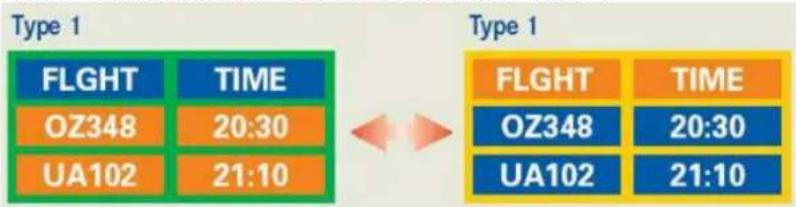
flowchart
graph LR
    A["Type 1"] --> B["FLIGHT"]
    A --> C["TIME"]
    B --> D["OZ348"]
    B --> E["UA102"]
    C --> F["TIME"]
    D --> G["20:30"]
    E --> H["21:10"]
    I["Type 1"] --> J["FLIGHT"]
    I --> K["TIME"]
    J --> L["OZ348"]
    J --> M["UA102"]
    K --> N["TIME"]
    L --> O["20:30"]
    M --> P["21:10"]
Avoid using a combination of characters and background color with large difference in luminance.
Avoid using Grey colors, which can cause Image retention easily.
- Avoid: Colors with big difference in luminance (Black & White, Grey)
Ex)

text_image
SYSTEM : 245 STATUS : NG SYSTEM : 245 STATUS : NG- Recommended settings: Bright colors with little difference in luminance
- Change the characters color and background color every 30 minutes
Ex)
• Every 30 minutes, change the characters with movement.
Ex)
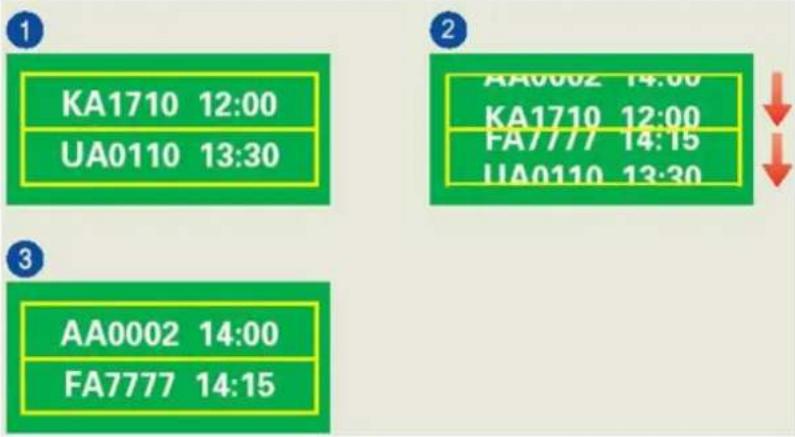
text_image
1 KA1710 12:00 UA0110 13:30 2 AA0002 14:00 KA1710 12:00 FA7777 14:15 UA0110 13:30 3 AA0002 14:00 FA7777 14:15The best way to protect your monitor from Image retention is to set your PC or System to operate a Screen Saver program when you are not using it.
Image retention may not occur when a LCD panel is operated under normal conditions.
Normal conditions are defined as continuously changing video patterns. When the LCD panel is operated for a long time with a fixed pattern (-over 12 hours-), there may be slight difference in voltage between electrodes that work the liquid crystal (LC) in a pixel. The voltage difference between electrodes increases with time, forcing the liquid crystal to lean. When this occurs, the previous image may be seen when the pattern is changed.
To prevent this, the accumulated voltage difference must be decreased.
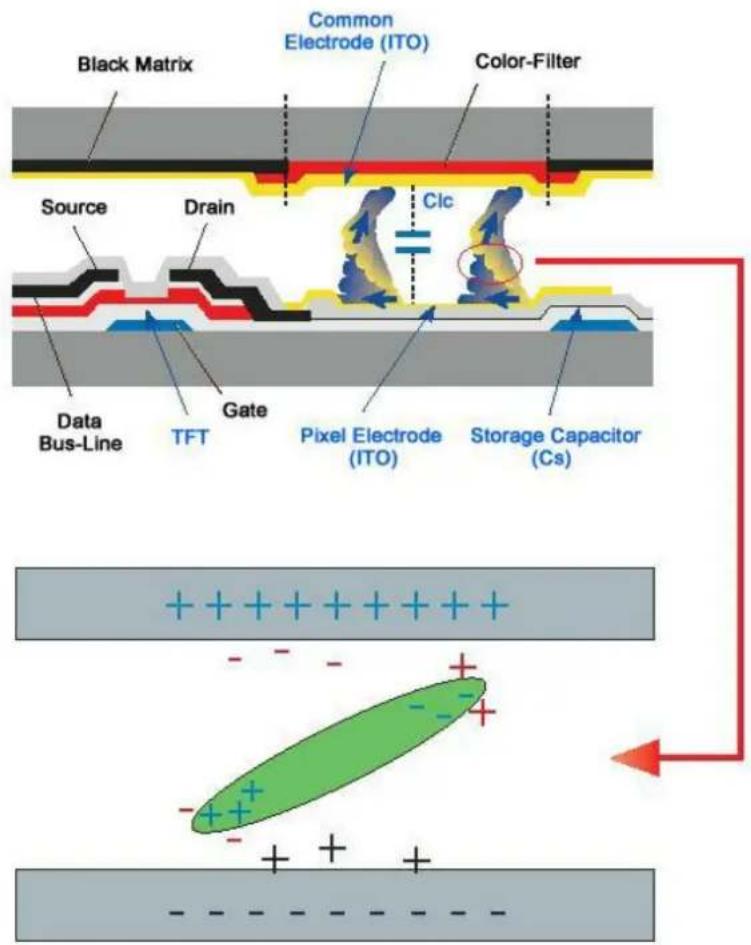
text_image
Black Matrix Common Electrode (ITO) Color-Filter Source Drain C1c Data Bus-Line TFT Gate Pixel Electrode (ITO) Storage Capacitor (Cs) +++Our LCD Monitor satisfies ISO13406-2 Pixel fault Class II
Appendix
Contact SAMSUNG WORLDWIDE

Note
If you have any questions or comments relating to Samsung products, please contact the SAMSUNG customer care center.
North America
U.S.A 1-800-SAMSUNG(726-7864) http://www.samsung.com/us
CANADA 1-800-SAMSUNG(726-7864) http://www.samsung.com/ca
MEXICO 01-800-SAMSUNG(726-7864) http://www.samsung.com/mx
Latin America
ARGENTINE 0800-333-3733 http://www.samsung.com/ar
BRAZIL 0800-124-421
http://www.samsung.com/br
4004-0000
CHILE 800-SAMSUNG(726-7864) http://www.samsung.com/cl
COLOMBIA 01-8000112112 http://www.samsung.com/co
COSTA RICA 0-800-507-7267 http://www.samsung.com/latin
ECUADOR 1-800-10-7267 http://www.samsung.com/latin
http://www.samsung.com/be (Dutch)
http://www.samsung.com/be_fr(French)
CZECH REPUBLIC 800 - SAMSUNG (800-726786) http://www.samsung.com/cz
Distributor pro Českou republiku:
Middle East & Africa
SOUTH AFRICA 0860-SAMSUNG(726-7864) http://www.samsung.com/za
TURKEY 444 77 11 http://www.samsung.com/tr
U.A.E 800-SAMSUNG(726-7864) http://www.samsung.com/ae
8000-4726
Terms
Dot Pitch The image on a monitor is composed of red, green and blue dots.
The closer the dots, the higher the resolution. The distance between two dots of the same color is called the 'Dot Pitch'. Unit: mm
Vertical Frequency The screen must be redrawn several times per second in order to
create and display an image for the user. The frequency of this repetition per second is called the Vertical Frequency or Refresh Rate. Unit: Hz
Example: If the same light repeats itself 60 times per second, this is regarded as 60 Hz.
Horizontal Frequency The time to scan one line connecting the right edge to the left edge
of the screen horizontally is called the Horizontal Cycle. The inverse number of the Horizontal Cycle is called Horizontal Frequency. Unit: kHz
Interlace and Non-Interlace Showing the horizontal lines of the screen from the top to the bottom sequentially is called the Non-Interlace method while show-
ing odd lines and then even lines in turn is called the Interlace method. The Non-Interlace method is used for the majority of monitors to ensure a clear image. The Interlace method is the same as that used in TVs.
Plug & Play This is a function that provides the best quality screen for the user by allowing the computer and the monitor to exchange information automatically. This monitor follows the international standard VESA DDC for the Plug & Play function.
Resolution The number of horizontal and vertical dots used to compose the
screen image is called the 'resolution'. This number shows the accuracy of the display. A high resolution is good for performing multiple tasks as more image information can be shown on the screen.
Example: If the resolution is **** x ****, this means the screen is composed of **** horizontal dots (horizontal resolution) and **** vertical lines (vertical resolution).
Correct Disposal
Correct Disposal of This Product (Waste Electrical & Electronic Equipment) - Europe only

natural_image
Symbol of a trash bin crossed with no text or labels
(Applicable in the European Union and other European countries with separate collection systems)
This marking on the product, accessories or literature indicates that the product and its electronic accessories (e.g. charger, headset, USB cable) should not be disposed of with other household waste at the end of their working life. To prevent possible harm to the environment or human health from uncontrolled waste disposal, please separate these items from other types of waste and recycle them responsibly to promote the sustainable reuse of material resources.
Household users should contact either the retailer where they purchased this product, or their local government office, for details of where and how they can take these items for environmentally safe recycling.
Business users should contact their supplier and check the terms and conditions of the purchase contract. This product and its electronic accessories should not be mixed with other commercial wastes for disposal.
Authority
Information in this document is subject to change without notice.
© 2009 Samsung Electronics Co., Ltd. All rights reserved.
Reproduction in any manner whatsoever without the written permission of Samsung Electronics Co., Ltd. is strictly forbidden.
Samsung Electronics Co., Ltd. shall not be liable for errors contained herein or for incidental or consequential damages in connection with the furnishing, performance, or use of this material.
Samsung is the registered trademark of Samsung Electronics Co., Ltd.; Microsoft, Windows and Windows NT are registered trademarks of Microsoft Corporation; VESA, DPM and DDC are registered trademarks of Video Electronics Standard Association; the ENERGY STAR ^® name and logo are registered trademarks of the U.S. Environmental Protection Agency (EPA). As an ENERGY STAR ^® Partner, Samsung Electronics Co., Ltd. has determined that this product meets the ENERGY STAR ^® guidelines for energy efficiency. All other product names mentioned herein may be the trademarks or registered trademarks of their respective owners.