
EY-3D-EMT2H - 3D Glasses MITSUBISHI - Free user manual and instructions
Find the device manual for free EY-3D-EMT2H MITSUBISHI in PDF.


| Product Type | 3D Emitter |
| Brand | Mitsubishi Electric |
| Model | EY-3D-EMT2H |
| Dimensions (W x H x D) | 96 x 101 x 65 mm |
| Weight | 130 g |
| Power Supply | Via projector (mini DIN 5-pin cable) |
| Communication | Infrared (IR) |
| Signal Range | Approximately 10 m (straight line from IR transmitter) |
| Compatibility | Mitsubishi projectors supporting 3D (e.g., HC7900DW) |
| Indicator | Green LED when powered and ready |
| Adjustable Angle | Yes (via knob on IR transmission part) |
| Included Accessories | Screws (M3), non-slip sheet, user manual |
| Safety Precautions | Do not operate if smoke, noise, or odor; avoid dropping or modifying |
| Cleaning and Maintenance | Wipe with a soft dry cloth; avoid water and solvents |
| Repairability | No user-serviceable parts; contact dealer for issues |
| Regulatory Compliance | FCC Part 15, CE, ICES-003 |
Frequently Asked Questions - EY-3D-EMT2H MITSUBISHI
User questions about EY-3D-EMT2H MITSUBISHI
0 question about this device. Answer the ones you know or ask your own.
Ask a new question about this device
Download the instructions for your 3D Glasses in PDF format for free! Find your manual EY-3D-EMT2H - MITSUBISHI and take your electronic device back in hand. On this page are published all the documents necessary for the use of your device. EY-3D-EMT2H by MITSUBISHI.
USER MANUAL EY-3D-EMT2H MITSUBISHI
natural_image
Line drawing of a desktop computer with a cylindrical top and base (no text or symbols)Contents
Safety precautions ....2
Using precautions ....2
Introduction 5
What's included in the box .....5
Installation and connection .....5
Troubleshooting......7
Specifications 7
Mitsubishi projectors compatible with this 3D emitter
(as of June 2012)
HC7900DW
Supported projectors are subject to change without notice.
For details about the 3D system, see the descriptions of the 3D in the User Manual supplied with the projector.
WARNING:
Do not store screws in places where small children can reach.
There is a danger small children could swallow such parts by mistake. If a child accidentally swallows such parts, seek immediate medical attention.
Contact your dealer if there is something wrong with your 3D emitter.
Do not operate if smoke, strange noise or odor comes out of your projector. It might cause fire or electric shock. In this case, contact your dealer immediately.
Do not keep using the damaged 3D emitter.
It can lead to fire or electric shock.
Do not drop or modify your 3D emitter.
It can lead to breakdown or other failure.
CAUTION:
Not for use in a computer room as defined in the Standard for the Protection of Electronic Computer/Data Processing Equipment, ANSI/NFPA 75.
Using precautions
This 3D emitter is used only for Mitsubishi projectors supporting 3D images.
Use this 3D emitter only for viewing 3D images on the supported Mitsubishi projectors.
The 3D glasses work by receiving an infra-red light from the 3D emitter. Other infra-red communication devices, lighting fixtures, or heating appliances placed near the 3D emitter may affect the operation of the 3D glasses.
View 3D images within the signal reception range.
The signal of the 3D emitter may be affected by that of the infra-red remote control. In such a case, change the orientation of the 3D emitter.
A remote control may operate improperly while you watch the 3D images, however, it is not a malfunction.
When using the device in Europe: COMPLIANCE NOTICE
This device complies with the requirements of the EC Directive 2004/108/EC "EMC Directive".
The electro-magnetic susceptibility has been chosen at a level that gains proper operation in residential areas, on business and light industrial premises and on small-scale enterprises, inside as well as outside of the buildings.
COMPLIANCE NOTICE OF FCC
This equipment has been tested and found to comply with the limits for a Class B digital device, pursuant to Part 15 of the FCC Rules. These limits are designed to provide reasonable protection against harmful interference in a residential installation. This equipment generates, uses and can radiate radio frequency energy and, if not installed and used in accordance with the instructions, may cause harmful interference to radio communications. However, there is no guarantee that interference will not occur in a particular installation. If this equipment does cause harmful interference to radio or television reception, which can be determined by turning the equipment off and on, the user is encouraged to try to correct the interference by one or more of the following measures:
- Reorient or relocate the receiving antenna.
- Increase the separation between the equipment and receiver.
- Connect the equipment into an outlet on a circuit different from that to which the receiver is connected.
- Consult the dealer or an experienced Radio/TV technician for help.
Any changes or modifications not expressly approved by Mitsubishi could void the user's authority to operate this equipment.
COMPLIANCE NOTICE OF INDUSTRY CANADA
This Class B digital apparatus complies with Canadian ICES-003.
Declaration of Conformity
Model number: EY-3D-EMT2H
Trade name: MITSUBISHI ELECTRIC
Responsible party: Mitsubishi Digital Electronics America, Inc.
9351 Jeronimo Road, Irvine, CA 92618 U.S.A
Telephone number: +1-(949) 465-6000
This device complies with Part 15 of the FCC Rules. Operation is subject to the following two conditions:
(1) this device may not cause harmful interference, and
(2) this device must accept any interference received, including interference that may cause undesired operation.
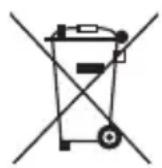
Note: This symbol mark is for EU countries only.
This symbol mark is according to the directive 2002/96/EC Article 10 Information for users and Annex IV, and/or to the directive 2006/66/EC Article 20 Information for end-users and Annex II.
Your MITSUBISHI ELECTRIC product is designed and manufactured with high quality materials and components which can be recycled and/or reused.
This symbol means that electrical and electronic equipment, batteries and accumulators, at their end-of-life, should be disposed of separately from your household waste.
If a chemical symbol is printed beneath the symbol shown above, this chemical symbol means that the battery or accumulator contains a heavy metal at a certain concentration. This will be indicated as follows:
Hg: mercury (0,0005%), Cd: cadmium (0,002%), Pb: lead (0,004%)
In the European Union there are separate collection systems for used electrical and electronic products, batteries and accumulators.
Please, dispose of this equipment, batteries and accumulators correctly at your local community waste collection/recycling centre.
Please, help us to conserve the environment we live in!
Information on Disposal in other Countries outside the European Union
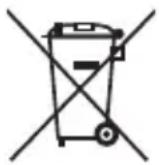
This symbol mark is only valid in the European Union.
If you wish to discard this product, please contact your local authorities or dealer and ask for the correct method of disposal.
Environment care information for users in China

This symbol mark is only valid in China.
Using this 3D emitter and the separately sold 3D glasses, you can enjoy viewing 3D images on Mitsubishi projectors supporting 3D images.
For viewing 3D images or making the related settings, see the User Manual supplied with the projector.
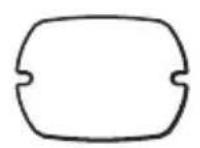
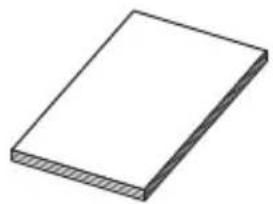
What's included in the box

natural_image
Simple 3D illustration of a rectangular block with a hatched bottom surface (no text or symbols)Screws (2)Non-slip sheet User Manual
Installation and connection
Installing the 3D emitter
- Unplug the power cord of the projector.
- Place the supplied non-slip sheet on the bottom of the 3D emitter.
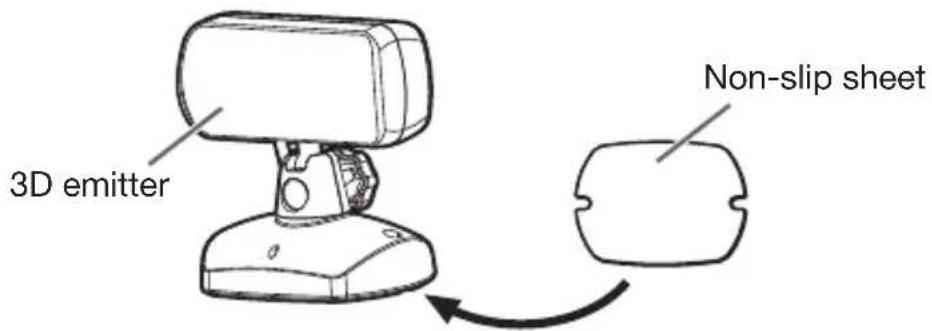
- Connect the 3D emitter terminal on the 3D emitter to the 3D SYNC terminal on the projector using the mini DIN 5-pin cable supplied with the projector.
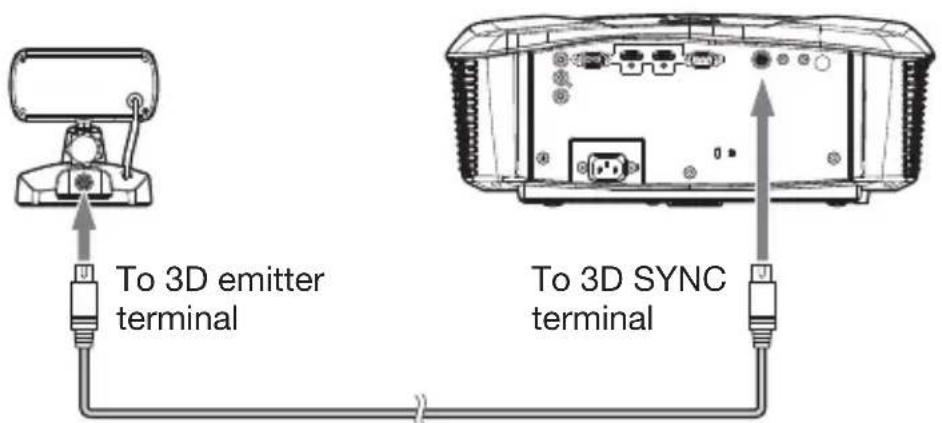
Mini DIN 5-pin cable
- Plug the power cord of the projector into the wall outlet and turn on the power.
- The indicator on the 3D emitter will light green and the 3D emitter will be ready to communicate with the 3D glasses.
-
Adjust the position and angle of the 3D emitter so that the 3D glasses can receive the infra-red signal.
-
The traveling distance of the infra-red signal from the 3D emitter is about 10 ~m in straight line from the front of the infra-red transmission part.
- You can adjust the angle of the infra-red transmission part as shown below. Loosen the knob to adjust the angle and after finishing the adjustment, tighten the knob.
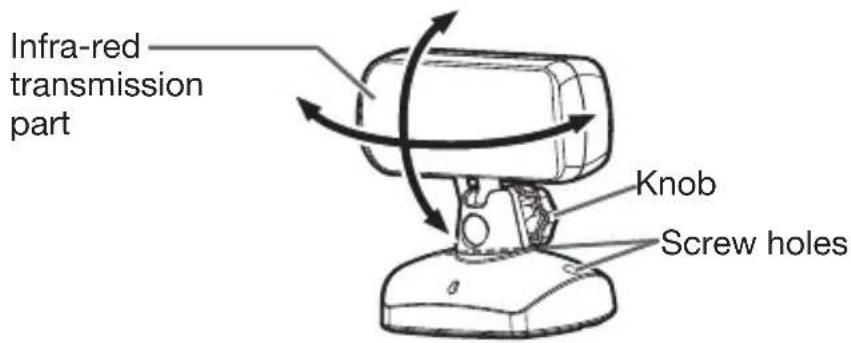
- Secure the 3D emitter using the supplied screws (M3) as necessary.
Important:
- Do not put any object which obstructs the communication between the 3D emitter and the 3D glasses.
- Do not place the 3D emitter near the remote control sensor of other devices.
- The transmission distance is decreased when the infra-red signal from the 3D emitter is transmitted to the 3D glasses by reflecting on the screen. In addition, the transmission distance in such case varies depending on the characteristics of the screen.
Before asking for repair of the 3D emitter, check the following.
- Check that the LED (green) on the 3D emitter is illuminated.
- See the front of the 3D emitter through a digital camera or a cell phone camera and check that the LEDs for infra-red transmission are illuminated.
• See the User Manual supplied with the projector.
Specifications
The specifications and outside appearance are subject to change without prior notice.
| Model EY-3D-EMT2H | |
| Dimensions (W x H x D) 96 x 101 x 65 mm | |
| Weight 130 g | |
- Contents
- Mitsubishi projectors compatible with this 3D emitter
- WARNING:
- CAUTION:
- Using precautions
- When using the device in Europe: COMPLIANCE NOTICE
- COMPLIANCE NOTICE OF FCC
- COMPLIANCE NOTICE OF INDUSTRY CANADA
- Declaration of Conformity
- Information on Disposal in other Countries outside the European Union
- Environment care information for users in China
- What's included in the box
- Installation and connection
- Installing the 3D emitter
- Important:
- Specifications
Brand : MITSUBISHI
Model : EY-3D-EMT2H
Category : 3D Glasses