Acapella-16 - Microphone Vocopro - Free user manual and instructions
Find the device manual for free Acapella-16 Vocopro in PDF.


User questions about Acapella-16 Vocopro
0 question about this device. Answer the ones you know or ask your own.
Ask a new question about this device
Download the instructions for your Microphone in PDF format for free! Find your manual Acapella-16 - Vocopro and take your electronic device back in hand. On this page are published all the documents necessary for the use of your device. Acapella-16 by Vocopro.
USER MANUAL Acapella-16 Vocopro
text_image
H O-OUAD A O AF O RF B O AF O RF C O AF O RF D O AF O RF VocoPro POWERHybrid-Quad
4 Channel UHF Digital Hybrid Wireless Handheld Microphone System
owner's manual
Table of Contents
Safety Instructions 3
FCC Information 4
Welcome. 5
Listening for a Lifetime 6
Getting Started 7
Descriptions and Functions 9
Getting Connected 12
Attaching the Rack Mounts ..... 13
Commonly Asked Questions 15
FEATURES
• Utilizes the Sparsely Used 900MHz Frequency Band
• 24-Bit Digital Technology Delivers a Clean, Professional Quality Signal
• Individual Digital Microphone IDs Eliminates Channel Cross-Talk
- Wide Frequency Response (50-20,000 Hz) Ensures Natural Sounding Vocals
- Brackets Included for Mounting in a Rack Case
• Four Different Frequency Sets Available
• Warranty: 1 Year
• Unit Dimensions: 8.375"W x 1.25"H x 5.25"D
Safety Instructions
CAUTION RISK OF SHOCK

CAUTION: To reduce the risk of electric shock, do not remove cover (or back). No user-serviceable parts inside. Only refer servicing to qualified service personnel.
Explanation of Graphical Symbols
The lightning flash & arrowhead symbol, within an equilateral triangle, is intended to alert you to the presence of danger.

The exclamation point within an equilateral triangle is intended to alert you to the presence of important operating and servicing instructions.
WARNING
To reduce the risk of fire or electric shock, do not expose this unit to rain or moisture.
- Read Instructions - All the safety and operating instructions should be read before the appliance is operated.
- Retain Instructions - The safety and operating instructions should be retained for future reference.
- Heed Warnings - All warnings on the appliance and in the operating instructions should be adhered to.
- Follow Instructions - All operating and use instructions should be followed.
- Attachments - Do not use attachments not recommended by the product manufacturer as they may cause hazards.
- Water and Moisture - Do not use this unit near water. For example, near a bathtub or in a wet basement and the like.
- Carts and Stands - The appliance should be used only with a cart or stand that is recommended by the manufacturer.
7 A. An appliance and cart combination should be moved with care. Quick stops, excessive force, and uneven surfaces may cause an overturn.

- Ventilation - The appliance should be situated so its location does not interfere with its proper ventilation. For example, the appliance should not be situated on a bed, sofa, rug, or similar surface that may block the ventilation slots.
- Heat - The appliance should be situated away from heat sources such as radiators, heat registers, stoves, or other appliances (including amplifiers) that produce heat.
- Power Sources - The appliance should be connected to a power supply only of the type described in the operating instructions or as marked on the appliance.
- Grounding or Polarization - Precautions should be taken so that the grounding or polarization means of an appliance is not defeated.
- Power-Cord Protection - Power-supply cords should be routed so that they are not likely to be walked on or pinched by items placed upon or against them, paying particular attention to cords at plugs, convenience receptacles, and the point where they exit from the appliance.
- Cleaning - Unplug this unit from the wall outlet before cleaning. Do not use liquid cleaners or aerosol cleaners. Use a damp cloth for cleaning.
- Power lines - An outdoor antenna should be located away from power lines.
- Nonuse Periods - The power cord of the appliance should be unplugged from the outlet when left unused for a long period of time.
- Object and Liquid Entry - Care should be taken so that objects do not fall and liquids are not spilled into the enclosure through openings.
- Damage Requiring Service - The appliance should be serviced by qualified service personnel when:
A. The power supply cord or plug has been damaged; or
B. Objects have fallen into the appliance; or
C. The appliance has been exposed to rain; or
D. The appliance does not appear to operate normally or exhibits a marked change in performance; or
E. The appliance has been dropped, or the enclosure damaged. - Servicing - The user should not attempt to service the appliance beyond that described in the operating instructions. All other servicing should be referred to qualified service personnel.
Note:
To CATV system installer's (U.S.A.): This reminder is provided to call the CATV system installer's attention to Article 820-40 of the NEC that provides guidelines for proper grounding and, in particular, specifies that the cable ground shall be connected as close to the point of cable entry as practical.
FCC Information
1. IMPORTANT NOTICE: DO NOT MODIFY THIS
UNIT!: This product, when installed as indicated in the instructions contained in this manual, meets FCC requirements. Modifications not expressly approved by Vocopro may void your authority, granted by the FCC, to use this product.
-
IMPORTANT: When connecting this product to accessories and/or another product use only high quality shielded cables. Cable(s) supplied with this product MUST be used. Follow all installation instructions. Failure to follow instructions could void your FCC authorization to use this product in the U.S.A.
-
NOTE: This product has been tested and found to comply with the requirements listed in FCC Regulations, Part 15 for Class "B" digital devices. Compliance with these requirements provides a reasonable level of assurances that your use of this product in a residential environment will not result in harmful interference with other electronic devices. This equipment generates/uses radio frequencies and, if not installed and used according to the instructions found in the owner's manual, may cause interference harmful to the operation of other electronic devices. Compliance with FCC regulations does not guarantee that interference will not occur in all installations. If this product is found to be the source of interference, which can be determined by turning the unit "Off" and "On", please try to eliminate the problem by using one of the following measures:
Relocate either this product or the device that is being affected by the interference.
Use power outlets that are on different branch (circuit breaker or fuse) circuits or install AC line filter(s).
In the case of radio or TV interference, relocate/reorient the antenna. If the antenna lead-in is 300-ohm ribbon lead, change the lead-in to coaxial type cable.
If these corrective measures do not produce satisfactory results, please contact your local retailer authorized to distribute Vocopro products. If you can not locate the appropriate retailer, please contact Vocopro, 1728 Curtiss Court, La Verne, CA 91750.
CAUTION
The apparatus is not disconnected from the AC power source so long as it is connected to the wall outlet, even if the apparatus itself is turned off. To fully ensure that the apparatus is indeed fully void of residual power, leave unit disconnected from the AC outlet for at least fifteen seconds.
CALIFORNIA PROP 65 WARNING
WARNING: This product contains chemicals known to the state of California to cause cancer and birth defects or other reproductive harm. (California law requires this warning to be given to customers in the State of California.)
For more information: www.vocopro.com/prop65
CAUTION:
READ THIS BEFORE OPERATING YOUR UNIT
- To ensure the finest performance, please read this manual carefully. Keep it in a safe place for future reference.
- Install your unit in a cool, dry, clean place - away from windows, heat sources, and too much vibration, dust, moisture or cold. Avoid sources of hum (transformers, v motors). To prevent fire or electrical shock, do not expose to rain and water.
- Do not operate the unit upside-down.
- Never open the cabinet. If a foreign object drops into the set, contact your dealer.
- Place the unit in a location with adequate air circulation. Do not interfere with its proper ventilation; this will cause the internal temperature to rise and may result in a failure.
- Do not use force on switches, knobs or cords. When moving the unit, first turn the unit off. Then gently disconnect the power plug and the cords connecting to other equipment. Never pull the cord itself.
- Do not attempt to clean the unit with chemical solvents: this might damage the finish. Use a clean, dry cloth.
- Be sure to read the "Troubleshooting" section on common operating errors before concluding that your unit is faulty.
- This unit consumes a fair amount of power even when the power switch is turned off. We recommend that you unplug the power cord from the wall outlet if the unit is not going to be used for a long time. This will save electricity and help prevent fire hazards. To disconnect the cord, pull it out by grasping the plug. Never pull the cord itself.
- To prevent lightning damage, pull out the power cord and remove the antenna cable during an electrical storm.
- The general digital signals may interfere with other equipment such as tuners or receivers. Move the system farther away from such equipment if interference is observed.
NOTE:
Please check the copyright laws in your country before recording from records, compact discs, radio, etc. Recording of copyrighted material may infringe copyright laws.
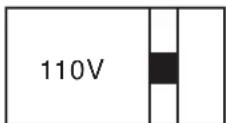
Voltage Selector (General Model Only)
Be sure to position the voltage selector to match the voltage of your local power lines before installing the unit.
Welcome
And thank you for purchasing the Hybrid-Quad from VocoPro, your ultimate choice in Karaoke entertainment! With years of experience in the music entertainment business, VocoPro is a leading manufacturer of Karaoke equipment, and has been providing patrons of bars, churches, schools, clubs and individual consumers the opportunity to sound like a star with full-scale club models, in-home systems and mobile units. All our products offer solid performance and sound reliability, and to reinforce our commitment to customer satisfaction, we have customer service and technical support professionals ready to assist you with your needs. We have provided some contact information for you below.
VocoPro
1728 Curtiss Court
La Verne, CA 91750
Toll Free: 800-678-5348
TEL: 909-593-8893
FAX: 909-593-8890
VocoPro Company Email Directory
Customer Service & General Information
info@vocopro.com
Tech Support
techsupport@vocopro.com
Remember Our Website
Be sure to visit the VocoPro website www.vocopro.com for the latest information on new products, packages and promos. And while you're there don't forget to check out our Club VocoPro for Karaoke news and events, chat rooms, club directories and even a KJ Service directory!
We look forward to hearing you sound like a PRO, with VocoPro, the singer's ultimate choice.
FOR YOUR RECORDS
Please record the model number and serial number below, for easy reference, in case of loss or theft. These numbers are located on the rear panel of the unit. Space is also provided for other relevant information
Model Number
Serial Number
Date of Purchase
Place of Purchase
Listening for a Lifetime
Selecting fine audio equipment such as the unit you've just purchased is only the start of your musical enjoyment. Now it's time to consider how you can maximize the fun and excitement your equipment offers. VocoPro and the Electronic Industries Association's Consumer Electronics Group want you to get the most out of your equipment by playing it at a safe level. One that lets the sound come through loud and clear without annoying blaring or distortion and, most importantly, without affecting your sensitive hearing.
Sound can be deceiving. Over time your hearing “comfort level” adapts to a higher volume of sound. So what sounds “normal” can actually be loud and harmful to your hearing. Guard against this by setting your equipment at a safe level BEFORE your hearing adapts.
To establish a safe level:
- Start your volume control at a low setting.
- Slowly increase the sound until you can hear it comfortably and clearly, and without distortion.
Once you have established a comfortable sound level:
- Set the dial and leave it there.
- Pay attention to the different levels in various recordings.
Taking a minute to do this now will help to prevent hearing damage or loss in the future. After all, we want you listening for a lifetime.
Used wisely, your new sound equipment will provide a lifetime of fun and enjoyment. Since hearing damage from loud noise is often undetectable until it is too late, this manufacturer and the Electronic Industries Association's Consumer Electronics Group recommend you avoid prolonged exposure to excessive noise. This list of sound levels is included for your protection.
Some common decibel ranges:
| Level | Example |
| 30 | Quiet library, Soft whispers |
| 40 | Living room, Refrigerator, Bedroom away from traffic |
| 50 | Light traffic, Normal Conversation |
| 60 | Air Conditioner at 20 ft., Sewing machine |
| 70 | Vacuum cleaner, Hair dryer, Noisy Restaurant |
| 80 | Average city traffic, Garbage disposals, Alarm clock at 2 ft. |
The following noises can be dangerous under constant exposure:
| Level | Example |
| 90 | Subway, Motorcycle, Truck traffic, Lawn Mower |
| 100 | Garbage truck, Chainsaw, Pneumatics drill |
| 120 | Rock band concert in front of speakers |
| 140 | Gunshot blast, Jet plane |
| 180 | Rocket launching pad |
-Information courtesy of the Deafness Research Foundation
Getting Started
IF YOU PURCHASED THE HYBRID QUAD-H
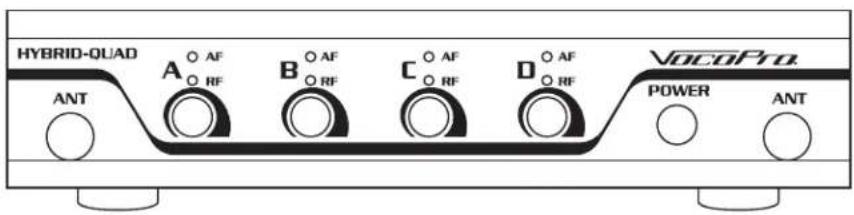
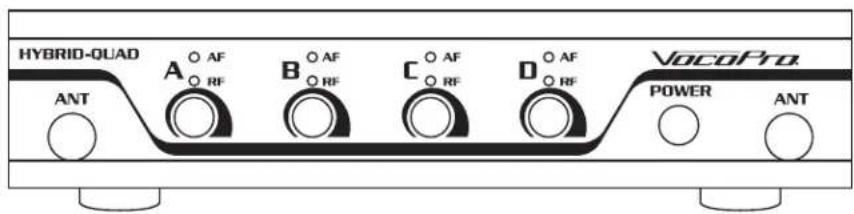
- Hybrid-Quad Receiver
- (2) Antennas
- Power Adapter
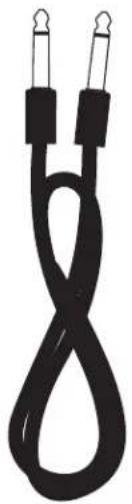
- 1/4-to-1/4 Mic Cable
- (2) Rack Ears (1 Long & 1 Short)
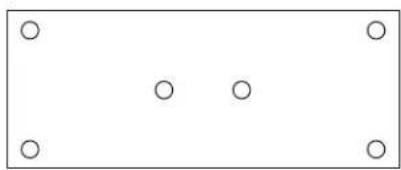
- Mounting Plate
- (7) Phillips Head Screws
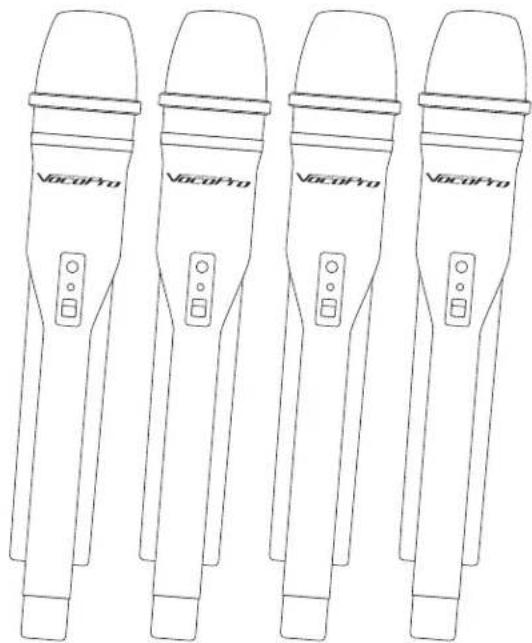
- (4) Wireless Handheld Microphones (HYBRID-QUAD-H ONLY)
text_image
HYBRID-QUAD A O AF O RF B O AF O RF C O AF O RF D O AF O RF VocoPro. POWER ANT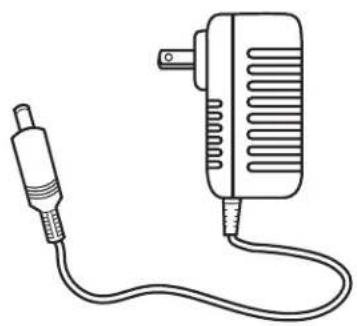
natural_image
Line drawing of a small electric motor connected to a cable (no text or symbols)
natural_image
Two identical cylindrical objects with flanged ends and a base, shown in side profile (no text or symbols)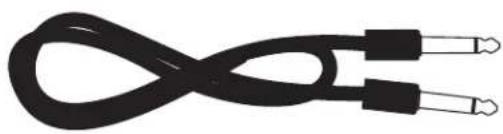
natural_image
Coiled black cable with two connectors, no text or symbols visible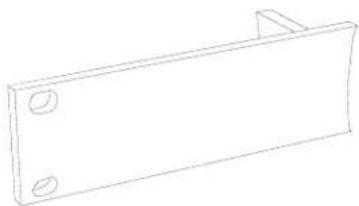
natural_image
Simple line drawing of a rectangular metal plate with two circular holes (no text or symbols)The image contains no text.
natural_image
Simple rectangular frame with four empty circular holes at corners (no text or symbols)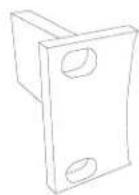
natural_image
Line drawing of four VACoPro handheld devices with control knobs and buttons (no text or symbols on device bodies)Getting Started
WHAT'S IN THE BOX: HYBRID QUAD-B
- Hybrid-Quad Receiver
- (2) Antennas
- Power Adapter
- 1/4-to-1/4 Mic Cable
- (2) Rack Ears (1 Long & 1 Short)
- Mounting Plate
- (7) Phillips Head Screws
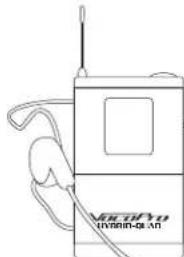
- (4) Wireless Bodypacks (HYBRID-QUAD-B ONLY)
- (4) Headset Microphones (HYBRID-QUAD-B ONLY)
- (4) Lapel Microphones (HYBRID-QUAD-B ONLY)
text_image
HYBRID-QUAD A O AF O RF B O AF O RF C O AF O RF D O AF O RF VocoPro POWER ANT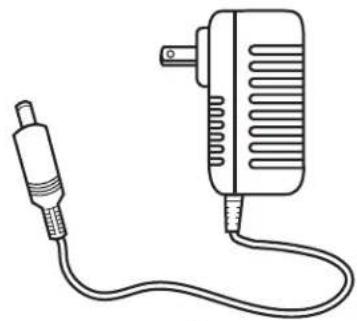
natural_image
Line drawing of a portable electronic device with a plug and cord (no text or symbols)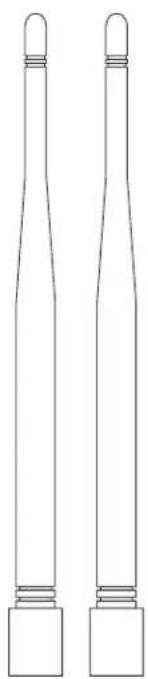
natural_image
Line drawing of two identical cylindrical objects with flanges and caps, no text or symbols presentThe image contains no text.
natural_image
Simple black line drawing of a coiled cable or rope with two connectors (no text or symbols)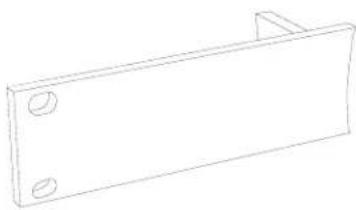
natural_image
Simple line drawing of a rectangular metal bracket with two circular holes (no text or symbols)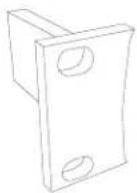
natural_image
Line drawing of a handheld electronic device with antenna and earpiece (no text or symbols)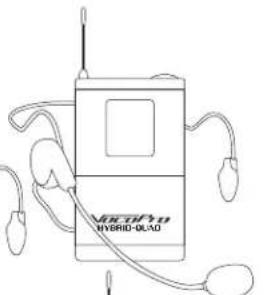
text_image
HIBRID-OLAD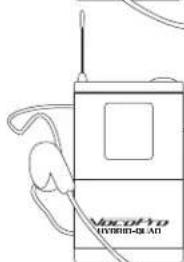
natural_image
Line drawing of a vintage hybrid-o-lead device with antenna and ear (no text or symbols on body)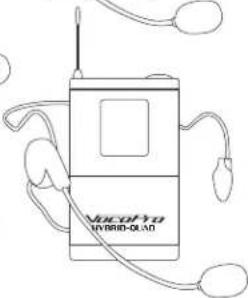
natural_image
Line drawing of a Hybrid-Oxid device with earphones and antenna (no text or symbols)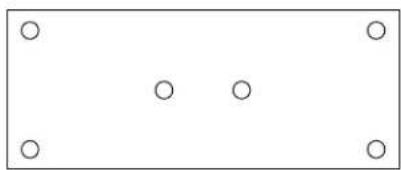
natural_image
Simple diagram with four circles arranged in a rectangular frame (no text or symbols)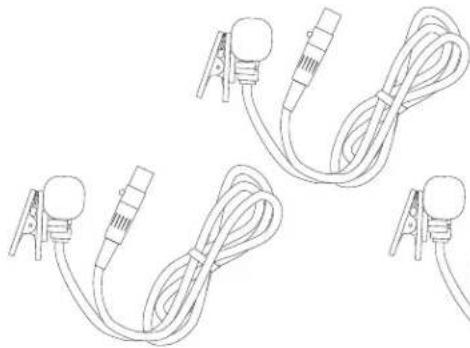
natural_image
Line drawing of multiple cable connectors with clamps and connectors (no text or symbols)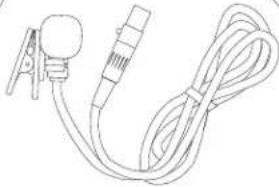
natural_image
Line drawing of a medical or laboratory device with a bulb, connector, and coiled cable (no text or symbols)Descriptions and Functions
RECEIVER - FRONT PANEL
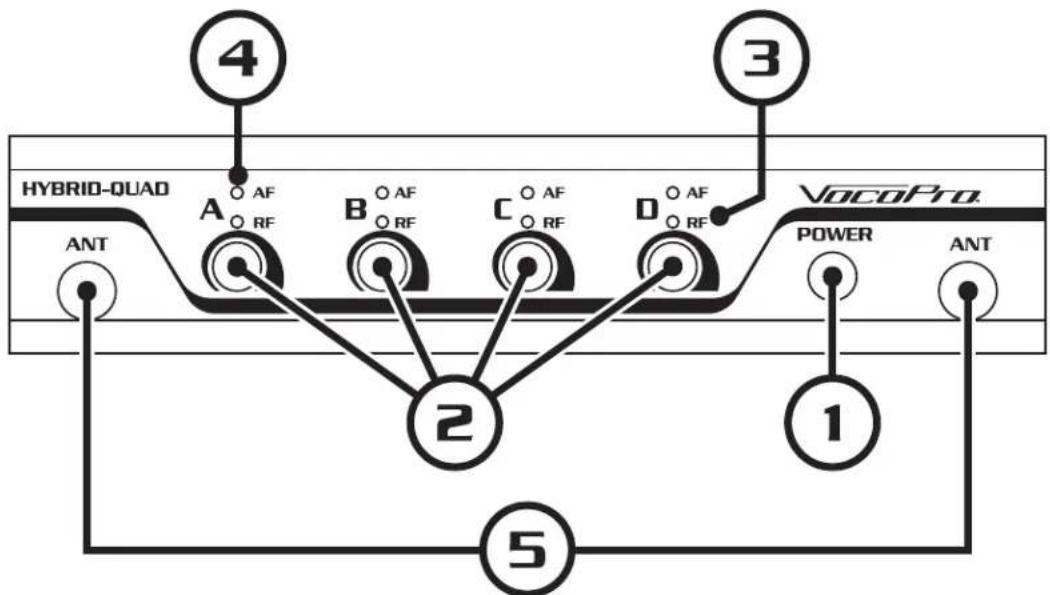
- ON/OFF Button - Powers the receiver on/off.
- Mic Volume - Adjusts the volume of their respective microphone channels.
- RF LEDs - Registers Mic status: LED will shine when associated mic is powered on.
- AF LEDs - Registers Mic transmission: LED will flash when audio is received.
- BNC Connectors - Used to mount antennas.
flowchart
graph TD
    A["HYBRID-QUAD"] -->|4| B["A"]
    B -->|2| C["2"]
    C -->|5| D["POWER"]
    D -->|1| E["VocoPro"]
    E -->|3| F["ANT"]
    style A fill:#f9f,stroke:#333
    style B fill:#f9f,stroke:#333
    style C fill:#f9f,stroke:#333
    style D fill:#f9f,stroke:#333
    style E fill:#ccf,stroke:#333
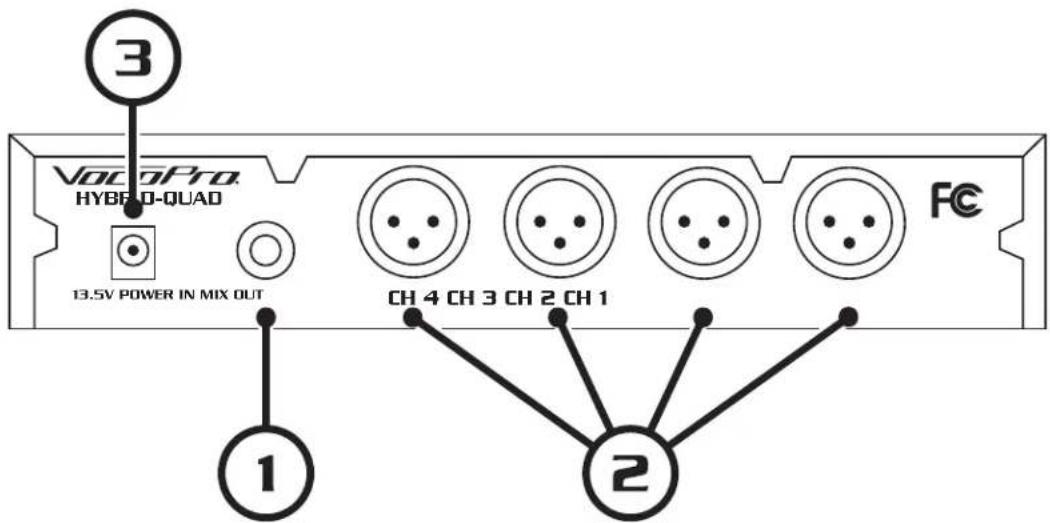
RECEIVER - BACK PANEL
- Unbalanced Mic Out - Outputs all mic signals via the included 1/4" cable to a mixer or amplifier.
- Balanced Mic Out - Outputs the respective mic channel audio via an XLR cable to a mixer or an amplifier.
- AC Input - Connect AC power adapter here.
text_image
3 VoCo Pro HYBRO-D-QUAD 13.5V POWER IN MIX OUT FC 1 CH 4 CH 3 CH 2 CH 1 2Descriptions and Functions
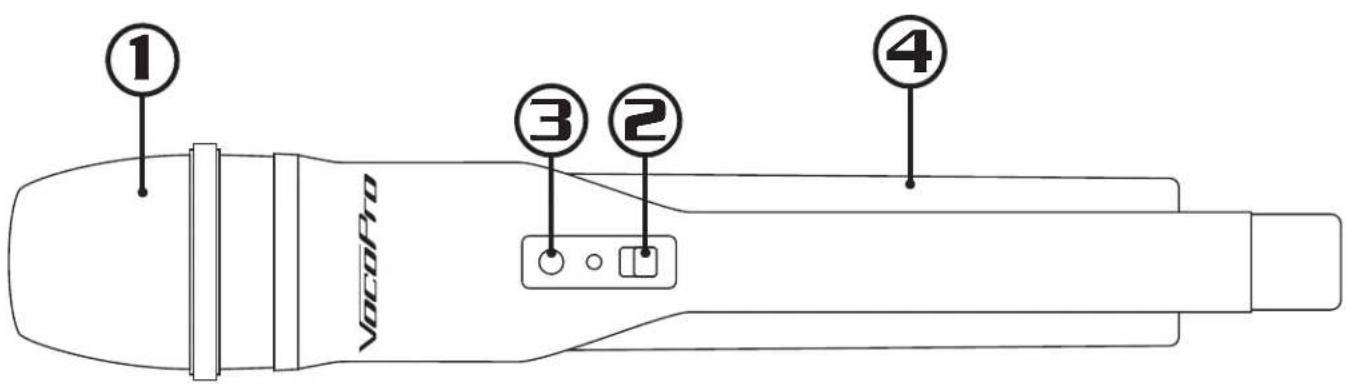
HANDHELD MICROPHONE - HYBRID-QUAD-H ONLY
- Mic Head - Picks up vocals.
Note: Please hold within 5-6 inches of your mouth for best sound. - Mic ON/OFF Switch - Powers microphone ON/OFF.
- Mic Battery LED - Indicates battery status.
Note: When powered on, the LED will flash once and go out. When battery life is low, LED will flash continuously. - Battery Compartment - Insert two (2x) AA batteries to provide power.
text_image
① ③ ② ④ VocoPro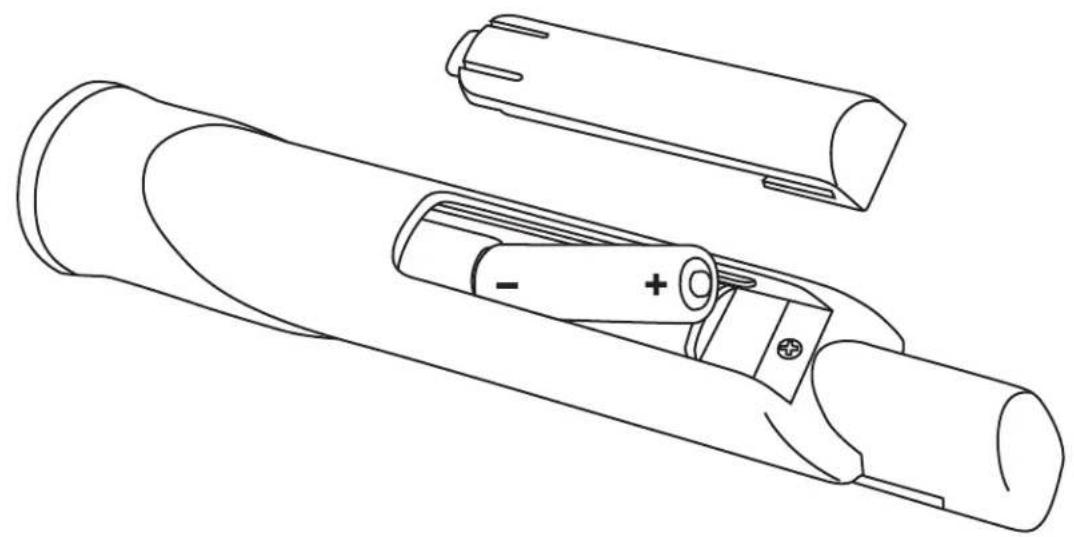
natural_image
Technical line drawing of a mechanical component with internal parts and mounting holes (no text or symbols)Descriptions and Functions
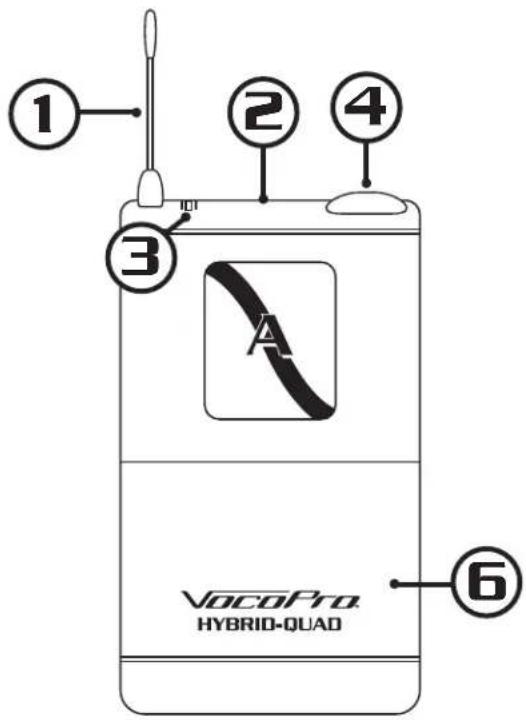
BODYPACK HEADSET MICROPHONES - HYBRID-QUAD-B ONLY
- Antenna - Transmits audio to receiver.
- ON/OFF - Powers bodypack ON/OFF.
- Power LED - Indicates battery level.
a.) Solid Green LED - Battery level is healthy and good to use.
b.) Blinking Red LED - Batteries are low and require changing soon.
- Mini-XLR Jack - Connect headset and lavalier microphone cables here.
- Gain - Used to alter the overall volume output of the bodypack.
Note: Gain alters volume output of bodypack only; it is in addition to the volume knob located on the receiver. - Battery Compartment - Insert two (2) AA batteries.
Note: Rechargeable batteries are ok to use with this bodypack. Ensure rechargeable batteries are recharged in their appropriate charger to avoid damage to the bodypack.
text_image
① ② ③ ④ ⑥ VocoPro HYBRID-QUAD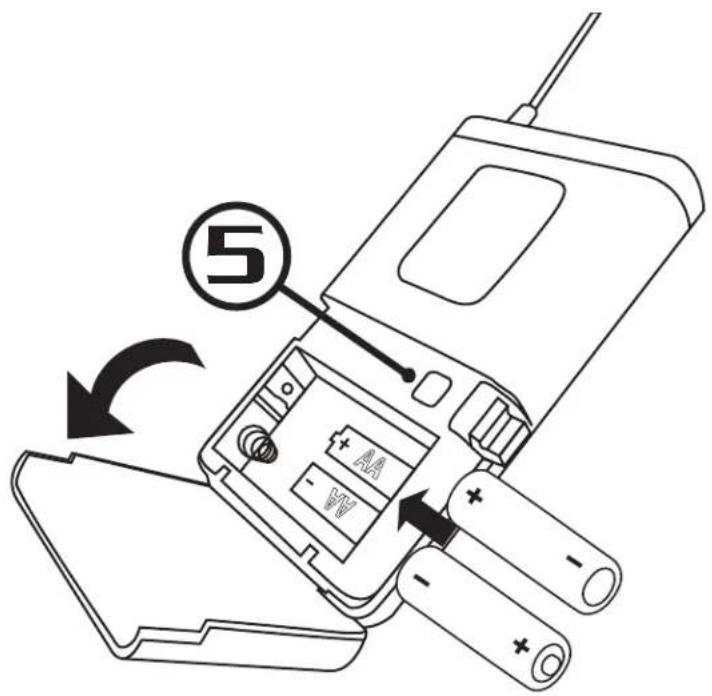
text_image
⑤Getting Connected
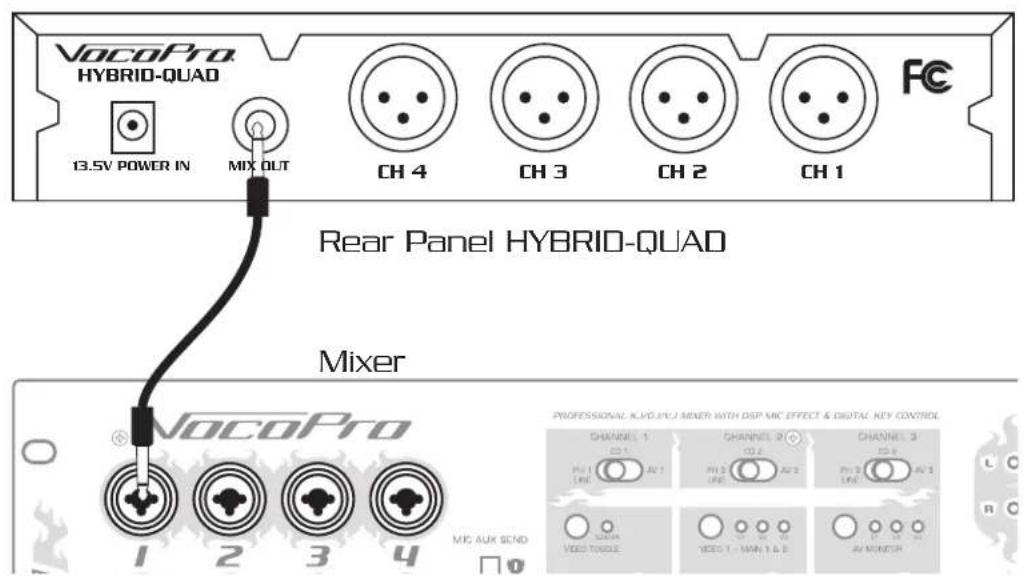
TO CONNECT TO A MIXER
UNBALANCED 1/4"
- Connect unbalanced 1/4" cable (included) to the unbalanced output from the Hybrid-Quad receiver.
- Connect the other end of the 1/4" cable to a microphone input channel on a mixer/amplifier.
text_image
VocoPro HYBRID-QUAD 13.5V POWER IN MIX OUT CH 4 CH 3 CH 2 CH 1 FC Rear Panel HYBRID-QUAD Mixer VocoPro PROFESSIONAL NLD/3CU/MINER WITH DSP MIC EFFECT & DIGITAL KEY CONTROL CHANNEL 1 CS 1 AV 1 PH 2 LME AV 2 CHANNEL 2 CS 2 PH 3 LME AV 3 CHANNEL 3 CS 3 PH 4 LME AV 4 CHANNEL 4 CS 4 PH 5 LME AV 5 CHANNEL 5 CS 5 PH 6 LME AV 6 CHANNEL 6 CS 6 PH 7 LME AV 7 CHANNEL 7 CS 7 PH 8 LME AV 8 CHANNEL 8 CS 8 PH 9 LME AV 9 CHANNEL 9 CS 9 PH 10 LME AV 10 CHANNEL 10 CS 10 PH 11 LME AV 11 CHANNEL 11 CS 11 PH 12 LME AV 12 CHANNEL 12 CS 12 PH 13 LME AV 13 CHANNEL 13 CS 13 PH 14 LME AV 14 CHANNEL 14 CS 14 PH 15 LME AV 15 CHANNEL 15 CS 15 PH 16 LME AV 16 CHANNEL 16 CS 16 PH 17 LME AV 17 CHANNEL 17 CS 17 PH 18 LME AV 18 CHANNEL 18 CS 18 PH 19 LME AV 19 CHANNEL 19 CS 19 PH 20 LME AV 20 CHANNEL 20 CS 20 PH 21 LME AV 21 CHANNEL 21 CS 21 PH 22 LME AV 22 CHANNEL 22 CS 22 PH 23 LME AV 23 CHANNEL 23 CS 23 PH 24 LME AV 24 CHANNEL 24 CS 24 PH 25 LME AV 25 CHANNEL 25 CS 25 PH 26 LME AV 26 CHANNEL 26 CS 26 PH 27 LME AV 27 CHANNEL 27 CS 27 PH 28 LME AV 28 CHANNEL 28 CS 28 PH 29 LME AV 29 CHANNEL 29 CS 29 PH 30 LMEBALANCED XLR (OPTIONAL)
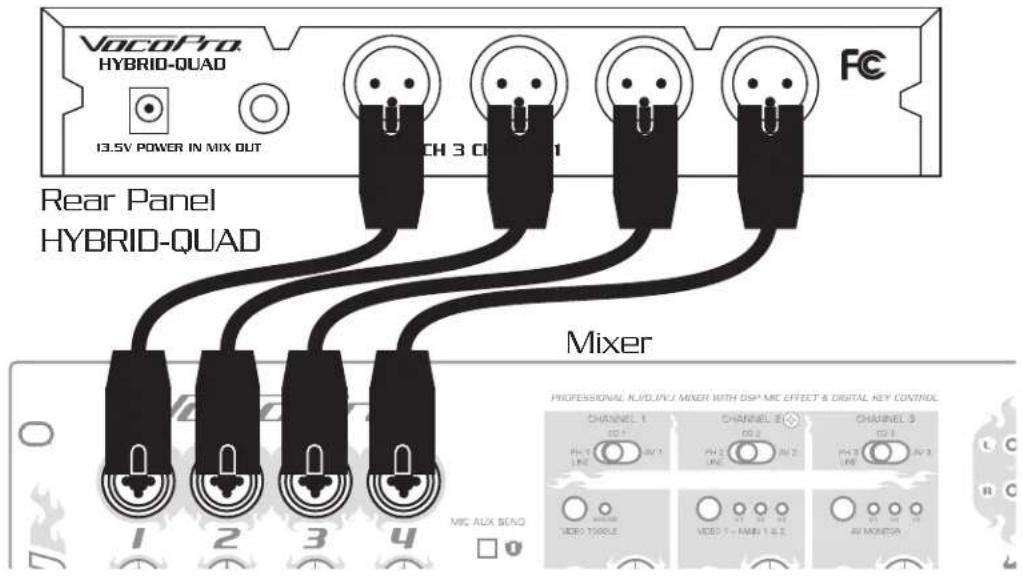
- Connect 4 balanced XLR cables (not included) to the balanced outputs of the Hybrid-Quad receiver.
- Connect each end of the XLR cables into individual microphone input jacks on a mixer/amplifier to be used (ex. Mic 1, Mic 2, Mic 3, Mic 4).
Note: Example illustrated is for clarity only. For ease of operation, attach the channel 1 output to the channel 1 input, channel 2 output to the channel 2 input, channel 3 output to the channel 3 input, and the channel 4 output to the channel 4 input on a mixer.
text_image
VOCoPro HYBRID-QUAD 13.5V POWER IN MIX OUT Rear Panel HYBRID-QUAD Mixer CHANNEL 1 PH 1 LINE CHANNEL 2 PH 2 LINE CHANNEL 3 PH 3 LINE CHANNEL 4 PH 4 LINE CHANNEL 5 PH 5 LINE CHANNEL 6 PH 6 LINE CHANNEL 7 PH 7 LINE CHANNEL 8 PH 8 LINE CHANNEL 9 PH 9 LINE CHANNEL 10 PH 10 LINE CHANNEL 11 PH 11 LINE CHANNEL 12 PH 12 LINE CHANNEL 13 PH 13 LINE CHANNEL 14 PH 14 LINE CHANNEL 15 PH 15 LINE CHANNEL 16 PH 16 LINE CHANNEL 17 PH 17 LINE CHANNEL 18 PH 18 LINE CHANNEL 19 PH 19 LINE CHANNEL 20 PH 20 LINE CHANNEL 21 PH 21 LINE CHANNEL 22 PH 22 LINE CHANNEL 23 PH 23 LINE CHANNEL 24 PH 24 LINE CHANNEL 25 PH 25 LINE CHANNEL 26 PH 26 LINE CHANNEL 27 PH 27 LINE CHANNEL 28 PH 28 LINE CHANNEL 29 PH 29 LINE CHANNEL 30 PH 30 LINE CHANNEL 31 PH 31 LINE CHANNEL 32 PH 32 LINE CHANNEL 33 PH 33 LINE CHANNEL 34 PH 34 LINE CHANNEL 35 PH 35 LINE CHANNEL 36 PH 36 LINE CHANNEL 37 PH 37 LINE CHANNEL 38 PH 38 LINE CHANNEL 39 PH 39 LINE CHANNEL 40 PH 40 LINEAttaching the Rack Mounts
ATTACHING THE RACK MOUNTS
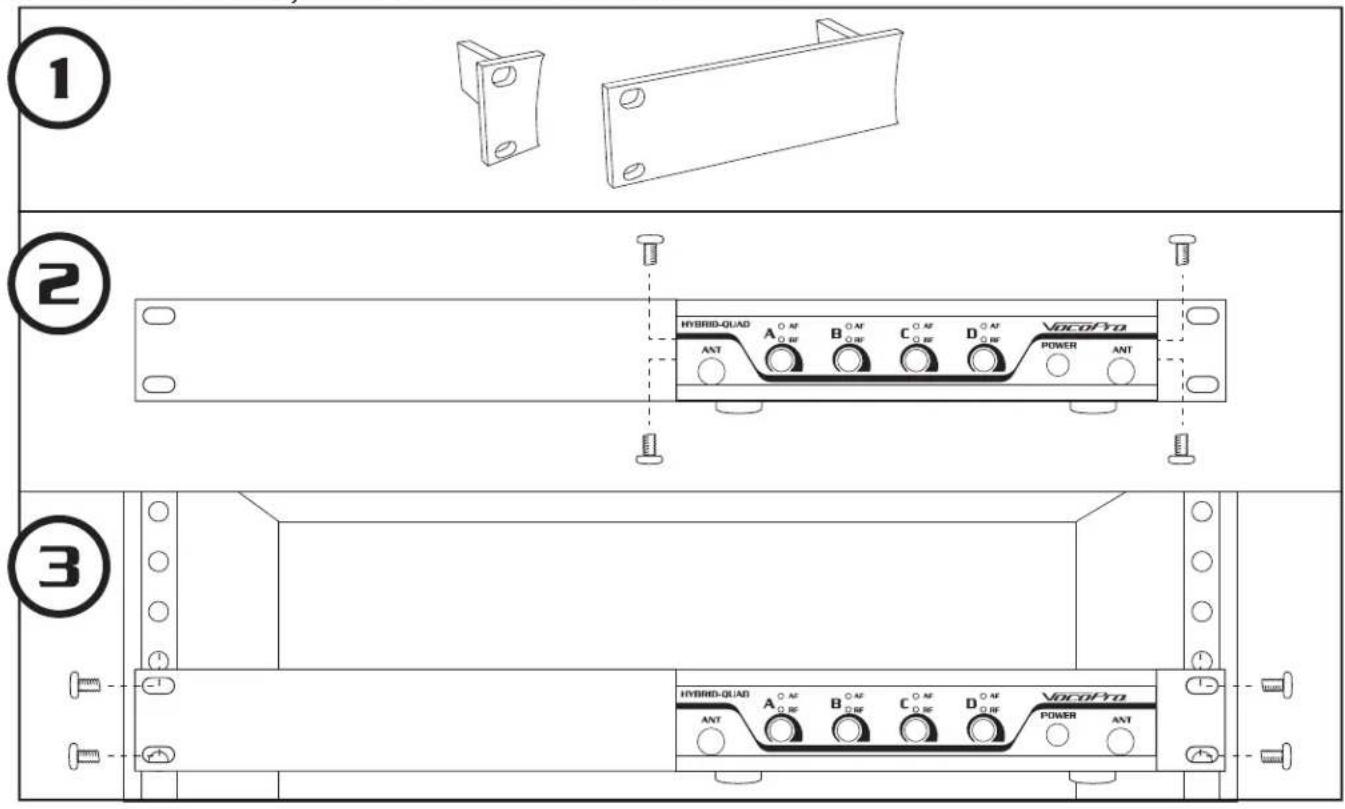
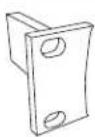
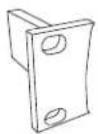
The Hybrid-Quad is packaged with the rack mounts to attach them inside a standard 19" case. The mounts allow for a single Hybrid-Quad receiver to be installed, or allow up to two to be racked together.
INSTALLING ONE RECEIVER
-
Identify the small and large rack mounts included with the system
-
Screw the mounts into to the side of the receiver.
- Small and large can be installed on either side.
- Slide whole assembly into a 19" case and secure with screws.
text_image
① ② ③ HYBRID-QUAD A O AF B O AF C O AF D O AF VocoPro ANT POWER ANT HYBRID-QUAD A O AF B O AF C O AF D O AF VocoPro ANT POWER ANTAttaching the Rack Mounts
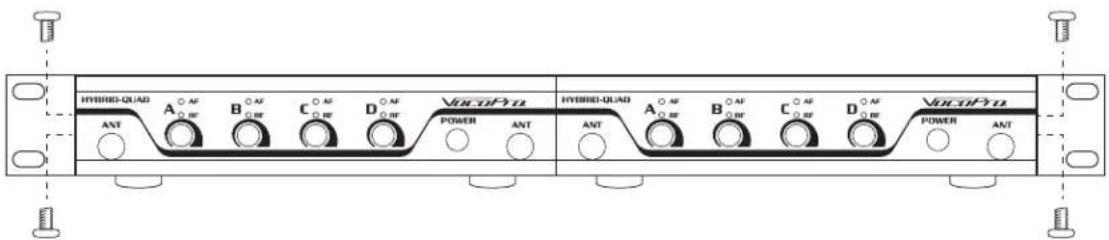
INSTALLING TWO RECEIVERS
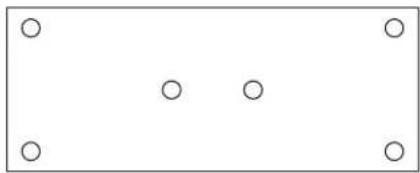
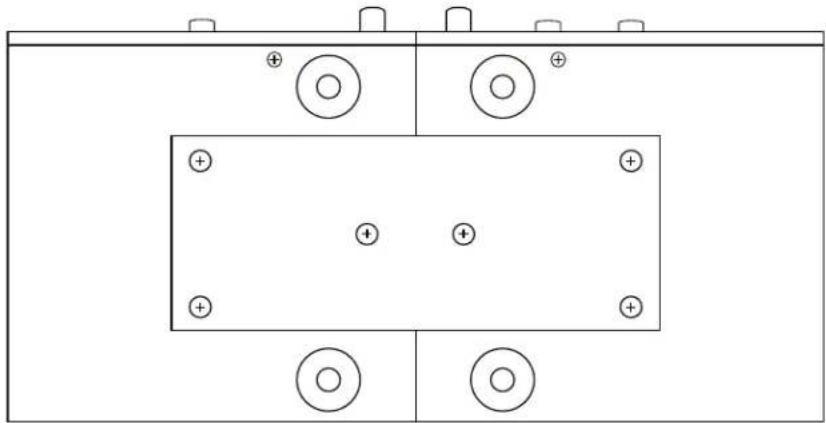
- Identify the two small mounts and one metal plate included with both systems
- Fix the metal plate onto the bottom of both receivers, as shown.
- Make sure three screws are used to mount the plate to the bottom of each receiver.
- Screw the two small mounts on either side of the two receivers.
- Slide the entire assembly into a 19" case and secure with screws.

natural_image
Simple rectangular frame with four small circles at the top and bottom corners (no text or symbols)
natural_image
Pure electrical circuit lines without any symbols
Commonly Asked Questions
Q. What do I do if my mics are cutting in and out?
A. Make sure both antennas are firmly attached to their posts.
A. Keep the receiver away from fluorescent lights.
A. Make sure microphones are being used within the operational range.
A. Ensure batteries are not depleted.
Q. There's a thumping noise coming through the speakers, what is it?
A. This typically occurs when the batteries are low.
A. Less likely, it may be the power supply not providing the correct power. Try a suitable replacement adapter with same values to confirm.
A. If problem persists, please call VocoPro at 800-678-5348 for further instructions.
Q. The lights on the receiver are flashing off and on continuously, what's going on?
A. Ensure the correct power supply is used with the Hybrid-Quad.
A. Inspect power supply cable for frayed wired or loose connections.
A. Find a suitable replacement for the original power supply; contact VocoPro for factory original parts at 800-678-5348.