Relaxer - Massage device Mooyee - Free user manual and instructions
Find the device manual for free Relaxer Mooyee in PDF.


User questions about Relaxer Mooyee
0 question about this device. Answer the ones you know or ask your own.
Ask a new question about this device
Download the instructions for your Massage device in PDF format for free! Find your manual Relaxer - Mooyee and take your electronic device back in hand. On this page are published all the documents necessary for the use of your device. Relaxer by Mooyee.
USER MANUAL Relaxer Mooyee
Contraindicated as follows
- People with pacemaker, defibrillator, or other implanted electronic devices.
- Severe cardiac arrhythmia, angina or heart failure.
- In pregnancy, children under 12 years old.
- Pets.
Use under medical supervision
- On treatment or medication, with severe diseases.
- With fever, in menstrual cycle or in breastfeeding.
- Acute/ purulent inflammatory, bleeding tendency.
- Blood pressure disorder, infectious or skin diseases.
- Skin allergy.
Attentions
- Keep out of the reach of children.
- The old and those who cannot take care of themselves should be accompanied.
- Do not put the Gel Pad in your mouth.
- No strenuous exercise while in Physiotherapy.
- Keep your skin dry and no wounds on the covered area.
- Keep away from metal objects such as necklace or bracelet when using.
- Stop using it if you feel uncomfortable.
- Power adapter is NOT included in the package.
Smartphone adapters and computer USB ports are suitable; inappropriate adapters may damage the device.
Package Includes
Main Unit for Relaxer *1
Sub Unit for Relaxer *1
Gel Pad *2
Storage Box *1
Gel Pad storage mount *1
USB cable for Charging *1
Instructions *1
Warranty card *1
Specification
Material: ABS & PC
Size: 2.2" * 2.2" * 0.9"(56mm*56mm*23mm)
Weight: 1.64oz(46.6g)
Connection: Bluetooth (4.0 or above)
Battery Voltage: 3.7V
Battery Capacity: 180mAh
Charge Voltage: DC 5V/1A
Operation Temperature: 32^ F \~ 95^ F ( 0^ C \~ 35^ C)
Duration: 4 hours
Full Charge Time: 2 hours
Introduction to product keys
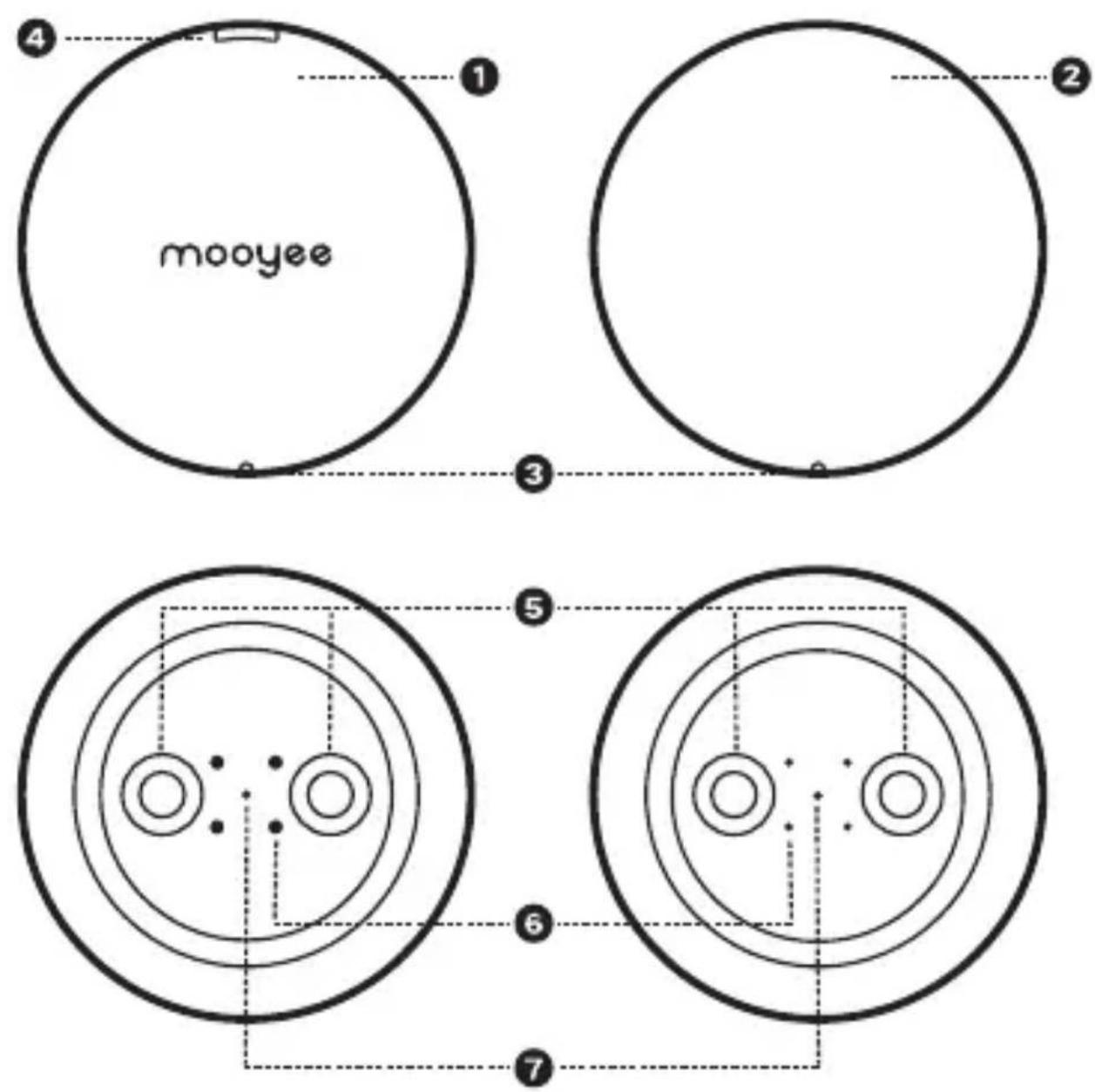
1 Main-Unit Sub-Unit
3 Indicators 4 Micro-USB charge interface
5 Magnetic Connect Buckle
6 Connect Probe 7 Reset button
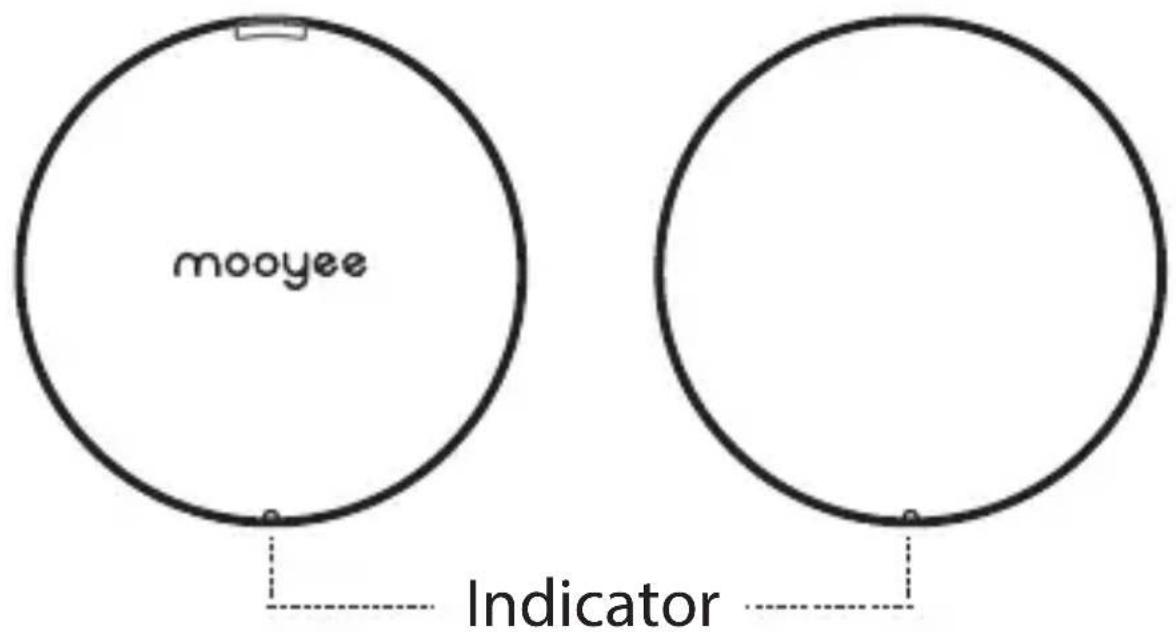
Indicators & Charging
text_image
mooyee Indicator- The device is off when main and sub unit are linked together with blue indicator lights off.
- The device is on when main and sub unit are separated with blue indicator lights on.
- Indicators are red on charging.
natural_image
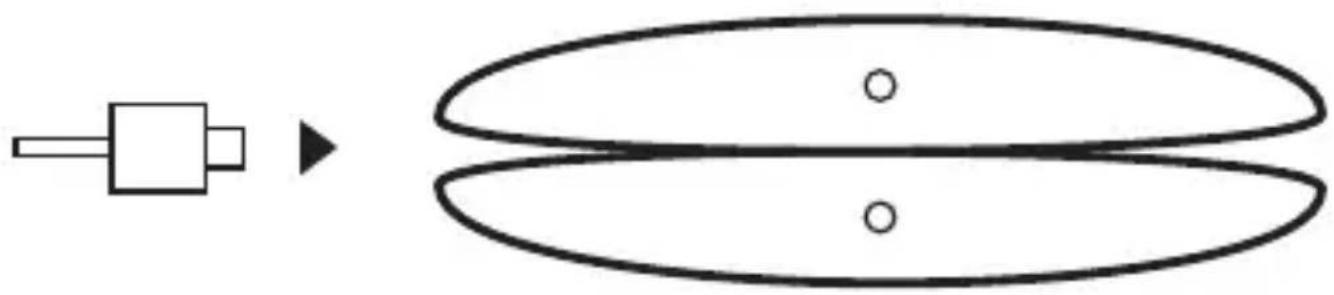
Simple diagram showing a rectangular component connected to an oval shape with two circles inside, no text or symbols present.Charging: Insert Micro-USB cable in the Micro-USB interface to charge when two parts of the device are magnetically attached.
Directions for use
Step One
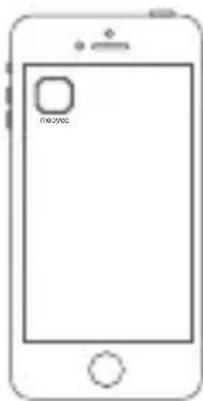
You can find the application with the name 【mooyee】 in GooglePlay or AppStore.
natural_image
Line drawing of a smartphone with a small square icon on the screen (no text or symbols)This application is ONLY compatible with

iOS 7.0, Android4.3 or above,
Bluetooth 4.0 or above.
Step Two
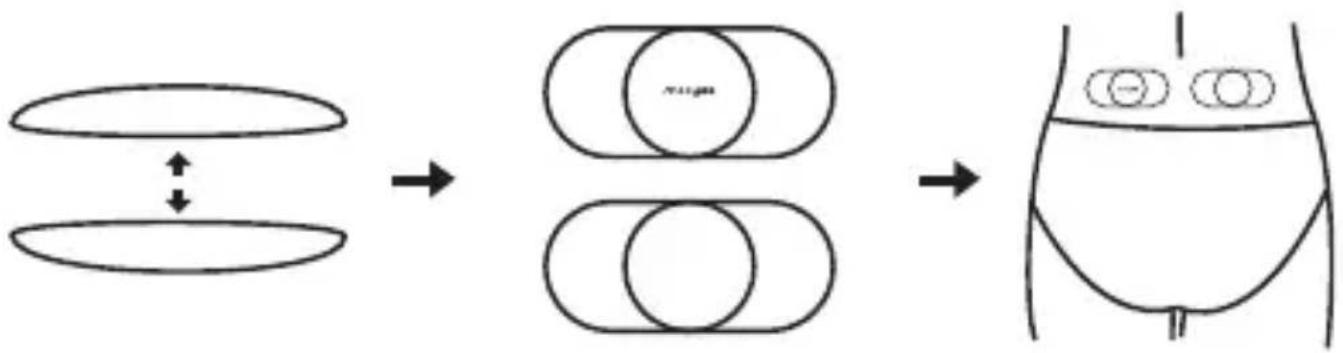
- Separate the device and power is on with blue indicators.
- Attach a Gel Pad to each piece of the device and remove the protective films.
- Attach the device where you need a stunning massage.
flowchart
graph LR
    A["Initial Oval"] --> B["Intermediate Oval"]
    B --> C["Final Body with Internal organs"]
Step Three
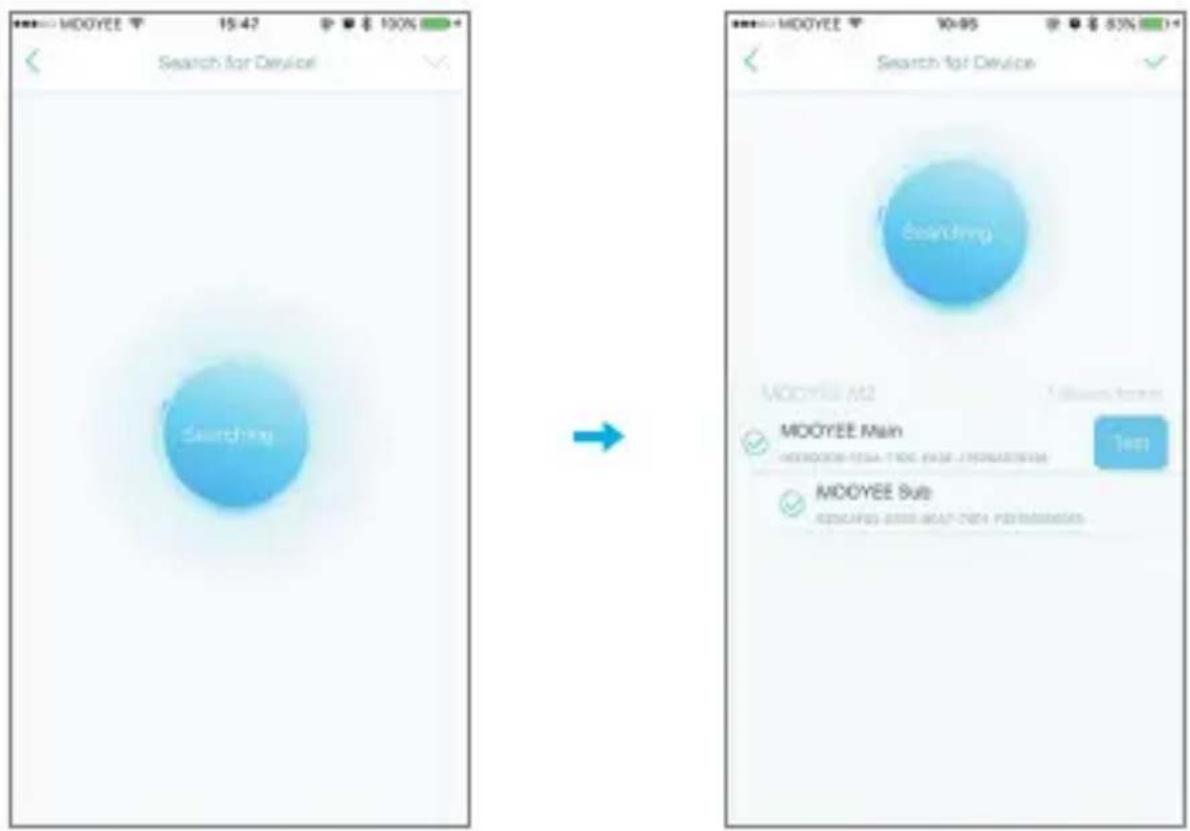
- Start the Application and Turn on Bluetooth.
- Choose device type as M2, system will automatically match the nearby M2 massager and try to pair.
-
Tick the main device in the list, then sub device is also linked and pair is complete.
-
If there are multiple devices on, you can try "test" to check and switch from. Blue indicator twinkles when you do the test. If the device is attached to your body, you will feel a massage-like activity.
-
Bind the device after you find the right pair by click "√" in the top-right.
text_image
MODOYEE 15:42 Search for Device Searching MODOYEE Main MOOYEE Sub ASSOCAPES 2000 MEAT-TSEC POSTINFORMATIONStep Four
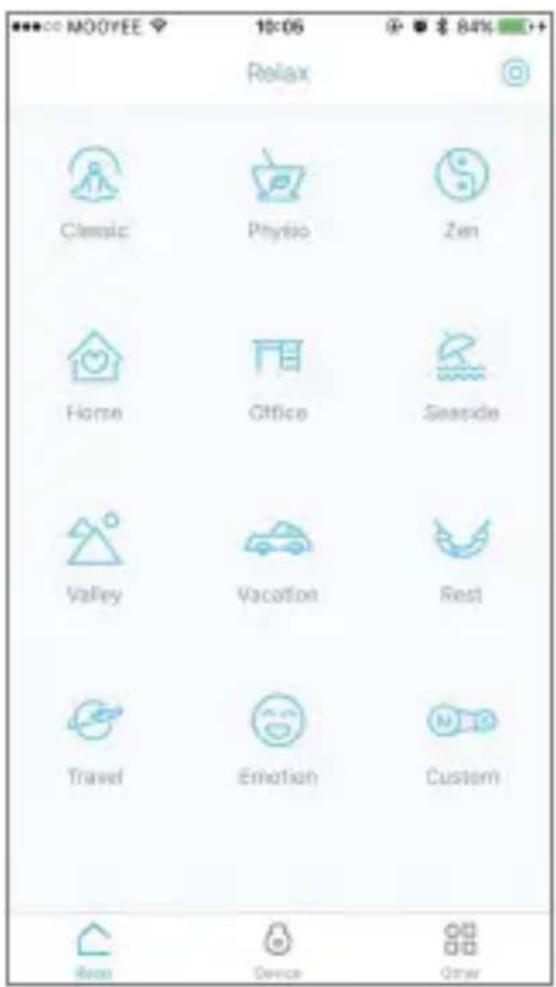
- Choose your preferred scenario and begin relaxing.
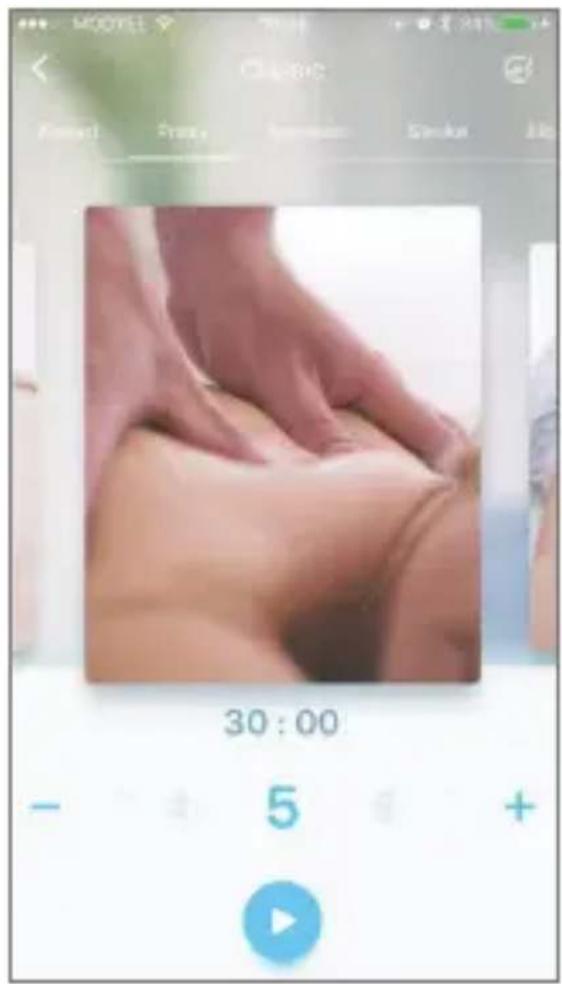
- Choose your preferred relax pavilion and massage combinations by choosing motions from grid or slide the pictures.
- Touch "+" and "-" to adjust the intensity of each massage process.
- Touch the disc icon to choose your preferred music while in the massage process.
- Press Start/Pause button to Start/pause the massage process.
text_image
NOOYEE 10:06 Relax Classic Physis Zen Home Office Seaside Valley Vacation Rest Travel Emotion Custom Res Device Other
text_image
30:00 5 +Storage and Maintenance
flowchart
graph LR
    A["Gel pads storage"] --> B["Cell with internal structure"]
    B --> C["Device storage"]
    style A fill:#f9f,stroke:#333
    style C fill:#bbf,stroke:#333
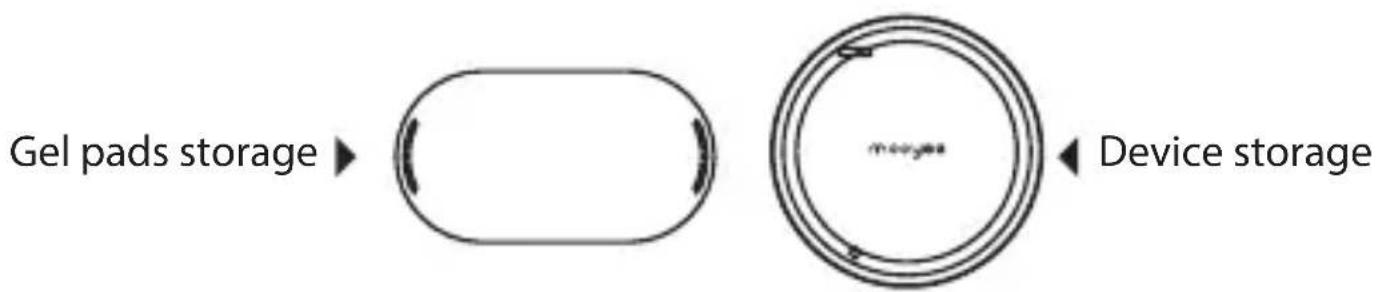
→ Buckle up the main and sub unit by magneticconnect Buckle and put them in the storage box.
→ Attach the Gel Pads to the storage mount.
- Get it fully charged before long-term storage and charge it every two or three months to extend the life of built-in battery.
- Use baby wipes to clean the stain and dust on device.
- Use a small amount of purified water drops to clean the Gel Pad in order to maintain the viscosity of the Gel Pad.
- You need to replace the Gel Pads with new pair when the viscosity goes away after approximately 50 cycle times of use.
- Please DO NOT USE or STORAGE this device under the following circumstances:
In the sun
Dusty
In case of fire
Hot and Humid
Electromagnetic Environment
Best Areas
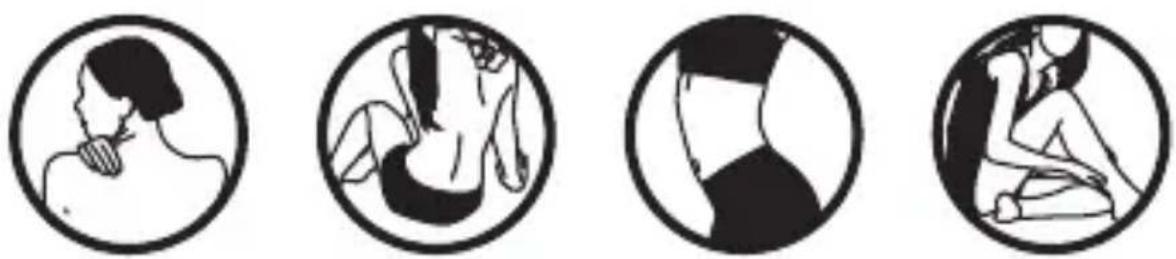
Shoulder Back Waist Arms and Legs
Prohibited Areas
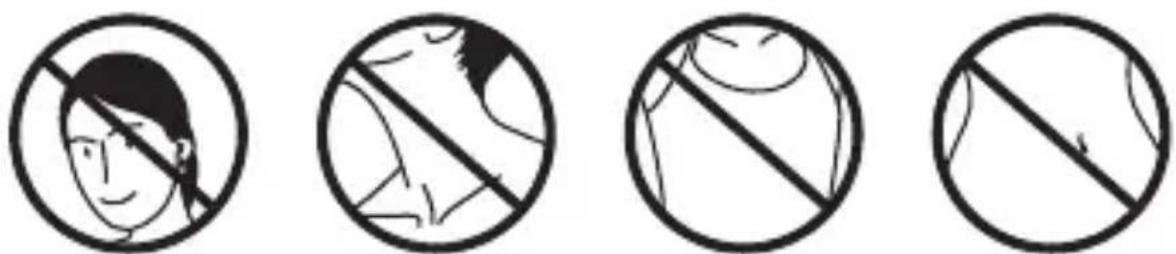
Head Neck Chest Abdomen
Basic Troubleshooting Guide
| Fail to turn on or off | Charge the device. If nothing happens, use a needle-like object to press the reset button in the hole.If the problem still can't be solved, please contact our customer service team. |
| Device not found | Make sure the Bluetooth and the device is on.If they still can't be connected, please do as follows:1. Close the Smartphone app;2. Turn off Bluetooth;3. Restart the device;4. Turn Bluetooth on, open application;5. Search the device.6. If it can't be found, please try steps in order 1-5 a few more times.If the steps above still can't solve the problem, please contact our customer service team. |
| Automatically disconnected | Possible causes:1. Too long distance or barriers between the Smartphone and the device.2. Insufficient battery power.3. High-power Bluetooth devices working around.You need to:1. Keep it within 10 meters, no walls, no large metal barriers between Smartphone and the device.2. Make sure the battery power is above 20%.3. Turn off or keep away from high-power Bluetooth devices working around. |
| Charge failure | 1. Please make sure the power adapter output voltage is DC 5V/1A and is working well.2. Replace the charge cable (or use Smartphone Micro USB cable).If it still can't be charged, please contact our customer services.Notes: In charging mode, the indicator is red or blue (fully charged). |
| Sting feeling during massage | Attach the Gel Pads to your flat skin part. If the viscosity of Gel Pad fades away, use purified water to clean it.The sting feeling on each proper using occasion may be caused by allergic reaction. |
Declaration of hazardous substances
○: Indicates that this toxic or hazardous substance contained in all of the homogeneous materials for this component is below the limit requirement in GB/T 26572-2011.
X: Indicates that this toxic or hazardous substance contained in at least one of the homogeneous materials for this component is above the limit requirement in GB/T 26572-2011.
All components in the table above meet the 65/2011-/EU instruction of EU RoHS Recast.