X725 - Smartphone Micromax - Free user manual and instructions
Find the device manual for free X725 Micromax in PDF.


User questions about X725 Micromax
0 question about this device. Answer the ones you know or ask your own.
Ask a new question about this device
Download the instructions for your Smartphone in PDF format for free! Find your manual X725 - Micromax and take your electronic device back in hand. On this page are published all the documents necessary for the use of your device. X725 by Micromax.
USER MANUAL X725 Micromax
natural_image
Abstract gray graphic of five vertical bars with an exclamation mark, no text or symbols present.X725
User Guide
Phone Layout
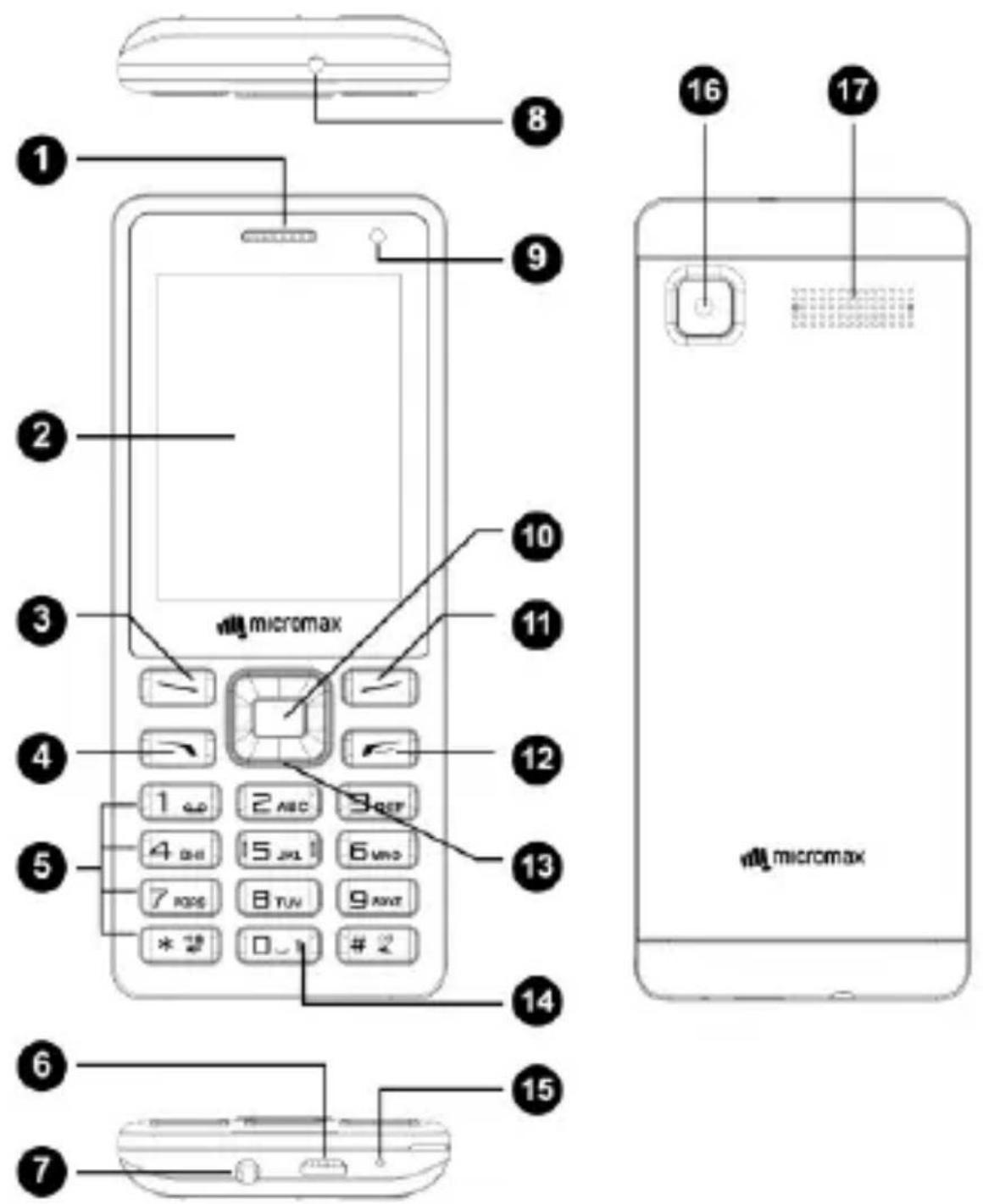
| 1 | Earpiece | 10 | OK key |
| 2 | Display | 11 | Right Soft key |
| 3 | Left Soft key | 12 | End key |
| 4 | Call key | 13 | Navigation key |
| 5 | Number keys | 14 | Torch key |
| 6 | USB Jack | 15 | MIC |
| 7 | Headset Jack | 16 | Camera |
| 8 | Torch | 17 | Speaker |
| 9 | Front Camera |
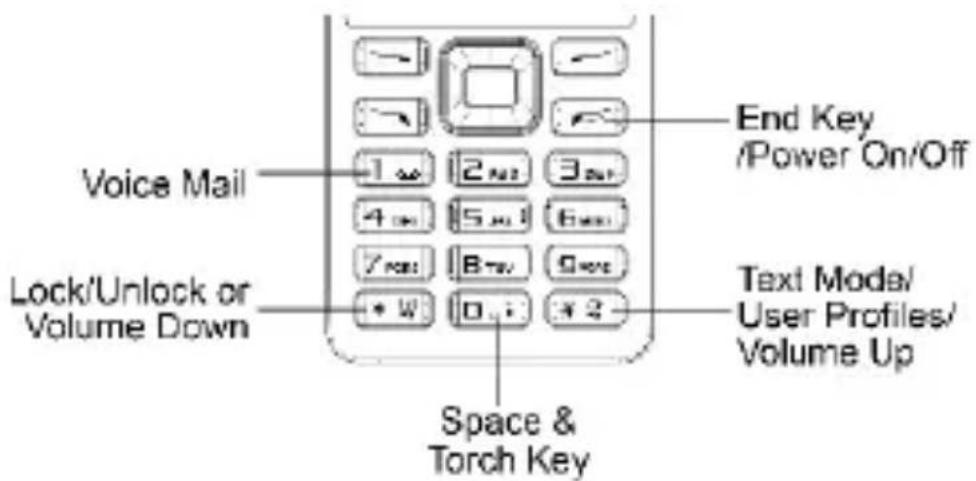
text_image
Voice Mail Lock/Unlock or Volume Down End Key /Power On/Off Text Mode/ User Profiles/ Volume Up Space & Torch KeyPan ic button
Your device supports the Panic button functionality which lets you call emergency services for immediate assistance in case of an emergency situation.
Long press the numeric key "5" and your device initiates a call to the emergency number 112, which will direct the call to concerned departments for help.
You can invoke the Panic button even when the device is locked.
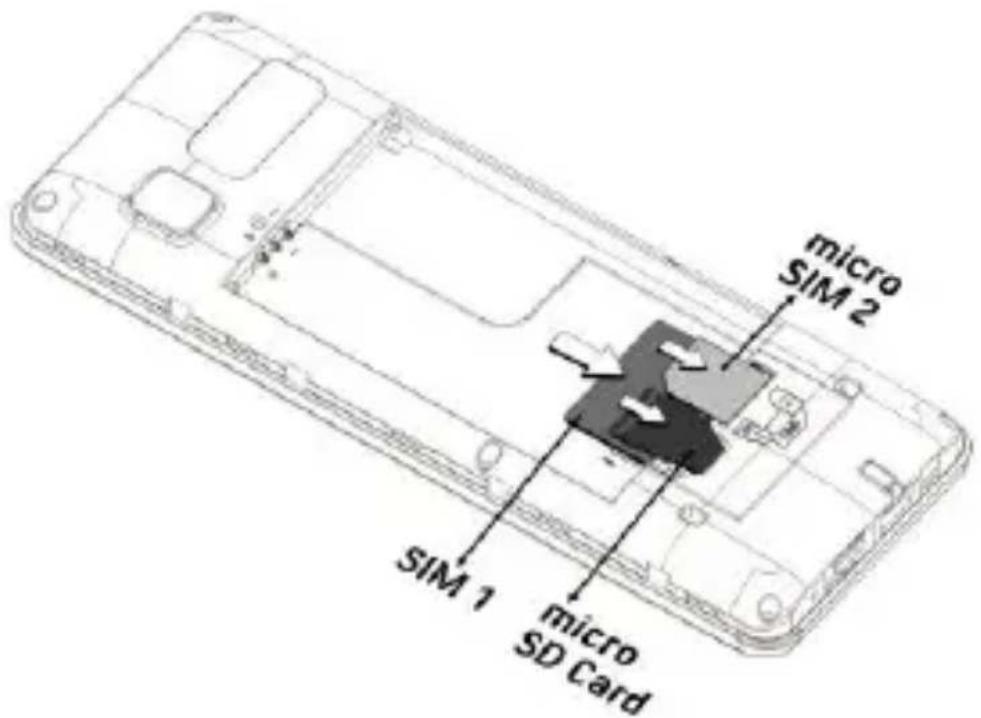
Insert SIM and Memory Card
-
Switch off the device and remove the back cover and battery.
-
Insert the SIM card(s) and memory card in the card slot(s) as shown:
text_image
micro SIM 2 SIM 1 micro SD Card- Place back the battery and back cover of the device.

Use only Micromax chargers and cables. Other chargers or cables can cause damage to the battery or device. This will invalidate your phone warranty.
Switch Your Phone On/ Off
Long press the End/Power key to switch your phone On/Off.
Lock/ Unlock the Phone
From the home screen press the Left key and then immediately press * to lock/ unlock the phone.
Make a Call
- Type a phone number and press the call key to make a call
- You can also call a number from the phonebook or call log in the same way.
- Press the up and down navigation keys to change the in-call volume.
Make an International call
On the home screen, press the * key twice, till + displays on the screen.
Enter the desired international code with the phone number and make the call.
Send Messages
Menu → Messages
You can compose a new message or reply to existing messages in the list.
Phonebook
Menu → Phone book
Open Contacts to add and manage your contacts. To add a new contact, you can type the number from the home screen, press the Left key and select Save to Phonebook.
Camera
Menu → Camera
Your phone supports front and rear camera modes and video recording functionality. Press the Left key in camera mode to choose from the various camera options. Press the OK key to take photos.
Notable Multimedia Features
You have access to multimedia features like Image Viewer, Video recorder/player, Music Player, Sound Recorder, and FM Radio.
Sound Recorder
Menu → Multimedia → Sound recorder
Record any sound from the sound recorder with ease. Open the sound recorder, press the Left key and select New record to start a new recording.
Music Player
Menu → Multimedia → Music Player
The phone comes with an inbuilt music player that plays all your favorite songs stored in the memory card. Now store and listen to your favorite songs any time with your device. The phone comes with an easy-to-use interface.
FM Radio
Menu→ Multimedia→ FM radio
You can listen to your favorite FM channels using the inbuilt FM receiver of your phone.
Use the navigation keys and OK key to use various features in the FM radio interface.
File M anager
Menu → File Manager
Allows you to view and manage files available in your phone or memory card. You need to insert an SD card to use this feature.
Flash light
Long press the button to switch the torch on/off, or you can go to Menu → Organizer → Flashlight to switch the torch on/off.
Phone Language
Menu → Settings → Phone settings → Language
You can change the phone language according to your preference.
Mobile Tracker
Menu → Settings → Security settings → Mobile Tracker
You can enable Mobile tracker which lets you receive notifications from the device in case it is lost/stolen.
Phone lock
Menu → Settings → Security settings → Phone security → Phone lock
You can lock your phone using the phone lock feature.
Note: The default password to access this feature is 0000 or 1234.
Factory Reset
Menu → Settings → Restore settings
Use this feature to restore your phone to the factory settings. This resets all settings to the default and results in data loss, therefore, please take a backup of all the data before resetting the phone. Default password is 1234 or 0000.
Operating Temperature Specifications
| Maximum device operating temperature | 45°C |
| Device operating temperature range | -10°C to 45°C |
Safety Precautions

Switch off your device in any area with potential explosive atmosphere. Sparks arising out of radio frequency may cause fire or explosion. Therefore, switch off your device at refueling stations, fuel depots, chemical plants or places where blasting operation is in progress. Remember to comply with legal requirements and local restrictions when using the phone.

Your phone's radio waves may interfere with inadequately shielded medical devices. Consult a physician or manufacturer of the medical device to know whether they are adequately shielded from external Radio Frequency. Switch off your device when regulations require you to do so.
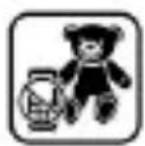
Always keep the phone and accessories out of reach of small children. Small parts such as the SIM card or micro SD card can be dismantled and swallowed by small children.
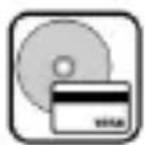
Do not place the phone near electromagnetic data carriers such as credit/Debit cards. Information stored on them could be lost.
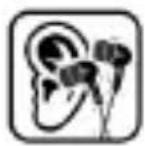
Permanent damage to hearing may occur if you use earphones at high volume for prolonged periods. Set your volume to a safe level. If you experience discomfort in your ears, reduce the volume or discontinue use of your earphones.

Manufacturers of medical devices recommend a minimum distance of 15.3 cm (6 inches) between a wireless device and an implanted medical device such as pacemaker or cardioverter defibrillator to avoid issues arising out of radio frequency interference.
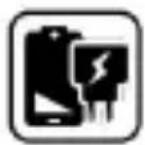
The mains voltage (V) specified on the power supply unit must not be exceeded to prevent damage to the charging device. The power supp must be plugged into an easily accessible AC power socket when charging the battery.
You may only open the phone to replace the battery (if not inbuilt), SI card and micro SD card. You must not open the battery under any circumstances. All other changes to this device are strictly prohibited will invalidate the warranty.
The phone may cause interference in the vicinity of TV sets, radios at PCs.
The battery may cause damage, injury or burns if a conductive material closes the circuit of the terminals. Exercise care in handling any charge battery, particularly when placing it inside your pocket, purse or other container with metal objects. Do not dispose off batteries in fire as the may explode.

Do not use the phone while driving. When you have to use the phone, please use the earpiece.
Please put the phone safely in the phone stand. Do not put it onto the passenger seat or any place from where it may fall down during collision or emergency braking.

Flight is influenced by interference caused by the phone. It is illegal to use a phone on the airplane. Please switch off your phone during a flight

The phone must be repaired by Micromax authorized personnel only. Repair of this phone by anyone other than our authorized service agents/centers goes against the warranty rules.
Taking Care of your device
Your device is a product of superior design and craftsmanship and should be handled with care. The following suggestions will help you protect your phone.
- Keep the device dry. Precipitation, humidity, and all types of liquids or moisture can rust the electronic circuits. If your device gets wet, remove the battery, wipe it with a dry cloth and take it to an authorized service center.
- Do not store the device in high or low temperatures. Extreme temperatures can shorten the life of electronic devices and damage batteries.
- Do not use or store the device in dusty, dirty areas. Its moving parts and electronic components may get damaged.
- Do not attempt to open the device other than as instructed in this guide.
- Do not drop, knock, or shake the device. Rough handling can break internal circuit boards and fine mechanics.
- Do not use harsh chemicals, cleaning solvents, or strong detergents to clean the device. Only use a soft, clean, dry cloth to clean the surface of the device.
- Do not store your device near magnetic fields or allow your device to come in contact with magnetic fields for extended period of time.
Battery Recommendations
- Please put the battery in a cool and well-ventilated place out of direct sunlight. We recommend you to charge the battery at room temperature range.
- Batteries have life cycles. After a full charge, if the power reserve of the battery tends to deplete inordinately faster than usual, the battery life is at an end. Replace the battery with a new battery of the same make and specification.
- Use compatible batteries, chargers, accessories and supplies. Micromax will not be held responsible for user's safety when using incompatible accessories or supplies.
- Do not discard the battery with household trash. Please dispose of used battery according to your local environmental laws and guidelines.
Temperature and Humidity
- The device is designed for use within a temperature range of -20^ ± 5 to 45^ ± 5 , storage within the temperature range of -30^ ± 5 to 65^ ± 5 . In case of violation of these temperature conditions, the device can be damaged and battery life can be reduced.
• The recommended humidity for maintaining the device is in the range 50 to 55% - Do not expose your device to extreme temperatures or humidity.
Recycle your Phone
natural_image
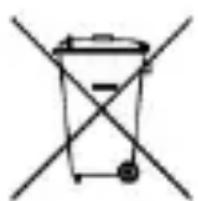
Simple line drawing of a trash bin with two crossed lines indicating no text or symbolsThe WEEE logo (shown at the left) appears on the product (battery, handset, and charger) to indicate that this product must not be disposed off or dumped with your other household wastes. You are liable to dispose of all your electronic or electrical waste equipment by relocating over to the specified collection point for recycling of such hazardous waste.
Collection and proper recovery of your electronic waste equipment at the time of disposal will allow us to help preserve the environment. Recycling of the electronic waste equipment will ensure safety of human health and environment. For more information on best practices for disposal of electronic and electrical waste, please visit to our web site: www.micromaxinfo.com/weee.php.
Note: Micromax will not bear any responsibility for any in compliance with the above mentioned guidelines or improper usage of the mobile phone.
Disclaimer
The colors and specifications shown/mentioned in the user manual may differ from the actual product. Images shown are for representation purpose only. Other product logos and company names mentioned herein may be trademarks or trade names of their respective owners.
- Specifications are subject to change without prior notice.
- The functions explained or listed in this manual may differ from the actual functions appearing in the mobile phone. In such a case, the latter shall govern. Micromax keeps the right to make modifications to the content in this user guide without any prior notice.
- Upon first use of your device, your device will send information related to your mobile number, IMEI numbers, location details and other software details through SMS automatically*. This information may be used as further specified in Micromax privacy policy**.
- Talk and stand by times are affected by network preferences, type of SIM/SIM cards, connected accessories and individual usage patterns. Services and some features may be dependent on the network, service/content providers, SIM/SIM cards, compatibility of the devices used and the content formats supported.
• Available storage memory may vary based on the phone software.
*Operator tariff shall be applicable for SMS.
**Micromax privacy policy is available at www.micromaxinfo.com.
Copyright
All rights reserved. Reproduction, transfer, distribution or storage of part or all of the contents in this document in any form without the prior written permission of Micromax is strictly prohibited.
SAR Information
SAR Compliance
- Your device is designed not to exceed the limits of emission of radio waves recommended by international guidelines.
- SAR (Specific Absorption Rate) is the measurement of body-absorbed RF quantity when the device is in use. SAR value is ascertained according to the highest RF level generated during laboratory tests.
- The SAR value of the device may depend on factors such as proximity to the network tower, or use of accessories.
- The SAR value of the device at the head and body are 0.08 W/kg and 0.31 W/kg respectively averaged over 1 gm of human tissue.
SAR Recommendations
- Use a wireless hands-free system (headphone, headset) with a low power Bluetooth emitter.
- Keep your calls short and use SMS whenever more convenient. This advice applies especially to children, adolescents and pregnant women.
• Prefer to use your handset when the signal quality is good. - People having active medical implants should preferably keep the handset at least 15 cm away from the implant.
- Maintain a preferable distance of 15 mm from the device.
The FCC Advice
Many people mistakenly assume that using a cell phone with a lower reported SAR value necessarily decreases a user's exposure to RF emissions, or is somehow "safer" than using a cell phone with a high SAR value. While SAR values are an important tool in judging the maximum possible exposure to RF energy from a particular model of cell phone, a single SAR value does not provide sufficient information about the amount of RF exposure under typical usage conditions to reliably compare individual handset models.
World Health Organization (WHO) Advice
Organizations such as the World Health Organization and the US Food and Drug Administration have stated that if people are concerned and want to reduce their exposure they could use a hands-free device to keep the handset away from the head and body during phone calls, or reduce the amount of time spent on the phone.
Warranty Statement
Micromax congratulates and thanks you for showing confidence in Micromax products and becoming our valued customer. To ensure a delightful product experience, Micromax recommends reading the User Guide carefully and contacting our customer care. For further information, please log onto our website www.micromaxinfo.com, Email us, or contact our helpline numbers listed below.
| C o untr y | H e lpline | E m ail |
| India | 1860-500-8286 | info@micromaxinfo.com |
| Russia | 8800 250 9897 | ccdesk.global@micromaxinfo.com |
| Sri Lanka | 0117-271271 | |
| Bangladesh | 880-1673556699 | |
| Nepal | 977-9721604522 |
Working Hours
: Monday to Saturday (Except National
& Public Holidays)
10 AM to 6:30 PM
Website
: www.micromaxinfo.com
Micromax Informatics Ltd. (hereinafter called "Micromax") warrants the Product to be free from defects in materials and workmanship, arising under normal use from the date of original purchase when brand new.
This Warranty is subject to the following terms and conditions:
- Micromax provides 1 year warranty on the transceiver and 6 months warranty for the battery and accessories included in the sales pack, applicable from the date of purchase.
- The warranty is confined to the original purchaser of the product only and is not transferable.
- It is the responsibility of the customer to visit the Micromax authorized service center for required services.
- Warranty will be applicable only after inspection of the device and clearance of condition by authorized service center personnel.
- Customer should kindly take a backup of all the personal contents and remove any confidential, proprietary, or personal information from the device before handing over the handset for service.
- The company shall not be liable for problems arising out of any 3rd party software being used by the customer.
- Repairs under warranty period shall be carried out by the company authorized personnel only. For further details, please visit our website:
www.micromaxinfo.com or the centralized helpline.
- Warranty will not be applicable under the following circumstances:
a) Damage due to any liquid, Mechanical stress, impact, high voltage, negligence, misuse, accident or natural disasters
b) Use of charger or battery not included in the Gift Box of this device.
c) Warranty also does not cover cracks in device display or device outer housing.
d) The handset IMEI number/serial no., the accessories date code, water indicator or the warranty seal has been removed, erased, defaced, altered or is illegible.
e) The defect was caused by defective function of the service provider cellular network, unauthorized software or other system.
In the above cases, repairs will be done subject to availability of parts and on a chargeable basis only.
- The company's obligation under this warranty shall be limited to repair or providing replacement of part/s only. If the company is not able to repair the handset covered under warranty then it can be replaced by same model of the handset.
- Wherever local service presence* is there, standard warranty terms as specified will be honored.
- Micromax reserves the right to charge a service fee for repair/service of any nature that is not covered by this warranty.
- All warranty information, products and specifications are subject to change without prior notice.
Valid for devices sold outside India:
- Service will not be applicable without the warranty card and valid proof of purchase/Invoice/Bill.
- For limited warranty to be valid, all information on the limited warranty card has to be complete including the stamp and C-sticker (on the proof of purchase/Invoice/Bill) from the authorized distributor.
*Mic romax reserves the right to withdraw these services without any prior notice.
MICROMAX Informatics Ltd. (hereinafter referred to as "Micromax") guarantees to the purchaser that this product carries a warranty for the period mentioned above, commencing from the date of purchase. The company will repair free of charge any part or parts of the product, if the defect is due to the faulty material or workmanship.
CUSTOMER COPY
Model Name
Product Serial No.
Date of Purchase
IIB N 2 /MFD N 3 (1)
(2).
Customer's Details
Name
Address in ful.
Telephone: No
Dealer Name & Address
C. ad-hen's Signatures & Dars d accept the term a concinio" of warranty
Important: Paste C-Sticker on purchase Invoice/Bill
Deere's Signature with a labor stamp
natural_image
Empty rounded rectangle outline with no text or symbols
DEALER COPY
Model Name
Product Serial No.
Date of Purchase
HID No/MEID No.(1)
[2]
Customer's Details
Name
Address in full.
Telephone No.
Doctor Name & Address
Customer's signature & Date ( ) accept the terms & conditions of warranty)
Lesson's Signature with rubber derr:
natural_image
Empty rounded rectangle outline with no text or symbolsISD COPY
Model Name
Product Serial No
text_image
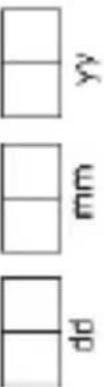
dd mm yyIMEI No./MEID No. (1).
(2).
Customer's Details
Name
Address in full.
Telephone No.
ISO Name & Mobile No.
Customer's Signature & Date
[accept the terms & conditions of warranty]
ISD Signature