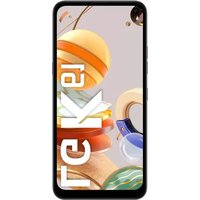
K61 - Smartphone LG - Free user manual and instructions
Find the device manual for free K61 LG in PDF.


Pick your language and provide your email: we'll send you a specifically translated version.
| Product Type | Smartphone |
| Brand | LG |
| Model | K61 |
| Dimensions | 166.8 x 77.5 x 8.5 mm |
| Weight | 175 g |
| Display | 6.5 inches IPS LCD |
| Screen Resolution | 720 x 1600 pixels |
| Processor | Mediatek Helio P35 |
| RAM Memory | 4 GB |
| Internal Storage | 64 GB |
| Battery | 4000 mAh |
| Operating System | Android 9.0 (Pie) |
| Main Camera | Quad 48 MP + 8 MP + 2 MP + 2 MP |
| Front Camera | 16 MP |
| Connectivity | Wi-Fi, Bluetooth 5.0, NFC, USB Type-C |
| Sensors | Fingerprint (rear), accelerometer, proximity |
| Repairability | Spare parts available, repairability index not disclosed |
| Maintenance and Cleaning | Clean with a soft, dry cloth |
| Security | Fingerprint reader, password lock |
Frequently Asked Questions - K61 LG
How to insert a SIM card and a memory card?
Use the provided ejection tool to open the tray on the left side. Insert a nano-SIM card and a microSD card (up to 2 TB) into the dedicated slots.
How to take a screenshot?
Press and hold the power button and volume down button simultaneously for 2 seconds.
How to extend battery life?
Enable power saving mode in settings, reduce brightness, and turn off GPS and Bluetooth when not in use.
What to do if the touch screen is unresponsive?
Restart the phone by holding the power button for 10 seconds. If the problem persists, perform a factory reset after backing up your data.
How to set up fingerprint?
Go to Settings > Lock screen and security > Fingerprints. Follow the instructions to register your fingerprint.
How to transfer data from an old phone?
Use the LG Mobile Switch app to transfer your contacts, photos, and apps wirelessly or via a USB cable.
How to optimize the camera?
Use AI Cam mode for automatic scene recognition. For night photos, enable Night mode.
How to update the software?
Go to Settings > Software update > Download and install. Make sure you are connected to Wi-Fi and have sufficient battery.
How to clean the speaker and charging port?
Use a soft-bristled brush or a plastic toothpick to gently remove dust. Do not use metal objects.
Where to find spare parts?
Contact an authorized LG service center or check specialized online retailers. The model number is LM-K610.
User questions about K61 LG
0 question about this device. Answer the ones you know or ask your own.
Ask a new question about this device
No questions yet. Be the first to ask one.
Download the instructions for your Smartphone in PDF format for free! Find your manual K61 - LG and take your electronic device back in hand. On this page are published all the documents necessary for the use of your device. K61 by LG.
USER MANUAL K61 LG
Manual assistant
Powered by Anthropic
Waiting for your message
Product information
Brand : LG
Model : K61
Category : Smartphone