
SL-MP76C - CD Player PANASONIC - Free user manual and instructions
Find the device manual for free SL-MP76C PANASONIC in PDF.
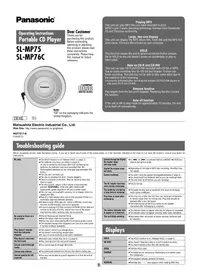


| Product Type | Portable CD Player (CD-DA and MP3) |
| Model Number | SL-MP76C (also SL-MP75) |
| Brand | Panasonic |
| Dimensions (W x H x D) | 135 x 25.5 x 135 mm |
| Weight (with batteries) | 218 g |
| Weight (without batteries) | 172 g |
| Power Supply | DC 4.5 V (via optional AC adapter: UK: RFEA403B-S; EU: RFEA418E-S or RFEA419E-M) or car power adapter (included for SL-MP76C) |
| Battery Options | 2 x AA alkaline (LR6) or 2 x rechargeable Ni-Cd (P-3GAVE/2B) |
| Play Time (alkaline, MP3) | Approx. 85 hours |
| Play Time (alkaline, CD-DA) | Approx. 50 hours |
| Play Time (rechargeable, MP3) | Approx. 40 hours |
| Play Time (rechargeable, CD-DA) | Approx. 23 hours |
| Charging Time (rechargeable) | Approx. 4–5 hours |
| Supported Disc Formats | CD-DA, CD-R, CD-RW (audio or MP3) |
| Anti-Skip Memory (CD-DA) | POS 1: 10 seconds; POS 2: 45 seconds |
| Anti-Skip Memory (MP3) | Up to 100 seconds (at 128 kbps) |
| Headphone Output | RMS 6 mW + 6 mW @ 16 Ω (adjustable) |
| Frequency Response | 20 Hz – 20 kHz (+0.5 dB to -7 dB) |
| Laser Type | Semiconductor, wavelength 780 nm (Class 1) |
| Supported MP3 Bitrates | 32 – 320 kbps (recommended 128 kbps) |
| Supported MP3 Sampling Frequencies | 48 kHz / 44.1 kHz / 32 kHz |
| Maximum Number of Files/Albums | 999 total items (albums + tracks); up to 100 album levels |
| Power Consumption (AC adaptor) | 0.7 W (play), 3.1 W (charging) |
| Operating Temperature Range | 0 °C to 40 °C |
| Charging Temperature Range | 5 °C to 40 °C |
| Supplied Accessories (SL-MP76C) | Stereo earphones, car power adaptor (SH-CDC12PEY), car stereo cassette adaptor (SHCDM10B1PYK) |
Frequently Asked Questions - SL-MP76C PANASONIC
User questions about SL-MP76C PANASONIC
0 question about this device. Answer the ones you know or ask your own.
Ask a new question about this device
Download the instructions for your CD Player in PDF format for free! Find your manual SL-MP76C - PANASONIC and take your electronic device back in hand. On this page are published all the documents necessary for the use of your device. SL-MP76C by PANASONIC.
USER MANUAL SL-MP76C PANASONIC
Operating Instructions
Portable CD Player
SL-MP75
SL-MP76C
Dear Customer
Thank you for purchasing this product. Before connecting, operating or adjusting this product, please read these instructions completely. Please keep this manual for future reference.


EB EG
En
Note:
"EB" on the packaging indicates the United Kingdom.
Playing MP3
This unit can play MP3 files you have recorded to discs.
MPEG Layer-3 audio decoding technology licensed from Fraunhofer IIS and Thomson multimedia.
Large, two-line display
This unit can display the MP3 album title, track title and the MP3 ID3 artist name, ID3 track title entered on your computer.
HOLD
This function causes the unit to ignore accidental button presses. Set to HOLD so the unit doesn't power on accidentally or play is interrupted.
Note on CD-R and CD-RW
This unit can play CD-R and CD-RW recorded with CD-DA or MP3. Use an audio recording disc for CD-DA and finalize* it when you finish recording. The unit may not be able to play some discs due to the condition of the recording. *A process performed after recording that enables CD-R/CD-RW players to play audio CD-R and CD-RW.
Resume function
Play begins from the last point stopped. Replacing the disc cancels the function.
Auto off function
If the unit is left in stop mode for approximately 10 minutes, the unit turns itself off automatically.
Matsushita Electric Industrial Co., Ltd.
Web Site: http://www.panasonic.co.jp/global/
RQT7217-B
F1203TT0
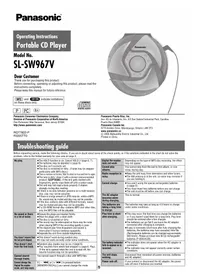
Troubleshooting guide
Before requesting service, make the below checks. If you are in doubt about some of the check points, or if the remedies indicated in the chart do not solve the problem, consult your dealer for instructions.
| No play. | ●The HOLD function is on. Release HOLD. (← page 5)●The batteries may have run empty (← page 5).(If play is extremely short even after fully recharging the batteries, the batteries may have exceeded their life. Rechargeable batteries can be recharged approximately 300 times.)●The disc isn't correctly set.●The disc is scratched or dirty. (Tracks skipped.)●There is moisture on the lens. Wait for about an hour and then try again.●The lens is dirty: clean it with a blower (recommended product: SZZP1038C). If the lens gets marked with fingerprints, gently wipe them off with a cotton swab.●The unit may not read MP3 correctly if it is shaken while it is reading the files.●Play of a multi-session disc may not be possible if there is a blank data segment between sessions.●If there is large JPEG data etc. within a MP3 file, sound may become muted and play may not be possible.●If you try playing a CD that contains CD-ROM format data and normal audio data (CD-DA), output from one of the above may become silent, and play may not be possible. |
| No sound or there is a lot of noise. | ●Ensure the plugs are inserted firmly.●Wipe the plugs clean with a clean cloth.●Noise may occur when playing MP3 if recording quality is poor.●The elapsed playing time disappears and sound is interrupted if bumps continue repeatedly. |
| Play doesn't resume from the last point stopped. | ●This doesn't work if you change discs.●This doesn't work during random play.●It may not work correctly under some conditions. |
| Play doesn't start from the first track. | ●Random play modes may be on (← page 6).●Play resumes from the last point stopped. |
| Cannot search through tracks. | ●You cannot search through MP3 files. |
| Cannot skip albums. | ●You cannot skip between the first and last albums during play. |
| Cannot specify the AB segment. | ●You may not be able to specify segment A or B at the end of the disc. |
| Cannot change the Digital Re-master mode, anti-skip mode. | ●If [ |◀◀ ] or [ ▶▶| ] is pressed before [●MEMO/ ●DISP] you cannot change the mode. |
| Digital Re-master does not work. | ●Depending on the type of MP3 disc recording, the effect may not appear. |
| Cannot recharge. | ●You aren't using the special rechargeable batteries (◆: page 5).●You must insert two batteries before you can recharge them.●The unit must be off before you can recharge. |
| The AC adaptor becomes warm during recharging. | ●This is normal. |
| The batteries are taking a long time to recharge. | ●The batteries may take a maximum of 6 hours to recharge under some conditions. |
| Play time is short after recharging. | ●This may occur after the first time you recharge the batteries or haven't used them for a long time. Play time should be restored after a few recharges.●The batteries can go flat if you leave the AC adaptor connected after recharging is complete. |
| The battery indicator fails to appear or is incorrect. | ●The indicator does not appear when the AC adaptor is connected.●The indicator does not appear correctly under some conditions. |
| The unit stops working. | ●Disconnect then reconnect all power sources (batteries and AC adaptor). |
Displays
| HOLD | ●The HOLD function is on. Release HOLD. (← page 5) |
| NO DISC | ●You haven't inserted a disc or it isn't inserted correctly.●You have inserted a disc this unit cannot play. |
| OPEN | ●The disc lid is open. |
| CHARGE | ●The batteries are recharging. Recharging is complete when this disappears. |
| F | ●The program already contains 20 tracks. |
| READING | ●Reading disc. “ > ” also appears when reading MP3 files. |
Maintenance
If the surfaces are dirty, wipe them with a soft, dry cloth. Never use alcohol, paint thinner, or benzine to clean this unit. Before using a chemically treated cloth, read the instructions that came with the cloth carefully.
Notice about the rechargeable battery
The battery is designated recyclable.
Please follow your local recycling regulations.
Norwegian
Note regarding the rechargeable battery
The battery is recyclable.
- Do not expose the unit to direct sunlight or heat, such as from heating appliances, as these can damage the unit.
- Discontinue use if you experience discomfort with the earphones or any other parts that directly contact your skin. Continued use may cause rashes or other allergic reactions.
Batteries
- Do not peel off the covering on batteries and do not use if the covering has been peeled off.
- Align the poles + and - correctly when inserting the batteries.
- Do not mix different types of batteries or old and new batteries.
- Remove the batteries if you do not intend to use the unit for a long time.
- Do not throw into fire, short-circuit, disassemble, or subject to excessive heat.
- Do not attempt to recharge dry cell batteries.
- When carrying batteries in a pocket or bag, ensure no metal objects such as necklaces are placed together with them. Contact with metal may cause short-circuiting which can cause a fire.
■Listening
- Do not play your headphones or earphones at a high volume. Hearing experts advise against continuous extended play.
- If you experience a ringing in your ears, reduce volume or discontinue use.
- Do not use while operating a motorized vehicle. It may create a traffic hazard and is illegal in many areas.
- You should use extreme caution or temporarily discontinue use in potentially hazardous situations.
- Even if your headphones or earphones are the open-air type designed to let you hear outside sounds, don't turn up the volume so high that you can't hear what's around you.
■CDs
- Do not use irregularly shaped CDs.
- Do not use non-specification discs.
- Do not use CDs printed with label printers available on the market.
- Do not use CDs with labels and stickers that are coming off or with adhesive exuding from under labels and stickers.
Specifications
Audio (CD-DA)
Sampling frequency: 44.1 kHz
No. of channels:
2 (left and right, stereo)
Headphone output level:
RMS max. 6 mW+6 mW/
16 Ω (adjustable)
Frequency response:
20 Hz to 20,000 Hz
(+0.5 dB to -7 dB)
Pickup
Light source:
Semiconductor laser
Wavelength: 780 nm
Wavelength 780 nm
Laser power
Supported bit-rates:
32 kbps to 320 kbps
(128 kbps is recommended)
Supported sampling frequency:
48 kHz/44.1 kHz/32 kHz
Maximum number of items
(total no. of albums and tracks):
999
Maximum album levels: 100
General
Power supply:
DC input: DC 4.5 V
(SL-MP75)
AC adaptor input:
(For the United Kingdom)
AC 220-240 V 50/60 Hz
(For continental Europe)
AC 220-230 V 50/60 Hz
(SL-MP75)
Power consumption:
Using AC adaptor
(MP3/CD-DA): 0.7 W/0.7 W
Recharging: 3.1 W
Play time:
Using on a flat stable surface at 25°C, EQ is off, Hold is on, Anti-skip is on POS 1 (CD-DA), recommended bit rate (MP3:128 kbps), and Digital Re-master is off (MP3). Play times are in hours and approximate.
| Batteries used | MP3 disc | CD-DA disc |
| 2 optional alkaline batteries | 85 | 50 |
| 2 optional rechargeable batteries | 40 | 23 |
Recharging time:
About 4 to 5 hours
●The play time may be less depending on the operating conditions.
● Play time will be considerably reduced when playing CD-RW.
Operational temperature range: 0 °C–40 °C
Rechargeable temperature range: 5 °C–40 °C
Dimensions (W×H×D): 135×25.5×135 mm
Mass: 218 g (with batteries) 172 g (without batteries)
Note:
Specifications are subject to change without notice. Mass and dimensions are approximate.
CAUTION!
- DO NOT INSTALL OR PLACE THIS UNIT IN A BOOKCASE, BUILT-IN CABINET OR IN ANOTHER CONFINED SPACE. ENSURE THE UNIT IS WELL VENTILATED. TO PREVENT RISK OF ELECTRIC SHOCK OR FIRE HAZARD DUE TO OVERHEATING, ENSURE THAT CURTAINS AND ANY OTHER MATERIALS DO NOT OBSTRUCT THE VENTILATION VENTS.
- DO NOT OBSTRUCT THE UNIT'S VENTILATION OPENINGS WITH NEWSPAPERS, TABLECLOTHS, CURTAINS, AND SIMILAR ITEMS.
- DO NOT PLACE SOURCES OF NAKED FLAMES, SUCH AS LIGHTED CANDLES, ON THE UNIT.
- DISPOSE OF BATTERIES IN AN ENVIRONMENTALLY FRIENDLY MANNER.
CAUTION!
THIS PRODUCT UTILIZES A LASER. USE OF CONTROLS OR ADJUSTMENTS OR PERFORMANCE OF PROCEDURES OTHER THAN THOSE SPECIFIED HEREIN MAY RESULT IN HAZARDOUS RADIATION EXPOSURE. DO NOT OPEN COVERS AND DO NOT REPAIR YOURSELF. REFER SERVICING TO QUALIFIED PERSONNEL.
WARNING:
TO REDUCE THE RISK OF FIRE, ELECTRIC SHOCK OR PRODUCT DAMAGE, DO NOT EXPOSE THIS APPARATUS TO RAIN, MOISTURE, DRIPPING OR SPLASHING AND THAT NO OBJECTS FILLED WITH LIQUIDS, SUCH AS VASES, SHALL BE PLACED ON THE APPARATUS.
Marking sign is located on bottom of the unit.
This product may receive radio interference caused by mobile telephones during use. If such interference is apparent, please increase separation between the product and the mobile telephone.
The socket outlet shall be installed near the equipment and easily accessible or the mains plug or an appliance coupler shall remain readily operable.
THIS UNIT IS INTENDED FOR USE IN MODERATE CLIMATES.


LUOKAN 1 LASERLAITE KLASS 1 LASER APPARAT (Bottom of product)
| ADVARESL-USYNLIG LESTRÄNLINGVED ABRAUNG NÄR SIKKERHEESAFBRYDERE ER UDE AF PARTIONN. UNDGA UNSSETTELIE FOR STRÄLING | VARO' AVATTAASSA IS JAUDUALU-KITUS OWITTEATTAESSA OLETALTIITINA NAKYMATONATA LÆSREATESAILLYLLE ALA KATSID SATEESEN |
| VORSICHT-UNSICHTBARE LESTRÄN-AHLUNG, WEN ADBECKING GE∅FENET- EID UN SICHERIETSVERRIEGELUNG UBERGRÜCKT. NICHT DEM STRAHL. AUSSETZEN | VARNING-USYNLIG LESTRÄNLING NÄR DENNA AR EL OPPMAD och SPÄRREN AR UNKOPPLAD.BETRAKTAJ EJ STRÄLEN |
| DANGER-INVISILE LASER RADIATION WHEN OPEN AND INTERLOCK. DIFATERED AVOID DIRECT EXPOSURE TO BEAM. | ADVARESL-USYNLIG LESTRÄNLING NÄR TÄNENES OS SIKKERHEESLÄS BRYTEEN. UNNGA EKSPONERING FOR STRÄLEN |
| RQLS0244 | A pleine puissance, peut endommager l'oreille de l'utilisateur. |
Location of controls/Connection to other equipment

Supplied Accessories
Check the packing carton for these accessories.
Use numbers indicated when asking for replacement parts.
• 1 Pair of stereo earphones: LOBAB0000182 SL-MP75 ONLY - 1 AC adaptor: The United Kingdom: RFEA435B-S Continental Europe: RFEA431E-S
SL-MP76C ONLY
• 1 Car power adaptor: SH-CDC12PEY - 1 Car stereo cassette adaptor: SHCDM10B1PYK
For the United Kingdom and Republic of Ireland:
| shop@ Panasonicwww.panasonic.co.uk (for UK customers only) |
| Order accessory and consumable items for your product with ease and confidence by telephoning our Customer Care Centre Mon-Friday 9:00am-5:30pm. (Excluding public holidays.)Or go on line through our Internet Accessory ordering application.Most major credit and debit cards accepted.All enquiries transactions and distribution facilities are provided directly by Panasonic UK Ltd.It couldn't be simpler! |
| Customer Care CentreFor UK customers: 08705 357357For Republic of Ireland customers: 01 289 8333 |
| Technical SupportFor UK customers: 0870 1 505610This Technical Support Hot Line number is for Panasonic PC software related products only.For Republic of Ireland, please use the Customer Care Centre number listed above for all enquiries.For all other product related enquiries, please use the Customer Care Centre numbers listed above. |
Power Supply
Rechargeable batteries (not included) Recharge before initial use.
As a safety precaution this unit is constructed so it is impossible to recharge ordinary batteries. For details, check with your dealer.
Special rechargeable Ni-Cd batteries: P-3GAVE/2B (set of 2)
Ordinary dry cell batteries/rechargeable batteries


■For SL-MP76C
Be sure to obtain the optional AC adaptor.
The United Kingdom: RFEA403B-S
Continental Europe: RFEA418E-S or RFEA419E-M
Turn the unit off before recharging.
1
- The configuration of the AC adaptor differs according to the area.
- The battery indicator ( ) scrolls while recharging and disappears when finished (about 4 to 5 hours).
- You can recharge the batteries before they are fully discharged.
- Fit the battery lid so it is secure and flush with the battery compartment. If it comes loose, it may scratch your discs.
- The configuration of the AC adaptor differs according to the area.
- The battery indicator ( ) scrolls while recharging and disappears when finished (about 4 to 5 hours).
- You can recharge the batteries before they are fully discharged.
- Fit the battery lid so it is secure and flush with the battery compartment. If it comes loose, it may scratch your discs.
Dry cell batteries (not included)
After disconnecting the AC adaptor, insert two "LR6, AA, UM-3" alkaline batteries.
Insert the same way as the rechargeable batteries.
General
■Play time
Specifications, page 2
■Removing batteries
The battery indicator
This indicator appears when the unit is on.

- Before playing starts the battery indicator may flash although the batteries are not drained. It appears correctly once you start play.
Car adaptor
SL-MP76C includes a car power adaptor. (Refer to the separate installation instructions.)
Purchase the SH-CDC9 car power adaptor (not included) for use with SL-MP75.
The unit is in the standby condition when the AC adaptor is connected. The primary circuit is always "live" as long as the AC adaptor is connected to an electrical outlet.
How to Use
Playback![Press [▶/■1.] Album number Track number MP3 A006 T003 5:22 Track number Elapsed playing time of track 3 5:22 4 Adjust the volume with [−,VOLUME,+]. (0-25) 1 Open the lid and insert a CD. 2 Release HOLD. Plug in firmly. Long cord to the right ● MP3 files take a little longer to be read. ● "MP3" light…](/content/2026/05/810542/images/ca8f7aa4c29c0035f3bae4d8f0d7a3444a251f18c166d616433183df8e02a9cc.jpg)
Pause
Press.
- Press again to restart play.
Search
Press and hold during play.
- You cannot search while playing MP3.
- You can search only within the current track during program, one track repeat, random, random repeat and AB repeat play modes (see page 6).
Skip
Press.
- Press [|◀◀] twice to skip to the beginning of the previous track during play.
- You cannot use [◀◀] to skip to the previous track during random play (see page 6).
Stop/Turn off
Press.
- Press again to turn the unit off.

Program Play Play modes
While stopped, press [◀◀] or [▶▶] to select the track.
You can skip album
when programming
MP3 tracks
(← below).


Press [•MEMO/ — DISP] to register.
Repeat steps 1 and 2 to register up to 20 tracks.
Press [▶/■] to start play.
When Playing MP3 Album number Track number Sequence number ■To confirm the contents of the program Press [•MEMO/— DISP] while the disc is playing. ■To cancel the program play Press [■].
Changing the sound quality
Each time you press [EQ]![graph LR A["S-XBS Boosts the bass"] --> B["S-XBS+ Enhanced S-XBS"] B --> C["LIVE Concert hall-like sound"] D["No display (canceled)"] --> A](/content/2026/05/810542/images/579f9fe4e78bed4c0f5ce43c6b8dbe9cea71132d0c2279fe955a3630ca6ae5f5.jpg)
● The effect may differ between different kinds of music.
Each time you press [MODE]![graph LR A["One track repeat"] --> B["All track repeat"] B --> C["RND"] C --> D["Random Random repeat"] D --> E["RND"] E --> F["AB repeat (AB specified segment repeat) (below)"] style A fill:#f9f,stroke:#333 style F fill:#bbf,stroke:#333 note right of F: During play or while paused note left of A: N…](/content/2026/05/810542/images/3f29c418489eba8084ef6b8f20371430b3b0242396f0f22e07d7956894038a0e.jpg)
■ Specifying the AB segment: Press [•MEMO/ ■ DISP] at the start point (A) and once more at the end point (B).
- Stop or skip (· page 5) to cancel.
- If you do not specify point B and reach the end of the disc, point B is set automatically and repeat begins. You can also specify point B again by pressing [•MEMO/—DISP].
- You cannot select "RND" and "A ➕ B" while playing MP3.
Anti-Skip System
This system reduces skipping caused by vibration to a minimum.
You can change the anti-skip memory time for CD-DA to improve sound quality.
While stopped, each time you press and hold [•MEMO/ •DISP]

- You cannot change the memory time for MP3. It is a maximum of 100 seconds for MP3 recorded at 128 kbps.
Playing MP3
Starting play from an album (Album skip)
Press and hold [◀◀] or [▶▶] until the album you want appears.
Album number Number of tracks
Playing only the tracks in a selected album (Album mode)
Each time you press and hold [MODE] ALBUM ← → No display (canceled)
Album mode
- You can select another album with album skip.
- You cannot turn album mode on during program play.
Changing the display
Each time you press and hold [•MEMO/—DISP] during play Album → Track → ID3 artist name → ID3 track title

- The unit displays up to 27 characters for a track title, 30 for an album title, ID3 artist name and ID3 track title.
- "_” is displayed in place of characters this unit cannot display.
- "AlbumTitle", "TrackTitle" and "ArtistName" appear on the top line when showing album titles, track titles and artist names.
- "TAG" appears when displaying ID3 tags. "-" appears instead if ID3 tags haven't been entered.
Enjoying even more natural sound (Digital Re-master)
You can regenerate signal frequency lost during compression, restoring to near pre-compression form.
While stopped, each time you press and hold [•MEMO/— DISP]
MP3
This unit can play MP3, a method of compressing audio without overtly hurting audio quality.
When creating MP3 files to play on this unit, disc formats: ISO9660 level 1 and level 2 (except for extended formats).![graph TD A["CD-ROM drive"] --> B["001album"] B --> C["001track.mp3"] B --> D["002track.mp3"] B --> E["003track.mp3"] F["002album"] --> G["004track.mp3"] F --> H["005track.mp3"] F --> I["004album"] J["003album"] --> K["006track.mp3"] J --> L["007track.mp3"] M["Naming tracks and albums\nPrefix with 3-…](/content/2026/05/810542/images/d3813f15f1f1795f34f5c7e9dfee4bf803c5186d6184ca8e09ff50fa38cc4369.jpg)
Limitations on MP3:
- Only artist name and track title ID3 tags (version 1.0 and 1.1) are displayed.
- This unit is compatible with multi-session, but if there are a lot of sessions it takes more time for play to start. Keep the number of sessions to a minimum to avoid this. This unit cannot play files recorded using packet write.
- If a CD-ROM format CD contains MP3 and files other than MP3, only the MP3 files will be playable.
- Depending on how you create MP3 files, they may not play in the order you numbered them or may not play at all.

- OPERATING INSTRUCTIONS
- PORTABLE CD PLAYER
- SL-MP
- SL-MP76C
- DEAR CUSTOMER
- NOTE
- PLAYING MP
- LARGE, TWO-LINE DISPLAY
- HOLD
- NOTE ON CD-R AND CD-RW
- RESUME FUNCTION
- AUTO OFF FUNCTION
- MATSUSHITA ELECTRIC INDUSTRIAL CO., LTD
- TROUBLESHOOTING GUIDE
- MAINTENANCE
- NOTICE ABOUT THE RECHARGEABLE BATTERY
- NORWEGIAN
- NOTE REGARDING THE RECHARGEABLE BATTERY
- BATTERIES
- LISTENING
- CDS
- SPECIFICATIONS
- AUDIO (CD-DA)
- PICKUP
- GENERAL
- (SL-MP75)
- CAUTION
- WARNING
- LOCATION OF CONTROLS/CONNECTION TO OTHER EQUIPMENT
- SUPPLIED ACCESSORIES
- CHECK THE PACKING CARTON FOR THESE ACCESSORIES
- POWER SUPPLY
- RECHARGEABLE BATTERIES (NOT INCLUDED) RECHARGE BEFORE INITIAL USE
- FOR SL-MP76C
- DRY CELL BATTERIES (NOT INCLUDED)
- PLAY TIME
- THE BATTERY INDICATOR
- CAR ADAPTOR
- HOW TO USE
- PRESS
- PRESS AND HOLD DURING PLAY
- PROGRAM PLAY PLAY MODES
- CHANGING THE SOUND QUALITY
- ANTI-SKIP SYSTEM
- STARTING PLAY FROM AN ALBUM (ALBUM SKIP)
- PLAYING ONLY THE TRACKS IN A SELECTED ALBUM (ALBUM MODE)
- CHANGING THE DISPLAY
- ENJOYING EVEN MORE NATURAL SOUND (DIGITAL RE-MASTER)
- MP
- LIMITATIONS ON MP
Brand : PANASONIC
Model : SL-MP76C
Category : CD Player