StudioPhono - Hi-Fi MoFi - Free user manual and instructions
Find the device manual for free StudioPhono MoFi in PDF.


| Product Type | Phono Preamplifier |
| Brand | MoFi |
| Model | StudioPhono |
| Category | Hi-Fi |
| Power Supply | Universal adapter (100-240V AC, 50/60Hz) |
| Connectivity | RCA input and output (left/right) |
| Ground Wire Connection | Yes |
| Cartridge Compatibility | MM, MC, MI (high-output), low-output MC with gain adjustment |
| Gain Range | 40dB - 66dB (adjustable via DIP switches) |
| Gain Steps | 40dB, 46dB, 60dB, plus 6dB boost |
| Input Impedance (MM) | 47,000 Ohms |
| Input Impedance (MC) | 75, 100, 500, 1k, 10k, 47k Ohms (selectable) |
| Total Harmonic Distortion | <0.01% (MM), <0.012% (MC) |
| Mono/Stereo Selection | Front panel button |
| Subsonic Filter | Front panel button (20Hz cutoff) |
| DIP Switches | Located on underside for gain and impedance |
| Indicator Light | Front panel power indicator |
| Included Accessories | Universal power supply |
| Safety | Indoor use only, keep away from moisture |
| Maintenance | Clean with dry cloth; do not use liquids |
Frequently Asked Questions - StudioPhono MoFi
User questions about StudioPhono MoFi
0 question about this device. Answer the ones you know or ask your own.
Ask a new question about this device
Download the instructions for your Hi-Fi in PDF format for free! Find your manual StudioPhono - MoFi and take your electronic device back in hand. On this page are published all the documents necessary for the use of your device. StudioPhono by MoFi.
USER MANUAL StudioPhono MoFi
- StudioPhono™ Phono Preamp
- Universal Power Supply
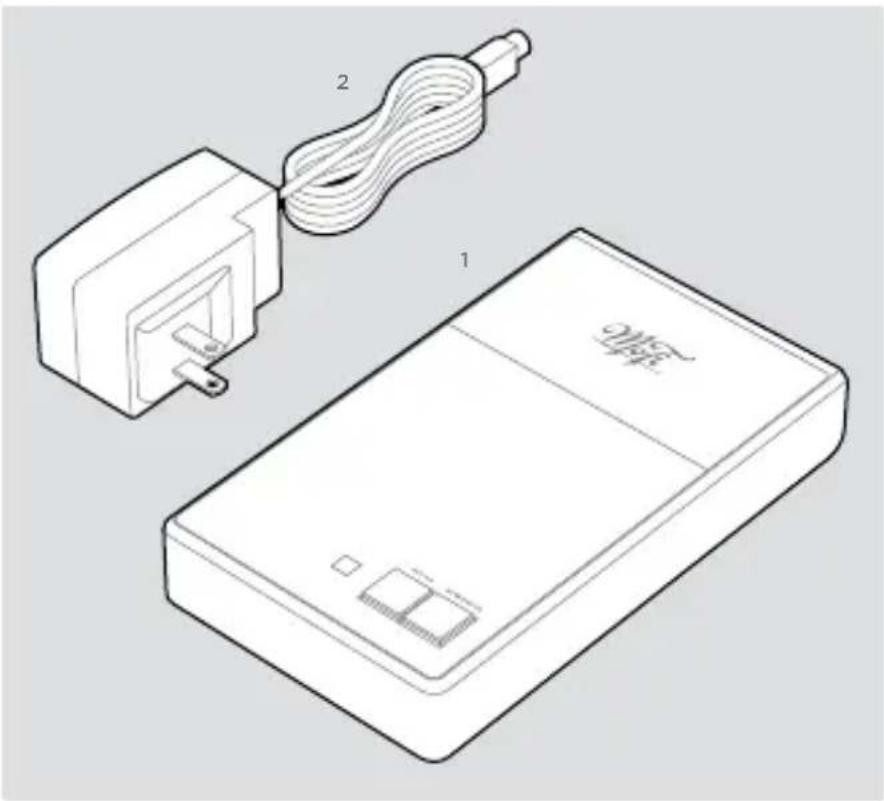
text_image
Technical diagram showing a device with labeled components and a cable being inserted into it, including a plug and a device labeled 'MSP-'.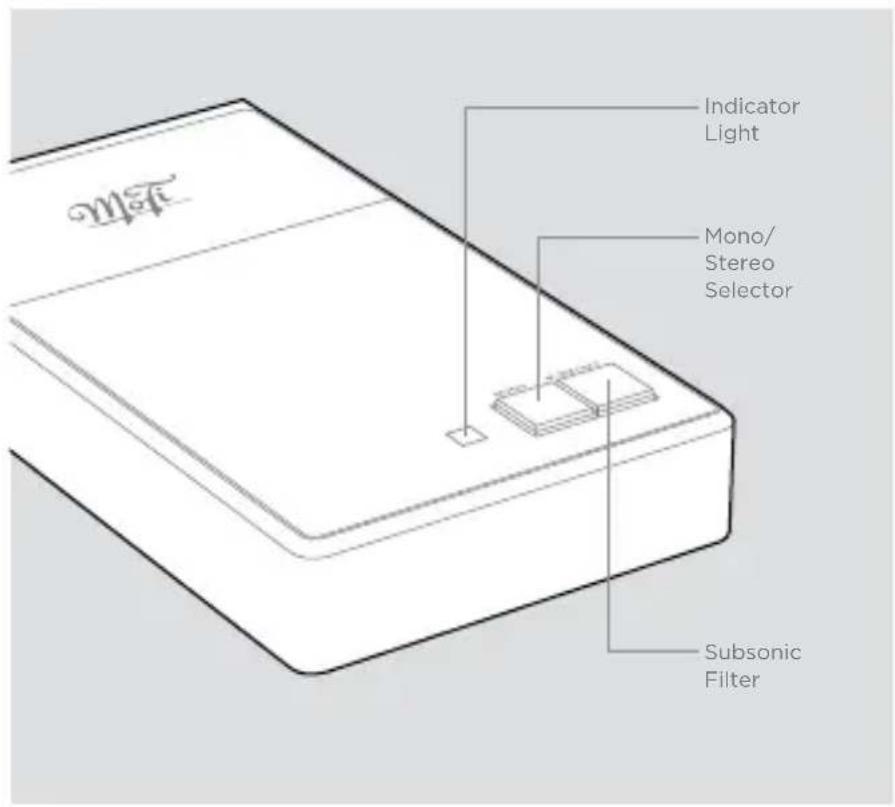
text_image
Indicator Light Mono/ Stereo Selector Subsonic FilterINSTALLATION
Check all connections before you plug in the power supply
StudioPhono™ will operate at its best when properly installed in a location that's free from magnetic fields like those generated by equipment with power transformers (such as an amplifier), and within a reasonable distance between your turntable and audio component(s).
Once you've placed
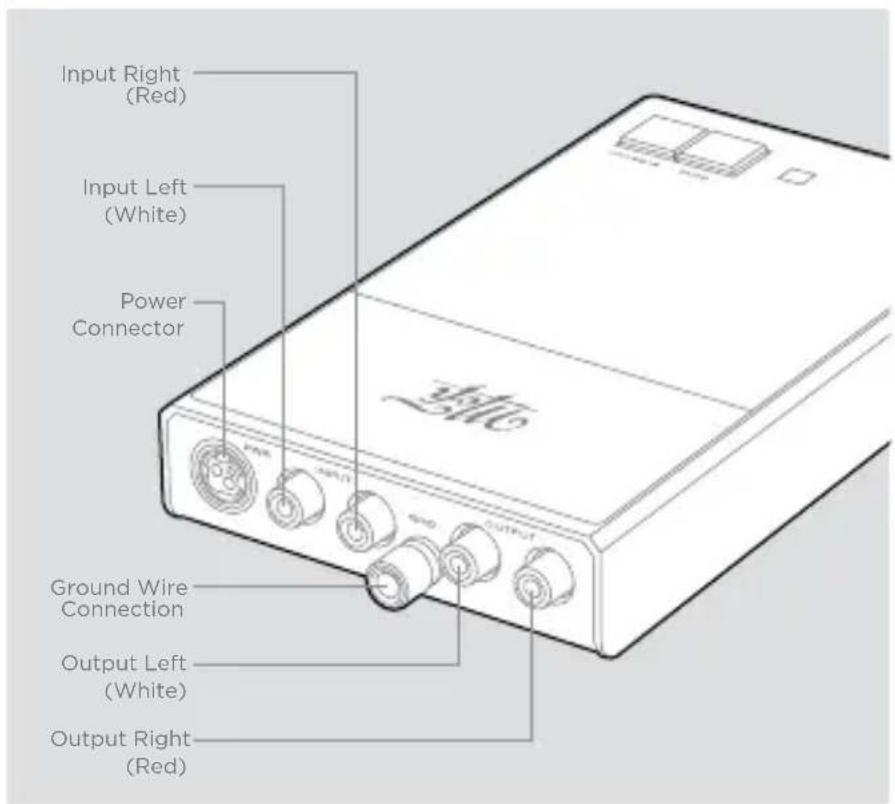
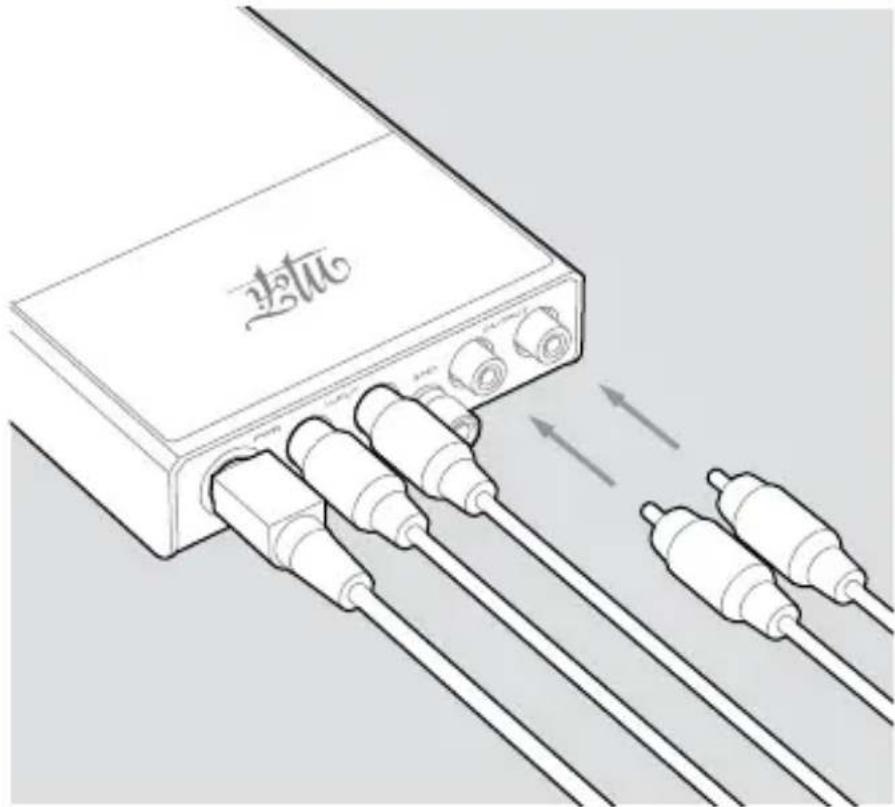
StudioPhono™ in a suitable area, connect your turntable's interconnects and ground wire (if supplied) to the phono preamp's inputs, matching each connector to the inputs as shown. Attach another set of interconnects from the phono preamp's outputs to the line-level analog inputs of your preamplifier/processor.
Plug in the provided power supply between the phono preamp's power input and a wall outlet or line conditioner.
text_image
Input Right (Red) Input Left (White) Power Connector Ground Wire Connection Output Left (White) Output Right (Red)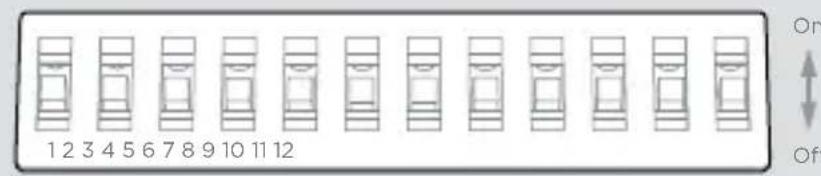
text_image
1 2 3 4 5 6 7 8 9 10 11 12 On Off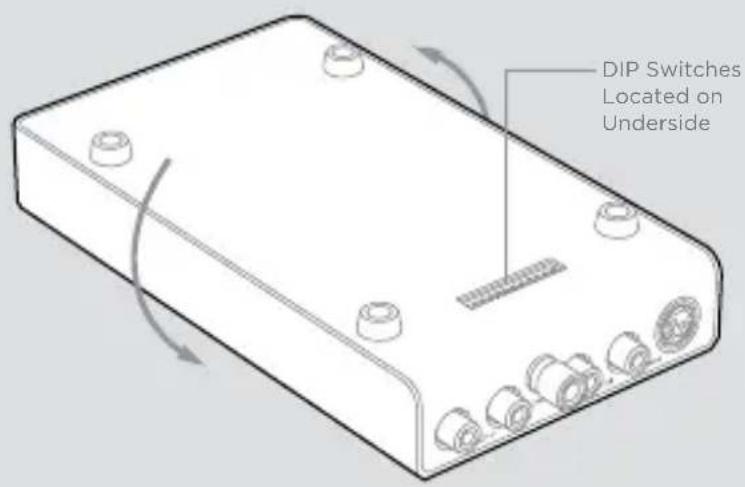
text_image
DIP Switches Located on UndersideCARTRIDGE LOADING
StudioPhono™ has been engineered to work with a wide array of phono cartridges on the market today. Because phono cartridges require special impedance and gain settings, you should configure StudioPhono™ to suit the cartridge of your choice.
Out of the box, StudioPhono™ is factory set to operate with most high-output Moving Magnet (MM), Moving Coil (MC), or Moving Iron (MI) phono cartridges. If you are using a low-output Moving Coil (MC) cartridge, you will need to adjust the phono preamplifier's settings for best results.
Locate the DIP switches, which are found on the underside. Each switch is arranged in a mirror pattern for left and right channels.
Start by selecting each DIP switch for the recommended impedance of your cartridge as shown in the Input Impedance Settings chart.
Next, select the best gain setting for your cartridge using the Cartridge Output Settings chart and set DIP switches accordingly.
For Moving Magnet (MM), start with 40dB. For Moving Coil (MC), start with 60dB. An additional 6dB can be added via DIP switches 1 and 12.
Input Impedance Settings
DIP Switch No. 3, 10 4, 9 5, 8 6, 7
| 100 Ohms On Off Off Off |
| 500 Ohms Off On Off Off |
| 1000 Ohms Off Off Off On |
| 47000 Ohms Off Off Off Off |
Cartridge Output Settings
DIP Switch No. 2, 11 1, 12
| >3mV / 40dB Gain Off Off |
| 1mv-3mV / 46dB Gain Off On |
| 0.3mV-1mV / 60dB Gain On Off |
natural_image
Illustration of a device with multiple connected cables and connectors, showing signal flow direction (no text or symbols)OPERATION
Once you have connected cables between StudioPhono™ and your turntable and amplifier/ preamplifier, and completed the setup of your impedance and gain settings, plug in the power supply.
When playing a mono record, depress the Mono button
To control low frequencies below 20Hz, depress the Subsonic button
StudioPhono™ UltraPhono™
Gain Adjustable from 40dB - 66dB Adjustable from 40dB - 66dB
THD < .01% (MM) / < .012% (MC) < .006% (MM) / < .055% (MC)
Load Impedance (MM) 47,000 Ohms 47,000 Ohms
Load Impedance (MC) 75, 100, 500, 1k, 10k, 47k Ohms 75, 100, 500, 1k, 10k, 47k Ohms
Headphone Amplifier
Headphone Output - 8V RMS Max, 62 Ohms, 1.5 w/ch
Volume Control - 31 steps, 2dB per/step, 62dB range
Mute Switch - -90dB
Minimum Impedance - > 10 Ohms

text_image
MofiELECTRONICS
www.mofielectronics.com
MoFi Electronics - 1811 W Bryn Mawr Ave Chicago IL