VAR11N - Router Vonets - Free user manual and instructions
Find the device manual for free VAR11N Vonets in PDF.


User questions about VAR11N Vonets
0 question about this device. Answer the ones you know or ask your own.
Ask a new question about this device
Download the instructions for your Router in PDF format for free! Find your manual VAR11N - Vonets and take your electronic device back in hand. On this page are published all the documents necessary for the use of your device. VAR11N by Vonets.
USER MANUAL VAR11N Vonets
VAR11N is the professional mini WiFi repeater, and together with mini WiFi router and WiFi intelligent bridge that is elaborately developed by HouTian Network, the original creation D/ A temperature compensated auto frequency control technology (TAFC), it solved the common failing of the traditional wifi router or wifi products that easily drop the network, make sure the lasting stability to ensure that the WiFi signal is not dropped. It is as an ecology and safe WiFi repeater. It is different from the traditional method that use increased the wireless transmitter power (it will generate a strong harmful radiation) to expand the distance of wireless transmission, but in WiFi signal coverage of failure point, place this device as a WiFi signal repeater to re-enlarge the weak WiFi signal, and during not increasing the wireless transmitter power, expand WiFi signal coverage, safe and ecology, it is very useful for home or office safe WiFi signal coverage. Please see the following main features:
I Adopt the original creation D/ A temperature compensated auto frequency control technology (TAFC), make sure the lasting stability to ensure that the WiFi signal is not dropped
Original creation VDNSS virtual domain configuration technology to solve the user's trouble of configuration.
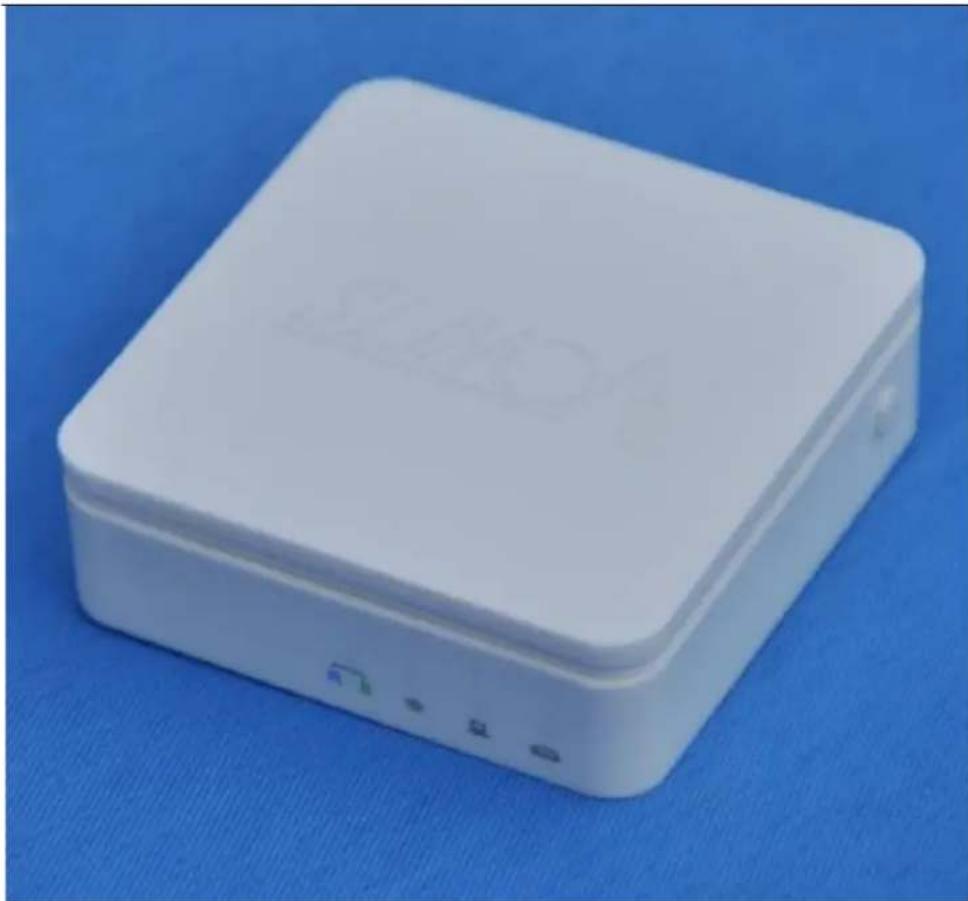
The world's smallest WiFi router, the whole size is less than one-half of the Bank card, very useful for both business trip and household.
The first wide power input (DC5-15V) WiFi bridge, no need dedicated power supply, most of mobile phone power supply, LCD TV USB port and other devices power supply and so on, can be used for its power supply input to reduce electronic waste generated.
Low power, the whole power supply less than 4W, dedicated designed parallel DC power outlet and DC power cable, it is convenient to share power supply with other devices.
I Dedicated power supply cable together with Ethernet cable two in one cable connector, reduce redundant connector, convenient for usage.
In WiFi intelligent bridge mode, it can intelligent control the device WiFi mode:
WiFi AP Client (it can be used for access from WiFi to wired Ethernet)
Shenzhen Houtian Network Communication Technology Co., LTD http://www.vonet.s.com
WiFi Hotspot (it is suitable for hotel room usage)
WiFi Repeater (it can extend the distance of WiFi signal coverage, ecology and safe)
In WiFi intelligent bridge mode, it supports WiFi hot spot scan automatically and WiFi hot spot memory function.
I 1 WAN, 1 LAN, two ports can interchangeable, such small volume has two ports, so unusual.
I Support 802.11N WiFi transfer protocol, 150Mbps rate of transmission
I Good compatibility, almost compatible with all of the smartphone, tablet computer, notebook, netbook and WiFi devices.
VAR11N is a plug and play Mini WiFi router and WiFi bridge. On business trip and traveling stay at hotel, you just connect the Ethernet cable in the hotel room to Ethernet port of VAR11N, then connect power supply, the whole room is Wi-Fi wireless coverage. Now, you can take out your mobile phone, PAD and other devices that support Wi-Fi, then get Wireless internet at anywhere of the room, no need any settings.
Simple and generous square shell design, superior shell technique, white, exquisite small, elegant and graceful. Orange and fluorescent clear blue LEDs are not only to show the immediate connection of the status of the device, also add the beauty of science and technology of product appearance.
In software operation, HouTian Network insists simple and humanized design, abandons the the complicate parameters and operations of traditional wifi router, also supports two configure mode IE browser configuration and PC dedicated software configuration (no need IP connection), the procedure is so clear and concise, without redundancy, greatly facilitates the use of different levels of users.
| Hardware Spec | |
| Protocol Standard | IEEE 802.11g. IEEE 802.11b. IEEE 802.11n |
| rate of transmission | 150Mbps |
| Interface | 1 10/100M adaptive Ethernet female port1 dedicated two in one power supply cable, with a set of power supply and a set of 10/100M adaptive Ethernet cableEthernet cable and Ethernet LAN/WAN interchangeable |
| Button | Reset button (Long press) |
| LED | Status instruction:Ethernet port status Lightethernet cable status Lightwork mode status LightWiFi status Light |
| Antenna | Built-in Intelligent Omnidirectional antenna |
| Size | 43mm x 43mm x 14mm (L x W x H) |
| Wireless Related | |
| Basic Function | Wireless SwitchSSID Broadcast switchChannel option: 1-14WiFi mode option: 802.11n only, 802.11 B/G/n mixed, 802.11B/G mixed, 802.11G only, 802.11B only.WiFi Hotspot scan automaticallyWiFi Hotspot memory |
| Working Mode | WiFi Intelligent bridge mode:AP Station mode (WiFi hotspot), suitable for hotel room usageAP Client mode (WiFi client), suitable for IP TV, STBs.Repeater mode (WiFi signal repeat), it can extend the distance of WiFi transferWiFi router mode |
| Wireless security | WiFi MAC address filterWiFi Security function switch64/128/WEP encryptionWPA-PSK/WPA2-PSK、WPA/WPA2 security mechanism |
Shenzhen Houtian Network Communication Technology Co., LTD http://www.vonet.s.com
| Wired Related | |
| WAN port Setting | WiFi router mode:WAN port connection type support: PPPoE, Dynamatic IP, Static IP,L2TP, PPTPDDNS Client |
| Firewall | WiFi router mode:IP and MAC address binding against ARP attacks (WiFi router mode support)IP address filter (WiFi router mode support)Domain filter (WiFi router mode support)Mac address filter |
| Forward rules | Port forwarding (WiFi router mode support)Virtual Service (WiFi router mode support)DMZ Host |
| System function | Time serviceFirmware upgradeConfigure file import and exportDevice rebootReset factoryAdministrate account and password revise |
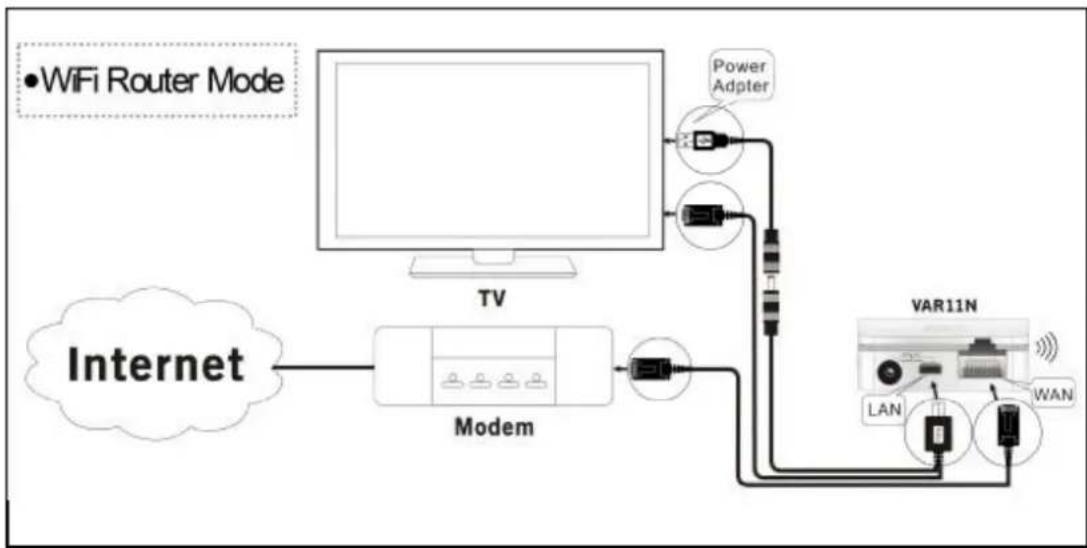
flowchart
graph TD
    A["WiFi Router Mode"] --> B["TV"]
    B --> C["Modem"]
    C --> D["VAR11N"]
    D --> E["LAN"]
    D --> F["WAN"]
    C --> G["Power Adapter"]
    G --> H["Internet"]
Shenzhen Houtian Network Communication Technology Co., LTD http://www.vonet.s.com
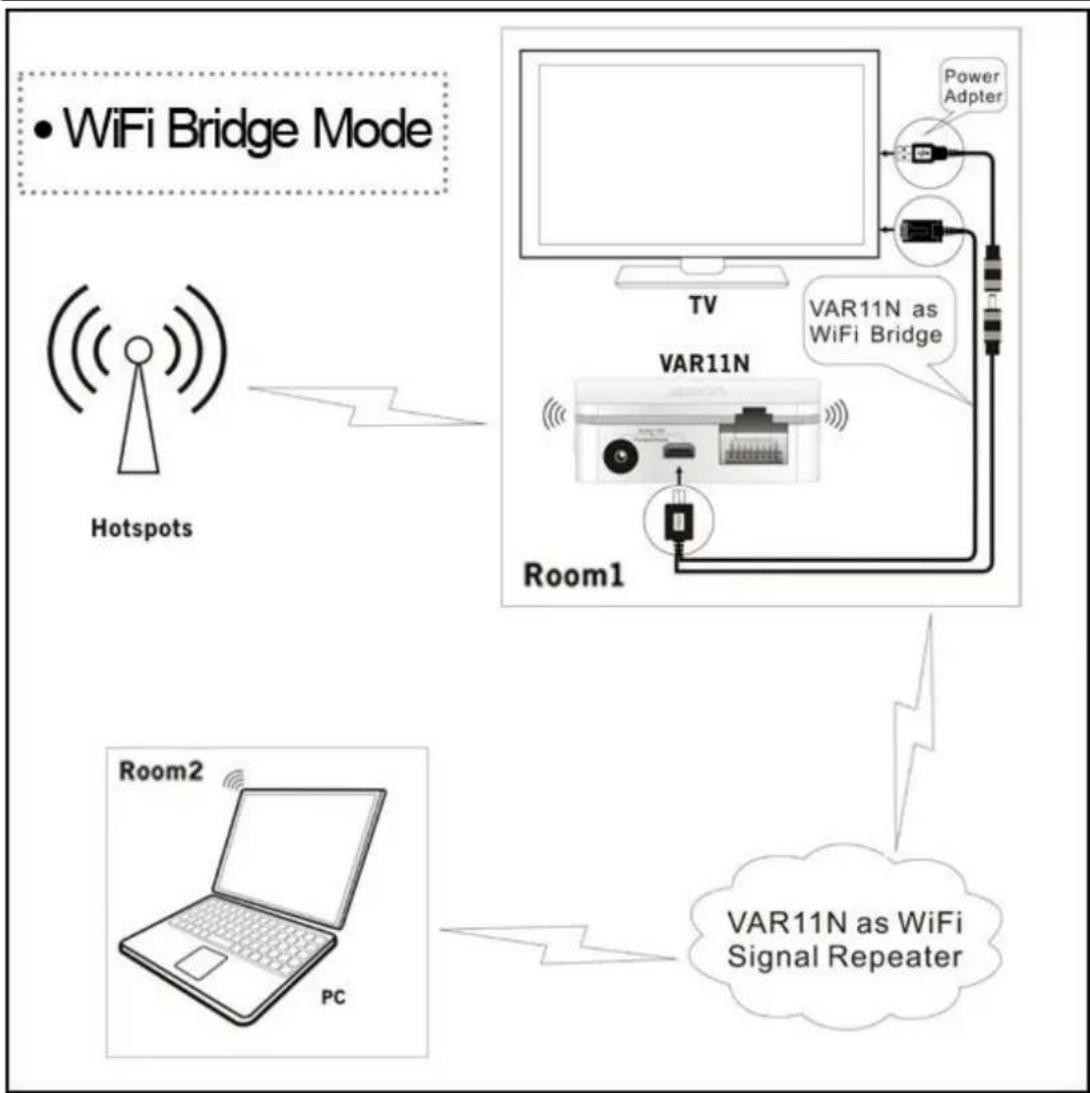
flowchart
graph TD
    A["Hotspots"] --> B["TV"]
    B --> C["Room1"]
    C --> D["Power Adapter"]
    C --> E["VAR11N as WiFi Bridge"]
    F["Room2"] --> G["PC"]
    G --> H["VAR11N as WiFi Signal Repeater"]
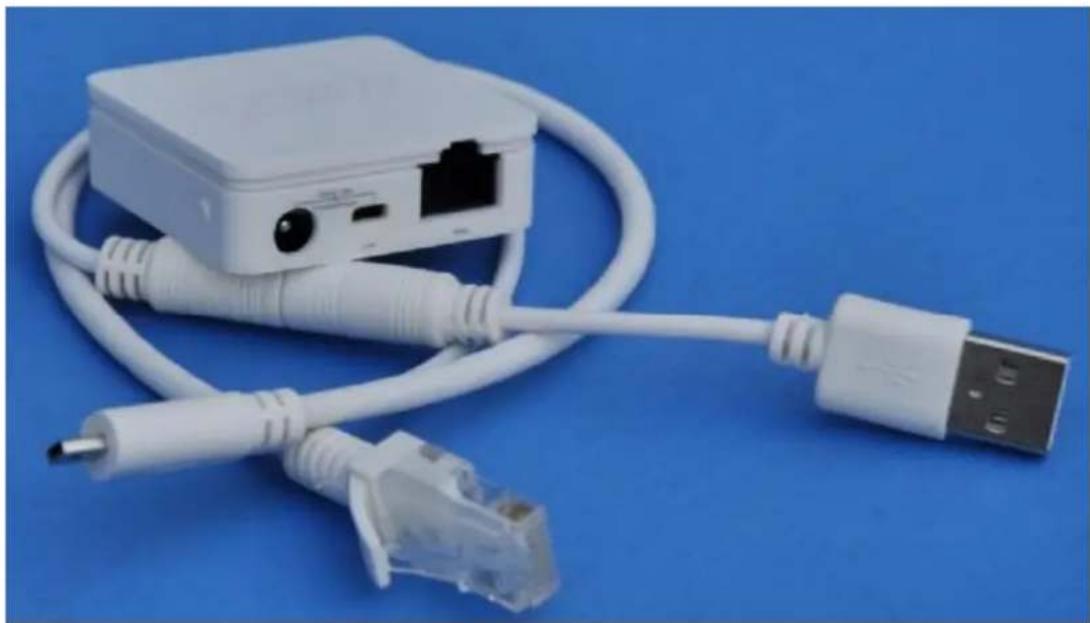
natural_image
White USB network adapter with attached cable and connector, shown against a blue background (no text or symbols visible)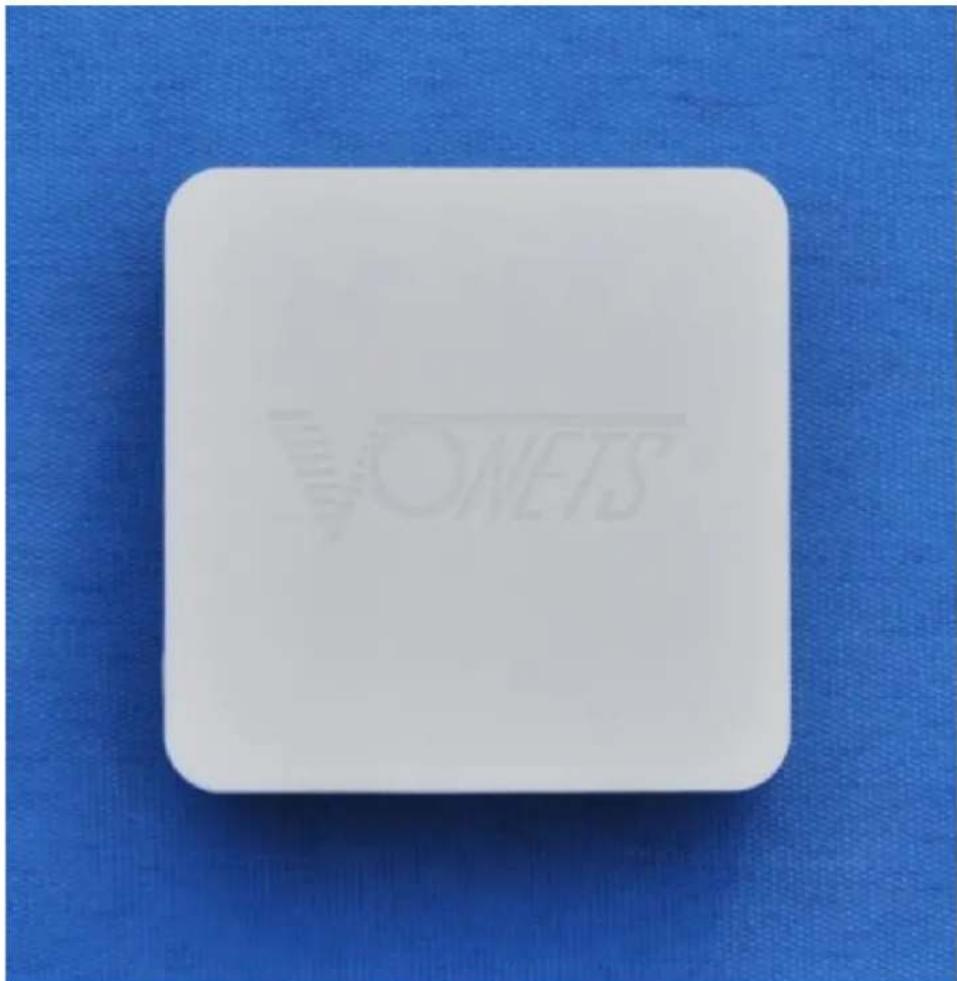
natural_image
White square button with 'ONEYS' watermark on blue textured background (no other text or symbols)Shenzhen Houtian Network Communication Technology Co., LTD http://www.vonet.s.com
natural_image
White rectangular electronic device with blue background (no visible text or symbols)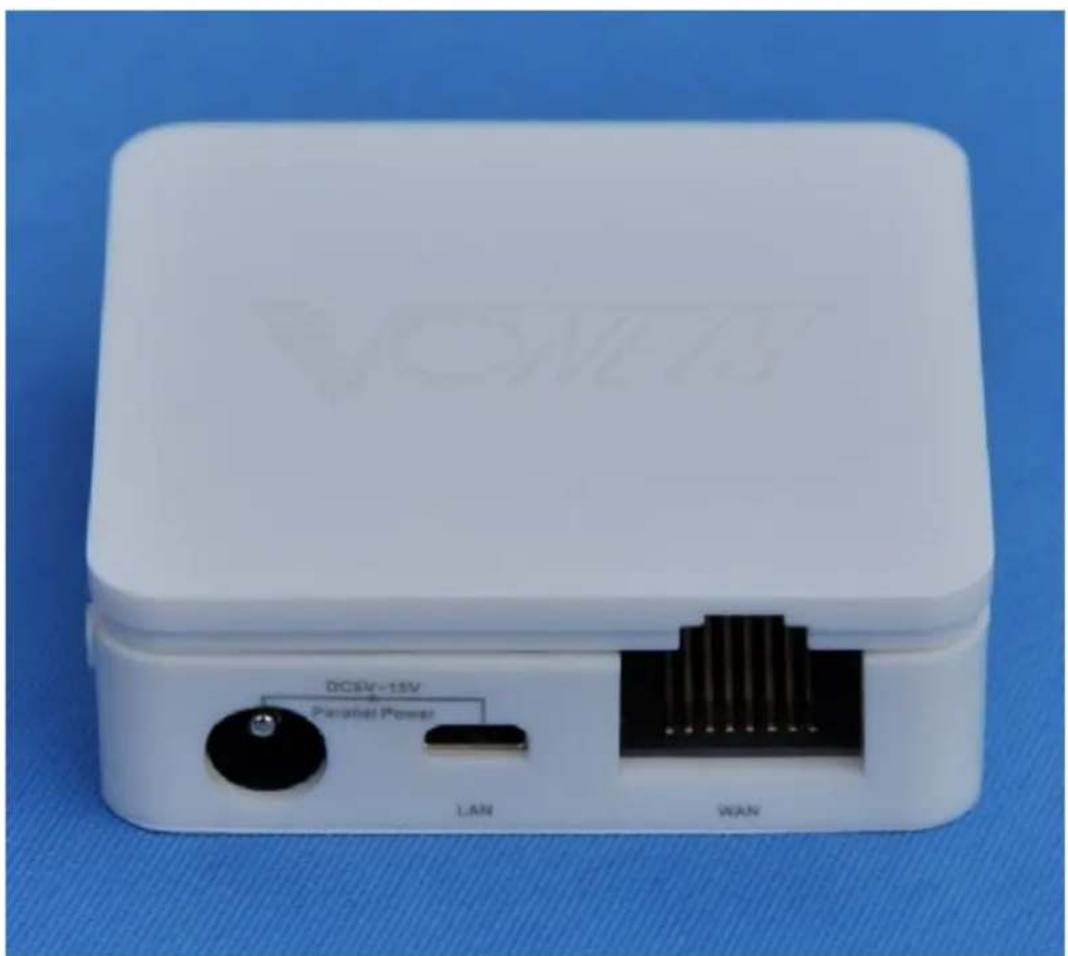
text_image
DC/5V-15V Parallel Power LAN WAN2012.7.11