
KCR-004 DAB+ - Radio LENCO - Free user manual and instructions
Find the device manual for free KCR-004 DAB+ LENCO in PDF.


| Product Type | DAB+ / FM Radio |
| Brand | Lenco |
| Model | KCR-004 DAB+ |
| Radio Bands | DAB+ (Band III), FM (87.5–108 MHz) |
| Presets | 20 presets (10 DAB+, 10 FM) |
| Display | LCD screen with station name, time, and signal info |
| Alarm Function | Dual alarm with snooze, wake to radio or buzzer |
| Sleep Timer | Yes, adjustable from 15 to 90 minutes |
| Power Supply | AC 100–240V, 50/60 Hz (adapter included); also DC 5V via micro USB |
| Battery Backup | 2 x AAA batteries (not included) for clock and presets |
| Audio Output | Built-in mono speaker (3W RMS), 3.5mm headphone jack |
| Dimensions (W x H x D) | 200 x 120 x 80 mm (7.9 x 4.7 x 3.1 in) |
| Weight | 0.5 kg (1.1 lb) |
| Color | Black/Silver |
| Maintenance & Cleaning | Wipe with a dry soft cloth; do not use liquid cleaners |
| Safety | Do not expose to moisture, heat sources, or direct sunlight |
| Spare Parts & Repairability | Contact Lenco support or authorized service centers; no user-serviceable parts |
| General Information | Designed for indoor use; instructions available online at lenco.com |
Frequently Asked Questions - KCR-004 DAB+ LENCO
User questions about KCR-004 DAB+ LENCO
0 question about this device. Answer the ones you know or ask your own.
Ask a new question about this device
Download the instructions for your Radio in PDF format for free! Find your manual KCR-004 DAB+ - LENCO and take your electronic device back in hand. On this page are published all the documents necessary for the use of your device. KCR-004 DAB+ by LENCO.
USER MANUAL KCR-004 DAB+ LENCO
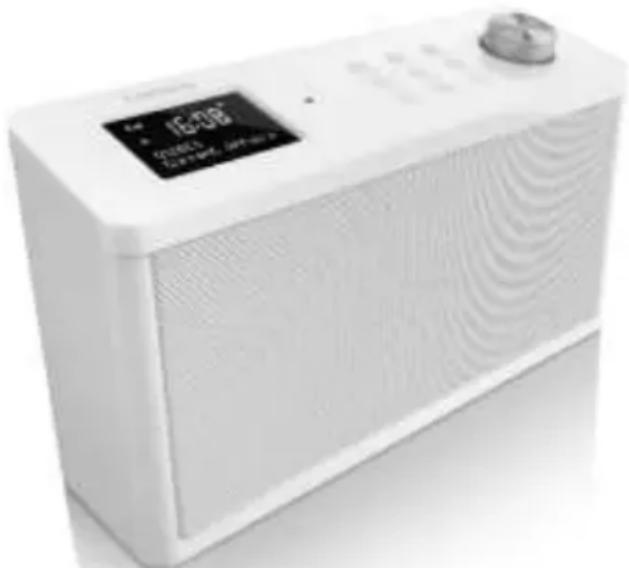
Kitchen Radio with DAB+
KCR-004 DAB+
User Manual
natural_image
White portable electronic device with a digital display showing 'IE-UG' and 'Cronics' branding (no visible text beyond branding)www.lenco.com
Thank you very much for buying the KCR-004 DAB+. In order to let you freely operate the product and fully enjoy the overbalancing happiness it brings you, we have introduced each function of the player in detail in this user manual. Please carefully read this user manual before use and keep for future reference.
Table of Contents
Safety Precautions
Appearance and Key Descriptions
Getting Started
KCR-004 DAB+ Functions
Main Menu and Settings
DAB
FM
Preset
AUX-IN
Troubleshooting
Specifications
Safety Precautions
- Do not drop the KCR-004 DAB+ and do not expose it to liquid, moisture or humidity. These might lead to damage to the device. - If the KCR-004 DAB+ is moved from a cold environment into a warmer one, let it adapt to the new temperature before operating the device. Otherwise, it might lead to condensation and cause malfunctions in the device.
- Do not use the KCR-004 DAB+ in a dusty environment as dust can damage the interior electronic components and lead to malfunctions in the device.
- Protect the KCR-004 DAB+ from strong vibrations and place it on stable surfaces.
- Do not attempt to disassemble the KCR-004 DAB+.
- Only use the power adaptor delivered with the KCR-004 DAB+.
- Never touch the power plug with wet hands and never pull the power cable when pulling the plug out of the power socket.
- Make sure the electrical voltage specified on the KCR-004 DAB+ and its power plug is corresponding with the voltage of the power socket. An incorrect voltage will destroy the device.
- If the KCR-004 DAB+ is not used for a long period of time, disconnect it from the power supply by unplugging the power plug. This is to avoid the risk of fire.
- It is not recommended to use a headphone to listen KCR-004 DAB+ via line out connector. In case listening the KCR-004 DAB+ with a headphone (which is not provided), always reduce the volume before you put on the headphone. After the headphone is positioned properly, increase the volume to the desired level.
• Always power off the KCR-004 DAB+ when cleaning it.
- Never use any harsh or strong solvents to clean the KCR-004 DAB+ since these may damage the surface of the device. Dry, soft cloth is appropriate; however, if the KCR-004 DAB+ is extremely dirty, it may be wiped off with a slightly moist cloth. Make sure the device is dried off after cleaning.
- When it is necessary to ship the KCR-004 DAB+, store it in its original package. Save the package for this purpose.
Appearance and Key Descriptions
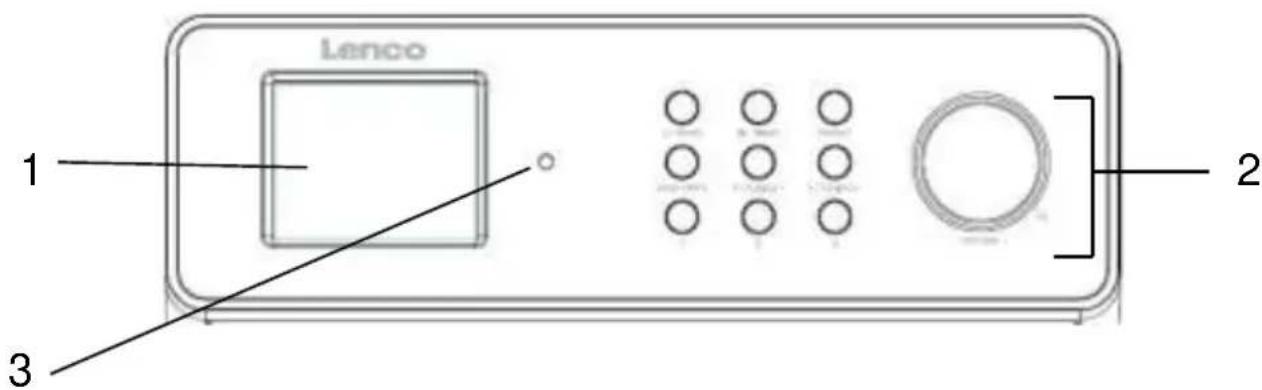
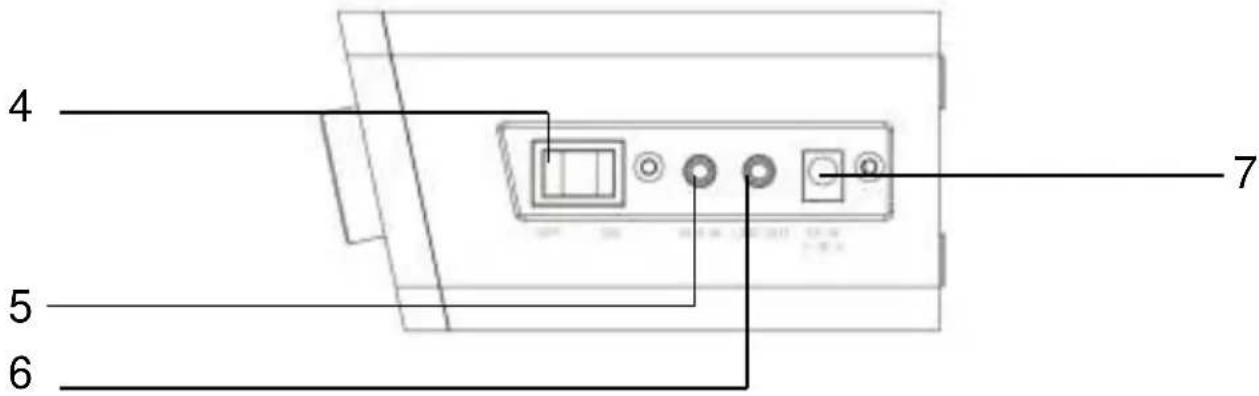
| No. | Description | Functions |
| 1 | LCD Screen | Display |
| 2 | Buttons and Knobs | Basic control of operation |
| 3 | Remote Receiver | Infra-red reception interface for remote control |
| 4 | On/Off Switch | Power on/off |
| 5 | AUX In | 3.5mm jack for AUX IN |
| 6 | Line Out | 3.5mm jack for speaker connection |
| 7 | DC IN | Power supply |
Remote Controller
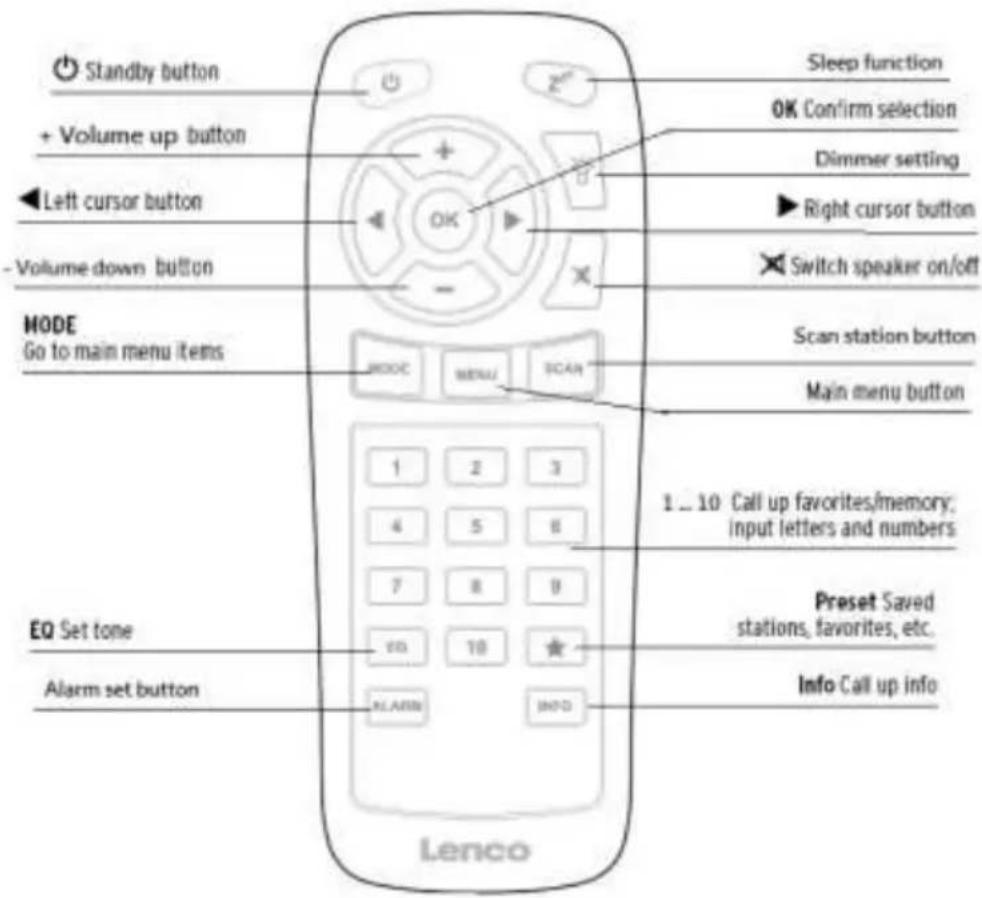
| English | English |
| Standby button | Standby button |
| + Volume up button | + Volume up button |
| ◀ Left cursor button | ◀ Left cursor button |
| - Volume down button | - Volume down button |
| MODEGo to main menu items | MODEGo to main menu items |
| EQ Set tone | EQ Set tone |
| Alarm set button | Alarm set button |
| Sleep function | Sleep function |
| OK Confirm selection | OK Confirm selection |
| Dimmer setting | Dimmer setting |
| ▶ Right cursor button | ▶ Right cursor button |
| Switch speaker on/off | Switch speaker on/off |
| Scan station button | Scan station button |
| Main menu button | Main menu button |
| 1_10 Call up favorites/memory; input letters and numbers | 1_10 Call up favorites/memory; input letters and numbers |
| Preset Saved stations, favorites, etc. | Preset Saved stations, favorites, etc. |
| Info Call up info | Info Call up info |
natural_image
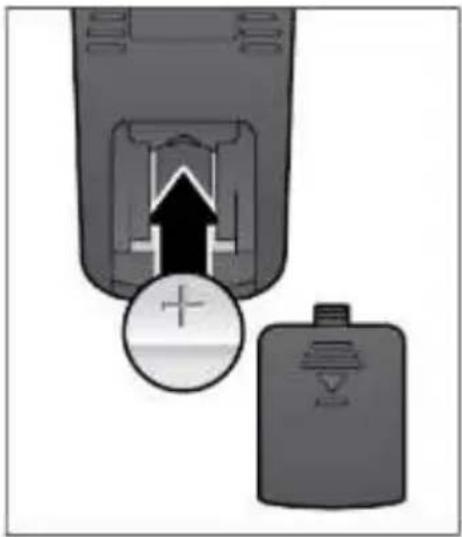
Diagram showing a device with an upward arrow and a circular symbol, next to a smaller battery (no text or labels)Remember to pull out the clear plastic tab from the battery compartment before using the remote.
To remove the battery from the remote, use your thumb to pull out the battery tray. Replace it with a CR2025 type 3V battery, taking care to insert it with the positive (+) side up.
Caution: Risk of explosion of the battery might only be apparent in case an incorrect battery type is used.
Dispose of used batteries according to the instructions.
Warning
Do not ingest the battery, Chemical Burn Hazard
(The remote control supplied with) This product contains a coin/button cell battery. If the coin/button cell battery is swallowed, it can cause severe internal burns in just 2 hours and can lead to death.
Keep new and used batteries away from children.
If the battery compartment does not close securely, stop using the product and keep it away from children.
If you think batteries might have been swallowed or placed inside any part of the body, seek immediate medical attention.
Getting Started
The packaging box contains the following items:
KCR-004 DAB+ main unit
3.5mm audio cable
Power adaptor
User Manual
Mounting kit (Metal bracket + 8 screws + paper template)
Mounting the set under a cabinet
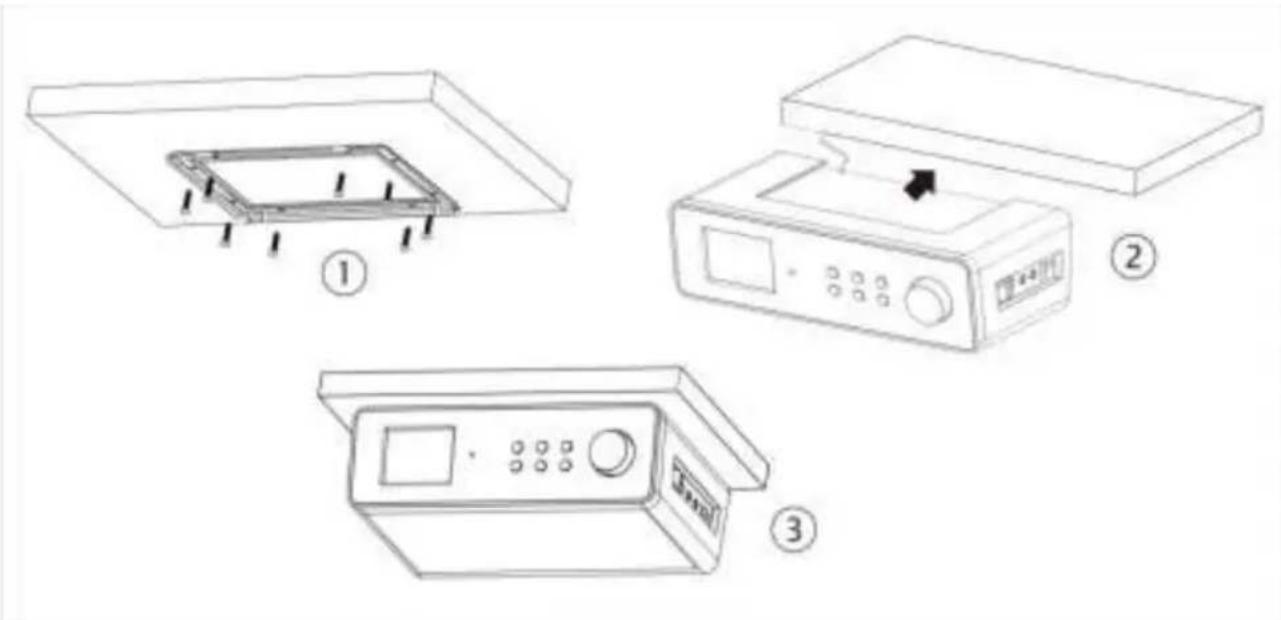
1) Decide on the installation location and installing the unit based on the best cabinet/shelf. Attach the metal bracket under the cabinet/shelf with the supplied mounting screws. If the board thickness of cabinet/shelf is thinner than the screw's height, you can supply the suitable screw by yourselves.
2) Slide the unit into metal bracket until it locks securely.
3) Due to its heavy weight, the unit should be installed with great care. Make sure that the cabinet that is used is sturdy enough to support the weight of the unit.
To reduce the risk of fire, do not place the radio on any heating area or without the spacer.
You can slide out the unit from the metal bracket to be used as a standing kitchen radio. Then, you can slide the plastic clapboard into the unit.
- Connect the power adaptor to the side of the KCR-004 DAB+ and plug into power socket. Switch it on at the side of the KCR-004 DAB+.
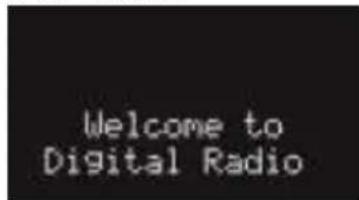
- When it is the first time running the device, the radio will enter the DAB mode and automatically scan the DAB/DAB+ stations.
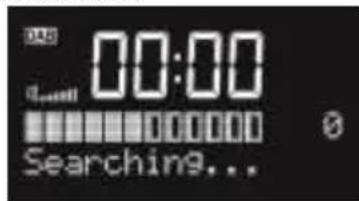
- Press and hold or press on the remote control to turn the radio at Standby.
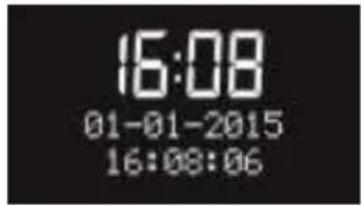
- During standby mode, press and hold ⏻/MODE or press ⏻ on the remote control to turn the radio to operation mode.
KCR-004 DAB+ Functions
Press ⬇TMODE or MODE on the remote control to swap among the modes below: DAB → FM → AUX →DAB →FM → ...
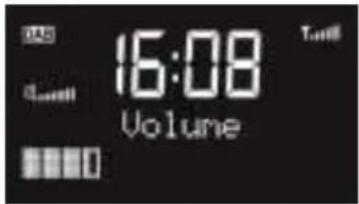
When it is on the playback display, rotate the knob or press / - on the remote control to adjust the volume. Press on the remote control to mute the sound, press // to resume the volume.
Main Menu and Settings
At any operation modes, you may press and hold / or press on the remote control to go to configuration. Press / or / on the remote control to choose
the submenu and then press to confirm. Press or press on the remote control to go back to the last display.
Set Alarm
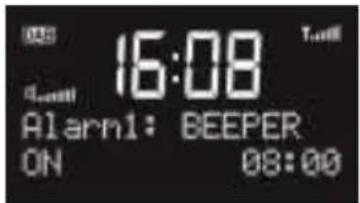
There are two alarms available.
Choose Set Alarm in the menu. Or, press ALARM on the remote control to enter the alarm1 setting directly; press ALARM once again to enter the alarm2 setting.
For each step below, you have to press /TUNING- / / TUNING or / on the remote
control to select and press to confirm -
On/off: Turning on or off.
Time: Adjusting the hour and minute.
Mode: Choosing Daily, Weekdays, Weekends or Once.
Type: Selecting the alarm sound, BEEPER, DAB or FM. (for DAB and FM, the alarm will be the last listened station).
Volume: Setting the alarm volume.
After you have set up the alarm, there will be an alarm icon on the display.
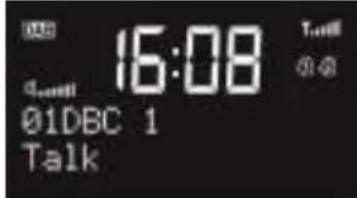
When the alarm goes off, press any buttons (Except STANDBY and SLEEP buttons) to enter snooze mode, it will alarm again in 5 minutes. Snooze icon will be shown on the display.
Press or press on the remote control to turn off the alarm and/or snooze.
Set Sleep
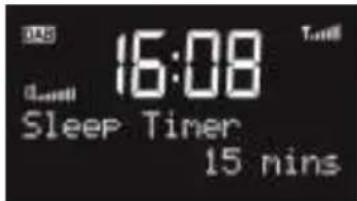
Set sleep time of 15/30/45/60/90 minutes or turn off sleep timer.
Press / or / on the remote control to select and press to confirm.
After the sleep timer is set, sleep icon and remaining time will be shown on the display.
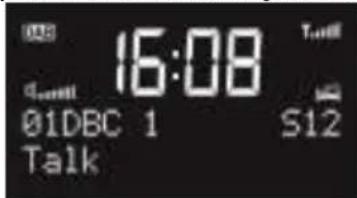
Alternatively, press on the remote control to enter the sleep menu.
Set Timer
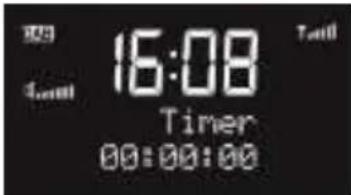
Setup the Timer hh:mm:ss. The maximum time is 2 hours.
Hour (hh): from 00 to2.
Minute (mm): from 00 to 59.
Second (ss): from 00 to 59, each step is 01.
For each one, press / or / on the remote control to select and press to confirm.
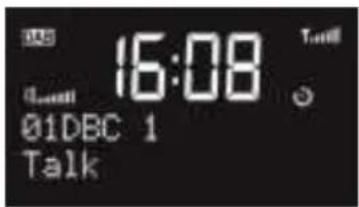
Timer icon will be shown on the display.
On the playing screen, press to view the remaining time. Or it will automatically turn to the countdown screen in 10 seconds.
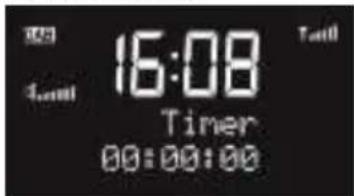
On the countdown screen,
- Press any key (except ) or rotate the knob to return playing screen; or
- Press to reset to 00:00:00 (which means turning off).
After the time counts to the set time, buzzer sound will start. Press any buttons to stop the buzzer.
Set Time
There are several options on the time setting. Press TIMER and then press / / TUNING or press MENU on the remote control and then press / on the remote control to select and press to confirm.
Set clock: hh:mm. Set the time manually.
Set date: dd-mm-yyyy. Set the date manually.
Auto update: From radio or No update. If it is set to be updated from radio, the radio automatically update the time and date from DAB or FM RDS even you have set the time and/or date.
Note: If the device is switch off, then switch on again. The setting is automatically taken from the radio.
Set 12/24 hour: 12 or 24 time format.
Set EQ
Set the Equaliser: Normal, Flat, Pop, Jazz, Rock, Classic, News or Movie. Press TIMER and then press / or press MENU on the remote control and then press /
on the remote control to select and press to confirm.
Alternatively, press on the remote control to enter EQ menu.
Dimmer
Set the brightness of the display: High, Medium, Low
Or, you can press to swap among the three backlight levels.
Set Language
OSD language: English, Deutsch, Dutch, French
Press TIMER and then press / or press MENU on the remote control
and then press ◀/▶ on the remote control to select the language and press OK to confirm.
System Reset
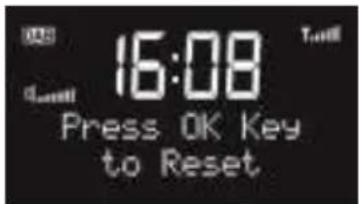
Press to confirm factory reset. The system will then restart.
Note: the alarm settings, scanned stations and stored preset stations will be removed after factory reset.
S/W version
Enter to view the version of firmware of the system.
DAB
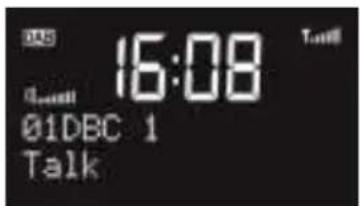
The first row of the text is the name of the DAB station.
The second row shows the details of the station, press or on the remote
control to view the frequency, bit rate, signal strength and the programme type of the station and today's date.
Press / or / on the remote control to change the stations.
You can do Full scan or Manual tune.
Press and hold or on the remote control to do the full scan.
If you want to rescan the station at designated frequency, press and hold E/ TIMER or press MENU on the remote control, then choose Manual Tune to start.
Draw out the wire antenna and fix it in a vertical direction to get the best DAB reception.
FM
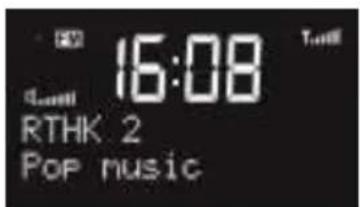
The first row of the text is the frequency or the name of the FM station.
The second row shows the details of the station, press or on the
remote control to view the signal strength and the programme type of the FM RDS station and today's date.
The third row displays the rolling message from the FM RDS station.
Press / or / on the remote control to adjust the previous/next frequency. Each step is 0.05MHz.
Press and hold / or / on the remote control to adjust the frequency speed. Once you release the button, the radio will stop at that frequency.
Alternatively, press and hold or on the remote control to do scanning. The default is scanning up the frequency unless your last operation was adjusting the frequency downward (after pressing or).
Preset
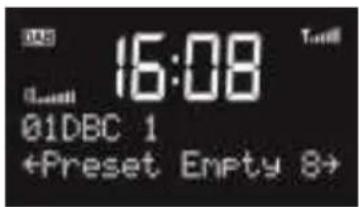
In DAB or FM mode, there are 10 presets for each mode.
Press and hold PRESET or * on the remote control to save the the station.
Press / or / on the remote control to select the number, and press to confirm.
Press preset or on the remote control to recall the stored preset station list.
The number keys to on the device or on the remote control are the hotkey of each presets. Press and hold to save stations and press to recall that station.
AUX-IN
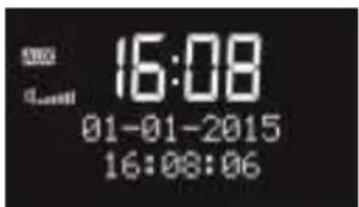
Aux in mode plays audio from an external source such as an MP3 player.
To play audio with Aux in mode:
Turn the volume low on both KCR-004 DAB+ and, if adjustable, the audio source device.
Connect the external audio source to the AUX IN 3.5mm stereo socket.
Adjust the volume of KCR-004 DAB+ (and, if necessary, the audio source device) as required.
Troubleshooting
| Error | Remedy |
| The device does not switch on. | Check if the power adaptor is connected properly with power supply. |
| No sound | 1. Turn on the sound as it may be muted.2. Increase the volume. |
| Hiss in FM mode | 1. Check/move the FM antenna.2. Move the radio.3. Draw out the wire antenna and try different direction. |
| No stations available/burbling/intermittent in DAB mode. | 1. Move the radio.2. Draw out the wire antenna and fix it in vertical direction.3. Rescan local stations only (high-strength).4. Check the local DAB coverage. |
| Alarm does not work. | 1. Switch on the alarm.2. Due to the volume setting, refer to the solutions of “No sound”. |
| Electro-Magnetic Interference. | The normal function of the product may be disturbed by strong Electro-Magnetic Interference. If so, simply reset the product to resume normal operation by following the instruction manual. In case the function could not resume, please use the product in other location. |
| All other undetermined cases. | Switch off, and then switch on again if necessary. |
Specifications
| Model number | KCR-004 DAB+ |
| Description | Kitchen Radio with DAB+ |
| Display | Clock + icons and 2 line x 16 characters |
| FM | 87.5 - 108MHz, RDS supported |
| DAB/DAB+ | 174.928 – 239.200MHz (Band III) |
| Power adaptor | 7.5V 1000mA |
| Standby mode power consumption | <1 W |
| Operating temperature | 0°C - 35°C |
| Connections | 3.5mm aux in socket, stereo3.5mm line out socket, stereoDC IN power supply socket |
| Dimensions | 237mm(L) x 72mm(H) x 137mm(D) |
| Weight | 940g |
Power supply adaptor: (For EU only)
Manufacturer: DongGuan Yingna Electronic Technology Co. Ltd.
Model number: PSEA075100V W
Use only original AC adaptor
Use only the power supply listed in the user instructions
Service and support
For helpdesk support and more information, please visit: www.lenco.com
Lenco offers service and warranty in accordance to European law, which means that in case of repairs (both during and after the warranty period) you should contact your local dealer.
Important note: It is not possible to send products that need repairs to Lenco directly.
Important note: If this unit is opened or accessed by a non-official service center in any way, the warranty expires.
This device is not suitable for professional use. In case of professional use, all warranty obligations of the manufacturer will be voided.
and the Low Voltage Directive (2006/95/EC) issued by the Commission of the European Community.
The declaration of conformity may be consulted at
https://lencosupport.zendesk.com/forums/22413161-CE-Documents
natural_image
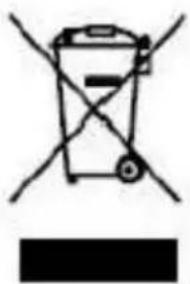
Simple line drawing of a trash bin with crossed lines indicating no waste or plastic, and a solid black rectangle below (no text or symbols)This symbol indicates that the relevant electrical product or battery should not be disposed of as general household waste in Europe. To ensure the correct waste treatment of the product and battery, please dispose them in accordance to any applicable local laws of requirement for disposal of electrical equipment or batteries. In so doing, you will help to conserve natural resources and improve standards of environmental protection in treatment and disposal of electrical waste (Waste Electrical and Electronic Equipment Directive).
® All rights reserved

- Kitchen Radio with DAB+
- KCR-004 DAB+
- User Manual
- Table of Contents
- Safety Precautions
- Appearance and Key Descriptions
- Warning
- Getting Started
- Mounting the set under a cabinet
- KCR-004 DAB+ Functions
- Main Menu and Settings
- Set Alarm
- Set Sleep
- Set Timer
- Set Time
- Set EQ
- Dimmer
- Set Language
- System Reset
- S/W version
- DAB
- FM
- Preset
- AUX-IN
- Troubleshooting
- Power supply adaptor: (For EU only)
- Service and support
Brand : LENCO
Model : KCR-004 DAB+
Category : Radio