
Move It Smart Multi-Purpose Fitness Device - Fitness Equipment Xiaomi - Free user manual and instructions
Find the device manual for free Move It Smart Multi-Purpose Fitness Device Xiaomi in PDF.
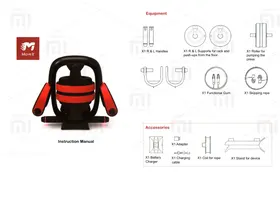


| Product Type | Smart Multi-Purpose Fitness Device |
| Brand | Xiaomi |
| Model | Move It Smart Multi-Purpose Fitness Device |
| Dimensions (Stand) | Approximately 40 x 30 x 20 cm |
| Weight (Full Set) | Approximately 2.5 kg |
| Power Supply | Rechargeable battery via USB charger (5V/1A) |
| Battery Type | Lithium-ion, built-in handles |
| Charging Time | Approximately 2 hours |
| Battery Life | Up to 10 hours of active use |
| Connectivity | Bluetooth 4.0+ |
| Compatible App | Move it APP (iOS 8.0+, Android 4.3+) |
| Main Functions | Push-ups, sit-ups, pull-ups, skipping, resistance training |
| Included Accessories | 2 handles (L/R), 2 supports for rack/push-ups, press roller, functional band, skipping rope, charger, adapter, charging cable, rope coil, device stand |
| Material | ABS plastic, rubber, stainless steel |
| LED Indicators | Green (charged), Blue (connected), Red (low battery), Flashing (pairing/update) |
| Cleaning Instructions | Wipe with a soft dry cloth; do not use abrasive cleaners or immerse in water |
| Safety Warnings | Keep away from children; do not disassemble; charge only with provided adapter; avoid overcharging |
| Spare Parts Availability | Handles, bands, ropes, and chargers available separately |
| Repair Service | Contact Xiaomi authorized service centers |
| Country of Origin | Assembled in China, developed in Hong Kong |
Frequently Asked Questions - Move It Smart Multi-Purpose Fitness Device Xiaomi
User questions about Move It Smart Multi-Purpose Fitness Device Xiaomi
0 question about this device. Answer the ones you know or ask your own.
Ask a new question about this device
Download the instructions for your Fitness Equipment in PDF format for free! Find your manual Move It Smart Multi-Purpose Fitness Device - Xiaomi and take your electronic device back in hand. On this page are published all the documents necessary for the use of your device. Move It Smart Multi-Purpose Fitness Device by Xiaomi.
USER MANUAL Move It Smart Multi-Purpose Fitness Device Xiaomi
Instruction Manual
Equipment X1 R & L Handles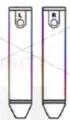
X1 R & L Supports for rack and push-ups from the floor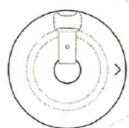
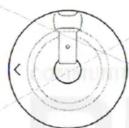
X1 Roller for pumping the press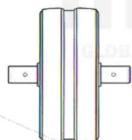
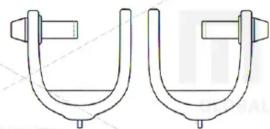
X1 Functional Gum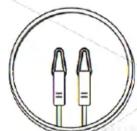
X1 Skipping rope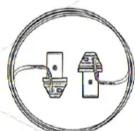
Accessories X1 Battery Charger
X1 Adapter
X1 Charging cable
X1 Coil for rope
X1 Stand for device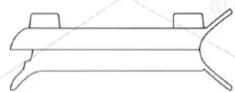
Beginning of work
Set the «Move it» APP (support for iOS 8.0 or Android 4.3 and higher)
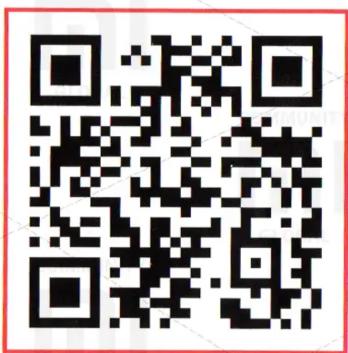
To install the application, scan the QR code You can also install the application using the APP Store or the Google Play Store
Connecting handles
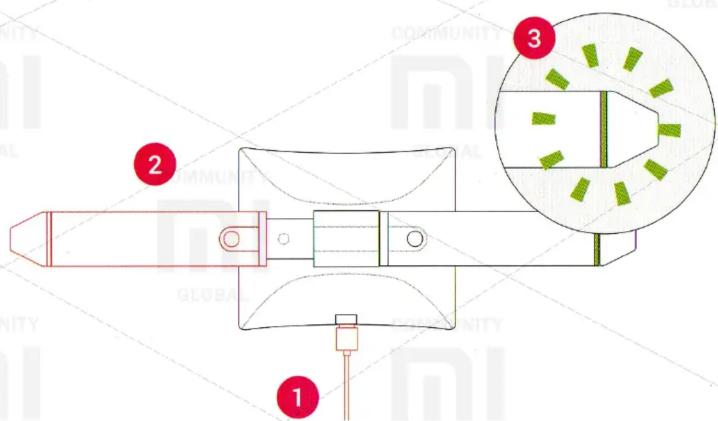
- Connect the charger to the power source using the cable and the power adapter.
- Connect the handles to the charger.
- The knobs are on when the LED indicators light up.
Standard assembly (A)
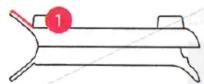
- Set the stand for the devices with the logo upwards.
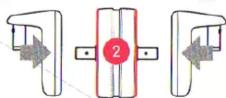
- Insert the stops for the rack and push-ups from the floor into the roller for pumping the press on both sides.
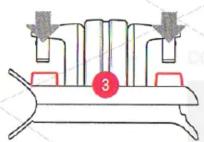
- Align the devices connected together and insert them into the corresponding holes in the device stand.
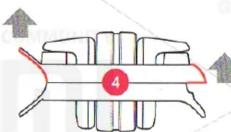
- Lift the device stand up, holding the side handles to fix the position of the stop for the stand and the push-ups from the floor and the roller for pumping the press.
- Place the device vertically on the special feet, with the back side facing you.
Standard assembly (B)
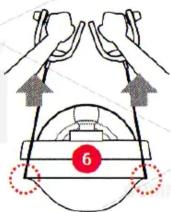
- While holding the functional band on the same length with both hands, thread it into the appropriate trough at the base of the delivery for the device, slightly pulling the elastic band.
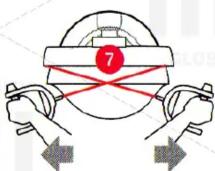
- Cross the elastic band, then gently circle it around the back groove.
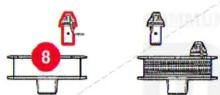
- Insert one end of the rope into a special socket. Wind the cable around the special coil, and then insert the other end into the remaining connector.
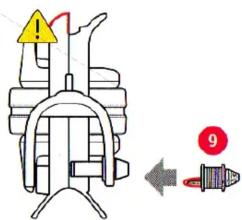
- Place the device with the protruding part down on the special feet, then insert the coil into the corresponding hole.

When transporting the device in its assembled state, always hold the device holder with a special handle.
Status of LED indicators
Status of the handle connected to the charger:

Slowly flashing green - charging the battery.

Constantly lit green - the battery is fully charged.

Slow flashing blue - firmware update.


Fast flashing of the indicator - it is impossible to detect one of the pens. Please make sure that the handle is next to it and there is a battery in it.
Status of the handle:

Constantly lit green - the battery is charged and the handles are ready for use.

Constantly lit blue - the battery is charged and is currently mated with the Move it APP.

Constantly lit red - low level of charge. It is recommended that you charge the battery before using the device.


Fast flashing of the indicator - it is impossible to detect one of the pens. Please make sure that the handle is next to it and there is a battery in it.

Fast blinking blue x5 - handles are successfully paired with the Move it APP.

Fast flashing of the x2 indicator - the pens are successfully paired with the device.

Fast flashing of indicators - the reset is successful or the device is ready to update the firmware.
Move It™
www.move-it.club
Developed in Hong Kong. Assembled in China.
XIAOMI-MI.COM
Brand : Xiaomi
Model : Move It Smart Multi-Purpose Fitness Device
Category : Fitness Equipment