
PC4SUSMF - Air-conditioner SAMSUNG - Free user manual and instructions
Find the device manual for free PC4SUSMF SAMSUNG in PDF.


User questions about PC4SUSMF SAMSUNG
0 question about this device. Answer the ones you know or ask your own.
Ask a new question about this device
Download the instructions for your Air-conditioner in PDF format for free! Find your manual PC4SUSMF - SAMSUNG and take your electronic device back in hand. On this page are published all the documents necessary for the use of your device. PC4SUSMF by SAMSUNG.
USER MANUAL PC4SUSMF SAMSUNG
| Bolt(M5XL35 MACHINE)(4) | Installation manual(1) |
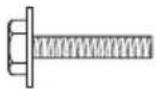 |  |
If the supplied bolt is lost, you may purchase M5 machine bolt (with length of the thread more than 20mm long) and a circular washer from any retail hardware store to replace the lost bolt.
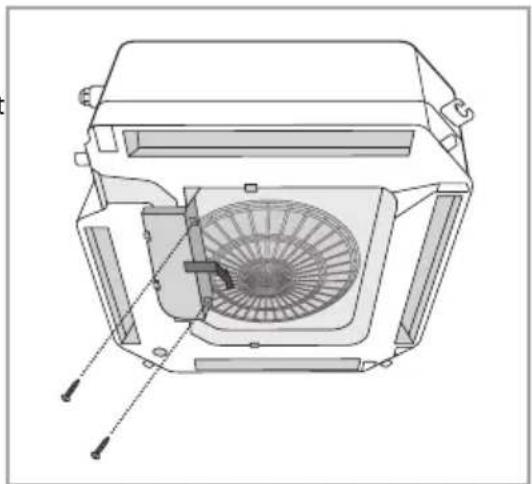
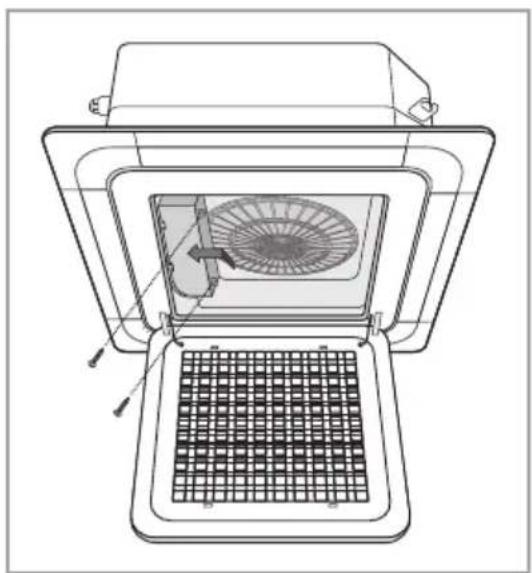
- Open the electrical component box cover.
▶ After untightening the screws, slide the electrical component box cover in the direction of the arrow as shown in the figure and pull it down.
natural_image
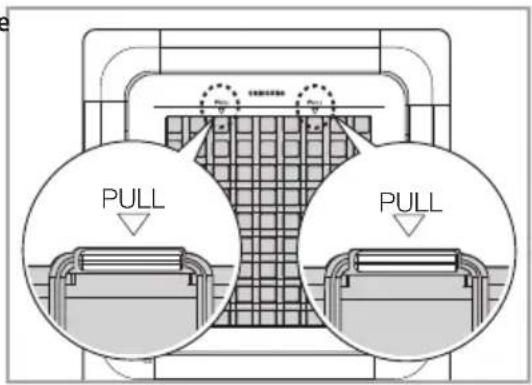
Technical line drawing of a mechanical fan assembly (no text or symbols)- Pull both hooks in the direction of carved arrows and take the grille to open.
▶ Hooks are located below the Samsung logo on the grille.
text_image
PULL PULL- Install the panel using 2 hooks on the both sides of the indoor unit.
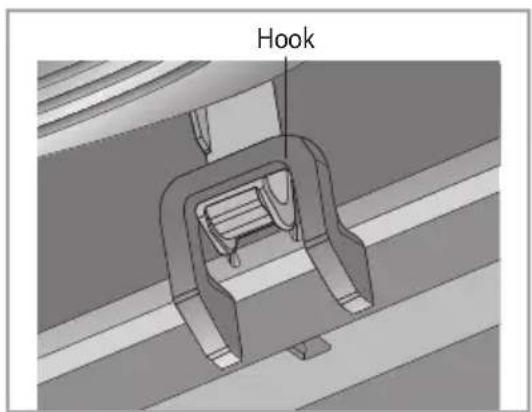
text_image
Hook- Detach the 4 corners of the panel. Use two grooves on the each corner of the panels when pulling them out.
▶ Handle the corner with digital display gently, since there are electrical cables connected to that corner.
▶ Each corner portion of the panel is easy for you to adjust the height, but a special tool should be used. Don't use directly hand.
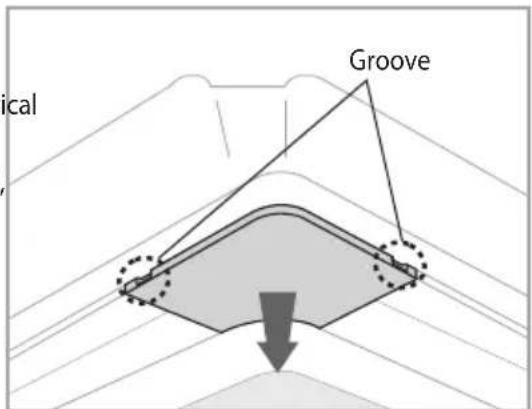
text_image
lateral Groove- Fix the bolt to the panel.
1) Fix 4 bolts to the panel temporarily.
2) Fix them tightly not to make a gap between the panel and the ceiling.

▶ Adjustment of the indoor unit height from the holes in the corner of panel is possible.
▶ Pipe connecting area is not allowed to adjustment of the indoor unit height.
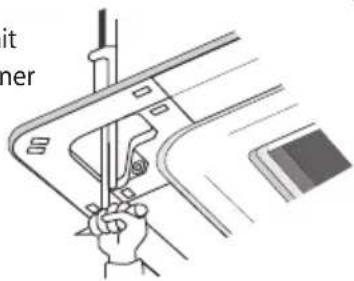
natural_image
Illustration of a hand using a tool to adjust or install a mechanical component (no text or symbols visible)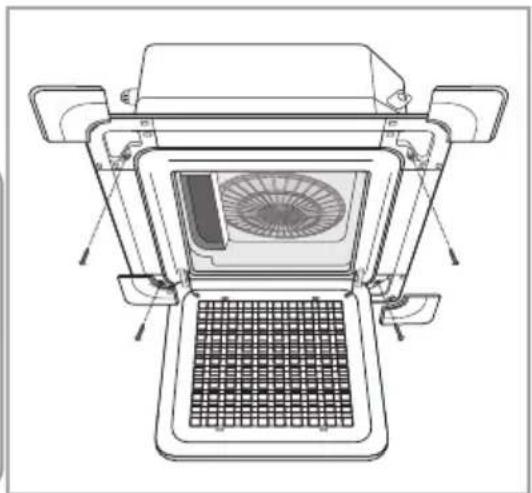
natural_image
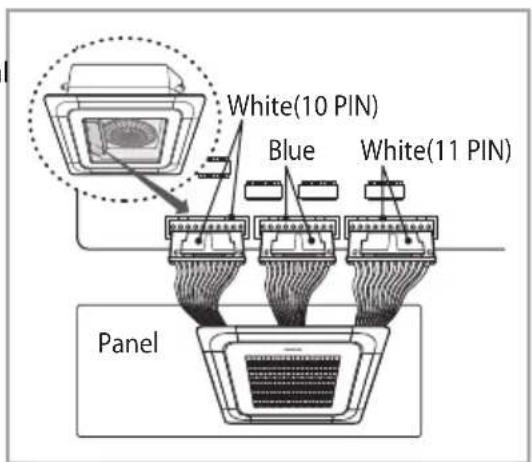
Technical line drawing of a mechanical device with internal fan and grating (no text or symbols)- Connect 3 cables between the indoor unit and the panel.
▶ Make sure you check the number of pins on the two white terminal before connecting the cables.
text_image
White(10 PIN) Blue White(11 PIN) PanelFor 4 way cassette
- Close the electrical component box cover and tighten the screws.
natural_image
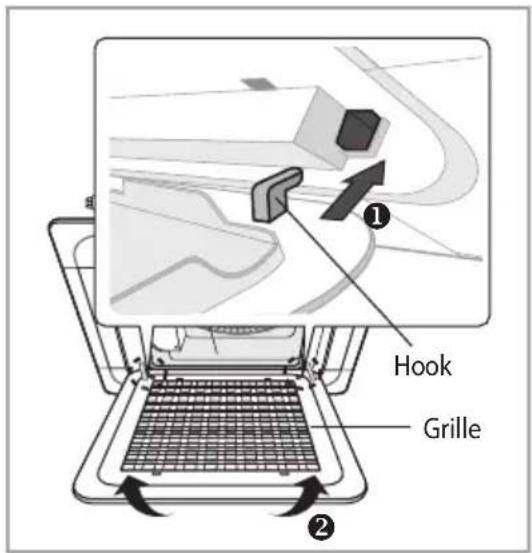
Technical line drawing of a mechanical device with a fan inside, showing internal components and a grid-patterned base (no text or symbols)- Attach and close the front grille.
▶ Make sure the hooks on the rear side of grille fits properly into the grooves on panel ①) and then push the panel to close②).
text_image
Hook Grille-
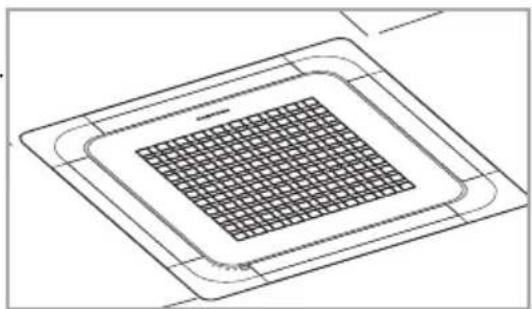
Check out that the panel is fixed to the indoor unit.
-
Fix screws tightly between the panel and the surface of the ceiling. If the panel is installed incorrectly, air may leak.
▶ Do not block any discharge vents in the panel.
natural_image
Pure technical line drawing of a microchip or integrated circuit (no text or symbols)
- If the angle on the air flow blades has been changed by user due to opening the front grille for installation or maintenance, you must turn off the circuit breaker and turn it on again before using the air conditioner. Otherwise, angles of the each angle can be different or some of the blade may not close when the product is off.
Memo

text_image
ENGLISHSAMSUNG
Air Conditioner installation manual

100% Recycled Paper
This manual is made with 100% recycled paper.


imagine the possibilities
Thank you for purchasing this Samsung product.
To receive more complete service, please
register your product at
www.samsung.com/register