
MWR-TH01 - Air-conditioner SAMSUNG - Free user manual and instructions
Find the device manual for free MWR-TH01 SAMSUNG in PDF.


User questions about MWR-TH01 SAMSUNG
0 question about this device. Answer the ones you know or ask your own.
Ask a new question about this device
Download the instructions for your Air-conditioner in PDF format for free! Find your manual MWR-TH01 - SAMSUNG and take your electronic device back in hand. On this page are published all the documents necessary for the use of your device. MWR-TH01 by SAMSUNG.
USER MANUAL MWR-TH01 SAMSUNG
Air Conditioner user manual
imagine the possibilities
Thank you for purchasing this Samsung product.
Safety Precautions
- Before using the wired remote controller, read carefully this instructions.
- After reading the instructions, keep this owner's instructions and the installation manual in a handy and safe place. If a user is changed, you must hand over the manuals.
- Never attempt to install the air conditioning system or to move the wired remote controller by yourself.

WARNING
◆Do not attempt to install or repair this wired remote controller by yourself.
◆This remote controller contains no user-serviceable parts. Always consult authorized service personnel for repairs.
- When moving, consult authorized service personnel for disconnection and installation of the remote controller.
◆Ensure that the wall is strong enough to support the weight of the remote controller.
◆Must install the remote controller with rated power supply.
◆In the event of a malfunction (burning smell, etc.), immediately stop operation, turn off the electrical breaker, and consult authorized service personnel.

CAUTION
◆ Do not use inflammable gases near the remote controller.
◆ Do not spill water into the wired remote controller.
◆ Do not operate the remote controller with wet hands.
Do not install the remote controller in a location where it will come into contact with the combustible gases, machine oil, sulphide gas, etc.
◆ Do not press buttons with a pointed thing.
- Do not pull or bend the wired remote controller cable excessively.
- Do not use this wired remote controller for other purpose.
◆ Do not spray an insecticide or other combustible things on the wired remote controller.
◆ Do not clean the wired remote controller with benzene, solvents or other chemicals.
Do not give a shock to the wired remote controller or disassemble it by yourself.
Contents
◆ VIEW OF THE WIRED REMOTE CONTROLLER 4
♦ GETTING STARTED 5
♦ SELECTING THE AUTOMATIC OPERATING MODE 6
◆ COOLING YOUR ROOM 8
♦ HEATING YOUR ROOM 10
(EXCEPT COOLING ONLY MODELS)
♦ REMOVING EXCESS HUMIDITY 12
♦ AIRING YOUR ROOM 14
♦ ADJUSTING THE AIR FLOW DIRECTION 15
(EXCEPT DUCT TYPE)
♦ SETTING THE ON TIMER 16
♦ SETTING THE OFF TIMER 18
View of the Wired Remote Controller
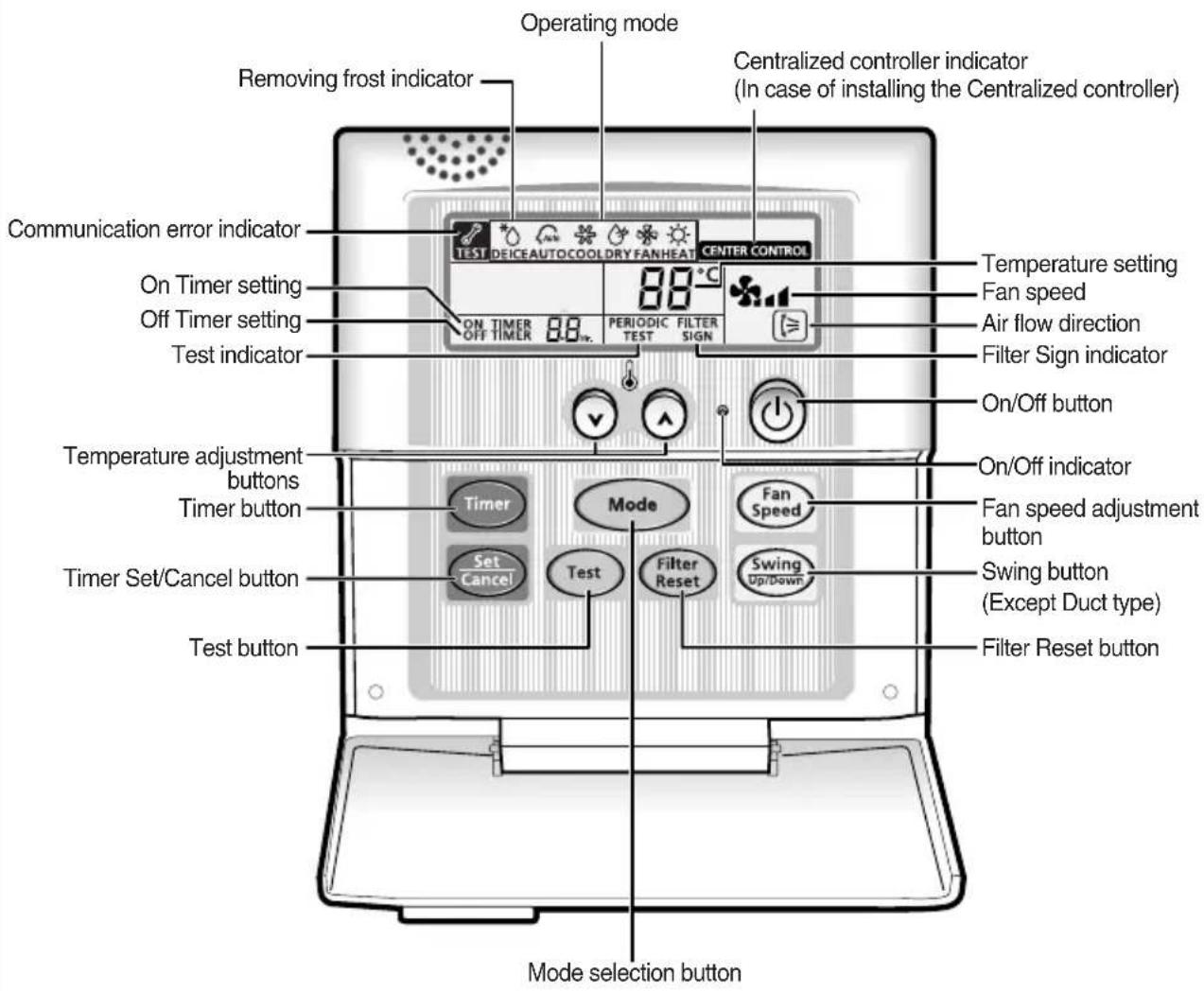
The wired remote controller is installed on the wall.
text_image
Operating mode Removing frost indicator Centralized controller indicator (In case of installing the Centralized controller) Communication error indicator On Timer setting Off Timer setting Test indicator 88°C ON TIMER 88. PERIODIC FILTER TEST SIGN CENTER CONTROL Temperature setting Fan speed Air flow direction Filter Sign indicator On/Off button Temperature adjustment buttons Timer button Timer Set/Cancel button Test button Fan Speed Fan speed adjustment button Switch button (Except Duct type) Filter Reset button Mode selection buttonPlot e
◆ The Test button is for your installation specialist. You must NOT press it.
◆ After cleaning the air filter, press the Filter Reset button. Then the wired remote controller will display the FILTER SIGN indicator when the time to clean the air filter.
◆Duct type air conditioner does not have function of adjusting air flow direction. Therefore, the function is not operated even if you press the Swing button.
Getting Started
You have just purchased a wired remote controller and it has been installed by your installation specialist.
Your Owner's Instructions contain much valuable information on using your wired remote controller. Please take the time to read them as they will help you take full advantage of the unit's features.
In the manual, you will find a series of step-by-step procedures for each function available.
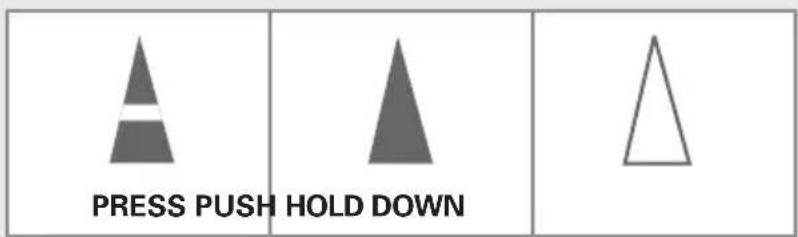
The illustrations in the step-by-step procedures use three different symbols:
text_image
PRESS PUSH HOLD DOWNSelecting the Automatic Operating Mode
text_image
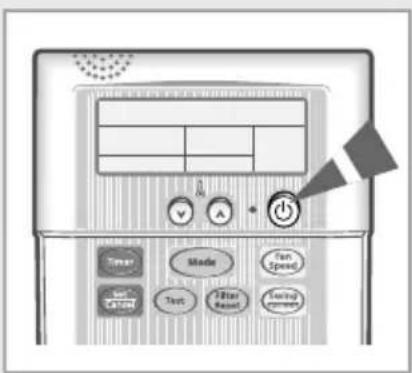
Diagram of a computer control panel with labeled buttons and display screenIn the Automatic mode, the room temperature and the fan speed are controlled automatically.
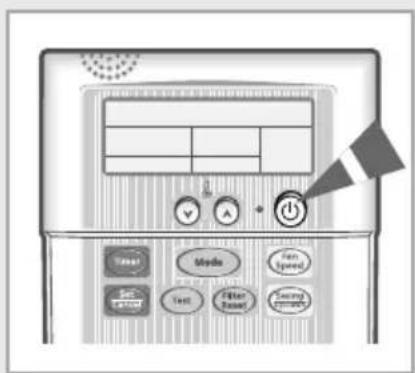
1 If necessary, press ⏻ (ON/OFF) button.
Result: ◆The On/Off indicator on the wired remote controller comes on.
◆The air conditioner runs in the mode selected when the unit was last used.
IMPORTANT
The air conditioner is fitted with a protection mechanism to prevent the unit from being damaged when it is started immediately after being:
◆Plugged in
◆Stopped
It will start up normally after three minutes.
text_image
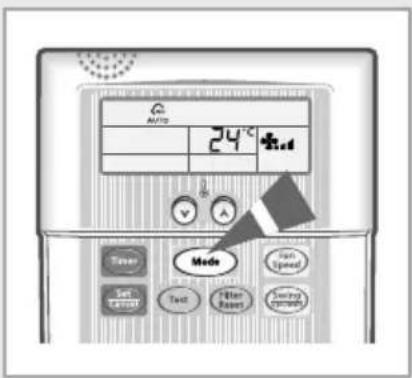
AUTO 24°C Mode Fan Speed Set Text Filter Rainer Switching Switch2 To select the AUTO mode, press the Mode button until is displayed at the top of the wired remote controller.
Result: ◆The air conditioner runs in the AUTO mode.
\bit® ◆You can change modes at any time.
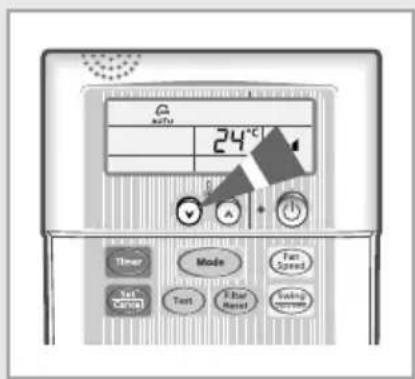
3 To adjust the temperature, press the ⏻ button one or more times until the required temperature is displayed. Possible temperatures are between 18°C and 30°C inclusive.
Result:
◆ Each time you press ⏻ button:
- The temperature is adjusted by 1^ C.
◆The air conditioner starts cooling, provided that the room temperature is than the selected temperature.
- The quantity of air is adjusted automatically.
text_image
24°C Three Made Test Sped Test Test Filter Reset Swing SystemCooling Your Room
text_image
Diagram of a computer control panel with labeled buttons and navigation elements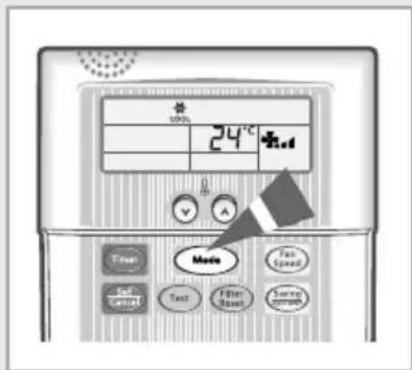
text_image
24°C Timer Set Catal Text Filter Band Fan Speed Source approachYou must select the COOL mode if you wish to adjust the :
◆Cooling temperature
◆Fan speed when cooling
1 If necessary, press ⏻ (ON/OFF) button.
Result: ◆The On/Off indicator on the wired remote controller comes on.
◆The air conditioner runs in the mode selected when the unit was last used.
IMPORTANT
The air conditioner is fitted with a protection mechanism to prevent the unit from being damaged when it is started immediately after being:
◆Plugged in
◆Stopped
It will start up normally after three minutes.
2 To select the COOL mode, press the Mode button until is displayed at the top of the wired remote controller.
Result: ◆ The air conditioner runs in the COOL mode.
◆ You can change modes at any time.
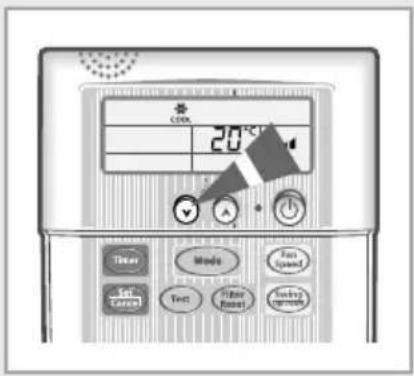
3 To adjust the temperature, press the ⏻ button one or more times until the required temperature is displayed. Possible temperatures are between 18°C and 30°C inclusive.
Result:
◆ Each time you press ⏻ button:
- The temperature is adjusted by 1°C.
◆The air conditioner starts cooling, provided that the room temperature is higher than the selected temperature; the fan will, however, operate.
4 Select the fan speed by pressing the Fan Speed button one or more times until the intended value is displayed :

Automatic(rotated: *→*→*ll)

Low

Medium

High
5 To control the direction of the air flow, refer to page 15.
text_image
CINIC 20°C Tire Mode Text Speed Text Text Filter Reset Supply Temperature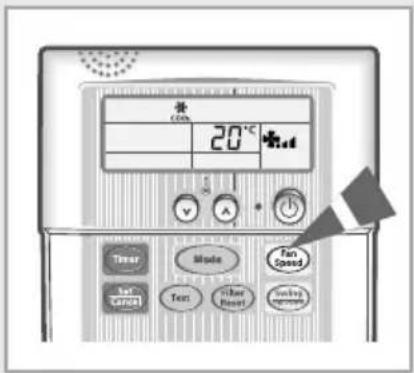
text_image
20°C Timer Text Gate Mode Text Filter Reset Fan Speed SwitchHeating Your Room (Except cooling only models)
You can select the HEAT mode only in heat pump models.
text_image
Diagram of a computer control panel with labeled buttons and a flag icon pointing to the right panel.You must select the HEAT mode if you wish to adjust the :
◆Heating temperature
◆Fan speed when heating
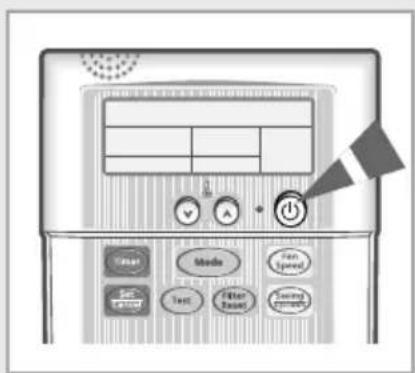
1 If necessary, press ⏻ (ON/OFF) button.
Result: ◆The On/Off indicator on the wired remote controller comes on.
◆The air conditioner runs in the mode selected when the unit was last used.
IMPORTANT
The air conditioner is fitted with a protection mechanism to prevent the unit from being damaged when it is started immediately after being:
◆Plugged in
◆Stopped
It will start up normally after three minutes.
text_image
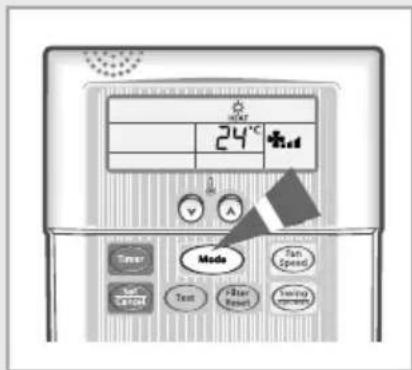
24°C Mode Start Speed Text Text Filter Reset Testing Response2 To select the HEAT mode, press the Mode button until HEAT is displayed at the top of the wired remote controller.
Result: ◆ The air conditioner runs in HEAT mode.
You can change modes at any time.
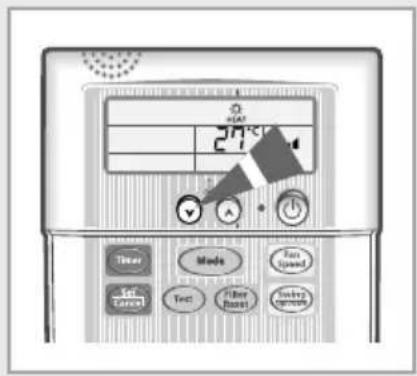
3 To adjust the temperature, press the ⏻️ 🗑 buttons one or more times until the required temperature is displayed. Possible temperatures are between 16°C and 30°C inclusive.
Result:
◆ Each time you press ⏻️ 🗑 buttons:
- The temperature is adjusted by 1°C.
◆The air conditioner starts heating, provided that the room temperature is lower than the selected temperature; the fan will, however, operate.
4 Select the fan speed by pressing the Fan Speed button one or more times until the intended value is displayed:

Automatic(rotated: _1 _11 _11 )

Low

Medium

High
5 To control the direction of the air flow, refer to page 15.
text_image
24℃ Three Mode Test Speed Test Test Filter Color Color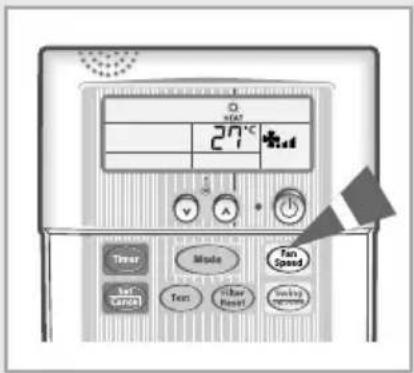
text_image
27°C Timer Mode Tan Speed Text Text Filter Reset Switching ControlRemoving Excess Humidity
text_image
Diagram of an electronic device control panel with labeled buttons and a flag icon pointing to the right panel.If the atmosphere in your room is very humid or damp, you can remove excess humidity without lowering the room temperature too much.
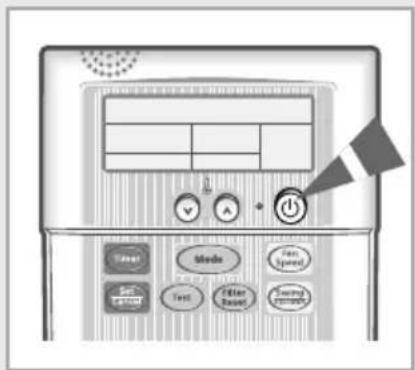
1 If necessary, press ⏻ (ON/OFF) button.
Result: ◆The On/Off indicator on the wired remote controller comes on.
◆The air conditioner runs in the mode selected when the unit was last used.
IMPORTANT
The air conditioner is fitted with a protection mechanism to prevent the unit from being damaged when it is started immediately after being:
◆Plugged in
◆Stopped
It will start up normally after three minutes.
text_image
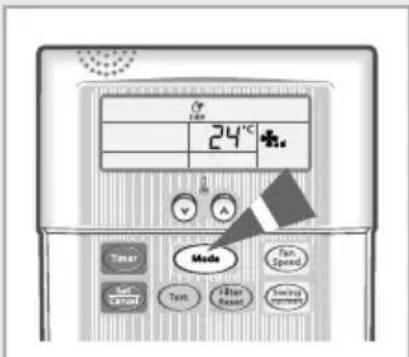
24°C Timer Mode Fan Speed Text Text Reset Swing System2 To select the DRY mode, press the Mode button until is displayed at the top of the wired remote controller.
Result: ◆ The air conditioner runs in the DRY mode.
◆You can change modes at any time.
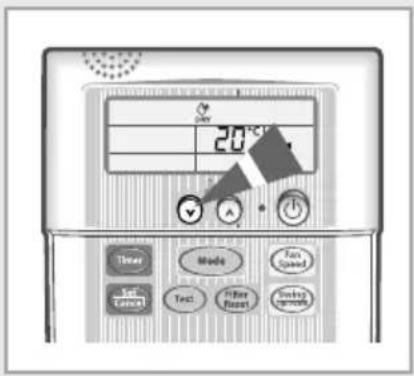
3 To adjust the temperature, press the ⏻️ buttons one or more times until the required temperature is displayed. Possible temperatures are between 18°C and 30°C inclusive.
Result:
◆ Each time you press ⏻️ 🗑 buttons: - The temperature is adjusted by 1°C.
◆The air conditioner starts removing the excess humidity. The quantity of air is adjusted automatically.
4 To control the direction of the air flow, refer to page 15.
text_image
20°C Threat Made Tens Used Text Filter Reset Switch SwitchAiring Your Room
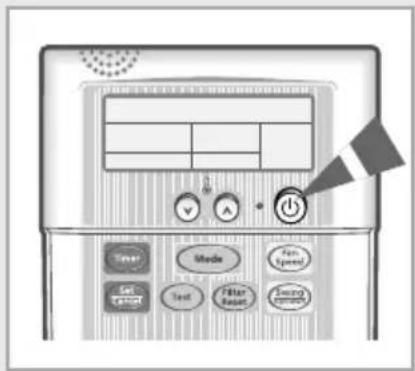
text_image
Diagram of an electronic control panel with labeled buttons and a power button, showing various function keys like Mode, Filter, and Energy.If the atmosphere in your room is stale, you can air it using the FAN feature.
Result: ◆The On/Off indicator on the wired remote controller comes on.
◆The air conditioner runs in the mode selected when the unit was last used.
IMPORTANT
The air conditioner is fitted with a protection mechanism to prevent the unit from being damaged when it is started immediately after being:
◆Plugged in
◆Stopped
It will start up normally after three minutes.
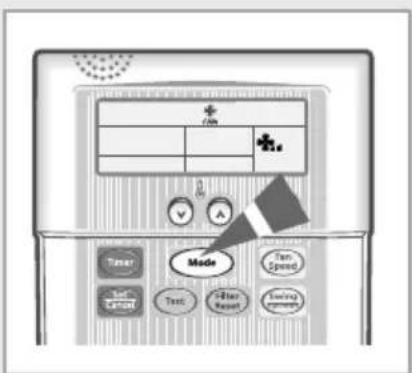
text_image
Diagram of a computer interface with labeled buttons and a display panel, featuring icons for mode, test, and timing controls.2 To select the FAN mode, press the Mode button until is displayed at the top of the wired remote controller.
Result: ◆The air conditioner runs in the FAN mode.
Note ◆ You can change modes at any time.
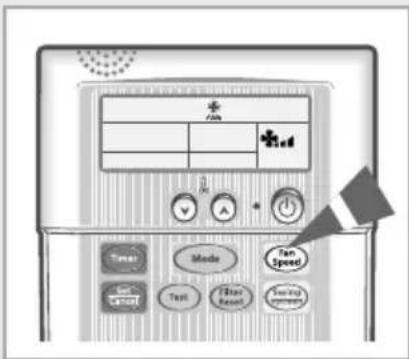
text_image
Diagram of a mobile phone control panel with labeled buttons and display screen3 Select the fan speed by pressing the Fan Speed button one or more times until the intended value is displayed:
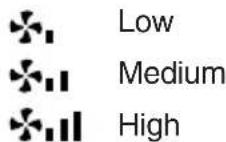
4 To control the direction of the air flow, refer to page 15.
Adjusting the Air Flow Direction (Except Duct Type)
Depending on the position of the indoor unit, you can adjust the position of the air flow blade, thus increasing the efficiency of the air conditioner.
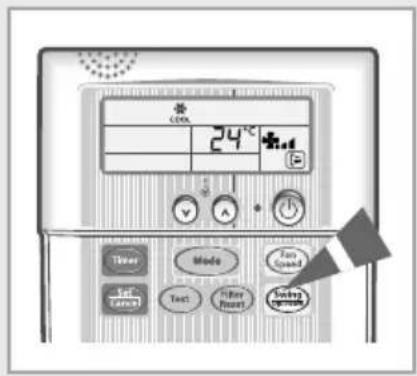
1 Press the Swing button.
Result: The blade is moving between up and down.

PORTANT
When the air conditioner is first turned on, the blade is moved.
2 To stop the blade, press the Swing button again.
To set to the required position, press the Swing button again when the blade is in the required position.
text_image
24°C Timer Made Fast Speed Text Text Filter Power Swing SystemSetting the On Timer
text_image
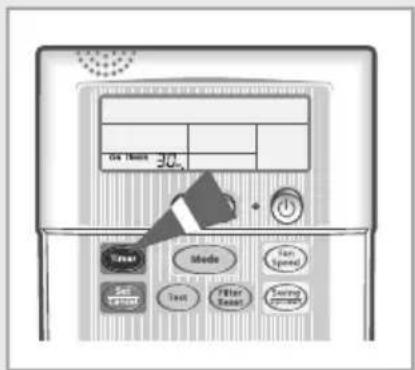
ON/OFFEE 30 On Mode Turn Speed Set Text Filter Swing PensilsThe On Timer enables you to switch on the air conditioner automatically after a given period of time. You can set the period of time from 30 minutes to 24 hours. You can select the On Timer only when the air conditioner is off.
1 To set the operating time, press the Timer button one or more times until the required time is displayed. Possible time is between 0.5 hour and 24 hours inclusive.
text_image
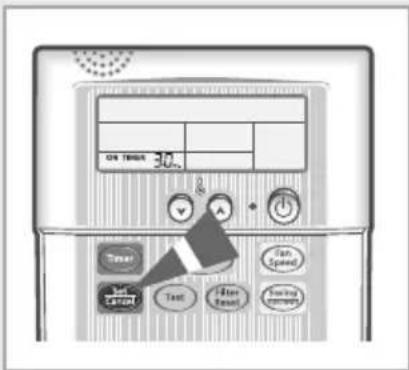
On Timet 30.2 Take Take LATCH Text Take Speed Take Time Take Speed2 Press the Set Cancel button to complete the setting.
Result:
◆The remaining time is displayed.
◆Blinking of the timer indicator stops.
◆The selected mode and the temperature disappear on the display after 5 seconds.
◆ The air conditioner will switch on automatically when the counter displayed on the remote controller reaches the setting time as disappearing the On timer setting.
◆You can see or change the setting mode and/or the temperature by pressing the Mode button or the buttons after setting the On timer.
To Cancel the On Timer
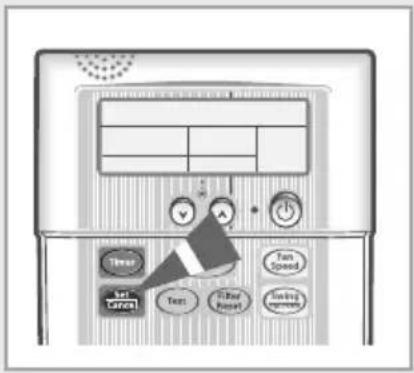
1 Press the button.
◆If you want to turn on the air conditioner before the timer reaches the setting time, press the ⏻ button.
text_image
Diagram of a TV or audio workstation interface with labeled buttons and control panelsSetting the Off Timer
text_image
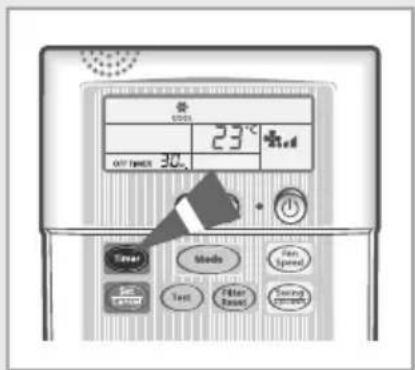
23°C OFF TIME 30.0 Speed Speed Mode Fan Speed Text Filter Rated Energy RatedThe Off Timer enables you to switch off the air conditioner automatically after a given period of time. You can set the period of time from 30 minutes to 24 hours. You can select the Off Timer only when the air conditioner is on.
1 To set the operating time, press the timer button one or more times until the required time is displayed. Possible time is between 0.5 hour and 24 hours inclusive.
text_image
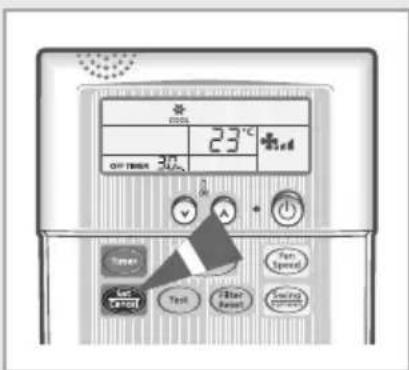
COOL 23°C Air intake 30 Tuner Let's OFF Test Filter Reset Fan Speed Smiling Temperature2 Press the Set Cancel button to complete the setting.
Result: ◆The remaining time is displayed.
◆Blinking of the timer indicator stops.
◆ The air conditioner will switch off automatically when the counter displayed on the remote controller reaches the setting time as disappearing the Off timer setting.
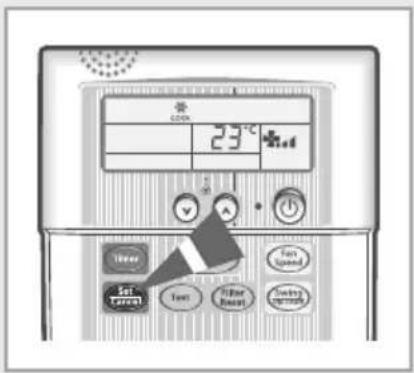
To Cancel the Off Timer
1 Press the button.
◆If you want to turn off the air conditioner before the timer reaches the setting time, press the ⏻ button.
text_image
23°C Enter Set Text Filter Reset Text Speed Switch ControlSAMSUNG