
NTV-KIT057 - Dash cam NAV-TV - Free user manual and instructions
Find the device manual for free NTV-KIT057 NAV-TV in PDF.


User questions about NTV-KIT057 NAV-TV
0 question about this device. Answer the ones you know or ask your own.
Ask a new question about this device
Download the instructions for your Dash cam in PDF format for free! Find your manual NTV-KIT057 - NAV-TV and take your electronic device back in hand. On this page are published all the documents necessary for the use of your device. NTV-KIT057 by NAV-TV.
USER MANUAL NTV-KIT057 NAV-TV
natural_image
Interior view of a Toyota car dashboard and steering wheel, featuring a digital navigation screen (no visible text or symbols)Overview
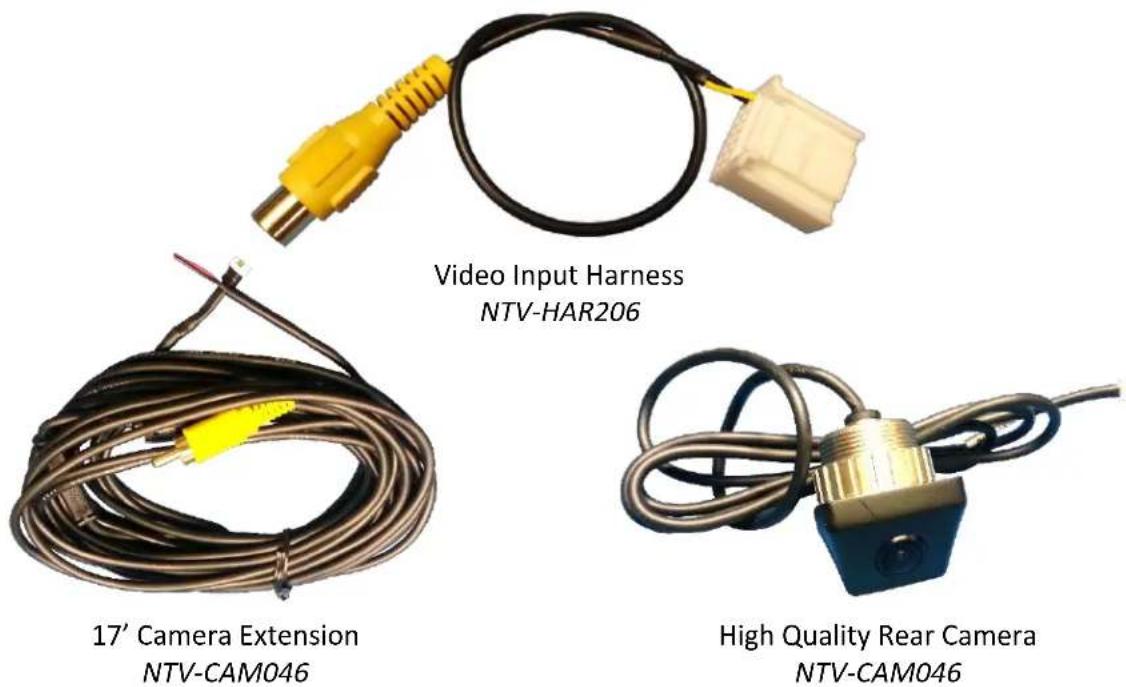
The TOY-CAM 2 kit includes a camera and harness to connect to the factory media screen in select 2012+ Toyota. The signal connection to the radio is plug & play, however the camera will have to be manually powered.
Kit Contents
Agreement: End user agrees to use this product in compliance with all State and Federal laws. NAV-TV Corp. would not be held liable for misuse of its product. If you do not agree, please discontinue use immediately and return product to place of purchase. This product is intended for off-road use and passenger entertainment only.
Installation
- Remove the factory radio, disconnect all harnesses and set the radio aside.
- Install the provided camera into the trunk lid. Be certain to check for clearance before drilling any holes!
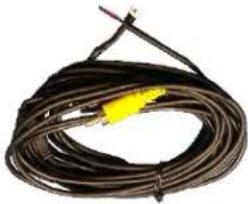
- Connect the provided Camera Extension to the camera and run the RCA/power end forward to the dashboard opening.
natural_image
Coiled black cable with a yellow tag, suspended by a thin wire (no text or symbols visible)- Connect the black and red wires to ground (-) and ACC 12v (+). The radio must see the camera upon vehicle startup in order for the screen to flip to the camera's image when in reverse. You MUST connect the camera to an accessory/ignition source and not a
reverse light for proper operation!
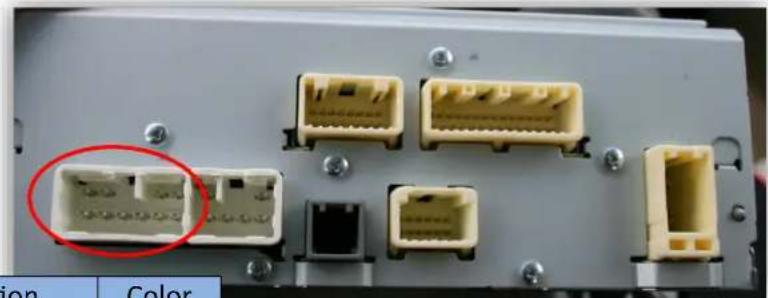
Note: you can find ground (-) and ACC 12v (+) at the radio's power harness (test!):
natural_image
Close-up of a device's rear panel showing multiple beige connectors with a red circle highlighting one connector (no text or symbols visible)| Toyota Pin # | Description | Color |
| 3 | Accessory 12v (+) | Gray |
| 7 | Ground (-) | Brown |
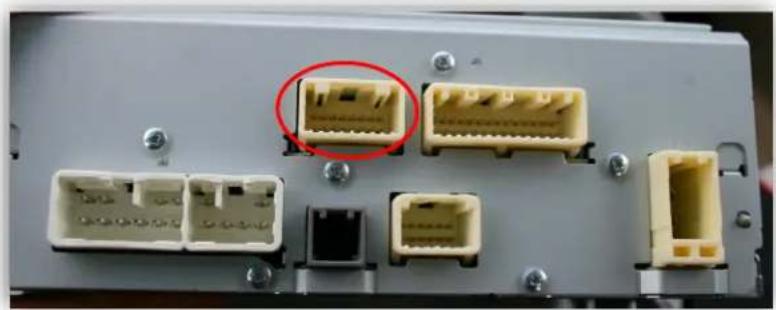
- Connect the supplied video input harness in the connector shown here (right). It is keyed and will only fit in one direction:
natural_image
Close-up of electronic device ports with yellow connectors and a red circle highlighting a specific connector (no text or symbols visible)-
Connect the camera's composite signal to the RCA on the provided Video input harness.
-
Reconnect all the harnesses to radio, reassemble the dash and test by starting the car and placing it into reverse. The reverse image should activate automatically (whenever in reverse).
-
If the radio does not transition in reverse and you've verified that the rest of the installation is correct, proceed to step 8 to manually power the reverse wire (This includes verifying camera power from an ACC source!).
- Perform this step only if nothing happens on the factory display when the vehicle is placed into reverse:
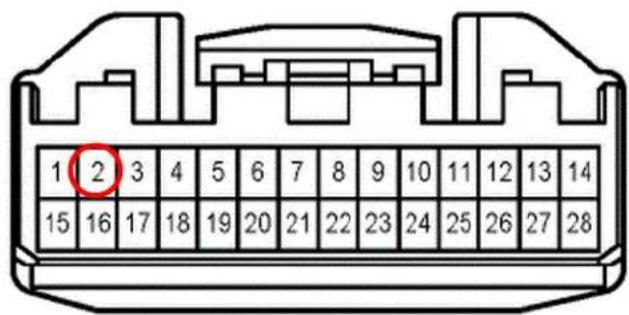
a. Locate the 28-PIN plug on the back side of the radio and find the factory harness that connects to it.
b. Supply a 12v + signal while in reverse only (tap at reverse light) to pin position (2) shown below. Verify operation by placing vehicle into reverse.
text_image
1 2 3 4 5 6 7 8 9 10 11 12 13 14 15 16 17 18 19 20 21 22 23 24 25 26 27 28(Pin side)
NAV-TV
INTERFACING THE FUTURE

text_image
MADE IN U.S.A. PRODUCT
text_image
REGISTERED COMPANY ISO 9001 SGSAgreement: End user agrees to use this product in compliance with all State and Federal laws. NAV-TV Corp. would not be held liable for misuse of its product. If you do not agree, please discontinue use immediately and return product to place of purchase. This product is intended for off-road use and passenger entertainment only.