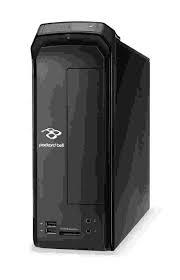
![PACKARD BELL IMEDIA XX.GEK [U80] - Desktop computer](/assets/img/8011.jpg "Notice PACKARD BELL IMEDIA XX.GEK [U80] — Desktop computer — Mode d'emploi PDF")
IMEDIA XX.GEK [U80] - Desktop computer PACKARD BELL - Free user manual and instructions
Find the device manual for free IMEDIA XX.GEK [U80] PACKARD BELL in PDF.

![Notice PACKARD BELL IMEDIA XX.GEK [U80] - page 23](/file/2020/04/5eaa9670c1172/page-23.webp)

| Product Type | Desktop computer |
| Brand | Packard Bell |
| Model | IMEDIA XX.GEK [U80] |
| Processor | LGA socket compatible processor (unspecified) |
| RAM Memory | Expandable up to 4 GB (typical for the time) |
| Hard drive | Replaceable, capacity unspecified |
| Optical drives | CD/DVD burner (depending on model) |
| Front connectors | USB 2.0, microphone jack, headphone, multimedia card reader (depending on model) |
| Rear connectors | USB 2.0, PS/2 keyboard/mouse, VGA/DVI/HDMI (depending on model), Ethernet RJ-45, 5.1 audio jacks, serial/parallel port (depending on model) |
| Power supply | 100-240 V AC, 50/60 Hz |
| Operating temperature | 5°C to 35°C |
| Storage temperature | -20°C to 65°C |
| Humidity | 20% to 80% non-condensing |
| Weight | Approximately 10 kg (estimate) |
| Dimensions | Approximately 180 x 420 x 400 mm (estimate) |
| Certifications | ENERGY STAR, FCC Class B, CE |
| Energy consumption | Energy saving >80% in standby mode |
| Maintenance | Unplug before cleaning, use a soft cloth slightly dampened |
| Safety | Earth grounding required, do not open the case while powered on |
| Spare parts and repairability | Hard drive, memory, optical drives, PCI expansion card: user replaceable |
Frequently Asked Questions - IMEDIA XX.GEK [U80] PACKARD BELL
User questions about IMEDIA XX.GEK [U80] PACKARD BELL
0 question about this device. Answer the ones you know or ask your own.
Ask a new question about this device
Download the instructions for your Desktop computer in PDF format for free! Find your manual IMEDIA XX.GEK [U80] - PACKARD BELL and take your electronic device back in hand. On this page are published all the documents necessary for the use of your device. IMEDIA XX.GEK [U80] by PACKARD BELL.
USER MANUAL IMEDIA XX.GEK [U80] PACKARD BELL
Federal Communications Commission 15
This Class B digital apparatus complies with Canadian ICES-003.
8F, 88, Sec. 1, Xintai 5th Rd., Xizhi,
New Taipei City 221, Taiwan
CE
Declaration of Conformity
We,
Acer Incorporated
8F, 88, Sec. 1, Xintai 5th Rd., Xizhi, New Taipei City 221, Taiwan
Contact Person: Mr. RU Jan, e-mail: ru_jan@acer.com.tw
And,
Acer Italy s.r.l
Via Lepetit, 40, 20020 Lainate (MI) Italy
Tel: +39-02-939-921, Fax: +39-02 9399-2913, www.acer.it
Hereby declare that:
Product:
Personal Computer
Trade Name:
Packard Bell
Model Number:
Packard Bell
SKU Number:
XXX-xxx ("x" = 0~9, a ~ z, A ~ Z or Blank)
Is compliant with the essential requirements and other relevant provisions of the following EC directives, and that all the necessary steps have been taken and are in force to assure that production units of the same product will continue comply with the requirements.
EMC Directive 2004/108/EC as attested by conformity with the following harmonized standards:
- EN55022, AS/NZS CISPR22, Class B
- EN55024
- EN55013 (Applicable to product built with TV tuner module)
- EN55020 (Applicable to product built with TV tuner module)
- EN61000-3-2 Class D
- EN61000-3-3
Low Voltage Directive 2006/95/EC as attested by conformity with the following harmonized standard:
- EN60950-1
- EN60065 (Applicable to product built with TV tuner module)
Council Decision 98/482/EC (CTR21):
-. (Applicable to product with pan- European single terminal connection to the Public Switched Telephone Network (PSTN).)
RoHS Directive 2002/95/EC on the Restriction of the Use of certain Hazardous Substances in Electrical and Electronic Equipment
- . The maximum concentration values of the restricted substances by weight in homogenous material are:
| Lead | 0.1% | Polybrominated Biphenyls (PBB's) | 0.1% |
| Mercury | 0.1% | Polybrominated Diphenyl Ethers (PBDE's) | 0.1% |
| Hexavalent Chromium | 0.1% | Cadmium | 0.01% |
Directive 2009/125/EC with regard to establishing a framework for the setting of ecodesign requirements for energy-related product.
The standards listed below are applied to the product if built with WLAN module or wireless keyboard and mouse.
![PACKARD BELL IMEDIA XX.GEK [U80] - RoHS Directive 2002/95/EC on the Restriction of the Use of certain Hazardous Substances in Electrical and Electronic Equipment - 1](/content/2020/04/8011/images/ec2fc8edd9c63562e4ebd144c3126812b40339d4f30594cb3343deda19ef72a4.jpg)
R&TTE Directive 1999/5/EC as attested by conformity with the following harmonized standard:
Article 3.1(a) Health and Safety
-
Article 3.1(b) EMC
-
EN301 489-1
-
EN301 489-3 (Applicable to non-bluetooth wireless keyboard mouse set).
EN301489-17 -
Article 3.2 Spectrum Usages
-
EN300 440-2 (Applicable to non-bluetooth wireless keyboard mouse set).
- EN300 328
- EN301 893 (Applicable to 5GHz high performance RLAN).
Year to begin affixing CE marking 2011.
RaIr2
RU Jan/Sr. Manager
Regulation Center, Acer Inc.
Mar. 13, 2012
Date
packard bell.
Acer America Corporation
333 West San Carlos St., San Jose
CA 95110, U. S. A.
Tel:254-298-4000
Fax:254-298-4147
www.acer.com
![PACKARD BELL IMEDIA XX.GEK [U80] - packard bell. - 1](/content/2020/04/8011/images/a0811055e0ef99c32ac3ec76a6ccc03c0f784840a936377e42f9eff9b24a0576.jpg)
Federal Communications Commission Declaration of Conformity
This device complies with Part 15 of the FCC Rules. Operation is subject to the following two conditions: (1) this device may not cause harmful interference, and (2) this device must accept any interference received, including interference that may cause undesired operation.
The following local Manufacturer /Importer is responsible for this declaration:
| Product: | Personal Computer |
| Trade Name: | Packard Bell |
| Model Number: | Packard Bell |
| SKU Number: | XXX-xxx, (“x” = 0~9, a ~ z, A ~ Z or Blank) |
| Name of Responsible Party: | Acer America Corporation |
| Address of Responsible Party: | 333 West San Carlos St. San Jose, CA 95110 U. S. A. |
| Contact Person: | Acer Representative |
| Phone No.: | 254-298-4000 |
| Fax No.: | 254-298-4147 |
![IMEDIA XX.U7M [U82] PACKARD BELL](/assets/img/8013.jpg)

- CE
- DECLARATION OF CONFORMITY
- ACER INCORPORATED
- ACER ITALY S.R.L
- EMC DIRECTIVE 2004/108/EC AS ATTESTED BY CONFORMITY WITH THE FOLLOWING HARMONIZED STANDARDS
- LOW VOLTAGE DIRECTIVE 2006/95/EC AS ATTESTED BY CONFORMITY WITH THE FOLLOWING HARMONIZED STANDARD
- COUNCIL DECISION 98/482/EC (CTR21)
- ROHS DIRECTIVE 2002/95/EC ON THE RESTRICTION OF THE USE OF CERTAIN HAZARDOUS SUBSTANCES IN ELECTRICAL AND ELECTRONIC EQUIPMENT
- PACKARD BELL
- FEDERAL COMMUNICATIONS COMMISSION DECLARATION OF CONFORMITY
Brand : PACKARD BELL
Model : IMEDIA XX.GEK [U80]
Category : Desktop computer