PRO TF-300 - Thermometer Caregiver - Free user manual and instructions
Find the device manual for free PRO TF-300 Caregiver in PDF.


User questions about PRO TF-300 Caregiver
0 question about this device. Answer the ones you know or ask your own.
Ask a new question about this device
Download the instructions for your Thermometer in PDF format for free! Find your manual PRO TF-300 - Caregiver and take your electronic device back in hand. On this page are published all the documents necessary for the use of your device. PRO TF-300 by Caregiver.
USER MANUAL PRO TF-300 Caregiver
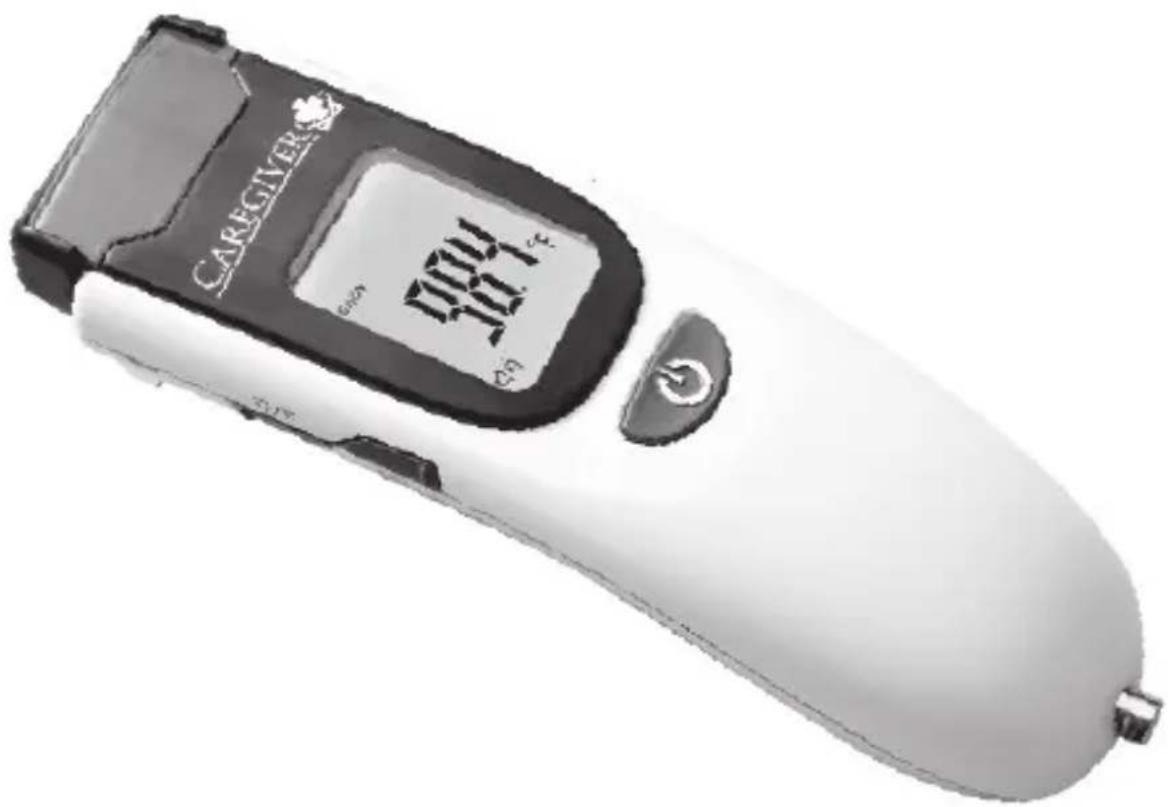
Professional Clinical Thermometer With TouchFree™ Technology
PRO-TF SERIES Model PRO TF-300
text_image
CAREGIVER 1004 101.1Instructions For Use
thermomedics® Ease of Use...Peace of Mind
Copyright© 2014 Thermomedics All Rights Reserved
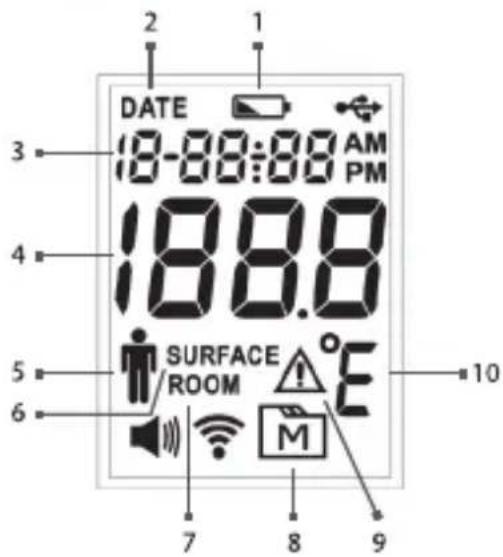
-
Lowbattery indicator
-
Date indicator
-
Date/Time
-
Temperature reading
-
Forehead Body temperature indicator
-
Skin surface temperature indicator
-
Room temperature indicator
-
Memory mode
-
Error warning
-
Temperature unit °F/°C
CONTROLS and DISPLAY
text_image
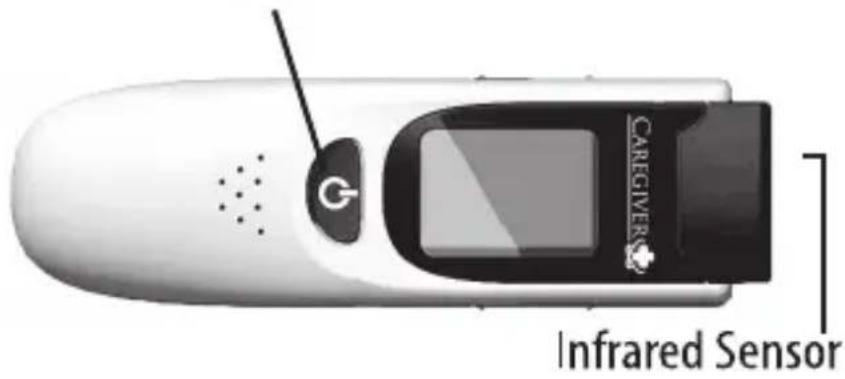
DATE 18-88:88 AM PM 188.8 SURFACE ROOM M 7 8 9POWER/START Measurement
text_image
CAREGIVER Infrared Sensor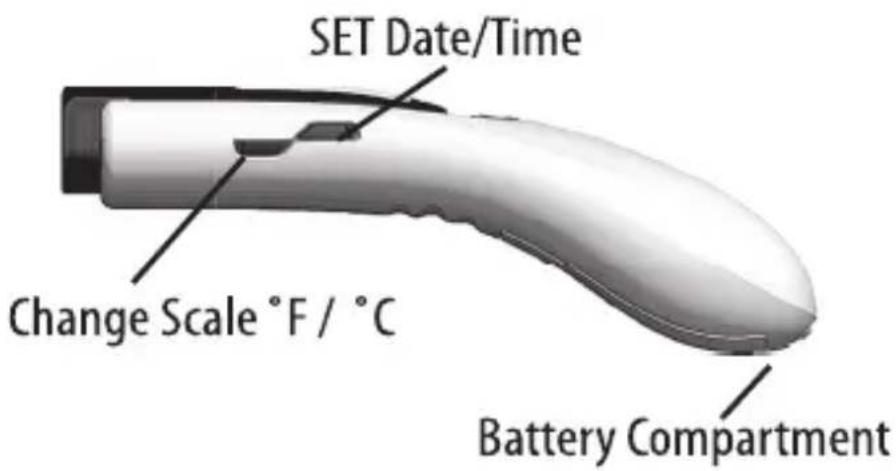
text_image
SET Date/Time Change Scale °F / °C Battery CompartmentMEM: Recall stored temperature
natural_image
3D rendered image of a handheld device with curved handle and black outline (no text or symbols)MODE: BODY or SURFACE or ROOM
In the Box
Caregiver® Thermometer Model PRO-TF300, Sensor Cap, Quick Start Card, Instructions For Use Manual, Two "AA" Alkaline Batteries, Warranty Card.
Table of Contents
| Controls and Display 2 | |
| Introduction 3 | |
| Features 4 | |
| Intended Use 4 | |
| Important Precautions 4 | |
| Initial Setup 5 | |
| Body Temperature Measurement 6 | |
| Temperature Recall 8 | |
| Changing °F/°C Temperature Scale 8 | |
| SURFACE and ROOM Temperature Modes 8 | |
| Setting Date and Time 9 | |
| Maintenance/Cleaning 10 | |
| Troubleshooting 11 | |
| Calibration Adjustment Mode 12 | |
| Specifications 12 | |
| Measurement Technique | 15 |
| Service Center | 16 |
Introduction
The Caregiver Non-Contact Thermometer is the next generation answer to ease of use and patient compliance in clinical thermometry. Simple one button operation delivers a temperature in approximately 1 second without contact to the patient.
Features
• Fast measurement that meets ASTM and ISO standards
• Simple 1-button operation, no scanning required
• No cross-contamination and may be used on sleeping patient
• Audible and visual indication of completed temperature
• Backlit LCD display and Low Battery indication
- Long Battery Life of more than 10,000 temperatures (typical) with Sleep Mode
• 30-temperature memory recall with date and time stamp
- Able to measure temperature of other objects without contact and also room temperature
• Measures natural thermal radiation. Does not emit radiation
Intended Use
Caregiver® Professional Clinical Thermometer is an infrared thermometer intended for the measurement of human body temperature in people of all ages without contact to the body and may be used by medical professionals or by consumers in a home environment.
Important Precautions
- Read this manual thoroughly prior to using. Use this product only for its intended use.
- Caregiver is a precision optical thermometer. Handle carefully and do not drop. Do not use if thermometer has suffered damage.
- Insure that sensor end is clean and free of debris. See Maintenance/Cleaning for instructions.
- Caregiver is a non-sterile device. Do not use ethylene oxide gas, heat, autoclave, or any other harsh method to sterilize.
- Replace protective sensor cap when not in use.
- If coming from a warmer or cooler environment or after a period of exertion, allow the patient and thermometer to acclimate to room temperature for 20 minutes prior to taking temperature.
-
Remove perspiration and excess oil from the forehead as this may affect the accuracy of the reading.
-
Operating environment is from 50°F to 104°F (10°C to 40°C).
- Do not expose to severe environments. Storage temperature is from -4°F to 140°F (-20°C to +60°C).
- Do not use in presence of flammable anaesthetic mixtures.
- Do not use on patients with scarred tissue or tissue compromised by skin disorders or trauma in the vicinity of the forehead measurement area; patients treated with certain drug therapies that may affect normal body temperature or use on patients while skin is exposed to external sources of heat or cold such as direct sunlight, fireplace heat, cold compress therapies, air conditioner flow, etc.
Initial Setup
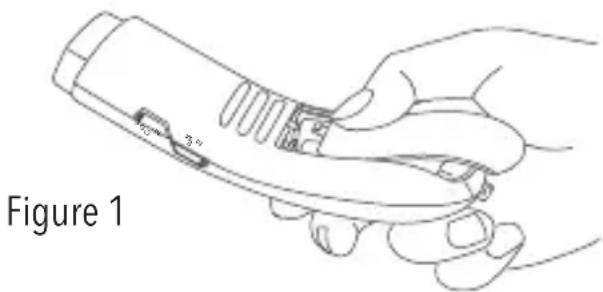
- To remove Battery Cover, press down at the arrow mark and also on the center of the cover, SLIDE it in the direction of the arrow as shown in Figure 1.
- Install (2) AA alkaline batteries with polarity as shown in the battery compartment. All LCD display segments will briefly illuminate during self-test, and you will hear a "beep".
- Close the battery cover by pressing down both the arrow mark and the bottom of the cover, SLIDING the cover in the opposite direction of the arrow as shown in Figure 2.
Do NOT press the battery cover to force it closed if the battery cover doesn't close tight as shown in Figure 3. If this happens, remove the battery cover by SLIDING as described in step 1.
Repeat step 3 to close the battery cover tight.
Caution: Closing the battery cover by force may damage the battery cover latch and result in battery damage. Always follow the instructions and close the battery cover by SLIDING only.
If thermometer will be stored for a long period, remove batteries.
text_image
Figure 1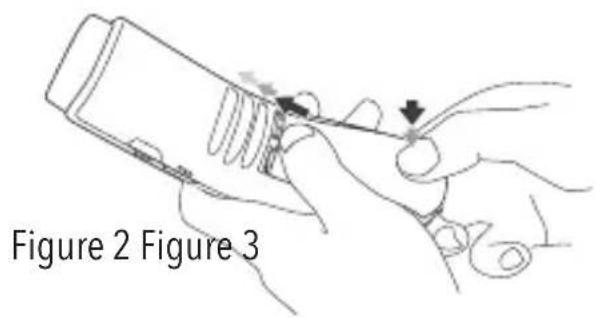
text_image
Figure 2 Figure 3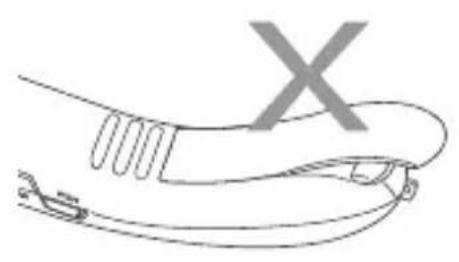
natural_image
Line drawing of a hand holding a tool with a 'X' mark, no text or symbols present- SET Date and Time as described later in Setting Date and Time
• Caregiver defaults to °F temperature scale and BODY Mode
Body Temperature Measurement
About Body Temperature & Fever
Body temperature can vary from one person to the next and also varies by location on the body and time of day. Temperatures measured from different sites, even at the same time, should not be directly compared. Fever indicates that body temperature is higher than normal. This may be caused by a number of conditions including infection, overexertion, overdressing or immunization. Some people may not experience fever even when they are ill. These include, but are not limited to, infants younger than 3 months old, persons with compromised immune systems, persons taking antibiotics, steroids or antipyretics (aspirin, ibuprofen, acetaminophen), or persons with certain chronic illnesses. Please consult your physician when you feel ill even if you do not have fever.
text_image
www.thermomedics.com P16BODY Temperature Mode
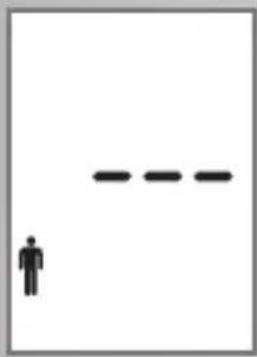
In BODY MODE, the icon at the left is shown on the display and temperature is adjusted to an Oral (sublingual) temperature approximation. Normal Oral temperature is typically 95.0°F to 100.7°F (35.0°C to 38.2°C) but varies by age, gender and time of day ^1 .
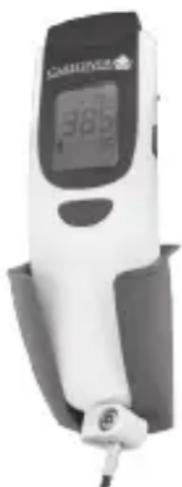
Remove Caregiver from (optional) Wall Mount if necessary
Remove protective CAP if present
natural_image
Close-up of a white electronic device with a black square button (no visible text or symbols)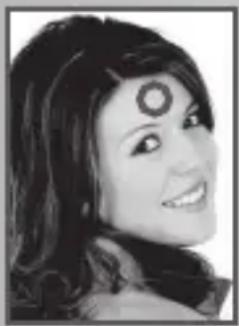
natural_image
Black-and-white portrait of a smiling woman with stylized eyes (no text or symbols visible)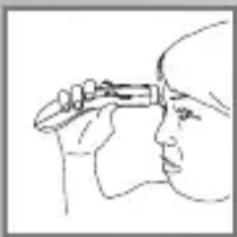
natural_image
Line drawing of a person holding a small object, possibly a tool or device, in profile view (no text or symbols)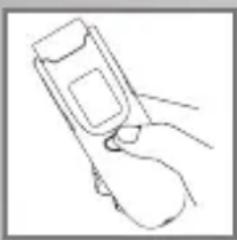
natural_image
Line drawing of a hand holding a flip phone (no text or symbols)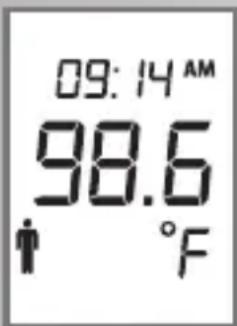
text_image
09:14 AM 98.6 FInspect Sensor and remove any debris. Clean if necessary.
Remove hair and perspiration from center forehead area.
- If patient was lying face down or was wearing a hat or garment covering the skin, allow the forehead to be exposed to the air in the room for 5 minutes prior to taking reading.
- Relocate patient if in drafty environment.
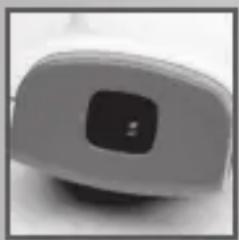
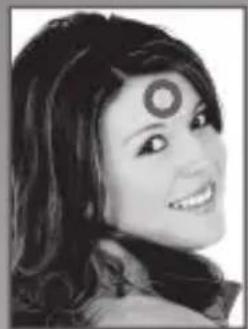
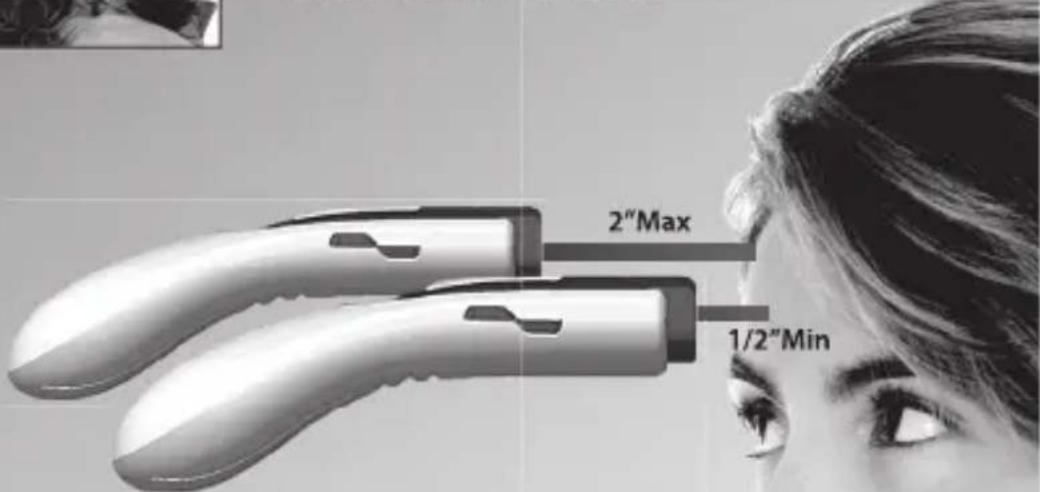
Aim at center forehead area 1/2" to 2" away from skin surface (1.2 to 5 cm). Be sure thermometer is perpendicular to skin surface (at right angle).
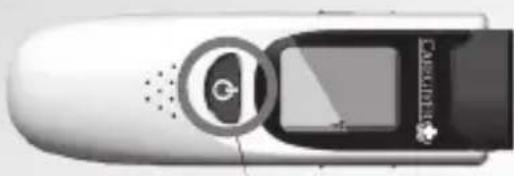
Press and release the POWER button. Hold thermometer in place until a double audio "beep" is heard and the temperature is displayed on the LCD.
Be sure BODY temperature icon is displayed. Read Temperature.
If temperature is suspected to be incorrect or display reads "LO" or "HI" consult the Troubleshooting - Error Codes Section of this manual.
Replace Sensor Cap and place in (optional) Wall Mount.
natural_image
Digital blood glucose meter device with digital display showing 38.5% (no visible text or symbols on device body)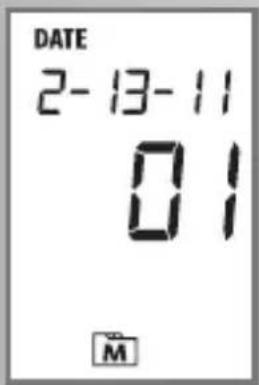
text_image
DATE 2-13-11 01 M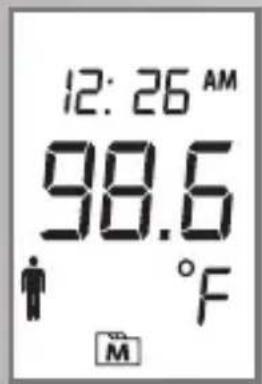
text_image
12: 26 AM 98.6 °F M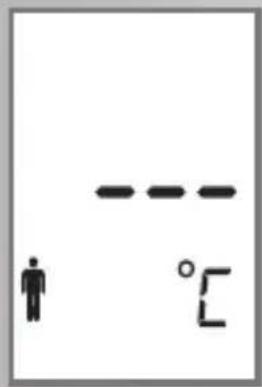
text_image
Diagram showing a human figure and a horizontal line with '°C' label, likely indicating temperature or elevation.See for more information on Surface and Room mode
Temperature Recall
If Caregiver is powered off (blank display), press POWER.
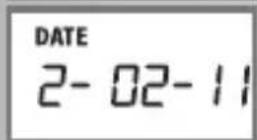
Press MEM button and hold. The date and a number from 1 to 30 will be displayed indicating the temperature number. "01" is the most recently taken temperature and "30" is the oldest. (After 30 temperatures are stored, the oldest will be deleted)
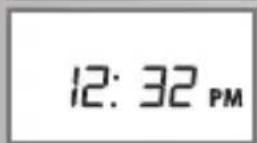
Release the MEM button and the "TIME" "Temperature" and MODE of the temperature is displayed. Example: Feb. 13, 2011 at 12:26AM, a 98.6^ BODY mode temperature was taken.
Repeat pressing and releasing MEM to display earlier stored temperatures "02" through "30".
Press POWER button to exit this function.
Changing °F/°C Temperature Scale
The temperature scale (Fahrenheit or Celsius) may be changed using the following procedure.
If Caregiver is powered off (blank display), press POWER.
Press the °C/°F button. The current scale is displayed.
Press the °C/°F button again to change scale. The new scale will be displayed.
Press POWER to exit this function.
SURFACE and ROOM Temperature Modes
SURFACE Temperature Mode
Skin surface temperature mode measures the surface temperature of the skin placed within the field of view (FOV) of the thermometer. At 2" (5cm) away, the FOV is a 0.84" (2.1cm) circle (±8° cone angle FOV).
natural_image
Simple line drawing of a human figure next to a dashed horizontal line (no text or symbols)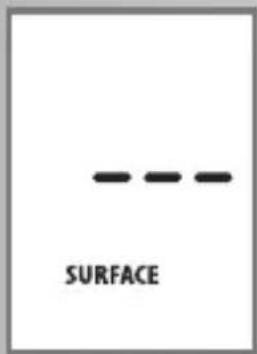
text_image
SURFACE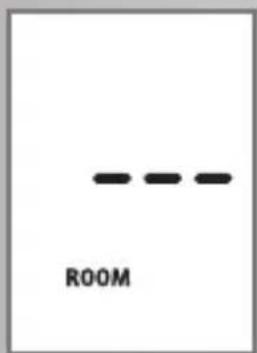
text_image
ROOM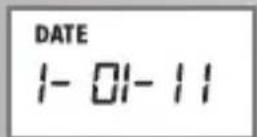
ROOM Temperature Mode
Room temperature mode measures the temperature of the room in which the thermometer is located. Allow 20 minutes for the thermometer to adjust to abrupt changes in room temperature.
Setting SURFACE or ROOM Modes
- If Caregiver ^® is powered off (blank display), press POWER.
- Press and hold MODE for 5 seconds. The currently set Mode (Body, Surface or Room) will flash.
- Press MODE repeatedly to cycle to the next mode - SURFACE/ROOM/BODY.
- Press POWER key to exit this function and display the temperature in the desired Mode.
- Caregiver will remain in the chosen Mode with each press of the POWER button until it powers off after 30 seconds. It will then revert back to BODY Mode.
Setting Date and Time
This setting is only necessary at initial setup and when the batteries are changed.
- If Caregiver is powered off (blank display), press POWER.
- Press and hold SET for 5 seconds. The currently set date will display and the "months" digits will flash.
- Press MODE repeatedly to increase the month by 1 or press:°C/°F repeatedly to decrease the month by 1.
- Press SET to change the DAY. The "day" digits will flash.
- Press MODE repeatedly to increase the day by 1 or press °C/°F repeatedly to decrease the day by 1.
- Press SET to change the YEAR. The "year" digits will flash.
-
Press MODE repeatedly to increase the year by 1 or press °C/°F repeatedly to decrease the year by 1.
-
Press SET to change the HOURS and toggle AM/PM. The "hours" digits will flash and "AM" or "PM" will light.
- Press MODE repeatedly to increase the hours by 1 or press °C/°F repeatedly to decrease the hours by 1.
- Press SET to change the MINUTES. The "minutes" digits will flash.
- Press MODE repeatedly to increase the minutes by 1 or press °C/°F repeatedly to decrease the minutes by 1.
- Setting of Date and Time is complete.
Maintenance and Cleaning
- Caregiver has no user serviceable internal parts except battery replacement.
• Always replace Sensor Cap when not in use. - Store in a dry location free of dust and away from direct sunlight.
- Use a soft dry cloth to clean the plastic housing or a cloth dampened with a solution of water and mild detergent. Occasionally, 70% isopropanol solution may be used.
• Never submerge in liquid. - The sensor window is recessed to assist in keeping it clean and free of debris. Inspect the lens and remove any debris. Smudges may be cleaned by gently wiping the window with a small foam-tipped swab (non-linting) moistened with 70% alcohol. Wait 10 minutes prior to taking temperatures.
Troubleshooting - Error Codes
| Displayed Code | Meaning Suggested Solution |
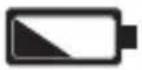 | Low Battery Replace batteries as soon as practical. |
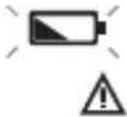 | Very Low Battery Replace batteries prior to further use. |
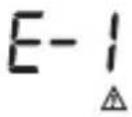 | Ambient Temperature too LOW Allow Caregiver® to warm to temperature above 50°F (10°C). |
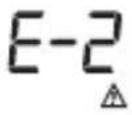 | Ambient Temperature too HIGH Allow Caregiver® to cool to temperature below 104°F (40°C). |
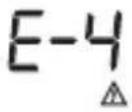 | Sensor Error or Ambient Temperature Unstable Allow Caregiver® to equilibrate to the current room temperature for 20 minutes. Contact Thermomedics® Support if this error persists. |
 | Body Mode Temperature is below 94°F (34.4°C) Remove Sensor Lens cap. Allow patient to warm up in ambient room temperature above 50°F (10°C). |
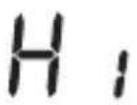 | Body Mode Temperature is above 108°F (42.2°C) Repeat the temperature. If this condition persists, the ambient temperature of the thermometer may be outside the acceptable limits. Allow to cool for 20 minutes. |
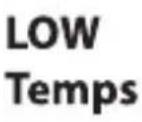 | Displayed Temperatures Appear to be Too Low Remove Sensor Lens Cap. Allow thermometer and patient to adjust to room temperature for 20 minutes. Remove perspiration, oil and makeup from forehead. Also consult the knowledgebase at www.thermomedics.com |
www.thermomedics.com
Calibration Adjustment Mode
This mode should be used only by qualified Bio-medical technicians. It will alter the factory calibration of Caregiver®.
The displayed temperature in SURFACE mode may be increased or decreased by an amount up to ±2^ F maximum in increments of 0.1^ F. This will also alter the displayed reading in BODY mode but not necessarily by the same amount.
Details on the recommended calibration interval, checking calibration and adjusting calibration are found at www.thermomedics.com in the knowledge base under calibration.
Specifications
| Displayed Temperature Range | BODY Mode: 94°F to 108.0°F (34.4°C to 42.2°C) SURFACE Mode: 32°F to 140°F (0°C to 60°C) Accuracy not specified below 71.6°F (22°C) |
| Storage Temperature Range | -4°F to 140°F (-20°C to +60°C) |
| Ambient Operating Range | 50°F to 104°F (10°C to 40°C) 85% Relative Humidity or less. |
| Displayed Accuracy From 96.8/102.2°F ±0.4°F (36 to 39°C ±0.2°C) From 71.6/96.7°F ±0.5°F (22 to 35.9°C ±0.3°C) From 102.3/108.0°F ±0.5°F (39.1 to 42.2°C ±0.3°C) | |
| Power Two 1.5v "AA" Alkaline Batteries | |
| Battery Life >10,000 | Temperatures Typical |
| Response Time Approx 1 second | |
| Size (L x W x H) 150 x | 48.48 x 55.16mm |
| Batteries 3V 2XAA | |
Type BF Equipment
This device has been tested and conforms to the standard ASTM E1965-98:2009.
REFERENCES
1.) Sund-Levander, M., Forsberg, C. & Wahren, L. (2002).
Normal oral, rectal and axillary body temperature in adult men and women; a systematic review.
Scandinavian Journal of Caring Science, 16(2), 122-128.
U.S. and foreign patents pending
WARRANTY
(Warranty Card Included in Product Box) Prior to returning thermometer, contact Thermomedics® for return procedure.
Purchase Date ____ / ____ / ____
Serial Number: ____
www.thermomedics.com
Notes:
Measurement Technique
natural_image
Black-and-white portrait of a smiling woman with dark hair and a circular emblem on her forehead (no text or symbols visible)- Remove protective Cap if present
- Remove hair and perspiration from middle of forehead
text_image
2"Max 1/2"Min-
Aim at middle of forehead between 1/2 inch (1.3 cm) and 2 inches (5 cm) away from skin (Aim perpendicular to the skin, not at an angle)
-
Press and release POWER. Wait for two "beep" sounds. Read temperature on LCD
natural_image
Top-down view of a mobile phone with an eye icon and screen (no visible text or symbols)Allow at least 20 seconds before taking the next temp Go to: thermomedics.com for more information Read instructions before use
www.thermomedics.com
Distributed by
Thermomedics North America Service Center
444 Brickell Ave. Suite 415
Miami, FL 33131 U.S.A.
Toll Free: 800-208-3009
Hours of operation:
24hr/7 days a week/365 days a year
thermomedics®
Ease of Use...Peace of Mind