Crossfire HD 12x50 - Binoculars Vortex - Free user manual and instructions
Find the device manual for free Crossfire HD 12x50 Vortex in PDF.


User questions about Crossfire HD 12x50 Vortex
0 question about this device. Answer the ones you know or ask your own.
Ask a new question about this device
Download the instructions for your Binoculars in PDF format for free! Find your manual Crossfire HD 12x50 - Vortex and take your electronic device back in hand. On this page are published all the documents necessary for the use of your device. Crossfire HD 12x50 by Vortex.
USER MANUAL Crossfire HD 12x50 Vortex
text_image
Ocular Lens Center Focus Twist-up Eyecup Diopter Strap Attachment VORTEX Objective Lens Tripod Adapter SocketImages are for representation only. Product may vary slightly from what is shown.
BASIC OPERATION
Adjust the Eyecups
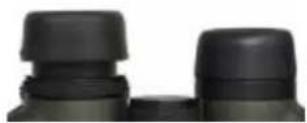
The eyecups on the Crossfire® HD binocular twist up and down so any viewer can see the full field and enjoy comfortable viewing—with or without eyeglasses.
When not using eyeglasses or sunglasses, keep the eyecups fully extended. For the best viewing when wearing glasses, twist eyecups down.
Adjust the Interpupillary Distance
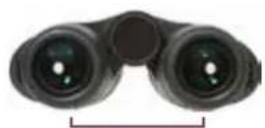
The interpupillary distance (IPD) is the distance between the center of your left and right pupils. Match the IPD of your eyes and your binocular by rotating the barrels in or out until you see a single image free of shading.
IPD
Distance between the centers of the ocular lenses.
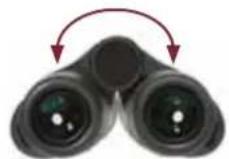
Rotate the barrels in or out to match the IPD of your eyes with that of the binocular.
Properly Focus the Binocular
For the best results, follow this two-step process to properly adjust the center focus and diopter. Choose an object about 20 yards away and stay in the same spot until you have adjusted the binocular for your eyes.
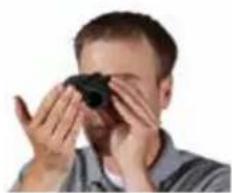
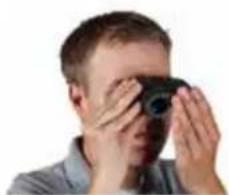
- Adjust the center focus: Start by closing your right eye or covering the right objective lens with your hand. Focus your left eye on the object and adjust the center focus wheel until the image is in focus. Leave the center focus in this position as you adjust the diopter.
natural_image
Person holding a camera lens, no visible text or symbols- Adjust the diopter: Start by closing your left eye or covering the left objective lens with your hand. Look through your right eye and adjust the diopter ring (found on the right eyepiece) until the object is in focus. Make
natural_image
Person holding a camera lens, no visible text or symbolsnote of this diopter setting in case you need to set it again. From this point on, you will only need to use the center focus wheel.
ACCESSORIES
GlassPak™ Binocular Harness
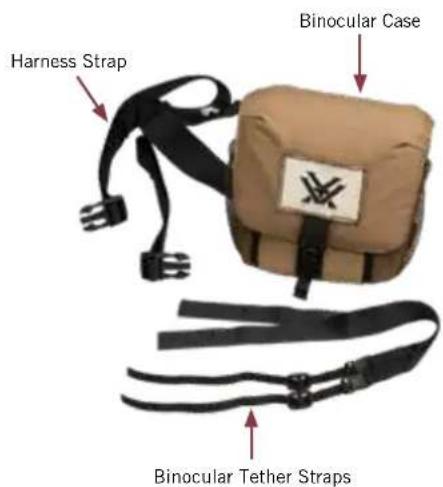
The GlassPak™ Binocular Harness stores and protects your binoculars while keeping them close at hand for quick deployment. Tethers attach to your binocular for added security against accidental drops while the fully adjustable straps create a comfortable fit.
text_image
Harness Strap Binocular Case Binocular Tether StrapsFollow these steps to attach the binocular tether straps.
- Thread the wide end of the binocular tether straps through the harness strap buckles.
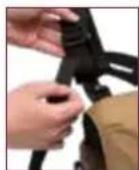
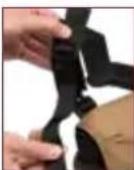
- Size to fit by adjusting the one-size-fits-all harness strap.
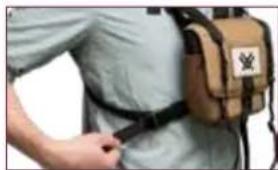
natural_image
Person wearing a beige backpack with a belt, no visible text or symbols- Thread the binocular tether straps through the strap attachments on binocular.
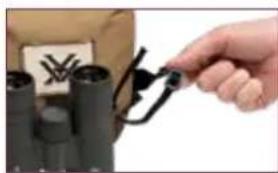
natural_image
Close-up of a hand holding a small black clip attached to a cylindrical device (no visible text or symbols)- Thread the binocular tether straps back through the tether strap buckles to secure.
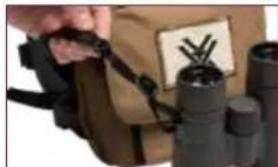
natural_image
Close-up of a person using binoculars with a mounted device (no visible text or symbols)Lens Covers
The Crossfire ^® HD comes with tethered objective lens covers and a rainguard for the ocular lenses. Use these covers to protect the lenses whenever you are not using your binocular.
Neck Strap
Attach the padded neck strap in these three simple steps.
- Push a few inches of the strap through the strap attachment on the binocular.
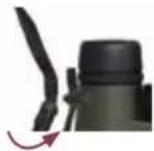
- Hold the buckle and thread the end of the strap through the buckle.
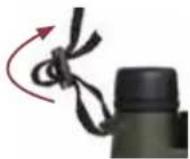
- Adjust the overall length, then pull tight until strap secured within the buckle.
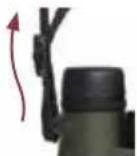
Note: If using another type of strap, never attach metal o-rings directly onto the strap attachment.
LENS CARE
Maintain the optical brilliance of your binocular by keeping lens surfaces free of dirt, oils, and dust.
Protect Lenses While Out in the Field
Make use of the provided eyepiece and tethered objective lens covers to protect the lenses when not viewing. If the optics are exposed to moisture, keep the caps off and allow the optics to dry out completely before putting them in the case for storage.
Keep Lenses Clean
In order to enjoy the best views through your binocular, take time to regularly clean the exterior lenses:
-
Remove any dust or grit from lenses before wiping. Use a can of pressurized air, soft camel hair brush, or an acrylic optical brush.
-
Clear lenses of smudges, fingerprints, or eyelash oil. Fog the lenses with your own breath, then use a non-abrasive lens cloth to clean the lenses.
Note: Use lens cleaning fluid and optical paper to clean lenses. Never use facial tissue, heavy cotton, or flannel clothing on lenses—these materials can scratch the surface of a lens.
Caution: Binoculars are not intended for looking at the sun, or any other intense light source. Such viewing could damage the retina and cornea of your eyes—even to the point of causing blindness.

text_image
VIP WARRANTYVIP WARRANTY OUR UNCONDITIONAL PROMISE TO YOU.
We promise to repair or replace the product. Absolutely free.
▶ Unlimited
▶ Unconditional
▶ Lifetime Warranty
Learn more at www.VortexOptics.com
service@VortexOptics.com • 800-426-0048
Note: The VIP Warranty does not cover loss, theft, deliberate damage, or cosmetic damage not affecting product performance.
VORTEX
CROSSFIRE HD BINOCULAR

natural_image
Abstract black geometric logo design with stylized letter X (no text or symbols)M-00252-0
© 2018 Vortex Optics
® Registered Trademark and TM Trademark of Vortex Optics