
KX-T7540 - Phone PANASONIC - Free user manual and instructions
Find the device manual for free KX-T7540 PANASONIC in PDF.


User questions about KX-T7540 PANASONIC
0 question about this device. Answer the ones you know or ask your own.
Ask a new question about this device
Download the instructions for your Phone in PDF format for free! Find your manual KX-T7540 - PANASONIC and take your electronic device back in hand. On this page are published all the documents necessary for the use of your device. KX-T7540 by PANASONIC.
USER MANUAL KX-T7540 PANASONIC
Digital DSS Console and Digital Attendant Console for Digital Super Hybrid Systems
Reference Guide
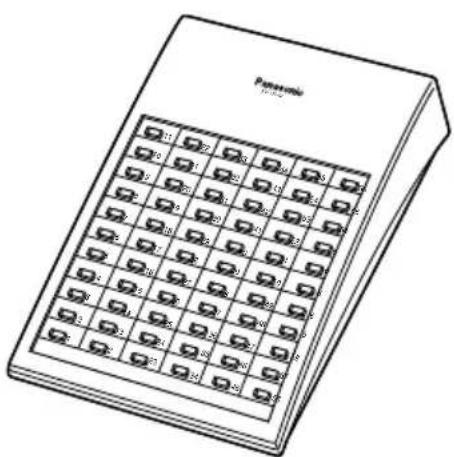
KX-T7540CE/KX-T7540CE-B Model KX-T7541CE/KX-T7541CE-B
natural_image
Line drawing of a Panasonic 1970 desktop computer with grid layout (no text or symbols)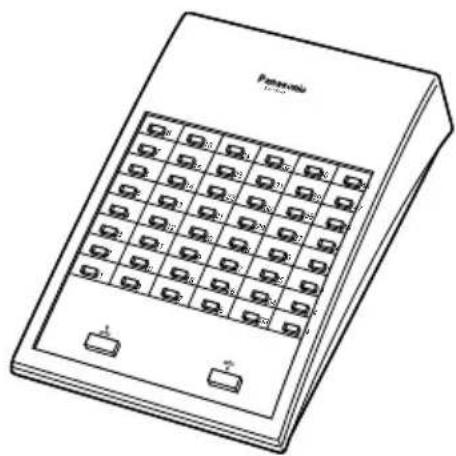
natural_image
Line drawing of a portable electronic device with grid keypad and two ports (no text or symbols)Please read this manual before using the Digital DSS Console and Digital Attendant Console.
- Bitte lesen Sie diese Kurzanleitung vor der Benutzung.
- Veuillez lire ce manuel avant l'utilisation des console SDP Numérique et console d'Accueil Numérique.
- Leggere questo manuale prima di utilizzare le Console SDD Digitali e Console d'Operatore Digitale.
- Lea este manual antes de utilizar la Consola Digital SDE y Consola Digital de Operadora.
- Lees aub deze handleiding eerst door voordat u het DSS console gaat gebruiken.
Contents
Preparation...... 2
Connection...... 2
Location of Controls..... 3
Attaching the Proprietary Telephone.... 4
Wall Mounting 5
Caution...... 6
English 1–6
Deutsch.... 7–12
Français.... 13–16
Italiano.... 17–20
Español.... 21–24
Thank you for purchasing the Panasonic Digital DSS Console and Digital Attendant Console.
Preparation
The KX-T7540 Digital Direct Station Selection (DSS) Console and KX-T7541 Digital Attendant Console can be connected to Digital Super Hybrid Systems (DSHS). It requires a DSHS Proprietary Telephone (e.g., the KX-T7531, KX-T7533, KX-T7536) for proper operation.
The DSS Console and the paired proprietary telephone should be placed side by side. The DSS Console must be connected to the main unit directly.
Notes: – A standard telephone cannot be utilized in conjunction with the DSS Console. – In this manual, the suffix “CE” of each model number is omitted.
Accessories
Telephone line cord...... 1
Plate.... 1
Screws 2
Connection
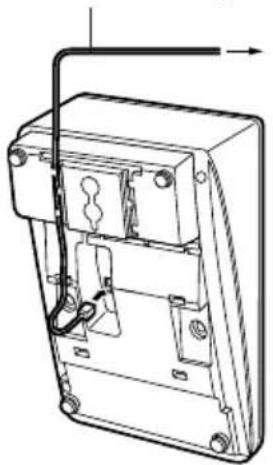
Connect as shown.
For more details, refer to the Installation Manual of the Panasonic Digital Super Hybrid System.
Included telephone line cord
natural_image
Technical line drawing of a mechanical device with internal components and mounting holes (no text or symbols)Connect to a Digital Super Hybrid System.
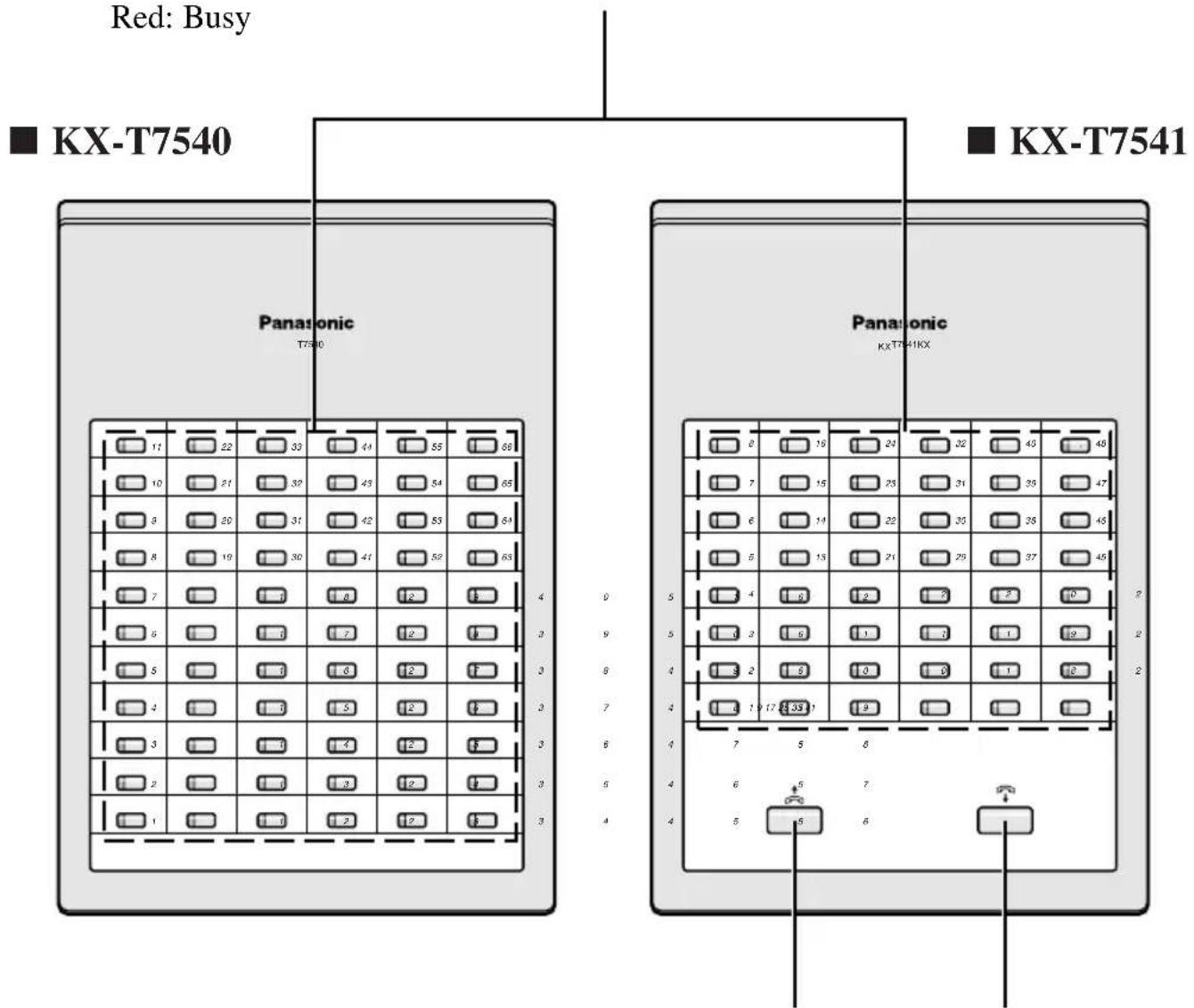
DSS Buttons with Busy Lamp Field (BLF):
The KX-T7540 has 66 DSS buttons and the KX-T7541 has 48 DSS buttons.
To access an extension, simply press a DSS button.
These buttons also can be assigned for one-touch dialling.
The BLF indicates the current status of the corresponding extension.
Off : Idle
Red: Busy
text_image
Red: Busy ■ KX-T7540 Panasonic T7540 Panasonic KX-T7541 KX-T7540 KX-T7541ANSWER Button
Used to answer an incoming call.
RELEASE Button
Used to disconnect the line.
Attaching the Proprietary Telephone
This unit can be attached with a Panasonic digital proprietary telephone. Use the attached plate and screws.
- Open the cover.
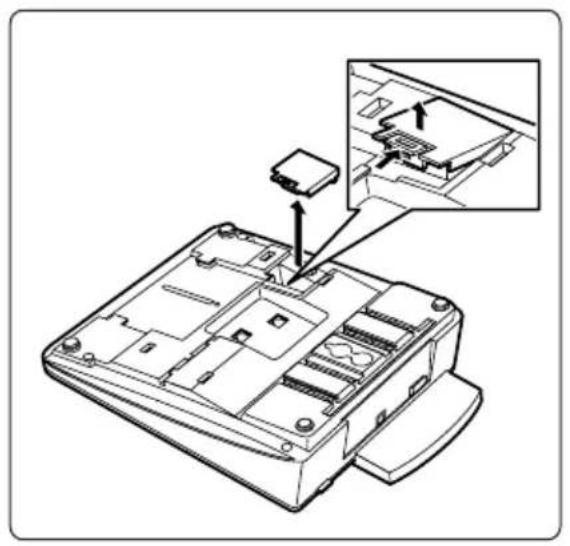
natural_image
Technical line drawing of a device casing with an inset showing internal components (no text or symbols)- Attach the DSS console to your telephone with screws.
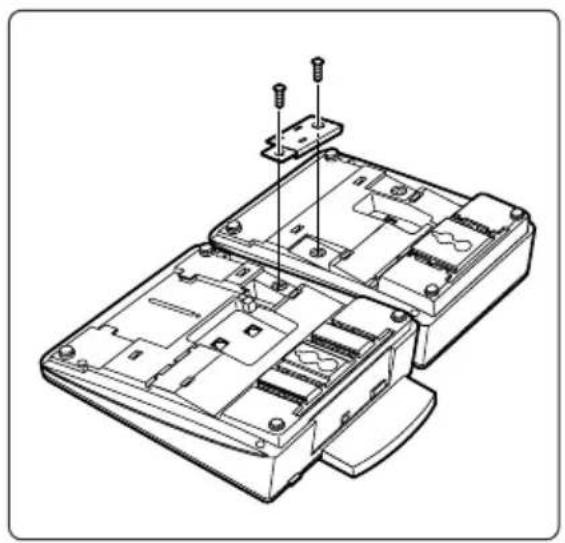
natural_image
Technical line drawing of a device casing with internal compartments and mounting hardware (no text or symbols)-
Remove Ⓐ and Ⓑ as shown below.
-
Close the cover.
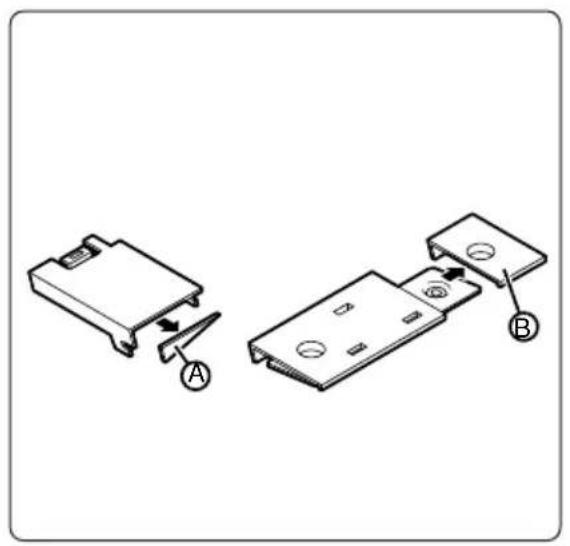
natural_image
Diagram showing two electronic component assemblies with labeled parts A and B (no text or symbols present)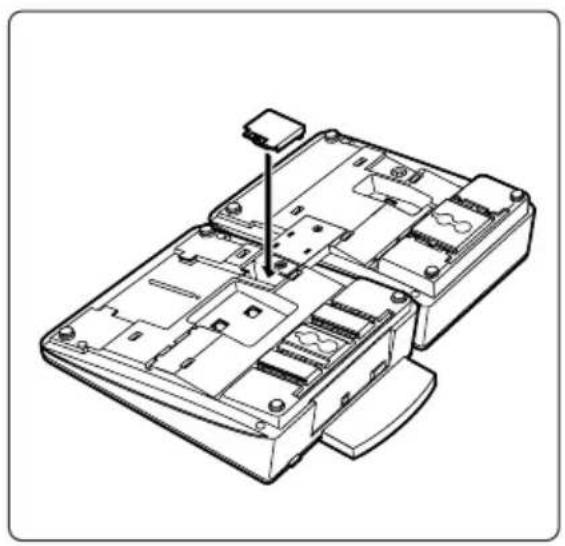
natural_image
Technical line drawing of a device chassis with internal compartments and mounting points (no text or symbols)This unit can be mounted on the wall.
- Remove the attaching stand.
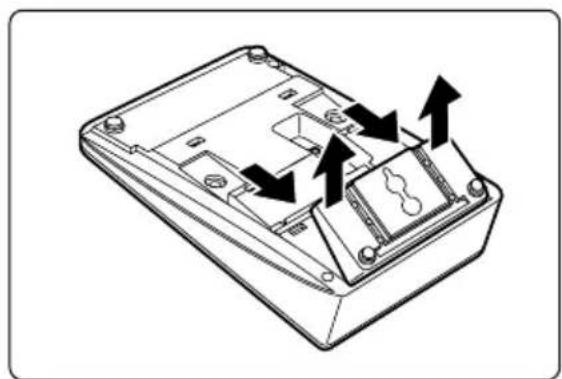
natural_image
Technical line drawing of a device casing with internal components and directional arrows indicating movement (no text or symbols)- Rotate the stand in the direction of the arrow.
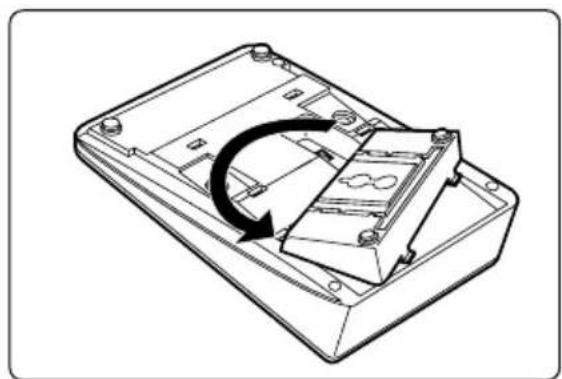
natural_image
Technical line drawing of a device casing with an arrow indicating rotation or assembly (no text or symbols)- Place the stand.
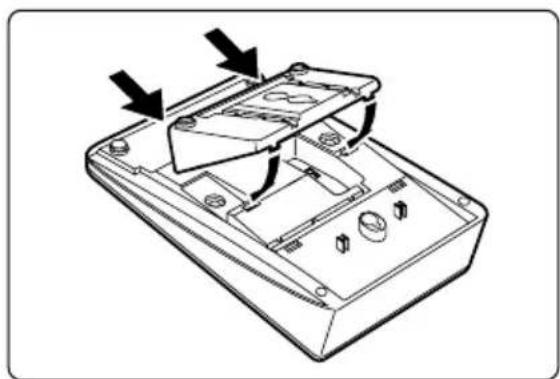
natural_image
Technical line drawing of a device casing with internal components and directional arrows indicating movement (no text or symbols)- Mount the unit on the wall phone plate.
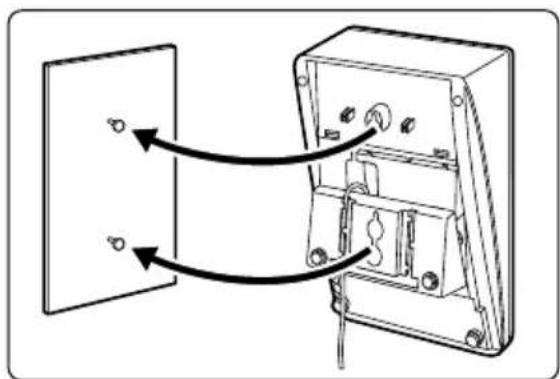
natural_image
Diagram of an electrical switch or panel assembly with two components and directional arrows indicating flow (no text or labels)- If there is any trouble, disconnect the DSS Console from the telephone line and have it repaired.
- Keep the unit away from heating appliances and electrical noise generating devices such as fluorescent lamps and motors.
- The unit should be kept free of dust, moisture and vibration, and it should not be exposed to direct sunlight.
- Do not use benzine, thinner, or the like, or any abrasive powder to clean the cabinet. Wipe it with a soft cloth.
WARNING:
TO PREVENT FIRE OR SHOCK HAZARD, DO NOT EXPOSE THIS PRODUCT TO RAIN OR ANY TYPE OF MOISTURE.

73/23/EEC
89/336/EEC
92/31/EEC
93/68/EEC