S120 - Shredder ProAction - Free user manual and instructions
Find the device manual for free S120 ProAction in PDF.


User questions about S120 ProAction
0 question about this device. Answer the ones you know or ask your own.
Ask a new question about this device
Download the instructions for your Shredder in PDF format for free! Find your manual S120 - ProAction and take your electronic device back in hand. On this page are published all the documents necessary for the use of your device. S120 by ProAction.
USER MANUAL S120 ProAction
ProAction – Paper Shredder
Installation & User Instructions – Please keep for future reference
903/1513
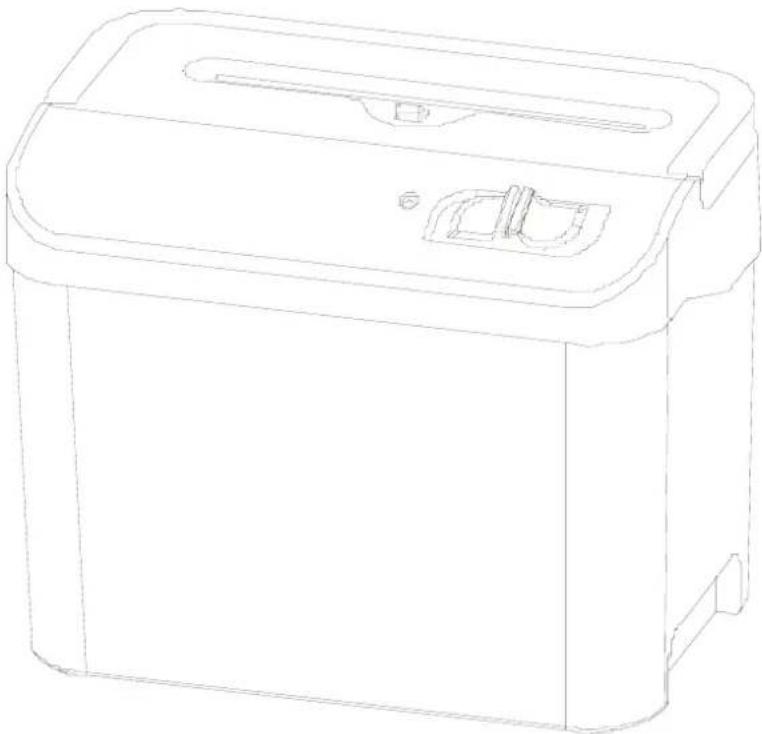
natural_image
Line drawing of a rectangular electronic device with a lid and mounting bracket (no text or symbols)Important – Please read these instructions fully before installing or using
These instructions contain important information which will help you get the best from your appliance and ensure safe and correct installation, use and maintenance. If you need help or have damaged or missing parts, call the Customer Helpline: 0345 640 0800
Safety Information 2
Parts 3
Installation 4-5
| Location | 4 | |
| Electrical | Connection | 5 |
User Instructions 6-7
| Before | first | use | 6 |
| Using your appliance | 6 |
Care and Maintenance 8
| General | 8 |
Trouble Shooting 8
Technical Specifications 9
| Disposal | information | 9 |
| Guarantee | 10 |
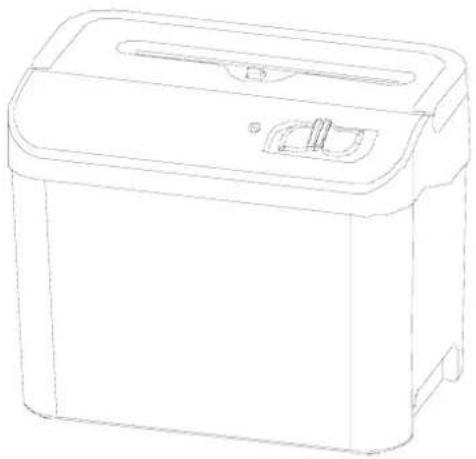
natural_image
Line drawing of a rectangular electronic device with a lid and ventilation slots (no text or symbols)Product codes
S120
Important – Please read these instructions fully before installation
Before use Durin
- Dispose of all packaging carefully and responsibly.
- The appliance is designed for indoor use only. Do not use outdoor.
- This appliance is designed for household use.
- Do not use the appliance for industrial and commercial use, or any other purpose.
- The appliance MUST be positioned on a firm level base.
- Please use the shredder with a correct power supply.
- Do not use appliance for other than intended use.
- Keep the power cord away from hot surface.
- Do not immerse the machine in water or any other liquid to protect against electric shock.
- Keep children away from the machine. This machine should be operated by adults only.
- Please don't spay any flammable gas or oil on this shredder, it may cause a fire.
- Do not allow this appliance to be exposed to rain or moisture.
- Please unplug the shredder when emptying the waste bin or non-in use or moving the shredder.
g use
- WARNING! Keep all loose articles of clothing, ties, jewellery, long hair or other loose objects away from opening, injury may result!
- Never insert fingers into opening. Serious injury may result!
- Please keep soft cloths and ties far away from the paper entry.
- Please keep your hair far away from the shredder.
• Always operate on a flat horizontal surface. - This appliance is not intended for use by persons (including children) with reduced physical, sensory or mental capabilities, or lack of experience and knowledge, unless they have been given supervision or instruction concerning use of the appliance by a person responsible for their safety. Children should be supervised to ensure that they do not play with the appliance.
- This appliance is not intended for use by young children or infirm persons unless they have been adequately supervised by a responsible person to ensure that they can use the appliance safely. Young children should be supervised to ensure that they do not play with the appliance.
- Do not operate the appliance with a damaged cord or plug or after the appliance malfunctions, or has been damaged in any manner.
- Do not attempt to repair the appliance yourself. Contact the Customer Helpline: 0345 640 0800.
Part
Please familiarize yourself with the parts and accessories listed below
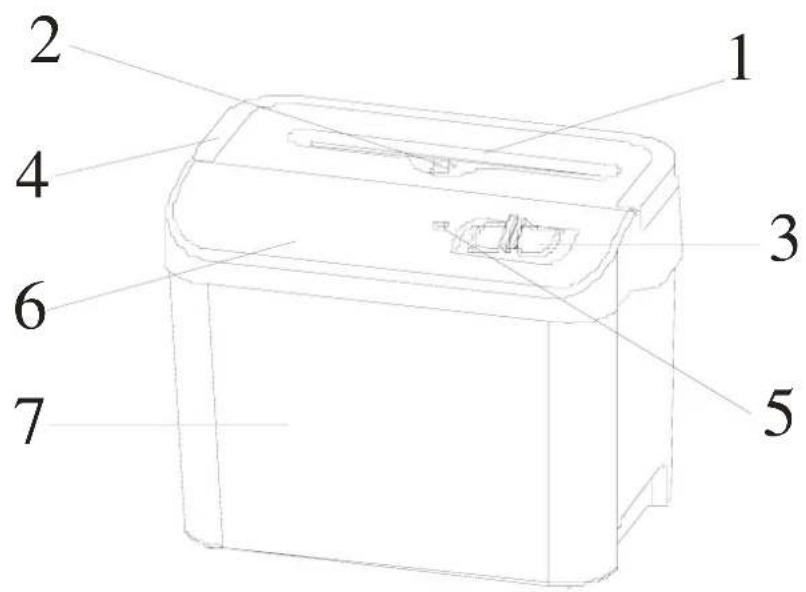
text_image
1 2 3 4 5 6 7- Paper in throat
- Clear switch
- Function switch (REV /OFF/ AUTO)
- Handle
- Power indicator light (Green)
- Shredder head
- Waste bin
Accessories included
text_image
Pro-Auction - Paper StrollerInstructions x 1
Installation
Location

Caution: Always operate this product on
a flat horizontal surface.
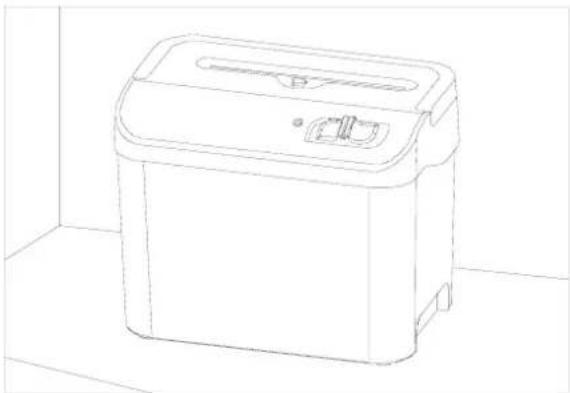
- Carefully remove all packaging materials and dispose of correctly.
- Ensure the supply cable is not caught under the appliance.
- Do not operate under or near curtains or other combustible materials
- Do not place the appliance near a heat source or in direct sunlight.
natural_image
Line drawing of a rectangular kitchen appliance on a tiled floor (no text or symbols)Electrical connection

Any electrical work that is required to this appliance MUST be carried out by ified electrician.
Before making any electrical connections, ensure that:
- Do not bend, stretch or pull the supply cable to avoid electric shock.
- Ensure the power socket is suitable for the maximum power of the machine.
- The supply voltage should be the same as that indicated in the technical specifications and the appliance rating plate.
- If the socket outlets in your home are not suitable for the plug supplied with this unit check with a qualified electrician for replacement.
- The use of adapters, multiple connectors or extension cables are not recommended.
- The appliance must be connected to a 220-240 volt 50Hz AC supply by means of a three pin socket, suitably earthed and protected by a 5 amp fuse.
- Should the fuse need to be replaced, a 5 amp fuse approved to BS1362 must be used.
- The plug contains a removable fuse cover that must be refitted when the fuse is replaced. If the fuse cover is lost or damaged, the plug must not be used until a replacement cover has been fitted or the plug is replaced.
- A damaged plug should be cut off as close to the plug body as possible, the fuse should be removed and the plug disposed of safely.
Plug replacement (UK & Ireland only)
Should you need to replace the plug; the wires in the power cable are coloured in the following way:
Blue – Neutral 'N'
Brown – Live 'L'
As the colours of the wires in the power cable may not correspond with the coloured markings identifying the terminals in your plug, and proceed as follows:
The blue wire must be connected to the terminal that is marked with the letter N.
The brown wire must be connected to the terminal that is marked with the letter L.
If power supply cord is damaged, it must replaced by the manufacturer or its service agent or a similar qualified person in order to avoid a hazard.

text_image
BLUE OR BLACK. NEUTRAL(N) BROWN OR RED WIRE-LIVE(L)User Instructions
Before first use
Setting up the shredder
- Remove the shredder from the packaging and unwind the cord to its full length.
- Place the waste bin on a firm level surface in a stable upright position.
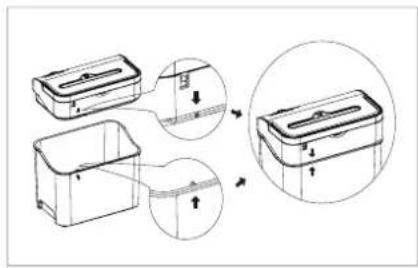
- This appliance is equipped with a safety system. If the shredder head and waste bin are not correctly in place, the appliance will not function.
- Take the main unit by holding on handle and put it onto the waste bin. Ensure that the alignment marks on the shredder head and waste bin are in line.
- Make sure the function switch is at "OFF" position.
- Connect the plug to the 220-240V AC mains.
Using your appliance
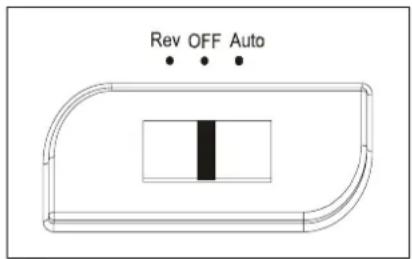
1. AUTO mode
- To use this mode, turn the function switch to "Auto".
- Feed the paper into the paper in-throat, the micro-switch in the throat will be pressed.
• The shredder will operate to shred the paper. - Once all the papers have been shredded, it will stop itself.
- When the motor is over heated, the machine will be shut off automatically, after a cool down time of 40 minutes around, the machine can be started working again.

NOTE: The maximum paper can be fed are 8 sheets. Should the shredder be overfed, it will stop working due to paper jam.
OVERHEAT SAFETY DEVICE
Your shredder is fitted with a safety device that switches off the unit in event of overload. Should the unit stop working, turn the unit off and unplug from the mains. Allow the motor to cool down to room temperature (approx. 40mins) before resuming operation.
If the unit fails to operate or the safety device switches the unit off again, return the unit to your nearest service center for examination or repair.
text_image
Diagram showing a mechanical assembly with labeled parts and directional arrows indicating motion or assembly.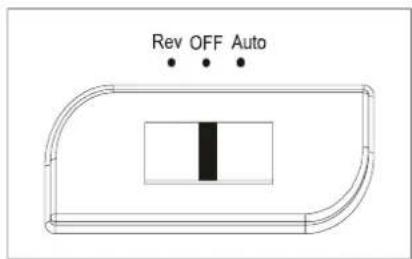
text_image
Rev OFF Auto
text_image
Rev OFF Auto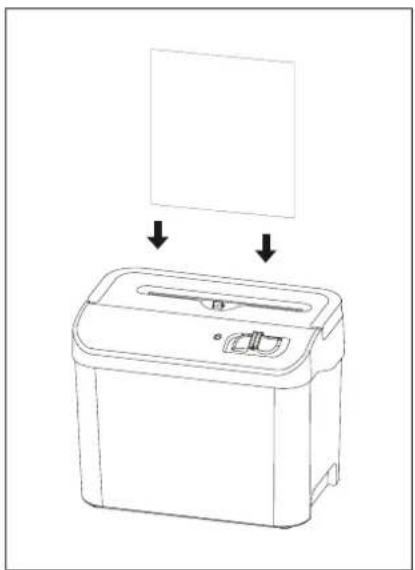
natural_image
Line drawing of a microwave oven with a blank panel above it, showing no text or symbols.Using your appliance
2. OFF MODE
- To switch off the shredder, turn the function switch to "OFF" position.
3. REVERSE mode
- Turn the function switch to "REV" position.
- The cutting blade in shredder will run in reverse direction.
Paper jam
- Turn the function switch to "REV" position to let the cutting blade running in reverse direction. Then the paper will come out from the throat.
- Pull out the paper carefully to clear the throat.
- Once the jammed paper is removed, turn the function switch to "AUTO" position for normal operation.
Empty the waste bin
- Switch off the unit and disconnect from the AC mains.
- Remove the main unit from the bin and put on the floor.
- Empty the bin.
- Place the bin on the floor after empty and put the main unit back. Make sure it is positioning in good condition.
- Connect to the AC mains.

Note: Always empty the bin while it is avoid hazard.
text_image
Rev OFF Auto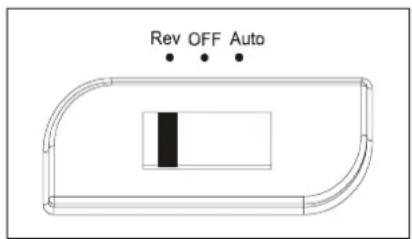
text_image
Rev OFF Auto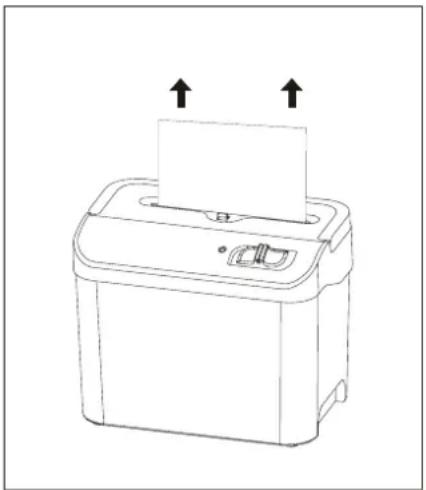
natural_image
Line drawing of a printer with two arrows indicating upward motion (no text or symbols)Care and Maintenance
General

Important: Always unplug the appliance from the power socket during cleaning andenance.
- Never use any sharp instruments or abrasive substances, soap, household cleaner, detergent or wax polish for cleaning.
- Use luke warm water to clean the cabinet of the appliance and wipe it dry.
- Never clean the appliance with flammable fluids. It could cause a damage and fire hazard.
- Ensure the unit is dry before connect to the mains.
Trouble Shooting
In the unlikely event of difficulties with your appliance please follow the trouble shooting guide below. If the problem persists, contact the retailer if the machine is still under guarantee on 0345 640 0800.
| Problem Possible cause Solution | ||
| Appliance does not start | The mains plug is not plugged in.Fuses of the electrical system at home open.Overheat protection device is activated. | Insert the mains plug.Check the protection devices and fuses.Allow the motor to cool down to room temperature (approx. 40mins) before resuming operation. Do not overfed the shredder. |
| Motor is running but cannot shred the papers | Waste bin is full. | Empty the waste bin. |
Technical Specifications
| Model S120 | |
| Voltage 220-240 V 50Hz | |
| Paper entry width 158 mm | |
| Shred size 4 x 40 mm | |
| Shred paper capacity 8 sheets (80 g/sm, A5) | |
| Shred speed 2.0 m /min | |
| Accept staples | No |
| Waste bin Volume 4.6 Litre | |
| Noise level 72 dB | |
| Duty cycle 2 minutes ON 40minutes OFF | |
| Net weight 2.4kg | |
| Dimension 240 x 156 x 192 mm | |
We apologise for any inconvenience caused by any minor inconsistencies in these instructions, which may occur as a result of product improvements and development.
This appliance complies with the following EEC directives:
2006/95/EEC Low voltage directive
2004/108/EEC EMC directive
Disposal information
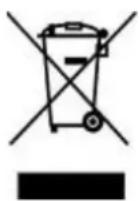
The symbol on the product or its packaging indicates that this product may not be treated as household waste. Instead it should be handed over to the applicable collection point for the recycling of electrical and electronic equipment. By ensuring this product is disposed of correctly, you will help prevent potential negative consequences for the environment and human health, which could otherwise be caused by inappropriate waste handling of this product. For more detailed information about recycling this product, please contact your local council office, your household waste disposal service or the shop where the product was purchased.

PRODUCT GUARANTEE
This product is guaranteed against manufacturing defects for a period of

text_image
1Year
This product is guaranteed for twelve months from the date of original purchase.
Any defect that arises due to faulty materials or workmanship will either be replaced, refunded or repaired free of charge where possible during this period by the dealer from whom you purchased the unit.
The guarantee is subject to the following provisions:
- The guarantee does not cover accidental damage, misuse, cabinet parts, knobs or consumable items.
- The product must be correctly installed and operated in accordance with the instructions contained in this manual.
- It must be used solely for domestic purpose.
- The guarantee will be rendered invalid if the product is re-sold or has been damaged by inexpert repair.
- Specifications are subject to change without notice.
• The manufacturer disclaims any liability for the incidental or consequential damages. - The guarantee is in addition to, and does not diminish your statutory or legal rights.
Guarantor: Argos Ltd
489 - 499 Avebury Boulevard
Central Milton Keynes
MK9 2NW