
Series 1000 NT1152 - Care Kit PHILIPS - Free user manual and instructions
Find the device manual for free Series 1000 NT1152 PHILIPS in PDF.


| Product Type | Nose and Ear Hair Trimmer |
| Model | Series 1000 NT1152 |
| Brand | Philips |
| Power Source | 1.5V R6 AA alkaline battery (included) |
| Battery Life | Up to 2 hours with new AA alkaline battery |
| Dimensions (Approx.) | 13 cm x 2 cm (estimated) |
| Weight (Approx.) | 30 g (without battery, estimated) |
| Primary Functions | Trimming nose hair and ear hair |
| Cutting Element | Removable and washable |
| Max Insertion Depth | 0.5 cm into nostril or ear channel |
| Cleaning Method | Rinse cutting element under running water; immerse in warm water for thorough cleaning |
| Water Resistance | Safe to clean under tap (IEC compliant) |
| Safety Features | Not for use by persons with reduced capabilities without supervision; keep out of reach of children |
| Temperature Range | 15°C to 35°C for use and storage |
| Accessories / Spare Parts | Cutting element, trimming head, protection cap, sealing ring; available at www.shop.philips.com/service |
| Warranty | International guarantee; cutting units excluded due to wear |
| Environmental Compliance | EU Directive 2012/19/EU (WEEE) and 2006/66/EC (batteries) |
Frequently Asked Questions - Series 1000 NT1152 PHILIPS
User questions about Series 1000 NT1152 PHILIPS
0 question about this device. Answer the ones you know or ask your own.
Ask a new question about this device
Download the instructions for your Care Kit in PDF format for free! Find your manual Series 1000 NT1152 - PHILIPS and take your electronic device back in hand. On this page are published all the documents necessary for the use of your device. Series 1000 NT1152 by PHILIPS.
USER MANUAL Series 1000 NT1152 PHILIPS
Guidance in English 13~26
Warranty
Warranty and After-Sales Service 27
Specifications 28
Free Repair Regulations 30
Warranty Certificate ...... Last Page
Be Sure to Observe
Safety Precautions
Removing the Trimming Head
Basic Usage
1 Turn on the Power
3 After Use
Trimming Ear Hair
Maintenance

Caution
Turn the power switch to the open position and let it dry.


Introduction
Congratulations on your purchase and welcome to Philips! To fully benefit from the support that Philips offers, register your product at www.philips.com/welcome.
General description (Fig. 1)
1 Protection cap 2 Cutting element 3 Trimming head 4 Handle 5 Setting indicator 6 'On' indication 7 'Off' indication 8 'Open' indication 9 Battery compartment cover 10 Locking indicator 11 'Unlocked' indicator 12 Sealing ring 13 Disposable AA alkaline battery
Important
Read this user manual carefully before you use the appliance and save it for future reference.
ENGLISH
Warning
- This appliance is not intended for use by persons (including children) with reduced physical, sensory or mental capabilities or lack of experience and knowledge unless they have been given supervision or instruction concerning use of the appliance by a person responsible for their safety.
- Children should be supervised to ensure that they do not play with the appliance.
Caution
- Always check the appliance before you use it. Do not use the appliance if any of its parts is damaged or broken, as this may cause injury.
- Only use this appliance for its intended purpose as shown in the user manual.
- For hygienic reasons, the appliance should only be used by one person.
- Never use compressed air, scouring pads, abrasive cleaning agents or aggressive liquids such as petrol or acetone to clean the appliance.
- Only operate the appliance on one non-rechargeable 1.5V R6 AA battery.
- Use and store the appliance at a temperature between 15°C and 35°C.
- Do not expose the appliance to direct sunlight.
- Remove the battery from the appliance if you are not going to use it for some time.
Compliance with standards
- This Philips appliance complies with all applicable standards and regulations regarding exposure to electromagnetic fields.
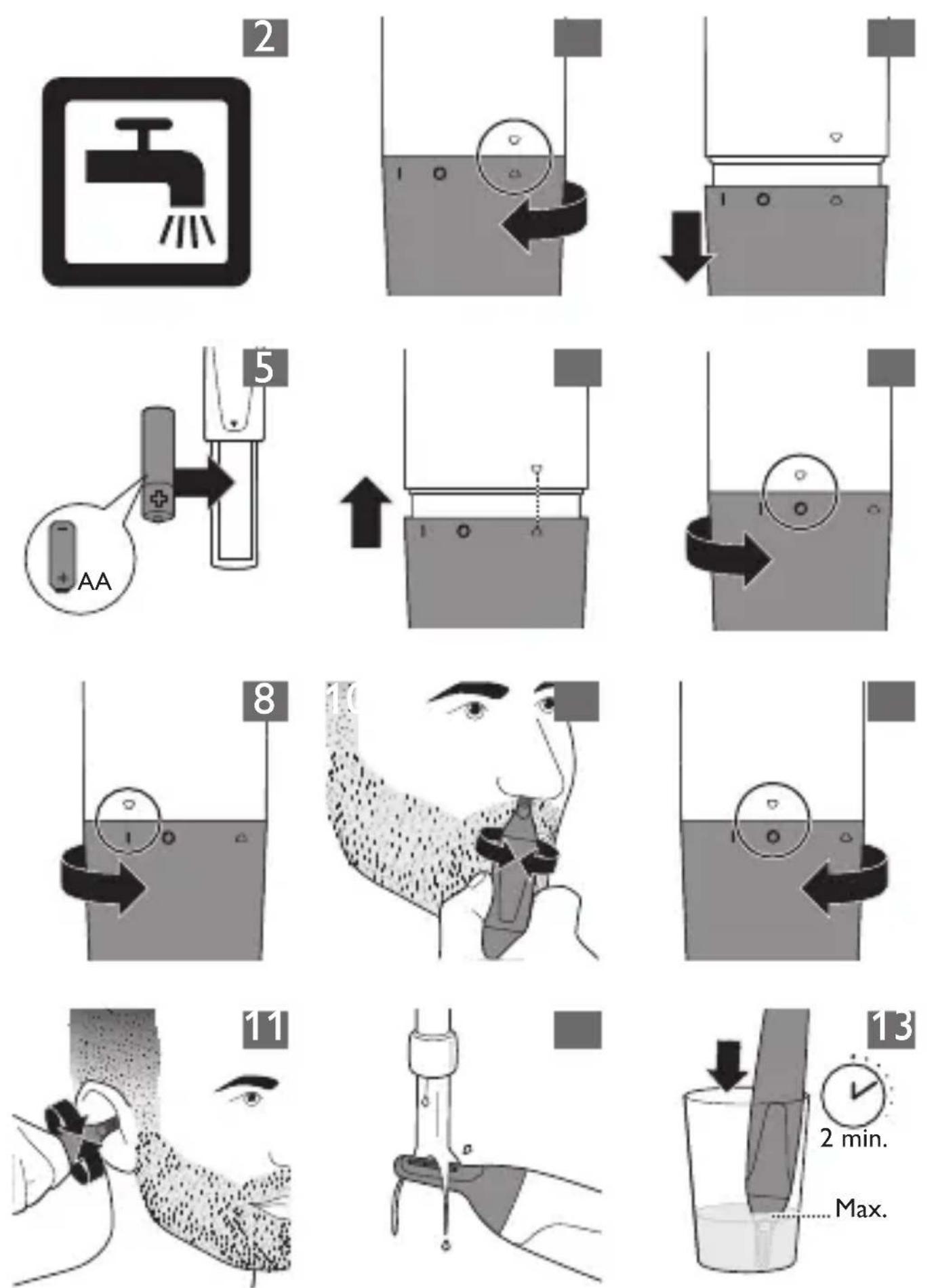
- This appliance complies with the internationally approved IEC safety regulations and can be safely cleaned under the tap (Fig. 2).
Preparing for use
Placing the batteries
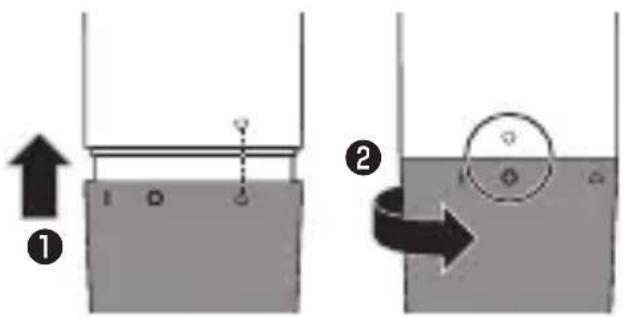
1. To remove the battery compartment cover, turn it clockwise until the setting indicator points to the 'open' indication. (Fig. 3) 2. Pull the battery compartment cover off the handle (Fig. 4). 3. Put the battery in the battery compartment (Fig. 5).
Make sure the + and - poles of the battery point in the right direction.
Note: The appliance operates on one R6 AA 1.5-volt battery (included). Preferably use Philips alkaline batteries. A new AA alkaline battery has an operating time of up to 2 hours.
4 slide the battery compartment cover back onto the handle. (Fig. 6)
5 turn the battery compartment cover anticlockwise until the setting indicator points to the 'off' indication (0). (Fig. 7)
To avoid damage due to battery leakage:
- do not expose the appliance to direct sunlight.
- do not expose the appliance to temperatures higher than 35°C.
- remove the battery if you are not going to use the appliance for a month or more.
- do not leave an empty battery in the appliance.
Using the appliance
You can use the trimming head to trim your nose hair and ear hair.
Trimming nose hair
Make sure your nostrils are clean.
1 To switch on the appliance, turn the battery compartment cover from the 'off' position (0) to the 'on' position (I) (Fig. 8). 2 Carefully insert the trimming head into one of your nostrils.
Do not insert the trimming head more than 0.5cm into your nostrils.
3 Slowly move the trimming head around to remove all unwanted hairs in your nostrils. (Fig. 9) 4 To switch off the appliance, turn the battery compartment cover to the 'off' indication (0) (Fig. 10).
Trimming ear hair
Make sure your outer ear channels are clean and free from wax.
1 To switch on the appliance, turn the battery compartment cover from the 'off' position (0) to the 'on' position (I) (Fig. 8).
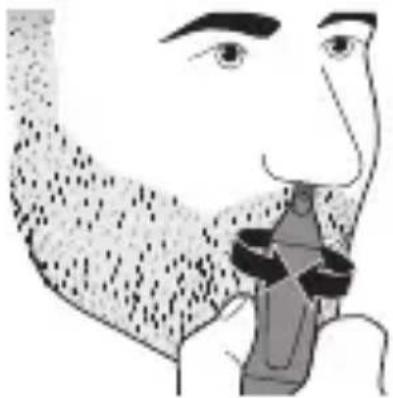
- Slowly move the trimming head along the rim of the ear to remove hairs that stick out beyond the rim. 3 Insert the trimming head into the outer ear channel.
Do not insert the trimming head more than
0.5cm into your ear channel, as this could damage the eardrum.
- Slowly turn the trimming head around to remove all unwanted hairs from your outer ear channel (Fig. 11). 5 To switch off the appliance, turn the battery compartment cover to the 'off' indication (0)(Fig.10).
Cleaning
Clean the appliance immediately after use and when a lot of hair or dirt has accumulated on the cutting element.
Never use compressed air, scouring pads, abrasive cleaning agents or aggressive liquids such as petrol or acetone to clean the appliance.
Do not tap on the cutting element.
Do not use any sharp objects to clean the cutting element.
1 Make sure the appliance is switched off. 2 Rinse the cutting element of the nose/ear/eyebrow trimming head with hot water (Fig. 12). 3 Switch on the appliance and rinse the cutting element once more to remove any remaining hairs. Then switch off the appliance again.
Tip: The best way to clean the cutting element is to immerse it in a glass with warm water for a few minutes and then switch on the appliance (Fig. 13).
4 and let all parts dry completely before you use the appliance again.
Replacement
To buy accessories or spare parts, visit www.shop.philips.com/service or go to your Philips dealer. You can also contact the Philips Consumer Care Centre in your country (see the worldwide guarantee leaflet for contact details).
Storage
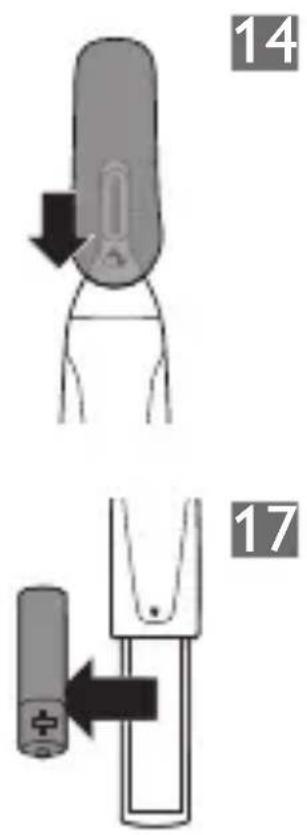
1 Place the protection cap on the nose/ear/eyebrow trimming head (Fig. 14).
Environment
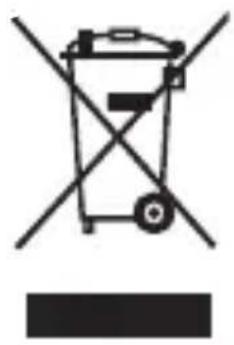
- This symbol on a product means that the product is covered by European Directive 2012/19/EU (Fig. 15).
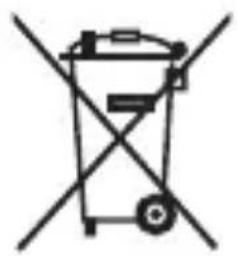
- This symbol means that the product contains batteries covered by European Directive 2006/66/EC which cannot be disposed of with normal household waste (Fig. 16).
- Inform yourself about the local separate collection system for electrical and electronic products and batteries. Follow local rules and never dispose of the product and batteries with normal household waste. Correct disposal of old products and batteries helps prevent negative consequences for the environment and human health.
Removing the disposable batteries
1 To remove the battery compartment cover, turn it clockwise until the setting indicator points to the 'open' indication (▼). (Fig. 3) 2 Pull the battery compartment cover off the handle (Fig. 4). 3 Remove the battery from the battery compartment (Fig. 17).
Guarantee and support
If you need information or support, please visit www.philips.com/support or read the separate worldwide guarantee leaflet.
Guarantee restrictions
Cutting units are not covered by the terms of the international guarantee because they are subject to wear.
Troubleshooting
This chapter summarises the most common problems you could encounter with the appliance. If you are unable to solve the problem with the information below, visit www.philips.com/
ENGLISH
support for a list of frequently asked questions or contact the Consumer Care Centre in your country.
Problem Possible cause Solution
The appliance pulls at the hairs.
You move the appliance too fast.
Do not move the appliance too fast.
The disposable
battery is empty.
Insert a new battery.
The appliance does not work.
The disposable battery is empty or has been inserted incorrectly.
Replace the battery or insert it correctly.
Problem Possible cause Solution
The cutting element of the trimming head is very dirty, for instance because some nasal mucus has dried inside the cutting element.
To clean the cutting element, immerse it in a glass with warm water for a few minutes. Then switch on the appliance.
Warranty and after-sales service
MyPhilips registration information
- BE SURE TO OBSERVE
- SAFETY PRECAUTIONS
- REMOVING THE TRIMMING HEAD
- BASIC USAGE
- TURN ON THE POWER
- AFTER USE
- TRIMMING EAR HAIR
- MAINTENANCE
- CAUTION
- INTRODUCTION
- GENERAL DESCRIPTION (FIG. 1)
- IMPORTANT
- ENGLISH
- WARNING
- COMPLIANCE WITH STANDARDS
- PREPARING FOR USE
- PLACING THE BATTERIES
- TO AVOID DAMAGE DUE TO BATTERY LEAKAGE
- USING THE APPLIANCE
- TRIMMING NOSE HAIR
- CLEANING
- REPLACEMENT
- STORAGE
- ENVIRONMENT
- REMOVING THE DISPOSABLE BATTERIES
- GUARANTEE AND SUPPORT
- GUARANTEE RESTRICTIONS
- TROUBLESHOOTING
- PROBLEM POSSIBLE CAUSE SOLUTION
- WARRANTY AND AFTER-SALES SERVICE
- MYPHILIPS REGISTRATION INFORMATION
Brand : PHILIPS
Model : Series 1000 NT1152
Category : Care Kit