
SC41A7 - Vacuum Cleaner SAMSUNG - Free user manual and instructions
Find the device manual for free SC41A7 SAMSUNG in PDF.
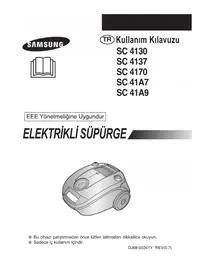


| Product Type | Canister Vacuum Cleaner |
| Model Series | SC41A7 (also SC4130, SC4137, SC4170, SC41A9) |
| Brand | Samsung |
| Power Supply | 230 V ~ 50 Hz (from rating plate) |
| Power Control | Volume type (MIN/MAX) for different floor types |
| Suction Control | Sliding air vent for draperies and light fabrics |
| Dust Collection | Dust bag (paper or cloth bag optional) |
| Cyclonic Filter | Yes (only cyclonic filter types) – extends dust bag life |
| Blower Function | Yes – hose connects to blow hole on left rear side |
| Floor Tools | Floor nozzle, dusting brush, crevice tool, blanket brush (optional) |
| Indicator Light | Color change signals dust bag full |
| Cord Rewind | Yes – automatic rewind (troubleshooting if not rewinding) |
| Thermal Protection | Self-resetting thermal cut-out on overheating |
| Filter Cleaning | Inlet filter (optional) – clean with water, dry in shade |
| Dust Barrel Capacity | Indicated by line – empty when full |
| Weight | Approximately 4.5 kg (estimated) |
| Dimensions (LxWxH) | Approx. 45 x 28 x 34 cm (estimated) |
| Safety Features | Do not use on wet surfaces; keep away from heat; not for children |
| Spare Parts Available | Dust bags, filters, hoses, floor nozzles |
| Intended Use | Indoor household use only |
| Certifications | EMC 2004/108/EC, Low Voltage 2006/95/EC |
Frequently Asked Questions - SC41A7 SAMSUNG
User questions about SC41A7 SAMSUNG
0 question about this device. Answer the ones you know or ask your own.
Ask a new question about this device
Download the instructions for your Vacuum Cleaner in PDF format for free! Find your manual SC41A7 - SAMSUNG and take your electronic device back in hand. On this page are published all the documents necessary for the use of your device. SC41A7 by SAMSUNG.
USER MANUAL SC41A7 SAMSUNG
Vehicle Compartment
2
OPERATING YOUR VACUUM CLEANER
2-1 POWER CORD
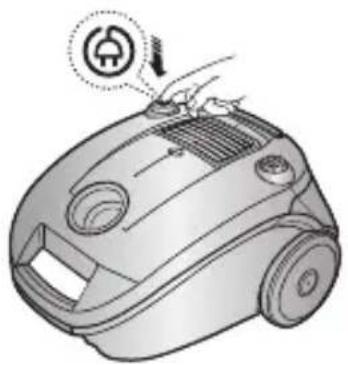
2-3 POWER CONTROL (VOLUME TYPE ONLY)
2-5 USING THE BLOWER
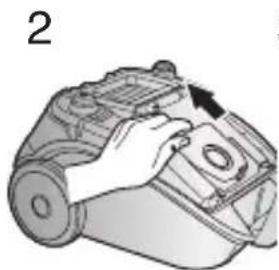
3-2 FOR CLOTH BAG (OPTION)
4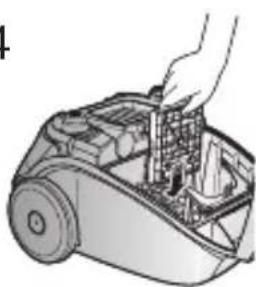
3
NOTE:
EN Operating Instructions
SC 4130
SC 4137
SC 4170
SC 41A7
SC 41A9
This EEE is compliant with RoHS
VACUUM CLEANER
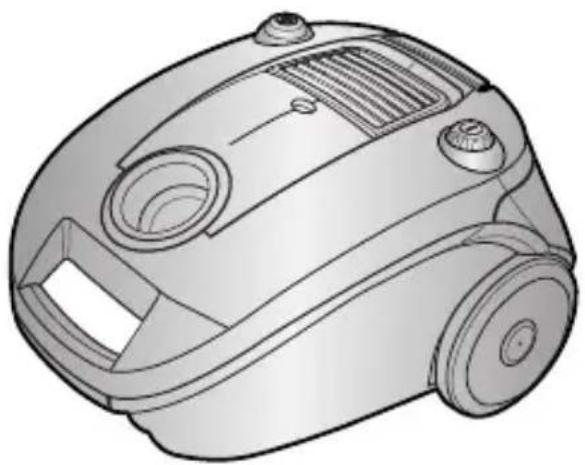
* Before operating this unit, please read the instructions carefully. * For indoor use only.
Register your product at www.samsung.com/register
IMPORTANT SAFEGUARDS
- Read all instructions carefully. Before switching on, make sure that the voltage of your electricity supply is the same as that indicated on the rating plate on the bottom of the cleaner.
- WARNING: Do not use the vacuum cleaner when rug or floor is wet. Do not use to suck up water.
- This appliance is not intended for use by persons (including children) with reduced physical, sensory or mental capabilities, or lack of experience and knowledge, unless they have been given supervision or instruction concerning use of the appliance by a person responsible for their safety. Children should be supervised to ensure that they do not play with the appliance.
- Do not use the vacuum cleaner without a dust bag. Replace the dust bag before it is full in order to maintain the best efficiency.
- Do not use the vacuum cleaner to pick up matches, live ashes or cigarette butts. Keep the vacuum cleaner away from stoves and other heat sources. Heat can deform and discolour the plastic parts of the unit.
- Avoid picking up hard, sharp objects with the vacuum cleaner as they may damage the cleaner parts. Do not stand on the hose assembly. Do not put a weight on the hose. Do not block the suction or the exhaustion part.
- Switch the vacuum cleaner off at the machine before unplugging from the electrical outlet. Do not pull on the cord to disconnect the plug from the electrical outlet. Ensure that it is disconnected before attending to the filter.
- The plug must be removed from the socket outlet before cleaning or maintaining the appliance.
- The use of an extension cord is not recommended.
- If your vacuum cleaner is not operating correctly, switch off the power supply and consult an authorized service agent.
- If the supply cord is damaged, it must be replaced by the manufacturer or its service agent or a similarly qualified person in order to avoid a hazard.
- The vacuum cleaner is provided with a self-resetting thermal cut-out which automatically shuts off on over-heating. Overheating can be caused by blockage in the filter, nozzle, tube or hose. After removing the cause and allowing the motor to cool, the vacuum cleaner will automatically restart.
1 ASSEMBLING THE CLEANER
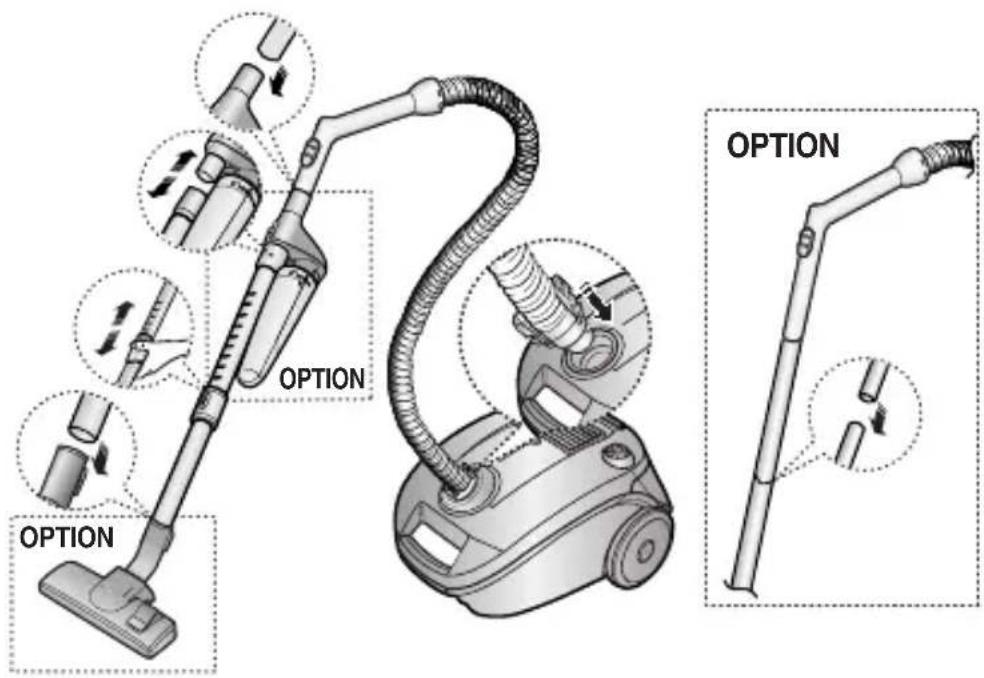
▶ Features may vary according to model.
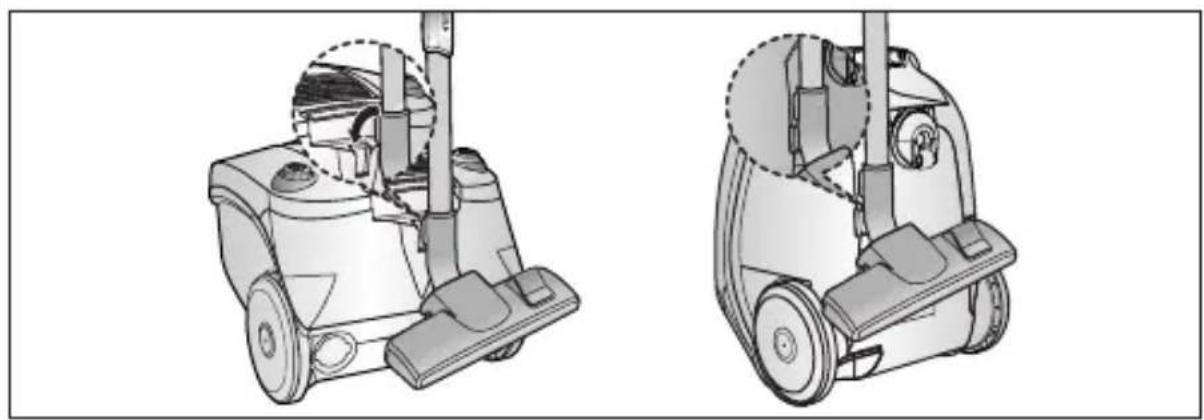
▶ For storage, park the floor nozzle.
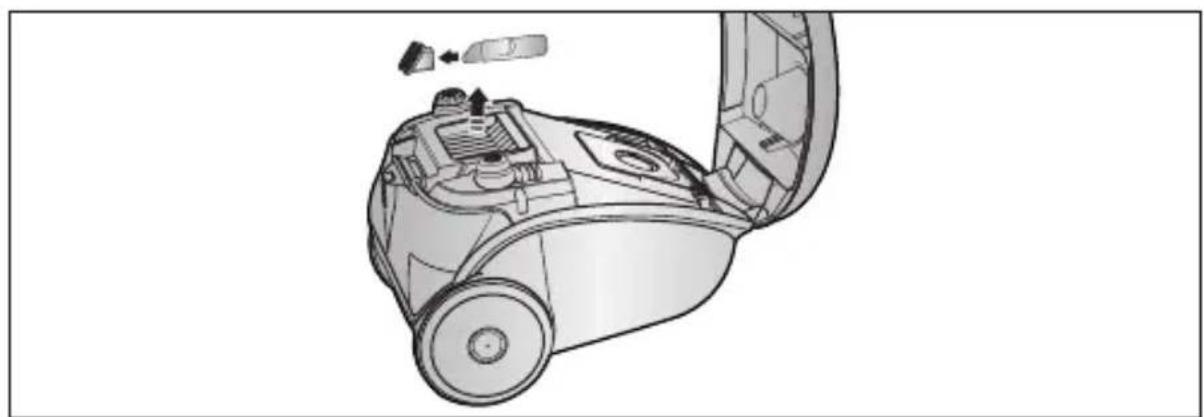
▶ Tool storage
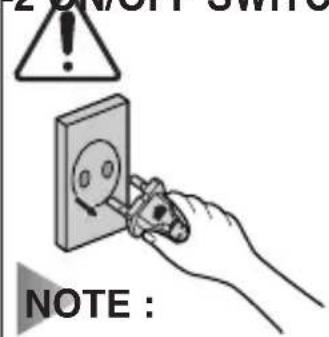
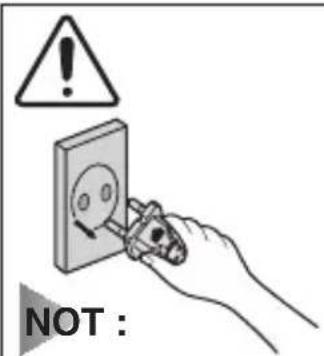
When removing the plug from the socket, please take care to grasp the plug, not the cord in order to avoid undue stress.
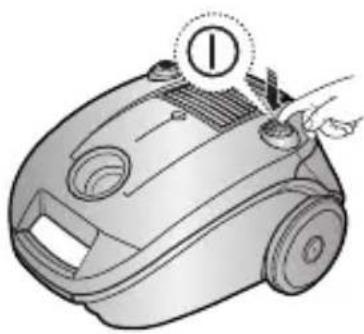
2-3 POWER CONTROL (VOLUME TYPE ONLY)
MIN = For delicate fabrics, e.g. net curtains.
MAX = For hard floors and heavily soiled carpets.
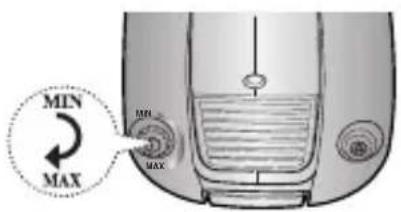
2-4 SUCTION CONTROL
To reduce suction for cleaning draperies, small rugs and other light fabrics, slide the air vent until the hole is open.
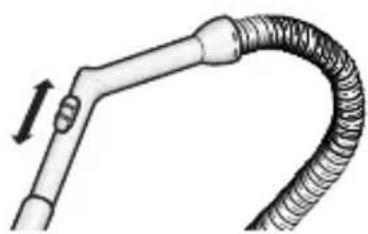
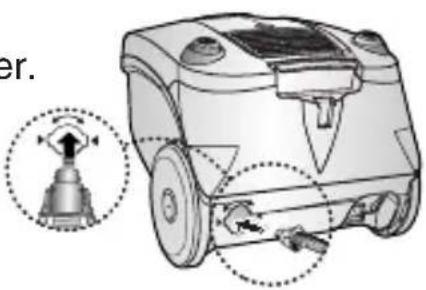
2-5 USING THE BLOWER
Located on the left rear side of the cleaner.
1) Disconnect the hose from the body of the cleaner. 2) Connect the hose clamper to the blow hole.
2-6 USING FLOOR TOOLS![graph TD A["Floor Nozzle"] --> B["Option Option"] B --> C["Dusting Crevice"] style A fill:#f9f,stroke:#333 style B fill:#ccf,stroke:#333 style C fill:#cfc,stroke:#333](/content/2026/05/790986/images/b61be78ec31cbb02bc582ef610bad97f52b8e41dfcc67ebdbe98b8e451a14961.jpg)
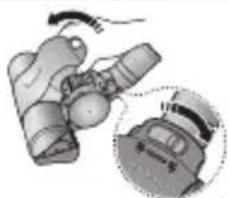
OPTION Detach transparent drum cover for easy cleaning.
OPTION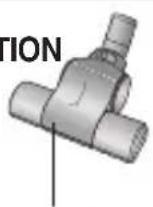
Blanket brush Bedclothes or Blanket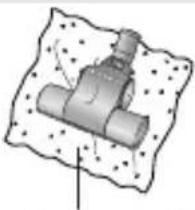
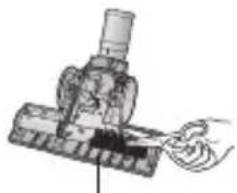
Cut off pet hairs or threads surrounding brush by using scissors.
▶ Features may vary according to model.
DUSTING BRUSH CREVICE TOOL
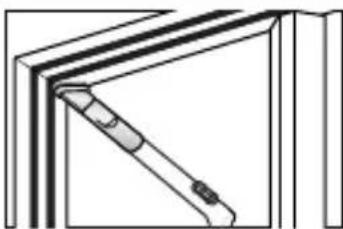
- Dusting brush for furniture. shelves, books, etc.
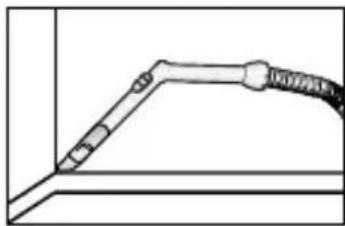
- Crevice tool for radiators, crevices, corners, between cushions.
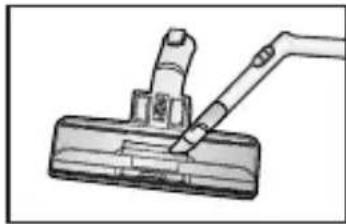
- For efficiency. clean Floor Nozzle with Crevice Tool.
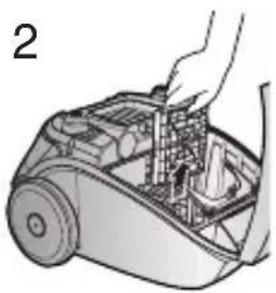
3 INDICATOR LIGHTS
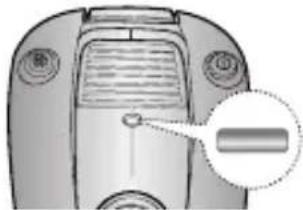
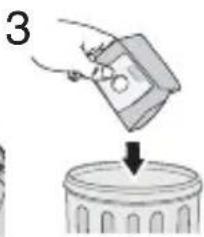
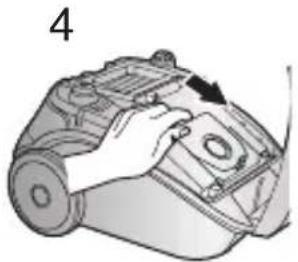
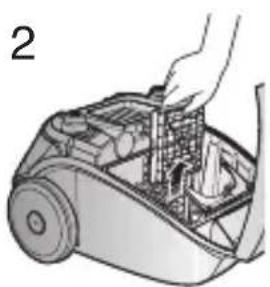
When the indicator color has changed Please replace the dust bag.
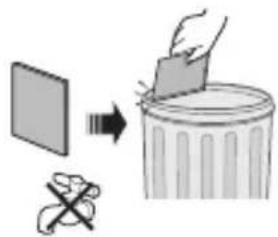
3-1 CHANGING THE DUST BAG
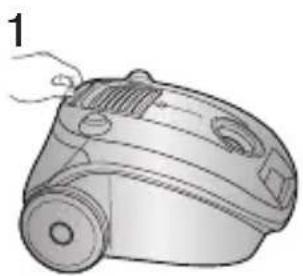
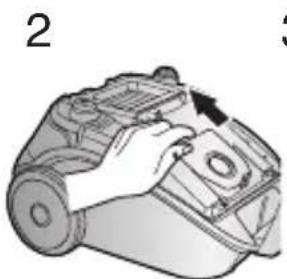
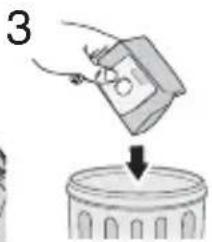
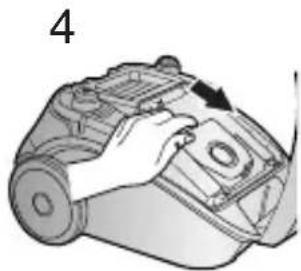
3-2 FOR CLOTH BAG (OPTION)
After using, if the cloth bag is full of dust, clean the cloth bag and use it again.
WARNING: Please do not attempt to operate the cleaner without a dust bag fitted.
4 CYCLONIC FILTER (ONLY CYCLONIC FILTER TYPES)
You can use a dust bag in your cleaner for a long time thanks to the Cyclonic Filter system, and it maintains maximum cleaning efficiency.
The larger particles of dust filtered from the Cyclonic Filter remain in the Dust Barrel when suctioned air and dust revolve in the Cyclonic Filter. So the dust bag contains only smaller ones.
When the Dust Barrel is filled with dust up to the indicating line, it needs disposing and cleaning. The Dust Barrel can be cleaned in water.
- Turn the Dust Barrel to the left and pull it.
- Disconnect the Cyclonic Filter from the extension wand and handle.
- Remove thread and hair tangled around the net.
- After cleaning the Dust Barrel and Cyclonic Filter, connect the Cyclonic Filter with the extension wand and handle (washed parts should be dried in the shade thoroughly before assembling).
5. Push and turn the Dust Barrel to the right.
Adjust the indicating marks carved on the Dust Barrel and Cyclonic Filter to each other.

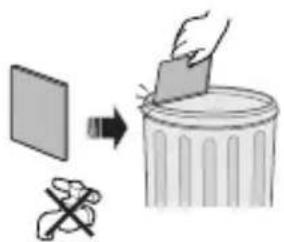
5 CLEANING THE INLET FILTER (OPTION)
1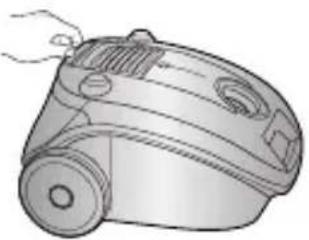
4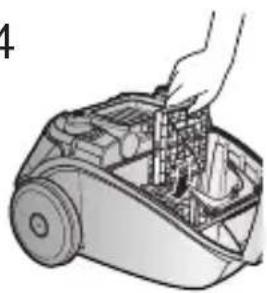
NOTE: Do not allow the filter to become clogged as this may cause power reduction or may damage the motor.
- IF YOU HAVE A PROBLEM
| PROBLEM CAUSE REMEDY | ||
| Motor does not start. | No power supply. Thermal cut-out. | Check cable, plug and socket.Leave to cool. |
| Suction force is gradually decreasing. | Nozzle, suction hose or tube is blocked. | Remove the object. |
| Cord does not rewind fully. | Check that the cord is not twisted or wound unevenly. | Pull the cord out 2-3m and push down the cord rewind button. |
| Vacuum cleaner does not pick up dirt. | Crack or hole in hose. | Check hose and replace if required. |
This vacuum cleaner is approved to the following standards.
EMC Directive: 2004/108/EEC
Low Voltage Safety Directive: 2006/95/EC

SAMSUNG
CALL CENTER
444 77 11
Samsung Electronics Co., Ltd.
12th Fl., Samsung Main Bldg.,
250, 2-Ka, Taepyung-Ro, Seoul Korea
TEL: 82-31-200-0909

Blackbushe Business Park Saxony Way Yateley
Hampshire GU46 6GG, UK
TEL: +44 (0)1252 863800
Importer Company
SAMSUNG
SAMSUNG Electronics Istanbul Marketing and Trade Ltd. Co.
- OPERATING YOUR VACUUM CLEANER
- POWER CORD
- POWER CONTROL (VOLUME TYPE ONLY)
- USING THE BLOWER
- FOR CLOTH BAG (OPTION)
- NOTE
- EN OPERATING INSTRUCTIONS
- VACUUM CLEANER
- IMPORTANT SAFEGUARDS
- ASSEMBLING THE CLEANER
- SUCTION CONTROL
- DUSTING BRUSH CREVICE TOOL
- INDICATOR LIGHTS
- CHANGING THE DUST BAG
- CYCLONIC FILTER (ONLY CYCLONIC FILTER TYPES)
- CLEANING THE INLET FILTER (OPTION)
- SAMSUNG
- CALL CENTER
Brand : SAMSUNG
Model : SC41A7
Category : Vacuum Cleaner