
AQV24VBAN - Air-conditioner SAMSUNG - Free user manual and instructions
Find the device manual for free AQV24VBAN SAMSUNG in PDF.


| Product Type | Split-type Air Conditioner (Cooling and Heating) |
| Model | Samsung AQV24VBAN |
| Cooling Capacity | 24,000 BTU (approx. 7.0 kW) |
| Heating Capacity | 24,000 BTU (approx. 7.0 kW) |
| Power Supply | 220-240V, 50Hz, 1 Phase |
| Indoor Unit Dimensions (W x H x D) | 1050 x 320 x 230 mm (approx.) |
| Outdoor Unit Dimensions (W x H x D) | 880 x 640 x 310 mm (approx.) |
| Indoor Unit Weight | 15.5 kg (approx.) |
| Outdoor Unit Weight | 48.0 kg (approx.) |
| Refrigerant | R410A |
| Operating Modes | Auto, Cool, Heat, Dry, Fan |
| Turbo Function | Rapid cooling/heating for 30 minutes |
| Energy Saving Function | Limits temperature range (26-30°C) for cooling efficiency |
| Good Morning Mode | Sleep-friendly temperature scheduling with three stages |
| Auto Cleaning Function | Sterilization and mold removal after operation (30 min) |
| MPI (Micro Plasma Ion) Mode | Air purification using active hydrogen and oxygen ions |
| Silence Function | Quieter operation in Cool and Heat modes |
| Airflow Direction Control | Vertical (auto swing) and horizontal (manual) |
| Remote Control | Wireless, range up to 7 m, with battery (2x AAA) |
| Timer Functions | On/Off timer (0.5 to 24 hours) |
| Filter Type | Anti-allergy filter (washable) and Deodorizing filter (replaceable) |
| Filter Cleaning Interval | Every 2 weeks for air filter; every 3 months for anti-allergy filter |
| Safety Features | Auto restart after power failure, 3-minute protection delay, frost prevention |
| Warranty (Standard) | 1 year parts and labor (refer to local terms) |
| Spare Parts Availability | Contact Samsung service center or authorized dealer |
Frequently Asked Questions - AQV24VBAN SAMSUNG
User questions about AQV24VBAN SAMSUNG
0 question about this device. Answer the ones you know or ask your own.
Ask a new question about this device
Download the instructions for your Air-conditioner in PDF format for free! Find your manual AQV24VBAN - SAMSUNG and take your electronic device back in hand. On this page are published all the documents necessary for the use of your device. AQV24VBAN by SAMSUNG.
USER MANUAL AQV24VBAN SAMSUNG
Split - type Air Conditioner
(Cooling and Heating)
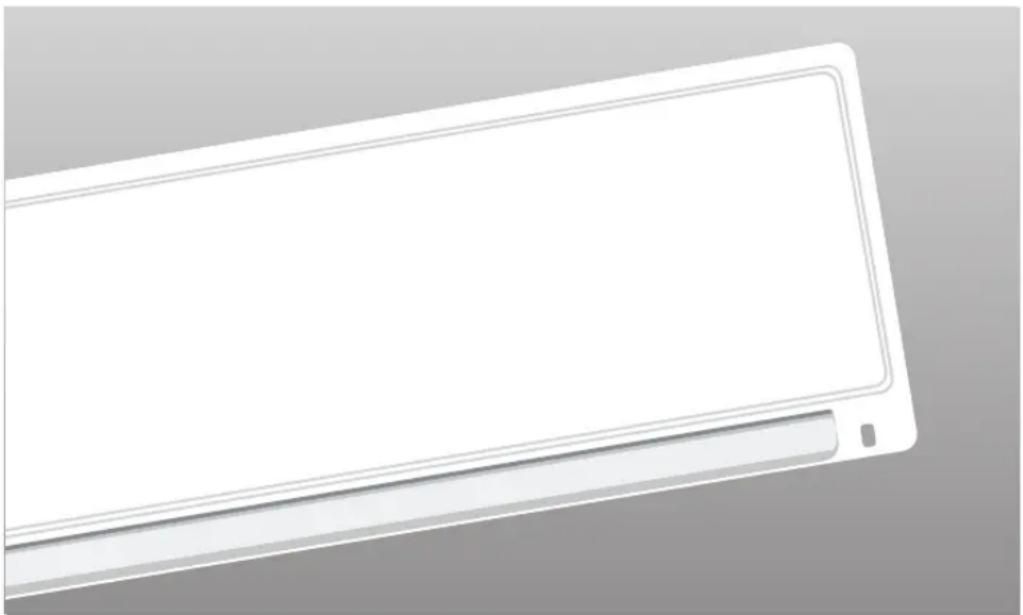
natural_image
Illustration of a white rectangular electronic device with a gray handle and a small square button, against a neutral background (no text or symbols)Contents
◆ PREPARATION
■ Safety Precautions 3
■ Name of Each Part 8
■ Remote Control – Buttons and Display 10
■ Inserting the Remote Control Batteries 10
■ Getting Started 11
◆ OPERATION
■ Selecting Auto Mode 12
■ Selecting Cool Mode 13
■ Selecting Heat Mode 14
■ Selecting Dry Mode 15
■ Selecting Fan Mode 16
■ Selecting the Turbo Function 16
■ Selecting the Energy Saving Function 17
■ Selecting Good Morning Mode 18
■ Adjusting the Airflow Direction 20
■ Selecting Auto Cleaning Function 21
■ Setting the On Timer 22
■ Setting the Off Timer 23
■ Selecting Silence Function 24
■ Operating Your Air Conditioner Without the Remote Control 24
■ Selecting MPI (Micro Plasma Ion) Mode 25
◆ RECOMMENDATIONS FOR USE
■ Cleaning the Air Filter on Your Air Conditioner 26
■ Keeping Filters clean 26
■ Temperature and Humidity Ranges 27
■ Operating Recommendations 28
■ Solving Common Problems 29
Correct Disposal of This Product (Waste Electrical & Electronic Equipment)
(Applicable in the European Union and other European countries with separate collection systems)
This marking shown on the product or its literature, indicates that it should not be disposed with other household waste at the end of its working life. To prevent possible harm to the environment or human health from uncontrolled waste disposal, please separate this from other types of waste and recycle it responsibly to promote the sustainable reuse of material resources.
Household users should contact either the retailer where they purchased this product, or their local government office, for details of where and how they can take this item for environmentally safe recycling.
Business users should contact their supplier and check the terms and conditions of the purchase contract.
This product should not be mixed with other commercial waste for disposal.
Safety Precautions
The following safety precautions are provided to protect the users' safety and prevent property damage. Make sure to read the followings and use the air conditioner properly.
Keep this user's manual together with the installation manual in a handy place so that you can find it whenever you need to see it after reading this manual thoroughly.

WARNING
• This indicates the possibility of serious injury or death.

CAUTION
- This indicates the possibility of serious injury or damage to environments when operated incorrectly.
WHEN INSTALLING
natural_image
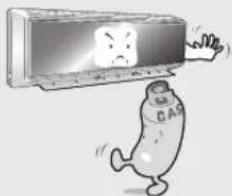
Cartoon illustration of a sad character falling from a computer monitor (no text or symbols present)Do not install the unit in a place where it is exposed to inflammable gas leakage.
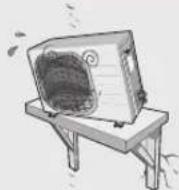
Do not install the outdoor unit where there's the risk of dropping such as on high outer wall or outside of the terrace.
text_image
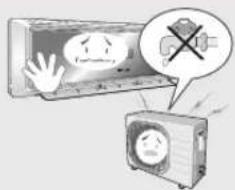
Illustration showing a distressed air conditioner with a warning sign and a crossed-out megaphone, suggesting a warning or caution.Do not connect the ground to a gas pipe, water pipe, lightning rod or telephone earth.
▶ Contact the service center if the air conditioner is under water.
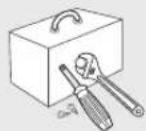
The installation must be carried out by a licensed installer or qualified personnel when installing the unit for the first time or reinstalling it.
REGARDING POWER SOURCE
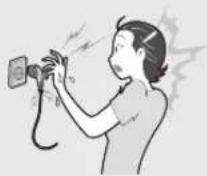
Do not pull the electric wire or touch the power plug with the wet hands.
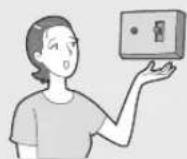
▶ Install the switch and circuit breaker only for air conditioner.
natural_image
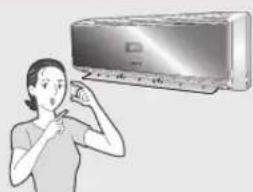
Illustration of a person using a handheld device to address (no text or symbols present)▶ Use the rated current fuse.
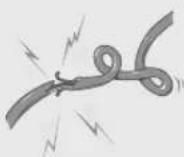
Do not bend the electric wire by force or weigh down the air conditioner not to be out of order.

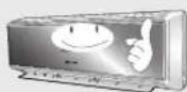
▶ Use the power source with separate wiring only for air conditioner.

If the power plug is damaged, replace it by the manufacturer or qualified personnel to avoid the risk.

WARNING
DURING OPERATION
natural_image
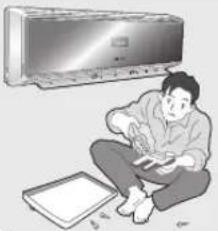
Illustration of a person sitting on the floor next to a wall-mounted air conditioner unit (no text or symbols visible)Do not attempt to repair, move, modify or reinstall the unit on your own. Make sure that these installations are carried out by qualified personnel to avoid electric shock or fire.
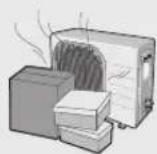
Do not place any obstacles in front of the unit. Make sure that the unit is correctly ventilated at all times: Do not place clothing or other materials over it.
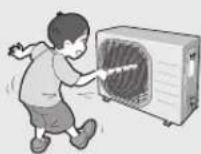
Do not insert anything between the air outlet blades because the inner fan may be damaged and could cause injury. Keep children away from the unit.
natural_image
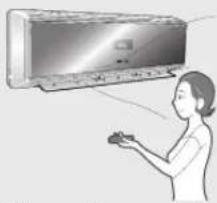
Illustration of a person operating a large air conditioner unit (no text or symbols visible)When using a wireless remote control, the distance should not be more than 7 meters from the air conditioner. (If applicable)
natural_image
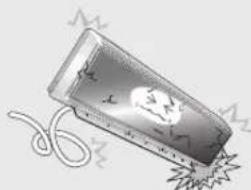
Illustration of a stylized object resembling a pill or container with a flame-like shape, partially submerged in a rope (no text or symbols)The manufacturer declines any liability for damage resulting from modifications or errors in the electrical or hydraulic connections.
natural_image
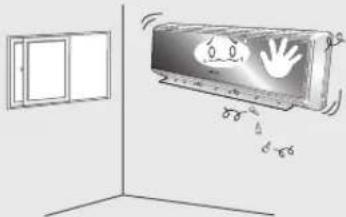
Illustration of a wall-mounted air conditioner unit with hand gesture and cooling effect, no text or symbols present▶ Failure to observe the installation instruction, or use of the unit under conditions other than those indicated in the table 'Operating limit' of the unit installation manual, will immediately invalidate the unit warranty.
natural_image
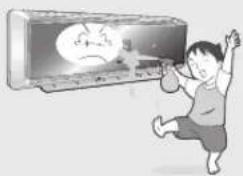
Cartoon illustration of a boy lifting a weight while watching a sad face on a TV (no text or symbols)▶ Never spill any kind of liquid into the unit. Should this happen, unplug or main switch off the unit and contact an authorized service center.

If the wireless remote control is not used for a long time, remove the batteries. (If applicable)
natural_image
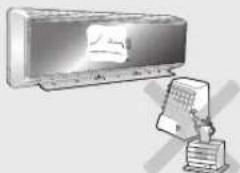
Illustration of a wall-mounted air conditioner unit connected to a control panel (no text or symbols visible)Do not connect the electric heater to the air conditioner or repair it with your discretion.
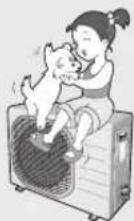
Do not place any materials so that children cannot step on it.
WARNING
DISPOSING THE UNIT
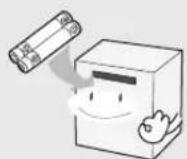
Before throwing out the device, it is necessary to pull back the battery cells and get rid of them safely for recycling reasons.
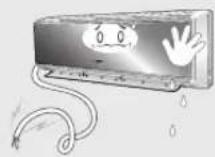
When you need to dispose of the unit, consult your dealer. If pipes are removed incorrectly, refrigerant may blow out and come into contact with your skin, causing injury. Releasing refrigerant into the atmosphere also damages the environments.

natural_image
Illustration of three people in hard hats, one gesturing while speaking, with a sun and hills in the background (no text or symbols)▶ Please recycle or dispose of the packaging material for this product in an environmentally responsible manner.

CAUTION
WHEN INSTALLING
text_image
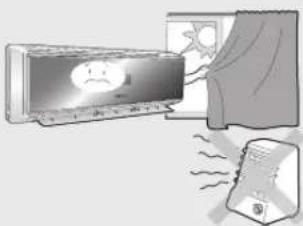
Illustration showing a computer monitor with a smiling face and a screen displaying a cartoon character, connected to a device emitting sound waves.▶ Install the air conditioner avoiding direct sunlight or heater, especially water.
natural_image
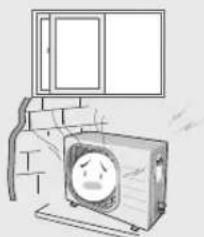
Illustration of a cartoon-style TV set with a sad face inside, no text or symbols present▶ Install the outdoor unit so as to let the discharged air out properly. Avoid a place that may disturb your neighbor by noise.
natural_image
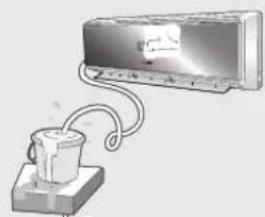
Illustration of a wall-mounted air conditioner connected to a cup (no text or symbols visible)▶ Install the drain hose to let the water run safely and correctly.

CAUTION
REGARDING POWER SOURCE

- Disconnect the circuit breaker when you don't use the air conditioner for a long time to save energy.
Contact the service center or manufacturer if you want to repair the air conditioner.
▶ Contact the service center after turning off the air conditioner if strange noise is heard, burning smell or smoke blow.
DURING OPERATION
natural_image
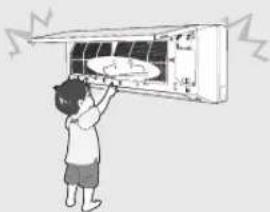
Illustration of a person installing or adjusting an air conditioner unit (no text or symbols visible)Do not open the front grille during operation.
natural_image
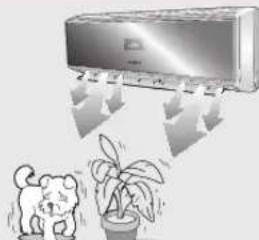
Illustration of a car air conditioner with a potted plant nearby and a cartoon cat (no text or symbols)▶ Avoid cold and hot air reaching to person, pet or a plant directly for a long time.
natural_image
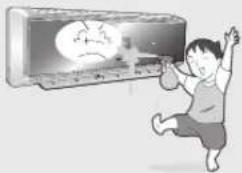
Cartoon illustration of a person playing badminton with a sad face on the phone (no text or symbols)▶ Avoid the water from getting into the air conditioner.
text_image
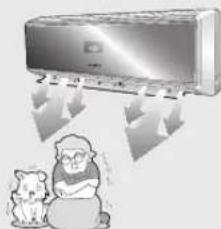
Illustration showing a car receiving air conditioner and a dog with a laptop, indicating airflow or weather conditions.Do not use the air conditioner for a long time in a closed room or in a place where there's a baby or an old person.
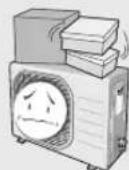
Do not step on the air conditioner or put heavy object on it.
text_image
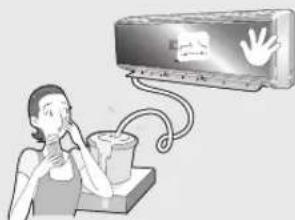
Illustration of a person using a hand gesture to call a wall-mounted device with a 'OK' button and a 'Cancel' symbol.Do not drink the water from the air conditioner.
CAUTION
DURING OPERATION
natural_image
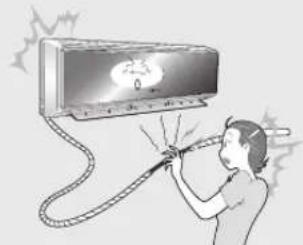
Illustration of a person using a handheld electric shock absorber to clean air from a TV (no text or symbols visible)▶ Do not touch the pipes connected to the air conditioner.

natural_image
Illustration of a person holding a microphone with a wall-mounted air conditioner (no text or symbols visible)▶ Do not use the air conditioner to maintain the machine, food, pet, plant or cosmetics.
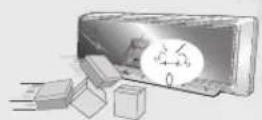
▶ Do not give excessive shock to the air conditioner.
OTHERS
natural_image
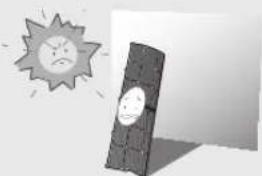
Illustration of a sun with a sad face and shadow, next to a dark rectangular object (no text or symbols)▶ Be sure that the air filter not to be exposed to direct sunlight.
natural_image
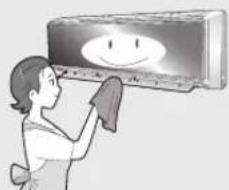
Illustration of a woman cleaning a wall-mounted air conditioner with a smiley face (no text or symbols)▶ Turn off the air conditioner and if the fan stops to operate, clean the air conditioner.

natural_image
Illustration of a woman making a peace sign next to a bowl (no text or symbols)▶ Clean the air filter every 2 weeks.

▶ Be sure to insert the air filter.
natural_image
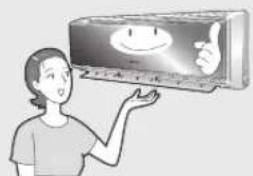
Illustration of a person holding a wall-mounted device with a smiling face (no text or symbols visible)The appliance is not intended for use by young children or infirm persons without supervision: Young children should be supervised to ensure that they do not play with the appliance.
natural_image
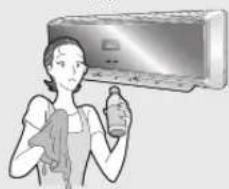
Illustration of a person cleaning a wall-mounted air conditioner (no text or symbols visible)Do not clean the air conditioner by spraying water directly or with benzene, thinner or alcohol.
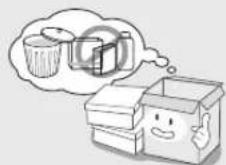
▶ Dispose of the packaging material in accordance with the local requirements.
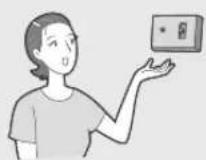
The maximum input power & current is measured according to the IEC standard and the input power & current is measured according to the ISO standard.
natural_image
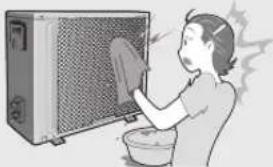
Illustration of a person washing a kitchen appliance with a cloth (no text or symbols)The surface of the heat exchanger is sharp, so be careful of it when cleaning.
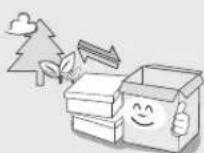
▶ All of the manufacturing and packaging materials used for your new appliance are compatible with the environment and can be recycled.
The design and shape can be changed according to the model.
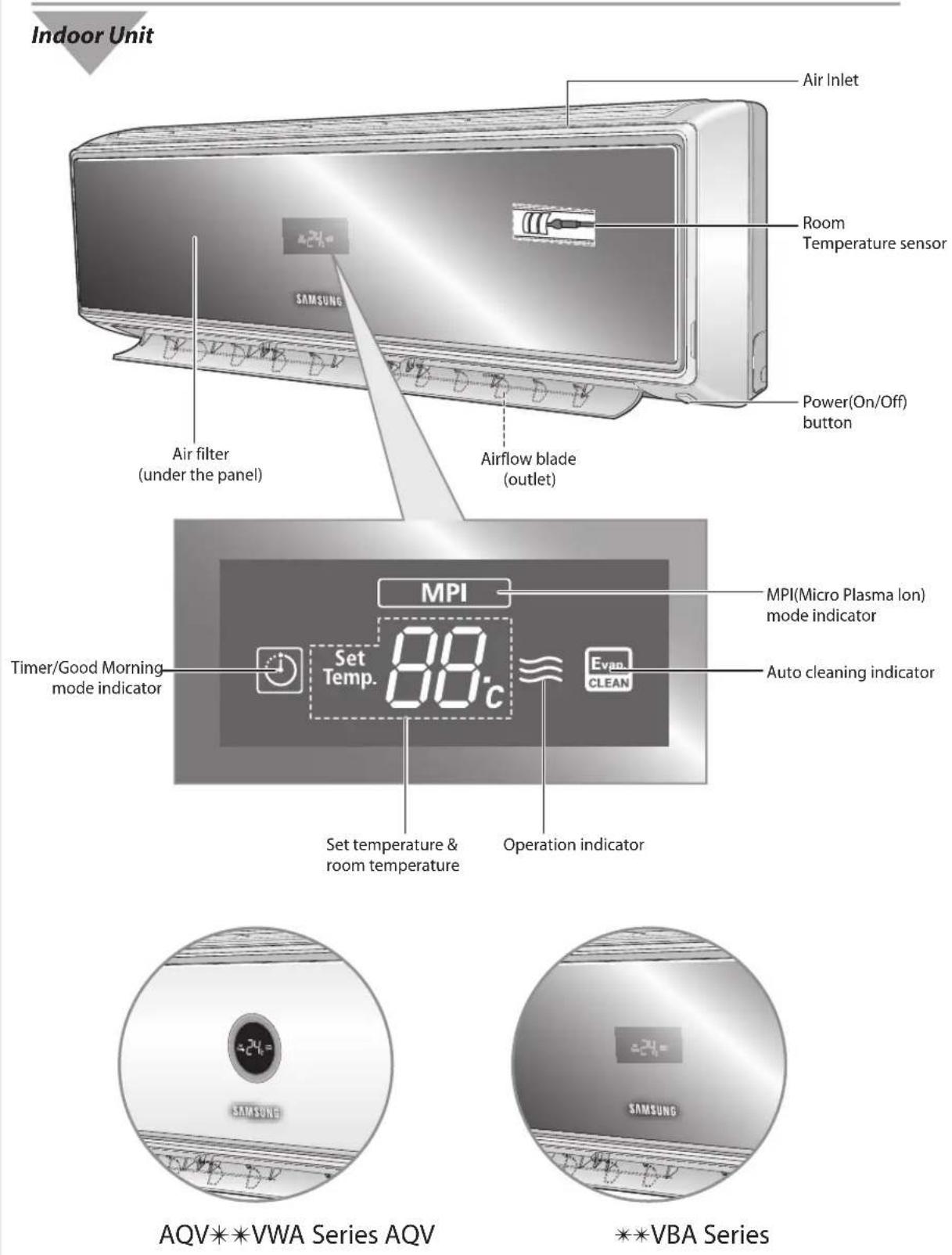
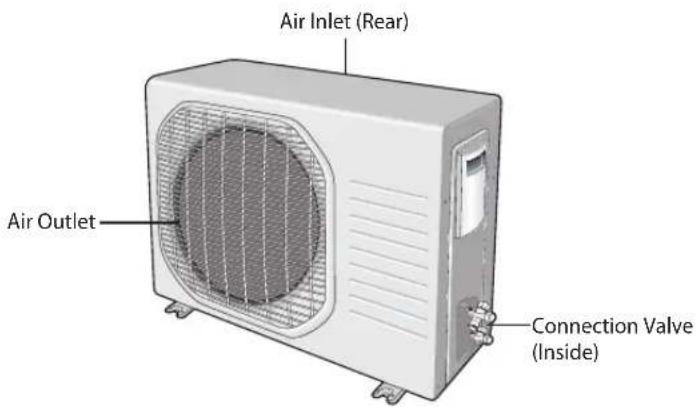
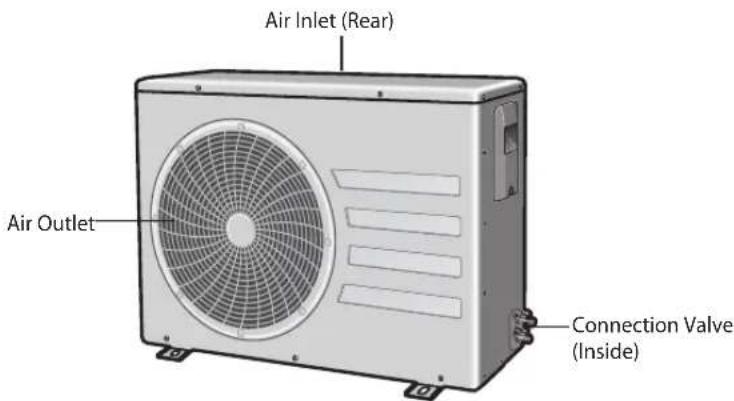
Outdoor Unit
AQV09V*A Series
AQV12V*A Series
text_image
Air Inlet (Rear) Air Outlet Connection Valve (Inside)Outdoor Unit
AQV18V*A Series
AQV24V*A Series
text_image
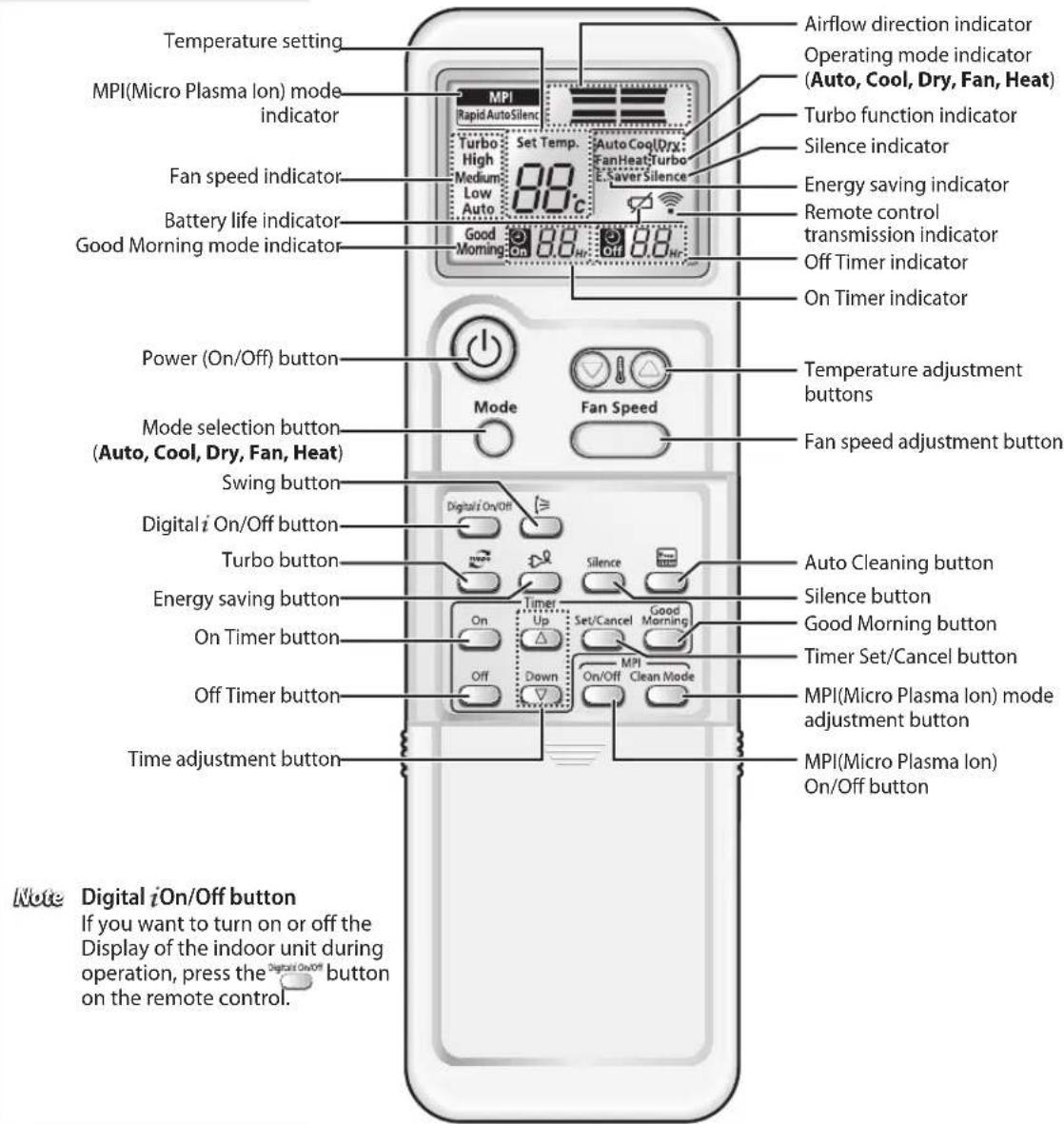
Air Inlet (Rear) Air Outlet Connection Valve (Inside)Remote Control-Buttons and Display
text_image
Temperature setting MPI(Micro Plasma lon) mode indicator Fan speed indicator Battery life indicator Good Morning mode indicator Power (On/Off) button Mode selection button (Auto, Cool, Dry, Fan, Heat) Swing button Digital i On/Off button Turbo button Energy saving button On Timer button Off Timer button Time adjustment button Note Digital iOn/Off button If you want to turn on or off the Display of the indoor unit during operation, press the Digital On/Off button on the remote control. Airflow direction indicator Operating mode indicator (Auto, Cool, Dry, Fan, Heat) Turbo function indicator Silence indicator Energy saving indicator Remote control transmission indicator Off Timer indicator On Timer indicator Temperature adjustment buttons Fan speed adjustment button Auto Cleaning button Silence button Good Morning button Timer Set/Cancel button MPI(Micro Plasma lon) mode adjustment button MPI(Micro Plasma lon) On/Off buttonInserting the Remote Control Batteries
natural_image
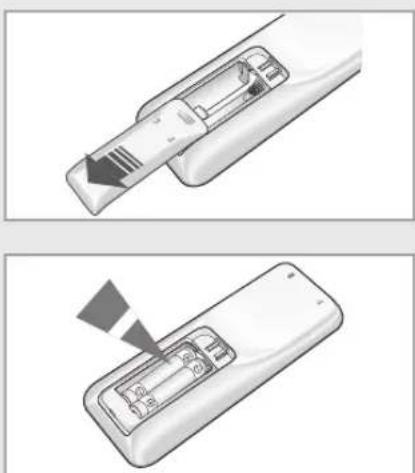
Two-step illustration of a remote control device with a slide and scroll, showing internal components and a downward arrow (no text or symbols)You must insert or replace the remote control batteries when:
◆ You purchase the air conditioner
◆ The remote control does not work correctly
Note
◆ Use two AAA, LR03 1.5V batteries.
◆ Do not use old and new batteries or different kinds of batteries together.
◆ Insert two batteries correctly as indicated by the + and - symbo
1 Remove the battery cover in the rear of the remote control by pushing it with your thumb.
2 Insert two batteries, respecting the polarities as indicated by the + and - symbols.
3 Close the cover by sliding it back in place.
Getting Started
The User's Manual provides you with valuable information about your air conditioner. In order to take full advantage of the air conditioner's features, please read this manual carefully before using.
You have already seen the basic description of the unit on pages from 8 to 10. Starting with the next page, you will find a series of stepy-step procedures for each function available.
The illustrations in the step-by-step procedures use three different symbol
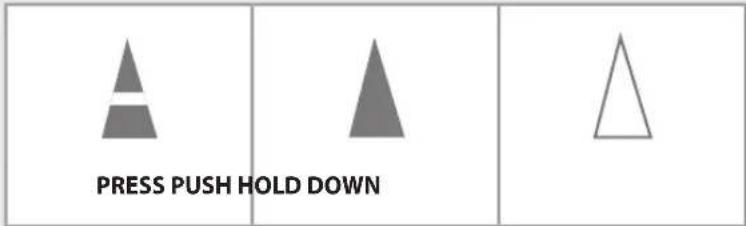
text_image
PRESS PUSH HOLD DOWNSelecting Auto Mode
text_image
Mode Fan Speed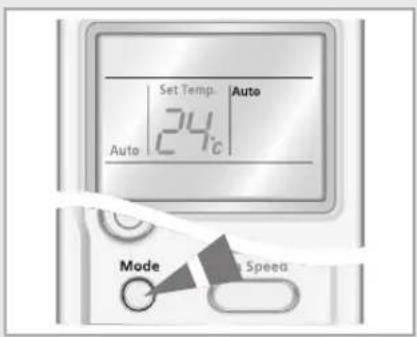
text_image
Set Temp. Auto 24°C Auto Mode Speeda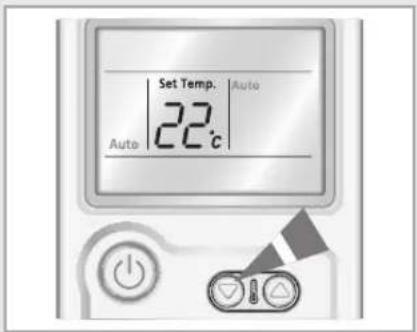
text_image
Set Temp. Auto 22 °C AutoYou can select Auto mode if you want to cool or heat your room automatically. You can adjust the temperature in this mode.
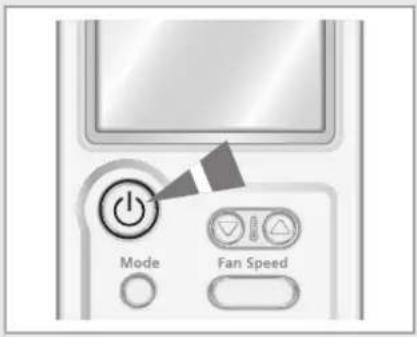
1 Press the ⓄOn/Off) button.
Result ◆ The operation indicator on the indoor unit lights up. ◆ The air conditioner starts up in the mode you selected last.
◆ The indoor unit beeps.
2 Press the Mode button on the remote control until Auto is displayed.
Result ◆ The indoor unit beeps each time you press the button. ◆ The air conditioner runs in Auto mode. ◆ Auto mode cools or heats the room depending on the set temperature.
◆ The air conditioner changes from Cool or Heat mode automatically, depending on the current temperature.
Note You can change modes at any time.
3 Press the button to adjust the temperature until the required temperature is displayed.
You can set the temperature between 16°C and 30°C.
Result: ◆ Each time you press the button: - The temperature adjusts by 1°C - The indoor unit beeps
◆ The fan speed adjusts automatically.
Selecting Cool Mode
You can select Cool mode if you want to cool your room. You can adjust the temperature and the fan speed when cooling.
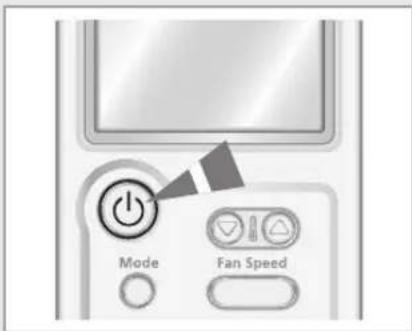
1 Press the (On/Off) button.
Result ◆ The operation indicator on the indoor unit lights up. ◆ The air conditioner starts up in the mode you selected last.
◆ The indoor unit beeps.
2 Press the Mode button on the remote control until Cool is displayed.
Result ◆ The indoor unit beeps each time you press the button. ◆ The air conditioner runs in Cool mode.
Note You can change modes at any time.
3 Press the button to adjust the temperature until the required temperature is displayed.
You can set the temperature between 16^ C and 30^ C.
Result: ◆ Each time you press the button: - The temperature adjusts by 1°C - The indoor unit beeps
◆ If the room temperature is higher than the selected temperature, the air conditioner starts cooling.
◆ If the room temperature reaches the set temperature, the air conditioner stops cooling, but the fan continues to operate.
4 Press the button to select the fan speed until the required setting is displayed.
Auto → Low → Medium → High
Result Each time you press the button, the indoor unit beeps.
5 To control the airflow direction, refer to page 20.
text_image
Mode Fan Speed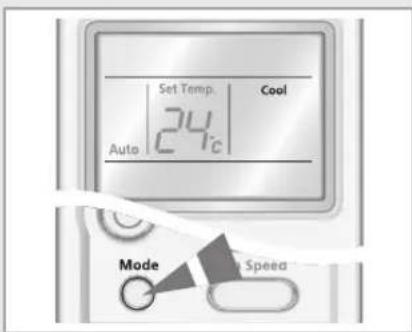
text_image
Set Temp. Cool 24°C Auto Mode Speed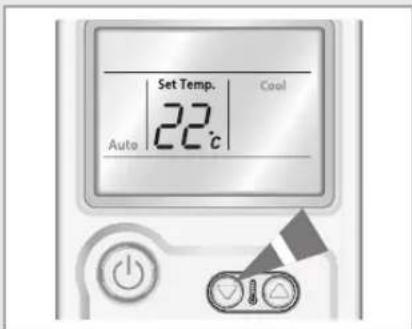
text_image
Set Temp. 22°C Auto Cool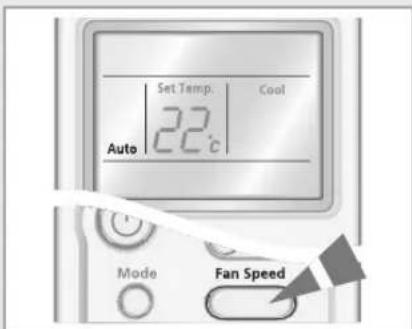
text_image
Set Temp. Cool 22°C Auto Mode Fan SpeedSelecting Heat Mode
text_image
Mode Fan Speed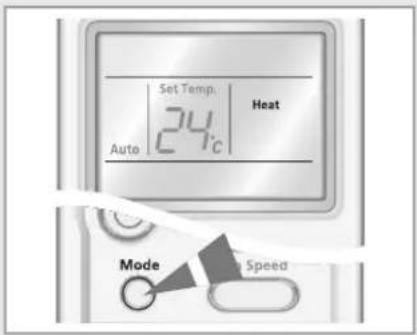
text_image
Set Temp. 24°C Heat Auto Mode Speed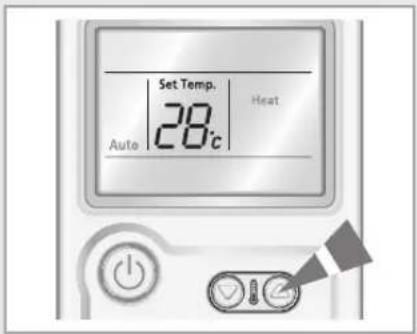
text_image
Set Temp. 28°C Auto Heat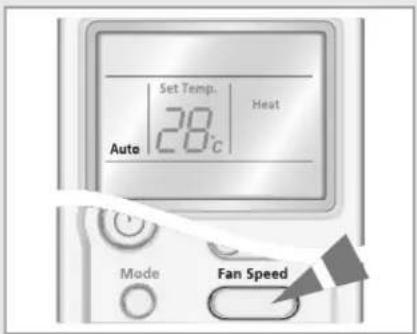
text_image
Set Temp. 28°C Heat Auto Mode Fan SpeedYou can select Heat mode if you want to heat your room. You can adjust the temperature and the fan speed when heating.
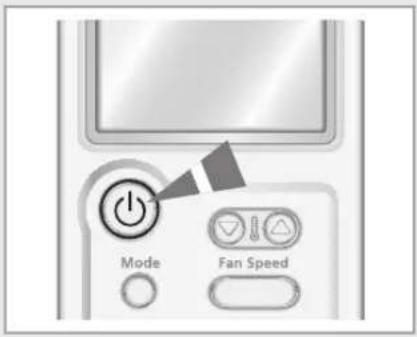
1 Press the ⓄOn/Off) button.
Result ◆ The operation indicator on the indoor unit lights up. ◆ The air conditioner starts up in the mode you selected last.
◆ The indoor unit beeps.
2 Press the Mode button on the remote control until Heat is displayed.
Result ◆ The indoor unit beeps each time you press the button. ◆ The air conditioner runs in Heat mode.
Note You can change modes at any time.
3 Press the button to adjust the temperature until the required temperature is displayed.
You can set the temperature between 16^ C and 30^ C.
Result: ◆ Each time you press the button: - The temperature adjusts by 1°C - The indoor unit beeps
◆ If the room temperature reaches the set temperature (selected temperature+5°C), the air conditioner stops heating, but the fan is still operating.
◆ The air conditioner starts heating, provided that the room temperature is lower than the desired temperature (selected temperature+3°C).
4 Press the button to select the fan speed until the required setting is displayed.
Auto → Low → Medium → High
Result: ◆ Each time you press the fan speed button, the indoor unit beeps.
For the first 3\~5 minutes, the fan may not operate to prevent cool air from flowing out of the indoor unit. This helps to warm the air in your room sufficiently.
5 To control the airflow direction, refer to page 20.
Selecting Dry Mode
Select Dry mode if you want to dehumidify your room. You can adjust the temperature in this mode.
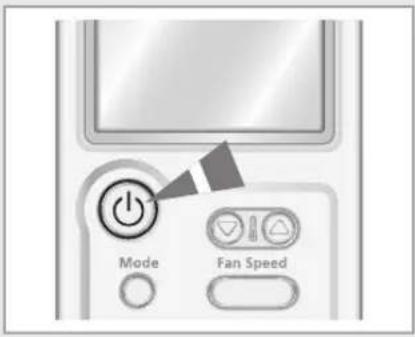
1 Press the (On/Off) button.
Result
◆ The operation indicator on the indoor unit lights up.
◆ The air conditioner starts up in the mode you selected last.
◆ The indoor unit beeps.
2 Press the button on the remote control until Dry is displayed.
Result
◆ The indoor unit beeps each time you press the Mode button.
◆ The air conditioner runs in the Dry mode.
Note
You can change modes at any time.
3 Press the button to adjust the temperature until the required temperature is displayed.
You can set the temperature between 18°C and 30°C.
Result
◆ Each time you press the button:
- The temperature adjusts by 1°C
- The indoor unit beeps
◆ The air conditioner starts dehumidifying and the fan speed adjusts automatically.
4 To control the airflow direction, refer to page 20.
text_image
Mode Fan Speed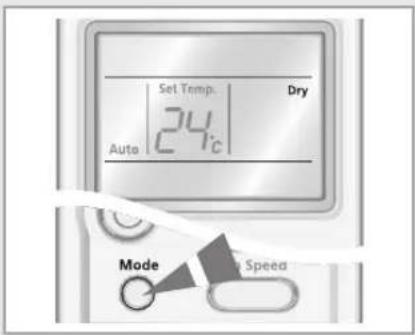
text_image
Set Temp. Dry 24°C Auto Mode Speed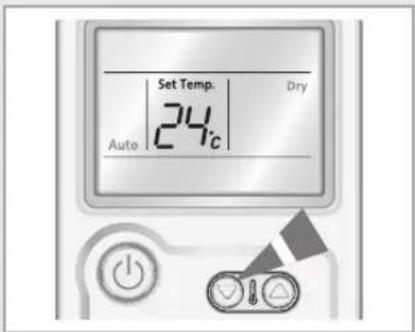
text_image
Set Temp. Dry 24° AutoSelecting Fan Mode
text_image
Mode Fan Speed Low Fan Mode Fan Speed Low Fan Mode Fan SpeedSelect Fan mode if you want to ventilate your room. It helps to refresh the air in your room. You can adjust the fan speed in this mode.
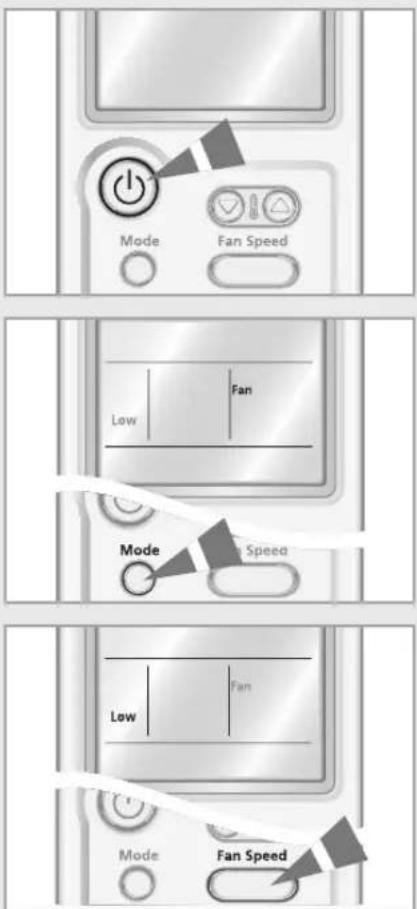
1 Press the ⓄOn/Off) button.
Result
◆ The operation indicator on the indoor unit lights up.
◆ The air conditioner starts up in the mode you selected last.
◆ The indoor unit beeps.
2 Press the ^Made button on the remote control until Fan is displayed.
Result:
◆ The indoor unit beeps each time you press the button.
◆ The air conditioner runs in Fan mode.
◆ The temperature is set automatically.
Note You can change modes at any time.
3 Press the button to adjust the temperature until the required setting is displayed.
Low → Medium → High
Result: Each time you press the button, the indoor unit beeps.
4 To control the airflow direction, refer to page 20.
Selecting the Turbo Function
text_image
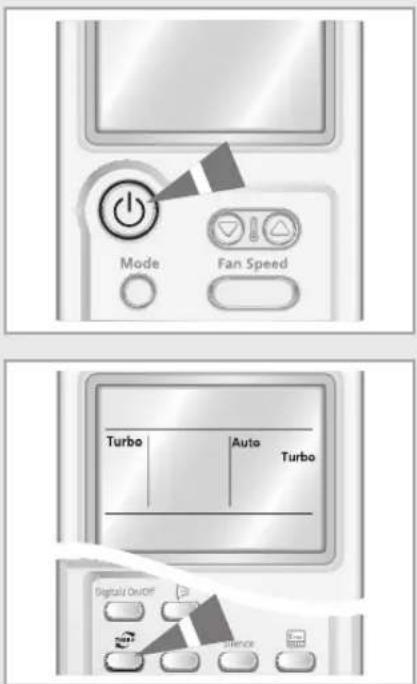
Mode Fan Speed Turbo Auto Turbo Digital On/OFF BalanceYou can select the Turbo Function if you want to cool or heat your room as quickly as possible. The Turbo function operates for 30 minutes with the maximum settings before returning automatically to the mode and temperature previously selected.
1 Press the ⓄOn/Off) button.
Result:
◆ The operation indicator on the indoor unit lights up.
◆ The air conditioner starts up in the mode you selected last.
◆ The indoor unit beeps.
2 Press the button.
Result:
◆ The temperature and fan settings are adjusted automatically.
◆ The air conditioner cools or heats the room as quickly as possible
◆ After 30 minutes, the air conditioner is reset automatically to the previous setting.
You can select the Turbo function in Auto, Cool and Heat mode. If you select this function in Dry or Fan mode, the mode changes to Auto mode.
3 Press the button again to stop the Turbo Function before the end of the 30-minute period.
Result: The air conditioner is reset automatically to the previous setting.
4 To control the airflow direction, refer to page 20.
Selecting the Energy Saving Function
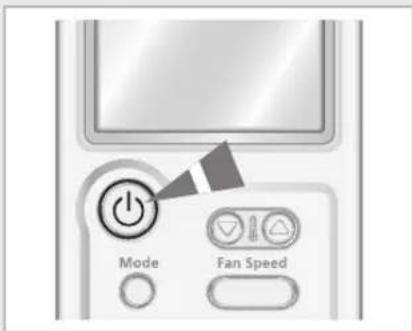
You can select the Energy Saving Function to save energy when cooling. The temperature range decreases in order to perform this function.
1 Press the (On/Off) button.
Result
◆ The operation indicator on the indoor unit lights up.
◆ The air conditioner starts up in the mode you selected last.
◆ The indoor unit beeps.
2 Press the button.
Result
◆ The indoor unit beeps.
◆ The air conditioner runs in the Energy saving function.
◆ The outer airflow blade moves up and down.
◆ The airflow direction indicator is displayed automatically.
◆ To stop the Energy saving function, press the again.
Note You can select the Energy saving function only in Cool mode.
3 Press the 🔒 button to adjust the temperature until the required temperature is displayed.
You can set the temperature between 26°C and 30°C.
Note If you want to adjust temperature under 26°C, cancel the Energy saving function before adjusting the temperature.
4 Press the Fan Speed to select the fan speed until the required setting is displayed.
Auto → Low → Medium → High
Result Each time you press the button, the indoor unit beeps.
5 To control the airflow direction, refer to page 20.
text_image
Mode Fan Speed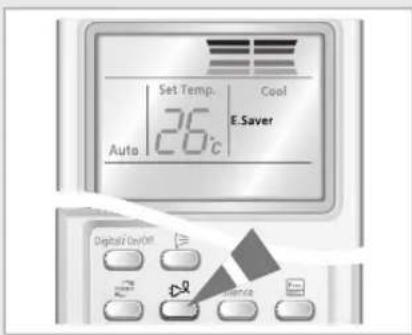
text_image
Set Temp. Cool 26°C Auto E.Saver Digital On/Off Balance Balance Balance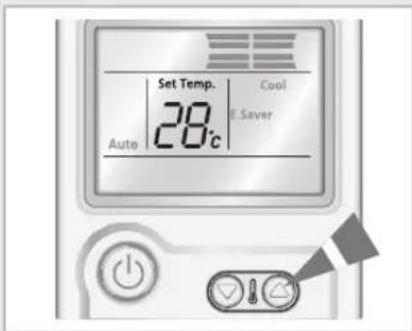
text_image
Set Temp. 28°C Cool E.Saver Auto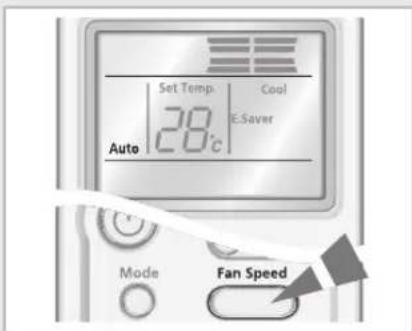
text_image
Set Temp. Cool 28°C E-Saver Auto Mode Fan SpeedSelecting Good Morning Mode
text_image
Mode Fan Speed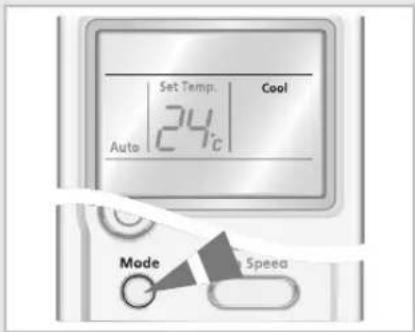
text_image
Set Temp. Cool 24°C Auto Mode Speeda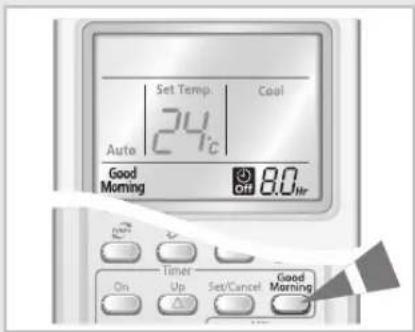
text_image
Set Temp Cool 24°C Auto Good Morning Off 8.0 hr Timer On Up Set/Cancel Good Morning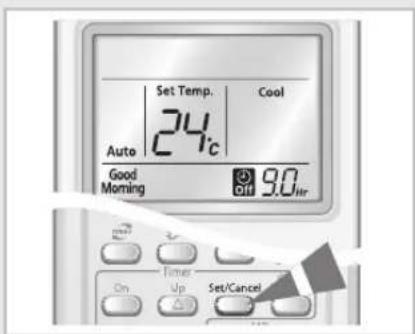
text_image
Set Temp. Cool 24°C Auto Good Morning Off 9.0/hr Timer On Up Set/CancelGood Morning mode helps users to fall asleep well after going to bed whether being too hot to sleep or being awakened by coldness. The Good Morning mode can be selected only when the air conditioner is switched on or off in cool/heat mode.
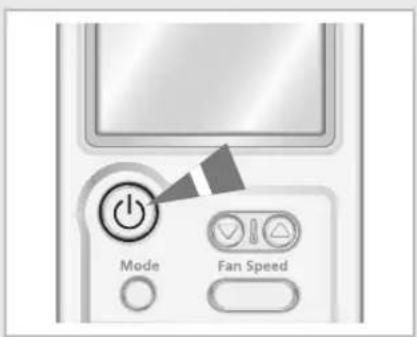
1 Press the (On/Off) button.
Result ◆ The operation indicator on the indoor unit lights up.
◆ The air conditioner starts up in the mode you selected last.
◆ The indoor unit beeps.
2 Press the Mode button to select cool or heat mode.
Result ◆ The indoor unit beeps each time you press the button.
◆ The air conditioner runs in cool or heat mode.
3 Press the Good Warning button.
Result ◆ The timer indicator is displayed.
◆ The Off timer is blinking on the remote control.
4 To set the Good Morning Off timer, press the Up/Down buttons once or more times until the required Off time is displayed.
Result ◆ The Good Morning mode will be automatically stopped in 8 hours if the operation time is not set.
You can set the Off timer by pressing the Up Down button to turn off the Good Morning mode automatically at the appointed time within a range of 30 minutes to 12 hours.
◆ Each time the △/▽ buttons are pressed, the time is increased by 30 minutes or 1 hour. Good Morning mode will be stopped at the appointed off time.
5 Press the Set/Cancel button.
Result The remaining time is displayed.
Note In the case of selecting Good Morning mode or adjusting the extra time for Good Morning mode, you should press the button within 10 seconds. If you do not press the button within 10 seconds, Good Morning mode will be canceled automatically.
6 Press the 📋 button to adjust the temperature until the desired temperature is displayed.
You can set the temperature between 16^ C and 30^ C.
Result Each time you press the button; - The temperature adjusts by 1°C - The indoor unit beeps
In cool mode
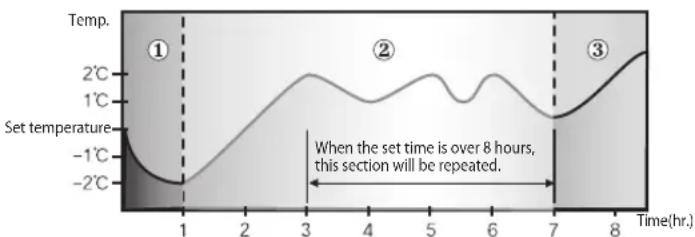
Good Morning mode keeps the skin temperature at the best during the 3 stages such as, Falling Asleep Stage → Sound Sleep Stage → Wake Up Stage in order.
① Falling Asleep Stage:
This stage supports the environment to quickly cool down. Together with comfortable intermittent air, you will be able to fall asleep quickly.
② Sound Sleep Stage : This stage helps users to take deep sleep and keep the healthy skin by controlling wavy temperature control and insensible air stream.
③ Wake Up Stage:
This stage supports comfortable intermittent air to the room to raise human body temperature for refreshing wake up.
line
| Time(hr.) | Temperature (°C) | | --------- | ---------------- | | 0 | -2 | | 1 | -1 | | 2 | 0 | | 3 | 2 | | 4 | 1 | | 5 | 0 | | 6 | -1 | | 7 | -2 | | 8 | 0 |* The above temperature graph might be indicated differently from the temperature indicator of indoor unit depending on the user's location.
The recommended temperature is set between 25^ C and 27^ C, and 26^ C is the most ideal temperature for comfortable sleep.
▶ Airflow blades (left and right swing) and fan speed are controlled automatically as the above 3 stages in Good Morning mode.
▶ Set Off timer in Good Morning mode over 5 hours. You feel disturbed sleep if the Good Morning is set too short or long because the basic off timer is set for 8 hours.
▶ If the Good Morning mode is set less than 4 hours, the operation will be stopped after the set time. If the Good Morning mode is set over 5 hours, it will run as Wake Up stage for the last one hour before stop.
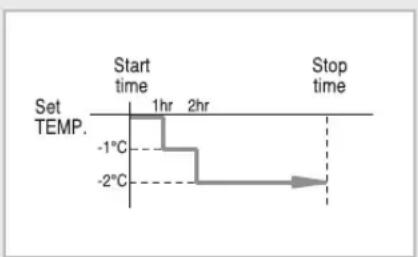
In heat mode
The temperature decreases by 1^ C every hour. After a decrease of 2^ C, the temperature is maintained.
▶ You can set the airflow blades (left and right swing) and fan speed separately during Good Morning mode.
line
| Time | Temperature (°C) | |---|---| | Start time | 1 hr | | 2 hr | -1°C | | Stop time | -2°C |Adjusting the Airflow Direction
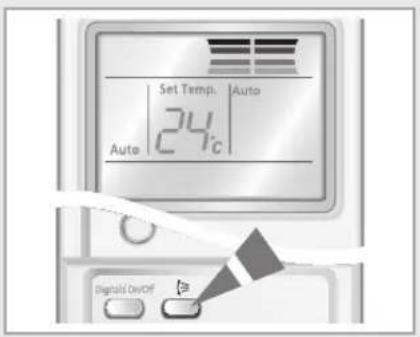
Adjust the airflow direction to circulate the air according to various needs. By adjusting the airflow direction, the efficiency of the air conditioner can be increased.
text_image
Set Temp. Auto 24°C Auto Digital On/OffAdjusting the Airflow Direction Vertically
You can adjust the airflow direction vertically. The outer airflow blade moves up and down to increase the efficiency of the cooling or heating operation.
1 Press the button until the required direction is set. Result: The outer blade is adjusted vertically.
2 Press the button again to move the blade up and down automatically during operation.
3 Press the button again to stop the blade moving up and down.
Note If you turn the air conditioner... Then the blade...
Off is closed completely.
On set to the default position.
natural_image
Illustration of a hand pressing down on a mechanical component, showing alignment and assembly (no text or symbols)Adjusting the Airflow Direction Horizontally
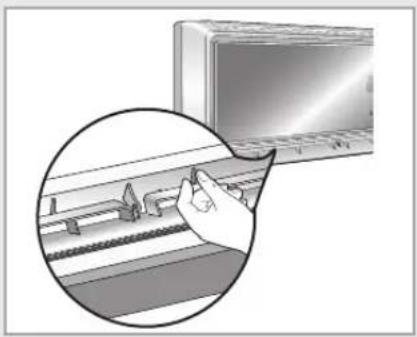
You can adjust airflow direction horizontally manually. The inner blades with small fins move the air in the desired direction.
1 Adjust the inner blades by moving them left or right.
◆ Make sure do not touch the inner blades during operation. It may cause injury on your fingers.
Selecting the Auto Cleaning Function
You can select the Auto Cleaning Function if you want to sterilize the air conditioner or remove mold. You can set this function even when the air conditioner is turned off.
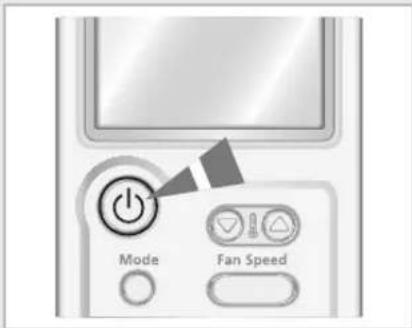
1 Press the (On/Off) button.
Result
◆ The operation indicator on the indoor unit lights up.
◆ The air conditioner starts up in the mode you selected last.
◆ The indoor unit beeps.
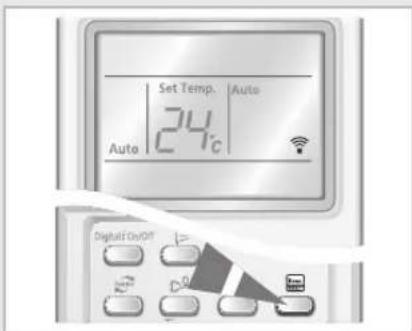
2 Press the button.
Result
◆ The indicator on the indoor unit lights up and the Auto Cleaning function is set.
When you turn the air conditioner off, it operates the Auto Cleaning function for 30 minutes. After 30 minutes, the air conditioner turns off.
If you press the button when the air conditioner is turned off, the air conditioner operates the Auto Cleaning Function for 30 minutes.
When the air conditioner is turned Mode Operating time
| On | Auto, Cool, Dry 30 minutes |
| Heat, Fan 15 minutes | |
| Off 30 minutes |
Note
The Auto Cleaning indicator is displayed only on the indoor unit.
3 Press the button again to stop the Auto cleaning function before the end of the 30-minute period.
text_image
Mode Fan SpeedRemote Control
text_image
Set Temp. Auto 24°C Auto Digital On/OFFControl Panel

text_image
Evap. CLEANSetting the On Timer
text_image
Set Temp. Auto 24°C On 0.5 Nv On Up Off Down MP1 On/Off Clean Mode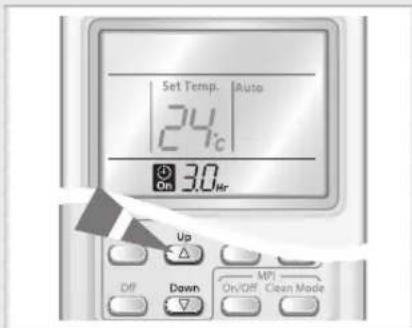
text_image
Set Temp. Auto 24°C On 3.0hr Up Off Down MPI On/Off Clean Mode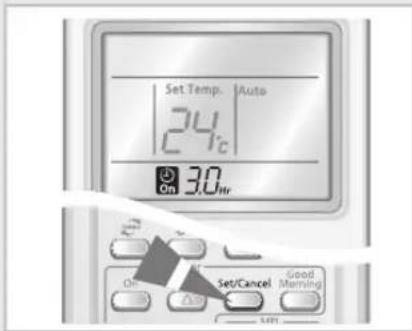
text_image
Set Temp. | Auto 24°C On 30 hr Set/Cancel Good Morning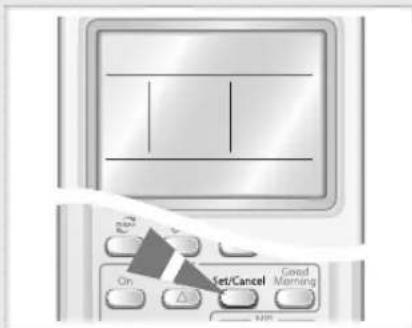
text_image
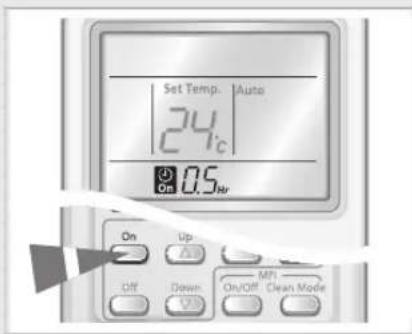
On Set/Cancel Good MorningYou can set the On Timer to turn on the air conditioner automatically at the appointed time within a range of 30 minutes to 24 hours.
1 Press the button.
2 Press the or buttons until the desired time is displayed to set the On Timer. You can set the time between 0.5 hour and 24 hours.
3 Press the button to complete the setting.
Result:
◆ The remaining time is displayed.
◆ The timer indicator stops blinking.
◆ The selected mode and the temperature on the display disappear after 10 seconds.
◆ The air conditioner turns on automatically at the appointed time and the On Timer setting disappears.
4 Press the Mode button until the desired mode is displayed at the top of the remote control to select the mode in advance.
Result:
The air conditioner operates in the selected mode when it is turned on.
Note
◆ The most recently used function is set between On and Off Timer to turn on/off the air conditioner and Good Morning mode.
◆ On Timer of MPI mode cannot be set out separately.
To Cancel the On Timer
1 Press the button to cancel the On Timer.
Note
If you press the button, both the On Timer and the Off Timer are canceled.
Setting the Off Timer
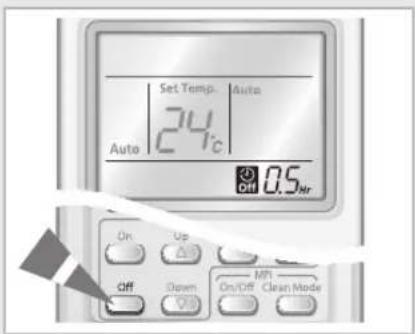
You can set the Off Timer to turn off the air conditioner automatically at the appointed time within a range of 30 minutes to 24 hours.
1 Press the button.
2 Press the or buttons until the desired time is displayed to set the Off Timer. You can set the time between 0.5 hour and 24 hours.
3 Press the button to complete the setting.
Result
◆ The remaining time is displayed.
◆ The timer indicator stops blinking.
◆ The air conditioner turns off automatically at the appointed time and the Off Timer setting disappears.
Example If you would like to turn the air conditioner on after 2 hours and to operate it for 2 hours during non-operation:
- Press the button.
- Press the or buttons until '2.0 Hr' is displayed.
- Press the set/Cancel button.
- Press the button.
- Press the or buttons until '4.0 Hr' is displayed.
- Press the button.
Note If you would like to turn on the air conditioner and then to turn off it automatically at the appointed time by using On/Off Timer during operation, you should set the On Timer longer than the Off Timer.
Caution Make sure that the air conditioner will not continue to run after On Timer setting is confirmed.
Note
You can check or change the mode and/or the temperature by pressing the button or the button after setting the Off Timer.
◆ The most recently used function is set between On and Off Timer to turn on/off the air conditioner and Good Morning mode.
◆ Off Timer of MPI mode cannot be set out separately.
If you would like to turn off the air conditioner and then to turn on it again automatically at the appointed time by using On/Off Timer during non-operation, you should set the Off Timer longer than the On Timer.
To Cancel the Off Timer
1 Press the button to cancel the Off Timer.
Note
If you press the button, both the On Timer and the Off Timer are canceled.
text_image
Set Temp. Auto 24°C Auto Off 0.5 Nt On Up Off Down MPI On/Off Clean Mode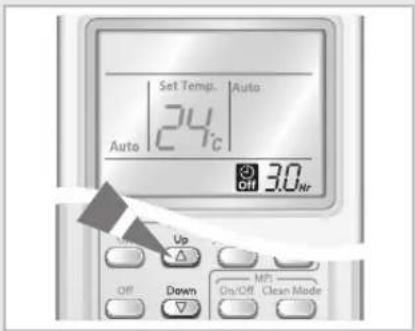
text_image
Set Temp. Auto 24°C 3.0 Off Up Down MP1 On/Off Clean Mode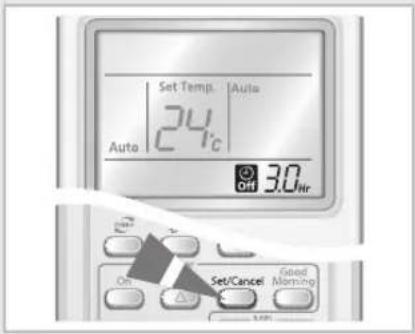
text_image
Set Temp. Auto 24°C Auto Off 3.0hr On Set/Cancel Good Morning OFF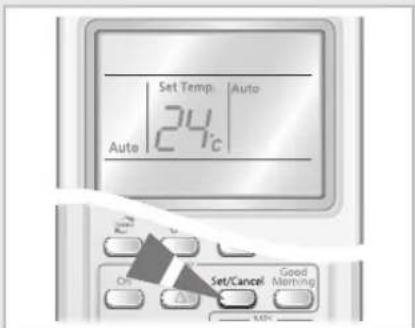
text_image
Set Temp. Auto 24°C Auto On Set/Cancel Good Morning MINSelecting Silence Function
text_image
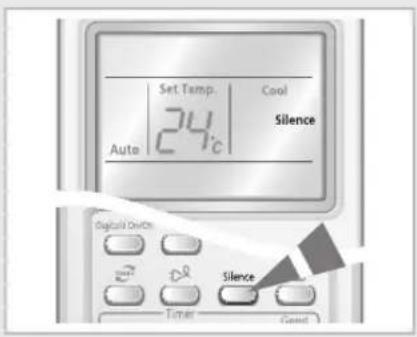
Set Temp. Cool 24°C Silence Auto Digital On/On Silence Timer GoodSilence function makes the noise much quieter during the operation of the indoor unit.
The silence function is set only in cool and heat mode.
1 Press the ⓄOn/Off) button.
Result ◆ The operation indicator on the indoor unit lights up.
◆ The air conditioner starts up in the mode you selected last.
◆ The indoor unit beeps.
2 Press the button.
Note By Pressing the _button again, the silence function is canceled.
Operating Your Air Conditioner Without the Remote Control
natural_image
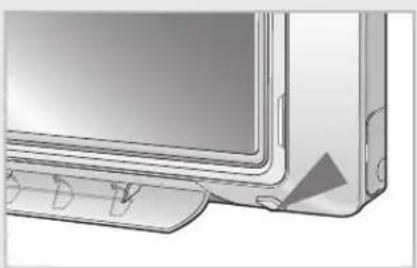
Illustration of a computer monitor with a side panel and control buttons (no text or symbols)You can operate your air conditioner directly without the remote control.
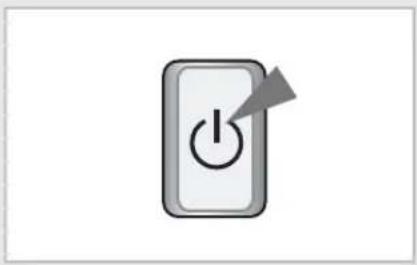
1 To turn the air conditioner on, press the ON/OFF switch on the right side of the indoor unit.
Result: ◆ The Operation indicator on the indoor unit lights up.
◆ The indoor unit beeps.
The air conditioner starts up in the appropriate mode for the room temperature. The air conditioner changes the Cool or Heat mode automatically depending on the current temperature during operation.
Room Temperature Operating Mode
Lower than 24°C Heating
Higher than 24°C Cooling
natural_image
Icon of a power button with an arrow, no text or symbols present2 To turn the air conditioner off, press the On/Off button again.
Note Even if you turned the air conditioner on with the On/Off button, you can control it with the remote control.
Selecting MPI (Micro Plasma Ion) Mode
The Micro Plasma Ion mode creates strong purified zone by decomposing harmful particles in the behavior of active hydrogen(H) and oxygen ion( O_2 ). The MPI mode can be selected whether the air conditioner is turned on or not.
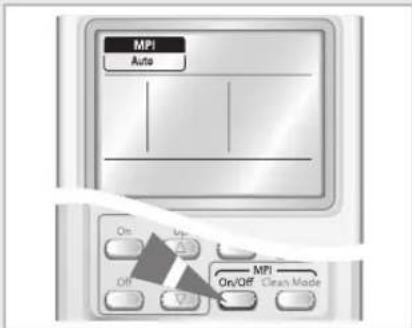
1 Press the button.
◆ The air conditioner starts up in MPI-Auto mode automatically.
◆ The MPI mode also runs when the air conditioner is turned on.
◆ By pressing the MPI button again, the MPI mode is canceled.
2 Press the to select the MPI operation types.
◆ Whenever press the 📂️ button, Auto, Silence and Rapid will appear repeatedly.
◆ Auto: Controls the fan speed automatically
Silence: Purifies the indoor air with silence
Rapid: Purifies the indoor air quickly
Note If MPI mode is turned on when the air conditioner runs, - You cannot select the MPI operation types by pressing the button. The MPI mode runs only in Auto. - The MPI mode will also stop by pressing the power button of the panel.
text_image
MPI Auto On Off MPI On/Off Clean Made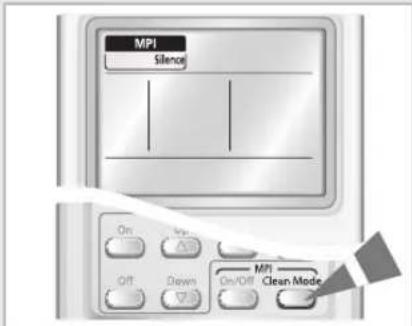
text_image
MPI Silence On Off Drawn MPI Clean ModeCleaning Air Filter on Your Air Conditioner
natural_image
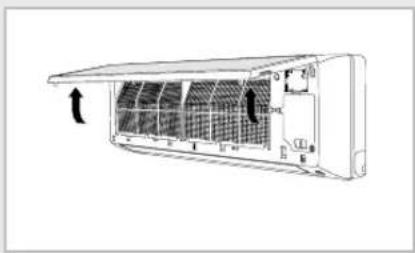
Technical line drawing of an air conditioner unit with internal panel structure and airflow direction indicator (no text or symbols)For the best use of your air conditioner, you must clean it every 2 weeks regularly to remove the dust that accumulates on the air filter.
CAUTION
Before cleaning your air conditioner, ensure that you have switched off the breaker used for the unit.
1 Open the front panel by pulling tabs on the lower right and left sides of the indoor unit.
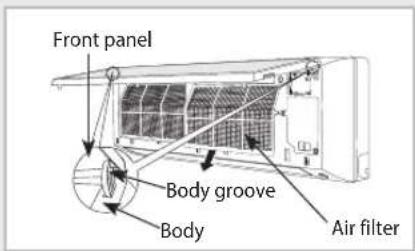
2 Detach the front panel by pulling it forwards.
3 Hold the edge of the air filter under the front panel and pull to release.
4 Remove all dust on the air filter with a vacuum cleaner or brush.
5 When you finish, insert the top of the filter into the slot and fix it to 5 tabs or 3 tabs of the grille.
6 Clean the front panel with a damp cloth and mild detergent (do NOT use benzene, solvents or other chemicals).
7 Reassemble the air filter and the front panel.
text_image
Front panel Body groove Body Air filter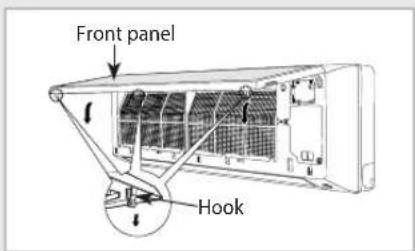
text_image
Front panel HookNote
If you have not used the air conditioner for a while, select the Fan mode for 3 to 4 hours to dry the inside of the air conditioner.
Keeping Filters clean
natural_image
Diagram of an air conditioner unit showing internal panel structure and airflow direction (no text or labels)Cleaning Anti-allergy Filter
Anti-allergy filter protects you from allergy-causing particles, even if you raise pets at home.
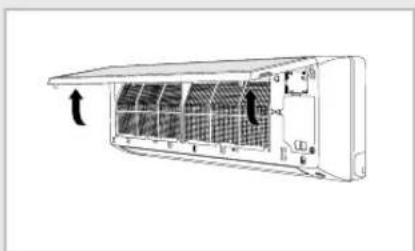
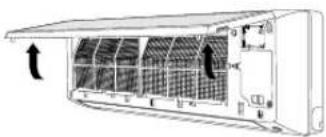
1 Open the upper front panel by pulling the lower right and left tabs of the panel.
2 Detach the anti-allergy filter(sky blue) by pulling it forwards.
3 Wash the filter with clean water.
◆ Make sure not to rub the filter when washing.
4 Dry it in the shade, and then insert it in its place.
◆ Avoid direct sunlight when dry the anti-allergy filter. If not, it may cause variation.
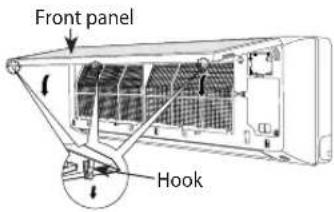
5 Close the front panel.

text_image
Deodorizing Filter Anti-allergy Filter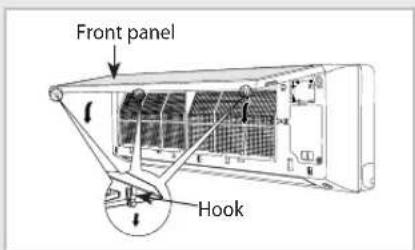
text_image
Front panel HookNote
You should clean the filters every 3 months even if the cleaning period might be different depending on how long and where you are using.
◆ The filter function is not affected even if deodorizing filter and anti-allergy filter are inverted.
Replacing Deodorizing Filter
Activated carbon is incorporated in the Deodorizing filter, efficiently absorbing cigarette smoke, pet odors and other unpleasant smells.
1 Open the upper front panel by pulling the lower right and left tabs of the panel.
2 Detach the deodorizing filter(black) by pulling it forwards.
3 Replace the deodorizing filter with a new one into the slot.
◆ Use the deodorizing filter you purchased after removing the vinyl wrap.
4 Close the front panel.
Note
You should clean the filters every year even if the replacing period might be different depending on how long and where you are using.
- You can purchase deodorizing filter at the customer care center.
◆ The filter function is not affected even if deodorizing filter and anti-allergy filter are inverted.
natural_image
Diagram of an air conditioner unit with cooling fins and airflow arrows (no text or labels)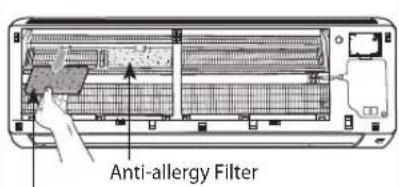
text_image
Anti-allergy FilterDeodorizing Filter
text_image
Front panel HookTemperature and Humidity Ranges
If you check the following tables, you can use your air conditioner more efficiently.
If the air conditioner is used at... Then...
| Heating capacity The air conditioner may stop operating for the reason of protection. | |
| Low temperatures Water may leak and some malfunction may occur if the heat exchanger freezes. | |
| Protection mechanism | Water may condense and drip from the surface of the indoor unit if you don't use the air conditioner for an extended period of time. |
| Operation | Outdoor Temperature Indoor Temperature Indoor Humidity | |
| Heating | -15°C to 24°C approx. 27°C or less | - |
| Cooling | -10°C to 43°C approx. 16°C to 32°C approx. | 80% or less |
| Dehumidifying | -10°C to 43°C approx. 16°C to 32°C approx. | - |
* If the outdoor temperature is as low as 0°C, the heating capacity drops up to 70\~80% depending on the operating condition.
If you use the air conditioner in temperatures over 32°C (indoor temperature), the cooling capacity may drop.
Operating Recommendations
When you use your air conditioner, it is recommended that you read the following:
| Topic Recommendation | |
| Heating capacity | The heat pump inside the air conditioner absorbs heat from outside air and brings itindoors. If the temperature of the outside air drops, the air conditioner heats less. If the room is not warm enough, use an additional heating appliance. |
| Warm air circulation | The air conditioner circulates warm air to heat your room. It will take some time to warm the air in your room entirely after the air conditioner turns on.Therefore, turn the air conditioner on in advance. |
| Frost | When you select the Heat mode, frost may form in the outdoor unit due to low temperature and high humidity.If this happens:◆ The heating operation is stopped.◆ The air conditioner defrosts automatically for about 7 minutes. After about 7 minutes, the air conditioner starts operating again normally. |
| High indoor and outdoor temperatures | If both the indoor and outdoor temperatures are high when you select the Heat mode, the fan and the compressor of the outdoor unit may stop periodically.This is normal; wait until the air conditioner turns on again. |
| Power failure | If a power failure occurs when the air conditioner is operating, the air conditioner will turn off.When the power returns, the air conditioner will start up again automatically. |
| Protection mechanism | When the air conditioner is started immediately after being plugged in or stopped, the normal operation starts up after 3 minutes for the reason of protection. |
| Cooling operation | The indoor unit may not get the selected fan speed such as Medium and Low under cooling operation at very low outdoor temperatures for the protection of the indoor unit from ice or frost.During Low fan speed operation, cooling performance will be reduced.If the room does not be cooled down when using Low fan speed operation, please adjust the indoor unit's fan speed. |
| Silence Mode | When you operate Silence Mode in cooling and heating, fan speed will decrease to make noise quieter.As a result, the performance of the unit may be reduced. |
Before contacting the after-sales service, perform the following simple checks.
They may save you the time and expense of an unnecessary call.
| Problem Explanation/Solution | |
| The air conditioner does not operate at all. | ◆ Check if power is on and operate the air conditioner again.◆ Check if the circuit breaker is switched off.◆ Check if Off Timer is set. |
| The temperature is not adjusted. | ◆ Check if you selected the Fan mode. |
| The air conditioner does not operate in the HEAT mode. | ◆ Check if the air conditioner is cooling only model.◆ Check if the remote control is for cooling only model. |
| The cool(warm) air does not come out from the air conditioner. | ◆ Check if set temperature higher(lower) than current temperature.◆ Check if you selected the Fan mode. Select the Cool, Heat, Auto or Dry mode.◆ Check if the air filter is blocked by dirt. Clean the air filter regularly.◆ Check if the there is cover on the outdoor unit or any obstacle.Remove the cover or obstacle.◆ Check if you installed the air conditioner under direct sunlight.◆ The window or door may be opened.◆ Check if you turn on the air conditioner just now.It takes about 3 minutes to cool or heat the room.◆ Check if the drain pipe is too long. |
| The fan speed is not adjusted. | ◆ In Auto or Dry mode, the fan speed is selected automatically. |
| The remote control does not operate. | ◆ Check if the battery is discharged. Replace the battery.◆ Check if the remote control sensor is blocked.◆ Check if the air conditioner is placed near strong light. |
| The Timer is not set. | ◆ Check if you pressed the button after selecting time. |
| Odor is permeated in the room during operation. | ◆ Check if you use the air conditioner in smoky area or there is a smell.Ventilate the room or select the Fan mode for 1~2 hours. |
| The indoor unit indicator flashes. | ◆ Press the button to turn on the air conditioner again.Switch the circuit breaker off and switch on it again. |
| Strange sound is heard from the air conditioner. | ◆ The sound is heard when the refrigerant gas flow is changed depending on the use of the air conditioner.◆ When you press the button, noise may be heard that the air conditioner sense the airflow blade. |
| Water drops from the outdoor unit connection part. | ◆ Water may form due to the difference of the temperature. |

text_image
SAMSUNGELECTRONICS
Contact SAMSUNG WORLD WIDE
If you have any comments or questions regarding a Samsung product, contact the SAMSUNG customer care center.
| Country Customer Care Center Web Site | ||
| BELGIUM 02 201 2418 www.samsung.com/be | ||
| CZECH REPUBLIC 844 000 844 www.samsung.com/ | cz | |
| DENMARK 38 322 887 www.samsung.com/dk | ||
| FINLAND 09 693 79 554 www.samsung.com/fi | ||
| FRANCE 08 25 08 65 65 ( | €0,15/min) www.samsung.com/fr | |
| GERMANY 01805 - 121213 ( | €0,14/min) www.samsung.de | |
| HUNGARY 06 40 985 985 www.samsung.com/hu | ||
| ITALIA 800 SAMSUNG(7267864) | www.samsung.com/it | |
| LUXEMBURG | 02 261 03 710 www.samsung.lu | |
| NETHERLANDS | 0900 20 200 88 (€0,10/min) | www.samsung.com/nl |
| NORWAY | 231 627 22 www.samsung.com/no | |
| POLAND | 0 801 801 881 www.samsung.com/pl | |
| PORTUGAL | 80 8 200 128 | www.samsung.com/pt |
| SLOVAKIA | 0850 123 989 | www.samsung.com/sk |
| SPAIN | 902 10 11 30 | www.samsung.com/es |
| SWEDEN | 08 585 367 87 www.samsung.com/se | |
| U.K | 0870 SAMSUNG (7267846) | www.samsung.com/uk |
| Ireland | 0818 717 100 | www.samsung.com/uk |