
C-DMM-122 - Uncategorized Havis - Free user manual and instructions
Find the device manual for free C-DMM-122 Havis in PDF.


| Product Type | Swing-Out Dash Monitor Mount |
| Brand | Havis |
| Model | C-DMM-122 |
| Compatible Vehicles | 2013-2017 Ford Interceptor Sedan (except models with Interior Upgrade Package Code 12P) |
| Required Additional Parts | Vehicle-specific dash mount bracket (C-DMM-122 included), monitor adaptor bracket (C-MM-200 series), offset adaptor bracket (C-MM-301, not always required) |
| Tools Required | Ratchet wrench, jig saw or plastic cutting tool, socket set, dash panel removal tools, open end wrenches (7/16" and 10mm), Phillips screwdriver |
| Hardware Included | Upper and lower support brackets, carriage bolts, pan head Phillips bolts, serrated flange hex nuts, flat washers, lock washers, hex bolts, monitor adapter hardware (in C-MM-2XX kit) |
| Main Function | Provides a swing-out mounting platform for a monitor or docking station in vehicle dashboard |
| Mounting Location | Center dashboard, lower and upper dash panels |
| Adjustability | Monitor can be slightly rotated clockwise; offset adaptor allows additional positioning |
| Gas Spring | Integrated gas spring assists door opening and prevents slamming; optional stronger spring available (part CM86662-30, sold separately) |
| Weight Capacity | Not specified; designed for standard monitors and docking stations |
| Material | Metal (steel) brackets, painted black |
| Installation Method | Bolts to existing dash bolt locations; requires cutting a slot in trim panel |
| Safety Precautions | Check for obstructions before drilling; use provided hardware; read all instructions |
| Spare Parts Available | Optional stronger gas spring (CM86662-30); other parts may be available from Havis |
| Repairability | Modular design allows replacement of individual brackets and hardware |
| Warranty | Not specified in manual; refer to Havis for warranty information |
| Manufacturer | Havis, Inc., 75 Jacksonville Road, Warminster, PA 18974, USA |
| Contact | Phone: 800-524-9900, Fax: 215-957-0729, Web: www.havis.com |
Frequently Asked Questions - C-DMM-122 Havis
User questions about C-DMM-122 Havis
0 question about this device. Answer the ones you know or ask your own.
Ask a new question about this device
Download the instructions for your Uncategorized in PDF format for free! Find your manual C-DMM-122 - Havis and take your electronic device back in hand. On this page are published all the documents necessary for the use of your device. C-DMM-122 by Havis.
USER MANUAL C-DMM-122 Havis
INSTALLATION INSTRUCTIONS
C-DMM-122
2013-2017 Ford Interceptor Sedan
SWING-OUT DASH MONITOR MOUNT
** Does NOT work in Interceptor Sedan with Interior Upgrade Package (Code 12P) **
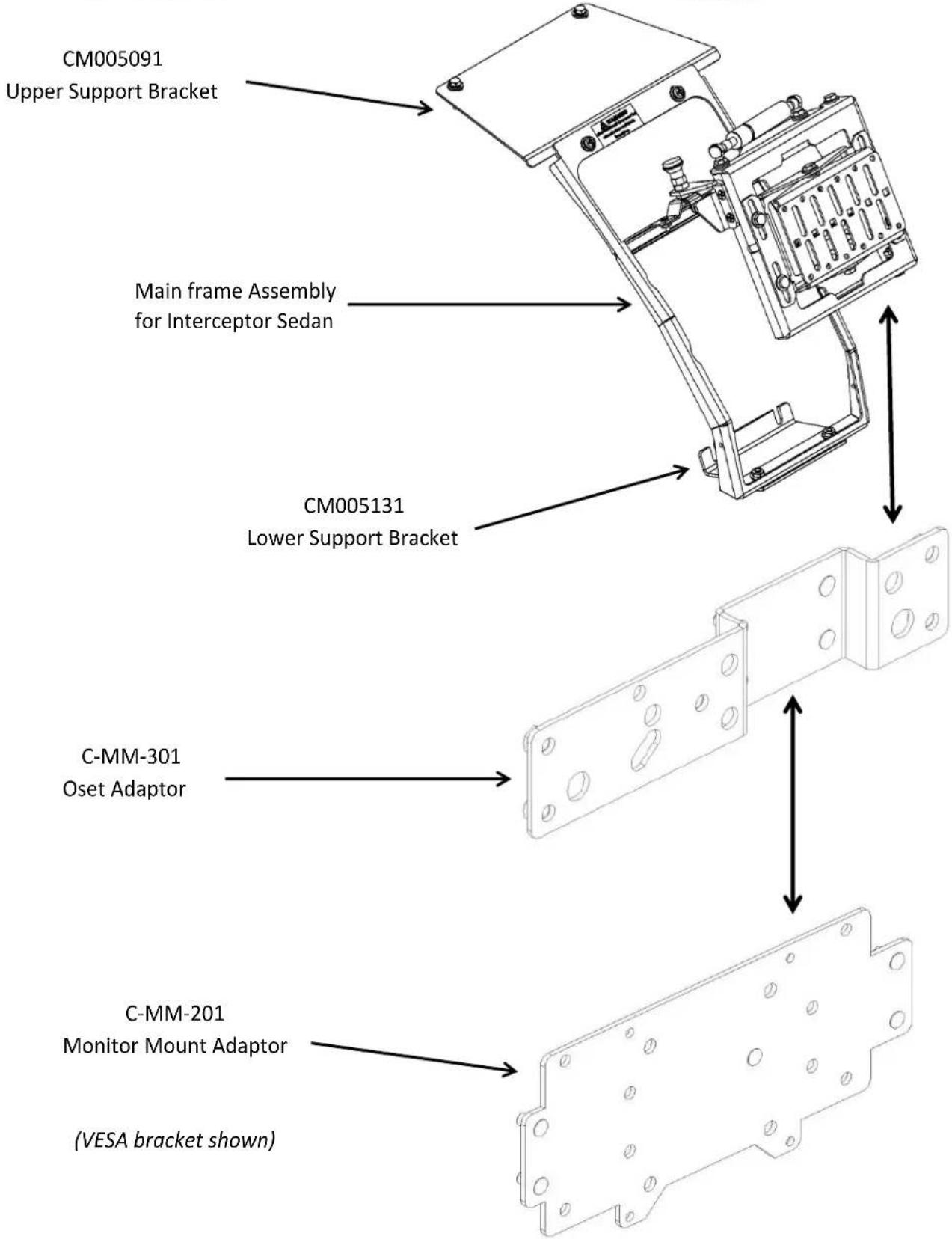
The Dash Monitor Mount bracket system requires two or three main parts that are sold separately. See web site Monitor Congurator for more detailed bracket informaon.
hp://www.havis.com/monitor_mounts.htm
• 1 - Vehicle Specific dash mount bracket. (C-DMM-122)
• 1 - Computer Specific Monitor adaptor bracket. (C-MM-200 series)
• 1 - Oset adaptor bracket. (C-MM-301)
The C-MM-301 oset adaptor goes between the C-DMM-122 and C-MM-2XX. It may not be required in some applications.
Docking staons for tablet applicaons can be bolted directly to C-DMM without adaptor. Oset adaptor C-MM-303 is available if additional poisoning opons are desired for docking station.
TOOLS REQUIRED:
• Ratchet Wrench Jig Saw or Plasc cung tool
- Socket Set Dash panel removal tools
- Open End Wrench - 7/16" Open End Wrench - 10mm
• Phillips Screwdriver
HARDWARE and PARTS:
QTY: DESCRIPTION: PART #:
1 Upper Support Bracket CM005091
1 Lower Support Bracket CM005131
2 1/4" x 1/2" Carriage Bolt GSM31999
2 1/4"x 1/2" Pan Head Phillips Bolt GSM33124
2 1/4" Serrated Flange Hex Nut GSM30023
4 1/4" Flat Washer GSM31005
4 1/4" Lock Washer GSM31026
2 6mm x 30mm Hex Bolt GSM33713
1 Monitor Adapter Hardware Included with C-MM-2XX kit
Note: The swing door ulizes a gas spring to assist in opening the door and to eliminate the possibility of it slamming shut. If additional damping is desired because of heavier equipment, an oponal stronger gas spring is available under Part Number CM86662-30 (sold separately)
Always!
Read all instrucons before installing any Havis, Inc. products.
➢ Check for obstrucons (Wires, brake lines, fuel tank, etc.) before drilling any holes!
➢ Use hardware provided with install kit
natural_image
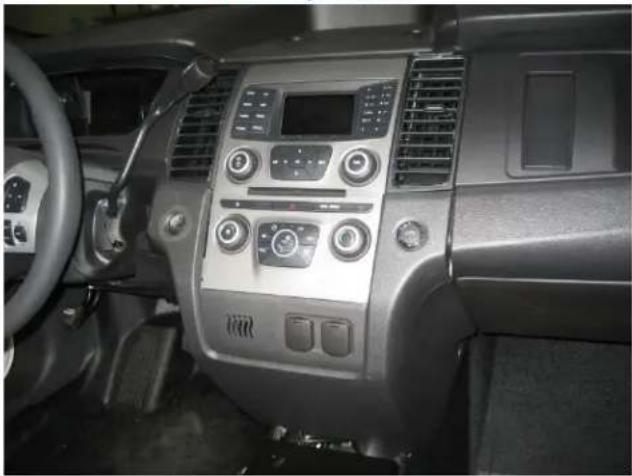
Interior view of a car dashboard with air conditioners and steering wheel (no visible text or symbols)View of dash instrument panel
Havis, Inc.
75 Jacksonville Road
Warminster, PA 18974
T800-524-9900 F215-957-0729
www.havis.com
natural_image
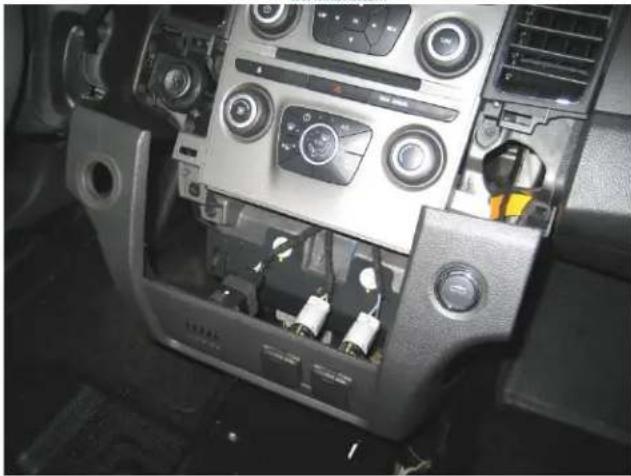
Interior view of a car dashboard with air conditioners and control buttons (no visible text or symbols)Carefully remove (unsnap) lower/ center dash panel
natural_image
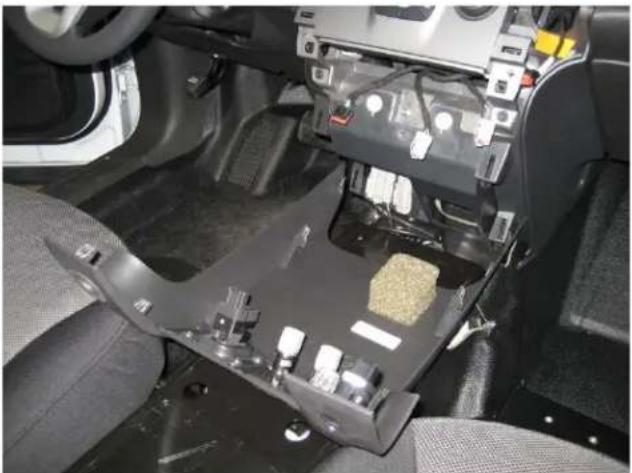
Interior view of a car's driver seat frame showing internal components like battery pack and motors (no visible text or symbols)Disconnect plugs and remove lower dash panel
natural_image
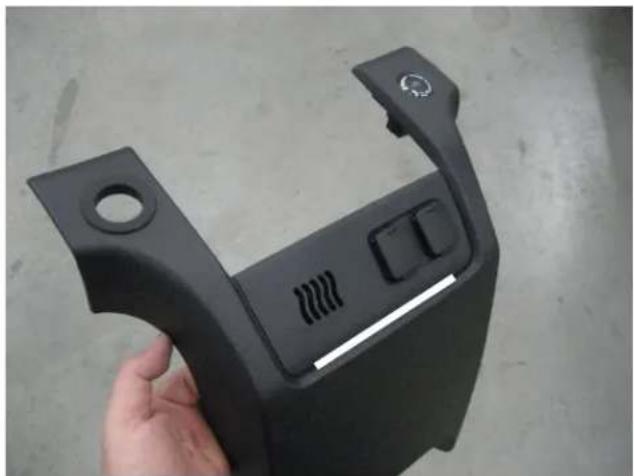
Hand holding a black plastic automotive component with a handle and control buttons (no visible text or symbols)Layout a 1/4" high x 5 ½" long slot in the center of the trim panel at crease below the 12 volt sockets. (as shown by the white line)
natural_image
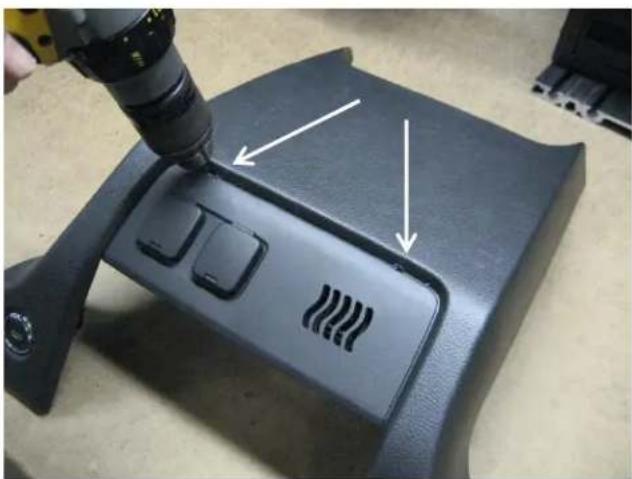
Close-up of a black automotive dashboard with a tool applying material to the front panel, showing three buttons and a wavy pattern on the side (no text or symbols visible)Drill both ends of the slot with 1/4" drill bit
natural_image
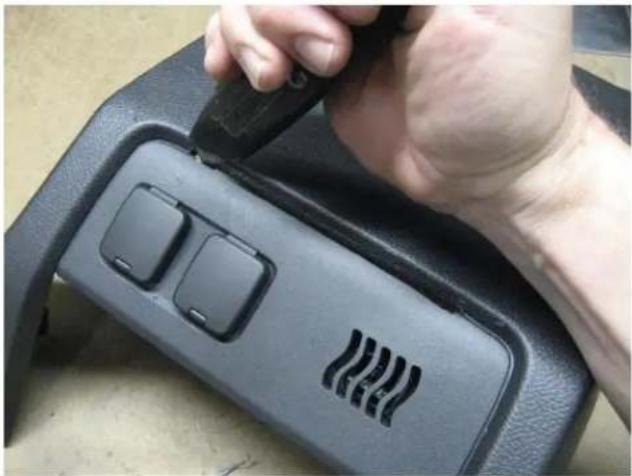
Close-up of a hand using a tool to adjust or install a black electronic device with two buttons and a wavy pattern on the cover (no visible text or symbols)Carefully cut slot with air saw, knife or other tool as desired
natural_image
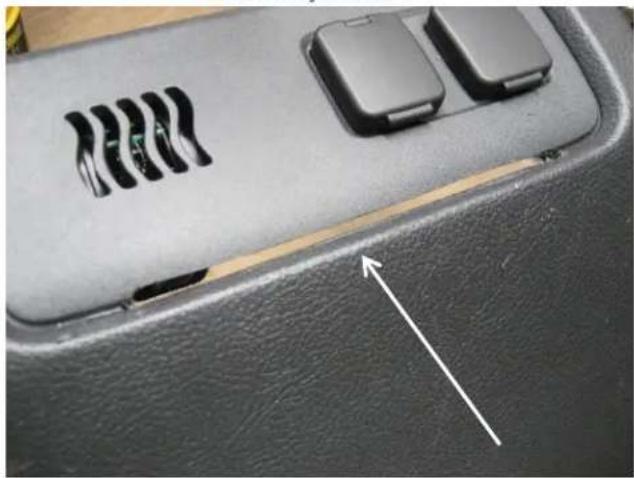
Close-up of a car interior panel with two electronic components and a white arrow pointing to a component (no text or symbols visible)Example of slot cut into dash
Havis, Inc.
75 Jacksonville Road
Warminster, PA 18974
T800-524-9900 F215-957-0729
www.havis.com
natural_image
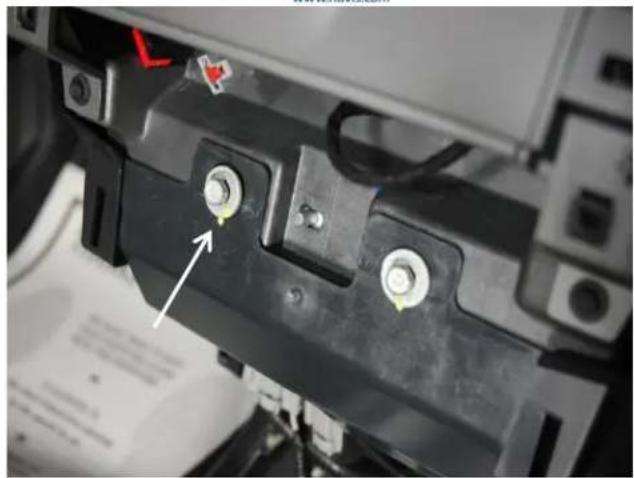
Close-up of a black battery terminal with two screws and a white arrow pointing to its top screw (no visible text or symbols)Loosen two (2) lower dash bolts. (10 mm socket and ratchet)
natural_image
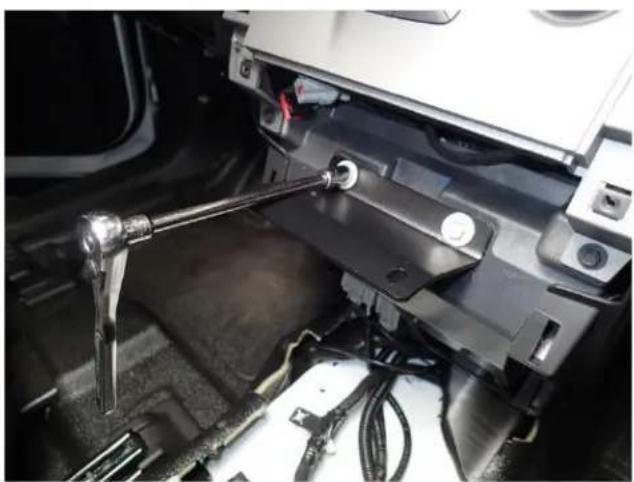
Close-up of a mechanical assembly with metal tools and wiring, no visible text or symbolsAach lower support bracket to lower dash bolts as shown and ghten hardware.
Torque to 5 Nm (44 lb-in)
natural_image
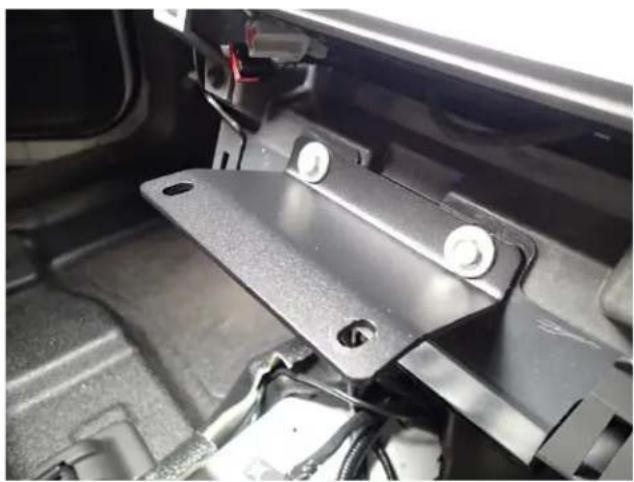
Close-up of a black automotive bracket component with mounting holes and wiring (no visible text or symbols)Lower support bracket is now in place
natural_image
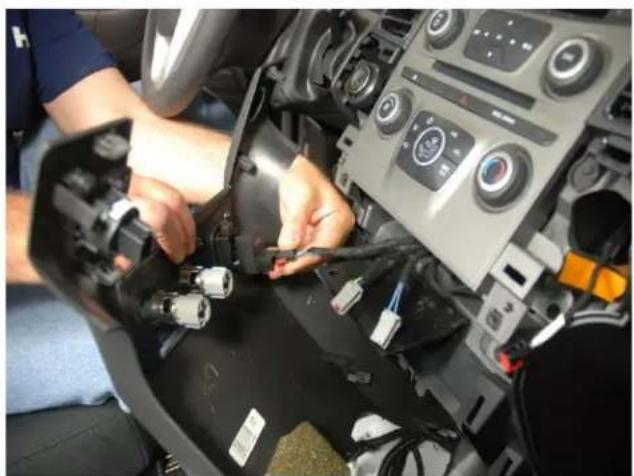
Person assembling or adjusting a car dashboard with visible wiring and control buttons (no text or symbols)Reach plugs to lower dash panel
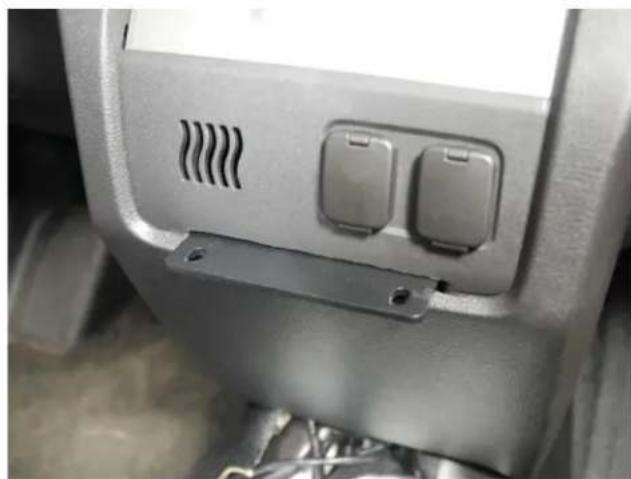
natural_image
Close-up of a car interior panel with two buttons and ventilation grille (no visible text or symbols)Reinstall lower dash panel with support bracket through slots as shown.
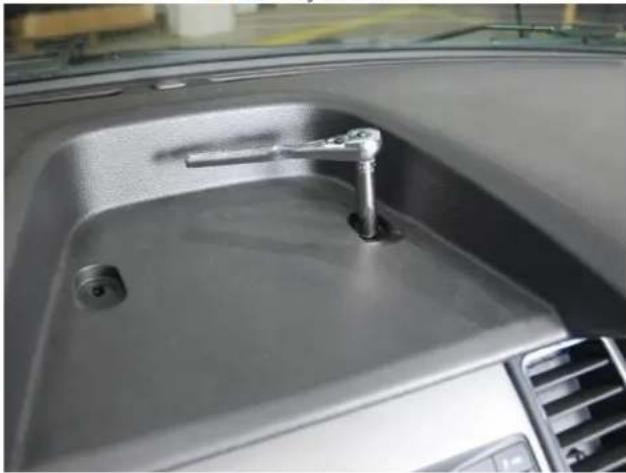
natural_image
Interior view of a car dashboard with a handle and vent, showing no text or symbolsRemove screws from upper dash panel.
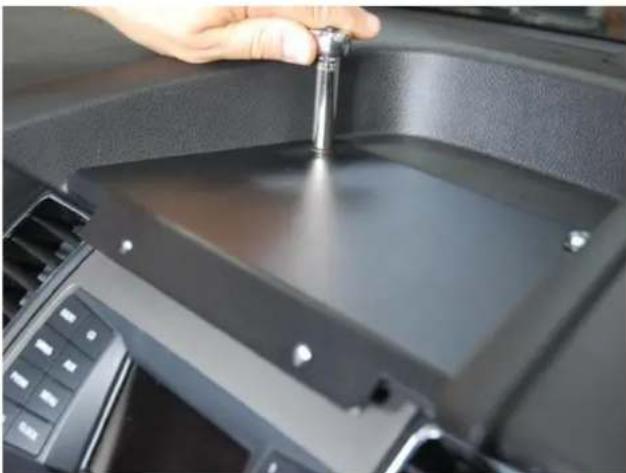
natural_image
Close-up of a hand adjusting a small mechanical component inside a car dashboard (no visible text or symbols)Bolt down upper support bracket.
(10 mm socket)
Tighten to 3 Nm (27lb-in)
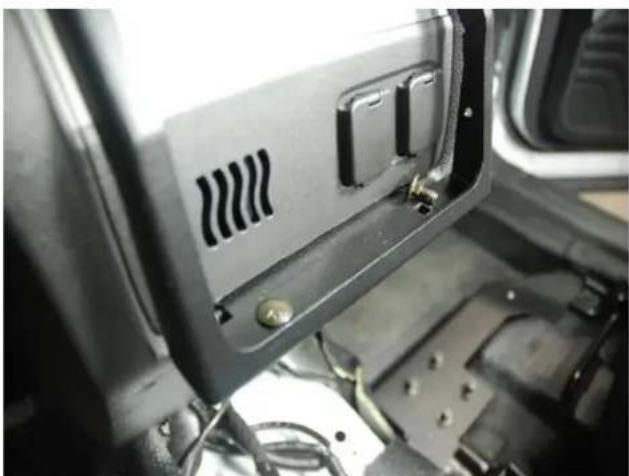
natural_image
Close-up of a mechanical or electronic component with visible wiring and mounting brackets (no text or symbols)Loosely each main frame assembly to lower support bracket with 1/4" x 1/2" carriage bolts and serrated nuts.
C-DMM-122_INST_REV-9-13
Havis, Inc.
75 Jacksonville Road
Warminster, PA 18974
T800-524-9900 F215-957-0729
www.havis.com
natural_image
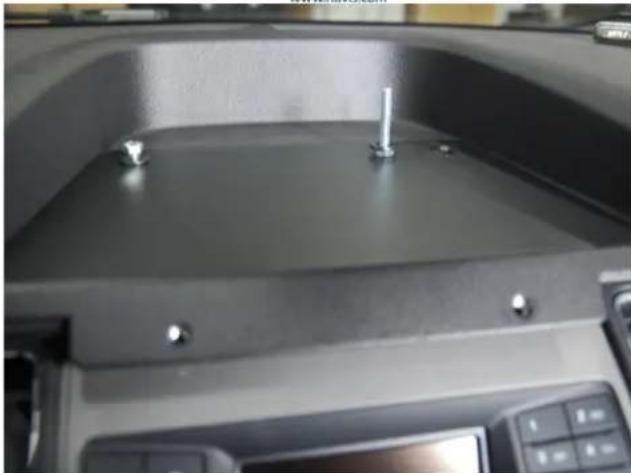
Close-up of a mechanical component with three screws and a central plate (no visible text or symbols)Loosely each upper support bracket to upper dash mount holes with 6 mm x 30 mm hex bolts, 1/4" lock washers and at washers.
natural_image
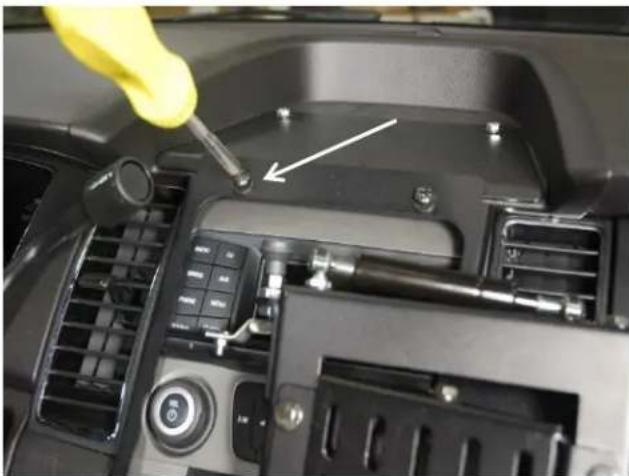
Close-up of a car dashboard with a yellow tool inserted, showing a screwdriver inserted into the engine compartment (no visible text or symbols)Place main frame assembly onto support brackets. Loosely each top of frame to upper support bracket with 1/4"x 3/4" pan head Phillips bolts, lock washers and at washers.
natural_image
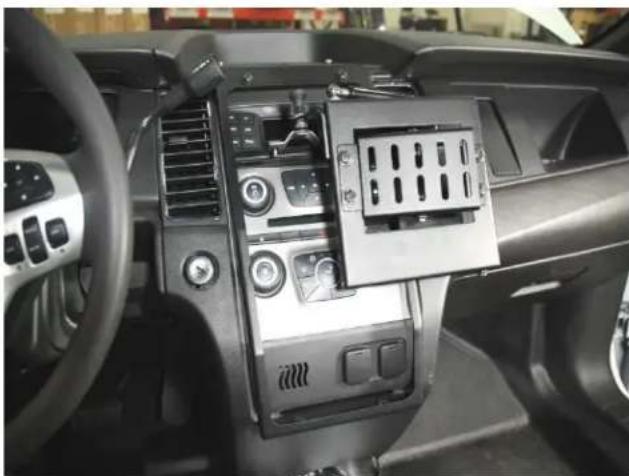
Interior view of a car dashboard with airbags and control panel (no visible text or symbols)Tighten all mount hardware on main frame assembly

natural_image
Exterior view of a black plastic heat exchanger or cooling unit with perforated circular holes and internal cooling fins (no visible text or symbols)Aach C-MM-2XX monitor mount adaptor plate to the back of monitor.
natural_image
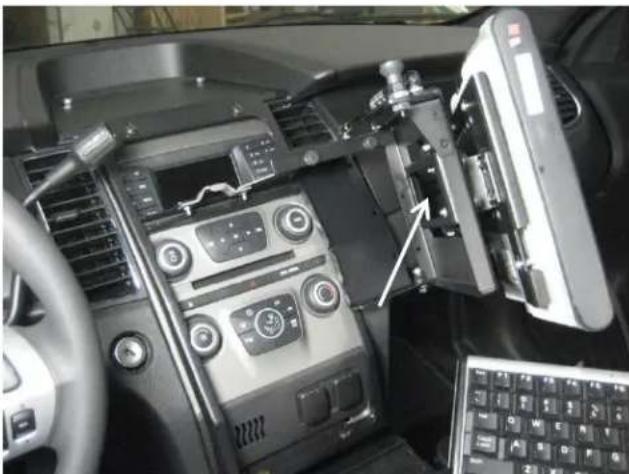
Interior view of a car dashboard with air conditioners, steering wheel, and control panel (no visible text or symbols)Aach Monitor Mount assembly to swing door with 1/4" serrated nuts. Posion as desired and ghten hardware.
natural_image
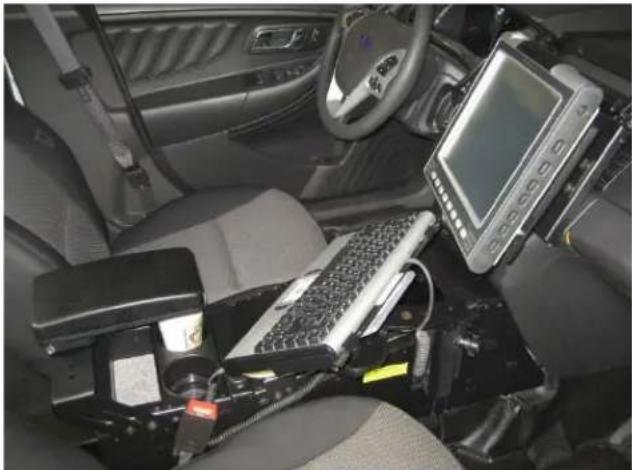
Interior view of a car with electronic equipment and a central touchscreen display (no visible text or symbols)Main frame has wire e holes for aaching wire harnesses. Run wiring down passenger side of center dash as desired. Example of keyboard mount includes C-TCB-7, C-MD-204 and C-KBM-1XX.
Havis, Inc.
75 Jacksonville Road
Warminster, PA 18974
T800-524-9900 F215-957-0729
www.havis.com
natural_image
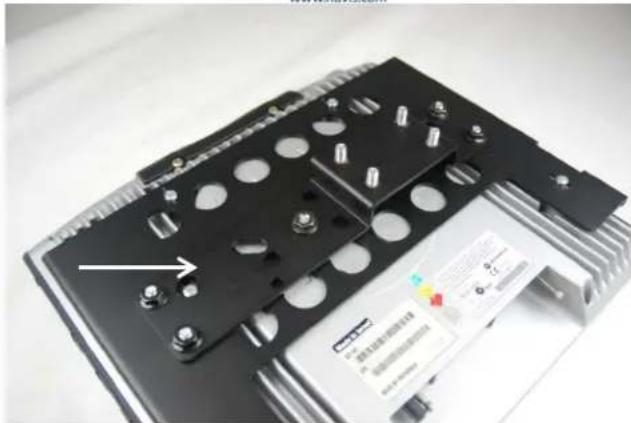
Close-up of a black electronic component with multiple circular holes and a small labeled card (no readable text or symbols)Aach the C-MM-301 oset adaptor to C-MM-2XX adaptor with 1/4" serrated hex nuts. Note: C-MM-301 not always required.

natural_image
Interior view of a car dashboard with a mounted electronic device and keyboard (no visible text or symbols)Note: Monitor can be slightly rotated clockwise. Loosen monitor bracket and swivel bracket hardware, turn clockwise and ghten.
natural_image
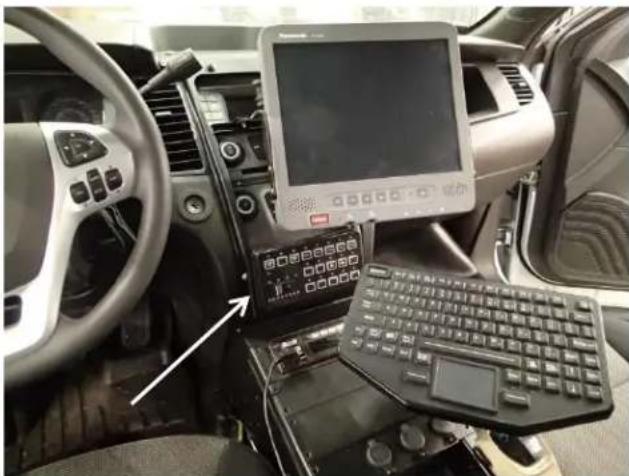
Interior view of a car cockpit with electronic equipment and a monitor displaying a map (no visible text or symbols)The C-DMM-122 has provisions for moung a Whelen Cen-Com control as shown if desired.
*This will block OEM 12 volt sockets
**Cen-Com mount hardware to be provided by installer
Brand : Havis
Model : C-DMM-122
Category : Uncategorized