BKE 7650 D - Air-conditioner LG-Beko - Free user manual and instructions
Find the device manual for free BKE 7650 D LG-Beko in PDF.


User questions about BKE 7650 D LG-Beko
0 question about this device. Answer the ones you know or ask your own.
Ask a new question about this device
Download the instructions for your Air-conditioner in PDF format for free! Find your manual BKE 7650 D - LG-Beko and take your electronic device back in hand. On this page are published all the documents necessary for the use of your device. BKE 7650 D by LG-Beko.
USER MANUAL BKE 7650 D LG-Beko
Prior to installation, this air-conditioning unit must be submitted for approval by the utility service which provides electricity (EN 6055-3 Norm).
IMP OR TANT
€ P leas e read this owner's manual carefully and thoroughly before ins talling and operating your room air c conditioner.
€ P leas e retain this owner's manual for future reference e after reading it thoroughly.
TABLE OF CONTENTS
Safety Precautions....3
Prior to Operation ......9
Introduction ......10
Electrical Safety 11
Operating Instructions....12
Maintenance and Service ......26
FOR YOUR RECORDS
Write the model and serial numbers here:
Model #
Serial #
You can find them on a label on the side of each unit.
Dealer's Name
Date Purchased
■Staple your receipt to this page in the event you need it to prove date of purchase or for warranty issues.

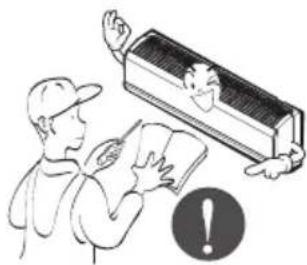
READ THIS MANUAL
Inside you will find many helpful hints on how to use and maintain your air conditioner properly. Just a little preventive care on your part can save you a great deal of time and money over the life of your air conditioner.
You'll find many answers to common problems in the chart of troubleshooting tips. If you review our chart of
Troubleshooting Tips first, you may not need to call for service at all.

PRECAUTION
- Contact the authorized service technician for repair or maintenance of this unit.
- Contact the installer for installation of this unit.
- The air conditioner is not intended for use by young children or invalids without supervision.
- Young children should be supervised to ensure that they do not play with the air conditioner.
- When the power cord is to be replaced, replacement work shall be performed by authorized personnel only using only genuine replacement parts.
- Installation work must be performed in accordance with the National Electric Code by qualified and authorized personnel only.
natural_image
Simple line drawing of people enjoying a picnic at a table with sun and palm trees (no text or symbols)Safety Precautions
To prevent the injury of the user or other people and property damage, the following instructions must be followed.
■ Incorrect operation due to ignoring instruction will cause harm or damage. The seriousness is classified by the following indications.

WARNING
This symbol indicates the possibility of death or serious injury.

CAUTION
This symbol indicates the possibility of injury or damage to properties only.
■The meanings of the symbols used in this manual are as shown below.
 | Be sure not to do. |
 | Be sure to follow the instruction. |

WARNING
Installation
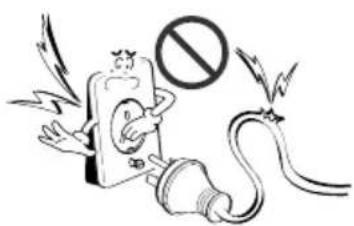
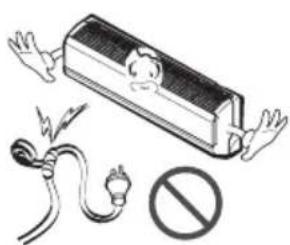
Do not use damaged power cords, plugs, or a loose socket.
- There is risk of fire or electric shock.
text_image
Cartoon illustration showing a person holding a phone with a prohibition symbol, flanked by lightning and a plug.For electrical work, contact the dealer, seller, a qualified electrician, or an Authorized Service Center.
• There is risk of fire or electric shock.
natural_image
Illustration of a person reading a book with a speech bubble showing a smiling face, next to an air conditioner unit (no text or symbols present)Always use the power plug and socket with the ground terminal.
• There is risk of electric shock.
natural_image
Illustration of two cartoon characters holding books, one with a smiling face and the other holding a document with a music note (no text or symbols present)Install the panel and the cover of control box securely.
- There is risk of fire or electric shock.
natural_image
Illustration of a person using a device to interact with a smiling computer monitor (no text or symbols present)Do not modify or extend the power cord.
• There is risk of fire or electric shock.
natural_image
Illustration of a battery with open circuit and plug, no text or symbols presentDo not install, remove, or re-install the unit by yourself (customer).
• There is risk of fire, electric shock, explosion, or injury.
natural_image
Illustration of a person holding an air conditioner unit with a prohibition symbol (no text or labels)Be cautious when unpacking and installing the product.
- Sharp edges could cause injury. Be especially careful of the case edges and the fins on the condenser and evaporator.
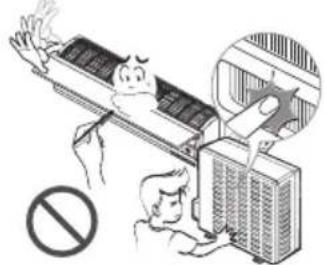
natural_image
Illustration of a person using an air conditioner to clean the ceiling, with no text or symbols present.Be sure the installation area does not deteriorate with age.
- If the base collapses, the air conditioner could fall with it, causing property damage, product failure, and personal injury.
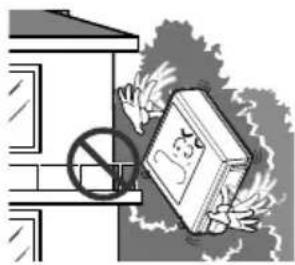
natural_image
Illustration of a book being stopped by a prohibition sign, with smoke rising (no text or symbols)For installation, always contact the dealer or an Authorized Service Center.
• There is risk of fire, electric shock, explosion, or injury.
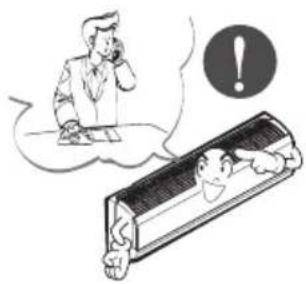
natural_image
Illustration of a person using a phone to call through a computer screen with an exclamation mark (no text or symbols present)Do not let the air conditioner run for a long time when the humidity is very high and a door or a window is left open.
- Moisture may condense and wet or damage furnishings.
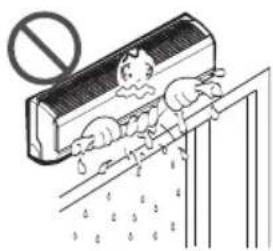
text_image
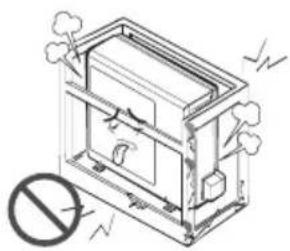
Illustration showing a person cleaning a wall with a 'no sign' symbol above, indicating no barrier or absence.Do not install the product on a defective installation stand.
- It may cause injury, accident, or damage to the product.
natural_image
Technical line drawing of a mechanical device with no visible text or symbolsOperation
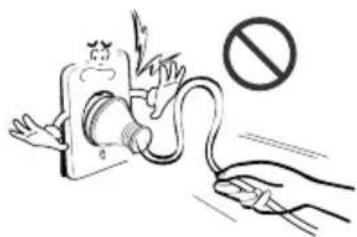
Take care to ensure that power cords could not be pulled out or damaged during operation.
• There is risk of fire or electrical shock.
text_image
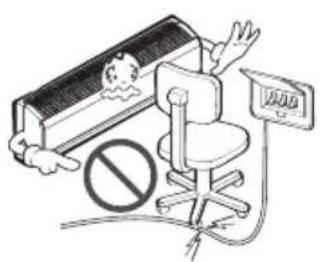
Safety warning illustration showing a hand using a tool to prevent a device with a 'no' symbol, indicating no hazard or absence.Do not place anything on the power cord.
• There is risk of fire or electric shock.
text_image
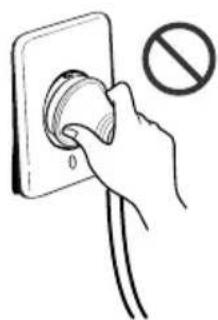
Safety warning illustration showing a vehicle with a 'No Entry' symbol and a sign indicating 'No Entry'.Do not turn the air-conditioner ON or OFF by plugging or unplugging the power plug.
• There is risk of fire or electrical shock.
natural_image
Hand inserting a plug into an electrical outlet with a prohibition symbol (no text or labels)Use a dedicated outlet for this appliance.
- There is risk of fire or electrical shock.
Grasp the plug to remove the cord from the outlet. Do not touch it with wet hands.
• There is risk of fire or electrical shock.
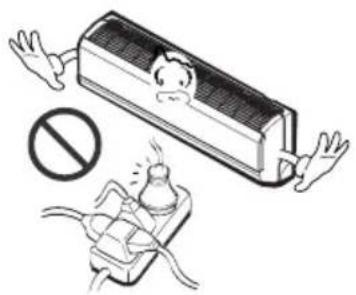
Do not place a heater or other appliances near the power cable.
- There is risk of fire and electric shock.
natural_image
Illustration of a car with a broken door and a prohibition symbol (no text or labels)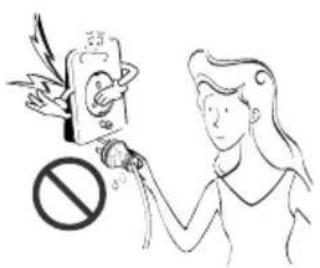
text_image
Illustration showing a person using a device with a prohibition symbol, likely related to smoking or anti-smoking.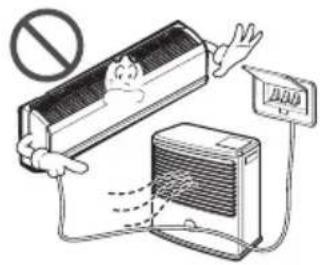
text_image
Illustration showing a person hanging from a large air conditioner unit with a 'NO. 1' sign, indicating no ventilation or discharge.Do not allow water to run into electric parts.
- It may cause There is risk of fire, failure of the product, or electric shock.
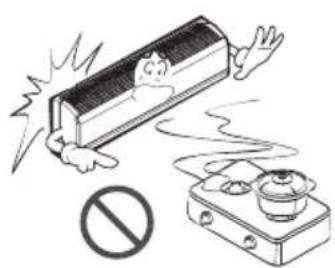
Do not store or use flammable gas or combustibles near the air conditioner.
- There is risk of fire or failure of product.
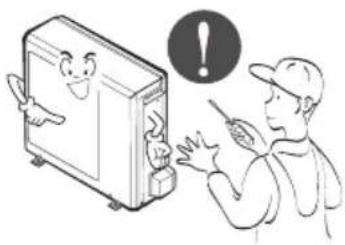
Do not use the product in a tightly closed space for a long time.
• Oxygen deficiency could occur.
natural_image
Illustration of a person using a device to interact with a smiling computer monitor, with an exclamation mark symbol nearby (no text or symbols present)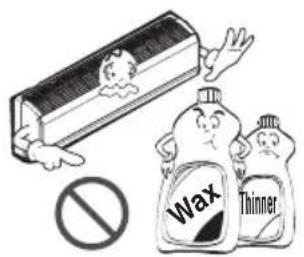
text_image
Wax Thinner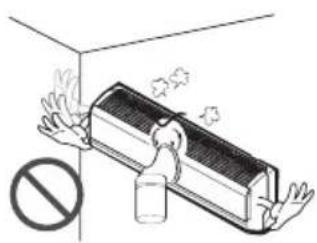
natural_image
Illustration of a wall-mounted air conditioner unit with steam rising, no text or symbols presentWhen flammable gas leaks, turn off the gas and open a window for ventilation before turn the product on. DO NOT use the telephone or turn switches on or off.
• There is risk of explosion or fire.
Unplug the unit if strange sounds, odors, or smoke comes from it.
• There is risk of electrical shock or fire
Stop operation and close the window in storm or hurricane. If possible, remove the air conditioner from the window before the hurricane arrives.
• There is risk of property damage, failure of product, or electric shock.
natural_image
Illustration of a person using a large electric shock absorber with a smokestack emitting vapor, no text or symbols present.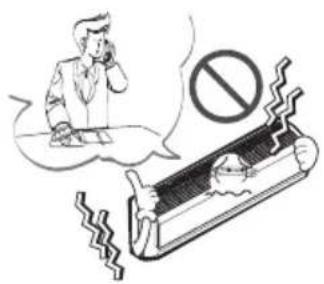
text_image
Illustration showing a person using a phone with a 'no' symbol, next to a damaged air conditioner cover.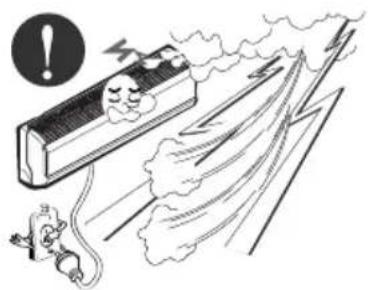
natural_image
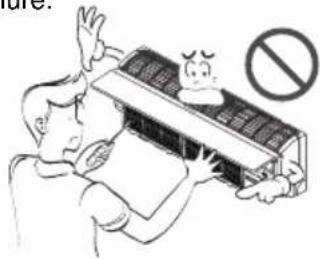
Illustration of a train with smoke and a falling object, no text or symbols presentDo not open the inlet grill of the product during operation. (Do not touch the electrostatic filter, if the unit is so equipped.)
• There is risk of physical injury, electric shock, or product failure.
text_image
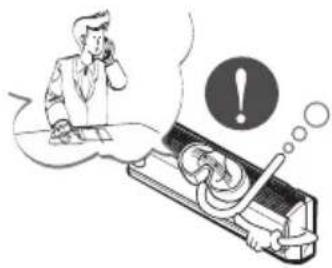
Illustration showing a person holding a device with a warning symbol and a surprised face, indicating no clear safety or hazard.When the product is soaked (flooded or submerged), contact an Authorized Service Center.
• There is risk of fire or eletric shock.
natural_image
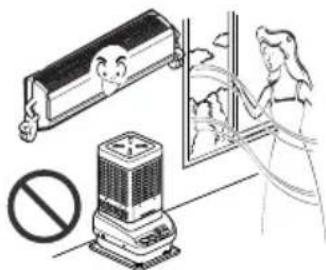
Illustration of a person using a handheld device with an exclamation mark and thought bubbles (no text or symbols)Ventilate the product from time to time when operating it together with a stove, etc.
• There is risk of fire or electrical shock.
natural_image
Illustration of a person cleaning a window with a power supply and a cartoon character, no text or symbols present.Unplug the appliance before performing cleaning or maintenance.
• There is risk of electrical shock.
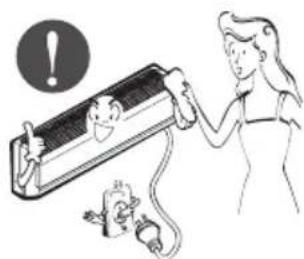
natural_image
Illustration of a person using a power plug to interact with a wall-mounted device, with an exclamation mark in the background (no text or symbols on the diagram itself)When the product is not be used for a long time, disconnect the power supply plug or turn off the breaker.
• There is risk of product damage or failure, or unintended operation.
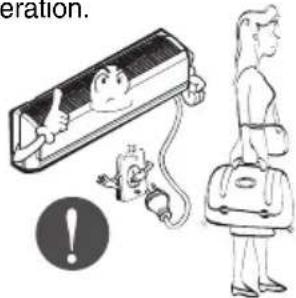
text_image
eration.Take care to ensure that nobody could step on or fall onto the outdoor unit.
• This could result in personal injury and product damage.
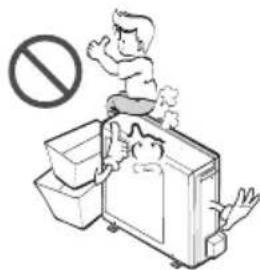
text_image
Illustration showing a person standing on a kitchen with a 'no' symbol above, indicating no food or disinfection.CAUTION
Installation
Always check for gas (refrigerant) leakage after installation or repair of product.
- Low refrigerant levels may cause failure of product.
text_image
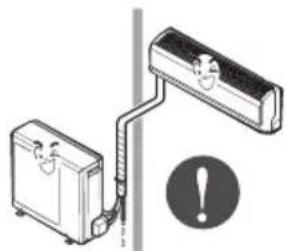
Diagram illustrating a mechanical or electrical setup with labeled components and warning symbolsInstall the drain hose to ensure that water is drained away properly.
• A bad connection may cause water leakage.
natural_image
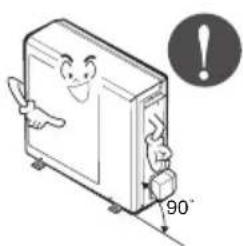
Illustration of two briefcases connected by a pipe with a warning symbol (no text or labels)Keep level even when installing the product.
• To avoid vibration or water leakage.
natural_image
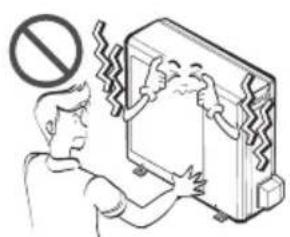
Illustration of a smiling computer with a 90-degree angle indicator (no text or symbols on the device itself)Do not install the product where the noise or hot air from the outdoor unit could damage the neighborhoods.
- It may cause a problem for your neighbors.
Use two or more people to lift and transport the air conditioner.
- Avoid personal injury.
Do not install the product where it will be exposed to sea wind (salt spray) directly.
- It may cause corrosion on the product. Corrosion, particularly on the condenser and evaporator fins, could cause product malfunction or inefficient operation.
natural_image
Illustration of a person cleaning a wall-mounted device with a 'no' symbol above (no text or labels)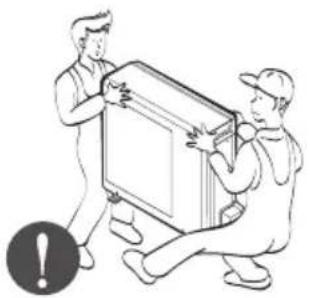
natural_image
Illustration of two workers carrying a large rectangular object, one pointing at it and the other holding it (no text or symbols present)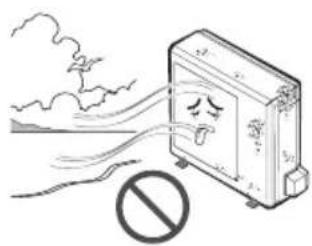
natural_image
Illustration of a safe with a warning sign emitting exhaust smoke, no text or symbols presentOperation
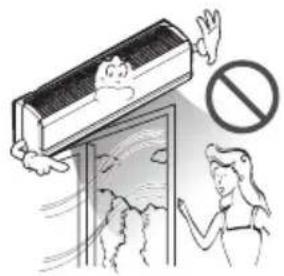
Do not direct airflow at room occupants. (Don't sit in the draft.)
• This could damage your health.
natural_image
Illustration of a person reaching toward an air conditioner unit with a 'no' symbol above (no text or labels)Do not use the product for special purposes, such as preserving foods, works of art, etc. It is a consumer air conditioner, not a precision refrigeration system.
• There is risk of damage or loss of property.
natural_image
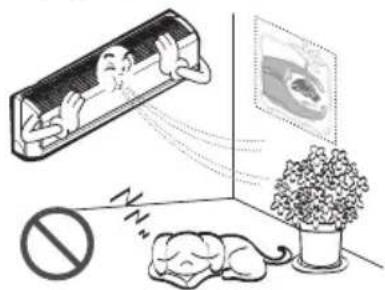
Illustration of a person hanging from an air conditioner with a window showing a cat, and a potted plant nearby (no text or symbols)Do not block the inlet or outlet of air flow.
- It may cause product failure.
text_image
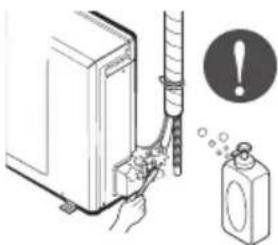
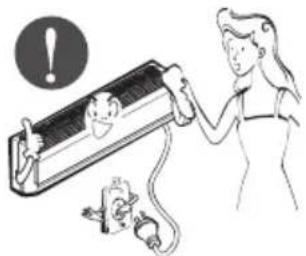
水平 禁止Use a soft cloth to clean. Do not use harsh detergents, solvents, etc.
• There is risk of fire, electric shock, or damage to the plastic parts of the product.
natural_image
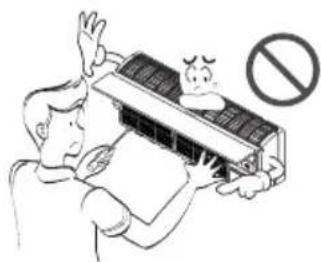
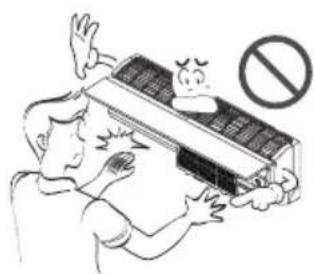
Illustration of a person using a power tool to interact with a mouse, no text or symbols presentDo not touch the metal parts of the product when removing the air filter. They are very sharp!
• There is risk of personal injury.
natural_image
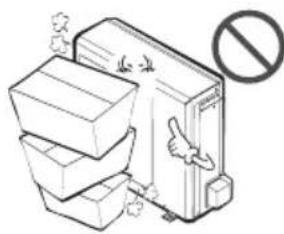
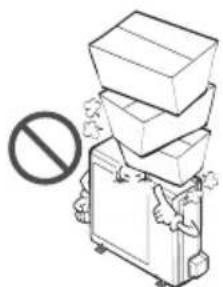
Illustration of a person reacting to a car air conditioner with a 'no' symbol (no text or labels)Do not step on or put anything on the product. (outdoor units)
• There is risk of personal injury and failure of product.
natural_image
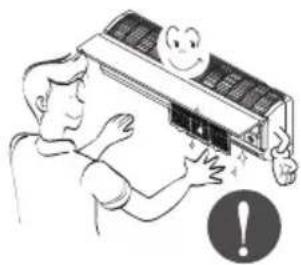
Illustration of stacked boxes with a 'no' symbol below, no text or labels presentAlways insert the filter securely. Clean the filter every two weeks or more often if necessary.
- A dirty filter reduces the efficiency of the air conditioner and could cause product malfunction or damage.
Do not insert hands or other objects through the air inlet or outlet while the air conditioner is plugged in.
• There are sharp and moving parts that could cause personal injury.
Do not drink the water drained from the unit.
• It is not sanitary and could cause serious health issues.
natural_image
Illustration of a person adjusting an air conditioner unit with a smiling face and warning symbol (no text or labels)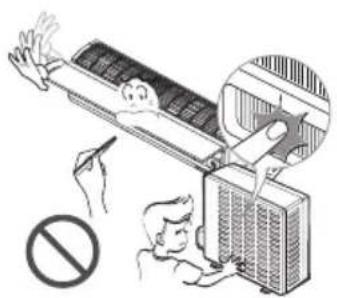
natural_image
Illustration of a person using a vacuum cleaner to clean air from a high-voltage appliance, with no visible text or symbols.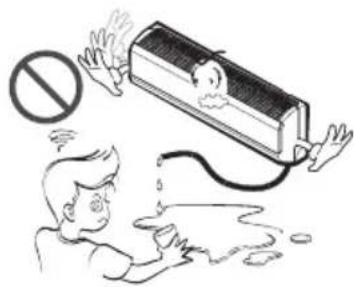
natural_image
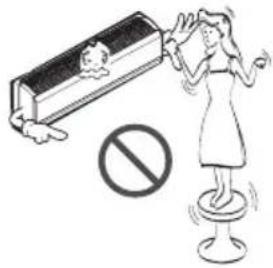
Illustration of a person reacting to a large wall-mounted device with a prohibition symbol above, showing liquid droplets and a crying face (no text or symbols present)Use a firm stool or ladder when cleaning or maintaining the air conditioner.
- Be careful and avoid personal injury.
text_image
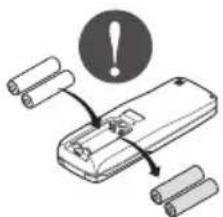
Illustration showing a person standing on a stool with a prohibition symbol, next to a book with a child and waves.Replace the all batteries in the remote control with new ones of the same type. Do not mix old and new batteries or different types of batteries.
• There is risk of fire or explosion
text_image
Diagram showing a device with battery and warning symbol, indicating battery status change or failureDisuse
Do not recharge or disassemble the batteries. Do not dispose of batteries in a fire.
• They may burn or explode.
If the liquid from the batteries gets onto your skin or clothes, wash it well with clean water. Do not use the remote if the batteries have leaked.
- The chemicals in batteries could cause burns or other health hazards.

natural_image
Illustration of a cigarette emitting smoke next to a cigarette pack and a no-smoking symbol (no text or labels)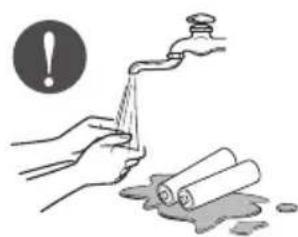
natural_image
Illustration of hands washing a pipe with a warning symbol (no text or labels)Prior to Operation
Preparing for Operation
- Contact an installation specialist for installation.
- Plug in the power plug properly.
- Use a dedicated circuit.
- Do not use an extension cord.
- Do not start/stop operation by plugging/unplugging the power cord.
- If the cord/plug is damaged, replace it with only an authorized replacement part.
Usage
- Being exposed to direct airflow for a long time may be hazardous to your health. Do not expose occupants, pets, or plants to direct airflow for a long time.
- Due to the possibility of oxygen deficiency, ventilate the room when using the appliance together with stoves or other heating devices.
- Do not use this air conditioner for non-specified special purpose (e.g. preserving precision devices, food, pets, plants, or art objects). Such use may damage your properties.
Cleaning and Maintenance
- Do not touch the metal parts of the unit when removing the filter. Injury can occur.
- Do not use water to clean inside the air conditioner. Exposure to water can destroy the insulation, leading to electric shock.
- When cleaning the unit, first make sure that the power and breaker are turned off. The fan rotates at a very high speed during operation. There is a possibility of injury if the unit's power is triggered while cleaning inner parts of the unit.
Service
For repair and maintenance, contact your authorized service dealer.
Introduction
Symbols used in this Manual

This symbol alerts you to the risk of electric shock.

This symbol alerts you to hazards that may cause harm to the air conditioner.
NOTICE
This symbol indicates special notes.
Features
WARNING
This appliance should be installed in accordance with national wiring regulations. This guide acts as a guide to help to explain product features.
Indoor
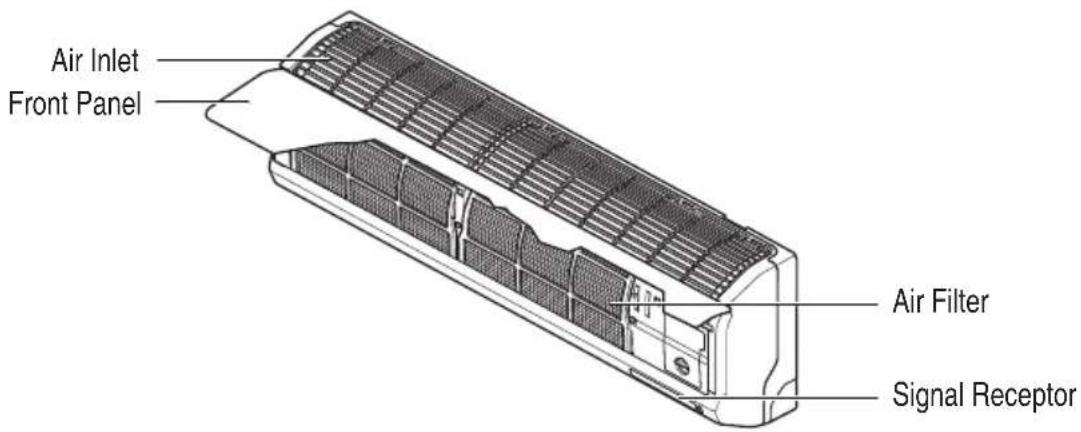
text_image
Air Inlet Front Panel Air Filter Signal ReceptorOutdoor
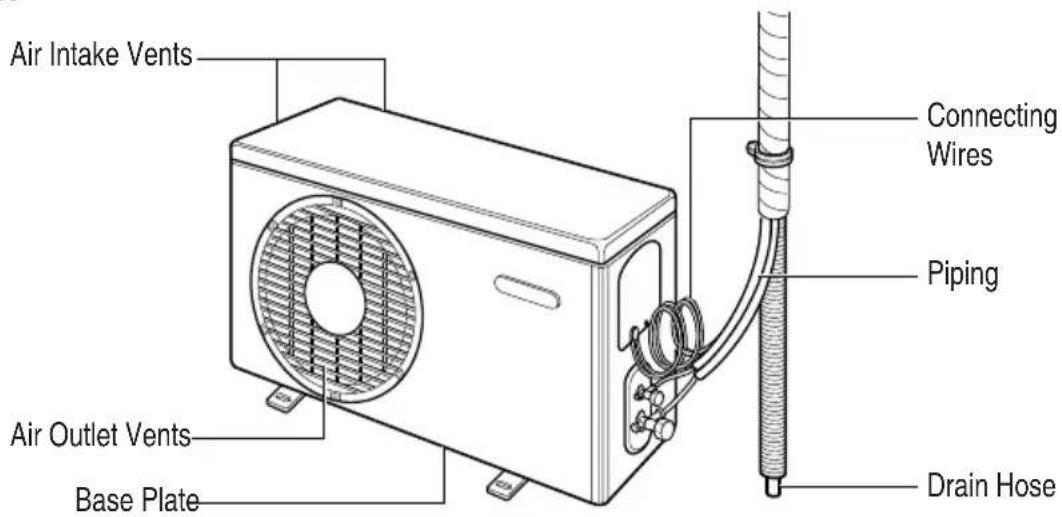
text_image
Air Intake Vents Connecting Wires Piping Air Outlet Vents Base Plate Drain HoseElectrical Safety
▲ WARNING
- This appliance must be properly grounded.
To minimize the risk of electric shock, you must alway plug into a grounded outlet. - Do not cut or remove the grounding prong from the power plug.
- Attaching the adapter ground terminal to the wall receptacle cover screw does not ground the appliance unless the cover screw is metal and not insulated, and the wall receptacle is grounded through the house wiring.
- If you have any doubt whether the air conditioner is properly grounded, have the wall receptacle and circuit checked by a qualified electrician.
Temporary Use of an Adapter
We strongly discourage the use of an adapter due to potential safety hazards. For temporary connections, use only a UL-listed adapter, available from most local hardware stores. Ensure that the large slot in the adapter is aligned with the large slot in the receptacle for a proper polarity connection.
To disconnect the power cord from the adapter, use one hand on each to avoid damaging the ground terminal. Avoid frequently unplugging the power cord as this can lead to eventual ground terminal damage.
▲ WARNING
- Never use the appliance with a broken adapter.
Temporary Use of an Extension Cord
We strongly discourage the use of an extension cord due to potential safety hazards. For temporary situations, use only CSA certified and UL listed 3-wire grounded extension cords, rated 15 A, 125 V.
Operating Instructions
How to insert the Batteries
- Remove the battery cover by pulling it according to the arrow direction.
- Insert new batteries making sure that the (+) and (-) of battery are installed correctly.
- Reattach the cover by sliding it back into position.
NOTICE
Use 2 AAA(1.5volt) batteries.
Do not use rechargeable batteries.
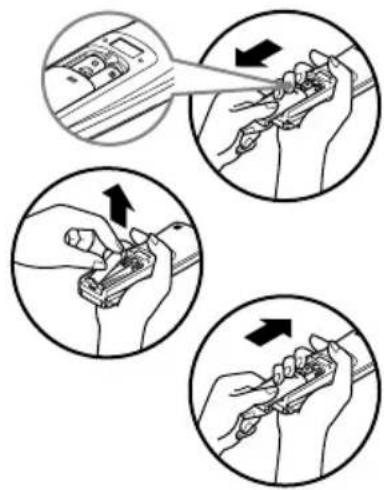
text_image
Illustration showing four steps of a hand tool application, with arrows indicating direction and movement.Storage and Tips for using the Remote Controller
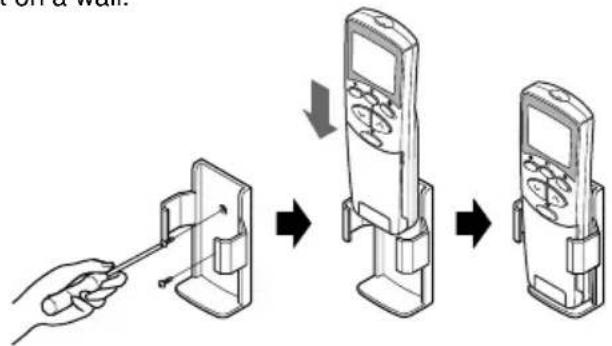
- The remote controller may be stored by mounting it on a wall.
• To operate the room air conditioner, aim the remote controller at the signal receptor.
text_image
Diagram illustrating the step-by-step installation of a mobile phone device, showing hand positioning and control buttons.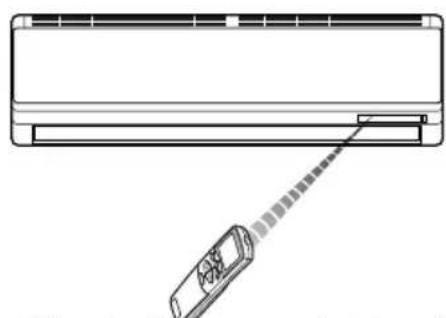
natural_image
Diagram of a car air conditioner unit with a sensor emitting a cable (no text or symbols)Signal Receptor
Receives the signals from the remote control.(Signal receiving sound: two short beeps or one long beep.)
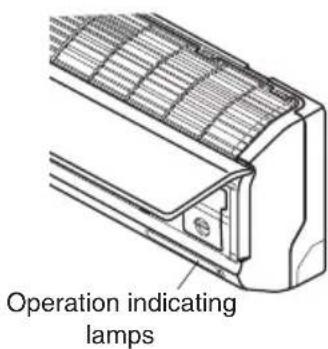
Operation Indication Lamps
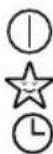
On/Off : Lights up during the system operation.
Sleep Mode : Lights up during Sleep Mode Auto operation. (Without plasma model only)
Timer : Lights up during Timer operation. Lights up during Sleep Mode Auto operation. (Plasma model only)

Defrost Mode : Lights up during Defrost Mode or *Hot Startoperation (Heatpumpmodelonly)
OUT OUTDOOR UNIT : Lights up during outdoor unit operation. DOOR OPERATION (Cooling model only)

Display : Indicates the setting temperature
text_image
Operation indicating lampsPLASMA Plasma : Lights up during plasma operation (Plasma model only)
*Hot Start operation: Stops the indoor fan in Heating Operation to prevent cold air from blowing out from unit.
Remote Control Operations
The controls will look like the following.
Controls
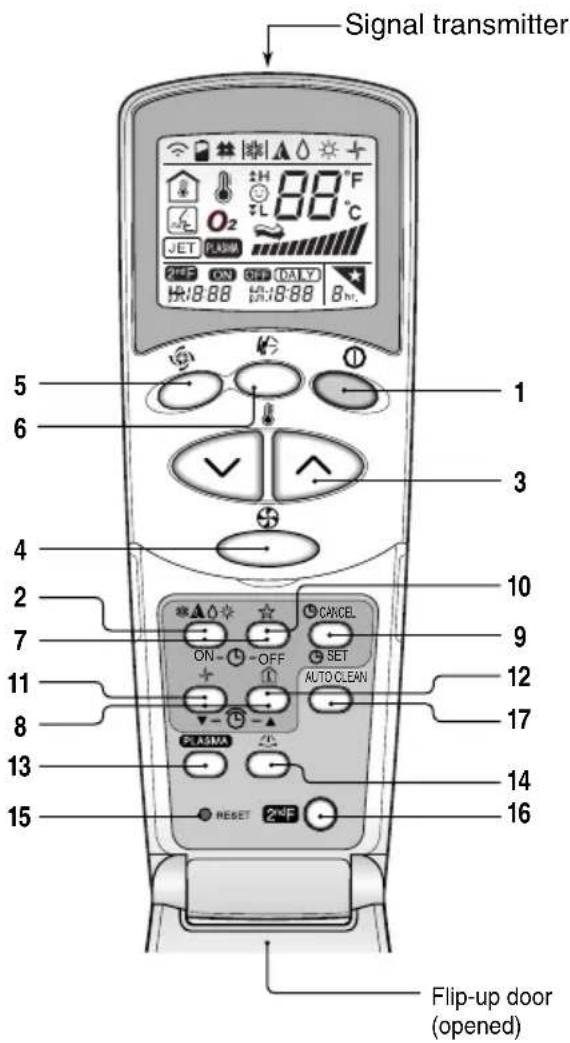
text_image
Signal transmitter 5 6 1 3 4 2 7 10 9 11 8 12 13 14 15 16 CANCEL ON OFF SET AUTO CLEAN PLASMA RESET Flip-up door (opened)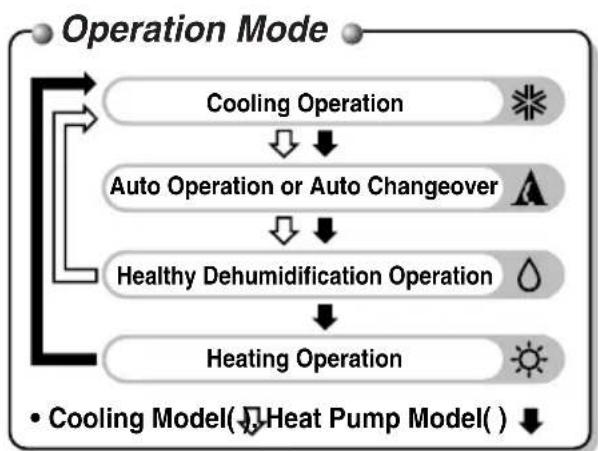
flowchart
graph TD
    A["Operation Mode"] --> B["Cooling Operation"]
    B --> C["Auto Operation or Auto Changeover"]
    C --> D["Healthy Dehumidification Operation"]
    D --> E["Heating Operation"]
    E --> F["• Cooling Model(↓) Heat Pump Model( ) ↓"]
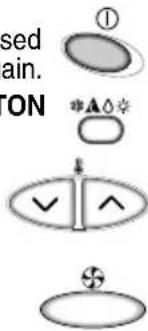
1. START/STOP BUTTON
Operation starts when this button is pressed and stops when the button is pressed again.
2. OPERATION MODE SELECTION BUTTON
Used to select the operation mode.
3. ROOM TEMPERATURE SETTING BUTTONS
Used to select the room temperature.
4. INDOOR FAN SPEED SELECTOR
Used to select fan speed in four steps low, medium, high and CHAOS.
5. JET COOL
Used to start or stop the speed cooling.(speed cooling operates super high fan speed in cooling mode.)
6. CHAOS SWING BUTTON
Used to stop or start louver movement and set the desired up/down airflow direction.
7. ON/OFF TIMER BUTTONS
Used to set the time of starting and stopping operation. (See page 22)
8. TIME SETTING BUTTONS
Used to adjust the time. (See page 22)
9. TIMER SET/CANCEL BUTTON
Used to set the timer when the desired time is obtained and to cancel the Timer operation. (See page 22)
10. SLEEP MODE AUTO BUTTON
Used to set Sleep Mode Auto operation. (See page 22)
11. AIR CIRCULATION BUTTON
Used to circulate the room air without cooling or heating. (See page 23)
12. ROOM TEMPERATURE CHECKING BUTTON
Used to check the room temperature.
13. NEO PLASMA(OPTIONAL)
Used to start or stop the plasma-purification function. (See page 20)
14. HORIZONTAL AIRFLOW DIRECTION CONTROL BUTTON (OPTIONAL)
Used to set the desired horizontal airflow direction.
15. RESET BUTTON
Used prior to resetting time.
16. 2nd F Button
Used prior to using modes printed in blue at the bottom of buttons. (See page 21)
17. AUTO CLEAN (OPTIONAL)
Used to set Auto Clean mode.
text_image
sed ain. TON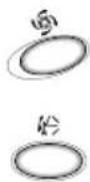

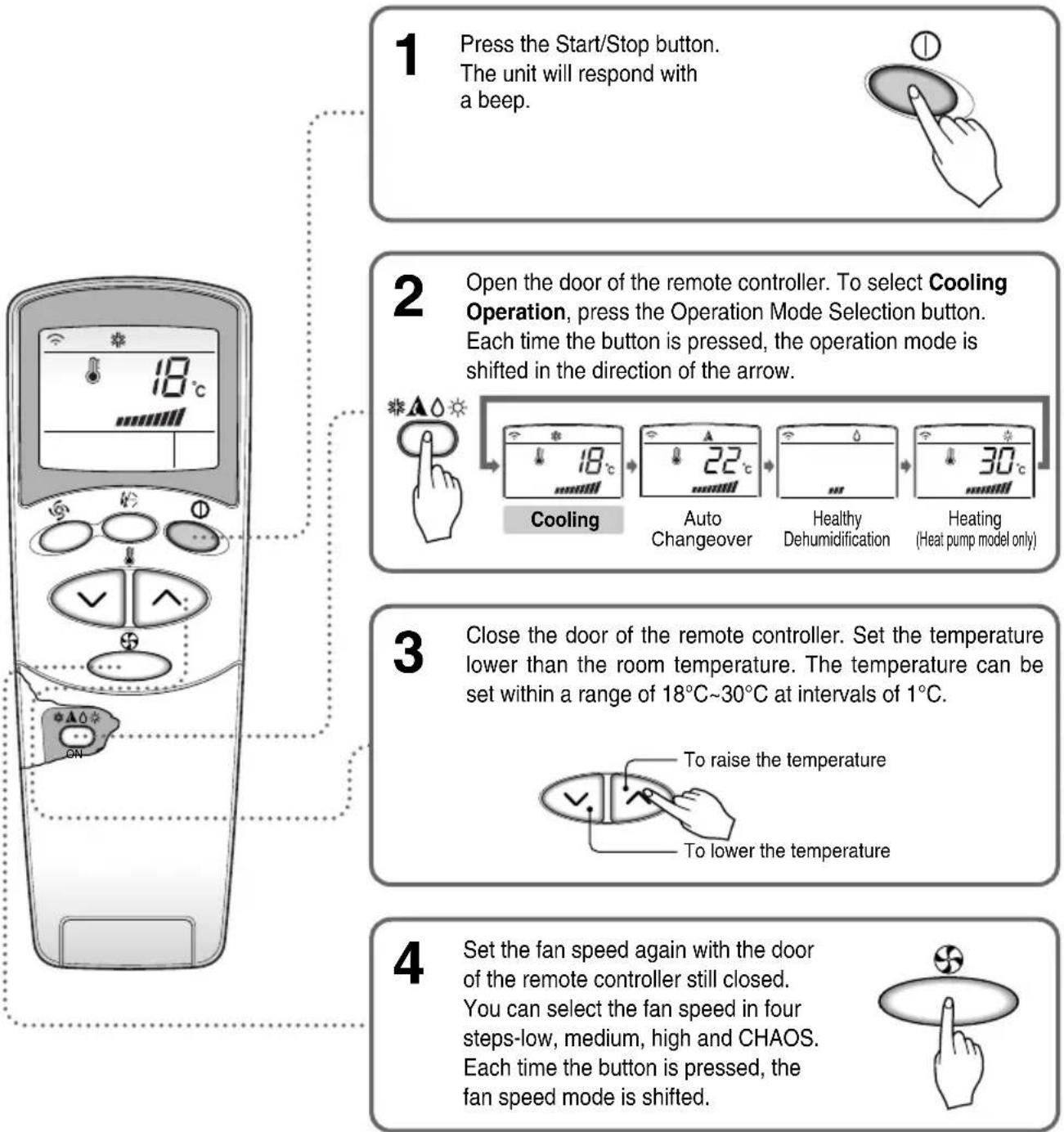
Cooling operation
flowchart
graph TD
    A["1 Press the Start/Stop button.<br>The unit will respond with a beep."] --> B["2 Open the door of the remote controller. To select Cooling Operation, press the Operation Mode Selection button.<br>Each time the button is pressed, the operation mode is shifted in the direction of the arrow."]
    B --> C["3 Close the door of the remote controller. Set the temperature lower than the room temperature. The temperature can be set within a range of 18°C~30°C at intervals of 1°C."]
    C --> D["4 Set the fan speed again with the door of the remote controller still closed.<br>You can select the fan speed in four steps-low, medium, high and CHAOS.<br>Each time the button is pressed, the fan speed mode is shifted."]
Natural wind by the CHAOS logic
☐ For fresher feeling, press the Indoor fan speed selector and set to CHAOS mode. In this mode, the wind blows like a natural breeze by automatically changing fan speed according to the CHAOS logic.

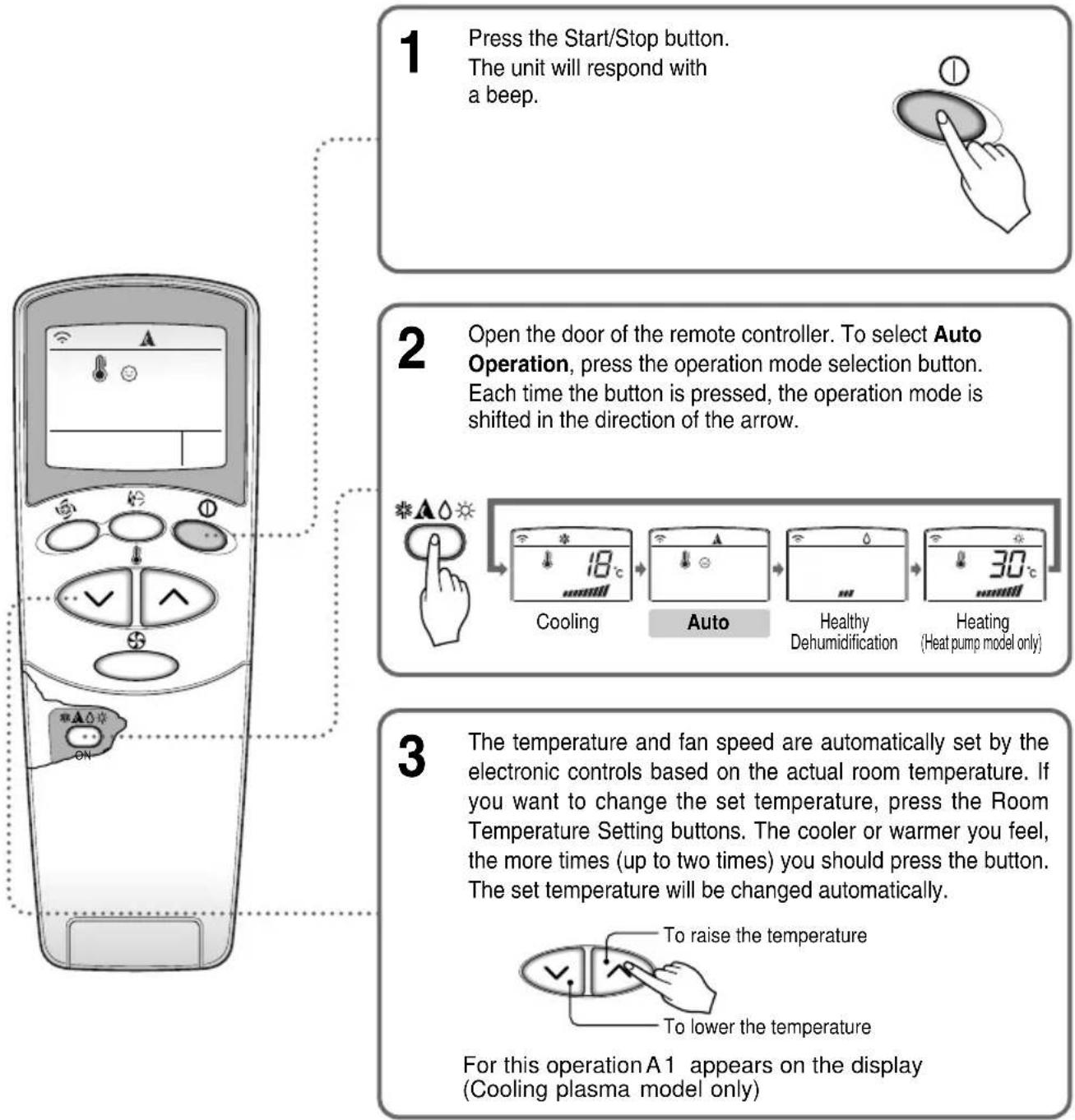
Auto operation (Optional)
flowchart
graph TD
    A["1 Press the Start/Stop button.<br>The unit will respond with a beep."] --> B["2 Open the door of the remote controller. To select Auto Operation, press the operation mode selection button.<br>Each time the button is pressed, the operation mode is shifted in the direction of the arrow."]
    B --> C["3 The temperature and fan speed are automatically set by the electronic controls based on the actual room temperature. If you want to change the set temperature, press the Room Temperature Setting buttons. The cooler or warmer you feel, the more times (up to two times) you should press the button. The set temperature will be changed automatically."]
    C --> D["For this operation A 1 appears on the display (Cooling plasma model only)."]
During Auto Operation
☐You cannot control the indoor fan speed. It has already been set by the Fuzzy rule.
☐ If the system is not operating as desired, manually switch to another mode. The system will not automatically switch from the cooling mode to the heating mode, or from heating mode to cooling mode, it must be done by manually resetting.
☐ During Auto Operation, pressing the chaos swing button makes the horizontal louvers swing up and down automatically. If you want to stop auto-swing, press the chaos swing button again.
natural_image
Hand pressing a button with an oval shape and a small circle above it (no text or symbols)
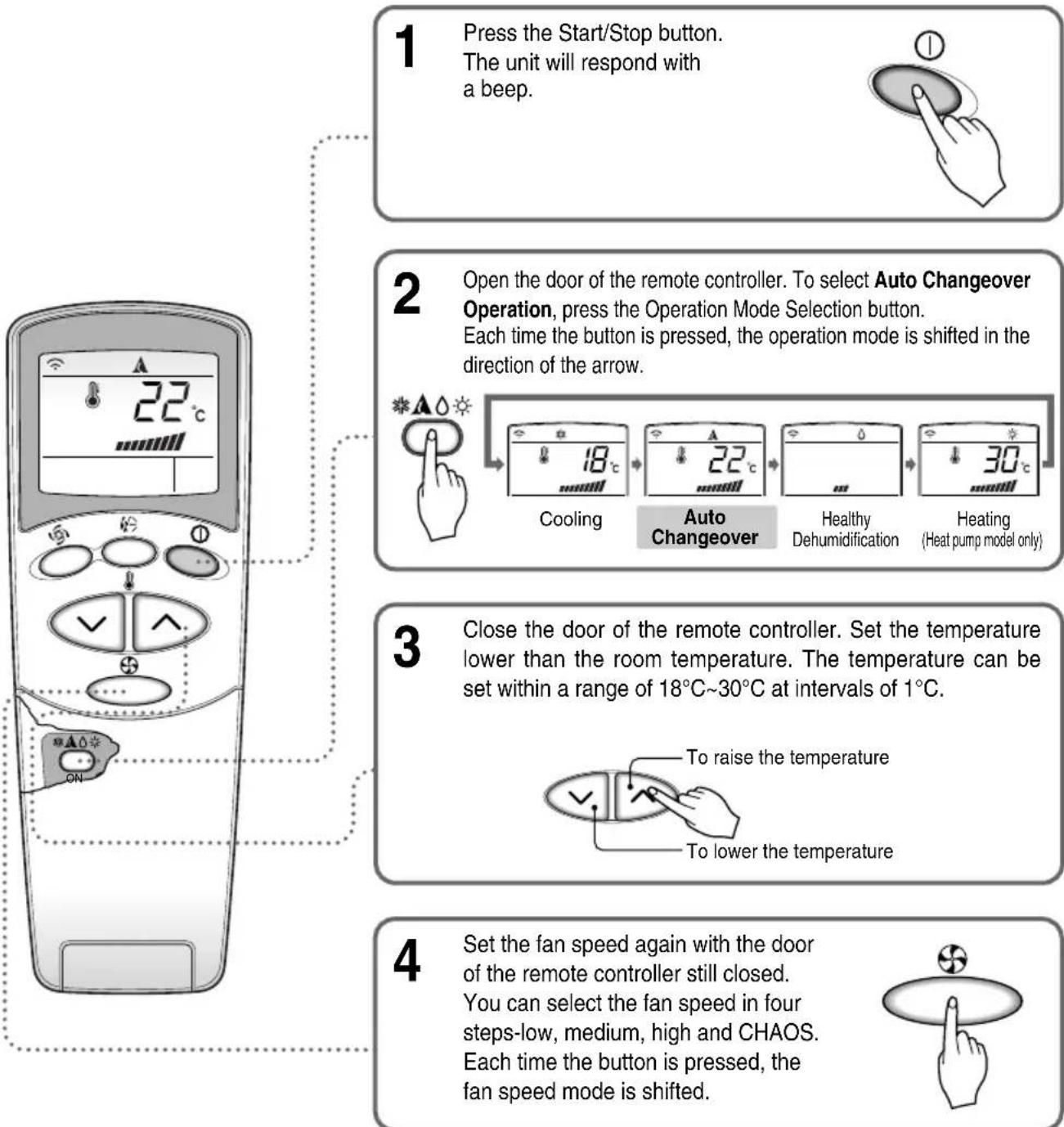
Auto changeover operation(Optional)
flowchart
graph TD
    A["1 Press the Start/Stop button.<br>The unit will respond with a beep."] --> B["2 Open the door of the remote controller. To select Auto Changeover Operation, press the Operation Mode Selection button.<br>Each time the button is pressed, the operation mode is shifted in the direction of the arrow."]
    B --> C["3 Close the door of the remote controller. Set the temperature lower than the room temperature. The temperature can be set within a range of 18°C~30°C at intervals of 1°C."]
    C --> D["4 Set the fan speed again with the door of the remote controller still closed.<br>You can select the fan speed in four steps-low, medium, high and CHAOS.<br>Each time the button is pressed, the fan speed mode is shifted."]
During Auto changeover Operation
The air conditioner changes the operation mode automatically to keep indoor temperature. When room temperature vary over ±2^ with respect to setting temperature, air conditioner keeps the room temperature within ±2^ with respect to setting temperature by auto changeover mode.
Healthy dehumidification operation
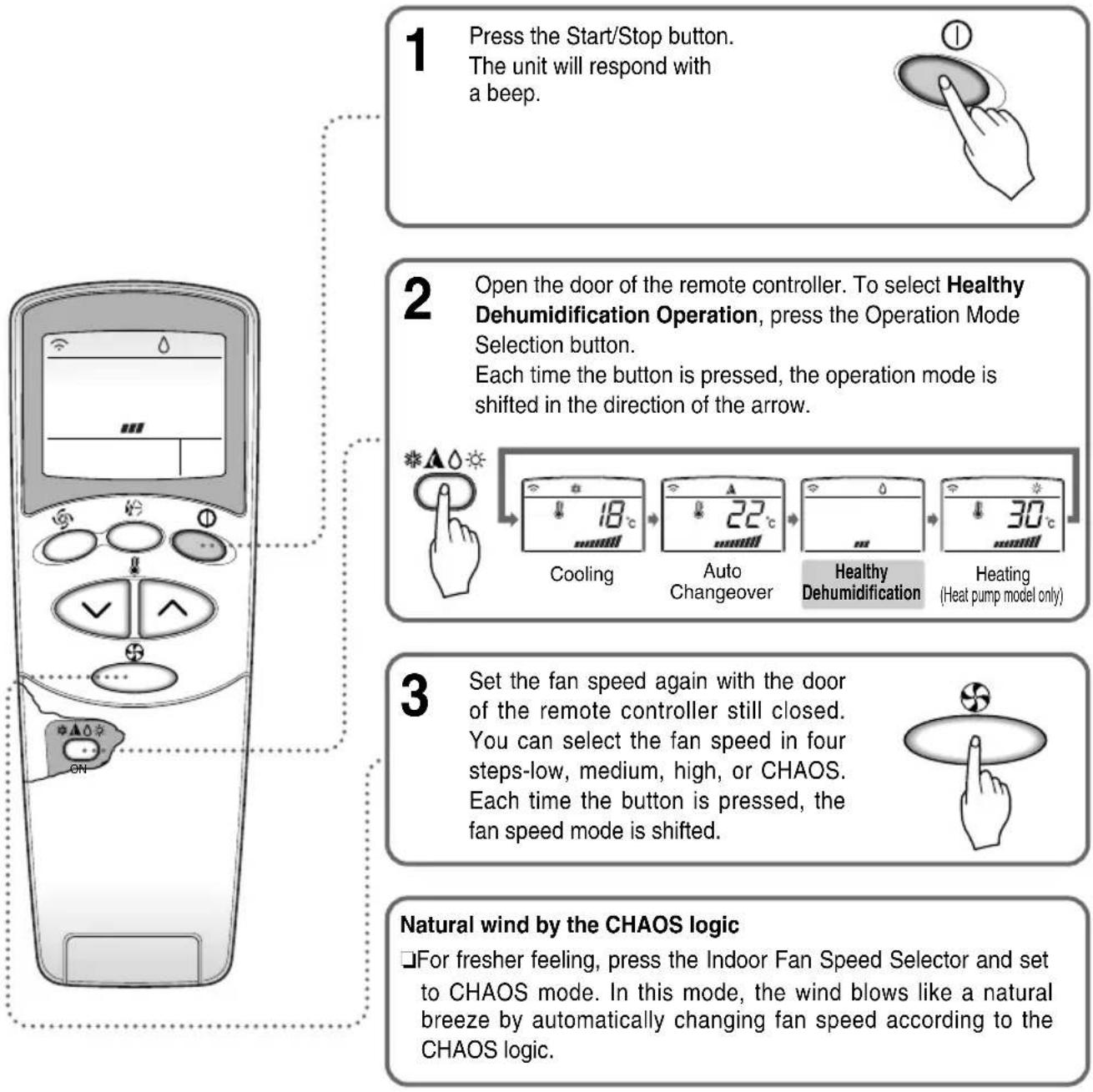
flowchart
graph TD
    A["1 Press the Start/Stop button.<br>The unit will respond with a beep."] --> B["2 Open the door of the remote controller. To select Healthy Dehumidification Operation, press the Operation Mode Selection button.<br>Each time the button is pressed, the operation mode is shifted in the direction of the arrow."]
    B --> C["3 Set the fan speed again with the door of the remote controller still closed.<br>You can select the fan speed in four steps-low, medium, high, or CHAOS. Each time the button is pressed, the fan speed mode is shifted."]
    C --> D["Natural wind by the CHAOS logic<br>☐ For fresher feeling, press the Indoor Fan Speed Selector and set to CHAOS mode. In this mode, the wind blows like a natural breeze by automatically changing fan speed according to the CHAOS logic."]
During Healthy Dehumidification Operation
☐ If you select the dehumidification mode on the operation selection button, the product starts to run the dehumidification function. It automatically sets the room temp. and airflow volume to the best condition for dehumidification, based on the sensed current room temp.
In this case, however, the setting temp. is not displayed on the remote controller and you are not able to control the room temp. either.
☐ During the healthy dehumidification function, the airflow volume is automatically set according to the optimization algorithm responding to the current room temp. status, so that the room condition is kept healthy and comfortable even in the very humid season.

Heating operation (Heat pump model only)
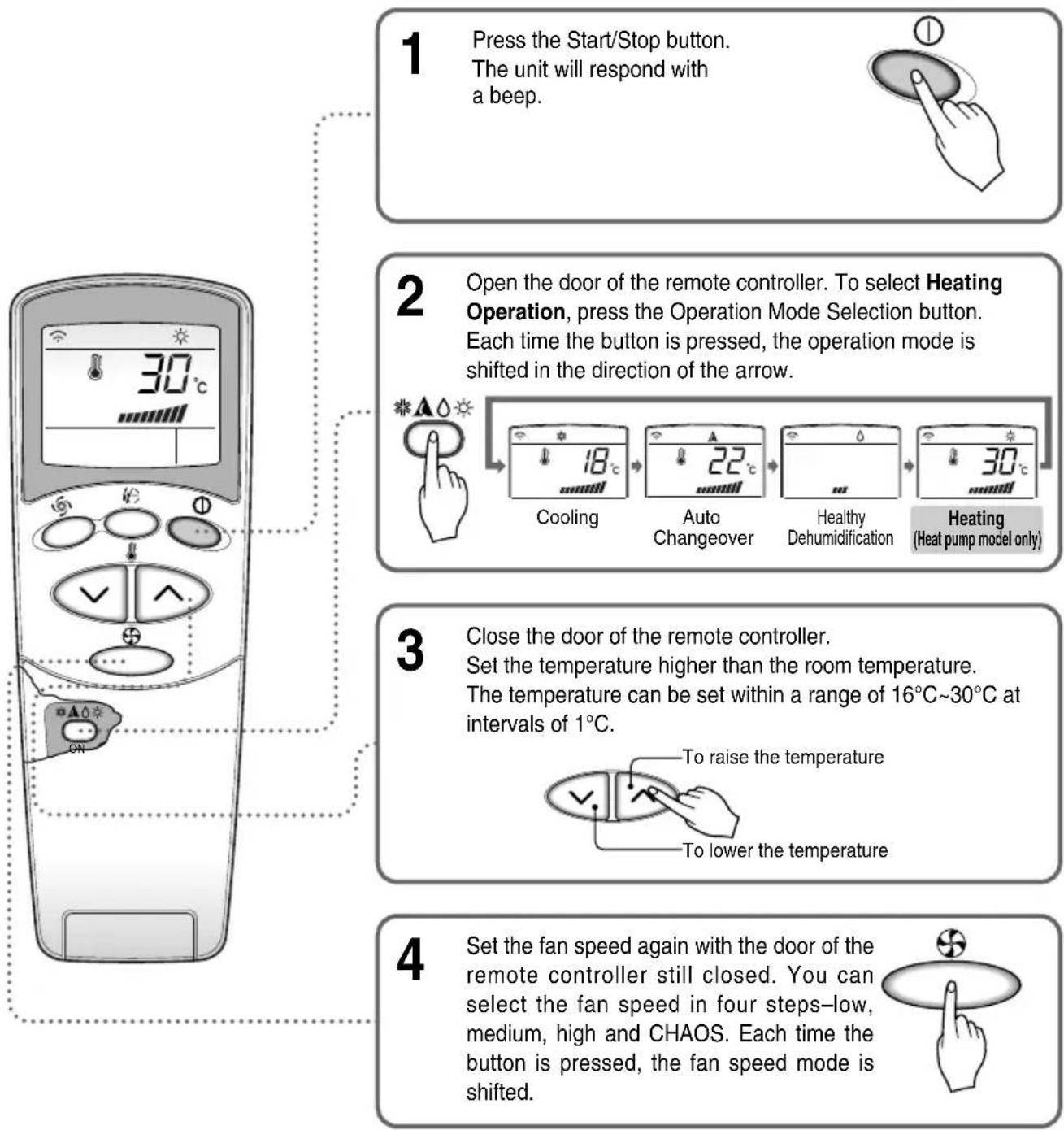
flowchart
graph TD
    A["1 Press the Start/Stop button.<br>The unit will respond with a beep."] --> B["2 Open the door of the remote controller. To select Heating Operation, press the Operation Mode Selection button.<br>Each time the button is pressed, the operation mode is shifted in the direction of the arrow."]
    B --> C["3 Close the door of the remote controller.<br>Set the temperature higher than the room temperature.<br>The temperature can be set within a range of 16°C~30°C at intervals of 1°C."]
    C --> D["4 Set the fan speed again with the door of the remote controller still closed. You can select the fan speed in four steps-low, medium, high and CHAOS. Each time the button is pressed, the fan speed mode is shifted."]
Natural wind by the CHAOS logic
☐ For fresher feeling, press the Indoor Fan Speed Selector and set to CHAOS mode. In this mode, the wind blows like a natural breeze by automatically changing fan speed according to the CHAOS logic.

Jet cool operation
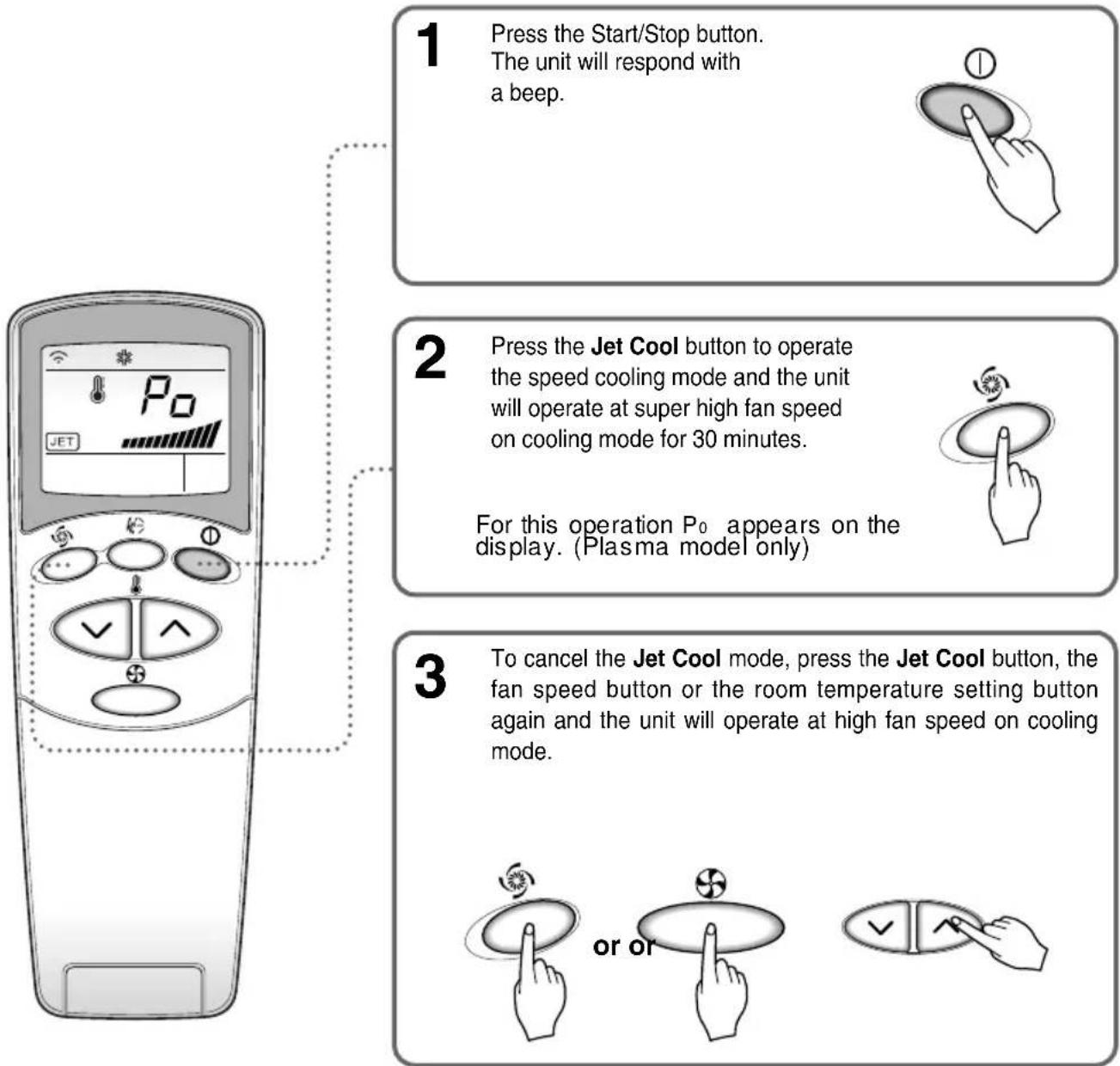
flowchart
graph TD
    A["1 Press the Start/Stop button.<br>The unit will respond with a beep."] --> B["2 Press the Jet Cool button to operate the speed cooling mode and the unit will operate at super high fan speed on cooling mode for 30 minutes. For this operation P₀ appears on the display. (Plasma model only)."]
    B --> C["3 To cancel the Jet Cool mode, press the Jet Cool button, the fan speed button or the room temperature setting button again and the unit will operate at high fan speed on cooling mode. or or or is also turned off"]
NOTICE
During the JET COOL function at any moment, the A/C starts to blow the cool air at extremely high speed for 30 minutes setting the room temp. automatically to 18^ . It is especially used to cool the room temp. quickly in a hot summer.
In heat pump mode or auto changeover mode, however, the JET COOL function is not available.
☐ In order to return to the normal cooling mode from the JET COOL mode, just press the operation mode selection button, airflow volume selection, temp. setting button or the JET COOL button again.

NEO PLASMA purification operation(Optional)
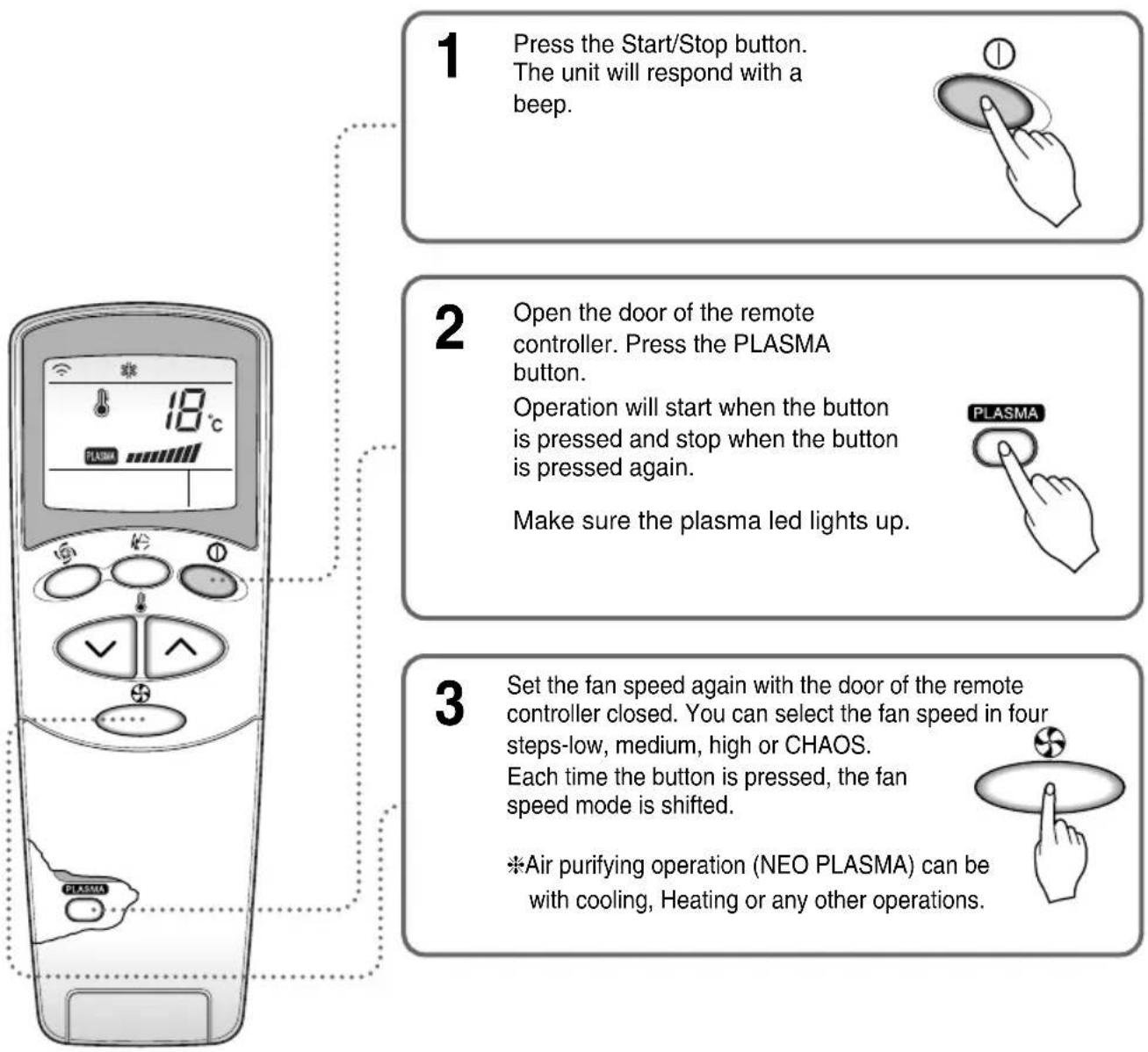
text_image
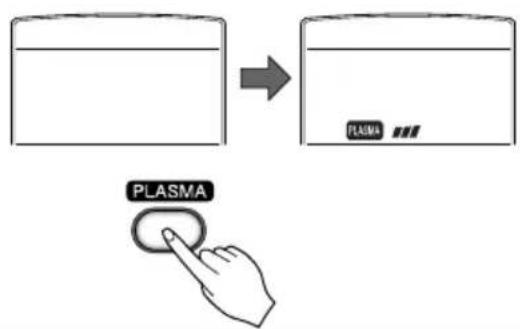
1 Press the Start/Stop button. The unit will respond with a beep. 2 Open the door of the remote controller. Press the PLASMA button. Operation will start when the button is pressed and stop when the button is pressed again. Make sure the plasma led lights up. 3 Set the fan speed again with the door of the remote controller closed. You can select the fan speed in four steps-low, medium, high or CHAOS. Each time the button is pressed, the fan speed mode is shifted. *Air purifying operation (NEO PLASMA) can be with cooling, Heating or any other operations.NEO PLASMA Air Purifying Operation only
text_image
PLASMAIf you press the only PLASMA button, only PLASMA purification function operates. Then, fan speed is low. You can select the fan speed in four steps-low, medium, high or CHAOS. Each time the Indoor Fan Speed Selector button is pressed, the fan speed mode is shifted.

2nd F operation
flowchart
graph TD
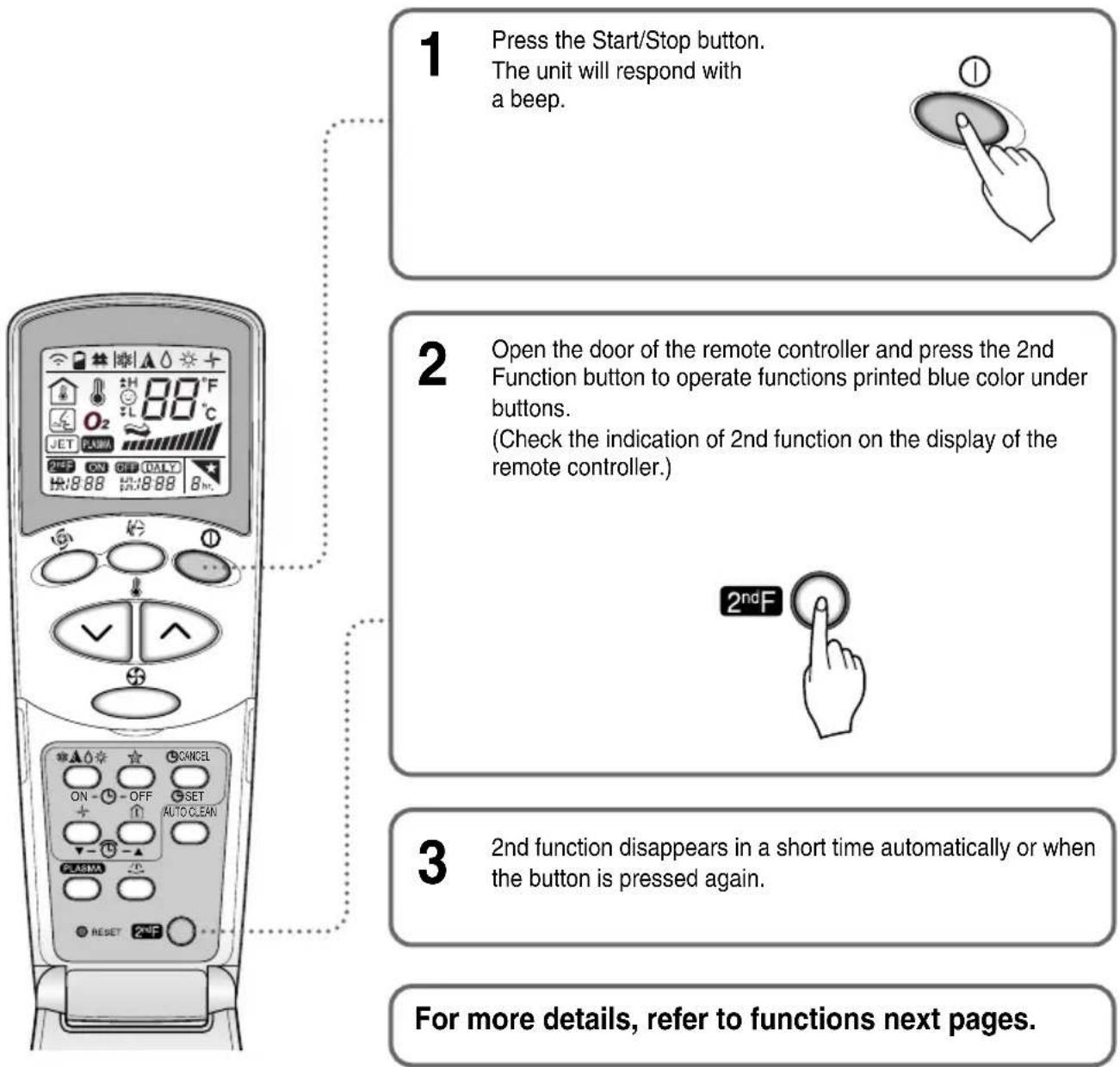
    A["1 Press the Start/Stop button.<br>The unit will respond with a beep."] --> B["2 Open the door of the remote controller and press the 2nd Function button to operate functions printed blue color under buttons.<br>(Check the indication of 2nd function on the display of the remote controller.)"]
    B --> C["3 2nd function disappears in a short time automatically or when the button is pressed again."]
    C --> D["For more details, refer to functions next pages."]
Additional Features

Sleep mode
- Press the Sleep Mode Auto button to set the time you want the unit to stop automatically.
- The Timer is programmed in one-hour increments by pressing the Sleep Mode Auto button 1 to 7 times. The sleep mode is available for 1 to 7 times. To alter the time period in steps of 1 hour, press the Sleep Mode Button while aiming at air conditioner.
- Make sure the Sleep Mode Auto LED lights up.
To cancel the Sleep Mode, press the sleep Mode Auto button several times until the star
disappears from the operation display.

NOTICE
The Sleep Mode will be operated at slow fan speed (cooling) or medium fan speed (heat pump only) for a comfortable sleep.
In cooling mode or healthy dehumidification mode:
The setting temperature will automatically rise by 1^ C over the next 30 minutes and by 2^ C in 1 hour for a comfortable sleep.

Setting the time
- Time can be set only when you press the Reset button. Having replacing the batteries, you should press the reset buttons to reset the time. Press the Start/Stop button.
-
Press 2nd F button and check if 2nd F icon is on.
-
Press the Time Setting buttons until the desired time is set.
-
Press the Timer SET button.
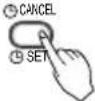
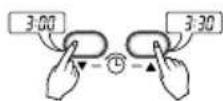
NOTICE
Check the indicator for A.M. and P.M.

Delay start/Pre-set stop
- Make sure the time is set correctly on the display of the remote controller.
- Press 2nd F button.
- Press the ON/OFF Timer buttons to turn Timer on or off.
- Press the Time Setting buttons until the desired time is set.
- To set the selected time, press the Timer setting button aiming the remote controller at the signal receptor.
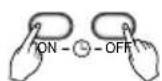
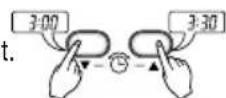
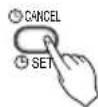
To cancel the timer setting
Check if 2nd F icon is off.
Press the Timer Cancel button aiming the remote controller at the signal receptor. (The timer lamp on the air conditioner and the display will go out.)
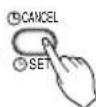
NOTICE
Select one of the following four types of operation.
with the unit running
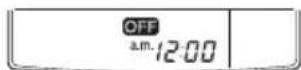
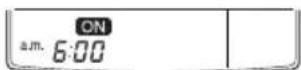
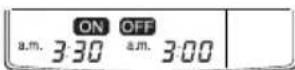
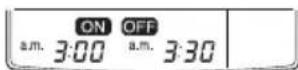
Delay OFF Timer Delay ON Timer Delay OFF and ON Timer Delay ON and OFF Timer

Vertical Airflow Direction Control
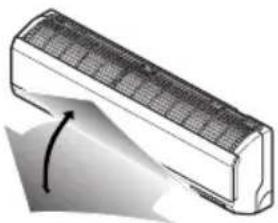
The up/down airflow (Vertical Airflow) can be adjusted by using the remote control.
natural_image
Illustration of a rectangular air conditioner with a curved arrow indicating rotation (no text or symbols)-
Press the Start/Stop button to start the unit.
-
Press Chaos Swing button and the louvers will swing up and down. Press the Chaos Swing button again to set the vertical louver at the desired airflow direction.
NOTICE
☐If you press the Chaos Swing button, the horizontal airflow direction is changed automatically based on the CHAOS algorithm to distribute the air in the room evenly and at the same time to make the human body feel most comfortable, as if enjoying a natural breeze.
□Always use the remote control to adjust the up/down airflow direction. Manually moving the vertical airflow direction louver by hand, could damage the air conditioner.
□When the unit is shut off, the up/down airflow direction louver will close the air outlet vent of the system.

Horizontal Airflow Direction Control (Optional)
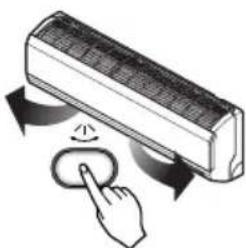
The left/right(Horizontal Airflow) can be adjusted by using the remote control. Press the Start/Stop button to start the unit.
Open the door on the remote control. Press the Horizontal Airflow Direction button and the louvers will swing left and right. Press the Horizontal Airflow Direction Control Button again to set the horizontal louver at the desired airflow direction.
natural_image
Illustration of a hand pressing a button on an air conditioner panel with curved arrows indicating motion (no text or symbols)
Air circulation mode
Circulates the room air without cooling or heating.
- Press the Start/Stop button. the unit will respond with a beep.
- Open the door on the remote control. Press the Air Circulation button. Close the door on the remote control. Now each time that you press the Indoor Fan Speed Selector button, the fan speed is shifted from low to CHAOS and back to low again.

flowchart
graph LR
    A["Input"] --> B["Step 1"]
    B --> C["Step 2"]
    C --> D["Step 3"]
    D --> E["Step 4"]
    E --> F["Feedback Loop"]
Fan speed is on low. Fan speed is on medium. Fan speed is on high. CHAOS Air
NOTICE
CHAOS Air economizes power consumption and prevents overcooling. The fan speed is automatically changed from high to low or vice versa, depending on the ambient temperature.

Auto clean (Optional)
AUTO CLEAN
-
Whenever you press the AUTO CLEAN button, Auto Clean Function will be reserved and cancelled.
-
Auto Clean function works before and after cooling or dehumidification mode. For details, refer to the below points.
-
When the unit is started after the reservation of Auto Clean, the Cool Start function operates and indoor Fan is started after 20 seconds.
-
When you press Start/Stop button to turn off the unit after the you have reserved Auto Clean function, the air-conditioner circulates the indoor air in the Auto Clean mode with no more Cooling or Dehumidification operation. It lasts for 30 minutes.
-
If you press the AUTO CLEAN button again during the product operation, Auto Clean function will be cancelled.
NOTICE
☐ During Auto Clean function, moistures left in indoor units after Cooling Operation or Healthy Dehumidification Operation can be removed.
☐ During Auto Clean function, only Start/Stop button, Plasma button and AUTO CLEAN button are available.

Forced operation
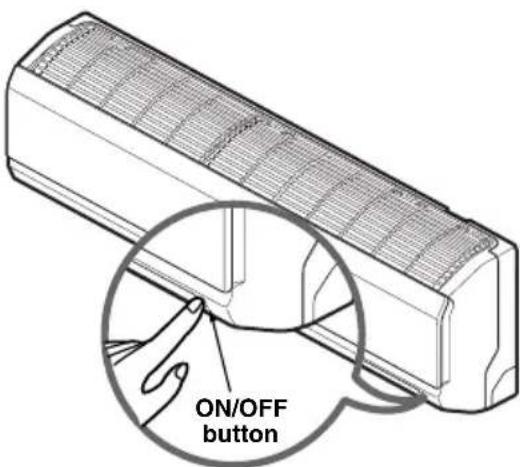
Operation procedures when the remote control can't be used. The operation will be started if the ON/OFF button is pressed. If you want to stop operation, re-press the button.
text_image
ON/OFF button| Cooling Model | Heat pump Model | |||
| Room Temp. ≥ 24°C | 21°C ≤ Room Temp. < 24°C | Room Temp. < 21°C | ||
| Operating mode | Cooling Cooling | Healthy Dehumidification | Heating | |
| Indoor FAN Speed | High High | High High | ||
| Setting Temperature | 22°C | 22°C | 23°C | 24°C |
Test operation
During the TEST OPERATION, the unit operates in cooling mode at high speed fan, regardless of room temperature and resets in 18 minutes.
During test operation, if remote controller signal is received, the unit operates as remote controller sets.
If you want to use this operation, Press and hold the ON/OFF button for 3\~5 seconds, then the buzzer sound 1 "beep".
If you want to stop the operation, re-press the button.

Auto restart
In case the power comes on again after a power failure, Auto Restarting Operation is the function to operate procedures automatically to the previous operating conditions.
So there is no need of activating this function by pressing any key or button.
In the initial mode, the fan operates at a low speed and the compressor starts 2.5\~3 minutes later.
As the compressor starts, the fan speed also resumes its previous setting mode.
Helpful information
Fan speed and cooling capacity.
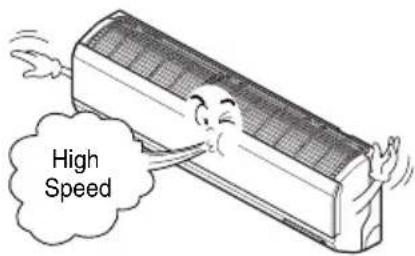
The cooling capacity indicated in the specification is the value when the fan speed is set to high, and the capacity will be lower at low or medium fan speed.
High fan speed is recommended when you wish to cool the room quickly.
text_image
High SpeedNOTICE
Auto restart function has set enable as factory default.
But customer can set up by following this instruction.
To be disable function
- Press and hold the ON/OFF button for 6 seconds, then the buzzer sound 2 "beep" and the indicator lamp (1) blinks 4 times.
To be enable function
- Press and hold the ON/OFF button for 6 seconds, then the buzzer sound 2 "beep" and the indicator lamp (1) brights 4 times.
Maintenance and Service

CAUTION
Before performing any maintenance, turn off the main power to the system.
Indoor Unit
Grille, Case, and Remote Control
Turn the system off before cleaning. To clean, wipe with a soft, dry cloth. Do not use bleach or abrasives.
NOTICE
Supply power must be disconnected before cleaning the indoor unit.
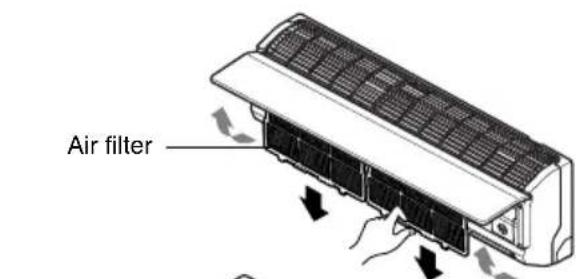
Air filters
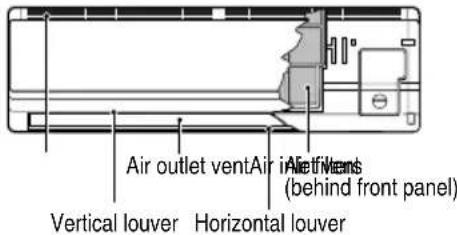
The air filters behind the front grille should be checked and cleaned once in every 2 weeks or more often if necessary.
- Pull the both sides and remove front panel.
- Pull the filter tab slightly forward to remove the filter.
-
Clean the filter with a vacuum cleaner or warm, soapy water.
-
If dirt is conspicuous, wash with a solution of detergent in lukewarm water.
-
If hot water (40°C or more) is used, it may be deformed.
-
After washing with water, dry well in the shade.
- Re-install the air filter.
NEO PLASMA filter (Optional)
The NEO PLASMA filter behind the air filters should be checked and cleaned once in every 3 months or more often if necessary.
- After removing the air filters, pull slightly forward to remove the NEO PLASMA filter.
- Clean NEO PLASMA filter with the vacuum cleaner. If it is very dirty, wash it with water.
- Note the cuts of electric discharge lines.
- Re-install the NEO PLASMA filter to the original position.
TRIPLE DEODORIZER filter (Optional)
- After removing the air filters, pull slightly forward to remove the TRIPLE DEODORIZER filter.
- Dry in the sunlight for two hours.
- Re-install the TRIPLE DEODORIZER filter to the original position.

CAUTION
Don't touch this NEO PLASMA Filter within 10 seconds after opening he inlet grille, it may cause an electric shock.
Never use any of the followings:
• Water hotter than 40^ C
Could cause deformation and/or discoloration.
• Volatile substances
Could damage the surfaces of the air conditioner.
text_image
Air outlet ventAir in air intake behind front panel) Vertical louver Horizontal louver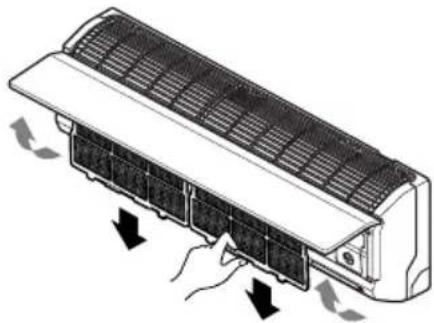
natural_image
Diagram of a car air conditioner unit with airflow arrows indicating cooling or ventilation (no text or symbols)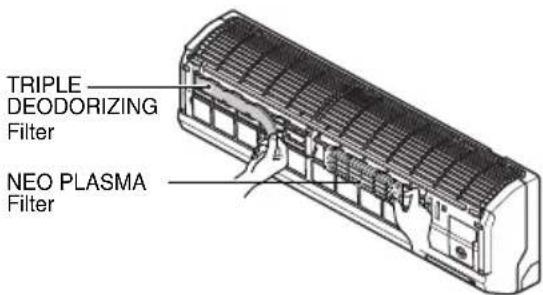
text_image
TRIPLE DEODORIZING Filter NEO PLASMA Filter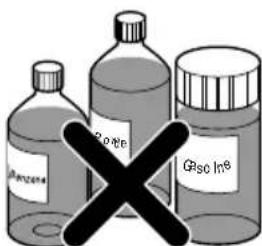
text_image
Bottle 1 Bottle 2 Bottle 3 GRsc In®Replacement of purifying filter (Optional)
Recommended use period : About 2 years
- Remove front panel and air filters.
- Remove air purifying filters.
- Insert new air purifying filters.
- Reinsert air filters and close front panel.
text_image
Air filter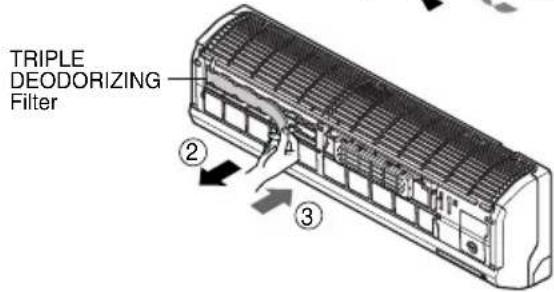
text_image
TRIPLE DEODORIZING Filter ② ③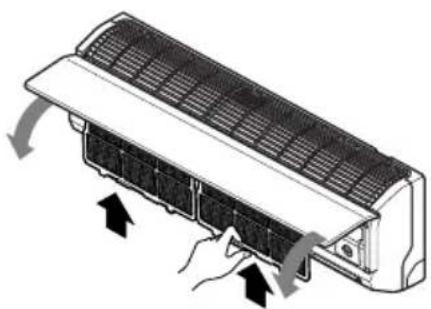
natural_image
Illustration of a car air conditioner unit with airflow arrows indicating cooling or ventilation (no text or symbols)Outdoor Unit
The heat exchanger coils and panel vents of the outdoor unit should be checked regularly. If clogged with dirt or soot, the heat exchanger and panel vents may be professionally steam cleaned.
NOTICE
Dirty or clogged coils will reduce the operating efficiency of the system and cause higher operating costs.

text_image
Air intake vents (Side) (Air outlet vents) (Rear) Piping Drain HoseCommon Problems and Solutions
Before calling for service
If you have problems with your air conditioner, read the following information and try to solve the problem. If you cannot find a solution, turn off the air conditioner and contact your dealer.
Air conditioner does not operate
- Ensure that the air conditioner is plugged into a proper outlet.
- Check the fuse or circuit breaker.
- Check whether the voltage is unusually high or low.
Air does not feel cold enough on the cooling setting
- Ensure that the temperature settings are correct.
- Check to see if the air filter is clogged with dust. If so, replace the filter.
- Ensure that the air flow from the outside is not obstructed and that there is a clearance of over 20" between the back of the air conditioner and the wall or fence behind it.
- Close all doors and windows and check for any source of heat in the room.
Before calling for service, please review the following list of common problems and solutions.
The air conditioner is operating normally when:
- You hear a pinging noise. This is caused by water being picked up by the fan on rainy days or in highly humid conditions. This feature is designed to help remove moisture in the air and improve cooling efficiency.
- You see water dripping from the rear of the unit. Water may be collected in the base pan in highly humid conditions or on rainy days. This water overflows and drips from the rear of the unit.
- You hear the fan running while the compressor is silent. This is a normal operational feature.
Troubleshooting
The air conditioner may be operating abnormally when:
| Problem | What To DoPossible Cau | |
| Air conditioner does not start | ■The air conditioner is unplugged. | ·Make sure the air conditioner plug is pushed completely into the outlet. |
| ■The fuse is blown/circuit breaker is tripped. | ·Check the house fuse/circuit breaker box and replace the fuse or reset the breaker. | |
| ■Power failure. | ·If power failure occurs, turn the mode control to Off.When power is restored, wait 3 minutes to restart the air conditioner to prevent tripping of the compressor overload. | |
| Air conditioner does not cool as it should | ■Airflow is restricted. | ·Make sure there are no curtains, blinds, or furniture blocking the front of the air conditioner. |
| ■The air filter is dirty. | ·Clean the filter at least every 2 weeks. See the care and Maintenance section. | |
| ■The room may have been hot. | ·When the air conditioner is first turned on, you need to allow time for the room to cool down. | |
| ■Cold air is escaping. | ·Check for open furnace floor registers and cold air returns. | |
| ■Cooling coils have iced up. | ·See Air Conditioner Freezing Up below. |