
MR992 - Hard Drive MediaRange - Free user manual and instructions
Find the device manual for free MR992 MediaRange in PDF.


| Product Type | External Solid State Drive (SSD) |
| Model | MR992 |
| Capacity | 512 GB (actual capacity may be up to 15% less) |
| Interface | USB 3.0 (backward compatible with USB 2.0) |
| File System | exFAT, single partition |
| Maximum Read Speed (USB 3.0 UASP) | 430 - 470 MB/s |
| Maximum Write Speed (USB 3.0 UASP) | 340 - 370 MB/s |
| Supported Operating Systems | Windows 7 or higher, Mac OS X 10.4 or higher |
| Dimensions (W x D x H) | 80 x 53 x 9 mm |
| Weight | 43 g |
| Power Supply | Bus-powered via USB port |
| Operating Temperature | 5°C to 35°C |
| Operating Humidity | 0% to 80% |
| Maintenance & Cleaning | Wipe with a soft, dry cloth. Keep away from liquids and dust. |
| Safety Precautions | Do not drop or expose to shocks. Avoid liquids and fire. Use safe removal option before disconnecting. |
| Spare Parts & Repairability | No user-serviceable parts. Opening the device voids warranty. Contact support for issues. |
| General Information | Compatible with USB 2.0 (slower speeds). Not intended for commercial or medical use. Warranty covers material defects only. |
Frequently Asked Questions - MR992 MediaRange
User questions about MR992 MediaRange
0 question about this device. Answer the ones you know or ask your own.
Ask a new question about this device
Download the instructions for your Hard Drive in PDF format for free! Find your manual MR992 - MediaRange and take your electronic device back in hand. On this page are published all the documents necessary for the use of your device. MR992 by MediaRange.
USER MANUAL MR992 MediaRange
for item no.: MR990, MR991 and MR992
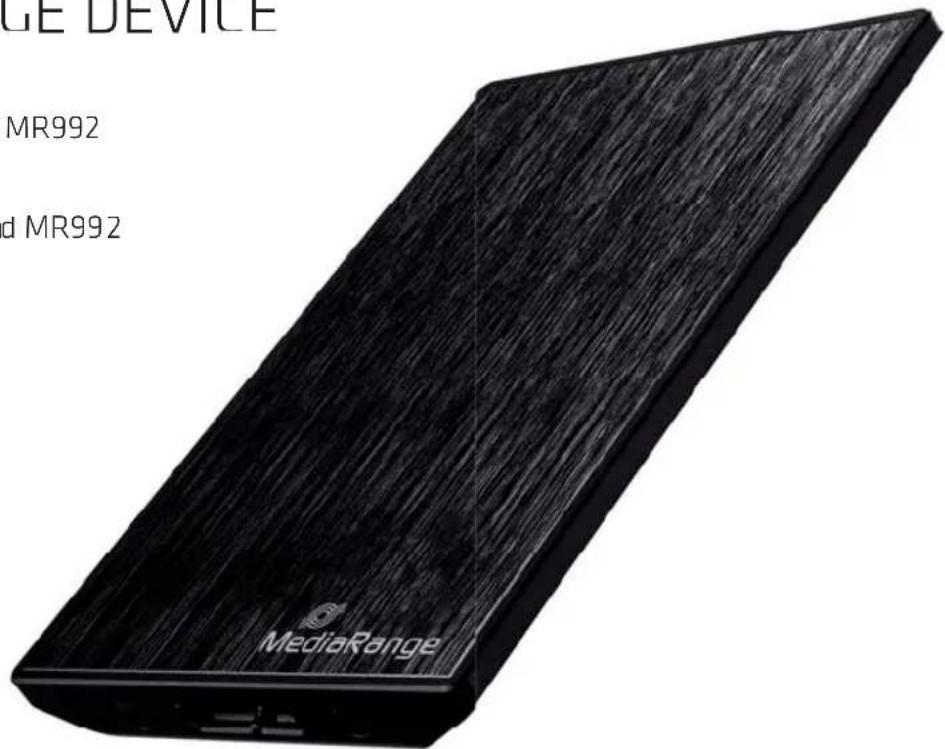
MR990, MR991, MR992
for item no.: MR990, MR991 and MR992
Pack contents
- MediaRange External Solid State Drive (USB 3.0, compatible with USB 2.0)
- USB 3.0 cable
- User manual
System requirements:
- Operating system: Windows 7 or higher; Mac OS X 10.4 or higher
- USB 3.0 port (or USB 2.0 port)
- Internet connection (optional)
Getting started and operation
This device is designed for computers and laptops with Windows or Mac operating systems and must be connected to a USB 3.0 host port for optimal performance. Connect the external device with the USB 3.0 cable to a free USB 3.0 port on your computer. The operating system will automatically detect and install the required driver. As soon as the driver has been successfully installed, the operating system will inform you that the device is ready to use.
Note: This device is compatible with USB 2.0 allowing you to use this device with almost all USB ports. Please be aware that the performance of this device will, however, be much slower when using a USB 2.0 port instead of a USB 3.0 port. Using the external device with devices other than computers that support USB may lead to errors or may not work at all. Please check the details of each device first before connecting to make sure that the external drive is supported.
Disconnecting the device from your computer
To unplug the device correctly from your computer, please use the safely remove option of your operating system.
Note: If the device is disconnected without using the safely remove option, it might cause data loss or damage to the device.
Safely removing the device (Windows OS): To unplug the device, click „Safely remove hardware and eject“ on the taskbar notification area, select the device and click „Eject“. The operating system will terminate the connection and notify you when it is safe to remove the device from the USB port.
Safely removing the device (Mac OS): To unplug the device, right-click on the icon of the device and click on „Eject“ or drag and drop the device icon into the trash icon. You may then remove the device from the USB port.
Default file system
This device is formatted with one partition and uses the exFAT file system by default. This file system allows you to use the device with almost all current operating systems.
Note: If the device is formatted with a different file system, the compatibility to the operating system and computers will be affected. Before formatting, please check which file system is required.
Operating and safety instructions
Please read the following operating and safety instructions carefully to make sure that your external device functions properly. If these instructions are not followed, you may damage the device and void your warranty.
- MediaRange is not liable for data loss or any incidental and/or consequential damages, however caused. We highly recommend regularly backing up your important data.
- Make sure that the device is disconnected safely via the operating system before unplugging from the USB port. Failure to do so may lead to data loss.
- While unplugging the cable do not use excessive force. This may damage the USB cable or USB port of the device and/or computer.
- Do not drop the device or expose it to other kinds of sudden shocks. This may damage the device resulting in data loss.
- Use the device by an ambient temperature between 5°C - 35°C and by an appropriate humidity between 0 - 80%.
- If the device is transported from a cool to a warmer environment, please wait until the device has acclimatized itself to the ambient temperature before using. Otherwise you risk condensation inside the device which may lead to malfunction or damages.
- Store the device at ambient temperature only.
- Keep the device safe from liquids and/or fire.
- Opening, damaging or removing labels from the device will void the warranty.
- Perform anti-virus scans on a regular basis to protect your device from data loss and/or consequential damages.
- This device is designed for use with computers and laptops with an USB 3.0 interface. Using the external device with a device other than computers that support USB may not be possible. Please check the details of each device first before connecting to make sure that the external drive is supported.
- This device is compatible with USB 2.0 allowing you to use this device with almost all USB ports. Please be aware that the performance of this device will be much slower when using a USB 2.0 port instead of a USB 3.0 port.
Technical details
| Item no.: | MR990 | MR991 MR992 | |
| Capacity: | 128GB 256GB | 512GB | |
| Model external Solid State Drive, MLC NAND Flash | |||
| File system exFAT, single partition | |||
| Maximum data transfer rate** (USB 3.0, UASP mode) | Read: 410 - 430MB/s Write: 300 - 350 MB/s | Read: 420 - 450MB/s Write: 320 - 360 MB/s | Read: 430 - 470MB/s Write: 340 - 370 MB/s |
| Interface USB | 3.0, compatible with USB 2.0 | ||
| OS compatibility W | Windows 7 or higher; Mac OS X 10.4 or higher | ||
| Dimensions, weight | 80 x 53 x 9 mm, 43g | ||
Note: To improve products performance, the content of this user manual may be revised without prior notice.
*1 GB = 1 billion bytes. Actual capacity of device may be up to 15% less.
**Device must be connected to USB 3.0 host port for optimal performance. Read and write performance depends on computer capabilities and file size. (e.g. a computer with HDD has a limited performance which will lower the performance of this device significantly.) The data transfer rate performance is based on a USB 3.0 connection at UASP modus.
Support service
if you have any problems or questions about our products, please do not hesitate to contact MediaRange Support Service:
All brands and product names referenced in this user manual are property of their respective owners and referred to for descriptive purposes only.
Disposal of Used Electronic Equipment This device is subject to the European Directive 2012/19/EG. All electrical devices and used electrical equipment must be disposed of separately from household waste over the appropriate government agencies. Proper disposal of old electronic equipment helps avoid environmental damage.
MediaRange GmbH
D-65812 Bad Soden a.Ts.
www.mediarange.de


GB Warranty conditions
for item no.: MR990, MR991 and MR992
The warranty only covers material and production defects. The free warranty service covers the repair or replacement of defective parts. All MediaRange products are subject to constant quality inspections and the legal warranty period applies, of course, from the date of purchase. Please be sure to save the sales receipt as proof of purchase. Please understand that we cannot render any warranty services, e.g. in case of:
- Improper handling, installation or use
- Modifications, manipulation or repairs by third parties
- Damages through force majeure or transport
- Damages, scratches or wear
When submitting a claim, please proceed as follows:
- Include all accessories and the sales receipt with your return.
- Contact the MediaRange Support service via e-mail or through our service hotline.
- Make sure that the package is safely packed for transport.
- Affix the appropriate postage and send the package to:
Please note that any warranty claim shall expire if the housing of the device has been opened. This product is not meant for commercial use or for medical and special applications, where the failure of the product may cause injuries, death or significant material damages. The warranty only covers the replacement of this MediaRange product. The warranty is not applicable for normal wear & tear resulting from erroneous, improper use of the device, negligence, accident or incompatibility. There are no warranty claims if the user manual is not followed and if the device is damaged through improper use or defects caused by other devices. There are no warranty claims if the product is exposed to shocks, electrostatic discharges, heat or humidity effects beyond the product specifications. MediaRange is not liable for any collateral damages or consequential losses, for violation of warranty conditions or any other losses irrespective of the cause. MediaRange GmbH is not liable for the loss of data in units sent to us.
www.mediarange.de

Brand : MediaRange
Model : MR992
Category : Hard Drive