
Kirby: Planet Robobot (3DS) - Video game NINTENDO - Free user manual and instructions
Find the device manual for free Kirby: Planet Robobot (3DS) NINTENDO in PDF.


User questions about Kirby: Planet Robobot (3DS) NINTENDO
0 question about this device. Answer the ones you know or ask your own.
Ask a new question about this device
Download the instructions for your Video game in PDF format for free! Find your manual Kirby: Planet Robobot (3DS) - NINTENDO and take your electronic device back in hand. On this page are published all the documents necessary for the use of your device. Kirby: Planet Robobot (3DS) by NINTENDO.
USER MANUAL Kirby: Planet Robobot (3DS) NINTENDO
Kirby: Planet Robobot
1 Important Information
2 amiibo
3 Online Features
4 Note to Parents and Guardians
5 Story and Characters
6 Getting Started
7 Saving/Erasing Data
8 Controls
9 Robot Armor
10 Copy Abilities / Scan Specs
11 amiibo Inhale
Getting Started
Introduction
How to Play
Story Mode
12 Map Screens
13 Stage Screen
14 Basic Play
15 Stage Features
16 Items
Minigames
17 Kirby 3D Rumble
18 Team Kirby Clash
19 Completing a Quest
20 Playing with Friends
Other Information
21 Internet
22 StreetPass
23 SpotPass
Troubleshooting
24 Support Information
1 Important Information
Please read this manual carefully before using the software. If the software will be used by children, the manual should be read and explained to them by an adult.
Also, before using this software, please select ⚠️ in the HOME Menu and carefully review content in "Health and Safety Information." It contains important information that will help you enjoy this software.
You should also thoroughly read your Operations Manual, including the "Health and Safety Information" section, before using this software.
Please note that except where otherwise stated, "Nintendo 3DS™" refers to all devices in the Nintendo 3DS family, including the New Nintendo 3DS, New Nintendo 3DS XL, Nintendo 3DS, Nintendo 3DS XL, and Nintendo 2DS™.
noitam
Your Nintendo 3DS system and this software are not designed for use with any unauthorized device or un sad accessory. Such use may be illegal, voids any warranty, and is a breach of your obligations under the User Agreement. Further, such use may lead to injury to yourself or others and may cause performance issues and/or damage to your Nintendo 3DS system and related services. Nintendo (as well as any Nintendo licensee or distributor) is not responsible for any damage or loss caused by the use of such device or unlicensed accessory. Except as authorized, copying of any Nintendo software is illegal and is strictly prohibited by domestic and international intellectual property laws. "Back-up" or "archival" copies are not authorized.
Nintendo respects the intellectual property of others, and we ask Nintendo 3DS software Content Providers to do the same. In accordance with the Digital Millennium Copyright Act in the US, the Electronic Commerce Directive in the EU, and other applicable law, we have adopted a policy of removing, in appropriate circumstances and at our sole discretion, any Nintendo 3DS software that appears to infringe anyone else's intellectual property. If you believe your intellectual property rights are bag infringed, please visit www.nintendo.com/ippolicy to view the full policy and understand your rights.
© 2016 HAL Laboratory, Inc. / Nintendo
Trademarks are property of their respective owners. Nintendo 3DS is a trademark of Nintendo.
CTR-P-AT3A-00
2
amiibo
natural_image
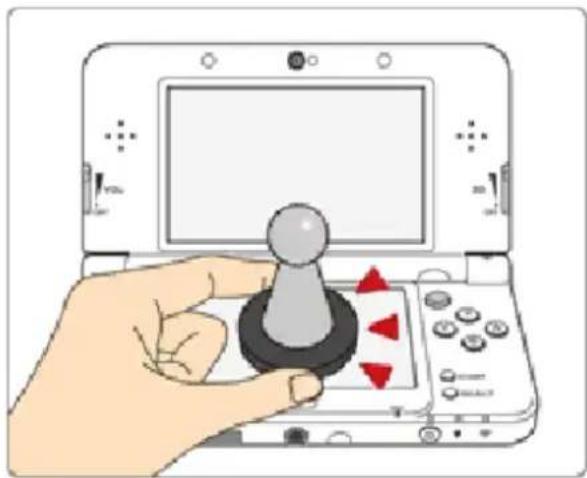
Hand holding a console with a knob and directional arrows, no visible text or symbolsThis software supports :amiibo: You can use compatible amiibo™ accessories by touching them to the lower screen of your New Nintendo 3DS or New Nintendo 3DS XL system.
Using near-field communication (NFC), amiibo can connect to compatible software to open brand new ways to interact with your favorite Nintendo games. For more information, please visit Nintendo's official website at http://www.nintendo.com/amiibo.
Only one software's game data can be saved on an amiibo at a time. In order to create new game data on an amiibo that has existing data from another game, you must first delete the existing game data. To delete your game data, open 📄 on the HOME Menu and then reset the data under "amiibo Settings."
An amiibo can be read by multiple compatible software titles.
If you cannot restore corrupted data for the amiibo, open 📄 on the HOME Menu and then reset the data under "amiibo Settings."
Using amiibo with a Nintendo 3DS, Nintendo 3DS XLor Nintendo 2DS system requires the Nintendo 3DS NFC Reader/Writer accessory (sold .)yletarapes
Precaution about amiibo
- Just a light touch on the lower screen is enough for the system to detect your amiibo. Do not press the amiibo into the screen or forcefully drag it across the screen.
3
Online Features
This software allows you to share your experiences on Miiverse™, as well as buy other software in the series from Nintendo eShop (p. 21).
◆ Refer to your Operations Manual for information about connecting your system to the Internet.
You must go through the initial setup for Miiverse on your system before you can use Miiverse with this game.
This software supports Nintendo .krølet

NINTENDO NETWORK
Nintendo Network is the name of Nintendo's network service that enables users to enjoy games and other content via the next
Protecting Your Privacy
● To protect your privacy, do not give out personal information, such as last name, phone number, birth date, age, school, e-mail, or home address when communicating with others.
● Friend codes are a part of a system that allows you to play with people you know. If you exchange friend codes with
strangers, there is a risk you could share information with people you do not know or exchange messages that contain offensive language. We therefore recommend that you do not give your friend codes to people you don't know.
4 Note to Parents and Guardians
You can restrict use of the following features by adjusting the options in Parental Controls.
◆ Access to this game (as well as other games) can also be restricted through the Software Rating item in Parental Controls.
◆ Refer to your Operations Manual for information on how to set up Parental Controls.
- StreetPass Restricts the exchange of stickers and ranking data between users via StreetPass™.
natural_image
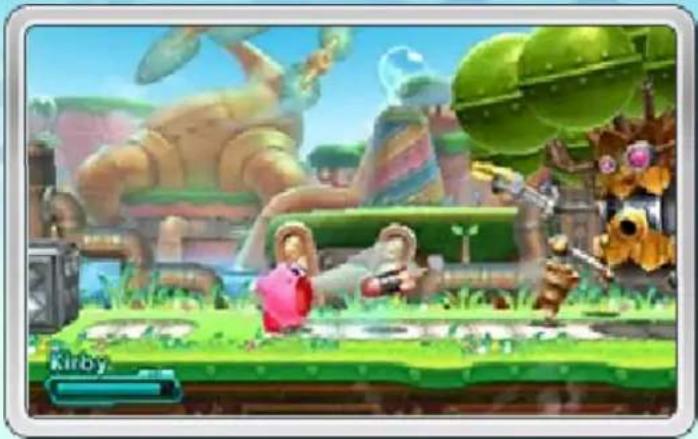
Game scene from Kirby with character characters and fantasy creatures (no readable text or symbols)Guide Kirby™ in his latest adventure as he fights to save Planet Popstar from the Haltmann Works Company and its robotic army! Defeat enemies with Kirby's Copy Abilities and navigate obstacles with the Robobot Armor to advance through each stage of the game.
ybriK
Our hero—capable of swallowing almost anything! Use his Copy Abilities and Robobo t Armor to help him on his adventure.
natural_image
Cartoon character with pink hair sitting on a grassy field under a blue sky (no text or symbols)Robobot Armor
Originally part of the invading robotic army, when Kirby jumps into this machine, it becomes his Robobo t Armor—able to change its form by scanning enemy specs!
natural_image
Cartoon character with pink outfit and red shoes, surrounded by a radiant yellow burst (no text or symbols)Meta Knight
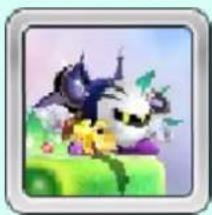
A masked warrior who tries to take on Haltmann Works Co. by himself. However, he's soon defeated by a mighty enemy...
natural_image
Illustration of a cartoon character with a cat and a dog on a green cake (no text or symbols)Susie
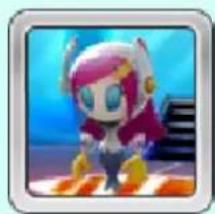
A mysterious woman working as the assistant to the president of the Haltmann Work's Company. As the commander of the invading army, she's a force to be reckoned with.
natural_image
Cartoon character with pink hair and colorful outfit, standing on a platform (no text or symbols visible)
natural_image
Cartoon character with pink body, red limbs, and blue eyes (no text or symbols)The first time you launch the software, you'll be asked to configure the game's StreetPass™ settings (p. 22). Whenever you launch the software after that, you will proceed directly to the file-selection screen.
Menu Controls
Use the following buttons to navigate menus.
Navigation

Confirm


You can also select menu options using the Touch Screen.

natural_image
Circular icon with a yellow star inside a blue gear-like border (no text or symbols)File-Selection eSan
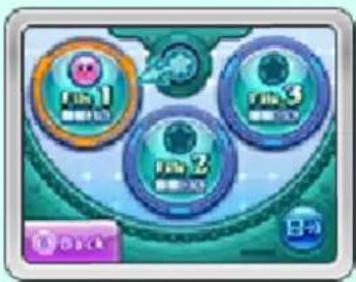
Select an empty file (0%) to begin a new game, continue a previous game. After selecting a
file, you will proceed to the mode-selection screen.
text_image
Tie 1 Tie 2 Tie 3 8-9
natural_image
Stylized graphic of a blue gear with a yellow star inside (no text or symbols)Mode-Selection neercS
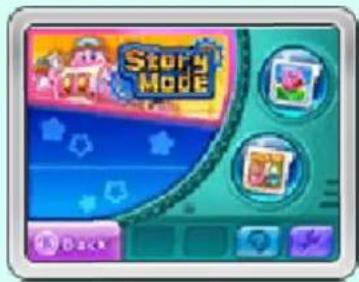
Select game modes or other menu options. As you progress through the game, new modes and optic available.
text_image
Story Mode- will be displayed on the Story Mode icon if you have received StreetPass data.
Story Mode (p. 12-16)
Play through stages in a quest to save Planet Popstar.
Kirby 3D Rumble (p. 17)
Work through stages by inhaling and spitting enemies as they appear, and rack up points in this 3D action game!
Team Kirby Clash (p. 18-20)
Form your own intrepid Kirby crew, take on powerful enemies, and level up in this multiplayer action game! You can play with up to three other people.

Sticker Room (p. 16)
Take a look at the stickers you've collected.

Options
Other Gas
Allows you to view other titles in the series through Nintendo eShop (p. 21).
Delete Data
Erase all data from the current save file (p. 7).
Manua
hive electronic manual.
natural_image
Cartoon character wearing a red hat with a green and blue sphere, set against a light blue background (no text or symbols)
natural_image
Circular icon with a yellow star inside a blue gear-like border (no text or symbols)Saving Data
The game will save whenever you complete a stage. This includes the number of Code Cubes (p. 12) you have collected.
The number of lives you have remaining, your current Copy Ability or Assist Star (p. 13), and the stars you have collected will not be saved.
- Your level and number of experience points in Team Kirby Clash will be saved automatically.

Erasing Data
Select 📄 Options on the mode-selection screen, and then select Erase Data to erase data.
◆ Data cannot be recovered once it has been erased, so be careful.
Data can be lost due to user action, such as repeatedly powering off and on the data removing a Game Card or SD Card while saving. Data loss may also be caused by poor connectivity due to dirt or dust in the system's ports. Please be aware that in eb tonn
.derotser

natural_image
Cartoon character wearing a green hat and blue eyes, holding a book with a small emblem, against a light blue background with gear patterns (no text or symbols)You can use + or Ⓞ to perform the same actions.
Walk

Dash
+ pat elbuoD
Crouch / Move Downward

Jpm

elah

Kirby can store blocks and enemies that he inhales in his mouth.
natural_image
Illustration of two cartoon characters in a garden setting (no text or symbols)Sp
⑧ after inhaling an enemy or Ibck
Fire a Star Bullet.
ouaw

after inhaling an enemy or dark
Swallow certain enemies to copy their abilities (p. 10).
Drop Copy Ability

/ Touch Drop Ability
diS


ove
Hold or tap maid

repeatedly in
Take a deep breath, letting you hover through the air.
natural_image
Pink cartoon character with a small black-and-white object, set against a blue sky background (no text or symbols)Fire an Air Bullet
gniveh vih®
Attack by spitting out a missile made of air. Kirby will drop to the ground after doing this.
llaF kQu
riadim ni

pat elbuoD
rduG

Reduce the damage taken from enemy attacks.
Dodge / Air Dodge

L/R in midair
Spin to avoid enemy attacks.
Use Assist S


Throw Carry Item (p. 16)
⑧ when holding Carry Item
rooD retnE

natural_image
Illustration of a cartoon character with yellow stars and pink clothing (no text or symbols)tsehC erusa

natural_image
Illustration of a pink cartoon character sitting next to a computer monitor (no text or symbols visible)Climb/Descend Ladder

natural_image
Illustration of a pink cartoon character standing between two vertical bars (no text or symbols)cætben

Swim
tawredny elihw-A
Fire Water Gun
retawrednu elihw Ⓑ
natural_image
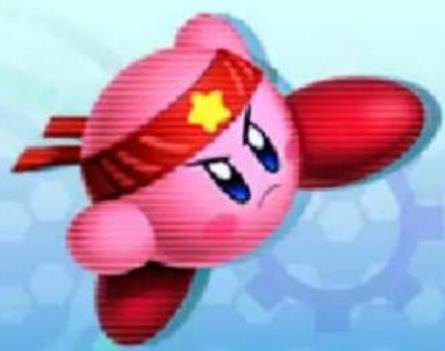
Cartoon character with red headband and yellow star, flying against a blue gear-like background (no text or symbols)You can use + or Ⓞ to perform the same actions.
Wai

tsooB toboboR

pat elbuoD
Crouch / Move Downward

ump

Double Jump

in midair
Hold Ⓐ to float slightly in midair.
haRbobobOR

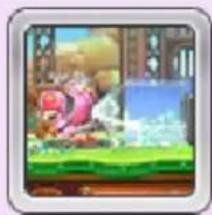
The Robobot Punch can destroy some obstacles that Kirby can't on his own.
natural_image
Illustration of a cartoon character with pink outfit and red feet, standing on a bench (no text or symbols)ahSoboboR
Tap ⑧ repeatedly
ss6p
⑧ while close to certain ensie
The Robobot Armor can change form and use the abilities of certain enemies.
natural_image
Illustration of a character in a pink outfit with a blue window, set against a green background (no text or symbols)s@op
✗ / Touch Drop Ability
oDelr
RoHd
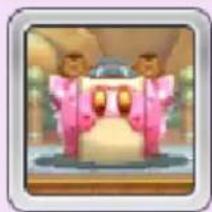
Negate the damage taken from enemy skott
natural_image
Illustration of two cartoon characters in pink suits standing beside a vehicle (no text or symbols visible)Use Assist Star (p. 16)
(Y) / Touch

Use Mechanism

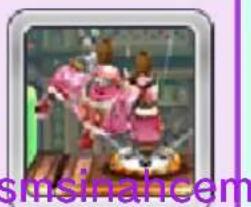
The Robobot Armor can use its arms to undo screws, trigger
text_image
smsinahcemdna ,smsinahcem .)51 .p( erom
rooD retnE

text_image
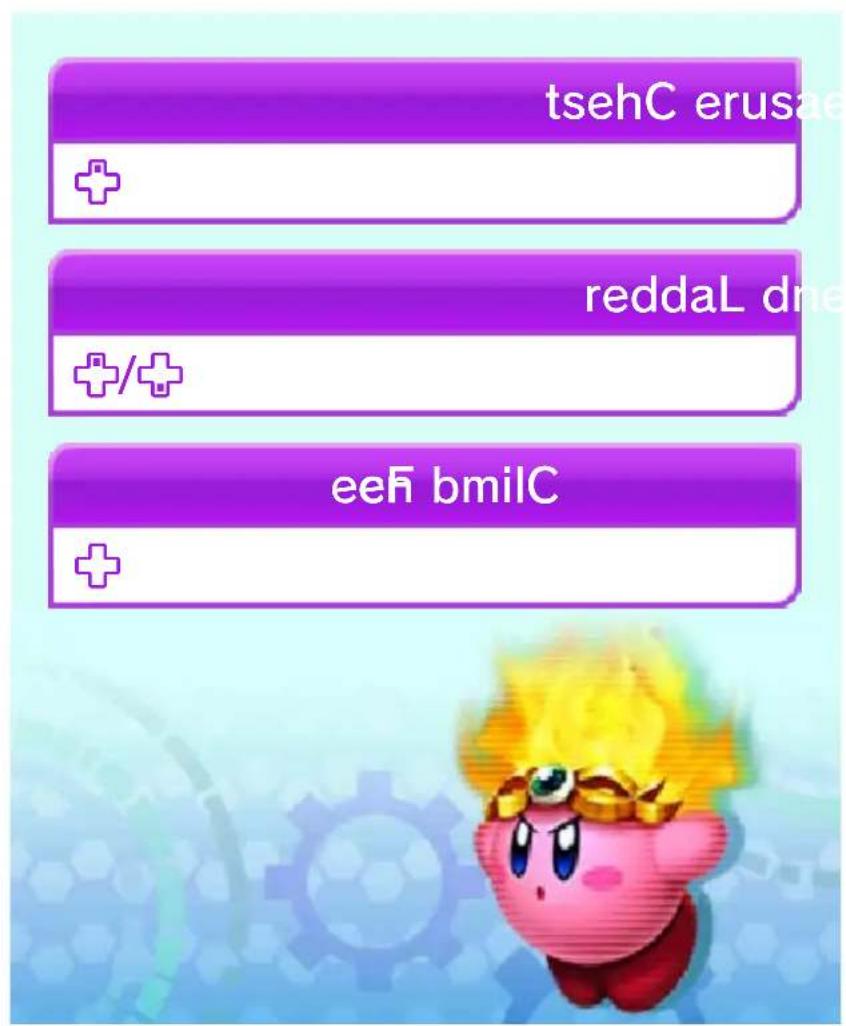
tsehC erusa reddaL dr eeFi bmiCSwallow certain enemies, or scan them with the Robobot Armor, to copy their abilities.
natural_image
Illustration of a pink cartoon character with dynamic motion lines and greenery (no text or symbols)You can also get abilities from Copy Essences (p. 16).
You can check a detailed list of controls for your current ability on the pause screen (p. 14).

Drop Ability
Press Ⓧ or touch Drop Ability on the Touch Screen to discard your current ability.
natural_image
Stylized icon of a blue leaf with a small flower on a light orange-yellow background (no text or symbols)Discarded abilities will be ejected as stars, which you can inhale or scan to regain the ability.
You may lose your current ability after taking damage.

Ability Roulette
If you swallow two or more enemies with different abilities at the same time, the ability activated will be determined by a roulette wheel. Press Ⓐ or Ⓑ to stop the wheel.
natural_image
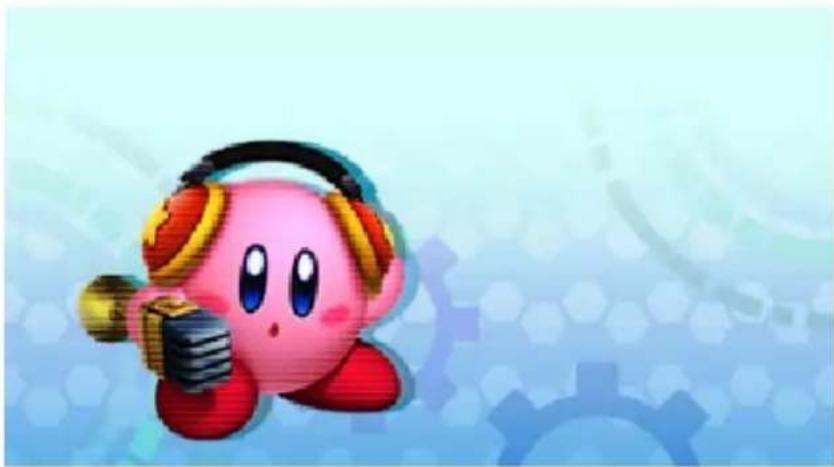
Cartoon character wearing headphones and holding a microphone, set against a blue gear-like background (no text or symbols)11 amiibo Inhale
After progressing a certain amount through the game, the
text_image
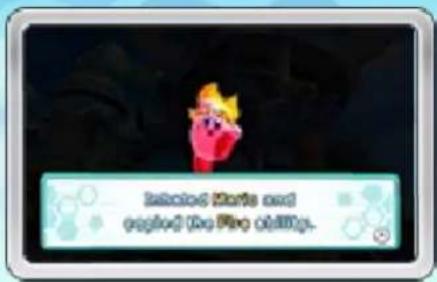
Isolated Marks and capping the Fire Ollings.amiibo icon (p. 13) will appear on the Touch Screen. By scanning an amiibo, you can gain certain abilities.
This option is not available while using the Robobot Armor.
You can scan up to 10 amiibo per stage. After scanning this many, you will have to clear the stage to be able to scan any more.
Using Abilities from amiibo
Scan a Kirby, Meta Knight, or King Dedede amiibo to use Copy Abilities with different designs and pick up better items.
Kirby
Smash rBs.
Meta Knight, Link, Mth
Sword
King Dedede
Hammer
Mario, Luigi
Fire
| Peach | Parasol |
| Yoshi | Whip |
| Toad | Leaf |
| Donkey Kong | Fighter |
| Bowser | Stone |
| Diddy Ko gn Bowser Jr., Samus | oBb |
| Rosalina | Ice |
| Dr. Mario | Doctor |
| Fox | Jet |
| Inkling Boy, Inkling Girl, Inkling Squid | nosioP |
◆ Other amiibo are also supported.
For more information about supported amiibo, visit http://www.nintendo.com/amiibo/
natural_image
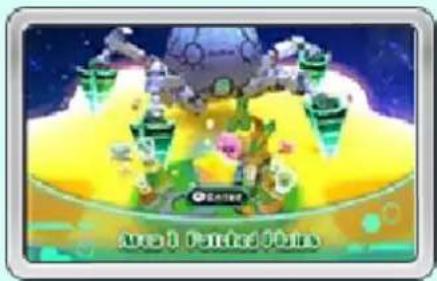
Cartoon character with pink head and purple hat, floating in a light blue background (no text or symbols)Select the area and then the stage you wish to play. Each area is made up of a number of stages, with a boss stage at the very end. The next area will open on the map after defeating the boss.

World Map Screen
Select an area to proceed to its area-map screen.
natural_image
Game scene with futuristic characters and a glowing yellow background (no readable text or symbols)
neercS
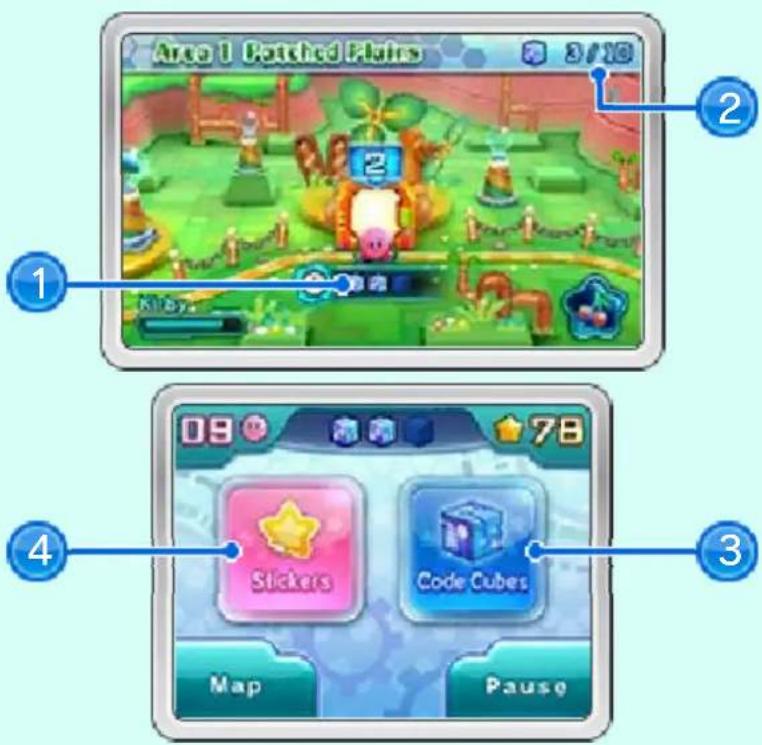
Select a stage to proceed to the stage screen (p. 13).
text_image
Area 1 Patched Flats 3/10 1 2 Kilby. 4 09 78 Stickers Code Cubes Map Pause① Code Cubes in the stage
Code Cubes you haven't collected yet will remain grayed out.
② Code Cubes collected/total Code Cubes in area
③ Code Cubes collected
④ Sticker Room (p. 16)
ul6elsC
neddiera eseht bæuohqubt
text_image
ddiera ese ohgubtstage. Collect a certain number of them to advance through the security the boss stage. If you a lot of Code Cubes
.segats
ot reib
sunob laiceps kcolnu ne
natural_image
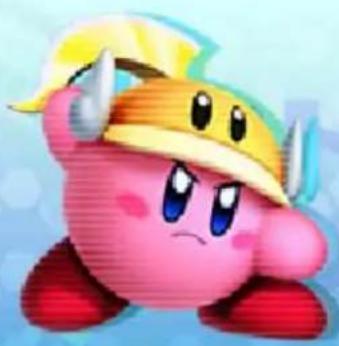
Cute cartoon character with pink body, yellow headband, and blue eyes (no text or symbols)
natural_image
Circular icon with a yellow star inside a teal gear-like border (no text or symbols)About the Stage Screen
text_image
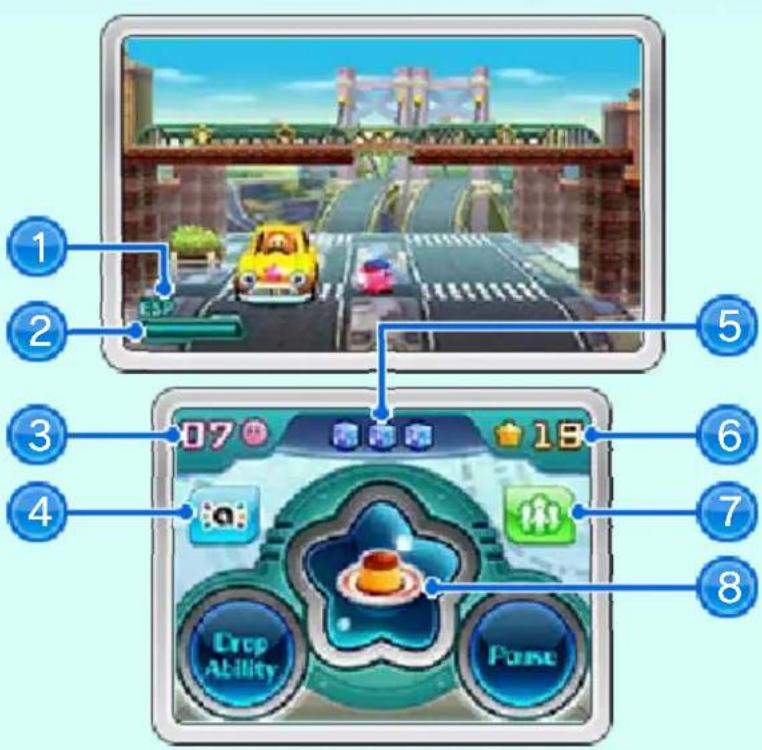
Game interface screenshot showing a character driving on a bridge, with numbered UI elements and game controls.① Current Copy Ability / Specs
retem htlaeH ②
Empties as you take damage from enemies or other hazards.
③ Lives remaining
④ amiibo icon
Touch to amiibo Inhale (p. 11).
⑤ Code Cubes in stage
⑥ Stars collected (p. 16)

Miiverse icon
Touch to post to Miiverse (p. 21).

Current Assist Star (p. 16)
Touch to use the item within.
You can only hold one Assist Star at a time.

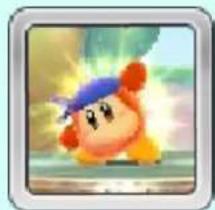
Bandana Waddle Dee
Appears at certain locations to throw items such as Assist Stas your way.
natural_image
Cartoon character with blue hair and orange body, flying against a colorful background (no text or symbols)If You Activate StreetPass (p. 22)
If you have StreetPass activated, you will see the following changes in-game:

Item Upgrades
Items will restore more health.

Stickers
If you have encountered a user with StreetPass activated for the same software, Bandana Waddle Dee will throw you stickers (p. 16) held by that user.
natural_image
Illustration of a pink cartoon character wearing a party hat with a bomb, set against a blue hexagonal background (no text or symbols)14 Basic Play
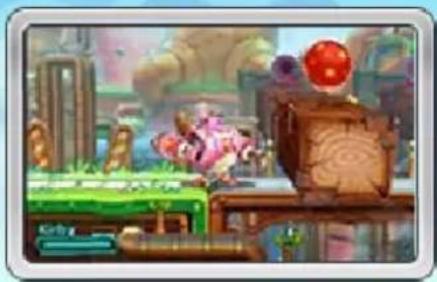
Make your way through the stage, using stag e features and defeating enemies. Certain obstacles can only be navigated by moving between the foreground and background of the stage.
natural_image
Game scene with character pieces and a red sphere on a wooden table (no visible text or symbols)Robobot Armor
Jump into the Robob ot Armor to activate it. Press + when next to a terminal to dismount.
natural_image
Illustration of a character in a blue outfit with glowing lights, next to a pink cartoon character (no text or symbols)
segatS
Enter the door at the end of each stage to clear it and start the Goal Game.
natural_image
Illustration of a pink cartoon character inside a yellow star-shaped archway (no text or symbols)emaG Ião
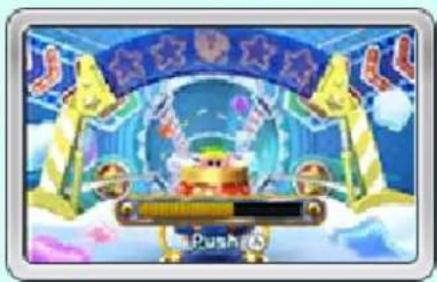
Press Ⓐ to stop the power gauge. Try to stop it when it's as close to full as possible to make Kirby fly farther. The items you receive (p. 16) depend on how far Kirby flies.
natural_image
Game scene with character on a platform, blue sky, and yellow banners (no readable text or symbols)
natural_image
Stylized graphic of a blue gear with a yellow star inside (no text or symbols)Losing Lives / Game Over
You will lose a life and start again from the same place if your health gauge empties fully or you fall in a pit. Lose all of your lives and it's game over.
Pause Screen
Press
START
or
touch Pause to display the pause
screen. Here you can take a look at the controls for your current Copy Ability or exit the current stage.
text_image
Kohabot Aram 1 2 3 4 5 6 7 8 9 10 11 12 13 14 15 16 17 18 19 20 21 22 23 24 25 26 27 28 29 30 31 32 33 34 35 36 37 38 39 40 41 42 43 44 45 46 47 48 49 50 51 52 53 54 55 56 57 58 59 60 61 62 63 64 65 66 67 68 69 70 71 72 73 74 75 76 77 78 79 80 81 82 83 84 85 86 87 88 89 90 91 92 93 94 95 96 97 98 99 100
natural_image
Cartoon character wearing a red Santa hat and blue visor, standing on a light blue gradient background with gear patterns (no text or symbols)ratSφra
Ride these to travel t new areas .
0

natural_image
Yellow star icon on a blue gradient background with stars (no text or symbols)ratS praW D3
Ride these to trave 1 between the foreground d and background of th e stage .
natural_image
Colorful star-shaped icon with a yellow center and blue edges, no text or symbols present.Ecolb
Destroy these and they'll explode, affecting items and obstacles nearby.
natural_image
Simple illustration of a cube with a spherical object on its front face, set on grass (no text or symbols)wct
Touch or hit these t o activate them. Activatin g them can have variou s effects, such as openin g Shutter Gates .
natural_image
Simple icon of a blue dome with a yellow star on a green checkered floor (no text or symbols)hctiwS we
Use the Robobot Armor's arms to turn these and change the layout of the stage
natural_image
Illustration of a stylized food item with a central bowl, possibly a dessert or pastry (no text or symbols visible)
natural_image
Circular icon with a yellow star inside a blue gear-like border (no text or symbols)Special Stage Features
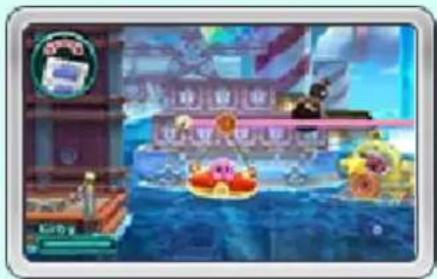
When displays on-screen, you can tilt your Nintendo 3DS system to move certain stage features.

natural_image
Game scene with character characters on a ship and a castle in the background (no readable text or symbols)If the movement of the stage features doesn't seem properly aligned with your system, hold the system upright and touch
When playing this game, you may have to move the Nintendo 3DS system around. Make sure you have enough room before playing, and hold the system firmly with both hands while playing. Do not move the system with excessive force, as this could lead to injuries, damage to the product, or damage to .stcejbo ybrae
There are many more stage features to be found as you play the game!

natural_image
Cartoon character wearing a green hat and blue eyes, holding a sword, with a gear-like background (no text or symbols)Food
Replenishes some of your health.
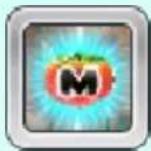
Maxim Tomato
Fully replenishes your health.
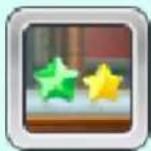
ratS tnioP
Collect 100 of these to gain an extra life. The number of stars you receive depends on the color of the Point Star.
1pU
Grants you an extra life.

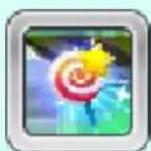
Invincible Candy
Makes you invincible for a short period of time
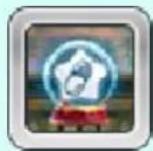
ecnesSEp
Grants you the ability displayed on the Copy Essence.
Assist Star
Thrown by Bandana Waddle Dee. Each one contains an item that restores health.
Reviving Tomato
Found inside Assist Stars. If your health completely empties while holding this, it will automatically restore all of your health.
◆ Touch the icon to fully restore your health.
◆ The Reviving Tomato will turn into a Maxim Tomato if you clear a stage without using it.
If you fail to defeat a boss three or more times, Bandana Waddle Dee will throw you one of these to help out.
Carry Items
These can be picked up in various places around stages. Each has a different use.
natural_image
Illustration of a pink cartoon character standing on grass with a green bottle and motion blur effect (no text or symbols)Sticker / Rare Sticker
Stickers you collect and clear the stage with will appear in the Sticker Room.

Sticker Room
Stickers you collect can use
decorate you
natural_image
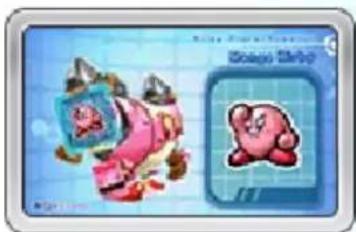
Illustration of a cartoon character with a pink face and blue frame, next to a stylized pink character icon (no text or symbols)Robobot Armor. You can also exchange three Play Coins for a sticker.
You can exchange Play Coins up to five times per stage. Play through a stage to be able to exchange any eno
For more information about Play Coins, refer to the Operations Manual.
There are even more items to be found throughout the game!
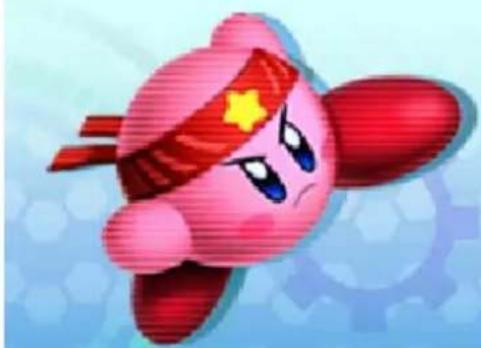
natural_image
Cartoon character with red headband and yellow star, flying against a light blue hexagonal background (no text or symbols)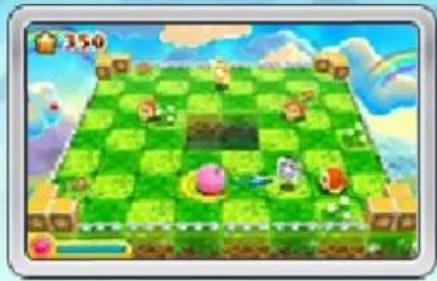
natural_image
Game screenshot showing a checkered board with character characters and a small pink pig, set against a cloudy sky (no readable text or symbols)Control Kirby in this adventure spanning three dimensions! Inhale enemies, spit them at other enemies, and rack up combos to get a high score! For more information about this minigame, select Tutorial from the level-selection screen.
If you are playing on a New Nintendo 3DS or New Nintendo 3DS XL system, you can slightly change the camera angle using the C Stic 🔒 .)(k

natural_image
Cute pink cartoon character with blue eyes and red limbs, smiling (no text or symbols)Form your own intrepid Kirby crew, take on powerful enemies, and level up in this multiplayer action game!
Team Quds
The CPU will control your teammates.
Wireless Quets
Other players will control your teammates (p. 20).

Getting Started
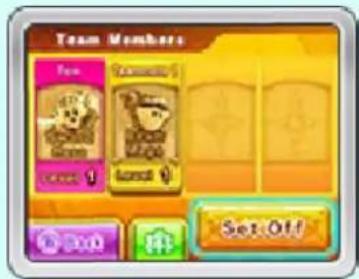
Choose which quest to take and what your role will be. Seled Set Off on the member-confirmation scree
text_image
Team Members Fun Cannabis I I Set OffWhen playing with the CPU, you can select each of your companions' roles.

natural_image
Circular icon with a yellow star inside a blue gear-like border (no text or symbols)tuoyaL
neercS
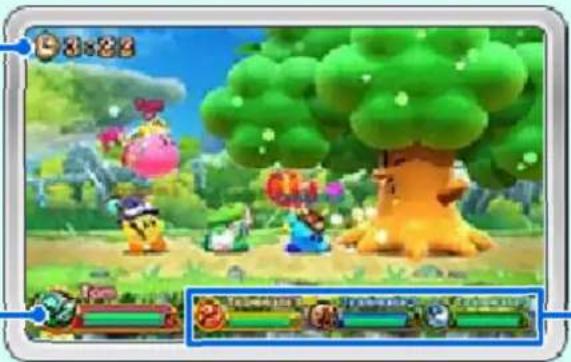
1
natural_image
Game scene with cartoon characters and a large tree, no visible text or symbols3
① Time remaining
htlaeh nw?
③ Teammates' health

natural_image
Cartoon character wearing headphones and holding a microphone (no text or symbols)Fight the boss using items and your role's abilities. Defeat the boss to complete the quest.
du
Hold the guard button to make the guard meter appear. This meter will slowly empt y as you continue guard. If you let it get fully emptied, you will be stunned and unable to move temporarily.
natural_image
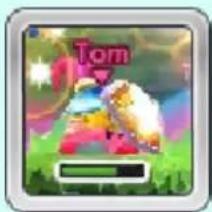
Game interface icon with a cartoon character and 'Tom' logo, no readable text or symbols in the main content area.eM deeF
If you touch a companion directly after grabbing food, you can give it to them and recover their health.
natural_image
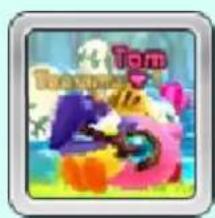
Colorful cartoon character illustration with no visible text or symbolsRevival Spell
Press Ⓧ when close to a fallen companion t o revive them.
text_image
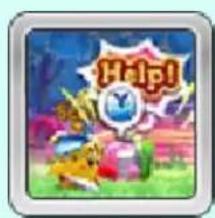
Help!roeteMTrea
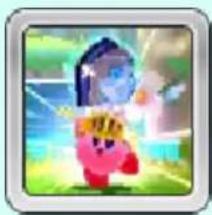
When you hit the boss a certain number of times, it will drop a Power Tablet. If you collect one for each member of the team, you can unlea powerful combined attack
natural_image
Illustration of a cartoon character in dynamic pose with glowing elements (no text or symbols)Team Meteor: Tip

when the moving marker is closest to the center. You'll do more damage that way.
text_image
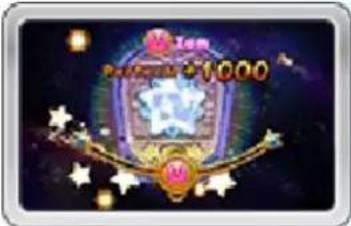
Pursuit 1000
Failing a Quest
If every member of the team is defeated or time runs out, you will fail the quest.

natural_image
Circular icon with a yellow star inside a blue ring (no text or symbols)pU gnileveL
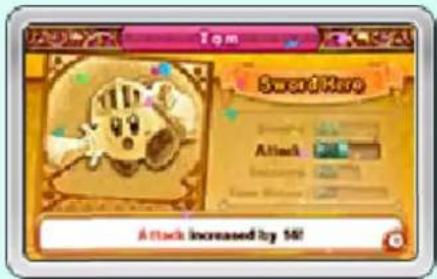
You will receive experience points (EXP) for completing a quest. Receive a certain number of points to go up a level and become stronger.
You won't receive experience points if you are defeated.
text_image
Tom SweetHere Attack Attack Increased by 160!
natural_image
Cartoon character with pink head and blue eyes, wearing a purple hat with stars (no text or symbols)You can play with up to three other people. Players without a copy of the software can take part using Download Play. Otherwise, you can use Local Play.
- Certain features may not be available when playing via Download Play, such as some of the roles.
You Will Need
● One Nintendo 3DS system per player (four max.)
- At least one copy of the software

Local Play

Select Wireless Quest, and then either create or join a group.
Creating a Group
Select Create Team. When the names of all participants are displayed on the screen, touch Confirm.
Joining a Group
Select the name of the player whose group you wish to join.

Download Play
Joining a Group
① On the HOME Menu, select the Download Play icon, and then touch Open.
② Select the Nintendo 3DS logo, and then select this software from the list.
③ Wait for the game to begin.
You may need to perform a system update. Follow the on-screen instructions to begin the update.
If you receive a message during the system update that the connection was unsuccessful, carry out the system update from the System Settings application.
◆ The system will not enter Sleep Mode during Local Play or Download Play.
◆ Any progress made during Download Play will not be saved.
natural_image
Cartoon character with pink body and yellow hat, standing against a blue hexagonal grid background (no text or symbols)Connect to the Internet to access the following features.

Miiverse (Internet)

Touch th eMiiverse icon while playing to post to the software's official Miiverse community.

Nintendo eShop (Internet)
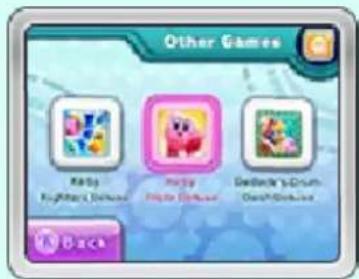
Select

Options from the mode-selection screen, and then select Other
Games to access information about other titles in the series on Nintendo eShop. You can also purchase the titles from there.
For more information about Nintendo eShop, see the electronic manual for the software.
text_image
Other Games Risky Risky Dedecate's Drum
natural_image
Illustration of a pink cartoon character with a bomb and a party hat, set against a blue hexagonal background (no text or symbols)
natural_image
Circular icon with a yellow star inside a blue gear-like border (no text or symbols)Trading Stickers and Ranking Information
isstet
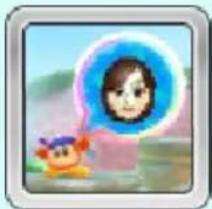
If you pass by another player who has StreetPass activated for this software, you will automatically trade ranking information. Bandana Waddle Dee will also throw you a sticker that player has collected during Story Mode.
You can trade or take a look at ranking information after progressing a certain amount in the game.
◆ The other player must also have StreetPass activated for this software.
natural_image
Illustration of a cartoon character with a thought bubble showing a person's face, set against a scenic background (no text or symbols)Activating and Deactivating StreetPass
Touch the file-selection screen to activate or deactivate StreetPass for this software.
natural_image
Cartoon character wearing a red Santa hat and blue visor, set against a light blue background with gear patterns (no text or symbols)
natural_image
Circular icon with a yellow star inside a teal gear-like border (no text or symbols)Sending Play Data (SpotPass)
While the system is in Sleep Mode, and even while the software is not running, the SpotPass™ feature will periodically connect to the Internet (if available) to share usage data with Nintendo. Data shared with Nintendo will be used in compliance with the latest Nintendo 3DS Service User Agreement.
Activating and Deactivating ssaPtopS
Touch 📄 on the file-selection screen and select Sending Play Data, and then select Yes.
You can stop sending play data at any time by selecting Sending Play Data again, and then Yes.

natural_image
Cute pink cartoon character with large eyes and red limbs (no text or symbols)Support Information
dGadimer Service
SUPPORT.NINTENDO.COM
:adaA
0073-552-
Latin America/Caribbean:
8707-85