
SoundMaster-L - Car Mount Niceboy - Free user manual and instructions
Find the device manual for free SoundMaster-L Niceboy in PDF.


| Product Type | Car Mount / Phone Holder |
| Brand | Niceboy |
| Model | SoundMaster-L |
| Compatible Devices | Smartphones up to 6.5 inches |
| Mounting Type | Dashboard / Windshield suction cup |
| Dimensions (approx.) | 12 x 8 x 10 cm |
| Weight | Approx. 150 g |
| Material | Plastic, silicone grip |
| Power Source | None (passive holder) |
| Adjustable Arm | Yes, 360° rotation |
| One-Hand Operation | Yes, automatic clamping |
| Vent Mount Option | No (suction cup only) |
| Cleaning Instructions | Wipe with a soft, dry cloth |
| Safety Features | Secure grip, anti-slip pad |
| Spare Parts Available | No, non-repairable unit |
| Warranty | 2 years (EU) |
Frequently Asked Questions - SoundMaster-L Niceboy
User questions about SoundMaster-L Niceboy
0 question about this device. Answer the ones you know or ask your own.
Ask a new question about this device
Download the instructions for your Car Mount in PDF format for free! Find your manual SoundMaster-L - Niceboy and take your electronic device back in hand. On this page are published all the documents necessary for the use of your device. SoundMaster-L by Niceboy.
USER MANUAL SoundMaster-L Niceboy
natural_image
Exterior view of a black rectangular electronic device (no visible text or symbols)PŘEDSTAVENÍ PRODUKTU


BLUETOOTH
natural_image
3D illustration of a rectangular device with a power button and control buttons, no text or symbols present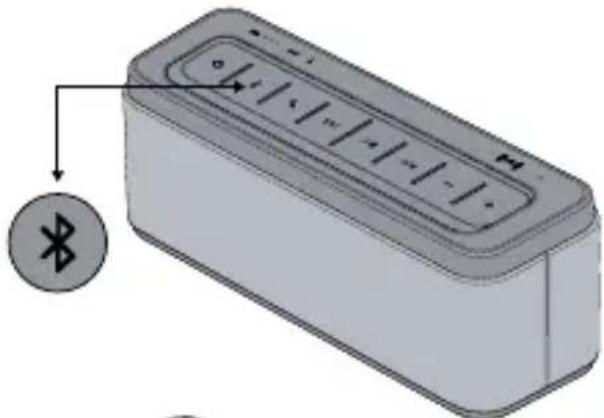
natural_image
Illustration of a rectangular electronic device with a Bluetooth symbol and an arrow pointing to it (no text or labels present)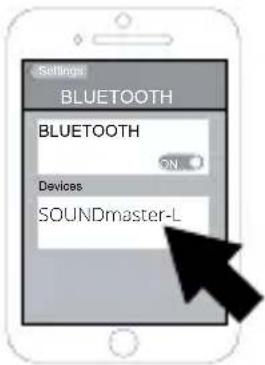
natural_image
3D rendering of a rectangular electronic device with control buttons (no text or symbols visible)
PAMĚT REPRODUKTORU
natural_image
Diagram showing a device with a plug inserted into a wall socket (no text or symbols present)
BLUETOOTH
Párovanie zariadenia pomocou Bluetooth:
natural_image
Illustration of a rectangular device with a power button and a circular icon labeled 'Power' (no text or symbols on the device itself)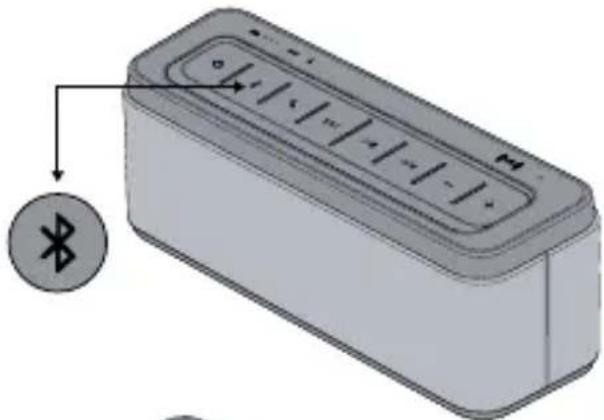
natural_image
Illustration of a rectangular electronic device with a Bluetooth symbol on its side (no text or labels)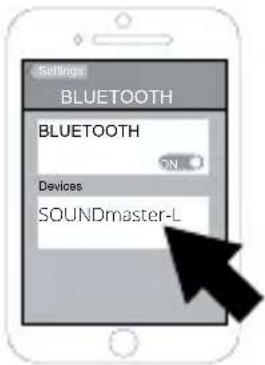
natural_image
3D rendering of a rectangular electronic device with control buttons (no text or symbols visible)
PAMÄT REPRODUKTORA
PRODUCT INTRODUCTION
Thank you for your purchase of the NICEBOY SOUNDmaster-L Speaker, please take time to read this manual carefully before you begin to use your new device. The NICEBOY SOUNDmaster-L is a 25W bluetooth speaker with rich powerful sound. With a high-capacity 6600mAh battery, you can rock
EN
out for up to 12 hours on a single charge (50% volume)! Featured functions, NFC, Speakerphone, SIRI, AUX and power bank, are supported by the NICEBOY SOUNDmaster-L. The thermal sensor built-in the NICEBOY SOUNDmaster-L will automatically illuminate the buttons with the frosted LED button-backlighting, when detects the heat of a human hand in the darkness. Auto shutoff itself, if no any activities in 40 minutes.
BOX CONTENT
1x Bluetooth Speaker
1x Power Adapter
1x 3.5mm Audio Cable
1x User Manual
DESCRIPTION
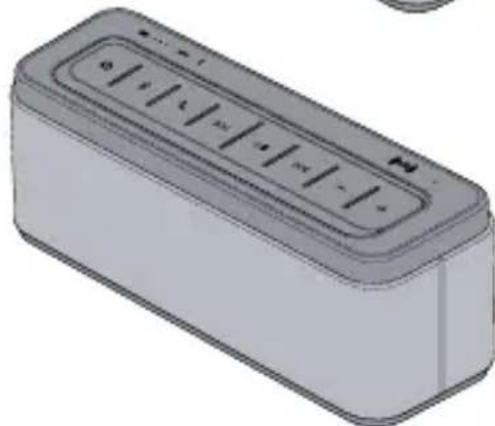
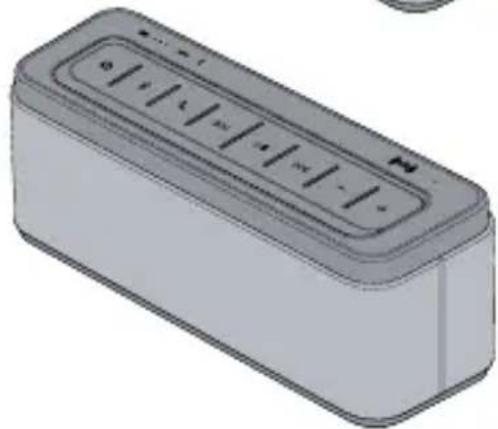
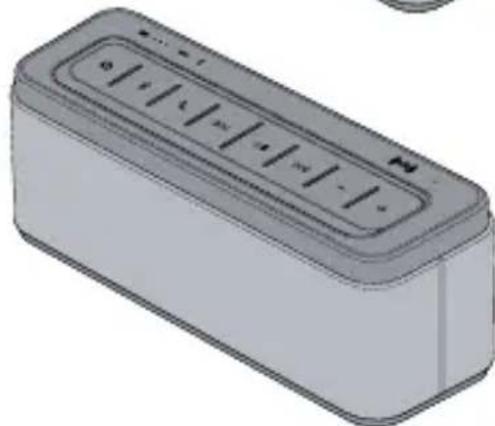
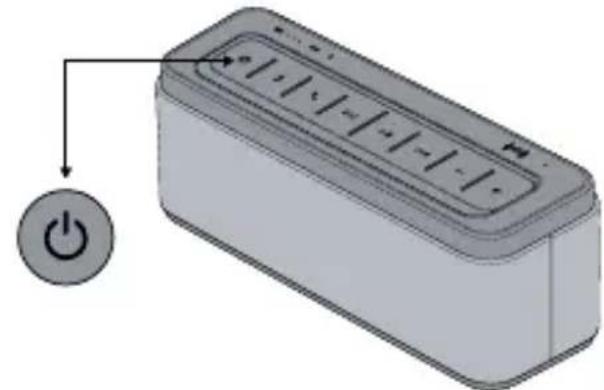
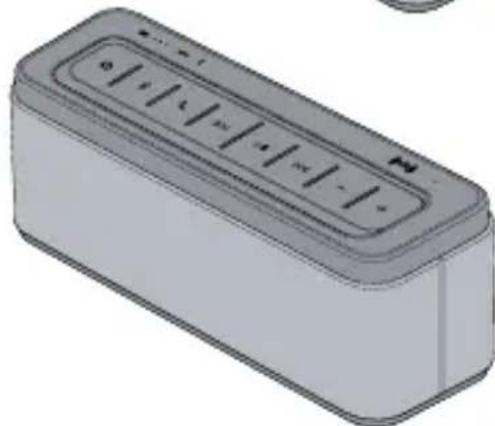
Control buttons are located on the top of the speaker
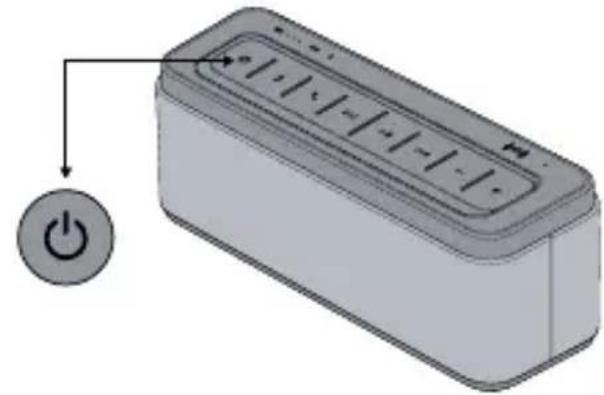
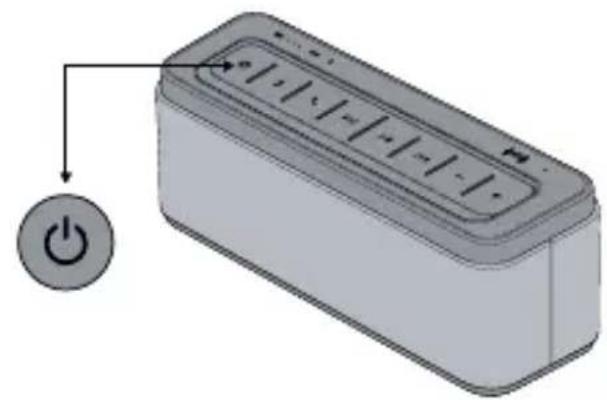
| Long press for 2 seconds to turn the speaker on or off. | |
| Press to select the Bluetooth source. The speaker attempts to connect to the last paired device. If there are no paired devices, the speaker becomes discoverable. Once Bluetooth is connected, press again to set the speaker to discoverable and allow pairing with another Bluetooth device. Each time you press Bluetooth, the speaker switches between connecting/ connected and discoverable. | |
| When connected via Bluetooth, no coming call, short press to activate/cancel “Siri” or Android Voice. Incoming Call: press once to answer, press again to end call, hold to reject call. | |
| Use this button to navigate between tracks,when Bluetooth device is connected. | |
| ▶II | Playing and Pausing. |
| — | Press to incrementally decrease speaker volume. Press and hold to continuously decrease speaker volume |
| + | Press to increase speaker volume. Press and hold to continuously increase speaker volume. |
Status indicators illuminate when an audio source or speaker state is activated.
| Solid blue: speaker is powered on. Flash blue and red: ready to pair with a bluetooth device. Flash blue slowly: working in bluetooth mode | |
| AUX | AUX is the selected source. Here you can connect your speaker to external media devices |
| Low battery, the indicator light will show red blinking, normally will show green. | |
| • • • | Indicates the battery power level: 30%, 60%, 100% |
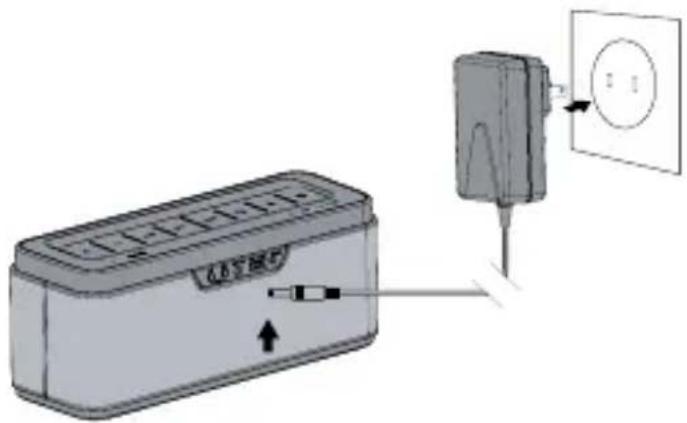
Plug the power cord on the AC power supply into the DC connector on the speaker. Plug the AC power supply into a live AC(mains) outlet. The battery begins to charge.
Note: The first time using your speaker, connect it to AC(mains) power and charge the battery for four hours. you can use the speaker while charging the battery.
natural_image
Diagram showing a device with a plug inserted into a wall socket, connected to a box (no text or symbols present)
BLUETOOTH
To pair and connect a Bluetooth device:
a) Long press Power for 2 seconds to turn the speaker on. The status indicator is in solid blue.
b) Press and hold the button “✗” for 2 second to enter the bluetooth pairing, the status indicator is flashing in blue and red, the speaker is ready to be paired.
c) Turn on Bluetooth on your device, locate the Bluetooth device list, and select the device named, "Soundmaster-L". If your device prompts you for a passcode, enter "0000" (four zeroes).
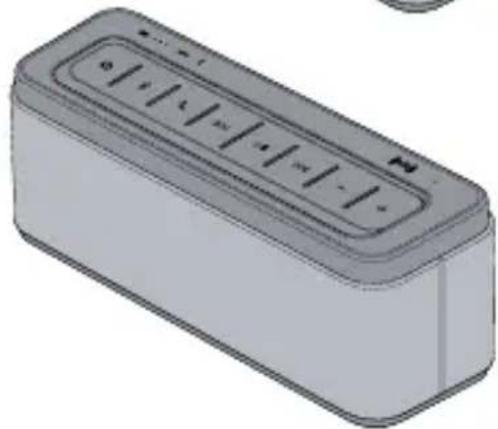
When successfully paired with your device, the status indicator on the speaker is flashing in blue slowly.
natural_image
Illustration of a rectangular device with a power button and control panel, no text or symbols present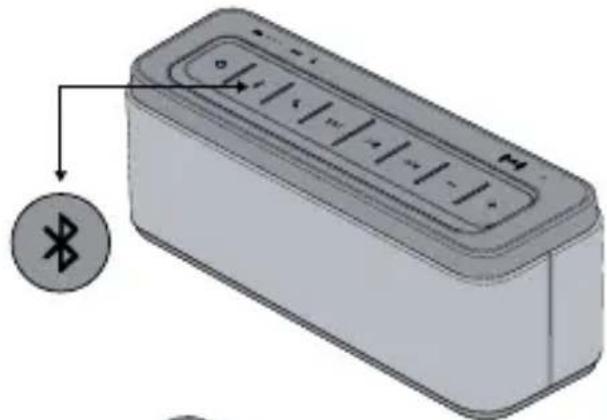
natural_image
Illustration of a rectangular electronic device with a Bluetooth symbol and an arrow pointing to it (no text or labels present)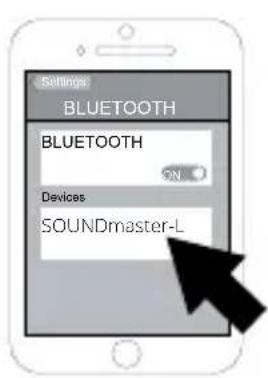
natural_image
3D rendering of a rectangular electronic device with control panel (no text or symbols visible)

SPEAKER MEMORY
The speaker can remember up to the latest eight paired devices. If a new device is paired with the speaker, the memory of the earliest one will be covered, can't be paired automatically any more.
RECONNECTING A DEVICE
When powered on, the speaker reconnects with a device in memory, starting with the last connected device. If the last connected device is not available, the speaker connects to the next to last connected device, and so forth. The speaker searches for a paired device for approximately 30 seconds.
NFC
- Begin by turing on the NFC function of the device you wish to connect to your speaker.
- Touch the device to the NFC area of your speaker(located on the top of the speaker), and the speaker should connect automatically.
AUX
- Plug one end of 3.5mm audio cable(attached) into the AUX port. The speaker will turn to AUX mode automatically. "AUX" indicator light will turn on which on top of the speaker. Pull out the connector will turn off the AUX mode.
- Bluetooth is priority, when coming a call, the speaker will become Bluetooth mode, finish the call, the speaker will turn to AUX mode automatically.
POWER CHARGE FUNCTION (DC 5V / 1A OUTPUT)
Connect USB charging cable to your device with the speaker, it will charge your device automatically, when the speaker is powered on.
FEATURES
- Play superior quality and stereo sound with Advanced Maxx Bass Technology
- Ultra-long playback time up to 12 hours
- Adopt Bluetooth chipset, steady transmission
- Frosted LED backlighting for buttons
- Powerbank output charge function
-
NFC, AUX, Speakerphone, SIRI Functions
-
Auto idle shutoff in 40 minutes
SPECIFICATIONS
- Battery Voltage: 11.1V
- Charging Voltage:15V
- Output Power:2*12.5W
- Speaker Spec:58mm 12.5W
- Frequency Response: 50HZ\~18KHZ
- Lithium Battery Capacity:6600mAh
- THD<0.5%
- SNR:>90dB
- Item Size:218mm*74mm*88mm
TROUBLE SHOOTINGS
Speaker will not turn on
- If operating on AC power, ensure your speaker is connected to a working AC(mains) by the AC power supply included with your speaker.
- If operating on battery power, the battery may be in protection mode or discharged. Connect to a working AC outlet to restore the battery to operational mode.
Cannot pair and connect the speaker with my Bluetooth device
- Ensure your speaker is discoverable (The status indicator is flashing in blue and red).
- Ensure Bluetooth is activated on your device, you have selected in the Bluetooth device list, and the connection has been confirmed by your device.
- Your device may be out of range. Try moving it closer to the speaker.
- If possible, turn off all other nearby Bluetooth devices or disable their Bluetooth functionality. Turn the speaker off and back on, and pair your device to the speaker.
The speaker indicates a connection, but is not playing music
- Ensure the device you want to hear is connected to the speaker and playing audio.
- Ensure the speaker is not muted and the speaker volume is turned up.
- Turn up the volume on your device.
- Your Bluetooth device may be out of range.Try moving it closer to the speaker.
- Move your device away from any device that generates electromagnetic interference,


such as another Bluetooth device, cordless phone, microwave oven or wireless router.
- Turn off or disable Bluetooth functionality on all other nearby paired devices and reconnect the device you want to hear.
- Turn the speaker off and back on.
PROPER USE
- Please charge your new device before first use.
- To prevent damage and risk of electrical shock, do not expose this device to dust, vibration, rain, water or liquids of any kind.
- Do not place device in close proximity to open flames or extreme heat sources.
- Always place your device on level, flat and stable surfaces.
- Avoid placing items on top of your device.
- Do not use excessive force when pressing buttons or handling your device.
- To clean your device, use only a dry, soft cloth or minimally damp cloth without any corrosive solvent or cleaning agent.
SAFETY
To prevent fires, shock or injury, please do not disassemble or replace any parts of this device. In the event that your device may be damaged or in need of repair, please contact a professional maintenance or qualified service center for assistance. We are not responsible for any personal injury or property damage caused by improper use of this product.
SUPPORT
As with all products, the Bluetooth Speaker comes with our quality assurance and satisfaction guarantee. If you should experience any technical or performance issues with your device, or if you simply have a question or inquiry, we invite you to contact our customer service department, and we will do everything in our power to help resolve the issue.
PRODUKTVORSTELLUNG:
natural_image
Diagram showing a device with a plug inserted into a wall socket, connected to a battery pack (no text or symbols present)
BLUETOOTH
natural_image
3D illustration of a rectangular electronic device with a power button and control panel, no text or symbols present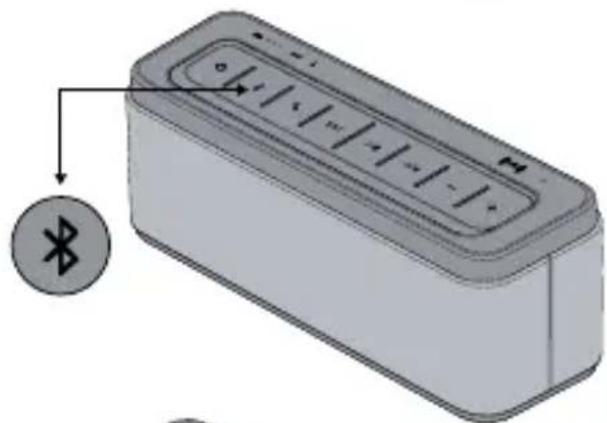
natural_image
Illustration of a rectangular electronic device with a circular icon labeled 'Bluetooth' pointing to its side (no text or symbols on the device itself)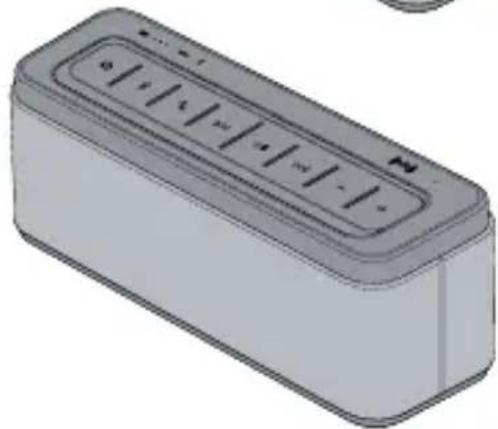
natural_image
3D rendering of a rectangular electronic device with control buttons (no text or symbols visible)
natural_image
Diagram showing a device connected to a wall-mounted power outlet, with no visible text or symbols.
BLUETOOTH
natural_image
3D illustration of a rectangular device with a power button and control panel, no text or symbols present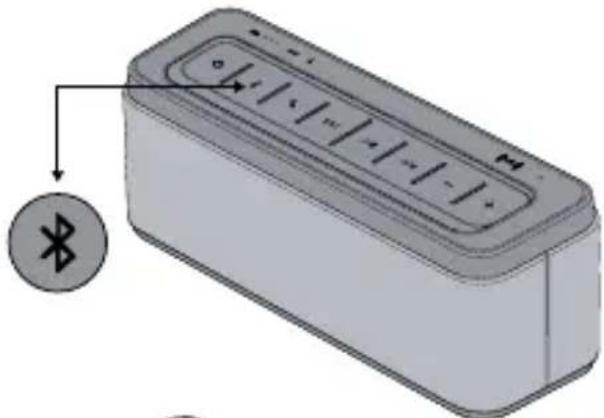
natural_image
Illustration of a rectangular electronic device with a Bluetooth symbol and an arrow pointing to it (no text or labels present)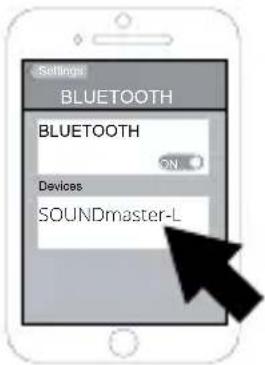
natural_image
3D rendering of a rectangular electronic device with control buttons (no text or symbols visible)
HANGFAL MEMÓRIA
natural_image
Diagram showing a device with a plug inserted into a wall socket, connected to a battery pack (no text or symbols present)
BLUETOOTH
natural_image
3D illustration of a rectangular device with a power button and control panel, no text or symbols present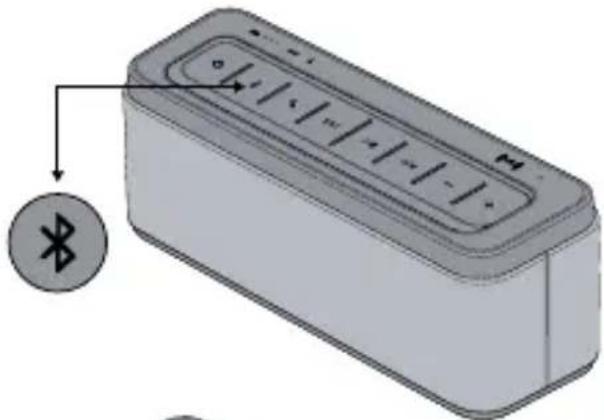
natural_image
Illustration of a rectangular electronic device with a Bluetooth symbol and an arrow pointing to it (no text or labels present)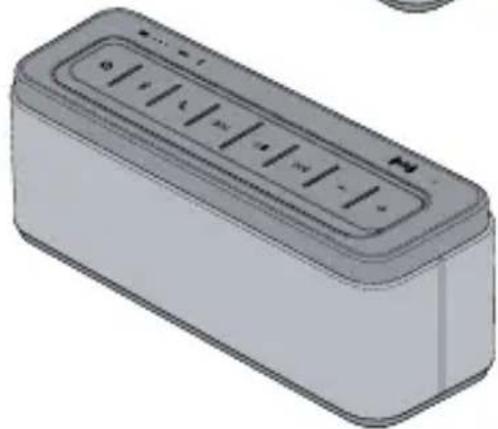
natural_image
3D rendering of a rectangular electronic device with control buttons (no text or symbols visible)

MEMORIJA ZVUČNIKA
Zvučnik zna upamtiti do osam zadnjih uparenih uređaja. U slučaju uparivanja novog uređaja sa zvučnikom, iz memorije će se izbrisati uređaj koji je upisan kao prvi, tako da više neće biti na raspolaganju za automatsko uparivanje.
PONOVNO POVEZIVANJE UREĐAJA
natural_image
Diagram showing a device with a plug inserted into a wall socket (no text or symbols present)
BLUETOOTH
natural_image
3D illustration of a rectangular device with a power button and control panel, no text or symbols present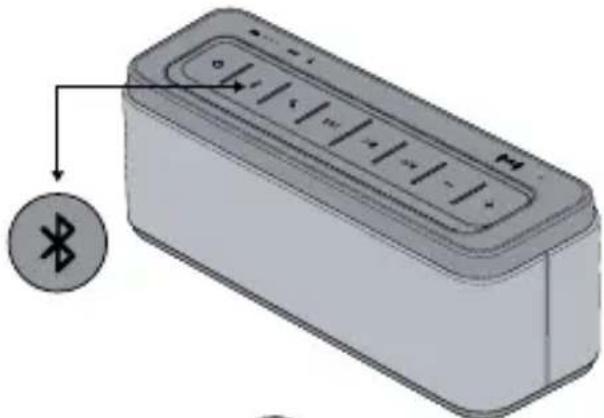
natural_image
Illustration of a rectangular electronic device with a Bluetooth symbol on its side (no text or labels)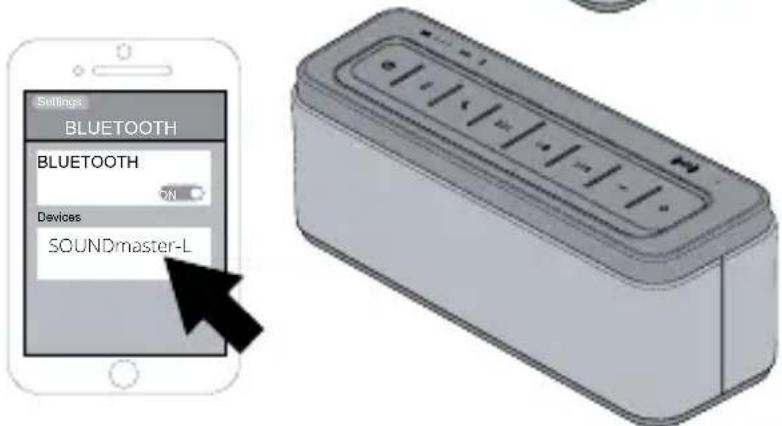

PAMIĘĆ GŁOŚNIKA
natural_image
3D illustration of a rectangular device with a power button and control panel, no text or symbols present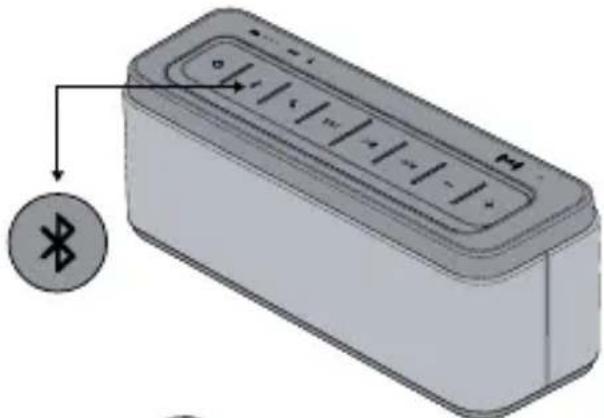
natural_image
3D illustration of a rectangular electronic device with a Bluetooth symbol and an arrow pointing to it (no text or labels present)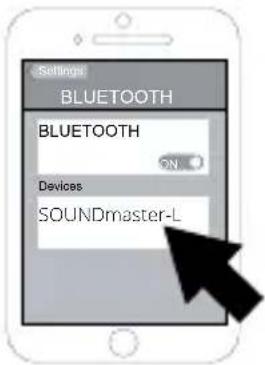
natural_image
3D rendering of a rectangular electronic device with control buttons (no text or symbols visible)
SPOMIN ZVOČNIKA
- PŘEDSTAVENÍ PRODUKTU
- BLUETOOTH
- PAMĚT REPRODUKTORU
- Párovanie zariadenia pomocou Bluetooth:
- PAMÄT REPRODUKTORA
- PRODUCT INTRODUCTION
- BOX CONTENT
- DESCRIPTION
- To pair and connect a Bluetooth device:
- SPEAKER MEMORY
- RECONNECTING A DEVICE
- NFC
- AUX
- POWER CHARGE FUNCTION (DC 5V / 1A OUTPUT)
- FEATURES
- SPECIFICATIONS
- TROUBLE SHOOTINGS
- Speaker will not turn on
- Cannot pair and connect the speaker with my Bluetooth device
- The speaker indicates a connection, but is not playing music
- PROPER USE
- SAFETY
- SUPPORT
- PRODUKTVORSTELLUNG:
- HANGFAL MEMÓRIA
- MEMORIJA ZVUČNIKA
- PONOVNO POVEZIVANJE UREĐAJA
- PAMIĘĆ GŁOŚNIKA
- SPOMIN ZVOČNIKA
Brand : Niceboy
Model : SoundMaster-L
Category : Car Mount