LS9A3PN - Air-conditioner Lloyd - Free user manual and instructions
Find the device manual for free LS9A3PN Lloyd in PDF.


User questions about LS9A3PN Lloyd
0 question about this device. Answer the ones you know or ask your own.
Ask a new question about this device
Download the instructions for your Air-conditioner in PDF format for free! Find your manual LS9A3PN - Lloyd and take your electronic device back in hand. On this page are published all the documents necessary for the use of your device. LS9A3PN by Lloyd.
USER MANUAL LS9A3PN Lloyd
natural_image
Diagram of a solar panel with a circular grid pattern on the left panel and a rectangular panel on the right (no text or symbols)LLOYD ELECTRIC & ENGINEERING LTD.
To avail 03 Free preventive maintenance services within 1 year of Warranty Please call us at our Toll Free No.
Gujarat:1800-2582-583
Maharashtra:1800-1024-212
Punjab/Himachal/J & K:1800-1027-781
Andhra Pradesh:1800-1200-666
Rest of India:1800-1020-666
Dear Customer
Congratulations on being the Proud owner of Lloyd Air Conditioner. Your Air Conditioner comes with Lloyd Guarantee of Quality as detailed in the manual.
Lloyd takes great pride in providing its customers with perfect products that adheres to international quality standards.
Lloyd is committed to provide the ultimate customer satisfaction.as nothing brings us greater joy than having satisfied customers of Lloyd.
At Lloyd, feedback and suggestions based on your product usage experience is greatly appreciated.
Please contact to us at perfectservice@lloydmail.com
Nipun Singhal
President
Air conditioners are pieces of high value. In order to ensure your lawful rights and interests, please have the professional technicians to do the installation for you.
This Instruction Manual is the universal-purpose version for the models of split wall-mounted air conditioners manufactured by our Co. The appearance of the units that you purchase might be slightly different from the ones described in the Manual, but it does not affect your proper operations and usage.
Please read carefully the sections corresponding to the specific model you choose, and keep the Manual properly so as to facilitate your reference at later time.
Addition to the user manual:
The appliance is not intended for use by young children or infirm persons without supervision; Young children should be supervised to ensure that they do not play with the appliance.
Contents
| Instructions to users | 1 |
| The name of each part and its function | 3 |
| Operation and indication sections of remote controller | 6 |
| Use of remote controller | 9 |
| Features of heating operations | 10 |
| Methods of maintenance | 11 |
| Treatment at service call | 12 |
| We hope you will know the following when using the unit | 13 |
\*Instructions to users\*
Please read the "Instruction Manual" carefully prior to the use of your air conditioner so as to ensure proper operations.
Instructions for Installation
* Make sure to have the professional after-sale service persons of our company or the authorized dealers to install the units before you use.
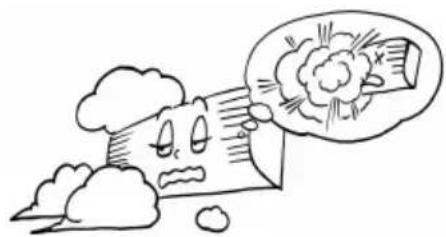
- The units are not to be installed at places where there might be leakage of combustible gases.
natural_image
Cartoon illustration of a distressed document with a thought bubble showing a broken paper (no text or symbols)In case that the leaked gas accumulates around the units, there might occur the accident of fire hazards.
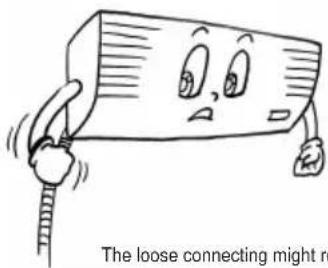
After the connecting of the wires between the indoor unit and the outdoor unit, check whether the connecting is loose or not by pulling the wire with a little force.
text_image
The loose connecting might reThe loose connecting might result in fire hazard.
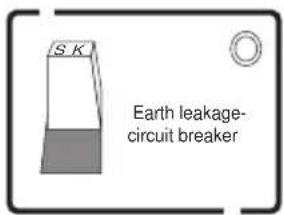
Make sure that the earth leakage-circuit breaker is installed.
text_image
S K Earth leakage- circuit breakerAbsence of the earth leakage-circuit breaker might lead to electric shock and some other hazards.
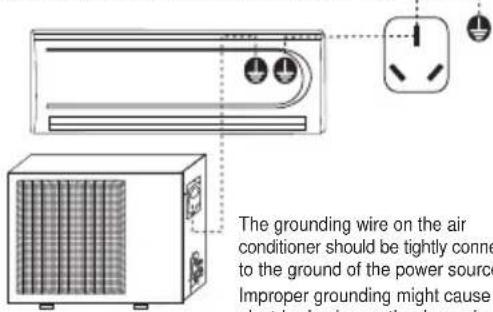
Make sure that the air conditioner is properly grounded.
text_image
The grounding wire on the air conditioner should be tightly conne to the ground of the power source Improper grounding might cause electric shock or other hazardsThe grounding wire on the air conditioner should be tightly connected to the ground of the power source. Improper grounding might cause electric shocks or other hazards.
Instructions for Operation
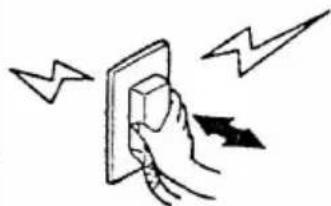
Never try to stop the operation of the air conditioner by pulling out the power supply line.
natural_image
Hand placing a component into an electrical socket with lightning bolts (no text or symbols)Such performance might cause electric shocks or fire hazards.
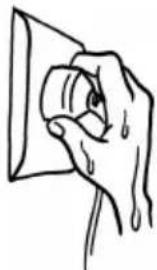
Do not operate the switch by wet hands.
natural_image
Hand holding a small object with liquid droplets, no text or symbols presentIt might cause electric shocks.
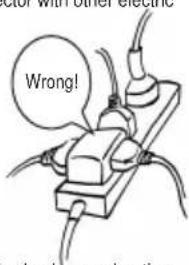
Do not connect the power supply line to an intermediate connector. Use of prolonged power line is strictly forbidden. Nor is it allowed to share the same plug connector with other electric appliances.
text_image
Wrong! a shock, overhangingIt might cause electric shocks, overheating, fire hazards or other accidents.
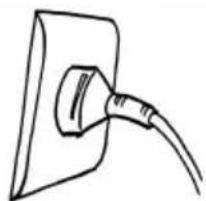
Before the connector is plugged in, please make sure that there is no dust on it and that it is plugged fully in place
If there is dust on the plug or if the plug is not in place, it might cause electric shocks or fire hazards.
natural_image
Simple line drawing of a plug inserted into a socket (no text or symbols)Do not press, stretch, damage, heat or modify the power line.
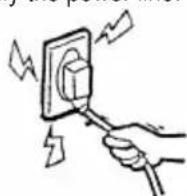
It might cause electric shocks, overheating, fire hazards, etc. If the power line wire is damaged or needs to be replaced due to some other reasons, please make sure to have dealer or the authorized maintenance people to do the replacement.
Never use the fuse with incorrect capacity or any other metal wires.
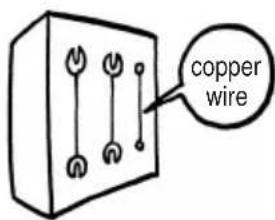
text_image
copper wireThe use of metal or copper wires for fuse might cause operational failures or fire hazards.
Try to avoid the sunlight and hot air from entering the room.____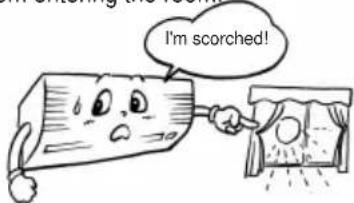 During the cooling operation, curtains or window-blinds should be used to shade off the sunlight. During the cooling operation, curtains or window-blinds should be used to shade off the sunlight. | Try to minimize the generation of heat during the operation of cooling.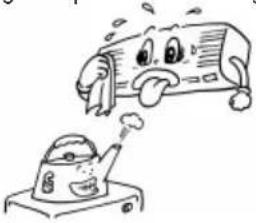 Place the heating sources out of the room. Place the heating sources out of the room. | Do not use combusting apparatuses in the air-conditioned room.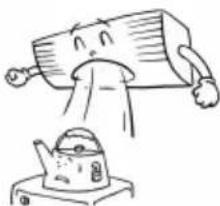 It might lead to the incomplete combustion of these apparatuses. It might lead to the incomplete combustion of these apparatuses. |
Do not place insecticides or paints and other flammable sprays near the air conditioner, or spray them directly at the air conditioner.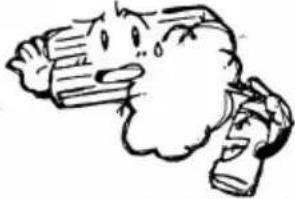 It might cause fire hazards. It might cause fire hazards. | When it is necessary to use the air conditioner and the combusting apparatuses in the same room, air ventilation has to be made from time to time.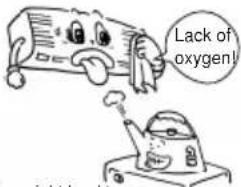 Insufficient ventilation might lead to lack of oxygen or some other dangers. Insufficient ventilation might lead to lack of oxygen or some other dangers. | Prior to the maintenance of the air conditioner, please cut off the power supply first. Never do the cleaning of the units when the fan is in high-speed operations.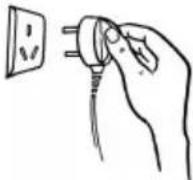 |
Do not insert sticks or bars into the air vents.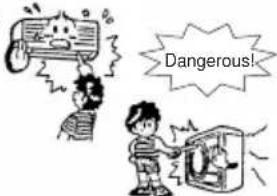 As the fan is in high-speed operation, the insertion might lead to accidents. As the fan is in high-speed operation, the insertion might lead to accidents. | Adjust the air direction correctly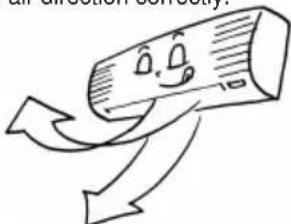 Properly adjust the up/down and left/right directions of the air flow so as to get the even room temperature. Properly adjust the up/down and left/right directions of the air flow so as to get the even room temperature. | Do not keep exposed to the cool air for long tim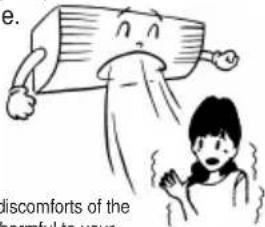 It might cause body, which is harmful to your health. It might cause body, which is harmful to your health. |
Do not clean the air conditioner with water.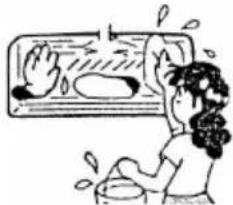 It might cause electric shocks. It might cause electric shocks. | Do not attach, hang or stack articles on the air conditioner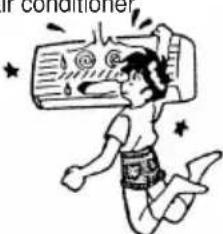 It might lead to the falling down of the air conditioner unit, which will result in accidents or injuries. It might lead to the falling down of the air conditioner unit, which will result in accidents or injuries. | Check the supporting structures of the units carefully.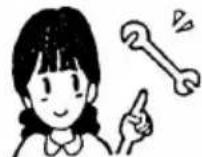 In case of damages, the supporting structures should be immediately repaired so as to avoid falling down of the unit, which might cause human injuries or other accidents. In case of damages, the supporting structures should be immediately repaired so as to avoid falling down of the unit, which might cause human injuries or other accidents. |
Do not sit on the outdoor unit or place any other objects on it.The falling down of the unit or the objects might cause human injuries and other accidents. 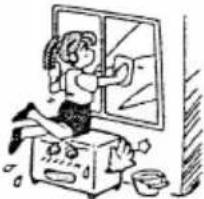 | Do not use the following substances: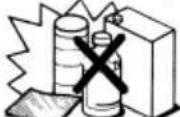 Hot water (over 40°C or 104°F)The use of hot water will deform the air conditioner or make it fade in color.Gasoline, paint diluent, benzene and polishing agents, etc.These substances will deform the air conditioner or cause scratches. Hot water (over 40°C or 104°F)The use of hot water will deform the air conditioner or make it fade in color.Gasoline, paint diluent, benzene and polishing agents, etc.These substances will deform the air conditioner or cause scratches. | Pull out the plug when the unit is not in use for long time so as to ensure safety.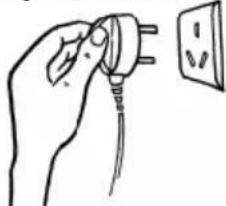 When the plug is to be pulled out, make sure that the switch of the air conditioner is turned off. When the plug is to be pulled out, make sure that the switch of the air conditioner is turned off. |
Instructions for Removal and Repair
* When removal or repair is needed, please contact the dealer or authorized maintenance & installation people.
* In case of any abnormal occurrences (smell of burning), please stop the operation at once, cut off the power supply and contact the dealer or authorized maintenance people.
\*The name of each part and its function \*
Because there are many models, features and appearance will vary, we only introduce the follow pattern, Others please refer to using.
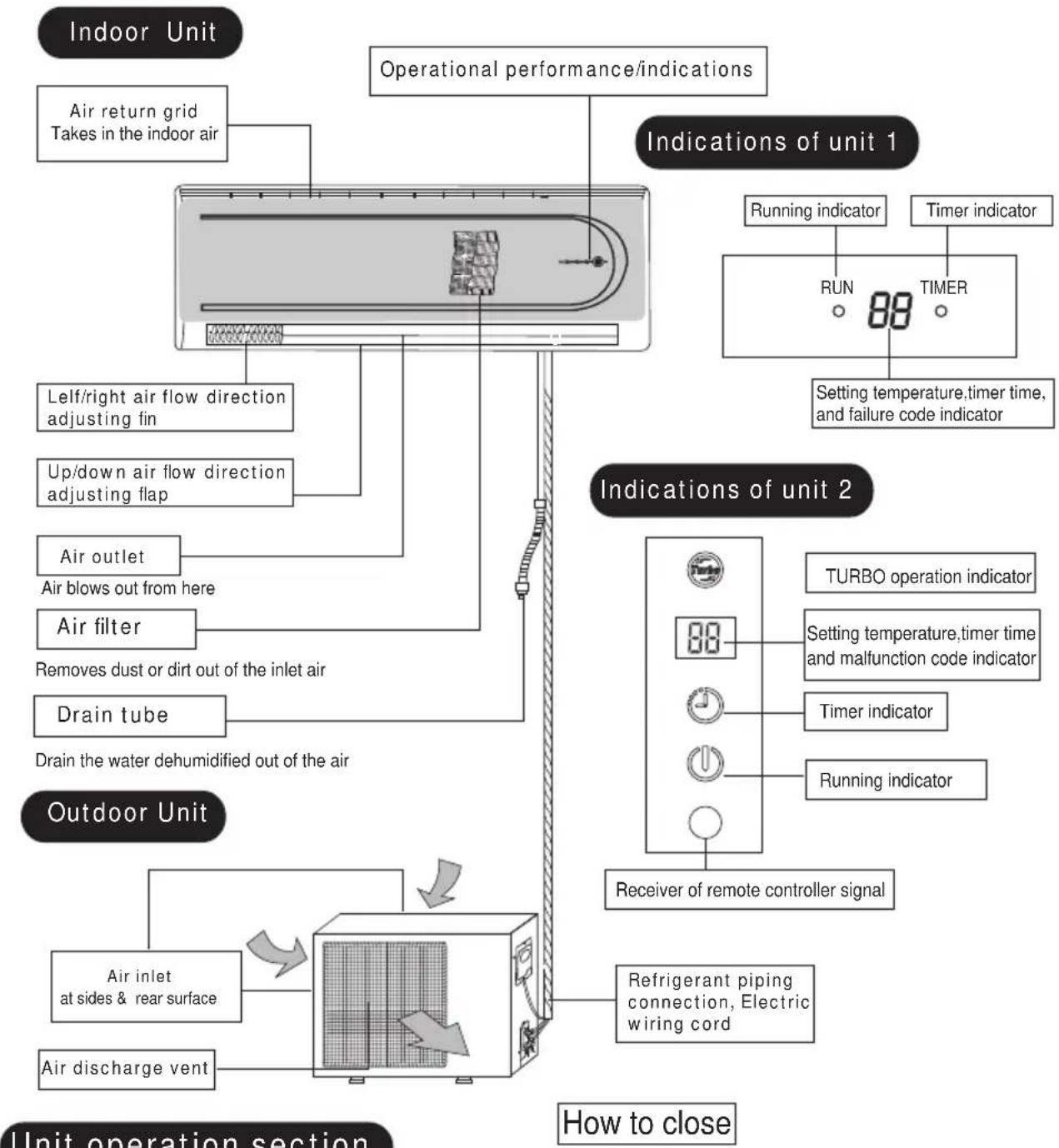
flowchart
graph TD
    A["Indoor Unit"] --> B["Air return grid"]
    B --> C["Takes in the indoor air"]
    A --> D["Operational performance/indications"]
    D --> E["Indications of unit 1"]
    E --> F["Running indicator"]
    E --> G["Timer indicator"]
    F --> H["RUN 88"]
    G --> I["TIMER"]
    H --> J["Setting temperature,timer time, and failure code indicator"]
    I --> J
    D --> K["Lelf/right air flow direction adjusting fin"]
    D --> L["Up/down air flow direction adjusting flap"]
    D --> M["Air outlet"]
    D --> N["Air filters"]
    D --> O["Drain tube"]
    D --> P["Drain the water dehumidified out of the air"]
    D --> Q["Air inlet at sides & rear surface"]
    D --> R["Air discharge vent"]
    A --> S["Outdoor Unit"]
    S --> T["Refrigerant piping connection, Electric wiring cord"]
    T --> U["Receiver of remote controller signal"]
    U --> V["TURBO operation indicator"]
    U --> W["Setting temperature,timer time and malfunction code indicator"]
    U --> X["Timer indicator"]
    U --> Y["Running indicator"]
    style A fill:#f9f,stroke:#333
    style S fill:#ccf,stroke:#333
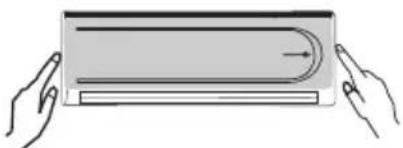
Push down the air inlet grid and then push both sides of air inlet grid at the bottom.
How to open
natural_image
Illustration of two hands holding a rectangular object with a curved top and horizontal base, no text or symbols present.Lightly push both sides of the air inlet grid at the bottom and pull it to this side till a resistance is felt.
text_image
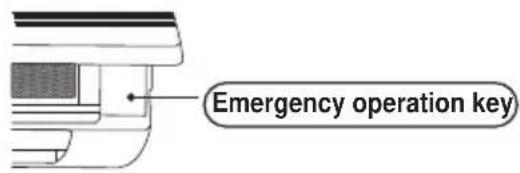
Emergency operation keyThis button can be used as an emergency measure to turn on/off unit when remote controller is not available.
Note: Do not open the grid at an angle over 60 degrees. Do not operate the units with too much force.
Indications of unit 3
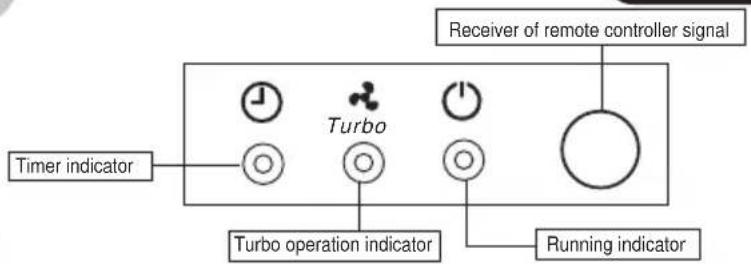
text_image
Timer indicator Turbo Receiver of remote controller signal Turbo operation indicator Running indicatorIndications of unit 4
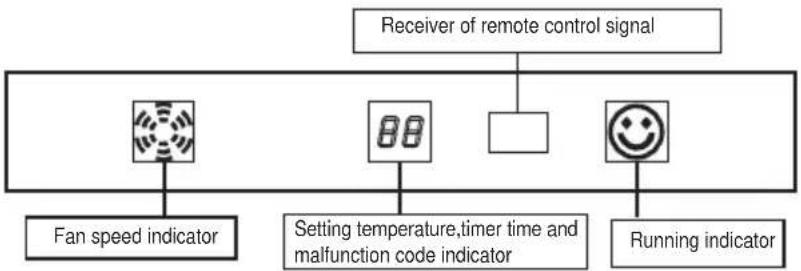
flowchart
graph TD
    A["Fan speed indicator"] --> B["Fan speed indicator"]
    C["Setting temperature, timer time and malfunction code indicator"] --> D["Setting temperature, timer time and malfunction code indicator"]
    E["Running indicator"] --> F["Running indicator"]
    G["Receiver of remote control signal"] --> H["Receiver of remote control signal"]
Indications of unit 6
Indications of unit 5
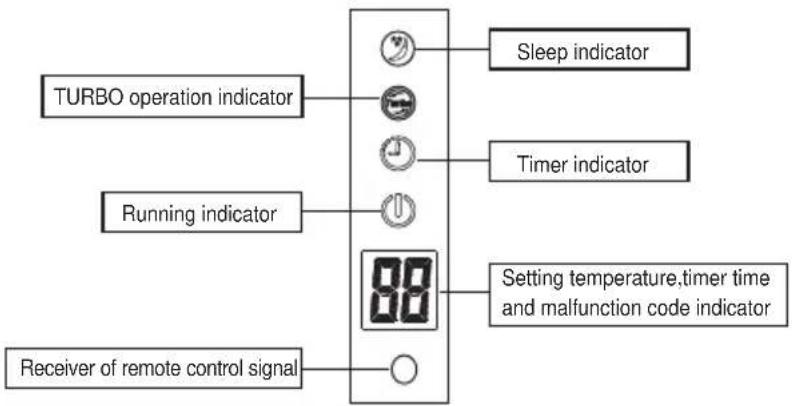
flowchart
graph TD
    A["TURBO operation indicator"] --> B["Clock icon"]
    C["Running indicator"] --> D["Clock icon"]
    E["Receiver of remote control signal"] --> F["Circle"]
    G["Sleep indicator"] --> H["Circle"]
    I["Timer indicator"] --> J["Circle"]
    K["Setting temperature, timer time and malfunction code indicator"] --> L["Digital display with '00' symbol"]
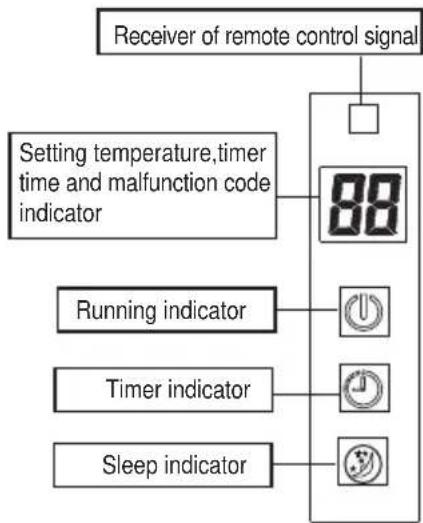
flowchart
graph TD
    A["Receiver of remote control signal"] --> B["Setting temperature, timer time and malfunction code indicator"]
    B --> C["88"]
    D["Running indicator"] --> E["OK"]
    F["Timer indicator"] --> G["OK"]
    H["Sleep indicator"] --> I["OK"]
Indications of unit 7
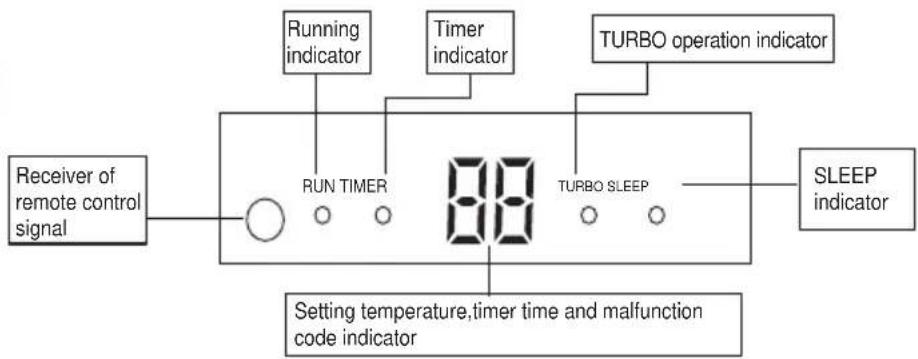
flowchart
graph LR
    A["Receiver of remote control signal"] --> B["RUN TIMER"]
    B --> C["88"]
    C --> D["TURBO operation indicator"]
    C --> E["TURBO SLEEP"]
    E --> F["SLEEP indicator"]
    G["Setting temperature, timer time and malfunction code indicator"] --> B
    H["Running indicator"] --> B
    I["Timer indicator"] --> B
Indications of unit 8
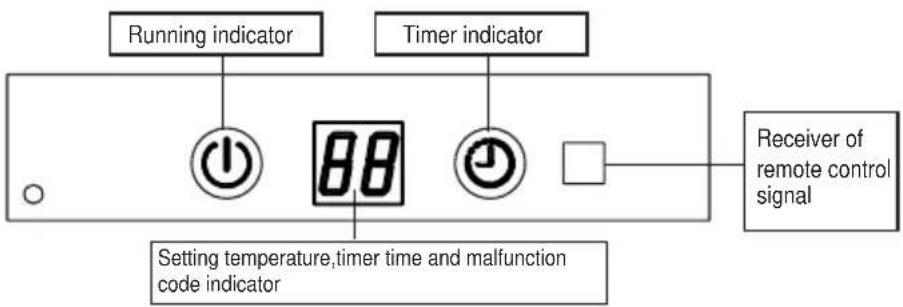
text_image
Running indicator Timer indicator Setting temperature,timer time and malfunction code indicator Receiver of remote control signalIndications of unit 9
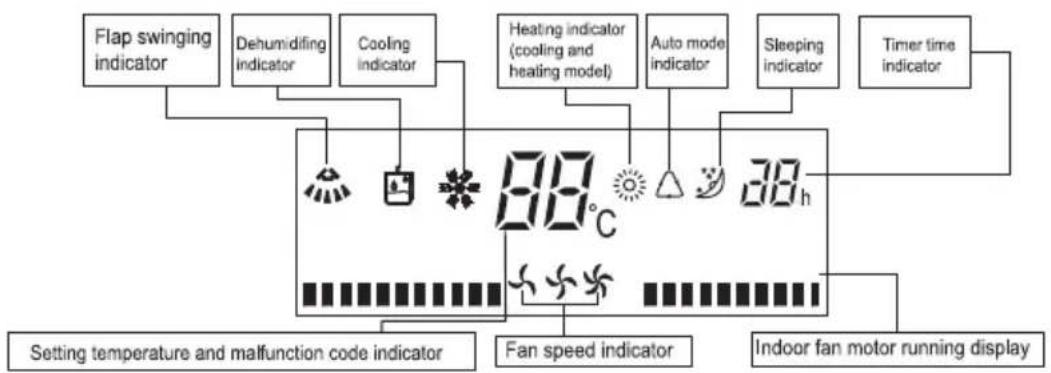
flowchart
graph TD
    A["Flap swinging indicator"] --> B["80°C"]
    C["Dehumidifying indicator"] --> B
    D["Cooling indicator"] --> B
    E["Heating indicator (cooling and heating model)"] --> B
    F["Auto mode indicator"] --> B
    G["Sleeping indicator"] --> B
    H["Timer time indicator"] --> B
    I["Setting temperature and malfunction code indicator"] --> B
    J["Fan speed indicator"] --> B
    K["Indoor fan motor running display"] --> B
Indications of unit 10
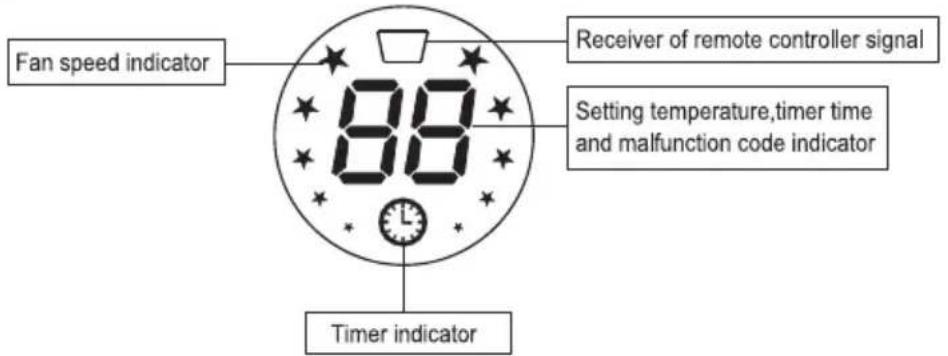
text_image
Fan speed indicator 80 Receiver of remote controller signal Setting temperature,timer time and malfunction code indicator Timer indicatorIndications of unit 11
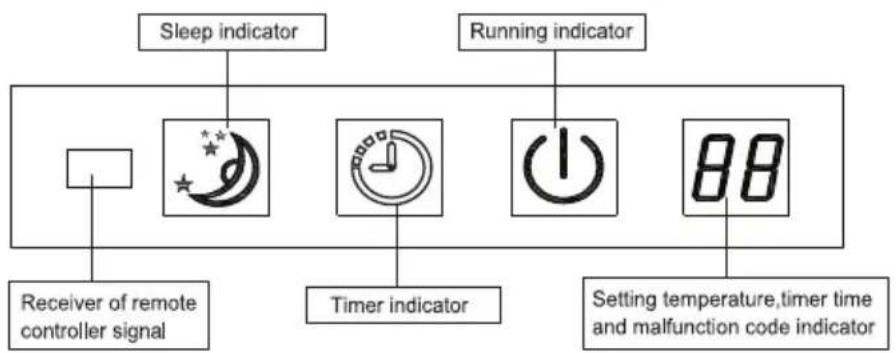
flowchart
graph TD
    A["Sleep indicator"] --> B["Receiver of remote controller signal"]
    C["Running indicator"] --> D["Timer indicator"]
    E["Setting temperature, timer time and malfunction code indicator"] --> F["88"]
Indications of unit 12
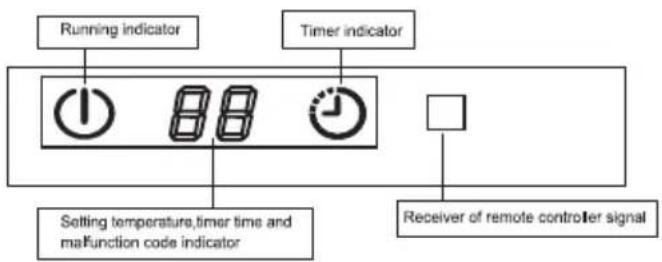
flowchart
graph TD
    A["Running indicator"] --> B["1"]
    C["Timer indicator"] --> D["88"]
    C --> E["9"]
    F["Setting temperature, timer time and malfunction code indicator"] --> B
    G["Receiver of remote controller signal"] --> H[" "]
    style A fill:#f9f,stroke:#333
    style C fill:#f9f,stroke:#333
    style F fill:#ccf,stroke:#333
    style G fill:#ccf,stroke:#333
Indications of unit 13
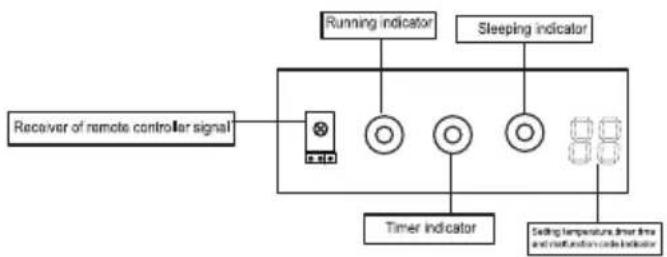
flowchart
graph TD
    A["Receiver of remote controller signal"] --> B["+"]
    B --> C["○"]
    C --> D["○"]
    D --> E["○"]
    E --> F["88"]
    G["Running indicator"] --> B
    H["Sleeping indicator"] --> E
    I["Timer indicator"] --> B
    J["Setting temperature limit line and confirmation code indicator"] --> E
Above figure shows all indications for the purpose of the explanation but practically only the partinent parts are indicated. The indicator may be changed, but it does not affect your operation.
\*Operation and indication sections of remote controller\*
Attention:
- The appearances of the following two remote controllers will vary, but the functions of the same button are same, Please check to refer the instructions for the identical remote controller of your air-conditioner.
- The remote controller 1 and remote controller 2 are the general one used for many types of air-conditioner in our company, we beg your forgiveness that we would not introduce the button or indicator which is not applicable for units you purchased. The "LAMP" and "CLEAN" button are applicable for special latest developed new models only instead of normal models.
The "AIR FLOW" button is an optional function button, it just works on those models with three-dimensional air flow function.
Remote Controller 1
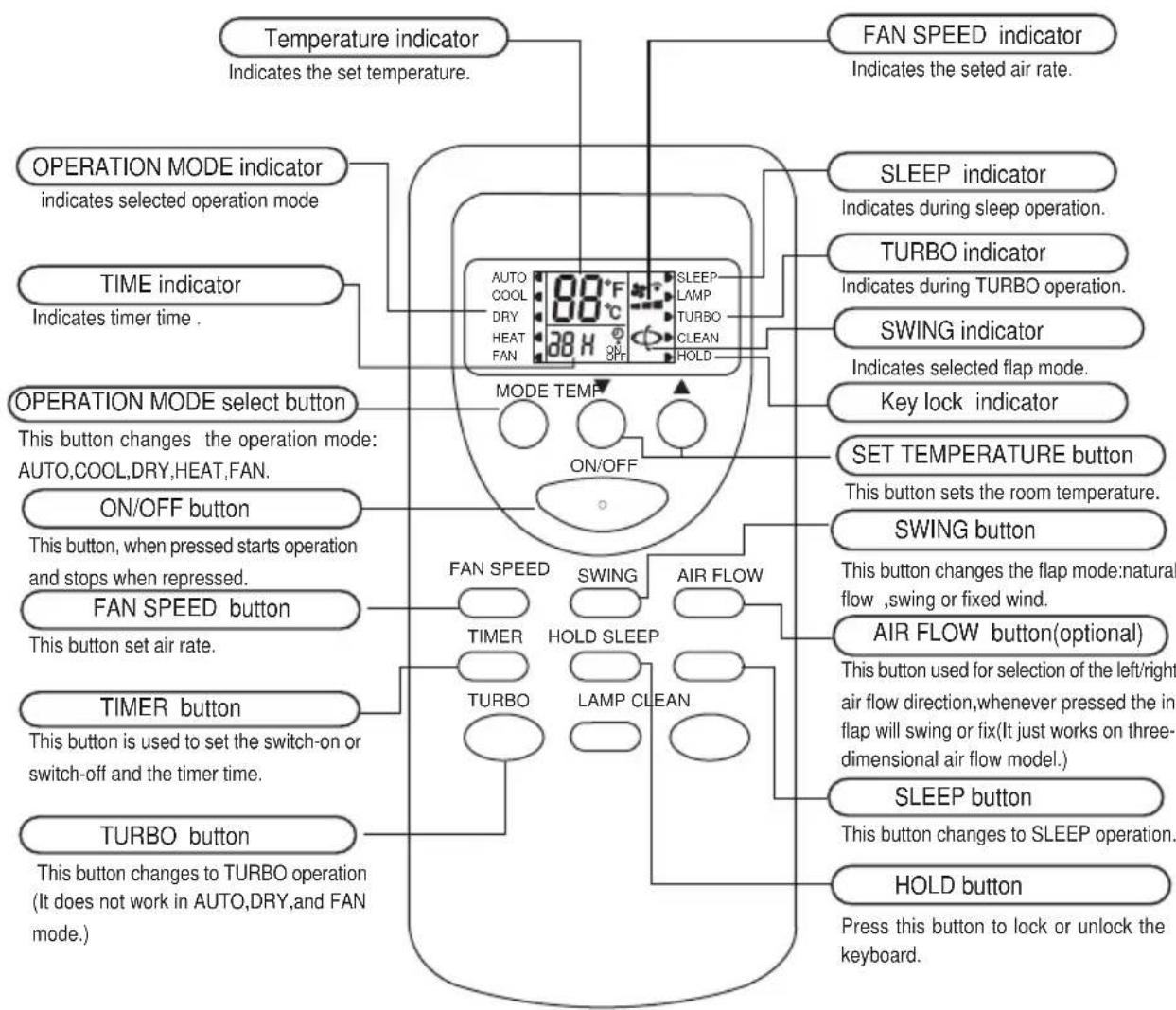
text_image
Temperature indicator Indicates the set temperature. FAN SPEED indicator Indicates the seted air rate. OPERATION MODE indicator indicates selected operation mode TIME indicator Indicates timer time . OPERATION MODE select button This button changes the operation mode: AUTO,COOL,DRY,HEAT,FAN. ON/OFF button This button, when pressed starts operation and stops when repressed. FAN SPEED button This button set air rate. TIMER button This button is used to set the switch-on or switch-off and the timer time. TURBO button This button changes to TURBO operation (It does not work in AUTO,DRY,and FAN mode.) SLEEP indicator Indicates during sleep operation. TURBO indicator Indicates during TURBO operation. SWING indicator Indicates selected flap mode. Key lock indicator SET TEMPERATURE button This button sets the room temperature. SWING button This button changes the flap mode:natural flow ,swing or fixed wind. AIR FLOW button(optional) This button used for selection of the left/right air flow direction,whenever pressed the in flap will swing or fix(It just works on three-dimensional air flow model.) SLEEP button This button changes to SLEEP operation. HOLD button Press this button to lock or unlock the keyboard.NOTE:
* Above figure shows all indications for the purpose of explanation, but practically only the pertinent parts are indicated. When air-conditioner is cooling-only model, the HEAT is for FAN.
* When TURBO operation is selected, room temperature is not controlled with operation being continually. If you feel the room temperature is too cool or too heat, please cancel the TURBO operation.
Remote Controller 2

text_image
Temperature indicator Indicates the set temperature. AUTO indicator COOLING indicator DRYING indicator HEATING indicator FANING indicator SWING indicator Indicates selected flap mode. TIME indicator Indicates timer time . SET TEMPERATURE button This button sets the room temperature. MODE button This button changes the operation mode: AUTO,COOL,DRY,HEAT,FAN. FAN SPEED button This button set air rate. TURBO button This button changes to TURBO operation (It does not work in AUTO,DRY,and FAN mode.) TIMER button This button is used to set the switch-on or switch-off and the timer time. SLEEP indicator Indicates during sleep operation. TURBO indicator Indicates during TURBO operation. Key lock indicator FAN SPEED indicator Indicates the seted air rate. ON/OFF ON/OFF button SWING button This button, when pressed starts operation and stops when repressed. SWING button This button changes the flap mode:natural flow ,swing or fixed wind. AIR FLOW button(optional) This button used for selection of the left/right air flow direction,whenever pressed the in flap will swing or fix(It just works on three-dimensional air flow model.) SLEEP button This button changes to SLEEP operation. HOLD button Press this button to lock or unlock the keyboard.NOTE:
* Above figure shows all indications for the purpose of explanation, but practically only the pertinent parts are indicated. When air-conditioner is cooling-only model, the HEATis for FAN.
* When TURBO operation is selected, room temperature is not controlled with operation being continually. If you feel the room temperature is too cool or too heat, please cancel the TURBO operation.
text_image
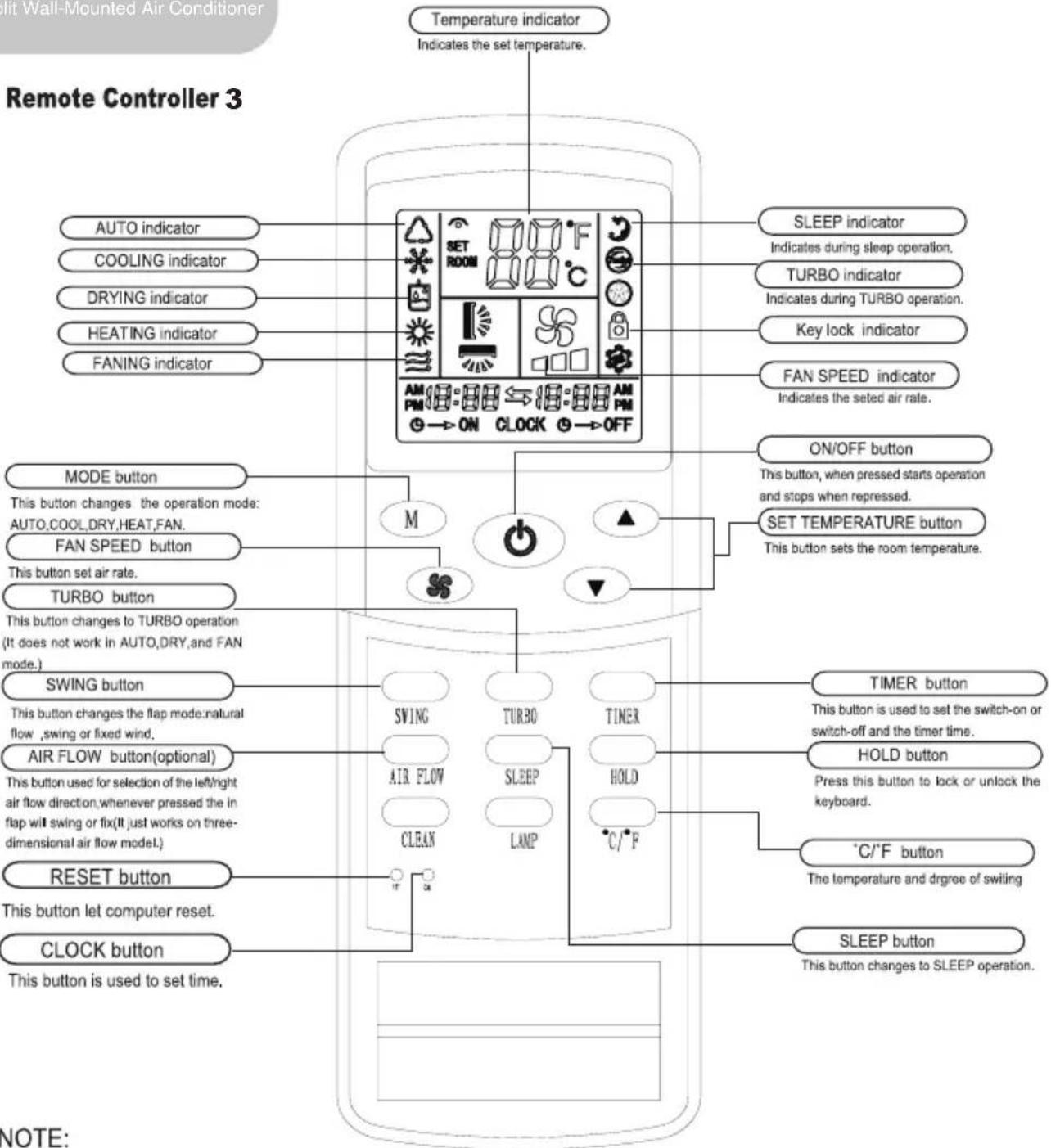
Hot Wall-Mounted Air Conditioner Remote Controller 3 Temperature indicator Indicates the set temperature. AUTO indicator COOLING indicator DRYING indicator HEATING indicator FANING indicator MODE button This button changes the operation mode: AUTO,COOL,DRY,HEAT,FAN. FAN SPEED button This button set air rate. TURBO button This button changes to TURBO operation (It does not work in AUTO,DRY,and FAN mode.) SWING button This button changes the flap mode.natural flow ,swing or fixed wind. AIR FLOW button(optional) This button used for selection of the left/right air flow direction,whenever pressed the in flap wilt swing or flx(It just works on three-dimensional air flow model.) RESET button This button let computer reset. CLOCK button This button is used to set time. SLEEP indicator Indicates during sleep operation. TURBO indicator Indicates during TURBO operation. Key lock indicator FAN SPEED indicator Indicates the setd air rate. ON/OFF button This button, when pressed starts operation and stops when repressed. SET TEMPERATURE button This button sets the room temperature. TIMER button This button is used to set the switch-on or switch-off and the timer time. HOLD button Press this button to lock or unlock the keyboard. °C/°F button The temperature and degree of switing SLEEP button This button changes to SLEEP operation. NOTE:NOTE:
Above figure shows all indications for the purpose of explanation, but practically only the pertinent parts are indicated. When air-conditioner is cooling-only model, the HEATis for FAN.
When TURBO operation is selected, room temperature is not controlled with operation being continually. If you feel the room temperature is too cool or too heat, please cancel the TURBO operation.
Transmission procedure
natural_image
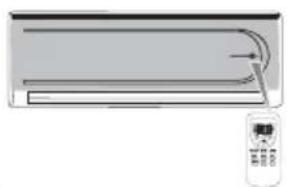
Illustration of a curved air conditioner unit with airflow arrows and a remote control (no text or symbols)When each button on the remote controller is pressed with the remote controller pointing toward the air conditioner unit, signal is sent.
When the signal is received correctly, the receiving sound is emitted from the unit.
OPERATING MACHINE IN SELECTED MODES
-
Point the remote controller at the unit, press the ON/OFF button, then press the MODE button, select the needed mode: ATUO.COOL.DRY.HEAT.or FAN.
-
Press the SET TEMPERATURE button to increase or decrease the readings until the needed temperature is displayed. The room set temperature range is from 16^ C- 32^ C( 61^ F- 90^ F).
(It would be automatically set at 25°C(76°F) and unadjustable in AUTO and DYR mode.)
- Press the FAN SPEED button to choose the air rate you want:Low(display indicates",Med(display indicates",Hi(display indicates",Auto(display" "indicator flashing).
(It would be automatically set at low speed and unadjustable in DRY mode.)
- Press the SWING button to choose the up/down air flow direction you want:natural flow( display indicates ( " ),swing(display(" indicator flashing) ,fixed wind(display indicates " " ).
(It would be automatically set at fixed wind air flow direction in DRY mode.)
TURBO OPERATION
Press TURBO button during COOL or HEAT operation, the air rate can be set in HIGH. Press the TURBO button again can release the TURBO operation.
Note: during TURBO operation, the air rate can't be changed.
ADJUSTING LEFT/RIGHT AIR FLOW DIRECTION
Methods 1: Manually adjust
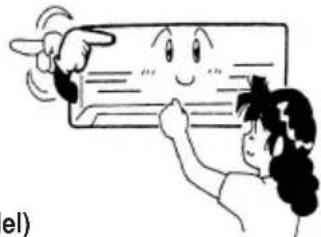
Adjust the direction by moving directly the left/right air flow direction adjusting fin by hand.
natural_image
Cartoon illustration of a person pointing at a smiling rectangular object (no text or symbols)Caution: when adjust the direction, stop air conditioner.
Methods 2: Horizontal & vertical auto swing(three-dimensional air flow model)
Adjust the direction by remote controller. Press the AIR FLOW button, the air swinging fins will constantly make the left/right swinging or fixed direction in air delivery.
TIMER OPERATION
Set turning off time
Set the time for the unit to turn off and when it is time, the air conditioner will automatically stop operating.
-
During the operation of the air conditioner, press the TIMER button and the air conditioner will enter the timed switch-off mode.
-
Continuously press the TIMER button to set the needed time for switching off the machine. The timer can make the setting in the range from 1-24 hours. Every the button is pressed, indication change is the following sequence: 1 * 2 * * 24 * cancel (no indication) * 1 .
-
After the setting of the timed switch-off, the digits shown on the display screen will go down by 1 for every elapsed hour. The displayed digits indicate the remaining time prior to the timed switch-off.
Set turning on time
Set the time for the unit to turn on and when it is time, the air conditioner will automatically start operating.
-
When the air conditioner is in the standby mode, press the TIMER button and the air conditioner will enter the timed switch-on mode.
-
Continually press the TIMER button to set the needed time for switching on the machine. The timer can make the setting in the range from 1-24 hours. Every the button is pressed, indication change is the following sequence: 1^ 2^ 24^ cancel (no indication) ^ 1.
-
After the setting of the timed switch-on, the digits shown on the display screen will go down by 1 for every elapsed hour. The displayed digits indicate the remaining time prior to the timed switch-on.
Releasing procedure
When the indication on display screen is 24 hour, press the TIMER button again to delete the timed mode.
SLEEP OPERATION
Use this mode to reduce operation sound when sleeping,etc.
Press the SLEEP button, the air flow sound from the indoor unit is decreased.
Press the SLEEP button again can release the mode.
NOTE:
- Use the sleep mode when you are going to bed. If this mode is used in the day, the capacity is reduced since the ambient temperature is too high. (COOL MODE).
- During the operation of cooling, the room temperature will be raised gradually by 2^(4^) higher than the setting after the machine begins to operate in the sleeping mode.
- During the operation of heating mode, the room temperature will be dropped gradually 5^ (9°F) lower than the setting after the machine begins to operate in the sleeping mode.
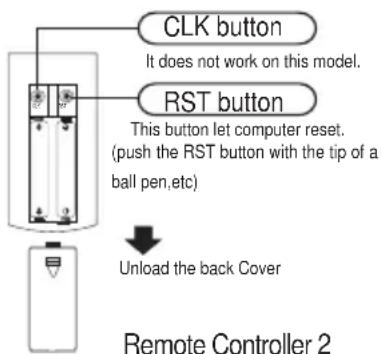
REPLACEMENT OF BATTERIES
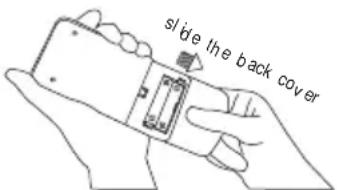
- When the signal from the remote controller becomes weak and the indoor unit can not receive it properly; or the indications on the display screen becomes blurred, please slide the back cover and replace with two new batteries.
- The positive and negative poles must match the installation positions.
- New batteries of the same type have to be used for replacement.
- If the remote controller is not to be used for long time, take out the batteries so as to prevent the leakage of the electrolyte from damaging the controller.
- If when the remote controller is at abnormal state, you can take out the batteries on the back cover to clear off the display.
text_image
slide the back coverRemote Controller 1
text_image
CLK button It does not work on this model. RST button This button let computer reset. (push the RST button with the tip of a ball pen,etc) Unload the back Cover Remote Controller 2\* Features of Heating Operations\*
Basic principles and performances
* The machines absorb heat from the outdoor air and transfer it indoors so as to heat the room air. The heating capabilities through this principle of heat pump go up/down with the increase/decrease of the temperatures of the outdoor air.
* It only needs a fairly short time for such hot air circulation system to raise the room temperature.
* When the outdoor air temperature is very low, the system can be used together with other heating devices. But good ventilation should be maintained to ensure safety and prevent accidents.
Defrosting
When the outdoor air temperature is very low and humidity is very high, frosting will occur to the heat exchanger of the outdoor unit, which has negative impacts upon the efficiency of the heating performance. In such case, the automatic defrosting function will come into play. The heating operation will be stopped for 5-10 minutes to do the defrosting.
* The fans of both the outdoor and indoor units are stopped.
* During the defrosting, the outdoor unit might generate some steam. It is caused by fast defrosting, which is not a performance failure.
* Upon the completion of the defrosting process, the heating operation is resumed.
The air conditioner must be turned off and plug pulled out before the maintenance is to be carried out.
Before the season of operation
During the season of operation
The cleaning of the air filter screen (Standard intervals should be once every two weeks).
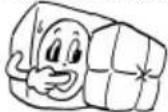
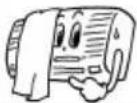
text_image
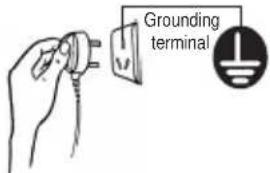
Grounding terminal1 Check if there are any blocking materials in the intake and outlet vents of the indoor and outdoor units.
2 Check if the installation stand is corroded or rusty.
3 Check if the machine is properly grounded.
4 Check if the air filter is clean.
5 Connect to the power source.
6 Put batteries in the remote controller.
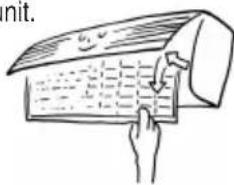
1 Remove the air filter screen from the unit.
• Gently press the tow lower ends of the grid and open it.
* Gently pull up the air filter screen and take it out in the direction of your body.
text_image
nit.2 Clean the air filter screen.
if the screen is very dirty, please use lukewarm water (about 30^ C or 86^ F) to clean it. Air it dry after the cleaning.
Note:
* Do not use boiling water to clean the screen.
* Do not bake the screen dry over a fire.
* Do not exert too much force in pulling and stretching the screen.
3 Install the air filter screen.
To operate the air conditioner without the air filter screen on will cause the interior of the machine dirty which might lead to poor performances or damages to the units.
Clean the air conditioner
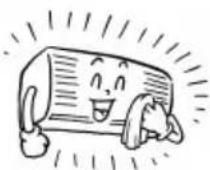
- Use a soft and dry cloth to rub the air conditioner, or use a vacuum cleaner to clean it.
• If the air conditioner is very dirty, use a piece of cloth and soak it with neutral home-use detergent to do the cleaning.
After the season of operation
1 Set the temperature at 30°C or 86°F and operate in the fan status for about half a day.
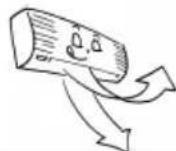
To make the interior of the units dry
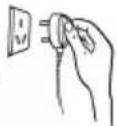
2 Stop the operation of the machine and turn off the power switch.
The air conditioner will consume about 5W of electric power after the machine is turned off. For the purpose of energy saving and safety, it is advisable to pull the plug out during the non-operational seasons.
3 Clean and install the air filter screen.
4 Clean the indoor and outdoor units.
5 Take the batteries out from the remote controller.
Note: If the air filter screen is blocked by dust or dirt, the performance of cooling and heating will be affected, with the operation noise and power consumption increased. Therefore, the air filter screen should be cleaned regularly.
\*Treatment at service call\*
Please check the following before requesting after-sale service from your dealer.
| The air conditioner does not operate at all . | ||
Is the power plug in an outlet ?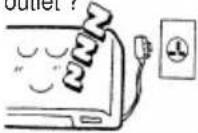 | Is the time set to "ON" position ?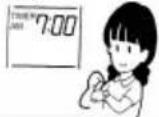 | Is there a power failure or a blown fuse ?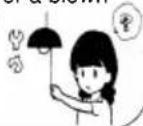 |
Poor cooling or heating performance
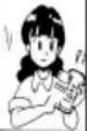
Is the room temperature setting suitable?
suitable TEMP
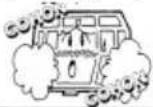
Are the air filters clean (Not clogged)?
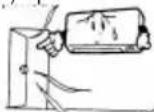
Are the window (s) and door (s) opened?
Poor cooling performance.
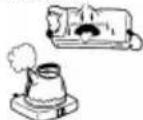
Is direct sunlight entering the room?
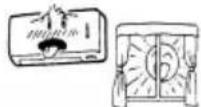
Is there a heat source in the room?
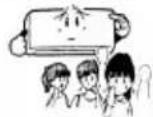
Are there too many people in the room?
Cases requiring immediate contact with the distributor
Pull out the power plug immediately and inform to your distributor in the following situations:
Fuse or breaker often breaks off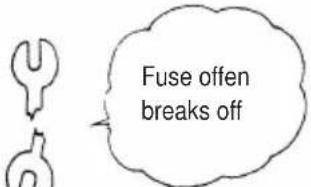 | Power plug or code is excessively hot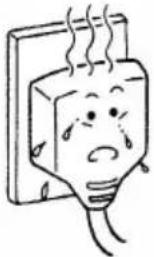 | Covering of power plug or codeis broken.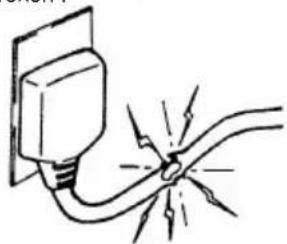 |
Malfunction is observed TV, radioor other devices.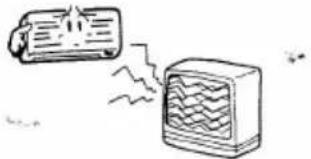 | Switch dose not actuate surely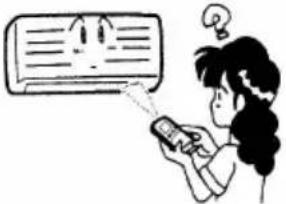 | Abnormal noise is heard duringoperation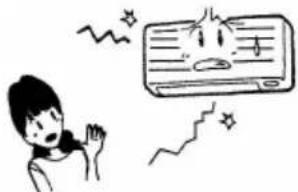 |
When faulty operation movement is observed when the RUN button is pressed, even after pulling out the power pulgand restarting the operation after 3 minutes, faulty movement does not disappear.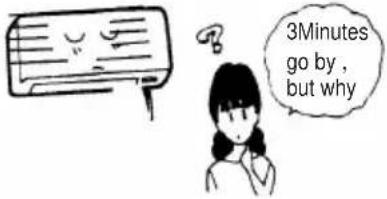 | ||
\*We hope you will know the following when using the unit\*
The unit can not be restarted just after shut down.(RUN lamp is illuminating)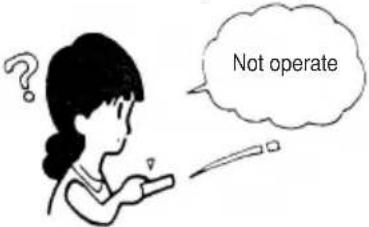 | Restart is stopped for 3 minutes after shut down to protect the unit.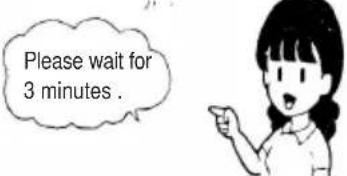 Three-minute protection timer incorporated in the microcomputer actuates automatically. Except that power is connected, this function does not actuate. Three-minute protection timer incorporated in the microcomputer actuates automatically. Except that power is connected, this function does not actuate. |
| Air is not blown out at starting of heating operation. | Air blow is stopped to prevent blowing out of cold air until the indoor heat exchanger is warmed.(2 to 5 min)(HOT KEEP) |
| The unit will not stop blowing out the air immediately after shut down at COOL operation(some model). | Because the unit is doing mould proofing operation and indoor fan motor runs at low speed.The louver will not close down until after 30 seconds. |
| Air is not blown out for 6 to 12 min, at heating operation. | When outdoor temperature is low and humidity is high, the unit sometimes performs defrosting automatically. Please wait. During defrosting, water or steam are raising from the outdoor unit. |
| Air is not blown out at DRY operation. | Indoor fan is sometimes stopped to prevent vapor of dehumidified moisture and save energy. |
| Mist is blown out at COOL operation. | This phenomenon sometimes occurs when the temperature and humidity of the room are very high, but it will disappear with the lowering of the temperature and humidity. |
| Odor is sent out. | Air blown out during operation may smell. This is the smell of tobacco or cosmetics sticked to the unit. |
Noise is heard cracking sound. | This is caused by the refrigerant that is circulating inside the unit. |
| Noise is heard cracking sound. After a power stoppage or after disconnecting the power supply plug. | This is caused by heat expansion or contraction of plastics. |
| Operation can not be restarted even if the power is recovered. | The memory circuit of the microcomputer is cleared. Operate the remote controller again to restart the operation. |
| Remote control signals are not received. | Remote control signals may not be received when signal receiver on the air conditioner body is exposed to direct sunlight or strong lighting. In that case, interrupt the sunlight or darken the lighting.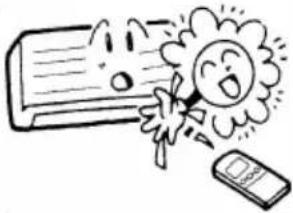 |
| Moisture may form on the air outlet grilles. | If the unit is operated for a long period of time with the high humidity, moisture may form on the air outlet grilles and drip down. |

LLOYD ELECTRIC & ENGINEERING LTD.
Plot no. 2, Industrial Area, Kalkaji, New Delhi-110019
Tel: +91-11-47100600, Fax: 91-11-26485717
Email: perfectservice@lloydmail.com
Website: www.mylloyd.com
Regd. Office: A-146, (B & C), RIICO Industrial Area,
Bhiwadi- 301019, Rajasthan
Customer care Toll Free No.
Gujarat:1800-2582-583 | Maharashtra:1800-1024-212 | Punjab/Himachal/J & K:1800-1027-781
Andhra Pradesh:1800-1200-666 | Rest of India:1800-1020-666