
VE-5841 - Ventilateur domestique TRISTAR - Free user manual and instructions
Find the device manual for free VE-5841 TRISTAR in PDF.


| Product Type | Desk Fan |
| Brand | TriStar |
| Model | VE-5841 |
| Power Source | USB (5V) with built-in rechargeable lithium-ion battery |
| Battery Capacity | Built-in, charging time approx. 4-5 hours |
| Number of Speeds | 4 speeds (1 to 4) |
| Oscillation | Yes, press and hold button for 3 seconds to activate/deactivate |
| Control | Single button for on/off, speed adjustment, and oscillation |
| Indicators | Charging light (red) and speed indicator lights (blue) |
| Cord Length | Included USB cable (specific length not specified) |
| Dimensions (approx.) | Typical desktop fan size (exact not specified) |
| Weight | Lightweight (exact not specified) |
| Material | Plastic and metal components |
| Safety Features | Protective guard; do not use near water; low voltage protection |
| Cleaning Instructions | Unplug, wipe with soft dry or slightly damp cloth; keep air vents dust-free |
| Repair/Servicing | Only by authorized personnel; user must not open device |
| Disposal | Recycle as electronic waste; remove and recycle battery separately |
| Usage Restrictions | Not for use near bath, shower, or pool; not for children without supervision |
| Included Accessories | USB cable (adapter sold separately) |
| Warranty | Void if tampered by unauthorized persons or misused |
Frequently Asked Questions - VE-5841 TRISTAR
User questions about VE-5841 TRISTAR
0 question about this device. Answer the ones you know or ask your own.
Ask a new question about this device
Download the instructions for your Ventilateur domestique in PDF format for free! Find your manual VE-5841 - TRISTAR and take your electronic device back in hand. On this page are published all the documents necessary for the use of your device. VE-5841 by TRISTAR.
USER MANUAL VE-5841 TRISTAR
natural_image
Illustration of a desktop electric fan with labeled parts (no text or symbols on the fan itself)[NO TEXT]

WWW.TRISTAR.EU
or Europe B.V. | Jules Vemeweg 87
5015 RH Tilburg | The Netherlands
5V SAFETY
- Choose the place for the device carefully. The surface used for the device must be dry and of normal temperature (not hot) and must not be next to a heat source (heating surface) or source of water.
- Check the USB charging cable, connectors, adapter (which can be bought additionally) and plug before connecting the device to the adapter and the adapter to the plug (power supply). If you observe any defect, contact our support department.
- Only use a dry or slightly damp cloth to clean the device.
- Use the device exclusively for the purposes described in the instructions for use.
- If the USB charging cable is damaged, the manufacturer, authorized repair service, or similarly qualified personnel must replace it to prevent any danger.
• This appliance can be used by children aged from 8 years and above and persons with reduced physical, sensory or mental capabilities or lack of experience and knowledge if they have been given supervision or instruction concerning use of the appliance in a safe way and understand the hazards involved. Children shall not play with the appliance. Cleaning and user maintenance shall not be made by children without supervision.
- The warranty is void in the following cases: - An unauthorized or unqualified person attempts to repair the
device.
– The device is used for purposes other than intended.
- Safety rules and instructions for use are not followed. - Never use the device in an explosive
- Never use the device in an explosive atmosphere.
- Store the device in dry spaces at room temperature
- When correctly connected and used in accordance with the instructions, the device is not dangerous. Electrical components use low voltage and are protected against dust. - Read the instructions for use thoroughly before use.
- Opening the device and accessing its interior by a user is forbidden
• The manufacturer assumes no liability for damage caused by incorrect use or by failure.
damage caused by incorrect use of by failure to comply with the instructions.
- Don't use this fan in the immediate surroundings of a bath, a shower or a swimming pool. Never locate the fan where it may fall into the bath tub or other water container.
Never insert fingers, pencils, or any other object through the guard when the fan is running.
Cleaning and maintenance
- Before cleaning, unplug the adapter. - Store the USB charging cable and the device in a dry and ventilated place.
- Use a soft, dry or slightly damp soft cloth to clean the device. Do not use sponges, coarse cloth, polishing agents, disinfectants, or aggressive cleaning agents that may damage the surface of individual components. Never immerse the device in water or put it under running water. Never spray cleaning agents
directly on the inside or outside of the device. • The device must be completely dry before use. If liquid enters the interior of the device, consult the seller or authorized repair service. • Keep the air vents free from dust.
- Use a vacuum cleaner to remove the dust when necessary.
PARTS DESCRIPTION
PARTS DESCRIF 1. Fan
- Charging light
-
Speed indication lights
-
Button: on/off, speed adjustment, oscillation
-
USB cable
-
USB cable
BEFORE THE FIRST USE • Take the appliance and accessories out the box. Remove the stickers, protective foil or plastic from the device.
- Before using your appliance for the first time, wipe off all removable parts with a damp cloth. Never use abrasive products. - Place the appliance on a flat stable surface and ensure a minimum of 10 cm. free space around the appliance. This appliance is not suitable for installation in a cabinet or for outside use.
• This product contains a built-in lithium ion battery, which must be
- Connect the supplied USB cable to the micro USB port at the back of the fan base and the USB connector end to a powered USB port (on a mobile adapter, computer, laptop or any other powered USB port).
- During charging, the indicator light will flash red. After the appliance is fully charged, the indicator light is on in red. A fully charge will take approximately 4 to 5 hours. - When charging has finished, disconnect the USB cable. - The fan can be operated during charging, the charging indicator light will flash in red and the speed indicator light is on in blue.
OPERATION
- Press the button on the base to choose the fan speed from 1 to 4. - Press the button once, speed 1, one light is on. - Press the button twice, speed 2, two lights are on. - Press the button three times, speed 3, three lights are on. - Press the button four times, speed 4, four lights are on. - Press the button five times, turn off the fan. - Oscillation function: when the fan is on press and hold the button for 3 seconds, the fan starts to oscillate, press and hold the button again for 3 seconds, it stops oscillating.
ENVIRONMENT
[Unreadable]
This appliance should not be put into the domestic garbage at the end of its durability, but must be offered at a central point for the recycling of electric and electronic domestic appliances. This symbol on the appliance, instruction manual and packaging puts your attention to this important issue. The materials used in this appliance can be recycled. By recycling of used domestic appliances you contribute an important push to the protection of our environment. Ask your local authorities for information regarding the point of recollection.
The European directive for batteries (2005/66/EC) states that it is not permitted to throw batteries away with the household waste. They may contain substances which are harmful to the environment. Empty batteries can be handed over to a local, public collection point or a local recycling centre. To avoid overheating as a result of a short circuit, lithium batteries must be removed from the product and the poles must be protected using insulation tape or some other means against short-circuiting.
5V SAFETY
- Don't use this fan in the immediate surroundings of a bath, a shower or a swimming pool. Never locate the fan where it may fall into the bath tub or other water container.
- Never insert fingers, pencils, or any other object through the sword when the fan is running.
through the guard when the Ian is running
- Before cleaning, unplug the adapter. - Store the USB charging cable and the device in a dry and ventilated place.
- Use a soft, dry or slightly damp soft cloth to clean the device. Do not use sponges, coarse cloth, polishing agents, disinfectants, or aggressive cleaning agents that may damage the surface of individual components. Never immerse the device in water or put it under running water. Never spray cleaning agents directly on the inside or outside of the device.
- The device must be completely dry before use. If liquid enters the interior of the device, consult the seller or authorized repair service.
- Keep the air vents free from dust. - Use a vacuum cleaner to remove the dust when necessary.
PARTS DESCRIPTION
PARTS DESCRIP 1. Fan
- Charging light
-
Speed indication lights
-
Button: on/off, speed adjustment, oscillation
- USB cable
5. USB cable
BEFORE THE FIRST USE
- Place the appliance on a flat stable surface and ensure a minimum of 10 cm. free space around the appliance. This appliance is not suitable for
installation in a c
• This product contains a built-in lithium ion battery, which must be
charged before use. • Connect the supplied USB cable to the micro USB port at the back of the
- Connect the supplied USB cable to the middle USB port at the back of the fan base and the USB connector end to a powered USB port (on a mobile adapter, computer, laptop or any other powered USB port).
- During charging, the indicator light will flash red. After
fully charged, the indicator
• When charging has finished, disconnect the USB cable.
- The fan can be operated during charging, the charging indicator light will flash in red and the speed indicator light is on in blue.
(1)基因通过控制 通过控制
OPERATION • Press the button on the base to choose the fan speed from 1 to 4
- Press the button once, speed 1, one light is on.
- Press the button twice, speed 2, two lights are on. - Press the button three times, speed 3, three lights are on.
- Press the button four times, speed 4, four lights are on.
- Press the button five times, turn off the fan. - Oscillation function: when the fan is on press and hold the button for 3
seconds, the fan starts to oscillate, press and hold the button again for 3 seconds, it stops oscillating.
secuni
MILIEU
图
Don't use this fan in the immediate
surroundings of a bath, a shower or a swimming
pool. Never locate the fan where it may fall into
the bath tub or other water container.
Never insert fingers, pencils, or any other object
through the guard when the fan is running
2.1.1.1.1.2.3.4.5.6.7.8.9.10.11.12.13.14.15.16.17.18.19.20.21.22.23.24.25.26.27.28.29.30.31.32.33.34.35.36.37.38.39.40.41.42.43.44.45.46.47.48.49.50.51.52.53.54.55.56.57.58.59.60.61.62.63.64.65.66.67.68.69.70.71.72.73.74.75.76.77.78.79.80.81.82.83.84.85.86.87.88.89.90.91.92.93.94.95.96.97.98.99.100
Before cleaning, unplug the adapter
Store the USB charging cable and the device in
a dry and ventilated place.
Use a soft, dry or slightly damp soft cloth to
clean the device. Do not use sponges, coarse
cloth, polishing agents, disinfectants, or
aggressive cleaning agents that may damage
aggressive cleaning agents that may damage the surface of individual components. Never
the surface of individual components. Never immerse the device in water or put it under
Immerise the device in water of put it under running water. Never spray cleaning agents
running water. Never spray cleaning agents directly on the inside or outside of the device
directly on the inside or outside of the device
The device must be completely dry before use.
If liquid enters the interior of the device, consult
the seller or authorized repair service.
Keep the air vents free from dust
Use a vacuum cleaner to remove the dust when
necessary
Necessary.
PARTS DESCR
.Fan Charming job
. Speed indication light
. Button: on/off, speed adjustment, oscillation
. USB cable
BEFORE THE FIRST USE
Place the appliance on a flat stable surface and ensure a minimum of 10
cm. free space around the appliance. This appliance is not suitable for installation in a cabinet or fire outside use.
Shangting the fan
This product contains a built-in lithium ion battery, which must be
charged before use.
Connect the supplied USB cable to the micro USB port at the back of the fan base and the USB connector end to a powered USB port (on a
mobile adapter, computer, laptop or any other powered USB port).
During charging, the indicator light will flash red. After the appliance
fully charged, the indicator light is on in red. A fully charge will take approximately 4 to 5 hours.
When charging has finished, disconnect the USB cable.
The fan can be operated during charging, the charging
flash in red and the speed indicator light is on in blue.
OPERATION
Press the button on the base to choose the fan speed from 1 to 4.
Press the button once, speed 1, one light is on. Press the button twice, speed 2, two lights are o
Press the button three times, speed 3, three lights are on.
Press the button four times, speed 4, four lights are on.
Press the button five times, turn off the fan. Oscillation function: when the fan is on press and hold the button for 3
Oscillation function: when the fan is on press and hold the button for 5 seconds, the fan starts to oscillate, press and hold the button again for 3
seconds, it stops oscillating.
ENVIRONNEMENT
NVI
图
- Don't use this fan in the immediate
surroundings of a bath, a shower or a
swimming pool. Never locate the fan where it may fall into the bath tub or other water.
may fail if container
- Never insert fingers, pencils, or any other object
through the guard when the fan is running.
Cleaning and maintenance
• Before cleaning, unplug the ad
- Store the USB charging cable and the device in
a dry and ventilated place. • Use a soft dry or slightly d
Use a soft, dry or slightly damp soft cloth to clean the device. Do not use sponges, coarse
cloth, polishing agents, disinfectants, or
aggressive cleaning agents that may damage the surface of individual components. Never
the surface of individual components. Never immerse the device in water or put it under
running water. Never spray cleaning agents
directly on the inside or outside of the device
• The device must be completely dry before use. If liquid enters the interior of the device, consult
the seller or authorized repair service.
- Keep the air vents free from dust.
- Use a vacuum cleaner to remove the dust when
necessary.
PARTS DESCRIPTION 1. Fan
-
Charging light
-
Speed indication light
-
Button: on/off, speed
-
USB cable
BEFORE THE FIRST USE
natural_image
Product diagram of a desktop electric fan with labeled parts (no text or symbols on the fan itself)[NO TEXT]

WWW.TRISTAR.EU
Tristar Europe B.V. | Jules Verneweg 87
5015 BH Tilburg | The Netherlands
Don't use this fan in the immediate
surroundings of a bath, a shower or
swimming pool. Never locate the fan where it
may fall into the bath tub or other water
container
- Never insert fingers, pencils, or any other
object through the guard when the fan is
running
Cleaning and maintenance
· Before cleaning, unplug the adapter
- Store the USB charging cable and the device
in a dry and ventilated place
- Use a soft, dry or slightly damp soft cloth to
clean the device. Do not use sponges, coarse
cloth, polishing agents, disinfectants, or
aggressive cleaning agents that may damage
the surface of individual components. Never immere the device in water or put it under
immored the device in water or put it under running water. Never spray cleaning agents
directly on the inside or outside of the device
The device must be completely dry before
use. If liquid enters the interior of the device
consult the seller or authorized repair service.
- Keep the air vents free from dust.
- Use a vacuum cleaner to remove the dust
when necessary
PARTS DESCRIPTION
. Fan Charging light
-
Speed indication lights
-
USB cable
BEFORE THI
Place the appliance on a flat stable surface and ensure a minimum of
for installation in a cabinet or for outside use.
Charging the fan This product contains a built-in lithium ion battery, which must be
charged before use,
Connect the supplied USB cable to the micro USB port at the back of the fan base and the USB connector end to a powered USB port (on a
mobile adapter, computer, laptop or any other powered USB port). During charging, the indicator light will flash and. After the appliance in
fully charged, the indicator light is on in red. A fully charge will take
approximately 4 to 5 hours. When charging has finished, disconnect the USB cable
The fan can be operated during charging, the charging indicator light
will hashified
OPERATION Press the button on the base to choose the fan speed from 1 to 4.
Press the button once, speed 1, one light is on.
Press the button three times, speed 3, three lights are or
Press the button four times, speed 4, four lights are on. Press the button five times, turn off the fan.
Oscillation function: when the fan is on press and hold the button for 3
3 seconds, it stops oscillating.
SPODOWISKO
[NO TEXT]
Don't use this fan in the immediate
surroundings of a bath, a shower
pool. Never locate the fan where it may fall into
the bath tub or other water container.
Never insert fingers, pencils, or any other object
through the guard when the fan is running.
4.1.2.1
Before cleaning and the conductor
Before cleaning, unplug the adapter. Store the USB charging cable and th
Store the SDB charging cable and the device in a dry and ventilated place.
Use a soft dry or slightly
clean the device. Do not use sponges, coarse
cloth, polishing agents, disinfectants, or
aggressive cleaning agents that may damage
the surface of individual components. Neve
immerse the device in water or put it under
running water. Never spray cleaning agents
directly on the inside or outside of the device
The device must be completely dry before use. If liquid enters the interior of the device, consult
If liquid enters the interior of the device, co the seller or authorized repair service
Keep the air vents free from dust
Use a vacuum cleaner to remove the dust when
necessary
2、本次股东大会的召开和表决情况
. Fan
. Charging light Speed indicat
. Button: on/off, speed adjustment, oscillation
. 000 cabr
Place the appliance on a flat stable surface and ensure a minimum of 10 cm. free space around the appliance. This appliance is not suitable for
installation in a cabinet or for outside use.
Charging the fan This product contains
charged before use.
- Connect the supplied USB cable to the micro USB port at the back of the
tan base and the USB connector end to a powered USB port (on a mobile adapter, computers, laptop or any other powered USB port).
- During charging, the indicator light will flash red. After the appliance is
fully charged, the indicator light is on in red. A fully ch approximately 4 to 5 hours.
- When charging has finished, disconnect the USB cable.
flash in red and the speed indicator light is on in blue.
OPERATION
- Press the button on the base to choose the fan speed from 1 to 4.
- Press the button twice, speed 2, two lights are
- Press the button three times, speed 3, three lights are on. - Press the button four times, speed 4, four lights are on.
- Press the button five times, turn off the fan.
seconds, the fan starts to oscillate, press and hold the button again for 3
seconds, it
PROSTREDI
图
• Don't use this fan in the immediate
surroundings of a bath, a shower or a swimming
pool. Never locate the fan where it may fall into
the bath tub or other water container.
- Never insert fingers, pencils, or any other object
through the guard when the fan is running.
Cleaning and maintainan
• Before cleaning, unplug the adapter
- Store the USB charging cable and the device in
a dry and ventilated place.
- Use a soft dry or slightly damp soft cloth to
clean the device. Do not use sponges, coarse
cloth, polishing agents, disinfectants, or
aggressive cleaning agents that may damage
the surface of individual components. Never
immerse the device in water or put it under
running water. Never spray cleaning agents
directly on the inside of outside of the device.
- The device must be completely dry before use. If liquid enters the interior of the device, we'll
If liquid enters the interior of the device, consult the seller or authorized repair service.
- Keep the air vents free from dust
• Use a vacuum cleaner to remove the dust when
necessary
,
-
Far
-
Charging light
-
Speed indication liq
-
Button: on/off, speed adjustm
-
USD CABLE
BEFORE THE FIRST USE • Spotrebič a prislušenst
- Place the appliance on a flat stable surface and ensure a minimum of 10 cm. free space around the appliance. This appliance is not suitable for
installation in a cabinet or for outside use.
- This product cor
charged before use.
fan base and the USB connector end to a powered USB port (on a
- Mobile adapter, computer, laptop or any other powered USB port). During charging, the indicator light will flash red. After the appliance
fully charged, the indicator light is on in red. A fully charge will take
- When charging has finishes
- The fan can be operated during charging, the charging indicator light will flash in red and the speed indicator light is on in blue.
STATION
- Press the be
- Press the button once, speed 1, one light is on. - Press the button twice, speed 2, two lights are on.
- Press the button three times, speed 3, three light
- Press the button five times, turn off the fan.
- Oscillation function: when the fan is on press and hold the button for 3 seconds, the fan starts to oscillate, press and hold the button again for 2
seconds, it stops oscillating.
ŽIVOTNÉ PROSTREDIE
区
八
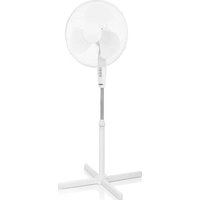

Brand : TRISTAR
Model : VE-5841
Category : Ventilateur domestique