Record Doctor VI - DJ Mixer Pangea Audio - Free user manual and instructions
Find the device manual for free Record Doctor VI Pangea Audio in PDF.


User questions about Record Doctor VI Pangea Audio
0 question about this device. Answer the ones you know or ask your own.
Ask a new question about this device
Download the instructions for your DJ Mixer in PDF format for free! Find your manual Record Doctor VI - Pangea Audio and take your electronic device back in hand. On this page are published all the documents necessary for the use of your device. Record Doctor VI by Pangea Audio.
USER MANUAL Record Doctor VI Pangea Audio
text_image
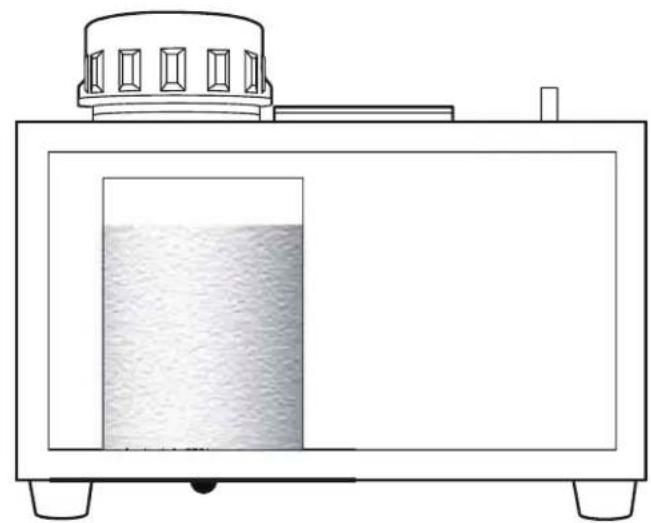
Record Doctor User's ManualAfter 20–25 records. Remove drain plug. Drain into sink. Nach 20-25 Schallplatten. Ablassstopfen ziehen. Flüssigkeit ablassen. Après 20-25 Disques. Retirez le Bouchon de Vidange. Videz dans l'Évier. Despues de 20-25 discos. Remover el tapon de drenado. Drenar en lavamanos o cubeta
natural_image
Simple line drawing of a rectangular container with a side panel showing liquid, no text or symbols present.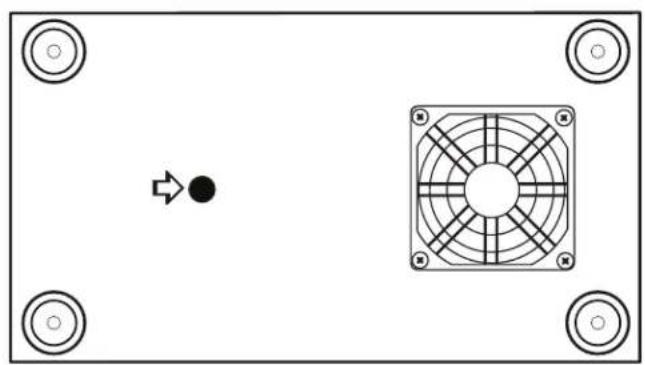
natural_image
Top-down view of a device panel with a central fan and directional arrow, no text or symbols present.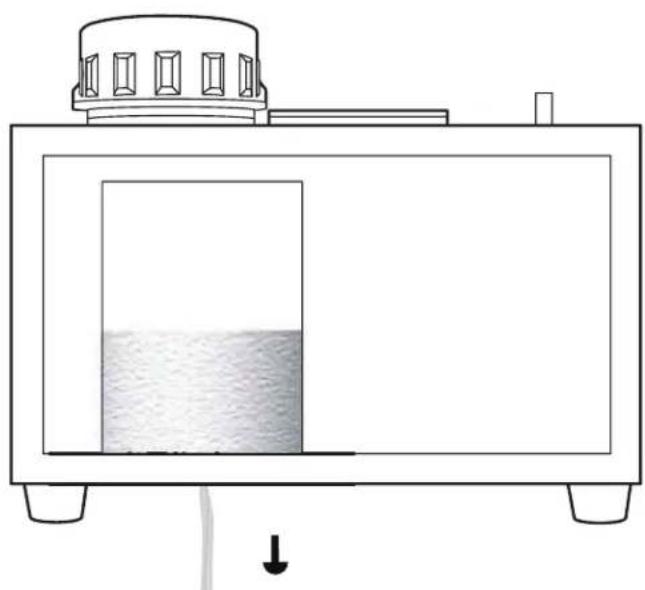
natural_image
Simple line drawing of a rectangular container with liquid inside, connected to a top-mounted device (no text or symbols)1
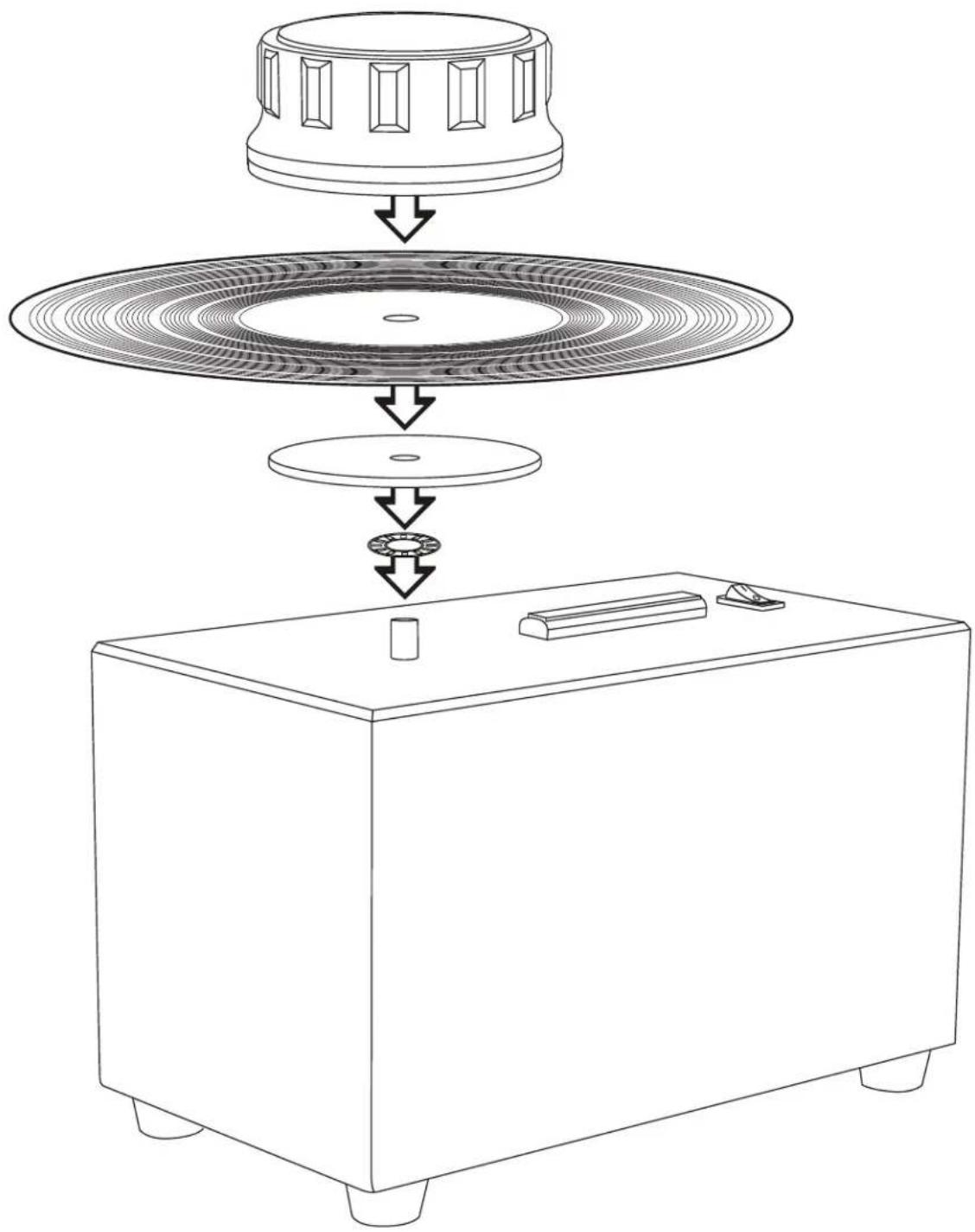
EN: Assemble.
DE: Aufbau
FR: Assemblez
ES: Ensamblar
text_image
Diagram showing a device's internal structure with labeled components and flow arrows indicating assembly or assembly steps.2 Apply fluid.
natural_image
Line drawing of a hand holding a magnifying glass over a circular object, no text or symbols present3
Rotate and spread fluid.
natural_image
Diagram illustrating magnetic field lines around a rotating magnet, showing hand positioning and directional arrows (no text or symbols)4
Remove turner.
Drehgriff abnehmen
natural_image
Illustration of a hand holding a device with concentric rings and a downward arrow, no text or symbols present.5
Flip record.
natural_image
Diagram of concentric wave patterns around a central axis, with an arrow indicating direction (no text or symbols)6
Reattach turner.
natural_image
Illustration of a hand pressing down on a circular ring with a downward arrow, no text or symbols present7
Turn machine on.
Gerät einschalten
Allumez la Machine
Encender maquina
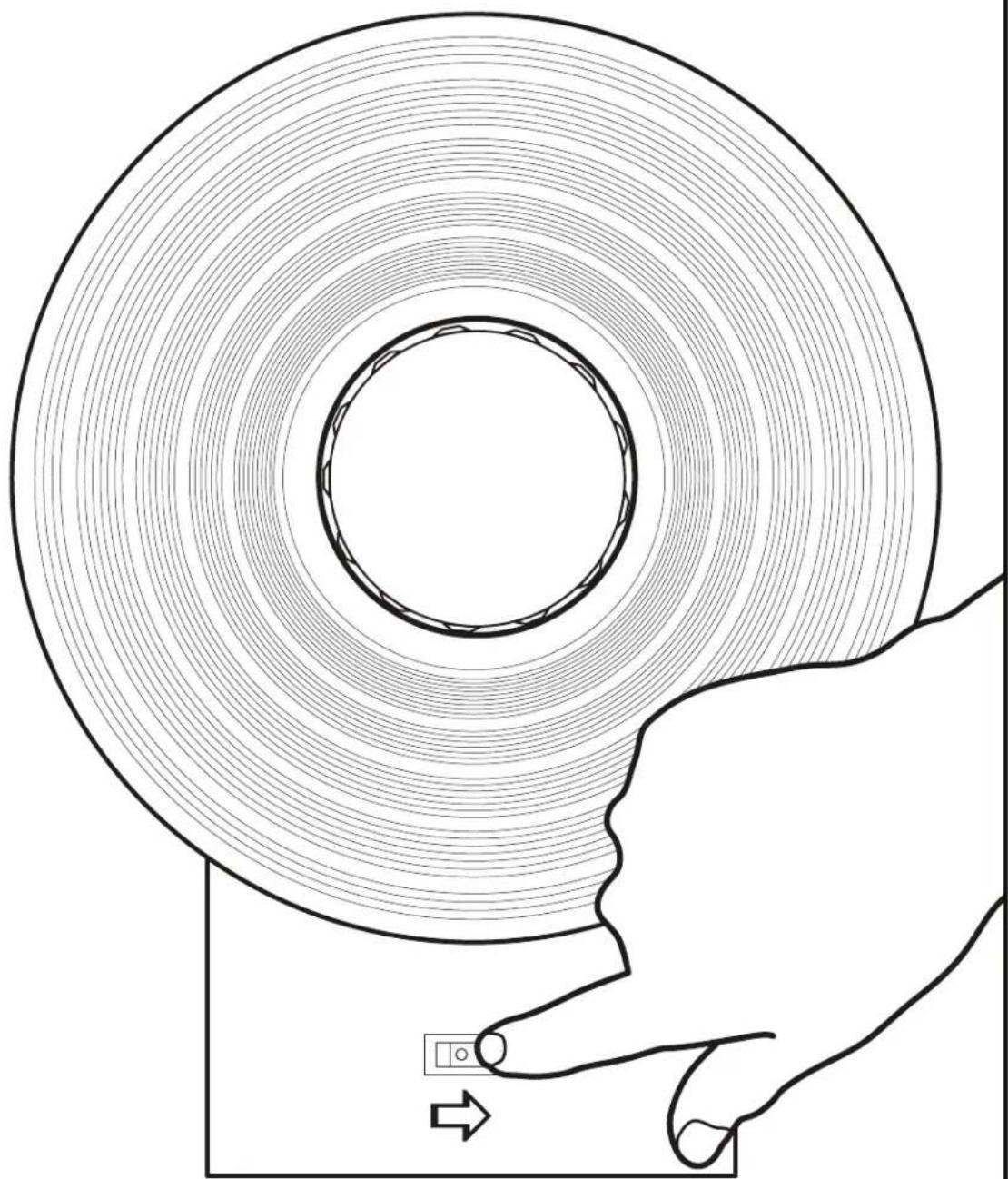
natural_image
Diagram of a hand holding a circular object with concentric rings, showing a small inset device (no text or symbols present)8
Rotate 2–3 times.
2-3 Umdrehungen
Tournez 2-3 fois
natural_image
Diagram of a hand moving in a circular magnetic field with directional arrows indicating motion (no text or symbols)9
Turn off. (Optional: repeat from step 2.)
natural_image
Diagram of a curved pipe or duct with internal flow patterns, showing fluid flow and movement direction (no text or symbols)10
Play that clean vinyl.
natural_image
Line drawing of a vintage CD or DVD disc with a circular top and base, no text or symbols present
text_image
20th ANNIVERSARY EDITIONThank you for purchasing the Record Doctor VI record cleaning machine.
Record Doctor VI
Safety & Use Guidelines
The Record Doctor VI machine was designed and produced under strict quality controls. It complies with all established international safety standards. The following instructions should be fully read, understood, and observed in order to prevent any hazard, personal injury, or damage:

Do not attempt to open the machine or attempt to service inside! Severe risk of damage and electric shock! There are no parts in the machine that require maintenance by the user.

Cleaning
Unplug the machine from the wall before cleaning the machine's cabinet. Use a soft, lint-free cloth. Do not use abrasives, solvents, thinners, chemicals, polishes, or other cleaning products that may permanently damage the finish.
Guidelines for Operation
• Always use in a well-ventilated area.
- Do not block the bottom vent while operating.
- Do not run the vacuum motor continuously while cleaning. Turn on and off as needed.
- If the machine becomes warm to the touch, stop cleaning and allow the machine to cool for at least an hour.
- The maximum recommended cleaning capacity is one hundred (100) LPs per day.
- Do not reuse spent fluid, which may damage your records.
- Never vacuum a dry record! This may damage the LPs surface.
- Regularly clean the Record Doctor cleaning strips with a soft toothbrush.
• Always replace the cleaning strips at the first signs of wear (SKU: RDSSK)
Warranty
The Record Doctor VI is guaranteed against manufacturing defects for a period of one (1) year after the purchase date. User abuse, misuse, the use of unauthorized cleaning solutions, or shipping damage voids this warranty. For warranty service, visit www.pangeaaudio.com or call (866) 984-0677.