
STREAM PRO 2 LED - Webcam Niceboy - Free user manual and instructions
Find the device manual for free STREAM PRO 2 LED Niceboy in PDF.


| Product Type | Webcam with Integrated LED Light |
| Model | STREAM PRO 2 LED |
| Brand | Niceboy |
| Dimensions | Approx. 110 x 50 x 55 mm |
| Weight | ~150 g (with cable) |
| Power Supply | USB 2.0, 5V / 500 mA |
| Video Resolution | Full HD 1080p (1920 x 1080) |
| Frame Rate | 30 fps |
| Field of View | 80° |
| Built-in Microphone | Yes, omnidirectional |
| LED Light | Adjustable ring light with multiple brightness levels |
| Connection | USB-A cable (1.5 m) |
| Mounting | Clip-on stand for monitor or tripod mount (1/4 inch) |
| Compatibility | Windows, macOS, Chrome OS, Linux, Android (OTG) |
| Software | Plug-and-play, no additional drivers required |
| Maintenance | Clean lens with a soft, dry cloth. Avoid liquids. |
| Safety Warnings | Do not expose to moisture or extreme temperatures. Do not disassemble. |
| Spare Parts | Not user-serviceable. For repairs, contact authorized service. |
| Warranty | 2 years (EU standard) |
Frequently Asked Questions - STREAM PRO 2 LED Niceboy
User questions about STREAM PRO 2 LED Niceboy
0 question about this device. Answer the ones you know or ask your own.
Ask a new question about this device
Download the instructions for your Webcam in PDF format for free! Find your manual STREAM PRO 2 LED - Niceboy and take your electronic device back in hand. On this page are published all the documents necessary for the use of your device. STREAM PRO 2 LED by Niceboy.
USER MANUAL STREAM PRO 2 LED Niceboy
PŘIPOJENÍ K PC
natural_image
Simple line drawing of a mechanical clamp or bracket with hands operating it (no text or symbols)2
natural_image
Simple line drawing of a hand holding a tool or bracket (no text or symbols)natural_image
Symbol of a trash bin with crossed lines and a blank rectangular base (no text or numbers)PRIPOJENIE K PC
natural_image
Simple line drawing of a mechanical clamp or bracket with hands operating it (no text or symbols)2
natural_image
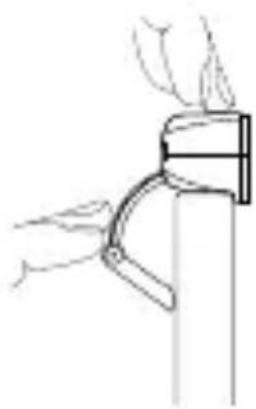
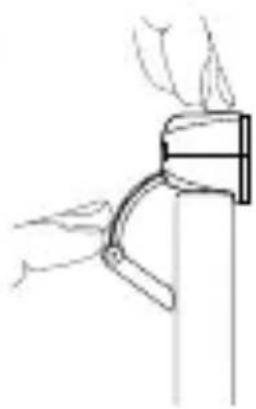
Simple line drawing of a hand holding a tool or bracket (no text or symbols)- Otvorte podstavec kamery a kameru umiestnite na hornú stranu monitora tak, aby objektív smeroval dopredu.
- Podstavec zatlačte tak, aby sa dokonale opieral o zadnú stranu monitora.
natural_image
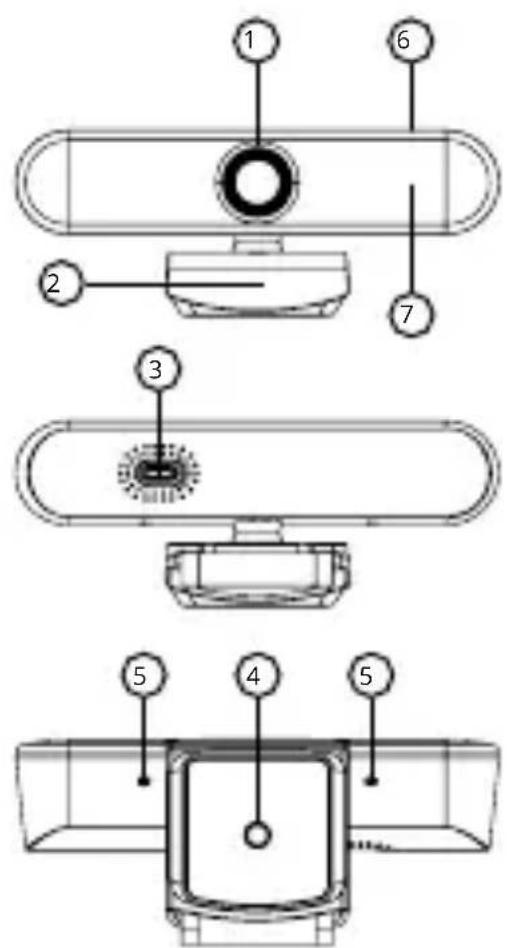
Symbol of a trash bin with crossed lines and a blank rectangular base (no text or numbers)- Camera Lens
- Integrated mount
- USB-C port
- Tripod screw-thread
- Microphone input
- Lighting touch-pad
- Front panel with LED lights
PC CONNECTION
To connect the webcam to a PC, use the supplied USB cable, which you connect to the USB-C port (3) on the camera and the other end to a USB on the PC. The Niceboy STREAM PRO 2 LED webcam is a Plug & Play device, therefore no installation on the PC is required and after being connected to the PC, the camera is ready for use.
LED LIGHTING
The front panel lighting (7) is controlled by tapping on the top of the camera (6). The lighting is active when the camera is connected to a PC via cable and also in the program that will be used for video streaming (ie. the camera is actively used). Tap the touch-pad (6) to activate the panel lighting, tap again to increase the light intensity (there are a total of 3 light intensities available), and tap again (fourth time) to turn the light off.
Notice: if the camera is only connected to a PC, the LED lighting is not active. It will not be activated until the camera is used in a streaming program.
INSTALLATION
1
natural_image
Simple line drawing of a mechanical clamp or bracket with hands operating it (no text or symbols)2
natural_image
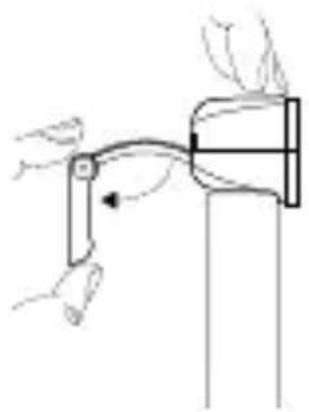
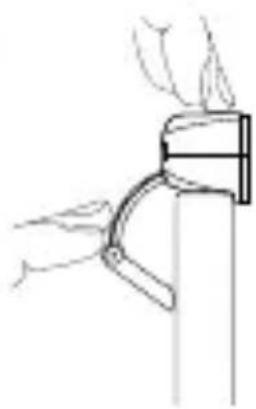
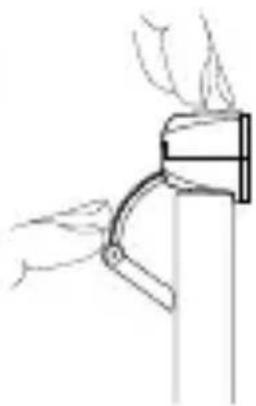
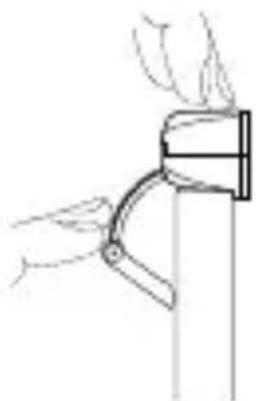
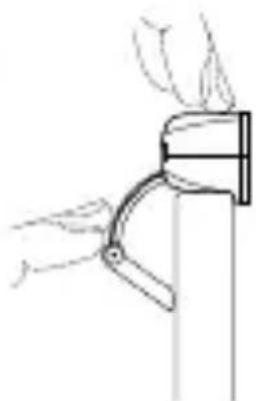
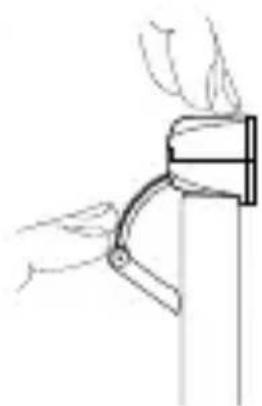
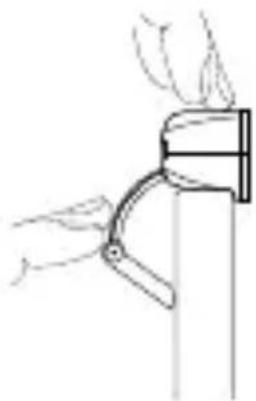
Simple line drawing of a hand holding a curved object with a handle, no text or symbols present- Open the camera mount and place the camera on top of the monitor with the lens facing forward.
- Press the mount so it is fully pressed against the backside of the monitor.
Niceboy Tip: you can also place the camera on a workbench or mount it on a tripod using the tripod screw-thread (4) on the bottom of the mount.
PACKAGE CONTENTS
Niceboy STREAM PRO 2 LED Webcam
Integrated mount for table/monitor
USB cable
Manual
PARAMETERS
Maximum
video resolution: Full HD (1920 x 1080p)
Camera Lens: FOV 90°, aperture f/1,8
Microphone: Yes
Camera port: USB-C
System requirements: Windows 8.1 and latter, MacOS 10.1 and latter, USB 2.0
Dimensions: 127 x 50 x 54 mm
Weight: 101 g
You can find this manual in electronic form at www.niceboy.eu in the support section. This product complies with all the basic requirements of relevant EU directives.
USER INFORMATION FOR DISPOSING ELECTRICAL AND ELECTRONIC DEVICES (HOME USE)
natural_image
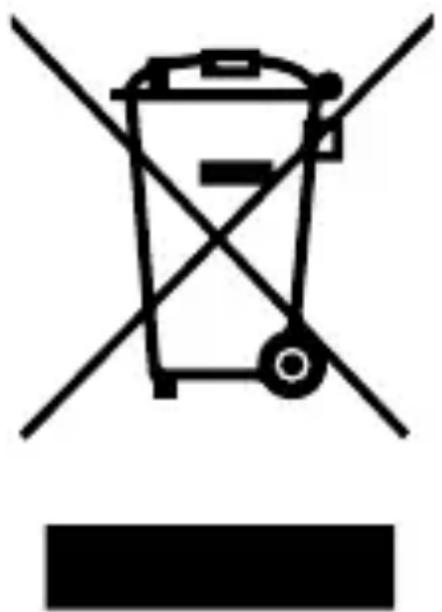
Symbol of a trash bin with crossed lines and a blank rectangular base (no text or numbers)This symbol located on a product or in the product's original documentation means that the used electrical or electronic products may not be disposed together with the communal waste. In order to dispose of these products correctly, take them to a designated collection site, where they will be accepted for free. By disposing of a product in
this way, you are helping to protect precious natural resources and helping to prevent any potential negative impacts on the environment and human health, which could be the result of incorrect waste disposal. You may receive more detailed information from your local authority or nearest collection site. According to national regulations, fines may also be given out to anyone who disposes of this type of waste incorrectly. User information for disposing electrical and electronic devices.
(Business and corporate use)
In order to correctly dispose of electrical and electronic devices for business and corporate use, refer to the product's manufacturer or importer. They will provide you with information regarding all disposal methods and, according to the date stated on the electrical or electronic device on the market, they will tell you who is responsible for financing the disposal of this electrical or electronic device. Information regarding disposal processes in other countries outside the EU. The symbol displayed above is only valid for countries within the European Union. For the correct disposal of electrical and electronic devices, request the relevant information from your local authorities or the device seller.
DE
BESCHREIBUNG
natural_image
Symbol of a trash bin crossed with two diagonal lines, representing no waste or discharge (no text or numbers present)
CSATLAKOZTATÁS A SZÁMÍTÓGÉPHEZ
natural_image
Diagram of a mechanical assembly with hands and a tool, no visible text or symbols2
natural_image
Line drawing of a hand holding a curved mechanical component (no text or symbols)natural_image
Symbol of a trash bin with crossed lines and a horizontal bar below (no text or numbers present)PRIKLJUČAK RAČUNALA
Web kamera se na računalo spaja s pomoću isporučenog USB kabela koji je potrebno spojiti na priključak USB-C (3) na kameri, a drugi kraj na USB priključak računala. Web kamera Niceboy STREAM PRO 2 LED uređaj je uključi i radi pa stoga nije potrebna instalacija na računalo i kamera je, nakon spajanja na računalo, spremna za upotrebu.
LED SVJETLO
natural_image
Simple line drawing of a hand holding a mechanical lever or bracket (no text or symbols)2
natural_image
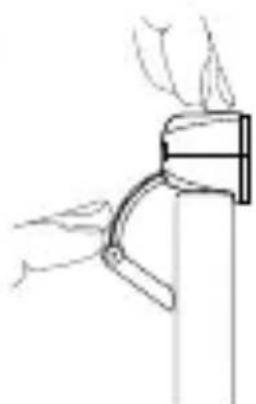
Line drawing of a hand holding a small object with a handle, possibly a tool or device (no text or symbols present)- Otvorite nosač kamere i kameru postavite na vrh monitora tako da je leća okrenuta prema naprijed.
- Nosač pritisnite tako da je do kraja pritisnut na stražnju stranu monitora. Savjet marke Niceboy: kameru možete postaviti na radnu površinu ili je postaviti na stativ s navojem (4) na dnu nosača.
SADRŽAJI PAKETA
Web kamera Niceboy STREAM PRO 2 LED
Ugrađeni nosač za stol/monitor
USB kabel
Priručnik
PARAMETRI
Maksimalna
razlučivost video zapisa: Puni HD (1920 x 1080p)
natural_image
Symbol of a trash bin with crossed lines and a horizontal bar below (no text or numbers present)Simbol naveden na proizvodu ili u popratnoj dokumentaciji znači da je zabranjeno odlagati električne ili elektroničke proizvode zajedno s komunalnim otpadom. Pobrinite se za pravilnu likvidaciju otpada: dotrajali proizvod predajte besplatno u ovlašteni centar za skupljanje otpada. Propisnom likvidacijom dotrajalog proizvoda ćete doprinijeti očuvanju
skupocjenih prirodnih izvora te prevenciji negativnih utjecaja na okoliš i ljudsko zdravlje zbog nepravilne likvidacije otpada. Za više informacija obratite se nadležnom lokalnom uredu ili mjestu zbrinjavanja. Nepravilno zbrinjavanje ove vrste otpada kažnjava se sukladno nacionalnim propisima. Informacije za korisnika o načinu zbrinjavanja električnih i elektronskih uređaja
(Poslovna uporaba)
Vezano za pravilno zbrinjavanje dotrajale električne/elektronske opreme za poslovnu upotrebu i upotrebu u tvorničkim pogonima obratite se proizvođaču ili uvozniku ovog proizvoda. Proizvođač će Vam pružiti informacije o načinu zbrinjavanja proizvoda i obavijestit će vas o tome tko je dužan osigurati zbrinjavanje ovog električnog uređaja ovisno o datumu uvođenja proizvoda na tržište. Informacije o zbrinjavanju dotrajalog proizvoda u ostalim zemljama (izvan EU). Gore navedeni simbol važi samo u Europskoj uniji. Za više informacija o pravilnom zbrinjavanju električnih i elektronskih uređaja se obratite prodavatelju ili dobavljaču.
PL
OPIS
natural_image
Simple line drawing of a hand holding a tool with an arrow indicating rotation (no text or symbols)2
natural_image
Line drawing of a hand holding a mechanical clamp or bracket (no text or symbols)natural_image
Symbol of a trash bin with crossed lines and a horizontal bar below (no text or numbers present)POVEZAVA Z RAČUNALNIKOM
natural_image
Simple line drawing of a hand holding a lever with an arrow indicating motion (no text or symbols)2
natural_image
Line drawing of a hand holding a curved pipe or clamp against a vertical wall (no text or symbols)natural_image
Symbol of a trash bin with crossed lines and a horizontal bar below (no text or numbers present)natural_image
Simple line drawing of a hand holding a tool with an arrow indicating motion (no text or symbols)2
natural_image
Simple line drawing of a hand holding a curved pipe or clamp (no text or symbols)natural_image
Symbol of a trash bin with crossed lines and a blank rectangular base (no text or numbers)natural_image
Simple line drawing of a hand operating a mechanical lever (no text or symbols)2
natural_image
Line drawing of a hand holding a tool near a vertical support (no text or symbols)natural_image
Symbol of a trash bin crossed with two diagonal lines, no text or numbers present
Importer to EU: RTB media s.r.o., Pretlucka 16, Prague 10, 100 00, Czech Republic, ID: 294 16 876 Made in China.
RoHS CE 📄 ✉
- PŘIPOJENÍ K PC
- PRIPOJENIE K PC
- PC CONNECTION
- LED LIGHTING
- INSTALLATION
- PACKAGE CONTENTS
- PARAMETERS
- USER INFORMATION FOR DISPOSING ELECTRICAL AND ELECTRONIC DEVICES (HOME USE)
- (Business and corporate use)
- DE
- BESCHREIBUNG
- CSATLAKOZTATÁS A SZÁMÍTÓGÉPHEZ
- PRIKLJUČAK RAČUNALA
- LED SVJETLO
- SADRŽAJI PAKETA
- PARAMETRI
- (Poslovna uporaba)
- PL
- OPIS
- POVEZAVA Z RAČUNALNIKOM
Brand : Niceboy
Model : STREAM PRO 2 LED
Category : Webcam