
TSL-PC-BL4C - Animal de compagnie TESLA - Free user manual and instructions
Find the device manual for free TSL-PC-BL4C TESLA in PDF.


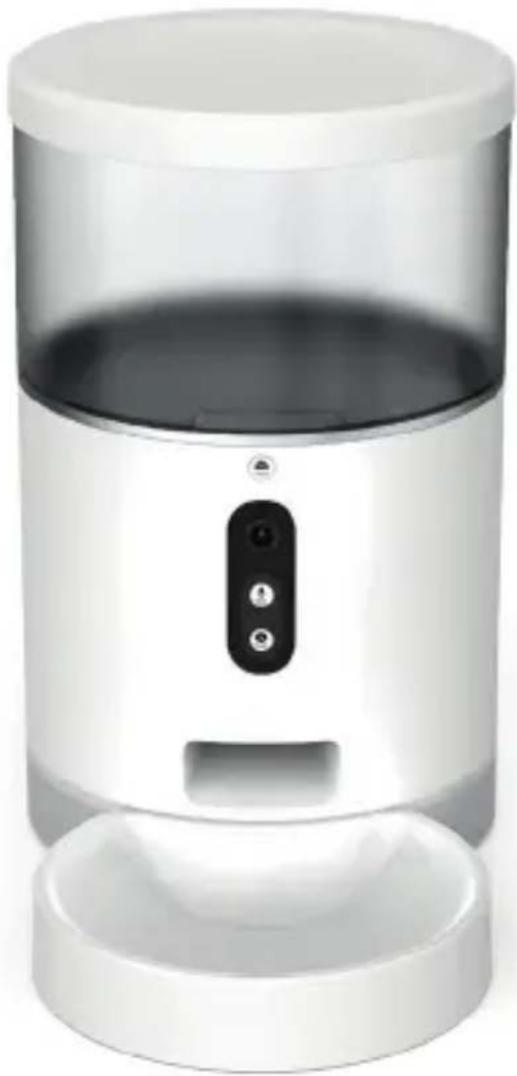
| Product Type | Smart Pet Feeder |
| Brand | Tesla |
| Model | TSL-PC-BL4C |
| Dimensions | 30 x 25 x 20 cm |
| Weight | 2.5 kg |
| Power Supply | AC 100-240V, DC 5V/2A adapter |
| Food Capacity | 4L |
| Connectivity | Wi-Fi 802.11 b/g/n, Bluetooth 4.0 |
| App Compatibility | Tesla Pet App (iOS/Android) |
| Scheduling | Programmable meal times with portion control |
| Camera | Built-in 1080p night vision camera |
| Microphone & Speaker | Two-way audio for communication |
| Material | BPA-free plastic, stainless steel bowl |
| Safety Features | Anti-jamming mechanism, child lock |
| Maintenance | Removable bowl and hopper for easy cleaning |
| Warranty | 2 years |
| Certifications | CE, FCC, RoHS |
Frequently Asked Questions - TSL-PC-BL4C TESLA
User questions about TSL-PC-BL4C TESLA
0 question about this device. Answer the ones you know or ask your own.
Ask a new question about this device
Download the instructions for your Animal de compagnie in PDF format for free! Find your manual TSL-PC-BL4C - TESLA and take your electronic device back in hand. On this page are published all the documents necessary for the use of your device. TSL-PC-BL4C by TESLA.
USER MANUAL TSL-PC-BL4C TESLA
natural_image
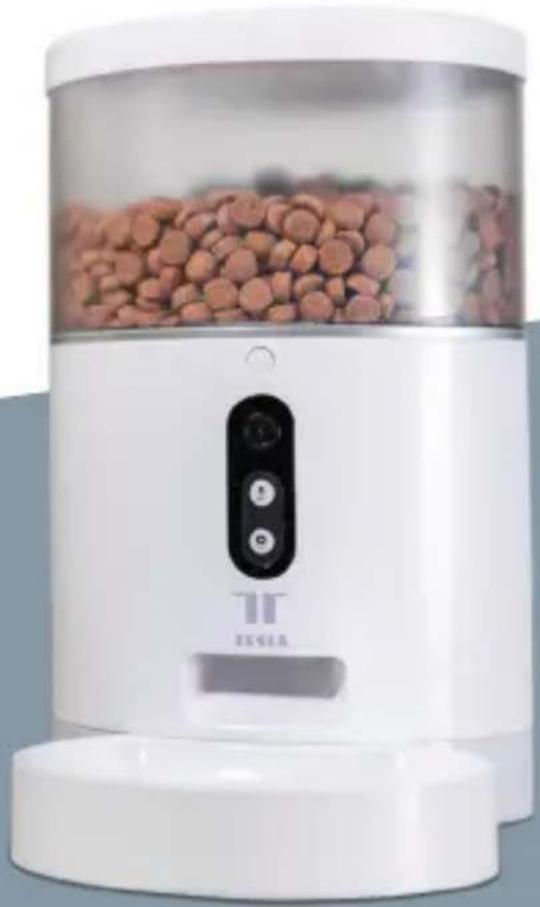
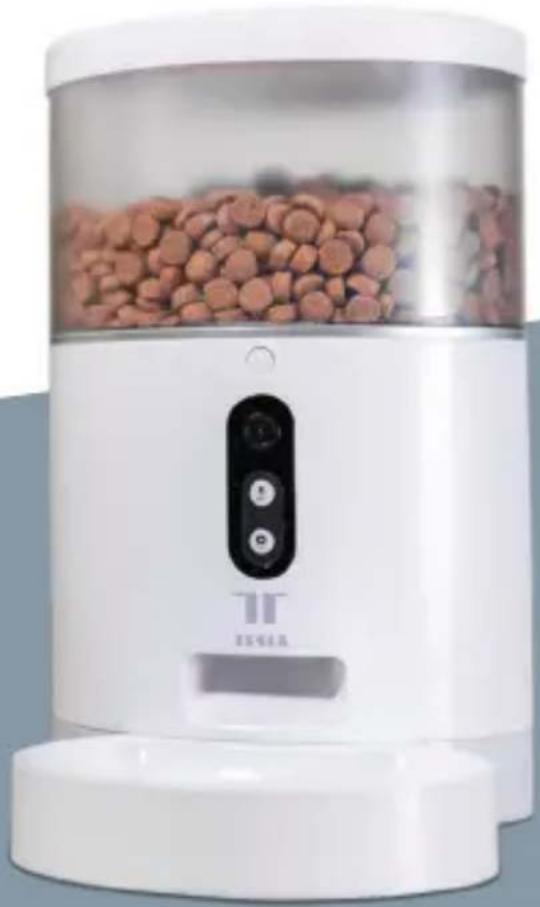
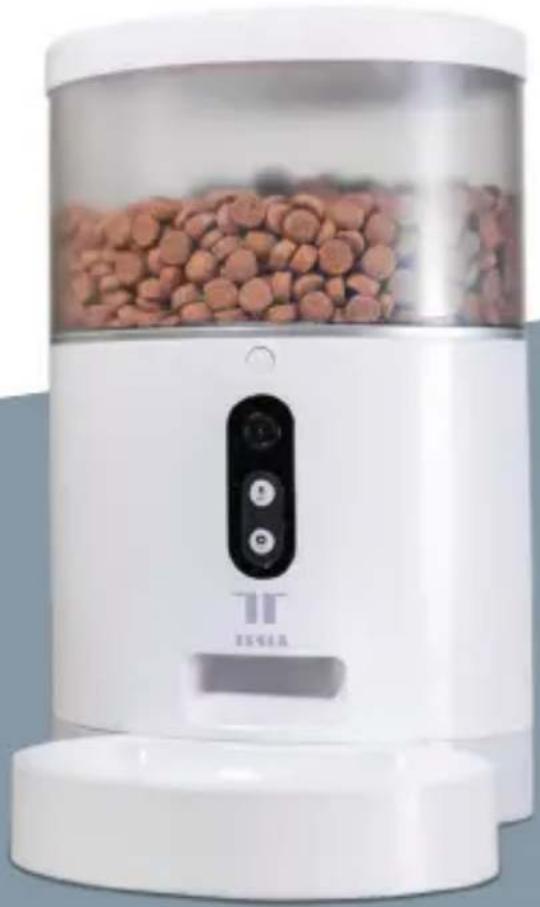
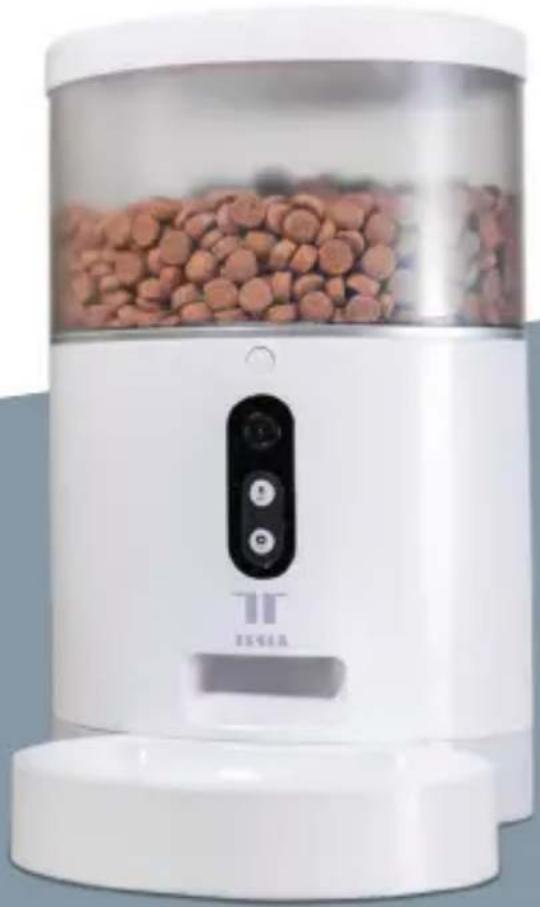
White ceramic water heater with brown granular material inside, labeled 'TEGA' and 'TT', no visible text or symbols on the device itself.TESLA SMART PET FEEDER/CAMERA
QUICK GUIDE
QUICK GUIDE
Please read this manual carefully before use to ensure safe use of the intelligent automatic feeder.
CONTENT
Product Introduction 3
Operation guide 4
Frist Time Use 4
Function Description 4
Bind Tesla Smart App 4
Video version feeder interface introduction 6
Wi-Fi version feeder interface introduction 8
Cleaning/ maintenance 8
Precautions 9
Common problem 10
LIST OF ACCESSORIES
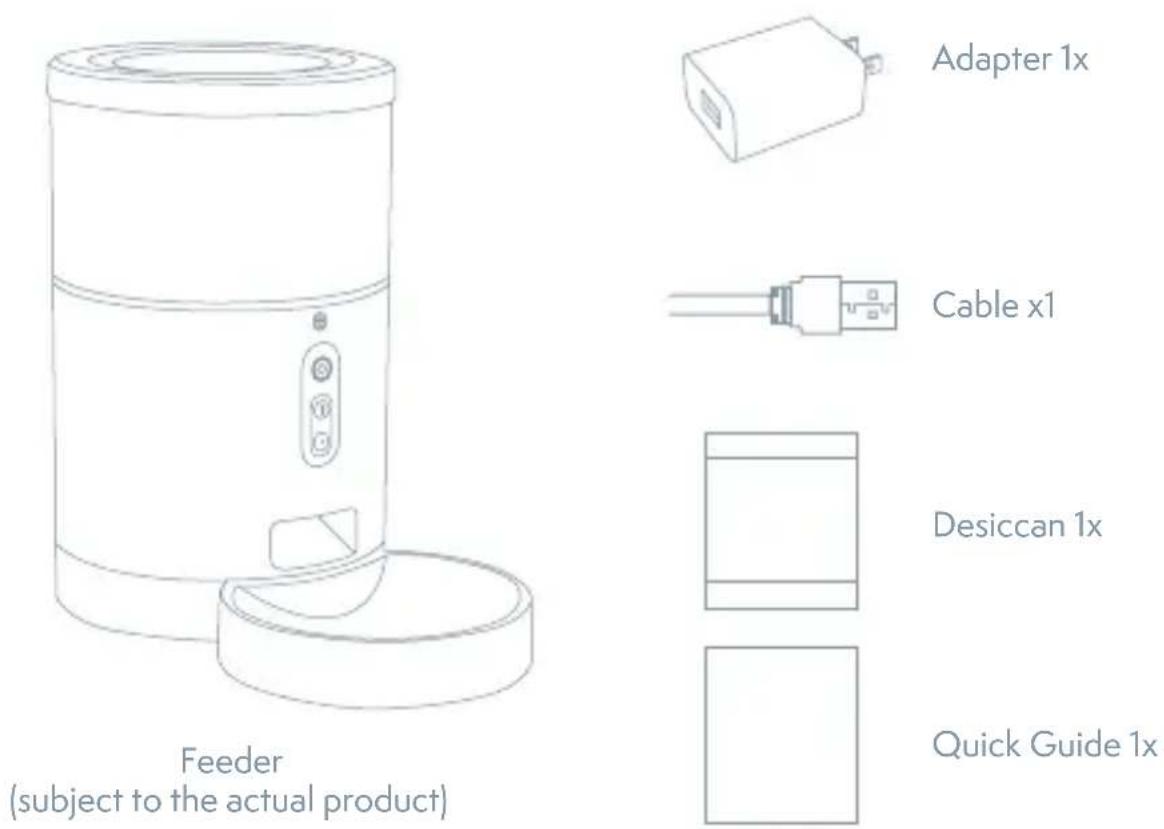
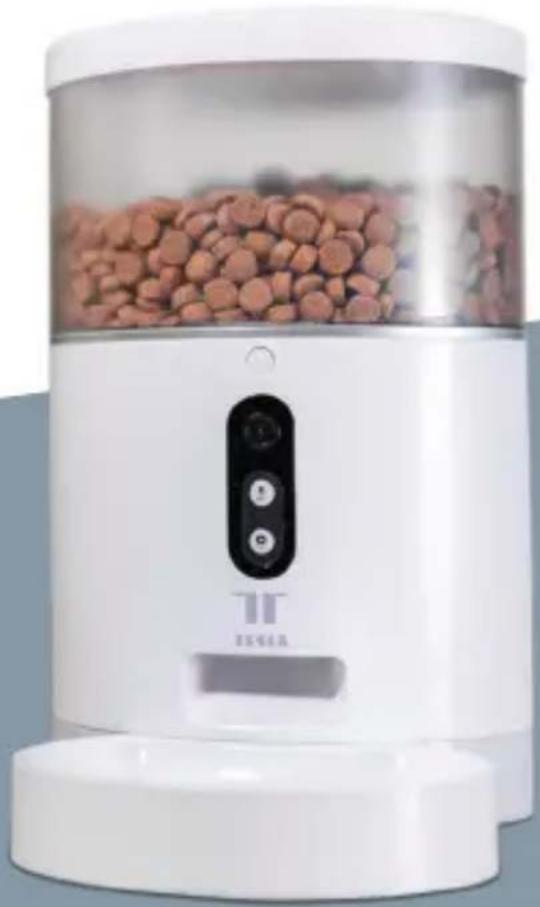
PRODUCT INTRODUCTION
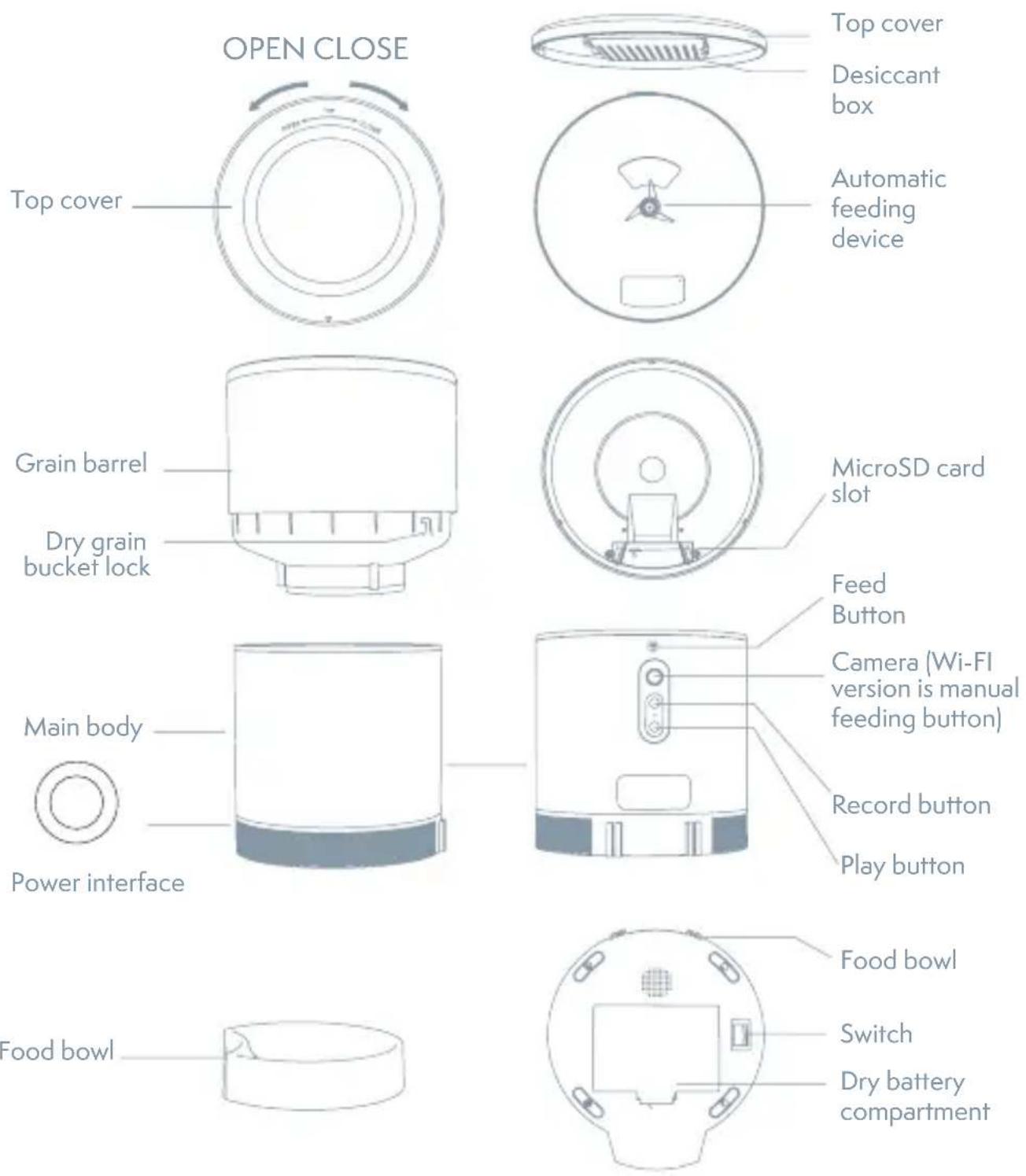
Battery use instructions: When the external power fails, the device will automatically enable the installed battery to power the device. (Note: the device cannot charge the battery)
OPERATION GUIDE
1. THE FIRST USE
- Open the top cover of the feeder and remove the power cord adapter from the bucket.
- Plug the power cord into the power connector on the rear of the main unit and connect the adapter to power.
- Place the main unit in a horizontal position and the food bowl is installed at the corresponding position of the main unit.
- Add pet dry food to the feeder bucket.
- The desiccant is placed in the desiccant box by default. Please replace it regularly for long-term use (do not use cleaning)
- The battery compartment can be installed with 3 sections of No. 1 battery for manual feeding when there is no electricity (optional).
- Bind the feeder to the Smart Life app to set up the feeding and planning of the pet.
2. THE FUNCTION DESCRIPTION
Feed button: Short press to eat one, long press for 5 seconds to restore the factory settings.
Record button: Press and hold the "Record button" to record the sound to remind the pet to eat before feeding.
Play button: Plays the recorded sound.
Rocker switch: Feeder switch.
Dry battery compartment: Three 1st batteries can be installed for power supply.
3. CONNECT AND DOWNLOAD
Tesla Smart is available for both iOS and Android OS. Search the name, Tesla Smart', in App Store or Google Play, or scan the QR-Code to download the App.

3.2 REGISTRATION PROCESS
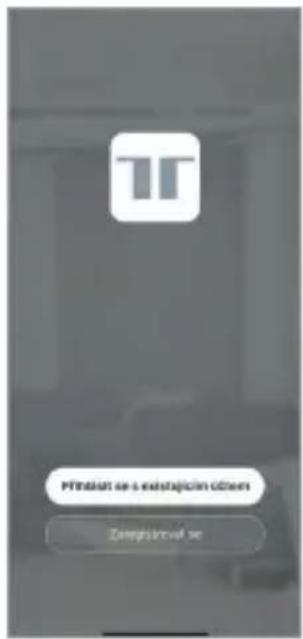
Step 1 Open the Tesla Smart App, click „Register“, read the „Privacy Policy“ and click „Agree“.
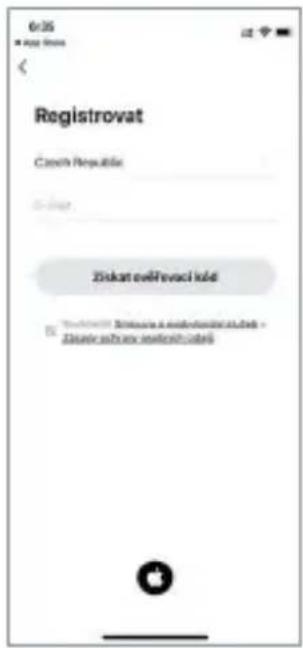
Step 2 Input a legal and valid Mobile number or Email address and click „Continue“. Input Verification Code, then log in the app.
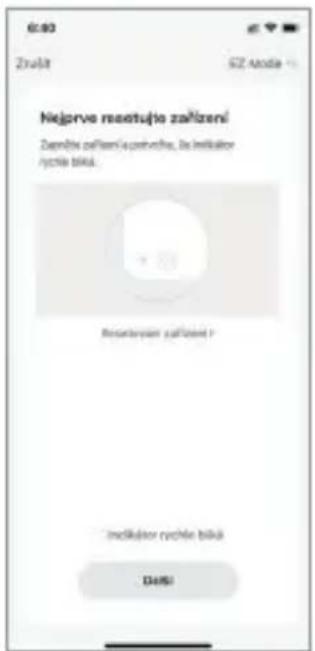
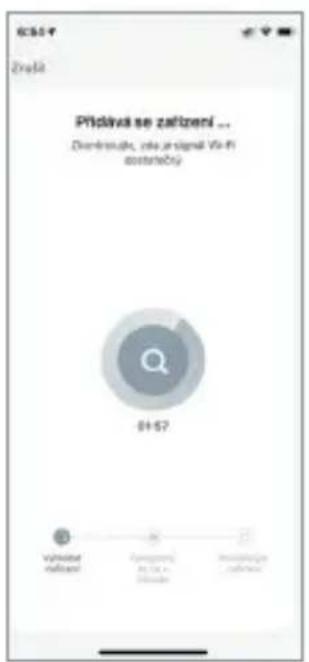
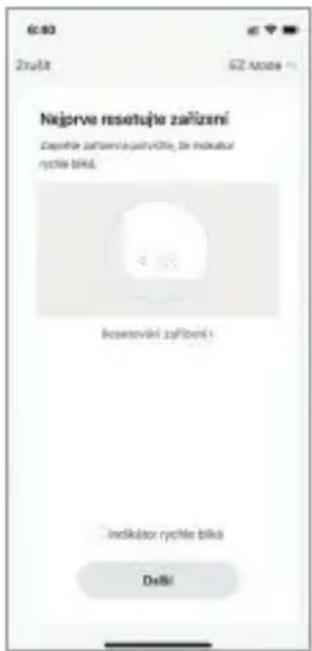
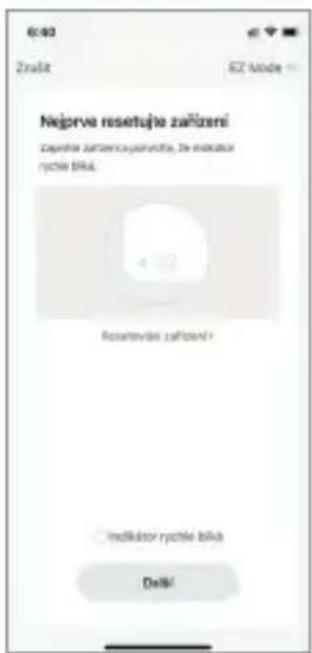
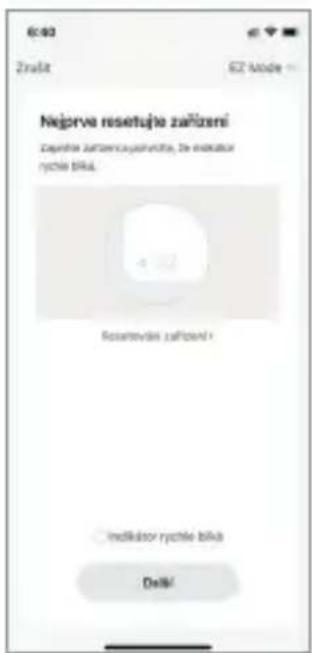
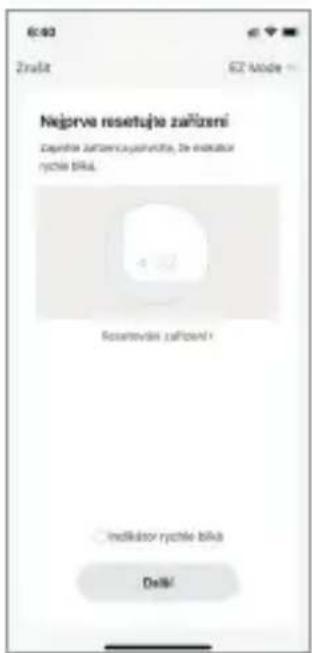
Open the APP, click "add device" - enter wifi password and confirm, connecting till "device added successfully".
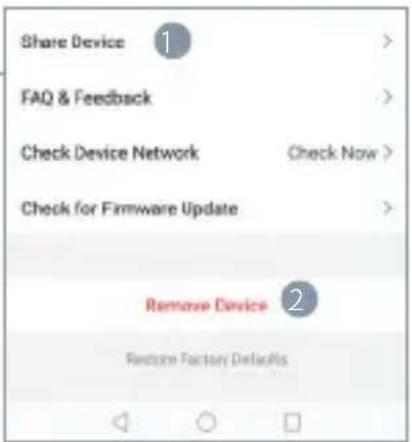
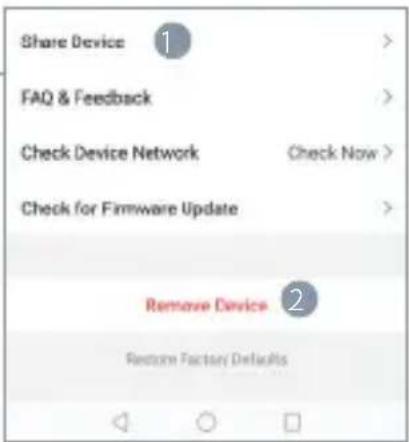
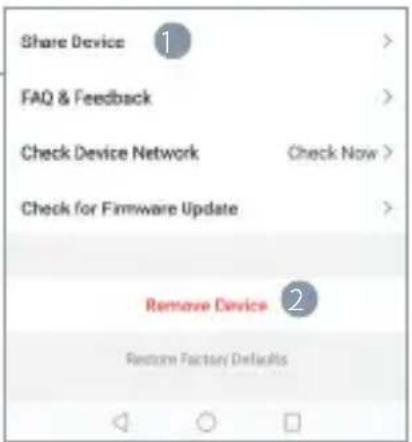
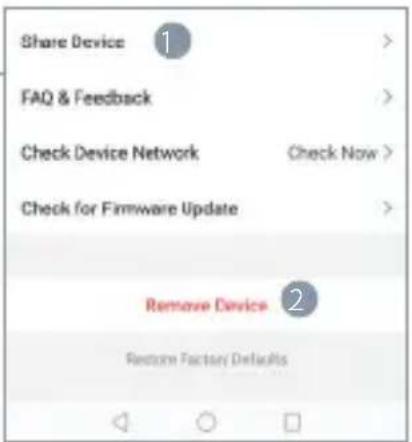
Setting
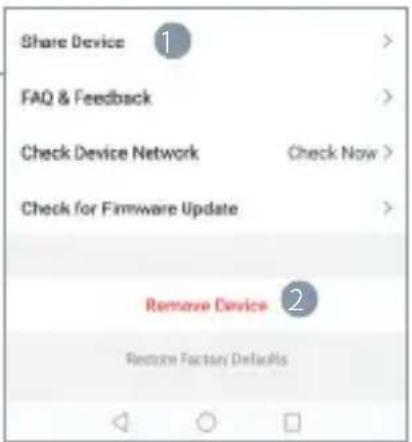
1 Share device : Share the device with others
2 Remove device and unbind
Monitoring Screen Introduction
1 Screenshot: také a picture from the video
2 Talk: 2 voice intercom
3 Record: record and save into the mobile phone
4 Photo Album: Store photos
5 Play: SD card video playback
6 Timed Feeding: Delivery food at regular intervals
7 Feeding: Click to feed
8 Alarm: Motion detection on/off
9 Cloud playback: Cloud storage video playback
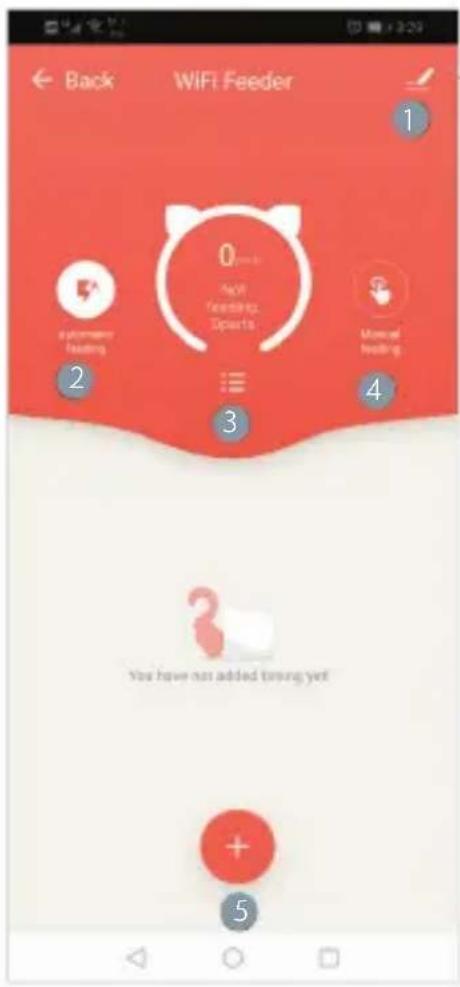
WIFI FEEDER APP INTERFACE INTRODUCTION
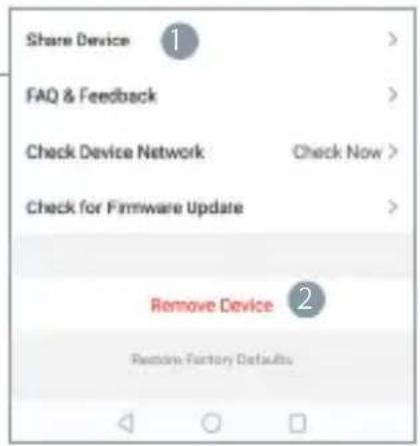
Setting
Share device. Share the device with others Remove device: Remove device and unbind
Online Feeding Introduction
1 More Settings: Set up other feeder function
2 Automatic feeding: Setup automatic feeding
3 Feeding information: Click to check feeding information
4 Manual Feeding: Manual feeding online
5 Adding timing: Set up timing feeding rules
CLEANING/MAINTENANCE
After the feeder has been used for a period of time, the bowl and the bucket should be cleaned with a cleaning agent to avoid the occurrence of bacteria that affect the health of the pet due to the long time left by the food residue.
Grain drum separation switch
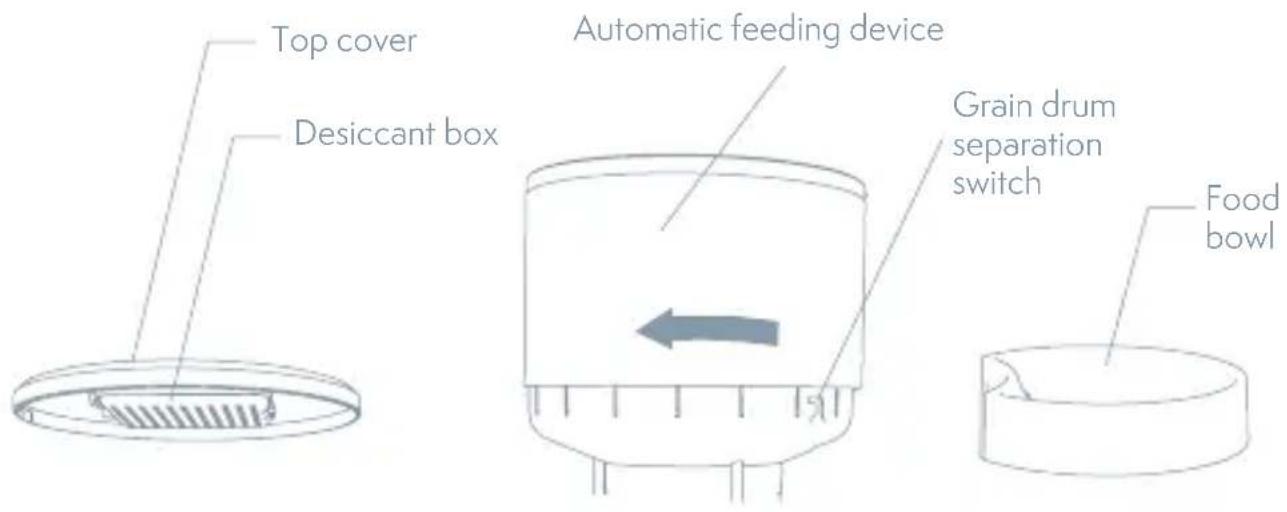
- The upper showed machine parts can be removed from the main feeder and cleaned with detergent and water.
- Open the desiccant box in the top cover.
- Grain barrel dissembled by turning the Grain drum separation switch.
- pull up to remove the food bowl.
- After cleaning, it must be dried or air-dried before being assembled into a whole main feeder for use.
▲ This feeder is suitable for dry foods smaller than 12 mm. Freeze-dried food is not available. Please keep the environment dry.
ATTENTIONS
- Please place the device correctly; prevent the pet from tipping over the device. This device is only suitable for small and medium pets under 20kg.
- Please replace the desiccant in the storage lid regularly. No desiccant is needed.
- Please keep the food bucket dry and sealed, and check regularly to ensure food residue Precautions
- Do not drop all substances other than pet dry food into the grain bin. Otherwise, the device may be used abnormally or even cause pet safety problems.
-
To prevent the pet from falling over the product, it is recommended to place the corner or against the wall.
-
The product anti-battering line should be installed as concealed as possible to prevent the equipment from being damaged by the pet biting the wire.
- If children are using this device, be sure to use it under adult guidance.
- After installing the spare dry battery, you can manually operate the device to provide normal power supply during power failure.
- Regularly clean the food bucket and food bowl.
- This device is not recommended for young pets within three months
FAQ
Q. The feeder is not connected, what is the problem, what to do.
A. 1: Check if the machine is normal: Check the status of the device indicator. After the power is turned on, the blue indicator light flashes. When the network is connected, it will be on. There will be a drop tone before the network is configured.
-
Check if the Wi-Fi username and password are normal: Wi-Fi username and password cannot have special characters. It is recommended to use English letters + number signs.
-
Uninstall the software and reinstall the software: Please authorize the APP to obtain the location information and access the network permissions during the installation process. Follow the above steps, and enter the correct wifi password. If you still have difficulties, please contact customer service.
Q. When connecting the feeder, sometimes it can be connected normally, sometime s not, how to deal with it.
- Check if the machine's food outlet is blocked. At this time, the blue indicator is always on.
Q. Why does the feeding time differ by tens of seconds from the current time.
A. The parameters set on the APP will have an error of about 30 seconds depending on the timing of the network environment.
Q. How to quickly reconnect after the machine is disconnected.
A 1: Exit the APP and re-enter, wait for the data update
2: Switches from the feeding interface to the video interface and waits for the video to refresh.
Q. About SD card support capacity.
A.Support 8-64G
Q. Feeder requirements for network type
A. The feeder must use a wifi signal that satisfies the wifi 802.11bgn protocol.
INFORMATION ABOUT DISPOSAL AND RECYCLING
This product is marked with the symbol for separate collection. The product must be disposed of in accordance with the regulations for disposal of electrical and electronic equipment (Directive 2012/19/EU on waste electrical and electronic equipment). Disposal together with regular municipal waste is prohibited. Dispose of all electrical and electronic products in accordance with all local and European regulations at the designated collection points which hold the appropriate authorisation and certification in line with the local and legislative regulations. Correct disposal and recycling help to minimise impacts on the environment and human health. Further information regarding disposal can be obtained from the vendor, authorised service centre or local authorities.
EU DECLARATION OF CONFORMITY
Hereby, Witty Trade s.r.o. declares that the radio equipment type TSL-PC-BL4/TSL-PC-BL4C is in compliance with EU directives. The full text of the EU declaration of conformity is available at the following internet address: teslasmart.com/declaration
Connectivity: Wi-Fi 2,4 GHz IEEE 802.11b/g/n
Frequency band: 2.400 - 2.4835 GHz
Max. radio-frequency power (EIRP): < 20 dBm

Manufacturer
Tesla Global Limited
108 Lok Shan Road, Tokwawan,
Kowloon
Hong Kong, 85200
www.teslasmart.com
TSL-PC-BL4/ TSL-PC-BL4 C

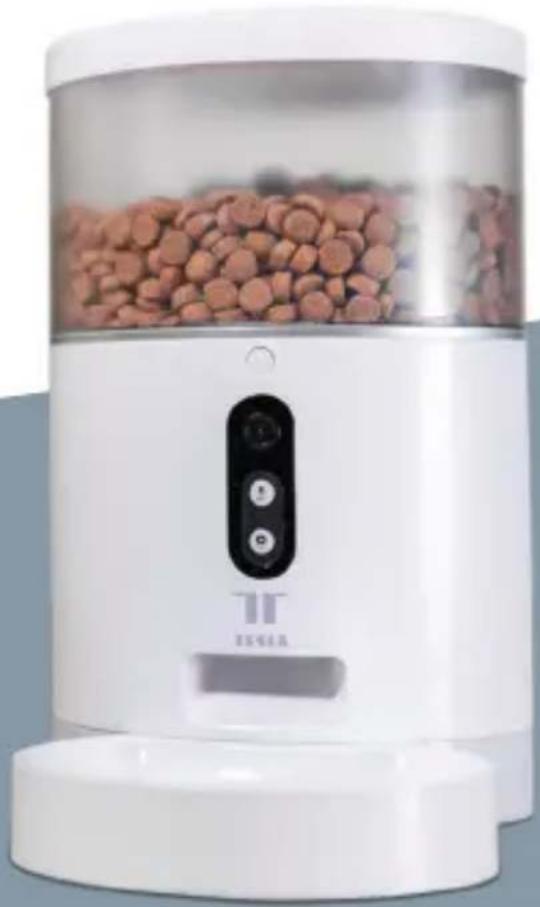
natural_image
White ceramic water heater with red granular material inside, labeled 'TEGA' and a control panel (no readable text beyond branding)TESLA SMART PET FEEDER/CAMERA
BENUTZERHANDBUCH
BENUTZERHANDBUCH
4. REGISTRATIONSPROZESS
Einstellung
Einstellung
108 Lok Shan Road, Tokwawan,
Kowloon
Hong Kong, 85200
www.teslasmart.com
TSL-PC-BL4/TSL-PC-BL4 C

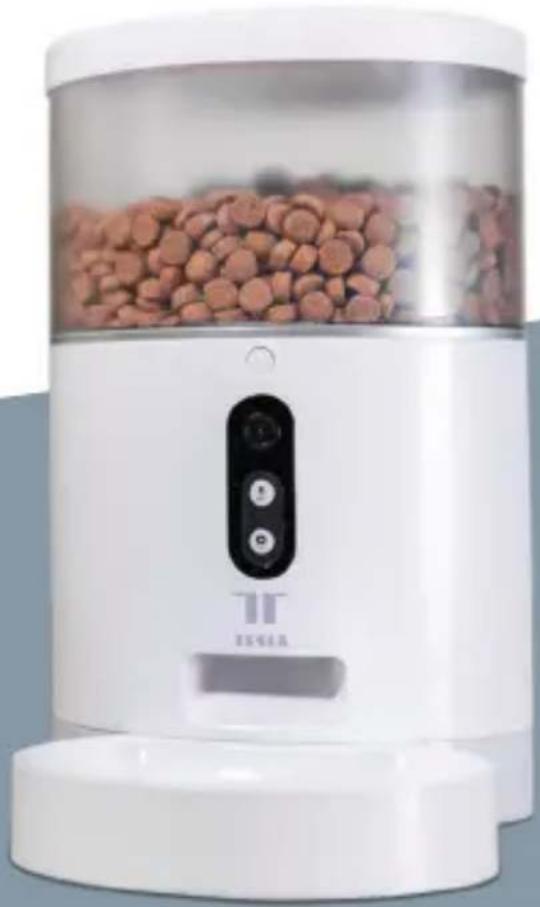
natural_image
White ceramic water heater with red granular material inside, labeled 'TEGA' and a control panel (no readable text beyond branding)TESLA SMART PET FEEDER/CAMERA
UŽIVATELSKÁ PŘÍRUČKA
UŽIVATELSKÁ PŘÍRUČKA
natural_image
Line drawing of a cylindrical smart water heater with lid and control panel (no text or symbols)4. PROCES REGISTRACE
Nastavení
Nastavení
108 Lok Shan Road, Tokwawan,
Kowloon
Hong Kong, 85200
www.teslasmart.com
TSL-PC-BL4/TSL-PC-BL4 C

natural_image
White ceramic water heater with red granular material inside, labeled 'TEGA' and a control panel (no readable text beyond branding)TESLA SMART PET FEEDER/CAMERA
UŽIVATELŠKÁ PRÍRUČKA
UŽÍVATELŠKÁ PRÍRUČKA
natural_image
Line drawing of a cylindrical water heater with lid and control panel (no text or symbols)4. PROCES REGISTRÁCIE
Nastavenie
Popis monitorovacej obrazovky
1. Zdiel'at' zariadenie:
108 Lok Shan Road, Tokwawan,
Kowloon
Hong Kong, 85200
www.teslasmart.com
TSL-PC-BL4/TSL-PC-BL4 C

natural_image
White ceramic water heater with red granular material inside, labeled 'TEGA' and a control panel (no readable text beyond branding)TESLA SMART PET FEEDER/CAMERA
INSTRUKCJA UŻYTKOWNIKA
INSTRUKCJA UŻYTKOWNIKA
natural_image
Line drawing of a cylindrical water heater with lid and control panel (no text or symbols)4. PROCES REJESTRACJI
Ustawienia
108 Lok Shan Road, Tokwawan,
Kowloon
Hong Kong, 85200
www.teslasmart.com
TSL-PC-BL4/TSL-PC-BL4 C

natural_image
White ceramic water heater with red granular material inside, labeled 'TEGA' and a control panel (no readable text beyond branding)TESLA SMART PET FEEDER/CAMERA
HASZNÁLATI ÚTMUTATÓ
HASZNÁLATI ÚTMUTATÓ
4. A REGISZTRÁCIÓ FOLYAMATA
Beállítások
108 Lok Shan Road, Tokwawan,
Kowloon
Hong Kong, 85200
www.teslasmart.com
TSL-PC-BL4/TSL-PC-BL4 C

natural_image
White ceramic water heater with red granular material inside, labeled 'TEGA' and a control panel (no readable text beyond branding)TESLA SMART PET FEEDER/CAMERA
UPORABNIŠKI PRIROČNIK
UPORABNIŠKI PRIROČNIK
natural_image
Line drawing of a cylindrical device with lid and control panel (no text or symbols)4. POSTOPEK REGISTRACIJE
Nastavitve
-
Skupna raba naprav: Skupna raba naprave z drugimi
-
Odstrani napravo: Odstranite in odklopite napravo
Opis funkcije hranjenja na daljavo
108 Lok Shan Road, Tokwawan,
Kowloon
Hong Kong, 85200
www.teslasmart.com
TSL-PC-BL4/TSL-PC-BL4 C

natural_image
White ceramic water heater with red granular material inside, labeled 'TEGA' and a control panel (no readable text beyond branding)TESLA SMART PET FEEDER/CAMERA
KORISNIČKE UPUTE
KORISNIČKE UPUTE
4. PROCES REGISTRACIJE
Postavke
- Podijelite uređaj: Dijelite uređaj s drugima
- Uklonite uređaj: Uklonite i odspojite uređaj
Opis funkcije daljinskog hranjenja
- Ostale postavke: Postavite dodatne funkcije hranjenja
- Automatsko hranjenje: Postavite automatsko hranjenje
- Informacije o hranjenju: Kliknite za provjeru podataka o hranjenju
- Planiranje hranjenja: Planiranje hranjenja:
- Dodajte planiranje vremena: Postavite vrijeme hranjenja
ČIŠČENJE I ODRŽAVANJE
108 Lok Shan Road, Tokwawan,
Kowloon
Hong Kong, 85200
www.teslasmart.com
natural_image
White digital water filter device with control panel and display (no visible text or symbols)Manufacturer
Tesla Global Limited
108 Lok Shan Road, Tokwawan,
Kowloon
Hong Kong, 85200
www.teslasmart.com
TT TESLA
TESLA SMART PET FEEDER CAMERA
Manufacturer
Tesla Global Limited
108 Lok Shan Road, Tokwawan,
Kowloon
Hong Kong, 85200
www.teslasmart.com
- QUICK GUIDE
- CONTENT
- PRODUCT INTRODUCTION
- OPERATION GUIDE
- THE FIRST USE
- THE FUNCTION DESCRIPTION
- CONNECT AND DOWNLOAD
- REGISTRATION PROCESS
- Setting
- Monitoring Screen Introduction
- WIFI FEEDER APP INTERFACE INTRODUCTION
- Online Feeding Introduction
- CLEANING/MAINTENANCE
- ATTENTIONS
- FAQ
- The feeder is not connected, what is the problem, what to do.
- INFORMATION ABOUT DISPOSAL AND RECYCLING
- EU DECLARATION OF CONFORMITY
- Manufacturer
- TESLA SMART PET FEEDER/CAMERA
- BENUTZERHANDBUCH
- REGISTRATIONSPROZESS
- Einstellung
- UŽIVATELSKÁ PŘÍRUČKA
- PROCES REGISTRACE
- Nastavení
- UŽÍVATELŠKÁ PRÍRUČKA
- PROCES REGISTRÁCIE
- Nastavenie
- Popis monitorovacej obrazovky
- Zdiel'at' zariadenie:
- INSTRUKCJA UŻYTKOWNIKA
- PROCES REJESTRACJI
- Ustawienia
- HASZNÁLATI ÚTMUTATÓ
- A REGISZTRÁCIÓ FOLYAMATA
- Beállítások
- UPORABNIŠKI PRIROČNIK
- POSTOPEK REGISTRACIJE
- Nastavitve
- Opis funkcije hranjenja na daljavo
- KORISNIČKE UPUTE
- PROCES REGISTRACIJE
- Postavke
- Opis funkcije daljinskog hranjenja
- ČIŠČENJE I ODRŽAVANJE
- TT TESLA
- TESLA SMART PET FEEDER CAMERA
Brand : TESLA
Model : TSL-PC-BL4C
Category : Animal de compagnie