CST9G3P - Washing machine Carson - Free user manual and instructions
Find the device manual for free CST9G3P Carson in PDF.


| Product Type | Top Load Washing Machine |
| Brand | Carson |
| Model | CST9G3P |
| Capacity | 9.0 kg (19.8 lbs) |
| Washer Power | 420 W |
| Spin Power | 420 W |
| Motor Rating | 180 W |
| Spin Speed | 740 rpm |
| Torque | ≥ 1.82 N·m |
| Capacitor | 13 µF |
| Cabinet Material | PCM (Pre-coated Metal) |
| Inner Tub Material | Stainless Steel |
| Water Supply | Cold, Warm, Hot (max 65°C) |
| Water Pressure Range | 0.03 – 0.85 MPa |
| Drain Hose Height | 0.7 – 1.2 m above floor |
| Programs | Standard, Quick, Tub Clean, Air Dry |
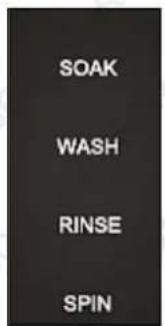
| Functions | Soak, Wash, Rinse, Spin, Water Level Selection, Delay Start |
| Safety Features | Lid Safety Switch, Child Lock (not specified), Overload Protection |
| Accessories Included | Inlet Hose, Noise-proof Plate, Screws, Drain Hose Hook |
| Dimensions (Approx.) | 60 cm (W) x 60 cm (D) x 90 cm (H) (estimated) |
Frequently Asked Questions - CST9G3P Carson
User questions about CST9G3P Carson
0 question about this device. Answer the ones you know or ask your own.
Ask a new question about this device
Download the instructions for your Washing machine in PDF format for free! Find your manual CST9G3P - Carson and take your electronic device back in hand. On this page are published all the documents necessary for the use of your device. CST9G3P by Carson.
USER MANUAL CST9G3P Carson
9KG TOP LOAD WASHING MACHINE
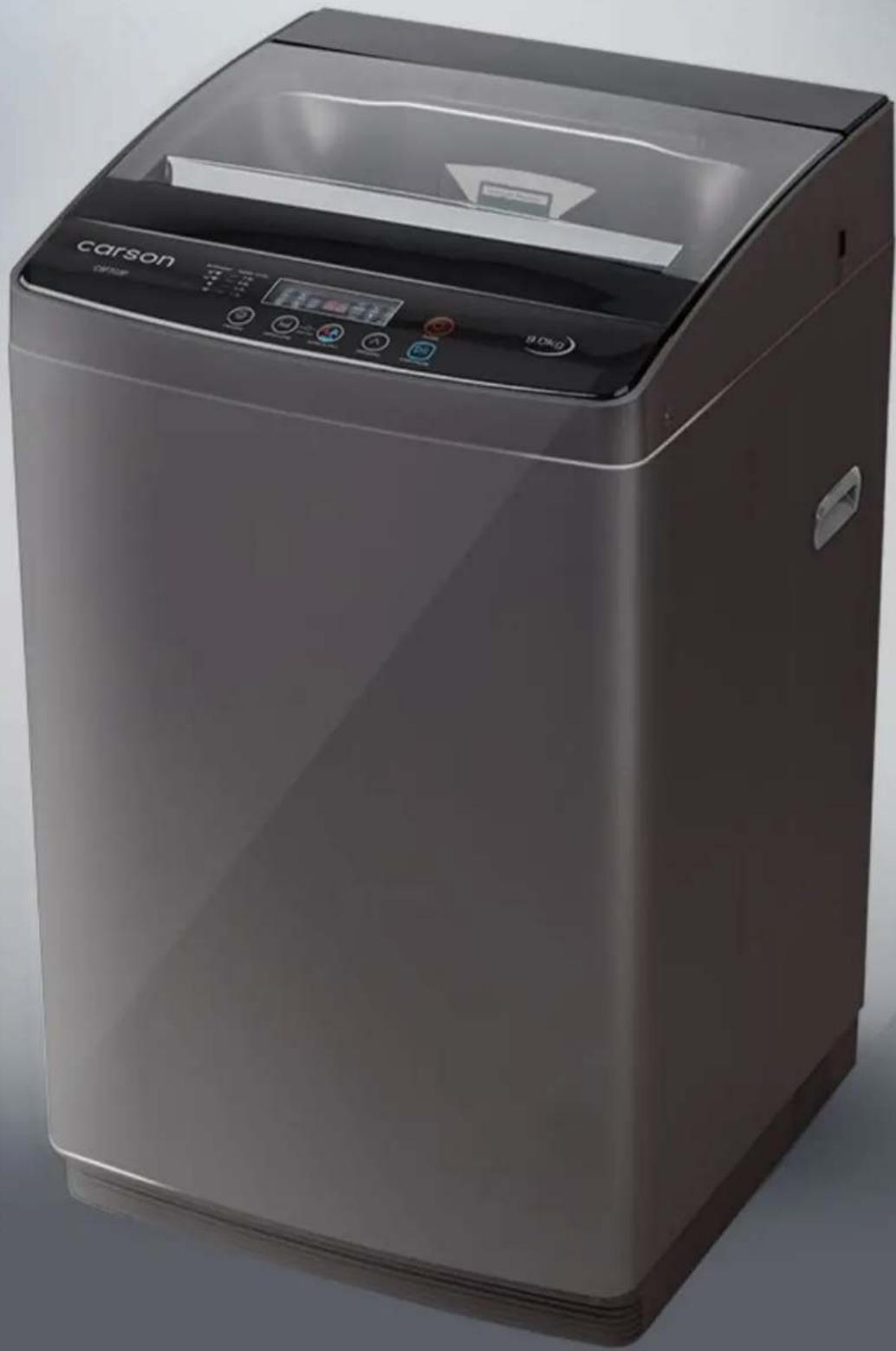
natural_image
Exterior view of a carson washing machine (no visible text or symbols on the device body)carson
Colours may vary
User Manual
[Revision 9.0 March 2022]
Safety
Safety messages are designed to alert you to possible dangers or hazards that could cause death, injury or equipment or property damage if not understood or followed. Safety messages have the following symbols:

You WILL be KILLED or SERIOUSLY INJURED if you do not follow instructions.

You CAN be KILLED or SERIOUSLY INJURED if you do not follow instructions.

You CAN be INJURED if you do not follow instructions or equipment damage may occur.
It is vital that you read and understand this user manual before using the product, including safety warnings, and any assembly and operating instructions. Keep the manual for future reference.
Safety precautions and recommendations detailed here must be fully understood and followed to reduce the risk of injury, fire, explosion, electrical hazard, and/or property damage.
Safety information presented here is generic in nature – some advice may not be applicable to every product. The term "equipment" refers to the product, be it electrical mains powered, battery powered or combustion engine powered.
- Before Use - If you are not familiar with the safe operation/handling of the equipment or are in any way unsure of any aspect of suitability or correct use for your application, you should complete training conducted by a person or organization qualified in safe use and operation of this equipment, including fuel/electrical handling and safety.
- Do NOT operate the equipment in flammable or explosive environments, such as in the presence of flammable liquids, gases or dust. The equipment may create sparks or heat that may ignite flammable substances.
- Keep clear of moving parts.
- Equipment may be a potential source of electric shock or injury if misused.
- Do NOT operate the equipment if it is damaged, malfunctioning or is in an excessively worn state.
- Do NOT allow others to use the equipment unless they have read this manual and are adequately trained.
- Keep packaging away from children - risk of suffocation! Operators must use the equipment correctly. When using the equipment, consider conditions and pay due care to persons and property.
General Work Area Safety
• Work areas should be clean and well it.
- Do not operate the equipment if bystanders, animals etc are within operating range of the equipment or the general work area.
- If devices are provided for connecting dust extraction / collection facilities, ensure these are connected and used properly. Dust collection can reduce dust-related hazards.
General Personal Safety
- Wear appropriate protective equipment when operating, servicing, or when in the operating area of the equipment to help protect from eye and ear injury, poisoning, burns, cutting and crush injuries. Protective equipment such as safety goggles, respirators, non-slip safety footwear, hard hat, hearing protection etc should be used for appropriate equipment / conditions. Other people nearby should also wear appropriate personal protective equipment. Do not wear loose clothing or jewellery, which can be caught in moving parts. Keep hair and clothing away from the equipment.
- Stay alert and use common sense when operating the equipment. Do not over-reach. Always maintain secure footing and balance.
- Do not use the equipment if tired or under the influence of drugs, alcohol or medication.
- This equipment is not intended for use by persons with reduced physical, sensory or mental capabilities.
General Fuel Safety
- Petrol/fuel/gasoline is extremely flammable – keep clear of naked flames or other ignition sources.
- Do not spill fuel. If you spill fuel, wipe it off the equipment immediately – if fuel gets on your clothing, change clothing.
- Do NOT smoke near fuel or when refuelling.
- Always shut off the engine before refuelling.
- Do NOT refuel a hot engine.
- Open the fuel cap carefully to allow any pressure build-up in the tank to release slowly.
• Always refuel in well ventilated areas. - Always check for fuel leakage. If fuel leakage is found, do not start or run the engine until all leaks are fixed.
General Carbon-Monoxide Safety
- Using a combustion engine indoors CAN KILL IN MINUTES. Engine exhaust contains carbon-monoxide – a poison you cannot smell or see.
- Use combustion engines OUTSIDE only, and far away from windows, doors and vents.
General Equipment Use and Care
- The equipment is designed for domestic use only.
- Handle the equipment safely and carefully.
-
Before use, inspect the equipment for misalignment or binding of moving parts, loose components, damage or any other condition that may affect its operation. If damaged, have the equipment repaired by an authorised service centre or technician before use.
-
Prevent unintentional starting of the equipment - ensure equipment and power switches are in the OFF position before connecting or moving equipment. Do not carry equipment with hands or fingers touching any controls. Remove any tools or other items that are not a part of the equipment from it before starting or switching on.
- Do not force the equipment. Use the correct equipment for your application. Equipment will perform better and be safer when used within its design and usage parameters.
- Use the equipment and accessories etc. in accordance with these instructions, considering working conditions and the work to be performed. Using the equipment for operations different from those intended could result in hazardous situations.
- Always keep equipment components (engines, hoses, handles, controls, frames, housings, guards etc) and accessories (cutting tools, nozzles, bits etc) properly maintained. Keep the equipment clean and, where applicable, properly lubricated.
- Store the equipment out of reach of children or untrained persons. To avoid burns or fire hazards, let the equipment cool completely before transporting or storing. Never place or store the equipment near flammable materials, combustible gases or liquids etc.
- The equipment is not weather-proof, and should not be stored in direct sunlight, at high ambient temperatures or locations that are damp or humid.
- Do not clean equipment with solvents, flammable liquids or harsh abrasives.
- For specific equipment safety use and care, see Equipment Safety.
General Electrical Safety
- Inspect electrical equipment, extension cords, power bars, and electrical fittings for damage or wear before each use. Repair or replace damaged equipment immediately.
- Ensure all power sources conform to equipment voltage requirements and are disconnected before connecting or disconnecting equipment.
- When wiring electrically powered equipment, follow all electrical and safety codes.
- Wherever possible, use a residual current device (RCD).
- High voltage / high current power lines may be present. Use extreme caution to avoid contact or interference with power lines. Electrical shock can be fatal.
General Electrical Safety
- Electrically grounded equipment must have an approved cord and plug and be connected to a grounded electrical outlet.
- Do NOT bypass the ON/OFF switch and operate equipment by connecting and disconnecting the electrical cord.
- Do NOT use equipment that has exposed wiring, damaged switches, covers or guards.
- Do NOT use electrical equipment in wet conditions or in damp locations.
- Do NOT use electrical cords to lift, move or carry equipment.
- Do NOT coil or knot electrical cords, and ensure electrical cords are not trip hazards.
General Service Information
- The equipment must be serviced or repaired at authorised service centres by qualified personnel only.
- Replacement parts must be original equipment manufacturer (OEM) to ensure equipment safety is maintained.
- Do NOT attempt any maintenance or repair work not described in this manual.
- After use, the equipment and components may still be hot – allow the equipment to cool and disconnect spark plugs and/or electrical power sources and/or batteries from it before adjusting, changing accessories or performing repair or maintenance.
- Do NOT adjust while the equipment is running.
- Perform service related activities in suitable conditions, such as a workshop.
- Replace worn, damaged or missing warning/safety labels immediately.
Washing Machine Safety
- Do not overload circuits. Do not use an adapter. Do not use an extension cord.
- Do not only hold the cord while pulling out the plug.
- Do not let children play with the machine.
- Do not put hands in the rotating tub.
- Do not clean the body of the washing machine with volatile solvents, such as petrol and methane. Also, do not pour these solvents into the tub for washing or drying purposes.
- Keep the washing machine away from fire or heat sources.
- Do not expose washing machine to direct sunlight or rain.
- Do not put the washing machine in a damp place and do not pour water onto the control panel.
- Never use water above 65^ .
- Ensure that the lid is closed during the spin cycle.
- The highest point of the drain hose must be between a height of 0.7 - 1.2m above floor level.
- Don't switch ON the power if the water pressure is lower than 0.03Mpa or higher than 0.85MPa.
- This appliance is not intended to be used by young children and people with reduced physical and mental capabilities without close supervision at all times. Young children should be supervised to ensure that they do not play with the appliance.
- Unplug the power cord after each use.
- Ensure to use low foam powdered laundry detergent.
- If the power cord is damaged, have it replaced by the manufacturer or contact a qualified technician.
- Do not block the ventilation openings at the base of the washing machines. Do not put the appliance on top of a rug or carpet.
Safety Symbols
The product may have safety warning labels attached to it, explained below. Understand the symbols on your product and their meanings. If any stickers become unreadable, unattached etc., replace them.
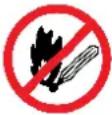 Flammable Material HazardFlammable liquids, gases or substances etc may present.Avoid ignition sources and open flames. Danger of fire. Flammable Material HazardFlammable liquids, gases or substances etc may present.Avoid ignition sources and open flames. Danger of fire. |  Read User ManualRead and fully understand product safety warnings, operation, procedures etc before using the product. Read User ManualRead and fully understand product safety warnings, operation, procedures etc before using the product. |  Use Hand ProtectionWear appropriate hand protection and take due care as the product or use of the product may present hand hazards. Use Hand ProtectionWear appropriate hand protection and take due care as the product or use of the product may present hand hazards. |  Carbon-Monoxide HazardDo not use the product in confined areas or without adequate ventilation. Carbon-monoxide poisoning can be fatal. Carbon-Monoxide HazardDo not use the product in confined areas or without adequate ventilation. Carbon-monoxide poisoning can be fatal. |
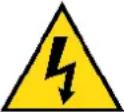 Electrocution / Electrical Shock HazardHigh voltage or high current electricity may be present or required by the product. Take due care when handling electrical products, cables, plugs and leads. Electrical shock can be fatal. Electrocution / Electrical Shock HazardHigh voltage or high current electricity may be present or required by the product. Take due care when handling electrical products, cables, plugs and leads. Electrical shock can be fatal. | 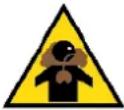 Toxic Fumes / Dust HazardUsing the product or by-products from use may produce fumes, smoke or particles that could be harmful if inhaled. Wear appropriate breathing protection and have adequate ventilation. Toxic Fumes / Dust HazardUsing the product or by-products from use may produce fumes, smoke or particles that could be harmful if inhaled. Wear appropriate breathing protection and have adequate ventilation. | 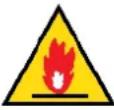 Explosive Material HazardCombustible liquids, gases or substances etc may be present. Avoid ignition sources and open flames. Danger of explosion. Explosive Material HazardCombustible liquids, gases or substances etc may be present. Avoid ignition sources and open flames. Danger of explosion. | 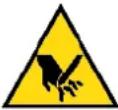 Cutting / Amputation HazardThe product may have blades, edges or mechanical devices that can cause severe cut injury to fingers, limbs etc. Take due care when handling and using the product. Cutting / Amputation HazardThe product may have blades, edges or mechanical devices that can cause severe cut injury to fingers, limbs etc. Take due care when handling and using the product. |
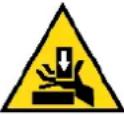 Crush HazardThe product may have blades, edges or mechanical devices that can cause severe crush injury to fingers, limbs etc. Take due care when handling and using the product. Crush HazardThe product may have blades, edges or mechanical devices that can cause severe crush injury to fingers, limbs etc. Take due care when handling and using the product. |  Single Operator OnlyThe product must be operated by a single person only. More than one person operating the product may introduce additional hazards. Single Operator OnlyThe product must be operated by a single person only. More than one person operating the product may introduce additional hazards. |  Use Face ProtectionWear appropriate full-face protection and take due care as the product or use of the product may present face and eye hazards. Use Face ProtectionWear appropriate full-face protection and take due care as the product or use of the product may present face and eye hazards. |  Use Foot ProtectionWear appropriate foot protection and take due care as the product or use of the product may present foot hazards. Use Foot ProtectionWear appropriate foot protection and take due care as the product or use of the product may present foot hazards. |
 Use Eye / Ear / Head ProtectionWear appropriate eye and / or ear and / or head protection and take due care as the product or use of the product may present eye, hearing and head hazards. Use Eye / Ear / Head ProtectionWear appropriate eye and / or ear and / or head protection and take due care as the product or use of the product may present eye, hearing and head hazards. | 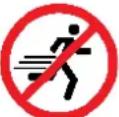 Running HazardDo not run on or near the product as doing so may present a fall hazard. Running HazardDo not run on or near the product as doing so may present a fall hazard. | 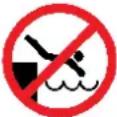 Diving HazardDo not dive into the product as doing so may present a neck / head injury hazard. Diving HazardDo not dive into the product as doing so may present a neck / head injury hazard. |  Adult Supervision RequiredAlways supervise children and other users of a product to prevent drowning or injury. Adult Supervision RequiredAlways supervise children and other users of a product to prevent drowning or injury. |
 Skin Penetration / Puncture HazardThe product may produce pressure, emit liquids or objects that can cause severe injury to fingers, limbs, blood etc. Take due care when handling and using the product. Skin Penetration / Puncture HazardThe product may produce pressure, emit liquids or objects that can cause severe injury to fingers, limbs, blood etc. Take due care when handling and using the product. | 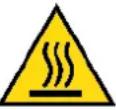 Hot Surface HazardBe aware that the product may produce high temperatures and hot surfaces that can cause burn injuries. Hot Surface HazardBe aware that the product may produce high temperatures and hot surfaces that can cause burn injuries. | 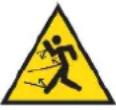 Flying Debris HazardBe aware that the product or use of the product may present hazards produced by flying debris. Wear appropriate clothing and protective devices. Flying Debris HazardBe aware that the product or use of the product may present hazards produced by flying debris. Wear appropriate clothing and protective devices. | 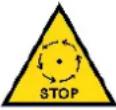 Moving Parts HazardBe aware that the product contains or uses mechanical devices that move or rotate. Always wait for moving parts to stop fully before handling the product, adjusting, maintenance etc. Moving Parts HazardBe aware that the product contains or uses mechanical devices that move or rotate. Always wait for moving parts to stop fully before handling the product, adjusting, maintenance etc. |
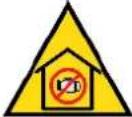 Carbon-Monoxide HazardDo not use the product in confined areas or without adequate ventilation. Carbon-monoxide poisoning can be fatal. Carbon-Monoxide HazardDo not use the product in confined areas or without adequate ventilation. Carbon-monoxide poisoning can be fatal. | 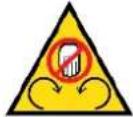 Pull HazardBe aware that the product contains or uses mechanical devices that can pull in objects and can cause severe injury to fingers, limbs etc. Take due care when handling and using the product. Pull HazardBe aware that the product contains or uses mechanical devices that can pull in objects and can cause severe injury to fingers, limbs etc. Take due care when handling and using the product. | 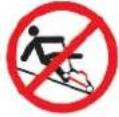 Slope / Fall Injury HazardBe aware that using the product on sloping surfaces or in slippery conditions may present additional dangers from falls and contact with blades, moving parts, hot surfaces etc. Slope / Fall Injury HazardBe aware that using the product on sloping surfaces or in slippery conditions may present additional dangers from falls and contact with blades, moving parts, hot surfaces etc. | 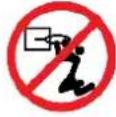 "Slam Dunk" WarningDo NOT attempt "slam dunk" manoeuvres as this may result in severe injury due to falling, product breakage or collapse etc. "Slam Dunk" WarningDo NOT attempt "slam dunk" manoeuvres as this may result in severe injury due to falling, product breakage or collapse etc. |
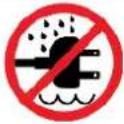 Electrocution / Electrical Shock Hazard - OutdoorHigh voltage or high current electricity may be present or required by the product. Do NOT use in rain, damp or wet conditions. Electrical shock can be fatal. Electrocution / Electrical Shock Hazard - OutdoorHigh voltage or high current electricity may be present or required by the product. Do NOT use in rain, damp or wet conditions. Electrical shock can be fatal. | 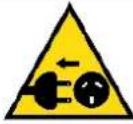 Electrocution / Electrical Shock Hazard - DisconnectHigh voltage or high current electricity may be present or required by the product.Always disconnect the product from the electrical supply before handling the product, adjusting, maintenance etc. Electrocution / Electrical Shock Hazard - DisconnectHigh voltage or high current electricity may be present or required by the product.Always disconnect the product from the electrical supply before handling the product, adjusting, maintenance etc. | 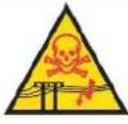 Power Line Electrocution HazardHigh voltage / high current power lines may be present. Use extreme caution to avoid contact or interference with power lines. Electrical shock can be fatal. Power Line Electrocution HazardHigh voltage / high current power lines may be present. Use extreme caution to avoid contact or interference with power lines. Electrical shock can be fatal. | 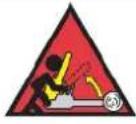 "Kick-Back" HazardHigh level of "kick-back" hazard that can cause the machine to suddenly rotate towards operator. Kick-back injury can be fatal. "Kick-Back" HazardHigh level of "kick-back" hazard that can cause the machine to suddenly rotate towards operator. Kick-back injury can be fatal. |
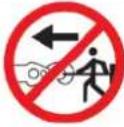 Winch Operator Position HazardDo NOT stand between winch and load. Do NOT use winch to move people. Winch Operator Position HazardDo NOT stand between winch and load. Do NOT use winch to move people. | 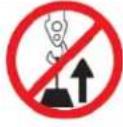 Winch Lift HazardDo NOT LIFT load vertically. Use machine to PULL only. Winch Lift HazardDo NOT LIFT load vertically. Use machine to PULL only. | 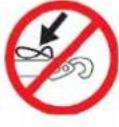 Cable HazardEnsure that load bearing cable is not kinked or knotted. Cable HazardEnsure that load bearing cable is not kinked or knotted. | 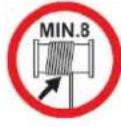 Winch Cable HazardEnsure that there is a minimum number of cable coils on winching mechanism. Winch Cable HazardEnsure that there is a minimum number of cable coils on winching mechanism. |
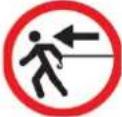 Winch Hook HazardCarry hook to load – do NOT throw or run. Winch Hook HazardCarry hook to load – do NOT throw or run. | 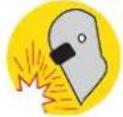 Flash / Blinding HazardWear appropriate eye protection for welding. Direct exposure to weld arcs may cause permanent eye injury. Flash / Blinding HazardWear appropriate eye protection for welding. Direct exposure to weld arcs may cause permanent eye injury. |  Laser HazardLaser may be in use – do NOT look directly at laser or allow others to. Laser HazardLaser may be in use – do NOT look directly at laser or allow others to. |
Table of Contents
Safety....2
Safety Symbols 4
Parts Identification....7
Spare Parts 8
Assembly and Set-Up....9
Unpacking....9
Installing the Noise-proof Plate 9
Installing the Washing Machine .... 10
Connecting the Drain Hose....10
Water Supply Requirements 11
Connecting the Inlet Hose to a Faucet....11
Installing and Connecting the Inlet hose 11
Dismantling the Inlet Hose 13
Connecting the Power Cord....13
Operation 14
Control Panel Layout....14
Operating the Washing Machine....15
Step 1: Choose a Program....16
Step 2: Choose a Function....16
Step 3: Choose the Water Level....17
Step 4: Choose Water Supply ....17
Step 5: Start the Washing Machine....17
Programs 18
Maintenance .... 19
Cleaning the Filter in the Inlet Valve....19
Cleaning the Lint Filter 19
General Cleaning....19
Troubleshooting....20
Error Codes ......21
Specifications....22
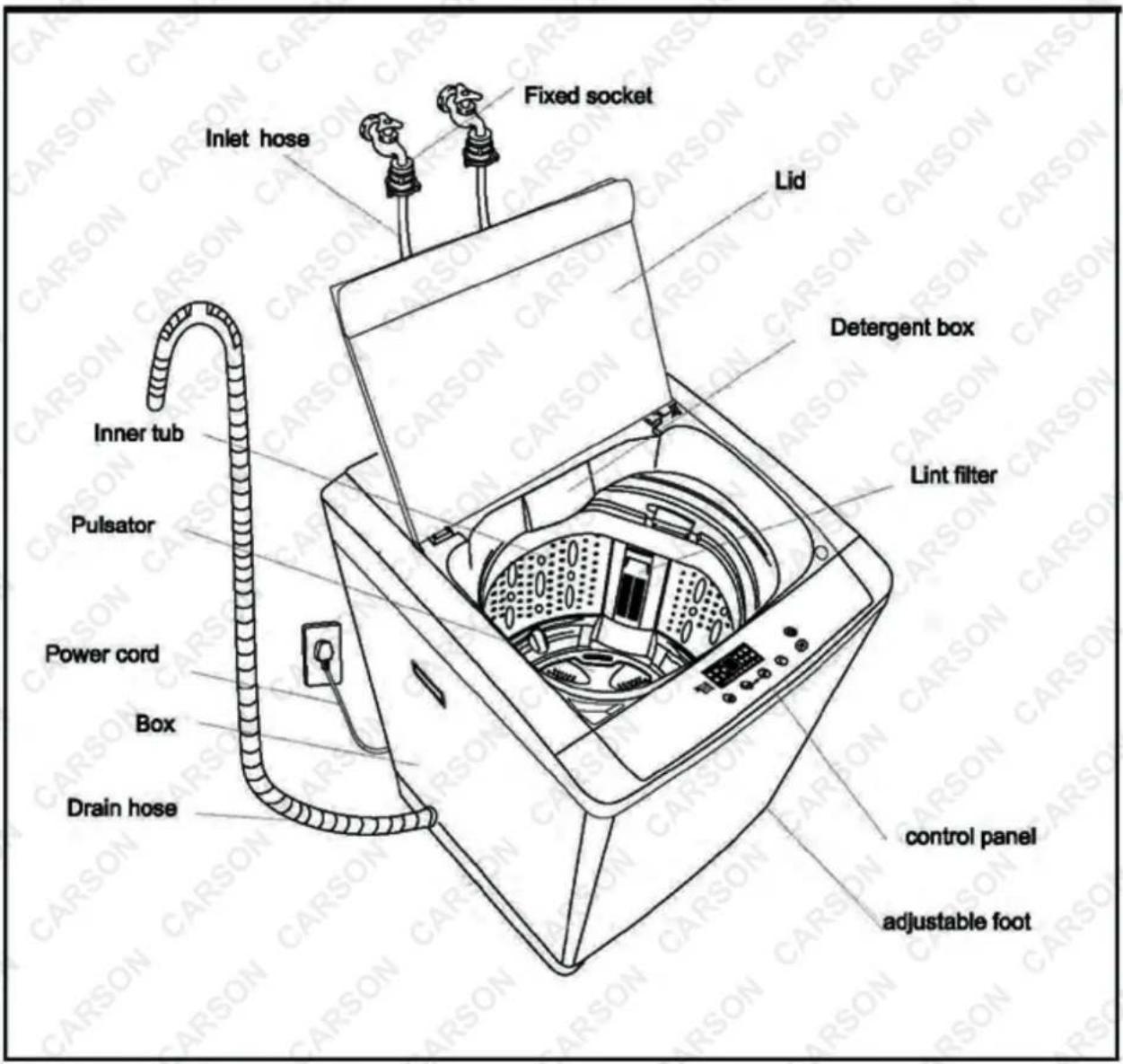
Parts Identification
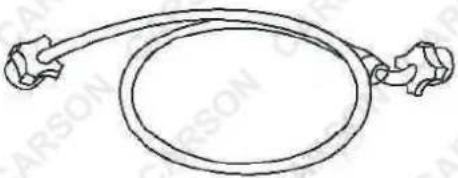
Accessories
| Inlet hose | Noise and mice-proof plate |
 | 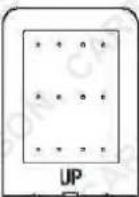 (2 screws) (2 screws) |
| 2PCS | 1PC |
Spare Parts

Spare parts available for purchase, scan QR codes below:
QR Code SKU
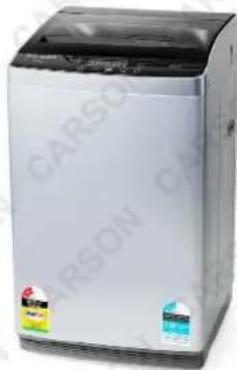
natural_image
Exterior view of a white and black washing machine (no visible text or symbols)HAPWSHCSNAT9G

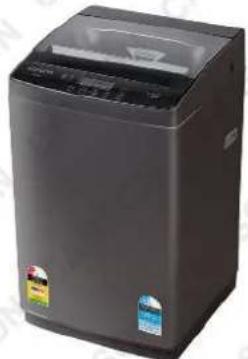
natural_image
Exterior view of a modern stainless steel washing machine (no visible text or labels)HAPWSHCSNAT9D
Assembly and Set-Up
Unpacking
- Remove all packaging from around and in the machine, including the wash tube cushioning. Keep all packaging materials away from children. Dispose of packaging in an environmentally responsible manner.
- Open the wash lid and remove all the accessories.
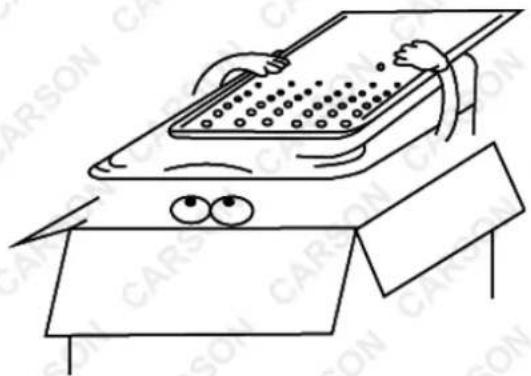
- Check drum to ensure it has not dislodged during transit. (Refer to Video Tutorial).
• If the machine is used without re-hanging the dislodged drum will void your warranty.
Installing the Noise-proof Plate
natural_image
Cartoon illustration of a person using a computer with a computer monitor and a pointing gesture (no text or symbols)- Take out the noise-proof plate.
natural_image
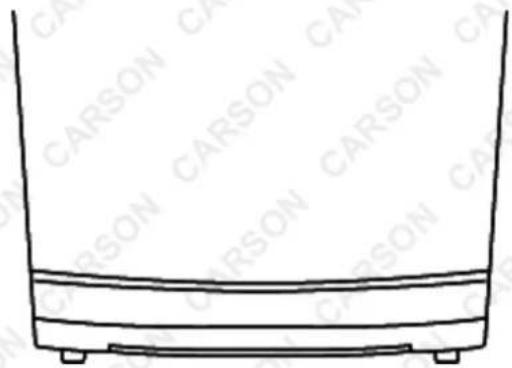
Simple line drawing of a container with a side panel and two legs (no text or symbols)- The insertion slot is at the front of the base.
natural_image
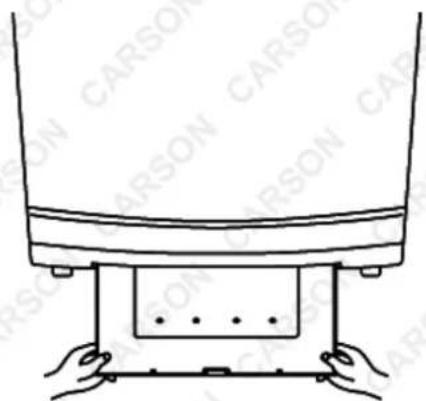
Line drawing of a carson lift platform with hands supporting the base (no text or symbols)- Insert the noise-proof plate into the base.
natural_image
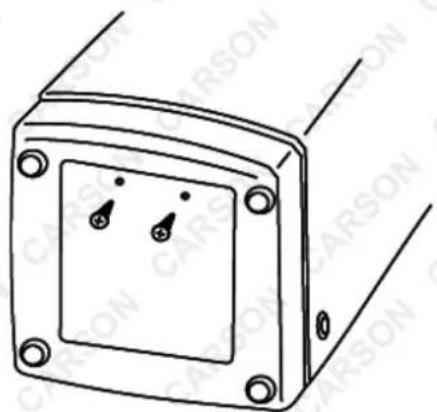
Technical line drawing of a rectangular electronic component with mounting holes and two small switches (no text or symbols)- Lay down the washing machine to its side and secure the noise-proof plate with two screws.
Installing the Washing Machine
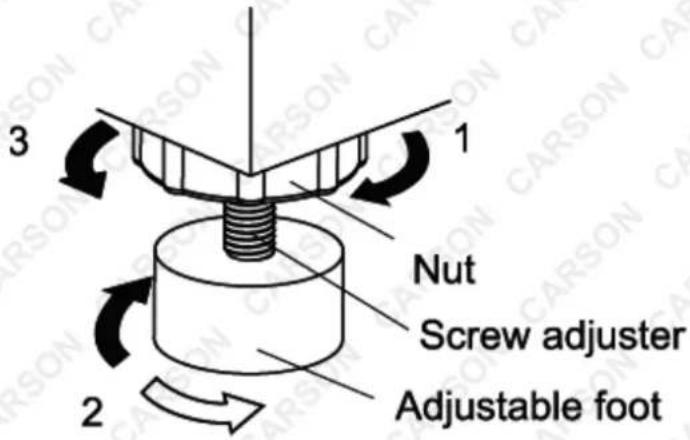
Install the washing machine on a firm and level surface. Use the level adjustment knob to regulate the adjustable foot until the washing machine is stable.
Place the washing machine at least 5cm away from the wall.
Adjusting the adjustable foot: Use the adjustable foot to level the washing machine with the floor.
- Turn the nut clockwise to release the screw adjuster on the foot.
- Rotate the foot to raise or lower it until it stands firmly on the ground.
- Lock the foot in position by turning the nut anti-clockwise until it comes up against the bottom of the machine.
Connecting the Drain Hose
Insert the end of the drain hose into the hook shelf and hang the drain hose over a drain outlet (bath tub, sink, etc.).
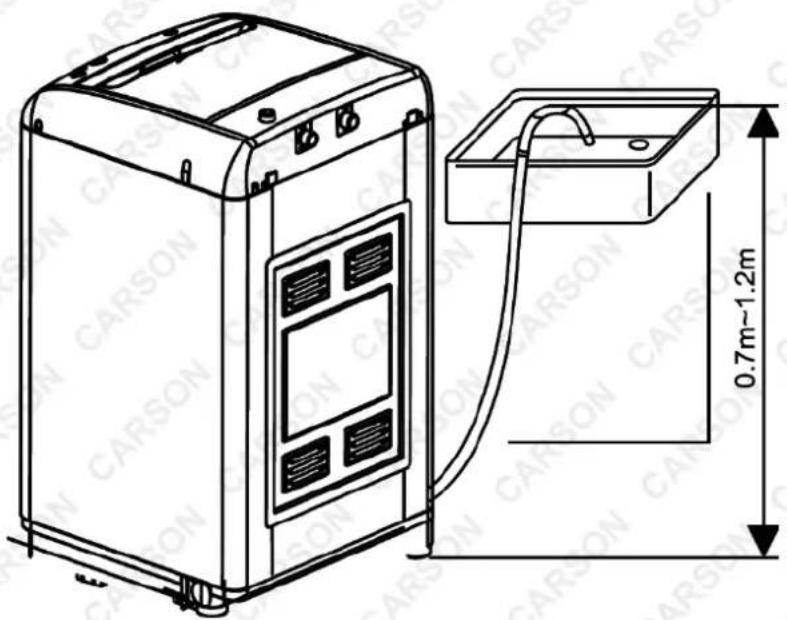

The highest point of the drain hose must be within the height of 0.7 – 1.2m above floor level, otherwise, the washing machine cannot work normally.
Water Supply Requirements
Water Temperature
• Cold: Recommended cold water temperature is 10 - 23.8°C.
• Hot: Recommended hot water temperature is 50 – 60°C.
- Warm: Mixture of hot and cold water (warm water temperature is dependent on the water temperature and the pressure of both hot and cold water supply lines).

IMPORTANT: Owner should turn OFF water supply whenever there will be an extended period of non-use.
Water Pressure
Do not operate the washer when the water pressure is lower than 0.03MPa or higher than 0.85MPa to avoid damaging the inlet system.
Connecting the Inlet Hose to a Faucet
The faucet must be a G3/4" standard screw thread. If not, it is impossible to connect the inlet hose properly.

Water supply faucets should be readily accessible so that you can turn them OFF when the washing machine is not being used.
Installing and Connecting the Inlet hose

The washing machine should be connected to the water mains using new hose-sets supplied with the appliance. Old hose sets should not be reused. Refer to Section on Supply Requirements before connecting water inlet hoses.
About the Faucet
- Connect the water inlet hose to the connector by turning the connecting nut.
About washing machine
- If you just have one water supply line (cold or hot water), connect the inlet hose to the cold-water connector. Do not unscrew the lid of the hot water connector.

In this situation you cannot set wash temperature to WARM OR HOT.
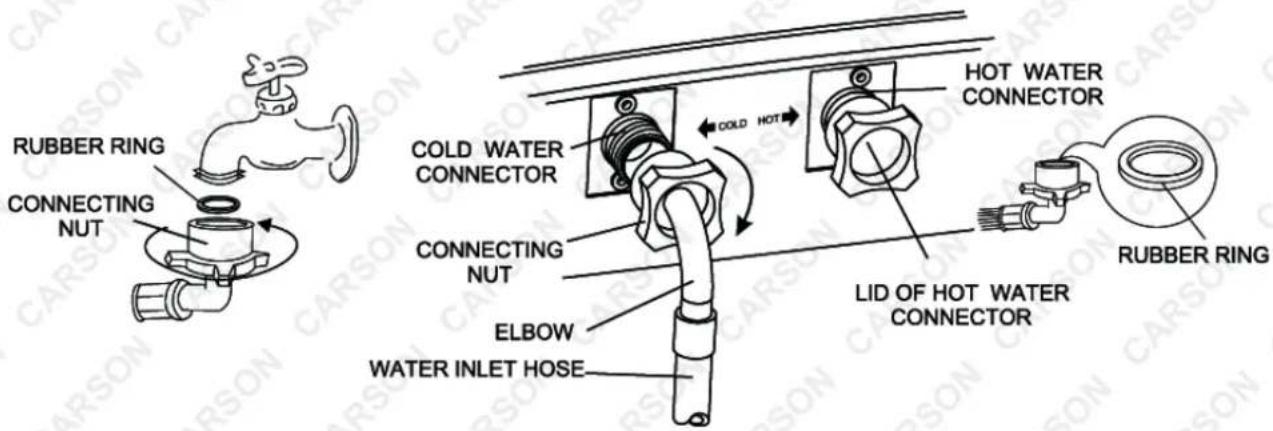
To prevent water leakage, please ensure that the connecting nut is tightened securely. If there is water leakage, check the nut if it is fitted with a rubber ring.
- If you have both cold and hot water supplied, connect the inlet hoses by connecting cold with cold and hot with hot.

Use Teflon tape when connecting the inlet hoses to the tap connections.
- Unscrew the lid of the hot water connector, and then connect the hot water inlet hoses to the hot water connector by turning the connecting nut.
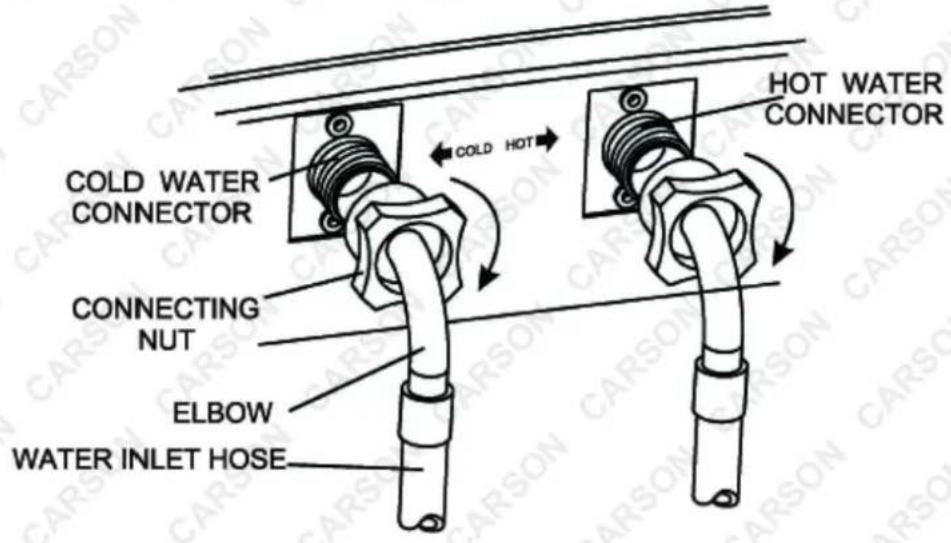
Dismantling the Inlet Hose
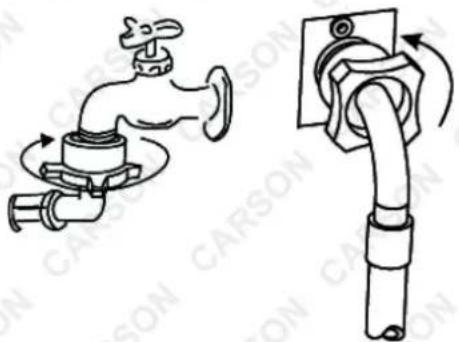
Dismantling the hose directly may cause water to splash out, since the water pressure is still high even after the faucet has been turn OFF, so please take off the hose according to the following steps:
- Turn OFF the faucet.
- Turn ON the power and keep the washing machine in operation.
- Turn OFF the power after approximately 5 seconds.
- Loosen the nuts on both sides of inlet hose.
natural_image
Diagram showing two types of carson faucet fittings: one with a valve mechanism and the other with a pipe fitting (no text or symbols present)
- If the machine is used frequently, it is unnecessary to take off the inlet hose to avoid damaging the nut at the elbow. • Always close the tap when unit is not in use.
Connecting the Power Cord


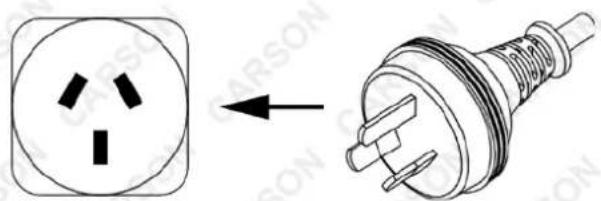
- The socket should have assembled the SA fuse. • Use the three pins socket where the earth wire is connected. • The earth wire of the washing machine is set into the plug; don't try to modify it. • The socket should have a reliable earth wire. If there is no earth wire in the socket, please contact an authorised electrician to assemble one for you. • Never try to connect the earth wire of the washing machine together with that of a gas or water pipe, telephone cord or lightning rod. • Do not use a damaged cord because it could cause an electrical leakage and fire hazards. • In case the cord is damaged, call your local service company to change it.
Operation
Control Panel Layout
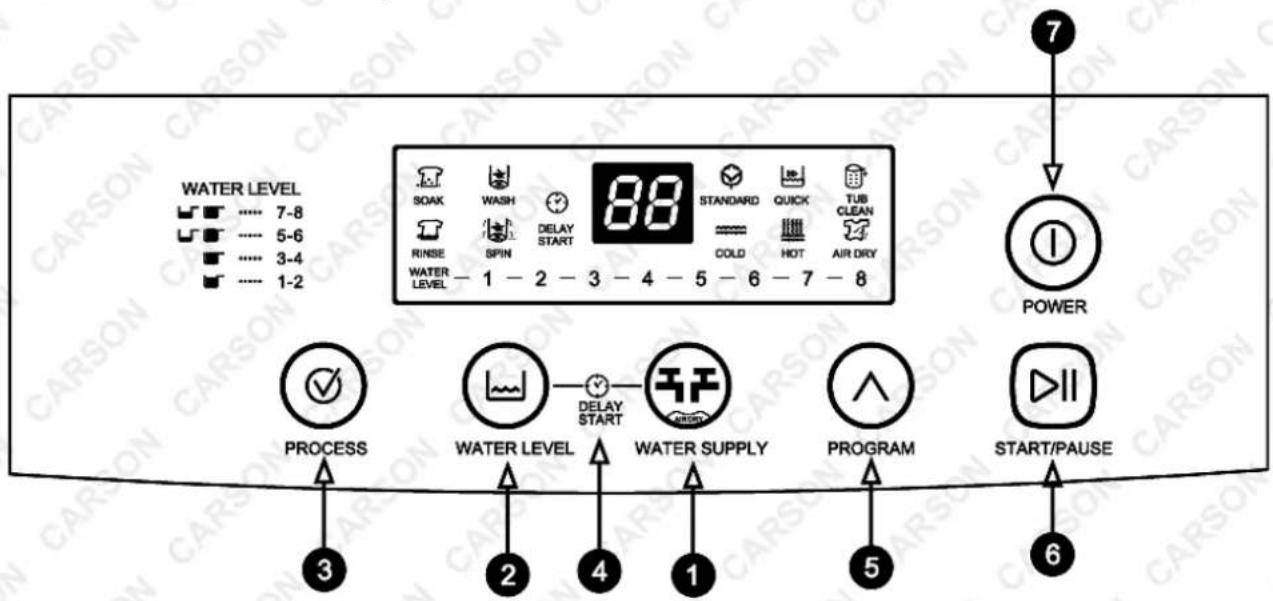
- Water Supply Selector/Air Dry: Press this button to select water temperature or the time of air dry.
- Water Level Button: Press this button to select water level.
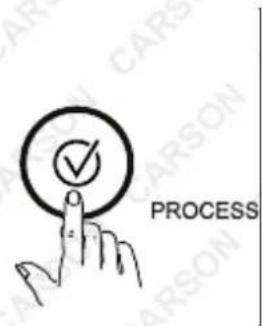
- Process Button: Press this button to select the process you need.
- Delay Start Pre-set Button: Hold the Water Level Button, then press this button. Water supply can be set up into the reservation status time of delayed start.
- Program Button: Press this button to select the program you need.
- Start/Pause Button: Press this button to start/pause the washing machine.
- Power Button: Press this button to turn ON/OFF the washing machine. Do not turn ON the washing machine again until 3 minutes later after it is turned OFF.
We recommend using Standard Program, Water Supply: Cold & Hot, Water Level: 8 for a normally soiled 9kg load.
Operating the Washing Machine

Before adding clothes to the washing machine, always empty garment pockets of coins and other materials to avoid damaging the washing machine and voiding your warranty.
natural_image
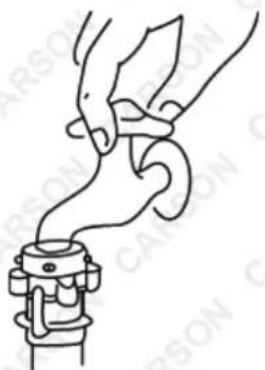
Line drawing of a hand gripping a mechanical component (no text or symbols)- Connect the water inlet hose to the water faucet.
- Turn ON the water faucet.
natural_image
Diagram showing a square socket connected to a wire with a plug, illustrating the process of disassembly (no text or symbols present)- Plug in the power cord.
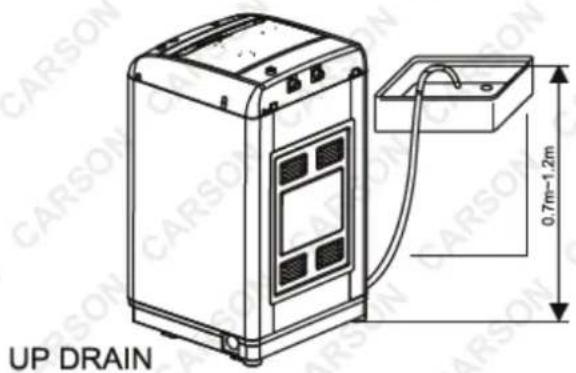
- Insert the end of the drain hose into the hook shelf and hang the drain hose over a drain outlet.
natural_image
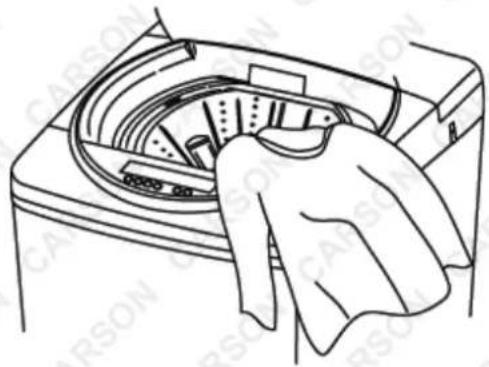
Line drawing of a hand cleaning a car wash machine (no text or symbols)- Put a suitable wash load in the inner tub.
natural_image
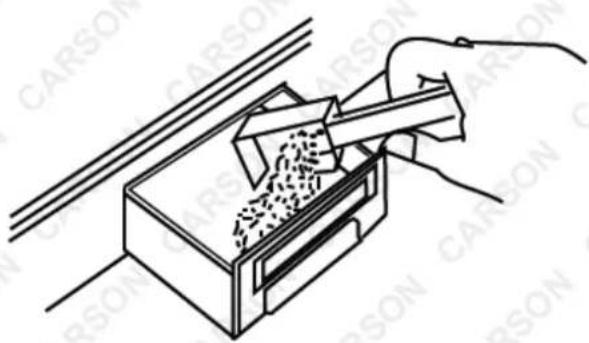
Line drawing of a hand using a tool to remove granular material from a container (no text or symbols)- Add a suitable detergent, according to the wash load volume, into the detergent box.
natural_image
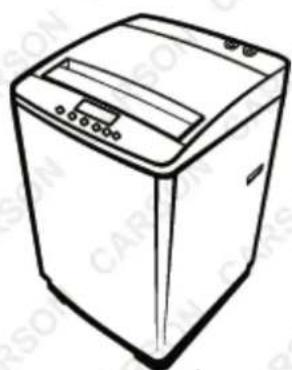
Line drawing of a washing machine (no text or symbols)- Close the lid or the washing machine will not operate. DO NOT FORCE THE LID TO CLOSE, as the soft close operation will be damaged.
Step 1: Choose a Program
Buttons can be freely selected with the program QUICK STANDARD TUB CLEANAIR DRY with several automatic procedures.
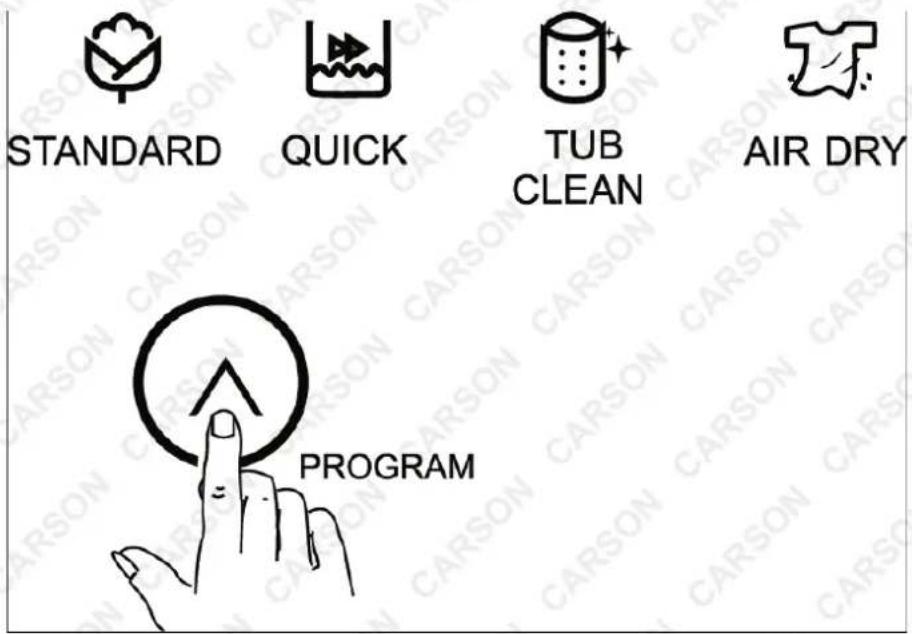
The time duration of Air-Dry Mode can be selected by pressing this button after choosing a program.

WATER SUPPLY
Step 2: Choose a Function
Press the Process button to choose a function you would like.
Step 3: Choose the Water Level
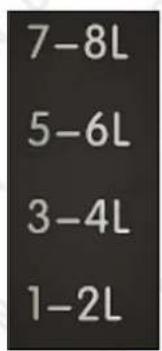
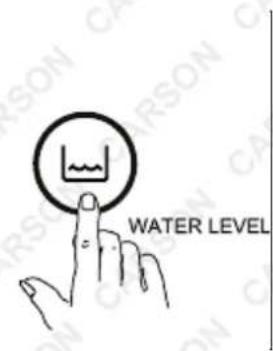
Press the Water Level button to choose an appropriate water level according to the load quantity and the corresponding indicator light will blink.
Step 4: Choose Water Supply
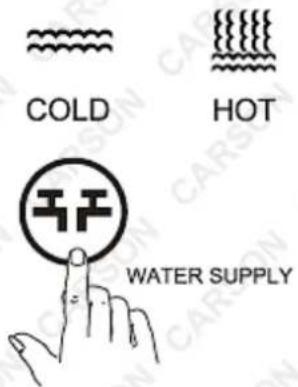
Press the Water Supply button to choose cold, warm or hot water.
- Hot Water: Hot water can result in better cleaning effects. But it is not suitable for all clothing articles. It is best for washing whites and coloured, heavily soiled clothes and diapers.
- Warm Water: Warm water can reduce the chance of colour fading. Suitable for washing light, moderately soiled clothes, dark coloured clothes, silks, woollens, nylon, and acrylic.
- Cold Water: Cold water is less effective in cleaning compared to hot or warm water, but it does minimise wrinkling and fading. Use it for washing extra sensitive clothes and for rinsing.

- The washing machine will provide a cold rinse in all Temperature settings. • There is no heating function in the washing machine. A single hose system does not allow the washing machine to automatically choose and/or regulate incoming water temperatures to match those listed on the control panel such as Warm or Hot.
Step 5: Start the Washing Machine
Pre-set function can finish the program after some short delay.
-
After choosing a program, press the "Pre-set" button continuously (before pressing the "Start/Pause" button). The digital indicator will indicate the desired time to finish the wash.
Example: If the pre-set time is 5 hours, press the button until the digital indicator displays 5. -
Press the "Start/Pause" button, the washing machine will buzz and run automatically. Close the lid, or the washing machine will not operate.

- If you want to change the program when the washing machine is running, you must press the "Start/Pause" button to pause the washing machine.
The water level can be changed when the washing machine is running. If you change the water level to a higher one, the washing machine will stop running and to add more water to match the level you chose. Afterwards, it will automatically resume washing again.
Programs
Microcomputer controlled board assembly saves up to 8 kinds of washing programs Please refer to the following washing program table:
| Soak (mins.) | Wash (mins.) | Rinse (mins.) | Spin (mins.) | |
| Fuzzy Standard | Select the time according to the quantity and quality of the laundry. | |||
| 15 12 | 15 6 | |||
| Quick | -9 6 | 4 | ||

- The total operating time may vary according to water volume; tolerance is permitted. In case laundry imbalance triggers the safety switch when spinning, the washing machine will automatically release water to adjust the balance.
Maintenance
Cleaning the Filter in the Inlet Valve
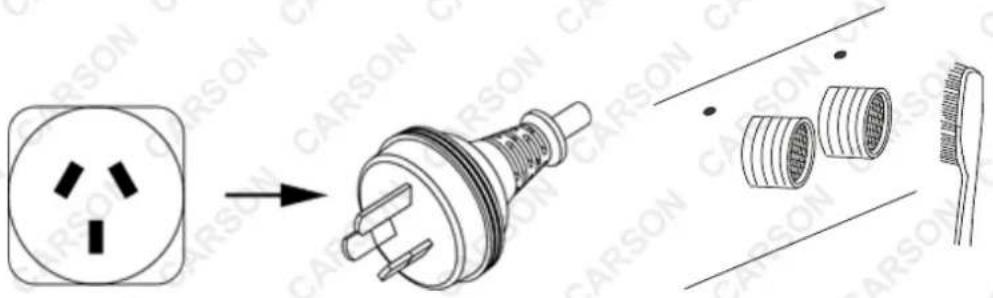
Clean the filter in the inlet valve regularly to prevent it from clogging.
natural_image
Diagram showing a carson plug with internal components and its assembly line (no text or symbols)- Unplug the power cod first.
- Take off the inlet hose and clean the filter with a brush.
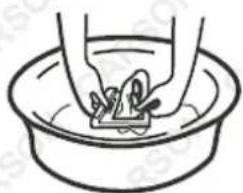
Cleaning the Lint Filter
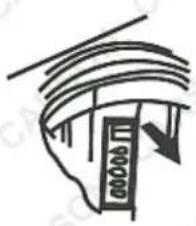
natural_image
Simple line drawing of a ceiling-mounted device with a downward arrow, no text or symbols present.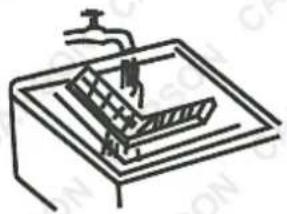
natural_image
Simple line drawing of a mechanical device with no text or symbols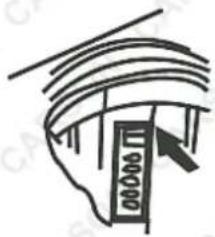
natural_image
Simple line drawing of a curved structure with horizontal lines and a vertical arrow, no text or symbols present.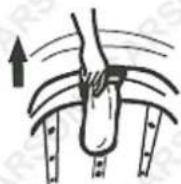
natural_image
Simple line drawing of hands washing a cup in a basin (no text or symbols)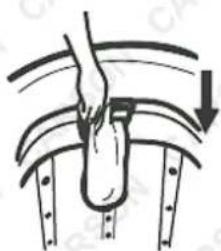
natural_image
Diagram of a hand performing a curved mechanical or ergonomic operation with arrows indicating direction (no text or symbols)- Pull out the lint filter as per the directional arrow shown above.
- Open the lint filter and clean/rinse it thoroughly. Afterwards, close it back.
- Reinstall the lint filter as per the directional arrow shown above.
General Cleaning
- Clean the surface of the washing machine with a soft cloth regularly.
• After each wash, clean the inner tub to avoid forming deposits at the bottom.
Troubleshooting
| Problem and Error Code | Possible Causes | Possible Solutions |
| Unable to drainIf draining time exceeds 10 minutes, the washing machine will buzz and display the E1 error code. | Is the drain hose properly placed from 0.7 - 1.2m above floor level?Is there something blocking the drain hose? | Re-position the drain hose properly, according to the recommended height requirements.Remove the blockade from the drain hose. |
| Spin MalfunctionIf the washing machine won't spin after draining, it will buzz and display the E3 error code. | Is the lid closed completely? | Close the lid.Contact a qualified technician to check if the safety switch is damaged. |
| Unable to SpinThe washing machine will attempt to spin 3 times. If still unsuccessful, it will buzz and display the E2 error code. | Is the washing load uneven?Is the washing machine placed on an uneven or unstable surface? | Re-distribute or lessen the washing load.Transfer the washing machine to a more secure and stable surface.Contact a qualified technician to check if the safety switch is damaged. |
| Failed to Fill with WaterWhen water filling time exceeds 20 minutes, the washing machine will buzz and display the E0 error code. | Is the tap turned OFF?No water coming out?Is the water flow too slow?Is the filter in the tap connector or inlet valve being blocked? | Turn the tap back ON.Wait for the water to come back.Clean/Replace filter.Contact a qualified technician to check if the safety switch is damaged. |
| When the Start/Stop button is pressed, the washing machine will buzz for about 10 seconds and display the E4 error code. | Contact a qualified technician to check if the connection of the water level sensor has been loosened or damaged. |

- If you open the lid while the washing machine is running, all functions will stop, but water will keep flowing. To resume operation, just gently close the lid. - Please turn OFF
the washing machine first if it buzzes and try to find and solve the problems yourself if you have the skills. Otherwise, it is better to contact a qualified technician. • Cut-off the power supply if there is a strange noise, burning smell or smog and contact a qualified technician to perform an inspection on the washing machine.
Error Codes
(Shown on machine display panel)
| PROBLEM | POSSIBLE CAUSES | POSSIBLE SOLUTIONS |
| E0: Failure to fill with WaterWhen water filling passes 25mins., alarm will beep and indicate ‘E0’. | Indicates that the tub has been filled with water for over 20 minutes without the wash cycle being started.Is the tap turned OFF?Is there sufficient water supply?Is the water flow too slow?Is the filter in the tap connector or inlet valve blocked? | Open and close the lid. Start the wash cycle.ORPlease contact a qualified technician to check whether the safety switch is damaged or not. |
| E1: Unable to DrainIf the draining time passes 7mins., the washing machine alarm will beep and indicate ‘E1’. | Indicates a drain hose problem.Is drain hose placed properly between 0.7 to 1.2m above floor level?Is the drain hose frozen or blocked? | Ensure the drain hose is not blocked or frozen and is at the correct height. |
| E2: Unable to SpinThe machine will attempt to spin three times. If unsuccessful, the alarm will beep and indicate ‘E2’. | Indicates a load imbalance.Is the load uneven?Is the machine installed on an uneven surface? | Distribute the clothes evenly in the tub and ensure the machine is stable and level.ORPlease contact a qualified technician to check whether the safety switch is damaged or not. |
| E3 / E6: Spin MalfunctionIf the machine does not spin after draining, alarm will beep and indicate ‘E3’ or ‘E6’. | Is the lid closed completely and properly?Indicates that the lid is open during the wash. | Close the lid.ORPlease contact a qualified technician to check whether the safety switch is damaged or not. |
| E4: alarm will beep for about 10 seconds when the START / PAUSE button is pressed. | Indicates a water level sensor fault. | Please contact a qualified technician to check whether the water connection level sensor is loose or damaged. |
| E9 | Indicates a water level sensor fault. | Please see possible solutions above. |
Specifications
| Model | CST9D3P |
| Max. Capacity | 9.0kg |
| Washer Power | 420w |
| Spin Power | 420w |
| Motor Rating | 180w |
| Spin Speed | 740rpm |
| Torque | ≥ 1.82 |
| Capacitor | 13uf |
| Cabinet Material | PCM |
| Inner Tub Material | Stainless steel |

Some experts believe that the incorrect or prolonged use of almost any product may cause serious injury or death. To help reduce your risk of serious injury or death, refer to the information below. For more information, see www.datastreamserver.com/safety
- Consult all documentation, packaging and product labelling before use. Note that some products feature documentation available online. It is recommended to print and retain the documentation.
■ Before each use, check the product for loose/broken/damaged/missing parts, wear or leaks (if applicable). Never use a product with loose/broken/damaged/missing parts, wear or leaks.
■ Products must be inspected and serviced (if applicable) by a qualified technician every 6 months. This is based on average residential use by persons of average size and strength, and on a property of average metropolitan size. Use beyond these recommendations may require more frequent inspections/servicing.
■ Ensure that all users of the product have completed a suitable industry recognised training course before being allowed access to the product.
The product has been supplied by a general merchandise retailer that may not be familiar with your specific application or description of application. Be sure to attain third-party approval from a qualified specialist for your application before use, regardless of any assurances from the retailer or its representatives.
This product is not intended for use where fail-safe operation is required. As with any product (for example, automobile, computer, toaster), there is the possibility of technical issues that may require the repair or replacement of parts, or the product itself. If the possibility of such failure and the associated time it may take to rectify could in any way inconvenience the user, business or employee, or financially affect the user, business or employee, then the product is not suitable for your requirements. This product is not intended for use where incorrect operation or a failure of any kind, including but not limited to, a condition requiring product return, replacement, parts replacement or service by a technician may cause financial loss, loss of employee time or an inconvenience requiring compensation.
If this product has been purchased in error when considering the information presented here, contact the retailer directly for details of their returns policy, if required.

©2022 Carson. All rights reserved. No part of this document, including descriptive content, concepts, ideas, diagrams or images may be reproduced or transmitted in any form or by any means, electronic or mechanical, including photocopying, scanning or recording, or any information storage and retrieval system, without express permission or consent from the publisher.