
MR-EH01 - Uncategorized SAMSUNG - Free user manual and instructions
Find the device manual for free MR-EH01 SAMSUNG in PDF.


| Product Type | Wireless Remote Controller for Air Conditioner |
| Model Number | MR-EH01 |
| Brand | Samsung |
| Compatible Indoor Units | Up to 4 indoor units (Global_4way, G_Mini4way, Duct Inverter types) |
| Power Supply | 2 x 1.5V AAA batteries (not included) |
| Battery Life Indicator | Display icon when batteries are low |
| Dimensions (approx.) | 160 mm x 55 mm x 25 mm (L x W x H) |
| Weight (with batteries) | Approx. 150 g |
| Display Type | LCD screen with backlight |
| Operation Modes | Auto, Cool, Dry, Fan, Heat |
| Temperature Range (Cool/Dry) | 18 °C to 30 °C (adjustable in 1 °C increments) |
| Temperature Range (Heat) | 8 °C to 30 °C (adjustable in 1 °C increments) |
| Fan Speeds | Auto, Low, Med, High (depending on mode) |
| Airflow Direction Control | Up/Down and Left/Right (except Duct type) |
| Timer Functions | On Timer, Off Timer, good'sleep mode (up to 12 hours) |
| Special Functions | Turbo (fast cooling/heating), Quiet, Purity (air purification) |
| Individual Blade Control | Up to 4 blades (on supported indoor units) |
| Filter Reset Alert | Remote trigger for indoor unit filter reset |
| Beep Sound | Can be enabled/disabled via Settings |
| Maximum Range | 7-10 meters (line of sight, may vary) |
| Compliance | WEEE, RoHS, Battery Directive |
| Operating Temperature | 0 °C to 50 °C |
| Storage Temperature | -20 °C to 60 °C |
| Accessories Included | Remote controller holder, 2 screws (M4XL16), user manual |
Frequently Asked Questions - MR-EH01 SAMSUNG
User questions about MR-EH01 SAMSUNG
0 question about this device. Answer the ones you know or ask your own.
Ask a new question about this device
Download the instructions for your Uncategorized in PDF format for free! Find your manual MR-EH01 - SAMSUNG and take your electronic device back in hand. On this page are published all the documents necessary for the use of your device. MR-EH01 by SAMSUNG.
USER MANUAL MR-EH01 SAMSUNG
Wireless remote controller MR-EH01
Air conditioner user manual
Planet First
100% Recycled Paper
This manual is made with 100% recycled paper.
imagine the possibilities
Thank you for purchasing this Samsung product.
EN NO SV DA FI ET DE RU ○ ○
DB68-05423A-00

Contents
PREPARATION
Safety precautions 3
Checking before using the product 6
BASIC OPERATION
Using the remote controller 7
Basic operation 10
TIMER
Setting the On/Off timer 13
Setting the good'sleep mode 15
OPTIONS
Using the Turbo function 17
Using the Purity function 18
Using the Quiet function 19
SETTINGS
Selecting an indoor unit 20
Selecting a blade 20
OTHERS
Appendix 21
ENGLISH-2
Safety precautions
This content is intended to protect the user's safety and prevent property damage. Please read it carefully for correct use of the product.
| WARNING | Hazards or unsafe practices that may result in severe personal injury or death. |
| CAUTION | Hazards or unsafe practices that may result in minor personal injury or property damage. |
| Follow directions. | |
| Do NOT attempt. | |
| Make sure the machine is grounded to prevent electric shock. | |
| Unplug the appliance. | |
| Do NOT disassemble. |
FOR INSTALLATION WARNING

The installation of this product must be performed by a qualified technician.
▶ Failure to do so may result in electric shock, fire, product malfunction, explosion, or injury.
Do not install this product near a heater, or inflammable material. Do not install this product in a humid, oily or dusty location, in a location exposed to direct sunlight and water (rain drops). Do not install this product in a location where gas may leak.
▶ Otherwise, electric shock or fire may occur.
ENGLISH-3
Safety precautions
FOR INSTALLATION CAUTION
Install the product on a hard and level place that can support its weight.
▶ If the place cannot support its weight, the product may fall down and it may cause product damage.
If the product generates a strange noise, a burning smell or smoke, unplug the product immediately and contact your nearest service center.
▶ Otherwise, electric shock or fire may occur.
Do not attempt to repair, disassemble, or modify the product yourself.
▶ Otherwise, electric shock, fire, product malfunction, or injury may occur.
ENGLISH-4
Do not allow water to enter the product.
▶ Otherwise, a fire or explosion may occur.
Do not operate the product with wet hands.
▶ Otherwise, electric shock may occur.
Do not spray volatile material such as insecticide onto the surface of the product.
As well as being harmful to humans, it may also result in electric shock, fire or product malfunction.
Do not give a strong impact to the product and do not disassemble the product.
Do not use this product for other purposes.
This product is designed to be used only for a system air conditioner.
Do not press the buttons with any sharp objects.
▶ Otherwise, electric shock or part damage may occur.
Do not clean the product by spraying water directly onto it. Do not use benzene, thinner, alcohol or acetone to clean the product.
▶ Otherwise, discoloration, deformation, damage, electric shock or fire may occur.
ENGLISH-5
Checking before using the product
Accessories
| Item | Wireless remote controller |
| Quantity 1 2 2 1 1 | |
| Shape | 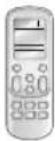 |
| Remote controller batteries | M4XL16 screws | Remote controller holder | User manual |
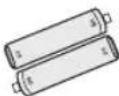 | 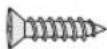 |  |  |

NOTE
Select the following places to install the remote controller holder.
• Where there is no interference to the remote controller signal.
• Not exposed to direct sunlight or heat source.
• More than 1 m away from a television or stereo system.
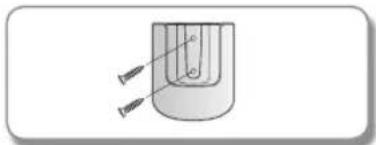
- Mark the spots with a pencil where you will install the remote controller holder.
- Drill the marked holes(2EA) for screws on the wall.
- Install the remote controller holder on the wall by using the screws.
natural_image
Diagram of a U-shaped tube with two arrows pointing to its ends, no text or symbols present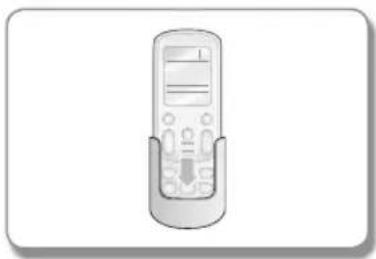
natural_image
Illustration of a remote control device with buttons and display screen (no text or symbols)ENGLISH-6

Using the remote controller
▶ Point the remote controller towards the remote controller receiver of the indoor unit.
When you press the button on the remote controller correctly, you will hear beep sound from the indoor unit and a transmit indicator(💡) appears on the remote controller display.
Remote controller buttons
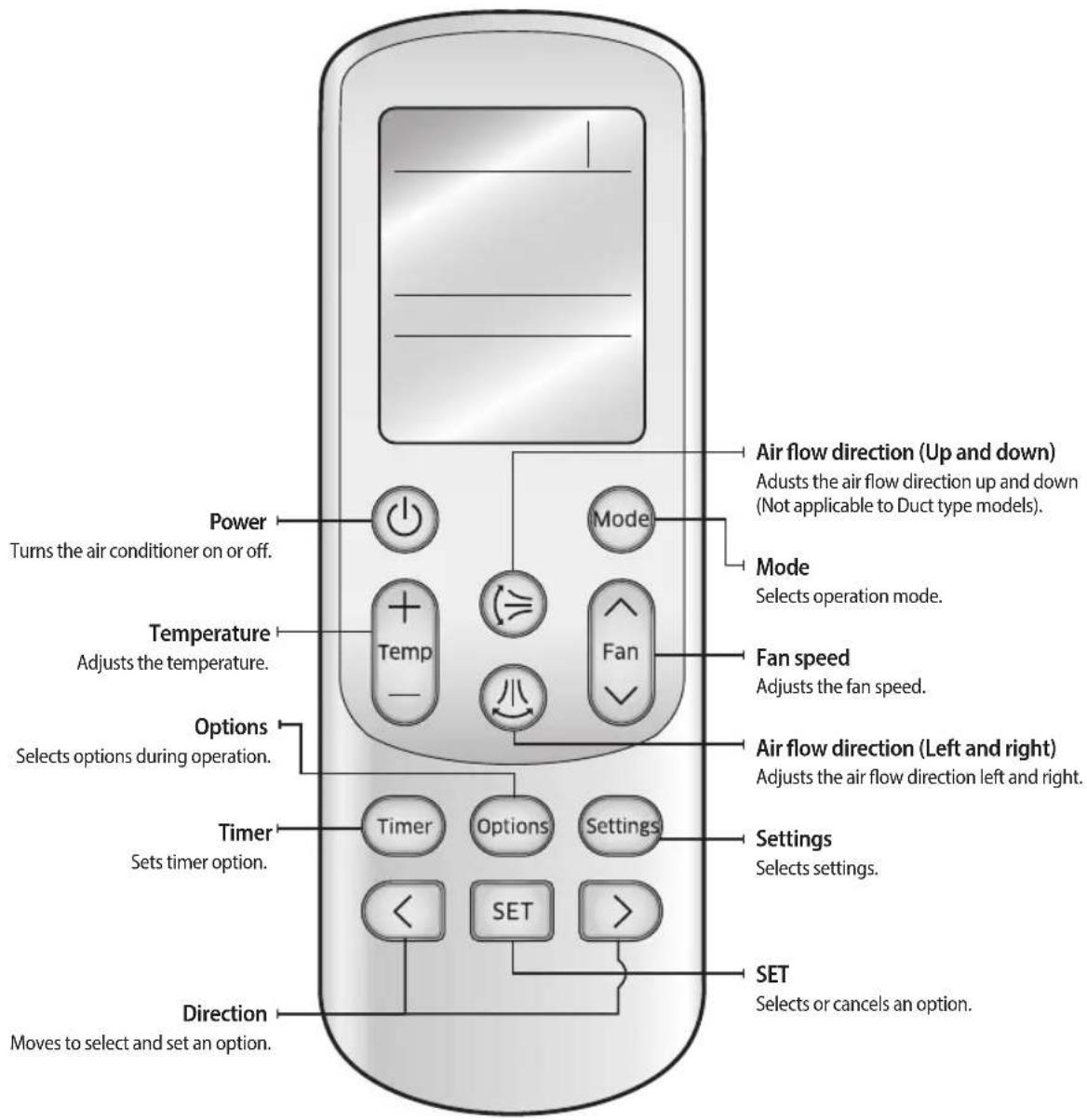

NOTE
- In case you wish to cancel the options or settings that you have just set, press the Options or Settings button again, then the most recently selected item will blink and you may simply cancel it by pressing the SET button while selected item is blinking.
ENGLISH-7
Using the remote controller
Remote controller display
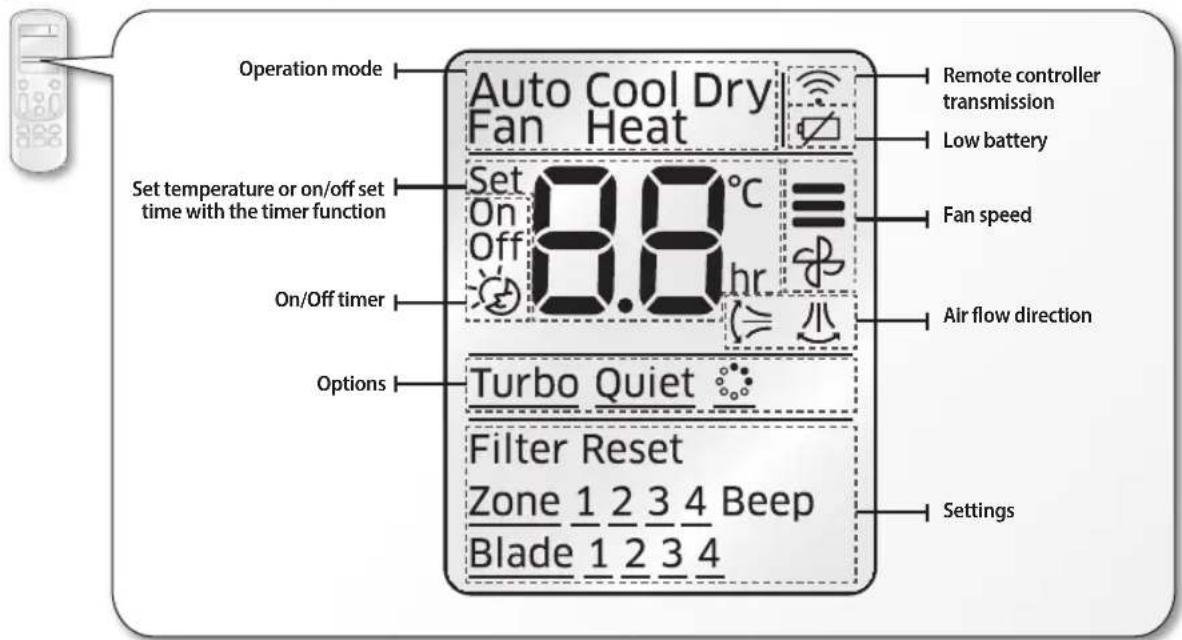

NOTE
- When turning off and turning on the remote controller, the Timer, Options and Settings set before turning off the remote controller are cancelled. However, the fan direction does not change.
Battery changing time
When the battery is exhausted, (☐) will be displayed on the remote controller display. When the icon appears, change the batteries.
The remote controller requires two 1.5V AAA type batteries.
Storing the remote controller
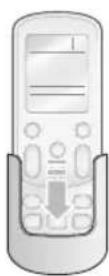
When you do not use the remote controller for a long time, remove the batteries from the remote controller and store it in the remote controller holder.
ENGLISH-8
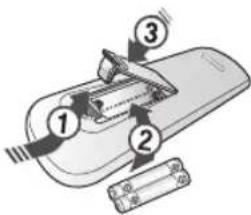
Inserting the batteries
- Open the battery cover of the remote controller.
- Press the ( ) part gently and lift it up in the arrow direction.
- Insert the batteries.
- Check and match the (+)and (-) signs accordingly.
- Close the battery cover.
- Match the cover and bottom part of the remote controller and press it until you hear click sound.

• Make sure that water is not allowed to enter the remote controller.

- There is a possibility that the air conditioner will not operate by remote controller near strong light such as a fluorescent lamp or neon sign. In this case, use the remote controller in front of the remote controller receiver of the indoor unit.
- If other electrical products are operated by the remote controller, call your nearest service center.
- Filter reset: When the filter reset indicator is turned on the indoor unit display, clean the filter and press the Settings → <, > or Settings → (Filter Reset) blinking → SET button.
- Beep off: To silence the beep sound, press the Settings → <, > or Settings → (Beep) blinking → SET button. If you press the Settings → <, > or Settings → (Beep) blinking → SET button again, the beep sound will ring again.
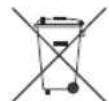
Correct disposal of batteries in this product
(Applicable in countries with separate collection systems)
This marking on the battery, manual or packaging indicates that the batteries in this product should not be disposed of with other household waste at the end of their working life. Where marked, the chemical symbols Hg, Cd or Pb indicate that the battery contains mercury, cadmium or lead above the reference levels in EC Directive 2006/66. If batteries are not properly disposed of, these substances can cause harm to human health or the environment.
To protect natural resources and to promote material reuse, please separate batteries from other types of waste and recycle them through your local, free battery return system.
ENGLISH-9
Basic operation
Basic operation is an operation mode that can be selected by pressing the Mode button.
Auto
In Auto mode, the air conditioner will automatically adjust the temperature and fan speed to maintain your fresh environment.
When the indoor temperature is too high, the powerful cool breeze is generated and when the indoor room becomes cool enough, the soft breeze is generated.
Cool
Cool mode is frequently used and you can freely control the temperature, fan speed, and air flow direction in Cool mode.
When you select the Heat mode while the Cool mode is on, the Cool mode is cancelled.
Dry
The air conditioner in Dry mode acts like a dehumidifier by removing moisture from the indoor air. The Dry mode will provide you with fresh air even on a rainy day.
Fan
Fan mode provides you with a breeze just like a fan to make fresh environment for you.
Heat
In Heat mode, you can warm your room even in the fall and winter.
The fan may not commence immediately to avoid generating a cold breeze.
▶ During the Heat mode, defrost operation may be performed to remove the frost formed on the outdoor unit. (When the frost is removed by the defrost operation in Heat mode, steam is generated from the outdoor unit.)
▶ If you stop operating the air conditioner after heating operation, the fan will operate for some time to cool the indoor unit.
When you select the Cool mode while the Heat mode is on, the Heat mode is cancelled.

NOTE
- When the outdoor temperature is low and humidity is high during the heat mode, the outdoor unit's heating capacity may decrease due to the frost formed on the outdoor heat exchanger. The defrost operation removes the frost formed on the heat exchanger of the outdoor unit for 5 \~ 12 minutes. During the defrost operation, the indoor unit does not generate breeze in order to prevent cold breeze blowing out.
* The interval between the defrost operation can decrease depending on the amount of the frost formed on the outdoor unit.
* The interval between defrost operation can also decrease by humidity level with rain or snow.
ENGLISH-10
Turning the air conditioner on
Press the ⏻ button to operate the air conditioner.
Selecting the operation mode
Press the Mode button to select an operation mode.

flowchart
graph LR
    A["Auto\nSet 24°C"] --> B["Cool\nSet 24°C"]
    B --> C["Dry\nSet 24°C"]
    C --> D["Fan\n-"]
    D --> E["Heat\nSet 24°C"]
Adjusting the temperature
Press the Temp button to adjust the temperature.
| Auto Temperature can be adjusted by 1 °C within the range of 18 °C~30 °C |
| Cool Temperature can be adjusted by 1 °C within the range of 18 °C~30 °C |
| Dry Temperature can be adjusted by 1 °C within the range of 18 °C~30 °C |
| Fan Temperature cannot be adjusted. |
| Heat Temperature can be adjusted by 1 °C within the range of 8 °C ~30 °C |
Selecting the fan speed
Press the Fan button to adjust the fan speed.
| Auto | ≡(Auto) |
| Cool | ≡(Auto), (Low), (Med), (High) |
| Dry | ≡(Auto) |
| Fan | ≡(Low), (Med), (High) |
| Heat | ≡(Auto), (Low), (Med), (High) |
ENGLISH-11
Basic operation
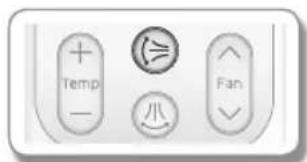
Selecting air flow direction
This function allows you to shift the air flow direction up and down or left and right.
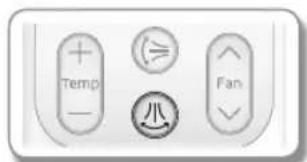
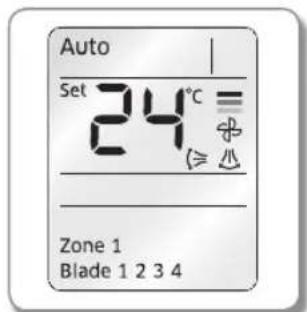
Press the 6 button to move the air flow direction up and down or left and right while the air conditioner is turned on.
Remote controller display
- When the blade reaches the desired position, press the ⏱ or ⚡ button one more time to set the air flow direction. The up/down and left/right tilting of the blade will stop. * Duct type model cannot adjust air flow direction up and down.
Setting the On/Off timer
You can set the air conditioner to be turned on or off automatically at desired time.
Setting the On timer
When the air conditioner is turned off.
Remote controller display
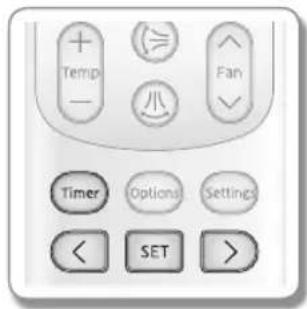
- Press the Timer button to select (On).
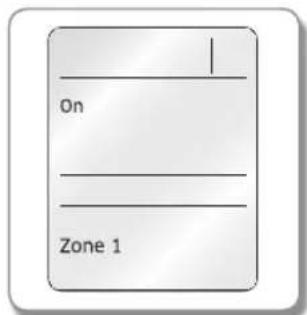
- (On) indicator will keep blinking and you can set the time.
- Press the < or > button to set the time.
- You can set the time in half hour unit from 30 minutes (0.5 on the display) \~ 3 hours and hour unit from 3 \~ 24 hours.
- Time can be set from minimum 30 minutes to maximum 24 hours.
- Press the SET button to complete the On timer setting.
- (On) indicator and the set time of the timer will be displayed on the remote controller display.
- On timer setting will be cancelled if you don't press the SET button within 10 seconds after setting the time. Therefore, check for the (On) indicator on the remote controller display.
Cancel
▶ Press the Timer button → select (On) → press the < or > button → set the timer to 00 → press the SET button.
| Additional options available in On timer | |
| Mode | Select the mode from (Auto) → (Cool) → (Dry) → (Fan) and → (Heat). |
| Temp | You can adjust the temperature after timer setting is completed.Temperature adjustment is only available in Auto/Cool/Dry/Heat mode. In Fan mode, temperature cannot be adjusted. |

NOTE
- When On timer setting is completed, the set status will be displayed for 3 seconds, and then only (On) indicator will remain on the remote controller display thereafter.
• You cannot set the Fan speed when setting the On timer.
ENGLISH-13
Setting the On/Off timer
Setting the Off timer
When the air conditioner is turned on
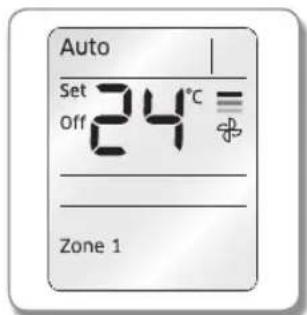
Remote controller display
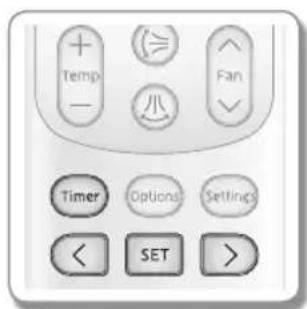
- Press the Timer button to select (Off).
- (Off) indicator will keep blinking and you can set the time.
- Press the < or > button to set the time.
- You can set the time in half hour unit from 30 minutes (0.5 on the display) \~ 3 hours and hour unit from 3 \~ 24 hours.
- Time can be set from minimum 30 minutes to maximum 24 hours.
- Press the SET button to complete the Off timer setting.
- (Off) indicator and the set time of the timer will be displayed on the remote controller display.
- Off timer setting will be cancelled if you don't press the SET button within 10 seconds after setting the time. Therefore, check for the (Off) indicator on the remote controller display.
Cancel
▶ Press the Timer button → select (Off) → press the < or > button → set the timer to 00 → press the SET button.

NOTE
- Only the latest setting timer will be applied between the Off Timer and good' sleep off timer functions.
Combining On timer and Off timer
| When the air conditioner is turned off When the air conditioner is turned on | |
| When set time on On timer is shorter than Off timere.g. On timer: 3 hours, Off timer: 5 hoursThe air conditioner will be turned on after 3 hours from the moment you have set the timer and the air conditioner will remain on for 2 hours and then be turned off automatically. | When set time on On timer is longer than Off timere.g. On timer: 3 hours, Off timer: 1 hourThe air conditioner will be turned off after 1 hour from the moment you have set the timer and will be turned on after 2 hours from the moment it was turned off. |

NOTE
- Set time for the On timer and the Off timer should be different from each other.
- When the On timer or the Off timer is set, setting can be cancelled by pressing the Power button.
ENGLISH-14
Setting the good'sleep mode
For a comfortable sleep, the air conditioner will operate in 3 stages in order of 'Fall asleep ▷ Sound sleep ▷ Wake up' stages. When the air conditioner is operating in Cool mode;
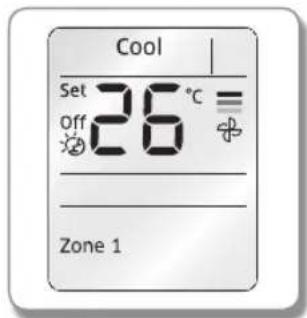
Remote controller display
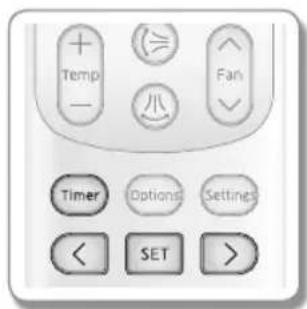
- Press the Timer button to select (💡).
-
( ) indicator will keep blinking and you can set the time.
-
Press the < or > button to set the time.
-
You can set the time in half hour unit from 30 minutes (0.5 on the display) \~ 3 hours and hour unit from 3 \~ 12 hours.
- Time can be set from minimum 30 minutes to maximum 12 hours.
-
Default time setting for the good'sleep mode is 8 hours.
-
Press the SET button to complete the good'sleep mode setting.
- (💡) indicator and the set time of the good'sleep mode will be displayed on the remote controller display.
- good'sleep mode will be cancelled if you don't press the SET button within 10 seconds after setting the time. Therefore, check for the (✗) indicator on the remote controller display.
Cancel
▶ Press the Timer button → select (✗) → press the < or > button → set the timer to ☐☐ → press the SET button.
| Additional options available in good'sleep mode | |
| Temperature can be adjusted by 1 °C within the range of 8 °C~30 °C. | |
ENGLISH-15
Setting the good'sleep mode
Temperature and Fan speed change in good'sleep mode
- Fall asleep mode: Provides you with comfortable environment for a good sleep by rapid cooling and hypnagogue expedition breeze.
- Sound sleep mode: The sound sleep mode adjusts temperature and air flow in waves to maintain healthy skin temperature while it aids deep sleep. According to the change of good' sleep operation hours, the sound sleep hour can be longer or shorter.
- Wake up from good'sleep mode: Provides you with the air flow that adjusts your body temperature to wake you up in a fresh status.

NOTE
- In good'sleep mode, the air conditioner will operate in Cool + ( ^★ ) mode for first 30 minutes. Fan speed and the air flow direction will be adjusted automatically in good'sleep mode.
- Recommended set temperature is between 25^ 27^ and 26^ is the most ideal temperature.
• If the set temperature is too low, you may feel cold during sleep or catch a cold. - Optimal operation hour of good'sleep mode is 8 hours. Therefore, if the time is set too short or long, you may not feel as comfortable as you would expect.
- If the good'sleep mode is set over 5 hours, Wake up stage will begin when 1 hour is remaining in the operation time and the air conditioner will stop automatically.
- When the On timer and the good'sleep mode are set simultaneously, the air conditioner will only apply the function that was set later.
- While good'sleep mode is operating, mode can be set additionally by pressing the Options button.
- If you press the Options button and select the Turbo/Quiet function, the good'sleep mode will be cancelled and the selected mode will begin operation.
- If you press the Mode button, the good'sleep mode will be cancelled and the selected mode will begin operation.
ENGLISH-16
Using the Turbo function
You can set the Turbo function to provide fast and powerful cooling (heating).
When the air conditioner is operating in Cool or Heat mode;
Remote controller display
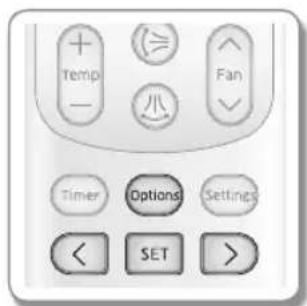
- Press the Options button.
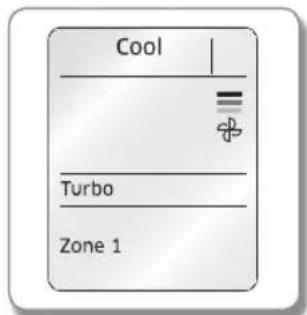
- Press the <,> or Options button until (Turbo) indicator starts to blink.
- Press the SET button to set the Turbo function.
- (Turbo) → (Turbo) indicator will be displayed on the remote controller display and Turbo function will operate for 30 minutes.
Cancel
▶ Press the Options button → press the <, > or Options button to make the (Turbo) indicator blink and press the SET button.

NOTE
• Turbo function is only available in Cool/Heat mode.
- If the Turbo function is selected while Quiet function is on, the Quiet function will be cancelled.
• Air flow direction can be adjusted with every direction.
* Duct type model cannot adjust air flow direction up and down.
• Temperature and fan speed cannot be adjusted.
ENGLISH-17


Using the Purity function
Purity function will remove harmful materials in the air to provide you clean and healthy environment. You can select this function additionally while the air conditioner is in operation.
When the air conditioner is turned on
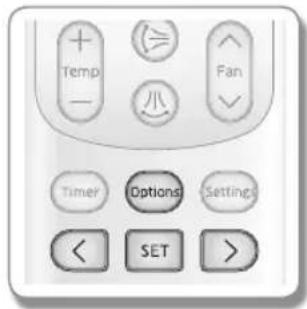
- Press the Options button.
- Press the <, > or Options button until (☐) indicator starts to blink.
- Press the SET button to set the Purity function.
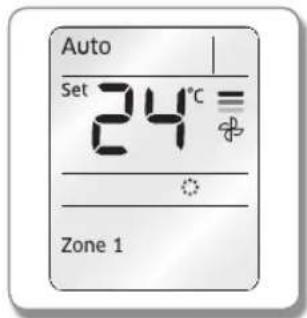
- (♂) → (♀) indicator will be displayed on the remote controller display and Virus Doctor function will begin.
Cancel
▶ Press the Options button → press the <, > or Options button to make the ( indicator blink and press the SET button.
Remote controller display

NOTE
- You may select the purity function additionally during Auto/Cool/Dry/Heat mode and you can adjust the temperature.
- If the purity function is selected additionally in fan mode, the temperature cannot be adjusted.
- When the air conditioner and the purity function are turned on simultaneously and you press the Power button, both air conditioner and purity function will stop operation.
- You can still use the purity function when the On timer is set with the air conditioner is turned off.
- There will not be much difference on energy consumption and operating noise when the purity function is selected additionally while the air conditioner is turned on.
When the air conditioner is turned off
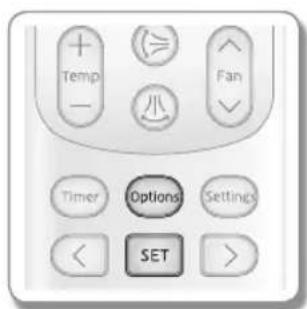
- Press the Options button.
- Press the SET button when ( ⚙️ ) indicator blinks to begin purity function.
- (●) → (●) indicator will be displayed on the remote controller display and Virus doctor function will begin.
Cancel
▶ Press the Options button to make the (☐) indicator blink and press the SET button.
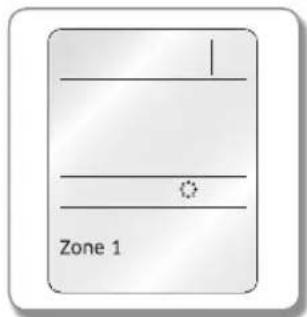
Remote controller display
ENGLISH-18
Using the Quiet function
You can reduce the noise generated from the indoor unit during Cool/Heat mode.
When the air conditioner is operating in Cool or Heat mode;
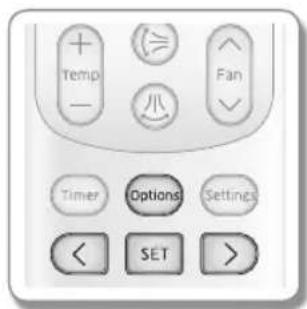
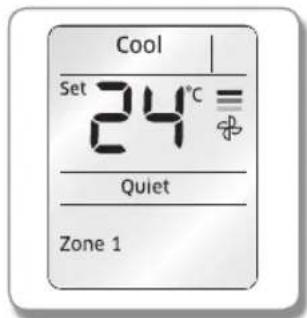
Remote controller display
- Press the Options button.
- Press the <, > or Options button until (Quiet) indicator starts to blink.
- Press the SET button to set the Quiet function.
- (Quiet)→(Quiet) indicator will be displayed on the remote controller display and Quiet function will begin.
Cancel
▶ Press the Options button → press the <, > or Options button to make the (Quiet) indicator blink and press the SET button.
| Additional options available in Quiet function | |
 | In Cool modeTemperature can be adjusted by 1 °C within the range of 18 °C ~ 30 °C.In Heat modeTemperature can be adjusted by 1 °C within the range of 8 °C ~30 °C. |
 | Fan speed is set to (Auto). |
 | Air flow direction can be adjusted. |

NOTE
- Quiet function can be set only in Cool/Heat mode and if the Quiet function is selected while Turbo function is on, the Turbo function will be cancelled.
ENGLISH-19
Selecting an indoor unit
You can select and operate individual indoor units out of 4 indoor units.
When the air conditioner is turned on
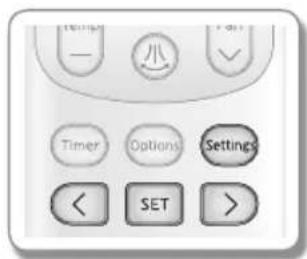
- Press the Settings button.
- Press the <, > or Settings button until (Zone) indicator starts to blink.
- Press the SET button to select the indoor unit you want to operate.
- You can select individual units in order (1\~4) or select all indoor units at one time.
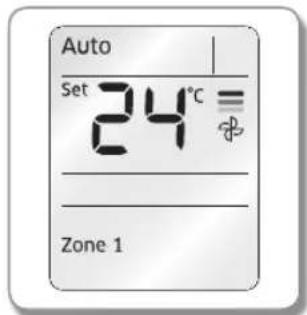
Remote controller display
Selecting a blade
You can select and operate individual blades out of 4 blades.
When the air conditioner is turned on
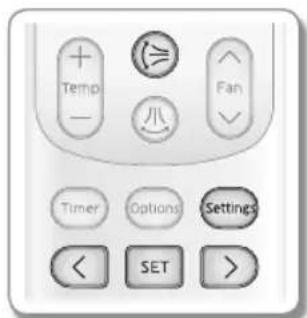
- Press the button.
- Blade 1234 will be displayed.
- Press the Settings button.
- Press the <,> or Settings button until (Blade) indicator starts to blink.
- Press the SET button to select the blade you want to operate.
- You can select the individual blades in order (1\~4) or select all blades at one time.

NOTE
• To cancel the selected blade, press the button.
- When selecting the blade individually, button will not work.
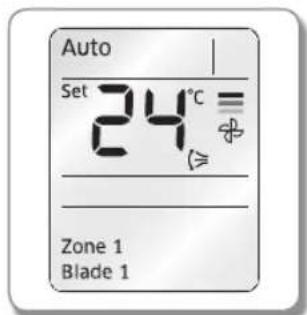
Remote controller display
ENGLISH-20
Appendix
Detailed control specification of a remote controller by each indoor unit frame
| Classification Global_4way [Inverter] G_Mini4way [Inverter] Duct [Inverter] | |||
| Up and down swing Supported | Supported Not supported | ||
| Left and right swing Not supported | Not supported Not supported | ||
| Quiet Not supported | Not supported Not supported | ||
| good' sleep Not supported | Not supported Not supported | ||
| Turbo Not supported | Not supported Not supported | ||
| Purity Supported | Supported Not supported | ||
| Individual blade control Supported | Supported Not supported | ||
| Multi channel(Indoor unit selection) | Supported Supported | Supported | |
| Beep Supported | Supported Not supported | ||
| Forced trial operation Not supported | Not supported Not supported | ||
| Refrigerant amount detection Not supported | Not supported Not supported Not supported | ||
ENGLISH-21



SAMSUNG
