
SMS 5012GR - Razor SENCOR - Free user manual and instructions
Find the device manual for free SMS 5012GR SENCOR in PDF.


Pick your language and provide your email: we'll send you a specifically translated version.
| Product Type | Electric Shaver |
| Brand | Sencor |
| Model | SMS 5012GR |
| Dimensions | Approx. 6.5 x 2.5 x 2.5 inches |
| Weight | Approx. 0.5 lbs (0.23 kg) |
| Power Source | Rechargeable Li-ion battery |
| Charging Time | Approx. 8 hours for full charge |
| Operating Time | Up to 45 minutes on full charge |
| Motor Type | Rotary (3 independent heads) |
| Shaving System | Three floating foil shaving heads |
| Trimmer | Pop-up trimmer for sideburns and mustache |
| Wet/Dry Use | Yes, suitable for wet shaving with foam or gel |
| Cleaning | Washable under running water (waterproof design) |
| Safety Features | Protective blade guard, on/off switch lock |
| Included Accessories | Protective cap, cleaning brush, charging adapter |
| Replaceable Parts | Foils and blades available as replacement sets |
| Warranty | 2 years warranty |
Frequently Asked Questions - SMS 5012GR SENCOR
How do I charge the Sencor SMS 5012GR shaver?
Connect the supplied charging adapter to the shaver's charging port. The indicator light will turn on during charging. A full charge takes approximately 8 hours.
How long does the battery last on a full charge?
The battery provides up to 45 minutes of cordless operation on a full charge.
Can I use this shaver in the shower?
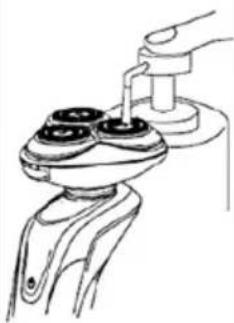
Yes, the SMS 5012GR is designed for wet and dry use. You can use it in the shower with shaving foam or gel, and rinse it under running water for easy cleaning.
How do I clean the shaver?
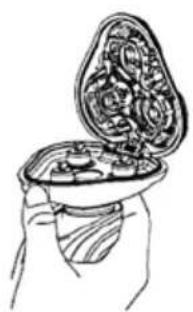
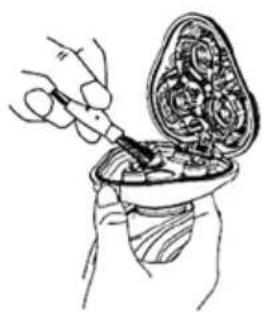
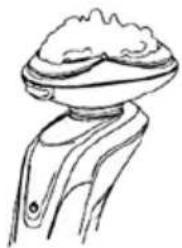
After use, remove the shaving head and rinse the blades and foil under running water. Use the included brush to remove any remaining hair from the cutters. Allow all parts to dry completely before reassembling.
When should I replace the blades and foils?
For optimal performance, replace the blades and foils every 6 to 12 months, or when you notice a decrease in shaving efficiency or pulling sensation.
How do I replace the shaving heads?
Press the release button to open the shaving head holder. Lift out the old foils and blades. Insert the new ones following the alignment guides, and close the holder until it clicks.
What is the pop-up trimmer for?
The pop-up trimmer is used for precise trimming of sideburns, mustache, and beard edges. Slide the trimmer switch upward to activate it.
The shaver stopped working, what should I do?
First, ensure the battery is charged. If the shaver still does not work, check if the protective lock is engaged. Also, clean the shaver as debris may block the motor. If the problem persists, contact Sencor support.
Can I use the shaver while it is charging?
No, the SMS 5012GR is designed for cordless use only. It cannot be operated while connected to the charger.
Where can I buy replacement parts?
Replacement foils and blades are available through online retailers or authorized Sencor service centers. Look for model-specific parts compatible with the SMS 5012GR.
User questions about SMS 5012GR SENCOR
0 question about this device. Answer the ones you know or ask your own.
Ask a new question about this device
No questions yet. Be the first to ask one.
Download the instructions for your Razor in PDF format for free! Find your manual SMS 5012GR - SENCOR and take your electronic device back in hand. On this page are published all the documents necessary for the use of your device. SMS 5012GR by SENCOR.
USER MANUAL SMS 5012GR SENCOR
natural_image
Black and white photo of a 4D shivering Senecor electric shaver with three circular dials (no text or symbols visible on body)B
natural_image
Hand holding a cup containing a tray of food items (no text or symbols visible)C
natural_image
Illustration of a hand holding an open container with internal gear-like structures (no text or symbols)D
natural_image
Line drawing of a hand using a handheld device to lift a cylindrical component (no text or symbols)E
natural_image
Line drawing of a mechanical component with a flanged top and base (no text or symbols)F
natural_image
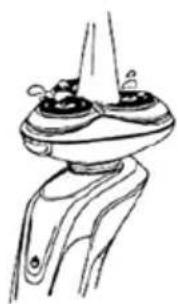
Line drawing of a mechanical component with two circular features and a pointed tip (no text or symbols)G
natural_image
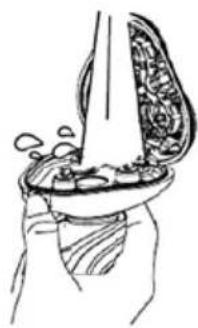
Line drawing of a hand holding a bowl with liquid and bubbles rising (no text or symbols)H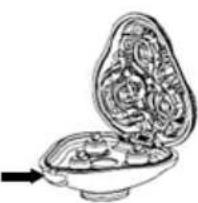 | I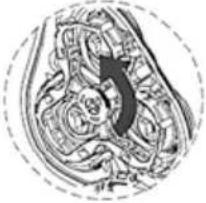 | J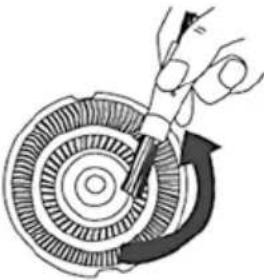 | 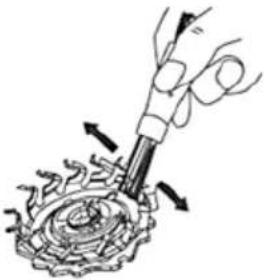 | 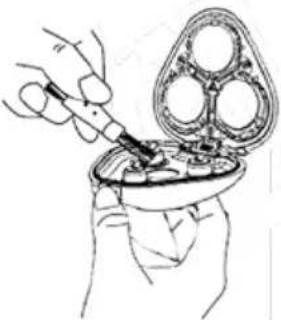 |
K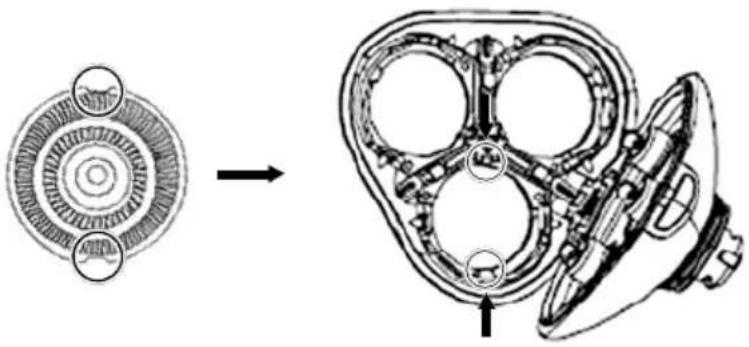 | ||||


Manual assistant
Powered by Anthropic
Waiting for your message
Product information
Brand : SENCOR
Model : SMS 5012GR
Category : Razor