
STT 019U - Hi-Fi System SENCOR - Free user manual and instructions
Find the device manual for free STT 019U SENCOR in PDF.


Pick your language and provide your email: we'll send you a specifically translated version.
| Product Type | Hi-Fi System with CD, USB, FM/AM Radio |
| Brand | Sencor |
| Model | STT 019U |
| Dimensions (W x H x D) | 380 x 150 x 250 mm |
| Weight | 3.5 kg |
| Power Supply | AC 230 V ~ 50 Hz |
| Main Functions | CD player, FM/AM tuner, USB playback, AUX input, volume and tone control |
| Radio Bands | FM (88–108 MHz), AM (530–1710 kHz) |
| Disc Playback | CD, CD-R/RW |
| USB Playback | MP3 files via USB flash drive |
| AUX Input | 3.5 mm stereo jack |
| Output Power | 2 x 10 W RMS |
| Cleaning | Wipe with a soft, dry cloth. Do not use liquid or aerosol cleaners. |
| Safety Precautions | Do not expose to water or moisture. Keep away from children under 3 years. |
| Spare Parts & Repairability | Contact authorized Sencor service center for replacement parts or repairs. |
| Accessories Included | Remote control, FM antenna, user manual |
| Storage Temperature | -10°C to 60°C |
| Operating Temperature | 5°C to 35°C |
| Humidity | 20% to 80% |
Frequently Asked Questions - STT 019U SENCOR
How do I power on the Sencor STT 019U?
Connect the power cord to a 230V AC outlet and press the POWER button on the front panel or the remote control.
How can I play music from a USB flash drive?
Insert the USB drive into the USB port on the front panel, then press the USB source button. The system will automatically start playing MP3 files.
What should I do if there is no sound?
Check that the volume is not at minimum, ensure the correct source is selected (e.g., CD, USB, AUX), and verify that the speakers are properly connected.
How do I clean the Hi-Fi system?
Use a soft, dry cloth to wipe the exterior. Do not use any liquid cleaners or abrasive materials. Keep the ventilation openings free of dust.
Can I connect my smartphone to play music?
Yes, use the AUX IN jack (3.5 mm stereo) on the front panel. Connect your phone with a suitable cable and select the AUX source.
How do I preset radio stations?
Tune to the desired station manually or via auto-scan, then press and hold one of the preset buttons (1-10) until you hear a beep.
What type of discs can I play?
The CD player supports standard audio CDs, as well as CD-R and CD-RW discs containing MP3 or WMA files.
Why is the CD not reading?
Ensure the disc is inserted label-side up and is not scratched or dirty. Clean the disc with a soft cloth from the center outward. If the problem persists, try another disc.
Is there a remote control included?
Yes, a remote control is included. Point it at the remote sensor on the front panel up to 5 meters away.
What should I do if the system does not turn on?
Check that the power cord is securely plugged into a working outlet and that the power switch is in the ON position. If still not working, contact Sencor service.
User questions about STT 019U SENCOR
0 question about this device. Answer the ones you know or ask your own.
Ask a new question about this device
No questions yet. Be the first to ask one.
Download the instructions for your Hi-Fi System in PDF format for free! Find your manual STT 019U - SENCOR and take your electronic device back in hand. On this page are published all the documents necessary for the use of your device. STT 019U by SENCOR.
USER MANUAL STT 019U SENCOR
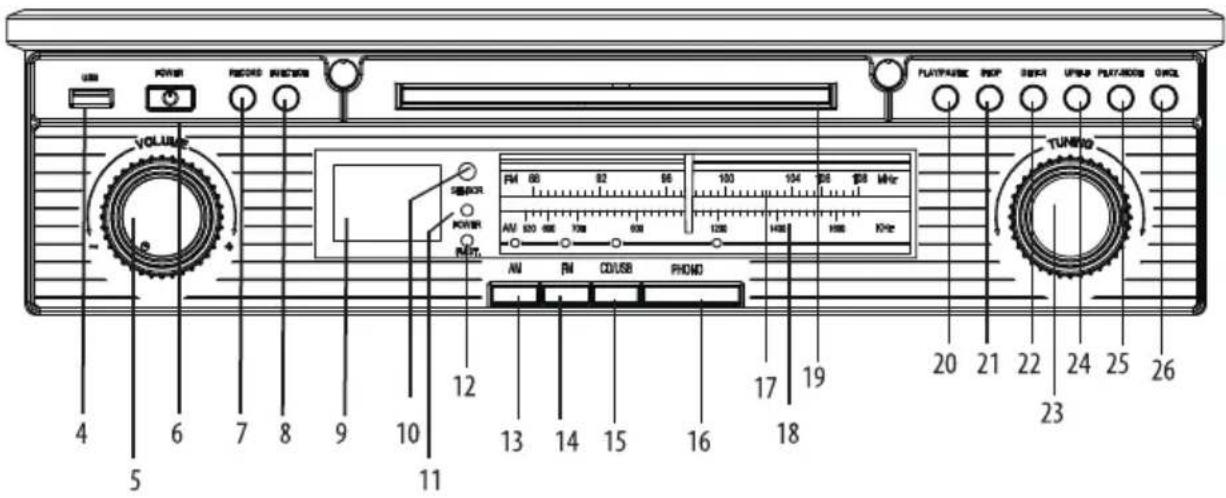
Ovládací panel
natural_image
Hand holding a small object with directional arrows indicating movement or force (no text or symbols)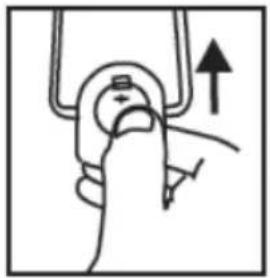
natural_image
Hand holding a mechanical component with an upward arrow indicating motion (no text or symbols)natural_image
Diagram showing a mechanical assembly process with arrows indicating motion direction (no text or symbols)natural_image
Diagram showing a robotic arm being adjusted to form a finger with arrows indicating motion (no text or symbols present)DŮLEŽITÉ!
natural_image
Two technical diagrams showing mechanical assembly or machining process with no visible text or symbolsnatural_image
Diagram showing three steps of a device assembly or installation, with no visible text or symbols.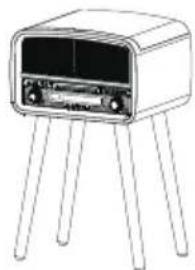
natural_image
Line drawing of a small electronic device with four legs and a front panel (no text or symbols)7. Technické údaje

Table of contents
Click a title to access it
Manual assistant
Powered by Anthropic
Waiting for your message
Product information
Brand : SENCOR
Model : STT 019U
Category : Hi-Fi System