
SPT 231 - Hi-Fi System SENCOR - Free user manual and instructions
Find the device manual for free SPT 231 SENCOR in PDF.


Pick your language and provide your email: we'll send you a specifically translated version.
| Product Type | Hi-Fi System |
| Brand | Sencor |
| Model | SPT 231 |
| Power Supply | AC 230 V ~ 50 Hz |
| Dimensions (approx.) | 400 x 200 x 250 mm |
| Weight (approx.) | 2.5 kg |
| Disc Playback | CD, CD-R, CD-RW, MP3 |
| Radio Bands | FM |
| Audio Inputs | AUX-IN (3.5 mm) |
| Laser Class | Class 1 |
| Output Power | 2 x 5 W RMS |
| Speaker Configuration | Integrated stereo speakers |
| Frequency Response | 80 Hz - 20 kHz |
| Controls | Play, pause, stop, skip, volume, tuning, source select |
| Display | LED screen |
| Remote Control | Yes (included) |
| Telescopic Antenna | Yes |
| Product Color | Black / Silver |
| Cleaning Instructions | Wipe with a soft dry cloth. Do not use liquid cleaners. |
| Safety Notes | Do not expose to moisture or heat sources. Class 1 laser product. |
Frequently Asked Questions - SPT 231 SENCOR
How do I set up the Sencor SPT 231 Hi-Fi System?
Unpack the unit, place it on a stable surface, connect the power cord to a mains outlet (AC 230 V ~ 50 Hz), and extend the FM antenna. Insert batteries for remote control (if needed).
Can I play MP3 files on this system?
Yes, the SPT 231 supports playback of MP3 files recorded on CD-R or CD-RW discs. Simply insert the disc and select CD mode.
How do I tune the FM radio?
Press the Source button to select Radio mode. Rotate the Tuning knob or use the remote to scan for stations. For better reception, adjust the telescopic antenna.
What should I do if the CD does not play?
Ensure the disc is inserted label-side up and is clean. Check that the disc format is supported (CD, CD-R, CD-RW with MP3). If still not playing, try another disc.
How can I connect an external device?
Use the AUX-IN input (3.5 mm jack) on the front or back panel. Connect your device via an audio cable and select AUX mode.
Does the SPT 231 have a remote control?
Yes, a remote control is included. It requires two AAA batteries (not supplied). Point it at the front of the unit from a distance up to 7 meters.
How should I clean the unit?
Disconnect the power before cleaning. Use a soft, dry cloth to wipe the exterior. Do not use any liquid or aerosol cleaners.
What are the safety precautions for this product?
This device is a Class 1 laser product. Do not open the casing or look directly into the laser beam. Keep away from moisture, heat sources, and ensure proper ventilation.
Why is there no sound from the speakers?
Check that the volume is turned up and not muted. Ensure the correct source is selected (CD, Radio, AUX). If using AUX, verify the external device is playing.
Where can I find the user manual for the SPT 231?
The manual is available for free download at notice-facile.com or from the Sencor support website. You can also request a translated version via the manual page.
User questions about SPT 231 SENCOR
0 question about this device. Answer the ones you know or ask your own.
Ask a new question about this device
No questions yet. Be the first to ask one.
Download the instructions for your Hi-Fi System in PDF format for free! Find your manual SPT 231 - SENCOR and take your electronic device back in hand. On this page are published all the documents necessary for the use of your device. SPT 231 by SENCOR.
USER MANUAL SPT 231 SENCOR
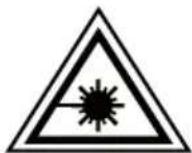
ŠTÍTEK CLASS 1 LASER PRODUCT (LASEROVÝ PRODUKT TRÍDY 1) -
18 AUX-IN (EXTERNÍ VSTUP)
POUŽÍVÁNÍ RÁDIA
ZÁKLADNÍ OVLÁDÁNÍ
natural_image
Diagram of a portable radio device with a scroll and antenna, showing no text or symbolsnatural_image
Diagram of a portable radio device with antenna and control panel, showing bidirectional arrows indicating sound or signal flow (no text or symbols present)POUŽÍVÁNÍ CD/MP3
ZÁKLADNÍ OVLÁDÁNÍ

Table of contents
Click a title to access it
Manual assistant
Powered by Anthropic
Waiting for your message
Product information
Brand : SENCOR
Model : SPT 231
Category : Hi-Fi System