
42LQ640H - TV LG - Free user manual and instructions
Find the device manual for free 42LQ640H LG in PDF.


User questions about 42LQ640H LG
0 question about this device. Answer the ones you know or ask your own.
Ask a new question about this device
Download the instructions for your TV in PDF format for free! Find your manual 42LQ640H - LG and take your electronic device back in hand. On this page are published all the documents necessary for the use of your device. 42LQ640H by LG.
USER MANUAL 42LQ640H LG
* LG LED TV applies LCD screen with LED backlights.
Please read this quick reference guide carefully
before operating your set and retain it for future reference.
LED TV MODELS LCD TV MODELS
22LQ630H
42LQ640H 42CQ610H
26LQ630H
32LQ630H
IMPORTANT SAFETY INSTRUCTIONS
Always comply with the following precautions to avoid dangerous situations and ensure peak performance of your product.
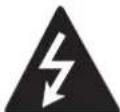
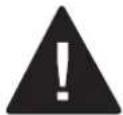
TO REDUCE THE RISK OF ELECTRIC SHOCK DO NOT REMOVE COVER (OR BACK). NO USER SERVICEABLE PARTS INSIDE. REFER TO QUALIFIED SERVICE PERSONNEL.

The lightning flash with arrowhead symbol, within an equilateral triangle, is intended to alert the user to the presence of
uninsulated “dangerous voltage” within the product’s enclosure that may be of sufficient magnitude to constitute a risk of electric shock to persons.

The exclamation point within an equilateral triangle is intended to alert the user to the presence of important operating and
maintenance (servicing) instructions in the literature accompanying the appliance.
WARNING/CAUTION
- TO REDUCE THE RISK OF FIRE AND ELECTRIC SHOCK, DO NOT EXPOSE THIS PRODUCT TO RAIN OR MOISTURE.

WARNING
If you ignore the warning message, you may be seriously injured or there is a possibility of accident or death.

CAUTION
If you ignore the caution message, you may be slightly injured or the product may be damaged.

NOTE
The note helps you understand and use the product safely. Please read the note carefully before using the product.
WARNING: This product contains chemicals known to the State of California to cause cancer and birth defects or other reproductive harm.
Wash hands after handling.
Read these instructions. Keep these instructions. Heed all warnings. Follow all instructions.
- Do not use this apparatus near water.
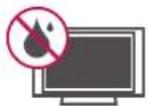
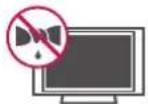
- Clean only with a dry cloth.
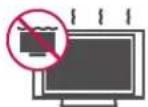
- Do not block any ventilation openings. Install in accordance with the manufacturer's instructions.
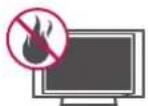
- Do not install near any heat sources such as radiators, heat registers, stoves, or other apparatus (including amplifiers) that produce heat.
- Do not defeat the safety purpose of the polarized or grounding-type plug. A polarized plug has two blades with one wider than the other. A grounding type plug has two blades and a third grounding prong. The wide blade or the third prong are provided for your safety. If the provided plug does not fit into your outlet, consult an electrician for replacement of the obsolete outlet (Can differ by country).
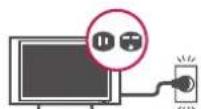
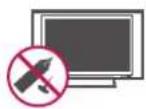
- Do not press strongly upon the panel with a hand or a sharp object such as a nail, pencil or pen, or make a scratch on it.
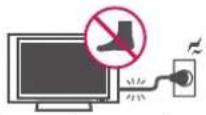
- Protect the power cord from being walked on or pinched particularly at plugs, convenience receptacles, and the point where they exit from the apparatus.
- Only use attachments/accessories specified by the manufacturer.

- Use only with a cart, stand, tripod, bracket, or table specified by the manufacturer, or sold with the apparatus. When a cart is used, use caution when moving the cart/apparatus combination to avoid injury from tip-over.

- Unplug this apparatus during lightning storms or when unused for long periods of time.
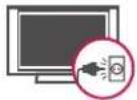
- Refer all servicing to qualified service personnel. Servicing is required when the apparatus has been damaged in any way, such as power-supply cord or plug is damaged, liquid has been spilled or objects have fallen into the apparatus, the apparatus has been exposed to rain or moisture, does not operate normally, or has been dropped.
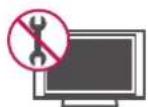
- Do not stick metal objects or any other conductive material into the power cord. Do not touch the end of the power cord while it is plugged in.
- Keep the packing anti-moisture material or vinyl packing out of the reach of children. Anti-moisture material is harmful if swallowed. If swallowed by mistake, force the patient to vomit and visit the nearest hospital. Additionally, vinyl packing can cause suffocation. Keep it out of the reach of children.
- CAUTION concerning the Power Cord (Can differ by country): It is recommended that appliances be placed upon a dedicated circuit; that is, a single outlet circuit which powers only that appliance and has no additional outlets or branch circuits. Check the specification page of this owner's manual to be certain. Do not connect too many appliances to the same AC power outlet as this could result in fire or electric shock. Do not overload wall outlets. Overloaded wall outlets, loose or damaged wall outlets, extension cords, frayed power cords, or damaged or cracked wire insulation are dangerous. Any of these conditions could result in electric shock or fire. Periodically examine the cord of your appliance, and if its appearance indicates damage or deterioration, unplug it, discontinue use of the appliance, and have the cord replaced with an exact replacement part by an authorized service. Protect the power cord from physical or mechanical abuse, such as being twisted, kinked, pinched, closed in a door, or walked upon. Pay particular attention to plugs, wall outlets, and the point where the cord exits the appliance. Do not move the TV with the power cord plugged in. Do not use a damaged or loose power cord. Be sure do grasp the plug when unplugging the power cord. Do not pull on the power cord to unplug the TV.
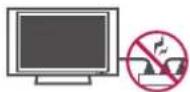
- Warning - To reduce the risk of fire or electrical shock, do not expose this product to rain, moisture or other liquids. Do not touch the TV with wet hands. Do not install this product near flammable objects such as gasoline or candles, or expose the TV to direct air conditioning.
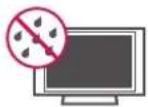
- Do not expose to dripping or splashing and do not place objects filled with liquids, such as vases, cups, etc. on or over the apparatus (e.g. on shelves above the unit).
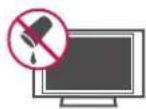
- Grounding
(Except for devices which are not grounded.) Ensure that you connect the earth ground wire to prevent possible electric shock (i.e. a TV with a three-prong grounded AC plug must be connected to a three-prong grounded AC outlet). If grounding methods are not possible, have a qualified electrician install a separate circuit breaker. Do not try to ground the unit by connecting it to telephone wires, lightening rods, or gas pipes.
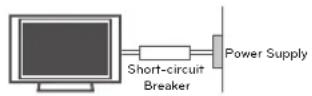
- As long as this unit is connected to the AC wall outlet, it is not disconnected from the AC power source even if the unit is turned off.
- Do not attempt to modify this product in any way without written authorization from LG Electronics. Unauthorized modification could void the user's authority to operate this product.
- Outdoor Antenna Grounding (Can differ by country): If an outdoor antenna is installed, follow the precautions below. An outdoor antenna system should not be located in the vicinity of overhead power lines or other electric light or power circuits, or where it can come in contact with such power lines or circuits as death or serious injury can occur. Be sure the antenna system is grounded so as to provide some protection against voltage surges and built-up static charges. Section 810 of the National Electrical Code (NEC) in the U.S.A. provides information with respect to proper grounding of the mast and supporting structure, grounding of the lead-in wire to an antenna discharge unit, size of grounding conductors, location of antenna discharge unit, connection to grounding electrodes and requirements for the grounding electrode.
Antenna grounding according to the National Electrical Code, ANSI/NFPA 70
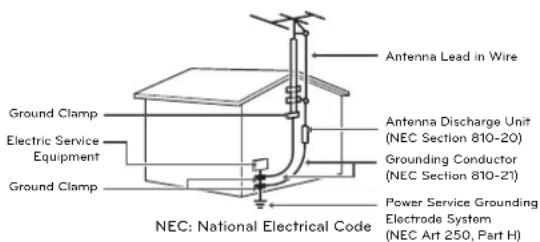
text_image
Antenna Lead in Wire Ground Clamp Electric Service Equipment Ground Clamp Antenna Discharge Unit (NEC Section 810-20) Grounding Conductor (NEC Section 810-21) Power Service Grounding Electrode System (NEC Art 250, Part H) NEC: National Electrical Code- Cleaning
When cleaning, unplug the power cord and wipe gently with a soft cloth to prevent scratching. Do not spray water or other liquids directly on the TV as electric shock may occur. Do not clean with chemicals such as alcohol, thinners or benzine.
- Moving
Make sure the product is turned off, unplugged and all cables have been removed. It may take 2 or more people to carry larger TVs. Do not press or put stress on the front panel of the TV.
- Ventilation
Install your TV where there is proper ventilation. Do not install in a confined space such as a bookcase. Do not cover the product with cloth or other materials while plugged. Do not install in excessively dusty places.
- If you smell smoke or other odors coming from the TV, unplug the power cord and contact an authorized service center.
- Keep the product away from direct sunlight.
- Never touch this apparatus or antenna during a thunder or lightning storm.
- When mounting a TV on the wall, make sure not to install the TV by hanging the power and signal cables on the back of the TV.
- Do not allow an impact shock or any objects to fall into the product, and do not drop anything onto the screen.
• Disconnecting the Main Power
The power outlet used with this device must remain easily accessible.
- Store the accessories (battery, etc.) in a safe location out of the reach of children.
- This apparatus use batteries. In your community there might be regulations that require you to dispose of these batteries properly due to environmental considerations. Please contact your local authorities for disposal or recycling information.
- Do not dispose of batteries in a fire.
- Do not short circuit, disassemble or allow the batteries to overheat.
- Dot Defect
The Plasma or LCD panel is a high technology product with resolution of two million to six million pixels. In a very few cases, you could see fine dots on the screen while you're viewing the TV. Those dots are deactivated pixels and do not affect the performance and reliability of the TV.
- Generated Sound
"Cracking" noise: A cracking noise that occurs when watching or turning off the TV is generated by plastic thermal contraction due to temperature and humidity. This noise is common for products where thermal deformation is required.
Electrical circuit humming/panel buzzing: A low level noise is generated from a high-speed switching circuit, which supplies a large amount of current to operate a product. It varies depending on the product.
This generated sound does not affect the performance and reliability of the product.
- Take care not to touch the ventilation openings. When watching the TV for a long period, the ventilation openings may become hot. This does not affect the performance of the product or cause defects in the product.
- If the TV feels cold to the touch, there may be a small "flicker" when it is turned on. This is normal, there is nothing wrong with TV. Some minute dot defects may be visible on the screen, appearing as tiny red, green, or blue spots. However, they have no adverse effect on the TV's performance. Avoid touching the LCD screen or holding your finger(s) against it for long periods of time. Doing so may produce some temporary distortion effects on the screen.
Preventing "Image burn" or "Burn-in" on your TV screen
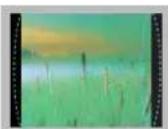
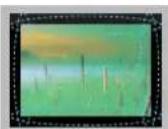
- If a fixed image displays on the TV screen for a long period of time, it will be imprinted and become a permanent disfigurement on the screen. This is "image burn" or "burn-in" and not covered by the warranty.
- If the aspect ratio of the TV is set to 4:3 for a long period of time, image burn may occur on the letterboxed area of the screen.
- Avoid displaying a fixed image on the TV screen for a long period of time (2 or more hours for LCD, 1 or more hours for the Plasma TV) to prevent image burn.
For USA and Canada
FCC NOTICE
This equipment has been tested and found to comply with the limits for a Class B digital device, pursuant to Part 15 of the FCC Rules. These limits are designed to provide reasonable protection against harmful interference in a residential installation. This equipment generates, uses and can radiate radio frequency energy and, if not installed and used in accordance with the instructions, may cause harmful interference to radio communications. However, there is no guarantee that interference will not occur in a particular installation. If this equipment does cause harmful interference to radio or television reception, which can be determined by turning the equipment off and on, the user is encouraged to try to correct the interference by one or more of the following measures:
- Reorient or relocate the receiving antenna.
- Increase the separation between the equipment and the receiver.
- Connect the equipment to an outlet on a circuit different from that to which the receiver is connected.
- Consult the dealer or an experienced radio/TV technician for help.
This device complies with part 15 of the FCC Rules. Operation is subject to the following two conditions: (1) this device may not cause harmful interference and (2) this device must accept any interference received, including interference that may cause undesired operation of the device.
Any changes or modifications in construction of this device which are not expressly approved by the party responsible for compliance could void the user's authority to operate the equipment.
NOTE TO CABLE/TV INSTALLER
This reminder is provided to call the CATV system installer's attention to Article 820-40 of the National Electric Code (U.S.A.). The code provides guidelines for proper grounding and, in particular, specifies that the cable ground shall be connected to the grounding system of the building, as close to the point of the cable entry as practical.
LICENSES
Supported licenses may differ by model. For more information about licenses, visit 'www.lg.com'.

Manufactured under license from Dolby Laboratories. "Dolby" and the double-D symbol are trademarks of Dolby Laboratories.

The terms HDMI and HDMI High-Definition Multimedia Interface, and the HDMI logo are trademarks or registered trademarks of HDMI Licensing LLC in the United States and other countries.

ABOUT DIVX VIDEO: DivX ^® is a digital video format created by DivX, LLC, a subsidiary of Rovi Corporation. This is an official DivX Certified ^® device that plays DivX video. Visit divx.com for more information and software tools to convert your files into DivX video.
ABOUT DIVX VIDEO-ON-DEMAND: This DivX Certified ^® device must be registered in order to play purchased DivX Video-on-Demand (VOD) movies. To obtain your registration code, locate the DivX VOD section in your device setup menu. Go to vod.divx.com for more information on how to complete your registration.
"DivX Certified ^® to play DivX ^® video up to HD 1080p, including premium content."
"DivX ^ , DivX Certified ^ and associated logos are trademarks of Rovi Corporation or its subsidiaries and are used under license."
"Covered by one or more of the following U.S. patents: 7,295,673; 7,460,668; 7,515,710; 7,519,274"
OPEN SOURCE SOFTWARE NOTICE
To obtain the source code under GPL, LGPL, MPL and other open source licenses, that is contained in this product, please visit 'http://opensource.lge.com'.
In addition to the source code, all referred license terms, warranty disclaimers and copyright notices are available for download.
LG Electronics will also provide open source code to you on CD-ROM for a charge covering the cost of performing such distribution (such as the cost of media, shipping and handling) upon email request to 'opensource@lge.com'. This offer is valid for three (3) years from the date on which you purchased the product.
TABLE OF CONTENTS
2 IMPORTANT SAFETY INSTRUCTIONS
6 LICENSES
6 OPEN SOURCE SOFTWARE NOTICE
7 TABLE OF CONTENTS
7 Additional Information
8 INSTALLATION PROCEDURE
8 ASSEMBLING AND PREPARING
8 Unpacking
9 - Protection Cover
10 Front Panel Information
12 Rear Jack Panel
15 Lifting and Moving the TV
16 Setting Up the TV
16 - Mounting on a Wall
17 - Kensington Security System (optional)
18 - Tidying Cables
20 SPECIFICATIONS
21 GENERAL TROUBLESHOOTING
Additional Information
(Depending on model)
The Owner's Manual and Commercial Mode Setup Guide contain detailed information on the advanced features of these TVs. To view the extended documentation, visit our website at:
www.lgsolutions.com/products. From the Products page, select TVs, Systems & Solutions, then LCD TVs, then the applicable TV. Click the Literature & Downloads tab at the bottom of the TV page, and select the required document(s) from the Downloads list.

NOTE
• Image shown may differ from your TV.
- Your TV's OSD (On Screen Display) may differ slightly from that shown in this manual.
- The available menus and options may differ from the input source or product model that you are using.
- New features may be added to this TV in the future.
INSTALLATION PROCEDURE
1 Open the package and make sure all the accessories are included.
2 Attach the stand to the TV set.
3 Connect an external device to the TV set.
ASSEMBLING AND PREPARING
Unpacking
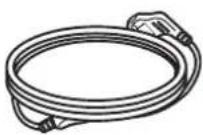
Check your product box for the following items. If there are any missing accessories, contact the dealer where you purchased your product. The illustrations in this manual may differ from the actual product and item.
(For 22/26/32LQ630H)
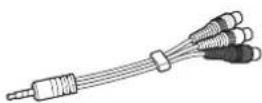
Quick Reference Guide Power Cord A/V Adapter Cable
(For 22/26LQ630H, 42LQ640H) (For 32LQ630H) (For 26LQ630H/42CQ610H)
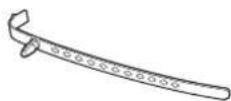
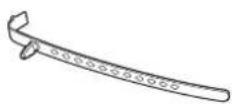
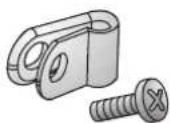
Cable Holder
1 EA
(See p.18, 19)
Cable Holder
3 EA
(See p.18)
Protective bracket and
screw for power cord
(See p.18, 19)
(For 42LQ640H)
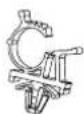
(For 42LQ640H) (For 42CQ610H)
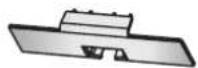
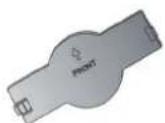
Power Cord Holder
(See p.19)
Protection cover
(See p.9)
Protection cover
(See p.9)

CAUTION
- Do not use any unapproved items to ensure the safety and product life span.
- Any damages or injuries by using unapproved items are not covered by the warranty.
- In case of some model, the thin film on screen is a part of TV, So don't take it off.

NOTE
• The items supplied with your product may vary depending on the model.
• Gently wipe any spots on the cabinet with a polishing cloth (included with some models).
- Product specifications or contents of this manual may be changed without prior notice due to upgrade of product functions.
- When using a VGA (D-sub 15-pin signal cable) PC connection, use the shielded signal interface cable with a ferrite core to maintain standards compliance for the product.
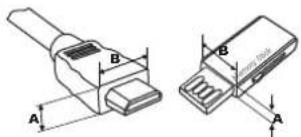
- For an optimal connection, HDMI cables and USB devices should have bezels less than 10 mm (0.39 inches) thick and 18 mm (0.7 inches) width.
- Use an extension cable that supports USB 2.0 if the USB cable or USB memory stick does not fit into your TV's USB port.
text_image
Technical diagram of two types of electrical connectors with labeled dimensions A and B*A ≤10 mm (0.39 inches)
*B ≤18 mm (0.7 inches)
Protection Cover
■ Image shown may differ from your TV.
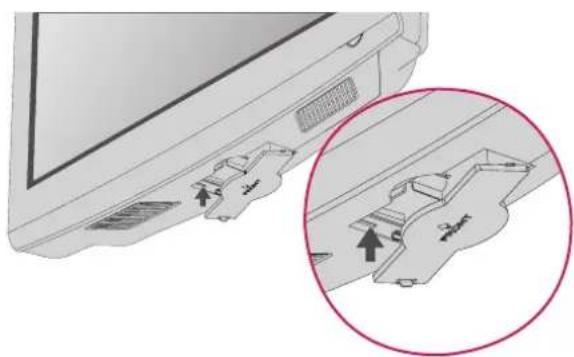
For 42CQ610H, 42LQ640H
Install the included protection cover over the hole for the stand.
Press the Protection cover into the TV until you hear it click.
natural_image
Diagram showing a device with labeled ports and a magnified inset highlighting a component (no text or symbols present)Front Panel Information
■ Image shown may differ from your TV.

NOTE
- If your TV has protection tape attached, remove the tape and then wipe the TV with a cloth, (If a polishing cloth is included with your TV, please use it).
For 22LQ630H
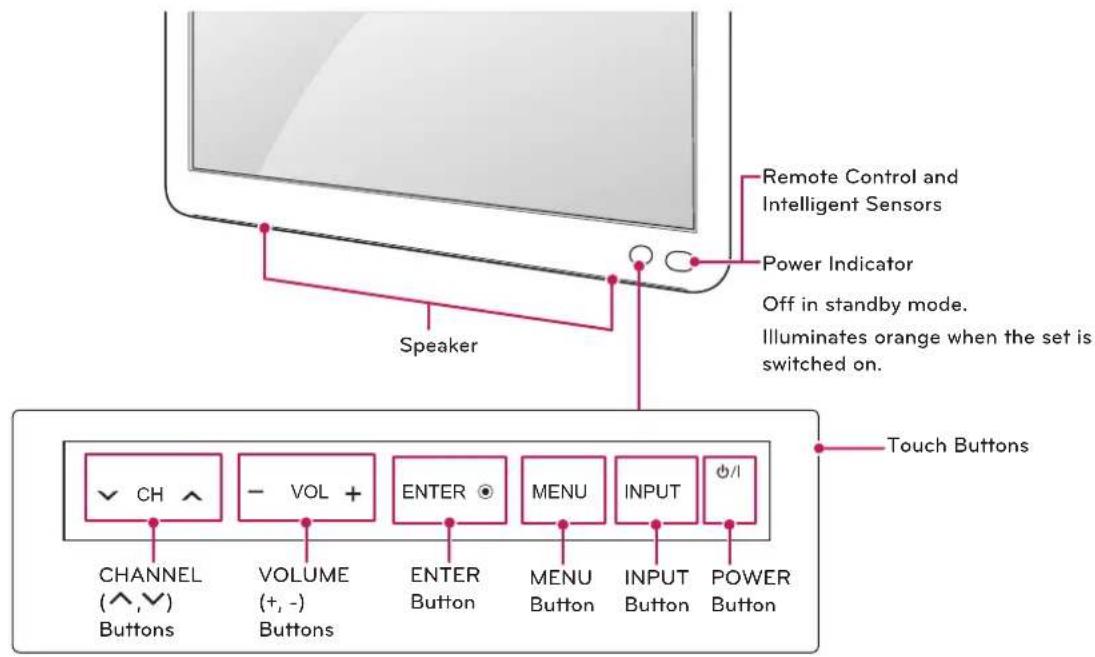
text_image
Remote Control and Intelligent Sensors Power Indicator Off in standby mode. Illuminates orange when the set is switched on. Speaker Touch Buttons CHANNEL (^^,√) Buttons - VOL + VOLUME (+,-) Buttons ENTER ENTER Button MENU MENU Button INPUT INPUT Button POWER ButtonFor 26/32LQ630H
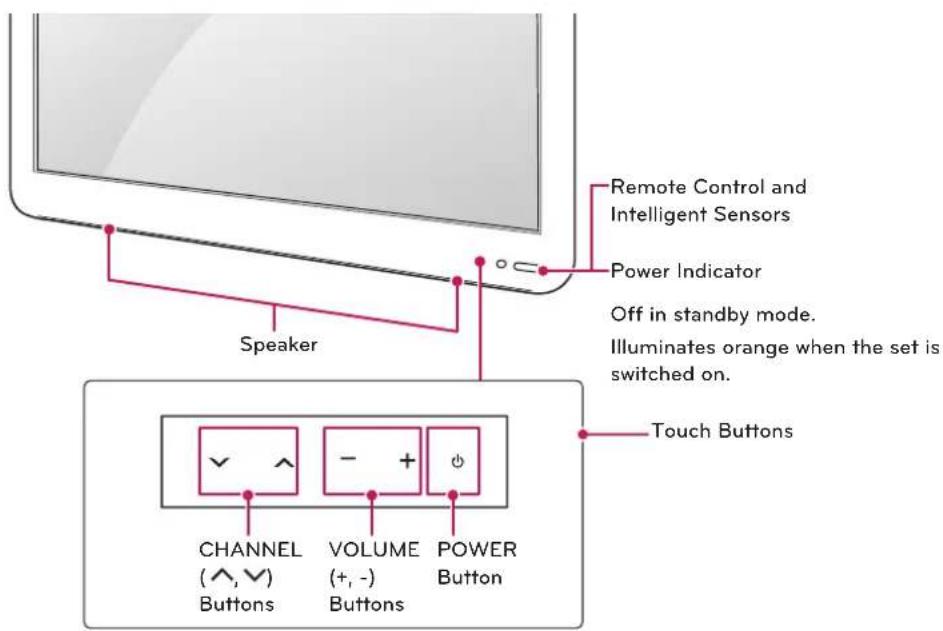
text_image
Remote Control and Intelligent Sensors Power Indicator Off in standby mode. Illuminates orange when the set is switched on. Touch Buttons CHANNEL ( ^ , ∨ ) Buttons VOLUME (+ , - ) Buttons POWER ButtonFor 42CQ610H
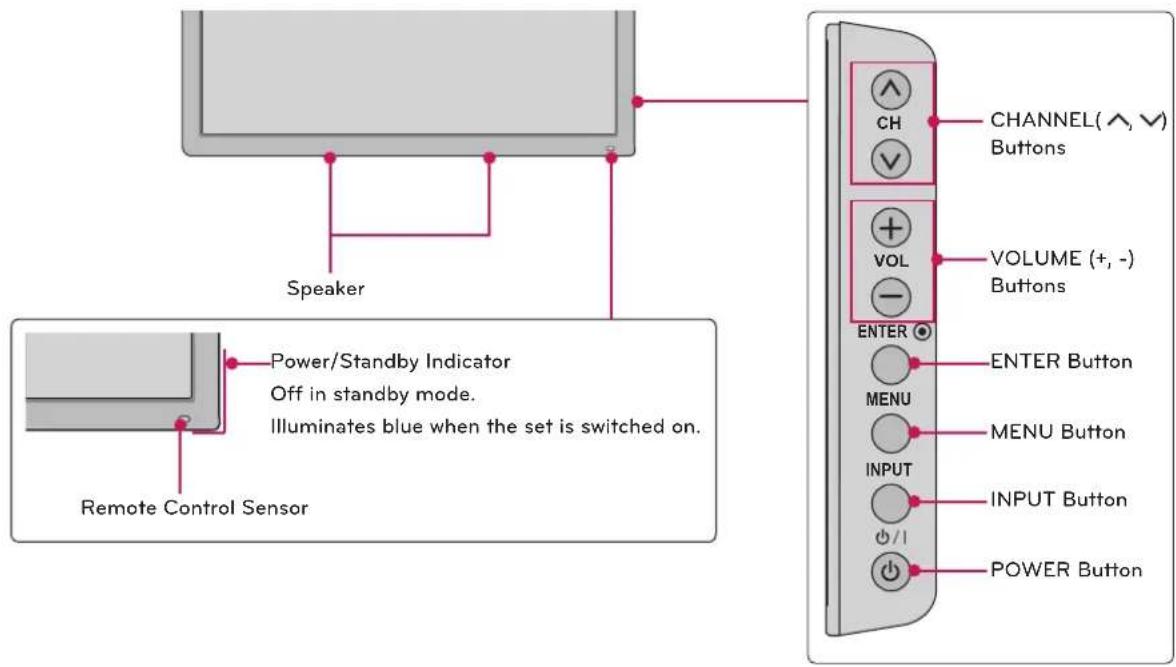
text_image
Speaker Power/Standby Indicator Off in standby mode. Illuminates blue when the set is switched on. Remote Control Sensor CHANNEL( ^, ∨) Buttons VOLUME (+, -) Buttons ENTER ENTER Button MENU MENU Button INPUT INPUT Button POWER ButtonFor 42LQ640H
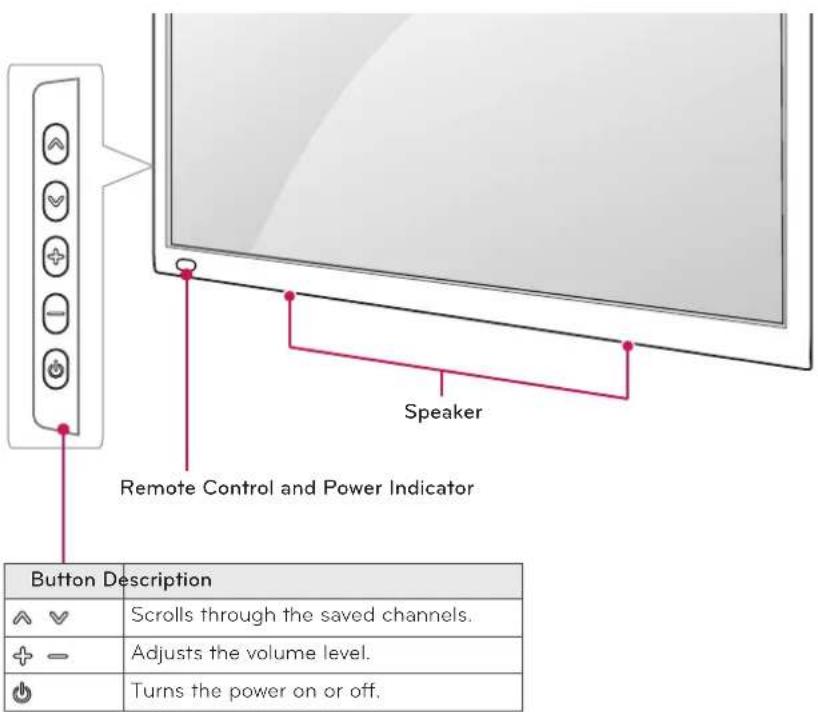
text_image
Speaker Remote Control and Power Indicator Button Description ✓ Scrolls through the saved channels. + - Adjusts the volume level. ● Turns the power on or off.Rear Jack Panel
■ Image shown may differ from your TV.
For 22LQ630H
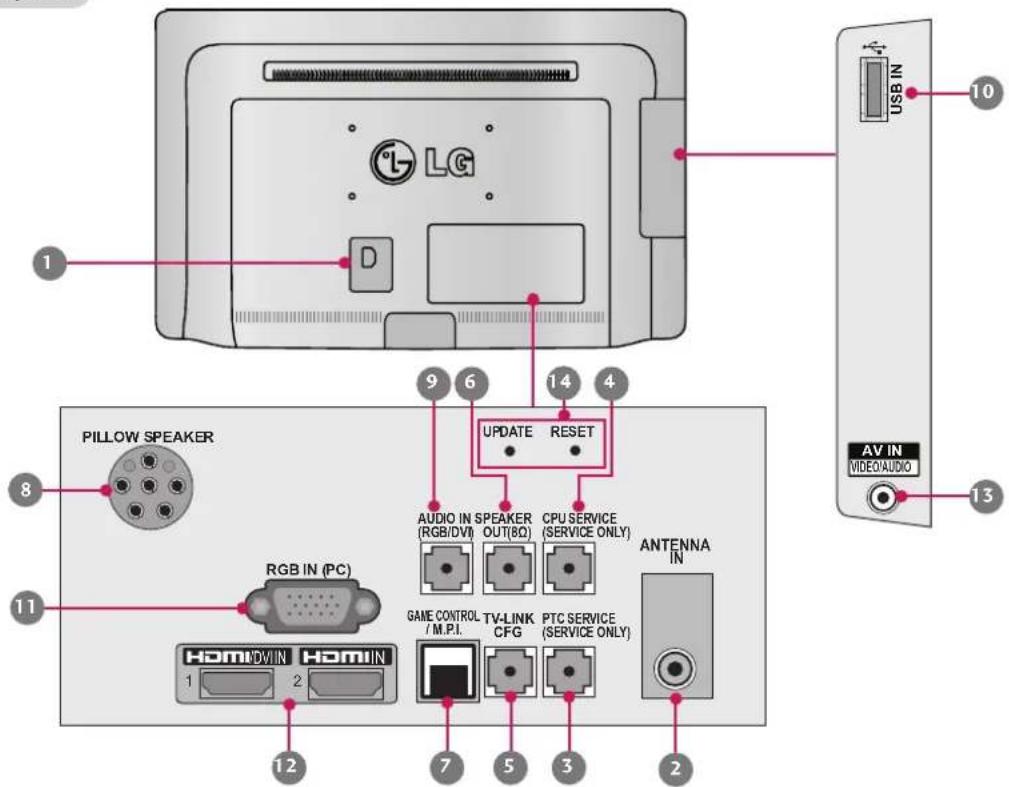
text_image
1 2 3 4 5 6 7 8 9 10 USB IN LG D Pillow SPEAKER AUDIO IN SPEAKER (RGB/DVI) OUT(8Ω) CPU SERVICE (SERVICE ONLY) ANTENNA IN AV IN VIDEO AUDIO RGB IN (PC) GAME CONTROL TV-LINK /M.P.I. CFG PTC SERVICE (SERVICE ONLY) HomIN DWIN HomIN 1 2 12 11For 26/32LQ630H
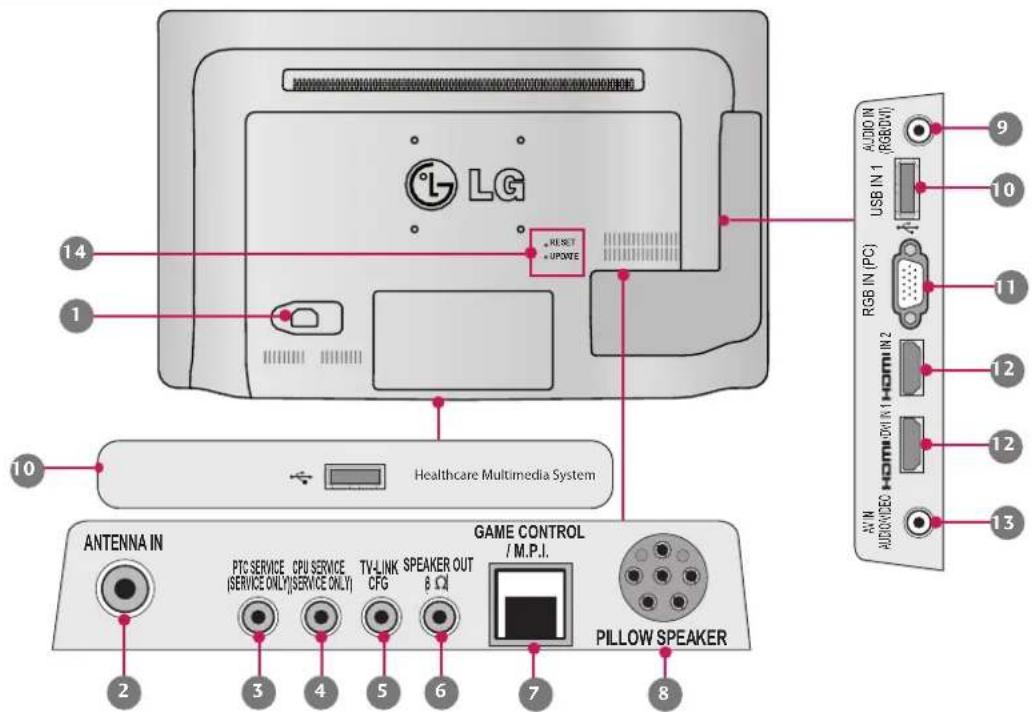
text_image
LG RESET UPDATE 14 1 10 Healthcare Multimedia System ANTENNA IN PTC SERVICE CPU SERVICE TV-LINK SPEAKER OUT (SERVICE ONLY)(SERVICE ONLY) CFG 8 Ω GAME CONTROL /M.P.I. Pillow Speaker 2 3 4 5 6 7 8 AUDIO IN (RGB/DVI) USB IN 1 RGB IN (PC) HOMIN 2 AUDIO IN (HOMIN 1) HOMIN 2 AUDIO IN (HOMIN 1) HOMIN 2 AUDIO IN (HOMIN 1) HOMIN 2 AUDIO IN (HOMIN 1) HOMIN 2 AUDIO IN (HOMIN 1) HOMIN 2 AUDIO IN (HOMIN 1) HOMIN 2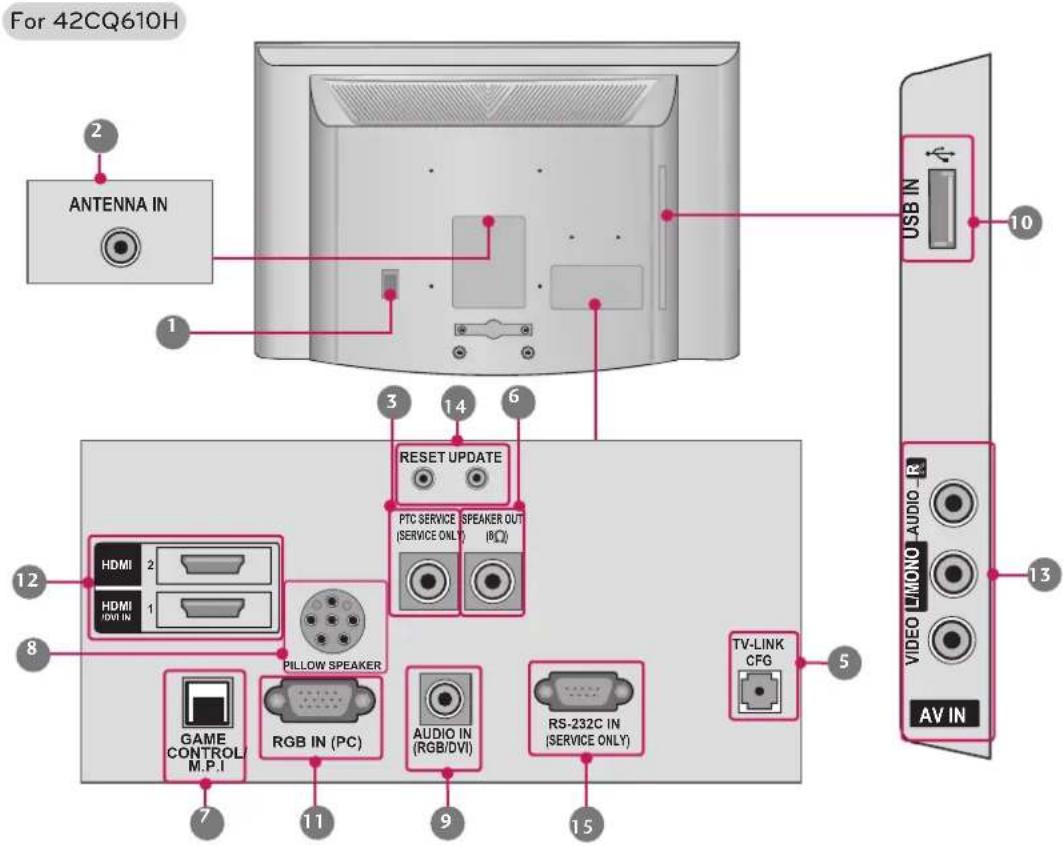
text_image
For 42CQ610H ANTENNA IN USB IN 10 3 14 6 RESET UPDATE PTC SERVICE (SERVICE ONLY) SPEAKER OUT (RQ) HDMI 2 HDMI HDMI IN 1 PILLLOW SPEAKER GAME CONTROL M.P.I RGB IN (PC) AUDIO IN (RGB/DVI) RS-232C IN (SERVICE ONLY) TV-LINK CFG 5 13 VIDEO L/MONO AUDIO_R AV IN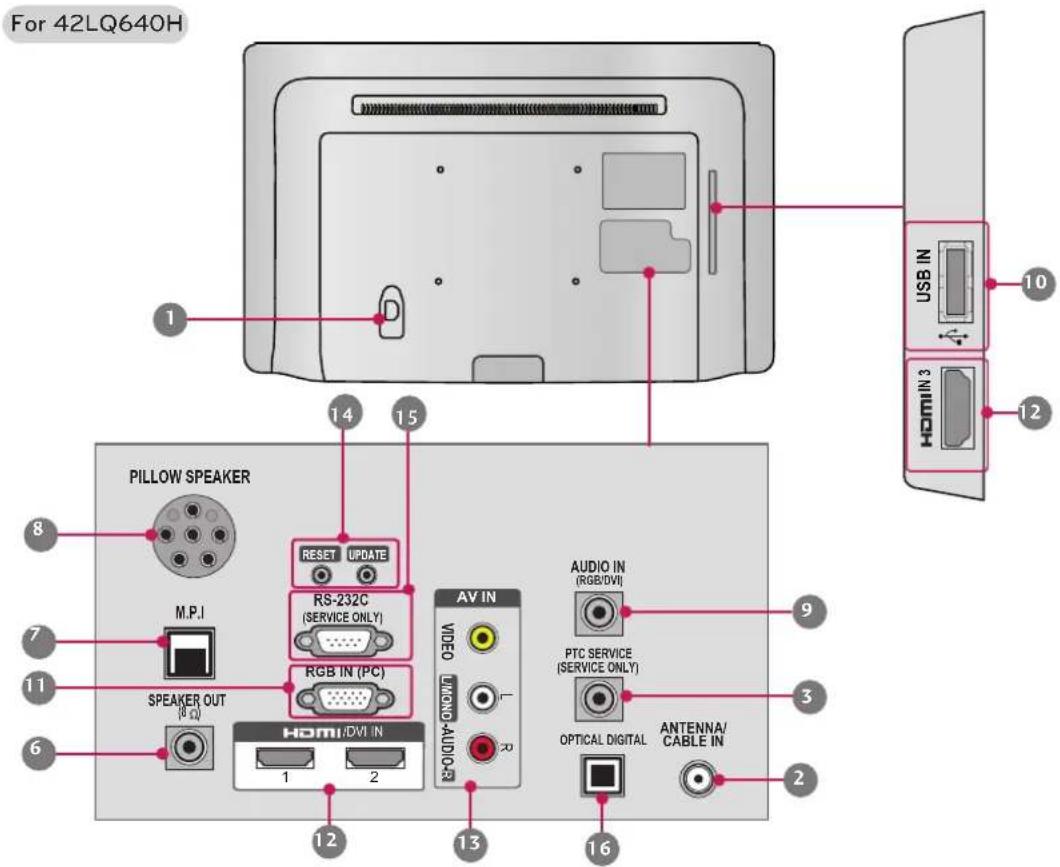
text_image
For 42LQ640H 1 PILLLOW SPEAKER 8 M.P.I 7 SPEAKER OUT (Ω) 11 6 12 13 AV IN VIDEO AUDIO-AUDIO-R RS-232C (SERVICE ONLY) RGB IN (PC) 14 15 16 AUDIO IN (RGB/DVI) 9 PTC SERVICE (SERVICE ONLY) 3 OPTICAL DIGITAL ANTENNA/ CABLE IN 2 USB IN 10 HOMIN 3 12| Jack Description | ||
| 1 | Power Cord Socket For operation with AC power. Caution: Never attempt to operate the TV on DC power. | |
| 2 | ANTENNA IN/ CABLE IN | Connect over-the air signals to this jack. |
| 3 | PTC SERVICE (SERVICE ONLY) | Used for PTC software updates. |
| 4 | CPU SERVICE (SERVICE ONLY) | Used for CPU software updates. |
| 5 | TV - LINK CFG Computer input for programming Free To Guest services. | |
| 6 | SPEAKER OUT (8Ω) For use with external speakers. | |
| 7 | GAME CONTROL Input port for third party game Controllers. | |
| M. P. I. Allows VOD/PPV devices or set-top boxes to control the TV. | ||
| 8 | PILLOW SPEAKER Used to connect to pillow speaker. | |
| 9 | AUDIO IN (RGB/DVI) 1/8" headphone jack for analog PC audio input. | |
| 10 | USB IN Used for viewing multimedia files. | |
| 11 | RGB IN (PC) Analog PC Connection. Uses a D-sub 15-pin cable (VGA cable). | |
| 12 | HDMI/DVI IN Digital Connection. Supports HD video and Digital audio. Accepts DVI video using an adapter or HDMI to DVI cable (not included). | |
| 13 | AV (Audio/Video) IN Analog composite connection. Supports standard definition video only (480i). Used for PC/DTV audio input jack. | |
| 14 | UPDATE Software downloads and debug mode enable/ dis-able. | |
| RESET | Hardware reset to PTC microcontroller. | |
| 15 | RS-232C IN (SERVICE ONLY) | Used for software updates. |
| 16 | OPTICAL DIGITAL | Connect digital audio to various types of equipment. Connect to a Digital Audio Component. Use an Optical audio cable. |
Lifting and Moving the TV
When moving or lifting the TV, read the following to prevent the TV from being scratched or damaged and for safe transportation regardless of its type and size.

CAUTION
- Avoid touching the screen at all times, as this may result in damage to the screen.
- It is recommended to move the TV in the box or packing material that the TV originally came in.
- Before moving or lifting the TV, disconnect the power cord and all cables.
- When holding the TV, the screen should face away from you to avoid damage.

- Hold the top and bottom of the TV frame firmly. Make sure not to hold the transparent part, speaker, or speaker grill area.
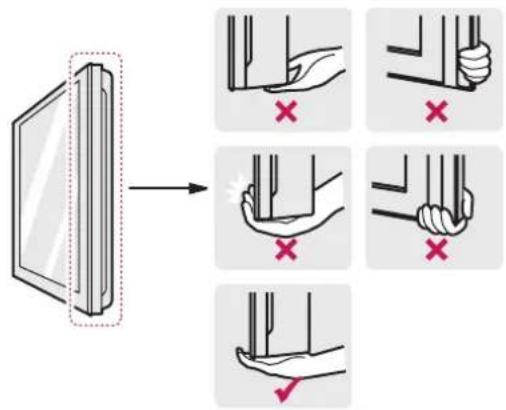
text_image
Diagram illustrating hand positioning and movement of a device, with red X marks indicating correct and incorrect positions.- When transporting a large TV, there should be at least 2 people.
- When transporting the TV by hand, hold the TV as shown in the following illustration.
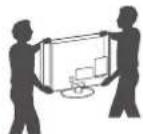
- When transporting the TV, do not expose the TV to jolts or excessive vibration.
- When transporting the TV, keep the TV upright, never turn the TV on its side or tilt towards the left or right.
Setting Up the TV
Mounting on a Wall
An optional wall mount can be used with your LG Television. Consult with your local dealer for a wall mount that supports the VESA standard used by your TV model. Install the protection cover provided with the TV to protect the area where the TV stand would otherwise be located. Press the protection cover into the TV until you hear it click. Carefully attach the wall mount bracket at the rear of the TV. Install the wall mount bracket on a solid wall perpendicular to the floor. If you are attaching the TV to other building materials, please contact qualified personnel to install the wall mount. Detailed instructions will be included with the wall mount. We recommend that you use an LG brand wall mount.
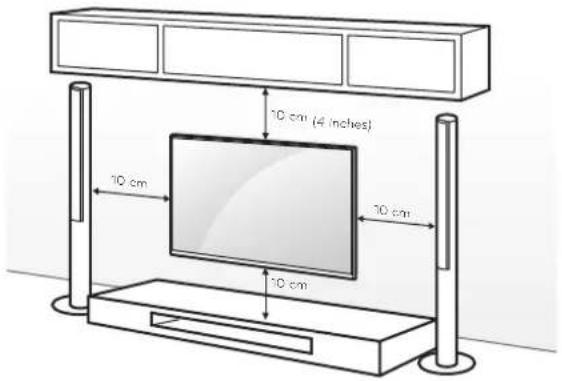
text_image
10 cm (4 inches) 10 cm 10 cm 10 cmMake sure to use screws and wall mounts that meet the VESA standard. Standard dimensions for the wall mount kits are described in the following table.
| Model 22/26LQ630H | 32LQ630H | |
| VESA 100 x 100 200 x 100 | ||
| Standard screw M4 | M4 | |
| Number of screws 4 4 | ||
| Wall mount bracket (optional) | LSW100B(G)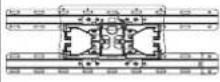 | |
| Model 42CQ610H | 42LQ640H |
| VESA 200 x 200 | |
| Standard screw M6 | |
| Number of screws 4 | |
| Wall mount bracket (optional) | LSW200B(G)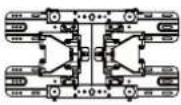 |
LSW220BX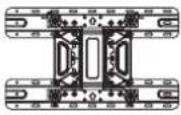 |

CAUTION
- Disconnect the power before moving or installing the TV. Otherwise electric shock may occur.
- If you install the TV on a ceiling or slanted wall, it may fall and result in severe injury. Use an authorized LG wall mount and contact the local dealer or qualified personnel.
- Do not over tighten the screws as this may cause damage to the TV and void your warranty.
- Use the screws and wall mounts that meet the VESA standard. Any damages or injuries by misuse or using an improper accessory are not covered by the warranty.
- Ensure adequate ventilation by following the clearance recommendations.
- Do not mount near or above any type of heat source.
- Do not put this product next to the patient's bed where it can be reached by the patient.
• Install product in such a way that patients will not be able to touch this product.
• This product should only be mounted on a wall.
Kensington Security System (optional)
The Kensington security system connector is located at the rear of the TV.
For more information of installation and using, refer to the manual provided with the Kensington security
system or visit http://www.kensington.com.

NOTE
- The Kensington security system is optional. You can obtain additional accessories from your local dealer.

NOTE
- The wall mount bracket is optional. You can obtain additional accessories from your local dealer.
- Use the screws that are listed in the VESA standard screw specifications.
- The wall mount kit includes an installation manual and necessary parts.
- The length of screws may differ depending on the wall mount. Make sure to use the proper length.
- For more information, refer to the manual supplied with the wall mount.
Tidying Cables
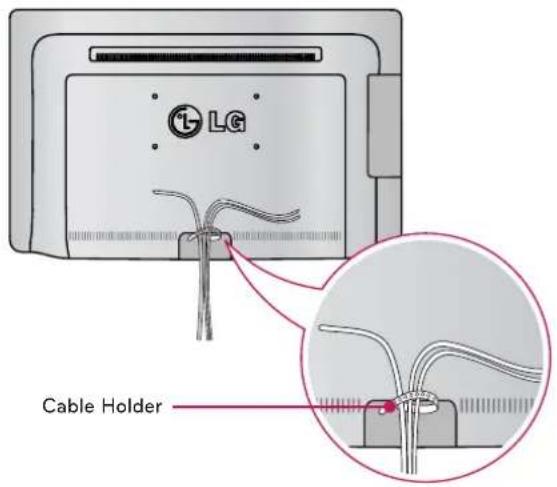
For 22LQ630H
1 Gather and bind the cables with the cable holder(s) on the TV back cover.
text_image
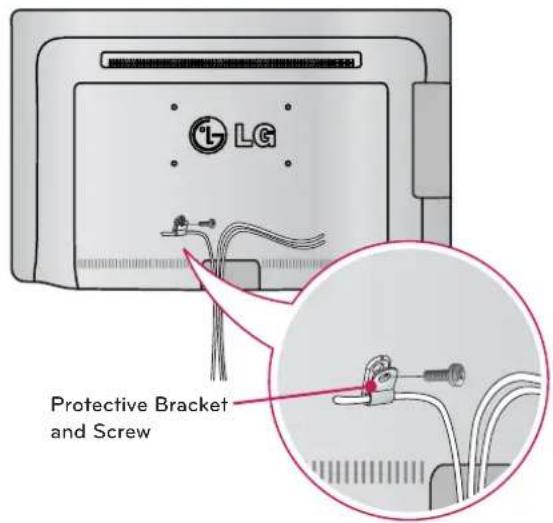
LG Cable HolderFor 26LQ630H
1 Connect the cables as necessary. Secure the power cable with the protective bracket and screw as shown. It will help prevent the power cable from being removed by accident.
text_image
LG Protective Bracket and ScrewFor 32LQ630H
1 Gather and bind the cables with the cable holder(s) on the TV back cover.
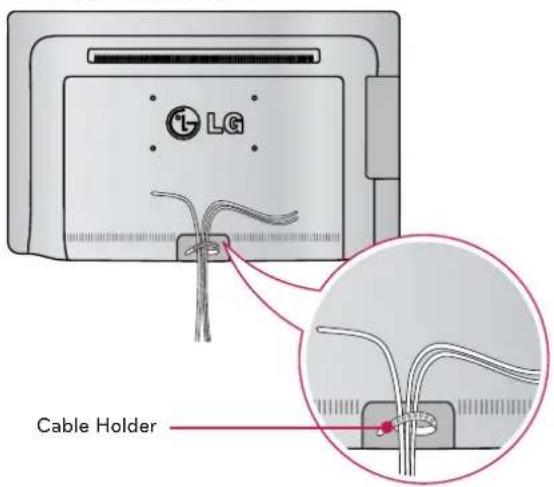
text_image
i LG Cable Holder2 Gether and bind the cables with the cable holder(s) on the TV back cover.
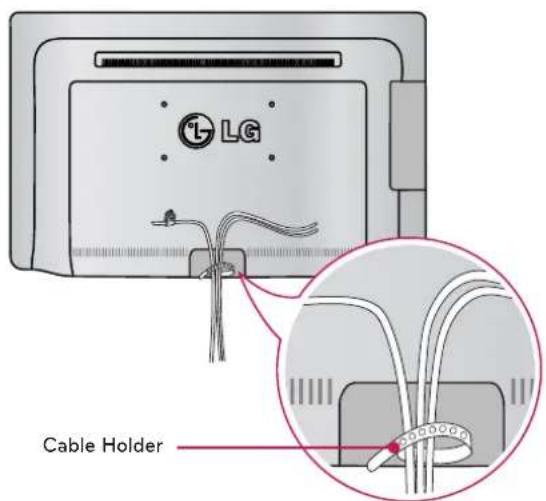
text_image
LG Cable HolderFor 42CQ610H
1 Connect the cables as necessary. Secure the power cable with the protective bracket and screw as shown. It will help prevent the power cable from being removed by accident.
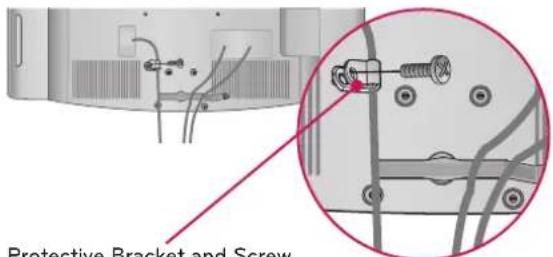
text_image
Protective Bracket and ScrewProtective Bracket and Screw (This feature is not available for all models.)
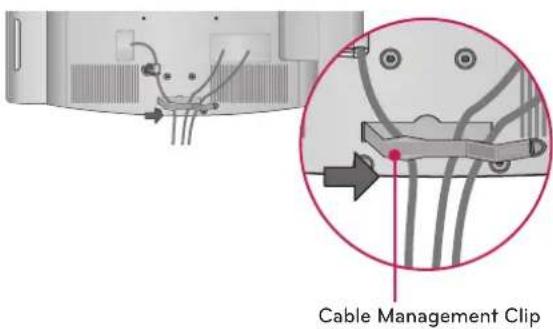
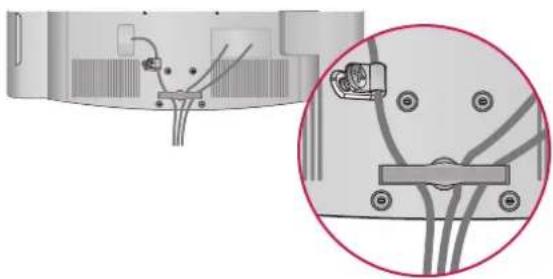
For 42LQ640H
1 Install the power cord holder and power cord. It will help prevent the power cable from being removed by accident.
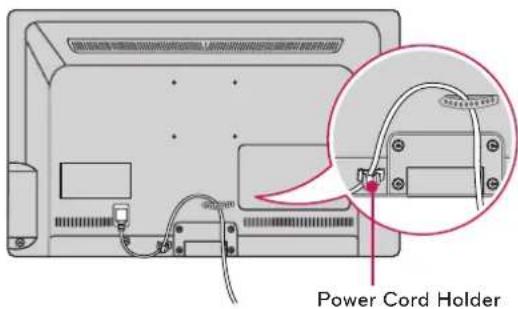
text_image
Power Cord Holder2 Gather and bind the cables with the cable holder.
2 Install the cable management clip as shown.
text_image
Cable Management Clip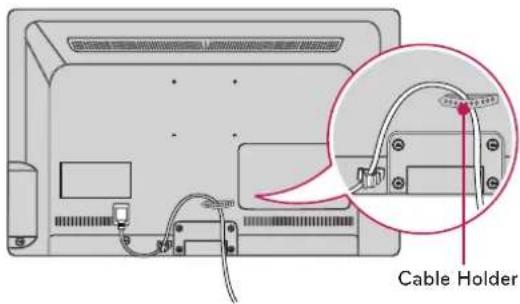
text_image
Cable Holder3 Put the cables inside the cable management clip and snap it closed.
natural_image
Diagram showing cable connections and a magnified view of a device component (no text or symbols)CAUTION
- Do not move the TV by holding the cable holder and power cord holder, as the cable holders may break, and injuries and damage to the TV may occur.
SPECIFICATIONS
Product specifications may be changed without prior notice due to upgrade of product functions.
| Power requirement AC 120 V ~ 50 / 60 Hz | ||
| Television System ATSC / NTSC-M, 64 & 256 QAM | ||
| Program Coverage VHF 2-13, UHF 14-69, CATV 1-135, DTV 2-69, CADTV 1-135 | ||
| External Antenna Impedance 75 | Ω | |
| Environment condition | Operating Temperature 0 °C ~ 40 °C (32 °F ~ 104 °F) | |
| Operating Humidity Less than 80 % | ||
| Storage Temperature -20 °C ~ 60 °C (-4 °F ~ 140 °F) | ||
| Storage Humidity Less than 85 % | ||
| MODELS | 22LQ630H(22LQ630H-UA) |
| Dimensions(W x H x D) | 526.0 x 352.0 x 54.1 (mm) |
| 20.7 x 13.8 x 2.1 (inch) | |
| Weight 3.6 kg (7.9 lbs) | |
| Current Value / Power consumption 0.7 A / 45 W | |
| MODELS | 26LQ630H(26LQ630H-UA) |
| Dimensions(W x H x D) | 659.0 x 427.8 x 59.0 (mm) |
| 25.9 x 16.8 x 2.3 (inch) | |
| Weight 5.9 kg (13.0 lbs) | |
| Current Value / Power consumption 0.6 A / 60 W | |
| MODELS | 32LQ630H(32LQ630H-UA) |
| Dimensions (W x H x D) | 787.4 x 501.5 x 61.5 (mm) |
| 31.0 x 19.7 x 2.4 (inch) | |
| Weight 9.0 kg (19.8 lbs) | |
| Current Value / Power consumption 0.7 A / 70 W | |
| MODELS | 42CQ610H(42CQ610H-UA) |
| Dimensions(W x H x D) | 1,024 x 621 x 87.1 (mm) |
| 40.3 x 24.4 x 3.4 (inch) | |
| Weight | 15.1 kg (33.2 lbs) |
| Current Value / Power consumption | 1.5 A / 150 W |
| MODELS | 42LQ640H(42LQ640H-UA) |
| Dimensions (W x H x D) | 991.7 x 604.0 x 55.0 (mm) |
| 39.0 x 23.7 x 2.1 (inch) | |
| Weight | 13.5 kg (29.7 lbs) |
| Current Value / Power consumption | 1.0 A / 100 W |
GENERAL TROUBLESHOOTING
The software may be updated for improvement in performance. The customer is responsible to ensure the compatibility of their equipment with any LG Electronics software. If needed, please consult with LG Electronics and update new software versions according to the guidance provided by LG Electronics."
Installation
| Symptom Possible | Cause(s) Possible Solution(s) | |
| Cannot direct enter channel number. | (TV in Pass-through Mode) Installer Menu item 028 CH. OVERIDE is set to 0, i.e., disabled (recommended setting). | If the channel lineup is locked, only channels that are active in the TV's channel lineup can be selected. Set Installer Menu item 028 CH. OVERIDE to 1 to allow access for direct keypad entry to all channels. |
| (TV in FTG Mode) The channel entered is not part of the FTG Channel Map. | Channel access is restricted to channels included in the FTG Channel Map. If necessary, make changes to the FTG Channel Map using the FTG File Manager or the FTG Configuration Application, as appropriate. | |
| No channels present after setup. | Auto Tuning (Channel Search) not run. | Refer to Express Script or Custom Master TV Setup procedure, as appropriate. Auto Tuning must be run in order for the channel lineup to be populated. Note for Express Script: You must select "Execute Auto Search" in the Auto Search screen to run the search. To re-activate the Express Script, set Installer Menu item 117 FACT DEFAULT to 001. |
Picture Reception and Sound
| Symptom Possible | Cause(s) Possible Solution(s) | |
| No picture. | • TV is turned OFF. | • Turn TV ON.• Power failure? |
| • Antenna/cable not connected. | • Connect antenna/cable signal to TV. | |
| • Connections incorrect. | • Check connections on TV. | |
| • MPI not connected | • If applicable, connect MPI cable to MPI device. | |
| • Encrypted program. | • Try another channel. | |
| • Wrong tuning band. | • Adjust Installer Menu settings. | |
| Normal picture, poor or no sound. | • Broadcast problem. | • Try a different channel. |
| • Audio muted | • Press MUTE or use Volume Up key to increase sound level. | |
| • Pillow/TV speaker not configured properly. | • Check that Installer Menu items 020 FEATURE LEVEL and 027 HOSPITAL MODE are set as required. Also, if applicable, select TV Speaker in the Audio Menu. |
Erratic Operation
| Symptom Possible | Cause(s) Possible Solution(s) | |
| Installer Menu setup. | • Wrong Installer Menu settings. | • Adjust Installer Menu settings as required. |
Installer Remote
| Symptom Possible | Cause(s) Possible Solution(s) | |
| Remote doesn't work. | • Remote not in TV Mode. | • Use MODE key to select "TV"; puts remote into TV Mode. |
| • Not aimed at IR remote sensor. | • Point remote at TV's IR receiver on TV. | |
| • Remote too far from IR sensor. | • Move remote closer to TV's IR receiver or darken room. | |
| • MPI not connected. | • If applicable, connect MPI cable to MPI device. | |
| • IR path to TV's receiver obstructed. | • Remove obstructions. | |
| • Weak batteries. | • Replace batteries. | |
| • Wrong battery polarity. | • Check that "+" and "-" match in battery compartment. | |
| • Too much light in room. | • Dim room light. | |
| • Wrong Installer Remote. | • Requires compatible Installer Remote. Contact your LG dealer. | |
| • Bed Switch set to wrong bed. | • Set Bed Switch or update Installer Menu, as necessary. |
-
| _
-
1

LG
Life's Good
The model and serial numbers of the TV are located on the back and/or one side of the TV. Record them below should you ever need service.
MODEL
SERIAL
Pro:Centric is a trademark of LG Electronics U.S.A., Inc. Pro:Idiom is a registered trademark of Zenith Electronics LLC. b-LAN is a trademark of LodgeNet Interactive Corporation. All other trademarks or registered trademarks are the property of their respective owners.
LG Customer Information Center
For inquires or comments, visit www.lg.com or call:
1-888-865-3026
USA, Commercial User
1-888-542-2623
CANADA
(For LQ630H, LQ640H series)

This product qualifies for ENERGY STAR in the "factory default (Home Use)" setting.
Changing the factory default settings or enabling other features may increase power consumption that could exceed the limits necessary to quality for ENERGY STAR.